/


ISBN: 0-471-04998-0



Text
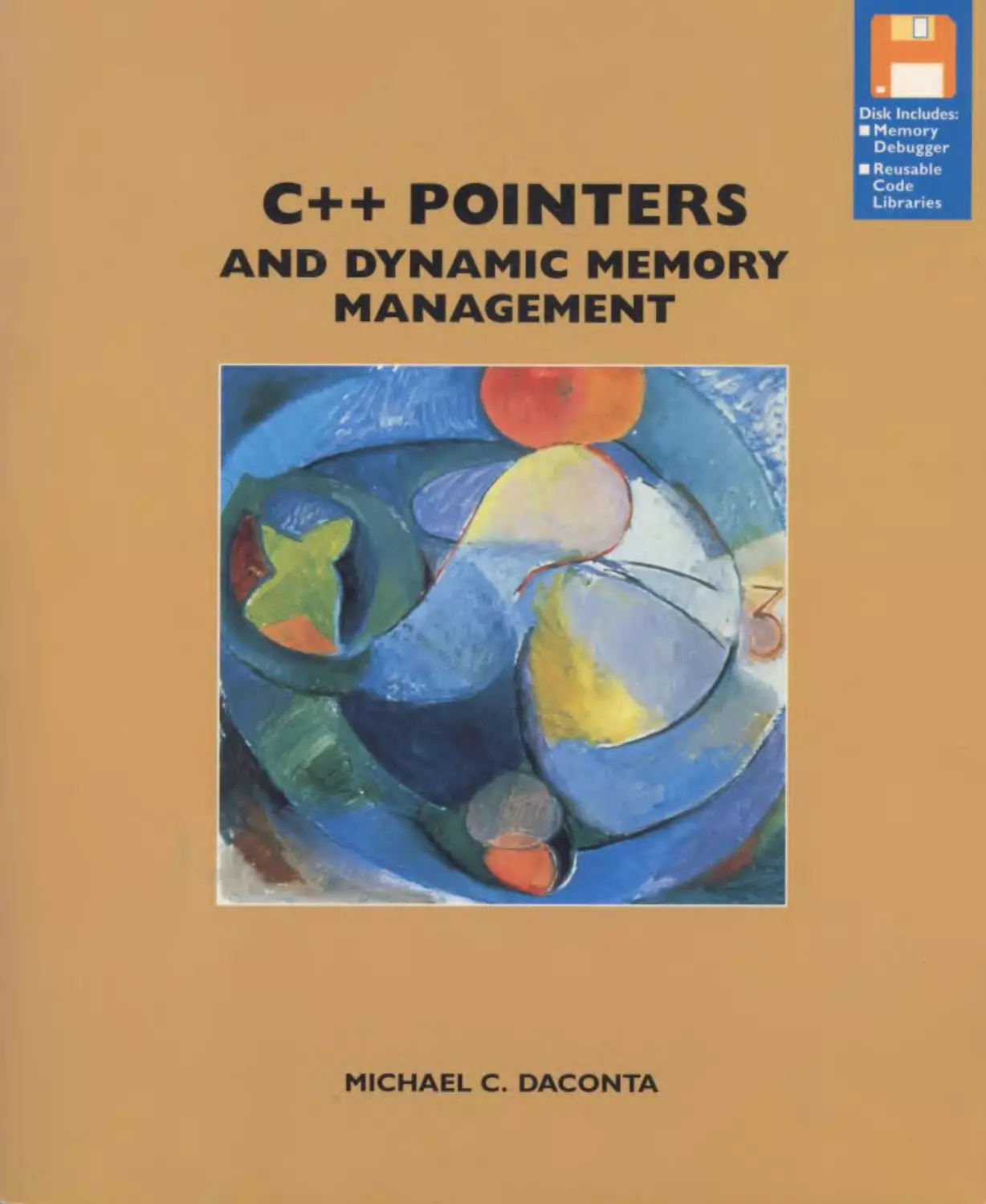
C++ POINTERS
AND DYNAMIC MEMORY
MANAGEMENT
Disk Includes:
Memory
Debugger
Reusable
Code
Libraries
MICHAEL C. DACONTA
C++ Pointers and
Dynamic Memory
Management
Michael C. Daconta
A Wiley-QED Publication
John Wiley & Sons, Inc.
New York • Chichester • Brisbane • Toronto • Singapore
Publisher: К. Schowalter
Editor: В. Elliot
Managing Editor: M. Frederick
Text Design & Composition: PD&PS
Designations used by companies to distinguish their products are often claimed
as trademarks. In all instances where John Wiley & Sons, Inc. is aware of a
claim, the product names appear in initial capital or all capital letters. Readers,
however, should contact the appropriate companies for more complete informa-
tion regarding trademarks and registration.
This text is printed on acid-free paper.
Copyright © 1995 by John Wiley & Sons, Inc.
All rights reserved. Published simultaneously in Canada.
This publication is designed to provide accurate and authoritative information
in regard to the subject matter covered. It is sold with the understanding that
the publisher is not engaged in rendering legal, accounting, or other profes-
sional service. If legal advice or other expert assistance is required, the services
of a competent professional person should be sought.
Reproduction or translation of any part of this work beyond that permitted by
section 107 or 108 of the 1976 United States Copyright Act without the permis-
sion of the copyright owner is unlawful. Requests for permission or further
information should be addressed to the Permissions Department, John Wiley &
Sons, Inc.
Library of Congress Cataloging-in-Publication Data:
Daconta, Michael C.
C++ pointers and dynamic memory management / Michael C. Daconta.
p. cm.
“A Wiley/QED publication."
Includes index
ISBN 0-471-04998-0 (paper/disk)
1. C++(Computer program language) 2. Memory management (Computer
science)
QA76.73.C153D33 1995
005.13'3—dc20 94-48020
CIP
Printed in the United States of America
10 987654321
Contents
Acknowledgments .................................... xxi
Introduction .........................................xxii
1 OBJECT-ORIENTED PROGRAMMING WITH POINTERS . .. 1
1.1 The OOP Way.......................................2
1.2 Power Implementation..............................3
1.3 A Method for Explaining C++ Concepts .............4
2 OBJECTS AND MEMORY ......................................5
2.1 An Intuitive Approach ............................5
2.2 Globals, the Stack, and Free Store ...............8
2.3 Globals...........................................8
2.4 The Stack ........................................9
2.5 The Compiler and the Application Stack ..........10
2.6 Close-up on Stack Frames .................... 13
2.7 Can’t Get Enough of the Stack?...................15
2.8 Storage Classes..................................16
2.9 Objects and Stack Space .........................17
2.10 The Free Store ..................................19
3 POINTER BASICS .........................................23
3.1 Data Types ......................................23
3.2 User-defined Data Types .............27
3.3 Declaring, Assigning, and Dereferencing Pointers..29
3.4 Void Pointers and Casts...........................34
4 PASSING DATA AND REFERENCES ............. 39
4.1 Pass by Value and Pass by Reference...............39
4.2 References...................................... 44
4.3 When to Use References Instead of Pointers .......59
4.4 Passing a Variable Number of Arguments ...........59
4.5 Passing Data and the Copy Constructor.............63
5 MULTI DIMENSIONAL ARRAYS AND POINTERS...........67
5.1 Pointer Arithmetic ...............................68
5.2 A Single Dimension ...............................70
5.3 Multidimensional Arrays...........................73
5.4 Overloading Brackets..............................78
5.5 Code Review .................................... 81
6 STRINGS AND POINTERS ....................................89
6.1 A “Safe” String Class ............................90
6.2 String Manipulation...............................94
6.3 Arrays of Strings................................100
6.4 Code Review .....................................102
7 STRUCTURES, UNIONS, CLASSES, AND POINTERS ..............109
7.1 Structures ......................................109
7.2 Arrays of Structures.............................116
7.3 Unions ..........................................119
7.4 Classes...................................... 125
7.5 Classes vs. Structures ..........................129
7.6 Array of Objects .............................. 131
7.7 Code Review .....................................135
8 POINTERS AND DYNAMIC MEMORY ..............143
8.1 Basic Building Blocks............................144
8.2 mallod) and free!)...............................144
8.3 new and delete Operators ............149
8.4 new Operator ....................................150
8.5 delete Operator...................................154
8.6 delete! I Array ............................... 155
8.7 Classes with Pointer Members .....................159
8.8 Constructors and Destructors .....................159
8.9 The Copy Constructor..............................163
8.10 Overloaded Assignment Operator....................173
8.11 Class-specific Memory Management..................186
8.12 Other Points .....................................191
8.13 “Think Dynamic” ..................................192
8.14 Code Review ......................................198
9 POINTER POINTERS AND POINTER ARRAYS......................213
9.1 Dynamic Two-dimensional Arrays ...................222
9.2 Object-oriented PPbufs............................236
10 THIS AND OTHER SPECIAL POINTERS..........................253
10.1 Self-referential Structures.......................260
10.2 Pointers to Class Members ........................263
10.3 Pointers to Constants and Constant Pointers ......264
11 INHERITANCE, POLYMORPHISM, AND POINTERS..................267
11.1 Inheritance ......................................267
11.2 Polymorphism......................................275
11.3 An Introduction to Virtual Functions .............279
11.4 Code Review ......................................281
12 POINTERS AND ABSTRACT DATA TYPES.........................289
12.1 Templates ........................................294
12.2 Linked Lists .....................................298
12.3 Hash Tables ......................................306
12.4 Interview with Greg Comeau........................319
13 FUNCTION POINTERS AND VIRTUAL FUNCTIONS..................325
13.1 Concept of Function Pointers......................325
13.2 Syntax of Function Pointers.......................326
13.3 Applications of Function Pointers ................330
13.4 Discrete Event Simulations........................338
13.5 Virtual Functions in Depth .......................348
14 MEMORY MANAGEMENT INTERNALS..........................359
14.1 Memory Management Basics.......................360
14.2 Memory Management Implementation...............366
14.3 Interview with Arthur Applegate ...............412
14.4 Improvements to the dbgmem Library ............418
15 PLATFORM-SPECIFIC POINTERS...........................421
15.1 80x86 Segmented Architecture ..................421
15.2 80x86 SegmenVOffset Addressing.................421
15.3 x86 Pointers ..................................425
15.4 Memory Models..................................426
15.5 Breaking the 64К Barrier ......................428
15.6 Using and Comparing Far Pointers...............429
15.7 Writing to Physical Addresses..................431
15.8 Breaking the 640K Barrier .....................431
15.9 Macintosh Handles..............................433
A MEMORY BASICS .......................................441
A.l How Does a Memory Location Store a Binary Number? . 441
A.2 The Binary Number System ........................442
A.3 How Can a Computer Use an Address to Access a
Memory Location?.....................................445
В COMPILER AND BOOK PECULIARITIES......................449
B.l Compiler Peculiarities ........................449
B.2 Book Peculiarities.............................450
Glossary ............................................451
Index.............................................. 457
List of Illustrations
CHAPTER 2
Figure 2.1 A pointer as a container .....................6
Figure 2.2 Memory as a row of containers.................6
Figure 2.3 A microcomputer’s memory......................8
Figure 2.4 A classic stack .............................10
Figure 2.5 Stack as a LIFO structure....................11
Figure 2.6 Function as a black box......................12
Figure 2.7 Parameter copying.......................... 13
Figure 2.8 Stack frame .................................14
CHAPTER 3
Figure 3.1 Updated container analogy....................24
Figure 3.2 Structure “padding”..........................29
Figure 3.3 Paper computer on pointer assignment.........35
CHAPTER 4
Figure 4.1 lvalue and rvalue of a variable .............40
Figure 4.2 Paper computer on pass by reference..........43
Figure 4.3 lvalue = rvalue..............................57
Figure 4.4 The copy constructor ........................64
CHAPTERS
Figure 5.1 Pointer arithmetic ........................70
Figure 5.2 An array as containers ....................71
Figure 5.3 Paper computer on array indexing...........72
Figure 5.4 Multidimensional arrays....................74
Figure 5.5 Two-dimensional pointer arithmetic ........76
CHAPTER 6
Figure 6.1 String copy ...............................94
Figure 6.2 Array of strings .........................103
CHAPTER 7
Figure 7.1 Dereferencing structure pointers .........113
Figure 7.2 Structure vs. union ......................119
Figure 7.3 Syntax of a class ........................128
Figure 7.4 Object as a stage ........................129
CHAPTER 8
Figure 8.1 Requesting a system resource..............146
Figure 8.2 The free list ............................147
Figure 8.3 Member-wise copy .........................166
Figure 8.4 Copy constructor copy ....................168
CHAPTER 9
Figure 9.1 Pointer pointer as a container ...........214
Figure 9.2 How to set up a pointer array.............222
Figure 9.3 A char ppbuf..............................226
Figure 9.4 Paper computer on **argv..................236
CHAPTER 10
Figure 10.1 Chained assignments .................... 259
CHAPTER 11
Figure 11.1 IS-A and HAS-A relationships .............269
Figure 11.2 Structure piggybacking....................271
CHAPTER 12
Figure 12.1 Generic stack implementation .............294
Figure 12.2 Linked list container.....................299
Figure 12.3 A generic hash table .....................307
Figure 12.4 Scatter, scramble, and squeeze algorithm..316
CHAPTER 13
Figure 13.1 vptr and vTbl ............................352
CHAPTER 14
Figure 14.1 Memory management methodology ............361
Figure 14.2 fooalign structure........................364
Figure 14.3 A noncoalesced free list..................365
Figure 14.4 A coalesced free list ....................366
Figure 14.5 An allocated memory block.................371
Figure 14.6 Carving off a memory hunk ................386
CHAPTER 15
Figure 15.1 Creating 20-bit addresses ................423
Figure 15.2 Handle vs. a pointer .....................435
APPENDIX A
Figure A. 1 A number system example ..................443
Figure A.2 Decimal to binary ........................444
Figure A.3 A microprocessor bus scheme ..............446
CHAPTER 12
Table 12.1 Bit-wise operators ..................315
CHAPTER 14
Table 14.1 Default alignment and rounding on common
computer systems ............................ 363
CHAPTER 15
Table 15.1 Memory models .......................427
Table 15.2 Intel CPU family ....................432
APPENDIX A
Table A. 1 Data sizes...........................447
List of Source Code
CHAPTER 2
Source 2.1 ptrintro.cpp ....................................7
Source 2.2 global.cpp ......................................9
Source 2.3 stackdir.cpp ...................................14
Source 2.4 size.cpp........................................17
CHAPTER 3
Source 3.1 sizes.cpp ......................................25
Source 3.2 ucLsize.cpp................................... 28
Source 3.3 define.cpp .....................................31
Source 3.4 addrop.cpp .....................................32
Source 3.5 deref.cpp.......................................33
Source 3.6 voidptr.cpp ....................................34
CHAPTER 4
Source 4.1 stackcpy.cpp....................................41
Source 4.2 passaddr.cpp ...................................42
Source 4.3 passref.cpp.....................................44
Source 4.4 alias.cpp ......................................45
Source 4.5 propref.cpp.....................................47
Source 4.6 initref.cpp.....................................48
Source 4.7 chngval.cpp....................................51
Source 4.8 coord.cpp......................................52
Source 4.9 ret_ref.cpp ...................................55
Source 4.10 reftoptr.cpp...................................57
Source 4.11 vararg.cpp ....................................59
CHAPTERS
Source 5.1 ptrarith.cpp ..................................61
Source 5.2 index.cpp .....................................71
Source 5.3 matrix.cpp ....................................74
Source 5.4 cube.cpp ......................................77
Source 5.5 bounds.cpp ....................................78
Source 5.6 testscor.cpp...................................81
CHAPTER 6
Source 6.1 safestr.cpp ............................... 91
Source 6.2 strlib.h ......................................95
Source 6.3 traverse.cpp ..................................95
Source 6.4 strarray.cpp .................................100
Source 6.5 count.cpp ....................................103
CHAPTER 7
Source 7.1 offsetof.cpp .................................110
Source 7.2 structst.cpp..................................113
Source 7.3 testErr.cpp ..................................116
Source 7.4 cpyunion.cpp .................................120
Source 7.5 union.cpp ................................ 121
Source 7.6 multiuse.cpp..................................122
Source 7.7 classtst.cpp..................................126
Source 7.8 struclass.cpp.................................130
Source 7.9 books.cpp ................................. 131
Source 7.10 tinydict.cpp..................................136
CHAPTERS
Source 8.1 heap.cpp .....................................147
Source 8.2 new.cpp .................................. 150
Source 8.3 exhaust.cpp ..................................153
Source 8.4 family.cpp.....................................155
Source 8.5 delete.cpp .................................. 158
Source 8.6 intalloc.cpp...................................160
Source 8.7 wrongcpy.cpp ..................................163
Source 8.8 rightcpy.cpp ..................................166
Source 8.9 retcpy.cpp.....................................169
Source 8.10 ovldasgn.cpp...................................173
Source 8.11 dynstrlb.h.....................................175
Source 8.12 dynstrlb.cpp ..................................176
Source 8.13 tststr.cpp .................................. 183
Source 8.14 classnew.cpp...................................187
Source8.15 dynscore.cpp...................................193
Source 8.16 hyperdct.cpp...................................201
CHAPTER 9
Source 9.1 ppintro.cpp....................................213
Source 9.2 stackvar.cpp...................................215
Source 9.3 dyninit.cpp ...................................217
Source 9.4 pparray.cpp ...................................223
Source 9.5 dissect.cpp ...................................227
Source 9.6 tstdsct.cpp ...................................232
Source 9.7 cmdline.cpp ...................................233
Source 9.8 PPbuf.cpp......................................246
CHAPTER 10
Source 10.1 this.cpp.......................................253
Source 10.2 money.cpp......................................255
Source 10.3 tinylist.cpp ..................................260
Source 10.4 membptr.cpp ...................................263
Source 10.5 const.cpp.................................... 264
CHAPTER 11
Source 11.1 piggybck.cpp...................................269
Source 11.2 iistbase.cpp...................................271
Source 11.3 mangle.cpp................................... 276
Source 11.4 virtualf.cpp...................................279
Source 11.5 moneyLib.cpp...................................282
Source 11.6 budget.cpp ................................ 285
CHAPTER 12
Source 12.1 stack.cpp....................................289
Source 12.2 bndarray.cpp ................................295
Source 12.3 list.cpp ....................................299
Source 12.4 hash.cpp ....................................304
Source 12.5 hashtst.cpp..................................317
CHAPTER 13
Source 13.1 funcptr.cpp..................................327
Source 13.2 gcompare.cpp ................................330
Source 13.3 dispatch.cpp.................................333
Source 13.4 chngprio.cpp ................................336
Source 13.5 banksim.cpp..................................338
Source 13.6 vftst.cpp ................................. 348
Source 13.7 virtfunc.c ..................................352
CHAPTER 14
Source 14.1 fooalign.cpp ................................363
Source 14.2 dbgmem.h.....................................367
Source 14.3 set_mem function.............................372
Source 14.4 fill_mem function............................373
Source 14.5 get_mem function ............................374
Source 14.6 check_magic function ........................376
Source 14.7 check_free_list function.....................377
Source 14.8 print_freeJist function .....................378
Source 14.9 memory_map function..........................379
Source 14.10 check_heap function .........................381
Source 14.11 dbg_malloc function..........................382
Source 14.12 dbg_free function............................387
Source 14.13 dbg_realloc function.........................391
Source 14.14 dbg_strdup function..........................392
Source 14.15 calculate_free_bytes function ...............393
Source 14.16 calculate_largest_block function.............393
Source 14.17 print_stats function.........................394
Source 14.18 dump_block function .........................395
Source 14.19 memory_dump function.........................397
Source 14.20 operator new and delete functions ...........398
Source 14.21 memtest.cpp..................................405
Source 14.22 memtest2.cpp.................................406
CHAPTER 12
Source 12.1 stack.cpp................................... 289
Source 12.2 bndarray.cpp .................................295
Source 12.3 list.cpp .....................................299
Source 12.4 hash.cpp......................................304
Source 12.5 hashtst.cpp...................................317
CHAPTER 13
Source 13.1 funcptr.cpp...................................327
Source 13.2 gcompare.cpp .................................330
Source 13.3 dispatch.cpp .................................333
Source 13.4 chngprio.cpp..................................336
Source 13.5 banksim.cpp...................................338
Source 13.6 vftst.cpp ....................................348
Source 13.7 virtfunc.c ...................................352
CHAPTER 14
Source 14.1 fooalign.cpp .................................363
Source 14.2 dbgmem.h......................................367
Source 14.3 set_mem function..............................372
Source 14.4 fill_mem function.............................373
Source 14.5 get_mem function .............................374
Source 14.6 check_magic function .........................376
Source 14.7 chcck_free_list function......................377
Source 14.8 print_free_list function .....................378
Source 14.9 memory_map function...........................379
Source 14.10 check_heap function ..........................381
Source 14.11 dbg_malloc function...........................382
Source 14.12 dbg_free function........................... 387
Source 14.13 dbg_realloc function..........................391
Source 14.14 dbg_strdup function...........................392
Source 14.15 calculate_free_bytes function ................393
Source 14.16 calculate_largest_block function..............393
Source 14.17 print_stats function..........................394
Source 14.18 dump_block function ..........................395
Source 14.19 memory_dump function..........................397
Source 14.20 operator new and delete functions ............398
Source 14.21 memtest.cpp...................................405
Source 14.22 memtest2.cpp..................................406
CHAPTER 15
Source 15.1 pairs.cpp....................................423
Source 15.2 ptrsz.cpp................................. ,427
Source 15.3 bigarr.cpp................................. 428
Source 15.4 video.cpp................................. 431
Source 15.5 break640.cpp ................................432
Source 15.6 macptr.cpp................................. 433
Source 15.7 handle.cpp ................................ 436
Acknowledgments
A book often takes on a life of its own. Maybe that is why I am drawn to
writing. It is beautiful to watch the process of a “book becoming alive”
partly because of the many players that gather to assist in the “birth.”
It is almost as if the “creation process” is a community event. I’d like to
take a minute here and thank the many people that kneeled down
beside me, clawed at the earth, overturned the soil, planted the seeds,
and prayed for rain.
First and foremost to thank is my family who love and care for me.
On top of this list is my beautiful wife Lynne, who grows dearer to my
heart with each passing day. This year she sacrificed both her birthday
and anniversary to “the book.” She is one special lady. To my kids,
Corey and Gregory, for always clambering on my lap and interrupting
my writing. To Lynne’s parents. Buddy and Shirley, for supporting me
in a hundred little ways that mean a lot. To my parents, Mom and Dad,
for listening to my dreams over the phone and rooting for me every step
of the way.
The people who believe enough in a book to put their money and
work behind it deserve many thanks. The people at John Wiley and
Sons, Inc. have been terrific through every step of this process. Fore-
most on this list is Rich O’Hanley, my former editor, who has helped me
understand the business side of publishing as I bored him with the
technical side of computers. There are many others to thank who made
this book a reality: Katherine Schowalter, publisher; Terry Canela,
editorial assistant; Ed Kerr, my editor at QED; Frank Grazioli, produc-
tion manager; and Theresa Demeo, royalty coordinator (who is always
helpful when I call).
My coworkers and friends constantly provided motivation and en-
couragement throughout the writing of this book. First among these are
my coworkers at Mystech Associates, Inc.: Dave Young, Bob Cotter, and
Tim Halstead, who are very supportive of my creative escapades; John
Monk, Rob Olson, Joan Thomas, and Ken Wood, the best team anyone
could ask to be part of; Torsten Dryden and Jim Uhlmann, who shielded
my writing schedule; Anthony Stevenson, for his enthusiasm and li-
brary of books; and Steve Zarbo, for his sense of humor and constant
pushing me to finish so we can go drink some beer.
In this modern day, one’s circle of friends extends far beyond where
one’s car can drive. Virtual Fusion is an organization that I formed
with Ari Weinstein, a graphics designer in New York. It is a virtual
corporation that produces a newsletter on online business and soft-
ware for both the shareware and commercial markets. Many members
of Virtual Fusion assisted in reviewing the manuscript. Thanks go to
Ari Weinstein, Jim Roberts, Dwight Bell, Mark Kramer, Russ Swan,
and Craig Marciniak. Special thanks go to Mark Kramer and Jim
Roberts for their detailed analysis of the manuscript. Special, special
thanks go to Jim Roberts for reviewing the manuscript, testing pro-
grams, and contributing to Chapter 15.
I also would like to thank the many professional acquaintances I
have made who have assisted with and influenced this book. Thanks
go to Randy Harwood and Claudia LaClair of Cochise College; Brian
Novack, America Online; Ron Liechty, MetroWerks; Arthur Applegate,
Applegate Software; Greg Comeau, Comeau Computing; and Tom
Marvin, MicroQuill Software Publishing.
To those people who are not listed but have played a part in one of
the many steps of “birthing” this book, please accept my sincere thanks.
Mike Daconta
Introduction
What is confusing... is when a single system admits of two or
more descriptions on different levels which nevertheless
resemble each other in some way. Then we find it hard to avoid
mixing levels when we think about the system, and can easily
get totally lost.
Douglas Hofstadter, Godel, Escher, Bach: An Eternal Golden Braid
The success of my book, C Pointers and Dynam ic Memory Managemen t,
proved that no other book on the market was addressing the critical
subject of C pointers. This book tackles an even tougher subject—C++
pointers. Not only will I strip away the complexities that C++ inherited
from C’s pointers in more detail, but I will simplify the enormous num-
ber of added features that C++ provides, such as references, the copy
constructor, the this pointer, overloading the assignment operator, and
overloading new and delete.
This is the only book exclusively dedicated to covering the toughest
parts of the C++ language, pointers, and dynamic memory. This book
fills the major holes in our coverage of C++ with proven, targeted solu-
tions. Here are the problems this text solves:
Problem 1. Most books offer only one chapter on pointers and no
detailed coverage of memory management. This is not enough informa-
tion on topics that often confuse and frustrate even experienced pro-
grammers. I think of this as a “problem of quantity.”
Solution 1. C++ Pointers and Dynamic Memory Management pro-
vides no-hurry, graphics-packed, detailed coverage of all the topics in-
volving pointers and memory management. It is an entire book on the
toughest subjects in C++.
Problem 2. Due to this lack of detailed coverage in other works,
their explanations of pointers and related topics are terse and confus-
ing. The reader’s questions never get resolved because he was never
given a foundation of teaching on memory, addresses, and the compiler
in order to prepare him/her for pointers. This is a “problem of quality."
Solution 2. This book uses three proven techniques to teach C++
pointers and dynamic memory management:
1. Container analogy: Memory is pictured as a three-dimensional
container with an address on the outside and the ability to store a
value inside. Many of my students have expressed gratitude for
this clear, concrete analogy. Finally, someone is talking English
instead of Greek.
2. Paper computers: A computer program is graphically stepped through
to show its operations and their effects clearly. This is part of your
training in “compiler-think” (the art of thinking like a compiler—
you’ll lie amazed at how much better you debug programs with this
technique).
3. A building block approach: The topics walk the ladder in complex-
ity, with the early ones supporting the later topics. This is no
surprise—people crawl before walking, walk before running...
soon we are flying.
Problem 3. The preceding two problems have created the percep-
tion that pointers and dynamic memory management are extremely
difficult and reserved only for computer “gurus.” While this is abso-
lutely not true, it is the natural consequence caused by the first two
problems.
Solution 3. Pointers and dynamic memory management are really
quite simple topics that are like power tools. Would you trust a three-
year-old with a power saw? Well, that is what you are doing when you use
pointers without really understanding them. In the hands of a carpenter,
a power saw is a simple tool. This book teaches pointers by disassembling
the power saw and showing you the insides. The teaching methods used
will make you a master carpenter (programmer) in no time.
Problem 4. People avoid what is difficult. Because pointers have
this bad reputation and a million or so horror stories, people avoid them
like the plague. This is not only unwarranted but a huge mistake. I
have witnessed people go through programming contortions to avoid
pointers, copy code directly from a book to avoid thinking about point-
ers, or worst of all, try every combination of & and * until the darned
program compiled.
Solution 4. Let’s look at what some of the masters of programming
think about pointers.’
Robert Jervis, creator of Turbo C, claims his favorite C construct is
the pointer.
Thomas Plum, chairman of Plum Hall, Inc., says, “Ritchie (designer
of the C Programming language I saw the connection between the syn-
tax of declarations and expressions, and completed the scheme with the
elegant complementary use of the asterisk. In declarations it means
‘pointer’; in expressions it means ‘indirect’—creative connection.”
Jeff Betts, president of Creative Programming, also asserts that the
pointer is his favorite C construct. He says, “It’s so versatile.... It al-
lows programs to be incredibly dynamic. It also plays an important role
in the modularity and generalization of functions.”
Dennis Saunders, cofounder of Mix Software, Inc., and developer of
Mix Power C, states that his favorite C construct is one of the least used,
yet most powerful, features of the C language: the function pointer. “One
feature of C that I really appreciate is the ability to declare pointers to
functions. By using pointers to functions, you can easily create many
variations of a particular function.”
I hope the above quotes have motivated you to believe that pointers
and dynamic memory is where you want to be. It is definitely something
to get excited about. Your heart should race a little bit when you see:
thestack->queue - new void *[thestack->stack max + STACK GROW];
Don’t be afraid of the symbols. Get used to (**) and (&) and (->) and
even (array[*myvar]->yourvar). After a few practice exercises in the
following chapters, you will see that those symbols are just funny shapes
for (hammer) and (saw) and (screwdriver)—just funny symbols for pro-
gramming tools.
’All quotes and paraphrases of “masters" are from Herbert Schildt, TheCraft of
C: Take-Charge Programming (New York: Osborne McGraw-Hill, 1992).
WHAT YOU SHOULD KNOW
This book is appropriate for all levels of C++ programmers who know
the syntax of the language. As a bare minimum, you should have worked
through one of the numerous learn C++ books that are widely available.
If you can write a basic C++ program, you are ready for this book.
ORGANIZATION OF THE BOOK
Because so many different topics relate to pointers and dynamic memory,
each chapter of the book addresses one msyor topic or a group of related
topics. For example, Chapter 8 discusses all of the memory manage-
ment routines in the standard library (new, delete, malloc, free, and
realloc) and how to use them. At the same time, the chapters are ar-
ranged in level of complexity from beginner to advanced. Adjacent chap-
ters are usually related with earlier chapters supporting the concepts of
later ones. This layout has been designed to encompass the wide range
of topics that are touched by pointers and to maximize understanding of
the material.
SOURCE CODE, PLATFORMS, AND COMPILERS
This book has been developed for the widest audience possible. All code
has been compiled on several different platforms and compilers. The
platforms used include Macintosh Powerbook 160, PC-compatible 386,
PC-compatible 486, and SUN SPARC II.
The compilers include Symantec C/C++, MetroWerks CodeWarrior
C++, Turbo C/C++, Microsoft. C/C++, and GNU C++.
A FEW NOTES ON SOURCE CODE
Complete running programs are provided so that you can see full work-
ing examples. There are no snippets. Every example is a standalone
program.
Most examples in the book do more than just illustrate a single
language feature. I strove to pick interesting examples that readers
could expand upon and enjoy working with. I encourage you to take the
concepts here and experiment with them. Some times the code examples
are long because 1 am illustrating an interesting concept (such as a
hypertext dictionary). I believe it is a worthy trade-off.
All m^jor concepts are covered by at least one source code example.
I go to code as often as possible because code is the bottom line. That is
what we are here for—to program. So the more examples, the merrier.
I also believe that deciphering source code is a valuable skill and well
worth any effort put into it.
QUESTIONS AND COMMENTS
This book is written by a programmer for programmers. All comments,
suggestions, questions, and advice from the entire computing commu-
nity are greatly appreciated. I can be reached electronically:
CompuServe: 71664,523
America Online: Mike Dacon
Internet: daconta@primenet.com
Internet: vfusion@aol.com (for those interested in exploring virtual
corporations)
Or you can write to:
Michael Daconta
c/o Terry Canela
John Wiley & Sons, Inc.
605 Third Avenue
New York, NY 10158-0012
Object-Oriented
Programming with Pointers
Pragmatics must take precedence over elegance, for Nature
cannot be impressed.
—Coggin’s Law of Software Engineering
Clearly C++ owes most to C.
—Bjarne Stroustrup, The C++ Programming Language
OBJECTIVE: Learn how pointers, a vital part of C++, are critical to
implementing robust object-oriented applications.
C++ is a superset of the C programming language that supports object-
oriented programming (OOP). The first point I’d like to stress is that
you cannot separate C++ from C, as some authors pretend. The de-
signer of C++ would never think of saying that it is a distinct language
from C. His books are rife with praise for the C language, and I could
not agree more with Dr. Stroustrup’s decision to choose C as his base
language. Dr. Stroustrup has traveled a difficult path, one replete with
critics jealous of his success. There are always those who wish to pull
things toward the extremes. It is a credit to Dr. Stroustrup that he
stayed on the difficult, middle path.
1.1 THE OOP WAY
The primary goal of the C++ language, as expressed by the designer
himself at a developers’ conference, is to make the design phase of pro-
gramming a natural part of the language. The three defining traits that
make C++ an object-oriented language are encapsulation, inheritance,
and polymorphism. When we look carefully at each of these traits, we
see that pointers and memory' management support or complement
them. Let’s examine each OOP trait in detail.
Encapsulation and Runtime Objects
Encapsulation is the process of combining an object’s attributes with its
actions on those attributes. This linking of attributes and actions into a
single entity creates an “object.” The reason an object is so special is that
the programmer can now make objects in code that closely resemble the
physical objects in the problem domain. This mirroring of the physical
world is one of the key foundations of object-oriented programming. Is it
not true that objects in the physical world appear and disappear at ran-
dom times? For example, if our program models an airport, the airplanes
arrive and depart constantly. There is no fixed number of aircraft be-
cause conditions are changing constantly. This necessitates dynamic cre-
ation and destruction of runtime objects. The creation and destruction of
these runtime objects in C++ involves pointers.
Inheritance and Virtual Functions
Inheritance is the process of deriving attributes and behaviors from a
higher base class. While it is a very powerful feature of object-oriented
programming, when properly used, beginning programmers often ig-
nore inheritance because of its complexity. By understanding imple-
mentation details of inheritance I which involves pointers), you will better
understand how' to use this powerful OOP technique.
Polymorphism and Overloaded Operators
Polymorphism allows a single interface (such as a function name) to
have many forms (or implementations). The name-mangling that imple-
ments function overloading uses pointers and string manipulation tech-
1.2
niques that I will present. Also, overloading certain operators, such as
the assignment operator, involves the use of a special pointer called the
“this" pointer.
In addition to being an integral part of object-oriented program-
ming, pointers and memory management enable you to implement these
concepts better. You can think of OOP as the framework and pointers
as the powerful engine.
POWER IMPLEMENTATION
Grady Booch, a w’ell-known OOP pioneer, balances purism with practi-
cality when he says, “Design can never be entirely independent of a
language—the particular features and semantics of a language influ-
ence architectural decisions. Ignoring these influences leaves you with
abstractions that do not take advantage of the language’s unique facili-
ties, or with mechanisms that cannot be efficiently implemented in any
language.”1 Even if you could create working programs without touch-
ing pointers or memory management (which would be extremely diffi-
cult for nontrivial programs), you would be foolish to do so. The bottom
line is that pointers and dynamic memory management are extremely
powerful techniques that enable a whole new level of programming
effectiveness. Let’s briefly examine some benefits derived from mixing
pointers and memory management techniques with OOP.
Pointers enable low-level operations such as bit manipulation in a
high-level object-oriented framework. The ability to create functions
that manipulate individual bits, as in a device driver, inside an object
that maps directly to a problem domain combines an elegant design
with assembly language speed and control.
Pointers offer flexibility and speed, enabling data structures and
faster data manipulation. The interconnection of components in the
real world can be extremely complex. To model this problem domain
within a computer requires facilities that allow easy and flexible data
connection. The connection and manipulation of data involves the cre-
ation of data structures. These data structures often use pointers as
their medium for connection. In fact, pointers were specifically designed
for this purpose. The most popular data structures involve pointers
because of their speed and flexibility. These data structures were in use
long before object-oriented programming came into vogue; however, OOP
can make these data structures more reliable and reusable.
'Grady Booch, “Designing an Application Framework.” Dr. Dobb’s Journal,
(February 1994) p. 26.
According to Arthur D. Applegate, designer of Smart Heap, “Appli-
cations written in C and (especially) C++ spend much of their execution
time allocating and deallocating memory.”2 This is a natural conse-
quence of programs attempting to mirror the problem domain more
realistically. Object-oriented programming actually increases the re-
quirements for efficient use of memory. Of course, dynamic memory
and pointers are inseparable.
This brief chapter is meant to underline the fact that object-ori-
ented programming and pointers are both necessary and complemen-
tary concepts. When used together properly, these concepts produce
robust and reusable code without sacrificing performance.
1.3 A METHOD FOR EXPIAINING C++ CONCEPTS
C++ is a unique language in that it truly has succeeded in the art of
compromise, a compromise between sticking to its roots (the C lan-
guage) and implementing object-oriented programming. As such, it is
best to examine the language from that perspective. I will explain each
new C++ concept by comparing the context of the language (the C lan-
guage) to the purpose of the language (object-oriented programming).
This method essentially illuminates the subject from two angles.
2Arthur D. Applegate. “Rethinking Memory Management,” Dr. Dobb’s Journal
(June 1994).
2
Objects and Memory
OBJECTIVE; Gain a solid foundation on addresses and memory as
well as an understanding of the three storage areas accessible to C++
programs. Special emphasis is placed on the role of the stack.
When you break things down to the lowest denominator, pointers are
about memory. For this discussion, I don’t want to get down into elec-
trons and voltages (although they are good to know also). Here I want
you to understand the connection between memory and pointers, how
your compiler uses memory, and how your C++ programs use memory.
2.1 AN INTUITIVE APPROACH
A pointer can be defined as a memory location that stores the address of
another memory location; however, this definition is dependent upon
the reader knowing the meaning of memory location and address, see
Figure 2.1. Let’s first get an intuitive picture:
If we visualize a single memory location as a container, then a com-
puter’s entire memory would be a long row of containers. ( See Figure
2.2) A container is a good analogy for a memory location because both
can store things. Each container has a unique number on it so that the
computer can access any container in the same amount of time. This is
why computer memory is called random access memory (RAM). The
Figure 2.1 A pointer as a container.
central processing unit (CPU) can access all memory locations in the
same amount of time by putting the address of the desired memory
location on the address bus. Remember, the address is that unique
number that identifies each piece of memory. Each memory location is
numbered sequentially starting from 0.
Continuing with our container analogy, another definition of a pointer
would be a container that stores the unique number of another con-
tainer. So, here we have nontechnical (but functional) definitions for
memory location, address, and pointer:
Memory Location A container that can store a binary number.
Address A unique binary number assigned to every memory location.
Pointer A memory location that stores an address.
This intuitive explanation of pointers answers the question “What
is a pointer?” but does not answer “How does a memory location store a
binary number?" or “How can a computer use an address to access a
0001
Figure 2.2
Memory as a row of containers.
memory location?” The answers to these questions are good for general
knowledge but not critical to our discussions of pointers. The interested
reader will find the two questions answered in Appendix A. Let’s look at
a simple example of code that demonstrates our concept.
/7 ptrintro.cpp
tfinclude <iostream.h>
Int maini)
{
// declare a pointer variable to hold an address.
int ‘integer pointer;
// declare an integer variable to hold an integer
int myint;
// assign an integer to the integer variable
myint - 10;
// print out the address of the integer variable.
/7 remember the variable is like a container with
// the address on the outside and a value stored
// inside.
cout « "address of myint is
cout « &myint « endl;
7/ A pointer can store the address of another container,
integerpointer - &myint:
cout « "the integer pointer holds the address ”;
cout « integer pointer << endl;
return 0;
)
Source 2.1 ptrintro.cpp
Here is a run of the program.
address of myint is 0x00305734
the integer pointer holds the address 0x00305734
I want you to carry this view of memory as a long row of containers
into each successive chapter. I recognize that the analogy does not cover
bits, bytes, or even how many bytes make up an integer. It will be
refined in Chapter 3 when I talk about data types. Right now I am
discussing the lowest level of understanding about a pointer and memory.
System Globals
System Heap
Application Heap
t
Stack
Application Global Space
Figure 2.3 A microcomputer s memory.
I am trying to form a simple picture of a pointer without using compiler-
speak. The definition is precompiler—the primordial ooze of memory.
In the next sections I explain how the compiler carves up memory for
different purposes.
2.2 GLOBALS, THE STACK, AND FREE STORE
Application programmers need to be familiar with three memory spaces:
application global space, the stack, and the free store, described in sec-
tion 2.10. Although different microcomputers organize their memory in
different ways, most are similar. Figure 2.3 displays the organization of
a typical personal computer’s memory.
2.3 GLOBALS
Application global space is where all global variables are stored. These
variables will be stored for the entire runtime of your program. The stor-
age for global variables is allocated at compile time. In C++ programs,
you store variables in global space by declaring them outside of any func-
tion. The name global also gives you an idea of why people define vari-
ables of this type. If something is global, it is visible to all functions or all
functions can “see" it (access it). Many beginning programmers use glo-
bal variables so that they do not have to figure out how to pass variables
to functions. This is not a recommended practice and violates one of the
prime principles in object-oriented programming—encapsulation. Source
2.2 is an example defining global variables.
II global.cpp
^include <iostream.h>
// let's define a global integer
int global int-10;
void funcl(void)
(
II a global variable can be "seen" by fund
cout << "global 1nt 1s ” << global int « endl;
1
int main()
(
II a local integer is defined within a function
int local_int-5:
funcK);
return 0;
1
Source 2.2
global.cpp
Here is a run of the program,
global int is 10
OOP WARNING: The Source 2.2 demonstration of globals was just a demonstration and
not a recommendation. Globals should be avoided in object-oriented
programming because they provide no protection for data. Thus they
violate the entire purpose of encapsulation.
2.4 THE STACK
The stack is critical to understanding argument passing between func-
tions (especially in a mixed language environment); however, most be-
ginning programmers usually are told only that the stack is a place
where function calls are pushed and popped during recursion. (Recur-
Figure 2.4
A Classic STACK (of dishes)
A classic stack
sion is when a function calls itself until it hits an end condition.) The
stack stores all function calls, function arguments, function variables,
and the state of the processor registers. Let’s first examine what a stack
data structure is and then discuss how the compiler uses this data
structure.
The classic way to describe a stack is as a spring-loaded dish bin in
a cafeteria line as seen in Figure 2.4.
In the dish-stack example, the dishwasher would be busily putting
(pushing) plates onto the top of the dish stack while kids in the cafeteria
line would be taking ( popping) dishes off of the top of the stack. As a
data storage structure, you can see how the stack is useful in keeping
track of the order of stored items. The most recent items pushed on the
stack are the first to be popped off, which is why it is a “last in first out”
( LIFO) structure, as shown in Figure 2.5.
You can create a stack data structure in your application program to
store data; but more important is the fact that the compiler uses a system
stack to run your application program. All modem computers include a
stack pointer as well as assembly language instructions to push to and
pop from the stack. Even though you may not use a stack in your applica-
tion program, the compiler is using a stack to run your program.
2.5 THE COMPILER AND THE APPLICATION STACK
The compiler uses the application stack for two purposes: to pass argu-
ments and to store call frames (also called stack frames) and local vari-
Top of Stack
Figure 2.5 Stack as a LIFO structure.
ables. Good program design calls for tight, modular code. Modular code
involves breaking down each function or task of an application into one
simple module. (In C++ a module is called a function.) Each function of
an application usually processes data input and produces data outputs.
The input data to a function are called the function parameters. Intro-
ductory programming courses describe function parameters as being
passed into the function by the calling program. This is absolutely not
true. In fact, I believe that this line of thinking is dangerous because
beginning programmers get the impression that the calling function’s
variables are actually being passed to the called function. This is not
the case at all. What really happens in C++ is that the values entered
into the function call are copied onto the stack. Then execution jumps to
the called procedure, which refers to the parameter values as offset
locations from the stack pointer. (Some computers store an argument
pointer to the start of the functions arguments.)
There are two specific reasons why the notion of passing arguments
is erroneous and confusing to beginning programmers.
First, the term passing gives a false impression that variables in
one function are transferred physically into a second function. This
follows from use of the term. If I pass you a ball, I throw the ball to you
and I am left without a ball. There is only one ball. If we carry this
analogy over to programming: If one function passes another function
some of its variables, the first function should no longer have those
variables. This is obviously not what is going on inside the computer.
Second, the notion of passing arguments supports an abstraction
not used in the C++ language. The abstraction is that a function can be
represented as a black box. Figure 2.6 provides an example of the way
in which many introductory programming courses discuss functions.
In this high-level abstraction the definition of a function is a set of
instructions that process inputs to produce outputs. The similarity of
this abstraction to a factory makes it intuitive to grasp. This is why
languages like Pascal and FORTRAN support the black box paradigm;
however, the C++ language is more interested in assembly language
power than ease of instruction. The language keeps us closer to the
machine by design. Now you can begin to understand students’ confu-
sion with passing addresses to a function (to be discussed in the next
section): They have been taught the black box analogy of functions and
are now faced with a programming language that tears aside the ab-
straction and brings students right to the machine. Therefore, to under-
stand pointers, we need to lose the black box abstraction and understand
copying arguments to the stack.
Let’s trace in Figure 2.7, how the compiler executes the call to
Mod_char(a,2,mychar). Before jumping to the starting address of the
function, the arguments must be copied onto the stack. C compilers
always push the last argument on the stack first and the first argument
last. This convention allows a variable number of parameters to be
passed (copied) to a function. In this way the called procedure always
can find the first parameter in a known place. After the function argu-
ments are pushed onto the stack and execution jumps to the new func-
tion, the first job of the new function is to build its stack frame on the
stack. The stack frame contains state information needed by the return
instruction to restore the registers, clean up the stack, and return con-
trol. Essentially, the stack frame is simply all the data needed for the
CPU to continue execution in the function that was “suspended" when
the CPU jumped to the new function. The next section examines a stack
frame in greater detail.
Inputs
Function
Outputs
Figure 2.6
Function as a black box.
Figure 2.7 Parameter copying.
2.6 CLOSE-UP ON STACK FRAMES
The preceding discussion explained the stack and how the compiler
copies parameters to it. Here I complete the discussion of the stack by
explaining how a function accesses arguments off the stack and by look-
ing at some code to show which way the stack grows on your computer.
Most computers use the stack in a similar fashion, although they
all have minor differences. For this discussion, 1 use the more common
Intel processor to demonstrate accessing parameters or variables from
the stack. On Intel processors the base pointer (BP) register points in
the middle of the stack frame. All local variables and parameters are
accessed as offsets from this register. Figure 2.8 is an example of a
stack frame.
In order to retrieve arguments off the stack, the compiler will emit
assembly language instructions like this:
mov
ax,[bp+4]
SOURCE STACK FRAME
funcKint a. int b) ( int x. y, z: 1 bp+6 b bp+4 a bp+2 ret addr bp+O old bp bp-2 SI register bp-4 DI register bp-6 x bp 8 у bp-10 z
Figure 2.8 Stack frame.
The above instruction loads the AX register with the contents of the
word (16-bit value) at offset BP+4 (which is the integer a). AX is the
accumulator, which is the most efficient register to use for some arith-
metic, logical, and data-movement operations.
The last topic we will cover on the stack is how to determine which
way your stack grows. Source 2.3 will be a useful first step in exploring
how your computer uses and implements the stack.
// stackdir.epp
^include <iostream.h>
^include <stdlib.h>
#indude <iomanip.h>
// remember that a function places its
H stack frame on the stack
int funcKint *main_int_ptr)
(
int local_int-0;
int *local_int_ptr-0;
int return_stat-O:
cout « "address of main_int is " << main int ptr << endl;
cout « "address of local_int is ” << Slocal int << endl;
local_int_ptr - &local_int:
if (local_int_ptr < main_int_ptr)
return stat - -1:
else
return stat - 1;
return(return_stat);
I
// Remember main is just like any other function. It
// has a stack frame on the stack too.
int main()
(
int main_int;
int direction;
direction - funcl(&main int):
if (direction — 1)
cout << "Stack grows from Low to High -> UP!" « endl;
el se
cout « "Stack grows from High to Low -> DOWN!" « endl;
return 0;
)
Source 2.3 stackdir.cpp
Here is a run of the program.
address of main int is ОхООШОВА
address of local int is 0x0017108A
Stack grows from High to Low -> DOWN!
The idea behind this program is that you can tell which direction
the stack grows by comparing two addresses that are on the stack.
Since you know that local variables are placed on the stack, you just
compare the addresses of local variables of two functions.
2.7 CAN’T GET ENOUGH OF THE STACK?
To learn more about how your compiler works with the stack, I recom-
mend three other sources: setjmp.h, learning compiler design, and learn-
ing assembly language.
• setjmp.h Part of the C Standard Library. It uses the function
stack to implement nonlocal go tos that bypass the normal return state-
ment. The setjmp( ) function stores a stack frame in a buffer so that
longjmpt ) can return to that previous location. Examining this header
file for your compiler and experimenting with these routines will in-
crease your knowledge of the stack. P.J. Plauger explains these func-
tions well in The Standard C Library.
OOP WARNING: You should not use setjmpf )andlongjmp( ) in object-oriented program-
ming. Instead you should use the much safer emerging exception han-
dling facilities.
• compiler design My favorite book on this subject is Compiler
Design in C by Allen I. Holub. Holub goes into great detail on an ideal
virtual machine and how to write an intermediate language to run on it.
Another good book on this subject is Writing Compilers and Interpreters
by Ronald Mak.
• assembly language Since how the stack functions is platform-
dependent, to really know how to manipulate the stack you have to
learn some assembly language for your platform. Also, knowing assem-
bly language allows you to understand how your compiler performs
most of its “magic."
Now that we’ve discussed the two main storage areas the compiler
has at its disposal—the global space and the stack—let's examine how
the C++ language enables a program to determine storage with storage
classes.
2.8 STORAGE CLASSES
There are two storage classes: automatic and static. Notice how this cor-
responds exactly with the two areas where the compiler stores things—
global space and the stack. Automatic objects also are referred to as
local variables within a function. These automatic objects reside on the
stack and are removed off the stack when the function exits. Static
objects often are referred to as global variables; however, you can use
the static storage class specifier to make a variable declared within a
function retain its value for each successive function call. Static objects
defined external to all functions can be accessed by name by any func-
tion. Many beginning programmers use this global access to avoid pass-
ing arguments to functions. However, this is against good programming
practice, which calls for as little dependence (or coupling) between func-
tions (or modules) as possible.
Although there are only two storage classes, there are six storage
class specifiers: auto, register, static, extern, const, and volatile. Both
auto and register give the declared object automatic storage class; how-
ever, register gives a hint to the compiler that the variable will be ac-
cessed frequently and requests the compiler reserve a hardware register
(in lieu of memory) for that variable. These automatic variables come and
go with function invocation. The static specifier gives a declared object
static storage class. If a static specifier is used inside a function, that
variable is reserved storage in the static area (global space) for the entire
life of the program. The extern, const, and volatile specifiers are more
about providing special instructions to the compiler than about storage.
The extern specifier tells the compiler that the variable has been declared
elsewhere. The const specifier instructs the compiler not to allow' the var-
iable’s value to be changed. The volatile specifier instructs the compiler
not to assume that the value of this type of variable is constant throughout
the evaluation of an expression. A volatile variable may change value at
any time. The compiler is then careful not to optimize based on that as-
sumption. The last topic in this chapter is a demonstration of how user-
defined objects (classes and structs) can take a large amount of stack
space and should NOT be passed to functions. Instead you should pass a
pointer to such user-defined types.
2.9 OBJECTS AND STACK SPACE
Source 2.4 is a program that demonstrates how much space is wasted by
passing user-defined objects to functions. Such passing is inefficient for
two reasons:
1. Storing an object on the stack wastes space, when pointer access is
just as simple.
2. Copying an object to the stack wastes time.
// size.cpp
// this program will demonstrate how much space objects
// take on the stack.
#include <iostream.h>
#include <iomanip.h>
class base! (
protected:
int a.b;
int iarray[20):
char carray[80];
public:
baseH) ( cout << "base constructor" << endl; a-0;b-0;)
int geta();
1nt puta();
class derivl: public basel {
protected:
int c.d:
double mydoub;
long mylong:
public:
derivlO ( cout « "derived constructor" « endl; c-0; d-0: 1
int getcO;
int putcO;
);
class deriv2: public derivl (
private:
int e.f;
double mydoub2;
long mylongZ:
public:
deriv2() ( cout « "derived constructor?" << endl; e-0; f-0; )
int gete();
int pute();
);
void funcKbasel bobj, derivl derobj. deriv2 derobj2)
{
int bytes-0;
// let's see how much total stack space we used for
// objects.
bytes - (int)(4bobj) • (int)(4derobj2):
if (bytes < 0) bytes *- -1:
// now add bytes for last variable
if ((1nt)4derobj2 > (1nt)4bobj)
bytes +- sizeof(derobjZ):
else
bytes +- sizeof(bobj):
// print total bytes on stack
cout « "Total stack space used for objects is " « bytes << end);
int main( 1
{
THE FREE STORE
basel bobj:
derivl dobj;
deriv2 dobj2;
deriv2 *ptr;
cout « "sizeof bobj Is “ « sizeof(bobj) « endl;
cout « "sizeof dobj is " « sizeof(dobj) « endl;
cout « "sizeof dobj2 1s " << sizeof(dobj2) « endl;
funcl(bobj.dobj.dobj2):
cout << "sizeof ptr to der1v2 1s “ « slzeof(ptr) << endl;
return 0;
Source 2.4
size.cpp
Here is a run of the program:
base constructor
base constructor
derived constructor
base constructor
derived constructor
derived constructor?
sizeof bobj is 168
sizeof dobj is 190
sizeof dobj2 is 212
Total stack space used for objects is 570
sizeof ptr to deriv2 is 4
Notice that 570 bytes were used on the stack; only 12 bytes would
have been used if pointers to the objects were used. Second, notice the
effect of inheritance on the size of user-defined objects. You can imagine
how big a complex, multiple-inherited object could be. I recommend
passing either the address or using a reference variable. Both of these
methods are discussed in Chapter 4.
2.10 THE FREE STORE
The free store (also known as the heap) is where all dynamic memory
management is performed. By dynamic memory management, 1 mean
the ability for an application to dynamically (during runtime) allocate
and deallocate blocks of memory.
There are two important points to keep in mind about the heap:
First it grows toward the stack (on microcomputers). As shown in
Figure 2.3, the memory map, the stack and heap grow toward each
other. Therefore you should know how much memory you have avail-
able at your application’s disposal at all times. All popular microcom-
puters will have a system function to allow you to check the amount of
available memory.
Second, you must manage the heap. Your application is in full con-
trol of allocation and deallocation, which means it is your responsibility
to return all the memory that you use! If you do not, you may run out of
dynamic memory.
CHAPTER QUESTIONS
1. Why is a container a good analogy for a memory location?
2. Why is it necessary for each container to have a unique number?
3. When is the storage for global variables allocated?
4. What does LIFO stand for?
5. Are arguments actually passed to a function?
6. What other items besides function arguments are pushed onto the
application stack?
7. Why is a heap necessary?
8. What would happen if you never returned any of the memory you
allocated?
9. On an Intel processor, how are function parameters accessed?
10. List three ways to get a deeper understanding of the stack.
11. How many storage classes are there? List all of the storage class
specifiers.
(Note: On a machine with virtual memory, the memory may not be actual
physical RAM, Virtual memory is an operating system technique that allows a
hard disk to be used as memory by swapping in to physical memory only data
that is immediately needed for processing.)
CHARI ER EXERCISES
1. Title: Three Pointers and One Piece of Memory
Using one piece of memory, store a long integer (four bytes), four
characters, and a float. Put the first four letters of your name in the
four characters. Second, subtract a number from either the float or
the long integer to change the fourth character to an ‘A’ or ‘a’.
FURTHER READING
Holub, Allen I. Compiler Design in C. New Jersey: Prentice-Hall, 1990.
Levy, Henry M., and Richard H. Eckhouse, Jr. Computer Programming
and Architect иге,The VAX-11. Boston: Digital Equipment Corpora-
tion, 1980.
Mak, Ronald. Writing Compilers and Interpreters: An Applied Approach.
New York: John Wiley & Sons, 1991.
Tanenbaum, Andrew S. Operating Systems: Design and Implementa-
tion. Englewood Cliffs, New Jersey: Prentice-Hall, 1987.
3
Pointer Basics
To master C or C++ means to master pointers.
Lewis J. Pinson and Richard S. Wiener, An Introduction to
Object-Oriented Programming and C++
OBJECTIVE: Understand the basics of pointers: how they relate to
other data types and how to declare, assign, and dereference them. Also
learn about the typeless type—void pointers.
3.1 DATA TYPES
In Chapter 2, I introduced a container analogy for all items stored in
memory. The point of the analogy was to give you a good mental picture
of the fact that a pointer is a memory location just like any other memory
location, but it stores an address. This container analogy stressed two
characteristics of a memory location:
1. A memory location has an address.
2. A memory location stores a binary number (a value).
Although all memory is the same at the hardware level, the com-
piler adds a layer of abstraction in order to store different sets of values
in memory. These different types of data are called data types. A data
type is a compiler-dependent specification that a variable (a named
location in memory) of this type may store a set of values within a
specified range. Different compilers may use a different number of bytes
for these data types; however, a character is always one byte.
Data types add a third characteristic or attribute to our container
analogy: length in bytes. You will learn later how this attribute is criti-
cal in the operation of fetching a value from memory (dereferencing a
pointer) and in array indexing (which is dereferencing with some arith-
metic). Before we get into all that, here is the simplest way to think of a
memory container:
• It has a name (an identifier).
• It can store a value (from a range of values). Data type dictates this
range.
• It has an address (a starting point).
• It has a length. Data type dictates this length.
Figure 3.1 is a diagram of our updated container analogy.
int a = 10;
&a is 100. sizeof(a) is 4
char mychar = 'b';
А ь /
200 /
&mychar is 200. sizeot(mychar) is 1.
Figure 3.1
Updated container analogy.
In the figure, it is easy to see the third characteristic, which is
length, when you compare the space needed for the integer versus the
character. You also can see that the lowest building block in memory is
the byte. The integer takes 4 bytes while the character takes 1 byte. In
figures throughout this book, I do not always show the length charac-
teristic, as it is not always important to the discussion; however, you
will always be able to determine the length characteristic by watching
the difference between addresses.
Source 3.1 displays the three characteristics of a container for the
most common data types.
// sizes.cpp
// this program will demonstrate the third characteristic
// of a memory container - length.
#1nclude <1ostream.h>
tfinclude <1omanip.h>
class aClass (
private:
int oneint;
int twoint:
publ ic:
aClassd {oneint-0; twoint-0; 1
aClassdnt a, int b)
{oneint - a; twoint - b:)
-aClassO ( )
void showintsC);
1:
void aClass::showints()
(
cout « "oneint is " << oneint « endl;
cout << "twoint is " « twoint « end):
)
int main()
1
char aChar - 'a';
int anlnt - 10 ;
float afloat - 3.5;
double aOouble - 400.999;
aClass Classobj(30,40):
// let’s look at the three characteristics of each
// container - 1) address 2) length 3) value
cout « "aChar is a character container." « endl:
cout « "aChar's address is " « (void *) 4aChar « endl;
cout << "aChar's length is " « sizeof(aChar) « endl;
cout « "aChar's value Is " « aChar « endl;
cout « "-----------------" « endl:
cout << "anlnt is an integer container." « endl:
cout << "anlnt's address is ” « 4anlnt << endl:
cout « "anlnt's length is ” « sizeof(anlnt) « endl;
cout << "anlnt's value is " « anlnt « endl;
cout « "-----------------'' « endl:
cout « "afloat is a float container." « endl:
cout « "aFloat's address is ” << 4aFloat « endl;
cout « "aFloat's length is " « sizeof(aFloat) « endl;
cout << "aFloat's value is '* « aFloat « endl;
cout « "-----------------" « endl;
cout « "aDouble is a double container." << endl;
cout « "aDouble's address is “ << 4aDouble << endl;
cout « "aDouble's length is ” « sizeof(aDouble) << endl;
cout « "aDouble's value is " « aDouble « endl;
cout « "-----------------" « endl:
cout « "Classobj is a class container." « endl;
cout « "ClassobJ's address 1s " « 4Classobj « endl;
cout « "ClassobJ's length is " « sizeof(Classobj) « endl;
cout « "ClassobJ's value is :" « endl:
// Notice a classes data is protected. This is
// data hiding, (a “lock" on the "box")
Classobj.showi nts():
cout « "-----------------" « endl:
return 0;
Source 3.1
sizes.cpp
Here is a run of the program:
aChar 1s a character container.
aChar's address Is 00170DDA.
aChar's length Is 1
aChar's value Is a
anlnt is an integer container,
anlnt's address is 0x00170DDE
anlnt's length is 4
anlnt's value is 10
aFloat 1s a float container.
aFloat's address is Ox00170DE2
aFloat's length is 4
aFloat's value is 3.5
aDouble is a double container.
aDouble's address is 0x00170DE6
aDouble's length is 10
aDouble's value is 400.999
Classobj is a class container.
ClassobJ's address is 0x001700F2
Classobj's length is 8
ClassobJ's value is :
oneint is 30
twoint is 40
Notes on Source 3.1
Notice that the address of the character is cast to a void pointer. That is
because when you pass the address of a character to streams, it will be
treated as a null-terminated string. This occurs because the cout stream
assumes that if you are passing a pointer to a character, you must want
to print a string. Since you do not want to do this, you tell it that you
just want an address by casting it to a void pointer.
Notice the classes size and the fact that we have to use the classes
member function to access its data elements. This is the benefit of data
hiding and insures the integrity of the classes data.
3.2 USER-DEFINED DATA TYPES
In object-oriented programming the most important data types are
those you define yourself in order to model objects in the real world. The
C++ language gives you two methods to create user-defined data types,
structs and classes. In C++ these constructs are nearly identical; in
object-oriented programming it is much more common to use classes
alone for this purpose. Here I limit my explanation of structs and classes
to how they relate to our container analogy. User-defined types have
only two points of interest related to the characteristic of length.
First, user-defined types are simply a collection of basic types under
one name. As such, the size of the entire “package" is just the total of all
the sizes of each member.
Second, on some machines that have alignment restrictions (re-
strictions on where variables can start in memory—for example, all
variables must start on even addresses; this is discussed in much greater
detail in Chapter 14), structure and class members must be padded (or
given extra space) to conform to those alignment restrictions. What
does this mean to you? It means that you cannot rely on the exact
position of structure or class members across different platforms.
Source 3.2 is a program that demonstrates this padding on a Motorola
68030 (which has an alignment restriction of even addresses, or 2 bytes).
// ud size.cpp
II this program will demonstrate structure "padding.”
//
#include <iostream.h>
^include <iomanip.h>
struct tiny (
char a;
int b:
) test:
int main()
[
int diff—0:
cout « "sizeof char member in test is “ « slzeof(test.a) << endl:
cout « "sizeof int member in test is ” << sizeof(test.b) « endl;
cout « "sizeof struct test is " << sizeof(test) « endl;
cout << "address of test.a is “ << (void •) Mtest.a) « endl;
cout « "address of test is " << 4test << endl;
cout << “address of test.b is " << &(test.b) << endl;
diff - (int) ((char *)&test.b - (char *)&test):
cout << "space used for the character is ” << diff << endl:
return 0:
1
Source 3.2 ud_size.cpp
Here is a run of this program.
sizeof char member in test is 1
sizeof int member in test is 4
sizeof struct test is 6
address of test.a is 0x00172C6E
address of test is 0x00172C6E
address of test.b is OxOO172C7O
space used for the character is 2
Figure 3.2 is a diagram of this structure.
Now that we have thoroughly examined memory from all angles,
we are ready to move on to pointers.
3.3 DECLARING, ASSIGNING, AND DEREFERENCING POINTERS
Pointers are memory locations that store addresses. In fact, from this
moment on, any time I write the word “pointer,” your mind should im-
mediately translate it into “stores the address of.” For example, when I
write:
"my ptr is a character pointer,"
Your mind says, “Aha! You really mean:”
'myptr stores the address of a character.”
A data type is a memory location that stores a value from a set of
values. For example, an integer is the set of values that includes all
whole numbers. The five C++ basic data types are character (char),
integer (int), floating point (float), double floating point (double), value-
less (void).
Pointers are not a data type even though you can retrieve the value
a pointer variable holds in the same way that you retrieve the values
in other data types such as integers or characters. Pointers must be
differentiated from the basic data types (despite some of their simi-
larities) because they clearly perform different functions. A good prece-
dent for this differentiation is the Ada programming language, which
categorizes pointers as access types. The crux of the difference be-
tween pointers and the basic data types lies in their purpose. Integer
and character variables exist only to store an integer or character
value; while pointers both store a pointer value (address) and point to
another data type (providing access to another object’s stored data).
This means that the programmer has access to both the stored ad-
dress and the data type that the address “points to” (which is called
dereferencing the pointer).
Before I get into some example code, I need to explain the difference
between a declaration and a definition. A declaration announces a vari-
able or function to the compiler so that the compiler knows the type
(and parameter types for a function) before it compiles it in the body of
the code. This is easy to see with function declarations, as in the follow-
ing code.
Int funcl(void): // function declaration - "This is what it looks
like Compiler."
int func2(int a. int b); II function declaration
int main()
(
int c.d.e; // these are variable definitions
e - funclO:
e - func2(c,d):
return 0:
I
int funclO
I
return (10):
I
int func2(int a, int b)
I
return(a + b):
I
A definition is a declaration that reserves storage. So in the preced
ing code, the variables c, d, and e are declared and reserved storage
space, which means they are defined.
Source 3.3 defines some pointers.
// define.cpp
♦include <iostream.h>
♦include <1omanip.h>
void main()
(
// first let's define some basic data types
// so you can compare basic data type definition to pointer definition,
char mychar;
int myint;
// to define a pointer, you specify the data type your variable will be
// pointing to and then put an asterisk (*) In front of your variable
name
char *char_ptr;
int *int_ptr;
void *void_ptr;
// since we just wanted to learn how to define pointers this program
// doesn't need to do anything else
1
Source 3.3 define.cpp
The format for defining pointers is:
basic_data_type *variable_name;
To assign values to pointers, you need to know only one rule:
RULE FOR POINTER ASSIGNMENT: Only assign addresses! (It is amazing how this
matches up with a pointer being synonymous with “address of.")
How can you be sure that you are assigning addresses to pointers?
It is simple, because there are only two ways that your application
program can get addresses: It can access an address of a global or local
variable that is set aside memory space by the compiler, or it can grab
your own memory space with new and the address of the memory space
grabbed (from the heap) will be returned to you. (We examine new in
Chapter 8.)
Source 3.4 provides an example of the first method.
II addrop.cpp
^include <iostream.h>
ffinclude <iomanip.h>
void mainO
(
char mychar;
int myint;
char *char ptr:
1nt *int ptr;
void *void ptr;
/* when you define variables 1n a program (pointers included)
the compiler sets aside the correct amount of memory for those variables.
Since the compiler has assigned memory locations (and addresses)
to the variables you can be sure that defined variables have addresses.
To assign an address to a pointer variable you use an assignment statement
and the address operator (&). */
mychar - ’m';
char_ptr - &mychar;
cout « "mychar is ” « mychar « endl;
cout « "the address of mychar is " « (void *)&mychar « endl;
П NOTE: casting the address to a void pointer is necessary only for streams
II If we used printfO it would not be necessary,
cout « ”char_ptr is also ” << (void *)char_ptr « endl;
cout « ”char_ptr points to " « *char_ptr « endl;
1
Source 3.4
addrop.cpp
The output of this program is:
mychar is m
the address of mychar is OxOO171O7A
charptr is also OxOO171O7A
char ptr points to m
If you compile, link, and run this on your home computer, your
addresses will differ based on your machine and the layout of its memory'
but the rest of the output will be identical. You may be saying “Hey,
what did you do in the last statement of that program?"
"You mean this one?"
cout « "char ptr points to “ << *char ptr « endl;
"That’s the one! Did you declare another pointer called char_ptr?”
“No. I dereferenced the pointer. I figured if I snuck that in the
program I could easily slip into our next topic.
O.K., I know it is confusing that the dereferencing operator (*) is
the same as the asterisk used to declare a pointer, but I didn’t write the
language. Also, you will quickly learn the difference by the position of
the asterisks in the program. The asterisk in a declaration tells the
compiler to make this a pointer variable. The asterisk used on the pointer
variable in the body of the program means “access what my pointer
points to.”
The best way to understand the dereferencing operator is to go
through an example step by step and then simulate how the computer
would run the program. Source 3.5 does just that.
// deref.cpp
^include <iostream.h>
#include <iomanip.h>
void main!)
{
int myint, yourint;
int *int_ptr;
// step one: assign the value 10 to myint
myint - 10;
II step two: assign myint's address to int.ptr
int_ptr - Smyint;
II step three: assign the value of myint to yourint
II by dereferencing intptr
yourint - *1nt_ptr;
// print out the results
cout << "myint is " « myint « endl;
cout « "yourint is ” << yourint « endl;
Source 3.5 deref cpp
Figure 3.3 provides the simulation of this program on my high-tech
paper computer.
My paper computer clearly shows how dereferencing is just a fancy
word for accessing the pointer’s memory address and returning the
value of the pointer’s data type.
3.4 VOID POINTERS AND CASTS
A void pointer often is called a generic pointer because all other pointer
types may be assigned to a void pointer without a cast. For example:
void *vptr;
int myint;
int *iptr-&myint;
vptr - iptr;
Let’s look at void pointers in relation to our container analogy and
dereferencing. As the void keyword entails, a void pointer does not point
to any specific data type. It is just an address. This is fine for the storage
of an address because all addresses on the computer will be the same
size. Do you see what this means? In terms of storage, all pointers (no
matter what they are pointing to) take up the same number of bytes.
(The exception to this rule is the X86 segmented architecture described
in Chapter 15.) Most computers are rapidly moving toward 32-bit
(4 byte) addresses. Again, in terms of storage, a pointer is a pointer is a
pointer. However, the difference comes into play when you want to use
that pointer in an expression or dereference it. Source 3.6 provides an
example that uses void pointers.
// voidptr.cpp
«include <iostream.h>
«include <iomanip.h>
«define INTEGER 1
«define FLOAT 2
The Paper Computer
Our integers are
4 bytes and our addressee
are 4 bytes (32 bits)
The Compiler allocates
memory for our defined
variables
void mainO
step
two
too |intmy1nt| io
104 |1ntyour1nt| 10
step three
step one
108 tint *int_ptr| 100
// step one: assign the value 10 to myint
m у 1 n t = 10;---------------------------
// step two: assign myints address to int_ptr
int_ptr = &.myint.
// step three assign the value of myint to yourint
// by dereferencing int_ptr
yourint = *int_ptr,
.^-'"'dereferencing int_ptr 1еапз'\
f "go to the address stored in
к int_ptr and return the value of )
\^the integer that is there
// print out the results
cout « "myint is " « myint « endl.
cout « “yourint is " « yourint « endl;
)
output:
myint is 10
yourint is 10
Figure 3.3
Paper computer on pointer assignment.
void print typeivoid *vptr, int type)
(
switch (type) {
case INTEGER:
cout << "Integer 1s " « *((int *)vptr) << endl:
break;
case FLOAT:
cout << "Float is " << *((float *)vptr) << endl:
break:
1:
void main()
(
int myint-10:
float myfl oat-2.56;
void *vpl - &myint:
print_type(vpl.INTEGER);
vpl - &myfloat:
print type(vpl,FLOAT):
Source 3.6
voidptr.cpp
Here is a run of the program.
Integer is 10
Float is 2.56
The most important point to understand about the program in
Source 3.6 is why you have to cast the void pointer before using it. You
must do so because a void pointer has just an address in memory. You
can think of this address as the starting point of some piece of data
(some data type). So the compiler has a starting point; big deal! It
cannot use just a starting point. It needs to know where to finish. In
other words, it needs to know how many bytes of data to get. If you
remember back to the discussion of data types (and the third charac-
teristic of a container, length), you will see that in order for the com-
piler to retrieve a data type, it needs to know the length in bytes.
Remember this; you will run into it again in Chapter 5 when I discuss
pointer arithmetic.
OOP WARNING: In C, void pointers often were used to create generic functions that
could handle many different data types; however, due to the inability to
insure type safety, void pointers should be used sparingly in object-
oriented programming. In general, function overloading and templates
should be used instead of void pointers.
CHAPTER QUESTIONS
1. Why is it important to differentiate pointers from the basic data
types?
2. What are the two methods for assigning addresses to a pointer?
3. What is dereferencing?
4. In the paper computer (Figure 3.3), why do we need to know how
many bytes an integer is?
5. List the four attributes of a program variable.
6. Why are structures padded?
CHAPTER EXERCISES
1. Assign the integer value of mychar into myint using char_ptr.
2. Write a simpler way to assign myint to yourint in Source 3.3.
3. Topic: dereferencing. Title: “The Long Way Home”
Picture a baseball diamond, but instead of bases you have void
pointers. Home base points to first base, first base points to second
base, second base points to third base, and third base points to an
integer variable with the number 10 stored in it.
Set up the void pointers to create this. Once you have set up the
pointers, dereference each pointer back to the integer variable. Af-
ter you do this with void pointers, do it with integer pointers.
4. Add long and string types to the print_type( ) function in Source 3.6.
FURTHER READING
Kernighan, Brian W., and Dennis M. Ritchie. The C Programming Lan-
guage. New' Jersey: Prentice-Hall Software Series, 1988.
Pinson, Lewis J., and Richard S. Wiener. An Introduction to Object-Ori-
ented Programming and C++. Reading, MA: Addison-Wesley, 1988.
4
Passing Data and
References
OBJECTIVE: Learn the real meaning and utility of the techniques
pass by value and pass by reference. Understand the lvalue and rvalue
of a variable. Examine in detail the process of passing arguments to
functions using a paper computer. Learn pass by reference using refer-
ences. Study some special cases, such as variable arguments and copy
constructors.
4.1 PASS BY VALUE AND PASS BY REFERENCE
Although I strongly disagree with using the word pass or passing to
describe copying function arguments to the stack, the current computer
literature often uses these terms. Since you are going to run into these
terms, we need to cover what they really mean. Pass by reference is the
way to have a function modify the contents of the calling function’s
variables.
A variable is a named memory location that can store a value of a
certain data type. Since different variables are stored in different memory
locations, there are actually two different types of values for each vari-
able: lvalue and rvalue. The variable's address in memory is called its
lvalue. The variable’s content is called its rvalue.
The best way to understand this is again through our container anal-
ogy. The container’s number (or address) is the lvalue while the contents
of the container (a binary number) is the rvalue. ( See Figure 4.1.)
rvalue
lvalue
identifier x
Figure 4.1 lvalue and rvalue of a variable.
You may be wondering, “Okay, I understand what lvalue and rvalue
are, but I don’t understand why you call them lvalue and rvalue.” Den-
nis Ritchie coined the terms when describing the assignment state-
ment: El = E2, where El is expression 1 and E2 is expression 2. These
expressions must evaluate to the following values:
lvalue = rvalue
(left value) = (right value)
address = binary number
A
This tells us that in an assignment statement, the expression on
the left-hand side must produce an lvalue (an address), while the ex-
pression on the right-hand side must produce an rvalue (value in the
range of the specified type). Once these correct values are produced, the
value on the right side is copied into the address location on the left.
Knowing the two different parts of a variable makes it simple to
understand pass by value and pass by reference. Pass by value means
to copy the value of the function argument to the stack. If the function
argument is a variable, pass by value means to copy the rvalue to the
function stack.
RULE FOR DEFAULT ARGUMENT PASSING IN C: By default, all argument passing (copy-
ing) in C++ is pass by value.
Source 4.1 provides an example.
// stackcpy.cpp
^include <1ostream.h>
^include <iomanip.h>
int add(fnt a. int b)
{
int c;
c - a + b;
return(c);
)
void maint)
{
int cc. aa;
aa - 20;
cc - add(aa,80);
cout << “cc is " « cc << endl:
Source 4.1
stackcpy.cpp
What do you think gets copied to the stack for the add function? If
you said the values 20 and 80, you are correct.
The output of the program would be:
cc is 100.
If the pass by value passes (copies) the rvalue to the stack, then it is
evident that pass by reference copies the lvalue (address) to the stack.
“What good is that?”
“Passing the address of a variable is the only way to have a function
modify the contents (rvalue) of the variable.”
If you studied Pascal in school, you were taught that there are two
different types of parameters, a value parameter and a variable param-
eter. The value parameter was explained as a self-initializing local vari-
able. (“Self-initializing” means that the variable takes the value of the
argument in the procedure call.) The variable parameter was described
as an alias for a global variable that allows you to change the contents
of that global variable inside a procedure. In Pascal, you differentiate
between the two different variables by placing the var keyword in front
of variable parameters. Do you see the charade that is going on here? A
Pascal value parameter simply means that the argument rvalue is cop-
ied to the stack; the Pascal variable parameter means that the lvalue is
being copied to the stack. Essentially, the Pascal language is disguising
what is really going on in the computer and replacing it with keywords
and high-level abstractions!
Let’s examine Source 4.2 for some code that uses pass by reference.
// passaddr.cpp
#include <iostream.h>
^include <iomanip.h>
void swapiint ‘a, int *b)
(
int temp;
temp - *a;
*a - *b:
*b - temp;
1
void main()
(
int shella-10. shellb - 20;
cout << "Before swap, sheila holds " << sheila;
cout << " and shellb holds " << shellb << endl;
swapt&shella. &she!lb);
cout « "After swap, sheila holds " « sheila;
cout << " and shellb holds " << shellb << endl;
Source 4.2 passaddr.cpp
The results of the program are:
Before swap, sheila holds 10 and shellb holds 20.
After swap, sheila holds 20 and shellb holds 10.
It is very important to understand how the program in Source 4.2
works. Refer to Figure 4.2 to watch it run on our paper computer.
The Paper Computer
The Ьазе of the stack starts^x,
at address 200 Main is also
a function whose local variables
are on the stack. -X
void swapGnt *a, int *b)
<
int temp,
temp = *a,
•a = *b,
•b = temp,
} T V.
Invoking
swap()
void mainO
{
int she)la= 10, shellb = 20,
cout « "Before swap, sheila holds " « sheila;
cout « " and shellb holds ' « shellb « endl;
swap(&shella, ^shellb),
cout « '"Before swap, sheila holds ' « sheila;
cout « '" and shellb holds " « shellb « endl,
}
Results:
Before swap, sheila holds 10 and shellb holds 20
After swap, sheila holds 20 and shellb holds 10
Figure 4.2
Paper computer on pass by reference
4.2 REFERENCES
References are a higher abstraction than pointers. They resemble the
behavior of the var keyword in Pascal. References were included in C++
because Bjarne Stroustrup believed that they made programming sim-
pler (novice programmers can avoid pointers) and more readable (as in
passing addresses to overloaded operator functions). Depending on your
background, you may agree or disagree. People with a strong C back-
ground often disagree. I believe that there are advantages and disad-
vantages to using references; however, let’s examine them in detail
without bias.
To introduce you to references, let’s rewrite pass_address.cpp to use
references, as in Source 4.3.
// pass_ref.cpp
#include <iostream.h>
tfinclude <iomanip.h>
void swap(int& a. int& b)
1
int temp;
temp - a;
a - b;
b - temp;
1
void main()
(
int shella-10. shellb - 20;
cout << "Before swap, sheila holds " << sheila;
cout << ” and shellb holds " << shellb << endl;
swaptshella. shellb);
cout << "After swap, sheila holds " << sheila;
cout « ” and shellb holds " « shellb « endl;
)
Source 4.3
passref cpp
Before we go into how references work, let me first point out one key
fact: in most implementations, the assembly language generated for
passaddr.cpp and pass_ref.cpp are identical. There is absolutely no dif-
ference in functionality. The? difference is that with references, the com-
piler handles the details of passing pointers and dereferencing them
instead of you doing it yourself. You will understand how the compiler
does this after completing the next few sections.
A reference is an alias for another variable. What is an alias? An
alias is another name for a variable. So an alias is another name for a
variable that is evaluated differently than the variable itself. How a
reference is evaluated depends on the expression that it is found in. In
essence, there are three sides of a reference:
1. A reference is an alias for a variable.
2. A reference has special properties that determine how it is evaluated.
3. A reference has special uses.
Let’s examine each of these in detail.
Reference as an Alias
A reference is not a compiler object, which is a location in storage (also
known as a chunk of memory). When this chunk of memory is given a
name, it is called a variable. An object has two main attributes: its
storage class and its type. The storage class determines the lifetime of
this chunk of storage, while the type determines the meaning of values
found in the object. The crucial factor in relation to our discussion of
references is that a compiler object is set-aside storage space. This makes
it a separate entity from the compiler (something that will continue its
existence after compilation). A reference is not an object. A reference
has no storage space set aside for it and is only a special type of expres-
sion that is evaluated according to its inherent properties and use in an
expression. Knowing this about references will help you to compare and
contrast them with pointers. A pointer is an object. Here we see a fun-
damental difference. Source 4.4 provides an example that shows a ref-
erence as an alias.
/* alias.cpp */
#Include <iostream.h>
#include <iomanip.h>
void main(void)
(
1nt mike - 30:
1nt4 michael - mike: II michael is an alias for mike
cout « "mike is " << mike << endl;
cout « "michael Is ” « michael « endl;
mike++; // a birthday - one year older.
cout « "mike is " « mike « endl;
cout « "michael is '* << michael « endl;
Source 4.4 alias.cpp
The output of this program is:
mike is 30
michael 1s 30
mi ke is 31
michael is 31
Notice how the reference to the integer is identical to the integer it
“refers to." If we had added one to michael, the results would have been
the same. The crucial point to understand here is that a reference is not
a copy of the variable to which it refers. It is the same variable, just under
a different name. Let’s examine the properties of a reference so that you
will understand how a reference will behave in various situations.
Properties of a Reference
Before we discuss references, some background on a compiler’s symbol
table and name spaces wi11 help you understand the idea of a reference
as an alias in C++. Once you thoroughly understand the concept of an
alias, the properties become self-evident.
The compiler creates a symbol table to store information about all of
the identifiers in a program. Identifiers are the named things in your
program, such as variables, functions, labels, and classes. The ANSI C
standard states that identifiers are a sequence of letters and digits
where at least the first 31 characters are significant. The first character
of an identifier must be a letter, and an underscore counts as a letter. C
identifiers are also case sensitive. The important point about symbol
tables and references is that references have symbol table entries only.
References exist only in the compiler and not after compilation. The
symbol table entry for a reference merely points to a real compiler ob-
ject. Therefore, the evaluation of a reference is a compiler operation
that is no different from the evaluation of any other expression. Al-
though they differ in evaluation, references are similar to typedefs.
Here is what Allen Holub, author of Compiler Design in C, says about
typedefs: , a typedef creates a symbol-table entry for the new type,
as if the type name were a variable name. A bit is set in the record to
indicate that this is a typedef, however. The lexical analyzer then uses
the symbol table to distinguish identifiers from type names.”1
Knowing this, let’s discuss the properties of a reference.
First, you cannot manipulate a reference as an independent entity.
This makes sense based on our definition of a reference as an alias. A
reference has no storage space in its own right, it is just a different
name for a variable. What does this mean? It means that any operation
you try to do on a reference would really be done to the compiler object
it points to. Take the address of a reference and you get the address of
the variable it refers to. Assign to a reference and you are assigning to
the variable it refers to. Another good proof of this property is that you
cannot create an array of references. A compiler could not let you do this
because doing so violates the concept of an array. An array is a group of
like objects. If a reference is not even a compiler object, how can you
create a group of them? Source 4.5 is a short program that demon-
strates this.
// propref.cpp
#include <iostream.h>
^include <iomanip.h>
void main()
(
int myint-5;
int& intref-myint; // MUST initialize a reference
int& refarrayllO]; ****** ILLEGAL ***** You cannot create a group of
NOTHING */
int *intptr;
intref - myint;
cout << "address of myint is " « &myint << endl;
cout << "address of intref is " « &intref « endl;
intptr - intref;
ILLEGAL ** do not confuse a reference with "address-of
a reference is not an address although it
‘Allen I. Holub, Compiler Design in C(Englewood, NJ: Prentice-Hall, 1990), p. 479.
seems that way when we use them for
"passing by reference”. Here the reference
is just another name for the 1nt "myint".
We know that you cannot assign an integer
to a pointer to an Integer. */
cout << "myint holds " « myint << endl;
intptr - &intref;
1ntref++;
cout « "now myint holds ” « myint « endl;
Source 4.5
propref.cpp
Here is a run of the program.
address of myint is 0x0061340A
address of intref is 0x006134DA
myint holds 5
now myint holds 6
Second, you must initialize a reference. As an alias to some other
variable, an alias cannot exist on its own. It is nothing without some-
thing to “refer to.” This is why you must declare and initialize a refer-
ence simultaneously.
The only exceptions to this rule are when references are members of
a class, return values, or function parameters. The reasons behind these
exceptions are simple. You are allowed to declare a reference in a class
and then initialize it in the class’s constructor. This follows good object-
oriented principles. You are allowed to declare a reference in function
return values and function parameters because the references are auto-
matically initialized to arguments from the calling function.
Source 4.6 is a program demonstrating t he initializing of references.
// initref.cpp
^include <iostream.h>
^include <iomanip.h>
class testref {
pr1vate:
int myint:
int &myref; II EXCEPTION - initialize in constructor initializer
list
public:
testrefO : myref(myint) ( myint - 0; I H initialize reference
testref(int input): myref(myint) // initialize reference
(
myint - input:
}
int getint(vold)
{
return myint;
}
int iputint(void) // return a reference
(
int itempref - myint;
return tempref;
)
testref ioperator - (testref iother) // parameter as a reference
(
myint - other.myint:
myref - other.myint;
return ‘this;
1
testref operator + (testref iother) // parameter as a reference
(
testref temp;
temp.myint - myint + other.myint:
return temp;
)
void display(void)
(
cout « myint « endl;
)
):
int mainO
(
int big - 10000;
int small - 2:
int num;
inti smallref - small; // regular initialization
/* inti bigref: ILLEGAL MUST INITIALIZE IT1 */
cout « "smallref is " « smallref « endl;
testref testobj-5;
testref testobj2-10;
testref testobj3:
testobj3 - testobJ2 + testobj;
cout « "testobJ3 is
testobj3.display!):
testobj2.put1nt() - 20:
cout « "testobj2 is
testobJ2.d1splayC):
return 0;
Source 4.6 initref.cpp
Here is a run of the preceding program.
small ref is 2
testobj3 is 15
testobj2 is 20
Note the following points on intref.cpp.
First, the purpose of the program is only to demonstrate the differ-
ent ways of initializing references and not to instruct on the different
uses of references. Uses of references will be discussed next.
Second, the most important point to understand about the program
is that all references must be initialized; however, you can initialize ref-
erences without explicitly specifying the variable to be referenced. The
most common example of this is a reference as a function parameter
testref operator + (testrefi other)
This overloaded operator function has a reference as a parameter.
This means that the initialization of the “other” reference is done with
each cal) to the overloaded + function. It also means that this reference
can be initialized to a different object with each invocation of the func-
tion. Thus initialization is always performed; however, at times the
object that the reference is initialized to ( such as the function call or the
object definition) is determined later on in the program.
Third, a reference is a constant by definition. After you initialize a
reference, you cannot change its value. Since a reference is not even a
compiler object, it cannot hold a value, and therefore it is ludicrous
even to think about changing its value. References are nothing more
than shorthand notations that are simpler and more readable than
pointers.
Uses of a Reference
References are used in three primary ways: in passing arguments to a
function, in returning a reference, and as independent references. Let’s
discuss each in detail.
A reference can be used in passing arguments to a function by refer-
ence (as the name implies). Source 4.7 presents a program that demon-
strates this.
// changeval.cpp
#include <iostream.h>
tfinclude <iomanip.h>
void change it(1nt imyref)
{
myref +- 10;
}
void cant change it(int copyint)
(
copyint +- 10;
void main()
{
int myint - 10;
cout « "myint is “ « myint << endl;
cant change it(myint);
cout << "After cant change.itO, myint is " « myint « endl;
change it(mylnt);
cout « "After change 1t(), myint is “ << myint « endl;
Here is a run of the program:
myint is 10
After cant_change_1t(), myint 1s 10
After changejtf), myint is 20
Be cautious when using references with the basic data types as
in the program just given. The problem is that the caller of the func-
tion does not know whether you will be changing the value of the
variable or not. This is easy to see in the program; the arguments to
cant_change_it(myint) and change_it( myint) are identical. If this was
a large program with hundreds of files and many programmers, a
programmer could not immediately tell which function changed myint
and which did not, Oh, no! What shall we do? It is ok, all it takes is the
Л creation of a standard way of doing things. The following guideline
will help you.
C++ GUIDELINE: It is better not to use references on the basic data types because the
caller of the function cannot determine whether you intend to change
the value of his data. Use references, when dealing with user-defined
types, such as classes or structures, because only member functions can
modify the data anyway.
The use of references with user-defined types also makes the pro-
gram more readable and intuitive (i.e., operator overloading). Source
4.5 provides a program to demonstrate this.
// coord.cpp
^include <iostream.h>
^include <iomanip.h>
class Coordinate (
protected:
int x, y;
public:
Coordinatei)
{
cout « “Calling no-arg constructor" << endl;
x-0; y-0;
)
Coordinatednt xl. int yl)
(
cout << "Calling one-arg constructor" « endl:
x-xl: y-yl:
)
-Coordinated {} // destructor
Coordinate operator + (Coordinates incoord):
Coordinate operator - (Coordinate *1ncoord);
void show(void):
);
Coordinate Coordinate::operator + (Coordinates Incoord)
(
Coordinate Temp;
Temp.x - x + incoord.x;
Temp.у - у + incoord.у:
return Temp:
1
Coordinate Coordinate::operator - (Coordinate *1ncoord)
{
Coordinate Temp;
Temp.x - x • incoord->x;
Temp.у - у - incoord->y:
return Temp;
1
void Coordinate::show(void)
1
cout << "x : " << x « endl:
cout << "y s ” « у « endl;
)
void mainO
(
Coordinate cl(lO.lO), c2(2.2);
Coordinate c3. c4;
cl.show();
c2.show();
c3 - cl + c2;
С4 - Cl - Sc2;
c3.show();
c4.show():
1
Here’s a run of the program.
Calling one arg constructor
Calling one-arg constructor
Calling no-arg constructor
Calling no-arg constructor
x : 10
у : 10
x : 2
У : 2
Calling no-arg constructor
Calling no-arg constructor
x : 12
: 12
x : 8
у : 8
The important statements to note in the program are:
c3 - cl + c2;
c4 - cl - ic2;
Which statement looks more readable to you? Let’s hear how both
would sound in one English statement:
Coordinate 3 equals coordinate 1 plus coordinate 2.
Coordinate 4 equals coordinate 1 minus the address of coordinate 2.
See? There is no contest on readability. That is the primary reason
why it is better to use references with user-defined types. Hold on,
before you run off and abandon pointers forever, however, let me throw
in a caveat. Just because something is easier to use does not mean it is
better to do it. For example, it is easier for a kindergartener to use a
calculator than to suffer through the pain of learning the principles
behind arithmetic; however, arithmetic is a skill that must be mastered
prior to using the calculator. A young person needs to know the prin-
ciples behind the device in order to be in control when things go wrong.
That pupil must be prepared to do the arithmetic when a calculator is
not available, or breaks, or runs out of battery power. You are in the
same situation with references. Although they are easy to use, it is
important to know that what is really going on behind the scenes in-
volves pointers and derefencing.
A reference can be returned by a function. Source 4.9 provides an
example of this.
// ret ref.cpp
#1nclude <1ostream.h>
^include <1omanip.h>
class anObJect (
int a;
public:
anObjectQ { a-O; )
anObjectdnt theint) { a-theint: 1
int getintO { return a: )
int &putint() ( return a: 1
int *putint2() { return &a: )
void displayO { cout « ”a is " « a << endl: )
/* *** Symantec C++ caught these mistakes ***
int ABAOputt)
(
int temp:
temp - a;
return temp; // very very bad! This object goes away!
)
1nt *BADput2<)
(
int temp: // temp is only on the stack!
temp - a: // when the function ends;
return &temp: // temp is popped off the stack!
)
*/
);
void maint)
(
anObject objA - 10:
anObject objB. objC:
objA.di splay():
objB.putinti1-30:
objB.di splay<):
‘(objC.putintZO) - 40;
objC.di splay():
// BADputC) and BADput2() should not be called.
Source 4.9
ret_ref.cpp
Here is a run of the program:
a Is 10
a is 30
a Is 40
The key statement to understand is
obJB.put1nt( ) - 30;
It is important to understand what is going on here. First, you must
remember the requirements of the assignment statement as we dis-
cussed earlier:
Expression 1 = Expression2;
lvalue = rvalue;
The simplest way to put what these two statements mean is that an
expression on the left side of an equal sign must evaluate to an address
where we can store an rvalue received from the right side. Here is the
English translation:
put_it_here = value_to_put;
Figure 4.3 displays this action.
The three statements under the container picture in this figure are
all equivalent. The first statement, objB.putintl ), is a function call that
is to be evaluated. In C++ a function call is the same as any other
expression—a sequence of operands, operators, and possibly subex-
pressions that are evaluated to produce a value. This “evaluation” may
consist of computation, invocation, or assignment. The result of a func-
tion is the value returned by that function. The function putintf ) returns
a reference to the member integer labeled a. A reference is evaluated
based on the requirements of the expression. The left side of an assign-
ment requires an lvalue; therefore, the reference is evaluated to the
lvalue of the member integer. The lvalue of the member integer is the
objB.putintC) - 30
Int &(objB.a) - 30
address 1000 - 30
Figure 4.3 lvalue=rvalue;
address of the integer. In our picture the “container” is at address 1000.
This is the container in which we deposit the value 30.
PITFALL WARNING: Do not return the reference of a local variable in a function. This is
what BADputf ) would do. The integer labeled temp exists only on the
stack. When the function returns, all local variables on the stack are
popped off and gone forever. You have then returned an address (a
location of a container » that no longer exists. Obviously this is not good.
An independent reference can be created. Such references are not
used often in working programs; however, they are available and often
used to demonstrate references. I used them often to demonstrate the
properties of references. An independent reference is an alias for another
variable, which must be a compiler object. Remember how I stressed that
a pointer was a compiler object and a reference was not? Well, wouldn’t
that mean we can create a reference to a pointer? Source 4.10 shows how.
// reftoptr.cpp
^include <1ostream.h>
#include <iomanip.h>
1nt ma1n()
(
int myint-10;
1nt *myptr-&myint;
int*& myref-myptr;
cout « "myint Is " « myint << endl;
cout « "address of myint is " << &myint << endl;
cout << "myptr holds " << myptr << endl;
cout « "myref is " « myref << endl;
cout << "sizeof an int pointer is " << sizeof(int *) << endl;
myref++;
cout << "myptr NOW holds ” << myptr « endl;
return 0;
}
Source 4.10 reftoptr.cpp
Here is a run of the program.
myint is 10
address of myint is 0x005DE092
myptr holds 0x005DED92
myref is 0x0050ED92
sizeof an 1nt pointer is 4
myptr NOW holds 0x005DE096
The interesting line in the program is
int*& myref - myptr;
Although confusing at first glance, it simply follows the same rules
of declaring any other reference:
type& refname - variable;
In the case of the pointer, the type is (int *). For readability we could
have put:
(int *)& myref - myptr;
In English this reads:
myref is a reference to an integer pointer and initialized as an alias
for the pointer called myptr.
4.3 WHEN TO USE REFERENCES INSTEAD OF POINTERS
References and pointers are both useful tools. References should be
used with user-defined types as they keep the code cleaner and more
“object-oriented.” However, they should he used just in passing and in
returning objects to functions. I do not recommend using independent
references. Pointers should be used with built-in types and for all op-
erations requiring addresses inside a member function (links in a linked
list, character manipulation through pointers, arrays of pointers, etc.).
4.4 PASSING A VARIABLE NUMBER OF ARGUMENTS
C and C++ allow functions to receive a variable number of arguments.
Variable arguments is a powerful and flexible tool in the creation of
utility functions and classes. In this section I go over the basics for
passing variable arguments. After I cover pointer pointers, we can dive
into the internals to see how they work. Let’s study the syntax by exam-
ining Source 4.11, a simple example that uses variable arguments.
// vararg.cpp
finclude <iostream.h>
#include <iomanip.h>
^include <stdarg.h>
int suml(int numargs, ...)
(
va list argptr;
int sun»-0,i-0;
vastart(argptr, numargs);
for (1-0; i < numargs; i++)
sum +- va arg(argptr, int);
va end(argptr);
returnf sum);
)
int sum2(int first, ...)
(
va list argptr;
int sum-first, *next-NULL;
va startfargptr. first);
while ( (next - va arg(argptr. int *)) I- NULL)
sum +- *next;
va end(argptr):
return(sum);
int main()
{
int totall-O. total2-0. tota)3-0, tota!4 - 0:
int 11-10. 12-20. 13-30. 14-40, 15-50:
int 16-60, 17-70. 18-80, 19-90, 110-100:
totall - suml(5, 1. 2. 3, 4. 5):
cout « “totall is " « totall « endl;
total2 - suml(2. 10. 10):
cout << ”total2 is " << total2 << endl:
tota!3 - sum2(il. М2. М3. M4. 1 NULL):
cout « “total3 Is ” « total3 « endl:
tota!4 - sum2(16. M10. NULL):
cout « “total4 is " « total4 << endl:
return 0;
1
Source 4.11
vararg.cpp
Here is a run of the program.
totall is 15
total2 is 20
tota!3 is 100
total4 is 160
We will analyze each part of this program as it pertains to variable
arguments. The first thing to notice is the new include file <stdarg.h>.
The header <stdarg.h> contains three macros that are necessary for the
implementation of variable arguments: va_start( ), va_argt ), and va_end< ).
We will cover each macro by examining how it is used in Source 4.11.
The purpose of the program varargs.cpp is to demonstrate two
methods of passing variable arguments. We see two functions that use
variable arguments, sumll > and sum2( ). As their name implies, these
functions sum the integer arguments passed (copied) into them. Let’s
examine the function sumll ) and see how it handles the passing of
variable arguments.
You should notice that function sum К ) uses all three of the macros
just introduced. Before we get into what the macros do, have you spot-
ted what is common to all three macros? (look now)
If you said “argptr”, you are right.
The variable argptr (short for argument pointer) is of type vajist.
Type va_list also is defined in the header <stdarg.h>. Right now all
you need to understand is that vajist is a pointer to the variable
argument list that is on the stack. This pointer is necessary for each of
the macros to function properly. In fact, all that the variable argu-
ment macros do is modify what this pointer points to. This will be
clear as we discuss each macro individually. The first macro we run
into is va_start( ). It always must be what you call first when using
variable arguments. Here is the call:
va_start(argptr. numargs);
The two arguments to the va_start macro are the vajist pointer and
the first function argument. The ANSI C committee required the passing
of at least one fixed argument before a variable argument list. This is
because va_start( ) uses that rightmost, fixed argument to find the start
of the variable argument list. In our case there is only one fixed argu-
ment; if there were two, we would have used the rightmost argument.
Once va_start( ) calculates the start of the argument list, it initializes
the argptr to that address. That is why you always call va_start( ) first
when using variable arguments. Simply stated, va_start( ) initializes
the argument pointer. One last point to mention on va_start( ) is that you
can call it as often as you like inside a function. This means that you can
traverse the argument list as many times as you like. Another interest-
ing point about the vajist argument pointer (argptr) is that you can pass
this object to another function that could then handle your variable argu-
ments in some standard way.
The argument numargs serves a double purpose in the function
sum К ). One is to initialize the argptr through va_start( ), and the
second purpose is to tell the function how many arguments are being
passed to this function. Telling the function how many arguments to
expect is the most common method of using variable arguments. Once
we know how many arguments were passed, we use the va_argf ) macro
to get the values of those arguments from the stack. Here is the call to
va_argt ):
for (1-0: 1 < numargs; i++)
sum +- va argfargptr. int);
Let’s explain (yes, of course in English) what this code does. The for
loop will execute the next statement numargs number of times. The
macro va_arg( ) is used in the assignment statement to add the value of
the current value of the argument pointed to by the argument pointer to
the variable sum. To do this we see that the va_argi ) macro requires
the argptr and a type. The type is used by the va_arg( ) macro in two
ways. First is to get the correct value off of the stack. This means that
your function that uses variable arguments must know the types of
arguments that are being put on the stack. The compiler cannot get this
for you because it is known only at runtime. Second, the va_arg( ) macro
needs to know the type of the current argument so it knows how to
calculate the address of the next variable argument. The va_argt ) macro
automatically increments the vajist pointer to the next argument. It is
important to stress the fact that with variable arguments, your func-
tion must know both the number and types of the arguments passed to
it. It is easy to think of imaginative ways to accomplish this (format
strings, numeric codes, an array of types, etc.)
The last macro in the function is va_end( ). I hope you also have
noticed the reasonable naming conventions for these macros. The names
give a good clue to the macros use.
va_start == variable argument START.
va_arg == variable argument ARGUMENT (from the list).
va_end == variable argument END.
vajist == variable argument list.
The va_end( ) macro simply sets the vajist pointer to an unusable
value (usually NULL or 0). This signifies that before using the vajist
pointer again, you must call the va_start( ) macro to reinitialize the
pointer.
The function sum К ) shows the most common method for deter-
mining the number of variable arguments passed to the function: The
rightmost fixed argument is an integer that stores the number of vari-
able arguments to follow. The function sum2( ) uses an even better
method for some situations. The idea is that you NULL-terminate
your argument list; however, this works only if all of your arguments
are pointers. While this may not be very intuitive for passing integer
arguments, this is definitely the preferred method for passing a vari-
able number of string arguments. (Remind me to show an example of
this in the chapter on Strings.) The key statement in the function is:
while ( (next - V4_«rg(«rgptr, int *)) I- NULL)
sum +- *next;
which translates to:
While the argument on the stack (an integer pointer) is not a NULL,
dereference the pointer and add the integer returned.
I highly recommend that you experiment with variable arguments,
as they are extremely powerful and flexible. We will finish this chapter
with a C++ invention for copying objects that has relevance to our dis-
cussion of “copying” to the stack.
4.5 PASSING DATA AND THE COPY CONSTRUCTOR
In Chapter 2, I strongly opposed the concept of passing arguments to
functions in favor of the more accurate description of copying values to
the stack. To further support my case, your honor, I submit as evidence
the C++ copy constructor, which is a structured way to create a copy of
an object for the calling function to use. In essence, this device formal-
izes the concept of copying to the stack that I discussed in Chapter 2.
“Why do I need that? I’ve gotten along this far without it!”
Good question. C++ provides a default copy constructor that works
appropriately for simple objects that do not contain pointer members.
The point I am stressing here is that C++ provides a copy constructor
and has labeled it so. You can even replace the default copy constructor
with one of your own. This is necessary for classes with pointer mem-
bers, as you will see in Chapter 8. Figure 4.4 is a diagram of this unique
C++ function.
It is important to understand that the copy constructor is specific to
the passing of objects to functions. Also, the copy constructor is not
called when using pass by reference. This makes sense because you are
not putting a copy of the object on the stack, only the address of the
object (where the object lives).
mainO
f
object В
funcl(B)
Figure 4.4 The copy constructor.
CHAPTER QUESTIONS
1. What is the difference between an lvalue and an rvalue?
2. What is the default passing method for variable arguments in
C++?
3. How does Pascal avoid teaching about the application stack?
4. Are the main( ) function values put on the stack?
5. What is the origination of the terms lvalue and rvalue?
6. What is a reference?
7. Define a compiler object.
8. List the three properties and three uses of a reference.
9. What is the type vajist?
10. Why would you NULL-terminate a variable argument list?
11. What is the purpose of the copy constructor?
CHAPTER EXERCISES
1. Describe what would occur if we removed all the asterisks from
the swap! ) function.
2. Add output statements to Source 4.2 to examine the address of
sheila and shellb and the contents of a and b.
3. Copying to the stack ... Title: “Let me count the ways...”
Given the following code:
FURTHER READING
65
#1nclude <stdlib.h>
void funcl( )
(
)
void malnO
{
Int mylnt-10. yourint-20;
int *myptr, *yourptr;
myptr - Smyint:
yourptr - &yourint:
tuncК myInt. yourint. 10. 20. imyint. Syourint.
•myptr, *yourptr. &myptr. &yourptr);
)
finish fund to accept the arguments copied to the stack and print
out the value of each argument. Dereference all pointer arguments
and print out what they point to.
4. Derive a 3-D coordinate class from the coordinate class. Your class
should manipulate X, Y, and Z axes.
FURTHER READING
Schildt, Herbert. C: The Complete Reference. New York: Osborne
McGraw-Hill. 1988.
Swan, Tom. C++ Primer. Carmel, Indiana: SAMS Publishing, 1992.
__________________________5
Multidimensional Arrays
and Pointers
The C notion of an array—which C++ adopted without
change—is very low-level. Together with the pointer concept and
the rules for converting an array to a pointer it provides a
mechanism that closely models the memory and address concept
of traditional hardware. This concept is simple, general, and
potentially maximally efficient.
—Ellis and Stroustrup, The Annotated C++ Reference Manual
OBJECTIVE: Learn how the C++ compiler treats arrays to under-
stand their similarity with pointers.
This chapter demonstrates how array declarations and pointers are inti-
mately related. Once you understand the similarities, you can then use a
pointer method instead of array indexes to access array elements. You
may be thinking, “I don’t want to use a pointer method to access an array.
The method I normally use is just fine.” The goal of using a pointer
method to access an array is for you to understand the underlying con-
cept of what an array really is. (A secondary reason is that the pointer
method is faster.) An array is an artificial, invented, high-level construct
based on this aim. Let’s let the programmer group like pieces of data and
access that data by their position in the contiguous list. That is the high-
level way of thinking about arrays, but how does the compiler (through
assembly language instructions) implement that? Here we see the ben-
efit of learning C++. It forces us to think between two levels of computer
understanding, between the high-level construct and the assembly lan-
guage implementation. C++ reveals to us that pointers and arrays are
related because arrays are implemented through pointer arithmetic at
the assembly language level. Let’s see how.
5.1 POINTER ARITHMETIC
The cornerstone to understanding array indexing is first understand-
ing pointer arithmetic. To master pointer arithmetic, you must know
this key fact: The arithmetic is scaled by the size of the object that the
pointer points to. This follows logically from the purpose of pointer arith-
metic. Usually you are incrementing a pointer to the next object in some
contiguous list of objects. Thus the purpose of pointer arithmetic is to
shift a pointer to a new object. How far you shift the pointer is based on
the size of the object that the pointer points to. That size is stored in the
symbol table entry for the pointer. Source 5.1 provides an example.
H ptrarlth.cpp
#1nclude <iostream.h>
^include <iomanip.h>
Int main()
1
char dummy;
int idummy;
double ddummy;
char *cp - &dummy. *cp2-0;
int *ip - &idummy. *ip2-0;
double *dp - Uddummy, *dp2-O;
II adding
cp2 - cp + 4;
cout << "The size of a char object is " << sizeof(char) << endl;
cout << "cp (" << (void *)cp « ") + 4 - " « (void *)cp2 << endl;
cout << "cp2 - cp - " << ((long)cp2 - (long)cp) << " bytes." << endl;
ip2 - ip + 4;
cout « "The size of an int object is " << sizeof(int) << endl;
cout « "ip (” « ip « ") + 4 - " « ip2 « endl;
cout « "1p2 - ip - " << ((1ong)1p2 - (long)ip) « " bytes." « endl;
dp2 - dp + 4;
cout « "The size of a double object is " « sizeof(double) << endl;
cout « "dp (" « dp « ") + 4 - " « dp2 « endl;
cout << "dp2 - dp - " << ((long)dp2 - (long)dp) << " bytes." « endl;
return 0:
Source 5.1 ptrarith.cpp
Here is a run of the program.
The size of a char object is 1
cp (0x006134BA) + 4 - 0x006134BE
cp2 • cp - 4 bytes.
The size of an int object is 4
ip (0x006134BE) + 4 - 0x006134CE
ip2 - ip - 16 bytes.
The size of a double object is 10
dp (0x006134C2) + 4 - 0x006134EA
dp2 - dp - 40 bytes.
This program adds the same number to each pointer. The results
make it clear that we are not adding a number to the address stored in
the pointer. Instead we are scaling the number to add by the size of the
object that the pointer points to. Of course, by scaling I simply mean
multiplying. Let’s focus on one instruction displayed in Figure 5.1.
Here are some rules of pointer arithmetic that follow logically from
its definition.
• You must perform arithmetic on pointers of identical types. (How-
ever, you can cast if necessary.)
• You should perform arithmetic only on storage allocated by your
program.
Notice how in the example in Figure 5.1, I never try to use the new
address that I calculated. That is because 1 cannot guarantee that the
new address I calculated is in my application’s memory space. As we
discuss arrays, you will understand that it is most common to perform
pointer arithmetic within array boundaries.
Int (dummy
1nt*ip-&1dummy. *1p2-0
104
108
Figure 5.1 Pointer arithmetic.
5.2 A SINGLE DIMENSION
A single-dimensional array is simply a set of contiguous (one right after
the other) variables of a single data type. For example, Figure 5.2 de-
picts what int int_array(5] would look like.
You may wonder whether an array name is a pointer. The answer is
no, no, no! A pointer is a memory location (container) that can hold any
address. A pointer is a variable. The important concept to understand
about variables is that you can change their values as many times as
you like. (Unlike constants, whose values are fixed.) It is best to think of
the actual word used for the array name as a label. A label is just a word
that stands for an address. After the compiler compiles your program, it
never uses the word int_array, it just uses the address 200. Here’s an
array implemented in assembly language.
int_array:
dataarea segment
dw 0
dw 0
dw 0
dw 0
dw 0
(In this example the size of our integers
will be 4 bytes)
| int_array~| is the array name. It is just a symbolic word
to mean the starting address of the first member of the array
In other words, the array name is an addressl
Figure 5.2 An array as containers.
The dw stands for define uord (an instruction to the assembler) to
reserve space for a word. The label int_array is the symbolic name that
you used to stand for an address, but no one ever tells you that you are
creating a label! Instead they tell you that you are creating an array
and you can use the array name just like a pointer when you “pass"
(really copy) the array to a function. An array .name is not a pointer.
The term label can be defined as a symbolic name for an address.
Now that you know what an address name really is, let’s see what
happens when you index into an array.
Let’s write a simple program (Source 5.2) and watch what happens
on our paper computer (Figure 5.3).
// index.cpp
tfinclude <1ostream.h>
void main()
I
int int array[5] - (1.2,3.4,5):
int 1-0:
int *int.ptr;
cout << “the address of Int array is ” « 1nt array << “An”;
cout << “the value of the 2nd member 1s “ « int array[l] « “.\n“;
cout « "the value of the 3rd member 1s “ « *(int array+2) << “.\n”;
int ptr - int array;
The Paper Computer
cout«"the address of the int_array is"« int_amay «“ \n“;
cout« the value of the 2nd member is ”«int_array[1]«“An";
cout«“the value of the 3rd member is ”« *(int_array+2)«‘An”,
Since int_array is just an address;
we can assign it to int_ptr Then
int_ptr can access any of the
elements in int_array
int_ptr - int_array;
cout«“the value of int_ptr is now”«int_ptr «"An";
cout«“the value of the 2nd member is “« *(int_ptr+1)« "An”;
cout«“the value of the 3rd member is"«*(int_ptr + 2)« "An";
Results
the address of int array is 200
the value of the 2nd member is 2
the value of the 3rd member is 3
the value of int_ptr is now 200
the value of the 2nd member is 2
the value of the 3rd member is 3
cout « "the value of int ptr is now “ « Int ptr « ".\n“;
cout « "the value of the 2nd member Is ” « *(int ptr+1) «
cout « "the value of the 3rd member is " « *(1nt_ptr+2) « ".\n";
}
Source 5.2
index.cpp
From these examples it is clear that indexing an array is identical
to dereferencing a pointer plus an integer offset.
“Correct.”
So now if I write int_array[4|, you know that the compiler trans-
lates it into “add (4 * sizeofl int)) to the address int_array and return the
value the new address points to.” Since you understand pointers, you
can also write this as: *(int_array + 4) (because int.array was declared
as an integer, the compiler automatically scales the new address for
integers.) In the paper computer, the compiler allocated int_array start-
ing at address 200; this int_array is a label for address 200. Our paper
computer has four-byte integers, so if I say:
x - int_array[4];
the compiler translates it into
x - ‘(200 + (4 *4))
which equals
x - *(216)
which means “get the integer value at address 216,” which assigns 5 to x.
5.3 MULTIDIMENSIONAL ARRAYS
In C++ there is no such thing as a multidimensional array. There are no
matrix or cube types; however, C++ allows you to create arrays of arrays
that emulate these geometric concepts. Why was it done this way? If you
think of the problem from the computer’s perspective, an array of arrays
is the way that the computer stores the information. Computer memory
is accessible only as one long contiguous row of bytes, each having a
unique address (essentially, accessible as a single-dimensional array). So
here again, C++ keeps us close to the computer by making us understand
[ CONCEPT ~
STATE
M
o
N
T
H
AZ NY MD VA
JAN
FEB
MAR
10 22 43 22
33 11 43 55
54 56 76 59
| PHYSICAL MEMORY |
1000 1004 1008
Figure 5.4 Multidimensional arrays
that high-level concept of multidimensional arrays must be implemented
in the physical hardware. Figure 5.4 depicts that translation.
Now let’s translate this concept into a C++ program (Source 5.3).
// matrix.cpp
^include <iostream.h>
^include <iomanip.h>
void mainO
(
int sales[3][4] - ( (10.22.43,22). (33.11.43.55). (54.56.76.59) ); WRONG RIGHT loop variables
int int i nt i nt *1p; “ipp: (*1p4)[4]: i.j: и И И
1 p4 - sales: II no problem, correct pointer assignment
ip - (int *) sales : // need to cast because sales 1$ an // array of arrays.
ipp - (int **) sal es: II you can cast but this is WRONG!!
// let's first see how the data is stored ***
cout << "Storage of data:" « endl;
for (1-0; 1 < 12: 1++)
cout « 1p[1] « " “;
cout « endl;
cout << endl;
7/ “* now let's see how we like to view it ***
cout « “Matrix concept:” << endl:
for (1-0; 1 < 3; 1++)
(
for (j-0; j < 4; J++)
(
cout « *(*(1p4 + 1) + j) « "
// same as sales[i][j]
II same as *(*(sales ♦ 1) + j)
)
cout « endl:
1
Source 5.3
matrix.cpp
Here is a run of the program.
Storage of data:
10 22 43 22 33 11 43 55 54 56 76 59
Matrix concept:
10 22 43 22
33 11 43 55
54 56 76 59
This program reveals two interesting concepts.
First, a pointer to an integer can traverse the entire two-dimen-
sional array because of the way it is stored (as a single dimension).
Second, although a pointer to an integer can be used interchange-
ably with an integer array, this logic does not scale upward. A pointer to
an integer pointer (a pointer pointer) cannot be used interchangeably
with a two-dimensional array. As stated in the section on pointer arith-
metic, the arithmetic is scaled by the size of the object pointed to. In a
two-dimensional array, the first dimension equates to an array of x
integers and not an integer pointer. The size of x integers is different
from the size of an integer pointer. Let’s examine Figure 5.5, which
explains pointer arithmetic for a two-dimensional array.
It is critical to follow the “size of objects” in order to understand the
arithmetic. We start with the first object, which is whatever is pointed
to by ip3. We get this size from the declaration of ip3, which is a “pointer
to an array of 4 integers.” Therefore, an array of 4 integers is the object
pointed to. If you declared
int myarray[4J:
then did a sizeofl myarray), The answer would be sizeofl int) * 4. On my
Macintosh, the answer is 16. We can then evaluate the first expression
to the address 1016. The second expression, (*1016 + 2), is a little trickier
because it looks as if we are dealing with numbers. We really are not.
The expression (ip3 + 1) resolves to an address that is stored in a tempo-
rary pointer variable. Like all other pointers, this temporary pointer
int sales[3][4]-{...Jj
/110/122И43И22ИЗЗИ11/|43И55/|54/15бИ7б/|59/
1000 1004 1008
int (*1p3)[4]-sales
int myint:
myint- *(*(1p3+l)+2):
I000+(l*(sizeof(*1p3))>
1000+16
1016
*(1016)--an array of 4 integers
1016+(2*(sizeof(*1016)>)
1016+(2*4)
1016+8
1024
*1024—integer value 43
Figure 5.5
Two-dimensional pointer arithmetic.
will have associated with it the size of the object it points to. In our case,
when you dereference a pointer to an array of four integers, you have an
array of four integers (the object itself). From our discussion of a single*
dimensional array, we know that it is equivalent to an integer pointer.
Therefore, the size of the object is an integer. Knowing this, we can
resolve the second expression down to the address 1024, which is an
integer pointer. When this is dereferenced, the value 43 is returned.
The above expression is equivalent to salesl 1II2];
Let’s complete this discussion with an example on three-dimen-
sional arrays (Source 5.4).
// cube.cpp
^include <1ostream.h>
^include <1omanip.h>
void mainO
(
Int 1nventory[3][3][3] - { ( (1.1,II. (2.2.2). (3,3.3) ).
( (4.4.4), (5.5,5), (6.6,6) ).
( (7.7.7). (8.8.8), (9,9.9) } );
int *ip;
int (*1p333)[3][3]; // a pointer to an array of arrays
int (*fp)(void); // don’t confuse it with a function pointer
int *1ppp[3][3]: // and don't confuse it with an array of pointers
int i.j.k; II loop variables
cout << "size of *ip is " « s1zeof(*ip) « endl;
cout « "size of *1p333 is " « sizeof(*ip333) « end);
cout « "size of *(*1p333) is " « sizeof(*(*1p333)> « endl;
cout « "size of *(*(*1p333)) is " « sizeof(*(*(*ip333))) « endl;
cout « endl;
ip333 - inventory;
cout « "Three dimensions:" << end):
for (1-0: 1 < 3: 1++)
(
for (j-0; j < 3: J++)
(
for (к-0: к < 3: k++)
(
cout « *(*(*(1p333 + 1) + J) + k) « " ";
)
cout «
)
cout « endl;
)
1
Source 5.4 cube.cpp
Here is a run of the program.
size of *1p is 4
size of *1p333 is 36
size of *(*ip333) is 12
size of *(*(*1p333)) is 4
Three dimensions:
1 1 1 .2 2 2 .3 3 3 .
444 .5 55 .6 66,
7 7 7 .8 8 8 .9 9 9 .
The most interesting aspect of this program is the calculation of the
sizes of the objects. We see that the size of what ip333 points to is
equivalent to a two-dimensional array of three one-dimensional arrays
of three integers (x 4 bytes per integer). If you dereference that, you
have a pointer to a one-dimensional array of three integers (x 4 bytes).
And finally you have the size of an integer object.
5.4 OVERLOADING BRACKETS
C++ does not perform bounds checking on arrays. This can lead to over-
running data and other serious program bugs. Now that you under-
stand how indexing into an array is nothing more than pointer
arithmetic and dereferencing, it is important to use the operator over-
loading capabilities of C++ to provide bounds checking to the array
classes. Source 5.5 is a program that does just that.
// bounds.cpp
#include <iostream.h>
^include <iomanip.h>
^include <assert.h>
^include <stdarg.h>
const Int MAX - 100;
class iArray {
protected:
1nt _storage[101]:
int _$z;
public:
iArrayi) ( _sz - 0; )
1Array(int size)
(
assertisize < MAX);
_sz - size;
)
-iArrayO ( )
int ioperator []<1nt index)
(
assertiindex < _sz);
assertiindex >- 0):
return _storage[index];
)
operator int *()
{ return .storage; )
int bytesO
{ return sizeof(int) * _sz: }
int len()
( return _sz; )
void filKint numelements, ...);
void printi);
Is
void iArray::ft 11(int numelements. ...)
{
va.list argptr;
int 1-0:
va_start(argptr. numelements):
assertinumelements <- _sz);
for (1—0: i < _sz; 1++)
{
if (1 < numelements) storagefi] - va argtargptr. int): el se storage[i] - 0: }
1
void 1 Array::print()
(
int i—0: cout « "Array Contents:" « endl; for (1-0; 1 < sz: 1++) ( 1f (1 && (1(1X5))) cout << endl; cout « _storage[i] « " i
) cout << endl:
void mainO ( iArray myarray(lO): myarray.f111(10.1,2.3.4.5.6.7.8.9.10): myarray.printO; myarray[4] - 99: myarray.printO:
] myarray[12] - 99; // will cause a runtime boundary error.
Source 5.5 bounds.cpp Here is a run of the program. Array Contents: 1 2 3 4 5 6 7 8 9 10 Array Contents: 1 2 3 4 99 6 7 8 9 10 Assertion failed: index < sz. file bounds.cpp. line 25
You can see that using the integer array class is just as convenient
as using the built-in arrays. Here I substituted the fill function for
array initialization. The security of array bounds checking more than
compensates for this inconvenience. In Chapter 12 I make this class
applicable to any type array.
5.5 CODE REVIEW
Now that you have an understanding of the concepts behind arrays, it is
important to walk-through a nontrivial program to see the details of
implementing those concepts (Source 5.6).
II testscor.cpp
♦include <iostream.h>
♦include <1oman1p.h>
♦Include <stdl ib.h>
♦Include <string.h>
♦include <ctype.h>
♦include <assert.h>
♦include <stdarg.h>
const int MAX - 100;
class iArray (
protected:
int storage[101];
int _sz;
public:
1Array() { _sz - 0; )
iArrayOnt size)
{
assert(size < MAX);
_sz - size;
1
-1Array() ( )
int Soperator [](int index)
{
assertOndex < sz);
assert(index >- 0);
return storage[index];
)
operator int *()
( return .storage: )
int bytesO
( return sizeof(lnt) * _$z; }
int len()
{ return sz; )
void filKint numelements, ...);
void print():
);
void 1 Array::fi11(1 nt numelements. ...)
(
va_11st argptr;
int i-0:
va_start(argptr. numelements);
assertinumelements <- sz):
for (1-0; 1 < _sz: 1++)
(
if (i < numelements)
storage[i] - va arg(argptr. int);
el se
storage[1] - 0;
)
}
void (Array::print()
(
int i-0:
cout << "Array Contents:" << endl:
for (1-0; 1 < _sz; 1++)
{
If (1 A& (1(1X5)))
cout << endl;
cout « _storage[i] « " ";
)
cout « endl;
)
II our test class will Inherit the attributes of the
// iArray class.
class test : public iArray (
protected:
int numstudents:
int high,low.sum. average;
public:
test<)
{ _sz - num_students - high - sum - average - 0;
low-100:)
~test()
( _sz - num students - high - sum - average - 0:
low - 100;}
void get_scores():
int average score();
int high scoreO:
int low score():
void sortO;
void print statsO:
void test::get scoresO
(
int entered_score;
1nt 1-0,j-0,good_input-0, bad_1nput-0:
int score_cnt-0;
char user_1nput[256];
// explain to the user what the program will do.
cout << "This program will allow you to enter up to 100 test scores.\n";
cout << "Once scores are entered. I will sort the scores and \n";
cout << "calculate the average, high and low score.\n";
// we will loop until the user types a -1 or we have 100 scores
while ( (entered_score I- -1.0) && (score_cnt < 100) )
{
good Input - 0; /* set to false */
/* it is a good practice to error check all user input.
This will help prevent GIGO! One way to error check
user input 1s to allow him to enter characters and
then check the characters and convert as necessary. */
while (Igood input)
(
bad input - 0;
cout << “Enter a score (-1 to stop):
// here we input a character string
cin » user input:
/* 1 will check all the characters in the
string for the occurrence of any alpha or control char
““ Notice the end condition of the for loop.
‘(user input + i). This is our pointer method for
accessing array element i in the user input array. */
for (1 - 0; ‘(user input+i): i++)
I
// if a letter or cntr) character this is bad
input
if ( (isalpha(*(user input+i))) ||
(1scntrl(*(user input+i))) )
bad input - 1:
if (bad input) break;
if (IbadJnput)
(
// translate the string to an integer
entered_score - atoKuser input):
// error check integer
if ( ((entered $core>0) &&
(entered_score<-100)) ||
(entered score — -1) )
good input - 1;
else
good input - 0;
}
el se
(
II print an error and try again
cout « "Incorrect input. Try again (-1 to
quit).\n”;
good Input - 0:
)
) /* while not good Input */
if (entered score I- -1)
(
/* now that we have good input, add it to our array. ‘/
storage[score ent] - entered score;
score_cnt++; _sz++;
)
) /* while not -1 or a 100 scores entered *7
1
int test::average_score()
(
int 1;
for (i - 0; i < _sz; 1++)
{
sum +- *(_storage+1):
)
average - sum/ sz:
return average;
)
int test::high_score()
(
int i:
for (1 - 0; i < _sz; 1++)
{
If ( *(_storage+i) > high)
high - *( storage+i);
}
return high;
J
1nt test: :low scoreO
{
int 1s
for (i - 0: 1 < _sz; i++)
(
if ( *(_storage+i) < low)
low - *<_storage+i);
}
return low;
)
void test::sort()
(
int i.j.temp;
/• bubble sort is the simplest and least efficient sort: however.
in our non-data intensive example we won't have to worry about
efficiency. */
for (i - 1: i < sz: ++i)
(
for (j - _sz • 1; j >- 1: -j)
{
if ( ‘(.storage + j-1) > *(_storage+j) )
{
temp - ‘(.storage + J - 1):
‘(storage + J - 1) - ‘(storage + j);
*( storage + J) - temp:
} /* end 1f */
) /* for */
I /* for */
)
void test::print_stats()
(
int 1:
assertCsz > 1):
// print the results
cout « "Number of scores entered was " << _sz << endl;
sort():
cout << "The sorted list of scores:\n";
pr1 nt();
cout « "The high score was " « high score() « endl:
cout « "The low score was " « low scored « endl;
cout « "The average score was " << average_score() « endl;
1
void mainO
(
test mytest:
mytest.get_scoresО:
mytest.print statst);
1
Source 5.6
testscor.cpp
The results of this program on some simple test data were:
This program will allow you to enter up to 100 test scores.
Once scores are entered. I will sort the scores and
calculate the average, high and low score
Enter a score (-1 to stop): 65
Enter a score (-1 to stop): 76
Enter a score (-1 to stop): 87
Enter a score (-1 to stop): 98
Enter a score (-1 to stop): 66
Enter a score (-1 to stop): 77
Enter a score (-1 to stop): 88
Enter a score (-1 to stop): 99
Enter a score (-1 to stop): •1
Number of scores entered was 8
The sorted list of scores:
Array Contents:
65 66 76 77 87
88 98 99
The high score was 99
The low score was 65
The average score was 82
CHAPTER QUESTIONS
1. Why would you want to use a pointer method to access arrays?
2. How does C++ being a midlevel language help us understand pro-
gramming better?
3. What is the difference between an array name and a pointer?
4. Define dereferencing.
5. In Source 5.6, in function get_scores( ), why don’t we let the while
loop go until (score_cnt <= 100)?
6. How does the compiler know the size of the object a pointer points
to?
7. Why can’t you use a pointer pointer interchangeably with a two-
dimensional array?
CHAPTER EXERCISES
1, In Source 5.2, how would you assign int_ptr to be equivalent to a
two-element integer array that starts at the fourth element of
int_array?
2. Rewrite Source 5.6 to use subscripting instead of the pointer method
to access the arrays.
3. Title: “Beyond the first dimension.”
Description: Given a simple two-dimensional array and print out
the contents of the array using a pointer to access each clement
instead of subscripting.
Use this array and these pointers:
int twod_array[3](4] - { {1.2,3.41 . (5.6.7.81. (9.10.11.1211;
int *twod_ptr;
int (*ptr2array)[4J;
int row.col;
HINT: There really is no such thing as a multidimensional array.
All you really have is a long single-dimensional array, but the
compiler does the pointer arithmetic for you to simulate multi-
dimensions such as a matrix and cube.
FURTHER READING
Davis, Steven R. C++ Programmer’s Companion. Reading, MA: Addison-
Wesley, 1993.
Wortman, Leon A., and Thomas O. Sidebottom. The C Programming
Tutor. Brady Communications Company, 1984.
Strings and Pointers
OBJECTIVE: Learn the difference between arrays and strings. Cre-
ate a “safe” string class. Examine the power of string manipulation in
C++ and study the utility of arrays of strings.
In C++, a string is a null-terminated character array. Since you have
already learned what arrays are and how to index into them, let’s briefly
examine the differences between strings and arrays. A string is a spe-
cial one-dimensional character array. What is special about C strings is
that they are terminated (ended) with an ASCII NUL (represented by a
\0). ASCII NUL is equivalent to a decimal 0.
“Why should I go through the extra trouble of tagging this NUL
onto the end of all my character arrays?”
It is important to differentiate strings from arrays of characters. A
string is a grouping of characters that are to be handled as one unit.
Many functions have been written (in string.h and stdio.h) to work on
strings. If a function is going to work on a group of characters, or a
string, it has to know how many characters belong to this group. There
are three common ways to denote how many characters are in a string.
1. The VMS operating system by Digital Equipment Corporation
uses a special structure called a descriptor to store strings. This
descriptor structure has separate fields for the string length and
the address of the character array.
2. The Pascal programming language calls strings packed arrays
where they store the length of the string in the first byte. This is
one reason Pascal strings have to start at 1 instead of 0. If you
were programming in a mixed language environment and you as-
signed a character to stringfO], you would overwrite the length of
the Pascal string. How long do you think a packed array can be if
Pascal uses 1 byte to store the length? If you said 255, you are
correct. If you can live with being limited to 255 characters, Pascal
does allow you to assign strings to other strings of the same length.
3. The C++ language’s null-terminated strings; with the NUL-
terminator, there is no reason to store the length. Although this
means that you cannot assign strings to other strings, creating
numerous string manipulation functions is very easy. I demon-
strate several string manipulation functions in this chapter .
RULE FOR STRINGS: Whenever you declare a character array, add one character for the
NUL terminator.
Forgetting to leave space for the NUL-terminator is the leading
cause of smashing the stack, or corrupting the execution stack by writ-
ing past the end on an array that is declared auto in a routine.
For example, let’s say that I want to store my name in a character
array:
char myname[12J; /* WRONG, no room for the NULHI */
Then I strcpy my name into this space.
strcpy(myname.“Mike Daconta");
Since strcpy automatically appends the NUL to the string, it writes
the NUL at the 13th byte from address myname. You have no idea what
memory strcpy just wrote a NUL over, which is why this simple error is
so dangerous in C++. Luckily, using the classes and operator overload-
ing in C++, we can create a string class that guards against this error.
6.1 A “SAFE” STRING CLASS
The class is very similar to the safe array class we created in Chapter 5.
Source 6.1 provides the code.
II safestr.cpp
^include <iostream.h>
^include <1omanip.h>
^include <assert.h>
#indude <string.h>
#include <ctype.h>
const int MAX - 255;
class String {
protected:
char _storage[MAX+l];
int _sz:
public:
String() { _sz - 0; }
StringCchar *1nstr)
{
if (instr)
(
sz - strlendnstr);
assertl sz < MAX);
strcpy( storage.instr);
}
else
_sz - 0;
)
-String() ( _SZ - 0; )
// overload the [] for bounds checking
char &operator [](int index)
{
assertdndex < _sz);
assertdndex >- 0):
return _storage[index];
}
// overload conversion to char * for
// passing String class to a function
operator char *()
{ return .storage: )
// overload stream inserter for
// printing string class to cout
friend ostream (operator « (ostream (stream, String (inobj);
II create an oldcopy function to
// demonstrate the safety of our class
void oldcopytchar *instr):
II overload the assignment operator, this
// would replace the “oldcopy” (hence its name)
// assignment is more object-oriented
String (operator - (String (inobj);
// also need to overload the assignment to
II accept a regular C++ string
String (operator - (char *instr):
):
ostream (operator « (ostream (stream. String (inobj)
{
stream << inobj.-Storage;
return stream;
)
void String::oldcopy(char *instr)
(
int len-0,1-0;
char *sptr - -Storage;
if (instr)
(
Ten - strlen(instr);
assertden < MAX);
sz - len;
while ( (*sptr++ - *instr++) !- ’\0‘);
}
String (String::operator - (String (inobj)
{
int i-Oj
char *sptr - -Storage;
char *instr - inobj.-Storage;
_sz - inobj._sz;
while ( (*sptr++ - *instr++) I- '\0‘);
return *this;
String &String::operator - (char *instr)
(
int len-0,1-0;
char *sptr - storage;
if (instr)
(
len - strlendnstr);
assertden < MAX):
_sz - len;
while ( (*sptr++ - *1nstr++) !- ’XO'):
return *this;
void main()
(
String newstrC'Mary");
char oldstr[] - "John";
cout « "newstr holds <” « newstr « ">" « endl;
cout « “oldstr holds <" « oldstr « ">" « endl;
// test overrun
newstr.oldcopy("This is too long");
cout << "newstr holds <” << newstr << ">" << endl;
// test assignment
newstr - oldstr;
cout « "newstr holds <" << newstr « ">" « endl;
Source 6.1
safestr.cpp
Here is a run of the program.
newstr holds <Mary>
oldstr holds <John>
newstr holds <This is too )ong>
newstr holds <John>
This program has two new concepts that need explaining. First, I
overloaded the insertion operator («) to allow the user-defined type to
be output to cout or any other stream, the same as the basic types. All
that is necessary is to feed the string to the stream. The iostream li-
brary already handles character strings.
Second, I was able to make the oldcopy function extremely compact
by using dereferencing and auto increment. The algorithm for the func-
tion is as follows: “WHILE the character assigned to sptr is not a NUL
do: assign the character that instr ‘dereferences to’ to sptr. After the
assignment increment the address of both outstr and sptr.” Remember
that instr and sptr are just local pointer variables on the stack that
have the initial values of the labels (name and name_copy ) copied into
them. Figure 6.1 illustrates this.
6.2 STRING MANIPULATION
Now that I have stressed the importance of leaving space for the NUL,
let’s look at how that NUL-terminator makes string manipulation easy.
The majority of functions you write to work with strings will have one
thing in common: The function traverses the characters of the string
until it hits the NUL character. This allows great flexibility because
your functions can be generic enough to work on strings of any size.
Since most functions are written based on the assumption of a nul-
terminated string, you can see the havoc you cause by not terminating
all your strings.
Source 6.2 demonstrates four manipulation functions on strings.
The String class has been moved to a header Tile for use by this pro-
gram. The member functions for the class have been moved to a file
called strlib.cpp. Here is the header, moved to strlib.h.
// strlib.h
const Int MAX - 255;
class String {
protected:
char storage[MAX+l];
int sz;
public:
Stringl);
String(char *instr);
-Stri ng();
char &operator [JCint index);
operator char *();
friend ostream Soperator « (ostream Jstream. String Jinobj);
void oldcopy(char *1nstr);
String ^operator - (String &1nobj):
String &operator - (char *instr);
void pad(char pad_char. int pad_len);
int slen();
Int search(char *word);
String reverseO;
Source 6.2
strlib.h
Here are the new string manipulation functions.
// traverse.cpp
^include <1ostream.h>
^include <iomanip.h>
^include <assert.h>
^include <string.h>
#include <ctype.h>
^include “strlib.h” // this file has the String class declaration
// these functions will also be added to strlib.cpp
/t ***********************************************************
FUNCTION NAME: pad
PURPOSE: pad a string to a specified length.
INPUT: padchar - character to pad the string with,
padlen - length for resultant string.
OUTPUT: an Integer which represents the number of characters in the string.
AUTHOR: MCO
************************************************************
*/
void String::pad(char pad char, int pad len)
(
Int 1-0;
assert(pad_len < MAX);
for (1-_sz; 1 < pad len; 1++)
_storage[i] - pad char;
_storage[pad„len] - ’\0';
*************************»«********************************
FUNCTION NAME: slen
PURPOSE: determine the length of the input string. A mimic of strlen.
OUTPUT: an integer which represents the number of characters in the string.
AUTHOR: MCO
**************** ********************************************
*/
int String::slen()
(
int 1;
for (i-O; *(_storage+i); ++i);
return!1);
}
/* **************************** ******** ***********************
FUNCTION NAME: search
PURPOSE: the routine searches for a substring within a string and returns the Index
of the start of the substring in the string.
INPUT: word - character string to search for.
OUTPUT: an integer which Is the index 1n the searchstr where the word starts.
AUTHOR: MCD
************************************************************
*/
int String::searchi char *word)
(
int idx.i.j;
char *searchstr - „storage:
for (1-0: searchstr[1]: 1++)
{
if <searchstr[1] — wordtj])
{
if (!j) idx - 1:
j++;
)
else
J - 0:
if (word[j] — ’\0’)
break;
}
if (word[j] 1- ’\0')
return(-1);
el se
returnC idx);
/* «(г***»***»**»****»****»******»**»**»*****#»**********»**»**
FUNCTION NAME: reverse
PURPOSE: reverse the characters In the input string.
INPUT: reverse - the character string to store the reversed characters.
OUTPUT: none.
AUTHOR: MCO
************************************************************
•/
String String::reverse()
(
int 1-0, 1en-0:
String temp;
char *reverse - temp.„storage;
char *instr - „storage;
len - _sz:
reverse[len] - '\0’; /* nul terminate */
while (1nstr[1J I- '\0‘)
reverse[-len] - instr[1++];
return temp;
)
y* **************<**********»*****♦**********★****************
FUNCTION NAME: main for traverse.c
PURPOSE: examples on the use of the above string functions.
INPUT: none.
OUTPUT: none.
AUTHOR: MCD
****»*»*****»**»****»*»»******»*******>**>*»**»*******»*****
*/
void main()
(
String name:
String paddedname:
String quote:
String reverse_name;
int index;
// we will look at four types of string operations:
// padding, counting, searching, reversing.
// first let's load some test data into our strings.
name - "Michael Daconta";
quote - "The C language has brought forth a new era in computing”;
// test of padding
cout « "Name is " << name << endl;
padded name - name;
padded name.pad(,30):
cout « "Padded Name 1$ " « padded name « endl;
// test of length routine
cout « "the length of :" « endl;
cout « "<" « quote « ">” « " 1s " « quote.slenO « endl;
// test of search which mimics strstrO
index - quote.search!"forth");
If (index 1- -1)
(
cout « "The index of \"forth\" 1n " « endl « quote;
cout « " 1s " « index « endl;
)
else
cout « "forth is not in " << endl « quote << endl
// test of reverse
reverse name - name.reversei);
cout « "My name is " « name « endl;
cout « "My reverse name is " « reverse name << endl
Source 6.3
traverse cpp
Here is a run of the program.
Name is Michael Daconta
Padded Name is Michael Dacorita***************
the length of :
<The C++ language has brought forth a new era in computing> is
57
The index of “forth" in
The C++ language has brought forth a new era in computing is 29
My name is Michael Daconta
My reverse name is atnocaD leahciM
Source 6.3 has five points of interest.
1. Notice how the pad function insures that the new string is NUL-
terminated.
2. The slen function uses dereferencing and pointer arithmetic in-
stead of array indexing. It also uses a for loop to traverse the string
instead of a while loop. You also can see how the NUL character is
evaluated as a 0 and used to terminate the for loop.
3. The search function uses array indexing instead of pointer derefer-
encing just to show you that they are the same thing. The algorithm
used for the search is a straightforward comparison of the first letter in
word to each letter in searchstr. If a letter matches, the next letter in
word is tried. If all the letters in word match so that we are at the nul-
terminator in the word, we end the program and return the index where
the first letter matches. Any time we don’t find a match we reset the
word index to point to the Oth character. Even though this is an ineffi-
cient search, it is good enough for this example.
4, The function reverse has nothing new except some auto decre-
menting. The auto decrement is also done before the comparison be-
cause we don’t want to write over our nul-terminator.
5. All the functions have one thing in common: They all work on the
assumption that their loop will be ended when the function hits the nul-
terminator in the string. It is evident the danger these functions could
do if the string did not have a nul-terminator. To put it simply: They
would waltz through memory until they hit an ASCII 0 (null. This is the
infamous stomping on memory.
6.3 ARRAYS OF STRINGS
Often we need to group strings together as a single entity. Examples
include the days of the week, tools in a toolbox, commands of a program,
and so on. There are two common methods for storing these items as
“lookup tables” in your programs: as a two-dimensional character array
or as an array of character pointers to character strings. Kernighan and
P. J. Plauger describe this concept of creating data lookup tables in The
Elements of Programming Style as the rule “Use data arrays to avoid
repetitive control sequences.”1
Source 6.4 is an example of those two methods.
H strarray.cpp
♦include <iostream.h>
♦include <iomanip.h>
♦include <string.h>
int match wordichar 1ist[][5J. int list len. char *word)
(
int 1;
cout « "As a 2d array of char, start of list is " « (void *) list « endl;
for (1-0; 1 < 11st len; 1++)
1
cout « "I1$t[" « 1 « "] holds " « (void *) 11st[1]
« “ and points to " « Hst[1] « endl;
cout « "list!" « 1 « ••] is offset " « (1 ong)4( 11 st[ 1 ]) - (long)Ust
« " bytes." << end);
if (Kstrcmpt1ist[i]. word)))
returnd);
)
return(-l);
1
'Kernighan and P. J. Plauger, Elements of Programming Style (New York:
McGraw-Hill Book Company, 1978), p. 49.
// overload match word to handle both cases
Int match word(char •listf], int list len, char *word)
{
int i;
cout « "As a Pointer Array, start of list is " « (void *) list « endl;
for (1-0: i < Hst_len; 1++)
(
cout « "list[“ « i « "] holds ” « (void •) list[1]
« " and points to " « listfi] « endl:
cout « "Hst[" « 1 « "] is offset ” « (long)&(1ist[i] 1 • (long)list
« " bytes." « endl;
if (!(strcmp(list[1J, word)))
return(i);
}
return(-l);
)
void mainO
(
int index-0; ,
char days[][5] - { "BAD", "mon", "tue”. "wed", "thu". "fri", "sat", "sun” };
// a more efficient method of storage
char *months[] - { "illegal Value". "January". "February". "March". “April",
"May". "June". "July". "August”. "September".
"October". "November”. "December" };
char *verbs[] - { "run”, "go", "get”, "throw", “hit”, "punch", "look",
"walk", "eat", "jump", “climb", "duck", “sleep”};
index - match word(days,8, "wed");
cout « “RETURNS:1ndex in days is " « index « endl;
index - match word(months,13, "February");
cout << "RETURNS:index 1n months is " << index << endl;
)
Source 6.4
strarray.cpp
Here is a run of the program.
As a 2d array of char, start of list is 0x00692030
list[O] holds 0x00692030 and points to BAD
listfO] is offset 0 bytes.
1ist[l] holds 0x00692035 and points to mon
listen is offset 5 bytes.
list[2] holds 0x0069203A and points to tue
11st[2] Is offset 10 bytes.
11st[3] 11st[3] RETURNS holds 0x0069203F and Is offset 15 bytes. :index in days Is 3 points to wed
As a Pointer Array, start of list is 0x00692058
1ist[O] 11st[0] holds 0x00693CF2 and 1s offset 0 bytes. points to illegal Value
11st[l] list[l] holds 0x00693000 and is offset 4 bytes. points to January
list[2] 1ist[2] RETURNS holds 0x00693008 and is offset 8 bytes. :index in months is 2 points to February
This program reveals several critical differences between an array
of arrays and arrays of character pointers.
Although they perform the same function, they do it in different
ways. A two-dimensional array is a single block of memory that holds n
arrays of a fixed size. In Source 6.4, the days array is a block of 40 bytes
that we treat as eight blocks of five characters. The second dimension
must be fixed so that the compiler knows how much memory to put
aside. I chose five characters instead of four to highlight the pointer
arithmetic differences (because the size of a pointer is 4 bytes, which is
the scaling factor for the array of pointers). A two-dimensional array is
a good choice if all of the strings in your table are the same size. If your
strings are of variable size, as in the months of the year, it is best to use
an array of character pointers. The array of character pointers points to
a block of memory that holds n pointers, (on the Mac, a pointer is 4
bytes.) In our example this is a block of memory 52 bytes long. Each
pointer in the pointer array points to a string. Figure 6.2 diagrams this.
This figure should clarify what objects are being used to scale the
pointer arithmetic. For days, you have a pointer to an array of five
characters. This gives you a scaling factor of 5 bytes. For months, you
have a pointer to a character pointer. This gives you a scaling factor of
sizeofl pointer), which in this example is 4 bytes.
6.4 CODE REVIEW
Here is another program for you to study and expand through the exer-
cises. This program counts characters, words, and paragraphs, just like
many of today’s word processors.
char days[][5] = { "BAD", "mon", "tue", “wed”, "thu", "fri”, "sat”, "sun”),
b|a| D|lO
m|о n|\0~ 11u e 101 w[
e d Ю s a
char •monthsll = {"illegal value", "January", "February", March",
"April", "May", "June", "July", "August", "September",
"October", "November", "December");
Figure 6.2 Array of strings.
Here is the header file.
// count.h
«define MAX CHARS 5000
typedef struct score score;
typedef score *scorep;
struct score {
int char_count:
int word count:
int par.count;
};
typedef struct cursor cursor;
typedef cursor *cursorp;
struct cursor {
int row;
int col;
);
typedef struct count pos count pos;
typedef count pos ‘count posp:
struct count pos {
cursor char pos:
cursor word pos:
cursor par pos:
):
Source 6.5 shows the code.
/* count.cpp - this program will read in a block of text (up
to 5000 characters and count the number of characters, words,
and paragraphs in the text. */
^include <iostream.h>
^include <stdlib.h>
^include <string.h>
^include <ctype.h>
#include <console.h>
^include "count.h"
FUNCTION NAME: read text
PURPOSE: gets characters from standard input until either an end of file or 5000
characters have been entered.
INPUT: storage - the character string to store the text.
OUTPUT: an integer that is the number of characters read.
AUTHOR: HCD
***************************♦***********♦******♦*******♦<«***
*/
int read text(char ‘storage)
{
char inchar:
int 1-0;
while ( ((inchar - getcharO) !- EOF) && (UMAX.CHARS) )
(
*storage++ - inchar;
f++;
1
if (i — MAX CHARS)
cout « "\nMaximum characters reached!\n";
return(i):
I
/* ***********************************************************
FUNCTION NAME: count
PURPOSE: counts characters, words and paragraphs in the input text.
INPUT: storage - the character string holding the text.
length - the length of the string.
coords - a THINKC specific structure used to go to a specific coordinate on
the screen.
OUTPUT: counts are written to stdout, function returns nothing.
AUTHOR: MCD
************************************************************
*/
void countichar ‘storage, int length, count_posp coords)
(
1nt 1;
score thescore- (0.0.0);
short int char_flag-0;
char last-Char-'-’’;
7* we use cgotoxy to keep the cursor fixed at one spot so that
the numbers will increment in the same position and not fill the entire screen. */
cgotoxy(coords->char pos.col.coords->char pos.row. stdout);
cout « thescore.char count:
cgotoxy(coords->word pos.col.coords->word pos.row. stdout):
cout « thescore.word count:
cgotoxy(coords->par pos.col.coords->par pos.row. stdout):
cout « thescore.par_count:
/* the methodology for counting properly 1s to go through every character.
Save the last character looked at and by using the two figure when you
hit the end of a word or the beginning of a paragraph. */
for (1-0; Klength; 1++)
(
if ( (isalnum(storage[i])) || (ispunct(storage[i])) )
(
if (!thescore.par_count)
(
thescore.par_count++;
cgotoxy(coords->par_pos.col,
coords ->par.pos.row,stdout):
cout « thescore.par_count:
)
if (1 — length - 1)
(
/* last char is a non-whitespace,
count last word. */
thescore.word count-»-*-:
cgotoxy(coords->word pos.col.
coords->word pos.row,stdout):
cout « thescore.word count;
}
thescore.char count++;
cgotoxy(coords->char pos.col.coords->char pos.row. stdout):
cout « thescore.char count;
char_flag - 1;
)
else if ( (isspace(storage[1])) && (char_flag) )
(
thescore.word count*-»-;
cgotoxy(coords->word pos.col.coords->word_pos.row.stdout);
cout « thescore.word count:
char flag - 0:
)
if ( <(storage[i] — ’Xn') && (last_char — "\n')) ||
(storage[i] — ’\t') )
(
thescore.par count++;
cgotoxy(coords ->pa r pos.col,coords ->pa r pos.row.stdout);
cout « thescore.par_count:
)
last char - storage[i];
) /* for */
)
/* ***********************************************************
FUNCTION NAME: main for count.c
PURPOSE: calls read_text, prints a header, then calls count to print the counts.
NPUT: none.
OUTPUT: none.
AUTHOR: MCO
*/
void main()
(
char text[MAX CHARS];
int txt length - 0:
int x.y;
countpos positions;
// set up console size. This 1s specific to THINK C. NON-ANSI
cshow(stdout);
// cgotoxy is similar to TURBO C's gotoxy
cgotoxy(1.1.stdout);
cout « "Type text and hit ctrl-D or command-D to stop.Xn":
txt length - read text(text);
cout « "4---------- COUNT -----------*An";
// now count the characters
/* cgetxy is similar to gettextposition, it gets the
current position of the cursor. NON-ANSI.*/
cgetxy(&x.&y.stdout);
positions.char_pos.row - y;
positions.word j>os.row - y+1;
positions.parjros.row - y+2:
positions.Char j>os.col - 19;
positions.word pos.col - 19;
positions.par pos.col - 19;
cout « “# of characters : \n“;
cout « "# of words : \n”;
cout « "# of paragraphs : \n";
count(text.txt 1ength,&posi ti ons);
)
Source 6.5
count.cpp
Here is a sample run of the program.
Type text and hit ctrl-D or command-D to stop.
Mary had a little lamb whose fleece was white as
snow and wherever the mary went the lamb was
sure to go.
Jack be nimble, jack be quick.
The end.
г
«----- COUNT -----------к
0 of characters : 116
0 of words : 30
0 of paragraphs : 3
CHAPTER QUESTIONS
1. What is the purpose of attaching an ASCII NUL to a character
array?
2. What are the three methods to denote a string?
3. What is the consequence of forgetting a NUL-terminator?
4. Which has a higher precedence, * (dereference operator) or++?
CHAPTER EXERCISES
1. Write mycopy and slen using array subscripting instead of the
pointer access method.
2. Add the counting of sentences to count.cpp.
3. Create a StripBadCharl ) function that strips unwanted charac-
ters from a string. Make it a destructive function on the input
string.
FURTHER READING
Plauger, P.J. The Standard C Library. Englewood Cliffs, NJ: Prentice-
Hall, 1992.
Structures, Unions,
Classes, and Pointers
OBJECTIVE: Learn about structures and structure pointers and how
to access members of structures with dereferencing or the arrow opera-
tor (->). Understand how unions and classes are similar to structures
and how they diff er. Last, examine arrays of objects.
7.1 STRUCTURES
Structures are aggregate data types, which means that they are a col-
lection of one or more data types grouped together for easy handling.
Pascal calls these records, which is a good name considering the pur-
pose of a structure is to keep related data (even of different types) under
one name and handled as a single unit. Structures could be considered
an object-oriented concept with the computer representation resem-
bling a physical paper record that would be stored in a file.
Let’s look at a sample structure and then examine how we access
the structure members.
struct employee {
char name[80]:
char street[80];
char city[80];
char state[3]:
char zip[ll];
) mike;
Here we have a struct type of employee and have declared a vari-
able of this type called “mike.” To access the members of the structure
“mike”, we use the dot (.) operator. For example, to fill the name field of
the structure we would write:
gets(mike.name);
Always use the dot operator if the structure variable is in the scope
of your function. Thus you use the dot operator for either a locally de-
clared structure variable or a global structure variable. When you de-
clare a pointer to a structure (as when you want a function to modify the
contents of your structure), you can use an arrow operator as a shortcut
instead of always typing the dereference operator (*). For example,
employee *sptr;
sptr - &mike;
gets(sptr->name);
gets( (*sptr).name):
You can use the dereferencing operator if you choose; however, if
you use a lot of structures, using the shortcut arrow (->) operator is
quicker. It is important to understand why the dereferenced structure
pointer can use the dot operator to access a structure member. First we
must be clear on how structure members are accessed. Source 7.1 pre-
sents a program on this.
// offsetof.cpp
♦include <iostream.h>
♦include <1omanip.h>
♦include <stddef.h>
♦include <str1ng.h>
♦include <ctype.h>
struct magazines {
char type code: H p-programming. b-business, ...etc.
float price: H cost of magazine
char title[21]; // title of magazine
int month;
int year;
void main()
(
// Unlike C. C++ performs an automatic typedef on the structure
// name
magazines drdobbs:
magazines *sp - (drdobbs;
char *dump ptr- (char *) (drdobbs;
int 1-0.j-0. offsets[5];
drdobbs.type_code - 'p';
drdobbs.price - 3.49;
strcpy(drdobbs.title. "Or. Dobb's Journal");
drdobbs.month - 6;
drdobbs.year - 1994;
offsets[0] - offsetof(magazines.type code);
offsets[l] - offsetof(magazines.price);
offsets[2] - offsetof(magazines.title);
offsets[3] - offsetof(magazines.month);
offsets[4] - offsetof(magazines.year);
// let’s examine the offsets
cout << "magazine structure: " << sizeof(magazines)
<< “ bytes" << endl;
cout << ” type_ code offset: " « offsets[0] « sp->type_code « endl; « •' Value
cout << ” price offset : ” « offsets[l] « << sp->pr1ce « endl; " Value: "
cout << " title offset : ” « offsets[2] « « sp->t1tle « endl; " Value: "
cout << " month offset : ” << offsets[3] « « sp->month « endl: " Value: "
cout cout « " year << endl; offset : " « offsets[4] « << sp->year << endl; " Value: "
// let's dump the bytes in hex and ASCII
cout << "Hex/Ascii dump: " « sizeof(magazines) « " bytes" « endl;
for (1-0; i < sizeof(magazlnes); 1++)
1f (1—offsets(JJ)
(
if (i)
cout « endl;
cout « dec << offsetsfj] «
if (1salnum(dump ptr[i]) ||
ispunct(dump_ptr[i]) ||
isspacetdump_ptr[1]) )
cout « dump_ptr[i J;
el se
cout << hex << (1 nt)dump ptr[1];
}
cout « endl;
}
Source 7.1 offsetof.cpp
Here is a run of the program.
magazine structure : 36 bytes
type_code offset: 0 Vaiue: P
price offset : 2 Value: 3.49
title offset : 6 Value: Dr. Dobb's Journal
month offset : 28 Value: 6
year offset : 32 Value: 1994
Hex/Ascii dump: 36 bytes
0:ple
2:в_\)
6:Dr. Dobb's JournalO'Ol
28:0006
32:007ffffffca
Source 7.1 uses several new concepts.
First, the offsetof macro is defined in the header file stddef.h. This
macro returns the offset in bytes of a structure member from the start
of the structure. The parameters to the macro are the structure type
and the member of that structure.
Second, notice that the member “type_code” is a character, but the
offset of the next structure member is byte 2. We know that a character
takes one byte, so what is going on here? It turns out that the structure
is padded due to the computer’s alignment restrictions. This example
was compiled on a Macintosh, which has an alignment restriction that
1000
1002
1006
1028
1032
sp—&drdobbs
*sp—drdobbs
(*sp).type code—drdobbs.type code
Figure 7.1 Dereferencing structure pointers.
all data must fall on an even boundary. Alignment restrictions are pro-
cessor specific and implemented to speed microprocessor performance.
This was discussed in Chapter 2, in the section on data types.
Third, the last part of the program performs a hex/ascii dump on the
bytes in the structure. You should become familiar with viewing data in
this format, especially for debugging purposes. Later on we will write a
memory debugger that allows us to dump blocks of memory in this man-
ner for debugging. Remember that there are two hex digits per byte. (A
hex digit is in base 16 and equivalent to 4 bits.) A character takes all eight
bits. Some of the dump is in characters and some is in hex.
Now that I’ve explained how the structure members are just offsets
from the address of the structure name, let’s look at Figure 7.1, which
displays the dereferencing of a structure pointer.
Now let’s examine Source 7.2, a short program that uses structures
and pointers to structures.
// structst.cpp
^include Ciostream.h>
#include <1omanip.h>
♦include <string.h>
♦include <ctype.h>
struct employee (
char name[80);
int age:
char address[256];
Is
void funcKempl oyee *employee ptr)
(
strcpy(employee ptr->name,"harry houdini"):
}
void func2(employee employee_copy)
(
strcpytemployee copy.name."Theodore Roosevelt"):
cout << "my employee has a new name " << employee copy.name << endl:
)
void func3(employee4 employee ref)
(
strcpy(employee_ref.name."Pat Conroy"):
)
void main()
(
employee Joe - {"joe blow".32,"222 main street, nowhere. US");
employee *eptr;
cout << "the starting address of joe is " << &joe « endl;
eptr - 4joe;
cout « "eptr holds " « eptr << endl:
cout << "the full name of joe is " « joe.name « endl;
cout << "the full name of joe 1s " << eptr->name « endl;
cout << "the full name of joe 1s " << (*eptr).name « endl;
// we can copy the address of the joe structure to the stack.
II for fund
funcl(Sjoe);
// fund changed the name of our employee
cout << "the full name of joe is now " << Joe.name << endl;
cout << "the full name of joe is now " << eptr->name << endl;
// we can copy the entire structure to the stack for func2
func2(joe):
// func2 DID NOT CHANGE the name of our employee
cout << "the full name of joe is still " << joe.name << endl;
cout << "the full name of joe is still " << eptr->name << endl:
// we can take a reference to the structure
func3(joe);
// func3 changed the name of our employee
cout << "the full name of joe is now " << joe.name << endl:
cout << "the full name of joe is now " « eptr->name « endl;
Source 7.2
structst.cpp
Here is a run of this program.
the starting address of joe is 0x00580C9E
eptr holds 0x00580C9E
the full name of joe is joe blow
the full name of joe is joe blow
the full name of joe is joe blow
the full name of joe is now harry houdini
the full name of joe is now harry houdini
my employee has a new name Theodore Roosevelt
the full name of joe is still harry houdini
the full name of joe is still harry houdini
the full name of joe is now Pat Conroy
the full name of joe is now Pat Conroy
The important things to note about this program are:
1. Unlike the names of array variables (which we called labels), a
structure name is not the starting address of the structure. The struc-
ture name represents the entire structure, which lets us assign whole
structures at a time. (You will see an example of this in tinydict.cpp
later in this chapter).
2. The arrow operator (->) is a shorthand method for dereferencing
that can be used only with structures.
3. You copy the address of a structure to the stack if you want a
function to modify the contents of your structure. This is shown in fund
and func3.
4. You can copy the entire structure to the stack just by putting the
structure name as the function argument. Notice, however, that this is
a local copy and will not change the contents of the structure in calling
function. This is shown in func2; however, in general, it is more efficient
to pass the address of the structure (via a pointer or reference) instead
of the entire structure. Passing the address also eliminates the over-
head of the copy constructor function being called by the compiler.
7.2 ARRAYS OF STRUCTURES
Just as arrays of strings are useful for static tables of data, so are
arrays of structures. Source 7.3 is a very common example of an excep-
tional use for a table of structures, an error class of standard applica-
tion errors. This class allows you to localize all of your error reporting
down to one file. This localization then allows you to build a graphical
front end for your applications more easily. Here is the code.
// error.h • an error message class
struct AppErrors {
char *msg;
int severity;
);
class error (
protected:
static AppErrors StdErrors[];
static int numErrors;
int stdldx;
char F1le[80J;
int Line;
public:
error();
void StandardErrordnt Index, char *thefile-"UNKNOWN".
int theline-0, ostream &stream-cerr);
void CustomError(char ‘msg.int level,
char ‘thefile-”UNKNOWN". int thel1ne-0.
ostream &stream-cerr);
):
// error.cpp
♦include <iostream.h>
♦include <iomanip.h>
♦include <assert.h>
♦Include <stdlib.h>
♦ Include <string.h>
♦include "error.h"
AppErrors error::StdErrors[] - ( ( “Out of Memory". 1).
{ "Nul Argument". 0).
( "Illegal Input", 0) );
1nt error::numErrors - 3:
error::error()
(
}
void error::StandardError(int Index, char ‘thefile. 1nt theline.
ostream &stream)
(
assertdndex < numErrors);
stream << StdErrors[index].msg « endl;
stream « "Error In " « thefile « " at line ♦ " « theline « endl;
if (StdErrorsfindexJ.severity > 0)
(
stream « "Fatal Error, exiting" « endl;
exit(StdErrors[index].severity);
)
// if not fatal store
stdldx - index;
strcpy(F1le, thefile);
Line - theline;
)
void error:;CustomError(char *msg.int level.
char *thefile, int theline. ostream &stream)
{
stream « msg « endl;
stream « "Error in " « thefile « " at line ♦ " « theline « endl;
if (level > 0)
{
stream « "Fatal Error, exiting" « endl;
exit(level);
1
// if not fatal store
stdidx - -1;
strcpy(F1le. thefile):
Line - theline:
// testErr.cpp
^include <iostream.h>
ffinclude <iomanip.h>
^include "error.h"
void mainO
{
error gerror;
gerror.StandardError (1);
gerror.CustomErrorC'Out of Bounds Error". 0);
gerror.StandardError(2. FILE _____LINE___);
gerror. CustomErrorCInval id Pointer",2,_FILE__,__LINE__):
Source 7.3 testErr.cpp
Here is a run of the program.
Nul Argument
Error in UNKNOWN at line # 0
Out of Bounds Error
Error in UNKNOWN at line # 0
Illegal Input
Error in testErr.cpp at line # 13
Invalid Pointer
Error in testErr.cpp at line # 14
Fatal Error, exiting
This code is very straightforward. The key idea is the syntax used to
access an element of the structure array:
StdErrors[i ndex].msg
As you can see, the index into the array dereferences down to a
single structure. Then you are able to use the dot operator to access the
data member of the structure.
Figure 7.2 Structure vs. union.
7.3 UNIONS
Unions are extremely interesting constructs. Their syntax is identical
to a structure with the keyword union replacing the keyword struct.
There are two key differences between structures and unions.
While the size of a structure is the aligned sum of its members, the
size of the union is the size of its largest member. This is directly related
to the purpose of a union, which is to store multiple data types in a
single storage area.
The offsets of the members of a structure start at 0 and increase by
the size of each member. You can think of this like blocks lined up
horizontally. On the other hand, the offsets of the members of a union
are all 0. Imagine this as blocks all stacked vertically. Figure 7.2 dia-
grams this concept.
Now that you understand the general concept behind a union, let’s
examine Source 7.4, a program that mimics the behavior of a union
with pointers.
// cpyunion.cpp
^include <iostream.h>
#include <iomanip.h>
#1nclude <string.h>
void main()
(
char mem[13];
int *iptr - (int *)mem;
float *fptr - (float *)mem;
cout « "Sizeof Mem is " << sizeof(mem) « endl;
cout « "Sizeof int is " « sizeof(int) « endl;
cout << "Sizeof float is " « sizeof(float) « endl;
cout « endl;
// now we have 3 floats, 3 integers and 12 characters
// occupying the same memory.
iptr[O] - 2: 1ptr[l] - 3; 1ptr[2] - 4;
cout << "Here are the Integers:" << endl;
cout « iptr[O] « << 1ptr[l]
« « iptr[2] « endl;
fptr[O] cout « cout « « ", - 2.1; fptrfl] - 3.2; fptr[2] - 4.3; "Here are the floats:" << end); fptr[O] « "." « fptrflj « fptr[2] « end);
strcpy(mem,"Heilo World.");
cout « "Here are the characters:" « endl;
cout « mem « endl;
Source 7.4
cpyunion.cpp
Here is a run of the program.
Sizeof Mem is 13
Sizeof int is 4
Sizeof float is 4
Here are the Integers:
2.3.4
Here are the floats:
2.1.3.2.4.3
Here are the characters:
Hello World.
Now let’s look at Source 7.5, which is the same program, but this
time using a union.
// union.cpp
^include <iostream.h>
^include <iomanip.h>
^include <string.h>
^include <stddef.h>
void mainO
(
union group (
char mem[13];
int iarr[3J;
float farr[3J:
int dummy;
1 sample:
cout « "Size of sample union is “ « sizeof(sample) << endl;
cout « ” offset of mem is ” « offsetofigroup.mem) << endl;
cout << *' offset of iarr is " << offsetof(group.iarr) << end);
cout << " offset of fare is “ << offsetof(group.farr) << endl;
cout « " offset of dummy is " << offsetof(group.dummy) « endl;
// now we have 3 floats. 3 integers and 12 characters
II occupying the same memory.
sample.1arr[0] - 2; sample.1arr[l] - 3;
sample.1arr[2] - 4;
cout « "Here are the integers:" << endl;
cout << sample.iarrtOJ << << sample.iarr[l]
<< « sample.iarr[2] << endl;
sample.farr[0] - 2.1; sample.farr[l] - 3.2:
sample.farr[2] - 4.3;
cout << "Here are the floats:” << endl;
cout << sample.farr[0] « << sample.farr[l]
<< ”." << sample.farr[2] << endl;
strcpyisample.mem."Hello World.");
cout << "Here are the characters:" << endl;
cout << sample.mem << endl;
Source 7.5
union.cpp
Here is a run of the program.
Size of sample union is 14
offset of mem is 0
offset of iarr 1s 0
offset of farr is 0
offset of dummy is 0
Here are the integers:
2.3.4
Here are the floats:
2.1.3.2.4.3
Here are the characters:
Hello World.
Sources 7.4 and 7.5 are identical in functionality yet differ in imple-
mentation. By contrasting the two programs, you will learn how a union
is implemented.
Now that you know what a union does, let’s look at the most com-
mon application of a union presented in Source 7.6: creating a structure
whose members vary depending on the value of a key field. In Pascal,
these are called variant structures.
// multiuse.cpp
^include <iostream.h>
^include <iomanip.h>
#lnclude <string.h>
#include <stdlib.h>
struct inventory {
char type; // f-furniture, c-dothes. e-equipment...
char name[80];
union {
struct (
char room[8OJ:
float price;
) furniture;
struct {
char person[80J;
char closet[80J;
) clothes;
struct {
char brand[80];
char purpose[80];
char serialno[80];
} equipment;
) item;
void main()
(
inventory objects[3];
int i-O;
objects[0].type - 'f';
strcpy(objects[0].name. "couch"):
strcpy(objects[0].item.furniture.room, "living room");
objects[0].item.furniture.price - 1235.99:
objects[l].type - 'c':
strcpy(objects[l].name. "blouse"):
strcpyiobjectsfl],item.clothes.person,"lynne");
strcpy( objects[1].1 tern.clothes.closet,"Master Bed room”);
objects[2].type - ’e’;
strcpy(objects[2].name. "cassete player");
strcpy(objects[2].item.equipment.brand,"Kenwood");
strcpy(objects[2].itern.equipment.purpose."entertainment");
strcpy(objects[2].itern.equipment.serial no,"9983320VKT");
cout « "Items in Inventory:" « endl;
for (i-0; i < 3; i++)
I
cout « "Item # " « 1 « endl;
switch (objects(ij.type) {
case ’f’:
cout « "Item type is Furniture." « endl; cout « "Item name : ” « objects[i].name « endl; cout « ” room : " « objects[i],item.furniture.room « endl; cout « •' price : " « objects[1].item.furniture.price « endl;
break; case 'c':
cout « "Item type is Clothes." « endl;
cout << "Item name : " << objects[i].name « endl;
cout « " person : "
« objects[i],item.clothes.person « endl;
cout « " closet : "
« objectsCI].item.clothes.closet « endl; break; case ’e':
cout « "Item type is Equipment." « endl;
cout « "Item name : " « objects[1].name « endl;
cout « " brand : "
« objects[1].item.equipment.brand « endl;
cout « " purpose : ”
« objects[i].item.equipment.purpose « endl;
cout « " serialno s "
« objects[i].item.equipment.serialno « endl; break; default;
1 } } cout « "Unknown object type!" « endl; exit(O);
Source 7.6
multiuse.cpp
Here is a run of the program.
Items in Inventory:
Item # 0
Item type is Furniture.
Item name : couch
room : living room
price : 1235.98999
Item # 1
Item type 1s Clothes.
Item name : blouse
person : lynne
closet : Master Bedroom
Item # 2
Item type is Equipment.
Item name : cassete player
brand : Kenwood
purpose : entertainment
serial no : 9983320VKT
In Source 7.6 the type field is used to determine what item at-
tributes the union will store. The type field tells your program how' the
data was stored in the union. It is important to understand that the
compiler does not enforce the proper accessing of the data in the union.
The compiler does not care if you store a “clothes” data item and then
try to access that data as “furniture.” You would just get back garbage.
Now let’s move on to the main attraction of C++: classes.
7.4 CLASSES
Classes are the primary C++ construct that aid in good programming.
Many of the rules on program structure in Kernighan and Plaugers,
Elements of Programming Style, are satisfied by the class. Language
author Bjarne Stroustrup declared the primacy of classes to C++ by
originally naming it C with Classes. We will study this concept in sev-
eral ways, moving from abstract concept to implementation.
At a developers’ conference, Stroustrup stated that the purpose of
the C++ language was to make program design a natural part of the
programming language. It is the class, more than any other feature,
that makes that statement true. By encapsulating the data with the
member functions that act on that data, the class overturns the proce-
dural programming methodology by emphasizing data over function.
With classes, the data does indeed structure the program. The class
even goes further than just combining data with function by allowing
the class designer to control access to the data within the class.
In essence, the language highlights the utmost importance of your
program data by providing mechanisms to protect that data. Once
instantiated in your program, this protected encapsulation of data
and functions is called an object. Thoroughly understanding the de-
sign, use, and communication of objects is key to shifting to the object-
oriented paradigm.
Let’s examine an example of classes and pointers to classes in
Source 7.7.
II classtst.cpp
^include <iostream.h>
^include <iomanip.h>
#inc)ude «string.h>
class food (
private:
char name[80]:
char brand[80];
int serving_sz; II in ounces
int calories;
float fat_grams;
public:
foodO ( cout << “constructing object.” « endl; I;
~food() ( cout << "destructing object." << endl; 1;
foodichar ‘inname. char *inbrand. int serving.
int incalories, float fat):
void setichar *inname. char ‘inbrand. int serving,
int incalories, float fat);
void display!);
int get.caloriesi);
float get_fat();
};
food::food(char ‘inname. char *1nbrand. int serving,
int incalories, float fat)
(
cout << "overloaded constructor." << endl;
strcpy(name.inname);
strcpy(brand.1nbrand);
serving_sz - serving;
calories - incalories:
fat_grams - fat:
}
void food::set(char ‘inname, char ‘inbrand. 1nt serving,
int incalories, float fat)
(
strcpyiname.inname):
strcpy(brand.inbrand);
serving_sz - serving:
calories - incalories;
fat_grams - fat;
void food::display()
{
cout << "Food name : " << name << end);
cout « " brand : “ << brand << endl;
cout « ” serving_sz : " « serving_sz << endl
cout « ” calories: " << calories « end);
cout « " fat grams: " << fat grams << endl;
int food::get_calories()
{
return calories:
float food::get fat()
(
return fat grams:
void mainO
{
food cereal: II no arg constructor
food ‘cerealp - icereal;
food pizzaC'pizza", "tombstone". 16. 600, 21.6):
pizza.displayC);
cereal.sett"Oatmeal". "Quaker". 8. 100. 2.1);
cerealp->di splay();
Source 7.7
classtst.cpp
Here is a run of the program.
constructing object,
overloaded constructor.
Food name : pizza
brand : tombstone
servtngsz: 16
calories: 600
fat grams: 21.6
Food name : Oatmeal
brand : Quaker
servings*: 8
calories: 100
fat grams: 2.1
destructing object,
destructing object.
There are several key points to note in this program.
First, the class declaration has several parts, each of which has a
special purpose. Figure 7.3 dissects the syntax of a class.
Second, the class specifiers are very important. You must always
think of objects as having a private and a public part. Figure 7.4 high-
lights this concept.
The figure provided is a good analogy to understand the “public”
aspect of the class. An even better one may be an automobile. The public
sees the outside but does not understand or need to understand the
internal workings of the engine, transmission, cooling systems, and so
"class keyword" Control access to class data.
Access is private, protected,
or public.
class |class_name (
(access specifier:
data members;
.internal functions:
public:)
interface_functions
This specifies the start of the public interface.
You must include all functions necessary to use
the class properly.
Figure 7.3
Syntax of a class.
constructort);
Int obj_1nt; Int *obj_po1nter
char name_of_obj[80}; union obj_union:
Au«xxiied Personnel Only
destructori); get(); put();
obj operator+(obj inobj):
Figure 7.4 Object as a stage
on. Those parts are protected so that only qualified mechanics can ac-
cess them. Part of the elegance of C++ is that it provides this robust
design methodology while still allowing the power implementation that
the C language was famous for.
Third, a class pointer is identical to a structure pointer. The statement
cerealp->display();
shows that a pointer to a class uses the same arrow notation as a struc-
ture pointer. The only difference in this example is that the member is
a function instead of a data item. The dot notation is also identical for
both structures and classes.
Finally, a class has both constructors and destructors. The C++
compiler ensures that your objects are created properly prior to use and
destroyed after use by providing these functions that the compiler calls
on your behalf. Constructors and destructors arc very important to the
proper use of objects. This will be even more apparent in Chapter 8.
7.5 CLASSES VS. STRUCTURES
In C++, structures and classes are identical except for the default ac-
cess specifiers. The default access for structures is public, while for
classes it is private. Source 7.8 demonstrates this.
// struclass.cpp
^include <iostream.h>
^include <iomanip.h>
struct structobj {
int a; // default makes this public
private:
int b;
public:
int get b() ( return b: 1
void set b(int inb) ( b - inb; J:
void display!)
(
cout « "a is " « a « endl;
cout « "b is " « b « endl:
}
):
class classobj (
int a; // default makes these private
int b;
public:
int get.a!) ( return a: )
int get b<) ( return b: )
void set abiint ina.int inb)
{ a - ina; b-inb: ):
void display!)
{
cout « "a is " « a « endl;
cout « ”b is " « b « endl;
)
):
void mainO
(
structobj si;
classobj cl:
si.a - 10: // NOT OOP-like, unprotected data
sl.setb(20): // Structure with a member-function!
cout « "Structure data: " « endl;
si.display!);
cl.set_ab(10.20);
cout « “Class data: ” « endl;
cl.display!):
)
Source 7.8
struclass.cpp
Here is a run of this program.
Structure data:
a is 10
b is 20
Class data:
a is 10
b is 20
This program demonstrates how a structure can be used in the
same manner as a class; however, this is merely because structures
were kept for compatibility with the C language. C++ programmers
usually use the class exclusively to create encapsulated objects and use
the structure only for holding data, just as it was originally used in C.
7.6 ARRAY OF OBJECTS
An object is an instantiation of a class. In English, that means that an
object is the definition of a variable of the new data type specified by the
class. In terms of syntax and access method, arrays of objects are iden-
tical to arrays of structures. The only difference is that unlike an array
of structures, an array of objects is not merely data. The objects repre-
sent physical objects in the problem domain. Therefore, our array of
objects gets properly constructed and destroyed by the calling of the
class constructor and destructor for each object in the array. Source 7.9
presents an example of this.
// books.cpp
#include <iostream.h>
#include <iomanip.h>
#1nclude <string.h>
class Book (
char t1tle[80]:
char author[80];
char publ1sher[80];
int pages;
int copyright;
short read flag:
public:
Book();
Book(char ‘Intitle, char ‘inauthor,
char ‘inpublisher, int inpages.
1nt incopyrlght. short inread_flag);
~Book();
friend Istream ioperator » (istream &stream. Book iinobj);
friend ostream &operator << (ostream &stream. Book &inobj);
Book::Book()
{
cout << “Calling noarg Book constructor." << endl;
strcpy(title," ");
strcpy(author," ");
strcpy(publisher." “);
pages - copyright - read flag - 0;
)
Book::Book(char ‘intitle, char ‘inauthor, char ‘Inpublisher,
int inpages, int incopyright, short Inread.flag)
I
cout << "Calling multi-arg Book constructor." << endl;
strcpy(title. intitle);
strcpyiauthor. Inauthor);
strcpytpublisher. 1npublisher);
pages - Inpages;
copyright - incopyright:
read_flag - inread_flag:
}
Book::-Book()
(
cout << "Calling Book Destructor." << endl;
istream ^operator » (istream &stream. Book &inobj)
(
char yesno[80];
cout << "Enter Title: ";
stream.get1ine(inobj.title.80);
cout « "Enter Author:
st ream.get11ne(i nobj.author,80):
cout « "Enter Publisher:
stream.getline(inobj.publi sher.80):
cout « "Enter number of pages:
stream » inobj.pages;
cout « "Enter copyright year: ";
stream » inobj.copyright:
cout « "Read this book (у/n)? ";
stream » yesno;
if ( (!strncmp(yesno,"y".l)) || (!strncmp(yesno."Y".D) )
inobj.read flag - 1;
else
inobj.read_flag - 0:
stream.ignoret20.’\n');
return stream;
ostream Aoperator << (ostream ^stream. Book &1nobj)
(
stream « "Title : " « inobj.title << endl;
stream << "Author : " « inobj.author « endl;
stream << "Publisher : " « inobj.publisher « endl;
stream « "# Pages : “ « inobj.pages << endl:
stream « "Copyright : " « inobj.copyright << endl;
stream « "Read? : " « ((inobj.read-flag) ? "Yes" : "No")
« endl;
return stream;
const int MAXBOOKS - 3;
void rnainO
1
Book 11brary[MAXB00KS];
int 1-0;
for (i-0; 1 < MAXBOOKS; i++)
cin >> library[i];
for (i-0; 1 < MAXBOOKS; 1++)
cout « 1ibrary[i];
Source 7.9
books.cpp
Here is a run of the program.
Calling noarg Book constructor.
Calling noarg Book constructor.
Calling noarg Book constructor.
Enter Title: The Road Less Traveled
Enter Author: M. Scott Peck, M.O.
Enter Publisher: Simon and Schuster
Enter number of pages: 316
Enter copyright year: 1978
Read this book (y/nl? у
Enter Title: The Unconscious God
Enter Author: Viktor E. Frankl
Enter Publisher: Washington Square Press
Enter number of pages: 159
Enter copyright year: 1985
Read this book (у/п)? у
Enter Title: The Grapes of Wrath
Enter Author: John Steinbeck
Enter Publisher: Bantam Books
Enter number of pages: 406
Enter copyright year: 1939
Read this book (у/n)? у
Title : The Road Less Traveled
Author : M. Scott Peck, M.O.
Publisher : Simon and Schuster
# Pages : 316
Copyright : 1978
Read? : Yes
Title : The Unconscious God
Author : Viktor E. Frankl
Publisher : Washington Square Press
# Pages : 159
Copyright : 1985
Read? : Yes
Title : The Grapes of Wrath
Author : John Steinbeck
Publisher : Bantam Books
# Pages : 406
Copyright : 1939
Read? : Yes
Calling Book Destructor.
Calling Book Destructor.
Calling Book Destructor.
Since the indexing syntax is identical to the array of structures, the
key part of the program is to understand that this definition:
Book IibraryfMAXBOOKSJ:
causes the compiler to execute this:
Calling noarg Book constructor.
Calling noarg Book constructor.
Calling noarg Book constructor.
This is a key point to remember, especially later when we create
arrays of objects with pointer members.
7.7 CODE REVIEW
Last we turn to a nontrivial tiny-dictionary program. Study it and im-
prove it in the exercises.
Here are some additions to strlib.cpp that we will use in the dictio-
nary:
istream &operator >> (istream &stream, String 41nobj)
{
char temp[256];
stream » temp;
asserttstrlen(temp) <- MAX);
strcpy(inobj. storage,temp);
inobj._sz - strlen(temp);
return stream;
1
void String::getl1ne(1 stream 4stream)
{
char temp[256];
stream.getline(temp,255);
strcpy( storage,temp);
_sz - strlen(temp);
1
short String::operator — (String Sinobj)
(
if (1strcmptinobj. storage, storage))
return 1;
el se
return 0;
)
Source 7.10 presents the header file.
// tinydict.h
const int SENTENCE MAX - 3;
const int ENTRY_MAX - 30;
const int MENU_LIMIT - 20;
class dictionary_entry {
protected:
String keyword;
String sentence[SENTENCE MAX];
public:
dicti onary_entry();
~dictionary_entry();
String get keyword!);
friend ostream (operator << (ostream (stream, dictionary entry (inobj);
friend istream (operator » (istream (stream. dictionary_entry (inobj);
1:
class dictionary (
protected:
dictionary_entry 1i sting[ENTRYMAX];
int entry_count;
public:
dictionary();
~dictionary();
void add_entry();
void delete_entry();
void 11st_entries();
void f1nd_entry();
):
class menu {
protected:
String choices[MENU_LIMIT];
int num_choices;
int choice:
int header;
int trailer;
public:
menu();
menudnt numstrings, int inheader, int Intrailer, ...);
friend ostream ioperator << (ostream «.stream, menu iinobj);
int menu_choice();
// tinydict.cpp
tfinclude <iostream.h>
finclude <iomanip.h>
^include <string.h>
^include <assert.h>
^include <stdarg.h>
(«include "strlib.h"
^include "tinydict.h"
dictionary entry::dictionary entry()
(
int 1;
keyword - "
for (i-0; 1 < SENTENCEMAX; 1++)
sentenced] - “ ”;
)
dictionary_entry::-dict1onary entry(1
{
}
String dictionary entry::get keywordd
(
return keyword;
)
ostream ioperator « (ostream istream, dictionary entry iinobj)
(
int 1-0;
stream << "Keyword: " « inobj.keyword « endl;
for (i-0; 1 < SENTENCE.MAX; 1++)
stream « << 1 « “: " « Inobj.sentenced] << endl;
return stream;
)
istream ioperator >> (istream istream, dictionary_entry iinobj)
int 1-0;
cout << "Enter Keyword:
stream >> 1nobj.keyword;
stream.1gnore(2,’\n'):
cout « "Enter “ « SENTENCE MAX « " line definition:" « endl;
for (1-0; 1 < SENTENCE MAX; 1++)
{
cout « "#" << 1 « "•
inobj.sentenced].getline(stream);
)
return stream;
)
dictionary::dictionary()
{
)
dictionary::~d1ctIonary()
{
)
void dictionary: :add entryO
(
cin » listingtentry count];
entry count**;
}
void dictionary: :delete entryO
(
cout << "Stub code” « endl;
)
void d1ctionary;:list_entries()
(
int 1-0;
cout << "Dictionary Listing:" << endl;
for (1-0; 1 < entry_count; 1++)
cout << "Entry #" « 1 << "; "
<< 11sting[i].get_keyword() « endl;
)
void dictionary::find_entry()
(
1nt 1-0;
String key;
cout « "Enter keyword to find: ";
cin » key;
for (i-0; 1 < entry_count; 1++)
(
if (key — listing[1].get_keyword())
<
cout << "Entry It " << i << endl;
cout « I1sting[i];
break;
)
)
1f (i — entry_count)
cout << "No match for " << key << endl;
menu::menu()
(
num choices - 0:
choice - -1:
menu::menu(int numstrings, int inheader, int Intrailer,...)
(
va.list argptr;
int 1-0;
va startiargptr.1ntral 1 er);
num choices - numstrings:
choice--!;
for (i-0; 1 < numstrings: 1++)
choices[i] - vaarg(argptr.char *);
va end(argptr);
ostream &operator « (ostream &stream, menu iinobj)
(
int i-0:
for (1-0: 1 < inobj.num_cho1ces: 1++)
stream << inobj.choices[1] << endl;
return stream;
)
Int menu::menu_choice()
{
int pick- -1:
cout << "Choice: ";
cin >> pick;
return pick;
)
// make global so not to chew up stack space
dictionary webster;
void main()
I
int done-0;
menu todo(5,l,0,"<<<< Your-Webster >>>>",
"1) enter a definition.",
"2) list all entries.".
"3) display an entry.”,
"4) exit.");
while (Idone)
(
cout << todo;
switch (todo.menu_choice()) {
case 1:
webster.add entryO;
break;
case 2:
webster.list entriesO;
break;
case 3:
webster.find entryi);
break;
case 4:
done-1;
break:
default:
cout << "Invalid Choice. Try again." « endl;
}
Source 7.10
tinydict.cpp
Here is a run of the program.
«« Your Webster »>>
1) enter a definition.
2) 11st all entries.
3) display an entry.
4) exit.
Choice: 1
Enter Keyword: virtual
Enter 3 Une definition:
#0: Existing 1n effect.
#1: but not 1n reality!
#2: A powerful concept.
«« Your-Webster »»
1) enter a definition.
2) list all entries.
3) display an entry.
4) exit.
Choice: 1
Enter Keyword: computer
Enter 3 line definition:
#0: A tool to enlighten the mind.
#1: lift the spirit, and
#2: lighten the load!
«« Your Webster »»
1) enter a definition.
2) list all entries.
3) display an entry.
4) exit.
Choice: 2
Dictionary Listing:
Entry #0: virtual
Entry #1: computer
«« Your-Webster »»
1) enter a definition.
2) list all entries.
3) display an entry.
4) exit.
Choice: 3
Enter keyword to find: virtual
Entry # 0
Keyword: virtual
#0: Existing in effect.
#1: but not in reality!
#2: A powerful concept.
«« Your-Webster »»
1) 2) 3) 4) enter a definition, list all entries, display an entry, exit.
Choice: 4
CHAPTER QUESTIONS
1. What is the purpose of structures?
2. When do you use the dot operator versus the arrow operator?
3. Do you ever have to use the arrow operator?
4. List the two key differences between unions and structures.
5. What does it mean for “the data to structure the program”?
6. What is the main difference between a structure and a class?
CHAPTER EXERCISES
1. In Source 7.2, declare a second employee structure and assign all
of the data from joe to the second employee.
2. Create a remove_entry function that will remove a definition from
the dictionary in Source 7.10.
3. Increase the number of errors that StandardErrort ) will handle.
As a minimum, add “Out of bounds,” “Incorrect input,” and “In-
valid value.”
Memory allocation is the lifeblood of C++ programming because
objects should be made autonomous, and cannot rely on outside
sources such as local or global variables for their in ternal
memory space.
—Randy Kamradt, “Weight Reduction Techniques in C++”
OBJECTIVE: Examine the increased flexibility and speed offered by
using dynamic storage. Study previous code examples rewritten more
dynamically. Also examine an in-depth comparison of mailed ) and free( )
to the keywords new and delete.
The goal of this chapter is not just to instruct you on the proper proce-
dures for using dynamic memory management functions but to reveal
powerful programming concepts that must be the cornerstone of all
your future applications. With RAM continually getting cheaper and
the time gap between memory access and disk access growing, to im-
prove the flexibility and speed of your applications, you must shift your
programming style to use more memory and less disk access. So the
second goal of this chapter is an introduction to “thinking dynamic.”
This is one of the key chapters in the book, and 1 encourage you to
take your time to grasp all the material. Though this chapter is long, if
you work through it you will gain a wealth of knowledge on dynamic
memory management in C++.
8.1 BASIC BUILDING BLOCKS
C++ has two methods for allocating and deallocating storage space from
the free store: the standard library functions malloc( ) and free! ) and
the keywords new and delete. Although most C++ programmers use
new and delete exclusively for memory management, we will start our
discussion of dynamic memory from the historical context of mallocf )
and free( ) and then proceed to the new and delete operators. The pur-
pose of this strategy is to provide you with the proper context of “raw”
memory management as provided by the initial C Standard library.
Once you understand the hard way to do something, you will better
appreciate the C++ extensions that make object-oriented memory man-
agement a reality.
In the following discussion, I use the older term heap in conjunction
with malloct ) and free) ). Such use is fitting because you should con-
sider the memory used for malloc* ) and free! ) as separate from the free
store used by new and delete. This will help you to remember never to
mix these two memory storage areas or the functions and keywords
that operate on them.
8.2 MALLOC ( ) AND FREE) )
The malloc* ) function in stdlib.h allocates a requested number of bytes
of storage from the heap for your applications to use. Here is the func-
tion definition:
void *malloc(s(ze_t nbytes);
There are two important points to note about this function.
First, size_t is a typedef (usually for an integer) representing the
number of bytes to allocate. Here is a declaration of size_t.
typedef int size t;
Second, malloc returns a void pointer that must be cast to the data
type of your pointer. For example, if I want to allocate 10 characters
from the heap:
char *char ptr;
char ptr - (char *) malloc(sizeof(char) * 10);
the (char *) is the cast operator that tells the compiler that the address
returned by malloc points to characters (which in most implementa-
tions are one byte and not integers, which are four bytes). This is impor-
tant because in order for pointer arithmetic to work, the compiler must
know the size of the object that the pointer points to.
I used the sizeof compile time operator to compute the number of
bytes in a character. Using sizeof aids the portability of the code. It
should always be used in conjunction with mallocf ).
SIZEOF RULE: Always use the sizeof operator to compute the size of data types and
structures to be malloced.
The free! ) function returns a previously allocated block of memory
to the free list.
You may wonder, “What do you mean by free list? And what does it
have to do with reserving storage off of the heap?”
Random access memory (RAM) is a computer system resource that
is used not only for your application but also for the system programs
and possibly other simultaneous system tasks, such as updating a clock
or running others’ programs in the background. (The term background
is more applicable to multiuser computer systems such as spare work-
stations or VAX minicomputers that support multiple users simulta-
neously; however, microcomputers are becoming fast enough to permit
background processing of jobs. By “running in the background,” I mean
a program that does not require any user interaction, in contrast to the
current foreground program, and runs simultaneously with foreground
programs.) So, as a system resource, the system must control the fair
distribution of RAM to fulfill all of the system’s needs. Therefore, when
your application program first calls malloc, malloc makes a request to
the system (via a system service) for a portion of its system resource.
Figure 8.1 shows how a computer system handles requests and pro-
vides services.
Figure 8.1 shows how your program has to go outside of itself to the
system to request a system resource. By this I mean that the program
must suspend execution and transfer control to a system service (which
is just a system function) that in turn interacts with the hardware. The
more times you call system services the slower your program will run;
you have no idea how many functions the system sendees call in turn.
Therefore, to limit calls to the system, C’s dynamic memory manage-
ment philosophy is to grab a large chunk of memory and slice off the
correct size piece that your program currently needs. In a sense, the C
language is assuming that you will probably ask for more memory later.
It maintains any memory that it has not given you yet on a list called
the free list. If you are finished with a block that you requested and you
“free” it, the block is returned to the free list. If you ask for a block of
memory and the free list does not have the exact size that you asked for,
Figure 8.1 Requesting a system resource.
it cuts up a larger piece and gives you what you asked for. If the free list
does not have any blocks that are large enough to satisfy your request,
malloc goes back to the system and gets another large block to add to
the free list. Figure 8,2 diagrams a free list.
Here is the definition of the free! ) function.
void freetvoid ‘malloced ptr):
This discussion covered the basic operations of free; however, I still
need to stress a critical rule.
FREE() RULE 1: Only free malloced or calloced pointers!
This rule has an exclamation point because the free function will
free, on the free list
Figure 8.2 The free list.
accept nonmalloced pointers; however, this can have grave side effects
and consequences, which I will present in more detail in later chapters.
Let’s examine Source 8.1, a short sample program using malloct)
and freei ).
// heap.cpp
♦include <iostream.h>
♦include <iomanip.h>
♦include <stdlib.h>
void main()
{
int *ages;
int num people.1-0:
cout « "How many people In your family?
cin » num people:
ages - (int *) malloc(sizeofdnt) * num people):
if (lages)
(
cout « "No more memory!" « endl;
extt(0):
)
cout << "Enter the ages of the people in your family:" « endl;
for (i-0; 1 < num people; 1++)
(
cout « "f" « 1+1 « "
cin » agesfi];
)
cout << "Here are the ages you entered: “ « endl;
for (1-0; 1 < numpeople; 1++)
cout « « 1+1 « " " « agesfi] « endl;
free(ages); ages-NULL;
Source 8.1 heap.cpp
Here is a run of this program.
How many people in your family? 5
Enter the ages of the people in your family:
#1 22
#2 26
#3 28
#4 30
#5 55
Here are the ages you entered:
* 1 22
# 2 26
* 3 28
# 4 30
# 5 55
The purpose of Source 8.1 is to allocate space from the heap for
however many integers the user requests to store the ages of all the
members of the user’s family. This is a good example of the primary
requirement for dynamic memory: Your program does not know how
much space it will require, and therefore it must be able to allocate
space at runtime. We already discussed malloct ) and the purpose of
using the sizeof compile time operator, so let’s examine the freeing of
the memory:
free(ages); ages-NULL;
This brings up two additional freeing rules.
FREE() RULE 2: free! ) everything you mallod ) or callod ).
FREE() RULE 3: After freeing a variable, reset it to NULL.
We will cover briefly one last standard library memory function: the
realloc( ) function, which is used to increase or decrease the size of an
allocated block. Here is the function definition.
void *realloc(void *ptr, size_t size);
There are three key points on real loci ).
First, you feed in a previously malloced, calloced, or realloced pointer
when you want to change the size of the space it points to. The function
will increase or decrease the size of the space. If the ptr is NULL, then
reallod ) works like malloc and allocates size bytes. If the size is zero,
then reallod ) works like free and returns the previously malloced space
to the free list.
Second, if reallod ) returns a NULL, it was unable to allocate any
more free space from the heap; however, the previously allocated memory
is left unchanged and still can be accessed. That is why it is important
either to reallod ) into a new pointer variable or to save the pointer to
the old block (as I did in Source 8.1 with temp) in case reallod ) fails.
Third, reallod ) returns a pointer because it may have to move the
block in order to fulfill a request to increase the block’s size. If reallod )
does get a new, larger block, it copies the contents of the old block into
the new one.
By now you should have a good understanding of how the functions
mallod ), free! ), and reallod ) allow us to manage bytes from the heap
at runtime. The problem is that mallod ), freei ), and reallod ) are low
level and work at the byte level. Object-oriented programming needs
higher-level memory management that is “class-aware.” In steps new
and delete.
8.3 NEW AND DELETE OPERATORS
C++ has moved the memory management functions out of the library
and back into the language (similar to Pascal). I think of this as an
elevation in status and proper for such a critical part of all computer
programs. The keywords new and delete are operators for use in alloca-
tion and deallocation expressions. As we discuss these two keywords.
remember how mallocl ) and free! ) work. Comparing those low-level
routines to their newer, object-oriented cousins will help you under-
stand them better. Let’s first examine the characteristics of new.
8.4 NEW OPERATOR
The syntax of the allocation expression is:
Tptr - new Type:
T ptr - new Type[n];
T ptr - new Typein,m);
// basic expression
II an array of Type
// initializing the Type
This allocation expression performs three main functions. First, it
reserves storage for an object of Type from the free store. The operator
new calculates the size of the type for you. This function is identical to
what mallocl ) performs: It gets enough bytes from the free store to
store an object. The next two functions are what set new apart from
mallocl ).
Second, it initializes the object. This is more applicable to user-
defined types than the fundamental types. For user-defined types, the
constructor will be called after the memory is reserved. This insures
that the object is initialized properly prior to use.
Third, it returns a pointer to the object allocated. The pointer is
typed correctly and no casting is necessary.
Let’s look at Source 8.2, which demonstrates the use of the new’
operator.
II new.cpp
^include <iostream.h>
^include <iomanip.h>
^include <stdlib.h>
class small (
Int a;
public:
small()
{
cout « "small constructor." << endl;
a-0:
1
smalHint ina) 1 a - ina; 1
void setobjiint ina) ( a - ina; }
void printobjd ( cout « a; )
);
void main()
(
int *iptr-0;
small ‘smallp-0;
smallp - new small;
1f (Ismallp)
(
cout << "allocation Error!" << endl;
exit(O);
)
smallp->setobj(10);
cout << "small is ":
smallp->printobj();
cout « endl;
iptr - new (int);
if (iiptr)
(
cout « "allocation Error!" « endl;
exit(O);
1
‘iptr - 20:
cout « "iptr points to " << ‘iptr << endl;
// should delete the objects here!
}
Source 8.2 new.cpp
Here is a run of the program.
small constructor.
small is 10
iptr points to 20
There are several points of interest in this program.
First, the declarations of the object pointer and int pointer are ini-
tialized to 0. This is a good practice that will speed up debugging of
errors because it assures that you know the value your pointer started
Aat. Doing so eliminates the possibility that you used a pointer with
garbage in it to start with.
INITIALIZE POINTERS RULE: Initialize pointers to NULL at declaration and after delete.
Doing so is especially important if you use a pointer in a loop or do tests
for pointer validity.
Second, the allocation expression,
smallp - new small;
is superbly intuitive. In essence it says, “small pointer receives a new
small object.”
Third, immediately following the memory allocation, we check that
Athe new operator returned a valid pointer. On failure, the new operator
will return a 0 pointer or NULL.
VERIFY NEW RULE: Always verify that new returns a valid pointer.
Fourth, since the variable smallp is a class pointer, we use the
arrow operator (->) to access the object's public member functions.
Finally, in the program’s output we see that the new operator calls
the constructor for the derived type. Doing so fulfills the proper initial-
ization of the object after creation, smallp is guaranteed to start out
with a valid object of type small. If we were creating car objects, we
would be guaranteed of having a dynamic, properly initialized car ob-
ject from the free store.
Now let’s discuss some more properties of the new operator.
The allocation expression allows an initializer for the object. In Source
8.2 we could have put:
smallp - new small(LO):
You can pass additional arguments to new using placement syntax.
A very common example of this is to initialize objects at a specified
address:
void *operator newt size t, void *p) ( return p; )
Instead of always checking the validity of the pointer returned by new.
C++ allows you to set a function to be called when the free store is ex-
hausted. The mechanism to do this is the set_new_handler(han<ller_fn)
function. To use this function, you must include new.h in your program
and in the handler function. When the free store is exhausted, the han-
dler function you provided will be called. This eliminates all those re-
dundant checks for a valid pointer value returned by new. Former C
programmers will welcome this feature, which saves typing. Source 8.3
is an example of this feature.
// exhaust.cpp
♦include <1ostream.h>
♦include <1omanip.h>
♦include <new.h>
♦include <stdli b.h>
void exhaustedf)
(
cerr << "Free store is exhausted!" << endl;
exit(O);
1
void main()
I
char *cp-0;
long numbytes-O;
set_new handler(exhausted):
while (1)
(
cp - new char[4096];
num bytes +- 4096;
cout << "Allocated " << num bytes « " bytes." << endl;
)
1
Source 8.3
exhaust.cpp
Here is a run of the program.
Allocated 4096 bytes.
Allocated 8192 bytes.
Allocated 12288 bytes.
Allocated 16364 bytes.
Allocated 20480 bytes.
Allocated 24576 bytes.
Allocated 28672 bytes.
Al 1ocated 32768 bytes.
Allocated 36864 bytes.
Allocated 40960 bytes.
Allocated 45056 bytes.
Allocated 49152 bytes.
Allocated 53248 bytes.
Allocated 57344 bytes.
Allocated 61440 bytes.
Allocated 65536 bytes.
Allocated 69632 bytes.
Al located 73728 bytes.
Free store ! is exhausted!
This feature also is useful for setting up a garbage collection algo-
rithm that runs when the free store is exhausted. Garbage collection
eliminates the need for explicit deleting of dynamic objects; however,
there is a performance penalty for this convenience. Garbage collection
is discussed in Chapter 14.
8.5 DELETE OPERATOR
I just showed how we exhausted the free store by continuously calling
the new operator. This is not a desired effect. You can avoid it by delet-
ing dynamic objects when your program no longer needs them. The
delete operator is very similar to the free! ) function. Let’s examine the
syntax of this deallocation expression:
void delete Type ptr;
void delete [] Typeptr; // deleting an array
The only difference between delete and free is that delete calls a
derived types destructor. This also is why you must distinguish be-
tween deleting a single object versus deleting an array of objects. You
must distinguish the array so that the compiler knows how many times
to call the destructor (once for each element in the array). As an ex-
ample, in Source 8.2, we should have completed the program with the
following two lines:
delete smallp; smalIp - 0;
delete iptr: iptr - 0;
For the small object, delete calls the destructor.
One last point to make about the delete operator is that deleting a
NULL or 0 pointer is guaranteed to be harmless. All compilers that
follow the Annotated C++ Reference Manual (which is the basis for the
ANSI standard) comply with this rule.
8.6 DELETE!] ARRAY
To examine the deletion of an array of objects, let’s rewrite the
“family-age” program in Source 8.4.
// family.cpp
flinclude <1o$tream.h>
tfinclude <iomanip.h>
^include <stdlib.h>
^include <string.h>
class family_member (
int age:
char name[80]:
public:
fami1 у_member();
familymember(int inage. char *inname);
-fami1у-member();
friend istream Ioperator >> (istream Istream, family member Iinobj);
friend ostream Ioperator << (ostream Istream, family member Iinobj);
familymember::family_member()
(
cout << "Calling no-arg family member constructor." << endl;
age - 0;
family_member::family_member(int inage, char *inname)
{
cout << "Calling arg family member constructor." « endl;
age - inage:
strcpy(name.inname);
family member::-family memberO
cout « "Calling family_member destructor." « endl;
istream &operator >> (istream &stream. family member Sinobj)
(
cout « “Enter Name: ";
stream >> inobj.name;
cout << "Enter Age:
stream » Inobj.age;
return stream;
)
ostream &operator << (ostream Sstream, familymember &1nobj)
(
stream << "Name: " << inobj.name << endl;
stream << "Age : " << inobj.age « endl;
return stream;
)
void mainO
(
int num members-0, i-0;
family member *myfamily;
cout « "Number of members in your family?
cin >> num_members;
myfamily - new familymember[num members];
if (Imyfamtly)
(
cout << "Memory Allocation Error!" « endl;
exlt(O);
}
cout << "Enter your family:" « endl;
for (1-0; 1 < num members; 1++)
cin » myfamilyti];
cout << "Here is your family:" << endl:
for (1-0; 1 < num members: 1++)
cout << myfamilyti];
delete [] myfamily;
}
Here is a run of the program.
Number of members in your family? 3
Calling no-arg family_member constructor.
Calling no-arg family member constructor.
Calling no-arg family member constructor.
Enter your family:
Enter Name: Buddy
Enter Age: 54
Enter Name: Shirley
Enter Age: 50
Enter Name: Lynne
Enter Age: 24
Here is your family:
Name: Buddy
Age : 54
Name: Shirley
Age : 50
Name: Lynne
Age : 24
Calling family member destructor.
Calling family member destructor.
Calling family member destructor.
The m<yor point of the program is to understand the purpose of
delete [] myfamily:
which is to delete an array of objects and destroy each object in that array
as a separate entity. The brackets are necessary to enable the compiler to
A call the destructor the correct number of times. If you allocate an array of
user-defined objects, you must use the “bracket" form of delete.
DELETE ARRAY RULE: If you allocate a C++ array of user-defined types (new I ]), then
you must delete the array using deletefl.
Why is this? Arrays are stored differently on the heap because the
allocator must store the number of array elements. The compiler does
this by having two types of allocators and deallocators: one for single
objects and fundamental types and one for arrays (or vectors) of user-
defined types. Let's look at an example of this in Source 8.5 and then
examine some disassembled code.
H delete.cpp
#include <iostream.h>
class UOtype (
int a;
char c;
long d;
public:
UD typed (a-c-d-0; 1
-UD_type() (a-c-d-0: 1
):
void maind
(
char *cp:
int *ip:
UO.type *up:
cp - new char[10]:
ip - new int[10]:
up - new UD type[10]:
delete ip;
delete [] cp:
delete [] up;
)
Source 8.5
delete.cpp
Here is a fragment of disassembled output.
main:
0000000C: 4EB9 0000 0000 JSR operator new(unsigned int)
00000018: 4EB9 0000 0000 JSR operator new(unsigned int)
00000030: 4EB9 int.int.void *( 0000 0000 *)< void)) JSR vec_new(void ‘.unsigned
0000003A: 4EB9 0000 0000 JSR operator delete(void *)
00000042: 4EB9 0000 0000 JSR operator delete(void *)
00000058: 4589 0000 0000 JSR vec de1ete(void
*.int.unsigned int,inti *)(woid>)
There are three interesting items to notice about this code, which
was generated by Symantec C++. Similar code was generated by
MetroWerks, Borland, and Microsoft.
1. new vs. vec_new: this shows the use of two separate allocators
2. Delete called for chart J even though we used delete [].
3. Delete vs. vec_delete: this shows two separate deallocators
WARNING: You will trash the heap if you use delete for a C++ array of user-defined type
(i.e., a class).
Up until now, our discussion has centered around the runtime cre-
ation of objects to be used in your program; however, there is another
very common use for dynamic memory: classes with pointer members.
8.7
8.8
CLASSES WITH POINTER MEMBERS
Objects are more flexible when their implementation uses pointers.
That way the objects can grow or shrink at runtime. There are three key
rules to using pointer members within classes. Understanding and us-
ing these rules will guarantee that your classes with pointer members
function properly. Not following these rules will lead to disaster. Not
only will C++ let you shoot yourself in the foot, it will reload the gun so
you can go for the other one!
• Use the constructor for allocation and initialization of the pointer
members. Use the destructor for the deallocation.
• Use a copy constructor to copy objects to functions properly without
having multiple pointers to the same object.
• When overloading the assignment operator, take care both to delete
the previous object and to create the new dynamic object.
Let’s go over each of these rules in detail.
CONSTRUCTORS AND DESTRUCTORS
The ideas behind constructors and destructors are basic. A constructor
properly initializes an object to a safe state, while a destructor cleans up
after an object is no longer needed. While constructors and destructors
are applicable to all classes, they are especially useful for classes with
pointer members because pointer members intrinsically require creation
and destruction as part of their dynamic members. The ability of C++ to
perform these operations automatically is similar to the alloca! ) function
available on many UNIX systems. The function alloca() lets you dynami-
cally allocate stack space for dynamic objects you intend to use only within
a function. When the function returns the stack space is popped off the
stack without you explicitly freeing the objects. With C++ constructors
and destructors can provide this same convenience. Let’s examine a
simple example in Source 8.6.
// intai Ioc.cpp
^include <iostream.h>
^include <iomanip.h>
^include <stdlib.h>
^include <stdarg.h>
^include <assert.h>
void exhausted!)
f
cout << "The free store is exhausted.” << endl;
exit(0):
1
class intarray (
protected:
int *_storage;
int _len;
public:
intarray!);
intarrayfint num);
intarray!short num. ...);
-Intarray!);
int ioperator [](1 nt index);
1:
intarray::intarray!)
(
storage - 0;
len - 0;
intarray::intarray(int num)
I
int i:
cout << "Calling the intarray constructor." « endl;
storage - new int[num];
for (i-0; i < num; i++)
storage[i] - 0;
_1en - num;
)
intarray::intarraytshort num, ...)
(
int 1;
vaHst ap;
cout « "Calling the intarray constructor." « endl;
storage - new 1nt[num];
va_start(ap,num);
for (1-0; 1 < num; 1++)
_storage[1] - va_arg(ap.int);
_len - num;
vaend(ap);
}
inta гray::~intarray()
{
cout << "Calling the intarray destructor." << endl;
delete storage;
_len-0;
}
int &intarray::operator [](1nt index)
(
assertdndex < len);
return storagefindex];
)
long calculatetint ent)
(
int i-0;
intarray scratch(cnt);
long sum-0, average-0;
for (i-0; 1 < ent; i++)
{
cout << "Enter number: ";
cin » scratchti];
)
for (1-0: 1 < ent; 1++)
(
sum +- scratch[1J:
)
average - sum/ent;
return sum:
void main()
(
cout « "Sum of 4 1s:" « endl;
cout << calculated) « endl;
cout << "Sum of 2 Is:" << endl;
cout << calculated) « end);
Source 8.6
intalloc.cpp
Here is a run of the program.
Sum of 4 1s:
Calling the intarray constructor.
Enter number: 3
Enter number: 4
Enter number: 5
Enter number: 6
Calling the intarray destructor.
18
Sum of 2 is:
Calling the intarray constructor.
Enter number: 8
Enter number: 9
Calling the intarray destructor.
17
The key point to Source 8.6 is putting the dynamic memory man-
agement operators in the constructor and destructor. We use the new
operator in the constructor and the delete in the destructor. The sav-
ings come in because the compiler calls the constructor and destructor
automatically based on the scope of the variable. For automatic objects
inside of functions, once the function returns, the variable is out of
scope and the destructor is called. We improve upon this concept with
better data structures and templates in Chapter 12.
8.9 THE COPY CONSTRUCTOR
I will make this as plain as possible: If you use a pointer member within
a class, you must provide your own copy constructor. If you do not, your
program will not work properly. I will walk you through an example in
excruciating detail so that this is very clear. Let’s first look at source
8.7, an incorrect example. This will give us a good context to understand
why it is necessary to provide our own class-specific copy constructor.
// wrongcpy.cpp
ffinclude <iostream.h>
#1nclude <iomanip.h>
tfinclude <assert.h>
^include <stdlib.h>
#1nclude «string.h>
^include <new.h>
class Charstr {
protected:
char _objname[32]:
char *_str;
public:
Charstrf):
Charstrichar *inname.char *1nstr):
~Charstr():
II Charstr(Charstr &obj) - if no copy constructor the
II compiler provides a default, member-wise copy,
friend ostream &operator « (ostream istream. Charstr &1nobj):
I;
void exhaustedt)
(
cout << "Free store is exhausted!" « endl:
exit(O);
1
Charstr::Charstr()
{
str - 0;
Charstr::Charstr(char "inname.char *instr)
{
cout << "Two-Arg Charstr constructor for " << inname << end);
assert! instr);
str - new char[strlen(1nstr) + 1); // Don't forget one for Null!!
strcpy( str,instr);
assert(strlendnname) < 32);
strcpy( objname.inname);
Charstr::~Charstr()
{
cout << "Charstr destructor for " « .objname << endl;
cout << "Freeing pointer " << (void *)_str << endl;
delete str;
ostream &operator << (ostream &stream. Charstr &inobj)
{
stream << ”obj: ” << inobj. objname << endl;
stream « "str: " « inobj. str << endl;
return stream:
void funcKCharstr inobj)
i
cout « inobj;
void ma1n()
(
Charstr cl("cl"."Nike"), c2("c2"."Jack"l;
set_new_handler(exhausted);
funcl(cl);
fund (c2);
funcl(cl);
Source 8.7
wrongcpy.cpp
Here is a run of the program.
Two-Arg Charstr constructor for cl
Two-Arg Charstr constructor for c2
obj: cl
str: Mike
Charstr destructor for cl
Freeing pointer 0x00561600
obj: c2
str: Jack
Charstr destructor for c2
Freeing pointer 0x00561608
obj: cl
str: Mike
Charstr destructor for cl
Freeing pointer 0x00561600
Charstr destructor for c2
Freeing pointer 0x00561608
Charstr destructor for cl
Freeing pointer 0x00561600
Source 8.7 is guaranteed to ruin the management of the free store.
It may not cause an immediate crash. Even worse, in a long program it
will cause a crash in some unrelated part of the code. That is why
memory bugs are so difficult to track down—they are almost impossible
to localize. By “localize,” I mean the critical stage of debugging where
you zero in on the location of the cause of the problem and not just the
symptom. Two problems that are immediately evident are:
• The variable cl is freed and then later used. The second use of a
freed variable is never guaranteed and always dangerous.
• All the program’s variables are freed multiple times.
Now let’s understand what the program did in the absence of a
class-specific copy constructor and how it caused our problems. To un-
derstand the functioning of the program, you must understand the op-
eration of the default copy constructor, which performs a member-wise
copy. Of course, the member-wise copy has no knowledge of dynamic
memory. Figure 8.3 is a diagram of a member-wise copy.
Л member-wise copy is a member-by-member copy of each member
in the class. It is important to understand the difference between a mem-
ber-wise copy and a bit-wise copy. A bit-wise copy is an exact duplicate.
c 1 \0
0x00561600 ♦
co»
copy
c 1 \0
0x00561600
□
Figure 8.3
Member wise copy.
Mi к в \0
A member-wise copy is slightly smarter in that if a member is an object
with an assignment operator or copy constructor, it will be called. A
member-wise copy is therefore a “class-aware” copy, just as the new op-
erator is a “class-aware" allocator. This member-wise copy often is called
a shallow copy. It is shallow because a copy is not made of any objects
referenced by pointers. A copy of all objects is called a deep copy. This
need for a deep copy requires the class-specific copy constructor. For a
moment let’s go back to the function that generated our member-wise
copy. In Source 8.7, the call to fund is what causes the default copy
constructor. The result is that both the object in main (called cl) and the
copy of the object in fund (called inobj) have a _str member that points to
“Mike”. Two pointers pointing to one memory location (unless intentional
as in reference counting) is always bad. In the example, you also must
understand that we have an automatic variable (inobj) pointing to that
memory. Like all automatic variables, inobj will go out of scope when the
function returns. When the variable goes out of scope, the destructor is
called. This causes the destructor for inobj to free someone else’s memory
(namely cl’s). The nerve of some variables! What will happen when cl
wants to use that memory again? If it is a long program, that memory
may have been reused by some other variable. Obviously this is not what
we want. Source 8.8 presents the proper use of a copy constructor.
class Charstr (
protected:
pub)1c:
char objname[32];
char *_str;
Charstrf):
Charstr(char *inname,char *instr)
-Charstrt);
Charstr(Charstr &obj); // *** COPY CONSTRUCTOR “*
friend ostream &operator << (ostream &stream. Charstr &inobj);
Charstr::Charstr(Charstr &obj)
(
_str - new char[strlen(obj,_str) + 1]:
strcpy(_str,obj._str);
strcpyC objname.obj. objname):
Source 8.8 nghtcpycpp
Here is a run of the program.
Two-Arg Charstr constructor for cl
Two-Arg Charstr constructor for c2
obj: cl
str: Mike
Charstr destructor for cl
Freeing pointer 0x00561A10
obj: c2
str: Jack
Charstr destructor for c2
Freeing pointer 0x00561A18
obj: cl
str: Mike
Charstr destructor for cl
Freeing pointer 0x00561A20
Charstr destructor for c2
Freeing pointer 0x00561A08
Charstr destructor for cl
Freeing pointer 0x00561A00
Let’s look at Figure 8.4, a diagram of how our copy constructor fixed
the problem.
It should be evident from the figure that our copy constructor per-
formed a “deep copy" of the object. This true copy had its own dynamic
memory object (“Mike") that it could free when the automatic variable
went out of scope. There are several other important points to under-
stand about the copy constructor.
copy_constructor(Type 4obj)
0x00561 A00
Mi к e \0
Figure 8.4
Copy constructor copy.
First, X(X4) or X of X Ref is a pseudonym for the copy constructor.
The stress is placed on the fact that the copy constructor takes a refer-
ence to the object as its parameter. Why would a copy constructor do so?
If you remember back to the introduction to the copy constructor, I
stressed that the copy constructor is not called when you pass an object
by reference. Therefore, you must pass the object by reference or you
will wind up creating an infinite recursion and exhausting the free
store. Think of the execution of the program: You pass an object to fund
BY VALUE, which invokes the copy constructor. If you then pass the
object to the copy constructor BY VALUE, this would again trigger the
copy constructor, which you then pass the parameter BY VALUE ad
infinitum. Some compilers will catch this and not allow you to create a
copy constructor with a parameter passed by value. For efficiency rea-
sons, it is always more efficient in both space and time to pass by refer-
ence. It is more efficient in space because a pointer takes less stack
space than an object. It is more efficient in time because the copy con-
structor is not invoked.
Second, pass by value and return by value both invoke the copy
constructor. C++ functions both receive arguments and return a value
(unlike Pascal, which separates these actions into procedures and func-
tions). It follows therefore that when either arguments or return vari-
ables are passed by value, the copy constructor is called. We can easily
modify rightcpy.cpp (Source 8.8) to demonstrate this. (Only the changes
are listed in Source 8.9.)
Cbarstr::Charstr(char "inname)
(
cout « "One-Arg Charstr Constructor for "
<< inname << endl;
assert(str1en(1nname) < 32);
strcpy! objname.Inname);
_str - 0;
Charstr Charstr::reverse()
1
Charstr temp;
int len-0.i-0,j-0;
cout << "reversing object " << objname « endl;
strcpy(temp._objname."temp");
len - strlen(_str);
temp._str - new char[len + 1];
for (i-(len-l).j-O; j<len; 1-.J++)
temp, str[j] - strfi];
temp. str[1en] - '\0';
cout « "returning temp." << endl;
return temp;
1
void matn()
{
Charstr cl("cl"."Kike"). c2("c2","Jack");
setnew handler(exhausted);
funcl(cl);
funcl(c2);
funcKcl);
// now let's demonstrate the copy constructor on return
Charstr c3("c3");
c3 - c2.reversef);
cout « "After reverse, printing c3" « endl;
cout « c3; 1
Source 8.9 retcpy.cpp Here is a run of the program under Symantec C++. Two-Arg Charstr constructor for cl Two-Arg Charstr constructor for c2 Calling Copy Constructor for cl obj: cl str: Mike Charstr destructor for cl Freeing pointer OxOO37AB5C Calling Copy Constructor for c2 obj: c2 str: Jack Charstr destructor for c2 Freeing pointer 0x0037AB64 Calling Copy Constructor for cl obj: cl str: Mike Charstr destructor for cl Freeing pointer 0x0037AB6C One-Arg Charstr Constructor for c3 No-Arg Charstr Constructor, reversing object c2 returning temp. After reverse, printing c3 obj: temp str: kcaJ Charstr destructor for temp Freeing pointer 0x0037AB74 Charstr destructor for temp Freeing pointer OxOO37AB74 Charstr destructor for c2 Freeing pointer 0x0037AB54 Charstr destructor for cl Freeing pointer OxOO37AB4C Symantec does not call the copy constructor for a return by value. Instead it passes the automatic variable out without deleting it. This saves the overhead of calling the copy constructor. Bjarne Stroustrup in
the Annotated Reference Manual states, “The fundamental rule is that
the introduction of a temporary object and the calls of its constructor/
destructor pair may be eliminated if the only way the user can detect its
elimination or introduction is by observing the side effects generated by
the constructor or destructor calls.”1 Therefore, this optimization is per-
fectly legal and definitely recommended for large programs.
Borland’s Turbo C++ creates the temporaries and calls the copy
constructor. Here is a run of the program under Turbo C++ for Windows.
Two-Arg Charstr constructor for cl
Two-Arg Charstr constructor for c2
Calling Copy Constructor for cl
obj: cl
str: Mike
Charstr destructor for cl
Freeing pointer 0x2994
Calling Copy Constructor for c2
obj: c2
str: Jack
Charstr destructor for c2
Freeing pointer 0x2994
Calling Copy Constructor for cl
obj: cl
Str: Mike
Charstr destructor for cl
Freeing pointer 0x2994
One-Arg Charstr Contructor for c3
No-Arg Charstr Contructor.
reversing object c2
returning temp.
Calling Copy Constructor for temp
Charstr destructor for temp
Freeing pointer 0x2994
Charstr destructor for temp
Freeing pointer 0x29a0
After reverse, printing c3
obj: temp
str: 8Ё)-
Charstr destructor for temp
Freeing pointer 0x29a0
'Ellis and Bjarne Stroustrup, The Annotated C++ Reference Manual ( Reading,
MA: Addison-Wesley, 1990), p. 299-300.
Charstr destructor for c2
Freeing pointer 0x2988
Charstr destructor for cl
Freeing pointer 0x2110
Both methods are acceptable for returning the automatic variable.
Symantec’s method will execute faster. The preceding two runs (espe-
cially Borland’s) reveal a missing element in our program. Let’s analyze
the results of the expression c3 = c2.reverse! );
Here are Symantec’s results.
No-Arg Charstr Contractor,
reversing object c2
returning temp.
After reverse, printing c3
obj: temp
// the temp Charstr
// temp gets a reversed c2
// temp is returned to the caller (not
II destroyed)
str: kcaJ
// instead of c3 we have temp. Why?
// because we used a default assignment which
// is a memberwise copy.
// this is memory belonging to variable temp
// and not c3. The default assignment only
// performs a shallow copy.
Now let’s look at Borland’s results.
No-Arg Charstr Contructor.
reversing object c2
returning temp.
Calling Copy Constructor for temp
Charstr destructor for temp
Freeing pointer 0x2994
Charstr destructor for temp
Freeing pointer 0x29a0
After reverse, printing c3
obj: temp
str: 8Ё)-
// the temp Charstr
II temp gets a reversed c2
// returning by value
// invoices the Copy Constructor
// the automatic variable 1s destroyed
// the copy is returned to a temporary
II in the expression, when the
H expression completes (with the member
// wise assignement) the temporary
// goes out of scope and is destroyed
// see how sensitive the PC is to using
II freed memory. The shallow copy points
II to a freed variable which is garbage.
To solve these problems, all we need to do is provide an overloaded
assignment operator that performs a deep copy. I demonstrate this in
the next section.
Third, as well as being invoked during argument passing, the copy
constructor also is used during variable initialization. It is important to
understand the one key difference between assignment and initializa-
tion: If the variable is being created and initialized, it is initialization. If
the variable already exists, it is assignment.
Charstr cl - c2; // initialization
c3 - c2; // assignment
Charstr cl(c2): // initialization
Now let’s move on to fixing the problem of a shallow copy during an
assignment.
8.10 OVERLOADED ASSIGNMENT OPERATOR
In assigning classes with pointer members, there are two specific re-
quirements to create a proper deep copy: (1) delete the previous dy-
namic members, and (2) allocate new space for the copy and copy the
member to assign. Source 8.10 provides an example.
Charstr &Charstr::operator - (Charstr &1nobj)
{
II delete previous
delete _str;
II allocate new
_str - new char[strlen(inobj._str) + 1];
strcpy(_str,i nobj._str);
return *this;
)
void main()
(
Charstr c2("c2".”Jack“):
set new handler(exhausted);
cout « c2;
// now let's demonstrate the overloaded assignment
Charstr сЗСсЗ");
c3 - c2.reverse();
cout << "After reverse, printing c3" « endl; cout « c3; )
Source 8.10 ovldasgn.cpp Here is a run of the program. Two-Arg Charstr constructor for c2 obj: c2 str: Jack One-Arg Charstr Contructor for c3 No-Arg Charstr Contructor. reversing object c2 returning temp. After reverse, printing c3 obj: c3 str: kcaJ Charstr destructor for temp Freeing pointer 0x0037AB4C Charstr destructor for c3 Freeing pointer 0x0037AB54 Charstr destructor for c2 Freeing pointer 0x0037AB44 The only new item the overloaded assignment operator is returning *this. Since this subject will be covered in detail in Chapter 10, we will only discuss it briefly here. Question: How do you think a class member function knows which unique object has invoked it? Magic? Close! The compiler secretly passes in a class pointer called the this pointer. The this pointer is a class pointer to the object calling the member function. If we dereference the this pointer, we return the object that called the member function. Since you can attach a reference only to an object, it is necessary to dereference the this pointer to return a refer- ence to the current object. To complete our discussion of classes with pointer members, let’s study a very important and very common class: the string class. Classes, constructors, and destructors drastically improve the implementation of strings in C++. Let’s see how.
Source 8.11 provides the header file.
// dynstrlb.h
flifndef _dynstrlibh
^define _dynstrlibh
class String (
pri vate:
char *_str;
int _len;
public:
StringO;
Stringtchar *instring);
-StringC);
// anytime you use dynamic memory in a class you MUST
// provide a copy constructor and overload the assignment
II operator
II copy constructor
String(const String Sother);
// overload the assignment operator
String Soperator - (const String Sother);
String Soperator - (const char *instr);
operator char *();
String operator + (Strings ss);
String operator + (char *ss):
String operator - (Strings ss);
String operator - (char *ss):
short operator — (String ss);
short operator — (char *ss);
short operator I- (String ss);
short operator !- (char *s$);
short operator > (String ss):
short operator < (String ss);
char Soperator [](int index);
char *Strdup();
String Substr(int start, int numchars);
void getl1ne(1stream Sstream);
Int getlen();
friend ostream Soperator << (ostream Sstream. String Sobj);
friend istream Aoperator >> (istream &stream. String &obj);
1;
♦end if
Source 8.11 dynstrlb.h
Source 8.12 provides the library.
// dynstrlb.cpp - dynamic string class
♦include <iostream.h>
♦include <iomanip.h>
♦include <string.h>
♦include <stdlib.h>
♦include <assert.h>
♦include <new.h> II this library will assume the new handler is set.
♦include "dynstrlb.h"
int search(char *searchstr. char *word):
// *** NO-ARG CONSTRUCTOR
If **********************
String::String()
{
str - NULL:
_len - 0:
1
// *** ONE-ARG CONSTRUCTOR
fi ***********************
String::String(char *instring)
(
if (linstring)
(
_len - 0;
-Str - 0:
return:
1
len - strlen(instring);
_str - new char[_len + 1];
strcpy(_str.instring):
// “‘ DESTRUCTOR
// **************
String: :~String()
(
delete _str;
)
// anytime you use dynamic memory in a class you MUST
II provide a copy constructor and overload the assignment
// operator
// “‘ COPY CONSTRUCTOR
// ••***••**••*••***••*
String::String(const String (other)
(
_len - other._len;
_str - new char[_len + 1];
strcpy(_str,other._str);
}
// *** OVERLOAD ASSIGNMENT
H ****.*****.*****.***♦.*
String (String::operator - (const String (other)
(
if ((other — this)
return ‘this:
if (_str) delete _str;
len - other, len;
_str - new char[_1en + 1];
strcpy( str.other, str):
return ‘this;
}
// “‘ OVERLOAD ASSIGNMENT
// ***********************
String (String::operator - (const char ‘instr)
(
if (_str) delete _$tr;
_len - strlendnstr);
_str - new char[_len + 1]:
strcpy(_str.instr):
return ‘this;
// *** OVERLOAD PLUS
II *****************
String String::operator + (String& ss)
{
String Temp:
Temp._1en - _len + ss._len;
Temp, str - new char[_len + ss. len + 1]:
strcpy(Temp. str. str):
streat(Temp._str.ss._str);
return Temp;
// **• OVERLOAD PLUS
II *****************
String String:ioperator + (char *ss)
(
String Temp;
int slen - strlen(ss):
Temp._len - _len + slen;
Temp._str - new char[_len + slen + 1];
strcpy(Temp._str._str);
strcat(Temp._str,ss);
return Temp;
// *** CONVERSION OPERATOR
// ***********************
String:ioperator char •()
{
return(.str):
}
// “* OVERLOAD MINUS
// ******************
String String::operator - (Strings ss)
{
String Temp;
int start_index-O,i-0.j-0;
if (ss._len >- _len)
{
cout << "String to subtract must be less than objectlXn”;
return String(_str);
}
Temp._len - _len - ss._len;
Temp._str - new char[(_len - ss._1en) + 1];
start-index - search(_str.ss._str);
if (start-index < 0)
(
cout << "String to subtract not in object!\n";
return String(.str);
)
for (1-0; 1 < start-index; 1++)
Temp.-Str[1] - _str[1];
J-1;
if (1 + ss._len < _1en)
(
i +— ss._1en;
while (_Str(1J)
(
Temp._str[j] - _str[1];
1++j J++;
)
}
Temp._str[Temp._len] - '\0';
return Temp;
// *** OVERLOAD MINUS
II ******************
String String::operator - (char *ss)
{
String Temp;
int start_index-O.i-O.j-O;
int slen - strlen(ss);
If (slen >- _len)
(
cout « "String to subtract must be less than objectIVn";
return Str1ng(_str);
Temp, len - Jen - slen;
Temp, str - new char[(Jen - slen) * 1]:
start index - search( str.ss);
if (start index < 0)
I
cout << "String to subtract not in object!\n”;
return String(_str);
}
for (i-0; 1 < startjndex; i++)
Temp. str[1] - _str[i];
J-i:
if (i + slen < len)
(
i +- slen;
while (_str[i])
{
Temp. str[j] - str[i];
1++s J++;
}
)
Temp. str[Temp. Jen] - '\0';
return Temp;
// *** OVERLOAD COMPARISON
// *••*•••••**•••***«**«**
short String::operator — (String ss)
(
return((strcmp(_str.ss._str) — 0) ? 1 : 0);
}
short String:;operator — (char *ss)
(
return((strcmp(_str,ss) — 0) ? 1 : 0);
)
short String::operator I- (String ss)
(
return((strcmp(_str.ss._str) — 0) ? 0 : 1);
)
short String::operator !- (char *ss)
(
return((strcmpt str.ss) — 0) ? 0 : 1);
}
short String::operator > (String ss)
(
return((strcmp( str.ss. str) > 0) ? 1 : 0):
1
short String:soperator < (String ss)
(
return((strcmp(_str.ss._str) < 0) ? 1 : 0);
)
Int search(char *searchstr. char *word)
(
1 nt idx.1,j-0;
for (1-0; searchstr[i]; 1++)
(
1f (searchstr[1] — word[j])
(
If (!j) 1dx - 1;
J++:
)
else
J - 0;
if (word[j] — '\0')
break;
)
If (wordtj] 1- ’XO')
return(-1);
else
returnddx);
)
ostream Soperator « (ostream Sstream. String Sobj)
(
stream « obj._str;
return stream:
)
Istream Soperator » (istream Sstream. String Sobj)
(
char tmp[256J;
int tlen-0;
stream >> tmp;
tlen - strlen(tmp);
obj._str - new char[tlen + 1];
strcpy(obj._str,tmp);
obj. len - tlen;
return stream;
// *** DUPLICATE
// »»***«»»**»•*
char ‘String::Strdup()
(
Char *out$tr-0;
if (l_str)
return(O);
outstr - new char[_len + 1];
strcpy(outstr,_str);
return!outstr);
)
// •** OVERLOAD BRACKETS
// •*•«••*••••••*«•••***
char &String:toperator [](int index)
{
assertdndex < _len);
assert(index >- 0);
return(_str[Index]);
}
// **★ SUB STRING
/I **************
String String::Substr(int start, int numchars)
(
char *p;
int cnt-0, slen-0;
slen - strlen(_str);
if ( (slen < 2) || /* is this a valid string? */
(start< 1) || /* 1s start valid? */
(start>slen) ) /* is the substring In the string? */
return(NULL);
p - new char[numchars + 1];
start-: /* subtract one since C strings start at 0. */
while (ent < numchars)
{
if ((_str[start+cntj — '\0') ||
(_$tr[start+cnt] — '\n') ) break;
p[cnt] - _str[start+cnt];
♦♦ent;
) /* end of while */
p[cnt] - *\0*;
return String(p);
)
// *** getline
II ***********
void String::getline(istream istream)
{
char temp[256];
int thelen;
stream.get 1i ne(temp.255):
thelen - strlen(temp);
if (_str) delete _str;
_str - new char[thelen + 1];
strcpy(_str.temp):
_len - thelen;
1
// “* getlen
II **********
int String::getlen()
(
return _1en;
)
Source 8.12 dynstrlb.cpp
Source 8.13 provides the test program.
// tststr.cpp
^include <iostream.h>
^include <iomanip.h>
#include <new.h>
ilnclude <stdlib.h>
^Include "dynstrlb.h"
void exhaustedO
(
cout << "Exhausted the free store." « endl;
exit(O);
void main()
(
String si - "Hello World, this 1s a string class.";
String s2 - "Mike ";
String s3 - "Daconta";
String s4.s5,$6.s7,s8:
cout « "Testi - overload string addition" « endl;
cout cout s4 - cout cout « "s2 is " « s2 « endl:
« "s3 is " « s3 « endl:
s2 ♦ s3;
« "s4 is " « s4 « endl;
« endl;
cout cout s5 - cout s6 - cout cout « "Test2 - overload string « "si is " « si « endl; si • " class"; << "s5 is " << s5 << endl; s4 • "Mike "; « "S6 is " « s6 « endl; << endl ; subtraction" « endl
cout « "Test3 • comparison ops" « endl; if (s6 — s3> cout « "s6 is equal to s3" « endl; el se cout << "s6 does not equal s3" « endl; cout << endl;
cout s7 - cout cout « "Test4 • sub string" << endl; sl.Substr(l.ll); « "s7 Is " « s7 « endl: « endl:
cout << "Test5 - get line” « endl;
s8.getlIne(cln); cout « "$8 1s " « s8 « endl; }
Source 8.13 tststr.cpp Here is a run of the test program. Testi - overload string addition s2 Is Mike s3 Is Daconta $4 Is Mike Daconta Test? - overload string subtraction si is Hello World, this is a string class. s5 is Hello World, this is a string. s6 is Daconta Test3 - comparison ops s6 is equal to s3 Test4 • sub string s7 is Hello World Test5 - get line Hello World, this is a full line of text. s8 is Hello World, this is a full line of text. Points to note on dynstrlb.cpp (Source 8.12): • In the header file, the first lines are: #ifndef _dynstrlibh ^define _dynstrlibh These allow the header to be idempotent, which means that you can include it more than once; however, the effect is that you have in- cluded it once. This a simple macro trick that closes off the inclusion after the first time. • The concept of a string is a NUL-terminated, fixed-length array of characters that is treated as a single unit. The single-unit meta- phor is the key design goal for the class. This simplifies strings and makes them more intuitive (similar to Pascal strings without the
255-character limitation). It also eliminates the very common error
of comparing C++ strings:
char *sl. *s2:
// fill strings
if (si — s2) // WRONG!
However
String SlCstringl"). S2("string2");
if (SI — S2) II RIGHT!!!
• All the prerequisites for classes with pointer members, such as copy
constructor and overloaded assignment operator, have been satis-
fied.
• In the overloaded assignment we use the this pointer for a new
purpose: to protect against self-assignment.
if (iother — this)
return *this;
This protects against statements such as si = si; this is covered in
more detail in Chapter 10.
• The overloaded plus and minus operators allow the addition and
subtraction of strings. Just like the comparison operators, this is a
more intuitive way to view strings as complete units.
• In Substrf ), you see how I have to add the NUL-terminator (‘\0’)
manually. If you arc creating your own dynamic strings, be sure
that you don’t forget that requirement. The Substr! ) function is
extremely useful for parsing programs. It is used in many upcoming
examples. Now you are ready to begin building the flexible and
powerful classes with pointer members.
8.11 CLASS-SPECIFIC MEMORY MANAGEMENT
The ability to overload the built-in memory management function new
and delete at both the class and global level is one of the most powerful
features of C++. In Chapter 14,1 interview Arthur Applegate, author of
the very popular SmartHeap™ Memory Management library. Arthur
provides excellent insight into the dramatic performance improvements
you can gain by creating class-specific memory management. While
performance is a significant issue in large C++ programs, I view the
overloading of memory management as providing the following addi-
tional benefits:
1. Control. Anytime programmers can gain more control over the
machine without sacrificing implementation speed (as in the case
of assembly language), it is a plus for the language and the pro-
grammers using it. In the final analysis, each programmer is re-
sponsible for his or her code. The ability to control precisely such a
key resource as memory is a credit to Bjarne Stroustrup.
2. Experimentation at the base of the pyramid. All software works on
a building-block philosophy. The higher-level software uses lower-
level code. This model would look like an upside-down pyramid.
For a moment let’s apply this model to software algorithms. Re-
gardless of implementation, algorithms would be one of the lowest
levels of the pyramid. There they support the rest of the pyramid.
An improvement at this key level affects millions of programs. I
believe that memory management is an area ripe for experimenta-
tion and new ideas. The ability to overload the memory manage-
ment functions supports such experimentation.
3. “Trust the programmer.” This principle, which could have been
one of the design goals of C, was continued by Dr. Stroustrup in
C++. Without getting too philosophical, it seems to me that this is
the main reason I support C and C++ so fanatically. The languages
trust you w’ith power tools and treat you like an adult. You control
the computer, not the other way around. The overloading of memory
management functions adds a new power tool to the tool chest.
Let’s now examine an example of class-specific memory manage-
ment in Source 8.14. This initial implementation is rather crude com-
pared to others we will look at after covering Abstract Data Types I ADTs 1
in Chapter 12.
// classnew.cpp
♦include <iostream.h>
♦include <iomanip.h>
♦include <stdlib.h>
♦include <new.h>
class little {
protected:
int num;
publ 1c:
llttlef) ( num-0; }
llttlefint innum) { num-innum; )
void setnumtint innum) ( num-innurn;}
void prtnumt) ( cout << num; }
void ‘operator newt size t bytes);
void operator deletetvoid ‘type);
void exhaustedt)
(
cout « "Exhausted the store." « endl;
exit(O);
// a wrapper structure to store info on the status
// of the dynamic object.
struct LittleBag {
little theobject;
short free:
);
// storage globals
LittleBag ‘store-0;
store_sz-0;
store_idx-0;
store max-5; // such a tiny start for demo purposes only
void ‘little::operator new<size_t bytes)
{
little *lp-0:
int 1-0;
if (lstore_sz)
{
// create the store
store - (LittleBag *) malloc(sizeof(L1ttleBag) * store_max);
if (Istore)
exhausted!);
// initialize
for (i-0; i < store_max; 1++)
store[i).free-0;
store_sz - store_max;
store_idx - 0:
}
if (store idx < store max)
(
// return an open entry.
cout << "Node " « store_idx << " is open." << endl;
return &(store[storeddx++].theobject):
}
el se
(
cout << "No open entries." << endl;
// check if one was deleted
for (i-0; i < store max; i++)
{
if (stored],free)
{
cout « "Node " « 1 « " is free." « endl;
stored].free—0;
return &(stored].theobject);
)
}
if (1 ~ store max)
(
// if none deleted.
II expand store
// or return 0 - for now let’s just exhaust the store
exhausted();
}
)
return 0;
void 1ittle::operator delete(void *type)
{
int i-0;
II mark as deleted
II since our store is tiny we will do this with
// brute force
if (Itype)
return; II on a NULL pointer, do nothing
for (i-0; i < storemax; i++)
(
if (type — &(store[i].theobject))
(
cout « "Deleting Node " « 1 « endl;
store[i].free - 1;
)
)
)
void mainO
(
little *lpl-O. *lp2-0, *lp3-0, *lp4-0. *lp5-0:
little *lp6-0:
Ipl - new little:
lp2 - new little:
lp3 - new little:
lp4 - new 1ittle:
lp5 - new little;
delete 1p2;
delete 1 pl;
1 pl - new 1ittle;
1p2 - new little:
1 pl->setnum(10);
cout « "number in object 1 is
lpl->prtnum();
cout « endl;
// now exhaust the free store
1рб - new 1ittle;
Source 8.14 classnew.cpp
Here is a run of this program.
Node 0 Is open.
Node 1 is open.
Node 2 is open.
Node 3 is open.
Node 4 is open.
Deleting Node 1
Deleting Node 0
No open entries.
Node 0 is free.
No open entries.
Node 1 is free,
number in object 1 is 10
No open entries.
Exhausted the store.
Notes on classnew.cpp (Source 8.14).
• In order to create a class-specific new and delete, you add the fol-
lowing functions to your class:
void ‘operator new(sizeof bytes);
void operator deleteCvoid ‘type);
The key to creating these two “manager” functions effectively is
understanding the root concept behind all memory management:
effectively managing a scarce resource via allocation and deallo-
cation of chunks (or blocks) of a memory pool. The superb advan-
tage of class-specific memory management is that you have detailed
“inside information” on your class and its requirements. You should
use the information to increase efficiency in space and time of your
memory manager.
• Almost all memory managers store additional info on each allo-
cated memory block. One common method for doing this is a “wrap-
per” structure. In Source 8.14, struct Littlebag serves this purpose.
I attached the variable “free” to the block, which indicates whether
a block can be reallocated (free=l).
• In this simple example, the little::new operator manages an array
of five little objects that it can allocate. The allocation strategy is
straightforward: Assign an empty slot; if none is available find a
free block, or else the store is exhausted.
• The little::delete operator sets the free flag on a little object so the
new operator can reallocate it later.
• With each chapter, I encourage you to experiment in overloading
the memory management operators.
8.12 OTHER POINTS
Here are some miscellaneous, yet important, points on C++ dynamic
memory management.
• The class-specific new and delete functions are not passed a this
pointer because they are called before the constructor. This makes
sense as the new function allocates memory for the object prior to
its initialization.
• As I demonstrated, you can overload new and delete for each class;
however, using
: :new Type;
insures that the global new operator will be used.
• When allocating an array of objects X, the global operator will be
used even if a class operator exists. Therefore, you then must use
delete [].
• Only one operator delete! ) per class can be used. You cannot over-
load delete! ). Often these rules are seen as language faults since
you cannot overload the delete operator to provide extra debugging
information (such as_____FILE___and____LINE___).
• The constructor is called after new and the destructor is called be-
fore delete.
• It is easy to understand why never to mix malloc! ) and new! ) or
free! ) and delete! ) when you remember the idea of “wrapper” struc-
tures for management. The new! ) and delete! ) operators store dif-
ferent block information from malloc! ) and free! ).
NO MIX RULE: Never mix malloc! ) with delete OR new and free! ).
8.13 “THINKING DYNAMIC”
Let’s think of how a standard payroll application works. Grab an
employee’s record from disk, do some processing on the record, update
the record on disk, and keep going until you have processed all of the
employee records. What is wrong with this picture? The problem is that
this application uses a 1960s’ methodology on 1990s’ computer systems.
A program that assumes that RAM is expensive and limited is a 1960s’
application—RAM was expensive then. The 1990s’ solution to the prob-
lem is “do a block read of all the employee records into memory, process
all the records with one or multiple processors, and block write all
the updated records back to disk.” I call the 1990s’ solution “thinking
dynamic.”
Let’s look at some specific examples of thinking dynamic by exam-
ining how we can change the examples of the previous chapters. The
first example (Source 8.15) I change is the program that sorted and
averaged test scores (Source 5.6). 1 am not going to print the whole
program over, only the part that needs changing.
// dynscore.cpp
^include <1ostream.h>
#include <iomanlp.h>
^include <stdlib.h>
^include <string.h>
9include <ctype.h>
(^include <assert.h>
^include <stdarg.h>
^include <new.h>
void exhausted)
(
cout « "Free store exhausted!" « endl:
exit(O);
I
class iArray (
protected:
int * storage;
int _SZ, max;
void grow.arrayO
{
int *tmp-0:
// expand the array
tmp - new int[max + 10]:
memcpy(tmp,_storage,(sizeof(int) * max));
delete storage:
storage - tmp;
max 10:
)
public:
iArrayO { _sz - 0; max - 0;
.storage - 0: )
1Array(int size)
{
.storage - new inttsize];
max - size:
_sz - 0;
)
-iArrayO ( I
int &operator [](int index)
(
assert(1ndex >- 0);
assert(1ndex < _sz):
return _storage[index];
)
operator int *()
{ return _storage; }
int bytesO
( return sizeof(int) * _sz; }
int len()
{ return _sz: )
void filKint numelements. ...);
void print();
void IArray::f1ll(int numelements, ...)
{
vajist argptr;
int 1-0;
va_start(argptr. numelements);
for (1-0; 1 < numelements: 1++)
(
if (1 < numelements)
_storage[i] - va arg(argptr. int);
else
_storage[i] - 0:
)
void IArray;:print()
(
int i-0;
cout « "Array Contents:" « endl;
for (i-0; 1 < _sz; 1++)
(
if (1 U (1(1X5)))
cout « endl;
cout « _storage[1] « "
cout « endl;
// our test class will Inherit the attributes of the
// iArray class.
class test : public IArray (
protected:
1nt num students;
int high.low.sum. average;
public:
test(1
( _sz - num students - high - sum - average - 0:
1 owlOO:)
~test()
{ _sz - num students - high - sum - average - 0:
low - 100;)
void get_scoresd;
int average scored;
int high scored;
int low.scored;
void sortd;
void print_statsd;
void test::get scoresd
{
int entered score;
int i-O.j-O.good input-0, bad_input-O;
int score cnt-0;
char user input[256J;
// explain to the user what the program will do.
cout « "This program will allow you to enter up to 100 test scores.\n";
cout « "Once scores are entered. I will sort the scores and \n“;
cout « "calculate the average, high and low score.\n";
II we will loop until the user types a -1
while (entered_score I- -1.0)
(
goodinput - 0; /* set to false */
/* it is a good practice to error check all user input.
This will help prevent GIGO! One way to error check
user input is to allow him to enter characters and
then check the characters and convert as necessary. */
while (Igood input)
(
bad input - 0;
cout « "Enter a score (-1 to stop):
// here we scan a character string into the character array userinput
cin » user input:
/* I will check all the characters in the
string for the occurrence of any alpha or control char.
**♦* Notice the end condition of the for loop,
♦(user input + 1). This is our pointer method for accessing
array element 1 in the user_input array. */
for (1 - 0: ‘(user input+i): 1++)
// if the character a letter or cntrl character this is bad input
if ( (1salpha(*(user_input+1))) || (iscntrl(*(user input+i))) )
bad input - 1:
if (bad input) break;
)
if (Ibadjnput)
{
// translate the string to an integer
entered_score - atoi(user input);
// error check integer
if ( ((entered_score>0) i& (entered score<-100)) ||
(entered_score — -1) )
good input - 1;
else
good jnput - 0;
I
else
(
// print an error and try again
cout « "Incorrect input. Try again (-1 to quit).\n";
good-input - 0;
)
} /* while not good input */
if (entered_score I- -1)
(
/* now that we have good input, add it to our array. */
if (score ent >- max)
grow array();
storage[score ent] - entered score;
score_cnt++; _sz++;
)
) /* while not -1 or a 100 scores entered */
1
void main()
(
test mytest:
setnew handler(exhausted);
mytest.get scoresO;
mytest.print statsO;
)
Source 8.15 dynscore.cpp
Here is a run of the program.
This program will allow you to enter up to 100 test scores.
Once scores are entered, 1 will sort the scores and
calculate the average, high and low score
Enter a score (-1 to stop):
Enter a score (-1 to stop): 90
Enter a score (-1 to stop): 97
Enter a score (-1 to stop): 96
Enter a score (-1 to stop); 68
Enter a score (-1 to stop): 70
Enter a score (-1 to stop): 74
Enter a score (-1 to stop): 86
Enter a score (-1 to stop): 89
Enter a score (-1 to stop): 92
Enter a score (-1 to stop): 88
Enter a score (-1 to stop): 84
Enter a score (-1 to stop): 86
Enter a score (-1 to stop): -1
Number of scores entered was 12
The sorted list of scores:
Array Contents:
68 70 74 84 86
86 88 89 90 92
96 97
The high score was 97
The low score was 68
The average score was 85
Let’s discuss the parts that have changed, especially the dynamic
addition of more storage. The changes to the test_scores program all
affect only one area of the program: flexibility. Flexibility in the appli-
cation allows users more freedom and decision making in how the appli-
cation will run. In fact, one could argue that the success of modern
graphical user interfaces (GUIs) is due to the fact that they allow users
to determine the sequence of their actions (and therefore they are more
flexible). The test_scores program previously restricted users to 100
scores. Source 8.15 shows how that limit can be lifted easily by using
new, delete, and memcpyf ). The key code that provides our flexibility is
the grow_array( ) function:
void grow_array()
(
int *tmp-O;
// expand the array
tmp - new intfmax + 10];
memcpyftmp,_storage.(sizeofiint) * max));
delete -Storage;
-Storage - tmp;
max +- 10;
The idea behind this code is extremely simple: Allocate a new, larger
memory block, and copy the information from the old block to the new
larger memory block. The function memcpyf ) copies x bytes from one
address to another. Then delete the old (smaller) block.and return the
new larger block.
8.14 CODE REVIEW
Alongside flexibility, the second principle of “thinking dynamic” is speed.
Simply stated, loading data into memory allows the fastest processing
on that data. In the next code example I modify the code to incorporate
the benefits of both flexibility and speed. This code is for your review
and practice.
Here is the menu header file.
// menu.h
^include "dynstrlb.h"
class menu (
protected:
String ‘choices;
int num choices:
int choice:
int header;
int trailer:
public:
menu():
menudnt numstrings, int inheader, int intrailer. ...):
~menu():
friend ostream &operator « (ostream &stream. menu &inobj):
1nt menu_choice():
);
Here is the menu code.
// menu.cpp
#include <iostream.h>
^include <iomantp.h>
^include <stdarg.h>
^include <stdlib.h>
^include "menu.h"
menu::menu()
{
choices - 0;
num_choices - 0:
choice - -1;
}
menu::menu(int numstrings, int inheader, int intrailer....)
{
va_11st argptr;
int i-0;
va_start(argptr,intrailer);
choices - new String[numstringsl:
num choices - numstrings:
choice--1;
for (1-0; i < numstrings: 1*+)
choicest] - va arg(argptr.char *):
vaend(argptr);
)
menu::~menu()
(
delete [] choices;
}
ostream &operator « (ostream istream. menu iinobj)
(
int 1-0:
for (1-0; 1 < inobj.num choices; 1-H-)
stream « Inobj.choicest!] « endl;
return stream;
)
int menu::menu_choice()
{
int pick- -1;
cout « "Choice: “;
cin >> pick;
return pick;
}
Here is the hyperdictionary header file.
// hyperdct.h
♦include “dynstrlb.h"
class HyperLink (
protected:
1nt *_links;
1nt hyper_cnt;
int hyper max;
public:
HyperLink();
-HyperLi nk();
void addLinkdnt cell);
1nt &operator [](int Index);
int numLinks();
class dictionaryentry {
protected:
String keyword:
String ‘definition;
int line_cnt;
int line max;
public:
HyperLink connect;
dictionary_entry();
-dictionary_entry();
String get_keyword();
friend ostream ioperator << (ostream istream. dictionary entry iinobj):
friend istream ioperator » (Istream istream. dictionary entry iinobj):
short word_exists(Str1ng word):
void L1nkTo(1nt cousin);
1;
class dictionary (
protected:
dictionary entry ‘listing;
1nt entry count:
1nt entry max;
public:
dictionaryO;
~dictionary();
void add entryO;
void delete entry!);
void 11st_entr1es();
void d1splay_entry(int index);
void f ind_ entry();
1:
Source 8.16 presents the hyperdictionary code.
// hyperdct.cpp
^include <iostream.h>
tfinclude <assert.h>
^include <stdlib.h>
#include <string.h>
#include <new.h>
tflnclude "hyperdct.h"
#include “menu.h"
void exhaustedt)
(
cout « "Free store is exhausted." « endl;
HyperLink::HyperLink()
(
Jinks - 0;
hypercent - 0;
hyper max - 0;
HyperLink::-HyperL1nk()
(
delete links;
void HyperLink::addLink(int cell)
{
int *tmp;
if (hyper_cnt — hypermax)
(
// expand
tmp - new intthyper max ♦ 10];
memepyftmp._links.sizeof(int) * hyper max);
delete .links;
.links - tmp;
hyper max »- 10;
)
_links[hyper_cnt] - cell;
hyper_cnt++;
int HyperLink::numLinks()
{
return hyper.cnt;
int 4HyperLink: operator [JCint Index)
{
assertlindex >- 0);
assert!index < hyper.cnt);
return 11nks[indexj;
)
dictionary entry:dictionary entry()
(
1nt i:
definition - 0:
linecnt - 0;
linemax - 0;
)
dictionary_entry::~d1ct1onary entry()
(
delete [] definition;
)
String dictionary entry: :get keywordO
{
return keyword:
)
short dictionary_entry::word exists(String &word)
(
int i-0, result - 0:
for (i-0: 1 < line_cnt; 1++)
(
if (definition[i].Strindex((char *)word) >- 0)
result - 1;
if (result) break;
)
return result:
}
void dictionary_entry::LinkTo(1nt cousin)
{
connect.addLink(cousin):
1
ostream (operator « (ostream (stream, dictionary_entry (inobj)
{
int i-0;
stream « "Keyword: " « Inobj.keyword « endl;
for (i-0; 1 < inobj.line_cnt; 1++)
stream « « 1 « “ « inobj.definition^] « endl:
return stream;
Istream ioperator » (istream istream, dictionary.entry iinobj)
(
int i-0. done-0.j-0;
String *tmp - 0;
cout << "Enter Keyword:
stream » 1nobj.keyword;
stream.ignore(2.'\n');
cout « "Enter definition (empty line to enter):" « end);
while (!done)
{
if (i >- inobj.11 ne max)
{
tmp - new String[1nobj.1ine„max + 10];
for (j-0; j < Inobj.line max; j++)
tmpfj] - Inobj.definitiontj];
delete [] inobj.definition;
inobj.definition - tmp;
inobj.11 ne max +— 10;
)
cout « « 1 «
Inobj.def1n1t1on[i].get 1ine(stream);
if (inobj.definit1on[1].getlen() > 0)
1++;
else
done - 1;
)
inobj.line.cnt - 1;
return stream;
1
dictionary::d1ct1onary()
(
listing - 0;
entry.count - 0;
entry.max - 0;
dictionary::-dictionary()
{
delete [] listing;
void dictionary::add entryO
(
int i-O.j-O;
dictionary_entry *tmp - 0;
if (entry count >- entry max)
{
tmp - new dictionary^entryfentry max + 10];
for (j-0; j < entry max; j++)
tmp[j] - listing[jj;
delete [] listing;
listing - tmp:
entry_max +- 10;
)
cin » list1ng[entry count];
// *** add hyperlinks ***
for (i-0; 1 < entry count; 1++)
(
if (11sting[i].word exists(listing[entry count].get keyword()))
{
11sting[1].LinkTo(entry count):
1isting[entry count].LinkTo(i);
)
)
entry_count++;
void dictionary::delete_entry()
(
cout << "Stub code” « endl;
void dictionary::1ist_entr1es()
(
int 1-0:
cout « "Dictionary Listing:" « endl;
for (i-0; 1 < entry count: i++)
cout « "Entry #” « 1 « ": "
« 1istingCi].get_keyword() « endl:
cout << "End of Dictionary Listing." << endl;
void dictionary::display entrydnt index)
(
int j-0;
cout « )1sting[1ndex];
if (1isting[1ndex].connect. numLinks())
{
cout « "«<- Hyper Links •»>" « endl;
cout « "0) Return to Main Menu” « endl;
for (J-0: J < listingtindex].connect.numLinksO; j++)
(
cout « j+1 « ") " « "Display "
« 11st1ng[l1sting[index],connect[j]].get. keywordf)
« endl;
)
}
void dictionary::findentry()
(
int 1-0.j-0.entry-0.thechoice-O:
int good-0,numlinks-0.done-0;
String key:
cout « "Enter keyword to find: ”;
cin » key;
for (i-0; 1 < entry_count: 1++)
{
if (key — 11 st 1 ng[ 1 ].get keywordO)
(
cout « "Entry # ” « i « endl;
entry - 1;
while (Idone)
(
display_entry(entry);
numlinks - listingfentry],connect.numLinksO:
if (numlinks)
(
good - 0;
while (I good)
{
cout « "Choice ; ";
cin » thechoice;
if (thechoice — 0)
{
done - 1;
good - 1;
break;
)
if (thechoice > 0 && thechoice <- numlinks)
(
good - 1;
entry - listing[entry].connect[thechoice - 1];
)
}
}
else
done - 1;
}
break;
}
)
if (i— entry_count)
(
cout « "No match for " « key « endl;
)
void main()
(
int done-0:
dictionary webster;
menu todo(5.1.0."«« Hyper-Webster »»”.
"1) enter a definition.",
"2) list all entries.",
"3) display an entry.",
"4) exit.");
set_new_handler(exhausted);
while (Idone)
{
cout « todo;
switch (todo.menu_choice()) (
case 1:
webster.add entry();
break:
case 2:
webster.1ist_entries():
break:
case 3:
webster.find entry();
break;
case 4:
done-1;
break;
default:
cout « "Invalid Choice. Try again.” « endl;
Source 8.16 hyperdct.cpp
Here is a run of the program.
< «< Hyper-Webster »»
1) enter a definition.
2) list all entries.
3) display an entry.
4) exit.
Choice: 1
Enter Keyword: work
Enter definition (empty line to enter):
# 0: There is an old Latin phrase
fl: that goes like this, "work is prayer.”
#2: I believe this to be true.
f3:
«« Hyper-Webster »»
1) enter a definition.
2) list all entries.
3) display an entry.
4) exit.
Choice: 1
Enter Keyword: prayer
Enter definition (empty line to enter):
fO: A discussion with a higher being
#1: aimed at working through problems.
#2: The specifics are not important.
# 3:
<<<< Hyper-Webster >>>>
1) enter a definition.
2) 11st all entries.
3) display an entry.
4) exit.
Choice: 1
Enter Keyword: love
Enter definition (empty line to enter):
#0: A work that is joyous.
91: A commitment that lasts.
92: Forever.
#3:
«« Hyper Webster »»
1) enter a definition.
2) list all entries.
3) display an entry.
4) exit.
Choice: 2
Dictionary Listing:
Entry 90: work
Entry #1: prayer
Entry 92: love
End of Dictionary Listing.
«« Hyper-Webster »»
1) enter a definition.
2) list all entries.
3) display an entry.
4) exit.
Choice: 3
Enter keyword to find: prayer
Entry 9 1
Keyword: prayer
90: A discussion with a higher being
#1: aimed at working through problems.
92: The specifics are not important.
«<• Hyper Links •»>
0) Return to Main Menu
1) Display work
Choice : 1
Keyword: work
#0: There is an old Latin phrase
#1: that goes like this, "work is prayer."
#2: I believe this to be true.
<<<- Hyper Links -»>
0) Return to Main Menu
1) Display prayer
Choice : 0
«« Hyper-Webster »»
1) enter a definition.
2) list all entries.
3) display an entry.
4) exit.
Choice: 4
CHAPTER QUESTIONS
1. How can programmers benefit by shifting their programming style?
2. How does the use of the sizeof compile time operator aid portabi lity?
3. Why docs the computer need to manage memory as a system re-
source?
4. What is the memory management philosophy behind using a free
list?
5. Why verify the return argument of mallod ) since you cannot get
any more memory?
6. How is “thinking dynamic” linked to the cost of random access
memory?
7. Why should you study mallod ) and freei ) prior to the operators
new and delete?
8. List the three functions performed by the allocation expression.
9. What is the benefit of using the set_new_handler( ) function?
10. When do you use the array form of delete?
11. List the three rules for the proper use of classes with pointer mem-
bers.
12. What is the difference between a member-wise copy and a bit copy?
13. What is the difference between a shallow and a deep copy?
14. List the two ways a copy constructor is invoked.
15. List the three benefits of C++ allowing the overloading of memory
management functions.
CHAPTER EXERCISES
1. Improve hyperdict.cpp to check each new definition for hyperlinks
to all previous entries. (Currently it checks only if the new key-
word is in the old definitions.)
2. This assignment will mix both strings and dynamic memory man-
agement. Create a string_concat function that uses variable argu-
ments. The purpose of the function is to allow any number of strings
to be combined into a single string. The function should allococate
the string that is returned.
An example of calling the function is:
char *concat_str;
concat.str - string_concat("hello", " what is". " your name.".
NULL);
If you output concat_str you would get:
"hello what is your name."
FURTHER READING
Baase, Sara. Computer Algorithms, Introduction to Design and Analy-
sis. Reading, MA: Addison-Wesley, 1988.
Tanenbaum, Andrew S. Modern Operating Systems. Englewood Cliffs,
NJ: Prentice-Hall, 1992.
9
Pointer Pointers and
Pointer Arrays
OBJECTIVE: Learn how to use pointer pointers to initialize an ar-
ray dynamically within a function. Explore the flexibility of dynamic
two-dimensional arrays and string arrays.
A pointer pointer is a memory location that holds the address of a pointer.
Most computer texts mention pointer pointers but do a poor job of de-
scribing when you use them. This is a terrible mistake for a feature of
the C++ language that is so valuable. This chapter introduces them and
illustrates their power and flexibility. Figure 9.1 diagrams a pointer-
pointer.
Source 9.1 is a small piece of code that demonstrates a pointer pointer.
// ppintro.cpp
^include <iostream.h>
#include <iomanip.h>
void maint)
(
int number-10:
int *number ptr-&number;
int **number ptrptr-Snumber ptr;
cout << “Variable Address Value" << endl;
cout << ”--------------------" << endl;
cout << "number " << setw(12) << &number
<< setw(12) << number « endl;
cout << "numberptr " << setw(12) « 4number_ptr
<< setw(12) << number ptr << endl;
cout << "number ptrptr " << setw(12) << &number_ptrptr
<< setw(12) << number^ptrptr << endl;
cout << endl;
cout << "*number_ptrptr : "
<< ‘numberptrptr << endl;
cout « "“number _ptrptr : "
<< “number ptrptr << endl;
Source 9.1
ppintro.cpp
Here is a run of the preceding program.
Variable
number
number ptr
number ptrptr
‘number ptrptr
“number ptrptr
Address
0x0088BA3E
0x0088BA42
0x0088BA46
: 0x0088BA3E
: 10
Value
10
0x0088BA3E
0x0088BA42
Let’s look at why you need pointer pointers. One reason is to enable
you to perform dynamic initialization of strings and arrays from within
Figure 9.1
holds address
of a pointer
holds address of
a data type variable
(i.e., integer)
Pointer pointer as a container.
holds data of a specific
type (i.e., an integer
holds whole numbers)
a function. You need to be familiar with how the C++ language copies
the value of function arguments to the stack. ( If you need a refresher,
reread Chapter 2. ) By copying the functions arguments onto the stack,
the compiler creates a stack variable that you then use in your function.
Understanding the concept of a stack variable and what values you
copy to it when you call a function is the key to both parameter passing
(copying) and dynamic initialization. Source 9.2 is an example of copy-
ing values to the stack with a function call.
// stackvar.cpp
(^include <iostream.h>
^include <iomanip.h>
void funcKint numl. int *numptr, char chart, char *string)
(
cout << "Address of numl on the stack is: " << &numl « endl:
cout « "Address of numptr on the stack is: " « inumptr << endl:
cout « "Address of chart on the stack is: " « (void *)Scharl
« endl:
cout « “Address of string on the stack is: ” << istring « endl;
cout « “numl holds: “ « numl « endl;
cout « "numptr holds: " « numptr « endl:
cout « “charl holds: " << charl « endl;
cout << "string holds: " << string << endl:
1
void mainO
1
int main Jnt-50:
char main_char-'m':
char main name[] - “mike":
cout << "Address of main int is: ” << &main int << endl;
cout « "Address of ma(n_char is: " << (void *)&main_char
« endl:
cout << "Address of main_name is: ” « &ma1n_name << endl;
cout << ”main_1nt holds: “ « main^int « endl;
cout « “main char holds: " « main char « endl;
cout << “main name holds: " << mainname << endl;
funcKmain int.&main 1nt.ma1n char,main name):
1
Source 9.2
stackvar.cpp
A run of the program produces:
Address of main int is: 0x0088B9B0
Address of main char is: 0x0088B9B4
Address of main name is: 0x0088B9B8
main int holds: 50
main_char holds: m
main name holds: mike
Address of numl on the stack is: 0x0088B9AC
Address of numptr on the stack is: 0x0088B9A8
Address of Charl on the stack is: 0x0088B9A6
Address of string on the stack 1s: 0x0088B9A2
numl holds: 50
numptr holds: 0x0088B9B0
charl holds: m
string holds: mike
The essential point of Source 9.2 is that the values of the function
arguments get pushed onto the stack. Those values on the stack are
local variables to the function, which I like to think of as stack vari-
ables. They are variables just like any you would declare in your func-
tion. In fact, when you declare variables inside the function, they also
reside on the stack. Thus there is no difference between function pa-
rameters and variables declared inside your function. In essence, pa-
rameters are local variables that reside on the stack and get their values
from the calling function. To summarize:
Function parameters are local variables.
Function parameters are initialized to the values of the function
arguments in the calling function.
Now that you know what a pointer pointer is and how function
parameters work, let’s tie the two together with a programming prob-
lem that requires a pointer pointer as a function parameter. Here is the
problem.
Have a function dynamically initialize an array without using the
return value. Although you could use the return value to return the
address of the array, reserving the return value as an error status is
good programming practice.
OOP NOTE: It is not common practice in C++ to return an error status. More likely you
would throw an exception; however, this example is still a useful intro-
duction to pointer pointers. It is also extremely pertinent for those us-
ing C++ as a “Better C”.
Source 9.3 demonstrates dynamically initializing an array.
// dyninit.cpp
^include <iostream.h>
♦include <iomanip.h>
♦include <new.h>
♦include <string.h>
♦include <stdlib.h>
const Int TESTNUM - 5;
const int STRAVG - 30;
void exhausted!)
(
cout << "Exhausted the free store." « endl;
exit(0);
)
// get dynamic str
U *******.*******
char *get dynamic str()
{
char *outstr-0. *tmp-0;
char incher;
int strmax - STRAVG;
int charcnt - 0;
// new the outstr
// You should not hard code constants, use a constant
outstr - new char[STRAVG];
while ( (inchar - getcharO) !- '\n')
{
if (charcnt — strmax)
(
tmp - new char[STRAVG + strmax];
memcpy(tmp.outstr.slzeof(char) * strmax);
delete outstr;
outstr - tmp;
Strmax +- STRAVG;
1
outstr[charcnt] - inchar:
charcnt++:
/* nul-terminate the string */
outstr[charcnt] - '\0‘;
return(outstr);
1
/♦ **********«***************«*i******t*t*******tt*t****t***«t
FUNCTION NAME: get data
PURPOSE: get data from the user. Initialize and allocate
space on the heap for a date and Item string
INPUT: date - a character string pointer pointer to be
initialized. The pointer pointer will hold the
address of a pointer in the main function,
item - a character string pointer pointer also to be Initialized,
price - a float
OUTPUT: an integer. 1 on success, else 0.
NOTE: It is useful to use the return of the function for an
error status and at the same time have the function get
data for the main program. It 1s just this case where
we first encounter "pointer pointers".
AUTHOR: MCD
************************************************************ h/
int get data(char **date.
(
char cdate[80J;
char **item. float *price)
II let's look at what is on the stack
cout « "date Is " « date « endl;
cout « "item is " « item << endl;
cout « "price is “ << price << endl;
cout << "Enter the date: ";
*date - get_dynamic_str();
cout << "Enter the item; ";
*1tem - get_dynamic_str();
cout « "Enter the price: ";
cin >> *price:
return!1);
/* ***********************************************************
FUNCTION NAME: get.scores
PURPOSE: get scores from the user and initialize a tests
array in the main function.
INPUT: number • an integer that is the number of scores to get.
tests - an integer pointer pointer that holds the address
of an integer pointer in the main function.
OUTPUT: an integer, 1 on success, else 0.
AUTHOR: MCD
•***•*«***•***••**••**••***•***••**•*•**••***•***•**••«**•*• *I
1nt get scoreslint number.int **tests)
(
int i-0:
•tests - new int[number]:
for (i - 0; i < number: 1++)
{
cout << "Enter score " << i << ":
cin » <*tests)[i]:
)
return!1):
)
/* ***********************************************************
FUNCTION NAME: main for dyninit.cpp
PURPOSE: pass off pointers to data retrieval routines for "filling."
This demonstrates one valuable use of pointer pointers.
INPUT: none.
OUTPUT: none.
AUTHOR: MCD
л*********************************************************** * f
void ma1n()
(
char *main_date-0. *main_item-0;
float maln_price - 0.0:
1nt 1-0,*test_array-0;
set new_handler(exhausted):
/* we already know what the pointers hold. They all
hold NULL because that is what we initialized
them to. */
/* PROBLEM: I want to "fill” the pointers with data but
since I should program in a modular fashion I want a
separate function to do the work. How do I get a
function to allocate storage and fill pointers that
I have declared in this function?
ANSWER: whenever you want to modify the value of a
variable inside a function you PASS (COPY) THE ADDRESS to the
function. Do the same thing for pointers. */
/* let's look at the addresses of our variables. */
cout << "main date is at address " « &main date << endl;
cout << "main item is at address " « &main item << endl;
cout « "main price is at address " « &ma1n price « endl;
cout << "test array is at address " « Atestarray << endl;
cout << endl;
if (Iget data(&main date. &main item. &main price))
(
cerr << "main: FATAL - get data failed!\n";
exit(O);
)
/* let’s print out the data get data provided. */
cout << "date: " << main.date
« " Item: " « main item
« ” price: " << mainprice << endl;
cout « endl;
/* let’s get some scores */
if (Iget scores(TESTNUM. 4test array))
(
cerr << "main: FATAL - get scores failedl\n";
exit(O);
1
cout « endl;
/* print out the scores */
cout « "test scores: " << endl:
for (i-0: KTESTNUM; 1++)
(
if (li)
cout << test_array[1];
if (i I- (TESTNUM • 1))
cout << " ” << test array[1J:
el se
cout <<
<< test array[i] << endl
delete main date;
delete main item;
delete test array;
Source 9.3
dyninit.cpp
Here is a run of the program.
main_date is at address 0x003A541A
main_item is at address 0x003A541E
main_price is at address 0x003A5422
test_array is at address 0x003A5426
date is 0x003A541A
item is 0x003A541E
price is 0x003A5422
Enter the date: 7-1-1994
Enter the Item: PowerPC
Enter the price: 888.88
date: 7-1-1994 item: PowerPC price: 888.880005
Enter score 0: 99
Enter score 1: 97
Enter score 2: 86
Enter score 3: 79
Enter score 4: 67
test scores:
99 99 97 86 79 67
Points to note about dynamic array initialization are:
• The goal of Source 9.3 is to have a function modify the value of our
pointer. To have a function modify any variable, you pass (copy ) the
variable’s address. If I copy a pointer’s address into the stack vari-
able, what does the stack variable become? A pointer pointer!
• It is very natural to return a zero (0) as an error condition because
the if statement can read:
if (NOT function_success)
then error
- The first column of the 2d_array is an array of pointers. Since the
( 1 j 2d_intarray is a pointer pointer, the only thing you could allocate
for it is an array of pointers.
Figure 9.2 How to set up a pointer array.
for example,
if (lget_data(...))
(
/* error */;
)
The next section reveals some exciting uses of pointer pointers.
9.1 DYNAMIC TWO-DIMENSIONAL ARRAYS
Besides using pointer pointers in function parameters, you can use them
to create and manipulate dynamic two-dimensional arrays effectively.
Figure 9.2 diagrams a dynamic two-dimensional array.
C++-language books often gloss over arrays of pointers. However,
these arrays are extremely useful tools to manipulate large amounts of
data in memory rapidly and flexibly. The figure clearly shows the two-
step process involved in setting up a dynamic two-dimensional array
(what I refer to as a pointer-pointer buf or ppbuf).
You might ask, “If this is just a two-dimensional array, why do I
need a ppbuf? I already know how to declare a two-dimensional array:
int 2d_array( 10)| 10].”
Think about what happens if you don’t use all 10 rows of the array.
Or, more important, if while the program is running you had a need for
15 rows.
“I can see how this can be handy. Continue.”
As I was saying, there is a two-step process to create a ppbuf:
1. Allocate an array of pointers.
2. Allocate each array of objects of the chosen data type.
Source 9.4 is a small program to show you how to construct a ppbuf.
// pparray.cpp
((include <iostream.h>
#include <std1ib.h>
tfinclude <string.h>
((include <new.h>
extern char *get dynamic str();
void exhausted!)
(
cout « "Exhausted the free store." « endl;
)
FUNCTION NAME: main for pparray.cpp
PURPOSE: an example on creating a pointer pointer buffer (ppbuf).
INPUT: none.
OUTPUT: none.
AUTHOR: MCO
»***«t**tt***tt***t***t«***«***»tt***«**««******««******«»**
*/
void mainO
{
int **class_grades-O;
char **student names-0:
Int num students-O;
int num tests-0;
int i-0.j-0:
set_new handler(exhausted):
cout « "Enter the number of students 1n your class: ":
cin » num students:
cout « "Enter the number of tests you gave this semester:
cin » num_tests;
cout « endl:
if (inum students || inum tests)
(
cerr << "You entered 0 for one of the fields. Goodbye.\n";
exit(O):
// allocate the space for ppbufs
student_names - new char ’[num students ♦ 1];
classgrades - new int *[num students + 1]:
for (i-0: i<num_students;1++)
cout « "Enter name of student “ << 1 <<
student_names[i] - get)dynamic_str();
// allocate space for the Id int array
class_ grades[i] - new int[num tests]:
for (j-0; j<num tests: j++)
(
cout << "Enter the students grade for test " << j
«
cin » cla$sgrades[i][j];
}
cout << endl:
/* print out what we stored. See Exercise 1 to expand
upon this program. We will print out the information
differently than we received it. */
for (i-0: i < num_tests; 1++)
(
cout « "On test #" « 1 « « endl;
for (j-0: j < num students: j++)
cout « "\t" « student_names[jJ
<< “ scored " « class_grades[jj[i] « endl;
}
)
Source 9.4
pparray cpp
Here is a run of the program.
Enter the number of students in your class: 3
Enter the number of tests you gave this semester: 3
Enter name of student 0: Mike Daconta
Enter the students grade for test 0: 90
Enter the students grade for test 1: 83
Enter the students grade for test 2: 86
Enter name of student 1: Ar1 Weinstein
Enter the students grade for test 0: 92
Enter the students grade for test I: 88
Enter the students grade for test 2: 95
Enter name of student 2: Dwight Bell
Enter the students grade for test 0: 96
Enter the students grade for test 1: 99
Enter the students grade for test 2: 99
On test #0...
Mike Daconta scored 90
Ari Weinstein scored 92
Dwight Bell scored 96
On test #1...
Mike Daconta scored 83
Ari Weinstein scored 88
Dwight Bell scored 99
On test <2...
Mike Daconta scored 86
Ari Weinstein scored 95
Dwight Bell scored 95
Points to note on class_ppbuf.cpp:
• student_names[i] = get_dynamic_str( ); Here again the utility pro-
gram saves us work and makes life easier. Just as there are a ton of
generic utility programs for string operations, programmers need
to huddle down with our noses to the grindstone and chum out a
slew of generic utilities for dynamic pointer operations and ma-
nipulations.
• class_grades[i] = new ... Here’s a pop quiz: How would you write this
assignment using pointer dereferencing? *( class -grades + i) = new ...;
• In the statement:
cout « "\t” << student_names[j]
<< ” scored " « clas$_grades[J][1] << endl;
if both student_names and class -grades are two-dimensional arrays,
how can I print out the whole row of students_names? I confess that
student_names is more than just a two-dimensional array of charac-
ters. Each row is nul-terminated! This makes student_names a dy-
namic array of strings. With all of the powerful string-processing
functions at our disposal, you can see why it is easier to manipulate
ppbufs of character strings. Figure 9.3 of a char ppbuf will highlight
the difference.
“Hey, what is that NULL pointer doing at the end?"
“That is a handy trick we can use to enable us to know the end of our
Figure 9.3
A char ppbuf.
pointer array in the same way that we use the ASCII NUL to know
when the string ends.”
“You like tagging new items inside examples to see if we catch you,
don’t ya?”
“I take the fifth.”
Our definition of a ppbuf is a null-terminated array of pointers to
null-terminated character arrays. The ppbuf data structure can be a
powerful tool for manipulating text files by creating reusable utility
programs to manipulate the data structure. Source 9.5 demonstrates
the use of a ppbuf.
// dissect.cpp
^include <iostream.h>
^include <new.h>
^include <string.h>
^include <stdio.h>
finclude <stdlib.h>
#indude <ctype.h>
extern char *get dynamic str();
void exhaustedO
{
cout « "Exhausted the free store." « endl;
exit(O);
)
// strdup will allocate a copy of the input string,
char *strdup(char *instr)
(
char *outstr-0;
If (linstr)
{
cerr << "strdup: FATAL - NULL argumentl" « endl:
return(O);
1
outstr - new char[strlen(instr) + 1]:
strcpyfoutstr, instr);
return(outstr);
1
♦•о********************************************************
FUNCTION NAME: fileZppbuf
PURPOSE: read a text file into a character pointer pointer buffer,
INPUT: filename - a character string of the file to open.
OUTPUT: a character pointer pointer that points to the
nul1-terminated ppbuf.
NOTE: this function allocates memory.
AUTHOR: MCO
************************************************************ */
char **f11eZppbuf(char *f11ename)
(
FILE *fp;
char str[512J:
char **buf-0;
char **tmp-0:
int linechunk-100:
int cnt-0, len-0;
if (Ifilename)
(
cerr << "fileZppbuf:FATAL - filename is NULL!" << endl:
return(O);
)
if ((fp - fopenCfilename,”r"))—0)
(
cerr << "fileZppbuf: FATAL - cannot open " << filename
<< endl;
return(O);
)
buf - new char *[1inechunk]:
ent - 0;
while (ifeof(fp))
(
if (fgets (str.500.fp))
{
len - strlen(str):
buf[cnt] - new char[len + 1]:
strcpy(buf[cnt],str):
cnt++;
if (ent >- linechunk)
(
/* reallocate in quantities of 100 */
tmp - new char *[linechunk + 100]:
memcpy(tmp.buf.sizeof(char *) * ent):
delete buf;
buf - tmp;
linechunk +— 100:
I
}
}
buf[cnt) - 0:
fclose( fp);
return(buf);
}
/* ***********************************************************
FUNCTION NAME: delete ppbuf
PURPOSE: delete each string and the array of pointers that
make up a ppbuf.
INPUT: inbuf - a character pointer pointer buffer to be freed,
count - the number of lines in the ppbuf. If 0 it will
expect the ppbuf to be nul1-term!nated.
OUTPUT: none.
AUTHOR: MCD
************************************************************ */
void delete ppbuflchar “inbuf. int count)
I
int i;
if (inbuf)
I
if (count>0)
{
for (i - 0; i < count: i++)
delete inbuf[i]:
delete inbuf;
}
el se
{
for (i - 0; inbuf[i]; 1++)
delete inbuf[i];
delete inbuf;
}
)
)
***•**••****•*•*•***»•*•*••*•*•*•••*•*•••••*•*••*****•»•***
FUNCTION NAME: main for dissect.cpp
PURPOSE: read in any C source file and count the number
of words, statements, blocks and comments in
the source file.
INPUT: none.
OUTPUT: none.
AUTHOR: MCO
«♦•«♦ж****************************************************** */
void mainO
{
char source-0;
char *dot-0;
char **src ppbuf-O;
char 1ast_char-'-’:
int i-0.j-0:
int words-O. statements-O. blocks-O, comments-O:
short int alnum-O;
cout « "Source file to dissect? ":
source - get dynamic str():
if (Isource)
(
cerr << "dissect: FATAL get dynamic_str() failed!”
« endl:
exit(O):
)
dot - strrchrisource.'. ’);
if (Idot || strcmp(dot.".cpp”))
(
cerr « "dissect: FATAL - source file must end in .cpp!"
<< endl;
ex1t(0):
1
src_ppbuf - fileZppbuf(source):
if (!src_ppbuf)
(
cerr « "dissect: FATAL - fileZppbuf failed!” << endl;
exit(O):
1
cout << "Dissecting ... “;
cout.flush();
/* go through all the Unes 1n the file */
for (1-0; src ppbuf[1J; 1++)
(
for (j-0; src ppbuf[i][j); j++)
(
if (isalnum(src ppbuf[1][j]))
al num-1;
else if (isspace(src ppbuf[1][j]))
{
if (alnum)
{
words-»-*-;
al num-0;
1
)
else if (ispunct(src ppbuf[i][j]))
{
switch (src ppbuf[i][j]) {
case
statements++;
break;
case
blocks-*-*-;
break;
case
If (last_char — ’/')
comments-*-*-;
break;
case */':
if (last_char — ’/')
comments-»-*-;
break;
} /* end of switch */
} /* end of if */
last_char - src..ppbuf [1 ][ j] ;
) /* end of for all chars on line */
) /* end of for all lines */
cout << "Done." << endl:
cout << "t " << source << " »“ << endl;
cout << "Number of words : ” << words << endl;
cout << "Number of statements : ° << statements << endl;
cout << "Number of blocks : " << blocks << endl;
cout << "Number of comments : ” << comments << endl;
cout << "4--------------------*•" << endl;
delete ppbuf(src_ ppbuf.0);
1
Source 9.5
dissect.cpp
Here is a sample run of the program on two files. The first data file is
called tst_dissect.c and the second one was Source 9.5, dissect.c. Source
9.6 is the file tstdisct.cpp.
// tstdsct.cpp
#include <1ostream.h>
void maint)
(
int i;
// this program will do nothing
for (i -0; K100; i++)
Source 9.6
tstdsct.cpp
Here is the run of the program.
Source file to dissect? tstdsct.cpp
Dissecting ... Done.
------ tstdsct.cpp -----<•
Number Number Number Number of words : 17 of statements : 4 of blocks : 1 of comments : 2
Source file to dissect? dissect.cpp
Dissecting ... Done.
4------ dissect.cpp -----►
Number of words : 456
Number of statements : 86
Number of blocks : 24
Number of comments : 11
Points to note about dissect.cpp:
• The line for (i=0; src_ppbufli|; i++) is a good example of how we
can take advantage of knowing that the ppbuf is null-terminated.
src_ppbuf[i] is the ith character pointer in the character pointer
array. As i is incremented, src_ppbuf]i] will eventually hit the null-
terminator and terminate the for loop.
• The line for (j=0; src_ppbufli||j|;j++) takes advantage of the fact the
character string in the ith row is null-terminated. The two sub-
scripts, [ij and |jj, illustrate how the ppbuf is just a dynamic two-
dimensional, null-terminated array.
Practice using the other ppbuf utilities. They have many useful
applications in parsing, message passing, and data manipulation. I en-
courage you to add more ppbuf utilities, improve the ones I have given
you, and create even better pointer pointer data structures.
Before we leave ppbufs, let’s turn to the argv portion of the com-
mand-line arguments. This is a special type of pointer pointer that you
may not have recognized. Source 9.7 demonstrates it.
// cmdline.cpp
^include <iostream.h>
^include <iomanip.h>
/* The next include is necessary only to allow
command line arguments in THINK C */
^define THINKC
lifdef THINKC
^include <console.h>
#endi f
***♦*♦»***»*★★*♦*******★*♦♦**★♦♦****♦**♦****♦*★*********♦**
FUNCTION NAME: main for cmdline.cpp
PURPOSE: Demonstrate how argv is a pointer pointer.
INPUT: none.
OUTPUT: none.
AUTHOR: HCO
******«*****»*♦*»**»***»«»••»•••«*••*»•»•»»»»»•»»**»•»**«**• */
void maindnt argc. char *argv[J)
(
int 1.J;
char **my arg-0;
/* The next statement 1s Just THINK C's way of allowing
command line arguments in the mac's window environment. */
argc - ccommand(&argv);
my_arg - argv;
// print out as strings
for (i-O; iCargc; 1++)
cout << "argv[" << i << ”] - “
<< my arg[1] << endl;
/* print out as characters */
for (1-0; Kargc; 1++)
(
/* wouldn't it have been easier if they made the
argv pointer pointer NULL terminated? */
for (j-0: *((*(my arg+11) ♦ j); j++)
cout << "characterC” << j << “] of the row[
« 1 « "] is " « my arg[i][j]
« « endl;
Source 9.7
cmdline.cpp
Here is a run of the program with the command line cmdline -s src
-d dst.
argv[0] - cmdline
argvfl] - -s
argv[2] - src
argv[3] - -d
argv[4] - dst
characterfO] of the row[0] Is c.
character[l] of the row[0] is m.
character!?] of the row[0] is d.
character[3] of the row[0] is 1.
character[4] of the row[0] is i.
character[5] of the row[0] is n.
character[6] of the row[0] is e.
character[O] of the row[l] is
characterfl] of the rowfl] is s.
characterfO] of the row[2] is s.
character[l] of the rowf2] is r.
character[2] of the row[2] is c.
character[O] of the rowf3] is
characterfl] of the rowf3] is d.
characterfO] of the row[4] is d.
character[l] of the row[4] is s.
character[2] of the rowf4] is t.
Points to note about cmdline.cpp:
• Although the function ccommandi ) is specific to THINK C, notice
what is passed into the function ( &argv). What is that? Yep! A
pointer pointer pointer! Why was the address of argv passed (copied
to the stack)? The answer is that the function ccommand needs to
malloc into argv.
• The first for loop simply prints out the arguments passed in. It
should be very clear that argv is a char pointer pointer and argvli]
is a char pointer. To prove this is the case, I substituted my own
pointer pointer (my_arg) for argv.
• The doubly nested loops are used to print out the characters of the
argv array. In the inner for loop I use the pointer method of array
access as my termination test:
*((*«y_arg + 1)) + j)
Let’s look at how that expression breaks down in our paper com-
puter (Figure 9.4).
• Last, I suggest that argv would be simpler to handle if it was null-
terminated just as ppbufs are. If we passed (copied) it to a
dupppbufl ) function, the ppbuf returned would be null-terminated.
You should try this as an exercise.
The Paper Computer
/1 1500
lann
/1; ке
1 2050 I 2031 1 ДМ2 L
char I char
2081 ] 2082 20K 1 2881
2 and J - 1,
( * (my_arg ♦ i) ) ♦ j )
add i * sizeof(char • ) to address in ay_arg
(2 * Л) ♦ 1500 - 1508
get the address that holds
2030
add J • sizeof(char) to the address above
(1 » 1) ♦ 2030 = 2031 >
get the character that address holds
Figure 9.4 Paper computer on “argv
9.2 OBJECT-ORIENTED PPBUFS
The method I use for object-oriented programming is modeled after
Janus, the two-headed god of portals. In object-oriented design you
must view objects as powerful, singular entities with attributes, meth-
ods. and the compiler as errand boy. The objects have a one-to-one
correspondence to the real world. And that is design. For implementa-
tion you must peer through the other portal, through which you see
classes just as fancy structures. In terms of the physical memory, they
are mere structures; however, the compiler makes these mere struc-
tures “fancy" by performing automatic tasks on their behalf. And that
is implementation.
Now that we have examined ppbufs from a procedural point of view,
we have a proper context in which to examine a class design and imple-
mentation. Let’s first discuss the design, then we will walk through the
implementation.
The design of the PPbuf class is based on the purpose of the class
and reusing existing code. The purpose of the class is to manipulate
large bodies of text efficiently. The reusability goal is to take advantage
of the work done in designing an efficient and flexible string class.
Therefore, the class design consists of combining two concepts: A PPbuf
is a null-terminated array of string objects. The method design for the
class followed from the original C implementation of PPbufs from my
book C Pointers and Dynamic Memory Management. The object-ori-
ented PPbuf implementation follows.
Here is the header file.
II PPbuf.h
tfifndef PPbufh
(•define PPbufh
^include "dynstrlb.h
^include "error.h“
class PPbuf (
protected:
String *_Strings;
1nt _len;
int .Space;
char terminator;
static error PPerror;
void GrowBuf(1;
public:
PPbufO;
-PPbuf();
PPbufichar “ppbuf.int pplen-0);
PPbuftchar ‘filename);
PPbuf(String line, char ‘delimiters);
PPbufiPPbuf &other);
PPbuf ioperator - (PPbuf iother);
operator char **();
String ioperator[](int index):
friend istream ioperator >> (istream istream, PPbuf iobj):
friend ostream ioperator << (ostream istream, PPbuf iobj);
int sizeO:
void AppendString(String instr);
void AppendString(char *instr);
PPbuf dupPPbuf(int start, int len);
String RemoveFirst();
String RemoveLast():
«define CHUNKSZ 20
«endif
Here is the PPbuf class.
// PPbuf.cpp
«include <iostream.h>
«include <iomanip.h>
«include <fstream.h>
«include <assert.h>
«include <string.h>
«include "PPbuf.h"
error PPbuf::PPerror: // static error object
// no argument constructor
PPbuf::PPbuf()
{
_len - 0;
terminator - '\n';
.Space - CHUNKSZ:
Strings - new String[CHUNKSZJ;
if (! Strings)
PPerror.StandardError(NOMEM.___FILE__,__LINE___);
1
// when we need to expand the size of the buffer
void PPbuf::GrowBuf()
{
String *tmp-0;
int 1-0:
tmp - new String[_Space + CHUNKSZ]:
if (Itmp)
PPerror.StandsrdErrort NOMEM,__FILE__,__LINE__):
// you cannot do the memcpy because
// I must call delete []
for (i-0: 1 < -Space: 1++)
tmp[1] - _Strings[i];
// arrays are allocated differently, if you allocate an
// array with new[] you MUST free it with delete [].
delete [] -Strings:
-Strings - tmp;
-Space +- CHUNKSZ:
)
II destructor
PPbuf::-PPbuf()
(
int i-O:
delete [] Strings:
// destructor called automatically for each object in
// the array!
)
// one argument constructor
// initialize PPbuf object from an "unprotected" ppbuf
// unprotected ppbuf should be NULL-terminated
PPbuf::PPbuf(char **ppbuf, int pplen)
(
int i-0:
assert(ppbuf1-NULL);
// create a new PPbuf based on the length of ppbuf
if (Ipplen)
for (1-0: ppbuf[i]; i++. pplen++) ;
Strings - new Str1ng[pplen + 1]:
if (!_Str1ngs)
PPerror.StandardError(NOMEM. FILE____,_LINE .);
If (ppbuf)
{
for (1-0: 1 < pplen; i++)
{
Strings[i] - ppbuf[i];
)
}
_Strings[pplen] - 0: // NULL terminate
_len - pplen;
_Space - pplen + 1;
terminator - '\n':
H initialize PPbuf from a file, replaced "fileZppbuf"
PPbuf::PPbuf(char ‘filename)
(
char buf[256];
ifstream infile(filename);
i nt i .count:
if (linfile)
PPerror.StandardError(NOTOPEN. FILE .______________________LINE__);
II count the lines in the file
for (count - 0; infile; count++)
infile.getline(buf,256):
II now get space for PPbuf
_len - count;
count++:
-Strings - new Stringfcount]:
if ((.Strings)
PPerror.StandardErroH NOMEM,___________FILE__,__LINE___):
// close and reopen file
infile.close!);
inf 1le.open(f1lename);
if (linfile)
PPerror.StandardError(NOREW I ND, FILE_____________LINE__);
// Fill PPbuf
1-0;
while (infile)
(
inf1le.getline(buf,256);
__Strings[i] - buf;
1++:
)
Strings[_len] - 0; // NULL terminate
terminator - ’\n*;
)
// this constructor replaces toks_from.stri)
PPbuf::PPbuf(String line, char «delimiters)
{
char «temp-О, «tok-O;
int cnt-0;
if (Hine || Idelimiters)
PPerror.StandardErrortNULLARG. FILE , LINE ):
// initialize PPbuf
_len - 0;
terminator - '\n';
Space - CHUNKS?;
-Strings - new String[CHUNKSZ]:
if ((.Strings)
PPerror. StandardError (NOMEM,_FILE_._LINE_);
temp - Hne.Strdup();
tok - strtok(temp.delimiters):
if (tok) _Str1ngs[cnt] - tok; _len++;
cnt++;
while ( (tok - strtok(NULL,delimiters)) 1- NULL)
(
if (_len — -Space)
this->GrowBuf();
_Strings[cnt] - tok; _1en++;
cnt++;
) !* while strtok does not return NULL «/
delete temp;
}
ostream &operator « (ostream istream. PPbuf 4obj)
{
int 1-0:
// dump the PPbuf to the stream with the terminator,
for (i-0: 1 < obj,.len; 1++)
(
stream « obj..Strings[i];
1f (obj.terminator — '\n') stream « endl;
)
return stream;
}
// copy constructor
PPbuf::PPbuf(PPbuf 4other)
{
int 1-0:
len - other._len;
.Space - other..Space;
terminator - other.terminator;
// create a new PPbuf
.Strings - new Stringt len + 1];
if (I.Strings)
PPerror.StandardError(NOMEM.__FILE _. LINE _);
if (other..Strings)
{
for (i-0; 1 < .len; i++)
{
_Strings[1] - other. StringsdJ;
)
}
_Strings[_len] - 0; // NULL terminate
)
// overload the equal operator
PPbuf 4PPbufoperator - (PPbuf &other)
(
int i-0:
if (this
4other) // self assignment
return *this;
_len - other._len:
-Space - other.-Space:
terminator - other.terminator;
// if previous delete it
if (-Strings) delete [] .Strings;
// create a new PPbuf
Strings - new Str1ng[_len + 1];
if (l-Strings)
PPerror.StandardError(NOMEM. FILE___,__LINE );
If (other..Strings)
{
for (1-0; 1 < -len; 1++)
{
_Str1ngs[i] - other._Strings[i];
)
1
_Str1ngs[_len] - 0; // NULL terminate
return *this;
)
// overload the conversion operator when using with C routines
PPbuf:ioperator char **()
(
int 1;
char **outppbuf - NULL;
outppbuf - new char *[_len + 1];
if (loutppbuf)
PPerror.StandardErrortNOMEM._FILE___.__LINE__);
for (i-O; i < _len; 1++)
outppbuf[i] - -StringsfiJ.StrdupO;
outppbuf[_len] - 0:
return outppbuf;
)
// overload the bracket operator
String &PPbuf::operator[](int index)
{
assertdndex < _len);
assert(index >- 0);
return(_Strings[index]);
istream ioperator » (istream istream. PPbuf iobj)
[
int i-0;
char buf[256];
while (stream)
(
if (1 — obj.Space)
obj.GrowBufO;
stream.get11ne(buf.256):
obj._Strings[1] - buf;
1++;
)
obj.-len - 1;
obj,_Str1ngs[obj._len] - 0; // NULL terminate
obj.terminator - *\n’;
return stream:
int PPbuf::size()
(
return .len;
void PPbuf::AppendString(String instr)
{
if <_len — -Space)
th1s->GrowBuf():
_Strings[_len] - instr;
_len++;
void PPbuf::AppendStringtchar *instr)
(
if (_len — -Space)
this->GrowBuf():
Strings[ len] - instr;
}
// start is the index of the ppbuf to start with
// len is the number of lines to copy
PPbuf PPbuf::dupPPbuf(1nt start, int len)
{
int 1-0.j-0;
PPbuf temp;
assertden < _len);
assert(start >- 0):
for (i-start.j-0; 1 < len 4& j < len; 1++.J++)
temp.AppendString(_Stringsti]);
return temp;
)
String PPbuf::RemoveFirst()
(
String tmp;
String *pptmp;
If (!_len)
return 0;
pptmp - new String[ len];
if (!pptmp)
PPerror.StandardErrorINOMEM.___FILE . LINE _);
tmp - _Strings[0);
memcpydvoid *)pptmp. (void *)(_Strings+1). (sizeof(String) * len));
delete Strings; II do not call the destructor for each object
Strings - pptmp;
_1en-;
return tmp;
)
String PPbuf::RemoveLast()
(
String tmp;
tmp - _Strings[_len-l);
_len-;
return tmp;
Source 9.8 is the test program:
II tstPPbuf.cpp
^include <iostream.h>
^include <iomanip.h>
^include Ostream.h>
#inc)ude "PPbuf.h"
^include "dynstrlb.h”
void main()
(
PPbuf mybufCtstf 1 le”):
PPbuf empty, copy:
String temp;
String sentence;
char pause:
cout << "tstfile holds: " « endl;
cout << mybuf:
cout << endl:
cout << "Hit return to continue...": cin >> pause;
// test indexing
cout << "indexing tests: " « endl;
cout << "2nd string is " << mybuf[1J << endl;
cout cout « « "3rd char of 3rd endl: string is " << mybuf[2][2] << endl;
cout << "Hit return to continue...”: cin » pause;
// test PPbuf creation
empty.AppendStringC'It is the easiest thing in the world,”):
empty. AppendStringfto be a bum. It takes no special skill."):
empty.AppendString(”No talent. No courage. The hard thing”);
empty.AppendStringCis to work and make something of yourself.”);
empty.AppendSt r i ng(”L1 ne five.”):
empty. AppendStringCLine Six.”):
empty.AppendStri ng("Line Seven."):
empty.AppendStri ng("Line Eight.");
empty. AppendStringCLine Nine."):
empty.AppendString("Line Ten."):
empty.AppendString("Li ne El even.");
cout << "The constructed PPbuf is: " << endl;
cout << empty;
cout << endl;
cout « "Hit return to continue..."; cln » pause:
// removal tests
temp - empty.RemoveFIrst();
cout « "First string popped from PPbuf 1s: " << endl:
cout << temp « endl;
cout « "Last 2 strings are:" « endl;
temp - empty.RemoveLastt):
cout « temp « endl;
temp - empty.RemoveLast();
cout « temp « endl;
cout << “Now the PPbuf Is:" « endl:
cout « empty:
cout « endl;
cout « "Hit return to continue..."; dn » pause;
// duplication test
copy - empty.dupPPbuf(4,3);
cout « "A copy of the buf is: " « endl;
cout « copy;
// tokenize tests
sentence - "Mary had a little lamb whose fleece was white as snow.";
PPbuf tokenbufCsentence," .");
cout << "sentence to tokenize is: " « endl;
cout << sentence << endl;
cout << "tokenbuf is: " << endl;
cout << tokenbuf:
Source 9.8 PPbuf.cpp
Here is the run of the program.
tstfile holds:
hello world this is a test file.
1234567891011121314151617181920
abcdefghijklmnopqrstuvwqyz
this test is a comprehensive test
of the PPbuf class.
Hit return to continue
indexing tests:
2nd string Is 1234567891011121314151617181920
3rd char of 3rd string is c
Hit return to continue...
The constructed PPbuf 1s:
It is the easiest thing In the world.
to be a bum. It takes no special skill.
No talent. No courage. The hard thing
is to work and make something of yourself.
Line Five.
Line Six.
Line Seven.
Line Eight.
Line Nine.
Line Ten.
Line Eleven.
Hit return to continue...
First string popped from PPbuf is:
It is the easiest thing in the world.
Last 2 strings are:
Line Eleven.
Line Ten.
Now the PPbuf Is:
to be a bum. It takes no special skill.
No talent. No courage. The hard thing
1s to work and make something of yourself.
Line Five.
Line Six.
Line Seven.
Line Eight.
Line Nine.
Hit return to continue...
A copy of the buf is:
Line Six.
Line Seven.
Line Eight,
sentence to tokenize is:
Mary had a little lamb whose fleece was white as snow,
tokenbuf is:
Mary
had
a
little
1 amb
whose
fleece
was
white
as
snow
To link the program you need the following files:
dynstrlb.cpp
error.cpp
PPbuf.cpp
tstPPbuf.cpp
Points of interest on PPbuf.cpp:
• The private part of the PPbuf class contains the three common at-
tributes of all dynamic arrays. These parts should be familiar to you:
1. A pointer (String *_Strings;). This is the pointer to the dynamic
storage.
2. The current number of objects (int _len;). This is guaranteed to
be the max number of objects in the array at any time.
3. Total amount of allocated memory (int .Space;). This is the
number of objects the array can store before it must be “grown.”
• The constructor PPbuflchar *filename) is a replacement for the
function file2ppbufi ) we studied earlier. Do you see how this is a
more object-oriented approach to creating a PPbuf? The file2ppbufi )
function’s sole purpose was to create a ppbuf; this is also the pur-
pose of a constructor. The constructor
PPbufCString line, char *de11miters);
is also a replacement for a function. The function was called
toks_from_str( ) and produced a token buffer from a delimited
string. We will use this constructor often in parsing programs.
• The AppendString( ) function is extremely important for creating
PPbufs from scratch. This allows for easy message generation by
your programs.
• It is important to understand the operation of the GrowBufl ) function,
which reveals the standard method for growing a dynamic array.
1. Allocate more memory than currently in the buf to a tmp object.
2. Copy the contents of the old buf into the new' tmp object.
3. Delete the old buf object.
4. Assign the tmp object to the buf object.
• As with all classes with pointer members, we supply the copy con-
structor and the overloaded assignment operator.
• The overloaded bracket operator [] enables you to get to any String
object. Also since the String class also supplies an overloaded bracket
operator, you can combine the two to safely change or read a single
character.
• Experiment with PPbufs. I think you will find them extremely pow-
erful tools for fast text manipulation!
CHAPTER QUESTIONS
1. Is a pointer pointer different from a pointer?
2. Do we really need pointer pointers?
3. What is a stack variable?
4. Is there any difference between function parameters and local vari-
ables?
5. When allocating space for a dynamic two-dimensional array, why
do you malloc the row of pointers first?
в. What benefit do we gain by attaching an extra NULL pointer to
the end of our ppbuf?
7. Is there any limit on the size of the file we can process using
file2ppbuf?
8. What benefit is there in passing argv to dupppbufl )?
CHAPTER EXERCISES
1. Define a problem that must be solved by using a pointer pointer.
2. Modify get_scores to get any number of scores the user wants to
enter. HINT: You will need to use real loci ).
3. Enhance the program pparray.cpp to average all the students’ test
scores for one test or average all the scores for a single student.
4. Improve the function file2ppbufl ) to make it more flexible by elimi-
nating the static character array str.
5. Create a program that uses ppbuf_utils to strip comments and
empty lines from a C source file.
6. Create a program that uses ppbuf_utils to translate a file of key-
words into a skeleton C program. For example, the keyword “for”
would be expanded into
for ( - 0. < ; 1++)
(
}
7. Create a dynamic overlay from a ppbuf by using the following
structure:
typedef struct Soverlay Soverlay:
typedef Soverlay *Soverlayp:
struct Soverlay {
char ‘name;
char ***overlay;
1:
An overlay is an array of pointers for each line of a ppbuf. The
pointers should hold the start addresses for items of the overlay
type. Useful overlays to create word overlays (breaking down a
text block into its syntactical structure—noun overlay, verb over-
lay . ..), number overlays, address overlays, and phone overlays.
Overlays automatically recognize multiple ownership sets for por-
tions of a text document that can trigger automatic actions. For
example, a modification of an address in a letter that has an ad-
dress overlay associated with it would trigger an automatic up-
date of an address database.
8. Create a generic function that takes the command line PPbuf and
returns a specific option by passing the option character to the
function. For example, if the command line is “myprog -s source -d
dest”, the function would be char *get_opt(char optchar). If you
passed in the letter s, you would get back an allocated string that
pointed to source.
9. Overload the arithmetic plus operator for PPbufs.
This and Other Special
Pointers
Objective: Acquire a deeper understanding of the implementation of
objects through a dissection of the this pointer. Examine other special
pointers related to classes.
The this pointer is part of the compiler’s “hidden” work to implement
object-oriented programming concepts. The this pointer is a class pointer
to the calling object that is passed into a nonstatic member function.
Because of the this pointer, member functions can just specify the vari-
able names without knowing the specific object. What is really happen-
ing is that the compiler assigns the address of the object to the this
pointer and then calls the function. Inside the member function the
compiler uses the this pointer to access the members of the class. Source
10.1 demonstrates the use of the this pointer.
// this.cpp
^include <iostream.h>
^include <iomanip.h>
class too {
1 nt X.Y;
public:
food:
foodnt a, int b);
foo *foo thisO;
~foo();
friend ostream &operator « (ostream istream. foo iinobj);
foo::foo()
(
X-Y-O;
foo::foo(1nt a. int b)
(
cout << "this is ” << this << endl;
this->X - a;
this->Y - b:
foo::-foo()
(
X-Y-O;
foo *foo::foo_this()
(
return this;
ostream &operator << (ostream istream, foo ilnobj)
(
// NO THIS passed in.
cout « “X is " « inobj.X « endl;
cout « "Y is " « inobj.Y « endl;
return stream:
)
void main()
(
foo bar(2,10);
foo *foop-0;
cout << bar;
foop - bar.foo_this();
cout << "foop is " « foop « endl;
cout « ”foop->X is " « *((int *)foop) « endl;
cout << ”foop->Y is ” << *((1nt *)foop+l) « endl;
// NOTE:
// foop>X is ILLEGAL
// foop->Y is ILLEGAL
II ••••*•• this is for demo only *******
Source 10.1 this.cpp
Here is a run of the program.
this is 0X004242BA
X is 2
Y is 10
foop is 0x004242BA
foop->X is 2
foop->Y is 10
In this.cpp, there is really no difference between the pointer “foop”
and the “this” pointer that is secretly passed in to the nonstatic member
function except when the compiler creates an artificial difference be-
tween the pointers in order properly to implement a class and protect
the private data of a class. For this reason we have to subvert the class
protection through type casting in order to display the contents of the
protected data from outside the class. Doing so is possible only because
we have inside knowledge of the class composition; it is definitely not a
recommended programming technique. We can subvert the class pro-
tection because we know that the address of a class or structure and the
address of the first member in the structure are identical, since the first
member in a class or structure is at offset 0. (For more detail on this
review Chapter 7.)
The this pointer is nothing more than a class pointer to the class
object that invoked the function. Knowing that, you can use the this
pointer inside member functions just as you would any class pointer.
This is especially useful in operator overloading. Source 10.2 presents
another example.
// money.cpp
tfinclude <1ostream.h>
ttinclude <1omanip.h>
finclude <stdio.h>
^include <stdlib.h>
#include <string.h>
^include <ctype.h>
#include "dynstrlb.h"
class money (
String display;
double value:
String doub2str(double amount):
publ 1c:
money();
moneyidouble amount);
-money();
money ioperator - (double amount);
money ioperator - (money iother);
money operator + (money bright);
friend ostream ioperator << (ostream istream, money iother);
h
String money::doub2str(double amount)
(
float fraction;
long whole, twodigits;
char tmpC80].tmpl[80].tmp2[80].tmp3[80];
int len-0.cnt-0.i-0.j-0;
whole - amount:
fraction - amount - whole:
twodigits - (1nt) (fraction * 100):
sprintf(tmpl,".X02d".twodigi ts):
sprintf(tmp2,"Xd".whole):
// add commas
cnt-0:
len - strlen(tmp2);
if (l(lenX3))
ent - len + (len/3) • 1:
el se
ent - len + (1en/3);
tmp3[cnt] - ’\0';
ent-; len-;
for (1-len.j-0; i >- 0; 1-,cnt-.J++)
(
if (j ii !(JX3>)
{
tmp3[cnt] - •.';
ent-;
)
tmp3[cnt] - tmp2[1]:
)
sprintf(tmp,”%s%s".tmp3.tmpl);
return String(tmp);
)
money::money()
(
display - “0.00";
value - 0;
money::-money() { )
money::money(double amount)
(
display - doub2str(amount);
value - amount:
money &money::operator - (double amount)
(
value - amount;
display - doub2str(amount);
return *this;
}
money &money::operator - (money iother)
(
if (this — &other)
return *this;
value - other.value;
display - other.display;
return *this;
}
money money::operator ♦ (money &right)
(
money temp;
temp.value - value + right.value;
temp.display - doub?str(temp.value);
return temp;
ostream boperator << (ostream bstream. money bother)
(
stream << other.display;
return stream;
1
void main()
(
money registerl. register?, total;
register? - registerl - 54?00.5429;
cout << "registerl holds " << registerl « endl;
cout « "register? holds " « register? << endl;
total - registerl + register?;
cout « "total is " « total << endl;
Source 10.2
money cpp
Here is a run of the program.
registerl holds 54.?00.54
register? holds 54.200.54
total is 108.401.OB
This program is a little long just to demonstrate the overloaded
assignment operator. However, providing you with interesting ex-
amples sometimes means longer code. I believe it is worth it and I hope
you agree. The key piece of code in Source 10.2 is the overloaded assign-
ment operator:
money bmoney:joperator - (money bother)
(
if (this — bother)
return *this;
value - other.value:
display - other.display;
return ‘this:
The first question that pops to mind is “Why are we even bothering
with returning a reference to a money object?” The reason is so that we
can chain together assignment statements such as:
A - В - C - D:
If you just «’anted to do a single assignment (and that is all you
were ever going to do ), you could make this procedure return a void.
As in all overloaded operators, the left operand invokes the function
and the right operand is passed in explicitly. This would therefore
allow:
A - B;
However, remember that when overloading operators it is best to
make them as close as possible to operators on the fundamental types
(int, char, float...). You should always have the overloaded assign-
ment return a reference to itself. Figure 10.1 shows how the compiler
executes those chained assignments.
In the execution of a single expression, the compiler often will use
temporary variables to store intermediate results. These temporaries
are similar to us using a scratch pad in calculations. Therefore, in a
chained assignment the return variable is attached to a temporary vari-
able that becomes the parameter for the next assignment in the chain.
This continues until the expression is evaluated completely.
The overloaded assignment has one other interesting expression:
if (this — &other)
return *this:
T1
register (registerl = 54200.5429;)
T2 T1
A-(B-(C-D));
Figure 10.1 Chained assignments.
We now know’ that “this" is a pointer to the calling object. The state-
ment therefore checks to see if the address stored in this is equal to the
address of the object on the right side of the assignment. If that state-
ment is true, it means that the person is doing a useless self-assignment.
A - A;
Such a self-assignment could be dangerous w hen dealing with classes
with pointer members. Primarily, a self-assignment with pointer mem-
bers would delete yourself and then try to make a copy of yourself.
Doesn’t work that way.
10.1 SELF-REFERENTIAL STRUCTURES
Self-referential data structures may be the very cornerstone of modern
computing algorithms. They are by far the most popular data structure
in use and for good reason. These data structures have proven to be
very efficient and flexible, and are applicable to many problem domains.
A self-referential data structure is a data structure where at least one
member is a pointer to anot her object of the same type. Each data struc-
ture in a self-referential group is called a node. The most common self-
referential data structures are stacks, lists, and trees. We will study
abstract data types in detail in Chapter 12. Here I demonstrate how the
this pointer can be useful in creating the links between self-referential
nodes. Source 10.3 presents the code.
// tinyllst.cpp
tfinclude <iostream.h>
^include <iomanip.h>
#include <new.h>
finclude "dynstrlb.h"
class node {
String data:
node *next:
node *prev;
publ1c:
node():
~node();
nodetchar *str);
nodefString &indata):
void connect(node *nodep);
node *nextp();
node *prevp():
friend ostream Soperator « (ostream Sstream. node *other);
node::node()
(
data - "
next - 0;
prev - 0:
I
node::-node()
(
)
node::node(char *str)
(
data - str;
next - 0;
prev - 0;
I
node::node(String Sindata)
(
data - Indata:
next - 0;
prev - 0;
}
void node::connect(node *nodep)
(
next - nodep:
nodep->prev - this: II use of this to connect!
nodep->next - 0;
!
node *node::nextp() { return next: )
node *node::prevpl) I return prev; I
ostream Soperator << (ostream Sstream, node *other)
(
stream « other->data;
return stream;
)
void exhaustedO
(
cout « “Exhausted the free store." << endl;
void main()
{
set new handler(exhausted):
node *head-0:
node *ta1l-0:
// a List Head class is left as an exercise
head - new nodeC’Frank");
tail - head;
node *tmp - new node("Mike"):
tail->connect(tmp);
tail - tmp;
tmp - new nodeC'Kris"):
tail->connect(tmp);
tail - tmp;
tmp - new node("Joe">;
tai 1->connect(tmp);
tall - tmp;
II Print list forward and backwards
node *traverse-O;
for (traverse - head; traverse: traverse - traverse->nextp() )
cout « traverse « " ”;
cout « endl:
for (traverse-tail; traverse: traverse - traverse->prevp() )
cout « traverse « " “;
cout << endl;
Source 10.3
tinylist.cpp
Here is a run of the program.
Frank Mike Kris Joe
Joe Kris Mike Frank
The use of the this pointer to link nodes is demonstrated in the
connect function:
void node::connect(node *nodep)
(
next - nodep:
nodep->prev - this: // use of this to connect!
nodep->next - 0;
1
The this pointer is used to connect the node that follows back to this
node. The this pointer can be used in the same fashion for all the other
self-referential structures.
Now let’s move on to some special pointers in C++.
10.2 POINTERS TO CLASS MEMBERS
Classes and structures do a good job of encapsulating related data; how-
ever, there may be times when we need to access a single element of that
data. C++ provides a method to do just that. Source 10.4 is a simple
program that demonstrates the interesting syntax of this construct.
// membptr.cpp
#include <1ostream.h>
#include <iomanip.h>
class age{
public:
int a;
1:
struct coord {
int x.y:
):
void main!)
(
int age::* aap - &age::a:
int coord::* xptr - &coord::x;
1nt coord::* yptr - &coord::y:
age obj;
coord pt;
obj.*aap - 10;
pt.x - 5; pt.у - 10:
cout « "obj.aap points to “ « obj.*aap << endl:
cout « "x Is " « pt.*xptr << endl:
cout << “y Is " << pt.*yptr « endl:
Source 10.4 membptr.cpp
Here is a run of the program.
obj.aap points to 10
x is 5
у is 10
Granted, the utility of this construct is debatable. First of all, as you
see in the example, these kind of pointers can be used only on members
with public access. Since that is usually anathema to good class design,
this construct is really practical only with structures. The syntax is
indeed interesting and therefore worthy of a quick look. A similar syn-
tax is used to create pointers to class function members.
10.3 POINTERS TO CONSTANTS AND CONSTANT POINTERS
We use many data constants in our programs to represent fixed data.
C++ allows a variety of methods for protecting and accessing constant
data. In general, by adding a const keyword we are informing the com-
piler that this variable should be protected against inadvertent modifica-
tion. It is possible to cast away the “constness” of a variable on purpose.
We will examine how pointers fit into this picture. Source 10.5 demon-
strates several variations.
// const.cpp
♦include <1ostream.h>
♦include <lomanip.h>
wold safe_func(const char *1nstr)
{
// 1nstr[l] - 'a’: *“ ILLEGAL, can't assign to const
I
void unsafe.funcichar *instr)
instr[l] - 'a'; // *** LEGAL
instr[2] - ‘n’:
instr[3] - 'e';
void mainO
(
const long magic number - 369369;
II magic number - 5; *** ILLEGAL, can't assign to const
const char *cptr - "Hello World."; // ptr to constant
cout « "Constant string is " « eptr « endl:
const long *lptr - &mag1c number: // ptr to constant
cout « "Constant long is " << *lptr « endl;
H *lptr - 200: *** ILLEGAL, can't assign to const
char *const constp - "aoeui": II constant pointer
cout « "Const ptr points to " << constp « endl:
// constp - eptr: *** ILLEGAL, can't assign to const
eptr - constp;
cout << "Ptr to const is now ” << eptr << endl;
// const long pointer to const long
const long *const Ip - &magic number;
cout << "Const ptr to const points to " « *lp << endl;
char name[] - "John Doe":
safe func(name);
cout << "After safe func. name 1s " << name « endl;
unsafe func(name);
cout << "After unsafe_func, name is " << name << endl:
Source 10.5 const.cpp
Here is a run of the program.
Constant string is Hello World.
Constant long is 369369
Const ptr points to aoeui
Ptr to const Is now aoeui
Const ptr to const points to 369369
After safe func, name is John Doe
After unsafe func. name is Jane Doe
There are several variations on what we can make a constant. We
are just affecting what variable is allowed to be modified. Here are some
of the variations:
const long T; // a constant type
const long *T: //a pointer to a constant
long ‘const T; // a constant pointer
const long ‘const T: II a constant pointer to a constant Type
Source 10.5 demonstrates each variation.
Keep in mind that whatever is declared const cannot be modified.
Consts are used most often in function declarations to insure that a
function parameter is not modified accidentally inside the function.
Source 10.5 shows how the non-const function parameter can change
the value of the passed-in argument. This is an unwelcome side effect.
Therefore, in developing generic libraries that many other people may
use, it is better to declare parameters to be read only as consts.
CHAPTER QUESTIONS
1. What is a this pointer?
2. What is the purpose of returning “*this” in an overloaded assign-
ment operator?
CHAPTER EXERCISES
Improve Source 10.3 with a ListHead class.
FURTHER READING
Ranade, Jay, and Saba Zamir. C++ Primer for C Programmers. New
York: McGraw-Hill, 1992.
Inheritance, Polymorphism,
and Pointers
Objective: Learn the role pointers play in the other two major traits
of OOP: inheritance and polymorphism. In the process, we will demys-
tify inheritance and polymorphism.
Object-oriented programming concepts can be daunting when first stud-
ied. The hype surrounding the concepts makes people want to bow deeply
prior to treading on their ground. Even the words sound daunting: en-
capsulation, inheritance, polymorphism. As with many scientific con-
cepts, however, once you get past the jargon, the facts are simple. And
that is the case with object-oriented programming. Here we look at
these concepts from two viewpoints: from the design view and from the
implementation view. Let’s get to work.
11.1 INHERITANCE
Inheritance is a wonderful programming feature that many beginning
C++ programmers often ignore. Doing so is a mistake because inherit-
ance is a very powerful feature of the language that should be used
early and often in the study of C++. After I break down inheritance into
its basic components, you will gain confidence to experiment with it in
your applications. First we examine inheritance in design, or as I like to
say, “inheritance at large." Inheritance at large is the big picture of
inheritance and what it means from a high level. After that we delve
into the implementation and realize that it’s all just “structure piggy-
backing.” Once you have seen inheritance from these two points of view,
it will never look the same again.
The key to incorporating inheritance into program design is to un-
derstand its definition and purpose. Inheritance is the process of deriv-
ing a new class from a base or existing class. This is done by the derived
class acquiring the attributes and behavior of an existing class. The
derived class also can add new attributes and behaviors that are unique
to itself. The idea of inheritance is borrowed from the biological model.
According to Webster’s Ninth New Collegiate Dictionary, inheritance
means the act of inheriting property, the reception of genetic qualities
by transmission from parent to offspring, or the acquisition of a posses-
sion, condition, or trait from past generations.
There are two primary purposes for inheritance: to reuse existing
code and to create class hierarchies that more closely resemble the prob-
lem domain (and that also allow future reusability for the same prob-
lem domain). The ability to reuse existing code without modifying any
source code is an evolutionary step in safe reusability. In every proce-
dural language, people have reused code by cutting and pasting other
people’s code into their source files. Yet the problem with this is that
you are modifying someone else’s code that you may not fully under-
stand. So in the course of trying to save time, you may break good
working code. As an aside, let me say that I have spent way too many
hours debugging code after having cut and pasted existing code. The
problem always turns out to be that I forgot to modify one of my many
little cut-and-paste sections for the new program. Inheritance allows
you to reuse code without modifying the original. The other purpose of
inheritance in program design is to model class hierarchies. Beginning
C++ programmers find this concept difficult to grasp, so let’s take a
moment to explain this well.
The key behind understanding class hierarchies is to understand the
relationships between objects. The two most common relationships are
the IS-A and HAS-A relationships. These relationships are very intui-
tive, and you use them in your everyday conversations. For example:
“Jonny IS A great baseball player.”
“Jane HAS A ball.”
Figure 11.1 shows these two relationships graphically.
The figure makes it very clear that the relationships are indeed
very different. The “has a” relationship is a relationship of ownership or
containment. The “is a” relationship is a relationship of belonging or
membership. Inheritance should be used for “is a" relationships while
ISA
Figure 11.1 IS A and HAS-A relationships.
nesting of classes should be used for “has a” relationships. In the linked
list example in Source 11.2,1 demonstrate these two relationships.
However, before I do that, let’s first take a look at how inheritance
is implemented. For the moment, put on your implementor’s hat (a
construction hat) and let’s get into the nitty gritty. How do you think,
inheritance is implemented?
“Magic or some spell to confound our brains?”
No! Remember, we now have our construction hat on and we like
things simple! Remember that classes are just fancy structures. Know-
ing that, inheriting a class is nothing more than combining two struc-
tures into one. The trick is to combine these structures in such a way
that the derived structure piggybacks on top of the base structure.
Source 11.1 is a program that does this.
// piggybck.cpp
^include <iostream.h>
#1nclude <std!1b.h>
flnclude <strtng.h>
struct Base (
Int A;
char name[5J;
1;
struct Oeriv I
Base inherit;
int B;
void printBase(Base *bp)
{
cout << "Base member - A : ” << bp->A << endl;
cout << " - name : ” << bp->name << endl;
void maint)
{
Deriv *dp - new Deriv;
if (!dp)
exit(O);
Base *bp - (Base *)dp;
bp->A - 10;
strcpy(bp->name."mike");
dp->B - 20;
cout « "Deriv : ” « endl;
cout « " A : " « ((Base *)dp)->A « endl;
cout << ” name : " « ((Base *)dp)->name << endl
cout « " В : " cout << endl; « dp->B « endl;
printBase(bp);
delete dp;
Source 11.1 piggybck.cpp
Here is a run of the program.
Deriv :
A : 10
name : mike
В : 20
Base member - A : 10
- name : mike
There are three key points to note about piggybck.cpp.
First, notice the setup of the two structures, especially the Deriv
structure. Figure 11.2 will assist you.
This Deriv structure is piggybacked on top of a Base structure. In
order to make such piggybacking work correctly, the “inherited" struc-
ture must be the first element in the derived structure. Being the first
element in the derived structure makes a pointer to the Derived struc-
Base Deriv
int 6 Base
char[5]
10 int
Figure 11.2 Structure piggybacking.
ture identical to a pointer to the Base structure. Look at the figure and
see how in both the Base structure and the Derived structure, offset 0 is
the start of the Base structure. This is put to use in the statements:
Deriv *dp - new Deriv:
Base *bp - (Base *)dp:
Here we have a Base pointer and a Deriv pointer holding the same
address. This is where that magic is—a “morphing structure”! If you
want to look at the piggybacked structure as just a Base structure, use
your Base pointer. To use it as a Deriv structure, just use the Deriv
pointer.
Second, notice that never once do we use the variable name “in-
herit” to access an element of the Base structure that is contained in the
Deriv structure. Either we use the Base pointer (bp), or we cast dp to a
Base pointer ((Base * )dp). When you use inheritance in C++, the pointer
conversion rules allow you to convert from a derived pointer to a base
pointer without casting. The conversion rules were relaxed in order to
make this “structure” piggybacking simpler and more natural.
Third, when we pass the Deriv structure into the printBasei ) func-
tion, the printBase( ) function is unaware that the pointer points to a
Deriv structure. In fact, inside the printBasei ) function we can only use
the Base part of the structure without subverting the C++ type checking.
Now we are ready to examine Source 11.2, a real example of inher-
itance that demonstrates both the IS-A and HAS-A relationships.
И listbase.cpp
^Include <iostream.h>
^include <new.h>
II abstract class
class dNode {
dNode * next:
dNode * prev:
public:
dNode();
~dNode():
void linkfdNode Sother);
dNode *next();
dNode *prev():
virtual void printCostream Sstream)-0:
1 :
dNode::dNode()
(
_next - prev - 0:
)
dNode::-dNode() ( )
void dNode::link(dNode Sother)
(
next - Sother;
other, prev - this;
}
dNode *dNode::next() ( return next: )
dNode *dNode::prev() ( return _prev; )
^define front 1:
^define back 2:
II ***
H *** DList HAS-A dNODE
class OList (
dNode *_head;
dNode *_tai1;
short append:
public:
DListO:
-DListO:
// insert into list
DList Soperator « (dNode *op):
// DList (operator << (short manipulator);
dNode *head() ( return head: }
dNode *tail() ( return tall; )
friend ostream (operator « (ostream (stream, DList (other);
):
DList::DL1st()
{
_head - _tai1 - 0;
append - 1:
)
DList::-OList() ( )
DList (DList::operator « (dNode *op)
(
if (append)
(
if (.tail)
(
tai 1->1ink(*op);
_ta1l - op;
1
else
(
II first node
head - op;
tail - op;
1
)
else
{
/* prepend */
cout « “prepending” << endl;
1
return ‘this;
1
// ***
// *** intNode IS-A dNode ***
II **•••••••••••••*•••••••••«
class intNode : public dNode (
int _data:
public:
intNodeO ( )
-IntNodeO { )
intNode(int Indata) ( data - indata; )
void print(ostream istream) ( stream << data; 1
ostream ioperator « (ostream istream, DL1st iother)
(
dNode *traverse-O;
int cnt-0:
for (traverse - other.„head; traverse: traverse - traverse->next())
(
traverse->print(stream);
stream << ” ";
cnt++;
if (ent ii !(cnt X 5))
stream « endl;
}
return stream;
void exhaustedO
(
cout « "Free Store is exhausted." « endl;
void mainO
(
dNode *ip-0;
DList mylist:
set new handler(exhausted);
mylist << new intNode(lO) << new 1ntNode(20) << new intNode(30);
ip - new intNode(40);
mylist « ip;
ip - new intNode(50):
mylist « ip:
ip - new intNode(60);
my)ist << ip:
cout << "mylist: " « endl;
cout << mylist:
Source 11.2
listbase.cpp
Here is a run of the program.
mylist:
10 20 30 40 50
60
Note the following points about listBase.cpp.
• The dNode is an abstract class of only links. The “d” in “dNode" stands
for doubly linked node. This class is used only to derive other classes
from. Notice the class has a pure virtual function (a function with no
body). The function is meant to be overloaded in the derived class.
• The link( ) function connects two nodes. The next pointer points to
the node that is passed in. The node passed in has a prev pointer
that connects to “this” node.
• A DList HAS-A dNode. The DList class is a container class that
holds and manages a doubly linked lists of dNodes. This is a good
example of a HAS-A relationship.
• The DList class overloads the insertion operator («) that is nor-
mally used with shifting and iostreams. The idea is that insertion
(«) is applicable to inserting a node into a linked list. It is very
important to note that the overloaded insertion function takes a
pointer to the base class (a dNode pointer). This is done for the same
reason that the printBasel ) function uses the base pointer. The
function takes advantage of the piggybacking of the inherited struc-
ture. The insertion operator is concerned only with linking the node
and does not care what the node consists of. Any operations that the
DList function needs to perform on a derived node will be done via
virtual functions. (More on this in the last section of this chapter.)
• An intNode IS-A dNode. Here is our example of inheritance. It is
clear that in an integer doubly linked list node is a KIND-OF doubly
linked list node. Here we clearly see the membership quality of the
relationship.
11.2 POLYMORPHISM
Polymorphism is implemented in three different ways in C++: operator
overloading, function overloading, and virtual functions. Operator over-
loading and function overloading are nearly identical so 1 shall group
them into one topic. As for virtual functions, I shall introduce them here
only because a detailed explanation of the implementation requires
some background on function pointers. An in-depth analysis of function
pointers is deferred to Chapter 13.
Polymorphism is the use of one name for a group of related actions.
The best example of this is our everyday conversation:
“The boy runs in the field.”
“The creek runs from the lake.”
“The car runs well.”
It is obvious that the verb “runs” is the same word in each sentence,
yet it specifies a different action. The idea is that you have a “single
interface” yet “many forms or implementations.” In C++, function and
operator overloading is performed by varying the type or number of
arguments to a function. Many programs in this book have used func-
tion overloading. The constructors were overloaded numerous times.
For examples of function overloading, examine previous source code
listings.
The implementation of function overloading is fairly simple. The
function names must be unique in order for the compiler to know which
function to call; therefore, all function names (even overloaded func-
tions) must keep unique names. This is accomplished through name
mangling, the process of modifying a function name to incorporate the
functions parameter types. Source 11.3 does this.
// mangle.cpp
«include <iostream.h>
«Include <string.h>
«include “dynstrlb.h
«include "PPbuf.h"
const int TBLMAX - 10;
// we will handle only a subset of types
struct associate {
char type[32]:
char replace[32];
} tablet] “ 1 I "int". "i" 1.
( "float", "f" 1,
( "long". ”1" 1.
( "short", "$" 1.
( "char” , “c” 1.
( "int*", "ip" ).
( “float*”, "fp" 1
( "long*”. "Ip" ).
( "short*”, "sp").
( “char*", "cp" } };
String tbl match(String word)
(
int 1-0;
for (i-0; i < TBLMAX; 1++)
(
if (word — table[1].type)
break;
}
if (i — TBLMAX)
return String(”-BAO-");
return String(table[i].replace);
}
String mangle(String prototype)
(
String tmp,tmpl,tmp2.Strip;
int i-0.pos-0.1en-0;
pos - prototype.Strindex(”(");
if (pos < 0)
(
cout << "Prototype is not a function!” « endl;
return 0;
)
tmpl - prototype.Substr(1.pos);
strip - prototype.Substr(pos+2.prototype.getlent) - pos);
PPbuf tokens(strip,” \n“); II tokenize
len - tokens.size();
for (i-0; i < len: 1 ++)
(
tmp2 - tbl_match(tokens[i]);
if (tmp2 !- "-BAD-")
(
tmpl - tmpl +
tmpl - tmpl + tmp2;
)
}
tmp - tmpl;
return tmp;
void mainO
(
int done-0:
String proto,result:
while (Idone)
{
cout « “Enter function prototype (or ’exit'):
proto.getline(cin);
if (proto — “exit")
(
done - 1:
)
el se
(
result - mangle(proto);
if (result.getlen())
cout << "mangled proto : ” << result « endl;
)
)
Source 11.3 mangle.cpp
Here is a run of the program.
Enter function prototype (or 'exit'): int copy(char* si. char* s2):
mangled proto : int copy cp.cp
Enter function prototype (or 'exit'): char* copy(char cl):
mangled proto : char* copy c
Enter function prototype (or 'exit'): int add(int 11. int 12):
mangled proto : int add i_1
Enter function prototype (or 'exit'): long add(long 11. long 12):
mangled proto : long add.l 1
Enter function prototype (or 'exit'): void getfint ent, long pos. char* buf. int
chars);
mangled proto : void get 1 1 ср 1
Enter function prototype (or 'exit'): void get(short ent. long pos):
mangled proto : void get s 1
Enter function prototype (or 'exit'): void gettshort* sp. long* Ip. int* ip. char* cp):
mangled proto : void get sp Ip ip cp
Enter function prototype (or •exit’): exit
Points to note about mangle.cpp:
The program uses dynstrlib.cpp and PPbuf.cpp. We are really get-
ting good use out of the libraries we developed in previous chapters.
The Table array is used to encode the parameter types in any func-
tion prototypes. Since the program is only for demonstration, I imple-
mented only a subset of types. Also, the codes used to represent types
will vary with each implementation.
Let’s examine how the mangle! ) function works in detail.
1. We get the position of the end of the function name (denoted by the
first *(*).
2. Separate the prototype into the function name to mangle (variable
tmpl) and the parameter list (variable strip).
3. Tokenize the parameter list into a PPbuf of Strings. Use the PPbuf
constructor to accomplish this. The tokens are separated by white
space as specified by the delimiters “ \n” (a space and newline
character).
4. If a token matches a type in our Tablet J, mangle the function name
(in tmpl) by concatenating it with a and the code from our
Table. Notice also how the arithmetic plus (+) operator is being
overloaded in the String class.
The mangling of function names is really all there is to operator and
function overloading. Once you understand this, the concept is simple.
Virtual functions are a slightly more complex story. It is covered com-
pletely in Chapter 13.
11.3 AN INTRODUCTION TO VIRTUAL FUNCTIONS
Virtual functions implement polymorphism by allowing a single base
class function to be overridden by each unique derived class function of
the same name. Source 11.4 presents a simple example of this. (I actu-
ally used an example in listBase.cpp.)
// virtualf.cpp
9Include <lostream.h>
class Base (
protected:
int A;
public:
BaseO ( A-0: 1
-BaseO { 1
virtual void getO ( cin » A: )
virtual void prtO ( cout « A: )
):
class Deriv : public Base (
protected:
int B;
public:
DerivO ( B-0; }
-Derivi) ( }
void get();
void prtO;
):
void Deriv::get()
(
cout « "Enter A:
cin » A;
cout « "Enter B:
cin » 8;
I
void Deriv::prt()
{
cout « "A : " « A « endl;
cout « ”B : " << В « endl:
I
int mainO
{
Base *bp-O;
Deriv dObj. *dp-O:
bp - idObj;
dp - idObj:
bp->get();
dp->prt();
return 0;
)
Source 11.4
virtualf.cpp
Here is a run of the program.
Enter A: 10
Enter B: 20
A : 10
В : 20
Note the following key points in virtualf.cpp.
• Notice the virtual keyword in front of the get! ) and prt( ) functions
in the Base class. This keyword is necessary to make the base func-
tion virtual.
• The classes themselves are trivial and for example only.
• Notice that the address of the derived object can be assigned to a
Base pointer. This relaxation of the typing rules is specifically to
allow virtual functions.
• The function bp->get( ) calls the function Deriv::get( ). How does it do
that? The technique is called late binding. Early binding is when the
functions to be invoked are known at compile time. Late binding is
when the functions to be invoked are determined at runtime. The
implementation involves the Base class storing a pointer to a table of
function pointers. Chapter 13 contains a detailed explanation of this.
11.4 CODE REVIEW
This code review section is a good study of code reusability. By pulling
together previous projects, we will create the foundation for a useful
budget program. I highly encourage you to build upon the program. The
exercises provide many ideas for this effort. In order to build the project ,
you will need to add the following sources to your project:
dynstrlb.cpp
DList.cpp
moneylib.cpp
budget.cpp
Now let’s examine the code. The source dynstrlb.cpp (Source 8.11)
has not changed so I will not reprint it here. DList.cpp and moneylib.cpp
have been separated into standalone libraries. DList.cpp has not changed
at all (see Source 11.2 listbase.cpp); however, moneylib.cpp has changed
(improvedI from money.cpp (Source 10.2). I-ast, budget.cpp (Source 11.6)
holds the main function. I have added some new functions to the money
library. Here is the moneylib header and source.
II money!ib.h
^include <iostream.h>
#include <std1o.h>
tfinclude <stdlib.h>
ffinclude <str1ng.h>
^include <ctype.h>
^include “dynstrlb.h”
class money ( String display; double value; String doub2str(double amount);
public: money(); money(double amount); -money(); money &operator - (double amount): money &operator - (money &other); money operator + (money Aright); friend ostream ioperator << (ostream istream.
money &other); int StrlenO; operator doubleO: operator String();
V.
Here is moneyLib.cpp (Source 11.5). Notice the changes to allow
negative and positive dollar amounts. A negative represents a debit.
// moneyLib.cpp
#include <iostream.h>
#include <stdio.h>
#include <stdlib.h>
ffinclude <string.h>
^include <ctype.h>
ffinclude ”moneyLib.h”
String money::doub?str(double amount)
{
float fraction:
long whole-0. twodigits-O;
char tmp[80].tmpl[80].tmp2[80].tmp3[80];
int len-O.cnt-O.i-O.j-0;
short negative-0;
if (amount < 0)
(
negative - 1;
amount *- -1;
)
whole - amount;
fraction - amount - whole;
twodigits - (1nt) (fraction * 100):
sprintf(tmpl.".X02d".twodig1ts);
sprintf(tmp2."Xd".whole);
II add commas
cnt-0;
len - strlen(tmp2);
if (i(lenX3))
ent - len + (len/3) - 1;
else
ent - len + (1en/3);
cnt++; // for sign symbol
tmp3[cnt] - *\0’;
ent-; len-;
for (1-len,j-0; 1 >- 0; i-.cnt-.j++)
(
if (j && l(jX3))
{
tmp3[cnt] -
ent-;
1
tmp3[cnt] - tmp2[1]:
1
if (negative)
tmp3[0] - '-’;
el se
tmp3[0] - ’+•;
sprintf(tmp."XsXs".tmp3,tmpl);
return String(tmp);
money::money()
(
display - “0.00";
value - 0;
)
money::-money() ( 1
money::money(double amount)
(
display - doub2str(amount):
value - amount;
}
money Smoney::operator - (double amount)
(
value - amount:
display - doub2str(amount);
return *this;
)
money Smoney:ioperator - (money &other)
(
if (this — Sother)
return *this;
value - other.value;
display - other.display:
return *this;
)
money money:ioperator + (money Sright)
(
money temp;
temp.value - value + right.value:
temp.display - doub2str(temp.value):
return temp;
)
ostream Soperator << (ostream Sstream. money Sother)
(
stream « other.display:
return stream;
)
int money::Strlen()
(
return display.getlen();
)
money::operator doublet)
{
return value;
)
money: ioperator String!)
(
return display;
)
Source 11.5 moneyLib.cpp
Source 11.6 presents the main program.
// budget.cpp
^include <iostream.h>
^include "moneyLib.h"
^include "DList.h"
class moneyNode : public dNode (
protected:
money data;
public:
moneyNodeO { data - 0:1
moneyNode(float Indata) ( data - indata; )
-moneyNode!) { }
moneyNode *next() ( return (moneyNode *) dNode::next(); 1
void printiostream &stream) ( stream << data: }
money getdataO ( return data; J
):
/* For homogenous lists it is better if the list is aware of the
specific node it will store. This reduces the number of
virtual functions we need. As you will see in Chapter 12.
Templates make this much simpler. */
class budgetHst (
protected:
moneyNode *_head;
moneyNode * tail;
int width;
public:
budgetListC);
-budgetLi st();
// insert into list
budgetList loperator << (moneyNode *op);
moneyNode *head() ( return _head; )
moneyNode ‘tail() ( return _tail; 1
friend ostream ioperator « (ostream istream, budgetList iother);
String total();
void prtTotal(ostream istream);
budgetList::budgetList()
(
_head - _tai1 - 0;
)
budgetList::~budgetList() ( 1
budgetList ibudgetList::operator << (moneyNode *op)
{
if (.tail)
{
_tail->1ink(*op);
_tail - op;
)
else
(
// first node
_head - op;
.tail - op;
1
return ‘this;
1
String budgetList::total ()
(
moneyNode *traverse-O;
money temp;
int total-0;
for (traverse - head; traverse; traverse - traverse->next())
(
total +- (double) traverse->getdata();
)
temp - total;
return (String)temp;
1
ostream ioperator << (ostream istream. budgetList iother)
1
moneyNode *traverse-O;
int cnt-0. len-0. maxlen-0. diff-O;
String TOT - other.total();
maxlen - TOT.getlen();
for (traverse - other, head; traverse; traverse - traverse->next())
(
len - (traverse->getdata()).Strlent);
diff - maxlen - len;
while (diff-)
cout << •
traverse->print(stream);
stream « endl;
1
return stream;
)
void budgetList::prtTotal(ostream Sstream)
(
int len-0;
String TOT - totalO;
len - T0T.getlen();
while (len-)
stream «
stream « endl;
cout « TOT << endl:
)
int main()
(
budgetList budget;
String total;
budget << new moneyNode(30.33) << new moneyNode(40.44);
budget << new moneyNodef-22.45) << new moneyNodet 349.48);
budget « new moneyNode(213.44) << new moneyNode(1234.55);
budget « new moneyNode(458889009.345);
cout << "budget: “ << endl;
cout << budget:
budget.prtTotal(cout);
return 0;
)
Source 11.6
budget.cpp
Here is a run of the program.
budget:
+30.32
+40.43
-22.45
-349.48
+213.44
+1.234.55
+458,889.024.00
+458,890.170.00
CHAPTER QUESTIONS
1. What are the two most common relationships between objects?
2. How does the term structure piggybacking accurately describe in-
heritance?
3. What is name mangling?
CHAPTER EXERCISES
1. Improve Source 11.3 to handle all the data types and pointers (even when separated by a space).
2. 3. Overload the minus operator in the money class. Improve the money class to handle other types of money besides dollars.
4. Create separate lists for different budget categories: income, fixed debt, variable debt, and credit debt. Create subtotals for each and a grand total.
FURTHER READING
Shapiro, Jonathan S. A C++ Toolkit. Englewood Cliffs, NJ: Prentice-
Hall, 1992.
Stevens, Al. Teach Yourself.. .C++. Redmond, WA: MIS Press, 1993.
Pointers and Abstract
Data Types
OBJECTIVE: Examine pointer manipulations in abstract data types
and learn how to create generic models of ADTs. Interview Greg Comeau,
developer of Comeau C++.
This book is not designed to instruct you on the purpose, design, and
benefits of various abstract data types (ADTs); instead, this chapter
will reveal how pointers are at the core of most common data struc-
tures. This is especially true when you make the data structures into
generic container classes. The extra work to make them generic often
involves pointers.
The first method I discuss to “create generics” is a pretemplate
method that I used extensively in my book C Pointers and Dynamic
Memory Management. The technique involves using void pointers and a
type parameter. Let’s examine Source 12.1, in which I create a generic
stack capable of handling multiple types of data.
// stack.cpp
tfinclude <iostream.h>
^include <string.h>
#include <std11b.h>
^include <new.h>
enum Type ( Long, Double. String );
class stack (
void “storage;
short ‘types;
int top;
int space;
void growStacki);
public:
stack();
-stacki);
void push(void *val. short type);
void *pop(short ‘type);
friend ostream Soperator « (ostream Sstream, stack Sobj);
void stack::growStack()
(
void “tmpl-O;
short *tmp2-0;
tmpl - new void ‘[space + 10];
tmp2 - new short[space + 10);
memcpyftmpl, storage, sizeof(void •) * space);
memcpy(tmp2, types, sizeof(short) * space);
delete storage;
delete types;
storage - tmpl;
types - tmp2;
space +— 10;
stack::stack()
{
storage - 0; types - 0;
top - space - 0;
I
stack::~stack()
(
int i-0;
for (1 - 0: 1 < top; 1-м)
delete storage[1];
delete types;
delete storage:
storage - 0: types - 0:
top - space - 0:
void stack::push(void *val. short type)
(
void *tmp-0;
1nt len-0:
if (Ival)
return:
switch (type) (
case Long:
tmp - (void ♦) new long;
memcpy(tmp,va1,s izeof(1ong));
break;
case Double:
tmp - (void •) new long;
memcpy(tmp.val,sizeof(long));
break:
case String:
len - strlen((char *)val);
tmp - (void *)new char[len+l]:
strcpy((char *)tmp,(char *)val);
break:
default:
cout « “Unknown type <” « type « “>" « endl;
return;
1
if (top — space)
growStack();
storage[top] - tmp;
typesttop] - type;
tOp-M;
void *stack::pop(short *type)
(
if (top)
{
top-:
‘type - types[top]:
return storage[top]:
)
el se
cout << "Stack empty!" « endl;
return 0:
ostream &operator << (ostream &stream. stack &obj)
{
int i-0:
cout « "TOP of STACK" « endl:
for (i-(obj.top-1); 1 >- 0: 1-)
{
switch <obj.types[1]) (
case Long:
cout « ‘((long ‘)obj.storage[i]) « endl:
break:
case Double:
cout << ‘((double *)obj.storage[i]) « endl:
break;
case String:
cout « ((char *)obj.storage[i]) << endl:
break:
default:
cout « "Unknown type <" << obj.types[i] « ”>" « endl;
return stream;
1
}
return stream;
void exhausted()
(
cout << "Exhausted the free store!" << endl;
exit(l);
int main(>
I
stack mystack;
long age;
double gpa:
mystack.push("Lynne”,String);
age - 25; gpa - 3.8;
mystack.pusht&age, Long);
mystack.push(&gpa, Double);
cout « mystack;
cout << endl;
void *val;
short type;
val - mystack.pop(&type);
cout « mystack;
return 0;
Source 12.1 stack.cpp
Here is a run of the program.
TOP Of STACK
3.800002
25
Lynne
TOP of STACK
25
Lynne
The main idea to implementing a stack is to create a data storage
structure that grows and shrinks only at one end. Figure 12.1 shows
how a void pointer pointer can function as a stack.
Why do we use an array of void pointers? Because a void pointer can
point to any data as long as we cast it before we use it. Since a void
pointer can point to any data type, we store the type of data the void
pointer points to in the types array.
The method used by growStackf ) to increase the size of the array
dynamically will work only on nonclass types. Remember that with a
class, the array version of new is called in order to store the number of
destructors to call.
Figure 12.1
3.8
25
Lynne
Generic stack implementation.
The push! ) function “pushes” an element onto the top of the stack.
Remember the analogy of a stack of dishes that was used in Chapter 2.
Again, following that analogy, the pop( ) function removes the top ele-
ment from the stack.
12.1 TEMPLATES
Templates are macrolike facilities that build generic container classes
without sacrificing the C++ type checking. Unfortunately, not all com-
pilers have implemented templates yet. Also, the vendors who have
implemented templates have some caveats associated with their use.
(For more information, see Appendix B.)
The definition of templates hinges on the good understanding of
container classes. A container class is simply a class used to store other
objects (types) in a specific manner. Examples of container classes are
arrays, lists, trees, and tables. Container classes are fundamental to
the efficient storage of data in memory. However, the problem is that
the data stored in these “container classes” is implementation-specific.
Templates are an elegant solution to this problem, because they pro-
vide a means of creating a generic container class whose implementa-
tion-specific data is passed in as an argument. Obviously, this is
extremely powerful.
It is easy to use templates in your programs. You simply inform the
compiler you are creating a template by placing
template <arguments>
in front of the class declaration.
The arguments usually take the form
<clas$ T>
where T is the type of data passed in. Then inside your class definition,
you use T anywhere you would have put a type. Let’s look at an example
in Source 12.2.
// bndarray.cpp
^include <iostream.h>
linclude <stdarg.h>
^include <assert.h>
^include <stdlib.h>
template <class T>
class bndarray (
T *_storage:
int _1en;
public:
bndarrayi)
{
-Storage - 0:
_len - 0:
J
-bndarrayi)
(
delete [] -Storage;
bndarraydong reserve)
-Storage - new TfreserveJ:
_len - reserve:
bndarrayiint numelements. ...)
(
int 1-0:
va.ltst ap:
if (inumelements)
(
storage-0;
len - 0:
return;
storage - new T[numelements];
len - numelements;
va start(ap.numelements);
for (i-0; i < numelements; 1++)
(
storagefi] - va arg(ap.T);
va end(ap);
bndarray(bndarray Sother)
int i-0;
storage - new T[other._len];
for (i-0; i < other._len; 1++)
storage[i] - other. storage[i];
len - other, len;
bndarray Soperator -(bndarray Sother)
(
int 1-0;
if (this — Sother)
return *th1s:
storage - new T[other. len];
for (i-0; 1 < other._len; i++)
storage[i] - other. storage[i];
len - other._len;
return *this:
friend ostream Soperator << (ostream Sstream. bndarray<T> Sother)
(
int i-0;
for (i-0; i < other._len; 1++)
stream « other._storage[i] << endl;
return stream;
T Soperator [] (int index)
(
assert(1ndex < len);
assert(index >- 0);
return storage[index]:
)
int mainO
(
bndarray <int> iarray(6.1.2.3.4.5.6);
bndarray <float> farray(3);
bndarray <char> carray(4);
cout « "larray is: " « endl;
cout « iarray;
farray[O] - 1.1;
farraytl] - 2.2;
farray[2] - 3.3;
cout << “farray is: “ << endl;
cout « farray:
carray[0] - 'm';
carray[l] - '1';
carray[2] - 'k';
carray[3] - *e';
cout « “carray is: " « endl;
cout << carray;
return 0;
Source 12.2 bndarray.cpp
Here is a run of the program.
iarray is:
1
2
3
4
5
6
farray is:
1.1
2.2
3.3
carray Is:
к
e
Arrays are very straightforward and probably are boring you by
now. The purpose of an array is rapid index access; however, there is no
distinction between elements and therefore no concern for where an
element is placed in the array. The only interesting point in Source 12.2
is the fact that we can declare dynamic arrays of different types without
any extra work.
There are a few points to note about bndarray.cpp.
• Note the template prefix syntax.
template <class T> declaration
This prefix specifies that a template is being declared and a type-
name T will be used in the declaration.
• The actual implementation of the dynamic array is almost identical
to class iArray in dynscore.cpp (Source 8.15).
• Notice that the destructor uses the array form of the delete. Al-
though this is not needed for the fundamental types, it will not
cause harm. It is also necessary if T stands for a class with a de-
structor.
12.2 LINKED LISTS
Let’s now move on to one of the most common tools of the computer
professional—the linked list. The linked list is a superb tool for storage
of an indeterminate number of objects that you do not plan to search
often. The key benefit of the linked list is the ability to grow and shrink
the list as necessary. This keeps memory requirements low. Of course
since you have created just a linear list, the search time is based on the
number of items in the list. If your list is small (let’s say less than 1,000
elements), a linear search will still be fast enough. The problem is that
as your list grows larger, so does your average search time. The next
section improves the search time. For now let’s examine the ease and
flexibility of linked lists. Figure 12.2 depicts the double linked con-
tainer class.
Figure 12.2 Linked list container.
Using a template, each node acts as a bucket to hold our implemen-
tation-specific data. The other interesting aspect of the figure is how
our buckets are doubly linked. This double linkage lets us easily move
backward and forward through the list. The stop condition is simply a
pointer with a 0 value (NULL). Let’s now look at how we implement this
in code (Source 12.3).
// list.cpp
#include <iostream.h>
#include <stdarg.h>
^include <string.h>
^include "dynstrlb.h”
template <class T>
short compared ini, T in2)
(
short stat-0;
if (ini — in?)
stat - 0;
else
stat - (ini > 1nZ> 1 1 : 1;
return stat;
)
short compare(char * ini, char *in2)
(
return strcmptini,1n2);
template Cclass T> class List;
template <class T>
class Node {
T data;
Node ‘next;
Node ‘prev;
public:
Nodet);
-NodeO;
NodeCT &tndata);
void connectCNode &other);
friend class L1st<T>;
friend ostream ioperator « (ostream &stream, Node &obj);
friend ostream &operator « (ostream istream. List<T> iobj):
);
template <class T>
Node<T>:: NodeO I next - prev - 0; )
template <class T>
Node<T>::-Node() { next - prev - 0; 1
template <class T>
Node<T>::Node(T iindata)
(
next - prev - 0;
data - indata:
template <class T>
void Node<T>::connect(Node<T> iother)
(
next - iother:
other.prev - this;
template <class T>
ostream &operator << (ostream istream, Node<T> iobj)
(
stream << obj.data;
return stream;
>
template <class T>
class List (
Node<T> ‘head;
Node<T> *tai1;
int ent;
public:
Li stC);
-ListO;
ListCint numargs. ...);
void insertd iindata);
void remove(T iindata):
T remove(void): // remove first node in list
friend ostream ioperator << (ostream istream, List iobj);
1:
template <dass T>
List<T>::L1st() { head - tail - 0;
ent - 0; }
template <class T>
List<T>::-L1st()
{
Node<T> *traverse-O;
for (traverse-tail; traverse: traverse - traverse->prev)
delete traverse;
1
template <class T>
List<T>::List(int numargs. ____)
(
va list ap;
va start(ap.numargs);
head - tail - 0:
for (int i-0: i < numargs; 1++)
{
insert!va.arg(ap. T));
1
va end(ap);
1
template <class T>
void List<T>::insert(T iindata)
Node<T> *np - new Node<T>(1ndata):
cnt++;
If (tail)
(
tai 1->connect(*np);
tail - np;
1
else
(
head - np;
tail - np;
)
template <class T>
void List<T>::remove(T iindata)
(
Node<T> *traverse-O;
Node<T> *prev-O:
for (traverse-head; traverse: prev-traverse.traverse-traverse->next)
{
if (!compare(traverse->data.indata))
{
// match!
if (prev)
{
ent-;
prev->next - traverse->next:
(traverse->next)->prev - prev;
delete traverse;
break;
1
el se
{
// first node on list
head - traverse->next;
(traverse->next)->prev - 0;
delete traverse;
break:
)
)
)
I
template Cclass T>
ostream &operator << (ostream &stream. List<T> &obj)
(
NodeCT> *traverse-O;
for (traverse-obj.head; traverse; traverse-traverse->next)
(
stream << ‘traverse << endl;
}
return stream;
)
template cclass T>
T L1stCT>::remove(void)
{
T out;
Node CT> *tmp;
if (ent)
{
ent-;
tmp - head;
head - tmp->next;
tmp->next->prev - 0:
out - tmp->data:
if (lent)
tail - 0;
delete tmp;
)
return out:
)
#lfdef _SC_
#pragma tempiate_access public
#pragma template NodeCint>
#pragma template Nodecdouble>
Ipragma template NodeCString>
^pragma template Listcint>
^pragma template ListCdouble>
fpragma template ListCString>
flpragma template operator <<(ostream&.Node<double>&)
flpragma template operator <<(ostream&.List<double>4)
flpragma template operator <<(ostream&.Node<int>4)
flpragma template operator <<(ostream4.List<int>4)
flpragma template operator <<(ostream4.Node<String>4)
flpragma template operator <<(ostream4.List<String>4)
flpragma template compare(int.int);
flpragma template compare(double.double);
flpragma template compare(String.String);
flendif
int main()
I
L1st<int> ilist(5.1.2.3.4.5);
int tst:
cout « "Hist: " « endl;
cout « 111st;
cout « endl:
tst - 3;
i11 st.removet tst);
cout << "After removing 3. 111st:" « endl;
cout « ilist;
cout << endl;
L1st<String> slist;
siist.Insert(Stringt"Mike"));
si ist.insert(String("Frank"));
si 1st.Insert(String!"Lynne"));
si 1 st.Insert(String("CJ"));
cout « "slist: " « endl;
cout « slist;
cout « endl:
slist.removet Stri ng("Lynne”));
cout << "After removing ’Lynne', slist:" « endl:
cout « slist;
return 0:
)
Source 12.3
Itst.cpp
Here is a run of the program.
111st:
1
2
3
4
5
After removing 3. ilist:
1
2
4
5
slist:
Mike
Frank
Lynne
CJ
After removing 'Lynne', slist:
Mike
Frank
CJ
A linked list is composed of two separate components: nodes and a
list head. The “list head” is the manager of the list as a whole; each node
is the “bucket" where implementation-specific data is stored. Each of
these components is a logically separate template class. The node handles
internal node operations, such as connecting itself and printing itself.
The list head handles all management functions that require traversing
the entire list. Now let’s look at some specific points about list.cpp.
• The program introduces the second kind of template, the template
function! ). The compare function must be a template function in
order to work on any type used in the Node class. See how we
separate out the string version of the class because we have a
special implementation for strings. (Strings cannot be compared
with ==.)
• The List class is a friend class to Node. This makes traversing the
list easier because the manager class needs access to the next and
previous pointers.
• The List! ) constructor that accepts a variable number of arguments
may not work for all types depending on your compiler’s implemen-
tation. For example, the GNU C++ compiler will not allow a class
argument to be passed in a variable argument list. (See Appendix В
for more details on this. )
• The List<T>::insert( ) function uses the tail pointer to add a new
node. This tail pointer is not necessary. You could add a new node
by traversing the list from the start pointer and add the node when
you have reached the end of the list. This approach is used often in
C just because you don’t want to have two global list pointers hang-
ing around; however, in C++ encapsulation makes storing the tail
pointer within the list-head object a simple and natural choice. The
use of the tail pointer dramatically improves the efficiency of the
insert operation because it eliminates the need to traverse the list.
This approach is an excellent example of a superb space-time trade-
off. For a little extra space and bookkeeping we gain a dramatic
speed improvement.
• The last thing to note about the linked list implementation is the
#pragma directive that the Symantec requires for templates. This is
specific to the Symantec compiler. The current version of Symantec
C++ requires explicit instantiation of each template prior to use.
(See Appendix В for more details.)
Now we can move on to solving the search problem by examining
hash tables, one good method. At the same time, you will learn how a
symbol table can be implemented. The more you learn about the inside
of a compiler, the better programmer you will be.
12.3 HASH TABLES
A hash table is a set of records, each with a key value, that you can
access randomly. Hash tables are good examples of an approximate
solution that works well most of the time. For the times it doesn’t work
you simply provide a backup algorithm to cover its mistakes. Hash
algorithms attempt to provide instantaneous access to a record with a
key value to search on. The interesting thing about a hash algorithm is
that most times, no traversing takes place. A function called a hash
function translates the key value into the associated record index in an
array. You then simply access that point in the array and retrieve the
record. The problem is that a perfect translation of a key value into an
index would require an array as large as the input domain. This is
impractical. It therefore becomes the job of the hash function to both
translate the key value into a number and create a pseudorandom in-
dex that falls within the size of the allocated hash table. Each unique
key value must produce only one number. The difficult part comes in
the smart compression. You are compressing a very large key space into
a small fixed-size array index space. The efficiency of your algorithm
will be determined by how well your hash function distributes incoming
key values into hash slots or buckets. The more uniform the distribu-
tion, the better. Figure 12.3 diagrams a hash table.
From the figure, it should be obvious that the implementation of
our hash table involves an array of linked list pointers. Some imple-
mentations use an array of records or array of linked lists; however,
using an array of linked list pointers saves space. You create a linked
list only if a key value hashes to that index. The hash function calcu-
lates the index into the array. If the linked list pointer exists, it means
that a key value has already hashed to this location. This is called a
collision or “hash clash.” There are many different solutions to a hash
clash; the one we have implemented is simply to make each hash index
a pointer to a linked list. Therefore, when a collision occurs, we simply
insert the new record into the linked list. This means that retrieving a
node sometimes requires a small linear search.
Tbl
Figure 12.3 A generic hash table.
Source 12.4 presents the code for this implementation.
// hash.cpp
^include <iostream.h>
^include <string.h>
^include <stdarg.h>
^Include <new.h>
^Include <stdlib.h>
^include "dynstrlb.h"
^include "11st!ib.h"
^include "menu.h"
struct symbol (
String name;
short type;
short storage;
short level;
):
ostream ioperator << (ostream istream, symbol iobj)
(
stream << "Name : " << obj.name << endl;
stream << "Type : " << obj.type << endl;
stream << "Storage : " << obj.storage << endl;
stream << "level : " << obj.level << endl;
return stream;
)
istream ioperator >> (istream istream. symboli obj)
(
cout « "Name : ";
stream » obj.name:
cout « "Type : “;
stream >> obj.type:
cout << "Storage : ";
stream >> obj.storage;
cout « "level : ”;
stream >> obj.level;
return stream;
)
#ifdef _SC
tfpragma tempiate_access public
lllpragma template Node<symbol>
tfpragma template List<symbol>
^pragma template operator <<(ostream&,List<symbol>&)
lendlf
ostream &operator << (ostream &streain, Node<symbol> &obj)
(
stream << obj.data;
return stream;
)
short compare(symbol ini. symbol inZ)
{
if (!strcmp(inl.name.inZ.name) && (ini.level — inZ.level))
return 0;
else
return 1;
J
const int HASHSZ - 512;
const int HASHMSK - OxOlff;
class hashTbl {
protected:
List<symbol> **Tbl;
int numsyms;
long hash(char *name);
public:
hashTbK);
-hashTbl();
void hashputtsymbol& identifier);
symbol *hashget(String name.int level):
void prtTbl();
);
long hashTbl::hash(char *name)
{
int 1-0. len-strlen(name);
static int cnt-0;
II scatter, scramble & squeeze
long scatter-O;
II scatter - get a unique number
for (1-0: 1 < len; 1++)
{
scatter +— name[1] + 1 + HASHSZ;
)
// scramble - "scramble" the bits
long shiftr - scatter » 3: II shift right
long shift) - scatter << 3: // shift left
long scramble - shiftr * shiftl; // XOR
// squeeze - force the number into our range
long squeeze - scramble 4 HASHMSK;
return squeeze:
hashTbl::hashTbl()
{
Tbl - new List<symbol> ‘[HASHSZ];
for (int i-O; 1 < HASHSZ: 1++)
Tbl[i] - 0;
numsyms - 0:
hashTbl::~hashTbl()
(
for (int i-0: i < HASHSZ: i++)
delete Tbl[i];
delete Tbl:
numsyms - 0;
)
void hashTbl::hashput(symbol4 identifier)
(
long key - hash(identifier.name):
if (ITbl(keyJ)
Tbl[key] - new List<symbol>:
Tbl[key]->insert(identi fier):
numsyms++:
1
symbol ‘hashTbl::hashget(String name,int level)
(
symbol check;
symbol ‘outsym;
long key - hash(name):
check.name - name:
check.level - level;
check.type - 0:
check.storage - 0:
If (Tbl[keyJ)
(
outsym - Tbl[key]->get(check):
if (loutsym)
{
cout « name << " NOT in symbol table!" « endl:
return 0:
)
)
else
{
cout << name « " NOT in symbol table!" << endl:
return 0:
)
return outsym;
void hashTbl::prtTbl()
(
if (Inumsyms)
I
cout << "Table Is empty!" << endl;
return:
J
for (int i-0; i < HASHSZ; 1++)
(
if (Tbl[iJ)
(
cout « "Bucket<" << 1 << ••>;" « endl;
cout « *(Tbl[iJ);
)
void exhausted!)
(
cout « “Exhausted the free store.” « endl;
exit(l):
int mainO
(
hashTbl hTbl;
symbol variable:
symbol *vp-0:
String vname;
int done-0.choice-0,vlevel-0;
menu todo(5. 1, 0.
"«««««««« hash »»»»»»»»".
” 1) Add symbol.".
” 2) Get symbol.".
” 3) Print Table.".
" 4) Exit.");
while (Idone)
{
cout « todo:
choice - todo.menu_cho1ceO:
switch (choice) {
case 1:
cin >> variable;
hTbl.hashput(variable);
break;
case 2;
cout « "var Name : ";
cin >> vname;
cout « "val level: ":
cin >> vlevel;
vp - hTbl.hashgetfvname.vlevel);
if (vp)
{
cout << *vp;
delete vp;
)
break:
case 3:
hTbl.prtTbl();
break;
case 4;
done - 1;
)
I
return 0;
I
Source 12.4
hash.cpp
Here is a run of the program.
«««««««« hash »»»»»»»»
1) Add symbol.
2) Get symbol.
3) Print Table.
4) Exit.
Choice: 1
Name : done
Type : 1
Storage : 1
level : 1
«««««««« hash »»»»»»»»
1) Add symbol.
2) Get symbol.
3) Print Table.
4) Exit.
Choice: 1
Name : multiplier
Type : 1
Storage : 2
level : 2
«««««««« hash »»»»»»»»
1) Add symbol.
2) Get symbol.
3) Print Table.
4) Exit.
Choice: 2
var Name : multiplier
val level: 1
multiplier NOT in symbol table!
«««««««« hash »»»»»»»»
1) Add symbol.
2) Get symbol.
3) Print Table.
4) Exit.
Choice: 2
var Name : multiplier
val level: 2
Name : multiplier
Type : 1
Storage : 2
level : 2
«««««««« hash »»»»»»»»
1) Add symbol.
2) Get symbol.
3) Print Table.
4) Exit.
Choice: 3
Bucket<153>:
Name : done
Type : 1
Storage : 1
level : 1
Bucket<378>:
Name : multiplier
Type : 1
Storage : 2
level : 2
«««««««« hash »»»»»»»»
1) Add symbol.
2) Get symbol.
3) Print Table.
4) Exit.
Choice: 4
The key points in hash.cpp are:
• The hash table in Source 12.4 represents a compiler’s symbol table;
however, this is not a complete symbol table implementation, a fact
evident in the small amount of data we store in the symbol structure.
The key value is the symbol name, which is unique in each program
level (the level variable). This means we can have duplicate names if
the variables exist on different program levels. The type and storage
represent the data type and storage class of the variable. A real symbol
table stores additional data about the program symbols, such as order,
declarator information (e.g., pointer, function, or array) and links to
other related symbols.
• The constants HASHSZ and HASHMSK control the size of the sym-
bol table. There is only one requirement: The size must be a power of
two. This will be clearer when you understand the operation of the
hash) ) function. The HASHMSK must be a hexadecimal value one less
than the HASHSZ. I explain the use of the HASHMSK later in the
detailed description of the hash function.
Table 12.1 Bit wise operators
Operator Operation
& I bit-wise AND bit wise inclusive OR (OR)
Л bit wise exclusive OR (XOR)
* one’s complement
« left shift
» right shift
The hash( ) function is the most interesting function in the pro-
gram. Hashing algorithms are fun to develop, and volumes have been
written on the subject. Spend some time playing around with a hash
algorithm. Later on in this chapter I present the quick and dirty test
program I wrote to test this hash! ) function. Every time 1 start on a
hash algorithm it alw’ays turns into four or five hours of tinkering.
Before we delve into the guts of the hashing algorithm, let’s look at
the tools of the hashing trade: bit-wise operators (Table 12.1).
Let’s go through a quick summary of what these operators do.
AND operator Turns a result bit ON if BOTH bits are ON. Mostly
used for masking bits. You create a MASK and then AND your
number with the MASK to let only the bits of interest “drop through.”
OR operator Turns a result bit on if EITHER bit is ON. Good for setting
certain bits, while not changing the rest of the original number.
XOR operator Turns a result bit on if the BITS are DIFFERENT (one
ON, one OFF). Good for creating a new number from two existing
numbers. (It is used in the Hash algorithm.)
one’s complement Reverses the bits (if ON, turns OFF). Often used
to align a number. (This is examined in Chapter 14.)
left shift shifts bits left. Equivalent to a multiply by 2.
right shift shifts bits right. Equivalent to a divide by 2.
Now that we have such powerful bit-manipulation tools, we can
play around and “hash” some bits. The algorithm I developed is called
“scatter, scramble, and squeeze.” The inspiration comes from the Waffle
House restaurant that serves its hash browns with such descriptive
names as “scatter, smothered, and covered.” (They have great waffles
too!) The goal here is to treat those bits like potatoes on a hot skillet.
Let’s scatter, scramble, and then squeeze them into a neat pile before
ASCII L Y N N E
i = 0 1 2 3 4
DEC 76 89 78 78 69
512 512 512 512 512
2960 1 (decimal)
Scatter 0000 ▼ 1011 1001 0000
»3
shiftr 0000 0001 0111 0010
« 3
shiftl 0101 1100 1000 0000
scramble 0101 1101 1111 0010
& 0000 0001 1111 1111
squeeze 0000 0001 1111 0010
Figure 12.4 Scatter, scramble, and squeeze algorithm.
we serve them. Now let’s look at each part of the algorithm separately.
The purpose of scattering the bits is to take the key value and produce
a unique number that fills our sizeofllong) space. By scatter I mean
spread out those bits across the spectrum. Since the key value is a
string, we take each letter, add them up, add a position value, and then
throw in the size of the hash table to get a large number. The added
position value insures that the number from the string will be unique.
This enables us to handle cases such as “FILE” and “LIFE”, which use
the same letters just different positions. Adding the hash table size
insures that we produce a number that is larger than we need. This
gives us more bits to scramble. The scramble operation uses both shift-
ing and the XOR operator. We use shifting because we have only one
number to work with (the translated string). We shift both left and
right to produce two new numbers. We then take the XOR of these two
numbers. The goal of this process is to create a pseudorandom number.
This is the key part of the algorithm, and it is here where the most
debate as to what is best to do exists. I doubt my algorithm is optimal,
but that is Okay. Hey, what do you expect from the “Waffle House”
algorithm? Now, if I said it was the “MIT” algorithm, that would be a
different story. The algorithm here is fine for demonstration purposes.
If you have a better one, I’d like to look at it.
Now that we have our pseudorandom number, we have to make
sure that it falls into the range of our hash table. This is the “squeeze.”
We simply AND our MASK value with the pseudorandom number. This
hacks off only the bits we are interested in to produce a smaller pseudo-
random number that falls within the range of our hash table. And there
we have successfully “hashed” some bits.
Once the hash index is produced, both the hashputl ) and the hashgeti )
functions use it. After finding the index in the hash table, these algo-
rithms use list operations on the list at that index.
Figure 12.4 details a hash* ) on the input symbol name “LYNNE”:
By going through Figure 12.4, you should be able to follow each of
the bit operations. Have fun with this! Spend four hours running your
algorithm through a test function on a good sample set of data. To
start you out on this tinkering process, take a look at Source 12.5, my
hashtst.cpp program.
// hashtst.cpp
^include <iostream.h>
^include <string.h>
//const int HASHSZ - 512:
//const int HASHMSK - OxOlff;
const int HASHSZ - 1024;
const int HASHMSK - 0x03ff;
long hashfehar *name)
(
int i-0, 1en-strlen(name);
static int cnt-0:
// scatter, scramble & squeeze
long scatter-0;
// scatter - get a unique number
for (1-0; 1 < len; 1++)
(
scatter +- nameli] + i + HASHSZ;
1
// scramble - "scramble" the bits
long shiftr - scatter >> 3;
long shift! - scatter << 3;
long scramble - shiftr * shiftl; // XOR
7/ squeeze - force the number Into our range
long squeeze - scramble & HASHMSK;
return squeeze;
int main()
{
short hit[HASHSZ];
char otst[60] - "AAAAAAAAAAAAAAAAAAAAAAAAAAAAAAAAAAAAAAAAAAAA";
Char tSt[60] - "AAAAAAAAAAAAAAAAAAAAAAAAAAAAAAAAAAAAAAAAAAAA";
Int len - strlen(tst);
int bcnt-0;
for (int 1-0: 1 < HASHSZ; 1++)
hit[1] - 0:
for (1-0: 1 < HASHSZ; 1++)
{
hit[hash(tst)]++;
strcpy(tst.otst);
tstfiXlen] - tst[1X(len-l)] + (1 X 50);
tst[(1X1en)+l] - '\0';
1f (1(1X2))
tst[O] - tst[0] + (32 + (1X20));
)
for (i-0; i < HASHSZ; 1++)
if (hittU)
bcnt++;
cout « "Hash Table SIZE is " « HASHSZ « endl;
cout << "Number of Buckets filled is " << bent << endl;
cout « "Hash Table is " « (bent • 100)/HASHSZ « "X full." « endl;
return 0;
Source 12.5
hashtst.cpp
Here are two separate runs of the program.
Hash Table SIZE is 512
Number of Buckets filled is 347
Hash Table is 67X full.
Hash Table SIZE is 1024
Number of Buckets filled is 730
Hash Table is 71X full.
Source 12.5 puts the hash* ) algorithm through its paces by feeding
it a continually changing string. The string fed in changes in both size
and value; however, this test is not optimal for two reasons:(1) The test
program changes only one or two characters at a time (half the time it
changes a second character); and (2) this algorithm is not guaranteed to
produce unique strings. If run long enough, the algorithm will start
repeating strings.
A better algorithm would be to feed in guaranteed unique strings.
You could parse working programs to do this or devise some other method,
such as finding all the unique words in the dictionary. I hope you have
as much fun experimenting with this as I did.
Now let’s take a break to chat with Greg Comeau. Greg is well
known in the C++ community and a member of the ANSI/ISO C++
committee. I’ve captured some of his thoughts on a wide range ofissues.
12.4 INTERVIEW WITH GREG COMEAU
Greg Comeau is CEO of Comeau Computing, a New York City-based
C++ compiler development firm. Greg is internationally renowned as a
speaker and author and for his presence on information services. He has
been a lecturer, moderator, and panelist at numerous C++, UNIX, and C
conferences. He is a voting member of the ANSI/ISO X3J16 C++ language
standards committee and a board member of the NYPC C++ and C SIG. Greg
also has w'ritten for BYTE, PC Magazine, and The C++ Report, did some
groundbreaking C articles for Microsoft Systems Journal, and was the UNIX
Systems Administration columnist for UNIX Today) (now called Open Sys-
tems Today).
He’s established a C and C++ information superstructure on BIX’s
c.language and c.plus.plus conferences, and Comeau C++ is the widest avail-
able commercial C++ anywhere.
What is your favorite C++ feature? Why?
The class is obviously the most important feature, combined with the other
building block facilities in C++. For the past year or so though, I have become
very appreciative of templates. For a while there, the C++ community was
lacking a number of things. When templates came along, they were touted as
saviors of the library world. At the time, nobody had a template compiler,
and I felt templates were becoming overhyped, or rather I should say that
there was too much preoccupation with them. (Again, this was at a time
when nobody had them implemented.) In retrospect, in an odd way, I feel
they weren’t touted enough. With some tweaks to the specification (via the
ANSI/ISO Working Draft Document (WDD)), the community’s greater un-
derstanding of them, some recent templates libraries on the market, and
some code I’ve seen in-house at Comeau Computing as well as elsewhere. I’m
seeing some impressively written stuff. This thing is a gem.
There are other less compilicated (but not less important per se) features
like virtual functions, nested classes, et cetera that I think are neat.
What is the worst feature or something that you would like to see changed in
the ANSI version ?
Where do I start:-) Seriously, I strongly subscribe to the engineering compro-
mise philosophy that Stroustrup mentions. The most obvious worst “feature”
is that it is built on top of C. Yet of course that is a necessary evil. As well,
through one facet, it is its beauty. But I guess you’re forcing me to get spe-
cific. Well, I’m not keen on operator overloading, but for = and so on, this is a
double-sided sword. Friends' have this flavor to them as well, but ever since
my first reading about them from some AT&T technical memos I got hold of.
I’ve simply had a distaste for them. At first, I thought I just didn’t under-
stand them. Unfortunately I did. Perhaps worse though is that I see folks
using them when they don’t have to. I’m not talking about avoiding them in
favor of some artistry similar to the marvels of Coplien’s idioms et al., but
about using them when appropriate.
With respect to the ANSI version, a number of things I wanted to see
changed/fixed/et cetera have been. Philosophically, I’d like to see a standard
library of some sort, but with respect to reality, I wonder what shape it would
be, or, if it could really even be pulled off.
I am not convinced I am pleased with the RTTI capabilities now in the
C++ WDD, but there are times when it just makes sense to move on instead
of crying over spilled milk.
Do you prefer reference or pointer notation ?
Short of enumerating a technical features list of each, where references are
“a must,” I'm happy to just say that they both have their place. Often deci-
sions come down to things like efficiency, simpler expressions, et cetera.
Also, there is nothing like that a reference cannot be “null pointer.” Or, as
another example, nothing cooler than what a compiler can do with a refer-
ence argument of an inline function, and so on.
What advice would you have for the new C++ programmer?
I think the most important advice for any programmer, C++ or not, is
to obtain proper quality resources. Whether a book, video, conference, train-
ing seminar, or information service. Second, again, for any programmer, is to
be open-minded. Third, learn not just the hows, but the whys too. Fourth,
programmers often believe they are Superman, or Jacks-of-all-trades. They
are neither. Programming comprises many things. Take the time and effort
to understand each part, and know when it’s wrong for you to do one of them.
As a C++ programmer, they should of course understand each feature,
how it interfaces and interacts with other parts of the language, as well as
how it doesn’t. Learn how it interacts with design.
How long does it take to learn C++?
This is often a misinterpretated question and answer. The question often
takes on the form of “what is the ’cost’ of learning C++” or “how much time is
lost” and frankly, these are misguided questions. The straight answer is that
is takes six to nine months. Anybody walking away, or letting somebody walk
away, with just this information is committing fraud IMO. That’s only part of
the answer and it does need to be put into perspective. For instance, to the
misguided questions, valid answers do include that there is no cost or lost
time (even for the person not well versed in C).
As mentioned, our research has seen that it takes the average C++ pro-
grammer from six to nine months to be reasonably proficient in C++. The
perspective is that we have also seen it take fivish to eightish months for
programmers in other languages to become reasonably proficient. By reason-
ably proficient I mean knowing enough nooks and crannies of syntax, idioms,
paradigms, et cetera. So, what we end up with is “maybe" 25 percent plus
more time to learn C++, but not in every case. For instance, given those
leeways, it might take one person six months to learn C++ and somebody else
seven months to learn another language.
Of course, when one really thinks about it, what do these numbers mean?
Even if I could show C++ always took less time, I really think we need a fully
described context to see what the impact of less time really is. For instance,
certainly new issues in design, thought, approach, et cetera, are part of the
“expense” of C++. However, the additional time does not so much involve
issues like learning new syntax, but is really more of the nature of issues like
the impact of truly using and understanding Object Oriented Techniques
(OOT). As well, programming in mass, the human cognitive thought process,
et cetera.
In the specific case of C -> C++, where many things such as syntax are
already familiar, a double-edged sword presents itself. The syntax is the
same, yet the additions add unfamilar complexity onto it. Depending on the
individual in the C->C++ case, that six to nine months can be brought down
a few months shorter as the syntax is really a bogus obstacle and the other
things that are important are where the pain and gain reveals itself.
This curve does have many reverse benefits too. For instance, many C++
programmers mention that learning C++ made them better C programmers,
as not only do they look at problems in different lights now, but it has helped
them to understand the syntax and semantics of C better.
One approach to this learning process is to take it one step at a time.
1. Just get some C programs to compile under C++ to get familiar with it.
2. After being comfortable with that, selectively use some of the “better C”
features of C++ such as inline function, references, const, function over-
loading.
3. After being comfortable with that, consider collecting some of your
“random” data structures and the apparent functions that use them
into a class. You have now created an abstraction, and these user-
defined types should become something whose importance should be
clear shortly.
4. After being comfortable with that, consider that you don’t want global
variables and that you don’t want public access to anything and every-
thing. So you put a level of encapsulation on your data and functions. At
this point you should have a good familiarity with constructors and
other special class-related issues.
5. After being comfortable with that, using your encapsulated abstrac-
tions, you will find the need to make specializations here and there.
Well, if appropriate, you may have just realized what inheritance is
about and will want to toy around with that for a while.
6. After being comfortable with that, you may see still further commonali-
ties in relationship both “up and down” an inheritance tree or across a
set. This is where Object Oriented (OO) and templates, respectively,
come into play.
7. At this point, you should have a good idea of how C++ can help you more
naturally express their algorithms. The last piece of the transition in-
volves knowing what to use where. It also involves not being lazy and
re/leaming how to think.
Note that this is meant as one path to learning C++. The intent of the
above is not for you to C++’ize all your C programs. It is an approach to bite-
sized progression through the various facets of the language. During this
process, issues like reevaluation of life-cycle pieces and reorchestration and
redistribution of modules, data, and functions become more a part of the
upfront issues instead of afterthoughts.
A most important issue here too is that you should set goals, not write
critical applications the first few times though, and so on.
The concerns of learning C++ are real and indeed important. Hence, I’ve
felt it necessary to elaborate my answer to this question with a flavoring of
some of the issues involved.
What books do you recommend?
The C++ community has a number of top-notch books these days. A good
overview is Al Stevens’s Teach Yourself C++, 3rd edition. The two current
“authoritive” texts are Bjarne Stroustrup’s The C++ Programming Language,
2nd edition, and Stanley Lippman's C++ Primer, 2nd edition. As a reference,
one should not be without Peggy Ellis and Bjarne Stroustrup’s The Anno-
tated C++ Reference Manual (aka AZ?Af). Re ОО-specific books, the industry
seems to agree that the most flexible and practical is Grady Booch’s Object
Oriented Design With Applications. There are other books that arc also good.
Ditto for magazines. Always go with industry-endorsed literature, and stay
away from most Programming in ProductX C++ books.
Do you think future versions of C++ should retain backward compatibility
with C?
Never a full break, of course. And change just for the sake of doing them
seems pointless, but C++ is different than C, and in many ways it is danged
time these issues were finally closed. As such, actions have already occurred
in the ANSI/ISO committee to rectify the more serious issues that are con-
stant thorns to all. Along these lines, it will be interesting to see where the
“baby C++” proposals in the recently reformed pre-ANSI C meetings will go.
The push, pulls, tugs, technical pluses and minuses, and politics will be
interesting, to say the least.
Do you see objects in every programmer’s future?
Actually, I've always seen them. That is, I think what we’re gaining lately is
expressibility, though the sum of the parts is more than that.
CHAPTER QUESTIONS
1. What is the main idea behind implementing the stack data struc- ture?
2. 3. 4. 5. 6. What are templates? What is the second kind of template? What is a hash clash? Why can’t we create a perfect hash function? List the reasons why the hashtst.cpp program is not optimal. In- clude solutions to the problems.
CHAPTER EXERCISES
1. Make the symbol structure more sophisticated. Add a type-modi-
fier field, a typedef flag, and a reference flag.
2. Create a declaration parser that parses a source code listing and
stores all declarations in the symbol table.
FURTHER READING
Schildt, Herbert. Teach Yourself C++. New York: McGraw-Hill, 1992.
13
Function Pointers and
Virtual Functions
OBJECTIVE: Learn the concepts, syntax, and applications of func-
tion pointers. After understanding function pointers, demystify virtual
functions.
Function pointers are probably the least understood (and therefore least
used) component of the C++ language. Why the confusion? Most high-
level languages do not have function pointers, so there is nothing to
relate this mechanism to. Also, the subject is not covered well in the
current computer literature. Here we have another fine example where
C++ delves beneath high-level programming into assembly-level power.
We will examine function pointers in three ways: the general con-
cept, the syntax (w'hich often turns programmers off), and then applica-
tions. In the end you should see function pointers as a veritable gold
mine of programming opportunity! Let’s jump right in!
13.1 CONCEPT OF FUNCTION POINTERS
We have covered the function stack, and therefore you understand that
function arguments are placed onto the stack and not really passed to a
separate, isolated block of code. In that same vein, a function is not a
separate, isolated block of code but simply the address of the start point
(often called the entry point) to a series of computer instructions that
you bunched together and wrapped up with a high-level construct called
a function. In fact, the whole concept of “inlining” functions is about
reducing the function back to just a set of instructions in order to re-
move the actual call to the function and the overhead associated with
the stack. At the assembly level a function is just a sequence of instruc-
tions with a known starting point. This known starting point is nothing
more than the address of the first instruction. That brings us to func-
tion pointers.
A function pointer is a pointer that stores the entry-point address of
a function. Second, if you dereference a function pointer, it is the same
as calling the function. Now we are ready for the syntax.
13.2 SYNTAX OF FUNCTION POINTERS
The easiest way to understand the syntax of function pointers is to
contrast their syntax with that of function declarations. Let’s declare a
function:
char *strdup (char *instr);
We can break this declaration into three parts: the return type
(char ♦), the function name (strdup), and the function arguments (char
*instr). In assembler thinking, the return type is the type of the re-
turned argument, the function name is the address of the entry point,
and the arguments will be copied to the stack. Knowing this, it is easy to
construct a function pointer declaration by simply replacing a pointer
declaration with the function name.
char **funcp (char *instr): /* this is wrong !!! */
This example is wrong for a purpose. It shows you the need to sepa-
rate the pointer declaration from the type of the return value. To sepa-
rate the two, we wrap the pointer declaration in a set of parentheses.
This gives us the correct declaration:
char *(*funcp) (char *instr);
Following this method, it is easy to construct any type of function
pointer you want. Let’s declare an array of function pointers.
char *(*funcp[10J) (char *instr):
or a function pointer pointer
char *(**funcp) (char *instr):
Source 13.1 is a simple program to illustrate the function pointer
concept and syntax.
// funcptr.cpp
^include <iostream.h>
#include <stdlib.h>
#include <string.h>
#include <ctype.h>
long add emtint a. int b)
{
return((a+b));
1
long sub emtint a. int b)
{
returnt(a-b)):
}
long mult emtint a, int b)
(
return((a*b)>;
1
void upcasetchar “instr)
(
int i.len;
If (instr)
{
len - strlen(*1nstr);
for (i-0: i < len; 1++)
(
if (i$lower((*instr)[i]))
(*1nstr)[i) - toupper((*1nstr)[i]);
I
1
1
char ‘reverse em(char *instr)
(
int i.J.len;
char *outstr;
if (instr)
(
len - strlen(instr);
outstr - (char *) malloc(sizeof(char) * (len + 1));
if (outstr)
(
for (1 - 0. J - len - 1; i < len; 1++. j-)
outstr[1] - 1nstr[jJ;
)
outstr[len] - '\0‘;
)
return(outstr);
1
void mainO
(
long (*math) (int a. int b);
long (‘matharray[3J) (int a. int b>;
enum ops (add.sub,mult);
void (*fp) (char **str);
char *(*fp2) (char *str);
char *strl;
int varl, var2, 1, j;
long answer;
fp - upcase;
fp2 - reverse_em;
cout << "Address of upcase function is " << fp << endl;
cout « "Address of reverse_em function is " << fp2 « endl;
stri - (*fp2) ("junk”);
cout << "After dereferencing fp2, stri is " << stri << endl;
(*fp) (&strl);
cout « "After dereferencing fp, strl is " « strl « endl; cout « endl; math_array[add] - addem; math arraytsub] - sub_em: math array[mult] - mult em; cout << "Function pointer Array:" << endl; varl - 1; var2 - 2; cout << "varl is " << varl << " var2 is " << var2 << endl; for (i - 0: i < 10: i++) ( for (j - 0; j < 3; j++) { answer - (*math arraylj]) (varl. var2); varl - answer; ) cout « "answer is " « answer « endl; 1 1
Source 13.1 funcptr.cpp Here are the program results. Address of upcase function is 0x008A47CE Address of reverse_em function is OxOO8A47O6 After dereferencing fp2. strl is knuj After dereferencing fp, strl is KNUJ Function pointer Array: varl is 1 var2 is 2 answer is 2 answer is 4 answer is 8 answer is 16 answer is 32 answer 1s 64 answer is 128 answer is 256 answer is 512 answer is 1024
Notes on funcptr.cpp:
The functions add_em, sub_em, mult_em, upcase, and reverse_em
are trivial functions to illustrate function pointers. Let’s move write to
the main function.
• After the declarations, observe how you can assign directly to the
function pointer (i.e., fp = upcase). Does this remind you of assign-
ing an array name to a pointer? It should because array names are
address labels just as function names are address labels. From now
on if you see an array name or a function, think address.
• Dereferencing a function pointer “calls” the function it points to.
(*fp) <&strl) is the same as upcase(&strl).
• The nested for loops are an example of how function pointers allow
you to call functions flexibly. By flexibly I mean as many times as
you want and in any order. This fact, used creatively, can lead to
many dynamic and innovative programs. That brings us to applica-
tions of function pointers.
13.3 APPLICATIONS OF FUNCTION POINTERS
This chapter will be part example, part free thinking. I hope to spur
your interest in function pointers and get your creative juices flowing.
The more you dig into function pointers, the more golden opportunity
you will discover. Here are some of the ideas I came up with. I’m sure
you can do better.
More Generic Code
Using function pointers, you can write utility functions that work on
different data types. This will increase code reusability. Source 13.2 is a
common function pointer example that provides a sorting routine to
sort both strings and numbers.
II gcompare.cpp
^include <iostream.h>
#include <stdlib.h>
^include <string.h>
^include <ctype.h>
/• •*»•••*•••**••••*•••••**•••*♦•••*»••**»•*»»♦*«***♦»***»**»«
FUNCTION NAME: numcmp
PURPOSE: treat two strings as numbers, translate them
and compare them.
INPUT: a - character string containing first number,
b - character string containing second number.
OUTPUT: an Integer representing the result of the compare:
a 1 if a > b, 0 if a - b.
else -1.
AUTHOR: MCD
************************************************************ */
int numcmpCchar *a. char *b)
(
double vl,v2:
vl - atof(a);
v2 - atof(b):
if (vl—v2)
return (0);
el se
return! (vl>v2) ? 1 : -1);
I * ***********************************************************
FUNCTION NAME: swap
PURPOSE: a return to swap two character strings.
INPUT: a - a pointer pointer that 1s the address of
the string from the calling function,
b - a pointer pointer that is the address of the
string from the calling function.
OUTPUT: none.
AUTHOR: MCD
************************************************************ */
void swapCchar “a, char **b)
(
char *temp;
FUNCTION NAME: isort
PURPOSE: an insertion sort that will work on both character
strings and numbers.
INPUT: cmp a function pointer to a compare function,
data - a character pointer pointer that points to
the string array.
length - the number of strings in the string array.
OUTPUT: none.
AUTHOR: MCO
**********************************************************
void isortdnt (*cmp)(char *, char *), char **data. int length)
(
int i.j:
for (1 - 1; 1 < length: i++)
(
J - 1:
while ( (j > 0) && ( <<*cmp)(data[j].data[j-l])) < 0 ))
{
swap(&(data[J]). A(data[j-1]));
J-:
)
int mystrcmp(char *sl. char *s2)
(
return strcmp(sl.s2):
/* *★★★**♦*★♦♦♦♦★★♦♦♦*★♦*★★*♦*♦★♦*****★♦*•♦**«****•♦***•*♦**♦♦
FUNCTION NAME: main for generic compare.c
PURPOSE: test the generic Insertion sort on test date.
INPUT: none.
OUTPUT: none.
AUTHOR: MCO
void main!)
(
char *ages[10] - ( "23". "56". "45". "55". "87". "12". "44".
"99". "10". "17");
char *names[10] - ( "john","joe"."mike". "bi 11"."bob"."mack",
"тагу"."a lice"."margaret"."lynne");
int 1:
isort((1nt (*) (char *, char *)) mystrcmp. names. 10):
cout << "Names sorted: " << endl:
for (i - 0; i < 10: i++) cout « namesfi] « " ";
cout << end) << endl;
cout << "Numbers sorted: " << endl;
1sort((int (*) (char *, char *)) numcmp. ages, 10):
for (1 - 0; 1 < 10; i++) cout << ages[i] << "
cout « endl;
Source 13.2 gcompare.cpp
Here is a run of the program.
Names sorted:
altce bill bob joe John lynne mack margaret mary mike
Numbers sorted:
10 12 17 23 44 45 55 56 87 99
The idea behind this generic code is to pass a function pointer into
a routine that allows you to use a data-type specific function to go along
with the specific data you want the function to work on.
You may be wondering why I created a “wrap” function called
my st rem p< ) that just called strempt ). I did so because stremp is a “C”
function and I needed to send a C++ function to isortl ). If the compiler
has a different calling convention for C and C++, passing stremp to a C++
function will cause problems. (See Appendix В for more details.)
Quicker Coding
Function pointers can eliminate long switch statements in your code by
creating a “function dispatcher." Source 13.3 is an example of this dis-
patcher.
// dispatch.cpp
^include <iostream.h>
^include <stdio.h>
^include <string.h>
^include <ctype.h>
void dir(char ‘dirname)
(
cout << "Perform directory of ” << dirname << endl:
)
void type(char ‘filename)
cout << "Type this file: "<< filename « endl:
void find(char ‘pattern)
{
cout << "Find this pattern: " << pattern << endl;
void deKchar *filename)
{
cout « "Delete this file: " << filename « endl:
struct funcTbl I
char keyword[40J;
void (*action)(char *):
1 fТЫ[] - ( ( "DIR", dir }.
( "TYPE", type }.
( "FIND", find ),
( "DEL", del ) );
const int NUMactions - 4;
void upcase(char *str)
(
// destructively Uppercases the string!
while (*str)
{
if (islower(*str))
•str - toupper(*str):
str++:
)
void do_action(char *cmd. char *arg)
for (int 1-0; 1 < NUMactions: i++)
(
if (•strcmp(cmd.fTbl[i].keyword))
(
fTbl[1].action!arg);
break;
}
)
if (1—NUMactions)
cout « "Unknown Command!" << endl;
I
void mainO
(
int done-0;
char command[80];
char cmdArg[80];
while (idone)
(
cout « "c:\>
// should parse the command line, but this will do for demo
cin » command » cmdArg;
upcaseicommand);
if (strcmp(command."EXIT"))
do actionCcommand,cmdArg);
el se
done - I;
)
)
Source 13.3 dispatch.cpp
Here is a run of the program.
c:> dir c:\
Perform directory of c:\
c:> del c:\myf1le.txt
Delete this file: c:\myfile.txt
c:> type c:\yourfile.txt
Type this file: c:\yourfile.txt
c;> find *.11s
Find this pattern: *.lis
c:> exit
The function do_action is the function dispatcher that would save
us a lot of typing if we used it for 20 or 30 functions. These dispatcher-
type functions are very common in parsers.
“Adaptive” Program Flow
By using function pointers, you could change the order that you call
functions based on an external signal or internal evaluation function.
Source 13.4 demonstrates changing the order of function call based on a
change of priorities.
// chngprio.cpp
♦include <iostream.h>
♦include <string.h>
♦include <ctype.h>
void funcl(char *argl)
(
cout << "Performing action 1 on " << argl << endl:
1
void func2(char *argl)
(
cout << "Performing action 2 on" « argl << endl:
1
void func3(char *argl)
(
cout << "Performing action 3 on " << argl << endl;
1
void func4(char *argl)
(
cout << "Performing action 4 on " << argl « endl;
)
void (*initial[4]) (char *argl) - (fund. func2. func3, func4};
void (**action) (char *argl):
void do actiontint type, char *1nstr)
(
if ( (type >- 0) && (type <- 3) )
(*action[type]) (instr):
1
void mainO
(
int i-0.j-0;
action - new (void (*[4]> (char *)):
for (1 - 0; i < 4; 1++)
action[i] - initialtij;
cout << "Before priority adjustment." << endl;
for (1 - 0; i < 4; 1++)
do actionii, "object");
cout << endl;
/* reverse priorities */
for (i - 0. j - 3; i < 4; 1++.J-)
actionli] - initial[j];
cout « "After priority adjustment." << endl;
for (1 - 0; i < 4; 1++)
do actionii, "object");
Source 13.4
chngprio.cpp
Here is a run of the program.
Before priority adjustment.
Performing action 1 on object
Performing action 2 onobject
Performing action 3 on object
Performing action 4 on object
After priority adjustment.
Performing action 4 on object
Performing action 3 on object
Performing action 2 onobject
Performing action 1 on object
Notes on chngprio.cpp:
• The function pointers are stored twice. The function pointer array
“initial” holds the starting order, and the array “action” will store
the modified order.
• To illustrate dynamic allocation of function pointers, action is a
function pointer pointer that we allocate into. The succeeding ideas
will take advantage of this powerful capability.
• Since action is an array of functions, we can change the order of
functions simply by assigning function pointers to new array in-
dexes. Think of the many different areas this could be useful:
A program that customizes itself to different user preferences
A program that adjusts its difficulty based on user progress
A program that adjusts to its computer disk, memory, and cpu envi-
ronment
13.4
DISCRETE EVENT SIMULATIONS
As discussed earlier, a linked list of function pointers is a powerful tool
for simulation and modeling. Let’s demonstrate this by creating a bank
simulation. We wall simulate customers entering a bank and forming a
line if no tellers are available. You will set the number of tellers work-
ing that day. If a teller is available, that teller will take a customer off of
the line. Each customer will perform his or her own action from a set of
actions. This is where function pointers come in. Each “action" is a
function. Each customer in the linked list will store a function pointer
to one of the “action” functions. Source 13.5 presents the code.
// banksim.cpp
«include <1ostream.h>
«include <new.h>
include <assert.h>
«include <stdarg.h>
«include <stdlib.h>
«include <string.h>
«include "Ustlib.h"
class customer (
int customer_number;
int customer_1nput;
int (*fp)(1nt);
public:
customer():
-customeri);
customerdnt custnum, int input, int (*action)(int)):
int getnumberO;
1 nt geti nput();
int doactioni):
short operator — (customer Sother);
short operator > (customer Sother);
friend ostream Soperator « (ostream Sstream. customer Sobj):
customer::customer()
(
customer number - customer input - 0:
fp - 0:
customer::~customer()
{
customernumber - customer_input - 0:
fp - 0;
customer::customer(int custnum.
int input, int (*action)(int))
{
customer_number - custnum;
customer input - input;
fp - action;
1
int customer::getnumber()
(
return customer number;
)
int customer::getinput()
{
return customer input;
J
int customer::doaction()
(
int time elapsed - fpicustomer input);
return time_elapsed;
short customer::operator — (customer iother)
(
if (customer number — other.customer_number)
return 1;
else
return 0;
short customer::operator > (customer &other)
(
if (customer number > other.customer number)
return 1;
else
return 0;
ostream (operator << (ostream (stream, customer (obj)
(
stream << "Customer # " << obj.customer number;
obj.fp(obj.customer input);
return stream;
ostream (operator << (ostream
(
stream « "Customer # “ <<
obj.data.doaction();
return stream;
)
class teller (
customer current;
int busy;
int time when done;
publ1c:
teller();
-tel 1er();
customer imHelpingd;
int iamBusyO;
1nt doneAt();
void setBusy(int flag);
void setTimednt time);
customer 4takeCustomer();
(stream. Node<customer> (obj)
obj.data.getnumber();
teller;:teller()
(
busy-0;
t i me _when_ done-0;
)
teller::-teller()
(
busy-0;
time when done-0;
customer teller::imHelping()
{
return current;
}
int teller::iamBusyt)
I
return busy;
1
int teller::doneAt()
(
return time when done:
>
customer &teller::takeCustomer()
(
return current:
)
void teller::setBusy(int flag)
(
busy - flag;
void teller::setT1me(int time)
I
time when_done - time;
int unit of_time(int cur time)
(
int 1;
/* if the unit_of time is too slow or fast,
you may replace it with a platform-specific
time function like sleepO or waitO */
for (i-0; 1 < 40000: 1++)
return(cur_time +1);
int number_between(int min, int max)
{
int rol1 - rand():
int interval-0:
int pick-0;
If (max <- min)
return(mtn);
max*+;
interval - RAND MAX/(max-min);
pick - rol1/1nterval;
return(min+pick);
int say hi to tel1er(int words to say)
(
int blab factor;
cout « " saying hi to the teller.";
blabfactor - number between(1.words to say);
return(blab factor);
}
int cash_paycheck(int cash to_count)
(
cout << " cashing a paycheck.";
return(15 ♦ cash to_count);
int open accountdnt number to open)
(
cout << " opening an account.";
return(number toopen * 5);
)
int close accountdnt number to close)
(
cout << " closing an account.";
return(number_to close * 2);
int rob.bankdnt number_helpens)
(
cout << " robbing the bank.";
return(30-number helpers);
)
void may i help_you(tel 1 er ‘tellers. List<customer> Jthejine.
int now.int number_of.tellers)
int 1;
for (1-0; 1 < number of tellers; 1++)
{
If ( (!(tellers[i].iamBusy())) && the 11ne.nodecntC))
(
/• pop a customer */
tellers[i].takeCustomer() - the 11 ne.remove();
/* set busy flag and time when done */
te1lers[1J.setBusy(1):
cout « "Teller #" « i « " helps Customer f «
tellers[i].imHelp1ng().getnumber() «
" with ";
tellers[1].setTime((tel 1ers[i].imHelping() ,doaction())
+ now);
cout « endl;
)
el se
(
/• check if we can release it */
if (now — tellers[i].doneAt())
{
cout << "Teller #" « 1 « " says Goodbye to Customer #” «
tellersfi].imHelping().getnumber() « endl;
tellers[1].setBusy(0);
1
1
1
)
tfifdef _SC_
#pragma template access public
tfpragma template Node<customer>
tfpragma template List<customer>
^pragma template operator <<(ostream&.List<customer>&)
^pragma template compare(customer,customer):
tfendif
int (*fp array[5])(int) - (say_hi_to_teller,cash_paycheck.open_account.
close account.rob_bank};
int input_array[5] - (20.50.3.2.51;
const int MAXcustomers - 10:
void exhausted)
(
cout << "Exhausted the heap!" << endl;
exit(O):
int main()
(
int customers left - MAXcustomers.ThisCustomer-O;
int interval - 10: /* 10 units of time */
int start-time -0. current-time.1ast_entry;
int opened door - 1.task-0.num tellers-0;
int max size-0.size-0:
List<customer> customer line;
set new handler(exhausted):
cout << "Enter number of tellers on duty: ":
cin >> num tellers;
teller *the tellers - new teller[num tellers]:
srand(89137);
current time - start time;
while (customers left)
(
if (opened door)
{
ThisCustomer - MAXcustomers-customers left;
cout « "Customer #" << ThisCustomer
<< ” Entered the Bank." << endl;
opened door - 0;
last entry - current time:
// determine what the customer will do.
task - number between(0,4);
customer 1ine.insert(customer(ThisCustomer.
number_between(O.
input_array[task]).
fp_array[task]));
1
current time - unit_of_time(current_time):
may_i_he1р^уои(the tel 1ers.
customer 11ne,current-time,num tellers);
if (current-time — (last entry + interval))
(
opened door - 1;
customers left-;
cout << "--------Bank line--------" << endl;
cout << customer line;
size - customer 1ine.nodecnt():
if (size > max size)
maxsize - size;
cout << ”------------------" << endl;
char buf[80];
}
I
cout « "At the end of the day." « endl <<
" the maximum number of waiting customers was " «
max size « << endl;
return 0;
I
Source 13.5 banksim.cpp
Here is a run of the program.
Enter number of tellers on duty: 2
Customer #0 Entered the Bank.
Teller #0 helps Customer #0 with cashing a paycheck.
------Ban к 11 ne-----
Customer #1 Entered the Bank.
Teller #1 helps Customer #1 with cashing a paycheck.
-------Bank 1i ne--------
Customer #2 Entered the Bank.
Teller 00 says Goodbye to Customer 00
Teller 00 helps Customer 02 with closing an account.
-------Bank line---------
Customer #3 Entered the Bank.
Teller 00 says Goodbye to Customer #2
Teller 00 helps Customer 03 with robbing the bank.
-------Ban к 1i ne-----
Customer #4 Entered the Bank.
Teller #1 says Goodbye to Customer #1
Teller #1 helps Customer #4 with cashing a paycheck.
------Ban к 11 ne------
Customer #5 Entered the Bank.
------Ba n к 1ine-------
Customer # 5 cashing a paycheck.
Customer #6 Entered the Bank.
Teller #0 says Goodbye to Customer 03
Teller #0 helps Customer #5 with cashing a paycheck.
-------Bank 1i ne--------
Customer # 6 opening an account.
Customer #7 Entered the Bank.
-------Ban к 1ine-------
Customer f) 6 opening an account.
Customer # 7 robbing the bank.
Customer #8 Entered the Bank.
------Bank 1ine----------
Customer # 6 opening an account.
Customer # 7 robbing the bank.
Customer # 8 saying hi to the teller.
Customer #9 Entered the Bank.
Bank line
Customer # 6 opening an account.
Customer # 7 robbing the bank.
Customer # 8 saying hi to the teller
Customer # 9 closing an account.
At the end of the day.
the maximum number of waiting customers was 4.
Before we go over the specific points about this simulation, let me
encourage you to use this program as a starting point. Enhance this
program, stretch it into new situations and new problems. Simulation
is a ripe field for both computer scientists and hobbyists. I write simula-
tions for the United States Army, and I can tell you that it is an exciting
field of study. A good simulation has to overcome innumerable chal-
lenges. This is an area where the computer can excel in assisting us in
preparation and prediction! In fact, there is no other way this can be
done. Until the advent of computers, simulations were too crude to be
useful. Now let’s examine the main points of banksim.cpp.
• The header file listlib.h provides the linked list template. This is a
good example of code reuse. When I originally developed this Simula-
tion, it was for an advanced C class I taught on America Online. Re-
coding it for C++ took much less time since my list structure was al-
ready done for me.
• The customer class represents a person who has an action to per-
form in the bank. Our customer is fairly simple. It is only a number that
has an action (function) to do. On another level, this class also forms the
nodes of our linked list. In a real simulation, we would need to store
many more attributes of the person, depending on what we were study-
ing in the simulation. Why not expand on the scope of the simulation
yourself*
• The teller class represents the bank teller that serves customers.
The function of a teller is only to serve customers. Now the teller does
not actually do any actions, in our simulation, “serving a customer” is
reduced to calculating how long the customer’s action will take. Then
the time when the teller will be free is stored until the simtime reaches
that time. At that time, the teller’s busy flag is set to false.
• The function unit_of_time( ) models a “tick of the clock.” To make
this machine and operating system independent, I simply used a loop to
waste a little bit of time. I recommend you change this function to a
operating system-specific waitf ) or sleep! ) function. Also, what you
want “unit_of_time” to stand for is up to you. It can be anything, de-
pending on the goals of your simulation. You could think of it as sec-
onds, minutes, or years.
• There is a separate function for each “action” the customer can
perform. The functions are named after common bank actions: “say hi
to teller”, “cash paycheck”, and so on. These “action” functions will print
out what the action is and calculate how' long the action will take based
on the input variable.
• The key workhorse function of the simulation is the “may_i_help_you”
function. This function is run at every “clock tick.” The purpose of the
function is to see if any tellers are available to process customers wait-
ing in the bank line (if there are customers to process). If a teller is not
busy, it takes a customer by popping the front node off the list, running
the customer’s “action function,” and calculating the time when this
teller will be free again to process another customer. This time is stored
in the teller class. If a teller is busy and if the current customer’s action
is complete, the teller says good-bye to that customer and the busy flag
is set to false.
• In the main! ) function, you should notice that customers enter the
bank at a fixed interval. This is not the best way to do this. A better idea
is to do a real-world sampling of customers entering the bank (let’s say
by minute). You could then store this data in a file or create a customer-
entry distribution by hour. This would be a more accurate representa-
tion of how customers enter the bank. It also would reflect the peak
times and could be used by a bank to set the work schedule of its tellers.
• After the customer enters the bank, a random action is chosen, and
the customer gets in line. The bank line is then printed. In fact, the
bank line is printed only when a new customer enters the bank.
• After all customers have entered the bank, the simulation ends.
The last statement of the program is a short example of the questions a
simulation is asked to answer. The question I answer is what was the
maximum number of customers waiting in line. A good exercise is also
to answer what was the longest amount of time any single customer
had to wait. This is left to you as an exercise.
This concludes our examination of function pointers. Don’t be sad!
Now we get to dive right into how virtual functions are implemented.
Yes!
13.5 VIRTUAL FUNCTIONS IN DEPTH
In order to discuss how virtual functions are implemented, let’s first
look at Source 13.6, a simple example that demonstrates what virtual
functions do.
// vftst.cpp
^include <iostream.h>
class Base (
protected:
int A;
public:
Basel):
-Baset);
virtual void set(void) - 0:
virtual void print(void) - 0;
1;
Base::Base()
(
cout « "Calling Base Constructor." << endl:
A-0:
1
Base::~Base()
{
cout « "Calling Base Destructor." << endl;
A-0:
1
class Derivl : public Base (
int B;
public:
Deri vl();
-DerivK);
void set(void);
void print(void);
):
Derivl: : DerivK )
(
cout << "Calling Derivl Constructor." << endl;
В - 0;
)
Derivl:;~Derivl()
(
cout « "Calling Derivl Destructor." << endl;
В - 0;
)
void Derivl:;set(void)
{
cout « “ A : ";
cin » A;
cout « " 8 : ";
cin » B;
)
void Derivl::print(void)
(
cout « “ A : ” « A « endl;
cout « " В : " « В « endl;
I
class Deriv2 : public Base (
int C;
public:
Deriv2();
~Deriv2();
void set(void);
void print(void):
Deriv2::0eriv2()
(
cout « "Calling 0eriv2 Constructor." « endl;
C - 0;
Deriv2::~0eriv2()
(
cout << "Calling Deriv2 Destructor." « endl;
C - 0:
void Deriv2::set(void)
(
cout « " A : ";
Cin » A;
cout « " C :
cin » C;
void Deriv2::print(void)
(
cout << " A : ” << A << endl;
cout « " C : " « C « endl;
int maint)
(
Derivl obi;
Deriv2 ob2;
Base *bpl, *bp2;
bpl - &obl;
bp2 - &ob2;
cout << "Base Pointer->Derivl Object." « endl;
bpl->set();
bpl->print();
cout << endl;
cout « "Base Pointer->0eriv2 Object." « endl;
bp2->set():
bp2->print();
return 0;
Source 13.6 vftst.cpp
Here is a run of the program. Calling Base Constructor. Calling Oerivl Constructor. Calling Base Constructor. Calling Deriv2 Constructor. Base Pointer->Derivl Object. A : 32 В : 42 A : 32 В : 42 Base Pointer->Deriv2 Object. A : 52 C : 62 A ; 52 C s 62 Calling Deriv2 Destructor. Calling Base Destructor. Calling Oerivl Destructor. Calling Base Destructor. The purpose of this program is to set the stage for Source 13.7, Source 13.6 has a base class with two virtual functions and two derived classes that override the virtual functions with class-specific imple- mentations. The purpose of a virtual function is to enable polymor- phism within a set of derived classes. Virtual functions allow you to specify a single action, such as “print,” and have each unique derived class implement that function in a different way. You use a pointer to the base class to have the entire class call a virtual function. The type rules have been relaxed to allow a base class pointer accept an address to a derived class without casting. The base class pointer then is used to call the virtual function. The trick is that instead of the base class function being called, the specific derived class function is called. This works because the function to be called is determined by the value stored in the base pointer and not by the type of the pointer. This can be done only at runtime and is therefore called dynamic binding. It is implemented through function pointers. Let’s see how. The method I chose to explain the inner workings of virtual func- tions is to implement them in C. By examining how a C program would
Figure 13.1
Base
vTbl
printi)
set()
vTbl
Derivl
DerivZ::pr1nt()
Deri v2:: set()
vTbl
Denv2
vptr and vTbl.
implement virtual functions, you will get a real working knowledge of
how' the C++ compiler implements virtual functions for you. Note, how-
ever, that my implementation of virtual functions is not as efficient as
that of most compilers. However, for demonstration purposes it is a
more than a good example. (It was also fun to code!) Let’s look at an
example of the strategy the C program will implement. The strategy
hinges on three concepts:
1. Structure piggybacking (as described in Chapter 10).
2. A vptr that points to a vTbl structure. The vTbl structure is a table
of function pointers, shown in Figure 13.1.
3. The unique initialization of the vTbl for each class.
Now' let’s jump into the code. Look at Source 13.7 carefully. You wall
see that it also demonstrates other object-oriented concepts as imple-
mented in C. Enjoy!
^include <stdio.h>
^include <stdlib.h>
void $tdError(char *str. short fatal)
(
printf("%s”,str):
if (fatal)
exit(l):
)
typedef struct Base Base:
typedef Base *Basep:
/* v Table */
typedef struct vTbl vTbl;
typedef vTbl *vTblp;
struct vTbl (
void (*print)(Basep this):
void (*set)(Basep this);
):
/* Simple Base Class •/
struct Base {
int A;
void (*construct)(Basep this):
void (*destruct)(Basep this):
vTblp vptr:
):
void construct„Base(Basep this)
{
printf(“Cal 1ing Base Constructor.\n“);
this->A - 0:
this->vptr - (vTblp) malloc(sizeof(vTbl));
if (!this->vptr)
stdError(”Al1ocation ErrorXn",1);
}
void destruct Base(Basep this)
(
printf(“Calling Base Destructor.\n“);
this->A - 0:
free(th1s->vptr);
1
Base INiTBase - ( 0. construct Base, destruct Base, 0 1:
/* Simple Derivl Class */
typedef struct Derivl Derivl;
typedef Derivl *0erivlp;
struct Derivl (
Base base;
int B;
void (*construct)(Derivlp this):
void (*destruct)(0erivlp this):
void (*print)(Basep this):
void (*set)(Basep this):
);
void print DerivKBasep this)
(
printffA : %d.\n",this->A);
printf("B : Xd.\n".((Derivlp)this)->B);
)
void set DerivKBasep this)
I
printf("A : "):
scanf("%d“.l(this->A));
printf("B : ");
scanf("Xd".&(((Derivlp) this)->B)):
)
void construct_Oerivl(Derivlp this)
I
construct_Baset(Basep)this):
this->base.vptr->print - print Derivl;
this->base.vptr->set - set Derivl:
printf("Cal 1 Ing Derivl Constructor.\n”);
th1s->B - 0:
)
void destruct_Der1vl(Derivlp this)
(
printfC'Calling Derivl Destructor.\n"):
this->B - 0:
destruct Base((Basep)this):
)
Derivl INITDerivl - ( { 0.0 ) . 0.construct_0erivl.destruct Derivl.
print_Derivl. set_Derivl ):
/* Simple Deriv2 Class */
typedef struct Deriv? Deriv?:
typedef Deriv? *Deriv?p;
struct Deriv? (
Base base;
int C;
void (*construct)(0erivZp this);
void (*destruct)(0erivZp this);
void (*print)(Basep this);
void (*set)(Basep this);
1;
void print 0eriv2(Basep this)
I
printfCA : Xd.\n",th1s->A);
printfC’C : Xd.\n".((DerivZp) this)->C);
)
void set Deriv2(Basep this)
{
pr1ntf("A : ");
scanf(“Xd",4(this->A)):
printfCC : "):
scanf("Xd".4(((0eriv2p) this)->O);
1
void construct Deriv2(Deriv2p this)
(
construct Base((Basep)this);
this->base.vptr->print - print Deriv2;
this->base.vptr->set - set Deriv2;
printfC’Cal1ing Deriv2 Constructor.\n”):
this->C - 0;
)
void destruct Deriv2(Deriv2p this)
{
pr1ntf(“Calling DerivZ Destructor.\n”):
this->C - 0:
destruct-BaseUBasep) this);
1
DerivZ INITDerivZ - { (0.0), 0.construct_DerivZ,destruct DerivZ,
print DerivZ. set.DerivZ );
int main()
(
Derivl obi;
DerivZ obZ;
Basep bpl. bpZ;
obi - INITDeri vl;
ob2 - INITDerivZ;
obi.con struct (&obl);
ob2.construct(&ob2):
bpl - (Basep) &obl;
bpZ - (Basep) &ob2;
printfCBase Pointer->Oerivl Object.\n"):
bpl->vptr->set(bpl);
bpl->vptr->print(bpl);
printf("\n"):
printfCBase Pointer->Deriv2 Object.\n");
bp2->vptr->set(bp2);
bp2->vptr->print(bp2);
obi.destruct(&obl);
ob2.destruct(&ob2);
return 0;
Source 13.7 virtfunc.c
Here is a run of the program.
Calling Base Constructor.
Calling Derivl Constructor.
Calling Base Constructor.
Calling DerivZ Constructor.
Base Pointer->Derivl Object.
A : 32
В : 42
A : 32.
В : 42.
Base Pointer->Deriv2 Object.
A : 52
C : 62
A : 52.
C : 62.
Calling Derivl Destructor.
Calling Base Destructor.
Calling DerivZ Destructor.
Calling Base Destructor.
Points to note about virtfunc.c:
• The typedef of the structure name is done automatically for you in
C++. This typedef gives you that same feature in C.
• The (’construct) and (’destruct) function pointers are used to rep-
licate the class constructor and destructor feature. You will notice
that 1 always use the same names for all classes in the program. More
on this later.
• The Derived class constructor (e.g., construct_Derivl( )) first calls
the Base class constructor. This is also what C++ does, and it makes
logical sense especially if you think of the Base class as being part of the
derived class. (The piggybacking method makes this clear.) After the
Base constructor has created a vTbl, we initialize it with the function
addresses unique to the derived class. Note: Most C++ compilers would
not create a vTbl for each object. Instead they would create a single vTbl
for the entire class, which is more efficient in space and time.
• In my C program, an object is constructed in three steps. The first is
to declare the object. Then you must assign INIT<classname> to the
object. This initializes the constructor and destructor function pointers to
the proper functions. Then the object can call the construct ) function.
This multistep process is better than just calling a unique constructor
function because you do not have to remember a unique constructor func-
tion name. You always just call object.construct) ).
• To access the virtual functions, the Base pointer must use the vptr
explicitly. (This is transparent in C++.)
bpl->vptr->set(bpl):
Also notice the explicit passing of the this pointer to the function.
• The outputs of the C and C++ versions of the virtual function ex-
ample are identical. I must admit that I find myself falling easily into
more object-oriented coding practices even when I go back and write C
code. This is a good thing.
You should now feel comfortable with both function pointers and
virtual functions. If you experiment with these concepts, you will ben-
efit tenfold.
CHAPTER QUESTIONS
1. Why are function pointers not well understood?
2. What is a function pointer?
3. Why do we wrap the function pointer declaration in an extra set of
parentheses?
4. How are function names and array names similar?
5. List some of the ways function pointers can improve your applica-
tions.
6. What is a vptr? A vTbl?
CHAPTER EXERCISES
1. In funcptr.cpp, create a function pointer pointer and assign it the
address of fp2, then double dereference it to call the function fp2
points to.
2. Write a simple parser that uses a function dispatcher once it iden-
tifies a token.
3. Modify banksim.cpp to answer the question, “What was the long-
est amount of time a single customer had to wait in line?"
4. Improve banksim.cpp to accept an input data file for all incoming
customers. (This will replace the interval method. I The data file will
have a customer number and time of entry for all customers enter-
ing the bank for the data. This will allow you to represent the peaks
and valleys of customers entering the bank more realistically.
FURTHER READING
Eckel, Bruce. C++ Inside & Out. New York: McGraw-Hill, 1993.
Memory Management
Internals
It is said that LISP programmers know that memory
management is so important that it cannot be left to the users
and Cprogrammers know that memory management is so
important that it cannot be left to the system.
—Bjarne Stroustrup, The C++ Programming Language
OBJECTIVE: Understand how the memory management operators
and functions work by writing debug versions that include error-check-
ing. Interview Arthur Applegate, developer of SmartHeap™ Memory
Management Library.
You may think, “Do I really need to know how they work? Why can’t
I just know the rules (dos and don'ts) for using them?” Just following
the rules is fine if you are not going to use and depend on memory
management extensively in your applications; however, if you intend to
write robust applications, you want to use memory. Therefore, when
coding large pieces of software that depend on memory, it is extremely
frustrating to not understand those tiny functions that crash and de-
grade your application so easily. The bottom line: Using new and delete
as black boxes that you entrust your applications to is not acceptable
because you have given up control. So, let’s open up those black boxes
and build some safety mechanisms into new and delete.
Most new' and delete implementations are just wrappers for calls to
mallocf ) and free) ); therefore, we w'ill model our debug version after
this. This will allow you to have debug versions for both new and delete
and mallocf ) and free! ). It also lets you turn off the debugging easily by
just letting the new and delete call the standard mallod )andfrce( ). This
approach lets you always include the debugging libraries in all your
applications without a loss in performance. When the code is ready, you
just turn off the debugging.
14.1 MEMORY MANAGEMENT BASICS
Before we jump into analyzing the code, let’s consider the four points
common to most memory management schemes: sawing off a block of
memory, alignment concerns, the free list and fragmentation, and search
techniques and speed.
Sawing Off a Block of Memory
As explained in Chapter 8, memory is a computer system resource that
the system controls. The C++ memory management routines are lay-
ered on top of any operating system memory management routines
with the assumption that we want to ask the system for memory as
little as possible (and that your program probably will have many re-
quests for a small amount of memory). As seen in Figure 14.1, memory
management routines work by getting a large chunk of memory from
the system and divvying it up for your program. That is what the memory
management routines are managing—a large chunk of system memory.
What is this process of “sawing off a chunk of memory”? It is noth-
ing more than reserving address space for only one user. (By user I
mean one process, program, or malloc request.) Reserving address space
is just sectioning off addresses; for example: If my computer had a 1,000
bytes of memory with addresses from 0 to 999, it would give my pro-
gram 100 bytes by reserving the address space from 900 through 999.
The C library would then have this space to work with and would re-
serve space for each malloc request. There is no physical handoff of
memory, it is just convention. Once you understand this, the “mystery"
behind memory management vanishes and what is left is routines that
act like a hotel desk clerk assigning spare rooms.
Figure 14.1 Memory management methodology.
Alignment Concerns
Microprocessor designers build their CPUs to perform arithmetic and
logic operations on data fetched from memory and stored in registers.
In order to increase performance, some CPU designers put restrictions
on where the data can be stored in memory. For example, the computer
may store all doubles at even addresses that are multiples of 8, or it
may just require all data to start on a word (2-byte) boundary (which
means on an even address). Worrying about how and why a CPU
designer forces these restrictions on us programmers is unnecessary.
The important thing to understand is that because alignment restric-
tions exist, we must know two things: how to return aligned memory
and how to find out what the restrictions are for the machines we are
interested in programming on. Most books don’t deal with the subject of
alignment except to state that requirements exist and your allocator
must be able to return a chunk of memory that can store any data
type without crashing the computer. In The C Programming Language,
Brian Kemighan and Dennis Ritchie tell you to deal with alignment
problems by discovering the “most restrictive type” and then making
sure that the space your memory allocator returns follows those guide-
lines. That is good advice except it doesn’t tell you how to determine
what the “most restrictive type is” nor does it give explain what makes
something “aligned." In The C++ Programming Language, Bjarne
Stroustrup states that “an alignment requirement is an implementa-
tion-dependent restriction on the value of a pointer to an object of a
given type.”1 All this tells us is that an address (which is the “value of a
pointer”) can be restricted by an implementation. P. J. Plauger, in The C
Standard Library, talks about alignment as a requirement for certain
data types to begin on some multiple of bytes. This gives us an idea of
how to align data but still doesn’t help us to find out what the most
restrictive type is. Let’s cement this discussion by explaining in detail
the two key points on alignment: multiples and worst-case alignment.
Multiple Of mallod ) and new need to make sure that any address
they return can handle the worst-case alignment. The worst-case align-
ment restriction is guaranteed to be some power of two that we will
need to round up a memory request to. Therefore the problem of align-
ment really boils down to returning a multiple of the storage require-
ment. You will see this multiple of calculated in one of two ways:
new size - (size / alignment + 1) * alignment;
or
MULTIPLE 0F(x) ( (x X alignment) ? (alignment - (x X alignment)) + x : x )
The MULTIPLE_OF macro is less efficient, but I think it illus-
trates the point better by asking “Is x already a multiple of the worst-
case alignment?” If so, then do nothing else, round up x to make it a
multiple of the worst-case alignment. So, once you find out what the
worst-case alignment is, the problem is simple. If the user asks for
nine bytes, and the alignment is on 2-byte boundary, you give him or
her at least 10 bytes.
Worst-case Alignment I found the solution to the problem of worst-
case alignment by studying the GCC compiler code from the Free
Software Foundation. (See the “Further Reading" section for more infor-
mation on this foundation.) Source 14.1 is a small piece of code that
demonstrates the solution.
’Bjarne Stroustrup, The C++ Programming Language Reading, MA: Addison-
Wesley, 1991, p. 487.
II fooalign.cpp
#include <1ostream.h>
/* the following two macros are from obstack.c.
О 1988 Free Software Foundation. Inc. */
struct fooalign (char x; double d;l:
^define DEFAULT ALIGNMENT ( (char *) & ((struct fooalign *) 0)->d - (char *) 0)
union fooround (long x; double d:l:
^define DEFAULT ROUNDING (sizeof (union fooround))
void mainO
(
cout « "For this machine. DEFAULT ALIGNMENT IS "
« DEFAULT.ALIGNMENT « endl;
cout « " . DEFAULT ROUNDING IS "
« DEFAULT.ROUNDING « endl;
I
Source 14.1 fooalign.cpp
Table 14.1 presents the results of compiling and running this code
on four computers.
Two questions pop to mind:
Why do we look at both DEFAULT ROUNDING and DEFAULT
ALIGNMENT? DEFAULT ALIGNMENT is what mallocf ) should align
memory on, while DEFAULT ROUNDING is what a “less smart” mallod )
would align to.
How do DEFAULT ALIGNMENT and DEFAULT ROUNDING
work? DEFAULT ALIGNMENT uses the compiler’s requirement to
Table 14.1 Default alignment and rounding on common computer systems
MACHINE DEFAULT ALIGNMENT DEFAULT ROUNDING
INTEL 386 1 8
MACINTOSH 68030 2 12
SUN IIC 8 8
VAX 3800 1 8
struct fooalign I
char x;
double d:
Intel. VAX
Macintosh
SUN SPARC
Figure 14.2
fooalign structure.
0
1
2
x
d
d
align the members of a structure properly to determine what the ma-
chine alignment requirement is. The ingenious part of the macro is that
it creates a structure that it never intends to use and examine how the
compiler aligns the structure members. Figure 14.2 shows how the
alignment works.
The fooalign structure has a char as its first element and then a
double. The char is necessary just because we don’t want the double to be
the first element. The trick is to say that the structure starts at address
0. By making the structure start at address 0 and a char be the first
element, the compiler will align the double (the largest and therefore
most restrictive type) a minimum of one byte away from the start of the
structure at the next suitable address. The difference between the ad-
dress where the compiler aligns a double and 0 (the start of our fictional
structure) is the number of bytes for the DEFAULT ALIGNMENT.
The Free List and Fragmentation
Once a small chunk of memory is reserved for your program, the memory
management routines no longer keep track of it. Why? Simply because
there are too many chunks to keep track of efficiently. Your program
may allocate 1,000, 2,000 or 10,000 tiny memory blocks that would
waste precious CPU cycles keeping them properly linked together and
gain very little for all that extra work. Since keeping track of memory
once it has been allocated is too wasteful, the memory management
routines really manage the available memory or free memory. The most
common method for managing the free blocks is on a circular linked list.
You should remember Figure 8.20 in Chapter 8:
Figure 14.3 has an error in it: Two free blocks are adjacent to each
other. This is not efficient because you may receive a malloc request for
which you don’t have a big enough block and would have to go out to the
system to get more system memory. When memory is littered with many
tiny memory blocks that are too small to satisfy your malloc request
and there is no more system memory, the heap is said to be fragmented.
The ideal management of free memory would be to have only one large
free block at all times. While this is an impossible goal, it is easy to
understand that the one large free block would be able to satisfy all
allocation requests. There are two common strategies to avoid fragmen-
tation: by coalescing adjacent blocks and by starting your search of the
free list from where you last left off.
Figure 14.4 corrects, by coalescing adjacent blocks, Figure 14.3.
This coalescing is accomplished by checking for adjacent free blocks
every time the program frees a previously allocated block. If there are
adjacent free blocks (after, before, or both), the new free block is merged
with adjacent ones.
If your memory management routine always looked for a free block
at the start of the free list, the blocks at the beginning of the list would
become fragmented quickly; however, by starting from the point of the
last freed block, you get a more homogeneous spread of free blocks.
free, on the free list
Figure 14.3
A noncoalesced free list.
Figure 14.4 A coalesced free list..
Search Techniques and Speed
For each malloc request, the free list is searched for a free block that is
big enough to satisfy the request. Most mallocf ) routines are catego-
rized based on how they perform this search. The most common searches
on a free list are first fit and best fit. Both algorithms are simple: First
fit chooses the first block that is equal to or greater than the requested
size, while best fit searches the entire list to find a free block closest to
the requested size. First fit is generally faster and causes less fragmen-
tation. In the interview with Arthur Applegate, you will see just how
crucial search time is in memory management.
14.2 MEMORY MANAGEMENT IMPLEMENTATION
Now let’s examine our debug version of mallocf ) and free! ). Unlike the
other explanations of source code where I first presented the entire
program, here I discuss each block of code separately and in greater
detail. The routines implement nine safety and debugging techniques.
1. The memory’ debugger has debugging levels that you can set. This
will determine the amount of checking done on the heap. The
higher the debugging level, the slower the allocation and
deallocation time.
2. The dbg_malloc( ) checks for a reasonable-size memory request.
3. The dbg_mallod ) checks the integrity of the heap as it searches
for a large-enough block. It is able to insure the integrity of each
block of memory because it “wraps” the blocks with magic num-
bers. Either a FREE or MALLOC magic number is the first part of
the header and the last part of the block. This gives each block a
“memory guard" to protect it from overwrites. A magic number is
nothing more than a unique number used for identification. The
technique is widely used in the UNIX operating system to differ-
entiate different file types.
4. If the debugging level is DEBUG_FILL, each freed block will be
filled with a “free color”. This will allow you to examine any block
in the heap to see if any byte of memory has been written into.
This is especially useful for large blocks where the “guard” tech-
nique just described would not work.
5. The dbg_free( ) warns you when freeing a NULL.
6. The dbg_free( ) does not crash or allow a double free.
7. dbg_free( ) attempts limited “portable” pointer validation prior to
dereferencing the pointer to be freed.
8. The dbg_free( ) does not allow freeing of a nonmalloced pointer.
This ability takes advantage of the fact that a block to be freed
must start and end with a MALLOC-MAGIC number.
9. The ability to dump any memory block as either characters or hex
digits. This allow's detailed examination of any block in memory. I
have used these routines to track down very subtle memory bugs.
Now we are ready for a line-by-line dissection of each header and
function in our memory manager. Source 14.2 presents the header.
II dbgmem.h
iHfndef DEBUGMEMORY
^define DEBUG MEMORY
// #define DEBUGIT // to debug the memory debugger
// Alignment defines
struct fooalign (char x; double d;I;
ffdefine DEFAULT ALIGNMENT ((char *) instruct fooalign *) 0)->d - (char *) 0)
// NB: DEFAULT ALIGNMENT macro 1s from GNU-C source by the Free Software
Foundation
#define MULTIPLE_OF(x) ( ((x)%DEFAULT_ALIGNMENT) ? \
((DEFAULT_ALIGNMENT - ((x)XDEFAULT_ALIGNMENT)) + (x)> : (x)>
II header block
typedef struct header header;
typedef header *headerp;
struct header (
unsigned magic;
headerp next;
unsigned size:
):
// pointer validation for free
struct valid {
void *min;
void *max:
short firstMalloc:
) HeapBounds - ( 0. 0. 1 1:
// Start & End Bytes
«define START BYTES (MULTIPLE 0F(sizeof(header)))
«define END BYTES (MULTIPLE 0F(s1zeof(unsigned)>)
// s is the number of bytes the user requested
«define TOT BYTES(s) (MULTIPLE 0F(s) + START BYTES + END BYTES)
«define END OFFSET(s) (MULTIPLE OF(s) + START BYTES)
II к is a total number of bytes available, like from get mem
«define USABLE BYTES(x) (x - (START BYTES + END BYTES))
II magic numbers
«define MAGIC MALLOC 0x1212 II only fills 2 bytes
«define MAGIC FREE 0x2323 // only fills 2 bytes
«define MALL0CC0L0R1 Oxbe
«define MALLOC C0L0R2 Oxef /I 2 bytes - together are Oxbeef
«define FREEC0L0R1 Oxde
«define FREE C0L0R2 Oxad II 2 bytes - together are Oxdead
«define MALLOCFLAG 1
«define FREEFLAG 0
П macros
«define ret addr(ptr) ( (void *) ((char *)ptr + START BYTES) )
«define header magic(ptr) (((headerp)((char *)ptr - START BYTES))->header magic)
«define header size(ptr) (((headerp)((char *)ptr - START BYTES))->size)
«define end magic(ptr) (* (unsigned *) ((char »)ptr +
MULTIPLE OF(header size(ptr))))
// default sizes
«define DEFAULT_BLOCK_SIZE 4096
«define OEBUG_BOUND 128000
H free 11st
static header freelist; /* freelist */
static headerp Ifree - NULL; /* last freed block */
// malloc statistics
struct heap info {
unsigned long current heap size;
unsigned long free blocks;
unsigned long freed bytes;
unsigned long used blocks;
unsigned long used bytes;
unsigned largest free block;
unsigned largest_used_block;
unsigned long total_free_mem; // platform specific
unsigned long heap min;
unsigned long heap max;
unsigned long tot_allocs;
unsigned long tot_frees;
1 stats - {0,0.0.0.0.0.0.0.0.0.01;
// debug levels
«define DEBUG NONE 0
«define DEBUG MINIMUM 1 // guard blocks and label
«define DEBUG FILL 2 // "color" 1n blocks
// To change debugging level add a choice here!!
«define DEBUG LEVEL DEBUG FILL
«ifndef DEBUG-LEVEL
«define DEBUG LEVEL DEBUG MINIMUM
«endlf
// debug prototypes
void set tnem(char *ptr. unsigned size.short flag):
void fill mem(char *ptr. unsigned numbytes, short color);
headerp get memtunsigned size);
int check magic(headerp ptr, short flag):
int check_free 1ist(unsigned ‘largest):
void print_freeJist(void):
void memory map(void);
int check heap(void);
void *dbg mallociunsigned num bytes):
void dbg_free(void *ptr):
char *dbg_strdup(char *1nstr):
void *dbg_realloc(vo1d *ptr, long size);
«endlf
Source 14.2
dbgmem.h
Notes on debug_memory.h:
• DEFAULT ALIGNMENT and MULTIPLE_OF have already been
covered.
• The header block is key to understanding memory management
because it is a “hidden” structure that is strictly for management pur-
poses. The header is “hidden” from the user (your program) who is
returned an address that immediately follows the header. All memory
management routines think of a block of memory as being composed of
two parts: a header (used exclusively by the memory manager) and the
body (returned to the calling program). Our header structure has three
elements:
1. The header-magic number for debugging purposes
2. A pointer to the next block in the free list
3. The size of the body (returned memory)
• The valid structure is used to store the minimum and maximum
bounds of the heap. This is a nonplatform-specific method of checking
that an address to be freed is within the heap.
• Our header file contains many #defines and macros to simplify the
code and make it more readable. A description and explanation of each
#define follows.
START_BYTES While most memory managers divide each chunk
of memory into two parts (a header and body), we will divide it
into three parts ( a header, body, and tail). In that context,
START_BYTES is the number of bytes (properly aligned) re-
quired for the header.
END_BYTES The number of properly aligned bytes for the tail.
The tail holds a magic number only for debugging purposes.
The beginning and end magic number can be thought of as a
“corruption guard” against overrunning array bounds. Figure
14.5 depicts a typical allocated memory block.
TOT_BYTES( s) Given the size (в) of the user request, TOT_BYTES
is the total nomber of bytes required to fulfill the user’s request.
END_OFFSET(s) Given the size (s), END_OFFSET is the address
where the tail magic number is stored.
USABLE_BYTES(x) The number of bytes available to the user in
a memory block of size x.
MAGIC_MALLO(' The magic number (hexadecimal 1212) used
to denote a malloced block.
TOTBYTES
"I
START BYTES
USABLE BYTES
END BYTES
Figure 14.5 An allocated memory block.
MAGIC_FREE A magic number (hexadecimal 2323) used to de-
note a block that has been freed.
MALLOC_COLOR1 A magic number for a single byte. We use
only a single byte because we have no idea how many bytes we
will have to fill with a magic number.
MALLOC_COLOR2 A second magic number for a single byte. We
will use MALLOC.COLORl and MALLOC_COLOR2 in con-
junction to spell the word (in hex) Oxbeef. The analogy here is
“Hey, Bud, give me a slice of that beefl” (It may not be a great
analogy but with hex I only had ‘a’ through ‘f to work with.)
FREE_COLOR1 A magic number for a single free byte.
FREE_COLOR2 A second magic number for a single free byte.
Used in conjunction with FREE_COLOR1 to spell Oxdead. A
very fitting analogy.
MALLOCFLAG A flag used to set the magic numbers to
MAGIC.MALLOC.
FREEFLAG A flag used to set the magic numbers to MAGIC_FREE.
ret_addr( ptr) Given the pointer to the starting address of a memory
block, this macro will give you the address of the user’s block
(the body).
header_magic(ptr) Given the pointer to the starting address of a
memory block, this macro will give you the value of the magic
number in the header.
header_size(ptr) Given the pointer to the starting address of a
memory block, this macro will give you the value of the body
size as stored in the header.
end_magic(ptr) Given the pointer to the start of the block, this
macro will give you the value of the magic number in the tail. (It
also can be referred to as the footer.)
I)EFAULT_BLOCK_SIZE The minimum number of bytes (4096)
the memory manager will ask the system for when it needs
more memory.
DEBUG_BOUND The largest number of bytes for a reasonable
memory request. Obviously this is application dependent and
should be increased for memory-hungry applications. You also
would have to increase the size field in the header to an un-
signed long.
• The next items in the header file concern the free list.
The free list is an empty structure that is necessary because malloc
assumes a free list exists even before it requests any memory from the
system. The degenerate (empty) free list structure enables us to not
have to distinguish between a nonexistent (empty ) free list and one that
is fragmented.
Ifree is a header pointer that will point to the block before the last
freed block (i.e., If traverse->next is the a block just freed, Ifree equals
traverse).
• Allocation statistics are kept to check for heap fragmentation. In
general, if you have a large number of free blocks (unfortunately, “large”
is relative to the maximum size of your heap) and the largest unallocated
block is tiny, the heap is approaching fragmentation.
• Last, the debug_levels are defined. Either the user has selected a
debug level (by adding a #define to the header file) or the default one is
used.
Source 14.3 presents the code for the debug memory manager.
/* dbgmem.c */
^include <stdlib.h>
^include <iostream.h>
#include <string.h>
^include <ctype.h>
finclude "dbgmem.h”
// set the memory with header and debug info
void set memtchar *ptr. unsigned size,short flag)
(
headerp hptr;
unsigned *eptr;
/* given the pointer to the start of mem. assign the magic numbers
and the size. */
hptr - (headerp) ptr;
hptr->magic - flag ? MAGIC MALLOC : MAGIC_FREE;
hptr->s1ze - size;
eptr - (unsigned *) ((char *)ptr + END OFFSET(size));
‘eptr - flag ? MAGIC MALLOC : MAGIC FREE;
I
Source 14.3 set mem function
The set_mem( ) routine sets the magic numbers in the header and
tail (footer) of our memory block. The pointer passed in is a character
pointer that we cast to what we need. After we set the header magic and
header size, we calculate the pointer to our end magic. To calculate the
address we use a character pointer, and add the number of bytes to get
to the end_offset, which gives us the starting address of our magic num-
ber. We assign the magic number into the dereferenced address (assign
it to what the address points to, which is an unsigned number). It is
very important to fee) comfortable with the statement
eptr - (unsigned *) ((char *)ptr + ENO OFFSET(size));
because calculating addresses in this manner is the cornerstone of
memory' management. As I said in the beginning of the chapter, all our
memory manager really does is manage the assignment of address space.
There is no real physical chopping off or passing; such actions are just
analogies for the pointer arithmetic in the previous statement.
// fill user mem with a color
void f11l_mem(char *ptr, unsigned numbytes.short color)
/* given the pointer to the usable area of memory,
color the memory as either unused, or free */
char cl. c2;
int i-0;
cl - color ? MALLOC COLORI : FREE COLORI;
c2 - color ? MALLOC C0L0R2 : FREE C0L0R2:
for (i-1; i <- numbytes: 1++)
{
*ptr++ - (1 X 2) ? cl : c2:
}
Source 14.4 fill mem function
The function ) (Source 14.4) colors a free or malloced
memory block with a FREE or MALLOC “color." The function receives
a pointer to the usable portion of memory and the number of bytes in
that area. You use the FREE color to determine if a stray pointer is
writing into a freed memory block. How do you think you would use a
MALLOC block that has been “colored”? One use could be to determine
the amount of memory that has been allocated but never actually used.
Both of these “check functions" are left to you as an exercise.
// get "raw" system memory
headerp get memtunsigned size)
{
unsigned tsize-O.bsize-O;
char *ptr-O;
#1fdef OEBUGIT
cout << “In get mem. requesting " << size << " bytes" << endl;
#endif
tsize - TOT_BYTES(size);
tfifdef DFBUGIT
cout « "After size adjustment, requesting " « tsize << endl::
#endi f
for (bsize - TOT_BYTES(DEFAULT_BLOCK_SIZE): : bsize »- 1)
(
if (bsize < tsize)
bsize - tsize:
if ( (ptr - (char * *)malloc(bsize)) !- 0)
break;
else 1f (bsize — tsize)
return(O);
1
tfifdef DEBUGIT
cout « “System has memory! Putting on free 11st!" « endl;
fendif
II update the stats
stats.current-heap size *- bsize;
stats.used blocks++; /* have to increment because free
will decrement */
stats.used bytes +— USABLE BYTES(bsize);
ffifdef DEBUGIT
cout « "Current used bytes is " << stats.used bytes « endl;
#endi f
// set the memory, i.e. give the block structure
set mem(ptr.USABLE BYTES(bsize).HALLOCFLAG):
dbg free(ret addr(ptr)); /* free the new block to attach
1t to the free list */
return(1free); // return the block just freed
)
Source 14.5 get_mem function
The get_mem( ) routine, (Source 14.5) requests memory from the
system. The size of the request from the system depends on several
factors.
• We ask for the DEFAULT_BLOCK_SIZE unless the size the
user requested is larger than our DEFAULT. Actually, instead it
is TOT_BYTES(user_requested_size) plus an aligned header and
footer.
• If the user’s request is small but the system cannot give us
DEFAULT_BLOCK_SIZE, we halve the request by using the for
loop and a shift. (A shift right by one divides by two.)
• We continue halving the size of our request but not below tsize. If
the system cannot give us tsize bytes, than we return a NULL,
which means the system is out of memory.
After acquiring the memory from the system, get_mem( ) performs
four more functions:
1. Updates statistics on heap size and used blocks.
2. Calls set_mem( ) to update the header and footer of the block. You
can think of this as “stamping” or “shaping” our unformed memory
(similar to unformed clay).
3. Frees the block to add it to the free list. Free is designed to do this;
it makes no difference whether this memory is freshly allocated
from the system or was allocated 30 minutes ago. (free) ) just deals
with addresses, it doesn’t care where it gets that address space.) I
cannot stress this point enough: Memory management is all just
managing addresses! A memory block is nothing more than the
memory space between a start address and an end address.
4. Returns the address in Ifree. Remember that free( I assigns this to
the address just before the freed block. When we get to
dbg_malloc( ), you will see why this is just what we need.
int check magic(headerp ptr. short flag)
{
int head-0,foot-0:
head - flag? (ptr->magic — HAGIC_MALLOC) :
(ptr->magic — MAGIC_FREE);
foot - flag? (end magic(ret_addr(ptr)) — MAGIC.MALLOC) :
(end_magic(ret_addr(ptr)) — MAGIC.FREE);
return ((head&&foot)):
Source 14.6 check magic function
The check_magic( ) routine (Source 14.6) checks whether the cur-
rent memory block’s magic numbers are correct. The flag passed in
determines whether the routine checks for a MALLOC or FREE block
(1 being malloc, 0 being free). The header magic is easy to check as part
of the header structure; however, the end magic is a little more difficult.
The end_magic macro expects the pointer to the start of the body, so we
need to translate the pointer passed in into the correct pointer by using
the ret_addr( ) macro. This macro within a macro looks straightforward
but just be thankful you do not have to examine how it expands; it is not
a pretty sight. If you can preprocess source code, I recommend expand-
ing the program to see how a simple-looking expression expands into
severely ugly code. Notice the terminology I used, head and foot. You
may like this better than head and tail, or you may want to use header
and footer. Use whichever terminology makes the most sense to you.
Last, we return the ANDed result of the head and foot. We want the
ANDed result because if one of them is 0, we return a failure; only when
both are a success do we return a success.
/* check free list traverses the free-list, checks for corruption
and returns the number of blocks in the free-list and the
largest unallocated block. */
int check free 1isttunsigned ‘largest)
(
headerp traverse;
unsigned biggest-O;
int cnt-0;
if (llfree)
{
‘largest - 0;
return(O);
1
for (traverse - free!ist.next; Ktraverse — ifreelist);
traverse - traverse->next)
(
if (Icheck magic(traverse.FREEFLAG))
{
cout «
"check_free_list: BAD MAGIC NUMBER! CORRUPTED HEAP!\n";
return(O);
)
cnt++;
if (traverse->size > biggest)
biggest - traverse->size;
1
‘largest - biggest:
return(cnt);
)
Source 14.7 check free list function
The check_free_list( ) routine (Source 14.7) checks the free list for
corruption and returns the number of free blocks and the largest unal-
located block. It is important to understand the for loop used to traverse
the free list.
for (traverse - freelist.next: Ktraverse — &freelist):
traverse - traverse->next)
Why do we initialize traverse to freelist.next instead of &freelist? If
you remember what freelist is, you should understand the consequences
of that action, freelist is only the start of the list and an empty struc-
ture. The function check_magic would think the heap was corrupted if
you sent it &freelist because there is no memory block corresponding to
that address. The freelist structure only points to the start of the free
list; it is not a free block itself. Knowing this, it is easy to skip over this
first entry. The for loop will exit if the traverse pointer equals the ad-
dress of freelist. The operations in the loop are to check the integrity of
the free list by calling check_magic( ), to count the number of free blocks,
and to save the largest block found.
void print_free_list(void)
{
headerp traverse;
int cnt-0;
if (ilfree)
return;
cout « "FREELISTVn":
for (traverse - freelist.next: Ktraverse — &freelist);
traverse - traverse->next)
{
if (icheck magic(traverse.FREEFLAG))
(
cout <<
"check free list: BAD MAGIC NUMBER! CORRUPTED HEAP!\n”;
return:
)
cnt++;
cout << "block[” << ent << "]*>size(" « traverse->size « ")
if (Kent X 3)) cout << endl;
)
cout « endl:
Source 14.8 p<int_freejist function
The print_free_list( ) routine (Source 14.8) prints each free block
and its size. The function traverses the free list in the same manner as
check_free_list( ).
void memory map(void)
(
headerp traverse.inbetween;
int cnt-0:
int blocks seen-0:
if (llfree)
return;
cout « -MEMORY MAP- « endl:
for (traverse - freel1st.next: Ktraverse — &freelist):
traverse - traverse->next)
(
cnt++;
cout << "[” << ent « "J" << ret_addr(traverse)
« FREE (” « traverse->size « ")
if (Kent X 3))
cout << endl;
inbetween - (headerp) ( (char *) traverse
+ T0T_BYTES(traverse->s1ze));
if (inbetween I- traverse->next)
(
while ( (inbetween < traverse>next) ||
(blocks_seen < stats.used_blocks) )
{
/* if we hit a non-malloced block, which could occur if
there is only one free block, and when the heap is not
contiguous, get out and go to the next free block. */
if (inbetweenOmagic !- MAGICMALLOC)
break:
el se
(
if (end magic(ret addr(inbetween)) !- MAGIC.MALLOC)
(
cout << "memory map: CORRUPTED HEAP!\n";
cout << "memory map: BAD end magic! on block :
cout << ent << endl;
return:
}
blocks seen++;
I
cnt++;
cout « ”[" << ent « “]” << ret addr(inbetween)
« ":MALLOC(" « inbetween->size « ") ":
if (Kent X 3))
cout « endl:
inbetween - (headerp) ( (char *) inbetween
+ TOT BTTES(1nbetween->size));
) // end of while
)
) // end of for
cout << endl;
Source 14.9
memorymap function
The memory_map( ) routine (Source 14.9) uses the debugging
magic_numbers to print every block (both malloced and free) in the
heap. The methodology used to do this is to print each block in the free
list and all malloced blocks in between. If the in-between block does not
have the MALLOC magic number, we either have hit the end of the
heap (in other words, there are no more free blocks) or the heap is
noncontiguous so we hit a chunk of system memory. The free list
is traversed in the same manner as in the check_free_list( ) and
print_free_list( ) routines. The pointer variable inbetween is calculated
to check for malloced blocks in between free blocks. It is important to
understand how we calculate the start location of the malloced block.
inbetween - (headerp) ( (char *) traverse + TOT BYTES(traverse->size));
The pointer inbetween is the address of the next block, which we
calculate by adding the total number of bytes used for this block to the
starting address of this block. That simple pointer arithmetic gives us
the address of the next block, which we cast to a header pointer. We
have to do so because we cast it to a character pointer to add the
number TOT_BYTES. What would happen if we left traverse as a
header pointer and then added the number returned by TOT_BYTES?
That would give us the address for (address of traverse + (sizeof! header)
* TOT_BYTES(traverse->size))) instead of what we want, which is (ad-
dress of traverse + (1 byte * TOT_BYTES(traverse->size))). This is the
concept of a the compiler automatically “scaling” the pointer arithmetic
based on the type of pointer it is performing the arithmetic on. If the
pointer to do arithmetic on is a character, the number is multiplied by
sizeoflehar); if the pointer is a structure pointer, we multiply by the
sizeofl struct). The type of the pointer that determines this scaling fac-
tor is often called the scalar.
int check_heap(void)
{
headerp traverse.inbetween:
int blocks seen-0;
for (traverse - freel1 st.next; Ktraverse — Afreelist):
traverse - traverse->next)
if (Icheck magic(traverse.FREEFLAG))
return(O):
inbetween - (headerp) ( (char •) traverse
+ TOT_BYTES(traverse->size));
if (inbetween !- traverse->next)
(
while ( (inbetween < traverse->next) ||
(blocks seen < stats.used blocks) )
{
if (inbetween->magic I- MAGIC MALLOC)
break;
else
(
if (end magic(ret addr(inbetween)) I- MAGIC MALLOC)
return(O):
blocks seen++;
inbetween - (headerp) ( (char *) inbetween
+ TOTBYTES(inbetween->size));
1 // end of while
1 // end of for
return!1);
Source 14.10 check_heap function
The check_heap( ) routine (Source 14.10) has all of the same logic as
memory _map( ) except check_heapi ) does not print out the heap. The
purpose of check_heap is to check the integrity of every block ( malloced
and free) in the heap.
void *dbg_mal1 oct unsigned num_bytes)
{
headerp traverse. previous_ptr;
#ifdef DEBUGIT
cout « "In dbg malloc. requesting " « num bytes « " bytes.\n”;
tfendi f
if (num bytes — 0)
(
cout « "dbg malloc: FATAL - num bytes is OlXn":
exit(O):
// check if num bytes is outlandish
if (num bytes > DEBUG BOUND)
(
cout « "dbg malloc: FATAL - “ « num bytes
« " greater than upper bound of ” « DEBUG BOUND « endl;
exit(O):
if ( (previous ptr - Ifree) — 0)
freelist.next - previous ptr - Ifree - &freelist;
freelist.size - 0;
1
#1fdef DEBUGIT
cout « "Looking for a block equal to "
« MULTIPLE 0F(num bytes) « " bytes.Xn";
cout << "OR looking for a block greater than or equal to "
« TOT BYTES(num bytes) « ” bytes.\n";
#endi f
// search for a memory block big enough.
for (traverse - previous ptr->next; ; previous ptr - traverse,
traverse - traverse->next)
{
if (traverse 1- &freelist)
(
if (Icheck magic(traverse.FREEFLAG))
I
cout «
"dbg malloc: BAD MAGIC NUMBER! CORRUPTED HEAPJVn”:
return 0;
)
)
/* traverse->size is a count of the USABLE BYTES,
looking for first memory equal to or bigger. */
if ( (traverse->size — MULTIPLE 0F(num bytes)) ||
(traverse->s1ze >- TOT BYTES(num bytes)) )
(
tfifdef OEBUGIT
cout « "Found a block (" « traverse->size
« " bytes) on free list.\n";
fendif
1f (traverse->size — MULTIPLE 0F(num bytes)) /* exact match */
(
previous_ptr->next - traverse->next; /* delink from free list */
set mem((char *)traverse.traverse->size.MALLOCFLAG);
if (DEBUG_LEVEL — OEBUG_FILL)
fill mem((char *)ret_addr(traverse). traverse->size. MALLOCFLAG):
}
else
(
// reduce size of current block so we can strip off the end.
traverse->size — TOTBYTEStnum bytes):
// set the memory of the reduced free block
setmemt(char »)traverse,traverse->size,FREEFLAG):
traverse - (headerp) ( (char *) traverse + TOT BYTES(traverse->size));
// set the memory of the tail portion.
set mem((char *)traverse, MULTIPLE 0F(num bytes).MALLOCFLAG);
if (DEBUG LEVEL — DEBUG FILL)
fill mem((char *)ret addr(traverse), traverse->size, MALLOCFLAG);
)
Ifree - previous.ptr; /* set previous ptr to the place before the
just-malloced memory so that if that memory
gets freed right away, we will be ready at
that spot. */
// update the stats
stats.used blocks++:
stats.used bytes +- traverse->size;
stats.tot allocs++:
fifdef DEBUGIT
cout « "Current used bytes is " « stats.used bytes « endl:
iendif
if (HeapBounds.flrstMalloc)
(
HeapBounds.flrstMalloc - 0: // one shot deal
HeapBounds.min - (void *)traverse:
HeapBounds.max - (void *)traverse:
)
else
I
if ((void *)traverse < HeapBounds.min)
HeapBounds.min - (void *)traverse;
else if ((void *)traverse > HeapBounds.max)
HeapBounds.max - (void *)traverse;
1
return(ret addr(traverse)):
) H end of if
if (traverse — Ifree)
(
fifdef DEBUGIT
cout « "Traversed entire free list. Asking System!\n";
#endif
if ( (traverse - get mem(num_bytes>) — 0)
return(O):
}
) // end of for
)
Source 14.11 dbg malloc function
The dbg_malloc< ) routine (Source 14.11) searches for a large enough
block of memory on the free list. If it is found, the routine returns a
pointer to the user's portion (body) of that memory. The function de-
clares two variables:
• traverse—used to traverse the free list.
• previous_ptr—always points to the block before traverse; necessary
to be able to delink a block.
To allocate a block of memory, the routine performs the following
steps:
1. Checks if the request is reasonable. It is unreasonable if greater
than DEBUG_BOUND.
2. Now that we have a valid request for memory, we check if Ifree is
NULL. If Ifree is NULL, we know that this is the first malloc
request and there is no free list to search. We initialize the point-
ers to &freelist, which is the address of our degenerate free list.
3. We traverse the free list using a for loop that has no end condition.
There is no end condition because we will end as soon as we find a
large enough free block or when we have checked the entire list.
4. While traversing the free list, we call check_magid ) to insure the
integrity of our free list.
5. We check the size of all the free blocks for a size that either exactly
matches the aligned requested size or where the body is big enough
to carve out a new block.
6. If the size exactly matches the request, we just delink the free
block from the linked list and return the pointer to the user’s
portion (the body). “Delinking” from the free list is nothing more
than taking the pointer that points to the “block to delink” and
making it point to the block the “delinked block” points to. In
other words, if A points to В and В points to C, to delink В we just
make A point to C.
7. If the size of the free block is greater than the total number of
bytes for the requested block, we can carve off a hunk of this free
block. This “carving off a hunk” is nothing more than changing the
size of the free block, resetting the magic numbers on the old block,
setting traverse to the new block’s address with some pointer arith-
metic, and then setting the magic numbers (with set_mem( )) on
the new block. Figure 14.6 diagrams this process.
After setting the magic numbers on the allocated block, we fill the
block with the MALLOC_COLOR.
8. After the exact match or “carving off a hunk,” we set Ifree to the
free block before the block to return (so we can start where we left
off for our next search, which will evenly distribute the malloced
and free blocks). Then we update the count of used blocks for our
statistics and update the heap bounds if necessary. The algorithm
to update the heap bounds differentiates between the first alloca-
tion and every other one. On the first allocation we set both the
min and the max to that first returned address. Every other allo-
cated block is then checked against these two bounds. Last, we
return the ret_addrl ) of the new block to the calling function.
9. If we have looped through the entire free list and not found a block
of the right size, we call get_mem( ) to request more memory from
the system.
2 3 2 3 h e a d P s 2 3 2 3
Figure 14.6 Carving off a memory hunk.
void dbg free(void *ptr)
(
headerp block header-0.traverse;
if (Iptr)
(
cout << "dbg free: Attempt to free a 0 pointer!\n”;
return:
I
else
block header - (headerp) ((char *)ptr - START.BYTES);
/* Before we dereference a pointer, we must attempt to make sure
that it is a valid pointer. To do this we will use two portable
methods. */
long bytepos - (long) block header; // convert address to a number
/* address must be a multiple of the DEFAULT ALIGNMENT,
otherwise we know It does not point to a previously malloced
block, (since we always return an aligned pointer) */
if (bytepos X DEFAULT ALIGNMENT)
{
cout << "dbg free: Trying to free an INVALID pointer!\n";
return;
)
/* At this point we know that the pointer could point to a
valid block within memory. The next question is - does this
pointer fall within our heap? Our answer to this is to see
if it falls within the MIN and MAX pointer malloced so far.
This solution assumes that the heap is contiguous. */
if ( ( (void *)block header < HeapBounds.min ) &&
( (void *)block_header > HeapBounds.max ) )
(
cout « "dbg free: Trying to free a NON-HEAP pointer!\n”;
return;
#ifdef DEBUGIT
cout « "In dbg free. Size of block to free is ”
<< block header->s1te << endl;
#end1f
/****“ *check to make sure the pointer passed in has
a MALLOC.MAGIC ***** */
if (block header->mag1c !- MAGIC MALLOC)
(
if (block header->magic — MAGIC FREE)
(
cout << "dbg free: Trying to free a freed po1nterl\n”;
return:
}
else
(
cout « "dbg free: Trying to free a NON-MALLOCED pointer!\n":
return:
)
)
// update the stats
stats.used blocks-;
stats.used bytes -- block header->size;
stats.tot frees++;
tfifdef DEBUGIT
cout << "Current used bytes is " << stats.used bytes << endl;
flendlf
/* find where this block fits in the list. Should be in between
two elements in the list. */
for (traverse - Ifree:
Kblock header > traverse && block header < traverse->next):
traverse - traverse->next)
(
/* if traverse is greater then its next pointer, we are at the end
of the list. AND block header must be either greater then the end
or before the beginning. */
if (traverse >- traverse->next && (block header > traverse ||
block header < traverse->next))
break;
I
/* if the end_of_this_block equals the start of the next,
connect to upper */
if (((char *) block_header + TOT BYTES(block.header->size)) —
(char *) traverse->next)
{
block header->size +- TOT_BYTES(traverse->next->size):
block header >next - traverse->next->next;
set mem((char *)block header,block_header->size.FREEFLAG):
if (DEBUG_LEVEL -- OEBUG.FILL)
fill mem((char *)ret_addr(block_header), blockheader->size.
FREEFLAG):
)
else
(
set mem((char *)block header.block header->size.FREEFLAG);
block header->next - traverse->next;
If (DEBUG LEVEL — DEBUG FILL)
fill metn((char *)ret addr(block header), block header->size.
FREEFLAG);
1
/* If the end of the previous block equals this blocks address,
connect to lower */
If (((char *) traverse + TOT_BfTES(traverse->size)) —
(char *) block header)
(
traverse >size +- TOT BYTES(b1ock header->s1ze):
traverse->next - block header->next;
set mem((char *)traverse.traverse->size.FREEFLAG):
if (DEBUG LEVEL — DEBUG FILL)
fill mem((char *)ret addr(traverse). traverse->s1ze,
FREEFLAG):
1
el se
traverse->next - block header;
#1fdef DEBUGIT
cout << "Ifree & traverse are ” << traverse << endl;
cout << "Size of next block on free list is "
<< traverse->next->size << endl;
#endi f
Ifree - traverse;
Source 14.12 dbg free function
Thedbg_free( ) routine (Source 14.12) returns a previously malloced
block to the free list by inserting it in its proper place and coalescing
free blocks if possible. The function declares two variables: block_header
and traverse. Block_header is a header pointer to the start of the block
to be freed. Remember that the pointer your application uses is the
pointer to the start of the body. Traverse is a header pointer used to
traverse the free list.
To return the block to the free list, the function performs the follow-
ing operations,
1. Checks if the pointer passed in is NULL. If the pointer is NULL,
then the function returns (some pre-ANSI free! ) functions will
crash if given a NULL pointer), else the block_header pointer is
calculated.
2, Before dereferencing the pointer (which is dangerous, if the pointer
is invalid), we attempt two portable checks to validate the pointer.
The first check is to see if the address is aligned properly. If not we
know it could not have been returned by malloc) ). The second
method is to insure that the pointer falls within the heapBounds.
These two checks are not guaranteed to catch all cases of incorrect
pointers being passed to free; however, they should catch the “hon-
est” errors. I am not concerned with stopping a direct attempt to
crash the computer.
3. After the pointer validation, we now insure that this pointer is
indeed a block to be freed. The function insures the block is a
previously malloced block and not already freed or a nonmalloced
pointer. Double-freeing a pointer and freeing a nonmalloced pointer
are two very common situations that most implementations of free
do not check for because of the extra overhead. Here we can catch
these errors by using our magic numbers.
4. Update the statistics by decrementing the used block count.
5. The end condition in the for loop is the key code in the free-list
traversal:
!(block_header> traverse && block_header<traverse>next)
In English this means STOP when the block to be freed is greater
than the current pointer and less than the next pointer. In other
words, stop when we are in between two free blocks. Inside the
loop we simply check if the block to be freed is at the beginning or
end of the list (not in between two blocks) in which case we break
out of the loop. It is very important to feel comfortable with com-
paring, adding to, and subtracting from addresses as these are the
core requirements of memory management. Luckily, adding, sub-
tracting, and comparing addresses is exactly the same as adding,
subtracting, and comparing integers, which is EASY! SO SMILE -
we got this beat!
6. Once we know that our block is at the correct position in the free
list, we now check if there are free blocks directly adjacent to our
block. If the end of this block equals the start of the next, we
“combine” this block with the upper block. Remember that “com-
bine” or “coalesce” is nothing more than adjusting the size, rear-
ranging the list pointers, and setting the magic numbers. If there
are malloced blocks in between, then we just set the magic num-
bers and point to the next free block. We then check if we bump
against the previous block; if so, we coalesce the two blocks; if not,
we just connect.
7. Last, w'e set Ifree to the block before our freed block. We do this so
that if we are putting a block in the free list from get_mem, malloc
will catch it on its next pass. Study malloc’s loop to see how this
would work.
void *dbg realloc(void *ptr, long size)
1
headerp block_header,freeblock;
void *newp-NULL:
if (!ptr)
returnidbg malloc(size));
#1fdef DEBUGIT
cout << “In dbg_realloc, requesting " << size << " bytes.\n":
0endi f
block header - (headerp) ((char *)ptr • START BYTES):
if (block header->size < MULTIPLE OF(size))
1
#ifdef DEBUGIT
cout << "Current size is " << block header->size
<< ". Mallocing larger.\n”:
#endi f
// get a larger block
newp - dbg malloc(size);
if (Inewp)
return!NULL):
memcpy(newp,ptr.block header ->size):
dbg free(ptr);
return(newp);
I
else if (block header->size < TOT BYTES(size))
return(ptr);
el se
// chop off the end of the block
freeblock - (headerp) ((char *) block header + TOT BYTES(size)):
set mem((char *)freeblock.
block header->s1ze - TOT BYTES(size).MALLOCFLAG):
dbg free(ret addr(freeblock));
set mem((char *)block header.MULTIPLE 0F(s1ze).MALLOCFLAG):
if (DEBUG LEVEL — DEBUG FILL)
fill mem((char *)ret addr(block header), block header->size.
MALLOCFLAG);
return!ptr);
Source 14.13 dbg realloc function
The dbg_realloc( ) function (Source 14.13) is just a combination of
mallod ) and free! ). There is not much new to it.
// strdup will malloc a copy of the input string,
char *dbg strdup(char *instr)
t
char *outstr-0;
if (llnstr)
f
cout << "strdup: FATAL - 0 argument!\n”;
return(O);
outstr - (char •) dbg mal1oc(sizeof(char) *(strlen(instr) + 1));
if (loutstr)
f
cout << "strdup: FATAL • malloc failed!\n";
return(O);
)
strcpy(outstr. instr):
return(outstr);
Source 14.14 dbg strdup function
The dbg_strdup( ) routine (Source 14.14) mallocs memory for an
input string and returns the malloced string.
unsigned long calculatefree bytes(void)
(
headerp traverse;
unsigned long bytes-0;
if (llfree)
1
return(O);
1
for (traverse - freelist.next; [(traverse — &freelist);
traverse - traverse->next)
1
if (!check_magic(traverse.FREEFLAG))
{
cout «
”calculate_free bytes: BAD MAGIC NUMBER! CORRUPTED HEAPIXn";
return(O);
1
bytes +- traver$e->size;
return(bytes);
Source 14.15 calculate_free_bytes function
The calculate_free_bytes( ) function (Source 14.15) is used to up-
date the allocation statistics. It simply traverses the free list and adds
up the size of each block on the free list.
int calculate_largest_used(void)
(
headerp traverse.inbetween;
int biggest-0;
for (traverse - free!tst.next: !(traverse — ifreelist);
traverse - traverse->next)
(
if (Icheck magic(traverse.FREEFLAG))
return(O);
inbetween - (headerp) ( (char *) traverse
+ TOT BYTES(traverse->size));
if (inbetween I- traverse->next)
(
while (inbetween < traverse->next)
(
if (inbetween->magic I- MAGIC MALLOC)
break:
e1 se
{
if (end mag1c(ret addr(inbetween)) I- MAGIC.MALLOC)
return(O):
if (biggest < inbetween->size)
biggest - 1nbetween->size;
I
inbetween - (headerp) ( (char *) inbetween
+ TOT BYTES(inbetween->s1ze)):
1 // end of while
)
) 7/ end of for
return(biggest);
Source 14.16 calculate_largest_block function
The function calculate_largest_block (Source 14.16) traverses the
entire heap using the same logic as memory_map( ) in order to find the
largest allocated block. This is one of the allocation statistics.
void print_stats(void)
(
stats.free_blocks - check.free_list(&Cstats.)argest_free_block));
stats.freed bytes - calculate_free_bytes():
stats.largest used-block - calculate_largest_used():
stats.total free mem - (unsigned long) 0;
stats.heap min - (long) HeapBounds.min;
stats.heap max - (long) HeapBounds.max:
cout « "I HEAP STATISTICSXn”;
cout « •• - current heap size: “ << stats.current heap size << endl;
cout « •• - free blocks : " << stats.free blocks << endl:
cout « •• - freed bytes : " << stats.freed bytes << endl:
cout « « - used blocks : " << stats.used blocks << endl:
cout « «• - used bytes : " << stats.used bytes « endl;
cout « •• - largest free block: ” << stats.largest free block << endl
cout << «• - largest used block: “ << stats.1argest used block << endl
cout « •• - system memory left: “ << stats.total free mem << endl;
cout << «• - lowest address (dec) : ” << stats.heap min << endl;
cout << •• - highest address(dec) ; " << stats.heap max << endl;
cout « •• - total allocations : *' << stats.tot allocs << endl;
cout « •• - total frees : " << stats.tot frees << endl;
Source 14.17 pnnt.stats function
The print_stats( ) function (Source 14.17) simply prints out all the
allocation statistics. The amount of system memory left is a platform-
specific statistic. The major compilers have a function that you can call
to get this number. (Microsoft C/C++ has a function called memavl(void)
to get the number of bytes remaining in the near heap. The Macintosh
has a function called Freemem( ).)
void dump_block(int block_number, headerp block)
(
char dump_type.continue_char;
unsigned char *bytep:
int i.num_bytes;
cout << "This block is " << block->size « " bytes.\n";
cout « "(c)ontinue (e)xit :
cin >> continue_char;
if (continue_char — 'e’>
return:
cout « "Dump as (c)har or (h)ex:
cin >> dump type:
bytep - (unsigned char •) ret addr(block);
cout « "MEMORY DUMP OF BLOCK-NUMBER " « block.number « endl;
cout « "*****•*•*••**••• START
num bytes - block->size;
switch (dump type) I
case 'c’s
for (i-0; i < numbytes: i++)
(
if (isprint(‘bytep))
cout << ‘bytep;
el se
cout «
if ((1(1 X 60)) && 1)
cout « endl:
bytep++;
)
cout « endl;
break;
case ‘h’:
for (i-0: i < num bytes: 1++)
{
cout « hex « (short) ‘bytep:
if ((1(1 X 60)) && i)
cout « endl;
bytep++;
}
cout « endl;
cout << dec;
break;
default:
cout << "Unknown typel\n";
return;
1;
cout << “***************** ENO *****************\n";
Source 14.18 dump block function
The dump_block function (Source 14.18) requires the block number
(just to print it out) and a pointer to the start of the block. The function
allows the user to print out each byte of the usable portion of a memory
block as either a character or as 2 hex digits. This routine is very
handy for in-depth debugging. It works in conjunction with both the
memory_dump( > function and the memory_map< ) function.
void memory dump(void)
(
headerp traverse.inbetween;
int cnt-O.block num:
int done-0;
int blocks seen-0;
if (llfree)
return:
while (Idone)
{
ent - 0;
cout << "Enter the block number to dump (-1 to exit) : ";
cin » block num;
if (block_num < 1)
return;
for (traverse - freelist.next; Ktraverse — &freelist);
traverse - traverse->next)
(
cnt++;
/* dump a free block */
if (ent — b)ock_num)
(
dump_block(cnt.traverse);
1
inbetween - (headerp) ( (char •) traverse +
TOT..BYTES( traverse->size));
if (inbetween I- traverse->next)
(
while ( (inbetween < traverse->next) ||
(blocks seen < stats.used blocks) )
(
/* if we hit a nonmalloced block, which could occur if
there is only one free block, and when the heap is not
contiguous, get out and go to the next free block. */
if (inbetween->magic !- HAG IC.HAL LOO
break;
else
(
1f (end magic(ret_addr(inbetween)) !-
MAGIC MALLOC)
(
cout « "memory map: CORRUPTED HEAPIXn”;
cout « "block number: ” « ent « endl:
)
)
cnt++;
// dump the malloced block
1f (ent — block num)
(
dump block(ent.inbetween);
}
inbetween - (headerp) ( (char*) inbetween
+ TOI BYTES(inbetween->size));
) // end of while
)
) // end of for
} // end of while not done
Source 14.19 memory dump function
The memory _dump( ) function (Source 14.19) uses the same logic as
memory_map( ) to locate the memory block the user requested to dump.
This function must be used in conjunction with memory_map( ) because
that is how the user gets the memory block to dump. Any call to
memory_dump( ) should be preceded by a call to memory_mapi ).
void ‘operator new(size_t num bytes)
(
void *p - 0;
if (DEBUG LEVEL — DEBUG NONE)
(
p - malloc(num_bytes);
)
else if (DEBUG LEVEL >- DEBUG MINIMUM)
(
p - dbg malloclnum bytes);
)
return p;
)
#ffdef MWERKS
void *operator new(s(ze_t. void *p) ( return p; )
#endif
void operator delete(vo1d *ptr)
(
if (DEBUG LEVEL — DEBUG NONE)
(
free(ptr);
}
else if (DEBUG LEVEL >- DEBUG MINIMUM)
(
dbg free(ptr);
)
)
Source 14.20 Operator new and delete functions
The two overloaded operators in Source 14.20 overload the global
new and delete operators. It is important to understand that this mem-
on' manager is used for debugging and instructional purposes and not
to demonstrate a method to increase allocation efficiency. For efficiency
it is better to implement class-specific allocation as detailed in Chapter
8. (Arthur Applegate also discusses this in his interview.) It is also
evident that you can shut off debugging by setting the debug level to
“DEBUG_NONE.”
We have two test programs to test the memory debugger. The first
program tests the malloc! ) and free! ) routines and the second program
tests new and delete. This is the best order to view things because calls
to malloc! ) and free! ) with simple strings have less overhead and “clut-
ter” than allocating classes via new.
Here is a header for the test program.
II dbgnew.h
HHfndef .DBGNEW H
^define DBGNEW H
II debug routines
extern void *dbg malloc(unsigned num bytes);
extern void dbg free(void *ptr);
extern int check free listiunsigned ‘largest);
extern void print free list(void);
extern void memory map(void);
extern int check heap(void);
extern char *dbg strdupfchar *instr);
extern void memory dump(void);
extern void print stats(void);
// macros
^define malloc(x) dbg malloc(x)
^define free(x) dbg free(x)
^define strdup(x) dbg strdup(x)
^define realloc(p.x) dbg realloc(p.x)
ffendif
Source 14.21 presents the code for the test program.
// memtest.cpp
^include <iostream.h>
^include <string.h>
^include <ctype.h>
^include "dbgnew.h"
const int SIZE - 100;
char *Strings[SlZEJ;
int ma1n()
(
char *cl, *c2, *c3, *c4;
char ‘never.ma 1loced;
int i;
char Overwrite!.] - "this is a string too long to be stuffed into cl.”;
char Stuff[80J;
// simple case - allocating strings with malloc
strcpyt Stuff.“ABODEFGH1JKLMN0PQRSTUVWXYZ"):
cout « "Case 1: Allocating simple strings.\n“;
for (i-0; i < 100; i++)
Strings[i] - strdup(Stuff);
memory map();
memory dump();
print_free_1ist();
print_stats();
// free every other string • no coalescing
cout << "Case 2: freeing strings. NO COALESCING." << endl:
for (i-0: 1 < 100: i +- 2) // even blocks
free(Strings[i]);
memory_map();
memory dump!);
print_free_1ist():
print_stats();
// coalesce everything
cout « "Case 3: freeing strings with COALESCING." « endl;
for (1-1: i < 100; i +- 2) H odd blocks
f reel Stri ngs[i ]);
memory map();
memory dump!);
print free listO:
print statsO:
// invalid pointers
cout << "Case 4: Bad pointers." << endl;
cl - (char *)13;
free(cl):
cl - (char *)1O;
cl - strdup("This is a time for leadership!"):
never malloced - cl + 10;
free(never malloced):
free(cl):
memory map();
memory dumpO;
print_free_l1st();
print stats():
cout << "Case 5: check the heap for corruption. Should be goodAn":
if (!check_heap())
cout « "HEAP IS CORRUPTED!\n";
else
cout « "HEAP IS 0K!\n":
cout « "case 6: corrupt the heapl\n";
// we will corrupt the heap by overwriting c3.
c2 - strdup("this Is string2.">;
c3 - Strdup(”this is string3.");
c4 - strdup("this Is string4.");
/* strcpy(c2.0verwrite): In Metrowerks caused System Crash. In SC+-+ just
corrupted the heap. */
if (!check heap(>)
cout « "HEAP IS CORRUPTED!\n";
el se
cout « "HEAP IS OK!\n“:
memory map();
memory_dump();
printfreel1st();
print_stats():
return 0;
Source 14.21 memtest.cpp
Here are the results of the test program.
Case 1: Allocating simple strings.
MEMORY MAP
[l]66d914: FREE (296) [2]66da46:MALL0C(28) [3]66da6c:MALLOC(28)
[4]66da92:MALL0C(28) [5]66dab8:MALL0C(28) [6]66dade:MALL0C(28)
[91]66e77c:MALL0C(28) [92]66e7a2:MALL0C(28) [93]66e7c8:MAlL0C(28)
[94]66e7ee:MALL0C(28) [95]66e814:MALL0C(28) [96]66e83a:MALL0C(28)
[97]66e860:MALLOC(28) [98]66e886:MALLOC( 28) [99)66e8ac:MALLOC(28)
[100]66e8d2:MALLOC(28) [101]66e8f8:MALLOC(28)
Enter the block number to dump (-1 to exit) : 100
This block is 28 bytes.
(c)ontinue (e)xit : c
Dump as (c)har or (h)ex: c
MEMORY DUMP OF BLOCK NUMBER 100
* *************** START ****************
ABCOEFGHIJKLMNOPQRSTUVWXYZ—
* **************** fMD *****************
Enter the block number to dump (-1 to exit) : 100
This block is 28 bytes.
(c)ontinue (e)xit : c
Dump as (c)har or (h)ex: h
MEMORY DUMP OF BLOCK-NUMBER 100
* *************** $tArT ****************
4142434445464748494a4b4c4d4e4f505152535455565758595a0ef
* **************** END *****************
Enter the block number to dump (-1 to exit) : •!
FREELIST
block[l]->size(296)
HEAP STATISTICS
- current heap size : 4106
- free blocks : 1
- freed bytes : 296
- used blocks : 100
- used bytes : 2800
- largest free block : 296
- largest used block : 28
- system memory left : 0
- lowest address (dec): 6740542
- highest address(dec): 6744304
- total allocations : 100
• total frees : 1
Case 2: freeing strings. NO COALESCING.
MEMORY MAP
[l]66d914: FREE (296) [2]66da46:MALL0C(28) [3]66da6c: FREE (28)
[4]66da92:MALL0C(28) [5]66dab8: FREE (28) [6]66dade:MALL0C(28)
[85]66e698: FREE (28) [86]66e6be:MALL0C(28) [87]66e6e4: FREE (28)
[88]66e70a:MALL0C(28) [89]66e730: FREE (28) [90]66e756:MALLOC(28)
[91]66e77c: FREE (28) [92]66e7a2:MALL0C(28) [93]66e7c8: FREE (28)
[94]66e7ee:MALL0C(28) [95]66e814: FREE (28) [96]66e83a:MALL0C(28)
[97]66e860: FREE (28) [98]66e886:MALL0C(28) [99]66e8ac: FREE (28)
[100]66e8d2:MALL0C(28) [101]66e8f8: FREE (28)
Enter the block number to dump (-1 to exit) : 97
This block is 28 bytes.
(c)ontinue (e)xit : c
Dump as (c)har or (h)ex: c
MEMORY DUMP OF BLOCK-NUMBER 97
**************** START ****************
***************** END *****************
Enter the block number to dump (-1 to exit) : 97
This block is 28 bytes.
(C)ontinue (e)x1t : c
Dump as (c)har or (h)ex: h
MEMORY DUMP OF BLOCK NUMBER 97
•••*•*•*•*••**•• START *••♦*»•♦♦***♦*••
deaddeaddeaddeaddeaddeaddeaddeaddeaddeaddeaddeaddeaddead
• •*•••*•••••••••• END о...»*....*»..**
Enter the block number to dump (-1 to exit) : -1
FREELIST
block[l]->size(296) b1ock[2]->size(28) block[3J->size(28)
block[4]->size(28) block[5]->size(28) block[6]->size(28)
block[7]->size(28) block[8]->size(28) block[9]->size(28)
b1ock[10]->size(28) block[ll]->s1ze(28) block[12]->size(28)
b1 осk[13]->s1ze(28) block[14]->size(28) block[15]->size(28)
block[16]->size(28) block[l7]->s1ze(28) block[18]->size(28)
block[l9]->s1ze(28) block[20]->size(28) block[21]->size(28)
b1ock[22]->size(28) block[23]->size(28) block[24]->size(28)
block[25]->size(28) block[26]->size(28) block[27]->size(28)
block[28]->size(28) block[29]->size(28) block[30]->size(28)
block[31]->size(28) block[32]->size(28) block[33]->size(28)
block[34]->size(28) block[35]->size(28) block[36]->size(28)
block[37]->size(28) b1ock[38]->size(28) block[39]->size(28)
block[40]->size(28) block[41]->size(28) block[42]->size(28)
block[43]->size(28) block[44]->size(28) block[45]->size(28)
block[46]->size(28) block[47]->size(28) block[48]->size(28)
block[49]->size(28) block[50]->size(28) block[51]->size(28)
HEAP STATISTICS
- current heap size : 4106
- free blocks : 51
- freed bytes : 1696
- used blocks : 50
- used bytes : 1400
- largest free block : 296
- largest used block : 28
- system memory left : 0
- lowest address (dec): 6740542
- highest address(dec): 6744304
- total allocations : 100
- total frees : 51
Case 3: freeing strings with COALESCING.
MEMORY MAP
[l]66d914: FREE (4096)
Enter the block number to dump (-1 to exit) : -1
FREELIST
b1ock[l]->size(4096)
HEAP STATISTICS
- current heap size : 4106
- free blocks : 1
• freed bytes : 4096
- used blocks : 0
- used bytes : 0
- largest free block : 4096
- largest used block : 0
- system memory left : 0
- lowest address (dec): 6740542
- highest address(dec): 6744304
- total allocations : 100
- total frees : 101
Case 4: Bad pointers.
dbg free: Trying to free an INVALID pointeri
dbg free: Trying to free a NONMALLOCED pointer!
MEMORY MAP
[l]66d914: FREE (4096)
Enter the block number to dump (-1 to exit) : -1
FREELIST
block[l]->size(4096)
HEAP STATISTICS
- current heap size : 4106
- free blocks : 1
- freed bytes : 4096
- used blocks : 0
• used bytes : 0
- largest free block : 4096
- largest used block : 0
- system memory left : 0
- lowest address (dec): 6740542
- highest address(dec): 6744304
- total allocations : 101
- total frees : 102
Case 5: check the heap for corruption. Should be good.
HEAP IS OK!
case 6: corrupt the heap!
HEAP IS OK!
MEMORY MAP
[l]66d914: FREE (4012) [2]66e8ca:HALL0C( 18) [3]66e8e6:MALL0C(18)
[4 ]66e902:MALLOC!18)
Enter the block number to dump (-1 to exit) : -1
FREELIST
block[l]->size(4012)
HEAP STATISTICS
• current heap size : 4106
• free blocks : 1
• freed bytes : 4012
- used blocks : 3
- used bytes : 54
- largest free block : 4012
largest used block : 18
• system memory left : 0
• lowest address (dec): 6740542
- highest address(dec): 6744314
- total allocations : 104
- total frees : 102
It is interesting to examine the results of Source 14.21. Specifically,
there are several key points.
• The allocated string is 26 characters plus one for the NUL termina-
tor. The 27 characters are rounded up to a request for 28 due to
alignment restrictions on the machine the program was run on (a
Macintosh).
• Dump block shows the correct stored characters. The tilde (~) char-
acter is used to show nonprinting characters.
• After freeing every other block, it is evident that we are not able
to coalesce any blocks. Dumping the free block reveals the
FREE.COLOR (“dead").
• Freeing all blocks demonstrates proper coalescing of free blocks.
The heap returns to the original state of only having one free block.
Now let’s review Source 14.22 for the differences when we allocate
String Classes.
/7 memtest2.cpp
ffinclude <iostream.h>
^Include <string.h>
tflnclude <ctype.h>
#include "dbgnew.h"
#include "dynstrlb.h"
const 1nt SIZE - 100;
String *Strings[SlZE]:
int main()
(
String *cl-0, *c2-0. *c3~0. *c4-0:
String «never malloced;
int i ;
String OverwriteCthis is a string too long to be stuffed into cl.");
char Stuff[80J:
// simple case - allocating String classes with new
Strcpy( Stuff,"ABCDEFGHIJKLMNOPQRSTUVWXYZ"):
cout << "Case 1: Allocating String classes.\n":
for (1-0: 1 < 100; 1++)
Strings[i] - new StringCStuff);
memory map();
memory dump!);
print free IlstO;
print stats();
II free every other String - no coalescing
cout << "Case 2: deleting Strings. NO COALESCING." << endl;
for (1-0: 1 < 100; 1 +- 2) // even blocks
delete Strings[1J;
memory map();
memory dump();
pr1nt_free 1ist();
print_stats():
// coalesce everything
cout « "Case 3: deleting strings with COALESCING." « endl;
for (1-1; 1 < 100: 1 +- 2) H odd blocks
delete Str1ngs[1]:
memory map():
memory dumpO;
print free listO:
print statsO:
cout « "Case 5: check the heap for corruption. Should be good.\n";
if (Icheck heap())
cout « "HEAP IS CORRUPTED!\n":
else
cout « "HEAP IS OK!\n":
cout << "case 6: corrupt the heap!\n";
// we will corrupt the heap by overwriting c3.
c2 - new String("this is stringZ.");
c3 - new String("th1s is string3.");
c4 - new Str1ng("this is strtng4."):
*c2 - Overwrite:
if (!check_heap())
cout « "HEAP IS CORRUPTED!\n":
el se
cout « "HEAP IS OK!\n":
memory map();
memory_dump();
print_freelist();
print_stats():
return 0;
Source 14.22 memtest2.cpp
Here is a run of the program.
Case 1: Allocating String classes.
MEMORY MAP
[l]66d44c: FREE (24) [2]66d46e:MALL0C(6) [3]66d47e:MALLOCC28)
[4]66d4a4:MALLOC(6) (5]66d4b4:MALL0C(28) [6]66d4da:MALL0C(6)
[184]66f716:MALL0C(6> [185]66f726:MALL0C(28) [186]66f74c:MALL0C(6)
(187]66f75c:MALL0C(28) [188]66f782:MALLOC(6) [189]66f792:MALL0C(28)
[190]66f7b8:MALL0C(6) [191]66f7c8:MALLOC(28) (192]66f7ee:MALL0C(6)
[193]66f7fe:MALL0C(28) [194]66f824:MALL0C(6) [195]66f834:MALL0C(28)
[196]66f85a:MALL0C(6> [197]66f86a:MALL0C(28) [198]66f890:MALL0C(6)
[199]66f8a0:MALL0C(28) [200]66f8c6:MALLOC(6) (201]66f8d6:MALL0C(28)
[202]66f8fc:MALL0C(6> [203]66f90c:MALL0C(28)
Enter the block number to dump (-1 to exit) : 203
This block is 28 bytes.
(c)ontinue (e)xit : c
Dump as (c)har or (h)ex: c
MEMORY DUMP OF BLOCKNUMBER 203
**************** START ****************
ABCDEFGHIJKLMNOPQRSTUVWXYZ—
***************** ENO *****************
Enter the block number to dump (-1 to exit) : 202
This block is 6 bytes.
(c)ontinue (e)xit : c
Dump as (c)har or (h)ex: h
MEMORY DUMP OF BLOCK-NUMBER 202
**************** START ****************
066f80601 a
***************** *****************
Enter the block number to dump (-1 to exit) : -1
FREELIST
block[l]->s1ze(24) block[2]->size(2708)
HEAP STATISTICS
- current heap size : 8212
- free blocks : 2
- freed bytes : 2732
• used blocks : 201
• used bytes : 3450
- largest free block : 2708
- largest used block : 50
- system memory left : 0
- lowest address (dec): 6739046
- highest address(dec): 6748420
- total allocations : 201
- total frees : 2
Case 2: deleting Strings. NO COALESCING.
MEMORY MAP
[l]66d44c: FREE (40) [2]66d47e:MALL0C(28) (3]66d4a4:MALL0C(6)
[4]66d4b4: FREE (44) [5]66d4ea:MALL0C(28) [6]66d510:MALL0C(6)
[7]66d520: FREE (44) [8]66d556:HALL0C(28) [9]66d57c:MALL0C(6)
[136]66f6ba:MALL0C(28) [137]66f6e0:MALL0C(6) [138]66f6f0: FREE (44)
[139]66f726:MALL0C(28) [140]66f74c:MALL0C(6) [141]66f75c: FREE (44)
[142]66f792:MALL0C(28) [143]66f7b8:MALL0C(6) [144]66f7c8: FREE (44)
[145]66f7fe:MALLOC(28) [146]66f824:HALL0C(6) [147]66f834: FREE (44)
[148]66f86a:MALLOC(28) (149]66f890:MALL0C(6) [150]66f8a0: FREE (44)
(151]66f8d6:MALLOC(28) [152]66f8fc:MALL0C(6) [153]66f90c: FREE (28)
Enter the block number to dump (-1 to exit) : 150
This block is 44 bytes.
(c)ontinue (e)x1t : c
Dump as (c)har or (h)ex: h
MEMORY DUMP OF BLOCK NUMBER 150
**************** START ****************
deaddeaddeaddeactbKjdeddtedddeeddeeddedddeacto
***************** jnd *****************
Enter the block number to dump (-1 to exit) : 1
FREELIST
block[l]->size(40) block[2]->size(44) block[3]->size(44)
block[4] >size(44) block[5]->size(44) block[6]->size(44)
block[7]->size(44) block[8]->size(44) block[9]->size(44)
block[10]->size(44) block[ll]->s1ze(44) block[12]->size(44)
block[13]->size(44) block[14]->size(44) b!ock[15]->size(44)
block[16]->size(44) block[17]->size(44) block[18]->size(44)
block[19]->size(44) block[20]->size(44) block[2l]->s1ze(44)
block[22]->size(44) block[23]->size(44) block[24]->size(44)
block[25]->size(44) block[26]->size(44) block[27]->s1ze(44)
block[28]->size(44) block[29]->size(44) block[30]->size(44)
block[31]->size(44) block[32)->size(44) b)ock[33]->size(44)
block[34]->size(44) block[35]->size(44) block[36]->size(44)
block[37]->size(44) block[38]->s1ze(44) block[39]->s1ze(2708)
block[40]->s1ze(44) block[41]->size(44) block[42]->size(44)
block[43]->size(44) block[44]->size(44) block(45]->s1ze(44)
block[46]->size(44) block[47]->size(44) block[48]->size(44)
block[49]->size(44) block[50]->size(44) block[51]->size(44)
block[52]->s1ze(28)
HtAP STATISTICS
- current heap size : 8212
- free blocks : 52
- freed bytes : 4932
• used blocks : 101
used bytes : 1750
• largest free block : 2708
- largest used block : 50
- system memory left : 0
- lowest address (dec): 6739046
- highest address(dec): 6748420
- total allocations : 201
- total frees : 102
Case 3: deleting strings with COALESCING.
MEMORY MAP
[l]66d44c: FREE (4036) [2]66e41a:MALL0C(50) [3]66e928: FREE (4096)
Enter the block number to dump (-1 to exit) : -1
FREELIST
block[l]->s1ze(4036) block[2]->size(4096)
HEAP STATISTICS
- current heap size : 8212
- free blocks s 2
- freed bytes : 8132
- used blocks : 1
- used bytes : 50
- largest free block : 4096
- largest used block : 50
- system memory left : 0
- lowest address (dec): 6739046
- highest address(dec): 6748420
- total allocations : 201
- total frees : 202
Case 5: check the heap for corruption. Should be good.
HEAP IS OK!
case 6: corrupt the heap!
HEAP IS OK!
MEMORY MAP
[l]66d44c: FREE (3904) [2]66e396:MALL0C(18) [3]66e3b2:MALLOC(6)
[4]66e3c2:MALLOC(18) [5]66e3de:MALL0C(6) [6]66e3ee: FREE (18)
[7]66e40a:MALLOC(6) [8]66e41a:MALL0C(50) [9]66e928: FREE (4036)
[10]66f8f6:MALLOC(50)
Enter the block number to dump (-1 to exit) : -1
FREELIST
block[l]->size(3904) block[2]->s1ze(!8) block[3]->size(4036)
HEAP STATISTICS
- current heap size : 8212
• free blocks : 3
• freed bytes : 7958
- used blocks : 7
- used bytes : 154
- largest free block : 4036
- largest used block : 50
- system memory left : 0
- lowest address (dec): 6739046
- highest address(dec): 6748420
- total allocations : 208
- total frees : 203
There is a key difference in the allocation of classes versus non-
class objects. The class adds 6 bytes of overhead for the class members
(a character pointer, 4 bytes, and an integer for the length, 2 bytes).
When we dump a 6-byte block we see:
066f8d61a
The address 066f8d is the address of the previous 28-byte block (a
character string pointed to by our character pointer). The hex value la
is (16 + 10), or 26 decimal. This is the length of our string.
The other item to notice about the allocation of classes is that it took
two calls to the system to request memory (two 4096-byte blocks).
I encourage you to examine the memory map closely because it
gives you a good idea of what a heap looks like. Even better than that is
to experiment on your own using dbgmem.cpp as your “insurance policy”
in your own applications. The techniques just described should provide
adequate protection for your projects by catching the majority of memory
management defects.
Now let’s talk with an expert on memory management issues: Arthur
Applegate, developer of the SmartHeap Memory Management Library.
14.3 INTERVIEW WITH ARTHUR APPLEGATE
Arthur D. Applegate is president of Applegate Software (an independent soft-
ware developer). Arthur conceived of and developed SmartHeap™, a commer-
cial memory management library with a user base in the thousands shipping
on over a dozen platforms including DOS, Windows, NT, OS/2, Mac, and
numerous UNIX workstations. He has written articles for Dr. Dobb’s Jour-
nal and Windows/DOS Developer’s Journal and has written FastData for
ToolBook, a commercial ToolBook add-on implemented as a C++ class library
that provides dynamic data structures such as linked lists, hash tables, dy-
namic arrays, stacks, and queues. He’s been a speaker at the International
Windows Developer’s Conference and at the Windows Developer’s group of
the Washington Software Association.
As a software engineer at Wall Data Inc., Arthur designed and imple-
mented an API and development tools for building Windows GUI front-ends
to live mainframe applications. As senior computer scientist at Inference
Corp., he designed and implemented the user interface and UI toolkit for
ART-IM (Automated Reasoning Tool for Information Management)—a lan-
guage and development tool for building expert system applications. While
there he also contributed to development of a portable, incremental LISP
compiler and to an expert system for automated testing of the ART language.
What is your favorite C++ feature/ Why?
The most important feature in my opinion is the information hiding and
compile-time checking made possible by the encapsulation of functionality in
the private name space of a class. Per-member private/protected, const, and
per-class constructors/destructors and overloading all contribute to this fea-
ture. The global read-write namespace of C makes that language particu-
larly error-prone.
Another good feature is the overloadable memory management opera-
tors. This allows the memory management implementation to be changed
from underneath an existing application on a per-class basis without any
source changes to the users of those classes. In general, memory manage-
ment affects C++ application performance more than any other single factor,
so this is a particularly important feature.
What is the worst feature or something that you would like to see changed in
the ANSI version ?
Several things come to mind. My favorite “worst feature” is the preprocessor.
The C preprocessor is hopelessly simplistic, and C++ doesn't even attempt to
improve on it. In many languages, such as LISP, powerful macro languages
allow you to bring the language up to a much higher level in an application-
or domain-specific way. Macros are also very useful for abstracting very dif-
ferent implementations into one high-level version of source, for example, to
implement platform dependencies or debug vs. non-debug versions.
Another problem area in C++ is library initialization/termination. The
notion of reusable code requires that general-purpose libraries be easily
integratable into applications they know nothing about. Such libraries often
require initialization and/or termination, ideally without explicit calls from
the calling app, since these might be missing or required before/after the appli-
cation has control. Yet the current C++ spec does not provide a portable means
to achieve such self-initialization/tennination. (In particular, a C++ facility
may need to terminate _after_one or more of the C atexit functions—there’s no
way to achieve this.)
A final gripe I have is that operator delete does not have placement
syntax. There is thus no way to have more than one global operator delete or
to pass additional information to operator delete. One very good reason to
pass extra info is for debugging—i.e., passing the file/line that frees a given
object to operator delete.
What advice would you have for the- new C++ programmer ?
From the beginning, and throughout a project, think of an application as a
collection of components, each with a private implementation and a public
interface. In the long run, the public interface of each component is more
important than the internal details of its implementation.
Design the public interface clearly and consistently, and implement it
robustly (e.g., insure that invalid parameters are caught and handled _at_
the interface, and the code in the internal implementation can be assured of
operating on correct data).
Design test cases for all public interfaces that cover all boundary conditions,
and maintain these test cases as partof Jhe implementation.
Follow these guidelines, and you will be well on the way to avoiding the
endless bugs, schedule delays, and communication problems that plague most
software development projects.
Memory management is often seen as an Achilles’ heel in programming. How
do you insure quality memory management?
A good memory debugging tool is a requirement for C or C++ programming.
C++ programs make very extensive use of dynamic memory, yet, like C, the
language has no facility to detect abuses of this memory. Some object-oriented
languages protect against common memory bugs by automatically managing
storage (with garbage collection), “boxing” objects with runtime-type informa-
tion rather than dealing with raw machine types, and runtime type checking
in primitive operations that immediately catch memory usage errors.
C++ forgoes the (extensive] runtime overhead required for all this check-
ing, padding, and GCing. In fact, while C++ does some compile-time error
detection, it does zero runtime error detection. Dynamic memory is created
at runtime, and runtime tools are needed to insure it is used correctly.
Many runtime memory bugs, such as overwriting beyond the end of an
allocated object, freeing the same object twice, or failing to free it at all, may
go unnoticed for a long time in an application. But when symptoms do ap-
pear, rest assured that they are serious and that the source of the bug will be
a nightmare to track down.
The solution is to use tools that specifically check for these kinds of bugs
while your application is running. Ideally, use a tool that actually imple-
ments the memory manager, since only then can the tool accurately detect
corruption of the free store (or heap) itself. In fact, you may want to obtain all
the tools that are available, since while multiple tools may seem redundant,
if each one catches just one bug the others don’t (that otherwise would have
slipped into the shipping app), it will have paid for itself many times over.
Do you think future versions of C++ should retain backward compatibility
with C?
Yes. There is a great deal of C code as well as C programming knowledge and
experience out there. With the C++ syntax so close to that of C, it would
invite disaster to change the language semantics.
What pitfail would you warn C++ programmers against?
Memory bugs! Overwrites, double-freeing, leakage, referencing free memory,
dangling pointers. These are all memory bugs. Ninety-nine percent of such
bugs are caused by programming errors in the use of dynamically allocated
memory. And since C++ relies on dynamic memory even more than C, these
bugs are very common in C++ applications.
Do you see objects in every programmer’s future?
Not necessarily. “Object-oriented" means different things to different people.
Full-blown object orientation a la SmallTalk is clearly not right for all
projects. I believe that the paradigm of “component" is of more practical
importance than that of “object-oriented."
One of the most important benefits of object-oriented programming is
supposed to be reusability. Yet, from empirical evidence alone, the most re-
usable code in existence is the standard C runtime library. How many appli-
cations are there that do not call strlen? How many applications implement
this themselves? Now, how many shipping commercial applications use your
favorite fancy C++ class library?
I don’t believe that large, everything-descends-from-one-root-object types
of class libraries will ever become standardized and in widespread use. The
reason is that no class library designer can anticipate the needs of all (or
even a fraction of) applications.
To be a good component, a library (class-based or not) needs to have a
clear, well-documented, general-purpose public interface. But it also needs to
stand on its own and thus work with all other “good components.” (Indepen-
dent components work well because they are flexible and thus adaptable, much
like laissez-faire systems of social organization work fundamentally better
than centrally planned socialist systems.)
What development tools would you like to see?
A truly incremental C++ development environment. Incremental compilers
have been available for such languages as LISP and SmallTalk for decades.
Anyone who's used such an incremental environment understands the pro-
ductivity gains. What I don’t understand is why a market as competitive as
the C/C++ market has failed to produce viable incremental offerings.
The basic idea of an incremental compiler is that you make a change to a
function while three hours into a debugging session in a very complex applica-
tion, and you recompile that function. Then you resume running the applica-
tion in the same runtime session. No recompiling or relinking the entire
application, and more important, the runtime state is undisturbed. You can
even verify the bug fix by reevaluating the stack frame of the caller of the just-
fixed function two seconds after editing the code in a 73-megabyte application.
What is the most significant change you envision in the future of programming?
Encapsulation at the functional component level. As applications continue to
grow in size and complexity, they are becoming impossible to fit within the
head of one programmer (or even a small team ). To insure a coherent design,
therefore, applications will need to be truly modularized into completely in-
dependent components that communicate through well-tested and docu-
mented APIs.
The software user market is becoming increasingly quality-conscious.
While in the past, bugs in software were taken for granted, this will not be
the case in the future. Much more emphasis will be required on design and
testing, as opposed to coding. To stay ahead, application developers will need
to use any and all tools available to help prevent bugs, find bugs, and vali-
date program correctness.
What factors most affect memory management performance?
Memory allocation is basically a search algorithm. With large heap sizes, the
search can take a surprising amount of time, especially in virtual memory
environments (e.g., I have benchmarked a single call to malloc at 10 seconds
with Microsoft or Borland C compilers under Windows, and over 20 minutes
w ith Watcom C under OS/2). There is nothing in the ANSI C runtime library
as performance-sensitive as memory allocation.
The biggest factor affecting performance is locality of reference. If all
allocations in the application share one giant heap, and that heap’s free list
is spread arbitrarily across the address space, then each allocation is going to
cause lots of page faults.
Solutions: First, divide your application into multiple heaps according to
how the heap data is referenced. Second, use a memory manager that itself is
implemented with good locality of reference.
What do you see as the best allocation strategy (first fit, best fit, buddy sys-
tem ...)?
There really is no “best” allocation strategy for all environments. The ideal
implementation will provide flexibility so that the application developer can
tune the memory management system. Other than in address space-con-
strained environments such as real-mode DOS, best fit is a poor choice be-
cause the performance penalty for the search time will far outweigh the
slightly better average memory utilization. In virtual memory environments,
the memory manager must have excellent locality of reference to avoid swap-
ping. Hence it must touch as little of t he free list as possible, so best fit is out
of the question.
I have found through extensive empirical study that the best general
solution is a combination of a fixed-size (simple free-list) algorithm for very
small blocks and a first-fit algorithm for other blocks works well. This is
particularly true in C++ applications where there are thousands of small
objects and only a few larger allocations.
What is your opinion on garbage collection algorithms? Do you see a need for
efficient and reliable garbage collection for C++ programs?
Interesting question. Long before C++ came into existence, I gained a lot of
personal experience with garbage collection while working on multimegabyte
applications on LISP machines. Interestingly, to achieve optimal performance
we found it necessary to implement manual storage management even though
the LISP machines implemented very sophisticated incremental garbage col-
lection algorithms as part of the basic architecture (in microcode).
Garbage collection destroys an application’s locality of reference, because
it necessarily involves touching everything in a process’s address space. Con-
sequently, the performance hit is more than you would expect in virtual
memory environments due to dramatically increased swapping activity.
Automatic storage management is probably inevitable in the long run,
but you can count on doing it the hard way for a long time yet (perhaps
decades) because most applications would find the performance degradation
and increased memory requirements unacceptable.
A better approach is to use a smarter memory management paradigm
than simple malloc or ::operator new. For example, if you use separate
memory pools for distinct data structures, then you can free the entire
memory pool in one operation when freeing the data structure. In this case,
there’s no need for GC, but you also avoid the need to free individual alloca-
tions; plus, there is no possibility of leakage.
Besides memory compaction, what other uses do you find for handle-based
data structures / programming?
Memory compaction shares a basic problem with garbage collection, namely,
that it destroys locality of reference. This is the reason why enabling virtual
memory slows the system down so much on the Mac (the operating system
and all Mac applications use handle-based, movable memory for primary
storage management).
But you asked about other uses for handle-based programming. Well, the
most obvious other uses are (1) to implement a virtual address space and (2)
persistence. In operating systems such as real-mode DOS (as much as we
might wish it didn’t exist), applications often need more memory than is
physically addressable. Handles provide a way around this: If applications
reference handles rather than addresses, then the memory manager can
swap data between expanded memory or disk. When the handle is locked,
the data is moved to the physical address space. This is the historical reason
the Windows memory manager is handle-based, even though handles have
been superfluous since Windows became protected-mode in version 3.0.
Reason 2 applies to all platforms. If you want heap data to be persistent,
then you can’t store pointers in the heap. What you can do is store handles
whose representation is fixed across address spaces. That way, when the
heap is loaded at a different address in a subsequent program run (or a
different type of machine altogether, for that matter), the handles that link
various data structures remain valid. This technique can work well if you
have a very efficient mapping between the persistent handle and a pointer
(address).
To determine an invalid pointer, do you use system calls, or is there a clever
ANSI-compliant method?
There is no universally portable technique for pointer validation, other than
testing for NULL. For platforms that implement SIGSEGV handling, you
can set up a SIGSEGV signal handler and then try to read the pointer: If a
signal is raised, it was a bogus pointer.
Other than that, one must either use system calls or knowledge of oper-
ating system and/or underlying architecture. For example, for 16-bit x86
protected mode platforms, you can use LAR or VERR/VERW instructions to
validate selectors (segment portion of pointers) and LSL to validate segment
offsets.
14.4 IMPROVEMENTS TO THE DBGMEM LIBRARY
In the interview, Arthur discussed many superb strategies for improv-
ing C++ memory management. You may be wondering how you could
“tweak” the dbgmem code to implement some of them. I thoroughly
encourage that as an exercise. To help you in that endeavor, I will
describe the modifications necessary to implement memory pools in
dbgmem.cpp. Before offering the solution, however, I should warn you
that the dbgmem routines were never designed for speed and would
require significant modification to be used as a runtime replacement for
new. The following solution is offered for educational use.
To implement separate memory pools, you just implement a man-
ager for multiple free lists. An easy way to do that in the dbgmem library
is to modify dbgmem.h to make freelist and Ifree dynamic arrays.
// free list
static header *freelist; /* pointer to a freelist structure */
static headerp *lfree - NULL: /* pointer pointer to freelist structure */
Then you must modify dbg_malloc( ) and dbg.free! 1 to accept a sec-
ond parameter, poolnum, that has a default value ofO. This would allow
the same allocator to be used for a single default large heap (pool 0) or
separate memory pools. Then inside dbg_malloc< ) and dbg_frec( I you
would need to change any reference to freelist and Ifree to
freelistl poolnum] and Ifree] poolnum]. Of course, since freelist and Ifree
are now dynamic arrays, the first time an allocation is requested, these
arrays must lx* initialized to a default size. With these changes, the
current debug routines could manage multiple memory pools. The next
step in this process would be to create separate routines to allocate and
deallocate from a specific memory pool. You also could create routines
that allocated and deallocated only fixed-size blocks from a specific
memory pool. For the fixed-size allocations and deallocations, you would
need a structure that stored the fixed block size of each memory pool.
These “wrap” routines for managing separate memory pools would be
responsible for managing the freelist and Ifree dynamic arrays. That
should give you enough information to begin experimenting.
CHAPTER QUESTIONS
1. What are the benefits of studying the memory management
internals?
2. What are the four points common to most memory management
schemes?
3. Why are there alignment restrictions on data storage?
4. What are the two key characteristics of alignment?
5. What is ingenious about the DEFAULT_ALIGNMENT macro?
6. Why does the memory manager not keep track of all the allocated
blocks?
7. What is the cornerstone of the debug_memory protection scheme?
8. Why is calculating addresses important to understand?
9. Why do we cast the headerp to a (char *1 before calculating an
address?
10. Since we do not use any part of the freelist structure except the next
pointer, why not just make freelist a headerp instead of a header?
11. In dbg_inalloc( ), why not just check if traverse->size is greater
than MULTIPLE_OF(num_bytes) instead of checking if it is greater
than TOT_BYTES(num_bytes)?
12. What is the benefit of filling memory blocks?
13. When do you dump a memory block as characters versus hex?
CHAPTER EXERCISES
1. Change dbg_malloc( ) to use the best-fit algorithm.
2. Increase DEBUG_BOUND to one megabyte and modify the header
and memory' management routines to handle this larger size. Hint:
Change the size field in the header to an unsigned long.
3. Implement a check_fill( ) routine to examine every free block and
insure that there has been no memory overwrite within a block.
4. Implement a calculate_unused( ) routine to calculate allocated-
but-unused bytes via checking for the MALLOC_COLOR bytes.
5. Improve the dbgmem library to implement memory pools as sug-
gested in Section 14.4.
FURTHER READING
The DEFAULT_ALIGNMENT and DEFAULT_ROUNDING macros
are from obstack.c © 1988 by the Free Software Foundation. The
GCC compiler and source code can be acquired for a small distribu-
tion fee by writing the Free Software Foundation, 675 Mass Av-
enue, Cambridge, MA 02139.
Heller, Martin. Advanced Windows Programming. New York: John Wiley
and Sons, 1992.
Tanenbaum, Andrew S. Operating Systems, Design and Implementa-
tion. Englewood Cliffs, NJ: Prentice-Hall, 1987.
Platform-specific Pointers
OBJECTIVE: Examine some unique differences between platforms
that affect pointers and memory management. Specifically, examine
the x86 segmented architecture and Macintosh handles.
Except for this chapter, this book used drafl-ANSI C++ (ARM conform-
ance ) so as not to be platform-specific. However, in the next two sections
we will cover two hardware-software architectures that are unique and
widespread enough to warrant special consideration.
15.1 80x86 SEGMENTED ARCHITECTURE
Kludge An inelegant but successful solution to a problem in
computer hardware or software.
—John M. Goodman, Ph.D., Memory Management for All of Us
Sometimes a poor system gets entrenched (just like some parts of our
government). This is the case with the intel x86 family of chips and
DOS (disk operating system) with respect to memory management. The
memory management system for this hardware-software combination
is an ugly mess with even uglier workarounds to the original problems.
Although Intel began to rectify the problem with the 286 chip, the real
culprit is DOS. The bottom line, from a memory management stand-
point, is that DOS needs to die. (To be fair to the creators of DOS, it was
good in its time, but its time has passed.) The sooner the better. Before
we write any code on this, we will wind our way through the confusing
web of terminology that surrounds this kludge. Well, let’s begin at the
beginning: DOS.
DOS 1.0, or disk operating system, was written for the original IBM
PC, which used an Intel 8088 processor and debuted on August 12,1981
(14 years ago, which is a mighty long time in the information age). The
8088 and 8086 chips have 20 address pins. Therefore they can pass only
a 20-bit address to the memory system. Thus was born the historical
1MB limit of DOS. (IBM imposed the 640K barrier in creating the DOS
memory map.) Worse than the address-bus limitation is the fact that
the 8088 and 8086 had only 16-bit registers. Jeff Dunteman used the
analogy of “16-bit blinders” to describe this system. With these 16-bit
blinders, DOS was forced to look at its megabyte of addressable storage
64K at a time. This 64K limitation is the core truth behind the Intel
Segmented Architecture. Since this fact relates directly to pointers,
let’s break here and delve into 16-bit pointers and segments.
15.2 80x86 SEGMENT/OFFSET ADDRESSING
With only 16-bit registers, how does the Intel CPU create a 20-bit
address? The answer lies in every 80x86 address having two parts: a
segment and an offset into the segment. Each part is stored in a sepa-
rate register and then combined in special CPU circuitry to produce
the 20-bit address. In fact, separate registers are set aside to store
segments and offsets. So how do we take two numbers and combine
them into one number to get a physical address? Figure 15.1 presents
an example.
In the figure we see that we cannot just add the offset to the seg-
ment, because segments fall only on a 16-byte boundary (called a para-
graph). That means that there are a maximum of 65,535 possible
segments. Any hexadecimal number in the segment register gets shifted
to the left by 4 bits (or multiplied by 16), which makes it fall on a
paragraph boundary. Think of the segment as the starting point to
which we add an offset to. The result is the physical address of the
desired byte in memory.
Unfortunately, a result of the <segment>:<offset> method is that
you can have many <segment>:<offset> pairs for the same physical
address. Source 15.1 demonstrates this.
<segment>:<offset>
1234:423
0x1234 0x0423 0x12340 0x0423 0001 0010 0011 0100 0000 0100 0010 ООП 0001 0010 ООП 0100 0000 16-bit Segment 16-bit Offset Shift left by 4 Add offset
0000 0000 0100 0010 ООП
0x12763 0001 0010 0111 оно ООП Physical Address
Figure 15.1 Creating 20-bit addresses.
tfinclude <io$tream.h>
int mainO
(
unsigned int ireg- -l,ireg2- -1;
unsigned long Lreg,Physical.Target;
cout << "Size of ireg is " << sizeof(ireg) << “ bytes." << endl;
cout << "Size of Lreg is " << sizeof(Lreg) << " bytes." << endl;
cout << "Enter the target address (in Hex): “;
cin >> hex >> Target:
cout << "Target is “ « hex << Target « endl;
unsigned int i-0,J-0,cnt-O;
for (1-0; 1 < 65535; 1++)
{
// segment addresses must be multiples of 16.
II That is why we shift by 41
for (j-0; j < 65535; J++)
(
Lreg - i << 4;
Physical - Lreg + j;
Physical - Physical & Oxfffff: // mask off 20 bits
if (Physical — Target)
(
cout « 1 « « j « " equals "
« Physical « endl;
ireg - 1;
ireg2 - J:
cnt++:
if (ent — 100) II so as to not take forever!
break;
1
)
if (ent — 100)
break;
)
return 0;
)
Source 15.1 pairs.cpp
Here is a run of the program.
Size of 1reg is 2 bytes.
Size of Lreg is 4 bytes.
Enter the target address (in Hex): 0x12763
Target is 12763 277:fff3 equals 12763 278:ffe3 equals 12763 279:ffd3 equals 12763 27a:ffc3 equals 12763 27b:ffb3 equals 12763
2c8:fae3 equals 12763
2c9:fad3 equals 12763
2ca:fac3 equals 12763
2cb:fab3 equals 12763
2cc:faa3 equals 12763
2cd:fa93 equals 12763
2ce:fa83 equals 12763
2cf:fa73 equals 12763
2d0:fa63 equals 12763
The output of this program is much longer than shown here. A single
physical address can have thousands of segment-offset pairs. The inter-
esting part of the program is how we simulate the segment and offset
registers. I use two 16-bit integers to represent the registers. The pro-
gram uses the brute-force method to find all the <segment>:<offset> pairs
for a single target address. We iterate through all the 65,535 possible
addresses in both segments, combining all of them to see if they match
the target physical address. To combine the “addresses,” we shift the
segment left by 4 bits, add it to the offset, and then mask off the last 20
bits. We have to mask off the last 20 bits because we are doing the com-
bining in a 32-bit-long integer.
Now that I have introduced the Intel segmented architecture, let’s
look at how PC compilers implement memory management. The strat-
egy they took was to create several different default memory models
that you can compile under as well as several new modifiers to describe
pointers.
15.3 x86 POINTERS
Remember that there are two different types of registers: segment and
offset. These become important in understanding the different types of
pointers. You must be familiar with four key segment registers:
CS (code segment! This register stores the segment for machine in-
structions.
DS (data segment) Variables and data exist at some offset into this
segment. While there may be multiple data segments, only one can
be in use at a time.
SS (stack segment) The stacks’ segment address is stored here.
ES (extra segment) This is a spare segment.
These segment registers are used with the following pointer types.
near A 16-bit pointer that stores only the offset from the DS segment
register. These pointers can access only objects within the single
64K segment. The advantage of near pointers is that they are fast.
Use them when you are certain that the pointer objects will not
come near the 64K limit. An example of this is string manipulation.
far A 32-bit pointer that stores both the segment and the offset so that
it can address memory outside the default data segment. Most often
far pointers are used to access memory from the far heap and any
physical addresses such as video screen memory. One important
point to note about far pointers is that pointer arithmetic uses ONLY
the offset part of the address. This can lead to problems, which I will
discuss later.
huge A 32-bit data pointer that is used for data pointers. The critical
difference between huge pointers and far pointers is that with huge
pointers, pointer arithmetic is performed on all 32 bits. Huge point-
ers are used most often to point to objects larger than 64K. I will
demonstrate this in a subsequent section.
All compiler implementations vary the use of the segment registers
and pointers to allow code to be compiled with different memory re-
quirements. Let’s now turn to those standard memory models.
15.4 MEMORY MODELS
PC compiler makers provide an array of memory models from which
you choose only one. You choose the memory model that best fits your
applications needs.
Tiny All four registers (CS, DS, SS and ES) point to the same segment.
You have a total of 64K for all code, data, and stack. All pointers are
near.
Small The code and data segments are different. You have 64K for
code and another 64K for data and stack, for an effective program
size of 128K. Again, all pointers are near. The Tiny and Small mod-
els have very fast program execution.
Medium This model allows more than one code segment but only one
data and stack segment. Far pointers are used for code while data
pointers remain near pointers.
Compact The opposite of the medium model. Far pointers are used for
more than one data segment. Only one 64K code segment exists;
hence near pointers are used for code.
Large There are multiple code and data segments. Far pointers are
used. The effective code space is 1MB; however, no one module or
data object can occupy more than the 64K segment addressed by
the offset portion of the address.
Huge Like the large memory model, far pointers are used for all code
and data segments. Code spaces again cannot exceed the 64K limit
for a module, but the data space is addressed up to the limit of
physical memory.
Table 15.1 summarizes and compares the various models.
Although you choose a default model when compiling your program,
you may use various pointer keywords (near, far, and huge) to mix the
memory access. Note that the memory model you pick determines the
default size and behavior of pointers in your program. (Therefore, it is
important to know your memory model.) Source 15.2 is a short example
that uses the various pointer modifiers.
Table 15.1 Memory models
Maximum Total Memory
Memory Model Code Size Data Size Array Size
Tiny <64K <64K <64K
Small 64K 64K 64K
Medium No limit 64K 64K
Compact 64K No limit 64K
Large No limit No limit 64K
Huge No limit No limit No limit
H ptrsz.cpp
^include <iostream.h>
int main()
(
int *ip: // the default memory model
int near *nip; // near pointer
int far *fip; // far pointer
int huge *hip; // huge pointer
cout « “Size of ip is ” « sizeof(ip) « endl:
cout « “Size of nip is ” << sizeof(nip) << endl;
cout « “Size of fip is " « sizeof(fip) « endl;
cout « “Size of hip is ” << sizeof(hlp) << endl;
return 0;
Source 15.2 ptrsz.cpp
Here is a run of the program.
Size of ip is 2
Size of nip 1s 2
Size of fip is 4
Size of hip is 4
It is obvious that this program was compiled in the small memory
model. Let’s move on to see how we break the 64K limit for data in our
programs.
15.5 BREAKING THE 64K BARRIER
Breaking the 64K data limit is very easy to do as long as you marry up
the correct pointer type with the correct dynamic allocation function.
Source 15.3 uses Turbo C++.
II bigarr.cpp
#include <iostream.h>
#include <std)ib.h>
#include <alloc.h>
#include <stdio.h>
const long ARRSIZE - 70000;
int main()
(
long i-0;
long huge *hip - 0;
cout « "ARRAY SIZE is " « ARRSIZE « endl;
// In Microsoft C use a huge ptr and halloed
hip - (long huge *)farmalloc(sizeof(long) * ARRSIZE): H big array
if (Ihip)
I
cout << "Allocation failure!" << endl;
return 0;
1
for (i-0; i < ARRSIZE; i++)
{
hip[1] - 1;
1
for (i-0: 1 < ARRSIZE: 1+- 1000)
I
cout « "hip[" « 1 « "] is ”;
cout << hip[i] << endl;
farfree(hip):
return 0;
Source 15.3 bigarr cpp
Here is a run of the program.
ARRAY SIZE is 70000
fip[O] 1s 0
f1p[1000] is 1000
f1p[2000] is 2000
f1p[3000] is 3000
f1p[4000] 1s 4000
fip[5000] is 5000
fip[6000] 1s 6000
fip[7000] is 7000
fip[8000] is 8000
fip[9000] is 9000
fip[62000] is 62000
fip[63000] is 63000
fip[64000] is 64000
fip[65000] is 65000
fip[66000] is 66000
fip[67000] is 67000
fip[68000] is 68000
fip[690001 is 69000
Turbo C++ has the farmallocl ) function to allocate memory blocks
larger than 64K. However, this does not mean you use a far pointer to
access this data. Why is that? Because we know the data is larger than
64K. Any time we have data that is larger than a single segment, we
must use huge pointers. Having been through Chapter 5, you know
that array indexing uses pointer arithmetic. Pointer arithmetic with
far pointers modifies only the offset portion of the address, which is not
what we want. Therefore, we must use huge pointers.
15.6 USING AND COMPARING FAR POINTERS
Whenever you dereference or compare x86 pointers, you must be aware
of the two parts of the address. Is the compiler just comparing the
offsets? This happens with near and far pointers. Is that okay? If you
are within a single segment, the answer is yes. You need to be careful
with pointer arithmetic and with pointer comparisons.
Pointer Arithmetic
The meaning of (ptr + 1) usually is very clear. It would be translated as
“the address of the memory object that follows the address in ptr.”
We would expect the following program to zero out 40,000 memory
locations.
fnt main()
(
int *p-0;
for (int i-0; i < 40000; i++)
*p-0:
Unfortunately, that will not happen, because at most the program
will zero out one segment. The offset address wall move from 0 to OxFFFF
(64K). When the OxFFFF is incremented, we get an address of zero. We
effectively “wrap around” the segment. The same behavior will occur
when decrementing an address (p—). The solution to this problem is to
use huge pointers that will be normalized to unique physical addresses
for all pointer arithmetic.
Pointer Comparisons
In a segmented architecture, the meaning of “precedes" and “follows” is
applicable really only within a segment. For example, given the address
of the start and end of an array, we should be able to do this:
for (int *p - begin; p <- end; p++)
p-0;
Unfortunately, what happens if the array straddles a segment? This
will not happen in the small memory model with near pointers; how-
ever, it is a real danger with far pointers and several data segments.
The “address wrap” would give us erroneous results if the compiler
compared only the offsets of the far pointers. (Obviously this is imple-
mentation dependent.) Again, huge pointers come to the rescue. You
always can safely compare huge pointers and are guaranteed to get the
correct results.
15.7 WRITING TO PHYSICAL ADDRESSES
Another very common use of far and huge pointers is to access known
physical memory locations such as the video screen memory. Source
15.4 presents an example.
«define MONOCHROME OxbOOOOOOO
«define COLORCARD 0xb8000000
int main()
(
int i-0;
char huge *p;
p - COLORCARO;
for (1-0; 1 < 2000; 1++)
{
*p++ - ‘I’; // ascii byte
*p++; // attribute byte, skip it (keep attributes same)
Source 15.4 video.cpp
This program writes a screenful of dollar signs. Let’s now move on
to the last section: breaking the 640K barrier.
15.8 BREAKING THE 640K BARRIER
As I said previously, Intel recognized the need for a larger address
space beginning with its 80286 CPU. Succeeding processors continued
this trend. Table 15.2 demonstrates this.
Now that the processor has a larger address bus, how do we gain
access to it? The answer lies in the program going into “protected mode."
I have been talking about real mode up until now. Real mode is limited to
1MB of addressable storage. Protected mode enables a program to access
up to either 16MB or 4GB of storage depending on the CPU. (See Table
15.2) Unfortunately, to maintain compatibility with DOS and the large
base of existing software, all the listed CPUs wake up in real mode.
(Again, DOS is handicapping us.) How a program enters protected mode
is outside the scope of this book as it involves assembly language.
The easiest way for a program to break the 640K barrier is to have
support built into the compiler. Source 15.5 is an example that uses the
Turbo C++ for Windows farmallocl ) function.
Table 15.2 Intel CPU family
CPU ADDRESS SPACE ADDRESS LINES DATA LINES
8088 1MB 20 8
8086 1MB 20 16
80286 16MB 24 16
386SX/SL 16MB 24 16
386DX 4GB 32 32
80486 4GB 32 32
// break640.cpp
^include <stdlib.h>
^include <iostream.h>
^include <alloc.h>
const long NUM-1000000;
tnt main()
(
int huge *htp-O;
hip - (int huge *) farmalloc(NUM * sizeof(int));
if (Ihip)
(
cout << "Allocation failed!\n";
exit(O):
}
cout « "Allocated " « (NUM * sizeof(int))
« " bytes!" « endl;
I
Source 15.5 break640.cpp
Here is a run of the program.
Allocated 2000000 bytes!
There are other ways to break the 640K barrier. In fact, there are
too many ways! Investigation into this area leads you into a grotesque
tangle of acronyms, including EMS, XMS, VCPI, DPMI, and RSIS. My
opinion is that the operating system and compiler are responsible for
providing access to all of the unused physical memory to the application
program. Anything less is a poorly designed system. Readers interested
in the jumble of acronyms will find plenty of references in the “Further
Reading” section.
15.9 MACINTOSH HANDLES
The Macintosh, by Apple Computer, uses a “flat” memory model, so that
all memory allocated to the application heap is available to the pro-
gram. (This is either all of physical ram or more with the Macintosh’s
built-in virtual memory). Source 15.6 presents some large (beyond
640K) allocation.
// macptr.cpp
^include <Memory.h>
^include <stdlib.h>
((include <string.h>
^include <iostream.h>
int mainO
I
long left;
MaxApplZone(); // grab all heap mem at startup
1 eft - FreeMem();
cout << "Memory Available in Heap is " << left
« " bytes!” « endl:
char *p - NewPtr(1000000); // grab a Meg!
if (!p)
(
cerr << "Allocation failed!" « endl:
ex!t(0):
)
cout « "Allocated a Meg!" << endl;
left - FreeMem();
cout << "Memory Available 1n Heap is ” << left
« " bytes!" « endl;
DisposPtr(p); // free the mem
cout « "Freed up a Meg!" « endl;
left - FreeMemC);
cout « "Memory Available in Heap is " << left
<< “ bytes!” « endl:
return 0;
Source 15.6 macptr.cpp
Here is a run of the program.
Memory Available in Heap is 2057084 bytes!
Allocated a Meg!
Memory Available 1n Heap is 1053512 bytes!
Freed up a Meg!
Memory Available in Heap is 2053472 bytes!
The Ptr data type is a pointer to a byte of memory (typedef to a
character pointer). Like all pointers discussed in this book, a Macintosh
pointer is a variable that holds an address to a block of memory. What
is different in the Macintosh is how it uses moving memory. Moving
memory cannot be achieved with a plain old pointer; if we want to move
memory, we need a handle. Figure 15.2 compares pointers and handles.
This figure makes the difference between a handle and a pointer
very clear. A pointer points directly to a block of memory while a handle
points to a pointer that then points to a block of memory. Have you
caught on to what a handle is? If you said “pointer pointer,” you are
absolutely correct!! (If you need to brush up on pointer pointers, go
ahead and reread Chapter 9.) What is the advantage of a handle? If
you always use a handle to access your data, you are forced to double-
dereference to get to your data. If the system wants to move your data
around, all it has to do is modify the contents of your master pointer.
Your handle has never changed and it will still have access to its data.
This allows the Macintosh memory manager to compact the heap if it
gets fragmented.
Why do we want to compact memory? The Macintosh operating
system uses compaction as one strategy when it cannot satisfy your
application's memory request. It takes three steps to attempt to find a
memory block when there is no block large enough in the free list.
Figure 15.2 Handle vs. a pointer.
1. If you have tagged any memory blocks as purgeable, the operating
system will purge them.
2. The operating system will compact the heap, moving all relo-
catable blocks in an attempt to coalesce free blocks to create a
block large enough to fulfill the request.
3. A last-ditch effort of the operating system is to ask help from the
program. The operating system calls the GrowZonet ) function, a
user-defined function, to get some more heap space. This is identi-
cal to the set_new_handler( ) feature of C++.
Source 15.7 uses handles.
// handle.cpp
finclude <Memory.h>
#include <iostream.h>
^Include <string.h>
^include <stdlib.h>
struct test (
char name[80];
int age;
float gpa;
struct test “next;
I:
int main()
(
Handle charpp;
char ‘master;
test “sptr-0;
test “tail-0, “tmp-0;
test data;
int done-0;
charpp - NewHand1e(80); // allocate 80 bytes
if (Icharpp)
(
cerr « "Allocation fa11ed!\n”;
exit(l);
)
cout << "charpp handle holds " << charpp << endl;
HLock(charpp);
master - ‘charpp;
cout « "master pointer holds ” << (void *) ‘charpp « endl;
strcpy(master."Hello World!");
cout « "Derefence charpp to " << ‘charpp « endl;
cout << "Double dereference charpp to " << “charpp << endl;
HUnlock(charpp);
// build a small linked list
while ('done)
(
cout << "Enter name or 'exit* : ";
cin >> data.name:
if (strcmp(data.name."exit"))
{
tmp - (test “) NewHandle(sizeof(test));
if (!tmp)
1
cerr << "Allocation failedlXn";
exit(l);
cout << "Enter age:
cin >> data.age;
cout << "Enter gpa:
cin » data.gpa:
data.next - 0;
HLock((Handle)tmp);
**tmp - data;
if (sptr)
{
(**tai1).next - tmp;
tail - tmp;
el se
sptr - tmp;
tail - tmp;
)
HUnlock((Handle)tmp);
el se
done - 1;
// print out the data list
for (tmp - sptr; tmp; tmp - (**tmp).next)
cout << "Name: ” << (**tmp).name « endl;
cout << "Age : ” « (**tmp).age « endl;
cout « "Gpa : " << (**tmp).gpa << endl;
cout << "---" << endl;
DisposHandle(charpp);
return 0:
Source 15.7
handle.cpp
Here is a run of the program.
charpp handle holds 50750c
master pointer holds 508760
Derefence charpp to Hello World!
Double dereference chapp to H
Enter name or 'exit' : Jack
Enter age: 33
Enter gpa: 3.4
Enter name or 'exit' : John
Enter age: 16
Enter gpa: 3.0
Enter name or 'exit' : Jill
Enter age: 23
Enter gpa: 3.8
Enter name or 'exit' : exit
Name: Jack
Age : 33
Gpa : 3.4
Name: John
Age : 16
Gpa : 3
Name: Jill
Age : 23
Gpa : 3.8
Points to note about handle.cpp:
• The Handle data type is a typedef for a character pointer pointer.
• The NewHandlel ) function is identical to malloci ) except that it
returns a pointer pointer instead of a pointer.
• HLocki ) and HUnlocki ) are used to lock the masterptr that the
handle points to. Locking the master pointer insures that the oper-
ating system will not move it while your application is using it. This
protects against dangling pointers. If the operating system moved
the relocatable block and your application is using an old master
pointer, the correct memory location will not be accessed. You must
lock and unlock the handle to insure that your memory block will
not be moved while it is in use.
• You double-dercference a handle to access its data. This follows
logically from the definition of a handle being a pointer pointer.
• As was done with the structure pointer, you can cast NewHandlei )
to return a pointer of the appropriate type.
• The linked list is a good example of the constant double-
dereferencing needed when dealing with handles. You must be con-
sistent and not forget that you are dealing with a pointer pointer.
• DisposHandlet ) is identical to the free( ) function.
CHAPT ER QUESTIONS
1. Why does DOS need to die?
2. What are the two parts of an x86 address?
3. What is a paragraph and how does it affect segments?
4. List the four segment registers and three types of x86 pointers.
5. Define the large memory model.
6. What is the benefit of using huge pointers?
7. Why does the Macintosh use handles?
CHAPTER EXERCISES
Figure out the maximum number of possible segment:offset com-
binations for a single physical address.
FURTHER READING
Campbell Bob. Beyond the Limits: Secrets of PC Memory Management.
SYBEX, Inc., 1993.
Dorfman, Len, and Marc J. Neuberger. C++ Memory Management. New
York: Windcrest/McGraw-Hill Books, 1994.
Duntemann, Jeff. Assembly Language, Step-by-Step. New York: John
Wiley & Sons, 1992.
Goodman, John M., Ph. D. Memory Management for All of Us.
Indianapolis, IN: SAMS, 1992.
Knaster, Scott. How to Write Macintosh Software. Reading, MA: Addison-
Wesley, 1992.
Memory Basics
A.1 HOW DOES A MEMORY LOCATION STORE A BINARY NUMBER?
A memory location is a microscopic portion of a silicon chip that can
store a series of voltages that are interpreted as bits. (Bit is short for
“binary digit.”)
Just what is a bit? I hate when computer books assume I know a bit
from a buffalo! In order to understand bits, we need to delve into a little
bit of electronic theory, but not too much. Just enough for you to have a
general idea how the electrical engineers get our computers to store
these things called bits using voltage.
All electronics is based on controlling and manipulating electricity.
Electricity is a form of energy caused by flowing electrons. Electrons are
able to flow' from one atom to another because like charges repel and
unlike charges attract. The movement of electrons through a wire is
called an electric current. When I think of electric currents, I immedi-
ately think of river currents. So, the way that I understand electricity is
by comparing it to water flow ing through a hose. The water represents
the electrons and the hose the copper wire. Just as we measure how
much water is flowing through the tube in gallons, we measure how
much current flows through a wire in amperes, or amps. The force
pushing the water through the hose is called water pressure; the force
pushing (repelling) and pulling (attracting) electrons through copper
w'ire is called voltage, or volts. Some materials allow electrons to flow
easily while others make it very difficult; it depends on the structure of
the atoms in the material. A material's resistance to electron flow is
measured in ohms.
This basic understanding of electricity is necessary because the ones
and zeros of a number stored in memory are not really ones and zeros
but high voltages and low voltages. In most implementations, the high
voltage represents one and the low voltage represents zero. Just how
high and low voltages are stored leads us to a very brief discussion
about semiconductors, transistors, and the flip-flop.
Semiconductors are chemical combinations created to allow elec-
trons to flow under certain conditions. Various types of semiconductor
material are combined to create a transistor that allows electronic engi-
neers to manipulate the voltages of electric currents. By connecting two
transistors together in such a way that whenever one is on it cuts the
other off, we have a flip-flop. A flip-flop can be used as a memory cell
because it maintains its state and that state can be read at any time.
Furthermore, it maintains its stable state because one and only one
transistor can be on. This cell can also “flip-flop” to the other state by
sending it a high voltage on one of its input lines. A flip-flop normally
has a set line and a reset line. The set line sets the output of the flip-flop
to the high voltage, or “1,” state; the reset line sets the output to the low'
voltage, or “0," state. The key point to remember is that the computer
stores binary digits as one of two voltages, which are then read as either
a one or a zero.
The binary digit can only be either a zero or a one. It is amazing to me
that all of modem technology breaks down into ones and zeroes. The trick
comes in interpreting ones and zeroes in the right way. In order to be able
to interpret them, you have to understand the binary number system.
A.2 THE BINARY NUMBER SYSTEM
Before we talk about the binary number system, let’s talk about a num-
ber system that you are familiar with: the decimal system. The decimal
system is a base 10 numbering system. Numbering systems were de-
vised so as not to have a unique symbol for every object. For example,
let’s pretend we are cave people and don’t have a decimal numbering
system. A caveman named Org wants to sell Borg all his pet dinosaurs.
Borg says, “How many do you have?”
Org draws Figure A.l,
Borg says, “That’s great, but 1’1) buy your dinosaurs only if we can
think of a shorthand way of drawing how many there are. Let’s make
Figure A.1 A number system example.
nine symbols to stand for nine dinosaurs, and we should add a symbol
to stand for no dinosaurs. If we have more than nine dinosaurs, we’ll
change the meaning of our symbol to stand for a group of 10 dinosaurs.
That will let us use the same symbols over and over. If we have more
than 99, we’ll raise our symbol to mean a group of 10 10-groups of
dinosaurs.” With this example, w'e can see that number systems save us
from writer’s cramp by having only a fixed number of digits and still
allowing us to represent large numbers of objects by changing the mean-
ing of digits based on their position. Let’s look at Org’s dinosaurs using
the decimal number system: 18 in base 10.
Base 10 means that there are 10 digits (0 through 9) and that we
will group things in 10s. Looking at the number this way we have:
1 group of 10 dinosaurs
8 dinosaurs
18 dinosaurs
Or as we wrote in elementary school:
hundreds tens ones
1 8
Mathematicians talk about groupings of objects in terms of powers.
So they write numbers in this format:
lxl0' = 10 +
8 x 10° = _8
18
A larger number follows the same pattern:
1024 in base 10 is
1 x 10’ + 0 x 102 + 2 x 10’ + 4 x 10° = 1024
The two key concepts in numbering systems are: (1) The base tells
us how many digits (symbols) are in our numbering system and the size
we make our groups, and (2) The position of the digit represents how
large the group is (the power we raise the base to), and the value of the
digit represents how many groups we have.
Now we can transfer our knowledge of decimal number systems
(base 10) to binary number systems (base 2).
In a base 2 system we only have two digits, 0 and 1. Our groups are
always in multiples of 2.
Org perks up and says, “Oh! I can write the number of my dinosaurs
in base 2.”
10010
That’s correct!
Figure A.2 shows the breakdown.
You may have noticed that since the only digits in the base 2 num-
Aber system are 0 and 1, it is unnecessary even to write out the digit
value times the two raised to a power.
RULE FOR CONVERTING BINARY TO DECIMAL: Only add up the powers of 2 where the
ones are.
Therefore, it is important to memorize the powers of 2:1,2,4,8,16,
32, 64, 128,512,1024, 2048 . ..
Just for fun, let’s look at the binary numbers for 0 to 15:
Figure A.2
10010
| 2+ 16= 18~|
Decimal Io binary.
0 = 0000
1 = 0001
2 s 0010
3 = 0011
4 = 0100
5 = 0101
6 = 0110
7 s 0111
8 = 1000
9 2 1001
10 = 1010
11 1011
12 = 1100
13 = 1101
14 = 1110
15 — 1111
Another number system that is important in computers is the hexa-
decimal system (referred to as “hex”). Hex is a base 16 number system
that is a shorthand way of writing binary numbers. It is very easy to
/ • \ convert numbers between hexadecimal and binary and vice versa.
RULE FOR CONVERTING HEX TO BINARY: Since there are 16 hexadecimal digits (0, 1, 2,
3, 4, 5, 6, 7, 8, 9, А, В, C, D, E, F) each digit can be translated directly
into four binary digits.
For example, 1A in hexadecimal is 00011010 in binary. To translate
numbers from binary to hexadecimal, just break the binary number
into groups of four and translate each group into one hexadecimal digit.
For example, 0101000111100011 is 51E3.
Now that you understand how the computer stores numbers, let’s
look at how the computer accesses one unique number. Computers use
addresses to access specific memory locations.
A.3 HOW CAN A COMPUTER USE AN ADDRESS TO ACCESS A
MEMORY LOCATION?
Computers access a unique memory address by placing the desired
memory location’s address on the address bus.
The Address Bus
The number of bits that make up one memory location depends on the
number of input pins on the microprocessor and the number of data
lines on the computer buses. A computer bus is an electrical conductor
(a material that electrons flow through easily, such as copper) through
which information travels from one place to another. Most microproces-
sors have a data, address, and control bus. The Intel 8088 and Motorola
6800 microprocessor have 16-bit address buses and 8-bit data buses.
Figure A.3 illustrates the bus scheme used in a microprocessor.
master
external
clock
8-bit data bus
UUUUUL^L^LpyyT^L^L^UUUUUUU
timing
data bus buffer
internal 8-bit data bus
IR
status
CONTROL
ALU
register
select
logic
select
register
logic
A
internal address buffer
rS n rS гЧ rh rh Pi rS rh rh r*i rh rh rh r1! rh fh Pi rh rh
control & timing
signals
external 16-bit
address bus
Figure A.3
A microprocessor bus scheme.
Table A.1 Data sizes
Bits Name
8 BYTE
16 WORD
32 LONG WORD
The VAX line of computers from Digital Equipment Corporation
has 32-bit addressing, and modern microcomputers are moving to 32
bits just as minicomputers are moving to 64 bits. Understanding the
link between the number of data lines on the address bus and the num-
ber of memory locations a computer can access is very important. It is
simply a question of how many unique memory registers (each assigned
one binary number as an address) can be accessed. To calculate the
address space, just know your powers of 2:
216 = 65,536 bytes (64K)
Thirty-two-bit address buses can access 4 gigabytes (over 4 billion
bytes).
Knowing this, we can see easily that an address is just a unique
binary number, between 0 and 65,536 (for 16-bit address buses), that
is signaled on the address bus to access a unique byte of memory.
Remember that the 8088 has an 8-bit data bus, or, in other words, a
byte (which is eight bits). In fact, the 16 bits put on the address bus is
called a word: 16 bits = a word. Table A.l shows common data sizes
and their names.
APPENDIX QUESTIONS
1. What is voltage and what does it have to do with a memory
location’s address?
2. How is electricity similar to water?
3. When does a flip-flop change state?
4. How do number systems save us from writer’s cramp?
5. Why is the hexadecimal number system useful?
6. Are all addresses the same number of bits long?
7. If a microprocomputer only had an 8-bit address bus, how large
could its address space be?
8. Is a half-word equivalent to a byte?
APPENDIX EXERCISES
1. Translate these binary numbers into decimal numbers and hexa-
decimal numbers:
a. 0100
b. 0010
c. 1101
<1. 10101010
e. 0010010010
f. 11111111
FURTHER READING
Goldberg, Joel. Electronic Fundamentals Circuits and Devices.
Englewood Cliffs, NJ: Prentice-Hall, 1988.
Mano, M. Morris. Computer System Architecture. Englewood Cliffs, NJ:
Prentice-Hall, 1982.
Appendix
Compiler and Book
Peculiarities
B.l COMPILER PECULIARITIES
Here is a short list of some compiler peculiarities that I ran into in
researching and writing this book. The reason for these differences is
that C++ is a moving target. Many will be cleared up when ANSI C++ is
complete.
The Symantec C++ compiler optimizes the copy constructor away
on return. This is a better method for execution speed but is confusing
if you are tracing code. It should be an optimization option.
The placement syntax on new operator. In Symantec and Metrowerks
compilers the standard placement syntax new(size_t, void *p) is al-
ready defined.
Templates. Microsoft C++and Metrowerks do not support templates.
For Symantec C++ you must use explicit expansion.
#pragma tempiateaccess public
^pragma template List<1nt>
The G++ will give you a warning such as
"cannot pass String through ..."
Other compilers did not give such a warning.
Symantec and Metrowerks. You must use a separate library in order
to overload global new and delete.
Utting parentheses for pointer arrays when allocating with new.
SC++ can new a void ptr such as:
vpp - new (void *) [10]:
Borland can do it if you cast the return to a vpp. The Metrowerks com-
piler requires the parentheses to be removed.
vpp - new vo1d*[lO]:
Differences in calling conventions between C and C++. SC++ has
a different calling convention. Metrow’erks does not. The C calling con-
vention is always to push arguments from right to left in order to sup-
port variable arguments. Symantec C++ pushes from left to right except
when passing variable arguments. (Then it pushes right to left.)
B.2 BOOK PECULIARITIES
Books varied widely on one subject: use of delete versus delete! |. Here
are some samples.
A C++ Toolkit advised to use delete operator on an allocated array.
This is against the ARM which states that the behavior is undefined.
According to Herb Schildt, “When deleting a dynamically allocated
one-dimensional array, you may need to use this form of delete:
delete[size] p-var;“
Stroustrup in Gray Book uses delete!] p->s for string.
Al Stevens uses delete p for a string.
The rule for delete! I given in Chapter 8 is the correct method.
Glossary
abstract data type (ADT) A specialized representation of data re-
quired to perform special operations on the data in an efficient
manner. Trees, stacks, and linked lists are examples of abstract
data types.
address A unique location of a memory storage cell. It is analogous to a
unique number (like a house address) marking a storage container.
address bus A series of data lines (paths) that connect the CPU with
random access memory.
address size The number of bits that make up an address. This num-
ber is dependent on the number of lines in the address bus. See
address bus.
address space The total number of addressable memory locations cal-
culated by 2n with n being the number of lines on the address bus.
address tag From the compiler’s point of view, a symbolic word for an
address. Humans see a word, the compiler sees an address. See
array name and function name.
aggregate A collection of data types referred to as a single unit. See
structure.
alignment restrictions Rules that dictate storage requirements for
data in a CPU. They are determined by the CPU designer usually
for performance reasons. See byte-addressable.
ampersand (&) A unary operator that computes the address of its
operand.
argument An expression that appears within the parentheses of a
function call. The value of the expression is copied to the applica-
tion stack for use by the function.
argument passing The method by which function arguments are cop-
ied to the application stack ( passed to functions). The two common
methods are pass by value and pass by reference.
array An aggregate data type consisting of subscripted members all of
the same type.
array index An offset from the starting address of the array used to
retrieve a member of the array. Indexing is accomplished by pointer
arithmetic and dereferencing.
array name An address tag for the start of an array in memory.
argument pointer (Dec VAX) A register that contains the starting
address of arguments on the stack. Functions use the base pointer
to access their arguments.
asterisk (•) As a unary operator, used to dereference its operand. See
dereferencing.
background processing Computer programs that run without inter-
action with the user. Referred to as daemons in UNIX. See fore-
ground processing.
base pointer (BP) (Intel 80x86) A register that contains the starting
address of arguments on the stack. Functions use the base pointer
to access their arguments.
binary digit (bit) A number that can have a value of 0 or 1 only. It is
stored in computer random access memory through flip-flops. See
flip-flop.
binary search A technique for rapidly searching a sorted list. The
technique continually splits the list in half until it narrows on the
solution. The performance of a binary search is log2n for n elements.
bubble sort The simplest sorting routine whose name describes how
the sort is performed. This sort makes n-1 passes through the list of
n elements with each pass exchanging the ith element for the next
element if the next element (i+1) is less than the ith element. In this
manner the elements w ith the lowest keys eventually are “bubbled”
up to the top. The performance of the bubble is on the order of n2.
byte Eight bits, also the size of a character.
bytc-addrcssable The ability of a CPU to address each byte in a ma-
chine in contrast to machines that have stricter addressing require-
ments, such as even bytes or longword boundaries.
cast operator (type) An operator that forces the conversion of an
evaluated expression to a given type. It is always used with malloc
to convert the void pointer to a pointer of the correct type.
command line The ability of the main function of a C++ program to
receive a line of text for the operating system upon execution. The
text line is broken into tokens and accessed via a array or strings.
See pointer pointer and token,
dangling pointer A pointer pitfail characterized by a pointer that no
longer points to its intended target. This bug can be difficult to
track down.
declaration A statement that gives the data type and storage class of
a variable.
dereferencing An operation on a pointer that uses the rvalue of the
pointer (an address) and extracts the rvalue stored at that address
based on the pointer type.
descriptor (DEC VMS) A structure used to store a string. The struc-
ture consists of the starting address and length of the string. This
method does not require a NULL terminator as C++ strings do.
expression One or more operands and operators that can be evalu-
ated to produce a value.
flip-flop A microscopic electronic device composed of two transistors
that has the ability to store a binary digit. See binary digit.
foreground processing A program executing interactively with or
visible to the user.
free list A linked list of available memory maintained by C++’s dy-
namic memory management functions malloc*) and free*).
function The primary module from which C++ programs are con-
structed. The function definition consists of a return-type, function
name, and parameter list.
function call The invocation of a function. Execution in current func-
tion is suspended and both the return address and function argu-
ments are pushed on the stack. Execution then jumps to the starting
address of the function.
function name A symbolic word for the address of the starting point
of the function. See address tag and function pointer.
function pointer A variable that holds the address of a function.
global space An area of random access memory set aside for global
variables prior to program execution.
heap An area of random access memory set aside for dynamic alloca-
tion during program execution. It contrasts with global space.
indexing A high-level operation that allows access to any element in
an array through the use of subscripts. At the compiler level the
operation is performed using pointer arithmetic.
indirection Using the rvalue of a pointer as an address, going to that
address, and returning scalar bytes of data.
indirection operator (*) See dereferencing.
linked list An abstract data type that allows any number of structures
to be created and connected dynamically. It is a flexible dynamic
storage method, in contrast to a fixed size array of structures.
lvalue The address of a variable.
members The individual elements of a structure that can be accessed
separately through the dot operator. See aggregate and structure.
memory leak A pointer pitfail characterized by forgetting to free allo-
cated memory. The analogy comes from thinking of a function as a
container. A function that “loses” memory is “leaky.”
NUL character An ASCII NUL (\0).
parameter A variable that is local to a function whose storage resides
on the stack (in most implementations).
pass by reference Copying the lvalue (address) of the function argu-
ments to the stack.
pass by value Copying the rvalue (contents) of the function arguments
to the stack.
pointer A memory location that holds an address. In our container
analogy, a container that stores the unique number of another con-
tainer.
pointer pointer A pointer that holds the address of another pointer,
pointer pointer buffer (ppbuf) A NULL-terminated dynamic buffer
of strings.
portability The ability to compile a C++ source file on several differ-
ent computer platforms without modification.
rvalue The value stored at a memory location; in our container anal-
ogy, the contents of the container.
scalar (1) The size in bytes of the object pointed to; (2) the “scaling
factor” for pointer arithmetic.
scope The section of a program where a name has meaning.
sizeof A compile time operator that computes the size of a data type or
collection of data types (structure) and returns size_t bytes. The
sizeof operator often is used with malloc and increases the portabil-
ity of C++ code.
stack An abstract data type that stores objects in a last in, first out
(LIFOt fashion.
stack variable A local variable in a function whose storage is on the
application stack.
string A NUL-terminated character array.
structure A high-level concept to allow aggregation of different data
types under one name. Identical to records in Pascal.
system resource A limited resource such as random access memory
that needs to be shared among several requesters and therefore
managed.
system services Operating system functions that provide C++ pro-
grams access to system resources.
token A meaningful chunk of data extracted from a text stream. For
example, if the text stream is a C++ program, the token is an ele-
ment of the C++ language such as a reserved word or data type.
variable An identifier used as the name of a memory location whose
rvalue may change at any time during program execution. It is in
contrast to a constant, whose value remains fixed for the duration
of the program.
About the Disk
MAKING A BACKUP COPY
Before you install the C++ Pointers and Dynamic Memory Management
software, we strongly recommend that you make a backup copy of the
original disk. Remember, however, the backup disk is for your personal
use only. Any other use of the backup disk violates copyright law. Please
take the time now to make the backup, using the following procedure:
1. Insert the C++ Pointers and Dynamic Memory Management disk
into drive A: of your computer (assuming that your floppy disk
drive is drive A:)
2. At the C:\> prompt, type DISKCOPY A: A: and press Enter
You will be prompted through the steps to complete the disk copy. When
you are through, remove the new copy of the disk and label it immedi-
ately. Remove the original C++ Pointers and Dynamic Memory Man-
agement disk and store it in a safe place.
INSTALLING THE SOFTWARE
The C++ Pointers and Dynamic Memory Management disk contains all
the necessary files in a compressed format. The default installation set-
tings will create a dictionary called DACONTA and 14 subdirectories. To
install the files, please do the following.
1. Assuming you will be using drive A as the floppy drive for your
diskette, at the A:> prompt type INSTALL.
2. Follow the instructions displayed by the installation program. At
the end of the process you will be given the opportunity to review
the README file for more information about the software.
After the C++ Pointers and Dynamic Memory Management installation
is complete, remove the disk and store it in a safe place.
USER ASSISTANCE AND INFORMATION
.John Wiley & Sons, Inc. is pleased to provide assistance to users of the
C++ Pointers and Dynamic Memory Management software package.
Should you have questions regarding the installation or use of this pack-
age, please call our technical support number at 212-850-6194 weekdays
between 9 am and 4 pm Eastern Time.
To place orders for additional copies of this book, including the soft-
ware, or to request information about other Wiley products, please call
800-879-4539.
Index
“16-bit blinders", 422
“boxing” objects, 414
“compiler-think", xxiv
“conslness", 264
“flat” memory model, 433
"guard” technique. 367
“has a” relationship, 269
“hidden" structure, 370
“inheritance at large", 267
“many forms”, 276
“most restrictive type”, 361,362
“portable" pointer validation. 367
“scatter, scramble and squeeze”,
315
“single interface", 276
“structure piggybacking”
“thinking dynamic”, 192, 198, 210
“this". 260
“this” pointer, 3
“Trust the programmer”. 187
“wrap" function. 333
“wrap" routines, 419
“wrapper" structure, 191
#pragma directive, 306
*this, 174
<segment>:<ofTset> pairs, 422
<segment>:<offset> pairs, 424
_FILE_, 192
_L1NE_, 192
Oxbeef, 371
Oxdead. 371
128K. 426
16-bit address bus, 446
16-bit pointer, 425
16-bit pointers, 422
16-byte boundary, 422
1MB, 431
1MB limit. 422
20-bit address, 422
286 chip, 293. 294, 324. 325. 326,
422. 426
32-bit, 34
32-bit addressing, 447
32-bit data pointer, 425
32-bit pointer, 425
64 bits. 447
640k barrier, 422
640K barrier, 431
640K barrier, 433
64K. 426
64K, 429
64K limit, 428
64K segment, 425
8-bit data bus, 446
80286, 431
A
abstract, 125
abstract class, 275
abstract data types, 187, 289
abstraction, 12, 21, 42, 44, 322
access method, 131
access specifier. 129
access types, 30
accumulator, 14
Ada. 30
address, xxiv, 5. 6. 12. 19, 21, 24,
25, 27, 28, 29, 31, 34, 36,
37. 40.41.44,47,56, 57,
61,63, 66,68, 69. 70. 76.
77,90, 115. 116. 144,213,
221, 253, 260, 325, 326,
351,358.360, 371,372,
373, 381.386, 390,411,
418, 420, 425, 429, 445,
447, 448
address bus, 6, 445-448
address label. 330
address pins, 422
address space, 373, 376, 416,
417
addressable storage, 431
addresses, 361
address wrap. 430
adjacent blocks. 365
ADT, 187,289
aggregated data types, 109
..luonthm, 187, 316. 319. 323, 366
alias, 41, 45—47, 57. 58
align, 315, 364
aligned, 119, 362. 370, 385, 390
aligned footer, 375
aligned header. 375
alignment, 360, 362
alignment requirement, 362
alignment restriction. 28. 110.
113,361.406,419
alloca, 160
allocate, 20, 148, 419
allocated block, 394,
allocated object, 414
allocating, 144
Allocation, 372
allocation, 149. 159, 191, 386,
393. 111
allocation expression, 150,
152.210
allocation strategy. 191, 416
allocator. 167, 166, 361
America Online, 347
amperes, 441
amps. 441
analogy, 371
AND operator, 315
ANDed, 377
Annotated Reference Manual, 171
ANSI. 320
ANSI C. 46,61
ANSI C++, 449
ANSI-compliant, 418
ANSI/1SO, 323
ANS1/1SO C++ committee, 319
ANSI/1SO working draft
document, 320
ANS1/1SO X3J16 C++
language standards
committee, 319
API. 412, 416
Apple Computer. 433
Applegate .Arthur, 4, 186. 359.
366. 399. 412
Applegate Software, 412
application heap, 433
approximate solution, 306
argument, 20
argv. 233. 235, 250
arithmetic plus operator, 251
ARM, 323, 421, 450
array. 66. 73, 75, 78, 87, 89, 102,
109, 115, 116, 157,213,
279, 298
array bounds checking, 79
array indexing. 99
array name, 70, 330
array of functions, 337
array of structures, 135
arrays, 67, 214
arrays of pointers, 222
arrow notation. 109. 110. 115,
129. 112, 152
ART language. 412
ASCII NUL. 89,103,227
assembler, 70
assembler thinking. 326
assembly language, 3, 10, 12, 13.
15. 16. 44. 67, 69. 187.
431
assembly level, 325, 326
assign, 21, 37
assignment, 40, 56, 173, 259
assignment operator, xxiii, 159
AT&T, 320
atom, 441
atoms, 442
attract, 441
attribute, 24
attributes, 236, 249
auto. 16
auto decrementing, 99
auto increment, 94
automatic, 16
automatic storage management,
417
automatic variable, 166, 167,
170, 172
AX, 14
В
baby C++, 323
background,145
backup algorithm, 306
base, 444
base 10, 442
base 16. 445
base class, 2, 268. 279, 281.
351
base class pointer, 351
base pointer (BP), 13, 271, 351
base structure, 269
basic types, 27
best fit, 366, 416, 420
binary, 445
binary' digit. 441. 442, 445
binary number. 6. 21, 39. 444,
447
binary number system, 442,
444
bit copy, 210
bit-wise copy, 165
bit-wise operators. 315
bits, 7. 441
BIX, 319
black box. 12. 359. 360
Booch. Grady. 3. 323
Borland, 171, 450
Borland C, 416
boundary, 113
bounds checking, 78
BP, 14
bracket, 157
brute-force method, 424
bucket, 305. 307
buddy system, 416
building block approach, xxiv
building-block philosophy. 187
built-in, 186
BYTE magazine, 319
byte, 7, 19. 24. 25. 36. 37. 374
C
C, 1
C Pointer» and Dynamic
Memory Management,
xxiii, 237. 289
C preprocessor, 413
C runtime library, 415
C SIG.319
C with Classes. 125
C++ Guideline, 52
C++ Primer, 323
C++ type checking, 271, 294
C++ WDD, 320
C++’ize, 323
call frame, 10
calling convention. 450
calloe, I 49
cast, 36. 144. 264. 293
casting, 150
central processing unit (CPU). 6
chained assignments, 259
character array, 90
character pointer pointer. 438
charges. 441
check functions, 374
chemical combinations, 442
circular linked list. 365
class. 27, 28, 48, 52, 65. 95. 116,
125, 128, 129, 131, 131,
142. 210. 237, 250, 253.
255. 263. 266, 268, 269.
279, 281, 293, 295, 298.
319. 322, 399, 411
class design, 237, 264
class function, 264
class heirarchies, 268
class libraries, 415
class pointer, 174, 253, 255
class protection, 255
class specifier, 128
class-aware, 149, 166
class-specific allocation, 399
class-specific copy constructor.
163. 166
class-specific delete, 192
class-specific memory
management. 186
class-specific new, 191, 192
classes. 17. 109, 159
clock tick, 347
coalesce, 391, 406, 435
coalescing, 365, 389
code, 426
code reusability, 330
code reuse, 346
code segment, 425. 426
code spaces, 426
coherent design. 416
collision, 307
Comeau, Greg, 289. 319
Comeau C++. 289
Comeau Computing, 319, 320
command-line arguments. 233
compact memory model, 426
compact, 434
compile time, 8, 148, 210, 281
compile time error detection, 414
compiler, xxiv. 8, 10, 13, 15, 16,
17. 21. 24. 31. 36, 46, 62,
73, 87, 116, 125, 129, 145.
215, 237, 253, 255, 264.
276, 306, 314, 319, 352,
357,363,364,412.425,
426, 429, 433, 449
Compiler Design in C, 47
compiler object, 45, 47, 51, 57,
64
component. 415
component level. 416
computer bus, 446
const, 16. 17. 322
const keyword. 264
constant, 264, 266
constructor. 48, 129, 131, 150,
152, 159. 160, 162, 171,
174, 192, 249, 276, 306.
322, 357, 412
container, 5, 6, 7. 21, 25. 27. 34.
39, 57, 69
container analogy, xxiv
container class, 289. 298
control, 187
control bus, 446
conversion rules. 271
Coplien's idioms, 320
copper, 446
copv constructor, xxii, 39, 63, 64.
116. 159, 163, 166, 167.
168, 169, 170, 173, 186,
210, 250
copying, 11
corrupted, 378
corruption, 378, 414
corruption guard, 370
coupling. 16
cout, 27, 94
CPU. 12,361,364,431
creation. 160
creative connection, xxv
CS, 425 ,426
D
dangling pointers, 415, 438
data. 426
data bus, 446
data file, 358
data hiding, 27
data lines, 446
data type. 7, 21. 24, 29, 30, 34,
36, 37. 39,52,69. 113.
119, 144, 223, 288. 438
deallocate, 20, 419
deallocator, 157
deallocating, 144
deallocation, 159, 191
deallocation expression, 149,154
debug, xxiv
DEBUG BOUND, 385
DEBUGJTLL, 367
debug_levels. 372
debugging, 165, 192. 268, 360. 366,
370, 380, 397, 399, 413
debugging level, 367
debugging levels, 366
debugging libraries, 360
debugging session, 415
debugging tool, 414
decimal number system, 444
decimal system, 442
declaration, 30
declarator, 314
declare, 21, 33. 216
declare, 48
deep copy, 166, 167, 172, 173,
210
DEFAULT ALIGNMENT. 363
default alignment, 364
default copy constructor, 63,165
default data segment. 425
default memory models, 425
default model. 426
DEFAULT ROUNDING. 363
DEFAULT-ALIGNMENT, 370
DEFAULT-ALIGNMENT. 419
definition, 30
degenerate free list, 372, 385
delete, xxiii, xxvi, 144, 149, 152,
154, 155, 157, 159, 163.
186, 191, 192, 198,210,
359, 360, 399, 450
Delete Array Rule, 157
delete operator. 151
deletel I, 450
delimiters, 279
delink. 385
delinked block, 385
dereference, 21. 24. 33. 44, 54.
63, 65, 73,78, 94, 118.
174,326
dereference operator, 110
dereferenced, 373
dereferencing, 30, 34, 37, 78,
87,99, 109, 113, 115, 226,
330, 390
dereferencing operator, 33
derive, 275
derived class, 268, 275, 279
derived classes, 351
derived pointer, 271
derived structure, 269, 270
descriptor. 89
design, 2, 125, 129. 237. 267,
321,413, 414
design goal, 185
destruction, 160
destructor, 174, 192, 129, 131,
154, 155, 159, 160, 162,
166, 171,293.298,412
Digital Equipment Corporation,
89. 447
digits, 443. 444
disassembled, 158
disassembled code, 157
Discrete Event Simulations, 338
disk operating system, 421
DisposHandlei i, 439
distribution, 348
DOS, 412, 421, 422, 431, 439
DOS 1.0, 422
dot notation. 129
dot operator, 110, 118, 142
double dereference, 358
double linked, 299
double-dereferencing. 439
double-dereference, 434, 438
double-freeing, 415
DPMI, 433
Dr. Dobb’s Journal, 412
draft-ANSI C++, 421
DS, 425-426
Dunteman, Jeff, 422
dy namic allocation functions,
428
dynamic array. 249, 250, 412,
419
dynamic array initialization.
221
dynamic binding. 351
dynamic initialization, 214-215
dynamic two-dimensional array,
222, 223, 250
dynamically initialize. 216, 217
E
early binding, 281
electric current, 441
electrical conductor, 446
electricity. 441—442, 447
electron flow. 442
electronic theory, 441
electronics, 441
electrons, 442. 446
Elements of Programming Style,
100,125
Ellis, Peggy, 323
empirical study, 417
EMS, 433
encapsulating, 125, 263
encapsulation, 2, 9, 267, 306,
322. 412. 416
end magic. 376
END BYTES. 370
END_OFFSET. 370
entry point, 326
ES, 425-426
expanded memory, 418
explicit expansion. 449
expression, 17, 40, 45, 56, 172.
259
extern. 16. 17
extra segment. 425
F
far, 425
far heap, 425
far pointers, 426, 430, 431
fannallod >. 429. 431
FaxtData for Toolbook, 412
first fit. 366. 416
first-fit algorithm. 417
fixed block size. 419
fixed interval, 347
fixed-size algorithm, 417
flexibility. 198
flexible. 251
flip-flop. 442. 447
fooalign, 364
footer, 373
foreground. 145
FORTRAN, 12
fragmentation, 360, 366
fragmented, 365. 372, 434
free, xxvi, 144, 146, 147, 154,
154, 192, 210
free block, 386. 379. 435
free list, 145, 146, 210, 360, 365,
365, 366, 372, 376, 378,
379. 380, 385. 389, 390,
393
Free Software Foundation. 362,
420
free store, 8, 19. 144, 150. 152.
153, 165
freei i, 360,376, 390, 392, 399, 439
Freei ) rule 1, 146
Freei i rule 2. 149
Frets ) rule 3. 149
FREE COLOR, 406
FREE.COLORl, 371
FREE_COLOR2, 371
freed, 165
FREEFLAG, 371
Freememi 1, 395
fuction pointers, 325
function arguments. 215, 216,
325, 326
function call, 215
function declaration, 326
function dispatcher, 333. 335,
868
function invocation, 17, 50
function name. 326
function overloading, 2, 37, 275,
276. 322
function parameters, 11, 50. 216.
222, 250, 266
function pointer, xxv, 326, 333,
337. 358
function pointer pointer, 337, 358
function pointers, 276, 281, 330,
336. 338. 351, 357
fundamental type, 150, 259
G
G++, 449
garbage collection, 154, 414, 417
GC, 417
GCC compiler, 362, 420
generalization, xxv
generic code, 333
generic container class, 294
generic function, 251
generic libraries. 266
generic utilities, 226
generic utility programs, 225
gigabyte. 447
GIGO, 196
global. 8-9
global delete, 399
global new, 399
global new operator, 192
global read-write namespace, 412
global space, 8,16-17
global variable, 31, 41
global variables, 8, 16, 322
GNU C++, xxvi, 306
Godel, Escher, Back: An Eternal
Golden Braid, xxiii
graphical user interface. 198
Gray Book, 450
GrowZonel 1, 435
GUI, 198
H
half-word, 448
handle, 434
handle-based, movable memorv,
418
handle-based data structures.
417
hardware register, 16
HAS-A relationship. 268, 271,
275
hash algorithm, 306-319
hash clash, 324
hash function. 306, 307, 314, 315
hash index. 317
hash slots, 307
hash table, 306, 314, 316. 317,
412
hashing algorithms, 315
HASHMSK, 314
HASHSZ, 314
header, 185, 373
header block, 370
header magic, 376
header pointer, 389
header-magic, 370
heap, 2. 19. 20. 144, 145. 148,
149, 365. 366, 370, 376.
378, 380, 382, 386, 394,
406,412.414,418, 435
heap space, 435
hex, 113, 367, 397,411,445
hexadecimal. 370, 371. 447
hexadecimal system, 445
high voltages, 442
high-level construct, 326
high-level programming. 325
HLocki 1,438
Hofstadter. Douglas, xxiii
Holub, Allen 1, 16. 47
homogneous, 365
huge memory model. 426
huge pointers, 425, 429, 430,
431, 439
HUnlocki ), 438
hyperlinks, 210
hypertext dictionary, xxvi
IBM PC, 422
1
idempotent, 185
identifier, 24. 46
incremental compiler, 415
incremental garbage collection,
417
independent components, 416
independent references, 59
index access. 298
indexing, 24. 73, 135
indirect, xxb
individual allocations, 417
Inference Corp., 412
inheritance. 2, 19, 267, 268, 269,
271, 288, 322
inherited. 270
initialization, 173, 192
Initialize Pointers Rule, 152
initializer, 152
inline function, 321, 322
input domain. 306
input variable, 347
insertion operator. 94. 275
instantiated, 125
instantiation, 131, 306
Intel. 13. 20. 431
Intel 8086, 422
Intel 8088, 422, 446
Intel segmented architecture.
425
Intel x, 86, 421
interval method. 358
invocation. 56
invoked, 174
iostream library, 94
IS-A relationship. 268,271
J
Janus. 236
jargon, 267
Jervis, Robert, xxv
К
Kemighan. Brian, 100. 125. 361
key space, 307
key value, 307, 314
keyword, 119, 149
K1ND-OF, 275
Kludge, 421
L
label. 69. 70. 73
labels, 115
language semantics. 414
LAR. 418
large memory model, 426, 439
last in first out I LIFO), 10, 20
late binding, 281
leakage, 415, 417
left shift, 315
lexical analyzer, 47
linear list, 298
linear search, 307
linked list. 298, 305. 307, 412.
439
Lippman Stanley, 323
LISP, 417,369,412, 418,415
list head, 305
list pointers, 391
list-head, 306
ListHead, 266
lists, 260
local variable, 31, 57
local variables, 13. 15, 216, 250
locality of reference, 416, 417
localization. 116
localize, 165
longjmpi ), 15, 16
lookup tables, 100
low voltages, 442
LSL.418
lvalue, 39. 40. 41. 42. 56. 57
M
Mac. 102.412,417
machine alignment, 364
Macintosh, 76, 110, 395, 406,
433, 434,439
Macintosh handles. 421
Macintosh memory manager,
434
Macintosh Powerbook, xxvi
macro. 60-62, 185, 372, 376, 377,
4 13
magic number. 366. 370-373,
376, 380. 391
MAGIC.FREE, 371
MAGIC-MALLOC, 370, 371
Mak. Ronal, 16
mallod ), xxvi, 144, 145, 146,
147, 148, 149. 192. 210.
210. 250. 360. 266. 391,
392. 399,416
MALLOC-MAG1C, 367
MALLOC COLOR, 386,420
MALLOC-COLOR1, 371
MALLOC_COLOR2. 371
MALLOCFLAG, 371
mangling, 279
MASK. 315
master pointer. 434, 438
mathematicians, 443
medium memory model. 426
memavlf ). 395
member-wise copy, 165, 166, 210
memcpyi >,198
memory, xxvi, 5, 7. 145, 152, 360.
364, 376. 386. 396, 434,
442
memory allocation, 416
memory allocator, 361
memory bugs, 165, 414. 415
memory compaction, 417
memory debugger, 113
memory’ debugger, 399
memory guard, 366
memory location. 20, 21, 39,
441, 446, 445, 447
memory management, xxiv.
143. 145. 187. 191.211.
359. 360. 364. 366, 373,
390,413,414,416,419
memory management defects.
412
memory management
philosophy. 210
memory management system,
421
memory manager. 191. 367,
372, 373,399,417,419
memory map, 412, 422
memory models. 426
memory object, 430
memory overwrite, 420
memory pool, 191
memory pools, 417, 418, 419,
420
memory space, 68
memory-hungry, 372
message generation, 249
metrowerks, 450
Metrowerks CodeWarrior C++,
xxvi
microcode, 417
microprocessors, 361,446
Microsoft. 416
Microsoft C/C++, xxvi, 395
Microsoft Systems Journal,
319
midlevel language, 87
MIT algorithm. 316
Mix Power C. xxv
Mix Software, Inc, xxv
mixed-language environment, 9
modeling, 338
modular, 11
modularity, xxv
module. 11
modules. 16
morphing structure, 271
most restrictive type, 364
Motorola 6800. 446
moving memory, 434
multidimensional array, 73, 74,
88
multiple heaps. 416
MULTIPLE.OF, 362.370,420
N
name mangling. 2. 276 288
name spaces. 46
near, 425
near pointers, 430
nested classes, 320
nested for loops, 330
new, xxiii, xxvi, 32, 144, 149,
159, 186, 192, 210. 359,
360. 399
new operator, 150
NewHandlei I, 439
No Mix Rule, 192
node, 260, 299, 305, 306
non-contiguous, 380
nonmalloced pointers, 390
nonstatic member function. 253.
255
normalized, 430
NUL character, 95
NUL terminator, 406
NUL-terminated, 27, 89. 99. 185,
226
NUL-terminator, 94, 100, 186
NULL, 149, 152, 155, 250, 299,
367, 376. 385, 390, 418
NULL pointer. 226. 320
NULL-terminate, 63, 64, 233, 235
NULL-terminated array of
pointers. 227
number system, 445, 447
numbering system, 442, 444
NYPC C++, 319
О
object. 2, 67, 76, 125, 129, 131,
150, 152, 154, 155, 159,
160, 167, 168, 174, 192,
236. 237, 253, 281, 288.
357
object-oriented, 2, 48, 59, 157,
352,415
Object Oriented Design with
Applications, 323
object oriented programming,
1.3, 4. 9. 16
Object Oriented Techniques
(OOTi, 322
object-oriented coding, 357
object-oriented design, 236
object-oriented paradigm. 125
object-oriented programming.
27, 37, 149, 236, 253, 267
offset, 119, 422, 425,429
offset registers, 424
offsetof macro, 110
ohms, 442
one's complement, 315
one-dimensional array. 78, 450
ontainer, 56
OOP, 2, 3, 267
OOP Note, 216
OOP Warning, 9, 16, 37
Open Systems Today, 319
operating system, 360, 418, 433.
435. 438
operator, 148
operator delete. 413
operator new. 449
operator overloading. 52, 78, 275,
..Ji'
optimization, 171, 449
OR operator, 315
OS/2, 412, 416
overlay, 251
overload global delete, 450
overload global new. 450
overloadable memory manage-
ment, 412
overloaded assignment, 259
overloaded assignment operator,
172, 174, 186, 250, 258,
266
overloaded operator. 44. 50. 259
overloading, xxii, 210
overwrites. 415
P
padded. 28,110
раке
packed arrays, 90
paper computer, xxiv, 34, 73,
235
paradigm, 12
paragraph, 422, 439
paragraph boundary, 422
parameter, 30, 289
parameter passing,215
parameter types, 276
parameters, 12, 13, 48
parser, 358
parsers, 335
parsing, 186
Pascal, 12, 41. 42. 44. 90. 109.
122, 149, 168. 185
pass bv reference, 39, 40, 41, 42,
63, 168
pass by value. 39. 40. 41. 168
passed by value. 169
passing. 11
passing arguments, 12
PC Magazine, 319
PC-compatible 386, xxvi
PC-compatible 486. xxvi
performance degradation. 417
persistence, 418
persistent handle, 418
physical address. 422. 424, 425,
430
physical handoff, 360
physical memory, 237, 426
piggyback. 269. 270
piggybacked structure. 271
piggybacking, 275
Pitfall Warning, 57
placement syntax, 49, 152, 413
platform-specific, 395
platforms. 421
Plauger, P.J., 16, 100, 125, 362
Plum,Thomas, xxv
Plum Hall, Inc., xxv
pointer arithmetic. 36. 67. 68,
75,78,88,99, 102, 145,
373, 381, 386, 425, 429,
430
pointer arrays, 450
pointer comparisons, 430
pointer members, 210
pointer members, 159, 160. 174,
260
pointer modifiers, 426
pointer pointer, 75, 87. 216, 221,
235, 250, 434, 438, 439
pointer pointer pointer, 235
pointer pointers, 213, 214, 217,
222
pointer validation, 390, 418
pointer-pointer buf. 223
polymorphism, 2, 267, 275, 276,
351
pop, 9, 10. 294
portability, 145, 210
power, 444
power tools, xxiv
powers, 443
powers of 2, 444, 447
ppbuf, 223, 226, 227, 227, 233,
235 237
PPbuf, 250, 251, 279
PPbuf class, 249
pre-ANSI, 390
precedence, 103
preprocess, 377
private, 128, 129, 249, 255
private implemenation, 413
problem domain, 2, 3, 4, 131,
260, 268
problem of quality, xxiv
problem of quantity, xxiv
procedure, 41, 168
programming contortions, xxv
programming style, 210
protected mode, 431
prototype, 279
pseudorandom, 307
pseudorandom number, 317
Ptr data type, 434
public. 128. 129, 152
public access, 264, 322
public interface, 413
pure virtual function. 275
purgeable, 435
push, 9, 10, 20. 294
Q
queues, 412
К
RAM, 20, 143, 145, 192
random, 348
random access memory I RAM), 5,
210
real mode. 431
real-mode DOS, 416
real-world sampling. 347
realloc, xxvi, 149
reallocated. 191
recompiling, 415
record. 109
recursion. 9,168
reference, xxiii, 39, 44, 45, 46, 47,
48, 50. 51. 52. 54. 56. 57.
58, 59, 64, 116, 168, 259,
320,322, 324,419
reference counting, 166
reference variable, 19
referencing free memory, 415
register, 10,13.14, 16,361
relocatable block., 435, 438
repel, 441
repetitive control sequences, 100
reset line, 442
resource, 145, 187
return by value. 168
return type, 326
return value, 216, 326
reusability, 237, 268
right shift, 315
Ritchie.Dennis, xxv, 40. 361
row of pointers, 250
RSIS, 433
RTTI, 320
Rule for converting binary to
decimal, 444
Rule for converting hex to
binary, 445
Rule for Default Argument
passing, 40
Rule for Pointer Assignment, 31
Rule for Strings, 90
runtime. 8, 20, 148, 159, 281, 351
runtime error detection, 414
runtime library, 416
runtime replacement, 419
rvalue, 39, 40, 41, 42. 56, 64
S
safe state, 159
safety mechanism. 360
Saunders, Dennis, xxv
SC++. 450
scalar, 381
scale, 73
scaling, 68, 381
scaling factor. 102
scatter. 316
Schildt. Herb, 450
scope, 163. 166, 167
search algorithm, 416
search techniques, 360
segment, 418. 422
segment, 425. 430, 439
segment offsets, 418
segment registers.424. 425.
439
segment-offset pairs, 424
Segmented Architecture. 422,
430
selectors, 418
self-assignment, 186, 260
self-initialization, 413
self-referential data structures,
260
self-referential structures, 263
self-termination. 413
semantics, 322
semiconductors, 442
set line, 442
set_new_handleri ), 153. 210. 435
setjmp. 16
setjmp.h. 15
shallow copy, 166, 173, 210
shifting, 316
side effect, 171, 266
signal, 418
SIGSEGV, 418
silicon chip, 441
simtime, 347
simulation, 338, 346, 347, 348
single-dimensional array, 69, 88
single-unit metaphor, 185
size_t, 144
sizeof, 145, 148, 210
sizeof rule, 145
sleep* ), 347
Small memory model. 426, 428
SmallTalk, 415
smart compression, 307
SmartHeap, 4, 186, 359, 412
snippets, xxvi
space-time tradeoff, 306
SPARC, 145
special pointers, 253
SS, 425, 426
stable state. 442
stack. 5, 8, 9. 10, 11, 12, 13, 14,
15, 16, 17,20, 40,41,57,
61,62,63,64, 72,90,94,
115, 116, 168,215,216.
235, 260, 289, 412
stack frame. 10. 12, 13, 15, 416
stack segment, 425,426
stack space, 160
stack variable, 215, 221, 250
stack variables, 216
standalone program, xxvi
standard library, xxvi, 320
START BYTES, 370
static, 16.17, 116
stdarg.h, 60
Stevens, Al, 323, 450
stomping on memory. 100
storage class. 20. 45
storage class specifier, 20
storage classes, 16
storage management. 418
storage requirement, 362
storage type, 45
strategy, 352
streams, 27
string, 89, 95, 103, 214, 305
string-processing. 226
Stroustrup, Bjarne, 1, 44, 125,170,
187, 320. 323, 362, 450
struct, 17, 27. 119
structure. 28, 52, 109. 113, 115,
116,122,129.131. 142.
237, 255, 263, 264. 269,
364
structure array, 118
structure member, 109, 110,
113
structure padding, 37
structure (continued)
structure piggybacking, 288,
883
structure pointer, 381
subscripting, 103
SUN SPARC II, xxvi
swapping, 20, 417
Symantec. 172. 306, 450
Symantec C++, 449
Symantec C/C++, xxvi
symbol table, 46, 67, 306, 314
symbol-table entry, 47
syntax, xxvi, 119, 128, 263, 264,
321, 322, 325
system memory, 360. 365. 380,
•r.
system resource, 210, 360
system service, 145
T
tail pointer, 306
target address, 424
Teach Yourself C++, 323
template, 37, 294, 298. 299. 319,
322, 324. 449
template class. 305
template function,305
temporaries, 171, 259
temporary object. 171
temporary variables. 259
termination test, 235
The Annotated C++ Reference
Manual. 323
The C Programming Language,
Ml
The C Standard Library, 362
The C++ Programming Lan-
guage, 323, 359. 362
The C+ + Report, 319
THINK C. 235
thinking dynamic, 143
this pointer, xxiii, 174, 192, 253,
255, 260. 263, 266. 357
three-dimensional array, 77
throw an exception, 216
tiny memory model, 426
token, 297. 358
TOT-BYTES, 370, 381, 420
trade-off, xxvi
transistor, 442
transistors, 442
trees, 260
trigger, 251
Turbo C, xxv
Turbo C++, 171,428, 429
Turbo C++ for Windows, 431
Turbo C/C++. xxvi
two-dimensional array. 102
two-dimensional arrays. 213
two-dimensional character array,
100
type casting, 255
type rules, 351
type safety, 37
typedef, 47, 144, 324, 357, 438
typing rules, 281
U
UI toolkit for ART-IM, 412
union. 109. 119, 122. 125, 142
United States Army. 346
UNIX, 160, 319, 367, 412
UNIX Today!, 319
USABLE_BYTES, 370
user-defined type. 27, 54, 94, 322
utility programs. 227
V
va_arg, 60, 62
va-end. 60, 62
va_list, 61. 62, 64
va_start, 60. 61, 62
validate program correctness.
416
value parameter. 41. 42
var keyword, 41, 44
variable, 24, 37, 45, 69, 425
variable argument . 306
variable arguments. 59, 60, 61,
63,64450
variable initialization. 173
variable parameter, 41, 42
variant structures. 122
VAX, 145
VAX, 447
VCPI, 433
vec_deletc, 159
vec_new, 159
vector, 157
Verify New Rule, 152
VERR/VERW, 418
video screen memory. 431
virtual address space, 418
virtual functions. 275, 279. 320.
325, 348. 351, 352. 357
virtual keyword, 281
virtual memory, 20, 416, 417, 433
VMS. 89
void pointer, 21. 27, 34, 36, 37,
144, 289
void pointer pointer. 293
volatile, 16, 17
voltage, 441, 447
voltages, 441
volts, 441
vptr, 352. 358
vTbl, 352, 357, 358
W
Waffle House Algorithm. 315,
316
wait! ), 347
Wall Data Inc. 412
Warning, 159
Watcom C„ 416
WDD. 320
Windows memory manager. 418
Windows NT, 412
Windows / DOS Developer's
Journal. 412
word, 14. 70, 447
worst-case alignment, 362
wrap around. 430
wraps, 366
wrappers, 360
X
XofXRef, 168
X(X&), 168
x86 address, 439
x86 pointers. 429
x86 protected mode. 418
x86 segmented architecture. 34.
421
XMS, 433
XOR, 316
XOR operator. 315
Programming Languages/C++
$39.95 USA
$55.95 CAN
Your total step-by-step guide to
mastering C++ pointers
MICHAEL C. DACONTA
is the Site Manager and
Tech Lead in Arizona for
Mystech Associates, Inc.
He currently develops
advanced client/server
applications using X-Win-
dows, remote procedure
calls, and generic code
libraries. He is the founder
of Virtual Fusion, a virtual
corporation, and develop-
er of EZDB and Virtual Inc.
Mr. Daconta is also an asso-
ciate faculty member of
Cochise College where he
teaches C++. His other
books include C Pointers
and Dynamic Memory Man-
agement. also available
from Wiley.
Using techniques developed in the classroom at America Online's
Programmer's University, Michael Daconta deftly pilots programmers
through the intricacies of the two most difficult aspects of C++ program-
ming: pointers and dynamic memory management. Written by a pro-
grammer for programmers, this no-nonsense, nuts-and-bolts guide shows
you how to fully exploit advanced C++ programming features, such as
creating class-specific allocators, understanding references versus point-
ers, manipulating multidimensional arrays with pointers, and how pointers
and dynamic memory are the core of object-oriented constructs like
inheritance, name-mangling, and virtual functions.
Covers all aspects of pointers including: pointer pointers,
function pointers, and even class member pointers
Over 350 source code functions—code on every topic
OOP constructs dissected and implemented in C
Interviews with leading C++ experts
Valuable money-saving coupons on developer products
Free source code disk
Disk includes:
Reusable code libraries—over 350 source code functions
you can use to protect and enhance your applications
Memory debugger
Read C++ Pointers and Dynamic Memory Management and learn how to
combine the elegance of object-oriented programming with the power of
pointers and dynamic memory!
Cover painting: © Deborah Rosenthal 1990,
The Family Clock Moving from 2 to 3
Art Direction: Adrienne Weiss
WILEY-QED
John Wiley & Sons, Inc.
Professional. Reference and Trade Group
605 Third Avenue. New York. N.Y. 10158-0012
New York • Chichester • Brisbane • Toronto • Singapore
isbn о-цтз.-оччча-о