/


Author: Fernando R.
Tags: programming computer graphics computer technology game development
ISBN: 0-321-22832-4
Year: 2004




Text
                    Edited by Randima Fernando
Foreword by David Kirk,
NVIDIA	Chief Scientist, NVIDIA Corporation
Natural Effects
Effective Water Simulation
from Physical Models
Mark Finch (Cyan Worlds)
Rendering Water Caustics
Juan Guardado (NVIDIA)
and Daniel Sanchez-Crespo
(Universitat Pompeu Fabra/
Novarama Technology)
Skin in the “Dawn" Demo
Curtis Beeson and
Kevin Bjorke (NVIDIA)
Animation in the
“Dawn" Demo
Curtis Beeson (N1

Implementing Improved
Perlin Noise
Ken Pertin (New York University
Fire in the “Vulcan" Demo
Hubert Nguyen (NVIDIA)
Rendering Countless
Blades of Waving Grass
Kurt Pelzer (Piranha Bytes)
Simulating Diffr
Jos Stain (Alias
Lighting and Shadows
Managing Visibility
Per-Pixel Lighting
John O'Rorke
(Monolith
Efficient Shadow
Volume Rendering
Morgan McGuire
(Brown University)
Cinematic Lighting
Fabio Pellacini and
Kiril Vidimce (Pixar
Animation Studios)
Shadow Map Antialiasing
Michael Bunnell (NVIDIA)
and Fabio Pellacini
(Pixar Animation Studios)
Omnidirectional
Shadow Mapping
Philipp S. Gerasimov
(iXBT.com)
Generating Soft Shadows
Using Occlusion Interval Maps
William Donnelly
(University of Waterloo)
and Joe Demers (NVIDIA)
Perspective Shadow Maps:
Care and Feeding
Simon Kozlov
(Softlab-NSK)
Textgre Bombing
R. Steven Glanville
(NVIDIA)
Materials
Real-Time Approximations
to Subsurface Scattering
Simon Green (NVIDIA)
Ambient Occlusion
Matt Pharr and
Simon Green (NVIDIA)
Spatial BRDFs
David McAllister (NVIDIA)
Image-Based Lightii
Kevin Bjorke (NVID1
Image Processing
Beal-Time Glow
Greg James (NVIDIA)
and John O'Rorke
(Monolith Productions)
Color Controls
Kevin Bjorke (NVIDIA)
Depth of Field:
A Survey of Techniques
Joe Demers (NVIDIA)
High-Quality Filtering
Kevin Bjorke (NVIDIA
Fast Filter-Width
Estimates with Texture
Maps
Hatt Pharr (NVIDIA)
The OpenEXR File Format
Florian Kainz, Rod Bogart,
and Drew Hess
(ludustdal Light & Magic)
A Framework for Image
Processing
Frank Jargstorff (NVIDIA)
Leveraging High-Quali
Software Rendering Ef
in Real-Time Applicati
Alexandre Jean Claude
Marc Stevens (Softinu
Performance and Practicalities
-.fficient Occlusion Culling
Dean Sekulic (Croteam)
.'aphics Pipeline
Performance
tan Cebenoyan
(NVIDIA)
The Design of
FX Composer
Christopher Maughan
(NVIDIA)
An Introduction to
Shader Interfaces
Matt Pharr (NVIDIA)
itegrating Shaders
ito Applications
John O'Rorke
(Monolith Productions)
Using FX Composer
Christopher Maughan
(NVIDIA)
Beyond Triangles
A Toolkit for
Computation on GPUs
Ian Buck and Tim Purcell
(Stanford University)
Fast Fluid Dynamics
Simulation on the GPU
Mark J. Harris (University of
North Carolina at Chapel Hill)
Volume Rendering
Techniques
Milan Ikits, Joe Kniss,
and Charles Hansen
(University of Utah),
Aaron Lefohn (University
of California, Davis)
Applying Real-Time Shading to
3D Ultrasound Visualization
Thilaka Sumanaweera
(Siemens Medical Solutions USA)
Converting Production
RenderMan' Shaders to
Real-Time
Stephen Marshall (Sony
Pictures Imageworks)
Integrating Hardware
Shading into Cinema
Jorn Loviscach
(Hochschule Bremen)
Real-Time Stereogran
Fabio Policarpo (Pam
Computagao Ltda.)
Deformers
Eugene d'Eon
(University of Water'.
GPU Gems

и
ч/'QU^
GPU Gems
Programming Techniques, Tips, and Trick*
for Real-Time Graphics
Edited by Randima Fernando
Л Addison-Wesley
Boston • San Francisco • New York  Toronto • Montreal
London • Munich • Paris * Madrid
Capetown • Sydney • Tokyo • Singapore * Mexico City
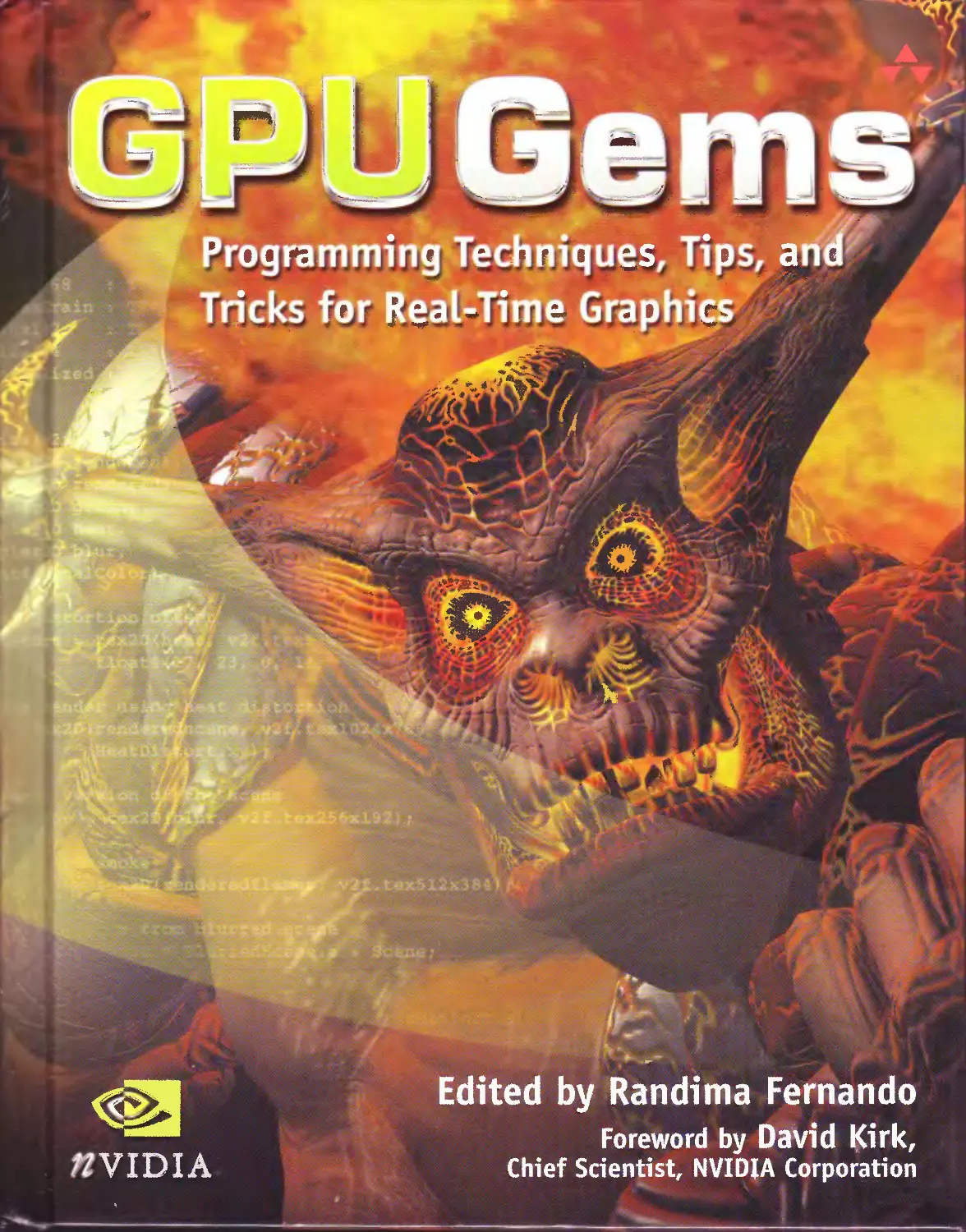
About the Cover: The Vulcan character was created by the NVIDIA Demo Team to showcase the rendering
power ofthe GeForce FX 5900 GPU. The demo shows offrealisticfire, smoke, and glow using volumetric textur-
i ?, render-to-texture techniques, and post-processing as well as next-generation lighting and shadowing with
m,de light sources.
Мал v of the designations used by manufacturers and sellers to distinguish their products are claimed as
trademarks. Where those designations appear in this book, and Addison- Wesley was aware of a trademark
. .i, n, the designations have been printed with initial capital letters or in all capitals.
The authors and publisher have taken care in the preparation of this book, but make no expressed or
mplied warranty of any kind and assume no responsibility for errors or omissions. No liability is assumed
for incidental or consequential damages in connection with or arising out of the use of the information or
programs contained herein.
The publisher offers discounts on this book when ordered in quantity for bulk purchases and special sales.
For more information, please contact:
U.S. Corporate and Government Sales
(800) 382-3419
corpsales@pearsontechgroup.com
For sales outside of the U.S,, please contact:
International Sales
(317) 581-3793
internanonal@pearsontechgroup.com
Visit Addison-Wesley on the Web: www.awprofessional.coni
Library of Congress Control Number: 2004100582
GeForce™ and NVIDIA Quadro® are trademarks or registered trademarks of NVIDIA Corporation.
RenderMan® is a registered trademark of Pixar Animation Studios.
“Shadow Map Antialiasing” © 2003 NVIDIA Corporation and Pixar Animation Studios.
“Cinematic Lighting” © 2003 Pixar Animation Studios.
Dawn images © 2002 NVIDIA Corporation. Vulcan images © 2003 NVIDIA Corporation
Copyright © 2004 by NVIDIA Corporation.
All rights reserved. No part of this publication maybe reproduced, stored in a retrieval system, or transmitted,
in any form, or by any means, electronic, mechanical, photocopying, recording, or otherwise, without the
prior consent of the publisher. Printed in the United States of America. Published simultaneously in Canada.
For information on obtaining permission for use of material from this work, please submit a written
request to:
Pearson Education, Inc.
Rights and Contracts Department
75 Arlington Street, Suite 300
Boston, MA 02116
Fax: (617) 848-7047
ISBN 0-321-22832-4
Text printed on recycled paper
123456789 10—WCT—0807060504
First printing, March 2004
To those who have brought us where we are,
and to those who will take us where we are going
Contents
Foreword................................................................xxvii
Preface..................................................................xxix
Contributors...........................................................xxxiii
PART I NATURAL EFFECTS	i
Chapter i
Effective Water Simulation from Physical Models.............................5
Mark Finch, Cyan Worlds
1.1	Goals and Scope.............................................5
1.2	The Sum of Sines Approximation..............................7
1.2.1 Selecting the Waves.................................7
1.2.2 Normals and Tangents................................9
I.2.3 Geometric Waves....................................11
1.2.4 Texture Waves......................................15
1.3	Authoring..................................................18
1.3.1	Using Depth........................................19
I.3.2	Overrides.........................................21
1-3-3 Edge-Length Filtering..............................21
I.3.4	Texture Coordinates...............................22
1.4	Runtime Processing.........................................23
1.4.1 Bump-Environment Mapping Parameters................23
1-4-2 Vertex and Pixel Processing........................27
1.5	Conclusion...............................................  28
1.6	References.................................................28
Contents	vii
Chapter 2
Rendering Water Caustics...................................................31
Juan Guardado, NVIDIA
Daniel Sanchez-Crespo, Universitat Pompeu Fabra/Novarama Technology
2.1	Introduction .	     31
2.2	Computing Caustics.........................................32
2-3 Our Approach................................................35
2.4	Implementation Using OpenGL................................37
2.5	Implementation Using a High-Level Shading Language.........38
2.6	Conclusion.................................................44
2.7	References.................................................44
Chapter 3
Skin in the “Dawn” Demo....................................................45
Curtis Beeson, NVIDIA
Kevin Bjorke, NVIDIA
3.1	Introduction...............................................45
3.2	Skin Shading...............................................45
3-3 Lighting the Scene..........................................47
33-1 A High-Dynamic-Range Environment....................47
33-2 The Occlusion Term..................................49
3.4	How Skin Responds to Light.................................50
3.5	Implementation.............................................51
3.5.I	The Vertex Shader..................................52
3.5.2	The Fragment Shader................................58
3-6 Conclusion..................................................61
3.7 References..................................................61
Chapter 4
Animation in the “Dawn” Demo...............................................63
Curtis Beeson, NVIDIA
4.1 Introduction................................................63
4.2 Mesh Animation..............................................63
43 Morph Targets................................................65
4.3.I	Morph Targets in a High-Level Language.............65
4.3.2	Morph Target Implementation........................67
4-4 Skinning....................................................69
4.4.I	Accumulated Matrix Skinning........................71
4.5 Conclusion..................................................72
4-6 References..................................................72
viii	Contents
Chapter 5
Implementing Improved Perlin Noise..........................................73
Ken Perlin, New York University
5.1	The Noise Function...........................................73
5.2	The Original Implementation.................................74
5.3	Deficiencies of the Original Implementation..................75
5.4	Improvements to Noise.......................................78
5.5	How to Make Good Fake Noise in Pixel Shaders.................80
5.6	Making Bumps Without Looking at Neighboring Vertices........82
5.7	Conclusion...................................................84
5.8	References..................................................85
Chapter 6
Fire in the “Vulcan” Demo...................................................87
Hubert Nguyen, NVIDIA
6.1	Creating Realistic Flames....................................87
6.2	Implementing Animated Sprites.............................. 89
6.2.1 Animating Flames and Smoke...........................90
6.2.2 Adding Variety to the Flames.........................92
6.2.3 Storing the Animation................................94
6.2.4 Blending Flames and Smoke............................94
6.3	Particle Motion.............................................94
6.4	Performance.................................................96
6.4.I	Layer Composition...................................97
6.4.2	Custom Sprites......................................97
6.5	Post-Rendering Effects......................................99
6.5.I Glow.................................................99
6.5.2 Heat Shimmer........................................101
6.5.3 Grain...............................................101
6.5.4 The Final Program...................................104
6.6	Conclusion.................................................105
Chapter 7
Rendering Countless Blades of Waving Grass.................................107
Kurt Pelzer, Piranha Bytes
JA Introduction.................................................107
7.2	Overview....................................................107
7.3	Preparation of the Grass Objects............................108
7.3.I Grass Texture.......................................109
7-3-2 Grass Objects.......................................109
Contents
~l.l\ Animation...................................................Ill
7.4.1 The General Idea.....................................112
7.4.2 Animation per Cluster of Grass Objects...............113
7.4.3 Animation per Vertex.................................115
7.4.4 Animation per Grass Object...........................117
7.5	Conclusion...................................................120
7.6	Further Reading..............................................121
Chapters
Simulating Diffraction........................................................123
Jos Stam, Alias Systems
8.1	What Is Diffraction?.........................................123
8.1.1 The Wave Theory of Light.............................124
8.1.2 The Physics of Diffraction...........................124
8.2	Implementation...............................................127
8.3	Results......................................................131
8.4	Conclusion...................................................132
8.5	References...................................................132
PART II LIGHTING AND SHADOWS	133
Chapter 9
Efficient Shadow Volume Rendering............................................137
Morgan McGuire, Brown University
9-1 Introduction...................................................137
9-1.1 Where to Use Shadow Volumes..........................138
9.2 Program Structure.............................................141
9.2.1 Multipass Rendering..................................141
9.2.2 Vertex Buffer Structure..............................144
9.2.3 Working at Infinity..................................145
93 Detailed Discussion............................................148
9.3.I The Math.............................................148
9-3-2 The Code.............................................151
9-3-3 The markshadows	Method...........................151
9-3-4 The f indBackf aces Method...........................153
9-3-5 Light and Dark Caps..................................153
9.3.6 Sides................................................155
9.4 Debugging.....................................................157
....	1111.1-^..	..... _ -
X
Contents
9-5 Geometry Optimizations........................................158
9.5.I Directional Lights...................................158
9.5.2 Point Lights and Spotlights..........................159
9.5.3 Culling Shadow Volumes...............................159
9.5.4 Uncapped Performance.................................16o
9.6	Fill-Rate Optimizations......................................162
9.6.I Finite Volumes.......................................162
9.6.2 XY Clipping..........................................162
9.6.3 Z-Bounds.............................................163
9.7	Future Shadows...............................................165
9.8	References...................................................166
Chapter 10
Cinematic Lighting............................................................167
Fabio Pellacini, Pixar Animation Studios
Kiril Vidimce, Pixar Animation Studios
10.1	Introduction.................................................167
10.2	A Direct Lighting Illumination Model.........................169
10.2.1 Selection............................................170
10.2.2 Color................................................170
Ю.2.3 Shaping...............................................170
Ю.2.4 Shadowing.............................................171
Ю.2.5 Texturing.............................................173
10.2.6 Results..............................................173
10.3	The Uberlight Shader.........................................175
IO.4	Performance Concerns.........................................182
Ю.4.1 Speed.................................................182
Ю.4.2 Expense...............................................182
10.	4-3 Optimization.......................................182
10.	5 Conclusion..................................................182
10.	6 References..................................................183
Chapter 11
Shadow Map Antialiasing.......................................................185
Michael Bunnell, NVIDIA
Fabio Pellacini, Pixar Animation Studios
11.1	Introduction.................................................185
11.2	Percentage-Closer Filtering..................................186
11.3	A Brute-Force Implementation.................................187
Contents	xi
11.4	Using Fewer Samples.........................................188
11.5	Why It Works................................................189
11.6	Conclusion..................................................192
11.7	References..................................................192
Chapter 12
Omnidirectional Shadow Mapping..............................................193
Philipp S. Gerasimov, XBT.com
12.1	Introduction................................................193
12.1.1 Stencil Shadows.....................................195
12.1.2 Shadow Mapping......................................195
12.2	The Shadow-Mapping Algorithm................................195
12.2.1 Conditions..........................................195
12.2.2 The Algorithm.......................................196
12.2.3 Texture Format......................................197
12.2.4 The Size of the Shadow Map..........................198
12.2.5 The Range ofValues for Geometry.....................198
12.3	Implementation..............................................198
12.3.I System Requirements.................................198
12.3.2 Resource Creation...................................199
12.3.3 Rendering Phase 1: Rendering into the Shadow Map....199
12.3.4 Rendering Phase 2: Base Rendering...................200
12.3.5 The Lighting Calculation............................200
12.3.6 The Shadow Calculation..............................200
12.3.7 Tips and Tricks.....................................201
12.3.8 Finalizing the Shading Pass (Lighting X Shadow).....202
12.4	Adding Soft Shadows........................................202
12.5	Conclusion..................................................203
12.6	References..................................................203
Chapter 13
Generating Soft Shadows Using Occlusion Interval Maps.....................205
William Donnelly, University of Waterloo
Joe Demers, NVIDIA
13.I	The Gas Station.............................................205
13.2	The Algorithm...............................................207
13.3	Creating the Maps...........................................208
xii	Contents
13.	4 Rendering.......................................................209
13.	5 Limitations.....................................................211
13.	6 Conclusion......................................................213
13.	7 References......................................................215
Chapter 14
Perspective Shadow Maps: Care and Feeding.........................................2
Simon Kozlov, SoftLab-NSK
14.I	Introduction...................................................  217
14.2	Problems with the PSM Algorithm..................................219
14.2.1 Virtual Cameras..........................................219
14.2.2 The Light Camera.........................................225
14.2.3 Biasing..................................................233
14.3	Tricks for Better Shadow Maps....................................237
14.3.1 Filtering................................................237
14.3.2 Blurring.................................................239
14.4	Results..........................................................242
14.5	References.......................................................244
Chapter 15
Managing Visibility for Per-Pixel Lighting........................................2
John O’Rorke, Monolith Productions
15.1	Visibility in a GPU Book?........................................245
15.2	Batches and Per-Pixel Lighting...................................246
15.2.1 A Per-Pixel Example......................................246
15.2.2 Just How Many Batches, Anyway?.......................... 247
15.3	Visibility As Sets...............................................248
15.3.I The Visible Set..........................................248
15.3.2 The Lights Set...........................................248
15.3.3 The Illumination Set.....................................248
15.3.4 The Shadow Set...........................................249
15.4	Generating Sets..................................................250
15.4.1 The Visible Set..........................................250
15.4.2 The Lights Set...........................................250
15.4.3 The Illumination Set.....................................251
15.4.4 The Shadow Set...........................................251
15.5	Visibility for Fill Rate.........................................255
15.6	Practical Application............................................255
15.7	Conclusion.......................................................256
15.8	References.......................................................257
Contents
PART III MATERIALS	259
Chapter 16
Real-Time Approximations to Subsurface Scattering........................263
Simon Green, NVIDIA
16.1	The Visual Effects of Subsurface Scattering...............263
16.2	Simple Scattering Approximations..........................264
16.3	Simulating Absorption Using Depth Maps....................266
16.3.I	Implementation Details............................270
16.3.2	More Sophisticated Scattering Models.............271
16.4	Texture-Space Diffusion...................................272
16.4.1 Possible FutureWork............................. .	. 275
16.5	Conclusion................................................277
16.6	References................................................277
Chapter 17
Ambient Occlusion........................................................279
Matt Pharr, NVIDIA
Simon Green, NVIDIA
17.1 Overview...................................................280
17.2	The Preprocessing Step....................................281
17-3 Hardware-Accelerated Occlusion.............................283
17.4	Rendering with Ambient Occlusion Maps.....................284
17.4.I Environment Lighting..............................286
17.5	Conclusion................................................289
17.6	Further Reading...........................................292
Chapter 18
Spatial BRDFs............................................................293
David McAllister, NVIDIA
18.1	What Is an SBRDF?.........................................293
18.2	Details of the Representation.............................294
18.3	Rendering Using Discrete Lights...........................296
18.3.I Texture Sampling..................................299
18.4	Rendering Using Environment Maps..........................299
18.4.1 The Math..........................................300
18.4.2 The Shader Code...................................302
18.5	Conclusion................................................306
18.6	References................................................306

Contents
Chapter 19
Image-Based Lighting.........................................................307
Kevin Bjorke, NVIDIA
19.1	Localizing Image-Based Lighting..............................3°7
19.2	The Vertex Shader............................................312
19.3	The Fragment Shader..........................................314
19.3.I Additional Shader Details.............................Зг5
19.4	Diffuse IBL..................................................317
19.5	Shadows......................................................317
19.6	Using Localized Cube Maps As Backgrounds.....................318
19.7	Conclusion...................................................320
19.8	Further Reading .............................................321
Chapter 20
Texture Bombing..............................................................323
R. Steven Glanville, NVIDIA
20.1	Texture Bombing 101..........................................323
20.1.1 Finding the Cell......................................324
20.1.2 Sampling the Image....................................324
20.1.3 Adjacent Cells’ Images................................325
20.I.4 Image Priority........................................326
20.1.5 Procedural Images.....................................326
20.1.6 Random Image Selection from Multiple Choices..........330
20.2	Technical Considerations.....................................331
20.2.1 Efficiency Issues.....................................332
20.3	Advanced Features............................................332
20.3.I Scaling and Rotating..................................332
20.3.2 Controlled Variable Density...........................333
20.3.3 Procedural 3D Bombing.................................333
20.3.4 Time-Varying Textures.................................335
20.3.5 Voronoi-Related Cellular Methods......................335
20.4	Conclusion...................................................337
20.5	References...................................................338
Contents
PART IV IMAGE PROCESSING 332.
Chapter 21
Real-Time Glow............................................................343
Greg James, NVIDIA
John O’Rorke, Monolith Productions
21.1	Overview of the Technique...................................34^
21.2	Rendering Glows: Step by Step...............................347
21.2.1 Specifying and Rendering the Sources of Glow........347
21.2.2 Blurring the Glow Sources...........................349
21.2.3 Adapting the Separable Convolution..................349
21.2.4 Convolution on the GPU..............................351
21.3	Hardware-Specific Implementations...........................352
21.3.1 DirectdD 9..........................................352
21.3.2 DirectdD 8..........................................354
21.3.3 Direct3D 7..........................................355
21.4	Other Uses for Blur.........................................355
21.5	Adding the Effects to a Game Engine.........................35^
21.5.I Rendering Context...................................356
21.5.2 Aliasing Issues.....................................357
21.5.3 DirectX 7 Accuracy Issues...........................358
21.5.4 The After-Image Effect..............................359
21.5.5 The Variable Ramping Effect.........................359
21.6	Conclusion..................................................361
21.7	References..................................................361
Chapter 22
Color Controls.............................................................363
Kevin Bjorke, NVIDIA
22.1	Introduction................................................363
22.2	Channel-Based Color Correction.............................364
22.2.1 Levels..............................................364
22.2.2 Curves..............................................366
22.3	Multichannel Color Correction and Conversion...............368
22.3.I	Grayscale Conversion...............................3^9
22.3.2	Color-Space Conversions............................37°
22.4	References.................................................372
xvi	Contents
Chapter 23
Depth of Field: A Survey of Techniques......................................375
joe Demers, NVIDIA
23.1	What Is Depth of Field?.....................................375
23.I.I	Calculating the Circle of Confusion.................377
23.1.2	Major Techniques....................................377
23.2	Ray-Traced Depth of Field...................................37&
23.3	Accumulation-Buffer Depth of Field..........................379
23.4	Layered Depth of Field......................................379
23.	4-1 Analysis..........................................38°
23.	5 Forward-Mapped Z-Buffer Depth of Field....................382
23.5.I Analysis............................................382
23.	6 Reverse-Mapped Z-Buffer Depth of Field.....................383
23.6.I Analysis............................................386
23.	7 Conclusion.................................................388
23.	8 References.................................................389
Chapter 24
High-Quality Filtering......................................................391
Kevin Bjorke, NVIDIA
24.1	Quality vs. Speed...........................................391
24.I.I Filter Kernels: Image-to-Image Conversions..........392
24.2	Understanding GPU Derivatives...............................4°5
24.3	Analytical Antialiasing and Texturing.......................4°7
24.3.I Interacting with Graphics API Antialiasing..........4г4
24.4	Conclusion..................................................415
24.5	References..................................................415
Chapter 25
Fast Filter-Width Estimates with Texture Maps...............................417
Matt Pharr, NVIDIA
25.1	The Need for Derivatives in Shaders.........................418
25.2	Computing Filter Width with Textures........................420
25.3	Discussion..................................................423
25.4	Further Reading.............................................424
Contents	xvi
Chapter 26
The OpenEXR Image File Format..............................................425
Florian Kainz, Industrial Light & Magic
Rod Bogart, Industrial Lights Magic
Drew Hess, Industrial Light & Magic
26.1	What Is OpenEXR?...........................................425
26.1.1	High-Dynamic-Range	Images.........................425
26.1.2	A “Half” Format...................................428
26.1.3	Range of Representable Values.....................429
26.I.4	Color Resolution..................................429
26.I.5	C++ Interface.....................................429
26.2	The OpenEXR File Structure.................................43°
26.2.1	The Header........................................43°
26.2.2	The Pixels........................................430
26.3	OpenEXR Data Compression...................................431
26.4	Using OpenEXR..............................................431
26.4.1 Reading and Displaying an OpenEXR Image............431
26.4.2 Rendering and Writing an OpenEXR Image.............433
26.5	Linear Pixel Values........................................438
26.6	Creating and Using HDR Images..............................441
zb.'J Conclusion.................................................443
26.8	References.................................................443
Chapter 27
A Framework for Image Processing...........................................445
FrankJargstorff, NVIDIA
27.1	Introduction...............................................445
27.2	Framework Design...........................................447
27.2.1 Operators and Filters..............................448
27.2.2 Image Data.........................................449
27.2.3 Missing Pieces.....................................451
27.3	Implementation.............................................452
27.3.I The Image Class....................................454
27.3.2 The ImageFilter Class..............................458
27.3.3 Implementing a Filter..............................460
27.4	A Sample Application.......................................463
27.5	Performance and Limitations................................465
27.6	Conclusion.................................................467
27.7	References.................................................467
xviii Contents
PARTV PERFORMANCE AND PRACTICALITIES	46
Chapter 28
Graphics Pipeline Performance.................................................473
Cem Cebenoyan, NVIDIA
28.1	Overview......................................................473
28.1.1 The Pipeline..........................................473
28.1.2 Methodology...........................................474
28.2	Locating the Bottleneck.......................................475
28.2.1 Raster Operations.....................................476
28.2.2 Texture Bandwidth.....................................47^
28.2.3 Fragment Shading......................................476
28.2.4 Vertex Processing.....................................477
28.2.5 Vertex and Index Transfer.............................478
28.3	Optimization..................................................478
28.3.1 Optimizing on the CPU.................................478
28.3.2 Reducing the Cost of Vertex Transfer..................480
28.3.3 Optimizing Vertex Processing..........................480
28.3.4 Speeding Up Fragment Shading..........................482
28.3.5 Reducing Texture Bandwidth............................483
28.3.6 Optimizing Frame-Buffer Bandwidth.....................484
28.4	Conclusion....................................................485
28.5	References....................................................486
Chapter 29
Efficient Occlusion Culling...................................................487
Dean Sekulic, Croteam
29.1	What Is Occlusion Culling? ... ............. .............. . 487
29.1.1 Occlusion Query.......................................487
29.I.2 Early-Z Rejection.....................................488
29.2	How Does Occlusion Query	Work?.............................488
29.3	Beginning to Use Occlusion	Queries............................489
29.3.1 How to Use Occlusion	Queries Properly.................490
29.3.2 Occluders vs. Occludees...............................491
29.4	One Step Further..............................................492
29.4.1 Sorting Things Out....................................493
29.4.2 A Small Caveat........................................494
29.5	A Word About Bounding Boxes...................................494
29.5.I	Static Objects.......................................494
29.5.2	Animated Objects.....................................495
I	--I  » ~urtrnnniILIIHnimTrrnnnГН1ПГ1  	...I HUIWIWIWIHUI	***"
Contents
X
29.6	Other Issues..............................................496
29.6.I CPU Overhead Too High.............................49^
29.6.2 Rendering at High Resolutions.....................497
29.6.3 Fast Depth-Writing Performance....................497
29.6.4 Frustum Culling...................................49^
29.7	A Little Reminder.........................................49^
29.8	An Application: Lens Flares..............................499
29.8.1 Rendering	Lens Flares	the Old Way................501
29.8.2 Rendering	Lens Flares	the New Way................502
29.9	Conclusion................................................503
29.IO	References...............................................503
Chapter 30
The Design of FX Composer................................................505
Christopher Maughan, NVIDIA
30.1	Tools Development.........................................505
30.2	Initial Features and Target Audience......................506
3O.3	Object Design.............................................506
30.3.I Benefits of the Interface Approach................509
30.4	File Format	 512
3O.5	User Interface............................................514
3O.6	Direct3D	Graphics Implementation.........................515
30.6.1	Device Windows...................................515
30.6.2	Direct3D Effects.................................516
3O.6.3	ID3DXEffectCompiler..............................516
3О.6.4	ID3DXEffect......................................517
30.7	Scene Management..........................................517
30.7.I Geometry Pipes....................................517
3O.8	Conclusion...............................................518
3О.9	References................................................519
Chapter 31
Using FX Composer......................................................  521
Christopher Maughan, NVIDIA
31.1	Getting Started...........................................521
31.1.1	The Materials Panel...............................523
31.1.2	The Scene Graph Panel.............................524
31.1.3	The Editor Window.................................525
3I.I.4	The Shader Perf Panel.............................527
XX
Contents
31.1.5	The Properties Panel.................................528
3I.I.6	The Scene Panel......................................530
3I.I.7	The Textures Panel...................................531
3I.I.8	The Tasks Panel......................................532
3I.I.9	The Log Panel........................................533
31.2	Sample Project...............................................533
31.3	Conclusion...................................................535
Chapter 32
An Introduction to Shader Interfaces..........................................537
Matt Pharr, NVIDIA
32.1	The Basics of Shader Interfaces..............................539
32.2	A Flexible Description	of Lights.............................542
32.3	Material Trees...............................................545
32.4	Conclusion...................................................549
32.5	References...................................................55O
Chapter 33
Converting Production RenderMan Shaders to Real-Time.........................551
Stephen Marshall, Sony Pictures Imageworks
33.I	Introduction............................................>. . . 551
33-1.1 Conversion by Example................................552
33.2	Lights.......................................................552
33.2.I Light Sources........................................552
33.2.2 Light Source Shaders.................................553
33.2.3 Additional Lighting Parameters.......................554
33.3	The Vertex Program vs. the Fragment Program..... ............555
33.4	Using Vertex and Fragment Programs...........................555
33-5 Optimization Techniques on the Fragment Program...............556
33.5.I Moving Code to the Application Level.................557
33.5.2 Moving Code to the Vertex Program....................557
33-5-3 Optimizing Through Texture Lookups.................  559
33.5.4 Optimizing for Vectorization.........................560
33-5-5 Final Optimizations..................................560
33.	6 Results and Conclusions.....................................561
33.	7 References..................................................565
Contents	xxi
Chapter 34
Integrating Hardware Shading into Cinema 4D................................567
Jorn Loviscach, Hochschule Bremen
34.I	Introduction................................................567
34-2 Connecting Cinema 4D to CgFX.................................57O
34.3	Shader and Parameter Management.............................572
34-4 Emulating the Offline Renderer...............................573
34-5 Results and Performance......................................577
34.6	Lessons Learned...........................................  578
34-7 References...................................................580
Chapter 35
Leveraging High-Quality Software Rendering Effects
in Real-Time Applications..................................................581
Alexandre jean Claude, Softimage
Marc Stevens, Softimage
35.1 Introduction.................................................581
35.2	The Content Pipeline for Hardware Rendering.................582
35.3	Components of Hardware Rendering............................584
35.3.I Geometric Data......................................584
35-3-2 Attribute Maps......................................584
35-4 Generating the Components....................................587
35-4-1 Creating the Geometry...............................588
35.4.2 Rendering to Textures and Vertices..................588
35-5 Test Case and Results........................................593
35.6 Conclusion...................................................598
35-7 References...................................................599
Chapter 36
Integrating Shaders into Applications......................................601
John O’Rorke, Monolith Productions
36.I Introduction.................................................601
36.2	About Shaders...............................................602
36.2.I Shader Languages....................................602
36.3	The Anatomy of an Effect File...............................605
36.3.I	Variables..........................................605
36.3.2	Structures.........................................606
36.3.3	Passes.............................................606
36.3.4	Techniques.........................................606
36.3.5	Annotations........................................606
xxii
Contents
36.4	Types of Shader Data ...	  607
36.4.I Scene Information....................................608
36.4.2 Materials............................................608
36.4.3 Renderer Context.....................................608
36.4.4 Vertex Data..........................................609
36.5	Communicating with the Shader.............................  609
36.5.1 Scene Information....................................609
36.5.2 Material Parameters..................................610
36.5.3 Vertex Format........................................611
36.5.4 Context..............................................612
36.5.5 Techniques vs. Passes for Context....................613
36.6	Extending the Effect File Format............................613
36.6.I Supporting the Preprocessor..........................613
36.6.2 Supporting Shader Variations.........................614
36.6.3 Adding Shader Inheritance............................615
36.7	Conclusion..................................................615
36.8	References..................................................615
PART VI BEYOND TRIANGLES	617
Chapter 37
A Toolkit for Computation on GPUs......................................  621
Ian Buck, Stanford University
Tim Purcell, Stanford University
37-1 Computing with the GPU.....................................621
37.1.1 The Programming Model..........................    622
37.1.2 Parallel Programming...............................623
37.I.3 Advanced GPU Programming...........................624
37-2 Reduce.....................................................625
37.2.1	Parallel Reductions...............................625
37-2.2	Reduce Tidbits....................................626
37-3 Sort and Search............................................627
37-3-1	Bitonic Merge Sort................................627
37.3.2	Binary Search.....................................630
37.4	Challenges................................................633
37.4.1	Limited Outputs...................................633
37.4.2	Slow Readback.....................................633
37.4.3	GPU vs. CPU.......................................634
37.5	Conclusion................................................634
37-6 Further Reading............................................635
Contents
xxiii
Chapter 38
Fast Fluid Dynamics Simulation on the GPU....................................637
Mark J. Harris, University of North Carolina at Chapel Hill
38.I	Introduction................................................637
38.I.I Our Goal.............................................638
38.1.2 Our Assumptions......................................638
38.I.3 Our Approach.........................................639
38.2	Mathematical Background......................................639
38.2.1 The Navier-Stokes Equations for Incompressible Flow..641
38.2.2 Terms in the Navier-Stokes Equations.................642
38.2.3 A Brief Review of Vector Calculus ...................642
38.2.4 Solving the Navier-Stokes Equations..................644
38.3	Implementation...............................................650
38.3.I CPU—GPU Analogies....................................651
38.3.2 Slab Operations......................................653
38.3.3 Implementation in Fragment Programs..................653
38.4	Applications.................................................659
38.4.1 Simulating Liquids and Gases.........................660
38.4.2 Buoyancy and Convection..............................660
38.5	Extensions...................................................661
38.5.1 Vorticity Confinement................................662
38.5.2 Three Dimensions.....................................663
38.5.3 Staggered Grid.......................................663
38.5.4 Arbitrary Boundaries.................................664
38.5.5 Free Surface Flow....................................664
38.6	Conclusion...................................................664
38.7	References...................................................665
Chapter 39
Volume Rendering Techniques..................................................667
Milan I kits, University of Utah
JoeKniss, University of Utah
Aaron Lefohn, University of California, Davis
Charles Hansen, University of Utah
39.1	Introduction................................................667
39-2 Volume Rendering..............................................668
39.3	Texture Based Volume	Rendering..............................670
39.3.I A Simple Example.....................................673
xxiv Contents
39-4 Implementation Details.......................................674
39.4.1 Data Representation and Processing..................674
39.4.2 Proxy Geometry......................................676
39.4.3 Rendering...........................................678
39-5 Advanced Techniques..........................................681
39.5.I Volumetric Lighting.................................682
39.5.2 Procedural Rendering................................687
39-6 Performance Considerations...................................688
39-6.1 Rasterization Bottlenecks...........................688
39.	7 Summary....................................................690
39.	8 References.................................................690
Chapter 40
Applying Real-Time Shading to 3D Ultrasound Visualization..................<
Thilaka Sumanaweera, Siemens Medical Solutions USA, Inc.
40.1	Background..................................................693
40.2	Introduction................................................696
40.2.1 Volume Rendering Data	in	a Cartesian Grid..........696
40.2.2 Volume Rendering Data	in	Pyramidal	Grids.......699
40.3	Results.....................................................706
40.4	Conclusion..................................................706
40.5	References..................................................7°7
Chapter 41
Real-Time Stereograms....................................................;
Fabio Policarpo, Paralelo ComputaQao Ltda.
41.I	What Is a Stereogram?.......................................709
41-1.1 Stereo Photography..................................7°9
41.1.2 Random-Dot Stereograms..............................710
41.I.3 Single-Image Stereograms............................711
41.2	Creating a Single-Image Stereogram..........................713
41.2.1 Parameters..........................................713
41.2.2 Rendering...........................................715
41.2.3 Creating Animated Single-Image Stereograms..........717
41.2.4 Fragment Program....................................719
41.3	Sample Application..........................................721
41.3.I Application Options.................................721
41.4	References..................................................722
Contents
Chapter 42
Deformers..............................................................  723
Eugene d’Eon, University of Waterloo
42.1	What Is a Deformer?.......................................723
42.1.1 Mathematical Definition...........................724
42.2	Deforming on the GPU.....................................725
42.2.1 Formulating the Deformer..........................725
42.2.2 Writing the Vertex Program........................725
42.2.3 Deforming Normals................................72.6
42.3	Limitations..............................................729
42.4	Performance..............................................729
42.5	Example: Wave Deformer...................................73°
42.6	Conclusion...............................................732
Index....................................................................733
xxvi Contents
Foreword
м*миываваяамюамажял№1.№*.ыд
Now is an excellent time to be working in the field of computer graphics. Over the past
five years, GPU technology has advanced in astounding ways, and at an explosive pace.
The rendering rate, as measured in pixels per second, has been approximately doubling
every six months during those five years. A factor of two is certainly exciting enough,
but more exciting is the wonder of compounding. Five years represents the doubling of
performance ten times—that’s two to the tenth power, a factor of one thousand!
Not only has performance increased, but also the quality of computation and the flexi-
bility of graphics programming have steadily improved during that same time. Five
years ago, PCs and computer workstations had graphics accelerators, not graphics pro-
cessing units (GPUs). The implication was that a graphics accelerator does simply that:
it accelerates graphics. Furthermore, the word accelerator implied that the computer
would perform exactly the same rendering operations as before, only faster. As graphics
accelerators were replaced by GPUs, we abandoned the old concept of graphics acceler-
ation. We advanced to graphics processing, embracing the idea of processors that enable
new graphics algorithms and effects.
We have entered the era of programmable GPUs. The graphics hardware pipeline, which
had not previously changed significantly in twenty years, was broken down to its compo-
nent, hard-wired elements and rebuilt out of programmable, parallel-pipelined processors.
In a hard-wired pipeline, triangle vertices are transformed and lit, triangles are rasterized,
and pixels are shaded with diffuse lighting, specular exponentiation, fog blending, and
frame-buffer blending. In a programmable pipeline, each of these operations is abstracted
to its component memory accesses and mathematical operations. A programmer can still
write a program that calculates the same results as a hard-wired pipeline (and in fact, such
a program is often the first one a student programmer writes for a programmable proces-
sor!), but the opportunity presented is so much greater than this.
The first effects of fast, programmable GPUs are subtle. Previously difficult graphics
problems become much more tractable through the application of one thousand-fold
Foreword xxvii
performance increases. Offline rendering techniques become more practical for interac-
tive applications. Historically, brute force has been a popular algorithmic approach;
simply casting a graphics problem in a way that it can run on a GPU is an unsubtle
application of brute force—it works, but it leaves opportunity on the table. Beyond
that, algorithm development gets more interesting. Graphics programmers can now
experiment with new algorithms and techniques that would not have been practical on
a slower, single-threaded serial processor such as a CPU. The parallel-stream-processing
nature of the GPU, coupled with flexibility and programmability, allows new
algorithms to be developed and invites experimentation. Any computationally demand-
ing problem—not just graphics—that can take advantage of large-scale parallelism,
larger memory bandwidth, and geometric performance growth is a good candidate for
GPU implementation. As an industry, we’re still learning which problems will benefit
most from GPU solutions.
The true beneficiaries of the programmable GPU revolution are the computer graphics
algorithm designer, the researcher, the application developer, and ultimately the end
user or consumer—the gamer, the moviegoer, and so on. GPU Gems is a timely book,
as the GPU programming field is young and vibrant, and many developers are rein-
venting the same techniques again and again. This volume contains straightforward
applications of known techniques to a structure more amenable to GPU execution, as
well as innovative new algorithms and effects that were not previously possible.
At this time in the history of GPU programming, many problems remain unsolved and
many challenges remain unmet. Consequently, this first volume of GPU Gems is a com-
pendium of approaches and examples of work carried out so far, rather than a cook-
book of completed effects to be plugged into applications. This collection will allow
programmers to benefit from the exciting progress already made, and it will enable
tomorrow’s developers to stand on the shoulders of giants, the pioneers of program-
ming GPUs, ft’s up to you to take the next steps of innovation!
David Kirk
Chief Scientist
NVIDIA Corporation
xxviii
Foreword
Preface
This book is an extensive and practical collection of articles about real-time computer
graphics, accumulating the knowledge and experience of experts in both industry and
academia. Building, in the same style, upon the wealth of the great “Gems” books al-
ready available, GPU Gems is a collection of short chapters. However, a number of key
characteristics make this book unique and valuable to today’s developers as they
attempt to harness the ever-increasing power of the graphics processing unit (GPU).
First and foremost, this book focuses squarely on real-time programmable graphics—
specifically, on techniques relevant to GPUs. Each chapter was carefully selected to
present ideas and techniques that are directly useful in interactive applications, such as
computer games. The chapters provide insight and understanding, rather than focusin
on low-level API calls or specific mathematical tricks. Furthermore, each chapter is
packed with numerous full-color diagrams and images to illustrate and drive home kej
concepts. Finally, the experience and diversity of the contributors help readers gain a
broad understanding, as well as a certain confidence that the advice they are getting
comes from experts in the field.
NVIDIA’s strongest asset is its people: the depth and quality of their collective experti;
inspired the initial idea for GPU Gems. With so much knowledge and expertise at
hand, we felt that the thoughts and insights of the teams that brought us many recent
advances in real-time graphics would make for a wonderfully instructive book. So, we
started the project with an internal call for participation.
Having the good fortune to work with people from leading game development houses
tool developers, film studios, and academic institutions who are shaping the future of
real-time computer graphics, we also wanted to highlight their real-world contributior
in GPU Gems. Hence, a wider, public call for participation allowed us to coalesce a
great amount of talent and refreshing perspective into this volume.
Preface
xx
Whether you’re creating new effects, architecting a graphics engine, or squeezing out
the last bits of performance, we hope that this book provides valuable guidance and
saves you from some of the challenges the authors faced on their own projects. All of us
who worked on GPU Gems hope that it will help you to adopt new ideas and take your
projects to the next level of graphical realism.
Our Intended Audience
This book provides intermediate and advanced readers with useful information that will
help them in their projects. Focusing beyond the fundamentals of high-level shading,
GPU Gems looks at how to take existing projects further by removing the mystery behind
complex effects and advanced GPU programming. With the rapid evolution of real-time
shading languages, the collection of algorithms available to real-time graphics developers
is larger than ever. By compiling and distributing the information in this book, our goal is
to make high-quality, high-performance graphics more accessible to a wider audience that
includes game developers, technical directors, professors, and students.
Trying the Examples
Many of the chapters in this book include code samples to make their subject matter
more concrete. The authors used whichever shading language they wanted, so the code
samples ended up in DirectX 9’s High-Level Shader Language (HLSL) or Cg, which
were the only two high-level shading languages widely in use during this project. Al-
most everything that is presented can be applied to either language, as well as to lan-
guages that came later, such as the OpenGL Shading Language. The code samples are
available on the CD that accompanies this book, along with standalone examples wher-
ever possible. This makes it easy for you to integrate or experiment with the various
examples. Updated sample code, as well as additional supplementary materials, is avail-
able at the book’s Web site: http://developer.nvidia.com/GPUGems/.
Acknowledgments
A project the size of GPU Gems cannot succeed without the efforts of many people.
First, I would like to thank the contributors, without whom this book would not exist.
It has been my privilege to work with such an experienced and capable group of people.
But part of the challenge when working with a group of this caliber is that everyone is
xxx
Preface
also exceptionally busy. 1 am grateful to them for taking the time to work on the proj-
ect, and for putting in the effort to produce superlative results. Thanks also go to their
respective organizations for allowing them to participate in GPU Gems. Our apprecia-
tion also goes to those who responded to our call for participation and presented wor-
thy proposals for consideration.
The section editors—Kevin Bjorke, Cem Cebenoyan, Sim Dietrich, Simon Green, Juan
Guardado, and John Spitzer—contributed enormously by iterating with the authors,
helping to shape the manuscript, and tracking down articles to keep them on schedule.
I’m grateful to all of them for volunteering to assist with this project. Chris Seitz was also
instrumental in the success of this project, taking care of legal issues, reviewing chapters,
and always being ready to take a few moments to discuss project concerns with me.
Each chapter underwent an extensive review process, involving comments from peer
reviewers, editors, and external reviewers. The contributors and section editors did a
wonderful job critiquing and helping to improve the book’s content. In particular, I’d
like to thank Matt Pharr (who spent weekends above and beyond the call of duty to help
review several chapters—in addition to writing three!) and Kevin Bjorke (who was a
section editor in addition to writing and contributing to several chapters). Larry Gritz,
Eric Haines, and Matthias Wloka were kind enough to serve as critical external reviewers
and provided a wealth of insightful comments. Thanks also to our anonymous external
reviewers, who did well to tackle the massive amount of material they were given.
Caroline Lie, Spender Yuen, Dana Chan, and Melvin Chong provided their expertise tc
create the book’s cover, template, and diagrams. I would particularly like to thank
Spender for his patience as we worked through the more than 100 diagrams in the
book (in addition to over 200 screenshots). Catherine Kilkenny, Debra Valentine, and
Teresa Saffaie helped improve and clarify the writing. David Kirk lent his insight to
produce the book’s foreword.
Christopher Keane did a fantastic job of pulling the manuscript through copyediting
and composition. Many thanks go to Jacquelyn Doucette, John Fuller, Bernard
Gaffney, Curt Johnson, Heather Mullane, and the other folks at Addison-Wesley for
their help in this project from start to finish. In particular, Peter Gordon’s encourage-
ment and deadlines helped us keep the book on schedule.
From architecting GPUs to helping developers create exciting new content, there are
innumerable steps that take place at NVIDIA before the knowledge contained in this
Preface
xxxi
book can be useful to the graphics community. Therefore, I’d like to thank everyone at
NVIDIA, because without their hard work there wouldn’t be an opportunity to do a
project like GPU Gems. Specific thanks to Mark Daly, Dan Vivoli, and Jen-Hsun
Huang for providing the teams and resources to make it all happen.
Finally, I would like to thank my parents and sister for their extraordinary support, and
for making it possible for me to have such exceptional opportunities.
Given the unique combination of effort, creativity, and care that so many talented peo-
ple contributed to GPU Gems, I’m sure this book will serve you well.
Randima (Randy) Fernando
NVIDIA Corporation
XXX! I
Preface
Contributors
Curtis Beeson, NVIDIA
Curtis Beeson moved from SGI to NVIDIA’s Demo Team more than five
years ago; he focuses on the art path, the object model, and the DirectX Ten-
derer of the NVIDIA demo engine. He began working in 3D while attending
Carnegie Mellon University, where he generated environments for playback on
head-mounted displays at resolutions that left users legally blind. Curtis spe-
cializes in the art path and object model of the NVIDIA Demo Team’s scene-
graph API—while fighting the urge to succumb to the dark offerings of management in marketing.
Kevin Bjorke, NVIDIA
Kevin Bjorke works in the Developer Technology group developing and
promoting next-generation art tools and entertainments, with a particular
eye toward the possibilities inherent in programmable shading hardware.
Before joining NVIDIA, he worked extensively in the film, television, and
game industries, supervising development and imagery for Final Fantasy:
The Spirits Within and The Animatrix', performing numerous technical
director and layout animation duties on Toy Story and A Bugs Life, developing games on just
about every commercial platform; producing theme park rides; animating too many TV com-
mercials; and booking daytime TV talk shows. He attended several colleges, eventually graduat-
ing from the California Institute of the Arts film school. Kevin has been a regular speaker at
SIGGRAPH, GDC, and similar events for the past decade.
Rod Bogart, Industrial Light & Magic
Rod Bogart came to Industrial Light & Magic (ILM) in 1995 after spend-
ing three years as a software engineer at Pacific Data Images. His early
work in camera tracking is published in Graphics Gems II. At ILM, Rod
developed the core engine of the interactive compositing tools, and he
oversaw much of the design and implementation of ILM’s other image-
processing and image-viewing techniques.
Contributors
xxxiii
Ian Buck, Stanford University
Ian Buck is completing his Ph.D. in computer science at the Stanford
University Graphics Lab, researching general-purpose computing models
for GPUs. His research focuses on programming language design for
graphics hardware, as well as general-computing applications that map to
graphics hardware architectures. Ian received his B.S.E. in computer sci-
ence from Princeton University in 1999 and is a recipient of Stanford
School of Engineering and NVIDIA fellowships.
Michael Bunnell, NVIDIA
Michael Bunnell graduated from Southern Methodist University with
degrees in computer science and electrical engineering. He wrote the
,Megamax C compiler for the Macintosh, Atari ST, and Apple IIGS before
co-founding what is now LynuxWorks. After working on real-time operat-
ing systems for nine years, he moved to Silicon Graphics, focusing on
image processing and on video and graphics software. Next, he worked at
Gigapixel, then at 3dfx, and now he works at NVIDIA, where, interestingly enough, he is devel-
oping compilers again—this time, shader compilers.
Cem Cebenoyan, NVIDIA
Cem Cebenoyan is a software engineer working in the Developer Technol-
ogy group. He spends his days researching graphics techniques and helping
game developers get the most out of graphics hardware. He has spoken at
past Game Developer Conferences on character animation, graphics per-
formance, and nonphotorealistic rendering. Before joining NVIDIA, Cem
was a student/research assistant in the Graphics, Visualization, and Usabil-
ity' Lab at the Georgia Institute of Technology.
Joe Demers, NVIDIA
Joe Demers received a B.S. from Carnegie Mellon University' and an M.S.
from the University of Southern California. He worked on Nendo, a simple
but powerful 3D modeling and painting package from Nichimen Graphics,
and on numerous demos at NVIDIA, where he has worked since 1999.
xxxiv
Contributors
Eugene d’Eon, University of Waterloo
Eugene d’Eon recently completed a B.S. in applied mathematics and co
puter science at the University of Waterloo. He currently resides in Cali
nia, working on the Demo Team at NVIDIA. He can occasionally be
found in the office playing piano late at night.
Sim Dietrich, NVIDIA
Sim Dietrich manages the U.S. Developer Technology team at NVIDI?
Sim has written chapters for Game Programming Gems 1 and Game Pro-
gramming Gems 2 and served as editor of the Graphics Display section c
Gems 2. Sim was a key contributor to the CgFX effort, bringing real-tin
shaders to 3ds max, Maya, and Softimage|XSI for the first time. Sim’s
interests include new shadow techniques and improving graphics workf
through efforts such as Cg and CgFX.
William Donnelly, University of Waterloo
William Donnelly is an undergraduate student in mathematics and con
puter science at the University of Waterloo in Ontario. He has complete
internships with Okino Computer Graphics, writing extensions to the
NuGraf ray tracer, and with NVIDIA, creating real-time graphics demo
for the GeForce FX. He has been destined for computer graphics ever si
his dreams were shattered at the age of eight upon discovering that Lege
building was not a viable career path.
Randima Fernando, NVIDIA
Randima (Randy) Fernando has loved computer graphics from the age <
eight. Working in NVIDIA’s Developer Technology group, he helps tea<
developers how to take advantage of the latest GPU technology. Randy
a B.S. in computer science and an M.S. in computer graphics, both fror
Cornell University. He has been published in SIGGRAPH and is the co
author (along with Mark Kilgard) of The Cg Tutorial: The Definitive Gu
to Programmable Real-Time Graphics.
Contributors
Mark Finch, Cyan Worlds
Mark Finch has a B.S. in physics from Georgia Institute ofTechnology and
an M.S. in computer science from the University of North Carolina at
Chapel Hill. His professional graphics work started when he did image
processing and rendering for the Star Wars program, but he soon moved to
game programming, which he finds equally challenging and more construc-
tive. He is currently the graphics programmer behind Cyans Uru project.
Philipp S. Gerasimov, iXBT.com
Philipp Gerasimov is a Russian 3D programmer and game designer. He is
currently forking on the creation of RightMark 3D, an open-source 3D
hardware benchmark by iXBT.
R. Steven Glanville, NVIDIA
Steve Glanville received his Ph.D. in computer science from UC Berkeley
in 1977. In 1978, he founded Silicon Valley Software and served as presi-
dent for 15 years, where he developed C and FORTRAN compilers. After
spending too many years attending SIGGRAPH, in 1995 he finally made
the switch to graphics and began developing OpenGL drivers. His past
eventually caught up with him, however, and he is now one of the princi-
pal designers and implementers of the Cg language at NVIDIA.
Simon Green, NVIDIA
Simon Green is an engineer in the Developer Technology group at
NVIDIA. After graduating from Reading University, England, with a
degree in computer science, Simon worked in the video game industry for
two years before emigrating to the United States to work for Silicon
Graphics. He has presented at the Game Developer and Apple World
Wide Developer conferences. His interests include OpenGL, cellular au-
tomata, image-based rendering, and analog synthesizers. He spends his time at NVIDIA think-
ing up new and interesting ways to abuse graphics hardware.
xxxvi
Contributors
Juan Guardado, NVIDIA
In between riding camelback through the Sahara and lounging on the Brazil
ian coast, Juan Guardado enjoys contributing graphics technologies to the
computer game industry. After graduating from McGill University with a
bachelors degree in computer engineering, he joined Matrox Graphics, whe
his work culminated in the development of hardware-accelerated displace-
ment mapping. He now works at NVIDIA with the Developer Technology
team based in the United Kingdom. He has given numerous talks at industry events, including
GDC (U.S. and Europe), and he has been published in ShaderXan& in Gamasutra online magazir
Charles Hansen, University of Utah
Charles Hansen received a B.S. in computer science from Memphis State
University in 1981 and a Ph.D. in computer science from the University of
Utah in 1987- He is currently an associate professor of computer science at t
University of Utah. From 1989 to 1997, he was a technical staff member in
the Advanced Computing Laboratory (ACL) located at Los Alamos Nations
Laboratory, where he formed and directed the visualization efforts of the AC
He was a Bourse Chateaubriand Postdoctoral Fellow at INRIA Rocquencourt, France, in 1987 an<
1988. His research interests include large-scale scientific visualization and computer graphics.
Mark /. Harris, University of North Carolina at Chapel Hill
Mark Harris received a B.S. from the University of Notre Dame in 1998
and a Ph.D. in computer science from the University of North Carolina
Chapel Hill in 2003. At UNC, Mark’s research covered a wide variety of
computer graphics topics, including real-time cloud simulation and ren-
dering, general-purpose computation on GPUs, global illumination, non
photorealistic rendering, and virtual environments. During his graduate
studies, Mark worked briefly at Intel, iROCK Games, and NVIDIA. Mark now works with
NVIDIA’s Developer Technology team based in the United Kingdom.
Drew Hess, Industrial Light & Magic
Drew Hess is a software developer in the Software Research and Develop-
ment department at Industrial Light & Magic. In a past life, he was a met
ber of the IA-64 architecture team at Intel Corporation. Drew received a
B.S. in computer engineering from the University of Illinois at Urbana-
Champaign and an M.S. in computer science from Stanford University.
Contributors
xx>
Milan I kits, University of Utah
Milan Ikits is a Ph.D. candidate in the School of Computing at the Uni-
versity of Utah and a research assistant at the Scientific Computing and
Imaging Institute. His current research interests lie in the areas of com-
puter graphics, scientific visualization, immersive environments, and
human-computer interaction. He received a diploma in computer science
from the Budapest University of Technology and Economics in 1997.
Milan is the creator of the popular OpenGL Extension Wrangler library (GLEW).
Greg James, NVIDIA
Growing up in a house where 3D graphics movies and computers were left
unlocked and out in plain sight, it’s no wonder that Greg James became
addicted to graphics at an early age. Attempts to cure him using
respectable math and science have failed, but he did come away with a B.S.
in physics and a minor in studio art in 1995. Fortunately, Greg has found
a safe environment with the developer community7 outreach program at
NVIDIA, where he helps himself and others work through their afflictions. He has developed
and contributed to visual effects in many games. Among these are the reflective water animation
in Morrowind, the glow in Iron 2.0, and a volume translucency effect for an upcoming title. His
works have appeared in various computer graphics and physics publications, and he is particu-
larly excited by the combination of physics and computer graphics.
FrankJargstorff, NVIDIA
Frank Jargstorff is a software engineer working on the Developer Technology
team. He works on tools for digital content creation and helps DCC compa-
nies integrate new technologies into their products. Before joining NVIDIA,
he worked for IBM, CoCreate, and Fraunhofer Research on topics ranging
from streaming 3D to mainframe operating systems. Frank received his de-
gree in computer science in 1997 from the University ofTiibingen, Germany.
Alexandre Jean Claude, Softimage
Alexandre Jean Claude currently works as the team lead for rendering and
pipeline at Softimage. For the past few years, he has focused on game
development pipelines and hardware-rendering technologies. He graduated
from the Universite du Quebec a Montreal in computer science.
xxxviii
Contributors
Florian Kainz, Industrial Light & Magic
Florian Kainz joined Industrial Light & Magic (ILM) in 1995 as a member
of the research and development group. In his current role of computer
graphics principal engineer, he leads the team that is responsible for the core
architecture of ILM s in-house computer animation system. Kainz has
worked on developing particle, fur, and implicit surface Tenderers, as well as
a network protocol that forms the basis of a fault-tolerant, distributed
batch-processing system. Kainz is one of the authors of the OpenEXR file format. Before joining
ILM, Kainz worked as a software engineer for Steiner Film in Munich, Germany, and for Twenty-
Five Frames in Singapore, writing image-processing and 3D rendering software. He received a
degree in computer science in 1992 from the Technical University in Munich, Germany.
Joe Kniss, University of Utah
Joe Kniss received a B.S. in 1999 from Idaho State University and an M.S.
in computer science from the University of Utah in 2002. He is currently
pursuing a Ph.D. in computer science at the University of Utah, where he
is a member of the Scientific Computing and Imaging Institute. His re-
search interests include computer graphics, light transport in participating
media, human-computer interaction, and immersive environments.
Simon Kozlov, SoftLab-NSK
Simon Kozlov graduated from Novosibirsk State University in June 2003,
specializing in physics and computer science. Since 2001, Simon has
worked at SoftLab-NSK, a game developer in Russia. Simon’s current
project is Rig ’n Roll, a truck simulation game.
Aaron Lefohn, University of California, Davis
Aaron Lefohn is a Ph.D. student in the computer science department at the
University of California at Davis and a graphics software engineer at Pixar Ani-
mation Studios. His research interests include general computation with graph-
ics hardware, photorealistic rendering, and physically based animation. Aaron
received an M.S. in computer science from the University of Utah in 2003, an
M.S. in theoretical chemistry from the University of Utah in 2001, and a B.A.
in chemistry from Whitman College in 1997. Aaron is an NSF graduate fellow in computer science.
Contributors
xxxix
Jorn Loviscach, Hochschule Bremen
Jorn Loviscach published many articles in popular computing magazines
about programming and electronic music before receiving his doctorate
degree in mathematical physics in 1993. He later worked at several com-
puter magazines, becoming deputy editor-in-chief of the German com-
puter magazine ct. He remained in this position for three years before
accepting a professorship at Hochschule Bremen (University of Applied
Sciences) in 2000, where he now teaches and researches in the field of computer graphics.
Stephen Marshall, Sony Pictures Imageworks
Stephen Marshall has worked as a software engineer at Sony Pictures Im-
ageworks and currently is an effects technical director. Before joining Im-
ageworks, Stephen was a developer in Engineering Animations software
and litigation animation divisions.
Christopher Maughan, NVIDIA
Chris Maughan has worked in the graphics hardware industry for 10 years.
He began his career working on a video digitizer product for a startup
company, soon followed by a move to 3Dlabs, where he wrote the first
OpenGL device driver for Windows 95, in collaboration with Microsoft.
Chris then developed the company’s DirectX driver, staying for five years
before leaving to join NVIDIA. At NVIDIA, he works in the Developer
Technology group, focusing on providing tools and sample software for game developers. Chris
works from home in York, in the north of England, where he lives with his wife, Stacey. He’s still
trying to figure out what he did right to get the girl, the job, and the location.
David McAllister, NVIDIA
David McAllister has been a computer graphics architect for NVIDIA since
2000. He received a Ph.D. in computer science from the University of North
Carolina at Chapel Hill in 2002, where he did research in image-based ren-
dering, reflectance measurement and representation, and graphics hardware.
He spent the summer of 1997 at Hewlett-Packard working on the PixelFlow
graphics supercomputer. David worked at Evans & Sutherland from 1989 to
1996 and received a B.S. from the University of Utah in 1995. David lives in Salt Lake City, Utah.
xl
Contributors
Morgan McGuire, Brown University
Morgan McGuire leads the Games Research Group at Brown University.
His Ph.D. research is on real-time global illumination models for games. F
has received master’s degrees from MIT and Brown University, and he is th
project manager for the Open Source G3D library at graphics3d.com.
Hubert Nguyen, NVIDIA
Hubert Nguyen is a software engineer at NVIDIA working on the Demo
Team. He spends his time searching for novel effects that show off the fea-
tures of NVIDIA’s latest GPUs. He has spoken at past Game Developer
Conferences on the techniques used to create NVIDIA demos. Before join
ing NVIDIA, Hubert was an engineer at 3dfx Interactive, the creators of
Voodoo graphics. Prior to 3dfx, Hubert was part of the R&D department
of Cryo Interactive (Paris, France). Hubert started to develop 3D graphics programs when he w;
involved in the European demoscene. He holds a bachelor’s degree in computer science.
}ohn O’Rorke, Monolith Productions
John O’Rorke has been creating games since the age of six. During high
school, he worked after school with Hewlett-Packard in their firmware divi
sion and then attended the DigiPen Institute of Technology. He is currently
an engine architect at Monolith Productions, where he has worked on Aliei
vs. Predator 2, Tron 2.0, No One Lives Forever 2: A Spy in H.A.R.M.’s Way,
and is currently developing engine technology for future products.
Fabio Pellacini, Pixar Animation Studios
Fabio Pellacini was born in Italy, where he spent the first 24 years of his
life. During this time, he received a Laurea degree in physics from Unive
sity of Parma and worked one year for Milestone building a physics engii
Following this experience, he decided to pursue his interests in computer
graphics by moving to the United States, where he received a Ph.D. in
computer graphics from Cornell University and published a few papers
(four of which luckily got accepted to SIGGRAPH). These days he is spending his time in a
dark office at Pixar Animation Studios designing and implementing the next generation of
lighting technology for the studio.
Contributors
Kurt Pelzer, Piranha Bytes
Kurt Pelier is a senior software engineer at Piranha Bytes, where he worked
on the PC game Gothic, the top-selling Gothic II (awarded “RPG of the
Year” in Germany during 2001 and 2002, respectively), and the add-on
Gothic II: The Night of the Raven. Previously, he was a senior programmer
at Codecult and developed several real-time simulations and technology
demos built on Codecult’s high-end 3D engine Codecreatures (for exam-
ple, a simulation of the Shanghai TRANSRAPID track for SIEMENS AG, and the well-known
Codecreatures Benchmark Pro}. He has published in ShaderX2 and Game Programming Gems 4.
Ken Perlin, New York University
Ken Perlin, a professor in the NYU Department of Computer Science,
directs the Media Research Laboratory and Center for Advanced Technol-
ogy. He has received an Academy Award for his procedural texturing algo-
rithms (widely used in games and films), the New York City Mayor’s
Award for Excellence in Science and Technology, the Sokol Faculty Award
for outstanding NYU science faculty, and a National Science Foundation
Presidential Young Investigator Award. Ken received a Ph.D. in computer science from NYU
and a B.A. in theoretical mathematics from Harvard. He has headed software development at
R/GA and Mathematical Applications Group, Inc., and has worked on various films, starting
with Tron. He serves on the board of directors of the New York Software Industry Association.
Matt Pharr, NVIDIA
Matt Pharr is a member of the technical staff at NVIDIA, where he works
on issues related to high-quality interactive graphics, programmable shad-
ing, and language features in the Cg group. Previously, he was a co-founder
of Exluna, which developed offline rendering software, and was investigat-
ing advanced shading algorithms for graphics hardware. He was a Ph.D.
student in the Stanford University Graphics Lab, where he researched
systems issues for rendering and the theoretical foundations of rendering; he published a series
of SIGGRAPH papers on these topics. With Greg Humphreys, he is the author of the book
Physically-Based Rendering: From Theory to Implementation, which will be published in 2004.
xlii
Contributors
Fabio Policarpo, Paralelo Computafao Ltda.
Fabio Policarpo graduated from UFF Federal University in Rio de Janein
and has written books and applications for classical and real-time сотри
graphics. Fabio has coauthored the books The Computer Image, 3D Ganu
Volume 1, and 3D Games Volume 2, with Alan Watt (both published by
Addison-Wesley).
Tim Purcell, Stanford University
Tim Purcell is finishing his Ph.D. in computer science at Stanford Universii
He received a B.S. in computer science from the University of Utah in 1991
and an M.S. in computer science from Stanford University in 2001. He is a
recipient of the National Science Foundation Graduate Research Fellowship
and is an NVIDIA fellowship winner. His cutrent research interests include stream programming
ray tracing, and leveraging GPUs for general-purpose computation.
Daniel Sanchez-Crespo, Universitat Pompeu Fabra
Daniel Sanchez-Crespo is one of the leading voices in game research in Sp;
and Europe. His academic career started in 1997, working as a researcher <
user interfaces and virtual reality at Universitat Politecnica de Catalunya in
Barcelona, Spain. By 2001, he had founded Europe’s first master’s degree i
video game creation, held at Universitat Pompeu Fabra, where he still teac
and serves as the degrees director. He’s written three books, most recendy Core Techniques and
Algorithms in Game Programming, published by New Riders/Prentice-Hall. His latest venture is
Novarama, a game development studio focused on new forms of entertainment for the masses a
recendy recognized as Spains third most innovative company for 2003.
Dean Sekulic, Croteam
With a couple of his best friends, Dean Sekulic founded Croteam in 1993,
right after he realized that making computer games could be more fun thar
just playing them. For the last couple of years, he has specialized in coding
sound and vision. He also graduated from Zagreb University of Business
Informatics and Computer Design in 1996, and with a little luck, he hope;
stay in computer game programming for the next one or two hundred years.
Contributors
John Spitzer, NVIDIA
John Spitzer is director of European Developer Technology at NVIDIA,
where he oversees development of tools, technology, art, and educational
materials for the 3D software development community. John collaborates
with game developers on a daily basis, evaluating the technology in their
games and assisting in the implementation of advanced visual effects. John
has participated in a number of industry standards committees relating to
3D graphics, including the OpenGL Architectural Review Board (ARB), and is a founding
member and chair of the SPEC OpenGL Performance Characterization (SPECopc) organiza-
tion. While serving on SPECopc, John defined, designed, and implemented the industry-stan-
dard SPECglperf benchmark. John presents at many developer educational events each year on
topics ranging from performance optimization to advanced shading techniques. John holds
bachelor’s and masters degrees in computer science from Rice University.
Jos Stam, Alias Systems
Jos Stam is a research scientist at Alias Systems. He holds a Ph.D. in com-
puter science from the University of Toronto and is interested in most
areas of computer graphics. He is a regular contributor at SIGGRAPH and
other conferences. His best research has been in the areas of physics-based
animation, rendering, texture mapping, and subdivision surfaces.
Marc Stevens, Softimage
Marc Stevens holds a master’s degree in computer science from Brown
University and has over 12 years experience in the graphics industry. Marc
is currently employed by Softimage/AVID, where he has held various
positions over the past nine years in software development. He was one of
the principal architects of Softimage|XSI and is now the director of Re-
search and Development and Special Projects for Softimage.
xliv
Contributors
Thilaka S. Sumanaweera, Siemens Medical Solutions USA, Inc.
Thilaka Sumanaweera has been having fun with first GL and then
OpenGL since the late 1980s, creating applications—ranging from 2D to
4D—in computer vision, image processing, and medical imaging. He
received his Ph.D. in electrical engineering from Stanford University in
1992 and then joined Radiological Sciences Laboratory at Stanford’s Radi
ology Department as a post-doc and a research associate developing
CT/MRI image fusion and image-guided neurosurgery. Currently a fellow at Siemens Medical
Solutions USA, Inc., Ultrasound Division, he holds many patents for techniques related to
medical imaging and visualization and has published extensively in medical journals.
Kiril Vidimce, Pixar Animation Studios
Kiril Vidimce is a graphics software engineer in Pixar’s Research & Develop
ment group and is working on their next-generation Tenderer. Previously, h
was locked down in the Visualization Lab at Mississippi State University
working under the guidance of Professor David Banks and producing 3D
graphics and publications. Kiril’s work has been published at SIGGRAPH,
IEEE Visualization, IEEE Computer Graphics & Applications, and Graph
ics Interfaces. In his spare time and in between paper deadlines, he also managed to complete Bd
degrees in computer science and mathematics and internships at SGI, SRI, and Caltech. Origina
from Macedonia’s capital and largest city, Skopje, he now resides in San Francisco, California.
Contributors
PART I
NATURAL EFFECTS
Special effects have differentiated real-time applications throughout the history
of consumer-level graphics accelerators, and more important, they have helped
immerse users into the virtual settings envisioned by designers. In games and
in visualization applications, special effects greatly enhance the user’s experi-
ence, portrayingenvironments from the surreal to the photorealistic. Good spe-
cial effects convince users to suspend their disbelief and become absorbed in
the story or setting. This part of the book collects numerous practical
techniques for creating natural effects that have traditionally been difficult to
render properly and robustly.
Water animation and lighting are some of the most difficult tasks in computer
graphics, and two chapters are dedicated to water rendering. Chapter i, “Effec-
tive Water Simulation from Physical Models” by Mark Finch of Cyan Worlds—
creators of classic games such as Myst— explores animating and lighting water
surfaces and provides useful tricks for improving reflections. In Chapter 2,
“Rendering Water Caustics,” Daniel Sanchez-Crespo and I show howto incorpo-
rate convincing caustics using a similar basis for water animation.
In Chapters, “Skin in the ‘Dawn’ Demo,” Curtis Beeson and Kevin Bjorke detail
the shading techniques used for the fairy in the “Dawn” demo, which was writ-
ten for the launch of the NVIDIA GeForce FX 5800 GPU. The chapter provides
valuable insights into the development process—especially the critical shading
decisions influenced by the design goals—when NVIDIA created this cinematic-
quality demo that is now synonymous with photorealistic, real-time rendering.
Chapter 4, “Animation in the ‘Dawn’ Demo,” goes on to describe how Dawn was
brought to life. Curtis Beeson explains how the programmers were able to give
the artists control over blend shapes to create a diverse range of expressions.
The chapter also discusses the various trade-offs that were made to perform the
animation in realtime.
The versatility of Ken Perlin’s Academy Award-winning Noise algorithm has
been shown repeatedly in real-time and offline computer graphics, starting
from its first use in the film Tron. In Chapter 5, “Implementing Improved Perlin
PART J NATURAL EFFECTS
3
Noise,” Ken elaborates on recent advancements, as described at SIGGRAPH
2002, which correct two particular defects of Ken’s original work. The chapter
also provides an efficient and robust framework for an implementation of Noise
on modern programmable graphics hardware.
In Chapter 6, “Fire in the ‘Vulcan’ Demo,” Hubert Nguyen describes the fire ren-
dering used in the GeForce FX 5900 launch demo, “Vulcan.” Though the effect,
like most of the others in this part of the book, is not a true physical simulation,
it does follow in the steps of offline techniques such as the one used in The Lord
of the Rings. The realistic and convincing fiery imagery is made possible
through some enhancements to overcome the performance limitations when
rasterizing mass amounts of particles. Rounding off the focus on the natural
elements is Chapter 7, “Rendering Countless Blades of Waving Grass.” Kurt
Pelzer tackles the challenge of depicting vast fields of waving grass using a tried
and tested method whose first incarnation was seen in the “Codecreatures”
real-time demo. He expands on this technique to enable higher-performance
rendering that better suits the needs of a game engine, and he details the
content-creation requirements.
Finally, in Chapter 8, “Simulating Diffraction,” Jos Stam considers submicron-
scale detail, such as the grooves on compact discs. The chapter describes a
simplification of Jos’s diffraction lighting model, first presented at SIGGRAPH
1999. The model has its foundations on the physical properties of light, which
when modeled as a wave, can create colorful interference patterns.
Juan Guardado, NVIDIA
4
PART I NATURAL EFFECTS
<’ Б

V °
Chapter i
Effective Water Simulation
from Physical Models
Mark Finch
Cy/ix Worlds
This chapter describes a system for simulating and rendering large bodies of water on
the GPU. The system combines geometric undulations of a base mesh with generation
of a dynamic normal map. The system has proven suitable for real-time game scenarios,
having been used extensively in Cyan Worlds’ Uru: Ages Beyond Myst, as shown in Fig-
ure 1-1.
i.i	Goals and Scope
Real-time rendering techniques have been migrating from the offline-rendering world
over the last few years. Fast Fourier Transform (FFT) techniques, as outlined in
Tessendorf 2001, produce incredible realism for sufficiently large sampling grids, and
moderate-size grids may be processed in real time on consumer-level PCs. Voxel-based
solutions to simplified forms of the Navier-Stokes equations are also viable (Yann
2003). Although we have not yet reached the point of cutting-edge, offline fluid simu-
lations, as in Enright et al. 2002, the gap is closing. By the time this chapter is pub-
lished, FFT libraries will likely be available for vertex and pixel shaders, but as of this
writing, even real-time versions of these techniques are limited to implementation on
the CPU.
i.i Goals and Scope
5
Figure 1-1. Tranquil Pond
A scene from Uru: Ages Beyond Myst
At the same time, water simulation models simple enough to run on the GPU have
been evolving upward as well. Isidoro et al. 2002 describes summing four sine waves in
a vertex shader to compute surface height and orientation. Laeuchli 2002 presents a
shader calculating surface height using three Gerstner waves.
We start with summing simple sine functions, then progress to slightly more compli-
cated functions, as appropriate. We also extend the technique into the realm of pixel
shaders, using a sum of periodic wave functions to create a dynamic tiling bump map
to capture the finer details of the water surface.
This chapter focuses on explaining the physical significance of the system parameters,
showing that approximating a water surface with a sum of sine waves is not as ad hoc as
often presented. We pay special attention to the math that takes us from the underlying
model to the actual implementation; the math is key to extending the implementation.
6
Chapter i Effective Water Simulation from Physical Models
This system is designed for bodies of water ranging from a small pond to the ocean as
viewed from a cove or island. Although not a rigorous physical simulation, it does de-
liver convincing, flexible, and dynamic renderings of water. Because the simulation
runs entirely on the GPU, it entails no struggle over CPU usage with either artificial
intelligence (Al) or physics processes. Because the system parameters do have a physical
basis, they are easier to script than if they were found by trial and error. Making the
system as a whole dynamic—in addition to its component waves—adds an extra level
of life.
1.2	The Sum of Sines Approximation
We run two surface simulations: one for the geometric undulation of the surface mesh,
and one for the ripples in the normal map on that mesh. Both simulations are essen-
tially the same. The height of the water surface is represented by the sum of simple
periodic waves. We start with summing sine functions and move to more interesting
wave shapes as we go.
The sum of sines gives a continuous function describing the height and surface orienta-
tion of the water at all points. In processing vertices, we sample that function based on
the horizontal position of each vertex, conforming the mesh to the limits of its tessella-
tion to the continuous water surface. Below the resolution of the geometry, we con-
tinue the technique into texture space. We generate a normal map for the surface by
sampling the normals of a sum of sines approximation through simple pixel shader
operations in rendering to a render target texture. Rendering our normal map for each
frame allows our limited set of sine waves to move independently, greatly enhancing the
realism of the rendering.
In fact, the fine waves in our water texture dominate the realism of our simulation. The
geometric undulations of our wave surface provide a subtler framework on which to
present that texture. As such, we have different criteria for selecting geometric versus
texture waves.
1.2.1 Selecting the Waves
We need a set of parameters to define each wave. As shown in Figure 1-2, the parame-
ters are:
1.2 The Sum of Sines Approximation
7
•	Wavelength (Z): the crest-to-crest distance between waves in world space. Wavelength
L relates to frequency w as w = lit/L.
•	Amplitude (Л): the height from the water plane to the wave crest.
•	Speed (5): the distance the crest moves forward per second. It is convenient to ex-
press speed as phase-constant </?, where ip = Sx 2tf/Z.
•	Direction (Z)): the horizontal vector perpendicular to the wave front along which the
crest travels.
Then the state of each wave as a function of horizontal position (x, y) and time (?) is
defined as:
Wj (x, y, t) = Д x sin (Dy • (x, j) x + t x .	(1)
And the total surface is:
H(x,y, ?) =	x sin^D; • (x, j) x wi + t x	®
over all waves i.
To provide variation in the dynamics of the scene, we will randomly generate these
wave parameters within constraints. Over time, we will continuously fade one wave out
and then fade it back in with a different set of parameters. As it turns out, these param-
eters are interdependent. Care must be taken to generate an entire set of parameters for
each wave that combine in a convincing manner.
8
Chapter i Effective Water Simulation from Physical Models
1.2.2
Normals and Tangents
Because we have an explicit function for our surface, we can calculate the surface orien-
tation at any given point directly, rather than depend on finite-differencing techniques.
Our binormal В and tangent T vectors are the partial derivatives in the x and у direc-
tions, respectively. For any (x, y) in the 2D horizontal plane, the 3D position P on the
surface is:
P(x, y, = (x, y,H (x, y,tty.
The partial derivative in the x direction is then:
B(x,y)
В (x, у)
Similarly, the tangent vector is:
дх ду d i TT(
——[H(x,y,t
дх дх dx' v
дх ду д
ду' ду’ ду
С5)
(4а)
(4Ь)
(5а)
(5Ь)
The normal is given by the cross product of the binormal and tangent, as:
(6a)
(6b)
Before putting in the partials of our function H, note how convenient the formulas in
Equations 3—6 happen to be. The evaluation of two partial derivatives has given us the
nine components of the tangent-space basis. This is a direct consequence of our using a
height field to approximate our surface. That is, P(x, y).x = x and Pfx, y).y = y, which
become the zeros and ones in the partial derivatives. It is only valid for such a height
field, but is general for any function H(x, y, t) we choose.
For the height function described in Section 1.2.1, the partial derivatives are particu-
larly convenient to compute. Because the derivative of a sum is the sum of the deriva-
tives:
1.2 The Sum of Sines Approximation
9
£(я(х>.И) =
= 52 Х X Х 4 Х COS(D< ’ (Х’-)') XW, + tX Vi
over all waves i.
A common complaint about waves generated by summing sine waves directly is that
they have too much “roll,” that real waves have sharper peaks and wider troughs. As it
turns out, there is a simple variant of the sine function that quite controllably gives this
effect. We offset our sine function to be nonnegative and raise it to an exponent k. The
function and its partial derivative with respect to x are:
k x D.x x x 4 x
= 2Д. x
(8a)
(8b)
X cos (D; • (x, у) x + t x
Figure 1-3 shows the wave shapes generated as a function of the power constant k. This
is the function we actually use for our texture waves, but for simplicity, we continue to
express the waves in terms of our simple sum of sines, and we note where we must ac-
count for our change in underlying wave shape.
(x,y,t)
Figure 1-3. Various Wave Shapes
Zls the exponent к is raised above 1, the peaks sharpen and the valleys flatten.
10
Chapter 1 Effective Water Simulation from Physical Models
1.2.3 Geometric Waves
We limit ourselves to four geometric waves. Adding more involves no new concepts,
just more of the same vertex shader instructions and constants.
Directional or Circular
We have a choice of circular or directional waves, as shown in Figure 1-4. Directional
waves require slightly fewer vertex shader instructions, but otherwise the choice de-
pends on the scene being simulated.
For directional waves, each of the D; in Equation 1 is constant for the life of the wave.
For circular waves, the direction must be calculated at each vertex and is simply the
normalized vector from the center Cz of the wave to the vertex:
For large bodies of water, directional waves are often preferable, because they are better
models of wind-driven waves. For smaller pools of water whose source of waves is not
the wind (such as the base of a waterfall), circular waves are preferable. Circular waves
also have the nice property that their interference patterns never repeat. The implemen-
tations of both types of waves are quite similar. For directional waves, wave directions
are drawn randomly from some range of directions about the wind direction. For circu-
lar waves, the wave centers are drawn randomly from some finite range (such as the line
Figure 1-4. Directional and Circular Waves
For both kinds of waves, the visual interest and complexity arise from the interference patterns.
1.2 The Sum of Sines Approximation
11
along which the waterfall hits the water surface). The rest of this discussion focuses on
directional waves.
Gerstner Waves
For effective simulations, we need to control the steepness of our waves. As previously
discussed, sine waves have a rounded look to them—which may be exactly what we
want for a calm, pastoral pond. But for rough seas, we need to form sharper peaks and
broader troughs. We could use Equations 8a and 8b, because they produce the desired
shape, but instead we choose the related Gerstner waves. The Gerstner wave function
was originally developed long before computer graphics to model ocean water on a
physical basis. As such, Gerstner waves contribute some subtleties of surface motion
that are quite convincing without being overt. (See Tessendorf 2001 for a detailed de-
scription.) We choose Gerstner waves here because they have an often-overlooked prop-
erty: they form sharper crests by moving vertices toward each crest. Because the wave
crests are the sharpest (that is, the highest-frequency) features on our surface, that is
exactly where we would like our vertices to be concentrated, as shown in Figure 1-5.
Figure 1-5. Gerstner Waves
/s a side effect, vertices are pushed to the wave peaks, giving higher tessellation at the sharp
crests where it is needed.
12
Chapter 1 Effective Water Simulation from Physical Models
The Gerstner wave function is:
:.X X COS
Here Q, is a parameter that controls the steepness of the waves. For a single wave i, Qt-
of 0 gives the usual rolling sine wave, and Q; = 1 /(tq Д) gives a sharp crest. Larger
values of Q. should be avoided, because they will cause loops to form above the wave
crests. In fact, we can leave the specification of Q as a “steepness” parameter for the
production artist, allowing a range of 0 to 1, and using Q; = QJ(wiAi X numWaves) to
vary from totally smooth waves to the sharpest waves we can produce.
Note that the only difference between Equations 3 and 9 is the lateral movement of the
vertices. The height is the same. This means that we no longer have a strict height func-
tion. That is, P(x, y, t).x x. However, the function is still easily differentiable and
has some convenient cancellation of terms. Mercifully saving the derivation as an exer-
cise for the reader, we see that the tangent-space basis vectors are:
1 - E(Q x D-.x2 x WA x SO),
-E(Q xD;.,xD;j x WA x SO),
]T(D,.xx WAxCO)
x D/ x x D;d x WA x
1 “ E(Q x x WA x SO),
£(D..jxWxC0)
-Е(Ц-* x WA x CO),
-E(d/-jx^xCo),
i-Ete x WAX SO)
(10)
(11)
(12)
where:
WA = x Д,
SO = sin(z<y X D- • P + iPjt), and
CO = cos (Тл X D. P + ipj).
N
1,2 The Sum of Sines Approximation
13
These equations aren’t as clean as Equations 4b, 5b, and 6b, but they turn out to be
quite efficient to compute.
A closer look at the z component of the normal proves interesting in the context of
forming loops at wave crests. While Tessendorf (2001) derives his “choppiness” effect
from the Navier-Stokes description of fluid dynamics and the “Lie Transform Tech-
nique,” the end result is a variant of Gerstner waves expressed in the frequency domain.
In the frequency domain, looping at wave tops can be avoided and detected, but in the
spatial domain, we can see clearly what is going on. When the sum Q; X ггл X A; is
greater than 1, the z component of our normal can go negative at the peaks, as our
wave loops over itself. As long as we select our Q; such that this sum is always less than
or equal to 1, we will form sharp peaks but never loops.
Wavelength and Speed
We begin by selecting appropriate wavelengths. Rather than pursue real-world distribu-
tions, we would like to maximize the effect of the few waves we can afford. The super-
positioning of waves of similar lengths highlights the dynamism of the water surface. So
we select a median wavelength and generate random wavelengths between half and
double that length. The median wavelength is scripted in the authoring process, and it
can vary over time. For example, the waves may be significantly larger during a storm
than while the scene is sunny and calm. Note that we cannot change the wavelength of
an active wave. Even if it were changed gradually, the crests of the wave would expand
away from or contract toward the origin, a very unnatural look. Therefore, we change
the current average wavelength, and as waves die out over time, they will be reborn
based on the new length. The same is true for direction.
Given a wavelength, we can easily calculate the speed at which it progresses across the
surface. The dispersion relation for water (Tessendorf 2001), ignoring higher-order
terms, gives:
I 2тг
w = Jg x	(13)
where w is the frequency and g is the gravitational constant consistent with whatever
units we are using (such as 9.8 m/s2), and L is the crest-to-crest length of the wave.
Amplitude
How to handle the amplitude is a matter of opinion. Although derivations of wave
amplitude as a function of wavelength and current weather conditions probably exist,
14
Chapter i Effective Water Simulation from Physical Models
The wave speed calculation is identical to the geometric form. The exponent in Equa-
tions 8a and 8b controls the sharpness of the wave crests.
Amplitude and Precision
We determine the amplitude of each wave as we did with geometric waves, keeping
amplitude over wavelength a constant ratio, kAmpOverLen. This leads to an interesting
optimization.
Remember that we are not concerned with the height function here; we are only build-
ing a normal map. Our lookup texture contains cos(2ttm), where и is the texture coordi-
nate ranging from 0 to 1. We store the raw cosine values in our lookup texture rather
than in the normals because it is actually easier to convert the cosine into a rotated
normal than to store normals and try to rotate them with the texture.
We evaluate the normal of our sum of sines by rendering our lookup texture into a
render target. Expressing Equation 7 in terms of u-v space, we have:
d
— W\ = Dz.x x x Aj x cos^D- • [u, v} + Cd),	(14)
where и and v vary from 0 to 1 over the render target. We calculate the inner term,
D; • (u, v) + ipp, in the vertex shader, passing the result as the и coordinate for the
texture lookup in the pixel shader. The outer terms, D. .x X wt X Ai and
D, .у X wi X Aj, are passed in as constants. The resulting pixel shader is then a con-
stant times a texture lookup per wave. We note that to use the sharper-crested wave
function in Equation 8a, we simply fill in our lookup table with:
sin (2тги) + 1
2
x cos(2ttzz),
instead of cos(2ttzz), and pass in D, X X Д X k as the outer term.
Using a lookup table here currently provides both speed and flexibility. But just as the
relative rates of increase in processor speed versus memory access time have pushed
lookup tables on the CPU side out of favor, we can expect the same evolution on the
GPU. Looking forward, we expect to be much more discriminating about when we
choose a lookup texture over direct arithmetic calculation. In particular, by using a
lookup table here, we must regenerate the lookup table to change the sharpness of the
waves.
16
Chapter i Effective Water Simulation from Physical Models
Unlike our approach to the composition of geometric normals in the vertex shader, in
creating texture waves we are very concerned with precision. Each component of the
output normal must be represented as a biased, signed, fixed-point value with 8 bits of
precision. If the surface gets very steep, the x or у component will be larger than the z
component and will saturate at 1. If the surface is always shallow, the x and у compo-
nents will always be close to 0 and suffer quantization errors. In this work, we expect
the latter case. If we can establish tight bounds on values for the x and у components,
we can scale the normals in the texture to maximize the available precision, and then
‘ un-scale” them when we use them.
Examining the x component of the generated normal, we first see that both the cosine
function and the x component of the direction vector range over the interval [—1..1].
The product of the frequency and the amplitude is problematic, because the frequency
and amplitude are different for each wave.
Expressing Equation 7 with the frequency in terms of wavelength, we have:
— W- = 27Г x 4. у D .x x cos(.. .).
dx 1	Ц	k ’
Whereas the height is dominated by waves of greater amplitude, the surface orientation
is dominated by waves with greater ratios of amplitude to wavelength.
We first use this result to justify having a constant ratio of amplitude to wavelength
across all our waves, reasoning that because we have a very limited number of waves, we
choose to omit those of smaller ratios. Second, because of that constant ratio, we know
that the x and у components of our waves are limited to having absolute values less than
kAmpOverLen x 2тг, and the total is limited to numWaves x kAmpOverLen x 2tt. So
to preserve resolution during summation, we accumulate:
----------xD,..rX cos(. . .)
numWaves
and scale by num Waves x 2тг X kAmpOverLen when we use them.
Direction and Tiling
If the render target has enough resolution to be used without tiling, we can accumulate
arbitrary sine functions into it. In fact, we can accumulate arbitrary normal maps into
it. For example, we might overlay a turbulent distortion following the movements of a
character within the scene. Alternately, we might begin with a more complex function
1.2 The Sum of Sines Approximation
17
than a single sine wave, getting more wave complexity with the accumulation of fewer
“wave” functions. Keep in mind that the power of this technique is in the relative mo-
tion of the waves. A complex wave pattern moving as a unit has less realism and impact
than simpler waves moving independently.
These additions are relatively straightforward. Getting the render target to tile, how-
ever, imposes some constraints on the wave functions we accumulate. In particular,
note that a major appeal of circular waves is that they form no repeating patterns. If we
want our texture to tile, we need our waves to form repeating patterns, so we limit our-
selves to directional waves.
Obviously, a tiling of a texture will tile itself only if the texture is repeated an integer
number of times. Also, for a sine wave of given wavelength that tiles, only certain rota-
tions of the texture will still tile. Less obvious, but equally true, is that if each of the
rotated sine functions we add in will tile, then the sum of those sine functions also tiles.
Because we rotate and scale the sine functions through the texture transform, we can
ensure that both conditions for tiling are met by making certain that the scaled rotation
elements of the texture transform are integers. We then translate the wave by adding a
phase component into the transforms translation. Note that because the texture is really
ID, we need concern ourselves only with the transformed и coordinate.
1.3	Authoring
We briefly discuss in this section how the water system is placed and modeled offline.
Through the modeling of the water mesh, the content author controls the simulation
down to the level of the vertex. See Figure 1-6.
In our implementation, the mesh data is limited to the tessellation of the mesh, the
horizontal positions of each vertex in the mesh, the vertical position of the bottom of
the body of water below the vertex, and an RGBA color. Texture coordinates may be
explicitly specified or generated on the fly. See Figure 1-7.
First, we discuss using the depth of the water at a vertex as an input parameter, from
which the shader can automatically modify its behavior in the delicate areas where
water meets shore. We also cover some vertex-level system overrides that have proven
particularly useful. To prevent aliasing artifacts, we automatically filter out waves for
which the sampling frequency of the mesh is insufficient. Finally, we comment on the
18
Chapter 1 Effective Water Simulation from Physical Models
Figure 1-6. Ocean and Pond Water
(a) Ocean water scene and (c) pond water scene, with the normal maps (b) and (d) used for the
rendering of each water surface.
additional input data necessary when the texture mapping is explicitly specified at con-
tent-creation time, rather than implicitly based on a planar mapping over position.
1.3.1 Using Depth
Because the height of the water will be computed, the z component of the vertex posi-
tion might go unused. We could take advantage of this to compress our vertices, but we
choose rather to encode the water depth in the z component instead. More precisely,
we put the height of the bottom of the water body in the vertex z component, pass in
the height of the water table as a constant, and have the depth of the water available
with a subtraction. Again, this assumes a constant-height water table. To model some-
thing like a river flowing downhill, we need an explicit 3D position as well as a depth
1.3 Authoring
19
MifiWaveLen |K(
C 7 40000
ST-
Figure 1-7. The User Interface of the 3ds max Authoring Tool
This screen shot shows many of the parameters available to the production artist. Note also that
the water mesh is more highly tessellated near the shore, and that it conforms to the bottom of the
ocean, rather than the surface.
|FWave2'
Mtn WaveLen f&O $
Noise Й
Ripple Scale	J
Reference Object
Wevcfief..
SeometncWavOT
if TeAae Waves
Spread Deg [25T“ J.
Reference Object
EnvCentet
Opacity Start
Орасй’ЕМ
-RippteFaSof!
Start flig.'ff' J
End
Refect Sfert
ReWEnd
Wave Start
|-	Paata
-* Refection
Amp/cenJi |Жбг"'
ОмздапеиЛ |20Й'б" С
Rensctor,
for each vertex. In such a case, the depth may be calculated offline using a simple ray
cast from water surface to riverbed, or it can be explicitly authored as a vertex color, but
in any case, the depth must be passed in as an additional part of the vertex data.
We use the water depth to control the opacity of the water, the strength of the reflec-
tion, and the amplitude of the geometric waves. For example, one pair of input param-
eter for the system is a depth at which the water is transparent and a depth at which it
is at maximum opacity. This might let the water go from transparent to maximum
opacity as the depth goes from 0 at the shore to 3 feet deep. This is a very crude model-
ing of the fact that shallow water tints the bottom less than deep water does. Having
the depth of the water available also allows for more sophisticated modeling of light
transmission effects.
Attenuating the amplitude of the geometric waves based on depth is as much a matter
of practicality as physical modeling. Attenuating out the waves where the water mesh
meets the water plane allows for water vertices to be “fixed” where the mesh meets steep
banks. It also gives a gradual die-off of waves coming onto a shallow shore. Because we
constrain our vertices never to go below their input height, attenuating the waves to
20
Chapter 1 Effective Water Simulation from Physical Models
zero slightly above the water plane allows waves to lap up onto the shore, while
enabling us to control how far up the shore they can go.
1.3.2 Overrides
For the most part, the system “just works,” processing all vertices identically. But there
are valid occasions for the content author to override the system behavior on a per-
vertex basis. We encode these overrides as the RGB vertex color. Left at their defaults of
white, these overrides pass all control to the simulation. Bringing down a channel to
zero modulates an effect.
The red component governs the overall transparency, making the water surface com-
pletely transparent when red goes to zero. Green modulates the strength of the reflec-
tion on the surface, making the water surface matte when green is zero. Blue limits the
opacity attenuation based on viewing angle, which affects the Fresnel term. An alter-
nate use of one of these colors would be to scale the horizontal components of the cal-
culated per-pixel normal. This would allow some areas of the water to be rougher than
others, an effect often seen in bays.
1.3.3 Edge-Length Filtering
If you are already familiar with signal-processing theory, then you readily appreciate that
the shortest wavelength we can use to undulate our mesh depends on how finely tessel-
lated the mesh is. From the Nyquist theorem, we need our vertices to be separated by at
most half the shortest wavelength we are using. If that doesn’t seem obvious, refer to
Figure 1-8, which gives an intuitive, if nonrigorous, explanation of the concept. As long
as the edges of the triangles in the mesh are short compared to the wavelengths in our
height function, the surface will look good. When the edge lengths get as long as, or
longer than, half the shortest wavelengths in our function, we see objectionable artifacts.
One reasonable and common approach is to decide in advance what the shortest wave-
length in our height function will be and then tessellate the mesh so that all edges are
somewhat shorter than that wavelength. In this work we take another approach: We
look at the edge lengths in the neighborhood of a vertex and then filter out waves that
are “too short” to be represented well in that neighborhood.
This technique has two immediate benefits. First, any wavelengths can be fed into the
vertex processing unit without undesirable artifacts, regardless of the tessellation of the
mesh. This allows the simulation to generate wavelengths solely based on the current
1.3 Authoring
21
Figure 1-8. Matching Wave Frequencies to Tessellation
(a) A highly tessellated mesh adequately representing a mix of high- and low-frequency waves.
(b) The same waves, poorly represented by a lower tessellation. Note especially that while the
surface itself is okay, the normals generated from this undersampling are horrible, (c) The low-
tessellation mesh doing a good job again, after we filtered out the high-frequency wave, leaving
the low-frequency wave intact.
weather conditions. Any wavelengths too small to undulate the mesh are filtered out
with an attenuation value that goes from 1 when the wavelength is 4 times the edge
length, to 0 when the wavelength is twice the edge length. Second, the mesh need not
be uniformly tessellated. More triangles may be devoted to areas of interest. Those areas
of less importance, with fewer triangles and longer edges, will be flatter, but they will
have no objectionable artifacts. An example would be modeling a cove heavily tessel-
lated near the shore, using larger and larger triangles as the water extends out to the
horizon.
1.3.4 Texture Coordinates
Usually, texture coordinates need not be specified. They are easily derived from the
vertex position, based on a scale value that specifies the world-space distance that a
single tile of the normal map covers.
In some cases, however, explicit texture coordinates can be useful. One example is hav-
ing the water flow along a winding river. In this case, the explicit texture coordinates
must be augmented with tangent-space vectors, to transform the bump-map normals
22
Chapter 1 Effective Water Simulation from Physical Models
from the space of the texture as it twists through bends into world space. These values
are automatically calculated offline from the partial derivatives of the position with
respect to texture coordinate, as is standard with bump maps. The section “Per-Pixel
Lighting” in Engel 2002 gives a practical description of generating tangent-space basis
vectors using DirectX.
1.4	Runtime Processing
Let’s consider the processing in the vertex and pixel shaders here at a high level. Refer to
the accompanying source code for specifics. With the explanations from the previous
sections behind us, the processing is fairly straightforward. Only one subtle issue re-
mains unexplored.
Having a dynamic, undulating geometric surface, and a complex normal map of inter-
acting waves, we need only to generate appropriate bump-environment mapping pa-
rameters to tie the two together. Those parameters are the transform to take our
normals from texture space to world space, and an eye vector to reflect off our surface
into our cubic environment map. We derive those first and then walk through the ver-
tex and pixel processing.
1.4.1 Bump-Environment Mapping Parameters
Tangent-Space Basis Vectors
We can compute space basis vectors from the partial derivatives of our water surface
function. Equations 10, 11, and 12 give us the binormal B, the tangent T, and the
normal N.
We stack those values into three vectors (that is, output texture coordinates) to be used
as a row-major matrix, so our matrix will be:
A
A
Surf2World =
Tx Nx'
T, N?
X TA
Except for where we got the basis vectors, this is the usual transform for bump map-
ping. It accounts for our surface being wavy, not flat, transforming from the undulating
surface space into world space. If the texture coordinates for our normal map are im-
plicit—that is, derived from the vertex position—then we can assume that there is no
1.4 Runtime Processing
23
rotation between texture space and world space, and we are done. If we have explicit
texture coordinates, however, we must take into account the rotations as the texture
twists along the river.
Having computed dVfdu and ()V/()v offline, we use these to form a rotation matrix to
transform our texture-space normals into surface-space normals.
()Vj()u.x dP/dv.x O'
Tex2Sutf = ()V/()u.y dV/dv.y 0
This is clearly a rotation in the horizontal plane, which we expect because we collapsed
the water mesh to z = 0 before computing the gradients. In the more general case
where the base surface is not flat, this would be a full 3x3 matrix. In either case, order
is important, so our concatenated matrix is Surf2World X Tex2Surf.
If we want to rescale the x and у components of our normals, we must take one final
step. We might want to rescale the components because we had scaled them to maxi-
mize precision when we wrote them to the normal map. Or we might want to rescale
them based on their distance from the camera, to counter aliasing. In either case, we
want the scale to be applied to the x and у components of the raw normal values, before
either of the preceding transforms. Then, assuming a uniform scale factor s, our scale
matrix and final transform are:
Rescale =
0 j 0
0 0 I
FinalMatrix = Surf2World X Tex2Surf x Rescale.
Eye Vector
We typically use the eye-space position of the vertex as the eye vector on which we base
our lookup into the environment map. This effectively treats the scene in the environ-
ment map as infinitely far away.
If all that is reflected in the water is more or less infinitely far away—for example, a sky
dome—then this approximation is perfect. For smaller bodies of water, however, where
the reflections show the objects on the opposite shore, we would like something better.

24
Chapter i Effective Water Simulation from Physical Models
Rather than at an infinite distance, we would like to assume the reflected features are at
a uniform distance from the center of our pool. That is, we will project the environ-
ment map onto a sphere of the same radius as our pool, centered about our pool. Bren-
nan 2002 describes a very clever and efficient approximation for this. We offer an
alternate approach.
Figure 1-9 gives an intuitive feel for the problem as well as the solution. Given an envi-
ronment map generated from point C, the camera is now at point E looking at a vertex
at point P. We would like our eye vector to pass from E through P and see the object at
A in the environment map. But the eye vector is actually relative to the point from
which the environment map was generated, so we would sample the environment map
at point B.
We would like to calculate an eye vector that will take us from C to A. We can find A
as the point where our original eye vector intersects the sphere, and then our corrected
eye vector is A — C. Because A is on the sphere of radius r, and A = E + (P — E)t, we
have:
r2 = |A - C|2
r2 = |E + (P- E)r - c|2
r2 = |(P-E)f-(E-C)f.
This expands out to:
0 = (P - E)2 • t2 - 2(P - E)(E - C)  t + (E - C)2 - r2.
Figure 1-9. Correction of the Eye Vector
(a) A natural eye vector, (b) The result of using a natural eye vector, (c) The corrected eye vector.
1.4 Runtime Processing
25
We solve for t using the quadratic equation, giving:
2(P - E)(E - С) ± ^Д4((Р - E)(E - C))2 - 4(P - E)2 [(E - C)2 - r2))
2(P - E)2
Here we make some substitutions:
	(P - E)
D =	\	/ |P-E|	Original eye vector, normalized
F =	(E-C)	Vector from camera position to environment map center
G =	c2	2 r — r	Convenient collection of constants
Substituting in and discarding the lesser root gives us:
2D • F + ^4(D - F)2 - 4D2 • G
f ~	2D2
Canceling our 2s and recognizing that D2 = 1 (it’s normalized), gives us:
t = D  F + J(D • F)2 — G
and
A-C = E + (d-F + ^(D - f)2 - Gj x D.
We already have D, the normalized eye vector, because we use it for attenuating the
water opacity based on viewing angle. F and G are constants. So calculating t and our
corrected eye vector, although it started out ugly, requires only five arithmetic opera-
tions. This underlines a powerful point made in Fernando and Kilgard 2003, namely,
that collapsing values that are constant over a mesh into shader constants can bring
about dramatic and surprising optimizations within the shader code.
Because we have essentially intersected a ray with a sphere, this method will obviously
fail if that ray does not intersect the sphere. This possibility doesn’t especially concern
us, however. There will always be a real root if either the eye position or the vertex posi-
tion lies within the sphere, and since the sphere encompasses the scenery around the
body of water, it is safe to constrain the water vertices to lie within the sphere.
Note that where the surroundings reflected off a body of water are not well approxi-
mated by a mapping onto a sphere, or where the surroundings are too dynamic to be
26
Chapter 1 Effective Water Simulation from Physical Models
captured by a static environment map, a projective method such as the one described in
Vlachos et al. 2002 might be preferable.
1.4.2 Vertex and Pixel Processing
We begin by evaluating the sine and cosine functions for each of our four geometric
waves.
Before summing them, we subtract our input vertex Z from our water-table height
constant to get the depth of the water at this vertex. That depth forms our first wave-
height attenuation factor by some form of interpolation between input constant
depths.
Because we have stored the minimum edge length in the neighborhood of this vertex,
we now use that to attenuate the heights of the waves independently, based on wave-
length. That attenuation will filter out waves as the edge length gets as long as a frac-
tion of the wavelength.
Explicit texture coordinates are passed through as is. Implicit coordinates are simply a
scaling of the x and д' positions of the vertex. The transformation from texture space to
world space is calculated as described in Section 1.4.1. The scale value used is the input
constant numWaves x 2тг x kAmpOverLen, as described in the “Amplitude and Preci-
sion” subsection of Section 1.2.4. The scale value is modulated by another scale factor
that goes to zero with increasing distance from the vertex to the eye. This causes the
normal to collapse to the geometric surface normal in the distance, where the normal
map texels are much smaller than pixels. The eye vector is computed as the final piece
needed for bump environment mapping.
We emit two colors per vertex. The first is the color of the water proper. The second
will tint the reflections off the water. The opacity of the water proper is modulated first
as a function of depth, generally getting more transparent in shallows. Then it is modu-
lated based on the viewing angle, so that the water is more transparent when viewed
straight on than when viewed at a glancing angle. A per-pixei Fresnel term, as well as
other more sophisticated effects, could be calculated by passing the view vector into the
pixel shader, rather than computing the attenuation at the vertex level. The reflection
color is also modulated based on depth and viewing angle, but independently to pro-
vide separate controls for when and how transparent the reflection gets.
In the pixel processing stage, there is little left to do. A simple bump lookup into an
environment map gives the reflection color. We currently look up into a cubic environ-
1.4 Runtime Processing
27
ment map, but the projected planar environment maps described in Vlachos et al. 2002
would be preferable in many situations. The reflected color is modulated and added to
the color of the water proper. The pixel is emitted and alpha-blended to the frame
buffer.
1.5	Conclusion
Water simulation makes an interesting topic in the context of vertex and pixel shaders,
partly because it leverages such distinct techniques into a cohesive system. The work
described here combines enhanced bump environment mapping with the evaluation of
complex functions in both vertex and pixel shaders. We hope this chapter will prove
useful in two ways: First, by detailing the physics and math behind what is frequently
thought of as an ad hoc system, we hope we have shown how the system itself becomes
more extensible. More and better wave functions on the geometric as well as the texture
side could considerably improve the system, but only with an understanding of how the
original waves were used. Second, the system as described generates a robust, dynamic,
controllable, and realistic water surface with minimal resources. The system requires
only vs. 1.0 and ps.1.0 support. On current and future hardware, that leaves a lot
of resources to carry forward with more sophisticated effects in areas such as light trans-
port and reaction to other objects.
1.6	References
Jeff Landers has a good bibliography of water techniques on the Darwin 3D Web site:
http: //www. darwi n 3 d. com/vsearch/FluidSim. txt
And another good one, on the Virtual Terrain Project Web site:
http://www.vterrain.org/Water/index.html
Brennan, Chris. 2002. “Accurate Reflections and Refractions by Adjusting for Object
Distance.” In ShaderX, edited by Wolfgang Engel. Wordware.
http://www.shaderx.com
Engel, Wolfgang. 2002. “Programming Pixel Shaders.” In ShaderX, edited by Wolfgang
Engel. Wordware, http://www.shaderx.com
Enright, Douglas, Stephen Marschner, and Ronald Fedkiw. 2002. “Animation and
Rendering of Complex Water Surfaces.” In Proceedings of SIGGRAPH2002. Avail-
able online at http://graphics.stanford.edu/papers/water-sg02/water.pdf
28
Chapter 1 Effective Water Simulation from Physical Models
Fernando, Randima, and Mark J. Kilgard. 2003. The Cg Tutorial. Addison-Wesley.
Isidoro, John, Alex Vlachos, and Chris Brennan 2002. “Rendering Ocean Water.” In
ShaderX, edited by Wolfgang Engel. Wordware, http://www.shaderx.com
Laeuchli, Jesse. 2002. “Simple Gerstner Wave Cg Shader.” Online article. Available
online at http://www.cgshaders.org/shaders/show.php?id=46
Tessendorf, Jerry. 2001. “Simulating Ocean Water.” In Proceedings of SIGGRAPH2001.
Course slides available online at http://online.cs.nps.navy.mil/DistanceEducation/
online.siggraph.org/2001/Courses/47_SimulatingNature/Presentation07.html
Vlachos, Alex, John Isidoro, and Chris Oat. 2002. “Rippling Reflective and Refractive
Water.” In ShaderX, edited by Wolfgang Engel. Wordware, http://www.shaderx.com
Yann, L. 2003. “Realistic Water Rendering.” E-lecture. Available online at
http://www.andyc.org/lecture/viewlog.php?log=Realistic%20Water%20
Rendering,%20by%20Yann%20L
1.6 References
29
Chapter 2
Rendering Water Caustics
Juan Guardado
NVIDIA
Daniel Sanchez-Crespo
Universitat Pompeu Fabra/Novamma Technology
2.1	Introduction
There is something hypnotic about the way water interacts with light: the subtle reflec-
tions and refractions, the way light bends to form dancing caustics on the bottom of
the sea, and the infinitely varied look of the ocean surface. See Figure 2-1. These phe-
nomena and their complexity have attracted many researchers from the fields of physics
and, in recent years, computer graphics. Simulating and rendering realistic water is, like
simulating fire, a fascinating task. It is not easy to achieve good results at interactive
frame rates, and thus creative approaches must often be taken.
Caustics result from light rays reflecting or refracting from a curved surface and hence
focusing only in certain areas of the receiving surface. This chapter explains an aesthet-
ics-driven method for rendering underwater caustics in real time. Our purely aesthetics-
driven approach simply leaves realism out of consideration. The result is a scene that
looks good, but may not correctly simulate the physics of the setting. As we show in
this chapter, the results of our approach look remarkably realistic, and the method can
be implemented easily on most graphics hardware. This simplified approach has proven
very successful in many fractal-related disciplines, such as mountain and cloud render-
ing or tree modeling.
The purpose of this chapter is to expose a new technique for rendering real-time caus-
tics, describing the method from its physical foundations to its implementation details.
2.1 Introduction
3i
figure 2-1. Examples of Water Caustics
Courtesy of Jos Stam
Because the technique is procedural, it yields elegantly to an implementation using a
high-level shading language.
2.2	Computing Caustics
Computing underwater caustics accurately is a complex process: millions of individual
photons are involved, with many interactions taking place. To simulate it properly, we
must begin by shooting photons from the light source (for example, for a sea scene, the
Sun). A fraction of these photons eventually collide with the ocean surface, which ei-
ther reflects or refracts them. Let’s forget about reflection for a moment and see how
transmitted photons are refracted according to Snell’s Law, which states that:
sin — q2 sin 02,
otherwise written as:
IOR =	= Si
% sin 01
In the preceding equations, r/, and r]2 are the indices of refraction for the respective
materials, and 0, and 02 are the incident and refraction angles, as shown in Figure 2-2.
The index of refraction, IOR, can then simply be written as the ratio of the sines of the
angles of the incident and refracted rays.
32
Chapter 2 Rendering Water Caustics
Figure 2-2. Computing Refraction
The incident ray (E) is bent to produce the transmitted ray (T) because of refraction from medium
if to medium
Snell’s Law is not easy to code with this formulation, because it only imposes one re-
striction, making the computation of the refracted ray nontrivial. Assuming that the
incident, transmitted, and surface normal rays are со-planar, a variety of coder-friendly
formulas can be used, such as the one in Foley et al. 1996:
(A  N) ±
Here A is the transmitted ray, A' is the surface normal, E is the incident ray, and T]1, rj2
are the indices of refraction.
Once bent, photons advance through the water, their intensity attenuating as they get
deeper. Eventually, some of these photons will strike the ocean floor, lighting it. Due to
the ocean surface’s waviness, photons entering the water from different paths can end
up lighting the same area of the ocean floor. Whenever this happens, we see a bright
spot created by the concentration of light in a caustic, similar to the way a lens focuses
light.
From a simulation standpoint, caustics are usually computed by either forward or back-
ward ray tracing. In forward ray tracing, photons are sent from light sources and fol-
lowed through the scene, accumulating their contribution over discrete areas of the
2.2 Computing Caustics
33
ground. The problem with this approach is that many photons do not even collide with
the ocean surface, and from those that actually collide with it, very few actually con-
tribute to caustic formation. Thus, it is a brute-force method, even with some speed-
ups thanks to spatial subdivision.
Backward ray tracing works in the opposite direction. It begins at the ocean floor and
traces rays backward in reverse chronological order, trying to compute the sum of all
incoming lighting for a given point. Ideally, this would be achieved by solving the
hemispherical integral of all light coming from above the point being lit. Still, for prac-
tical reasons, the result of the integral is resolved via Monte Carlo sampling. Thus, a
beam of candidate rays is sent in all directions over the hemisphere, centered at the
sampling point. Those that hit other objects (such as a whale, a ship, or a stone) are
discarded. On the other hand, rays that hit the ocean surface definitely came from the
outside, making them good candidates. Thus, they must be refracted, using the inverse
of Snell’s Law. These remaining rays must be propagated in the air, to test whether each
hypothetical ray actually emanated from a light source or was simply a false hypothesis.
Again, only those rays that actually end up hitting a light source do contribute to the
caustic, and the rest of the rays are just discarded as false hypotheses.
Both approaches are thus very costly: only a tiny portion of the computation time actu-
ally contributes to the end result. In commercial caustic processors, it is common to see
ratios of useful rays versus total rays of between 1 and 5 percent.
Real-time causdcs were first explored by Jos Stam (Stam 1996). Stam’s approach in-
volved computing an animated caustic texture using wave theory, so it could be used to
light the ground floor. This texture was additively blended with the objects base tex-
tures, giving a nice, convincing look, as shown in Figure 2-3.
Another interesting approach was explored by Lasse Staff Jensen and Robert Golias in
their excellent Gamasutra paper (Jensen and Golias 2001). The paper covers not only
caustics, but also a complete water animation and rendering framework. The platform
is based upon Fast Fourier Transforms (FFTs) for wave function modeling. On top of
that, their method handles reflection, refraction, and caustics in an attempt to reach
physically accurate models for each one. It is unsurprising, then, that Jensen and Go-
lias’s approach to caustics tries to model the actual process: Rays are traced from the
Sun to each vertex in the wave mesh. Those rays are refracted using Snell’s Law, and
thus new rays are created.
34
Chapter 2 Rendering Water Caustics
Figure 2-3. Caustics Created Using Jos Stam’s Projective Caustic Texture
2.3	Our Approach
The algorithm we use to simulate underwater caustics is just a simplification of the
backward Monte Carlo ray tracing idea explained in the previous section. We make
some aggressive assumptions about good candidates for caustics, and we compute only
a subset of the arriving rays. Thus, the method has very low computational cost, and it
produces something that, although “incorrect” physically, very closely resembles a real
caustic’s look and behavior. The overall effect looks very convincing, and the superior
image quality given by the caustics makes it worthwhile to implement.
To begin with, we assume that we are computing caustics at noon on the Equator. This
implies that the Sun is directly above us. For the sake of our algorithm, we need to
compute the angle of the sky covered by the Sun disk. The Sun is between 147 and 152
million kilometers away from Earth, depending on the time of year, and its diameter is
1.42 million kilometers, which yields an angle for the Sun disk of 0.53 degrees, as
shown in Figure 2-4.
147 -152 Million Kilometers
Figure 2-4. The Angle of the Sun Disk
2.3 OurApproach
35
The second assumption we make is that the ocean floor is lit by rays emanating verti-
cally above the point of interest. The transparency of water is between 77 and 80 per-
cent per linear meter, thus between 20 and 23 percent of incident light per meter is
absorbed by the medium, which is spent heating it up. Logically, this means that caus-
tics w ill be formed easily when light rays travel the shortest distance from the moment
they enter the water to the moment they hit the ocean floor. Thus, caustics will be max-
imal for vertical rays and will not be as visible for rays entering water sideways. This is
an aggressive assumption, but it is key to the success of the algorithm.
Our algorithm then works as follows. We start at the bottom of the sea, right after we
have painted the ground plane. Then, a second, additive blended pass is used to render
the caustic on top of that. To do so, we create a mesh with the same granularity as the
wave mesh and which will be colored per-vertex with the caustic value: 0 means no
lighting; 1 means a beam of very focused light hit the sea bottom. To construct this
lighting, backward ray tracing is used: for each vertex of our mesh, we project it verti-
cally until we reach the wave point located directly above it. Then, we compute the
normal of the wave at that point, using finite differences. With the vector and the nor-
mal, and using Snells Law (the index of refraction for water is 1.33), we can create
secondary rays, which travel from the wave into the air. These rays are potential candi-
dates for bringing illumination onto the ocean floor. To test them, we compute the
angle between each one and the vertical. Because the Sun disk is very far away, we can
simply use this angle as a measure of illumination: the closer to the vertical, the more
light that comes from that direction into the ocean, as illustrated in Figure 2-5.
Figure 2-5. The Intensity of the Sun DiskVersus the Angle of Incidence
36
Chapter 2 Rendering Water Caustics
2.4	Implementation Using OpenGL
The initial implementation of the algorithm is just plain OpenGL code, with the only
exception being the use of multipass texturing. A first pass renders the ocean floor as a
regular textured quad. Then, the same floor is painted again using a fine mesh, which is
lit per-vertex using our caustic generator, as shown in Figure 2-6b. For each vertex in
the fine mesh, we shoot a ray vertically, collide it with the ocean surface, generate the
bent ray using Snell’s Law, and use that ray to perform a ray-quad test, which we use to
index the texture map, as in Figure 2-6a. In the end, the operation is not very different
from a planar environment mapping pass. The third and final pass renders the ocean
waves using our waveform generator. These triangles will be textured with a planar
environment map, so we get a nice sky reflection on them. Other effects, such as Fres-
nel’s equation, can be implemented on top of that.
The pseudocode for this technique is as follows:
1.	Paint the ocean floor.
2.	For each vertex in the fine mesh:
a.	Send a vertical ray.
b.	Collide the ray with the ocean’s mesh.
c.	Compute the refracted ray using Snell’s Law in reverse.
d.	Use the refracted ray to compute texture coordinates for the “Sun” map.
e.	Apply texture coordinates to vertices in the finer mesh.
3.	Render the ocean surface.
Figure 2-6. The OpenGL Implementation
(a) In solid rendering mode and (b) in wireframe mode.
2.4 Implementation Using OpenGL
37
2.$ Implementation Using a High-Level Shading Language
Implementing this technique fully on the GPU gives even better visual quality and
improves its performance. A high-level shading language, such as Microsoft’s HLSL or
NVIDIA’s Cg, allows us quickly to move all these computations to the GPU, using a
C-like syntax. In fact, the same wave function previously executed on the CPU in the
basic OpenGL implementation was simply copied into the pixel and vertex shaders
using an include file, with only minor modifications to accommodate the vector-based
structures in these high-level languages.
Calculating the caustics per-pixel instead of per-vertex improves the overall visual qual-
ity and decouples the effect from geometric complexity. Two approaches were consid-
ered when porting the technique to the GPU’s pixel shaders, and both use the partial
derivatives of the wave function to generate a normal, unlike the original method,
which relies on finite differences.
The first method takes advantage of the fact that a procedural texture can be rendered
in screen space, thereby saving render time when only a small portion of the pixels are
visible. Unfortunately, this also means that when a large number of pixels are visible, a
lot of work is being done for each one, even though the added detail may not be appre-
ciable. Sometimes this large amount of work can slow down the frame rate enough to
be undesirable, so another method is needed to overcome this limitation.
This second method renders in texture space to a fixed-resolution render target. Al-
though rendering in texture space has the advantage of maintaining a constant work-
load at every frame, the benefit of rendering only visible pixels is lost. Additionally, it
becomes difficult to gauge what render target resolution most adequately suits the cur-
rent scene, to the point where relying on texture filtering may introduce the tell-tale
bilinear filtering cross pattern if the texel-to-pixel ratio drops too low.
We can further optimize the algorithm by observing that there is little visual difference
between refracting the incoming rays using Snell’s Law and simply performing environ-
ment mapping based on the distance from the water surface to the floor surface along
the wave normal. See Figure 2-7. As a result, vertical rays access the center of the tex-
ture, which is bright, while angled rays produce a progressively attenuated light source.
Moreover, at larger depths, the relative size of the environment map—and hence the
relative size of the light source—is reduced, creating sharper caustics that can also be
attenuated by distance. Note that this approach allows us to have a nonuniform ground
plane, and this variable depth can easily be encoded into a scalar component of a vertex
attribute.
38
Chapter 2 Rendering Water Caustics
Figure 2-7. Environment Map of the Sun Overhead
The effect therefore calculates the normal of the wave function to trace the path of the
ray to the intercept point on a plane—the ocean floor, in this example. To generate the
normal, the partial derivatives of the wave function, in x and y, can easily be found.
Let’s write the wave function used in the original approach as:
/—------rc1Cos(c2 + 2'c3xy)
/(x,j) = - > 7 y]x + у -----------------------------,
/—i	2
where i indicates the number of octaves used to generate the wave; cp c2, and c3 are
constants to give the wave frequency, amplitude, and speed, respectively; and x and y,
which range from 0 to 1, inclusive, indicate a point on a unit square.
Applying the chain and product rules yields two functions, the partial derivatives,
which are written as:1
dx
i — octanes
c, cos
1. Note that C, can be factored outside the summation, as shown in the sample code.
2.5 Implementation Using a High-Level Shading Language
39
and
df(x,y)
dy
The partial derivatives are actually components of the gradient vectors at the point
where they are evaluated. Because the function actually represents height, or z, the par-
tial derivative with respect to z is simply 1. The normal is then the cross product of the
gradient vectors, which yields:
The last equation required to render the caustics is the line-plane intercept. We can
calculate the distance from a point on a line to the interception point on the plane
using:
, DPi ~ nfi ' Pl
a = ------------------,
vi ' nPi
where Dfl is the distance from the water plane to the origin, и?/ is the normal of the
ground plane, ty is the vector describing the direction of the refracted light (effectively
along the normal of the wave surface), and is the intersection point of the refracted
ray and the ocean floor. See Figure 2-8.
40
Chapter 2 Rendering Water Caustics
Evidently the new calculations done per-pixel are quite complex, but given the flexibil-
ity of higher-level shading languages and the pixel-processing power available in cur-
rent-generation hardware devices, they are trivial to implement and quick to render.
The sample code in Listing 2-1 shows the implementation in Cg.
Listing 2-1. Code Sample for the Wave Function, the Gradient of the Wave Function, and the Line-
Plane Intercept Equation
// Caustics
II Copyright (c) NVIDIA Corporation. All rights reserved.
//
// NOTE:
// This shader is based on the original work by Dan:'el Sanchez-Crespo
//of the Universitat Pompeu Fahra, Barcelona Spain.
ttdefine VTXSIZE O.Olf // Amplitude
ttdefine WAVESIZE 10.Of // Frequency
fldefine FACTOR l.Of
fldefine SPEED 2.Of
fldefine OCTAVES 5
// Example of the same wave function used in the vertex engine
float wave(float x,
float y,
float timer)
{
float z = O.Of;
float octaves = OCTAVES;
float factor = FACTOR;
float d = sqrt(x * x + у * у);
do {
z -= factor * cos(timer * SPEED + (1/factor) * x * у * WAVESIZE);
factor = factor/2;
octaves—;
} while (octaves > 0) ;
return 2 * VTXSIZE * d * z;
2.5 Implementation Using a High-Level Shading Language
4i
Listing 2-1 (continued). Code Sample for the Wave Function, the Gradient of the Wave Function,
and the Line-Plane Intercept Equation
II This is a derivative of the above wave function.
//It returns the d(wave)/dx and d(wave)/dy partial derivatives.
float2 gradwave(float x,
float y,
float timer)
{
float dZx = O.Of;
float dZy = O.Of;
float octaves = OCTAVES;
float factor = FACTOR;
float d = sqrt(x * x + у * y);
do {
dZx += d * sin(timer * SPEED + (1/factor) * x * у * WAVESIZE) *
у * WAVESIZE - factor *
cos(timer * SPEED + (1/factor) * x * у * WAVESIZE) * x/d;
dZy += d * sin(timer * SPEED + (1/factor) * x * у * WAVESIZE) *
x * WAVESIZE - factor *
cos(timer * SPEED + (1/factor) * x * у * WAVESIZE) * y/d;
factor = factor/2;
octaves—;
} while (octaves > 0);
return float2(2 * VTXSIZE * dZx, 2 * VTXSIZE * dZy) ;
float3 line_plane_intercept(floats lineP,
float3 lineN,
float3 planeN,
float planeD)
{
// Unoptimized
// float distance = (planeD - dot(planeN, line?)) /
//	dot(lineN, planeN);
// Optimized (assumes planeN always points up)
float distance = (planeD - lineP.z) / lineN.z;
return lineP + lineN * distance;
Chapter a Rendering Water Caustics
Once we have calculated the interception point, we can use this to fetch our caustic
light map using a dependent texture read, and we can then add the caustic contribution
to our ground texture, as shown in Listing 2-2.
Listing 2-2. Code Sample for the Final Render Pass, Showing the Dependent Texture Read
Operations
float4 main(VS_OUTPUT vert,
uniform sampler2D LightMap : register(sO),
uniform sampler2D GroundMap : register(si),
uniform float Timer) : COLOR
{
// Generate a normal (line direction) from the gradient
//of the wave function and intercept with the water plane.
//We use screen-space z to attenuate the effect to avoid aliasing.
float2 dxdy = gradwave(vert.Position.x, vert.Position.y, Timer);
float3 intercept = line_plane_intercept(
vert.Position.xyz,
float3(dxdy, saturate(vert.Position.w)),
float3(0, 0, 1), -0.8);
// OUTPUT
float4 colour;
colour.rgb = (float3)tex2D(LightMap, intercept.xy * 0.8);
colour.rgb += (float3)tex2D(GroundMap, vert.uv);
colour.a = 1;
return colour;
}
The results in Figure 2-9 show the quality improvement achieved by doing the calcula-
tions per-pixel instead of per-vertex. As can be seen, a sufficiently large resolution tex-
ture has quality as good as screen-space rendering, without the performance impact
when large numbers of pixels are displayed. Additionally, when using a render target
texture, we can take advantage of automatic mipmap generation and anisotropic filter-
ing to reduce aliasing of the caustics, which cannot be done when rendering to screen
space.
2.5 Implementation Using a High-Level Shading Language
43
Figure 2-9. Rendered Caustics
(a) Using screen-space rendering and (b) render to texture.
2.6 Conclusion
The effect described in this chapter shows how a classic algorithm can be upgraded and
enhanced to take advantage of shader-based techniques. As shader-processing power
increases, the full Monte Carlo approach will eventually run entirely on graphics hard-
ware, and thus computing physically correct caustics will become a reality.
For a complete, aesthetically pleasing model of underwater rendering, another effect
worth investigating is crepuscular rays. This effect, also known as god rays, looks like
visible rays of light, which are caused by reflections from underwater particles.
2.7 References
Foley, James, Andries van Dam, Steven Feiner, and John Hughes. 1996. Computer
Graphics: Principles and Practice, 2nd ed. Addison-Wesley.
Jensen, Lasse Staff, and Robert Golias. 2001. “Deep-Water Animation and Rendering.
Gamasntra article. Available online at
http://www.gamasutra.eom/gdce/2001/jensen/jensen_01 .htm
Stam, Jos. 1996. “Random Caustics: Wave Theory and Natural Textures Revisited.”
Technical sketch. In Proceedings of SIGGRAPH 1996, p. 151. Available online at
http://www.dgp.toronto.edu/people/ stam/INRIA/caustics.html
44
Chapter 2 Rendering Water Caustics
Chapter з
Skin in the “Dawn” Demo
Curtis Beeson
NVIDIA
Kevin Bjorke
NVIDIA
3.1	Introduction
“Dawn” is a demonstration that was created by NVIDIA to introduce the GeForce FX
product line and illustrate how programmable shading could be used to create a realis-
tic human character, as shown in Figure 3-1. The vertex shaders (described in Chapter
4, “Animation in the ‘Dawn Demo”) deform a high-resolution mesh through indexed
skinning and blend shapes, and they provide setup for the lighting model used in the
fragment shaders. The skin and wing fragment shaders produce both range and detail
that could not have been achieved before the introduction of programmable graphics
hardware.1
This chapter discusses how programmable graphics hardware was used to light and
accelerate the skin shader on the Dawn character in the demo.
3.2	Skin Shading
Skin is a difficult surface to simulate in computer graphics for a variety of reasons. Even
the high-end production graphics used in movies are unable to simulate a photorealistic
human character that can withstand close examination. Humans gain a great deal of
1.	Concept and implementation with the help of Gary King and Alex Sakhartchouk of NVIDIA.
3.2 Skin Shading
45
Figure 3-1. Dawn
information with nonverbal cues: the shifting of weight, the particular way of walking,
facial expressions, and even the blush of someone’s skm. Researchers have shown that
babies recognize and gaze ar facia) expressions within moments of birth. We humans arc
therefore very perceptive when it comes to detecting irregularities in the way characters
move and emote, and in the subtle coloring of their skin. Although few people may
understand terms such as subsurface scattering and rim lighting almost anybody can tell
you when your rendering got them wrong.
In addition to shading issues, people may be quick to say that a skin shader looks like
plastic because of the way the skin moves, so it is important to address the problems of
character setup. Chapter 4 describes those techniques used in the “Dawn” demo for
driving the body using accumulated indexed skinning, and for adding emotion to
Dawn’s face through blend targets. These techniques provide a passable approximation
for Dawn and for the actions she needs to perform, but they might fail to fully describe
46
Chapter 3 Skin in the “Dawn” Demo
the way skin slides, flexes, and sags over a real skeleton for other purposes. When creat-
ing a character, it’s important to model both the rigging and the shading appropriately
for the range of views that the observer will actually see.
3.3	Lighting the Scene
Once the skin is moving in as realistic a manner as possible, you can focus on the shad-
ing. The most straightforward way to break down the shading of a surface is to examine
the lighting environment of the scene and then look at the skins response to that light.
3.3.1 A High-Dynamic-Range Environment
We wanted to create our character and place her in a setting that defied the sort of flat,
simple-looking shading that typifies traditional real-time graphics techniques. Older
graphics architectures were built around the concepts of Gouraud and Phong shading,
which describe all incoming light as radiating from infinitely small point, directional,
and spot lights. The diffuse and specular responses of material surfaces were usually
described using textures and equations that failed to describe a suitable range of light
response.
One undesirable result of the previous approach is that scenes tended to lack the
brightness range seen in the real world. A white piece of paper on the floor would be as
bright as a white light source above; characters in complex environments often looked
out of place because they were lit by discrete points instead of by their surroundings.
Paul Debevec has done a great deal of research in the area of high-dynamic-range image
processing and manipulation to address exactly this problem. His work can be found in
a variety of SIGGRAPH publications and is made more tangible through examples in
his rendered films.2 We sought to take advantage of the new programmable real-time
graphics architectures to apply these concepts to a real-time character. In particular, we
wished to have Dawn lit by the environment and to allow the bright spots to cause
light to bleed and soften her silhouette edges.
Dawn being a fairy, we found a suitable woodsy area and took a number of calibrated
pictures. We used an iPIX kit that included a tripod that locks at opposite angles, a
digital camera, and a 183-degree fish-eye lens. In this case, the two hemispherical pic-
tures were taken across several shutter speeds using one of the camera’s built-in macros.
2. Much of Paul Debevec s work can be found at www.debevec.org.
3.3 Lighting the Scene
47
This collection of images provides better information about the light intensities at each
pixel, as opposed to the single pixel color produced at any individual shutter speed.
We used the iPIX software to stitch the corresponding hemispheres into a single
panorama, and then we used Debevec’s HDRShop software to create a high-dynamic-
range panorama that encodes the light color and intensity of the environment at every
given angle. See Figure 3-2. HDRShop can then create a diffuse lookup map that per-
forms a convolution to create a diffuse or specular map for a surface with a given sur-
face roughness (which in the past would have been modeled using a Phong exponent).
The diffuse map is a cube map, as shown in Figure 3-3, indexed using the surface nor-
mal of the mesh, and it stores a cosine-weighted average of the incoming light for that
direction. Ignoring for now the fact that parts of the hemisphere may be occluded at a
given point, this weighted average gives the appropriate value for computing diffuse
reflection for points on the surface.
The specular map is also a cube map, as shown in Figure 3-4, and is indexed using the
reflection vector (the way “usual” cube maps are used for reflections). This specular
map is blurred based on the roughness factor to simulate the changing surface normal
at any given point on the surface.
Figure 3-2. The Cube Map of the Environment
Figure 3-3. The Diffuse Cube Environment Map
48
Chapter 3 Skin in the “Dawn” Demo
Figure 3-4. The Specular Cube Environment Map
3.3.2 The Occlusion Term
One problem with using environment maps to describe an environment or a lighting
solution is that the mapped samples are really accurate for only a single point in space.
The first side effect of this is that if the fairy walks around, the background appears to
be “infinitely” far away. This was a suitable approximation for us, because the fairy is
small and the background should look far away in this instance.3
The second side effect is that the diffuse and specular maps describe the incident light
from the environment that was photographed, but they do nothing to describe the
shadows introduced by simulated elements such as Dawn herself. Thus, it was necessary
to develop a technique to incorporate this information.
Many real-time shadowing techniques produce hard shadows, and we wanted a particu-
larly soft look. Thus, we generated an occlusion term that approximated what percent-
age of the hemisphere above each vertex was obstructed by other objects in the scene.4
3. One could interpolate between panoramas taken at different points or skew panoramas to simulate travel
akin toplenoptic modeling (McMillan and Bishop 1995).
4. A similar technique is outlined in Chapter 17 of this book, “Ambient Occlusion.’’
3.3 Lighting the Scene
49
This was done using a custom software tool that casts rays stochastically over that ver-
tex’s visible hemisphere and found collisions with other geometry. We used this tech-
nique in the “Dawn” demo and in the “Ogre” demo (content courtesy of Spellcraft
Studio), though the results were then used differently. For Dawn, the occlusion term
was kept constant for the vertices of her figure; her face used a blend of occlusion terms
from the various morph targets.
Having reached the limits of what we could do on a prerelease GeForce FX 5800
(Dawn was created to be a launch demo for that product), we stopped shy of animating
the occlusion term for every vertex on every frame, as we did for the Ogre character in
Spellcraft Studio’s “Yeah! The Movie” demo.
3.4	How Skin Responds to Light
Skin is unlike most surfaces that we model in computer graphics because it is composed
of layers of semitranslucent epidermis, dermis, and subcutaneous tissue. Subsurface
scattering is the term we give to the phenomenon whereby light enters the surface, scat-
ters through the medium, and exits at another point. This effect can commonly be seen
as an orange glow of light passing through the skin when you hold your hand up in
front of the Sun. This scattering under the skin is important to skin’s appearance at all
angles and helps give it a soft, highly distinctive character. Unfortunately, this reality
defies a common assumption in graphics APIs and architectures: namely, light at one
point on an object doesn’t affect reflection at other points.
In the past, some groups have tried to emulate skin’s complexity using multiple, layered
texture maps. In general this approach has proven to be difficult to manage and diffi-
cult for the texture artists to work with as they previsualize the final blended color.
Instead, we used a single color map, with color variations added through the shading,
as shown in Figure 3-5.
Furthermore, skin has extremely fine variations that affect its reflective properties.
These have subtle effects on skin’s appearance, particularly when the light is directly
opposite the camera position—that is, edge and rim lighting. Real skin has tiny features
such as vellus hairs and pores that catch the light. These details were too small for us to
model explicitly, but we wanted a surface that still gave us an appropriate overall look.
Adding a bump map provided some additional detail when seen in close-up—particu-
larly for small wrinkles—but we wanted a soft appearance, not shiny, stippled plastic,
50
Chapter 3 Skin in the “Dawn” Demo
Figure 3-5. The Diffuse Color Map for the Front Half of Dawn’s Head
Texture resolution is 1024x1024.
and we wanted the effects to be visible regardless of the size on screen (bump maps are
usually visible only when seen up close).
We approximated both of these shading attributes by recognizing that we could model
them as simple formulas based on the surface normal and the lighting or viewing vec-
tors. In particular, along silhouette edges we sampled the lighting from behind Dawn,
as indexed by the view vector—mixing the light coming “through” Dawn with her base
skin tones to create the illusion of subsurface and edge-effect lighting, particularly for
very bright areas in the background map. See Figure 3-6.
3.5	Implementation
The processes of lighting are split between the vertex and the fragment shaders. This is
a one-pass lighting solution: no additional render passes or alpha blending is required to
create the skin surface.
3.5 Implementation
51
Figure 3-6. The Tangent-Space Normal Map (Bump Map) for the Front of Dawn’s Head
With contrast enhanced. Texture resolution is 1024x1024.
3.5.1 The Vertex Shader
The primary functions of the vertex shader are to transform the coordinate into projec-
tion space and to perform those mathematical operations that are prohibitively expen-
sive to compute in the fragment shader. As mentioned in Section 3.3.2, the vertex
shader in the “Dawn” demo first applied morph targets (if any), and then skinned the
mesh of over 180,000 vertices with a skeleton of 98 bones. See Chapter 4 for more.
For each vertex, we receive from the CPU application the data shown in Listing 3-1.s
The factors that are computed in the vertex shader and passed as interpolated values in
the fragment shader include the world-space eye direction vector (worldEyeDirec-
tion), describing the direction from the viewer’s eye to any given vertex; the 3x3
tangent to world-space matrix (tangentToWorld)6; and a variety of terms collectively
called blood transmission terms (bloodTransmission). Listing 3-2 shows the data
structure of the output vertices.
5. Much of the data and code in the vertex shader pertains to the skinning and morph targets described in
Chapter 4 of this book, “Animation in the ‘Dawn’ Demo.”
6. Only a 3 X 3 matrix is needed because surface vectors (such as the normal, binormal, and tangent)
should not be translated in the way points are.
52
Chapter 3 Skin in the “Dawn” Demo
Listing 3-1. The Per-Vertex Data Received from the CPU Application
// Here is the PER-VERTEX data — we use 16 vectors.
// the maximum permitted by our graphics API
struct a2vConnector {
float4	coord;	//	3D location
float4	normal;
float4	tangent;
float3	coordMorphO;	//	3D offset to target	0
float4	normalMorphO;	//	matching offset
floats	coordMorphl;	//	3D offset to target	1
float4	normalMorphl;	//	matching offset
floats	coordMorph2;	//	3D offset to target	2
float4	normalMorph2;	//	matching offset
float3	coordMorph3;	//	3D offset to target	3
float4	normalMorph3;	//	matching offset
float3	coordMorph4;	//	3D offset to target	4
float4	normalMorph4;	//	matching offset
float4	boneWeightO_3;	//	skull and neck bone
float4	bonelndex0_3;	//	indices and weights
float4	skinColor_frontSpec;	//	UV indices
Listing 3-2. The Data Structure of the Output Vertices
// Here is the data passed from the vertex shader
//to the fragment shader
struct v2fConnector {
float4	HPOS	: POSITION;
float4	SkinUVST	: TEXCOORDO;
floats	WorldEyeDir	: TEXCOORD2;
float4	SkinSilhouetteVec	: TEXCOORD3;
float3	WorldTanMatrixX	: TEXCOORD5;
floats	WorldTariMatrixY	: TEXCOORD6;
floats	WorldTanMatrixZ	: TEXC00RD7;
};
Because we are bump mapping, our fragment shader will have to find the world-space
bumped normal, so we must provide it a way to get from the tangent-space bumped
normal (provided by a texture map) into world space. The common way of doing
bump mapping is to have the vertex shader pass the world-space normal, binormal, and
tangent, and then to use these three vectors as a 3 X 3 matrix to rotate vectors from
3.5 Implementation
53
world space into tangent space For computation. In this case, the fragment shader will
have to look into the lighting solution using the world-space vectors, so we map the
transpose of this matrix (the transpose is the inverse for a rotation matrix), resulting in
nine MOV instructions in the vertex shader to load the WorldTanMatrixX, World-
TanMatrixY, and WorldTanMatrixZ terms.
Finally, the vertex shader blood transmission or “skin silhouette” terms are a f loat4
vector, composed of the occlusion term; different variations on the expression (N • V)
(that is, the dot product of the surface normal and the view vector); and a rotation of
the normal against the coordinate system of the cube map lighting. See Figure 3-7.
OUT.SkinSilhouetteVec = float4(objectNormal.w,
oneMinusVdotN * oneMinusVdotN,
oneMinusVdotN,
vecMul(G__DappleXf, worldNormal.xyz).z);
These steps provided just a few ways of parameterizing how near a silhouette the pixel
was, and they gave us a toy box of values to play with while developing the fragment
shader. Mathematically astute readers may notice that the (N • V) terms may not inter-
polate correctly on large triangles via Gouraud (linear) shading. Fortunately for this
specific case, Dawn is finely tessellated, and the camera needs to be very near her face
before any error is apparent. This is a good example of using a shader that is highly
specific to a particular model, to be seen in a range of predictable screen sizes. The
(N • V) could have been done in the fragment shader, but that would have made for a
significantly more expensive (and hence slower) shader.
Note that all of the vertex shaders in the “Dawn” demo were procedurally generated.
We assign fragment shaders in Maya, and we have a vertex shader generator that looks
at the character setup (skeletons, morph targets, and so on) and the inputs requested by
the fragment shader; it then generates the optimal vertex shader from a rules file using
an A* search.7
Listing 3-3 is a sample annotated vertex shader, as used on Dawn’s face area (incorpo-
rating both matrix skinning and shape blends, along with values used for the color
calculations in the fragment shader).
7. A’ is a variant brute-force search that uses an aggregate-cost metric to guide the search to converge on
the optimal result.
54
Chapter 3 Skin in the “Dawn” Demo
Figure 3-7. Dot Products Stored in SkinSilhouetteVec
On the left, (1 - (N • V)); on the right, (i-(N- V))2.
Listing 3-3. A Sample Vertex Shader for Dawn’s Face
// Helper function:
// vecMul(matrix, float3) multiplies like a vector
// instead of like a point (no translate)
float3 vecMul(const float4x4 matrix, const float3 vec)
{
return(float3(dot(vec, matrix._lll2_13),
dot(vec, matrix._21_22_23),
dot(vec, matrix._31_32_33)));
}
// The Vertex Shader for Dawn's Face
v2fConnector faceVertexShader(a2vConnector IN,
const uniform float MorphWeight0,
const uniform float MorphWeightl,
const uniform float MorphWeight2,
const uniform float MorphWeight3,
const uniform float MorphWeight4,
const uniform float4x4 BoneXf[8],
const uniform float4 GlobalCamPos,
3.5 Implementation
55
Listing 3-3 (continued). A Sample Vertex Shader for Dawn’s Face
const uniform float4x4 ViewXf,
const uniform float4x4 G_DappleXf,
const uniform float4x4 ProjXf)
{
v2fConnector OUT;
// The following large block is entirely
// concerned with shape skinning.
// First, do shape blending between the five
// blend shapes ("morph targets")
float4 objectCoord = IN.coord;
objectCoord.xyz += (MorphWeightO * IN.coordMorphO);
objectCoord.xyz += (MorphWeightl * IN.coordMorphl);
objectCoord.xyz += (MorphWeight2 * IN.coordMorph2);
objectCoord.xyz += (MorphWeightl * IN.coordMorph3);
objectCoord.xyz += (MorphWeight4 * IN.coordMorph4);
// Mow transform the entire head by the neck bone
float4 worldCoord = IN.boneWeight0_3.x *
mul(BoneXf[IN.boneIndexO_3.x], objectCoord);
worldCoord += (IN.boneWeight0_3.у *
mul(BoneXf[IN.bonelndexO—3.y], objectCoord));
worldCoord += (IN.boneWeightO_3.z *
mul(BoneXf[IN.bonelndex0_3.z], obj ectCoord));
worldCoord += (IN.boneWeight0_3.w *
mul(BoneXf[IN.bonelndex0_3.w], objectCoord));
// Repeat the previous skinning ops
// on the surface normal
float4 objectNormal = IN.normal;
objectNormal += (MorphWeightO * IN.normalMorphO);
objectNormal += (MorphWeightl * IN.normalMorphl);
objectNormal += (MorphWeight2 * IN.normalMorph2);
objectNormal += (MorphWeightl * IN.normalMorphl);
objectNormal += (MorphWeight4 * IN.normalMorph4);
obj ectNormal.xyz = normalize(obj ectNormal.xyz);
float! worldNormal = IN.boneWeight0_3.x *
vecMul(BoneXf[IN.bonelndex0_3.x],
objectNormal.xyz));
56
Chapter 3 Skin in the “Dawn” Demo
Listing 3-3 (continued). A Sample Vertex Shader for Dawn’s Face
worldNormal += (IN.boneWeight0_3.у *
vecMul(BoneXf[IN.bonelndex0_3.у],
objectNormal.xyz));
worldNormal += (IN.boneWeight0_3.z *
vecMul(BoneXf[IN.boneIndexO_3. z],
objectNormal.xyz));
worldNormal += (IN.boneWeight0_3 .w *
vecMul(BoneXf[IN.boneIndexO_3.w],
objectNormal.xyz));
worldNormal = normalize(worldNormal);
// Repeat the previous skinning ops
//on the orthonormalized surface tangent vector
float4 objectTangent = IN. tangent;
objectTangent.xyz = normalize(objectTangent.xyz -
dot(obj ectTangent.xyz,
objectNormal.xyz) *
obj ectNormal.xyz);
float4 worldTangent;
worldTangent.xyz = IN.boneWeight0_3.x *
vecMul(BoneXf[IN.bonelndex0_3.x],
objectTangent.xyz);
worldTangent.xyz += (IN.boneWeight0_3.у *
vecMul(BoneXf[IN.boneIndexO_3.y],
objectTangent.xyz));
worldTangent.xyz += (IN.boneWeightO_3.z *
vecMul(BoneXf[IN.boneIndexO_3.z],
obj ectTangent.xyz));
worldTangent.xyz += (IN.boneWeight0_3.w *
vecMul(BoneXf[IN.boneIndexO_3.w],
objectTangent.xyz));
worldTangent.xyz = normalize(worldTangent.xyz);
worldTangent.w = objectTangent.w;
// Now our deformations are done.
// Create a binormal vector as the cross product
//of the normal and tangent vectors
float3 worldBinormal = worldTangent.w *
normalize(cross(worldNormal,
worldTangent.xyz));
3.5 Implementation
57
Listing 3-3 (continued). A Sample Vertex Shader for Dawn’s Face
// Reorder these values for output as a 3 x 3 matrix
// for bump mapping in the fragment shader
OUT.WorldTanMatrixX = float3(worldTangent.x,
worldBinormal.x, worldNormal.x);
OUT.WorldTanMatrixY = float3(worldTangent.y,
worldBinormal.y, worldNormal .y) ;
OUT.WorldTanMatrixX = float3(worldTangent.z,
worldBinormal.z, worldNormal. z) ;
// The vectors are complete. Now use them
//to calculate some lighting values
float4 worldEyePos = GlobalCamPos;
OUT.WorldEyeDir = normalize(worldCoord.xyz - worldEyePos.xyz);
float4 eyespaceEyePos = {O.Of, O.Of, O.Of, l.Of};
float4 eyespaceCoord = mul(ViewXf, worldCoord);
float3 eyespaceEyeVec = normalize(eyespaceEyePos.xyz -
eyespaceCoord.xyz);
float3 eyespaceNormal = vecMul(ViewXf, worldNormal);
float VdotN = abs(dot(eyespaceEyeVec, eyespaceNormal));
float oneMinusVdotN = 1.0 - VdotN;
OUT.SkinUVST = IN.skinColor_frontSpec;
OUT.SkinSilhouetteVec = float4(objectNormal.w,
oneMinusVdotN * oneMinusVdotN,
oneMinusVdotN,
vecMul(G_DappleXf, worldNormal.xyz). z) ;
float4 hpos = mul(ProjXf, eyespaceCoord);
OUT.HPOS = hpos;
return OUT;
}
3.5.2 The Fragment Shader
Given the outputs of the vertex shader (and everywhere on Dawns body, the vertex
shaders output a consistent data structure), we can generate the actual textured colors.
Listing 3-4 shows the complete fragment shader as used by the face.
58
Chapter 3 Skin in the “Dawn” Demo
Listing 3-4. The Fragment Shader for Dawn’s Face
float4 faceFragmentShader(v2fConnector IN,
uniform sampler2D SkinColorFrontSpecMap,
uniform sampler2D SkiriNormSideSpecMap, // xyz normal map
uniform sampler2D SpecularColorShiftMap, // and spec map in V
uniform samplerCUBE DiffuseCubeMap,
uniform samplerCUBE SpecularCubeMap,
uniform samplerCUBE HilightCubeMap) : COLOR
{
half4 normSideSpec tex2D(SkiriNormSideSpecMap,
IN.SkinUVST.xy);
half3 worldNormal;
worldNormal.x = dot(normSideSpec.xyz, IN.WorldTanMatrixX);
worldNormal.у = dot(normSideSpec.xyz, IN.WorldTanMatrixY);
worldNormal.z = dot(norms ideSpec.xyz, IN.WorldTanMatrixZ);
fixed riDotV = dot(IN.WorldEyeDir, worldNormal) ,-
half4 skinColor = tex2D(SkinColorFrontSpecMap, IN.SkinUVST.xy);
fixed3 diffuse = skinColor * texCUBE(DiffuseCubeMap, worldNormal);
diffuse = diffuse * IN.SkinSilhouetteVec.x;
fixed4 sideSpec = normSideSpec.w * texCUBE(SpecularCubeMap,
worldNormal);
fixed3 result = diffuse * IN.SkinSilhouetteVec.y + sideSpec;
fixed3 hilite = 0.7 * IN.SkinSilhouetteVec.x *
IN.SkinSilhouetteVec.y *
texCUBE(HilightCubeMap, IN.WorldEyeDir);
fixed reflVect = IN.WorldEyeDir * nDotV - (worldNormal * 2.0x);
fixed4 reflColor ~ IN.SkinSilhouetteVec.w *
texCUBE(SpecularCubeMap, reflVect);
result += (reflColor.xyz * 0.02);
fixed hiLightAttenuator = tex2D(SpecularColorShiftMap,
IN.SkinUVST.xy).X;
result += (hilite * hiLightAttenuator);
fixed haze = reflColor.w * hiLightAttenuator;
return float4(result.xyz, haze);
First, we get bump-mapped surface normal. The texture stored in SkinNormSide-
SpecMap contains tangent-space normals in its RGB components, and the specular
map—a grayscale representing highlight intensities—is piggybacking in the alpha chan-
nel (we’ll refer to the component RGB as xyz here for code clarity). By rotating the
3.5 Implementation
59
tangent-space xyz values against the WorldTanMatrix, we recast them in world
coordinates—exactly what we need to perform our world-space lighting algorithm.
We then compare the newly calculated surface normal to the view direction. We use
this nDotV value later.
half4 normSideSpec tex2D(SkinNormSideSpecMap,
IN.SkinUVST.xy);
half3 worldNormal;
worldNormal.x = dot(normSideSpec.xyz, IN.WorldTariMatrixX);
worldNormal.у = dot(normSideSpec.xyz, IN.WorldTariMatrixY);
worldNormal.z = dot(normSideSpec.xyz, IN.WorldTanMatrixZ);
fixed nDotV = dot(IN.WorldEyeDir, worldNormal);
Diffuse color is the skin texture map, multiplied by the preconvolved diffuse-lighting
cube map. We modulate this a bit by the hemispherical occlusion term passed in
SkinSilhouetteVec.
half4 skinColor = tex2D(SkinColorFrontSpecMap, IN.SkinUVST.xy);
fixed3 diffuse = skinColor * texCUBE(DiffuseCubeMap, worldNormal);
diffuse = diffuse * IN.SkinSilhouetteVec.x;
Edge specular color comes from our specular cube map, modulated by the specular
intensity map that we got with the normal map (that is, in the alpha channel of Skin-
NormSideSpecMap). We start building a cumulative result.
fixed4 sideSpec = normSideSpec.w * texCUBE(SpecularCubeMap,
worldNormal) ;
fixed3 result = diffuse * IN.SkinSilhouetteVec.у + sideSpec;
Next, we retrieve the color of the environment behind Dawn, by indexing on
WorldEyeDir, and we get the traditional reflection cube-map color. Add these, along
with some artistic “fudge factoring,” to our result.
fixed3 hilite = 0.7 * IN.SkinSilhouetteVec.x *
IN.SkinSilhouetteVec.у *
texCUBE(HilightCubeMap, IN.WorldEyeDir);
fixed reflVect = IN.WorldEyeDir * nDotV - (worldNormal * 2.Ox);
fixed4 reflcolor = IN.SkinSilhouetteVec.w *
texCUBE(SpecularCubeMap, reflVect);
result += (refIColor.xyz * 0.02);
6o
Chapter 3 Skin in the “Dawn” Demo
fixed hiLightAttenuator = tex2D(SpecularColorShiftMap,
IN.SkinUVST.xy).x;
result += (hilite * hiLightAttenuator);
Finally, we add a litde extra silhouette information into the alpha channel of the final
output, so that the “bloom” along Dawn’s silhouette edges looks more natural when
alpha blending.
fixed haze = reflColor.w * hiLightAttenuator;
return float4(result.xyz, haze);
3.6	Conclusion
Although many of the implementation details in the Dawn skin shaders may be too re-
strictive for many game engines, most of the concepts can be achieved using other means.
The fundamentals of high dynamic range, subsurface scattering, rim lighting, and the like
can also be computed from synthetic light sources or other scene information.
In many ways, it was difficult to work with Dawn being lit by the environment. More
complex and more realistic lighting solutions often come at the expense of artistic con-
trol. In this instance, we wanted her goose bumps to be more visible, but the environ-
ment was diffuse enough that we had to unrealistically exaggerate her surface bump to
compensate.
If we were to implement Dawn a second time, we would probably use a more hybrid
approach to lighting, in which we would look up into the diffuse and specular map
(given the smooth normal) and then use a primary “light direction” to compute the
contribution of the bump map. This would give us more direct control over the look of
the bump map and eliminate the need for rhe expensive matrix transpose performed in
the vertex shader.
3.7	References
Debevec, Paul. 1998. “Rendering Synthetic Objects into Real Scenes: Bridging Tradi-
tional and Image-Based Graphics with Global Illumination and High Dynamic
Range Photography.” In Proceedings of SIGGRAPH98, pp. 189—198.
3.7 References
61
Gritz, Larry, Tony Apodaca, Matt Pharr, Dan Goldman, Hayden Landis, Guido Qua-
roni, and Rob Bredow. 2002. “RenderMan in Production.” Course 16, SIGGRAPH
2002.
McMillan, Leonard, and Gary Bishop. 1995. “Plenoptic Modeling: An Image-Based
Rendering System.” In Proceedings of SIGGRAPH 1995.
Stout, Bryan. 1996. “Smart Moves: Intelligent Pathfinding.” Game Developer, October
1996. Available online at the Gamasutra Web site:
http://www.gamasutra.com/features/19970801/pathfinding.htm
62
Chapter 3 Skin in the “Dawn” Demo
Chapter 4
Animation in the “Dawn
Demo
Curtis Beeson
NVIDIA
4.1	Introduction
“Dawn” is a demonstration that was created by NVIDIA Corporation to introduce the
GeForce FX product line and illustrate how a high-level language (such as HLSL or
Cg) could he used to create a realistic human character. The vertex shaders deform a
high-resolution mesh through indexed skinning and morph targets, and they provide
setup for the lighting model used in the fragment shaders. The skin and wing fragment
shaders offer both range and detail that could not have been achieved before the intro-
duction of advanced programmable graphics hardware. See Figure 4-1.
This chapter discusses how programmable graphics hardware was used to accelerate the
animation of the Dawn character in the demo.
4.2	Mesh Animation
Traditionally, mesh animation has been prohibitively expensive for complex meshes
because it was performed on the CPU, which was already burdened with physical simu-
lation, artificial intelligence, and other computations required by today’s applications.
Newer graphics hardware has replaced the traditional fixed-function pipeline with pro-
grammable vertex and fragment shaders, and it can now alleviate some of that burden
from the CPU.
4.2 Mesh Animation
63
Figure 4-1. A Screen Capture of the Real-Time Dawn
Sometimes it is still necessary to perform such operations on the CPU. Many stencil-
based shadow volume techniques must traverse the transformed mesh in order to find
the silhouette edges, and the generation of the dynamic shadow frustum is often best
done on rhe CPU (see Chapter 9, “Efficient Shadow Volume Rendering”). In scenes
where the character is drawn multiple times per frame into shadow buffers, glow
buffers, and other such temporary surfaces, it may be better to perform the deforma-
tions on the CPU if the application becomes vertex-limited. Deciding whether to per-
form mesh deformations on the CPU or on the GPU should be done on a
per-application or even on a per-object basis.
The modeling, texturing, and animation of the Dawn character were done primarily in
Alias Systems’ Maya package. We therefore based our mesh animation methods on the
tool set the software provides. We have since created a similar demo (“Dusk,” used to
launch the GeForce FX 5900) in discreet’s 3ds max package, using the same techniques;
these methods are common to a variety of modeling packages and not tied to any single
64
Chapter 4 Animation in the “Dawn” Demo
workflow. The methods used in these two demos are (indexed) skinning, where vertices
are influenced by a weighted array of matrices, and weighted morph targets, used to
drive the emotions on Dawn’s face.
4.3	Morph Targets
Using morph targets is a common way to represent complex mesh deformation, and
the NVIDIA demo team has created a variety of demos using this technique. The
“Zoltar” demo and the “Yeah! The Movie” demo (content provided by Spellcraft Stu-
dio) started with 30 mesh interpolants per second, then removed mesh keys based on
an accumulated error scheme. This allowed us to reduce the file size and the memory
footprint—up to two-thirds of the original keys could be removed with little to no
visible artifacts. In this type of mesh interpolation, there are only two interpolants ac-
tive at any given time, and they are animated sequentially.
Alternatively, morph targets can be used in parallel. Dawn is a standard example of how
this approach can be useful. Beginning with a neutral head (27,000 triangles), our artist
created 50 copies of that head and modeled them into an array of morph targets, as
shown in Figure 4-2. Approximately 30 of those heads corresponded to emotions (such
as happy, sad, thoughtful, and so on), and 20 more were modifiers (such as left eyebrow
up, right eyebrow up, smirk, and so on). In this style of animation, the morph target
weights will probably not add to 1, because you may have (0.8 * happy +1.0*
ear_wiggle), for example—Dawn is a fairy, after all.
Although such complex emotional faces could have been made entirely of blends of
more elemental modifiers, our artist found it more intuitive to model the face in the
pose he desired, because it is hard to model an element such as an eyebrow creasing,
without seeing how the eyes, cheeks, and mouth work together. This combination also
helps with hardware register limitations, described later.
4.3.1 Morph Targets in a High-Level Language
Luckily, the implementation of morph targets in HLSL or Cg is simple. Assuming that
vertexin is our structure containing per-vertex data, applying morph targets in a
linear or serial fashion is easy:
float4 position = (l.Of - interp) * vertexin.prevPositionKey +
interp * vertexin.nextPositionKey;
4.3 Morph Targets
65
Figure 4-2. Emotional Blend Targets (Blend Shapes)

Chapter 4 Animation in the “Dawn” Demo
In this code, interp is a constant input parameter in the shader, but prevPosition-
Key and nextPositionKey are the positions at the prior time and next time, respec-
tively. When applying morph targets in parallel, we find the spatial difference between the
morph target and the neutral pose, which results in a difference vector. We then weight
that difference vector by a scalar. The result is that a weight of 1.0 will apply the per-
vertex offsets to achieve that morph target, but each morph target can be applied sepa-
rately. The application of each morph target is just a single “multiply-add” instruction:
// vertexin.positionDiffN = position morph target N - neutralPosition
float4 position = neutralPosition;
position += weightO * vertexin.positionDiffO;
position += weightl * vertexin.positionDiffl;
position += weight2 * vertexin.positionDiff2;
4.3.2 Л/lorph Target Implementation
We wanted our morph targets to influence both the vertex position and the basis (that
is, the normal, binormal, and tangent) so that they might influence the lighting per-
formed in the fragment shader. At first it would seem that one would just execute the
previous lines for position, normal, binormal, and tangent, but it is easy to run out of
vertex input registers. When we wrote the “Dawn" and “Dusk” demos, the GPU could
map a maximum of 16 per-vertex input attributes. The mesh must begin with the neu-
tral position, normal, binormal, texture coordinate, bone weights, and bone indices
(described later), leaving 10 inputs open for morph targets. We might have mapped the
tangent as well, but we opted to take the cross product of the normal and binormal in
order to save one extra input.
Because each difference vector takes one input, we might have 10 blend shapes that
influence position, five blend shapes that influence position and normal, three position-
normal-binormal blend shapes, or two position-normal-binormal-tangent blend shapes.
We ultimately chose to have our vertex shader apply five blend shapes that modified the
position and normal. The vertex shader would then orthonormalize the neutral tangent
against the new normal (that is, subtract the collinear elements of the new normal from
the neutral tangent and then normalize) and take the cross product for the binormal.
Orthonormalization is a reasonable approximation for meshes that do not twist around
the surface normal:
4.3 Morph Targets
67
II assumes normal is the post-morph-target result
// normalize only needed if not performed in fragment shader
float3 tangent = vertexin.neutralTangent - dot(vertexin.neutralTangent,
normal) * normal;
tangent = normalize(tangent);
Thus, we had a data set with 50 morph targets, but only five could be active (that is,
with weight greater than 0) at any given time. We did not wish to burden the CPU
with copying data into the mesh every time a different blend shape became active, so
we allocated a mesh with vertex channels for neutralPosition, neutralNormal,
neutralBinormal, textureCoord, and 50 * (positionDiff, NormalD-
iff). On a per-frame basis, we merely changed the names of the vertex input attrib-
utes so that those that should be active became the valid inputs and those that were
inactive were ignored. For each frame, we would find those five position and normal
pairs and map those into the vertex shader, allowing all other vertex data to go unused.
Note that the . w components of the positionDif f and normalDif f were not
really storing any useful interpolants. We took advantage of this fact and stored a scalar
self-occlusion term in the . w of the neutralNormal and the occlusion difference in
each of the normal targets. When extracting the resulting normal, we just used the
. xyz modifier to the register, which allowed us to compute a dynamic occlusion term
that changed based on whether Dawn’s eyes and mouth were open or closed, without
any additional instructions. This provided for a soft shadow used in the lighting of her
skin (as described in detail in Chapter 3, “Skin in the ‘Dawn’ Demo”).
On the content-creation side, our animator had no difficulty remaining within the
limit of five active blend shapes, because he primarily animated between three or so
emotional faces and then added the elemental modifiers for complexity. We separated
the head mesh from the rest of the body mesh because we did not want the added work
of doing the math or storing the zero difference that, say, the happy face would apply to
Dawn’s elbow. The result remained seamless—despite the fact that the head was doing
morph targets and skinning while the body was doing just skinning—because the out-
ermost vertices of the face mesh were untouched by any of the emotional blend shapes.
They were still modified by the skinning described next, but the weights were identical
to the matching vertices in the body mesh. This ensured that no visible artifact resulted.
68
Chapter д Animation in the “Dawn” Demo
4.4	Skinning
Skinning is a method of mesh deformation in which each vertex of that mesh is
assigned an array of matrices that act upon it along with weights (that should add up to
1.0) that describe how bound to that matrix the vertex should be. For example, vertices
on the bicep may be acted upon only by the shoulder joint, but a vertex on the elbow
may be 50 percent shoulder joint and 50 percent elbow joint, becoming 100 percent
elbow joint for vertices beyond the curve of the elbow.
Preparing a mesh for skinning usually involves creating a neutral state for the mesh,
called a bind pose. This pose keeps the arms and legs somewhat separated and avoids
creases as much as possible, as shown in Figure 4-3. First, we create a transform hierar-
chy that matches this mesh, and then we assign matrix influences based on distance—
usually with the help of animation tools, which can do this reasonably well. Almost
always, the result must be massaged to handle problems around shoulders, elbows, hips,
Figure 4-3. Dawn’s Bind Pose
4.4 Skinning
69
and the like. This skeleton can then be animated through a variety of techniques. We
used a combination of key-frame animation, inverse kinematics, and motion capture, as
supported in our content-creation tool.
A skinned vertex is the weighted summation of that vertex being put through its active
joints, or:
v> = Ц ™eight(v}\i\ x matrix[i] x matrix[iYb.ndfllse x vbindpDse.
i 6 bones
Conceptually, this equation takes the vertex from its neutral position into a weighted
model space and back into world space for each matrix and then blends the results. The
concatenated matrix\i\ x matrixY\b}ndpme matrices are stored as constant parameters,
and the matrix indices and weights are passed as vertex properties. The application of
four-bone skinning looks like this:
float4 skin(f Ioat4x4 bones[98],
float4	boneWeightsO,
float4	bonelndicesO)
{
float4 result = boneWeightsO.x * mul(bones[boneindices.x], position);
result = result + boneWeightsO .у * rttul (bones [boneindices .y] ,
position);
result = result + boneWeightsO.z * mul(bones[boneindices.z],
position);
result = result + boneWeightsO.w * mul(bones[boneindices.w],
position);
return result
In the “Dawn” demo, we drive a mesh of more than 180,000 triangles with a skeleton
of 98 bones. We found that four matrices per vertex was more than enough to drive the
body and head, so each vertex had to have four bone indices and four bone weights
stored as vertex input attributes (the last two of the 16 xyzw vertex registers mentioned
in Section 4.3.2). We sorted bone weights and bone indices so that we could rewrite
the vertex shader to artificially truncate the number of bones acting on the vertex if we
required higher vertex performance. Note that if you do this, you must also rescale the
active bone weights so that they continue to add up to 1.
70
Chapter 4 Animation in the “Dawn” Demo
4-4-1 Accumulated Matrix Skinning
When skinning, one must apply the matrix and its bind pose inverse not only to the
position, but also to the normal, binormal, and tangent for lighting to be correct. If
your hierarchy cannot assume that scales are the same across x, y, and z, then you must
apply the inverse transpose of this concatenated matrix. If scales are uniform, then the
inverse is the transpose, so the matrix remains unchanged. Nonuniform scales create
problems in a variety of areas, so our engine does not permit them.
If we call the skin function from the previous code, we must call mul for each matrix
for each vertex property. In current hardware, multiplying a point by a matrix is imple-
mented as four dot products and three adds, and vector-multiply is three dot products
and two adds. Thus, four-bone skinning of position, normal, binormal, and tangent
results in:
4 X (4 dots + 3 adds + 3 X (3 dots + 2 adds)) = 52 dots + 36 adds
= 88 instructions.
An unintuitive technique that creates the sum of the weighted matrices can be trivially
implemented in HLSL or Cg as follows:
float4x4 accumulate_skin(float4x4 bones[98],
float4 boneWeightsO,
float4	bonelndicesO)
{
float4x4 result = boneWeightsO.x * bones[bonelndicesO.x];
result = result + boneWeightsO.у * bones[bonelndicesO.у];
result = result + boneWeightsO.z * bones[bonelndicesO.z];
result = result + boneWeightsO .w * bones [bonelndicesO .w] ,-
return result;
Although this technique does burn instructions to build the accumulated matrix (16
multiplies and 12 adds), it now takes only a single matrix multiply to skin a point or
vector. Skinning the same properties as before costs:
16 muls + 12 adds To build the matrix
+ 4 dots + 3 adds For position
+ 3 X (3 dots + 2 adds)
13 dots + 16 muls + 21 adds = 50 instructions.
4.4 Skinning
71
4.5	Conclusion
It is almost always beneficial to offload mesh animation from the CPU and take advan-
tage of the programmable vertex pipeline offered by modern graphics hardware. Having
seen the implementation of skinning and morph targets using shaders, however, it is
clear that the inner loops ate quite easy to implement using, Streaming, SIMD Exten-
sions (SSE) instructions and the like, and that in those few cases where it is desirable to
remain on the CPU, these same techniques work well.
In the case of the “Dawn” demo, morph targets were used to drive only the expressions
on the head. If we had had more time, we would have used morph targets all over the
body to solve problems with simple skinning. Even a well-skinned mesh has the prob-
lem that elbows, knees, and other joints lose volume when rotated. This is because the
mesh bends but the joint does not get “fatter” to compensate for the pressing of flesh
against flesh. A morph target or other mesh deformation applied either before or after
the skinning step could provide this soft, fleshy deformation and create a more realistic
result. We have done some work on reproducing the variety of mesh deformers pro-
vided in digital content-creation tools, and we look forward to applying them tn the
future.
4.6	References
Alias Systems. Maya 5.0 Devkit. <installation_directory>/devkit/animEngine/
Alias Systems. Maya 5.0 Documentation.
Eberly, David H. 2001. 3D Game Engine Design, pp. 356-358. Academic Press.
Gritz, Larry, Tony Apodaca, Marr Pharr, Dan Goldman, Hayden Landis, Guido Qua-
2002 an<J R°b Bred°W‘ 2002‘ “RenderMan in Production.” Course 16, SIGGRAPH
Hagland Torgeir. 2000. “A Fast and Simple Skinning Technique.” In Game Program-
ming Gems, edited by Mark DeLoura. Charles River Media.
72
Chapter 4 Animation in the “Dawn” Demo
Chapter 5
Ken Perlin
New York University
Implementing Improved
Perlin Noise
This chapter focuses on the decisions that I made in designing a new, improved version
of my Noise function. I did this redesign for three reasons: (1) to make Noise more
amenable to a gradual shift into hardware, (2) to improve on the Noise function’s visual
properties in some significant ways, and (3) to introduce a single, standard version that
would return the same values across all hardware and software platforms.
The chapter is structured as follows: First, I describe the goals of the Noise function
itself and briefly review the original implementation. Then I talk about specific choices
I made in implementing improved Noise, to increase its quality and decrease visual
artifacts. Finally, I talk about what is needed for gradual migration to hardware. The
goal is to allow Noise to be implemented in progressively fewer instructions, as succes-
sive generations of GPUs follow a path to more powerful instructions.
5.1	The Noise Function
The purpose of the Noise function is to provide an efficiently implemented and repeat-
able, pseudo-random signal over R3 (three-dimensional space) that is band-limited
(most of its energy is concentrated near one spatial frequency) and visually isotropic
(statistically rotation-invariant).
5.1 The Noise Function
73
The general idea is to create something that gives the same effect as a completely ran-
dom signal (that is, white noise) that has been run through a low-pass filter to blur out
and thereby remove all high spatial frequencies. One example is the gradually rising and
falling hills and valleys of sand dunes, as shown in Figure 5-1.
5.2	The Original Implementation
The initial implementation, first used in 1983 and first published in 1985 (Perlin
1985), defined Noise at any point (x, y, z) by using the following algorithm:
1.	At each point in space (z, j, k) that has integer coordinates, assign a value of zero and
a pseudo-random gradient that is hashed from (i,j, k).
2.	Define the coordinates of (x, y, z) as an integer value plus a fractional remainder:
(x,y, z) = (z + u,j + v, k + w). Consider the eight corners of the unit cube sur-
rounding this point: (z,j, k), (z + 1, j, k), . . . (z + 1, j + 1, k + 1).
Figure 5-1. Sand Dunes
74
Chapter 5 Implementing Improved Perlin Noise
Figure 5-2. Steps Required to Interpolate a
Value from Eight Samples in a Regular 3D
Lattice
Figure 5-3. A Slice Through the Noise Function
3.	Fit a Hermite spline through these eight points, and evaluate this spline at (x, y, z),
using u, v, and w as interpolants. If we use a table lookup to predefine the Hermite
cubic blending function 3t2 — 2r?, then this interpolation requires only seven scalar
linear interpolations: for example, four in x, followed by two in y, followed by one in
z, as shown in Figure 5-2.
This approach worked reasonably well. A two-dimensional slice through the Noise
function looks like Figure 5-3.
5.3	Deficiencies of the Original Implementation
Unfortunately, Noise had the following deficiencies:
•	The choice of interpolating function in each dimension was 3t2 — 2t3, which con-
tains nonzero values in its second derivative. This can cause visual artifacts when the
derivative of noise is taken, such as when doing bump mapping.
•	The hashing of gradients from (i,j, k) produced a lookup into a pseudo-random set
of 256 gradient vectors sown on a 3D sphere; irregularities in this distribution pro-
duce unwanted higher frequencies in the resulting Noise function. See Figure 5-4.
5.3 Deficiencies of the Original Implementation
75
Figure 5-4. Irregular Distribution of Gradient
Vectors
Figure 5-5. Regular Distribution of Gradient
Vectors
In retrospect, I realize I should have applied a relaxation algorithm in the preprocessing
step that chooses the pseudo-random gradient directions, repulsing these points away
from each other around the sphere to form a more even, Poisson-like distribution,
which would have reduced unwanted high spatial frequencies, giving a result like the
one visualized in Figure 5-5.
Recently 1 realized that such a large number of different gradient directions is not even
visually necessary. Rather, it is far more important to have an even statistical distribution
of gradient directions, as opposed to many different gradient directions. This is consis-
tent with perceptual research demonstrating that although human pre-attentive vision is
highly sensitive to statistical anomalies in the orientation of texture features, our vision is
relatively insensitive to the granularity of orientations, because our low-level vision sys-
tem will convert a sufficiently dense set of discrete orientations into the equivalent con-
tinuous signal (Grill Spector et al. 1995). The human vision system performs this
conversion at a very early stage, well below the threshold of conscious awareness.
Given a Noise implementation with a statistically even distribution of gradient direc-
tions, it is fairly straightforward to build procedural expressions that create complex-
looking textures. For example, Figure 5-6 shows four successively more complex texture
expressions built from Noise.
Moving clockwise from the top left, these expressions are:
76
Chapter 5 Implementing Improved Perlin Noise
Figure 5-6. Four Texture Expressions Built from Noise
noise (x, y, z'),
noise \2ix, 2’y, 2‘z
2'
noise \2'x, 2‘y, 2‘z
2'
sin
In each case, color splines have been applied as a postprocess to tint the results.
5.3 Deficiencies of the Original Implementation
77
5.4	Improvements to Noise
The improvements to the Noise function are in two specific areas: the nature of the
interpolant and the nature of the field of pseudo-random gradients.
As I discussed in Perlin 2002, the key to improving the interpolant is simply to remove
second-order discontinuities. The original cubic interpolant bt1 — 2A was chosen be-
cause it has a derivative of zero both at t = 0 and at t = 1. Unfortunately, its second
derivative is 6 — 12r, which is not zero at either t = 0 or at t = 1. This causes artifacts
to show up when Noise is used in bump mapping. Because the effect of lighting upon a
bump-mapped surface varies with the derivative of the corresponding height function,
second-derivative discontinuities are visible.
This problem was solved by switching to the fifth-degree interpolator: 65 — 15 f4 +
10 A, which has both first and second derivatives of zero at both t = 0 and t = 1.
The difference between these two interpolants can be seen in Figure 5-7. The green
curve is the old cubic interpolant, which has second-order discontinuities at t = 0 and
t = 1. The blue curve is the new fifth-order interpolant, which does not suffer from
second-order discontinuities at t = 0 and t = 1.
Figure 5-7. Interpolation Curves
The third-order curve is green, and the fifth-order curve is blue.
78
Chapter 5 Implementing Improved Perlin Noise
One nice thing about graphics accelerators is that you perform one-dimensional inter-
polations via a one-dimensional texture lookup table. When you take this approach,
there is no extra cost in doing the higher-order interpolation. In practice, I have found
that a texture table length of 256 is plenty, and that 16 bits of precision is sufficient.
Even half-precision floating point (fpl6), with its 10-bit mantissa, is sufficient.
Figure 5-8 shows two different renderings of a Noise-displaced superquadric. The one
on the left uses the old cubic interpolant; the one on the right uses the newer, fifth-order
interpolant. The visual improvement can be seen as a reduction in the 4 X 4-grid-like
artifacts in the shapes front face.
The other improvement was to replace the 256 pseudo-random gradients with just 12
pseudo-random gradients, consisting of the edge centers of a cube centered at the ori-
gin: (0, ±1, ±1), (±1, 0, ±1), and (±1, ±1, 0). This results in a much less “splotchy-
looking” distribution, as can be seen in Figure 5-9’s side-by-side comparison of a planar
slice taken from implementations of Noise using the old and the new approach.
The reason for this improvement is that none of the 12 gradient directions is too near
any others, so they will never bunch up too closely. It is this unwanted bunching up of
adjacent gradients that causes the splotchy appearance in parts of the original Noise
implementation.
Figure 5-8. Noise-Displaced Superquadric
Renderings using the old interpolant (left) and the new one (right).
5.4 Improvements to Noise
79
Figure 5-9. Improving Gradient Distribution
Old noise (left) and new, less splotchy noise (right).
Another nice thing about this approach is that it makes it possible to avoid many of the
multiplies associated with evaluating the gradient function, because an inner product of
(x, y, z) with, say, (1, 1, 0) can be computed simply as x + y.
In order to make the process of hashing into this set of gradients compatible with the
fastest possible hardware implementation, 16 gradients are actually defined, so that the
hashing function can simply return a random 4-bit value. The extra four gradients
simply repeat (1, 1, 0), (—1, 1, 0), (0, —1, 1), and (0, —1, —1).
5.5	How to Make Good Fake Noise in Pixel Shaders
It would be great to have some sort of reasonable volumetric noise primitive entirely in
a pixel shader, but the straightforward implementation of this takes quite a few instruc-
tions. How can we use the capabilities of today’s pixel shaders to implement some rea-
sonable approximation of Noise in a very small number of instructions? Suppose we
agree that were willing to use piecewise trilinear rather than higher polynomial interpo-
lation (because todays GPUs provide direct hardware acceleration of trilinear interpola-
tion), and that were willing to live with the small gradient discontinuities that result
when you use trilinear interpolation.
One solution would be to place an entire volume of noise into a trilinear-interpolated
texture. Unfortunately, this would be very space intensive. For example, a cube sam-
pling noise from (0, 0, 0) through (72, 72, 72), containing three samples per linear unit
distance plus one extra for the final endpoint, or (3 X 72) + 1 samples in each
80
Chapter 5 Implementing Improved Perlin Noise
direction, would require 217 X 217 X 217 = 10,218,313 indexed locations, which is
inconveniently large.
But the fact that todays GPUs can perform fast trilinear interpolation on reasonably
small-size volumes can be exploited in a different way. For example, an 8 X 8 x 8 vol-
ume sampled the same way requires (3 X 8) + 1 samples in each direction, or only
25 x 25 X 25 = 15,625 indexed locations. What I’ve been doing is to define noise
through multiple references into such modest-size stored volumes.
So how do you get a 723 cube out of an 83 cube? The trick is to do it in two steps:
1.	Fill the space with copies of an 83 sample that is a toroidal tiling. In other words,
construct this sample so that it forms an endlessly repeating continuous pattern,
with the top adjoining seamlessly to the bottom, the left to the right, and the back
to the front. When these samples are stacked in space as cubic bricks, they will pro-
duce a continuous but repeating, space-filling texture.
2.	Use this same sampled pattern, scaled up by a factor of nine, as a low-frequency
pattern that varies this fine-scale brick tiling in such a way that the fine-scale pattern
no longer appears to be repeating.
The details are as follows: Rather than define the values in this repeating tile as real
numbers, define them as complex values. Note that this doubles the storage cost of the
table (in this case, to 31,250 indexed locations). If we use a 16-bit quantity for each
numeric scalar in the table, then the total required memory cost is 31,250 X 2 X 2 bytes
= 125,000 bytes to store the volume.
Evaluate both the low-frequency and the high-frequency noise texture. Then use the
real component of the low-frequency texture as a rotational phase shift as follows: Let’s
say we have retrieved a complex value of (lor, lo) from the low-frequency texture and a
complex value of (hir, hii) from the high-frequency texture. We use the low-frequencv
texture to rotate the complex value of the high-frequency texture by evaluating the
expression:
hir cos (btlof) + If sin (27t/i9r ).
The three images in Figure 5-10 show, in succession, (a) the real component of a planar
slice through the high-frequency texture, (b) the real component of a planar slice
through the low-frequency texture, and (c) the final noise texture obtained by combin-
ing them.
5.5 How to Make Good Fake Noise in Pixel Shaders
81
Figure 5-10. Combining High-Frequency and Low-Frequency Textures
(a) The real component of a planar slice through the high-frequency texture, (b) the real
component of a planar slice through the low-frequency texture, and (c) the final noise texture
obtained by combining them.
Notice that the visible tiling pattern on the leftmost image is no longer visible in the
rightmost image.
5.6 Making Bumps Without Looking at Neighboring
Vertices
Once you can implement Noise directly in the pixel shader, then you can implement
bump mapping as follows:
1.	Consider a point (x, y, z) and some function F(x, y, z) that you’ve defined in your
pixel shader through some combination of noise functions.
2.	Choose some small value of £ and compute the following quantities:
Fo = F(x, y, z),
Fx = F(x + e, y, z),
Fy = F(x, у + e, z),
Fz = F(x> * + с)-
3.	This allows a good approximation of the gradient (or derivative) vector of F at (x, y,
z) by:
dF= .
E	E	E
82
Chapter 5 Implementing Improved Perlin Noise
4.	Subtract this gradient from your surface normal and then renormalize the result back
to unit length:
N = normalize (N — dF).
Figure 5-11 shows the result of applying exactly this approach to three different proce-
dural bump maps on a sphere: a simple lumpy pattern, an embossed marble pattern,
and a fractal crinkled pattern.
Assuming that the model is a unit-radius sphere, the expressions that implement these
bump patterns:
.03 * noise(x, y, z, 8);	//LUMPY
.01 * stripes(x + 2 * turbulence(x, y, z, 1), 1.6); //MARBLED
-.10 * turbulence(x, y, z, 1);	//CRINKLED
are defined atop the following functions:
// STRIPES TEXTURE (GOOD FOR MAKING MARBLE)
double stripes(double x, double f) {
double t = .5 + .5 * sin(f * 2*PI * x);
return t * t - . 5;
}
// TURBULENCE TEXTURE
double turbulence(double x, double y, double z, double f) {
double t = -.5;
for ( ; f <= W/12 ; f *= 2) // w = Image width in pixels
t += abs(noise(x,y,z,f) / f);
return t;
}
Figure 5-11. Bump Mapping a Sphere
Lumpy pattern (left), embossed marble (center), crinkled pattern (right).
5.6 Making Bumps Without Looking at Neighboring Vertices
83
57 Conclusion
Procedural texturing using volumetric noise is extremely useful in situations where you
want to create an impression of natural-looking materials, without the necessity of cre-
ating an explicit texture image. Also, rather than trying to figure out how to map a
texture image parametrically onto the surface of your shape, the volumetric nature of
noise-based textures allows you simply to evaluate them at the (x, j, z) locations in your
pixel shader. In this way, you are effectively carving your texture out of a solid material,
which is often much more straightforward than trying to work out a reasonable undis-
torted parametric mapping.
Noise-based textures also allow you to work in a resolution-independent way: rather than
the texture blurring out when you get nearer to an object, it can be kept crisp and de-
tailed, as you add higher frequencies of noise to your texture-defining procedure.
As is always the case with procedural textures, you should try not to add very high fre-
quencies that exceed the pixel sample rate. Such super-pixel frequencies do not add to
the visual quality, and they result in unwanted speckling as the texture animates.
The key to being able to use noise-based textures efficiently on GPUs is the availability
of an implementation of noise that really makes use of the enormous computational
power of GPUs. Here we have outlined such an implementation, and shown several
examples of how it can be used in your pixel shader to procedurally define bump maps.
These sorts of volumetric noise-based procedural textures have long been mainstays of
feature films, where shaders do not require real-time performance, yet do require high
fidelity to the visual appearance of natural materials. In fact, all special-effects films
today make heavy use of noise-based procedural shaders. The convincing nature of such
effects as the ocean waves in A Perfect Storm and the many surface textures and atmos-
phere effects in The Lord of the Rings trilogy, to take just two examples, is highly de-
pendent on the extensive use of the noise function within pixel shaders written in
languages such as Pixar’s RenderMan. With a good implementation of the noise func-
tion available for real-time use in GPUs, I look forward to seeing some of the exciting
visual ideas from feature films incorporated into the next generation of interactive en-
tertainment on the desktop and the console.
84
Chapter 5 Implementing Improved Perlin Noise
5.8 References
Grill Spector, K., S. Edelman, and R. Malach. 1995. “Anatomical Origin and Compu-
tational Role of Diversity in the Response Properties of Cortical Neurons.” In Ad-
vances in Neural Information Processing Systems 7, edited by G. Tesauro, D. S.
Touretzky, and T. K. Leen. MIT Press.
Perlin, K. 1985. “An Image Synthesizer.” Computer Graphics 19(3).
Perlin, K. 2002. “Improving Noise.” Computer Graphics 35(3).
5.8 References
85
Chapter 6
Fire in the “Vulcan” Demo
Hubert Nguyen
NVIDIA
This chapter talks about the “Vulcan” demo that the NVIDIA demo team created for the
launch of the GeForce FX 5900 Ultra. Inspired by the Balrog creature in The Lord of the
Rings movies, our goal was to display a monster that would be the source of raging flames,
as shown in Figure 6-1. The flames and smoke had to be massive and sometimes over-
whelming. Our goal in writing this chapter is to share our experience of how we created
the effect and to discuss possible enhancements. In the end, we hope that this exploration
will help you to create more sophisticated fire effects in your own applications.
6.1	Creating Realistic Flames
When we started working on the demo, we first tried two solutions that looked promis-
ing: fully procedural flames and screen-space 2D distortion-based flames.
The fully procedural approach consumed very little memory, yet it created an appealing
flame effect. To produce well-defined flames, we had to display thousands of particles,
and processing all of those vertices and pixels put a heavy load on the CPU and the
GPU. Figure 6-2 shows the effect.
The 2D distortion-based flames used a GPU-generated perturbation function that al-
tered a flame shape to give it a realistic motion. The distortion involved making several
render-to-texture passes and shifting 2D texture coordinates. Although it consumed
6.i Creating Realistic Flames
87
Figure 6-1. A Screen Capture from the “Vulcan” Demo
Figure 6-2. Five Thousand Particles Used to Create Fire
88
Chapter 6 Fire in the “Vulcan” Demo
more memory than the particle system technique (because we had to allocate several
render targets), the effect is perfect for creating candle-like flames. See Figure 6-3.
The screen-aligned nature of the effect made it sensitive to the camera view angle (con-
straints were needed for top and bottom views) and to motion in general (moving to-
ward and away from the camera didn’t work well in 2D sometimes). Integrating smoke
was also a challenge.
Both procedural techniques have strong advantages, but they didn’t meet our goal of
creating a believable raging fire with smoke in a real-time, user-controllable environ-
ment. So we turned to video-textured sprites to make the fire more realistic. See Figure
6-4. Although full procedural and physically based flame generation is clearly the wave
of the future, some cutting-edge movies (such as The Lord of the Rings) still use special
effects composed of sprite-based flames.
Figure 6-3. A Flame Created Using 2D Flow
Figure 6-4. Three Video-Textured Fire Particles
6.2	Implementing Animated Sprites
In order to create the fire enveloping the Vulcan character, first we needed to decide
where the fire was coming from. Using our modeling tool, we placed emitters on the
character. Each emitter can be adjusted for size, density (that is, particles per second),
6.2 Implementing Animated Sprites	89
texture, particle lifespan, and so on. This flexibility proved very useful, because it al-
lowed us to tweak the fire’s appearance to suit our needs. We could then spawn some
particles and draw the flames, as shown in Figure 6-5.
6.2.1 Animating Flames and Smoke
Because the consumption of texture memory increased rapidly with the number of
video textures we used, we had to limit ourselves to three animations: two for flames
and one for smoke. At 64 frames each, 192 frames of animation were dedicated to fire
and smoke, and 64 were allocated for other use, such as the flying animated spark in
the demo. A 3D texture requires that the number of slices (or here, frames) be a power
of two, so we used 256 frames. Had we wanted to add more, the minimum increase
Figure 6-5. Spawning Flames
The fire is emitted from polygons placed on Vulcan. They are animated along with the polygons he
comprises.
90
Chapter 6 Fire in the “Vulcan” Demo
Figure 6-6. Video Footage Used to Create the Fire Effect
H/e used two separate video clips (top and bottom) to add variety to the final effect.
would have been to 512 frames—doubling the texture-memory footprint of this effect.
See Figure 6-6.
Custom Smoke Generator
At first we thought about using video footage for the smoke as we did for the flames,
but it’s hard to find suitable footage of a single puff of smoke, with just the right light-
ing, color, and so on.
We ended up using a particle system to create a smoke generator, because the desired
lighting could be achieved with various techniques, such as ray casting. We tweaked the
lighting to fit the fire environment and, most important, we maintained control over
the colors. We gave the smoke particles a rolling motion on the x axis so the smoke
appeared to be folding into itself. This detail didn’t cost anything, but it added a lot to
the overall smoke effect. The result was a good integration of real fire footage and pro-
cedural smoke. See Figures 6-7 and 6-8.
Figure 6-7. Procedurally Generated Smoke
The smoke is generated procedurally and lit offline; then it is used as an animated texture.
6.2 Implementing Animated Sprites
91
Figure 6-8. Real-Time Smoke in the Demo
If we had used a simple smoke lighting algorithm, we might have been able to use the
procedural smoke directly in the demo. However, lack of time prevented us from ex-
ploring this possibility, given that smoke lighting is a complex problem to solve.
6.2.2 Adding Variety to the Flames
Given the small number of animated frames that we could allocate to the effect, we
expected that repetition of the same image in the animation could be a serious issue.
There are simple ways to hide repetition and artificially add more variety. We started
with a single animation, and it worked even better with two or more. In addition, we
created particles with a random percentage of difference for a number of attributes:
size, position, rate of decay, animation start frame, global transparency, and so on.
We also chose not to use hardware point sprites but instead generated our own quads. This
technique allowed us to create custom texture coordinates to flip the animation on one or
two axes. In the demo, we used horizontal and vertical flipping (along the w and v axes).
This worked well, but arbitrary rotations would have been even better. See Figure 6-9.
92
Chapter 6 Fire in the “Vulcan” Demo
Figure 6-9. Variations Produced by Custom Texture Coordinates
Custom texture coordinates can provide more variations of a single animated frame. Arbitrary
rotation would have added even more variations.
Because we had a second animation (taken from the video clips shown in Figure 6-6), we
blended two kinds of sprites: A and B. Creating different percentages of A and В types
added diversity to the flames and helped control the look of the effect. See Figure 6-10.
(a)	(b)
Figure 6-10. Improving Fire in the Demo
(a) Fire with less variety, (b) Fire with more variety.
6.2 Implementing Animated Sprites
93
6.2.3 Storing the Animation
We found it helpful to store the flames in a volume texture (also known as a 3D texture)
Doing so resulted in interframe blending that compensated for the low number of ani-
mation frames. And it was convenient to handle because incrementing the z-texture
coordinate “played” the animation. The whole animation appeared as a single texture to
the application, which is great if the particles are sorted. Volume textures require that all
sides (width, height, and depth) be a power of two. In our case, we used a compressed
256 X 256 X 256 B8G8R8A8 texture, which is 16 MB. If you don’t have much memory-
available (because you are running on a low-end card or on a console), you can try
shrinking the volume; we reduced the volume size to 64 X 64 X 256, and the results still
looked great.
6.2.4 Blending Flames and Smoke
When we first started to implement the flames, like many game developers, we used
additive blending, because it allows one to draw all the sprites independently (that is, in
no particular order). Visually, additive blending is recognizable because it saturates
color and thus removes most of the color control from the artists—whom we want to
empower as much as possible. Saturation made the flames look cartoon-like, not realis-
tic. Also, additive blending makes mixing flames and smoke even trickier—especially
while rendering to the limited range and precision of an A8R8G8B8 target.
The switch to alpha blending solved those two issues, at the cost of sorting a few hun-
dred particles per frame. The performance impact of sorting turned out to be negligi-
ble. See Figures 6-11 and 6-12.
6.3	Particle Motion
We expected the motion of the particles to involve nothing more than simple upward
movement. However, getting the particle motion right required more attention than we
had anticipated. Because the video texture contained most of the visual clues for the
effect we wanted to create (that is, the fire), we used very few particles—a mere few
hundred. Although using so few particles is great for geometric performance, it’s a set-
back when the flame source is moving. There are not enough particles to fill the gap in
the trailing flames, and particles that are sitting alone in the air ruin the effect.
94
Chapter 6 Fire in the “Vulcan” Demo
Figure 6-11. Mixing Fire and Smoke
(a) With additive blending, it’s hard to combine fire and smoke, (b) Alpha blending enables the
sorting of fire and smoke.
(b)
(a)	(b)
Figure 6-12. Controlling Color
(a) Additive blending saturates colors, (b) Alpha blending gives total color control.
6.3 Particle Motion
95
What we wanted to see was a continuous stream of fire. To keep the continuity of the
fire, we decided to bind the particles to their emitters by using weights. The principle is
simple: When the particle is created, it is strongly bound to the emitter. If the emitter
moves, the particle moves with it. As the particle ages, the influence of the emitter fades
and the particle roams freely in the air. See Figure 6-13. This solution was enough to
make the motion believable, with a minimal performance penalty.
Figure 6-13. Weighting Particles for Believable Fire
Top: A few frames of fire, without using weighting. Notice that the flames are trailing too much and
look unnatural. Bottom: The same frames, with weighting applied.
Finding a fluid dynamics solution for the smoke motion would have been preferable.
When the character moved, he would update a fluid dynamics solution that in return
would affect the smoke motion. We spent a lot of effort exploring this possibility. In the
end, fluid dynamics, by itself, was effective and could be fast, if not applied over a large
area. We planned to do the simulation in the character’s root local space and have the
fluid solution “follow” him. Unfortunately, the small number of particles and their large
size prevented us from taking advantage of the subtle motion created by fluid dynamics.
In future projects that have more (and smaller) particles, we will revisit this solution.
6.4	Performance
Performance was the primary concern from the start. Using large, video-textured bill-
boards consumed an enormous amount of pixel-processing power. As shown in Figure
6-14, the average size of a sprite was big compared to the screen. Obviously, we tried to
set up the blending to get the alpha-test rejection for zero-alpha pixels (GeForce FX
hardware does this automatically), but we were still left with millions of frame-buffer
blending and texture operations per frame, which we reduced through the following
methods.
96
Chapter 6 Fire in the “Vulcan” Demo
Figure 6-14. Sprite Size and Performance
Hundreds of big sprites can consume fill rate very quickly. Here, the depth complexity is
significant.
6.4.1 Layer Composition
We found a solution by using layer composition. The flame source image was only
256 X 256, so we could afford to render it into a low-resolution buffer (a quarter of the
screen resolution). This reduced the blending operations by a factor of four when we
rendered the flames. See Figure 6-15.
The effect on the overall image quality was minimal, but the performance impact was
huge. It was now possible to put the camera in the middle of the flames and yet have a
good frame rate. See Figure 6-16.
6.4.2 Custom Sprites
As long as we were creating our own sprites, we decided that we might as well use them
to enhance the performance. In the “Vulcan” demo, some particles were occupying
down to one-third of the texture surface because of their square shape. In the end, it is
wasteful to read all those unused texels, even if they’re not blended to the frame buffer.
Instead of doing square sprites, we could do rectangular sprites, which would be a bet-
ter fit for some of the flames. Even better, we could do a pass that “analyzed” each
frame, created the optimal rectangle to fit it, then added a 2D offset to center the sprite
relative to the particle position. See Figure 6-17.
6.4 Performance
97
Figure 6-15. Using Layer Composition
The final composited image, with (inset, upper right) the low-resolution flames layer.
Figure 6-16. The Worst-Case Scenario with Sprites
(a) The worst-case scenario when using sprites, (b) With compositing, the frame rate is barely affected.
98
Chapter 6 Fire in the “Vulcan” Demo
(x-s/2,y-s/2,z)	(x + s/2, y-s/2,z)
(x - s/2, у + s/2,z)
(u,v)=(O,l)
(x + s/2, y + s/2,z)
Figure 6-17. Generation Rules for DirectX 9 Point Sprites
6.5	Post-Rendering Effects
Using real-time compositing forced us to render the scene into a texture. We decided to
turn this limitation into an advantage by adding post-rendering effects. We tried glow,
film grain, and heat shimmer. Some effects didn’t make it into the final demo because
we preferred to shift pixel-processing power to other effects, such as the 2048 x 2048
shadow map. Conceptually, many 2D filters can be added as post-rendering effects at a
linear cost, such as a color-correction matrix, as we did in our “Toys” demo.
Because we rendered the fire in a render target, we needed to z-test it against the char-
acter. Ideally we would have shared the depth buffer of the rendered scene with the fire
rendering, but the render targets had different sizes, thus preventing depth-buffer shar-
ing. As a fallback, we used a low-resolution model that we rendered into the depth
buffer of the flames’ render target. See Figure 6-18. It pur a little bit of pressure on the
vertex performance, but the savings in pixel processing justified it. In the end, only the
glow effect is featured in the final demo, because it made the greatest visual contribu-
tion. See Figure 6-19.
6.5.1 Glow
We created glow by selectively adding a blurred version of the scene on top of the origi-
nal one. The blur method was a two-pass box filter. In the first pass, we added an eight-
pixel-wide blur on the x axis. Then we added an eight-pixel-wide blur on the у axis. We
used the alpha channel of the blurred image to select which objects would be blurred.
6.5 Post-Rendering Effects
99
Figure 6-18.
Left: the high-resolution model. Right: the low-resolution mesh used for the firez-test.
Rendered Scene
(No Flames)
Alpha = Glow
Rendered Flames
; (1/2 Resolution)
Rendered Heat Shimmer _
(1/2 Resolution)
Final Compositing
Shader
Film Grain Texture |—
Figure 6-19. A Rendering Flowchart
Final Image
i (Screen Resolution)
Blur in X Axis
.	___ ____E
X-Blurred
256x256 Texture
Alpha = Glow
Blur in Y Axis
.....I
256x256 Box
Filtered Image
Alpha = Glow
100
Chapter 6 Fire in the “Vulcan” Demo
See Figure 6-20, which illustrates the blurring and compositing process. Chapter 21 of
this book, “Real-Time Glow,” discusses this topic in much more detail.
BlurX	Blur X and Y	Blur Alpha
BlurY* Alpha
Scene
Figure 6-20. Images Computed During the Various Rendering Steps
6.5.2 Heat Shimmer
Although we had written all the code for heat shimmer, we decided in the end not to
use it. The scene was too dark to make the effect interesting enough to spend the addi-
tional resources that would be needed.
Our heat shimmer was done in a straightforward way: We rendered a particle system of
“heat” particles in a texture target. During the final compositing, we simply used the
(red, green) values of each “heat render target” pixel as a («, v) per-pixel 2D texture
coordinates displacement during the texel fetch of the “rendered scene” texture target.
That created a noise effect that looked like heat shimmer. See Figure 6-21.
Many game developers are using heat shimmering on a per-vertex basis, which also was a
possibility for us. For example, it is possible to read from the same “heat render,” and then
use the values to perturb a tessellated 2D grid and deform the image. See Figure 6-22.
6.5.3 Grain
Grain is often used in the movie industry to give computer-generated effects the same
grain as the film. In our demo, we used grain to “soften” the rendering, and it worked.
However, we worried that the audience might nor like the grain or, worse, think of it as
“jaggies,” so we removed it. The grain texture was simply created using the Photoshop
Noise filter. See Figures 6-23 and 6-24.
6.5 Post-Rendering Effects
101
Figure 6-21. Heat Shimmer
(a) Heat particles rendered in a texture, (b) Heat shimmer noise texture.
102
Chapter 6 Fire in the “Vulcan” Demo
Figure 6-23. Zooming In on the Grain
Figure 6-24. The Texture Where the Grain Pattern Is Stored
6.5 Post-Rendering Effects
103
6.5.4 The Final Program
Listing 6-1 shows the shader that brings together all the different layers to create the
final image.
Listing 6-1. The Final Shader
struct v2fConnector {
float2 texl024x768	: TEXCOORDO;
float2 colorTexGrain : TEXCOORD1;
float2 tex256xl92 : TEXC00RD2;
floats tex512x384	: TEXC00RD3;
float2 texNormalized : TEXC00RD4;
};
struct f2fConnector {
float4 COL;
};
f2fConnector main(v2fConnector v2f,
uniform texobjRECT rendered!lames, // "Flames"
uniform texobjRECT renderedscene, // "Scene"
uniform texobjSD grain, // "Grain"
uniform texobjRECT heat, // "Heat"
uniform texobjRECT blur) // "BlurY", "Blur Alpha"
{
f2fConnector f2f;
// Fetch heat distortion offset
half4 HeatDistort = f4texRECT(heat, v2f.tex512x384) *
float4(17, 23, 0, 1);
// Fetch scene render using heat distortion
half4 Scene = f4texRECT(renderedscene, v2f.texl024x768 +
HeatDistort.xy);
// Fetch blurred version of the scene
half4 BlurredScene = f4texRECT(blur, v2f.tex256xl92);
// Fetch flames and smoke
half4 FlamesSmoke = f4texRECT(rendered!lames, v2!.tex512x384);
// Extract bright parts from blurred scene
half4 Glow = BlurredScene * BlurredScene.a + Scene;
104
Chapter 6 Fire in the “Vulcan” Demo
Listing 6-1 (continued). The Final Shader
// Compute final color output
half4 Fcompoblur = lerp(Scene, BlurredScene, HeatDistort.a);
half4 Fcomposited = lerp(Fcompoblur, FlamesSmoke, FlamesSmoke.a);
f2f.COL = Fcomposited + Glow;
return f2f;
}
6.6	Conclusion
In the end, we were able to achieve our goal of displaying some fairly realistic fire. Using
video-based footage proved to be a good solution. Even though this technique is fairly
memory intensive, it is scalable enough to be used on GPUs that have a small amount of
memory. Fire effects will always be needed in many games, and we hope that this chap-
ter inspires you to produce more advanced fire effects in your own applications.
6.6 Conclusion
105
Chapter/
Rendering Countless Blades
of Waving Grass
Kurt Pelzer
Piranha Bytes
Introduction
To simulate an idyllic nature scene in a realistic fashion, besides detailed trees and
bushes, as well as a complex water and sky dome simulation, we need a high-quality
grass effect. We must be able to cover large areas of the terrain with it, without monop-
olizing the GPU. The grass should look naturally grown and should wave realistically in
the wind.
In the past, a high-quality grass simulation would have been considered too complex for
real-time applications. The Codecreatures Benchmark (published by Codecult in 2002)
disproved this pessimistic assertion. See Figure 7-1. In this chapter, we describe a flexible,
widely applicable grass simulation based on the grass effect shown in the benchmark.
Additionally, a special version of our Codecreatures Benchmark application is included
in this book’s accompanying material, which offers an interactive demo mode.
Overview
First, we should realize that a detailed modeling of the individual blades of grass is not
meaningful, because the number of polygons that would be required for larger mead-
ows would be much too high. A scene with countless blades of polygonal grass would
not be displayable in real time with the graphics hardware available today.
7.2 Overview	107
Figure 7-1. Screenshot of the Codecreatures Benchmark Application
So we have to build a simple and useful alternative that meets the following conditions:
•	Many blades of grass must be represented by few polygons.
•	Grass must appear dense from different lines of sight.
In the next section, we build grass objects that meet these conditions.
Additionally, we must be able to animate the grass realistically. In Section 7.4, we dis-
cuss three different animation methods.
7.3	Preparation of the Grass Objects
As we just mentioned, many blades of grass must be represented by few polygons. We
start by solving this problem. Independent of the camera position and direction, the
appearance should be like that of an open countryside. Fortunately, the solution is not
too difficult. In Section 7.3.1, we start by combining several blades of grass and dis-
108
Chapter 7 Rendering Countless Blades of Waving Grass
playing them in one texture. But this is not enough: some polygons that use this texture
must be combined in such a way that the individual polygons are not noticeable (see
Section 7.3.2). When the viewer moves around, we add or remove grass objects in the
distance by blending them in or out. This ensures that the complete grass effect will
have robust visual quality.
7.3.1 Grass Texture
Now let us see how to build a texture for the task we have to solve. The required texture
has to cluster several blades of grass; otherwise, it will have large transparent areas. We
obtain this simply by drawing solid grass stems in a transparent alpha channel. In the
color channel, we should use different shades of green and yellow to get a better differ-
entiation of single blades. We may want to simulate blades of grass in good and bad
conditions, to represent differences in age or ripeness, and even to distinguish front and
back feces of the blades.
A concrete example of a grass texture is shown in Figure 7-2.
7.3.2 Grass Objects
This section explains how to combine some polygons, mapped with the grass texture
built in the previous section, in a way that the simulated grass appears dense, and with-
out highlighting individual polygons. The technique also guarantees that the individual
polygons are not visible.
Alpha Layer
Color Layer
Figure 7-2. Schematic of a Grass Texture
7.3 Preparation of the Grass Objects
109
Because the user can navigate freely through the scene, a construction similar to the one
shown in Figure 7-3 would be insufficient to produce a convincing effect. A linear
arrangement of the grass polygons would immediately make the structure recognizable
if someone were to view the scene perpendicular relative to the direction of the poly-
gons. Additionally, the grass would look very thin in this case. An arrangement like this
one should be considered only with automatic camera navigation or unreachable, far-
distant meadows.
To ensure good visual quality independent of the current line of sight, we have to cross
the grass polygons. Using configurations that look like stars proves very worthwhile.
Figure 7-4 presents two possible variants of “grass objects,” consisting of three intersect-
ing quads. We have to render the polygons with disabled back-face culling to achieve
visibility on both sides. To attain proper illumination, we should orient the normal
vectors of all vertices parallel to the polygons’ vertical edges. This guarantees correct
lighting for all grass objects situated on slopes, with no differences due to the brightness
of the terrain.
If we set these grass objects quite close together in a large area, as shown in Figure 7-5,
sort them back-to-front at runtime, use alpha blending, and enable z-testing/writing in
the draw call, then the impression of a naturally and thickly grown meadow appears.
Figure 7-3. Linear Arrangement
110
Chapter 7 Rendering Countless Blades of Waving Grass
View from
Above
7.4	Animation
To continue with the next step, we want to realistically animate the grass of a complete
meadow, built with “grass objects” like those presented in Figure 7-5. This section de-
scribes three different variants of animation. Each has its pros and cons. Section 7.4.1
presents the general idea of our animation methods. In Section 7-4.2, clusters of several
7.4 Animation
111
grass objects standing close together are animated in the same way. In Section 7.4.3,
each vertex gets its own translation vector. Finally, in Section 7.4.4, we try to find the
golden mean: a different animation for each grass object.
7.4.1 The General Idea
In order to achieve a highly realistic animation, we are going to use a calculation based
on trigonometric functions, especially sine and cosine. This calculation should take into
account the position that has to be moved (whether it is a vertex or the center of an
object or cluster) and the current time. Also, the direction and strength of the prevail-
ing wind will be factors. Each of our techniques moves only the upper vertices of the
grass objects. In a vertex shader it is easy to differentiate between these vertices and the
lower ones by examining the texture coordinates. All upper vertices should have the
same v coordinate for the grass texture: such as zero, or a value close to it. The frame-
work in the vertex shader code, as shown in Listing 7-1, is the same in all three tech-
niques; only the pure animation part differs. The animation code can be found in the
following sections.
Listing 7-1. Framework in the Vertex Shader
, ' Equal Cg / HLSL framework in the vertex shaders
/' for Sections 7.4.2, 7.4.3, and 7.4.4
struct VS-INPUT {
float3 vPosition : POSITION;
float3 vNormal -. NORMAL;
float2 TexCoords : TEXCOORDO;
>! This itrmber is needed in Section 7.4.4
float3 vObjectPosition : TEXCOORD1;
struct VS-OUTPUT {
float4 vPosition -. POSITION;
float4 vDiffuse : COLOR;
float2 TexCoords : TEXCOORDO;
112
Chapter 7 Rendering Countless Blades of Waving Grass
Listing 7-1 (continued). Framework in the Vertex Shader
Struct VS_TEMP {
float3 vPosition;
floats vNormal;
};
float4x4 mWorldViewProjMatrix;
floats vLight;
float	fObjectHeight;
VS_OUTPUT main(const VS_INPUT v)
{
VS_OUTPUT out;
VS_TEMP temp;
// Animate the upper vertices and normals only
if (v.TexCoords.y <= 0.1) {	// Or: if(v.TexCoords.у >= 0.9)
//ANIMATION (to world space)
// Insert the code for 7.4.2, 7.4.3, or 7.4.4
. . .	// <- Code for our different animation methods
// Output stuff
out.vPosition = mul(floats(temp.vPosition, 1),
mWorldViewProjMatrix);
out.vDiffuse = dot(vLight, temp.vNormal);
out.TexCoords = v.TexCoords;
return out;
7.4.2 Animation per Cluster of Grass Objects
The following method was used in the Codecreatures Benchmark and produces a realis-
tic look with gusting winds that constantly change strength and direction. Here, the
shift of the upper polygon vertices happens uniformly for a group of nearby grass ob-
jects. To produce a natural-looking animation, we should select a cluster size that is not
too large. See Figure 7-6.
The translation vector for the animation is computed by the CPU and is handed over to
the vertex shader as a constant parameter. Using a more expensive algorithm on the
CPU allows us to take advantage of a very complex wind simulation. Because we supply
7.4 Animation
113
Figure 7-6. Animation per Cluster of Grass Objects
each cluster of grass objects with its own translation vector, we have to change this con-
stant parameter for each cluster. So we have to interrupt the rendering of a complete
meadow quite often and use a separate draw call for each cluster.
Pros
•	Complex animation calculations are made through CPU-based algorithms.
•	There are no distortions, because of the constant distance of the upper vertices of a
polygon.
Cons
•	Many draw calls are required to display a complete meadow.
•	Clusters may be apparent due to synchronized animation of all vertices of a complete
object cluster.
Algorithm
1.	On the CPU, calculate the current translation vector for the next cluster using the
position of the cluster s center.
2.	Set the translation vector as a constant for the vertex shader.
3.	Execute a draw call for the cluster.
4.	In the vertex shader, add the translation vector to the positions of the upper vertices.
See Listing 7-2.
114
Chapter 7 Rendering Countless Blades of Waving Grass
Listing 7-2. Code for Animation per Cluster of Grass Objects
//
// Animation per Cluster of Grass Objects (7.4.2)
//
float3 vClusterTranslation; // Calculated on CPU
VS_OUTPUT main(const VS_INPUT v)
{
//ANIMATION (to world space)
// Here comes the code for 7.4.2
temp.vPosition = v.vPosition + vClusterTranslation;
temp.vNormal = normalize(v.vNormal ★ fObjectHeight +
vClusterTranslation);
7.4.3 Animation per Vertex
One of the main problems with the method discussed in Section 7.4.2 is poor perform-
ance because of the high number of draw calls, which individually render only a small
number of polygons. It would be better if we could render a large area covered with
grass by using a much lower number of draw calls. However, we have to relocate the
complete animation computation into the vertex shader to be able to move each vertex
separately, relative to its position. See Figure 7-7.
Figure 7-7. Animation per Vertex
7.4 Animation
115
Because the translations for each vertex are computed individually, the length of the edge
between the upper vertices of the grass polygons is no longer constant, as shown in Fig-
ure 7-8. Therefore, visible distortions may appear because of the inconstant length and
thickness of each blade of grass, but typically these artifacts will not be very noticeable.
Animation of the
Left Upper Vertex
Figure 7-8. Texture Distortion
Additionally, the overall effect may seem more unnatural than in the previous method.
Because the translation of all vertices in a nearby region is very similar, an absence of
local chaos and a very homogeneous animation results. We are able to eliminate this
disadvantage by using a pseudo-random function in the vertex shader to achieve more
varied results.
Pros
•	Only a few draw calls, perhaps even just one, are necessary to display a complete
meadow.
•	Varying the vertex position in the vertex shader allows for the continuity of a rippling
wave of wind.
•	The clusters are indistinguishable.
Cons
•	Distortion appears, due to the variable distance of the upper vertices of a polygon.
•	Animation may appear homogeneous due to a lack of local chaos.
•	The complexity of the animation calculation is limited.
116
Chapter 7 Rendering Countless Blades of Waving Grass
Algorithm
1.	Set constants, such as time stamp and the basic strength and direction of the wind,
for the vertex shader.
2.	Execute one draw call for the complete meadow or large area of grass.
3.	Use the vertex shader to calculate animation based on vertex position. See Listing 7-3.
Listing 7-3. Code for Animation per Vertex
//
// Animation per Vertex (7.4.3)
//
float fTimestamp;
float3 vWindDirection;
float fWindstrength;
VS_OUTPUT main(const VS_INPUT v)
{
//ANIMATION (to world space)
// Here comes the code for 7.4.3
float3 vVertexTranslation = CalcTranslation(v.vPosition,
fTimeStamp,
vWindDirection,
fWindStrength);
temp.vPosition = v.vPosition + vVertexTranslation;
temp.vNormal = normalize(v.vNormal * fObjectHeight +
vVertexTranslation);
7.4.4 Animation per Grass Object
To increase the apparent visual complexity of the animation based on the methods
presented in Sections 7.4.2 and 7.4.3, we combine an undistorted grass texture and a
low number of draw calls with local chaos—and thereby gain the advantages of both
methods. We are able to combine these methods because we do not compute the ani-
mation for each vertex based on its position; rather, we do it based on the center posi-
tion of the grass object—each consisting of three intersecting quads (see Section 7.3.2)
7.4 Animation
117
Because neighboring grass objects now have different animations, we can represent the
desired local chaos, as shown in Figure 7-9. Additionally, the constant animation for
each grass object prevents the horizontal texture distortions.
Figure 7-9. Animation per Grass Object
To make this possible, each vertex must know the center position of its object, either
relative to its position or absolute in the world. The grass object position vector needed
for this information must be in the vertex format (that is, stored in texture
coordinates), because the vertex shader has to read this value.
Pros
•	Only a few draw calls, perhaps even just one, are necessary to display a complete
meadow.
•	There are no distortions, because of the constant distance of the upper vertices of a
polygon.
•	Local variance creates a more natural look.
118
Chapter 7 Rendering Countless Blades of Waving Grass
Cons
•	Additional data is required in the vertex format, because each vertex also contains the
center position value of its grass object.
•	The complexity of the animation calculations is limited, in order to minimize shader
cost.
Algorithm
1.	Set constants, such as time stamp and the basic strength and direction of the wind,
for the vertex shader.
2.	Execute one draw call for the complete meadow or large area of grass.
3.	In the vertex shader, compute animation based on the center position of the grass
object. See Listing 7-4.
Listing 7-4. Code for Animation per Grass Object
//
// Animation per Grass Object (7.4.4)
//
float fTimestamp;
float3 vWindDirection;
float fWindstrength;
VS_OUTPUT main(const VS_INPUT v)
{
//ANIMATION (to world space)
// Here comes the code for 7.4.4
floats vObjectTranslation = CalcTranslation(v.vObjectPosition,
fTimeStamp,
vWindDirection,
fWindStrength);
temp.vPosition = v.vPosition + vObjectTranslation;
temp.vNormal = normalize(v.vNormal * fObjectHeight +
vObjectTranslation);
7.4 Animation
119
7.5	Conclusion
We have succeeded in building a realistic grass simulation that meets the three most
important requirements:
•	Extensive usability without overly stressing performance
•	Natural appearance from all lines of sight
•	Animation based on prevailing wind conditions (with three different variants)
A special version of the Codecreatures Benchmark application, offering an interactive
demo mode as shown in Figure 7-10, can be found on the book’s CD or Web site. In
the application, you can navigate using a free camera and switch the render states. You
are encouraged to examine this application and take a look behind the scenes!
Figure 7-10. Screenshot of the Codecreatures Benchmark
120
Chapter 7 Rendering Countless Blades of Waving Grass
7.6	Further Reading
If you are interested in doing some more research on simulating animated grass, here
are some resources that deal with this subject.
You can find articles that describe vertex shaders using a sine function to do the proce-
dural animation of the grass geometry here:
NVIDIA Corporation. 2003. “Basic Profile Sample Shaders: Grass.” In The Cg Toolkit
User’s Manual. Available online at
http://developer.nvidia.com/object/cg_users_manual.html
Isidoro, J., and D. Card. 2002. “Animated Grass with Pixel and Vertex Shaders.” In
Direct3D ShaderX, edited by W. E Engel. Wordware Publishing.
Other demos presenting grass effects are available on the following two Web sites.
These two demos also use vertex shaders to calculate the waving motions of the grass
geometry:
NVIDIA Web site: http://developer.nvidia.com/view.asp?IO=demo_grass
ATI Web site: http://www.ati.com/developer/Samples/Grass.html
/ would like to thank my colleagues at Piranha Bytes and Codecult who contributed to the
Codecreatures Benchmark, especially Horst Dworczak (Lead Artist), who had the idea to
build and animate the grass objects in the way presented in the Benchmark; and Oliver
Hoeller (Lead Programmer), who helped to integrate the complete effect into the engine.
•jjfs Further Reading
121
Chapters
Simulating Diffraction
Jos Stam
Alias Systems
8.1 What Is Diffraction?
Most surface reflection models in computer graphics ignore the wavelike effects of nat-
ural light. This is fine whenever the surface detail is much larger than the wavelength of
light (roughly a micron). For surfaces with small-scale detail such as a compact disc,
however, wave effects cannot be neglected. The small-scale surface detail causes the
reflected waves to interfere with one another. This phenomenon is known as diffraction.
Diffraction causes the reflected light from these surfaces to exhibit many colorful pat-
terns, as you can see in the subtle reflections from a compact disc. Other surfaces that
exhibit diffraction are now common and are mass-produced to create funky wrapping
paper, colorful toys, and fancy watermarks, for example.
In this chapter we show how to model diffraction effects on arbitrary surfaces in real
time. This is possible thanks to the programmable hardware available on current graph-
ics cards. In particular, we provide a complete implementation of our shader using the
Cg programming language. Our shader is a simplified version of the more general
model described in our SIGGRAPH 1999 paper (Stam 1999).
8.i What Is Diffraction?
123
8.1.1 The Wave Theory of Light
At a fundamental level, light behaves as a wave. In fact, the ray theory of light used in
computer graphics is an approximation of this wave theory. Waves appear in many
physical theories of natural phenomena. This is not surprising, because Nature abounds
with repeating patterns, both in space and in time.
The simple, one-dimensional wave in Figure 8-1 is completely described by its wave-
length Л and amplitude A. The wavelength characterizes the oscillating pattern, while
the amplitude determines the intensity of the wave. Visible light comprises a superposi-
tion of these waves, with wavelengths ranging from 0.5 microns (ultraviolet) to 1 mi-
cron (infrared). The color of a light source is determined by the distribution of
amplitudes of the waves emanating from it. For example, a reddish light source is com-
posed mainly of waves whose wavelengths peak in the 1-micron range, but sunlight has
an equal distribution of waves across all wavelengths.
A = l.Op
A
Red
WVWVWWWI*
A, - 0.5p
Figure 8-1. Light Waves Range from Ultraviolet to Infrared
8.1.2 The Physics of Diffraction
Our simple diffraction shader models the reflection of light from a surface commonly
known as a diffraction grating. A diffraction grating is composed of a set of parallel,
narrow reflecting bands separated by a distance d. Figure 8-2a shows a cross section of
this surface.
A light wave emanating from a light source is usually approximated by a planar wave. A
cross section of this wave is depicted by drawing the lines that correspond to the crests
of the wave. Unlike a simple, one-dimensional wave, a planar wave requires a specified
direction, in addition to its wavelength and amplitude. Figure 8-2a depicts a planar
wave incident on our diffraction grating. Note that the spacing between the lines corre-
124
Chapters Simulating Diffraction
Figure 8-2. A Diffraction Grating
(a) A planar wave hits a diffraction grating and (b) generates spherical waves.
sponds to the wavelength A. When this type of planar wave hits the diffraction grating,
it generates a spherical wave at each band, as shown in Figure 8-2b. The wavelength of
the spherical waves is the same as that of the incoming planar, and their crests are de-
picted similarly. The only difference is that the crests lie on concentric circles instead of
parallel lines. The reflected wave at any receiving point away from the surface is equal
to the sum of the spherical waves at that location.
The main difference between the wave theory and the usual ray theory is that the am-
plitudes do not simply add up. Waves interfere. We illustrate this phenomenon in Fig-
ure 8-3, where we show two extreme cases. In the first case (a), the two waves are “in
phase” and the amplitudes add up, as in the ray theory. In the second case (b), the
waves cancel each other, resulting in a wave of zero amplitude. These two cases illus-
trate that waves can interfere both positively and negatively. In general, the resulting
WWW
(a)	+
WWW
WWW
(b)	+
АААЛЛЛ
Figure 8-3. Wave Interference
(a) Two in-phase waves, (b) Two waves canceling each other.
8.1 What Is Diffraction?
125
wave lies somewhere in between these two extremes. The first case is, however, the one
we are most interested in: When waves interfere in phase, they produce the maximum
possible intensity, which eventually will be observed at the receiver.
We now explain in more detail the notion of waves being in phase. As is usual in this
situation, we assume that the light source and the receiver are “far away” from the sur-
face, as compared to the size of the surface detail. This is reasonable because the surface
detail is a couple of microns wide, and we often observe a surface from a distance of 1
meter. That’s six orders of magnitude in scale. In this case, we can assume that all the
waves emanating from the surface and ending up at the receiver are parallel. Therefore,
the waves reaching the receiver are exactly in phase when the paths from the light
source to the receiver for different bands differ only by multiples of the wavelength A.
Let be the angle of the direction of the incident planar wave and 02 be the angle to
the receiver.
Then, from Figure 8-4 and using some basic trigonometry, we conclude that the waves
are in phase whenever:
= nX,
where n is an arbitrary positive integer and и = sin F, — sin F2. This relation gives us
exactly the wavelengths that interfere to give a maximum intensity at the receiver. These
wavelengths are:
Figure 8-4. Angles Used for Computing the Difference in Phase Between Reflected Waves
126
Chapters Simulating Diffraction
Because n is arbitrary, this gives us an infinite number of wavelengths. However, only
the wavelengths in the range [0.5, 1] microns correspond to visible light. So this gives
us a range of possible values for n in terms of | и | and the spacing d:.
| zz| d < n < 21 zz| d.
Consequently, the color of the light at the receiver is equal to the sum of the colors of
all waves having wavelengths given by the preceding formula.
What is the color corresponding to a given wavelength? As stated previously, the colors
range from red to violet in a rainbow fashion. Although the exact color can be deter-
mined theoretically for a specific wavelength, we rely on a simple approximation in-
stead. All that we require is a rainbow map, with colors ranging from violet to red,
mimicking the rainbow. Let C(A) = (ДА), G(A), A(A)) be such a map, returning an
RGB value for each wavelength A in the interval [0.5, 1] microns. Then the color of the
light reaching the observer is given by summing the colors C(| zz| din) for each valid n.
Notice that when и = 0 (exact reflection), all wavelengths contribute to the reflection.
We will deal with this case separately in the implementation of our shader.
8.2	Implementation
We now describe our implementation of the theory as a vertex program in Cg. Of
course, we could have implemented it using a fragment program. Our implementation
should work for any mesh, as long as a “tangent vector” is provided, plus the normal
and position for each vertex. The tangent vectors supply the local direction of the nar-
row bands on the surface. For a compact disc, they are in the direction of the tracks, as
shown in Figure 8-5.
The complete implementation of our vertex program is given in Listing 8-1.
Figure 8-5. Tangent Vectors for the Compact Disc
8.2 Implementation
127
Listing 8-1. The Diffraction Shader Vertex Program
float3 blend3 (floats x)
{
floats у = 1 - x * x;
у = max(у, floats(0, 0, 0) ) ;
return (y);
void yp_Diffraction (
in float4 position : POSITION,
in floats normal : NORMAL,
in floats tangent : TEXCOORDO,
out float4 positionO : POSITION,
out float4 colorO : COLOR,
uniform float4x4 ModelViewProjectionMatrix,
uniform float4x4 ModelViewMatrix,
uniform float4x4 ModelViewMatrixIT,
uniform float r,
uniform float d,
uniform float4 hiliteColor,
uniform floats lightPosition,
uniform floats eyePosition
floats P = mul(ModelViewMatrix, position).xyz;
floats L = normalize(lightPosition - re-
floats V = normalize(eyePosition - P);
floats H = L + V;
floats N = mul((float3x3)ModelViewMatrixIT, normal);
float3 T = mul((float3x3)ModelViewMatrixIT, tangent);
float u = dot (T, H) * d;
float w = dot(N, H);
float e = r * u / w;
float c = exp(-e * e);
float4 anis = hiliteColor * float4(c.x, c.y, c.z, 1);
if (u < 0) u = -u;
float4 cdiff = float4(0, 0, 0, 1);
128
Chapters Simulating Diffraction
Listing 8-1 (continued). The Diffraction Shader Vertex Program
for (int n = 1; n < 8; n++)
{
float у = 2 *u / n - 1;
cdiff.xyz += blend3(float3(4 * (y - 0.75), 4 * (y - 0.5),
4 * (y - 0.25)));
}
positionO = mul(ModelViewProjectionMatrix, position);
colorO = cdiff + anis;
}
The code computes the colorful diffraction pattern and the main anisotropic highlight
corresponding to the n = 0 case.
Let’s first describe the computation of the diffraction pattern. From the halfway vector
between the light source and the receiver (not normalized), we compute the n value by
projecting it onto the local tangent vector. From this value and the spacing d, we then
compute the wavelengths that interfere in phase. If we compute the wavelength cor-
rectly, we should first determine the range of n values that are valid, and then sum over
the corresponding colors. However, currently the Cg compiler unrolls its for loops;
therefore the size of the loop is limited by the allowable size of the vertex program. So
we decided to use a fixed number of allowable ris in our implementation. The value we
currently use is 8. In later versions of our shader, we might want to allow variable for
loops, depending on |zz | and d, as explained in Section 8.1.2.
To determine the color corresponding to a given wavelength, we use a simple approxi-
mation of a rainbow map. Basically, the map should range from violet to red and pro-
duce most colors in the rainbow. We found that a simple blend of three identical bump
functions (which peak in the blue, green, and red regions) worked well, as shown in
Figure 8-6.
More precisely, our bump function is equal to:
btimp(x) = |x| > 1 ? 0:1 — x X x.
8.2 Implementation
129
Figure 8-6. The Rainbow Color Map Used in the Shader
Then, using this function, we can define the RGB components of our rainbow map as:
R(X) = bump^C x (j — 0.75)),
G(X) = bump^C x(y — 0.50)J,
B(A) = bump^C x — 0.25)),
130
Chapters Simulating Diffraction
where у = 2Л — 1 maps the wavelength to the [0, 1] micron range, and Cis a shape
parameter that controls the appearance of the rainbow map. In our implementation we
found that C = 4.0 gave acceptable results. This is just one possible rainbow map. In
fact, a better solution might be to use a one-dimensional texture map or a table lookup.
The case when и = 0 is dealt with using a simple anisotropic shader. Theoretically, this
should just correspond to an infinitely thin white highlight. However, the irregularities
in the bumps on each of the bands of the diffraction grating (on a compact disc, for
example) cause a visible spread of the highlight. Therefore, we decided to model this
contribution with a simple anisotropic shader by Greg Ward (Ward 1992). The spread
of the highlight is modeled using a roughness parameter r and its color is given by the
hiliteColor parameter. The resulting expression for this contribution is:
anis = hiliteColor x cxp(- {rulw^
where w is the component of the halfway vector in the normal direction.
The final color is simply the sum of the colorful diffraction pattern and the anisotropic
highlight.
8.3	Results
We wrote a program that uses the diffraction vertex shader to visualize the reflection
from a compact disc. The compact disc is modeled as a set of thin quads. Of course,
our shader is not restricted to the geometry of a compact disc: all that is required is that
a tangent direction be provided for each vertex.
In addition, we added a thin transparent layer on the compact disc with a Fresnel-like
reflection shader. This layer reflects the environment more strongly for glancing angles.
Figure 8-7 shows three snapshots of our real-time demo, with the CD in three different
positions. Figure 8-8 shows our diffraction shader applied to a surface where we have
texture-mapped the principal direction of anisotropy.
Figure 8-7. Three Snapshots of Our Compact Disc Real-Time Demo
8.3 Results
131
Figure 8-8. Three Snapshots of a Surface with a Texture-Mapped Principal Direction of Anisotropy
8.4	Conclusion
We have shown how to implement a simple diffraction shader that demonstrates some
of the wavelike features of natural light. Derivations for more complicated surface detail
can be found in our SIGGRAPH 1999 paper (Stam 1999). Readers who are interested
in learning more about the wave theory of light can consult the classic book Principles
of Optics (Born and Wolf 1999), which we have found useful. Possible directions of
future work might include more complicated surfaces than a simple diffraction grating.
For example, it would be challenging to model the reflection from metallic paints,
which consist of several scattering layers. The small pigments in these paints cause
many visible wavelike effects. Developing such a model would have many applications
in the manufacturing of new paints.
8.5	References
Born, Max, and Emil Wolf. 1999. Principles of Optics: Electromagnetic Theory of Propa-
gation, Interference and Diffraction to Light, 7th ed. Cambridge University Press.
Stam, Jos, 1999. “Diffraction Shaders.” In Proceedings of SIGGRAPH99, pp. 101—110.
Ward, Greg. 1992. “Measuring and Modeling Anisotropic Reflection.” In Proceedings of
SIGGRAPH 92, pp. 265-272.
132
Chapter 8 Simulating Diffraction
(I
I/
PART II
LIGHTING
AND SHADOWS
way content is authored and how complex and interactive your scenes can be.
The chapters in this part of the book describe various algorithms for lighting
and shadowing, along with techniques for making these algorithms more effi-
cient and robust.
In Chapter 9, “Effective Shadow Volume Rendering,” Morgan McGuire
thoroughly covers the popular stencil shadow volume technique for rendering
real-time shadows. Stencil shadow volumes, although often simple to imple-
ment initially, are notoriously difficult to make robust and fast. This chapter
focuses on getting the corner cases right and reducing the geometry and fill-
rate costs of the technique.
Fabio Pellacini and KirilVidimce, in Chapter 10, “Cinematic Lighting,” present a
general lighting shader based on a shader used by Pixar Animation Studios but
simplified for real-time lighting. This uberlight shader, as it is known, was writ-
ten with the fundamental goal of giving control over as many lighting parame-
ters as possible to the artist lighting the scene.
One of the most popular general real-time lighting algorithms today is shadow
maps. A major issue that arises when using shadow maps is aliasing. In
Chapter 11, “Shadow Map Antialiasing,” Mike Bunnell and Fabio Pellacini de-
scribe how to reduce shadow map aliasing efficiently through percentage-closer
filtering.
Chapter 12, “Omnidirectional Shadow Mapping” by Philipp S. Gerasimov, ex-
tends the shadow map idea to correctly handle omnidirectional (point) light
sources. Implementation details, including fallbacks depending on hardware
capabilities, are included.
PART II LIGHTING AND SHADOWS
135
Most shadows in real-time games are hard-edged and aliased, due to their
being approximated as simple point lights without area. In the real world, all
lights have nonzero area, and therefore all shadows have varying degrees of
softness. In Chapter 13, “Generating Soft Shadows Using Occlusion Interval
Maps,” Will Donnelly and Joe Demers introduce a new technique for accurately
rendering soft shadows in static scenes with lights that move along predeter-
mined paths. This technique was used in the NVIDIA GeForce FX 5900 launch
demo, “Last Chance Gas.”
Simon Kozlov continues the antialiasing crusade in Chapter 14, “Perspective
Shadow Maps: Care and Feeding.” He presents new ideas on optimizing per-
spective shadow maps, a new kind of shadow map introduced by Stamminger
and Drettakis at SIGGRAPH 2002. Perspective shadow maps strive to reduce or
eliminate shadow map aliasing artifacts by maximizing shadow map texel den-
sity for objects that are projected to large pixel areas.
Finally, in Chapter 15, “Managing Visibility for Per-Pixel Lighting,” John O’Rorke
observes that techniques that increase visual complexity also tend to increase
the number of batches being sent to the hardware—a crucial metric to minimize
if you want to get the best performance out of modern GPUs. This chapter uses a
number of visibility techniques to find an optimal set of batches to submit, re-
sulting in large performance gains. The techniques have the nice side effect of
reducing both CPU load and GPU load.
Cem Cebenoyan, NVIDIA
136
PART II LIGHTING AND SHADOWS

Chapter 9
Efficient Shadow Volume
Rendering
Morgan McGuire
Brown University
9.1	Introduction
A security guard’s shadow precedes him into a vault—enough advance warning to let
the thief hide on the ceiling. Ready to pounce on an unwary space marine, the alien
predator clings to a wall, concealed in the shadow of a nearby gun turret. Yellow and
red shadows of ancient marbled gods flicker on the walls of a tomb when the knight’s
torch and the druid’s staff illuminate the statues inside. These are just a few vivid exam-
ples of how real-time shadows are used today in gaming.
Real-time shadows are now required for new 3D games. Gamers are accustomed to the
perceptual, strategic, and cinematic benefits of realistic lighting. Unlike other effects,
shadows aren’t rendered objects. Instead, they are areas of the screen that are darker
than others because they receive less light during illumination calculations. The hard
part of adding shadows to a rendering engine is finding those areas in real time. This
chapter describes how to use shadow volumes, the shadowing method used in games
such as id Software’s Doom 3, to mark shadowed pixels in the stencil buffer. See
Figure 9-1 - Once each pixel is classified as shadowed or illuminated, it’s simple to mod-
ify the pixel program responsible for lighting in order to zero out the illumination con-
tribution at shadowed pixels.
9.1 Introduction
137
Figure 9-1. A Scene from id Software’s Doom 3
Doom 3 game image courtesy of id Software. Published by Activision.
9.1.1 Where to Use Shadow Volumes
The shadow volume technique creates sharp, per-pixel accurate shadows from point,
spot, and directional lights. A single object can be lit by multiple lights, and the lights
can have arbitrary colors and attenuation. The shadows are cast from triangle meshes
onto whatever is in the depth buffer. This means that the objects being shadowed его be
meshes, billboards, particle systems, or even prerendered scenes with depth buffers.
Compared to other algorithms, shadow volumes can handle many difficult-to-shadow
scenes well. Figure 9-2 shows one such problematic scene. The only light source is a
point light inside the jack-o’-lantern. The entire scene is in shadow except for the trian-
gular patches of ground illuminated by light that shines out through the holes in the
pumpkin. This is a hard case for several reasons. It inverts our usual assumption that
most of the scene is lit and shadows are small—rarely do shadows enclose the entire
scene. The lit areas are very large compared to the holes in the pumpkin that create
138
Chapter 9 Efficient Shadow Volume Rendering
Figure 9-2. A Difficult Scene for Shadows: Light Inside a Jack-o’-Lantern
Right: The shadow volumes used to compute the image.
them. Although light shines out through only the front and the bottom, the light is
omnidirectional and shadows must be considered from all angles. Finally, the shadow
caster is more than close to the light source: it surrounds it.
Shadow volumes are not ideal for all scenes. The technique involves constructing a 3D
volume that encloses all shadows cast by an object. This volume is constructed from the
shadow caster’s mesh; however, some shadow casters do not have a mesh that accurately
represents their shape. Examples include a billboard, a particle system, or a mesh tex-
tured with an alpha matte (such as a tree leaf). These casters produce shadows based on
their actual meshes, which do not match how the objects really appear. For example, a
billboard smoke cloud casts a rectangular shadow.
Another problem object is a mesh containing edges that have only a single adjacent face,
commonly known as a crack. In the real world, if you look into a crack, you see the in-
side of the object. Of course, in a rendering engine, you’ll see through the object and out
the other side because the inside is lined with back-facing polygons culled during render-
ing. This object is nonsensical as a shadow caster. From some angles, it casts a solid
shadow; from other angles, light peeks through the hole and shines out the other side.
Even worse, an optimization for the shadow volume breaks when using these objects,
creating a large streak of darkness hanging in empty space, as shown in Figure 9-3.
Another potential limitation of the approach is that it requires that everything in a scene
cast shadows. When a character’s shadow is cast on a wall, it is also cast on everything
9.1 Introduction
139
Figure 9-3. Cracks in a Model Let Shadows “Leak” Through the Air
behind the wall. The only reason the viewer doesn’t see the shadow on the other side of
the wall is that the wall casts its own shadow that overlaps it. If you cast shadows from
characters but not from scene geometry, the shadows appear to go through solid objects.
The ideal scene for shadow volume performance is a top view, such as those found in
many real-time strategy, sports, and above-ground adventure games. Such a scene is lit
from a few downward-pointing directional lights, and the camera is above all the ob-
jects, looking down at the ground. The worst case for performance is a scene with mul-
tiple point lights in the middle of a large number of shadow-casting objects—such as a
large party of torch-wielding adventurers in an underground room with pillars.
140
Chapter 9 Efficient Shadow Volume Rendering
9.2	Program Structure
The shadow volume technique consists of two parts: constructing the volumes from
silhouette edges and rendering them into the stencil buffer. These parts are repeated for
each light source, and the resulting images are added together to create a final frame (a
process called multipass rendering). The basic algorithm is easy to understand and im-
plement, but it is slow for big scenes. To address this, a series of optimizations reduces
the geometry-processing and fill-rate requirements.
We begin with a high-level view of the program structure. We follow up with a detailed
discussion of each step, and then we look at several optimizations. Finally, we peek into
the future by examining several research projects on shadow volumes.
9.2.1 Multipass Rendering
Mathematically, the illumination at a point is the sum of several terms. We see this in
the Phong illumination equation for a single light, which is the sum of ambient, emis-
sive (internal glow), diffuse, and specular components. A scene with multiple lights has
a single ambient term and a single emissive term, but it has one diffuse term and one
specular term for each light. When rendering without shadows, multiple lights can all
be rendered in a single pass. This is typically done by enabling multiple hardware light
sources or implementing a pixel shader with code for each light.
When rendering with shadows, the contribution from a given light is zero at some
points because those points are shadowed. To account for this, the diffuse and specular
contribution from each light is computed in a separate rendering pass. The final image
is the sum of an initial pass that computes ambient and emissive illumination and the
individual lighting passes. Because the initial pass writes depth values into the z-buffer,
the additional passes have zero overdraw and can be substantially cheaper in terms of
fill rate. Objects rendered in the additional passes are also good candidates for occlusion
culling.
Although shadow volumes do not create the soft shadows cast by area sources, multiple
passes can be exploited to create a similar effect by distributing multiple, dim spotlights
over the surface of an area light. Unfortunately, for a complex scene having enough
lights to make this look good, this method is too slow to be practical. (A new research
technique, described in Assarsson et al. 2003, suggests a more efficient way of rendering
soft shadows with shadow volumes.)
9.2 Program Structure
141
The individual lighting passes are combined using alpha blending. To do this, render
the ambient/emissive pass to the back buffer with depth writing enabled and the blend-
ing function set to glBlendFunc (GL__ONE, GL_ZERO). This initializes the depth
buffer and creates the base illumination.
Then for the light passes, disable depth writing and change the blending function to
glBlendFunc (GL_ONE, GL_ONE). This blending mode adds newly rendered pixels
to the ones already there. The pre-initialized depth buffer prevents overdraw. Also, be
sure to set the depth test to glDepthFunc (GL_LEQUAL) to avoid z-fighting between
subsequent passes.
With these settings, make one pass for each light source. Each pass clears the stencil
buffer, marks shadowed areas in it, and then computes the illumination in nonshad-
owed areas and adds them to the frame buffer.
The overall structure of the rendering part of the program is shown in Figure 9-4.
Clear Screen, Z-buffer
Draw Scene
Figure 9-4. Program Structure Diagram
142
Chapter 9 Efficient Shadow Volume Rendering
A simplified version of this procedure appears in Listing 9-1. The simplification is that
the “mark shadows” step is reduced to the worst case, in which every one of the condi-
tionals in the diagram returns true. After walking through the code in detail, we’ll put
the shorter paths back in as optimizations. The sections of code that will be changed by
these optimizations are highlighted to make them easy to find later.
Listing 9-1. Program Structure Pseudocode
static const float black[] = {O.Of, O.Of, O.Of, O.Of};
glPushAttrib(GL_ALL_ATTRIB_BITS);
setupCamera();
// — Ambient + emissive pass —
// Clear depth and color buffers
glClear(GL_DEPTH_BUFFER_BIT | GL_COLOR_BUFFER_BIT);
glBlendFunc(GL_ONE, GL_ZERO); glEnable(GL_BLEND_FUNC);
glDepthMask(OxFF); glDepthFunc(GL_LEQUAL);
glEnable(GL_LIGHTING); glDisable(GL_LIGHTO);
glLightModelfv(LIGHT_MODEL_AMBIENT, globalAmbient);
drawScene();
// Light passes
glLightModelfv(LIGHT_MODEL_AMBIENT, black);
glEnable(GL_LIGHTO); glBlend(GL_ONE, GL_ZERO);
glDepthMask(0x00); glEnable(GL_LIGHT0); glEnable(GL_STENCIL_TEST);
glEnable(GL_STENCIL_TEST_TWO_SIDE_EXT);
for (int i = numLights - 1; i >= 0; --1) {
/I (The "XY" clippi ng pt' rat, lone tet t he sc Lssor
II 1egion here.)
//— Mark shadows from all casters —
// Clear stencil buffer and switch to stencil-only rendering
glClear(GL_STENCIL_BUFFER_BIT); glColorMask(0, 0, 0, 0) ;
glDisable(GL_LIGHTING); glStencilFunc(GL_ALWAYS, 0, ~0);
glStencilMask(-O),-
loadVertexShader();
9.2 Program Structure
143
Listing 9-1 (continued). Program Structure Pseudocode
for (int c = 0; c < numCasters; ++c) {
// 'Th* "point and spot" optimisation mark» shadows
// only for casters ln93.de the light's range)
setVertexParam("L", object->cframe.inv() * light[i]);
obj ect[c]->markShadows(light[ i ] .direction);
}
unloadVertexShader();
//— Add illumination -
// Configure lighting
configureLight(light[i]);
glEnable(GLLIGHTING); glStencilFunc(GL_EQUAL, 0, -0);
glActiveStencilFaceEXT(GL_FRONT);
glStencilOp(GL_KEEP, GL_KEEP, GL__KEEP);
glActiveStencilFaceEXT(GL_BACK);
glStencilOp(GL_KEEP, GL_KEEP, GL_KEEP);
glDepthFunc(GL_EQUAL); glColorMask(1, 1, 1, 1);
glCullFace(GL_BACK);
The "poisft and spec" aptlaizatlcr. add-j J llwsinatic®
// only tor objects inside the light's range)
drawScene();
}
glPopAttrib ()
9.2.2 Vertex Buffer Structure
The shadow of a mesh is cast by its silhouette. To quickly find the silhouette edges and
extrude them into a shadow volume, meshes need more information than what’s
needed in a traditional rendering framework that uses only face triangles.
In our system, the vertex buffer for a mesh contains two copies of each vertex. Say there
are n original vertices. Elements 0 through и — 1 of the vertex buffer contain typical
vertices, of the form (x, y, z, 1). Elements n through 2и — 1 are copies of the first set
but have the form (x, y, z, 0). The first set can be used for normal rendering. Both sets
will be used for shadow determination, where a vertex shader will transform the second
set to infinity.
144
Chapter 9 Efficient Shadow Volume Rendering
Objects also must have adjacency information and per-face normals. For every face, we
need to know the three counterclockwise vertex indices and the surface normal. For
every edge, we need the indices of the two adjacent faces and the indices of the two
vertices. As mentioned previously, the model must be closed so it has no cracks. In
terms of adjacency information, this means that every edge has exactly two adjacent
faces that contain the same vertices but in opposite order. By convention, let the first
face index of an edge be the one in which the edge vertices are traversed in order, and
let the second index be the face in which the vertices are traversed in the opposite order.
Note that there may be vertices in the model that are not in any edge or face. This is
because it is a common practice when creating 3D models to collocate vertices with
different texture coordinates. For adjacency information, we care only about the raw
geometry and ignore the texture coordinates, normals, vertex colors, and so on that are
stored with a model for rendering purposes.
9.2.3 Working at Infinity
Unlike other OpenGL programs you may have written, shadow volumes make exten-
sive use of coordinates at infinity. Shadow volumes themselves consist of both finite
geometry and geometry at infinity. The algorithm is implemented for point light
sources, and directional lights are handled as point lights at infinity. The far clipping
plane must be at infinity so that it will not cut off the infinite shadow volumes, and the
perspective projection must be configured to take this into account.
OpenGL provides full support for working at infinity using homogeneous coordinates.
This section reviews homogeneous vertices (for geometry and light sources) and shows
how to configure an infinite-perspective matrix.
Finite homogeneous points are represented as (x, y, z, 1); that is, the w component is
equal to 1. This implicitly means the point at 3D position (x/1, у/1, zj 1). Perspective
projection matrices use the w component to divide through by a nonunit value, creat-
ing vertices such as (x, y, z, —z) that become (x/ —z, у/—z, —1) after the homogeneous
divide. What happens when the w component is zero? We get a point that has the form
(x/0, j'/O, z/0). This point is “at infinity.” Of course, if we actually divided each com-
ponent by 0 and computed the point, it would become (00, ос, эс), which throws
away important information—the direction in which the point went to infinity. The
(x, y, z, 0) representation uses w = 0 to flag the point as “at infinity” but retains the
directional information (x, y, z).
9.2 Program Structure
M5
Intuitively, a point at infinity acts as if it is very far away, regardless of the physical di-
mensions of the scene. Like stars in the night sky, points at infinity stay fixed as the
viewer’s position changes, but they rotate according to the viewers orientation.
OpenGL renders points with w = 0 correctly. Again like stars, they appear as if ren-
dered on a sphere “at infinity” centered on the viewer. Note that for a point at infinity,
only the direction (x, y, z) is important, not the magnitude of the individual compo-
nents. It is not surprising that OpenGL therefore uses w = 0 to represent a directional
light as a point light whose position is the vector to the light: a directional light is a
point light that has been moved to infinity along a specific direction.
Throughout this chapter, we use w — 0 to represent points at infinity. We’ll not only
use point lights at infinity, but also extrude shadow volumes to infinity. In the previous
section, we used w — 0 as a notation in the second half of the vertex buffer. This was
because those vertices will be moved to infinity (they are the infinite end of the shadow
volume). The vertex shader will move them relative to the light before they are actually
transformed to infinity, however.
When rendering all of these objects at infinity, we can’t have them clipped by the far
plane. Therefore, we need to move the far clipping plane to infinity. This is done by
computing the limit of the standard projection matrix as the far plane moves to infinity:
lim P = P.
Far^-cc
2 x Near	0	Right + Left	0
Right — Left		Right — Left
0	2 X Near	Top + Bottom	0
	Top — Bottom	Top — Bottom
0	0	-1	—2 X Near
0	0	-1	0
In code, this is a minor change to the way we compute the perspective projection matrix.
Just create the projection matrix as shown in Listing 9-2 instead of using glFrustum.
Listing 9-2. An Infinite Projection Matrix in the Style of glFrustum
void perspectiveProjectionMatrix(double left,
double right,
double bottom,
double top,
double nearval,
double farval)
{
double x, y, a, b, c, d;
146
Chapter 9 Efficient Shadow Volume Rendering
Listing 9-2 (continued). An Infinite Projection Matrix in the Style of glFrustum
x = (2.0 * nearval) / (right - left);
у = (2.0 * nearval) / (top - bottom);
a = (right + left) I (right - left);
b = (top + bottom) / (top - bottom);
if ((float)farval >= (float)inf) {
// Infinite view frustum
C = -1.0;
d = -2.0 * nearval;
} else {
c = -(farval + nearval) I (farval - nearval);
d = -(2.0 * farval * nearval) I (farval - nearval);
}
double m[] = {x, 0, 0, 0,
0, y, 0, 0,
a, b, с, -1,
0, 0, d, 0};
glLoadMatrixd(m);
}
The Cg vertex shader from Listing 9-3 transforms points with w = 1 normally and
sends points with w = 0 to infinity away from the light.
Listing 9-3. A Vertex Shader for Extruding w = 0 Vertices Away from the Light
VOut main(const float4x4 uniform in MVP,
const float4 uniform in L,
const Vln in vin)
{
VOut vout;
// (Tre "directional" optimization eliminates the vertex shader
//by using different rendering loops for point and directional
// lights.)
vout.pos = MVP * (vin.pos.w == 0 ?
float4(vin.pos.xyz * L.w - L.xyz, 0)
vin.posvin.pos);
return vout;
}
9.2 Program Structure
147
The branch operator (?) can be replaced with a call to the lerp function on older
graphics cards that don’t support branching in vertex shaders. Note that multiplying the
point position by L. w in the middle line makes the points position irrelevant for a
directional light. This is because the vector from the light to a point is independent of
the point position for a directional light. In Listing 9-1, the call to setVertexParam
sets the object-space light vector. The implementations of loadVertexProgram,
unloadVertexProgram, and setVertexParam depend on the vertex shader run-
time used.
9.3 Detailed Discussion
The goal of markshadows is to set the stencil buffer to zero for illuminated pixels and
to a nonzero number for shadowed pixels. It does this by constructing a shadow vol-
ume—the geometry that bounds the shadow regions—and rendering it into the stencil
buffer. Here we briefly look at the mathematical justification for this, and then we
cover the implementation in detail.
9.3.1 The Math
Figure 9-5 shows a simple scene with a single point light (the light bulb icon), a
shadow-casting box, a shadow-receiving ground plane, and a viewer on the left. The
line in front of the viewer represents the image plane, which is important to the discus-
sion in Section 9.5. The blue arrows represent light rays from the source (for clarity,
only a few are shown). The ground plane is bright where the leftmost and rightmost
rays strike it. The center rays hit the shadow caster instead and are blocked. The ground
plane is dark (shadowed) underneath the caster where these rays are blocked. Some-
where between the outer and the inner rays in the diagram are critical lines, shown
dashed. These lines mark the edges of the shadow. Note that they pass through the
center of the light and the edges of the shadow caster. The diagram is 2D; in 3D, these
are not lines but quadrilaterals. These lines are the sides of the shadow volume. Every-
thing farther than the shadow caster and between them is shadowed. All other points
are illuminated.
Figure 9-6 shows the shadow volume explicitly. The shadow volume has three pieces.

148
Chapter 9 Efficient Shadow Volume Rendering
Figure 9-5. A Sim pie Scene
9.3 Detailed Discussion
149
•	The sides are constructed by extruding the edges of the caster away to infinity to form
quads. Objects between the caster and the light should not be shadowed, so we have
to close the volume on the top. Because an object casts the same shadow as its silhou-
ette, we need to extrude only the silhouette edges. These are edges where, from the
point of view of the light, one adjacent free is a back face (N • L < 0) and one adja-
cent face is a front face (N - L > 0).
•	The light cap is the geometry that closes the volume on the side near the light. It is
composed of the casters light front-facing polygons (that is, polygons that are front
faces from the light’s point of view). Shadows extend infinitely away from the light, but
mathematically we have to close the geometry at the back end to make it a volume.
•	The dark cap is composed of the casters light back-facing polygons (that is, polygons
that are back faces from the light’s point of view) expanded to infinity. In Figure 9-6,
they are shown as a curve, because polygons at infinity can be thought of as lying on
a very large sphere surrounding the entire scene.
Although the figures show a 2D diagram of a simple scene, keep in mind that the
shadow volumes are in 3D and may have complicated geometry if the shadow caster
has a complicated shape. For comparison, the geometry of real 3D shadow volumes is
shown in Figures 9-2, 9-7, and 9-10. If there are multiple shadow casters (and there
usually are), the shadow volume will have many separate parts. These parts might even
overlap. None of this is a problem; the algorithm handles a triangle or a complete scene
equally well without any special work on our part.
Here’s a mathematical strategy for performing shadow determination using the shadow
volume. When rendering, each pixel corresponds to a point in 3D space. We want to set
the stencil buffer to a nonzero value (shadowed) at that pixel if the point is inside the
shadow volume; otherwise, we’ll set it to zero (illuminated). Call the point in question P.
Consider intersections between the ray that starts at P and travels to infinity along the
negative view vector, —V, and the shadow volume. There are two kinds of intersections.
An entering intersection occurs when the ray moves from outside the shadow volume to
inside. Let M be the surface normal to the shadow face intersected. At an entering inter-
section, M  V > 0. An exiting intersection occurs when the ray leaves a shadow volume
and has M • V < 0 (ignore glancing intersections where M  V = 0). The key idea is to
count the number of occurrences of each kind of intersection:
Point P is in shadow if and only if there were more entering
intersections than exiting intersections along a ray to infinity.
150	Chapter 9 Efficient Shadow Volume Rendering
Rays that travel along the negative view vector lie within exactly one pixel under per-
spective projection. We exploit this fact to perform the intersection counts in hardware
using the stencil buffer, which makes the method fast.
9.3.2 The Code
Here’s how to implement our observations efficiently in hardware. Initialize the stencil
buffer to zero and enable wrapping increment and decrement operations, if supported
on the graphics card. (If wrapping is not supported, initialize all stencil values to 128 or
some other value to avoid underflow.) Disable color rendering and render the shadow
volume geometry to the stencil buffer. Because we’re counting intersections with the ray
that starts at each visible point and travels away from the viewer, set up the hardware to
change the stencil value when the depth test fails. The stencil buffer is decremented for
each front-face pixel that fails the depth test and incremented for each back-face pixel
that fails the depth test.
Note that we disabled color rendering immediately before rendering shadow volumes,
and we disabled depth writing a while ago, after the ambient illumination pass. Because
both color and depth writing are disabled, rendering shadow volumes affects only the
stencil buffer. Color writing must be disabled because we don’t want to see the shadow
volumes in the final image, just the shadows (which are based on the stencil counts).
Depth writing needs to be disabled because we assumed that the depth values in the
z-buffer represent the depths of visible surfaces (and not shadow volumes). Because
depth writing is disabled, shadow faces do not interact with each other, and so the
order in which they are rendered does not matter.
After rendering, the stencil value at a pixel will be zero if the same number of front and
back faces were rendered, and the value will be nonzero if the counts differ. Entering
intersections are always created by front faces, and exiting intersections are always cre-
ated by back faces. The stencil count after rendering is therefore the number of entering
intersections minus the number of exiting intersections—precisely the result we want
for shadow determination.
9.3.3 The markshadows Method
The code for the markshadows method on the Obj ect class is shown in Listing 9-4.
First, we take the light vector from world space to object space. For a point light or
spotlight, this vector is the position (x, y, z, 1). For a directional light, it has the form
9.3 Detailed Discussion
151
Listing 9-4. The markshadows Method
// isBackfaceff] = true if face f faces away from the light
std::vector<bool> backface;
void Object::markshadows(const Voctor4& wsL)
{
// (When the viewport is not shadowed by this object, this
// section is changed by the “uncapping" optimisation.)
/I Decrement on front faces; increment on back faces
// (a.k.a. z-fail rer.derirg}
glActiveStencilFaceEXT(GL_FRONT);
glStencilOp(Gl^ KEEP, GL_DECR_WRAP_EXT, GL.KEEP);
glActiveStencilFaceEXT(GL_BACK);
glStencilOp(GL_KEEP, GL_INCR_WRAP_EXT, GL_KEEP);
glCullFace(GL_NONE);
f tfl» ”Z bounds" optimization sets the depth bounds here.)
// Take light to object space and compute light back faces
obj->findBackfaces(cframe.inv() * wsL);
// Set up for vertex buffer rendering
glVertexBuffer(vertexBuffer);
renderShadowCaps();
renderShadowSides();
glVertexBuffer(NULL);
}
(x, y, z, 0), where (x,y, z) is the vector to the light source. In general, a homogeneous
vector with w = 0 can be thought of as a point on a sphere at infinity. A directional
light is therefore the same as a point light at infinity.
With this object-space light vector, we compute the light front faces and light back
faces. The facing directions are needed only temporarily and are stored in a global array.
The (double-length) vertex buffer is then selected, and we render the shadow light and
dark caps as triangles. Finally, the sides of the shadow volume are rendered as quads.
152
Chapter 9 Efficient Shadow Volume Rendering
9-3-4 The f indBackfaces Method
The f indBackfaces method iterates over each face and computes N • L, as shown in
Listing 9-5.
Listing 9-5. The f indBackfaces Method
void Object::findBackfaces(const Vector4& osL) // Object-space light
// vector
{
backface.resize(face.size()) ;
for (int f = 0; f < face.sizeO; ++f) {
Vector3 L = L.xyzO - vertex[face[f].vertex[0]] * L.w;
backface[f] = dot(face[f] .normal, L) < 0,-
}
}
For a finite point light, the vector to the specific polygon is needed, so we subtract the
position of one face vertex from the light position. For directional lights, the light di-
rection is used unchanged. For performance, these cases can be handled in separate
loops; they are combined in this example only for brevity. Note that none of the vectors
needs to have unit length, because were interested in only the sign ofN • L, not the
magnitude.
If the model is animated, the face normals must be recomputed from the animated
vertices for every frame. This precludes the use of matrix skinning or vertex blending in
hardware, because the modified geometry would then not be available on the CPU. At
the end of this chapter, we discuss some proposed techniques for combining shadow
volumes with hardware vertex displacement.
9-3-5 Light and Dark Caps
Given the back face array, we can compute the caps and shadow volume sides. In each
case, we will accumulate a list of vertex indices and then render the indices from the
vertex buffer with glDrawElements. The indices are temporarily stored in another
global array, called index.
The code for the light and dark caps is shown in Listing 9-6.
9.3 Detailed Discussion
153
Listing 9-6. The renderShadowCaps Method
// Indices into vertex buffer
std::vector<unsigned int> index;
void Obj ect::renderShadowCaps()
{
// (The "Culling" optimization changais this method
//to try to cull the light ai—l dark capj separately.)
index.resize(0) ;
for (int f = face.size() - 1; f >= 0; —f) {
if (backface[f]) {
// Dark cap (same vertices but at infinity)
for (int v = 0; v < 3; ++v) {
index.pushBack(face[f].vertexfv] + n);
}
} else {
// Light cap
for (int V = 0; V < 3; ++v) {
index.pushBack(face[f].vertexfv]);
}
}
}
glDrawE1ements(GL_TRIANGLES, index.s i ze(),
GL_UNSIGNED_INT, index.begin() ) ;
}
Light caps are simply polygons that face the light. To create dark caps, we take the light
back faces and send them away from the light, to infinity. To do this, we render from
the second set of vertices, which the vertex shader sends to infinity for us.
Figure 9-7 shows an animated Quake 3 character standing on white ground lit by a
white point light. The shadow volumes of the character are shown in yellow on the
right side of the figure. Note that the shape of the dark cap, which is the part of the
shadow volume far from the character, is the same as that of the character, but it is
enlarged. The light cap is not visible because it is inside the character. The polygons
stretching between the light and dark caps are the sides, which are constructed from
silhouette edges.
154
Chapter 9 Efficient Shadow Volume Rendering
Figure 9-7. A Shadowed Character from Quake 3
Left: A single point light. Right: Visualization of shadow volumes.
9.3.6 Sides
The sides of the shadow volume are quadrilaterals between the first and second sets of
vertices—that is, between the object and infinity. We iterate over the edges of the mesh.
Recall that only those edges on the silhouette need be extruded into quads; the other
edges do not affect the shadow volume.
A silhouette edge occurs where an objects light back face meets one of its light front
faces. All of the information to make such a classification is available to us. The edges
store the indices of the two adjacent faces, and the back-face array tells us which face
indices correspond to light back faces. See Listing 9-7.
It is important to construct edge information for the mesh with consistent edge orien
rations, so that the resulting shadow-face quads have correct winding directions. On the
shadow faces, the vertices must wind counterclockwise, so that the surface normal
points out of the shadow volume. To ensure this, we use a convention in which the
directed edge from vertex vO = edge [e ] .vertex [0] to vertex vl =
edge 1 e ] . vertex [ 1 ] is counterclockwise in the mesh face with index
edge [e] . face [0] and clockwise (backward) in the mesh face with index
edge[e].face [1].
The shadow quad must contain the edge directed in the same way as the back face. There-
fore, if face edge [e] . f ace [0 ] is a back face, the shadow face contains the edge from
vO to vl. Otherwise, it contains the edge from vl to vO. Figure 9-8 shows the winding
direction for the light front face and the shadow quad at an edge directed from vO to vl.
9.3 Detailed Discussion
155
Listing 9-7. The renderShadowSides Method
void Obj ect::renderShadowSides()
{
index.resize(0);
for (int e = edges.size() - 1; e >= 0; ~-e) {
if (backface[edge[e].face[0]] != backface[edge[e].face[1]) {
// This is a silhouette edge
int vO, vl;
if (backface[edge[e].face[0])) {
// Wind the same way as face 0
vO = edge[e].vertex[0];
vl = edge[e].vertex[1];
} else {
// Wind the same way as face 1
vl = edge[e].vertex[0];
vO = edge[e].vertex[l];
}
// (The "directional' optimization changes this code.)
index.pushBack(vO);
index.pushBack(vl);
index.pushBack(vl + n);
index.pushBack(vO + n);
// (The "directional" optiKdzation changes this to use
// GL„TRIhHGLES instead of GL_QUADS.)
glDrawElements(GL_QUADS, index.size(),
GL_UNSIGNED_INT, index.begin());
Weve now walked through the entire shadow-rendering procedure. We’ve built a sys-
tem that classifies pixels as shadowed or unshadowed in the stencil buffer and then adds
illumination to only the unshadowed pixels. This system can handle many different
kinds of light sources and complex shadow-caster geometry. It can also interoperate
with other shadow algorithms such as projective shadows and shadow maps. The pro-
gram can be altered to add illumination only to those areas that pass all the shadow
tests.
156
Chapter 9 Efficient Shadow Volume Rendering
Figure 9-8. Winding Direction
The shadow-side face created by the silhouette edge from v0 to vr Arrows show the counter-
clockwise direction of vertex traversal in the front face and the shadow face.
By taking advantage of some common cases where the shadow volume algorithm is
simplified, we can significantly speed up the process. The remainder of this chapter
describes ways of speeding up shadow volume creation and rendering. In practice, the
following methods can quadruple the speed of the base algorithm.
9.4	Debugging
To see if you are generating the shadow volumes correctly, temporarily enable color
rendering and then draw shadow volumes with additive alpha blending. Turn on face
culling and use one color for front faces and another for back faces. These shapes have
other uses beyond debugging: you might want to render visible shadow volumes during
gameplay for effects such as light rays passing through clouds or trees.
Remember that OpenGL requires the stencil test to be enabled, even if it is set to
GL_ALWAYS_PASS, when using a stencil operation. Also, don’t forget the stencil mask:
glStencilMask (~0). If you forget either of these prerequisites, your write opera-
tions will be ignored.
9.4 Debugging
157
Use assertions to check that every edge has exactly two adjacent faces. If you have
cracks in a model, you’ll get shadow streaks in the air like those we saw in Figure 9-3.
Software modelers such as 3ds max have tools to fix cracks (called welding vertices) auto-
matically—use them!
9.5	Geometry Optimizations
For clarity and simplicity, the base shadow-volume algorithm was described in the first
half of the chapter in generic form, with directional lights, point lights, and spotlights
treated the same. We used the mathematical trick L.xyz () - V * L. win Listing 9-5
and a similar one in the vertex shader in Listing 9-3. These listings compute the light
vector for both types of light with a single expression. We can improve performance by
treating them separately in the vertex shader and throughout the process of generating
shadow volumes. The shadow volume created by a directional light is simpler than that
created by a point light, so this can turn into a big savings (at the expense of code com-
plexity).
We can also improve geometry processing performance by using conservative bounding
volumes to cull shadow geometry. This section describes these optimizations.
9.5.1 Directional Lights
For a directional light, the light vector is just L. xyz. Because the light vector is the
same at all vertices, all vertices in the dark cap are at the same point, which is -L. This
means there is no dark cap: the (parallel) sides of the shadow volume converge at infin-
ity to a single point, and so the cap is unnecessary.
Because they converge to a point, the sides are triangles, not quads. The push state-
ments in renderShadowSides (Listing 9-7) become:
index.pusHBack(vO);
index.pushBack(vl);
index.pushBack(n);
These statements not only have fewer indices, but they are more friendly to the vertex
cache. That’s because the same vertex number n is transferred multiple times (we could
transfer any one vertex with index greater than or equal to n, because they all transform
to the same point). Alternatively, we could eliminate the vertex shader altogether and
add one more vertex with index In that is set to the negative light vector before each
shadow pass.
158
Chapter 9 Efficient Shadow Volume Rendering
9-5-2 Point Lights and Spotlights
Point lights are typically attenuated by distance. After a certain distance, the light given
off by a point light is negligible (when it drops below 1 /255, we can’t even see the re-
sult in an eight-bit frame buffer). Spotlights are attenuated by angle, and sometimes by
distance. Outside the cone of the spotlight, they give no illumination.
If an object is outside the effective range of either kind of light source, it does not need to
cast a shadow, because any object behind it is also outside the range. Detect this case by
testing the bounding box of a shadow caster against the bounding sphere of a distance-
attenuated light, or against the cone of an angularly attenuated light. When an object is
outside the range, don’t mark shadows for it. Likewise, no illumination pass is needed for
objects outside the light’s range.
9.5.3 Culling Shadow Volumes
Just as with regular geometry, the vertex-processing rate may be improved for shadow
volumes by culling shadow geometry outside the view frustum. Note that the caster
may be outside the view frustum and still cast a shadow on visible objects, so culling
the caster and the shadow geometry are completely independent.
Cull the sides and cap separately. For each, approximate the shadow geometry with a
geometric primitive and cull that primitive against the view frustum. The light cap can
use the same bounds as the caster geometry, because the cap is inside the caster. The
dark cap uses the same geometry, but sent to infinity away from the light source.
For example, say a bounding box is available for the caster. Transform each vertex, v, of
the bounding box to infinity using the equation n = MV * (v *	— L^), where
L is the object-space light vector and MV is the modelview matrix. Then test the trans-
formed bounding box against the view frustum. If the box is culled, the dark cap can
also be culled. The shadow volume sides are most easily bounded by a cylinder for di-
rectional lights and by a truncated cone for point lights.
Although any culling is helpful, culling the caps particularly speeds up vertex process-
ing because caps have many more vertices than sides. For point lights, the dark cap is
potentially huge; culling it can also save a lot of fill rate. This is the effect we see in
cartoons when a kitten casts a lion’s shadow by standing in front of a flashlight. This
magnifying effect was illustrated in Figure 9-7, where the dark cap for the model is
several times larger than the model itself.
9.5 Geometry Optimizations
159
9-5-4 Uncapped Performance
Even when the caps would otherwise be unculled, we can use another technique to
remove the caps for a special case in which the viewport is unshadowed.
In the mathematical formulation, we used rays from a point to infinity away from the
viewer. In the implementation, these rays were simulated by rendering polygons to
the stencil buffer. We moved the far clipping plane to infinity and sent rays away from
the viewer so that we wouldn’t miss any intersections between the point and infinity
because of clipping.
It’s possible to count in the other direction. To count away from the viewer, increment
or decrement the stencil buffer when the depth test fails. To count toward the viewer,
increment or decrement when the depth test passes. When the viewport is not in a
shadow volume, the number of intersections along a line segment from an unshadowed
point to the image plane is zero. This is because the line had to pass through exactly the
same number of entering and exiting intersections to get from an unshadowed point to
an unshadowed viewport. If the point is shadowed, the number of intersections will be
nonzero. Of course, we can count in this direction only if the viewport is not in a
shadow itself; otherwise, the count will be off by the number of shadow volumes en-
closing each viewport pixel. Figure 9-7 showed a case where this optimization can be
used because the shadows, which stretch back into the scene, do not enclose the view-
port. Figure 9-2 showed an example where it cannot be used, because the viewport is in
the shadow cast by the pumpkin—in fact, everything in the scene is in shadow, except
the triangles of ground plane, where light shines out of the eyes.
The advantage of counting toward the viewer is that we don’t need to render the light
and dark caps. The light cap will always fail the depth test, because it is inside the
shadow caster, so there is no reason to render it. Because we’re counting from visible
points to the viewer, there is no way for the dark cap (which is at infinity) to create
intersections, and so we don’t need to render it, because it can’t change the result.
This optimization requires two changes to the code:
1.	We need to test whether the viewport is (conservatively) in a shadow volume. This
test is performed separately for each shadow caster; we can choose our counting
direction independently for each caster and still get a correct result.
2.	If the viewport is not in a shadow volume, we need to reverse the increment/decre-
ment sense of the stencil operations (for that caster only).
16 о
Chapter 9 Efficient Shadow Volume Rendering
Figure 9-9 shows the occlusion pyramid of the viewport. The tip is at the light source
(which is at infinity if it is a directional light), and the base is the viewport. If the
bounding box of the shadow caster intersects this pyramid, the viewport may be shad-
owed and the optimization cannot be used. In that case, we must render with the nor-
mal depth-fail operations and draw both caps, if visible. If the bounding box does not
intersect the pyramid, we can change the stencil operations.
The occlusion pyramid can be on either side of the viewport. If the shadow caster inter-
sects the green pyramid, the “uncapped” optimization cannot be used.
For counting toward the viewer, set the stencil operations as follows:
// Increment on front faces, decrement
// on back faces (a.k.a. z-pass rendering)
glActiveStencilFaceEXT(GL_FRONT);
glStencilOp(GL_KEEP, GL_KEEP, GL_INCR_WRAP_EXT);
glActiveStencilFaceEXT(GL_BACK);
glStencilOp(GL_KEEP, GL_KEEP, GL_DECR_WRAP_EXT);
Because this is “uncapped” rendering, omit the code to render shadow volume caps
entirely from this case.
Figure 9-9. The Occlusion Pyramid
Extending from the viewport to the light source (which maybe at infinity).
9.5 Geometry Optimizations
161
9.6	Fill-Rate Optimizations
Fill rate is the Achilles heel of shadow volumes. Shadow volumes cover many pixels and
have a lot of overdraw. This is particularly troublesome for point lights, which create
shadows that get bigger the farther they are from the caster. Fortunately, point lights
also have great optimization potential, because their attenuation creates a range beyond
which illumination is practically zero. We’ve already discussed not marking shadows for
casters outside this range and not rendering illumination on objects outside the range.
Now we’ll look at three ways to reduce the fill rate required for casters inside the range:
finite volumes, XY clipping, and z-bounds.
9.6.1 Finite Volumes
The range of a point light forms a sphere. Objects outside this sphere don’t receive
illumination, so there is no need to cast shadows beyond the sphere. Instead of extrud-
ing shadow volumes to infinity, we can extend them by the radius of the sphere and
save the fill rate of rendering infinite polygons. This is a straightforward change to the
vertex shader that can recoup significant fill rate. Because the dark cap is more likely to
be on-screen under this method, it may increase the geometry processing because the
dark cap is less likely to be culled.
An alternative is to still create polygons that stretch to infinity, but clip them to the
light radius in 2D, as described in the next optimization.
9.6.2 XY Clipping
The range sphere projects to an ellipse on screen. Only pixels within that ellipse can be
illuminated. We don’t need to render shadow polygons or illumination outside of this
ellipse. However, hardware supports a rectangular clipping region, not an elliptical one.
We could compute the bounding box of the projected ellipse, but it is more convenient
to use the 2D bounding box of the projected 3D bounding box surrounding the light
range. Although the fixed-function pipeline supports only radial attenuation, artists can
achieve more controlled effects by specifying an arbitrary attenuation function over the
cubic volume about a light, as done in Doom 3. Attenuation can fall off arbitrarily
within a box, so we just use that box as the light range. Clip the light’s box to the view
frustum. If it is not entirely clipped, project all vertices of the remaining polyhedron
onto the viewport and bound them. That final 2D bound is used as the rectangular
clipping region. Set the clipping region with the glScissor command:
162
Chapter 9 Efficient Shadow Volume Rendering
glScissor(left, top, width, height);
glEnable(GL_SCISSOR_TEST);
Figure 9-10 shows a Quake 3 character standing outside a building. This is the scene
from Figure 9-7, but now the camera has moved backward. The single point light cre-
ates shadow volumes from the character and the building (shown in yellow), which
would fill the screen were they not clipped to the effective bounds of the light. The
scissor region is shown in the right half of the figure as a white box. The left half of the
figure shows the visible scene, where the effect of clipping is not apparent because the
light does not illuminate the distant parts of the building. For this scene, rendering
only the shadow volume pixels within the scissor region cuts the fill-rate cost in half.
Figure 9-10. Clipping in Quake 3
Left: The final scene. Right: The shadow volumes (shown in yellow) are clipped to the scissor
region (represented by the white box).
9.6.3 Z-Bounds
If the point at a given pixel is outside of the light range—because it is either closer to
the viewer or farther from the viewer than the range bounds—that point cannot be
illuminated, so we don’t need to make a shadow-marking or illumination pass over that
pixel. Restricting those passes to a specific depth range means that we pay fill rate for
only those pixels actually affected by the light, which is potentially fewer pixels than
those within the 2D bounds of the light.
The glDepthBoundsEXT function lets us set this behavior:
glEnable(GL_DEPTH__BOUNDS_TEST_EXT);
glDepthBoundsEXT(zMin, zMax);
9.6 Fill-Rate Optimizations
163
This setting prevents rendering a pixel where the depth buffer already has a value out-
side the range [ zMin, zMax] —that is, where the point visible at that pixel (rendered
in the ambient pass) is outside the range. This is not the same as a clipping plane,
which prevents rendering new pixels from polygons past a bound.
Figure 9-11 shows a viewer looking ar an object illuminated from a point light. The
caster’s shadow projects downward toward the rugged ground slope. The bold green
portion of the ground can’t possibly be shadowed by the caster. The depth-bounds test
saves the fill rate of rendering the orange parts of the shadow volume because the visible
pixels behind them (the bold green ones) are outside the bounds. Notice that the
shadow volume itself is inside the bounds, but this is irrelevant—the depth bound ap-
plies to the pixel rendered in the ambient pass, not to the shadow geometry.
Note that the depth bounds are more restrictive than just the light range. It is the depth
range defined by the intersection of the view frustum, the light range, and the shadow
volume bounds. The arguments to the OpenGL function are post-projective camera-
space values. If the geometry of the intersection is defined by a polyhedron whose ver-
tices are stored in an array std: : vector<Vector4> boundVert, the arguments
are computed as:
float zMin = l.Of;
float zMax = O.Of;
*64
Chapter 9 efficient Shadow Mrfurne tendering
for (int v = boundvertex.size() - 1; v >= 0; —v) {
float z = l.Of / (projectionMatrix * boundVert[v]).w;
zMin = min(zMin, z);
zMax = max(zMax, z) ;
}
9.7 Future Shadows
The current, highly optimized shadow volume method is the result of contributions from
industry and academia over the past several decades. The basic method was introduced by
Frank Crow at SIGGRAPH 1977 and has matured into the method described in this
chapter. The history of shadow volumes and the individual contributions of several re-
searchers and developers are summarized in technical reports available on the NVIDIA
Developer Web site (Everitt and Kilgard 2002, McGuire et al. 2003). McGuire et al.
2003 gives a formal description and analysis of the method presented in this chapter.
Improving the performance of shadow volume generation through new optimizations
continues to be an active research area. Silhouette determination has always been per-
formed on the CPU, which is a major limitation. It precludes the use of matrix skin-
ning or other deformations in the vertex shader and otherwise serializes rendering on
CPU operations.
Several solutions have been proposed for performing silhouette determination directly
on programmable graphics hardware. Michael McCool (2001) proposed a method for
computing the caster silhouettes from a shadow map. Brabec and Seidel (2003) push
geometry encoded as colors through the pixel processor, where they compute silhou-
ettes. They then read back the frame buffer and use it as a vertex buffer for shadow
rendering. John Hughes and I recently described how to find silhouettes and extrude
them into shadow volume sides entirely in a vertex shader using a specially precom-
puted mesh (McGuire and Hughes 2003).
Getting good-looking, high-performance soft shadows from area light sources with
shadow volumes is another open research topic. Ulf Assarsson and Tomas Akenine-
Moller have worked on this problem for some time. Their most recent paper, with
Michael Dougherty and Michael Mounier (Assarsson et al. 2003), describes how to
construct explicit geometry for the interior and exterior edges of the penumbra (the
soft-shadow region) and makes heavy use of programmable hardware.
Several people have proposed joining the individual silhouette edges into connected
strips so that quad strips (for point lights) and triangle fans (for directional lights) can
9.7 Future Shadows
165
be used to render the shadow volume sides. Alex Vlachos and Drew Card (2002) have
been working on another simplification idea: culling and clipping nested shadow vol-
umes, because they wont affect the final result.
All of these methods are experimental and have yet to be refined and proven in an ac-
tual game engine. If you are interested in moving beyond the capabilities of the current
shadow volume method, these are good starting points. Hopefully, future research and
graphics hardware will improve and accelerate these methods.
9.8 References
Assarsson, U., M. Dougherty, M. Mounier, andT. Akenine-Moller. 2003. “An Opti-
mized Soft Shadow Volume Algorithm with Real-Time Performance.” In Proceedings
of the SIGGRAPH/Eurographics Workshop on Graphics Hardware 2003.
Brabec, S., and H. Seidel. 2003. “Shadow Volumes on Programmable Graphics Hard-
ware.” Eurographics 2003 (Computer Graphics Forum).
Everitt, Cass, and Mark Kilgard. 2002. “Practical and Robust Stenciled Shadow Vol-
umes for Hardware-Accelerated Rendering.” NVIDIA Corporation. Available online
at http://developer.nvidia.com/object/robust_shadow_volumes.html
McCool, Michael. 2001. “Shadow Volume Reconstruction from Depth Maps.” ACM
Transactions on Graphics, January 2001, pp. 1—25.
McGuire, Morgan, and John E Hughes. 2003. “NPR on Programmable Hardware.” To
appear in Proceedings ofNPAR 2004, June 7—9, Annecy, France.
McGuire, Morgan, John E Hughes, Kevin Egan, Mark Kilgard, and Cass Everitt. 2003.
“Fast, Practical and Robust Shadows.” Available online at
http://developer.nvidia.com/object/fast_shadow_volumes.html. An early version
appeared as Brown Univ. Tech. Report CS03-19.
Vlachos, Alex, and Drew Card. 2002. “Computing Optimized Shadow Volumes.” In
Game Programming Gems 3, edited by Dante Treglia. Charles River Media.
Tekkaman Blade robot model by Michael Mellor (mellor@iaccess. com. au); Tick model by
Carl Schell (carl@cschell.com). Both available for download at http:H www.polycount.com.
Cathedral model by Sam Howell (sam@themightyradish.com), courtesy Sam Howell and
Morgan McGuire. “The Tick” character is a trademark of New England Comics. Quake 2,
Quake 3, and Doom 3 are trademarks of id Software.
166
Chapter 9 Efficient Shadow Volume Rendering
Chapterю
Cinematic Lighting
Fabio Pellacini
Pixar Animation Studios
Kiril Vidimce
Pixar Animation Studios
In this chapter, we present a simplified implementation of uberlight, a light shader that
expresses the lighting model described by Ronen Barzel (1997, 1999). A superset of this
model was developed over several years at Pixar Animation Studios and used for the
production of animated movies such as the Walt Disney presentations of the Pixar Ani-
mation Studios films Toy Story, A Bug’s Life, Monsters, Inc., and Finding Nemo.
Our Cg implementation is based on Barzel’s original approach and on the RendetMan
Shading Language implementation written by Larry Gritz (Barzel 1999). Further de-
tails about this lighting approach and its uses in movie production can be found in
Apodaca and Gritz 1999 and Birn 2000.
lo.i Introduction
Lighting is an important aspect of computer cinematography, in which lights and shad-
ows are used to convey mood and support storytelling (Calahan 1999). Although realism
remains an important aspect of computer-generated imagery, lighting directors constantly
cheat the physics of light to support the artistic depiction of animated movies. Performing
these tricks on a real-world set is a daunting task that often requires hours of setup.
Freed of the limitations of real physics, developers of computer cinematography have
been devising lighting models that let artists illuminate scenes intuitively. The lighting
10.1 Introduction
167
model presented in this chapter is an adaptation of the model developed over the last
decade at Pixar Animation Studios and used in the production of most of our movies.
See Figures 10-1, 10-2, and 10-3.
Figure lo-i. Barn Lights in Monsters, Inc.
© 2001 Disney Enterprises, Inc./Pixar Animation Studios.
Figure io-2. Cookies Contribute to a Window Effect in Monsters, Inc.
© 2ooi Disney Enterprises, Inc./Pixar Animation Studios.
168
Chapter io Cinematic Lighting
10.2
Figure 10-3. Lighting Conveys Mood in Monsters, Inc.
© 2001 Disney Enterprises, Inc./Pixar Animation Studios.
A Direct Lighting Illumination Model
The shader we present in this chapter models only the shaping and controls of the light
sources that illuminate the scene; it doesn’t cover the intricacies of how to model the
surface details and the light reflection behavior. (Some examples of interesting surface
behaviors can be found in Apodaca and Gritz 1999.)
In general, the illumination model used in our movie production performs two kinds
of operations, similar to the pseudocode shown here.
color illuminatioriModel()
{
Compute the surface characteristic
For each light {
Evaluate the light source
Compute the surface response
}
}
First, we compute the surface shading information by performing various texture
lookups, interpolating values over the mesh, and computing procedural patterns. Then
10.2 A Direct Lighting Illumination Model
169
we loop over each light source that illuminates the object and compute its contribution.
We do this by evaluating first the light color and then the surface response to the illu-
mination of each light.
In this chapter, we present a simple shader that computes the contribution of only one
light for a plastic reflection model. Extending it to a more general solution for multiple
lights and better-looking surfaces is left as an exercise for the reader.
Our lighting model provides artists with control over various aspects of illumination:
selection, color, shaping, shadowing, and texturing.
10.2.1 Selection
Each object in the scene can selectively respond to each individual light. This powerful
characteristic of our lighting model lets the artist turn off lights on objects when addi-
tional light is creating an undesired effect. It also lets artists add extra lights that create a
desired effect in a specific location without affecting the rest of the scene.
10.2.2 Color
A light’s most noticeable properties are the color and the intensity that describe its
emission. Similar to the OpenGL fixed-function lighting, our implementation provides
separate weights for the ambient, diffuse, and specular illumination effects that artists
can separately tweak. One of the most important aspects of our lighting model is that
these terms can be freely changed per-object, letting the artist light entire sets with a
small number of lights.
10.2.3 Shaping
To control regions of a scene that are illuminated by a light, real-world cinematogra-
phers commonly employ spotlights and rectangular lights (known as barn doors) to
shape the light distribution. Our lighting model generalizes on these concepts by pro-
viding two types of shaping:
•	Omni light-. This light specifies a near and far truncation distance (the light shines
with full intensity inside each) and two adjustable, smooth drop-off zones around
these edges.
•	Barn shaping-. Barn shaping is a generalized truncated pyramid whose cross section is
a superellipse with adjustable soft edges. The width and height of each of the two
2^0
Chapter 2 о Cin ematic Ligh ting
superellipses can be controlled separately to allow a wider range of shapes. The use of
a superelliptical cross section lets us continuously vary the shape of the light, from a
circle to a square (and to even more exotic, star-like shapes). Furthermore, the pyra-
mid can be freely sheared to allow window and doorway effects. Variations of the
shape of the cross section of the pyramid are illustrated in Figures 10-4 and 10-5.
Figure 10-4. Barn Door Shapes
© 2003 Pixar Animation Studios.
Figure 10-5. Barn Door Edge Sizes
© 2003 Pixar Animation Studios.
10.2.4 Shadowing
Shadowing is an important aspect of our lighting model; shadows are probably the
attributes that artists cheat most often. Shadows are tweaked not only for speed consid-
erations, but also for the ability to control each little aspect of the shadows look, which
is so important in defining the overall mood of a movie. For example, compare the
strong shadows in film noir movies with the almost invisible ones in musicals.
10.2 A Direct Lighting Illumination Model
171
As for lighting intensity, artists decide which objects cast shadows and which ones re-
ceive them. Also, the lighting designer can cheat shadow positions by moving them in
relationship to the light origin. For example, she can allow bright highlights in a char-
acter’s eyes while making sure that the shadow does not cross the character’s face.
Darkness
One of the biggest problems of a direct lighting model is that shadows tend to be too
dark. This happens because most of the indirect illumination that naturally occurs in
the environment is never computed. To mimic reality in our model, we’ve created lights
that can be adjusted to change the density of shadows, by letting some light propagate
through the objects in a scene. In our implementation, we use the diffuse contribution
of the surface to color the shadow region. We believe this is better than using an ambi-
ent term, because our method lets us maintain those nice gradients that make the
shadow believable. Later in the chapter, we elaborate on this topic.
Hue
The hue of a shadowed area in the real world is slightly different from that of a nearby
unoccluded region—for example, notice the slight bluish tint of outdoor shadows on a
bright, sunny day. To mimic this effect, we allow the artist to change the shadow color.
Slight variations of the shadow hue can make the difference between a good-looking
shadow and a fake-looking one. In practice, you should think of shadow casters “spray-
ing” receivers with the shadow color, which is commonly black. See Figure 10-6 for
images with different shadow colors.
Reflection
One important caveat concerns highlights. When computing the surface contribution
in the shadow area, we use only the diffuse response to obtain those nice gradients seen
Figure io-6. Variations in Shadow Colors
© 2003 Pixar Animation Studios.
172
Chapter 10 Cinematic Lighting
in outdoor environments, but we don’t want to see highlights in the shadow region,
because we are cheating diffuse interreflections. To achieve this effect, we simply switch
off the specular contribution in the shadow regions. This little adjustment is just one
example of how light changes the reflection behavior of surfaces. Tweaks like these are
used widely in movie production to achieve that specific look we hope viewers will love.
Shadow Maps
Of the various techniques used to implement shadows, we use shadow maps in our
model, for their simplicity and flexibility—and because we use them often in our
movies. Although the shader in this chapter is based on such an algorithm, we encour-
age the reader to experiment with other shadow algorithms. The important aspect of
the shader is not how we decide if a pixel is in shadow, it’s how we use this information.
Shadow Blurring
The most important aspect missing from our implementation is shadow blurring.
Artists often adjust the softness of shadow edges in order to cheat area lights or simply
to get the particular look that the director wants. Blurring shadow edges is particularly
hard to do efficiently. Various techniques are available, but presenting them is outside
the scope of this chapter.
10.2.5 Texturing
Finally, we added projective texture support to allow a wide variety of effects, such as
slide projectors and fake shadows from off-screen objects. These tricks are known in the
movie production world as cookies-, they are also used in game production, but less
often. While game developers use texture projection for shape, coloring, and shadowing
effects, movie creators tend to use soft cookies to enrich visual details and to add special
effects, such as off-camera shadow casters or strangely shaped lights.
10.2.6 Results
Figures 10-7 and 10-8 illustrate the use of the uberlight to illuminate the head of a
character from Pixar’s short film Geri’s Game. The surface of the model is flat and
plastic-like, and we don’t apply any material-related textures on it. By using a simpler
surface model for the object, we can better emphasize the various effects we can obtain
by using just the light shader with different parameters. The proper combination of
light and surface modeling brings this character to life, as in the original Pixar short.
10.2 A Direct Lighting Illumination Model
173
(d)	(e)	(f)
Figure 10-7. Lighting Geri
(a) Geri is lit by one light, (b) Changes to the light weightings modify the contrast of the specular
highlights, (c) Changes to the shadow color strengthen the shadow, (d) Changes to the barn shape
create a more dramatic pose, (e) Use of a soft texture cookie enriches the image, (f) Exaggerating
the contrast of the projected cookie creates an alien-like effect.
© 1988 Pixar Animation Studios.
174
Chapter 10 Cinematic Lighting
Figure ю-8. Lighting Styles
(a) Normal, (b) high-contrast film noir, and (c) soft look (obtained with two lights).
© 1988 Pixar Animation Studios.
10.3	The Uberlight Shader
Listings 10-1 and 10-2 show the source code of the uberlight shader, based on the one
by Larry Gritz in Barzel 1999.
Listing 10-1. The Vertex Program for an Uberlight-Like Shader
void uberlight_vp(
varying float4 Pobject : POSITION, // Vertex position in object space
varying floats Nobject : NORMAL, // Vertex normal in object space
varying float3 Vertexcolor : COLORO, // Vertex color
uniform float4x4	ModelViewPro j,	//	ModelViewProj matrix
uniform float4x4	ObjectToWorld,	//	ObjectToWorld matrix
uniform float4x4	ObjectToWorldlT,	//	Inverse transpose of	the
II ObjectToWorld matrix
uniform float4x4 WorldToLight,	// Light space
uniform float4x4 WorldToLightIT, // Inverse transpose of light
// space to transform normals
uniform float4x4 WorldToShadowProj, // Light space concatenated with
II the projection matrix used for
II the shadow. This defines
I! shadow space.
10.3 The Uberlight Shader
175
Listing 10-1 (continued). The Vertex Program for an Uberlight-Like Shader
uniform floats CameraPosInWorld,	II Camera position II in world space
uniform float ShadowBias,	// Shadow bias
out float4 HPosition : POSITION,	II Rasterizer position
out floats CameraPosInLight : TEXCOORDO,	// Camera position II in light space
out floats Plight : TEXCOORD1,	II Interpolated position II in light space
out floats Nlight : TEXCOORD2,	II Interpolated normal II in light space
out float4 ShadowUV : TEXCOORD3,	II Shadow W
out floats Color : COLORO)	// Surface color 11 Compute coordinates for the rasterizer
HPosition = trail(ModelViewProj, Pobject);
II Compute world space pos and normal
float4 Pworld = irail(ObjectToWorld, Pobject);
float3 Nworld = trail(ObjectToWorldIT, float4(Nobject, 0)).xyz;
II Compute the position of the point in light space
CameraPosInLight = trail(WorldToLight,
float4(CameraPosInWorld, 1)).xyz;
Plight = trail(WorldToLight, Pworld).xyz;
Nlight = trail(WorldToLightIT, float4(Nworld, 0)).xyz;
II Compute the U-V for the shadow and texture projection
float4 shadowProj = trail(WorldToShadowProj, Pworld);
// Rescale x, у to the range 0..1
ShadowUV.xy = 0.5 * (shadowProj.xy + shadowProj .ww) ,-
II When transforming z, remember to apply the bias
ShadowUV.z = 0.5*(shadowProj.z + shadowProj.w - ShadowBias);
ShadowUV.w = shadowProj.w;
II Pass the color as is
Color = Vertexcolor;
Chapter io Cinematic Lighting
Listing ю-2. The Fragment Program for an Uberlight-Like Shader
П SHADER PARAMETERS ================================================
// Superellipse params
struct SuperellipseShapingParams {
float width, height;
float widthEdge, heightEdge;
float round;
};
// Distance shaping params
struct DistanceshapingParams {
float near, far;
float nearEdge, farEdge;
};
II Light params
struct LightParams {
float3 color; II light color
float3 weights; II light weights (ambient, diffuse, specular}
};
struct SurfaceParams {
float3 weights; II surface weights (ambient, diffuse, specular)
float roughness; II roughness
};
7/ BRDF/LIGHT INTERACTION ===========================================
II Compute the light direction
float3 computeLightDir(float3 Plight)
{
II Spot only
return -normalize(Plight);
}
// Ambient contribution of lit
float ambient(floats litResult)
{
return litResult.x;
10.3 The Uberlight Shader
177
Listing ю-2 (continued). The Fragment Program for an Uberlight-Like Shader
// Diffuse contribution of lit
float diffuse(float3 litResult)
{
return litResult.y;
II Specular contribution of lit
float specular(floats litResult)
(
return litResult.z;
// SUPERELLIPSE ==================================================:
float cornputeSuperellipseShaping(
floats Plight, 7 Point in light space
bool barnShaping, 7 Bam shaping
SuperellipseShapingParams params) II Superellipse shaping params
if(!barnShaping) {
return 1;
} else {
// Project the point onto the я == 1 plane
float2 Pproj = Plight.xy/Plight.z;
// Because we want to evaluate the superellipse
// in the first quadrant, for simplicity, get the right values
float a = params.width;
float A = params.width + params.widthEdge;
float b = params.height;
float В = params.height + params.heightEdge;
float2 pos = abs(Pproj),-
// Evaluate the superellipse in the first quadrant
float expl = 2.0 / params.round;
float exp2 = -params.round / 2.0;
float inner = a * b * pow(pow(b * pos.x, expl) +
pow(a * pos.y, expl), exp2);
float outer = A * В * pow(pow(B * pos.x, expl) +
pow(A * pos.y, expl), exp2);
return 1 - smoothstep(inner, outer, 1);
J
178
Chapter 10 Cinematic Lighting
Listing ю-2 (continued). The Fragment Program for an Uberlight-Like Shader
// DISTANCE SHAPING =================================================
float computeDlstanceShaplng(
float3 Plight, // Point in light space
bool barnShaping, II Bam shaping
DistanceShapingParams params) // Distance shaping params
{
float depth;
if(barnShaping) {
depth = -Plight.z;
} else {
depth = length*Plight.z);
}
return smoothstep(params.near - params.nearEdge, params.near, depth)
(1 - smoothstep(params.far, params.far +
params.farEdge, depth));
// MAIN =============================================================
float4 uberlight_fp(
float3 CameraPosInLight : TEXCOORDO, II Camera position in light space
float3 Plight : TEXCOORD1,	II Interpolated position in light space
floats Nlight : TEXCOORD2,	II Interpolated normal in light space
float4 ShadowUV : TEXCOORD3, /1 Shadow UV
// SURFACE PROPERTIES ------------------------
float3 Surfacecolor : COLORO, II Surface color
uniform SurfaceParams Surface, II Other surface params
// (weights, roughness)
// LIGHT PROPERTIES ---------------------------
uniform LightParams Light, II Light properties
7/ SHAPING ------------------------------------
II Choose between bam shaping (superelliptic pyramid)
// and omni shaping
uniform bool BarnShaping,
uniform SuperellipseShapingParams SuperellipseShaping, // Superellipse
// shaping
uniform DistanceShapingParams Distanceshaping,	II Distance
II shaping
10.3 The Uberlight Shader
179
Listing ю-2 (continued). The Fragment Program for an Uberlight-Like Shader
Ц DISTANCE FALLOFF ---------------------------
// COOKIES AND SHADOWS -----------------------
uniform sampler2D Shadow, uniform floats ShadowColor,	II Shadow texture // Shadow color
uniform sampler2D Cookie,	/I Cookie texture
uniform float CookieDensity)	// Cookie density
// TRANSFORM VECTORS TO LIGHT SPACE ---------------------
// Compute the normal in light space (normalize after vertex
II interpolation)
float3 N = normalize(Nlight);
// Compute the light direction
float3 L = computeLightDir(Plight);
II Compute the view direction (vector from the point to the eye)
floats V = normalize(CameraPosInLight - Plight);
// Compute the half-angle for the specular term
floats H = normalize(L + V);
// COMPUTE THE TEXTURE PROJECTION - COOKIE
floats cookieColor = tex2Dproj(Cookie, ShadowUV).xyz;
Light.color = lerp(Light.color, cookieColor, CookieDensity);
!! COMPUTE THE SHADOW EFFECT ----------------------------
// Get the amount of shadow
float shadow = tex2Dproj(Shadow, ShadowUV).x;
// Modify the light color so that it blends with the shadow color
П in the shadow areas
floats mixedLightColor = lerp(ShadowColor, Light.color, shadow);
// COMPUTE THE ATTENUATION DUE TO SHAPING ----------------
float attenuation = 1;
II Contribution from the superellipse shaping
attenuation *= cctnputeSuperellipseShaping(Plight,
BarnShaping,
SuperellipseShaping);
II Contribution from the distance shaping
attenuation *= computeDistanceShaping(Plight, BarnShaping,
Distanceshaping);
180
Chapter 10 Cinematic Lighting
Listing ю-2 (continued). The Fragment Program for an Uberlight-Like Shader
// APPLY TO SURFACE -------------------------------------
II Here you should substitute other code for different
II surface reflection models. This code computes the lighting
II for a plastic-like surface.
/I Lighting computation
floats litResult = lit(dot(N, L), dot(N, H), Surface.roughness).xyz;
II Multiply by the surface and light weights
litResult *= Surface.weights * Light-weights;
It Compute the ambient, diffuse, and specular final colors.
II For the ambient term, use the color of the light as is
float3 ambientColor = Light.color * Surfacecolor * ambient(litResult);
II For the diffuse term, use the color of the light
// mixed with the color in the shadow
float3 diffuseColor = mixedLightColor * Surfacecolor *
diffuse(litResult);
// The specular color is simply the light color times the specular
II term, because we want to obtain white highlights regardless of the
II surface color. Our shadows won't be fully black, so we want to
Il make sure that the highlights do not appear in shadox?.
float3 specularColor = mixedLightColor * shadow *
specular(litResult);
II Compute the final diffuse color
floats color = attenuation * (ambientColor + diffuseColor +
specularColor);
// Compute the diffuse color
return float4(color, 1);
10.3 The Uberlight Shader
181
io.4	Performance Concerns
10.4.1 Speed
We can easily speed up the uberlight shader by replacing certain analytic computations
with texture lookups. The textures are generated by discretely sampling the functions of
computations we want to avoid. As long as the textures have a high-enough resolution
(potentially re-creating them based on the scene and camera parameters), the quality of
the image can still be very good. Because of production and quality demands in the
world of offline rendering, this kind of optimization is rarely performed.
10.4.2 Expense
The most expensive code in this shader is the computation of the light’s shape-based
attenuation. We can construct a texture map to evaluate the superelliptical shaping for a
given set of barn parameters and then use the shadow texture coordinates to look up
the barn map contribution in light space as a projective texture. The use of a barn map
dramatically reduces the number of shader instructions. Plus, it can more than double
the speed of shading (as measured on NVIDIA’s Quadro FX 2000 board).
10.4.3 Optimization
When neither the camera nor the objects move in the scene, we can also optimize
camera-dependent and scene-dependent shading components of the shader (such as the
distance-based shaping). This is a typical usage scenario for a lighting artist who is
modifying lighting parameters to light a frame in a given shot. When the artist replaces
both the superellipse and the distance-based shaping with two texture lookups, the
modified shader performs more than three times faster than the original one.
If you choose this approach to optimize your shaders, consider using a high-level lan-
guage to create these maps on the fly. In our proprietary multipass interactive tenderer,
we define the creation of these maps as separate passes. Once created, the pass results
are cached and constantly reused. Only when the parameters that affect these maps
change are the passes marked as dirty, queued for reevaluation, and once again cached.
10.5	Conclusion
Our lighting model is a simple attempt to provide a comprehensive set of lighting con-
trols that covers most effects used daily by lighting artists. Although our implementa-
182
Chapter 10 Cinematic Lighting
tion covers a wide variety of effects, many more can be added (and are indeed added
daily) to allow the artist more flexibility and expressiveness. Examples of such controls
are found in Barzel 1999. Readers may extend our source code examples to cover these
and other algorithms.
The lighting controls presented covered only part of the look for which the light source
is responsible. When you are developing a full illumination model, be aware that the
surface-reflection characteristic of a surface is also important; this property is what dis-
tinguishes the appearance of the materials in the scene.
10.6 References
Apodaca, Anthony A., and Larry Gritz, eds. 1999. AdvancedRenderMan: Creating CGI
for Motion Pictures. Morgan Kaufmann.
Barzel, Ronen. 1997. “Lighting Controls for Computer Cinematography.” Journal of
Graphics Tools 2(1), pp. 1—20. Available online at
http://www.acm.org/jgt/papers/Barzel97
Barzel, Ronen. 1999. “Lighting Controls for Computer Cinematography.” In Advanced
RenderMan: Creating CGI for Motion Pictures, edited by Anthony A. Apodaca and
Larry Gritz. Morgan Kaufmann. Code for the chapter was provided by Larry Gritz.
Birn, Jeremy. 2000. Digital Lighting and Rendering. New Riders Publishing.
Calahan, Sharon. 1999. “Storytelling through Lighting: A Computer Graphics Perspec-
tive.” In Advanced RenderMan: Creating CGI for Motion Pictures, edited by Anthony
A. Apodaca and Larry Gritz. Morgan Kaufmann.
io.6 References
183
Chapterii
Shadow Map Antialiasing
Michael Bunnell
NVIDIA
Fabio Pellacini
Pixar Animation Studios
ii.i Introduction
Shadow mapping is the method of choice for creating shadows in high-end rendering
for motion pictures and television. However, it has been problematic to use shadow
mapping in real-time applications, such as video games, because of aliasing problems in
the form of magnified jaggies. This chapter shows how to significantly reduce shadow
map aliasing in a shader. It describes how to implement a simplified version of
percentage-closer filtering that makes the most out of the GPU’s shadow-mapping
hardware to render soft-edged, antialiased shadows at real-time rates.
Shadow mapping involves projecting a shadow map on geometry and comparing the
shadow map values with the light-view depth at each pixel. If the projection causes the
shadow map to be magnified, aliasing in the form of large, unsightly jaggies will appear
at shadow borders. Aliasing can usually be reduced by using higher-resolution shadow
maps and increasing the shadow map resolution, using techniques such as perspective
shadow maps (Stamminger and Drettakis 2002). However, using perspective shadow-
mapping techniques and increasing shadow map resolution does not work when the
light is traveling nearly parallel to the shadowed surface, because the magnification
approaches infinity.
High-end rendering software solves the aliasing problem by using a technique called
percentage-closer filtering.
ii.i Introduction
185
ii.2	Percentage-Closer Filtering
Unlike normal textures, shadow map textures cannot be prefiltered to remove aliasing.
Instead, multiple shadow map comparisons are made per pixel and averaged together.
This technique is called percentage-closer filtering (PCF) because it calculates the per-
centage of the surface that is closer to the light and, therefore, not in shadow.
The original PCF algorithm, described in Reeves et al. 1987, called for mapping the
region to be shaded into shadow map space and sampling that region stochastically (that
is, randomly). The algorithm was first implemented using the REYES rendering en-
gine, so the region to be shaded meant a four-sided micropolygon. Figure 11-1 shows an
example of that implementation.
In our implementation, we have changed the PCF algorithm slightly to make it easy
and efficient to apply. Instead of calculating the region to be shaded in shadow map
space, we simply use a 4 X 4-texel sample region everywhere. This region is large enough
to significantly reduce aliasing, but not so large as to require huge numbers of samples
or stochastic sampling techniques to achieve good results. Note that the sampling re-
gion is not aligned to texel boundaries. An aligned region would not achieve the
antialiasing effect that we want.
Hardware shaders work on pixels, not on micropolygons, so matching the original
implementation would involve transforming a four-sided polygon representing a screen
pixel into shadow map space to calculate the sample region. Our implementation uses a
Figure n-i. Percentage-Closer Filtering
The first implementation of percentage-closer filtering called for a micropolygon to be transformed
to texture space to calculate the area to sample.
186
Chapter ii Shadow Map Antialiasing
fixed-size sample region instead. A fixed-size region lets us skip a complicated transfor-
mation and allows us to calculate a precise shadow percentage instead of an approxi-
mate one using stochastic sampling. See Figure 11-2.
Figure 11-2. Sampling an Area of 4 x 4 Texels
11.3	A Brute-Force Implementation
NVIDIA GPUs have built-in percentage-closer filtering for shadow map sampling. The
hardware does four depth compares and uses the fractional part of the texture coordi-
nate to bilinearly interpolate the shadow value. The shadow result is the percentage that
a texel-size sample area is in shadow. See Figure 11-3. A single texel-size sample region
is not big enough to effectively remove aliasing, but the region can be increased to a
Shadow map hardware samples a single texel-size area, resulting in a value of 0.75 in this case.
11.3 A Brute-Force Implementation
187
The following function can be used to do a projected texture map read with an offset
given in texel units. The variable texmapscale is a f loat2 containing 1/width and
1/height of the shadow map.
float3 offset_lookup(sampler2D map,
float4 loc,
float2 offset)
{
return tex2Dproj(map, float4(loc.xy + offset * texmapscale * loc.w,
loc.z, loc.w));
}
We can implement the 16-sample version in a fragment program as follows:
float sum = 0;
float x, y;
for (y = -1-5; у <= 1.5; у += 1.0)
for (x = -1.5; x <= 1.5; x += 1.0)
sum += offset_lookup(shadowmap, shadowCoord, float2(x, y));
shadowCoeff = sum / 16.0;
11.4	Using Fewer Samples
The performance of the brute-force method is better than one might expect. Many of
the texture fetches are in the texture cache because they are guaranteed to be close to
one another. However, if we change the sampling pattern per pixel, we can attain simi-
lar results with only four samples per pixel.
The four-sample technique produces results similar to those created by dithering black-
and-white data to render a grayscale image. The sample region size remains the same,
but we use only four of the 16 samples per pixel. The set of four samples varies depend-
ing on the screen location. Figure 11-4 shows the sampling pattern used in the four-
sample version of the shader to pick four out of 16 possible sample locations per pixel.
Figure 11-4. The Sampling Pattern Used for the Four-Sample Version of the Shader
188
Chapter 11 Shadow Map Antialiasing
We can implement the four-sample version as follows:
offset = (float)(frac(position.xy * 0.5) > 0.25);	// mod
offset.у += offset.x; // у A= x in floating point
if (offset.у > 1.1)
offset.у = 0;
shadowCoeff = (offset_lookup(shadowmap, sCoord, offset +
float2(-1.5, 0.5)) +
offset_lookup(shadowmap, sCoord, offset +
float2(0.5, 0.5)) +
offset_lookup(shadowmap, sCoord, offset +
float2(-1.5, -1.5)) +
offset_lookup(shadowmap, sCoord, offset +-
float2(0.5, -1.5)) ) * 0.25;
11.5	Why It Works
How can we antialias shadows with a fixed-size sample region even though texture pro-
jection can greatly magnify the shadow map? The answer is simple: When a texture is
magnified, the texture map samples are close to each other for adjacent pixels. If the
samples are close to each other and the sampled area is relatively large, then there can
be only a very small difference between the shadow values, because the sample areas
overlap a lot. Figure 11-5 shows how sample areas for adjacent pixels overlap when the
shadow map is magnified.
The more the shadow map is magnified, the smaller the difference between adjacent
pixels, and the smoother the transition between shadowed and unshadowed regions.
The hardware calculates that shadow percentage with eight bits of precision, so even in
the case of extreme magnification and high-contrast shadows, there will always be a
smooth shadow transition without banding. If the shadow regions are very close to each
other, the shadow value will differ only by the least significant bit for eight-bits-per-
component output. This is illustrated in Figures 11-6, 11-7, and 11-8, which show
shadows for a ninja model with 1, 4, and 16 samples, respectively. Figure 11-9 shows a
magnification of the ninja’s thumb shadow in each of the three cases. Notice the vastly
improved shadow quality in the 16-sample case.
11.5 Why It Works
189
Figure 11-5. Overlapping Sampling Regions for Adjacent Pixels
j PixieiTpixelJpixeil
12	3
Figure 11-6. Ninja Shadow with One Sample per Pixel
Ninja model by William “Proton” Vaughn.
190
Chapter 11 Shadow Map Antialiasing
Figure 11-7. Ninja Shadow with Four Dithered Samples per Pixel
Figure 11-8. Ninja Shadow with Sixteen Samples per Pixel
11.5 Why It Works
191
(a)	(b)	(c)
Figure 11-9. The Shadows Magnified
When the shadows of the ninja’s thumb from Figures 11-6,11-7, and 11-8 are magnified, the
differences in quality become obvious: (a) the single-sample image, (b) the four-sample image,
and (c) the sixteen-sample image.
11.6	Conclusion
Shadow mapping is a popular method for rendering shadows, but it suffers from aliasing
artifacts. We can greatly reduce shadow map aliasing by averaging multiple shadow map
values. If we take advantage of the GPU’s shadow-mapping hardware and use clever
sampling techniques, we can render soft-edged, antialiased shadows at high frame rates.
11.7	References
Fernando, Randima, and Mark Kilgard. 2003. The Cg Tutorial. Addison-Wesley. This
introduction to the Cg language has a good section on shadow mapping.
Reeves, W T., D. H. Salesin, and P. L. Cook. 1987. “Rendering Antialiased Shadows
with Depth Maps.” Computer Graphics 21(4) (Proceedings of SIGGRAPH 87).
Stamminger, Marc, and George Drettakis. 2002. “Perspective Shadow Maps.” In Pro-
ceedings of SIGGRAPH 2002, pp. 557-562.
192
Chapter 11 Shadow Map Antialiasing
Chapter 12
Omnidirectional Shadow
Mapping
Philipp S. Gerasimov
iXBT.com
12.1	Introduction
One of the most difficult problems in real-time computer graphics is generating high-
quality shadows. Yet, the appearance of such shadows is one of the most important fac-
tors in achieving graphic realism. In computer-generated scenes, an objects shadow
enhances our perception of the object and the relationship between objects. In computer
games, shadows—along with lighting, music, and special effects—play a very important
role in portraying a realistic game atmosphere. For example, shadows are a major part of
the story line in id Software’s Doom 3, one of the most technologically advanced games.
Figures 12-1 and 12-2 show examples of shadows from our own demo, which is pro-
vided on the book’s CD and Web site.
GPUs now allow us to create images previously available only in professional 3D
offline-rendering programs. The geometry processors in modern GPUs can process
millions of primitives per frame, letting us design complex worlds. With the advent of
per-pixel shading, we can produce realistic materials using complex mathematical and
physically based models of lighting.
Two popular methods are available for visualizing shadows in real-time computer
graphics: stencil shadows and shadow mapping.
i2.i Introduction
193
Figure 12-1. Screenshot of Our Demo, Showing a Light Source Flying Above a Character
Figure 12-2. A Ciose-Up of the Character in Our Demo
194
Chapter 12 Omnidirectional Shadow Mapping
12.1.1 Stencil Shadows
The stencil shadows method, which is demonstrated in Doom 3, is used widely by game
developers. It offers advantages such as the large number of GPUs that support it (the
only essential hardware feature is support for an eight-bit stencil buffer), its independ-
ence from the type of light source, and the high quality of its generated shadows. How-
ever, the stencil shadows approach has some serious disadvantages: it’s heavily
dependent on CPU work, it can produce only hard shadows, it uses a large amount of
fill rate (which means that even though a GPU may support the technique, it could run
poorly), and it cannot be used with hardware-tessellated surfaces.
12.1.2 Shadow Mapping
The shadow-mapping algorithm came to computer graphics in 1978 when it was intro-
duced by Lance Williams (Williams 1978). Today, this method is used in a multitude
of Hollywood movies that contain computer graphics and special effects. Shadow map-
ping projects a special dynamically created texture on scene geometry to calculate shad-
ows. It lets you render hard and soft shadows, as well as shadows from different types of
light sources. Plus, it works with hardware-tessellated surfaces and with GPU-animated
meshes (such as skinned meshes).
A number of GPU manufacturers, including NVIDIA, support shadow mapping di-
rectly in their hardware and promise to enhance this support in the future. The
NVIDIA GeForce3, GeForce4 Ti, and all the GeForce FX (and more recent) GPUs
support hardware shadow maps through both DirectX and OpenGL. (However, we do
not use the native hardware shadow-mapping functionality in this chapter.) The possi-
bilities offered by the NVIDIA CineFX architecture—including support for long frag-
ment programs with true floating-point precision as well as floating-point texture
formats—enable a new level of quality in shadow rendering.
12.2	The Shadow-Mapping Algorithm
12.2.1 Conditions
Shadow mapping lets us visualize shadows cast from different types of light sources,
such as directional lights, point lights, and spotlights. The type of light source dictates
the technology we need to use. This chapter focuses on visualizing shadows cast from
point light sources. Point light sources are widely used in computer games, and the
quality of shadows cast by objects illuminated by these lights is very important.
12.2 The Shadow-Mapping Algorithm
195
We also have these additional conditions:
•	Cube maps, traditionally used in computer graphics to implement environment re-
flections, are the building blocks of our shadow-mapping algorithm.
•	We focus our implementation on DirectX 9—compatible graphics hardware (for ex-
ample, products in the GeForce FX family from NVIDIA, or the Radeon 9500 and
more recent products from ATI).
•	We use DirectX as the graphics API (but our algorithm works just as well in
OpenGL).
•	We take advantage of vertex and pixel shaders written in a high-level language.
•	We use HLSL (but Cg is ideal for this task, too).
12.2.2 The Algorithm
There are two primary phases in using omnidirectional shadow maps: creating the
shadow map and projecting it. In the creation phase, we render the squared distance
from the light source of all objects that cast shadows into the shadow map texture (we’ll
see why the distance is squared a little later). In the projection phase, we render all the
objects that receive shadows, and we compare the squared distance from the rendered
pixel to the light source.
The following technique fills all six faces of a cube map, in all directions: +x, —x, +y,
—y, +z, —z. The shadow maps can be either precalculated (for static scenes) or re-ren-
dered every frame. We focus primarily on re-rendering the shadow map each frame for
fully dynamic shadows. All objects cast a shadow, and receive a shadow, from each light
source. And all objects self-shadow. We use a single shadow map for all light sources,
creating an image with multipass rendering and performing one pass for each light
source.
Listing 12-1 is an example of pseudocode for this algorithm.
Because we use a multipass algorithm (that is, making one pass for each light source),
all objects must be composited into the frame buffer. To reduce overdraw and improve
performance, we render a depth-only pass first. This standard technique ensures that all
subsequent lighting passes occur only on visible pixels. Rendering to depth-only is very
fast (many GeForce FX GPUs have double-speed “depth-only” rendering features), so it
requires minimal overhead, even in low-overdraw situations. Transparent objects are not
rendered in the depth-only pass, because transparent objects do not update the depth
buffer. See Listing 12-2.
196
Chapter 12 Omnidirectional Shadow Mapping
Listing 12-1. Pseudocode for the Omnidirectional Shadow-Mapping Algorithm
for (iLight = 0; iLight < NumberOfLights; iLight++) {
/7 Fill the shadow snap.
for (iObject = 0; iObject < NumberOfObjects; iObject++) {
RenderObj ectToShadowMap(iLight, iObj ect);
}
// Lighting and shadow mapping.
for (iObject = 0; iObject < NumberOfObjects; iObject++) {
LightAndShadeObject (iLight, iObject);
}
}
Listing 12-2. Depth-Only Rendering
// Clear color and depth buffers
ClearAllBuffers();
// Fill s-buffer
for (iObject = 0; iObject < NumberOfObjects; iObject++) {
RenderObjectToZBufferOnly (iObject);
}
12.2.3 Texture Format
The type of texture format used is an important factor in this algorithm. We consider
two formats: floating-point textures and integer 32-bit RGBA textures with
packing/unpacking of the depth value into the color channels.
The floating-point texture format is ideal for shadow mapping because it allows for
high-precision depth values. However, these textures are much slower than integer
RGBA textures and are supported by only a limited number of GPUs. On the other
hand, integer 32-bit RGBA textures are fast and are supported by most 3D hardware.
To conserve the high precision of calculation, however, we must pack depth values into
the color channels of textures and unpack each value when performing the depth-
compare for shadow mapping. We consider both methods and let you choose the one
that’s more convenient.
12.2 The Shadow-Mapping Algorithm
197
12.2.4 The Size of the Shadow Map
The size of the shadow map influences the shadow’s quality and rendering speed. The
size depends on the capabilities of the target hardware, the required quality, and the
position of the shadow in relationship to the camera. Of course, a larger shadow map
generally produces better results.
Because we use cube map textures, we have to keep in mind that we have six color sur-
faces and an additional z-buffer. For 32-bit textures and a 1024 X 1024 resolution, we’ll
need 4 X (6+ 1) X 1024 X 1024 bytes of video memory, or 28 MB! This highlights
the importance of using a single shadow map for all light sources.
Section 12.3 examines each step of our algorithm.
12.2.5 The Range of Values for Geometry
To minimize rendering artifacts, we put all our geometry into a —0.5 ... +0.5 range (or
0..1). This adds accuracy to our calculations, especially if we use 16-bit precision and
integer textures. We can scale our geometry at load time or in the vertex shader, using
vertex shader code such as this:
о.vPositionWorld = ntul (vPosition, matWorld) * fGeometryScale;
12.3 Implementation
12.3.1 System Requirements
These are our system requirements:
•	Hardware that supports vertex shaders (vs . 1.1+) and pixel shaders (ps .2.0+)
•	Hardware capability for rendering into cube maps
•	If using floating-point textures: support for a single-component floating-point cube-
map texture format, such as D3DFMT_R16F or D3DFMT_R32F, with the
D3DUSAGE_RENDERTARGET flag
•	If using integer textures: support for the D3DFMT_A8R8G8B8 cube texture format,
with the D3DUSAGE_RENDERTARGET flag
198
Chapter 12 Omnidirectional Shadow Mapping
123-2 Resource Creation
We can create all the required objects and textures (the shadow map texture, the depth
buffer, and the shaders) using several useful Direct3D library functions:
D3DXCreateCubeTexture()
D3DXCreateRenderToEnvMap()
D3DXCreateEffectFromFile()
12.3.3 Rendering Phase 1: Rendering into the Shadow Map
Next, we render into the shadow map. We’ll render our objects into each face of the
cube map from the point of view of the light source, following these requirements:
•	The field of view must be 90 degrees.
•	The view matrix for each face must be created properly. We can create these matrices
from the up, down, east, west, north, and south vectors from the point of view of the
light source.
The Vertex Shader
In the vertex shader, we write out the scaled world-space position of the vertex for the
pixel shader. Or, we can write out the light direction and save one pixel shader instruc-
tion computing the world-space light vector.
The Pixel Shader
We can use either a floating-point texture or an integer texture.
•	When we use floating-point textures, we write out the squared distance from the
pixel to the light source, as in this pixel shader code:
return dot(vLight, vLight)
Why do we use squared distance? Because it’s faster to compute—it’s just a dot prod-
uct, and no square root operation is necessary. We use squared distance when filling
the shadow map, and we will use squared distance when accessing the shadow map in
the base rendering pass. This saves pixel shader instructions twice. But using the
squared distance can cause some precision problems, so we need to be careful when
using it.
•	When we use integer textures, we need to pack the squared distance value and write
it into the color channel. How can we pack a floating-point number into an integer
texture? Here are two ways:
12.3 Implementation
199
I. Out. г = SquaredDistan.ee * 2х О
Out.g = SquaredDistance * 2х8
Out.b = SquaredDistance * 2х16
Out.a = SquaredDistance * 2Л24
float4 vPack = {l.Of, 256. Of, 65536.0, 16777216. Of} ,-
return vPack * dot(vLight, vLight);
2. Out.r = floor(fDepth) / 256.0;
Out.g = frac(fDepth);
float fDepth = dot(vLight, vLight);
return float(floor(fDepth) / 256.0, frac(fDepth),
frac(fDepth), frac(fDepth));
By writing frac (fDepth) into the green and alpha channels, we save this pixel
shader instruction (otherwise, we need an additional instruction to fill these chan-
nels):
roov r2.gba, rO.g // rO.g contains frac(fDepth)
Method 1 is computationally cheaper, but the second one gives you higher precision.
12.3.4 Rendering Phase 2: Base Rendering
The base rendering phase has two main parts:
1.	Rendering objects only to the z-buffer (z-only pass), which requires these steps:
a.	Disabling rendering into the color channel
b.	Enabling rendering into the z-buffer
c.	Rendering all objects into the z-buffer (only)
2.	Making a shading (lighting times shadow) pass for each light source
12.3.5
The Lighting Calculation
We need to calculate the lighting at each pixel from the light source, and we can use
any lighting model (such as per-pixel Phong, Blinn, or Oren-Nayar).
12.3.6
The Shadow Calculation
Calculating the shadow requires these steps:
1.	Calculate the squared distance from the current pixel to the light source.
200
Chapter 12 Omnidirectional Shadow Mapping
2.	Project the shadow map texture onto the current pixel.
3.	Fetch the shadow map texture value at the current pixel.
4.	Compare the calculated distance value with the fetched shadow map value to deter-
mine whether or not we re in shadow.
For floating-point textures, we just use the x component of the fetched texture sample.
Here is the pixel shader code:
float fDepth = fDistSquared - fDepthBias;
float3 vShadowSample = texCUBE(ShadowMapSampler, -vLight.xyz);
float fShadow = (fDepth - vShadowSample.x < O.Of) ? l.Of : O.Of;
fDistSquared was computed previously in the pixel shader. For integer textures, we
must unpack the value from the color channels of the fetched texture sample.
1.	DepthValue = Shadowsample.r / 1 +
ShadowSample.g / 256 +
ShadowSample.b / 65536 +
ShadowSample.a / 16777216
2.	DepthValue = ShadowSample.r * 256 + ShadowSample.g
Here is the pixel shader code:
float fDepth = fDistSquared - fDepthBias;
float4 vShadowSample = texCUBE(ShadowMapSampler, -vLight.xyz);
float fShadow = (fDepth - dot(vShadowSample,
vUnpack) < O.Of) ? l.Of : O.Of;
12.3.7 Tips and Tricks
l.	There are a number of different ways you can compute depth bias:
•	fDistSquared - vShadowSample,x—artifacts are very possible.
•	(fDistSquared - DepthBias) - vShadowSample.x—the squared
distance is not linear.
•	(fDistSquared * DepthBias) - vShadowSample.x—this method
works best in practice.
2.	Light direction: Move the light direction calculation into the vertex shader. The light
direction is linear and can easily be calculated per vertex.
3.	Opposite light direction: We need the opposite light direction for fetching from the
shadow map. But the texld pixel shader instruction does not support the “negate”
12.3 Implementation
201
modifier, so if we use texCUBE (ShadowMapS ampler, -vLight. xyz), we’ll
get an extra “add” instruction with every fetch. So, we can move this calculation into
the vertex shader and interpolate -vLight. xyz instead of vLight. xyz.
4.	Preprocessor directives with HLSL and Cg shaders: Use preprocessor directives for
different options—such as floating-point/integer textures, hard/soft shadows, and
full/half/fixed precision—to reduce the number of shaders you need to write.
5.	Pixel shader precision: Use half precision for most shadow calculations. It’s sufficient,
and you will get extra speed on some hardware. If you see artifacts, however, use full
precision.
12.3.8 Finalizing the Shading Pass (Lighting x Shadow)
The last step is to write the pixel color value based on the calculated lighting and shad-
owing. For each light source, we add the calculated lighting into the back buffer by
repeating the shadow-writing and shading passes for all objects. When we finish pro-
cessing all the light sources, we get a scene with dynamic lighting and shadowing.
12.4	Adding Soft Shadows
Looking at our scene, we notice that the shadows’ edges are aliased and “hard.” The
level of aliasing depends on the size of the shadow map and the amount of magnifica-
tion during projection. To reduce the appearance of these artifacts, we create a “softer”
shadow by fetching multiple samples from the shadow map and averaging the results.
Because real-world light sources are rarely perfect point sources, this action will also
provide a more realistic shadow.
Listing 12-3 shows some sample code.
Listing 12-3. Making a Softer Shadow
float fShadow = 0;
for (int 1=0; i < 4; i++) {
float3 vLightDirection = -vLight.xyz + vFilterfi];
float4 vShadowSaraple = texCUBE(ShadowMapSanpler, vLightDirection);
fShadow += (fDepth - vShadowSaraple.x < O.Of) ? 0.25f : O.Of;
}
Note that we first compare the squared distances and then average the results of the
comparison. This is called percentage-closer filtering and is the correct way to average
202
Chapter 12 Omnidirectional Shadow Mapping
multiple shadow map tests. (See Chapter 11 of this book, “Shadow Map Antialiasing,”
for a detailed discussion of this technique.)
We can save some pixel shader instructions when calculating -vLight. xyz +
vFilter [ i ] values if we move it into the vertex shader.
If we choose different range values for vFilter [ i ], we’ll get different levels of soft-
ness for the shadow, ranging from a slight antialiasing effect to a very blurry shadow.
The larger the filter kernel we define, the more samples we need to take to avoid band-
ing artifacts. Obviously, taking more samples equals processing more instructions and
more texture fetches, which can reduce performance in shader-bound situations. Al-
though this technique can produce a “softer” look for the shadows, the shadows are of
course not accurate soft shadows, because they do not take into account the relation-
ships between occluders, receivers, and the size of the light source. (See Chapter 13,
“Generating Soft Shadows Using Occlusion Interval Maps,” for more on soft shadows.)
12.5	Conclusion
With the new capabilities of DirectX 9—class hardware, new algorithms for improving
visual quality become possible and easier to implement. Using hardware shaders, we
can create realistic, dynamic shadows from any number of point light sources, and we
can even implement basic “soft” shadows.
With the current first-generation DirectX 9—class hardware, this algorithm is not quite
fast enough to be practical (although it is definitely real time). That’s because of the
large number of renderings from the point of view of the light, and the long pixel
shaders necessary for “soft” shadowing effects. But as always, much faster graphics hard-
ware is right around the corner, and advances in performance will make these
algorithms practical for implementation in real, shipping games.
12.6	References
Williams, Lance. 1978. “Casting Curved Shadows on Curved Surfaces.” In Proceedings
of the 5th Annual Conference on Computer Graphics and Interactive Techniques,
pp. 270-274.
The author would like to thank Chris Wynn and John Spitzer of NVIDIA and Guennadi
Riguer of ATI.
12.6 References
203
Chapter 13
Generating Soft Shadows
Using Occlusion Interval Maps
William Donnelly
University of Waterloo
Joe Demers
NVIDIA
In this chapter we present a technique for rendering soft shadows that we call occlusion
interval mapping. Occlusion interval maps were used to produce soft shadows in the
NVIDIA GeForce FX 5900 demo “Last Chance Gas.” See Figure 13-1. We call the
technique occlusion interval mapping because it uses texture maps to store intervals
that represent when the light source is visible and when it is occluded. In situations that
satisfy the algorithm’s requirements, occlusion interval mapping allows you to achieve
impressive visual results at high frame rates.
13.1	The Gas Station
One of the goals of the GeForce FX 5900 demo “Last Chance Gas” was to create a
scene with accurate outdoor lighting. One important aspect of outdoor lighting we
wanted to capture is soft shadows from the Sun. Unlike the hard shadows produced by
shadow maps or stencil shadow volumes, soft shadows have a penumbra region, which
gives a smooth transition between shadowed and unshadowed regions. A correct
penumbra makes for more realistic shadowing and gives the user a better sense of spa-
tial relationships, making for a more realistic and immersive experience.
When we started writing the demo, we could not find any appropriate real-time soft
shadow algorithm, even though a lot of research had been dedicated to the problem.
13.1 The Gas Station
205
Figure 13-1. The "Last Chance Gas” Demo
Because the soft shadow problem is such a difficult one, we considered how we could
simplify the problem to make it more feasible for real time.
Given that the gas station scene is static, we considered using a precomputed visibility
technique such as spherical harmonic lighting (Sloan et al. 2002). Unfortunately for our
purposes, spherical harmonic lighting assumes very low frequency lighting, and so it is
not suitable for small area lights such as the Sun. We developed occlusion interval maps
as a new precomputed visibility technique that would allow for real-time soft shadows
from the Sun. Our method achieves this goal by reducing the problem to the case of a
linear light source on a fixed trajectory.
The algorithm also bears some similarity to horizon maps (Max 1988). Unlike horizon
maps, which cover the entire visible hemisphere, occlusion interval maps work only for
lights along a single path on the visible hemisphere. Occlusion interval maps also can
handle arbitrary geometry, not just height fields.
Occlusion interval maps are not meant to be a general solution to the soft shadow
problem, but we found them useful for shadowing in a static outdoor environment. As
with other precomputed visibility techniques, occlusion interval maps rely on an offline
process to store all visibility information, and so they wont work for moving objects or
arbitrary light sources.
206
Chapter 13 Generating Soft Shadows Using Occlusion Interval Maps
13.2	The Algorithm
Suppose we have a light source such as the Sun that follows a fixed trajectory, and sup-
pose that we want to precompute hard shadows for this light source. We can express the
shadowing as a visibility function, which has a value of 0 when a point is in shadow
and a value of 1 when it is illuminated. During rendering, this visibility function is
computed, and the result is multiplied by a shading calculation to give the final color
value.
The visibility function is a function of three variables: two spatial dimensions for the
surface of the object and one dimension for time. Although we could store this func-
tion as a 3D texture, the memory requirements would be huge. Instead, because all the
values of the visibility function are either 0 or 1, we can store the function using a
method similar to run-length encoding. For each point, we find rising and falling edges
in the time domain. These correspond to the times of day when the Sun appears and
disappears, respectively. We define the “rise” vector as the vector of all rising edges, and
the corresponding “fall” vector as the vector of all falling edges. See Figure 13-2.
Figure 13-2. A Single Point P in the Scene and Its Visibility Function
The rise vector for this point is R = (0.2, 0.6, 0.8), and the corresponding fall vector is
F= (0.4, 0.7, 0.9).
13.2 The Algorithm
207
We now have all we need for precomputed visibility of hard shadows; given a rise vec-
tor, a fall vector, and time of day, we can compute the visibility function to determine if
the point is in shadow.
In order to turn this into a soft shadow algorithm, we extend the light source along its
trajectory. Now instead of computing shadows from a point light source, we compute
shadows from a linear light source. Imagine a time interval [t — ~ dt, t + ~ dt]. Over
this time, the light source will sweep out a curve in space. If we take the average light-
ing over the time interval [r — у dt, t + у dt], we will have computed the correct
shadowing from the linear light source. This means that we can apply the same infor-
mation used to render a hard shadow image to rendering a soft shadowed image. See
Figure 13-3.
Figure 13-3. The Point Light Visibility Function and Corresponding Linear Light Visibility Function
The lower image is generated by blurring the upper image.
13.3	Creating the Maps
In order to generate occlusion interval maps, we have to compute the visibility function
from every point on the light source trajectory to every pixel in the occlusion interval
map. We do this by taking a sequence of evenly spaced points along the curve, tracing a
ray from each occlusion interval map pixel to each of these points, and detecting the
rising and falling edges of each visibility function. We store rising and falling edge val-
ues in eight bits; so 256 rays are enough to completely capture all of the intervals. To
reduce the amount of information stored, we do not store rising and falling edges when
a point’s normal is facing away from the light source. Because back-facing pixels will be
dark anyway, this decision will save space and have no effect on the rendered image.
208
Chapter 13 Generating Soft Shadows Using Occlusion Interval Maps
Computing visibility functions can be done by any ray tracer with the right level of
programmability. We computed all data for our scene using a custom shader in the
mental ray software package. Computing these textures can be time-consuming, be-
cause you have to cast 256 rays for every pixel in the occlusion interval map. For the
scene in “Last Chance Gas,” it took several hours to compute the shadowing for the
entire scene.
We store the rise vector and the fall vector in two sets of color textures, each texture
having four channels. A “rise” texture stores the beginning of a light interval in each
channel, and the matching “fall” texture stores the ends of the light intervals. It will
become obvious why we divide the textures up like this when we describe the algorithm
for rendering with occlusion interval maps.
To alleviate the extra memory requirements of storing the occlusion interval maps, we
compute our maps at half the size of color textures, which reduces the storage require-
ments by a factor of four. The resolution of occlusion interval maps can be reduced
because the softness of the shadows has a blurring effect that makes up for the lower
resolution. In some cases, we found that we could even lower the resolution of the
maps beyond half the color texture sizes without noticeable artifacts.
For parameterizing the objects, we use the objects’ texture coordinates. Because the
pixels of the occlusion interval map store information that depends on position, the
objects’ texture coordinates cannot overlap. For objects with tiled textures, this means
computing a new set of unique texture coordinates.
13.4	Rendering
When rendering, we have to average the visibility function over an interval of parame-
ter values. In mathematical terms, this means performing a convolution with a window
function of width dt. The equation for this calculation is:
1
VUnearLighM = f VpointLightMWd^ ~ U)du,
0
where VPojntLight is the visibility function and Wdt is a box filter of width dt, defined as
Wdt(t) = 1 /dt for — dt/2 < t < dt/2, and Wdt(t) = 0 otherwise. Given a rise vector R
= (A,, R2,..., Rr) and a fall vector F = (Fj, F2,..., FJ, then we can express VPoimLi^t as:
i = \

13.4 Rendering
209
where B(a, h, t) is the boxcar function, defined as B(a, b, t) = 1 for a < t < b and
B{a, b, t) = 0 otherwise. We can now evaluate VLimarLight as follows:
1 „
vLMgl,At) = J £b(x„- u^lu
о '=i
= EJ B^F^W^t-
г = ! 0
min(f-|-kfc, F;)
n	X Г»	1
= V /	— du
1	maxfr—z^dt, /М
max (0, min (t + Fdt,F
max
dt
Using the preceding equation, we can easily calculate soft shadowing for a single rise/fall
pair using just min, max, and subtraction. Fortunately, we optimize this even further.
Because shader instructions operate on four-component vectors, four intervals can be
done simultaneously at the same cost of doing a single interval. This is why we pack the
rises and falls into separate textures. The final Cg code is shown in Listing 13-1.
Listing 13-1. Function for Computing Soft Shadows Using Occlusion Interval Maps
half softshadow(sanrpler2D riseTexture,
sampler2D fallTexture,
float2 texCoord,
half intervalstart,
half intervalEnd,
half intervalInversewidth)
{
half4 rise = h4tex2D(riseTexture, texCoord);
half4 fall = h4tex2D(fallTexture, texCoord);
half4 minTerm = min (fall, intervalEnd);
half4 maxTerm = max(rise, intervalstart);
return dot(intervallnverseWidth, saturate(minTerm - maxTerm));
}
Note that saturate (x) is used in place of max (0 , x). The two operations will
always be equivalent because the quantity being considered is the width of the visible
light source interval, which is always less than 1. We choose to use saturate (x) over
210
Chapter 13 Generating Soft Shadows Using Occlusion Interval Maps
max (0 , x) because it can be applied as an output modifier, saving an instruction. We
used the 16-bit half data type and found it perfectly suited to our needs, because our
calculations exceeded the range of fixed precision but did not require full 32-bit float-
ing point.
The dot product on the last line of Listing 13-1 is not used for its usual geometric pur-
pose; we use it to simultaneously divide by the light source width and add together the
shadow values that are computed in parallel. We pass the values to the shader as
intervalstart = t - l/2dt, intervalEnd = t + l/2dt,and
intervallnverseWidth = 1/dt.
This shader compiles to only six assembly-code instructions for the GeForce FX: two
texture lookups, a min, a max, a subtraction with a saturate modifier, and a dot product.
The function computes up to four intervals’ worth of shadows. If there are multiple rise
and fell textures, we just call the function multiple times and add the results together.
13.5 Limitations
As previously discussed, the technique works only for static scenes with a single light
traveling on a fixed trajectory. This means it would not work for shadowing on charac-
ters and other dynamic objects, but it is well suited for shadowing in static outdoor
environments.
Because occlusion interval maps require all eight bits of precision per channel, texture
compression will result in visual artifacts. Thus, texture compression has to be disabled,
resulting in increased texture usage. This increase is offset by the lower resolution of the
occlusion interval maps. The discontinuities in the occlusion interval maps mean that
bilinear filtering produced artifacts as well. As a result, any kind of texture filtering
must also be disabled on occlusion interval maps. This gives the shadows a blocky look.
Once again, because of the smoothness of the shadowing, this effect is not as noticeable
as it would be on detailed color textures.
Another visual artifact comes from the fact that the Sun is approximated by a linear light
source. If you look closely at the shadow boundaries, you will see that shadows are
smoother in the direction parallel to the light source path and harder in the perpendicu-
lar direction. Fortunately, this effect is subtle unless the light source is very large. For the
range of widths we used, the effect is not very noticeable. Heidrich et al. (2000) also used
linear lights to approximate area lights and noted that the shadowing from a linear light
source looks very much like the shadowing from a true area light source. See Figure 13-4.
13.5 Limitations
211
Figure 13-4. Lighting a Ladder
The ladder’s shadow is blurred more vertically than horizontally. Even in this extreme case, the
effect doesnot detract from the soft look of the shadows.

212
Chapter 13 Generating Soft Shadows Using Occlusion Interval Maps
13*6 Conclusion
Rendering soft shadows in real time is an extremely difficult problem. Figures 13-5 and
13-6 show two examples of the subtleties involved. Precomputed visibility techniques
produce soft shadows by imposing assumptions on the scene and on the light source. In
the case of occlusion interval maps, we trade generality for performance to obtain a soft
shadow algorithm that runs in real time on static scenes. Occlusion interval maps can
act as a replacement for static light maps, allowing dynamic effects such as the variation
of lighting from sunrise to sunset, as in “Last Chance Gas.”
Figure 13-5. The Gas Station Entrance
Notice how the shadow on the gas station wall has a sharp boundary toward the upper left of the
image, but it softens toward the lower right. This “hardening at contact" is an important property
of real soft shadows that is correctly captured by occlusion interval maps.
13.6 Conclusion
213
Figure 13-6. Shadows on the Car’s Tarp
The wooden boards above the tarp make for complex shadowing, which is the worst case for our
algorithm. Because of these boards, the occlusion interval maps on the tarp had to be stored in
five separate textures. For most objects in the scene, four textures were sufficient to capture all the
shadows.
24
Chapter 13 Generating Soft Shadows Using Occlusion Interval Maps
13.7 References
We also considered using the soft shadow volume technique presented by Assarsson et al, but
we had too much geometry in our scene for a shadow volume technique to remain real-time.
Assarsson, Ulf, Michael Dougherty, Michael Mounier, and Tomas Akenine-Moiler.
2003. “An Optimized Soft Shadow Volume Algorithm with Real-Time
Performance.” Graphics Hardware, pp. 33-40.
Heidrich, Wolfgang, Stefan Brabec, and Hans-Peter Seidel. 2000. “Soft Shadow Maps
for Linear Lights.” In 11th Eurographics Workshop on Rendering, pp. 269-280.
Max, N. L. 1988. “Horizon Mapping: Shadows for Bump-Mapped Surfaces. The Visual
Computer 4(2), pp. 109-117.
Sloan, Peter-Pike, Jan Kautz, and John Snyder. 2002. “Precomputed Radiance Transfer
for Real-Time Rendering in Dynamic, Low-Frequency Lighting Environments.”
ACM Transactions on Graphics 21, pp. 527—536.
П'ГГГГ1|11ПГМ~ГТТ~
13.7 References
215
Chapter 14
Perspective Shadow Maps:
Care and Feeding
Simon Kozlov
SofiLah-NSK
14.1 Introduction
Shadow generation has always been a big problem in real-time 3D graphics. Determin-
ing whether a point is in shadow is not a trivial operation for modern GPUs, particu-
larly because GPUs work in terms of rasterizing polygons instead of ray tracing.
Today’s shadows should be completely dynamic. Almost every object in the scene
should cast and receive shadows, there should be self-shadowing, and every object
should have soft shadows. Only two algorithms can satisfy these requirements: shadow
volumes (or stencil shadows) and shadow mapping.
The difference between the algorithms for shadow volumes and shadow mapping
comes down to object space versus image space-.
•	Object-space shadow algorithms, such as shadow volumes, work by creating a polygo-
nal structure that represents the shadow occluders, which means that we always have
pixel-accurate, but hard, shadows. This method cannot deal with objects that have no
polygonal structure, such as alpha-test-modified geometry' or displacement mapped
geometry. Also, drawing shadow volumes requires a lot of fill rate, which makes it
difficult to use them for every object in a dense scene, especially when there are mul-
tiple lights.
14.1 Introduction
217
•	Image-space shadow algorithms deal with any object modification (if we can render an
object, we’ll have shadows), but they suffer from aliasing. Aliasing often occurs in
large scenes with wide or omnidirectional light sources. The problem is that the pro-
jection transform used in shadow mapping changes the screen size of the shadow
map texels so that texels near the camera become very large. As a result, we have to
use enormous shadow maps (four times the screen resolution or larger) to achieve
good quality. Still, shadow maps are much faster than shadow volumes in complex
scenes.
Perspective shadow maps (PSMs), presented at SIGGRAPH 2002 by Stamminger and
Drettakis (2002), try to eliminate aliasing in shadow maps by using them in post-projective
space, where all nearby objects become larger than farther ones. Unfortunately, it’s difficult
to use the original algorithm because it works well only in certain cases.
The most significant problems of the presented PSM algorithm are these three:
•	To hold all potential shadow casters inside the virtual camera frustum, “virtual cam-
eras” are used when the light source is behind the camera. This results in poor
shadow quality.
•	The shadow quality depends heavily on the light position in camera space.
•	Biasing problems weren’t discussed in the original paper. Bias is a problem with PSMs
because the texel area is distributed in a nonuniform way, which means that bias
cannot be a constant anymore and should depend on the texel position.
Each of these problems is discussed in the next section. This chapter focuses on direc-
tional lights (because they have bigger aliasing problems), but all the ideas and algo-
rithms can easily be applied to other types of light source (details are provided, where
appropriate). In addition, we discuss tricks for increasing the quality of the shadow map
by filtering and blurring the picture.
In general, this chapter describes techniques and methods that can increase the effec-
tiveness of using PSMs. However, most of these ideas still should be adapted to your
particular needs.
218
Chapter 14 Perspective Shadow Maps: Care and Feeding
14.2 Problems with the PSM Algorithm
14.2.1 Virtual Cameras
First, let’s look at the essence of this problem. The usual projective transform moves
objects behind the camera to the other side of the infinity plane in post-projective
space. However, if the light source is behind the camera too, these objects are potential
shadow casters and should be drawn into the shadow map.
In the perspective transform in Figure 14-1, the order of the points on the ray changes.
The authors of the original PSM paper propose “virtually” sliding the view camera back
to hold potential shadow casters in the viewing frustum, as shown in Figure 14-2, so
that we can use PSMs the normal way.
Figure 14-1. An Object Behind the Camera in Post-Projective Space
Adapted from Stamminger and Drettakis 2002.
14.2 Problems with the PSM Algorithm
219
Figure 14-2. Using a Virtual Camera
Adapted from Stammingerand Drettakis 2002.
Virtual Camera Issues
In practice, however, using the virtual camera leads to poor shadow quality. The “virtual”
shift greatly decreases the resolution of the effective shadow map, so that objects near the
real camera become smaller, and we end up with a lot of unused space in the shadow
map. In addition, we may have to move the camera back significantly for large shadow-
casting objects behind the camera. Figure 14-3 shows how dramatically the quality
changes, even with a small shift.
Another problem is minimizing the actual “slideback distance, ” which maximizes image
quality. This requires us to analyze the scene, find potential shadow casters, and so on.
Of course, we could use bounding volumes, scene hierarchical organizations, and simi-
220
Chapter 14 Perspective Shadow Maps: Care and Feeding
Figure 14-3.
Top: With the Virtual Shift. Bottom: Without the Virtual Shift.
lar techniques, but they would be a significant CPU hit. Moreover, we’ll always have
abrupt changes in shadow quality when an object stops being a potential shadow caster.
In this case, the slideback distance instantly changes, causing the shadow quality to
change suddenly as well.
A Solution for Virtual Camera Issues
We propose a solution to this virtual camera problem: Use a special projection trans-
form for the light matrix. In fact, post-projective space allows some projection tricks
that can’t be done in the usual world space. It turns out that we can build a special pro-
jection matrix that can see “farther than infinity.”
Let’s look at a post-projective space formed by an original (nonvirtual) camera with a
directional “inverse” light source and with objects behind the view camera, as shown in
Figure 14-4.
14.2 Problems with the PSM Algorithm
221
Figure 14-4. Post-Projective Space with an Inverse Light Source
Adapted from Stamminger and Drettakis 2002.
A drawback to this solution is that the ray should (but doesn’t) come out from the light
source, catch point 1, go to minus infinity, then pass on to plus infinity and return to
the light source, capturing information at points 2, 3, and 4. Fortunately, there is a
projection matrix that matches this “impossible” ray, where we can set the near plane to
a negative value and the far plane to a positive value. See Figure 14-5.
Figure 14-5. An Inverse Projection Matrix
The red arrow is the light camera direction.
222
Chapter 14 Perspective Shadow Maps: Care and Feeding
In the simplest case,
|2.| = 1^1 = a,
where a is small enough to fit the entire unit cube. Then we build this inverse projec-
tion as the usual projection matrix, as shown here, where matrices are written in a row-
major style:
c	0	0	o'		c	0	0	o'
0	d	0	0		0	d	0	0	, where
0	0	Q	1		0	0	1 2	1
0	0 -	~QZn	0		0	0	yfl	0
Q		zf			a		1
	’ zf	-z„		a —	(-	-fl)	_ 2
So the formula for the resulting transformed z coordinates, which go into a shadow
map, is:
Zpsm =	Q X fl	- — 1	= -	X fl + -	•
f I Z J 2 Z
Z<w!(— л) = 0, and if we keep decreasing the z value to minus infinity, Z tends to Vi.
The same Z m = Yi corresponds to plus infinity, and moving from plus infinity to the
far plane increases Zjra to 1 at the far plane. This is why the ray hits all points in the
correct order and why there’s no need to use “virtual slides” for creating post-projective
space.
This trick works only in post-projective space because normally all points behind the
infinity plane have w < 0, so they cannot be rasterized. But for another projection
transformation caused by a light camera, these points are located behind the camera, so
the w coordinate is inverted again and becomes positive.
By using this inverse projection matrix, we don’t have to use virtual cameras. As a re-
sult, we get much better shadow quality without any CPU scene analysis and the asso-
ciated artifacts.
The only drawback to the inverse projection matrix is that we need a better shadow
map depth-value precision, because we use big z-value ranges. However, 24-bit fixed-
point depth values are enough for reasonable cases.
14.2 Problems with the PSM Algorithm
223
Virtual cameras still could be useful, though, because the shadow quality depends on
the location of the camera’s near plane. The formula for post-projective z is:
V = <2 1 ~
7
world
z.
where Q = -------
Zf -zn
As we can see, Q is very close to 1 and doesn’t change significantly as long as Zn is much
smaller than Z?, which is typical. That’s why the near and far planes have to be changed
significantly to affect the Q value, which usually is not possible. At the same time, near-
plane values highly influence the post-projective space. For example, for Zn = 1 meter
(m), the first meter in the world space after the near plane occupies half the unit cube
in post-projective space. In this respect, if we change Zn to 2 m, we will effectively dou-
ble the z-value resolution and increase the shadow quality. That means that we should
maximize the Zn value by any means.
The perfect method, proposed in the original PSM article, is to read back the depth
buffer, scan through each pixel, and find the maximum possible Zn for each frame.
Unfortunately, this method is quite expensive: it requires reading back a large amount
of video memory, causes an additional CPU/GPU stall, and doesn’t work well with
swizzled and hierarchical depth buffers. So we should use another (perhaps less accu-
rate) method to find a suitable near-plane value for PSM rendering.
Such other methods for finding a suitable near-plane value for PSM rendering could
include various methods of CPU scene analysis:
•	A method based on rough bounding-volume computations (briefly described later in
“The Light Camera”).
•	A collision-detection system to estimate the distance to the closest object.
•	Additional software scene rendering with low-polygon-count level-of-details, which
could also be useful for occlusion culling.
•	Sophisticated analysis based on particular features of scene structure for the specific
application. For example, when dealing with scenarios using a fixed camera path, you
could precompute the near-plane values for every frame.
These methods try to increase the actual near-plane value, but we could also increase
the value “virtually.” The idea is the same as with the old virtual cameras, but with one
difference. When sliding the camera back, we increase the near-plane value so that the
near-plane quads of the original and virtual cameras remain on the same plane. See
Figure 14-6.
224
Chapter 14 Perspective Shadow Maps: Care and Feeding

Proposed Virtual Camera
Virtual Camera from Original Article
Figure 14-6. Difference Between Virtual Cameras
When we slide the virtual camera back, we improve the z-values resolution. However,
this makes the value distribution for x and у values worse for near objects, thus balanc-
ing shadow quality near and far from the camera. Because of the very irregular z-value
distribution in post-projective space and the large influence of the near-plane value, this
balance could not be achieved without this “virtual” slideback. The usual problem of
shadows looking great near the camera but having poor quality on distant objects is the
typical result of unbalanced shadow map texel area distribution.
14.2.2 The Light Camera
Another problem with PSMs is that the shadow quality relies on the relationship be-
tween the light and camera positions. With a vertical directional light, aliasing prob-
lems are completely removed, but when light is directed toward the camera and is close
to head-on, there is significant shadow map aliasing.
We’re trying to hold the entire unit cube in a single shadow map texture, so we have to
make the light’s field of view as large as necessary to fit the entire cube. This in turn
means that the objects close to the near plane wont receive enough texture samples. See
Figure 14-7.
The closer the light source is to the unit cube, the poorer the quality. As we know,
so for large outdoor scenes that have Zn = 1 and Z^ = 4000, Q = 1.0002, which means
that the light source is extremely close to the unit cube. The Z^Zn correlation is usually
bigger than 50, which corresponds to Q = 1.02, which is close enough to create problems.
We’ll always have problems fitting the entire unit cube into a single shadow map tex-
ture. Two solutions each tackle one part of the problem: Unit cube clipping targets the
14.2 Problems with the PSM Algorithm
225
Figure 14-7. The Light Camera with a Low Light Angle
light camera only on the necessary part of the unit cube, and the cube map approach
uses multiple textures to store depth information.
Unit Cube Clipping
This optimization relies on the fact that we need shadow map information only on
actual objects, and the volume occupied by these objects is usually much smaller than
the whole view frustum volume (especially close to the far plane). That’s why if we tune
the light camera to hold real objects only (not the entire unit cube), we’ll receive better
quality. Of course, we should tune the camera using a simplified scene structure, such
as bounding volumes.
Cube clipping was mentioned in the original PSM article, but it took into account all
objects in a scene, including shadow casters in the view frustum and potential shadow
casters outside the frustum for constructing the virtual camera. Because we don’t need
virtual cameras anymore, we can focus the light camera on shadow receivers only, which
is more efficient. See Figure 14-8. Still, we should choose near and far clip-plane values
for the light camera in post-projective space to hold all shadow casters in the shadow
map. But it doesn’t influence shadow quality because it doesn’t change the texel area
distribution.
Because faraway parts of these bounding volumes contract greatly in post-projective
space, the light camera’s field of view doesn’t become very large, even with light sources
that are close to the rest of the scene.
226
Chapter 14 Perspective Shadow Maps: Care and Feeding
Figure 14-8. Focusing the Light Camera Based on the Bounding Volumes of Shadow Receivers
The bounding volume is shown in green.
In practice, we can use rough bounding volumes to retain sufficient quality—we just
need to indicate generally which part of the scene we are interested in. In outdoor
scenes, it’s the approximate height of objects on the landscape; in indoor scenes, it’s a
bounding volume of the current room, and so on.
We’d like to formalize the algorithm of computing the light camera focused on shadow
receivers in the scene after we build a set of bounding volumes roughly describing the
scene. In fact, the light camera is given by position, direction, up vector, and projection
parameters, most of which are predefined:
•	We can’t change the position: it’s a light position in post-projective space and nothing
else.
•	In practice, the up vector doesn’t change quality significantly, so we can choose any-
thing reasonable.
•	Projection parameters are entirely defined by the view matrix.
So the most interesting thing is choosing the light camera direction based on bounding
volumes. The proposed algorithm is this:
1. Compute the vertex list of constructive solid geometry operation,
и(д П Fi),
i
where Bj is the zth bounding volume, F is the frustum for every shadow caster
14.2 Problems with the PSM Algorithm
227
bounding volume that we see in the current frame, and all these operations are per-
formed in a view camera space. Then transform all these vertices into post-projective
space.
After this step, we have all the points that the light camera should “see.” (By the way,
we should find a good near-plane value based on these points, because reading back
the depth buffer isn’t a good solution.)
2. Find a light camera. As we already know, this means finding the best light camera
direction, because all other parameters are easily computed for a given direction. We
propose approximating the optimal direction by the axis of the minimal cone, cen-
tered in the light source and including all the points in the list. The algorithm that
finds the optimal cone for a set of points works in linear time, and it is similar to an
algorithm that finds the smallest bounding sphere for a set of points in linear time
(Gartner 1999).
In this way, we could find an optimal light camera in linear time depending on the
bounding volume number, which isn’t very large because we need only rough informa-
tion about the scene structure.
This algorithm is efficient for direct lights in large outdoor scenes. The shadow quality
is almost independent of the light angle and slightly decreases if light is directed toward
the camera. Figure 14-9 shows the difference between using unit cube clipping and not
using it.
Using Cube Maps
Though cube clipping is efficient in some cases, other times it’s difficult to use. For
example, we might have a densely filled unit cube (which is common), or we may not
want to use bounding volumes at all. Plus, cube clipping does not work with point
lights.
A more general method is to use a cube map texture for shadow mapping. Most light
sources become point lights in post-projective space, and it’s natural to use cube maps
for shadow mapping with point light sources. But in post-projective space, things
change slightly and we should use cube maps differently because we need to store infor-
mation about the unit cube only.
The proposed solution is to use unit cube faces that are back facing, with respect to the
light, as platforms for cube-map-face textures.
For a direct light source in post-projective space, the cube map looks like Figure 14-10.
228
Chapter 14 Perspective Shadow Maps: Care and Feeding
Figure 14-9. Unit Cube Clipping
Images produced using unit cube clipping (top) and not using it (bottom).
The number of used cube map faces (ranging from three to five) depends on the posi-
tion of the light. We use the maximum number of faces when the light is close to the
rest of the scene and directed toward the camera, so additional texture resources are
necessary. For other types of light sources located outside the unit cube, the pictures
will be similar.
For a point light located inside the unit cube, we should use all six cube map faces, but
they’re still focused on unit cube faces. See Figure 14-11.
14.2 Problems with the PSM Algorithm
229
Figure 14-10. Using a Cube Map for Direct Lights
Figure 14-11. Using Cube Maps with a Point Light
We could say we form a “cube map with displaced center,” which is similar to a normal
cube map, but with a constant vector added to its texture coordinates. In other words,
texture coordinates for cube maps are vertex positions in post-projective space shifted
by the light source position:
Texture coordinates = vertex position — light position
By choosing unit cube faces as the cube map platform, we distribute the texture area
proportionally to the screen size and ensure that shadow quality doesn’t depend on the
light and camera positions. In fact, texel size in post-projective space is in a guaranteed
range, so its projection on the screen depends only on the plane it’s projected onto.
This projection doesn’t stretch texels much, so the texel size on the screen is within
guaranteed bounds also.
Because the vertex and pixel shaders are relatively short when rendering the shadow
map, what matters is the pure fill rate for the back buffer and the depth shadow map
230
Chapter 14 Perspective Shadow Maps-. Care and Feeding
buffer. So there’s almost no difference between drawing a single shadow map and draw-
ing a cube map with the same total texture size (with good occlusion culling, though).
The cube map approach has better quality with the same total texture size as a single
texture. The difference is the cost of the render target switch and the additional instruc-
tions to compute cube map texture coordinates in the vertex and pixel shaders.
Let’s see how to compute these texture coordinates. First, consider the picture shown in
Figure 14-12. The blue square is our unit cube, Pis the light source point, and Vis the
point for which we’re generating texture coordinates. We render all six cube map faces
in separate passes for the shadow map; the near plane for each pass is shown in green.
They’re forming another small cube, so Zx = Z.j7f is constant for every pass.
Figure 14-12. A Detailed Cube Map View in Post-Projective Space
Now we should compute texture coordinates and depth values to compare for the point V.
This just means that we should move this point in the (V— P) direction until we intersect
the cube. Consider dx, d2, dy d^ d5, and d6 (see the face numbers in Figure 14-12) as the
distances from P to each cube map face.
The point on the cube we are looking for (which is also the cube map texture coordi-
nate) is:
V - P
T = P -|-------, where
a
> - П , (v ~ 4 t (V ~ П ,
d^
(y-P\ _ - pl, _ {v-P\
d^	dcj	d^
14.2 Problems with the PSM Algorithm
231
Compare the value in the texture against the result of the projective transform of the a
value. Because we already divided it by the corresponding d value, thus effectively mak-
ing 7., = 1 and X = Zx, all we have to do is apply that projective transform. Note that
in the case of the inverse camera projection from Section 14.2.1,	= —Zv Z^ = ZX.
= Q p - —
zz ,
Z„\ a ,
(All these calculations are made in OpenGL-like coordinates, where the unit cube is
actually a unit cube. In Direct3D, the unit cube is half the size, because the z coordi-
nate is in the [0..1] range.)
Listing 14-1 is an example of how the shader code might look.
Listing 14-1. Shader Code for Computing Cube Map Texture Coordinates
II c[dl] = 1/dl, l/d2, l/d3, 0
// c[d2] = -l/d4, -l/d5, -l/d6, 0
// c[z] = Q, -Q * Zn, 0, 0
c[F] = P
J! r[V] = V
'! cbmcoord - output cube map texture coordinates
if depth - depth to compare with shadow map values
//Fer-vertex level
sub r[VP], r[V], c[P]
mul rl, r[VP], c[dl]
mul r2, r[VP], c[d2]
/Per-pixel level
max r3, rl, r2
max гЗ.х, гЗ.х, r3.у
max гЗ.х, гЗ.х, r3.z
rep r3.w, гЗ.х
mad cbmcoord, r[VP]. r3.w, c[P]
rep гЗ.х, r3.w
mad depth, гЗ.х, c[z].x, c[z].y
Because depth textures cannot be cube maps, we could use color textures, packing
depth values into the color channels. There are many ways to do this and many
implementation-dependent tricks, but their description is out of the scope of this chapter.
232
Chapter 14 Perspective Shadow Maps: Care and Feeding
Another possibility is to emulate this cube map approach with multitexturing, in which
every cube map face becomes an independent texture (depth textures are great in this
case). We form several texture coordinate sets in the vertex shader and multiply by the
shadow results in the pixel shader. The tricky part is to manage these textures over the
objects in the scene, because every object rarely needs all six faces.
14.2.3 Biasing
As we stated earlier, the constant bias that is typically used in uniform shadow maps
cannot be used with PSMs because the z values and the texel area distributions vary
greatly with different light positions and points in the scene.
If you plan to use depth textures, try z slope-scaled bias for biasing. It’s often enough to
fix the artifacts, especially when very distant objects don’t fall within the camera. How-
ever, some cards do not support depth textures (in DirectX, depth textures are
supported only by NVIDIA cards), and depth textures can’t be a cube map. In these
cases, you need a different, more general algorithm for calculating bias. Another diffi-
culty is that it’s hard to emulate and tweak z slope—scaled bias because it requires addi-
tional data—such as the vertex coordinates of the current triangle—passed into the
pixel shader, plus some calculations, which isn’t robust at all.
Anyway, let’s see why we can’t use constant bias anymore. Consider these two cases: the
light source is near the unit cube, and the light source is far from the unit cube. See
Figure 14-13.
The problem is that the Z^Zn correlation, which determines the z-value distribution
into a shadow map, varies a lot in these two cases. So the constant bias would mean a
totally different actual bias in world and post-projective space: The constant bias tuned
to the first light position won’t be correct for the second light, and vice versa. Mean-
while, Z^Zn changes a lot, because the light source could be close to the unit cube and
could be distant (even at infinity), depending on the relative positions of the light and
the camera in world space.
Even with a fixed light source position, sometimes we cannot find a suitable constant
for the bias. The bias should depend on the point position—because the projective
transform enlarges the near objects and shrinks the far ones—so the bias should be
smaller near the camera and bigger for distant objects. Figure 14-14 shows the typical
artifacts of using a constant bias in this situation.
In short, the proposed solution is to use biasing in world space (and not to analyze the
results of the double-projection matrix) and then transform this world-space bias in
14.2 Problems with the PSM Algorithm
233
Figure 14-13. Light Close to and Far from the Unit Cube
post-projective space. The computed value depends on the double projection, and it’s
correct for any light and camera position. These operations could be done easily in a
vertex shader. Furthermore, this world-space bias value should be scaled by texel size in
world space to deal with artifacts caused by the distribution of nonuniform texel areas.
Pbiased = (Porig + L(a + bLuxel)]M,
where Porig is the original point position, L is the light vector direction in world space,
is the texel size in world space, M is the final shadow map matrix, and a and b are
bias coefficients.
234
Chapter 14 Perspective Shadow Maps: Care and Feeding
Figure 14-14. Artifacts with Constant Bias
Notice how some of the near-vertical surfaces (such as the wall at the far left and the bridge in the
distance) are full of artifacts.
The texel size in world space could be approximately computed with simple matrix calcu-
lations. First, transform the point into shadow map space, and then shift this point by the
texel size without changing depth. Next, transform it back into world space and square
the length of the difference between this point and the original one. This gives us Luxel-.
Ltexd = \Porlg ~ (PorigM +	> where
2	2
—, —, 0
and and S are shadow map resolutions.
Obviously, we can build a single matrix that performs all the transformations (except
multiplying the coordinates, of course):
where M' includes transforming, shifting, transforming back, and subtracting.
14.2 Problems with the PSM Algorithm
235
This turns out to be a rather empirical solution, but it should still be tweaked for your
particular needs. See Figure 14-15.
The vertex shader code that performs these calculations might look like Listing 14-2.
Listing 14-2. Calculating Bias in a Vertex Shader
def cO, a, b, 0 ,0
// Calculating Ltexel
dp4 rl.x, vO, c[LtexelMatrix__O]
dp4 rl.y, vO, c[LtexelMatrix__l]
dp4 rl.z, vO, c[LtexelMatrix_2]
dp4 rl.w, vO, c[LtexelMatrix_3]
// Transforming homogeneous coordinates
// (in fact, we often can skip this step)
rep rl.w, rl.w
mul rl.xy, rl.w, rl.xy
// Now rl.x is an Ltexel
mad rl.x, rl.x, cO.x, cO.y
dp3 rl.x, rl, rl
// Move vertex in world space
mad rl, vO, c[Lightdir], rl.x
/i Transform vertex into post-projective space
II (we need z and w only)
dp4 r[out].z, rl, c[M_2]
dp4 r[out].w, rl, c[M_3]
The r [out ] register holds the result of the biasing: the depth value, and the corre-
sponding w, that should be interpolated across the triangle. Note that this interpolation
should be separate from the interpolation of texture coordinates (x, y, and the corre-
sponding w), because these w coordinates are different. This biased value could be used
when comparing with the shadow map value, or during the actual shadow map render-
ing (the shadow map holds biased values).
236
Chapter 14 Perspective Shadow Maps: Care and Feeding
Figure 14-15. Bias Calculated in the Vertex Shader
14.3 Tricks for Better Shadow Maps
The advantage of shadow mapping over shadow volumes is the potential to create a
color gradient between “shadowed” and “nonshadowed” samples, thus simulating soft
shadows. This shadow “softness” doesn’t depend on distance from the occluder, light
source size, and so on, but it still works in world space. Blurring stencil shadows, on the
other hand, is more difficult, although Assarsson et al. (2003) make significant progress.
This section covers methods of filtering and blurring shadow maps to create a fake
shadow softness that has a constant range of blurring but still looks good.
14.3.1 Filtering
Most methods of shadow map filtering are based on the percentage-closer filtering (PCF)
principle. The only difference among the methods is how the hardware lets us use it.
NVIDIA depth textures perform PCF after comparison with the depth value; on other
hardware, we have to take several samples from the nearest texels and average their re-
sults (for true PCF). In general, the depth texture filtering is more efficient than the
manual PCF technique with four samples. (PCF needs about eight samples to produce
comparable quality.) In addition, using depth texture filtering doesn’t forbid PCF, so we
can take several filtered samples to further increase shadow quality.
14.3 Tricks for Better Shadow Maps
237
Using PCF with PSMs is no different from using it with standard shadow maps: sam-
ples from neighboring texels are used for filtering. On the GPU, this is achieved by
shifting texture coordinates one texel in each direction. For a more detailed discussion
of PCF, see Chapter 11, “Shadow Map Antialiasing.”
The shader pseudocode for PCF with four samples looks like Listings 14-3 and 14-4.
These tricks improve shadow quality, but they do not hide serious aliasing problems.
For example, if many screen pixels map to one shadow map texel, large stair-stepping
Listing 14-3. Vertex Shader Pseudocode for PCF
def cO, samplelx, samplelY, 0, 0
def cl, sample2x, sample2Y, 0, 0
def c2, sample3x, sample3Y, 0, 0
def c3, sample4x, sample4Y, 0, 0
// The sinplest case:
// def cO, 1 / shadowmapsLzeX, 1 / shadowmapsizeY, 0, 0
// def cl, -1 / shadowmapsizeX, -1 / shadowmapsizeY, 0, 0
// def c2, -1 / shadowmapsizeX, 1/ shadowmapsizeY, 0, 0
// def c3, 1 / shadowmapsizeX, -1 / shadowmapsizeY, 0, 0
// Point - vertex position in light space
mad oTO, point.w, cO, point
mad oTl, point.w, cl, point
mad oT2, point.w, c2, point
mad oT3, point.w, c3, point
Listing 14-4. Pixel Shader Pseudocode for PCF
def cO, 0.25, 0.25, 0.25, 0.25
tex to
tex tl
tex t2
tex t3
// After depth comparison
mul	rO,	to.	CO
mad	rO,	tl.	cO, rO
mad	rO,	t2,	cO, rO
mad	rO,	t3,	cO, rO
238
Chapter 14 Perspective Shadow Maps: Care and Feeding
artifacts will be visible, even if they are somewhat blurred. Figure 14-16 shows an
aliased shadow without any filtering, and Figure 14-17 shows how PCF helps improve
shadow quality but cannot completely remove aliasing artifacts.
14.3.2 Blurring
As we know from projective shadows, the best blurring results often come from render-
ing to a smaller resolution texture with a pixel shader blur, then feeding this resulting
texture back through the blur pixel shader several times (known as ping-pong rendering).
Shadow mapping and projective shadows are similar techniques, so why can’t we use
this method? The answer: because the shadow map isn’t a black-and-white picture; it’s a
collection of depth values, and “blurring a depth map” doesn’t make sense.
In fact, the proposal is to use the color part of the shadow map render (which comes
almost for free) as projective texture for some objects. For example, assume that we
have an outdoor landscape scene and we want a high-quality blurred shadow on the
ground because ground shadows are the most noticeable.
Figure 14-16. Strong Aliasing
14.3 Tricks for Better Shadow Maps
239
Figure 14-17. Filtered Aliasing
1.	Before rendering the depth shadow map, clear the color buffer with 1. During the
render, draw 0 into the color buffer for every object except the landscape; for the
landscape, draw 1 in color. After the whole shadow map renders, we’ll have 1 where
the landscape is nonshadowed and 0 where it’s shadowed. See Figure 14-18.
2.	Blur the picture (the one in Figure 14-18) severely, using multiple passes with a sim-
ple blur pixel shader. For example, using a simple two-pass Gaussian blur gives good
results. (You might want to adjust the blurring radius for distant objects.) After this
step, we’ll have a high-quality blurred texture, as shown in Figure 14-19.
3.	While rendering the scene with shadows, render the landscape with the blurred tex-
ture instead of the shadow map, and render all other objects with the depth part of
the shadow map. See Figure 14-20.
The difference in quality is dramatic.
Of course, we can use this method not only with landscapes, but also with any object that
does not need self-shadowing (such as floors, walls, ground planes, and so on). Fortunately,
240
Chapter 14 Perspective Shadow Maps: Care and Feeding
Figure 14-18. The Original Color Part for a Small
Test Scene
Figure 14-19. The Blurred Color Part for a Small
Test Scene
Figure 14-20. Applying Blurring to a Real Scene
14.3 Tricks for Better Shadow Maps
241
in these areas shadows are most noticeable and aliasing problems are most evident. Because
we have several color channels, we can blur shadows on several objects at the same time:
•	Using depth textures, the color buffer is completely free, so we can use all four chan-
nels for four objects.
•	For floating-point textures, one channel stores depth information, so we have three
channels for blurring.
•	For fixed-point textures, depth is usually stored in the red and green channels, so we
have only two free channels.
This way we’ll have nice blurred shadows on the ground, floor, walls, and so on while re-
taining all other shadows (blurred with PCF) on other objects (with proper self-shadowing).
14.4 Results
The screenshots in Figures 14-21, 14-22, 14-23, and 14-24 were captured on the
NVIDIA GeForce4 Ti 4600 in 1600 X1200 screen resolution, with 100,000 to
500,000 visible polygons. All objects receive and cast shadows with real-time frame
rates (more than 30).
Figure 14-21.
242
Chapter 14 Perspective Shadow Maps: Care and Feeding
Figure 14-22.
Figure 14-23.
14.4 Results
24З
Figure 14-24.
14.5 References
Assarsson, U., M. Dougherty, M. Mounter, and T. Akenine-Moller. 2003. “An Opti-
mized Soft Shadow Volume Algorithm with Real-Time Performance.” In Proceedings
of the SIGGRAPH/Eurographics Workshop on Graphics Hardware 2003.
Gartner, Bernd. 1999. “Smallest Enclosing Balls: Fast and Robust in C++.” Web page,
http://www.inf.ethz.ch/personal/gaertner/texts/own_worl</esa99_final.pdf
Stamminger, Marc, and George Drettakis. 2002. “Perspective Shadow Maps.” In Pro-
ceedings of ACM SIGGRAPH2002.
The author would like to thank Peter Popov for his many helpful and productive discussions.
244
Chapter 14 Perspective Shadow Maps: Care and Feeding
Chapter 15
Managing Visibility for
Per-Pixel Lighting
John O’Rorke
Monolith Productions
15.1	Visibility in a GPU Book?
This chapter looks at the role that visibility plays in efficiently rendering per-pixel lit
scenes. We also consider how to use that visibility to minimize the number of batches
that must be rendered, so that we can improve performance.
At first glance, you may think that visibility has no place in a book about the advanced
use of graphics hardware. Yet, regardless of how many tricks and optimizations we use
on the GPU, the fastest polygon will always be the one that isn’t rendered. That means
if we reduce the number of rendered batches, we can add more objects to a scene, or
use more complex geometry and techniques for other objects.
Countless papers and presentations tout reducing the number of batches to the graph-
ics card to prevent the application from becoming CPU-bound. To clarify terminology,
in this chapter a batch is any set of polygons that is sent to the card w ithout being bro-
ken up by a state change. For example, a single DrawPrimitive call in Direct3D
represents one batch. Reducing batches has been important in the past and is even
more significant with the latest GPUs. GPUs are processing batches faster and faster,
meaning that polygons can be processed more quickly within a single batch. However,
the rate at which batches can be sent to the GPU is increasing very slowly. Compound-
ing this problem is the current trend of using per-pixel lighting, which substantially
increases the number of batches required to render a scene.
15.1 Visibility in a GPU Book?
245
I
15.2	Batches and Per-Pixel Lighting
The reason for the significant rise in the number of batches when using per-pixel light-
ing comes from the manner in which this technique is implemented. The algorithm
renders an ambient pass to apply a global ambient term and to establish the depth
buffer for the frame. Then for each light, two values must be determined: the shadow-
ing term and the lighting contribution.
The shadowing term is often computed using extruded stencil volumes or shadow
maps, both of which require at least one batch to be rendered per object. Once the
shadowing term is determined, each object the light touches must be rendered again to
apply the lighting contribution, with some objects being masked out appropriately
when in shadow.
Many developers using per-pixel lighting have struggled to get scenes to batch and
render efficiently. In effect, the number of batches required for this new technique mul-
tiplies the previous problem by the number of lights in the scene—making efficient
rendering even more difficult to manage.
15.2.1 A Per-Pixel Example
To demonstrate how many batches could be required to render a per-pixel lit scene, let’s
examine a very simple scenario. We have a room, divided into eight separate batches
because of the different materials in different parts of the room. In addition, there are
three different models in the room, which are separated into two batches to allow for
matrix-palette skinning. Placed within this room are three lights.
So now let’s determine how many batches we need. For the ambient pass, which estab-
lishes the depth values of the scene and applies any ambient or emissive lighting, all
batches are rendered once. That’s 14 batches to start. Then for each light, all batches are
rendered once for the shadow and once again for the actual lighting pass, to accumulate
the lights into the frame buffer. In this simple scene, we are already up to 98 batches.
We know that around 10,000 to 40,000 batches per second can be sent to the graphics
hardware, consuming the full CPU time of a 1 GHz processor (Wloka 2003). If that
CPU speed is our minimum specification and only 10 percent can be allocated to batch
submission, then only 1,000 to 4,000 batches per second are possible! Thus, in this
simple scene, batch submission alone will restrict our frame rate to a range of 10 to 40
frames a second. Realistic scenes require many more batches than this example, so lots
of effort must be spent to bring the number of batches into a reasonable range.
246
Chapter 15 Managing Visibility for Per-Pixel Lighting
The intent of this chapter is not to examine various visibility algorithms or implement
a visibility system. (An excellent discussion of visibility algorithms can be found in
Akenine-Moller and Haines 2002.) Instead, this chapter illustrates how to leverage
existing visibility algorithms to suit the unique needs of per-pixel lighting, with the goal
of minimizing the number of batches sent to the hardware.
15.2.2 Just How Many Batches, Anyway?
The following pseudocode illustrates the number of batches that must be rendered in a
scene.
For each visible object
For each pass in the ambient shader
For each visible batch in the object
Render batch
For each visible light
For each visible shadow caster
For each pass in the shadow shader
For each shadow batch in the object
Render batch
For each lit visible object
For each pass in the light shader
For each visible batch in the object
Render batch
As the pseudocode shows, some non-visibility-related optimizations can be performed
to reduce the number of batches. The largest optimization is the number of passes re-
quired to render the batches for each lighting situation. The number of batches
increases linearly with the number of passes, so we should minimize passes in CPU-
bound games.
The pseudocode also shows different batches being used for the shadow rendering.
Although extruded shadow volumes almost always use separate batches, shadow map
implementations do so less frequently. Having different batches for normal and shadow
rendering is beneficial because certain batch boundaries can often be removed when
performing shadow rendering. For example, picture a mesh that has two different mate-
rials used on two distinct parts. The materials are visible only when we perform lighting
operations, and they are irrelevant for the shadow operation. Therefore, during the
preprocessing of a model, two collections of batches may result: one for use when ren-
dering lighting and another for use when rendering shadows. Both the pass-reduction
and the batch-reduction techniques are critical to reducing batch levels, but they are
15.2 Batches and Per-Pixel Lighting
247
not enough by themselves. By using visibility testing, we can prune a significant num-
ber of the batches in a scene and achieve much greater performance.
15.3	Visibility As Sets
To understand how to use visibility to reduce the number of batches, we’ll take a high-
level look at the uses of visibility and define the operations in terms of set logic. Then
we’ll describe how to compute these sets. Visibility is considered not only for the viewer
of a scene, but also for each light of a scene, because if a light cannot see an object, that
object does not need to be rendered in the light’s lighting pass.
15.3.1 The Visible Set
The first set to define is the visible set, which consists of all objects that are visible from
the point of view of the camera. Nearly every rendering application can determine the
visible set, which we refer to as V.
15.3.2 The Lights Set
In addition to finding out which objects are visible in the scene, we need to determine
the set of lights in the visible set.
For each visible light, another visibility set must be created, this time from the point of
view of the light. Let L denote the set of objects that are visible from the light. Most
per-pixel lighting solutions apply one light at a time, simply accumulating the results in
the frame buffer. As a result, there are often no dependencies between lights, and so
only one light visible set needs to exist at a time for the current light being rendered.
This technique avoids having to store all light sets in memory at once; however, this
concept extends to rendering multiple lights in a single pass by simply accumulating
the results into a single lighting set.
Now that we have defined visibility sets for the viewer and the lights, we can establish
several sets that will reduce the number of objects drawn in rendering.
15-3-3 The Illumination Set
The first rule of determining the illumination set is that a lighting pass needs to occur
only on the set of objects that exist in both sets Vand L, or using set notation: V Г\ L.
This is because only those objects that the light can see need to be rendered again to
248
Chapter 15 Managing Visibility for Per-Pixel Lighting
sasai
provide the light contribution, and only those objects in the visible set are seen on the
screen. This set of objects that will be rendered again in order to be illuminated is de-
noted as set I. If I is empty, we can skip rendering the light. This rule is typically fast
and simple to apply, and it works well for quickly optimizing lights that are on the edge
of the view frustum, have a very large radius, or are occluded within the frustum.
15.3.4 The Shadow Set
Now that the set of objects for the lighting pass has been reduced to a reasonable level,
let’s look at the set of objects for the shadow pass. The shadow set is more difficult to
determine, and some balancing must be done between overall culling cost and the
number of objects rendered.
A common initial mistake is to use set I for the shadow pass. However, as shown in
Figure 15-1, sometimes an object outside the frustum can affect the final rendered
image by projecting a shadow into the frustum. So we must generate a different set,
called 5, that is a subset of set L and includes all objects that cast a shadow into the
visible region.
At this point, we have defined all the sets we need for rendering with per-pixel lighting.
First set His generated from the camera and rendered for the ambient pass. Next is the
rendering of each light. For each light, set L is determined and from this, sets I and 5
are generated. Set 5 determines the shadowing term for the light, and then each object
in set I is rendered to apply the lighting.
Now we discuss the details of efficiently generating each set.
\ Shadow	Q
View \	/ Shadow
Frustum \	/ Caster
V
Viewer
Figure 15-1. Objects Not in the Visible Set Can Influence the Rendered Scene
15.3 Visibility As Sets
249
15.4 Generating Sets
Theory is great, but small details can make the difference between high stress and high
frame rates. So in this section, we cover the fine points of generating each set intro-
duced in the preceding section, with practical application in mind.
15.4.1 The Visible Set
The lights and the viewport each need to generate a visible set. But how tight should
the visible set be? And how much processor time should be spent determining these
sets? The answers depend on the type of application being developed. However, at the
very minimum, the visibility determination algorithm should perform frustum-level
culling and a fair amount of object-level occlusion. The reason for this requirement is
simply a matter of scale. If a standard visible set contains ten objects in the frustum and
30 percent of the objects are occluded, three objects can be dropped.
Let’s factor in the lights as well, because we will be using visibility for the lights in the
scene. If each light has similar statistics for occlusion, then in realistic scenes we can
avoid rendering dozens or even hundreds of objects per frame. So the level of occlusion
within a frustum should be carefully considered when determining the visibility system
for a per-pixel lighting tenderer. From there, it is simply a balancing act to determine
the best ratio of CPU time to occlusion.
15.4.2 The Lights Set
Determining this set is nearly identical to determining the visible set. However, point
lights can cause problems for visibility algorithms that perform any sort of projection
onto a plane. A point light has a full spherical field of view, so it cannot be mapped
easily onto a plane, something that many visibility algorithms rely on. One solution to
this problem is to place a cube around a light and then perform the visibility test once
for each face of the cube, from the point of view of the light. This method can become
very expensive, though, because it requires doing the visibility determination once for
each of the six faces; care must be taken not to add the same object to the visible set
multiple times if it is seen by multiple faces. As a general rule, examine the visibility
system, and if it uses any form of projection onto a plane, consider switching to a visi-
bility system that works without any projections, or implementing a separate visibility
system exclusively for the point-light visibility queries.
250
Chapter 15 Managing Visibility for Per-Pixel Lighting
15-4-3 The Illumination Set
Fast set operations are critical for efficiently determining the illumination set. There are
two approaches to implementing the necessary set operations: (1) have sets that know
which objects they contain and (2) have objects that know which sets they belong to.
The first approach uses sorted lists that contain references to all the objects within that
set. The lists must be sorted to allow for determining intersections and unions in linear
time through merging, but the sorting can be based on whatever criteria are appropri-
ate. This implementation can be difficult to perform efficiently because it involves sort-
ing, merging, and occasionally searching, but for some applications, it works well if
these sets are already needed for other operations. Using this approach, determining the
illumination set would simply be a matter of determining sets Uand L and then find-
ing the elements contained within both sets.
The second approach works particularly well for per-pixel lighting, where a fixed num-
ber of sets that the object belongs to can be stored as flags on the object. Then instead
of building a set, we perform operations on the list of objects. To build the visible set,
we find all the objects in view and flag them as belonging to the visible set. To deter-
mine the set L, we perform a similar process, but we flag the objects as being in the
lighting group. Then set I is found simply by looking through the list of objects that
the light can see and finding the objects that are also flagged as being in the visible set.
The implementation of this second approach is much simpler than that of the first, but
the flags do need to be reset after the operation is complete.
15.4.4 The Shadow Set
Shadow calculation is more difficult than the other operations because it involves oper-
ations on volumes extruded by a light. Often objects are represented with a bounding
box or a bounding sphere that encompasses the visible geometry. The volume of space
that the shadow of an object affects is determined by extruding each point of the primi-
tive along the vector to the light, to the point where the distance to the light is equal to
the radius of the light. Therefore, the shadow set must include all objects that, when
extruded from the light up to the effective light radius, intersect the view frustum.
Shadows for Lights Inside a Frustum
Lights always project shadows away from the position of the light. Therefore, if a light
is located within the view frustum, it is safe to discard from the shadow set any object
that is outside the view frustum. This is because if a light is inside a convex volume and
15.4 Generating Sets
251
an object is outside the volume, the object will always be extruded away from the con-
vex volume and therefore cannot intersect the frustum.
We need to use the set of all objects in the view frustum to determine which objects cast
shadows, not the visible set V, which is only a subset of the objects in the view frustum.
The set Vmay have occluded objects that are not directly visible but can still cast shad-
ows into visible regions, as illustrated in Figure 15-2. Therefore, a new set, called set F, is
defined for all objects in the view frustum without any occlusion. If the light is in the
frustum, then the shadow set 5 is defined as the intersection of sets F and L.
Shadow
Viewer
Figure 15-2. An Object Not in the Visible Set but in the Frustum, Casting Shadows
Shadows for Lights Outside a Frustum
Unfortunately, lights outside a frustum are not simple, because the light can project
objects that are outside the view frustum into the view frustum. However, this occurs
only within a certain region of space defined as the convex hull around the view frustum
and the point of the light source (Everitt and Kilgard 2003). Once this convex hull is
determined, detecting whether an object needs to cast a shadow is simply a matter of
seeing if it overlaps this convex space.
The trick to this approach is to quickly determine the convex hull around the view frus-
tum and the light position. This is a constrained case of adding a point to an already
convex hull, so a simple solution can be used. The frustum begins as six planes defining
a convex region of space, with the planes defining an inside half-space that includes the
frustum and an outside half-space. Our goal is to create a volume that encloses the area
252
Chapter 15 ManagingVisibilityforPer-Pixei Lighting
Figure 15-3. Creating the Convex Hull Around the Light and View Frustum
(a) The light is checked against each plane of the frustum, (b) Planes that contain the light position
are added to the convex hull, and silhouette edges (shown in bold) are determined, (c) Planes are
added for each silhouette edge and run through the edge and the light, forming the rest of the
convex hull.
that would be covered if lines were connected from the light source to every point con-
tained within the view frustum volume. Figure 15-3 illustrates the process.
The final convex hull will consist of any planes from the original view frustum where
the light is contained within the inside half-space of the plane. In addition, it will con-
sist of a plane for each silhouette edge that passes through the edge and the light. These
silhouette edges are simply edges where the light is on the inside half-space of one of
the touching planes, and in the outside half-space of the other plane. Both can be
found simply and efficiently, but the view frustum will need some extra data in addi-
tion to just these planes. This data is a listing of:
•	The edges in the view frustum
•	The two points used by each edge in the view frustum
•	An edge count that is used for detecting silhouette edges with respect to the light
•	A mapping that indicates which edges each frustum plane partially defines
•	A winding order for each edge with respect to each plane that touches the edge
For each plane of the view frustum, the position of the light is checked. If the light
position is on the same side of the plane as the view frustum, that plane can be used
directly in the convex hull. However, if the light position is on the opposite side of the
view frustum, the plane must be discarded. At this point, the edge count of each edge
15.4 Generating Sets
253
that the plane affects must be incremented. Once this is done for all planes of the view
frustum, there will be a listing of planes to use and a count for each edge in the view
frustum.
The edge count serves the role of detecting the silhouette edge. If the count is zero, the
light position was inside both defining planes, and there is no silhouette cast from that
edge. If it is more than one, the light was outside both defining planes, and again there
is no contributing silhouette edge. If an edge in the view frustum has a count of one,
this indicates a silhouette edge from the perspective of the light, meaning that a plane
must be generated that includes the light position and both points of the edge. The
generation of this plane is where the winding order of the edges comes in. Whatever
plane the light is outside of should store the winding order of the edge with that edge.
The winding order should flag whether the edge is winding clockwise or counterclock-
wise with respect to the facing of the plane, and it is used to ensure that the resulting
plane will be facing the correct direction. This is needed because two planes define the
edge, and it is impossible to lay out all the edges so that the winding order is consistent
with respect to all planes defining it.
The silhouette edge portion of the algorithm results in a frustum that extrudes from the
point of view of the light and outlines the frustum with respect to the light. This vol-
ume would stretch on forever, but it is bound by the planes that contain the light in the
inside half-space, effectively forming a cap and resulting in a convex hull around the
frustum and the light.
This pseudocode can quickly generate the convex hull:
Initialize all edge counts to zero
For each plane
If the light is on the inside
Add the plane to the final plane list
Else
For each edge the plane partially defines
Increment the edge count
Store the winding for this edge
For each edge
If the edge count is equal to one
Add a plane that includes the edge and the
flipping the plane normal if the winding
light point,
is reversed
254
Chapter 15 Managing Visibility for Per-Pixel Lighting
15.5 Visibility for Fill Rate
Visibility can be used effectively to improve performance not only on the CPU, but
also on the GPU. When we perform per-pixel lighting with stencil volumes, the fill rate
consumed—by filling in stencil volumes or by rendering large objects multiple times—
can quickly become a bottleneck. The best way to combat this bottleneck is to restrict
the area that the card can render to by using a scissor rectangle. On the most recent
NVIDIA cards, the scissor rectangle concept can be extended even further, to a depth
test that acts like a z-scissor range and effectively emulates a scissor frustum in space.
To create a scissor rectangle, project the dimensions of the light onto the screen and
restrict rendering to that region. However, on even medium-size lights, this method
quickly loses most benefits because the light covers the majority of the screen. It be-
comes particularly inefficient in tight areas with large lights. In this situation, the lights
do not affect a large portion of the screen; however, because of their radii, a naive im-
plementation has a much larger scissor rectangle than necessary. Picture a ventilation
shaft with a light that shines down most of the shaft. To illuminate this large area, the
light must have a large radius, which leads to a large scissor rectangle—even though it is
lighting only the shaft, which might be a small portion of the screen.
To ensure that the scissor rectangle is as tight as possible, we can use the sets that were
outlined earlier. We already have the listing of objects that the light will influence when
it is rendered. And we can determine the bounding rectangle of a primitive projected
onto the screen. So we can find a very tight scissor rectangle by this method: Project
each object that is affected by the light onto the screen, find the total bounding box of
those objects, and perform an intersection with the projected bounding box for the
light itself. It’s best to use low-level primitives (such as bounding spheres or axis-aligned
bounding boxes) for these projections because they can be costly and there’s little bene-
fit in increasing the tightness of the bounding primitives.
By performing these operations—even if a light has a huge radius—v/e create a scissor
rectangle that is never larger than the area of the objects the light affects projected on
the screen. This approach can dramatically reduce fill and greatly help keep frame rates
consistent across scenes.
15.6 Practical Application
All the techniques mentioned in this chapter were implemented in an existing system
and yielded significant performance improvements. The visibility solution was a portal
15.6 Practical Application
255
visibility scheme, which allowed the use of the same visibility system for the viewer and
the lights.
Table 15-1 shows the number of frames per second in a normalized form, as well as the
number of batches required from various scenes, with different components enabled.
For each scene, the frame rate is normalized and is shown when (a) no visibility is used;
(b) visibility only for the camera is used; (c) visibility for lights and camera is used; (d)
visibility for lights, camera, and shadow is used; and (e) scissor rectangles are added.
Table 15-1. The Effects of Different Visibility Techniques on Performance
Scene 1	Normalized Frame Rate	Batches
Frustum-based visibility	0.87	1171
Visibility occlusion	0.92	492
Lighting occlusion	0.99	468
Shadow occlusion	0.99	460
Scissor rectangle	1.00	460
Scene 2	Normalized Frame Rate	Batches
Frustum-based visibility	0.56	1414
Visibility occlusion	0.80	521
Lighting occlusion	0.98	438
Shadow occlusion	0.98	437
Scissor rectangle	1.00	437
As Table 15-1 affirms, the introduction of visibility into a scene can dramatically im-
prove frame rate. Further testing of the scene showed that after a certain point, the
application became fill-rate-limited, and performance improvements from the visibility
were due to occlusion that resulted in fewer objects for the video card to rasterize.
15.7 Conclusion
The high number of batches and large amount of fill rate that per-pixel lighting re-
quires means that we need to minimize the number of rendered objects and the area of
the screen they affect. By using any standard visibility algorithm and the techniques
illustrated in this chapter, we can substantially improve performance.
256
Chapter 15 Managing Visibility for Per-Pixel Lighting
15.8 References
Akenine-Moiler, Tomas, and Eric Haines. 2002. Real-Time Rendering, 2nd ed. A. K.
Peters. See the discussion of visibility algorithms on pp. 345—389.
Everitt, Cass, and Mark J. Kilgard. 2003. “Optimized Stencil Shadow Volumes.”
Presentation at Game Developers Conference 2003. Available online at
http://developer.nvidia.com/ docs/IO/8230/GDC2003_ShadowVolumes.pdf
Wloka, Matthias. 2003. “Batch, Batch, Batch: What Does It Really Mean?” Presenta-
tion at Game Developers Conference 2003. Available online at
http://developer.nvidia.com/ docs/IO/8230/BatchBatchBatch.pdf
15.8 References
257
4
PART III
MATERIALS
ww. ] v M11 the movie.de
4 (с)?0П2 SprUcraft Studio
My professional involvement in hardware-accelerated computer graphics began
15 years ago, and I am keenly aware of where our industry came from and how
far we’ve evolved. In 1988, most workstation users would have considered
themselves extremely fortunate to have a system with a hardware-accelerated
z-buffer, not to mention something that supported even the most primitive form
of lighting. On the other hand, once texture mapping and Phong lighting hard-
ware acceleration appeared a couple of years later, what followed was more of
an evolution in cost reduction and large-scale integration, not a functional revo-
lution. In fact, up until one or two years ago, almost all games used at most a
Phong lighting model, modulated with layers of textures.
Nevertheless, today we are seeing a virtual explosion of complex lighting and
surface reflection models in real-time graphics research and in game demos,
pushing the technological envelope. These techniques include high-dynamic-
range environmental lighting and preconvolved diffuse maps, separable bidirec-
tional reflectance distribution functions (BRDFs), and many techniques using
depth and occlusion information to render more accurately all varieties of mate-
rials—transparent, translucent, or opaque. This part of the book covers a num-
ber of these techniques.
In Chapter 16, “Real-Time Approximations to Subsurface Scattering,” Simon
Green describes several different methods of approximating the look of translu-
cent materials, such as skin and marble, using programmable graphics
hardware.
Next, in Chapter 17, “Ambient Occlusion,” Matt Pharr and Simon Green show
how to combine the preprocessing of occlusion information of an object and its
environment with an efficient real-time shader that takes these elements into
account to create a realistically lit and shadowed object.
David McAllister presents an interesting approach to representing multiple
complex materials by encoding separate BRDFs within a single texture map, in
Chapter 18, “Spatial BRDFs.” He then expands upon this notion to support dis-
crete lights as well as environmental lighting.
PART III MATERIALS
261
In Chapter 19, “Image-Based Lighting,” Kevin Bjorke breaks out of the standard
cube-map environment and delves into a world with many more possibilities for
realistic lighting effects. First he explores image-based lighting, including local-
ized cube maps—the analogue of local lighting using image-based rendering-
then he shows how to apply those critical final touches to the shading model,
including realistic reflectance, shadows, and diffuse/ambient terms.
Finally, in Chapter 20, “Texture Bombing,” Steve Glanville shows how texture
bombing and related cellular techniques can add a visual richness to your
shaders, amplifying the variability of your images and reducing the repetitive
look of large textured regions. He concludes with an interesting exposition on
developing Voronoi diagrams within a pixel shader, which could serve as the
kernel of a broad spectrum of shaders depicting natural phenomena, including
scales, bubbles, leaves, and skin.
John Spitzer, NVIDIA

262
PART III MATERIALS
Chapter 16
Real-Time Approximations to
Subsurface Scattering
Simon Green
NVIDIA
Most shading models used in real-time graphics today consider the interaction of light
only at the surface of an object. In the real world, however, many objects are slightly
translucent: light enters their surface, is scattered around inside the material, and then
exits the surface, potentially at a different point from where it entered.
Much research has been devoted to producing efficient and accurate models of subsur-
face light transport. Although completely physically accurate simulations of subsurface
scattering are out of the reach of current graphics hardware, it is possible to approxi-
mate much of the visual appearance of this effect in real time. This chapter describes
several methods of approximating the look of translucent materials, such as skin and
marble, using programmable graphics hardware.
16.1	The Visual Effects of Subsurface Scattering
When trying to reproduce any visual effect, it is often useful to examine images of the
effect and try to break down the visual appearance into its constituent parts.
Looking at photographs and rendered images of translucent objects, we notice several
things. First, subsurface scattering tends to soften the overall effect of lighting. Light
from one area tends to bleed into neighboring areas on the surface, and small surface
details become less visible. The farther the light penetrates into the object, the more it
16.1 The Visual Effects of Subsurface Scattering
263
is attenuated and diffused. With skin, scattering also tends to cause a slight color shift
toward red where the surface transitions from being lit to being in shadow. This is
caused by light entering the surface on the lit side, being scattered and absorbed by the
blood and tissue beneath the skin, and then exiting on the shadowed side. The effect of
scattering is most obvious where the skin is thin, such as around the nostrils and ears.
16.2	Simple Scattering Approximations
One simple trick that approximates scattering is wrap lighting. Normally, diffuse
(Lambert) lighting contributes zero light when the surface normal is perpendicular to
the light direction. Wrap lighting modifies the diffuse function so that the lighting
wraps around the object beyond the point where it would normally become dark. This
reduces the contrast of the diffuse lighting, which decreases the amount of ambient and
fill lighting that is required. Wrap lighting is a crude approximation to the Oren-Nayar
lighting model, which attempts to more accurately simulate rough matte surfaces
(Nayar and Oren 1995).
The code shown here and the graph in Figure 16-1 illustrate how to change the diffuse
lighting function to include the wrap effect. The value wrap is a floating-point number
between 0 and 1 that controls how far the lighting will wrap around the object.
float diffuse = max(0, dot(L, N));
float wrap_diffuse = max(0, (dot(L, N) + wrap) / (1 + wrap));
To compute this efficiently in a fragment program, the function can be encoded in a
texture, which is indexed by the dot product between the light vector and the normal.
This texture can also be created to include a slight color shift toward red when the
lighting approaches zero. This is a cheap way to simulate scattering for skin shaders.
The same texture can also include the power function for specular lighting in the alpha
channel. The FX code in Listing 16-1 demonstrates how to use this technique. See
Figure 16-2 for examples.
264
Chapter 16 Real-Time Approximations to Subsurface Scattering
у = (х + wrap)/(1 + wrap)
Listing 16-1. Excerpt from the Skin Shader Effect Incorporating Wrap Lighting
// Generate 2D lookup table for skin shading
float4 GenerateSkinLUT(float2 P : POSITION) : COLOR
{
float wrap = 0.2;
float scatterWidth = 0.3;
float4 scatterColor = float4(0.15, 0.0, 0.0, 1.0);
float shininess = 40.0;
float NdotL = P.x * 2 - 1;	// remap from [0, 1] to [~lf 11
16.2 Simple Scattering Approximations
265
Listing i6-i (continued). Excerpt from the Skin Shader Effect Incorporating Wrap Lighting
float NdotH = P.y * 2 - 1;
float NdotL_wrap = (NdotL + wrap) I (1 + wrap); // wrap lighting
float diffuse = max(NdotL_wrap, 0.0);
// add color tint at transition from light to dark
float scatter = smoothstep(0.0, scatterwidth, NdotL_wrap) *
smoothstep(scatterWidth * 2.0, scatterwidth,
NdotL_wrap);
float specular = pow(NdotH, shininess);
if (NdotL_wrap <= 0) specular = 0;
float4 C;
C.rgb = diffuse + scatter * scatterColor;
C.a = specular;
return C;
}
// Shade skin using lookup table
half3 ShadeSkin(sampler2D skinLUT,
half3 N,
half3 L,
half3 H,
half3 diffuseColor,
half3 specularColor) : COLOR
{
half2 s;
S .X = dot (N, L) ;
s .y = dot(N, H);
half 4 light = tex2D(skinLUT, s * 0.5 + 0.5);
return diffuseColor * light.rgb + specularColor * light.a;
16.3	Simulating Absorption Using Depth Maps
One of the most important factors in simulating very translucent materials is absorp-
tion. The farther through the material light travels, the more it is scattered and
absorbed. To simulate this effect, we need a measure of the distance light has traveled
through the material.
266
Chapter 16 Real-Time Approximations to Subsurface Scattering
Figure 16-2. Applying Wrap Lighting to Spheres
Spheres lit (a) without wrap lighting, (b) with wrap lighting, and (c) with wrap lighting and color
shift.
One method of estimating this distance is to use depth maps (Негу 2002). This tech-
nique is very similar to shadow mapping, and it is practical for real-time rendering. In
the first pass, we render the scene from the point of view of the light, storing the dis-
tance from the light to a texture. This image is then projected back onto the scene
using standard projective texture mapping. In the rendering pass, given a point to be
shaded, we can look up into this texture to obtain the distance from the light at the
point the ray entered the surface (</). By subtracting this value from the distance from
the light to the point at which the ray exited the surface (d0), we obtain an estimate of
the distance the light has traveled through the object (s). See Figure 16-3.
The obvious problem with this technique is that it works only with convex objects:
holes within the object are not accounted for correctly. In practice, this is not a big
issue, but it may be possible to get around the problem using depth peeling, which re-
moves layers of the object one by one (Everitt 2003).
You might be thinking that for static objects, it would be possible to paint or precalcu-
late a map that represents the approximate thickness of the surface at each point. The
advantage of using depth maps is they take into account the direction of the incoming
light, and they also work for animating models (assuming that you regenerate the depth
map each frame).
The programs in Listings 16-2 and 16-3 demonstrate how to render distance from the
light to a texture. They assume the modelview and modelViewPro j matrices have
been set up by the application for the light view.
16.3 Simulating Absorption Using Depth Maps
Depth Map
Figure 16-3. Calculating the Distance Light Has Traveled Through an Object Using a Depth Map
Listing 16-2. The Vertex Program for the Depth Pass
struct a2v {
float4 pos : POSITION;
floats normal : NORMAL;
};
struct v2 f {
float4 hpos : POSITION;
float dist : TEXCOORDO; I! distance from light
v2f main(a2v IN,
uniform fIoat4x4 modelViewProj,
uniform float4x4 modelview,
uniform float grow)
{
v2f OUT;
float4 P = IN.pos;
P.xyz += IN.normal * grow; // scale vertex along normal
OUT.hpos = mul(modelViewProj, P);
OUT.dist = length(mul(modelview, IN.pos));
return OUT;
268
Chapter 16 Real-Time Approximations to Subsurface Scattering
Listing 16-3. The Fragment Program for the Depth Pass
float4 main(float dist : TEXO) ; COLOR
{
return dist; // return distance
}
The fragment program extract in Listing 16-4 shows how to look up in the light dis-
tance texture to calculate depth. For flexibility, this code does the projection in the
fragment program, but if you are taking only a few samples, it will be more efficient to
calculate these transformations in the vertex program.
Listing 16-4. The Fragment Program Function for Calculating Penetration Depth Using Depth Map
// Given a point in object space, lookup into depth textures
II returns depth
float trace(float3 p,
uniform float4x4 lightTexMatrix, II to light texture space
uniform float4x4 lightMatrix,	II to light space
uniform sampler2D lightDepthTex,
)
{
Il transform point into light texture space
float4 texCoord = mul(lightTexMatrix, float4 (P, 1.0));
// get distance from light at entry point
float d_i = tex2Dproj(lightDepthTex, texCoord.xyw);
11 transform position to light space
float4 Plight = mul(lightMatrix, float4(P, 1.0));
II distance of this pixel from light (exit)
float d_o = length (Plight) ,-
// calculate depth
float s = d_o - d_i;
return s;
}
Once we have a measure of the distance the light has traveled through the material,
there are several ways we can use it. One simple way is to use it to index directly into an
artist-created ID texture that maps distance to color. The color should fall off exponen-
tially with distance. By changing this color map, and combining the effect with other,
16.3 Simulating Absorption Using Depth Maps
269
more traditional lighting models, we can produce images of different materials, such as
marble or jade.
float si = trace(IN.objCoord, lightTexMatrix, lightMatrix,
lightDepthTex);
return texlD(scatterTex, si);
Alternatively, we can evaluate the exponential function direcdy:
return exp(-si * sigma_t) * lightcolor;
The problem with this technique is that it does not simulate the way light is diffused as
it passes through the object. When the light is behind the object, you will often clearly
see features from the back side of the object showing through on the front. The solu-
tion to this is to take multiple samples at different points on the surface or to use a
different diffusion approximation, as discussed in the next section.
16.3.1 Implementation Details
On GeForce FX hardware, when reading from a depth texture, only the most signifi-
cant eight bits of the depth value are available. This is not sufficient precision. Instead,
we can either use floating-point textures or use the pack and unpack instructions from
the NVIDIA fragment program extension to store a 32-bit float value in a regular
eight-bit RGBA texture. Floating-point textures do not currently support filtering, so
block artifacts will sometimes be visible where the projected texture is magnified. If
necessary, bilinear filtering can be performed in the shader, at some performance cost.
Another problem with projected depth maps is that artifacts often appear around the
edges of the projection. These are similar to the self-shadowing artifacts seen with
shadow mapping. They result mainly from the limited resolution of the texture map,
which causes pixels from the background to be projected onto the edges of the object.
The sample code avoids this problem by slightly scaling the object along the vertex
normal during the depth-map pass.
For more accurate simulations, we may also need to know the normal, and potentially
the surface color, at the point at which the light entered the object. We can achieve this
by rendering additional passes that render the extra information to textures. We can
look up in these textures in a similar way to the depth texture. On systems that support
multiple render targets, it may be possible to collapse the depth, normal, and other
passes into a single pass that outputs multiple values. See Figure 16-4.
270	Chapter 16 Real-Time Approximations to Subsurface Scattering
Figure 16-4. Using a Depth Map to Approximate Scattering
Thin parts of the object transmit more light.
16.3.2 More Sophisticated Scattering Models
More sophisticated models attempt to accurately simulate the cumulative effects of
scattering within the medium.
One model is the single scattering approximation, which assumes that light bounces only
once within the material. By stepping along the refracted ray into the material, one can
estimate how many photons would be scattered toward the camera. Phase functions are
used to describe the distribution of directions in which light is scattered when it hits a
particle. It is also important to take into account the Fresnel effect at the entry and exit
points.
Another model, the diffusion approximation, simulates the effect of multiple scattering
for highly scattering media, such as skin.
16.3 Simulating Absorption Using Depth Maps
271
Unfortunately, these techniques are beyond the scope of this chapter.
Christophe Hery’s chapter from the SIGGRAPH 2003 RenderMan course (Негу
2003) goes into the details of single and diffusion scattering for skin shaders.
16.4	Texture-Space Diffusion
As we noted earlier, one of the most obvious visual signs of subsurface scattering is a gen-
eral blurring of the effects of lighting. In fact, 3D artists often emulate this phenomenon
in screen space by performing Gaussian blurs of their renders in Adobe Photoshop and
then adding a small amount of the blurred image back on top of the original. This “glow”
technique softens the lighting and makes the images look less computer-generated.
It is possible to simulate diffusion in texture space (Borshukov and Lewis 2003). We
can unwrap the mesh of the object with a vertex program that uses the UV texture
coordinates as the screen position of the vertex. The program simply remaps the [0, 1]
range of the texture coordinates to the [—1, 1] range of normalized device coordinates.
We have to be careful that the object has a good UV mapping; that is, each point on
the texture must map to only one point of the object, with no overlaps. By lighting this
unwrapped mesh in the normal way, we obtain a 2D image representing the lighting of
the object. We can then process this image and reapply it to the 3D model like a nor-
mal texture.
The vertex program in Listing 16-5 demonstrates how to render a model in UV space
and perform diffuse lighting.
This technique is useful for other applications, because it decouples the shading com-
plexity from the screen resolution: shading is performed only for each texel in the tex-
ture map, rather than for every pixel on the object. Many operations, such as
convolutions, can be performed much more efficiently in image space than on a 3D
surface. If the UV parameterization of the surface is relatively uniform, this is not a bad
approximation, because points that are close in world space will map to points that are
also close in texture space.
To simulate light diffusion in image space, we can simply blur the light map texture.
We can take advantage of all the usual GPU image-processing tricks, such as using
separable filters and exploiting bilinear filtering hardware. Rendering the lighting to a
relatively low-resolution texture already provides a certain amount of blurring. Figure
16-5 shows an unwrapped head mesh and the results of blurring the light map texture.
272
Chapter 16 Real-Time Approximations to Subsurface Scattering

Listing 16-5. A Vertex Program to Unwrap a Model and Perform Diffuse Lighting
struct a2v {
float4 pos : POSITION;
floats normal : NORMAL;
float2 texture : TEXCOORDO;
};
struct v2 f {
float4 hpos : POSITION;
float2 texcoord : TEXCOORDO;
float4 col : COLORO;
};
v2f main(a2v IN,
uniform float4x4 lightMatrix)
{
v2f OUT;
// convert texture coordinates to NDC position [-1, 1]
OUT.hpos.xy = IN.texture *2-1;
OUT.hpos.z = 0.0;
OUT.hpos.w = 1.0;
// diffuse lighting
floats N = normalize(mul((float3x3) lightMatrix, IN.normal));
floats L = normalize(-mul(lightMatrix, IN.pos).xyz);
float diffuse = max(dot(N, L), 0) ;
OUT.col = diffuse;
OUT.texcoord = IN.texture;
return OUT;
}
A diffuse color map can also be included in the light map texture; then details from the
color map will also be diffused. If shadows are included in the texture, the blurring
process will result in soft shadows.
To simulate the fact that absorption and scattering are wavelength dependent, we can
alter the filter weights separately for each color channel. The sample shader, shown in
Listings 16-6 and 16-7, attempts to simulate skin. It takes seven texture samples with
Gaussian weights. The width of the filter is greater for the red channel than for the
green and blue channels, so that the red is diffused more than the other channels. The
16.4 Texture-Space Diffusion
273
(a)	(b)
Figure 16-5. Unwrapped Head Mesh
The mesh is shown (a) before and (b) after blurring the light map texture.
vertex program in Listing 16-6 calculates the sample positions for a blur in the x direc-
tion; the program for the у direction is almost identical. The samples are spaced two
texels apart to take advantage of the bilinear filtering capability of the hardware.
Listing 16-6. The Vertex Program for Diffusion Blur
v2f main(float2 tex : TEXCOORDO)
{
v2f OUT;
// 7 sangples, 2 texel spacing
OUT.texO = tex + float2(-5.5, 0) ;
OUT.text = tex + float2(-3.5, 0) ;
OUT.tex2 = tex + float2(-1.5, 0) ;
OUT.tex3 = tex + float2(0, 0);
OUT.tex4 = tex + float2(1.5, 0);
OUT.tex5 = tex + float2(3.5, 0) ;
OUT.tex6 = tex + float2(5.5, 0) ;
return OUT;
274
Chapter 16 Real-Time Approximations to Subsurface Scattering
Listing 16-7. The Fragment Program for Diffusion Blur
half4 main(v2fConnector v2f,
uniform sampler2D lightTex
) : COLOR
7/ weights to blur red channel more than green and blue
const float4 weight[7] = {
{ 0.006,	0.0,	0.0,	0.0	},
{ 0.061,	0.0,	0.0,	0.0	},
{ 0.242,	0.25,	0.25,	0.0	},
{ 0.383,	0.5,	0.5,	0.0	},
{ 0.242,	0.25,	0.20,	0.0	},
{ 0.061,	0.0,	0.0,	0.0	},
f 0.006,	0.0,	0.0,	0.0	},
};
half4 a;
a = tex2D(lightTex, v2f.tex0) * weight[0] ;
a += tex2D(lightTex, v2f.texl) * weightll];
a += tex2D(lightTex, v2f.tex2) * weight[2];
a += tex2D(lightTex, v2f.tex3) * weight[3];
a += tex2D(lightTex, v2f.tex4) * weight[4];
a += tex2D(lightTex, v2f.tex5) * weight[5];
a += tex2D(lightTex, v2f.tex6) * weight[6];
return a;
To achieve a wider blur, you can either apply the blur shader several times or write a
shader that takes more samples by calculating the sample positions in the fragment
program. Figure 16-6 shows the blurred light map texture applied back onto the 3D
head model.
The final shader blends the diffused lighting texture with the original high-resolution
color map to obtain the final effect, as shown in Figure 16-7.
16.4.1 Possible Future Work
One possible extension to the depth map technique would be to render additional depth
passes to account for denser objects within the object, such as bones within a body. The
problem is that we are trying to account for volumetric effects using a surface-based
representation. Volume rendering does not have this restriction, and it can produce
16.4 Texture-Space Diffusion
275
(a)	(b)
Figure 16-6. Texture-Space Diffusion on a Head Model
The model is shown with (a) the original and (b) the diffused light maps applied.
Figure 16-7. The Final Model, with Color Map

Chapter 16 Real-Time Approximations to Subsurface Scattering
much more accurate renderings of objects whose density varies. For more on volume
rendering, see Chapter 39 of this book, “Volume Rendering Techniques.”
Another possible extension to this technique would be to provide several color maps,
each representing the color of a different layer of skin. For example, you might provide
one map for the surface color and another for the veins and capillaries underneath the
skin.
Greg James (2003) describes a technique that handles arbitrary polygonal objects by
first adding up the distances of all the back-facing surfaces and then subtracting the
distances of all the front-facing surfaces. His application computes distances in screen
space for volumetric fog effects, but it could be extended to more general situations.
An interesting area of future research is combining the depth-map and texture-space
techniques to obtain the best of both worlds.
16.5	Conclusion
The effects of subsurface scattering are an important factor in producing convincing
images of skin and other translucent materials. By using several different approxima-
tions, we have shown how to achieve much of the look of subsurface scattering today in
real time. As graphics hardware becomes more powerful, increasingly accurate models
of subsurface light transport will be possible.
We hope that the techniques described in this chapter wiD inspire you to improve the
realism of real-time game characters. But remember, good shading can never help bad art!
16.6	References
Borshukov, George, and J. P. Lewis. 2003. “Realistic Human Face Rendering for ‘The
Matrix Reloaded.’ ” SIGGRAPH 2003. Available online at
http: //www. virtualcinematography. or g/
Everitt, Cass. 2003. “Order-Independent Transparency.” Available online at
http://developer.nvidia.com/view.asp?IO=order_independent_transparency
Негу, Christophe. 2002. “On Shadow Buffers.” Presentation available online at
http://www.renderman.org/RMR/Examples/srt2002/PrmanUserGroup2002.ppt
16.6 References
277
Негу, Christophe. 2003. “Implementing a Skin BSSRDE” RenderMan course notes,
SIGGRAPH 2003. Available online at
http://www.renderman.org/RMR/Books/sig03.course09.pdf.gz
James, Greg. 2003. “Rendering Objects as Thick Volumes.” In ShaderX2: Shader Pro-
gramming Tips & Tricks With DirectX9, edited by Wolfgang F. Engel. Wordware.
More information available online at http://www.shaderx2.com
Jensen, Henrik Wann, Stephen R. Marschner, Marc Levoy, and Pat Hanrahan. 2001.
“A Practical Model for Subsurface Light Transport.” In Proceedings of SIGGRAPH
2001.
Nayar, S. K„ and M. Oren. 1995. “Generalization of the Lambertian Model and Impli-
cations for Machine Vision.” International Journal of Computer Vision 14, pp.
227-251.
Pharr, Matt. 2001. “Layer Media for Surface Shaders.” Advanced RenderMan course
notes, SIGGRAPH 2001. Available online at
http://www.renderman.org/RMR/Books/sigO 1 .course48.pdf.gz
Statue model courtesy of De Espona Infographica (http://www.deespona.com). Head model
courtesy of Steven Giesler (http://www.stevengiesler.com).
278
Chapter 16 Real-Time Approximations to Subsurface Scattering
Chapter 17
Ambient Occlusion
Matt Pharr
NVIDIA
Simon Green
NVIDIA
The real-time computer graphics community has recently started to appreciate the in-
crease in realism that comes from illuminating objects with complex light distributions
from environment maps, rather than using a small number of simple light sources. In
the real world, light arrives at surfaces from all directions, not from just a handful of
directions to a point or directional light sources, and this noticeably affects their appear-
ance. A variety of techniques have recently been developed to capture real-world illumi-
nation (such as on movie sets) and to use it to render objects as if they were illuminated
by the light from the original environment, making it possible to more seamlessly merge
computer graphics with real scenes. For completely synthetic scenes, these techniques
can be applied to improve the realism of rendered images by rendering an environment
map of the scene and using it to light characters and other objects inside the scene.
Rather than using the map just for perfect specular reflection, these techniques use it to
compute lighting for glossy and diffuse surfaces as well.
This chapter describes a simple technique for real-time environment lighting. It is lim-
ited to diffuse surfaces, but it is efficient enough for real-time use. Furthermore, this
method accurately accounts for shadows due to geometry occluding the environment
from the point being shaded. Although the shading values that this technique com-
putes have a number of sources of possible errors compared to some of the more com-
plex techniques recently described in research literature, the technique is relatively easy
Chapter 17 Ambient Occlusion
279
to implement. (To make it work, you don’t have to understand and implement a spher-
ical harmonics library!) The approach described here gives excellent results in many
situations, and it runs interactively on modern hardware.
This method is based on a view-independent preprocess that computes occlusion infor-
mation with a ray tracer and then uses this information at runtime to compute a fast
approximation to diffuse shading in the environment. This technique was originally
developed by Hayden Landis (2002) and colleagues at Industrial Light & Magic; it has
been used on a number of ILM s productions (with a non-real-time rendered).
17.1 Overview
The environment lighting technique we describe has been named ambient occlusion
lighting. One way of thinking of the approach is as a “smart” ambient term that varies
over the surface of the model according to how much of the external environment can
be seen at each point. Alternatively, one can think of it as a diffuse term that supports a
complex distribution of incident light efficiently. We will stick with the second inter-
pretation in this chapter.
The basic idea behind this technique is that if we preprocess a model, computing how
much of the external environment each point on it can see versus how much of the
environment has been occluded by other parts of the model, then we can use that in-
formation at rendering time to compute the value of a diffuse shading term. The result
is that the crevices of the model are realistically darkened, and the exposed parts of the
model realistically receive more light and are thus brighter. The result looks substan-
tially more realistic than if a standard shading model had been used.
This approach can be extended to use environment lighting as the source of illumina-
tion, where an environment map that represents incoming light from all directions is
used to determine the color of light arriving at each point on the object. For this fea-
ture, in addition to recording how much of the environment is visible from points on
the model, we also record from which direction most of the visible light is arriving.
These two quantities, which effectively define a cone of unoccluded directions out into
the scene, can be used together to do an extremely blurred lookup from the environ-
ment map to simulate the overall incoming illumination from a cone of directions of
interest at a point being shaded.
280
Chapter 17 Ambient Occlusion
17.2 The Preprocessing Step
Given an arbitrary model to be shaded, this technique needs to know two things at
each point on the model: (1) the “accessibility” at the point—what fraction of the
hemisphere above that point is unoccluded by other parts of the model; and (2) the
average direction of unoccluded incident light. Figure 17-1 illustrates both of these
ideas in 2D. Given a point P on the surface with normal N, here roughly two-thirds of
the hemisphere above P is occluded by other geometry in the scene, while one-third is
unoccluded. The average direction of incoming light is denoted by B, and it is some-
what to the right of the normal direction N. Loosely speaking, the average color of
incident light at P could be found by averaging the incident light from the cone of
unoccluded directions around the В vector.
Figure 17-1. Computing Accessibility and an Average Direction
This В vector and the accessibility value, which are model dependent but not lighting
dependent, can be computed offline in a preprocess with a ray tracer. For the examples
in this chapter, the model we used was finely tessellated, so we computed these values at
the center of each triangle and then stored values at each vertex that held the average of
the values from the adjacent faces. We then passed these per-vertex values through the
vertex shader so that they would be interpolated at each pixel for the fragment shader.
Alternatively, we could have stored them in texture maps; this would have been prefer-
able if the model had been more coarsely tessellated.
The pseudocode in Listing 17-1 shows our basic approach. At the center of each trian-
gle, we generate a set of rays in the hemisphere centered about the surface normal. We
trace each of these rays out into the scene, recording which of them intersect the
model—indicating that we wouldn’t receive light from the environment in that direc-
tion—and which are unoccluded. We compute the average direction of the unoccluded
rays, which gives us an approximation to the average direction of incident light. (Of
17.2 The Preprocessing Step
281
course, it’s possible that the direction that we compute may in fact be occluded itself;
we just ignore this issue.)
Listing 17-1. Basic Algorithm for Computing Ambient Occlusion Quantities
For each triangle {
Compute center of triangle
Generate set of rays over the hemisphere there
Vector avgUnoccluded = Vector(0, 0, 0);
int numUnoccluded = 0;
For each ray {
If (ray doesn't intersect anything) {
avgUnoccluded += ray.direction;
++numUnoccluded;
}
}
avgUnoccluded = normalize(avgUnoccluded);
accessibility = numUnoccluded / numRays;
}
An easy way to generate these rays is with rejection sampling, randomly generate rays in
the 3D cube from —1 to 1 in x, y, and z, and reject the ones that don’t lie in the unit
hemisphere about the normal. The directions that survive this test will have the desired
distribution. This approach is shown in the pseudocode in Listing 17-2. More complex
Monte Carlo sampling algorithms could also be used to ensure a better-distributed set
of sample directions.	>
Listing 17-2. Algorithm for Computing Random Directions with Rejection Sampling
while (true) {
x = RandomFloat(-1, 1); // random float between -1 and 1
у = RandomFloat(-1, 1);
z = RandomFloat(-1, 1);
if (x*x + y*y + z*z>l) continue; II ignore ones outside unit
// sphere
if (dot(Vector(x, у, z), N) < 0) continue; // ignore "down" dirs
return normalize(Vector(x, y, z)); II success!
282
Chapter 17 Ambient Occlusion
173 Hardware-Accelerated Occlusion
It is possible to accelerate the calculation of this occlusion information by using the
graphics hardware instead of software ray tracing. Shadow maps provide a fast image-
space method of determining whether a point is in shadow. (GeForce FX has special
hardware support for rasterizing the depth-only images needed for shadow mapping at
high speed.) Instead of shooting rays from each point on the surface, we can reverse the
problem and surround the object with a large spherical array of shadow-mapped lights.
The occlusion amount at a point on a surface is simply the average of the shadow con-
tributions from each light. We can calculate this average using a floating-point accumu-
lation buffer. For n lights, we render the scene n times, each time moving the
shadow-casting light to a different position on the sphere. We accumulate these black-
and-white images to form the final occlusion image. At the limit, this simulates a large
area light covering the sky.
One disadvantage of this method is that for each light, two passes are required: one to
generate the shadow map and one to render the shadowed scene, plus the overhead
needed to accumulate the image. For n lights, this means In passes are required. It may
be faster to accumulate the effect of multiple shadow maps in a single pass. Since cur-
rent hardware supports eight sets of texture coordinates, it is possible to accumulate
eight shadows in the shader at once. This means that only n + n/8 renders of the scene
would be required in total.
J
Another issue that can affect the quality of the final results is shadow-mapping artifacts.
These often appear as streaking on the surface at the transition from lit to shadowed.
This problem can be alleviated by multiplying the shadowing term by a function of the
normal and the light direction that ensures that the side of the surface facing away from
the light is always black.
One disadvantage of this method is that for each light, two passes are required: one to
generate the shadow map and one to render the shadowed scene—plus the overhead
needed to accumulate the image. It may be faster to generate multiple shadow maps at
a time (probably eight, because this is the number of available texture coordinates), and
then combine these shadow-map lookups in the shader. This means that only n/8 scene
renders and accumulations would be required for n lights.
The approach can also be extended to produce the average unoccluded direction, or
bent normal. We can use a shader to calculate the direction to the light multiplied by
the shadow value, and then copy the result to the RGB output color. The occlusion
17.3 Hardware-Accelerated Occlusion
283
information can be stored in the alpha channel. We accumulate these RGB normal
values in the same way as the occlusion value, and then we normalize the final result to
get the average unoccluded normal. Note that a half (16-bit) floating-point accumula-
tion buffer may not have sufficient precision to represent the summation of these vec-
tors accurately.
So far, the technique we have described generates occlusion images in camera space, but
often we want to generate textures that store the occlusion information. If the objects
we are using have unique texture coordinates (that is, the texture covers their entire
surface without overlaps), this is relatively easy. We can unwrap the model with a vertex
program that uses the UV texture coordinate as the screen-space position. The calcula-
tion proceeds as normal, but instead of rendering the object as normal, we are render-
ing the rectangular unwrapped mesh. Once this occlusion texture has been generated, it
can be used in real-time rendering, as described in the rest of this chapter.
17.4	Rendering with Ambient Occlusion Maps
As an example, we applied this method to a complex model set on a plane. (There are
no texture maps in this scene, so that we can see the effect of the method more clearly.
Texturing is easily incorporated into this technique, however.) We used 512 rays per
triangle to compute the accessibility values and average unoccluded directions for each
of 150,000 triangles; the preprocess took approximately four minutes with a software
ray tracer on an AMD Athlon 1800XP CPU. We then wrote this information out to
disk in a file for use by our demo application. For comparison, Figure 17-2 shows an
image of the model with a simple diffuse shading model light by a point light, with no
shadows. Note the classic unrealistic computer graphics appearance and lack of shading
complexity. For example, the underside of the creature and the inside of its far leg are
both too bright.
In Figure 17-3, we shaded the model by setting the color to be the accessibility at each
point, as computed by the ray-traced preprocess. Note that crevices under the legs of
the model and points on its stomach are darker than exposed regions such as its back,
which is almost fully exposed. The harsh transitions from light to dark in Figure 17-2
that were the result of the changing orientation of the surface normal with respect to
the point light’s position have been smoothed out, giving a realistic “overcast skylight”
effect. There is a very soft shadow beneath the creature on the ground plane, the result
of the creature’s body reducing the amount of light arriving at the points beneath it.
284
Chapter 17 Ambient Occlusion
Figure 17-2. Scene Shaded with the Simple Diffuse Shading Model
3D scan and representations by headus; design and clay sculpt by Martin Rezard.
Figure 17-3. Scene Shaded with Accessibility Information
Using the accessibility value to shade the model gives a more realistic look and includes the effects
of self-shadowing. 3D scan and representations by headus; design and clay sculpt by Martin Rezard.
This shadow helps to ground the model, showing that it is in fact on the ground plane,
rather than floating above it, as might be the case in Figure 17-2.
17.4 Rendering with Ambient Occlusion Maps
285
Best of all, shading with the accessibility value doesn’t even require advanced program-
mable graphics hardware; it can be done with ancient graphics hardware, just by pass-
ing appropriate color values with each vertex of the model. As such, it can run at peak
performance over a wide range of GPU architectures. If this model had a diffuse texture
map, we’d just multiply the texture value by the accessibility for shading it.
17.4.1 Environment Lighting
If programmable graphics hardware is available, we can use the accessibility information
in a more sophisticated way to generate more complex shading effects. Here, we com-
pute an approximation of how the model would appear if it were inside a complex real-
world environment, using captured illumination from an environment map of the
scene. For this example, we used an environment map of Galileo’s tomb, in Florence,
shown in Figure 17-4.
This environment map has a different parameterization than the cube maps and sphere
maps that are widely used now in interactive graphics. It is known as a lat-long map, for
latitude-longitude, because the parameterization is similar to the latitudes and longitudes
used to describe locations on Earth. It maps directions to points on the map using the
spherical coordinate parameterization of a sphere, where 0 ranges from 0 to 7Г vertically
and О ranges from 0 to 2тг horizontally, x = sin 6 cos ф, у = sin 0 sin ф, and z = cos 0.
Given a direction (x,y, z), inverting these equations gives а (ф, ff) value, which is
mapped to texture coordinates in the map by dividing it by (2тг, 7t). We used this type of
Figure 17-4. An Environment Map of Galileo’s Tomb, in Latitude-Longitude Format
Courtesy of Paul Debevec.
286
Chapter 17 Ambient Occlusion
environment map because it allows us to do extremely blurred lookups without artifacts;
unfortunately, blurred cube-map lookups that span multiple faces of the cube are not
handled correctly by current hardware.
The basic idea behind the program for shading with such an environment map is this:
We would like to use the information that we have so far to compute a good approxi-
mation of how much light is arriving at the surface at the point being shaded. The two
factors that affecr this value are (1) which parrs of the hemisphere above the point are
unoccluded by geometry between the point and the environment map and (2) what is
the incoming light along these directions. Figure 17-5 shows two cases of this scene.
On the left, the point being shaded can see only a small fraction of the directions above
it, denoted by the direction vector В and the circle indicating a cone of directions; ac-
cessibility here is very low. On the right, more light reaches the point, along a greater
range of directions.
Figure 17-5. Approximating Different Amounts of Visibility
Left: Due to greater occlusion from nearby geometry, less illumination reaches this point. Right: A
relatively large amount of light reaches this point along a wider cone of directions.
The accessibility value computed in the preprocess tells us what fraction of the hemi-
sphere can see the environment map, and the average visible direction gives us an ap-
proximation of the direction around which to estimate the incoming light. Although
this direction may point in a direction that is actually occluded (for example, if two
separate regions of the hemisphere are unoccluded but the rest are occluded, the aver-
age direction may be between the two of them), it usually works well in practice.
The basic fragment shader we used is shown in Listing 17-3. The average direction of
incoming light is passed in via the В variable, and the fraction of the hemisphere that
was unoccluded is passed in via accessibility; the envlatlong sampler is bound
to the environment map in Figure 17-4.
17.4 Rendering with Ambient Occlusion Maps
287
Listing 17-3. Fragment Shader for Shading with Accessibility Values and an Environment Map
half4 main(half3 В : TEXCOORDO,
half accessibility : TEXCOORD1,
uniform sampler2D envlatlong) : COLOR
{
half 2 uv = latlong(B);
half2 blurx, blury;
computeBlur(uv, accessibility, blurx, blury);
half3 Cenv = tex2D(envlatlong, uv, blurx, blury).xyz;
return half4(accessibility * Cenv, 1);
)
There are three main steps to the shader. First, we call the latlong () function shown
in Listing 17-4 to compute the (и, v) texture coordinates in the latitude-longitude envi-
ronment map. Second, the computeBlur () function, shown in Listing 17-5, deter-
mines the area of the map to blur over for the point that we are shading. Finally, we do
the blurred environment map lookup via the variant of the tex2D () function that
allows us to pass in derivatives. The derivatives specify the area of the map over which
to do texture filtering, giving the average light color inside the cone. This is scaled by
the accessibility value and returned. Thanks to mipmapping, computing blurred re-
gions of large sections of the environment map can be done very efficiently in the
graphics hardware.
Listing 17-4. The latlong () Function Definition
ttdefine PI 3.1415926
half2 latlong(half3 v) {
v = normalize (v) ,-
half theta = acos(v.z); // +z is up
half phi = atan2(v.y, v.x) + PI;
return half2(phi, theta) * half2(.1591549, .6366198);
}
For clarity, we have listed separately the two subroutines that the fragment shader uses.
First is latlong (), which takes a 3D direction and finds the 2D texture position that
the direction should map to for the latitude-longitude map. Because the hardware does
not support latitude-longitude maps directly, we need to do this computation ourselves.
288
Chapter 17 Ambient Occlusion
Listing 17-5- The computeBlur () Function Definition
void computeBlur(half2 uv,
half accessibility,
out half2 blurx,
out half2 blury)
{
half width = sgrt(accessibility);
blurx = half2(width, 0) ;
blury = half2(0, width);
}
However, because inverse trigonometric functions are computationally expensive, in
our implementation we stored theta and phi values in a 256 X 256 cube-map texture
with signed eight-bit components and did a single cube-map lookup in place of the
entire latlong () function. This modification saved approximately fifty fragment
program instructions in the compiled result, with no loss in quality in the final image.
The only other tricky part of this shader is computing how much of the environment
map to filter over. (Recall Figure 17-5, where the point on the left receives light from a
smaller cone of directions than the point on the right does.) We make a very rough ap-
proximation of the area to filter over in the computeBlur () function; it just captures
the first-order effect that increased accessibility should lead to an increased filter area.
The result of applying this shader to the model is shown in Figure 17-6. The shader
compiles to approximately ten GPU instructions, and the scene renders at real-time
rates on modern GPUs.
17.5	Conclusion
The environment lighting technique that we describe here employs many approxima-
tions, bur it works well in practice and has proven itself in rendering for movie effects.
The method separates the problem into a relatively expensive preprocess that computes
just the right information needed to do fast shading at rendering time. The preprocess
does not depend on the lighting environment map, so dynamic illumination from the
scene can easily be used. Because a very blurred version of the scene’s environment map
is used, it doesn’t necessarily need to be re-rendered for each frame. The visual appear-
ance of objects shaded with this method is substantially more realistic than if standard
graphics lighting models are used.
17.5 Conclusion	289
Figure 17-6. Scene Shaded with Accessibility Information and Illumination from an Environment Map
Shading the model using the bent normal and blurred illumination from the environment map is an
efficient rough approximation to how the model would appear if it were actually in the surroundings
captured in the environment map. 3D scan and representations by headus; design and clay sculpt
by Martin Rezard.
Texture-mapped surfaces and standard light sources are easily incorporated into this
method. Even better results can be had with a small number of standard point or direc-
tional lights to cast hard shadows, provide “key” lighting, and generate specular high-
lights.
While many applications of environment lighting have focused on the advantages of
“high-dynamic-range” environment maps (that is, maps with floating-point texel val-
ues, thus encoding a wide range of intensities), this method works well even with stan-
dard eight-bit-per-channel texture maps. Because it simulates reflection only from
diffuse surfaces—it averages illumination over many directions—it’s less important to
accurately represent bright light from a small set of directions, as is necessary for more
glossy reflections.
We have not addressed animation in this chapter. As an animated character model
changes from one pose to another, obviously the occlusion over the entire model
changes. We believe that computing the occlusion information for a series of reference
poses and interpolating between the results according to the characters pose would
work well in practice, but we have not implemented this improvement here. However,
NVIDIA’s “Ogre” demo used this approach successfully. See Figure 17-7-
290
Chapter 17 Ambient Occlusion
Figure 17-7. The Ogre Character
Shown with ambient occlusion (top) and full shading (bottom).
The Ogre character is courtesy of Spellcraft Studio.
17.5 Conclusion
291
17.6	Further Reading
This section describes alternative approaches to environment lighting in more general ways.
In particular, ambient occlusion can be understood in the context of spherical harmonic
lighting techniques; it is an extreme simplification that uses just the first spherical harmonic
to represent reflection.
Landis, Hayden. 2002. “Production-Ready Global Illumination.” Course 16 notes, SIG-
GRAPH 2002. Available online at http://www.rendennan.org/RMR/Books/
sig02.coursel6.pdf.gz. Hayden Landis and others at ILM developed the ideas that we have
described and implemented in Cg in this chapter. Hayden documented the approach in these
notes, and a complete list of the inventors of this shading technique appears at the end.
Zhukov, S., A. lones, and G. Kronin. 1998. “An Ambient Light Illumination Model.”
In Proceedings of Eurographics Rendering Workshop ’98, pp. 45—56. Zhukov et al. de-
scribed a similar “smart ambient” method based on a ray-traced preprocess in this article,
though they didn't use it for environment lighting.
Blinn, J. E, and Newell, M. E. 1976. “Texture and Reflection in Computer Generated
Images.” Communications of the ACM 19(10)(October 1976), pp. 542—547. The idea
of using environment maps for lighting specular objects was first described in this article.
Miller, Gene S., and C. Robert Hoffman. 1984. “Illumination and Reflection Maps:
Simulated Objects in Simulated and Real Environments.” Course notes for
Advanced Computer Graphics Animation, SIGGRAPH 84. The application to light-
ing nonspecular objects was first described in these course notes.
Debevec, Paul. 1998. “Rendering Synthetic Objects into Real Scenes: Bridging Tradi-
tional and Image-Based Graphics with Global Illumination and High Dynamic
Range Photography.” In Proceedings of SIGGRAPH 98, pp. 189—198. Interest in
environment lighting grew substantially after this paper appeared.
Cohen, Michael, and Donald P. Greenberg. 1985. “The Hemi-Cube: A Radiosity Solu-
tion for Complex Environments.” This paper was the first to describe the hemi-cube
algorithm for radiosity, another approach for the occlusion preprocess that would easily
make use of graphics hardware for that step.
A series of recent SIGGRAPH papers by Ramamoorthi and Hanrahan and by Sloan et al.
has established key mathematical principles and algorithms based on spherical harmonics for
fast environment lighting.
292
Chapter 17 Ambient Occlusion
Chapter 18
Spatial BRDFs
David McAllister
NVIDIA
The spatial bidirectional reflectance distribution function (SBRDF) represents the re-
flectance of a surface at each different point, for each incoming and each outgoing
angle. This function represents the appearance of the surface in a very general, detailed
way. This chapter discusses a compact SBRDF representation as well as rendering ap-
proaches for SBRDFs illuminated by discrete lights or by environment maps.
18.1	What Is an SBRDF?
An SBRDF is a combination of texture mapping and the bidirectional reflectance dis-
tribution function (BRDF). A texture map stores reflectance, or other attributes, that
vary spatially over a 2D surface. A BRDF stores reflectance at a single point on a sur-
face as it varies over all incoming and outgoing angles. See Figure 18-1.
Real surfaces usually have significant variations, both spatially over the surface and
angularly over all light and view directions. Thus, to represent most surfaces more real-
istically, we should combine BRDFs with texture mapping. This combination is the
SBRDF. See McAllister 2002 for more details.
18.1 What Is an SBRDF?
293
Figure 18-1. The SBRDF Domain
18.2	Details of the Representation
The most straightforward SBRDF representation is to store, at each texel of a texture
map, all the parameters of that point’s BRDF. Any BRDF representation could be used,
but one that’s compact and works well for hardware rendering is the Lafortune repre-
sentation (Lafortune 1997). This representation consists of a sum of terms:
fr (ч ч) = Pd + Eft,j ’ T (Ч’ 4-)>
j
where pd is the diffuse reflectance. The terms in the summation are specular lobes. Each
lobej has an albedo (reflectance scaling factor), p , and a lobe shape, s-. The incident
and exitant directions are cJ- and uJr. The lobe shape is defined as follows, similar to a
standard Phong lobe:
This equation can be thought of as a generalized dot product, in which the three terms
are scaled arbitrarily:
5(4, 4) = (СхЧ.хЧ.х +	+ СгЧ>Ч.г
See Figure 18-2.
294
Chapter 18 Spatial BRDFs
Figure 18-2. A BRDF (Green) Composed of Three Lobes (Blue) and a Diffuse Component (Orange)
The Lafortune representation is evaluated in local surface coordinates. The x axis and у
axis are in the direction of anisotropy (the scratch or thread direction), and the z axis is
the normal. Defining the matrix Cas Cx = —1, C = —1, Cz = I causes to reflect
about the normal, yielding a standard Phong lobe. But the C coefficients may take on
other values to shear the specular lobe in ways that represent real surface-scattering be-
havior. The lobe’s peak is in the direction С - ux. For isotropic BRDFs, Cx = C. For off-
specular reflection, | Q| < | CJ, pulling the lobe toward the tangent plane. For
retroreflection, Cx > 0 and C> 0. When Cx and C? have opposite signs, a lobe forward-
scatters light arriving parallel to the principal direction of anisotropy, but it back-scatters
light arriving perpendicular to it, which models the behavior of threads and scratches.
The Lafortune representation’s flexibility to aim and scale each scattering lobe is key to
successfully using only a few lobes to approximate the BRDFs. This property also en-
ables the glossy environment mapping technique described in Section 18.4. The Lafor-
tune representation is well suited to the shape BRDFs typically have. It’s compact and is
capable of representing interesting BRDF properties, such as the increasing reflectance
of Fresnel reflection, off-specular peaks, and retroreflection.
The p albedo values are RGB triples, but the Cx, C, Cr, and n values are shared be-
tween channels, totaling seven coefficients per specular lobe. One, two, or three specu-
lar terms are usually sufficient, depending on the nature of the surface and the
quality-versus-speed tradeoff. With as few as ten coefficients (three diffuse plus seven
specular), the SBRDF representation is only about three times larger than an RGB
texture map, but it is dramatically more realistic.
18.2 Details of the Representation
295
The SBRDF data can be measured from real surfaces (McAllister 2002) or be painted
by an artist using a custom-written paint program. The simplest painting approach is to
use a palette of existing BRDFs and paint them into an SBRDF texture map. Palette
entries can blend existing BRDFs, can be sampled from the SBRDF database
(McAllister 2003), or can be defined using a dialog box to set the p, Cx, C, Cz, and n
values.
18.3	Rendering Using Discrete Lights
The SBRDF is loaded into texture memory the same way for either rendering approach.
The diffuse color, pd, is stored in one texture map (with its alpha channel available for
alpha kill or other use). For each lobe, is stored in one texture map (with its alpha chan-
nel unused or used for the direction of anisotropy), and Cx, C?, Q, and n are stored in a
second map. When using eight-bit texture maps, a scale and bias must be applied, because
the useful range of Cx and C values is about —1.1 to 1.1. Scaling by 96, then biasing by
128, works well. Depending on the available memory bandwidth and fragment shader
performance, it may be more efficient to store SBRDF data in floating-point textures
rather than eight-bit texture, thus avoiding scaling and improving accuracy.
The Cg shader for illuminating SBRDF surfaces by standard point or directional lights
is simple, as shown in Listing 18-1. It is similar to a shader for the standard Phong
model and hardware lights. One difference is that all BRDF parameters, rather than
just the diffuse color, are sampled from texture maps. Another is that the evaluation of
the dot product occurs in local surface coordinates, so that its components can be
scaled by Cx, C , and Cz. This requires that light vectors come from the vertex program
in local surface coordinates. See Figure 18-3 for sample results.
Listing 18-1. An SBRDF Fragment Shader for Discrete Lights
ttdefine NUM_LOBES 3
ttdefine NUM_LIGHTS 2
// Store Cx, Cy, Cz on range -1.3333 .. 1.3333.
ttdefine SCL (1.0 / (96.0 / 256.0))
ttdefine BIAS (SCL / 2.0)
ttdefine EXSCL 255.0 // Scale exponent to be on 0 .. 255.
296
Chapter 18 Spatial BRDFs
Figure 18-3- Rendering with Discrete Lights
The white upholstery fabric, drapes, lamp, and plant leaves use measured SBRDFs. Notice how the
fabric foreground shifts from dark to light, while the background shifts from light to dark. This is
due to the different anisotropic BRDFs between the foreground and background.
Listing 18-1 (continued). An SBRDF Fragment Shader for Discrete Lights
// Rasterize the view vector and all the light vectors.
// Pass the light colors as uniform parameters,
struct fromrast
{
float2 TexUV : TEXCOORDO; // Surface texcoords
float3 EyeVec : TEXCOORD1; // Vector to eye (local space)
floats LightVec[NUM_LIGHTS] : TEXCOORD2; // Lights (local space)
};
float4 main(fromrast I,
uniform	sampler2D	tex_dif,	и	Diffuse
uniform	sampler2D	tex_lshp[NUM_LOBES],	//	Lobe shape
uniform	sampler2D	tex_lalb[NUM_LOBES],	//	Lobe albedo
uniform float4 Expos,
uniform floats Lighted [NUM__LIGHTS]
) : COLOR
18.3 Rendering Using Discrete Lights
297
Listing 18-1 (continued). An SBRDF Fragment Shader for Discrete Lights
// Load the BRDF parameters from the textures
float4 lobe_shape[NUM_LOBES];
float4 lobe_albedo[NUM_LOBES];
for(float p = 0; p < NUM_LOBES; p++)
{
lobe_shape[p] = f4tex2D(tex_lshp[p], I.TexUV.xy) *
float4(SCL, SCL, SCL, EXSCL) -
float4(BIAS, BIAS, BIAS, 0.0);
lobe_albedo[p] = f4tex2D(tex_lalb[p], I.TexUV.xy);
}
float4 dif_albedo = f4tex2D(tex_dif, I.TexUV.xy);
// Vector to eye in local space.
float3 toeye = normalize(I.EyeVec.xyz);
// Accumulate exitant radiance off surface from each light
floats exrad = floats(0, 0, 0);
for(int 1=0; 1 < NUM_LIGHTS; 1++)
{
// Vector to light in local space.
floats tolight = normalize(I.LightVec[1].xyz);
// Evaluate the SBRDF for this point and direction pair
floats refl = dif_albedo.xyz;
for(float p = 0; p < NUM_LOBES; p++)
{
// Shear eye vector
floats Cwr_local = lobe_shape[p].xyz * toeye;
float thedot = dot(Cwr_local, tolight);
refl = refl + lit(thedot, thedot, lobe_shape[p].w).z *
lobe_albedo[p].xyz;
}
// Irradiance for this light (incident radiance times NdotL).
float NdotL = max(0, tolight.z);
floats irrad = Lighted [1] * NdotL;
298
Chapter 18 Spatial BRDFs
Listing i8-i (continued). An SBRDF Fragment Shader for Discrete Lights
// Reflectance times irradiance is exitant radiance,
exrad += refl * irrad;
float4 final_col = exrad.xyzz * Expos.xxxx; // Set HDR exposure.
final_col.w = dif_albedo.w; // Put alpha from the map into pixel.
return final_col;
18.3.1 Texture Sampling
Cx, C, Cz, and n are parameters of a nonlinear function, so applying bilinear or trilin-
ear interpolation to these texture maps can cause sparkly artifacts. The simplest solution
is to use point sampling for this map.
18.4	Rendering Using Environment Maps
Besides being illuminated with point or directional lights, SBRDFs can be illuminated
with incident light from all directions by using environment maps. The key is to con-
volve the environment map with a portion of the BRDF before rendering. For most
BRDF representations, this must be done separately for each different BRDF. But be-
cause one SBRDF might have a million different BRDFs, doing so would be impossible.
Instead, we simply convolve the environment map with Phong lobes that have a selec-
tion of different specular exponents—for example, n — 0, 1, 4, 16, 64, and 256. These
maps can be stored in the various layers of a cube mipmap, with the n = 0 map at the
coarsest mipmap level, and the n — 256 map at the finest mipmap level. The n value of
the SBRDF texel then indicates the level of detail (LOD) value used to sample the
appropriate mipmap level of the cube map.
An alternative representation of the set of convolved environment maps is a single 3D
texture, with the s and t map dimensions mapping to a parabolic map (Heidrich and
Seidel 1999) and the r dimension mapping to n.
18.4 Rendering Using Environment Maps
299
18.4.1 The Math
The derivation begins by expressing the radiance of the pixel being shaded, Z(cc;), as
separate diffuse and specular terms of the Lafortune BRDF:
£(ч) = Pjf Li (WJ(N • 4-)^4	si (ч )(N  cuj j clcjj ,
П;	 U;
with representing integration over the incident hemisphere. The incident radiance,
is stored in the environment map, which is indexed by the incident direction.
The diffuse term can be easily encoded in an environment map indexed simply by N:
D(N) = J(N  w,) Д (4)	.
12;
D(N) is independent of the BRDF, so it is precomputed once for all objects that are to
reflect the environment map The specular terms also take advantage of precom-
puted maps. Just as N indexes the preconvolved diffuse map, a function of the view
direction indexes a preconvolved specular environment map:
is the peak vector of the lobe-shaped sampling kernel—the incident direction of
maximum influence on the exitant radiance toward due to lobe j. The equation is
then:
Т(ч) = PrfT>(N) + Eft, J(Яч) • ч)”' L, (a)(n  чЯч-
j П
The environment map convolved with the specular lobe is:
This equation creates the convolved environment maps, given the original environment
map. As mentioned, this map is parameterized both on the incident kernel peak direc-
tion w and on the exponent n. The pseudocode in Listing 18-2 represents a brute-force
method of computing an environment map convolved with a Phong lobe of exponent n.
300
Chapter 18 Spatial BRDFs
cor

Figure 18-4. The Incident Lobe Peak for wr
Listing 18-2. Pseudocode for Convolving an Environment Map with a Phong Lobe
float3 S(floats Wp, float n)
{
floats Sum = 0 .xyz ;
float WgtSum = 0;
for(int si = 0; si < 6; si++) {
forfint yi = 0; yi < УМЛХ; yi++) {
for(int xi = 0; xi < XMAX; xi++) {
floats Wi = VecFromCubeMap(xi, yi, si);
float dp = dot (Wp, Wi) ;
if(dp < 0) continue;
float lobe_shape = pow(dp, n);
floats FN = FaceNormal(si) ;
// Scale irradiance by length of cube vector to
// compensate for irregular cube map distribution.
floats Irrad = Li(Wi) * dp / Length2(Wi);
Sum += Irrad * lobe_shape;
WgtSum += lobe_shape; // Compute volume of lobe
}
return Sum / WgtSum;
// Convolve the cube map Li with a Phong lobe of exponent n
CubeMap PrecomputeEnvMap(float n)
{
CubeMap Smap;
18.4 Rendering Using Environment Maps
301
Listing 18-2 (continued). Pseudocode for Convolving an Environment Map with a Phong Lobe
// Loop over all the pixels of the cube map
for(int s = 0; s < 6; s++) {
for(int у = 0; у < YMAX; y++) {
for(int x = 0; X < XMAX; x++) {
float3 Wp = VecFromCubeMap(x, y, s);
Smap(x, y, s) = S(Wp, n);
}
}
}
return Smap;
The final formulation used in hardware rendering is:
The ||/>	)|| ' factor arises because 5 is computed with a normalized u)?, so the inci-
dent radiance must still be scaled by the magnitude of the lobe. This equation is only
an approximation, because the irradiance falloff N • w2- must be computed inside the
integral over But this cant be stored in an environment map, because it would then
be parameterized by both /’(u’,.) and N. The proposed formulation instead weights all
incident directions equally within the integral, but weights S(wp, ri) by N • p .
This approximation has not presented a practical problem.
So with one environment map lookup and a few multiplies per lobe, we can render any
number of independent BRDFs illuminated by the same set of arbitrary environment
maps.
18.4.2 The Shader Code
Listing 18-3 shows the sample code for rendering with preconvolved environment
maps. It calls the function f3texCUBE_RGBE_Conv (env_tex, dir, n), which samples
the preconvolved environment map at the given direction with an LOD computed
based on n. See Figure 18-5 for the result.
To compactly represent incident radiance values greater than 1.0, the RGBE representa-
tion can be used, with the decoding to float3 also performed within this function.
302
Chapter 18 Spatial BRDFs

Listing 18-3. An SBRDF Fragment Shader for Environment Maps
#define NUM_LOBES 2
// Store Cx, Cy, Cz on range -1.3333 .. 1.3333.
#define SCL (1.0 / (96.0 / 256.0))
#define BIAS (SCL / 2.0)
#define EXSCL 255.0 // Scale exponent to be on 0 .. 255.
float3 ApplyLobe(float3 toeye,
float4 lobe_shape,
float3 lobe_albedo,
float3 Tan,
float3 BiN,
float3 Nrm,
uniform samplerCUBE tex_s)
{
II Reflect the eye vector in local surface space to get p(wr)
float3 Cwr_local = lobe_shape.xyz * toeye;
// Transform lobe peak to world space before env. lookup
float3 Cwr_world = ToWorld(Cwr_local, Tan, BiN, Nrm);
// Sample the cube map at the lobe peak direction,
float sharpness = lobe_shape.w; // This is n.
float3 incrad = f3texCUBE_RGBE_Conv(tex_s, Cwr_world, sharpness
// (length*2)A(n*0.5) = lengthen
float lobelen = pow(dot(Cwr_world, Cwr_world), sharpness * 0.5);
// Approximate the irradiance falloff at all points
//by that of the peak dir.
// This is N dot Cwr in local space.
float3 irrad = incrad * (Cwr_local.z * lobelen);
float3 radiance = irrad * lobe_albedo;
return radiance;
}
struct fromrast
{
float2 TexUV : TEXCOORDO; // Surface texcoords
floats EyeVec : TEXCOORD1; // Vector to eye (local space)
// - needs normalization
18.4 Rendering Using Environment Maps
303
Listing 18-3 (continued). An SBRDF Fragment Shader for Environment Maps
float3 NrmVec :	: TEXCOORD2;	// Normal (world space) // - needs normalization
float3 TanVec :	: TEXCOORD3;	// Tangent (world space) II- needs normalization
float4 main(fromrast I,
uniform sampler2D tex_dif, // Diffuse
uniform sampler2D tex_lshpO, // Lobe shape
uniform sampler2D tex_lalbO, // Lobe albedo
uniform sampler2D tex_lshpl, // Lobe shape
uniform sampler2D tex_lalbl, // Lobe albedo
uniform samplerCUBE tex_envd, II Cube diffuse env map
uniform samplerCUBE tex_envs, // Cube specular env map
uniform float4 Expos) : COLOR
{
// Preload all the BRDF parameters.
float4 lobe_shape[NUM_LOBES];
float4 lobe_albedo[NUM_LOBES];
for (float p = 0; p < NUM_LOBES; p+ + )
{
lobe_shape[p] = f4tex2D(tex_lshp[p], I.TexUV.xy) *
float4(SCL, SCL, SCL, EXSCL) -
float4(BIAS, BIAS, BIAS, 0.0);
lobe_albedo[p] = f4tex2D(tex_lalb[p], I.TexUV.xy);
}
float4 dif_albedo = f4tex2D(tex_dif, I.TexUV.xy);
float3 Nrm = normalize(I.NrmVec.xyz);
float3 Tan = normalize(I.TanVec.xyz);
float3 BiN = cross(Nrm, Tan);
// Vector to eye in local space.
float3 toeye = normalize(I.EyeVec.xyz);
// Accumulate exitant r dian.ce off surface due to each lobe
float3 exrad = float3(0, 0, 0) ;
for(int 1=0; 1 < NUM_LOBES; 1++)
exrad += ApplyLobe(toeye, lobe_shape[1], lobe_albedo[1].xyz,
Tan, BIN, Nrm, tex_envs);
304	Chapter 18 Spatial BRDFs
Listing 18-3 (continued). An SBRDF Fragment Shader for Environment Maps
// Add the diffuse term. tex_envd contains the irradiance
// for a surface with normal direction Nrm.
float3 irrad = f3texCUBE_RGBE(tex_envd, Nrm);
exrad = exrad + dif_albedo.xyz * irrad;
float4 final_col = exrad.xyzz * Expos.xxxx; // Set HDR exposure.
final_col.w = dif_albedo.w; // Put alpha from nap into the pixel
return final_col;
Figure 18-5. Rendering with an Environment Map
An SBRDF made from measured blue paint and aluminum BRDFs with synthetic brush strokes and
illuminated with a preconvolved environment map. This BRDF uses three lobes.
18.4 Rendering Using Environment Maps
305
18.5	Conclusion
The performance of the discrete light shader is remarkably good considering the great
generality of SBRDFs. It consists mainly of a dot product and a lit () computation
for each lobe and for each light.
Likewise, the performance of the environment map shader is quite good considering
that it allows every texel to have a completely different BRDF but still be illuminated
by environment maps. The core of this shader is simply the environment map texture
lookup, but unfortunately the computation of the lookup coordinates requires a matrix
transform. For both shaders, much of the math can easily be performed at half preci-
sion with no visual differences.
For simplicity, I omitted spatially varying direction of anisotropy from this chapter.
However, the details can be found in McAllister 2002, together with sample code for
convolving environment maps, the vertex shaders corresponding to these fragment
shaders, and more.
18.6	References
Heidrich, Wolfgang, and H.-P. Seidel. 1999. “Realistic, Hardware-Accelerated Shading
and Lighting.” In Proceedings of SIGGRAPH 99-
Lafortune, E. P. E, S.-C. Foo, et al. 1997. “Non-Linear Approximation of Reflectance
Functions.” In Proceedings of SIGGRAPH 97, pp. J J 7—126.
McAllister, David K. 2002. “A Generalized Surface Appearance Representation for
Computer Graphics.” Department of Computer Science, University of North Car-
olina, Chapel Hill. Available online at http://www.cs.unc.edu/-davemc/Pubs.html
McAllister, David K., and Anselmo A. Lastra. 2003. “The SBRDF Home Page.” Web
site, http://www.cs.unc.edu/-davemc/SBRDF
The author woidd like to thank Ben Cloward, who modeled and textured the hotel lobby
scene and acquired the HDR radiance map of the hotel lobby, and Dr Anselmo Lastra, who
was the author's dissertation advisor and contributed to all aspects of the work.
306
Chapter 18 Spatial BRDFs
Chapter 19
Image-Based Lighting
Kevin Bjorke
NVIDIA
Cube maps are typically used to create reflections from an environment that is consid-
ered to be infinitely far away. But with a small amount of shader math, we can place
objects inside a reflection environment of a specific size and location, providing higher
quality, image-based lighting (IBL).
19.1 Localizing Image-Based Lighting
Cube-mapped reflections are now a standard part of real-time graphics, and they are
key to the appearance of many models. Yet one aspect of such reflections defies realism:
the reflection from a cube map always appears as if it’s infinitely far away. This limits
the usefulness of cube maps for small, enclosed environments, unless we are willing to
accept the expense of regenerating cube maps each time our models move relative to
one another. See Figure 19-1.
When moving models through an interior environment, it would be useful to have a
cube map that behaved as if it were only a short distance away—say, as big as the cur-
rent room. As our model moved within that room, the reflections would scale appropri-
ately bigger or smaller, according to the model’s location in the room. Such an
approach could be very powerful, grounding the viewer’s sense of the solidity of our
simulated set, especially in environments containing windows, video monitors, and
other recognizable light sources. See Figure 19-2.
19.1 Localizing Image-Based Lighting
307
Figure 19-1. Typical “Infinite” Reflections
Simple reflection mapping grabs colors
from a cube map that represents an
infinitely distant sphere. Reflection vectors
are consistent everywhere, relative only to
the reflected direction.
Choosing a center location and size for the reflection
environment lets us create a greater illusion of
locality. An infinitely distant map would sample the
environment at point B, but a local reflection on the
indicated finite sphere would sample at point A. The
distortion creates the illusion afa local reflection.
Fortunately, such a localized reflection can be achieved with only a small amount of
additional shader math. Developers of some recent games, in fact, have managed to
replace a lot of their localized lighting with such an approach.
Let’s look at Figure 19-3. We see a reflective object (a large gold mask) in a fairly typical
reflection-mapped environment.
Now let’s consider Figure 19-4, a different frame from the same short animation. The
maps have not changed, but look at the differences in the reflection! The reflection of
the window, which was previously small, is now large—and it lines up with the object.
In fact, the mask slightly protrudes through the surface of the window, and the reflec-
tions of the texture-mapped window blinds line up precisely. Likewise, look for the
reflected picture frame, now strongly evident in the new image.
At the same time, the green ceiling panels (this photographic cube map shows the
lobby of an NVIDIA building), which were evident in the first frame, have now re-
ceded in the distance and cover only a small part of the reflection.
308
Chapter 19 Image-Based Lighting
Figure 19-3. Reflective Object with Localized Reflection
Figure 19-4. Localized Reflection in a Different Location
19.1 Localizing Image-Based Lighting
309
This reflection can also be bump mapped, as shown in Figure 19-5 (only bump has
been added). See the close-up of this same frame in Figure 19-6.
Figure 19-5. Bump Applied to Localized Reflection
Figure 19-6. Close-Up of Figure 19-5, Showing Reflection Alignment
310
Chapter 19 Image-Based Lighting
Unshaded, the minimalism of the geometry is readily apparent in Figure 19-7.
The illustration in Figure 19-8 shows the complete simple scene. The large cube is our
model of the room (the shading will be described later). The 3D transform of the room
volume is passed to the shader on the reflective object, allowing us to create the correct
distortions in the reflection directly in the pixel shader.
Figure 19-7. Flat-Shaded Geometry from the Sample Scene
Figure 19-8. Top, Side, and Front Views Showing Camera, Reflective Object, and Simple “Room”
Object
19.1 Localizing Image-Based Lighting
311
19-2 The Vertex Shader
To create a localized frame of reference for lighting, we need to create a new coordinate
system. In addition to the standard coordinate spaces such as eye space and object
space, we need to create lighting space—locations relative to the cube map itself. This
new coordinate space will allow us to evaluate object locations relative to the finite
dimensions of the cube map.
To simplify the math, we’ll assume a fixed “radius” of 1.0 for our cube map—that is, a
cube ranging from —1.0 to 1.0 in each dimension (the cube shape is really a conven-
ience for the texturing hardware; we will project its angles against the sphere of all 3D
direction vectors). This size makes it relatively easy for animators and lighting/level
designers to pose the location and size of the cube map using 3ds max nulls, Maya
place3DTexture nodes, or similar “dummy” objects.
In our example, we’ll pass two fl oat 4x4 transforms to the vertex shader: the matrix
of the lighting space (relative to world coordinates) and its inverse transpose. Com-
bined with the world and view transforms, we can express the surface coordinates in
lighting space.
We’ll pass per-vertex normal, tangent, and binormal data from the CPU application, so
that we can also bump map the localized reflection.
// data from application vertex buffer
struct appdata {
floats	Position	: POSITION;
float4	UV	: TEXCOORDO;
float4	Normal	: NORMAL;
float4	Tangent	: TEXCOORD1;
float4	Binormal :	: TEXCOORD2;
};
The data we’ll send to the pixel shader will contain values in both world and lighting
coordinate systems.
// data passed from vertex shader to pixel shader
struct vertexoutput {
float4 HPosition	:	POSITION;
float4 TexCoord	:	TEXCOORDO;
float3 LightingNormal : TEXCOQRD1;
floats LightingTangent : TEXC00RD2;
312
Chapter 19 Image-Based Lighting
floats LightingBinorm : TEXCOORDS;
float3 LightingEyeVec : TEXCOORD4;
floats LightingPos : TEXCOORD5;
};
Listing 19-1 shows the vertex shader.
Listing 19-1. Vertex Shader to GenerateWorld-Space and Lighting-Space Coordinates
vertexoutput reflectVS(appdata IN,
uniform float4x4 WorldViewProjXf,
uniform float4x4 WorldITXf,
uniform float4x4 WorldXf,
uniform float4x4 ViewITXf,
uniform float4x4 LightingXf,
uniform float4x4 LightingITXf)
{
vertexOutput OUT;
OUT.TexCoord = IN.UV;
float4 Po = float4(IN.Position.xyz,1.0); // pad to "float4"
OUT.HPosition = mul(WorldViewProjXf, Po) ;
float4 Pw = mul(WorldXf, Po); // world coordinates
floats WorldEyePos = ViewITXf [3].xyz;
float4 LightingEyePos = mul(LightingXf, float4(WorldEyePos, 1.0));
float4 Pu = mul(LightingXf, Pw) ;
float4 Nw = mul(WorldITXf, IN.Normal) ;
float4 Tw = mul(WorldITXf, IN.Tangent);
float4 Bw = mul(WorldITXf, IN.Binormal);
OUT.LightingEyeVec = (LightingEyePos - Pu).xyz;
OUT.LightingNormal = mul(LightingITXf, Nw).xyz;
OUT.LightingTangent = mul(LightingITXf, Tw).xyz;
OUT.LightingBinorm = mul(LightingITXf, Bw).xyz;
OUT.LightingPos = mul(LightingXf, Pw).xyz;
return OUT;
In this example, the point and vector values are transformed twice: once into world
space, and then from world space into lighting space. If your CPU application is willing
to do a bit more work, you can also preconcatenate these matrices, and transform the
position, normal, tangent, and binormal vectors with only one multiplication operator.
The method shown is used in CgFX, where the “World” and “WbrldlT” transforms are
automatically tracked and supplied by the CgFX parser, while the lighting-space trans-
forms are supplied by user-defined values (say, from a DCC application).
19.2 The Vertex Shader
313
193 The Fragment Shader
Given the location of the shaded points and their shading vectors, relative to lighting
space, the pixel portion is relatively straightforward. We look at the reflection vector
expressed in lighting space, and starting from the surface location in lighting space, we
intersect it with a sphere of radius = 1.0, centered at the origin of light space, by solving
the quadratic equation of that sphere.
As a “safety precaution,” we assign a default color of red (f loat4 (1, 0 , 0 , 0)): if
a point is shaded outside the sphere (so there can be no reflection), that point will ap-
pear red, making any error obvious during development. The fragment shader is shown
in Listing 19-2.
Listing 19-2. Localized-Reflection Pixel Shader
float4 reflectPS(vertexoutput IN,
uniform samplerCUBE EnvMap,
uniform sampler2D NormalMap,
uniform float4 SurfColor,
uniform float Kr, // intensity of reflection
uniform float KrMin, // typical: 0.05 * Kr
uniform float FresExp, // typical: 5.0
uniform float Bumpiness // amount of bump
) : COLOR
{
floats Nu = normalize(IN.LightingNormal);
/ / for bump mapping, we will alter "Nu" to get "Nb"
floats Tu = normalize(IN.LightingTangent);
floats Bu = normalize(IN.LightingBinorm);
floats bumps = Bumpiness *
(tex2D(NormalMap, IN.TexCoord.xy) .xyz - (0.5).xxx);
float3 Nb = Nu + (bumps.x * Tu + bumps.у * Bu) ;
Nb = normalize(Nb); // expressed in user-coord space
floats Vu = normalize(IN.LightingEyeVec);
float vein = dot (Vu, Nb) ; // or "Nu" if unbunped - see text
// "fres" attenuates the strength of the reflection
// according to Fresnel's law
float fres = KrMin + (Kr - KrMin) * pow((1.0 - abs(vdn)), FresExp);
floats reflVect = normalize(reflect(Vu, Nb)); // yes, normalize
// now we intersect "reflVect" with a sphere of radius 1.0
float b = -2.0 * dot(reflVect, IN.LightingPos);
float c = dot(IN.LightingPos, IN.LightingPos) - 1.0;
float discrim =b*b-4.0*c;
314
Chapter 19 Image-Based Lighting
Listing 19-2 (continued). Localized-Reflection Pixel Shader
bool haslntersects = false;
float4 reflColor = float4(l, 0, 0, 0) ;
if (discrim >0) {
// pick a small error value very close to zero as "epsilon"
haslntersects = ((abs(sqrt(discrim) - b) /2.0) > 0.00001);
}
if (haslntersects) {
// determine where on the unit sphere reflVect intersects
reflVect = nearT * reflVect - IN.LightingPos;
// reflVect.у = -reflVect.у; // optional - see text
// now use the new intersection location as the 3D direction
reflColor = fres * texCUBE(EnvMap, reflVect);
}
float4 result = SurfColor * reflColor;
return result;
}
19.3.1 Additional Shader Details
We supply a few additional optional terms, to enhance the shader’s realism.
The first enhancement is for surface color: this is supplied for metal surfaces, because
the reflections from metals will pick up the color of that metal. For dielectric materials
such as plastic or water, you can eliminate this term or assign it as white.
The second set of terms provides Fresnel-style attenuation of the reflection. These terms
can be eliminated for purely metallic surfaces, but they are crucial for realism on plas-
tics and other dielectrics. The math here uses a power function: if user control over the
Fresnel approximation isn’t needed, the falloff can be encoded as a ID texture and in-
dexed against abs (vein) .
For some models, you may find it looks better to attenuate the Fresnel against the un-
bumped normal: this can help suppress high-frequency “sparklies” along object edges. In
that case, use Nu instead of Nb when calculating vein.
For pure, smooth metals, the Fresnel attenuation is zero: just drop the calculation of
fres and use Kr instead. But in the real world, few materials are truly pure; a slight
drop in reflectivity is usually seen even on fairly clean metal surfaces, and the drop is
pronounced on dirty surfaces. Likewise, dirty metal reflections will often tend toward
19.3 The Fragment Shader
315
less-saturated color than the “pure” metal. Use your best judgment, balancing your
performance and complexity needs.
Try experimenting with the value of the FresExp exponent. See Figure 19-9. While
Christophe Schlick (1994), the originator of this approximation, specified an exponent
of 5.0, using lower values can create a more layered, or lacquered, appearance. An expo-
nent of 4.0 can also be quickly calculated by two multiplies, rather than the potentially
expensive pow () function.
The shader in Listing 19-2 can optionally flip they portion of the reflection vector.
This optional step was added to accommodate heterogeneous development environ-
ments where cube maps created for DirectX and OpenGL may be intermixed (the cube
map specifications for these APIs differ in their handling of “up”). For example, a scene
may be developed in Maya (OpenGL) for a game engine developed in DirectX.
(a) No Fresnel (Metal) (b) Strong Fresnel (c) Lowered Exponent
Figure 19-9. Effects of the Fresnel-Attenuation Terms
(a) This image has no attenuation, (b) This image has typical nonmetallic attenuation, with a small
ref iMin and a Fresnel exponent of 5.0. (c) This image has the exponent reduced to 2.0 for a
“lacquered” look.
316
Chapter 19 Image-Based Lighting
19.4	Diffuse I BL
Cube maps can also be used to determine diffuse lighting. Programs such as Debevec’s
HDRShop can integrate the full Lambertian contributions from a cube-mapped light-
ing environment, so that the diffuse contribution can be looked up simply by passing
the surface normal to this preconvolved cube map (as opposed to reflective lighting,
where we would pass a reflection vector based on both the surface normal and the eye
location).
Localizing the diffuse vector, unfortunately, provides a less satisfying result than localiz-
ing the reflections, because the diffuse-lighting map has encoded its notion of the
points “visible hemisphere.” These integrations will be incorrect for values away from
the center of the sphere. Depending on your application, these errors may be acceptable
or not. For some cases, linearly interpolating between multiple diffuse maps may also
provide a degree of localization. Such maps tend to have very low frequencies. This is a
boon to use for simple lighting, because errors must be large before they are noticeable
(if noticeable at all). Some applications, therefore, will be able to perform all lighting
calculations simply by using diffuse and specular cube maps.
By combining diffuse and specular lighting into cube maps, you may find that some
applications have no need of any additional lighting information.
19.5	Shadows
Using shadows with IBL complicates matters but does not preclude their use. Stencil
shadow volume techniques can be applied here, as can shadow maps. In both cases, it
may be wise to provide a small ambient-lighting term (applied in an additional pass
when using stencil shadow volumes) to avoid objects disappearing entirely into dark-
ness (unless that’s what you want).
With image-based lighting, it’s natural to ask: Where does the shadow come from? Shad-
ows can function as powerful visual cues even if they are not perfectly “motivated.”
That is, the actual source of the shadow may not exactly correspond to the light source.
In the case of IBL, this is almost certainly true: shadows from IBL would need to match
a large number of potential light directions, often resulting in a very soft shadow. Yet
techniques such as shadow mapping and stencil shadowing typically result in shadows
with hard edges or only slight softening.
19.5 Shadows
317
Fortunately, this is often not a problem if the directions of the shadow sources are cho-
sen wisely. Viewers will often accept highly artificial shadows, because the spatial and
graphical aspects of shadows are usually more important than as a means to “justify”
the lighting (in fact, most television shows and movies tend to have very “unjustified”
lighting). The best bet, when adding shadows to an arbitrary IBL scene, is to pick the
direction in your cube map with the brightest area. Barring that, aim the shadow where
you think it will provide the most graphic “snap” to the dimensionality of your models.
Shadows in animation are most crucial for connecting characters and models to their
surroundings. The shadow of a character on the ground tells you if he is standing, run-
ning, or leaping in relationship to the ground surface. If his feet touch their shadow,
he’s on the ground (we call shadows drawn for this purpose contact shadows}. If not, he’s
in the air.
This characteristic of shadowing, exploited for many years by cel animators, suggests
that it may often be advantageous to worry only about the contact shadows in an IBL
scene. If all we care about is the shadow of the character on the ground, then we can
make the simplifying assumption when rendering that the shadow doesn’t need to be
evaluated for depth, only for color. This means we can just create a projected black-
and-white or full-color shadow, potentially with blur, and just assume that it always hits
objects that access that shadow map. This avoids depth comparisons and gives us a gain
in effective texture bandwidth (because simple eight-bit textures can be used).
In such a scenario, characters’ surfaces don’t access their own shadow maps; that is, they
don’t self-shadow. Their lighting instead comes potentially exclusively from IBL. Game
players will still see the character shadows on the environment, providing them with
the primary benefit of shadows: a solid connection between the character and the 3D
game environment.
19.6	Using Localized Cube Maps As Backgrounds
In the illustrations in this chapter, we can see the reflective object interacting with the
background. Without the presence of the background, the effect might be nearly
unnoticeable.
In many cases, we can make cube maps from 3D geometry and just apply the map(s) to
the objects within that environment—while rendering the environment normally. Al-
ternatively, as we’ve done in Figure 19-10, we can use the map as the environment, and
project it onto simpler geometry.

318
Chapter 19 Image-Based Lighting
Figure 19-10. Lines Showing the Edges of the Room Cube Object
The transform of this unit-size cube is used to calculate the reflection coordinate system and to
colorthe background itself.
For the background cube, we also pass the same transform for the unit-cube room. In
fact, for the demo scene, we simply pass the room shader its own transform. The simple
geometry is just that—geometry—and doesn’t need to have UV mapping coordinates
or even surface normals.
As we can also see from Figure 19-10, using a simple cube in place of full scene geome-
try has definite limits! Note the “bent” ceiling on the left. Using proxy geometry in this
way usually works best when the camera is near the center of the cube. Synthetic envi-
ronments (as opposed to photographs, such as this one) can also benefit by lining up
flat surfaces such as walls and ceilings exactly with the boundaries of the lighting space.
// data from application vertex buffer
struct appdataB {
float3 Position : POSITION;
};
The vertex shader will pass a view vector and the usual required clip-space position.
// data passed from vertex shader to pixel shader
struct vertexOutputB {
float4 HPosition : POSITION;
float3 UserPos : TEXCOORDO;
1;
19.6 Using Localized Cube Maps As Backgrounds
319
Listing 19-3 shows the vertex shader itself.
Listing 19-3. Vertex Shader for Background Cube Object
vertexoutput xfBoxVS(appdataB IN,
uniform float4x4 WorldViewProj,
uniform float4x4 WorldIT,
uniform float4x4 World,
uniform float4x4 ViewIT,
uniform float4x4 UserXf)
{
vertexOutputB OUT;
float4 Po = float4(IN.Position.xyz, 1.0);
OUT.HPosition = mul (WorldViewProj , Po) ,-
float4 Pw = mul (World, Po) ,-
OUT.UserPos = mul(UserXf, Pw).xyz;
return OUT;
The pixel shader just uses the fragment shader to derive a direct texture lookup into the
cube map, along with an optional tint color. See Listing 19-4.
Listing 19-4. Pixel Shader for Background Cube Object
float4 xfBoxPS(vertexoutput IN,
uniform samplerCUBE EnvMap,
uniform float4 SurfColor) : COLOR
{
float4 reflColor = SurfColor * texCUBE(EnvMap, -IN.UserPos);
return reflColor,-
}
This shader is designed specifically to work well when projected onto a (potentially
distorted) cube. Using variations with other simple geometries, such as a sphere, a
cylinder, or a flat backplane, is also straightforward.
19.7	Conclusion
Image-based lighting provides a complex yet inexpensive alternative to numerically
intensive lighting calculations. Adding a little math to this texturing method can give
us a much wider range of effects than “simple” IBL, providing a stronger sense of place
to our 3D images.
320
Chapter 19 Image-Based Lighting
19.8	Further Reading
Schlick, Christophe. 1994. “An Inexpensive BRDF Model for Physically-Based Render-
ing.” Computer Graphics Forum 13(3), pp. 233—246. This article presents the Fresnel
equation approximation widely used throughout the graphics industry—so widely used, in
fact, that some programmers mistakenly believe the approximation is the Fresnel equation.
Paul Debevec provides a number of usefid IBL tools and papers at http://www.debevec.org
Ramamoorthi, Ravi, and Pat Hanrahan. 2001. “An Efficient Representation for Irradi-
ance Environment Maps.” In Proceedings of SIGGRAPH2001. This article on diffuse
convolution using spherical harmonics is available online at
http://graphics.stanford.edu/papers/envmap
Apodaca, Anthony A., and Larry Gritz, eds. 1999. Advanced RenderMan: Creating CGI
for Motion Pictures. Morgan Kaufmann. In this book, Larry Gritz describes a similar
reflection algorithm using the RenderMan shading language.
19.8 Further Reading
321
Chapter 20
Texture Bombing
R. Steven Glanville
NVIDIA
Textures are useful for adding visual detail to geometry, but they don’t work as well
when extended to cover large areas such as a field of flowers, or many similar objects
such as a city full of buildings. Such uses require either a very large amount of texture
data or repetition of the same pattern, resulting in an undesirable, regular look. Texture
bombing is a procedural technique that places small images at irregular intervals to help
reduce such pattern artifacts.
20.1
Texture Bombing 101
The basic idea behind texture bombing is to divide UV space into a regular grid of
cells. We then place an image within each cell at a random location, using a noise or
pseudo-random number function. The final result is the composite of these images over
the background.
It’s not very efficient to actually composite images in this manner, because we may have
hundreds of images to combine. We may also want to compute the image procedurally,
which is somewhat incompatible with compositing. We’ll discuss both techniques in
this chapter. To start, let’s view things from a pixel’s perspective and try to pare down
the work. The first step is to find the cell containing the pixel. We need to compute
each cell’s coordinates in a way that lets us quickly locate neighbor cells, as you will see
20.1 Texture Bombing ioi
323
later on. We’ll use these coordinates to access all of the cell’s unique parameters, such as
the image’s location within that cell. Finally, we sample the image at its location within
the cell and combine it with a default background color. We assume here that a sample
is either 100 percent opaque or transparent, to simplify the compositing step.
It’s not quite this simple, however. If a cell’s image is located close to the edge of its cell,
or if it is larger than a cell, it will cross into adjacent cells. Therefore, we need to con-
sider neighboring cells’ images as well. Large cell images would require that we sample
many adjacent images. If we limit the image size to be no bigger than a cell, then we
need to sample only nine cells: both side cells, those above and below, and the four cells
at the corners. We can reduce the number of required samples to four by introducing a j
few minor restrictions on the images.
20.1.1 Finding the Cell
The cell’s coordinates are computed simply, using a floor function of the pixel’s UV
parameters:
floats scaledUV = UV * scale;
int2 cell = floor(scaledUV);
Note that the cell’s coordinates are integral. Adjacent cells differ by 1 in either cell. x
or cell .y. The scale factor allows us to vary the size as needed. Finding our loca-
tion w ithin the cell simply requires a subtraction:
float2 offset = scaledUV - cell;
20.1.2 Sampling the Image
Before we can sample the image, we need to determine its location. We use a two-
dimensional texture filled with pseudo-random numbers for this task. The coordinates
for the sample are derived from the cell’s coordinates, scaled by small values.
float2 randomUV = cell * float2(0.037, 0.119);
fixed4 random = tex2D(randomTex, randomUV)
There’s nothing magic about the scale factors used to compute randomUV. They map
the integral cell name to somewhere within the random texture and should have the
property of mapping nearby cells to uncorrelated values. Any value large enough to
separate adjacent cells a distance of more than one texel should suffice.
We use the first two components of the texture for the image’s location within the cell,
which must be subtracted from the pixel’s offset within the cell. If the alpha component
324
Chapter 20 Texture Bombing
of the image is not zero, then the image’s color is used; otherwise, the original color is
used.
fixe<34 image = tex2D(imageTex, offset.xy - random.xy);
if (image.w > 0.0)
color.xyz = image. xyz;
Putting this together into sample program texbomb_l. eg, and using the background
and image patterns in Figure 20-la and 20-lb, yields the result shown in Figure 20-1c.
(All the sample programs shown in this chapter are included on the book’s CD and are
available on the book’s Web site.)
(a)	(b)
(c)
Figure 20-1. First Attempt at Texture Bombing
(a) The background and (b) flower pattern used in the examples, and (c) the output of
texbcmb_l. eg.
It’s not quite there. The images are clipped by the edges of the cell. The only time that
the full image is visible is when its offset is zero. We also have to look for images in
adjacent cells.
20.1.3 Adjacent Cells’ Images
So far we’ve sampled only the current cell’s image. We also need to check for overlap-
ping images from adjacent cells. Because we’ve limited the image offset relative to a cell
to be in the range 0 to 1, an image can overlap only those cells above and to the right of
its home cell. Thus we need sample only four cells: the current cell plus those cells
below and to the left of our cell. See Listing 20-1.
20.1 Texture Bombing 101
325
Listing 20-1. Extending the Sampling to Four Cells
for (i = -1; i <= 0; i++) {
for (j = -1; j <= 0; j++) {
float2 cell_t = cell + float2(i, j);
float2 offset_t = offset - float2(i, j);
randomUV = cell_t.xy * float2(0.037, 0.119);
random = tex2D(randomTex, randomUV);
image = tex2D(imageTex, offset_t - random.xy);
if (image.w > 0.0)
color = image;
}
20.1.4 Image Priority
There’s something not quite right. When two images overlap, the one to the upper
right is always on top, because it was the last one tested. This might be acceptable for
scales on a fish or shingles, but we’d generally like to avoid this effect. Introducing a
priority for each cell, in which the highest priority image wins, solves this problem. We
use the w component of the cell’s random parameter for the priority and change the i f
test from Listing 20-1 to that shown in Listing 20-2.
Listing 20-2. Adding Image Priority
fixed priority = -1;
if (random.w > priority && image.w > 0.0) {
color = image;
priority = random.w;
1
Figure 20-2 shows an image from this revised program, called texbomb_2 . eg.
20.1.5 Procedural Images
There is no reason that the image has to come from a texture. Procedural images work
just as well. In Listing 20-3, we’ve replaced the image sample with a procedurally gener-
ated circle of radius 0.5.
326
Chapter 20 Texture Bombing
Figure 20-2. The Output of texbomb_2 . eg
Listing 20-3. Using a Procedurally Generated Circle
offset_t -= float2(0.5, 0.5) + (float2) random;
fixed radius2 = dot(offset_t, offset_t) ;
if (random.w > priority && radius2 < 0.25) {
color = tex2D(randomTex, randomUV + float2(0.13, 0.4));
priority = random.w;
}
A second sample of the random texture gives the circles color, as shown in Figure 20-3,
produced from the program gem__proc_2 . cg.
Multiple Images per Cell
Using only one image per cell can lead to a regular-looking pattern, especially when the
cells are small. There isn’t enough variance to hide the grid nature of the computation,
making the distribution look too regular. To counter this tendency, we can increase the
number of images in each cell by simply adding a loop around the image sample and
offsetting the coordinates used for looking up the random numbers. See Listing 20-4.
20.1 Texture Bombing 101
327
Figure 20-3. The Output of qem proc 2 . cg
Listing 20-4. Sampling Multiple Circles per Cell Reduces Grid-Like Patterns
randomUV = cell_t.xy * float2(0.037, 0.119);
for (к = 0; к < NUMBER_OF_SAMPLES; k++) {
random = tex2D(randomTex, randomUV);
randomUV += float2(0.03, 0.17);
image = tex2D(imageTex, offset_t - random.xy);
}
We offset the coordinates for each pass in the loop to prevent sampling the same value
each time. See Figure 20 4.
We can also vary the number of images per cell by using another random value, or even
by simply setting the initial priority to something higher than 0, such as 0.5. Then each
image has a probability of 0.5 that it will be rejected. This variation further increases
the apparent randomness of the result, as shown in Figure 20-5. Here the size of the
cells has been reduced to show a larger number.
328
Chapter 20 Texture Bombing
Figure 20-4. Sampling Three Circles per Cell
Figure 20-5. Varying the Number of Circles per Cell
20.1 Texture Bombing 101
329
20.1.6 Random Image Selection from Multiple Choices
Another dimension of variation can be added by selecting from one of multiple images
for each choice. One way to do this is to tile the images into a single texture and use the
z component of the random texture as an index into these images. It’s simpler to
arrange the images in a single horizontal row, as shown in Figure 20-6. The black area
corresponds to the transparent region and has an alpha component of zero.
Figure 20-6. Storing Four Images in a Single Texture Map
Then all we need to do is change the image lookup call to select from one of four sub-
images. Scaling the z component of the random vector and computing the floor yields
an integer index of a random image. We need to clamp the x coordinate to prevent
adjacent images from being sampled, add the value of index, and scale by 1 / number of
images.
float index = floor(random.z * NUM_IMAGES_PER_ROW);
float2 uv = offset_t.xy - random.xy;
uv.x = (saturate(uv.x) + index) / NUM_IMAGES_PER_ROW;
image = tex2D(imageTex, uv);
The result is shown in Figure 20-7. Note that the images need at least a two-pixel bor-
der separating them from the edges of their region, or else texture sampling will cause
artifacts.
If ordinary mipmaps are used for a multiple-image texture, then a two-pixel border
between images won’t be sufficient. A sample near an image’s edge taken from a higher-
level map can blend with the adjacent image. You can reduce such problems by increas-
ing the width of the border, or by constructing the mipmaps with a similar border at
each level. You may also want to clamp the maximum mipmap level to avoid degener-
ate cases, or you can simply reduce the image size to zero.
330
Chapter 20 Texture Bombing
Figure 20-7. Random Image Selection
20.2	Technical Considerations
There are a couple of implementation details that need discussing.
It is important to choose the right minification filter used for the random-number
texture. When mipmapping is enabled, dependent texture reads such as those used to
get the pseudo-random numbers generate a level of detail (LOD) based on the differ-
ence of the UV values in the current and adjacent pixels. Within a cell, randomUV is the
same for all pixels. The difference is therefore zero and LOD 0 is sampled, yielding a
(possibly bilinearly interpolated) value from the original random numbers. However, at
the boundary between two cells, the value of randomUV changes abruptly. Thus, a
higher mipmap level is used, and an artifact is introduced.
Specifying a minification filter of LINEAR or NEAREST for the random texture elimi-
nates these artifacts, because they force all samples to LOD 0. It’s better to use a NEAR-
EST filter for static textures. A LINEAR filter reduces the variance of the random
numbers and tends to keep the images closer to the center of their cells. But if you are
animating the images’ positions, then you will want to use LINEAR for smooth motion.
20.2 Technical Considerations
331
The wrap mode for the texture image should be set to CLAMP. Otherwise, we’ll see
ghost samples where we shouldn’t. Alternatively, we can clamp the coordinates to the
range [0..1]. Most GPUs have hardware to do this at no cost.
20.2.1 Efficiency Issues
Reducing execution time is always important for pixel shaders, and texture bombing is
no exception. Dependent texture samples, repeated evaluation of the basic shading for
multiple cells, and even multiple samples per cell combine to hinder performance. The
resulting shaders can be hundreds of instructions in length.
For example, the complete daisy image from texbomt>_2 . eg shown earlier in Figure
20-2 requires eight texture samples and 44 math instructions. The first procedural
image from gem_proc_2 . eg, shown earlier in Figure 20-3, requires eight texture
samples and 62 math instructions.
Some key optimizations can help performance considerably. When possible, move the
final color texture sample out of the inner loop. Instead of sampling the texture multi-
ple times, save the coordinates of the resulting sample in a variable and do one final
sample at the end of the program. This works well for procedural shapes, such as cir-
cles, and for Voronoi-like regions, because the decision to use a particular color is not
based on the value of that sample. (See Section 20.3.5 for more on Voronoi regions.)
Unfortunately, this trick does not work for an image when you need the alpha compo-
nent to determine if that value is transparent or not.
On GeForce FX hardware, use fixed and half-precision variables when possible. This
allows more instructions to be executed per shader pass and reduces the number of
registers needed to run a program. Unless you are rendering to a float frame buffer,
colors fit well in less precision. Texture coordinates, however, normally should be stored
in full float precision.
20.3	Advanced Features
Texture bombing can be extended in a variety of ways for an interesting range of effects.
20.3.1 Scaling and Rotating
One simple addition is to randomly scale or rotate each image for further variation. You
must be careful to stay within the area sampled by the adjacent cells that the image can
332
Chapter 20 Texture Bombing
cover. For scaling, it’s fairly obvious that you can only reduce the size, unless you are
willing to test more than four cells per pixel.
Rotated images have similar limitations. The opaque part of the image should lie
within a circle of diameter 1 centered in the cell. If it were to exceed this size into the
corners, then these portions of the rotated image could extend farther than 0.5 cells
width vertically or horizontally from their base cell. The four-cell sample algorithm
would miss these parts as well.
20.3.2 Controlled Variable Density
Sometimes you want to control artistically the pattern of, say, leaves on the ground.
Using a pseudo-random density doesn’t handle this case well. Instead, you can use a
specific density texture and paint the probability for a leaf to appear as you wish. This
texture would be read as a normal UV-based sample, and that value would be used, as
in the preceding example, to set the probability that a leaf appears.
20.3.3 Procedural 3D Bombing
Once you’ve decided to use procedural textures, there’s really no reason to limit the cells
to a 2D UV space. Why not extend the idea into 3D using the object-space coordinates
of a pixel to derive the color? In Listing 20-5, we divide object space into unit cubes.
We can still use a 2D pseudo-random texture, but we need to include the third dimen-
sion as a component in computing the sample’s coordinates. Scaling the z coordinate
and adding it to the x and у gives a good result.
Listing 20-5. Procedural 3D Bombing
for (i = -1; i <= 0; i++) {
for (j = -1; j <= 0; j++) {
for (k = -1; к <= 0; k++) {
cell_t = cell + floats(i, j, k);
offset_t = offset - floats(i, j, k);
randomUV = cell_t.xy * float2(0.037, 0.119) +
cell_t.z * 0.003;
20.3 Advanced Features
333
You have to extend the number of cells sampled to three dimensions as well, for a total
of eight samples. Three-dimensional texture bombing is inherently more expensive than
2D for this reason. The example in Figure 20-8 shows procedurally generated spheres.
It uses a simple dot-product diffuse-lighting model to show the depth.
Figure 20-8. A Procedural 3D Texture with One Sphere per Cell
The full shader body is shown in Lis ting 20-6, for clarity.
Listing 20-6. The Procedural 3D Texture Program
priority = -1;
for (i = -1; i <= 0; i++) {
for (j = -1; j <= 0; j++) {
for (k = -1; к <= 0; k++) {
cell_t = cell + float3(i, j, k) ;
offset_t = offset - floats(i, j, k);
randomUV = cell_t.xy * floats(0.037, 0.119) +
cell_t.z * 0.003;
random = tex2D(randomTex, randomUV);
offset_t3 = offset_t -(floats(0.5, 0.5, 0.5) +
(floats) random);
334
Chapter 20 Texture Bombing
Listing 20-6 (continued). The Procedural 3D Texture Program
radius2 = dot(offset_t3, offset_t3);
if (random.w > priority && radius2 <0.5) {
color = tex2D(randomTex, randomUV + float2(0.13, 0.4));
priority = random.w;
)
)
}
}
float factor = dot(normal.xyz, float3(0.5, 0.75, -0.3)) * 0.7 + 0.3;
color.xyz = color.xyz * factor;
return color;
20.3.4 Time-Varying Textures
You can easily animate texture-bombed shaders. All that’s required is varying one or
more of the pseudo-random parameters based on time. If you sample the pseudo-
random number texture with a bilinear filter, then many properties will animate fairly
smoothly. However, you may sometimes notice the ramp-like nature of this filtering,
especially for moving objects, because the human eye is good at detecting discontinu-
ities in the direction of motion.
random = tex2D(randomTex, randomUV * time * 0.0001);
In the code shown here, the value of time is expressed in seconds. The animation would
go by too quickly if it were not scaled down by an appropriate factor. The scale factor
depends on the rate of the animation and the size of the pseudo-random texture. If the
texture used in the example is 1024 by 1024, then a new texel will be sampled approxi-
mately every 10 seconds:
rate of change = (scale factor x time) I texture size.
20.3.5 Voronoi-Related Cellular Methods
An interesting variation on texture bombing is depicting Voronoi regions on a plane.
See Steven Worley’s 1996 SIGGRAPH paper for more information about this texturing
technique. In a nutshell, given a plane and a set of points on that plane, a point’s
Voronoi region is the area in the plane that is closest to that particular point. You can
see examples of Voronoi-like patterns in the shapes of cells on leaves or skin, cracks in
20.3 Advanced Features
335
dried mud, and to a certain extent in reptilian skin patterns, though these tend to be
more regular. A typical view of Voronoi regions is shown in Figure 20-9.
Figure 20-9. Sample Voronoi Regions
We can make these patterns with a small change to the basic texture-bombing code.
Starting with the procedural circles’ code shown earlier in Listing 20-3, we’ll use the
distance to a point as the priority, instead of the value in random. w, and we won’t
check to see if we’re outside the radius of our circle. See Listing 20-7.
We use the square of the distance instead of the actual distance to avoid computing a
square root. Each region is given a randomly assigned color. The result is shown in
Figure 20-10a.
Listing 20-7. Computing Voronoi Regions
float priority = 999;
radius2 = dot (of fset__t2, offset_t2);
if (radius2 < priority) {
color = tex2D(randomTex, randomUV + float2(0.13, 0.4));
priority = radius2;
}
336
Chapter 20 Texture Bombing
(a)	(b)	(c)
Figure 20-10. Voronoi Regions
Regions with (a) one point per cell and (b) three points per cell, (c) A web-like effect derived from (b).
Notice that the rectangular grid structure of the algorithm is fairly apparent in Figure
20-10a. By increasing the number of samples, we can reduce this regularity consider-
ably. Figure 20-10b uses three samples per cell, with cells scaled by a factor of sqrt (3 )
to keep the average Voronoi region size the same.
On a technical note, the cells created by this algorithm aren’t guaranteed to be Voronoi
regions. The point in a neighboring cell, Pn, can be in the opposite corner from our
sample, but the point in the cell past that, Pn+l, may be on the close edge, such that P t
is actually closer. However, we don’t include the cell belonging to P,, in our computa-
tions. Practically speaking, this doesn’t happen very often, and the regions are still use-
ful. Increasing the number of samples per cell reduces the probability of this problem
occurring.
You can create many interesting effects with these cells. Figure 20-10c has the same cell
pattern as Figure 20-10b, but it uses the square of the distance from the closest point to
modulate the background color.
20.4	Conclusion
Texture bombing and related cellular techniques can add visual richness to your
shaders. Using a table of pseudo-random numbers stored in a texture, and a little pro-
gramming, you can amplify the variability of an image or a set of images and reduce the
repetitive look of large textured regions.
20.4 Conclusion
337
20.5	References
Apodaca, A A., and L. Gritz. 2002. Advanced RenderMan, pp. 255—261. Morgan Kauf-
mann.
Ebert, D. S., E K. Musgrave, D. Peachy, K. Perlin, and S. Worley. 2003. Texturing and
Modeling: A Procedural Approach, 3rd ed., pp. 91—94. Morgan Kaufmann.
Lefebvre, S., and E Neyret. 2003. “Pattern Based Procedural Textures.” ACM Sympo-
sium on Interactive 3D Graphics 2003.
Schacter, B. J., and N. Ahuja. 1979. “Random Pattern Generation Processes.” Com-
puter Graphics and Image Processing 10, pp. 95—114.
Worley, Steven P. 1996. “A Cellular Texture Basis Function.” In Proceedings of
SIGGRAPH 96, pp. 291-294.
338
Chapter 20 Texture Bombing

When most people think of GPU power, they focus on purely 3D applications, yet
the pictures we actually see on our monitors are 2D. Programmable pixel
shaders provide personal computers with unprecedented image-processing
power, extending our abilities for both 2D and 3D development.
Graphic designers and illustrators have long used complex controls in still-image
photo-editing applications, but such programs can process only one picture at a
time. The newest GPUs can perform these previously slow operations at interac-
tive rates, allowing us to apply the full power of complex compositing and color-
control applications not just to still images and layouts, but also to full-motion
video and gameplay. Complex video coloring that previously required an entire
suite of specialized equipment can now be done on a laptop PC.
Understanding color spaces is one aspect of image processing, whether we are
mapping 2D images into new 2D images or rendering 3D scenes to the screen.
Equally important is understanding how images of varying sizes and shapes can
be filtered during manipulations to provide smooth, fast results. GPUs are capa-
ble of executing the same filtering algorithms as CPU-based image-processing
tools, but they also can invoke new hardware-accelerated methods.
In Chapter 21, “Real-Time Glow,” Greg James and John O’Rorke give us an ex-
ample of how 3D gameplay can be enhanced with 2D image processing. By
adding 2D lighting effects such as glows, they show how a little image process-
ing can completely alter the feel and play-action of 3D imagery. Once you see
how these results are accomplished, you may not be able to enjoy 3D imagery
without them again.
In Chapter 22, “Color Controls,” I extend the discussion of image processing in
games to the uses and methods of technical and artistic color control, for mov-
ing imagery into and out of unusual color spaces, as well as quickly adding pol-
ished color-tuning to any scene, 2D or 3D. The colors we see in print and on
television today are almost universally color-controlled. Developers should be
able to understand and use the same tools for their game engines.
PART IV IMAGE PROCESSING
341
In Chapter 23, “Depth of Field: A Survey of Techniques," Joe Demers writes
about using GPU operations to create depth-of-field effects in real time. By fol-
lowing a few simple filtering rules, developers can simulate the complex effects
of real-world camera focusing, film saturation, and more on 3D models.
Chapter 24, “High-Quality Filtering,” generalizes image filtering and effects to
images of arbitrary size, applying the notion of filter kernels and analytic calcula-
tion to the problem of 2D and 3D antialiasing. Significantly, we can see that some
“classical” antialiasing and filtering problems are best solved on the GPU by using
hardware accelerations not typically available to CPU-based approaches.
Matt Pharr describes an unusual application of texturing in 2D space in Chapter
25, “Fast Filter-Width Estimates with Texture Maps.” By cleverly manipulating
the results of texture operations, he’s able to determine local partial derivatives
of complex functions, even when using hardware profiles that don’t provide
direct hardware support for these operations.
In Chapter 26, “The OpenEXR Image File Format,” Florian Kainz, Rod Bogart,
and Drew Hess of Industrial Light & Magic (ILM) describe the OpenEXR
standard, a new, high-dynamic-range image format that’s quickly spreading
through the top tiers of motion-picture computer imaging. OpenEXR is a key tool
for developers looking to exploit the new world of image-based lighting, and
the ILM team shows how they’ve adopted GPU processing speed to make
OpenEXR a valuable day-to-day tool at ILM—not just for 3D work, but also for
image acquisition, compositing, and playback—again, in realtime.
Of course, to apply these techniques requires the developer to manage image-
processing tasks. In Chapter 27, “A Framework for Image Processing,” Frank
Jargstorff presents a scheme for 2D image processing that’s flexible and appli-
cable to a variety of applications. The framework can even be extended to mix
GPU and CPU operations in a way that’s fairly transparent to developers of
games, photo applications, and video applications alike.
Kevin Bjorke, NVIDIA
342
PART IV IMAGE PROCESSING
Chapter 21
Real-Time Glow
Greg James
NVIDIA
John O’Rorke
Monolith Productions
Glows and halos of light appear everywhere in the world, and they provide powerful
visual cues about brightness and atmosphere. In viewing computer graphics, film, and
print, the intensity of light reaching the eye is limited, so the only way to distinguish
intense sources of light is by their surrounding glow and halos (Nakamae et al. 1990).
These glows reproduce the visual effects of intense light and fool the observer into per-
ceiving very bright sources. Even a subtle glow around an object gives the perception
that it is brighter than an object with no glow. In everyday life, these glows and halos
are caused by light scattering in the atmosphere or within our eyes (Spencer 1995).
With modern graphics hardware, the effects can be reproduced with a few simple ren-
dering operations. This allows us to fill real-time rendered scenes with bright, interest-
ing objects that appear more realistic or more fantastic, and it is an elegant means to
overcome the traditionally low-dynamic-range, flat look of real-time graphics.
Several games are now using various techniques to produce glows and halos of light.
Among these are Splinter Cell, Project Gotham Racing, Wreckless (Kawase 2003), and
Halo 2. Another notable and widespread use of glow can be seen in Pixar’s film Finding
Nemo, where glows convey the murkiness of seawater and help to set the mood for
various scenes. This chapter focuses on a particular technique developed for the recently
released Tron 2.0 game, produced by Buena Vista Interactive and developed by Mono-
lith Productions. The technique was designed to produce large-area glows over the
entire screen, to be easily authored and controlled for a large set of game assets, and to
Chapter 21 Real-Time Glow
343
Figure 21-1. A Tron 2.0 Cityscape With and Without Glow
Top: A scene with the glow effect. Bottom: The same scene without glow.
Courtesy of Buena Vista Interactive/Disney Productions.
344
Chapter 21 Real-Time Glow
be fast enough for a first-person shooter game running at more than 60 frames per
second. The results are shown in Figures 21-1 and 21-2. Here, the effect conveys the
vibrancy and electronic power of the Tron 2.0 computer universe, though the technique
can also be applied to create other effects, including depth of field, light scattering, edge
detection, and image processing.
Figure 21-2. A Tron 2.0 Character With and Without Glow
Top: Glow can enhance the importance of a character. Bottom: The characterwithoutglowis less
captivating. Courtesy of Buena Vista Interactive/Disney Productions.
Chapter 21 Real-Time Glow
345
2i.i	Overview of the Technique
There are several approaches to creating glow in a scene. For small point-like objects, a
smooth, “glowy” texture can be applied to billboard geometry that follows the objects
around the screen. In Tron 2.0, this is used for the Bit character. For large sources of
glow or complex glowing shapes, it is best to post-process a 2D rendering of the scene
in order to create the glow. This chapter focuses on the post-processing approach,
whose steps are outlined in Figure 21-3.
First, the parts of a scene or model that glow have to be designated by some means that
will allow them to be isolated and processed separately from the nonglowing parts. The
scene is rendered normally, as it would be with no glow, but it is also rendered using the
glow source information to create a texture map that is black everywhere except where the
glow sources can be seen. An example of this rendered texture map is shown in Figure
21-3 b. This rendered texture map can be used as an ordinary texture in later rendering. It
is applied to simple geometry that causes it to be sampled many times at each pixel in a
two-step image convolution operation, which blurs the glow source points out into the
soft, broad-area glow pattern. Finally, the soft glow is applied on top of the ordinary ren-
dering using additive alpha blending. In this way, the sources of glow are spread out into
convincing auras of glow using hardware rendering and texture mapping.
(a)
(d)
(b)
(c)
Figure 21-3. Rendering Steps for Creating Real-Time Glow
(a) The scene is rendered normally, (b) A rendering of glow sources is blurred to create (c) a glow
texture, which is added to the ordinary scene to produce (d) the final glow effect.
346
Chapter 21 Real-Time Glow
Each of these steps can be done efficiently and quickly on a broad range of graphics
hardware. The technique is best suited to hardware that supports Microsoft’s Direct 3D
8 Vertex and Pixel Shaders 1.1 or later, but a convenient fallback exists for hardware
that supports only fixed-function Direct3D 7 rendering. For the older Direct3D 7—era
hardware, which has lower fill-rate and texturing performance, the resolution of the
render-target textures can be reduced to improve performance while not sacrificing
much in terms of image quality. Because the blurred glow texture typically contains
only low-frequency features, its resolution can be reduced with little loss in quality. In
fact, as explained later, reducing the resolution of the texture render targets is a good
way to create larger glows at no additional performance cost.
21.2	Rendering Glows: Step by Step
21.2.1 Specifying and Rendering the Sources of Glow
The first step in rendering glows is to specify which objects or parts of objects are the
sources of glow. The color and brightness of these glow sources will translate directly
into the color and brightness of the final glow, so this means we can easily control the
look of the glow by varying the brightness of the glow sources. These sources could be
whole pieces of geometry designated by some object property or flag, or the sources
could be restricted to some small part of an object by using texture data. In the latter
case, the texture data masks out the parts of an object that do not glow, turning them
black in the glow source rendering. The remaining glow source areas can have any de-
sired color and brightness. Using texture data is convenient and artist friendly, and it is
our preferred approach.
The glow source mask could be contained in its own separate texture, but it is conven-
ient to use the alpha channel of the ordinary diffuse color texture to hold the mask
values. In this case, the texture RGB color is used to render the object normallv without
alpha blending. When rendering the glow sources, the RGB color is multiplied by the
texture alpha channel. Where the alpha value is zero, there will be no source of glow,
and as the alpha ramps up to full value, the intensity of the glow sources increases. Fig-
ure 21-4 illustrates the texture RGB and alpha channels used to designate sources of
glow for a UFO. Additionally, per-vertex or per-object values can be multiplied into the
glow source (RGB X alpha) value to animate the glow over time.
21.2 Rendering Glows: Step by Step
347
(a) Texture RGB	(b) Texture Alpha
Figure 21-4. Designating Glow Sources
The alpha channel of an object’s texture can be used to specify glow sources and the glow source
brightness.
(c) Glow Sources = RGB*A
Once the glow sources have been specified, they need to be written to an off-screen
render-target texture that we can process to create the soft glow. This is a texture cre-
ated with the Direct3D 9 D3DUSAGE_RENDERTARGET flag. There are two approaches
for getting the glow sources into the texture render target: (1) the entire scene can be
rendered to the texture using a method to render the glow sources in color and all non-
glowing objects in black, or (2) the scene can be copied from the ordinary back buffer
into the texture using the IDirect3DDevice9 : : StretchRect ( . .) function.
Rendering the entire 3D scene again to the texture can be costly for complex scenes,
and it requires an additional depth buffer dedicated to the texture render target, so the
StretchRect (. . ) 2D image copy method is preferred. StretchRect (. . ) also
allows us to resize and filter the back-buffer image in the process of copying it to the
texture. This can be used to reduce the resolution and gain performance in processing
the texture to create the glows.
For the StretchRect (. . ) method, the alpha value acting as the glow source mask
can be rendered to the destination alpha value of the ordinary back buffer. This will
have no effect on the ordinary scene, but in the StretchRect (. . ) operation it will
be copied to the alpha channel of the texture. The alpha channel can then be multi-
plied by the RGB color to mask out scene objects and leave only the glow sources.
After this step, the glow source texture is blurred to create the soft look of glow. The
blur operation smooths high-frequency or point-like features in the source texture, and
the result has only broad, low-frequency features. Because of this, the glow and glow
sources can be rendered at low resolution, and doing so will not reduce the quality. The
glow can be created at one-third or one-quarter of the full-screen resolution in each
axis, which will greatly improve the speed of rendering the effect.
348
Chapter 21 Real-Time Glow
Rendering the glow sources at low resolution does affect aliasing on the final glow. As
the resolution of the glow source texture is reduced, aliasing of the glow source texture
increases, and the source texels become more prone to flicker as objects move around the
scene. A single texel of glow source may represent several pixels in the full-resolution
image, and this single glow source texel is spread out into a large pattern of glow. This
increases the effect of the aliasing, causing the glow to flicker and shimmer as objects
move. The degree to which the resolution can be reduced depends on how much flicker
is acceptable in the final image. This flickering can be decreased by improving the qual-
ity of filtering used when reducing resolution. For example, hardware-accelerated bilin-
ear texture filtering can be used while down-sampling a high-resolution glow source
image, and this will greatly diminish the flickering.
21.2.2 Blurring the Glow Sources
Blurring the glow sources spreads them out into a smooth, natural pattern of glow. The
blurring is accomplished in hardware using a two-dimensional image-processing filter.
The speed at which the glow effect can be created depends largely on how efficiently
the blur can be performed. The time required to perform the blur depends on the size,
in texels, of the filter used. As the blur filter increases in size to cover more texels, we
have to read and write more texels in proportion to the area of the 2D blur. The area is
proportional to the blur diameter squared, or d\ Doubling the diameter of the glow
would require processing four times the number of texels. For a blur shape covering
50 X 50 texels, we’d have to read 2,500 texels for every single pixel of glow that we cre-
ate! This would make large-area glows very impractical, but fortunately, the nasty diam-
eter-squared cost can be avoided by doing the blur in a two-step operation called a
separable convolution. The separable convolution reduces the cost from d1 to 2.d, so it
will cost only 100 texel reads at each pixel to create a 50 X 50 glow. This calculation can
be done quickly on modern graphics hardware.
21.2.3 Adapting the Separable Convolution
The technique of separable convolution was designed to save computation in certain
special cases, namely, when the convolution kernel can be separated into the product of
terms that are independent in each axis. In this case, a two-dimensional convolution of
n X m elements can be reduced to two separate one-dimensional convolutions of n and
m elements, respectively. This greatly reduces the computation cost of the convolution.
Instead of calculating and summing n X m samples at each point, the convolution is
reduced to a two-step process requiring only n + m samples. First, an intermediate result
21.2 Rendering Glows: Step by Step
349
Figure 21-5. The Two-Step Separable Approach for Creating Blurs Efficiently
First, the glow source points in (a) are blurred in one axis to produce the temporary result in (b).
This result is then blurred in the other axis to produce the final blur shown in (c).
image is created by sampling and summing n elements along one axis for each point in
the result. Then, a neighborhood of m elements of the intermediate result is sampled
along the other axis to create each point in the final result. The weighting factors for
each of the n or m samples are the profiles of the convolution along each axis. The key
concept, as far as we’re concerned, is that the two-step approach can be used with any set
of one-dimensional convolution profiles. Even though a particular 2D blur shape may
not be mathematically separable, we can use two ID profiles to approximate the shape.
We can create a wide variety of 2D blur shapes by doing only the work of two ID blurs.
In-depth information about separable convolutions can be found on the Web at
OpenGL.org. For our purposes, the mathematical derivation might seem to restrict the
shape of the blurs. This is because the derivation is typically based on only one or two
separable functions, such as the two-dimensional Gaussian. Rather than work from the
perspective of the derivation where a 2D profile is broken into two separate ID pro-
files, we can instead specify any pair of ID profiles we like. It doesn’t matter what the
shape of each profile is, as long as they produce some interesting 2D blur result. For the
images shown here, we have used two Gaussian curves added together. One curve pro-
vides a smooth, broad base, and the other produces a bright spike in the center. Our
Direct3D “Glow” demo (NVIDIA 2002) uses various other profiles. Among them is a
periodic sawtooth profile that produces an interesting diffraction-like multiple-image
effect. The demo and full source code are included on the book’s CD and Web site.
350
Chapter 21 Real-Time Glow
21.2.4 Convolution on the GPU
To blur in one axis and then blur that blur in the other axis, we use render-to-texture
operations on the GPU. The rendering fetches a local neighborhood of texels around
each rendered pixel and applies the convolution kernel weights to the neighborhood
samples. A convolution can be performed in a single rendering pass if the GPU can
read all of the neighbors in one pass, or the result can be built up over several rendering
passes using additive blending to accumulate a few neighbor samples at a time.
Rendering is driven by a simple piece of screen-aligned geometry. The geometry is a
simple rectangle usually covering the entire render target and composed of two trian-
gles. Each triangle’s vertices have texture coordinates that determine the location at
which texels are sampled from the source texture. The coordinates could also be com-
puted in a vertex or pixel shader. If the coordinates are set to range from 0.0 to 1.0
across the render target, then rendering would copy the source texture into the destina-
tion. Each pixel rendered would read a texel from its own location in the source texture,
resulting in an exact copy. Instead, the texture coordinates for each texture sampler can
be offset from each other by one or more texels. In this case, each rendered pixel will
sample a local area of neighbors from the source texture. The same pattern of neighbors
will be sampled around each rendered pixel. This method is illustrated in Figure 21-6,
and it provides a convenient way to perform convolution on the GPU. More informa-
tion about the technique of neighbor sampling and image processing on the GPU can
be found in James 2001 and on the Web at developer.nvidia.com and gpgpu.org.
To perform the blurring convolution operation on the graphics processor, the glow
source texture is bound to one or more texture sampler units, and texture coordinates
are computed to provide the desired pattern of neighbor sampling. The render target is
set to a render-target texture that will hold the result of blurring along the first axis.
Call this texture the horizontal blur texture. As each pixel is rendered, several texture
samples (neighbor samples) are delivered to the pixel fragment processing hardware,
where they are multiplied by the weight factors of the first 1D convolution kernel.
Once the horizontal blur has been rendered using one or more passes of rendering to
texture, the render target is switched to another texture render target that will hold the
final blur. The horizontal blur texture is bound to the input texture samplers, and the
texture coordinates and pixel shader weights for the second ID convolution kernel (the
vertical blur) are applied.
After the last blur operation, the glow is ready to be blended into the scene. The render
target is switched back to the ordinary back buffer, and the glow texture is added to the
scene by rendering a simple rectangle with additive alpha blending.
21.2 Rendering Glows: Step by Step
351
Figure 21-6. Convolution and Image Processing
(a) Rendering a simple rectangle geometry across the screen drives the processing of textures at
each pixel, (b) By offsetting texture coordinates, each pixel rendered can sample a local area of
neighbors, (c) The same neighbor-sampling pattern in (b) is shown with all samples coming from
a single texture source.
21.3	Hardware-Specific Implementations
21.3.1 Direct3D 9
With Direct3D 9 ps. 2.0—capable hardware, all of the neighbor samples can be read
and convolved in a single, complex pixel shader pass. The neighbor-sampling texture
coordinate offsets can be computed in a vertex shader program, but the vs. 2.0 and
ps .2.0 models support only eight iterated texture coordinates. Additional texture coor-
dinates could be computed in the pixel shader, but this may or may not be faster than a
multipass approach where only the eight hardware-iterated coordinates are used in each
pass. Sample vs. 2.0 and ps. 2.0 shaders are shown in Listings 21-1 and 21-2. The
vertex shader is designed to accept simple, full-screen coverage geometry with vertex
coordinates in homogeneous clip space (screen space), where coordinates range from
(x,y) = ([—1, 1], [— 1, 1]) to cover the full screen. These shaders are used for both the
horizontal and vertical blur steps, where only the input constant values change between
steps. The constants specify the neighbor-sample placement and kernel weights.
352
Chapter 21 Real-Time Glow
Listing 21-1. DirectjD Vertex Shader to Set Texture Coordinates for Sampling Eight Neighbors
vs.2.0
del—position vO
dcl_normal vl
del—color v2
dcl_texcoord v3
mov oPos, vO // output the vertex position in screen space
// Create neighbor-sampling texture coordinates by offsetting
//a single input texture coordinate according to several constants.
add	oTO,	v3.	cO
add	oTl,	v3.	cl
add	oT2,	v3.	c2
add	oT3,	v3.	c3
add	oT4,	v3.	c4
add	oT5,	v3.	c5
add	oT6,	v3.	c6
add	oT7,	v3.	c7
Listing 2i-2. Direct3D Pixel Shader to Sum Eight Weighted Texture Samples
ps.2.0
// Take 8 neighbor sairples, apply 8 conv. kernel weights to them
del tO.xyzw // declare texture coords
del tl.xyzw
del t2.xyzw
del t3.xyzw
del t4.xyzw
del tS.xyzw
del t6.xyzw
del tV.xyzw
del—2d sO	/I declare texture sampler
// Constants c0..c7 are the convolution kernel weights corresponding
// to each neighbor sample.
texld rO, tO, sO
texld rl, tl, sO
mul rO, rO, cO
mad rO, rl, cl, rO
texld rl, t2, sO
texld r2, t3, sO
mad rO, rl, c2, rO
mad	rO, r2, c3, rO
21.3 Hardware-Specific Implementations
353
Listing 21-2 (continued). DirectgD Pixel Shader to Sum Eight Weighted Texture Samples
texld rl,	t4.	sO
texld r2.	t5.	sO
mad	rO,	rl.	c4, rO
mad rO,	r2.	c5, rO
texld rl.	t6.	sO
texld r2.	t7.	sO
mad rO,	rl.	c6, rO
mad rO,	r2.	c7, rO
mov oCO,	rO
Note that in order to sample the texture at the exact texel centers, a texture coordinate
offset of half the size of one texel must be added to the texture coordinates. This must
be done for Direct3D but is not required for OpenGL, because the Direct3D conven-
tion is for coordinates to start from the texel corner, while the OpenGL convention is
to start from the texel center. This is a simple adjustment to put into practice. For the
vertex shader in Listing 21-1, it requires adding the half-texel offset to each of the con-
stants cO through c7. This should be done on the CPU.
21.3.2 Direct3D 8
With hardware that supports at most DirectdD 8 vertex and pixel shaders, we are limited
to taking only four neighbor samples per pass. Although this limitation will require more
rendering passes to build up a convolution of any given size, each pass can be performed
very quickly, typically at a rate of several hundred passes per second for render-target
textures containing a few hundred thousand texels (textures sized from 256 X 256 to
512 X 512). Sample vs. 1.1 and ps. 1.3 shaders are shown in Listings 21-3 and 21-4.
Listing 21-3. DirectjD Vertex Shader Program to Establish Neighbor Sampling
vs.1.1
dcl_position vO
dcl_texcoord v3
mov oPos, vO // output the vertex position in screen space
// Create neighbor-sampling texture coordinates by offsetting
//a single input texture coordinate according to several constants.
add oTO, v3, cO
add oTl, v3, cl
add oT2, v3, c2
add oT3, v3, c3
354
Chapter 21 Real-Time Glow
Listing 21-4. DirectjD Pixel Shader Program to Sum Four Weighted Texture Samples
ps.1.3
tex
tex
tex
tex
tO // sample 4 local neighbors
tl
t2
t3
II multiply each by kernel -«eight and output the sum
mul
mad
mad
mad
rO,
rO,
rO,
rO,
to,
tl,
t2,
t3.
cO
cl,
c2,
c3.
rO
rO
rO
21.3.3 Direct3D 7
Direct3D 7—class hardware lacks the convenient vertex and pixel shading capabilities of
modern graphics hardware. It is also typically limited to only two texture samples per
pass and will have a much lower fill rate. Still, the blurring convolution can be
performed using several overlapping triangles of full-screen coverage geometry. Each
pair of triangles, arranged to form a full-screen quad, has the same vertex positions but
different vertex texture coordinates. For two-texture multisampling hardware, each
quad carries two texture coordinates, and each coordinate is set to sample a different
neighbor. Each quad’s vertex color attributes are set to the kernel weight for the particu-
lar neighbor-sample location, and this vertex color is multiplied by the texture sample
value using the fixed-function SetTextureStageState (. .) API calls. A stack of
these quads can be rendered with additive blending in a single DrawPrimitive (. .)
call to build up the convolution result.
21.4	Other Uses for Blur
Beyond the use discussed so far—simulating the perception of high-dynamic-range
intensity values—this method of convolution and blurring can be used for a variety of
other effects. It can be used to compute various degrees of focus for depth-of-field ef-
fects, where scene depth information may be used to control the degree of blur. It can
be used to soften the edges of projected texture shadows or to accumulate results for
percentage-closer filtering of depth shadow maps. A large-area convolution can be ap-
plied to an environment map to create an approximate irradiance map for more realis-
tic scene lighting (Ramamoorthi and Hanrahan 2001). Many nonphotorealistic
rendering techniques and other special effects can be done with large-area convolutions.
21.4 Other Uses for Blur
355
Among these are effects for frosted glass, lens flares that simulate diffraction, and ap-
proximations of subsurface scattering for rendering skin.
21.5	Adding the Effects to a Game Engine
Next, we focus on how the visual effects were used for Buena Vista Interactive’s game,
Tron 2.0, in which they played a significant role in the unique visual style of the game.
Implementing these effects was surprisingly straightforward. However, some important
issues had to be addressed before the effects could be robust enough for use throughout
the wide range of situations in the game. Plus, some interesting effects and alternate
uses for the glow were discovered during development.
21.5.1 Rendering Context
The first issue we addressed was how to render the source image that would be blurred
to create the final screen glow. In Tron 2.0, there were two rendering pipelines: one for
rendering the world geometry and one for rendering the models. Both rendering
pipelines needed to be extended to support the concept of a rendering context, which
allows the scene to be rendered in different ways for different purposes. Two rendering
contexts were needed for Tron 2.0. One was normal rendering, which was used to handle
the initial rendering of the scene without any screen glow. The second rendering context
was glow rendering, which was used when rendering the source image for the glow.
The implementation of a rendering context varies widely among applications, but for
illustrative purposes, we will describe how we created the model-rendering pipeline in
Tron 2.0. The model rendering is based on a mesh and a collection of render states that
indicate how the model should be rendered. These render states are stored as an external
resource called a render style. To support the idea of contexts, this system was extended to
allow artists to set up a table that would map any render style to a corresponding render
style when rendering the glow. Through this mechanism, when rendering the scene nor-
mally, the original render style would be used, which would render the model as one
would see it if the glow were disabled. Then when rendering the source image for the
glow, it would instead use the render style that was found in the map that the artists had
set up, which would render the glowing parts of the model. The artists found this system
to be very flexible and easy to use, as it gave them control over which objects should
glow and how each object should glow. Figure 21-7 shows the plain character model, the
artist-created glow texture information, and the glow effect applied to the model.
356
Chapter 21 Real-Time Glow
(a)
(О
Figure 21-7. Jet, the Hero of Tron 2.0, With and Without Glow
(a) The 3D model is rendered with standard methods, (b) A rendering of the glow source texture,
created by artists to specify the pattern and strength of glowing areas, (c) Applying glow to the
ordinary rendering conveys the hero’s power and intensity.
Courtesy of Buena Vista Interactive/Disney Productions.
21.5.2 Aliasing Issues
The problem of aliasing immediately appeared when we extended the glow effect from
a simple test case to a full game scene. The Tron universe is characterized by strips of
brightly colored geometry within the scene, almost like neon edging on the characters
and their surroundings. In addition, most of the environments are vast, so these glow-
ing strips of geometry range from very close to the camera to far ofF in the distance. We
used a glow texture of 256 X 256 for Tron 2.0 to allow for a fairly large blur with a min-
imal number of passes. The downside to this approach, though, was that this caused
serious aliasing issues when rendering to the source image, and the aliasing became very
apparent as the player moved or looked around.
To address this issue, we added support for artist-controlled fog that would be used
only when rendering the source image for the screen glow. The fog would be enabled in
large levels and set to black. Because of the additive blending of the screen glow, the
black fog in the source image would result in distant objects contributing only faintly, if
at all, to the final screen glow. Thus, the aliasing in the distance was made much less
noticeable.
It isn’t a perfect solution—for example, parts of the scene in the distance will not
glow—but it is generally more acceptable visually than the aliasing artifacts are. In ad-
dition to avoiding aliasing, the fog was used in several places throughout the game in
unanticipated ways to create extra atmosphere, such as that shown in Figure 21-8.
21.5 Adding the Effects to a Game Engine
357
Figure 21-8. Using Fog with Screen Glow
Artists used a faint, white, screen-glow fog in this cinematic flashback to make the scene appear
more dreamlike. Courtesy of Buena Vista Interactive/Disney Productions.
21.5.3 DirectX/Accuracy Issues
To fit the blend weight into a color component, the initial DirectX 7 implementation
scaled it from the initial range of [0, 1] to an integer between 0 and 255- Most of these
weights were very small, though, and thus not well spread over the full range. Conse-
quently, the errors that occurred when converting to an integer resulted in a substantial
visual difference between the DirectX 7 and 8 implementations. Even with rounding,
the glow still appeared significantly different.
The solution? Perform the rounding, but first determine how much the resulting value
differed from the actual value, and then apply the difference to the next weight calcu-
lated. For example, a weight of 0.13, when scaled by 255, is 33.15, which rounds to the
integer value of 33. Therefore, the weight used for the color would be 33, and the left-
358
Chapter 21 Real-Time Glow
over portion (the 0.15) would be added to the next weight to be rendered. As a result,
the DirectX 7 and 8 implementations were visually almost identical.
21.5.4 The After-Image Effect
One effect didn’t make it into Tron 2.0 because it was discovered too late. It turns out
that the previous frames source texture can be added to the current frame’s source tex-
ture, resulting in a very nice streaking of the glow as players move or look around. The
technique is very simple to implement. It consists of an extra texture surface so the
source image can be preserved for the following frame, and an additive blend that adds
the previous source image to the current source image. This technique works by saving
the image immediately before the blur is applied and then applying the blur. The saved
image is added to the source image of the next frame, but it is dimmed slightly. As this
process is repeated over a number of frames, it allows objects to fade out of the glow
instead of instantly disappearing, which not only makes the effect more compelling,
but also helps hide aliasing of the source image.
The degree of dimming applied to the previous frame before adding the frame to the
current frame’s glow source can be changed dynamically, resulting in a wide range of
appearance. For example, by dimming the previous frame significantly, there will be
very little after-image, and it will appear to users as only a brief burn-in of light in their
retina, giving the look of a much brighter light. By dimming the previous frame less
before adding it, the blurring and streaking becomes much more apparent and has the
effect on the player of appearing drunk or near death.
One alternative does not require an additional buffer. We can use the previous frame’s
final screen-glow texture after the blur, which saves memory because the source image
does not need to be preserved. However, this solution does have certain issues. If the
previous frame’s glow texture is too bright, it can bleed out of control when recursively
added, continually blurring outward in each frame, eventually resulting in a fulh white
screen glow. To avoid this case, we have to be careful when setting up the blend weights
and determining how much to dim the previous frame.
21.5.5 The Variable Ramping Effect
The screen glow must use a certain set of parameters—such as blending weights and
fog—to create the final blur for a single frame. However, that doesn’t mean the parame-
ters can’t change from frame to frame. In fact, by varying any of these parameters, you
can achieve a variety of interesting effects. For example, in one of the levels of Tron 2.0,
21.5 Adding the Effects to a Game Engine
359
the player is inside a corrupted server that has a sickly green glow. To convey the unsta-
ble feeling, the blend weights of the blur were ramped from low to high to create a dull
pulsing of the screen glow. See Figure 21-9.
Although not used in the game, other effects can be just as easily achieved. For exam-
ple, by ramping the screen glow fog in and out, or changing the color of the fog, you
can easily and efficiently make the atmosphere of a level feel as if it were constantly
changing.
Figure 21-9. A Pulsing Screen Glow Creates a Sickly Feel
Courtesy of Buena Vista Interactive/Disney Productions.
360
Chapter 21 Real-Time Glow
21.6	Conclusion
Large blurs and convolutions can be computed efficiently in real time on a broad range
of graphics hardware. The code for processing and creating these effects is easily encap-
sulated into a few C++ classes or a small library. These classes and sample code are avail-
able on NVIDlAs Developer Web site, developer.nvidia.com. The effect requires
additional data to specify the brightness of glow sources, and this data can be incorpo-
rated into existing texture assets, namely the texture alpha channel. The effect offers
intuitive controls for the brightness and shape of the glow. The ability to apply large-
area convolutions to full-screen rendering is useful for a wide variety of effects. It is key
to depicting bright objects in a scene and can gready enhance the look and quality of
real-time rendering.
Screen glow is one of the rare effects that are robust enough to be easily extended for
use in nearly every situation, yet it is versatile enough to allow numerous additional
effects to be created through it. The final effect is subtle but powerful, and well worth
prototyping in any game.
21.7	References
Chiu, К., M. Herf, P. Shirley, S. Swamy, C. Wang, and K. Zimmerman. 1993. “Spa-
tially Nonuniform Scaling Functions for High Contrast Images.” Graphics Interface
’93, pp. 245-253.
GPGPU Web site. 2003. http://www.gpgpu.org
James, Greg. 2001. “Operations for Hardware-Accelerated Procedural Texture Anima-
tion.” In Game Programming Gems 2, edited by Mark DeLoura, pp. 497—509.
Charles River Media.
Kawase, Masaki. 2003. Personal Web site.
http://www.daionet.gr.jp/-masa/cohimn/2003-03-21.html
Nakamae, Eihachiro, Kazufumi Kaneda, Takashi Okamoto, and Tomoyuki Nishita.
1990. “A Lighting Model Aiming at Drive Simulators.” In Proceedings of
SIGGRAPH90, pp. 395-404.
NVIDIA Developer Web site. 2003- http://developer.nvidia.com
OpenGL.org Web site. 2003. “Advanced Graphics Programming Techniques Using
OpenGL.” Course notes, SIGGRAPH 99. Mathematics of separable convolution.
http://www.opengl.org/resources/tutorials/sig99/advanced99/notes/node235.html
21.7 References
361
Ramamoorthi, Ravi, and Pat Hanrahan. 2001. “An Efficient Representation for Irradi-
ance Environment Maps.” In Proceedings of SIGGRAPH2001, pp. 497—500. Avail-
able online at http://graphics.stanford.edu/papers/envmap
Spencer, Greg, Peter S. Shirley, Kurt Zimmerman, and Donald P. Greenberg. 1995.
“Physically Based Glare Effects for Digital Images.” In Proceedings of SIGGRAPH 95,
pp. 325-334.
We offer tremendous thanks to the Developer Technology group at NVIDIA and to Monolith
Productions for encouraging and assisting in the development of this technique and for trans-
forming a simple tech demo into gorgeous visuals in the final shipping game.
362
Chapter 21 Real-Time Glow
Chapter 22
Color Controls
Kevin Bjorke
NVIDIA
Color correction is part of almost all print and film imaging applications. Color correc-
tion can be used to move color images from one color space to another (say, from
Adobe RGB to sRGB); to stylize images (creating illusions such as faded film, cross-
processing, or other stylistic variations); to combine art elements from different sources
(such as matching color palettes between different video sources, or models made by
different artists); or to give broad coherence and mood to entire parts of a game or
scene without changing the underlying models and textures.
Most of the imagery we see on television, in magazines, and in movies has undergone
very careful color correction and control. Understanding how the process works can
help developers give real-time applications equivalent visual richness.
22.1 Introduction
In all forms of color correction, we want to change the color of individual pixels. Color
corrections generally come in two flavors: per-channel corrections, which alter red,
green, and blue components individually; and color-mixing operations, in which the
value of each output channel may be an operation based on the red, green, and blue
components simultaneously.
22.1 Introduction
363
The mathematics of color corrections can be compactly and easily described in a shader.
Just as important, they can be controlled effectively with common tools used widely by
computer artists and programmers. In this chapter, we rely on Adobe Photoshop to let
artists create control resources, which can then be applied in real time via pixel shaders.
22.2 Channel-Based Color Correction
Photoshop provides a number of channel-based correction tools. Features such as the
Levels and the Curves tools are channel based. They offer a method to change the in-
tensity of each individual channel in an image or all three channels as a single entity.
22.2.1 Levels
Figures 22-1 and 22-2 show a typical application of the Levels command in Photoshop
(in this case, enhancing contrast and shifting the overall gamma). The artist can control
the overall contrast, gamma, and dynamic range of the entire image, or she can manip-
ulate those properties for each color channel independently.
For each channel, we can apply the following formula:
outPixel = (pow(((inPixel * 255.0) - inBlack) / (inWhite - inBlack),
inGamma) * (outWhite - outBlack) + outBlack) / 255.0;
Here, inBlack, inGamma, and inWhite are the “Input Levels” values, and
outBlack and outWhite are the values marked in the “Output Levels” boxes in
Figure 22-1. (For more on processing gamma values, see Chapter 26, “The OpenEXR
Image File Format.”)
Figure 22-i. Adjusting Image Gamma and Overall Dynamic Range Using Photoshop Levels
364
Chapter 22 Color Controls
Original
After Levels Adjustment
Figure 22-2. Before and After Levels Adjustments
Figure 22-2 shows the adjustment applied equally to all three color channels, but we
can also adjust each channel individually.
For a production pipeline using a high-level shading language, an artist or art director
could define the color correction by first opening a screen capture from the game or
other image source in Photoshop, then applying the correction as a new layer in Photo-
shop. The writer of the shader could then open the image in Photoshop and copy the
corrected values from the Levels dialog box and paste them as the inputs for the color-
correction code.
In practice, the formula can often be simplified. The 1/255 intensity normalizations
can be removed by predividing the terms used in Photoshop before passing them on to
the shader. Default Levels values (such as 0-255 output values, or a gamma of 1.0) can
simply be skipped.
If levels are applied to individual channels, the inputs can be defined as vector data, but
results can only partially be calculated as vectors, unless the gamma terms for all chan-
nels match. If not, then three different pow () functions will be required.
22.2 Channel-Based Color Correction
365
22.2.2 Curves
Photoshop’s Levels tool is useful because it is simple for the artist to understand and for
the shader programmer to implement. Often, however, the artist may desire more pre-
cise control, or more unusual, nonlinear effects. The Curves tool in Photoshop provides
more arbitrary remapping of the color channels; it is the color-correction tool of choice
among many print and photographic professionals.
Using Curves, the input-output mapping of color channels can be defined by an arbi-
trary cubic spline or can be drawn freehand. This flexibility provides extreme generality,
but it makes it difficult for coders to write a single algebraic expression to define the
many possible relationships.
Figures 22-3 and 22-4 show a usage typical of an advertising imagery. A graphic de-
signer or artist has processed an RGB image using a complex series of color curves in
the Curves dialog box. In this case, curves have been applied in two ranks: the red,
green, and blue curves are applied by Photoshop in addition to an overall curve applied
to RGB equally.
The result, in this case, emulates the appearance of chemical cross-processing—specifi-
cally, the false-color appearance created by processing E6 film in C41 chemistry. Such
manipulations have been popular in print, movies, and television for many years.
Although we could potentially duplicate the math performed by Photoshop, there is a
much easier way to obtain results with a shader that exactly matches complex channel
manipulations such as these. Because we know that there exist one-to-one mappings
between the input values of each color channel and the final output values for the same
channel, we can represent these mappings as a ID map, which we can apply as a “de-
pendent” texture.
Figure 22-3. Photoshop Curves to Re-create a Cross-Processing Effect
366
Chapter 22 Color Controls
Original
After Curves Adjustment
Figure 22-4. Fake Cross-Processing
For best results, a 1 X 256 texture map should be defined, although smaller maps can
often be used effectively. Before creating the map, the artist must first define the color
transformation, typically by applying adjustment layers to existing still images using the
Curves tool in Photoshop. Once the adjustments are defined, they can be saved to disk
as an Adobe “.acv” Curve file.
Now to make the texture:
1.	Create a new 1 X 256-pixel RGB image in Photoshop.
2.	Set the foreground and background colors to white and black, respectively.
3.	Using the Gradient tool, apply a gradient ramp from the leftmost pixel to the right-
most pixel in the image, ranging from black on the left to white on the right. (Save
this gradient as a reference: you may need it later.)
4.	Now apply your saved “.acv” Curves file to the gradient file. If you have applied
different adjustments to each color channel, the previously gray ramp will now show
color banding. Figure 22-5 shows an example.
5.	Save the new, colored ramp image in a form appropriate for texture mapping in your
program (such as DDS or Targa formats).
22.2 Channel-Based Color Correction
367
Original Ramp
Modified Ramp
Figure 22-5. Grayscale RGB and Modified RGB Ramps
We can now apply the following lines of shader code to the input color, using this cor-
rection texture map, to arbitrarily re-create any color alterations performed with the
Curves tool (the same method can also be applied to Levels, if desired).
float3 InColor = tex2D(inSampler, IN.UV).xyz;
floats OutColor;
OutColor.r = texlD(ColorCorrMap, InColor.r).r;
OutColor.g = texlD(ColorCorrMap, InColor.g).g;
OutColor.b = texlD(ColorCorrMap, InColor.b).b;
In other words, we use the grayscale value of each original red, green, and blue pixel to
determine where in the ramp texture we will look; then the ramp texture itself defines
the remapping to the new colors defined by our complex Curves adjustment(s). See
Figure 22-6.
22.3 Multichannel Color Correction and Conversion
Occasionally, we need to mix color channels together, such as when adjusting hue (that
is, the rotation through 3D color space), when converting from one color space to an-
other, or when converting from color to grayscale.
For generality, one can imagine extending the previous technique to three dimensions,
providing a lull mapping for any possible pixel into a large 256 x 256 x 256 3D map.
Such a map size would demand too much memory for many modern-day graphics
cards, but not all, and the code is astonishingly minimal:
float3 InColor = tex2D(inSampler, IN.UV).xyz;
floats OutColor = tex3D(colorSpaceSampler, inColor);
As you can see, the code is simple. The only real-world limitation is the lack of com-
mon tools for creating such RGB-to-RGB 3D texture maps.
368
Chapter 22 Color Controls
Figure 22-6. Channel-by-Channel Results of the Red, Green, and Blue Remappings
Fortunately, most color-space conversions are quite uniform and can be expressed effi-
ciently as dot products and 3x3 matrix multiplications.
22.3.1 Grayscale Conversion
Consider the common conversion from RGB color to a grayscale. There are several
approaches available: We can choose one color channel, or evenly blend all three chan-
nels, or mix the three RGB channels by varying weights to achieve a final grayscale
result. The third choice, blending by weights, is generally accepted as the best, and it
can be set to match the sensitivity of typical human eyesight.
We can express this blending with a dot product:
float grayscale = dot(float3(0.222, 0.707, 0.071), inColor) ,-
22.3 Multichannel Color Correction and Conversion
З69
Thevalues (0.222, 0.707, 0.071) represent the relative scales for red, green, and
blue, respectively. These numbers follow an international industrial color standard
called ITU Rec 709 (there are actually a number of alternate formulations). Note that
the components of the float3 vector used for this conversion sum to 1.0—this makes
the conversion nominally “energy conserving,” though in fact you can assign almost
any values and get different interesting results, much as you can with the Photoshop
Color Mixer tool.
In particular, a standardized conversion such as the one just described means that the
brightness of pure colors may be limited—bright pure blues, for example, will never
appear as more than a dark 7 percent gray. For artistic reasons, therefore, we may often
want to vary the weights of our grayscale conversions, so that important colors aren’t
needlessly suppressed.
We can also use the results of such a grayscale conversion as a texture index to create
alternative color mappings, using color-lookup textures similar to the one used in the
previous section. Consider this mapping:
float grayscale = dot(floats(0.222, 0.707, 0.071), inColor);
// set the texture’s edge-addressing to "clamp"
floats OutColor = texlD(ColorCorrMap, grayscale) ,-
Using a grayscale-to-color-gradient mapping in this way permits us to create a wide
variety of false-color and toned-print effects, both naturalistic (such as duotones or
tritones) and highly stylized (such as robot vision or infrared “heat signatures” ci la the
movie Predator).
22.3.2 Color-Space Conversions
Converting between different color spaces can be done by calculating a different dot
product for each resultant color channel—in other words, multiplying the input RGB
values by a 3 X 3 matrix.
float3x3 conversionMatrix;
// plus some code to insert values into this matrix
float3 newColor = mul(conversionMatrix, inColor);
The code sample shows converting inColor to newColor according to the contents
of conversionMatrix. Many conversion matrices are standardized: for example, the
370
Chapter 22 Color Controls
conversions from RGB colors to CIE colors, from video YIQ signals ro RGB, or from
color standards such as Adobe RGB to other standards such as sRGB. The “Color Space
FAQ” (Bourgin 1994) is a good source of information on many standard conversions
used in video. An excellent online source containing matrix values for most common
industrial color spaces (such as those used in Photoshop color profiles) is Autiokari
2003. (Conversions from subsampled signals can also be assisted by texturing hard-
ware—see Chapter 24 of this book, “High-Quality Filtering.”)
Custom color conversions are also sometimes needed when doing 3D shading based on
physical measurements from tools such as a gonioreflectometer. The color shifts may be
needed to adjust between the color sensitivities of the original sensors and the output
colors of a typical computer display. For maximum reproduction fidelity of the original,
real-world BRDF of a given surface, this final adjustment can be crucial.
It’s easy to experiment with rotations and scales of the 3D color cube using a DCC
tool. For example, if you’re using Cg, make a dummy 3D node and, using the appro-
priate Cg plug-in, attach the node’s world-space matrix to a Cg shader such as this one:
float4 colorCubePS(vertexoutput IN,
santpler2D ColorTex,
float3x3 RGBxform) : COLOR
{
float3 texColor = tex2D(ColorTex, IN.UV);
floats result = imil (RGBxform, texColor);
return float4(result, 1.0);
}
The results are shown in Figure 22-7.
This technique allows you simply to grab the null object and scale or rotate it freely to try
different effects. Besides the “psychedelic” aspects of random scaling and dragging, try
the following settings for control over saturation, brightness, and color-wheel rotation:
•	For brightness overall, scale around (0, 0, 0).
•	For saturation, scale against the diagonal vector (1,1, 1)—so that if the color cube
were fully desaturated, it would simply degenerate to a line through the origin and
(1, 1, 1).
•	For rotating the color cube, rotate around that same diagonal-vector direction
(1, 1, 1).
22.3 Multichannel Color Correction and Conversion
371
Brushes CsfX iLevdTecfei Рй^опМойейпд J SheSI 1 SheJ2; Sketeien;
Figure 22-7. Color-Cube Transforms Previewed in a DCC Application
The large placard is shaded by a fragment program that transforms texture colors by the transform
matrix of the color-cube object. Grabbing and scaling/rotating the color-cube object changes the
color of the photograph, permitting easy interactive experimentation.
• For altering overall contrast, scale around any point in the color cube. Scaling around
(0.5, 0.5, 0.5) will change the overall contrast relative to midgray; scaling around
(1, 1, 1) will change the saturation against white. Desaturating to any other color is
equally straightforward.
Any number of these operations can be concatenated, preferably in the CPU applica-
tion, before being passed to the fragment shader.
22.4 References
Albers, Josef. 1987. The Interaction of Color, revised ed. Yale University Press.
Autiokari, Timo. 2003. “CIF'XYZ and CIE_xyY.” Web site article.
http://www.aim-dtp.net/aim/technology/cie_xyz/cie_xyz.htm
372
Chapter 22 Color Controls
Bourgin, David. 1994. “Color Space FAQ.” Web site page.
http://www.neuro.sfc.keio.ac.jp/-aly/polygon/info/color-space-faq.html
Fraser, Bruce. 2003. Real World Color Management. Peachpit Press.
Hummel, Rob. 2002. American Cinematographer Manual, 8th ed. American Society of
Cinematographers.
Margulis, Dan. 2002. Professional Photoshop, 4th ed. Wiley.
Poynton, Charles. 2003. Web site, http://www.poynton.com. Poyntons Web site con-
tains a wealth of useful color-related digital information. Poynton contributed to many of
the color standards now in use.
22.4 References
373
Chapter 23
Depth of Field:
A Survey of Techniques
Joe Demers
NVIDIA
23.1	What Is Depth of Field?
Depth of field is the effect in which objects within some range of distances in a scene
appear in focus, and objects nearer or farther than this range appear out of focus.
Depth of field is frequently used in photography and cinematography to direct the
viewer’s attention within the scene, and to give a better sense of depth within a scene.
In this chapter, I refer to the area beyond this focal range as the background, the area in
front of this range as the foreground, and the area in focus as the midground.
The depth-of-field effect arises from the physical nature of lenses. A camera lens (or the
lens in your eye) allows light to pass through to the film (or to your retina). In order for
that light to converge to a single point on the film (or your retina), its source needs to
be a certain distance away from the lens. The plane at this distance from rhe lens is
called nine plane in focus. Anything that’s not at this exact distance projects to a region
(instead of to a point) on the film. This region is known as the circle of confusion (CoC).
The diameter of the CoC increases with the size of the lens and the distance from the
plane in focus. Because there is a range of distances within which the CoC is smaller
than the resolution of the film, photographers and cinematographers refer to this range
as being in focus-, anything outside of this range is called out of focus. See Figures 23-1
and 23-2.
23.1 What Is Depth of Field?
375
Figure 23-1. A Thin Lens
P - Plane in Focus
1+X=-1
P I F
C= A
F(P-D)
D(P-F)
D-Object Distance
I - Image Distance
Figure 23-2. The Circle of Confusion
376
Chapter 23 Depth of Field: A Survey of Techniques
In computer graphics, we typically project onto our virtual film using an idealized pin-
hole camera that has a lens of zero size, so there is only a single path for light to travel
from the scene to the film. So to achieve the depth-of-field effect, we must approximate
the blur that would otherwise happen with a real lens.
23.1.1 Calculating the Circle of Confusion
The circle of confusion for the world-space distance from the camera-object distance
can be calculated from camera parameters:
CoC = abs(aperture * (focallength * (objectdistance - planeinfocus)) /
(objectdistance * (planeinfocus - focallength)))
Object distance can be calculated from the z values in the z-buffer:
objectdistance = -zfar * znear I (z * (zfar - znear) - zfar)
The circle of confusion can alternatively be calculated from the z-buffer values, with the
camera parameters lumped into scale and bias terms:
CoC = abs(z * CoCScale + CoCBias)
The scale and bias terms are calculated from the camera parameters:
CoCScale = (aperture * focallength * planeinfocus * (zfar - znear)) I
((planeinfocus - focallength) * znear * zfar)
CoCBias = (aperture * focallength * (znear - planeinfocus)) I
((planeinfocus * focallength) * znear)
23.1.2 Major Techniques
This chapter reviews five main techniques that approximate the depth-of-field effect:
•	Distributing traced rays across the surface of a (nonpinhole) lens (Cook et al. 1984)
•	Rendering from multiple cameras—also called the accumulation-buffer technique
(Haeberli and Akeley 1990)
•	Rendering multiple layers (Scofield 1994)
•	Forward-mapped z-buffer techniques (Potmesil and Chakravarty 1981)
•	Reverse-mapped z-buffer techniques (Arce and Wloka 2002, Demers 2003)
We spend the most time on the z-buffer techniques, because the others are already well
known and have ample coverage in computer graphics literature, and because z-buffer
techniques are more amenable to rendering in real time on current graphics hardware.
23.1 What Is Depth of Field?
377
23.2	Ray-Traced Depth of Field
One use of distributed ray tracing is to render accurate depth of field by casting rays
from across the lens, rather than from a single point. With appropriate statistical distri-
bution across the lens, you can achieve the most accurate depth-of-field renderings
possible, because you are actually modeling the light transport for the camera and the
scene. Although processing time is nowhere near real time, ray-tracing depth of field
yields the best quality images. Even when fewer rays are used, the technique degrades
nicely to noise, rather than more-objectionable artifacts such as banding or ghosting. It
also accommodates effects such as motion blur and soft shadows better than other tech-
niques, due to the ability to jitter samples in time and space independent of neighbor-
ing pixels. Figure 23-3 shows an example of this technique and illustrates how noise can
occur when too few samples are used.
Figure 23-3. Ray-Traced Depth of Field
378
Chapter 23 Depth of Field: A Survey of Techniques
23.3	Accumulation-Buffer Depth of Field
The accumulation-buffer technique approximates the distributed ray-tracing approach
using a traditional z-buffer, along with an auxiliary buffer called an accumulation
buffer. An accumulation buffer is a higher precision color buffer that is typically used
for accumulating multiple images in real-time rendering.
Whereas distributed ray tracing would cast rays through multiple locations through the
lens into the scene, in this technique, we instead render the scene multiple times from
different locations through the lens, and then we blend the results using the accumula-
tion buffer. The more rendering passes blended, the better this technique looks, and the
closer to “true” depth of field we can get. If too few passes are blended, then we begin
to see ghosting, or copies of objects, in the most blurred regions: the extreme
foreground and background. The number of passes required is proportional to the area
of the circle of confusion, and so for scenes with nonsubtle depth-of-field effects, a
prohibitively large number of passes can be required. A single pass per 4 pixels of the
area of the largest CoC yields a typically acceptable depth-of-field effect with only
barely visible artifacts, because this limits banding artifacts to, at most, 2x2 pixels.
Thus, 50 passes are required for an 8-pixel-radius CoC containing roughly 200 pixels.
However, a lower-quality rendering using a pass per nine samples (limiting banding to
at most 3x3 pixels) with at most a 6-pixel-radius CoC requires only 12 passes. For
integer-valued accumulation buffers, precision can quickly become an issue, yielding
banding in the final image.
Figure 23-4 shows banding around the barrel of a toy tank, even with only slight
amounts of depth of field in the image.
This is the only potentially real-time technique presented here that can yield “true”
depth of field—rendering correct visibility and correct shading from a lens-aperture
camera, as opposed to a pinhole camera. Unfortunately, the number of passes tvpicallv
necessary for good results quickly brings this technique to non-real-time rates.
23.4	Layered Depth of Field
The layered depth-of-field technique is based upon a 2D approach (sometimes called
2T2D for the use of layers) that can be performed for simple scenes in 2D paint and
photo-editing packages. If objects can be sorted in layers that don’t overlap in depth,
each layer can be blurred based on some representative depth within its range. These
layers can then be composited into a final image to give the impression of depth of field.
23.4 Layered Depth of Field
379
Figure 23-4. Accumulation-Buffer Depth of Field
23.4.1 Analysis
This technique is simple, and because each layer has a separate image of visible objects,
visibility around the edges of objects is treated well. Although the shading is technically
incorrect, this tends not to be a noticeable artifact for most scenes.
The downside is that because all pixels within a layer are blurred uniformly, objects that
span large depth ranges, especially in the foreground, don’t appear to have depth of
field within them. Also, the amount of blur can change too quickly between objects
that are in front of each other. This happens because their representative depths are
based on some average depth of each, rather than the depths of the areas that are close
to each other.
Last, many scenes can’t be nicely partitioned this way, either because objects partially
overlap each others’ depth ranges or because objects just span the entire depth range,
such as floors and walls. In theory, the scene could be split along planes of equal z, but
380
Chapter 23 Depth of Field: A Survey of Techniques
Figure 23-5. Layered Depth of Field
in practice, a couple of types of artifacts are difficult to overcome. The less-objection-
able artifact is that an object split into multiple layers will be blurred differently on
either side of that split, and so an artificial edge can become visible within the object.
The worse artifact arises from potential errors of visibility due to the splitting along z.
Because some objects are split, smaller objects behind them that shouldn’t be visible can
be blended into the layer. Figure 23-5 shows the constant blur artifact generated when
simply rendering a layer for each object. This is especially noticeable in the floor, which
is too sharp in the foreground and too blurry in the background.
Because of these artifacts, and the difficulty in resolving them in the general case, this
technique tends to be used only in special cases where such problems can be fixed with
ad hoc solutions.
23.4 Layered Depth of Field
381
23.5	Forward-Mapped Z-Buffer Depth of Field
Using forward mapping (that is, rendering sprites) to approximate depth of field allows
for a depth-of-field effect that works for arbitrary scenes. This is the primary method
used by post-processing packages to apply depth of field to rendered images and movies.
Forward mapping in this case refers to the process of mapping source pixels onto the
destination image, as opposed to reverse mapping, which identifies which source pixel
needs to be mapped onto the destination image. The idea is to save both the color buffer
and the depth buffer when rendering, and then use the depth buffer to determine the
CoC for that pixel. The pixels are blended into the frame buffer as circles whose colors
are the pixels’ colors, whose diameter equals the CoC, and with alpha values inversely
proportional to the circles’ areas. Pixels blend into only those neighboring pixels farther
from the camera than themselves, to avoid blurry pixels affecting sharp pixels in front of
them. A final renormalizing pass is typically done to account for pixels whose final al-
phas don’t sum to 1. This is necessary because pixels whose alpha is less than 1 also have
colors that are artificially less than the weighted average of their contributors.
23.5.1 Analysis
Because this technique relies only on information from images rendered with a pinhole
camera model, it uses incorrect visibility and shading in its calculations. So if a point
light is animated passing behind an object, it will transition immediately from visible to
not visible, rather than from fully visible, to visible from some parts of the lens, to not
visible. For many applications, however, this technique is good enough, and the arti-
facts can be covered up with lens flares and other artistic patches.
Unfortunately, this technique doesn’t map well to hardware, because it relies on render-
ing millions of sprites (the constant color circles) at typical screen resolutions. In soft-
ware, special-purpose algorithms keep this reasonably efficient, but still nowhere near
real time. Attempts have been made to use variants of these algorithms, by blending the
translated source image multiple times with per-pixel weights based upon the CoC of
the pixel and the distance translated. However, the same trade-offs apply here as for th
layered depth-of-field effect. Although the passes are much simpler geometrically, even
more passes are required: typically one per pixel of the largest CoC. Figure 23-6 shows
an example of this technique, which worked rather well for this scene—no obvious
artifacts are evident.
382
Chapter 23 Depth of Field: A Survey of Techniques
Figure 23-6. Forward-Mapped Z-Buffer Depth of Field
23.6	Reverse-Mapped Z-Buffer Depth of Field
The final technique is the reverse-mapped (that is, texture-mapped) z-buffer technique,
which is similar in many ways to the forward-mapping technique. It also works off a color
and depth image, but instead of rendering blended sprites onto the screen, this technique
blurs the rendered scene by varying amounts per pixel, depending on the depth found in
the z-buffer. Each pixel chooses a greater level of blurriness for a larger difference between
its z value and the z value of the plane in focus. The ways in which this blurred version is
generated and applied account for the main variants of this technique.
The simplest variant allows the hardware to create mipmaps of the scene texture and
then performs a texture lookup, specifying the circle of confusion as the derivatives
passed along to decide which mip level to read from. See Figures 23-7, 23-8, and 23-9.
However, until the release of the GeForce FX and the Radeon 9700, graphics hardware
couldn’t choose which mip level of a texture to read per pixel.
23.6 Reverse-Mapped Z-Buffer Depth of Field
383
Figure 23-7. Reverse-Mapped Z-Buffer Depth of Field
The plane in focus is at the blanket in the background.
Figure 23-8. Reverse-Mapped Z-Buffer Depth of Field
The plane in focus is at the barrel of the tank in the foreground.
384
Chapter 23 Depth of Field: A Survey of Techniques
Figure 23-9. No Depth-of-Field Simulation
Earlier variants of this technique therefore used multiple blurred textures to approxi-
mate the blur introduced by depth of field. Some techniques used the same texture
bound multiple times with different mip-level biases, and some explicitly created new
blurred textures, often with better down-sampling filters (3 X 3 or 5 X 5 rather than
2 X 2). These variants would typically perform three lookups—the original scene, the
quarter-sized (% x У4) texture, and the sixteenth-sized ('/16 X Иб) texture—and blend
between them based upon the pixel’s z value. Instead of letting the hardware generate
mipmaps, it’s also possible to render-to-texture to each mipmap with better filter ker-
nels to get better-quality mipmaps. The hardware’s mipmap generation is typically
faster, however, so this becomes a bit of a quality/perfotmance trade-off. Another inter-
esting variant uses the hardware to generate a floating-point summed-area table for the
color texture instead of mipmaps. Although the use of summed-area tables fixes the
bilinear interpolation artifacts discussed later, this technique is quite a bit slower, and it
actually isn’t guaranteed to produce well-defined results.
Unfortunately, the technique used to build the summed-area table renders to the same
texture it’s reading from, rendering vertical lines to sum horizontally, and horizontal
lines to sum vertically. Reading from the same texture being written isn’t guaranteed to
produce well-defined results using current graphics APIs (that is, the API allows the
23.6 Reverse-Mapped Z-Buffer Depth of Field
385
graphics driver to draw black, garbage, or something else rather than the expected re-
sult). It has been tested, and it does work on current hardware and drivers in OpenGL,
but this could change with new hardware or a new version of the driver.
23.6.1 Analysis
Although this technique is in general significantly faster than other techniques, it has a
variety of limitations. Some of these are minor and exist in many of the other
techniques, but some are more objectionable and are unique to this technique alone.
Artifacts Due to Depth Discontinuities
The most objectionable artifact is caused by depth discontinuities in the depth image.
Because only a single z value is read to determine how much to blur the image (that is,
which mip level to choose), a foreground (blurry) object won’t blur out over
midground (sharp) objects. See Figure 23-10. One solution is to read multiple depth
values, although unless you can read a variable number of depth values, you will have a
halo effect of decreasing blur of fixed radius, which is nearly as objectionable as the
depth discontinuity itself. Another solution is to read a blurred depth buffer, but this
causes artifacts that are just as objectionable: blurring along edges of sharp objects and
sharpening along edges of blurry objects. Extra blur can be added to the whole scene by
uniformk biasing the calculated CoC. Adding a little extra blur when the focal plane
moved too close (and not letting the focal plane move too close too often) helped hide
this artifact fairlv well in the GeForce FX launch demo, Toys, from which the images
in this chapter w ere taken.
Artifacts Due to Bilinear Interpolation
The magnification of the smaller mipmaps or blurred images results in bilinear interpo-
lation artifacts. See Figure 23-11. This problem has some easier solutions, including
using the summed-area tables approach, using the multiple blurred images approach
with full-sized images (rather than down-sampling), or jittering the sampling position
(potentially with multiple samples) proportional to the CoC in the mipmap approach.
See Figure 23-12.
In the “Toys” demo, we used the jittered mipmap sample approach because it was the
fastest. Although the jittering introduces artifacts of its own, the noise produced was
preferable to the crawling, square, stair-stepping patterns of the non-jittered version,
especially during animation.
386
Chapter 23 Depth of Field: A Survey of Techniques
Figure 23-ю. Depth Discontinuity Artifacts
The alien in the foreground, although blurry internally, has sharp edges and fails to blend out over
nearby midgraund pixels.
Figure 23-11. Magnification Artifacts with
Trilinear Filtering
Figure 23-12. Noise Artifacts with Jittered
Trilinear Filtering
23.6 Reverse-Mapped Z-Buffer Depth of Field
387
Artifacts Due to Pixel Bleeding
The least objectionable artifact is pixel bleeding. Because the color image is blurred
indiscriminately, areas in focus can incorrectly bleed into nearby areas out of focus. In a
typical scene, this problem tends not to be very noticeable, but it’s easy to build atypical
situations where it becomes quite apparent. See Figure 23-13.
One solution is to render separate objects into layers, perform the reverse-mapped
z-buffer depth-of-field technique on each separately, and then composite them together.
This doesn’t completely solve the problem. However, it resolves the common cases, be-
cause individual objects tend to have a similar color scheme internally, and they tend not
to overlap themselves by large differences in depth. This can also reduce the effect of
depth discontinuities if the clear depth for each layer is set to the farthest depth within
the layer. Typically, if the layers object is out of focus, this clear depth will also be out of
focus, and so this object will blur out over objects behind it. There will generally be
some discontinuity, but it will tend to be lessened by this technique. However, as in the
layered depth-of-field technique, this layer sorting can be used only for certain scenes.
Figure 23-13. Pixel-Bleeding Artifacts
Pixel bleeding from the in-focus barrel to the out-of-focus table, yielding a halo effect around the
barrel.
23.7	Conclusion
In this chapter, we’ve examined the major depth-of-field techniques, along with their
benefits and problems. Unfortunately, no single depth-of-field algorithm meets every-
one’s quality and speed requirements. When correct shading is necessary but real-time
388
Chapter 23 Depth of Field: A Survey of Techniques
processing isn’t, the ray-traced or accumulation-buffer depth-of-field algorithms are the
appropriate choices. When speed is of utmost importance, the layered or z-buffer
depth-of-field algorithms are a better choice. For post-processing rendered scenes, the
best quality is available through the splatting depth-of-field technique.
We’ve examined the z-buffer depth-of-field algorithm in detail, because there isn’t a
canonical paper in the literature, as there is for the other techniques, and because it’s
the one most likely to be useful for truly real-time applications. The pixel-bleeding
artifact is the hardest to fix, but fortunately it is also the least objectionable. The bilin-
ear interpolation artifacts are fairly easily solved, with some performance cost, by better
filtering between mipmaps or textures. Last, the most objectionable artifacts due to
depth discontinuities are only really solved by avoiding those cases in which they occur
(that is, when the focal plane is far into the scene), which limits the utility of the algo-
rithm for general purposes but is good enough for many real-time applications.
23.8	References
Arce, Tomas, and Matthias Wloka. 2002. “In-Game Special Effects and Lighting.”
Available online at
http://www.nvidia.com/object/gdc_in_game_special_effects.html
Cant, Richard, Nathan Chia, and David Al-Dabass. 2001 “New Anti-Aliasing and
Depth of Field Techniques for Games.” Available online at
http://ducati.doc.ntu.ac.uk/uksim/dad/webpagepapers/Game-18.pdf
Chen, Y. C. 1987. “Lens Effect on Synthetic Image Generation Based on Light Particle
Theory.” The Visual Computer 3(3).
Cook, R., T. Porter, and L. Carpenter. 1984. “Distributed Ray Tracing.” In Proceedings
of the 11th Annual Conference on Computer Graphics and Interactive Techniques.
Demers, Joe. 2003. “Depth of Field in the ‘Toys’ Demo.” From “Ogres and Fairies:
Secrets of the NVIDIA Demo Team,” presented at GDC 2003. Available online at
http://developer.nvidia.com/docs/IO/8230/GDC2003_Demos.pdf
Dudkiewicz, K. 1994. “Real-Time Depth-of-Field Algorithm.” In Image Processing for
Broadcast and Video Production: Proceedings of the European Workshop on Combined
Real and Synthetic Image Processing for Broadcast and Video Production, edited by
Yakup Paker and Sylvia Wilbur, pp. 257-268. Springer-Verlag.
23.8 References
389
Green, Simon. 2003. “Summed Area Tables Using Graphics Hardware.” Available on-
line at http://www.opengl.org/resources/tutorials/gdc2003/
GDC03_SummedAreaTables.ppt
Haeberli, Paul, and Kurt Akeley. 1990. “The Accumulation Butter: Hardware Support
for High-Quality Rendering.” Computer Graphics 24(4). Available online at
http.7/graphics.stanford.edu/courses/cs248-02/
haeberli-akeley-accumulation-buffer-sig90.pdf
Krivanek, Jaroslav, Jiri Zara, and Kadi Bouatouch. 2003. “Fast Depth of Field Render-
ing with Surface Splatting.” Presentation at Computer Graphics International 2003.
Available online at http://www.cgg.cvut.cz/--xkrivanj/papers/cgi2003/
9-3—krivanek_j. pdf
Mulder, Jurriaan, and Robert van Liere. 2000. “Fast Perception-Based Depth of Field
Rendering.” Available online at
http://www.cwi.nl/ --robertl/papers/2000/vrst/paper.pdf
Potmesil, Michael, and Indranil Chakravarty. 1981. “A Lens and Aperture Camera
Model For Synthetic Image Generation.” Computer Graphics.
Potmesil, Michael, and Indranil Chakravarty. 1982. “Synthetic Image Generation with
a Lens and Aperture Camera Model.” ACM Transactions on Graphics, April 1982.
Rokita, P. 1993. “Fast Generation of Depth of Field Effects in Computer Graphics.”
Computers & Graphics 17(5), pp. 593—595.
Scofield, Cary. 1994. “2J4-D Depth of Field Simulation for Computer Animation.” In
Graphics Gems III, edited by David Kirk. Morgan Kaufmann.
390
Chapter 23 Depth of Field: A Survey of Techniques
Chapter 24
High-Quality Filtering
Kevin Bjorke
NVIDIA
GPU hardware can provide fast, filtered access to textures, but not for every texel for-
mat, and only with a few restrictive types of texture filtering. For many applications,
building your own image-filtering method provides greater quality and flexibility. Un-
derstanding the quality and speed trade-offs between hardware and procedural filtering
is crucial for these applications.
The same considerations used for filtering images apply also to 3D rendering, especially
when models are textured: we are transforming 3D data (and potentially texture infor-
mation) into a new 2D image. Understanding this transformation is key to drawing
antialiased images.
Hybrid filtering approaches, which use hardware texture units alongside analytical
shading, can offer an optimal middle path.
24.1 Quality vs. Speed
In some applications, quality filtering is crucial. Modern graphics hardware can deliver
mipmapped texture access at very high speeds, but only by using a linear filtering
method.. Qvhev fdmvm% methods axe avadable, and they ate weeded fat some kinds of
imaging applications.
24.1 Quality vs. Speed
391
When hardware filtering is unavailable, or when we need the utmost in image quality,
we can use pixel-shading code to perform any arbitrary filter.
GPU shading programs are different from CPU shading programs in one key aspect:
generally, the CPU is faster at math operations than texturing. In languages such as the
RenderMan shading language, texture () is typically one of the most expensive oper-
ators. This is opposite to the situation in a GPU.
In GPU shading languages, texture operators such as tex2D () are typically among the
fastest operators, because unlike CPU shaders, GPU shaders don’t manage the
surrounding graphics state or disk system. We can use this speed to gain a variety of
useful elements for filtering, such as filter kernels and gamma-correction lookups.
24.1.1 Filter Kernels: Image-to-lmage Conversions
The goal of image filtering is simple: given an input image A, we want to create a new
image Б. The transformation operation from source A to target Б is the image filter.
The most common transformations are image resizing, sharpening, color changes, and
blurring.
In some cases (particularly in color transformations), every pixel in the new image В
corresponds exactly to a pixel in image A. But for most other operations, we want to
sample multiple pixels in image A and apply their values based on some user-defined
function. The pattern of source pixels, and those pixels’ relative contributions to the
final pixel in image B, is called the filter kernel. The process of applying a kernel to the
source image is called convolution-, we convolve pixels in source A by a particular kernel
to create the pixels in new image B.
In common imaging applications such as Adobe Photoshop, we can specify kernels as
rectangular arrays or pixel contributions. Or we can let Photoshop calculate what ker-
nels to use, in operations such as Sharpen and Blur, or when we resize the image.
If pixels within a kernel are simply averaged together, we call this pattern a box filter,
because the pattern is a simple rectangle (all the pixels that fit in the box). Each sampled
texel (that is, a pixel from a texture) is weighted equally. Box filters are easy to construct,
fast to execute, and in fact are at the core of hardware-driven filtering in GPUs.
User-Defined Kernels
If we’re okay using small kernels, we can pass the terms directly as parameters to the
shader. The sample code in Listing 24-1 implements a 3 X 3 filter operation: the in-
392
Chapter 24 High-Quality Filtering
dexed texel and its neighbors are assigned weights WOO through W22, the weighted val-
ues are summed, and then they are renormalized against a precalculated Sum value. See
Figure 24-1.
figure 24-1. The Layout of Pixels for a 3x3 Kernel Centered atwll.
The resultant pixel will be the weighted sum of the surrounding texels, divided by the Sum value
provided by the user.
Listing 24-1. Reading Nine Texels to Calculate a Weighted Sum
float! convolve3x3PS(vertexoutput IN,
uniform samplerSD ColorMap,
uniform	float	WOO,	uniform	float	W01,	uniform	float	W02,
uniform	float	W10,	uniform	float	Wil,	uniform	float	W12,
uniform	float	W20,	uniform	float	W21,	uniform	float	W22,
uniform float Sum,
uniform float StepHoriz,
uniform float StepVert) : COLOR
{
float2 ox = floats(StepHoriz, 0.0);
floats oy = floats(0.0, StepVert);
floats PP = IN.UV.xy - oy;
float! COO = texSD(ColorMap, PP - ox);
float! C01 = tex2D(ColorMap, PP) ;
float! C02 = tex2D(ColorMap, PP + ox);
PP = IN.UV.xy;
float! CIO = texSD(ColorMap, PP - ox);
float! Cll = texSD(ColorMap, PP) ,-
float! C12 = texSD(ColorMap, PP + ox);
24.1 Quality vs. Speed
393
Listing 24-1 (continued). Reading Nine Texels to Calculate a Weighted Sum
PP = IN.UV.xy + oy;
floats C20	= tex2D(ColorMap, PP - ox)
float4 C21	= tex2D(ColorMap, PP);
float4 C22	= tex2D(ColorMap, PP + ox)
float4 Ci =	COO * WOO;
Ci += C01 *	W01;
Ci += C02 *	W02;
Ci += CIO *	W10;
Ci += Cll *	Wil;
Ci += C12 *	W12;
Ci += C20 *	W20;
Ci += C21 *	W21;
Ci += C22 *	W22;
return (Ci/Sum);
}
The values StepHoriz and StepVert define the spacing between texels (pass */256
for a 256 X 256 texture, and so on). The texture should not be mipmapped, because we
want to read exact texels from the original data.
Depending on the hardware profile, such a shader may also be more efficient if the
texture-lookup locations are precalculated in the vertex shader and simply passed as
interpolators to the fragment shader, rather than calculating them explicitly in the frag-
ment shader as shown here.
A Speedup for Grayscale Data
The shader in Listing 24-1 makes nine texture accesses and has to adjust its lookups ac-
cordingly. This means redundant accesses (hopefully cached by the GPU) between pixels,
and a lot of small adds and multiplies. For grayscale-data textures, we can have the CPU
do a little work for us in advance and then greatly accelerate the texture accesses.
Figure 24-2 shows a grayscale image and two “helper” images. A 4x detail is also shown.
The first helper image is a copy of the first, but it has the red channel offset one texel to
the left; the green, one texel to the right; the blue, one texel up; and the alpha (invisible
on the printed page), one texel down.
The second helper image is offset similarly, but to the texel corners, rather than the
immediate texel neighbors: so red is one texel left and up, green is one texel left and up,
blue is one texel left and down, and so on.
394
Chapter 24 High-Quality Filtering
figure 24-2. Grayscale Image Plus Two RGB “Helpers” with Offset Texel Data
By arranging the channels in this way, all four neighbors (or all four corners) can be
accessed in one tex2D () call—and without having to adjust the texture indices. Our
convolve shader now gets a lot shorter, as shown in Listing 24-2.
Listing 24-2. Nine Texel Accesses Reduced to Three
float4 convolve3x3GrayHPS(vertexoutput IN,
uniform sampler2D GrayMap,
uniform sampler2D NeigliborMap,
uniform sampler2D CornerMap,
uniform float	WOO,	uniform	float	W01,	uniform	float	W02,
uniform float	W10,	uniform	float	Wil,	uniform	float	W12,
uniform float	W20,	uniform	float	W21,	uniform	float	W22,
uniform float	Sum)	: COLOR
{
float gray = tex2D(GrayMap, IN.UV).x;
float4 ntex = tex2D (NeigliborMap, IN.UV);
float4 ctex = tex2D(CornerMap, IN.UV);
float Ci = ctex.x * WOO;
Ci += ntex.z * W01;
Ci += ctex.у * W02;
Ci += ntex.x * W10;
Ci += gray * Wil;
Ci += ntex.у * W12;
Ci += ctex.z * W20;
Ci += ntex.w * W21;
Ci += ctex.w * W22;
return (Ci/Sum).xxxx;
}
24.1 Quality vs. Speed
395
We may be tempted to combine these mtiltiply-add combinations into dot products, as
in Listing 24-3.
Listing 24-3. As in Listing 24-2, Compactly Written Using Dot Products
float! convolve3x3GrayHDPS(vertexOutput IN,
uniform sampler2D GrayMap,
uniform sampler2D NeighborMap,
uniform sandier2D CornerMap,
uniform	float	WOO,	uniform float W01, uniform float W02,
uniform	float	W10,	uniform float Wil, uniform float W12,
uniform	float	W20,	uniform float W21, uniform float W22,
uniform	float	Sum)	: COLOR
float gray = tex2D(GrayMap, IN.UV).x;
float! ntex = tex2D(NeighborMap, IN.UV);
float! ctex = tex2D(ComertMap, IN.UV) ;
float Ci = gray + dot(ntex, float!(W10, W12, W01, W21)) +
dot(ctex, float!(W00, W02, W20, W22));
return (Ci/Sum).xxxx;
}
The result will be faster or slower, depending on the profile. The first shader takes 16
instructions in DirectX ps_2_0; the second uses 19 instructions, because of the many
MOV operations required to construct rhe two float4 terms.
If we preassemble those vectors in the CPU, however (they will be uniform for the
entire image, after all), then we can reduce the function to 11 ps_2_0 instructions—
one-third of the instructions from the original one-texture version. See Listing 24-4.
Listing 24-4. The Most Compact Form, Using Pre-Coalesced float4 Weights
float! convolve3x3GrayHDXPS(vertexOutput IN,
uniform sarqpler2D GrayMap,
uniform sarqpler2D NeighborMap,
uniform sarqpler2D CornerMap,
uniform float! W10120121,
uniform float! W00022022,
uniform float Wil,
uniform float Sum) : COLOR
396
Chapter 24 High-Quality Filtering
Listing 24-4 (continued). The Most Compact Form, Using Pre-Coalesced f loat4 Weights
{
float gray = tex2D(GrayMap, IN.UV).x;
float4 ntex = tex2D (NeigliborMap, IN.UV);
float4 ctex = tex2D(CornerMap, IN.UV);
float Ci = Wil * gray + dot(ntex, W10120121) +
dot(ctex, W00022022);
return (Ci/Sum) .xxxx;
}
When the Kernel Is Constant
If the kernel won’t change over the course of a shader’s use, it’s sometimes wise to plug
the kernel values into the shader by hand, working through the values as constants,
factoring out kernel values such as 0, 1, or —1 to reduce the number of instructions.
That was the approach taken in the shader shown in Listing 24-5, which does edge
detection, based on two constant 3x3 kernels. See the results shown in Figure 24-3.
Listing 24-5. Edge Detection Pixel Shader
float4 edgeDetectGPS(vertexOutput IN,
uniform sampler2D TexMap,
uniform float DeltaX,
uniform float DeltaY,
uniform float Threshold) : COLOR
{
float2 ox = float2(DeltaX, 0.0);
float2 oy = float2(0.0, DeltaY);
float2 PP = IN.UV - oy;
float gOO = tex2D(TexMap, PP - ox).x;
float gOl = tex2D(TexMap, PP).x;
float g02 = tex2D(TexMap, PP + ox).x;
PP = IN.UV;
float glO = tex2D(TexMap, PP - ox).x;
// float gll = tex2D(TexMap, PP).x;
float gl2 = tex2D(TexMap, PP + ox).x;
PP = IN.UV + oy;
float g20 = tex2D(TexMap, PP - ox) .x;
float g21 = tex2D(TexMap, PP) .x,-
float g22 = tex2D(TexMap, PP + ox).x;
24.1 Quality vs. Speed
397
Listing 24-5 (continued). Edge Detection Pixel Shader
float sx =	g20 +	g22 - gOO	-	g02 +	2	*	(g21	-	gOl);
float sy =	g22 +	g02 - gOO	-	g20 +	2	*	(gl2	-	glO);
float dist	= (sx	* sx + sy	*	sy);
float tSq = Threshold * Threshold;	// could	be done	on CPU
float result = 1;
if (dist > tSq) { result =0; }
return result.xxxx;
Figure 24-3. The Result from the Edge Detection Shader
398
Chapter 24 High-Quality Filtering
By removing zero terms, we can drop several multiplications, adds, and even one of the
texture fetches. This shader compiles to just under forty instructions.
If we have helper images as in the previous grayscale example, the instruction count
drops by about half—and we can completely drop the original texture, as shown in
Listing 24-6.
Listing 24-6. The Edge Detection Shader Written to Use Grayscale Helper Textures
float! edgeDetectGXPS(vertexOutput IN,
uniform sampler2D NeighborMap,
uniform sampler2D CornerMap,
uniform float Threshold) : COLOR
{
float! nm = tex2D (NeighborMap, IN.UV);
float4 cm = tex2D(CornerMap, IN.UV);
float sx = cm.z + cm.w - cm.x - cm.у + 2 * (rni.w - nm.x);
float sy = cm.w + cm.у - cm.x - cm.z + 2 * (nm.z - nm.y);
float tSq = Threshold * Threshold;
float dist = (sx * sx + sy * sy);
float result = 1;
if (dist > tSq) { result =0; }
return result.xxxx;
}
A Bicubic Filter Kernel
The problem with box filtering is that the images it produces are often rather poor.
When images are scaled down, edges will appear to lose contrast. When images are
scaled up, they will look obviously “jaggy,” because the rectangular shape of the box
filter will reveal the rectangular shape of the pixels from image A.
By varying the relative importance of the source pixels, we can create better-looking
resized images. A number of different filter patterns have been used, usually giving
greater importance to pixels in A that lie near the center of the corresponding pixel in B.
A filter that’s familiar to most users of imaging programs with “high-quality” resizing is
commonly called the cubic filter-, when applied in both x and у directions, we call the
result bicubic image filtering. See Figure 24-4.
24.1 Quality vs. Speed
399
(a)	(b)	(c)
Figure 24-4. The Effects of Bilinear and Bicubic Filtering
(a) The original image; note the rectangle around one eye. (b) The rectangular sub-image area
magnified 32 times with bilinear filtering, (c) The same area, magnified 32 times with bicubic
filtering.
We can calculate a cubic kernel analytically. For example, to create a cubic sine approxi-
mation filter, we would use the following rules:
(A + 2) x3 - (A + 3)x2 + 1.0,	0 < x < 1
Ax3 — 5Ax2 + 8Ax — 4Л,	1 < x < 2
A = -0.75.
When graphed, these rules give us a shape like the one shown in Figure 24-5. The у
value of this function shows the relative weight we should assign to texels that are dis-
tant from the center of a given texture coordinate. Texels more than two texels from
that center are ignored, while texels at the center are given 100 percent weight. Note
that for this particular filter, some weights may be negative', the result will give the re-
sampled image a slight sharpening effect.
We could write a function to calculate a filter value for each sampled pixel. But since
we don’t need high-frequency precision inside the filter range, a lookup table will do
nicely. We can just write these values into a small floating-point texture, which will
provide us with adequate precision and quick lookup.
400
Chapter 24 High-Quality Filtering
The possible range of filter formulas that can be applied to different kinds of images is
quite large, often depending as much on artistic assessment of the results as mathemati-
cal “correctness.” A useful survey of common filter equations can be found at
http://www.control.auc. dkAawkrOO/graphics/filtering/filtering.html.
Listing 24-7 shows the C++ code to generate such a filter-kernel texture for OpenGL,
courtesy of Simon Green. This function uses a slightly different filter, called the
Mitchell-Netravali.
A suggested size would be 256 elements: call createWeightTexture (256, 0.5,
0.5).
Listing 24-8 is a short shader function that will return the filtered combination of four
color values. Remember that floating-point textures always use the samplerRECT data
type, so we use the texRECT () function for this small ID texture with 256 elements
and set the second index term to 0.
24.1 Quality vs. Speed
401
Listing 24-7. OpenGL C++ Code for Generating a Floating-Point Kernel Texture
П	Mitchell		Netravali		Reconstruction Filter
H	В =	1,	С =	0	cubic В-spline
4	В =	1/3,	С =	1/3 -	recommended
//	В =	0,	С =	1/2 -	Catnrull-Ram spline
float MitchellNetravali(float x, float B, float C)
{
float ax = fabs(x);
if (ax < 1) {
return ((12 - 9 * В - 6 * C) * ax * ax * ax +
(-18 + 12 * В + 6 * C) * ax * ax + (6 - 2 * B)) / 6;
} else if ((ax >= 1) && (ax < 2)) {
return ((-B - 6 * C) * ax * ax * ax +
(6 * В + 30 * C) * ax * ax + (-12 * В - 48 * C) *
ax + (8 * В + 24 * C)) / 6;
} else {
return 0;
}
}
'/ Create a ID float texture encoding weight for cubic filter
GLuint createWeightTexture(int size, float B, float C)
{
float *img = new float[size * 4];
float *ptr = img;
for(int i = 0; i < size; i++) {
float x = i / (float) (size - 1) ,-
*	ptr++ = MitchellNetravali(x + 1, В, C);
*	ptr++ = MitchellNetravali(x. В, C);
*	ptr++ = MitchellNetravali(1 - x, В, C);
*	ptr++ = MitchellNetravali(2 - x. В, C);
}
GLuint texid;
glGenTextures(1, Ltexid);
GLenum target = GL_TEXTURE_RECTANGLE_NV;
glBindTexture(target, texid);
glTexParameteri(target, GL_TEXTURE_MAG_FILTER, GL_LINEAR);
glTexParameteri(target, GL_TEXTURE__MIN_FILTER, GL__L INEAR) ;
glTexParameteri(target, GL_TEXTURE_WRAP_S, GL__CLAMP_TO_EDGE) ;
glTexParameteri(target, GL_TEXTURE_WRAP_T, GL_CLAMP_TO_EDGE);
402
Chapter 24 High-Quality Filtering
Listing 24-7 {continued). OpenGL C++ Code for Generating a Floating-Point Kernel Texture
glPixelStorei(GL_UNPACK_ALIGNMENT, 1);
glTex!mage2D(target, 0, GL_FL0AT_RGBA_№7, size, 1, 0,
GL_RGBA, GL_FLOAT, img);
delete [] img ;
return texid;
Listing 24-8. Using the Kernel Texture as a Cg Function
float4 cubicFilter(uniform samplerRECT kernelTex,
float xValue,
float4 cO,
float4 cl,
float4 c2,
float4 c3)
{
float4 h = teXRECT(kernelTex, float2(xValue * 256.0, 0.0));
float4 r = cO * h.x;
r	+=	cl	*	h.y;
r	+=	c2	*	h.z;
r	+=	c3	*	h.w;
return r;
)
Listing 24-9 shows a bicubic filter that scans the four neighbors of any texel, then calls
cubicFilter () on the columns of pixels surrounding our sample location, based on
the fractional location of the filter, then once more to blend those four returned samples
Listing 24-9. Filtering Four Texel Rows, Then Filtering the Results as a Column
float4 texRECT_bicubic(uniform samplerRECT tex,
uniform samplerRECT kernelTex,
float2 t)
{
float2 f = frac(t); //we want the sub-texel portion
float4 tO = cubicFilter(kernelTex, f.x,
texRECTftex,	t	+	float2(-l, -1)),
texRECTftex,	t	+	float2(0,	-1)),
texRECTftex,	t	+	float2(l,	-1)),
texRECTftex,	t	+	float2(2,	-1)));
24.1 Quality vs. Speed
40З
Listing 24-9 (continued). Filtering Four Texei Rows, Then Filtering the Results as a Column
float4	tl	= cubicFilter(kernelTex, f.	-X,
		texRECT(tex.	t	+	float2(-1,	0) )
		texRECT(tex,	t	+	float2(0,	0) ) ,
		texRECT(tex.	t	+	float2(1,	0)),
		texRECT(tex,	t	+	float2(2,	0)))
float4	t2	= cubicFilter(kernelTex, f.	• X,
		texRECT(tex.	t	+	float2(-1,	1))
		texRECT(tex.	t	+	float2(0,	ID,
		texRECT(tex,	t	+	float2(1,	ID,
		texRECT(tex,	t	+	float2(2,	DD
float4	t3	= cubicFilter(kernelTex, f.	,x.
		texRECT(tex.	t	+	float2(-1,	2) )
		texRECT(tex.	t	+	float2(0,	2)),
		texRECT(tex.	t	+	float2(l,	2)),
		texRECT(tex.	t	+	float2(2,	2)))
return	cubicFilter(kernelTex, f.y, tO,			tl, t2, t3);
We’re calling texRECT () quite a bit here: we’ve asked the texturing system for sixteen
separate samples from tex and five samples from f tex.
The method shown here permits the filter to be applied in a single pass, by filtering the
local neighborhood four times along x and then the results filtered one time along y. Al-
though this approach is workable and makes for a good textbook example, it is far from
optimal. A more computationally efficient approach to uniform filtering of this sort can
be found in two-pass filtering, where the x and у passes are used as separable functions.
This technique is described in detail in Chapter 21 of this book, “Real-Time Glow.”
Screen-Aligned Kernels
In the previous examples, we’ve applied a filter that “travels” with each texel: the kernel
texture is aligned relative to the sample being generated.
Some kinds of images, particularly those generated by video and digital photo applica-
tions, can benefit from a similar method using “static kernels.” These kernel textures
can be used to decode or encode pixels into the formats used by digital capture and
broadcast formats such as DI, YUV, GBGR, and related Bayer pattern sensors—even
complex 2D patterns such as Sony RGBE.' In such cases, the relative weights of the
texels are aligned to the screen, rather than to the sample.
1. Sony’s RGBE acronym stands for red, green, blue, emerald—the four color filters used by some Sony
sensors. This format is unrelated to the RGBE often used in high-dynamic-range imaging, which stands for
red, green, blue, exponent.
404 Chapter 24 High-Quality Filtering
Lets take the case ofYCbCR “DI” 4:2:2 encoding. In a 4:2:2 image, the pixels are
arranged as a single stream:
YCbYCrYCb YCrYCb...
So to decode this stream into RGB pixels, we need to apply a different weight to each
of the neighboring pixels. While a number of slightly varying standards exist, we’ll look
at the most common one: ITU-R BT.601.
For a given Y value, we need to generate RGB from the Y and the neighboring Cb and
Cr values. Typically, we’ll interpolate these between neighbors on either side (linear inter-
polation is usually acceptable for most consumer applications), though along the edges of
the frame we’ll use only the immediate neighbors. We can cast these values as weights in
a texture. Because of the special handling of the edge texels, we need the weight texture
to be the same size as the entire screen. For most Y samples, the effective Cb or Cr values
will be interpolated between the neighboring values on either side; but for Y values along
the edge, we need to adjust the weight pattern to give full weight to the nearest Cb/Cr
sample, while assigning zero weight to any “off-screen” texture lookups.
Given a composited (Y, Cb, Cr) pixel, the conversion will be:
ttdefine MID (128.0/255.0)
#define VIDEO_BLACK (16.0/255.0)
floats YUV = floats(1.164 * (Y - VIDEO_BLACK) ,(Cb - MID),(Cr - MID));
floats RGB = floats((YUV.x + 1.596 * YUV.y),
(YUV.x - 0.813 * YUV.z - 0.392 * YUV.y),
(YUV.x + 2.017 * YUV.z));
This conversion also normalizes our RGB values to the range 0—1. By default, YUV
data typically ranges from 16 to 235, rather than the 0—255 range usually used in RGB
computer graphics. The values above video-white and below video-black are typically
used for special video effects: for example, “superblack” is often used for video keying,
in the absence of an alpha channel.
Video data usually needs gamma correction as well. Because the gamma is constant (2.2
for NTSC, 2.8 for PAL), this too can be performed quickly by a texlD () lookup table.
24.2 Understanding GPU Derivatives
Complex filtering depends on knowing just how much of the texture (or shading) we
need to filter. Modern GPUs such as the GeForce FX provide partial derivative functions
24.2 Understanding GPU Derivatives
405
to help us. For any value used in shading, we can ask the GPU: “How much does this
value change from pixel to pixel, in either the screen-x or the screen-у direction?”
These functions are ddx () and ddy (). Although they are little used, they can be very
helpful for filtering and antialiasing operations. These derivative functions provide us
with the necessary information to perform procedural filtering or to adroitly modify
the filtering inherent in most texture sampling.
For GPUs that do not directly support ddx () and ddy (), you can use the method
outlined in Chapter 25 of this book, “Fast Filter-Width Estimates with Texture Maps.”
The values returned by the GPU for ddx () and ddy () are numerically iterated values.
That is, if you evaluate ddx (myVar), the GPU will give you the difference between
the value of myVar at the current pixel and its value at the pixel next door. It’s a
straight linear difference, made efficient by the nature of GPU SIMD architectures
(neighboring pixels will be calculated simultaneously). Of course, it should apply to
values that interpolate across a polygon, passed from the vertex shader—the derivative
of any uniform value will always be zero.
Because these derivatives are always linear, the second derivatives—for example,
ddx (ddx (myVar) ) —will always be zero. If your shader contains some clever function
whose higher-order derivatives could instead be accurately calculated analytically, use
that formulation if the value is important (say, for scientific calculation or film-level
rendering).
Once we know the amount of change in a given pixel, we’re able to determine the ap-
propriate filtering. For a texture, the correct filtering will be to integrate the texture not
just at a given u-v coordinate, but across a quadrilateral-shaped window into that tex-
ture, whose texture coordinates will be ddx (UV) across and ddy (UV) in height. When
we call functions such as tex2D (), this is in fact automatically calculated for us. Cg,
for advanced profiles, allows us to optionally specify the size of the filter we want to
apply. For example, by specifying:
float2 nilUV = float2(0, 0);
float4 pt = tex2D(myTextureSampler, IN.UV, nilUV, nilUV);
we can force the filter size to be zero—in effect, forcing the sampling of this texture
always to use the “nearest-neighbor” method of filtering, regardless of the mode set by
the API or the presence of mipmaps.
406
Chapter 24 High-Quality Filtering
24-3 Analytical Antialiasing and Texturing
For shaders that use procedural texturing, knowing the size of the texture sample at
each pixel is crucial for effective antialiasing.
To antialias a function, we need to integrate the function over that pixel. In the sim-
plest case, we can just integrate exactly over the pixel boundaries and then take an aver-
age (this is known as box filtering). Alternate schemes may assign greater or lesser
weights to areas in the pixel or to values from neighboring pixels (as we did in the blur
example at the beginning of this chapter).
Consider the simple case of stripes. The stripe function could be expressed as all-on or
all-off per pixel, but this would have jaggies, as in the function shown in Listing 24-10,
which draws stripes perpendicular to an object’s x coordinates. (Balance is a fractional
number that defines the relationship of dark to light stripes: a default value of 0.5
means that both dark and light stripes have the same width.) We can use the stripes
value to linearly interpolate between two colors.
Listing 24-10. Naive Stripe Function
float4 stripeJaggedPS(vertexOutput IN) : COLOH
{
float strokes = frac(IN.ObjPos.x / Scale);
half stripes = 0.0;
if (strokes > Balance) stripes = 1.0;
float4 dColor = lerp(SurfColorl, SurfColor2, stripes);
return dColor;
}
Figure 24-6 shows the result. As you can see, the stripes have pronounced “jaggy”
artifacts.
Instead, we can consider the integral of the stripe function over a pixel, and then divide
by the area of that pixel to get an antialiased result.
The small graph in Figure 24-7 shows the stripe function and its integral along x. As
you can see, the stripe goes on and off along x, while the integral—that is, the sum of
the area covered by the stripe so far as x increases—rises steadily, then holds, then rises,
then holds, then rises... for each successive stripe.
24.3 Analytical Antialiasing and Texturing
407
Figure 24-6. Naive Stripe As Applied to a Model
Figure 24-7. The Integral of the Stripe Function
Looking at the definite integral provides a way to think about the stripes cumulatively across a set
of pixels.
408
Chapter 24 High-Quality Filtering
So for any interval between values xO and xl along x, we can take the integral at xO,
subtract it from the integral at xl, and know how many stripes we’ve crossed between
xO and xl. Dividing this by the width of the interval (xl - xO) will give us an aver-
age distribution of stripe/nonstripe over the entire span. For an individual pixel, that
statistical blend is exactly what we need.
Casting this solution as a shading function, we can antialias any value by estimating the
change via ddx () and ddy (), as shown in Listing 24-1 1.
Listing 24-11. Stripe Function that Returns Grayscale Values Based on the Amount of Stripe Coverage
half stripe(float value, half balance, half invScale, float scale)
{
half width = abs(ddx(value)) + abs(ddy(value));
half w = width * invScale;
half xO = value/scale - (w / 2.0);
half xl = xO + w;
half edge = balance / scale;
half iO = (1.0 - edge) * floor(xO) + max(0.0, frac(xO) - edge);
half il = (1.0 - edge) * floor(xl) + max(0.0, frac(xl) - edge);
half strip = (il - iO) / w;
strip = min(1.0, max(0.0, strip));
return (strip);
Were making a simplifying assumption here, that the function varies in a roughly linear
way. We’ve also separated scale and its reciprocal so we can scale the reciprocal to in-
troduce oversampling, a user control allowing the result to be even fuzzier on demand.
With our stripe () function in hand, we can create another short pixel shader and
apply it in EffectEdit. See Listing 24-12.
Listing 24-12. Simple Pixel Shader to Apply Our Filtered Stripe Function
float4 stripePS(vertexoutput IN) : COLOH
{
half edge = Scale * Balance;
half op = OverSample/Scale;
half stripes = stripe(IN.ObjPos.x, edge, op. Scale);
float4 dColor = lerp(SurfColorl, SurfColor2, stripes);
return dColor;
24.3 Analytical Antialiasing and Texturing
409
Figure 24-8. Filtered Stripe Applied to a Model
Figure 24-8 looks a lot better than Figure 24-6, but at a price: the first, jaggy version
renders about twice as fast as this smooth version.
This also seems like a lot of work for a stripe. Can’t we just use a black-and-white tex-
ture? Yes, in fact we can, as shown in Listing 24-13.
Listing 24-13. Using a Stripe Texture for Simple Striping
float4 stripeTexPS(vertexOutput IN) : COLOR
{
half stripes = texlD(stripelDSampler,(IN.ObjPos.x / Scale)).x;
float4 dColor = lerp(SurfColorl, SurfColor2, stripes);
return dColor;
}
This version runs fastest of all—about three times as quickly as the procedurally an-
tialiased version. As you can see in Figure 24-9, the resulting image seems to have lost
its “balance” control, but this seems like a good trade-off for speed.
410
Chapter 24 High-Quality Filtering
Figure 24-9. Simple Texture Applied to a Model
But what if we want to control the dark/light balance as part of the final appearance?
We don’t have to implement it as a user input. We can alter balance according to
(L • N) at each pixel to create an engraved-illustration look. See Listing 24-14.
Listing 24-14. Using Luminance to Control the Balance of the Stripe Function
float4 strokePS(vertexoutput IN) : COLOR
{
£loat3 Tin = normalize I IN .WorldNormal) ;
float strokeweight = max(0.01, -dot(LightDir, Nn) ) ;
half edge = Scale * strokeweight,-
half op = OverSample / Scale;
half stripes = stripe(IN.ObjPos.x, edge, op. Scale);
float4 dColor = lerp(SurfColorl, SurfColor2, stripes);
return dColor;
1
Figure 24-10 shows the image that results. This shader is slow again, even a little bit
slower than our first analytic example. Fortunately, we can also speed up this function by
applying a texture, based on the observation that we can “spread” our ID black-and-
white stripe texture over 2D, and then use our calculated “balance” value as a “V” index.
24.3 Analytical Antialiasing and Texturing
411
Figure 24-10. Light/Dark Balance Applied to a Model
Our stripe texture, then, will look like Figure 24-11. Such a texture can be generated
within HLSL’s .fx format by a procedure, as shown in Listing 24-15. The result is al-
most as fast as rhe texlD stripe. See Listing 24-16.
Figure 24-11. The Stripe Texture
412
Chapter 24 High-Quality Filtering
Listing 24-15. HLSL .fx Instructions to Generate Variable Stripe Texture
#define TEX-STZE 64
texture stripeTex <
string function = "Makestripe";
int width = TEX_SIZE;
int height = TEX_SIZE;
sampler2D stripeSampler = sampler_state
{
Texture = <stripeTex>;
MinFilter = LINEAR;
MagFilter = LINEAR;
MipFilter = LINEAR;
AddressU = CLAMP;
AddressV = CLAMP;
};
float4 MakeStripe(float2 Pos : POSITION, float ps : PSIZE) : COLOR
{
float v = 0;
float nx = Pos.x + ps; // keep the last column full-on, always
v = nx > Pos.y;
return float4(v.xxxx);
Listing 24-16. Applying Variable Stripe Texture in a Pixel Shader
float4 strokeTexPS(vertexOutput IN) : COLOR
{
float3 Nn = normalize(IN.WorldNormal);
float strokeweight = max(0.0, -dot(LightDir, Nn) ) ;
float strokes = (IN.ObjPos.x / Scale);
float2 newST = float2(strokes, strokeweight);
half stripes = tex2D(stripeSampler, newST).x;
float4 dColor = lerp(SurfColorl, SurfColor2, stripes);
return dColor ,-
24.3 Analytical Antialiasing and Texturing
AB
Figure 24-12. Variable Stripe Texture Applied to a Model
The textured version, shown in Figure 24-12, contains some small artifacts, which can
be improved with higher resolution or with careful creation of the mip levels. Note that
our HLSL texture-creation function MakeStripe () uses the optional PSIZE input.
PSIZE will contain the width and height of the current texel relative to the texture as a
whole. Its value will change depending on the mip level currently being calculated by
MakeStripe().
The speedup is evident in the size of the resultant shader: only 14 instructions for
PS2.0, as opposed to 45 instructions for the analytic version.
The textured version has limited precision; in particular, if we get very close to the
spaceship, the texels will start to appear clearly. The analytic version will always show a
clean, smooth edge.
24.3.1 Interacting with Graphics API Antialiasing
The filtering methods we’ve described here ignore the application of antialiasing (AA)
by the graphics API. Via the API, we can apply hardware AA to the entire frame: 2 X,
4x, and so on. The API will sample the geometry within each pixel at multiple sub-
414
Chapter 24 High-Quality Filtering
pixel locations, according to its own hardware kernel. Such multiple-sample antialiasing
can correct many problems, including some math functions that are otherwise
intractable. However, for multisampling, the quality of polygon edges will improve but
the quality of shading may not improve, because typically shaders are not reevaluated
for each individual sample.
The downside of multisampled AA is that the surfaces must be sampled and evaluated
multiple times, with a commensurate performance drop. A second downside, for some
applications, may be that you simply don’t know if AA has been turned on by the user or
not. This presents a problem: How to balance quality and performance? Is procedural
antialiasing a waste, if API AA is turned on, or is it crucial for maintaining quality if the
user has turned AA off? The shader itself can’t know the current AA settings. Instead, it’s
up to the CPU-side application to manage the API. In the end, you should probably test
your program under the various sampling environments to choose the best balance—
and try to control API-side AA from the application if it presents problems.
24.4 Conclusion
Pixel shading for image processing is one of the largely untapped areas of GPU usage.
Not only can games and related entertainments gain from using GPU image process-
ing, but many other imaging operations, such as image compositing, resizing, digital
photography, even GUIs, can gain from having fast, high-quality imaging in their dis-
play pipelines.
The same values used in managing pixels for image processing can be used in 3D imag-
ing for effective antialiasing and management of even complex nonphotorealistic shad-
ing algorithms.
24.5 References
Castleman, Kenneth R. 1996. Digital Image Processing. Prentice-Hall.
Madisetti, Vijay K., and Douglas B. Williams, eds. 1998. The Digital Signal Processing
Handbook. CRC Press.
Poynton, Charles. 2003. Web site, http://www.poynton.com. Charles Poynton’s excellent
Web site provides many usefid references.
Young, Ian T, Jan J. Gerbrands, and Lucas J. van Vliet. 1998. “fundamentals of Image
Processing.” Available online at http://www.ph.tn.tudelft.n1/DIPlib/docs/FIP2.2.pdf
24.5 References
415
Chapter 25
Fast Filter-Width Estimates
with Texture Maps
Matt Pharr
NVIDIA
This chapter describes a technique for computing an approximation to the derivative of
arbitrary quantities in fragment programs. This technique loads special values into each
level of a texture mipmap and uses the texture-mapping hardware in an unusual way to
cause it to return the results of a derivative computation, giving an indication of how
quickly the quantity is changing from pixel to pixel on the screen. Computing deriva-
tives such as these is a critical operation to perform in shaders that compute procedural
patterns, because it allows them to perform antialiasing on the patterns they generate by
prefiltering them to remove detail that cant be represented by the pixel-sampling rate.
Cg s Standard Library provides ddx () and ddy () functions that compute the deriva-
tive of an arbitrary quantity with respect to the x and у pixels. In other words, given
some arbitrary variable v, calling ddx (v) tells you approximately how much v will
change between the current pixel and the next pixel in the x direction; the same is true
for ddy (v) for the у direction. Unfortunately, some hardw are profiles (for example,
arbfpl) do not support these derivative computations, which makes it very difficult
to write shaders that don’t suffer from aliasing artifacts when using those profiles. This
chapter gives a solution to this deficiency based on the texture-mapping functionality
that those profiles do provide.
Chapter 25 Fast Filter-Width Estimates with Texture Maps
417
25.1	The Need for Derivatives in Shaders
Consider a simple procedural checkerboard function that returns a value of 0 or 1
based on the (u, v) texture coordinates at a point:
float checker(float2 uv)
{
return (fmod(floor(uv.x) + floor (uv.y), 2) < 1) ? 0 : 1;
)
This function computes the integer components of the coordinates of the cell that the
(zz, v) point is in and alternates between returning 0 and 1 at adjacent cells. The result is
the checkerboard pattern shown in Figure 25-lb. With programmable graphics hard-
ware, it’s no longer necessary to encode patterns like this in a texture map; the texture
function can potentially be evaluated in a fragment program instead. (For a simple
checkerboard, there’s no real reason to do this procedurally, but in general, procedural
texturing opens up a new level of flexibility in real-time rendering. In any case, the
same antialiasing principles we will apply to the checkerboard apply for more complex
procedural textures.)
(a)	(b)
Figure 25-1. Procedural Checkerboard Texture, Without and With Antialiasing
(a) The procedural checkerboard texture has not been antialiased, so high-frequency detail at the
horizon that can’t be represented by the pixel sampling rate turns into aliasing artifacts.
(b) Excessively high frequencies were removed from the pattern, eliminating the aliasing artifacts.
Computing accurate filter widths is crucial in order to do this.
418
Chapter 25 Fast Filter-Width Estimates with Texture Maps
One drawback of procedural textures is that the author of the shader needs to be careful
to antialias the shader. Roughly speaking, this means that instead of computing the
value of the procedural function at a single point, it is necessary to compute the average
value of the function over an area. (Chapter 24, “High-Quality Filtering,” discusses this
topic in more depth.) Specifically, one needs to compute the average value of the func-
tion over the area between the current pixel and the adjacent pixels. If the fragment
shader doesn’t take care of this work, the image will be aliased, as is seen in Figure 25-
la. There, not only does the checkerboard break up into ugly patterns at the horizon,
but the edges of the closer checkers have staircase artifacts as well. These errors look
even worse when the viewer or the object is moving. (This aliasing is similar to the
difference between using a point-sampling texture filtering mode when a texture map is
minified instead of using trilinear filtering.)
To eliminate these errors, we need to compute the average color of the checkerboard
over a small area on the screen around each pixel. The basic filterwidth () function
shown below makes it easy to compute how quickly any value is changing from pixel to
pixel, and thus the area over which the procedural texture needs to filter. When called
with the uv coordinates in the checker () function shown earlier, the value it returns
gives a single approximation of how much they will change between the current pixel
and its neighbors. (Thus, it returns an isotropic filter width, as opposed to a more accu-
rate anisotropic width, which may have a different extent along different directions.)
float filterwidth(float2 v)
{
float2 fw = max(abs(ddx(v)) , abs (ddy (v)) ),-
return max(fw.x, fw.y);
}
In particular, we can assume that if uv is the value of the texture coordinates at one
pixel and uvl is the value at a neighbor, then their change is bounded by the filter
width:
abs(uv.x - uvl.x) < filterwidth(uv)
abs(uv.y - uvl.y) < filterwidth(uv)
This should be true regardless of the geometry of the object being rendered or how uv
was computed—it need not just be a value passed in from a vertex program, for in-
stance. The filterwidth () function will generally overestimate the change in the
value passed to it (leading to filtering over too large an area and an overblurred result),
and it will try not to underestimate it (leading to filtering over too small an area and
25.1 The Need for Derivatives in Shaders
419
giving an aliased result). Graphics APIs such as OpenGL and Direct3D make this same
trade-off when specifying texture-filtering behavior.
To compute the antialiased checkerboard, instead we would like to compute the average
color over the 2D range of (zz, v) coordinates from uv - . 5 * filterwidth (uv)
to uv + .5 * filterwidth (uv). The code in Listing 25-1 implements this com-
putation, which is effectively the integral of the function over the filter region divided bv
the size of the filter region. (The “Further Reading” section at the end of this chapter has
pointers to additional information about how this method works.) An image rendered
using this version of the checker () function is shown in Figure 25-lb. Note that both
of the aliasing errors in the original checkerboard no longer appear in this image. The
edges of the checks in the middle of the image are slightly overblurred, but this is a
much less visually objectionable error.
Listing 25-1. Antialiased Checkerboard Function
float checker(float2 uv)
{
float width = filterwidth(uv);
float2 pO = uv - .5 * width, pl = uv + .5 * width;
#define BUMPINT(x) \
(floor((x)/2) + 2.f * max(((x)/2) - floor((x)/2) - .5f, O.f))
float2 i = (BUMPINT(pl) - BUMPINT(pO)) / width;
return i.x * i.y+ (1 - i.x) * (1 - i.y);
}
25.2	Computing Filter Width with Textures
Unfortunately, our filterwidth () function shown earlier will not compile on pro-
files that don’t support the ddx () and ddy () functions. However, we can trick the
texture-mapping hardware into computing essentially the same value that filter-
width () does. The key to this trick is the fact that texture-map lookups done with
functions such as tex2D () automatically antialias the texture lookup, regardless of the
texture coordinates that are passed in to them. For example, if you call tex2D (map,
f loat2 (sin (u) , tan (v) ) ), even though the actual texture coordinates are chang-
ing in unusual ways from pixel to pixel, a properly filtered texture value will still be
420
Chapter 25 Fast Filter-Width Estimates with Texture Maps
returned at each pixel. The hardware can determine the appropriate area of the texture
to filter over for each individual lookup, based on the texture coordinates that are com-
puted at adjacent pixels.
This feature of texture mapping can be used to compute the filterwidth () function
without calling ddx () and ddy (). We will perform a texture lookup in a way that lets
us deduce the area of the texture map that was filtered; this tells us the area of the proce-
dural checkerboard texture we need to filter, as well. There are two components to our
solution: (1) determining which mipmap level was chosen for a particular set of texture
coordinates and then (2) using that knowledge to determine the filter width.
For the first part of the problem, consider a square texture with eight levels in its
mipmap. There are 128 X 128 texels at the base level, 0, of the mipmap, 64 X 64 at the
next level, and so on, up to the top level, 7, where there is a single texel. If we explicitly
assign all values in each level of the mipmap so that level 0 has the value 0 in all of its
texels, level 1 has the value 1, and so forth, then whenever we do a texture lookup with
this texture, the value returned will tell us which mipmap level was actually chosen by
the texture-mapping hardware for that particular lookup. In general, the texture-map-
ping hardware blends between two levels of the mipmap, so a fractional blend between
values at two adjacent levels will be returned.
We will use this basic idea, but instead, let’s encode the base-2 logarithm of the width
of the texture map in texels at each level. Thus, the top level of the map has a value of 0
in its single texel, the level below it has a value of 1, the value below that has a value of
2, and so on. We will also scale this value up by 16, in order to cover more of the preci-
sion available in 8-bit-per-channel texture maps. Listing 25-2 shows the C++ source
code for OpenGL that loads up a texture map in this manner.
Thus, when we do a texture lookup with this texture map in a Cg program, we can find
out the base-2 logarithm of the width of the mipmap level used for texture filtering.
The key observation behind this technique is that mipmapped texture filtering will
choose a mipmap level based on how quickly the given texture coordinates are chang-
ing from pixel to pixel, calculated so that the texels at the chosen mipmap level have
about the same distance between them as the texture coordinates from adjacent pixels.
In other words, if we can determine the texel spacing for the selected mipmap level,
then we know approximately how much the texture coordinates are changing from
pixel to pixel. Because we have stored the base-2 logarithm of the number of texels at
25.2 Computing Filter Width with Textures
421
Listing 25-2. Code to Load Mipmap Levels with Values Used for Estimating Filter Widths
glTexParameteri(GL_TEXTURE_2D, GL_TEXTURE_MIN_FILTER,
GL_NEAREST_MIPMAP_LINE2\R) ;
glTexParameteri(GL_TEXTURE_2D, GL_TEXTURE_MAG_FILTER, GL_NEAREST);
glTexParameteri(GL_TEXTURE_2D, GL_TEXTURE_WRAP_S, GL_REPEAT);
glTexParameteri(GL_TEXTURE_2D, GL_TEXTURE_WRAP_T, GL_REPEAT);
ttdefine LEVELS 10
ttdefine RES (1 « (LEVELS -1))
GLubyte *data = new GLubyte[RES * RES] ;
for (int level = 0; level < LEVELS; ++level) {
int res = (1 « (LEVELS-l-level));
int log2Width = LEVELS - 1 - level;
for (int i = 0; i < res * res; ++i)
data[i] = 16 * log2Width;
glTex!mage2D(GL_TEXTURE_2D, level, 1, res, res, 0,
GL_RED, GL_UNSIGNED_BYTE, data);
}
deleted data;
each level of the mipmap, then the spacing between texels is just 1 / exp2 (logNum-
Texels) == exp2 (-logNumTexels). This is our desired filter width.
Thus, given a texture map initialized like the previous one bound to a sampler2D
called filterMap, the Cg code in Listing 25-3 first finds the log-2 width of the
mipmap level that would be used for filtering a texture lookup with the given texture
coordinates. Note that the value returned by tex2D () will be between 0 and 1; the
data values passed to glTexImage2D () above are effectively divided by 255 to put
them in this range. Thus, we need to correct for both this scaling and the extra scaling
by a factor of 16 that we did when filling in the mipmap levels to get the actual log-2
width in the Cg program.
Listing 25-3. Function to Compute Filter Widths Using Mipmaps from Listing 25-2
uniform santpler2D filterMap;
float filterwidth(float2 uv)
{
float log2width = (255./16.) * tex2D(filterMap, uv).x;
return exp2(-log2width);
}
422
Chapter 25 Fast Filter-Width Estimates with Texture Maps
Using this filter width function instead of the original gives a visually indistinguishable
result. It compiles down to three fragment shader instructions, though in the context of
a complete shader, we have not seen a measurable performance difference between the
two.
25.3	Discussion
This approach can work well for computing filter width values in many situations. Its
performance is nearly the same as the derivative-based approach for computing fil-
terwidth (), though at a cost of using a texture unit and a megabyte or so of texture
memory. Because the texture levels hold constant values, the textures used are poten-
tially excellent candidates for compressed texture formats, which would reduce memory
use and the GPU bandwidth needed at runtime.
The main drawback of this approach is that unlike the standard technique, this method
may give incorrect results when the filter width value should be very large or very small.
Consider a rapidly changing value, such that the filter width should have a value of 2.
This technique will underestimate the filter width, because the top level of the mipmap
would be chosen, and we are unable to differentiate from a quantity with a filter width
of 1. Similarly, we may overestimate the filter width for a very slowly changing value:
the most detailed level of the mipmap limits the smallest filter width it can compute, as
well. If a general bound of the range of expected filter width values is known, however,
this problem may not be very troublesome in practice. Alternatively, if we know that
the filtered version of the procedural texture takes on a single average value for all filter
widths beyond some point, we don’t need to worry about that case.
We can work around these problems by detecting when we have a result from the top
or bottom level of the mipmap (corresponding to texture mipmap level values of 0 and
the number of mipmap levels minus 1, respectively). In that case, we can trv another
texture lookup with scaled texture coordinates, compute the filter width for those coor-
dinates, and then rescale the filter width to compensate for the scaling of texture coor-
dinates. The code in Listing 25-4 shows how this can be done for the case of
underestimated filter widths resulting from going off the top of the mipmap pyramid.
The analogous approach can be used to solve the problem of going off the bottom of
the pyramid, as well.
25.3 Discussion
423
Listing 25-4. Filter-Width Function That Is Less Prone to Under-Aliasing Filter Widths
float filterwidth(float2 uv)
{
float log2width = (255./16.) * tex2D(filterMap, uv).x;
if (log2width < .01) {
log2width = (255./16.) * tex2D(filterMap, uv/512).x;
return 512 * exp2(-log2width);
} else
return exp2(-log2width);
The scaling factor 512 used here was based on the fact that we loaded a ten-level
mipmap in Listing 25-2. If more or fewer levels are available, we would need to adjust
the scaling factor correspondingly.
25.4	Further Reading
Ebert, David S., E Kenton Musgrave, Darwyn Peachey, Ken Perlin, and Steven Worley.
2003. Texturing and Modeling: A Procedural Approach. Morgan Kaufmann. Chapter 2
of this book has an excellent introduction to issues related to antialiasing in procedural
shaders.
Apodaca, Anthony A., and Larry Gritz, eds. 1999. AdvancedRenderMan: Creating CGI
for Motion Pictures. Morgan Kaufmann. This is another excellent resource for these issues.
Williams, Lance. 1983. “Pyramidal Parametrics.” In Comptiter Graphics (Proceedings of
SIGGRAPH 83) 17(3), pp. 1—11. Williams introduced mipmaps to the graphics world
in this article.
Fernando, Randima, Sebastian Fernandez, Kavita Bala, and Donald P. Greenberg.
2001. “Adaptive Shadow Maps.” In Proceedings of ACM SIGGRAPH2001,
pp. 387—390. This paper contains the first similar abuse ofmipmapping that we are
aware of; the authors used a comparable technique to determine the amount of magnifi-
cation in shadow maps.
Hadwiger, Markus, Helwig Hauser, Thomas Theulsl, and Meister Eduard Groller.
2003. “MIP-Mapping with Procedural and Texture-Based Magnification.” Sketch
presented at SIGGRAPH 2003. More recently, the authors of this sketch used a similar
technique to detect texture magnification in a fragment program in order to manually
apply a bicubic filter, resulting in better images with magnified textures.
1^2^	Chapter 25 Fast Filter-Width Estimates with Texture Maps
Chapter 26
The OpenEXR Image File Format
Florian Kainz
Industrial Light & Magic
Rod Bogart
Industrial Light & Magic
Drew Hess
Industrial Light & Magic
Most images created on a GPU are fleeting and exist for only a fraction of a second.
But occasionally you create one worth keeping. When you do, it’s best to store it in an
image file format that retains the high dynamic range possible in the NVIDIA half
type and stores additional data channels, as well.
In this chapter, we describe the OpenEXR image file format, give examples of reading
and writing GPU image buffers, and discuss issues associated with image display.
26.1	What Is OpenEXR?
OpenEXR is a high-dynamic-range image file format developed by Industrial Light &
Magic (ILM) for use in computer imaging applications. The OpenEXR Web site,
www.openexr.org, has full details on the image file format itself. This section summa-
rizes some of the key features for storing high-dynamic-range images.
26.1.1 High-Dynamic-Range Images
Display devices for digital images, such as computer monitors and video projectors,
usually have a dynamic range of about 500 to 1. This means the brightest pixel in an
image is never more than 500 times brighter than the darkest pixel.
Chapter 26 What Is OpenEXR?
425
Most image file formats are designed to match a typical displays dynamic range: values
stored in the pixels go from 0.0, representing “black,” to 1.0, representing the display’s
maximum intensity, or “white.” To keep image files small, pixel values are usually en-
coded as eight- or ten-bit integers (0—255 or 0—1023, respectively), which is just
enough to match the displays accuracy.
As long as we only want to present images on a display, file formats with a dynamic
range of 0 to 1 are adequate. There is no point in storing pixels that are brighter than
the monitor’s white, or in storing pixels with more accuracy than what the display can
reproduce.
However, if we intend to process an image, or if we want to use an image as an environ-
ment map for 3D rendering, then it is desirable to have more information in the image
file. Pixels should be stored with more accuracy than the typical eight or ten bits, and
the range of possible pixel values should be essentially unlimited. File formats that allow
storing pixel values outside the 0-to-l range are called high-dynamic-range (HDR) for-
mats. By performing image processing on HDR data and quantizing to fewer bits only
for display, the best-quality image can be shown.
Here is a simple example that demonstrates why having a high dynamic range is desir-
able for image processing (other applications for HDR images are presented in Section
26.6).
Figure 26-1 shows a photograph of a scene with a rather high dynamic range. In the
original scene, the flame of the oil lamp on the left was about 100,000 times brighter
than the shadow under the small dish in the center.
The way the image was exposed caused some areas to be brighter than 1.0. On a com-
puter monitor, those areas are clipped and displayed as white or as unnaturally satu-
rated orange hues.
We might attempt to correct the white and orange areas by making the image darker.
However, if the original image has been stored in a low-dynamic-range file format, for
example, JPEG, darkening produces a rather ugly image. The areas around the flames
become gray, as in Figure 26-2.
If the original image has been stored in an HDR file format such as OpenEXR, which
preserves bright pixel values rather than clipping them at 1.0, then darkening produces
an image that still looks natural. See Figure 26-3.
426
Chapter 26 The OpenEXR Image File Format
Figure 26-1. A Scene with a High Dynamic Range
Pixel values above 1.0 are clamped; very bright areas are discolored and lose detail.
Figure 26-2. Darker Version of Figure 26-1
Bright areas become gray, and details that were lost due to clamping cannot be recovered.
26.1 What Is OpenEXR?
427
Figure 26-3. High-Dynamic-Range Version of Figure 26-1, Made Darker
Additional detail is revealed in bright areas, and colors look natural.
26.1.2 A “Half” Format
Early in 2003, ILM released a new HDR file format with 16-bit floating-point color-
component values. Because the IEEE 754 floating-point specification does not define a
16-bit format, ILM created a half format that matches NVIDIAs 16-bit format. The
half type provides an excellent storage structure for high-dynamic-range image con-
tent. This type is directly supported in the OpenEXR format.
The 16-bit, or “half-precision,” floating-point format is modeled after the IEEE 754
single-precision and double-precision formats. A half-precision number consists of a
sign bit, a 5-bit exponent, and a 1 О-bit mantissa. The smallest and largest possible ex-
ponent values are reserved for representing zero, denormalized numbers, infinities, and
NaNs.
In OpenEXR’s C++ implementation, numbers of type half generally behave like the
built-in C++ floating-point types, float and double. The half, float, and dou-
ble types can be mixed freely in arithmetic expressions. Here are a few examples:
428
Chapter 26 The OpenEXR Image File Format
half a (3.5);
float b (a + sqrt(a)),-
a += b;
b += a;
b = a + 7;
26.I.3
Range of Representable Values
The most obvious benefit of hal f is the range of values that can be represented with
only 16 bits. We can store a maximum image value of 65504.0 and a minimum value
of 5.96 8. This is a dynamic range of a trillion to one. Any image requiring this range
would be extremely rare, but images with a million-to-one range do occur, and thus
they are comfortably represented with a half.
Photographers measure dynamic range in stops, where a single stop is a factor of 2. In
an image with five stops of range, the brightest region is 32 times brighter than the
darkest region. A range of one-million to one is 20 stops in photographic terms.
26.1.4
Color Resolution
The second, less obvious benefit of half is the color resolution. Each stop contains
1024 distinct values. This makes OpenEXR excellent for normal-dynamic-range images
as well. In an eight-stop image that ranges from 1.0 down to 0.0039 (or 2 fi), the half
format will provide 8192 values per channel, whereas an 8-bit, gamma 2.2 image will
have only 235 values (21 through 255).
26.1.5
C++ Interface
To make writing and reading OpenEXR files easy, ILM designed the file format to-
gether with a C++ programming interface. OpenEXR provides three levels of access to
the image files: (1) a general interface for writing and reading files with arbitrary sets of
image channels; (2) a specialized interface for RGBA (red, green, blue, and alpha chan-
nels, or some subset of those); and (3) a C-callable version of the programming inter-
face that supports reading and writing OpenEXR files from programs written in C.
The examples in this chapter use the RGBA C++ interface.
26.1 What Is OpenEXR?
429
26.2	The OpenEXR File Structure
An OpenEXR file consists of two main parts: the header and the pixels.
26.2.1 The Header
The header is a list of attributes that describe the pixels. An attribute is a named data
item of an arbitrary type. In order for OpenEXR files written by one program to be
read by other programs, certain required attributes must be present in all OpenEXR file
headers. These attributes are presented in Table 26-1.
In addition to the required attributes, a program can include optional attributes in the
file’s header. Often it is necessary to annotate images with additional data that’s appro-
priate for a particular application, such as computational history, color profile informa-
tion, or camera position and view direction. These data can be packaged as extra
attributes in the image file’s header.
Table 26-1. Required Attributes in OpenEXR Headers
Name	Description
displaywindow	The images resolution1
dataWindow	Crop and offset
pixelAspectRatio	Width divided by the height of a pixel when the image is displayed with the correct aspect ratio
channels	Description of the image channels stored in the file
compression	The compression method applied to the pixel data of all channels in the file
lineOrder	The order in which the scan lines are stored in the file (increasing у or decreasing y)
screenWindowWidth, screenWindowCenter	The perspective projection that produced the image
I. See the OpenEXR Web site, www.openexr.org, for derails.
26.2.2 The Pixels
The pixels of an image are stored as separate channels. With the general library inter-
face, you can write RGBA and as many additional channels as necessary. Each channel
can have a different data type, so the RGBA data can be half (16 bits), while a
z-depth channel can be written as float (32 bits).
430
Chapter 26 The OpenEXR Image File Format

2б.з	OpenEXR Data Compression
OpenEXR offers three different data compression methods, each of which has differing
trade-offs in speed versus compression ratio. All three compression schemes, as listed in
Table 26-2, are lossless; compressing and uncompressing does not alter the pixel data.
Optionally, the pixels can be stored in uncompressed form. If stored on a fast file system,
uncompressed files can be written and read significantly faster than compressed files.
Table 26-2. OpenEXR Supported Compression Options
Name Description
PIZ A wavelet transform is applied to the pixel data, and the result is Huffman-encoded. This
scheme tends to provide the best compression ratio for photographic images. Files are
compressed and decompressed at about the same speed. For photographic images with film
grain, the files are reduced to between 35 and 55 percent of their uncompressed size.
ZIP Differences between horizontally adjacent pixels are compressed using the open-source zlib
library. ZIP decompression is faster than PIZ decompression, but ZIP compression is
significantly slower. Compressed photographic images are often 45 to 55 percent of their
uncompressed size.
RLE	Run-length encoding of differences between horizontally adjacent pixels. This method is fast,
and it works well for images with large flat areas. However, for photographic images, the
compressed file size is usually 60 to 75 percent of the uncompressed size.
26.4	Using OpenEXR
The electronic materials accompanying this book contain the full source code for a
simple image-playback program, along with the associated Cg shader code.
This section provides excerpts of the code to demonstrate reading an OpenEXR image
file, displaying the image buffer with OpenGL, performing a simple compositing oper-
ation, and writing the result to an OpenEXR file.
26.4.1 Reading and Displaying an OpenEXR Image
The simple code in Listing 26-1 reads an OpenEXR file into an internal image buffer.
Note that the OpenEXR library makes use of exceptions, so errors such as “file not
found” are handled in a catch block. There is no need to explicitly close the file because
it is closed by the C++ destructor for the RgbalnputFile object.
26.4 Using OpenEXR
431
Listing 26-1. Reading an OpenEXR Image File
lmf::Rgba * pixelBuffer;
try
{
Imf::RgbalnputFile in(fileName);
Imath::Box2i win = in.dataWindow();
Imath::V2i dim(win.max.x - win.min.x + 1,
win.max.у - win.min.у + 1) ;
pixelBuffer = new Imf::Rgba[dim.x * dim.y];
int dx = win.min.x;
int dy = win.min.y;
in.setFrameBuffer(pixelBuffer - dx - dy * dim.x, 1, dim.x);
in.readpixels(win.min.y, win.max.y);
catch(lex::BaseExc & e)
{
std::cerr « e.what() « std::endl;
//
// Handle exception.
//
}
Once the buffer is filled, the code segment in Listing 26-2 binds the image to a texture
for display with a Cg fragment shader (see Section 26.5 for more details). The full pro-
gram invokes this display code to play back multiple frames.
Listing 26-2. Binding an Image to a Texture
GLenum target = GL_TEXTURE_RECTANGLE_NV;
glGenTextures(2, imageTexture);
glBindTexture(target, imageTexture);
432
Chapter 26 The OpenEXR Image File Format
Listing 26-2 (continued). Binding an Image to a Texture
glTexParameteri(target, GL_TEXTURE_MIN_FILTER, GL_NEAREST) ;
glTexParameteri(target, GL_TEXTURE_MAG_FILTER, GL_NEAREST);
glTexParameteri(target, GL_TEXTURE_WRAP_S, GL_CLAMP_TO_EDGE);
glTexParameteri(target, GL_TEXTURE_WRAP_T, GL_CLAMP_TO_EDGE);
glPixelStorei(GL_UNPACK_ALIGNMENT, 1);
glTex!mage2D(target, 0, GL_FL0AT_RGBA16_NV, dim.x, dim.y, 0,
GL_RGBA, GL_HALF_FLOAT_NV, pixelBuffer);
glActiveTextureARB(GL_TEXTUREO_ARB);
glBindTexture(target, imageTexture);
glBegin(GL_QUADS);
glTexCoord2f(0.0,	0.0);	glVertex2f(0.0,	0.0);
glTexCoord2f(dim.x, 0.0); glVertex2f(dim.x, 0.0);
glTexCoord2f(dim.x, dim.y); glVertex2f(dim.x, dim.y);
glTexCoord2 f(0.0, dim.у); glVertex2 f(0.0, dim.y);
glEnd();
26.4.2 Rendering and Writing an OpenEXR Image
Images rendered by the GPU can be saved in OpenEXR files. Often, we want to create
a foreground image and a background image and combine them later. The example in
Listing 26-3 uses a pbuffer to do a simple compositing operation, and then it writes the
result to an OpenEXR file. In the code fragment, we read the two input images (which
are already open) into the allocated image buffers, and then we call a compositing rou-
tine and write the result.
Listing 26-3. Compositing Two Imagesand Writing an OpenEXR File
//
// Read A and B.
//
Imath: :V2i dim (dataWinA. max. x - dataWinA.min.x - 1,
dataWinA.max.у - dataWinA.min.у + 1) ;
int dx = dataWinA.min.x;
int dy = dataWinA. min. у;
26.4 Using OpenEXR
433
Listing 26-3 (continued). Compositing Two Images and Writing an OpenEXR File
Imf::Array<Imf::Rgba> imgA(dim.x * dim.y);
Imf::Array<Imf::Rgba> irrigB (dim.x * dim.y);
inA.setFrameBuffer(imgA - dx - dy * dim.x, 1, dim.x);
inA.readpixels(dataWinA.min.y, dataWinA.max.у);
inB.setFrameBuffer(imgB - dx - dy * dim.x, 1, dim.x) ,-
inB.readpixels(dataWinB.min.y, dataWinB.max.у);
II
// Do the comp, overwrite image В with the result.
//
Comp::over(dim, imgA, imgB, imgB) ;
//
// Write contp'ed image.
//
Imf::RgbaOutputFile outC(outputFilename.c_str(),
dpyWinA, dataWinA, Imf::WRITE__RGBA);
outC.setFrameBuffer(imgB - dx - dy * dim.x, 1, dim.x);
outC.writepixels(dim.y);
The call to Comp.- : over is implemented simply as a call to the routine shown in
Listing 26-4 (Comp: : comp) with the name of a Cg shader that performs an over
operation. Full details of over and various other compositing operators are found in
Porter and Duff 1984. The GlFloatPbuffer class (which is provided in the accom-
panying materials) hides the mechanics of creating and deleting a floating-point
pbuffer. Note that we can get half data from the pbuffer with glReadPixels with-
out loss of precision and without clamping.
Listings 26-5 through 26-7 are the Cg shaders for the over operation and for in and
out operations, respectively.
434
Chapter 26 The OpenEXR Image File Format
Listing 26-4. Compositing into a Pbuffer
void
Comp::comp(const Imath::V2i & dim,
const Imf::Rgba * imageA,
const Imf::Rgba * imageB,
Imf::Rgba * imageC,
const char * cgProgramName)
{
GIFloatPbuffer pbuffer(dim);
pbuffer.activate();
//
// Set up default ortho view.
H
glLoadldentity();
glViewport(0, 0, dim.x, dim.y);
glOrtho(0, dim.x, dim.y, 0, -1, 1);
//
// Create input textures.
//
GLuint inTex[2];
glGenTextures(2, inTex);
GLenum target = GL_TEXTURE_RECTANGLE_NV;
glActiveTextureARB(GL_TEXTUREO_ARB);
glBindTexture(target, inTex[ 0 ] ) ;
glTexParameteri(target, GL_TEXTURE_MIN_FILTER, GL_NEAREST);
glTexParameteri(target, GL_TEXTURE_MAG_FILTER, GL_NEAREST);
glTexParameteri(target, GL_TEXTURE_WRAP_S, GL_CLAMP_TO_EDGE);
glTexParameteri(target, GL_TEXTURE_WRAP_T, GL_CLAMP_TO_EDGE);
glPixelStorei(GL_UNPACK_ALIGNMENT, 1),-
glTexImage2D(target, 0, GL_FLOAT_RGBA16_NV, dim.x, dim.y, 0,
GL_RGBA, GL_HALF_FLOAT_NV, imageA);
26.4 Using OpenEXR
435
Listing 26-4 (continued). Compositing into a Pbuffer
glActiveTextureARB(GL_TEXTURE1_ARB);
glBindTexture(target, inTex[1]);
glTexParameteri(target, GL_TEXTURE_MIN_FILTER, GL_NEAREST);
glTexParameteri(target, GL_TEXTURE_MAG_FILTER, GL_NEAREST);
glTexParameteri(target, GL_TEXTURE_WRAP_S, GL_CLAMP_TO_EDGE);
glTexParameteri(target, GL_TEXTURE_WRAP_T, GL_CLAMP_TO_EDGE);
glPixelStorei(GL_UNPACK_7\LIGNMENT, 1);
glTex!mage2D(target, 0, GL_FL0AT_RGBA16_NV, dim.x, dim.y, 0,
GL_RGBA, GL_HALF_FLOAT_NV, imageB);
//
// Compile the Cg program and load it.
//
cgSetErrorCallback(cgErrorCallback);
CGcontext cgcontext = cgCreateContext();
CGprogram cgprog = cgCreateProgramFromFile(cgcontext, CG_SOURCE,
cgProgramName,
CG_PROFILE_FP3 0, 0, 0) ;
cgGLLoadProgram(cgprog);
cgGLBindProgram(cgprog);
cgGLEnableProfile(CG_PROFILE__FP30);
//
// Render to pbuffer.
//
glEnable(GL_FRAGMENT_PROGRAM_NV);
glBegin(GL_QUADS);
glTexCoord2f(0.0,	0.0);	givertex2f(0.0,	0.0);
glTexCoord2f(dim.x, 0.0);	givertex2f(dim.x, 0.0);
glTexCoord2f(dim.x, dim.y); glVertex2f(dim.x, dim.y);
glTexCoord2f(0.0, dim.y); glVertex2f(0.0, dim.y);
glEnd();
glDisable(GL_FRAGMENT_PROGRAM_NV);
436
Chapter 26 The OpenEXR Image File Format
Listing 26-4 (continued). Compositing into a Pbuffer
//
// Read pixels out of pbuffer.
И
glReadPixels(0, 0, dim.x, dim.y, GL_RGBA,
GL_HALF_FLOAT_NV, imageC);
checkGlErrors();
pbuf fer.deactivate();
Listing 26-5. Cg Shader for an “Over” Operation
void
over(float2 wpos	: WPOS,
out half4 c	: COLOR,
uniform float2 dim,
uniform samplerRECT A,
uniform samplerRECT в)
{
half4 a = texRECT(A, wpos.xy);
half4 b = texRECT(B, wpos.xy);
c = a +(1 - a.a) * b;
}
Listing 26-6. Cg Shader for an “In” Operation
void
in(float2 wpos	: WPOS,
out half4 c	: COLOR,
uniform float2 dim,
uniform samplerRECT A,
uniform samplerRECT B)
{
half4 a = tej£RECT(A, wpos.xy);
half4 b = texRECT(B, wpos.xy);
26.4 Using OpenEXR
437
Listing 26-7. Cg Shader for an “Out” Operation
void
out(float2 wpos	: WPOS,
out half4 c	: COLOR,
uniform floats dim,
uniform samplerRECT A,
uniform samplerRECT в)
{
half4 a = texRECT(A, wpos.xy);
half4 b = texRECT(B, wpos.xy);
c = (1 - b.a) * a;
}
26.5	Linear Pixel Values
We prefer to store linear images in OpenEXR files. The word linear has different mean-
ings to different people—for us, an image is in linear color space if the values in the
image are proportional to the relative scene luminances represented. When we double
the number, we double the light. To make a scene half as bright—that is, make it a stop
darker—we divide each image value by two. As we’ll describe later, this has implications
for how images should be displayed.
Most image-processing algorithms assume linear images. The standard compositing
operation over performs a linear blend of the foreground and the background based
on an alpha channel. When the alpha is truly a coverage mask, it indicates the percent-
age of light that should leak through from the background. This works correctly when
the images represent linear amounts of light. In addition to image processing, antialias-
ing is best done in linear space (Blinn 2002).
Software rendering is usually performed in linear space as well. With higher-quality
rendering available in the GPU, it is correct to do the hardware rendering in linear
space. When the image is viewed, it must be gamma-corrected. Although gamma also
has many meanings in the graphics community, we are referring here to correcting for
the monitor gamma. Monitors used for image display have circuits that cause the moni-
tor’s light output to have a power-law relationship to the frame buffer value. Because we
assume that OpenEXR images are linear, we tell the display program the gamma of the
monitor so the program can apply the inverse gamma to the image for display.
438
Chapter 26 The OpenEXR Image File Format
A typical monitor has a gamma of 2.2. You can measure this with a light meter (prefer-
ably a high-quality one). If you don’t have a light meter, see the method described in
Berger 2003. When you display a white value of 1.0, the meter may display a value
such as 92 nit (1 nit equals 1 candela per square meter). For a second data point, we
display a gray patch. (We don’t use a black patch because a black region will have sus-
pect light readings; also, we’re about to do some log math, which is undefined at zero.)
Let’s assume the 0.5 gray value gives a luminance of 20 nit. Remember, this value of 0.5
is the digital value in the frame buffer, with no other processing downstream before the
digital-to-analog converters. The monitor’s output luminance, L(v), as a function of the
input value, v, is:
ВД) =Lm-v\
where v is in the range from 0.0 to 1.0 and Lm is the monitor’s maximum output lumi-
nance. From this we can derive gamma (7) as:
Z(1.0)
Ц0.5)
20 nit
= 4 • 1-07 = Lm = 92 nit
= Lm • 0.5^ = 92 nit - 0.5"' = 20 nit
= 0.5"'
92 nit
1	20 ~ о 3
7 = logo.5 — « 2.2.
To apply gamma correction to the linear image data, we simply raise the image value to
the power of 1 over the monitor gamma. We demonstrate this in the simple fragment
shader in Listing 26-8.
Listing 26-8. Gamma-Correcting an Image for Display
struct Out
{
half4 color : COLOR;
};
Out
main (float2 texCoord : TEXCOORDO,
uniform samplerRECT image,
uniform float gamma)
{
half4 pixel = h4teXRECT(image, texCoord);
26.5 Linear Pixel Values
439
Listing 26-8 (continued). Gamma-Correcting an Image for Display
Out output;
output.color = pow(pixel, gamma);
return output;
}
The playback program lets the user change the exposure of the image. The image is
linear before gamma correction, so we just multiply by a constant and pass the result to
the power function. See Listing 26-9.
Listing 26-9. Adjusting an Image’s Exposure
Out
main(float2 texCoord : TEXCOORDO,
uniform samplerRECT image,
uniform float gamma,
uniform float expMult)
{
half4 pixel = h4texRECT(image, texCoord);
pixel.rgb *= expMult;
Out output;
output.color = pow(pixel, gamma);
return output;
Finally, the image may need some overall color correction to look right. The reasons for
this may be aesthetic, or it may be that the image is intended to look as if it were shown
on a different display device. For example, if you want your image on the monitor to
look like film, you can perform a simulation of the film behavior just before gamma
correction. Often, digital image designers have to use lighting tricks to achieve the right
look. Instead, we prefer to do our lighting and rendering in linear space and simulate the
behavior of film at display time. In the basic example shown in Listing 26-10, we pro-
vide a three-channel lookup table that contains a simple S-shaped film simulation curve.
This shader uses a trick to do the lookup function. The samplerRECT types that are
used as lookup tables store a half for each possible input half. The simplest encod-
ing of this is a sampler rect with dimensions 1 X 66536. Because of limitations in cur-
rent GPUs, this rect is too large. So instead, we fold the lookup table into a 256 X 256
texture, which we index using the pack_2half and unpack_4ubyte Cg Standard
440
Chapter 26 The OpenEXR Image File Format
Listing 26-10. Using a Lookup Table to Simulate the Look of Photographic Film
half
lookup(samplerRECT lut, half h)
{
float f = pack_2half(h.xx);
half4 bytes = unpack_4ubyte(f);
return hltexRECT(lut, bytes.xy * 256.0);
}
Out
main(float2 texCoord : TEXCOORDO,
uniform samplerRECT image,
uniform samplerRECT lutR,
uniform saniplerRECT lutG,
uniform saniplerRECT lutB,
uniform float gamma,
uniform float expMult)
{
half4 c = h4texRECT(image, texCoord) * expMult;
c.r = lookup(lutR, c.r) ;
c.g = lookup(lutG, c.g);
c.b = lookup(lutB, c.b);
Out output;
output.color = pow(c, gamma);
return output;
Library functions. These rake the given hal f input value and split it into two indices
for the 256 X 256 lookups.
Fully commented versions of these routines are provided, along with the OpenGL code for
binding the various textures and displaying the image, on the book’s CD and 5X eb Site.
26.6	Creating and Using HDR Images
HDR images can be created synthetically on the GPL' or in softv.^ Пк uin also be
captured from the real world. High-dy namic-range cameras do e t. For example,
Spheron’s SpheroCam captures 26-stop dvnamic-range panoramas. V ith a regular cam-
era, you can take multiple exposures and construct a single HDR image using software
such as Greg Ward’s PhotoSphere or Paul Debevec’s HDRShop.
26.6 Creating and Using HDR Images	441
Lighting can be done in 3D scenes with a global illumination model using high-
dynamic-range images rather than individual light sources. In Debevec 1998, synthetic
objects are rendered with Radiance software. In Ng et al. 2003, realistic rendering of
diffuse surfaces, including shadows, is done in real time on NVIDIA hardware. Both
methods use environment maps instead of light sources; the maps must have a wide
enough dynamic range to represent the brightest regions in the environment (for exam-
ple, the Sun) without clipping.
Image processing also benefits from a wider dynamic range. For example, depth-of-field
blurring spreads individual pixels over large areas. When an individual pixel is very
bright, spreading it out should result in many reasonably bright pixels. But if a bright
pixel, for example a specular highlight, has been clamped to zero-to-one before blur-
ring, the blurred highlight is unnaturally dim. A similar effect can be seen with motion
blur. Even performing a simple color correction can require high-dynamic-range data,
as seen in Section 26.1.1.
In Figure 26-4a, we have a high-dynamic-range image of an automobile engine. The
highlights range much higher than 1.0. For Figure 26-4b, we first converted the image
to a low-dynamic-range file format, which clamped the pixels to zero-to-one. Then we
applied a depth-of-field blur. In Figure 26-4c, we blurred the full range of data read
from the OpenEXR file.
(b)
Figure 26-4. Blurring an Image with Very Bright Highlights
(a) The original HDR image; specular highlights are brighter than 1.0. (b) Image (a) was clamped to
zero-to-one by storing it in a low-dynamic-range file, and then it was blurred. Blurred highlights are
unnaturally dark, (c) Image (a) was blurred without clamping. Blurred highlights remain bright.
442
Chapter 26 The OpenEXR Image File Format
In previous sections, we assumed that values above 1.0 are clamped when an HDR
image is displayed. This can work reasonably well, and in fact, it was the method used
for printing the figures in this chapter. However, it is often possible to do better. Several
effective techniques for reducing the dynamic range without significantly altering the
subjective appearance of the image, known as tone mapping, have been published in
recent years—for example, Fattal et al. 2002 and Durand and Dorsey 2002. Alterna-
tively, future displays may show HDR imagery directly. For example, Seetzen et al.
2003 describes a prototype HDR display with a dynamic range of 120,000 to 1.
26.7	Conclusion
OpenEXR was originally released for GNU/Linux and Irix, and through the efforts of
the open-source community, it was ported to Mac OS X and Windows. The OpenEXR
library has been proven in the visual effects production environment of Industrial Light
& Magic.
In addition to NVIDIA, a growing number of vendors support the OpenEXR format
in their software applications. For more information, visit the OpenEXR Web site at
www. openexr. org.
26.8	References
Berger, Robert W 2003. “Why Do Images Appear Darker on Some Displays?” Article
on Web site, http://www.bberger.net/rwb/gamma.html
Blinn, Jim. 2002. Jim Blinn’s Comer: Notation, Notation, Notation, pp. 133—146.
Morgan Kaufmann.
Debevec, Paul. 1998. “Rendering Synthetic Objects into Real Scenes.” In Computer
Graphics (Proceedings of SIGGRAPH 98), pp. 189—198.
Durand, Fredo, and Julie Dorsey. 2002. “Fast Bilateral Filtering for the Display of
High-Dynamic-Range Images.” In Computer Graphics (Proceedings of SIGGRAPH
2002), pp. 257-266.
Fattal, Raanan, Dani Lischinski, and Michael Werman. 2002. “Gradient Domain High
Dynamic Range Compression.” In Computer Graphics (Proceedings of SIGGRAPH
2002), pp. 249-256.
26.8 References
443
Ng, Ren, Ravi Ramamoorthi, and Pat Hanrahan. 2003. “All-Frequency Shadows Using
Non-linear Wavelet Lighting Approximation.” In Computer Graphics (Proceedings of
SIGGRAPH2003), pp. 376-381.
Porter, Thomas, and Tom Duff. 1984. “Compositing Digital Images.” In Computer
Graphics 18(3) (Proceedings of SIGGRAPH 84), pp. 253—259.
Seetzen, H., W. Stiirzlinger, A. Vorozcovs, H. Wilson, I. Ashdown, G. Ward, and L.
Whitehead. 2003- "High Dynamic Range Display System.” Emerging technologies
demonstration at SIGGRAPH 2003.
444
Chapter 26 The OpenEXR Image File Format
Chapter 27
A Framework for Image
Processing
In this chapter, we introduce a C++ framework for image processing on the GPU.
Using this framework, a programmer can easily define image filters and link filters to
form filter graphs. Most of the classes in the framework act simply as handles to struc-
tures living on the graphics board, so that the actual processing of the image is almost
completely performed by the GPU. The framework is based on the OpenGL API and
uses the Cg programming language to implement image-processing algorithms. How-
ever, the ideas represented in this chapter apply similarly to Microsoft’s DirectX API
and the HLSL programming language. Our hope is that the framework will be useful
to readers who are designing similar image-processing systems, either as a working
foundation or as an analysis of the issues that must be resolved along the way.
27.1 Introduction
The framework we present is valuable for two reasons. First, there is the increasingly
flexible programming paradigm for vertex and fragment shaders supported by recent
GPUs such as the GeForce FX family. Second, today’s GPUs are so powerful that they
surpass the CPU’s performance in many signal-processing-like applications.
Organizing image filters using filter graphs is especially practical for video processing,
where a long sequence of images is processed using the same configuration of filters (for

27.1 Introduction
445
example, Microsoft’s DirectShow is a filter-graph-based, real-time video-processing
library). See Figure 27-1. Filter graphs are also useful in batch-processing scenarios,
such as compositing movie-quality frames or processing large sets of images for Web
publications (for example, Apples Shake compositor or Adobe’s ImageReady).
[
LoadOperator
Figure 27-1. A Filter Graph
GPUs are programmed through traditional 3D APIs such as Direct3D and OpenGL.
These APIs are fairly low level and were originally designed to implement 3D applica-
tions. Implementing GPU image processing directly in these APIs would be an awk-
ward task. A framework acting as an isolation layer and specifically designed for image
processing would drastically simplify the implementation of image processing on the
GPU. To be simple to program, the framework should encapsulate all recurring tasks
and should strive to shield the programmer from the underlying graphics API as much
as possible. In the following sections, we describe a basic version of such a framework.
The framework functions as an example and tries to address the most important design
and implementation aspects. It does not address, however, many of the more compli-
cated schemes necessary in an industrial-strength library, such as dividing images into
tiles to process arbitrarily large images.
446
Chapter 27 A Framework for Image Processing
Framework Design
Filter networks deal with two kinds of objects:
•	Data objects that flow through the network. In our case, the data flowing are images.
•	Operators that act on the data. Operators come in different flavors. Some operators
produce output images without absorbing input images (for example, an operator that
loads an image from disk). These operators act as sources in the network, so they are
called source operators. Other operators consume an input image without producing an
output image (for example, operators that display an image on the screen). Because
these operators act as data sinks, we refer to them as sink operators. See Figure 27-2.
ImageFilter
SourceOperator •—►
—•-	SinkOperator
Figure 27-2. A SinkOperator, a SourceOperator, and an ImageFilter
For a C++ implementation, this poses two problems. For one, it is considered good
design for an object that creates objects to be responsible for also deleting those objects
(Meyers 1997). Because the operators creating and deleting images are usually not the
same, we need some kind of automatic memory management for the Image class.
Images are fairly simple data structures that don’t contain references, especially not to
themselves. Thus, simple reference counting suffices as memory-management strategy.
A second issue is how the pipeline should be updated. That is, what is the mechanism
that makes data percolate through the graph? The two options are to push data down
the graph or pull data from the result nodes, which in turn pull the necessary data from
their inputs. Because of the common use of a model-view-controller pattern (Gamma
et al. 1995) for applications, we decided to implement updating by pulling.
27.2 Framework Design
447
27.2.1 Operators and Filters
The basic operators described in the previous section map directly to abstract base
classes in the frameworks design.
The Sourceoperator base class consists of two purely virtual functions:
virtual bool dirty() = 0;
virtual Image image() = 0;
The image () method returns the operators output image. The dirty method deter-
mines if the most recently returned image is still valid.
The SinkOperator base class contains only a single virtual function and a protected
reference to a SourceOperator.
virtual void setSourceOperator(SourceOperator * pSourceOperator);
protected:
SourceOperator * _pSourceOperator;
The sink operator retrieves its input images from the source operator pointed to by
_pSourceOperator. The setSourceOperator () method sets this reference.
The ImageFilter class is derived from both SourceOperator and SinkOpera-
tor, as shown in Figure 27-3.
ImageFilter overloads both the image () and the dirty () methods with default
implementations for all filters derived from it.
•	The image () method retrieves the input image from the input operator and draws a
rectangle exactly covering the entire output image. The drawing code for the rectan-
gle sets up Cg vertex and fragment programs and uses the input operator’s image as a
texture. The fragment program determines how the texture is rendered to the output
image. Thus, different image filters can be implemented by simply using different Cg
fragment programs.
•	The dirty () method recursively queries the dirty () methods of all operators
upstream. If it finds that its image filter depends on a dirty operator’s output, it will
return true. An operator becomes dirty when any of its parameters is changed.
Note: It is the responsibility of the implementer of an operator or filter to make sure
that the dirty flag is set correctly.
The image () method implements everything necessary to set up and execute frag-
ment and vertex programs. It uses a ShaderManager class to retrieve shared Cg re-
448
Chapter 27 A Framework for Image Processing
«abstract»
SourceOperator
«abstract»
Sinkoperator
+dirty(): bool
+image(): Image
шауе\; : image
1__________
it pSourceOperator: SourceOperator*
+setSourceOperator (pSourceOperator):
ImageFilter
: +_plmage0peraror: Image*
+_bDirty: bool
+_oCgContext
+_oCgVertexProfile
+_oCgVertexProgram
+_oCgFragmentProfile
+_oCgFragmentProgram
+_holriputlmage: GLuint
+setlnput0perator (rlmageOperator: ImageOperator &)
#setCgParameters()
Figure 27-3. The ImageFilter Ciass Diagram
sources. Most of the necessary and tedious Cg plumbing is encapsulated in the image
method. All the implementer of a new filter class has to do is set up the actual fragment
shader for his or her filter in the class’s constructor.
27.2.2 Image Data
The Image class functions as a container for our image data. Therefore, it must sup-
port two basic functions: retrieving the image data and drawing new image data into
the image. Because the Image class is a mere handle to the actual image residing on the
graphics board, support for these functions will be high level (as opposed to low-level
accesses such as setting and retrieving color values of single pixels).
This high-level interface to the image data consists simplv of the following three methods:
GLuint texturelD() const;
void renderBegin();
void renderEnd();
These methods allow the programmer to retrieve an OpenGL texture handle pointing
to a texture containing the image data.
27.2 Framework Design
449
The render methods make the image the current OpenGL render context, so that any
OpenGL draw commands issued between these two commands will draw directly into
the image. Using several OpenGL extensions, it is possible to implement this interface
so that the image data never gets copied around when the image is drawn to and used
as a texture repeatedly, nor does it ever leave the graphics card’s memory.
Beyond this, the Image class has the usual methods for querying image size and resiz-
ing the image:
t>	о
int width() const;
int height() const;
void setSize(int nWidth, int nHeight);
We found in the beginning of this section that the Image class must implement auto-
matic memory management via reference counting. In fact, the Image class is a proxy
(Gamma et al. 1995) for a class called Buffer, which implements the actual function-
ality. See Figure TJ-k. Buffer objects may be referenced only through Image objects.
Each Buffer has a reference counter. The Image objects’ constructor, destructor, copy
constructor, and assignment operator all manipulate the reference count of the Buffer
objects they point to. When the last Image referencing a Buffer is destructed, the
Buffer object’s reference count drops to zero, indicating that the Buffer should be
destroyed also.
Buffer
Figure 27-4. Image and Buf f er Class Diagrams
450
Chapter 27 A Framework for Image Processing
27.2.3 Missing Pieces
We now have our data type and a handful of abstract classes to describe filter graphs.
But to implement a real app, we need concrete means for image input and output. A
simple application would load an image from disk, maybe apply a filter, and display the
results on the screen. To do that, we need an operator to load images from disk and a
display operator that renders an image to the screen.
The LoadOperator is obviously a data source and thus derived from the Source-
Operator class. The load operator takes two parameters: a file name (including the
path) and a file-type identifier. The operator reads the data from the file and creates an
Image instance from it. The operator returns this image on every invocation of its
image () method. The operator reloads a new image from the disk only when the file
name or type is changed. See Figure 27-5.
The ImageView class displays the processed images. The class is also responsible for
allowing the user to resize the image (that is, zooming in and out) and move it around in
the viewport (panning). Because the view only consumes processed images but doesn’t
produce any output for the pipeline, it is derived from the Sinkoperator class.
SourceOperator
LoadOperator
-_bDirty: bool
-_sFileName: string
-_efileType: teFilteType
-_olmage: Image
+setFileName(sFileName):
+setFileType(eFileType):
+fileType(): teFileType
+dirty(): bool
+image(): Image
-loadlmage(plmage: Image *): bool
«enumeration»
LoadOperator:: telmageType
+DDS_FILE
+PPM_FILE
Figure 27-5. The LoadOperator Class Diagram

27.2 Framework Design
451
The methods supporting this class are the following:
int	imagePositionX() const;
int	imagePositionYO const;
void set!magePosition(int nX, int nY);
float zoomFactor() const;
void setZoomFactor(float nZoomFactor);
These setters and getters for position and zoom factor are self-explanatory.
More interesting are the following two methods:
void center();
void changeZoomFactor(float nPercent);
The center () method centers the current image within the viewport. The change-
ZoomFactor (nPercent) method allows the programmer to incrementally change
the zoom factor by a certain percentage. This is convenient because it allows resizing
based on the current size without having to query for this information.
To correctly display the image even when the user changes the applications window
size, Imageview needs to update the viewport transformation. This is achieved
through a simple function that communicates any changes of the viewport size to the
Imageview. The programmer of the application needs to ensure that the application
informs the viewer class of any viewport changes.
void reshape(int nViewportWidth, int nViewportHeight);
The mechanism to display the viewport is implemented by the following two methods:
void display();
void update();
The display () method simply renders the image currently stored in the view. Pipe-
line processing is not triggered by an invocation of display (). The image stored in
the view is updated using the update () method. This method simply retrieves a new
image from the pipeline. See Figure 27-6.
27.3 Implementation
Processing an image is fairly simple and straightforward. The filter renders a screen-aligned
quad into an invisible pixel buffer. The screen-aligned quad has the input image bound as
a texture. For each rendered pixel, a Cg fragment program is executed, which does the
452
Chapter 27 A Framework for Image Processing
SinkOperator О--------SourceOperator
ImageView
-_nViewportWidth: int
•_nViewportHeight: int
-nZoomFactor: float
_n!magePositionX: int
-_nImagePositionY: int
-_plmage0perator: Image*
-_aBad<groundColor
-_olmage: Image _______________________
+setlmage0perator(plmage0perator)
+center()
+imagePositionX(): int
+imagePositionY(): int
+setImagePosition(nX: int, nY: int)
+zoomFactor(): float
+setZoomFactor (float)
+changeZoomFactor(nPercent: float)
1 -t-reshape(nViewportWidth, nViewportHeight)
+display()
+update()
Figure 27-6. The ImageView Class Diagram
actual image processing. Because the quad is rendered using the input image as a texture,
the Cg program can access the pixels in the input image though simple texture reads.
This is why implementing new image filters is so simple. It consists of writing a new
Cg fragment program and some C++ code to provide the Cg program with the neces-
sary (uniform) parameters.
All of the magic that makes sure the image isn’t copied unnecessarily or moved between
system memory and the graphics card is hidden in the implementation of the Image
class.
The basic mechanism is to render the processed image into an invisible buffer. Once
the rendering is finished and the image is ready to be processed by the next filter in the
pipeline, the invisible buffer’s content needs to be bound as a texture for the next ren-
dering path.
27.3 Implementation
453
27-3-1 The Image Class
This mechanism of rendering into an invisible buffer and using this buffer as a texture
can be implemented in OpenGL using two ARB extensions: WGL_ARB_pbuffer and
WGL—ARB—render_texture.
Pixel buffers (or p buffers, created using the WGL_ARB_pbuf f er extension) are such
invisible buffers for OpenGL. Pixel buffers allow you to do everything that can be done
with visible frame buffers. Now that we can render into an invisible buffer that resides
on the graphics board, we need to find a way to use this buffer as a texture. That is
exactly what the render-to-texture extension (WGL_ARB_render_texture) allows us
to do.
To make things more fun, we decided to support non-power-of-two (NPOT) textures,
because typical video and image resolutions are not powers of two. OpenGL supports
NPOT textures through the NV_texture_rectangle extension.
Modern GPUs increasingly support floating-point data and arithmetic for color values.
Floating-point numbers have great advantages over fixed-point numbers for color repre-
sentation. In linear color space, the uneven distribution of floating-point numbers
along the number scale matches that of the human perceptual system. Floating-point
numbers are very dense around zero and have increasingly bigger steps between succes-
sive values for bigger values. Similarly, our perceptual system can distinguish small in-
tensity variations at low intensities and gets increasingly less sensitive at high intensities.
When floating-point arithmetic is used for image processing, one can also avoid clamp-
ing values to a 0-to-l range for any intermediate steps in the process. Only for the very
last step is it necessary to “normalize” the dynamic range to a fixed interval. In the easi-
est case, this is a simple affine mapping. But elaborate tone-mapping schemes do exist,
which segment the image based on local intensities and map each segment differently.
Such algorithms usually try to avoid dark areas in the image being mapped to black,
and bright areas being mapped to white, respectively.
NVIDIA hardware supports two types of floating-point numbers: float (IEEE 32-bit
floating point) and half. For the implementation of this framework, we decided to
use the half data type for color representation. The advantages of half over float
are these:
•	There is a good trade-ofF between speed and accuracy.
•	The half data type has a smaller memory footprint than the 32-bit float.
454
Chapter 27 A Framework for Image Processing
•	The OpenEXR image format uses the same 16-bit floating-point numbers as
NVIDIA’s hardware. This allows us to load and save high-dynamic-range images in a
standard format without any quality loss. (See Chapter 26 of this book, “The
OpenEXR Image File Format,” for a full discussion of this resource.)
To create 16-bit pbufFers, we need to use yet another OpenGL extension:
WGL_ARB__pixel_format. This extension allows querying pixel formats for pixel
buffers based on the tasks for which the buffer will be used (see sample code below).
So, once the WGL extensions are initialized (see DVD or NVIDIA SDK for sample
code), we can write constructors and destructors for the Buffer class. See Listing 27-1.
Listing 27-1. Code Setting Up OpenGLTexture Properties and Filtering
Buffer::Buffer(int nWidth,
int nHeight): _nReferenceCount(0),
_nWidth(nWidth),
_nHeight(nHeight)
{
// Set up the texture properties
glGenTextures(1, &_hTexture);
glBindTexture(GL_TEXTURE_RECTANGLE_NV, _hTexture);
glTexParameteri(GL_TEXTURE_RECTANGLE_NV, GL_TEXTURE_MAG_FILTER,
GL_NEAREST);
glTexParameteri(GL_TEXTURE_RECTANGLE_NV, GL_TEXTURE_MIN_FILTER,
GL_NEAREST);
glTexParameteri(GL_TEXTURE_RECTANGLE_NV, GL_TEXTURE_WRAP_S,
GL_CLAMP_TO_EDGE);
glTexParameteri(GL_TEXTURE_RECTANGLE_NV, GL_TEXTURE_WRAP_T,
GL_CLAMP_TO_EDGE);
Listing 27-1 sets the properties for the texture to which we will bind the buffer. Notice
that at the time of this writing, floating-point textures don’t support any filtering except
GL_NEAREST.
Because pixel buffers need their own device and render contexts, we save the current
contexts now:
_hOldDC = wglGetCurrentDC() ;
_hGldRenderContext = wglGetCurrentContext();
Now we have to query for a suitable pixel format, as shown in Listing 27-2.
27.3 Implementation
455
Listing 27-2. Pixel-Format Selection Code
int alntegerAttributes[15] = {
WGL_DRAW_TO_PBUFFER_ARB, GL_TRUE,
WGL_BIND_TO_TEXTURE_RECTANGLE_FLOAT_RGBA._NV, GL_TRUE,
WGL_FLOAT_COMPONENTS_NV, GL_TRUE,
WGL_RED_BITS,ARB, 16,
WGL_GREEN_BTTS_ARB, 16,
WGL_BLUE_BTTS_ARB, 16,
WGL_ALPHA_BITS_ARB, 16,
0 };
float aFloatAttributes[2] = {O.Of, O.Of};
int nPixelFormat;
unsigned int nPixelFormats;
if (0 == wglChoosePixelFormatARB(
JaOldDC,
alntegerAttributes,
aFloatAttributes,
1, &nPixelFormat, BnPixclFormaLs))
{
std::cerr « "Error: Couldn't find a suitable pixel format."
« std::endl;
exit(1);
}
As you can see, the call to wglChoosePixelFormatARB () requires quite a bit of
preparation. The most interesting part of all this is the list of properties the pixel format
must support. This property list is specified in the form of an array. The content of the
array follows a simple parameter-value-pair pattern. The array has to be zero-terminated.
The wglChoosePixelFormatARB () method can return a complete array of values,
but we’ve decided to request only a single value, specified by setting the fourth parame-
ter to 1. The nPixelFormat variable receives our return value; the nPixelFormats
variable receives the total number of pixel formats supported by the hardware that
would fit our requirements. Because we need only one format to fit the bill, we discard
this information.
The code in Listing 27-3 creates the actual buffer. The buffer attributes are given to the
create function in an array. These attributes tell the creation method how the buffer will
456
Chapter 27 A Framework for Image Processing
be used. gnFormatRGBA contains the pixel-format number. We found this number
using the ARB_pixel_format extension.
Listing 27-3. Pbuffer Creation Code
int aPBufferAttributes[7] = { WGL_TEXTURE_TARGET_ARB,
WGL_TEXTURE_RECTANGLE_NV,
WGL_TEXTURE_FORMAT_ARB,
WGL_TEXTURE_FLOAT_RGBA_NV,
WGL_PBUFFER_LARGEST_ARB,
0, 0 };
_hPBuffer = wglCreatePbufferARB(_hOldDC, nPixelFormat,
_nWidth,
_nHeight,
aPBufferAttributes);
Now is also the time to store the pbuffer’s device and render contexts. The
wglShareLists () command tells OpenGL that the application and the buffer share
resources (such as textures, and so on):
_hDC = wglGetPbufferDCARB(_hPBuffer);
_hRenderContext = wglCreateContext(_hDC);
wglShareLists(_hGldRenderContext, _hRenderContext);
As a last step, we bind the buffer to a texture. The buffers default mode is to be bound
to a texture. Only when we want to render to it do we unbind it:
wglMakeCurrent(_hDC, _hRenderContext);
glBindTexture(GL_TEXTURE_RECTANGLE_NV, _hTexture);
wglBindTexImageARB(_hPBuffer, WGL_FRONT_LEFT_ARB);
wglMakeCurrent(_hOldDC, _hGldRenderContext);
}
The destructor releases all the resources:
Buffer::'Buffer()
{
wglReleasePbufferDCARB(_hPBuffer, _hDC)
wglDestroyPbufferARB(_hPBuffer),
wglDeleteContext(_hRenderContext)•
}
With this in place, switching the buffer into render mode and back into texture mode
is really simple, as shown in Listing 27-4.

27.3 Implementation
457
Listing 27-4. Switching Active Pbuffers and Binding Textures Rolled into an Easy-to-Use
Begin/End Render Mechanism
void Buffer::renderBegin()
{
glBindTexture(GL_TEXTURE_RECTANGLE_NV, _hTexture);
wglReleaseTexImageARB(_hPBuffer, WGL_FRONT_LEFT_ARB);
wglMakeCurrent(_hDC, _hRenderContext);
}
void Buffer::renderEnd()
{
glBindTexture(GL_TEXTURE_RECTANGLE_NV, _hTexture);
wglBindTexImageARB(_hPBuffer, WGL_FRONT_LEFT_ARB);
wglMakeCurrent(_hOldDC, _hO!dRenderContext);
}
27.3.2 The ImageFilter Class
As we mentioned previously, we implement the image processing by rendering a screen-
aligned quad into our pbuffer. Because the actual image processing is done by a Cg
program, we can implement the ImageFilter class’s image () method right away,
using the following trick. We define a purely virtual function, cgFragment-
Program (), which when overloaded by a derived class returns a handle to the frag-
ment program. The image () method binds this program to render the screen-aligned
quad. Concrete image filters derived from the ImageFilter base class just have to
overload the method and make it return the fragment program that they want to use to
process the image.
The following is a simplified version of the image () method:
Image oOutputlmage;
Image olnputlmage = _pSourceOperator->image();
oOutputlmage.setsize(olnputlmage.width(), olnputlmage.height());
First, we create objects for the output image and retrieve the input image from the
filter s input operator. Then we specify that the output image has the same size as the
input image. (This means that, for example, a resize filter could not reuse this imple-
mentation.) See Listing 27-5. The call to renderBegin () prepares our image (that is,
our pbuffer) for rendering. The code that follows sets up the rendering pipeline for
simple rendering of our screen-aligned quad.
458
Chapter 27 A Framework for Image Processing
Listing 27-5. Setting Up the Viewport and Projection for Processing an Image
oOutputlmage. renderBegin () ;
{
glViewport(0, 0,
(GLsizei) oOutputlmage.width(),
(GLsizei) oOutputlmage.height());
glMatrixMode(GL_PROJECTION);
glLoadldentity() ;
gluOrtho2D(0, oOutputlmage.width(), 0, oOutputlmage.height());
glMatrixMode(GL_MODELVIEW);
glLoadldentity();
We then tell the Cg runtime to use a very simple vertex shader. The shader and profile
are retrieved from the ShaderManager class, as shown in the following code snippet.
All the vertex shader does is transform vertex coordinates according to the model-view
matrix and pass the texture coordinates to the fragment shader.
cgGLEnableProfile (ShaderManager: ,-gVertexIdentityProfile) ;
cgGLBindProgram(ShaderManager::gVertexIdentityShader);
Now we tell the Cg runtime which fragment program to use:
cgGLEnableProfile(cgFragmentProfile());
cgGLBindProgram(cgFragmentProgram());
Then the runtime retrieves the OpenGL texture ID from the input image and makes it
the texture that the fragment program renders:
cgGLSetTextureParameter(_holnputlmage, olnputlmage.texturelD());
cgGLEnableTextureParameter(_holnputlmage);
What follows is another purely virtual function of the ImageFilter class. It should
be used in derived classes to set additional parameters of the fragment program:
setCgParameters() ;
Then we simply draw a screen-aligned quad, as in the following code. One note about
the texture coordinates: Although texture coordinates are usualh in the range [0, 1],
NV_texture_rectangle textures expect their texture coordinates to be in pixels.
glBegin(GL_QUADS);
glTexCoord2f(0.Of, O.Of); glVertex2f( O.Of, O.Of);
glTexCoord2f(nWidth, O.Of); glVertex2f(nWidth, O.Of);
glTexCoord2f(nWidth, nHeight); glVertex2f(nWidth, nHeight);
27.3 Implementation
459
glTexCoord2f(0.Of,	nHeight); glVertex2f( O.Of, nHeight);
glEnd();
Finally, we conclude the rendering and return the output image:
}
oOutputlmage.renderEnd();
return oOutputlmage;
}
27-3-3 Implementing a Filter
Implementing a new filter derived from the general ImageFilter class involves the
following tasks:
1.	Adding the filter’s parameters. This involves defining the necessary member vari-
ables, setter methods, and getter methods. Because each parameter also needs to be
passed to the Cg fragment program, it is convenient to have members representing
the Cg parameters.
2.	Implementing the Cg fragment program. Code to load this program should be
added to the filter’s constructor.
3.	Overloading the setCgParameters () method. This method passes the parameter
values stored in the filter’s data members to the Cg program whenever it gets
invoked.
The sample code in the following discussion comes from a simple filter implementing
Gaussian blur. A Gaussian blur filter convolves the image with a filter kernel with a
two-dimensional Gaussian bell curve. To avoid unbearably slow processing speeds, we
limit the maximum filter-kernel size to 7 X 7 filters.
Filter Parameters
Blurriness is specified in terms of sigma, the Gaussian’s standard deviation, sigma is
the distance from the Gaussian’s center to the point where the Gaussian has dropped to
50 percent of its center value. The actual filter has to be changed whenever sigma
changes, so we’ve decided to calculate the actual filter kernel on the CPU. Therefore,
we also have to store the kernel as a float array. The complete class definition for
GaussFilter appears in Listing 27-6.
460
Chapter 27 A Framework for Image Processing
Listing 27-6. Class Declaration for a Gaussian Filter
class GaussFilter: public ImageFilter
{
public:
// Construction and destruction
GaussFilter();
virtual -GaussFilter() { ; }
// Set/Get sigma
float sigma() const;
void setSigma(float nSigma);
protected:
virtual void setCgParameters();
void recalculateKernel(float nSigma);
private:
float nSigma;	// Standard deviation
float _aKernel[49];	// The filter kernel
CGparameter _hmModelView;
CGparameter _hKemel;
};
Deriving a new filter class obviously involves very little overhead. Except for
_hmModelview, everything directly relates to the Gaussian filter. The Cg parameter for
the model-view matrix is required by the vertex program to transform vertices correcdy.
The Fragment Program
The Cg program for the Gauss filter simply evaluates the convolution of the filter kernel
with the pixels in the original image. So, for every pixel, it multiplies all pixels covered
by the filter kernel with the corresponding value in the filter kernel, and then it sums all
these values to form the new pixel’s color.1 The program appears in Listing 27-7
1. This is the simplest but also a very inefficient way to implement a Gaussian filter. The Gaussian filter,
like many other simple filter kernels, falls into the group of separable filters. That is, they are 2D filter
kernels that can be rewritten as the product of two 1D filters. This trick turns the convolution problem
from an 0(и2) into an 0(2и) problem, which in almost all cases results in a faster implementation. For
more information on convolution and separable filters, see Chapter 21 of this book, “Real-Time Glow.’’
27.3 Implementation
461
Listing 27-7. The Fragment Program for the Gaussian Filter
void gauss(in float2 vUV : TEXCOORDO,
out half4 vOut : COLOR,
const uniform samplerRECT olmage,
const uniform half aKernel[N])
I
half4 vSum;
int i, j, k;
vOut = half4(0, 0, 0, 0) ;
к = 0;
for (i = -RAD; i <= RAD; i++)
for (j = -RAD; j <= RAD; j++)
I
vSum += texRECT(olmage, vUV + half2(i, j)) * aKernel[k];
k++;
}
vOut = vSum;
}
The constants N and RAD are used for better readability. In our case, they are defined as
follows:
ttdefine RAD 3 // Filter kernel radius
ttdefine N 49 // Number of elements in the filter kernel
The code to set up the Cg programs and their parameters in the filter’s default con-
structor is shown in Listing 27-8.
Setting the Cg Parameters
As previously mentioned, the code providing the Cg program with its data on invoca-
tion goes into the setCgParameters () method that needs to be overloaded by every
class derived from ImageFilter.
void GaussFilter::setCgParameters()
{
cgGLSetParameterArraylf(_hKernel, 0, 0, &(_aKernel[0]));
cgGLSetStateMatrixParameter(_hmModelView,
CG_GL_MODELVIEW_PROJECTION_MATRIX,
CG_GL_MATRIX_IDENTITY);
}
462
Chapter 27 A Framework for Image Processing
Listing 27-8. Implementation of the GaussFilter Constructor
GaussFilter::GaussFilter(): _nSigma(1.Of)
{
_oCgVertexProgram = cgCreateProgramFromFile(_oCgContext, CG_SOURCE,
''Vertexidentity.eg”, _oCgVertexProfile, "vertexidentity", 0);
cgGLLoadProgram(_oCgVertexProgram);
_oCgFragmentProgram = cgCreateProgramFromFileLoCgContext,
CG_SOURCE, "Gauss.cg", _oCgFragmentProfile, "gauss", 0) ;
cgGLLoadProgram(_oCgFragmentProgram);
_hmModelView = cgGetNamedParameter(_oCgVertexProgram,
"iriModelView") ;
setSigma (_nSigmaJ ;
}
Well, that’s it—were done with our first image filter. In Figure 27-7, you can see the
effect of applying this filter to an image.
27.4	A Sample Application
To demonstrate the usefulness of our framework, we created a simple demo application.
The application implements a filter that simulates night vision. When the human eye
adapts to dark environments—and must rely on scotopic vision, or vision under reduced
illumination—we lose most of our ability to see color. Scenes appear blurred and shaded
in blue. Moviemakers exploit this behavior of the human visual system by using blue
filters to shoot night scenes in bright daylight. Based on an article by William B. Thomp-
son et al. (2002), we implemented an advanced version of this “Hollywood Night.”
The post-processing algorithm proposed in Thompson et al. 2002 first converts the
color image into a shades-of-blue image. Next, this image is blurred, which simulates
the eye’s reduced resolution in dark environments. Then an edge-sharpening filter is
applied to the image. According to the article, this procedure resembles the image pro-
cessing our brain applies to the blurry images our visual system delivers in darkness.
We implemented the color-conversion procedure in one operator, called Night-
Filter. The complete scotopic vision filter (ScotopicFilter) is a composite filter:
it implements a small subpipeline within itself. See Figure 27-8.
27.4 A Sample Application
463
Figure 27-7. Applying a Gauss Filter
Top: The original input image. Bottom: The same image with a Gauss filter applied.
464
Chapter 27 A Framework for Image Processing
Sigma
Figure 27-8. The Scotopic Filter Pipeline
The complete demo application allows processing an input image with a Gauss filter, the
night-vision filter, and the scotopic filter. This is implemented by setting up the three
“pipelines” and, depending on user choice, plugging the pipeline into the view operator.
In Figure 27-9, you can see the effect of the scotopic filter applied to an image.
The demo application is part of the NVIDIA Developer SDK and is available on this
book’s CD and Web site.
27.5	Performance and Limitations
So far in this chapter, we’ve avoided addressing some issues that are critical for the adop-
tion of technologies into real-world applications: such issues include performance and
hardware limitations (such as maximum texture size, limited rideo memory, and more).
Graphics hardware continues to evolve at a pace that makes it almost impossible to discuss
these issues in absolute numbers. Today’s hardware limits will likely be gone tomorrow.
When designing algorithms that utilize the GPU, one should generally keep a couple of
things in mind: A GPU is a highly specialized second processor. Writing code for
multiprocessor systems is naturally more complex than writing ordinary code. GPUs
27.5 Performance and Limitations
465
Figure 27-9. The Scotopic Filter Applied to the Photograph from Figure 27-7.
Top: The parameters are tweaked to produce a realistic night-scene look. Bottom: The filter is
applied with a different set of parameters, which yield a more “artistic” effect.
466
Chapter 27 A Framework for Image Processing
are primarily designed to render 3D scenes. Thus, only those solutions that fit the hard-
ware’s primary purpose will benefit maximally.
Many image-processing problems map well to today’s GPUs, and tenfold accelerations
have been measured (Colantoni et al. 2003). Other problems that don’t match very well
can still profit from offloading some of the workload to the GPU. For best perform-
ance, algorithms should aim to saturate both processors—the CPU and the GPU—
with workload.
Implemented of image-processing algorithms have faced hardware limitations in the
past, most notably memory limitations and limited cache sizes. These problems were
usually overcome by designing specific solutions. Many of these solutions have
remained useful even after the original restriction was lifted (for example, virtual mem-
ory management) because of their better performance. We believe that GPU program-
ming will develop in a similar manner.
27.6	Conclusion
The image-processing framework described in this chapter demonstrates that the pro-
cessing power of modern 3D graphics hardware can be utilized for 2D image-processing
tasks. The way our framework was designed and implemented shows that current (pri-
marily 3D-oriented) graphics APIs support a clean and straightforward implementation.
The remaining limitations with respect to current hardware can be overcome with
smart engineering. Future hardware and APIs will further improve performance and
simplify the programming task.
27.7	References
Colantoni, Philippe, Nabil Boukala, and Jerome Da Rugna. 2003. “Fast and Accurate
Color Image Processing Using 3D Graphics Cards ” In Proceedings of Vision, Model-
ing, and Visualization 2003.
Gamma, E., R. Helm, R. Johnson, and J. Vlissides. 1995. Design Patterns: Elements of
Reusable Object-Oriented Software. Addison-Weslev.
Meyers, Scott. 1997. Effective C++: 50 Specific Ways to Improve Your Programs and De-
signs. Addison-Wesley.
Thompson, William B., Peter Shirley, and James A. Ferwerda. 2002. “A Spatial Post-
Processing Algorithm for Images of Night Scenes.” Journal of Graphics Tools 7(1),
pp. 1—12.
27.7 References
467

As GPUs become more complex, incorporating the GPU efficiently into your ap-
plication can become challenging. This part of the book offers several perspec-
tives on shader management and integration, as well as an overview of the
graphics performance characteristics that shape integration decisions.
In Chapter 28, “Graphics Pipeline Performance,” Cem Cebenoyan gives an
overview of the modern graphics pipeline, including the programmable
pipelines that give rise to many of the techniques discussed in this book. In this
chapter, he describes a process to test for bottlenecks in the GPU pipeline, and
he offers potential remedies for several bottlenecks.
Dean Sekulic of Croteam discusses the powerful but often-misused occlusion
query feature in Chapter 29, “Efficient Occlusion Culling.” Occlusion queries
allow the GPU to return the amount of pixels that an object would represent on
screen. If the object represents no pixels, due to z or stencil tests, it can be
skipped. But because of the decoupled nature of the CPU and the GPU, an oc-
clusion query can’t be issued like a single-threaded function call, or else one
would lose most or all of the performance benefit. Instead, Dean discusses sev-
eral methods of ensuring that the results of the GPU occlusion query can be
applied quickly and efficiently.
In Chapter 30, “The Design of FX Composer,” Christopher Maughan discusses a
powerful shader-authoring tool. FX Composer 1.0 provides a full IDE for shader
authors, as well as an artist-tweakable GUI to adjust shader attributes. Chris
describes design aspects of the tool, offering insight into cutting-edge shader
integration.
Chapter 31, “Using FX Composer,” also by Christopher Maughan, delves into
the details of FX Composer usage, including shader authoring, setting up sim-
ple scenes, and applying shaders to objects. This chapter provides a good intro-
duction to both shader authoring and tool usage.
PARTV PERFORMANCE AND PRACTICALITIES
471
In Chapter 32, “An Introduction to Shader Interfaces,” Matt Pharr describes
shader objects, which can simplify the integration of shaders into applications
via the concept of shader interfaces. By specifying shader fragments as objects,
with well-defined interfaces, you can efficiently combine these fragments at
runtime automatically, improving both flexibility and performance.
In Chapter 33, “Converting Production RenderMan Shaders to Real Time,”
Stephen Marshall of Sony Pictures Imageworks tells how RenderMan-style off-
line shaders can be modified and leveraged in a GPU-aware production
pipeline. Offline shaders are written with CPU advantages and limitations in
mind; only by rethinking shaders in terms of modern GPUs can the maximum
speed benefits be realized.
Cinema 4D is another modern, shader-capable authoring tool. Jorn Loviscach, in
Chapter 34, “Integrating Hardware Shading into Cinema 4D,” discusses how he
integrated GPU shaders to emulate the existing CPU shading pipeline as closely
as possible. Jorn offers a compelling example of how to seamlessly add GPU
capability to a more traditional, existing workflow.
Although GPUs get more flexible and powerful each year, it will likely be quite a
while before all content-creation rendering tasks can be handled on the graph-
ics card. In Chapter 35, “Leveraging High-Quality Software Rendering Effects in
Real-Time Applications,” Alexandre Jean Claude and Marc Stevens discuss how
they leveraged the GPU shader horsepower while still retaining the flexibility of
a mature, existing software rendering and modeling pipeline.
Finally, John O’Rorke’s chapter on shader integration, Chapter 36, “Integrating
Shaders into Applications,” focuses on the DirectX .fx file format and how it can
be used. John demonstrates how to use .fx file features such as semantics and
annotations, which enable simpler shader integration. He concludes with sev-
eral ideas for customizing and extending .fx files, including shader inheritance.
Sim Dietrich, NVIDIA
472
PARTV PERFORMANCE AND PRACTICALITIES
В&

Chapter 28
Graphics Pipeline
Performance
Cem Cebenoyan
NVIDIA
28.1 Overview
Over the past few years, the hardware-accelerated rendering pipeline has rapidly in-
creased in complexity, bringing with it increasingly intricate and potentially confusing
performance characteristics. Improving performance used to mean simply reducing the
CPU cycles of the inner loops in your tenderer; now it has become a cycle of determin-
ing bottlenecks and systematically attacking them. This loop of identification and opti-
mization is fundamental to tuning a heterogeneous multiprocessor system; the driving
idea is that a pipeline, by definition, is only as fast as its slowest stage. Thus, while pre-
mature and unfocused optimization in a single-processor system can lead to only mini-
mal performance gains, in a multiprocessor system such optimization v ery often leads
to zero gains.
Working hard on graphics optimization and seeing zero performance improvement is
no fun. The goal of this chapter is to keep vou from doing exactly that.
28.1.1 The Pipeline
The pipeline, at the very highest level, can be broken into two parts: the CPU and the
GPU. Although CPU optimization is a critical part of optimizing your application, it
28.1 Overview
473
System Memory
CPU i-
On-Chip Cache Memory
Video Memory
Figure 28-1. The Graphics Pipeline
will not be the focus of this chapter, because much of this optimization has little to do
with the graphics pipeline.
Figure 28-1 shows that within the GPU, there are a number of functional units operating
in parallel, which essentially act as separate special-purpose processors, and a number of
spots where a botdeneck can occur. These include vertex and index fetching, vertex shad-
ing (transform and lighting, orT&L), fragment shading, and raster operations (ROP).
28.1.2 Methodology
Optimization without proper bottleneck identification is the cause of much wasted
development effort, and so we formalize the process into the following fundamental
identification and optimization loop:
1.	Identify the bottleneck. For each stage in the pipeline, vary either its workload or its
computational ability (that is, clock speed). If performance varies, you’ve found a
bottleneck.
2.	Optimize. Given the bottlenecked stage, reduce its workload until performance
stops improving or until you achieve your desired level of performance.
3.	Repeat. Do steps 1 and 2 again until the desired performance level is reached.
474
Chapter 28 Graphics Pipeline Performance
28.2	Locating the Bottleneck
Locating the bottleneck is half the battle in optimization, because it enables you to
make intelligent decisions about focusing your actual optimization efforts. Figure 28-2
shows a flow chart depicting the series of steps required to locate the precise bottleneck
in your application. Note that we start at the back end of the pipeline, with the frame-
buffer operations (also called raster operations) and end at the CPU. Note also that
while any single primitive (usually a triangle), by definition, has a single bottleneck,
over the course of a frame the bottleneck most likely changes. Thus, modifying the
workload on more than one stage in the pipeline often influences performance. For
example, a low-polygon skybox is often bound by fragment shading or frame-buffer
access; a skinned mesh that maps to only a few pixels on screen is often bound by CPU
or vertex processing. For this reason, it frequendy helps to vary workloads on an object-
by-object, or material-by-material, basis.
For each pipeline stage, we also mention the GPU clock to which it’s tied (that is, core
or memory). This information is useful in conjunction with tools such as PowerStrip
(EnTech Taiwan 2003), which allows you to reduce the relevant clock speed and ob-
serve performance changes in your application.
Figure 28-2. Bottleneck Flowchart
28.2 Locating the Bottleneck
475
28.2.1 Raster Operations
The very back end of the pipeline, raster operations (often called the ROP), is responsi-
ble for reading and writing depth and stencil, doing the depth and stencil comparisons,
reading and writing color, and doing alpha blending and testing. As you can see, much
of the ROP workload taxes the available frame-buffer bandwidth.
The best way to test if your application is frame-buffer-bandwidth bound is to vary the
bit depths of the color or the depth buffers, or both. If reducing your bit depth from
32-bit to 16-bit significantly improves your performance, then you are definitely frame-
buffer-bandwidth bound.
Frame-buffer bandwidth is a function of GPU memory clock, so modifying memory
clocks is another technique for helping to identify this bottleneck.
28.2.2 Texture Bandwidth
Texture bandwidth is consumed any time a texture fetch request goes out to memory.
Although modern GPUs have texture caches designed to minimize extraneous memory
requests, they obviously still occur and consume a fair amount of memory bandwidth.
Modifying texture formats can be trickier than modifying frame-buffer formats as we
did when inspecting the ROP; instead, we recommend changing the effective texture
size by using a large amount of positive mipmap level-of-detail (LOD) bias. This makes
texture fetches access very coarse levels of the mipmap pyramid, which effectively re-
duces the texture size. If this modification causes performance to improve significantly,
you are bound by texture bandwidth.
Texture bandwidth is also a function of GPU memory clock.
28.2.3 Fragment Shading
Fragment shading refers to the actual cost of generating a fragment, with associated
color and depth values. This is the cost of running the “pixel shader” or “fragment
shader.” Note that fragment shading and frame-buffer bandwidth are often lumped
together under the headingy?// rate, because both are a function of screen resolution.
However, they are two distinct stages in the pipeline, and being able to tell the differ-
ence between the two is critical to effective optimization.
Before the advent of highly programmable fragment-processing GPUs, it was rare to be
bound by fragment shading. It was often frame-buffer bandwidth that caused the in-
476
Chapter 28 Graphics Pipeline Performance
evitable correlation between screen resolution and performance. This pendulum is now
starting to swing toward fragment shading, however, as the newfound flexibility enables
developers to spend oodles of cycles making fancy pixels.
The first step in determining if fragment shading is the bottleneck is simply to change
the resolution. Because we’ve already ruled out frame-buffer bandwidth by trying dif-
ferent frame-buffer bit depths, if adjusting resolution causes performance to change, the
culprit is most likely fragment shading. A supplementary approach would be to modify
the length of your fragment programs and see if this influences performance. But be
careful not to add instructions that can easily be optimized away by a clever device
driver.
Fragment-shading speed is a function of the GPU core clock.
28.2.4 Vertex Processing
The vertex transformation stage of the rendering pipeline is responsible for taking an
input set of vertex attributes (such as model-space positions, vertex normals, texture
coordinates, and so on) and producing a set of attributes suitable for clipping and ras-
terization (such as homogeneous clip-space position, vertex lighting results, texture
coordinates, and more). Naturally, performance in this stage is a function of the work
done per vertex, along with the number of vertices being processed.
With programmable transformations, determining if vertex processing is your bottle-
neck is a simple matter of changing the length of your vertex program. If performance
changes, you are vertex-processing bound. If you’re adding instructions, be careful to
add ones that actually do meaningful work; otherwise, the instructions may be opti-
mized away by the compiler or the driver. For example, no-ops that refer to constant
registers (such as adding a constant register that has a value of zero) often cannot be
optimized away because the driver usually doesn’t know the value of a constant at pro-
gram-compile time.
If you’re using fixed-function transformations, it’s a little trickier. Try modifying the
load by changing vertex work such as specular lighting or texture-coordinate generation
state.
Vertex processing speed is a function of the GPU core clock.
28.2 Locating the Bottleneck
477
28.2.5 Vertex and Index Transfer
Vertices and indices are fetched by the GPU as the first step in the GPU part of the
pipeline. The performance of vertex and index fetching can vary depending on where
the actual vertices and indices are placed. They are usually either in system memory—
which means they will be transferred to the GPU over a bus such as AGP or PCI Ex-
press—or in local frame-buffer memory. Often, on PC platforms especially, this
decision is left up to the device driver instead of the application, although modern
graphics APIs allow applications to provide usage hints to help the driver choose the
correct memory type.
Determining if vertex or index fetching is a bottleneck in your application entails mod-
ifying the vertex format size.
Vertex and index fetching performance is a function of the AGP/PCI Express rate if the
data is placed in system memory; it’s a function of the memory clock if data is placed in
local frame-buffer memory.
If none of these tests influences your performance significantly, you are primarily CPU
bound. You may verify this fact by underclocking your CPU: if performance varies
proportionally, you are CPU bound.
28.3	Optimization
Now that we have identified the bottleneck, we must optimize that particular stage to
improve application performance. The following tips are categorized by offending
stage.
28.3.1 Optimizing on the CPU
Many applications are CPU bound—sometimes for good reason, such as complex
physics or Al, and sometimes because of poor batching or resource management. If
you’ve found that your application is CPU bound, try the following suggestions to
reduce CPU work in the rendering pipeline.
Reduce Resource Locking
Anytime you perform a synchronous operation that demands access to a GPU resource,
there is the potential to massively stall the GPU pipeline, which costs both CPU and
GPU cycles. CPU cycles are wasted because the CPU must sit and spin in a loop, wait-
478
Chapter 28 Graphics Pipeline Performance
ing for the (very deep) GPU pipeline to idle and return the requested resource. GPU
cycles are then wasted as the pipeline sits idle and has to refill.
This locking can occur anytime you
•	Lock or read from a surface you were previously rendering to
•	Write to a surface the GPU is reading from, such as a texture or a vertex buffer
In general, you should avoid accessing a resource the GPU is using during rendering.
Maximize Batch Size
We can also call this tip “Minimize the Number of Batches.” A batch is a group of
primitives rendered with a single API rendering call (for example, Drawlndexed-
Primitive in DirectX 9). The size of a batch is the number of primitives it contains.
As a wise man once said, “Batch, Batch, Batch!” (Wloka 2003). Every API function call
to draw geometry has an associated CPU cost, so maximizing the number of triangles
submitted with every draw call will minimize the CPU work done for a given number
of triangles rendered.
Some tips to maximize the size of your batches:
•	If using triangle strips, use degenerate triangles to stitch together disjoint strips.
This will enable you to send multiple strips, provided that they share material, in a
single draw call.
•	Use texture pages. Batches are frequently broken when different objects use different
textures. By arranging many textures into a single 2D texture and setting your texture
coordinates appropriately, you can send geometry that uses multiple textures in a
single draw call. Note that this technique can have issues with mipmapping and an-
tialiasing. One technique that sidesteps many of these issues is to pack individual 2D
textures into each face of a cube map.
•	Use GPU shader branching to increase batch size. Modern GPUs have flexible ver-
tex- and fragment-processing pipelines that allow for branching inside the shader. For
example, if two batches are separate because one requires a four-bone skinning vertex
shader and the other requires a two-bone skinning vertex shader, you could instead
write a vertex shader that loops over the number of bones required, accumulating
blending weights, and then breaks out of the loop when the weights sum to one. This
way, the two batches could be combined into one. On architectures that don’t sup-
port shader branching, similar functionality can be implemented, at the cost of
28.3 Optimization
479
shader cycles, by using a four-bone vertex shader on everything and simply zeroing
out the bone weights on vertices that have fewer than four bone influences.
•	Use the vertex shader constant memory as a lookup table of matrices. Often batches
get broken when many small objects share all material properties but differ only in
matrix state (for example, a forest of similar trees, or a particle system). In these cases,
you can load n of the differing matrices into the vertex shader constant memory and
store indices into the constant memory in the vertex format for each object. Then
you would use this index to look up into the constant memory in the vertex shader
and use the correct transformation matrix, thus rendering n objects at once.
•	Defer decisions as far down in the pipeline as possible. It’s faster to use the alpha
channel of your texture as a gloss factor, rather than break the batch to set a pixel
shader constant for glossiness. Similarly, putting shading data in your textures and
vertices can allow for larger batch submissions.
28.3.2 Reducing the Cost of Vertex Transfer
Vertex transfer is rarely the bottleneck in an application, but it’s certainly not impossi-
ble for it to happen. If the transfer of vertices or, less likely, indices is the botdeneck in
your application, try the following:
•	Use the fewest possible bytes in your vertex format. Don’t use floats for everything if
bytes would suffice (for colors, for example).
•	Generate potentially derivable vertex attributes inside the vertex program instead
of storing them inside the input vertex format. For example, there’s often no need to
store a tangent, binormal, and normal: given any two, the third can be derived using
a simple cross product in the vertex program. This technique trades vertex-processing
speed for vertex transfer rate.
•	Use 16-bit indices instead of 32-bit indices. 16-bit indices are cheaper to fetch, are
cheaper to move around, and take less memory.
•	Access vertex data in a relatively sequential manner. Modern GPUs cache memory
accesses when fetching vertices. As in any memory hierarchy, spatial locality of refer-
ence helps maximize hits in the cache, thus reducing bandwidth requirements.
28.3.3 Optimizing Vertex Processing
Vertex processing is rarely the bottleneck on modern GPUs, but it may occur, depend-
ing on your usage patterns and target hardware.
480
Chapter 28 Graphics Pipeline Performance
Try these suggestions if you’re finding that vertex processing is the bottleneck in your
application:
•	Optimize for the post-T&L vertex cache. Modern GPUs have a small first-in, first-
out (FIFO) cache that stores the result of the most recendy transformed vertices; a hit
in this cache saves all transform and lighting work, along with all work done earlier in
the pipeline. To take advantage of this cache, you must use indexed primitives, and
you must order your vertices to maximize locality of reference over the mesh. There
are tools available—including D3DX and NVTriStrip (NVIDIA 2003)—that can
help you with this task.
•	Reduce the number of vertices processed. This is rarely the fundamental issue, but
using a simple level-of-detail scheme, such as a set of static LODs, certainly helps
reduce vertex-processing load.
•	Use vertex-processing LOD. Along with using LODs for the number of vertices
processed, try LODing the vertex computations themselves. For example, it is likely
unnecessary to do full four-bone skinning on distant characters, and you can proba-
bly get away with cheaper approximations for the lighting. If your material is multi-
passed, reducing the number of passes for lower LODs in the distance will also
reduce vertex-processing cost.
•	Pull out per-object computations onto the CPU. Often, a calculation that changes
once per object or per frame is done in the vertex shader for convenience. For exam-
ple, transforming a directional light vector to eye space is sometimes done in the
vertex shader, although the result of the computation changes only once per frame.
•	Use the correct coordinate space. Frequently, choice of coordinate space affects the
number of instructions required to compute a value in the vertex program. For exam-
ple, when doing vertex lighting, if your vertex normals are stored in object space and
the light vector is stored in eye space, then you will have to transform one of the two
vectors in the vertex shader. If the light vector was instead transformed into object
space once per object on the CPU, no pet-vertex transformation would be necessary,
saving GPU vertex instructions.
•	Use vertex branching to “early-out” of computations. If you are looping over a
number of lights in the vertex shader and doing normal, low-dvnamic-range, [0..1]
lighting, you can check for saturation to 1—or if you’re facing away from the light—
and then break out of further computations. A similar optimization can occur with
skinning, where you can break when your weights sum to 1 (and therefore all subse-
quent weights would be 0). Note that this depends on how the GPU implements
vertex branching, and it isn’t guaranteed to improve performance on all architectures.

28.3 Optimization
481
28.3.4 Speeding Up Fragment Shading
If you’re using long and complex fragment shaders, it is often likely that you’re fragment-
shading bound. If so, try these suggestions:
•	Render depth first. Rendering a depth-only (no-color) pass before rendering your
primary shading passes can dramatically boost performance, especially in scenes with
high depth complexity, by reducing the amount of fragment shading and frame-
buffer memory access that needs to be performed. To get the full benefits of a depth-
only pass, it’s not sufficient to just disable color writes to the frame buffer; you
should also disable all shading on fragments, even shading that affects depth as well
as color (such as alpha test).
•	Help eariy-z optimizations throw away fragment processing. Modern GPUs have
silicon designed to avoid shading occluded fragments, but these optimizations rely on
knowledge of the scene up to the current point; they can be improved dramatically
by rendering in a roughly front-to-back order. Also, laying down depth first (see the
previous tip) in a separate pass can help substantially speed up subsequent passes
(where all the expensive shading is done) by effectively reducing their shaded-depth
complexity to 1.
•	Store complex functions in textures. Textures can be enormously useful as lookup
tables, and their results are filtered for free. The canonical example here is a normal-
ization cube map, which allows you to normalize an arbitrary vector at high precision
for the cost of a single texture lookup.
•	Move per-ffagment work to the vertex shader. Just as per-object work in the vertex
shader should be moved to the CPU instead, per-vertex computations (along with
computations that can be correctly linearly interpolated in screen space) should be
moved to the vertex shader. Common examples include computing vectors and trans-
forming vectors between coordinate systems.
•	Use the lowest precision necessary. APIs such as DirectX 9 allow you to specify pre-
cision hints in fragment shader code for quantities or calculations that can work with
reduced precision. Many GPUs can take advantage of these hints to reduce internal
precision and improve performance.
•	Avoid excessive normalization. A common mistake is to get “normalization-happy”:
normalizing every single vector every step of the way when performing a calculation.
Recognize which transformations preserve length (such as transformations by an
orthonormal basis) and which computations do not depend on vector length (such as
cube-map lookups).
482
Chapter 28 Graphics Pipeline Performance
•	Consider using fragment shader level of detail. Although it offers less bang for the
buck than vertex LOD (simply because objects in the distance naturally LOD them-
selves with respect to pixel processing, due to perspective), reducing the complexity of
the shaders in the distance, and decreasing the number of passes over a surface, can
lessen the fragment-processing workload.
•	Disable trilinear filtering where unnecessary. Trilinear filtering, even when not con-
suming extra texture bandwidth, costs extra cycles to compute in the fragment shader
on most modern GPU architectures. On textures where mip-level transitions are not
readily discernible, turn trilinear filtering off to save fill rate.
•	Use the simplest shader type possible. In both Direct3D and OpenGL, there are a
number of different ways to shade fragments. For example, in Direct3D 9, you can
specify fragment shading using, in order of increasing complexity and power, texture-
stage states, pixel shaders version 1.x (ps.1.1 — ps.1.4), pixel shaders version 2.x., or
pixel shaders version 3-0. In general, you should use the simplest shader type that
allows you to create the intended effect. The simpler shader types offer a number of
implicit assumptions that often allow them to be compiled to faster native pixel-
processing code by the GPU driver. A nice side effect is that these shaders would then
work on a broader range of hardware.
28.3.5 Reducing Texture Bandwidth
If you’ve found that you’re memory-bandwidth bound, but mostly when fetching from
textures, consider these optimizations:
•	Reduce the size of your textures. Consider your target resolution and texture coordi-
nates. Do your users ever get to see your highest mip level? If not, consider scaling
back the size of your textures. This can be especially helpful if overloaded frame-
buffer memory has forced texturing to occur from nonlocal memory (such as system
memory, over the AGP or PCI Express bus). The NVPerfHUD tool (NVIDIA 2003)
can help diagnose this problem, as it shows the amount of memory allocated by the
driver in various heaps.
•	Compress all color textures. All textures that are used just as decals or detail textures
should be compressed, using DXT1, DXT3, or DXT5, depending on the specific tex-
ture’s alpha needs. This step will reduce memory usage, reduce texture bandwidth
requirements, and improve texture cache efficiency.
28.3 Optimization
483
•	Avoid expensive texture formats if not necessary. Large texture formats, such as 64-
bit or 128-bit floating-point formats, obviously cost much more bandwidth to fetch
from. Use these only as necessary.
•	Always use mipmapping on any surface that may be minified. In addition to im-
proving quality by reducing texture aliasing, mipmapping improves texture cache
utilization by localizing texture-memory access patterns for minified textures. If you
find that mipmapping on certain surfaces makes them look blurry, avoid the tempta-
tion to disable mipmapping or add a large negative LOD bias. Prefer anisotropic
filtering instead and adjust the level of anisotropy per batch as appropriate.
28.3.6 Optimizing Frame-Buffer Bandwidth
The final stage in the pipeline, ROP, interfaces directly with the frame-buffer memory
and is the single largest consumer of frame-buffer bandwidth. For this reason, if band-
width is an issue in your application, it can often be traced to the ROP. Here’s how to
optimize for frame-buffer bandwidth:
•	Render depth first. This step reduces not only fragment-shading cost (see the previ-
ous section), but also frame-buffer bandwidth cost.
•	Reduce alpha blending. Note that alpha blending, with a destination-blending factor
set to anything other than 0, requires both a read and a write to the frame buffer,
thus potentially consuming double the bandwidth. Reserve alpha blending for only
those situations that require it, and be wary of high levels of alpha-blended depth
complexin'.
•	Turn off depth writes when possible. Writing depth is an additional consumer of
bandwidth, and it should be disabled in multipass rendering (where the final depth is
already in the depth buffer); when rendering alpha-blended effects, such as particles;
and when rendering objects into shadow maps (in fact, for rendering into color-based
shadow maps, you can turn off depth reads as well).
•	Avoid extraneous color-buffer clears. If every pixel is guaranteed to be overwritten in
the frame buffer by your application, then avoid clearing color, because it costs pre-
cious bandwidth. Note, however, that you should clear the depth and stencil buffers
whenever you can, because many early-z optimizations rely on the deterministic con-
tents of a cleared depth buffer.
•	Render roughly front to back. In addition to the fragment-shading advantages men-
tioned in the previous section, there are similar benefits for frame-buffer bandwidth.
Early-z hardware optimizations can discard extraneous frame-buffer reads and writes.
484
Chapter 28 Graphics Pipeline Performance
In fact, even older hardware, which lacks these optimizations, will benefit from this
step, because more fragments will fail the depth test, resulting in fewer color and
depth writes to the frame buffer.
•	Optimize skybox rendering. Skyboxes are often frame-buffer-bandwidth bound, but
you must decide how to optimize them: (1) render them last, reading (but wot writ-
ing) depth, and allow the early-z optimizations along with regular depth buffering to
save bandwidth; or (2) render the skybox first, and disable all depth reads and writes.
Which option will save you more bandwidth is a function of the target hardware and
how much of the skybox is visible in the final frame. If a large portion of the skybox
is obscured, the first technique will likely be better; otherwise, the second one may
save more bandwidth.
•	Use floating-point frame buffers only when necessary. These formats obviously
consume much more bandwidth than smaller, integer formats. The same applies for
multiple render targets.
•	Use a 16-bit depth buffer when possible. Depth transactions are a huge consumer of
bandwidth, so using 16-bit instead of 32-bit can be a giant win, and 16-bit is often
enough for small-scale, indoor scenes that don’t require stencil. A 16-bit depth buffer
is also often enough for render-to-texture effects that require depth, such as dynamic
cube maps.
•	Use 16-bit color when possible. This advice is especially applicable to render-to-
texture effects, because many of these, such as dynamic cube maps and projected-
color shadow maps, work just fine in 16-bit color.
28.4	Conclusion
As power and programmability increase in modern GPUs, so does the complexity of
extracting every bit of performance out of the machine. Whether your goal is to im-
prove the performance of a slow application or to look for areas where you can improve
image quality “for free,” a deep understanding of the inner workings of the graphics
pipeline is required. As the GPU pipeline continues to evolve, the fundamental ideas of
optimization will still apply: first identify the bottleneck, by varying the load or the
computational power of each unit; then systematically attack those bottlenecks, using
your understanding of how each pipeline unit behaves.
28.4 Conclusion
485
28.5	References
EnTech Taiwan. 2003. Web site, http://www.entechtaiwan.com. Information on the
PowerStrip package is available here.
NVIDIA. 2003. Developer Web site, http://developer.nvidia.com. On this site, you can
find tools that will help you with performance tuning.
Wloka, Matthias. 2003. “Batch, Batch, Batch: What Does It Really Mean?” Presenta-
tion at Game Developers Conference 2003. Available online at
http://developer.nvidia.com/ docs/Ю/8230/BatchBatchBatch.pdf
Specific information can be found at the following Web addresses.
D3DX: Available in the Microsoft DirectX 9 SDK. See
http://msdn.microsoft.com/directx
NVTriStrip: http://developer.nvidia.com/object/nvtristrip_library.html
NVPerfHUD: http://developer.nvidia.com
486
Chapter 28 Graphics Pipeline Performance
Chapter 29
Efficient Occlusion Culling
Dean Sekulic
Croteam
29.1	What Is Occlusion Culling?
Most graphics algorithms show us how to render something quickly, or how to make it
look nice. Some techniques favor performance, while others aim for quality, but the
challenge is how to strike a balance between the two.
Occlusion culling increases rendering performance simply by not rendering geometry
that is outside the view frustum or hidden by objects closer to the camera. Two com-
mon types of occlusion culling are occlusion query and early-z rejection.
This chapter examines the occlusion query and how to use it properly, including two
examples proving how efficient occlusion culling can be. Because one of the examples
relies heavily on the usage of bounding boxes, these will also be covered, just to make
things more understandable.
29.1.1 Occlusion Query
Starting with the GeForced GPU, all N\4DIA GPUs (and many from other vendors)
have included the occlusion query feature, which lets us at oid rendering occluded ob-
jects. By skipping the entire rendering process for an occluded object, we can reduce
the rendering load on the GPU.
29.1 What Is Occlusion Culling?
487
umUMMUI JW1M
29.1.2 Early-Z Rejection
Also supported in most GPUs since the Ge Forced is early-z rejection. In the rasterizer
stage of the rendering process, early-z compares the depth value of a fragment to be
rendered against the value currently stored in the z-buffer. If the fragment is not visible
(because the depth test failed), rejection occurs without fetching the texture for the
fragment or executing the fragment program. The result: memory bandwidth is saved
at the per-fragment level.
There’s a big difference between occlusion query and early-z rejection. Occlusion query
rejects polygons at the geometry level, whereas early-z occurs at the rasterization level.
Plus, culling geometry through occlusion query requires more control from the appli-
cation.
Both approaches require a programmer to sort the objects from front to back. Note,
however, that because the depth buffer and the stencil buffer are often stored together,
using the stencil buffer may reduce early-z performance. (Also, early-z rejection tends to
require more caveats, but these are not directly related to the subject of this chapter.) For
early-z rejection, the programmer’s work is done, and the GPU takes care of the rest.
But for occlusion query, there’s still a long way to go....
29.2	How Does Occlusion Query Work?
In OpenGL, the ARB_occlusion_query extension (which is based on NVIDIA’s
NV_occlusion_query extension, a much-improved form of Hewlett-Packard’s origi-
nal HP_occlusion_test extension) implements the occlusion query idea on the
GPU and fetches the query results. (See NVIDIA 2003 for more.) Microsoft has incor-
porated the same functionality in DirectX 9. (See Microsoft 2003 for more.)
An occlusion query is fundamentally simple. The GPU tells us how many pixels should
have ended up visible on-screen. These pixels successfully passed various tests at the end
of the pipeline—such as the frustum visibility test, the scissor test, the alpha test, the
stencil test, and the depth test. Not an easy ride!
Here is how the process works:
1.	Create a query.
2.	Disable rendering to screen (set the color mask of all channels to False).
3.	Disable writing to depth buffer (just test against, but don’t update, the depth buffer).
488
Chapter 29 Efficient Occlusion Culling
4.	Issue query begin (which resets the counter of visible pixels).
5.	“Render” the object’s bounding box (it’ll only do depth testing; pixels that pass
depth testing will not be rendered on-screen because rendering and depth writing
were disabled).
6.	End query (stop counting visible pixels).
7.	Enable rendering to screen.
8.	Enable depth writing (if required).
9.	Get query result (the number of “visible” pixels).
10.	If the number of visible pixels is greater than 0 (or some threshold),
a. Render the complete object.
These steps allow us to substitute a geometrically complex object with a simple bound-
ing box. This bounding box will determine whether we need to render the object itself.
If the objects bounding box ends up occluded by other on-screen polygons, we can
avoid the object entirely.
The catch? Be very careful not to update the color or depth buffer when testing the
object’s bounding box—that’s why we disabled color and depth writing.
In the sections that follow, we begin with a naive attempt at using occlusion queries
and proceed to refine our approach into a robust, real-world implementation.
29.3	Beginning to Use Occlusion Queries
The real problem is the GPU pipeline flush. Normally the CPU and GPU work in
parallel: When the CPU issues a command to the GPU (for example, “render some
triangles”), it doesn’t wait for the GPU to finish. Instead, the CPU’s driver feeds the
commands and triangles to the GPU command queue, which lets the CPU continue
with other tasks. When the GPU is ready to process the stored commands, the triangles
are rendered on screen.
However, the rendering process differs for occlusion queries. The GPU needs to tell the
CPU how many pixels were drawn on-screen, which means it must render them first.
The problem? The CPU must wait until the GPU finishes rendering triangles used for
the occlusion query—and not only those triangles, but all triangles given to the GPU
before the occlusion test.
29.3 Beginning to Use Occlusion Queries
489
This is not good. Trying to “save” the GPU from rendering the occluded object doesn’t
speed up the rendering process. The truth is that even when most tested objects are oc-
cluded, rendering is much slower because the CPU and GPU no longer work in parallel.
It’s clear that the naive approach isn’t going to work very well. So, the real question is...
29.3.1 How to Use Occlusion Queries Properly
The good news is that both OpenGL and DirectX 9 support multiple outstanding
queries. This means we can start several counters to count visible pixels and then query
the counters later.
So now, the algorithm changes to the following:
1.	Create n queries.
2.	Disable rendering to screen.
3.	Disable writing to depth buffer.
4.	For each of n queries,
a.	Issue query begin.
b.	“Render” the object’s bounding box.
c.	End query.
(End of query loop)
5.	Enable rendering to screen.
6.	Enable depth writing (if required).
7.	For each of n queries,
a.	Get the query' result.
b.	If the number of visible pixels is greater than 0,
i.	Render the complete object.
(End of query loop)
Although this approach is much better than the original one, it still won’t give enough
time to the GPU to actually render all the geometry that the CPU has fed to it, which
means that stall has not been completely eliminated.
And there’s another issue...
490
Chapter 29 Efficient Occlusion Culling
29.3.2 Occluders vs. Occludees
The problem with the basic approach is that bounding boxes cannot write to the depth
buffer, because there are some really weird cases when one bounding box completely
occludes another bounding box, but the object inside the occluder’s bounding box
doesn’t in fact occlude the object inside the occludee’s bounding box, as shown in
Figure 29-1.
So,	some scene geometry needs to be rendered in front, without occlusion culling. This
geometry will act as an occluder, so it should be something that ends up being large on
screen. (A tall wall or a big building is a good example.) After these objects have been
rendered, occlusion query for smaller objects can begin.
29.3 Beginning to Use Occlusion Queries
491
However, all this tends to complicate things a bit, and it makes occlusion culling less
effective (even a big object itself can sometimes be completely occluded). Therefore, we
need a different approach.
29.4	One Step Further
To be on the safe side and to make sure that the GPU has rendered everything we’ve
asked, we’ll do something really radical: We’ll check the occlusion query in the next
frame!
The game loop now looks something like this (for the sake of simplicity, we show just
one query):
1.	Create the query.
2.	Game loop:
a.	Do Al.
b.	Do physics.
c.	Rendering:
i.	Check the query result from the previous frame.
ii.	Issue query begin:
(1)	If the object was visible in the last frame:
(a)	Enable rendering to screen.
(b)	Enable or disable writing to depth buffer (depends on whether the
object is translucent or opaque).
(c)	Render the object itself.
(2)	If the object wasn’t visible in the last frame:
(a)	Disable rendering to screen.
(b)	Disable writing to depth buffer.
(c)	“Render” the object’s bounding box.
(End query)
(Repeat for every object in scene.)
d.	Swap buffers.
(End of game loop)
It’s not important to check frequently whether the object is still visible, so let’s safely
assume that any object that was visible in the previous frame remains visible in the
492
Chapter 29 Efficient Occlusion Culling
current frame. However, there is a drawback to this approach: geometry that is no
longer visible can be shipped to the GPU. In addition, we can add another optimiza-
tion: checking the invisibility of an object every few frames. This way, we’ll have fewer
outstanding occlusion queries at any given time. But testing of occluded (invisible)
objects needs to be done in every frame! We cannot assume that the object is still oc-
cluded in the current frame because this might introduce excessive “rendering” errors
(that is, objects appearing out of thin air).
All in all, the problem of lagging one frame behind and culling the visible objects
(“what you see is not exactly what you get”) is not that serious. Not seeing an object in
one frame is not that important if you see it in the next one, especially when the frame
rate exceeds 30 frames per second. It’s just a little “now you don’t see me, now you do”
syndrome, so this popping-in shouldn’t be that noticeable.
Sometimes even testing the next frame induces a stall, because some drivers let the
GPU render two or three frames behind by actually queuing the SwapBuf f ers re-
quest. This could be an issue, but the performance loss is normally less than 10 percent,
which is acceptable, considering the speed-up that occlusion queries offer.
As you may already have noticed, testing the occlusion of an object that was visible in
the last frame is done on the object itself, while testing the occlusion of an object that
was previously invisible is done on the object’s hounding box. Apart from being just an
optimization (no need to render both the object and its bounding box!), this method is
essential to determining which objects are potential occluders and which are occludees.
29.4.1 Sorting Things Out
This advanced approach automatically eliminates the need to actually separate potential
occluders from occludees (as stated in Section 29.3.2), because everv object that has
been rendered as visible acts as an occluder just by being written to the depth buffer.
Therefore, we don’t need to have the occluders (objects without occlusion testing) ren-
dered before the occludees. However, to help the algorithm a bit, «e need to sort the
objects by distance.
Once we have all the objects that need to be rendered in the current scene (that is, the
ones that passed frustum culling), we need to separate them into two groups: opaque
objects and translucent objects. Because we can see through translucent objects (and
they cannot be written to the depth buffer!), these can act only as occludees and not
occluders. On the other hand, opaque objects can be both occluders and occludees,
which means that they should be sorted from front to back and rendered before
29.4 One Step Further
493
translucent objects. After that, translucent objects are sorted back to front and rendered
on-screen as well.
This approach nicely exploits the occlusion query feature, because potential occluders
are rendered first, which makes many other objects potential occludees, and the render-
ing of those can be culled by occlusion tests. Once all opaque objects are rendered, they
automatically begin to act as potential occluders of all translucent objects.
29.4.2 A Small Caveat
Sometimes, from certain viewpoints, an object is occluded but its bounding box is
visible. This occurs when the bounding box is much bigger than the object. When this
happens, the object will be rendered in every other frame: the bounding box will have a
“visible” result, and so the object will need to be rendered in the next frame. However,
the object rendered in the next frame will have an “invisible” result, which means we’ll
need to render the bounding box in the next frame, and so on. Although our method
might introduce a little variation in frame rate, it’s a good optimization because both
the objects and the bounding boxes don’t have to be drawn each frame.
29.5 A Word About Bounding Boxes
Bounding boxes, which can be static or animated, are often much larger than the ob-
jects they contain, so it’s worth considering a few optimizations for them.
29.5.1 Static Objects
For a static object, the bounding box is usually not much larger than the object. How-
ever, in the classic example of the pyramid, we might want to use more than one box to
efficiently represent its extents, as shown in Figure 29-2.
One has to be careful when using these sub-bounding boxes, because testing them can
introduce more overhead than testing just one big bounding box. Of course, this all
depends on how complex the object’s geometry is. The pyramid case is just an example
to make things more obvious, because it certainly isn’t optimal to use several bounding
boxes to represent five polygons of a pyramid.
494
Chapter 29 Efficient Occlusion Culling
29.	5-2 Animated Objects
Animated objects are more complex. What’s a good way to calculate the bounding box
of an animated object? There are many approaches; here are a few.
1.	Calculate the bounding box for each frame of each animation.
This can get complex and CPU-intensive, especially if the object’s skeletal animation
system is incorporated into the GPU vertex shader. The overhead introduced by
animating this object with the CPU (to calculate its bounding box) can be much
higher than rendering the object.
2.	Store one bounding box for all frames of each animation.
This is the simplest and fastest approach. However, results can be inaccurate because
the bounding box can be significantly larger than the object, indicating that the
object is visible when it’s actually occluded.
We can reduce the bounding box a bit by animating an object “in place”—in other
words, translating the object via animation routine instead of in animation itself. For
example, if we shoot an enemy, he’ll flv through the air and land a couple of meters
away. If we use an animation to transport the enemy through the air. we’ll end up
with a huge bounding box. On the other hand, if we animate the enemy’s flight in
one place (not translating him), we’ll have a small bounding box and can do actual
translation through animation code when the animation triggers. See Figure 29-3.
29.5 A Word About Bounding Boxes
495
3.	Store one bounding box for each animation.
This is the best solution, but it introduces a small problem: when blending several
animations, we’ll need to calculate the union of bounding boxes for each animation.
Not a big deal, considering the effort we save because the bounding box of one ani-
mation is often much smaller than the bounding box of all animations.
The best approach is to combine the second and third methods and see which is opti-
mal for a particular object.
In some cases, if we need to render multiple passes for an object and the first pass is
fairly simple, we can use that first pass (instead of a bounding box) for testing visibility.
However, we still need to be careful about the number of polygons in that single pass;
remember, it’s geometry throughput we’re trying to spare.
Figure 29-3. Per-Frame Bounding Boxes vs. In-Place Bounding Boxes
29.	6 Other Issues
29.6.1 CPU Overhead Too High
We need to account for the CPU overhead incurred when we send rendering requests
to the GPU. If an object is easy to render, then it may be cheaper to simply render it
than to draw the bounding box and perform the occlusion test. For example, rendering
12 triangles (a bounding box) and rendering around 200 triangles (or more!) takes
496
Chapter 29 Efficient Occlusion Culling
almost the same time on today’s GPUs. The CPU is the one that takes most of the time
just by preparing the objects for rendering.
However, testing the object’s bounding box is sometimes a must, no matter how many
polygons the actual object has. What if the rendered object has a very complex pixel
shader and occupies a notable portion of the screen? In such a case, even though the
bounding box has more pixels to be drawn, the pixels can be rendered much faster
(especially because they are rendered only to the depth buffer!) than an object itself,
which would tax the GPU with many operations per pixel.
29.6.2 Rendering at High Resolutions
Applications can become fill-rate limited when we render at high resolutions but with
simple pixel shaders. Rendering the whole bounding box could require many more
pixels than rendering only the object inside the box; the GPU would need to do more
work at the per-pixel level.
The rule of thumb is that objects that are not fill-rate bound (that is, objects that don’t
use complex fragment programs, many texture layers, and so on) should not be tested
for occlusion at higher resolutions. This is because there are more pixels to fill at a
higher resolution, so it’s likely the GPU will spend more time rendering the object’s
bounding box than the object itself. Keep in mind that if the object is occluded, the
early-z rejection will do its work at the per-pixel level, so processing complex fragment
programs will be avoided.
The fill-rate problem can get even worse, because sometimes a bounding box needs to
be rendered from both sides, with front-facing and back-facing polygons! The catch is
that when you test an object that is very close to the view origin, the viewer ends up
inside the bounding box. That’s why we need to render back faces also; otherwise, be-
cause of back-face culling, no pixels will be drawn on-screen, and we’ll get a false result.
To be safe, skip occlusion testing for models that are too near the viewer it can really
do more harm than good, and an object that close is definitelv visible.
29.6.3 Fast Depth-Writing Performance
But it’s not all bad news. When only depth testing or stencil writing is taking place,
some new GPUs (such as the GeForce FX familv) use a higher-performance rendering
path. In the past, hardware didn’t benefit much when the color buffer was switched off
during testing for the visibility of a bounding box, because the circuits for color and
29.6 Other Issues
497
depth value output were in the same pipeline. Now, however, on newer hardware, if the
color-buffer output is switched off, the pipelines are used for depth testing and the
bounding box testing is faster.
29.6.4 Frustum Culling
Even though occlusion testing can cull pixels that are out of the view frustum, it is not
advisable to use it for doing frustum culling. Rendering the bounding box of an object
can induce more overhead than simply testing that bounding box against frustum clip
planes with the conventional approach on the CPU. Moreover, some bounding boxes
can be easily replaced with bounding spheres, which make CPU-style frustum testing
even faster.
One approach is first to test the bounding sphere against the frustum. If the sphere
ends up completely inside, we go ahead and render the whole object (with occlusion
culling, of course). If the sphere is completely outside the view frustum, this is a trivial
rejection case, so we just proceed to the next object. However, if the sphere intersects
the frustum (that is, intersects one or more clipping planes, to be more precise), we
have to check whether the bounding box of the object has one dimension that is much
larger than the other two. If that’s the case, it means that the bounding sphere is much
bigger than the object itself! Then it’s best to also test the bounding box against the
view frustum, because it might end up being culled. A good example is a tall pillar, as
shown in Figure 29-4.
29.	7 A Little Reminder
Keep in mind that occlusion culling works best when objects have lots of polygons. An
occlusion query won’t accomplish much for objects of, say, 300 triangles, even if there
are hundreds of them on-screen. Speed might improve moderately, but it depends on
the CPU load and the speed ratio between the CPU and the GPU. A fast GPU, cou-
pled with a slow CPU, makes an application CPU-bound, and occlusion testing won’t
help much.
On the other hand, if there are a lot of polygons per model (more than 1,000 is a good
start), occlusion culling shows all its glory. Speed-ups can be more than double (de-
pending on the scene, of course), plus it’s almost free. And rendering is not noticeably
slower—even if all the tested objects end up visible!
498
Chapter 29 Efficient Occlusion Culling
Figure 29-4. A Bounding Box Represents an Object More Closely Than a Bounding Sphere
29.	8 An Application: Lens Flares
Another useful application of the occlusion query technique is rendering lens flares. See
Figures 29-5 and 29-6. Lens flares are great effects that help add realism to games, but
it’s easy to end up knee-deep in problems trying to render them accurately.
The catch is that lens flares aren’t just nice light-halos around light sources: they are a
camera’s lens effect, which means they cannot be partially occluded by objects in a
scene. Therefore, a lens flare is either completely visible or completely invisible, so lens
flares must be overlaid on the pre\ iouslv rendered scene.
Rendering a lens flare isn’t such a big deal: you need to render only one rectangle, prop-
erly filled with a nifty lens-flare glow or ring texture. However, the problem arises when
it comes to determining the lens flare’s visibility. In theory, it doesn’t sound too bad,
because “all” you need to do is render the whole scene and then check the depth value
of each light source that holds a lens flare against the depth value stored in the depth
buffer. If the light source’s depth value is closer to the viewer, the flare is visible.
29.8 An Application: Lens Flares
499
Figure 29-5. A Lens Flare from Serious Sam: The Second Encounter
Figure 29-6. Another Lens Flare from Serious Sam: The Second Encounter
500
Chapter 29 Efficient Occlusion Culling
Unfortunately, checking the depth-buffer value requires reading from the depth
buffer—and that’s not very GPU-friendly. Another option is not to check the depth-
buffer value but instead to cast a ray from each light source to the viewer. If the ray
reaches the viewer, the lens flare is visible. Even this sounds relatively simple, but prob-
lems arise when you need to do a ray cast through a polygon that holds alpha-tested
texture (for example, the leaves of a tree). Because alpha testing rejects pixels at places
where the texture has an alpha-channel value lower than some threshold (usually 0.5),
the texture will write the depth buffer only at certain places. To emulate this accurately
with a ray cast, we would have to do a complete texture mapping in the CPU, which is
a painfully slow operation.
So how do we efficiently test visibility for lens flares?
29.8.1 Rendering Lens Flares the Old Way
Without using occlusion queries, we definitely need access to the depth buffer to deter-
mine visibility. But reading from the depth buffer will inevitably induce a stall in the
graphics pipeline, because the GPU needs to render all polygons in its queue to gener-
ate the correct depth-buffer image. To make things more difficult, the DirectdD API
doesn’t actually allow reading from the depth buffer in the first place (well, it does in
some rare occasions, but that’s completely unusable in practice). There’s a way to get
around this limitation, but it’s really a weird workaround, and it’s beyond the scope of
this chapter. Well—looks like we ended up in a tight spot here.
OpenGL makes it easy to read from the depth buffer, so there’s an opportunity for us
to get around this GPU stall. We can batch all the readings from the depth buffer to
the end of the frame, even after the actual rendering of the lens flares. This will make
the lens flares’ visibility result lag one frame behind, but that’s perfectly acceptable in
the context. Unfortunately, even though this optimization brings some speed improve-
ments, it isn’t much, and we’ll have to get more radical. Again.
We can check depth-buffer values after the SwapBuf f ers call and right before the
beginning of rendering the next frame. This will buy us some time, because the GPU
might actually finish rendering the last frame, during which time the CPU will still be
occupied with calculating Al and similar work for the current frame. So, the algorithm
for rendering one frame looks something like this:
I.	Do Al, physics, and collision detection.
2.	Do other stuff, apart from rendering.
29.8 An Application: Lens Flares
501
3.	Read the lens flares’ depth values (these are from the last frame).
4.	Clear the depth buffer.
5.	Do the rendering.
6.	Render the lens flares.
7.	Swap buffers.
Even though this approach would eliminate a fair amount of GPU stall, there are still
some problems. The overhead of a GPU stall depends on the ratio of GPU and CPU
speeds. Ironically, this actually means that the cost of a stall is greater on faster GPUs.
Another issue is even more serious: no one guarantees that the depth-buffer content
will be intact after the SwapBuffers call! On all of today’s GPUs, the depth-buffer
content will survive the SwapBuf f ers call, but you can’t count on that much, because
things can change. To make matters worse, multisample antialiasing approaches can
produce some nasty side effects when it comes to depth-buffer content after swap. Basi-
cally, this is a risky approach, which should be implemented only as a last resort.
Summing it all up: we definitely need occlusion query to come to the rescue!
29.8.2 Rendering Lens Flares the New Way
You can probably see where we’re headed by now. We can use the occlusion query fea-
ture to test the visibility of a lens flare by “rendering” one pixel (with the depth test en-
abled, but with depth writes and color writes disabled) at the screen location and depth
of the lens flare’s light source. Next, we check to see how many pixels passed the occlu-
sion test. If one pixel passed, the lens flare is visible. To minimize the effect of GPU
stalls, we issue the occlusion query in this frame and read its result in the next one.
Why stop here? Due to its large performance hit, direct depth reading didn’t give us
much space to experiment, so reading multiple pixels per lens flare was out of the ques-
tion. But with an occlusion query, we can find out how much of a lens flare is actually
visible. Instead of checking only one pixel to get a yes-or-no answer, we can render a
block of pixels (say, 16x16) and see what fraction of them actually got rendered. We
can then use this fraction to modulate the lens flare’s brightness. Now we can have
smoother flares, and we don’t have to bother with special fade-in and fade-out routines
that prevent the lens flare from suddenly popping in and out of visibility. The number
of pixels to test can easily be determined from the lens flare’s size on-screen or the dis-
tance of the lens flare source from the viewer, or both.
502
Chapter 29 Efficient Occlusion Culling
This is nice ground for experimentation, but one thing is sure: the result will look great
and wont hurt the GPU much at all.
29.	9 Conclusion
At first sight, occlusion query looks like a really powerful tool—and it definitely is.
However, like any other tool, it requires a certain degree of skill and knowledge to use
effectively. You need to be able to recognize the situations in which it can be helpful.
In this chapter, we gave just two examples of how to use this technique efficiently. Of
course, you don’t have to stop here: there are many more things you can do with it. For
example, occlusion query can be used for determining geometric level of detail based
on the number of pixels occupied by an object. Or you can even use it in a visible-
surface-determination algorithm.
Like any other technique, occlusion query will evolve. In the beginning, it will be used
for rather simple tasks. But over time, we expect programmers to find amazing new
applications for it as various obstacles are removed. With a little luck, this chapter has
helped you to get started. Now the real exploration is up to you.
29.1	0 References
Maughan, Chris. 2001. “Texture Masking for Faster Lens Flare.” In Game Programming
Gems 2, edited by Mark DeLoura, pp. 474—480. Charles River Media.
Microsoft. 2003. Web site. http.7/msdn.microsoft.com/directx/default.asp
NVIDIA. 2003. Web site.
http://developer.nvidia.com/view.asp?IO=nvidia_opengl_specs
29.10 References
503
к!
Chapter 30
The Design of FX Composer
Christopher Maughan
NVIDIA
FX Composer is a tool designed to help developers and artists create Direct3D effects.
These effects are stored in .fx files, which contain complete information on how to
apply a shader to a given 3D model. FX Composer is essentially an IDE, with a look
and feel that is similar to Microsoft’s Visual Studio .NET application. In developing FX
Composer, we wanted to enable people to interactively edit effects in a friendly envi-
ronment, and we wanted to build a solid foundation for future expansion into areas
such as shader debugging and profiling.
This chapter describes the design of the FX Composer tool and explains the reasons
behind the decisions we made along the way. By discussing the problems we faced and
the approaches we took to fix them, we hope to give you insight into the complexities
of developing a large Direct3D application. Note: The Direct3D 9 SDK help docu-
mentation and other supporting materials cover .fx files in detail and explain how to
use them in 3D applications. For that reason, this chapter does not explore the specifics
of using .fx files.
30.1	Tools Development
The primary job of a tools developer is to git e end users an application they can use in
a productive way. Thus, the design and evolution of a tool can be quite different from
30.1 Tools Development
505
that of a typical game, where the main focus usually is developing a fast engine with a
fixed feature set. Tools development is interesting because it allows the tools developer
to engineer software without that restrictive mantra “must run at x FPS.” In a tool pro-
gram, functionality and stability take precedence over speed of execution. As such, the
primary focus of FX Composer development was to create a useful tool that could be
extended to keep up with future Direct3D API changes, with a clean, public interface
for future expansion.
30.2	Initial Features and Target Audience
When we began the FX Composer project, these were our major design goals:
1.	A familiar IDE, with a similar look and feel to .NET.
2.	An extensible engine.
3.	A stable environment for creating .fx files and visualizing the results.
The target audience for FX Composer is software developers and technical artists who
have some level of programming knowledge. With that in mind, the tool would need
to combine .fx file-editing capabilities and a user interface for editing shader properties.
To facilitate this functionality, the .NET-like IDE would allow users to add features
that could be docked conveniently into window panels and then hidden when neces-
sary. At the outset, the following application features were planned:
•	A Materials panel to display multiple .fx files, rendered on a 3D object.
•	A Textures panel showing render targets as well as material textures.
•	An Editor window with the usual features: undo/redo, bookmarks, syntax highlight-
ing, and so on.
•	A Render window showing simple scenes with effects applied.
What follows is a description of the FX Composer application and engine as they stand
at the time of writing.
30.3	Object Design
FX Composer is built almost entirely of interfaces and objects. The model very closely
follows the principles of Microsoft’s COM specification, with a core runtime imple-
menting the object creation and registration features. Such an interface-based approach
506
Chapter 30 The Design of FX Composer
has several advantages, and it makes for a very clean design, as we show later. One key
result of our design is a clean plug-in model, which pervades the entire FX Composer
application. Almost every component in the application is a plug-in, enabling easy
integration of new features and externally authored extensions.
A simplified interface from the SDK is shown in Listing 30-1.
Listing 30-1. A Sample Interface
class INVTtnportScene : public INVObject
{
public:
virtual bool ImportScene(INVScenePtr& pScene,
const char* pszFileName) = 0;
virtual bool GetFileExtension(unsigned int i,
const char** pszName,
const char** pszExtension) const = 0;
virtual unsigned int GetNumFileExtensions() const = 0;
};
Any objects in the system that wish to implement INVImportScene can do so by
inheriting the pure abstract base class and implementing the methods. All engine inter-
faces are pure abstract, and all inherit from the base interface, INVObj ect. INV-
Obj ect has three methods familiar to any COM programmer: AddRef, Release,
and Queryinterface. These enable lifetime control through reference counting, and
they allow any instantiated object in the system to be asked if it implements a particular
interface. Thus, any object in the system must at a minimum implement the INV-
Obj ect interface, so that it can always be queried for pointers to other interfaces, and
reference-counted.
A typical engine object, implementing the INVImportScene interface, would do so
as shown in Listing 30-2.
The additional function CreateNVObject is tvpicallv declared u-ing a m кn >, and it
is called by the runtime to create a new instance of this object and return a pointer to
the requested interface, if supported.
All plug-ins—in our case, dynamic link libraries (DLL' are required to export two
functions: RegisterNVObjects and UnRegisterD Object- At Itartup, the run-
time will load the plug-ins and ask them to register each object type that can be created.
As with COM, each object and each interface hat e globally unique identifiers (GUIDs).
30.3 Object Design
507
Listing 30-2. The XFilelrrporter Object
class XFilelmporter : public INVImportScene
{
public:
// implement INTOigportScene methods
II Declare XNVObject (addref/release/queryinterface)
//A static creation function
static bool CreateWObj ect (INVCreatorPtr,
NVGUID& Interface,
void** ppObject)
) ;
Essentially, every object in the FX Composer framework is a plug-in-—from complex
objects such as file importers to simple ones such as string containers. Loadable DLLs
contain any number of such objects, each implementing any number of interfaces.
Additionally, all objects have human-readable strings and an optional category, which
groups together objects of a particular type, enabling them to be found easily. An object
factory implementing the INVCreator interface is declared once for each object type;
it can be used to manufacture registered objects as needed. The FX Composer system is
an example of a pluggable class factory.
Here is an example. All the shapes you can create in FX Composer are in the category
geopipeobject_shape. The following code shows how FX Composer finds the list
of shape plug -ins available:
INVCreatorArrayPtr pCreators = GetSYSInterface()->
GetCreatorsInCategory("geopipeobject_shape");
The call to GetSYSInterface is global and can be done anywhere to return a
pointer to the nv_sys runtime. The returned array of object creators can then be used
to create shapes for display in the materials and rendering viewports. It would therefore
be a fairly simple process to create a plug-in object capable of generating a unique
shape, and making it available for immediate use inside FX Composer. Further, this
shape can be saved to the project file and reloaded with all of its associated parameters.
Discussion of the technical implementation of these components is beyond the scope of
this chapter, but it boils down to a few simple macros that declare the objects and their
508
Chapter 30 The Design of FX Composer
interfaces. We took the useful parts of the COM specification and avoided the more
complex features, such as aggregation and component registration through the registry.
To simplify usage further, we used smart pointers to remove the necessity of calling
AddRef/Release, and to make interface querying automatic. For example, the fol-
lowing code fragment checks to see if a scene importer object supports the INVProp-
erties interface:
INVScenelmporterPtr plmporter = Getlmporter();
INVPropertiesPtr pProps = plmporter;
if (pProps)
{
}
The assignment from the importer pointer to the properties pointer will call an implicit
Queryinterface on the importer object, and it will return a valid pointer if success-
ful. All additional references are cleaned up by the reference-counting properties of the
smart pointer (signified by the Ptr suffix on the interface name). Every interface in FX
Composer is declared with an equivalent smart pointer, and they are rarely referenced
without one.
30.3.1 Benefits of the Interface Approach
Not everyone favors an interface-based/COM approach. For FX Composer, it has
turned out to be a great feature, one that has made the underlying implementation
clean and easy. Using interface-based programming, we have managed to expose FX
Composer objects in a very accessible fashion, making extensions and new features east
to add.
The following are some of the advantages of our approach.
Object Querying
In FX Composer, any object can support anv interface, giving great extens .tbty A
good example of this is the IDEs Properties panel. When a mattrial itvrcd an ob-
ject selection” message arrives, which contains an 17. . • ectS .: The Properties
panel can now cast it to an INVPropertiesPtr, and if suttcvrul. it can walk
through a list of property values using this standard interface and cnablc them to be
edited in the GUI. This works for any object that choose^ to expose its properties to the
system. For example, when we added the shape plug-ins. it w as a trivial matter to have
them expose their dimensions, tessellation, and so on. When these shapes are loaded
30.3 Object Design
509
and selected, the Properties panel allows the user to change their values. For this reason,
many objects in the FX Composer system support the properties interface, and they
give useful information in the user interface as a result.
This feature has paid off time and again. When we added the ability to save the scene
to an XML file, it was simple to have serialized objects support an INVXMLStream-
able interface that could be used to stream the object out to an XML-formatted file.
When we wanted to clone an object, we added an INVC lone interface, giving objects
control over how they were duplicated.
Future ideas for interfaces include an INVScript interface, enabling system objects to
expose their scripting functions.
Object Lifetime
Because all components are reference-counted and smart pointers typically point to
them, we have had very few memory leaks—they usually end up in pieces of external
code. Of course, there are disadvantages to reference counting: there is always a fixed
overhead in passing around interface pointers; it can sometimes be difficult to make an
object go away when you want it to; and circular references can often be an issue—such
as when two objects hold references to each other. When we came across these issues,
we worked around them by making “weak” pointers on occasion—that is, holding
pointers to objects that were not “smart” and did not have a reference. This approach
does feel a little like a workaround, but in practice, it is not often needed. The addi-
tional overhead was not a consideration for this tool, as mentioned earlier.
Plug-In Management
Plug-ins in FX Composer essentially come for free with the object model we are using.
Each object registers itself with the system and can be used by any interested party at a
later time. Creating a new plug-in is as simple as declaring a new interface, assigning an
associated category, and writing simple code to load the objects in that category and use
them. The core runtime takes care of tracking objects, and in fact it always has an inter-
nal list of every instantiated object in the system, as well as all the loaded plug-in mod-
ules. This can be a useful debug feature, because it’s possible to analyze the runtime
system at any time. An additional debugging dialog in FX Composer presents a tree
view of the current system objects, which has been used on many occasions to analyze
behavior and track down bugs.
Our approach has one drawback: it does require a little understanding to use it well,
especially if a developer is not familiar with this kind of programming. To make this
510
Chapter 30 The Design of FX Composer
adjustment process easier, we added several macros to make the creation of objects and
interfaces as simple as possible; we also included a heavily documented sample plug-in.
Connection Parameters
Right from the start, we decided that FX Composer should handle the animation of
scenes, skinned characters, and parameters in materials. To that end, we designed a
connection parameter type, closely matched to D3DX effect parameter types, with full
support for animation. The result is that just about any parameter in FX Composer can
be animated with time keys and interpolators of various types, to generate intermediate
values between two separate keys. For example, it’s possible to apply an effect to a
skinned mesh and then animate a value such as “bump height” in the effect. The char-
acter will animate, and the effect will change in real time. Connection parameters have
several additional properties, such as semantics, annotations, and names, just as in .fx
files, making them a useful generic holder for any item of data in an object.
The connection parameters FX Composer supports have been useful in several ways:
•	Our Properties window can query any object for a list of parameters and display
them in a sensible way. As long as an object supports the INVProperties interface,
it can enable its parameters to be edited through a common Property Sheet window.
This gives the user a consistent look and feel when editing objects of different types,
such as materials, shapes, lights, cameras, and others.
•	The project file streaming code can trivially save or restore connection parameters,
making serialization for most objects a simple process.
•	Connection parameters can be compared for type, semantic, name, annotation, and
more. This is particularly useful when mapping one list of connection parameters to
another, which can often happen. One typical scenario occurs when a reloaded proj-
ect file contains a reference to an .fx effect that has been modified. In such a case, we
want to maintain as much of the saved data as possible but work with the new .fx
file. We achieve this result by mapping from the old list of parameters to the new
one. When a conflict arises, the user is then prompted to resolve it. Another mapping
scenario takes place when trying to match material parameters to objects in a scene in
a sensible way, such as hooking up a light to a material position parameter.
Message Senders and Receivers
With a complex system such as the FX Composer engine, good communication be-
tween different components is essential. We took a two-pronged approach to this prob-
lem. At first, we developed a global message-broadcasting system that allowed any
30.3 Object Design
511
object to send messages to all interested parties in a “fire-and-forget” fashion. The
NewScene message is a good example of this, where many components may wish to
know that a new scene has been created.
This scheme worked well at first, but it quickly became bloated due to the generic na-
ture of the broadcast. To enhance the system, an additional messaging protocol was de-
veloped that enabled a close link between two interested parties. In the system, any
object can implement the INVMessageReceiver interface, and any object can imple-
ment the INVMessageSender interface. Interested parties can then register themselves
with objects and find out about events they wish to know. The usual issues with such a
scheme come up, and it is essential to carefully maintain both ends of the communica-
tion link. Care must be taken so that the participants do not get out of sync and find
themselves with references to objects that either no longer exist or no longer matter to
them. The message sender/receiver system is an example of the “Publish/Subscribe” pat-
tern described in the book Design Patterns (Gamma et al. 1995).
30.4	File Format
We decided that FX Composer needed its own file format in order to save and restore
the current scene, the material palette, the file paths, and optionally the current media
set. This file would hold the entire workspace and allow the user to package textures, .fx
files, and other items into one file—a bonus for our Developer Relations group, who
often want to send self-contained examples to developers. The file extension of this
workspace format is “.fxcomposer”.
The first file format we considered was one consisting entirely of XML data, but this
was rejected due to the large amount of binary data in a given scene; such data does not
encode well into XML. Instead, we implemented a hybrid approach that offered the
best of both worlds. The FX Composer project file is a compound format, in which all
the data is actually stored inside a single .zip file (albeit with the .fxcomposer exten-
sion). The .zip file contains an XML scene description with some references to external
binary data, in the form of offsets into a binary chunk. The binary chunk is also en-
coded in the same .zip file. To further simplify the design, objects in the system can
support an XML streaming interface, and they are capable of writing out their data in
XML format. The interface they use to do this also allows them to add data to the
zipped binary file, returning an offset for later retrieval. Saving the entire workspace is
simply a matter of walking the object hierarchy and building the XML for each object.
Reloading is almost as simple: each object reloads itself based on the XML data. As a
512
Chapter 30 The Design of FX Composer
further abstraction, each element in the XML has an Obj ectID, which can be
retrieved from the end of the file. In this way, FX Composer can check ahead of time
that the necessary plug-ins are loaded and that it can support the objects being
streamed from the workspace file. This step protects against such problems as saving
out a scene containing a “teapot shape” plug-in, for example, and trying to reload it on
a version of FX Composer without that plug-in installed. In such a case, the program
can inform the user that a plug-in is missing and then try to load the rest of the scene.
An interesting side effect of the new file format is its efficiency. Because common data
is compressed into a binary chunk without the interleaved scene data, the file sizes have
turned out to be quite compact, resulting in storage requirements smaller than the orig-
inal mesh file when compressed. This compactness is impressive, given that the .fxcom-
poser file contains not only the mesh, but also the materials in the palette. In the case
of an imported .x file, the gains are the greatest when compared to our internally devel-
oped .nvb file format, and the saved file actually includes more mesh data in the form
of tangent and binormal vectors.
Table 30-1 shows example file sizes in bytes, for an .nvb and an .x imported file, saved
as .fxcomposer files. The savings shown represent the percentage savings over the origi-
nal file in compressed form (.zip file). Note that the compressed original files would not
usually be stored on the user’s hard drive, so the savings in this case would be greater.
Table 30-1. File Sizes Compared
	Original File Size,
File Name	File Size	Original File Size	Compressed	Savings
Gooch_alien.fxcomposer	906,486	1,561,000 (.nvb)	968,696	62,210 (6%)
'liny. Fxcomposer	211,819	1,533,978 (.x)	338,252	126,433 (62%)
We have also done some experimentation with XSLT transforms. This declarative lan-
guage enables the display of XML files by transforming the data into a human-readable
Web page. In the future, this will enable us to make our project files self-describing, by
packaging the .xslt file with the .fxcomposer project. Adding an XML schema is an-
other interesting option, which would enable validation of our XML format, again
enclosed within the compound .zip file.
30.4 File Format
513
30.5	User Interface
Typically, a tools project involves a great deal of user-interface work. Such work can be
tedious and, if not done well, can often lead to incomplete tools with difficult-to-use
interfaces. The outcome often depends on the windows-programming experience of the
developer. We knew at the start that FX Composer would need a complex UI, and we
wanted to support floating and docking windows to save space and to give users a fa-
miliar development environment.
We considered writing our own MFC code, but such a complex task requires a dedi-
cated project of its own. Another possibility was to write an extension to VC.NET, but
we weren’t absolutely sure that the different requirements of a real-time 3D app would
be met by the .NET IDE—and we would have had to climb a steep learning curve just
to answer that preliminary question.
In the end, BCGSoft (www.bcgsoft.com) came to our rescue with its BCGControlBar
Professional MFC extension library. This robust component implements many of the
features found in advanced IDEs such as Visual Studio .NET. It can handle floating
and docking windows, and as a bonus, it comes with an editor supporting bookmarks,
undo/redo, and even IntelliSense. So far, we’ve been really pleased with the results.
BCGControlBar is so big, in fact, that we have not turned on all the available features
in the toolkit—we want to contain the complexity until we need it. For example, the
SDK supports a fully customizable menu and hot-key layout, which users can modify
to create a look and feel that suits them, just as in .NET.
A side effect of using such a complex toolkit, aside from the additional application
complexity, is the testing burden. With so many windows arranged in different ways—
and with each one potentially open, closed, or hidden at any time, including at applica-
tion startup—a thorough testing methodology is needed to ensure that all
combinations of layout will work. We are approaching this problem in several ways,
through quality assurance, manual application modification to uncover potential prob-
lems, and automated tests. One plan we wish to implement is a unit-testing framework,
at the object level. With a simple interface, such as INVUnitTest, it should be possi-
ble to have components of the system run automated tests in a clean way. FX Com-
poser can then periodically test all the objects in the system for integrity on debug
builds, or in response to a key press.
514
Chapter 30 The Design of FX Composer
30.6	Direct3D Graphics Implementation
FX Composer is essentially a graphics application and, with its multiple device win-
dows, a fairly complex one. It is also responsible for managing a list of .fx files and all
associated media. At any one time on the current system, up to four DirectdD devices
may be employed: the Media panel, the Textures panel, the Render panel, and the
Shader Perf bar—a feature that enables the disassembly of .fx files and the display of
profiling information for NVIDIA GPUs.
30.6.1 Device Windows
Understanding the need to simplify the implementation of the separate components,
we decided to use unique DirectdD devices for each panel in the application. Although
this approach may seem resource hungry, it does allow users to “tear off’any single
panel in the application and run it full screen on a second monitor, for example. It also
makes it easy to run the reference rasterizer alongside hardware-accelerated device win-
dows, for validation of effects or for shaders not supported on current hardware.
The cost of separate devices shows up in the Materials and Render window panels.
These two windows might contain duplicates of textures from shared materials. For
example, loading the DiffFex.fx file into the Materials panel will load the texture onto
the Materials panel device. If that material is then applied to a mesh in the scene, the
texture will also be instantiated on the Render window. On top of this, the texture will
be created in the Textures panel if the material is selected. It may also appear in the
Shader Perf panel when it loads the material to analyze the effect—though it is not
strictly necessary to load the texture to do this, or to hold on to the material for any
length of time. The Shader Perf panel and the Textures panel show only one material at
a time, so this is not a major problem.
The Materials panel and the Render panel are therefore the main places where resources
are potentially duplicated—in particular, textures. In practice, this has not been a prob-
lem, and it would take a rather large scene for it to become an issue. In addition, most
textures, except for render targets, are managed; thev are not necessarily instantiated on
the device until they are used, and they can be paged out if necessary. In the future, we
may investigate sharing textures across devices—Direct3D allows you to do this—or
enabling a device to be shared across windows. This would add a certain level of inflexi-
bility and complication to the design, which we currently see as unnecessary—espe-
cially because FX Composer is intended for developers and artists running development
machines with reasonably modern hardware, containing plenty of video memory.
30.6 Direct3D Graphics Implementation
515
30.6.2 Direct3D Effects
FX Composer’s main work is managing .fit files. D3DX provides a rich API for working
with .fit files, which FX Composer uses to good effect. The key concept in D3DX is the
ability to load an effect in two steps. Although that is not the only way to do it, FX
Composer takes this approach.
First, FX Composer creates a material. We think of a material as an instantiation of an
.6c file and associated parameters unique to that material. At any one time, we may
have several materials created from the same .fx file, each of which has a different set of
connection parameters. For example, assume that we have two different cartoon materi-
als, both referencing a file named cartoon.fx. Each material may have a different color
in the diffuse parameter of the .fx file, to give a different look to a cartoon character.
This mimics the way an artist works in a typical CAD package, first selecting a material
type, then tweaking the parameters to get the right look. The material at this point has
no connection to any particular Direct3D device, and no matter how many windows
reference it, there is only one object representing a material.
30.6.3 ID3DXEffectCompiler
Once we have the material, we load the .fx file using the ID3DXEffectCompiler
interface. This enables us to compile the effect file and check it for errors without in-
stantiating the effect on a device. The effect compiler creates a compact representation
of the effect, which can be used later to create a device-specific effect. But there is a
catch here: because we want one set of material parameters for the effect, we must store
a collection of connection parameters for the .fx file. This becomes our master set of
parameters, which all parts of the engine modify. We must do this because once we
have added the effect to a particular device, a new set of parameters will be created for
that device, and we need to map from our current set to the device set.
To simplify the rendering of material on a device, we added an API to our material
interface, called ApplyToDevice. This API is called just before a material is used on a
device window. If at that time the material has not been used on the window, the mate-
rial will use the compiled effect from the ID3DXEffectCompiler and create an ef-
fect for the device. At this point, D3DX will convert the compact effect representation
to an ID3DXEffect interface, which we can use to render the effect. Because we pre-
viously compiled the .fx file, this step is effectively faster than going straight to an
ID3DXEf f ect from a .fx file; it also means that we compile once, no matter how
many windows are rendering the effect.
516
Chapter 30 The Design of FX Composer
ияп« «ямгч
30.6.4 ID3DXEffect
We now have a device-specific interface, with several additional APIs. Here we can look
at the effect as it applies to the current device and check that it can render with the
capabilities of that device. FX Composer will render the object in blue wireframe if the
device capabilities required by the effect are not available; if the previous compile step
failed, the result will be red wireframe. D3DX effects are split up into techniques, each
of which may have different resource requirements. For this reason, we also keep a list
of possible techniques for the current device, so that we can present them in the user
interface and potentially pick a different one if the current selection is not available.
30.7	Scene Management
FX Composer contains its own scene graph, which is implemented in a fairly straight-
forward way. Additional importers enable files in the .nvb and .x file formats to be
imported into the scene graph; in the future, we will likely offer more formats, depend-
ing on developer demand. The scene is essentially a “node soup,” containing geometry,
cameras, lights, and so on. Connecting the nodes are transform links, which enable the
traversal of the scene graph. The system is flexible enough that in the future we could
traverse the nodes in different ways, depending on need. For example, we might want
to walk the scene from the point of view of a light, front to back. The current scene
graph does not preclude this, because nodes and links are separate entities.
Nodes and node links also have the standard animated connection parameters, so they
can be animated at different key frames, enabling scene animation effects, skinning,
camera pans, and more.
30.7.1 Geometry Pipes
D3DX effects completely specify the interface from the application to the vertex shader
input through semantics. Using an API called D3DXGetShad rlnj	cs, it
is possible to find out the vertex buffer layout that an effect require . Given this, it
seemed appropriate that FX Composer could handle complex geometry streams and
map them to the current .fx file. To facilitate doing so, FX Composer implements the
concept of a geometry pipe node. A geometry pipe node consists of a number of geome-
try pipe objects, each of which can modify a geometry pipe bundle. The bundle is a col-
lection of geometry data, with one stream object for each data type. A typical bundle
might contain a position stream, a normal stream, and a texture coordinate stream. As
30.7 Scene Management
517
the geometry flows up the pipeline, geometry pipe objects can modify the bundle by
adding data, modifying it, or removing it. The resulting bundle at the top of the
pipeline is then converted to a DirectdD vertex buffer, which can be made to match the
effect file being used on that geometry pipe. To assist in the brokering between the
geometry bundle and the .fx file input format, the geometry bundle streams have se-
mantic and usage indices.
This approach allows plug-ins to be created to satisfy the current effect’s usage scenario.
For example, it should be possible to create a plug-in that adds “fins” to a fur shader.
The author of the plug-in might also add a geometry stream to the bundle to indicate
the presence of a fin, or a stream of triangles to render it.
A special kind of geometry pipe plug-in is always placed at the bottom of the stack.
This plug-in is either a “shape” or a “mesh.” It is the starting point for the geometry
bundle before it flows up the stack. Shape plug-ins are very compact, containing simple
information about how to build the shape. Mesh plug-ins are typically created by im-
porters from the preloaded geometry data, though there is nothing to stop a plug-in
author from creating a procedural mesh object, for example.
Skinning
One common problem with .fx files is how to handle skinning. FX Composer takes
one of three approaches:
1.	If the current geometry bundle contains bones and weights but the assigned .fx file
does not take them as inputs, FX Composer will pre-skin the data on the host before
passing it to the effect.
2.	If the current .fx file has bone weights but the current geometry stream does not, FX
Composer will set the bone weights to 1 and supply the current transform in the
bone matrix palette—hence ensuring that a nonskinned character works on a
skinned effect.
3.	If the current .fx file contains bone weights and the model also has the same number
of bone weights, FX Composer will send the data directly to the effect, assuming
that the current hardware is capable of handling the bone palette size.
30.8	Conclusion
With FX Composer, we hope to have built a tool that developers can use to create great
effects for their apps. We have strived to design an application that will grow with fu-
518
Chapter 30 The Design of FX Composer
ture APIs and GPUs, and enable us to continue to offer a useful tool. The plug-in fea-
tures will give developers the power to integrate their workflow with FX Composer and
get their assets into it in a simple way.
We hope that this chapter has given you insight into our approach to writing this com-
plex Direct3D tool and inspired some interesting approaches to implementations using
.fx files. Direct3D effects provide powerful effect-authoring features, and tools such as
FX Composer should help encourage their widespread use in 3D applications. With its
rich IDE for building effects and its solid framework for future developer tools, we
believe that FX Composer has achieved its goals.
30.9	References
Gamma, E., R. Helm, R. Johnson, and J. Vlissides. 1995. Design Patterns. Addison-
Wesley.
Rogerson, Dale. 1997. Inside COM. Microsoft Press.
Tennison, Jeni. 2002. BeginningXSLT. Wrox Press.
Wyke, R Allen, Sultan Rehman, and Brad Leupen. 2002. XML Programming.
Microsoft Press.
30.9 References
519
Chapter 31
Using FX Composer
Christopher Maughan
NVIDIA
This chapter gives a basic introduction to FX Composer, which is included on this
book’s CD (and can also be found on the book’s Web site). FX Composer enables you
to create advanced shading effects using .fit files, which are text descriptions of the Di-
rect3D graphics API state and which can be loaded by any Direct3D application using
the D3DX effects framework. Effect files contain rendering state, texture state, vertex
and pixel shaders, and parameters. FX Composer can be used to create these files and
display them on imported models. Additional tools are available to make development
with .fx files as productive as possible.
31.1 Getting Started
We recommend that you install the “2003 Summer Update” release of DirectX 9 to
enable all the supplied .fx files to run. The FX Composer installer vv ill install everything
else that is needed, including many sample media files, which will be located in the
“MEDIA” directory, beneath the main FX Composer install location. For best results,
use a current graphics card supporting DirectX 9. Figure 31-1 shows FX Composer
running with a loaded model and with materials applied.
FX Composer has been designed from the ground up to be a useful shader develop-
ment tool. The design is as flexible as possible, while offering several advanced features
31.1 Getting Started	521

Figure 31-1. The Main FX Composer IDE
to enhance productivity. You can use FX Composer to view shader examples and proj-
ects, to develop your collection of .fx files, or to analyze and improve the performance
of your shader libraries through the advanced chip profiling features. We hope that FX
Composer will become a valuable part of your tool chain, and we have tried to ensure
that the application is as extensible as possible, to match your needs. If you need to do
more than simply create shaders, if you have special needs for geometry data, or if you
want to use FX Composer to import your application data format, doing so won’t be a
problem. We intend to offer a full SDK to enable the creation of plug-ins that will have
full access to all the features of the FX Composer engine. In fact, many functions of FX
Composer, such as the scene importers, are themselves plug-ins.
What follows is a brief overview of the FX Composer IDE, version 1. We describe each
component separately, to introduce all the program’s features in a modular way. This
kind of overview will help you get a feel for the capabilities of each component, before
522
Chapter 31 Using FXComposer
you dive in and start using FX Composer to build effects. At the end of the chapter, we
load a simple project to show how the pieces hang together. Additionally, FX Composer
ships with a full user guide for more in-depth information on usage.
31.1.1 The Materials Panel
Here you can load .fx files and preview them before applying them to parts of the
scene. In fact, you may want to use the Materials panel, shown in Figure 31-2, as the
shader development window: with the ability to change material sizes, it’s a quick way
to view your effects without applying them directly to scenes. Thus, the Materials panel
is effectively a palette of materials. Each material represents an instance of an effect file,
Figure 31-2. The Materials Panel
31.1 Getting Started
523
with a unique set of parameters. Multiple materials may refer to the same .fx file, but
with different parameters; in this way, you can load multiple materials of the same type
but modify their colors and textures to suit the model in the scene.
Initially, the Materials panel contains just one simple material: a basic lighting example.
Note that you can select the material, rotate it, change its size, and more. Each material
is really a miniature 3D view, giving a feel for the effect in a real situation. This may
seem a little unusual at first, because many CAD applications show only static, 2D
versions of materials; but effects often depend on lighting changes and bump maps, so
our 3D versions make material viewing much easier.
To choose different preview shapes for the material objects, right-click on the material
and select Objects on the pop-up menu. Currently, objects such as teapots, spheres, and
cubes can be created. Anyone can write a shape plug-in, and the FX Composer engine
can support any type of geometry here. Removing materials and creating new ones is
easy; once a new material has been created, its assigned effect file can be changed from
the Properties panel. A faster way to create a material, though, is to load it directly from
an .fx file, by choosing File...Open Material.
Some materials may be displayed in red wireframe or in blue wireframe. These are spe-
cial display modes: red indicates an invalid effect file, and blue indicates an effect that
wont run on the graphics device. These display modes make it easy to click on broken
materials and bring them up in the Editor for repair.
When a material is selected, a red outline appears around its preview in the Materials
panel. When part of the current scene is selected, a blue outline appears around any
materials associated with that part. In this way, it is easy to find materials in the panel
from objects in the scene.
31.1.2 The Scene Graph Panel
The Scene Graph panel, shown in Figure 31-3, gives access to the current scene in a
tree representation. Here you can see what objects are in the scene, view their proper-
ties, and select them. Most objects in FX Composer can be selected from the Scene
Graph panel, and it is often a useful way to find objects in complex scenes. Using this
panel and the Properties panel, you can manipulate any object in the scene. For exam-
ple, in the scene represented by the Scene Graph panel shown in Figure 31-3, there is a
single default spotlight. Navigating down the Scene Graph tree, you find the light ob-
ject and then change its properties by right-clicking on it and choosing Properties. The
524
Chapter 31 Using FXComposer
Figure 31-3. The Scene Graph Panel
Properties panel now shows the light s information, and you can change the light’s color
or any of its other parameters.
Figure 31-3 also shows several GeoPipe objects. A GeoPipe is the node in FX Composer
that holds geometry. You can see from the expanded GeoPipe in the figure that it con-
tains the objects that build the geometry data for this node. The first item in the spheres
GeoPipe is the Sphere plug-in, which adds polygons to the pipeline to make up a sphere
shape. Right-clicking and selecting the plug-in causes the Properties panel to display
editable properties, such as the number of rings and the radius. These properties can be
edited to alter the sphere. Another pipeline object is a MeshMender. This object is
placed here to generate tangent-space vectors from the sphere. In a GeoPipe, data flows
down the pipe until it reaches the end, where it is rendered. There are currently no ed-
itable parameters for the MeshMender. GeoPipes are built by importer plug-ins and by
FX Composer in response to created shapes. They may contain various stages. Using the
FX Composer SDK planned for the future, additional pipeline objects can be created.
31.1.3 The Editor Window
The Editor, shown in Figure 31-4, is used to modify and create .6c effect files. Syntax
highlighting shows keywords in different colors, making the source for the shader easier
to read. IntelliSense is built in for Direct3D device state, resulting in suggestions for
keywords being presented while you edit the .fx file. For example, if you type the Di-
rect3D render state fillmode into an .fx file, the Editor would suggest the following
three options:
31.1 Getting Started
525
Figure 31-4. The Editor Window
•	Solid
•	Wireframe
•	Point
These equate to D3DFILL_S0LID, D3DFILL_WIREFRAME, and D3DFILL_P0INT,
and they are set into the render state D3DRS_FILLM0DE.
Bookmarks, Find, and Undo/Redo also feature in the Editor. Undo/Redo remembers
all edits and allows you to undo all the way back to the point where you started editing
the file. Bookmarks offer a quick way to jump to a key point in the shader, and using
the Find box on the toolbar is an easy way to search for text strings in the current file.
Tabs along the top of the window allow fast switching between multiple .fx files. Select-
ing a new material in the Materials panel will automatically bring up the associated .fx
file in the Editor. Any modifications you make to the file will update all the associated
526
Chapter 31 Using FX Composer
materials when you press the Compile button on the toolbar. All information about the
build process is output to the Log and Tasks panels; you can click on errors in the Tasks
panel to automatically highlight their file and location in the Editor. This makes it easy
to target and fix syntax errors.
31.1.4 The Shader Perf Panel
It can often be useful to see the generated pixel and vertex shader assembly code from a
given effect file. The Shader Perf panel, shown in Figure 31-5, displays the currently
selected material shaders. Four drop-down boxes are provided. The first selects the tech-
nique to be interrogated, the second the pass, and the third the vertex or pixel shader
for that pass. Once you are looking at a pixel shader, you can view scheduling informa-
tion using the fourth drop-down box. Here you can see how the shader will perform on
any of the supported GPU profiles. A list of chip-specific information is appended to
the shader, and a summary of the efficiency is presented. In this way, it is possible to
adjust the .fx file in question for optimum performance. Figure 31-5 shows an effect
file being scheduled on the GeForce FX 5900 chip.
Figure 31-5. The Shader Perf Panel
31.1 Getting Started
527
In the future, we will add support for new devices on the Shader Perf panel, extending
the usefulness of this tool for judging the performance of your shader code on all
NVIDIA chips.
31.1.5 The Properties Panel
FX Composers Properties panel, shown in Figure 31-6, enables users to tweak various
parameters with an artist-friendly interface. When a material is selected, the Properties
panel will show a list of parameters for the associated .fx file. These can be modified to
change the look of an effect, perhaps by editing a color or a floating-point value. Figure
31-6 shows the properties for a material called “check3d”. The Properties panel knows
that the values should be displayed as colors because the author of the .fx file specified
that the UIType of the parameters is color. The colors have human-readable names
in the panel because the author also added annotations to indicate each color’s
UIName. These and other markup details for .fx files are covered in the FX Composer
user guide.
Note in Figure 31-6 that a small icon is attached to the lightPos property. Clicking
on the icon brings up the Parameter dialog, shown in Figure 31-7, which lets you con-
nect objects in the scene to properties. The dialog is available because of the annotation
Figure 31-6. The Properties Panel
528
Chapter 31 Using FX Composer
UIOBJECT = POINTLIGHT, supplied in the .fit file for this parameter. The Parameter
dialog, shown in Figure 31-7, enables you to switch light options and gives detailed
information about how the calculation for this parameter value is done, depending on
the option selected. The current value is also displayed. We can see from the dialog that
the light position is currently being calculated using a light called “Default Spot Light”
inside the scene. You can also use this dialog to “disconnect” parameters from the scene
and edit them manually.
In addition to the properties of materials, the Properties panel will display the proper-
ties of objects: if an object such as a sphere is selected, the panel will enable changes to
the dimensions and tessellation of the sphere. As you edit the properties of the sphere,
you can see it change size in the main display window. Similarly, selecting a texture will
give information about that texture, but in general, textures cannot currently be modi-
fied from the Properties panel—they are set up from the effect file annotations. In ad-
dition to modifying values in the shader, you can also assign components of the current
scene to properties in the panel. You might want to do this when you have a light, for
example, where you need the shader to contain the current light position at all times.
The Properties panel is thus a context-dependent editor of FX Composer parameters; it
is capable of editing color values, numbers, vectors, and matrices. For vectors and matri-
ces, the Properties panel offers sliders and editors; other controls appear depending on
the requirements of the edited property. Note that not all properties can be edited; those
Figure 31-7. The Parameter Connection Dialog
31.1 Getting Started
529
that cannot be edited are displayed in gray. The typical workflow in FX Composer in-
volves selecting something to modify and then using the Properties panel to change it.
Values are always modified at the current key frame, and they are interpolated across the
scene’s other key frames, if appropriate. The Properties panel is the key component for
modifying information in FX Composer, and it is always live: when objects in the scene
are moved, corresponding values in the panel change simultaneously.
31.1.6 The Scene Panel
The Scene panel contains the geometry and applied materials for the current scene. In
this window, you can select sections of imported models and apply materials to them.
The initial scene is a simple sphere with a single light source; the light is positioned at
the top left. Controls are provided for adjusting the entire scene and individual objects.
All these options are available in the right-click pop-up menu.
Figure 31-8 shows a sample Scene panel. Note that the bounds of geometry objects are
shown in blue, the bounds of the scene are shown in red, and the selected shape is indi-
cated bv the small white markers. Additionally, we have turned on the “Show Trans-
form option, to enable visualization of object translations. In this scene, it results in a
line from the center of the world to the light in the top left corner. In a scene with a
skinned character, the lines represent bone translations.
FX Composer supports simple shape plug-ins, enabling users to supply their own ob-
jects for display in simple test scenes; these objects can also be used in the Materials
panel. The right mouse button always offers a quick way to build a scene from such
shapes, allowing users quickly to test a shader on different types of geometry. Geometry
data can also be imported using the supplied .x file and .nvb file import plug-ins. De-
velopers can add their own import plug-ins for custom scene formats. The scene in
Figure 31-8 was imported from an .nvb file.
Using the buttons at the top of the Scene window, users can manipulate the scene.
There are buttons for camera movements (Pan/Dolly/Rotate) and object movements
(Translate/Scale/Rotate), for selected objects in the scene. If the scene contains anima-
tion data, the Play button on the toolbar enables playback, and a counter in the win-
dow shows the current key frame of the running animation. To see the properties of
individual scene objects, right-clicking on them and choosing Properties will often
bring up useful controls in the Properties panel. Even the background of the scene has
its own properties, enabling you to see scene extents and to modify options such as
background colors. The right-click menu also enables you to select and delete scene
53°
Chapter 31 Using FX Composer
Figure 31-8. The Scene Panel
items, as well as create objects such as point, spot, and directional lights, which can be
connected to materials in the scene using the Properties panel.
31.1.7 The Textures Panel
When a material is selected, the Textures panel displays all the textures assoc ated »ith
that material. They may be textures loaded from files, procedural!' generated textures
from functions inside .fit files, or render targets. A render target example, with material
from the glow.fx file, is shown in Figure 31-9. When loaded into the Materials panel
and selected, the “blur” textures can be seen in the textures panel. Rotating the glow
material in the Materials panel will then shots the blur textures being updated in real
time. Thus, you can easily see the texture that an effect is generating and debug the
algorithm, if necessary. Clicking on the Save icon on rhe Textures panel toolbar saves a
-S4. -
31.1 Getting Started
531

TeMtures
Figure 31-9. The Textures Panel
texture as a .dels file in the texture’s native format. This feature enables you to create
textures from effect file shaders. Other buttons on the toolbar change the viewing size
of the texture, including “actual size,” which can be large but is useful for checking
pixel accuracy.
31.1.8 The Tasks Panel
The Tasks panel (which is hidden beneath the Log panel at startup) contains a list of
current errors and warnings. See Figure 31-10. Errors can result from incorrect edits to
.fx files and failure to load resources such as textures, for example. Warnings provide
more-general guidance and may indicate, for example, that an effect cannot be used
because the current graphics hardware cannot support it, or that suspicious syntax has
been found in an .fx file, such as unrecognized semantics or annotations that could be
typing errors.
When an error displayed in the Tasks panel results from a shader compilation problem,
you can select the error with the mouse, and the FX Composer Editor will automati-
cally load the appropriate .fx file and highlight the error in red. The first error in an .fx
file after a compilation will automatically be highlighted in the Tasks panel for you.
[Tasks	___________'________________________________________X1
Description	......... ....................._ _ _	.
mygfow.fx: (342): error X4532: cannot map expression to pixel shader instruction set
mygfow.fx : (469): ID3DXEffectCompiler::CwnpdeEffect: There was an error сотрйгю expression
mygfow.fx : IDSDXEffectCompiler: Compilation failed
Figure 31-10. The Tasks Panel
532
Chapter 31 Using FX Composer
31.1.9 The Log Panel
Details of informational events, such as project and material loading, are presented in
the Log panel, as shown in Figure 31-11. Here you can track the progress of builds, the
loading of models such as imported .x files, and information on what FX Composer is
currently doing.
Log	X
; U>9	......... .....................................................
Created HL5L Effect from EffectCompiter: F:\src\sw^devr^\5DK\MEDIA\Ht5Qgoochy.fx
Found valid technique: PixetShaderVersion
Created HLSL Effect from Eff ectCompiler: F:\src\sw\devrel\SDK\MEDIA\HLSL\goochy_notex_DX9.fx
Found valid technique: dx9untextured
Created HLSL Effect from Effectcompiler F-\src\sw‘^devrel\SDK\MEDIA\HLSL\goochy_tex.fx
Found valid technique: PixelShaderVersion
Created HLSL Effect from EffectCompiler; F:^cls^devrel\SDKV^EDIA^HtSL\goochy_tex_DX9,fx
Found valid technique: dx9textured
Created HLSL Effect from EffectCompiter: F:\src\sw\devreliSDK\r<DIA\HLSLiGungrip.fx
Found valid technique: Multipass
Created HL5L Effect from EffectCompiter.- F:^c\wv^devrel\SDK\MEDIA\H.SL^HammerTime,fx
Found valid technique: Glow_9Tap
Created HL5L Effect from EffectCompiter: F^src\svAdeYrel\SDK\MEDIA\HtSL\lamb5kin_psl 1 .fx
Found valid technique: psi 1
Created HLSL Effect from Effectcompiler: F:\src^sw^devr^SDK'i,MEDIAVdLSLVambSkjn_psi ljex.fr
Found valid technique: psi 1
Created HLSL Effect from EffectCompiler: F:\src\swidevrel\SDK\MEDIA\HLSL\metalD.fx
Found valid technique: psi 1
Created HLSL Effect from Effectcompiler: F :lsrclsv'Adevrel\SDK\MEDIA\HLSLVnetalP.fx
Found valid technique: psi 1
Created HLSL Effect from EffectCompiter: F:\src\sw\devrd\SDK\MEDIA\HLSLViietalP_notex_DX9.fx
Found valid technique: dx9untextured
Created HLSL Effect from EffectCompiter: F:\srcksMdevrel\SDK\MEDIAy-ILSL\metaiPJtex.fx
Found valid technique: psi 1
Created HLSL Effect from Effectcompiler; F;\src\svAdevrel\SDK\MEDIA\HLSL\metalRefl_notex_DX9.fx
Found valid technique: dx9untextured
Created HLSL Effect from Effect Compiler: F :\src\sv#\devrel\SDK\MEDIA\HLSL\metalRefl_tex_DX9.fx
Found valid technique: dxStextured
Created HLSL Effect from EffectCompiter: F.^src\sw\devrel\SDK\MEDIA\HLSL\MrTwister fx
Found valid technique; psi 1
Created HLSL Effect from EffectCompiter: F:^src\5w\devre!\SDK\HEDIA\HLSL\MrTiM5terCT.fx
Found valid technique: psi 1
Created HLSL Effect from EffectComptler: Fi^cAsw^devre^SDKV^DIA^HLSL^MrWlggte.fx
Found valid technique: psi 1
&. ..... 	-Z- 1
Figure 31-11. The Log Panel
31.2 Sample Project
Now that you are familiar with the basic panels and windows in FX Composer, try
loading a sample project. Sample media are located under the FX Composer director}',
in a folder called “MEDIA”. Beneath MEDIA, you will find an “fxcomposer" directory
containing sample projects. FX Composer project files have the .fxcomposer extension
and contain geometry, materials, textures, and other elements—in other words, every-
thing needed to load a scene into the application and view it with materials applied.
31.2 Sample Project
533
FX Composer ships with a sample project called “alien_gooch.fxcomposer”. Choose
File... Load Project to load it. A section of the loaded FX Composer application win-
dow is shown in Figure 31-12.
Here we can see that the alien has an effect with a default yellow material, with a per-
pixel specular highlight. In the Materials panel, we have selected the material and, using
the Properties panel, changed the color to green. We have also played the animation as
far as frame 10, and the alien is busy skulking across the floor.
To apply a different material to the alien, we can right-click on the Materials panel (or
use the File menu) to open a new material. Once the material is open, we select the
alien to apply the new effect and double-click our new material to apply it. Additional
models can be imported independent of the .fxcomposer files, using the Import Scene
pe gat ytow QJd Arretm look ygndow rjeip
x goodiyjwrtex-fx |
Path*	imro« nedi. hbl
File: Id; /se/devrel :K/HEDI AZ1U1L. jooc . antexl .
ripyrigut NVIDIA corporation I
T< THE НАГГMUM EXTENT PERMITTED BY APFC. ABLE LAW, THIS
•AS IS» AND NVIDIA AND IT3 SUPPLIERS DISCLAIM ALL HARRAN
vR IMPLIED, INCLDDING, BUT NOT LIMITED IMPLIED VARPA
AND FITNESS I.iA PARTI. JLAR PURF-u3E. IN NO EVENT SHALL
BE LIABLE F - ANY SI f : JAL, »• .DENTAL, INDIRECT, I » CO..
WHATSOEVER (INCLUDING, WITHOUT LIMITATION, DAMAGES FOR L
BUSINS'" TNTERFTTTICW, LOSS OF BUSINESS INFORMATICS, R
A«fSIN FT (ff THE IME	INABILITY USE THIS 5«>FTW
BEEN AT'lISED OF THE PtJUlBILITY of чнсц DAMAGES.
□laments:
dx9 gooch shading ю/glossy hilight
string Category “ •’EifeccsWNPR'’;
***«*•••••»•« TWEAKABLES *•»•••«»«•*»*•/
Iloat4x4 BorldIT : WorltllnverseTrenspose;
evp : UorldViewProjecticn:
Iloec4x4 world : World;
rloat4x4 vieulnv : Viewinverse;
Scene
= Rod Transform
* ’ll Defect Camera Irandom
CameraOl.TargS Trarefom
— >_I CameraOl Transform
- ig-1 GeoPipe: CameraOl
i Camera
# Scale
0 MeshMender
"i; HA-BIP Spinel Trarsfunr,
“5 HA-BIP Spine Transform
“3 HA-BIP Pelvis Transform
“"2 HA-BIP Transform
HA-BIP Neck Transform
*£ HA-BIP Head Transform
в’я HA-BIP HeadHub Transform
HA-BIP L Clavrfe Transform
•’-5 HA-BIP L UpperArm Transform
HA-BIP L Forearm Transform
“5 HA-BIP L Hand Transform
HA-BIP L FlngertJ Transform
* ’ HA-BIP L HrgerONub Transform
* data it cs# application vertex buffer
struct eppdeta I
floats Position : POSITICW;
float 4 UV	;	TEXCOORDO;
float* Normal : NORHAL;
data passe-1 from vertex shader <
vertexoutput {
i:-a-4 MPosltion : POSITICW;
. Creatag Mat end: materiai_3S
 Creatag Mat end: matariai_36
J Created HISt Effect from EffedCompfer; F \src\swWevr^W^*CiAtHtSLtcheck3OX.fx
' Found vatd technique checkSOX
Creatag Materiel: rnataiai_37
Creating Matend; matenai_38
Creating Matend: matwial_3d

Figure 31-12. A Sample Project in the FX Composer IDE
534
Chapter 31 Using FX Com poser
command on the File menu. Currently, FX Composer can import .x and .nvb files.
Once your scene is ready to send to another FX Composer user, you can choose
File... Save Project to save the workspace exactly as you have it set up. Reloading this
workspace will bring back the scene exactly as you last saved it.
31.3 Conclusion
This chapter was written using the first release of FX Composer, which is included on
the book’s CD (and available at the book’s Web site). FX Composer is a growing appli-
cation, and it is designed to satisfy the requirements for a powerful shader IDE. As they
become available, updates will be posted at http://www.fxcomposer.com. To request a
feature in FX Composer or to report a bug, please send e-mail to
fxcom poserCn vidia. com.
We hope you enjoy using FX Composer!
31.3 Conclusion
535
Chapter 32
An Introduction to Shader
Interfaces
Matt Pharr
NVIDIA
The release of Cg 1.2 introduced an important new feature to the Cg programming
language called shader interfaces. Shader interfaces provide functionality similar to Java
or C# interface classes and C++ abstract base classes: they allow code to be written that
makes calls to abstract interfaces, without knowing what the particular implementation
of the interface will be. The user must provide objects that implement the interfaces
used in the program to the Cg runtime, which then handles putting together the final
shader code to run on the hardware.
Unlike object-oriented languages that provide this kind of mechanism for abstraction
for developing large software systems, the motivation for adding this feature to Cg was
to make it easy to construct shaders at runtime out of multiple pieces of source cod
By allowing applications to build shaders by composing the effect of modular pi;. c i
that implement well-defined bits of functionality, shader interfaces give the app‘ >n
greater flexibility in creating shading effects and help hide limitations of hard wait pn>
files with no reduction in the quality or efficiency of the final compiled code that runs
on the GPU.
For example, consider writing a fragment program that needs to compute a shaded
color for a surface while supporting a variety of different tvpes of lieht source. point
light, spotlight, complex projective light source with shadow map and pnx .-durallv
defined distance attenuation function, and so on. A sen inefficient approach would be
Chapter 32 An Introduction to Shader Interfaces
537
to pass a “light type” parameter into the program and have a series of if tests to deter-
mine which light-source model to use. Alternatively, the preprocessor could be used,
and the application could use #ifdef guards so that it could manually compile a spe-
cialized version of the program, depending on which light-source model was actually
being used. This approach is somewhat unwieldy, and it doesn’t scale elegantly to mul-
tiple lights—especially if the number of lights is unknown ahead of time as well.
Shader interfaces provide a type-safe solution to this kind of problem. They do so in a
way that reduces the burden on the programmer without compromising performance.
The developer can write generic shaders, with large chunks of the functionality
expressed in terms of shader object interfaces (such as a basic “light source” interface).
As new specific implementations of these interfaces are developed, old shaders can use
them without needing to be rewritten. Applications that use this feature would no
longer need to implement string-concatenation routines to synthesize Cg source code
on the fly to solve this problem—avoiding an approach that is both error prone and
unwieldy.
In this chapter, we describe the basic syntax for shader interfaces and how they are used
with the Cg compiler and runtime. To give a sense of possible applications for shader
interfaces, we then show three examples of how they can be used in Cg: (1) to choose
between two methods of vector normalization, (2) to support variable numbers of
lights in shaders, and (3) to describe materials and texture in a general, hierarchical
manner.
Two other new features in Cg 1.2 complement shader interfaces, improving both the
flexibility and the efficiency of shaders. The first, unsized arrays, allows the programmer
to declare and use arrays without a fixed size. The array size must be provided to the Cg
runtime before the program can be executed. This feature is particularly handy for writ-
ing shaders that use a variable number of light parameter sets, skinning matrices, and so
on. The second feature is the ability to flag shader parameters as constant values; the
compiler can use the knowledge that a particular parameter is constant to substantially
improve how well it optimizes the code. For example, an i f test based on only con-
stant parameters can be fully evaluated at compile time, and the compiler can either
discard all the code inside the block after the i f or run it unconditionally, depending
on the test’s value.
538
Chapter 32 An Introduction to Shader Interfaces
32.1 The Basics of Shader Interfaces
We start with a simple example based on a fragment program that uses shader interfaces
to choose between two different methods of normalizing vectors: one based on a cube-
map texture lookup and one based on computing the normalized vector numerically.
The application might want to choose between these two vector normalization meth-
ods at runtime for maximum performance, depending on the capabilities of the graph-
ics hardware available. This is a simple example, but it helps convey some of the key
ideas behind shader interfaces.
First, we need to describe a generic interface for vector normalization. The keyword
interface introduces a new interface, which must be named with a valid identifier.
The methods provided by the interface are then declared between the braces, and the
declaration of the interface is terminated by a semicolon.
Interface Normalizer {
float3 nrm(floats v);
};
Multiple methods can be declared inside the interface, and the usual function-overload-
ing rules apply. For example, we could have also declared a half 3 nrm (half 3) func-
tion as well, and the appropriate one would be chosen based on the type of the vector
passed into it.
Given this declaration, we can write a Cg program that takes an instance of the Nor-
malizer interface as a parameter. Listing 32-1 shows a very simple fragment program
that computes a diffuse lighting term from a single point light. The nrm () function in
the Normalizer interface is called twice: once to normalize the light vector from the
light position to the point being shaded, and once to normalize the interpolated normal
from the vertex shader.
By using a shader object interface, it was possible to write this shader based on some
Normalizer implementation being bound to normalizer, but without knowing
how normalization would actually be done at runtime.
We next need to define an implementation or two of the interface. First ь  *: mal-
izer, which normalizes the vector using the normalize () Cg Standard Library rou-
tine, which divides the vector’s components by its length. We define a new яшсшге and
indicate that it implements the Normalizer interface by following the structure name
with a colon and the name of the interface that it provides. Having promised to imple-
ment the interface, the structure must define implementations of all of the functions
32.1 The Basics of Shader Interfaces
539
Listing 32-1. Simple Fragment Program Using a Shader Interface to Hide the Details of the Vector
Normalization Technique
float4 main(float3 Pworld : TEXCOORDO,
floats Nworld : TEXCOORD1,
floats Kd : COLORO,
uniform floats Plight,
uniform Normalizer normalizer) : COLOR
{
floats L = normalizer.nrm(Plight - Pworld);
floats C = Kd * max(0, dot(L, normalizer.nrm(Nworld)));
return float4(C, 1);
}
declared in the interface. As in Java and C#, the implementations of the methods must
be defined inside the structure definition.
struct StdNormalizer : Normalize {
floats nrm(float3 v) { return normalize(v); }
};
We might also define a shader object that normalizes vectors using a cube-map texture,
where the faces of the texture have been initialized so that they hold the normalized
vector for their corresponding direction. In the next snippet, CubeNormalizer de-
clares a samplerCUBE parameter inside its structure to hold this cube map, and its
implementation of nrm () uses it in the usual manner.
struct CubeNormalizer : Normalize {
samplerCUBE normcube;
float3 nrm(float3 v) { return texCUBE(normCube, v).xyz; }
};
Given a program that has interface parameters like normalizer in the preceding
code, we need to use the Cg runtime to specify a particular implementation of the in-
terface before the program can execute. We first need to tell the runtime not to imme-
diately try to compile the program we give it when we call cgCreateProgram () or
cgCreateProgramFromFile (), as it does by default. Otherwise, the compilation
will fail, because the interface hasn’t yet been bound to a specific implementation. The
cgSetAutoCompile () routine controls this behavior; here we will set it to not com-
pile the program until we tell it to do so explicitly. (There are other settings available
for cgSetAutoCompile () that will automatically recompile the program as needed,
though possibly at a cost of excess recompilations.)
540
Chapter 32 An Introduction to Shader Interfaces
cgSetAutoCompile(context, CG_COMPILE_MANUAL);
CGprogram prog = cgCreateProgramFromFile(context, CG_SOURCE,
"frag.cg", profile, NULL, NULL);
The CGprogram handle returned by cgCreateProgramFromFile () can’t yet be
loaded into the GPU; we need to connect an instance of a StdNormalizer structure
to the normalizer parameter of the program first. Fortunately, the runtime allows us
to create an instance of a StdNormalizer structure purely through Cg runtime API
calls. We turn the string type name “StdNormalizer” into a CGtype value with the
cgGetNamedUserType () call, and then we use cgCreateParameter () with that
type to create a StdNormalizer instance out of thin air.
CGtype nrmType = cgGetNamedUserType(prog, "StdNormalizer");
CGparameter stdNorm = cgCreateParameter(context, nrmType);
If StdNormalizer had parameters inside the structure, we could now initialize them
with the cgSetParameter* () routines or profile-specific parameter-setting routines,
including those for binding texture units to samplers, although we don’t need to worry
about that for StdNormalizer. (We would need to bind an appropriate cube-map
texture to the CubeNormalizer structure’s normCube parameter, however.)
Having created the instance of the StdNormalizer, all that’s left is to get a parameter
handle for the interface from the main () routine’s parameter list and to connect the
StdNormalizer that we just created to it.
CGparameter normlface = cgGetNamedParameter(prog, "normalizer”) ;
cgConnectParameter(stdNorm, normlface);
We now have a fully specified program, with no interface parameters without bound
implementations. We wrap up by manually compiling the program. After doing this,
we can use the program in the normal fashion, loading it on the GPU and using it for
rendering.
cgCompileProgram(prog);
If we later want to swap in a different Normalizer implementation for this гчикс
of the program, we just call cgConnectParameter () again to connect t new pa-
rameter and recompile the new program. Furthermore, if we had multiple peqprams m
the same CGcontext, they could all share the same single instance oft he StdXc -
malizer, by connecting it to multiple parameters with multiple cdllcM
Parameter () —it wouldn’t be necessary to create multiple inv-ncn c< к
StdNormalizer.
32.1 The Basics of Shader Interfaces
541
32.2 A Flexible Description of Lights
A more interesting application of shader interfaces is to use them to handle the prob-
lem of writing a Cg program that supports an arbitrary type of light source. In conjunc-
tion with another new feature of Cg 1.2, unsized arrays, shader interfaces provide a
clean solution to the general problem of writing a program that supports an arbitrary
number of light sources, where each light source may be a totally different type of light.
Previously, one solution to this problem was to render the scene once per light source,
adding together the results of each pass to compute the final image. This is an ineffi-
cient approach, because it requires running vertex programs multiple times, and be-
cause it leads to unnecessary repeated computation in the fragment programs each time
through. It is also unwieldy, because adding a new type of light means having to write a
new instance of every one of the existing surface shaders for the new light model. With
shader interfaces, if we have a variety of different types of surface reflection models
implemented using the same light-source interface, then adding a new type of light
doesn’t require any source code modification to the already-existing shaders.
A basic, generic interface that provides a good abstraction for the behavior of diverse
types of light sources passes the point being shaded P to the light source. The light
source in turn is responsible for initializing a variable L, which gives the direction of
incoming light at P, and returning the amount of light arriving at P. Figure 32-1 shows
the basic setting for computing illumination from a light in this manner.
Figure 32-1. Basic Setting for Lighting Computation
Light arrives at the point P along the direction L; the surface normal is N, and the incident direction
from the viewer is I.
542
Chapter 32 An Introduction to Shader Interfaces
Interface Light {
floats illuminate(float3 P, out floats L);
};
Given this interface, we might define a simple shadow-mapped spotlight that imple-
ments the interface. This spotlight holds a sampler2D for its shadow map and uses a
cube-map texture to describe the angular distribution of light. The 3D position of the
light and its color round out the light’s definition. For this example, we assume that the
light’s position and the position of the point being shaded are already expressed in the
same coordinate system, so that we don’t have to worry about transforming them to a
common coordinate system.
The implementation of this light is quite straightforward; the light direction L is easily
computed using the lights position, and the amount of light arriving at P is the prod-
uct of the lights color, the visibility factor from the shadow-map lookup, and the tex-
ture lookup for the spotlight’s intensity in the direction to the point receiving light. See
Listing 32-2.
Listing 32-2. The SpotLight Light Source, Defined As the Implementation of the Light
Interface
struct SpotLight : Light {
sampler2D shadow;
samplerCUBE distribution;
float3 Plight, Clight;
float3 illuminate(float3 P, out float3 L) {
L = normalize(Plight - P);
return Clight * tex2D(shadow, P).xxx *
texCUBE(distribution, L).xyz;
}
};
One can easily implement a wide variety of light types with this interface: point lights,
directional lights, lights that project a texture into the scene, lights with linear or dis-
tance-squared fall-off, lights with fall-off defined b\ a ID texture map, and many others.
In the fragment program in Listing 32-3, the Cg code loops over all of the lights that
are illuminating the surface, calls the illuminate () function of each one, and then
accumulates a sum of basic diffuse shading terms for each light. Cg’s new unsized array
feature lets us declare an array of indeterminate length by using the [ ] syntax for the
array length after the array name, lights. We will shortly see how the Cg runtime can
32.2 A Flexible Description of Lights
543
be used to set the number of elements in an unsized array at runtime before the shader
finally executes. Note also that there is a length member for arrays that gives the
number of elements in them; this lets us write a loop over all of the items in an unsized
array, even on profiles that don’t natively support a variable number of loop iterations.
Listing 32-3. Fragment Shader That Takes an Arbitrary Number of Light Interface Parameters
float4	main(float3	Pworld	:	TEXCOORDO,
float3	Nworld	:	TEXCOORD1,
floats	uv	:	TEXCOORD2,
uniform sampler2D diffuse,
uniform Light lights[]) : COLOR
{
floats C = floats(0, 0, 0);
Nworld = normalize(Nworld);
floats Kd = tex2D(diffuse, uv).xyz;
for (int i = 0; i < lights.length; ++i) {
floats L, Cl;
Cl = lights[i].illuminate(Pworld, L);
C += Kd * Cl * max(0, dot(Nworld, L));
}
return float4(C, 1);
Before this shader can be used in a program, two things must be done using the Cg
runtime. First, the final length of the unsized lights [ ] array must be set, and second,
each of the interface instances in the array must be bound to an instance of a structure
that implements the Light interface. For the first problem, the Cg runtime has a rou-
tine to set the length of an unsized array:
void cgSetArraySize(CGparameter param, int size);
The second problem is solved as in the previous example, by calling cgCreatePara-
meter () to create individual instances of lights and cgConnectParameter () to
connect the instances to entries in the array of light interfaces for each of the lights in
the array. As in that example, the same light-source instance can be shared by multiple
programs in the same Cg context.
Because we have used shader interfaces and unsized arrays for this shader, we can write
a shader that works with any implementation of the Light interface, and we can easih
write a shader that doesn’t need to have a hard-coded number of light sources bound to
it. We have been able to write a very flexible Cg program in a clean way, and without
544
Chapter 32 An Introduction to Shader Interfaces
needing to pay an efficiency penalty at runtime. Final GPU instructions are generated
for the program only after the particular number of lights and their individual types
have been set, so there is no performance price to pay for using the shader object and
unsized array features.
Note that if we had instead solved this problem by re-rendering the scene once per
light, then we’d have had to renormalize Nworld and redo the texture lookup for Kd
for each pass. If the fragment program did more complex texturing operations than the
simple ones here, the performance cost would be correspondingly worse.
32.3	Material Trees
Our final example shows how the composition of interfaces leads to interesting ways of
describing materials. One of the most successful approaches to describing complex
materials and texture in graphics has been to decompose them into trees or networks,
where a collection of nodes is hooked up to compute a complex shading model through
the actions of individual nodes that perform simpler operations. (Maya’s HyperShade
and 3ds max’s material editor are two well-known examples of this approach.) Not only
is this a convenient way to describe complex materials in content-creation applications,
but it’s also an elegant way to structure material and texture libraries in applications,
allowing them great flexibility in constructing surface descriptions at runtime. Before
shader interfaces were added to Cg, there wasn’t a clean way to express materials de-
scribed in this manner in Cg programs.
In this section, we show how shader interfaces make it possible to cleanly map this
method of material description to Cg. Here, we make the distinction between a mate-
rial, which represents the full procedural description of how a surface reacts to light,
and texture, which represents a function that computes some value at a point that a
material uses to account for variation in surface properties over a surface.
First, we need to define a material interface. A material has the responubil pi r com-
puting the color of reflected light at the given point, accounting for th, m m pr p-
erties and illumination from the light sources. It needs information about the local
geometry of the surface (at a minimum, the point being had d F, the surface normal
at that position N, and the texture coordinates .  . as well »the incident viewing di-
rection I and information about the lights illuminating that point. Note that we are
passing an unsized array of Light interfaces, lights [ ], into the cclor () method
of the material interface.
32.3 Material Trees
545
Interface Material {
float3 color(floats P, floats N, floats I, float2 uv.
Light lights[]);
};
A fragment program that uses a Material to compute shading is trivial; we just need
a little bit of glue code that passes the right interpolated parameters into the material
and returns the result as the color of the fragment, as shown in Listing 32-4.
Listing 32-4. Fragment Shader That Delegates Almost All of Its Computation to a Material
Interface Implementation
float4 main(floats Pworld : TEXCOORDO,
floats Nworld : TEXCOORD1,
floats Iworld : TEXCOORD2,
float2 uv : TEXCOORDS,
uniform Light lights[],
uniform Material material) : COLOR
{
Nworld = normalize(Nworld);
floats C = material.color(Pworld, Nworld, Iworld, uv, lights);
return float4(C, 1);
We might first implement a basic DiffuseMaterial that abstracts out the informa-
tion about where diffuse color Kd comes from. So that we don’t have to have different
Dif fuseMaterial objects for surfaces with a constant Kd, a Kd defined by a texture
map, a Kd defined by a procedural checkerboard function, and so on, we define a
Texture interface to hide the details of how such possibly varying color values are
computed.
interface Texture {
floats eval(floats P, floats N, floats uv);
};
Now the Dif fuseMaterial just calls the interface’s eval () function and then does
the usual diffuse-reflection computation, as shown in Listing 32-5.
By designing the material in this manner, we make it easy to use the Dif fuseMater-
ial with any kind of Texture that we might develop in the future, without needing
546
Chapter 32 An Introduction to Shader Interfaces
Listing 32-5. Diffuse Shading Model, Expressed As the implementation of the Generic Material
Interface—An instance of the Texture interface is used to compute the diffuse reflection
coefficient at the shading point.
struct DiffuseMaterial : Material (
Texture diffuse;
float3 color(float3 P, float3 N, float3 I, float2 uv.
Light lights[]) {
float3 Kd = diffuse.eval(P, N, uv) ;
floats C = floats(0, 0, 0);
for (float i = 0; i < lights.length; ++i) {
floats L;
floats Cl = lights[i].illuminate(P, L);
C += Kd * max(0, dot(N, L));
}
return C;
}
};
to modify its source code. As we assemble a large collection of different Material
implementations (such as materials that implement complex BRDF models), this or-
thogonality becomes progressively more important.
To connect this Dif fuseMaterial to the material parameter of main () in List-
ing 32-4, we need first to create an instance of the Dif fuseMaterial structure and
then to connect an instance of an implementation of the Texture interface to its
diffuse parameter. We can then connect the Dif fuseMaterial to the material
parameter of main ().
A natural implementation of a Texture to have available is an ImageTexture that
returns a color from a sampler2D.
struct ImageTexture : Texture {
sampler2D map;
floats eval(float3 P, floats N, floats uv
return tex2D(map, uv).xyz;
}
};
For convenience, we might also want a texture that alwa  murs a .on-rant v.olor.
This would allow us always to use the general Dif f^seMa^cr^a. without needing a
separate Material implementation for when the color was constant. Fortunately,
there is no runtime performance penalty for organizing the code in this wav.
32.3 Material Trees
547
struct ConstantTexture : Texture {
float3 C;
float3 eval(float3 P, floats N, floats uv) { return C; }
};
Even more interesting, we can define a Texture implementation that itself uses Tex-
ture interfaces to do its work. In the following code snippet, a BlendTexture
blends between two Textures according to a blend amount specified by a third Tex-
ture. Of course, each of the three Textures here could be a completely different
type: one might look up a value from a 2D image map, one might always return a con-
stant value, and the third might compute a value procedurally.
struct BlendTexture : Texture {
Texture mapl, map2, amt;
floats eval(floats P, floats N, floats uv) {
return lerp(mapl.eval(P, N, uv), map2.eval(P, N, uv),
amt.eval(P, N, uv));
}
};
Shader interfaces allow us to implement the BlendTexture in a generic fashion,
without needing to know ahead of time which particular types of Texture will be
used for any particular instance of a BlendTexture. As with initializing the Tex-
ture interface parameter in the DiffuseMaterial, we need to connect instances of
structures that implement the Texture interface to mapl, map2, and amt using the
Cg runtime. It’s easy to extend the types of textures available in a system by just imple-
menting new Texture types and extending the application to create them and con-
nect them to interface parameters as appropriate. No preexisting types need to be
modified.
Having begun writing implementations of interfaces that themselves hold interfaces, we
can apply this idea in many other ways. For example, we can implement a Material
that applies a fog atmospheric model to any other Material, as we’ve done in Listing
32-6.
Thus, we don’t need to add support for fog to all of our materials. We can do it just
once with the FogMaterial and connect a FogMaterial instance to the parameter
to our program’s main () function, with the FogMaterial’s base instance variable
set to our original unfogged material.
548
Chapter 32 An Introduction to Shader Interfaces
Listing 32-6. Material That Modifies the Value Returned by Another Material, Blending in a
Fog Term
struct FogMaterial : Material {
Material base;
float3 fogAtten, fogColor;
float3 color(floats P, floats N, floats I, float2 uv.
Light lights[]) {
floats C = base.color(P, N, I, uv, lights);
float fogFactor = exp(-P.z * fogAtten);
return lerp(C, fogColor, fogFactor);
}
};
32.4	Conclusion
Shader interfaces and unsized arrays don’t make it possible to write any program in Cg
that couldn’t be written before they were added to the language. However, by making it
easier for applications to build shaders out of pieces of code at runtime, they make it
substantially easier to implement a number of classic approaches to procedural shading.
They provide this functionality in an efficient manner that has no performance penalty
on the GPU; the only cost is some runtime and compiler overhead at compile time.
This chapter has described a few examples of this functionality. An application might
demand a more complex light-source interface—for example, including a way to ex-
press the ideas of a light source that contributes only to diffuse reflection and doesn’t
cast specular highlights, as described in Barzel 1997. An application might require a
more complex texture interface, with information about the surface’s partial derivatives
at the point being shaded. Many generalizations could be added to improve the inter-
faces we have used in the examples here.
For example, the Texture interface could be generalized to abstract out the decision
about where texture coordinates come from by adding an interface that describes
texture-coordinate generation (such as spherical mapping, ct lindrical mapping, and so
on). A texture-coordinate transformation implementation of this interface could trans-
form the generated texture coordinates with a matrix, via a procedure or a texture-map
lookup, for example.
Many useful Material interfaces could also be implemented, such as a double-sided
material that chooses between two other materials, depending on which side of the
32.4 Conclusion
549
surface is seen; or a blend material that blends between two materials according to a
Texture or Fresnel reflection term. It would also likely be useful to be able to express
bump mapping in a generic way with these interfaces.
The Cg 1.2 User’s Manual has extensive information about the language syntax for
shader interfaces and unsized arrays, as well as a description of the new Cg runtime
calls that were added for these features.
32.5	References
Barzel, Ronen. 1997. “Lighting Controls for Computer Cinematography.” Journal of
Graphics Tools 2(1), pp. 1—20. This article describes a complex light-source model with
many useful parameters.
Cook, Robert. 1984. “Shade Trees.” Computer Graphics (Proceedings of SIGGRAPH 84)
18(3), pp. 223—231. This paper was the first to present the idea of hierarchical descrip-
tion of shading models with a tree of shading nodes.
55°
Chapter 32 An Introduction to Shader Interfaces
Converting Production
RenderMan Shaders
to Real-Time
Stephen Marshall
Sony Pictures Imageworks
33.1	Introduction
Since the late 1980s, visual effects houses have used shading languages to generate con-
vincing images for the motion picture industry. Although these shading languages are
extremely powerful, the complexity they need in order to produce innovative images
often leads to long rendering times. Additionally, with the demand for bigger and bet-
ter effects, the complexity of these shaders increases.
If the rendering time takes hours per frame, it is critical to be able to visualize incre-
mental changes in the least amount of time. Consequently, visual effects houses are
considering real-time gaming techniques for optimized visualization. In particular, the
recent advances of graphics hardware technology and the development of hardware
shading languages have offered a recognizable mapping between real-time and produc-
tion effects.
This chapter demonstrates that it is possible to conc ert a Pixar RenderMan surface
shader into a hardware shader. The hardware shading language used is Cg. Using Cg
does not limit the scope of the chapter, because the Cg compiler can generate many
different forms of shader instructions, including OpenGL ARB_fragment program-
compliant code. See NVIDIA 2002 for details. The concepts we present are applicable
to other shading languages as well.
33.1 Introduction
551
You can find each listing mentioned in this chapter on the book’s CD or Web site, in
the appropriate subdirectory. For example, Listing 33-1, which contains the fur shader
for Stuart Little, is in the listingl subdirectory for Chapter 33.
33.1.1 Conversion by Example
The RenderMan fur shader from the movie Stuart Little is used throughout this chapter
as an example of converting a RenderMan shader to a Cg program (see Berney and
Redd 2000 for a description of the fur shader). The topics covered are the following:
•	Frequency-independent issues, particularly handling multiple light sources
•	A comparison of vertex and fragment programs, with close attention paid to hard-
ware-specific optimizations (which are necessary for good performance)
•	An analysis of the results, which covers the differences between the original Cg
shaders and their optimizations, as well as the differences between the Cg and
RenderMan results
33.2	Lights
As of this writing, lights and the way they are handled are arguably the largest deviation
from the RenderMan specification when writing Cg code. That’s because these Render-
Man constructs have no equivalent mapping. This section covers light sources and light
source shaders.
33.2.1 Light Sources
In RenderMan, light sources are iterated over by the illuminance statement. The
illuminance statement lets the surface shader gather samples over all light sources in
a scene, at the point being shaded. Extra information, beyond the light color and the
light direction vector, can be exchanged between the surface and the light through mes-
sage passing. More information on this topic can be found in Upstill 1990.
The single illuminance statement in the RenderMan fur shader code is:
// RenderMan illuminance statement
illuminance (P, norm_hair, radians(illum_width))
This statement indicates that the following code will be executed for all lights in the
scene that satisfy the illuminance condition. Unfortunately, there is no equivalent
552
Chapter 33 Converting Production RenderMan Shaders to Real-Time
statement in Cg. The number of lights in the scene must be known before a shader can
be written. Also, each light might have a grouping of similar parameters, but with dif-
ferent values. For example, if all lights in the scene are simple directionals, each light in
the parameter list needs at least a light direction vector. If there are ten lights in the
scene, the parameter list might look like this:
// Example Cg shader parameter list
Output cgProgram(Input In,
uniform float3 lightDir[10],
...,// Other program parameters
It’s possible to loop over the ten lights, but the process is inflexible. The Cg program
must be modified if more than ten light sources are needed.
An alternate approach is to execute the program in a multipass fashion. If all the lights
have similar parameters, only the current lights parameters are bound to the current
render state. The result of the pass is then added into the frame buffer. So it is not nec-
essary to specify the number of lights in the scene for the Cg program. Now it is left to
the application to manage this information. This has the nice side effect of simplifying
the parameter list of the Cg program to:
// Example Cg shader parameter list with multipass in mind
Output cgProgram(Input In,
uniform float3 lightDir,
. . .,11 Other program parameters
Note that although this resolves the need for rewriting the Cg program, there is a neces-
sary performance hit from running multiple passes of our program. As the number of
lights in the scene increases, expect a significant decrease in application performance if
the Cg program is complex.
33.2.2 Light Source Shaders
Likewise, there is no equivalent Cg statement for the concept of the RenderMan light
source shader. A similar assumption can be made for light source shaders as was made
for light sources—that all lights in the scene share the same shader.
This may seem like a serious limitation for production use. However, it's common to
have a main light source shader that encapsulates all usable light parameters. A single
Cg function can be written to implement the common complex lighting equation.
More information on implementation of this topic can be found in Barzel 1997 and
Gritz 1998.
33.2 Lights
553
33-2-3 Additional Lighting Parameters
A complex light source shader can potentially add many parameters to the Cg program.
The shader preprocessor can manage this complexity—as well as help with readabil-
ity—by defining multiple light shader parameter lists. The following two lists are de-
fined and used to simplify the program’s parameter list:
// uberlight parameter list
ttdefine DEFINE_UBERJLIGHT_PARAMS \
uniform float3	lightColor,	\
uniform float	lightintensity,	\
uniform float	lightConelnner,	\
uniform float	lightConeOuter,	\
uniform float	lightConeRoundness, \
// uber_light parameters
ttdefine UBER_LIGHT_PARAMS	\
lightColor,	\
lightintensity,	\
lightConelnner,	\
lightConeOuter,	\
lightConeRoundness,	\
The Cg shader entry point can then be simplified to:
// Example Cg shader parameter list with multipass in mind
Output cgProgram(Input In,
DEFINE_UBER_LIGHT_PARAMS,
. . . , // Other program parameters
The call to the light source implementation in the cgProgram block might look like
this:
// Example Cg shader parameter list with multipass in mind
float3 lightColor = uber_light(UBER_LIGHT_PARAMS,
.,11 Other parameters
Finally, the message-passing facilities in RenderMan must be replaced. This is trivial
because the shader is aware of the parameter values for the current light source. These
parameter values are encapsulated in the previous parameter list definitions of the Cg
program.
554
Chapter 33 Converting Production RenderMan Shaders to Real-Time
333 The Vertex Program vs. the Fragment Program
Writing Cg programs (instead of RenderMan shaders) involves different concepts of
computation frequency. The execution rate of a shader in RenderMan is governed by
the ShadingRate parameter (Apodaca and Gritz 2000). This parameter is a floating-
point value that specifies the area (in pixels) that a shading sample can represent.
In contrast, the rate that shading occurs in the GPU is defined by the type of program
in use. For example, all operations for a vertex program are performed on vertex data
passed to the GPU from the API (OpenGL, Microsoft DirectX, and so on). However,
all operations of a fragment program are executed on primitives that directly relate to a
pixel in the final image.
In hardware, vertex and fragment programs do not necessarily have the same capabili-
ties. In many cases, these programs must work together to supply the same functional-
ity that a single RenderMan surface shader provides. A vertex program overrides the
transformation and lighting portion of the graphics pipeline. Consequently, at least a
homogeneous clip-space position for the input vertex must be provided. Thus, the
transformation portion of the pipeline must be produced manually by passing the
modelview projection matrix to the program, transforming the incoming vertex, and
assigning the new vertex position to the output vertex-position register. This differs
from RenderMan because in RenderMan, it’s not necessary to worry about the output
of the shader, except for the final color.
In contrast, a fragment program overrides the multitexturing portion of the graphics
pipeline, so any texture operation must be performed manually. The result of executing
a fragment program is the color for the fragment and possibly a new depth. This new
color must be bound to the output color register.
Cg is a hardware-independent language. It is only through hardware profiles that the
compiler is made aware of the platform for which it is building. More details on hard-
ware limitations can be found in Appendix В of NVIDIA 2002. The reader is encour-
aged to read and understand these details before writing hardware shaders.
33.4 Using Vertex and Fragment Programs
As mentioned earlier, it is often necessary to w rite a vertex and a fragment program to
achieve the same functionality of a RenderMan shader. For our fur example, a vertex
program prepares the rasterization process, and the shading calculations are
33.4 UsingVertex and Fragment Programs
555
implemented in the fragment program. Listing 33-2 shows an initial implementation of
a vertex program set up to seed the rasterizer for the fragment program.
The vertex program processes two types of data. The first are attribute values generated
in the vertex program. For example, the light direction (l) and the eye direction (V),
which are needed by the fragment shader, depend on the position of the input vertex.
Because of this dependency, these values are computed in the vertex program at runtime.
Additional per-vertex data can be passed through the vertex shader to the fragment
shader as data streams. These attributes are passed and assigned directly to the outputs
of the vertex program without further processing. For our fur example, these attributes
are the normalized hair tangents (t), a hair parameter value (v), and a surface normal
(nSN). This is similar to assigning extra primitive variables to geometry in RenderMan.
The difference between RenderMan and the vertex program is that values can be gener-
ated through an interpolation scheme in RenderMan (for example, by interpolating
data specified at the control points of a NURBS surface). The vertex program merely
receives uninterpolated data passed in from the application.
The interpolation of data for the GPU occurs before the fragment program, in the
rasterization phase. The user has no control over how the intermediate fragment values
are computed. Values passed through the standard graphics pipeline are linearly inter-
polated across a scanline. This indicates that the sample rate of the input geometry will
affect the final quality of the image.
The final component is the fragment program itself, where most of the shading calcula-
tions are performed. Listing 33-3 shows the Cg fragment program, which is almost
identical to the original RenderMan shader. The initial conversion is very tractable
because Cg provides many of the same standard library functions as RenderMan. The
only important differences are the interactions with the vertex program, the different
names for the program types, and the introduction of the saturate, dot, and cross
functions. The saturate function is a minimal-cost function that should be used
when clamping a value between 0 and 1. The dot and cross functions are used to
replace the . and л operators in the RenderMan shading language.
33*5 Optimization Techniques on the Fragment Program
The implementation of the current fragment program may seem adequate; however, it
will run slowly. This may seem disappointing at first, but remember that the GPU is
not a typical processor. Although converting the fur shader was trivial, the architecture
556
Chapter 33 Converting Production RenderMan Shaders to Real-Time
of the hardware was not taken into account. The GPU is composed of two processors:
the vertex processor and the fragment processor. It is preferable to do as much compu-
tation as possible in the vertex processor, which is only executed on each vertex, because
there will generally be far fewer vertices in the model than fragments in the final image.
The vertex processing may be complemented by some amount of high-quality process-
ing in the fragment program, because the fragment programs execute on all generated
fragments—visible and not visible. Also, computations that do not change over the
course of interaction should be moved into the application level; it’s wasteful to recom-
pute them each time the vertex or fragment program executes.
It is also important to consider the vectorized nature of the GPU. In general, the GPU
can perform a set of four arithmetic instructions in the same time it can perform a set
of one, two, or three. The shader source code should be organized to help the compiler
recognize and optimize for these cases. Finally, because texture-map lookups on the
GPU are extremely efficient, ID, 2D, and 3D textures can be used as lookup tables for
complex functions of one, two, or three variables, respectively.
The goal is to reduce the size of the fragment program. In general, the shorter the pro-
gram, the faster the execution. If the f p3 0 profile is used, the compiled size of our
original fragment program is 104 instructions. A reduction in size and a gain in effi-
ciency can be achieved if the user has a more in-depth understanding of the hardware.
33.5.1 Moving Code to the Application Level
In the first part of the fragment program, it is clear the code does not change if the view
or light changes:
// Fragment Program lines
floats S = cross(IN.nSN, IN.T);
floats N_hair = cross(IN.T, S);
float 1 = saturate(dot(IN.nSN, IN.T));
floats hairNorm. = normalize((1 * IN.nSN) + ((l.Of - 1) * “hnr)|;
This part can therefore be moved into the application level, where the new (tribute
hairNorm, will be passed to the vertex program.
33.5.2 Moving Code to the Vertex Program
The next set of dot-product calculations cannot be moved into the application level
because the L and V vectors depend on the light and eye positions, respectively:
33.5 Optimization Techniques on the Fragment Program
557
float T_Dot_nL = saturate (dot (IN. T, IN.L)),-
float T_Dot_nV = saturate(dot(IN.T, IN.V));
This set of calculations may, however, be moved into the vertex program because the
vectors are generally changing slowly along the fragments generated from a single seg-
ment of the curve. In general, the higher the sampling rate along the curve, the less
error will be introduced due to this interpolation.
We can estimate the amount of potential error from this interpolation in a rigorous
manner. Because the dot product is equal to the cosine of the angle between two nor-
malized vectors, using the analysis of Crenshaw 2000, the error function for a single-
valued cosine function is:
^max
(1)
Assuming that the maximum error occurs at the point of highest curvature, x} and x2
are placed about cos(0). Then:
Ax
2
Ax
(2)
Therefore:
Ax'!
2 J
+ cos
Ax
2
(3)
Using the trigonometric identity:
cos (л + £) + cos (л — £) = 2 cos (л) cos (£),
where for this example a = 0 and b — t\x/2, Equation 1 becomes:
, Ax
(4)
(5)
Assuming that Ax is small enough, the cosine term of Equation 5 can be approximated
by the first two terms of an infinite-series expansion of the cosine function, giving:
E = —	(6)
8
558
Chapter 33 Converting Production RenderMan Shaders to Real-Time
As expected, Equation 6 shows that the largest errors occur where the sample rate is
low. In particular, the tangent values need to be almost the same value from sample to
sample. This means that the application must ensure that the hair is sampled higher in
areas of higher curvature. If this assumption can be made, then the dot products,
shown below, can be moved into the vertex program.
float2 dots = float2(saturate(dot(IN.T, IN.L)),
saturate(dot(IN.T, IN.V)));
33-5-3 Optimizing Through Texture Lookups
The Kajiya-Kay hair-shading model includes terms based on a complex function of two
variables, T_Dot_nL and T_Dot_e.
float Alpha = acos(T_Dot_nL);
float Beta = acos(T_Dot_e);
float Kajiya = T_Dot_nL * T_Dot_e + sin(Alpha) * sin(Beta);
A more detailed derivation can be found in Kajiya and Kay 1989.
This set seems an ideal candidate for a texture lookup. A floating-point texture can be
generated for this application. The texture function can then be sampled between 0 and
1 in both independent variables.
An analysis similar to the one in the previous section can be used to determine a sample
rate and appropriate texture size for our function lookup; however, this is overly com-
plicated. Instead, a separate program can be written that uses a simple fragment pro-
gram to compute the difference between a texture lookup of the function and a full
computation of the Kajiya-Kay terms. This difference can be displayed as a color for
the final fragment. An appropriate texture size that minimizes error can be chosen bv
simple visual comparison, as shown in Figure 33-1.
The Kajiya-Kay terms of the texture can now be found through this lookup:
float2 Kajiya = texRECT(kajiyaTexture, IN.dots);
Note that the dot products computed in the vertex program in Section 33 5 - -re
as the texture lookup parameters. Also, note that the texRECT	.•
texture lookup. As a result, the texture lookup must be done in an unn —. 1 tex-
ture space. This is accomplished by multiplying the texture-lookup paiarrct. П <the dot
products in the vertex program) by the size of the Kajiya-Kay texturei
33.5 Optimization Techniques on the Fragment Program
559
33-54
33-5-5
Figure 33-1. Difference Image Between Texture Lookup and Full Computation
Axes represent dot products between о and 1. Blue region indicates error less than o.oooif; green
region indicates errorless than o.oif.
Optimizing for Vectorization
The follow ing power functions compute the specular component of the shading term:
float3 Cspec = (spec.x * lightColor * pow(Kajiya, iroughness.x)) +
(spec.у * lightColor * pow(Kajiya, iroughness.y));
This function can be reordered to take advantage of the vector form of multiplication.
In particular, the result of the power functions can be multiplied with the spec com-
ponents in parallel:
float2 powVal = spec * pow(Kajiya, iroughness);
floats Cspec = lightColor * powVal.x + lightColor * powVal.y;
Final Optimizations
The diffuse component calculation of the shading term is performed in the function
fnc_dif fuselgt, defined at the top of Listing 33-3. This function also uses a dot
product between the light direction and the hair normal. From the dot-product analysis
560
Chapter 33 Converting Production RenderMan Shaders to Real-Time
in Section 33.5.2, we know that this function can be moved into the vertex program.
The resulting varying attribute passed to the fragment program is called dComp.
The Kd multiplication and the f inal_c computation (minus the darkening term) can
be moved to the vertex program to increase performance. Kd must be multiplied by the
diffuse component that was moved earlier into the vertex program. The intermediate
hair-color value is stored in the varying attribute hairCol. The vertex program code
now looks like this:
OUT.hairCol = ((1.0 - IN.v) * rootColor) + (IN.V * tipColor);
OUT.dComp = saturate(dot(IDir, IN.hairNorm)) * Kd;
Finally, looking at the complete fragment color:
OUT.col.xyz = saturate((Kd * Cdiff + staticAmbient) * final_c +
(In.v * Kspec * Cspec * specularColor));
The IN.v * Kspec calculation can be moved into the vertex program, and the spec-
ular value can be stored in the varying attribute specColor to produce:
OUT.col.xyz = saturate((Cdiff + staticAmbient) * final_c +
(In.specColor * Cspec * specularColor));
Note that no conditional statements were used to eliminate unnecessary computations.
Unfortunately, current GPUs do not support conditional code natively in the fragment
program. Therefore, both the if and the else clauses of a conditional are computed,
regardless of the result of the conditional. There is no performance benefit (and there
might even be a slowdown from conditionals), so the computation should be calculated
using the more complex version.
33.6 Results and Conclusions
This application was run on an Intel Pentium 4 with a 2.8 GHz Xeon processor and
tested on Linux with an NVIDIA Quadro FX 2000 and an NVIDIA Quadro 4 980.
The Cg version 1.1.0003 compiler was used to generate 27,488 Ь-spline curves with
ten uniformly sampled points.
Although the conversion from the RenderMan shader to a fragment program was
straightforward, the initial performance was disappointing. However, through the vari-
ous optimization techniques discussed in this chapter, the fragment program size was
reduced from 104 instructions to 42. This significantly increased the performance.
«ИМЯЖОВ
33.6 Results and Conclusions
561
Some concessions were made on the quality of the image because of the optimization.
However, these differences turned out to be unnoticeable in practice.
Figures 33-2 and 33-3 show the original and optimized versions of the fragment pro-
gram, respectively, and Figure 33-4 shows the difference between the two images pro-
duced by the two versions. Notice that the difference is negligible.
Also of interest is the difference between the renderings produced by the fragment pro-
gram and those produced by RenderMan. Using the same curve geometry, Figure 33-5
was rendered in 20 seconds with Pixar’s PRMan. Although the image of the fragment
program is slightly different from the RenderMan image, all the important highlights
and color changes of the RenderMan image are produced in the correct locations of the
fragment program image. It should be easy to see that the hardware version gives a
reasonable approximation to the PRMan rendering in a fraction of the time.
Production-quality characters often have millions of hairs. Even after culling, there are
still hundreds of thousands of hairs to shade. The optimized fragment program
becomes too slow for this type of character, so a complete fur shader was implemented
in a vertex program, as shown in Listing 33-4. The results can be seen in Figure 33-6.
Although this approach is less accurate than the fragment program, the performance
gain is significant.
Figure 33-2. The Result of the Original Fragment Program

5б2
Chapter 33 Converting Production RenderMan Shaders to Real-Time
Figure 33-3. The Result of the Optimized Fragment Program
Differences enhanced to show detail.
33.6 Results and Conclusions
563
Figure 33-5. The Result of the PRMan Rendering
Figure 33-6. The Result of the Fur Shader Vertex Program
564
Chapter 33 Converting Production RenderMan Shaders to Real-Time
Note that if shader writers apply hand optimizations, the fragment program is very
different from the original RenderMan surface shader. If it becomes necessary to mod-
ify the original RenderMan shader code, it might not be obvious to identify which
section of code to modify in the hardware shader to make the equivalent change. This
means that writers must be very knowledgeable in how RenderMan works, as well as
how hardware shaders work.
No mention of RenderMan shadeops has been made in this chapter. A shadeop is a user-
defined function written in C or C++ that adds functionality to the standard library of
RenderMan. This takes the form of a shared library created by a user, which is dynami-
cally loaded at runtime by the RenderMan tenderer. The issue? Current GPUs do not
allow this type of programmability. The texture-lookup method described in Section
33.5.3 can possibly replace this if the shadeop’s parameter list can be simplified.
33.7 References
Apodaca, A., and L. Gritz. 2000. AdvancedRenderMan: Creating CGIfor Motion Pic-
tures. Morgan Kaufmann.
Barzel, Ronen. 1997. “Lighting Controls for Computer Cinematography.” Journal of
Graphics Tools 2(1), pp. 1—20.
Berney, J., and J. Redd. 2000. “Stuart Little: A Tale of Fur, Costumes, Performance,
and Integration: Breathing Real Life Into a Digital Character.” SIGGRAPH 2000
Course 14.
Crenshaw, J. 2000. Math Toolkit for Real-Time Programming. CMP Books.
Gritz, L. 1998. “uberlight.sl”. Available online at the RenderMan Repository:
http://www.renderman.org/RMR/Shaders/BMRTShaders/uberlight.sl
Kajiya, J., and T. Kay. 1989. “Rendering Fur with Three Dimensional Textures, j 1
Computer Graphics (SIGGRAPH89) 23(3), pp. 271—280.
NVIDIA Corporation. 2002. Cg Toolkit User’s Manual: A Developer’s Guide to Program-
mable Graphics. Available online at http://developer.nvidia.com
Upstill, S. 1990. The RenderMan Companion: A Programmer’s Guide to Reahnic Com-
puter Graphics. Addison-Wesley.
This work was supported by Sony Pictures Imageworks. I would also like to thank Murilo
Coutinho, Maria Giannakouros, and Hiro Miyoshi for their many though Jul comments
and contributions.
33.7 References
565
Chapter 34
Integrating Hardware Shading
into Cinema 4D
Jorn Loviscach
Hochschule Bremen
Most 3D graphics design software uses graphics hardware to accelerate the interactive
previews shown during construction. Given the tremendous computing power of cur-
rent 3D chips, there are many interesting problems to solve in terms of how this hard-
ware can be leveraged for high-quality rendering. The goal is both to accelerate offline
rendering and to provide interactive display at higher quality, thus offering better feed-
back to the designer. This chapter outlines how the CgFX toolkit has been used to
bring these capabilities to Maxon Cinema 4D and discusses the problems that had to
be solved in doing so. The approaches used can easily be generalized to similar 3D
graphics design software.
34.1 Introduction
To investigate hardware-based rendering, it is nor necessary to develop new 3D graph-
ics design software from scratch. Rather, one can augment an оп-th; -heir product with
such functions, emulating rhe built-in final tenderer bv erapu . hardware. This chapter
describes the implementation of this approach as a plug-in for Maxon Cinema 4D
called C4Dfx. Most of this development did not depend on our choice of host soft-
ware; instead, we focused on shader programming, geometry computation, and object
orientation. Thus, our techniques can readilv be applied to manv other 3D graphics
solutions that still lack support for programmable hardware shading.
34.1 Introduction
567
Cinema 4D offers a modeling, animation, and rendering environment, which is func-
tionally comparable to Alias Maya and discreet 3ds max. However, Cinema 4D’s sup-
port for the special features of current graphics hardware has been quite restricted up to
now. Given its expandability via plug-ins, this software represents a good test case of
how to apply CgFX.
Cinema 4D’s preview window, shown in the upper left of Figure 34-1, uses standard
OpenGL rendering, based on Gouraud interpolation. The hardware-accelerated ten-
derer C4Dfx (in the upper right of the figure) shows smooth, Phong-interpolated high-
lights, bump maps, shadows, and environment maps. Apart from the soft shadows, the
quality of this rendering is nearly comparable to that of Cinema 4D’s offline tenderer
(shown in the lower left of the figure).
Figure 34-1. Comparing Renderers
568
Chapter 34 Integrating Hardware Shading into Cinema 4D
The plug-in for hardware-accelerated rendering offers a display updated at near-
interactive rates as well as an offline tenderer, which generates .avi files. Although the
plug-in does not exactly re-create the results of the Cinema 4D offline tenderer, its fast
and quite accurate preview is helpful. The results of the plug-in’s offline tenderer may
be used for fast previsualization or even as the final result.
The plug-in is built on OpenGL and the CgFX toolkit. The surface materials of the 3D
software are transparently emulated by CgFX shaders, including such effects as bump
maps, environment maps, and shadows. One may also load CgFX shaders from .fx
files. In this case, a graphical user interface is generated on the fly, letting the designer
control a shader’s tweakable parameters. This approach makes it possible to use the
growing number of .fx shaders not only for game development but also as regular mate-
rials for high-quality rendering. They may also cast shadows onto objects carrying the
emulated Cinema 4D material. Figure 34-2 shows this result for seven of the .fx shaders
included in the NVIDIA CgFX plug-in for Maya. The figure also shows that various
types of 3D objects can be treated in the same manner.
Figure 34-2. CgFX Shaders and an Emulated Cinema 4D Material with Shadows
34.1 Introduction
569
34.2 Connecting Cinema 4D to CgFX
One minor hurdle occurs when one tries to use Win32, OpenGL, and CgFX calls to-
gether with Cinema 4D s C++ API: the corresponding header files conflict and cannot
be included together due to type redefinitions. This problem is solved cleanly by intro-
ducing wrapper functions and classes. They encapsulate the employed functions and
classes of the API.
For third-party programmers, Cinema 4D allows only limited access to its windows. To
gain full control over device contexts, the plug-in builds its own Win32 threads. Its
high-quality preview and its offline tenderer operate concurrently with Cinema 4D;
they use off-screen buffers and deliver their results via bitmaps to Cinema 4D’s dialog
boxes for display. This design allows, for instance, switching between different antialias-
ing (multisampling) modes on the fly. Furthermore, if the user resizes one of the win-
dows, only the displayed bitmaps are rescaled, which leads to immediate visual
feedback. This is not possible when re-rendering the scene on a resize event.
Thanks to multithreading, the user can work in the construction windows without
waiting for the interactive or the offline tenderer to finish. However, this concurrent
operation means that the plug-in has to receive a cloned copy of the scene. Otherwise,
the plug-in might try, for instance, to access objects that the user has just deleted.
The plug-in uses the CgFX framework to build shaders and render scenes with them.
Each time the interactive tenderer is invoked for a frame or the offline tenderer is in-
voked for a frame sequence, for all materials, instances of ICgFXEffeet are built ei-
ther from .fx files or by emulating the standard Cinema 4D material (more on that
below). During rendering, the corresponding ICgFXEf feet is invoked for each ob-
ject. Each render pass of the CgFX framework calls an OpenGL indexed vertex array.
This includes normal and (multi)texture coordinate arrays.
These arrays are prepared as follows. While Cinema 4D works with spline surfaces,
metaballs and so on, the Hierarchy class of its API makes it easy for the plug-in de-
veloper to traverse the scene data structures and collect tessellated and deformed ver-
sions of all objects, together with their global transformation matrices. The vertex and
polygon structures can immediately be used in OpenGL as an indexed vertex array of
quadrilaterals. Note that Cinema 4D does not support arbitrary polygons, but only
quadrilaterals and triangles; the latter are treated as degenerated quadrilaterals.
In addition to the spatial coordinates, typical .fx shaders require lots of additional data
per vertex: normal vector, tangent vector, binormal vector, and u-v texture coordinates.
570
Chapter 34 Integrating Hardware Shading into Cinema 4D
The latter are immediately accessible if we require that the object be a built-in paramet-
ric type (such as a sphere or a mannequin) or require that the user assign u-v coordi-
nates to the object.
Through the adjacency information offered by Cinema 4D, one can easily determine
face normals and, by averaging the face normal vectors around a vertex, vertex normal
vectors. To compute tangent and binormal vectors at a vertex, vectors pointing in the и
and v directions of the texture coordinates are needed. This would be easy for spline-
based objects: just take partial derivatives. However, here we have to deal with geometry
that has been tessellated or was polyhedral from the very beginning. Under these cir-
cumstances, the и and v directions are not well defined. They may, for instance, be
inferred for each vertex by considering the и and v coordinates of the vertex itself and
those of its surrounding neighbors, trying to find a best linear approximation.
This works as follows: From the position xz and the texture coordinates и -, of the
vertex i adjacent to vertex 0, compute the auxiliary quantities a, b, c, d, and e (vectors
in boldface):
a =	b “ ио)(с- - vo\ c = H{vi ~ ^)2-
z — 1	i = 1	i = 1
и	и
d =	- ио)(х, - xo)’ e = EX*'»- - ^)(x,' - xo)-
i=i
From these, determine non-normalized vectors u, v in the и and v directions, possibly
not yet orthogonal to the normal n at the central vertex 0:
u = cd — be, v = ae — b&.
To construct an orthogonal frame (normal, tangent, binormal), compute the tangential
component of u:
u( = u — (u • n) n,
and use the following triplet of vectors: n, и/, n x и , where и denotes normalization
of u( and X denotes the vector product. For normal maps generated from bump maps,
the tangent and binormal vectors may be replaced bt и and v or by the vectors
(v X n)° and (n X u)(,' which resemble the original form of bump mapping more closely
and work better for u-v coordinates that are not locally orthogonal. For other choices,
see Kilgard 2000.
34.2 Connecting Cinema 4D to CgFX
571
343 Shader and Parameter Management
Thanks to the CgFX toolkit, it is easy to load an .fx file and use it as a shader, as de-
scribed above. However, there still remains some work concerning its parameters: the
user needs access to the tweakable ones, including their animation, and the untweak-
able ones have to be computed from the scene.
To handle .fx files, the plug-in adds a proprietary material type to Cinema 4D that can
be attached to objects as usual. An instance of this material stores the name of the .fx
file and the values and animations of its tweakable parameters. When the user reloads
an .fx file or selects a new one, the plug-in uses an instance of ICgFXEffeet to load
and parse the file.
For each parameter, a special object is built, which manages the GUI of the parameter,
its value, and so on. This object belongs to a subclass of a newly defined C++ base class
called ParamWrapper; subclasses of this base class are used for the different types of
parameters, such as color triplet or texture file name. Each ParamWrapper subclass
contains v irtual methods that are called to do the following:
•	Build and initialize a GUI if this parameter type is tweakable
•	Retrieve animated values from a GUI
•	Allocate resources and initialize settings when starting to render a frame (such as
loading a texture)
•	Allocate resources and initialize settings when starting to render an object (for in-
stance, hand its world matrix to CgFX)
•	Release resources after an object has been rendered
•	Release resources after a frame has been rendered
Furthermore, each ParamWrapper subclass can be asked to try to instantiate itself for
a given parameter of an ICgFXEf feet. The constructor then reads the parameter’s
type and annotations and reports if it was successful. On parsing an .fx file, the plug-in
calls this method for each parameter until a fitting subclass is found. This approach
makes it possible to encapsulate all knowledge about a parameter type inside the corre-
sponding subclass.
Through the subclasses, some of the tweakable parameters receive special GUI elements
offered by Cinema 4D. For textures, names of .dds files are stored. Positions and direc-
tions are linked to the position or the z axis of other objects, preferably light sources;
these can be dragged to and dropped onto an input field of the GUI. The untweakable
572
Chapter 34 Integrating Hardware Shading into Cinema 4D
and hence GUI-less matrix parameters receive special treatment. The world matrix is
delivered by the API as a by-product on traversing the scene. The view and projection
matrices are computed from the camera settings. The products of these matrices, per-
haps inverted or transposed, are computed if the shader requires them.
For convenience, the plug-in offers to open the .fx file in a user-specified editor. Upon
reloading an edited .fx file, existing parameter values are conserved if they are the cor-
rect type and in the allowed range. If the CgFX toolkit reports an error upon loading
an .fx file, this file is opened in the editor with the cursor placed on the error’s line. All
messages about errors, as well as problems such as unknown parameter types, are writ-
ten to the text console of Cinema 4D.
34.4 Emulating the Offline Renderer
Instead of loading .fx files, the user may simply use standard Cinema 4D surface mate-
rials. The plug-in converts these internally and transparently to memory-based .fx
shaders, fitting well into the process described for external shader files. The plug-in
employs string streams to build the internal .fx shaders.
A Cinema 4D material can contain bitmap files, movie files, or procedural shaders as
maps. The plug-in reads these pixel by pixel in a user-selectable resolution (typically
256 X 256 texels) and builds corresponding textures. Three types of maps are
converted: diffuse maps, bump maps, and environment maps. The latter are used with
spherical mapping in the ray tracer; the plug-in computes cube maps from them in
order to optimize resolution. The bump maps are grayscale height fields. For these, a
normal map is formed from horizontal and vertical pixelwise differences of the bump
map, scaled by its size to compensate for steeper gradients at smaller resolutions.
For shadow generation, we relied on a shadow map method similar to the one used in
Everitt et al. 2002. In contrast to a hardware-accelerated shadow-volume algorithm
(Everitt and Kilgard 2002), it may later quite easily be extended to treat objects
deformed by displacement maps or vertex shaders.
For each cone light in the scene tagged as shadow casting, a depth map of user-
controllable size is generated (typically 256 •. 256 texels). To this end, all objects of the
scene, regardless of the surface material thev carry, are rendered into an off-screen
buffer without textures and shaders. This requires traversing the scene as in the final
rendering described earlier, although no texture coordinates nor normal, tangent, or
binormal vectors are computed during this pass. In fact, the rendering of the shadow
34.4 Emulating the Offline Renderer
573
maps does not use CgFX at all. To use an off-screen buffer as a depth-map texture, it is
built with the OpenGL extension WGL_NV_render_depth_texture.
Another texture is used to store Cinema 4D s proprietary shape of specular highlights.
It involves several transcendental functions, such as power and arc cosine. This complex
relationship is precomputed per frame as a ID texture of 1024 texels.
To allow an unlimited number of lights, one possibility is to use a single render pass for
each light, possibly adding another pass for self-illumination. However, this causes a
large amount of recomputation, such as for normalization of interpolated vectors. Join-
ing several passes comes at a price, however. Because current graphics cards support
only a fixed number of textures, the number of light sources that can cast shadows is
strictly limited.
The vertex shader part of the generated CgFX shaders is quite simple:
1.	The position is transformed to normalized screen coordinates using the
WorldViewPro jection matrix.
2.	Tangent and binormal vectors are transformed to world coordinates through the
World matrix.
3-	To preserve orthogonality, the normal vector is transformed to world coordinates
through the inverse transposed World matrix.
4.	The position in world coordinates is computed using the World matrix.
5.	Finally, a unit vector from the viewers position (which can be read off from the in-
verse transposed View matrix) to the vertex is determined in world coordinates.
Listing 34-1 shows the pixel shader generated when there is one cone light with shadow.
When there are more light sources, parameters such as depthSamplerl are added and
the block between the braces { . . . } is repeated accordingly. The listing’s initial part is
standard; the computations done per light source deserve some explanation, however. Ld
is the world-space vector from the vertex to the light source. baseCol sums the contri-
bution of the light source: first the diffuse, and then the specular part. The latter reads
the precomputed highlight shape using specShadeSampler. If the reflected ray points
away from the viewer, the texture coordinate for specShadeSampler becomes nega-
tive and is clamped to zero, where the texture is zero, too.
574
Chapter 34 Integrating Hardware Shading into Cinema 4D
Listing 34-1. The Pixel Shader Generated for a Material in a Scene Containing a Single
Shadow-Casting Cone Light
pixeloutput mainPS(vertexoutput IN,
uniform sampler2D diffuseSampler,
uniform samplerlD specShapeSampler
uniform sampler2D normalsampler.
uniform samplerCUBE enviSampler,
uniform sampler2D depthSamplerO,
uniform float4 lumiCol,
uniform float4 diffCol,
uniform float bumpHeight,
uniform float4 enviCol,
uniform float4 specCol,
uniform float4 lightPosO,
uniform float4 lightColO,
uniform float4 lightParamsO,
uniform float4 lightUpO,
uniform float4 lightDirO,
uniform float4 lightSideO)
pixelOutput OUT;
floats Vn = normalize(IN.view);
floats Nn = normalize(IN.norm);
float3 tangn = normalize(IN.tang);
floats binormn = normalize(IN.binorm);
floats bumps = bumpHeight *
(tex2D(normalsampler, IN.uv.xy).xyz *
2.0 - floats(1.0, 1.0, 2.0));
floats Nb = normalize(bumps.x * tangn +
bumps.у * binormn +
(1.0 + bumps.z) * Nn) ;
floats env = texCUBE(enviSampler, reflect(Vn, Nb)).rgb;
float3 colorSum = lumiCol.rgb + env * enviCol.rgb;
floats baseDrffCol = diffCol.rgb +
tex2D(diffuseSanpi__,
{
floats Ld = lightPosO.xyz - IN.wPos;
floats Ln = normalize(Ld);
floats baseCol = max(0.0, dot(Ln, Nb)) * baseDiffCol;
float spec = texlD(specShapeSarnpler,
dot(Vn, reflect(Ln, Nb))).r;
baseCol += specCol.rgb * spec;
34.4 Emulating the Offline Renderer
575
Listing 34-1 (continued). The Pixel Shader Generated for a Material in a Scene Containing a Single
Shadow-Casting Cone Light
float3 LI = (Ln / dot(Ln, lightDirO.xyz) -
lightDirO.xyz) * lightParamsO.z;
float shadowFactor = max(lightParams0.x,
smoothstep(1.0, lightParams0. w,
length(LI)));
float d = dot(Ld, lightDirO.xyz);
float z = 10.1010101 / d + 1.01010101,-
float2 depthUV = float2(0.5, 0.5) + 0.5 *
float2(dot(LI, lightSideO.xyz),
dot(LI, lightUpO.xyz)) ;
shadowFactor * = max(lightParams 0.у,
tex2Dproj(depthSamplerO,
float4(depthUV.x,
depthUV.y, z -
0.00005, 1.0)).x);
colorSum +=shadowFactor * baseCol * lightColO.rgb;
}
OUT.col = colorSum;
return OUT;
The remaining computations deal with the soft cone and the shadow, combined into
the variable shadowFactor. LI measures how far away the vertex is from the lights
optical axis; this vector has length 1 if the vertex is exactly on the rim of the cone, as
shown in Figure 34-3. To this end, lightParamsO . z has to be set to the inverse of
the tangent of the half aperture angle of the cone. To create a soft cone,
lightParamsO . w is set to the quotient of the tangent of the half aperture angle of
the inner, fully lighted part of the cone divided by the former tangent. From this, the
smoothstep function creates a soft transition. lightParamsO . x is set to 1.0 for
omni lights and 0.0 for cone lights, so that only the latter are restricted to a cone.
To generate shadowing, d measures the z coordinate of the vertex in the coordinate
frame of the light source. This is then converted to the depth coordinate used in the
depth map and afterward is compared to the actual value found in that map. Note that
for tex2Dproj to work, the texture has to be defined with glTexParameteri (
GL_TEXTURE_2D, GL_TEXTURE_COMPARE_SGIX, GL_TRUE).
576
Chapter 34 Integrating Hardware Shading into Cinema 4D
34-5 Results and Performance
Figure 34-1 showed that the rendered images can withstand comparison with the origi-
nal offline tenderer. Complex features such as transparency and reflection effects are
still missing, but they may be added in a later version—for instance, through environ-
ment maps rendered on the fly and layered rendering (Everitt 2001). Further possible
improvements include soft shadows (Hasenfratz et al. 2003), physically based lighting
models, and indirect illumination (Kautz 2003).
Of course, the main question is what speed the hardware-accelerated solution offers. In
terms of raw megapixels per second, the graphics card can asymptotically outperform
the offline tenderer by nearly a factor of nine. This can be seen from the growth of ren-
der time with frame size in Figure 34-4. However, as Figure 34-4 also shows, compiling
CgFX shaders on the fly and, in particular, building OpenGL textures from Cinema 4D
texture maps and procedural shaders leads to some startup costs before any frame is
rendered. Thus, the hardware-accelerated solution excels only for large frame sizes and
frame sequences, but not for single frames. To improve on this result, an intelligent
34.5 Results and Performance
577
• Cinema 4D ▼ C4Dfx
Figure 34-4. Comparing Benchmark Results
approach concerning the textures is needed. The textures need to be conserved as long
as possible, rather than rebuilt each frame. This requires an automatic, in-depth exami-
nation of the animation.
The benchmarks performed use a base scene of approximately 33,000 polygons, almost
all quadrilaterals, and an animation of 10 frames at 640 X 480 pixels (0.31 million
pixels) with no antialiasing. The system used was a Pentium 4 PC at 2.5 GHz with a
GeForce FX 5900, running Cinema 4D release 8.207. In each part of Figure 34-4, one
of three parameters is varied: frame size, sequence length, and complexity.
With growing geometric complexity of the scene, the offline tenderer of Cinema 4D
obviously profits from some optimization techniques. The hardware-accelerated solu-
tion needs a similar improvement. Easiest to implement would be view-frustum culling
and hardware-based occlusion culling on a per-object basis.
34.6 Lessons Learned
The CgFX toolkit makes it feasible to add both hardware-accelerated, high-quality
displays and hardware-accelerated, offline tenderers to existing software. The solution
presented here fits into roughly 150 KB of C++ source code.
CgFX allows programmers to address a wide range of graphics cards from different
vendors via a set of techniques defined in an .fx file. However, for optimum perform-
ance, it is a good idea to carefully count in advance how many parameters and textures
will be needed simultaneously. Even the latest graphics cards may deliver only limited
power in this respect.
578
Chapter 34 Integrating Hardware Shading into Cinema 4D
Shaders usually form only a tiny part of a program. The remainder of the software
tends to become quite specific in its demands for hardware. The project presented here
started out with the large range of hardware compatibility offered by CgFX itself. But
adding any slightly advanced feature, such as rendering into an off-screen buffer, multi-
sampling, or shadow generation, cuts down the target range. Some OpenGL extensions
may be missing or different on some graphics cards, or their implementation may even
contain serious bugs.
Our plug-in functions only on Windows, despite the feet that Cinema 4D is available
for both Windows and Mac OS. The unavailability of CgFX on platforms other than
Windows (at the time of development) accounts for only part of the problem. A cross-
platform API such as Cinema 4D’s may hide many of the differences in the handling of
windows, events, and threads. However, this design conflicts with the goal of providing
enough functionality and granting enough access to the underlying structures to fully
support complex OpenGL-based software.
Users of graphics design software may create arbitrarily complex scenes, but they still
expect a decent response time from the software. During the development of the C4Dfx
plug-in, we learned how crucial it is to understand and plan for the elaborate interwork-
ings of threads and how data and events are shared and transmitted between them.
Another area requiring profound design consideration from the very beginning turned
out to be the management of textures and shaders. Creating textures, loading them to
the graphics card, and compiling shaders needs to be avoided at nearly all cost, as the
benchmarks show. This restriction demands a highly intelligent design. Of course, such
a design is difficult to implement as an add-on to existing software.
Real-time shaders can closely emulate many functions that usually are still being com-
puted on the CPU. For instance, the soft rims of the light cones and the specular high•
lights of the plug-in described here look identical to those of the software rendei r. But
such a perfect reproduction requires access to the original algorithms or extern г re-
verse engineering. Even standard features such as bump mapping can be mp>cn»rntcd
in dozens of ways, all of which vield slightly different results. How do mou f«>rm rb
tangent and the binormal? How do vou mix the bumped normal VCCMT v »th the origi-
nal one, depending on the bump strength parameter; Hov. do j u compute the normal
map from the bump map? Do you use the original, pomblv non-power-o' two, bump-
map image or some mipmap level? In this respect and many others, Cg has presented
itself as an ideal tool for experimenting with computer graphics algorithms.
34.6 Lessons Learned
579

347 References
Everitt, С. 2001. “Order-Independent Transparency.” Available online at
http://developer.nvidia.com/view.aspiICHorder_independent_transparency
Everitt, C., and M. J. Kilgard. 2002. “Practical and Robust Stenciled Shadow Volumes
for Hardware-Accelerated Rendering.” Available online at
http://developer.nvidia.com/object/robust_shadow__volumes.html
Everitt, C., A. Rege, and C. Cebenoyan. 2002. “Hardware Shadow Mapping.” Avail-
able online at http://developer.nvidia.com
Hasenfratz, J.-M., M. Lapierre, N. Holzschuch, and E X. Sillion. 2003. “A Survey of
Real-time Soft Shadow Algorithms.” Eurographics 2003 State of the Art Reports,
pp. 1—20.
Kautz, J. 2003. “Hardware Lighting and Shading.” Eurographics 2003 State ofthe Art
Reports, pp. 33—57.
Kilgard, M. J. 2000. “A Practical and Robust Bump-Mapping Technique for Todays
GPUs.” Available online at http://developer.nvidia.com
Maxon. Cinema4D. http://www.maxon.net
580
Chapter 34 Integrating Hardware Shading into Cinema 4D

Chapter 35
Leveraging High-Quality
Software Rendering Effects
in Real-Time Applications
Alexandre Jean Claude
Softimage
Marc Stevens
Softimage
35.1	Introduction
Today’s graphics hardware is capable of computing complex vertex and pixel-shading
programs that can display advanced real-time effects. These effects require not only a
vertex or pixel-shading program, but also the rich input data used by these programs to
drive high-quality output. Examples of this rich input data are vertex attributes (such as
normals and tangents), texture coordinates, and texture maps (such as diffuse maps,
normal maps, and reflection maps). The methods and tools that generate components
for the hardware-rendering process range from those created by hand to those using
integrated and automated solutions.
High-quality input is important. As the demand for high-quality rendered output from
hardware increases, so does the demand on the digital artist to produce it. la. , d .
tai artists need tools that let them efficiendy produce this output in an ent ire w -nt
that facilitates continuous iteration on the results.
It’s best to generate that input from high-end modeling and animation systems. rather
than exporting to another tool that is specialized for real time. Current n >ls that gener-
ate attribute maps for sophisticated real-time shading effects are packaged as standalone
programs. This forces a costly conversion process that can sometimes lose key pieces of
35.1 Introduction
581
data between the 3D scene data of the main DCC tool and the standalone programs.
An integrated workflow helps artists visualize the effects of the different operations in
the final shading program and easily iterate on the results.
Existing high-end rendering solutions, such as mental images’ mental ray and Pixar’s
RenderMan, were developed over many years and have a rich set of capabilities. These
tenderers excel at generating high precision and highly detailed, photorealistic images.
Developing solutions to produce this visual information from scratch involves rewriting
a lot of code already implemented by most high-end rendering solutions. Examples of
some of the advantages are support of arbitrary networks of shading nodes rendered
into a single map that are used as a diffuse map, micro-polygons generated by a ten-
derer’s tessellation algorithm for displacement maps baked into normal maps, or the
effects of global illumination models baked into maps.
This chapter discusses the process, its use in practice, potential pitfalls, and how to
work around them.
35.2	The Content Pipeline for Hardware Rendering
The pipeline for creating content suitable for hardware rendering often constrains the
artist into working within the limitations of the target engine. The artist usually works
with a budget of limited textures and triangles. The common workflow is to start build-
ing content with the engine limitation in mind. Although this workflow is terrific for
generating optimal content for hardware rendering, it reduces the artist’s freedom to use
all the available tools to produce outstanding content. On the other hand, working
with high-quality content and trying to reduce it to something that works within the
hardware tenderer’s limitations is daunting and does not always produce good results.
Our approach lets artists work with all the available tools to produce high-quality con-
tent and to bring its details onto a hardware-rendering-ready version of the content. A
diagram of the pipeline is shown in Figure 35-1. It works like this:
•	The artist creates high-quality objects and shading effects using the DCC tool and
the high-end software tenderer’s shading capabilities. This content is not used directly
in hardware rendering, but it will be used as source material for generating the com-
ponents for hardware rendering.
582
Chapter 35 Leveraging High-Quality Software Rendering Effects in Real-Time Applications
Digital Content Creation Tool
Figure 35-1. The Content Pipeline for Hardware Rendering
•	The artist creates a hardware-rendering-ready version of the original high-quality
content. At this point, the artist creates only skeleton data, which is later updated by
automated tools to contain the high-quality details. For example, the artist creates a
lower-resolution object that has roughly the same shape as the original content and
then lets the tools bake the attribute maps for the hardware tenderer.
The tools use high-quality geometrv and shading effects and _ompile the netc-arv
attributes to apply onto the low-resolution version of the  bje, 1. The result is that the
final hardware rendering looks as close as possible to the high-qualin vOnunt. Bv rely-
ing on a software-renderer solution, the tools can me all the features of the software
renderer and then bake the result onto the final attribute maps. The rest of the chapter
breaks down the process in detail.
35.2 The Content Pipeline for Hardware Rendering
583
353 Components of Hardware Rendering
We now have a good overview of the content pipeline for hardware rendering. In this
section, we go into more detail about the specifications of the different components
used in hardware shading effects. The components fall into two categories: geometric
data and attribute maps.
35.3.1 Geometric Data
Geometric data is composed of the polygon mesh structure and its vertex attributes.
This data is used by the hardware rasterizer to generate the pixels to be displayed. In the
hardware-rendering pipeline, vertex data is processed by the vertex shader; each triangle
is rasterized into fragments; and then the fragments are fed to the pixel shader, which
displays them.
The mesh structure consists of triangles that are combined and sent through the hard-
ware graphics pipeline. Users of the DCC tool generate the polygon meshes, and then
the DCC converts the polygons into triangles and, optionally, creates triangle strips.
The u-v texture coordinates are important attributes of the vertex; they contain map-
ping information about how to sample the texture image over the surface. They also are
used in several algorithms that generate tangents. Later we show how tangents are gen-
erated from the u-v texture coordinates.
Normals, tangents, and binormals are essential if the normal map is expressed in tan-
gent space. The normals, tangents, and binormals define the basis of each vertex. Most
current authoring tools support only normal editing. Later we show how to generate
tangents and binormals using the surface normals and u-v coordinates.
35.3.2 Attribute Maps
Attribute maps are essentially texture maps sampled by the hardware pipeline rasterizer.
Texture maps have a greater density than geometry used to create details on the surface
of an object without increasing the geometric density. For example, we use texture
maps to add color details to a polygon mesh.
Normal maps store normals at each texeL Each normal component (x, y, and z) is en-
coded in the pixel components of the texture (red, green, and blue). Because normals
are of unit length, each component has a range of—1 to 1. Red, green, and blue have
the range 0 to 1. Normals are encoded with an offset of 0.5 per component and a scal-
ing of 0.5 per component. Normal maps can be optionally expressed in model space or
in tangent space, as shown in Figures 35-2 and 35-3, respectively.
584	Chapter 35 Leveraging High-Quality Software Rendering Effects in Real-Time Applications
Figure 35-2. A Normal Map in Model Space
Each face of the cube has a very different normal map because the normals are expressed in
model space and are pointing to different directions.
Figure 35-3. A Normal Map in Tangent Space
Each face of the cube has a similar normal map because the normals are expressed in tangent
space and are pointing to the same direction regardless of the face orientation.
35.3 Components of Hardware Rendering
585
Normal maps in model space generally require less computation at runtime than nor-
mal maps in tangent space. However, each map is unique to the object and cannot be
shared or reused on another object. Normal maps in tangent space require more vertex
operations, but on the other hand, they can be tiled and reused on other objects.
Diffuse maps, as shown in Figure 35-4, are used as standard color texture maps. They
are encoded as regular red, green, blue, and alpha components and represent the color
at the surface of the object.
Figure 35-4. A Diffuse Map for a Surface
Reflection maps are also used as standard color texture maps. They are also encoded as
regular red, green, blue, and alpha components and represent the color of the environ-
ment that is reflected by the object.
Every day new techniques for achieving advanced real-time shading effects are being
explored and discovered. Other types of maps are used in hardware pixel shaders to
achieve these effects:
•	Procedural textures (such as noise, marble, and wood)
•	Environment-based lighting
•	Nonphotorealistic rendering
586
Chapter 35 Leveraging High-Quality Software Rendering Effects in Real-Time Applications
The technique described in this chapter for generating attribute maps can be extended
and applied to these shading effects.
35.4 Generating the Components
Now that we have the specifications for the components required by the hardware ren-
derer, we need to generate them. The artist generates some components; automated
tools create others.
Ideally, the component generation step is open and flexible enough to cover the range
of algorithms people use when creating vertex attributes and attribute maps. Automat-
ing the process as much as possible without sacrificing flexibility is the goal. Tangent
creation often demands the most flexibility, in specifying how tangents are formed.
Normal maps are generated in the reference frame that is the most suitable for the ap-
plication. However, “normal maps in tangent space” is the most popular technique,
because it allows reuse of the normal map on other objects. The maps should be gener-
ated from an object with a much higher vertex density and applied to an object with a
lower density. This technique allows artists to freely model highly detailed objects and
bake the details of these objects onto a normal map that applies to the low-resolution
model.
The technique that generates the map consists of these steps:
1.	Compute the normal at the surface of the high-resolution objects in model space,
using the texture coordinate parameterization of the low-resolution object.
2.	Apply that normal map on the low-resolution object.
3.	Compute the tangents of the low-resolution object.
4.	Use the normal map in model space, plus the tangents of the low-resolution object,
to compute the normal map in tangent space.
The workflow allows artists to bake arbitrary numbers of high-resolution objects, which
contain arbitrary shading effects, into simple texture maps.
35.4 Generating the Components
587
35-4-1 Creating the Geometry
On the geometry side, the artist creates the object with the DCC tool. However, some
vertex attributes are very difficult to build by hand, so the artist usually uses a set of
helper tools to create them.
35.4.2 Rendering to Textures and Vertices
To generate attribute maps, we need a tool that can render the software tenderer’s shad-
ing effects into texture maps using the parameterization of the target object. The same
effects are also to be baked into vertex attributes.
Rendering to a texture uses an existing texture coordinate parameterization, coupled
with a target texture map. For each texel of the texture, the algorithm finds the coordi-
nates at the surface of the object. The software tenderer fires a ray and sample attributes
at the coordinates. By rendering to vertices, we sample these attributes at each vertex
position, instead of at each texel position.
Rendering to a texture and to vertices generates only surface color attributes, so we
need to find a way to render custom attributes, such as tangents and normals. The solu-
tion is to create a custom software shader that renders the surface tangents and normals
into surface colors. Because hardware-programmable shading ultimately works with
four-component registers, any custom attribute can be encoded as an RGBA value,
either in vertex colors or in texture maps.
Figure 35-5 is an example of an object rendered with normals set into surface colors.
We can create u-v coordinates by using a texture coordinate editor. There are also solu-
tions that automatically unfold geometry and create a texture coordinate set that is
good enough to use in the hardware pipeline.
These are the main criteria for the u-v coordinates:
• The u-v coordinates should have a good general и and v flow (good flow is character-
ized by minimizing any discontinuities between successive и or v values). This is criti-
cal for tools that generate tangents based on u-v coordinates. Most tangent-generation
algorithms use the и and v flows of a given texture coordinate parameterization to
orient the tangents at the surface of the objects.

588
Chapter 35 Leveraging High-Quality Software Rendering Effects in Real-Time Applications
Figure 35-5. Object Normals Rendered by mental ray
A wireframe display has been blended with the resulting colors to show the complexity of the
geometry.
• The u-v coordinate sets should have minimal islands, which are groups of connected
triangles in u-v space; islands introduce texture-map discontinuity. These discontinu-
ities can cause problems when the algorithm samples texels on edges that border dis-
continuities. This problem can be circumvented by spilling or averaging texel values,
but in general, we recommend avoiding discontinuities.
Creating normals is usually part of the object modeling process. However, tangents and
binormals are easily derived from u-v coordinates and the normal vectors. In our test
case, we compute the binormal vector inside the vertex program by using the normal
and tangent provided by the application. Tangents have to be accessible to users of the
DCC tools because they may want to override the computation. We accomplish th» by
storing the tangents in the vertex color attributes, because the vertex color is not used
in the bump-mapping test case.
The resulting vertex format to be passed to the vertex program is shown in L-ting 35-1.
The binormal is computed using a cross product Ьегл een the normal and the tangents.
35.4 Generating the Components
589
Listing 35-1.
struct app2vertex
{
float4	position :	: POSITION;
float4	normal	: NORMAL;
float4	tangent	: COLORO;
float4	uvO	:	: TEXCOORDO;
float4	uvl	: TEXCOORD1;
float4	uv2	: TEXCOORD2;
float4	uv3	:	: TEXCOORD3;
To compute the tangents in our test case, we use a custom mental ray shader that tem-
porarily overrides the current object’s shading and displays the tangents as vertex colors,
as shown in Figure 35-6. Rendering to vertices does its magic to evaluate the mental ray
shader and puts the results in vertex colors.
Figure 35-6. Tangents Rendered by mental ray and Set As Vertex Colors
The arrows illustrate the flow of tangents. In this case, the left front face and the top face are
flowing seamlessly, and the right front face is flowing in a different direction.
590
Chapter 35 Leveraging High-Quality Software Rendering Effects in Real-Time Applications
The tangents could also be recomputed using a plug-in or a script that writes the tan-
gent’s results into the color property of the vertex.
The process for creating the texture maps required by the hardware version of the
bump-map effect should be as automated as possible. The goal is to bake the complex
geometry details and shading effects into the final low-resolution object. The high- and
low-resolution models need not have any correlation in their u-v mapping or topology.
Generating normal maps is done in two passes. The first pass computes the normals at
the surface of the high-resolution objects in model space by using the texture coordi-
nate parameterization of the low-resolution object.
The technique we use in our test case for the first pass is as follows:
1.	The high-resolution objects are temporarily shaded, using a mental ray shader that
renders normals as colors.
2.	The low-resolution object is rendered completely transparent, so its own geometry is
not taken into account when rendering the details of the high-resolution objects.
3.	Rendering to a texture is invoked, and the high-resolution objects’ details are ren-
dered into the normal map in model space, using the low-resolution object’s texture
coordinate parameterization.
The geometric details of the high-resolution objects are rendered into the normal map.
The cool thing is that geometric operations performed by the software tenderer, such as
displacement maps and geometry shaders, are taken into account. The possibility exists
to “bake” procedural geometries, such as hair or particles, with this method.
The second pass uses the previously computed tangents on the low-resolution object,
plus the normal map in model space, to create the normal map in tangent space.
The technique we use for the second pass is as follows:
1.	Make all objects, except low-resolution objects, temporarily invisible.
2.	On the surface of the low-resolution object, sample the normal map in model space.
3.	On the surface of the low-resolution object, sample the tangent by using the vertex
color property.
4.	Using the normal and the tangent, compute the binormal to create the new referen-
tial of the sampled normal.
5-	Transform the sampled normal from model space to tangent space
35.4 Generating the Components
591
Generating the diffuse map is similar. In our case, an issue arises when we compute this
map. Because the software tenderer might execute a network of arbitrary material
shaders, it is impossible to extract the different terms of the lighting equation and re-
turn the diffuse color without any lighting on it. But we can trick the tenderer by pro-
viding even lighting across the surface of the objects. This trick allows the diffuse color
to show up evenly, regardless of the light setup of the scene or the surface normal.
The following steps are performed to do this:
1.	Ambient and specular contributions are temporarily disabled on high-resolution
objects. This ensures that we get a pure diffuse map.
2.	Lights in the scenes are temporarily disabled, and a light rig is put in place to evenly
light the high-resolution objects.
3.	The low-resolution object is rendered completely transparent, so that its own geome-
try is not taken into account when rendering the details of the high-resolution objects.
4.	Rendering to a texture is invoked. The high-resolution objects’ details are rendered
into the normal map in model space, using the low-resolution object texture coordi-
nate parameterization.
Even though our light rig setup allows us to sample the diffuse color without too much
of the lighting contribution, we still get some lighting artifacts. These artifacts can be
corrected using color-correction tools.
During rendering of the diffuse map pass, the shading effects that affect the diffuse
color of the objects are taken into account. Artists can use procedural effects such as
marble, wood, or noise textures, which are automatically baked into the surface map.
When the environment is static, we can use environment maps to simulate reflective
materials. In this case, we can effectively take advantage of the high-end rendering soft-
ware to generate high-quality environment maps that can even take advanced rendering
effects, such as global illumination and final gathering, into account. The two most
common environment maps are cubic maps and spherical maps.
For cubic maps, the rendering must be set up to fit on the bounding cube of the object
and render the environment on that cube. For each face of the cube, we render the
reflected image from the point of view of the reflective object. The maps generated are
then used in a hardware reflection-map shader in the graphics pipeline.
592 Chapter 35 Leveraging High-Quality Software Rendering Effects in Real-Time Applications

For spherical maps, the camera field of view must be set up to render a hemisphere
covering the part of the object that faces the viewpoint, which is then used in the hard-
ware graphics pipeline as a spherical map for an environment shader.
This method bakes the entire advanced rendering functionally such as global illumina-
tion models and caustics using software tenderers, into the resulting texture map.
35.5	Test Case and Results
To illustrate the technique documented in this chapter, we present a real-life test case
and then comment on the results.
The high-resolution model we are using for the test case has 440 distinct polygon
meshes and a little over 260,000 triangles. See Figures 35-7 and 35-8. The model has
different types of material attached to each section of the character. The armor plates
are made of a reflective, Phong-type material; the fabric on the arms is made of a non-
reflective, Lambert-type material.
The low-resolution model is composed of a single mesh and just under 4,000 triangles,
as shown in Figure 35-9. Two types of real-time shaders will be attached to this model:
(1) the real-time equivalent of a reflective bump map, which will be used for the armor;
and (2) a simple nonspecular bump map, which will be used for the fabric on the arms.
The high-resolution and low-resolution models have very different topologies. The
high-resolution model itself has no texture coordinates, and it does not result from
texture maps. All the details on the high-resolution model have been modeled as polyg-
onal meshes. On the other hand, the low-resolution model relies entirely on texture
maps to get to the result. In this case, we use two different maps: a normal map in tan-
gent space and a diffuse map for the illumination color. The final real-time shading
takes these maps as input and produces the final image, shown in Figure 35-10.
Notice that small details on the armor, as well as the cloth quilting, actually do not exist
as geometry. The GPU surface FX plug-in bakes these details into the normal maps
used for the bump-map real-time effect from the high-resolution model. The same
normal map is also used for doing reflection bump mapping, so the surface details ap-
pear to be distorting the reflection map.
35.5 Test Case and Results
593
Figure 35-7- Wireframe View of the High-Resoiution Model
This model will be used as a source for generating attribute maps for real-time output.
Figure 35-8. Final Rendering of the High-Resolution Model
The final rendering was done with mental ray.
594
Chapter 35 Leveraging High-Quality Software Rendering Effects in Real-Time Applications
Figure 35-9. Wireframe View of the Low-Resolution Model
Real-time shading techniques will be applied to this model to approximate the look of the original,
high-resolution model.
Figure 35-10. Real-Time Shading View of the Low-Resolution Model
Real-time shading techniques make this model look like the original, high-resolution model. Final
rendering was done using Cg shaders.
35.5 Test Case and Results
595
Looking closely at the generated maps, we can see that the intermediate normal map in
object space, shown in Figure 35-11, contains all the surface details of the high-
resolution model. The surface of the high-resolution model is projected into the u-v
space of the low-resolution model.
The normal map in tangent space, shown in Figure 35-12, is derived from the normal
map in object space and the tangents of the low-resolution model.
Figure 35-13 shows the surface map that is used as the color component of the real-
time effect. We can see that we have obtained good results in extracting the color from
the original model as seen in Figure 35-8.
Figure 35-14 compares the software-rendered and hardware-rendered models. The result
is very close to the original. However, several conditions are required for the system to
generate good attribute maps. The first requirement is that the u-v space used by the
low-resolution model must be adequate: it should be nonoverlapping and have minimal
discontinuities. The second requirement is that the shape of the high-resolution model
must resemble that of the low-resolution model. The shapes do not need a topological
correlation, but the forms of both models should be similar. This requirement allows the
Figure 35-11. The Generated Normal Map in Object Space
596
Chapter 35 Leveraging High-Quality Software Rendering Effects in Real-Time Applications
Figure 35-12. The Generated Normal Map in Tangent Space
Figure 35-13. The Generated Approximate Diffuse Map
35.5 Test Case and Results
597
Figure 35-14. Comparing Renderers
A side-by-side comparison of the software-rendered, high-resolution model (on the left) and the
hardware-rendered, low-resolution model (on the right). Note that the arms and legs do not have
the same colors. The right arm and left leg are red, and the left arm and right leg are black on the
original source material.
generation of attribute maps to minimize errors when projecting the attributes of the
high-resolution model onto the low-resolution model. In this test case, the artist manu-
ally edited the u-v coordinates to maximize the usage of the texture map on the surface
of the model. In terms of shape delta, we found that the maximum projected distance
from the high-resolution model and the low-resolution model should be relatively small.
35.6	Conclusion
High-end software rendering tools offer a robust and flexible pipeline for generating
simple attribute maps such as diffuse and normal maps. The workflow we’ve described
demonstrates how an artist’s creativity can be enhanced by using an arbitrary set of
598
Chapter 35 Leveraging High-Quality Software Rendering Effects in Real-Time Applications
high-resolution models with an arbitrary set of shader networks to generate attribute
data used in the hardware-rendering pipeline and how the artist can easily iterate on the
results achieved in the process.
The tools for baking down information from high-resolution models and complex
shaders to usable hardware-rendering components need to be automated, keeping tech-
nical details away from the artist. Finally, if the tool set is flexible, it can be adapted to
generate other types of attribute maps and to work with different hardware-rendering
techniques.
The technique does need some improvements. The generation of the surface map
(shown in Figure 35-13) still exhibits some shading artifacts, which require correcting
with image-editing software. In the future, we will consider using a different technique
to get rid of these shading artifacts. Also, rendering speed will almost always be an
issue, simply because it is the bottleneck of the iterative process.
35.7	References
AVID Corporation. “Leveraging the Power of the GPU with SOFTIMAGE XSI.”
Available online at http://www.softimage.com
AVID Corporation. XSI User Manual.
Driemeyer, Thomas, ed. 2001. Rendering with Mental Ray, 2nd ed. Springer.
Driemeyer, Thomas, and Rolf Herken, eds. 2003. Programming Mental Ray, 2nd ed.
Springer.
Fernando, Randima, and Mark J. Kilgard. 2003. The Cg Tutorial. Addison-Wesley.
Kilgard, M. J. 2000. “A Practical and Robust Bump-Mapping Technique for Today’s
GPUs.” Available online at http://developer.nvidia.com
Microsoft Corporation. DirectX8.0 Programmers Reference. Available online at
http://msdn.microsoft.com/directx
NVIDIA Corporation. 2002. Cg Toolkit User’s Manual: A Developers Guide to Program-
mable Graphics. Available online at http://de\eloper.midia.com
35.7 References
599
Chapter 36
Integrating Shaders into
Applications
John O’Rorke
Monolith Productions
36.1	Introduction
This chapter addresses the issues associated with adding support for shaders into an
application to improve its flexibility and ease its maintenance. This chapter does not
cover individual APIs for dealing with shaders or shader languages. Instead, it takes a
high-level view of the communication layer needed between the application and the
shader to create a flexible and powerful, data-driven renderer. The motivation for this
chapter is simple: When designing a shader-driven renderer, I found plenty of documen-
tation for authoring shaders and for using the associated APIs. But nothing discussed
what an application needs to provide to enable robust handling of different shaders.
Many articles discussed how one can get variable names and annotations from an effect,
but they never mentioned how an application should use that information to provide
the necessary data to the shaders. A fair amount of work must be put into an applicant n
for it to support shaders in a flexible manner. This chapter attempts to identil each of
these areas and provide suggestions for an efficient and powerful solution.
The techniques for managing shaders described here haxe come from trial-and-error
personal experience, discussions with other engineers, and analysis of other applications
that perform similar tasks. They are designed to act as the glue bens een an application’s
technical design and the selected shader API.
36.1 Introduction
601
36.2	About Shaders
Let’s examine the role of shaders before we integrate them into an application. The
purpose of the shader is to specify a way to render a collection of geometry. If taken to
the appropriate scale, shaders let us treat the rendering state as a resource. This is amaz-
ingly powerful, because it allows the tenderer of an application to be almost entirely
resource driven.
In the past, only external resource files were able to control aspects of rendering, such as
textures and meshes. But now, with shaders, even the setup of the device that renders
the actual geometry can be treated as an external resource. This technique has long
benefited the film industry (with languages such as the RenderMan Shading Language),
and it has dramatically increased the flexibility of real-time rendering. This shader-
driven approach allows for more variety in rendering a scene because it doesn’t require
adding custom code to the application. Plus, it lets us easily add and maintain many
more methods of rendering and allow for rapid prototyping of new effects and opti-
mizations. In the future, as better tools are developed, this capability may even give
complete control of the rendering to artists.
36.2.1 Shader Languages
Already there is a wide variety of real-time shader languages, and more languages are
bound to appear in the future. These shader languages can be grouped into two cate-
gories: individual programs and effect files.
Individual Programs
The individual-program approach consists of a collection of files, each of which imple-
ments either a vertex shader or a pixel shader for a single pass of rendering. Examples
are the Cg programming language and standard vertex and pixel shader files. In addi-
tion, many custom implementations of shader languages fall into this category, because
of the simplicity of the implementation. However, a downside to this approach is that
it becomes difficult to construct and manage a large number of complex effects in this
manner, because each pass typically requires two source files: one for the vertex unit
and another for the pixel unit.
The major problem with this approach, though, is that because other device states—
such as fill mode or cull mode—are not tied to an individual vertex or pixel shader
program, it is difficult to control this state using individual files. Picture an object that
renders two passes: the first pass is a solid Gouraud fill, and the second pass is a flat
602
Chapter 36 Integrating Shaders into Applications
wireframe color. This simple process requires up to four individual shaders: two for the
vertex units and two for the pixel units. It also requires logic in the application to
change the fill-mode state of the device to wireframe on the second rendering pass
when using these shaders.
As you can see, it would be nice if all the programs for a particular rendering style
could be neatly bundled into a single shader resource that could control the entire de-
vice state. This is where effect files come into play.
Effect Files: Why Use Them?
The most prevalent implementations of effect files are Microsoft’s effect framework
(Microsoft 2003) and NVIDIA’s CgFX (NVIDIA 2003), which is a superset of the
Microsoft effect framework. The effect-file approach allows individual pixel and vertex
programs to be placed into a single file. These vertex and pixel shaders can then be
grouped into passes and techniques. By introducing these concepts of techniques and
passes, the effect files allow the device state to be specified per pass, thus resulting in a
more manageable, more resource-driven, and ultimately more powerful approach over a
collection of various vertex and pixel shader files. Listing 36-1 is an example of an effect
file.
Listing 36-1. A Sample Effect File
// Our vertex format
struct SVertex {
float3 Position : POSITION;
float4 Color : COLORO;
} ShaderVertex;
// Scene parameters
float4x4 CameraTrans : WorldViewProjection;
// Material parameters
float4 FillColor : MaterialParam <string des - "object color">;
//Selected rendering technique
struct SVSOut {
float4 Position : POSITION;
float4 Color : COLORO;
};
36.2 About Shaders
603
Listing 36-1 (continued). A Sample Effect File
SVSOut Selected_VS(Materialvertex IN) {
SVSOut OUT;
OUT.Position = mul(CameraTrans, float4(IN.Pos, l.Of));
OUT.Color = FillColor * IN.Color;
return OUT;
}
struct SPSOut {
float4 Color : COLOR;
};
SPSOut Selected_PS(SVSOut IN) {
SPSOut OUT;
OUT.Color = IN.Color;
return OUT;
}
technique Selected
{
pass pO
{
CullMode = CCW;
BlendEnable = false;
VertexShader = canpile vs_l_l Selected_VS();
Pixelshader = canpile ps_l_l Selected_PS();
}
}
Throughout the remainder of this chapter, we will examine techniques for incorporat-
ing effect files into applications based upon the standards established by Microsoft and
NVIDIA. The reason for using effect files in this chapter is that every feature that effect
files provide—from coordinating which shaders must be used for each pass, to setting
up the device state—needs to be supported in any robust shader system that is to be
integrated into an application.
From personal experience, I recommend using these effect systems rather than trying to
create a custom implementation. Used appropriately, they can be very efficient, very
simple to work with, much faster for authoring shaders, and less prone to error. The
APIs for using these shader languages are also very easy to work with, and they signifi-
cantly reduce development time. In addition, using an external implementation helps
604 Chapter 36 Integrating Shaders into Applications
future-proof your application, because it helps insulate the application from underlying
platform-specific APIs. However, using an existing API may not be an option on cer-
tain platforms at present, so in these cases a custom approach must be implemented.
Even in such a case, if a custom-made system is needed, effect-file standards should be
carefully studied as a model foundation of a robust and flexible shader system.
36.3	The Anatomy of an Effect File
This section analyzes the parts of the effect file we will be using, and it examines each
component that is relevant to communication between a shader and an application that
we will be using later. It does not address the full syntax of the effect file format but
simply identifies the relevant components.
Again, even systems not using the effect format can, and should, try to include equiva-
lent constructs to allow integration into their applications.
36.3.1 Variables
Variables in an effect file serve the same role as variables in any other programming
language. Each has a unique name and an associated value, and each can be one of
many different types, including strings, structures, and multidimensional arrays. All
variables in the global scope can be enumerated by the application and have their values
read or written by the application. These global variables are the primary method of
conveying data to shaders, such as which texture should be applied or what the current
camera transform is.
An application can determine not only the values of global parameters, but also the
type of each variable, so that the application can ensure type safetv when writing data
out to, or reading data in from, the shader. Global variables in an effect file have an
associated tag—called a semantic—that is not found in other languages. A semantic is
an additional textual symbol; this symbol can be associated with the satiable to be
queried by the application. The semantic can be used bv the application for any pur-
pose, but it often specifies how a variable is to be used or what data the variable needs.
The following is an example of a variable with a semantic called LightRadius, which
can then be read in by an application at runtime:
float Radius =1.0 : LightRadius;
36.3 The Anatomy of an Effect File
605
36-3-2
Structures
Effect file structures are similar to C-style structures. They contain a collection of vari-
ables that will be instantiated once per instance of the structure. Each entry in the
structure can contain a semantic as well, much like global parameters. Structures can-
not be accessed directly by the application, however. Information about a structure
must be gathered through an instance of the structure. So if a definition of a structure
is important to an application, a variable instance of the structure must be defined
within the shader, and that variable is then examined by the application.
36.33
Passes
A pass represents the device state for a single rendering pass of a shader. This includes
the associated vertex and pixel pipeline setup. Each pass can have a unique name associ-
ated with it and can be accessed by the application. The pass serves as the atomic ren-
dering unit. It is ultimately the source of the device state, and if an object is to be
rendered, there must be an active pass to indicate how it is to be rendered.
36.3.4
Techniques
Rendering in a certain style often requires multiple passes, which therefore requires
some means of grouping passes. This is the role played by the technique. A technique is
a named wrapper for a collection of passes and serves as the atomic unit for device vali-
dation. This means that when the effect API checks for support on a device, each pass
within a technique is checked to see if it can operate on the device. If any pass is not
supported by the device, the entire technique is considered unsupported on the device.
For this reason of validation, passes cannot exist outside a technique. At runtime, tech-
niques also provide support for iterating through each contained pass and accessing
information about each pass.
36.3-5
Annotations
Annotations are user data attached to the techniques, passes, and global variables of an
effect file. Annotations let the shader author provide additional data that can be ex-
ported from the shader; they take the form type name = value;. The application
can then query any technique, pass, or parameter for its annotations. At runtime, each
annotation can be queried for its name, type, and value. These annotations are constant
and can only be viewed by the applications as read-only. The following code is an ex-
ample of annotation:
float Alpha =1.0 <string Description = "Opacity of the object" ;>;
606
Chapter 36 Integrating Shaders into Applications
Types of Shader Data
We have identified the primitives that can be used for communication between the
shader and the application, but we have not yet described the information that needs to
be communicated. This section identifies the information itself; techniques for commu-
nicating the information to and from the shader will be discussed later. Figure 36-1 is a
diagram that gives a high-level view of how the data interoperates between the applica-
tion and the shader.
Figure 36-1. Communication Flow Between a Snader and an Application
36.4 Types of Shader Data
607
36.4.1 Scene Information
The first set of data that must be communicated from the application to the shader is
the scene information. The scene information contains any rendering state that is re-
quired for rendering a shader, effectively acting as a contract between the application
and the shader. The shader must know that it can rely on the application to provide
certain information through specific variables in order to perform its tasks. Without
this scene information, the shader operates in a vacuum and cannot perform even the
simplest operation.
Examples of scene information are object-space-to-clip-space transformations, skeletal
transforms, camera positions, the current object color, and any other data the applica-
tion maintains that would be relevant to shaders. This data is one-way, going from the
application to the shader, and must be updated in the shader each time the scene infor-
mation changes.
36.4.2 Materials
The scene information covers application-generated information, but it does not in-
clude a critical collection of data that lets the shaders be customized. This data includes
any aspect of the shader that is parameterized to allow control by artists. Examples are
textures that will be used by the shader, the specular power of a surface, or the speed of
a panning texture. The communication of material data is more bidirectional than the
scene information. This is because the shader defines the variables that can be supplied
by the material, which must be read out by some application or tool. Then the material
defines the values for the variables, which must be passed in to the shader.
Materials often fit into the content-creation and rendering pipeline in the following
manner: A tool will examine a shader and determine which values should be provided
to the shader as material parameters. Then it will allow a content creator to specify
these parameters. At rendering time, when a material becomes active, it will fill in all
the values that the artist entered into the shader. This flow allows for shaders that have
unique and varied data, which can be directly and easily controlled by content creators.
36.4.3 Renderer Context
So far, all the information that has been passed to the shader has come from variables.
However, sometimes the shader needs to perform tasks that cannot be data driven. To
address this issue, the concept of a context is introduced.
608
Chapter 36 Integrating Shaders into Applications
The context allows the shader to apply different types of rendering for different situa-
tions. Picture an application that has a large collection of shaders in a scene. Each shader
has a distinctive look and renders in a particular manner. However, the application needs
an effect to play on any object the user selects, but it still must let each shader have its
unique look. Therefore, the shader must have a concept of context, which in this case
would be one of two states: “selected” or “unselected. ” The shader can then perform
completely different rendering techniques, based on the current context.
36.4.4 Vertex Data
Another form of data the shader requires is, of course, the vertex data itself. Different
shaders might require vastly different information, so a shader must be able to indicate
which vertex components it needs. For example, a bump-mapping shader may require a
full tangent space per vertex and one texture coordinate set, whereas another shader
may require only a position, normal, and two texture-coordinate sets. If each shader can
indicate which components it requires, the application can then generate only the nec-
essary vertex components, which saves bandwidth and memory.
36.5	Communicating with the Shader
Now that we have identified the data that needs to be sent to and from the shader, as
well as the facilities available for this communication, we now examine the process of
setting up an application to allow shader support.
36.5.1 Scene Information
The first issue is how to send the scene information to the shader. A shader can t do any-
thing if it doesn’t have the correct transforms and other necessary data. Thi s data will be
passed to the shader through global variables because it’s the only communication method
available to the shader for pros iding values from the application. The tn_k 11 finding the
variables in the shader that are expected to contain the desired scene information.
Use the Variable Name
The most straightforward approach to determine which variables should hold the scene
information is to simply use the name and npe of the global variables. For example, the
application could enumerate the global t ariables w ithin the shader, and when it finds a
variable named CameraTransform that is a 4 X 4 matrix, it installs the camera trans-
form matrix into that variable.
36.5 Communicating with the Shader
609
This approach forces consistency across all shaders, because the naming of variables must
be consistent across all shaders used by the application for it to work properly. For a large
shader library, this method is useful if different people work on or maintain the library.
Use Semantics or Annotations
A more flexible approach is to use the semantics or annotations associated with the
global variables. For example, inside annotations could be a key/value pair similar to
string Usage = "CameraTransform". Or the variable could have a specific
semantic indicating the usage. This usage value could be read to determine the value
that should be loaded into the variable at runtime.
This approach is more flexible because it lets shader authors name the variables what-
ever they like, as long as they correctly indicate the usage. The semantic approach is
used by FX Composer, developed by NVIDIA. (See Chapter 31, “Using FX
Composer.”) The following sample variable declaration uses semantics that work with
FX Composer and receive the camera transformation at runtime:
float4x4 wvp : Worldviewprojection;
Optimizing Scene Communication
Resolving the mapping of a variable to its value can be costly because it can involve iter-
ating through a large number of variables and performing numerous string operations.
So, this mapping should be performed only once, when the shader is created. All current
effect APIs support handles that allow direct access to variables, techniques, passes, and
even annotations. However, these handles are not transferable between shaders, so a
single handle cannot be created that refers to a specific variable across all shaders. In-
stead, a handle must be created for each variable in each shader. A simple implementa-
tion of this caching mechanism is to create a handle table per shader, where each entry in
the table refers to a specific variable. Then, when a value in the scene information
changes, the table of the active shader can be indexed directly, based on what variable is
being set to find the appropriate handle, which can then be used to communicate the
new data to the shader. In addition, when the active shader changes, all scene informa-
tion has to be set up in the new shader. This can be done by running through the handle
table and providing the scene data for each value of scene information.
36.5.2 Material Parameters
Like scene information parameters, material parameters are communicated to the
shader; however, unlike scene information, this data typically comes from a material
610
Chapter 36 Integrating Shaders into Applications
resource that has been set up by content creators. Therefore, a mechanism must exist to
map this data from a resource into the global variables of a shader. For material parame-
ters, using the name is not a very good solution, because the material parameters can
vary widely across shaders and are often relevant to only a single shader.
Instead, annotations or a semantic indicating a material parameter can be used. Then
any variable with a specific annotation or semantic set would be treated as a material
parameter, allowing a value to be specified in the material.
Annotations can be adapted for many other purposes for material parameters. A string
annotation can provide a description for tools to provide help for the parameter. Or a
default value can be specified if no value exists. The information needed in the annota-
tion depends on the functionality the application is intended to support, but generally
it is best to have at least a default value and a description for each variable. The follow-
ing example shows how a material parameter could be set up with semantics indicating
that it is a material parameter; annotations provide information that can be used by
either a material creation tool or the application at runtime.
float Specular =4.0 : MaterialParam <
float Default = 4.0;
string Desc = "Specular power of the surface";
float Min = 2.0;
float Max = 8.0;>;
36.5.3 Vertex Format
There are many different ways to determine what vertex data is needed by a particular
shader. The first method is to name variables specifically to indicate different vertex
components. For example, there could be a collection of predefined variable names,
such as Vertex_Normal, Vertex_Position, and so on. Each shader would be
checked to determine which variables it contains, and for each one, the appropriate
vertex information would be included in any vertices the shader renders.
A more elegant approach is to create a structure that contains an entry for each vertex
element that is needed. The names of these variables, or their associated semantics, can
then be used to determine the necessary vertex components. This is probabh the most
intuitive method, because the concept of vertex data maps well to a structure, and most
shaders use a structure of some sort to represent the incoming vertex data already. The
one caveat is that structures cannot be examined directly; therefore, an instance of that
structure must be defined. Here is an example:
36.5 Communicating with the Shader
611
struct SVertex
{
float3 vPosition : Position;
floats vNormal : Normal;
};
SVertex VertexDecl;
Some other possibilities for specifying the necessary vertex data: have a string variable
that contains a delimited list of components that can be parsed, or have a single vari-
able and specify the components using annotations.
Using one of these methods, we can determine the information that needs to be pro-
vided for each vertex in any geometry the shader will be rendering. This data can be
used at preprocessing time if the shader that will be bound to the geometry is known at
that time, which allows us to generate and pack only those vertex components the
shader needs. This approach can significantly reduce the amount of memory needed to
store geometry for most shaders, while still allowing for shaders that require complex
vertex information. However, if the shader is not known at preprocessing time, we need
to use a vertex format that includes all possible vertex data. Or else we need runtime
support for generating vertex information, neither of which are optimal solutions.
36.5.4 Context
The concept of a context maps directly to a technique. For each context the application
requires, we need to place a corresponding technique in the shader. Let’s use the origi-
nal context example of an application that needs each shader to render in a different
style when the object is selected. Inside the shader could be two different techniques:
Selected and Unselected. When it’s time for the object to be rendered, the appro-
priate technique is acth ated based on the state of the object, and then the object ren-
dering proceeds using that technique. This allows each shader to implement an
appropriate style of rendering for any context the application needs. Plus, it lets the
application ensure that the shader can change the manner in which it operates to func-
tion appropriately for any situation needed. To make this work, though, a contract
between the shader and the tenderer must exist. It would function much like scene
variables, in which the tenderer calls each context in a specific situation to render in a
certain manner, and in return, the shader is expected to work properly in each situa-
tion. However, this contract between the shaders and the tenderer depends on each
application, which makes this context-binding method very application-specific as well.
612
Chapter 36 Integrating Shaders into Applications
36.5.5 Techniques vs. Passes for Context
An argument can be made that passes, instead of techniques, should be used to repre-
sent context within a shader. The reason? Techniques are validated as a whole; therefore,
they avoid a situation where one context may validate correctly while another context
fails. This could cause objects to be visible in one context but invisible in another.
Using passes for contexts adds work and reduces clarity somewhat, but it can be imple-
mented easily by using a naming convention for the pass name. The naming conven-
tion would indicate the context name and the pass number. The following code is an
example of a technique that holds two contexts, with the Selected context requiring
two passes:
technique SomeShader
{
pass Selected_O {	.	.	.	}
pass Selected_l {	.	.	.	}
pass Unselected_O	{	.	.	.	}
}
Then, when the application loads a shader, a valid technique would be found for the
current device and the passes would be parsed. Parsing determines which passes need to
be rendered, and in what order, when a certain context is used. This approach makes it
easier to add support for fallbacks within the same shader file. We recommend this
approach when supporting a wide range of hardware.
36.6	Extending the Effect File Format
We can integrate a full shader system into an application and create a very powerful and
flexible tenderer by using the approaches discussed in this chapter. However, we can
add a few more extensions to the application and shaders to make shader development
and management much easier.
36.6.1 Supporting the Preprocessor
An application that provides preprocessor support for shaders is invaluable All current
effect APIs allow support for the preprocessor if the application includes certain hooks for
the include directive. These hooks let applications implement their own file system, and
it’s usually simple to add support for the hooks. An important consideration is the current
working directory, which is defined as relative to the file that is currendy being compiled.
36.6 Extending the Effect File Format
613
Once preprocessor support is added to the application, a full utility library of standard
definitions and functions can quickly be created. This helps reduce the size and com-
plexity of individual shaders. For example, we can create a shader file that contains
utility functions for skinning models. This file could be included in any shader requir-
ing skinning, thus reducing the size of each shader and the amount of code that must
be duplicated between shaders.
36.6.2 Supporting Shader Variations
With careful setup, the preprocessor can allow the same shader to be used for both rigid
and skinned objects. The only difference between skinned and rigid meshes is the man-
ner in which any geometry-related data—including the position and the tangent space
of the vertex—is obtained. Therefore, with rigid meshes, the geometry data is used as
specified in the vertex, but in skinned meshes, it must undergo a skinning process be-
fore the vertex data is used. Therefore, all accesses to the geometry information can be
hidden behind code that can be conditionally compiled either to perform skinning of
the vertex data or simply to return the vertex data as stored.
Also, bone weights data (and possibly bone indices data) is needed. This can be added
using a macro that expands to nothing for rigid shaders and expands to the appropriate
definitions needed for declaring the vertex data in skeletal shaders. If this is done, only
a single shader needs to be developed. Compiling this shader with a different set of
preprocessor definitions can change it to support either skinned meshes or rigid
meshes, as shown in Listing 36-2.
Listing 36-2. Using the Preprocessor to Support Skeletal Shader Variations
#ifdef SKELETAL
//Used in the vertex struct to indicate the weights of the vertex
#define DECLARE_SKELETAL_WEIGHTS float4 Weights : BLENDWEIGHT
//Used anywhere that point data is accessed from a vertex
#define SKIN_POINT(Point, Vert) SkinPoint(Point, Vert.Weights)
//Used anywhere that vector data is accessed from a vertex
#define SKIN_VECTOR(Vector, Vert) SkinVector(Vector, Vert.Weights)
#else
//We aren't supporting skeletal animation
#define DECLARE_SKELETAL_WEIGHTS
#define SKIN_POINT(Point, Vert) (Point)
#define SKIN_VECTOR(Vector, Vert) (Vector)
#endif
614
Chapter 36 Integrating Shaders into Applications
A similar approach can be taken with the number of lights being rendered. A macro
can define the number of lights supported, and the shader can simply iterate through to
the number specified by the macro. This allows for getting numerous light variations
from only a single shader source file.
36.6.3 Adding Shader Inheritance
Another useful extension is the concept of inheritance. The idea is that if a shader can-
not be properly validated, or if a cheaper shader needs to be used, a fallback shader can
be substituted for the specified shader. This can be implemented at a global level with a
string parameter that indicates the shader file to which the shader will fall back. It can
also be implemented at a per-technique level, by specifying a fallback shader using the
appropriate annotations. However, if a shader uses inheritance, the material parameters
and vertex declarations must be determined as the union of all shaders from which the
shader derives, in addition to its data, because it is not known in advance when the
fallback shader may need to be used.
Implementation of inheritance is usually simple, and it dramatically improves hardware
scalability and performance. In the future, this will be increasingly important, due to
the inevitable wide range of hardware capabilities in the marketplace.
36.7	Conclusion
A fair amount of work goes into developing a communication layer that supports
shaders. However, if you follow these guidelines, the task is straightforward and results
in an amazingly flexible and powerful tenderer.
Shaders are the future of real-time rendering. By integrating shaders into the rendering
pipeline now, you’ll allow applications to take the next step forward in power and P 11-
bility. Doing so will not only allow the applications to be more competitive but ab
simplify development of the tenderer and accommodate a w ide varied. of dlr. s
36.8	References
Microsoft Corporation. 2003. “Effect Reference. MSDN Online.
http://msdn.microsoft.com/libran7default.aspiurD/librars/en-us/directx9_c/
directx/graphics/reference/EffectFileReference/EffectFileReference.asp
NVIDIA Corporation. 2003. “CgFX Ovenievv.” Available online at
http://developer.nvidia.com/object/cg_users_manual.html
36.8 References
615

Graphics processors are no longer used just for processing graphics. The advent
of graphics processing units (GPUs) that are fully programmable and support
floating-point mathematical operations has enabled them to be used for many
types of more general-purpose computation as well. Indeed, today’s
researchers are using GPUs in ways never imagined by their original designers.
This part of the book describes a number of nontraditional applications of GPUs,
from simulating physics to rendering stereoscopic images. Although some of
these applications may not be widely used on today’s hardware, they offer an
insight into how graphics processors might be used in the future.
Chapter 37, “A Toolkit for Computation on GPUs” by Ian Buck and Tim Purcell,
provides an introduction to general-purpose computing on the GPU, and it de-
scribes a number of programming primitives that can be used to implement
general algorithms on the GPU. Even if you didn’t know that your GPU can be
programmed to sort and search arrays, this chapter will show you how.
Chapter 38, “Fast Fluid Dynamics Simulation on the GPU” by Mark J. Harris,
describes in detail how to implement a physically accurate fluid simulation that
executes entirely on the GPU. Modeling physics is an inherently parallel prob-
lem and therefore well suited to the parallel-processing ability of the GPU. As
graphics hardware becomes faster, more parallel, and more flexible, we will see
more and more types of physical simulation migrating to the GPU. The final out-
put of many physics simulations is graphics, so it makes sense to keep the com-
putation close to the display.
This part also includes two chapters on volume rendering. In 1991, Jim Kajiya
famously predicted, “In ten years, all rendering will be volume rendering.” Al-
though this prediction has not come true, volume rendering definitely still has
advantages for visualizing data that cannot be described as polygonal geome-
try. As texture memory becomes cheaper and shading power increases, volume
rendering will become more widespread. Chapter 39, “Volume Rendering Tech-
niques” by Milan Ikits, Joe Kniss, Aaron Lefohn, and Charles Hansen, provides a
PART VI BEYOND TRIANGLES
619
nice overview of volume rendering. Chapter 40, “Applying Real-Time Shading to
3D Ultrasound Visualization” by Thilaka Sumanaweera, describes some of the
practical issues that arise when using volume rendering to render ultrasound
data.
Chapter 41, “Real-Time Stereograms” by Fabio Policarpo, explains how to use
the GPU to generate single-image random-dot stereograms (SIRDs). These im-
ages are interesting because they prove that the human visual system can infer
depth purely from matching features in stereo images, even in the absence of
all other depth cues such as texture and perspective. When Bela Julesz invented
random-dot stereograms in the 1960s, he probably never imagined that it would
be possible to produce stereograms of a dynamic 3D scene in real time.
Finally, in Chapter 42, “Deformers,” Eugene d’Eon generalizes the concept of
animation by encompassing several techniques into what he calls “deformers.”
Using this definition, he then develops a standard method for obtaining a vertex
normal using a Jacobian matrix, hence removing the necessity of using finite
differences to derive the gradient vectors.
This part will give you a feel for applications of the GPU outside the normal
realm of video games, and we hope it will inspire you to find your own ways to
use and abuse the hardware.
Simon Green, NVIDIA
620
PART VI BEYOND TRIANGLES
Chapters?
A Toolkit for Computation on
GPUs
lan Buck
Stanford University
Tim Purcell
Stanford University
Traditionally the GPU has been a rendering coprocessor or, as the name implies, a
graphics processing unit to the host PC. Many of the chapters in this book demonstrate
how to render cool effects really fast using the GPU. But who says that the GPU is
limited just to rendering? The research community has clearly demonstrated how non-
graphics-related computing can be performed on the GPU, with more than a dozen
papers published in the SIGGRAPH and Graphics Hardware conferences. This chapter
discusses some basic approaches for performing general computation on the GPU and
demonstrates how to implement some fundamental algorithms needed for many GPU-
based applications.
37.1 Computing with the GPU
Why would you want to use a GPU for general computation? First: performance. Mod-
ern GPUs perform floating-point calculations much faster than today's CPUs. For ex-
ample, a 3 GHz Pentium 4 can theoretically issue around 6 billion floating-point
multiplies per second (6 gigaflops). However, a fragment program running on the
NVIDIA GeForce FX 5900 Ultra achieves over 20 billion multiplies per second,
roughly equivalent to a 10 GHz Pentium 4. Combine this computational performance
1. Twenty billion multiplies per second is an observed result obtained by executing a fragment shader
consisting solely of 1000 MULR R0 , R0, R0 instructions over 262,144 pixels 100 times and then
timing the results.
37.1 Computing with the GPU
621
with the increased memory bandwidth available on the GPU—25.3 GB/sec peak com-
pared to the Pentium 4’s 5.96 GB/sec peak—and it’s clear why the GPU outperforms
the CPU.2 * * *
The second reason is load balancing. If the CPU limits the application performance,
leaving the GPU with idle cycles, we can offload work to the GPU with an overall
speedup in our application.
Finally, looking toward the future, GPUs are on a much faster performance growth
curve than CPUs. The Pentium 4 performance over the two years leading up to June
2003 increased from 4 gigaflops to 6.3 gigaflops, or 0.65 gigaflops per year. NVIDIA
GPUs, however, over only a six-month period ending with the release of the GeForce
FX 5900 Ultra, increased from 8 gigaflops to 20 gigaflops, a rate of 24 gigaflops per
year. In other words, GPUs have passed CPUs in performance and will continue to
outpace CPUs in the future.
37.1.1 The Programming Model
As you are probably aware, there’s a big difference between programming GPUs versus
CPUs. Vie can’t just change a few compiler flags and recompile. The reason is that the
programming models are slightly different.
The main distinction is that the GPU is not a serial processor, but a stream processor. A
serial processor, also known as a von Neumann architecture (von Neumann 1945),
executes instructions sequentially, updating memory as it goes. A stream processor
works in a slightly different manner—by executing a function (such as a fragment pro-
gram) on a set of input records (fragments), producing a set of output records (shaded
pixels) in parallel. Stream processors typically refer to this function as a kernel and to
the set of records as a stream. Data is streamed into the processor, operated on via a
kernel function, and output to memory, as shown in Figure 37-1. Each element passed
into the processor is processed independently, without any dependencies between ele-
ments. This permits the architecture to execute the program in parallel without the
need to expose the parallel units or any parallel constructs to the programmer.
2. GeForce FX 5900 Ultra Memory System:
256-bit DDR @ 425 MHz = 425 x 2 x 32 bytes = 25.3 GB/sec
Pentium 4 Front Side Bus:
64-bit QDR @ 200 MHz = 200 x 4 x 8 bytes = 5.96 GB/sec
1 GB = 2 30 bytes; 1 MHz = IO6 Hz
622
Chapter 37 A Toolkit for Computation on GPUs
Input Stream
(Fragments)
Read-Only Memory
(Texture)
Kernel Function
(Fragment f;
Program) J
Output Stream
(Shaded Pixels)

Figure 37-1. Model of a Stream Program on the GPU
As we describe in this chapter, however, these functions and records don’t have to be
pixels and shaders; they can just as well be arbitrary data, such as mesh points and
physics equations. For example, let’s say we want to implement a simple particle simu-
lation and let the GPU perform most of the physics operations. Using floating-point
textures and pixel buffers (pbuffers), we store the particle positions, velocities, and ori-
entations. A fragment program performs the necessary calculations to compute the new
position of a single particle. To compute the new position of all the particles, we simply
render a large quad, where the number of fragments in the quad equals the number of
particles, as shown in Figure 37-2. The texture coordinates for the quad indicate to the
fragment program which stored particle it needs to process. The result stored in the
pbuffer contains the new position values.
Our example of a particle system demonstrates an obvious but useful application of the
GPU for general-purpose computing. The operation of updating rhe positions of the
particles can be generalized to the process of appk ing a function to an arrav of data.
This operation—also called a map in functional programming languages—can be used
for a variety of applications. Simon Green (2003) illustrated how to simulate cloth on
the GPU using the same technique as our particle simulator.
37.1.2 Parallel Programming
There are some constraints on what can be mapped to the GPU. The most important is
that the function must be parallelizable. Because fragment programs cannot share
37.1 Computing with the GPU
623
3	2	1
Velocities
Positions
Update ()
xi,yi x2,y2 хз,Уз ...
Particle Numbers
Updated Positions
(Fragment Positions)
Figure 37-2. Example of a Particle System
writable memory between different fragments, the calculations executed on each parti-
cle, mesh point, or whatever, must be computed independently of each other. Just as we
cannot access the computed result of a neighboring fragment when shading, the func-
tion applied to the stream data must observe the same rule. Fortunately, most physical
simulations for graphics are naturally parallel, as in the example of our particle system.
Each particle does not need to know the newly computed position of its neighbor to
update itself.
Using the GPU for general computation poses other challenges, which will be covered
later, but the most important consideration in mapping computation to the GPU, or to
most stream processors, is mandatory parallelism.
37.1.3 Advanced GPU Programming
Our simple particle system example is interesting, but what if we want to compute
something more complex on the GPU? Not all applications can be implemented with a
simple map operation.
The rest of this chapter describes a few basic tools you can use to implement more ad-
vanced algorithms on the GPU, with its parallel programming environment. “Reduce”
provides a method to compute a single value from a set of data. “Sort and Search” pro-
vides mechanisms to build and use data structures on the GPU. Using these operations,
we can perform many general-purpose computing operations that were once left to the
CPU.
624
Chapter 37 A Toolkit for Computation on GPUs
37& Reduce
In general, GPU shaders apply a function to a set of data to produce a set of results,
such as applying a fragment program to shade pixels or applying a vertex shader to
vertices. In either case, we pass in a set of values and get back a set of results. But what
if we want only a single result from a set of values? For example, consider the problem
of tone mapping. We render a high-dynamic-range scene using floating-point pbuffers
and need to display the scene in the frame buffer, which has limited precision. One
straightforward approach is to map the largest floating-point value to white and scale
the rest of the values accordingly.
How do we get the largest value? We could read back the entire scene and let the CPU
perform the computation. However, if we have to do this for every frame, the readback
can seriously impede our frame rate. A better solution is to use the GPU to compute
the largest value from all the pixels in the scene. In other words, use the GPU to reduce
the set of floating-point pixels to a single result, the largest value.
In general, a reduction is any operation that computes a single result from a set of data.
Examples include min/max, average, sum, product, or any other user-defined function.
This section explains how you can use the GPU to compute reductions in just a few
passes.
37.2.1 Parallel Reductions
Consider our tone-mapping example. Current graphics hardware lacks built-in features
that could provide us the largest floating-point value in a pbuffer. However, we can use
the programmable fragment pipeline to do a partial reduction, which will decrease the
number of pixels we need to reduce.
The fragment program in Listing 37-1 outputs the largest value of four floating-point
values.
Using this program, we can reduce the number of pixels bv four, keeping onlv the
larger-valued pixels. Here’s how: (1) Bind the image buffer to the texture unit corre-
sponding to the variable img and render a quad one-fourth rhe size of the image size
(each dimension divided bv two). (2) Set the texture coordinates so that each fragment
of the quad corresponds to a different 2x2 rectangle in the texture. The rendered quad
is one-fourth the size of the original image, keeping only the larger values. We can re-
peat this algorithm with the new image until we have a single floating-point value that
can be read back to the CPU, as shown in Figure 37-3.
37.2 Reduce
625
Listing 37-1. Performing a Partial Reduction * 23
float main(float2 texcoord : TEXCOORDO,
uniform samplerRECT img) : COLOR
{
float a, b, c, d;
= f ItexRECTfirng,	texcoord);
= fltexRECTfimg,	texcoord +	float2(0,	1)) ;
= fItexRECT(img,	texcoord +	float2(l,	0));
= fItexRECT(img,	texcoord +	float2(l,	1)) ;
return max(max(a, b) , max(c, d) ) ;
31'41159'26153i>8^97 193
--1--!--,--L--L-->—!---
23 84 62 64j33 83 27,95
2 88 41 97 16'93 99.37
—1_	—1---------
51 5 82j_9J74 83 94 45
92 30 78 16 140 62^86 20
—I I I—1-----1 1—|-—
89 98 62 80 34 82 53 42
I—f -
11 70 6 79 82114 80 86
51 32 82 30 66 47 9
84^64 ,Г83~97
i—I—t 1—
88 97i93 99
98 80 82 86
70 82j8C86
97 99
98 86
Figure 37-3. Max Reduction Performed with Multiple Passes
Performance
To perform a large reduction of a 1024 X 1024 image requires only ten passes, with
each pass one-fourth the size of the previous pass. In general, O(log /г) passes are re-
quired for performing a reduction of n1 elements. We don’t necessarily need to go all
the way down to one pixel for the readback. In some cases, it may be faster to read back
a small square and let the CPU do the final reductions. We can also increase the num-
ber of reductions performed within the fragment program, doing more than just one
reduction per pass, decreasing the total number of passes required.
37.2.2 Reduce Tidbits
Although our example is specific to tone mapping, the basic algorithm can be applied
anywhere you need to do a reduction, assuming it fits within the constraints of the
626
Chapter 37 A Toolkit for Computation on GPUs
hardware. Obviously, we need to be able to write the reduction as a fragment program,
so we are limited by the number of instructions and the size of outputs. If the GPU
supports only a single four-component float output (that is, the fragment color), we
cannot implement a reduction operation for a 4 X 4 matrix multiply (at least, not eas-
ily) that requires four four-component float outputs from the shader. Also, the situation
can be more complex if the amount of data we are reducing is not a power of two in
either dimension.
37.3	Sort and Search
Suppose we want to add collision detection to our particle system example for the
GPU. Writing the fragment program to perform a particle-particle interaction is rela-
tively easy. However, as more and more particles are added to the system, interacting
every particle with every other particle quickly becomes expensive. The total number of
passes is proportional to the number of particles in the system squared. To make matters
worse, distant particles have little or no effect on a given particle. All the time spent
computing interactions between distant pairs of particles is wasted frame time because
these particles don’t collide.
A better idea is to compute only those interactions with neighboring particles that are
likely to produce collisions. One way to do this is to organize particles into a spatial
data structure like a uniform grid. Neighboring particles reside in the same grid cell or
group of grid cells. This method can reduce the number of particle-collision tests from
n2 to a constant, based on the number of particles that fit into a grid cell and on the
number of grid cells to be searched.
This section describes the two algorithms required for constructing the uniform-grid
data structure for our particle system simulation: sort and search. We implement sorting
as a small multipass shader, and we implement searching in a single rendering pass.
37.3.1 Bitonic Merge Sort
Sorting is a classic algorithmic problem that has inspired many different sorting algo-
rithms. Unfortunately, most sorting algorithms are not well suited for a GPU imple-
mentation. Bitonic merge sort (Batcher 1968) is a classic parallel sorting algorithm that
fits well within the constrained programming environment of the GPU.
37.3 Sort and Search
627
The first step in building the uniform grid for our particle system is to sort the data into
grid cells. The grid cell location for a particle is determined by dividing the scenes bound-
ing box into cubes (grid cells). Each particle center belongs to exactly one grid cell. We
can number the grid cells and then order the particles by ascending grid cell number.
Algorithm
Bitonic merge sort allows an array of n processors to sort n elements in O(log2 n) steps:
log n steps of up to log n stages each. Each stage performs n comparisons and swaps in
parallel.
A bitonic merge sort running over an eight-element data set is shown in Figure 37-4.
The arrows indicate the two elements to compare (located at the head and tail of each
arrow) and the direction to swap them such that we end up with the smallest element
at the tail. For example, at stage 1, step 1, we compare 4 and 8 and swap their locations
since the smaller element (4) needs to be at the tail of the arrow.
Bitonic merge sort works by repeatedly grouping two sorted sequences to make a bitonic
sequence, and then sorting that sequence to form a single sorted list. Recall that a
bitonic sequence is one that either monotonically increases and then decreases, or de-
creases and then increases. Using Figure 37-4 as an example, we can see that at the end
of step 1. the initial sequence has been sorted into four sublists: (3, 7), (8, 4), (2, 6), and
(5, 1). These four sublists actually make up two bitonic sequences: (3, 7, 8, 4) and (2, 6,
5, 1). These two sequences get sorted in step 2. The two resulting sorted lists form the
single bitonic sequence (3, 4, 7, 8, 6, 5, 2, 1). This sequence is sorted in step 3, resulting
in the final sorted list.
GPU Implementation
Bitonic merge sort (and binary search, described later) requires a helper function, con-
vertldto2d, which simply changes ID array addresses into 2D texture coordinates.
Its implementation is straightforward, as shown in Listing 37-2.
Listing 37-2. The Bitonic Merge Sort Helper Function
floats convertldto2d(float coordld, float width)
{
float2 coord2d;
coord2d.y = coordld/width;
coord2d.x = floor(frac(coord2d.y) * width);
coord2d.y = floor(coord2d.y);
return coord2d;
}
628
Chapter 37 A Toolkit for Computation on GPUs
Listing 37-3. Bitonic Merge Sort
float BitonicSort(float2 elem2d : WPOS,
uniform float offset, // offset = 2*(stage - 1)
uniform float pbufwidth,
uniform float stageno, // stageno = 2Astage
uniform float stepno, // stepno = 2Astep
uniform samplerRECT sortedlist) : COLOR
{
elem2d = floor(elem2d);
float elemld = elem2d.y * pbufwidth + elem2d.x;
half csign = (fmod(elemld, stageno) < offset) ? 1 : -1;
half cdir = (fmod(floor(elemld/stepno), 2) == 0) ? 1 : -1;
float adrld = csign * offset + elemld;
float2 adr2d = convertldto2d(adrld, pbufwidth);
float valO = fltexRECT(sortedlist, elem2d);
float vail = fltexRECT(sortedlist, adr2d);
float cmin = (valO < vail) ? valO : vail;
float стах = (valO > vail) ? valO : vail;
return (csign == cdir) ? cmin : стах;
}
37.3.2 Binary Search
Search is another classic algorithm. As mentioned during our discussion of sort, most of
the algorithms for search do not work in the limited programming environment of the
GPU. However, binary search is one of the most common searching algorithms, and it
maps nicely onto the GPU.
With a sorted list of particles, we have almost all the data to complete our uniform-grid
data structure. Although the sorted list has the particles ordered by grid cell, we have no
indication of where the sublist of particles for one grid cell ends and the next list be-
gins. We perform several sequential binary searches in parallel over our list of sorted
particles to build the uniform grid. Each grid cell initiates a search for itself in the
sorted list. The search returns the starting location of the particle list for every grid cell.
630
Chapter 37 A Toolkit for Computation on GPUs
Algorithm
Binary search works only on a sorted list of elements. The algorithm works by looking at
the middle element of a list and deciding which half of the list to examine further. This
test is applied to each subsequent sublist until the sublist is of length 1. At this point, we
need a final “correction” comparison to determine whether to increment the position if
the value at the final position is not equal to our search value. This is an artifact of
searching for the first instance of a given element, as illustrated in Figure 37-5. The algo-
rithm requires Oflog и) comparisons.
Figure 37-5. Two Binary Searches over Eight Elements for the Value 2
The need for a final correction step can be seen in the right half of the figure, where the first
element in the array isai instead of a 2.
GPU Implementation
Binary search easily maps to a single-pass fragment program. The list of elements to be
searched is stored in texture memory. A single fragment executes the entire binary
search in one execution of the fragment program. The fragment program is a simple
unrolled loop that iterates exacdy log n + 1 times through the list. The program boils
down to a sequence of dependent texture lookups. The final returned value will be
either the cell searched for or the next cell’s starting location. See Listing У4.
The Search routine, shown in Listing 37-5, simplv performs the dependent texture
fetch, then computes and returns the position to be examined next.
37.3 Sort and Search
631
Listing 37-4. Bitonic Search
float Binary Search(float2 elem2d	: WPOS,
uniform	float	stride,
uniform	float	pbufwidth,
uniform	float	sortbufwidth,
uniform samplerRECT sortlist) : COLOR
{
elem2d = floor(elem2d);
float elemld = elem2d.y * pbufwidth + elem2d.x;
float curpos = stride;
//loop over (LOGN - 1) search passes
for(int i = 0; i < LOGN - 1; i++){
stride = floor(stride * 0.5);
curpos = Search(curpos, elemld, stride,
sortlist, sortbufwidth);
)
//log nth pass
curpos = Search(curpos, elemld, 1.0, sortlist, sortbufwidth);
//cleanup pass
curpos = SearchFinal(curpos, elemld, 1.0, sortlist, sortbufwidth);
return curpos;
Listing37-5. The Search Routine
float Search(float curpos,
float elem,
float stride,
uniform samplerRECT data,
float texw)
{
float2 adr2d = convertldto2d(curpos, texw);
float val = fltexRECT(data, adr2d);
float dir = (elem <= val) ? -1.0 : 1.0;
return dir * stride + curpos;
632	Chapter 37 A Toolkit for Computation on GPUs
Recall that after finishing the search, a final “correction” comparison is needed to possi-
bly increment the final location. The code for SearchFinal is identical to the code
for Search, except for one line:
float dir = (elem <= val) ? 0.0 : 1.0;
Performance
Binary search is very efficient. Unlike reduce and sort, search can often be performed in
a single rendering pass. A search for a single element out of more than one million
sorted elements (stored in a 1024 x 1024 texture) requires less than a millisecond.
Building a grid data structure and performing several searches in parallel consumes only
a few milliseconds.
37.4	Challenges
There are some challenges that come with using current GPUs for computation—
namely, limited outputs and slow readback.
37.4.1 Limited Outputs
One difficulty is the number of outputs available in the fragment program. The number
of outputs supported by todays GPUs can vary from a single four-component floating-
point output to four or more such outputs with the latest hardware. A limited number of
outputs can restrict what we can compute in a pass. For example, if we are implementing
a ray tracer where each incoming ray may produce multiple output rays (reflection, trans-
mission, and shadow), we can easily be limited by the number of outputs supported by
the GPU. This drawback should diminish as GPU technology evolves.
37.4.2 Slow Readback
Readback can be one of the biggest limitations for computation on the GPU. After
computing the new particle positions, our application could use the CPU to do some
challenging operation, such as collision detection with scene objects. To do this, we
would read the values back from graphics card memory with the appropriate API com-
mands. However, this requires that all of our data be sent over the AGP connection,
and although modern GPUs support fast 8x AGP transfers, the readback path is only
37.4 Challenges
633
1 x AGP.3 This slow transfer could wipe out any performance benefit obtained by off-
loading the physics calculation to the GPU. Avoiding this readback penalty provides
motivation to put as much of the computation as possible on the GPU. Upcoming PCI
Express-compatible motherboards should alleviate this constraint.
37.4.3 GPU vs. CPU
As we’ve seen in this chapter, many traditional algorithms that excel on the CPU may
not map well to the GPU stream programming model. The mandatory parallelism
enforced by the stream programming model, in addition to some of the constraints
mentioned in this section, can force us to rethink how we solve certain problems. In
some cases, the GPU is not the platform of choice for implementing an algorithm.
Additionally, programming support tools such as debuggers and profilers are much
more readily available on the CPU. However, we expect that many new and exciting
algorithms will continue to be written for the GPU, as people learn to map their algo-
rithms onto the stream programming model. The “Further Reading” section of this
chapter includes references to some of the exciting things people are implementing on
GPUs. These programs include ray tracing, photon mapping, fluid-flow solvers, cloth
simulation, and global illumination calculations. Also, we expect the GPU to continue
to evolve to more fully support general-purpose computation—including programmer
support and tools commonly found for CPU programming.
37.5	Conclusion
This chapter demonstrates that the GPU can do quite a bit more than just render
shaded pixels. We’ve shown four useful operations—map, reduce, sort, and search—and
provided examples of how they can be used. As GPU performance continues to grow at
a rapid pace, it’s likely that using the GPU for general-purpose computation will be-
come commonplace.
3- The readback limit results from how the AGP specification was originally defined and is a constraint set
by all AGP2.0 motherboards, not by rhe graphics card.
634
Chapter 37 A Toolkit for Computation on GPUs
37-6 Further Reading
Note: www.gpgpu. org has links to several recent results and is a great repository of informa-
tion for general-purpose computing on the GPU.
Batcher, Kenneth E, 1968. “Sorting Networks and Their Applications.” Proceedings of
AFIPS Spring Joint Computer Conference 32, pp. 307—314.
Bolz, Jeff, Ian Farmer, Eitan Grinspun, and Peter Schroder. 2003. “Sparse Matrix
Solvers on the GPU: Conjugate Gradients and Multigrid.” ACM Transactions on
Graphics 22(3), pp. 917—924.
Carr, Nathan A., Jesse D. Hall, and John C. Hart. 2002. “The Ray Engine.” Proceed-
ings of the SIGGRAPH/Eurographics Workshop on Graphics Hardware 2002,
pp. 37-46.
Carr, Nathan A., Jesse D. Hall, and John C. Hart. 2003. “GPU Algorithms for Radios-
ity and Subsurface Scattering.” Proceedings of the SIGGRAPH/Eurographics Workshop
on Graphics Hardware 2003, pp. 51—59.
Goodnight, Nolan, Rui Wang, Cliff Woolley, and Greg Humphreys. 2003. “Interactive
Time-Dependent Tone Mapping Using Programmable Graphics Hardware.” Euro-
graphics Symposium on Rendering: 14th Eurographics Workshop on Rendering,
pp. 26-37.
Goodnight, Nolan, Cliff Woolley, Gregory Lewin, David Luebke, and Greg
Humphreys. 2003. “A Multigrid Solver for Boundary Value Problems Using Pro-
grammable Graphics Hardware.” Proceedings of the SIGGRAPH/Eurographics Work-
shop on Graphics Hardware 2003, pp. 102—111.
Green, Simon. 2003. “Stupid OpenGL Shader Tricks.” Presentation at Game Develop-
ers Conference 2003. Available online at
http://developer.nvidia.com/docs/IO/8230/GDC2003_OpenGLShaderTricks.pdf
Harris, Mark J., Greg Coombe, Thorsten Scheuermann, and Anselmo Lastra. 2002.
“Physically-based Visual Simulation on Graphics Hardware.” Proceedings of the SIG-
GRAPH/Eurographics Workshop on Graphics Hardware 2002, pp. 109—118.
Harris, Mark J., William Baxter III, Thorsten Scheuermann, and Anselmo Lastra.
2003. “Simulation of Cloud Dynamics on Graphics Hardware.” Proceedings of the
SIGGRAPH/Eurographics Workshop on Graphics Hardware 2003, pp. 92—101.
Hillesland, Karl E., Sergey Molinov, and Radek Grzeszczuk. “Nonlinear Optimization
Framework for Image-Based Modeling on Programmable Graphics Hardware.”
ACM Transactions on Graphics 22(3), pp. 925—934.
37.6 Further Reading
635
Kruger, Jens, and Rudiger Westermann. 2003. “Linear Algebra Operators for GPU
Implementation of Numerical Algorithms.” ACM Transactions on Graphics 22(3) ,
pp. 908-916.
Ma, Vincent С. H., and Michael D. McCool. 2002. “Low Latency Photon Mapping
Using Block Hashing.” Proceedings of the SIGGRAPH/Eurographics Workshop on
Graphics Hardware 2002, pp. 89—99.
Moreland, Kenneth, and Edward Angel. 2003. “The FFT on a GPU.” Proceedings of the
SIGGRAPH/Eurographics Workshop on Graphics Hardware 2003, pp. 112—120.
Purcell, Timothy}., Ian Buck, William R. Mark, and Pat Hanrahan. 2002. “Ray Trac-
ing on Programmable Graphics Hardware.” ACM Transactions on Graphics 21(3),
pp. 703-712.
Purcell, Timothy J., Craig Donner, Mike Cammarano, Henrik Wann Jensen, and Pat
Hanrahan. 2003. “Photon Mapping on Programmable Graphics Hardware.” Pro-
ceedings of the SIGGRAPH/Eurographics Workshop on Graphics Hardware 2003,
pp. 41-50.
Sen, Pradeep, Michael Cammarano, and Pat Hanrahan. 2003. “Shadow Silhouette
Maps. ACM Transactions on Graphics 22(3), pp. 521—526.
von Neumann, John. 1945. “First Draft of a Report on the EDVAC.” Moore School of
Electrical Engineering, University of Pennsylvania, Philadelphia. W-670-ORD-
4926.
636
Chapter 37 AToolkit for Computation on GPUs
Chapter 38
Fast Fluid Dynamics
Simulation on the GPU
Mark J. Harris
University of North Carolina at Chapel Hill
This chapter describes a method for fast, stable fluid simulation that runs entirely on
the GPU. It introduces fluid dynamics and the associated mathematics, and it describes
in detail the techniques to perform the simulation on the GPU. After reading this
chapter, you should have a basic understanding of fluid dynamics and know how to
simulate fluids using the GPU. The source code accompanying this book demonstrates
the techniques described in this chapter.
38.1	Introduction
Fluids are everywhere: water passing between riverbanks, smoke curling from a glow ing
cigarette, steam rushing from a teapot, water vapor forming into clouds, and paint
being mixed in a can. Underlying all of them is the flow of fluids. All are phenomena
that we would like to portrav realisticall in interactive graphics applications. Figure
38-1 shows examples of fluids simulated using the source code prosided with this book.
Fluid simulation is a useful building block that is the basis for simulating a variety of
natural phenomena. Because of the large amount of parallelism in graphics hardware,
the simulation we describe runs significantly faster on the GPU than on the CPU.
Using an NVIDIA GeForce FX, we have achieved a speedup of up to six times over an
equivalent CPU simulation.
38.1 Introduction
637
Figure 38-1. Colored “Dye” Carried by a Swirling Fluid
Insets: The velocity field of each fluid. Velocities in the x and у directions are stored in the red and
green color channels, respectively.
38.1.1 Our Goal
Our goal is to assist you in learning a powerful tool, not just to teach you a new trick.
Fluid dynamics is such a useful component of more complex simulations that treating
it as a black box would be a mistake. Without understanding the basic physics and
mathematics of fluids, using and extending the algorithms we present would be very
difficult. For this reason, we did not skimp on the mathematics here. As a result, this
chapter contains many potentially daunting equations. Wherever possible, we provide
clear explanations and draw connections between the math and its implementation.
38.1.2 Our Assumptions
The reader is expected to have at least a college-level calculus background, including a
basic grasp of differential equations. An understanding of vector calculus principles is
helpful, but not required (we will review what we need). Also, experience with finite
difference approximations of derivatives is useful. If you have ever implemented any
sort of physical simulation, such as projectile motion or rigid body dynamics, many of
the concepts we use will be familiar.
638
Chapter 38 Fast Fluid Dynamics Simulation on the GPU
38.1.3 Our Approach
The techniques we describe are based on the “stable fluids” method of Stam 1999.
However, while Stam’s simulations used a CPU implementation, we choose to imple-
ment ours on graphics hardware because GPUs are well suited to the type of computa-
tions required by fluid simulation. The simulation we describe is performed on a grid
of cells. Programmable GPUs are optimized for performing computations on pixels,
which we can consider to be a grid of cells. GPUs achieve high performance through
parallelism: they are capable of processing multiple vertices and pixels simultaneously.
They are also optimized to perform multiple texture lookups per cycle. Because our
simulation grids are stored in textures, this speed and parallelism is just what we need.
This chapter cannot teach you everything about fluid dynamics. The scope of the simu-
lation concepts that we can cover here is necessarily limited. We restrict ourselves to
simulation of a continuous volume of fluid on a two-dimensional rectangular domain.
Also, we do not simulate free surface boundaries between fluids, such as the interface
between sloshing water and air. There are many extensions to these basic techniques.
We mention a few of these at the end of the chapter, and we provide pointers to further
reading about them.
We use consistent mathematical notation throughout the chapter. In equations, italics
are used for variables that represent scalar quantities, such as pressure, p. Boldface is
used to represent vector quantities, such as velocity, u. All vectors in this chapter are
assumed to be two-dimensional.
Section 38.2 provides a mathematical background, including a discussion of the equa-
tions that govern fluid flow and a review of basic vector calculus concepts and notation.
It then discusses the approach to solving the equations. Section 38.3 describes imple-
mentation of the fluid simulation on the GPU. Section 38.4 describes some applica-
tions of the simulation, Section 38.5 presents extensions, and Section 38.6 concludes
the chapter.
38.2	Mathematical Background
To simulate the behavior of a fluid, we must have a mathematical representation of the
state of the fluid at any given time. The most important quantity to represent is the
velocity of the fluid, because velocity determines how the fluid moves itself and the
things that are in it. The fluid s velocity varies in both time and space, so we represent it
as a vector field.
38.2 Mathematical Background
639
A vector field is a mapping of a vector-valued function onto a parameterized space,
such as a Cartesian grid. (Other spatial parameterizations are possible, but for purposes
of this chapter we assume a two-dimensional Cartesian grid.) The velocity vector field
of our fluid is defined such that for every position x = (x, _y), there is an associated ve-
locity at time t, u(x, z) = (и(х, z), z/(x, t), w(x, z)), as shown in Figure 38-2.
The key to fluid simulation is to take steps in time and, at each time step, correctly
determine the current velocity field. We can do this by solving a set of equations that
describes the evolution of the velocity field over time, under a variety of forces. Once
we have the velocity field, we can do interesting things with it, such as using it to move
objects, smoke densities, and other quantities that can be displayed in our application.
Figure 38-2. The Fluid Velocity Grid
The state of the fluid simulation is represented on an MxN grid like the one shown here. The
arrows represent velocity.
640
Chapter 38 Fast Fluid Dynamics Simulation on the GPU
38.2.1 The Navier-Stokes Equations for Incompressible Flow
In physics it’s common to make simplifying assumptions when modeling complex phe-
nomena. Fluid simulation is no exception. We assume an incompressible, homogeneous
fluid.
A fluid is incompressible if the volume of any subregion of the fluid is constant over
time. A fluid is homogeneous if its density, p, is constant in space. The combination of
incompressibility and homogeneity means that density is constant in both time and
space. These assumptions are common in fluid dynamics, and they do not decrease the
applicability of the resulting mathematics to the simulation of real fluids, such as water
and air.
We simulate fluid dynamics on a regular Cartesian grid with spatial coordinates
x = (x, y) and time variable I. The fluid is represented by its velocity field u(x, z), as
described earlier, and a scalar pressure field^(x, i). These fields vary in both space and
time. If the velocity and pressure are known for the initial time t = 0, then the state of
the fluid over time can be described by the Navier-Stokes equations for incompressible
flow.
till	/	_\	1	_j
	 = — (u  V)u	Xfy + v\l u + F,	(1)
dt-----------------------------------------------------------p
V  u = 0,	(2)
where p is the (constant) fluid density, v is the kinematic viscosity, and F = {fx,ff)
represents any external forces that act on the fluid. Notice that Equation 1 is actually
two equations, because u is a vector quantity:
Qu /	_ \	1 _	Э
—	= — (u  VJk-----V/> + pV u + fx,
dt	p
dv /	_\	1	7
—	= — (u  V)r-----V/ + zW v + f .
dt	p
Thus, we have three unknowns (w, v, and p) and three equations.
The Navier-Stokes equations may initially seem daunting, but like manv comp x con-
cepts, we can better understand them by breaking them into simple pieces. LXmt worn
if the individual mathematical operations in the equations don’t make <епм e . First, we
will try to understand the different factors influencing the fluid fl<m Th, four terms on
the right-hand side of Equation 1 are accelerations. We’ll look at them t jch in turn.
38.2 Mathematical Background
641
38.2.2 Terms in the Navier-Stokes Equations
Advection
The velocity of a fluid causes the fluid to transport objects, densities, and other quanti-
ties along with the flow. Imagine squirting dye into a moving fluid. The dye is trans-
ported, or adverted, along the fluid’s velocity field. In fact, the velocity of a fluid carries
itselfaiong just as it carries the dye. The first term on the right-hand side of Equation 1
represents this self advection of the velocity field and is called the advection term.
Pressure
Because the molecules of a fluid can move around each other, they tend to “squish” and
“slosh." When force is applied to a fluid, it does not instantly propagate through the
entire volume. Instead, the molecules close to the force push on those farther away, and
pressure builds up. Because pressure is force per unit area, any pressure in the fluid
naturally leads to acceleration. (Think of Newtons second law, F = mad) The second
term, called the pressure term, represents this acceleration.
Diffusion
From experience with real fluids, you know that some fluids are “thicker” than others.
For example, molasses and maple syrup flow slowly, but rubbing alcohol flows quickly.
We sav that thick fluids have a high viscosity. Viscosity is a measure of how resistive a
fluid is to flow. This resistance results in diffusion of the momentum (and therefore
velocity), so we call the third term the diffusion term.
External Forces
The fourth term encapsulates acceleration due to external forces applied to the fluid.
These forces may be either local forces or body forces. Local forces are applied to a spe-
cific region of the fluid—for example, the force of a fan blowing air. Body forces, such
as the force of gravity, apply evenly to the entire fluid.
We will return to the Navier-Stokes equations after a quick review of vector calculus.
For a detailed derivation and more details, we recommend Chorin and Marsden 1993
and Griebel et al. 1998.
38.2.3 A Brief Review of Vector Calculus
Equations 1 and 2 contain three different uses of the symbol V (often pronounced
“del”), which is also known as the nabla operator. The three applications of nabla are
the gradient, the divergence, and the Laplacian operators, as shown in Table 38-1. The
642
Chapter 38 Fast Fluid Dynamics Simulation on the GPU
Table 38-1. Vector Calculus Operators Used in Fluid Simulation
Operator	Definition	Finite Difference Form
v-т	[dp dp Gradient	V® = 	, 	 dx dy	Pi+l,j ~ Pi-X,j	Pi,j + \ — Pi,j~\ 2bx	2by
тл-	Г7 Divergence	V  U —	1	 dx dy	~ «/-1,7 + %'+i - %-i 2bx	2by
t 1 •	V72 ^P Q2P Laplacian	V p =  у 4	y dx	dy	Pi+t,j - 2Pi,j + Pi-i,j Pi.j+i ~ 2P.,j + A7-i (fix)2	(fiy)2
subscripts i and у used in the expressions in the table refer to discrete locations on a
Cartesian grid, and bx and by are the grid spacing in the x and у dimensions, respec-
tively (see Figure 38-2).
The gradient of a scalar field is a vector of partial derivatives of the scalar field. Diver-
gence, which appears in Equation 2, has an important physical significance. It is the
rate at which “density” exits a given region of space. In the Navier-Stokes equations, it
is applied to the velocity of the flow, and it measures the net change in velocity across a
surface surrounding a small piece of the fluid. Equation 2, the continuity equation, en-
forces the incompressibility assumption by ensuring that the fluid always has zero diver-
gence. The dot product in the divergence operator results in a sum of partial derivatives
(rather than a vector, as with the gradient operator). This means that the divergence
operator can be applied only to a vector field, such as the velocity, u = (г/, v).
Notice that the gradient of a scalar field is a vector field, and the divergence of a vector
field is a scalar field. If the divergence operator is applied to the result of the gradient
operator, the result is the Laplacian operator V  V = V2. If the grid cells are square
(that is, if fix' = by, which we assume for the remainder of this chapter), the Laplacian
simplifies to:
V2 = A + 1,7 + A-1J + Aj + 1 + A,;-i - 4?,., .	{3)
(fix)2
The Laplacian operator appears commonly in physics, most notablv in the form of
diffusion equations, such as the heat equation. Equations of the form V~x = b are
known as Poisson equations. The case where b = 0 is Laplaces equation, which is the
origin of the Laplacian operator. In Equation 2, the Laplacian is applied to a vector
38.2 Mathematical Background
643
field. This is a notational simplification: the operator is applied separately to each scalar
component of the vector field.
38.2.4 Solving the Navier-Stokes Equations
The Navier-Stokes equations can be solved analytically for only a few simple physical
configurations. However, it is possible to use numerical integration techniques to solve
them incrementally. Because we are interested in watching the evolution of the flow over
time, an incremental numerical solution suits our needs.
As with any algorithm, we must divide the solution of the Navier-Stokes equations into
simple steps. The method we use is based on the stable fluids technique described in
Stam 1999. In this section we describe the mathematics of each of these steps, and in
Section 38.3 we describe their implementation using the Cg language on the GPU.
First we need to transform the equations into a form that is more amenable to numeri-
cal solution. Recall that the Navier-Stokes equations are three equations that we can
solve for the quantities u, v, and p. However, it is not obvious how to solve them. The
following section describes a transformation that leads to a straightforward algorithm.
The Helmholtz-Hodge Decomposition
Basic vector calculus tells us that any vector v can be decomposed into a set of basis
vector components whose sum is v. For example, we commonly represent vectors on a
Cartesian grid as a pair of distances along the grid axes: v = (x, y). The same vector can
be written v = xi + yj, where i and j are unit basis vectors aligned to the axes of the
grid.
In the same way that we can decompose a vector into a sum of vectors, we can also
decompose a vector field into a sum of vector fields. Let D be the region in space, or in
our case the plane, on which our fluid is defined. Let this region have a smooth (that is,
differentiable) boundary, dD, with normal direction n. We can use the following theo-
rem, as stated in Chorin and Marsden 1993.
Helmholtz-Hodge Decomposition Theorem
A vector field w on D can be uniquely decomposed in the form:
w = u + V/>,	(7)
where u has zero divergence and is parallel to dD-, that is, u  n = 0 on dD.
644	Chapter 38 Fast Fluid Dynamics Simulation on the GPU
We use the theorem without proof. For details and a proof of this theorem, refer to
Section 1.3 of Chorin and Marsden 1993.
This theorem states that any vector field can be decomposed into the sum of two other
vector fields: a divergence-free vector field, and the gradient of a scalar field. It also says
that the divergence-free field goes to zero at the boundary. It is a powerful tool, leading
us to two useful realizations.
First Realization
Solving the Navier-Stokes equations involves three computations to update the velocity
at each time step: advection, diffusion, and force application. The result is a new veloc-
ity field, w, with nonzero divergence. But the continuity equation requires that we end
each time step with a divergence-free velocity. Fortunately, the Helmholtz-Hodge De-
composition Theorem tells us that the divergence of the velocity can be corrected by
subtracting the gradient of the resulting pressure field:
u = w — \p.	(8)
Second Realization
The theorem also leads to a method for computing the pressure field. If we apply the
divergence operator to both sides of Equation 7, we obtain:
V  W = V  (u + V/>) = V  u + V2/>.	(9)
But since Equation 2 enforces that V • u = 0, this simplifies to:
= V  w,	do)
which is a Poisson equation (see Section 38.2.3) for the pressure of the fluid, sometimes
called the Poisson-pressure equation. This means that after we arrive at our divergent
velocity, w, we can solve Equation 10 for p, and then use w and p to compute the new
divergence-free field, u, using Equation 8. We’ll return to this later.
Now we need a way to compute w. To do this, let’s return to our comparison of vectors
and vector fields. From the definition of the dot product, we know that we can find the
projection of a vector r onto a unit vector s by computing the dot product of r and s.
The dot product is a projection operator for vectors that maps a vector r onto its com-
ponent in the direction of s. We can use the Helmholtz-Hodge Decomposition Theo-
rem to define a projection operator, IP, that projects a vector field w onto its
divergence-free component, u. If we apply IP to Equation 7, we get:
38.2 Mathematical Background
645
Pw = Pu + P(Xfy).
But by the definition of P, Pw = Pu = u. Therefore, P(V/>) = 0. Now lets use these
ideas to simplify the Navier-Stokes equations.
First, we apply our projection operator to both sides of Equation 1:
1
P— = P ~(u - V)u - -V/> + PV2U + F
Or	p
Because u is divergence-free, so is the derivative on the left-hand side, so P(Su/dt) =
u/dt. Also, P(V/>) = 0, so the pressure term drops out. We’re left with the following
equation:
— = P(-(u  V)u + PV2U + f).	(П)
dt v	7
The great thing about this equation is that it symbolically encapsulates our entire algo-
rithm for simulating fluid flow. We first compute what’s inside the parentheses on the
right-hand side. From left to right, we compute the advection, diffusion, and force
terms. Application of these three steps results in a divergent velocity field, w, to which
we applv our projection operator to get a new divergence-free field, u. To do so, we solve
Equation 10 for p, and then subtract the gradient of p from w, as in Equation 8.
In a typical implementation, the various components are not computed and added
together, as in Equation 11. Instead, the solution is found via composition of transfor-
mations on the state; in other words, each component is a step that takes a field as
input, and produces a new field as output. We can define an operator S that is equiva-
lent to the solution of Equation 11 over a single time step. The operator is defined as
the composition of operators for advection (A), diffusion (Ш>), force application (F),
and projection (IP):
S = PoFoDoA.	(12)
Thus, a step of the simulation algorithm can be expressed S(u) = P о F о Щ) о A(u).
The operators are applied right to left; first advection, followed by diffusion, force ap-
plication, and projection. Note that time is omitted here for clarity, but in practice, the
time step must be used in the computation of each operator. Now let’s look more
closely at the advection and diffusion steps, and then approach the solution of Poisson
equations.
6zj6
Chapter 38 Fast Fluid Dynamics Simulation on the GPU
Advection
Advection is the process by which a fluid’s velocity transports itself and other quantities
in the fluid. To compute the advection of a quantity, we must update the quantity at
each grid point. Because we are computing how a quantity moves along the velocity
field, it helps to imagine that each grid cell is represented by a particle. A first attempt
at computing the result of advection might be to update the grid as we would update a
particle system. Just move the position, r, of each particle forward along the velocity
field the distance it would travel in time fit-.
r(r + d/) = r(r) +
You might recognize this as Euler’s method; it is a simple method for explicit (or for-
ward) integration of ordinary differential equations. (There are more accurate methods,
such as the midpoint method and the Runge-Kutta methods.)
There are two problems with this approach: The first is that simulations that use ex-
plicit methods for advection are unstable for large time steps, and they can “blow up” if
the magnitude of u(i)St is greater than the size of a single grid cell. The second problem
is specific to GPU implementation. We implement our simulation in fragment pro-
grams, which cannot change the locations of the fragments they are writing. This for-
ward-integration method requires the ability to “move” the particles, so it cannot be
implemented on current GPUs.
The solution is to invert the problem and use an implicit method (Stam 1999). Rather
than advecting quantities by computing where a particle moves over the current time
step, we trace the trajectory of the particle from each grid cell back in time to its former
position, and we copy the quantities at that position to the starting grid cell. To update
a quantity q (this could be velocity, density, temperature, or any quantity carried bt the
fluid), we use the following equation:
^(x, t + dr) = ^(x — u(x, r)<5r, r).
Not only can we easily implement this method on the GPU, but as Stam sh< ird i
stable for arbitrary time steps and velocities. Figure 38-3 depicts the advetOM «хОфи-
tation at the cell marked with a double circle. Tracing the velocity field badt is nme
leads to the green X. The four grid values nearest the green X (connected	n
square in the figure) are bilinearly interpolated, and the result is vittm torht« tting
grid cell.
38.2 Mathematical Background
647
Figure 38-3. Computing Fluid Advection
The implicit advection step traces backward through the velocity field to determine how quantities
are carried forward.
Viscous Diffusion
As explained earlier, viscous fluids have a certain resistance to flow, which results in dif-
fusion (or dissipation) of velocity. A partial differential equation for viscous diffusion is:
Su —2	/</2
--- = I/V u.	(14)
dt
As in advection, we have a choice of how to solve this equation. An obvious approach is
to formulate an explicit, discrete form in order to develop a simple algorithm:
u(x, t + <5r) = u(x, r) + i^<5tV2u(x, t).
In this equation, V2 is the discrete form of the Laplacian operator, Equation 3. Like the
explicit Euler method for computing advection, this method is unstable for large values
of fit and v. We follow Siam’s lead again and use an implicit formulation of Equation
14:
(l — vht\/2 )u(x, t + dr) = u(x, r),	(15)
648
Chapter 38 Fast Fluid Dynamics Simulation on the GPU
where I is the identity matrix. This formulation is stable for arbitrary time steps and
viscosities. This equation is a (somewhat disguised) Poisson equation for velocity. Re-
member that our use of the Helmholtz-Hodge decomposition results in a Poisson equa-
tion for pressure. These equations can be solved using an iterative relaxation technique.
Solution of Poisson Equations
We need to solve two Poisson equations: the Poisson-pressure equation and the viscous
diffusion equation. Poisson equations are common in physics and well understood. We
use an iterative solution technique that starts with an approximate solution and im-
proves it every iteration.
The Poisson equation is a matrix equation of the form Ax = b, where x is the vector of
values for which we are solving (p or u in our case), b is a vector of constants, and A is
a matrix. In our case, A is implicitly represented in the Laplacian operator V1 2, so it
need not be explicitly stored as a matrix. The iterative solution technique we use starts
with an initial “guess” for the solution, x(0), and each step k produces an improved solu-
tion, х(Л). The superscript notation indicates the iteration number. The simplest itera-
tive technique is called Jacobi iteration. A derivation of Jacobi iteration for general
matrix equations can be found in Golub and Van Loan 1996.
More sophisticated methods, such as conjugate gradient and multigrid methods, con-
verge faster, but we use Jacobi iteration because of its simplicity and easy implementa-
tion. For details and examples of more sophisticated solvers, see Bolz et al. 2003,
Goodnight et al. 2003, and Kruger and Westermann 2003.
Equations 10 and 15 appear different, but both can be discretized using Equation 3
and rewritten in the form:
(^)	, Ak) , Ik) ,	(k)	,	,
*.(£ + !) = V-1,7 + N+1J	%j + l	(16)
/3
where a and ,5 are constants. The values of x, b, a, and j3 are different for the two
equations. In the Poisson-pressure equation, x representsp, b represents V  w.
a = — (fix)2, and /1 = 4.' For the viscous diffusion equation, both x and b represent u,
a = (fix)2/vbt, and [3 = 4 + a.
We formulate the equations this way because it lets us use the same code to solve either
equation. To solve the equations, we simply run a number of iteration-, in which we
1. Note that the solution of this equation is actually pbt, not p. This is i t a к i	pressure
is used only to compute the gradient in the projection step. Because tv is сопяапг over the grid, it does not
aftect the gradient.
38.2 Mathematical Background
649
apply Equation 16 at every grid cell, using the results of the previous iteration as input
to the next (x^+ 4 becomes Xй). Because Jacobi iteration converges slowly, we need to
execute many iterations. Fortunately, Jacobi iterations are cheap to execute on the
GPU, so we can run many iterations in a very short time.
Initial and Boundary Conditions
Any differential equation problem defined on a finite domain requires boundary condi-
tions in order to be well posed. The boundary conditions determine how we compute
values at the edges of the simulation domain. Also, to compute the evolution of the
flow over time, we must know how it started—in other words, its initial conditions. For
our fluid simulation, we assume the fluid initially has zero velocity and zero pressure
everywhere. Boundary conditions require a bit more discussion.
During each time step, we solve equations for two quantities—velocity and pressure—
and we need boundary conditions for both. Because our fluid is simulated on a rectan-
gular grid, we assume that it is a fluid in a box and cannot flow through the sides of the
box. For velocity, we use the по-slip condition, which specifies that velocity goes to zero
at the boundaries. The correct solution of the Poisson-pressure equation requires pure
Neumann boundary conditions: др/dn = 0. This means that at a boundary, the rate of
change of pressure in the direction normal to the boundary is zero. We revisit boundary
conditions at the end of Section 38.3.
38.3 Implementation
Now that we understand the problem and the basics of solving it, we can move forward
with the implementation. A good place to start is to lay out some pseudocode for the
algorithm. The algorithm is the same every time step, so this pseudocode represents a
single time step. The variables u and p hold the velocity and pressure field data.
// Apply the first 3 operators in Equation 12.
u = advect(u);
u = diffuse(u);
u = addForces(u);
II Now apply the projection operator to the result.
p = computePressure(u);
u = subtractPressureGradient(u, p);
650
Chapter 38 Fast Fluid Dynamics Simulation on the GPU
In practice, temporary storage is needed, because most of these operations cannot be
performed in place. For example, the advection step in the pseudocode is more accu-
rately written as:
uTemp = advect(u);
swap(u, uTemp);
This pseudocode contains no implementation-specific details. In fact, the same
pseudocode describes CPU and GPU implementations equally well. Our goal is to
perform all the steps on the GPU. Computation of this sort on the GPU may be unfa-
miliar to some readers, so we will draw some analogies between operations in a typical
CPU fluid simulation and their counterparts on the GPU.
38.3.1 CPU-GPU Analogies
Fundamental to any computer are its memory and processing models, so any applica-
tion must consider data representation and computation. Let’s touch on the differences
between CPUs and GPUs with regard to both of these.
Textures = Arrays
Our simulation represents data on a two-dimensional grid. The natural representation
for this grid on the CPU is an array. The analog of an array on the GPU is a texture.
Although textures are not as flexible as arrays, their flexibility is improving as graphics
hardware evolves. Textures on current GPUs support all the basic operations necessary to
implement a fluid simulation. Because textures usually have three or four color channels,
they provide a natural data structure for vector data types with two to four components.
Alternatively, multiple scalar fields can be stored in a single texture. The most basic oper-
ation is an array (or memory) read, which is accomplished by using a texture lookup.
Thus, the GPU analog of an array offset is a texture coordinate. We need at least two
textures to represent the state of the fluid: one for velocity and one for pressure. In order
to visualize the flow, we maintain an additional texture that contains a quantity carried
by the fluid. We can think of this as “ink.” Figure 38-4 shows examples of these textures,
as well as an additional texture for vorticity, described in Section 38.5.1.
Loop Bodies = Fragment Programs
A CPU implementation of the simulation performs the steps in the algorithm bv loop-
ing, using a pair of nested loops to iterate over each cell in the grid. At each cell, the
same computation is performed. GPUs do not have the capability to perform this inner
loop over each texel in a texture. However, the fragment pipeline is designed to perform
38.3 Implementation
651
Figure 38-4. The State Fields of a Fluid Simulation, Stored in Textures
From left to right, the fields are “ink, ” velocity (scaled and biased into the range [0,1], so zero
velocity is gray), pressure (blue represents low pressure, red represents high pressure), and
vorticity (yellow represents counter-clockwise rotation, blue represents clockwise rotation).
identical computations at each fragment. To the programmer, it appears as if there is a
processor for each fragment, and that all fragments are updated simultaneously. In the
parlance of parallel programming, this model is known as single instruction, multiple
data (SIMD) computation. Thus, the GPU analog of computation inside nested loops
over an array is a fragment program applied in SIMD fashion to each fragment.
Feedback = Texture Update
In Section 38.2.4, we described how we use Jacobi iteration to solve Poisson equations.
This tvpe of iterative method uses the result of an iteration as input for the next itera-
tion. This feedback is common in numerical methods. In a CPU implementation, one
typically does not even consider feedback, because it is trivially implemented using
variables and arravs that can be both read and written. On the GPU, though, the out-
put of fragment processors is always written to the frame buffer. Think of the frame
buffer as a two-dimensional array that cannot be directly read. There are two ways to
get the contents of the frame buffer into a texture that can be read:
•	Copy to texture (CTT) copies from the frame buffer to a texture.
•	Render to texture (RTT) uses a texture as the frame buffer so the GPU can write di-
rectly to it.
CTT and RTT function equally well, but have a performance trade-off. For the sake of
generality we do not assume the use of either and refer to the process of writing to a
texture as a texture update.
Earlier we mentioned that, in practice, each of the five steps in the algorithm updates a
temporary grid and then performs a swap. RTT requires the use of two textures to
implement feedback, because the results of rendering to a texture while it is bound for
652
Chapter 38 Fast Fluid Dynamics Simulation on the GPU
reading are undefined. The swap in this case is merely a swap of texture IDs. The per-
formance cost of RTT is therefore constant. CTT, on the other hand, requires only one
texture. The frame buffer acts as a temporary grid, and a swap is performed by copying
the data from the frame buffer to the texture. The performance cost of this copy is
proportional to the texture size.
38.3.2 Slab Operations
We break down the steps of our simulation into what we call slab operations {slabop, for
short).2 Each slabop consists of processing one or more (often all) fragments in the
frame buffer—usually with a fragment program active—followed by a texture update.
Fragment processing is driven by rendering geometric primitives. For this application,
the geometry we render is simple: just quad and line primitives.
There are two types of fragments to process in any slab operation: interior fragments
and boundary fragments. Our 2D grid reserves a single-cell perimeter to store and
compute boundary conditions. Typically, a different computation is performed on the
interior and at the boundaries. To update the interior fragments, we render a quadrilat-
eral that covers all but a one-pixel border on the perimeter of the frame buffer. We ren-
der four line primitives to update the boundary cells. We apply separate fragment
programs to interior and border fragments. See Figure 38-5.
38.3.3 Implementation in Fragment Programs
Now that we know the steps of our algorithm, our data representation, and how to
perform a slab operation, we can write the fragment programs that perform computa-
tions at each cell.
Advection
The fragment program implementation of advection shown in Listing 38-1 follows
nearly exactly from Equation 13, repeated here:
</(x, t + dt) = <Дх — u(x, t)dt, t).
There is one slight difference. Because texture coordinates are not in the wmt units ль
our simulation domain (the texture coordinates are in the range [О, Л j. whcne N is the
grid resolution), we must scale the velocity into grid space. This is nlevied in Cg code
with the multiplication of the local velocity by the parameter rdx, which represents the
2. We call them slab operations because GPU simulation in 3D requires us to break the 3D grid down into
a stack of 2D “slabs,” because the frame buffer is limited to two dimensions.
38.3 Implementation
65З
□ □□□□□□□□□ □ □□□□□□□□□ □ □□□□□□□□□ □ □□□□□□□□□ □ □□□□□□□□□ □ □ □ ПхП □ □ □ □ □
□ □□□□□□□□□ □ □□□□□□□□□ □ □□□□□□□□□ □ □□□□□□□□□ □ □□□□□□□□□ □ □□□□□□□□□	i— Boundaries: Line Primitives □ = Location of Pixels
Figure 38-5. Primitives Used to Update the Interior and Boundaries of the Grid
Updating a grid involves rendering a quad for the interior and lines for the boundaries. Separate
fragment programs are applied to interior and border fragments.
reciprocal of the grid scale 6x. The texture wrap mode must be set to CLAMP_TO_EDGE
so that back-tracing outside the range [0, TV] will be clamped to the boundary texels.
The boundary conditions described later correctly update these texels so that this situa-
tion operates correctly.
Listing 38-1. Advection Fragment Program
void advect(float2 coords : WPOS,	// grid coordinates
out float! xNew : COLOR, // advected qty-
uniform float timestep,
uniform float rdx,	// 1 / grid scale
uniform samplerRECT u,	// input velocity
uniform samplerRECT x)	// qty to advect
{
// follow the velocity field "back in time"
float2 pos = coords - timestep * rdx * f2texRECT(u, coords);
// interpolate and write to the output fragment
xNew = f4texRECTbilerp(x, pos);
}
654	Chapter 38 Fast Fluid Dynamics Simulation on the GPU
In this code, the parameter it is the velocity field texture, and x is the field that is to be
advected. This could be the velocity or another quantity, such as dye concentration.
The function f 4texRECTbilerp () is a utility to perform bilinear interpolation of
the four texels closest to the texture coordinates passed to it. Because current GPUs do
not support automatic bilinear interpolation in floating-point textures, we must imple-
ment it with this type of code.
Viscous Diffusion
With the description of the Jacobi iteration technique given in Section 38.2.4, writing
a Jacobi iteration fragment program is simple, as shown in Listing 38-2.
Listing 38-2. The Jacobi Iteration Fragment Program Used to Solve Poisson Equations
void jacobi(half2 coords : WPOS,
out half4 xNew : COLOR,
uniform half alpha,
uniform half rBeta,
uniform samplerRECT x,
uniform samplerRECT b)
// grid coordinates
// result
// reciprocal beta
// x vector (Ax = b)
// b vector (Ax = b)
// left, right, bottom,
half4 xL = h4teXRECT(x,
half4 xR = h4texRECT(x,
half4 xB = h4texRECT(x,
half4 xT = h4teXRECT(x,
and top x samples
coords - half2(l, 0))
coords + half2(1, 0))
coords - half2(0, 1))
coords + half2(0, 1))
II b sample, from center
half4 be = h4texRECT(b, coords);
II evaluate Jacobi iteration
xNew = (xL + xR + xB + xT + alpha * bC) * rBeta;
}
Notice that the rBeta parameter is the reciprocal of /3 from Equation 16. To solve the
diffusion equation, we set alpha to (<5x)2/v8t, rBeta to 1/(4 + (dx)2/v6t), and the x
and b parameters to the velocity texture. We then run a number of iterations (usually
20 to 50, but more can be used to reduce the error).
Force Application
The simplest step in our algorithm is computing the acceleration caused by external
forces. In the demonstration application found in the accompanying materials, you can
38.3 Implementation
655
apply an impulse to the fluid by clicking and dragging with the mouse. To implement
this, we draw a spot into the velocity7 texture at the position of the click. The color of
the spot encodes the direction and magnitude of the impulse: the red channel contains
the magnitude in x, and the green channel contains the magnitude in y. The spot is
actually a two-dimensional Gaussian “splat.”
We use a fragment program to check each fragments distance from the impulse posi-
tion. Then we add the quantity c to the color:
c = F<5texp
Here. F is the force computed from the direction and length of the mouse drag, r is the
desired impulse radius, and (x,y) and (xp, yp) are the fragment position and impulse
(click) position in window coordinates, respectively.
Projection
In the beginning of this section, we learned that the projection step is divided into two
operations: solving the Poisson-pressure equation for p, and subtracting the gradient of
p from the intermediate velocity field. This requires three fragment programs: the afore-
mentioned Jacobi iteration program, a program to compute the divergence of the inter-
mediate velocity field, and a program to subtract the gradient ofp from the
intermediate velocity7 field.
The divergence program shown in Listing 38-3 takes the intermediate velocity field as
parameter w and one-half of the reciprocal of the grid scale as parameter half rdx, and it
computes the divergence according to the finite difference formula given in Table 38-1,
on page 643.
The divergence is written to a temporary texture, which is then used as input to the b
parameter of the Jacobi iteration program. The x parameter of the Jacobi program is set
to the pressure texture, which is first cleared to all zero values (in other words, we are
using zero as our initial guess for the pressure field). The alpha and rBeta parameters
are set to — (&c)2 and 14, respectively.
To achieve good convergence on the solution, we typically use 40 to 80 Jacobi itera-
tions. Changing the number of Jacobi iterations will affect the accuracy of the simula-
tion. It is not a good idea to go below 20 iterations, because the error is noticeable.
Using more iterations results in more detailed vortices and more overall accuracy, but it
requires more computation time. After the Jacobi iterations are finished, we bind the
656
Chapter 38 Fast Fluid Dynamics Simulation on the GPU
Listing 38-3. The Divergence Fragment Program
void divergence(half2 coords : WPOS, // grid coordinates
out half4 div : COLOR, // divergence
uniform half halfrdx, II 0.5 / gridscale
uniform samplerRECT w) II vector field
{
half4 wL	=	h4texRECT(w,	coords	-	half2(1,	0));
half4 wR	=	h4texRECT(w,	coords	+	half2(l,	0));
half4 wB	=	h4texRECT(w,	coords	-	half2(0,	1));
half4 wT	=	h4texRECT(w,	coords	+	half2(0,	1) ) ;
div = halfrdx * ((wR.x - wL.x) + (wT.y - wB.y));
pressure field texture to the parameter p in the following program, which computes the
gradient ofp according to the definition in Table 38-1 and subtracts it from the inter-
mediate velocity field texture in parameter w. See Listing 38-4.
Listing 38-4. The Gradient Subtraction Fragment Program
void gradient(half2 coords : WPOS, // grid coordinates
{ half pL half pR half pB half pT	out half4 uNew : COLOR, // new velocity uniform half halfrdx,	// 0.5 / gridscale uniform samplerRECT p,	II pressure uniform samplerRECT w)	II velocity = hltexRECT(p, coords - half2(l, 0)); = hltexRECT(p, coords + half2(l, 0) ) ; = hltexRECT(p, coords - half2(0, 1)) ; = hltexRECT(p, coords + half2(0, 1));
uNew = h4texRECT(vj, coords);
uNew.xy -= halfrdx * half2(pR pL, pT - pB);
}
Boundary Conditions
In Section 38.2.4, we determined that our “fluid in a box” requires no-slip (zero) velocity
boundary conditions and pure Neumann pressure boundary conditions. In Section
38.3.2 we learned that we can implement boundary conditions bv reserving the one-pixel
perimeter of our grid for storing boundary values. We update these values bv drawing line
primitives over the border, using a fragment program that sets the values appropriately.
38.3 Implementation
First we should look at how our grid discretization affects the computation of boundary
conditions. The no-slip condition dictates that velocity equals zero on the boundaries,
and the pure Neumann pressure condition requires the normal pressure derivative to be
zero at the boundaries. The boundary is defined to lie on the edge between the bound-
ary cell and its nearest interior cell, but grid values are defined at cell centers. Therefore,
we must compute boundary values such that the average of the two cells adjacent to
any edge satisfies the boundary condition.
For the velocity boundary on the left side, for example, we have:
U°J + U1J = 0, for; 6 [0, TV],	(17)
where TV is the grid resolution. In order to satisfy this equation, we must set u0 j equal
to -u The pressure equation works out similarly. Using the forward difference ap-
proximation of the derivative, we get:
Po,j =
bx
(18)
On solving this equation for pQ see that we need to set each pressure boundary
value to the value just inside the boundary.
We can use a simple fragment program for both the pressure and the velocity bound-
aries, as shown in Listing 38-5.
Listing 38-5. The Boundary Condition Fragment Program
void boundary (half2 coords :	WPOS,	II	grid coordinates
half2 offset :	TEX1,	//	boundary offset
out half4 bv :	COLOR,	//	output value
uniform half scale,	II	scale parameter
uniform samplerRECT x) // state field
{
bv = scale * h4texRECT(x, coords + offset);
Figure 38-6 demonstrates how this program works. The x parameter represents the
texture (velocity or pressure field) from which we read interior values. The offset
parameter contains the correct offset to the interior cells adjacent to the current bound-
ary. The coords parameter contains the position in texture coordinates of the frag-
ment being processed, so adding offset to it addresses a neighboring texel. At each
658
Chapter 38 Fast Fluid Dynamics Simulation on the GPU
Figure 38-6. Boundary Conditions on an MX N Grid
The arrows indicate how offsets are used to copy values from just inside the boundaries to the
boundary cells.
boundary, we set offset to adjust our texture coordinates to the texel just inside the
boundary. For the left boundary, we set it to (1, 0), so that it addresses the texel just to
the right; for the bottom boundary, we use (0, 1); and so on. The scale parameter can
be used to scale the value we copy to the boundary. For velocity boundaries, scale is
set to — 1, and for pressure it is set to 1, so that we correctly implement Equations 17
and 18, respectively.
38.4	Applications
In this section we explore a variety of applications of the GPU simulation techniques
discussed in this chapter.
38.4 Applications 659
(u • V)<Z.
(19)
38.4.1 Simulating Liquids and Gases
The most direct use of the simulation techniques is to simulate a continuous volume of
a liquid or gas. As it stands, the simulation represents only the velocity of the fluid,
which is not very interesting. It is more interesting if we put something else in the fluid.
The demonstration application does this by maintaining an additional scalar field. This
field represents the concentration of dye carried by the fluid. (Because it is an RGB
texture, it is really three scalar fields: one for each of three dye colors.) Quantities like
this are known as passive scalars because they are only carried along by the fluid; they do
not affect how it flows.
If d is the concentration of dye, then the evolution of the dye field is governed by the
following equation:
dd
dt
To simulate how the dye is carried by the fluid, we apply the advection operator to the
scalar Held, just as we do for the velocity7. If we also want to account for the diffusion of
the dve in the fluid, we add a diffusion term:
— = _(u • \?}d + 7V2 + S,	(20)
dt
where 7 is the coefficient of the diffusion of dye in water (or whatever liquid we assume
the fluid is). To implement dye diffusion, we use Jacobi iteration, just as we did for
viscous diffusion of velocity. Note that the demonstration application does not actually
perform diffusion of the dye, because numerical error in the advection term causes it to
diffuse anyway. We added another term to Equation 20, S. This term represents any
sources of dye. The application implements this term by adding dye anywhere we click.
38.4.2 Buoyancy and Convection
Temperature is an important factor in the flow of many fluids. Convection currents are
caused by the changes in density associated with temperature changes. These currents
affect our weather, our oceans and lakes, and even our coffee. To simulate these effects,
we need to add buoyancy to our simulation.
The simplest way to incorporate buoyancy is to add a new scalar field for temperature,
T, to the simulation. We can then insert an additional buoyancy operator that adds
force where the local temperature is higher than a given ambient temperature, To\
660
Chapter 38 Fast Fluid Dynamics Simulation on the GPU
(21)
In this equation, j is the vertical direction and cr is a constant scale factor. This force
can be implemented in a simple fragment program that evaluates Equation 21 at each
fragment, scales the result by the time step, and adds it to the current velocity.
Smoke and Clouds
We now have almost everything we need to simulate smoke. What we have presented
so far is similar to the smoke simulation technique introduced by Fedkiw et al. 2001.
In addition to calculating the velocity and pressure fields, a smoke simulation must
maintain scalar fields for smoke density, d, and temperature, T. The smoke density is
advected by the velocity field, just like the dye we described earlier. The buoyant force
is modified to account for the gravitational pull on dense smoke:
fbuoy =	- T’o))!»	(22)
where к is a constant mass scale factor.
By adding a source of smoke density and temperature (possibly representing a smoke-
stack or the tip of a cigarette) at a given location on the grid, we simulate smoke. The
paper by Fedkiw et al. describes two other differences from our basic simulation. They
use a staggered grid to improve accuracy, and they add a vorticity confinement force to
increase the amount of swirling motion in the smoke. Both extensions are discussed in
the next section.
As demonstrated in Harris et al. 2003, a more complex simulation can be used to simu-
late clouds on the GPU. A sequence of stills from a 2D GPU cloud simulation is
shown in Figure 38-7. The cloud simulator combines fluid simulation with a thermo-
dynamic simulation (including buoyancy), as well as a simulation of water condensa-
tion and evaporation. A 128 X128 cloud simulation runs at over 80 iterations per
second on an NVIDIA GeForce FX 5950 Ultra GPU.
38.5	Extensions
The fluid simulation presented in this chapter is a building block that can serve as the
basis for more complex simulations. There are many ways to extend this basic simula-
tion. To get you started, we describe some useful extensions.
38.5 Extensions
661
Figure 38-7. Cloud Simulation
A sequence of frames (20 iterations apart) from a two-dimensional cloud simulation running on a
GPU.
38.5.1 Vorticity Confinement
The motion of smoke, air and other low-viscosity fluids typically contains rotational
flows at a variety of scales. This rotational flow is vorticity. As Fedkiw et al. explained,
numerical dissipation caused by simulation on a coarse grid damps out these interesting
features (Fedkiw et al. 2001). Therefore, they used vorticity confinement to restore these
fine-scale motions. Vorticity confinement works by first computing the vorticity,
W = V Xu. From the vorticity we compute a normalized vorticity vector field:
ф = Д
Here, T] = V|w|. The vectors in this vector field point from areas of lower vorticity to
areas of higher vorticity. From these vectors we compute a force that can be used to
restore an approximation of the dissipated vorticity:
662
Chapter 38 Fast Fluid Dynamics Simulation on the GPU
f = е(Ф x
vc v >
Here e is a user-controlled scale parameter. The “curl” operator, V X, can be derived
using the definitions of the gradient and the cross-product operator. The accompanying
source code implements vorticity confinement.
38.5.2 Three Dimensions
All the simulations presented in this chapter are two-dimensional. There is nothing
preventing us from extending them to 3D. The equations remain essentially the same,
but we must extend them to incorporate a 3D velocity, u = (u, v, w). The fragment
programs must be rewritten to account for this; samples from four neighbors in two
dimensions become samples from six neighbors in three dimensions.
The biggest change is in how the vector and scalar fields are represented. One option is
to use 3D textures. This is a problem on hardware that does not support 3D floating-
point textures. In this situation, we can tile the slabs of a 3D texture in a grid stored in
a 2D texture (for example, a 32 X 32 x 32 grid would tile onto a 256 X 128 2D texture,
with eight tiles in one dimension and four in the other). This technique, called flat 3D
textures, is presented in detail in Harris et al. 2003-
38.5.3 Staggered Grid
In our simulation we represent velocity, pressure, and any other quantities at cell cen-
ters. This is just one way to discretize the continuous domain on which we represent
our fluid. This approach is known as a collocated, or cell-centered, discretization. An-
other way is to use a staggered grid. In a staggered grid, we represent scalar quantities
(such as pressure) at cell centers and vector quantities (such as velocity) at the bound-
aries between cells. Specifically, on a two-dimensional grid, we represent the horizontal
velocity, u, at the right edge of each cell and the vertical velocity, v, at the top edge of
each cell. The staggered grid discretization increases the accuracy of many calculations.
It can also reduce numerical oscillations that may arise when forces such as buoyancy
are applied on a cell-centered grid. Details of the implementation of fluid simulation
on a staggered grid can be found in Griebel et al. 1998.
38.5 Extensions
663
38.5.4 Arbitrary Boundaries
So far we have assumed that our fluid exists in a rectangular box with flat, solid sides. If
boundaries of arbitrary shape and location are important, you need to extend the simu-
lation.
Incorporating arbitrary boundaries requires applying the boundary conditions (dis-
cussed in Section 38.3.3) ar arbitrary locations. This means that at each cell, we must
determine in which direction the boundaries lie in order to compute the correct
boundary values. This simulation requires more decisions to be made at each cell, lead-
ing to a slower and more complicated simulation. However, many interesting effects
can be created this way, such as smoke flowing around obstacles. Moving boundaries
can even be incorporated, as in Fedkiw et al. 2001. We refer you to that paper as well as
Griebel et al. 1998 for implementation details.
38.5.5 Free Surface Flow
Another assumption we made is that our fluid is continuous—the only boundaries we
represent are the solid boundaries of the box. So we cannot simulate things like the
ocean surface, where there is an interface between the water and air. This type of inter-
face is called a free surface. Extending our simulation to incorporate a free surface re-
quires tracking the location of the surface as it moves through cells. Methods for
implementing free surface flow can be found in Griebel et al. 1998.
38.6	Conclusion
The power and programmability now available in GPUs enables fast simulation of a
wide variety of phenomena. Underlying many of these phenomena is the dynamics of
fluid motion.
After reading this chapter, you should have a fundamental understanding of the mathe-
matics and technology you need to implement basic fluid simulations on the GPU.
From these initial ideas you can experiment with your own simulation concepts and
incorporate fluid simulation into graphics applications. We hope these techniques be-
come powerful new tools in your repertoire.
664
Chapter 38 Fast Fluid Dynamics Simulation on the GPU
38.7	References
Bolz, J., I. Farmer, E. Grinspun, and P. Schroder. 2003. “Sparse Matrix Solvers on the
GPU: Conjugate Gradients and Multigrid.” In Proceedings of SIGGRAPH 2003.
Chorin, AJ., and J.E. Marsden. 1993. A Mathematical Introduction to Fluid Mechanics.
3rd ed. Springer.
Fedkiw, R., J. Stam, and H.W. Jensen. 2001. “Visual Simulation of Smoke.” In Pro-
ceedings of SIGGRAPH2001.
Golub, G.H., and G.E Van Loan. 1996. Matrix Computations. 3rd ed. The Johns Hop-
kins University Press.
Goodnight, N., C. Woolley, G. Lewin, D. Luebke, and G. Humphreys. 2003. “A
Multigrid Solver for Boundary Value Problems Using Programmable Graphics Hard-
ware.” In Proceedings of the SIGGRAPH/Eurographics Workshop on Graphics Hardware
2003.
Griebel, M., T. Dornseifer, andT. Neunhoeffer. 1998. Numerical Simulation in Fluid
Dynamics: A Practical Introduction. Society for Industrial and Applied Mathematics.
Harris, MJ., WV. Baxter, T. Scheuermann, and A. Lastra. 2003. “Simulation of Cloud
Dynamics on Graphics Hardware.” In Proceedings of the SIGGRAPH/Eurographics
Workshop on Graphics Hardware 2003.
Kruger, J., and R. Westermann. 2003. “Linear Algebra Operators for GPU Implemen-
tation of Numerical Algorithms.” In Proceedings of SIGGRAPH2003.
Stam, J. 1999. “Stable Fluids.” In Proceedings of SIGGRAPH 1999.
38.7 References
665
Chapter 39
Volume Rendering Techniques
Milan Ikits
University of Utah
Joe Kniss
University of Utah
Aaron Lefohn
University of California, Davis
Charles Hansen
University of Utah
This chapter presents texture-based volume rendering techniques that are used for visu-
alizing three-dimensional data sets and for creating high-quality special effects.
39.1 Introduction
Many visual effects are volumetric in nature. Fluids, clouds, fire, smoke, fog, and dust
are difficult to model with geometric primitives. Volumetric models are better suited
for creating such effects. These models assume that light is emitted, absorbed, and scat-
tered by a large number of particles in the volume. See Figure 39-1 for two examples.
In addition to modeling and rendering volumetric phenomena, volume rendering is
essential to scientific and engineering applications that require v isualization of thret
dimensional data sets. Examples include visualization of data acquired bt medical im-
aging devices or resulting from computational fluid dynamics simulations. I sets of
interactive volume rendering applications rely on the performance of modem graphics
accelerators for efficient data exploration and feature discovers.
This chapter describes volume rendering techniques that exploit the flexible program-
ming model and 3D texturing capabilities of modern GPUs. Although it is possible to
39.1 Introduction
667
(a)	(b)
Figure 39-1. Volumetric Effects
(a) Cumulus clouds and (b) fire simulation.
implement other popular volume rendering algorithms on the GPU, such as ray casting
(Roettger et al. 2003, Kruger and Westermann 2003), this chapter describes texture-
based volume rendering only. Texture-based techniques are easily combined with polyg-
onal algorithms, require only a few render passes, and offer a great level of interactivity
without sacrificing the quality of rendering.
Section 39.2 ntroduces the terminology and explains the process of direct volume ren-
dering. Section 39.3 describes the components of a typical texture-based volume ren-
dering application, and illustrates it with a simple example. Section 39.4 provides
additional implementation details, which expand the capabilities of the basic volume
renderer. Section 39.5 describes advanced techniques for incorporating more realistic
lighting effects and adding procedural details to the rendering. Section 39.6 concludes
with a summan' of relevant performance considerations.
39.2 Volume Rendering
Direct volume rendering methods generate images of a 3D volumetric data set without
explicitly extracting geometric surfaces from the data (Levoy 1988). These techniques
use an optical model to map data values to optical properties, such as color and opacity
(Max 1995). During rendering, optical properties are accumulated along each viewing
ray to form an image of the data (see Figure 39-2).
Although the data set is interpreted as a continuous function in space, for practical
purposes it is represented by a uniform 3D array of samples. In graphics memory, vol-
ume data is stored as a stack of 2D texture slices or as a single 3D texture object. The
term voxel denotes an individual “volume element,” similar to the terms pixel for “pic-
668
Chapter 39 Volume Rendering Techniques
ture element” and texel for “texture element.” Each voxel corresponds to a location in
data space and has one or more data values associated with it. Values at intermediate
locations are obtained by interpolating data at neighboring volume elements. This
process is known as reconstruction and plays an important role in volume rendering and
processing applications.
In essence, the role of the optical model is to describe how particles in the volume in-
teract with light. For example, the most commonly used model assumes that the vol-
ume consists of particles that simultaneously emit and absorb light. More complex
models incorporate local illumination and volumetric shadows, and they account for
light scattering effects. Optical parameters are specified by the data values directly, or
they are computed from applying one or more transfer functions to the data. The goal of
the transfer function in visualization applications is to emphasize or classify features of
interest in the data. Typically, transfer functions are implemented by texttire lookup
tables, though simple functions can also be computed in the fragment shader. For ex-
ample, Figure 39-2 illustrates the use of a transfer function to extract material bound-
aries from a CT scan of a tooth.
Figure 39-2. The Process of Volume Rendering
The transfer function maps data values to color and opacity, which are then modified by shading
and composited along the viewing direction. (Thanks to Gordon Kindlmann for help with rendering
the tooth.)
39.2 Volume Rendering
669
Images are created by sampling the volume along all viewing rays and accumulating the
resulting optical properties, as shown in Figure 39-3. For the emission-absorption
model, the accumulated color and opacity are computed according to Equation 1,
where C;- and A  are the color and opacity assigned by the transfer function to the data
value at sample i.
c = £c.fi(i-4)
(1)
л = 1-П(1~4)
7=1
Discrete Volume Rendering Equations
Opacity At approximates the absorption, and opacity-weighted color C;. approximates
the emission and the absorption along the ray segment between samples i and i + 1.
For the color component, the product in the sum represents the amount by which the
light emitted at sample i is attenuated before reaching the eye. This formula is
efficiently evaluated by sorting the samples along the viewing ray and computing the
accumulated color C and opacity A iteratively. Section 39.4 describes how the composit-
ing step can be performed via alpha blending. Because Equation 1 is a numerical ap-
proximation to the continuous optical model, the sampling rate s, which is inversely
proportional to the distance between the samples /, greatly influences the accuracy of
approximation and the quality of rendering.
Texture-based volume rendering techniques perform the sampling and compositing
steps by rendering a set of 2D geometric primitives inside the volume, as shown in
Figure 39-3. Each primitive is assigned texture coordinates for sampling the volume
texture. The proxy geometry is rasterized and blended into the frame buffer in back-to-
front or front-to-back order. In the fragment shading stage, the interpolated texture
coordinates are used for a data texture lookup. Next, the interpolated data values act as
texture coordinates for a dependent lookup into the transfer function textures. Illumina-
tion techniques may modify the resulting color before it is sent to the compositing
stage of the pipeline.
39.3 Texture-Based Volume Rendering
In general, as shown in Figure 39-4, texture-based volume rendering algorithms can be
divided into three stages: (1) Initialize, (2) Update, and (3) Draw. The Initialize stage is
670
Chapter 39 Volume Rendering Techniques
Figure 39-3. Volume Sampling and Compositing
(a) The data set is sampled by rendering proxy polygons perpendicular to the viewing direction.
(b) The transfer function assigns color and opacity to the scalar data values at the sampling
locations, (c) The assigned color and opacity are accumulated along the viewing direction,
resulting in an image of the data.
User Input
Viewing Parameters
Sampling Rate
Rendering Mode
Transfer Function
Figure 39-4. The Steps of a Typical Texture-Based Volume Rendering Implementation
usually performed only once. The Update and Draw stages are executed whenever the
application receives user input—for example, when viewing or rendering parameters
change.
At the beginning of the application, data volumes are loaded into CPU memory. In
certain cases, the data sets also need to be processed before packing and downloading
39.3 Texture-Based Volume Rendering
671
them to texture memory. For example, one may choose to compute gradients or down-
sample the data at this stage. Some of the data processing operations can also be done
outside the application. Transfer function lookup tables and fragment shaders are typi-
cally created in the Initialize stage of the application.
After initialization and every time viewing parameters change, the proxy geometry is
computed and stored in vertex arrays. When the data set is stored as a 3D texture ob-
ject, the proxy geometry consists of a set of polygons, slicing through the volume per-
pendicular to the viewing direction (see Section 39.4.2). Slice polygons are computed
by first intersecting the slicing planes with the edges of the volume bounding box and
then sorting the resulting vertices in a clockwise or counterclockwise direction around
their center. For each vertex, the corresponding 3D texture coordinate is calculated on
the CPU, in a vertex program, or via automatic texture-coordinate generation.
When a data set is stored as a set of 2D texture slices, the proxy polygons are simply
rectangles aligned with the slices. Despite being faster, this approach has several disad-
vantages. First, it requires three times more memory, because the data slices need to be
replicated along each principal direction. Data replication can be avoided with some
performance overhead by reconstructing slices on the fly (Lefohn et al. 2004). Second,
the sampling rate depends on the resolution of the volume. This problem can be solved
by adding intermediate slices and performing trilinear interpolation with a fragment
shader (Rezk-Salama et al. 2000). Third, the sampling distance changes with the view-
point, resulting in intensity variations as the camera moves and image-popping artifacts
when switching from one set of slices to another (Kniss et al. 2002b).
During the Update stage, textures are refreshed if the rendering mode or the transfer
function parameters change. Also, opacity correction of the transfer function textures is
performed if the sampling rate has changed (see Equation 3).
Before the slice polygons are drawn in sorted order, the rendering state needs to be set
up appropriately. This step typically includes disabling lighting and culling, and setting
up alpha blending. To blend in opaque geometry, depth testing has to be enabled, and
writing to the depth buffer has to be disabled. Volume and transfer function textures
have to be bound to texture units, which the fragment shader uses for input. At this
point, shader input parameters are specified, and vertex arrays are set up for rendering.
Finally, after the slices are drawn in sorted order, the rendering state is restored, so that
the algorithm does not affect the display of other objects in the scene.
672
Chapter 39 Volume Rendering Techniques
39-3-1 A Simple Example
The following example is intended as a starting point for understanding the implemen-
tation details of texture-based volume rendering. In this example, the transfer function is
fixed, the data set represents the opacity directly, and the emissive color is set to constant
gray. In addition, the viewing direction points along the z axis of the data coordinate
frame; therefore, the proxy geometry consists of rectangles in the x-y plane placed uni-
formly along the z axis. The algorithm consists of the steps shown in Algorithm 39-1.
Algorithm 39-1. The Steps of the Simple Volume Rendering Application
1.	Create and download the data set as a 3D alpha texture.
2.	Load the fragment program shown in Listing 39-1.
3.	Load the modelview and projection matrices.
4.	Enable alpha blending using 1 for the source fragment and (1 — source alpha) for the
destination fragment.
5.	Disable lighting and depth testing (there is no opaque geometry in this example).
6.	Bind the data texture to texture unit 0.
7.	Enable and bind the fragment program and specify its input.
8.	Draw textured quads along the z axis.
The x-y vertex coordinates are (—1, —1), (1, —1), (1, 1), (—1, 1).
The corresponding x-y texture coordinates are (0, 0), (1, 0), (1, 1), (0, 1).
The z vertex and texture coordinates increase uniformly from -1 to 1 and 0 to 1,
respectively.
Listing 39-1. The Fragment Program for the Simple Volume Renderer
void main (uniform float3 emissiveColor,
uniform sarnpler3D dataTex,
float3 texCoord : TEXCOORDO,
float4 color : COLOR)
{
float a = tex3D(texCoord, dataTex); // Read 3D data texture
color = a * emissiveColor;	// Multiply color by opacity
}
Figure 39-5 shows the image generated bv the simple volume renderer. The following
sections demonstrate how to make each stage of the example more general and useful
for a variety of tasks.
39.3 Texture-Based Volume Rendering
67З
Figure 39-5. Output of the Simple Volume Renderer Usinga Voxelized Model of a Familiar Object
39.4 Implementation Details
This section presents an overview of the components commonly used in texture-based
volume rendering applications. The goal is to provide enough details to make it easier to
understand typical implementations of volume tenderers that utilize current-generation
consumer graphics hardware, such as the GeForce FX family of cards.
39.4.1 Data Representation and Processing
Volumetric data sets come in a variety of sizes and types. For volume rendering, data is
stored in memory in a suitable format, so it can be easily downloaded to graphics mem-
ory as textures. Usually, the volume is stored in a single 3D array. Depending on the
kind of proxy geometry used, either a single 3D texture object or one to three sets of
2D texture slices are created. The developer also has to choose which available texture
formats to use for rendering. For example, power-of-two-size textures are typically used
to maximize rendering performance. Frequently, the data set is not in the right format
and not the right size, and it may not fit into the available texture memory on the
GPU. In simple implementations, data processing is performed in a separate step out-
side the renderer. In more complex scenarios, data processing becomes an integral part
of the application, such as when data values are generated on the fly or when images are
created directly from raw data.
To change the size of a data set, one can resample it into a coarser or a finer grid, or pad
it at the boundaries. Padding is accomplished by placing the data into a larger volume
674
Chapter 39 Volume Rendering Techniques
and filling the empty regions with values. Resampling requires probing the volume
(that is, computing interpolated data values at a location from voxel neighbors). Al-
though the commonly used trilinear interpolation technique is easy to implement, it is
not always the best choice for resampling, because it can introduce visual artifacts. If
the quality of resampling is crucial for the application, more complex interpolation
functions are required, such as piecewise cubic polynomials. Fortunately, such opera-
tions are easily performed with the help of publicly available toolkits. For example, the
Teem toolkit includes a great variety of data-processing tools accessible directly from
the command line, exposing the functionality of the underlying libraries without hav-
ing to write any code (Kindlmann 2003). Examples of using Teem for volume data
processing are included on the book’s CD and Web site. Advanced data processing can
also be performed on the GPU, for example, to create high-quality images (Hadwiger
etal. 2001).
Local illumination techniques and multidimensional transfer functions use gradient
information during rendering. Most implementations use central differences to obtain
the gradient vector at each voxel. The method of central differences approximates the
gradient as the difference of data values of two voxel neighbors along a coordinate axis,
divided by the physical distance. For example, the following formula computes the x
component of the gradient vector at voxel location^. .
(-	\ _ ^(Я+М.*)) ~	(2)
,;,£))	2h
Gradient Computation Using Central Differences
where h is the distance between the voxels along the x axis. To obtain the gradient at
data boundaries, the volume is padded by repeating boundary values. Visual artifacts
caused by central differences are similar to those resulting from resampling with trilin-
ear interpolation. If visual quality is of concern, more complex derivative functions are
needed, such as the ones that Teem provides. Depending on the texture format used,
the computed gradients may need to be quantized, scaled, and biased to fit into the
available range of values.
Transfer functions emphasize regions in the volume by assigning color and opacity to
data values. Histograms are useful for analyzing which ranges of values are important in
the data. In general, histograms show the distribution of data values and other related
data measures. A ID histogram is created by dividing up the value range into a number
of bins. Each bin contains the number of voxels within the lower and upper bounds
39.4 Implementation Details
675
assigned to the bin. By examining the histogram, one can see which values are frequent
in the data. Histograms, however, do not show the spatial distribution of the samples in
the volume.
The output of the data-processing step is a set of textures that are downloaded to the
GPU in a later stage. It is sometimes more efficient to combine several textures into a
single texture. For example, to reduce the cost of texture lookup and interpolation, the
value and normalized gradient textures are usually stored and used together in a single
RGBA texture.
39.4.2 Proxy Geometry
During the rendering stage, images of the volume are created by drawing the proxy
geometry in sorted order. When the data set is stored in a 3D texture, view-aligned
planes are used for slicing the bounding box, resulting in a set of polygons for sampling
the volume. Algorithm 39-2 computes the proxy geometry in view space by using the
modelview matrix for transforming vertices between the object and view coordinate
systems. Proxy polygons are tessellated into triangles, and the resulting vertices are
stored in a vertex array for more efficient rendering.
Figure 39-6 illustrates Algorithm 39-2 with two slice polygons. The first polygon con-
tains three vertices, the second is composed of six vertices and is tessellated into six
triangles.
There are several ways to generate texture coordinates for the polygon vertices. For
example, texture coordinates can be computed on the CPU in step 3(c) of Algorithm
39-2 from the computed vertex positions and the volume bounding box. In this case
the coordinates are sent down to GPU memory in a separate vertex array or interleaved
with the vertex data. There are different methods for computing the texture coordinates
on the GPU, including automatic texture coordinate generation, the texture matrix, or
with a vertex program.
Advanced algorithms, such as the one described in Section 39.5, may use a different
slicing axis than the viewing direction. In this case, the algorithm works the same way,
but the modelview matrix needs to be modified accordingly.
676
Chapter 39 Volume Rendering Techniques
Algorithm 39-2. View-Aligned Slicing for Volume Rendering
1.	Transform the volume bounding box vertices into view coordinates using the model-
view matrix.
2.	Find the minimum and maximum z coordinates of the transformed vertices. Com-
pute the number of sampling planes used between these two values using equidistant
spacing from the view origin. The sampling distance is computed from the voxel size
and current sampling rate.
3.	For each plane in front-to-back or back-to-front order:
a.	Test for intersections with the edges of the bounding box. Add each intersection
point to a temporary vertex list. Up to six intersections are generated, so the maxi-
mum size of the list is fixed.
b.	Compute the center of the proxy polygon by averaging the intersection points. Sort
the polygon vertices clockwise or counterclockwise by projecting them onto the x-y
plane and computing their angle around the center, with the first vertex or the x axis
as the reference. Note that to avoid trigonometric computations, the tangent of the
angle and the sign of the coordinates, combined into a single scalar value called the
pseudo-angle, can be used for sorting the vertices (Motet and Shapiro 1991).
c.	Tessellate the proxy polygon into triangles and add the resulting vertices to the
output vertex array. The slice polygon can be tessellated into a triangle strip or a
triangle fan using the center. Depending on the rendering algorithm, the vertices
may need to be transformed back to object space during this step.
Figure 39-6. View-Aligned Slicing with Two Sampling Planes
39.4 Implementation Details
677
39-4-3 Rendering
Transfer Functions
The role of the transfer function is to emphasize features in the data by mapping values
and other data measures to optical properties. The simplest and most widely used trans-
fer functions are one dimensional, and they map the range of data values to color and
opacity. Typically, these transfer functions are implemented with ID texture lookup
tables. When the lookup table is built, color and opacity are usually assigned separately
bv the transfer function. For correct rendering, the color components need to be multi-
plied by the opacity, because the color approximates both the emission and the absorp-
tion within a ray segment (opacity-weighted color) (Wittenbrink er al. 1998).
Listing 39-2. The Fragment Program for 1D Transfer Function Dependent Textures
void main(uniform saitrpler3D dataTex,
uniform saraplerlD tfTex,
float3 texCoord : TEXCOORDO,
float4 color : COLOR)
{
float v = tex3d(texCoord, dataTex);	// Read 3D data texture and
coLm - texld(v, tfTex);	// transfer function texture
Using data value as the only measure for controlling the assignment of color and opac-
ity mav limit the effectiveness of classifying features in the data. Incorporating other
data measures into the transfer function, such as gradient magnitude, allows for finer
control and more sophisticated visualization (Kindlmann and Durkin 1998, Kindl-
mann 1999). For example, see Figure 39-7 for an illustration of the difference between
using one- and two-dimensional transfer functions based on the data value and the
gradient magnitude.
Transfer function design is a difficult iterative procedure that requires significant insight
into the underlying data set. Some information is provided by the histogram of data
values, indicating which ranges of values should be emphasized. The user interface is an
important component of the interactive design procedure. Typically, the interface con-
sists of a ID curve editor for specifying transfer functions via a set of control points.
Another approach is to use direct manipulation widgets for painting directly into the
transfer function texture (Kniss et al. 2002a). The lower portions of the images in Figure
39-7 illustrate the latter technique. The widgets provide a view of the joint distribution
of data values, represented by the horizontal axis, and gradient magnitudes, represented
678
Chapter 39 Volume Rendering Techniques
Figure 39-7. The Difference Between iD and 2D Transfer Functions
Two-dimensional transfer functions based on value and gradient magnitude (b, d) are used to
separate different features in the data, which would not be possible with one-dimensional
functions (a, c).
by the vertical axis. Arches within the value and gradient magnitude distribution indi-
cate the presence of material boundaries. A set of brushes is provided for painting into
the 2D transfer function dependent texture, which assigns the resulting color and opac-
ity to voxels with the corresponding ranges of data values and gradient magnitudes.
The assigned opacity also depends on the sampling rate. For example, when using fewer
slices, the opacity has to be scaled up, so that the overall intensity of the image remains
the same. Equation 3 is used for correcting the transfer function opacity whenever the
user changes the sampling rate 5 from the reference sampling rate t0:
A =	(3)
Formula for Opacity Correction
To control the quality and speed of rendering, users tvpicalk change the maximum
number of slices, or the relative sampling rate r r via the user interface.
Illumination
Illumination models are used for improving the visual appearance of objects. Simple mod-
els locally approximate the light intensity reflected from the surface of an object. The most
common approximation is the Blinn-Phong model, which computes the reflected intensity
39.4 Implementation Details
679
as a function of local surface normal n, the direction /, and intensity IL of the point light
source, and ambient, diffuse, specular, and shininess coefficients ka, kd, ks, and nt
1 = ka+ hKi\l  n\ + ILks\h  n
(4)
The Blinn-Phong Model for Local Illumination
The computed intensity is used to modulate the color components from the transfer
function. Typically, Equation 4 is evaluated in the fragment shader, requiring per-pixel
normal information. In volume rendering applications, the normalized gradient vector
is used as the surface normal. Unfortunately, the gradient is not well defined in homo-
geneous regions of the volume. For volume rendering, the Blinn-Phong model is fre-
quentk modified, so that only those regions with high gradient magnitudes are shaded
(Kniss et al. 2002b).
Local illumination ignores indirect light contributions, shadows, and other global ef-
fects. as illustrated by Figure 39-8. Section 39.5 describes how to incorporate simple
global illumination models into the rendering model for creating high-quality volumet-
ric effects.
Figure 39-8. Comparison of Simple and Complex Lighting Effects
(a) Using the Blinn-Phong model in volume rendering, (b) Simple lighting models do not capture
important global effects, such as self-shadows and translucency.
680
Chapter 39 Volume Rendering Techniques
Compositing
To efficiently evaluate the volume rendering equation (Equation 1), samples are sorted
in back-to-front order, and the accumulated color and opacity are computed iteratively.
A single step of the compositing process is known as the Over operator.
C, =Ci+{\-A>)Cl+l,
(5)
4 = 4 +(i-4)4+1,
Back-to-Front Compositing Equations
where Ct and Ai are the color and opacity obtained from the fragment shading stage for
segment i along the viewing ray, and C, is the accumulated color from the back of the
volume. If samples are sorted in front-to-back order, the Under operator is used:
q = (i-4_1)G +G-V
од
4 =(i-4_i)4+4-p
Front-to-Back Compositing Equations
where Cz and Ai are the accumulated color and opacity from the front of the volume.
The compositing equations (Equations 5 and 6) are easily implemented with hardware
alpha blending. For the Over operator, the source blending factor is set to 1 and the
destination blending factor is set to (1 — source alpha). For the Under operator, the
source blending factor is set to (1 — destination alpha) and the destination factor is set
to 1. Alternatively, if the hardware allows for reading and writing the same buffer, com-
positing can be performed in the fragment shading stage by projecting the proxy poly-
gon vertices onto the viewport rectangle (see Section 39.5).
To blend opaque geometry into the volume, the geometry needs to be drawn before the
volume, because the depth test will cull proxy fragments that are inside objects. The
Under operator requires drawing the geometry and the volume into separate color
buffers that are composited at the end. In this case, the depth values from the geometry
pass are used for culling fragments in the volume rendering pass.
39.5 Advanced Techniques
This section describes techniques for improving the quality of rendering and creating
volumetric special effects.
39.5 Advanced Techniques
681
39-5-1 Volumetric Lighting
The local illumination model presented in the previous section adds important visual
cues to the rendering. Such a simple model is unrealistic, however, because it assumes
that light arrives at a sample without interacting with the rest of the volume. Further-
more, this kind of lighting assumes a surface-based model, which is inappropriate for
volumetric materials. One way to incorporate complex lighting effects, such as volu-
metric shadows, is to precompute a shadow volume for storing the amount of light
arriving at each sample after being attenuated by the intervening material. During ren-
dering, the interpolated values from this volumetric shadow map are multiplied by
colors from the transfer function. But in addition to using extra memory, volumetric
shadow maps result in visual artifacts such as blurry shadows and dark images.
A better alternative is to use a pixel buffer to accumulate the amount of light attenuated
from the lights point of view (Kniss et al. 2003). To do this efficiently, the slicing axis is
set halfway between the view and the light directions, as shown in Figure 39-9a. This
allows the same slice to be rendered from both the eye and the light points of view. The
amount of light arriving at a particular slice is equal to 1 minus the accumulated opac-
ity of the previously rendered slices. Each slice is first rendered from the eye’s point of
view, using the results of the previous pass rendered from the light’s point of view,
which are used to modulate the brightness of samples in the current slice. The same
slice is then rendered from the light’s point of view to calculate the intensity of the light
arriving at the next slice. Algorithm 39-3 uses two buffers: one for the eye and one for
the light. Figure 39-10 shows the setup described in Algorithm 39-3.
Figure 39-9. Half-Angle Slicing for Incremental Lighting Computations
682
Chapter 39 Volume Rendering Techniques
Algorithm 39-3. Two-Pass Volume Rendering with Shadows
1.	Clear the eye buffer and initialize the light buffer to the light color CL. A texture
map can be used to initialize the light buffer for creating special effects, such as spot-
lights.
2.	Compute the proxy geometry in object space using Algorithm 39-1. When the dot
product of the light and the view directions is positive, set the slice direction to
halfway between the light and the view directions, as shown in Figure 39-9a. In this
case, the volume is rendered front to back for the eye using the Under operator (see
Section 39.4.3). When the dot product is negative, slice along the vector halfway
between the light and the inverted view directions, and render the volume back to
front for the eye using the Over operator (see Figure 39-9b). In both cases, render
the volume front to back for the light using the Over operator.
3.	For each slice:
a.	Pass 1: Render and blend the slice into the eye buffer.
i.	Project the slice vertices to the light buffer using the lights modelview and
projection matrices. Convert the resulting vertex positions to 2D texture coor-
dinates based on the size of the light s viewport and the light buffer.
ii.	Bind the light buffer as a texture to an available texture unit and use the tex-
ture coordinates computed in step 3(a)(i). Recall that a set of 3D texture coor-
dinates is also needed for the data texture lookup.
iii.	In the fragment shader, evaluate the transfer function for reflective color C
and opacity A. Next, multiply Cby the color from the light buffer CL, and
blend C and A into the eye buffer using the appropriate operator for the cur-
rent slice direction.
b.	Pass 2: Render and blend the slice into the light buffer using the Over operator.
In the fragment shader, evaluate the transfer function for the alpha component
and set the fragment color to 0.
Volumetric shadows greatly improve the realism of rendered scenes, as show n in Figure
39-11. Note that as the angle between the observer and the light directions changes, the
slice distance needs to be adjusted to maintain a constant sampling rate. If the desired
sampling distance along the observer view direction is d and the angle between the
observer and the light view directions is 0, the slice spacing ds is given by Equation 7:
ds = cos{e/1^dv	(7)
Relationship Between Slice Spacing and Sampling Distance Used for Half-Angle Slicing
39.5 Advanced Techniques
683
Slice Pass 1
Light Buffer,
Bound As Texture
Light Buffer,
Current Render Target
Slice Pass 2
Figure 39-10. Two-Pass Volumetric Shadow Setup
Unfortunately, Algorithm 39-3 still produces dark and unrealistic images, because it
ignores contributions from light scattering within the volume. Scattering effects can be
fully captured through physically based volume lighting models, which are too complex
for interactive rendering. It is possible, however, to extend Algorithm 39-3 to approxi-
mate certain scattering phenomena. One such phenomenon is translucency, which is the
result of light propagating into and scattering throughout a material. While general
scattering computations cons'der the incoming light from all directions, for translu-
684
Chapter 39 Volume Rendering Techniques
Figure 39-11. Examples of Volume Rendering with Shadows
cency it is sufficient to include the incoming light within a cone in the direction of the
light source only, as shown in Figure 39-12. The result of this simplification is that the
indirect scattering contribution at a particular sample depends on a local neighborhood
of samples computed in the previous iteration of Algorithm 39-3. Thus, translucency
effects are possible to incorporate by propagating and blurring indirect lighting compo-
nents from slice to slice in the volume.
Figure 39-12. Setup for the Translucency Approximation
39.5 Advanced Techniques
685
To incorporate translucency into Algorithm 39-3, first add indirect attenuation param-
eters A. These parameters are alpha values for each of the RGB color channels, as op-
posed to the single alpha value Л used in Algorithm 39-3. Second, instead of
initializing the light buffer with the light color CL, use 1 — CL. Third, in step 3(a)(iii),
multiply C by 1 — Д , that is, 1 minus the color value read from the light buffer. In
step 3(b), set the color in the fragment shader to At instead of 0, and replace the Over
operator with the following blending operation:
c = q + (i-q)q,	(8)
Light Buffer Compositing for the Translucency Model
In Equation 8, Q is the color of the incoming fragment, and Co is the color currently
in the target render buffer.
Next, an additional buffer is used to blur the indirect attenuation components when
updating the contents of the light buffer in step 3(b). The two buffers are used in an
alternating fashion, such that the current light buffer is sampled once in step 3(a) for
the eve, and multiple times in step 3(b) for the light. The next light buffer is the render
target in step 3(b). This relationship changes after each slice, so the next buffer becomes
the current buffer and vice versa.
To sample the indirect components for the blur operation, the texture coordinates for
the current light buffer, in all but one texture unit, are modified using a perturbation
texture. The radius of the blur circle, used to scale the perturbations, is given by a user-
defined blur angle and the sample distance d-.
R = d tan	(9)
Blur Radius for the Translucency Approximation
In the fragment shader during step 3(b), the current light buffer is read using the modi-
fied texture coordinates. The blurred attenuation is computed as a weighted sum of the
values read from the light buffer, and then blended into the next light buffer.
Figure 39-13 shows an example of translucent volume rendering using a fish CT data set.
This technique is important for creating convincing images of clouds and other atmos-
pheric phenomena (see Figures 39-1 and 39-14a). Because a separate opacity for each
color component is used in step 3(b), it is possible to control the amount of light pene-
trating into a region by modifying the A  values to be smaller or larger than the alpha
value A used in step 3(a). When the Д values are less than A, light penetrates deeply into
the volume, even if from the eye’s point of view, the material appears optically dense.
686
Chapter 39 Volume Rendering Techniques
Figure 39-13. Example of Volume Rendering with Translucent Materials
Also, because an independent alpha is specified for each color channel, light changes
color as it penetrates deeper into the volume. This is much like the effect of holding a
flashlight under your hand: the light enters white and exits red. This effect is achieved by
making the A; value for red smaller than the Af values for green and blue, resulting in a
lower attenuation of the red component than the green and blue components.
Computing volumetric light transport in screen space, using a 2D buffer, is advanta-
geous for a variety of reasons. Matching the resolutions of light propagation and the
viewport produces crisp shadows with minimal aliasing artifacts. The method presented
in this subsection decouples the resolution of the light transport from the 3D data grid,
and it permits accurate lighting of procedural volumetric texturing effects, as described
in the following subsection.
39.5.2 Procedural Rendering
One drawback of volume rendering is that small high-frequency details cannot be repre-
sented in low-resolution volumes. High-frequency details are essential for capturing the
characteristics of many volumetric phenomena such as clouds, smoke, trees, hair, and fur.
Procedural noise simulation is a powerful technique for adding detail to low-resolution
volume data (Ebert et al. 2002). The general approach uses a coarse model for the macro-
structure and procedural noise for the microstructure. Described next are two ways of
39.5 Advanced Techniques
687
adding procedural noise to texture-based volume rendering. The first approach perturbs
optical properties in the shading stage; the second method perturbs the volume itself.
Both approaches use a small noise volume. In this volume, each voxel is initialized to
four random numbers, stored as RGBA components, and blurred slightly to hide arti-
facts caused bt trilinear interpolation. Multiple copies of the noise texture are used for
each slice at different scales during rendering. Per-pixel perturbation is computed as a
weighted sum of the individual noise components. To animate the perturbation, a vary-
ing offset r ector can be added to the noise texture coordinates in the fragment shader.
The first technique uses the four per-pixel noise components to modify optical proper-
ties of the volume after the transfer function has been evaluated. This results in materi-
als that appear to have irregularities. By selecting which optical properties to modify,
different effects are achieved.
The second method uses noise to modify the location of the data access in the volume
(Kniss et al. 2003). In this case, three components of the noise texture form a vector,
which is added to the texture coordinates for the data texture lookup. Figure 39-14
illustrates how volume perturbation is used to add intricate detail to coarse volumetric
models.
39.6	Performance Considerations
Texture-based volume rendering can easily push the performance limits of modern
GPUs. This section covers a few considerations specific to volume rendering on GPUs.
39.6.1 Rasterization Bottlenecks
Unlike most graphics applications, texture-based volume tenderers use a small number
of relatively large geometric primitives. The rasterizer produces many fragments per
primitive, which can easily become the bottleneck in the pipeline. In addition, unlike
opaque objects, the transparent proxy geometry used in volume rendering cannot lever-
age the early depth-culling capabilities of modern GPUs. The rasterization botdeneck is
exacerbated by the large number of slices needed to render high-quality images. In
addition, the frame buffer contents in the compositing stage have to be read back every
time a fragment is processed by the fragment shader or the compositing hardware.
For these reasons, it is important to draw proxy geometry that generates only the re-
quired fragments. Simply drawing large quads that cover the volume leads to a very
688
Chapter 39 Volume Rendering Techniques
(b)
Figure 39'14- Examples of the Volume Perturbation Technique
(a) The original low-resolution data set is generated from multiple ellipsoids that define the large
scale cloud structure, (b) A fur effect is added to the "Stanford bunny” using volume perturbation.
slow implementation. The rasterization pressure is reduced by making the view port
smaller, decreasing the sample rate, using preintegrated classification (Engel et al.
2001), and by not drawing empty regions of the volume (Li et al. 2003. Kruger and
Westermann 2003). Empty-space skipping can efficientlv balance the available geome-
try and fragment processing bandw idth.
Fragment Program Limitations
Volume rendering performance is largely influenced by the complexity of the fragment
shader. Precomputed lookup tables mat be faster than fragment programs with many
complex instructions. Dependent texture reads, however, can result in pipeline stalls,
significantly reducing rendering speed. Achieving peak performance requires finding
39.6 Performance Considerations
689
the correct balance of fragment operations and texture reads, which can be a challeng-
ing profiling task.
Texture Memory Limitations
The trilinear interpolation (quadrilinear when using mipmaps) used in volume render-
ing requires at least eight texture lookups, making it more expensive than the bilinear
(trilinear with mipmaps) interpolation used in standard 2D texture mapping. In addi-
tion, when using large 3D textures, the texture caches may not be as efficient at hiding
the latency of texture memory access as they are when using 2D textures. When the
speed of rendering is critical, smaller textures, texture compression, and lower precision
types can reduce the pressure on the texture memory subsystem. Efficient compression
schemes have recently emerged that achieve high texture compression ratios without
affecting the rendering performance (Schneider and Westermann 2003). Finally, the
arithmetic and memory systems in modern GPUs operate on all values in an RGBA
tuple simultaneously. Packing data into RGBA tuples increases performance by lessen-
ing the bandwidth requirements.
39.7	Summary
Volume rendering is an important graphics and visualization technique. A volume ren-
derer can be used for displaying not only surfaces of a model but also the intricate de-
tail contained within. The first half of this chapter presented a typical implementation
of a texture-based volume renderer with view-aligned proxy geometry. In Section 39.5,
two advanced techniques built upon the basic implementation were described. The
presented techniques improve the quality of images by adding volumetric shadows,
translucency effects, and random detail to the standard rendering model.
Volume rendering has been around for over a decade and is still an active area of graph-
ics and visualization research. Interested readers are referred to the list of references for
further details and state-of-the-art techniques.
39.8	References
Ebert, D., E Musgrave, D. Peachey, K. Perlin, S. Worley, W. Mark, and J. Hart. 2002.
Texturing and Modeling: A Procedural Approach. Morgan Kaufmann.
690
Chapter 39 Volume Rendering Techniques
Engel, К., M. Kraus, andT. Erd. 2001. “High-Quality Pre-Integrated Volume Render-
ing Using Hardware-Accelerated Pixel Shading.” In Proceedings of the
SIGGRAPH/Eurographics Workshop on Graphics Hardware 2001, pp. 9—16.
Hadwiger, M., T. Tcufsl, H. Hauser, and E. Groller. 2001 “Hardware-Accelerated High-
Quality Filtering on PC Hardware.” In Proceedings of the International Workshop on
Vision, Modeling, and Visualization 2001, pp. 105—112.
Kindlmann, G., and J. Durkin. 1998. “Semi-Automatic Generation of Transfer Func-
tions for Direct Volume Rendering.” In Proceedings of the IEEE Symposium on Vol-
ume Visualization, pp. 79—86.
Kindlmann, G. 1999. “Semi-Automatic Generation of Transfer Functions for Direct
Volume Rendering.” Masters Thesis, Department of Computer Science, Cornell
University.
Kindlmann, G. 2003. The Teem Toolkit, http://teem.sourceforge.net
Kniss, J., G. Kindlmann, and C. Hansen. 2002a. “Multidimensional Transfer Func-
tions for Interactive Volume Rendering.” IEEE Transactions on Visualization and
Computer Graphics 8(4), pp. 270—285.
Kniss, J., K. Engel, M. Hadwiger, and C. Rezk-Salama. 2002b. “High-Quality Volume
Graphics on Consumer PC Hardware.” Course 42, ACM SIGGRAPH.
Kniss, J., S. Premo e, C. Hansen, P. Shirley, and A. McPherson. 2003. “A Model for
Volume Lighting and Modeling.” IEEE Transactions on Visualization and Computer
Graphics 9(2), pp. 150—162.
Kruger, J., and R. Westermann. 2003. “Acceleration Techniques for GPU-Based Vol-
ume Rendering.” In Proceedings of IEEE Visualization, pp. 287—292.
Lefohn, A., J. Kniss, C. Hansen, and R. Whitaker. 2004. “A Streaming Narrow-Band
Algorithm: Interactive Deformation and Visualization of Level Sets.” IEEE Transac-
tions on Visualization and Computer Graphics (to appear).
Levoy, M. 1988. “Display of Surfaces from Volume Data.” IEEE Computer Graphics &
Applications 8(2), pp. 29—37.
Li, W., K. Mueller, and A. Kaufman. 2003. “Empty Space Skipping and Occlusion
Clipping for Texture-Based Volume Rendering.” In Proceedings of IEEE
Visualization, pp. 317—324.
Max, N. 1995. “Optical Models for Direct Volume Rendering.” IEEE Transactions on
Visualization and Computer Graphics 1(2), pp. 97—108.
Moret, B., and H. Shapiro. 1991. Algorithms from P to NP Benjamin Cummings.
39.8 References
691
Rezk-Salama, С., К. Engel, М. Bauer, G. Greiner, andT. Ertl. 2000. “Interactive Vol-
ume Rendering on Standard PC Graphics Hardware Using Multi-Textures and
Multi-Stage Rasterization.” In Proceedings of the SIGGRAPH/Eurographics Workshop
on Graphics Hardware 2000, pp. 109—118.
Roettger, S., S. Guthe, D. Weiskopf, T. Ertl, and W. Strasser. 2003. “Smart Hardware-
Accelerated Volume Rendering.” In Proceedings of the Eurographics/IEEE TVCG Sym-
posium on Visualization, pp. 231—238.
Schneider, J., and R. Westermann. 2003. “Compression Domain Volume Rendering.”
In Proceedings of IEEE Visualization, pp. 293—300.
Weiskopf, D., K. Engel, M. Hadwiger, J. Kniss, and A. Lefohn. 2003. “Interactive
Visualization of Volumetric Data on Consumer PC Hardware.” Tutorial 1. IEEE
Visualization.
Wittenbrink, С., T. Malzbender, and M. Goss. 1998. “Opacity-Weighted Color Inter-
polation for Volume Sampling.” In Proceedings of the IEEE Symposium on Volume
'sualization, pp. 135—142.
692
Chapter 39 Volume RenderingTechniques
ь <9
Chapter 40
Applying Real-Time Shading
to 3D Ultrasound Visualization
Thilaka Sumanaweera
Siemens Medical Solutions USA, Inc.
V
The vast computing power of modern programmable GPUs can be harnessed effec-
tively to visualize 3D medical data, potentially resulting in quicker and more effective
diagnoses of diseases. For example, myocardial function and fetal abnormalities, such as
cleft palate, can be visualized using volume rendering of ultrasound data. In this chap-
ter, we present a technique for volume rendering time-varying 3D medical ultrasound
volumes—that is, 4D volumes—using the vertex and fragment processors of the GPU.
We use 3D projective texture mapping to volume render ultrasound data. We present
results using real fetal ultrasound data.
40.1 Background
Volume rendering is a technique for visualizing 3D volumetric data sets generated bx
medical imaging techniques such as computed tomography (CT), magnetic resonance
imaging (MRI), and 3D ultrasound. Volume rendering is also used in the field of oil
exploration to visualize volumetric data.
Visualizing volumetric data sets is challenging. Although humans are extremek adept at
visualizing and interpreting 2D images, most humans have dift'iculty visualizing 3D
volumetric data sets. Prior to the invention of volumetric medical imaging techniques,
plain 2D x-ray images ruled the field of diagnostic medical imaging. Radiologists became
40.1 Background
69З
accustomed to visualizing and interpreting 2D x-ray images quite well. When volumet-
ric imaging techniques were invented, the number of 2D images viewed by radiologists
skyrocketed, because each volume now contained a series of 2D images or slices. The
need for a more intuitive way to visualize the volumetric data quickly became apparent
and led to the development of volume rendering.
Since the late 1980s, medical imaging modalities such as CT and MRI have benefited
from volume rendering as a technique for visualizing volumetric data. CT and MRI
data are acquired in 3D Cartesian grids, as shown in Figure 40-la. Ultrasound data,
however, is more complex, because typically ultrasound data is acquired in non-Carte-
sian grids such as the one shown in Figure 40-lb, called the acoustic grid. Therefore,
volume rendering of CT and MRI is simpler than volume rendering of ultrasound data.
Say you want to get a 3D ultrasound scan of some part of your anatomy. In the clinic, a
sonographer first places an ultrasonic transducer on your skin. A transducer is basically
an antenna, sensitive to sound waves operating at about 1 MHz or higher. It sends out
inaudible sound pulses to the body and listens to the echoes, just like radar. Just like
radar, ultrasound volumes are typically acquired in a grid that diverges as you move away
from the transducer into the body. To give you an idea of the nature of ultrasound im-
ages, Figure 40-2 shows a 2D ultrasound image of a fetus. You can imagine the 3D ver-
sion of the ultrasound volume: a truncated pyramid or a cone, similar to Figure 40-lb.
(a) CT or MRI
Figure 40-1. Sampling Grids for CT, MRI, and Ultrasound Data
(b) Ultrasound
694
Chapter 40 Applying Real-Time Shading to 3D Ultrasound Visualization
Figure 40-2. A 2D Ultrasound Image of a Fetal Head
Three-dimensional ultrasound data is acquired by an ultrasound scanner and stored in
its local memory as a 3D array The fastest-moving index of this 3D array corresponds
to the distance away from the transducer, called the range direction (see Figure 40- lb).
The next-fastest-moving index corresponds to the azimuth direction of the transducer.
The slowest-moving index corresponds to the elevation direction of the transducer.
Ultrasound data can also be 4D, acquired in three spatial directions and in the time
direction. You may have seen 4D ultrasound images of a fetal face acquired at an OB
clinic. The number of volumes per second required for an application such as imaging a
fetal face is far less than the number of volumes per second required for an application
such as imaging the human heart. This is because the heart is mosing rapidlv and we
need to acquire and volume render several 3D solumes per cardiac cycle to adequately
visualize the heart motion.
Luckily, programmable vertex and fragment processors in modern GPUs, such as
NVIDIA’s GeForce FX and Quadro FX, has e recentk pros ided the means to volume
render 4D ultrasound data acquired in non-Cartesian grids at the rates required for
visualizing the human heart. A number of techniques exist to volume render 4D ultra-
sonic data. In this chapter, we walk through one such technique.
40.1 Background
695
40.2 Introduction
Three-dimensional grid data sets, such as CT, MRI, and ultrasound data, can be vol-
ume rendered using texture mapping. A variety of techniques exists. See Chapter 39,
“Volume Rendering Techniques,” in this book and Hadwiger et al. 2002 for good re-
views. In this chapter, we are using 3D textures. We first review how volume rendering
is done using data such as CT and MRI in Cartesian grids. The sample OpenGL pro-
gram VolumeRenderCartesian. cpp (which is on the book’s CD and Web site)
demonstrates how volume rendering is done using Cartesian grids. We do not go into
great detail about this program here, but let’s go through some basics.
40.2.1 Volume Rendering Data in a Cartesian Grid
Figure 40-3 shows the gist of volume rendering Cartesian data using 3D textures. The
data is first loaded into the video memory as a 3D texture, using glTexImage3D. Then
with alpha blending enabled, a series of cut-planes, all orthogonal to the viewing direc-
tion, is texture-mapped, starting from the cut-plane farthest from the viewer and pro-
ceeding to the cut-plane closest to the viewer. Remember, the cut-planes are all parallel
to the computer screen. Let’s call the coordinate system associated with the computer
screen the cut-plane space. The data set can be rotated with respect to the computer
screen. Let’s call the coordinate system associated with the data set the data set space.
Figure 40-3. Volume Rendering 3D Cartesian Data
696
Chapter 40 Applying Real-Time Shading to 3D Ultrasound Visualization
The content of a pixel in the frame buffer after the z'th cut-plane is rendered, P;., can be
expressed as:
P, = [1-/(4)]^-! +H4)>	(П
where Pt_} is the pixel content after the (z — l)th cut-plane is rendered, 7, is the incom-
ing fragment from the z'th cut-plane, is an opacity function, and ^() is an opacity-
weighted transfer function. Bodi /O andg() are assumed to be in the range [0, 1].
Intuitively, this means that if the incoming fragment is opaque, the contributions from
the fragments behind it are suppressed. Equation 1 can be implemented in OpenGL
using alpha blending, with the blending function being GL_ONE_MINUS_SRC_ALPHA.
The opacity-weighted transfer function produces the RGB values for the pixel, and the
opacity function produces the alpha values of the pixel.
When texture-mapping the cut-planes, they can be specified using two different ap-
proaches: enclosing rectangles and polygons of intersections.
Enclosing Rectangles
The use of enclosing rectangles is the most straightforward way of texture-mapping cut-
planes. The sample program VolumeRenderCartesian. cpp uses this technique. In
this method, a series of quads enclosing the extent of the data set is drawn from back to
front. You can store the coordinates of the vertices of the quads in the video memory
for quick access for fast rendering. The only point to remember is to enable one of two
ways to suppress texture mapping of the data outside the original data volume (that is,
when any of the texture coordinates (r, t, r) is less than 0.0 or greater than 1.0). One
can do this in one of three ways: (a) using clipping planes, (b) using GL_CLAMP_TO_
BORDER_ARB for wrapping the texture coordinates and setting the border color to
black, or (c) using GL_CLAMP_TO_EDGE for wrapping the texture coordinates and
making the data values equal to 0 at the borders, as follows:
Data =0 if s = 0.0, t = 0.0, r = 0.0, s — 1.0, t = 1.0 or r = 1.0.
Polygons of Intersection
This method is a bit more complex and requires vou to find the polygon of intersection
between a given cut-plane and the cube of data. You can ask either the CPU or the GPU
(using a vertex program) to find it for vou. Once you find the vertices of the polygon of
intersection, you can then texture-map that polygon. This approach is faster than the
other approach from the fragment programs point of view, because you are visiting only
those fragments that are inside the cube of data. However, from the rasterizer s point of
40.2 Introduction
697
view, it is more demanding, because more triangles now need to be rasterized. Further-
more, each time the viewer changes the viewing direction with respect to the data set
space, the program needs to recompute the polygons. If you are using the CPU to re-
compute the polygons, then you also need to upload the vertices of the polygons to the
GPU before they are rendered, which can be time-consuming.
The sample program VolumeRenderCartesian.cpp uses the enclosing rectangles
with clipping planes to render the cut-planes. Figure 40-4 shows a volume rendered
image of a CT data set produced by the VolumeRenderCartesian. cpp program.
You can rotate, zoom, and step through the volume when running this program. Type
the kev “h” when you have the keyboard focus on the graphics window to see help. The
data set used for this visualization is 256 X 256 X 256 voxels.
Figure 40-4. A Volume Rendered CT Data Set Acquired in a Cartesian Coordinate System
698
Chapter 40 Applying Real-Time Shading to 3D Ultrasound Visualization
40.2.2 Volume Rendering Data in Pyramidal Grids
Now let’s examine volume rendering of data acquired in pyramidal grids. There are
several grids that have the property of diverging as you go into the body, including
pyramidal, conical, spherical, and cylindrical grids. For simplicity, we use a pyramidal
grid in this chapter because it lends itself to the kind of linear processing that GPUs are
good at, as we see later. Furthermore, other types of grids, such as those shown in
Figure 40-lb and Figure 40-2, can also be transformed into pyramidal grids by resam-
pling the ultrasound data along the range direction, without loss of generality.
For explanations sake, let’s first look at two 2D cases: (a) Cartesian and (b) pyramidal
grids, as shown in Figure 40-5. For each 2D grid, we acquire an ultrasound data sample
at each of the grid points, forming a 2D data array. In general, ultrasound images have
a lot more grid points. But here we are looking at only a 5 X 5 grid. In the Cartesian
grid shown in Figure 40-5a, the vertical lines corresponding to constant r are called
ultrasound, lines. The transducer is located at the r = 0.0 plane. The ultrasound scanner
fires each ultrasound line sequentially from left to right and samples data at each grid
point to collect a 2D image. The texture coordinates (r, r) correspond to the azimuth
and range directions of the transducer.
(a)
Figure 40-5. Cartesian and Pyramidal Grids in 2D
40.2 Introduction
699
In the pyramidal grid shown in Figure 40-5b, the ultrasound lines all meet at a com-
mon point, O, called the apex. The extent of the transducer, AB, is called the aperture
size. In this chapter, we use the concept of the normalized aperture size: a = AB/R,
where R is the height of the pyramid (0 < R < 1.0). The angle AOB is called the apex
angle, 20. We can think of the pyramidal grid as being equivalent to the Cartesian grid,
with the change that the r coordinate is scaled as a function of the r coordinate, linearly.
We can easily accomplish this by using projective texture mapping, as we discuss later.
Figure 40-6 shows the 3D pyramidal grid. In order to generate the correct texture coordi-
nates for the 3D pyramidal grid, we scale the r and t texture coordinates as a linear func-
tion of r, similar to the 2D pyramidal grid. The following are the steps of this algorithm:
1.	Assuming that we are using a Cartesian grid, generate the texture coordinates inside
the vertex program by mimicking OpenGL’s automatic texture-coordinate-generation
function, glTexGen.
2.	The goal is to scale the t and t coordinates, but not the r coordinate, as a linear func-
tion of r. To do this, compute the following new texture coordinates inside the ver-
tex program:
q — a + 2rtan0,	(2)
s' = (r — 0.5) + 0.5^, and	(3)
t' = (r - 0.5) + 0.5#,	(4)
where s', t' and q are the new coordinates.
Figure 40-6.3D Pyramidal Grid
700
Chapter 40 Applying Real-Time Shading to 3D Ultrasound Visualization
3.	Then in a fragment program, do the scaling and texture lookup in a single step using
the projective 3D texture lookup instruction. Keep in mind that you need to prevent
the scaling performed on the r coordinate; otherwise, you get scaling along the r
direction as well, generating a pyramidal data volume that appears to stretch more
and more along the r direction as you go into the body. To avoid this, simply pre-
multiply the r coordinate with the scale in the fragment program:
r' = rq,	(5)
where r' is also a new texture coordinate. (Because this step is a nonlinear operation,
we cannot do it in the vertex program, because the GPU then interpolates incorrect
values for r' across each fragment.)
4.	When all is said and done, the projective texture lookup instruction uses the follow-
ing effective texture coordinates for texture lookup:
tpr. = (r - 0.5)/? + 0.5,	(6)
*proj =	- °-5)A + 0-5, and	(7)
’p.oj = r-	<8)
The cut-planes are specified as a series of enclosing rectangles as discussed earlier. The
size of these rectangles is chosen such that they completely enclose the pyramidal grid.
The sample OpenGL program, VolumeRenderPyramid. cpp, the vertex program,
VolumeRenderPyramidV. eg, and the fragment program, VolumeRender-
PyramidF. eg, illustrate our algorithm using the same CT data set used before in
VolumeRenderCartesian. cpp. There is also an assembly version of the fragment
program in VolumeRenderPyramidF. ocg. Now let’s investigate the vertex and
fragment programs.
The Vertex Program
We now go through our vertex program one line at a time, as shown in Listing 40-1
The input to this vertex program is the variable Position, containing the vertex coor-
dinates. Ten uniform variables—ZoomFactor, Pyramid, ClipElaneO-5,
Modelview, and ModelViewPro j—are also input to this program. ZoomFactor
contains the scale value used for zooming. Pyramid contains two parameters describ-
ing the geometry of the pyramidal grid: Pyramid. x, the normalized aperture size of
the transducer, a, and Pyramid, y, two times the tangent of half of the apex angle,
2 tan 0. ClipPlaneO through ClipPlane5 contain the equations of the six clipping
planes. Modelview and ModelViewPro j contain the modelview matrix in the data
set space and the modelview matrix concatenated with the projection matrix of the cut-
plane space, respectively.
40.2 Introduction	701
Listing 40-1. VolumeRenderPyramidV. eg
void VertexProgram(in 1	:loat4	Position	: POSITION,
out	float4	hPosition	: POSITION,
out	float4	hTexO	: TEX0,
out	float	hClipO	: CLP0,
out	float	hClipl	: CLP1,
out	float	hclip2	: CLP2,
out	float	hclip3	: CLP3,
out	float	hClip4	: CLP4,
out	float	hClip5	: CLP5,
uniform float4 ZoomFactor,
uniform float4 Pyramid,
uniform floats ClipPlaneO,
uniform floats ClipPlanel,
uniform floats ClipPlane2,
uniform float4 ClipPlane3,
uniform float4 ClipPlane4,
uniform float4 ClipPlane5,
uniform float4x4 Modelview,
uniform fIoat4x4 ModelViewProj)
/1 Compute the clip-space position
hPoeition = nail (ModelViewProj , Position);
// Remove the zoom factor from the position coordinates
Position - Position * ZoomFactor;
// Compute the texture coordinates using the Cartesian grid
hTexO = mnl (Modelview, Position) ;
// Save original texture coordinates
float4 hTexO_Orig = hTexO - float4(0.5, 0.5, 0.0, 0.0);
// Compute the scale for the texture coordinates in the
// pyramidal grid
hTexO.w = Pyramid.x + hTexO.z * Pyramid.у;
// Adjust for the texture coordinate offsets
hTexO.x = hTexO.x - 0.5 + 0.5 * hTexO.w;
hTexO.у = hTexO.у - 0.5 + 0.5 * hTexO.w;
702
Chapter 40 Applying Real-Time Shading to 3D Ultrasound Visualization
Listing 40-1 (continued). VolumeRenderPyramidV. eg
// Clip pyramidal volume
hClipO
hClipl
hClip2
hClip3
hClip4
= dot(hTexO_Orig,
= dot(hTexO_Orig,
= dot(hTexO_Orig,
= dot(hTexO_Orig,
= dot(hTexO_Orig,
ClipPlaneO);
ClipPlanel);
ClipPlane2);
ClipPlane3);
ClipPlane4);
ClipPlane5);
hclip5 = dot(hTexO_Orig,
The outputs of this vertex program are the clip-space position of the vertex, hPosi-
tion; the texture coordinates, hTexO; and the clip distances, CLPO through CLP5.
In the first line, we are computing the clip-space position of the vertex, and in the sec-
ond line, we remove any scaling applied by the OpenGL program to the position coordi-
nates. In the third line, we are computing the texture coordinates for the Cartesian
coordinate system, mimicking OpenGEs glTexGen function. In line 4, we are saving
the original content of the texture coordinates, shifted by 0.5 only in r and t directions,
in hTexO_Orig for later use. And then comes the fun part. In line 5, we are computing
the amount of stretching or scaling we have to do to the r and t texture coordinates for a
given r coordinate. In lines 6 and 7, we are offsetting the origin of the r and t texture
coordinates so that the scaling of r and t texture coordinates in the fragment program is
performed around the central axis of the pyramid. Lines 8—13 compute the clipping
values for the six planes bounding the pyramidal volume. Fragments containing clip-
ping values less than zero are not drawn to the frame buffer.
The Fragment Program
The fragment program in Listing 40-2 takes it from where the vertex program left oif.
The input, inTex, is a variable containing the texture coordinates. There are two uni-
form inputs as well: USTexture and ColorMap. USTexture contains the 3D tex-
ture describing the 3D ultrasound volume. ColorMap is a color n p _bL ontaining
the opacity-weighted transfer and opacity functions. The output	. contains
the fragment color.
In the first line, we are premultiplying the r coordinate v, i th the scale. In the second
line, we are looking up the texture value with the 3D ultrasound volume using projec-
tive texture mapping. In the third line, we are doing a ID color map lookup to gener-
ate the colors to render according to the ultrasound data value.
40.2 Introduction
703
Listing 40-2. VolumeRenderPyramidF. eg
void. FragmentProgram(in floats inTex : TEXCOORDO,
out floats sColorO : COLORO,
const uniform sampler3D USTexture,
const uniform samplerID ColorMap)
{
II Premultiply 'r' coordinate with the scale
inTex.z = inTex.z * inTex.w;
// Projective 3D texture lookup
float val = tex3Dproj(USTexture, inTex);
// Color map lookup
sColorO = texlD(ColorMap, val);
)
Typically, the volume rendering speed is limited by the complexity of the fragment
program (that is, it’s fill-rate bound). Therefore, sometimes it is better to hand-tweak
the fragment assembly code to get the maximum throughput, as shown in Listing 40-3.
Listing 40-3. "olumeRenderPyramidF. ocg
!JFP1.0
# NV_fragment_program generated by NVIDIA Cg compiler
# ege version 1.1.0003, build date Mar 4 2003 12:32:10
# command line args: -q -profile fp30 -entry Fragmentprogram
((vendor NVIDIA Corporation
Aversion 1.0.02
((profile fp30
((program Fragmentprogram
((semantic Fragmentprogram.USTexture
((semantic Fragmentprogram.ColorMap
(fvar float4 inTex : $vin.TEXCOORDO : TEXCOORDO : 0 : 1
#var float4 sColorO : Svout.COLORO : COLORO : 1 : 1
#var sampler3D USTexture :	: texunit 0:2:1
#var samplerlD ColorMap :	: texunit 1:3:1
MOVX HO, f[TEX0];
MULX HO.z, HO.z, HO.w;
TXP R0, HO, TEX0, 3D;
TEX o[COLR], RO.x, TEX1, ID;
END
# 4 instructions, 1 R-regs, 1 H-regs.
# End of program
704
Chapter 40 Applying Real-Time Shading to 3D Ultrasound Visualization
In the first line, the incoming texture coordinate is loaded into one of the 12-bit fixed-
point registers, HO. In the next line, the r component of the texture coordinate is pre-
multiplied using the scale. Using 12-bit fixed-point math, we can accelerate the
rendering speed significantly. In the third line, we are looking up the fragment value
using 3D projective texture lookup. In the last line, we are looking up the color value of
the fragment using a 1D color map lookup. And that’s it!
Figure 40-7 shows a volume rendered image produced by the sample OpenGL pro-
gram, VolumeRenderPyramid. cpp, which lets you play with the aperture size (keys
“a’7“A”) and the apex angle (keys “b”/"B”) and see the effect on the screen. Press the “h”
key to see Help.
Figure 40-7. The CT Data Set Volume Rendered in a Pyramidal Coordinate System
40.2 Introduction
705
Volume Rendering Ultrasound Data
The sample program VolumeRenderPyramidUS. cpp demonstrates the use of ultra-
sound data for volume rendering. The ultrasound data of a fetus in utero. acquired
using an ACUSON Sequoia 512 ultrasound system, consists of 256 X 256 X 32 voxels.
Note that in this case, due to the special geometry of the ultrasound probe used to
acquire the data, we do not need to change the t coordinate as we did in Equation 7.
We only need to scale the t coordinate as a linear function. This produces a pyramidal
geometry consisting of a wedge-shaped volume.
40.3 Results
Figure 40-8 shows a volume rendered image of the face of a fetus using the projective
texture mapping technique outlined in this chapter. The sample program Volume-
RenderPyramidUS . cpp produces this image using 181 cut-planes. In the movie clip
VolumeRenderPyramidUS.avi, if you look closely, you can see the fetus putting its
tongue out and scratching its head.
Figure 40-8. The Volume Rendered Image of a Fetal Face Using Projective Texture Mapping
40.4 Conclusion
GPUs have advanced to the point where it is possible to do volume rendering at the
rapid rates required for 3D ultrasonic imaging. We have described how to do this for
pyramidal grids using projective texture mapping. Using this as the framework, one can
include a shading model and also reduce moire artifacts by using techniques such as
preintegrated volume rendering (Engel et al. 2001), with some frame-rate loss.
706
Chapter 40 Applying Real-Time Shading to 3D Ultrasound Visualization
Note that Equations 6 and 7 can be implemented in a fragment program directly, with-
out using projective texture mapping. This approach is slower compared to the approach
we have taken in this chapter. This is because typical volume rendering applications are
fill-rate bound, and implementing Equations 6 and 7 would require you to invert the
value of r, which requires additional statements and hence runs more slowly.
Note also that we could have supplied a transfer function to the fragment program
instead of an opacity-weighted transfer function, and generated the opacity-weighted
color inside the fragment program by multiplying the opacity value with the color,
sColorO. This would reduce the quantization artifacts at the expense of the frame
rate, because it would require an additional statement.
40.5 References
Engel, Klaus, Martin Kraus, and Thomas Ertl. 2001. “High-Quality Pre-Integrated
Volume Rendering Using Hardware-Accelerated Pixel Shading.” Proceedings of the
SIGGRAPH/Eurographics Workshop on Graphics Hardware 2001. Available online at
http://wwwvis.informatik.iini-stiittgart.de/-engel/pre-integrated/
paper_GraphicsHardware2001.pdf
Hadwiger, Markus, Joe Kniss, Klaus Engel, and Christof Rezk-Salama. 2002. “High-
Quality Volume Graphics on Consumer PC Hardware.” Course Notes 42,
SIGGRAPH 2002. Available online at
http://www.cs.utah.edu/-jmk/sigg_crs_02/course_42/course_42_notes—small.pdf
40.5 References
707
Chapter 41	wj|
Real-Time Stereograms
Fabio Policarpo
Paralelo Computagao Ltda.
41.1	What Is a Stereogram?
A stereogram is a 2D image that encodes stereo information so that, when viewed cor-
rectly, it reveals a hidden 3D scene. It all started back in the 1960s, when Bela Julesz,
who worked at (AT&T) Bell Labs researching human vision—particularly depth per-
ception and pattern recognition—created the random-dot stereogram (RDS). Stereo-
grams evolved from stereo photography, in which two photographs are taken from
slightly different camera positions (representing the displacement between our eves).
41.1.1 Stereo Photography
Stereo photography is ven- old, dating back to 1838, but some of the old stereo cameras
and stereo photograph viewers, such as the one shown in Figure 41-la, ,-an still be found
at antique shops. The idea behind stereo photography is to take two similar photographs,
but from different positions displaced horizontally (like our et a . Our eyes are separated
from each other by about 65 mm, and this disparin causes slightly different images to be
presented to the brain. These differences allow the perception of depth.
In Figure 41-la, two images (stereo pairs) are placed side by side in front of the lenses.
The lenses facilitate viewing, presenting each image to each eye, respectively. The stereo
pairs must be visualized so that the left photograph is seen by the left eye, as shown in
41.1 What Is a Stereogram?
709
Figure 41-1. Stereo Photography
(a) Victorian stereo photograph viewer; (b) left and (c) right stereo pair images. Notice the small
differences between the penguin images on the left and on the right.
Figure 41 - lb, and the right photograph by the right eye, as in Figure 41-lc. If the im-
ages are swapped (with the left image viewed by the right eye and vice versa), depth
perception will be inverted.
41.1.2 Random-Dot Stereograms
To generate an RDS, we start by creating an image made of random dots, as shown in
Figure 41-2a. Then we duplicate the image and modify it by selecting a region and
displacing it horizontally, as in Figure 41-2b (the bigger the displacement, the deeper it
looks). The gaps created by moving the regions of the image are then filled with more
random-generated dots, as in Figure 41-2c, and... that’s it!
(a)	(b)	(c)
Figure 41-2. Generating an RDS
(a) Original random-dot image (left-eye image); (b) region selected and translated horizontally;
(c) final image, with gaps filled with additional random dots (right-eye image).
710
Chapter 41 Real-Time Stereograms
We now have two images, the original and the copied/displaced versions. Displaying
each image to each eye allows the depth perception, and the hidden 3D scene is then
visible.
You can view an RDS like a standard stereo photograph. To visualize an RDS (or stan-
dard stereo photographs) using only your eyes and no extra apparatus, simply look at
two images, such as those in Figure 41-3, crossing your eyes before the image plane.
This makes you see four images instead of two, because each image duplicates (as if you
were looking at your nose).
Changing the focus point moves the duplicated images in relation to each other, and
when the center images merge, you’ll see the 3D hidden scene. At the correct focus
point, you’ll see only three images: one in 3D at the center and two in 2D on the edges.
See Figure 41-4 for a detailed explanation of how this works.
Figure 41-3. An RDS Pair Ready for Visualization
When viewed correctly, these two images will show a cube in the middle of the image.
41.1.3 Single-Image Stereograms
A single-image stereogram (SIS), an evolution of the standard RDS, requires only one
image. The idea is that neighboring vertical slices of the image will match patterns, thus
generating the depth perception. See Figure 41-5 (top). In an SIS, we slice the image into
vertical strips, reducing the displacement needed w hen viewing. For example, if we slice the
image into eight strips, we need one-eighth the displacement to view it. This allows the eye
crossing point to be closer to the image plane, which is more comfortable to the viewer.
41.1 What Is a Stereogram?
711
Left Eye ...........
Right Eye ..........
Right Image
Left Image
Focus point on image plane. See two images. Each eye sees same position
in same image. No 3D visible.
Left Eye
Right Eye
Right Image
Left Image
Focus point before image plane. See four images. Each eye sees different position
in different image. No 3D visible.
Left Eye	Rightimage
Right Eye	Feftlmage
Focus point before image plane. See three images. Each eye sees same position
in different image. 3D scene is visible!
Figure 41-4. Viewing a Stereo Image Pair
For an RDS, the eye crossing point must be farther in front of the image plane (that is,
closer to the viewer) than in an SIS, so that the displacement of the images seen is the
size of the image itself. Actually, an RDS pair works just like an SIS with two strips.
With stereo photography and classic RDS images, viewers must always cross their eyes in
front of the image plane. But in an SIS, because the separation between the strips is
smaller than the distance between our eyes, there is an alternative, more comfortable way
to view the image. Viewers can cross their eyes behind the image plane, thereby inverting
712
Chapter 41 Real-Time Stereograms
Single-Image Stereogram
with Four Strips
Left Eye
Right Eye
Single-Image Stereogram
with Four Strips
Figure 41-5. Viewing a Stereogram with Four Strips
Top: Eye crossing point before image plane; 3D scene is not visible.
Bottom: Eye crossing point after image plane; 3D scene is visible!
their depth perception but still resulting in a 3D image. See Figure 41-5 (bottom).
Most popular SIS images are generated to be viewed this way.
41.2	Creating a Single-Image Stereogram
An SIS is generated from a given depth map (that is, a grayscale image with depth in-
formation) and a tile pattern (usually a colored tile image), as in Figure 41-6.
Notice in Figure 41-7 that the tile pattern is repeated and deformed, based on the
depth map. If a random-dot image is used as the tile pattern, the resulting stereogram is
a. single-image random-dot stereogram (SIRDS).
41.2.1 Parameters
When creating a new SIS, we need to consider parameters: the number of strips to use;
the depth factor, which can increase or decrease the depth perception (which in turn
controls the amount of deformation applied to the pattern tiles); and whether to invert
the depth values (white can be considered depth 0 or full-depth 1).
41.2 Creating a Single-Image Stereogram
713
Figure 41-6. Input Images
(a) Colored tile image; (b) grayscale depth map.
Figure 41-7. The Resulting Stereogram
714
Chapter 41 Real-Time Stereograms
Here are some of the parameters:
•	Number of strips (num_s trips): Integer value, usually from 8 to 24
•	Depth factor: Floating-point value in the range 0.0 to 1.0, with 1.0 meaning full
depth
•	Invert depth: Boolean value indicating whether depth values should be inverted
(1 — depth)
41.2.2 Rendering
To render the SIS, we start by subdividing the depth map and the result image into
vertical strips. To simplify this example, we use four strips (num_strips = 4), but
for a true SIS we would use more. We then subdivide the depth map, shown in Figure
41-8, into four strips (num_strips) and divide the result map into five strips
(num_strips + 1), because we need a reference strip to start with.
This is the pseudocode for the SIS rendering:
select_pattern_texture();
draw_strip(0);
read_strip_to_result_texture(0);
enable_fragment_program();
select_depth_texture();
select_result_texture();
for(i =0; i < num_strips; i++)
(
draw_strip(i + 1);
read_strip_to_texture(i + 1);
}
disable_fragment_program{) ;
draw_result_texture();
At the beginning of the pseudocode, we simph draw the first strip, texture-mapped
with the tile pattern, as in Figure 41-8a (no fragment program is needed, just normal
texture mapping). We copy the strip pixels to the result texture map (using glCopy-
TexSubImage2D to copy the region we just modified). We then have the result image,
as shown in Figure 41-8b.
41.2 Creating a Single-Image Stereogram
715
Figure 41-8. Rendering the Image
(a) Depth map; (b) result map.
Next, we enable the fragment program and set the depth map, result map, and depth
factor as parameters to it. We loop, drawing the remaining four strips from the result
image. For each strip we draw, we must copy its pixels to the result texture map, be-
cause each new strip uses the previous strip’s image as a reference.
When drawing the missing strips from Figure 41-8b, we will be copying the content
from the previous strip and displacing pixels horizontally based on the current pixel
depth. For example, if a given pixel depth is 0, we will copy the exact color of the same
pixel location in the previous strip. But for other depth values, we will be getting the
color from the previous strip at positions in the same scan line, but displaced propor-
tionally to its depth.
Now consider the depth map and the result map images with coordinates ranging from
[0, 0] to [1, 1]. A given fragment with coordinates [x,y] uses the following computa-
716
Chapter 41 Real-Time Stereograms
tions to find the coordinates in the previous strip of the result map from where to get
the color:
I x, г I ,	— \x + a — с, у ,	, where
L Jresult_map L	Jresult_map
a
X с X depth_factor,
num_strips
1
C = ---------;-----
num_strips + 1
41.2.3 Creating Animated Single-image Stereograms
Because SIS images can be generated in real time using the fragment program capabili-
ties of our GPU, we can now make an animated single-image stereogram (ASIS). We will
use a normal 3D scene made of triangles, and use its z-buffer as the SIS depth map—
which means we’ll render a 3D scene from a given viewpoint and read the z-buffer
contents into the depth map texture. See Figure 41-9.
(a)
Figure 41-9. Making an Animated SIS
(a) A normal rendering of a 3D scene, (b) The depth map acquired from the z-buffer contents after
rendering the 3D scene.
(b)
41.2 Creating a Single-Image Stereogram
ТЧ
When we use the z-buffer from a real-time rendered scene as the source for the depth
map image, we can interactively move the 3D scene (or have a predefined camera ani-
mation path) and have the stereogram update every frame to reflect the changes. This
produces a real-time animated stereogram (a single frame from the animation is shown
in Figure 41-10).
It’s difficult to visualize an animated stereogram, so look at it first without animation,
and when you have a clear view of it, turn animation on. This is because you must keep
your e\e crossing point fixed at the correct distance while the image animates to be able
to visualize the animated stereogram. People unfamiliar with stereograms will find it
easier to search for the correct eye crossing point distance with a static image.
Figure 41-10. One Frame of the Animated Stereogram
Generated from the 3D scene z-buffer in Figure 41-gb.
718
Chapter 41 Real-Time Stereograms
Figure 41-11. Another View with Different Color Tile
Also generated from the 3D scene z-buffer in Figure 41-gb.
41.2.4 Fragment Program
Listing 41-1 shows the fragment program used to generate the stereograms we’ve dis-
cussed.
Listing 41-1. Fragment Program for Generating Stereograms
struct vert2frag
{
float4 pos	: POSITION;
float4 texcoord : TEXCOORDO;
};
struct frag2screen
{
float4 color : COLOR;
1;
41.2 Creating a Single-Image Stereogram
719
Listing 41-1 (continued). Fragment Program for Generating Stereograms
frag2screen main_frag(
vert2frag IN,
uniform sampler2D resmap, // result map
uniform sampler2D depthmap, // depth map
// [1.O/num_strips, 1.0/(numstrips +1)]
uniform float2 strips_info,
// depth factor (if negative, invert depth)
uniform float depth_factor)
{
frag2screen OUT;
7/ texture coordinate from result map
float2 uv = IN. texcoord, xy;
// transform texture coordinate into depth map space
// (removing first strip) and get depth value
uv.x = (IN.texcoord.x/strips_infо.у - 1.0) * strips_info.x;
float4 tex = tex2D(depthmap,uv);
II if factor negative, invert depth
if (depth_factor < 0.0)
tex = 1.0 - tex.x;
// compute displace factor
// (depthmapvalue * factor * strip_width)
float displace = tex.x * abs(depth_factor) * strips_info.y;
// transform texture coordinate from result map into
// previous strip translated by the displace factor
uv.x = IN.texcoord.x - strips_info.y + displace;
// assign output color from result map previous strip
OUT.color = tex2D(resmap, uv) ;
return OUT;
720
Chapter 41 Real-Time Stereograms
413 Sample Application
The sample application uses OpenGL and Cg for the fragment program support. It is a
simple Win32 application, and the source code is small. To run the application, start
the pStereogram.exe file. To browse the source code, open the pStereogram.dsw file in
Microsoft’s Visual C++. The application uses the GL_ARB_f ragment program exten-
sion and should execute in any environment supporting this extension. Even emulator-
based fragment program support will work—slowly, but it will work.
41.3.1 Application Options
The application includes several options that let you generate new and custom-made
stereograms. You can load new depth maps (Ctrl+D), new tile patterns (Ctrl+T), and
new 3D geometry (Ctrl+M). Image file formats supported are JPG andTGA. The
application supports 3D geometry file formats 3DS and P3D.
In the View menu, you can select options such as these:
•	Texture Filtering (Ctrl+F): This option allows smooth depth ranges. If disabled,
depth values will be discontinuous and you will clearly see the gaps between depth
levels (like depth stairs).
•	Invert Depth (Ctrl+I): This option inverts the depth values (1 — depth). It works by
inverting the depth image values (white turns black and vice versa). Some people feel
more comfortable viewing stereograms with the eye crossing point before the image
plane, some after it (as if you were looking at something inside the monitor). If you
see the 3D images entering the image plane, use this option to obtain the correct
image.
•	Depth Factor (<, >): This option selects the factor for multiplying the depth values.
Small factors result in shallow images. High values make verv deep images. The depth
factor should not be higher than 1.0, or artifacts will be generated if the depth map
uses all of the available range (0.0 to 1.0).
•	Number of Strips (—, +): This option specifies the number of strips to use. Small
values generate fewer—but larger—strips, and large values generate lots of smaller
strips. This will modify how close to the image plane you have to cross your eyes to
get the 3D image.
•	Generate Stereogram: When this option is selected, the fragment program is acti-
vated and you 11 see the stereogram. If disabled, the fragment program is deactivated
and all you see is the current selected depth map.
41.3 Sample Application
721
•	Depth from 3D Mesh: This option makes animated stereograms possible. When
enabled, the depth map used by the program is acquired from the z-buffer of the
currently selected 3D mesh object render. In this mode, you can navigate the 3D
scene while viewing the resulting stereogram. Some 3D scenes might include more
than one camera, and some cameras might be animated, so change cameras using the
number keys: “1”, “2”, . . . , “9”. You can move through the scene interactively by
using the “S”, “X”, and arrow keys. You can also rotate the view by clicking and drag-
ging with the left mouse button and pan the view with the right mouse button.
41.4 References
The SIRDS FAQ. http://www.cs.waikato.ac.nz/-singlis/sirds.html
The Magic Eye Web site, http://www.magiceye.com
Thimblebv, Harold W., Stuart Inglis, and Ian H. Witten. 1994. “Displaying 3D Im-
ages: Algorithms for Single Image Random Dot Stereograms.” Journal Computer
2~(10), pp. 38-48. Available online at
http://archive.museophile.sbu.ac.uk/3d/pub/SIRDS-paper.pdf
722
Chapter 41 Real-Time Stereograms
Chapter 42
Deformers
Eugene dEon
University of Waterloo
Three-dimensional modeling and animation packages offer a wide variety of deforma-
tion tools such as Deform by Lattice and Deform by Wave. These tools allow a small
number of controls to warp an arbitrarily complex mesh. Deformers can be used to
quickly perform advanced modeling operations, and their controls can be animated to
provide powerful animation rigs. In most cases, offloading deformation calculations
from the CPU onto the GPU is possible, allowing more advanced animation systems
within real-time applications and providing more interactive modeling tools. In this
chapter, we will explore how to offload deformers onto the GPU, with emphasis on the
problem of computing normals.
42.1 What Is a Deformer?
A deformer is an operation that takes as input a collection of vertices and generates new
coordinates for those vertices (the deformed coordinates). In addition, new normals
and tangents can also be generated. If you want to deform a sphere, you pass the coor-
dinates of all its vertices to the deformer and vou get back a new set of coordinates.
This task is perfectly suited for vertex programs, provided that the following require-
ments hold:
•	No vertices or edges are created or deleted by a deformer.
42.1 What Is a Deformer?
723
•	The deformed coordinates of a given vertex are in no way influenced by the other
vertices being processed. (A vertex averaging/smoothing operation is not a deformer
because it looks at neighboring vertices.)
•	The deformer is deterministic. If any two vertices have the same input coordinates
before the deformation, then they will have the same output coordinates. As well, if
you deform the same mesh many times, you get the same result each time.
A very simple example would be a translation. A translation deformer takes an input
coordinate and returns a translated coordinate. Examples of deformers found in
Softimage|XSI, Maya, and 3ds max are Deform by Curve, Cage, Lattice, Bend, Bulge,
Shear, Twist, and more. The Randomize deform in Softimage|XSI is not a deformer
that meets our requirements because it is not deterministic. Our technique for normal
computation could not be used to implement a randomize mesh deform.
Most deformers have controls: user-defined parameters that give the deformer some
variation. In most cases, controls can be animated. A wave deformer has amplitude and
phase controls. A lattice deformer has lattice control points.
42.1.1 Mathematical Definition
In the most general sense, we think of a deformer as a vector-valued function, f(x, y, z).
Or if vou like, a deformer is three scalar functions put into a vector:
wliercZ4A are the component functions of f. This function f takes the coordinates
{x, y, z) of a vertex and returns the deformed coordinates of that vertex. To deform a
mesh, we take each vertex, input its coordinates into f, and store the output as the new
vertex coordinate. Or thinking in component form, fx gives us the new x coordinate of
the vertex with original coordinates (x, y, z),fy gives the new у coordinate, and so on.
The deformer function f should be defined for all real values of x, y, and z, or at least
some range of such values that contains the input mesh.
Spatially dependent deformers, such as a wave, will have varied results in different coor-
dinate spaces, so passing in object, world, or eye space coordinates to f will deform in
object, world, and eye space, respectively.
Linear transformations such as rotations, scales, and translations are a simple subset of
all possible deformers. They take as input a set of coordinates and output a new set of
coordinates (in the form of a matrix multiplication, typically). Linear transformations
724
Chapter 42 Deformers
are not a particularly interesting set of deformers, and we already know how to com-
pute normals under such transformations. This definition of deformers includes a
much larger set of operations on geometry.
Controls
The deform operation also depends on the controls of the deformer. Controls are pa-
rameters that affect the operation of the deformer. For example, the output of a wave
deformer depends on the frequency of the wave, so technically the function f depends
on a variable, say freq, as well. However, we will not write f(x, y, z, freq). Instead, we
will think offreq as being a constant for a given deformation operation: it does not vary
across the vertices of the mesh being deformed. Therefore, it will simply appear as a
constant in at least one of the component functions of f. Likewise, for a time parameter
that may be used to animate a deformer: the time parameter, t, will appear as a constant
in f, because time doesn’t depend on coordinates x, y, and z.
i\2.2 Deforming on the GPU
42.2.1 Formulating the Deformer
To facilitate normal computation, it will be useful to formulate the deformer in corre-
spondence with our mathematical definition: in functional form. If we think of a sim-
ple translation of positive 2 units in the у axis as a deformer, then the deformer f is:
f(x,= [x,y + 2, z\
If we are implementing a radial wave deformer, we might have
f(x,.y,.z) = [fr,fy,fr^ =	+ sin^x2 + z2 -I- л),г
where A is the phase control parameter.
Note: fx denotes the x component function of f, not to be confused with Ofdx.
42.2.2 Writing the Vertex Program
Once we have written down the deformer in functional form, deforming the vertices in
a vertex program is very straightforward. Control parameters and possibly a time pa-
rameter are passed in as uniform inputs to the program (in the constant registers). To
compute the vertex positions, we simply compute f(x, y, z) and store the result in the
42.2 Deforming on the GPU
725
vertex position output. We applv the model and view transformations before or after
computing f, depending on whether we want to deform in object, world, or view space.
We may also have additional coordinate transformations to center and orient a spatially
dependent deformer with respect to the object it is deforming.
What About Normals?
When we perform a linear transformation on a mesh, such as a translation, rotation,
scale, or some combination of those, we know to take the matrix representation of that
transformation, M, and transform the normals by the inverse transpose of M and then
renormalize.1 But linear transformations are a small subset of all possible deformers that
we might want to implement in a vertex program. In general, a wave deformer can’t be
written in matrix form (where some constant matrix M gives us the deformed position
by computing Mv) because a wave deformer is not a linear transformation. So we have
no global matrix M to take the inverse transpose of and transform our normals with.
We need a new technique for transforming normals.
42.2.3 Deforming Normals
How Would We Compute Normals in Software?
Animation packages first transform all vertices in the mesh by the deformer. Once that
is done, it is possible to traverse the vertices in a second pass to recompute normals
based on neighboring vertices in the new, deformed mesh. We don’t have that option
with vertex programs. Each vertex being processed in a vertex program has no knowl-
edge of its neighbors, and there is no second stage where we can look around and do
computations.
An Approximate Numerical Technique
An estimate for the deformed normal can be achieved by deforming three points for
every input vertex. We find two new points very close to the input vertex. Add a very
small multiple of the tangent to the vertex coordinates to get the first point. Add a very
small multiple of the binormal to the vertex coordinates to get the second. These three
points define two vectors whose cross product is the original normal (up to a normal-
ization constant). We can then deform all three of these points by the deformer, and
these three deformed points will define two vectors whose cross product is approxi-
mately the deformed normal (up to a normalization constant). The closer together
these three points are, the more accurate the approximation will be, although numerical
1. See the “Homogeneous Coordinates” section of the OpenGL Programming Guide (published in book
form by Addison-Wesley).
мам w-
726
Chapter 42 Deformers
accuracy problems creep in if the points are too close together. It turns out that we can
do better than this, however, and so avoid the numerical difficulties and the problem of
choosing the extra points to deform.
The Jacobian Matrix
If a deformer f(x, y, z) = (fx, f, fz) has continuous first-order partial derivatives, then
we can compute a matrix for each vertex called the Jacobian matrix, J. As we know,
everywhere a scalar function f(x) is smooth, it is locally approximated by a straight line
(a linear function: f(x) K,f'{d){x — d) + f{d), for some real number d). Likewise, every-
where the map f(x, y, z) is smooth, f can be approximated by a linear transformation, J,
plus a translation (f(x) rj J(a)(x — a) + f(a), for some point a, and x = (x,y, z). This
follows from the generalized Taylor’s theorem. The Jacobian matrix is defined as fol-
lows. Note: the Jacobian matrix is often denoted Df(x).
	dL dx	dy	dz
1 I 'V' *1? «7 1 			dfr	df>
J	—	dx	dy	dz
	dfz	dfz	dfz
	dx к	dy	dz
where all partial derivatives are evaluated at (x, y, z).
Example. Suppose we had the following deformer (where Л is a constant control
parameter):
f (x,j,z) =	= (Ax, z\ z - y2).
Then the Jacobian would be:
	ж dx	dfx dy	df^ dz	(X		0	0 '
j(x, y,z) —	d_fy_	d_fy_		—	0	0	3г2
J \ J /	dx	dy	dz		n		7 v	1
	dfz	dfz	dfz		и I
	dx к	dy	dz
42.2 Deforming on the GPU
727
For each position (x,y, z), we now have a linear transformation matrix J(x,y, z) that we
can use to transform vectors at that position. If we had a tangent vector t at (x, y, z),
then the deformed tangent would be J(x, y, z) * t (followed by a renormalize to get a
unit tangent).
If we make the assumption that the vertices of the mesh are discrete samples of a
smooth surface, then transforming vectors on the surface by the Jacobian matrix is
valid. We can also transform normals using J(x,y, z) in two equivalent ways.
1.	The inverse transpose of ](x, у, z) can be computed per vertex in the vertex program
and used to transform the normal directly. If n is the input unit normal, then the
deformed normal is:
/
n
= normalize

Notation: Л7 denotes the transpose of a matrix A.
2.	If a unit tangent vector, u, is given per vertex, then we can generate a unit binormal
v = n X u. We can transform the tangent and binormal to the deformed space,
using the matrix J (x, y, z). Then the new, deformed normal is:
nz = normalize^] (x, y, z)u) X (j(x, y,z)v)j.
The tangent and binormal need not actually be unit length, because the final result
is normalized.
Inverting 3x3 matrices is not a particularly suitable task for a vertex program, so
method (2) is generally easier to implement and faster to compute. If a tangent and
binormal are not given per vertex, they can be generated either on the CPU when the
mesh is loaded or in the vertex program. To generate a tangent, compute two cross
products, n X (0, 0, 1) and n X (0, 1, 0). Select the result with the larger magnitude.
The result is a tangent vector to n. The binormal is then given by v = n X u.
Note: This technique generates discontinuous tangents and binormals across the sur-
face and would not suffice for bump mapping and other techniques that require a con-
tinuous tangent field.
It is important to renormalize the normals, because in general normals generated with
these methods will not be unit length, and most lighting equations assume unit normals.
728
Chapter 42 Deformers
42.3	Limitations
•	Faceted meshes fail the smooth-surface assumption and will in general not give the
same normals that would be achieved in software by first deforming the mesh and
then recomputing faceted normals. In general, normals will vary across each face after
deforming. However, in some cases this method may still create acceptable results.
•	Computing the inverse of the Jacobian matrix for the purposes of transforming the
normals requires that the Jacobian matrix be nonsingular at that location (that is, the
determinant must be nonzero). This will be the case for most practical deformers, but
it is possible to devise deformers that have ill-behaved functions that are not of maxi-
mal rank on their entire domain. At such locations, a normal cannot be computed.
Both techniques described in this chapter will produce the zero vector for the de-
formed normal at such degenerate points. In practice, numerical errors will produce a
vector very close to the zero vector, and subsequent normalize operations will gener-
ate random results.
•	This method demands that the functions involved be in fact differentiable—and
preferably analytically differentiable—on the domain of interest. Functions that have
no known analytic derivative require using numerical derivative techniques to ap-
proximate the partial derivatives, which typically lengthen the computation greatly
and are therefore highly undesirable.
•	This method is limited by the length restrictions of the vertex program, especially if
the Jacobian is lengthy to compute. If an object is being deformed by a series of de-
formers, it is probably only practical to compute the last one on the GPU. If in addi-
tion, skinning or other complex operations need to be performed in the same vertex
program, then the program may have too many instructions or be too slow to com-
pute on a large number of vertices.
42.4	Performance
As mentioned before, an alternative approximate numerical method for computing
normals involves deforming three vertices for every input vertex, one very slightly along
the tangent and one very slightly along the binormal. These three deformed vertices can
then be used to approximate the deformed tangent and binormal, and a cross product
gives the estimated deformed normal. This involves more than three times the work of
deforming just the one set of vertex coordinates. In a lot of cases, computation of the
Jacobian matrix can be done in fewer instructions than are required to deform two
42.4 Performance
729
extra sets of coordinates. Expressions tend to be repeated across terms in the Jacobian,
and some expressions are exactly those that were computed in computing the vertex
coordinates and can be reused. This is not always the case, especially if the partial deriv-
atives involve complicated expressions. The Jacobian method has no overhead of pass-
ing down extra coordinates and avoids most of the numerical difficulties associated
with the approximate method.
Performance is a simple function of the number of instructions needed to compute the
deformation. Complex deformers such as a 4 X 4 X 4 lattice deform require a lot of
instructions, which will limit the amount of geometry that can be deformed in real
time. In each case, the complexity of the deformer, the CPU load and GPU load of the
application, and the amount of geometry to be deformed will all have to be factored in
to determine if deforming on the GPU is the better solution.
42.5	Example: Wave Deformer
Here we will consider a simple circular wave with vertical displacement (in the у axis)
based on radial distance from the origin in the x-z plane. In functional form we have:
f(x,7,z) =	= (x, у + sinfr-^x2 + z2 + Л], z
where v is a wave frequency control parameter and A is the wave phase parameter. We
then compute the Jacobian matrix:
	Ж dfx df^
	dx	dy	dz
T ( \	dfy dfy dfy
J(x,y,z =
	dx	dy	dz
	dL dL
	dx	dy	dz
730
Chapter 42 Deformers
Figure 42-1. A Circular, Vertical Displacement Wave Deformer Applied to a Plane
Suppose we are deforming a vertex with coordinates (3, 0, 4) and normal (0, 1,0). Lets
choose a wave frequency v = 2, and a wave phase parameter Л = 0. We first compute
the Jacobian matrix at that location.
	r	1		0		0
	cos^2-\/32	+ 42	+ 0)		cos^2-\/32	+ 42 +0)
J(3,O,4) =				-2(3)	1			-2(4)
	VF	+ 42				+ 42
		0		0		1
	r 1	0	0
	-1.00689	1	-1.34251
	0	0	1 J
Next, suppose a tangent and binormal are given:
u = (-L 0, 1), v =
Then the transformed tangent and binormal are:
(1.0,1).
u' = -1.00689	1
° If-1
-1.34251 0
0	0
-1
—0.335629
1
42.5 Example: Wave Deformer
731
and
	1	0	0	T		' 1 '
/ V =	-1.00689	1	-1.34251	0	=	-2.3494
	0	0	1	,1.		I 1 ,
Then the deformed normal will be in the direction of:
Cross (u', v') = (2.01377, 2, 2.68503).
Then we normalize the last calculation to get our deformed normal:
n' = (0.515426, 0.511902, 0.687235).
42.6	Conclusion
We have considered a large class of mesh deformation operations and found the mathe-
matical tools to perform such operations on the graphics hardware. The Jacobian ma-
trix of the deformation allows us to deform normals inside the vertex program without
worrying about neighboring deformed vertices. This technique is widely applicable to a
number of deformation operations, keeping in mind the limitations that were observed.
Although much of this book deals with shading effects, the way that objects move and
deform is just as important in creating realistic animated graphics. Currendy, the qual-
ity of character animation in movies surpasses the animation in interactive graphics
such as video games. This quality gap results in part from the much more sophisticated
deformation techniques used in movies; most games are limited to simple skinning. We
hope that over time, techniques such as those described in this chapter will help to
bring the full spectrum of animation techniques to real-time productions.
732
Chapter 42 Deformers
Index
A
a2v structure
in absorption simulation, 268
in texture-space diffusion, 273
a2vConnector structure, 53
AA (application of antialiasing), 414—415
absorption, 266—272
abstraction, 537
accelerations in Navier-Stokes equations, 641
accessibility in ambient occlusion, 281
accumulate_skin function, 71
accumulated matrix skinning, 71
accumulation-buffer depth of field, 379—380
acoustic grids, 694
additive blending
in caustics computations, 36
for flames, 94—95
AddRef method, 507
adjacency information for shadow volumes, 145
adjacent cell images in texture bombing, 325—326
advanced GPU programming, 624
advect function, 654—655
advection
in fast fluid dynamics simulation, 653—655
in Navier-Stokes equations, 642, 646—648
advertising imagery, 366
after-image effect, 359
AGP connections, 633
Akenine-Moller, Tomas, 165
albedo in SBRDF, 294—295
algorithms
binary searches, 631
bitonic merge sorts, 628
image-space shadow, 218
multipass, 196
object-space shadow, 217
aliasing. See also antialiasing
of caustics, 43
in glow, 349, 357—358
in perspective shadow maps, 218, 239—240
in water simulation, 18
alpha blending
in flames, 94—95
in glow sources, 347
in pipeline performance, 484
in shadow volume multipass rendering, 142
in texture-based volume rendering, 673
in ultrasound visualization, 697
alpha channels for glow sources, 347—348
alpha parameter, 655—656
alpha-test rejection, 96
ambient function, 177
ambient occlusion, 279—280
hardware-accelerated, 283—284
preprocessing steps for, 281—282
rendering with, 284—289
summary, 289—292
ambient terms in shadow volume rendering, 141
amplitude of waves, 8
geometric, 14-15, 20
light, 124
texture, 16—17
angles in shadow volume rendering. 1S9
animated objects
bounding boxes for, ''14—496
sprites
flames and smoke in. 90-92
implementing, 89-90
animated single-image stereograms (ASISsj, 717—719
animation, 63
for fire, 94
for grass simulation, 111—112
per cluster, 113—115
Index
733
animation, for grass simulation (continued)
per grass object, 117—119
per vertex, 115—117
mesh, 63-65
morph targets in, 65—68
skinning in, 69—72
summary, 72
anisotropic filtering, 43
anisotropic widths, 419
annotations
for effect files, 606
in FX Composer connection parameters, 511
in shaders, 610
antialiasing. See also aliasing
for checkerboard patterns, 418
derivative functions for, 406
in high-quality filtering, 407—415
shadow map. See shadow maps
apemire size in pyramidal grids, 700
apexes in pyramidal grids, 700
app2vertex structure, 590
appdata structure, 312
appdataB structure, 319
application level, moving fragment programs to,
557
application of antialiasing (AA), 414—415
ApplyLobe function, 303
ApplyToDevice API, 516
approximate numerical deformer techniques,
726-727
ARB_fragment program-compliant code, 551
ARB_occlusion_query extension, 488
ARB_pixel_format extension, 457
arbfpl hardware profile, 417
arbitrary boundaries in fast fluid dynamics simula-
tion, 664
arrays
in fast fluid dynamics simulation, 650
in shadow volume rendering, 153—154
in volume rendering, 674
artifacts
in ambient occlusion, 283
in depth of field, 378, 381
in glow, 357-358
in high-quality software rendering, 592
in Noise function, 75
in occlusion interval maps, 211
in perspective shadow maps, 235
in volume rendering, 675
in water simulation, 18
in z-buffer depth of field, 386-388
artificial edges, 381
artificial shadows, 318
artist-controlled fog, 357
ASISs (animated single-image stereograms),
717-719
Assarsson, Ulf, 165
associated tags, 605
attenuation
of geometric waves, 20
in image-based lighting, 315—316
in volume rendering, 159, 162, 686
in water simulation, 27
attribute maps, 584—587, 596
authoring in water simulation, 18—19
depth in, 19—21
edge-length filtering in, 21—22
overrides in, 21
texture coordinates in, 22—23
Autiokari 2003, 371
average direction of unoccluded incident light, 281
average of shadows in ambient occlusion, 283
azimuth direction in ultrasound visualization,
694-695
В
back-facing polygons, 497
backgrounds
in focus, 375
localized cube maps as, 318—320
backward ray tracing, 34, 36
balance in stripe function, 411-412
band-limited signals, 73
banding in ray-traced depth of field, 378
bandwidth in pipeline performance
frame-buffer, 484-485
texture, 476, 483-484
barn doors, 171
barn lights, 168
barn maps, 182
barn shaping, 170
Barzel, Ronen, 167
base rendering, 200
basis vectors, 23—24
734
Index
batches
in per-pixel lighting, 246-248
in pipeline optimization, 479—480
BCGControIBar library, 514
bent normals, 283
bias
in circle of confusion, 377
in omnidirectional shadow mapping, 201
in perspective shadow maps, 218, 233—237
bicubic filter kernels, 399—404
bidirectional reflectance distribution function
(BRDF). See SBRDF (spatial bidirectional
reflectance distribution function)
bilinear filtering, 270
bilinear interpolation
in fast fluid dynamics simulation, 655
in z-buffer depth of field, 386-387
billboard geometry, 346
binary searches, 630—633
Binarysearch function, 632
bind poses in skinning, 69
binding OpenEXR images to textures, 431—432
binormals
in accumulated matrix skinning, 71
in Cinema 4D, 571
in deformers, 728
in high-quality software rendering, 584, 590
in water simulation, 9
bitonic merge sorts, 627—630
BitonicSort function, 630
blades of waving grass. See grass simulation
bleeding, pixel, 388
blend shapes, 67—68
blend weights, 358, 360
blend3 function, 128
blending
in flames, 94—95
in glow sources, 347
grayscale conversion, 369
in pipeline performance, 484
in shadow volume multipass rendering, 142
in texture-based volume rendering, 673
in ultrasound visualization, 697
BlendTexture structure, 548
Blinn-Phong model, 679—680
blood transmission in skin lighting, 53
blue color
in dark environments, 463
remapping, 368—369
blur filters and blurring
in cinematic lighting, 173
in glow, 99, 349, 351
in HDR images, 442
in image-to-image conversions, 392
implementing, 460-464
in perspective shadow maps, 239—242
stencil shadows, 237
uses of, 355—356
in volume rendering, 686
in z-buffer depth of field, 385—387
blurred depth buffer, 386—387
body forces in Navier-Stokes equations, 642
bone weights with shaders, 614
Bookmarks feature, 526
borders in texture bombing, 330
bottlenecks in pipelines, 474—475
fragment shading in, 476-477
raster operations in, 476
texture bandwidth in, 476
vertex and index transfers in, 478
vertex processing in, 477
boundaries
in fast fluid dynamics simulation, 639, 653,
657-659, 664
in Navier-Stokes equations, 650
boundary function, 658
bounding boxes
in occlusion culling, 493—496
in shadow volume rendering, 161
bounding volumes, 226-228
box filters
in high-quality filtering, 407
in image-to-image conversions, 392
Brabec, S., 165
branch operator, 148
BRDF (bidirectional reflectance distribution func-
tion). See SBRDF (spatial bidirectional
reflectance distribution function)
brightness
in color-space conversions, 371
of glow sources, 347
in lighting, 47
brute-force shadow map antialiasing, 187—188
Buffer class, 450
buffers
for animated SISs, 717—718
Index
735
buffers (continued)
in Cinema 4D, 570
for circle of confusion, 377
for glow, 359
for Image, 454, 456^57
for lens flares, 501
in OpenEXR, 455 457
in parallel reductions, 625
for perspective shadow maps, 240
in pipeline performance, 484
for shadow volumes, 138, 141—142, 144—145,
150-151, 164
in volume rendering, 682—686
bump maps
in Cinema 4D, 573
in diffraction, 129—130
in high-quality software rendering, 591, 593
in Noise function, 78, 82—83
parameters for
eye vectors in, 1Л—Т1
tangent-space basis vectors in, 23—24
for skin lighting, 50, 52
surface normals, 59
bundles, geometry pipe, 517
buoyancy, 660—661
C++ language
half format for, 429
image-processing framework. See framework for
image processing
C4Dfx plug-in, 567
cameras
in FX Composer, 530
with perspective shadow maps
light, 225-233
virtual, 219—225
canceling waves, 125
caps, 150, 153-154
Card, Drew, 166
Cartesian grids
in fast fluid dynamics simulation, 640—641
in ultrasound visualization, 694, 696—698
casters, 139, 150, 159
categories of objects, 508
caustics, 31—32
approach to, 35—36
computing, 32—35
high-level shading languages for, 38-44
OpenGL for, 37
summary, 43
Cb value for screen-aligned filter kernels, 405
cell-centered discretization, 663
cells in texture bombing, 324—328
center method, 452
Cg language
for caustics, 38
for high-quality filtering, 392
for SBRDF, 302-305
for shadow volume rendering, 147—148
for SISs, 719-720
cgConnectParameter function, 541, 544
cgCreateParameter function, 544
cgCreateProgram function, 540-541
cgCreateProgramFromFile function, 540—541
cgFragmentProgram function, 458
CgFX toolkit, 567—569
connecting Cinema 4D to, 570—571
lessons learned in, 578—579
offline renderer emulation in, STi—Sll
results and performance in, 577—578
shader and parameter management in, 572—573
CgGetNamedUserType function, 541
cgProgram function, 554
cgSetArraySize function, 544
cgSetAutoCompile function, 540
cgSetParameter function, 541
chain rules in caustics computations, 39
changeZoomFactor method, 452
channel-based color correction
curves in, 366-368
levels in, 364—365
channels
for glow sources, 347—348
in OpenEXR headers, 430
checker function, 418-420
checkerboard patterns, 418—420
choppiness effect, 14
CIE colors, 371
Cinema 4D, hardware shading into, 567-569
connecting to CgFX, 570—571
lessons learned in, 578—579
offline renderer emulation in, ЪТЪ—'Ь'П
results and performance in, 577—578
736
Index
Cinema 4D, hardware shading into (continued)
shader and parameter management in, 572—573
cinematic lighting, 167—168
direct lighting illumination model in, 169—170
color in, 170
results in, 173—175
selection in, 170
shadowing in, 171-173
shaping in, 170—171
texturing in, 173
performance concerns for, 181
summary, 182-183
uberlight shaders for, 175-181
circle of confusion (CoC), 375-377
circles in texture bombing, 327—329
circular references, 510
circular waves, 11—12
CLAMP value in texture bombing, 332
classify features in volume rendering, 669
clipping in shadow volume rendering, 145—146,
162-163
ClipPlaneO-5 variables, 701
clock speed, 475
clouds
simulating, 661—662
volume rendering for, 668
CoC (circle of confusion), 375—377
Codecreatures Benchmark, 107, 113, 120
collision detection, 627
in GPU computation, 633
in perspective shadow maps, 224
collocated discretization, 663
color
in cinematic lighting, 170
in dark environments, 463
floating-point numbers for, 454
of glow sources, 347
hal f format for, 429
in high-quality software rendering, 588
in image-based lighting, 315
in image-to-image conversions, 392
of incident light in ambient occlusion, 281
of light sources, 124
of materials, 546
in shadow volume rendering, 151
in volume rendering, 670
in water simulation, 21, 27
wavelength of, 127, 129
color buffers
for perspective shadow maps, 240
in pipeline performance, 484
color correction, 363—364
channel-based, 364—368
multichannel, 368—372
color maps
in absorption simulation, 269
in grayscale conversion, 370
in texture-space diffusion, 273, 277
color method, 546
Color Mixer tool, 370
color-space conversions, 370—372
color splines, 77
color textures
compressing, 483
in high-quality software rendering, 586
colorCubePS function, 371
ColorMap input in pyramidal grids, 703
communicating with shaders, 609—613
comp operation, 434-437
compactness in FX Composer file formats, 513
complex deformers, 730
complex functions in textures, 482
component generation, 587
compositing
OpenEXR images, 433—438
in volume rendering, 670—671, 681
compression
color textures, 483
for OpenEXR images, 430—431
in volume rendering, 690
computation on GPUs, 621
advanced programming, 624
benefits of, 621—622
binary searches, 630-633
bitonic merge sorts, 627-630
vs. CPU computations, 633-634
limited outputs in, 633
parallel programming in, 623—624
programming model for, 622—623
reductions in, 625—627
slow readback in, 633—634
summary, 634
computeBlur function, 288—289
computed tomography (CT), 693—694
computeDistanceShaping function, 179
computeLightDir function, 177
Index
737
computeSuperellipseShaping function, 178
condensation, 661
conditions in shadow mapping, 195—196
cone lights, 573—576
connecting Cinema 4D to CgFX, 570—571
connection parameters in FX Composer, 511
constant bias in perspective shadow maps, 233—235
constant filter kernels, 397—399
constant-height water tables, 19
ConstantTexture structure, 548
construction windows, 570
contact shadows, 318
content pipeline, 582-583
context maps, 612—613
contexts for shaders, 608—609, 612—613
continuity equation, 643, 645
contrast in color-space conversions, 372
controlled variable density in texture bombing, 333
controls for deformers, 725
conversions
color-space, 370-372
fast fluid dynamics simulation for, 660—661
grayscale, 369-370
image-to-image, kernels for, 392
bicubic, 399—404
constant. 397—399
grayscale data in, 394—397
screen-aligned, 404—405
user-defined, 393—394
multichannel, 368—372
RenderMan shaders to real-time, 551-552
by example, 552
for lighting, 552-554
optimization techniques on fragment pro-
grams, 556-561
results and conclusions, 561—565
vertex programs vs. fragment programs,
555-556
convertldto2d function, 628
convex hulls, 252—254
convolution
for glow, 349—352, 355
in image-to-image conversions, 392
convolve3x3GrayHDPS function, 396
convolve3x3GrayHDXPS function, 397
convolve3x3GrayHPS function, 395-396
convolve3x3PS function, 393
cookies
in cinematic lighting, 173
in Monsters, Inc., 168
coordinates
in ambient occlusion, 288
from array addresses, 628
for checkerboard patterns, 419
in Cinema 4D, 571
in deformers, 723—724
for flames, 92—93
for glow, 351-355
in high-quality software rendering, 584,
588-589, 596, 598
in Noise function, 74
for parallel reductions, 625
in perspective shadow maps, 231—233
in pipeline performance, 481
texture. See texture coordinates
in texture bombing, 324, 328, 330
in ultrasound visualization, 696-698
in volume rendering, 676
in water simulation, 22—23, 27
coordinates at infinity, 145-148
copy to texture (CTT) copies, 652
cosine functions
in fragment program optimizations, 558
in grass simulation, 112
counters for occlusion queries, 490
counting rays, 160—161
CPUs
in fast fluid dynamics simulation, 651—653
in occlusion culling, 496-497
in pipelines, 473, 478-480
Cr value for screen-aligned filter kernels, 405
cracks for shadow volumes, 139-140, 158
CreateNVObject function, 507—508
createWeightTexture function, 401—403
creation phase in shadow mapping, 196
crepuscular rays, 44
crest-to-crest distance, 8
crevices in ambient occlusion, 280, 284
crinkled patterns, 83
cross function, 556
cross-processing effect, 366-367
Crow, Frank, 165
Cspec function, 560
CT (computed tomography), 693-694
738
Index
CTT (copy to texture) copies, 652
cube-mapped reflections, 307
cube maps
as backgrounds, 318—320
for high-dynamic-range environments, 48
in high-quality software rendering, 592
in image-based lighting, 312
localized, 318—320
in omnidirectional shadow mapping, 196, 198
in perspective shadow maps, 228—233
cube sampling noise, 80—82
CubeNormalizer structure, 540—541
cubic filter kernels, 400
cubicFilter function, 403
cull mode in shaders, 602
culling
occlusion. See occlusion culling
shadow volumes, 159
cumulus clouds, 668
curves
in channel-based color correction, 366—368
in Noise function, 78
cut-planes, 696, 701
D
D3DFMT_ cube texture formats, 198
D3DUSAGE_RENDERTARGET flag, 198, 348
D3DX tool, 481
D3DXCreateCubeTexture function, 199
D3DXCreateEffectFromFile function, 199
D3DXCreateRenderToEnvMap function, 199
D3DXGetShaderInputSemantics API, 517
dark caps, 150, 153—154
darkness in cinematic lighting, 172
data compression
color textures, 483
for OpenEXR images, 430—431
in volume rendering, 690
data objects, 447
data replication, 672
data representation, 674-676
data sets
in texture-based volume rendering, 671
in ultrasound visualization, 696
dataWindow attribute, 430
“Dawn” demo
animation in. See animation
skin in. See skin
DCC tools, 584, 589
ddx and ddy functions
in antialiasing, 409
in derivative functions, 406
in filter-width estimates, 417, 420—421
Debevec, Paul, 47
debugging in shadow volume rendering, 157—158
decision deferral in pipeline optimization, 480
deformed normals, 726-728, 732
deformers, 723—724
formulating, 725
GPUs for, 725-728
limitations of, 729
mathematical definitions for, 724—725
performance of, 729-730
vertex programs for, 725—726
wave, 730-732
degenerate triangles, 479
density
smoke, 661
in texture bombing, 333
dependent lookup, 670
depth
in perspective shadow maps, 231
in shadow volume rendering, 164
in stereograms, 713, 715, 721
in water simulation. 19—21
depth bias, 201
depth buffers
for lens flares, 501
for shadow volumes, 138, 142, 164
depth discontinuities, 386-387
depth-first rendering, 482, 484
Depth from 3D Mesh option, 722
depth maps
in absorption simulation. 266-2"’2
in Cinema 4D, 57 1
in perspective shadow maps, 239
in SISs, 714, “Чб
depth of field, 375—377
accumulation-buffer, 379-380
circle of confusion in, 377
focus for, 355
forward-mapped z-buffer, 382
Index
739
depth of field (continued)
layered, 379—380
ray-traced, 378
reverse-mapped z-buffer, 383—388
summary, 388—389
depth-of-field blurring, 442
depth-only rendering, 197
depth passes in texture-space diffusion, 275
depth peeling, 267
depth perception
in SISs, 713
in stereo photography, 710
depth shadow maps and textures, 232—233, 237,
240, 242
depth writes
in occlusion culling, 497—498
in pipeline performance, 484
in shadow volume rendering, 151
derivable vertex attributes, 480
derivatives
GPU, 405-406
in shaders, 418—420
deterministic deformers, 724
device windows, 515
differential equations, 648
diffraction, 123
implementation, 127—131
physics of, 124-127
results, 131—132
summary, 132
wave theory of light, 123
diffraction grating, 124—125
diffuse color
in SBRDF, 296
in skin lighting, 60
diffuse function, 178
diffuse image-based lighting, 317
diffuse maps
in Cinema 4D, 573
in high-dynamic-range environments, 48—49
in high-quality software rendering, 586, 592
for skin lighting, 51
in texture-space diffusion, 273
diffuse reflectance, 294
diffuse reflection coefficient, 547
DiffuseMaterial structure, 546-548
diffusion
in fast fluid dynamics simulation, 660
in Navier-Stokes equations, 642, 646, 648—649
in SBRDF, 300
in shadow volume multipass rendering, 141
texture-space, 272—277
diffusion approximations, 271
dimming for glow, 359
direct lighting illumination model, 169—170
color in, 170
results in, 173—175
selection in, 170
shadowing in, 171—173
shaping in, 170—171
texturing in, 173
Direct3D, 446
for device windows, 515
for effects, 516
FX Composer for, 505
for glow, 347-348, 350, 352-355
ID3DXEffectCompiler for, 516
for lens flares, 501
direction
of geometric waves, 15
of light, 201-202, 281, 543, 556
in pet-pixel lighting, 253—254
of rays, 160
in SBRDF, 294
in shadow volume rendering, 145-146, 155—157
of texture waves, 17—18
in vertex programs, 556
in wave functions, 8
directional lights, 138, 151—153, 158, 161
directional waves, 11—12
DirectX
glow accuracy issues for, 358—359
in omnidirectional shadow mapping, 196
dirty method, 448
discontinuities
in Noise function, 78
in occlusion interval maps, 211
in z-buffer depth of field, 386-387
discrete lights, 296-299
discretization in fast fluid dynamics simulation, 663
dispersion relation for water, 14
display method, 452
displaying images, 431—433, 451—452
displaywindow attribute, 430
distance attenuation in shadow volume rendering,
159
740
Index
distances
in absorption simulation, 267
in circle of confusion, 377
in focus, 375
in omnidirectional shadow mapping, 199
sorting objects by, 493—494
DistanceShapingParams structure, 177
divergence-free vector field, 645
divergence function, 657
divergence in fast fluid dynamics simulation,
642-643, 645, 656-657
Dolly camera movements, 530
Doom 3 game, 137—138, 162, 193, 195
dot function, 556
dot products, 645
Dougherty, Michael, 165
Draw stage in texture-based volume rendering,
670-671
drawing image data, 449
DrawPrimitive function, 245, 355
“Dusk” demo, 64
dye fields, 660
dynamic occlusion for morph targets, 68
dynamic ranges
normalizing, 454
in photography, 429
dynamic shadows, 217
E
early-z optimizations, 482
early-z rejection, 487—488
edgeDetectGPS function, 397
edges
in cinematic lighting, 170-171
in constant filter kernels, 397—399
in depth of field, 381
in per-pixel lighting, 254
in shadow volume rendering, 155
in water simulation, 21—22, 27
Editor window, 506, 525-527
effect files in shaders, 602—606, 613—615
effects for games, 356-360
efficiency
in FX Composer file formats, 513
in texture bombing, 332
elevation direction, 694—695
ellipses in shadow volume rendering, 162
emission-absorption model, 670
emissive terms in shadow volume rendering, 141
emotions in animation, 65—66
emulating offline renderer, ЬТЗ-ЗТ!
enclosing rectangles in ultrasound visualization,
697
engineering applications, 667
entering intersections in shadow volume rendering,
150
environment lighting, 286-289
environment maps
in Cinema 4D, 573
for glow, 355
for HDR images, 442
for lighting, 49
SBRDF rendering using, 298—305
errors
in fragment program optimizations, 558
in FX Composer, 532
quantization, 17
errors of visibility in depth of field, 381—382
Euler’s method, 647
eval function, 546
evaporation in fast fluid dynamics simulation, 661
exitant directions in SBRDF, 294
exiting intersections in shadow volume rendering,
150
expensive code in cinematic lighting, 182
explicit texture coordinates, 27
extensible engines, 506
external forces in Navier-Stokes equations, 642
eye buffers in volume rendering, 682-683
eye direction in vertex programs, 556
eye vectors in bump-environment mapping, TA—Xl
eyesight in dark environments, 463
F
f2fConnector structure, 104
f3texCUBE_RGBE_Ccr v function, 302
f4texRECTbilerp function, 655
face culling, 157
face normals, 571
faceFragmentShader function, 59
faces in shadow volume rendering, 153
faceted meshes, 729
Index
741
faceVertexShader function, 55—56
facial expressions, 46
falling edges in occlusion interval maps, 207—209
fest depth-writing performance, 497—498
fast fluid dynamics simulation, 637
approach to, 639
arbitrary boundaries in, 664
assumptions in, 638
for buoyancy and convection, 661
CPU/GPU analogies in, 651—653
fragment programs in, 653—659
free surface flow in, 664
goals in, 638
implementation, 650-651
for liquids and gases simulation, 660
mathematical background of, 639—640
Navier-Stokes equations for, 641—642, 644-650
staggered grids in, 663
summary, 664
in three dimensions, 663
vector calculus in, 642-644
for vorticity confinement, 662—663
Fast Fourier Transforms (FFTs)
in caustics computations, 34
in grid sampling, 5
feedback in fast fluid dynamics simulation,
652-653
FIFO (first-in, first-out) caches, 481
file formats
in FX Composer, 512—513
OpenEXR. See OpenEXR images
fill mode in shaders, 602
fill-rate-bound objects, 497
fill rates
in fragment shading, 476
in shadow volume rendering, 162—165
in visibility, 255
film, simulating, 440-441
filter graphs, 445—446
filter kernels, 392
bicubic, 399—404
constant, 397—399
grayscale data in, 394—397
screen-aligned, 404-405
user-defined, 393—394
filter networks, objects in, 447
filter-width estimates, 417
derivatives in, 418—420
discussion, 423—424
textures, 420-423
filters
in absorption simulation, 270
in ambient occlusion, 289
in caustics computations, 43
in cinematic lighting, 173
edge-length, 21—22
for glow, 99, 349, 351
for HDR images, 442
high-quality. See high-quality filtering
in image-processing framework, 448—449
in image-to-image conversions, 392
implementation, 460—464
isotropic, 419
parameters for, 460—461
for perspective shadow maps, 237—242
in pipeline performance, 483
stencil shadows, 237
in texture bombing, 331
in texture-space diffusion, 273
uses of, 355-356
in volume rendering, 686
in water simulation, 21—22
in z-buffer depth of field, 385—387
filterwidth function, 419—424
final_c computation, 561
Find feature, 526
findBackfaces method, 153
Finding Nemo film, 343
finite light points, 153
finite volumes, 162
fire and flames, 87
animated sprites for, 89—94
blending, 94—95
creating, 87-89
glow for, 99—101
grain for, 101, 103
heat shimmer for, 101—102
layer composition for, 97—98
particle motion in, 94, 96
performance for, 96-99
post-rendering effects for, 99
programs for, 104-105
smoke in, 94—95
storing animation for, 94
variety in, 92—93
volume rendering for, 668
742
Index
first-in, first-out (FIFO) caches, 481
first realization in Navier-Stokes equations, 645
fixed-function transformations, 477
fixed light sources, 233
fixed-point textures, 242
flames. See fire and flames
flares, lens, 499—503
flat 3D textures, 663
flicker with glow, 349
float type, 454
floating-point frame buffers, 485
floating-point numbers and calculations
for color representation, 454
by GPUs, 621, 633
in OpenEXR, 455
floating-point pixel reduction, 625
floating-point textures, 623
in absorption simulation, 270
in bicubic filter kernels, 402-403
in fragment program optimizations, 559
in omnidirectional shadow mapping, 198—199
in perspective shadow maps, 242
fluids. See fast fluid dynamics simulation
fnc_dif fuselgt function, 560
focus for depth-of-field effects. See depth of field
fog for glow, 357—360
FogMaterial structure, 548-549
force applications in fast fluid dynamics simulation,
655-656
force in Navier-Stokes equations, 646
foreground in focus, 375
formulating deformers, 725
forward integration method, 647
forward-mapped z-buffer depth of field, 382
forward ray tracing, 33
4D ultrasound visualization, 695
four-sample technique, 188—191
fp30 profile, 557
frag2screen structure, 719
fragment programs
in fast fluid dynamics simulation, 650-651
advection in, 653—655
boundary conditions in, 657—659
force applications in, 655—656
projection in, 656-657
viscous diffusion in, 655
optimization techniques on, 556-561
in pyramidal grids, 703—705
for SISs, 719-720
in ultrasound visualization, 703—705
vs. vertex programs, 555-556
in volume rendering, 689—690
fragment shaders
in botdeneck identification, 476-477
in image-based lighting, 314-316
in pipelines, 474, 483
in skin lighting, 53, 58—61
speeding up, 482-483
Fragmentprogram function, 703—704
frame-buffer bandwidth, 484—485
frames, bounding boxes for, 495—496
framework for image processing, 445—446
design in, 447
filter implementation in, 460-464
Image class, 454-458
image data in. 449-450
ImageFilter class, 458—460
implementation, 452-453
loading and displaying images in, 451-452
operators and filters in, 448—449
performance and limitations in, 465-467
sample application, 463-465
summary, 467
free surface boundaries, 639
free surface flow. 664
frequency in wave functions, 8, 14
FresExp exponent, 316
Fresnel-style attenuation, 315—316
Fresnel’s equation, 37
fromrast structure, 297, 303—304
front-facing polygons, 497
front to back rendering, 484-485
frosted glass, glow for, 356
frustums
culling, 498
lights inside, shadows for, 251—252
lights outside, shadows for, 25.2-254
full-screen coverage geometry for gjow, 352
fur effect, 689
FX Composer, 505
Direct3D graphics implementation, 515-516
file formats in, 512-513
geometry pipes in, 517-518
ID3DXEffect for, 516-517
initial features and target audiences for, 506
interface approach for, 509-512
Index
743
FX Composer {continued)
objects for, 506-509
panels in
Editor window, 525-527
Log, 533
Materials, 523-524
Properties, 528-530
Scene, 530-531
Scene Graph, 524-525
Shader Perf, 527—528
Tasks, 532
Textures, 531-532
sample project, 533-535
management for, 517—518
starting, 521-523
summary, 518, 535
for tools development, 505—506
user interface, 514
iposer file, 512-513
G
Galileo• tomb, 286
GemeMm paper, 34
games
effect-, for, 356-360
teal-time shadow •> for, 137
gamma
for channel-based color correction, 365
for OpenEXR images, 438-440
gas station, 205—206, 213
gases, simulating, 660
gauss function, 462
GaussFilter class, 460-461
Gaussian filters
implementing, 460-464
for night vision, 465
in real-time glow, 350
gem_proc_2 . cg program, 327-328, 332
Generate Stereogram option, 721
GenerateSkinLUT function, 265—266
geometric waves, 11—15, 20
geometry
in FX Composer, 517—518, 530
for glow, 351-352, 357
in high-quality software rendering, 584, 588
in omnidirectional shadow mapping, 198
in volume rendering, 158—161, 670, 672,
676-677, 689-690
GeoPipe objects, 525
Geri’s Game film, 173-175
Gerstner waves, 12—14
GetFileExtension method, 507
GetNumFileExtensions method, 507
GetSYSInterface function, 508
ghosting in ray-traced depth of field, 378
GL ALWAYS, PASS value, 157
GL_ARB_f ragment program extension, 721
GL CLAMP TOJBORDER_ARB function, 697
GL_CLAMP_TO_EDGE function, 697
GL_ONE_MINUS_SRC_ALPHA function, 697
glBegin function, 459-460
glBlendFunc function, 142
glCopyTexSub!mage2D function, 715
glDepthBoundsEXT function, 163—164
glDepthFunc function, 142
glDrawElements function, 153
GIFloatPbuffer class, 434
glFrustum function, 146-147
global illumination model, 442
global scope, 605
globally unique identifiers (GUIDs), 507-508
glow, 343-347
convolution in, 349-352, 355
for fire, 99—101
for games, 356-360
hardware-specific implementations for, 352—355
rendering sources of, 347—349
summary, 361
“Glow” demo, 350
glow rendering context, 356
glScissor function, 162
glStencilMask function, 157
glTexGen function, 700—701
glTex!mage2D function, 422
glTex!mage3D function, 696
gnFormatRGBA, 457
god rays, 44
gonioreflectometers, 371
Gouraud fill, 602
Gouraud interpolation, 568
Gouraud shading, 47, 54
GPU clocks, 475
744
Index
GPU derivatives, 405-406
GPUs
computation on. See computation on GPUs
convolution on, 351—352
for deformers, 725-728
and pipelines, 473, 479, 489
gradient function, 657
gradients
for curves, 367
in fast fluid dynamics simulation, 642—643, 645
in Noise function, 75-80
of scalar fields, 645
in volume rendering, 675
of wave functions, 41
gradients ofp, 656
gradwave function, 42
grain for fire, 101, 103
granularity in Noise function, 76
graphics-API antialiasing, 414—415
graphics cards, 578
grass simulation, 107—108
animation for, 111—112
per cluster, 113—115
per grass object, 117—119
per vertex, 115—117
object preparation for, 108-111
summary, 120
texture for, 109
grating, diffraction, 124—125
gravitational pull in fast fluid dynamics, 661
gray patches for gamma, 439
gray ramps for curves, 367—368
grayscale conversion, 369—370
grayscale data
in filter kernels, 394—397
stripe coverage for, 409
grayscale helper textures, 397
Green, Simon, 401
green color remapping, 368-369
grids
in fast fluid dynamics simulation, 639-641, 658,
663
in Navier-Stokes equations, 644
in ultrasound visualization, 694, 696-698
in volume rendering, 696-705
Gritz, Larry, 167, 175
ground planes, 148
GUIDs (globally unique identifiers), 507-508
H
half format, 428-429
half type, 454
halos of light. See glow
hardware-accelerated ambient occlusion, 283—284
hardware profiles, 417
hardware shading into Cinema 4D, 567—569
Cinema 4D to CgFX connections in, 570-571
lessons learned in, 578—579
offline renderer emulation in, 573—577
results and performance in, 577-578
shader and parameter management in, 572-573
hardware-specific glow implementations,
352-355
hashing of gradients, 75—76
HDR (high-dynamic-range) environments
lighting in, 47-49
maps for, 290
HDR (high-dynamic-range) images
creating and using, 441—443
OpenEXR, 425-428
HDRShop program
for HDR images, 441
for high-dynamic-range environments, 48
for image-based lighting, 317
headers in OpenEXR, 430
heat shimmer, 101—102
height
in images, 450
in water simulation, 7—9, 19—21
height function, 9, 450
Helmholtz-Hodge decomposition, 644-645
Hermite splines, 75
Hierarchy class, 570
high-dynamic-range (HDR) environments
lighting in, 47—49
maps for, 290
high-dvnamic-range (HDR) images
creating and using, 441—443
OpenEXR, 425-428
high-frequency features
in cube sampling noise, 81—82
in glow sources, 348
in volume rendering, 688
high-level languages
for caustics, 38-44
for morph targets, 65—67
Index
745
high-quality filtering
antialiasing and texturing in, 407—415
filter kernels, 392
bicubic, 399-404
constant, 397-399
grayscale data in, 394-397
screen-aligned, 404-405
user-defined, 393-394
GPU derivatives for, 405—406
. s speed in, 391-392
immary 415
-qu; iy software rendering, 581—582
attribute maps in, 584—587
component generation in, 587
content pipeline in, 582—583
geometry in, 584, 588
summary, 598
test case and results in, 593—598
textures and vertices in, 588—593
high-resolution rendering, 497
histograms, 675-676, 678
HLSL (High-Level Shading Language)
for high-quality filtering, 392
language for caustics, 38
holes in absorption simulation, 267
homogeneous coordinates, 145
homogeneous fluids, 641
horizon maps, 206
horizontal blur texture, 351
HP_occlusion_test extension, 488
hue in cinematic lighting, 172
Hughes, John, 165
human eye in dark environments, 463
!
IBL (image-based lighting). See image-based light-
ing (IBL)
ICFXEffeet interface, 572
ICgFXEffeet interface, 570
ID3DXEffect interface, 516—517
ID3DXEffectCompiler interface, 516
IEEE 754 floating-point specification, 428
#ifdef preprocessor, 538
illuminance statement, 552
illuminate function, 543
illumination
in per-pixel lighting, 248-249, 251
in volume rendering, 675, 679—680
illuminationModel function, 169
image-based lighting (IBL), 307
diffuse, 317
fragment shaders for, 314-316
localized cube maps as backgrounds in, 318—320
localizing, 307—311
shadows in, 317—318
summary, 320
vertex shaders for, 312—313, 320
image buffers, 625
Image class, 447, 449-450, 454-458
image method, 448, 458
image-space shadow algorithms, 218
image-to-image conversions, kernels for, 392
bicubic, 399-404
constant, 397-399
grayscale data in, 394-397
screen-aligned, 404—405
user-defined, 393—394
ImageFilter class, 448-449, 458-460
imagePositionX method, 451
imagePositionY method, 451
images
OpenEXR formats for. See OpenEXR images
processing framework for. See framework for
image processing
in texture bombing, 324-326
in volume rendering, 670
ImageTexture structure, 547
Imageview class, 451-453
implicit methods in Navier-Stokes equations, 647
implicit texture coordinates, 27
Importscene method, 507
in compositing operation, 437
in-focus range, 375
in-phase waves, 125—126
incidence radiance in SBRDE 300
incident directions in SBRDF, 294
incident light
in ambient occlusion, 281
in high-dynamic-range environments, 49
include directive, 613
incompressible flow, Navier-Stokes equations for,
641-642
746
Index
independent computations, 624
independent textures, 366
index fetching
in bottleneck identification, 478
in pipelines, 474
index of refraction (IOR), 32—33
indexed vertex arrays, 570
indices
in pipeline performance, 480
in shadow volume rendering, 153-154, 158
infinite perspective, 145—148
infrared light waves, 124
inheritance with shaders, 615
initial features and conditions
in FX Composer, 506
in Navier-Stokes equations, 650
Initialize stage in volume rendering, 670-672
Input Levels values in color correction, 364
input-output mapping of color channels, 366
integer 32-bit RGBA textures, 197—198
integration techniques in Navier-Stokes equations,
644
IntelliSense, 525
intensity
in channel-based color correction, 365
in cinematic lighting, 170
interface, FXComposer, 509—512, 514
interface keyword, 539
interference, wave, 125—126
interior fragments, 653
interpolation
in Cinema 4D, 568
in cube sampling noise, 81
in fast fluid dynamics simulation, 655
in fragment programs, 558, 655
in Noise function, 78
in vertex programs, 556
in volume rendering, 670, 672, 675, 690
in z-buffer depth of field, 386-387
interpolators in FX Composer, 511
intersections in shadow volume rendering,
150
interval maps, occlusion. See occlusion interval
maps
INVClone interface, 5Ю
INVCreator interface, 508
inverse light sources, 221—223
inverse of Jacobian matrices, 729
inverse transposes, 728
invert depth
in single-image stereograms, 715
in stereogram application, 721
INVImportScene class, 507
invisibility of objects, 493
invisible buffers, 453-454
INVMessageReceiver interface, 512
INVMessageSender interface, 512
INVObject interface, 507
INVObjectPtr interface, 509
INVProperties interface, 509, 511
INVPropertiesPtr interface, 509
INVScript interface, 5Ю
INVUnitTest interface, 514
INVXMLStreamable interface, 510
IOR (index of refraction), 32—33
iPIX software, 47-48
irradiance maps, 355
islands in high-quality software rendering, 589
isotropic filters, 419
isotropic signals, 73
ITU-R BT.601 standard, 405
J
jack-o’-lanterns, shadows for, 138—139
Jacobi iterations
in fast fluid dynamics simulation, 655—656, 660
in Navier-Stokes equations, 649—650
Jacobian matrices for deformers, ТЦ-ПУ!
jaggies
in fire, 101
in shadow maps, 185
James, Greg, 277
jitter in ray-traced depth of field, 378
Julesz, Bela, 709
К
Kajiya-Kay hair-shading model, 559
kernel weights for glow, 352
kernels, 622
bicubic, 399-404
constant, 397—399
grayscale data in, 394-397
screen-aligned, 404-405
user-defined, 393—394
Index
747
Lafortune representation, 294-295, 299—300
Lambertian contributions, 317
Landis, Hayden, 280
Laplacian operators
in fast fluid dynamics simulation, 642—643
in Navier-Stokes equations, 648
“Last Chance Gas” demo, 205—206, 213
lat-long maps, 286
latlong function, 288—289
layered depth of field, 379—380
layers
for flames, 97—98
in z-buffer depth of field, 388
lens flares
glow for, 356
occlusion culling for, 499—503
lenses in focus, 375-376
lerp function, 148
levels in color correction, 364—365
levels of detail (LODs)
in texture bandwidth, 476
in texture bombing, 331
vertex-processing, 481
lifetime, object, 510
light buffers, 682-686
light cameras, 225—233
light caps, 150, 153-154
Light interface, 543—544
light meters, 439
light reflections and refractions on water, 31
light rigs, 592
lighting, 552
ambient occlusion. See ambient occlusion
cinematic. See cinematic lighting
diffraction. See diffraction
with frustums, 251—254
for gamers, 137
image-based. See image-based lighting (IBL)
Materials panel for, 524
in omnidirectional shadow mapping, 200-201
for OpenEXR images, 440
parameters for, 554
per-pixel. See per-pixel lighting
for perspective shadow maps, 233
shader interfaces for, 542-545
shadow volume rendering. See shadow volume
rendering
for skin, 47-50
fragment shaders in, 58—61
implementing, 51
vertex shaders in, 52—58
skin response to, 50-51
sources of, 552—553
in vertex programs, 556
in volume rendering, 682—687
LightParams structure, 177
lightPos property, 528
LightRadius semantic, 605
limited outputs in GPU computations, 633
line-plane intercepts, 40-42
LINEAR filters, 331
linear pixel values, 438-441
linear shading, 54
linear transformations, 724-728
1 ineOrder attribute, 430
liquids, simulating, 660
load balancing, 622
loading images, 451-452
LoadOperator class, 451
loadVertexProgram function, 148
lobes in SBRDF, 294-296
local forces in Navier-Stokes equations, 642
localized cube maps as backgrounds, 318—320
localizing image-based lighting, 307—311
locking resources, 478-479
LODs (levels of detail)
in texture bandwidth, 476
in texture bombing, 331
vertex-processing, 481
Log panel in FX Composer, 533
lookup function, 441
lookup tables
in photographic film simulation, 440-441
in pipeline optimization, 480
in volume rendering, 669, 689—690
loop bodies in fast fluid dynamics simulation,
650-651
looping of Gerstner waves, 14
lossless file compression, 431
low-frequency features
in cube sampling noise, 81—82
for glow sources, 348
748
Index
low-polygon skyboxes, 475
low-resolution model in high-quality software
rendering, 591, 593
luminance
for gamma, 439
in stripe function, 411-412
lumpy noise patterns, 83
M
magnetic resonance imaging (MRI), 693—694
magnitude in shadow volume rendering, 146
mainPS function, 575—576
MakeStripe function, 413—414
maps and mapping
in absorption simulation, 266-272
in Cinema 4D, 573
in cinematic lighting, 173
in color correction, 366, 368—369
context, 612—613
environment, 286—287, 298—305
in functional programming languages, 623
in glow, 355
in GPUs, 624
in grayscale conversion, 370
in HDR environments, 48—49
in HDR images, 442-443
in high-quality software rendering, 586, 588
attribute, 596
cubic, 592
normal, 593, 596
spherical, 593
surface, 596
texture, 591, 593
in lighting, 49, 51, 253
normal
in high-quality software rendering, 593, 596
in texture waves, 16
in water simulation, 7
occlusion interval. See occlusion interval maps
rainbow, 127, 130—131
in SBRDF rendering, 298-305
shadow. See shadow maps
in SISs, 714, 716-717
texture. See texture maps
in texture-space diffusion, 273, 277
tone, 443, 454, 625
in water simulation, 23—27
marble patterns, 83
mark shadows step in shadow volume rendering,
143, 148, 151-152
markshadows method, 148, 151—152
masks for glow sources, 347
Material panel, 515
material trees, 545—549
materials
for shaders, 608, 610—611
Textures panel for, 531—532
Materials panel, 506, 523—524, 546
math
in deformers, 724-725
in SBRDF, 299-302
in shadow volume rendering, 148—151
matrix skinning, 71
max function, 210-211
maximize batch size in pipeline optimization,
479-480
Maya for animation, 64
McCool, Michael, 165
MEDIA directory, 521
memory leaks, 510
mental ray, 594
merge sorts, 627—630
mesh animation, 63—65
Mesh plug-ins, 518
meshes
for deformers, 729
in high-quality software rendering, 584, 593
with shaders, 614
for shadow volumes, 139, 155
MeshMender object, 525
message senders and receivers, 511—512
MFC extension library, 514
midground in focus, 375
midpoint method, 647
minification filters, 331
mip-level biases, 385
mipmaps
in ambient occlusion, 288
in caustics computations, 43
in filter-width estimates, 421-422
in pipeline performance, 484
in texture bombing, 330-331
Mitchell-Netravali filters, 401-402
model-view-controller patterns, 447
Index
749

ModelViewProj variable, 701
monitor gamma, 438-440
Monsters, Inc. film, 168—169
Monte Carlo sampling
in ambient occlusion, 282
in caustics computations, 34-35
morph targets in animation
high-level languages for, 65—67
implementation, 67-68
motion blur, 442
Mounier, Michael, 165
MRI (magnetic resonance imaging), 693-694
multichannel color correction and conversion,
368-369
color-space, 370-372
grayscale, 369-370
multidimensional transfer functions, 675
multipass rendering
for lighting, 553
for omnidirectional shadow mapping, 196
for shadow volumes, 141—144
multiple choices in texture bombing, 330—331
multiple images per cell in texture bombing,
327-328
multiple lights, shader interfaces for, 542—545
multiple-sample antialiasing, 415
multitexturing, 233
multithreading, 570
N
nabla operator, 642—643
names
in FX Composer connection parameters, 511
for variables, 605, 609—610
Navier-Stokes equations
advection in, 642, 646-648
for choppiness effect, 14
first realization in, 645
Helmholtz-Hodge decomposition in, 644-645
for incompressible flow, 641-642
initial and boundary conditions in, 650
Poisson equations in, 645, 649—650
second realization in, 645—646
solving, 644-650
vector calculus for, 642—644
viscous diffusion in, 648—649
voxel-based solutions for, 5
NEAREST filters, 331
negative weights for bicubic filter kernels, 400
neighbor-sample placement for glow, 352
Neumann boundary conditions, 650
night vision, 463—465
NightFilter operator, 463
ninja model, 189—192
no-ops in vertex processing, 477
no-slip conditions
in fast fluid dynamics simulation, 658
in Navier-Stokes equations, 650
noise and Noise function
bumps and neighboring vertices for, 82—83
improvements in, 78—80
original implementation, 74-77
in pixel shaders, 80—82
in ray-traced depth of field, 378
summary, 84
in volume rendering, 688-689
in z-buffer depth of field, 387
non-power-of-two (NPOT) textures, 454
nonverbal cues, 46
nonzero divergence in Navier-Stokes equations,
645
normal maps
in high-quality software rendering, 584-587,
593, 596
in texture waves, 16
in water simulation, 7
normalization
of dynamic ranges, 454
in pipeline performance, 482
in shader interfaces, 539—540
normalize function, 539
normalized vectors. 11
Normalizer interface, 539
normals
in accumulated matrix skinning, 71
in ambient occlusion, 283—284
deformer, 726-728, 732
in glow, 356
in high-quality software rendering, 584
for texture waves, 17
in water simulation, 9-10
nPixelFormat variable, 456
NPOT (non-power-of-two) textures, 454
nrm function, 539
750
Index
number of lights in ambient occlusion, 283
Number of Strips option, 721
NV_occlusion_query extension, 488
NV_texture_rectangle extension, 454, 459
NVIDIA Developer Web site, 165
NVIDIA hardware
for floating-point numbers, 454
for omnidirectional shadow mapping, 195
NVPerfHUD tool, 483
NVTriStrip tool, 481
Nyquist theorem, 21
0
object factories, 508
object-space shadow algorithms, 217
object translations, 530
ObjectIDs in XML, 513
objects
in FX Composer, 506-510
in high-quality software rendering, 591
invisibility of, 493
sorting, 493-494
occlusion, ambient, 279—280
hardware-accelerated, 283-284
preprocessing steps for, 281—282
rendering with, 284—289
summary, 289—292
occlusion culling, 487
bounding boxes in, 493-496
CPU overhead in, 496-497
fast depth-writing performance in, 497-498
frustum culling in, 498
high-resolution rendering in, 497
for lens flares, 499-503
occluders vs. occludees in, 491 —492
polygons in, 498
sorting objects in, 493—494
summary, 503
occlusion interval maps, 205
algorithm for, 207-208
creating, 208-209
in gas station, 205—206
limitations of, 211—212
rendering, 209—211
summary, 213—214
occlusion pyramids, 161
occlusion queries, 487
operation of, 488-489
working with, 489-493
occlusion terms
in lighting, 49-50
in morph targets, 68
ocean floor in caustics computations, 36
off-screen buffers, 570
offline renderer emulation, 573-577
of fset_lookup function, 188
offset parameter in fast fluid dynamics simula-
tion, 658-659
“Ogre” demo, 290-291
omni lights, 170
omnidirectional shadow mapping, 193—194
algorithm for, 195-198
base rendering in, 200
calculations in, 200-201
geometric value ranges for, 198
lighting in, 200-201
map size in, 198
rendering in, 199—200
resource creation for, 199
shading passes in, 202
soft shadows in, 202—203
stencil shadows in, 195
summary, 203
system requirements for, 198
texture formats for, 198-199
tips and tricks for, 201—202
one-dimensional items
convolution, 350
curve maps, 366
histograms, 675
transfer functions, 678-6’79
one-pass lighting solution, 51
opacity
in ultrasound visualization, 692
in volume rendering, 670, 6”8—679, 686
of water. 20
opaque objects in occlusion culling, 493
OpenEXR images, 425
creating and using, 441-443
data compression for, 431
file structure in, 430
half format for, 428-429
HDR, 425-428
linear pixel values in, 438-441
Index
751
OpenEXR images (continued)
reading and displaying, 431-433
rendering and writing, 433-438
summary, 443
OpenGL, 446
for caustics, 37
with Cinema 4D, 570
operators
in filter networks, 447
in image-processing framework, 448-449
opposite light direction in shadow mapping,
201-202
optical models and properties in volume rendering,
668—669
optimization
of cinematic lighting, 182
in fragment programs, 556-561
in per-ptxel lighting, 1AJ
pipeline. See pipeline performance
scene communication, 610
in shadow volume rendering
culling in, 159
directional lights in, 158-161
fill-rate for, 162-165
point lights and spot lights in, 159
uncapped performance, 160-162
in texture bombing, 332
Oren-Nayar lighting model, 264
orthogonal frames, 571
orthonormalization for morph targets, 67
out of focus range, 375
out operation in compositing, 438
Out structure, 439-440
Output Levels values in color correction, 364
Over operation
in compositing, 434, 437-438
in volume rendering, 681, 686
overcast skylight effect, 284
overlap images in texture bombing, 326
overrides in water simulation, 21
P
pack_2half function, 440
padding in volume rendering, 674-675
Pan camera movements, 530
panoramas, 441
parallel programming, 622—624
parallel reductions, 625—626
Parameter dialog, 528-529
Parameter Connection dialog, 529
parameters
in Cinema 4D, 572—573
in FX Composer, 511, 528—529
for lighting, 554
ParamWrapper class, 572
partial derivatives
in caustics computations, 39-40
GPU, 405-406
in water simulation, 9
particles
in fire, 94, 96
GPUs for, 623
interaction between, 627
for smoke generators, 91—92
partitioned scenes, 380
passes
for effect files, 606
for omnidirectional shadow mapping, 202
for shader context, 613
for texture-space diffusion, 275
passive scalars, 660
patterns
for bicubic filter kernels, 399
diffraction, 129
for noise, 81—83
pbuffers (pixel buffers)
in GPU programming, 623
for Image, 454, 456-457
PCF (percentage-closer filtering)
in omnidirectional shadow maps, 202-203
in perspective shadow maps, 237-238
in shadow map antialiasing, 186-187
peaks in wave simulation, 10
Pentium 4 performance, 621—622
penumbra region, 205
per-cluster animation, 113—115
per-face normals, 145
per-fragment work, 482
per-object computations, 481
per-pixel caustics computations, 38
per-pixel Fresnel terms, 27
per-pixel lighting, 245
applications for, 255-256
batches with, 246-248
752
Index
per-pixel lighting (continued)
fill rates for, 255
sets for, 248—254
summary, 256
per-pixel perturbation, 688
per-pixel shadow volumes, 138
per-vertex animation, 115—117
percentage-closer filtering (PCF)
in omnidirectional shadow maps, 202—203
in perspective shadow maps, 237-238
in shadow map antialiasing, 186-187
performance
of binary searches, 633
of bitonic merge sorts, 629
in cinematic lighting, 181
of deformers, 729-730
for fire, 96—99
in fragment shading, 476
of GPUs, 621-622, 625-627
in image processing, 465-467
pipeline. See pipeline performance
of volume rendering, 160-161,688—690
Perlin noise. See noise and Noise function
perspective shadow maps, 185, 217—218
biasing in, 218, 233—237
blurring for, 239—242
cube maps in, 228-233
filtering for, 237—239
light cameras with, 225—233
results in, 242—244
tricks for, 237
unit cube clipping in, 225—228
virtual cameras with, 219—225
perspectiveProj ectionMatrix function,
146-147
perturbation in volume rendering, 688
phase of waves, 125—126
phase shift in cube sampling noise, 81
Phong illumination equation, 141
Phong-interpolated highlights, 568
Phong lobes, 299—302
Phong shading, 47
photographic film simulation, 440-441
photons in caustics computations, 32-34
Photoshop, 365
PhotoSphere cameras, 441
physical models for water simulation. See water
simulation
physics of diffraction, 124-127
ping-pong rendering, 239
pipeline performance, 473-474
bottlenecks in, 474-475
fragment shading in, 476-477
raster operations in, 476
texture bandwidth in, 476
vertex and index transfers in, 478
vertex processing in, 477
optimizing, 478
fragment shading, 482-483
frame-buffer bandwidth, 484-485
maximize batch size in, 478-480
texture bandwidth in, 483-484
vertex processing in, 480-481
vertex transfers in, 480
summary, 485
pipelines
in glow, 356
in high-quality software rendering, 582—583
pipes in FX Composer, 517-518
pixel-bleeding artifacts, 388
pixel buffers (pbuffers)
in GPU programming, 623
for Image, 454, 456-457
pixel shaders
for constant filter kernels, 397—398
effect files for, 603
for glow, 354
for image-based lighting, 312, 320
noise in, 80—82
for omnidirectional shadow maps, 199, 202
for perspective shadow maps, 238
variable stripe textures in, 413-414
in water simulation, 23
Pixel Shaders 1.1, 347
plxelAspectRatlo attribute, 430
pixels
color of, 363
in image-to-image conversions, 392
in OpenEXR, 430,438—441
in water simulation, 27-28
PIZ compression, 431
place3DTexture nodes, 312
planar waves, 124
plane in focus, 375
plenoptic modeling, 49
plug-ins in FX Composer, 510-511
Index
753
pluggable class factories, 508
point lights
in omnidirectional shadow mapping, 195
in shadow volume rendering, 159, 164
pointers to objects, 510
points
in Noise function, 74
in shadow volumes, 138
Poisson equations
dynamics simulation, 643, 656
*.	?r-Stokes equations, 645, 649—650
e distributions in Noise function, 76
, . >n meshes, 584, 593
polygons
in bounding boxes, 497
in (. inema 4D, 570
in grass simulation, 109—110
in occlusion culling, 498
in volume rendering 672, 676—677
polygons of intersection. 697—698
position
in accumulated matrix skinning, 71
in ultrasound visualization, 701
position function, 65
post-projective space, 218, 221—224
post-rendering fire effects, 99
posr-T&L vertex caches, 481
pow function, 365
power-of-two-size textures, 674
PowerStrip tool, 475
powVal function, 560
precision
in pipeline performance, 482
of texture waves, 16-17
PrecomputeEnvMap function, 301—302
preprocessors, 538
in omnidirectional shadow mapping, 202
in shaders, 613—614
pressure in Navier-Stokes equations, 642, 650
primitives in volume rendering, 670
priority in texture bombing, 326
PRMan, 562
procedural features in texture bombing, 326-329,
333-335
procedural rendering, 687—688
procedural texture for caustics, 38
processing in volume rendering techniques,
674-676
product rules in caustics computations, 39
profiles for filter-width estimates, 417
Project Gotham Racing game, 343
projection
in fast fluid dynamics simulation, 656-657
in Navier-Stokes equations, 645—646
in omnidirectional shadow mapping, 196
Properties panel in FX Composer, 511, 528-530
proxy geometry, 670, 672, 676-677, 689—690
proxy polygons, 672, 676
pseudo-angles, 676
pseudo-random gradients, 78—79
psize value, 414
PSMs. See perspective shadow maps
pull data in filter networks, 447
pure Neumann boundary conditions, 650
push data in filter networks, 447
Pyramid variable, 701
pyramidal grids, 699—705
pyramids, bounding boxes for, 494—495
Q
quads
for flames, 92
in shadow volume rendering, 155
Quake 3 game, 154, 163
quality vs. speed in high-quality filtering, 391—392
quantization errors, 17
queries
in FXComposer, 509—510
occlusion, 487
operation of, 488-489
working with, 489-493
Queryinterface method, 507
R
Radiance software, 442
radiologists, 693-694
rainbow maps, 127, 130—131
ramps and ramping effect
for curves, 367—368
for glow, 359-360
random direction sampling, 282
random-dot stereograms (RDSs), 709—711
754
Index
random image selection in texture bombing, 330-331
Randomize deforms, 724
randomUV function, 324, 331
ranges
in focus, 375
normalizing, 454
in photography, 429
in ultrasound visualization, 694-695
ranks for curves, 366
raster operations (ROP)
in bottleneck identification, 476
in pipelines, 474-475
rasterization bottlenecks, 688-689
ray-quad tests, 37
ray theory vs. wave theory, 125
ray-traced depth of field, 378
rays and ray tracing
in caustics computations, 33-36
in occlusion interval maps, 209
in shadow volume rendering, 160-161
rBeta parameter, 655—656
RDSs (random-dot stereograms), 709—711
reading OpenEXR images, 431-433
real-time environment lighting, ambient occlusion
in, 279-280
hardware-accelerated, 283—284
preprocessing steps for, 281—282
tendering with, 284-289
summary, 289-292
real-time glow, 343-347
convolution in, 349—352
for games, 356—360
hardware-specific implementations for, 352—355
rendering sources of, 347—349
summary, 361
real-time RenderMan conversions. See conversions
real-time shadows, 137
receivers, message, 511—512
reconstructions in volume rendering, 669
red, green, blue, emerald (RGBE) color filters, 404
red color remapping, 368—369
reflectance scaling, 294
reflected wave phase, 126
reflection maps, 586
reflection vectors, 48
reflections
in cinematic lighting, 172—173
cube-mapped, 307
in eye vectors, 24-25
of geometric waves, 20
in skin lighting, 50
on water, 21,31
reflectPS function, 314-315
reflectVS function, 313
refractions
in caustics computations, 32—34
on water, 31
regions
in focus, 375
in shadow map antialiasing, 186
RegisterNVObjects function, 507
rejection sampling in ambient occlusion, 282
Release method, 507
remapping color channels, 366
Render panel, 515
render style for glow, 356
render-to-texture (RET) operations
copies, 652
on GPU, 351
Render window, 506
renderBegin method, 449, 457
rendered texture maps, 346
renderEnd method, 449, 457
renderer contexts, 356, 608-609
rendering
with ambient occlusion maps, 284-289
front to back, 484-485
glows
contexts for, 356
convolution in, 349-352
sources of, 347—349
high resolution, 497
multipass, 141-144, 196, 553
occlusion interval maps, 209-211
in omnidirectional shadow mapping, 199-200
OpenEXR images, 433-438
ping-pong, 239
procedural, 687-688
SBRDF
using discrete lights, 296-299
using environment maps, 298-305
shadow volume. See shadow volume rendering
volume rendering. See volume rendering techniques
RenderMan
for high-quality filtering, 392
shader conversions to real-time. See conversions
Index
755
renderShadowCaps function, 154
rendershadowsides function, 156, 158
resampling in volume rendering, 675
rescaling in bump-environment mapping, 24
reshape method, 452
resizing in image-to-image conversions, 392
resolution
color, half format for, 429
in fragment shading, 476
resolution-independent noise, 84
resources
in Direct3D, 515
locking, 478-479
for omnidirectional shadow mapping, 199
result maps in single-image stereograms, 716-717
retrieving image data, 449
reverse-mapped z-buffer depth of field, 383-388
REYES rendering engines, 186
RGB color
conversions with CIE, 371
for curves, 368
for glow sources, 347
for screen-aligned filter kernels, 405
in water simulation, 21
RGBA textures, 198
RgbalnputFile class, 431
RGBE (red, green, blue, emerald) color filters, 404
rigid meshes, 614
rim lighting, 46
rise vectors, 207-209
RLE compression, 431
roll in wave simulation, 10
ROP (raster operations)
in bottleneck identification, 476
in pipelines, 474—475
Rotate movements in FX Composer, 530
rotating
in bump-environment mapping, 24
color cube, 371
in texture bombing, 332—333
of texture waves, 18
rough bounding volumes, 227
rounding for glow, 358
RTT (render-to-texture) operations
copies, 652
on GPU, 351
Runge-Kutta methods, 647
runtime processing in water simulation, 23—28
s
s function for SBRDF, 301
samplerRECT data, 401, 440
sampling
in ambient occlusion, 282
in caustics computations, 34-35
noise in, 80—82
in real-time glow, 350
in SBRDF, 298
in shadow map antialiasing, 188—191
in texture bombing, 324-325
in volume rendering, 670, 672, 679
saturate function, 210, 556
saturation in color-space conversions, 371—372
sawtooth patterns for texture waves, 15
SBRDF (spatial bidirectional reflectance distribu-
tion function), 293
rendering
using discrete lights, 296—299
using environment maps, 298—305
representation of, 294—296
summary, 306
scalar fields
in fast fluid dynamics simulation, 643, 663
in Navier-Stokes equations, 645
scalar functions for deformers, 724
Scale movements in FX Composer, 530
scaling
in accumulated matrix skinning, 71
in bump-environment mapping parameters, 24
in circle of confusion, 377
in color-space conversions, 372
in fast fluid dynamics simulation, 659
in filter-width estimates, 424
in morph targets, 68
in texture bombing, 324, 330, 332—333, 335
in texture waves, 17—18
in water simulation, 27
scanners in ultrasound visualization, 699
scattering
subsurface. See subsurface scattering
in volume rendering, 684
Scene Graph panel in FX Composer, 524-525
scene information
for FX Composer, 517—518
for shaders, 608—610
Scene panel in FX Composer, 530-531
756
Index
Schlick, Christophe, 316
scientific applications, volume rendering for, 667
scissor rectangles in per-pixel lighting, 255
scope
of variables, 605
of water simulation, 5—7
scotopic vision, 463
ScotopicFilter filter, 463-466
screen-aligned filter kernels, 404-405
screen-aligned geometry, 351
screen glow fog, 357—360
screenWlndowCenter attribute, 430
screenWindowWidth attribute, 430
Search function, 631—632
searches, binary, 630-633
SearchFinal function, 633
second-order discontinuities, 78
second realization in Navier-Stokes equations,
645-646
Seidel, H., 165
selection
in cinematic lighting, 170
in texture bombing, 330-331
self-advection, 642
self-illumination, 574
self-shadows, 680
semantics
in effect files, 605
in FX Composer connection parameters, 511
in shaders, 610
senders, message, 511—512
separable convolution, 349—350
separable filters, 461
sequential vertex data access, 480
serial processing, 622
setCgParameters method, 459—460, 462
setlmagePosition method, 452
sets for visibility, 248-254
setsize method, 450
setSourceOperator method, 448
SetTextureStageState function, 355
setVertexParam function, 148
setZoomFactor method, 452
shadeops function, 565
shader interfaces, 537—538
basics of, 539—541
for lighting, 542-545
for material trees, 545-549
summary, 549—550
Shader Perf panel, 515, 527-528
ShaderManager class, 448, 459
shaders and shading
for ambient occlusion, 287—288
in bottleneck identification, 476-477
in Cinema 4D, 572-573, 579
in depth of field, 382
derivatives in, 418-420
for eye vectors, 26
for fire, 104-105
fragment, 476-477, 482—483
FX Composer for. See FX Composer
in image-based lighting, 314-316
inheritance with, 615
integrating into applications, 601—602
context in, 608—609, 612—613
data types in, 607—609
effects files in, 602—606, 613—615
languages in, 602—605
material parameters, 610-611
scene information in, 609—610
semantics in, 610
summary, 615
vertex format in, 611—612
in omnidirectional shadow mapping, 202
in pipelines, 474, 483
pixel. See pixel shaders
RenderMan, converting to real-time. See conver-
sions
for skin, 45-47, 53, 58-61
speeding up, 482—483
in texture-space diffusion, 272
vertex. See vertex shaders
ShadeSkin function, 266
shading points, diffuse reflection coefficient at, 547
ShadingRate parameter, 555
shadow-casting boxes, 148
shadow maps
in ambient occlusion, 283
antialiasing, 185
brute-force implementation, 187—188
operation of, 189—192
percentage-closer filtering in, 186-187
samples in, 188-191
summary, 192
in Cinema 4D, 573
in cinematic lighting, 173
Index
757
shadow maps (continued)
for glow, 355
for light, 543
omnidirectional. See omnidirectional shadow
mapping
perspective. See perspective shadow maps
shadow quads, 155
shadow sets. 249, 251-254
shadow vi lunr : rendering, 137—138
dippngin, 145—146, 162—163
code for, 151
culling in, 159
d uggingin, 157-158
directional lights in, 158
fill-rate optimizations for, 162—165
f indBackfaces method for, 153
finite volumes in, 162
future of, 165—166
geometry optimizations for, 158—161
light and dark caps for, 153—154
markshadows method for, 151—152
math in, 148—151
multipass, 141—144
point lights and spot lights in, 159
program structure for, 141—144
sides in, 150, 155-157
uncapped performance in, 160-161
uses for, 138-140
vertex buffer structure in, 144-145
working at infinity in, 145—148
z-bounds in, 163—165
shadows
in cinematic lighting, 171-173
in image-based lighting, 317—318
occlusion interval maps for. See occlusion inter-
val maps
in omnidirectional shadow mapping, 200-203
in per-pixel lighting, 246
techniques for, 49
in volume rendering, 685
shape plug-ins, 518, 530
shaping in cinematic lighting, 170—171
sharpening in image-to-image conversions, 392
shimmer
with glow, 349
heat, 101-102
sides in shadow volume rendering, 150, 155—157
SIGGRAPH publications, 47
sigma for Gaussian blur, 460
silhouettes and silhouette edges
in per-pixel lighting, 253-254
for shadow volumes, 141, 144, 150, 155, 165
in skin lighting, 51, 53—54
SIMD (single instruction, multiple data) computa-
tion, 652
simulating
clouds, 661—662
fast fluid dynamics. See fast fluid dynamics
simulation
grass. See grass simulation
liquids and gases, 660
night vision, 463-465
photographic film, 440-441
water. See water simulation
sine functions
for grass simulation, 112
for water simulation, 7
single-image random-dot stereograms (SIRDSs),
713
single-image stereograms (SISs), 711—713
animated, 717-719
Cg fragment program for, 719—720
creating, 713
parameters for, 713—715
rendering for, 715-717
single instruction, multiple data (SIMD) computa-
tion, 652
single scattering approximations, 271
sink operators in filter networks, 447
SIRDSs (single-image random-dot stereograms),
713
SISs. See single-image stereograms (SISs)
16-bit elements in pipeline performance 480, 485
size
pipeline batches, 479-480
pyramidal grid apertures, 700
textures, 483
skeletons for skinning, 70
skin, 45
glow for, 356
lighting for, 47-50
fragment shaders in, 58—61
implementing, 51
vertex shaders in, 52—58
response to light, 50—51
shading, 45-47
758
Index
skin (continued)
silhouette terms for, 51, 53—54
subsurface scattering for, 50, 264-266
summary, 61
skin function, 70-71
skinned meshes with shaders, 614
skinning
accumulated matrix, 71
in animation, 69—72
in FX Composer, 518
skeletons for, 70
SkinNormSideSpecMap term, 59—60
SkinSilhouetteVec term, 54-55, 60
skybox rendering, 485
slab operations, 653
slice polygons, 672, 676-677, 682—683
slideback distance, 220
slow readback in GPU computation, 633-634
smart pointers, 510
smoke
animating, 90-92
blending, 94-95
simulating, 661
smoke generators, 91—92
smoothstep function, 576
Snells Law, 32-34, 36-37
soft shadows
occlusion interval maps for. See occlusion inter-
val maps
in omnidirectional shadow mapping, 202—203
so ft shadow function, 210
sorted lists
binary searches on, 631
in per-pixel lighting, 251
sorts
bitonic merge, 627—630
object, 493^94
source operators in filter networks, 447
Sourceoperator class, 448, 451
sources
of glows, 347-349, 351, 359
of lighting, 221-223, 552-553
space basis vectors, 23-24
spatial bidirectional reflectance distribution func-
tion (SBRDF), 293
rendering
using discrete lights, 296-299
using environment maps, 298-305
representation of, 294-296
summary, 306
spatial dimensions for occlusion interval maps,
207-208
specular function, 178
specular highlights, 574
specular lobes, 294
specular maps, 48-49
specular terms in shadow volume rendering, 141
speed
of cinematic lighting, 182
of clock, 475
of fragment shaders, 482-483
of geometric waves, 14
of glow effects, 349
in high-quality filtering, 391—392
of texture waves, 15—16
in wave functions, 8
spherical harmonic lighting, 206
spherical maps
in Cinema 4D, 573
in high-quality software rendering, 593
SpheroCam cameras, 441
splines in Noise function, 75, 77
Splinter Cell game, 343
spot lights, 138, 159
SpotLight structure, 543
sprites
custom, 97-99
for fire, 96-99
for flames and smoke, 90-92
implementing, 89—90
SPSOut structure, 604
SSE (Streaming SIMD Extensions), 72
stable fluids method, 639, 644
staggered grids, 663
Stam, Jos
caustics computation by, 34
fluid simulations by, 639
static kernels, 404
static objects, bounding boxes for, 494-495
statistical anomalies in Noise function, 76
StdNormalizer interface, 539—541
steepness of waves, 12—13
stencil buffers, 141—142, 150-151
stencil shadows
in omnidirectional shadow maps, 195
in perspective shadow maps, 237
Index
759
StepHorlz value, 394
StepVert value, 394
stereo photography, 709—710
stereograms, 709
random-dot, 710—711
sample application, 721
single-image, 711-713
animated, 717—719
Cg fragment program for, 719-720
creating, 713
parameters for, 713—715
rendering for, 715-717
stops in photography, 429
storing fire animation, 94
streaking of glow, 359
stream processors, 622-623
stream program, 623
Streaming SIMD Extensions (SSE), 72
streams, 622
StretchRect function, 348
stripe function
balance in, 4l 1 -412
in high-quality filtering, 407-408
stripe texture, 413-414
stripeJaggedPS function, 407
stripePS function, 409
stripes function, 83
stripeTex function, 413
stripeTexPS function, 409
strips
in pipeline optimization, 479
in SISs, 713, 715-716
strokePS function, 411-412
strokeTexPS function, 413-414
structures for effect files, 606
sublists, 628
subsurface scattering, 46, 263
in absorption simulation, 266-272
glow for, 356
simple approximations for, 264-267
in skin lighting, 50, 264-266
summary, 277
texture-space diffusion in, UI—ТП
visual effects of, 263—264
sum of sines approximations
geometric waves in, 11—15
normals and tangents in, 9—10
texture waves in, 15—18
for water simulation, 7
wave selection in, 7—8
sum of vectors in Navier-Stokes equations, 644
Sun disk in caustics computations, 35—36
superellipses, 170—171
SuperellipseShapingParams structure, 177
superquadrics, 79
surface maps, 596
SurfaceParams structure, 177
surfaces and surface boundaries
in fast fluid dynamics simulation, 639, 664
in high-quality software rendering, 588
in image-based lighting, 315
normals and tangents in, 9-10, 59
of texture waves, 17
in water simulation, 7
in wave functions, 8
SVertex structure, 603, 612
SVSOut structure, 603—604
SwapBuf f ers function, 493, 501—502
T
T—Dot—e variable, 559
T_Dot_nL variable, 559
tangent-space basis vectors, 23—24
tangent vectors, 127
tangents and tangential components
in accumulated matrix skinning, 71
in Cinema 4D, 571
in high-quality software rendering, 584, 591
in water simulation, 9—10
tangentToWorld term in skin lighting, 53
targets
FX Composer audiences, 506
morph, 65—68
texture maps, 588
Tasks panel in FX Composer, 532
technical considerations in texture bombing,
331-332
Teem toolkit, 675
temperature in fast fluid dynamics simulation,
660-661
tessellation
in edge-length filtering, 21—22
of proxy polygons, 676
Tessendorf, Jerry, 14
760
Index
testing burden in FX Composer, 514
tex2D function
in derivative functions, 406
in environment lighting, 288
in filter-width estimates, 420, 422
in high-quality filtering, 392
in image-to-image conversions, 395
tex2Dproj function, 188, 576
texbomb_l. eg program, 325
texbomb_2 . eg program, 332
texel size, 235
texmapscale variable, 188
texRECT function, 401, 404, 559
texRECT_bicubic function, 403—404
TEXSIZE dimension, 15
texture alpha channels, 347
texture bandwidth, 476, 483-484
texture-based volume rendering, 670-674
texture bombing, 323—324
adjacent cell images in, 325—326
cells in, 324
controlled variable density in, 333
efficiency issues in, 332
image priority in, 326
image sampling in, 324-325
procedural 3D bombing in, 333-335
procedural images in, 326-329
random image selection from multiple choices
in, 330-331
scaling and rotating in, 332-333
summary, 337
technical considerations in, 331—332
time-varying textures in, 335
Voronoi-related cellular methods in, 335—337
texture compression, 211
texture coordinates, 628
in ambient occlusion, 288
in Cinema 4D, 571
for flames, 92—93
for glow, 351-355
in high-quality software rendering, 584
for parallel reductions, 625
in perspective shadow maps, 231—233
in volume rendering, 676
in water simulation, 22—23, 27
Texture Filtering option, 721
texture formats
avoiding, 484
for omnidirectional shadow mapping, 198—199
texture function, 392
Texture interface, 546
texture lookups
in fragment program optimizations, 559-560
in volume rendering, 669
texture maps
in caustics computations, 37
for curves, 367
for filter-width estimates. See filter-width esti-
mates
for glow, 346
in high-quality software rendering, 586, 588,
591,593
in SBRDF, 296
texture memory
in SBRDF, 296
in sorts, 629
in volume rendering, 690
texture samples
for glow, 355
in SBRDF, 298
texture space
in subsurface scattering, TJI-ХП
in water simulation, 7
texture waves, 15—18
texturelD method, 449
textures
in absorption simulation, 270
in ambient occlusion, 284
in bicubic filter kernels, 402-403
binding OpenEXR images to, 431—432
in Cinema 4D, 579
in cinematic lighting, 173
complex functions in, 482
in cube sampling noise, 81-82
for curves, 366
in fast fluid dynamics simulation, 650, 652-653
in fragment program optimizations, 559
for glow, 359
for grass simulation, 109
in grayscale conversion, 370
in high-quality filtering, 407-415
in high-quality software rendering, 588—593
for materials, 545
in Noise function, 76-77
in omnidirectional shadow mapping, 198—199
in perspective shadow maps, 242
Index
761
textures (continued)
in pipeline optimization, 476, 479, 483^84
in stereogram application, 721
variable stripe, 413—414
in z-buffer depth of field, 385
Textures panel. 506, 515, 531-532
Пимпрма William B., 463
duct dimensonal items
*=•«,6'4
L 333-335
Лжвв.об'7,696
dynamics simulation in, 663
рв for color correction, 368
• fire and flames, 90, 94
tion. See ultrasound visuali-
a*»»
^»1>4к312
•Да *duct ns, 626—627
a> texture bombing, 330
Mr**1 17-18
nd dvnamics simulation, 640
 ймспе! maps, 207-208
-» ultzation, 695
ГХ* •anposer, 511
ЩвВ^м*** -*-35
fo» HDR Jnagr- 443
paraBd reduakms in. o25
schemes for. 454
tools development FX Composer for, 505-506
top views for shadow volumes, 140
toroidal tiling, 81
trace function, 269
tracking objects, 510
transfer functions
in ultrasound visualization, 697
in volume rendering, 669-675, 678—679
transfer time in sorts, 629
transformations
for deformers, 724—728
fixed-function, 477
Translate movements in FX Composer, 530
translation deformers, 724
translucency
in occlusion culling, 493
in volume rendering, 680, 684—686
transmitted rays, 33
transparency in water simulation, 21, 36
triangle strips in pipeline optimization, 479
triangles
in glow rendering, 351
in high-quality software rendering, 593
trigonometric functions for grass simulation, 112
trilinear filtering
in pipeline performance, 483
in z-buffer depth of field, 387
trilinear interpolation
in cube sampling noise, 81
in volume rendering, 672, 675, 690
Iron 2.0 game
effects for, 356-360
glow in, 343-346
troughs in wave simulation, 10
turbulence function, 83
two-dimensional items
convolution, 349
distortion-based flames, 87—89
transfer functions, 679
2 CD depth of field, 379—380
two-pass filtering
for bicubic filter kernels, 404
for fire glow, 99
types
in FX Composer connection parameters, 511
shader data, 607—609
u
u-v coordinates
in checkerboard patterns, 419
in Cinema 4D, 571
in high-quality software rendering, 584,
588-589, 596, 598
u-v space of texture waves, 16
uberlight_fp function, 179—181
ubcrlight vp function, 175—176
uberlights, 167, 175—181
UIName, 528
UIType, 528
ultrasound lines, 699
ultrasound visualization, 693-695
results in, 706
summary, 706
762
Index
ultrasound visualization (continued)
volume rendering data in
in Cartesian grids, 696-698
in pyramidal grids, 699—705
ultraviolet light waves, 124
uncapped performance in shadow volume render-
ing, 160—161
Under operator, 681
underwater caustics, 32—35
Undo/Redo feature, 526
unit cube clipping, 225—228
unloadVertexProgram function, 148
unpack-4ubyte function, 440
UnRegisterNVObjeers function, 507
update method, 452
Update stage in texture-based volume rendering,
670-672
Uru: Ages Beyond Myst, 5-6
user-defined filter kernels, 393—394
user interface, FX Composer, 514
USTexture input, 703
V
v2f structure
in absorption simulation, 268
in texture-space diffusion, 273
v2fConnector structure
for fire, 104
in skin lighting, 54
values for effect file variables, 605
variable ramping effect, 359—360
variable stripe texture, 413—414
variables
in effect files, 605
in shaders, 609—610
vecMul function, 55
vectors
in bump-environment mapping parameters,
23-27
in Cinema 4D, 571
for deformers, 724
eye, 24—27
in fast fluid dynamics simulation, 639—640,
642—644, 663
in fragment program optimizations, 560
for morph targets, 67
normalization techniques for, 540
tangent-space basis, 23—24
velocity
in fast fluid dynamics simulation, 658
in Navier-Stokes equations, 645, 650
vert2frag structure, 719
vertex branching, 481
vertex buffers, 144-145
vertex fetching, 478
vertex indices, 153-154
vertex-processing LODs, 481
vertex programs
for absorption simulation, 268—269
for deformers, 725-726
in fragment program optimizations, 557—559
vs. fragment programs, 555—556
for pyramidal grids, 701-703
for texture-space diffusion, Til—275
for uberlight-like shaders, 175—181
vertex shaders
for glow, 352-354
for grass simulation, 112-113
for image-based lighting, 312—313, 320
for morph targets, 67
for omnidirectional shadow maps, 199
for perspective shadow maps, 238
in pipeline optimization, 480
in shadow volume rendering, 147—148
in skin lighting, 52-58
for texture waves, 17
vertex texture coordinates for glow, 355
vertexoutput structure, 312-313
vertexOutputB structure, 319
Vertexprogram function, 702—703
vertical blur, 351
vertices
in bottleneck identification, 477
in caustics computations, 37
in Cinema 4D, 570
in circular waves, 11
in deformers, 723
in edge-length filtering, 21
in Gerstner waves, 12—14
in high-quality software rendering, 584,
588-593
in pipelines, 474, 477,480—481
in shaders, 609, 611—612
in skinning, 69—70
Index
763
vertices (continued)
in volume rendering, 676-677
in water depth, 18—21
in water simulation, 7, 27—28
vFilter values, 203
view-aligned planes and slicing, 676
View menu in stereogram application, 72]
viewers in shadow volume rendering, 148
virtual cameras, 219-225
viscosity in Navier-Stokes equations, 642
viscous diffusion
in fast fluid dynamics simulation, 655
in Navier-Stokes equations, 648—649
visibility
in depth of field, 381-382
of lens flares, 499-501
in occlusion interval maps, 207—209
in per-pixel lighting, 245
applications for, 255-256
batches with, 246-248
fill rates for, 255
sets for, 248-254
summary, 256
visibility function, 207—209
visible sets, 248, 250
vision in dark environments, 463—465
visual effects of subsurface scattering, 263—264
visualization
of object translations, 530
ultrasound. See ultrasound visualization
Vlachos, Alex, 166
volume rendering techniques, 667—668
compositing in, 670-671, 681
data representation and processing in, 674-676
fragment program limitations in, 689-690
illumination in, 675, 679—680
lighting in, 682-687
methods in, 668-670
performance considerations in, 688—690
procedural rendering, 687—688
proxy geometry in, СПС-бП
rasterization bottlenecks in, 688—689
shadow volume. See shadow volume rendering
summary, 690
texture-based, 670-674
texture memory limitations in, 690
in texture-space diffusion, 275
transfer functions in, 669-675, 678-679
in ultrasound visualization
in Cartesian grids, 696-698
in pyramidal grids, 699—705
volume texture for flames, 94
VolumeRenderCartesian. cpp program,
696-698
VolumeRenderPyramid.cpp program, 701, 705
VolumeRenderPyramidF. eg program, 701, 703
VolumeRenderPyramidF. ocg program, 701,
704
VolumeRenderPyramidUS. cpp program,
705-706
VolumeRenderPyramidV. eg program, 701—703
von Neumann architecture, 622
Voronoi regions, 332, 335—337
vorticity confinement, 662—663
voxels
for Navier-Stokes equations, 5
in volume rendering, 668—669
vp_Diffraction function, 128—129
VS_INPUT structure, 112
VS OUTPUT structure. 112
VS. TEMP structure, 113
“Vulcan” demo. See fire and flames
w
w component in shadow volume rendering,
145-146
warnings in FX Composer, 532
water
caustics. See caustics
condensation, 661
water simulation, 5
authoring in, 18—19
depth in, 19—21
edge-length filtering in, 21—22
overrides in, 21
texture coordinates in, 22—23
geometric waves in, 11—15
goals and scope of, 5—7
normals and tangents in, 9—10
runtime processing in, 23-28
sum of sines approximation for, 7
texture waves in, 15—18
wave selection in, 7—8
wave deformers, 730—732
764
Index
wave function in caustics computations, 41
wave theory of light, 123, 125
waveform generators, 37
wavelength
of color, 127, 129
in edge-length filtering, 21
of geometric waves, 14
of light waves, 124
of texture waves, 15-16
in wave functions, 8
waves
geometric, 11-15
interference, 125-126
peaks and troughs, 10
selection of, 7-8
texture, 15-18
waving grass. See grass simulation
weak pointers, 510
weighted sums
in filter kernels, 393
for skinned vertices, 70
weighted texture samples, 353
weights
for bicubic filter kernels, 400
for blends, 358, 360, 369
for flames, 96
in real-time glow, 350
welding vertices, 158
WGL_ARB_pbuffer extension, 454
WGL_ARB_pixel_format extension, 455
WGL_ARB_render_texttire extension, 454
WGL_NV_render_depth_texture extension, 574
wglChoosepixelFormatARB function, 456
wglShareLists function, 457
white values for gamma, 439
width method, 450
Williams, Lance, 195
Win32 with Cinema 4D, 570
wind-driven waves, 11
winding order and direction
in per-pixel lighting, 253-254
in shadow volume rendering, 155-157
window effects, 168
wireframe views, 594—595
working at infinity, 145-148
worldEyeDirection term in skin lighting, 53
WorldTanMatrixX term in skin lighting, 53
WorldTanMatrixY term in skin lighting, 53
WorldTanMatrixZ term in skin lighting, 53
wrap lighting, 264-267
wrapper functions and classes, 570
wrapping operations, 151
Wreckless game, 343
writing OpenEXR images, 433^138
X
x axis in SBRDF, 295
x coordinates in texture bombing, 330
x-ray images, 694
xfBoxPS structure, 320
xfBoxVS structure, 320
XFilelmporter class, 508
XML data, 512-513
XSLT transforms, 513
XY clipping, 162-163
Y
у axis in SBRDF, 295
Y value for screen-aligned filter kernels, 405
“Yeah! The Movie’’ demo, 65
YIQ signal conversions, 371
z
z-bounds in shadow volume rendering, 163-165
z-buffer depth of field
forward-mapped 382
reverse-mapped, 383-388
z-buffers
for animated SISs, 717—718
for circle of confusion, 377
z component in texture bombing, 330
z-scissor range, 255
z-test for fire, 99—100
Z values in perspective shadow maps, 224, 233
zero-alpha pixels, 96
ZIP compression, 431
.zip files in FX Composer, 512
“Zoltar’’ demo, 65
ZoomFactor method, 452
ZoomFactor variable, 701
Index
765
Graphics Programming
GPUGems
Programming Techniques, Tips, and
Tricks for Real-Time Graphics
"This collection of articles is
particularly impressive for its
depth and breadth. The book
includes product-oriented case
studies, previously unpublished
state-of-the-art research,
comprehensive tutorials, and
extensive code samples and
demos throughout."
—Eric Haines
Author of Real-Time Rendering
CPU Cents is a compilation of contributed chapters covering
practical real-time graphics techniques arising from the research
and practice of cutting-edge developers. It focuses on the program-
mable graphics pipeline available in today's graphics processing
units (GPUs) and highlights quick and dirty tricks used by leading
developers, as well as fundamental, performance-conscious
techniques for creating advanced visual effects. The contributors
and editors, collectively, bring countless years of experience to
enlighten and propel the reader into the fascinating world of
programmable real-time graphics.
Major topics covered include:
•	Natural Effects	• Image Processing
•	Lighting and Shadows	• Performance and Practicalities
•	Materials	• Beyond Triangles
Contributors are from the following corporations
and universities:
“GPU Gems is a cool toolbox of
advanced graphics techniques.
Novice programmers and
graphics gurus alike will find
the gems practical, intriguing,
and useful."
—Tim Sweeney
Lead Programmer of Unreal
at Epic Games
Alias Systems
Brown University
Croteam
Cyan Worlds
Hochschule Bremen
Industrial Light & Magic
iXBT.com
Monolith Productions
New York University
NVIDIA
Paralelo Computagao
Piranha Bytes
Pixar Animation Studios
Siemens Medical Solutions
Softimage Co.
Softlab-NSK
Sony Pictures Imageworks
Stanford University
UC Davis
UNC-Chapel Hill
Universitat Pc mpeu Fabra
University of Utah
University of Waterloo
The accompanying CD-ROM includes complementary
examples and sample programs.
http://developer.nvidia.com
http://www.awprofessional.com
О Text printed on recycled paper
Addison-Wesley
Pearson Education
CPU Cents is edited by Randima Fernando, Manager of
Developer Education at NVIDIA. Randy is also a coauthor of
The Cg Tutorial (Addison-Wesley, 2003), a popular introduction
to the Cg programming language.
Section editors include NVIDIA engineers:
Kevin Bjorke, Cem Cebenoyan, Sim Dietrich, Simon Green,
Juan Guardado, and John Spitzer
9 780321 228321
ISBN 0-3Bl-BBfi32-4
$59.99 US
$86.99
CANADA
NVIDIA Corporation, based in
Santa Clara, California, is a worldwide
leader in graphics processors and media
and communication devices.
л
/i