/


Author: Dmitrović Slobodan
Tags: programming languages programming
ISBN: 979-8-8688-0223-2
Year: 2024


Text
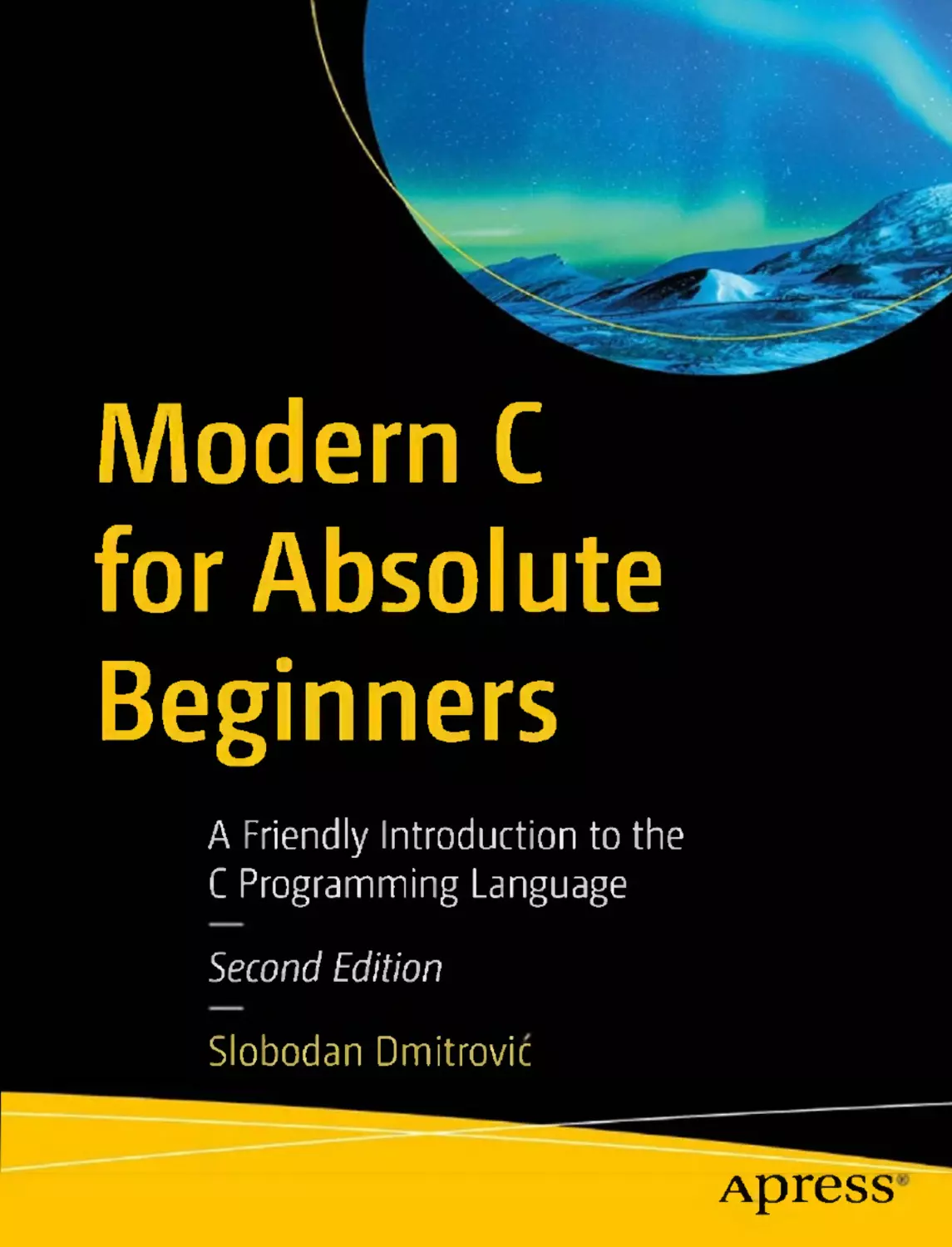
Modern C
for Absolute
Beginners
A Friendly Introduction to the
C Programming Language
Second Edition
Slobodan Dmitrovic
Apress
Modern C for Absolute
Beginners
A Friendly Introduction to the
C Programming Language
Second Edition
Slobodan Dmitrovic
Apress
Modern Cfor Absolute Beginners: A Friendly Introduction to the C Programming
Language, Second Edition
Slobodan Dmitrovic
Belgrade, Serbia
ISBN-13 (pbk): 979-8-8688-0223-2
ISBN-13 (electronic): 979-8 -8688 -0224-9
https://doi.org/10.1007/979-8 -8688 -0224 -9
Copyright © 2024 by Slobodan Dmitrovic
This work is subject to copyright. All rights are reserved by the Publisher, whether the whole or part of the
material is concerned, specifically the rights of translation, reprinting, reuse of illustrations, recitation,
broadcasting, reproduction on microfilms or in any other physical way, and transmission or information
storage and retrieval, electronic adaptation, computer software, or by similar or dissimilar methodology now
known or hereafter developed.
Trademarked names, logos, and images may appear in this book. Rather than use a trademark symbol with
every occurrence of a trademarked name, logo, or image we use the names, logos, and images only in an
editorial fashion and to the benefit of the trademark owner, with no intention of infringement of the
trademark.
The use in this publication of trade names, trademarks, service marks, and similar terms, even if they are not
identified as such, is not to be taken as an expression of opinion as to whether or not they are subject to
proprietary rights.
While the advice and information in this book are believed to be true and accurate at the date of publication,
neither the authors nor the editors nor the publisher can accept any legal responsibility for any errors or
omissions that may be made. The publisher makes no warranty, express or implied, with respect to the
material contained herein.
Managing Director, Apress Media LLC: Welmoed Spahr
Acquisitions Editor: Melissa Duffy
Development Editor: James Markham
Coordinating Editor: Gryffin Winkler
Cover designed by eStudioCalamar
Cover image by Noel_Bauza on pixabay (pixabay.com)
Distributed to the book trade worldwide by Apress Media, LLC, 1 New York Plaza, New York, NY 10004,
U.S .A. Phone 1-800 -SPRINGER, fax (201) 348-4505, e-mail orders-ny@springer-sbm.com, or visit www.
springeronline.com . Apress Media, LLC is a California LLC and the sole member (owner) is Springer Science
+ Business Media Finance Inc (SSBM Finance Inc). SSBM Finance Inc is a Delaware corporation.
For information on translations, please e-mail booktranslations@springernature.com; for reprint,
paperback, or audio rights, please e-mail bookpermissions@springernature.com.
Apress titles may be purchased in bulk for academic, corporate, or promotional use. eBook versions and
licenses are also available for most titles. For more information, reference our Print and eBook Bulk Sales
web page at http://www.apress.com/bulk-sales.
Any source code or other supplementary material referenced by the author in this book is available to
readers on GitHub (https://github.com/Apress). For more detailed information, please visit
https://www.apress.com/gp/services/source-code.
Paper in this product is recyclable
For Sanja and Katarina
Table of Contents
About the Author ...............................................................................................xv
About the Technical Reviewer ..........................................................................xvii
Acknowledgments ............................................................................................ xix
Introduction ..................................................................................................... xxi
Part I: The C Programming Language........................................................ 1
Chapter 1: Introduction..................................................................................... 3
1.1 What Is C? ....................................................................................................................... 3
1.2 What Is C Used For? ........................................................................................................ 3
1.3 C Compilers..................................................................................................................... 3
1.3 .1 Installing Compilers................................................................................................... 4
1.4 C Standards..................................................................................................................... 7
Chapter 2: Our First Program ............................................................................ 9
2.1 Function main() .............................................................................................................. 9
2.2 Comments..................................................................................................................... 11
2.3 HelloWorld.................................................................................................................... 12
Chapter 3: Types and Declarations .................................................................. 15
3.1 Declarations .................................................................................................................. 15
3.2 Introduction................................................................................................................... 15
3.3 Character Type .............................................................................................................. 16
3.4 Integer Type................................................................................................................... 21
v
TABLE OF CONTENTS
3.5 Floating-Point Types...................................................................................................... 26
3.5.1 float ........................................................................................................................ 26
3.5.2 double..................................................................................................................... 27
3.5 .3 long double............................................................................................................. 28
Chapter 4: Exercises....................................................................................... 31
4.1 Hello World with Comments............................................................................................. 31
4.1.1 Declaration ............................................................................................................. 32
4.1.2 Definition ................................................................................................................ 32
4.1 .3 Outputting Values .................................................................................................... 32
Chapter 5: Operators ...................................................................................... 35
5.1 Introduction................................................................................................................... 35
5.2 Arithmetic Operators ..................................................................................................... 35
5.3 Assignment Operator .................................................................................................... 36
5.4 Compound Assignment Operators.................................................................................. 38
5.5 Relational Operators ..................................................................................................... 39
5.6 Equality Operators......................................................................................................... 40
5.7 Logical Operators.......................................................................................................... 41
5.8 Increment and Decrement Operators............................................................................. 42
5.9 Operator Precedence .................................................................................................... 43
Chapter 6: Expressions................................................................................... 45
6.1 Initialization................................................................................................................... 45
6.2 Type Conversion ............................................................................................................ 46
Chapter 7: Statements.................................................................................... 49
7.1 Introduction................................................................................................................... 49
7.2 Selection Statements.................................................................................................... 51
7.2.1 if .............................................................................................................................51
7.2.2 if-else ..................................................................................................................... 54
7.2 .3 switch ..................................................................................................................... 56
vi
TABLE OF CONTENTS
7.3 Iteration Statements ..................................................................................................... 61
7.3.1 while....................................................................................................................... 61
7.3.2 do-while ................................................................................................................. 62
7.3 .3 for ........................................................................................................................... 63
Chapter 8: Exercises
65
8.1 Arithmetic Operations ................................................................................................... 65
8.2 Integral Division ............................................................................................................ 65
8.3 Floating-Point Division and Casting ............................................................................... 66
8.4 Equality Operator .......................................................................................................... 66
8.5 Relational and Logical Operators ................................................................................... 67
8.6 The switch Statement ................................................................................................... 68
8.7 Iteration Statements ..................................................................................................... 68
Chapter 9: Arrays
71
9.1 Declaration.................................................................................................................... 71
9.2 Subscript Operator........................................................................................................ 72
9.3 Array Initialization ......................................................................................................... 74
9.4 Character Arrays ........................................................................................................... 76
9.5 Multidimensional Arrays ................................................................................................ 77
9.6 Array Size and Count..................................................................................................... 78
Chapter 10: Pointers....................................................................................... 81
10.1 Introduction................................................................................................................. 81
10.2 Declaration and Initialization ....................................................................................... 81
10.3 Pointers and Arrays..................................................................................................... 85
10.4 Pointer Arithmetics ..................................................................................................... 87
10.5 Void Pointers ............................................................................................................... 89
10.6 Pointer to Character Arrays.......................................................................................... 91
10.7 Arrays of Pointers........................................................................................................ 92
Chapter 11: Command-Line Arguments............................................................ 95
vii
TABLE OF CONTENTS
Chapter 12: Exercises..................................................................................... 97
12.1 Character Array ............................................................................................................ 97
12.2 Array Elements............................................................................................................ 97
12.3 Pointer to an Existing Object........................................................................................ 98
12.4 Pointers and Arrays..................................................................................................... 98
12.5 Pointer to a Character Array......................................................................................... 99
12.6 Pointer Arithmetics ................................................................................................... 100
12.7 Array of Pointers ....................................................................................................... 100
Chapter 13: Functions ................................................................................... 103
13.1 Introduction............................................................................................................... 103
13.2 Function Declaration ................................................................................................. 105
13.3 Function Definition.................................................................................................... 107
13.4 Parameters and Arguments ....................................................................................... 109
13.4.1 Passing Arguments.............................................................................................. 113
13.5 Return Statement...................................................................................................... 115
Chapter 14: Exercises................................................................................... 119
14.1 A Simple Function ..................................................................................................... 119
14.2 Function Declaration and Definition........................................................................... 119
14.3 Passing Arguments by Value...................................................................................... 120
14.4 Passing Arguments by Pointer/Address ...................................................................... 121
14.5 Function - Multiple Parameters...................................................................................122
Chapter 15: Structures ................................................................................. 123
15.1 Introduction............................................................................................................... 123
15.2 Initialization............................................................................................................... 126
15.3 Member Access Operator........................................................................................... 128
15.4 Copying Structures.................................................................................................... 130
15.5 Pointers to Structures ................................................................................................ 131
15.6 Self-Referencing Structures ...................................................................................... 133
15.7 Structures as Function Arguments............................................................................. 134
viii
TABLE OF CONTENTS
Chapter 16: Unions ........................................................................................ 139
Chapter 17: Conditional Expression................................................................. 141
Chapter 18: Typedef....................................................................................... 143
Chapter 19: Const Qualifier............................................................................. 147
Chapter 20: Enumerations .............................................................................. 153
Chapter 21: Function Pointers ........................................................................ 157
Chapter 22: Exercises.................................................................................... 161
22.1 Structure Definition.................................................................................................... 161
22.2 Structure Typedef Alias .............................................................................................. 162
22.3 Structure Initialization............................................................................................... 163
22.4 Pointers to Structures ............................................................................................... 163
22.5 Unions ....................................................................................................................... 164
22.6 Constants and Pointers .............................................................................................. 165
22.7 Constant Function Parameters................................................................................... 166
22.8 Enums ....................................................................................................................... 166
22.9 Pointers to Functions ................................................................................................. 168
Chapter 23: Preprocessor.............................................................................. 169
23.1 #include .................................................................................................................... 169
23.2 #define ..................................................................................................................... 171
23.3 #undef...................................................................................................................... 173
23.4 Conditional Compilation ............................................................................................. 175
23.4.1 #if ....................................................................................................................... 175
23.4 .2 #ifdef .................................................................................................................. 177
23.4.3 #ifndef ................................................................................................................ 178
23.5 Built-In Macros ......................................................................................................... 179
23.6 Function-Like Macros ................................................................................................ 181
ix
TABLE OF CONTENTS
Chapter 24: Exercises................................................................................... 183
24.1 Define and Undefine a Macro...................................................................................... 183
24.2 Conditional Compilation ............................................................................................. 184
24.3 Built-In Macros ......................................................................................................... 184
24.4 Function Macros ....................................................................................................... 185
Chapter 25: Dynamic Memory Allocation ....................................................... 187
25.1 malloc ....................................................................................................................... 188
25.2 calloc........................................................................................................................ 196
25.3 realloc ....................................................................................................................... 199
Chapter 26: Storage and Scope ..................................................................... 201
26.1 Scope ........................................................................................................................ 201
26.1.1 Local Scope ......................................................................................................... 201
26.1 .2 Global Scope........................................................................................................ 202
26.2 Storage...................................................................................................................... 204
26.2.1 Automatic Storage Duration ................................................................................. 204
26.2 .2 Static Storage Duration ....................................................................................... 205
26.2.3 Allocated Storage Duration................................................................................... 206
Chapter 27: Exercises................................................................................... 209
27.1 Dynamic Memory Allocation ...................................................................................... 209
27.2 Dynamic Memory Allocation: Arrays .......................................................................... 210
27.3 Dynamic Memory Resizing ........................................................................................ 211
27.4 Automatic and Allocated Storage............................................................................... 212
Chapter 28: Standard Input and Output.......................................................... 213
28.1 Standard Input ........................................................................................................... 213
28.1.1 scanf................................................................................................................... 213
28.1 .2 sscanf ................................................................................................................. 215
28.1.3 fgets ................................................................................................................... 216
x
TABLE OF CONTENTS
28.2 Standard Output........................................................................................................ 218
28.2.1 printf................................................................................................................... 218
28.2 .2 puts..................................................................................................................... 220
28.2.3 fputs ................................................................................................................... 221
28.2.4 putchar ............................................................................................................... 221
Chapter 29: File Input and Output.................................................................. 223
29.1 File Input ..................................................................................................................... 223
29.2 File Output................................................................................................................... 225
Chapter 30: Exercises................................................................................... 227
30.1 Standard Input ........................................................................................................... 227
30.2 Standard Output........................................................................................................ 228
Chapter 31: Header and Source Files ............................................................. 231
Part II: The C Standard Library ..............................................................235
Chapter 32: Introduction to C Standard Library .............................................. 237
32.1 String Manipulation.................................................................................................... 239
32.1 .1 strlen .................................................................................................................. 239
32.1.2 strcmp ................................................................................................................ 240
32.1 .3 strcat .................................................................................................................. 241
32.1 .4 strcpy.................................................................................................................. 241
32.1 .5 strstr ................................................................................................................... 242
32.2 Memory Manipulation Functions................................................................................ 244
32.2 .1 memset .............................................................................................................. 244
32.2.2 memcpy.............................................................................................................. 245
32.2 .3 memcmp ............................................................................................................ 248
32.2 .4 memchr .............................................................................................................. 249
32.3 Mathematical Functions............................................................................................. 250
32.3 .1 abs...................................................................................................................... 250
32.3.2 fabs..................................................................................................................... 251
xi
TABLE OF CONTENTS
32.3 .3 pow..................................................................................................................... 251
32.3 .4 round .................................................................................................................. 252
32.3 .5 sqrt ..................................................................................................................... 253
32.4 String Conversion Functions ...................................................................................... 254
32.4 .1 strtol ................................................................................................................... 254
32.4.2 snprintf ............................................................................................................... 256
Part III: Modern C Standards .................................................................259
Chapter 33: Introduction to C11 Standard...................................................... 261
33.1
_ Static_assert........................................................................................................... 261
33.2 The _Noreturn Function Specifier .............................................................................. 262
33.3 Type Generic Macros Using _Generic......................................................................... 263
33.4 The _Alignof Operator ............................................................................................... 265
33.5 The _Alignas Specifier .............................................................................................. 267
33.6 Anonymous Structures and Unions ............................................................................ 268
33.7 Aligned Memory Allocation: aligned_alloc ................................................................. 269
33.8 Unicode Support for UTF-16 and UTF-32 .................................................................... 270
33.9 Bounds Checking and Threads Overview.................................................................... 270
33.9 .1 Bounds-Checking Functions
270
33.9.2 Threads Support
271
Chapter 34: The C17 Standard.......................................................................273
Chapter 35: The Upcoming C23 Standard....................................................... 275
35.1 constexpr .................................................................................................................. 275
35.2 Binary Integer Constants............................................................................................ 277
35.3 true and false............................................................................................................ 278
35.4 nullptr....................................................................................................................... 279
35.5 Empty initializer ={} .................................................................................................. 280
35.6 #embed .................................................................................................................... 281
35.7 Attributes.................................................................................................................. 284
xii
TABLE OF CONTENTS
35.8 No Parameters Function Declaration ......................................................................... 285
35.9 The strdup Function .................................................................................................. 286
35.10 The memccpy Function........................................................................................... 287
Part IV: Dos and Don’ts ......................................................................... 289
Chapter 36: Do Not Use the gets Function ...................................................... 291
Chapter 37: Initialize Variables Before Using Them ........................................ 293
Chapter 38: Do Not Read Out of Bounds .......................................................... 295
Chapter 39: Do Not Free the Allocated MemoryTwice ...................................... 297
Chapter 40: Do Not Cast the Result of malloc.................................................. 299
Chapter 41: Do Not Overflow a Signed Integer ................................................ 301
Chapter 42: Cast a Pointer to void* When Printing Through printf................... 303
Chapter 43: Do Not Divide by Zero.................................................................. 305
Chapter 44: Where to Use Pointers? .............................................................. 307
44.1 Pointers to Existing Objects ....................................................................................... 307
44.2 Pointers to Arrays...................................................................................................... 308
44.3 Pointers to String Constants ...................................................................................... 310
44.4 Pointers to Dynamically Allocated Memory................................................................. 311
44.5 Pointers as Function Arguments ................................................................................ 312
Chapter 45: Prefer Functions to Function-Like Macros................................... 315
Chapter 46: static Global Names ................................................................... 317
Chapter 47: What to Put in Header Files?....................................................... 319
47.1 Shared Macros........................................................................................................... 319
47.2 Function Declarations ................................................................................................ 321
47.3 Shared extern Variables and Constants ...................................................................... 322
47.4 Other Header Files .................................................................................................... 324
xiii
TABLE OF CONTENTS
Part V: Appendices ...............................................................................325
Appendix A: Linkage
327
Appendix B: Time and Date
329
Appendix C: Bitwise Operators ...................................................................... 333
C.1 The Bitwise NOT Operator ~ .......................................................................................... 333
C.2 Bitwise Shift Operators << and >> ................................................................................ 335
C.3 The Bitwise AND Operator & .......................................................................................... 338
Appendix D: Numeric Limits .......................................................................... 341
D.1 Integer Types Limits....................................................................................................... 341
D.2 Floating-Point Types Limits............................................................................................ 343
Appendix E: Summary and Advice................................................................. 345
E.1 What to Learn Next?....................................................................................................... 345
E.2 Online References.......................................................................................................... 346
E.3 Other C Books ............................................................................................................... 346
E.4 Advice ........................................................................................................................... 346
Index.............................................................................................................. 347
xiv
About the Author
Slobodan Dmitrovic is a software consultant, trainer, and
author of several programming books. He is a professional
R&D software developer with two decades of experience in
the industry. Slobodan provides C and C++ training courses
to corporate clients and academic institutions. Contact
Slobodan at linkedin.com/in/slobodan-dmitrovic.
xv
About the Technical Reviewer
German Gonzalez-Morris is a polyglot software architect/
engineer with 20+ years in the field, with knowledge in Java,
Spring Boot, C/C++, Julia, Python, Haskell, and JavaScript,
among others. He works with cloud (architecture),
web-distributed applications, and microservices. German
loves math puzzles (including reading Knuth, proud of
solving some of Don’s puzzles), swimming, and table tennis.
Also, he has reviewed several books, including an application
container book (WebLogic) and some on languages (C, Java,
Spring, Python, Haskell, TypeScript, WebAssembly, Math for
coders, regexp, Julia, data structures and algorithms). You
can see details in his blog https://devwebcl.blogspot.com/
or X/Twitter account: @devwebcl.
xvii
Acknowledgments
I want to thank the readers, friends, and peers who have supported me in writing the
second edition of this book.
I am indebted to Peter Dunne, Glenn Dufke, Bruce McGee, Tim Crouse, Jens Fudge,
Rainer Grimm, and Rob Machin for all their work, help, and support.
I am grateful to the outstanding professionals at Apress who have supported me
throughout the writing process.
I am thankful to all the amazing software developers, architects, and entrepreneurs I
met and collaborated with.
xix
Introduction
Dear reader, congratulations on choosing to learn the C programming language, and
thank you for picking up this book. My name is Slobodan Dmitrovic, and I will try to
introduce you to the wonderful world of C programming to the best of my abilities.
This book is divided into five parts. In Part 1, we cover the C language basics. Part 2
explains the C standard library, and Part 3 introduces us to modern C standards. Part 4
explains the dos and don’ts in modern C. The final part consists of the Appendices. Let
us get started!
xxi
PART I
The C Programming
Language
CHAPTER 1
Introduction
1.1 What Is C?
C is a programming language - a general-purpose, procedural, compiled programming
language. C language was created by Dennis Ritchie in the late 1960s and early 1970s.
The C program is a collection of C source code spread across one or more source and
header files. Source files, by convention, have the .c extension, and header files have the
.h extension. Source and header files are plain text files that contain some C code.
1.2 What Is C Used For?
C is often used for the so-called systems programming, which is operating systems
programming, application programming, and embedded systems programming, to
name a few. A large portion of Linux and Windows operating systems was programmed
using C. C is often used as a replacement for an assembly language. C language
constructs efficiently translate to the hardware itself.
1.3 C Compilers
To compile and run a C program, we need a C compiler. A compiler compiles a C
program and turns the source code into an object file. The linker then links the object
files together and produces an executable or library. For the most part, we say we
compile the program and assume the compilation process results in an executable file we
can run. At the time of writing, some of the more popular C compilers are
•
gcc - As part of the GCC toolchain
•
Clang - As part of the LLVM toolchain
3
© Slobodan Dmitrovic 2024
S. Dmitrovic, Modern Cfor Absolute Beginners, https://doi.org/10.1007/979-8 -8688 -0224 -9_1
CHAPTER 1 INTRODUCTION
•
Visual C/C++ compiler - As part of the Visual Studio IDE
•
MinGW - A Windows port of the GCC
1.3 .1 Installing Compilers
Here, we describe how to install C compilers on Linux and Windows and how to compile
and run our programs.
1.3.1.1 On Linux
To install a GCC compiler on Linux, open a terminal window and type:
sudo apt install build-essential
This command installs a GCC toolchain, which we can use to compile, debug,
and run our C programs. Using a text editor of our choice, let us create a file with the
following code:
#include <stdio.h>
int main(void)
{
printf("Hello World!\n");
}
Let us save this file as a source.c . To compile this program using the GCC compiler,
we type:
gcc source.c
This will produce an executable file with a default name of a.out. To run this file, type
the following in a console window:
./a.out
Running this program should output the Hello World! text to our console window.
4
CHAPTER 1 INTRODUCTION
Note The preceding example code is for demonstration purposes. For now, let us
take the source code inside the source.c file for granted. We will get into detailed
code explanation and analysis in later sections.
To install a clang compiler on our Linux system, type:
sudo apt install clang
This command installs another compiler called Clang, which we can also use
to compile our programs. To compile our previous program using a clang compiler,
we type:
clang source.c
As before, the compiler compiles the source file and produces an executable file with
the default name of a.out. To run this executable file, we type:
./a.out
The compiler choice is a matter of preference. Just substitute gcc with clang and vice
versa. To compile with warnings enabled, type:
gcc -Wall source.c
Warnings are not errors. They are messages indicating that something in our
program might lead to errors. We want to eliminate or minimize the warnings as well.
To produce a custom executable name, add the -o flag, followed by the custom
executable name so that our compilation string now looks like:
gcc -Wall source.c
-o myexe
To run the executable file, we now type:
./myexe
The ISO C standard governs the C programming language. There are different
versions of the C standard. We can target a specific C standard by adding the -std=
flag, followed by a standard name such as c99, c11, c17, and c2x (for the upcoming c23
standard). To compile for a C99 standard, for example, we would write:
gcc -std=c99 -Wall source.c
5
CHAPTER 1 INTRODUCTION
To compile for a C11 standard, we use:
gcc -std=c11 -Wall source.c
To compile for an upcoming C23 standard, we type:
gcc -std=c2x -Wall source.c
If we want to adhere to strict C standard rules, we add the -pedantic compilation
flag. This flag issues warnings if our code does not comply with the strict C standard
rules. Some of the use cases are:
gcc -std=c99 -Wall -pedantic source.c
gcc -std=c11 -Wall -pedantic source.c
gcc -std=c17 -Wall -pedantic source.c
gcc -std=c2x -Wall -pedantic source.c #currently used for the C23 standard
To compile and run the program using a single statement, we type:
gcc source.c && ./a.out
This statement compiles the program and, if the compilation succeeds, executes the
a.out file.
Let us combine it and use the following compilation strings in our future projects. If
using gcc, we write:
gcc -Wall -std=c11 -pedantic source.c && ./a.out
If using Clang, we write:
clang -Wall -std=c11 -pedantic source.c && ./a.out
1.3.1.2 On Windows
On Windows, we can install Visual Studio. Choose the Create a new project option, make
sure the C++ option is selected, choose Empty Project, and click Next. Enter the project
and solution names or leave the default values and click Create. We have now created
an empty Visual Studio project. In the Solution Explorer window, right-click on a project
name and choose Add - New Item.... Ensure the Visual C++ tab is selected, click the C++
File (.cpp) option, modify the file name to source.c, and click Add. We can use a different
file name, but the extension should be .c. Double-click the source.c file and paste our
6
CHAPTER 1 INTRODUCTION
previous Hello World source code into it. Press F5 to run the program. To compile for the
C11 standard, use the /std:c11 compiler switch. To compile for the C17 standard, use
the /std:c17 compiler switch. Currently, Visual Studio supports C standards up to C17.
Alternatively, install the MinGW (Minimalist GNU for Windows) and use the
compiler in a console window, as we would on Linux.
So far, we have learned how to set up the programming environments on Linux and
Windows and compile and run our C programs. We are now ready to start with the C
theory and examples.
1.4 C Standards
The C programming language is a standardized language. There were different C
standards throughout history. The first notable standard was the ANSI C, and now it
is the ISO standard known as the ISO/IEC:9989 standard. Some of the C standards
throughout the years are as follows:
•
ANSI C standard (referred to as ANSI C and C89)
•
C90 (official name: ISO/IEC 9899:1990, it is the ANSI C standard
adopted by ISO; the C89 and C90 are the same things)
•
C99 (ISO/IEC 9899:1999)
•
C11 (ISO/IEC 9899:2011)
•
C17 (ISO/IEC 9899:2018)
•
The upcoming standard, informally named C23 (the formal name
will probably become ISO/IEC 9899:2024)
7
CHAPTER 2
Our First Program
This chapter describes the main program entry point, how to work with comments, and
how to write a simple “Hello World” program.
2.1 Function main()
Every C program that produces an executable file must have a starting point. This
starting point is the function main(). The function main is the function that gets called
when we start our executable file. It is the program’s main entry point. The signature of
the function main is:
int main(void) {}
The function main is of type int, which stands for integer, followed by the reserved
name main, followed by an empty list of parameters inside the parentheses (void). The
name void inside the parentheses means the function accepts no parameters. Following
is the function body marked with braces {}. The opening brace { marks the beginning
of a code block, and the closing brace } marks the end of the code block. We write our
C code inside the code block marked by these braces. The code we write there executes
when we start our executable file.
For readability reasons, we can put braces on new lines:
int main(void)
{
}
We can keep the opening brace on the same line with the main function definition
and have the ending brace on a new line:
int main(void) {
}
9
© Slobodan Dmitrovic 2024
S. Dmitrovic, Modern Cfor Absolute Beginners, https://doi.org/10.1007/979-8-8688 -0224 -9_2
CHAPTER 2 OUR FIRST PROGRAM
Note Braces placement position is a matter of conventions, preferences, and
coding styles.
In early C standards, the function main was required to have a return 0; statement.
This statement ends the program and returns the control to the operating system.
The return value of 0 means the program finished the execution as expected. It ended
normally. If the main function returns any value other than 0, it means the program
ended unexpectedly. So, in previous standards, our blank program would look like:
int main(void)
{
return 0;
}
Statements in C end with a semicolon ;. The return 0; statement within the main
function is no longer required in modern C. We can omit that statement. When the
program execution reaches the closing brace, the effect is the same as if we explicitly
wrote the statement. In modern standards, we can simply write:
int main(void)
{
}
We often see the use of the following, also valid main signature:
int main()
{
return 0;
}
While this signature indicates there are no parameters, in ANSI C, it could potentially
allow us to call the function with any number of parameters. Since we want to avoid that,
we will be using the int main(void) signature, which explicitly states the function does
not accept parameters.
With that in mind, we will be using the following main skeleton to write our code
throughout the book:
10
CHAPTER 2 OUR FIRST PROGRAM
int main(void)
{
}
Note There is another main signature accepting two parameters: int
main(int argc, char
*
argv[]). We will describe it later in the book when
we learn about arrays, pointers, and command-line arguments.
2.2 Comments
We can have comments in our C program. A comment is a text that is useful to us but
is ignored by the compiler. Comments are used to document the source code, serve as
notes, or comment out the part of the source code.
A C-style comment starts with /* characters and ends with */ characters. The
comment text is placed between these characters. Example:
int main(void)
{
/*ThisisacommentinC*/
}
The comment can also be a multi-line comment:
int main(void)
{
/*Thisisa
multi-line comment in C */
}
Starting with C99, we can write a single-line comment that starts with a double slash
// followed by a comment text:
int main(void)
{
// This is a comment
}
11
CHAPTER 2 OUR FIRST PROGRAM
We can have multiple single-line comments on separate lines:
int main(void)
{
// This is a comment
// This is another comment
}
Comments starting with the double slash // are also referred to as C++-style
comments.
2.3 Hello World
Let us write a simple program that outputs a “Hello World” message in the console
window and explain what each line of code does. The full listing is:
#include <stdio.h>
int main(void)
{
printf("Hello World!");
}
The first line #include <stdio.h> uses the #include preprocessor macro to include
the content of the <stdio.h> header file into our source.c file. The standard-library
header file name stdio.h is surrounded with matching <> parentheses. This standard
library header is needed to use the printf() function. We call this function inside the
main function body using the following blueprint:
printf("Message we want to output");
The printf function accepts an argument inside the parentheses (). In our case,
this argument is a string constant or a character string "Hello World!". The string text
is surrounded by double quotes"". The entire printf("Hello World!") function call
then ends with the semicolon ; and then we call it a statement. Statements end with a
semicolon in C. Macros such as the #include <stdio.h> do not end with a semicolon.
12
CHAPTER 2 OUR FIRST PROGRAM
We can output text on multiple lines. To do that, we need to output a new-line
character, which is \n. Example:
#include <stdio.h>
int main(void)
{
printf("Hello World!\nThis is a new line!");
}
Output:
Hello World
We can split the text into two printf function calls for readability reasons.
Remember, each time we want the text to start on a new line, we need to output the new
line character \n:
#include <stdio.h>
int main(void)
{
printf("Hello World!\n");
printf("This is a new line!");
}
Output:
Hello World!
This is a new line
This has the same effect as if we placed a new-line character at the beginning of the
second printf function call:
#include <stdio.h>
int main(void)
{
printf("Hello World!");
13
CHAPTER 2 OUR FIRST PROGRAM
printf("\nThis is a new line!");
}
Output:
Hello World!
This is a new line
14
CHAPTER 3
Types and Declarations
In this chapter, we will learn about the built-in types in C and variable declarations.
3.1 Declarations
A declaration declares a (variable) name. When we declare a variable, we specify its type
and variable name, and the compiler reserves memory for our variable. This occupied
space is called an object or data object in memory. These data objects are accessed by
names we call variables. We need to declare a variable before we can use it. To declare a
variable, we put the type_name before the variable_name and end the entire statement
with a semicolon ;. The declaration pseudo-code looks like this:
type_name variable_name;
We can declare multiple variables of the same type by separating them with
a comma:
type_name variable_name1, variable_name2, variable_name3;
Variable names can contain both letters and numbers but must not start with
a number. C is a case-sensitive language, so myvar and MyVar are two different,
independent names. Variable names should not start with underscore characters as in
_myvar or __myvar.
3.2 Introduction
What is a type? A type is a property that describes a range of values and allowed
operations on those values. An instance of a type is called an object or a data object.
When we declare a variable, we are creating an instance.
© Slobodan Dmitrovic 2024
S. Dmitrovic, Modern Cfor Absolute Beginners, https://doi.org/10.1007/979-8-8688 -0224 -9_3
15
CHAPTER 3 TYPES AND DECLARATIONS
There are different built-in types in C. For example, one type can hold (store)
characters, another type can hold whole numbers, and some other type can be used to
store floating-point values. Some of the built-in types are
•
char - Holds character values
•
int - Holds whole numbers
•
float - Holds floating-point values of single precision
•
double - Holds floating-point values of double precision
Our program data is stored in computer memory. Computer memory is an array of
memory cells called bits. A bit can have two states we symbolically refer to as 1 and 0. A
group of 8 bits is often called a byte. A byte of memory has its own label/number, which
we call an address.
We can visualize a byte as a rectangular area, an occupied space in memory with its
address. This address is a number, often represented by a hexadecimal number:
Figure 3-1. A single byte with an address
Types have different sizes. Data represented by variables of different types occupy
a different amount of bytes in memory. For example, type char is one byte in size. We
say that it is one byte long and can be used to store a single character. Other types have
different sizes. For example, type int can be 4 bytes in size.
There are lower and upper limits to values each type can hold, a minimum or
maximum value a type can store.
There are special qualifiers we can apply to the preceding types, such as long and
unsigned. We discuss each type in more detail in the following sections.
3.3 Character Type
Type char allows us to store a single character. To declare a single variable of type char
inside the main function body, we write:
16
CHAPTER 3 TYPES AND DECLARATIONS
int main(void)
{
char mychar;
}
The statement char mychar; is a variable declaration. In simple words: from now on,
there will be a char variable called mychar. We also say that mychar is of char type.
The variable declared inside the function main is also called a local variable. It is
local to the main function. Local variables are not initialized by default and contain
random values. Once declared, we can access the variable. For example, we can assign a
value to it using an assignment operator:
int main(void)
{
char mychar;
mychar = 'a';
}
The first line inside the main function body declares a variable, and the second
line assigns it a value of 'a'. We used a character constant 'a' to assign a value to our
variable using the = assignment operator. Character constants are enclosed in single
quotes ''. Examples of character constants are 'a', 'A', and 'z'. Some character constants
must be escaped using the backslash character \. Some of the escape-sequence
characters are
•
The new-line character '\n'
•
A single quote character '\''
•
A double quote character '\"'
•
A tab character '\t'
The character type char is also an integral type. We can say it is a small integer.
In type char, every character constant is represented by a matching number inside
the encoding table. This encoding table is called a character set, and it might be ASCII
or some other table, depending on the implementation. For example, the preceding
character constant 'a' is represented by a number 97 in the ASCII table. So, we can
assign a value of 97 to our mychar variable, and the underlying byte value would be
the same:
17
CHAPTER 3 TYPES AND DECLARATIONS
int main(void)
{
char mychar;
mychar = 97;
}
It represents the same byte value using different constants, either by using a
character constant 'a' or an integer constant 97. For the most part, we will use character
constants to assign values to char variables.
We can also think of type char as being a small integer type.
Instead of declaring a variable and then assigning a value to it, we could initialize the
variable:
int main(void)
{
char mychar = 97;
}
To print out our variable’s value, we will use the printf function. To print out a single
variable value, we call the printf function using the following syntax:
printf("%format_specifier", variable_name);
If we want to print out multiple variables, we will use the multiple format specifiers/
placeholders in the double quotes, followed by a comma-separated list of variables:
printf("%format_specifier1 %format_specifier2", variable_name1,
variable_name2);
The %format_specifier1 part is a placeholder and a format specifier for the value of
variable_name1. The format specifier specifies how our variable should be formatted/
interpreted when we send it to the output/console window. The %format_specifier2
is a placeholder for the value of variable_name2, and so on. The format specifier is also
called a conversion specifier.
To print out the character variable as an actual character, we can use the c format
specifier:
18
CHAPTER 3 TYPES AND DECLARATIONS
#include <stdio.h>
int main(void)
{
char mychar;
mychar = 'a';
printf("%c", mychar);
}
Output:
a
Explanation: The printf() function writes data to the standard output, which is
our console window. The printf function can accept multiple arguments. The first
argument is the double-quoted text. Inside the double-quoted text, there is a placeholder
for our variable. This placeholder consists of a starting percentage sign % followed by the
format specifier, which in our case is c. There are different format specifiers for different
types. These determine how the value of our variable is to be presented/printed within
the quoted text.
To print out the character variable value as an integral number, we use the %d or the
%i format specifier:
#include <stdio.h>
int main(void)
{
char mychar;
mychar = 'a';
printf("%d", mychar);
}
Output:
97
19
CHAPTER 3 TYPES AND DECLARATIONS
The size of the type char is one byte. This means that mychar occupies exactly
one byte of memory storage. We can check the size of the object by using the sizeof
operator. The sizeof operator returns the object’s or type’s size in bytes:
#include <stdio.h>
int main(void)
{
char mychar;
mychar = 'a';
printf("The size of a character object is %zu byte(s).",
sizeof(mychar));
}
Output:
The size of a character object is 1 byte(s).
The %zu format specifier is used for the return type of the sizeof operator. The
char type range varies depending on the implementation but is usually between -128
and +127.
A special unsigned qualifier can be applied to integral types, including type char.
This qualifier means the type can hold only positive values and a zero. The size in
memory remains one byte, but now the type can hold twice as many positive values. The
maximum value of an unsigned char is usually 255. Example:
#include <stdio.h>
int main(void)
{
unsigned char mychar = 255;
printf("The value of mychar is: %d", mychar);
}
Output:
The value of mychar is: 255
20
CHAPTER 3 TYPES AND DECLARATIONS
A fair amount of theory surrounds even a simple thing such as the char type, but we
need not worry. Each section is accompanied by plenty of source code examples and
exercises.
3.4 Integer Type
The integer type, int, is used to store whole (integral) numbers/values and perform
certain operations on them. To declare an integer variable, we write int variable_
name;. Let us write a program that declares an integer variable and assigns a value to it:
int main(void)
{
int x;
x=123;
}
There are different integer constants we can assign to int variables.
The first kind is the decimal integer constant represented by negative and positive
numbers, for example, -256, 0, 128, etc. The second kind is the octal constant. Octal
constants begin with a zero sign of 0, followed by numbers from 0 to 7. An example of
an octal constant is 012, equal to a decimal value of 10. The third kind is a hexadecimal
constant. This constant begins with 0x or 0X, followed by symbols from 0 to 9 and letters
from A to F. The hexadecimal value of 0xA represents a decimal number of 10. Let us
write a program that assigns a value of 10 to three different integer variables using
decimal, octal, and hexadecimal notation:
int main(void)
{
int x;
x
= 10; // decimal constant
int y;
y = 012; // octal constant
int z;
z = 0xA; // hexadecimal constant
}
21
CHAPTER 3 TYPES AND DECLARATIONS
In this example, both x, y, and z have the same value of 10 (ten), represented by three
different constants. All these constants are of type int.
We can print the integer value using different format specifiers, %d for decimal, %o for
octal, and %x or %X for hexadecimal representation:
#include <stdio.h>
int main(void)
{
int x;
x=10;
printf("Decimal: %d Octal: %o Hexadecimal: %X", x, x, x);
}
Output:
Decimal: 10 Octal: 12 Hexadecimal: A
Here, we print out the same value but with three different representations.
Depending on the hardware and the implementation, the type int is usually 4 bytes
wide in memory. It can hold values from at least -32768 to +32767, but on our computer,
this range is generally from -2147483648 to +2147483647.
Some modifiers or qualifiers can be applied to type int. They are signed, unsigned,
short, and long. Integers are signed by default, so instead of saying signed int, we
simply write int. The unsigned qualifier says the type int can only hold positive values
and a zero. The size of the type is the same. Unsigned integers can now hold twice as
many positive numbers as the regular (signed) int.
An example of unsigned int is:
#include <stdio.h>
int main(void)
{
unsigned int x = 123456789u;
printf("The value of an unsigned integer is: %u", x);
}
22
CHAPTER 3 TYPES AND DECLARATIONS
Output:
The value of an unsigned integer is: 123456789
We can rewrite the preceding example so that the int part is omitted:
#include <stdio.h>
int main(void)
{
unsigned x = 123456789u;
printf("The value of an unsigned integer is: %u", x);
}
Output:
The value of an unsigned integer is: 123456789
Note When using any of these specifiers on type int, we can omit the int part
and write only the specifier(s) name(s).
The unsigned integer constants have u or U suffix, such as our 123456789u value. We
used the %u specifier to print out the value of an unsigned integer.
Other specifiers that can be applied are short and long. These specifiers change the
length of the integer type. Type short is often 2 bytes in length and long is at least 4 bytes
in length. Here is a source code example demonstrating the use of short and long types:
#include <stdio.h>
int main(void)
{
short x;
x = 1234;
printf("The value of a short integer is: %d\n", x);
23
CHAPTER 3 TYPES AND DECLARATIONS
long y;
y = 123456789l;
printf("The value of a long integer is: %ld\n", y);
}
Output:
The value of a short integer is: 1234
The value of a long integer is: 123456789
The first part declares a short integer x and prints its value using the %d format. The
\n after the %d placeholder is just a new-line character, and it is not part of the specifier.
The second part declares a long integer y. Long integer constants have the l or L suffix,
such as our 123456789l value. We used the %ld format to print out the value of a long
integer.
These type specifiers can be chained together so that we can have an
unsigned short:
#include <stdio.h>
int main(void)
{
unsigned short x;
x = 1234u;
printf("The value of an unsigned short integer is: %hu\n", x);
}
Output:
The value of an unsigned short integer is: 1234
Here, we used the %hu format specifier to format and print out the value of an
unsigned short. Our 1234u constant also has the u suffix as it is of unsigned type. There
is no specific suffix for a short type.
24
CHAPTER 3 TYPES AND DECLARATIONS
To declare and print out the unsigned long value, we write:
#include <stdio.h>
int main(void)
{
unsigned long y;
y = 123456789ul;
printf("The value of an unsigned long variable is: %lu\n", y);
}
Output:
The value of an unsigned long variable is: 123456789
We used the %lu format to print out the value of an unsigned long. Notice that our
123456789ul constant now carries both u and l suffixes since it is of unsigned long type.
Starting with the C99 standard, there is also a long long integer type that is at least
8 bytes long. Its constants have the ll or LL suffixes. To print out the value of the long
long type, we use the %lld or %lli format specifier:
#include <stdio.h>
int main(void)
{
long long x;
x = 123456789ll;
printf("The value of a long long integer is: %lld", x);
}
Remember to compile for at least the C99, C11, C17, or the C23 standard, using the
following command-line compilation strings:
gcc -Wall -std=c99 -pedantic source.c && ./a.out
or:
gcc -Wall -std=c11 -pedantic source.c && ./a.out
25
CHAPTER 3 TYPES AND DECLARATIONS
From C99 onward, there can also be an unsigned long long type. Its constants carry
the ull, ULL, llu, or LLU suffixes. We use the %llu format specifier to print out the value:
#include <stdio.h>
int main(void)
{
unsigned long long x;
x = 123456789llu;
printf("The value of an unsigned long long integer is: %llu", x);
}
3.5 Floating-Point Types
There are three types for representing floating-point numbers. The first is called float,
the second type is called double, and the third type is called long double.
3.5 .1 float
Type float is a type used for storing single-precision floating-point numbers. The type
is 4 bytes wide. Floating-point numbers are also called real numbers. In a floating-type
number such as 123.456, there is the whole number part (123), the decimal separator (.),
and the fractional/decimal part 456. To declare a variable of type float, we write:
int main(void)
{
float myfloat;
myfloat = 123.456f;
}
We will describe two floating-point constants used to represent floating-point values.
The floating-point constant, such as the 123.456f, carries a suffix f or F, which makes
it of type float. The same value represented by an exponent constant has the form
123456e-3f. It means 123456 times 10 to the power of -3. To represent a number 100
using an exponent constant, we would write 1e2f. To represent a value of 0.123 using a
decimal constant, we can also write .123 without the leading 0.
26
CHAPTER 3 TYPES AND DECLARATIONS
To print out a value of type float, we use the %f format specifier:
#include <stdio.h>
int main(void)
{
float myfloat;
myfloat = 123.456f;
printf("The value of a floating-point variable is: %f", myfloat);
}
Output:
The value of a floating-point variable is: 123.456001
This example prints out the value of 123.456001 because the default precision of a %f
format specifier is 6, so it also adds the (imprecise) 001 part. To print out only the three
decimal places, we use the %.3f format:
#include <stdio.h>
int main(void)
{
float myfloat;
myfloat = 123.456f;
printf("The value of a floating-point variable is: %.3f", myfloat);
}
The output is now 123.456 because the %.3f specifier uses three positions
(characters/places) to display the floating-point value’s fractional part. We can also
explicitly specify the whole and fractional parts’ lengths using the %3.3f format specifier.
3.5.2 double
Another type for storing floating-point values is type double. It is 8 bytes wide and offers
increased precision and range as compared to type float. To declare a variable of type
double, we write:
27
CHAPTER 3 TYPES AND DECLARATIONS
int main(void)
{
double d;
d = 123.456;
}
Floating-point constants without suffixes, such as our 123.456, are of type double by
default. So, for a simple decimal constant of type double, we write 123.456, and for an
exponent constant, we write 123456e-3.
To print out the value of type double, we use the %f or the %lf format specifier inside
the printf function:
#include <stdio.h>
int main(void)
{
double mydouble;
mydouble = 123.456;
printf("The value of a double variable is: %.3f", mydouble);
}
Output:
The value of a double variable is: 123.456
When to use float and when to use double? It depends on the context, the
hardware, and our needs. Float occupies less memory than double, might be faster than
double, but is less precise. When increased precision is required, we can opt for double.
In general, we should prefer double to float.
3.5.3 long double
The third floating type is called a long double. The type has increased precision and
range. To declare a variable of this type, we write:
28
CHAPTER 3 TYPES AND DECLARATIONS
int main(void)
{
long double mylongdouble;
mylongdouble = 123456.789l;
}
Long double constants have l or L suffixes. To print out the value of a long double,
we use the %Lf format specifier:
#include <stdio.h>
int main(void)
{
long double mylongdouble;
mylongdouble = 123456.789l;
printf("The value of a long double variable is: %.3Lf",
mylongdouble);
}
Output:
The value of a long double variable is: 123456.789
29
CHAPTER 4
Exercises
4.1 Hello World with Comments
Let us write a program that has comments in it and outputs a “Hello World!” message on
one line and “C rocks!” on a new line:
#include <stdio.h>
int main(void)
{
// this is a comment
/* This is an
multi-line comment */
printf("Hello World.\n");
printf("C rocks!.\n");
}
Output:
Hello World.
C rocks!.
31
© Slobodan Dmitrovic 2024
S. Dmitrovic, Modern Cfor Absolute Beginners, https://doi.org/10.1007/979-8-8688 -0224 -9_4
CHAPTER 4 EXERCISES
4.1.1 Declaration
Write a program that declares four variables of type char, int, float, and double,
respectively:
int main(void)
{
char c;
int x;
float f;
double d;
}
4.1.2 Definition
Write a program that declares and initializes four variables of type char, int, float, and
double, respectively:
int main(void)
{
char c = 'a';
intx=123;
float f = 123.456f;
double d = 789.101112;
}
4.1.3 Outputting Values
Write a program that initializes and prints four variables of type char, int, float, and
double, respectively:
#include <stdio.h>
int main(void)
{
char c = 'a';
intx=123;
float f = 123.456f;
32
CHAPTER 4 EXERCISES
double d = 789.101112;
printf("%c\n", c);
printf("%d\n", x);
printf("%f\n", f);
printf("%f\n", d);
}
Output:
a
123
123.456001
789.101112
33
CHAPTER 5
Operators
Operators are an essential part of the language. This chapter explains what they are
and how they are used. It might seem that there is plenty of theory surrounding this
subject but do not worry. We need to adopt the theoretical part to use it in practical code
examples later in the book.
5.1 Introduction
What is the operator? An operator is a language entity that performs/applies an
operation to its arguments and returns a result. One or more different symbols are used
to represent operators. To better understand the terminology, let us look at a simple
mathematical expression: x + y. Here, + is an operator. It applies an addition operation
using x and y. Here, x and y are called operands, where x is a left operand and y is the
right operand. The entire x + y part is called an expression.
Depending on the type of operation, we can have different categories of operators.
Some of them are arithmetic, relational, assignment, logical, bitwise, and other operators.
5.2 Arithmetic Operators
Arithmetic operators perform arithmetic operations on their arguments. Arithmetic
operators are
•
+ - Addition
•
-
-
Subtraction
•
-
Multiplication
*
•
/ - Division
•
% - Modulo
35
© Slobodan Dmitrovic 2024
S. Dmitrovic, Modern Cfor Absolute Beginners, https://doi.org/10.1007/979-8-8688 -0224 -9_5
CHAPTER 5 OPERATORS
The addition operator + allows us to add the operands together. The subtraction
allows us to subtract y from x. The multiplication operator multiplies the x and y, and the
division operator divides x with y.
The division can be an integer division or a floating-point division. The integral
division occurs when both operands are of some integral type, such as int. The result
of such division is the whole number only, and the remainder (the decimal part) is
discarded. For example, the result of the 9 / 2 expression is 4, and the fractional part of
.5 is discarded. Since both 9 and 2 are of type int, the result of the entire expression is
also of type int. If only one operand is of the floating-point type, the entire expression is
of the floating-point type. For example, the result of 9.0 / 2 is 4.5 as at least one of the
operands is of a floating-point type.
Let us look at what the % modulo operator does. It returns the remainder of the
integral division. The result of the x % y expression is the remainder of the x / y
integral division. For example, the result of the 9 % 2 is equal to 1. The result of an
integral division 9 / 2 is equal to 4, as the fractional part gets discarded. And 4 * 2 is equal
to 8. When we subtract 8 from 9, we get the modulo result equal to 1 in our case.
The precedence of *, /, and % operators is higher than the + and - operators. In an
expression like x + y * z, the subexpression y * z is evaluated first. The x + (the result
of the y * z subexpression) is evaluated next.
5.3 Assignment Operator
The assignment operator = assigns a value to the variable/expression. A source code
example of a simple assignment operator would be:
#include <stdio.h>
int main(void)
{
int x;
x=123;
printf("%d", x);
}
36
CHAPTER 5 OPERATORS
In an x = 123 expression, the value of 123 gets assigned to variable x. In this
expression, everything occurring on the left side of the assignment operator = is called
a left-hand side expression or lhs for short. In our case, it is a simple variable x. And
everything occurring on the right of the assignment operator is called a right-hand side
expression or rhs for short, which in this example is an integer constant 123. We say that
the assignment operator assigns a value of rhs to lhs. In our case, it assigns a value of 123
to our variable x. We can also assign the value of one variable to another:
#include <stdio.h>
int main(void)
{
int x;
int y;
x=123;
y=x;
printf("%d", y);
}
In a y = x; statement, we assigned the value of x to y. In a y = x expression, we only
assign the copy of the value of x to y, not the memory address. The two data objects x
and y are two different data objects in memory. Changing the value of either one does
not affect the value of the other one.
Let us use the assignment operator to assign values to variables of different types
such as char, int, and float:
#include <stdio.h>
int main(void)
{
char c;
c= 'A';
int x;
x=123;
float f;
37
CHAPTER 5 OPERATORS
f = 123.456f;
printf("Char: %c int: %d float: %.3f", c, x, f);
}
Here, we declare the variables, assign the values of constants to our variables, and
then print them. We used three different types, constants, and format specifiers.
5.4 Compound Assignment Operators
Compound assignment performs binary operation on both operands and then assigns
the value to its left-hand side operand. Some of the compound assignments are +=, -=,
*=, /=, and %=.
The compound assignment operator += in the x += 123 expression is equivalent to x
= x + 123. Example:
#include <stdio.h>
int main(void)
{
intx=0;
x += 123;
printf("%d", x);
}
To use a *= compound assignment operator, we would need to initialize x to 1 as we
use the multiplication inside the compound statement operator:
#include <stdio.h>
int main(void)
{
intx=1;
x *= 123;
printf("%d", x);
}
As before, the x *= 123; statement is a shorter way of writing the x = x * 123;
statement.
38
CHAPTER 5 OPERATORS
5.5 Relational Operators
Relational operators compare the values of two operands/expressions. They are
•
> - Greater than
•
< - Less than
•
>= - Greater than or equal to
•
<= - Less than or equal to
Inan expression x < y, we checkifxislessthany.Ifthatistrue, theentire x < y
expression gets the value 1, which stands for true. If x is not less than y, the entire
expression is evaluated to 0, which is false. Example:
#include <stdio.h>
int main(void)
{
intx=123;
inty=456;
int islessthan = x < y;
int isgreaterthan = x > y;
printf("The value of \"is less than\" expression is: %d\n",
islessthan);
printf("The value of \"is greater than\" expression is: %d\n",
isgreaterthan);
}
Output:
The value of "is less than" expression is: 1
The value of "is greater than" expression is: 0
39
CHAPTER 5 OPERATORS
5.6 Equality Operators
There are two kinds of equality operators:
•
== - Equal to
•
!= - Notequalto
In an x == y expression, we check if (the value of) x equals y. If that is the case, the
entire x == y expression gets the value of 1, which stands for true. If not, the expression
gets the value of 0, which means false. In an x != y expression, we check if x is not
equal to y. If true, the expression is evaluated to 1; else, it gets the value of 0. Example:
#include <stdio.h>
int main(void)
{
intx=123;
inty=456;
int isequalto = x == y;
int isnotequalto = x != y;
printf("The value of the \"is equal to\" expression is: %d\n",
isequalto);
printf("The value of the \"is not equal\" to expression is: %d\n",
isnotequalto);
}
Output:
The value of the "is equal to" expression is: 0
The value of the "is not equal" to expression is: 1
Let us explain what the “entire x == y expression gets the value of 1 or 0” means. It
means expressions themselves are of a certain type, and they hold values.
These expressions are often used as conditions in the so-called conditional
statement. Their value is inspected. If the expression evaluates to 1, the condition is true;
if it evaluates to 0, the condition isfalse. We cover these topics in more detail later in the
book when we discuss the if-statement.
40
CHAPTER 5 OPERATORS
5.7 Logical Operators
The logical operators perform logical (bool/Boolean) operations on their operands and
return the result of such operations. The logical operators are
•
&& - Logical AND operator
•
|| - Logical OR operator
•
! - Unary negation operator
The logical operator && performs the logical AND operation on its operands and
returns the value of 1 when both operands are 1. In all other cases, it returns a value of 0.
The logical operator || performs the logical OR operation and returns 0 when both
operands are 0. In all other cases, it evaluates the expression to 1. The unary negation
operator ! performs the negation operation on its only right-hand side operand. So 0
becomes 1, and 1 or any other nonzero value becomes 0.
Example:
#include <stdio.h>
int main(void)
{
intx=1;
inty=0;
intmyand=x&&y;
intmyor=x||y;
int mynegation = !x;
printf("The value of an AND expression is: %d\n", myand);
printf("The value of an OR expression is: %d\n", myor);
printf("The value of a NEGATION expression is: %d\n", mynegation);
}
Output:
The value of an AND expression is: 0
The value of an OR expression is: 1
The value of a NEGATION expression is: 0
41
CHAPTER 5 OPERATORS
5.8 Increment and Decrement Operators
Increment operator ++ is used to add 1 to a variable, and decrement operator -- is used
to subtract 1 from a variable.
Both these operators can be used in their so-called prefix or postfix forms. When
used before the variable name, as in ++my_var or --my_var, they are called prefix
operators. When they are used after the variable name, as in my_var++ or my_var--, they
are called postfix operators. We now have four possible combinations:
•
++var_name - prefix ++ operator
•
var_name++ - postfix ++ operator
•
--va r_name - prefix -- operator
•
var_name-- - postfix -- operator
The prefix operator increments/decrements the value of a variable before the
variable is used in an expression. When used as a postfix operator, the program evaluates
a variable in an expression and then increments its value.
A simple example:
#include <stdio.h>
int main(void)
{
intx=10;
inty=10;
int myprefix = ++x;
int mypostfix = y++;
printf("The prefix result: %d, the postfix result: %d\n", myprefix,
mypostfix);
}
Output:
The prefix result: 11, the postfix result: 10
42
CHAPTER 5 OPERATORS
Explanation: We have two int variables, x and y, both having a value of 10. We use
the prefix ++ operator on x. The x is incremented by 1 before the result of an expression
is assigned to myprefix variable. Then, we use a postfix operator on y. The result of an
expression is assigned to mypostfix var, and then the value is incremented by one.
Increment and decrement operators increment/decrement a variable value by 1 and
save us from typing the: my_var = myvar + 1 or my_var = myvar - 1.
Note Whether we use a prefix or a postfix form is relevant only in the context
of the current expression/statement where these operators are used. By the
time the program flow reaches the printf point, both x and y will have the
value of 11.
There are also other kinds of operators, which we explain later in the book, as we
learn further and adopt new things.
5.9 Operator Precedence
Some operators have higher precedence than others. For example, operators / and *
have higher precedence over operators + and - . This is also true in the science of math.
For example, in an expression x + y * z, the y * z part/subexpression gets evaluated
first. Then, this subexpression result gets added to x, as the * operator has higher
precedence over the + operator.
If we need the x + y subexpression to be evaluated first, we surround the
subexpression with parentheses ():
(x+y)*z
This forces the x + y subexpression to be evaluated first. Then, the result of
this subexpression gets multiplied by z. This is because the () operator has higher
precedence over the + and * operators. The () operator groups the items together.
Here is the list of some of the operators sorted by precedence, from higher to lower:
++---- Postfix increment and decrement
() - Function call operator
[] - Array subscript
43
CHAPTER 5 OPERATORS
. - Structure member access
- > - Structure member access through a pointer
++ -- - Prefix increment and decrement
+ - - Unary plus and minus
! - Logical NOT
(type_name) - Cast operator
* - Dereference operator
& - Address-of
* / % - Multiplication, division, and modulo
+ - - Addition and subtraction
< < >> - Bitwise left shift and right shift
< <= - Relational operators
> >= - Relational operators
== != - Equality operators
&& - Logical AND
|| - Logical OR
?: - Ternary conditional operator
= - Assignment operator
+= -= - Compound assignments
44
CHAPTER 6
Expressions
What is an expression? An expression is operators and operands grouped together to
perform some calculations and yield a result. There are different kinds of expressions.
There are arithmetic expressions, as in x + y; comparison expressions, as in x > y;
assignment expressions, as in x = y; and logical expressions, such as x && y.
An expression can consist of multiple subexpressions, as in z = x + y. Here, the x +
y can be treated as an arithmetic subexpression inside the assignment expression.
The entire expression is of a particular type. What that type is depends on the nature
of the result of the entire expression. For example, if we had a simple expression x + y,
and x and y were of type int, then the entire expression would be of type int too. But
what if one operand was of type double and the other was of type int? What would the
expression result/type be? The result would be double as the int operand is promoted
to type double. In general, smaller/narrower types are converted to wider types in
arithmetic expressions. For example, char becomes int, float, or a double, depending
on the second operand type.
6.1 Initialization
We can declare a variable and assign a value to it on the same line. This approach is
called initialization. We say we initialize the variable to a certain value. The blueprint for
the initialization is:
type_name variable_name = some_value;
Initialization example:
#include <stdio.h>
int main(void)
{
© Slobodan Dmitrovic 2024
S. Dmitrovic, Modern Cfor Absolute Beginners, https://doi.org/10.1007/979-8-8688 -0224 -9_6
45
CHAPTER 6 EXPRESSIONS
char c = 'a';
intx=123;
float f = 123.456f;
double d = 789.123;
printf("The values are: %c, %d, %.3f, %.3f\n", c, x, f, d);
}
Output:
The values are: a, 123, 123.456, 789.123
This example initializes and prints out several different variables using appropriate
format specifiers. If we only declare and do not initialize those variables, they would hold
random garbage values.
Having some_type myvar; is called declaration, and having some_type myvar =
some_value; is called initialization or definition. Initialization (definition) is also a
declaration.
Tip It is a good practice to always initialize your variables before using them.
6.2 Type Conversion
Expressions of one type can be converted to expressions of another type. Some
conversions are implicit and occur automatically. We can also explicitly convert an
expression to a certain type using the (convert_to_type)expression syntax. A simple
example where we explicitly convert the type char to type int:
#include <stdio.h>
int main(void)
{
char c = 'A';
int x;
x = (int)c;
printf("The result is: %d\n", x);
}
46
CHAPTER 6 EXPRESSIONS
The following example relies on implicit conversion from int to double:
#include <stdio.h>
int main(void)
{
intx=10;
inty=30;
doubled=x/y;
printf("The result is: %f\n", d);
}
Output:
The result is: 0.000000
The result of an integer division is implicitly converted to type double, and we get the
value of 0.000000 . Suppose we explicitly cast the first operand x to double. In that case,
we get the expected result of a floating-point division, which is 0.333333 . Example:
#include <stdio.h>
int main(void)
{
intx=10;
inty=30;
double d = (double)x / y;
printf("The result is: %f\n", d);
}
Output:
The result is: 0.333333
Alternatively, we can make at least one of the operands of type double, and the whole
expression will be of type double, as the other operand of type int gets automatically
promoted into a type double when the x / y expression is evaluated. This is also called
an integer promotion. Example:
47
CHAPTER 6 EXPRESSIONS
#include <stdio.h>
int main(void)
{
double x = 10.0;
inty=30;
double d = x / y; // y here gets promoted to type double, because x
is of type double
printf("The result is: %f\n", d);
}
Output:
The result is: 0.333333
48
CHAPTER 7
Statements
This chapter explains statements in general - expressions ending with a semicolon (;)
and statements built into the language itself.
7.1 Introduction
What is a statement? A statement is an expression ending with a semicolon symbol (;).
For example, x + y is an expression, but x + y; is a statement. Let us list a few simple
statements we have used so far:
•
int x; - A statement containing a declaration
•
int x = 123; - A statement containing an initialization
•
x = 123; - A simple assignment statement
•
z = x + y; - A statement with multiple expressions
•
x++; - A statement having a postfix increment expression
•
printf("Hello World!"); - A function call statement
Every statement except the last one is called an expression statement because they
consist solely of expressions. The last statement is a function call statement. We often say
that statements are executed and expressions are evaluated.
Let us write a simple source code example to explain the terminology:
#include <stdio.h>
int main(void)
{
intx=123;
inty=456;
49
© Slobodan Dmitrovic 2024
S. Dmitrovic, Modern Cfor Absolute Beginners, https://doi.org/10.1007/979-8-8688 -0224 -9_7
CHAPTER 7 STATEMENTS
intz=x+y;
printf("The result is: %d\n", z);
}
Output:
The result is: 579
In this example, statements inside the function main() are executed in a sequence,
one after the other. Statements inside the function body marked with { } are also called
compound statements. The entire block is often referred to as a block ofstatements or
code block.
Note There is no semicolon sign after the right brace } marking the end of a
code block.
Now, with the terminology out of the way, let us learn about the built-in statements.
These statements are part of the C programming language itself. They have reserved
names and special syntax and can be divided into several categories:
Selection statements (conditional statements):
•
if statement
•
if-else statement
•
switch statement
Iteration statements or loops:
•
for statement
•
while statement
•
do-while statement
50
CHAPTER 7 STATEMENTS
7.2 Selection Statements
Selection statements execute other statements based on some expression (condition).
If that expression evaluates to anything other than 0, they proceed to execute other
statements. Here, we will explain the following selection statements:
•
if statement
•
if-else statement
•
switch statement
7.2 .1 if
The if statement is of the following syntax:
if (some_condition)
some_statement;
The if statement checks an expression (a condition) first. The condition is
surrounded by parentheses (). If that condition (expression) evaluates to true (anything
other than 0), the specified statement is executed. If the condition is false (the condition
evaluates to 0), the statement will not be executed.
The following example uses an if statement to execute a single printf statement:
#include <stdio.h>
int main(void)
{
intx=123;
if(x<150)
printf("The x is less than 150.\n");
}
The if statement checks the condition first. In our case, it checks if x is less than
some arbitrary number 150. If so, the condition is true, and the printf statement is
executed. If the condition is false, the printf call will not be executed.
The if statement can also execute a block of statements/multiple statements marked
with braces {}. The syntax is:
51
CHAPTER 7 STATEMENTS
if (some_condition)
{
some_statement_1;
some_statement_2;
some_statement_3;
// ...
}
An example that uses the if statement to execute a block of statements:
#include <stdio.h>
int main(void)
{
intx=123;
if(x<150)
{
printf("The x is less than 150.\n");
printf("This is a second statement.\n");
}
}
Output:
The x is less than 150.
This is a second statement.
The if statement is a perfect use case for logical operators && and || where these
operators can appear as part of the condition expression. An example that uses the
logical AND operator &&:
#include <stdio.h>
int main(void)
{
intx=123;
inty=456;
if(x<150&&y>150)
52
CHAPTER 7 STATEMENTS
{
printf("The condition is true.\n");
}
}
Output:
The condition is true.
The condition in this if statement says: If both x is less than 150 and y is greater than
150, the entire condition is true, and the printf statement gets executed. Let us now
write a similar example that uses a logical OR operator || instead:
#include <stdio.h>
int main(void)
{
intx=123;
inty=456;
if(x<150||y>150)
{
printf("The condition is true.\n");
}
}
Output:
The condition is true.
This condition checks if either x is less than 150 or y is greater than 150. If either of
these is true, the entire expression is true, and the printf function gets called/executed
inside the code block.
To use a negation operator ! inside the if statement condition, we write:
#include <stdio.h>
int main(void)
{
53
CHAPTER 7 STATEMENTS
intx=0;
if (!x)
{
printf("The condition is true.\n");
}
}
Output:
The condition is true.
In this example, the negation operator ! negates the value of x. Since x was 0,
the negation operator turns it into 1, which stands for true, rendering the entire !x
expression true. Since now the condition is true, the if statement executes the code
block with our printf function in it.
Note It is a good practice always to use the code block marked with {} inside the
if and other conditional statements, even when the code block contains only one
statement. This is for readability reasons.
7.2.2 if-else
In addition to an if statement, there is also an if-else variation. The if-else statement
is of the following syntax:
if (some_condition)
some_statement_1;
else
some_statement_2;
The if-else statement checks the condition value, and if the condition is true,
it executes some_statement1. If the condition is false, it executes some_statement_2
coming after the else keyword. Example:
54
CHAPTER 7 STATEMENTS
#include <stdio.h>
int main(void)
{
intx=123;
if(x<150)
printf("The condition is true. X is less than 150.\n");
else
printf("The condition is false. X is not less than 150.\n");
}
Output:
The condition is true. X is less than 150.
This example uses a simple condition to check if x is less than some arbitrary
number 150. If the condition is true, the first printf function executes. Otherwise,
when x is not less than 150 (when the condition is false), the second printf statement
executes.
To execute more than one statement in either if or else sections, we surround the
statements with code blocks {}:
#include <stdio.h>
int main(void)
{
intx=123;
if(x<150)
{
printf("The condition is true. X is less than 150.\n");
printf("This is the second statement in the if-block.\n");
}
else
{
printf("The condition is false. X is not less than 150.\n");
printf("This is the second statement in the else-block.\n");
}
}
55
CHAPTER 7 STATEMENTS
Output:
The condition is true. X is less than 150.
This is the second statement in the if-block.
As before, when executing statement(s) from conditional statements, it is a good
practice to use the code blocks {}, even if there is only one statement to be executed:
#include <stdio.h>
int main(void)
{
intx=123;
if(x<150)
{
printf("The condition is true. X is less than 150.\n");
}
else
{
printf("The condition is false. X is not less than 150.\n");
}
}
Output:
The condition is true. X is less than 150.
7.2.3 switch
The switch statement executes a code based on the integral expression value. It is of the
following syntax:
switch (expression)
{
case value_1:
statements;
break;
56
CHAPTER 7 STATEMENTS
case value_2:
statements;
break;
case value_3:
statements;
break;
default:
statement;
break;
}
The preceding code is a switch statement blueprint. Let us break the preceding
wordy syntax into pseudo-code segments and analyze the switch statement structure,
one segment at a time.
The switch statement evaluates the value of an expression inside parentheses
followed by a switch statement body marked with {}. The expression inside parentheses
must be of type char, int, signed, unsigned, or enum (we cover enums later in the book).
So far, it looks like the following:
switch (expression)
{
}
The switch statement body can have one or more case: labels. Each case label has
a constant expression that is of char, int, signed, unsigned, or enum type followed by a
colon sign (:). Now the switch statement looks like this:
switch (expression)
{
case value_1:
case value_2:
case value_3:
}
57
CHAPTER 7 STATEMENTS
If the constant-expression value inside the case: label matches the value of the
expression, the statement inside that case label is executed. The statement needs to be
followed by a break; statement. A break or return statement exits the switch statement.
If we leave out the break; statement, the code would fall through, meaning the code in
the next case label would also execute. Now, our switch statement looks like:
switch (expression)
{
case value_1:
some_statement;
break;
case value_2:
some_statement;
break;
case value_3:
some_statement;
break;
}
And finally, there is a default: label. If none of the case label values match the
expression value, the statement inside the default: label gets executed. It is good
practice to put a break statement inside the default label as well. Our full pseudo-code
switch statement now looks like:
switch (expression)
{
case value_1:
statements;
break;
case value_2:
statements;
break;
default:
statement;
break;
}
58
CHAPTER 7 STATEMENTS
Now, we are ready to write a complete source code example that uses the switch
statement:
#include <stdio.h>
int main(void)
{
intx=123;
switch (x)
{
case 100:
printf("The value of x is 100.\n");
break;
case 123:
printf("The value of x is 123.\n");
break;
case 456:
printf("The value of x is 456.\n");
break;
default:
printf("None of the above values matches the value of x.\n");
break;
}
}
Output:
The value of x is 123.
This example initializes an integer variable x to the value of 123. Then, it uses the
switch statement to check if the value of x is equal to either 100, 123, or 456. Since the
second case label indeed checks for the value of 123, the printf statement in that label is
executed.
59
CHAPTER 7 STATEMENTS
Let us now write an example that uses the type char:
#include <stdio.h>
int main(void)
{
char c = 'a';
switch (c)
{
case 'a':
printf("The value of c is 'a'.\n");
break;
case 'b':
printf("The value of c is 'b'.\n");
break;
case 'c':
printf("The value of c is 'c'.\n");
break;
default:
printf("None of the above values matches the value of c.\n");
break;
}
}
Output:
The value of c is 'a'.
We initialize a char variable to the value of 'a'. The switch statement checks for
matching value and executes the code in the appropriate case label. We are now using
the type char. This means the constant expressions inside the case labels can now use
character constants marked with single quotes ''. Here, the value inside the first case
label matches the value of the variable c, and the statement inside this label is executed.
We use the switch statement when we want to check for multiple values and then act
accordingly. The switch statement is equivalent to having multiple if branches.
60
CHAPTER 7 STATEMENTS
7.3 Iteration Statements
Iteration statements allow us to execute other statements multiple times/repeatedly.
These statements are also called loops. There are three different loops in C:
•
while loop
•
do-while loop
•
for loop
7.3 .1 while
The while statement is of the following syntax:
while(some_expression)
{
some_statements;
}
The while statement executes one or more statements, while the expression inside
the parentheses is true/not equal to 0. A simple example that prints out a message
five times:
#include <stdio.h>
int main(void)
{
int mycounter = 0;
while (mycounter < 5)
{
printf("Hello World from a while loop.\n");
mycounter++;
}
}
Explanation: We initialize a variable that represents a counter to a value of 0. The
while statement evaluates the expression mycounter < 5 inside the parentheses.
If the expression is true/other than 0, the while loop executes the code inside the
while loop body. This process repeats until the mycounter < 5 becomes false/0.
61
CHAPTER 7 STATEMENTS
In this example, there are two statements inside the while loop body. The first statement
prints out a simple message, and the second statement mycounter++; increases the
counter by one. At some point, the mycounter will get the value of 5, causing the
condition mycounter < 5 to become 0 and the while statement to end. In general, the
while loop may execute 0 or more times as its condition is at the beginning.
7.3.2 do-while
The do-while statement is of the following syntax:
do
{
some_statements;
} while (some_expression);
The do-while loop continues to execute statements until the condition/expression
while the condition is true/ other than 0. In different words, it repeatedly executes a
code block until the condition becomes equal to 0/false. The do-while statement is
guaranteed to execute the statements inside its body at least once. This is because the
condition is placed at the end, after the do-while code block. Let us write an example
that uses a do-while loop to display a message five times:
#include <stdio.h>
int main(void)
{
int mycounter = 0;
do
{
printf("Hello World from a do-while loop.\n");
mycounter++;
} while (mycounter < 5);
}
Explanation: The example initializes the integer variable to 0. Then the do-while
code block executes the printf and the mycounter++ statements. Then it checks the
condition mycounter < 5. If the condition evaluates to anything other than 0, the code
inside the code block is executed again. Once the mycounter reaches the value of 5, the
condition mycounter < 5 evaluates to 0 and the do-while loop exits.
62
CHAPTER 7 STATEMENTS
7.3.3 for
The for loop has the following blueprint:
for (initialization; condition; iteration;)
{
// loop body
}
The for loop repeatedly executes the statements in its loop body as long as the
condition is true. In addition to a condition, the for loop also has its initialization and
iteration parts.
The for loop initializes a counter variable in the initialization part, checks the
condition, executes the loop body, and then increments or decrements the counter in
the iteration part. The loop continues to execute the statements in the loop body as long
as the condition is true.
In plain words, the for loop is like a while loop but with its own counter, a condition,
and an iteration part. Let us write an example that prints out a message five times:
#include <stdio.h>
int main(void)
{
for(inti=0;i<5;i++)
{
printf("Hello World from a for loop.\n");
}
}
Explanation: In the for loop section, we declare an integer variable called I and
initialize it to 0. This variable will serve as our counter, and this expression is evaluated
only once. Next, the condition i < 5 is evaluated. If it evaluates to true/other than 0, the
statement in the for loop body is executed. Then, the i variable is incremented by one in
the i++; part. Now, the entire process (except the initialization part) repeats itself. When
i reaches 5, the condition i < 5 evaluates to 0, and the for loop exits.
63
CHAPTER 7 STATEMENTS
To execute a loop body ten times, we would rewrite the condition to i < 10, and so
on. The counter can also use the prefix variation in the iteration segment:
#include <stdio.h>
int main(void)
{
for(inti=0;i<5;++i)
{
printf("Hello World from a for loop.\n");
}
}
To print out the value of a counter, we write:
#include <stdio.h>
int main(void)
{
for(inti=0;i<5;i++)
{
printf("Counter value: %d\n", i);
}
}
The type of the counter variable i can also be size_t (which stands for unsigned
integer type), unsigned and similar.
The counter itself does not have to start from 0, it can start from any number. It
is zero by convention. for loops are often used to print out array elements which
themselves are indexed from 0. We will cover this in more detail when we learn about
arrays and array indexes.
In a nutshell, the for loop is a convenient way to repeatedly execute statements a
given (fixed) number of times while having access to an index/counter. One example is
iterating over array elements. We discuss this topic in the following chapters.
64
CHAPTER 8
Exercises
8.1 Arithmetic Operations
Write a program that initializes two int numbers. Declare a third int variable that
represents the sum of the previous two integers. Print out the result:
#include <stdio.h>
int main(void)
{
intx=123;
inty=456;
intz=x+y;
printf("The result is: %d\n", z);
}
Output:
The result is: 579
8.2 Integral Division
Write a program that performs an integer division:
#include <stdio.h>
int main(void)
{
intx=9;
inty=2;
65
© Slobodan Dmitrovic 2024
S. Dmitrovic, Modern Cfor Absolute Beginners, https://doi.org/10.1007/979-8-8688 -0224 -9_8
CHAPTER 8 EXERCISES
intz=x/y;
printf("The result is: %d\n", z);
}
Output:
The result is: 4
8.3 Floating-Point Division and Casting
Write a program that performs a floating-point division using integral operands. Cast
one of the operands to type double to obtain a floating-point result:
#include <stdio.h>
int main(void)
{
intx=9;
inty=2;
double z = (double)x / y;
printf("The result is: %.3f\n", z);
}
Output:
The result is: 4.500
8.4 Equality Operator
Write a program that checks if two integer variables are of the same value.
#include <stdio.h>
int main(void)
{
intx=10;
inty=20;
66
CHAPTER 8 EXERCISES
if(x==y)
{
printf("The values are equal.\n");
}
else
{
printf("The values are not equal.\n");
}
}
Output:
The values are not equal.
8.5 Relational and Logical Operators
Write a program that checks if an integer variable is greater than 50 and less than 100.
#include <stdio.h>
int main(void)
{
intx=75;
if(x>50&&x<100)
{
printf("The value is greater than 50 and less than 100.\n");
}
else
{
printf("The value is not within the (50..100) range.\n");
}
}
Output:
The value is greater than 50 and less than 100.
67
CHAPTER 8 EXERCISES
8.6 The switch Statement
Write a program that defines a simple integer variable with a value of 2. Use the switch
statement to check if the value is inside the [1..3] range:
#include <stdio.h>
int main(void)
{
intx=2;
switch (x)
{
case 1:
printf("The value is equal to 1.\n");
break;
case 2:
printf("The value is equal to 2.\n");
break;
case 3:
printf("The value is equal to 3.\n");
break;
default:
printf("The value is not inside the [1..3] range.\n");
break;
}
}
Output:
The value is equal to 2.
8.7 Iteration Statements
Write a program that increments and prints out an integer variable ten times using a for
loop and a while loop:
68
CHAPTER 8 EXERCISES
#include <stdio.h>
int main(void)
{
printf("Using a for-loop:\n");
for(inti=0;i<10;i++)
{
printf("%d ", i);
}
printf("\nUsing a while-loop:\n");
int counter = 0;
while (counter < 10)
{
printf("%d ", counter);
counter++;
}
}
Output:
Using a for loop:
0123456789
Using a while loop:
0123456789
69
CHAPTER 9
Arrays
What is an array? An array is one or more data objects of the same type positioned
next to each other in memory. Once declared, the array size is fixed we cannot add nor
remove elements to and from the array. The array itself is also a type.
9.1 Declaration
An array is a sequence of (one or more) elements of a certain type. To declare an array,
we use the following syntax:
type_name array_name[array_size];
To declare an array of five integers, we write:
int main(void)
{
int myarr[5];
}
The number 5 in the square brackets [] says how many array elements there are. We
declared an array of five elements in our example, so the compiler reserves the space in
memory for five integers.
To declare an array of, for example, five floats, we would write:
int main(void)
{
float myarr[5];
}
Array elements are indexed. The first array element has an index of 0, and the last
array element has an index of number_of_elements - 1 .
71
© Slobodan Dmitrovic 2024
S. Dmitrovic, Modern Cfor Absolute Beginners, https://doi.org/10.1007/979-8-8688 -0224 -9_9
CHAPTER 9 ARRAYS
9.2 Subscript Operator
Individual array elements are accessed using a subscript operator [] and an index. To
access the first array element, we write myarr[0]. To access the second array element,
we write myarr[1]. Using this operator, we can assign values to each array element.
Example:
int main(void)
{
int myarr[5];
myarr[0] = 10;
myarr[1] = 20;
myarr[2] = 30;
myarr[3] = 40;
myarr[4] = 50;
}
To print out the entire array, we can use a for loop and a subscript operator []:
#include <stdio.h>
int main(void)
{
int myarr[5];
myarr[0] = 10;
myarr[1] = 20;
myarr[2] = 30;
myarr[3] = 40;
myarr[4] = 50;
for(inti=0;i<5;i++)
{
printf("%d ", myarr[i]);
}
}
Output:
1020304050
72
CHAPTER 9 ARRAYS
In this example, we used a for loop to go through the entire array and print out the
individual array elements. The loop has a counter i that goes from 0 to 4. We use this
variable as an index inside the subscript operator [i] to access and print out individual
array elements with myarr[i].
Let us now print out both the array indexes and array values:
#include <stdio.h>
int main(void)
{
int myarr[5];
myarr[0] = 10;
myarr[1] = 20;
myarr[2] = 30;
myarr[3] = 40;
myarr[4] = 50;
for(inti=0;i<5;i++)
{
printf("myarr[%d] = %d\n", i, myarr[i]);
}
}
Output:
myarr[0] = 10
myarr[1] = 20
myarr[2] = 30
myarr[3] = 40
myarr[4] = 50
In this example, the counter i represents an array element’s index and the expression
myarr[i] represents the array element’s value.
73
CHAPTER 9 ARRAYS
9.3 Array Initialization
Instead of assigning array values one by one, we can also initialize the entire array using
the brace-enclosed list {value1, value2, value3, ...} . Example:
#include <stdio.h>
int main(void)
{
int myarr[5] = {10, 20, 30, 40, 50};
for(inti=0;i<5;i++)
{
printf("%d ", myarr[i]);
}
}
Output:
1020304050
This line - int myarr[5] = {10, 20, 30, 40, 50}; - declares and initializes an
array of five elements using the values inside the initializer list { }.
arr
1020304050
Figure 9-1. An array offive integer numbers
The comma-separated values (numbers in our case) inside the brace-init list { }
are called initializers. The first array element is initialized with the first value inside the
initializer list, which is 10. The second array element is initialized with the second value
inside the list, which is 20, and so on.
Let us write an example that initializes the array and then uses the subscript operator
to change the initial values of individual elements:
#include <stdio.h>
int main(void)
74
CHAPTER 9 ARRAYS
{
int myarr[5] = {10, 20, 30, 40, 50}; /* initialize the array */
for(inti=0;i<5;i++)
{
printf("%d ", myarr[i]);
}
printf("\n");
myarr[0] = 100; /* change the value of the first element */
myarr[2] = 300; /* change the value of the third element */
for(inti=0;i<5;i++)
{
printf("%d ", myarr[i]);
}
}
Output:
1020304050
100203004050
This example declares and initializes an array of five integers and prints out the
entire array. Then, we assign new values to the first and the third array element using
the subscript [] and the assignment operator = . As before, we print out the entire array
using the for loop.
When using an initializer to define arrays, we do not have to specify the array length
explicitly; the compiler will do this for us. Example:
#include <stdio.h>
int main(void)
{
int myarray[] = {10, 20, 30, 40, 50};
for(inti=0;i<5;i++)
{
printf("%d ", myarray[i]);
}
}
75
CHAPTER 9 ARRAYS
Output:
1020304050
The compiler deduces the size of the array based on the number of initializers in the
brace-enclosed list, which is 5. The array declaration would be identical to having int
myarray[5] = {10, 20, 30, 40, 50};.
9.4 Character Arrays
To initialize an array of characters, we use the string constant as an initializer. Example:
#include <stdio.h>
int main(void)
{
char myarray[] = "Hello";
printf("%s", myarray);
}
Output:
Hello
The "Hello" is a string constant, also called a character string literal. It is an array
of characters enclosed in double quotes (""). This string constant also has a hidden \0
character at the end, marking the end of a string:
HeII
o
\o
Figure 9-2. A character array ending with a null terminating character
Instead of using the for loop to print out the characters in an array, we used the
printf function with the %s format specifier instead. The %s format specifier is used to
print out the string characters.
76
CHAPTER 9 ARRAYS
The length of the "Hello" string constant is 6, five for the characters, plus one for
the invisible null terminator \0 character. We did not specify the array size explicitly. But
since we have the initializer, the compiler will deduce the size of the array to be 6 for us.
It is the same as if we explicitly wrote char myarray[6] = "Hello";.
We use arrays when we want to group data objects of the same type. So instead of
having to declare five individual variables of type int like int myvar1, myvar2, myvar3,
myvar4, and myvar5;, we declare a single array variable having five elements: int
myarr[5];.
9.5 Multidimensional Arrays
There are also arrays of arrays or the so-called multidimensional arrays. To declare a
two-dimensional array, we use the following blueprint:
some_type myarr[number_of_rows][number_of_columns]
Let us write an example that declares and initializes an array of integers with two
rows and three columns:
int main(void)
{
int myarr[2][3] = {{1, 2, 3},
{4, 5, 6}};
}
This example defines a two-dimensional array with two rows (rows are horizontal)
and three columns (columns are vertical). We used as many inner initialization lists
as there are rows with as many elements as there are columns to initialize our entire
array. The inner initialization lists {1, 2, 3} and {4, 5, 6} are comma-separated and
surrounded by an outer initialization list.
To print out this two-dimensional array, we use two for loops. Example:
#include <stdio.h>
int main(void)
{
int myarr[2][3] = {{1, 2, 3},
{4, 5, 6}};
77
CHAPTER 9 ARRAYS
for(inti=0;i<2;i++)
{
for(intj=0;j<3;j++)
{
printf("%d ", myarr[i][j]);
}
printf("\n");
}
}
Output:
123
456
The example initializes a two-dimensional array. We use two for loops to print out
the values. There is one outer loop going from zero to 1, and there is one inner loop (the
loop inside a loop) going from zero to 2. To access an element in a two-dimensional array,
we use two subscript operators, one next to the other like myarr[row_index][column_
index];. For example, to access the second element in a first row, we write myarr[0][1];
to access the third element in the first column, we write myarr[2][0]; and so on. The
outer loop is used for indexing rows, and the inner loop is used for indexing columns.
That way, we can loop through all the rows and all the columns and print out the array.
9.6 Array Size and Count
To determine the array size in bytes, we can use the sizeof operator. Example:
#include <stdio.h>
int main(void)
{
int arr[3] = {1, 2, 3};
size_t arrsize = sizeof(arr);
printf("Total array size in bytes: %ld\n", arrsize);
}
78
CHAPTER 9 ARRAYS
Output:
Total array size in bytes: 12
This example uses the sizeof(arr) expression to determine the entire array’s size
in bytes. The size is equal to the size of int (which is probably 4 bytes on our machines)
times the number of array elements, which is 3. So, depending on the machine and the
compiler, the result will likely be equal to 12 bytes.
To obtain the number of elements in the array, we divide the total array size
sizeof(arr) by the size of the type (sizeof(int) in our case). Example:
#include <stdio.h>
int main(void)
{
int arr[3] = {1, 2, 3};
size_t arrcount = sizeof(arr) / sizeof(int);
printf("The number of array elements is: %ld\n", arrcount);
}
Output:
The number of array elements is: 3
The number of elements can also be obtained by dividing the total array size by the
size of the first array element sizeof(arr[0]):
#include <stdio.h>
int main(void)
{
int arr[3] = {1, 2, 3};
size_t arrcount = sizeof(arr) / sizeof(arr[0]);
printf("The number of array elements is: %ld\n", arrcount);
}
Output:
The number of array elements is: 3
79
CHAPTER 10
Pointers
Data is stored in computer memory. The CPU reads from and writes to this memory.
In simple terms, computer memory is an array of cells called bits. Usually, a group of
eight bits makes a byte. Every byte in memory has its number, which we call a (memory)
address. Our data objects reside in these memory cells, and each of these data objects
has its address. If we know the address of an object, we can use pointers to access data
objects in memory.
10.1 Introduction
So far, we have used regular variables to access these data objects in memory. Another
way to manipulate data in these data objects is through pointers. A pointer is just like
any other variable. It is of a certain type and has certain values. The type of the pointer is
called a pointer type. The value of a pointer is the address of another variable/data object
in memory. Since pointers hold addresses of other variables or array elements, we say
they point to other objects.
10.2 Declaration andInitialization
To declare a pointer, we use the following syntax:
some_type
*
pointer_name;
The star symbol * after the type name signals this is a pointer type. To declare a
pointer to int (a pointer to another variable of type int), we write int *p; , a pointer to
type float is float *p; , a pointer to type char is char *p; , and so on.
Let us declare and initialize the pointer to int. To initialize the pointer with the
address of another object, we use the address-of operator &. This operator returns the
address (in memory) of its operand. Example:
81
© Slobodan Dmitrovic 2024
S. Dmitrovic, Modern Cfor Absolute Beginners, https://doi.org/10.1007/979-8 -8688 -0224-9 _10
CHAPTER 10 POINTERS
int main(void)
{
intx=123;
int*p =&x;
}
Here, we declare a variable of type int and initialize it to a value of 123. Then, we
declare a pointer of type int
*
and initialize it with the address of x. We say that p now
points to x, and its value is the address of x in memory.
Figure 10-1. A pointer pointing at an array
To access the value the p points to, we prepend the pointer name with the * symbol
as in *p . This * symbol is called the dereference operator. We say we dereference the
pointer. This allows us to access and change the value pointed to by p:
#include <stdio.h>
int main(void)
{
intx=123;
printf("The value before the change: %d\n", x);
int
*
p=&x;
*p = 456;
printf("The value after the change: %d\n", x);
}
Output:
The value before the change: 123
The value after the change: 456
82
CHAPTER 10 POINTERS
We initialize a simple integer variable called x to the value of 123. Then, we declare
a pointer and make it point to this variable (data object in memory) using the address
of& operator. Then, we dereference the pointer with **p and assign a new value to the
pointed-to object.
Here, we define variables of type char, int, and float, respectively. Then, we declare
pointers to each of these types and initialize them with the addresses of the variables. We
print out the values of pointed-to objects by dereferencing the pointers.
There are a few points we should remember:
•
We can declare a pointer type by placing a star next to the type name
as in some_type* p; or placing a star symbol next to the variable
name as in some_type *p;. It makes no difference. It is a matter of
coding style and preference.
In a nutshell, *p is the value of x, and we use it to manipulate the value of x.
Let us now write an example where we have multiple pointers to multiple types:
#include <stdio.h>
int main(void)
{
char c = 'a';
intx=123;
float f = 456.789f;
char *mycharp = &c;
int *myintp = &x;
float *myfloatp = &f;
printf("The value of a pointed-to char: %c\n", *mycharp);
printf("The value of a pointed-to int: %d\n", *myintp);
printf("The value of a pointed-to float: %.3f\n", *myfloatp);
}
Output:
The value of a pointed-to char: a
The value of a pointed-to int: 123
The value of a pointed-to float: 456.789
83
CHAPTER 10 POINTERS
•
When used in different contexts, the star symbol * means different
things. When used in a declaration such as some_type *p; , it denotes
a pointer type. When used in front of the variable name, as in the
expressions *p; or *p = some_value;, the star symbol denotes a
dereferencing operator.
Here, we define two integer variables. We then declare a pointer p and assign it the
address of x with p = &x;. We then use the dereferenced pointer to access and change
the value of x with *p = 100;. After that, we reassign a pointer to point at the y with p =
&y. We then change the value of a pointed-to object (y) to 200 with *p = 200;. We print
out the x and y values before and after the changes. Here, we used one pointer to change
the values of several variables of the same type.
We can reassign a pointer and make it point at another object in memory. Example:
#include <stdio.h>
int main(void)
{
intx=10;
inty=20;
printf("The value of x and y before the change: %d, %d\n", x, y);
int *p; /* declare a pointer to int called p */
p=&x; /*ppointsatx*/
*p = 100; /* change the value of x by dereferencing a pointer */
p=&y; /*pnowpointsaty*/
*p = 200; /* change the value of y */
printf("The value of x and y after the change: %d, %d\n", x, y);
}
Output:
The value of x and y before the change: 10, 20
The value of x and y after the change: 100, 200
84
CHAPTER 10 POINTERS
10.3 Pointers andArrays
There are many similarities between arrays and pointers. We can use a pointer to point
to an array and use it to access array elements. We simply assign the pointer to the array
name. Example:
#include <stdio.h>
int main(void)
{
int arr[5] = {10, 20, 30, 40, 50};
int *p = arr; /* p now points at the first array element */
printf("The first array element is: %d\n", *p);
}
Output:
The first array element is: 10
The pointer now points at the first array element:
Figure 10-2. A pointer pointing at the array’sfirst element
We can dereference a pointer using a subscript [] operator and use this technique to
print out the entire array. Example:
#include <stdio.h>
int main(void)
{
int arr[5] = {10, 20, 30, 40, 50};
int *p = arr; /* p now points at the first array element */
for(inti=0;i<5;i++)
85
CHAPTER 10 POINTERS
{
printf("%d ", p[i]);
}
}
Output:
1020304050
86
The p[i] expression is equivalent to a **(p + i) expression. Each time, we increment
the pointer value by i to point at the next array element. Then, we dereference the
pointer and print the pointed-to value.
We can access individual array elements using a pointer. We simply use the address
of an appropriate array element. If we want to access the first and the last array elements
through a pointer, we write:
#include <stdio.h>
int main(void)
{
int arr[5] = {10, 20, 30, 40, 50};
for(inti=0;i<5;i++)
{
printf("%d ", arr[i]);
}
int *p;
p = &arr[0]; /* get the address of the first array element */
*p=11;
/* change its value */
p = &arr[4]; /* get the address of the last array element */
*p=55;
/* change its value */
printf("\nAfter the changes:\n");
for(inti=0;i<5;i++)
{
printf("%d ", arr[i]);
}
}
CHAPTER 10 POINTERS
Output:
1020304050
After the changes:
1120304055
This example defines an array of five integers and a pointer to int. We assign the
address of the first array element to our pointer using the p = &arr[0]; statement. We
change the element’s value by dereferencing a pointer with *p = 11;. We repeat this
process for the last array element arr[4]. Remember, array elements are indexed from 0,
not 1. In an array declared as int arr[5];, the last array element is arr[4], not arr[5].
We assign the address of the last array element to our pointer with p = &arr[4];. By
dereferencing a pointer, we change the pointed-to object’s value with *p = 55;.
Note When used as function arguments, arrays get converted to a pointer to the
array’s first element. We say the array decays to a pointer. If a function accepts a
pointer type parameter, we can pass in either a pointer variable or an array name
variable as an argument.
10.4 Pointer Arithmetics
The expressions &arr[0] and arr are equivalent, as the name of the array arr is also
an address of the first element in an array. The previous example will serve as an
introduction to pointer arithmetic. We can apply arithmetic operators to pointers and
add or subtract numbers to and from a pointer. For example, let us have a pointer that
points at the first array element, similar to what we had in the previous example:
#include <stdio.h>
int main(void)
{
int arr[5] = {10, 20, 30, 40, 50};
int
*
p=arr;/*thesameasint*p =&arr[0];*/
printf("The pointed-to value is: %d.\n", *p);
87
CHAPTER 10 POINTERS
p++;
printf("The pointed-to value is: %d.\n", *p);
}
Output:
The pointed-to value is: 10.
The pointed-to value is: 20.
This example defines an array of five integers and initializes the pointer to point
to the first array element with int *p = arr;. We print out the value by dereferencing
a pointer with *p . We then increment the pointer by one by applying the ++ operator.
What does it mean to increment the pointer by one? It means that it now points at the
next data object in memory. And since array elements are positioned sequentially in
memory, the pointer now points to the next array element, which has a value of 20. The
pointer is incremented by one times the size of the type of the element it points to. The
number we add to the pointer scales to the size of the pointed-to object; it scales to the
number of bytes of that object.
If we wanted to print out the third array element, we would add 2 to the pointer:
#include <stdio.h>
int main(void)
{
int arr[5] = {10, 20, 30, 40, 50};
int
*
p=arr;/*thesameasint
*
p = &arr[0]; */
p+=2;
printf("The pointed-to value is: %d.\n", *p);
}
Output:
The pointed-to value is: 30.
Here, we define an array of five elements and make our pointer point to the first
element in an array.
88
CHAPTER 10 POINTERS
Then we increment the pointer by 2 so that it now moves by two integer places
in memory and points at the third array element. When adding 2 to our pointer, the
actual value of the pointer is incremented by 2 times the size of an int. But for us, it just
increments by two (integers).
Note Adding/subtracting/multiplying pointers of different types is not allowed.
10.5 Void Pointers
Pointers point only to specific types. A pointer of type int
*
can only point to an int
value in memory. It cannot point to, for example, a float. But the pointer of type void
*
can point to any type. All pointer types are implicitly convertible to type void
*
. The
void
*
type is also called a pointer to void or a generic pointer type. Let us write a simple
example that uses a void
*
pointer to access the value of an int
*
pointer:
#include <stdio.h>
int main(void)
{
intx=123;
int *ip = &x; // get an address of an integer object
void *vp;
vp = ip; // void pointer gets the value of an integer pointer
printf("The pointed-to value is: %d\n", *((int *)vp));
}
Output:
The pointed-to value is: 123
This example defines a pointer of type int
*
and then assigns that value to a void
pointer. Void pointers must be cast to the appropriate pointer type before they are
dereferenced. So, we are not allowed to type the *vp; . First, we must cast the void pointer
to the appropriate pointer type. In our case, it is the int
*
type, and we use the (int
*)vp
expression. Only then can we dereference the entire expression with *(int
*(vp));
.
89
CHAPTER 10 POINTERS
One use of the void
*
type is when printing out the value of a pointer (the memory
address it points to). To print out the value of a pointer, we need to cast/convert the
pointer to type void
*
using the (void
*)some_pointer_name
syntax and then utilize the
%p format specifier. Example:
#include <stdio.h>
int main(void)
{
char c = 'a';
intx=123;
float f = 456.789f;
char *mycharp = &c;
int *myintp = &x;
float *myfloatp = &f;
printf("The value of a char pointer: %p\n", (void *)mycharp);
printf("The value of an int pointer: %p\n", (void *)myintp);
printf("The value of a float pointer: %p\n", (void *)myfloatp);
}
Output:
The value of a char pointer: 0x7ffd3dbcde17
The value of an int pointer: 0x7ffd3dbcde18
The value of a float pointer: 0x7ffd3dbcde1c
The value printed out using the %p specifier is the value of the pointer itself. That
value is the memory address of another object. Depending on the C implementation,
this address value might be printed out as a hexadecimal number similar to
0x7ffd3dbcde1c.
Note This example prints the value of the pointer itself, not the value of the
pointed-to object. The value of a pointed-to object is obtained by dereferencing a
pointer.
90
CHAPTER 10 POINTERS
All pointers can also have a special value of NULL. When a pointer has a value of NULL,
it does not point to any other object. We say it points to nothing or it is a NULL pointer.
The value of NULL can be used to initialize pointers to point to nothing. Example:
#include <stdio.h>
int main(void)
{
char
*
mycharp = NULL;
int
*
myintp = NULL;
float
*
myfloatp = NULL;
printf("The value of a char pointer: %p\n", (void *)mycharp);
printf("The value of an int pointer: %p\n", (void *)myintp);
printf("The value of a float pointer: %p\n", (void *)myfloatp);
}
Output:
The value of a char pointer: (nil)
The value of an int pointer: (nil)
The value of a float pointer: (nil)
Note Pointer arithmetics on a void pointer is not allowed.
10.6 Pointer to Character Arrays
We can initialize a pointer with a string constant such as "Hello World
#include <stdio.h>
int main(void)
{
char
*
p = "Hello World!";
printf("%s", p);
}
91
CHAPTER 10 POINTERS
Output:
Hello World
The string constant "Hello World!" is an array of characters enclosed in double
quotes. Our char
*
pointer p points at the beginning of that array - at the first element.
We use the %s format specifier to print out the entire string pointed by p. The %s specifier
prints out the entire string pointed to by p. The %c format specifier prints out only one
(the first) character in a string when using a dereferenced string pointer *p. Example:
#include <stdio.h>
int main(void)
{
char
*
p = "Hello World!";
printf("%c", *p);
}
Output:
H
10.7 Arrays ofPointers
Since a pointer type is just another type, we can have arrays ofpointers. To declare an
array of pointers, we use the following syntax:
some_type
*
pointer_name[number_of_elements];
One use case is an array of char
*
type. To declare an array of pointers to char, we write:
#include <stdio.h>
int main(void)
{
char *p[] = {"First sentence.",
"Second sentence.",
"Third sentence."};
92
CHAPTER 10 POINTERS
for(inti=0;i<3;i++)
{
printf("%s\n", p[i]);
}
}
Output:
First sentence.
Second sentence.
Third sentence.
This statement:
char *p[] = {"First sentence", "Second sentence.", "Third sentence."};
declares an array of three pointers of type char
*
and initializes them with string
constants. The compiler inserts the number 3 as a length of our array, and the statement
now becomes char *p[3]; . These three pointers point at three different character
strings. We can look at these strings as having three separate sentences.
We then use the for loop to print out all three sentences by accessing an appropriate
pointer through a subscript operator as in p[i]. So p[0] points at the "First
sentence.", p[1] points at the "Second sentence.", and p[2] points at the "Third
sentence." .
The subscript operator [] acts as a dereference operator as the p[i] expression is
equivalent to *(p+i) . Using a subscript operator with an index on a pointer as in p[i]
means incrementing a pointer by i places and dereferencing it.
Note So far, we have used pointers with automatic variables. In later chapters,
we will explore how pointers are used in dynamic memory allocations.
93
CHAPTER 11
Command-Line
Arguments
There is another main function signature that allows us to work with the command-line
arguments. These are arguments we can pass to our executable file in the command line.
Example:
myexe param1 param2
Here, the myexe is the name of our executable file, and param1 and param2 are
some arbitrary arguments we pass in. The function main that allows us to parse these
arguments has the following signature:
int main(int argc, char *argv[])
The argc is the number of command-line arguments we pass to our executable.
The argv is the pointer to an array of strings that represent the arguments. If we pass no
arguments to our executable file, the argc is 1. The first element in an array of strings,
argv[0], is the name of our executable file. Suppose we pass two parameters to our
executable file, as in the preceding example. In that case, the argc is equal to 3 as there
are three arguments in total, one that represents the name of our executable and the
additional two arguments, param1 and param2, we explicitly pass in. In that case, argv[1]
is equal to param1, and argv[2] is equal to param2. Example:
#include <stdio.h>
int main(int argc, char *argv[])
{
printf("The command-line arguments are:\n");
for(inti=0;i<argc;i++)
95
© Slobodan Dmitrovic 2024
S. Dmitrovic, Modern Cfor Absolute Beginners, https://doi.org/10.1007/979-8 -8688 -0224 -9 _11
CHAPTER 11 COMMAND-LINE ARGUMENTS
{
printf("%s\n", argv[i]);
}
}
If we invoke our executable with ./a.out param1 param2, the output would be:
The command-line arguments are:
./a.out
param1
param2
96
CHAPTER 12
Exercises
12.1 Character Array
Write a program that defines and initializes a character array. Print the array using the %s
format specifier:
#include <stdio.h>
int main(void)
{
char arr[] = "Hello World!";
printf("The value is: %s\n", arr);
}
Output:
The value is: Hello World
12.2 Array Elements
Write a program that defines and initializes an array of five integers. Change the values of
the first and last array elements. Print out the array:
#include <stdio.h>
int main(void)
{
int arr[] = {10, 20, 30, 40, 50};
arr[0] = 11; // change the first element
97
© Slobodan Dmitrovic 2024
S. Dmitrovic, Modern Cfor Absolute Beginners, https://doi.org/10.1007/979-8 -8688 -0224-9 _12
CHAPTER 12 EXERCISES
arr[4] = 55; // change the last element
for(inti=0;i<5;i++)
{
printf("%d ", arr[i]);
}
}
Output:
1120304055
12.3 Pointer to an Existing Object
Write a program that defines a simple double variable and a pointer that points to that
variable. Print the variable’s value by dereferencing a pointer. Then, change the variable’s
value by dereferencing a pointer:
#include <stdio.h>
int main(void)
{
double d = 123.456;
double *p = &d;
printf("The value before the change is: %f\n", *p);
*p = 789.101;
printf("The value after the change is: %f\n", *p);
}
Output:
The value before the change is: 123.456000
The value after the change is: 789.101000
12.4 Pointers andArrays
Write a program that defines an array of five integers. Use a pointer to print out the
entire array:
98
CHAPTER 12 EXERCISES
#include <stdio.h>
int main(void)
{
int arr[] = {10, 20, 30, 40, 50};
int *p = arr;
for(inti=0;i<5;i++)
{
printf("%d\n", p[i]);
}
}
Output:
1020304050
12.5 Pointer to a Character Array
Write a program that defines a pointer to a character array. Print the character array
using a pointer:
#include <stdio.h>
int main(void)
{
char *p = "This is a character array.";
printf("The result is: %s", p);
}
Output:
The result is: This is a character array.
99
CHAPTER 12 EXERCISES
12.6 Pointer Arithmetics
Write a program that defines an array of five integers. Use pointer arithmetics to print out
the third and fourth array elements:
#include <stdio.h>
int main(void)
{
int arr[] = {10, 20, 30, 40, 50};
int *p = arr;
p += 2; // p now points at the third array element
printf("The third array element is: %d\n", *p);
p += 1; // p now points at the fourth array element
printf("The fourth array element is: %d\n", *p);
}
Output:
The third array element is: 30
The fourth array element is: 40
12.7 Array ofPointers
Write a program that defines an array of four pointers to sentences. Sentences
themselves are arrays of characters:
#include <stdio.h>
int main(void)
{
char *p[] = {"This is the first sentence.",
"This is the second sentence.",
"This is the third sentence.",
"This is the last sentence."};
for(inti=0;i<4;i++)
{
100
CHAPTER 12 EXERCISES
printf("%s\n", p[i]);
}
}
Output:
This is the first sentence.
This is the second sentence.
This is the third sentence.
This is the last sentence.
101
CHAPTER 13
Functions
In short, functions are named reusable pieces of code. A function is made up of a
function body associated with a function name. A function can accept zero or more
parameters and optionally return a result.
13.1 Introduction
A function has a type, a name, a list of optional parameters, and a function body. The
function blueprint is of the following syntax:
some_type function_name(optional_parameters_declarations)
{
// function body with declarations and statements
return some_value; // optional return statement
}
So far, we have used only a main() function, which is the main program entry point.
Let us now learn how to create our user-definedfunctions. The following program defines
a simple user-defined function that outputs a "Hello World from a function."
message and calls(invokes) this function from our main program. Example:
#include <stdio.h>
void printMessage(void)
{
printf("Hello World from a function.\n");
}
int main(void)
{
printMessage();
}
103
© Slobodan Dmitrovic 2024
S. Dmitrovic, Modern Cfor Absolute Beginners, https://doi.org/10.1007/979-8 -8688 -0224-9 _13
CHAPTER 13 FUNCTIONS
Output:
Hello World from a function.
Here, we define a function called printMessage() before our main() function. The
printMessage(void) function outputs a simple message to the console window. The
function is of type void, followed by a function name printMessage followed by an
empty list of parameters inside parentheses indicated by (void) followed by a function
body marked with braces {}. Inside a function body, we execute statements. In our case,
it is a simple printf statement that outputs a message.
We call the printmessage function from our main program by specifying a function
name followed by parentheses printMessage();. We also say we invoke thefunction.
Let us now write a function called mySum() that sums the two integer numbers and
returns a result:
#include <stdio.h>
int mySum(int x, int y)
{
return x + y;
}
int main(void)
{
int myresult = mySum(10, 20);
printf("The result is: %d\n", myresult);
}
Output:
The result is: 30
This example defines a function called mySum. The function is of type int and accepts
two parameters we named x and y. Both parameters are of type int. We declare these
two parameters by specifying their types and names. We separate the declarations with a
comma sign as with int x, int y function parameters signature.
104
CHAPTER 13 FUNCTIONS
The return statement terminates the function and returns the result of the x + y
expression to thefunction call expression, which in our case is the mySum(10, 20)
expression. We sometimes simplify and say the return statement assigns the value of the
x + y expression to our mySum function.
We then call/invoke the mySum function in our main program by writing the function
name followed by the actual arguments for our parameters inside parentheses as in
mySum(10, 20);. The first parameter, x, now becomes (receives a value of) 10, and the
second parameter, y, now becomes 20. The function performs the calculation, and the
return statement assigns the value of an x + y expression to a function call expression
mySum(10, 20) and returns the control to our caller. A caller is another function that
calls/invokes our function. In this case, our main() function is the caller as it calls the
mySum() function. The main program assigns the value of the mySum() function to a local
variable mySum and prints out the result.
13.2 Function Declaration
We can split (organize, divide) the function into a function declaration and a function
definition. A function declaration introduces the function type, name, and parameter
declarations list into the current scope. A function declaration does not have a function
body and ends with a semicolon. The blueprint for the function declaration is:
some_type function_name(optional_parameters_declarations);
Let us write an example that declares a simple function called myFunction that
accepts no parameters and does not return a value:
#include <stdio.h>
void myFunction(void);
int main(void)
{
printf("Function declared.");
}
Output:
Function declared.
105
CHAPTER 13 FUNCTIONS
The function’s return type void indicates the function does not return a value. The
void inside parentheses (void) indicates the function accepts no parameters.
To declare a function that accepts two integer parameters and returns an integer
type, we write:
#include <stdio.h>
int myFunction(int x, int y);
int main(void)
{
printf("Function declared.\n");
}
Output:
Function declared.
When declaring a function that has parameters, we can omit the names of the
parameters and supply only the parameter types:
#include <stdio.h>
int myFunction(int, int);
int main(void)
{
printf("Function declared.\n");
}
Output:
Function declared.
If you are asking yourself “What is the point of these function declarations?” you are
asking a valid question. The answer is as follows:
The function can indeed be split into a function declaration and a function
definition. If we declare a function, we assume it is defined somewhere else. By
declaring a function, we are saying to our compiler/linker: “There is this function
106
CHAPTER 13 FUNCTIONS
called myFunction, and I know for sure it is fully defined somewhere else, whether in
an external source file or a library. So here is the function declaration, and I want to be
able to call this function from my program.” The compiler and linker then search for the
function definition by following a set of predetermined rules. We discuss these in more
detail later in the book.
In general, we keep the function declarations in header files (.h files), and we keep
the function definitions in source files (.c files). This way, we separate the declarations
from the implementations (definitions). Indeed, if we open a header file that is part of
the standard library, we will see a lot of function declarations there. In our examples
earlier, we put the function declarations in .c files for illustrative purposes.
For example, the printf function is declared inside the <stdio.h> header file. And
when we want to use the printf function in our main program, we must include this
header file.
13.3 Function Definition
A function definition is a whole function with a function signature plus the function
body. To define a function, we use the following blueprint:
some_type function_name(optional_parameters_declarations)
{
// function body with declarations and statements
return some_value; // optional return statement
}
To define a simple function that outputs a simple message and accepts no
parameters, we write:
#include <stdio.h>
void myFunction(void)
{
printf("Function defined.\n");
}
107
CHAPTER 13 FUNCTIONS
int main(void)
{
myFunction();
}
Output:
Function defined.
To define a function of type int that returns the sum of two integer parameters,
we write:
#include <stdio.h>
int myFunction(int x, int y)
{
return x + y;
}
int main(void)
{
int myresult = myFunction(10, 20);
printf("The result is: %d\n", myresult);
}
Output:
The result is: 30
While the function declaration can be placed inside another function’s body, a
function definition must be placed outside any other function’s body, including the
function main. We say we place the function definition in afile scope.
Notice how we placed the myFunction definition before the main’s definition. If we
place the user-defined function definition after the main’s definition, there will be a
compiler error. The compiler encounters a function call myFunction(10, 20); inside
a main’s body but does not know what function this is. To overcome this, we can put a
function declaration before the main’s body and the function definition after the main’s
body. The program now compiles successfully:
108
CHAPTER 13 FUNCTIONS
#include <stdio.h>
//function declaration
int myFunction(int x, int y);
int main(void)
{
int myresult = myFunction(10, 20);
printf("The result is: %d\n", myresult);
}
// function definition
int myFunction(int x, int y)
{
return x + y;
}
Output:
The result is: 30
13.4 Parameters andArguments
Parameters are variable declarations inside parentheses in a function declaration or a
function definition. A function can have zero, one, or a fixed number of parameters. If a
function accepts no parameters, we write my_function_name(void). If it has one parameter,
we use the following blueprint: my_function_name(some_type parameter_name). If a
function has a fixed number of parameters, we use the comma-separated declarations like
my_function_name(some_type param_name1, some_type param_name2).
Let us write an example that demonstrates the use of no parameters function:
#include <stdio.h>
void myFunction(void)
{
printf("No parameters function.\n");
}
109
CHAPTER 13 FUNCTIONS
int main(void)
{
myFunction();
}
Output:
No parameters function.
When we define a function that accepts no parameters, we use the (void) function
signature. When calling a function, we simply use the function call operator () as in
myFunction();.
An example that uses a function accepting one parameter:
#include <stdio.h>
int myFunction(int x)
{
return x;
}
int main(void)
{
int myresult;
myresult = myFunction(5);
printf("One parameter function result: %d\n", myresult);
}
Output:
One parameter function result: 5
We defined a function that accepts one parameter. The x parameter in the function
definition is also called aformal parameter. We then call the function in our main
program and pass it a value of 5. This value is called an argument. So, argument 5
replaces the formal parameter x. Wherever there was a formal parameter x in our
function, we now use the actual value of 5 to do whatever calculation is needed.
110
CHAPTER 13 FUNCTIONS
We can also use local variables as arguments. Example:
#include <stdio.h>
int myFunction(int x)
{
return x;
}
int main(void)
{
int myint = 5;
int myresult;
myresult = myFunction(myint);
printf("One parameter function result: %d\n", myresult);
}
Output:
One parameter function result: 5
Here we used the local variable myint as a function argument. So now x gets the
value of myint, which is 5. More precisely, it gets a copy of the value of myint, as
arguments are passed by value. The function makes a copy of myint and works on that
copy. Any changes done to a parameter inside a function do not affect the original myint
variable.
To use a function with multiple parameters, we can write:
#include <stdio.h>
int myFunction(int x, int y)
{
return x + y;
}
int main(void)
{
111
CHAPTER 13 FUNCTIONS
int myresult;
myresult = myFunction(10, 20);
printf("Two parameters function result: %d\n", myresult);
}
Output:
Two parameters function result: 30
In this example, we defined a function accepting two parameters. We separate the
parameter declarations with a comma, as in (int x, int y). We then call a function
and supply two comma-separated arguments, 10 and 20, as in myfunction(10, 20).
Parameter x now takes the value of 10, and parameter y receives the value of 20.
As before, we can use the local variables as arguments:
#include <stdio.h>
int myFunction(int x, int y)
{
return x + y;
}
int main(void)
{
inta=10;
intb=20;
int myresult;
myresult = myFunction(a, b);
printf("Two parameters function result: %d\n", myresult);
}
Output:
Two parameters function result: 30
112
CHAPTER 13 FUNCTIONS
13.4.1 Passing Arguments
Arguments, in general, can be passed by value or by reference/pointer/address. By
default, all arguments are passed by value in C. Here, we discuss both scenarios.
Passing by Value
When we pass an argument to a function, a function makes an internal copy of that
argument’s value and works on that copy. The original argument value is unaffected. For
example, let us have a function that has one parameter and assigns a new value to that
parameter inside the function body:
#include <stdio.h>
void myFunction(int x)
{
x=456;
}
int main(void)
{
inta=123;
printf("The value before the function call: %d\n", a);
myFunction(a);
printf("The value after the function call: %d\n", a);
}
Output:
The value before the function call: 123
The value after the function call: 123
The function has a parameter x that takes the value of the argument a. The function
makes a copy of a and does not affect the original a variable. The value of a remains the
same before and after the function call. The function makes temporary copies of a and
works on those copies, not the argument a itself.
113
CHAPTER 13 FUNCTIONS
Passing by Pointer/Address
To change the actual values of arguments a using a function, we use the pointer type
parameter in the function signature. And when we call the function, we supply the
address of the argument using an address-of operator &. Let us rewrite the preceding
example so that the function changes the value of argument a:
#include <stdio.h>
void myFunction(int *x)
{
*x = 456;
}
int main(void)
{
inta=123;
printf("The value before the function call: %d\n", a);
myFunction(&a);
printf("The value after the function call: %d\n", a);
}
Output:
The value before the function call: 123
The value after the function call: 456
The function accepts a pointer to int. It then dereferences the pointer and assigns a
new value to a pointed-to object. We then call the function, and instead of supplying a as
an argument name, we supply the addresses of a by using &a. The function is now able
to modify the argument itself. This trick allows us to mimic the behavior of passing by
reference present in other languages.
Note By default, all arguments are passed by copy/value, and the function
cannot modify the arguments’ values. Using pointer parameters and addresses
of arguments, we can pass arguments by address/reference and change the
arguments’ values.
114
CHAPTER 13 FUNCTIONS
13.5 Return Statement
The return statement inside our function body is of the following syntax:
return;
return some_expression_or_value;
The return statements return a control (of the program flow) and a value to the
caller/calling function. But in everyday life, we simply say it returns a value to our
function. However, the correct way to put it is to say it returns a value to ourfunction call,
the place where our function is called using the myFunction(); statement. An example
with a simple function that returns a hard-coded integer value of 10:
#include <stdio.h>
int myFunction()
{
return 10;
}
int main(void)
{
int x;
x = myFunction();
printf("The function returned a value of: %d\n", x);
}
Output:
The function returned a value of: 10
The return statement causes our function to exit. Statements following the return
statement will not be executed. Example:
#include <stdio.h>
int myFunction()
{
return 10;
printf("This statement will not be executed.\n");
}
115
CHAPTER 13 FUNCTIONS
int main(void)
{
int x;
x = myFunction();
printf("The function returned a value of: %d\n", x);
}
Output:
The function returned a value of: 10
A function can have multiple return statements. Example:
#include <stdio.h>
int myFunction(int a)
{
if(a>0)
{
return 1;
}
if(a<0)
{
return -1;
}
return 0;
}
int main(void)
{
int x;
x = myFunction(10);
printf("The function returned a value of: %d\n", x);
}
116
CHAPTER 13 FUNCTIONS
Output:
The function returned a value of: 1
This function has three return statements, but only one of them will be executed.
When any of these is encountered, the function will return the value and the control to
the caller. The remaining statements in the function body will not be executed. Return
values of 1, 0, and -1 are here for illustrative purposes.
117
CHAPTER 14
Exercises
14.1 A Simple Function
Write a program that defines a function of type void called printMessage(). The
function outputs a simple message on the standard output. Call the user-defined
function from the main function:
#include <stdio.h>
void printMessage()
{
printf("Hello World! from a function.\n");
}
int main(void)
{
printMessage();
}
Output:
Hello World! from a function.
14.2 Function Declaration and Definition
Write a program that declares and defines a function of type void called
printMessage(). The function outputs a simple message on the standard output. Call
the user-defined function from the main function:
119
© Slobodan Dmitrovic 2024
S. Dmitrovic, Modern Cfor Absolute Beginners, https://doi.org/10.1007/979-8 -8688 -0224-9 _14
CHAPTER 14 EXERCISES
#include <stdio.h>
void printMessage(); // function declaration
int main(void)
{
printMessage(); // function call
}
void printMessage() // function definition
{
printf("Hello World! from a function.\n");
}
Output:
Hello World! from a function.
14.3 Passing Arguments by Value
Write a program that defines a function that accepts a single argument by value. In its
body, the function increments an argument by one. Invoke the function in the main
program:
#include <stdio.h>
void byValue(int arg)
{
arg++;
}
int main(void)
{
intx=123;
printf("The value before the function call: %d\n", x);
byValue(x);
printf("The value after the function call: %d\n", x);
}
120
CHAPTER 14 EXERCISES
Output:
The value before the function call: 123
The value after the function call: 123
14.4 Passing Arguments by Pointer/Address
Write a program that defines a function that accepts a single argument by a pointer (an
address). In its body, the function increments an argument by one. Invoke the function
in the main program by passing in the address of a local variable:
#include <stdio.h>
void byAddress(int *arg)
{
(*arg)++;
}
int main(void)
{
intx=123;
printf("The value before the function call: %d\n", x);
byAddress(&x);
printf("The value after the function call: %d\n", x);
}
Output:
The value before the function call: 123
The value after the function call: 124
121
CHAPTER 14 EXERCISES
14.5 Function - Multiple Parameters
Write a program that defines a function called multiply. The function accepts two
arguments of type int, multiplies them, and returns a result. Invoke the function inside
the function main. Assign the result of a function call to a local variable and print
the result:
#include <stdio.h>
int multiply(int a, int b)
{
return a * b;
}
int main(void)
{
intx=123;
inty=456;
int z = multiply(x, y);
printf("The result is: %d\n", z);
}
Output:
The result is: 56088
122
CHAPTER 15
Structures
A structure is a type that has members. These members can be variables of other types.
15.1 Introduction
The structure declaration is of the following syntax:
struct some_name
{
type_name member_name_1;
type_name member_name_2;
// ...
};
A structure is also a type. The name of this type is the name of the structure.
A structure is a collection of variables, an excellent way to group the variables and
organize data.
Let us write a simple example that declares a structure with three members:
#include <stdio.h>
struct MyStruct
{
char c;
int x;
double d;
};
123
© Slobodan Dmitrovic 2024
S. Dmitrovic, Modern Cfor Absolute Beginners, https://doi.org/10.1007/979-8 -8688 -0224-9 _15
CHAPTER 15 STRUCTURES
int main(void)
{
printf("Declared a structure of type: struct MyStruct.\n");
}
Output:
Declared a structure of type: struct MyStruct.
This example declares a structure called MyStruct. The structure name MyStruct
is also called a tag. This structure has three different members. The first member is of
type char and is called c. The remaining two members are of other types, and we gave
them different names, x and d. The structure declaration ends with a semicolon after the
closing brace as in };.
We can now declare a variable s of this struct MyStruct type either by placing the
variable name after the structure’s closing brace:
#include <stdio.h>
struct MyStruct
{
char c;
int x;
double d;
}s;
int main(void)
{
printf("Structure type struct MyStruct declared.\n");
printf("Variable s of type struct MyStruct declared.\n");
}
Output:
Structure type struct MyStruct declared.
Variable s of type struct MyStruct declared.
124
CHAPTER 15 STRUCTURES
or by writing struct MyStruct s; inside the main function:
#include <stdio.h>
struct MyStruct
{
char c;
int x;
double d;
};
int main(void)
{
printf("Structure type struct MyStruct declared.\n");
struct MyStruct s;
printf("Variable s of type struct MyStruct declared.\n");
}
Both examples declare a structure called MyStruct and a variable s of that struct
MyStruct type. We say that s is a structure of type struct MyStruct type. We can
eliminate the lengthy struct MyStruct wording when defining a structure type by
utilizing the typedef declaration:
#include <stdio.h>
typedef struct MyStruct MyStruct;
struct MyStruct
{
char c;
int x;
double d;
};
int main(void)
{
MyStruct s;
printf("Variable s of type MyStruct declared.\n");
}
125
CHAPTER 15 STRUCTURES
The typedef struct MyStruct MyStruct; statement creates an alias for a struct
MyStruct type. This alias is now simply called MyStruct, so we can now omit the struct
part when declaring a variable of this type.
Another way to create an alias for a structure type is to use the following code:
#include <stdio.h>
typedef struct
{
char c;
int x;
double d;
} MyStruct;
int main(void)
{
MyStruct s;
printf("Variable s of type MyStruct declared.\n");
}
15.2 Initialization
A structure can be initialized by providing an initializer list with comma-separated
values, as in {value_1, value_2, value_n}:
#include <stdio.h>
typedef struct
{
char c;
int x;
double d;
} MyStruct;
int main(void)
{
MyStruct s = {'a', 123, 456.789};
printf("Variable s of type MyStruct initialized.\n");
126
CHAPTER 15 STRUCTURES
printf("Member c has a value of %c\n", s.c);
printf("Member x has a value of %d\n", s.x);
printf("Member d has a value of %f\n", s.d);
}
Output:
Variable s of type MyStruct initialized.
Member c has a value of a
Member x has a value of 123
Member d has a value of 456.789000
Member c is initialized with a value of 'a', member x is initialized with a value of
123, and member d receives a value of 456.789. Members are initialized in the order in
which they are declared.
We can also initialize a structure using the so-called designated initializers. These
allow us to initialize the structure not just in the order in which the members are
declared but in any order. We specify the member name and the value for that particular
member using the {.member_name_1 = value_1, .member_name_2 = value_2,
.member_name_n = value_n} syntax. Example:
#include <stdio.h>
typedef struct
{
char c;
int x;
double d;
} MyStruct;
int main(void)
{
MyStruct s = {.x = 123, .c = 'a', .d = 456.789};
printf("Variable s of type MyStruct initialized.\n");
printf("Member c has a value of %c\n", s.c);
printf("Member x has a value of %d\n", s.x);
printf("Member d has a value of %f\n", s.d);
}
127
CHAPTER 15 STRUCTURES
Here, we initialized member x first, then c, and then d. We print out the values of
individual members using the member access operator (.).
The following variant, where we declare a structure and initialize a variable in the
same statement, is also valid:
#include <stdio.h>
struct MyStruct
{
char c;
int x;
double d;
} s = {'c', 123, 456.789};
int main(void)
{
printf("Structure initialized.\n");
printf("Member c has a value of %c\n", s.c);
printf("Member x has a value of %d\n", s.x);
printf("Member d has a value of %f\n", s.d);
}
15.3 Member Access Operator
To access individual structure members, we use the variable s name, followed by a
member access operator ., followed by the name of the appropriate member:
#include <stdio.h>
typedef struct
{
char c;
int x;
double d;
} MyStruct;
int main(void)
{
128
CHAPTER 15 STRUCTURES
MyStruct s = {'a', 123, 456.789};
printf("Variable s of type MyStruct initialized.\n");
printf("Member c has a value of %c\n", s.c);
printf("Member x has a value of %d\n", s.x);
printf("Member d has a value of %f\n", s.d);
}
Output:
Variable s of type MyStruct initialized.
Member c has a value of a
Member x has a value of 123
Member d has a value of 456.789000
Here, we access and print out the individual members by using the variable_name.
member_name syntax as in s.c, s.x, and s.d . This member access operator . is also referred
to as a dot operator.
To access and change the values of individual members, we write:
#include <stdio.h>
typedef struct
{
char c;
int x;
double d;
} MyStruct;
int main(void)
{
MyStruct s = {'a', 123, 456.789};
printf("Variable s of type MyStruct initialized.\n");
printf("Changing member values...\n");
s.c = 'b';
s.x = 456;
s.d = 789.101;
printf("Member c has a value of %c\n", s.c);
129
CHAPTER 15 STRUCTURES
printf("Member x has a value of %d\n", s.x);
printf("Member d has a value of %f\n", s.d);
}
Output:
Variable s of type MyStruct initialized.
Changing member values...
Member c has a value of b
Member x has a value of 456
Member d has a value of 789.101000
In this example, we used the member access operator to access, change, and print
out the values of individual members.
15.4 Copying Structures
We can assign (copy) one variable of type struct to another variable of the same type.
When assigning, we are copying member values, the assignment operator = copies
member values:
#include <stdio.h>
typedef struct
{
char c;
int x;
double d;
} MyStruct;
int main(void)
{
MyStruct s1 = {'a', 123, 456.789};
MyStruct s2;
s2 = s1; /* copies member values */
printf("Values from s1 copied to s2.\n");
printf("Member s2.c has a value of %c\n", s2.c);
130
CHAPTER 15 STRUCTURES
printf("Member s2.x has a value of %d\n", s2.x);
printf("Member s2.d has a value of %f\n", s2.d);
}
Output:
Values from s1 copied to s2.
Member s2.c has a value of a
Member s2.x has a value of 123
Member s2.d has a value of456.789000
In this example, we have two variables of the MyStruct type, named s1 and s2. We
initialized s1 with some arbitrary values. Then we copied values from s1 to s2 using the
s2 = s1; statement. We can also say we assigned s1 to s2. The copy of the s1’s member
values is made and then assigned to appropriate s2 members. Now, both struct variables
have identical values. Remember, at this point, changing the value of one structure does
not affect the value of another and vice versa.
15.5 Pointers toStructures
We can also use pointers to structures. Let us see how to create a pointer to a structure
and assign it an address of an existing structure variable:
#include <stdio.h>
struct MyStruct
{
char c;
int x;
double d;
};
int main(void)
{
struct MyStruct s = {'a', 123, 456.789};
struct MyStruct *ps = &s;
printf("Member c has a value of %c\n", (*ps).c);
131
CHAPTER 15 STRUCTURES
printf("Member x has a value of %d\n", (**ps).x);
Here, we declared a simple structure. Then, in the main program, we initialized
a variable s of that struct MyStruct type. Then, we declared a variable ps, which is
a pointer to that structure type. We initialize this variable with the address of a data
object s. To access a structure member via a pointer, we dereference the pointer using a
* symbol. We then use the member access operator, followed by a member name as in
(*ps).c, to access and print the member value. The . operator has higher precedence
than the * operator, so we must use parentheses to ensure the dereferencing happens
before the member access.
Another way to access the structure member through a pointer is by using the arrow
operator ->. This operator both dereferences the pointer to a structure and accesses a
member. Example:
#include <stdio.h>
typedef struct
{
char c;
int x;
double d;
} MyStruct;
int main(void)
{
MyStruct s = {'a', 123, 456.789};
MyStruct *ps = &s;
printf("Member c has a value of %c\n", ps->c);
printf("Member d has a value of %f\n", (*ps).d);
}
Output:
Member c has a value of a
Member x has a value of 123
Member d has a value of 456.789000
132
CHAPTER 15 STRUCTURES
printf("Member x has a value of %d\n", ps->x);
printf("Member d has a value of %f\n", ps->d);
}
Output:
Member c has a value of a
Member x has a value of 123
Member d has a value of 456.789000
The use of an -> operator replaces the need for both the dereference (*) and
member access operator (.), as it does both operations. To access a single member,
instead of having to write the (*ps).c expression, we simply write ps->c.
15.6 Self-Referencing Structures
A structure can have a field that is a pointer to the structure type itself. This field is not an
instance of a structure but a pointer to a structure type. Example:
struct MyStruct
{
int x;
struct MyStruct
*
next;
};
This declaration allows us to create multiple objects of type struct MyStruct
representing a singly linked list.
To declare a structure that can represent a doubly linked list, we need two pointer
fields, one that will point to the previous element in the list and another that will point to
the next element in the list. Example:
struct MyStruct
{
int x;
struct MyStruct
*
previous;
struct MyStruct
*
next;
};
133
CHAPTER 15 STRUCTURES
Similarly, to declare a structure that will represent a node in the binary tree, we
can write:
struct MyNode
{
int x;
struct MyNode
*
left;
struct MyNode
*
right;
};
15.7 Structures as Function Arguments
We can use a structure as a function argument. The function argument is passed by
value, meaning the function makes a copy of the arguments and continues to work with
that copy. The original argument is unaffected by function. To pass the structure by
value, we write:
#include <stdio.h>
struct MyStruct
{
char c;
int x;
double d;
};
void myfunction(struct MyStruct myparameter)
{
printf("Member c has a value of %c\n", myparameter.c);
printf("Member x has a value of %d\n", myparameter.x);
printf("Member d has a value of %f\n", myparameter.d);
}
int main(void)
{
struct MyStruct s = {'a', 123, 456.789};
myfunction(s);
}
134
CHAPTER 15 STRUCTURES
Output:
Member c has a value of a
Member x has a value of 123
Member d has a value of 456.789000
This example uses a function that accepts the structure as a parameter. We have one
function parameter called myparameter of type struct MyStruct. In the main program,
we initialize a variable of type struct MyStruct called s. Then we pass this variable as
an argument to our myfunction function, which prints out its member values.
To avoid typing a lengthy struct MyStruct type name, we can use a typedef to
create an alias and shorten the declaration:
#include <stdio.h>
typedef struct
{
char c;
int x;
double d;
} MyStruct;
void myfunction(MyStruct myparameter)
{
printf("Member c has a value of %c\n", myparameter.c);
printf("Member x has a value of %d\n", myparameter.x);
printf("Member d has a value of %f\n", myparameter.d);
}
int main(void)
{
MyStruct s = {'a', 123, 456.789};
myfunction(s);
}
135
CHAPTER 15 STRUCTURES
Output:
Member c has a value of a
Member x has a value of 123
Member d has a value of 456.789000
Instead of having to type the entire struct MyStruct type name in the declarations,
we can now simply use the MyStruct name.
Let us now create a function that is of some structure type and returns a structure
value. Function parameters represent the values for the structure members. Example:
#include <stdio.h>
struct MyStruct
{
char c;
int x;
double d;
};
struct MyStruct createStruct(char cparam, int xparam, double dparam)
{
struct MyStruct temps;
temps.c = cparam;
temps.x = xparam;
temps.d = dparam;
return temps;
}
int main(void)
{
struct MyStruct s;
s = createStruct('c', 123, 456.789);
printf("Member c has a value of %c\n", s.c);
printf("Member x has a value of %d\n", s.x);
printf("Member d has a value of %f\n", s.d);
}
136
CHAPTER 15 STRUCTURES
Output:
Member c has a value of c
Member x has a value of 123
Member d has a value of 456.789000
Since a structure is a type, we can have a function of that (structure) type. Here, we
created a function called createStruct of type struct MyStruct. The function accepts
three parameters, which will be used to assign values to three structure members. The
function body declares a temporary variable called temps of type struct MyStruct. We
then assign the parameter values to this temporary structure variable and return the
variable temps to our caller using the return temps; statement. In our main program,
we declare a variable s of type struct MyStruct and assign it a value returned by a
function call. We used arbitrary values of 'c', 123, 456.789 as function arguments.
When a structure gets large, it is better/more efficient to pass the pointer to a
structure rather than a structure itself. Example:
#include <stdio.h>
struct MyStruct
{
char c;
int x;
double d;
};
void printStruct(struct MyStruct *myparameter)
{
printf("Member c has a value of %c\n", myparameter->c);
printf("Member x has a value of %d\n", myparameter->x);
printf("Member d has a value of %f\n", myparameter->d);
}
int main(void)
{
struct MyStruct s = {'a', 123, 456.789};
printStruct(&s);
}
137
CHAPTER 15 STRUCTURES
Output:
Member c has a value of a
Member x has a value of 123
Member d has a value of 456.789000
Here, we defined a function called printStruct that accepts a pointer to a structure
as a parameter. Since this function accepts a pointer type, we use an address of an
existing variable &s as an argument, not the s itself.
138
CHAPTER 16
Unions
A union is a user-defined type whose members overlap in memory. Unlike a structure
whose members occupy separate regions of memory, the union’s members all occupy
the same memory region. The size of the union is equal to the size of its largest field.
When declaring a union, we use the following syntax:
union some_name
{
type_name member_name_1;
type_name member_name_2;
// ...
};
To define and use a simple union having three fields, we write:
#include <stdio.h>
union MyUnion
{
char c;
int x;
double d;
};
int main(void)
{
union MyUnion u;
u.c = 'A';
printf("The union's char member value: %c\n", u.c);
u.x = 123;
printf("The union's int member value: %d\n", u.x);
139
© Slobodan Dmitrovic 2024
S. Dmitrovic, Modern Cfor Absolute Beginners, https://doi.org/10.1007/979-8 -8688 -0224-9 _16
CHAPTER 16 UNIONS
u.d = 456.789;
printf("The union's double member value: %f\n", u.d);
}
Output:
The union's char member value: A
The union's int member value: 123
The union's double member value: 456.789000
With unions, we can access only the last modified field. In this example, we set the
c field to the value of 'A' and then print/access it using the printf function. We did
the same for x and d. Trying to access the field that was not the last one to be modified
results in undefined behavior. Since all three members share the same memory,
we cannot do u.x = 123; and then try to access u.c or u.d . We can only access the
u.x since it was the last modified field. Unions can store the value of only one of the
members at any given time.
140
CHAPTER 17
Conditional Expression
The following example uses the if-else statement to assign the value to our result
variable based on some (x > 10) condition:
#include <stdio.h>
int main(void)
{
intx=123;
int result;
if(x>10)
{
result = 456;
}
else
{
result = 789;
}
printf("The result is: %d\n", result);
}
Output:
The result is: 456
The similar behavior can be achieved using the conditional expression, which has the
following syntax:
(condition) ? expression1 : expression2
141
© Slobodan Dmitrovic 2024
S. Dmitrovic, Modern Cfor Absolute Beginners, https://doi.org/10.1007/979-8 -8688 -0224-9 _17
CHAPTER 17 CONDITIONAL EXPRESSION
The conditional expression inspects the value of a condition. If the condition is true /
anything else than 0, the conditional expression returns the expression1. Otherwise, it
returns the expression2. The ?: is a ternary operator used in the syntax. The preceding
code example can be rewritten as:
#include <stdio.h>
int main(void)
{
intx=123;
int result;
result=(x>10)?456:789;
printf("The result is: %d\n", result);
}
Output:
The result is: 456
The following example shows how we can use the conditional expression inside the
printf function:
#include <stdio.h>
int main(void)
{
intx=123;
printf("Conditional expression result: %d\n", (x > 10) ? 456 : 789);
}
Output:
Conditional expression result: 456
142
CHAPTER 18
Typedef
The typedef declaration creates a synonym for the existing type. We use the typedef to
create an alias name for the existing type name. The usage is of the following syntax:
typedef some_type our_new_name;
To create a new synonym for the type int and, for example, call it MyInteger,
we type:
typedef int MyInteger;
Now, we can use the new MyInteger alias in the same way we would use int.
Example:
#include <stdio.h>
typedef int MyInteger;
int main(void)
{
MyInteger x = 123;
printf("The value is: %d\n", x);
}
Output:
The value is: 123
143
© Slobodan Dmitrovic 2024
S. Dmitrovic, Modern Cfor Absolute Beginners, https://doi.org/10.1007/979-8 -8688 -0224-9 _18
CHAPTER 18 TYPEDEF
We can also create an alias for a pointer type:
#include <stdio.h>
typedef char
*
MyString;
int main(void)
{
MyString s = "Hello World!";
printf("The value is: %s\n", s);
}
Output:
The value is: Hello World
To create an alias for a structure type, we write:
#include <stdio.h>
typedef struct MyStruct MyStruct;
struct MyStruct
{
char c;
int x;
double d;
};
int main(void)
{
MyStruct s;
printf("Variable s of type MyStruct declared.\n");
}
Output:
Variable s of type MyStruct declared.
144
CHAPTER 18 TYPEDEF
Or we can opt for the equivalent, more widely used typedef struct {} MyStruct;
approach:
#include <stdio.h>
typedef struct
{
char c;
int x;
double d;
} MyStruct;
int main(void)
{
MyStruct s;
printf("Variable s of type MyStruct declared.\n");
}
Output:
Variable s of type MyStruct declared.
The alias MyStruct, in this case, has the same name as the structure tag, which
is allowed. Now, instead of having to type the lengthy structure type called struct
MyStruct, we simply type MyStruct.
Note With structs, the entire struct MyStruct wording represents the type
name. To avoid having to type the lengthy struct MyStruct name, we create a
type alias using the typedef struct {} MyStruct; approach. Now our type
is simply called MyStruct.
145
CHAPTER 19
Const Qualifier
To make the object a read-only object, we apply the const qualifier to its declaration.
Once initialized, these objects become read-only, and we call them constants.
Attempting to change their values results in a compile-time error. Let us write an example
that defines a few simple constants:
#include <stdio.h>
int main(void)
{
const char c = 'a';
const int x = 123;
const double d = 456.789;
printf("We have defined three constants.\n");
printf("Their values are: %c, %d, %.3f .\n", c, x, d);
}
Output:
We have defined three constants.
Their values are: a, 123, 456.789.
This example defines three constants of three different types: const char, const
int, and const double. These three names are now constants, and they are read-only.
From now on, any attempt to change their values will result in a compile-time error.
Example:
147
© Slobodan Dmitrovic 2024
S. Dmitrovic, Modern Cfor Absolute Beginners, https://doi.org/10.1007/979-8 -8688 -0224-9 _19
CHAPTER 19 CONST QUALIFIER
#include <stdio.h>
int main(void)
{
const char c = 'a';
const int x = 123;
const double d = 456.789;
c= 'b';
// compile-time error
x = 124; // compile-time error
d = 457.789; // compile-time error
printf("Defined three constants.\n");
printf("Their values are: %c, %d, %.3f .\n", c, x, d);
}
In this example, we tried to change the values of the constant. This results in three
compile-time errors similar to:
error: assignment of read-only variable 'c'
error: assignment of read-only variable 'x'
error: assignment of read-only variable 'd'
We can also apply a const qualifier to pointer types. But with pointers, we have
two things: a pointer variable itself and a pointed-to object. To make a pointer variable
read-only, we put the const qualifier after the type name using the some_type
*
const
p syntax:
#include <stdio.h>
int main(void)
{
intx=123;
int *const p = &x; // constant pointer
printf("Defined a constant pointer.\n");
printf("Pointer value is: %p\n", (void *)p);
printf("Pointed-to object value is: %d\n", *p);
}
148
CHAPTER 19 CONST QUALIFIER
Output:
Defined a constant pointer.
Pointer value is: 0x7fff8cb8dc7c
Pointed-to object value is: 123
If we now try to change the value of a pointer, for example, using a p = NULL;, we get
a compile-time error as p is a constant.
To make a pointed-to object a read-only object, we place the const qualifier before
the pointer type name using the const some_type
*
syntax. Example:
#include <stdio.h>
int main(void)
{
intx=123;
const int *p = &x; // constant pointed-to object
printf("Defined a constant, pointed-to object.\n");
printf("Pointer value is: %p\n", (void *)p);
printf("Pointed-to object value is: %d\n", *p);
}
Output:
Defined a constant, pointed-to object.
Pointer value is: 0x7ffdce8d2cac
Pointed-to object value is: 123
If we now attempt to change a pointed-to object’s value using a *p = 456;, we get a
compile-time error as *p is a constant. This only makes the pointed-to object a read-only
object when trying to modify its value via the dereferenced pointer. However, we are still
able to change the value of that object using the variable x.
To make the pointer and the pointed-to object read-only, we place the const qualifier
before and after the pointer type name using the const some_type
*
const syntax.
Example:
149
CHAPTER 19 CONST QUALIFIER
#include <stdio.h>
int main(void)
{
intx=123;
const int *const p = &x; // constant pointer and constant pointed-
to object
printf("Defined a constant pointer and a constant pointed-to
object.\n");
printf("Pointer value is: %p\n", (void *)p);
printf("Pointed-to object value is: %d\n", *p);
}
Output:
Defined a constant pointer and a constant pointed-to object.
Pointer value is: 0x7ffd3c1cc12c
Pointed-to object value is: 123
If we now try to change the pointer value or the pointed-to object value, we get a
compile-time error.
Similar to making variables constant, we can also have constant function
parameters. Declaring a constant function parameter ensures the function cannot alter
the parameter’s value. An example of a function having a constant parameter:
#include <stdio.h>
void myfunction(const int *myparam)
{
printf("Using a constant function parameter.\n");
printf("Pointer value is: %p\n", (void *)myparam);
printf("Pointed-to object value is: %d\n", *myparam);
}
150
CHAPTER 19 CONST QUALIFIER
int main(void)
{
intx=123;
int*p =&x;
myfunction(p);
}
Output:
Using a constant function parameter.
Pointer value is: 0x7fff605a268c
Pointed-to object value is: 123
This example defines a function that declares a constant parameter called myparam.
Having a constant parameter ensures the function does not alter the parameter value.
Please note that the const qualifier is a type qualifier, so int and const int should
be treated as two different types.
151
CHAPTER 20
Enumerations
Enumerations are types whose values are symbolic names. These names have
underlying integral values. To declare an enumeration type, we use the following syntax:
enum MyEnumName { Some_Enum_Name1, Some_Enum_Name2 };
We give the enum a name and then provide a list of enumerator names inside the
curly braces. These names are also called enumerators or enumeration constants. The
first enumerator has an underlying value of 0. The subsequent enumerators have the
value of 2, 3, ... To declare an enum type and a variable of that type, we write:
#include <stdio.h>
int main(void)
{
enum MyEnum
{
FIRST,
SECOND,
THIRD
};
enum MyEnum myEnumVar;
myEnumVar = SECOND;
printf("Declared an enum. Setting the value to: %d\n", myEnumVar);
}
Output:
Declared an enum. Setting the value to: 1
153
© Slobodan Dmitrovic 2024
S. Dmitrovic, Modern Cfor Absolute Beginners, https://doi.org/10.1007/979-8 -8688 -0224-9 _20
CHAPTER 20 ENUMERATIONS
This example declares an enum type called MyEnum. The type has three symbolic
constants we named FIRST, SECOND, and THIRD. These enumerators have underlying
values of 0, 1, and 2, respectively. We then declare a variable of this type and assign it a
SECOND value. When declaring a variable of enum type, we must also use the enum word
as in enum MyEnum myEnumVar;.
We can also explicitly specify the underlying enum values. An example where we
declare an enum whose first enumerator starts from 3:
#include <stdio.h>
int main(void)
{
enum Days
{
WEDNESDAY = 3,
THURSDAY,
FRIDAY
};
enum Days myDays;
myDays = FRIDAY;
printf("Declared an enum. Setting the value to: %d\n", myDays);
}
Output:
Declared an enum. Setting the value to: 5
In this example, we explicitly specify that the first enum has a value of 3 and
subsequent enums have a value of 4 and 5, respectively.
Another way to declare a variable of enum type is to put the variable name after the
enum declaration. Example:
#include <stdio.h>
int main(void)
{
enum Days
154
CHAPTER 20 ENUMERATIONS
{
WEDNESDAY = 3,
THURSDAY,
FRIDAY
} myDays;
myDays = FRIDAY;
printf("Declared an enum. Setting the value to: %d\n", myDays);
}
Output:
Declared an enum. Setting the value to: 5
Enums can also be declared in a global scope and can be converted to integers.
Example:
#include <stdio.h>
enum Lights
{
RED,
YELLOW,
GREEN
};
int main(void)
{
enum Lights myLights;
myLights = GREEN;
int x = myLights;
printf("Converting an enum to integer. The value is: %d\n", x);
}
Output:
Converting an enum to integer. The value is: 2
155
CHAPTER 20 ENUMERATIONS
In this example, we declared an enum type inside a global/file scope outside the
function main. We then used a variable of enum type to initialize another variable of an
int type.
In short, enums are a convenient way of representing a state using symbolic names.
156
CHAPTER 21
Function Pointers
Functions are not variables, but we can still have pointers to functions orfunction
pointers. For example, if we have a simple function:
void myfunction()
{
printf("Hello World from a function.\n");
}
If we want to declare a function pointer to this function, we write:
void (*fp)();
We need to enclose the function pointer name in parentheses due to * operator
precedence.
The return type of a function pointer matches the function’s return type, which, in
our case, is void. To assign a function to our function pointer, we write:
fp = myfunction;
Now, we can invoke a function using a function pointer:
#include <stdio.h>
void myfunction()
{
printf("Hello World from a function.\n");
}
157
© Slobodan Dmitrovic 2024
S. Dmitrovic, Modern Cfor Absolute Beginners, https://doi.org/10.1007/979-8 -8688 -0224 -9 _21
CHAPTER 21 FUNCTION POINTERS
int main(void)
{
void (*fp)();
fp = myfunction;
fp();
}
Output:
Hello World from a function.
Suppose our function has one parameter of type char
*
, for example. In that case, we
modify the function pointer declaration to include that argument’s type:
#include <stdio.h>
void myfunction(char *arg)
{
printf("%s\n", arg);
}
int main(void)
{
void (*fp)( char *);
fp = myfunction;
fp("This is a function argument.");
}
Output:
This is a function argument.
Similarly, if a function has multiple parameters, we match those parameters’ types in
the function pointer declaration as well:
#include <stdio.h>
void myfunction(char *arg1, int arg2)
{
158
CHAPTER 21 FUNCTION POINTERS
printf("%s %d\n", arg1, arg2);
}
int main(void)
{
void (*fp)( char *, int);
fp = myfunction;
fp("The value of an int argument is:", 123);
}
Output:
The value of an int argument is: 123
Please note that we do not need to free the function pointer explicitly.
159
CHAPTER 22
Exercises
22.1 Structure Definition
Write a program that defines a simple structure called Person. The structure has the
char
*
, int, and double fields. Declare a variable of this structure type inside the main
and assign values to each member field. Print out the values:
#include <stdio.h>
struct Person
{
char *name;
int age;
double salary;
};
int main(void)
{
struct Person o;
o.name = "John Doe";
o.age = 35;
o.salary = 2500.00;
printf("Name: %s\n", o.name);
printf("Age: %d\n", o.age);
printf("Salary: %.2f\n", o.salary);
}
161
© Slobodan Dmitrovic 2024
S. Dmitrovic, Modern Cfor Absolute Beginners, https://doi.org/10.1007/979-8 -8688 -0224-9 _22
CHAPTER 22 EXERCISES
Output:
Name: John Doe
Age: 35
Salary: 2500.00
22.2 Structure Typedef Alias
Write a program that defines a typedef alias for the structure type called TPerson. The
structure has the char
*
, int, and double fields. Declare a variable of this structure type
inside the main and assign values to each member field. Print out the values:
#include <stdio.h>
typedef struct
{
char *name;
int age;
double salary;
} TPerson;
int main(void)
{
TPerson o;
o.name = "Sample Name";
o.age = 35;
o.salary = 2500.00;
printf("Name: %s\n", o.name);
printf("Age: %d\n", o.age);
printf("Salary: %.2f\n", o.salary);
}
Output:
Name: Sample Name
Age: 35
Salary: 2500.00
162
CHAPTER 22 EXERCISES
22.3 Structure Initialization
Write a program that defines a structure. The structure has the char[], int, and double
fields. Declare and initialize a variable of this structure type. Print out the values:
#include <stdio.h>
typedef struct
{
char name[50];
int age;
double salary;
} TPerson;
int main(void)
{
TPerson o = {"John Doe", 25, 2500.00};
printf("Name: %s\n", o.name);
printf("Age: %d\n", o.age);
printf("Salary: %.2f\n", o.salary);
}
Output:
Name: John Doe
Age: 25
Salary: 2500.00
22.4 Pointers toStructures
Write a program that defines an arbitrary structure. Create an instance of this structure
in the main program. Define a pointer variable that points at this structure instance. Print
the object fields using a pointer:
#include <stdio.h>
typedef struct
{
163
CHAPTER 22 EXERCISES
char arr[50];
int x;
double d;
} TMyStruct;
int main(void)
{
TMyStruct o = {"Hello World from a struct!", 123, 456.789};
TMyStruct *p = &o;
printf("Array field: %s\n", p->arr);
printf("Integer field: %d\n", p->x);
printf("Double field: %f\n", p->d);
}
Output:
Array field: Hello World from a struct
Integer field: 123
Double field: 456.789000
22.5 Unions
Write a program that defines a union type using a typedef alias. The union has the fields
of type char
*
, int, and double. Create an instance of this union in the main program.
Modify and print each of the fields. Ensure that only the last modified field is accessed:
#include <stdio.h>
typedef union
{
char *arr;
int x;
double d;
} TMyUnion;
164
CHAPTER 22 EXERCISES
int main(void)
{
TMyUnion u;
u.arr = "Hello World from a union!";
printf("Union's array field: %s\n", u.arr);
u.x = 123;
printf("Union's integer field: %d\n", u.x);
u.d = 456.789;
printf("Union's double field: %f\n", u.d);
}
Output:
Union's array field: Hello World from a union
Union's integer field: 123
Union's double field: 456.789000
22.6 Constants andPointers
Write a program that defines a constant name, a constant pointer, and a constant
pointee. The values are arbitrary:
#include <stdio.h>
int main(void)
{
// const name
const int x = 123;
// const pointer, can not use: p = "Something else";
char *const p = "Hello World";
inty=456;
// const pointee, can not use: *p2 = 789;
const int *p2 = &y;
printf("Constant name: %d\n", x);
printf("Constant pointer: %p\n", (void *)p);
printf("Constant pointee: %d\n", *p2);
}
165
CHAPTER 22 EXERCISES
Output:
Constant name: 123
Constant pointer: 0x5570c62d0004
Constant pointee: 456
22.7 Constant Function Parameters
Write a program that defines a function having constant parameters. Invoke the function
in the main program. Function parameter types and argument values are arbitrary:
#include <stdio.h>
double myfunction(const int a, const double b)
{
return a / b;
}
int main(void)
{
intx=123;
double y = 456.789;
double result = myfunction(x, y);
printf("The function call result is: %f\n", result);
}
Output:
The function call result is: 0.269271
22.8 Enums
Write a program that defines an enum type called MyEnum. The enum has three
enumerators representing arbitrary colors. Create an object of that enum and use it in a
switch statement. Use the switch statement to print the value of an enum object:
166
CHAPTER 22 EXERCISES
#include <stdio.h>
enum MyEnum
{
RED,
YELLOW,
GREEN
};
int main(void)
{
enum MyEnum myenum;
myenum = GREEN;
switch (myenum)
{
case RED:
printf("The color is red.\n");
break;
case YELLOW:
printf("The color is yellow.\n");
break;
case GREEN:
printf("The color is green.\n");
break;
default:
printf("None of the above.\n");
break;
}
}
Output:
The color is green.
167
CHAPTER 22 EXERCISES
22.9 Pointers toFunctions
Write a program that defines two functions. The types of functions and the types of
parameters are arbitrary. Define function pointers to these two functions. Invoke the
functions using function pointers:
#include <stdio.h>
void printmessage(const char *arg)
{
printf("%s\n", arg);
}
double division(int a, double b)
{
return a / b;
}
int main(void)
{
void (*fp1)(const char *);
double (*fp2)(int, double);
fp1 = printmessage;
fp2 = division;
fp1("This is the function call through a function pointer.");
double result = fp2(123, 456.789);
printf("The result obtained through a function pointer is: %f\n",
result);
}
Output:
This is the function call through a function pointer.
The result obtained through a function pointer is: 0.269271
168
CHAPTER 23
Preprocessor
When we compile our program, many things are happening in sequence, and here, we
will take a look at the three major steps:
•
Preprocessing
•
Compilation
•
Linking
The preprocessing is a process in which the preprocessor modifies the content of our
source file(s) in various ways. The compiler then compiles the source code and turns it
into objectfiles. The linker then links the object files together and produces an executable
file or a library.
When we start the compilation process, a preprocessor tool modifies our file’s source
code before the compilation process begins. It does so by using various preprocessor
directives. Directives start with a # sign and do not end with a semicolon. Directives are
not statements. Although they appear as statements to us humans when we read the
code, they are instructions to a preprocessor on how to modify our source code’s content
before the compilation phase begins. Remember the use of #include <stdio.h>? That is
also a preprocessor directive. Let us start with the #include directive.
23.1 #include
The #include directive includes/inserts the content of a specified file into our source file.
The files to be included are usually header files with the extension of (.h). The directive is
of the following syntax:
#include <filename.ext>
and:
#include "filename.ext"
169
© Slobodan Dmitrovic 2024
S. Dmitrovic, Modern Cfor Absolute Beginners, https://doi.org/10.1007/979-8 -8688 -0224-9 _23
CHAPTER 23 PREPROCESSOR
When we need to include the file that is part of the standard library, we enclose
the file name in angle brackets < >. This tells the compiler to search for the file in a
predetermined standard-library location.
We can create our own header files and refer to them as user-defined headerfiles.
To include the user-defined header, we enclose the file name with double quotes (" ").
Now, the compiler searches for the file in the same directory where our source code file
is. If it cannot find it there, it also searches in the standard library location.
Let us create an example that includes several standard-library files:
#include <stdio.h>
#include <stdlib.h>
#include <string.h>
int main(void)
{
printf("Included several standard-library headers.\n");
}
Output:
Included several standard-library headers.
This example includes multiple standard-library header files. This enables us to use
the facilities declared in those header files in our main program. We discuss the standard
library in greater detail in Part 2.
Let us now create a header file of our own, name it myheaderfile.h, and place it in the
same folder where our source.c file is. The header file can be empty for now, as we are
only using it to demonstrate how to include the user-defined header file into our source
file. The content of our source.c file is:
#include <stdio.h>
// standard library header file
#include "myheaderfile.h" // user-defined header file
int main(void)
{
printf("Included one standard-library header and one user-defined
header file.\n");
}
170
CHAPTER 23 PREPROCESSOR
Output:
Included one standard-library header and one user-defined header file.
The first #include directive includes the standard-library header file called
stdio.h, and the second #include directive includes our user-defined header file called
myheaderfile.h into our source.c file.
So, instead of copying the header file content by hand and then pasting it into our
source file, we simply use the #include directive, which does this job for us.
23.2 #define
The #define directive creates a macro name. It is of the following syntax:
#define some_identifier replacement_text
The #define directive replaces an identifier with the replacement_text in our source
code. The preprocessor replaces all occurrences of some_identifier_name with the
some_replacement_text in our source code when the compilation begins. Example:
#include <stdio.h>
#define MAX 100
int main(void)
{
printf("Symbolic identifier MAX is: %d\n", MAX);
}
Output:
Symbolic identifier MAX is: 100
This example defines a symbolic name MAX that we can use in our program. Every
occurrence of this identifier gets replaced by the text 100. The macro identifier name is
all uppercase by convention. We can use this macro as an initializer for our variables:
171
CHAPTER 23 PREPROCESSOR
#include <stdio.h>
#define MAX 100
int main(void)
{
intx=MAX;
printf("The value of x is: %d\n", x);
}
Output:
The value of x is: 100
Or in array declarations and loops:
#include <stdio.h>
#define ARRAY_ELEMENTS 3
int main(void)
{
int arr[ARRAY_ELEMENTS];
arr[0] = 10;
arr[1] = 20;
arr[2] = 30;
for (int i = 0; i < ARRAY_ELEMENTS; i++)
{
printf("%d\n", arr[i]);
}
}
Output:
10
20
30
172
CHAPTER 23 PREPROCESSOR
Remember, the identifier ARRAY_ELEMENTS here is just a text macro that gets
expanded to some other text when the compilation begins. The name itself is not a
variable/object that occupies a memory. The preprocessor simply replaces every
occurrence of ARRAY_ELEMENTS with 100 when the compilation begins. It is more
meaningful to us to use some symbolic name ARRAY_ELEMENTS instead of a magic
number 100.
We can also define a macro that represents a character value:
#include <stdio.h>
#define MY_NEW_LINE '\n'
#define MY_SPACE ' '
int main(void)
{
printf("This example%cuses %cmacros.", MY_SPACE, MY_NEW_LINE);
}
Output:
This example uses
macros.
23.3 #undef
When we no longer need a macro or we want to redefine a macro, we use the #undef
directive to undefine a macro name. An example where we undefine a macro:
#include <stdio.h>
#define MY_MAX 123
int main(void)
{
int x = MY_MAX;
printf("The value is: %d\n", x);
#undef MY_MAX
printf("Macro undefined. The name MY_MAX no longer exists.\n");
}
173
CHAPTER 23 PREPROCESSOR
Output:
The value is: 123
Macro undefined. The name MY_MAX no longer exists.
Before we can redefine a macro, we must first undefine it. Example:
#include <stdio.h>
#define MY_MAX 123
int main(void)
{
int x = MY_MAX;
printf("The value is: %d\n", x);
#undef MY_MAX
printf("Macro undefined. The name MY_MAX no longer exists.\n");
#define MY_MAX 456
printf("Macro MY_MAX redefined and exists again.\n");
x = MY_MAX;
printf("The value is: %d\n", x);
}
Output:
The value is: 123
Macro undefined. The name MY_MAX no longer exists.
Macro MY_MAX redefined and exists again.
The value is: 456
This example redefines a MY_MAX macro with a new value. The workflow was as
follows: define a macro, use it, undefine it, and then define it again with a new value. The
compiler would issue a warning if we left out the #undef step.
174
CHAPTER 23 PREPROCESSOR
23.4 Conditional Compilation
We can also compile some parts (portions, sections, areas) of the source code and
exclude others. We do so by utilizing a few conditional directives.
23.4 .1 #if
The #if directive is of the following syntax:
# if some_condition_that_is_constant_expression
Our source code
#endif
The portion of the code surrounded by the #if and #endif directives will get
compiled if the condition is true.
The #if directive checks the value of a condition (that is a constant expression). It
marks the beginning of the source code that we want to compile. Every #if directive is
matched by an #endif directive. The #endif directive marks the end of the #if block,
which is the end of the source code chunk we want to compile. If the condition checked
by the #if directive is true, the portion of the code gets compiled. If not, it is skipped.
Example:
#include <stdio.h>
# define MY_FLAG 123
int main(void)
{
# if MY_FLAG < 123
printf("This portion of the code (A)\n");
printf("will not get compiled.\n");
#endif
printf("This portion of the code (B)\n");
printf("Will get compiled.\n");
}
175
CHAPTER 23 PREPROCESSOR
Output:
This portion of the code (B)
Will get compiled.
Here, we define a macro called MY_FLAG that expands to a constant expression of
123. We then use the #if directive to check if the macro expression is less than 123. Since
it is not, the portion of the code surrounded by the #if and #endif directives will not be
compiled - it will be skipped.
We can also include additional #else and #elseif directives inside the #if #endif
block to make multiple branches or check for multiple conditions. Example:
#include <stdio.h>
# define MY_FLAG 123
int main(void)
{
# if MY_FLAG < 123
printf("This portion of the code (A)\n");
printf("will not get compiled.\n");
# elif MY_FLAG == 123
printf("This portion of the code (B)\n");
printf("will get compiled.\n");
#else
printf("This portion of the code (C)\n");
printf("will also be skipped.\n");
#endif
}
Output:
This portion of the code (B)
Will get compiled.
In this example, only the source code portion in the #elif part/branch will be
compiled because only the MY_FLAG == 123 condition evaluates to true.
176
CHAPTER 23 PREPROCESSOR
23.4 .2 #ifdef
The #ifdef directive checks if a macro name is defined. The directive is of the
following syntax:
#ifdef macro_name
Our source code
#endif
We use the #ifdef directive to conditionally compile parts of the source code by
checking if some macro was previously defined. If true, the source code portion gets
compiled. Example:
#include <stdio.h>
#define MY_MACRO
int main(void)
{
#ifdef MY_MACRO
printf("This portion of the code (A)\n");
printf("will get compiled.\n");
#endif
#ifdef NON_EXISTING_MACRO
printf("This portion of the code (B)\n");
printf("will not get compiled.\n");
#endif
}
Output:
This portion of the code (A)
will get compiled.
Explanation: In this example, we define a macro called MY_MACRO using the
#define MY_MACRO statement (without specifying the replacement value, it is okay; we
can do that with #define). Then, we check if this macro is defined with the #ifdef MY_
MACRO preprocessor command. Since it is defined, the source code chunk gets compiled.
177
CHAPTER 23 PREPROCESSOR
Then, we proceed to check if some nonexistent macro called NON_EXISTING_MACRO
is defined using the #ifdef NON_EXISTING_MACRO command. It is not, as there is no
previously defined macro with the name of NON_EXISTING_MACRO, and the following
source code gets excluded from the compilation.
23.4 .3 #ifndef
The #ifndef directive checks if a macro name is not defined. The directive uses the
following syntax:
#ifndef macro_name
Our source code
#endif
This directive checks if a given macro name is not defined and, if that is the case,
compiles the portion of source code ending with a #endif directive. Example:
#include <stdio.h>
#define MY_MACRO
int main(void)
{
#ifndef MY_MACRO
printf("This portion of the code (A)\n");
printf("will not get compiled.\n");
#endif
#ifndef NON_EXISTING_MACRO
printf("This portion of the code (B)\n");
printf("will get compiled.\n");
#endif
}
Output:
This portion of the code (B)
will get compiled.
178
CHAPTER 23 PREPROCESSOR
This example defines a macro called MY_MACRO and then checks if this macro is not
defined. Since the macro is defined earlier, the portion of the source code is skipped and
not compiled.
The example then checks if a NON_EXISTING_MACRO is not defined. This is true - the
macro, indeed, is not defined, and the source code that follows gets compiled.
We can utilize this directive to define a macro in case it was not already defined.
Example:
#include <stdio.h>
int main(void)
{
#ifndef MY_MACRO
#define MY_MACRO
printf("Macro defined.\n");
#endif
}
Output:
Macro defined.
This example checks if MY_MACRO is not defined. Since it is not, we continue and
define it in the code that follows. This code is also referred to as a code guard, often used
in header files to avoid multiple file inclusions. We discuss code guards in more detail in
later chapters.
23.5 Built-In Macros
There are built-in macros we can use. For example, the __LINE__ built-in macro gives us
the line number of the statement in which the macro is used:
179
CHAPTER 23 PREPROCESSOR
#include <stdio.h>
int main(void)
{
printf("The current source code line is: %d\n", __LINE__);
printf("This statement is on line: %d\n", __LINE__);
}
Output:
The current source code line is: 5
This statement is on line: 6
The __FILE_ _ macro gives us (expands to) the name of the source code file:
#include <stdio.h>
int main(void)
{
printf("This source code file is called: %s\n", __FILE_ _);
}
Output:
This source code file is called: source2.c
There are also __TIME _ _ and __DATE__ macros that expand to the time and date
the preprocessor is used. Another built-in macro is the __STDC_VERSION__ macro that
expands to a constant integer value representing the C standard used for compilation.
The __func__ string returns the name of the calling function. Example:
#include <stdio.h>
void myfunction()
{
printf("This function's name is: %s\n", __func__);
}
180
CHAPTER 23 PREPROCESSOR
int main(void)
{
myfunction();
}
Output:
This function's name is: myfunction
23.6 Function-Like Macros
There are more complex macros that can accept arguments. These are calledfunction
like macros. We invoke these macros the same way we call the functions.
Let us write a simple function-like macro that accepts two arguments and expands
into a text that represents the sum of these two arguments:
#include <stdio.h>
#define MY_SUM(x, y) ((x) + (y))
int main(void)
{
int mysum = MY_SUM(10, 20);
printf("The result is: %d\n", mysum);
}
Output:
The result is: 30
This example defines a function-like macro that has two parameters x and y. The
macro then expands into a ((x) + (y)) text that uses the same arguments. We used
extra parentheses around parameters in the macro expansion to avoid any operator
precedence issues. In the main program, we call this macro the same way we would
call a function, and we provide two arbitrary arguments 10 and 20. At that point, the
preprocessor substitutes the MY_SUM(10, 20) text with the ((10) + (20)) text. We can
also say the macro MY_SUM(10, 20) expands to ((10) + (20)) text.
181
CHAPTER 23 PREPROCESSOR
We can also use the preceding macro to sum two floating-point numbers:
#include <stdio.h>
#define MY_SUM(x, y) ((x) + (y))
int main(void)
{
double mysum = MY_SUM(123.456, 789.101);
printf("The result is: %.3lf\n", mysum);
}
Output:
The result is: 912.557
This example uses the same macro MY_SUM but with different types of arguments.
Here, we used the macro to sum two arguments of type double.
While macro-like functions and macro-programming might look useful at first
glance, they should be avoided for several reasons. Function-like macros are evaluated
twice, do not preserve the type safety, are harder to read, and introduce unnecessary
complexity.
Note Prefer real functions to macro-like functions.
182
CHAPTER 24
Exercises
24.1 Define and Undefine a Macro
Write a program that defines, uses, and then undefines a macro. The macro names and
their contents are arbitrary:
#include <stdio.h>
// define the macro
#define MAX 999
int main(void)
{
printf("Macro defined. The name MAX exists.\n");
intx=MAX;
printf("The variable assigned to macro has a value: %d\n", x);
// undefine the macro
#undef MAX
printf("Macro undefined. The name MAX no longer exists.\n");
}
Output:
Macro defined. The name MAX exists.
The variable assigned to macro has a value: 999
Macro undefined. The name MAX no longer exists.
183
© Slobodan Dmitrovic 2024
S. Dmitrovic, Modern Cfor Absolute Beginners, https://doi.org/10.1007/979-8 -8688 -0224-9 _24
CHAPTER 24 EXERCISES
24.2 Conditional Compilation
Write a program that defines an arbitrary macro called MY_CONDITIONAL_MACRO . Perform
a conditional compilation based on existing and nonexisting macros. Utilize the
#define, #ifdef, and #endif directives:
#include <stdio.h>
#define MY_CONDITIONAL_MACRO
int main(void)
{
#ifdef MY_CONDITIONAL_MACRO
printf("This code will get compiled.\n");
#endif
#ifdef NON_EXISTING_MACRO
printf("This code will not get compiled.\n");
#endif
}
Output:
This code will get compiled.
24.3 Built-In Macros
Write a program that utilizes built-in macro names. The program prints out the
statement’s line number, the file name, the date when the file was created, the name of
the function called, and the current C standard used:
#include <stdio.h>
void myfunction()
{
printf("The name of the function called is: %s\n", __func__);
}
184
CHAPTER 24 EXERCISES
int main(void)
{
printf("This statement is on line: %d\n", __LINE__);
printf("The name of the source file is: %s\n", __FILE_ _);
printf("The file was created on: %s\n", __DATE__);
myfunction();
printf("The C standard used is: %ld\n", __STDC_VERSION__);
}
Output:
This statement is on line: 10
The name of the source file is: source.c
The file was created on: Dec 18 2023
The name of the function called is: myfunction
The C standard used is: 201112
24.4 Function Macros
Write a program that defines two function-like macros. The first macro accepts two
parameters and returns the lesser out of two values. The second macro also accepts two
parameters and returns the greater out of two arguments. Call the macros in the main
program:
#include <stdio.h>
#define MY_MIN(a, b) (((a) < (b)) ? (a) : (b))
#define MY_MAX(a, b) (((a) > (b)) ? (a) : (b))
int main(void)
{
intx=123;
inty=456;
printf("The MY_MIN macro expands to: %d.\n", MY_MIN(x, y));
printf("The MY_MAX macro expands to: %d.\n", MY_MAX(x, y));
}
185
CHAPTER 24 EXERCISES
Output:
The MY_MIN macro expands to: 123.
The MY_MAX macro expands to: 456.
186
CHAPTER 25
Dynamic Memory
Allocation
So far, we have used pointers that point to regular, statically allocated variables. We
used an address-of operator & to assign the address of an existing object to our pointer.
Example:
#include <stdio.h>
int main(void)
{
intx=123;
int*p =&x;
printf("The value of a pointed-to object is: %d\n", *p);
}
Output:
The value of a pointed-to object is: 123
We also showed how a pointer could point to an array:
#include <stdio.h>
int main(void)
{
int arr[] = {10, 20, 30, 40, 50};
int *p = arr;
printf("The first array element is: %d\n", *p);
}
187
© Slobodan Dmitrovic 2024
S. Dmitrovic, Modern Cfor Absolute Beginners, https://doi.org/10.1007/979-8 -8688 -0224-9 _25
CHAPTER 25 DYNAMIC MEMORY ALLOCATION
Output:
The first array element is: 10
Or a string constant:
#include <stdio.h>
int main(void)
{
char *p = "Hello World!";
printf("String constant: %s\n", p);
}
Output:
String constant: Hello World
So far, we have used pointers only as another level of indirection for existing objects
in memory.
There is another way we can utilize a pointer. During our program’s execution, we
can dynamically allocate the needed memory, use it, and free it. To do so, we use a few
functions and a pointer. This chapter discusses the functions and techniques involved in
dynamic memory allocation.
25.1 malloc
The malloc function allocates n bytes of memory from a system and returns a pointer to
the newly allocated memory. The function has the following signature:
void
*
malloc(size_t size_in_bytes);
We need to include the <stdlib.h> header when using this function. To learn how
to work with this function, we start with small, incomplete code examples and build in
complexity until we have covered all the concepts.
188
CHAPTER 25 DYNAMIC MEMORY ALLOCATION
To allocate memory for a single integer, we write:
#include <stdio.h>
#include <stdlib.h>
int main(void)
{
int *p = malloc(sizeof(int));
*p = 123;
printf("The value is: %d\n", *p);
}
Output:
The value is: 123
Here, the malloc function allocates memory for a single integer. The pointer p
now points at the beginning of the allocated memory block. We used the sizeof(int)
expression to determine how many bytes we need for a single integer:
Figure 25-1 . A pointer pointing at a single, uninitialized block of memory
representing a single uninitialized integer data object
We have allocated space for a single integer. Assuming the size of the int is 4 bytes
on our machine, we have allocated 4 bytes of memory:
Figure 25-2 . A pointer pointing at a single, uninitialized block of memory
representing a single uninitialized integer data object. For example, a single
uninitialized integer data object can occupy 4 bytes of memory
189
CHAPTER 25 DYNAMIC MEMORY ALLOCATION
When we dereference a pointer and assign a value of 123 to a pointed-to integer
object, the image becomes:
Figure 25-3 . A pointer pointing at a single, initialized block of memory
representing a single initialized integer data object whose value is 123
If we inspect the individual bytes and their hexadecimal values and assume big-
endian, the image might look like:
* 0x00 0x00 0x00 0x7B
Figure 25-4 . A pointer pointing at a single, initialized block of memory
representing a single initialized integer data object with underlying byte values
If the allocation fails, the function returns NULL. It is good practice to check for the
malloc’s return result using an if statement:
#include <stdio.h>
#include <stdlib.h>
int main(void)
{
int *p = malloc(sizeof(int));
if (p)
{
*p = 123;
printf("The value is: %d\n", *p);
}
}
Output:
The value is: 123
190
CHAPTER 25 DYNAMIC MEMORY ALLOCATION
If we want to check if the result of memory allocation is NULL, we could write:
#include <stdio.h>
#include <stdlib.h>
int main(void)
{
int *p = malloc(sizeof(int));
if (p == NULL)
{
printf("Error allocating the memory. Exiting. ");
return -1;
}
*p = 123;
}
Note The previous examples are missing an important piece of code, and that is
the call to a free function.
The expression sizeof(int) could have been rewritten as sizeof *p so that we do
not repeat the type name. The type size_t represents an unsigned integer type often
used for indexing and as a loop counter. It is also the return type of the sizeof operator.
Once allocated, we must manually release (free) the memory when we are done
using it. We do so by using a free() function to which we pass the pointer returned by
malloc as in free(p);. If we left out the free part, we would cause the so-called memory
leak. This means that the dynamically allocated memory (using malloc) is never freed.
We are leaking away available memory. It cannot be allocated again. So, the situation
where we fail to release the dynamically allocated memory is called a memory leak. With
that in mind, let us now write a complete example:
#include <stdio.h>
#include <stdlib.h>
int main(void)
{
int *p = malloc(sizeof(int));
191
CHAPTER 25 DYNAMIC MEMORY ALLOCATION
if (p)
{
*p = 123;
printf("The value is: %d\n", *p);
}
free(p);
}
Output:
The value is: 123
One school of thought says setting the pointer to NULL is good practice after we
have freed the memory. While this might not be the case in modern C, we will provide a
simple example:
#include <stdio.h>
#include <stdlib.h>
int main(void)
{
int *p = malloc(sizeof(int));
if (p)
{
*p = 123;
printf("The value is: %d\n", *p);
}
free(p);
p = NULL;
}
Output:
The value is: 123
Instead of using the sizeof(type_name) expression, we can also use the size of the
dereferenced pointer, sizeof *p , which is the same. Example:
192
CHAPTER 25 DYNAMIC MEMORY ALLOCATION
#include <stdio.h>
#include <stdlib.h>
int main(void)
{
int *p = malloc(sizeof *p);
if (p)
{
*p = 123;
printf("The value is: %d\n", *p);
}
free(p);
}
Output:
The value is: 123
Let us write an example that allocates space for five integers, sets the values of all five
members, and frees the memory once done:
#include <stdio.h>
#include <stdlib.h>
int main(void)
{
int *p = malloc(5 * sizeof(int));
if (p)
{
p[0] = 10;
p[1] = 20;
p[2] = 30;
p[3] = 40;
p[4] = 50;
printf("Allocated an array of 5 integers.\n");
193
CHAPTER 25 DYNAMIC MEMORY ALLOCATION
// print out the array
for(inti=0;i<5;i++)
{
printf("%d ", p[i]);
}
}
free(p);
}
Output:
Allocated an array of 5 integers.
1020304050
In this example, we allocated the space for five integers using the malloc function
and the 5 * sizeof(int) expression. This expression evaluates to the number of bytes
capable of holding five integers. Then, we assign the values to each (array) element and
print out the values.
In plain words, the workflow is as follows:
Allocate (reserve/borrow) enough heap (free-store) memory from
the system using a malloc function.
Access and manipulate this memory using a pointer.
Free the memory using a free function that will free (release/
return) the previously allocated memory to the system so that it
can be allocated again.
We can similarly allocate memory for a char:
#include <stdio.h>
#include <stdlib.h>
int main(void)
{
char *p = malloc(sizeof(char));
if (p)
194
CHAPTER 25 DYNAMIC MEMORY ALLOCATION
{
*p = 'A';
printf("The value is: %c\n", *p);
}
free(p);
}
Output:
The value is: A
To dynamically allocate a memory space for a structure, we write:
#include <stdio.h>
#include <stdlib.h>
typedef struct
{
char c;
int x;
double d;
} MyStruct;
int main(void)
{
MyStruct *p = malloc(sizeof(MyStruct));
if (p)
{
p->c = 'A';
p->x = 123;
p->d = 456.789;
printf("The value is: %c\n", p->c);
printf("The value is: %d\n", p->x);
printf("The value is: %f\n", p->d);
}
free(p);
}
195
CHAPTER 25 DYNAMIC MEMORY ALLOCATION
Output:
The value is: A
The value is: 123
The value is: 456.789000
We declare a structure called MyStruct. The structure has three fields: char c, int
x, and double d. We then allocate memory space for one data object of type MyStruct
using a malloc function. The function returns a pointer p. We use this pointer to access
our object in memory and populate the fields using the member access through a
pointer -> operator. We print out the values and, finally, free the memory.
This struct-malloc combination is often used when creating data structures in
memory, such as linked lists, binary trees, and similar.
25.2 calloc
The calloc function, defined inside the <stdlib.h> header, allocates space for an array of
n objects of some_size size and initializes all bytes to zero. The memory block allocated
with malloc is uninitialized. Bytes inside this block do not hold any meaningful values. If
we need to allocate space that will be initialized with zeros, we use the calloc function
instead. Unlike malloc, this function accepts two parameters and has the following
signature:
void
*
calloc(size_t number_of_objects, size_t size_of_the_object)
To allocate space for a single integer and fill the allocated memory with zero(s),
we write:
#include <stdio.h>
#include <stdlib.h>
int main(void)
{
int *p = calloc(1, sizeof(int));
if (p)
196
CHAPTER 25 DYNAMIC MEMORY ALLOCATION
{
printf("The initial value is: %d\n", *p);
}
free(p);
}
Output:
The initial value is: 0
The calloc function allocates the memory space needed and initializes all the
allocated bytes with zeros:
p —> 0x00 0x00 0x00 0x00
Figure 25-5 . A pointer pointing at a single, zero-initialized block of memory
representing a single initialized integer data object with underlying byte values
To allocate space for a single integer, fill the memory with zeros, and then change the
value of the pointed-to data object in memory, we write:
#include <stdio.h>
#include <stdlib.h>
int main(void)
{
int *p = calloc(1, sizeof(int)); // or (1, sizeof *p)
if (p)
{
printf("The initial value is: %d\n", *p);
*p = 123;
printf("The new value is: %d\n", *p);
}
free(p);
}
197
CHAPTER 25 DYNAMIC MEMORY ALLOCATION
Output:
The initial value is: 0
The new value is: 123
To allocate a space for an array of five integers, we write:
#include <stdio.h>
#include <stdlib.h>
int main(void)
{
int *p = calloc(5, sizeof(int));
if (p)
{
printf("Initial values:\n");
for(inti=0;i<5;i++)
{
printf("%d ", p[i]);
}
// set some values and print them out
printf("\nNew values:\n");
for(inti=0;i<5;i++)
{
p[i]=(i+1)*10;
printf("%d ", p[i]);
}
}
free(p);
}
Output:
Initial values:
00000
New values:
1020304050
198
CHAPTER 25 DYNAMIC MEMORY ALLOCATION
25.3 realloc
Once we allocate space using malloc or calloc, and before we free that memory, we
can grow or shrink that memory space using realloc. The function is defined inside the
<stdlib.h> header file. The realloc function has the following signature:
void *realloc(void *pointer, size_t new_size_in_bytes)
The function takes two parameters. The first is the original pointer, and the second is the
new memory size. The function returns a pointer to the newly allocated/reallocated memory
block. For now, let us start with a simple yet incomplete example with error checking omitted:
#include <stdio.h>
#include <stdlib.h>
int main(void)
{
int *p = malloc(sizeof(int));
printf("Allocated %zu bytes.\n", sizeof *p);
printf("Resizing allocated memory...\n");
int *pnew = realloc(p, 10 * sizeof(int));
printf("The memory block is now %zu bytes long.\n", 10 *
sizeof(int));
}
Output:
Allocated 4 bytes.
Resizing allocated memory...
The memory block is now 40 bytes long.
By using the malloc function, this example allocates the memory block large enough
to hold a single integer. It then assigns the address of this newly allocated memory block
to pointer p. We then pass this pointer to the realloc function as a first argument. The
second argument is the new size of a memory block. We want to expand the memory
block to hold ten integers using the 10 * sizeof(int) expression.
Let us now write a complete example with error checking and properly placed free
functions:
199
CHAPTER 25 DYNAMIC MEMORY ALLOCATION
#include <stdio.h>
#include <stdlib.h>
int main(void)
{
int *p = malloc(sizeof(int));
if (p)
{
printf("Allocated %zu bytes.\n", sizeof *p);
}
int *pnew = realloc(p, 10 * sizeof(int));
if (pnew)
{
printf("Resizing allocated memory...\n");
printf("The memory block is now %zu bytes long.\n",
10 * sizeof(int));
// reallocation successful, free the new pointer
free(pnew);
}
else
{
// if reallocation fails, free the original pointer
free(p);
}
}
Output:
Allocated 4 bytes.
Resizing allocated memory...
The memory block is now 40 bytes long.
This example allocates space for a single integer and then reallocates/grows space so
that it can hold ten integers. If reallocation succeeds, a new pointer is returned, and the
old/original pointer is invalidated. We need to free this new/reallocated pointer using
free(pnew). If reallocation fails, the function returns NULL and the old/original pointer is
preserved, so we must free the original memory/pointer using free(p).
200
CHAPTER 26
Storage and Scope
Variables and data objects have certain properties such as visibility, scope, storage, and
lifetime. These terms are all closely related, and here, we explain how they affect each
other. We describe how names are visible to other names and how much time the data
objects spend in memory.
26.1 Scope
When a variable (or a function) is declared, its name is only valid inside some portion/
section of a source code. That section of a source code is called a scope. There are
different kinds of scopes - local scope and global scope.
26.1 .1 Local Scope
A function body starting with the { and ending with a } can be seen as a local scope. It is
local to a function. Variables declared inside a function are visible and accessible only
there. They are not accessible outside the function scope. We say those variables have a
local scope. Example:
#include <stdio.h>
void myFunction(void)
{
int x = 10; // x is a local variable, local to myFunction
printf("Local scope variable x value: %d\n", x);
}
201
© Slobodan Dmitrovic 2024
S. Dmitrovic, Modern Cfor Absolute Beginners, https://doi.org/10.1007/979-8 -8688 -0224-9 _26
CHAPTER 26 STORAGE AND SCOPE
int main(void)
{
myFunction();
int y = 20; // y is a local variable, local to main
printf("Local scope variable y value: %d\n", y);
}
Output:
In this example, x is only visible and accessible within the myFunction and nowhere
else. Similarly, y is only visible inside the function main and nowhere else.
Local scope variable x value: 10
Local scope variable y value: 20
26.1 .2 Global Scope
When we look at the source file as a whole, we look at thefile scope or a global scope.
Everything declared inside a file scope is accessible and visible to everything else in the
file scope that follows its declaration. Example:
#include <stdio.h>
intx=123;//xhasaglobalscope
int main(void)
{
printf("X has a global scope and a value of: %d\n", x);
}
Output:
X has a global scope and a value of: 123
202
CHAPTER 26 STORAGE AND SCOPE
Variables and functions (names) inside a global scope are visible to names in a local
scope. Example:
#include <stdio.h>
intx=123;//xhasaglobalscope
void printX(void)
{
// x is visible here because it has a global scope
printf("X has a global scope and a value of: %d\n", x);
}
int main(void)
{
printX();
}
Output:
X has a global scope and a value of: 123
Names in a local scope are not visible to names inside a global scope. Example:
#include <stdio.h>
void myFunction(void)
{
intx=123;//xhasalocalscope
// and is only visible in this block
}
// x is not visible here because it has a local scope
int main(void)
{
// x is not visible here because it has a local scope
}
203
CHAPTER 26 STORAGE AND SCOPE
26.2 Storage
Every data object has its storage (occupied memory) and storage duration (the amount
of time spent in memory). The storage duration determines the object’s lifetime.
The lifetime is a period of time (while our program is executing) during which the
object occupies a memory. There are different kinds of storage durations. Here, we
discuss a few.
26.2 .1 Automatic Storage Duration
The default storage duration is automatic storage duration. This storage is allocated
when the control flow enters the block in which the data object is declared. It is
automatically deallocated when the control flow exits the block marked with }. Here, we
can say the scope determines the lifetime of automatic storage variables. The variable
goes out of scope when our program’s control flow reaches the function’s closing brace
(}). It gets destroyed once it goes out of scope, and the previously occupied memory is
automatically released. Automatic storage is often referred to as stack memory. Example:
#include <stdio.h>
int main(void)
{
int x = 123; // x is declared here
printf("Variable x has automatic storage and a value of: %d\n", x);
} // x goes out of scope here
Output:
Variable x has automatic storage and a value of: 123
Our variable x is declared inside a function main. This variable’s storage is
allocated when our program starts when the control flow enters the main’s { brace and
deallocated when the control flow hits the closing brace }. Here, the x goes out of scope,
and the memory it occupies is automatically released. The same applies to user-defined
functions:
204
CHAPTER 26 STORAGE AND SCOPE
#include <stdio.h>
void myFunction(void)
{
int x = 123; // x is declared here
printf("Variable x has automatic storage and a value of: %d\n", x);
} // x goes out of scope here
int main(void)
{
myFunction();
}
Output:
Variable x has automatic storage and a value of: 123
26.2 .2 Static Storage Duration
When we apply a static specifier to our variable declaration, our data object then has a
static storage duration. It remains in memory throughout the execution of our program.
Objects marked with static and objects declared in global/file scope have this duration.
The static storage duration object is initialized only once and preserves its (last) value
across multiple function calls. Example:
#include <stdio.h>
void myCounter(void)
{
static int x = 10; // initialized only once
x++;
printf("Static variable value: %d\n", x);
}
205
CHAPTER 26 STORAGE AND SCOPE
int main(void)
{
myCounter(); //x == 11
myCounter(); //x == 12
myCounter(); //x == 13
}
Output:
Static variable value: 11
Static variable value: 12
Static variable value: 13
Also, applying the static specifier to a variable or a function declared inside the
global (file) scope makes them visible only inside that file/translation unit.
26.2 .3 Allocated Storage Duration
Objects that are dynamically allocated have a so-called allocated storage duration. This
means the storage for these objects dynamically changes throughout the execution of
our program. We manually allocate memory for an object, use it, and then manually
deallocate it when we no longer need it. Our responsibility is to manually and explicitly
free the memory once we no longer need it. Objects with allocated storage duration
do not automatically deallocate the memory once they go out of scope. We need to
deallocate the memory manually. Example:
#include <stdio.h>
#include <stdlib.h>
int main(void)
{
printf("Allocating an object...\n");
int *p = malloc(sizeof(int));
*p = 123;
printf("Object with allocated storage has a value of: %d\n", *p);
printf("Deallocating an object...\n");
206
CHAPTER 26 STORAGE AND SCOPE
free(p);
printf("Done.\n");
}
Output:
Allocating an object...
Object with allocated storage has a value of: 123
Deallocating an object...
Done.
Objects allocated with malloc, calloc, and realloc have an allocated storage
duration.
207
CHAPTER 27
Exercises
27.1 Dynamic Memory Allocation
Write a program that dynamically allocates space for a double and space for an int using
a dereferenced pointer size. Free the memory blocks afterward:
#include <stdio.h>
#include <stdlib.h>
int main(void)
{
// allocate space for a double
double *p1 = malloc(sizeof(double));
if (p1)
{
*p1 = 123.456;
printf("The value is: %f\n", *p1);
}
free(p1);
// allocate space for an int
int *p2 = malloc(sizeof *p2);
if (p2)
{
*p2 = 789;
printf("The value is: %d\n", *p2);
}
free(p2);
}
© Slobodan Dmitrovic 2024
S. Dmitrovic, Modern Cfor Absolute Beginners, https://doi.org/10.1007/979-8 -8688 -0224-9 _27
209
CHAPTER 27 EXERCISES
Output:
The value is: 123.456000
The value is: 789
27.2 Dynamic Memory Allocation: Arrays
Write a program that dynamically allocates space for an array of five doubles. Using a for
loop, set and print out all the array elements. Free the memory afterward:
#include <stdio.h>
#include <stdlib.h>
int main(void)
{
// allocate space for 5 doubles
double *p = malloc(5 * sizeof(double));
if (p)
{
printf("The values are:\n");
for(inti=0;i<5;i++)
{
p[i] = i;
printf("%.2f ", p[i]);
}
}
free(p);
}
Output:
The values are:
0.00 1.00 2.00 3.00 4.00
210
CHAPTER 27 EXERCISES
27.3 Dynamic Memory Resizing
Write a program that dynamically allocates memory for an array of five integers and then
resizes the allocated block to hold an array of ten integers. Free the memory afterward:
#include <stdio.h>
#include <stdlib.h>
int main(void)
{
int *p = malloc(5 * sizeof(int));
if (p)
{
printf("Allocated %zu bytes.\n", 5 * sizeof(int));
}
int *pnew = realloc(p, 10 * sizeof(int));
if (pnew)
{
printf("Resizing allocated memory...\n");
printf("The memory block is now %zu bytes long.\n", 10 *
sizeof(int));
// resizing successful, free the realloc pointer
free(pnew);
}
else
{
// resizing fails, free the original pointer
free(p);
}
}
Output:
Allocated 20 bytes.
Resizing allocated memory...
The memory block is now 40 bytes long.
211
CHAPTER 27 EXERCISES
27.4 Automatic and Allocated Storage
Write a program that defines two variables. The first variable will have an automatic
storage duration, and the second variable will have an allocated storage duration:
#include <stdio.h>
#include <stdlib.h>
int main(void)
{
intx=123;
printf("The variable with an automatic storage duration: %d\n", x);
int *p = malloc(sizeof(int));
printf("The variable with an allocated storage duration: %p\n",
(void *)p);
free(p); // p is manually freed here
} // x is automatically freed here
Output:
The variable with an automatic storage duration: 123
The variable with an allocated storage duration: 0x555fd1ec16b0
212
CHAPTER 28
Standard Input
and Output
The C standard library provides functions allowing us to accept data/characters from the
standard input and output data/characters to the standard output. The standard input is
usually a keyboard. The standard output is typically a monitor/console window to which
we output the data.
28.1 Standard Input
This chapter describes a few functions that allow us to accept data from the standard
input/keyboard. Here, we mention the scanf and the fgets functions. Worth noticing is
that these functions are not part of the language per se but rather a part of the standard
library.
28.1 .1 scanf
The scanf function allows us to accept the formatted data from the standard input and
store it into a variable(s). The function is declared inside the <stdio.h> header and has
the following signature:
int scanf(const char
*
format, ...)
The function accepts the following arguments: format specifiers and addresses of
variables that will store/hold the input data. The format specifier interprets/formats the
data from the standard input. The addresses of variables are used for storing the read
data. The function returns the number of successfully assigned variables or EOF on error.
213
© Slobodan Dmitrovic 2024
S. Dmitrovic, Modern Cfor Absolute Beginners, https://doi.org/10.1007/979-8 -8688 -0224-9 _28
CHAPTER 28 STANDARD INPUT AND OUTPUT
To accept a single character from a keyboard and store it in our char variable, we
would use the %c format specifier and an address of a char variable:
#include <stdio.h>
int main(void)
{
printf("Enter a single character: ");
char mychar;
scanf("%c", &mychar);
printf("You entered: %c\n", mychar);
}
Output:
Enter a single character: a
You entered: a
To accept an integer number from a keyboard and store it in our int variable, we use
the %d format specifier and the address of an int variable. Example:
#include <stdio.h>
int main(void)
{
printf("Enter an integer number: ");
int x;
scanf("%d", &x);
printf("You entered: %d\n", x);
}
Output:
Enter an integer number: 123
You entered: 123
214
CHAPTER 28 STANDARD INPUT AND OUTPUT
To accept multiple values from the standard input, we can use multiple format
specifiers separated by spaces and multiple addresses of variables separated by commas.
For example, to accept an int and a double from a keyboard, we write:
#include <stdio.h>
int main(void)
{
printf("Enter an integer and a double: ");
int x;
double d;
scanf("%d %lf", &x, &d);
printf("You entered: %d and %lf\n", x, d);
}
Output:
Enter an integer and a double: 123 456.789
You entered: 123 and 456.789000
Note The scanf function does not perform bounds checking and can potentially
cause a buffer overflow.
28.1 .2 sscanf
The sscanf function reads from a character array buffer instead of a standard input.
It stores the read data into a comma-separated list of variables based on the provided
format specifiers. The function has the following syntax:
int sscanf ( const char * buffer, const char * format, ...);
215
CHAPTER 28 STANDARD INPUT AND OUTPUT
To extract a character array buffer into separate variables, we write:
#include <stdio.h>
int main(void)
{
char buff[50] = "A 123 456.789";
char c;
int x;
double d;
sscanf(buff, "%c %d %lf", &c, &x, &d);
printf("The values are: %c, %d and %lf\n", c, x, d);
}
Output:
The values are: A, 123 and 456.789000
In this example, the character buffer of "A 123 456.789" is matched by a "%c %d
%f" format descriptor inside the sscanf function. If the string in the buffer contained
the comma-separated values of "A,123,456.789", we would match those with the
"%c,%d,%f" specifier in the sscanf function.
28.1 .3 fgets
When accepting a string, using a fgets function instead of scanf is better. The scanf
can cause the so-called buffer overflow. A buffer overflow occurs when the number of
characters read is greater than the buffer size. It occurs when trying to accept a string
larger than the buffer size. The fgets function is safe in that regard and does not cause
the mentioned error. The fgets function is defined inside the <stdio.h> header, accepts
three parameters, and has the following signature:
char *fgets(char *str, int char_count, FILE *stream_name);
The fgets function reads the input/characters from the given stream and stores the read
characters into a character array/buffer pointed to by str. The function stops reading the
input when we press ENTER, when a new-line character is encountered in a stream. We pass
in the stdin parameter representing our keyboard to read (accept an input) from a keyboard.
216
CHAPTER 28 STANDARD INPUT AND OUTPUT
The following example reads the input from the keyboard and stores it in our
character array. A simple example with error checking omitted:
#include <stdio.h>
int main(void)
{
// error checking omitted
printf("Enter a string: ");
char str[10];
fgets(str, 10, stdin);
printf("You entered: %s\n", str);
}
Output:
Enter a string: Sample string
You entered: Sample st
This example accepts an input from the keyboard and stores it into an str buffer.
It does so by accepting at most nine characters, reserving the tenth place for the null
character ‘\0’. Any remaining characters are discarded.
We provide the pointer to buffer str, a simple array of ten characters. We then tell
the fgets function how many characters it should accept: 10 (actually nine as the tenth
place is reserved for null character). This number is often the same as the array size.
Finally, with the third argument, we tell the function where to accept the input from,
which is a keyboard in our case (represented by stdin).
If the function succeeds, it returns the pointer to the buffer we provided, str in our
case. If it fails, the function returns NULL. Here is a full example with the error checking:
#include <stdio.h>
int main(void)
{
printf("Enter a string: ");
char str[10];
217
CHAPTER 28 STANDARD INPUT AND OUTPUT
if (fgets(str, 10, stdin) != NULL)
{
printf("You entered: %s\n", str);
}
else
{
printf("Failure. No characters are read.\n");
}
}
Output:
Enter a string: Sample string
You entered: Sample st
28.2 Standard Output
This section describes the functions that allow us to write/output data to a standard
output stream, which is our console window in most cases.
28.2 .1 printf
The printf function sends/outputs a formatted string to standard output. It can read our
variables, format them according to the format specifier, and place them in an output
string. The function has the following signature:
int printf(const char *message, var1, var2...);
To output a simple string to our console window, we write:
#include <stdio.h>
int main(void)
{
printf("This message ends with a new-line character.\n");
}
218
CHAPTER 28 STANDARD INPUT AND OUTPUT
Output:
This message ends with a new-line character.
To output the values of our variables, we write:
#include <stdio.h>
int main(void)
{
char c = 'A';
intx=123;
double d = 456.789;
printf("The values are: %c, %d, and %3.2lf\n", c, x, d);
}
Output:
The values are: A, 123, and 456.79
We used three different format specifiers, %c, %d, and %f, to format char, int, and
double values. The format specifier describes how the content of our variable should be
formatted for the output. The format specifier also acts as a placeholder for the values, a
placeholder within the output string.
The format specifier can also include the length/the number of characters needed to
output our value. For example, to output a double value of 123.456 using three character
spaces for an integral part and two spaces for the fractional part, we use the %3.2f format
specifier:
#include <stdio.h>
int main(void)
{
double d = 123.456;
printf("%3.2lf\n", d);
}
219
CHAPTER 28 STANDARD INPUT AND OUTPUT
Output:
123.46
This example displays a rounded second decimal. The value of the variable remains
unchanged.
The following list includes some of the most used format specifiers:
%c - Writes one character, used for type char
%s - Writes a string, used for char arrays
%d or %i - Writes (converts) an integer, used for types char,
short, or int
%u - Used for unsigned char, unsigned short, or unsigned int
%ld - Outputs a long int
%f - Outputs a float or a double value into a decimal
representation
%lf - Outputs a double value into a decimal representation
x - Writes a hexadecimal representation of char, short, or int
28.2 .2 puts
This function simply writes a string and a new-line character to the standard output
(a console window). The function is defined inside the <stdio.h> header and has the
following syntax:
int puts(const char *message);
To use this function, we type:
#include <stdio.h>
int main(void)
{
puts("This is a puts() message.");
}
220
CHAPTER 28 STANDARD INPUT AND OUTPUT
Output:
This is a puts() message.
The function outputs a simple message to the standard output. It also adds an extra
new-line character to the output string. This saves us from having to explicitly type the \n
character at the end of our message.
28.2 .3 fputs
Another function for writing to the output stream is fputs. The function writes the
null-terminated string to the chosen output stream. This function is defined inside the
<stdio.h> header and has the following signature:
int fputs(const char *message, FILE *stream_name);
To write to the standard output, we supply the message string and the stdout
parameter for the standard output. Example:
#include <stdio.h>
int main(void)
{
fputs("This is a fputs() message.\n", stdout);
}
Output:
This is a fputs() message.
28.2 .4 putchar
The putchar function outputs/writes a character to the standard output. The function is
declared inside a <stdio.h> header and has the following syntax:
int putchar (int ch);
221
CHAPTER 28 STANDARD INPUT AND OUTPUT
To write a single character to the standard output, we use:
#include <stdio.h>
int main(void)
{
char c = 'A';
putchar(c);
}
Output:
A
To print out a character array, one character at a time, without error checking,
we write:
#include <stdio.h>
int main(void)
{
char arr[] = "Hello!";
for(size_ti=0;i<7;i++)
{
putchar(arr[i]);
}
}
Output:
Hello
If the function fails to print the character, it returns an int value equal to EOF.
222
CHAPTER 29
File Input and Output
A file is an array of bytes, usually stored on mediums such as drives. We can write to and
read from a file using a few C standard-library functions. The following sections explain
the workflow and the functions used.
29.1 File Input
To be able to read from a file, we need to utilize a couple of functions. The workflow is as
follows:
•
Open a file for reading using the fopen function.
•
Read a line of text from a file using the fgets function.
•
Close the file using the fclose function when done.
Let us first create a text file called myfile.txt and fill it with arbitrary text. We then
place the text file in the same folder as our executable. A simple example with error
checking omitted:
#include <stdio.h>
int main(void)
{
char str[100];
FILE *fp = fopen("myfile.txt", "r"); // open a file
while (fgets(str, 100, fp) != NULL) // read line of text
{
printf("%s", str); // print the line of text
}
fclose(fp); // close the file
}
223
© Slobodan Dmitrovic 2024
S. Dmitrovic, Modern Cfor Absolute Beginners, https://doi.org/10.1007/979-8 -8688 -0224-9 _29
CHAPTER 29 FILE INPUT AND OUTPUT
Possible Output:
This is line no. 1
Sample text
Hello World!
The statement FILE *fp = fopen("myfile.txt", "r"); opens a file for reading
using the fopen function. The fopen function returns a pointer to a file stream
represented by a FILE * type. The function accepts two parameters. The first parameter
is a file name, in our case "myfile.txt". The second parameter is a read mode, in our
case "r", which specifies we are opening a file for reading.
Then, inside a loop, we read from a file, one line at a time, using the fgets function:
while (fgets(str, 100, fp) != NULL).
Inside the while loop, we print out the read lines using the printf function. When
we reach the end of the file, the fgets function returns NULL, and the while loop exits.
Finally, we close the file handle by using the fclose(fp); statement. All these
functions are defined inside the <stdio.h> header.
To check if the file can be opened, we inspect the pointer’s value using the if (!fp)
expression. If it is NULL, the opening of a file failed, and we exit the program:
#include <stdio.h>
int main(void)
{
char str[100];
FILE *fp = fopen("myfile.txt", "r"); // open a file for reading
if (!fp)
{
printf("Error opening the file. Exiting...\n");
return 1; // exit the program with an error
}
while (fgets(str, 100, fp) != NULL) // read line of text
{
printf("%s", str); // print line of text
}
fclose(fp); // close the file
}
224
CHAPTER 29 FILE INPUT AND OUTPUT
Possible Output:
This is line no. 1
Sample text
Hello World!
29.2 File Output
To write to a file, we use several functions in a sequence. The workflow when writing to a
file is as follows:
•
Open a file for writing using the fopen function.
•
Write to a file using the fprintf function.
•
When done writing, close the file using the fclose function.
The following example creates a file named myfile.txt and writes a single line of
text to it:
#include <stdio.h>
int main(void)
{
FILE *fp = fopen("myfile.txt", "w"); // open a file for writing
fprintf(fp, "%s", "my line of text"); // write a line of text
fclose(fp); // close the file
}
This statement opens/creates a file for writing: FILE *fp = fopen("myfile.
txt", "w");. The fopen function returns a pointer to the file stream, which is our fp.
We then use the fprintf function to write a single line of text to this stream/file. The
fprintf function is similar to fprint but accepts one more parameter: our pointer to a
file stream.
When done writing to a file, we need to close the file handle by passing a file pointer
fp to our fclose function using the fclose(fp); statement.
225
CHAPTER 29 FILE INPUT AND OUTPUT
To write two lines of text, we use the following example:
#include <stdio.h>
int main(void)
{
FILE *fp = fopen("myfile.txt", "w"); // open a file for writing
fprintf(fp, "%s\n%s", "Line 1", "Line 2"); // write two lines
fclose(fp); // close the file
}
226
CHAPTER 30
Exercises
30.1 Standard Input
Write a program that accepts two variables of type int and double from the standard
input. Use the fgets function to store the input into a buffer. Use the sscanf function to
extract the buffer into variables:
#include <stdio.h>
int main(void)
{
printf("Enter an int and a double and press <enter>: \n");
char buffer[50];
int x;
double d;
// read the input and store it in a buffer string
if (fgets(buffer, 50, stdin) != NULL)
{
// read from a buffer string into our variables
sscanf(buffer, "%d %lf", &x, &d);
printf("You entered: %d and %f\n", x, d);
}
else
{
printf("Failure. No characters are read.\n");
}
}
227
© Slobodan Dmitrovic 2024
S. Dmitrovic, Modern Cfor Absolute Beginners, https://doi.org/10.1007/979-8 -8688 -0224-9 _30
CHAPTER 30 EXERCISES
Output:
Enter an int and a double and press <enter>:
123 456.789
You entered: 123 and 456.789000
When scanning a double using the sscanf function, we need to use the %lf format
specifier. For type float, a simple %f would suffice.
30.2 Standard Output
Write a program that defines several variables of built-in types. Print the variables using
the appropriate format specifiers inside the printf function:
#include <stdio.h>
int main(void)
{
char c = 'A';
intx=123;
double d = 456.789;
size_t size = sizeof(long);
int*p =&x;
long l = 12345678910L;
char str[] = "Hello World!";
printf("Type char: %c\n", c);
printf("Type int: %d\n", x);
printf("Type double: %f\n", d);
printf("Type size_t: %zu\n", size);
printf("Pointer type: %p\n", (void *)p);
printf("Type long: %ld\n", l);
printf("Character array: %s\n", str);
}
228
CHAPTER 30 EXERCISES
Output:
Type char: A
Type int: 123
Type double: 456.789000
Type size_t: 8
Pointer type: 0x7ffcc5acd424
Type long: 12345678910
Character array: Hello World
229
CHAPTER 31
Header and Source Files
Our C source code can be divided into multiple files called headerfiles and sourcefiles.
These files are plain text files containing C source code. By convention, the header files
have the .h extension, and source files have the .c extension. Other extensions are also
possible.
Standard-library header files are included by surrounding the header name with
angle brackets <> as in:
#include <stdio.h>
And user-defined header files are included by surrounding the header file name with
double quotes:
#include "someheader.h"
In general, we can place variable and function declarations/interfaces in header files
and the implementation/definitions in source files. In simple words, we declare things in
header files, include that header file in the source files, and define things in source files.
This way, we can organize the code and separate the declarations from the definitions.
When the compilation begins, the content of the included header is stitched together
with the source file. This produces one source code file, the so-called translation unit. So,
having the #include "someheader.h" is the same as manually typing the entire header
file’s content in our source file.
Having declarations in header files allows us to share these declarations with
multiple source files. For example, let us create a header file titled myutils.h where we
declare some function, for example:
#include <stdio.h>
void myFunction();
231
© Slobodan Dmitrovic 2024
S. Dmitrovic, Modern Cfor Absolute Beginners, https://doi.org/10.1007/979-8 -8688 -0224 -9 _31
CHAPTER 31 HEADER AND SOURCE FILES
Let us then create a source file called myutils.c where we include this header and
define a function:
#include "myutils.h"
void myFunction()
{
printf("Declared in a header file and defined in a source file.\n");
}
Finally, we include the myutils.h header in our main source.c file and call the
function:
#include <stdio.h>
#include "myutils.h"
int main(void)
{
myFunction();
}
Output:
Declared in a header file and defined in a source file.
To compile this program, we must compile all the source files:
gcc -Wall source.c myutils.c
- std=c11 -pedantic && ./a.out
One final thing left to do is to have the code guards in the shared header file. Code
guard is a macro that prevents the inclusion of the header file contents more than once.
Now our myutils.h header looks like the following:
#ifndef MY_UTILS_H
#define MY_UTILS_H
#include <stdio.h>
void myFunction();
#endif
232
CHAPTER 31 HEADER AND SOURCE FILES
We still include our header file in multiple files using the #include "myutils.h"
directive. But now, the code guards ensure that the header file source code is included
only once when compiling multiple files. As before, we compile with:
gcc -Wall source.c myutils.c
- std=c11 -pedantic && ./a.out
Alternatively, replace the -std=c11 flag with the -std=c2x to compile for the
upcoming C23 standard.
233
CHAPTER 32
Introduction to C Standard
Library
The C compiler is accompanied by a number of useful functions and macros called the
C standard library. These functions are defined in standard-library header files. To use
the C standard-library functions, we simply include the appropriate header into our
program. Here are some of the C standard-library headers:
Available in all C standards:
<assert.h>
Assertion macros
<ctype.h>
Utils for individual characters
<errno.h>
Macros reporting error conditions
<float.h>
Floating-type limits
<limits.h>
Sizes of basic types
<locale.h>
Localization utils
<math.h>
Math functions
<setjmp.h>
Jumps
<signal.h>
Signal functions
<stdarg.h>
Variable arguments
<stddef.h>
Common macros
<stdio.h>
Input and output functions
<stdlib.h>
General utilities for memory, string, and program flow
<string.h>
String manipulation functions
(continued)
© Slobodan Dmitrovic 2024
S. Dmitrovic, Modern Cfor Absolute Beginners, https://doi.org/10.1007/979-8 -8688 -0224-9 _32
237
CHAPTER 32 INTRODUCTION TO C STANDARD LIBRARY
The following sections describe some of the most used functions inside the library.
<time.h>
Time and date
<wchar.h>
Multibyte and wide characters utilities
<wctype.h>
Wide character types
<iso646.h>
Macros for alternative operator spellings
Available since C99:
<complex.h>
Complex number arithmetic
<fenv.h>
Floating-point environment
<inttypes.h>
Format conversion of integer types
<stdbool.h>
Type bool
<stdint.h>
Fixed-width integer types
<tgmath.h>
Generic math and complex macros
Available since C11:
<threads.h>
Thread library
<stdalign.h>
alignas and alignof macros
<stdatomic.h>
Atomic types
<stdnoreturn.h>
noreturn macros
<uchar.h>
UTF-16 and UTF-32 utils
Available since C23:
<stdbit.h>
Bit and byte utilities
<stdckdint.h>
Checked integer arithmetic
238
CHAPTER 32 INTRODUCTION TO C STANDARD LIBRARY
32.1 String Manipulation
Here, we describe a couple of useful functions we use to manipulate our character arrays
(strings).
32.1 .1 strlen
The strlen function returns the number of characters inside a null-terminated character
array, excluding the null-terminating character. The function is of the following
signature:
sizet_t strlen (const char
*
str);
To use this function, we include the <string.h> header and supply a character array
as an argument. Example:
#include <stdio.h>
#include <string.h>
int main(void)
{
const char str[] = "How many characters here?";
size_t myStrLength = strlen(str);
printf("The string contains %zu characters.\n", myStrLength);
}
Output:
The string contains 25 characters.
We could rewrite the preceding example to use a const char *p pointer to a
character string:
#include <stdio.h>
#include <string.h>
int main(void)
{
const char *p = "How many characters here?";
239
CHAPTER 32 INTRODUCTION TO C STANDARD LIBRARY
size_t myStrLength = strlen(p);
printf("The string contains %zu characters.\n", myStrLength);
}
Output:
The string contains 25 characters.
32.1 .2 strcmp
The strcmp function compares two strings. If strings are equal, the function returns the value
of 0. If strings are not equal, the function returns a value of either < 0 or > 0. The function
compares strings one character at a time. When a character from the left-hand string does
not match the character from the right-hand-side string, the function can either:
-
Return a value less than 0 if the unmatched left-hand side character
comes before the right-hand side character in lexicographical order
-
Return a value greater than 0 if the unmatched left-hand side charac
ter comes after the right-hand side character in lexicographical order
For the most part, we will be checking if two strings are equal. Example:
#include <stdio.h>
#include <string.h>
int main(void)
{
const char *str1 = "Hello World!";
const char *str2 = "Hello World!";
if (strcmp(str1, str2) == 0)
{
printf("The strings are equal.\n");
}
else
{
printf("The strings are not equal.\n");
}
}
240
CHAPTER 32 INTRODUCTION TO C STANDARD LIBRARY
Output:
The strings are equal.
32.1 .3 strcat
The strcat function concatenates two strings. It appends the source string to the
destination string. The function is of the following signature:
char *strcat(char *destination, const char *source);
To concatenate two strings, we write:
#include <stdio.h>
#include <string.h>
int main(void)
{
char destination_str[30] = "Hello ";
char source_str[30] = "World!";
strcat(destination_str, source_str);
printf("The concatenated string is: %s\n", destination_str);
}
Output:
The concatenated string is: Hello World
The destination string array must be large enough to accept the concatenated string.
32.1 .4 strcpy
The strcpy function copies one string to another. It copies the characters from the
source_str string to the destination_str string. The function signature is:
char *strcpy(char *destination, const char *source);
241
CHAPTER 32 INTRODUCTION TO C STANDARD LIBRARY
To copy one string to another, we write:
#include <stdio.h>
#include <string.h>
int main(void)
{
char destination_str[30];
char source_str[30] = "Hello World!";
strcpy(destination_str, source_str);
printf("The copied string is: %s\n", destination_str);
}
Output:
The copied string is: Hello World!
The destination array must be large enough to accommodate the copied characters,
including the (invisible) null-terminating character.
32.1 .5 strstr
The strstr function searches for a substring inside a string. It returns the first position at
which the substring is found. The function is of the following signature:
char *strstr(const char
*
string, const char
*
substring);
To search for a substring within a string, we write:
#include <stdio.h>
#include <string.h>
int main(void)
{
char myString[] = "Hello World!";
char mySubstring[] = "World";
if (strstr(myString, mySubstring))
{
printf("Substring found.\n");
242
CHAPTER 32 INTRODUCTION TO C STANDARD LIBRARY
}
else
{
printf("Substring not found.\n");
}
}
Output:
Substring found.
To print out the position at which the substring was found, we subtract the original
string’s address from the strstr’s function return value as in posFound - myString.
Remember, array names get converted to pointers when used as function arguments.
Subtracting pointers gives us the position of a substring:
#include <stdio.h>
#include <string.h>
int main(void)
{
char myString[] = "Hello World!";
char mySubstring[] = "World";
char *posFound = strstr(myString, mySubstring);
if (posFound)
{
printf("Substring found at position: %ld.\n", posFound - myString);
}
else
{
printf("Substring not found.\n");
}
}
Output:
Substring found at position: 6.
243
CHAPTER 32 INTRODUCTION TO C STANDARD LIBRARY
32.2 Memory Manipulation Functions
The C standard library provides several functions that allow us to work with bytes inside
memory blocks. For example, these functions allow us to set the values of the entire
memory block, copy bytes from one memory block to another, compare memory blocks,
and more. Note that type unsigned char can be used to represent a single byte.
32.2 .1 memset
The memory obtained through malloc is not initialized. The allocated memory blocks
hold no meaningful values. Trying to read uninitialized memory will result in undefined
behavior. Earlier, we used the calloc function to allocate and initialize the memory
blocks to zero.
Another way to initialize the memory is through a memset function declared inside
the <string.h> header file. The function has the following signature:
void *memset(void *destination, int value, size_t N);
The function accepts a pointer to allocated memory here, called destination, the
value to fill the allocated bytes, and the memory block’s size in bytes, here named N.
To allocate space for five integers and then fill the entire memory block/all the bytes
in the allocated memory with zeros, we write:
#include <stdio.h>
#include <stdlib.h>
#include <string.h>
int main(void)
{
int *p = malloc(5 * sizeof(int));
if (p)
{
memset(p, 0, 5 * sizeof(int));
for(inti=0;i<5;i++)
{
printf("%d ", p[i]);
244
CHAPTER 32 INTRODUCTION TO C STANDARD LIBRARY
}
}
free(p);
}
Output:
00000
32.2 .2 memcpy
The memcpy function copies N bytes/characters from a memory location/block pointed to
by source to a memory area pointed to by destination. The function is of the following
signature:
void
*
memcpy( void *dest, const void *source, size_t N );
The function interprets memory bytes as unsigned char. The function is defined
inside the <string.h> header. For example, to copy 5 bytes from one string array to
another string array, we write:
#include <stdio.h>
#include <string.h>
int main(void)
{
char source[] = "Hello World.";
char destination[5];
memcpy(destination, source, sizeof destination);
printf("The source is: %s\n", source);
printf("The destination after copying 5 characters is:\n");
// write a character, one by one, using the putchar() function
for (size_t i = 0; i < sizeof destination; i++)
{
putchar(destination[i]);
}
}
245
CHAPTER 32 INTRODUCTION TO C STANDARD LIBRARY
Output:
The source is: Hello World.
The destination after copying 5 characters is:
Hello
This example copies five characters from a source array to a destination array and
uses the putchar() function to print out the destination characters one by one.
To copy an array of elements into a dynamically allocated memory block, we write:
#include <stdio.h>
#include <stdlib.h>
#include <string.h>
int main(void)
{
int myArr[] = {10, 20, 30, 40, 50};
// allocate space for 5 integers
int *p = malloc(5 * sizeof(int));
// copy bytes from an array to an allocated space
memcpy(p, myArr, 5 * sizeof(int));
printf("Copied bytes from an array to an allocated space. The values
are:\n");
for(inti=0;i<5;i++)
{
printf("%d ", p[i]);
}
free(p);
}
Output:
Copied bytes from an array to an allocated space. The values are:
1020304050
246
CHAPTER 32 INTRODUCTION TO C STANDARD LIBRARY
To copy a struct data object into another struct object, we write:
#include <stdio.h>
#include <string.h>
typedef struct
{
char c;
int x;
double d;
} MyStruct;
int main(void)
{
MyStruct source, destination;
source.c = 'a';
source.x = 123;
source.d = 456.789;
memcpy(&destination, &source, sizeof(destination));
printf("The result after copying bytes from source to
destination:\n");
printf("Member destination.c hasa value of: %c\n", destination.c);
printf("Member destination.x hasa value of: %d\n", destination.x);
printf("Member destination.d hasa value of: %f\n", destination.d);
}
Output:
The result after copying bytes from source to destination:
Member destination.c has a value of: a
Member destination.x has a value of: 123
Member destination.d has a value of: 456.789000
Here, we declared two variables of type MyStruct, called source and destination.
We populate the data of the source struct and then copy individual bytes of source into
destination using memcpy function. Since the memcpy function accepts pointers, we use
our structs’ addresses: &destination and &source. Now, both structs have identical data.
247
CHAPTER 32 INTRODUCTION TO C STANDARD LIBRARY
32.2 .3 memcmp
The memcmp function compares the first N bytes from the memory block pointed by p1
to the first N bytes pointed to by p2. The function returns 0 if the byte values match. The
function has the following signature:
int memcmp( const void
*
p1, const void
*
p2, size_t N );
To compare two arrays byte by byte using memcmp, we write:
#include <stdio.h>
#include <string.h>
int main(void)
{
int arr1[] = {10, 20, 30, 40, 50};
int arr2[] = {10, 20, 20, 40, 50};
int myResult = memcmp(arr1, arr2, 5 * sizeof(int));
if (myResult == 0)
{
printf("The arrays values match.\n");
}
else
{
printf("The arrays values do not match.\n");
}
}
Output:
The arrays values do not match.
This example compares the individual bytes of arr1 and arr2. It compares the first
20 bytes of both arrays. Remember, the size of int is 4, times 5 elements, equals 20 bytes
in total, the number calculated using the 5 * sizeof(int) expression. Since the arrays
are not equal, the function returns a value other than 0.
248
CHAPTER 32 INTRODUCTION TO C STANDARD LIBRARY
If the bytes do not match, the memcmp function can return one of the following:
<0 - If the first byte that does not match has a lower value in pl
than in p2
>0 - If the first byte that does not match has a higher value in p1
than in p2
The memcmp function is a convenient way to compare two data objects in memory,
byte by byte.
32.2 .4 memchr
The memchr function searches for a particular byte c in the initial N characters within a
memory block pointed to by p. The function is declared inside the <string.h> header
and is of the following signature:
void
*
memchr( const void
*
p, int c, size_t N );
The function searches for the first occurrence of c, and if the byte/char is found, the
function returns a pointer to the location of c. If the byte value is not found, the function
returns a NULL. Internally, the c byte is interpreted as unsigned char. The following
example searches for a byte with a value of 'W' inside a "Hello World!" character array:
#include <stdio.h>
#include <string.h>
int main(void)
{
char mystr[] = "Hello World!";
char *pfound = memchr(mystr, 'W', strlen(mystr));
if (pfound != NULL)
{
printf("Character/byte found at: %s\n", pfound);
}
else
{
printf("Character/byte not found: %s\n", pfound);
}
}
249
CHAPTER 32 INTRODUCTION TO C STANDARD LIBRARY
Output:
Character/byte found at: World
32.3 Mathematical Functions
The C standard library provides a set of useful mathematical functions. The functions
are defined inside different header files. Here, we discuss some of the most widely
used ones.
32.3 .1 abs
The abs function returns an absolute value of an integer argument. The function is
defined inside the <stdlib.h> header. Example:
#include <stdlib.h>
#include <stdio.h>
int main(void)
{
int x = -123;
inty=456;
printf("The absolute value of x is: %d\n", abs(x));
printf("The absolute value of y is: %d\n", abs(y));
}
Output:
The absolute value of x is: 123
The absolute value of y is: 456
There are also labs and llabs functions that return absolute values of long and long
long arguments, respectively.
250
CHAPTER 32 INTRODUCTION TO C STANDARD LIBRARY
32.3 .2 fabs
The fabs function returns an absolute value of a double argument. The function is
defined inside the <math.h> header. Example:
#include <math.h>
#include <stdio.h>
int main(void)
{
double x = -123.456;
double y = 789.101;
printf("The absolute value of x is: %f\n", fabs(x));
printf("The absolute value of y is: %f\n", fabs(y));
}
Output:
The absolute value of x is: 123.456000
The absolute value of y is: 789.101000
There are also fabsf and fabsl versions that return absolute values of float and
long double arguments, respectively.
32.3 .3 pow
The pow function returns the value of base raised to the power of the exponent. The
function has the following syntax:
double pow(double base, double exponent);
251
CHAPTER 32 INTRODUCTION TO C STANDARD LIBRARY
The function is declared inside the <math.h> header file. Example:
#include <math.h>
#include <stdio.h>
int main(void)
{
printf("The value of 2 to the power of 10 is: %f\n", pow(2, 10));
printf("The value of 2 to the power of 20 is: %f\n", pow(2, 20));
}
Output:
The value of 2 to the power of 10 is: 1024.000000
The value of 2 to the power of 20 is: 1048576.000000
There are also powf and powl variants that accept float and long double arguments.
32.3 .4 round
The round returns the result of rounding the floating-point argument to the nearest
integer, rounding halfway away from 0. The function is declared inside the <math.h>
header file and has the following syntax:
double round(double argument);
Example:
#include <stdio.h>
#include <math.h>
int main(void)
{
double d = 1.5;
printf("The result of rounding the %f is: %f\n", d, round(d));
d = 1.49;
printf("The result of rounding the %f is: %f\n", d, round(d));
}
252
CHAPTER 32 INTRODUCTION TO C STANDARD LIBRARY
Output:
The result of rounding the 1.500000 is: 2.000000
The result of rounding the 1.490000 is: 1.000000
To run this example on Linux, we also need to link with the math library by supplying
the -lm flag to our compilation string.
There are also roundf and roundl versions that accept float and long double
arguments.
To have a rounding function that will return an integral type, we use the lround
function. Example:
#include <stdio.h>
#include <math.h>
int main(void)
{
double d = 1.5;
printf("The result of rounding the %f is: %ld\n", d, lround(d));
d = 1.49;
printf("The result of rounding the %f is: %ld\n", d, lround(d));
}
Output:
The result of rounding the 1.500000 is: 2
The result of rounding the 1.490000 is: 1
32.3 .5 sqrt
The sqrt function returns the square root of an argument. This function is declared
inside the <math.h> header and has the following syntax:
double sqrt(double argument);
253
CHAPTER 32 INTRODUCTION TO C STANDARD LIBRARY
Example:
#include <stdio.h>
#include <math.h>
int main(void)
{
double d = 64.;
printf("The square root of %f is: %f\n", d, sqrt(d));
d = 256.00;
printf("The square root of %f is: %f\n", d, sqrt(d));
}
Output:
The square root of 64.000000 is: 8.000000
The square root of 256.000000 is: 16.000000
We use the sqrtf variant for the type float and sqrtl for the type long double.
32.4 String Conversion Functions
There are functions in the C standard library that allow us to convert a string to a number
and vice versa. Here, we discuss the strtol for converting a string to a number and
snprintf for converting a number to a string.
32.4 .1 strtol
The strtol function allows us to convert a string to a long int number. The function is
defined inside the <stdlib.h> header and has the following syntax:
long strtol(const char *restrict str, char **
restrict
str_end, int base);
254
CHAPTER 32 INTRODUCTION TO C STANDARD LIBRARY
Note The restrict keyword was introduced in C99. It helps the compiler to
optimize the code. It also says no other parameter in the function list will point to
this address/object.
The strtol function takes as many characters as possible from str to form an
integer number of base base. The base represents the base of the interpreted integer and
can have values from 2 to 36.
The function can also set the pointer pointed to by str_end to point at the one past
the last character interpreted. We can also ignore this pointer by passing it a null pointer.
To convert a string to a base 10 integer, where we ignore the str_end pointer, we write:
#include <stdio.h>
#include <stdlib.h>
int main(void)
{
const char * str = "123 to a number.";
long result = strtol(str, NULL, 10);
printf("The result is: %ld\n", result);
}
Output:
The result is: 123
To convert a string to an integer and get the remainder of the string that could not be
converted, we write:
#include <stdio.h>
#include <stdlib.h>
int main(void)
{
const char * str = "123 to a number.";
char
*
str_end;
long result = strtol(str, &str_end, 10);
255
CHAPTER 32 INTRODUCTION TO C STANDARD LIBRARY
printf("The result is: %ld\n", result);
printf("The remainder of the string is: %s\n", str_end);
}
Output:
The result is: 123
The remainder of the string is: to a number.
32.4 .2 snprintf
The snprintf function allows us to convert a number to a formatted string. Whereas the
printf writes to standard output, the snprintf writes to a character array. The function
is declared inside the <stdio.h> header and has the following syntax:
int snprintf(char *restrict str_buffer, size_t buffer_size,
const char *restrict format, ... );
The function writes the result into a string buffer pointed to by str_buffer. The
buffer_size is the maximum number of characters to be written. The function writes
at most buffer-size - 1 characters, plus the automatically added null-terminating
character. To convert a single integer x to a string buffer pointed to by strbuffer,
without checking for the return value, we write:
#include <stdio.h>
#include <stdlib.h>
int main(void)
{
intx=123;
char strbuffer [100];
snprintf(strbuffer, sizeof strbuffer, "%d", x);
printf("The result is: %s\n", strbuffer);
}
256
CHAPTER 32 INTRODUCTION TO C STANDARD LIBRARY
Output:
The result is: 123
If successful, the snprintf function returns a number of characters written minus
the null terminator. If the conversion is unsuccessful, the function returns a negative
number. To convert a single integer to a string and check how many characters were
written, we use:
#include <stdio.h>
#include <stdlib.h>
int main(void)
{
intx=123;
char strbuffer [100];
int nc = snprintf(strbuffer, sizeof strbuffer, "%d", x);
printf("The result is: %s\n", strbuffer);
printf("The number of characters written is: %d\n", nc);
}
Output:
The result is: 123
The number of characters written is: 3
To form a more descriptive string out of int and double values, we use the string
constant with format specifiers. We also pass in the comma-separated list of numbers.
Example:
#include <stdio.h>
#include <stdlib.h>
int main(void)
{
intx=123;
double d = 456.789;
257
CHAPTER 32 INTRODUCTION TO C STANDARD LIBRARY
char strbuffer[100];
int nc = snprintf(strbuffer, sizeof strbuffer, "int: %d,
double: %g", x, d);
printf("%s\n", strbuffer);
printf("The number of characters written is: %d\n", nc);
}
Output:
int: 123, double: 456.789
The number of characters written is: 25
258
CHAPTER 33
Introduction to
C11 Standard
The C11 standard, formally known as ISO/IEC 9899:2011, was a C standard adopted in
late 2011. The C11 standard replaced the C99 standard and was superseded by C17. C11
introduces new features to the C language and C standard library and modifies a few
existing ones. Here, we discuss some of the notable features.
33.1
_Static_assert
The _Static_assert performs assertion during compile time before our program starts.
The static assertion has the following syntax:
_Static_assert(expression, message);
The static assertion evaluates the constant expression during compile time. If the
expression is evaluated to 0(false), a message is displayed, and the compilation fails. If
the expression does not evaluate to 0, no message is displayed, and nothing happens. For
example, let us check if the size of type int is equal to 8 using static assertion. Chances
are the size of our int is equal to 4 and the assertion will fail. Example:
int main(void)
{
_ Static_assert(sizeof(int) == 8, "The size of int is not 8.\n");
}
261
© Slobodan Dmitrovic 2024
S. Dmitrovic, Modern Cfor Absolute Beginners, https://doi.org/10.1007/979-8 -8688 -0224-9 _33
CHAPTER 33 INTRODUCTION TO C11 STANDARD
If we used long instead of int, chances are there will be no error message and the
compilation will continue. Example:
int main(void)
{
_ Static_assert(sizeof(long) == 8, "The size of long is not 8.\n");
}
The _Static_assert keyword can be replaced by a static_assert macro declared
inside the <assert.h> header. Example:
#include <assert.h>
int main(void)
{
static_assert(sizeof(int) == 8, "The size of int is not 8.\n");
}
In short, static assertions are a convenient way to enforce assertions and catch errors
during compile time.
33.2 The _Noreturn Function Specifier
The _Noreturn function specifier, when applied to a function declaration, specifies that the
function does not return. More precisely, it specifies that the function does not return by
-
Executing a return statement
-
Hitting the end of the function block marked by the closing brace (})
Having the _Noreturn specifier suppresses some of the spurious warnings and
further optimizes the code. Example:
#include <stdlib.h>
#include <stdio.h>
_Noreturn void justExit()
{
printf("This function does not return. Exiting...\n");
exit(0);
}
262
CHAPTER 33 INTRODUCTION TO C11 STANDARD
int main(void)
{
justExit();
}
The specifier can be replaced by the equivalent noreturn macro declared inside the
<stdnoreturn.h> header. Example:
#include <stdlib.h>
#include <stdio.h>
#include <stdnoreturn.h>
noreturn void justExit()
{
printf("This function does not return. Exiting...\n");
exit(0);
}
int main(void)
{
justExit();
}
33.3 Type Generic Macros Using _Generic
The use of _Generic provides a way to select one of several expressions during compile
time, based on a type of a given controlling expression. The blueprint for a generic
expression/macro is:
_Generic ( controlling_expression, list_of_associations)
The controlling expression is an expression whose type will be compared to types
listed in the association list. The association list is a comma-separated list of the
following content:
type1 : expression1,
type2 : expression2,
default : default_expression
263
CHAPTER 33 INTRODUCTION TO C11 STANDARD
The type of the controlling expression is compared to the types in the list. If it
matches one of them, the generic selection becomes the expression after the colon.
Let us assume we had several functions that accept different types of parameters.
We then want to choose the appropriate function based on a type of argument while
using a single generic macro name. In that case, we utilize the _Generic selection in the
following way:
#include <stdio.h>
#define myfn(X) _Generic((X), \
int : myfn_i, \
float : myfn_f, \
double : myfn_d, \
default : myfn_ld \
)(X)
void myfn_i(int x)
{
printf("Printing int: %d\n", x);
}
void myfn_f(float x)
{
printf("Printing float: %f\n", x);
}
void myfn_d(double x)
{
printf("Printing double: %f\n", x);
}
void myfn_ld(long double x)
{
printf("Printing long double: %Lf\n", x);
}
264
CHAPTER 33 INTRODUCTION TO C11 STANDARD
int main(void)
{
intx=123;
float f = 456.789f;
double d = 101.112;
long double ld = 134.456l;
myfn(x);
myfn(f);
myfn(d);
myfn(ld);
}
Output:
Printing int: 123
Printing float: 456.789001
Printing double: 101.112000
Printing long double: 134.456000
This example expands the myfn macro to the appropriate expression based on the
type of X. If no type can be matched in the association list, the macro expands to the
default expression. The default expression, in our case, is the myfn_ld function. This
approach closely matches the function overloading concept found in other languages.
33.4 The _Alignof Operator
The _Alignof operator returns the alignment requirements of the type. Let us assume
we have two data objects in memory of the same type, positioned in successive memory
addresses. The alignment requirement is the property of an object that says how many
bytes there must be between these two addresses in order to store the objects successfully.
The _Alignof operator gets this number for us and has the following blueprint:
_Alignof(type_name)
265
CHAPTER 33 INTRODUCTION TO C11 STANDARD
Example:
#include <stdio.h>
struct S1
{
char c;
char d;
};
struct S2
{
char c;
int x;
};
int main(void)
{
printf("The alignment of char: %zu\n", _Alignof(char));
printf("The alignment of int: %zu\n", _Alignof(int));
printf("The alignment of struct S1: %zu\n", _Alignof(struct S1));
printf("The alignment of struct S2: %zu\n", _Alignof(struct S2));
}
Output:
The alignment of char: 1
The alignment of int: 4
The alignment of struct S1: 1
The alignment of struct S2: 4
There is also a convenience macro called alignof inside the <stdalign.h> header
that expands to our _Alignof operator.
266
CHAPTER 33 INTRODUCTION TO C11 STANDARD
33.5 The _Alignas Specifier
The _Alignas specifier modifies the alignment requirement when declaring an object.
The _Alignas specifier has two syntaxes, one in which it accepts an expression that
evaluates to the number of bytes and one in which it accepts a type name:
_Alignas (constant_int_expression)
_Alignas (type_name)
The alignment expression must be a positive power of 2. For example, if we want to
enforce a specific alignment of our structure, we write:
#include <stdio.h>
struct MyStruct
{
_Alignas(16) int x[4];
};
int main(void)
{
printf("The alignment of MyStruct is: %zu bytes\n", _Alignof(struct
MyStruct));
}
Output:
The alignment of MyStruct is: 16 bytes
In this example, every object of type struct MyStruct will be aligned to a 16-byte
boundary. We can also use the alignas macro defined inside the <stdalign.h> header.
The compiler will issue an error if
•
The value is not 0 or a positive power of 2
•
The value exceeds the maximum allowed alignment
•
The value is less than the physically possible minimum alignment
267
CHAPTER 33 INTRODUCTION TO C11 STANDARD
33.6 Anonymous Structures and Unions
Structures (or unions) without a name are called anonymous structures. They come
in handy when we want to nest a structure (or a union) inside another structure (or a
union). Example:
#include <stdio.h>
struct MyStruct
{
int a;
struct // anonymous structure
{
int b;
int c;
};
};
int main(void)
{
struct MyStruct s;
s.a = 123;
s.b = 456;
s.c = 789;
printf("Field a: %d\n", s.a);
printf("Inner field b: %d\n", s.b);
printf("Inner field c: %d\n", s.c);
}
Output:
Field a: 123
Inner field b: 456
Inner field c: 789
268
CHAPTER 33 INTRODUCTION TO C11 STANDARD
In this example, we used a structure and called it MyStruct. Inside that structure,
there is one integer field called a and a nested, anonymous structure having two fields, b
and c. To access these fields, we simply use the s.b and s.c syntax as anonymous struct
members are members of the enclosing struct.
33.7 Aligned Memory Allocation: aligned_alloc
The C11 standard introduces an aligned_alloc function, which allocates a memory
block with a specified alignment. The syntax is:
void *aligned_alloc(size_t alignment, size_t size);
The function is defined inside the <stdlib.h> header. The memory is not initialized
and must be freed with free or deallocated with realloc. The size in bytes must be a
multiple of alignment. Example:
#include <stdio.h>
#include <stdlib.h>
int main(void)
{
int *p = aligned_alloc(512, 512 * sizeof *p);
printf("Allocated a 512-byte aligned memory block.\n");
printf("The address is: %p\n", (void *)p);
free(p);
}
Output:
Allocated a 512-byte aligned memory block.
The address is: 0x55ca95945200
269
CHAPTER 33 INTRODUCTION TO C11 STANDARD
33.8 Unicode Support for UTF-16 and UTF-32
The C11 standard provides types for storing UTF-16 and UTF-32 encoded strings. They
are char16_t and char32_t . Both types and the Unicode conversion functions are
declared in a <uchar.h> header file. Example:
#include <uchar.h>
int main(void)
{
char16_t arr16[] = u"Our 16-bit wide characters here.\n";
char32_t arr32[] = U"Our 32-bit wide characters here.\n";
}
We use the u prefix for the char16_t character array and the U prefix for the
char32_t character array.
The width of the type char16_t can be larger than 16 bits, but the size of the value
stored will be exactly 16 bits wide. Similarly, for a char32_t type, the size of the char32_t
type itself can be larger than 32 bits, but the value stored inside this type will be exactly
32 bits wide.
33.9 Bounds Checking and Threads Overview
While the detailed analysis of the following features is out of scope for this book, we will
briefly mention two additional things introduced in the C11 standard. They are bounds-
checking (safe)functions and a thread support library.
33.9 .1 Bounds-Checking Functions
A few string and I/O functions can cause a buffer overflow. The C11 standard offers an
optional extension containing the so-called bounds-checkingfunctions that rectify this
problem. These functions are also referred to as safety functions and carry the _s suffix.
Some of them are gets_s, fopen_s, printf_s, scanf_s, strcpy_s, and wcscpy_s. The
compiler might not provide these, and they are only available if the __STD_LIB _EXT1__
macro is defined.
270
CHAPTER 33 INTRODUCTION TO C11 STANDARD
33.9 .2 Threads Support
The C11 standard offers an optional thread support library. The functions are defined
inside the <threads.h> header. These functions bring the native thread support to the C
language. They allow for creating and joining threads, creating mutexes, synchronizing
access, working with conditional variables, and more.
The following example creates a thread that executes a code from a function which
accepts one argument:
#include <threads.h>
#include <stdio.h>
int dowork(void *arg)
{
thrd_t mythreadid = thrd_current();
for(inti=0;i<5;i++)
{
printf("Thread id: %lu, counter: %d, code: %s\n", mythreadid,
i, (char *)arg);
}
return 0;
}
int main(void)
{
thrd_t mythread;
// create a thread that executes a function code
if (thrd_success != thrd_create(&mythread, dowork, "Hello from a
thread!"))
{
printf("Could not create a thread.\n");
return 1;
}
// join a thread to the main thread
thrd_join(mythread, NULL);
}
271
CHAPTER 33 INTRODUCTION TO C11 STANDARD
Output:
Thread id: 140647017862912, counter: 0, code: Hello from a thread
Thread id: 140647017862912, counter: 1, code: Hello from a thread
Thread id: 140647017862912, counter: 2, code: Hello from a thread
Thread id: 140647017862912, counter: 3, code: Hello from a thread
Thread id: 140647017862912, counter: 4, code: Hello from a thread
This example defines a function that will be executed by our thread. In the main
program, we create/spawn the thread by calling the thrd_create function, to which we
pass the address of our local mythread variable, the name of the function to be executed,
dowork, and a string representing the function argument. Inside the user-
defined function dowork, we also print out the current thread ID obtained through a
thrd_current() function call.
When compiling a multithreaded application on Linux, we need to add the -pthread
flag to the compilation string:
gcc -Wall source.c
-std=c11 -pedantic -pthread
Note that <threads.h> support is optional and might not be fully
implemented in GCC.
272
CHAPTER 34
The C17 Standard
At the time of writing, the C17 standard, officially named ISO/IEC 9899:2018, is the last
published C standard. It replaces the C11 standard, does not introduce new features, and
fixes defects reported for C11. The __STDC_VERSION__ macro for this standard has the
value of 201710L. To compile for a C17 standard, we include the -stdc=17 flag. Example:
gcc -Wall source.c
-std=c17 -pedantic
The C17 standard is sometimes also referred to as the C18 standard. The C17
standard will be replaced by the upcoming standard, informally referred to as the C2X
(C23) standard.
273
© Slobodan Dmitrovic 2024
S. Dmitrovic, Modern Cfor Absolute Beginners, https://doi.org/10.1007/979-8 -8688 -0224-9 _34
CHAPTER 35
The Upcoming C23
Standard
At the time of writing, there is a new C standard in the making, informally referred to
as the C23 or C2X. The standard will probably be published in 2024, with a working
draft now available. Currently, we can install gcc version 13 or higher to try out some of
the C23 features. We need to include the -std=c2x flag in the compilation string when
targeting the C23 standard.
35.1 constexpr
Starting with C23, objects marked with constexpr are constants whose value is
determined during the compilation time. The constexpr object must be fully initialized
at the point of declaration. Although constexpr objects occupy memory and have an
address, they are read-only. The following example uses the constexpr storage specifier
applied to several different objects:
#include <stdio.h>
int main(void)
{
constexpr int x = 123;
constexpr unsigned u = 456u;
constexpr char mystring[] = {"Hello."};
printf("The value of x is: %d\n", x);
printf("The value of u is: %u\n", u);
printf("The value of mystring is: %s\n", mystring);
}
275
© Slobodan Dmitrovic 2024
S. Dmitrovic, Modern Cfor Absolute Beginners, https://doi.org/10.1007/979-8 -8688 -0224-9 _35
CHAPTER 35 THE UPCOMING C23 STANDARD
Output:
The value of x is: 123
The value of u is: 456
The value of mystring is: Hello.
The constexpr object can also be used as an initializer in other constant expressions.
Example:
#include <stdio.h>
int main(void)
{
constexpr int x = 10;
enum
{
FIRST = x,
SECOND,
THIRD
};
constexpr int y = x;
static int myvar = x + 20;
int myarray[x]; // valid, not a variable length array
printf("The value of x is: %d\n.", x);
printf("The value of y is: %d\n.", y);
printf("The value of myvar is: %d\n.", myvar);
printf("Declared an array of %d elements. Valid, not a VLA.\n", x);
}
Output:
The value of x is: 10
The value of y is: 10
The value of myvar is: 30
Declared an array of 10 elements. Valid, not a VLA.
276
CHAPTER 35 THE UPCOMING C23 STANDARD
This example uses the constexpr object to initialize an enumerator, another
constexpr object, a static variable, and inside an array declaration. Unlike regular
constants whose value is determined during runtime, the constexpr object’s value is
determined during compilation time, and they can safely be used to declare the size of
the array without participating in the creation of the variable length array.
35.2 Binary Integer Constants
The C23 standard introduces binary integer constants. The binary constant starts with
the 0b or 0B sequence, followed by binary digits 1 and/or 0. This allows us to write down
the value of an integer variable using the binary representation. Example:
#include <stdio.h>
int main(void)
{
int x = 0b1010;
printf("The value of the integer variable x is: %d\n", x);
}
Output:
The value of the integer variable x is 10
The 0b1010 integer constant is a binary representation of a decimal number 10.
As with previous standards, we can also add integer suffixes to our binary constant if
needed. Let us rewrite the preceding example to use the unsigned type instead:
#include <stdio.h>
int main(void)
{
unsigned x = 0b1010u;
printf("The value of the unsigned variable x is: %u\n", x);
}
Output:
The value of the unsigned variable x is: 10
277
CHAPTER 35 THE UPCOMING C23 STANDARD
We have added the u suffix to our integer constant to avoid implicit conversion from
int to unsigned.
Let us now write an example that uses decimal, hexadecimal, octal, and binary
integer constants to represent the same value of 100:
#include <stdio.h>
int main(void)
{
int x1 = 100; // decimal
int x2 = 0x64; // hexadecimal
int x3 = 0144; // decimal
int x4 = 0b01100100; // binary
printf("The value of the variable x1 is: %d\n", x1);
printf("The value of the variable x2 is: %d\n", x2);
printf("The value of the variable x3 is: %d\n", x3);
printf("The value of the variable x4 is: %d\n", x4);
}
Output:
The value of the variable x1 is: 100
The value of the variable x2 is: 100
The value of the variable x3 is: 100
The value of the variable x4 is: 100
35.3 true andfalse
Starting with C23, we do not have to include any particular header to define bool
variables to which we can assign true or false values. These predefined true and false
constants are now keywords in C23. Example:
278
CHAPTER 35 THE UPCOMING C23 STANDARD
#include <stdio.h>
int main(void)
{
bool condition = true;
if (condition)
{
printf("The condition is true.\n");
}
else
{
printf("The condition is false.\n");
}
}
Output:
The condition is true
Prior to C23, we had to include the <stdbool.h> header file to be able to use the
bool type.
35.4 nullptr
C23 introduces a new keyword, nullptr, representing a null pointer constant. This value
is a predefined constant of the underlying nullptr_t type. The type is defined inside a
<stddef.h> header file. Prior to C23, we had to use NULL, (void
*)
, or 0 to set the pointer
to null pointer constant.
Depending on the implementation, this could potentially cause problems as NULL is
a macro. Starting with C23, we can initialize our pointers to a null pointer constant using
the keyword nullptr. Example:
279
CHAPTER 35 THE UPCOMING C23 STANDARD
#include <stdio.h>
#include <stddef.h>
int main(void)
{
int *p1 = nullptr;
double *p2 = nullptr;
struct MyStruct *p3 = nullptr;
printf("The value of the p1 pointer is: %p.\n", (void
*)p1);
printf("The value of the p2 pointer is: %p.\n", (void
*)p2);
printf("The value of the p3 pointer is: %p.\n", (void
*)p3);
}
Output:
The value ofthe p1 pointer is: (nil).
The value ofthe p2 pointer is: (nil).
The value ofthe p3 pointer is: (nil).
35.5 Empty initializer ={}
We can utilize an empty initializer in C23 for variables, arrays, and structs using the ={}
syntax instead of a ={0} one. When we explicitly initialize an object using the empty
initializer, the underlying values are zeroed, and we do not have to use the memset
function. Example:
#include <stdio.h>
int main(void)
{
intx={};
struct MyStruct
{
int a;
double b;
}s={};
280
CHAPTER 35 THE UPCOMING C23 STANDARD
int arr[5] = {};
printf("The value of x is: %d.\n", x);
printf("The value of s.a is: %d.\n", s.a);
printf("The value of s.b is: %f.\n", s.b);
printf("The array values are: ");
for(inti=0;i<5;i++)
{
printf("%d ", arr[i]);
}
}
Output:
The value of x is: 0.
The value of s.a is: 0.
The value of s.b is: 0.000000 .
Thearrayvaluesare:00000
35.6 #embed
The #embed preprocessor directive is used to include the binary resource in our
program/build.
To initialize a single variable with the content of some external somefile.dat file, using
the #embed directive, we write:
int main(void)
{
intx={
#embed "somefile.dat"
};
}
The preceding example is valid only if somefile.dat produces only one value.
281
CHAPTER 35 THE UPCOMING C23 STANDARD
To initialize a structure using somefile.dat, we write:
#include <stdio.h>
int main(void)
{
struct MyStruct
{
int x;
double d;
};
struct MyStruct s = {
// initializes each field with
// comma-delimited integer constant-expressions
#embed "somefile.dat"
};
}
In this example, we used the #embed preprocessor directive to initialize a structure
since the directive can produce one of the following:
•
Comma-separated list of integer constant expressions
•
A single integer constant expression
•
Nothing (none of the above)
To initialize a fixed-width unsigned integer array with the content of a binary
resource, such as an external image, we write:
#include <stdint.h>
#include <stdio.h>
int main(void)
{
const uint8_t arr[] = {
#embed "somefile.jpg"
};
}
282
CHAPTER 35 THE UPCOMING C23 STANDARD
To initialize a character array with the content of a textual file, we type:
#include <stdint.h>
#include <stdio.h>
int main(void)
{
const char arr[] = {
#embed "myfile.txt"
};
}
The #embed directive can also have parameters. The first one we will discuss is the
if_empty parameter. If a binary resource is empty (e.g., the file is empty), the if_empty
content replaces the directive. If the resource is not empty, the content of the if_empty
token is ignored. Let us modify the previous example to check if the file is empty, and if
so, put some content into our char array using the if_empty parameter. Example:
#include <stdio.h>
int main(void)
{
const char arr[] = {
#embed "myfile.txt" if_empty('N', 'o ', ' ', 'd', 'a', 't', 'a')
, '\0'};
}
In this example, we also added the value of '\0', which is a null-terminating
character.
In a scenario where we want to initialize a single variable, the if_empty token can
simply contain zero:
#include <stdio.h>
int main(void)
{
intx={
#embed "somefile.dat" if_empty(0)
};
}
283
CHAPTER 35 THE UPCOMING C23 STANDARD
If we only want to embed a portion of the resource, we can limit the number of read
resource elements (not bytes, but resource elements). An example where we want to
embed only the first ten elements from an external resource:
#include <stdio.h>
int main(void)
{
const char arr[] = {
#embed "myfile.txt" limit(10)
};
}
Now, our array should have only ten elements.
35.7 Attributes
There have been many implementation-defined language extensions throughout the
years. The adoption of attributes in C23 is an attempt to present a uniform, standard
syntax for specifying these extensions/attributes. Attributes are mainly used in
declarations and definitions and can relate to types, variables, declarations, and code.
The attributes syntax is:
[[attribute-list]] what_the_attribute_relates_to
One of the attributes can be [[deprecated]]. It marks the declaration as deprecated/
obsolete, causing the compiler to issue a warning. Example:
#include <stdio.h>
// deprecated definition
[[deprecated]]
void myoldfunction()
{
printf("This is a deprecated function.\n");
}
284
CHAPTER 35 THE UPCOMING C23 STANDARD
int main(void)
{
myoldfunction();
printf("Using deprecated code.\n");
}
Some of the other attributes are
•
[[fallthrough]] - Where the fallthrough from the previous case is
indeed expected
•
[[maybe_unused]] - When we want to suppress compiler warnings
on unused names
•
[[nodiscard]] - Where we expect the compiler to issue a warning
when the return value is discarded
35.8 No Parameters Function Declaration
We can now declare a function that accepts no parameters without the need for the
inclusion of a void text inside parentheses. We can now ensure the function’s behavior
will be as intended. Example:
#include <stdio.h>
void noparamsfn()
{
printf("This function does not accept parameters.\n");
}
int main(void)
{
noparamsfn();
}
Output:
This function does not accept parameters.
285
CHAPTER 35 THE UPCOMING C23 STANDARD
35.9 The strdup Function
The strdup function returns a pointer to a copy of a string. It does so as if the place for a
copy was allocated using malloc. The function is declared inside the <string.h> header
and has the following syntax:
char *strdup(const char
*
arg);
The pointer obtained through strdup must be freed afterward. Example:
#include <string.h>
#include <stdlib.h>
#include <stdio.h>
int main(void)
{
const char *s1 = "This will be duplicated.";
char *s2 = strdup(s1);
printf("The result is: %s\n", s2);
free(s2);
}
Output:
The result is: This will be duplicated.
There is also a strndup variant that copies N bytes from the source string and has the
following syntax:
char *strndup(const char
*
arg, size_t N);
Example:
#include <string.h>
#include <stdlib.h>
#include <stdio.h>
286
CHAPTER 35 THE UPCOMING C23 STANDARD
int main(void)
{
const char *s1 = "This will be duplicated.";
char *s2 = strndup(s1, 17);
printf("The result is: %s\n", s2);
free(s2);
}
Output:
The result is: This will be dupl
35.10 The memccpy Function
The memccpy function copies characters from a data object pointed to by source to a
memory/object pointed to by destination. The function stops copying after any of the
two conditions are met:
•
N characters were copied.
•
The character c is found.
The function is declared inside the <string.h> header and has the following syntax:
void *memccpy(void *restrict destination, const void *restrict source,
int c, size_t N);
Example:
#include <stdio.h>
#include <string.h>
int main(void)
{
const char source[] = "Copy this until ~ is found.";
char destination[sizeof source];
const char stopchar = '~';
287
CHAPTER 35 THE UPCOMING C23 STANDARD
void *p = memccpy(destination, source, stopchar, sizeof destination);
if (p)
{
printf("Terminating character found. The result is:\n");
printf("%s\n", destination);
}
else
{
printf("Terminating character not found. The result is:\n");
printf("%s\n", destination);
}
}
Output:
Terminating character found. The result is:
Copy this until ~
If the terminating character stopchar is found, the function returns a pointer to the
next character in the destination string after the stopchar. The function returns a null
pointer if the terminating character is not found.
288
CHAPTER 36
Do Not Use the gets
Function
The gets function is declared inside the <stdio.h> header, reads the input into a
character array pointed to by str, and has the following syntax:
char *gets (char
*
str);
This function is hazardous as it can cause a buffer overflow and allows for potential
buffer overflow attacks. The function is deprecated in the C99 standard and removed in
the C11 standard. Do not use this function!
The workaround is to use the fgets alternative. Unlike gets, the fgets function
performs bounds checking and is safe from buffer overflow scenarios.
To use the fgets, we simply pass in the pointer to a buffer buff, the maximum
number of characters that can be read, and stdio representing our standard input/
keyboard. A simple example:
#include <stdio.h>
int main(void)
{
char buff[100];
printf("Please enter a string:\n");
fgets(buff, 100, stdin);
printf("The result is: %s\n", buff);
}
291
© Slobodan Dmitrovic 2024
S. Dmitrovic, Modern Cfor Absolute Beginners, https://doi.org/10.1007/979-8 -8688 -0224-9 _36
CHAPTER 36 DO NOT USE THE GETS FUNCTION
Output:
Please enter a string:
Do not use the gets function!
The result is: Do not use the gets function
Alternatively, opt for a gets_s function, which might be available on our C
implementation as part of the optional bounds-checking interfaces extension.
292
CHAPTER 37
Initialize Variables Before
Using Them
When we declare local variables, they are not initialized. Their values are undetermined.
Trying to access uninitialized variables causes undefined behavior. One use case would
be trying to print local, uninitialized variables. The following example demonstrates
what should be avoided:
#include <stdio.h>
int main(void)
{
char c;
int x;
double d;
printf("Accessing uninitialized variables...\n");
printf("%c, %d, %f\n", c, x, d); // undefined behavior
}
Possible Output:
Accessing uninitialized variables...
[, 32767, 0.000000
We are trying to access/print out uninitialized local variables in this example. This
leads to undefined behavior and is best avoided.
293
© Slobodan Dmitrovic 2024
S. Dmitrovic, Modern Cfor Absolute Beginners, https://doi.org/10.1007/979-8 -8688 -0224-9 _37
CHAPTER 37 INITIALIZE VARIABLES BEFORE USING THEM
We should always initialize (or assign values to) our variables before using them.
Example:
#include <stdio.h>
int main(void)
{
char c = 'a';
intx=0;
double d = 0.0;
printf("Accessing initialized variables...\n");
printf("%c, %d, %f\n", c, x, d); // OK
}
Output:
Accessing initialized variables...
a, 0, 0.000000
294
CHAPTER 38
Do Not Read Out
of Bounds
Trying to access an array element that is not there invokes undefined behavior. We say
we are reading out ofbounds. The following example demonstrates a common scenario
of trying to access a nonexistent, out-of-bounds array element:
#include <stdio.h>
int main(void)
{
int arr[5] = {10, 20, 30, 40, 50};
printf("Trying to read out of bounds...\n");
printf("The non-existent array element is: %d\n", arr[5]);
}
Possible Output:
Trying to read out of bounds...
The non-existent array element is: 32767
In this example, we declared an array of five integers. We then try to access a sixth
array element using a[5]. But since there is no element a[5], we are invoking undefined
behavior. This might cause our program to do anything, including the strange output
result earlier. The same effect would be if we tried to access a[10], a[256], etc. We can
only access elements a[0] through a[4]. If we want to access only the last array element,
we can rewrite the preceding example to be:
295
© Slobodan Dmitrovic 2024
S. Dmitrovic, Modern Cfor Absolute Beginners, https://doi.org/10.1007/979-8 -8688 -0224-9 _38
CHAPTER 38 DO NOT READ OUT OF BOUNDS
#include <stdio.h>
int main(void)
{
int arr[5] = {10, 20, 30, 40, 50};
printf("Accessing the existing array element...\n");
printf("The existent array element is: %d\n", arr[4]);
}
Output:
Accessing the existent array element...
The existent array element is: 50
296
CHAPTER 39
Do Not Free the Allocated
Memory Twice
Trying to free the allocated memory two times causes undefined behavior. The following
example shows the wrong usage of two free statements:
#include <stdio.h>
#include <stdlib.h>
int main(void)
{
printf("Allocating memory...\n");
int *p = malloc(sizeof(int));
* p=123;
printf("The value is: %d\n", *p);
printf("Freeing twice - undefined behavior.\n");
free(p);
free(p); // undefined behavior
}
Possible Output:
Allocating memory...
The value is: 123
Freeing twice - undefined behavior.
free(): double free detected in tcache 2
Aborted (core dumped)
297
© Slobodan Dmitrovic 2024
S. Dmitrovic, Modern Cfor Absolute Beginners, https://doi.org/10.1007/979-8 -8688 -0224-9 _39
CHAPTER 39 DO NOT FREE THE ALLOCATED MEMORY TWICE
In this example, we wrongly tried to free the already freed memory by invoking a
second free(p); statement.
The correct way is to free the allocated memory only once:
#include <stdio.h>
#include <stdlib.h>
int main(void)
{
printf("Allocating memory...\n");
int *p = malloc(sizeof(int));
* p=123;
printf("The value is: %d\n", *p);
printf("Freeing the memory only once.\n");
free(p); // OK
}
Output:
Allocating memory...
The value is: 123
Freeing the memory only once.
298
CHAPTER 40
Do Not Cast the Result
of malloc
In C, we do not need to cast the result of malloc. The following example wrongly
performs the cast:
#include <stdio.h>
#include <stdlib.h>
int main(void)
{
printf("Casting the result of malloc. Not needed!\n");
int *p = (int *)malloc(sizeof(int));
* p=123;
printf("The result is: %d\n", *p);
free(p);
}
Output:
Casting the result of malloc. Not needed
The result is: 123
This example casts the result of malloc to type int
* . This is unnecessary as the malloc’s
return value type is void
*
. And void
*
is safely and implicitly convertible to the correct
pointer type. The cast also adds unneeded code clutter. The proper example would be:
#include <stdio.h>
#include <stdlib.h>
int main(void)
299
© Slobodan Dmitrovic 2024
S. Dmitrovic, Modern Cfor Absolute Beginners, https://doi.org/10.1007/979-8 -8688 -0224-9 _40
CHAPTER 40 DO NOT CAST THE RESULT OF MALLOC
{
printf("Allocating memory without casting.\n");
int *p = malloc(sizeof(int));
*p = 123;
printf("The result is: %d\n", *p);
free(p);
}
Output:
Allocating memory without casting.
The result is: 123
Furthermore, we could also replace the sizeof(int) expression with the sizeof *p
expression to not depend on the type name. Example:
#include <stdio.h>
#include <stdlib.h>
int main(void)
{
printf("Allocating memory without casting.\n");
int *p = malloc(sizeof *p);
*p = 123;
printf("The result is: %d\n", *p);
free(p);
}
Output:
Allocating memory without casting.
The result is: 123
This casting habit probably stems from the world of C++, where the cast is needed.
The rule of thumb is as follows: in C, we do not need to cast the result of malloc, while
in C++, we should. We should remember that C and C++ are two different programming
languages with different sets of rules.
300
CHAPTER 41
Do Not Overflow a Signed
Integer
There are lower and upper limits to values a signed integer can hold. An INT_MAX
macro represents the maximum signed integer value, and the minimum signed integer
value is represented by the INT_MIN macro. These macros are declared inside the
<limits.h> header.
Trying to store the value that is higher than the allowable maximum or lower than
the allowable minimum causes undefined behavior. Example:
#include <stdio.h>
#include <limits.h>
int main(void)
{
int x = INT_MAX;
printf("The maximum integer value is: %d\n", x);
printf("Trying to store a value higher than the maximum...\n");
x = INT_MAX + 1; // undefined behavior
printf("The variable value is now: %d\n", x);
}
Output:
The maximum integer value is: 2147483647
Trying to store a value higher than the maximum...
The variable value is now: -2147483648
301
© Slobodan Dmitrovic 2024
S. Dmitrovic, Modern Cfor Absolute Beginners, https://doi.org/10.1007/979-8 -8688 -0224 -9 _41
CHAPTER 41 DO NOT OVERFLOW A SIGNED INTEGER
This example tries to store the number that is higher than the allowable maximum
for type int. This causes undefined behavior and the so-called integer overflow, resulting
in strange negative value output. We should make sure we do not try to store signed
integer values outside the allowable range.
Note Overflowing an unsigned integer is well-defined, but it should also be
avoided.
302
CHAPTER 42
Cast a Pointer to void
*
When Printing Through
printf
When printing out a pointer’s value (the memory address it points to) using a printf
function and a %p format specifier, we need to cast that pointer to type void
*
first.
Simply trying to print out the pointer value through printf causes undefined behavior.
Example:
#include <stdio.h>
int main(void)
{
intx=123;
int*p =&x;
printf("The pointer value is: %p\n", p); // undefined behavior
}
Possible Output:
The pointer value is: 0x7ffc57d762ec
This example causes undefined behavior because the %p format specifier expects a
type void
*
, and we are passing in int
* . The same applies when trying to print out any
other pointer type.
303
© Slobodan Dmitrovic 2024
S. Dmitrovic, Modern Cfor Absolute Beginners, https://doi.org/10.1007/979-8 -8688 -0224-9 _42
CHAPTER 42 CAST A POINTER TO VOID
*
WHEN PRINTING THROUGH PRINTF
We need to cast the pointer to type void
*
when printing out the pointer’s value using
a printf function and the %p conversion specifier. Example:
#include <stdio.h>
int main(void)
{
intx=123;
int*p =&x;
printf("The pointer value is: %p\n", (void *)p); // OK
}
Possible Output:
The pointer value is: 0x7ffe9d9262dc
304
CHAPTER 43
Do Not Divide by Zero
Trying to divide by zero (0) causes undefined behavior, as shown in the following
example:
#include <stdio.h>
int main(void)
{
printf("Trying to divide with zero...\n");
intx=123;
int y = x / 0; // undefined behavior
printf("The result is: %d\n", y);
}
Possible Output:
Trying to divide with zero...
Floating point exception (core dumped)
Similar to math rules, we should not divide by zero in C either. The preceding
example causes undefined behavior.
305
© Slobodan Dmitrovic 2024
S. Dmitrovic, Modern Cfor Absolute Beginners, https://doi.org/10.1007/979-8 -8688 -0224-9 _43
CHAPTER 44
Where to Use Pointers?
In this chapter, we discuss several pointers use cases, including the use of pointers as
function parameters.
44.1 Pointers to Existing Objects
Pointers can point to existing data objects using the address-of operator &. Example:
#include <stdio.h>
int main(void)
{
char mychar = 'A';
char *p = &mychar;
printf("The pointed-to value is: %c\n", *p);
}
Output:
The pointed-to value is: A
This example defines a variable of type char and makes the pointer point at that
variable/data object using the & operator. The variable’s type char is matched by pointers
char * type. If we want a pointer pointing to an existing int object, we will use the int *
type for a pointer. Example:
307
© Slobodan Dmitrovic 2024
S. Dmitrovic, Modern Cfor Absolute Beginners, https://doi.org/10.1007/979-8 -8688 -0224-9 _44
CHAPTER 44 WHERE TO USE POINTERS?
#include <stdio.h>
int main(void)
{
int myvar = 123;
int *p = &myvar;
printf("The pointed-to value is: %d\n", *p);
}
Output:
The pointed-to value is: 123
44.2 Pointers toArrays
A pointer can point to an array. We can simply assign the array name to a pointer name
without using the & operator. The pointer then points at the first element of the array.
Example:
#include <stdio.h>
int main(void)
{
int arr[] = {10, 20, 30, 40, 50};
int *p = arr;
printf("The first array element is: %d\n", *p);
}
Output:
The first array element is: 10
To print out the next array element, we can use pointer arithmetics. By adding 1 to
our pointer, we increase the address it points to by 1 (1 times the size of the pointed-to
element), which is the second array element with a value of 20. Example:
308
CHAPTER 44 WHERE TO USE POINTERS?
#include <stdio.h>
int main(void)
{
int arr[] = {10, 20, 30, 40, 50};
int *p = arr;
printf("The first array element is: %d\n", *p);
p++;
printf("The next array element is: %d\n", *p);
}
Output:
The first array element is: 10
The next array element is: 20
To access all array elements using a pointer, we can dereference a pointer using a
subscript operator [] in combination with an index/counter to iterate through all array
elements:
#include <stdio.h>
int main(void)
{
int arr[] = {10, 20, 30, 40, 50};
int *p = arr;
printf("Printing array elements using a pointer:\n");
for(inti=0;i<5;i++)
{
printf("%d ", p[i]);
}
}
Output:
Printing array elements using a pointer:
1020304050
309
CHAPTER 44 WHERE TO USE POINTERS?
44.3 Pointers to String Constants
A string constant is an array of characters enclosed in double quotes. The following is a
string constant:
"Hello World!"
The string constant is a character array made up of visible characters plus one
invisible, null-terminating \0 character at the end. The type of string constant/character
array is char[]. We can directly assign this string constant to our pointer of type char
*
.
Example:
#include <stdio.h>
int main(void)
{
char *str = "Hello World!";
printf("The value is: %s\n", str);
}
Output:
The value is: Hello World
Since the string constant itself is read-only and cannot be modified, we should also
add the const qualifier:
#include <stdio.h>
int main(void)
{
const char *str = "This string can not be modified!";
printf("The value is: %s\n", str);
}
Output:
The value is: This string can not be modified
310
CHAPTER 44 WHERE TO USE POINTERS?
Note We do not free the pointers to existing variables, arrays, and string
constants. We only free the pointers to dynamically allocated memory.
We discuss pointers to dynamically allocated memory in the following sections.
44.4 Pointers to Dynamically Allocated Memory
Memory obtained through calls to malloc, calloc, and realloc is dynamically allocated
memory. Pointers can point to this newly allocated memory (block). The dynamically
allocated memory must be explicitly freed when we no longer need it. The following
example dynamically allocates a memory block for one integer using malloc:
#include <stdio.h>
#include <stdlib.h>
int main(void)
{
printf("Allocating memory...\n");
int *p = malloc(sizeof(int)); // allocate the memory
if (p)
{
*p = 123456; // manipulate memory
printf("The value is: %d\n", *p);
}
printf("Deallocating memory...\n");
free(p); // deallocate the memory
printf("Done.\n");
}
Output:
Allocating memory...
The value is: 123456
Deallocating memory...
Done.
311
CHAPTER 44 WHERE TO USE POINTERS?
Note Dynamically allocated memory obtained through malloc, calloc, or
realloc must be explicitly freed/deallocated.
44.5 Pointers as Function Arguments
Functions can have parameters of pointer types. We pass pointers to these functions as
arguments. The following example defines a function that expects an integer pointer as
an argument and modifies the pointed-to value. Example:
#include <stdio.h>
#include <stdlib.h>
void myfunction(int *arg)
{
*arg = 456;
}
int main(void)
{
intx=123;
int*p =&x;
printf("The pointed-to value before the function call: %d\n", *p);
myfunction(p);
printf("The pointed-to value after the function call: %d\n", *p);
}
Output:
The pointed-to value before the function call: 123
The pointed-to value after the function call: 456
This example defines a function that accepts a pointer as an argument. The function
then modifies the pointed-to value by dereferencing an argument. In the main function,
one pointer p points to an int variable called x. We pass that pointer to our function, and
the function modifies the pointed-to value.
312
CHAPTER 44 WHERE TO USE POINTERS?
To pass a regular variable to our function accepting a pointer, we pass in the address
of a variable/object. Example:
#include <stdio.h>
#include <stdlib.h>
void myfunction(int *arg)
{
*arg = 456;
}
int main(void)
{
intx=123;
printf("The value before the function call: %d\n", x);
myfunction(&x); // pass in the address of x
printf("The value after the function call: %d\n", x);
}
Output:
The value before the function call: 123
The value after the function call: 456
This example uses the address of x (&x) expression as an argument for our function
accepting a pointer type. We say we pass the argument by address/reference.
Suppose a function needs to modify the pointer’s value (not the pointed-to value).
For example, the function increments the value of a pointer by one. In that case, we use
a double pointer for a function parameter and pass in the address of a pointer variable in
the main program. Example:
#include <stdio.h>
#include <stdlib.h>
void myfunction(int **
arg)
{
(*arg)++;
}
313
CHAPTER 44 WHERE TO USE POINTERS?
int main(void)
{
int arr[] = {10, 20, 30};
int *p = arr;
printf("Pointer value before the function call: %p\n", (void *)p);
printf("Pointed-to value before the function call: %d\n", *p);
myfunction(&p); // pass in the pointer
printf("Pointer value after the function call: %p\n", (void *)p);
printf("Pointed-to value after the function call: %d\n", *p);
}
Possible Output:
Pointer value before the function call: 0x7fffe590b22c
Pointed-to value before the function call: 10
Pointer value after the function call: 0x7fffe590b230
Pointed-to value after the function call: 20
The function accepts an argument of type int ** (a pointer to a pointer type). It
dereferences the double pointer using the *arg expression (to an actual pointer type,
int
* ) and increments it using the ++ operator. The parentheses inside the (*arg)++
expression ensure the dereferencing occurs before incrementing. The function
increments the value of a pointer itself. In the main program, we have a pointer pointing
to an array’s first element. After the function call, its value is incremented, and the
pointer p now points at the second array element.
In combination with structures, pointers can also be used to create in-memory data
structures, such as linked lists, binary trees, and similar.
314
CHAPTER 45
Prefer Functions to
Function-Like Macros
We should prefer writing and using realfunctions tofunction-like macros. While it might
be tempting to write and use function-like macros instead of functions, this might not be
a good choice for the following reasons:
•
Macros can cause side effects.
•
No type checking is performed.
•
Macros are preprocessed, not compiled.
•
They do not check compiler errors and are harder to debug.
Consider the following example, which uses a macro-like function to square a given
parameter:
#include <stdio.h>
#define SQR(a) ((a) * (a))
int main(void)
{
intx=1;
int result = SQR(++x);
printf("With the macro: %d\n", result);
}
Output:
With the macro: 9
315
© Slobodan Dmitrovic 2024
S. Dmitrovic, Modern Cfor Absolute Beginners, https://doi.org/10.1007/979-8 -8688 -0224-9 _45
CHAPTER 45 PREFER FUNCTIONS TO FUNCTION-LIKE MACROS
This example defines a function-like macro that squares a value. For illustration
purposes, we pass in a ++x expression as an argument. We get the value of 9 and not 4 as
otherwise expected. This is because the SQR macro expands to ((++a) * (++a)), and the
value a gets incremented two times. Value a now becomes 3, and 3 squared is equal to 9.
When using a function, we get the expected result of 4. Example:
#include <stdio.h>
#define SQR(a) ((a) * (a))
int sqr(int a)
{
return a * a;
}
int main(void)
{
intx=1;
int result = SQR(++x);
printf("With the macro: %d\n", result);
inty=1;
result = sqr(++y);
printf("With the function: %d\n", result);
}
Output:
With the macro: 9
With the function: 4
316
CHAPTER 46
static Global Names
When we define a variable or a function inside the file/global scope, they have external
linkage by default. They can be referred to from other .c files/translation units. The
static keyword in front of variables and functions in a global scope marks them visible
only to the current source file/translation unit, the unit in which they are declared/
defined. We say the static specifier makes them have internal linkage. So, globals we do
not want to share with other .c files should be marked as static. Both globals globalx
and globalfn() are defined inside the source.c file and can be referred to from other
.c files as well:
#include <stdio.h>
// global scope
int globalx = 123;
void globalfn(void)
{
printf("The value of a global var is: %d\n", globalx);
}
int main(void)
{
// local scope
int localx = 456;
globalfn();
printf("The value of a local var is: %d\n", localx);
}
317
© Slobodan Dmitrovic 2024
S. Dmitrovic, Modern Cfor Absolute Beginners, https://doi.org/10.1007/979-8 -8688 -0224-9 _46
CHAPTER 46 STATIC GLOBAL NAMES
Output:
The value of a global var is : 123
The value of a local var is: 456
Instead, we can opt for static globals declarations, rendering our globalx and
globalfn() globals visible only to our source.c file/translation unit:
#include <stdio.h>
// global scope
static int globalx = 123;
static void globalfn(void)
{
printf("The value of a global var is: %d\n", globalx);
}
int main(void)
{
// local scope
int localx = 456;
globalfn();
printf("The value of a local var is: %d\n", localx);
}
Output:
The value of a global var is: 123
The value of a local var is: 456
The static specifier is now applied to our globals, making them invisible to other
translation units. We say the names now have internal linkage, making them visible only
to the current translation unit/source file.
318
CHAPTER 47
What to Put in
Header Files?
This chapter explains what to and what not to keep in header files. In general, when we
want to share data between multiple source files, we create a common header file and
include it in each source file. For the following examples, we will use two source files and
one common header file:
•
myheaderfile.h - Shared header file
•
source.c - Main source file
•
source2.c - Second source file
A good practice is to guard the content of the myheaderfile.h file with the include
guards/header guards:
#ifndef MYHEADERFILE_H
#define MYHEADERFILE_H
// header source code goes here
#endif
47.1 Shared Macros
We can include a macro definition in our header file. This will make it accessible across
multiple source files/translation units. The myheaderfile.h file:
#ifndef MYHEADERFILE_H
#define MYHEADERFILE_H
#define MYMACRO 123
#endif
319
© Slobodan Dmitrovic 2024
S. Dmitrovic, Modern Cfor Absolute Beginners, https://doi.org/10.1007/979-8 -8688 -0224-9 _47
CHAPTER 47 WHAT TO PUT IN HEADER FILES?
Then, we include that header file in our source.c file:
#include "myheaderfile.h"
#include <stdio.h>
void myfunction(); // declaration of a function defined inside a source2.c
int main(void)
{
printf("Calling macro from a main: %d\n", MYMACRO);
myfunction();
}
And we include the same header file in our source2.c file:
#include "myheaderfile.h"
#include <stdio.h>
void myfunction(void)
{
printf("Calling macro from a function inside a source2.c: %d\n",
MYMACRO);
}
We compile both source files using the following syntax:
gcc -Wall source.c source2.c
- std=c11 -pedantic && ./a.out
Output:
Calling macro from a main: 123
Calling macro from a function inside a source2.c: 123
Summary: We created a common header file and put a macro definition code in that
file. We then included the header file in both source files. The MYMACRO is now accessible
from both the main (and any other) function inside source.c and myfunction (and any
other) function inside source2.c.
Note how we also needed to create a myfunction declaration inside a source.c to be
able to call it. The next section explains how to move the function declaration to our
header file.
320
CHAPTER 47 WHAT TO PUT IN HEADER FILES?
47.2 Function Declarations
When we want to share access to global functions across multiple source files, we put
those function declarations inside a common header file. If a function is defined inside
a file scope in any source file and we want to use it in other source files, we put that
function’s declaration inside a shared header file. Example of a myheaderfile.h file:
#ifndef MYHEADERFILE_H
#define MYHEADERFILE_H
void myfunction(); // function declaration
// this function is defined inside the source2.c file
#endif
The source.c file content:
#include "myheaderfile.h"
#include <stdio.h>
int main(void)
{
printf("Calling a function defined in the source2.c file:\n");
myfunction();
}
The source2.c file:
#include "myheaderfile.h"
#include <stdio.h>
// function definition
void myfunction(void)
{
printf("This function is defined inside the source2.c .\n");
}
We compile both source files and observe the following output:
Calling a function defined in the source2.c file:
This function is defined inside the source2.c.
321
CHAPTER 47 WHAT TO PUT IN HEADER FILES?
Summary: In our myheaderfile.h, we provided a myfunction declaration. Then we
included the header file in both source files. The myfunction function itself is defined
in a global/file scope inside a source2.c file. We can now call a myfunction function
from any source file that includes the myheaderfile.h file. We say the function now has
shared access.
47.3 Shared extern Variables and Constants
With shared global variables or constants, things are more involved than just putting the
variable definition inside a shared file. We need to put the shared variables declarations
inside the header file and mark them as extern. Then, we need to define them only once
in some source file.
The extern specifier says the name has external linkage and is accessible across
multiple source files/translation units. Global names, including functions, are extern by
default, and we do not need to explicitly use extern on global functions. The extern also
means the object will have a static storage duration.
While the use of global variables is debatable, this approach allows us to have a
centralized place for all our shared constants and variables. The myheaderfile.h file is:
#ifndef MYHEADERFILE_H
#define MYHEADERFILE_H
// shared constants and variables declarations
extern const int MY_MAX;
extern const char *MY_MESSAGE;
extern const double MY_PI;
// shared variables
extern int mysharedint;
extern double myshareddouble;
#endif
The source.c file is:
#include "myheaderfile.h"
#include <stdio.h>
322
CHAPTER 47 WHAT TO PUT IN HEADER FILES?
// myfunction declaration
void myfunction(void);
int main(void)
{
printf("Accessing shared constants from source.c:\n");
printf("%d, %s, %f\n", MY_MAX, MY_MESSAGE, MY_PI);
printf("Accessing shared global variables from source.c:\n");
printf("%d %f\n", mysharedint, myshareddouble);
myfunction(); // defined inside the source2.c file
}
And the source2.c file is:
#include "myheaderfile.h"
#include <stdio.h>
// shared constants definitions
const int MY_MAX = 123;
const char *MY_MESSAGE = "This is a constant string.";
const double MY_PI = 3.14;
// shared variables definitions
int mysharedint = 123;
double myshareddouble = 456.789;
void myfunction(void)
{
printf("\nAccessing shared constants from source2.c:\n");
printf("%d, %s, %f\n", MY_MAX, MY_MESSAGE, MY_PI);
printf("Accessing shared global variables from source2.c:\n");
printf("%d %f\n", mysharedint, myshareddouble);
}
Output:
Accessing shared constants from source.c:
123, This is a constant string., 3.140000
Accessing shared global variables from source.c:
123 456.789000
323
CHAPTER 47 WHAT TO PUT IN HEADER FILES?
Accessing shared constants from source2.c:
123, This is a constant string., 3.140000
Accessing shared global variables from source2.c:
123 456.789000
With shared global variables and shared constants, things are a bit more involved.
First, we need to declare the shared variables and constants in the myheaderfile.h file
and marked them as extern. Then, we need to define them only once inside one of the
source files. We can access shared globals from any source file by including the shared
myheaderfile.h file in both source files.
The header file should not provide the definition, only the declaration. The source
file should not contain external declarations, only definitions.
47.4 Other Header Files
Our header file can also include other header files if needed. For example, our user-
defined header file can include both the standard-library and user-defined header files.
The myheaderfile.h file that includes other headers can look like:
#ifndef MYHEADERFILE_H
#define MYHEADERFILE_H
#include <stdio.h> // include the standard library header
#include "userdefined.h" // include the user-defined header
#endif
324
APPENDIX A
Linkage
When we compile our source code, the compiler stitches a header and the source file’s
content to create a single source file called a translation unit. The translation unit is then
used to produce an objectfile. If we compile multiple source files, we get multiple object
files. The linker then assembles these object files to produce an executablefile.
A linkage can be seen as a name’s property that determines the name’s accessibility
across translation units. By name, we mean variables andfunctions. If a name is visible
only to/inside a current translation unit, we say it has internal linkage. If a name is visible
to all translation units, we say it has an external linkage.
Static global names have internal linkage. Example:
#include <stdio.h>
// global scope
static int x = 123; // internal linkage
static void myfunction() // internal linkage
{
printf("The value is: %d\n", x);
}
int main(void)
{
printf("Calling a global function with internal linkage.\n");
myfunction();
}
Output:
Calling a global function with internal linkage.
The value is: 123
327
© Slobodan Dmitrovic 2024
S. Dmitrovic, Modern Cfor Absolute Beginners, https://doi.org/10.1007/979-8 -8688 -0224-9 _48
APPENDIX A LINKAGE
Names declared inside a global/file scope have external linkage by default. Example:
#include <stdio.h>
// global scope
int x = 123; // external linkage
void myfunction() // external linkage
{
printf("The value is: %d\n", x);
}
int main(void)
{
printf("Calling a global function with external linkage.\n");
myfunction();
}
Output:
Calling a global function with external linkage.
The value is: 123
Local names (names local to a function) have no linkage. Example:
#include <stdio.h>
// global scope
int main(void)
{
// local scope
int x = 123; // no linkage
printf("The value of a variable with no linkage is: %d\n", x);
}
Output:
The value of a variable with no linkage is: 123
328
APPENDIX B
Time and Date
The <time.h> header declares functions that allow us to work with date-time. This
chapter explains how to obtain and format the current time and date.
The time function is declared inside the <time.h> header and returns the current
date-time (date-time since epoch) as an object of type time_t. The function has the
following signature:
timet_ time(time_t *arg);
The type time_t is a type capable of storing times. The time function can return the
calendar time when arg is NULL:
#include <stdio.h>
#include <time.h>
int main(void)
{
time_t mytime = time(NULL);
printf("Obtained the current time to a mytime variable.\n");
}
Or store it inside an object pointed to by arg:
#include <stdio.h>
#include <time.h>
int main(void)
{
time_t mytime;
time(&mytime);
printf("Obtained the current time to a mytime variable.\n");
}
329
© Slobodan Dmitrovic 2024
S. Dmitrovic, Modern Cfor Absolute Beginners, https://doi.org/10.1007/979-8 -8688 -0224-9 _49
APPENDIX B TIME AND DATE
There are several steps involved when getting and formatting the time.
•
Get the current date-time using a time function.
•
Store/convert the obtained date-time into a tm struct using
localtime or gmtime.
•
Format the obtained time using the strftime.
The following example obtains a date-time and stores it into a tm struct using a
localtime function:
#include <stdio.h>
#include <time.h>
int main(void)
{
time_t mytime = time(NULL);
struct tm *now;
now = localtime(&mytime);
printf("Obtained and stored the current time.\n");
}
The localtime function converts obtained local time to a tm calendar time. The
tm structure holds the calendar date and time. The tm structure has the following
predefined member fields of type int:
•
tm_sec
-
Seconds from 0 to 60
•
tm_min - Minutes from 0 to 59
•
tm_hour - Hours from 0 to 23
•
tm_mday - Days from 1 to 31
•
tm_mon - Months from 0 to 11
•
tm_year - Years since 1900
•
tm_wday - Days since Sunday from 0 to 6
•
tm_yday - Days since January the 1st from 0 to 365
•
tm_isdst - Daytime saving value, positive if active, zero if not
330
APPENDIX B TIME AND DATE
The final thing left to do is to convert the tm time to a string using a strftime
function and appropriate format specifiers:
#include <stdio.h>
#include <time.h>
int main(void)
{
time_t mytime = time(NULL);
struct tm *nowtm;
char str[70];
nowtm = localtime(&mytime);
strftime(str, sizeof str, "%T", nowtm);
printf("The time is: %s\n", str);
}
Output:
The time is: 23:02:10
The strftime function converts the calendar date/time stored inside the tm structure
to a string according to the format specifiers used. Here, we used the %T format specifier,
which is the same as the %H:%M:%S format.
To format the obtained date/time as a date only, we can use the %D format specifier.
Example:
#include <stdio.h>
#include <time.h>
int main(void)
{
time_t mytime = time(NULL);
struct tm *nowtm;
char str[70];
nowtm = localtime(&mytime);
strftime(str, sizeof str, "%D", nowtm);
printf("The date is: %s\n", str);
}
331
APPENDIX B TIME AND DATE
Output:
The date is: 11/26/23
This example uses the %D format specifier inside the strftime function to output
only the date part of the obtained date-time. The %D format specifier is equivalent to
%m/%d/%y format.
When we populate the tm structure, we can access its individual fields. For example,
if we need to access and display minutes and seconds as integers, we write:
#include <stdio.h>
#include <time.h>
int main(void)
{
time_t mytime = time(NULL);
struct tm *nowtm;
nowtm = localtime(&mytime);
printf("Minutes and seconds are: %d:%d\n", nowtm->tm_min,
nowtm->tm_sec);
}
Output:
Minutes and seconds are: 42:12
In this example, we do not convert the obtained date-time to a string using the
strftime function. We simply use the tm structure’s fields representing minutes and
numbers, called tm_min and tm_sec, and print them out using the printf function.
332
APPENDIX C
Bitwise Operators
So far, we have talked about data in terms of bytes. A byte is the smallest addressable
region of memory/data storage. We access and manipulate this memory through
variables and pointers. One byte can be used to represent the value of a single char
variable. Four bytes can be used to represent the value of a single int.
A single byte usually consists of eight smaller parts called bits. A bit can have one of
two values we symbolically refer to as 0 and 1. A single byte that represents the decimal
number 1 can have the following bit representation:
0
0
0
0
0
0
0
1
Figure C-1. Eight bits representing the decimal number 1
A single byte representing the decimal value of 10 (usually, depending on the
implementation and endianness) has the following bits:
0
0
0
0
1
0
1
0
Figure C-2. Eight bits representing the decimal number 10
Bitwise operators allow us to manipulate individual bits of a byte or bytes in several
ways. The first bitwise operator we discuss is the bitwise NOT operator ~.
C.1 The Bitwise NOT Operator ~
The bitwise NOT operator ~, also called a unary complement operator, returns the result of
converting/flipping every bit inside an expression. The operator has the following signature:
~expression_of_an _integral_type
333
© Slobodan Dmitrovic 2024
S. Dmitrovic, Modern Cfor Absolute Beginners, https://doi.org/10.1007/979-8 -8688 -0224-9 _50
APPENDIX C BITWISE OPERATORS
Every bit’s value of 1 becomes 0, and the value of 0 becomes 1. The following example
flips the bits of an integer constant 10 and stores the result into our char variable:
#include <stdio.h>
int main(void)
{
charc=10;
printf("The value is: %d\n", c);
printf("Applying the bitwise ~ operation...\n");
c = ~10; // bitwise NOT
printf("The value is: %d\n", c);
}
Output:
The value is: 10
Applying the bitwise ~ operation...
The value is: -11
This example first assigns the value of 10 to our char variable c. Remember, we can
assign both numbers and character constants to our chars. The decimal value of 10 is
equal to the binary value of 00001010. Now, our byte might look like:
0
0
0
0
1
0
1
0
Figure C-3. Eight bits representing the decimal value of 10
Next, we perform the bitwise NOT operation on the integer constant 10 using the
~10 expression and assign the result to our char variable. All the bits are flipped, and the
resulting byte now looks like:
1
1
1
1
0
1
0
1
Figure C-4. Eight bits representing the decimal value of -11
Our variable c now holds a decimal value of -11, equal to 11110101 in binary.
334
APPENDIX C BITWISE OPERATORS
C.2 Bitwise Shift Operators << and >>
The bitwise shift operators << and >> return the result of shifting the bits of an integral
expression to the left/right by N places. The bitwise operands have the following
signatures:
integral_expressions << n_places - Shifts bits to the left by
n_places
integral_expressions >> n_places - Shifts bits to the right by
n_places
To shift the bits to the left by four places, we write:
#include <stdio.h>
int main(void)
{
charc=10;
printf("The value before the bit shifting is: %d\n", c);
c=c<<4;
printf("The value after the bit shifting is: %d\n", c);
}
Output:
The value before the bit shifting is: 10
The value after the bit shifting is: -96
This example assigns the value of decimal 10 to our char variable. Then, it performs
the left shift by four places and assigns the result to the same variable. When shifting bits
to the left, the vacant bits are filled with zeros. Our byte having a value of 10 before the
left shift looked like:
0
0
0
0
1
0
1
0
Figure C-5. Eight bits representing the number 10
335
APPENDIX C BITWISE OPERATORS
After the left shift by four places, the byte looks like:
1
0
1
0
0
0
0
0
Figure C-6. Eight bits representing the value of -96
The binary value of 10100000 is equal to the decimal value of -96.
If we want to shift the bits to the right by four places, we use the right shift operator
>>. Example:
#include <stdio.h>
int main(void)
{
charc=10;
printf("The value before the bit shifting is: %d\n", c);
c=c>>4;
printf("The value after the bit shifting is: %d\n", c);
}
Output:
The value before the bit shifting is: 10
The value after the bit shifting is: 0
In this example, we performed a right shift to the right by four places. In this case, the
vacant bits are filled with zeros.
When performing the right shift of a signed integer, the vacant bits are filled either
with 0 or with a sign bit, depending on the implementation. An example where we shift
the bits of a signed number by four places:
#include <stdio.h>
int main(void)
{
char c = -10;
printf("The value before the bit shifting is: %d\n", c);
336
APPENDIX C BITWISE OPERATORS
c=c>>4;
printf("The value after the bit shifting is: %d\n", c);
}
Output:
The value before the bit shifting is: -10
The value after the bit shifting is: -1
Here, we perform the bit shifting to the right by four places. The vacant bits are filled
with a sign bit value (vacant bits are filled with 1), resulting in a decimal value of -1 .
Before the shift, the byte with a decimal value of -10 looked like:
1
1
1
1
0
1
1
0
Figure C-7. Eight bits representing the value of -10
After shifting all bits to the right by four places and filling the vacant bits with 1, the
byte looks like:
1
1
1
1
1
1
1
1
Figure C-8. Eight bits representing the number -1
Hint Try shifting the bits of values lesser than -16 to observe results other
than -1.
The following example performs the right shift of the unsigned value of 256u to the
right by four places:
#include <stdio.h>
int main(void)
{
unsigned x = 256u;
printf("The value before the bit shifting is: %d\n", x);
337
APPENDIX C BITWISE OPERATORS
x=x>>4;
printf("The value after the bit shifting is: %d\n", x);
}
Output:
The value before the bit shifting is: 256
The value after the bit shifting is: 16
In this example, we used a variable of an unsigned int type with a decimal value
of 256u. Since unsigned can be 4 bytes long, the decimal number of 256 can have the
following binary representation:
00000000 00000000 00000001 00000000
After shifting all the bits to the right by four places, the binary value can look like:
00000000 00000000 00000000 00010000
The preceding bits represent the decimal value of 16.
Note The order of bytes in a multibyte type depends on endianness.
Endianness is the order of bytes (the sequence of bytes) in a multibyte data/memory.
The big-endian stores the most significant byte at the beginning. The little-endian stores
the most significant bytes at the end of a multibyte memory region.
C.3 The Bitwise AND Operator &
The bitwise AND operator & returns the result of a logical AND operation using bits
from the left-hand side expression and the corresponding bits from a right-hand side
argument. The & operator has the following syntax:
left_integral_expression & right_integral_expression
338
APPENDIX C BITWISE OPERATORS
If both bits from the left-hand side and the right-hand side expressions are 1, the
result will be 1, 0 otherwise. The following table shows the result of a bitwise AND
operation:
XYX&Y
111
010
100
000
An example where we use the logical AND bitwise operator using the 1111 and the
1010 pattern:
#include <stdio.h>
int main(void)
{
unsigned x = 255;
printf("The value before the bitwise AND: %d\n", x);
x = x & 0xffff; // 0xffff has the 1111 pattern
printf("After the bitwise AND using the 1111 mask: %d\n", x);
unsigned y = 255;
printf("The value before the bitwise AND: %d\n", y);
y = y & 0xaaaa; // 0xaaaa has the 1010 pattern
printf("After the bitwise AND using the 1010 mask: %d\n", y);
}
Output:
The value before the bitwise AND: 255
After the bitwise AND using the 1111 mask: 255
The value before the bitwise AND: 255
After the bitwise AND using the 1010 mask: 170
339
APPENDIX C BITWISE OPERATORS
This example applies the bitwise & operator on its two operands. First, it uses the
hexadecimal 0xffff constant as its right-hand side expression. The value of 0xffff
corresponds to the 1111 pattern. The result of a 255 & 0xffff expression remains the
same as the original 255 value. Next, we perform the bitwise AND operation on bits from
y with bits from 0xaaaa hexadecimal constant. The value of 0xaaaa corresponds to the
pattern of 1010, and the result of a 255 & 0xaaaa expression is 170 in decimal.
Please note that there are other bitwise operators as well. They are
•
Bitwise OR |
•
Bitwise exclusive OR A
•
Compound left shift assignment >>=
•
Compound right shift assignment <<=
340
APPENDIX D
Numeric Limits
The C standard library provides facilities that help us determine numeric limits for
various integer and floating-point types.
D.1 Integer Types Limits
The <limits.h> header provides useful macros for inspecting the limits of various
integer types and objects. Here, we describe a few.
The CHAR_BIT macro constant represents the number of bits in a byte. Example:
#include <stdio.h>
#include <limits.h>
int main(void)
{
printf("The number of bits in a byte: %d\n", CHAR_BIT);
}
Output:
The number of bits in a byte: 8
The CHAR_MIN and CHAR_MAX macros represent the minimum and maximum values a
type char can store on our implementation. Example:
#include <stdio.h>
#include <limits.h>
int main(void)
{
printf("The minimum value a char can store is: %d\n", CHAR_MIN);
341
© Slobodan Dmitrovic 2024
S. Dmitrovic, Modern Cfor Absolute Beginners, https://doi.org/10.1007/979-8 -8688 -0224 -9 _51
APPENDIX D NUMERIC LIMITS
printf("The maximum value a char can store is: %d\n", CHAR_MAX);
}
Output:
The minimum value a char can store is: -128
The maximum value a char can store is: 127
The INT_MIN and INT_MAX macros represent the minimum and maximum values a
type int can hold. Example:
#include <stdio.h>
#include <limits.h>
int main(void)
{
printf("The minimum value an int can store is: %d\n", INT_MIN);
printf("The maximum value an int can store is: %d\n", INT_MAX);
}
Output:
The minimum value an int can store is: -2147483648
The maximum value an int can store is: 2147483647
Some of the other macro constants declared inside the <limits.h> header are
•
LONG_MIN - Minimum value a type long can hold
•
LLONG_MIN - Minimum value a type long long can hold
•
LONG_MAX - Maximum value a type long can hold
•
LLONG_MAX - Maximum value a type long long can hold
•
UCHAR_MAX - Maximum value a type unsigned char can hold
•
UINT_MAX - Maximum value a type unsigned can hold
•
ULONG_MAX - Maximum value a type unsigned long can hold
•
ULLONG_MAX - Maximum value a type unsigned long long can hold
342
APPENDIX D NUMERIC LIMITS
D.2 Floating-Point Types Limits
As part of the C standard library, the <float.h> header defines several macros
representing minimum and maximum values for floating-point types.
The FLT_MIN macro represents the minimum, positive value of type float. Example:
#include <stdio.h>
#include <float.h>
int main(void)
{
printf("The minimum, positive value for a float is: %e\n", FLT_MIN);
}
Output:
The minimum, positive value for a float is: 1.175494e-38
In this example, we used the %e format specifier, which converts the floating-point
value to an exponent decimal (scientific) representation.
The FLT_MAX macro represents the maximum value for type float. Example:
#include <stdio.h>
#include <float.h>
int main(void)
{
printf("The maximum value for a float is: %f\n", FLT_MAX);
}
Output:
The maximum value for a float is:
340282346638528859811704183484516925440.000000
343
APPENDIX D NUMERIC LIMITS
Another essential macro is the FLT_EPSILON constant, representing the difference
between 1.0 and the next number that can be represented using type float. Example:
#include <stdio.h>
#include <float.h>
int main(void)
{
float f = 1.0f;
printf("The value of f is: %e\n", f);
printf("The next representable number is larger by: %e\n",
FLT_EPSILON);
}
Output:
The value of f is: 1.000000e+00
The next representable number is larger by: 1.192093e-07
Other floating-point macro constants are
•
DBL_EPSILON - The difference between 1.0 and the next number that
can be represented using the type double
•
LDBL_EPSILON - The difference between 1.0 and the next number that
can be represented using the type long double
•
DBL_MIN - Minimum, positive value for type double
•
LDBL_MIN - Minimum, positive value for type long double
•
DBL_MAX - Maximum value for type double
•
LDBL_MAX - Maximum value for type long double
344
APPENDIX E
Summary and Advice
Dear reader, congratulations on finishing reading this book. At this point, you should be
sufficiently familiar with the C language and C standard library essentials.
Even after many decades, the C programming language still grows strong. Where
is C used in the real world? Major operating systems were written in C. Our machines
are packed with different hardware whose software was written in C. Large industrial
facilities are controlled by machines that run on software written in C. A great deal of
embedded development relies on C. So, being a C developer is a good career choice.
E.1 What to Learn Next?
Once we write our program, we want to be able to step through the code and inspect all
the values. This is called debugging. Learn about debugging using GDB if on Linux or
using a built-in debugger in Visual Studio.
Learn about data structures and algorithms and how they can be implemented in C.
When we have a large project consisting of multiple files, we want to compile them
by invoking an underlying build system. Learn about the build systems such as Make
and CMake.
Software projects are managed using the so-called source control or version control
software. This software allows us to manage and control changes to our source code.
We commit the source code to the repository, make changes, and revert the code when
needed. Learn about version control software such as Git, Subversion, and others.
Explore existing C projects found on GitHub as well as other open source projects
written in C.
345
© Slobodan Dmitrovic 2024
S. Dmitrovic, Modern Cfor Absolute Beginners, https://doi.org/10.1007/979-8 -8688 -0224-9 _52
APPENDIX E SUMMARY AND ADVICE
E.2 Online References
There is a user-maintained, well-written online C reference at
https://en.cppreference.com/w/c
The C language and standard library drafts can be downloaded as PDF
documents from
https://en.cppreference.com/w/c/links
Linux manual pages are available at
https://linux.die.net/man/
And
https://man7.org/linux/man-pages/
E.3 Other C Books
For more C books, refer to a curated list of C books on Stack Overflow:
https://stackoverflow.com/questions/562303/the-definitive-c -book-
guide-and-list
E.4 Advice
C is a straightforward, procedural, and relatively concise language. It is a language
that efficiently maps to hardware and gives us immense control over the machine. The
following is some advice that might help you further advance your C knowledge.
Be sure to make the distinction between C and C++ as they are two completely
different languages.
But above all, enjoy programming in C, as the world of C programming is a
rewarding and exciting place to be in.
346
Index
A
abs function, 250
Addition operator +, 36
_Alignas specifier, 267
_Alignof operator, 265, 266
Allocated memory twice, 297, 298
Allocated storage duration,
206-207, 212
Arithmetic operations, 35, 65
Array
character, 76
definition, 71
elements, 97, 98
initialization, 74, 75
multidimensional, 77, 78
size/count, 78, 79
subscript operator, 72, 73
Assignment operator =, 36, 37, 75, 130
B
Bitwise operators, 333
AND, 338, 340
NOT, 333, 334
shift, 335-338
Bounds-checking functions, 270
Built-in macros, 179-181,
184-185
Built-in types
floating-point, 26
integer type, 21-25
type char, 16-21
C
C11 standard
_ Alignas specifier, 267
aligned_alloc function, 269
_Alignof operator, 265, 266
anonymous structures, 268, 269
bounds-checking functions, 270
_ Generic, 263-265
ISO/IEC 9899:2011, 261
_ Noreturn function
specifier, 262, 263
_ Static_assert, 261, 262
thread support, 271, 272
unicode conversion functions, 270
C17 standard, 7, 273
C23 standard
attributes, 284
binary integer constants, 277, 278
constexpr, 275-277
#embed, 281-283
empty initializer, 280, 281
memccpy function, 287, 288
no parameters, 285
nullptr, 279, 280
strdup function, 286
true or false values, 278, 279
calloc function, 196, 244
Character array, 97
Command-line arguments, 95, 96
Comments, Hello World
declaration, 32
definition, 32
347
© Slobodan Dmitrovic 2024
S. Dmitrovic, Modern Cfor Absolute Beginners, https://doi.org/10.1007/979-8 -8688 -0224-9
INDEX
Conditional compilation,
175-179, 184
Conditional expression, 141, 142
Conditional statement, 40
Constant
function parameters, 166
pointers, 165
Const qualifier
compile-time error, 147
example, 147-150
types, 147
C programming language
definition, 3
installing compilers
on Linux, 4-6
on Windows, 7
standards, 7
systems programming, 3
C standard library
functions, 237, 239
mathematical functions, 250-253
memory manipulation
functions, 244-249
string conversion functions, 254, 255,
257, 258
string manipulation, 239-243
D
Debugging, 345
Decrement operator--, 42
#define directive, 171
Designated initializers, 127
Divide by zero, do not, 305
Dynamic memory allocation, 209, 210
arrays, 210
calloc, 196, 197
example, 187, 188
malloc, 188-190, 192, 194, 195
realloc, 198-200
resizing, 211
E
Enumerations
constants, 153
definition, 153
enumerators, 153
example, 154, 155
Enumerators, 153, 166, 167
Expression
definition, 45
initialization, 45, 46
statement, 49
type conversion, 46-48
F
fabs function, 251
fgets function, 213, 216-218, 223, 224,
227, 291
File input, 223, 224
File output, 225, 226
Floating-point division/casting, 66
Floating-point types
float, 26, 27
long double, 28
Formal parameter, 110
Function
arguments
passing by pointer/address, 114
passing by value, 113
declaration, 105-107
definition, 103, 107-109
exercises, 119-122
mySum(), 104, 105
348
INDEX
parameters, 109-112
pointers, 168
printmessage(), 104
return statement, 115, 116
Function call statement, 49
Function-like macros, 181, 315, 316
Function macros, 185
Function pointers, 157-159
G
gets function, 291, 292
globalfn(), 317
H
Header file, 231, 232
examples, 319
extern variables/constants, 322-324
function declaration, 321, 322
shared macros, 319, 320
standard-library and
user-defined, 324
\”Hello World\” program
comments, 11, 12
Hello World message, 12, 13
\”Hello World\” program
I,J,K
#if directive, 175
Increment operator ++, 42
Integer division, 65
ISO/IEC:9989 standard, 7
Iteration statements, 68, 69
do while, 62
while, 61
L
Linkage, 327, 328
localtime function, 330
Logical operators, 41
M
Macro, 12, 173, 174, 176, 178, 183
malloc function, 188, 189, 194, 195, 199
malloc, do not cast result, 299, 300
memccpy function, 287
memchr function, 249
memcmp function, 248, 249
memcpy function, 245
Multidimensional arrays, 77-78
MyEnum, 154, 166
myFunction, 105, 107
MyStruct, 125, 269
mySum() function, 104, 105
N
_Noreturn function specifier, 262
Numeric limits
floating-point types, 343, 344
integer types, 341, 342
O
Operators
arithmetic, 35, 36
assignment, 36
compound assignment, 38
definition, 35
equality, 40
increment/decrement, 42, 43
logical, 41
349
INDEX
Operators (cont.)
precedence, 43, 44
relational, 39
P,Q
Pointers
arithmetics, 87, 88, 100
arrays, 84-86, 98, 99
arrays of pointers, 92, 93, 100
character arrays, 91, 99
declaration/initialization, 81-84
definition, 81
to existing object, 98
type, 81
use
arrays, 308, 309
dynamically allocated
memory, 311
existing object, 307, 308
function arguments, 312-314
string constant, 310
void, 89, 91
Postfix operators, 42
pow function, 251
Preprocessor
built-in macros, 179, 180
conditional compilation
#if, 175, 176
#ifdef, 177
#ifndef, 178, 179
#define, 171-173
directives, 169
function-like macros, 181, 182
#include, 169-171
#undef, 173, 174
printf() function, 12, 19
printf function, 218, 228
printMessage(), 119
putchar() function, 246
putchar function, 221
R
Reading out of bounds, 295, 296
Real numbers, 26
Relational and logical operators, 67
Relational operators, 39
Right-hand side expression or rhs, 37
S
scanf function, 213, 215, 216, 227, 228
Scope
global, 202, 203
local, 201, 202
Selection statements
if, 51-53
if-else, 54-56
switch, 56-60
Signed integer, overflowing, 301, 302
snprintf function, 256, 257
Source files, 231, 232
sqrt function, 253
sscanf function, 215, 227, 228
Standard input/keyboard, 227
fgets, 216, 217
scanf, 213-215
sscanf, 215
Standard output, 228, 229
fputs, 221
printf, 218-220
putchar, 221
puts, 220, 221
350
INDEX
Statement
built-in, 50
definition, 49
iteration, 61
selection, 51
Static global names, 317, 318
Storage
allocated storage duration,
206, 207, 212
automatic storage
duration, 204, 212
static storage duration, 205, 206
strcat function, 241
strcmp function, 240
strcpy function, 241
strdup function, 286-287
strftime function, 331, 332
strlen function, 239
strstr function, 242
strtol function, 254, 255
Structure
copying, 130, 131
declaration, 123-125
definition, 161
function arguments, 134-138
initialization, 126, 127, 163
member access operator, 128-130
pointers, 131-133, 163, 164
self-referencing, 133, 134
typedef alias, 162
Switch statement, 68
Systems programming, 3
T
thrd_create function, 272
time function, 329, 330
Translation unit, 206, 231, 317-319, 327
Typedef
declaration, 143
example, 143-145
U
#undef directive, 173
Uninitialized variables, 293, 294
Union, 139, 140, 164, 165
User-defined functions, 103, 204
V,W,X,Y,Z
Variable declaration, 15, 17,
109, 205
void
*,
89, 299, 303-304
351