/
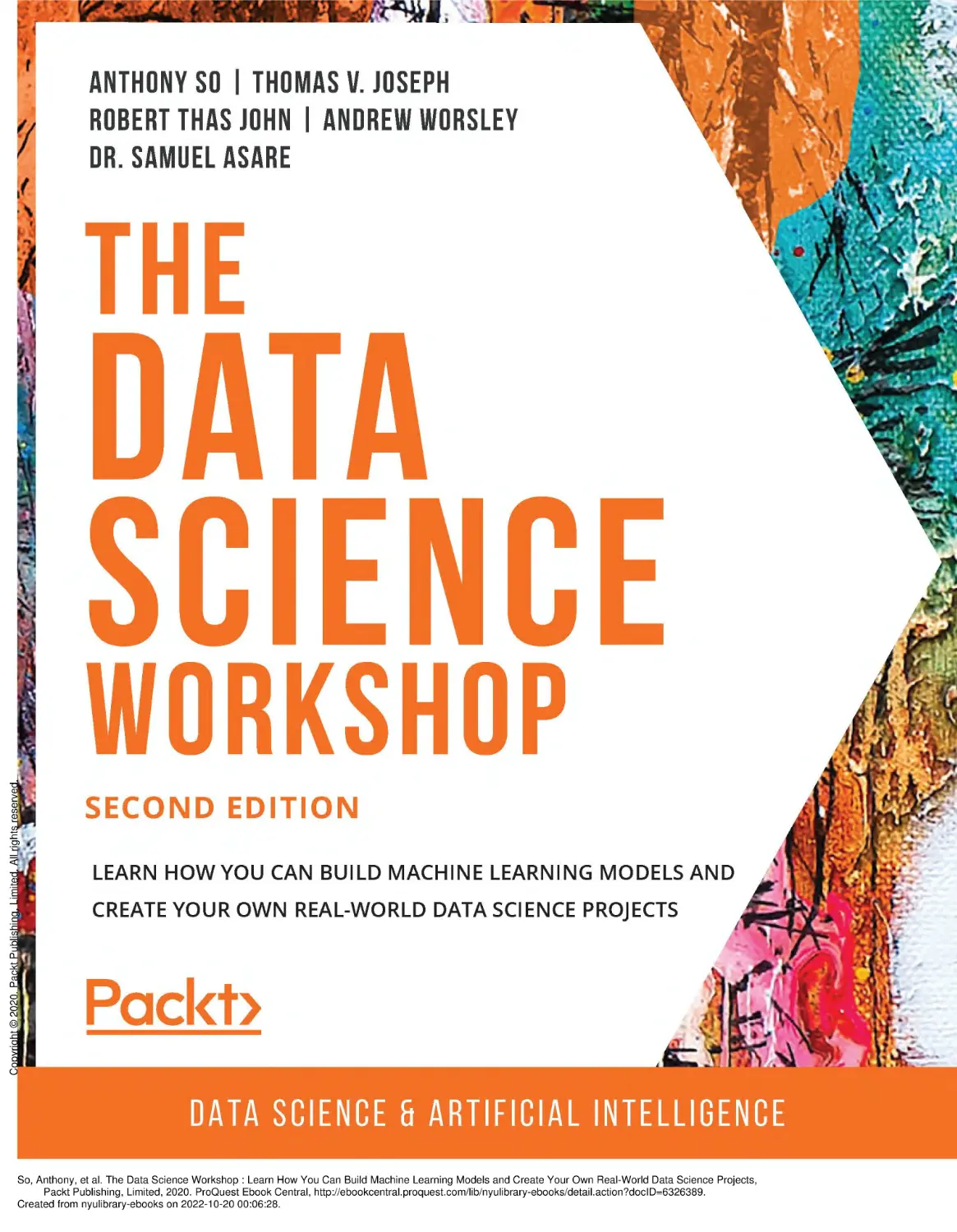


Author: So A. Joseph T.V. John R.T. Worsley A. Asare S.
Tags: programming computer science machine learning python
ISBN: 978-1-80056-692-7
Year: 2020
Similar

Text
Copyright © 2020. Packt Publishing, Limited. All rights reserved.
So, Anthony, et al. The Data Science Workshop : Learn How You Can Build Machine Learning Models and Create Your Own Real-World Data Science Projects,
Packt Publishing, Limited, 2020. ProQuest Ebook Central, http://ebookcentral.proquest.com/lib/nyulibrary-ebooks/detail.action?docID=6326389.
Created from nyulibrary-ebooks on 2022-10-20 00:06:28.
The
Data
Science
Workshop
Second Edition
Learn how you can build machine learning
Copyright © 2020. Packt Publishing, Limited. All rights reserved.
models and create your own real-world
data science projects
Anthony So, Thomas V. Joseph, Robert Thas John, Andrew Worsley,
and Dr. Samuel Asare
So, Anthony, et al. The Data Science Workshop : Learn How You Can Build Machine Learning Models and Create Your Own Real-World Data Science Projects,
Packt Publishing, Limited, 2020. ProQuest Ebook Central, http://ebookcentral.proquest.com/lib/nyulibrary-ebooks/detail.action?docID=6326389.
Created from nyulibrary-ebooks on 2022-10-20 00:06:28.
The Data Science Workshop
Second Edition
Copyright © 2020 Packt Publishing
All rights reserved. No part of this course may be reproduced, stored in a retrieval
system, or transmitted in any form or by any means, without the prior written
permission of the publisher, except in the case of brief quotations embedded in
critical articles or reviews.
Every effort has been made in the preparation of this course to ensure the accuracy
of the information presented. However, the information contained in this course
is sold without warranty, either express or implied. Neither the authors, nor Packt
Publishing, and its dealers and distributors will be held liable for any damages caused
or alleged to be caused directly or indirectly by this course.
Packt Publishing has endeavored to provide trademark information about all of the
companies and products mentioned in this course by the appropriate use of capitals.
However, Packt Publishing cannot guarantee the accuracy of this information.
Authors: Anthony So, Thomas V. Joseph, Robert Thas John, Andrew Worsley,
and Dr. Samuel Asare
Reviewers: Tianxiang Liu, Tiffany Ford, and Pritesh Tiwari
Managing Editor: Snehal Tambe
Acquisitions Editor: Sarah Lawton
Copyright © 2020. Packt Publishing, Limited. All rights reserved.
Production Editor: Salma Patel
Editorial Board: Megan Carlisle, Samuel Christa, Mahesh Dhyani, Heather Gopsill,
Manasa Kumar, Alex Mazonowicz, Monesh Mirpuri, Bridget Neale, Dominic Pereira,
Shiny Poojary, Abhishek Rane, Brendan Rodrigues, Erol Staveley, Ankita Thakur,
Nitesh Thakur, and Jonathan Wray
First published: January 2020
Second edition: August 2020
Production reference: 2030321
ISBN: 978-1-80056-692-7
Published by Packt Publishing Ltd.
Livery Place, 35 Livery Street
Birmingham B3 2PB, UK
So, Anthony, et al. The Data Science Workshop : Learn How You Can Build Machine Learning Models and Create Your Own Real-World Data Science Projects,
Packt Publishing, Limited, 2020. ProQuest Ebook Central, http://ebookcentral.proquest.com/lib/nyulibrary-ebooks/detail.action?docID=6326389.
Created from nyulibrary-ebooks on 2022-10-20 00:06:28.
Table of Contents
Preface i
Chapter 1: Introduction to Data Science in Python 1
Introduction ............................................................................................... 2
Application of Data Science ..................................................................... 3
What Is Machine Learning? .......................................................................... 4
Supervised Learning..............................................................................................4
Unsupervised Learning.........................................................................................6
Reinforcement Learning.......................................................................................7
Overview of Python .................................................................................. 7
Types of Variable ........................................................................................... 7
Numeric Variables.................................................................................................7
Text Variables.........................................................................................................8
Python List..............................................................................................................9
Copyright © 2020. Packt Publishing, Limited. All rights reserved.
Python Dictionary................................................................................................11
Exercise 1.01: Creating a Dictionary That Will Contain
Machine Learning Algorithms ................................................................... 14
Python for Data Science ........................................................................ 18
The pandas Package ................................................................................... 18
DataFrame and Series.........................................................................................18
CSV Files................................................................................................................20
Excel Spreadsheets..............................................................................................22
JSON.......................................................................................................................23
Exercise 1.02: Loading Data of Different Formats into
a pandas DataFrame .................................................................................. 24
So, Anthony, et al. The Data Science Workshop : Learn How You Can Build Machine Learning Models and Create Your Own Real-World Data Science Projects,
Packt Publishing, Limited, 2020. ProQuest Ebook Central, http://ebookcentral.proquest.com/lib/nyulibrary-ebooks/detail.action?docID=6326389.
Created from nyulibrary-ebooks on 2022-10-20 00:06:28.
Scikit-Learn ............................................................................................. 28
What Is a Model?..................................................................................................28
Model Hyperparameters....................................................................................31
The sklearn API....................................................................................................31
Exercise 1.03: Predicting Breast Cancer from
a Dataset Using sklearn ............................................................................. 34
Activity 1.01: Train a Spam Detector Algorithm ...................................... 38
Summary ................................................................................................. 39
Chapter 2: Regression 41
Introduction ............................................................................................ 42
Simple Linear Regression ...................................................................... 44
The Method of Least Squares .................................................................... 46
Multiple Linear Regression ................................................................... 47
Estimating the Regression Coefficients (β0, β1, β2 and β3) ......................... 47
Logarithmic Transformations of Variables .............................................. 47
Correlation Matrices ................................................................................... 48
Conducting Regression Analysis Using Python .................................. 48
Copyright © 2020. Packt Publishing, Limited. All rights reserved.
Exercise 2.01: Loading and Preparing the Data for Analysis ................. 49
The Correlation Coefficient ....................................................................... 57
Exercise 2.02: Graphical Investigation of Linear Relationships
Using Python ............................................................................................... 59
Exercise 2.03: Examining a Possible Log-Linear Relationship
Using Python ............................................................................................... 62
The Statsmodels formula API .................................................................... 65
Exercise 2.04: Fitting a Simple Linear Regression Model
Using the Statsmodels formula API .......................................................... 65
Analyzing the Model Summary ................................................................. 67
So, Anthony, et al. The Data Science Workshop : Learn How You Can Build Machine Learning Models and Create Your Own Real-World Data Science Projects,
Packt Publishing, Limited, 2020. ProQuest Ebook Central, http://ebookcentral.proquest.com/lib/nyulibrary-ebooks/detail.action?docID=6326389.
Created from nyulibrary-ebooks on 2022-10-20 00:06:28.
The Model Formula Language ................................................................... 68
Intercept Handling ...................................................................................... 70
Activity 2.01: Fitting a Log-Linear Model Using the
Statsmodels Formula API ........................................................................... 70
Multiple Regression Analysis ................................................................ 71
Exercise 2.05: Fitting a Multiple Linear Regression Model
Using the Statsmodels Formula API ......................................................... 72
Assumptions of Regression Analysis ................................................... 74
Activity 2.02: Fitting a Multiple Log-Linear Regression Model .............. 76
Explaining the Results of Regression Analysis ................................... 77
Regression Analysis Checks and Balances ............................................... 78
The F-test ..................................................................................................... 80
The t-test ...................................................................................................... 80
Summary ................................................................................................. 81
Chapter 3: Binary Classification 83
Introduction ............................................................................................ 84
Understanding the Business Context ................................................. 85
Copyright © 2020. Packt Publishing, Limited. All rights reserved.
Business Discovery ..................................................................................... 85
Exercise 3.01: Loading and Exploring the Data from the Dataset ........ 86
Testing Business Hypotheses Using Exploratory Data Analysis ........... 89
Visualization for Exploratory Data Analysis ............................................ 89
Exercise 3.02: Business Hypothesis Testing for Age versus
Propensity for a Term Loan ....................................................................... 94
Intuitions from the Exploratory Analysis ............................................... 100
Activity 3.01: Business Hypothesis Testing to Find Employment
Status versus Propensity for Term Deposits ......................................... 100
Feature Engineering ........................................................................... 102
So, Anthony, et al. The Data Science Workshop : Learn How You Can Build Machine Learning Models and Create Your Own Real-World Data Science Projects,
Packt Publishing, Limited, 2020. ProQuest Ebook Central, http://ebookcentral.proquest.com/lib/nyulibrary-ebooks/detail.action?docID=6326389.
Created from nyulibrary-ebooks on 2022-10-20 00:06:28.
Business-Driven Feature Engineering .................................................... 102
Exercise 3.03: Feature Engineering – Exploration of
Individual Features ................................................................................... 103
Exercise 3.04: Feature Engineering – Creating New Features
from Existing Ones ................................................................................... 109
Data-Driven Feature Engineering ...................................................... 115
A Quick Peek at Data Types and a Descriptive Summary .................... 115
Correlation Matrix and Visualization ................................................ 118
Exercise 3.05: Finding the Correlation in Data to Generate
a Correlation Plot Using Bank Data ........................................................ 118
Skewness of Data ...................................................................................... 121
Histograms ................................................................................................ 122
Density Plots .............................................................................................. 123
Other Feature Engineering Methods ...................................................... 124
Summarizing Feature Engineering ......................................................... 127
Building a Binary Classification Model Using the Logistic
Regression Function ................................................................................. 128
Logistic Regression Demystified ............................................................. 131
Copyright © 2020. Packt Publishing, Limited. All rights reserved.
Metrics for Evaluating Model Performance ........................................... 132
Confusion Matrix ...................................................................................... 133
Accuracy ..................................................................................................... 134
Classification Report ................................................................................. 135
Data Preprocessing ................................................................................... 135
Exercise 3.06: A Logistic Regression Model for Predicting
the Propensity of Term Deposit Purchases in a Bank .......................... 136
Activity 3.02: Model Iteration 2 – Logistic Regression Model
with Feature Engineered Variables ........................................................ 142
Next Steps .................................................................................................. 144
Summary ............................................................................................... 145
So, Anthony, et al. The Data Science Workshop : Learn How You Can Build Machine Learning Models and Create Your Own Real-World Data Science Projects,
Packt Publishing, Limited, 2020. ProQuest Ebook Central, http://ebookcentral.proquest.com/lib/nyulibrary-ebooks/detail.action?docID=6326389.
Created from nyulibrary-ebooks on 2022-10-20 00:06:28.
Chapter 4: Multiclass Classification
with RandomForest 147
Introduction .......................................................................................... 148
Training a Random Forest Classifier .................................................. 148
Evaluating the Model's Performance ................................................ 152
Exercise 4.01: Building a Model for Classifying Animal Type
and Assessing Its Performance ............................................................... 154
Number of Trees Estimator ..................................................................... 158
Exercise 4.02: Tuning n_estimators to Reduce Overfitting .................. 162
Maximum Depth .................................................................................. 166
Exercise 4.03: Tuning max_depth to Reduce Overfitting ..................... 168
Minimum Sample in Leaf .................................................................... 171
Exercise 4.04: Tuning min_samples_leaf ................................................ 174
Maximum Features .............................................................................. 178
Exercise 4.05: Tuning max_features ....................................................... 181
Activity 4.01: Train a Random Forest Classifier
on the ISOLET Dataset .............................................................................. 184
Copyright © 2020. Packt Publishing, Limited. All rights reserved.
Summary ............................................................................................... 186
Chapter 5: Performing Your First Cluster Analysis 189
Introduction .......................................................................................... 190
Clustering with k-means ..................................................................... 192
Exercise 5.01: Performing Your First Clustering Analysis
on the ATO Dataset .................................................................................. 194
Interpreting k-means Results ............................................................. 199
Exercise 5.02: Clustering Australian Postcodes by Business
Income and Expenses ............................................................................... 204
Choosing the Number of Clusters ..................................................... 210
So, Anthony, et al. The Data Science Workshop : Learn How You Can Build Machine Learning Models and Create Your Own Real-World Data Science Projects,
Packt Publishing, Limited, 2020. ProQuest Ebook Central, http://ebookcentral.proquest.com/lib/nyulibrary-ebooks/detail.action?docID=6326389.
Created from nyulibrary-ebooks on 2022-10-20 00:06:28.
Exercise 5.03: Finding the Optimal Number of Clusters ...................... 215
Initializing Clusters .............................................................................. 221
Exercise 5.04: Using Different Initialization Parameters
to Achieve a Suitable Outcome ............................................................... 225
Calculating the Distance to the Centroid .......................................... 230
Exercise 5.05: Finding the Closest Centroids in Our Dataset .............. 235
Standardizing Data .............................................................................. 244
Exercise 5.06: Standardizing the Data from Our Dataset .................... 250
Activity 5.01: Perform Customer Segmentation Analysis
in a Bank Using k-means .......................................................................... 254
Summary ............................................................................................... 256
Chapter 6: How to Assess Performance 259
Introduction .......................................................................................... 260
Splitting Data ........................................................................................ 260
Exercise 6.01: Importing and Splitting Data .......................................... 261
Assessing Model Performance for Regression Models ................... 266
Data Structures – Vectors and Matrices ................................................ 268
Copyright © 2020. Packt Publishing, Limited. All rights reserved.
Scalars.................................................................................................................268
Vectors................................................................................................................268
Matrices..............................................................................................................270
R2 Score ....................................................................................................... 272
Exercise 6.02: Computing the R2 Score of a Linear
Regression Model ...................................................................................... 272
Mean Absolute Error ................................................................................ 277
Exercise 6.03: Computing the MAE of a Model ...................................... 277
Exercise 6.04: Computing the Mean Absolute Error
of a Second Model .................................................................................... 281
So, Anthony, et al. The Data Science Workshop : Learn How You Can Build Machine Learning Models and Create Your Own Real-World Data Science Projects,
Packt Publishing, Limited, 2020. ProQuest Ebook Central, http://ebookcentral.proquest.com/lib/nyulibrary-ebooks/detail.action?docID=6326389.
Created from nyulibrary-ebooks on 2022-10-20 00:06:28.
Other Evaluation Metrics..................................................................................285
Assessing Model Performance for Classification Models ............... 286
Exercise 6.05: Creating a Classification Model for Computing
Evaluation Metrics .................................................................................... 287
The Confusion Matrix .......................................................................... 291
Exercise 6.06: Generating a Confusion Matrix for the
Classification Model ................................................................................. 292
More on the Confusion Matrix ............................................................... 293
Precision ..................................................................................................... 294
Exercise 6.07: Computing Precision for the Classification Model ....... 295
Recall .......................................................................................................... 296
Exercise 6.08: Computing Recall for the Classification Model ............. 297
F1 Score ...................................................................................................... 298
Exercise 6.09: Computing the F1 Score for the
Classification Model ................................................................................. 299
Accuracy ..................................................................................................... 300
Exercise 6.10: Computing Model Accuracy for the
Classification Model ................................................................................. 300
Copyright © 2020. Packt Publishing, Limited. All rights reserved.
Logarithmic Loss ....................................................................................... 301
Exercise 6.11: Computing the Log Loss for the
Classification Model ................................................................................. 302
Receiver Operating Characteristic Curve .......................................... 303
Exercise 6.12: Computing and Plotting ROC Curve for
a Binary Classification Problem .............................................................. 303
Area Under the ROC Curve ................................................................. 310
Exercise 6.13: Computing the ROC AUC for the
Caesarian Dataset ..................................................................................... 311
Saving and Loading Models ................................................................ 312
Exercise 6.14: Saving and Loading a Model ........................................... 313
So, Anthony, et al. The Data Science Workshop : Learn How You Can Build Machine Learning Models and Create Your Own Real-World Data Science Projects,
Packt Publishing, Limited, 2020. ProQuest Ebook Central, http://ebookcentral.proquest.com/lib/nyulibrary-ebooks/detail.action?docID=6326389.
Created from nyulibrary-ebooks on 2022-10-20 00:06:28.
Activity 6.01: Train Three Different Models and Use
Evaluation Metrics to Pick the Best Performing Model ....................... 316
Summary ............................................................................................... 318
Chapter 7: The Generalization of Machine
Learning Models 321
Introduction .......................................................................................... 322
Overfitting ............................................................................................. 322
Training on Too Many Features .............................................................. 322
Training for Too Long ............................................................................... 323
Underfitting .......................................................................................... 324
Data ....................................................................................................... 324
The Ratio for Dataset Splits ..................................................................... 324
Creating Dataset Splits ............................................................................. 325
Exercise 7.01: Importing and Splitting Data .......................................... 326
Random State ....................................................................................... 331
Exercise 7.02: Setting a Random State When Splitting Data ............... 332
Cross-Validation ................................................................................... 334
Copyright © 2020. Packt Publishing, Limited. All rights reserved.
KFold ........................................................................................................... 335
Exercise 7.03: Creating a Five-Fold Cross-Validation Dataset .............. 335
Exercise 7.04: Creating a Five-Fold Cross-Validation Dataset
Using a Loop for Calls ............................................................................... 338
cross_val_score ..................................................................................... 342
Exercise 7.05: Getting the Scores from Five-Fold Cross-Validation .... 343
Understanding Estimators That Implement CV .................................... 346
LogisticRegressionCV ........................................................................... 347
Exercise 7.06: Training a Logistic Regression Model Using
Cross-Validation ........................................................................................ 347
So, Anthony, et al. The Data Science Workshop : Learn How You Can Build Machine Learning Models and Create Your Own Real-World Data Science Projects,
Packt Publishing, Limited, 2020. ProQuest Ebook Central, http://ebookcentral.proquest.com/lib/nyulibrary-ebooks/detail.action?docID=6326389.
Created from nyulibrary-ebooks on 2022-10-20 00:06:28.
Hyperparameter Tuning with GridSearchCV .................................... 351
Decision Trees ........................................................................................... 351
Exercise 7.07: Using Grid Search with Cross-Validation
to Find the Best Parameters for a Model ............................................... 357
Hyperparameter Tuning with RandomizedSearchCV ..................... 363
Exercise 7.08: Using Randomized Search for
Hyperparameter Tuning .......................................................................... 363
Model Regularization with Lasso Regression ................................... 368
Exercise 7.09: Fixing Model Overfitting Using Lasso Regression ........ 368
Ridge Regression .................................................................................. 379
Exercise 7.10: Fixing Model Overfitting Using Ridge Regression ........ 379
Activity 7.01: Find an Optimal Model for Predicting the Critical
Temperatures of Superconductors ........................................................ 389
Summary ............................................................................................... 391
Chapter 8 Hyperparameter Tuning 393
Introduction .......................................................................................... 394
What Are Hyperparameters? .............................................................. 394
Copyright © 2020. Packt Publishing, Limited. All rights reserved.
Difference between Hyperparameters and Statistical
Model Parameters .................................................................................... 395
Setting Hyperparameters ........................................................................ 396
A Note on Defaults .................................................................................... 398
Finding the Best Hyperparameterization ......................................... 399
Exercise 8.01: Manual Hyperparameter Tuning
for a k-NN Classifier .................................................................................. 399
Advantages and Disadvantages of a Manual Search ........................... 403
Tuning Using Grid Search .................................................................... 403
Simple Demonstration of the Grid Search Strategy ............................. 404
GridSearchCV ........................................................................................ 409
So, Anthony, et al. The Data Science Workshop : Learn How You Can Build Machine Learning Models and Create Your Own Real-World Data Science Projects,
Packt Publishing, Limited, 2020. ProQuest Ebook Central, http://ebookcentral.proquest.com/lib/nyulibrary-ebooks/detail.action?docID=6326389.
Created from nyulibrary-ebooks on 2022-10-20 00:06:28.
Tuning using GridSearchCV ..................................................................... 409
Support Vector Machine (SVM) Classifiers......................................................413
Exercise 8.02: Grid Search Hyperparameter Tuning for an SVM ......... 414
Advantages and Disadvantages of Grid Search .................................... 418
Random Search .................................................................................... 418
Random Variables and Their Distributions ........................................... 419
Simple Demonstration of the Random Search Process ....................... 424
Tuning Using RandomizedSearchCV ....................................................... 430
Exercise 8.03: Random Search Hyperparameter Tuning
for a Random Forest Classifier ................................................................ 432
Advantages and Disadvantages of a Random Search .......................... 437
Activity 8.01: Is the Mushroom Poisonous? ........................................... 438
Summary ............................................................................................... 440
Chapter 9: Interpreting a Machine Learning Model 443
Introduction .......................................................................................... 444
Linear Model Coefficients ................................................................... 445
Exercise 9.01: Extracting the Linear Regression Coefficient ............... 447
Copyright © 2020. Packt Publishing, Limited. All rights reserved.
RandomForest Variable Importance ................................................. 454
Exercise 9.02: Extracting RandomForest Feature Importance ............ 458
Variable Importance via Permutation ............................................... 463
Exercise 9.03: Extracting Feature Importance via Permutation ......... 467
Partial Dependence Plots ................................................................... 471
Exercise 9.04: Plotting Partial Dependence ........................................... 474
Local Interpretation with LIME .......................................................... 478
Exercise 9.05: Local Interpretation with LIME ....................................... 482
Activity 9.01: Train and Analyze a Network Intrusion
Detection Model ........................................................................................ 486
So, Anthony, et al. The Data Science Workshop : Learn How You Can Build Machine Learning Models and Create Your Own Real-World Data Science Projects,
Packt Publishing, Limited, 2020. ProQuest Ebook Central, http://ebookcentral.proquest.com/lib/nyulibrary-ebooks/detail.action?docID=6326389.
Created from nyulibrary-ebooks on 2022-10-20 00:06:28.
Summary ............................................................................................... 487
Chapter 10: Analyzing a Dataset 491
Introduction .......................................................................................... 492
Exploring Your Data ............................................................................. 493
Analyzing Your Dataset ....................................................................... 497
Exercise 10.01: Exploring the Ames Housing Dataset
with Descriptive Statistics ........................................................................ 500
Analyzing the Content of a Categorical Variable ............................. 504
Exercise 10.02: Analyzing the Categorical Variables from
the Ames Housing Dataset ...................................................................... 506
Summarizing Numerical Variables .................................................... 510
Exercise 10.03: Analyzing Numerical Variables from
the Ames Housing Dataset ...................................................................... 514
Visualizing Your Data ........................................................................... 517
Using the Altair API ................................................................................... 518
Histogram for Numerical Variables ........................................................ 524
Bar Chart for Categorical Variables ....................................................... 527
Copyright © 2020. Packt Publishing, Limited. All rights reserved.
Boxplots ................................................................................................ 530
Exercise 10.04: Visualizing the Ames Housing Dataset with Altair ..... 533
Activity 10.01: Analyzing Churn Data Using Visual
Data Analysis Techniques ........................................................................ 543
Summary ............................................................................................... 546
Chapter 11: Data Preparation 549
Introduction .......................................................................................... 550
Handling Row Duplication .................................................................. 550
Exercise 11.01: Handling Duplicates in a Breast Cancer Dataset ....... 558
So, Anthony, et al. The Data Science Workshop : Learn How You Can Build Machine Learning Models and Create Your Own Real-World Data Science Projects,
Packt Publishing, Limited, 2020. ProQuest Ebook Central, http://ebookcentral.proquest.com/lib/nyulibrary-ebooks/detail.action?docID=6326389.
Created from nyulibrary-ebooks on 2022-10-20 00:06:28.
Converting Data Types ........................................................................ 562
Exercise 11.02: Converting Data Types for the Ames
Housing Dataset ........................................................................................ 566
Handling Incorrect Values .................................................................. 572
Exercise 11.03: Fixing Incorrect Values in the State Column ............... 575
Handling Missing Values ..................................................................... 582
Exercise 11.04: Fixing Missing Values for the Horse Colic Dataset ..... 587
Activity 11.01: Preparing the Speed Dating Dataset ............................. 592
Summary ............................................................................................... 597
Chapter 12: Feature Engineering 599
Introduction .......................................................................................... 600
Merging Datasets ...................................................................................... 601
The Left Join........................................................................................................604
The Right Join.....................................................................................................606
Exercise 12.01: Merging the ATO Dataset with the Postcode Data .... 609
Binning Variables ...................................................................................... 614
Copyright © 2020. Packt Publishing, Limited. All rights reserved.
Exercise 12.02: Binning the YearBuilt Variable from the
AMES Housing Dataset ............................................................................. 617
Manipulating Dates .................................................................................. 621
Exercise 12.03: Date Manipulation on Financial Services
Consumer Complaints .............................................................................. 626
Performing Data Aggregation ................................................................. 632
Exercise 12.04: Feature Engineering Using Data Aggregation
on the AMES Housing Dataset ................................................................. 638
Activity 12.01: Feature Engineering on a Financial Dataset ................ 643
Summary .................................................................................................... 645
So, Anthony, et al. The Data Science Workshop : Learn How You Can Build Machine Learning Models and Create Your Own Real-World Data Science Projects,
Packt Publishing, Limited, 2020. ProQuest Ebook Central, http://ebookcentral.proquest.com/lib/nyulibrary-ebooks/detail.action?docID=6326389.
Created from nyulibrary-ebooks on 2022-10-20 00:06:28.
Chapter 13: Imbalanced Datasets 647
Introduction .......................................................................................... 648
Understanding the Business Context ............................................... 648
Exercise 13.01: Benchmarking the Logistic Regression
Model on the Dataset ............................................................................... 649
Analysis of the Result ............................................................................... 654
Challenges of Imbalanced Datasets .................................................. 656
Strategies for Dealing with Imbalanced Datasets ........................... 658
Collecting More Data ................................................................................ 658
Resampling Data ....................................................................................... 659
Exercise 13.02: Implementing Random Undersampling and
Classification on Our Banking Dataset to Find
the Optimal Result .................................................................................... 660
Analysis ...................................................................................................... 666
Generating Synthetic Samples ........................................................... 667
Implementation of SMOTE and MSMOTE .............................................. 668
Copyright © 2020. Packt Publishing, Limited. All rights reserved.
Exercise 13.03: Implementing SMOTE on Our Banking
Dataset to Find the Optimal Result ........................................................ 669
Exercise 13.04: Implementing MSMOTE on Our Banking
Dataset to Find the Optimal Result ........................................................ 673
Applying Balancing Techniques on a Telecom Dataset ........................ 676
Activity 13.01: Finding the Best Balancing Technique by
Fitting a Classifier on the Telecom Churn Dataset ............................... 677
Summary ............................................................................................... 680
Chapter 14: Dimensionality Reduction 683
Introduction .......................................................................................... 684
Business Context ...................................................................................... 685
Exercise 14.01: Loading and Cleaning the Dataset ............................... 685
So, Anthony, et al. The Data Science Workshop : Learn How You Can Build Machine Learning Models and Create Your Own Real-World Data Science Projects,
Packt Publishing, Limited, 2020. ProQuest Ebook Central, http://ebookcentral.proquest.com/lib/nyulibrary-ebooks/detail.action?docID=6326389.
Created from nyulibrary-ebooks on 2022-10-20 00:06:28.
Creating a High-Dimensional Dataset ............................................... 693
Activity 14.01: Fitting a Logistic Regression Model
on a HighDimensional Dataset ............................................................... 694
Strategies for Addressing High-Dimensional Datasets ................... 697
Backward Feature Elimination (Recursive Feature Elimination) ........ 698
Exercise 14.02: Dimensionality Reduction Using Backward
Feature Elimination .................................................................................. 699
Forward Feature Selection ....................................................................... 706
Exercise 14.03: Dimensionality Reduction Using Forward
Feature Selection ...................................................................................... 707
Principal Component Analysis (PCA) ...................................................... 712
Exercise 14.04: Dimensionality Reduction Using PCA .......................... 716
Independent Component Analysis (ICA) ................................................ 723
Exercise 14.05: Dimensionality Reduction Using Independent
Component Analysis ................................................................................. 723
Factor Analysis .......................................................................................... 728
Exercise 14.06: Dimensionality Reduction Using Factor Analysis ....... 729
Comparing Different Dimensionality Reduction Techniques ........ 735
Copyright © 2020. Packt Publishing, Limited. All rights reserved.
Activity 14.02: Comparison of Dimensionality Reduction
Techniques on the Enhanced Ads Dataset ............................................ 737
Summary ............................................................................................... 740
Chapter 15: Ensemble Learning 743
Introduction .......................................................................................... 744
Ensemble Learning .............................................................................. 744
Variance ..................................................................................................... 745
Bias ............................................................................................................. 745
Business Context ...................................................................................... 746
Exercise 15.01: Loading, Exploring, and Cleaning the Data ................. 746
So, Anthony, et al. The Data Science Workshop : Learn How You Can Build Machine Learning Models and Create Your Own Real-World Data Science Projects,
Packt Publishing, Limited, 2020. ProQuest Ebook Central, http://ebookcentral.proquest.com/lib/nyulibrary-ebooks/detail.action?docID=6326389.
Created from nyulibrary-ebooks on 2022-10-20 00:06:28.
Activity 15.01: Fitting a Logistic Regression Model
on Credit Card Data .................................................................................. 753
Simple Methods for Ensemble Learning ........................................... 754
Averaging ................................................................................................... 755
Exercise 15.02: Ensemble Model Using the Averaging Technique ...... 756
Weighted Averaging ................................................................................. 760
Exercise 15.03: Ensemble Model Using the Weighted
Averaging Technique ................................................................................ 760
Iteration 2 with Different Weights...................................................................763
Max Voting..........................................................................................................765
Exercise 15.04: Ensemble Model Using Max Voting .............................. 766
Advanced Techniques for Ensemble Learning ................................. 768
Bagging ....................................................................................................... 769
Exercise 15.05: Ensemble Learning Using Bagging ............................... 771
Boosting ..................................................................................................... 773
Exercise 15.06: Ensemble Learning Using Boosting .............................. 774
Stacking ...................................................................................................... 776
Exercise 15.07: Ensemble Learning Using Stacking .............................. 778
Copyright © 2020. Packt Publishing, Limited. All rights reserved.
Activity 15.02: Comparison of Advanced Ensemble Techniques ......... 780
Summary ............................................................................................... 783
Index 787z
So, Anthony, et al. The Data Science Workshop : Learn How You Can Build Machine Learning Models and Create Your Own Real-World Data Science Projects,
Packt Publishing, Limited, 2020. ProQuest Ebook Central, http://ebookcentral.proquest.com/lib/nyulibrary-ebooks/detail.action?docID=6326389.
Created from nyulibrary-ebooks on 2022-10-20 00:06:28.
Copyright © 2020. Packt Publishing, Limited. All rights reserved.
So, Anthony, et al. The Data Science Workshop : Learn How You Can Build Machine Learning Models and Create Your Own Real-World Data Science Projects,
Packt Publishing, Limited, 2020. ProQuest Ebook Central, http://ebookcentral.proquest.com/lib/nyulibrary-ebooks/detail.action?docID=6326389.
Created from nyulibrary-ebooks on 2022-10-20 00:06:28.
Copyright © 2020. Packt Publishing, Limited. All rights reserved.
Preface
So, Anthony, et al. The Data Science Workshop : Learn How You Can Build Machine Learning Models and Create Your Own Real-World Data Science Projects,
Packt Publishing, Limited, 2020. ProQuest Ebook Central, http://ebookcentral.proquest.com/lib/nyulibrary-ebooks/detail.action?docID=6326389.
Created from nyulibrary-ebooks on 2022-10-20 00:06:28.
ii | Preface
About the Book
Where there's data, there's insight. With so much data being generated, there is
immense scope to extract meaningful information that'll boost business productivity
and profitability. By learning to convert raw data into game-changing insights, you'll
open new career paths and opportunities.
The Data Science Workshop, Second Edition, begins by introducing different types of
projects and showing you how to incorporate machine learning algorithms in them.
You'll learn to select a relevant metric and even assess the performance of your
model. To tune the hyperparameters of an algorithm and improve its accuracy,
you'll get hands-on with approaches such as grid search and random search.
Finally, you'll learn dimensionality reduction techniques to easily handle many
variables at once, before exploring how to use model ensembling techniques
and create new features to enhance model performance.
By the end of this book, you'll have the skills to start working on data science
projects confidently.
Audience
Copyright © 2020. Packt Publishing, Limited. All rights reserved.
This is one of the most useful data science books for aspiring data analysts, data
scientists, database engineers, and business analysts. It is aimed at those who want
to kick-start their careers in data science by quickly learning data science techniques
without going through all the mathematics behind machine learning algorithms.
Basic knowledge of the Python programming language will help you easily grasp the
concepts explained in this book.
About the Chapters
Chapter 1, Introduction to Data Science in Python, will introduce you to the field of
data science and walk you through an overview of Python's core concepts and their
application in the world of data science.
Chapter 2, Regression, will acquaint you with linear regression analysis and its
application to practical problem solving in data science.
Chapter 3, Binary Classification, will teach you a supervised learning technique called
classification to generate business outcomes.
So, Anthony, et al. The Data Science Workshop : Learn How You Can Build Machine Learning Models and Create Your Own Real-World Data Science Projects,
Packt Publishing, Limited, 2020. ProQuest Ebook Central, http://ebookcentral.proquest.com/lib/nyulibrary-ebooks/detail.action?docID=6326389.
Created from nyulibrary-ebooks on 2022-10-20 00:06:28.
About the Book | iii
Chapter 4, Multiclass Classification with RandomForest, will show you how to train a
multiclass classifier using the Random Forest algorithm.
Chapter 5, Performing Your First Cluster Analysis, will introduce you to unsupervised
learning tasks, where algorithms have to automatically learn patterns from data by
themselves as no target variables are defined beforehand.
Chapter 6, How to Assess Performance, will teach you to evaluate a model and assess its
performance before you decide to put it into production.
Chapter 7, The Generalization of Machine Learning Models, will teach you how to make
best use of your data to train better models, by either splitting the data or making use
of cross-validation.
Chapter 8, Hyperparameter Tuning, will guide you to find further predictive
performance improvements via the systematic evaluation of estimators with
different hyperparameters.
Chapter 9, Interpreting a Machine Learning Model, will show you how to interpret a
machine learning model's results and get deeper insights into the patterns it found.
Chapter 10, Analyzing a Dataset, will introduce you to the art of performing exploratory
data analysis and visualizing the data in order to identify quality issues, potential data
transformations, and interesting patterns.
Chapter 11, Data Preparation, will present the main techniques you can use to
handle data issues in order to ensure your data is of a high enough quality for
successful modeling.
Copyright © 2020. Packt Publishing, Limited. All rights reserved.
Chapter 12, Feature Engineering, will teach you some of the key techniques for creating
new variables on an existing dataset.
Chapter 13, Imbalanced Datasets, will equip you to identify use cases where
datasets are likely to be imbalanced, and formulate strategies for dealing with
imbalanced datasets.
Chapter 14, Dimensionality Reduction, will show how to analyze datasets with high
dimensions and deal with the challenges posed by these datasets.
So, Anthony, et al. The Data Science Workshop : Learn How You Can Build Machine Learning Models and Create Your Own Real-World Data Science Projects,
Packt Publishing, Limited, 2020. ProQuest Ebook Central, http://ebookcentral.proquest.com/lib/nyulibrary-ebooks/detail.action?docID=6326389.
Created from nyulibrary-ebooks on 2022-10-20 00:06:28.
iv | Preface
Chapter 15, Ensemble Learning, will teach you to apply different ensemble learning
techniques to your dataset.
Note
There are also three bonus chapters, Chapter 16, Machine Learning
Pipelines, Chapter 17, Automated Feature Engineering, and Chapter 18,
Model as a Service with Flask, which you can find at http://packt.live/2ZagB9y.
Conventions
Code words in text, database table names, folder names, filenames, file extensions,
path names, dummy URLs, user input, and Twitter handles are shown as follows:
"sklearn has a class called train_test_split, which provides the functionality
for splitting data."
Words that you see on the screen, for example, in menus or dialog boxes, also appear
in the same format.
A block of code is set as follows:
import pandas as pd
from sklearn.model_selection import train_test_split
New terms and important words are shown like this:
Copyright © 2020. Packt Publishing, Limited. All rights reserved.
"A dictionary contains multiple elements, like a list, but each element is organized as
a key-value pair."
Code Presentation
Lines of code that span multiple lines are split using a backslash ( \ ). When the code
is executed, Python will ignore the backslash, and treat the code on the next line as a
direct continuation of the current line.
For example:
history = model.fit(X, y, epochs=100, batch_size=5, verbose=1, \
validation_split=0.2, shuffle=False)
So, Anthony, et al. The Data Science Workshop : Learn How You Can Build Machine Learning Models and Create Your Own Real-World Data Science Projects,
Packt Publishing, Limited, 2020. ProQuest Ebook Central, http://ebookcentral.proquest.com/lib/nyulibrary-ebooks/detail.action?docID=6326389.
Created from nyulibrary-ebooks on 2022-10-20 00:06:28.
About the Book | v
Comments are added into code to help explain specific bits of logic. Single-line
comments are denoted using the # symbol, as follows:
# Print the sizes of the datasets
print("Number of Examples in the Dataset = ", X.shape[0])
print("Number of Features for each example = ", X.shape[1])
Multi-line comments are enclosed by triple quotes, as shown below:
"""
Define a seed for the random number generator to ensure the
result will be reproducible
"""
seed = 1
np.random.seed(seed)
random.set_seed(seed)
Setting up Your Environment
Before we explore the book in detail, we need to set up specific software and tools.
In the following section, we shall see how to do that.
Copyright © 2020. Packt Publishing, Limited. All rights reserved.
How to Set Up Google Colab
There are many integrated development environments (IDE) for Python. The most
popular one for running data science projects is Jupyter Notebook from Anaconda
but this is not the one we are recommending for this book. As you are starting your
journey into data science, rather than asking you to setup a Python environment
from scratch, we think it is better for you to use a plug-and-play solution so that you
can fully focus on learning the concepts we are presenting in this book. We want to
remove as many difficulties as we can and ensure your first step into data science is
as straightforward as possible.
Luckily such a tool does exist, and it is called Google Colab. It is a free tool provided
by Google that is run on the cloud, so you don't need to buy a new laptop or
computer or upgrade its specs. The other benefit of using Colab is most of the Python
packages we are using in this book are already installed so you can use them straight
away. The only thing you need is a Google account. If you don't have one, you can
create one here: https://packt.live/37mea5X.
So, Anthony, et al. The Data Science Workshop : Learn How You Can Build Machine Learning Models and Create Your Own Real-World Data Science Projects,
Packt Publishing, Limited, 2020. ProQuest Ebook Central, http://ebookcentral.proquest.com/lib/nyulibrary-ebooks/detail.action?docID=6326389.
Created from nyulibrary-ebooks on 2022-10-20 00:06:28.
vi | Preface
Then, you will need to subscribe to the Colab service:
1. First, log into Google Drive: https://packt.live/2TM1v8w
2. Then, go to the following url: https://packt.live/2NKaAuP
You should see the following screen:
Figure 0.1: Google Colab Introduction page
Copyright © 2020. Packt Publishing, Limited. All rights reserved.
3. Then, you can click on NEW PYTHON 3 NOTEBOOK and you should see a new
Colab notebook
Figure 0.2: New Colab notebook
You just added Google Colab to your Google account and now you are ready to write
and execute your own Python code.
So, Anthony, et al. The Data Science Workshop : Learn How You Can Build Machine Learning Models and Create Your Own Real-World Data Science Projects,
Packt Publishing, Limited, 2020. ProQuest Ebook Central, http://ebookcentral.proquest.com/lib/nyulibrary-ebooks/detail.action?docID=6326389.
Created from nyulibrary-ebooks on 2022-10-20 00:06:28.
About the Book | vii
How to Use Google Colab
Now that you have added Google Colab to your account, let's see how to use it.
Google Colab is very similar to Jupyter Notebook. It is actually based on Jupyter,
but run on Google servers with additional integrations with their services such as
Google Drive.
To open a new Colab notebook, you need to login into your Google Drive account and
then click on + New icon:
Figure 0.3: Option to open new notebook
Copyright © 2020. Packt Publishing, Limited. All rights reserved.
On the menu displayed, select More and then Google Colaboratory
Figure 0.4: Option to open Colab notebook from Google Drive
So, Anthony, et al. The Data Science Workshop : Learn How You Can Build Machine Learning Models and Create Your Own Real-World Data Science Projects,
Packt Publishing, Limited, 2020. ProQuest Ebook Central, http://ebookcentral.proquest.com/lib/nyulibrary-ebooks/detail.action?docID=6326389.
Created from nyulibrary-ebooks on 2022-10-20 00:06:28.
viii | Preface
A new Colab notebook will be created.
Figure 0.5: New Colab notebook
A Colab notebook is an interactive IDE where you can run Python code or add text
using cells. A cell is a container where you will add your lines of code or any text
information related to your project. In each cell, you can put as many lines of code
or text as you want. A cell can display the output of your code after running it, so it
is a very powerful way of testing and checking the results of your work. It is a good
practice to not overload each cell with tons of code. Try to split it into multiple cells
so you will be able to run them independently and check step by step if your code
is working.
Let us now see how we can write some Python code in a cell and run it. A cell is
composed of 4 main parts:
1. The text box where you will write your code
2. The Run button for running your code
Copyright © 2020. Packt Publishing, Limited. All rights reserved.
3. The options menu that will provide additional functionalities
4. The output display
Figure 0.6: Parts of the Colab notebook cell
So, Anthony, et al. The Data Science Workshop : Learn How You Can Build Machine Learning Models and Create Your Own Real-World Data Science Projects,
Packt Publishing, Limited, 2020. ProQuest Ebook Central, http://ebookcentral.proquest.com/lib/nyulibrary-ebooks/detail.action?docID=6326389.
Created from nyulibrary-ebooks on 2022-10-20 00:06:28.
About the Book | ix
In this preceding example, we just wrote a simple line of code that adds 2 to 3. Now,
we either need to click on the Run button or use the shortcut Ctrl + Enter to run the
code. The result will then be displayed below the cell. If your code breaks (when there
is an error), the error message will be displayed below the cell:
Figure 0.7: Error message on Google Colab
As you can see, we tried to add an integer to a string which is not possible as their
data types are not compatible and this is exactly what this error message is telling us.
To add a new cell, you just need to click on either + Code or + Text on the option
bar at the top:
Copyright © 2020. Packt Publishing, Limited. All rights reserved.
Figure 0.8: New cell button
If you add a new Text cell, you have access to specific options for editing your text
such as bold, italic, and hypertext links and so on:
Figure 0.9: Different options on cell
So, Anthony, et al. The Data Science Workshop : Learn How You Can Build Machine Learning Models and Create Your Own Real-World Data Science Projects,
Packt Publishing, Limited, 2020. ProQuest Ebook Central, http://ebookcentral.proquest.com/lib/nyulibrary-ebooks/detail.action?docID=6326389.
Created from nyulibrary-ebooks on 2022-10-20 00:06:28.
x | Preface
This type of cell is actually Markdown compatible. So, you can easily create a title,
sub-title, bullet points and so on. Here is a link for learning more about the Markdown
options: https://packt.live/2NVgVDT.
With the cell option menu, you can delete a cell or move it up or down in
the notebook:
Figure 0.10: Cell options
If you need to install a specific Python package that is not available in Google Colab,
you just need to run a cell with the following syntax:
!pip install <package_name>
Note
The '!' is a magic command to run shell commands.
Copyright © 2020. Packt Publishing, Limited. All rights reserved.
Figure 0.11: Using "!" command
You just learnt the main functionalities provided by Google Colab for running Python
code. There are many more functionalities available, but you now know enough for
going through the contents of this book.
So, Anthony, et al. The Data Science Workshop : Learn How You Can Build Machine Learning Models and Create Your Own Real-World Data Science Projects,
Packt Publishing, Limited, 2020. ProQuest Ebook Central, http://ebookcentral.proquest.com/lib/nyulibrary-ebooks/detail.action?docID=6326389.
Created from nyulibrary-ebooks on 2022-10-20 00:06:28.
About the Book | xi
Accessing the Code Files
You can find the complete code files of this book at https://packt.live/2ucwsId.
You can also run many activities and exercises directly in your web browser
by using the interactive lab environment at https://packt.live/3gfsH76.
We've tried to support interactive versions of all activities and exercises, but we
recommend executing the code on Google Colab as well for instances where this
support isn't available.
The high-quality color images used in book can be found at https://packt.live/30O91Bd.
Copyright © 2020. Packt Publishing, Limited. All rights reserved.
If you have any issues or questions about installation, please email us at
workshops@packt.com.
So, Anthony, et al. The Data Science Workshop : Learn How You Can Build Machine Learning Models and Create Your Own Real-World Data Science Projects,
Packt Publishing, Limited, 2020. ProQuest Ebook Central, http://ebookcentral.proquest.com/lib/nyulibrary-ebooks/detail.action?docID=6326389.
Created from nyulibrary-ebooks on 2022-10-20 00:06:28.
Copyright © 2020. Packt Publishing, Limited. All rights reserved.
So, Anthony, et al. The Data Science Workshop : Learn How You Can Build Machine Learning Models and Create Your Own Real-World Data Science Projects,
Packt Publishing, Limited, 2020. ProQuest Ebook Central, http://ebookcentral.proquest.com/lib/nyulibrary-ebooks/detail.action?docID=6326389.
Created from nyulibrary-ebooks on 2022-10-20 00:06:28.
1
Introduction to Data Science
in Python
Copyright © 2020. Packt Publishing, Limited. All rights reserved.
Overview
This very first chapter will introduce you to the field of data science and walk
you through an overview of Python's core concepts and their application in
the world of data science.
By the end of this chapter, you will be able to explain what data science is
and distinguish between supervised and unsupervised learning. You will
also be able to explain what machine learning is and distinguish between
regression, classification, and clustering problems. You'll have learnt to
create and manipulate different types of Python variable, including core
variables, lists, and dictionaries. You'll be able to build a for loop, print
results using f-strings, define functions, import Python packages and load
data in different formats using pandas. You will also have had your first
taste of training a model using scikit-learn.
So, Anthony, et al. The Data Science Workshop : Learn How You Can Build Machine Learning Models and Create Your Own Real-World Data Science Projects,
Packt Publishing, Limited, 2020. ProQuest Ebook Central, http://ebookcentral.proquest.com/lib/nyulibrary-ebooks/detail.action?docID=6326389.
Created from nyulibrary-ebooks on 2022-10-20 00:06:28.
2 | Introduction to Data Science in Python
Introduction
Welcome to the fascinating world of data science! We are sure you must be pretty
excited to start your journey and learn interesting and exciting techniques and
algorithms. This is exactly what this book is intended for.
But before diving into it, let's define what data science is: it is a combination of
multiple disciplines, including business, statistics, and programming, that intends to
extract meaningful insights from data by running controlled experiments similar to
scientific research.
The objective of any data science project is to derive valuable knowledge for the
business from data in order to make better decisions. It is the responsibility of data
scientists to define the goals to be achieved for a project. This requires business
knowledge and expertise. In this book, you will be exposed to some examples of data
science tasks from real-world datasets.
Copyright © 2020. Packt Publishing, Limited. All rights reserved.
Statistics is a mathematical field used for analyzing and finding patterns from
data. A lot of the newest and most advanced techniques still rely on core statistical
approaches. This book will present to you the basic techniques required to
understand the concepts we will be covering.
With an exponential increase in data generation, more computational power
is required for processing it efficiently. This is the reason why programming is
a required skill for data scientists. You may wonder why we chose Python for
this Workshop. That's because Python is one of the most popular programming
languages for data science. It is extremely easy to learn how to code in Python
thanks to its simple and easily readable syntax. It also has an incredible number of
packages available to anyone for free, such as pandas, scikit-learn, TensorFlow, and
PyTorch. Its community is expanding at an incredible rate, adding more and more
new functionalities and improving its performance and reliability. It's no wonder
companies such as Facebook, Airbnb, and Google are using it as one of their main
stacks. No prior knowledge of Python is required for this book. If you do have
some experience with Python or other programming languages, then this will be
an advantage, but all concepts will be fully explained, so don't worry if you are new
to programming.
So, Anthony, et al. The Data Science Workshop : Learn How You Can Build Machine Learning Models and Create Your Own Real-World Data Science Projects,
Packt Publishing, Limited, 2020. ProQuest Ebook Central, http://ebookcentral.proquest.com/lib/nyulibrary-ebooks/detail.action?docID=6326389.
Created from nyulibrary-ebooks on 2022-10-20 00:06:28.
Application of Data Science | 3
Application of Data Science
As mentioned in the introduction, data science is a multidisciplinary approach to
analyzing and identifying complex patterns and extracting valuable insights from
data. Running a data science project usually involves multiple steps, including
the following:
1. Defining the business problem to be solved
2. Collecting or extracting existing data
3. Analyzing, visualizing, and preparing data
4. Training a model to spot patterns in data and make predictions
5. Assessing a model's performance and making improvements
6. Communicating and presenting findings and gained insights
7. Deploying and maintaining a model
Copyright © 2020. Packt Publishing, Limited. All rights reserved.
As its name implies, data science projects require data, but it is actually more
important to have defined a clear business problem to solve first. If it's not framed
correctly, a project may lead to incorrect results as you may have used the wrong
information, not prepared the data properly, or led a model to learn the wrong
patterns. So, it is absolutely critical to properly define the scope and objective of a
data science project with your stakeholders.
There are a lot of data science applications in real-world situations or in business
environments. For example, healthcare providers may train a model for predicting
a medical outcome or its severity based on medical measurements, or a high school
may want to predict which students are at risk of dropping out within a year's time
based on their historical grades and past behaviors. Corporations may be interested
to know the likelihood of a customer buying a certain product based on his or her
past purchases. They may also need to better understand which customers are more
likely to stop using existing services and churn. These are examples where data
science can be used to achieve a clearly defined goal, such as increasing the number
of patients detected with a heart condition at an early stage or reducing the number
of customers canceling their subscriptions after six months. That sounds exciting,
right? Soon enough, you will be working on such interesting projects.
So, Anthony, et al. The Data Science Workshop : Learn How You Can Build Machine Learning Models and Create Your Own Real-World Data Science Projects,
Packt Publishing, Limited, 2020. ProQuest Ebook Central, http://ebookcentral.proquest.com/lib/nyulibrary-ebooks/detail.action?docID=6326389.
Created from nyulibrary-ebooks on 2022-10-20 00:06:28.
4 | Introduction to Data Science in Python
What Is Machine Learning?
When we mention data science, we usually think about machine learning, and some
people may not understand the difference between them. Machine learning is the
field of building algorithms that can learn patterns by themselves without being
programmed explicitly. So machine learning is a family of techniques that can be used
at the modeling stage of a data science project.
Machine learning is composed of three different types of learning:
• Supervised learning
• Unsupervised learning
• Reinforcement learning
Supervised Learning
Copyright © 2020. Packt Publishing, Limited. All rights reserved.
Supervised learning refers to a type of task where an algorithm is trained to learn
patterns based on prior knowledge. That means this kind of learning requires the
labeling of the outcome (also called the response variable, dependent variable, or
target variable) to be predicted beforehand. For instance, if you want to train a model
that will predict whether a customer will cancel their subscription, you will need a
dataset with a column (or variable) that already contains the churn outcome (cancel
or not cancel) for past or existing customers. This outcome has to be labeled by
someone prior to the training of a model. If this dataset contains 5,000 observations,
then all of them need to have the outcome being populated. The objective of the
model is to learn the relationship between this outcome column and the other
features (also called independent variables or predictor variables). Following is an
example of such a dataset:
So, Anthony, et al. The Data Science Workshop : Learn How You Can Build Machine Learning Models and Create Your Own Real-World Data Science Projects,
Packt Publishing, Limited, 2020. ProQuest Ebook Central, http://ebookcentral.proquest.com/lib/nyulibrary-ebooks/detail.action?docID=6326389.
Created from nyulibrary-ebooks on 2022-10-20 00:06:28.
Application of Data Science | 5
Figure 1.1: Example of customer churn dataset
Copyright © 2020. Packt Publishing, Limited. All rights reserved.
The Cancel column is the response variable. This is the column you are interested
in, and you want the model to predict accurately the outcome for new input data (in
this case, new customers). All the other columns are the predictor variables.
The model, after being trained, may find the following pattern: a customer is more
likely to cancel their subscription after 12 months and if their average monthly spent
is over $50. So, if a new customer has gone through 15 months of subscription and
is spending $85 per month, the model will predict this customer will cancel their
contract in the future.
So, Anthony, et al. The Data Science Workshop : Learn How You Can Build Machine Learning Models and Create Your Own Real-World Data Science Projects,
Packt Publishing, Limited, 2020. ProQuest Ebook Central, http://ebookcentral.proquest.com/lib/nyulibrary-ebooks/detail.action?docID=6326389.
Created from nyulibrary-ebooks on 2022-10-20 00:06:28.
6 | Introduction to Data Science in Python
When the response variable contains a limited number of possible values (or classes),
it is a classification problem (you will learn more about this in Chapter 3, Binary
Classification, and Chapter 4, Multiclass Classification with RandomForest). The model
will learn how to predict the right class given the values of the independent variables.
The churn example we just mentioned is a classification problem as the response
variable can only take two different values: yes or no.
On the other hand, if the response variable can have a value from an infinite number
of possibilities, it is called a regression problem.
An example of a regression problem is where you are trying to predict the exact
number of mobile phones produced every day for some manufacturing plants. This
value can potentially range from 0 to an infinite number (or a number big enough to
have a large range of potential values), as shown in Figure 1.2.
Figure 1.2: Example of a mobile phone production dataset
In the preceding figure, you can see that the values for Daily output can take any
value from 15000 to more than 50000. This is a regression problem, which we will
look at in Chapter 2, Regression.
Copyright © 2020. Packt Publishing, Limited. All rights reserved.
Unsupervised Learning
Unsupervised learning is a type of algorithm that doesn't require any response
variables at all. In this case, the model will learn patterns from the data by itself. You
may ask what kind of pattern it can find if there is no target specified beforehand.
This type of algorithm usually can detect similarities between variables or records,
so it will try to group those that are very close to each other. This kind of algorithm
can be used for clustering (grouping records) or dimensionality reduction (reducing
the number of variables). Clustering is very popular for performing customer
segmentation, where the algorithm will look to group customers with similar
behaviors together from the data. Chapter 5, Performing Your First Cluster Analysis, will
walk you through an example of clustering analysis.
So, Anthony, et al. The Data Science Workshop : Learn How You Can Build Machine Learning Models and Create Your Own Real-World Data Science Projects,
Packt Publishing, Limited, 2020. ProQuest Ebook Central, http://ebookcentral.proquest.com/lib/nyulibrary-ebooks/detail.action?docID=6326389.
Created from nyulibrary-ebooks on 2022-10-20 00:06:28.
Overview of Python | 7
Reinforcement Learning
Reinforcement learning is another type of algorithm that learns how to act in
a specific environment based on the feedback it receives. You may have seen
some videos where algorithms are trained to play Atari games by themselves.
Reinforcement learning techniques are being used to teach the agent how to act in
the game based on the rewards or penalties it receives from the game.
For instance, in the game Pong, the agent will learn to not let the ball drop after
multiple rounds of training in which it receives high penalties every time the
ball drops.
Note
Reinforcement learning algorithms are out of scope and will not be covered
in this book.
Overview of Python
As mentioned earlier, Python is one of the most popular programming languages for
data science. But before diving into Python's data science applications, let's have a
quick introduction to some core Python concepts.
Copyright © 2020. Packt Publishing, Limited. All rights reserved.
Types of Variable
In Python, you can handle and manipulate different types of variables. Each has
its own specificities and benefits. We will not go through every single one of them
but rather focus on the main ones that you will have to use in this book. For each
of the following code examples, you can run the code in Google Colab to view the
given output.
Numeric Variables
The most basic variable type is numeric. This can contain integer or decimal (or float)
numbers, and some mathematical operations can be performed on top of them.
So, Anthony, et al. The Data Science Workshop : Learn How You Can Build Machine Learning Models and Create Your Own Real-World Data Science Projects,
Packt Publishing, Limited, 2020. ProQuest Ebook Central, http://ebookcentral.proquest.com/lib/nyulibrary-ebooks/detail.action?docID=6326389.
Created from nyulibrary-ebooks on 2022-10-20 00:06:28.
8 | Introduction to Data Science in Python
Let's use an integer variable called var1 that will take the value 8 and another one
called var2 with the value 160.88, and add them together with the + operator, as
shown here:
var1 = 8
var2 = 160.88
var1 + var2
You should get the following output:
Figure 1.3: Output of the addition of two variables
In Python, you can perform other mathematical operations on numerical variables,
such as multiplication (with the * operator) and division (with /).
Text Variables
Another interesting type of variable is string, which contains textual information.
You can create a variable with some specific text using the single or double quote, as
shown in the following example:
var3 = 'Hello, '
var4 = 'World'
In order to display the content of a variable, you can call the print() function:
print(var3)
Copyright © 2020. Packt Publishing, Limited. All rights reserved.
print(var4)
You should get the following output:
Figure 1.4: Printing the two text variables
Python also provides an interface called f-strings for printing text with the value of
defined variables. It is very handy when you want to print results with additional
text to make it more readable and interpret results. It is also quite common to use
f-strings to print logs. You will need to add f before the quotes (or double quotes) to
specify that the text will be an f-string. Then you can add an existing variable inside
the quotes and display the text with the value of this variable. You need to wrap the
variable with curly brackets, {}.
So, Anthony, et al. The Data Science Workshop : Learn How You Can Build Machine Learning Models and Create Your Own Real-World Data Science Projects,
Packt Publishing, Limited, 2020. ProQuest Ebook Central, http://ebookcentral.proquest.com/lib/nyulibrary-ebooks/detail.action?docID=6326389.
Created from nyulibrary-ebooks on 2022-10-20 00:06:28.
Overview of Python | 9
For instance, if we want to print Text: before the values of var3 and var4, we will
write the following code:
print(f"Text: {var3} {var4}!")
You should get the following output:
Figure 1.5: Printing with f-strings
You can also perform some text-related transformations with string variables, such
as capitalizing or replacing characters. For instance, you can concatenate the two
variables together with the + operator:
var3 + var4
You should get the following output:
Figure 1.6: Concatenation of the two text variables
Python List
Another very useful type of variable is the list. It is a collection of items that can be
changed (you can add, update, or remove items). To declare a list, you will need to
use square brackets, [], like this:
Copyright © 2020. Packt Publishing, Limited. All rights reserved.
var5 = ['I', 'love', 'data', 'science']
print(var5)
You should get the following output:
Figure 1.7: List containing only string items
A list can have different item types, so you can mix numerical and text variables in it:
var6 = ['Packt', 15019, 2020, 'Data Science']
print(var6)
So, Anthony, et al. The Data Science Workshop : Learn How You Can Build Machine Learning Models and Create Your Own Real-World Data Science Projects,
Packt Publishing, Limited, 2020. ProQuest Ebook Central, http://ebookcentral.proquest.com/lib/nyulibrary-ebooks/detail.action?docID=6326389.
Created from nyulibrary-ebooks on 2022-10-20 00:06:28.
10 | Introduction to Data Science in Python
You should get the following output:
Figure 1.8: List containing numeric and string items
An item in a list can be accessed by its index (its position in the list). To access the first
(index 0) and third elements (index 2) of a list, you do the following:
print(var6[0])
print(var6[2])
Note
In Python, all indexes start at 0.
You should get the following output:
Figure 1.9: The first and third items in the var6 list
Copyright © 2020. Packt Publishing, Limited. All rights reserved.
Python provides an API to access a range of items using the : operator. You just need
to specify the starting index on the left side of the operator and the ending index on
the right side. The ending index is always excluded from the range. So, if you want to
get the first three items (index 0 to 2), you should do as follows:
print(var6[0:3])
You should get the following output:
Figure 1.10: The first three items of var6
You can also iterate through every item of a list using a for loop. If you want to print
every item of the var6 list, you should do this:
for item in var6:
print(item)
So, Anthony, et al. The Data Science Workshop : Learn How You Can Build Machine Learning Models and Create Your Own Real-World Data Science Projects,
Packt Publishing, Limited, 2020. ProQuest Ebook Central, http://ebookcentral.proquest.com/lib/nyulibrary-ebooks/detail.action?docID=6326389.
Created from nyulibrary-ebooks on 2022-10-20 00:06:28.
Overview of Python | 11
You should get the following output:
Figure 1.11: Output of the for loop
You can add an item at the end of the list using the .append() method:
var6.append('Python')
print(var6)
You should get the following output:
Figure 1.12: Output of var6 after inserting the 'Python' item
To delete an item from the list, you use the .remove() method:
var6.remove(15019)
print(var6)
You should get the following output:
Copyright © 2020. Packt Publishing, Limited. All rights reserved.
Figure 1.13: Output of var6 after removing the '15019' item
Python Dictionary
Another very popular Python variable used by data scientists is the dictionary
type. For example, it can be used to load JSON data into Python so that it can then
be converted into a DataFrame (you will learn more about the JSON format and
DataFrames in the following sections). A dictionary contains multiple elements, like a
list, but each element is organized as a key-value pair. A dictionary is not indexed by
numbers but by keys. So, to access a specific value, you will have to call the item by its
corresponding key. To define a dictionary in Python, you will use curly brackets, {},
and specify the keys and values separated by :, as shown here:
var7 = {'Topic': 'Data Science', 'Language': 'Python'}
print(var7)
So, Anthony, et al. The Data Science Workshop : Learn How You Can Build Machine Learning Models and Create Your Own Real-World Data Science Projects,
Packt Publishing, Limited, 2020. ProQuest Ebook Central, http://ebookcentral.proquest.com/lib/nyulibrary-ebooks/detail.action?docID=6326389.
Created from nyulibrary-ebooks on 2022-10-20 00:06:28.
12 | Introduction to Data Science in Python
You should get the following output:
Figure 1.14: Output of var7
To access a specific value, you need to provide the corresponding key name. For
instance, if you want to get the value Python, you do this:
var7['Language']
You should get the following output:
Figure 1.15: Value for the 'Language' key
Note
Each key-value pair in a dictionary needs to be unique.
Python provides a method to access all the key names from a dictionary, .keys(),
which is used as shown in the following code snippet:
var7.keys()
Copyright © 2020. Packt Publishing, Limited. All rights reserved.
You should get the following output:
Figure 1.16: List of key names
There is also a method called .values(), which is used to access all the values of
a dictionary:
var7.values()
You should get the following output:
Figure 1.17: List of values
So, Anthony, et al. The Data Science Workshop : Learn How You Can Build Machine Learning Models and Create Your Own Real-World Data Science Projects,
Packt Publishing, Limited, 2020. ProQuest Ebook Central, http://ebookcentral.proquest.com/lib/nyulibrary-ebooks/detail.action?docID=6326389.
Created from nyulibrary-ebooks on 2022-10-20 00:06:28.
Overview of Python | 13
You can iterate through all items from a dictionary using a for loop and the
.items() method, as shown in the following code snippet:
for key, value in var7.items():
print(key)
print(value)
You should get the following output:
Figure 1.18: Output after iterating through the items of a dictionary
You can add a new element in a dictionary by providing the key name like this:
var7['Publisher'] = 'Packt'
print(var7)
You should get the following output:
Figure 1.19: Output of a dictionary after adding an item
You can delete an item from a dictionary with the del command:
del var7['Publisher']
Copyright © 2020. Packt Publishing, Limited. All rights reserved.
print(var7)
You should get the following output:
Figure 1.20: Output of a dictionary after removing an item
In Exercise 1.01, Creating a Dictionary That Will Contain Machine Learning Algorithms,
we will be looking to use these concepts that we've just looked at.
Note
If you are interested in exploring Python in more depth, head over to our
website (https://packt.live/2FcXpOp) to get yourself the Python Workshop.
So, Anthony, et al. The Data Science Workshop : Learn How You Can Build Machine Learning Models and Create Your Own Real-World Data Science Projects,
Packt Publishing, Limited, 2020. ProQuest Ebook Central, http://ebookcentral.proquest.com/lib/nyulibrary-ebooks/detail.action?docID=6326389.
Created from nyulibrary-ebooks on 2022-10-20 00:06:28.
14 | Introduction to Data Science in Python
Exercise 1.01: Creating a Dictionary That Will Contain Machine Learning
Algorithms
In this exercise, we will create a dictionary using Python that will contain a collection
of different machine learning algorithms that will be covered in this book.
The following steps will help you complete the exercise:
Note
Every exercise and activity in this book is to be executed on Google Colab.
1. Open on a new Colab notebook.
2. Create a list called algorithm that will contain the following elements: Linear
Regression, Logistic Regression, RandomForest, and a3c:
algorithm = ['Linear Regression', 'Logistic Regression', \
'RandomForest', 'a3c']
Note
Copyright © 2020. Packt Publishing, Limited. All rights reserved.
The code snippet shown above uses a backslash ( \ ) to split the logic
across multiple lines. When the code is executed, Python will ignore the
backslash, and treat the code on the next line as a direct continuation of the
current line.
3. Now, create a list called learning that will contain the following elements:
Supervised, Supervised, Supervised, and Reinforcement:
learning = ['Supervised', 'Supervised', 'Supervised', \
'Reinforcement']
4. Create a list called algorithm_type that will contain the following elements:
Regression, Classification, Regression or Classification, and
Game AI:
algorithm_type = ['Regression', 'Classification', \
'Regression or Classification', 'Game AI']
So, Anthony, et al. The Data Science Workshop : Learn How You Can Build Machine Learning Models and Create Your Own Real-World Data Science Projects,
Packt Publishing, Limited, 2020. ProQuest Ebook Central, http://ebookcentral.proquest.com/lib/nyulibrary-ebooks/detail.action?docID=6326389.
Created from nyulibrary-ebooks on 2022-10-20 00:06:28.
Overview of Python | 15
5. Add an item called k-means into the algorithm list using the
.append() method:
algorithm.append('k-means')
6. Display the content of algorithm using the print() function:
print(algorithm)
You should get the following output:
Figure 1.21: Output of 'algorithm'
From the preceding output, we can see that we added the k-means item to
the list.
7. Now, add the Unsupervised item into the learning list using the
.append() method:
learning.append('Unsupervised')
8. Display the content of learning using the print() function:
print(learning)
You should get the following output:
Copyright © 2020. Packt Publishing, Limited. All rights reserved.
Figure 1.22: Output of 'learning'
From the preceding output, we can see that we added the Unsupervised item
into the list.
9. Add the Clustering item into the algorithm_type list using the
.append() method:
algorithm_type.append('Clustering')
10. Display the content of algorithm_type using the print() function:
print(algorithm_type)
So, Anthony, et al. The Data Science Workshop : Learn How You Can Build Machine Learning Models and Create Your Own Real-World Data Science Projects,
Packt Publishing, Limited, 2020. ProQuest Ebook Central, http://ebookcentral.proquest.com/lib/nyulibrary-ebooks/detail.action?docID=6326389.
Created from nyulibrary-ebooks on 2022-10-20 00:06:28.
16 | Introduction to Data Science in Python
You should get the following output:
Figure 1.23: Output of 'algorithm_type'
From the preceding output, we can see that we added the Clustering item
into the list.
11. Create an empty dictionary called machine_learning using curly
brackets, {}:
machine_learning = {}
12. Create a new item in machine_learning with the key as algorithm and the
value as all the items from the algorithm list:
machine_learning['algorithm'] = algorithm
13. Display the content of machine_learning using the print() function.
print(machine_learning)
You should get the following output:
Figure 1.24: Output of 'machine_learning'
Copyright © 2020. Packt Publishing, Limited. All rights reserved.
From the preceding output, we notice that we have created a dictionary from the
algorithm list.
14. Create a new item in machine_learning with the key as learning and the
value as all the items from the learning list:
machine_learning['learning'] = learning
15. Now, create a new item in machine_learning with the key as algorithm_
type and the value as all the items from the algorithm_type list:
machine_learning['algorithm_type'] = algorithm_type
16. Display the content of machine_learning using the print() function.
print(machine_learning)
So, Anthony, et al. The Data Science Workshop : Learn How You Can Build Machine Learning Models and Create Your Own Real-World Data Science Projects,
Packt Publishing, Limited, 2020. ProQuest Ebook Central, http://ebookcentral.proquest.com/lib/nyulibrary-ebooks/detail.action?docID=6326389.
Created from nyulibrary-ebooks on 2022-10-20 00:06:28.
Overview of Python | 17
You should get the following output:
Figure 1.25: Output of 'machine_learning'
17. Remove the a3c item from the algorithm key using the .remove() method:
machine_learning['algorithm'].remove('a3c')
18. Display the content of the algorithm item from the machine_learning
dictionary using the print() function:
print(machine_learning['algorithm'])
You should get the following output:
Figure 1.26: Output of 'algorithm' from 'machine_learning'
19. Remove the Reinforcement item from the learning key using the
.remove() method:
machine_learning['learning'].remove('Reinforcement')
20. Remove the Game AI item from the algorithm_type key using the
.remove() method:
Copyright © 2020. Packt Publishing, Limited. All rights reserved.
machine_learning['algorithm_type'].remove('Game AI')
21. Display the content of machine_learning using the print() function:
print(machine_learning)
You should get the following output:
Figure 1.27: Output of 'machine_learning'
So, Anthony, et al. The Data Science Workshop : Learn How You Can Build Machine Learning Models and Create Your Own Real-World Data Science Projects,
Packt Publishing, Limited, 2020. ProQuest Ebook Central, http://ebookcentral.proquest.com/lib/nyulibrary-ebooks/detail.action?docID=6326389.
Created from nyulibrary-ebooks on 2022-10-20 00:06:28.
18 | Introduction to Data Science in Python
You have successfully created a dictionary containing the machine learning
algorithms that you will come across in this book. You learned how to create and
manipulate Python lists and dictionaries.
Note
To access the source code for this specific section, please refer
to https://packt.live/315EmRP.
You can also run this example online at https://packt.live/3ay1tYg.
In the next section, you will learn more about the two main Python packages used for
data science:
• pandas
• scikit-learn
Python for Data Science
Python offers an incredible number of packages for data science. A package is a
collection of prebuilt functions and classes shared publicly by its author(s). These
packages extend the core functionalities of Python. The Python Package Index
(https://packt.live/37iTRXc) lists all the packages available in Python.
In this section, we will present to you two of the most popular ones: pandas and
scikit-learn.
Copyright © 2020. Packt Publishing, Limited. All rights reserved.
The pandas Package
The pandas package provides an incredible amount of APIs for manipulating data
structures. The two main data structures defined in the pandas package are
DataFrame and Series.
DataFrame and Series
A DataFrame is a tabular data structure that is represented as a two-dimensional
table. It is composed of rows, columns, indexes, and cells. It is very similar to a sheet
in Excel or a table in a database:
So, Anthony, et al. The Data Science Workshop : Learn How You Can Build Machine Learning Models and Create Your Own Real-World Data Science Projects,
Packt Publishing, Limited, 2020. ProQuest Ebook Central, http://ebookcentral.proquest.com/lib/nyulibrary-ebooks/detail.action?docID=6326389.
Created from nyulibrary-ebooks on 2022-10-20 00:06:28.
Python for Data Science | 19
Figure 1.28: Components of a DataFrame
In Figure 1.28, there are three different columns: algorithm, learning, and type.
Each of these columns (also called variables) contains a specific type of information.
For instance, the algorithm variable lists the names of different machine
learning algorithms.
Copyright © 2020. Packt Publishing, Limited. All rights reserved.
A row stores the information related to a record (also called an observation). For
instance, row number 2 (index number 2) refers to the RandomForest record and
all its attributes are stored in the different columns.
Finally, a cell is the value of a given row and column. For example, Clustering is
the value of the cell of the row index 2 and the type column. You can see it as the
intersection of a specified row and column.
So, a DataFrame is a structured representation of some data organized by rows and
columns. A row represents an observation and each column contains the value of its
attributes. This is the most common data structure used in data science.
In pandas, a DataFrame is represented by the DataFrame class. A pandas
DataFrame is composed of pandas Series, which are 1-dimensional arrays. A
pandas Series is basically a single column in a DataFrame.
So, Anthony, et al. The Data Science Workshop : Learn How You Can Build Machine Learning Models and Create Your Own Real-World Data Science Projects,
Packt Publishing, Limited, 2020. ProQuest Ebook Central, http://ebookcentral.proquest.com/lib/nyulibrary-ebooks/detail.action?docID=6326389.
Created from nyulibrary-ebooks on 2022-10-20 00:06:28.
20 | Introduction to Data Science in Python
Data is usually classified into two groups: structured and unstructured. Think of
structured data as database tables or Excel spreadsheets where each column and
row has a predefined structure. For example, in a table or spreadsheet that lists all
the employees of a company, every record will follow the same pattern, such as the
first column containing the date of birth, the second and third ones being for first and
last names, and so on.
On the other hand, unstructured data is not organized with predefined and static
patterns. Text and images are good examples of unstructured data. If you read a
book and look at each sentence, it will not be possible for you to say that the second
word of a sentence is always a verb or a person's name; it can be anything depending
on how the author wanted to convey the information they wanted to share. Each
sentence has its own structure and will be different from the last. Similarly, for a
group of images, you can't say that pixels 20 to 30 will always represent the eye of a
person or the wheel of a car: it will be different for each image.
Data can come from different data sources: there could be flat files, data storage, or
Application Programming Interface (API) feeds, for example. In this book, we will work
with flat files such as CSVs, Excel spreadsheets, or JSON. All these types of files are
storing information with their own format and structure.
We'll have a look at the CSV file first.
CSV Files
CSV files use the comma character—,—to separate columns and newlines for a new
row. The previous example of a DataFrame would look like this in a CSV file:
Copyright © 2020. Packt Publishing, Limited. All rights reserved.
algorithm,learning,type
Linear Regression,Supervised,Regression
Logistic Regression,Supervised,Classification
RandomForest,Supervised,Regression or Classification
k-means,Unsupervised,Clustering
In Python, you need to first import the packages you require before being able to use
them. To do so, you will have to use the import command. You can create an alias
of each imported package using the as keyword. It is quite common to import the
pandas package with the alias pd:
import pandas as pd
So, Anthony, et al. The Data Science Workshop : Learn How You Can Build Machine Learning Models and Create Your Own Real-World Data Science Projects,
Packt Publishing, Limited, 2020. ProQuest Ebook Central, http://ebookcentral.proquest.com/lib/nyulibrary-ebooks/detail.action?docID=6326389.
Created from nyulibrary-ebooks on 2022-10-20 00:06:28.
Python for Data Science | 21
pandas provides a .read_csv() method to easily load a CSV file directly into
a DataFrame. You just need to provide the path or the URL to the CSV file, as
shown below.
Note
Watch out for the slashes in the string below. Remember that the
backslashes ( \ ) are used to split the code across multiple lines, while the
forward slashes ( / ) are part of the URL.
pd.read_csv('https://raw.githubusercontent.com/PacktWorkshops'\
'/The-Data-Science-Workshop/master/Chapter01/'\
'Dataset/csv_example.csv')
You should get the following output:
Copyright © 2020. Packt Publishing, Limited. All rights reserved.
Figure 1.29: DataFrame after loading a CSV file
Note
In this book, we will be loading datasets stored in the Packt GitHub
repository: https://packt.live/2ucwsId.
GitHub wraps stored data into its own specific format. To load the original version of
a dataset, you will need to load the raw version of it by clicking on the Raw button
and copying the URL provided on your browser.
So, Anthony, et al. The Data Science Workshop : Learn How You Can Build Machine Learning Models and Create Your Own Real-World Data Science Projects,
Packt Publishing, Limited, 2020. ProQuest Ebook Central, http://ebookcentral.proquest.com/lib/nyulibrary-ebooks/detail.action?docID=6326389.
Created from nyulibrary-ebooks on 2022-10-20 00:06:28.
22 | Introduction to Data Science in Python
Have a look at Figure 1.30:
Figure 1.30: Getting the URL of a raw dataset on GitHub
Excel Spreadsheets
Excel is a Microsoft tool and is very popular in the industry. It has its own internal
structure for recording additional information, such as the data type of each cell or
even Excel formulas. There is a specific method in pandas to load Excel spreadsheets
called .read_excel():
pd.read_excel('https://github.com/PacktWorkshops'\
Copyright © 2020. Packt Publishing, Limited. All rights reserved.
'/The-Data-Science-Workshop/blob/master'\
'/Chapter01/Dataset/excel_example.xlsx?raw=true')
You should get the following output:
Figure 1.31: Dataframe after loading an Excel spreadsheet
So, Anthony, et al. The Data Science Workshop : Learn How You Can Build Machine Learning Models and Create Your Own Real-World Data Science Projects,
Packt Publishing, Limited, 2020. ProQuest Ebook Central, http://ebookcentral.proquest.com/lib/nyulibrary-ebooks/detail.action?docID=6326389.
Created from nyulibrary-ebooks on 2022-10-20 00:06:28.
Python for Data Science | 23
JSON
JSON is a very popular file format, mainly used for transferring data from web APIs.
Its structure is very similar to that of a Python dictionary with key-value pairs. The
example DataFrame we used before would look like this in JSON format:
{
"algorithm":{
"0":"Linear Regression",
"1":"Logistic Regression",
"2":"RandomForest",
"3":"k-means"
},
"learning":{
"0":"Supervised",
"1":"Supervised",
"2":"Supervised",
"3":"Unsupervised"
},
"type":{
"0":"Regression",
"1":"Classification",
"2":"Regression or Classification",
"3":"Clustering"
}
Copyright © 2020. Packt Publishing, Limited. All rights reserved.
}
As you may have guessed, there is a pandas method for reading JSON data as well,
and it is called .read_json():
pd.read_json('https://raw.githubusercontent.com/PacktWorkshops'\
'/The-Data-Science-Workshop/master/Chapter01'\
'/Dataset/json_example.json')
So, Anthony, et al. The Data Science Workshop : Learn How You Can Build Machine Learning Models and Create Your Own Real-World Data Science Projects,
Packt Publishing, Limited, 2020. ProQuest Ebook Central, http://ebookcentral.proquest.com/lib/nyulibrary-ebooks/detail.action?docID=6326389.
Created from nyulibrary-ebooks on 2022-10-20 00:06:28.
24 | Introduction to Data Science in Python
You should get the following output:
Figure 1.32: Dataframe after loading JSON data
pandas provides more methods to load other types of files. The full list can be found
in the following documentation: https://packt.live/2FiYB2O.
pandas is not limited to only loading data into DataFrames; it also provides a lot of
other APIs for creating, analyzing, or transforming DataFrames. You will be introduced
to some of its most useful methods in the following chapters.
Exercise 1.02: Loading Data of Different Formats into a pandas DataFrame
Copyright © 2020. Packt Publishing, Limited. All rights reserved.
In this exercise, we will practice loading different data formats, such as CSV, TSV,
and XLSX, into pandas DataFrames. The dataset we will use is the Top 10 Postcodes
for the First Home Owner Grants dataset (this is a grant provided by the Australian
government to help first-time real estate buyers). It lists the 10 postcodes (also known
as zip codes) with the highest number of First Home Owner grants.
In this dataset, you will find the number of First Home Owner grant applications for
each postcode and the corresponding suburb.
Note
This dataset can be found on our GitHub repository at
https://packt.live/2FgAT7d.
Also, it is publicly available here: https://packt.live/2ZJBYhi.
So, Anthony, et al. The Data Science Workshop : Learn How You Can Build Machine Learning Models and Create Your Own Real-World Data Science Projects,
Packt Publishing, Limited, 2020. ProQuest Ebook Central, http://ebookcentral.proquest.com/lib/nyulibrary-ebooks/detail.action?docID=6326389.
Created from nyulibrary-ebooks on 2022-10-20 00:06:28.
Python for Data Science | 25
The following steps will help you complete the exercise:
1. Open a new Colab notebook.
2. Import the pandas package, as shown in the following code snippet:
import pandas as pd
3. Create a new variable called csv_url containing the URL to the raw CSV file:
csv_url = 'https://raw.githubusercontent.com/PacktWorkshops'\
'/The-Data-Science-Workshop/master/Chapter01'\
'/Dataset/overall_topten_2012-2013.csv'
4. Load the CSV file into a DataFrame using the pandas .read_csv() method.
The first row of this CSV file contains the name of the file, which you can see
if you open the file directly. You will need to exclude this row by using the
skiprows=1 parameter. Save the result in a variable called csv_df and
print it:
csv_df = pd.read_csv(csv_url, skiprows=1)
csv_df
Copyright © 2020. Packt Publishing, Limited. All rights reserved.
You should get the following output:
Figure 1.33: The DataFrame after loading the CSV file
So, Anthony, et al. The Data Science Workshop : Learn How You Can Build Machine Learning Models and Create Your Own Real-World Data Science Projects,
Packt Publishing, Limited, 2020. ProQuest Ebook Central, http://ebookcentral.proquest.com/lib/nyulibrary-ebooks/detail.action?docID=6326389.
Created from nyulibrary-ebooks on 2022-10-20 00:06:28.
26 | Introduction to Data Science in Python
5. Create a new variable called tsv_url containing the URL to the raw TSV file:
tsv_url = 'https://raw.githubusercontent.com/PacktWorkshops'\
'/The-Data-Science-Workshop/master/Chapter01'\
'/Dataset/overall_topten_2012-2013.tsv'
Note
A TSV file is similar to a CSV file but instead of using the comma character
(,) as a separator, it uses the tab character (\t).
6. Load the TSV file into a DataFrame using the pandas .read_csv() method
and specify the skiprows=1 and sep='\t' parameters. Save the result in a
variable called tsv_df and print it:
tsv_df = pd.read_csv(tsv_url, skiprows=1, sep='\t')
tsv_df
Copyright © 2020. Packt Publishing, Limited. All rights reserved.
You should get the following output:
Figure 1.34: The DataFrame after loading the TSV file
7. Create a new variable called xlsx_url containing the URL to the raw
Excel spreadsheet:
xlsx_url = 'https://github.com/PacktWorkshops'\
'/The-Data-Science-Workshop/blob/master/'\
'Chapter01/Dataset'\
'/overall_topten_2012-2013.xlsx?raw=true'
So, Anthony, et al. The Data Science Workshop : Learn How You Can Build Machine Learning Models and Create Your Own Real-World Data Science Projects,
Packt Publishing, Limited, 2020. ProQuest Ebook Central, http://ebookcentral.proquest.com/lib/nyulibrary-ebooks/detail.action?docID=6326389.
Created from nyulibrary-ebooks on 2022-10-20 00:06:28.
Python for Data Science | 27
8. Load the Excel spreadsheet into a DataFrame using the pandas
.read_excel() method. Save the result in a variable called xlsx_df and
print it:
xlsx_df = pd.read_excel(xlsx_url)
xlsx_df
You should get the following output:
Figure 1.35: Display of the DataFrame after loading the Excel spreadsheet
By default, .read_excel() loads the first sheet of an Excel spreadsheet. In
this example, the data we're looking for is actually stored in the second sheet.
9. Load the Excel spreadsheet into a Dataframe using the pandas
.read_excel() method and specify the skiprows=1 and sheet_name=1
parameters. (Note that the sheet_name parameter is zero-indexed, so
sheet_name=0 returns the first sheet, while sheet_name=1 returns the
second sheet.) Save the result in a variable called xlsx_df1 and print it:
xlsx_df1 = pd.read_excel(xlsx_url, skiprows=1, sheet_name=1)
xlsx_df1
Copyright © 2020. Packt Publishing, Limited. All rights reserved.
You should get the following output:
Figure 1.36: The DataFrame after loading the second sheet of the Excel spreadsheet
So, Anthony, et al. The Data Science Workshop : Learn How You Can Build Machine Learning Models and Create Your Own Real-World Data Science Projects,
Packt Publishing, Limited, 2020. ProQuest Ebook Central, http://ebookcentral.proquest.com/lib/nyulibrary-ebooks/detail.action?docID=6326389.
Created from nyulibrary-ebooks on 2022-10-20 00:06:28.
28 | Introduction to Data Science in Python
Note
To access the source code for this specific section, please refer
to https://packt.live/2Yajzuq.
You can also run this example online at https://packt.live/2Q4dThe.
In this exercise, we learned how to load the Top 10 Postcodes for First Home Buyer
Grants dataset from different file formats.
In the next section, we will be introduced to scikit-learn.
Scikit-Learn
Scikit-learn (also referred to as sklearn) is another extremely popular package used
by data scientists. The main purpose of sklearn is to provide APIs for processing
data and training machine learning algorithms. But before moving ahead, we need to
know what a model is.
What Is a Model?
A machine learning model learns patterns from data and creates a mathematical
function to generate predictions. A supervised learning algorithm will try to find the
relationship between a response variable and the given features.
Copyright © 2020. Packt Publishing, Limited. All rights reserved.
Have a look at the following example.
A mathematical function can be represented as a function, ƒ(), that is applied to some
input variables, X (which is composed of multiple features), and will calculate an
output (or prediction), ŷ:
Figure 1.37: Function f(X)
The function, ƒ(), can be quite complex and have different numbers of parameters.
If we take a linear regression (this will be presented in more detail in Chapter 2,
Regression) as an example, the model parameters can be represented as
W=( w1, w2, ... , wn). So, the function we saw earlier will become as follows:
Figure 1.38: Function for linear regression
So, Anthony, et al. The Data Science Workshop : Learn How You Can Build Machine Learning Models and Create Your Own Real-World Data Science Projects,
Packt Publishing, Limited, 2020. ProQuest Ebook Central, http://ebookcentral.proquest.com/lib/nyulibrary-ebooks/detail.action?docID=6326389.
Created from nyulibrary-ebooks on 2022-10-20 00:06:28.
Scikit-Learn | 29
A machine learning algorithm will receive some examples of input X with the relevant
output, y, and its goal will be to find the values of ( w1, w2, ... , wn) that will minimize
the difference between its prediction, ŷ and the true output, y.
Copyright © 2020. Packt Publishing, Limited. All rights reserved.
The previous formulas can be a bit intimidating, but this is actually quite simple. Let's
say we have a dataset composed of only one target variable y and one feature X, such
as the following one:
Figure 1.39: Example of a dataset with one target variable and one feature
If we fit a linear regression on this dataset, the algorithm will try to find a solution for
the following equation:
Figure 1.40: Function f(x) for linear regression fitting on a dataset
So, Anthony, et al. The Data Science Workshop : Learn How You Can Build Machine Learning Models and Create Your Own Real-World Data Science Projects,
Packt Publishing, Limited, 2020. ProQuest Ebook Central, http://ebookcentral.proquest.com/lib/nyulibrary-ebooks/detail.action?docID=6326389.
Created from nyulibrary-ebooks on 2022-10-20 00:06:28.
30 | Introduction to Data Science in Python
o, it just needs to find the values of the w0 and w1 parameters that will approximate
the data as closely as possible. In this case, the algorithm may come up with wo = 0
and w1 = 10. So, the function the model learns will be as follows:
Figure 1.41: Function f(x) using estimated values
Copyright © 2020. Packt Publishing, Limited. All rights reserved.
We can visualize this on the same graph as for the data:
Figure 1.42: Fitted linear model on the example dataset
We can see that the fitted model (the orange line) is approximating the original data
quite closely. So, if we predict the outcome for a new data point, it will be very close
to the true value. For example, if we take a point that is close to 5 (let's say its values
are x = 5.1 and y = 48), the model will predict the following:
Figure 1.43: Model prediction
So, Anthony, et al. The Data Science Workshop : Learn How You Can Build Machine Learning Models and Create Your Own Real-World Data Science Projects,
Packt Publishing, Limited, 2020. ProQuest Ebook Central, http://ebookcentral.proquest.com/lib/nyulibrary-ebooks/detail.action?docID=6326389.
Created from nyulibrary-ebooks on 2022-10-20 00:06:28.
Scikit-Learn | 31
This value is actually very close to the ground truth, 48 (red circle). So, our model
prediction is quite accurate.
This is it. It is quite simple, right? In general, a dataset will have more than one
feature, but the logic will be the same: the trained model will try to find the best
parameters for each variable to get predictions as close as possible to the true values.
We just saw an example of linear models, but there are actually other types of
machine learning algorithms, such as tree-based or neural networks, that can find
more complex patterns from data.
Model Hyperparameters
On top of the model parameters that are learned automatically by the algorithm
(now you understand why we call it machine learning), there is also another type of
parameter called the hyperparameter. Hyperparameters cannot be learned by the
model. They are set by data scientists in order to define some specific conditions for
the algorithm learning process. These hyperparameters are different for each family
of algorithms and they can, for instance, help fast-track the learning process or limit
the risk of overfitting. In this book, you will learn how to tune some of these machine
learning hyperparameters.
The sklearn API
Copyright © 2020. Packt Publishing, Limited. All rights reserved.
As mentioned before, the scikit-learn (or sklearn) package has implemented
an incredible amount of machine learning algorithms, such as logistic regression,
k-nearest neighbors, k-means, and random forest.
Note
Do not worry about these terms—you are not expected to know what these
algorithms involve just yet. You will see a simple random forest example
in this chapter, but all of these algorithms will be explained in detail in later
chapters of the book.
sklearn groups algorithms by family. For instance, RandomForest and
GradientBoosting are part of the ensemble module. In order to make
use of an algorithm, you will need to import it first like this:
from sklearn.ensemble import RandomForestClassifier
So, Anthony, et al. The Data Science Workshop : Learn How You Can Build Machine Learning Models and Create Your Own Real-World Data Science Projects,
Packt Publishing, Limited, 2020. ProQuest Ebook Central, http://ebookcentral.proquest.com/lib/nyulibrary-ebooks/detail.action?docID=6326389.
Created from nyulibrary-ebooks on 2022-10-20 00:06:28.
32 | Introduction to Data Science in Python
Another reason why sklearn is so popular is that all the algorithms follow the
exact same API structure. So, once you have learned how to train one algorithm, it is
extremely easy to train another one with very minimal code changes. With sklearn,
there are four main steps to train a machine learning model:
1. Instantiate a model with specified hyperparameters: this will configure the
machine learning model you want to train.
2. Train the model with training data: during this step, the model will learn the
best parameters to get predictions as close as possible to the actual values of
the target.
3. Predict the outcome from input data: using the learned parameter, the model
will predict the outcome for new data.
4. Assess the performance of the model predictions: for checking whether the
model learned the right patterns to get accurate predictions.
Note
Copyright © 2020. Packt Publishing, Limited. All rights reserved.
In a real project, there might be more steps depending on the situation,
but for simplicity, we will stick with these four for now. You will learn the
remaining ones in the following chapters.
As mentioned before, each algorithm will have its own specific hyperparameters that
can be tuned. To instantiate a model, you just need to create a new variable from
the class you imported previously and specify the values of the hyperparameters. If
you leave the hyperparameters blank, the model will use the default values specified
by sklearn.
It is recommended to at least set the random_state hyperparameter in order to
get reproducible results every time that you have to run the same code:
rf_model = RandomForestClassifier(random_state=1)
The second step is to train the model with some data. In this example, we will use a
simple dataset that classifies 178 instances of Italian wines into 3 categories based on
13 features. This dataset is part of the few examples that sklearn provides within
its API. We need to load the data first:
from sklearn.datasets import load_wine
features, target = load_wine(return_X_y=True)
So, Anthony, et al. The Data Science Workshop : Learn How You Can Build Machine Learning Models and Create Your Own Real-World Data Science Projects,
Packt Publishing, Limited, 2020. ProQuest Ebook Central, http://ebookcentral.proquest.com/lib/nyulibrary-ebooks/detail.action?docID=6326389.
Created from nyulibrary-ebooks on 2022-10-20 00:06:28.
Scikit-Learn | 33
Then using the .fit() method to train the model, you will provide the features and
the target variable as input:
rf_model.fit(features, target)
You should get the following output:
Figure 1.44: Logs of the trained Random Forest model
In the preceding output, we can see a Random Forest model with the default
hyperparameters. You will be introduced to some of them in Chapter 4, Multiclass
Classification with RandomForest.
Once trained, we can use the .predict() method to predict the target for one or
more observations. Here we will use the same data as for the training step:
preds = rf_model.predict(features)
preds
Copyright © 2020. Packt Publishing, Limited. All rights reserved.
You should get the following output:
Figure 1.45: Predictions of the trained Random Forest model
From the preceding output, you can see that the 178 different wines in the dataset
have been classified into one of the three different wine categories. The first lot of
wines have been classified as being in category 0, the second lot are category 1,
and the last lot are category 2. At this point, we do not know what classes 0, 1, or 2
represent (in the context of the "type" of wine in each category), but finding this out
would form part of the larger data science project.
So, Anthony, et al. The Data Science Workshop : Learn How You Can Build Machine Learning Models and Create Your Own Real-World Data Science Projects,
Packt Publishing, Limited, 2020. ProQuest Ebook Central, http://ebookcentral.proquest.com/lib/nyulibrary-ebooks/detail.action?docID=6326389.
Created from nyulibrary-ebooks on 2022-10-20 00:06:28.
34 | Introduction to Data Science in Python
Finally, we want to assess the model's performance by comparing its predictions to
the actual values of the target variable. There are a lot of different metrics that can
be used for assessing model performance, and you will learn more about them later
in this book. For now, though, we will just use a metric called accuracy. This metric
calculates the ratio of correct predictions to the total number of observations:
from sklearn.metrics import accuracy_score
accuracy_score(target, preds)
You should get the following output
Figure 1.46: Accuracy of the trained Random Forest model
In this example, the Random Forest model learned to predict correctly all the
observations from this dataset; it achieves an accuracy score of 1 (that is, 100% of the
predictions matched the actual true values).
It's as simple as that! This may be too good to be true. In the following chapters, you
will learn how to check whether the trained models are able to accurately predict
unseen or future data points or if they have only learned the specific patterns of this
input data (also called overfitting).
Exercise 1.03: Predicting Breast Cancer from a Dataset Using sklearn
Copyright © 2020. Packt Publishing, Limited. All rights reserved.
In this exercise, we will build a machine learning classifier using RandomForest
from sklearn to predict whether the breast cancer of a patient is malignant
(harmful) or benign (not harmful).
The dataset we will use is the Breast Cancer Wisconsin (Diagnostic) dataset, which is
available directly from the sklearn package at https://packt.live/2FcOTim.
The following steps will help you complete the exercise:
1. Open a new Colab notebook.
2. Import the load_breast_cancer function from sklearn.datasets:
from sklearn.datasets import load_breast_cancer
So, Anthony, et al. The Data Science Workshop : Learn How You Can Build Machine Learning Models and Create Your Own Real-World Data Science Projects,
Packt Publishing, Limited, 2020. ProQuest Ebook Central, http://ebookcentral.proquest.com/lib/nyulibrary-ebooks/detail.action?docID=6326389.
Created from nyulibrary-ebooks on 2022-10-20 00:06:28.
Scikit-Learn | 35
3. Load the dataset from the load_breast_cancer function with the
return_X_y=True parameter to return the features and response
variable only:
features, target = load_breast_cancer(return_X_y=True)
4. Print the variable features:
print(features)
You should get the following output:
Figure 1.47: Output of the variable features
The preceding output shows the values of the features. (You can learn more
about the features from the link given previously.)
5. Print the target variable:
print(target)
Copyright © 2020. Packt Publishing, Limited. All rights reserved.
You should get the following output:
Figure 1.48: Output of the variable target
So, Anthony, et al. The Data Science Workshop : Learn How You Can Build Machine Learning Models and Create Your Own Real-World Data Science Projects,
Packt Publishing, Limited, 2020. ProQuest Ebook Central, http://ebookcentral.proquest.com/lib/nyulibrary-ebooks/detail.action?docID=6326389.
Created from nyulibrary-ebooks on 2022-10-20 00:06:28.
36 | Introduction to Data Science in Python
The preceding output shows the values of the target variable. There are two
classes shown for each instance in the dataset. These classes are 0 and 1,
representing whether the cancer is malignant or benign.
6. Import the RandomForestClassifier class from sklearn.ensemble:
from sklearn.ensemble import RandomForestClassifier
7. Create a new variable called seed, which will take the value 888
(chosen arbitrarily):
seed = 888
8. Instantiate RandomForestClassifier with the random_state=seed
parameter and save it into a variable called rf_model:
rf_model = RandomForestClassifier(random_state=seed)
9. Train the model with the .fit() method with features and target
as parameters:
rf_model.fit(features, target)
You should get the following output:
Copyright © 2020. Packt Publishing, Limited. All rights reserved.
Figure 1.49: Logs of RandomForestClassifier
10. Make predictions with the trained model using the .predict() method and
features as a parameter and save the results into a variable called preds:
preds = rf_model.predict(features)
11. Print the preds variable:
print(preds)
So, Anthony, et al. The Data Science Workshop : Learn How You Can Build Machine Learning Models and Create Your Own Real-World Data Science Projects,
Packt Publishing, Limited, 2020. ProQuest Ebook Central, http://ebookcentral.proquest.com/lib/nyulibrary-ebooks/detail.action?docID=6326389.
Created from nyulibrary-ebooks on 2022-10-20 00:06:28.
Scikit-Learn | 37
You should get the following output:
Figure 1.50: Predictions of the Random Forest model
The preceding output shows the predictions for the training set. You can
compare this with the actual target variable values shown in Figure 1.48.
12. Import the accuracy_score method from sklearn.metrics:
from sklearn.metrics import accuracy_score
13. Calculate accuracy_score() with target and preds as parameters:
accuracy_score(target, preds)
Copyright © 2020. Packt Publishing, Limited. All rights reserved.
You should get the following output:
Figure 1.51: Accuracy of the model
Note
To access the source code for this specific section, please refer
to https://packt.live/3aBso5i.
You can also run this example online at https://packt.live/316OiKA.
So, Anthony, et al. The Data Science Workshop : Learn How You Can Build Machine Learning Models and Create Your Own Real-World Data Science Projects,
Packt Publishing, Limited, 2020. ProQuest Ebook Central, http://ebookcentral.proquest.com/lib/nyulibrary-ebooks/detail.action?docID=6326389.
Created from nyulibrary-ebooks on 2022-10-20 00:06:28.
38 | Introduction to Data Science in Python
You just trained a Random Forest model using sklearn APIs and achieved an
accuracy score of 1 in classifying breast cancer observations.
Activity 1.01: Train a Spam Detector Algorithm
You are working for an email service provider and have been tasked with training an
algorithm that recognizes whether an email is spam or not from a given dataset and
checking its performance.
In this dataset, the authors have already created 57 different features based on some
statistics for relevant keywords in order to classify whether an email is spam or not.
Note
The dataset was originally shared by Mark Hopkins, Erik Reeber, George
Forman, and Jaap Suermondt: https://packt.live/35fdUUA.
You can download it from the Packt GitHub at https://packt.live/2MPmnrl.
The following steps will help you to complete this activity:
1. Import the required libraries.
2. Load the dataset using .pd.read_csv().
Copyright © 2020. Packt Publishing, Limited. All rights reserved.
3. Extract the response variable using .pop() from pandas. This method will
extract the column provided as a parameter from the DataFrame. You can then
assign it a variable name, for example, target = df.pop('class').
4. Instantiate RandomForestClassifier.
5. Train a Random Forest model to predict the outcome with .fit().
6. Predict the outcomes from the input data using .predict().
So, Anthony, et al. The Data Science Workshop : Learn How You Can Build Machine Learning Models and Create Your Own Real-World Data Science Projects,
Packt Publishing, Limited, 2020. ProQuest Ebook Central, http://ebookcentral.proquest.com/lib/nyulibrary-ebooks/detail.action?docID=6326389.
Created from nyulibrary-ebooks on 2022-10-20 00:06:28.
Summary | 39
7. Calculate the accuracy score using accuracy_score.
The output will be similar to the following:
Figure 1.52: Accuracy score for spam detector
Note
The solution to this activity can be found at the following
address: https://packt.live/2GbJloz.
Summary
This chapter provided you with an overview of what data science is in general.
We also learned the different types of machine learning algorithms, including
supervised and unsupervised, as well as regression and classification. We had a quick
introduction to Python and how to manipulate the main data structures (lists and
dictionaries) that will be used in this book.
Copyright © 2020. Packt Publishing, Limited. All rights reserved.
Then we walked you through what a DataFrame is and how to create one by loading
data from different file formats using the famous pandas package. Finally, we
learned how to use the sklearn package to train a machine learning model and
make predictions with it.
This was just a quick glimpse into the fascinating world of data science. In this book,
you will learn much more and discover new techniques for handling data science
projects from end to end.
The next chapter will show you how to perform a regression task on a realworld dataset.
So, Anthony, et al. The Data Science Workshop : Learn How You Can Build Machine Learning Models and Create Your Own Real-World Data Science Projects,
Packt Publishing, Limited, 2020. ProQuest Ebook Central, http://ebookcentral.proquest.com/lib/nyulibrary-ebooks/detail.action?docID=6326389.
Created from nyulibrary-ebooks on 2022-10-20 00:06:28.
Copyright © 2020. Packt Publishing, Limited. All rights reserved.
So, Anthony, et al. The Data Science Workshop : Learn How You Can Build Machine Learning Models and Create Your Own Real-World Data Science Projects,
Packt Publishing, Limited, 2020. ProQuest Ebook Central, http://ebookcentral.proquest.com/lib/nyulibrary-ebooks/detail.action?docID=6326389.
Created from nyulibrary-ebooks on 2022-10-20 00:06:28.
2
Regression
Copyright © 2020. Packt Publishing, Limited. All rights reserved.
Overview
This chapter is an introduction to linear regression analysis and its
application to practical problem-solving in data science. You will learn how
to use Python, a versatile programming language, to carry out regression
analysis and examine the results. The use of the logarithm function to
transform inherently non-linear relationships between variables and to
enable the application of the linear regression method of analysis will also
be introduced.
By the end of this chapter, you will be able to identify and import the Python
modules required for regression analysis; use the pandas module to load
a dataset and prepare it for regression analysis; create a scatter plot of
bivariate data and fit a regression line through it; use the methods available
in the Python statsmodels module to fit a regression model to a dataset;
explain the results of simple and multiple linear regression analysis; assess
the goodness of fit of a linear regression model; and apply linear regression
analysis as a tool for practical problem-solving.
So, Anthony, et al. The Data Science Workshop : Learn How You Can Build Machine Learning Models and Create Your Own Real-World Data Science Projects,
Packt Publishing, Limited, 2020. ProQuest Ebook Central, http://ebookcentral.proquest.com/lib/nyulibrary-ebooks/detail.action?docID=6326389.
Created from nyulibrary-ebooks on 2022-10-20 00:06:28.
42 | Regression
Introduction
The previous chapter provided a primer to Python programming and an overview
of the data science field. Data science is a relatively young multidisciplinary field
of study. It draws its concepts and methods from the traditional fields of statistics,
computer science, and the broad field of artificial intelligence (AI), especially the
subfield of AI called machine learning:
Figure 2.1: The data science models
As you can see in Figure 2.1, data science aims to make use of both structured and
unstructured data, develop models that can be effectively used, make predictions,
and also derive insights for decision making.
Copyright © 2020. Packt Publishing, Limited. All rights reserved.
A loose description of structured data will be any set of data that can be conveniently
arranged into a table that consists of rows and columns. This kind of data is normally
stored in database management systems.
Unstructured data, however, cannot be conveniently stored in tabular form – an
example of such a dataset is a text document. To achieve the objectives of data
science, a flexible programming language that effectively combines interactivity with
computing power and speed is necessary. This is where the Python programming
language meets the needs of data science and, as mentioned in Chapter 1,
Introduction to Data Science in Python, we will be using Python in this book.
The need to develop models to make predictions and to gain insights for
decisionmaking cuts across many industries. Data science is, therefore, finding uses
in many industries, including healthcare, manufacturing and the process industries
in general, the banking and finance sectors, marketing and e-commerce, the
government, and education.
So, Anthony, et al. The Data Science Workshop : Learn How You Can Build Machine Learning Models and Create Your Own Real-World Data Science Projects,
Packt Publishing, Limited, 2020. ProQuest Ebook Central, http://ebookcentral.proquest.com/lib/nyulibrary-ebooks/detail.action?docID=6326389.
Created from nyulibrary-ebooks on 2022-10-20 00:06:28.
Introduction | 43
In this chapter, we will be specifically be looking at regression, which is one of the
key methods that is used regularly in data science, in order to model relationships
between variables, where the target variable (that is, the value you're looking for) is
a real number.
Consider a situation where a real estate business wants to understand and, if
possible, model the relationship between the prices of property in a city and knowing
the key attributes of the properties. This is a data science problem and it can be
tackled using regression.
This is because the target variable of interest, which is the price of a property, is a real
number. Examples of the key attributes of a property that can be used to predict its
value are as follows:
• The age of the property
• The number of bedrooms in a property
• Whether the property has a pool or not
• The area of land the property covers
• The distance of the property from facilities such as railway stations and schools
Copyright © 2020. Packt Publishing, Limited. All rights reserved.
Regression analysis can be employed to study this scenario, in which you have to
create a function that maps the key attributes of a property to the target variable,
which, in this case, is the price of a property.
Regression analysis is part of a family of machine learning techniques called
supervised machine learning. It is called supervised because the machine learning
algorithm that learns the model is provided a kind of question and answer dataset to
learn from. The question here is the key attribute and the answer is the property price
for each property that is used in the study, as shown in the following figure:
Figure 2.2: Example of a supervised learning technique
So, Anthony, et al. The Data Science Workshop : Learn How You Can Build Machine Learning Models and Create Your Own Real-World Data Science Projects,
Packt Publishing, Limited, 2020. ProQuest Ebook Central, http://ebookcentral.proquest.com/lib/nyulibrary-ebooks/detail.action?docID=6326389.
Created from nyulibrary-ebooks on 2022-10-20 00:06:28.
44 | Regression
Once a model has been learned by the algorithm, we can provide the model with a
question (that is, a set of attributes for a property whose price we want to find) for it
to tell us what the answer (that is, the price) of that property will be.
This chapter is an introduction to linear regression and how it can be applied to solve
practical problems like the one described previously in data science. Python provides
a rich set of modules (libraries) that can be used to conduct rigorous regression
analysis of various kinds. In this chapter, we will make use of the following Python
modules, among others: pandas, statsmodels, seaborn, matplotlib, and
scikit-learn.
Simple Linear Regression
In Figure 2.3, you can see the crime rate per capita and the median value of
owner-occupied homes for the city of Boston, which is the largest city of the
Commonwealth of Massachusetts. We seek to use regression analysis to gain an
insight into what drives crime rates in the city.
Such analysis is useful to policy makers and society in general because it can help
with decision-making directed toward the reduction of the crime rate, and hopefully
the eradication of crime across communities. This can make communities safer and
increase the quality of life in society.
Copyright © 2020. Packt Publishing, Limited. All rights reserved.
This is a data science problem and is of the supervised machine learning type. There
is a dependent variable named crime rate (let's denote it Y), whose variation we
seek to understand in terms of an independent variable, named Median value of
owner-occupied homes (let's denote it X).
In other words, we are trying to understand the variation in crime rate based on
different neighborhoods.
Regression analysis is about finding a function, under a given set of assumptions, that
best describes the relationship between the dependent variable (Y in this case) and
the independent variable (X in this case).
When the number of independent variables is only one, and the relationship
between the dependent and the independent variable is assumed to be a straight
line, as shown in Figure 2.3, this type of regression analysis is called simple linear
regression. The straight-line relationship is called the regression line or the line of
best fit:
So, Anthony, et al. The Data Science Workshop : Learn How You Can Build Machine Learning Models and Create Your Own Real-World Data Science Projects,
Packt Publishing, Limited, 2020. ProQuest Ebook Central, http://ebookcentral.proquest.com/lib/nyulibrary-ebooks/detail.action?docID=6326389.
Created from nyulibrary-ebooks on 2022-10-20 00:06:28.
Simple Linear Regression | 45
Figure 2.3: A scatter plot of the crime rate against the median value
of owner-occupied homes
Copyright © 2020. Packt Publishing, Limited. All rights reserved.
In Figure 2.3, the regression line is shown as a solid black line. Ignoring the poor
quality of the fit of the regression line to the data in the figure, we can see a decline in
crime rate per capita as the median value of owner-occupied homes increases.
From a data science point of view, this observation may pose lots of questions. For
instance, what is driving the decline in crime rate per capita as the median value
of owner-occupier homes increases? Are richer suburbs and towns receiving more
policing resources than less fortunate suburbs and towns? Unfortunately, these
questions cannot be answered with such a simple plot as we find in Figure 2.3. But
the observed trend may serve as a starting point for a discussion to review the
distribution of police and community-wide security resources.
Returning to the question of how well the regression line fits the data, it is evident
that almost one-third of the regression line has no data points scattered around it
at all. Many data points are simply clustered on the horizontal axis around the zero
(0) crime rate mark. This is not what you expect of a good regression line that fits
the data well. A good regression line that fits the data well must sit amidst a cloud of
data points.
So, Anthony, et al. The Data Science Workshop : Learn How You Can Build Machine Learning Models and Create Your Own Real-World Data Science Projects,
Packt Publishing, Limited, 2020. ProQuest Ebook Central, http://ebookcentral.proquest.com/lib/nyulibrary-ebooks/detail.action?docID=6326389.
Created from nyulibrary-ebooks on 2022-10-20 00:06:28.
46 | Regression
It appears that the relationship between the crime rate per capita and the median
value of owner-occupied homes is not as linear as you may have thought initially.
In this chapter, we will learn how to use the logarithm function (a mathematical
function for transforming values) to linearize the relationship between the crime rate
per capita and the median value of owner-occupied homes, in order to improve the
fit of the regression line to the data points on the scatter graph.
We have ignored a very important question thus far. That is, how can you determine
the regression line for a given set of data?
A common method used to determine the regression line is called the method of
least squares, which is covered in the next section.
The Method of Least Squares
The simple linear regression line is generally of the form shown in Figure 2.4, where
β0 and β1 are unknown constants, representing the intercept and the slope of the
regression line, respectively.
Copyright © 2020. Packt Publishing, Limited. All rights reserved.
The intercept is the value of the dependent variable (Y) when the independent
variable (X) has a value of zero (0). The slope is a measure of the rate at which the
dependent variable (Y) changes when the independent variable (X) changes by one
(1). The unknown constants are called the model coefficients or parameters. This
form of the regression line is sometimes known as the population regression line,
and, as a probabilistic model, it fits the dataset approximately, hence the use of the
symbol (≈) in Figure 2.4. The model is called probabilistic because it does not model all
the variability in the dependent variable (Y) :
Figure 2.4: Simple linear regression equation
Calculating the difference between the actual dependent variable value and the
predicted dependent variable value gives an error that is commonly termed as the
residual (ϵi).
Repeating this calculation for every data point in the sample, the residual (ϵi) for every
data point can be squared, to eliminate algebraic signs, and added together to obtain
the error sum of squares (ESS).
The least squares method seeks to minimize the ESS.
So, Anthony, et al. The Data Science Workshop : Learn How You Can Build Machine Learning Models and Create Your Own Real-World Data Science Projects,
Packt Publishing, Limited, 2020. ProQuest Ebook Central, http://ebookcentral.proquest.com/lib/nyulibrary-ebooks/detail.action?docID=6326389.
Created from nyulibrary-ebooks on 2022-10-20 00:06:28.
Multiple Linear Regression | 47
Multiple Linear Regression
In the simple linear regression discussed previously, we only have one independent
variable. If we include multiple independent variables in our analysis, we get a
multiple linear regression model. Multiple linear regression is represented in a way
that's similar to simple linear regression.
Let's consider a case where we want to fit a linear regression model that has three
independent variables, X1, X2, and X3. The formula for the multiple linear regression
equation will look like Figure 2.5:
Figure 2.5: Multiple linear regression equation
Each independent variable will have its own coefficient or parameter (that is, β1 β2 or
β3). The βs coefficient tells us how a change in their respective independent variable
influences the dependent variable if all other independent variables are unchanged.
Estimating the Regression Coefficients (β β β and β )
0,
1,
2
3
The regression coefficients in Figure 2.5 are estimated using the same least squares
approach that was discussed when simple linear regression was introduced. To
satisfy the least squares method, the chosen coefficients must minimize the sum of
squared residuals.
Later in the chapter, we will make use of the Python programming language to
compute these coefficient estimates practically.
Copyright © 2020. Packt Publishing, Limited. All rights reserved.
Logarithmic Transformations of Variables
As has been mentioned already, sometimes the relationship between the dependent
and independent variables is not linear. This limits the use of linear regression.
To get around this, depending on the nature of the relationship, the logarithm
function can be used to transform the variable of interest. What happens then is
that the transformed variable tends to have a linear relationship with the other
untransformed variables, enabling the use of linear regression to fit the data. This
will be illustrated in practice on the dataset being analyzed later in the exercises of
the book.
So, Anthony, et al. The Data Science Workshop : Learn How You Can Build Machine Learning Models and Create Your Own Real-World Data Science Projects,
Packt Publishing, Limited, 2020. ProQuest Ebook Central, http://ebookcentral.proquest.com/lib/nyulibrary-ebooks/detail.action?docID=6326389.
Created from nyulibrary-ebooks on 2022-10-20 00:06:28.
48 | Regression
Correlation Matrices
In Figure 2.3, we saw how a linear relationship between two variables can be analyzed
using a straight-line graph. Another way of visualizing the linear relationship between
variables is with a correlation matrix. A correlation matrix is a kind of cross-table of
numbers showing the correlation between pairs of variables, that is, how strongly the
two variables are connected (this can be thought of as how a change in one variable
will cause a change in the other variable). It is not easy analyzing raw figures in a
table. A correlation matrix can, therefore, be converted to a form of "heatmap" so
that the correlation between variables can easily be observed using different colors.
An example of this is shown in Exercise 2.01, Loading and Preparing the Data
for Analysis.
Conducting Regression Analysis Using Python
Having discussed the basics of regression analysis, it is now time to get our hands
dirty and actually do some regression analysis using Python.
To begin with our analysis, we need to start a session in Python and load the relevant
modules and dataset required.
Copyright © 2020. Packt Publishing, Limited. All rights reserved.
All of the regression analysis we will do in this chapter will be based on the Boston
Housing dataset. The dataset is good for teaching and is suitable for linear regression
analysis. It presents the level of challenge that necessitates the use of the logarithm
function to transform variables in order to achieve a better level of model fit to the
data. The dataset contains information on a collection of properties in the Boston
area and can be used to determine how the different housing attributes of a specific
property affect the property's value.
The column headings of the Boston Housing dataset CSV file can be explained
as follows:
• CRIM – per capita crime rate by town
• ZN – proportion of residential land zoned for lots over 25,000 sq.ft.
• INDUS – proportion of non-retail business acres per town
• CHAS – Charles River dummy variable (= 1 if tract bounds river; 0 otherwise)
• NOX – nitric oxide concentration (parts per 10 million)
• RM – average number of rooms per dwelling
• AGE – proportion of owner-occupied units built prior to 1940
So, Anthony, et al. The Data Science Workshop : Learn How You Can Build Machine Learning Models and Create Your Own Real-World Data Science Projects,
Packt Publishing, Limited, 2020. ProQuest Ebook Central, http://ebookcentral.proquest.com/lib/nyulibrary-ebooks/detail.action?docID=6326389.
Created from nyulibrary-ebooks on 2022-10-20 00:06:28.
Conducting Regression Analysis Using Python | 49
• DIS – weighted distances to five Boston employment centers
• RAD – index of accessibility to radial highways
• TAX – full-value property-tax rate per $10,000
• PTRATIO – pupil-teacher ratio by town
• LSTAT – % of lower status of the population
• MEDV – median value of owner-occupied homes in $1,000s
The dataset we're using is a slightly modified version of the original and was sourced
from https://packt.live/39IN8Y6.
Exercise 2.01: Loading and Preparing the Data for Analysis
In this exercise, we will learn how to load Python modules, and the dataset we need
for analysis, into our Python session and prepare the data for analysis.
Note
We will be using the Boston Housing dataset in this chapter, which can be
found on our GitHub repository at https://packt.live/2QCCbQB.
The following steps will help you to complete this exercise:
Copyright © 2020. Packt Publishing, Limited. All rights reserved.
1. Open a new Colab notebook file.
2. Load the necessary Python modules by entering the following code snippet into
a single Colab notebook cell. Press the Shift and Enter keys together to run the
block of code:
%matplotlib inline
import matplotlib as mpl
import seaborn as sns
import matplotlib.pyplot as plt
import statsmodels.formula.api as smf
import statsmodels.graphics.api as smg
import pandas as pd
import numpy as np
import patsy
So, Anthony, et al. The Data Science Workshop : Learn How You Can Build Machine Learning Models and Create Your Own Real-World Data Science Projects,
Packt Publishing, Limited, 2020. ProQuest Ebook Central, http://ebookcentral.proquest.com/lib/nyulibrary-ebooks/detail.action?docID=6326389.
Created from nyulibrary-ebooks on 2022-10-20 00:06:28.
50 | Regression
from statsmodels.graphics.correlation import plot_corr
from sklearn.model_selection import train_test_split
plt.style.use('seaborn')
The first line of the preceding code enables matplotlib to display the
graphical output of the code in the notebook environment. The lines of code
that follow use the import keyword to load various Python modules into our
programming environment. This includes patsy, which is a Python module.
Some of the modules are given aliases for easy referencing, such as the
seaborn module being given the alias sns. Therefore, whenever we refer
to seaborn in subsequent code, we use the alias sns. The patsy module
is imported without an alias. We, therefore, use the full name of the patsy
module in our code where needed.
The plot_corr and train_test_split functions are imported from
the statsmodels.graphics.correlation and sklearn.model_
selection modules respectively. The last statement is used to set the
aesthetic look of the graphs that matplotlib generates to the type displayed
by the seaborn module.
3. Next, load the Boston.CSV file and assign the variable name rawBostonData
to it by running the following code:
rawBostonData = pd.read_csv\
('https://raw.githubusercontent.com/'\
'PacktWorkshops/The-Data-Science-'\
'Workshop/master/Chapter02/'\
'Dataset/Boston.csv')
Copyright © 2020. Packt Publishing, Limited. All rights reserved.
4. Inspect the first five records in the DataFrame:
rawBostonData.head()
You should get the following output:
Figure 2.6: First five rows of the dataset
So, Anthony, et al. The Data Science Workshop : Learn How You Can Build Machine Learning Models and Create Your Own Real-World Data Science Projects,
Packt Publishing, Limited, 2020. ProQuest Ebook Central, http://ebookcentral.proquest.com/lib/nyulibrary-ebooks/detail.action?docID=6326389.
Created from nyulibrary-ebooks on 2022-10-20 00:06:28.
Conducting Regression Analysis Using Python | 51
5. Check for missing values (null values) in the DataFrame and then drop them
in order to get a clean dataset Use the pandas method dropna() to find and
remove these missing values:
rawBostonData = rawBostonData.dropna()
6. Check for duplicate records in the DataFrame and then drop them in order to get
a clean dataset. Use the drop_duplicates() method from pandas:
rawBostonData = rawBostonData.drop_duplicates()
7. List the column names of the DataFrame so that you can examine the fields in
your dataset, and modify the names, if necessary, to names that are meaningful:
list(rawBostonData.columns)
Copyright © 2020. Packt Publishing, Limited. All rights reserved.
You should get the following output:
Figure 2.7: Listing all the column names
8. Rename the DataFrame columns so that they are meaningful. Be mindful to
match the column names exactly as leaving out even white spaces in the name
strings will result in an error. For example, this string, ZN, has a white space
before and after and it is different from ZN. After renaming, print the head of the
new DataFrame as follows:
renamedBostonData = rawBostonData.rename\
(columns = {\
'CRIM':'crimeRatePerCapita',\
' ZN ':'landOver25K_sqft',\
So, Anthony, et al. The Data Science Workshop : Learn How You Can Build Machine Learning Models and Create Your Own Real-World Data Science Projects,
Packt Publishing, Limited, 2020. ProQuest Ebook Central, http://ebookcentral.proquest.com/lib/nyulibrary-ebooks/detail.action?docID=6326389.
Created from nyulibrary-ebooks on 2022-10-20 00:06:28.
52 | Regression
'INDUS ':'non-retailLandProptn',\
'CHAS':'riverDummy',\
'NOX':'nitrixOxide_pp10m',\
'RM':'AvgNo.RoomsPerDwelling',\
'AGE':'ProptnOwnerOccupied',\
'DIS':'weightedDist',\
'RAD':'radialHighwaysAccess',\
'TAX':'propTaxRate_per10K',\
'PTRATIO':'pupilTeacherRatio',\
'LSTAT':'pctLowerStatus',\
'MEDV':'medianValue_Ks'})
renamedBostonData.head()
You should get the following output:
Copyright © 2020. Packt Publishing, Limited. All rights reserved.
Figure 2.8: DataFrames being renamed
Note
The preceding output is truncated. Please head to the GitHub repository to
find the entire output.
9. Inspect the data types of the columns in your DataFrame using the
.info() function:
renamedBostonData.info()
So, Anthony, et al. The Data Science Workshop : Learn How You Can Build Machine Learning Models and Create Your Own Real-World Data Science Projects,
Packt Publishing, Limited, 2020. ProQuest Ebook Central, http://ebookcentral.proquest.com/lib/nyulibrary-ebooks/detail.action?docID=6326389.
Created from nyulibrary-ebooks on 2022-10-20 00:06:28.
Conducting Regression Analysis Using Python | 53
You should get the following output:
Figure 2.9: The different data types in the dataset
The output shows that there are 506 rows (Int64Index: 506 entries)
in the dataset. There are also 13 columns in total (Data columns). None of
the 13 columns has a row with a missing value (all 506 rows are non-null). 10
of the columns have floating-point (decimal) type data and three have integer
type data.
Copyright © 2020. Packt Publishing, Limited. All rights reserved.
10. Now, calculate basic statistics for the numeric columns in the DataFrame:
renamedBostonData.describe(include=[np.number]).T
We used the pandas function, describe, called on the DataFrame to calculate
simple statistics for numeric fields (this includes any field with a numpy number
data type) in the DataFrame. The statistics include the minimum, the maximum,
the count of rows in each column, the average of each column (mean), the 25th
percentile, the 50th percentile, and the 75th percentile. We transpose (using the
.T function) the output of the describe function to get a better layout.
So, Anthony, et al. The Data Science Workshop : Learn How You Can Build Machine Learning Models and Create Your Own Real-World Data Science Projects,
Packt Publishing, Limited, 2020. ProQuest Ebook Central, http://ebookcentral.proquest.com/lib/nyulibrary-ebooks/detail.action?docID=6326389.
Created from nyulibrary-ebooks on 2022-10-20 00:06:28.
54 | Regression
You should get the following output:
Figure 2.10: Basic statistics of the numeric column
11. Divide the DataFrame into training and test sets, as shown in the following
code snippet:
X = renamedBostonData.drop('crimeRatePerCapita', axis = 1)
y = renamedBostonData[['crimeRatePerCapita']]
seed = 10
test_data_size = 0.3
Copyright © 2020. Packt Publishing, Limited. All rights reserved.
X_train, X_test, \
y_train, y_test = train_test_split(X, y, \
test_size = test_data_size, \
random_state = seed)
train_data = pd.concat([X_train, y_train], axis = 1)
test_data = pd.concat([X_test, y_test], axis = 1)
So, Anthony, et al. The Data Science Workshop : Learn How You Can Build Machine Learning Models and Create Your Own Real-World Data Science Projects,
Packt Publishing, Limited, 2020. ProQuest Ebook Central, http://ebookcentral.proquest.com/lib/nyulibrary-ebooks/detail.action?docID=6326389.
Created from nyulibrary-ebooks on 2022-10-20 00:06:28.
Conducting Regression Analysis Using Python | 55
We choose a test data size of 30%, which is 0.3. The train_test_split
function is used to achieve this. We set the seed of the random number
generator so that we can obtain a reproducible split each time we run this
code. An arbitrary value of 10 is used here. It is good model-building practice
to divide a dataset being used to develop a model into at least two parts. One
part is used to develop the model and it is called a training set (X_train and
y_train combined).
Note
Splitting your data into training and test subsets allows you to use some of
the data to train your model (that is, it lets you build a model that learns the
relationships between the variables), and the rest of the data to test your
model (that is, to see how well your new model can make predictions when
given new data). You will use train-test splits throughout this book, and the
concept will be explained in more detail in Chapter 7, The Generalization Of
Machine Learning Models.
12. Calculate and plot a correlation matrix for the train_data set:
corrMatrix = train_data.corr(method = 'pearson')
xnames=list(train_data.columns)
ynames=list(train_data.columns)
plot_corr(corrMatrix, xnames=xnames, ynames=ynames,\
Copyright © 2020. Packt Publishing, Limited. All rights reserved.
title=None, normcolor=False, cmap='RdYlBu_r')
The use of the backslash character, \, on line 4 in the preceding code snippet is
to enforce the continuation of code on to a new line in Python. The \ character
is not required if you are entering the full line of code into a single line in
your notebook.
So, Anthony, et al. The Data Science Workshop : Learn How You Can Build Machine Learning Models and Create Your Own Real-World Data Science Projects,
Packt Publishing, Limited, 2020. ProQuest Ebook Central, http://ebookcentral.proquest.com/lib/nyulibrary-ebooks/detail.action?docID=6326389.
Created from nyulibrary-ebooks on 2022-10-20 00:06:28.
56 | Regression
You should get the following output:
Copyright © 2020. Packt Publishing, Limited. All rights reserved.
Figure 2.11: Output with the expected heatmap
In the preceding heatmap, we can see that there is a strong positive correlation
(an increase in one causes an increase in the other) between variables that have
orange or red squares. There is a strong negative correlation (an increase in one
causes a decrease in the other) between variables with blue squares. There is little
or no correlation between variables with pale-colored squares. For example, there
appears to be a relatively strong correlation between nitrixOxide_pp10m and
non-retailLandProptn, but a low correlation between riverDummy and any
other variable.
Note
To access the source code for this specific section, please refer
to https://packt.live/320HLAH.
You can also run this example online at https://packt.live/34baJAA.
So, Anthony, et al. The Data Science Workshop : Learn How You Can Build Machine Learning Models and Create Your Own Real-World Data Science Projects,
Packt Publishing, Limited, 2020. ProQuest Ebook Central, http://ebookcentral.proquest.com/lib/nyulibrary-ebooks/detail.action?docID=6326389.
Created from nyulibrary-ebooks on 2022-10-20 00:06:28.
Conducting Regression Analysis Using Python | 57
We can use the findings from the correlation matrix as the starting point for further
regression analysis. The heatmap gives us a good overview of relationships in the
data and can show us which variables to target in our investigation.
The Correlation Coefficient
In the previous exercise, we have seen how a correlation matrix heatmap can be used
to visualize the relationships between pairs of variables. We can also see these same
relationships in numerical form using the raw correlation coefficient numbers. These
are values between -1 and 1, which represent how closely two variables are linked.
Pandas provides a corr function, which when called on DataFrame provides a matrix
(table) of the correlation of all numeric data types. In our case, running the code,
train_data.corr (method = 'pearson'), in the Colab notebook provides
the results in Figure 2.12.
Note
Pearson is the standard correlation coefficient for measuring the
relationship between variables.
Copyright © 2020. Packt Publishing, Limited. All rights reserved.
It is important to note that Figure 2.12 is symmetric along the left diagonal. The left
diagonal values are correlation coefficients for features against themselves (and so
all of them have a value of one (1)), and therefore are not relevant to our analysis.
The data in Figure 2.12 is what is presented as a plot in the output of Step 12 in
Exercise 2.01, Loading and Preparing the Data for Analysis.
You should get the following output:
Figure 2.12: A correlation matrix of the training dataset
So, Anthony, et al. The Data Science Workshop : Learn How You Can Build Machine Learning Models and Create Your Own Real-World Data Science Projects,
Packt Publishing, Limited, 2020. ProQuest Ebook Central, http://ebookcentral.proquest.com/lib/nyulibrary-ebooks/detail.action?docID=6326389.
Created from nyulibrary-ebooks on 2022-10-20 00:06:28.
58 | Regression
Note
The preceding output is truncated.
Data scientists use the correlation coefficient as a statistic in order to measure
the linear relationship between two numeric variables, X and Y. The correlation
coefficient for a sample of bivariate data is commonly represented by r. In statistics,
the common method to measure the correlation between two numeric variables is
by using the Pearson correlation coefficient. Going forward in this chapter, therefore,
any reference to the correlation coefficient means the Pearson correlation coefficient.
To practically calculate the correlation coefficient statistic for the variables in our
dataset in this course, we use a Python function. What is important to this discussion
is the meaning of the values the correlation coefficient we calculate takes. The
correlation coefficient (r) takes values between +1 and -1.
When r is equal to +1, the relationship between X and Y is such that both X and
Y increase or decrease in the same direction perfectly. When r is equal to -1, the
relationship between X and Y is such that an increase in X is associated with a
decrease in Y perfectly and vice versa. When r is equal to zero (0), there is no linear
relationship between X and Y.
Copyright © 2020. Packt Publishing, Limited. All rights reserved.
Having no linear relationship between X and Y does not mean that X and Y are not
related; instead, it means that if there is any relationship, it cannot be described by a
straight line. In practice, correlation coefficient values around 0.6 or higher (or -0.6 or
lower) is a sign of a potentially exciting linear relationship between two variables,
X and Y.
The last column of the output of Exercise 2.01, Loading and Preparing the Data for
Analysis, Step 12, provides r values for crime rate per capita against other features
in color shades. Using the color bar, it is obvious that radialHighwaysAccess,
propTaxRate_per10K, nitrixOxide_pp10m, and pctLowerStatus have the
strongest correlation with crime rate per capita. This indicates that a possible linear
relationship, between crime rate per capita and any of these independent variables,
may be worth looking into.
So, Anthony, et al. The Data Science Workshop : Learn How You Can Build Machine Learning Models and Create Your Own Real-World Data Science Projects,
Packt Publishing, Limited, 2020. ProQuest Ebook Central, http://ebookcentral.proquest.com/lib/nyulibrary-ebooks/detail.action?docID=6326389.
Created from nyulibrary-ebooks on 2022-10-20 00:06:28.
Conducting Regression Analysis Using Python | 59
Exercise 2.02: Graphical Investigation of Linear Relationships Using Python
Scatter graphs fitted with a regression line are a quick way by which a data
scientist can visualize a possible correlation between a dependent variable
and an independent variable.
The goal of the exercise is to use this technique to investigate any linear
relationship that may exist between crime rate per capita and the median
value of owner-occupied homes in towns in the city of Boston.
The following steps will help you complete the exercise:
1. Open a new Colab notebook file and execute the steps up to and including
Step 11 from Exercise 2.01, Loading and Preparing the Data for Analysis. This is
shown in the code blocks below, starting with the import statements:
%matplotlib inline
import matplotlib as mpl
import seaborn as sns
import matplotlib.pyplot as plt
import statsmodels.formula.api as smf
import statsmodels.graphics.api as smg
import pandas as pd
import numpy as np
import patsy
from statsmodels.graphics.correlation import plot_corr
from sklearn.model_selection import train_test_split
plt.style.use('seaborn')
Copyright © 2020. Packt Publishing, Limited. All rights reserved.
Loading and preprocessing the data:
rawBostonData = pd.read_csv\
('https://raw.githubusercontent.com/'\
'PacktWorkshops/The-Data-Science-'\
'Workshop/master/Chapter02/'
'Dataset/Boston.csv')
rawBostonData = rawBostonData.dropna()
rawBostonData = rawBostonData.drop_duplicates()
renamedBostonData = rawBostonData.rename\
(columns = {\
'CRIM':'crimeRatePerCapita',\
So, Anthony, et al. The Data Science Workshop : Learn How You Can Build Machine Learning Models and Create Your Own Real-World Data Science Projects,
Packt Publishing, Limited, 2020. ProQuest Ebook Central, http://ebookcentral.proquest.com/lib/nyulibrary-ebooks/detail.action?docID=6326389.
Created from nyulibrary-ebooks on 2022-10-20 00:06:28.
60 | Regression
' ZN ':'landOver25K_sqft',\
'INDUS ':'non-retailLandProptn',\
'CHAS':'riverDummy',\
'NOX':'nitrixOxide_pp10m',\
'RM':'AvgNo.RoomsPerDwelling',\
'AGE':'ProptnOwnerOccupied',\
'DIS':'weightedDist',\
'RAD':'radialHighwaysAccess',\
'TAX':'propTaxRate_per10K',\
'PTRATIO':'pupilTeacherRatio',\
'LSTAT':'pctLowerStatus',\
'MEDV':'medianValue_Ks'})
Setting up the test and train data:
X = renamedBostonData.drop('crimeRatePerCapita', axis = 1)
y = renamedBostonData[['crimeRatePerCapita']]
seed = 10
test_data_size = 0.3
X_train, X_test, y_train, y_test = train_test_split\
(X, y, \
test_size = test_data_size,\
random_state = seed)
train_data = pd.concat([X_train, y_train], axis = 1)
Copyright © 2020. Packt Publishing, Limited. All rights reserved.
test_data = pd.concat([X_test, y_test], axis = 1)
2. Now use the subplots function in matplotlib to define a canvas (assigned
the variable name fig in the following code) and a graph object (assigned the
variable name ax in the following code) in Python. You can set the size of the
graph by setting the figsize (width = 10, height = 6) argument of the function:
fig, ax = plt.subplots(figsize=(10, 6))
Do not execute the code yet.
3. Use the seaborn function regplot to create the scatter plot. Do not execute
this code cell yet; we will add more code to style the plot in the next step:
sns.regplot(x='medianValue_Ks', y='crimeRatePerCapita', \
ci=None, data=train_data, ax=ax, color='k', \
scatter_kws={"s": 20,"color": "royalblue", \
"alpha":1})
So, Anthony, et al. The Data Science Workshop : Learn How You Can Build Machine Learning Models and Create Your Own Real-World Data Science Projects,
Packt Publishing, Limited, 2020. ProQuest Ebook Central, http://ebookcentral.proquest.com/lib/nyulibrary-ebooks/detail.action?docID=6326389.
Created from nyulibrary-ebooks on 2022-10-20 00:06:28.
Conducting Regression Analysis Using Python | 61
The function accepts arguments for the independent variable (x), the dependent
variable (y), the confidence interval of the regression parameters (ci), which
takes values from 0 to 100, the DataFrame that has x and y (data), a matplotlib
graph object (ax), and others to control the aesthetics of the points on the
graph. (In this case, the confidence interval is set to None – we will see more on
confidence intervals later in the chapter.)
4. In the same cell as step 3, set the x and y labels, the fontsize and name
labels, the x and y limits, and the tick parameters of the matplotlib graph
object (ax). Also, set the layout of the canvas to tight:
ax.set_ylabel('Crime rate per Capita', fontsize=15, \
fontname='DejaVu Sans')
ax.set_xlabel("Median value of owner-occupied homes "\
"in $1000's", fontsize=15, \
fontname='DejaVu Sans')
ax.set_xlim(left=None, right=None)
ax.set_ylim(bottom=None, top=30)
ax.tick_params(axis='both', which='major', labelsize=12)
fig.tight_layout()
Copyright © 2020. Packt Publishing, Limited. All rights reserved.
Now execute the cell. You should get the following output:
Figure 2.13: Scatter graph with a regression line using Python
So, Anthony, et al. The Data Science Workshop : Learn How You Can Build Machine Learning Models and Create Your Own Real-World Data Science Projects,
Packt Publishing, Limited, 2020. ProQuest Ebook Central, http://ebookcentral.proquest.com/lib/nyulibrary-ebooks/detail.action?docID=6326389.
Created from nyulibrary-ebooks on 2022-10-20 00:06:28.
62 | Regression
If the exercise was followed correctly, the output must be the same as the graph
in Figure 2.3. In Figure 2.3, this output was presented and used to introduce linear
regression without showing how it was created. What this exercise has taught us is
how to create a scatter graph and fit a regression line through it using Python.
Note
To access the source code for this specific section, please refer
to https://packt.live/34cITnk.
You can also run this example online at https://packt.live/2CA4NFG.
Exercise 2.03: Examining a Possible Log-Linear Relationship Using Python
In this exercise, we will use the logarithm function to transform variables and
investigate whether this helps provide a better fit of the regression line to the data.
We will also look at how to use confidence intervals by including a 95% confidence
interval of the regression coefficients on the plot.
The following steps will help you to complete this exercise:
1. Open a new Colab notebook file and execute all the steps up to Step 11 from
Exercise 2.01, Loading and Preparing the Data for Analysis.
2. Use the subplots function in matplotlib to define a canvas and a graph
object in Python:
Copyright © 2020. Packt Publishing, Limited. All rights reserved.
fig, ax = plt.subplots(figsize=(10, 6))
Do not execute this code yet.
3. In the same code cell, use the logarithm function in numpy (np.log) to
transform the dependent variable (y). This essentially creates a new
variable, log(y):
y = np.log(train_data['crimeRatePerCapita'])
Do not execute this code yet.
4. Use the seaborn regplot function to create the scatter plot. Set the regplot
function confidence interval argument (ci) to 95%. This will calculate a 95%
confidence interval for the regression coefficients and have them plotted on the
graph as a shaded area along the regression line.
So, Anthony, et al. The Data Science Workshop : Learn How You Can Build Machine Learning Models and Create Your Own Real-World Data Science Projects,
Packt Publishing, Limited, 2020. ProQuest Ebook Central, http://ebookcentral.proquest.com/lib/nyulibrary-ebooks/detail.action?docID=6326389.
Created from nyulibrary-ebooks on 2022-10-20 00:06:28.
Conducting Regression Analysis Using Python | 63
Note
A confidence interval gives an estimated range that is likely to contain the
true value that you're looking for. So, a 95% confidence interval indicates
we can be 95% certain that the true regression coefficients lie in that
shaded area.
Parse the y argument with the new variable we defined in the preceding
step. The x argument is the original variable from the DataFrame without any
transformation. Continue in the same code cell. Do not execute this cell yet; we
will add in more styling code in the next step.
sns.regplot(x='medianValue_Ks', y=y, ci=95, \
data=train_data, ax=ax, color='k', \
scatter_kws={"s": 20,"color": "royalblue", \
"alpha":1})
5. Continuing in the same cell, set the x and y labels, the fontsize and name
labels, the x and y limits, and the tick parameters of the matplotlib graph
object (ax). Also, set the layout of the canvas to tight:
ax.set_ylabel('log of Crime rate per Capita', \
fontsize=15, fontname='DejaVu Sans')
ax.set_xlabel("Median value of owner-occupied homes "\
"in $1000's", fontsize=15, \
fontname='DejaVu Sans')
Copyright © 2020. Packt Publishing, Limited. All rights reserved.
ax.set_xlim(left=None, right=None)
ax.set_ylim(bottom=None, top=None)
ax.tick_params(axis='both', which='major', labelsize=12)
fig.tight_layout()
So, Anthony, et al. The Data Science Workshop : Learn How You Can Build Machine Learning Models and Create Your Own Real-World Data Science Projects,
Packt Publishing, Limited, 2020. ProQuest Ebook Central, http://ebookcentral.proquest.com/lib/nyulibrary-ebooks/detail.action?docID=6326389.
Created from nyulibrary-ebooks on 2022-10-20 00:06:28.
64 | Regression
Now execute this cell. The output is as follows:
Copyright © 2020. Packt Publishing, Limited. All rights reserved.
Figure 2.14: Expected scatter plot with an improved linear regression line
By completing this exercise, we have successfully improved our scatter plot. The
regression line created in this activity fits the data better than what was created
in Exercise 2.02, Graphical Investigation of Linear Relationships Using Python. You can
see by comparing the two graphs, the regression line in the log graph more clearly
matches the spread of the data points. We have solved the issue where the bottom
third of the line had no points clustered around it. This was achieved by transforming
the dependent variable with the logarithm function. The transformed dependent
variable (log of crime rate per capita) has an improved linear relationship with the
median value of owner-occupied homes than the untransformed variable.
Note
To access the source code for this specific section, please refer
to https://packt.live/3ay4aZS.
You can also run this example online at https://packt.live/324nN7R.
So, Anthony, et al. The Data Science Workshop : Learn How You Can Build Machine Learning Models and Create Your Own Real-World Data Science Projects,
Packt Publishing, Limited, 2020. ProQuest Ebook Central, http://ebookcentral.proquest.com/lib/nyulibrary-ebooks/detail.action?docID=6326389.
Created from nyulibrary-ebooks on 2022-10-20 00:06:28.
Conducting Regression Analysis Using Python | 65
The Statsmodels formula API
In Figure 2.3, a solid line represents the relationship between the crime rate per capita
and the median value of owner-occupied homes. But how can we obtain the equation
that describes this line? In other words, how can we find the intercept and the slope
of the straight-line relationship?
Python provides a rich Application Programming Interface (API) for doing this
easily. The statsmodels formula API enables the data scientist to use the formula
language to define regression models that can be found in statistics literature and
many dedicated statistical computer packages.
Exercise 2.04: Fitting a Simple Linear Regression Model Using the Statsmodels
formula API
In this exercise, we examine a simple linear regression model where the crime rate
per capita is the dependent variable and the median value of owner-occupied homes
is the independent variable. We use the statsmodels formula API to create a linear
regression model for Python to analyze.
The following steps will help you complete this exercise:
1. Open a new Colab notebook file and import the required packages.
import pandas as pd
import statsmodels.formula.api as smf
from sklearn.model_selection import train_test_split
Copyright © 2020. Packt Publishing, Limited. All rights reserved.
2. Execute Step 2 to 11 from Exercise 2.01, Loading and Preparing the Data
for Analysis.
3. Define a linear regression model and assign it to a variable
named linearModel:
linearModel = smf.ols\
(formula='crimeRatePerCapita ~ medianValue_Ks',\
data=train_data)
As you can see, we call the ols function of the statsmodels API and set its
formula argument by defining a patsy formula string that uses the tilde (~)
symbol to relate the dependent variable to the independent variable. Tell the
function where to find the variables named, in the string, by assigning the data
argument of the ols function to the DataFrame that contains your variables
(train_data).
So, Anthony, et al. The Data Science Workshop : Learn How You Can Build Machine Learning Models and Create Your Own Real-World Data Science Projects,
Packt Publishing, Limited, 2020. ProQuest Ebook Central, http://ebookcentral.proquest.com/lib/nyulibrary-ebooks/detail.action?docID=6326389.
Created from nyulibrary-ebooks on 2022-10-20 00:06:28.
66 | Regression
4. Call the .fit method of the model instance and assign the results of the method
to a linearModelResult variable, as shown in the following code snippet:
linearModelResult = linearModel.fit()
5. Print a summary of the results stored the linearModelResult variable by
running the following code:
print(linearModelResult.summary())
Copyright © 2020. Packt Publishing, Limited. All rights reserved.
You should get the following output:
Figure 2.15: A summary of the simple linear regression analysis results
So, Anthony, et al. The Data Science Workshop : Learn How You Can Build Machine Learning Models and Create Your Own Real-World Data Science Projects,
Packt Publishing, Limited, 2020. ProQuest Ebook Central, http://ebookcentral.proquest.com/lib/nyulibrary-ebooks/detail.action?docID=6326389.
Created from nyulibrary-ebooks on 2022-10-20 00:06:28.
Conducting Regression Analysis Using Python | 67
If the exercise was correctly followed, then a model has been created with the
statsmodels formula API. The fit method (.fit()) of the model object
was called to fit the linear regression model to the data. What fitting here means
is to estimate the regression coefficients (parameters) using the ordinary least
squares method.
Note
To access the source code for this specific section, please refer
to https://packt.live/3iJXXge.
You can also run this example online at https://packt.live/2YbZ54v.
Analyzing the Model Summary
The .fit method provides many functions to explore its output. These include
the conf_int(), pvalues, tvalues, and summary() parameters. With these
functions, the parameters of the model, the confidence intervals, and the p-values
and t-values for the analysis can be retrieved from the results. (The concept of
p-values and t-values will be explained later in the chapter.)
Copyright © 2020. Packt Publishing, Limited. All rights reserved.
The syntax simply involves following the dot notation, after the variable
name containing the results, with the relevant function name – for example,
linearModelResult.conf_int() will output the confidence interval values.
The handiest of them all is the summary() function, which presents a table of all
relevant results from the analysis.
In Figure 2.15, the output of the summary function used in Exercise 2.04, Fitting a
Simple Linear Regression Model Using the Statsmodels formula API, is presented. The
output of the summary function is divided, using double dashed lines, into three
main sections.
So, Anthony, et al. The Data Science Workshop : Learn How You Can Build Machine Learning Models and Create Your Own Real-World Data Science Projects,
Packt Publishing, Limited, 2020. ProQuest Ebook Central, http://ebookcentral.proquest.com/lib/nyulibrary-ebooks/detail.action?docID=6326389.
Created from nyulibrary-ebooks on 2022-10-20 00:06:28.
68 | Regression
In Chapter 9, Interpreting a Machine Learning Model, the results of the three sections
will be treated in detail. However, it is important to comment on a few points here.
In the top-left corner of Section 1 in Figure 2.15, we find the dependent variable
in the model (Dep. Variable) printed and crimeRatePerCapita is the
value for Exercise 2.04, Fitting a Simple Linear Regression Model Using the Statsmodels
formula API. A statistic named R-squared with a value of 0.144 for our model is
also provided in Section 1. The R-squared value is calculated by Python as a fraction
(0.144) but it is to be reported in percentages so the value for our model is 14.4%
The R-squared statistic provides a measure of how much of the variability in the
dependent variable (crimeRatePerCapita), our model is able to explain. It can
be interpreted as a measure of how well our model fits the dataset. In Section 2 of
Figure 2.15, the intercept and the independent variable in our model is reported. The
independent variable in our model is the median value of owner-occupied homes
(medianValue_Ks).
Copyright © 2020. Packt Publishing, Limited. All rights reserved.
In this same Section 2, just next to the intercept and the independent variable,
is a column that reports the model coefficients (coef). The intercept and the
coefficient of the independent variable are printed under the column labeled
coef in the summary report that Python prints out. The intercept has a value of
11.2094 with the coefficient of the independent variable having a value of negative
0.3502 (-0.3502). If we choose to denote the dependent variable in our model
(crimeRatePerCapita) as y and the independent variable (the median value of
owner-occupied homes) as x, we have
all the ingredients to write out the equation that defines our model.
Thus, y ≈ 11.2094 - 0.3502 x, is the equation for our model. In Chapter 9, Interpreting
a Machine Learning Model, what this model means and how it can be used will be
discussed in full.
The Model Formula Language
Python is a very powerful language liked by many developers. Since the release of
version 0.5.0 of statsmodels, Python now provides a very competitive option for
statistical analysis and modeling rivaling R and SAS.
This includes what is commonly referred to as the R-style formula language, by which
statistical models can be easily defined. Statsmodels implements the R-style formula
language by using the Patsy Python library internally to convert formulas and data
to the matrices that are used in model fitting.
Figure 2.16 summarizes the operators used to construct the Patsy formula strings
and what they mean:
So, Anthony, et al. The Data Science Workshop : Learn How You Can Build Machine Learning Models and Create Your Own Real-World Data Science Projects,
Packt Publishing, Limited, 2020. ProQuest Ebook Central, http://ebookcentral.proquest.com/lib/nyulibrary-ebooks/detail.action?docID=6326389.
Created from nyulibrary-ebooks on 2022-10-20 00:06:28.
Copyright © 2020. Packt Publishing, Limited. All rights reserved.
Conducting Regression Analysis Using Python | 69
Figure 2.16: A summary of the Patsy formula syntax and examples
So, Anthony, et al. The Data Science Workshop : Learn How You Can Build Machine Learning Models and Create Your Own Real-World Data Science Projects,
Packt Publishing, Limited, 2020. ProQuest Ebook Central, http://ebookcentral.proquest.com/lib/nyulibrary-ebooks/detail.action?docID=6326389.
Created from nyulibrary-ebooks on 2022-10-20 00:06:28.
70 | Regression
Intercept Handling
In patsy formula strings, string 1 is used to define the intercept of a model.
Because the intercept is needed most of the time, string 1 is automatically
included in every formula string definition. You don't have to include it in your string
to specify the intercept. It is there invisibly. If you want to delete the intercept from
your model, however, then you can subtract one (-1) from the formula string and
that will define a model that passes through the origin. For compatibility with other
statistical software, Patsy also allows the use of the string zero (0) and negative one
(-1) to be used to exclude the intercept from a model. What this means is that, if you
include 0 or -1 on the right-hand side of your formula string, your model will have
no intercept.
Activity 2.01: Fitting a Log-Linear Model Using the Statsmodels Formula API
You have seen how to use the statsmodels API to fit a linear regression model. In
this activity, you are asked to fit a log-linear model. Your model should represent the
relationship between the log-transformed dependent variable (log of crime rate per
capita) and the median value of owner-occupied homes.
The steps to complete this activity are as follows:
1. Define a linear regression model and assign it to a variable. Remember to use
the log function to transform the dependent variable in the formula string.
2. Call the fit method of the log-linear model instance and assign the results of
the method to a variable.
Copyright © 2020. Packt Publishing, Limited. All rights reserved.
3. Print a summary of the results and analyze the output.
Your output should look like the following figure:
So, Anthony, et al. The Data Science Workshop : Learn How You Can Build Machine Learning Models and Create Your Own Real-World Data Science Projects,
Packt Publishing, Limited, 2020. ProQuest Ebook Central, http://ebookcentral.proquest.com/lib/nyulibrary-ebooks/detail.action?docID=6326389.
Created from nyulibrary-ebooks on 2022-10-20 00:06:28.
Multiple Regression Analysis | 71
Figure 2.17: A log-linear regression of crime rate per capita on the median value
of owner-occupied homes
Note
The solution to this activity can be found here: https://packt.live/2GbJloz.
Copyright © 2020. Packt Publishing, Limited. All rights reserved.
Multiple Regression Analysis
In the exercises and activity so far, we have used only one independent variable in
our regression analysis. In practice, as we have seen with the Boston Housing dataset,
processes and phenomena of analytic interest are rarely influenced by only one
feature. To be able to model the variability to a higher level of accuracy, therefore,
it is necessary to investigate all the independent variables that may contribute
significantly toward explaining the variability in the dependent variable. Multiple
regression analysis is the method that is used to achieve this.
So, Anthony, et al. The Data Science Workshop : Learn How You Can Build Machine Learning Models and Create Your Own Real-World Data Science Projects,
Packt Publishing, Limited, 2020. ProQuest Ebook Central, http://ebookcentral.proquest.com/lib/nyulibrary-ebooks/detail.action?docID=6326389.
Created from nyulibrary-ebooks on 2022-10-20 00:06:28.
72 | Regression
Exercise 2.05: Fitting a Multiple Linear Regression Model Using the Statsmodels
Formula API
In this exercise, we will be using the plus operator (+) in the patsy formula string to
define a linear regression model that includes more than one independent variable.
To complete this activity, run the code in the following steps in your Colab notebook:
1. Open a new Colab notebook file and import the required packages.
import statsmodels.formula.api as smf
import pandas as pd
from sklearn.model_selection import train_test_split
2. Execute Step 2 to 11 from Exercise 2.01, Loading and Preparing the Data
for Analysis.
3. Use the plus operator (+) of the Patsy formula language to define a linear
model that regresses crimeRatePerCapita on pctLowerStatus,
radialHighwaysAccess, medianValue_Ks, and nitrixOxide_pp10m
and assign it to a variable named multiLinearModel. Use the Python line
continuation symbol (\) to continue your code on a new line should you run out
of space:
multiLinearModel = smf.ols\
(formula = 'crimeRatePerCapita \
~ pctLowerStatus \
+ radialHighwaysAccess \
Copyright © 2020. Packt Publishing, Limited. All rights reserved.
+ medianValue_Ks \
+ nitrixOxide_pp10m', \
data=train_data)
4. Call the fit method of the model instance and assign the results of the method
to a variable:
multiLinearModResult = multiLinearModel.fit()
5. Print a summary of the results stored the variable created in Step 3:
print(multiLinearModResult.summary())
So, Anthony, et al. The Data Science Workshop : Learn How You Can Build Machine Learning Models and Create Your Own Real-World Data Science Projects,
Packt Publishing, Limited, 2020. ProQuest Ebook Central, http://ebookcentral.proquest.com/lib/nyulibrary-ebooks/detail.action?docID=6326389.
Created from nyulibrary-ebooks on 2022-10-20 00:06:28.
Multiple Regression Analysis | 73
The output is as follows:
Figure 2.18: A summary of multiple linear regression results
Note
Copyright © 2020. Packt Publishing, Limited. All rights reserved.
To access the source code for this specific section, please refer
to https://packt.live/34cJgOK.
You can also run this example online at https://packt.live/3h1CKOt.
If the exercise was correctly followed, Figure 2.18 will be the result of the analysis. In
Activity 2.01, the R-squared statistic was used to assess the model for goodness of fit.
When multiple independent variables are involved, the goodness of fit of the model
created is assessed using the adjusted R-squared statistic.
So, Anthony, et al. The Data Science Workshop : Learn How You Can Build Machine Learning Models and Create Your Own Real-World Data Science Projects,
Packt Publishing, Limited, 2020. ProQuest Ebook Central, http://ebookcentral.proquest.com/lib/nyulibrary-ebooks/detail.action?docID=6326389.
Created from nyulibrary-ebooks on 2022-10-20 00:06:28.
74 | Regression
The adjusted R-squared statistic considers the presence of the extra independent
variables in the model and corrects for inflation of the goodness of fit measure of the
model, which is just caused by the fact that more independent variables are being
used to create the model.
The lesson we learn from this exercise is the improvement in the adjusted R-squared
value in Section 1 of Figure 2.18. When only one independent variable was used to
create a model that seeks to explain the variability in crimeRatePerCapita in
Exercise 2.04, Fitting a Simple Linear Regression Model Using the Statsmodels formula API,
the R-squared value calculated was only 14.4 percent. In this exercise, we used four
independent variables. The model that was created improved the adjusted R-squared
statistic to 39.1 percent, an increase of 24.7 percent.
We learn that the presence of independent variables that are correlated to a
dependent variable can help explain the variability in the independent variable in a
model. But it is clear that a considerable amount of variability, about 60.9 percent,
in the dependent variable is still not explained by our model.
There is still room for improvement if we want a model that does a good job
of explaining the variability we see in crimeRatePerCapita. In Section 2 of
Figure 2.18, the intercept and all the independent variables in our model are
listed together with their coefficients. If we denote pctLowerStatus by x1,
radialHighwaysAccess by x2, medianValue_Ks by x3 , and
nitrixOxide_pp10m by x4, a mathematical expression for the model created
can be written as y ≈ 0.8912+0.1028x1+0.4948x2-0.1103x3-2.1039x4.
Copyright © 2020. Packt Publishing, Limited. All rights reserved.
The expression just stated defines the model created in this exercise, and it
is comparable to the expression for multiple linear regression provided in
Figure 2.5 earlier.
Assumptions of Regression Analysis
Due to the parametric nature of linear regression analysis, the method makes certain
assumptions about the data it analyzes. When these assumptions are not met, the
results of the regression analysis may be misleading to say the least. It is, therefore,
necessary to check any analysis work to ensure the regression assumptions are
not violated.
Let's review the main assumptions of linear regression analysis that we must ensure
are met in order to develop a good model:
1. The relationship between the dependent and independent variables must be
linear and additive.
So, Anthony, et al. The Data Science Workshop : Learn How You Can Build Machine Learning Models and Create Your Own Real-World Data Science Projects,
Packt Publishing, Limited, 2020. ProQuest Ebook Central, http://ebookcentral.proquest.com/lib/nyulibrary-ebooks/detail.action?docID=6326389.
Created from nyulibrary-ebooks on 2022-10-20 00:06:28.
Assumptions of Regression Analysis | 75
This means that the relationship must be of the straight-line type, and if there
are many independent variables involved, thus multiple linear regression, the
weighted sum of these independent variables must be able to explain the
variability in the dependent variable.
2. The residual terms (ϵi) must be normally distributed. This is so that the standard
error of estimate is calculated correctly. This standard error of estimate
statistic is used to calculate t-values, which, in turn, are used to make statistical
significance decisions. So, if the standard error of estimate is wrong, the t-values
will be wrong and so are the statistical significance decisions that follow on
from the p-values. The t-values that are calculated using the standard error
of estimate are also used to construct confidence intervals for the population
regression parameters. If the standard error is wrong, then the confidence
intervals will be wrong as well.
Copyright © 2020. Packt Publishing, Limited. All rights reserved.
3. The residual terms (ϵi) must have constant variance (homoskedasticity). When
this is not the case, we have the heteroskedasticity problem. This point refers
to the variance of the residual terms. It is assumed to be constant. We assume
that each data point in our regression analysis contributes equal explanation
to the variability we are seeking to model. If some data points contribute more
explanation than others, our regression line will be pulled toward the points
with more information. The data points will not be equally scattered around our
regression line. The error (variance) about the regression line, in that case, will
not be constant.
4. The residual terms (ϵi) must not be correlated. When there is correlation in the
residual terms, we have the problem known as autocorrelation. Knowing one
residual term, must not give us any information about what the next residual
term will be. Residual terms that are autocorrelated are unlikely to have a
normal distribution.
5. There must not be correlation among the independent variables. When the
independent variables are correlated among themselves, we have a problem
called multicollinearity. This would lead to developing a model with coefficients
that have values that depend on the presence of other independent variables. In
other words, we will have a model that will change drastically should a particular
independent variable be dropped from the model for example. A model like that
will be inaccurate.
So, Anthony, et al. The Data Science Workshop : Learn How You Can Build Machine Learning Models and Create Your Own Real-World Data Science Projects,
Packt Publishing, Limited, 2020. ProQuest Ebook Central, http://ebookcentral.proquest.com/lib/nyulibrary-ebooks/detail.action?docID=6326389.
Created from nyulibrary-ebooks on 2022-10-20 00:06:28.
76 | Regression
Activity 2.02: Fitting a Multiple Log-Linear Regression Model
A log-linear regression model you developed earlier was able to explain about 24%
of the variability in the transformed crime rate per capita variable (see the values in
Figure 2.17). You are now asked to develop a log-linear multiple regression model
that will likely explain 80% or more of the variability in the transformed dependent
variable. You should use independent variables from the Boston Housing dataset that
have a correlation coefficient of 0.4 or more.
You are also encouraged to include the interaction of these variables to order two in
your model. You should produce graphs and data that show that your model satisfies
the assumptions of linear regression.
The steps are as follows:
1. Define a linear regression model and assign it to a variable. Remember to use
the log function to transform the dependent variable in the formula string, and
also include more than one independent variable in your analysis.
2. Call the fit method of the model instance and assign the results of the method
to a new variable.
3. Print a summary of the results and analyze your model.
Copyright © 2020. Packt Publishing, Limited. All rights reserved.
Your output should appear as shown:
Figure 2.19: Expected OLS results
So, Anthony, et al. The Data Science Workshop : Learn How You Can Build Machine Learning Models and Create Your Own Real-World Data Science Projects,
Packt Publishing, Limited, 2020. ProQuest Ebook Central, http://ebookcentral.proquest.com/lib/nyulibrary-ebooks/detail.action?docID=6326389.
Created from nyulibrary-ebooks on 2022-10-20 00:06:28.
Explaining the Results of Regression Analysis | 77
Note
The solution to this activity can be found here: https://packt.live/2GbJloz.
Explaining the Results of Regression Analysis
A primary objective of regression analysis is to find a model that explains the
variability observed in a dependent variable of interest. It is, therefore, very important
to have a quantity that measures how well a regression model explains this
variability. The statistic that does this is called R-squared (R2). Sometimes, it is also
called the coefficient of determination. To understand what it actually measures, we
need to take a look at some other definitions.
The first of these is called the Total Sum of Squares (TSS). TSS gives us a measure of
the total variance found in the dependent variable from its mean value.
Copyright © 2020. Packt Publishing, Limited. All rights reserved.
The next quantity is called the Regression sum of squares (RSS). This gives us a
measure of the amount of variability in the dependent variable that our model
explains. If you imagine us creating a perfect model with no errors in prediction, then
TSS will be equal to RSS. Our hypothetically perfect model will provide an explanation
for all the variability we see in the dependent variable with respect to the mean value.
In practice, this rarely happens. Instead, we create models that are not perfect, so RSS
is less than TSS. The missing amount by which RSS falls short of TSS is the amount of
variability in the dependent variable that our regression model is not able to explain.
That quantity is the Error Sum of Squares (ESS), which is essentially the sum of the
residual terms of our model.
R-squared is the ratio of RSS to TSS. This, therefore, gives us a percentage measure
of how much variability our regression model is able to explain compared to the total
variability in the dependent variable with respect to the mean. R2 will become smaller
when RSS grows smaller and vice versa. In the case of simple linear regression where
the independent variable is one, R2 is enough to decide the overall fit of the model to
the data.
There is a problem, however, when it comes to multiple linear regression. The R2 is
known to be sensitive to the addition of extra independent variables to the model,
even if the independent variable is only slightly correlated to the dependent variable.
Its addition will increase R2. Depending on R2 alone to make a decision between
models defined for the same dependent variable will lead to chasing a complex
model that has many independent variables in it. This complexity is not helpful
practically. In fact, it may lead to a problem in modeling called overfitting.
So, Anthony, et al. The Data Science Workshop : Learn How You Can Build Machine Learning Models and Create Your Own Real-World Data Science Projects,
Packt Publishing, Limited, 2020. ProQuest Ebook Central, http://ebookcentral.proquest.com/lib/nyulibrary-ebooks/detail.action?docID=6326389.
Created from nyulibrary-ebooks on 2022-10-20 00:06:28.
78 | Regression
To overcome this problem, the Adjusted R2 (denoted Adj. R-Squared on the output
of statsmodels) is used to select between models defined for the same dependent
variable. Adjusted R2 will increase only when the addition of an independent variable
to the model contributes to explaining the variability in the dependent variable in a
meaningful way.
In Activity 2.02, Fitting a Multiple Log-Linear Regression Model, our model explained 88
percent of the variability in the transformed dependent variable, which is really good.
We started with simple models and worked to improve the fit of the models using
different techniques. All the exercises and activities done in this chapter have pointed
out that the regression analysis workflow is iterative. You start by plotting to get a
visual picture and follow from there to improve upon the model you finally develop
by using different techniques. Once a good model has been developed, the next step
is to validate the model statistically before it can be used for making a prediction or
acquiring insight for decision making. Next, let's discuss what validating the model
statistically means.
Regression Analysis Checks and Balances
In the preceding discussions, we used the R-squared and the Adjusted R-squared
statistics to assess the goodness of fit of our models. While the R-squared statistic
provides an estimate of the strength of the relationship between a model and the
dependent variable(s), it does not provide a formal statistical hypothesis test for
this relationship.
Copyright © 2020. Packt Publishing, Limited. All rights reserved.
What do we mean by a formal statistical hypothesis test for a relationship between a
dependent variable and some independent variable(s) in a model?
We must recall that, to say an independent variable has a relationship with a
dependent variable in a model, the coefficient (β) of that independent variable in the
regression model must not be zero (0). It is well and good to conduct a regression
analysis with our Boston Housing dataset and find an independent variable (say
the median value of owner-occupied homes) in our model to have a nonzero
coefficient (β).
So, Anthony, et al. The Data Science Workshop : Learn How You Can Build Machine Learning Models and Create Your Own Real-World Data Science Projects,
Packt Publishing, Limited, 2020. ProQuest Ebook Central, http://ebookcentral.proquest.com/lib/nyulibrary-ebooks/detail.action?docID=6326389.
Created from nyulibrary-ebooks on 2022-10-20 00:06:28.
Explaining the Results of Regression Analysis | 79
The question is will we (or someone else) find the median value of owner-occupied
homes as having a nonzero coefficient (β), if we repeat this analysis using a different
sample of Boston Housing dataset taken at different locations or times? Is the
nonzero coefficient for the median value of owner-occupied homes, found in our
analysis, specific to our sample dataset and zero for any other Boston Housing data
sample that may be collected? Did we find the nonzero coefficient for the median
value of owner-occupied homes by chance? These questions are what hypothesis
tests seek to clarify. We cannot be a hundred percent sure that the nonzero
coefficient (β) of an independent variable is by chance or not. But hypothesis testing
gives a framework by which we can calculate the level of confidence where we can
say that the nonzero coefficient (β) found in our analysis is not by chance. This is how
it works.
We first agree a level of risk (α-value or α-risk or Type I error) that may exist that
the nonzero coefficient (β) may have been found by chance. The idea is that we are
happy to live with this level of risk of making the error or mistake of claiming that the
coefficient (β) is nonzero when in fact it is zero.
Copyright © 2020. Packt Publishing, Limited. All rights reserved.
In most practical analyses, the α-value is set at 0.05, which is 5 in percentage terms.
When we subtract the α-risk from one (1-α) we have a measure of the level of
confidence that we have that the nonzero coefficient (β) found in our analysis did not
come about by chance. So, our confidence level is 95% at 5% α-value.
We then go ahead to calculate a probability value (usually called the p-value), which
gives us a measure of the α-risk related to the coefficient (β) of interest in our model.
We compare the p-value to our chosen α-risk, and if the p-value is less than the
agreed α-risk, we reject the idea that the nonzero coefficient (β) was found by chance.
This is because the risk of making a mistake of claiming the coefficient (β) is nonzero
is within the acceptable limit we set for ourselves earlier.
Another way of stating that the nonzero coefficient (β) was NOT found by chance
is to say that the coefficient (β) is statistically significant or that we reject the null
hypothesis (the null hypothesis being that there is no relationship between the
variables being studied). We apply these ideas of statistical significance to our models
in two stages:
1. In stage one, we validate the model as a whole statistically.
2. In stage two, we validate the independent variables in our model individually for
statistical significance.
So, Anthony, et al. The Data Science Workshop : Learn How You Can Build Machine Learning Models and Create Your Own Real-World Data Science Projects,
Packt Publishing, Limited, 2020. ProQuest Ebook Central, http://ebookcentral.proquest.com/lib/nyulibrary-ebooks/detail.action?docID=6326389.
Created from nyulibrary-ebooks on 2022-10-20 00:06:28.
80 | Regression
The F-test
The F-test is what validates the overall statistical significance of the strength of the
relationship between a model and its dependent variables. If the p-value for the F-test
is less than the chosen α-level (0.05, in our case), we reject the null hypothesis and
conclude that the model is statistically significant overall.
When we fit a regression model, we generate an F-value. This value can be used to
determine whether the test is statistically significant. In general, an increase in R2
increases the F-value. This means that the larger the F-value, the better the chances
of the overall statistical significance of a model.
A good F-value is expected to be larger than one. The model in Figure 2.19 has an
F-statistic value of 261.5, which is larger than one, and a p-value (Prob (F-statistic)) of
approximately zero. The risk of making a mistake and rejecting the null hypothesis
when we should not (known as a Type I error in hypothesis testing), is less than the
5% limit we chose to live with at the beginning of the hypothesis test. Because the
p-value is less than 0.05, we reject the null hypothesis about our model in Figure
2.19. Therefore, we state that the model is statistically significant at the chosen 95%
confidence level.
Copyright © 2020. Packt Publishing, Limited. All rights reserved.
The t-test
Once a model has been determined to be statistically significant globally, we can
proceed to examine the significance of individual independent variables in the
model. In Figure 2.19, the p-values (denoted p>|t| in Section 2) for the independent
variables are provided. The p-values were calculated using the t-values also given
on the summary results. The process is not different from what was just discussed
for the global case. We compare the p-values to the 0.05 α-level. If an independent
variable has a p-value of less than 0.05, the independent variable is statistically
significant in our model in explaining the variability in the dependent variable. If the
p-value is 0.05 or higher, the particular independent variable (or term) in our model
is not statistically significant. What this means is that that term in our model does not
contribute toward explaining the variability in our dependent variable statistically.
A close inspection of Figure 2.19 shows that some of the terms have p-values larger
than 0.05. These terms don't contribute in a statistically significant way of explaining
the variability in our transformed dependent variable. To improve this model, those
terms will have to be dropped and a new model tried. It is clear by this point that the
process of building a regression model is truly iterative.
So, Anthony, et al. The Data Science Workshop : Learn How You Can Build Machine Learning Models and Create Your Own Real-World Data Science Projects,
Packt Publishing, Limited, 2020. ProQuest Ebook Central, http://ebookcentral.proquest.com/lib/nyulibrary-ebooks/detail.action?docID=6326389.
Created from nyulibrary-ebooks on 2022-10-20 00:06:28.
Summary | 81
Summary
This chapter introduced the topic of linear regression analysis using Python. We
learned that regression analysis, in general, is a supervised machine learning or data
science problem. We learned about the fundamentals of linear regression analysis,
including the ideas behind the method of least squares. We also learned about
how to use the pandas Python module to load and prepare data for exploration
and analysis.
Copyright © 2020. Packt Publishing, Limited. All rights reserved.
We explored how to create scatter graphs of bivariate data and how to fit a line of
best fit through them. Along the way, we discovered the power of the statsmodels
module in Python. We explored how to use it to define simple linear regression
models and to solve the model for the relevant parameters. We also learned how
to extend that to situations where the number of independent variables is more
than one – multiple linear regressions. We investigated approaches by which we can
transform a non-linear relation between a dependent and independent variable so
that a non-linear problem can be handled using linear regression, introduced because
of the transformation. We took a closer look at the statsmodels formula language.
We learned how to use it to define a variety of linear models and to solve for their
respective model parameters.
We continued to learn about the ideas underpinning model goodness of fit. We
discussed the R-squared statistic as a measure of the goodness of fit for regression
models. We followed our discussions with the basic concepts of statistical
significance. We learned about how to validate a regression model globally using
the F-statistic, which Python calculates for us. We also examined how to check for
the statistical significance of individual model coefficients using t-tests and their
associated p-values. We reviewed the assumptions of linear regression analysis and
how they impact on the validity of any regression analysis work.
We will now move on from regression analysis, and Chapter 3, Binary Classification,
and Chapter 4, Multiclass Classification with RandomForest, will discuss binary and
multi-label classification, respectively. These chapters will introduce the techniques
needed to handle supervised data science problems where the dependent variable is
of the categorical data type.
Regression analysis will be revisited when the important topics of model
performance improvement and interpretation are given a closer look later in
the book. In Chapter 8, Hyperparameter Tuning, we will see how to use k-nearest
neighbors and as another method for carrying out regression analysis. We will also be
introduced to ridge regression, a linear regression method that is useful for situations
where there are a large number of parameters.
So, Anthony, et al. The Data Science Workshop : Learn How You Can Build Machine Learning Models and Create Your Own Real-World Data Science Projects,
Packt Publishing, Limited, 2020. ProQuest Ebook Central, http://ebookcentral.proquest.com/lib/nyulibrary-ebooks/detail.action?docID=6326389.
Created from nyulibrary-ebooks on 2022-10-20 00:06:28.
Copyright © 2020. Packt Publishing, Limited. All rights reserved.
So, Anthony, et al. The Data Science Workshop : Learn How You Can Build Machine Learning Models and Create Your Own Real-World Data Science Projects,
Packt Publishing, Limited, 2020. ProQuest Ebook Central, http://ebookcentral.proquest.com/lib/nyulibrary-ebooks/detail.action?docID=6326389.
Created from nyulibrary-ebooks on 2022-10-20 00:06:28.
3
Binary Classification
Copyright © 2020. Packt Publishing, Limited. All rights reserved.
Overview
In this chapter, we will be using a real-world dataset and a supervised
learning technique called classification to generate business outcomes.
By the end of this chapter, you will be able to formulate a data science
problem statement from a business perspective; build hypotheses from
various business drivers influencing a use case and verify the hypotheses
using exploratory data analysis; derive features based on intuitions that
are derived from exploratory analysis through feature engineering; build
binary classification models using a logistic regression function and analyze
classification metrics and formulate action plans for the improvement of
the model.
So, Anthony, et al. The Data Science Workshop : Learn How You Can Build Machine Learning Models and Create Your Own Real-World Data Science Projects,
Packt Publishing, Limited, 2020. ProQuest Ebook Central, http://ebookcentral.proquest.com/lib/nyulibrary-ebooks/detail.action?docID=6326389.
Created from nyulibrary-ebooks on 2022-10-20 00:06:28.
84 | Binary Classification
Introduction
In previous chapters, where an introduction to machine learning was covered,
you were introduced to two broad categories of machine learning; supervised
learning and unsupervised learning. Supervised learning can be further divided
into two types of problem cases, regression and classification. In the last chapter,
we covered regression problems. In this chapter, we will peek into the world of
classification problems.
Take a look at the following Figure 3.1:
Copyright © 2020. Packt Publishing, Limited. All rights reserved.
Figure 3.1: Overview of machine learning algorithms
Classification problems are the most prevalent use cases you will encounter in the
real world. Unlike regression problems, where a real numbered value is predicted,
classification problems deal with associating an example to a category. Classification
use cases will take forms such as the following:
• Predicting whether a customer will buy the recommended product
• Identifying whether a credit transaction is fraudulent
• Determining whether a patient has a disease
• Analyzing images of animals and predicting whether the image is of a dog, cat,
or panda
• Analyzing text reviews and capturing the underlying emotion such as happiness,
anger, sorrow, or sarcasm
So, Anthony, et al. The Data Science Workshop : Learn How You Can Build Machine Learning Models and Create Your Own Real-World Data Science Projects,
Packt Publishing, Limited, 2020. ProQuest Ebook Central, http://ebookcentral.proquest.com/lib/nyulibrary-ebooks/detail.action?docID=6326389.
Created from nyulibrary-ebooks on 2022-10-20 00:06:28.
Understanding the Business Context | 85
If you observe the preceding examples, there is a subtle difference between the first
three and the last two. The first three revolve around binary decisions:
• Customers can either buy the product or not.
• Credit card transactions can be fraudulent or legitimate.
• Patients can be diagnosed as positive or negative for a disease.
Use cases that align with the preceding three genres where a binary decision is made
are called binary classification problems. Unlike the first three, the last two associate
an example with multiple classes or categories. Such problems are called multiclass
classification problems. This chapter will deal with binary classification problems.
Multiclass classification will be covered next in Chapter 4, Multiclass Classification
with RandomForest.
Understanding the Business Context
Copyright © 2020. Packt Publishing, Limited. All rights reserved.
The best way to work using a concept is with an example you can relate to. To
understand the business context, let's, for instance, consider the following example.
The marketing head of the bank where you are a data scientist approaches you with
a problem they would like to be addressed. The marketing team recently completed
a marketing campaign where they have collated a lot of information on existing
customers. They require your help to identify which of these customers are likely
to buy a term deposit plan. Based on your assessment of the customer base, the
marketing team will chalk out strategies for target marketing. The marketing team
has provided access to historical data of past campaigns and their outcomes—that
is, whether the targeted customers really bought the term deposits or not. Equipped
with the historical data, you have set out on the task to identify the customers with
the highest propensity (an inclination) to buy term deposits.
Business Discovery
The first process when embarking on a data science problem like the preceding is the
business discovery process. This entails understanding various drivers influencing the
business problem. Getting to know the business drivers is important as it will help in
formulating hypotheses about the business problem, which can be verified during
the exploratory data analysis (EDA). The verification of hypotheses will help in
formulating intuitions for feature engineering, which will be critical for the veracity of
the models that we build.
So, Anthony, et al. The Data Science Workshop : Learn How You Can Build Machine Learning Models and Create Your Own Real-World Data Science Projects,
Packt Publishing, Limited, 2020. ProQuest Ebook Central, http://ebookcentral.proquest.com/lib/nyulibrary-ebooks/detail.action?docID=6326389.
Created from nyulibrary-ebooks on 2022-10-20 00:06:28.
86 | Binary Classification
Let's understand this process in detail from the context of our use case. The problem
statement is to identify those customers who have a propensity to buy term deposits.
As you might be aware, term deposits are bank instruments where your money will
be locked for a certain period, assuring higher interest rates than saving accounts
or interest-bearing checking accounts. From an investment propensity perspective,
term deposits are generally popular among risk-averse customers. Equipped with
the business context, let's look at some questions on business factors influencing a
propensity to buy term deposits:
• Would age be a factor, with more propensity shown by the elderly?
• Is there any relationship between employment status and the propensity to buy
term deposits?
• Would the asset portfolio of a customer—that is, house, loan, or higher bank
balance—influence the propensity to buy?
• Will demographics such as marital status and education influence the propensity
to buy term deposits? If so, how are demographics correlated to a propensity
to buy?
Formulating questions on the business context is critical as this will help in arriving
at various trails that we can take when we do exploratory analysis. We will deal
with that in the next section. First, let's explore the data related to the preceding
business problem.
Copyright © 2020. Packt Publishing, Limited. All rights reserved.
Exercise 3.01: Loading and Exploring the Data from the Dataset
In this exercise, we will load the dataset in our Colab notebook and do some
basic explorations such as printing the dimensions of the dataset using the
.shape() function and generating summary statistics of the dataset using the
.describe() function.
Note
The dataset for this exercise is the bank dataset, courtesy of S. Moro,
P. Cortez and P. Rita: A Data-Driven Approach to Predict the Success of
Bank Telemarketing.
It is from the UCI Machine Learning Repository: https://packt.live/2MItXEl
and can be downloaded from our GitHub at: https://packt.live/2Wav1nJ.
So, Anthony, et al. The Data Science Workshop : Learn How You Can Build Machine Learning Models and Create Your Own Real-World Data Science Projects,
Packt Publishing, Limited, 2020. ProQuest Ebook Central, http://ebookcentral.proquest.com/lib/nyulibrary-ebooks/detail.action?docID=6326389.
Created from nyulibrary-ebooks on 2022-10-20 00:06:28.
Understanding the Business Context | 87
The following steps will help you to complete this exercise:
1. Open a new Colab notebook.
2. Now, import pandas as pd in your Colab notebook:
import pandas as pd
3. Assign the link to the dataset to a variable called file_url
file_url = 'https://raw.githubusercontent.com/PacktWorkshops'\
'/The-Data-Science-Workshop/master/Chapter03'\
'/bank-full.csv'
4. Now, read the file using the pd.read_csv() function from the
pandas DataFrame:
# Loading the data using pandas
bankData = pd.read_csv(file_url, sep=";")
bankData.head()
Note
Copyright © 2020. Packt Publishing, Limited. All rights reserved.
The # symbol in the code snippet above denotes a code comment.
Comments are added into code to help explain specific bits of logic.
The pd.read_csv() function's arguments are the filename as a string and the
limit separator of a CSV, which is ";". After reading the file, the DataFrame is
printed using the .head() function. Note that the # symbol in the code above
denotes a comment. Comments are added into code to help explain specific bits
of logic.
You should get the following output:
Figure 3.2: Loading data into a Colab notebook
So, Anthony, et al. The Data Science Workshop : Learn How You Can Build Machine Learning Models and Create Your Own Real-World Data Science Projects,
Packt Publishing, Limited, 2020. ProQuest Ebook Central, http://ebookcentral.proquest.com/lib/nyulibrary-ebooks/detail.action?docID=6326389.
Created from nyulibrary-ebooks on 2022-10-20 00:06:28.
88 | Binary Classification
Here, we loaded the CSV file and then stored it as a pandas DataFrame for
further analysis.
5. Next, print the shape of the dataset, as mentioned in the following code snippet:
# Printing the shape of the data
print(bankData.shape)
The .shape function is used to find the overall shape of the dataset.
You should get the following output:
(45211, 17)
6. Now, find the summary of the numerical raw data as a table output using the
.describe() function in pandas, as mentioned in the following code snippet:
# Summarizing the statistics of the numerical raw data
bankData.describe()
Copyright © 2020. Packt Publishing, Limited. All rights reserved.
You should get the following output:
Figure 3.3: Loading data into a Colab notebook
As seen from the shape of the data, the dataset has 45211 examples with
17 variables. The variable set has both categorical and numerical variables.
The preceding summary statistics are derived only for the numerical data.
Note
To access the source code for this specific section, please refer
to https://packt.live/31UQhAU.
You can also run this example online at https://packt.live/2YdiSAF.
So, Anthony, et al. The Data Science Workshop : Learn How You Can Build Machine Learning Models and Create Your Own Real-World Data Science Projects,
Packt Publishing, Limited, 2020. ProQuest Ebook Central, http://ebookcentral.proquest.com/lib/nyulibrary-ebooks/detail.action?docID=6326389.
Created from nyulibrary-ebooks on 2022-10-20 00:06:28.
Understanding the Business Context | 89
You have completed the first tasks that are required before embarking on our
journey. In this exercise, you have learned how to load data and to derive basic
statistics, such as the summary statistics, from the dataset. In the subsequent
dataset, we will take a deep dive into the loaded dataset.
Testing Business Hypotheses Using Exploratory Data Analysis
In the previous section, you approached the problem statement from a domain
perspective, thereby identifying some of the business drivers. Once business drivers
are identified, the next step is to evolve some hypotheses about the relationship of
these business drivers and the business outcome you have set out to achieve. These
hypotheses need to be verified using the data you have. This is where exploratory
data analysis (EDA) plays a big part in the data science life cycle.
Let's return to the problem statement we are trying to analyze. From the previous
section, we identified some business drivers such as age, demographics, employment
status, and asset portfolio, which we feel will influence the propensity for buying
a term deposit. Let's go ahead and formulate our hypotheses on some of these
business drivers and then verify them using EDA.
Visualization for Exploratory Data Analysis
Copyright © 2020. Packt Publishing, Limited. All rights reserved.
Visualization is imperative for EDA. Effective visualization helps in deriving business
intuitions from the data. In this section, we will introduce some of the visualization
techniques that will be used for EDA:
• Line graphs: Line graphs are one of the simplest forms of visualization. Line
graphs are the preferred method for revealing trends in the data. These types of
graphs are mostly used for continuous data. We will be generating this graph in
Exercise 3.02, Business Hypothesis Testing for Age versus Propensity for a Term Loan.
So, Anthony, et al. The Data Science Workshop : Learn How You Can Build Machine Learning Models and Create Your Own Real-World Data Science Projects,
Packt Publishing, Limited, 2020. ProQuest Ebook Central, http://ebookcentral.proquest.com/lib/nyulibrary-ebooks/detail.action?docID=6326389.
Created from nyulibrary-ebooks on 2022-10-20 00:06:28.
90 | Binary Classification
Here is what a line graph looks like:
Figure 3.4: Example of a line graph
• Histograms: Histograms are plots of the proportion of data along with some
specified intervals. They are mostly used for visualizing the distribution of
data. Histograms are very effective for identifying whether data distribution is
symmetric and for identifying outliers in data. We will be looking at histograms in
much more detail later in this chapter.
Copyright © 2020. Packt Publishing, Limited. All rights reserved.
Here is what a histogram looks like:
Figure 3.5: Example of a histogram
• Density plots: Like histograms, density plots are also used for visualizing the
distribution of data. However, density plots give a smoother representation of
the distribution. We will be looking at this later in this chapter.
So, Anthony, et al. The Data Science Workshop : Learn How You Can Build Machine Learning Models and Create Your Own Real-World Data Science Projects,
Packt Publishing, Limited, 2020. ProQuest Ebook Central, http://ebookcentral.proquest.com/lib/nyulibrary-ebooks/detail.action?docID=6326389.
Created from nyulibrary-ebooks on 2022-10-20 00:06:28.
Understanding the Business Context | 91
Here is what a density plot looks like:
Figure 3.6: Example of a density plot
• Stacked bar charts: A stacked bar chart helps you to visualize the various
categories of data, one on top of the other, in order to give you a sense of
proportion of the categories; for instance, if you want to plot a bar chart showing
the values, Yes and No, on a single bar. This can be done using the stacked bar
chart, which cannot be done on the other charts.
Copyright © 2020. Packt Publishing, Limited. All rights reserved.
Let's create some dummy data and generate a stacked bar chart to check the
proportion of jobs in different sectors.
Note
Do not execute any of the following code snippets until the final step.
Enter all the code in the same cell.
Import the library files required for the task:
# Importing library files
import matplotlib.pyplot as plt
import numpy as np
So, Anthony, et al. The Data Science Workshop : Learn How You Can Build Machine Learning Models and Create Your Own Real-World Data Science Projects,
Packt Publishing, Limited, 2020. ProQuest Ebook Central, http://ebookcentral.proquest.com/lib/nyulibrary-ebooks/detail.action?docID=6326389.
Created from nyulibrary-ebooks on 2022-10-20 00:06:28.
92 | Binary Classification
Next, create some sample data detailing a list of jobs:
# Create a simple list of categories
jobList = ['admin','scientist','doctor','management']
Each job will have two categories to be plotted, yes and No, with some
proportion between yes and No. These are detailed as follows:
# Getting two categories ( 'yes','No') for each of jobs
jobYes = [20,60,70,40]
jobNo = [80,40,30,60]
In the next steps, the length of the job list is taken for plotting xlabels and
then they are arranged using the np.arange() function:
# Get the length of x axis labels and arranging its indexes
xlabels = len(jobList)
ind = np.arange(xlabels)
Next, let's define the width of each bar and do the plotting. In the plot, p2, we
define that when stacking, yes will be at the bottom and No at top:
# Get width of each bar
width = 0.35
# Getting the plots
p1 = plt.bar(ind, jobYes, width)
p2 = plt.bar(ind, jobNo, width, bottom=jobYes)
Copyright © 2020. Packt Publishing, Limited. All rights reserved.
Define the labels for the Y axis and the title of the plot:
# Getting the labels for the plots
plt.ylabel('Proportion of Jobs')
plt.title('Job')
The indexes for the X and Y axes are defined next. For the X axis, the list of jobs
are given, and, for the Y axis, the indices are in proportion from 0 to 100 with an
increment of 10 (0, 10, 20, 30, and so on):
# Defining the x label indexes and y label indexes
plt.xticks(ind, jobList)
plt.yticks(np.arange(0, 100, 10))
So, Anthony, et al. The Data Science Workshop : Learn How You Can Build Machine Learning Models and Create Your Own Real-World Data Science Projects,
Packt Publishing, Limited, 2020. ProQuest Ebook Central, http://ebookcentral.proquest.com/lib/nyulibrary-ebooks/detail.action?docID=6326389.
Created from nyulibrary-ebooks on 2022-10-20 00:06:28.
Understanding the Business Context | 93
The last step is to define the legends and to rotate the axis labels to 90 degrees.
The plot is finally displayed:
# Defining the legends
plt.legend((p1[0], p2[0]), ('Yes', 'No'))
# To rotate the axis labels
plt.xticks(rotation=90)
plt.show()
Copyright © 2020. Packt Publishing, Limited. All rights reserved.
Here is what a stacked bar chart looks like based on the preceding example:
Figure 3.7: Example of a stacked bar plot
Let's use these graphs in the following exercises and activities.
So, Anthony, et al. The Data Science Workshop : Learn How You Can Build Machine Learning Models and Create Your Own Real-World Data Science Projects,
Packt Publishing, Limited, 2020. ProQuest Ebook Central, http://ebookcentral.proquest.com/lib/nyulibrary-ebooks/detail.action?docID=6326389.
Created from nyulibrary-ebooks on 2022-10-20 00:06:28.
94 | Binary Classification
Exercise 3.02: Business Hypothesis Testing for Age versus Propensity for a
Term Loan
The goal of this exercise is to define a hypothesis to check the propensity for an
individual to purchase a term deposit plan against their age. We will be using a line
graph for this exercise.
The following steps will help you to complete this exercise:
1. Begin by defining the hypothesis.
The first step in the verification process will be to define a hypothesis about
the relationship. A hypothesis can be based on your experiences, domain
knowledge, some published pieces of knowledge, or your business intuitions.
Let's first define our hypothesis on age and propensity to buy term deposits:
The propensity to buy term deposits is more with elderly customers compared to
younger ones. This is our hypothesis.
Now that we have defined our hypothesis, it is time to verify its veracity with
the data. One of the best ways to get business intuitions from data is by taking
cross-sections of our data and visualizing them.
2. Import the pandas and altair packages:
import pandas as pd
import altair as alt
Copyright © 2020. Packt Publishing, Limited. All rights reserved.
3. Next, you need to load the dataset, just like you loaded the dataset in
Exercise 3.01, Loading and Exploring the Data from the Dataset:
file_url = 'https://raw.githubusercontent.com/'\
'PacktWorkshops/The-Data-Science-Workshop/'\
'master/Chapter03/bank-full.csv'
bankData = pd.read_csv(file_url, sep=";")
Note
Steps 2-3 will be repeated in the following exercises for this chapter.
We will be verifying how the purchased term deposits are distributed by age.
So, Anthony, et al. The Data Science Workshop : Learn How You Can Build Machine Learning Models and Create Your Own Real-World Data Science Projects,
Packt Publishing, Limited, 2020. ProQuest Ebook Central, http://ebookcentral.proquest.com/lib/nyulibrary-ebooks/detail.action?docID=6326389.
Created from nyulibrary-ebooks on 2022-10-20 00:06:28.
Understanding the Business Context | 95
4. Next, we will count the number of records for each age group. We will be using
the combination of .groupby(), .agg(), .reset_index() methods
from pandas.
Note
You will see further details of these methods in Chapter 12,
Feature Engineering.
filter_mask = bankData['y'] == 'yes'
bankSub1 = bankData[filter_mask]\
.groupby('age')['y'].agg(agegrp='count')\
.reset_index()
We first take the pandas DataFrame, bankData, which we loaded in Exercise
3.01, Loading and Exploring the Data from the Dataset and then filter it for all
cases where the term deposit is yes using the mask bankData['y'] ==
'yes'. These cases are grouped through the groupby() method and then
aggregated according to age through the agg() method. Finally we need to use
.reset_index() to get a well-structure DataFrame that will be stored in a
new DataFrame called bankSub1.
5. Now, plot a line chart using altair and the .Chart().mark_line().
encode() methods and we will define the x and y variables, as shown in the
following code snippet:
Copyright © 2020. Packt Publishing, Limited. All rights reserved.
# Visualising the relationship using altair
alt.Chart(bankSub1).mark_line().encode(x='age', y='agegrp')
So, Anthony, et al. The Data Science Workshop : Learn How You Can Build Machine Learning Models and Create Your Own Real-World Data Science Projects,
Packt Publishing, Limited, 2020. ProQuest Ebook Central, http://ebookcentral.proquest.com/lib/nyulibrary-ebooks/detail.action?docID=6326389.
Created from nyulibrary-ebooks on 2022-10-20 00:06:28.
96 | Binary Classification
You should get the following output:
Figure 3.8: Relationship between age and propensity to purchase
Copyright © 2020. Packt Publishing, Limited. All rights reserved.
From the plot, we can see that the highest number of term deposit purchases
are done by customers within an age range between 25 and 40, with the
propensity to buy tapering off with age.
This relationship is quite counterintuitive from our assumptions in the
hypothesis, right? But, wait a minute, aren't we missing an important point here?
We are taking the data based on the absolute count of customers in each age
range. If the proportion of banking customers is higher within the age range of
25 to 40, then we are very likely to get a plot like the one that we have got. What
we really should plot is the proportion of customers, within each age group, who
buy a term deposit.
Let's look at how we can represent the data by taking the proportion of
customers. Just like you did in the earlier steps, we will aggregate the
customer propensity with respect to age, and then divide each category of
buying propensity by the total number of customers in that age group to get
the proportion.
So, Anthony, et al. The Data Science Workshop : Learn How You Can Build Machine Learning Models and Create Your Own Real-World Data Science Projects,
Packt Publishing, Limited, 2020. ProQuest Ebook Central, http://ebookcentral.proquest.com/lib/nyulibrary-ebooks/detail.action?docID=6326389.
Created from nyulibrary-ebooks on 2022-10-20 00:06:28.
Understanding the Business Context | 97
6. Group the data per age using the groupby() method and find the total
number of customers under each age group using the agg() method:
# Getting another perspective
ageTot = bankData.groupby('age')['y']\
.agg(ageTot='count').reset_index()
ageTot.head()
The output is as follows:
Figure 3.9: Customers per age group
7. Now, group the data by both age and propensity of purchase and find the total
counts under each category of propensity, which are yes and no:
# Getting all the details in one place
ageProp = bankData.groupby(['age','y'])['y']\
.agg(ageCat='count').reset_index()
Copyright © 2020. Packt Publishing, Limited. All rights reserved.
ageProp.head()
The output is as follows:
Figure 3.10: Propensity by age group
So, Anthony, et al. The Data Science Workshop : Learn How You Can Build Machine Learning Models and Create Your Own Real-World Data Science Projects,
Packt Publishing, Limited, 2020. ProQuest Ebook Central, http://ebookcentral.proquest.com/lib/nyulibrary-ebooks/detail.action?docID=6326389.
Created from nyulibrary-ebooks on 2022-10-20 00:06:28.
98 | Binary Classification
8. Merge both of these DataFrames based on the age variable using the
pd.merge() function, and then divide each category of propensity within
each age group by the total customers in the respective age group to get the
proportion of customers, as shown in the following code snippet:
# Merging both the data frames
ageComb = pd.merge(ageProp, ageTot,left_on = ['age'], \
right_on = ['age'])
ageComb['catProp'] = (ageComb.ageCat/ageComb.ageTot)*100
ageComb.head()
The output is as follows:
Copyright © 2020. Packt Publishing, Limited. All rights reserved.
Figure 3.11: Merged DataFrames with proportion of customers by age group
9. Now, display the proportion where you plot both categories (yes and no)
as separate plots. This can be achieved through a method within altair
called facet():
# Visualising the relationship using altair
alt.Chart(ageComb).mark_line()\
.encode(x='age', y='catProp').facet(column='y')
This function makes as many plots as there are categories within the variable.
Here, we give the 'y' variable, which is the variable name for the yes and no
categories to the facet() function, and we get two different plots: one for yes
and another for no.
So, Anthony, et al. The Data Science Workshop : Learn How You Can Build Machine Learning Models and Create Your Own Real-World Data Science Projects,
Packt Publishing, Limited, 2020. ProQuest Ebook Central, http://ebookcentral.proquest.com/lib/nyulibrary-ebooks/detail.action?docID=6326389.
Created from nyulibrary-ebooks on 2022-10-20 00:06:28.
Understanding the Business Context | 99
You should get the following output:
Figure 3.12: Visualizing normalized relationships
By the end of this exercise, you were able to get two meaningful plots showing the
propensity of people to buy term deposit plans. The final output for this exercise
shows two graphs in which the left graph shows the proportion of people who do not
buy term deposits and the right one shows those customers who buy term deposits.
Copyright © 2020. Packt Publishing, Limited. All rights reserved.
We can see, in the first graph, with the age group beginning from 22 to 60,
individuals would not be inclined to purchase the term deposit. However, in the
second graph, we see the opposite, where the age group of 60 and over are much
more inclined to purchase the term deposit plan.
Note
To access the source code for this specific section, please refer
to https://packt.live/3iOw7Q4.
This section does not currently have an online interactive example, but can
be run as usual on Google Colab.
In the following section, we will begin to analyze our plots based on our intuitions.
So, Anthony, et al. The Data Science Workshop : Learn How You Can Build Machine Learning Models and Create Your Own Real-World Data Science Projects,
Packt Publishing, Limited, 2020. ProQuest Ebook Central, http://ebookcentral.proquest.com/lib/nyulibrary-ebooks/detail.action?docID=6326389.
Created from nyulibrary-ebooks on 2022-10-20 00:06:28.
100 | Binary Classification
Intuitions from the Exploratory Analysis
What are the intuitions we can take out of the exercise that we have done so far? We
have seen two contrasting plots by taking the proportion of users and without taking
the proportions. As you can see, taking the proportion of users is the right approach
to get the right perspective in which we must view data. This is more in line with the
hypothesis that we have evolved. We can see from the plots that the propensity to
buy term deposits is low for age groups from 22 to around 60.
After 60, we see a rising trend in the demand for term deposits. Another interesting
fact we can observe is the higher proportion of term deposit purchases for ages
younger than 20.
In Exercise 3.02, Business Hypothesis Testing for Age versus Propensity for a Term Loan we
discovered how to develop our hypothesis and then verify the hypothesis using EDA.
After the following activity, we will delve into another important step in the journey,
Feature Engineering.
Activity 3.01: Business Hypothesis Testing to Find Employment Status versus
Propensity for Term Deposits
You are working as a data scientist for a bank. You are provided with historical data
from the management of the bank and are asked to try to formulate a hypothesis
between employment status and the propensity to buy term deposits.
Copyright © 2020. Packt Publishing, Limited. All rights reserved.
In Exercise 3.02, Business Hypothesis Testing for Age versus Propensity for a Term Loan we
worked on a problem to find the relationship between age and the propensity to buy
term deposits. In this activity, we will use a similar route and verify the relationship
between employment status and term deposit purchase propensity.
The steps are as follows:
1. Formulate the hypothesis between employment status and the propensity for
term deposits. Let the hypothesis be as follows: High paying employees prefer term
deposits than other categories of employees.
2. Open a Colab notebook file similar to what was used in Exercise 3.02, Business
Hypothesis Testing for Age versus Propensity for a Term Loan and install and import
the necessary libraries such as pandas and altair.
3. From the banking DataFrame, bankData, find the distribution of employment
status using the .groupby(), .agg() and .reset_index() methods.
So, Anthony, et al. The Data Science Workshop : Learn How You Can Build Machine Learning Models and Create Your Own Real-World Data Science Projects,
Packt Publishing, Limited, 2020. ProQuest Ebook Central, http://ebookcentral.proquest.com/lib/nyulibrary-ebooks/detail.action?docID=6326389.
Created from nyulibrary-ebooks on 2022-10-20 00:06:28.
Understanding the Business Context | 101
Group the data with respect to employment status using the .groupby()
method and find the total count of propensities for each employment status
using the .agg() method.
4. Now, merge both DataFrames using the pd.merge() function and then
find the propensity count by calculating the proportion of propensity for each
type of employment status. When creating the new variable for finding the
propensity proportion.
5. Plot the data and summarize intuitions from the plot using matplotlib.
Use the stacked bar chart for this activity.
Note
The bank-full.csv dataset to be used in this activity can be found
at https://packt.live/2Wav1nJ.
Copyright © 2020. Packt Publishing, Limited. All rights reserved.
Expected output: The final plot of the propensity to buy with respect to employment
status will be similar to the following plot:
Figure 3.13: Visualizing propensity of purchase by job
So, Anthony, et al. The Data Science Workshop : Learn How You Can Build Machine Learning Models and Create Your Own Real-World Data Science Projects,
Packt Publishing, Limited, 2020. ProQuest Ebook Central, http://ebookcentral.proquest.com/lib/nyulibrary-ebooks/detail.action?docID=6326389.
Created from nyulibrary-ebooks on 2022-10-20 00:06:28.
102 | Binary Classification
Note
The solution to this activity can be found at the following
address: https://packt.live/2GbJloz.
Now that we have seen EDA, let's dive into feature engineering.
Feature Engineering
In the previous section, we traversed the process of EDA. As part of the earlier
process, we tested our business hypotheses by slicing and dicing the data and
through visualizations. You might be wondering where we will use the intuitions
that we derived from all of the analysis we did. The answer to that question will be
addressed in this section.
Feature engineering is the process of transforming raw variables to create new
variables and this will be covered later in the chapter. Feature engineering is one of
the most important steps that influence the accuracy of the models that we build.
There are two broad types of feature engineering:
1. Here, we transform raw variables based on intuitions from a business
perspective. These intuitions are what we build during the exploratory analysis.
2. The transformation of raw variables is done from a statistical and data
normalization perspective.
Copyright © 2020. Packt Publishing, Limited. All rights reserved.
We will look into each type of feature engineering next.
Note
Feature engineering will be covered in much more detail in Chapter 12,
Feature Engineering. In this section you will see the purpose of learning
about classification.
Business-Driven Feature Engineering
Business-driven feature engineering is the process of transforming raw variables
based on business intuitions that were derived during the exploratory analysis. It
entails transforming data and creating new variables based on business factors or
drivers that influence a business problem.
So, Anthony, et al. The Data Science Workshop : Learn How You Can Build Machine Learning Models and Create Your Own Real-World Data Science Projects,
Packt Publishing, Limited, 2020. ProQuest Ebook Central, http://ebookcentral.proquest.com/lib/nyulibrary-ebooks/detail.action?docID=6326389.
Created from nyulibrary-ebooks on 2022-10-20 00:06:28.
Feature Engineering | 103
In the previous exercises on exploratory analysis, we explored the relationship of a
single variable with the dependent variable. In this exercise, we will combine multiple
variables and then derive new features. We will explore the relationship between an
asset portfolio and the propensity for term deposit purchases. An asset portfolio is
the combination of all assets and liabilities the customer has with the bank. We will
combine assets and liabilities such as bank balance, home ownership, and loans to
get a new feature called an asset index.
These feature engineering steps will be split into two exercises. In Exercise 3.03,
Feature Engineering – Exploration of Individual Features, we explore individual variables
such as balance, housing, and loans to understand their relationship to a propensity
for term deposits.
In Exercise 3.04, Feature Engineering – Creating New Features from Existing Ones, we will
transform individual variables and then combine them to form a new feature.
Exercise 3.03: Feature Engineering – Exploration of Individual Features
In this exercise, we will explore the relationship between two variables, which are
whether an individual owns a house and whether an individual has a loan, to the
propensity for term deposit purchases by these individuals.
The following steps will help you to complete this exercise:
1. Open a new Colab notebook.
2. Import the pandas package.
Copyright © 2020. Packt Publishing, Limited. All rights reserved.
import pandas as pd
3. Assign the link to the dataset to a variable called file_url:
file_url = 'https://raw.githubusercontent.com'\
'/PacktWorkshops/The-Data-Science-Workshop'\
'/master/Chapter03/bank-full.csv'
4. Read the banking dataset using the .read_csv() function:
# Reading the banking data
bankData = pd.read_csv(file_url, sep=";")
So, Anthony, et al. The Data Science Workshop : Learn How You Can Build Machine Learning Models and Create Your Own Real-World Data Science Projects,
Packt Publishing, Limited, 2020. ProQuest Ebook Central, http://ebookcentral.proquest.com/lib/nyulibrary-ebooks/detail.action?docID=6326389.
Created from nyulibrary-ebooks on 2022-10-20 00:06:28.
104 | Binary Classification
5. Next, we will find a relationship between housing and the propensity for term
deposits, as mentioned in the following code snippet:
# Relationship between housing and propensity for term deposits
bankData.groupby(['housing', 'y'])['y']\
.agg(houseTot='count').reset_index()
You should get the following output:
Figure 3.14: Housing status versus propensity to buy term deposits
The first part of the code is to group customers based on whether they own a
house or not. The count of customers under each category is calculated with the
.agg() method. From the values, we can see that the propensity to buy term
deposits is much higher for people who do not own a house compared with
those who do own one: ( 3354 / ( 3354 + 16727) = 17% to 1935
/ ( 1935 + 23195) = 8%).
Copyright © 2020. Packt Publishing, Limited. All rights reserved.
6. Explore the 'loan' variable to find its relationship with the propensity for a
term deposit, as mentioned in the following code snippet:
"""
Relationship between having a loan and propensity for term
deposits
"""
bankData.groupby(['loan', 'y'])['y']\
.agg(loanTot='count').reset_index()
Note
The triple-quotes ( """ ) shown in the code snippet above are used to
denote the start and end points of a multi-line code comment. This is an
alternative to using the # symbol.
So, Anthony, et al. The Data Science Workshop : Learn How You Can Build Machine Learning Models and Create Your Own Real-World Data Science Projects,
Packt Publishing, Limited, 2020. ProQuest Ebook Central, http://ebookcentral.proquest.com/lib/nyulibrary-ebooks/detail.action?docID=6326389.
Created from nyulibrary-ebooks on 2022-10-20 00:06:28.
Feature Engineering | 105
You should get the following output:
Figure 3.15: Loan versus term deposit propensity
In the case of loan portfolios, the propensity to buy term deposits is higher
for customers without loans: ( 4805 / ( 4805 + 33162) = 12 % to
484/ ( 484 + 6760) = 6%).
Housing and loans were categorical data and finding a relationship was
straightforward. However, bank balance data is numerical and to analyze it,
we need to have a different strategy. One common strategy is to convert the
continuous numerical data into ordinal data and look at how the propensity
varies across each category.
7. To convert numerical values into ordinal values, we first find the quantile
values and take them as threshold values. The quantiles are obtained using the
following code snippet:
Copyright © 2020. Packt Publishing, Limited. All rights reserved.
#Taking the quantiles for 25%, 50% and 75% of the balance data
import numpy as np
np.quantile(bankData['balance'],[0.25,0.5,0.75])
You should get the following output:
Figure 3.16: Quantiles for bank balance data
Quantile values represent certain threshold values for data distribution.
For example, when we say the 25th quantile percentile, we are talking about
a value below which 25% of the data exists. The quantile can be calculated
using the np.quantile() function in NumPy. In the code snippet of
Step 4, we calculated the 25th, 50th, and 75th percentiles, which resulted
in 72, 448, and 1428.
So, Anthony, et al. The Data Science Workshop : Learn How You Can Build Machine Learning Models and Create Your Own Real-World Data Science Projects,
Packt Publishing, Limited, 2020. ProQuest Ebook Central, http://ebookcentral.proquest.com/lib/nyulibrary-ebooks/detail.action?docID=6326389.
Created from nyulibrary-ebooks on 2022-10-20 00:06:28.
106 | Binary Classification
8. Now, convert the numerical values of bank balances into categorical values, as
mentioned in the following code snippet:
bankData['balanceClass'] = 'Quant1'
bankData.loc[(bankData['balance'] > 72) \
& (bankData['balance'] < 448), \
'balanceClass'] = 'Quant2'
bankData.loc[(bankData['balance'] > 448) \
& (bankData['balance'] < 1428), \
'balanceClass'] = 'Quant3'
bankData.loc[bankData['balance'] > 1428, \
'balanceClass'] = 'Quant4'
bankData.head()
You should get the following output:
Copyright © 2020. Packt Publishing, Limited. All rights reserved.
Figure 3.17: New features from bank balance data
We did this is by looking at the quantile thresholds we took in the Step 4, and
categorizing the numerical data into the corresponding quantile class. For
example, all values lower than the 25th quantile value, 72, were classified as
Quant1, values between 72 and 448 were classified as Quant2, and so on.
To store the quantile categories, we created a new feature in the bank dataset
called balanceClass and set its default value to Quan1. After this, based
on each value threshold, the data points were classified to the respective
quantile class.
9. Next, we need to find the propensity of term deposit purchases based on each
quantile the customers fall into. This task is similar to what we did in Exercise
3.02, Business Hypothesis Testing for Age versus Propensity for a Term Loan:
# Calculating the customers under each quantile
balanceTot = bankData.groupby(['balanceClass'])['y']\
.agg(balanceTot='count').reset_index()
balanceTot
So, Anthony, et al. The Data Science Workshop : Learn How You Can Build Machine Learning Models and Create Your Own Real-World Data Science Projects,
Packt Publishing, Limited, 2020. ProQuest Ebook Central, http://ebookcentral.proquest.com/lib/nyulibrary-ebooks/detail.action?docID=6326389.
Created from nyulibrary-ebooks on 2022-10-20 00:06:28.
Feature Engineering | 107
You should get the following output:
Figure 3:18: Classification based on quantiles
10. Calculate the total number of customers categorized by quantile and propensity
classification, as mentioned in the following code snippet:
"""
Calculating the total customers categorised as per quantile
and propensity classification
"""
balanceProp = bankData.groupby(['balanceClass', 'y'])['y']\
.agg(balanceCat='count').reset_index()
balanceProp
Copyright © 2020. Packt Publishing, Limited. All rights reserved.
You should get the following output:
Figure 3.19: Total number of customers categorized by quantile
and propensity classification
So, Anthony, et al. The Data Science Workshop : Learn How You Can Build Machine Learning Models and Create Your Own Real-World Data Science Projects,
Packt Publishing, Limited, 2020. ProQuest Ebook Central, http://ebookcentral.proquest.com/lib/nyulibrary-ebooks/detail.action?docID=6326389.
Created from nyulibrary-ebooks on 2022-10-20 00:06:28.
108 | Binary Classification
11. Now, merge both DataFrames:
# Merging both the data frames
balanceComb = pd.merge(balanceProp, balanceTot, \
on = ['balanceClass'])
balanceComb['catProp'] = (balanceComb.balanceCat \
/ balanceComb.balanceTot)*100
balanceComb
You should get the following output:
Copyright © 2020. Packt Publishing, Limited. All rights reserved.
Figure 3.20: Propensity versus balance category
From the distribution of data, we can see that, as we move from Quantile 1 to
Quantile 4, the proportion of customers who buy term deposits keeps on increasing.
For instance, of all of the customers who belong to Quant 1, 7.25% have bought
term deposits (we get this percentage from catProp). This proportion increases
to 10.87 % for Quant 2 and thereafter to 12.52 % and 16.15% for Quant 3 and
Quant4, respectively. From this trend, we can conclude that individuals with higher
balances have more propensity for term deposits.
In this exercise, we explored the relationship of each variable to the propensity for
term deposit purchases. The overall trend that we can observe is that people with
more cash in hand (no loans and a higher balance) have a higher propensity to buy
term deposits.
So, Anthony, et al. The Data Science Workshop : Learn How You Can Build Machine Learning Models and Create Your Own Real-World Data Science Projects,
Packt Publishing, Limited, 2020. ProQuest Ebook Central, http://ebookcentral.proquest.com/lib/nyulibrary-ebooks/detail.action?docID=6326389.
Created from nyulibrary-ebooks on 2022-10-20 00:06:28.
Feature Engineering | 109
Note
To access the source code for this specific section, please refer
to https://packt.live/3g7rK0w.
You can also run this example online at https://packt.live/2PZbcNV.
In the next exercise, we will use these intuitions to derive a new feature.
Exercise 3.04: Feature Engineering – Creating New Features from Existing Ones
In this exercise, we will combine the individual variables we analyzed in Exercise 3.03,
Feature Engineering – Exploration of Individual Features to derive a new feature called
an asset index. One methodology to create an asset index is by assigning weights
based on the asset or liability of the customer.
For instance, a higher bank balance or home ownership will have a positive bearing
on the overall asset index and, therefore, will be assigned a higher weight. In contrast,
the presence of a loan will be a liability and, therefore, will have to have a lower
weight. Let's give a weight of 5 if the customer has a house and 1 in its absence.
Similarly, we can give a weight of 1 if the customer has a loan and 5 in case of
no loans:
1. Open a new Colab notebook.
2. Import the pandas and numpy package:
Copyright © 2020. Packt Publishing, Limited. All rights reserved.
import pandas as pd
import numpy as np
3. Assign the link to the dataset to a variable called 'file_url'.
file_url = 'https://raw.githubusercontent.com'\
'/PacktWorkshops/The-Data-Science-Workshop'\
'/master/Chapter03/bank-full.csv'
4. Read the banking dataset using the .read_csv() function:
# Reading the banking data
bankData = pd.read_csv(file_url,sep=";")
So, Anthony, et al. The Data Science Workshop : Learn How You Can Build Machine Learning Models and Create Your Own Real-World Data Science Projects,
Packt Publishing, Limited, 2020. ProQuest Ebook Central, http://ebookcentral.proquest.com/lib/nyulibrary-ebooks/detail.action?docID=6326389.
Created from nyulibrary-ebooks on 2022-10-20 00:06:28.
110 | Binary Classification
5. The first step we will follow is to normalize the numerical variables. This is
implemented using the following code snippet:
# Normalizing data
from sklearn import preprocessing
x = bankData[['balance']].values.astype(float)
6. As the bank balance dataset contains numerical values, we need to first
normalize the data. The purpose of normalization is to bring all of the
variables that we are using to create the new feature into a common scale.
One effective method we can use here for the normalizing function is called
MinMaxScaler(), which converts all of the numerical data between a
scaled range of 0 to 1. The MinMaxScaler function is available within the
preprocessing method in sklearn:
minmaxScaler = preprocessing.MinMaxScaler()
7. Transform the balance data by normalizing it with minmaxScaler:
bankData['balanceTran'] = minmaxScaler.fit_transform(x)
In this step, we created a new feature called 'balanceTran' to store the
normalized bank balance values.
8. Print the head of the data using the .head() function:
bankData.head()
Copyright © 2020. Packt Publishing, Limited. All rights reserved.
You should get the following output:
Figure 3.21: Normalizing the bank balance data
9. After creating the normalized variable, add a small value of 0.001 so as
to eliminate the 0 values in the variable. This is mentioned in the following
code snippet:
# Adding a small numerical constant to eliminate 0 values
bankData['balanceTran'] = bankData['balanceTran'] + 0.00001
So, Anthony, et al. The Data Science Workshop : Learn How You Can Build Machine Learning Models and Create Your Own Real-World Data Science Projects,
Packt Publishing, Limited, 2020. ProQuest Ebook Central, http://ebookcentral.proquest.com/lib/nyulibrary-ebooks/detail.action?docID=6326389.
Created from nyulibrary-ebooks on 2022-10-20 00:06:28.
Feature Engineering | 111
The purpose of adding this small value is because, in the subsequent steps, we
will be multiplying three transformed variables together to form a composite
index. The small value is added to avoid the variable values becoming 0 during
the multiplying operation.
10. Now, add two additional columns for introducing the transformed variables
for loans and housing, as per the weighting approach discussed at the start of
this exercise:
# Let us transform values for loan data
bankData['loanTran'] = 1
# Giving a weight of 5 if there is no loan
bankData.loc[bankData['loan'] == 'no', 'loanTran'] = 5
bankData.head()
You should get the following output:
Figure 3.22: Additional columns with the transformed variables
Copyright © 2020. Packt Publishing, Limited. All rights reserved.
We transformed values for the loan data as per the weighting approach. When
a customer has a loan, it is given a weight of 1, and when there's no loan, the
weight assigned is 5. The value of 1 and 5 are intuitive weights we are assigning.
What values we assign can vary based on the business context you may be
provided with.
11. Now, transform values for the Housing data, as mentioned here:
# Let us transform values for Housing data
bankData['houseTran'] = 5
12. Give a weight of 1 if the customer has a house and print the results, as
mentioned in the following code snippet:
bankData.loc[bankData['housing'] == 'no', 'houseTran'] = 1
print(bankData.head())
So, Anthony, et al. The Data Science Workshop : Learn How You Can Build Machine Learning Models and Create Your Own Real-World Data Science Projects,
Packt Publishing, Limited, 2020. ProQuest Ebook Central, http://ebookcentral.proquest.com/lib/nyulibrary-ebooks/detail.action?docID=6326389.
Created from nyulibrary-ebooks on 2022-10-20 00:06:28.
112 | Binary Classification
You should get the following output:
Figure 3.23: Transforming loan and housing data
Once all the transformed variables are created, we can multiply all of the
transformed variables together to create a new index called assetIndex. This
is a composite index that represents the combined effect of all three variables.
13. Now, create a new variable, which is the product of all of the
transformed variables:
"""
Let us now create the new variable which is a product of all
these
"""
bankData['assetIndex'] = bankData['balanceTran'] \
* bankData['loanTran'] \
* bankData['houseTran']
bankData.head()
Copyright © 2020. Packt Publishing, Limited. All rights reserved.
You should get the following output:
Figure 3.24: Creating a composite index
14. Explore the propensity with respect to the composite index.
We observe the relationship between the asset index and the propensity of
term deposit purchases. We adopt a similar strategy of converting the numerical
values of the asset index into ordinal values by taking the quantiles and
then mapping the quantiles to the propensity of term deposit purchases, as
mentioned in Exercise 3.03, Feature Engineering – Exploration of Individual Features:
# Finding the quantile
np.quantile(bankData['assetIndex'],[0.25,0.5,0.75])
So, Anthony, et al. The Data Science Workshop : Learn How You Can Build Machine Learning Models and Create Your Own Real-World Data Science Projects,
Packt Publishing, Limited, 2020. ProQuest Ebook Central, http://ebookcentral.proquest.com/lib/nyulibrary-ebooks/detail.action?docID=6326389.
Created from nyulibrary-ebooks on 2022-10-20 00:06:28.
Feature Engineering | 113
You should get the following output:
Figure 3.25: Conversion of numerical values into ordinal values
15. Next, create quantiles from the assetindex data, as mentioned in the
following code snippet:
bankData['assetClass'] = 'Quant1'
bankData.loc[(bankData['assetIndex'] > 0.38) \
& (bankData['assetIndex'] < 0.57), \
'assetClass'] = 'Quant2'
bankData.loc[(bankData['assetIndex'] > 0.57) \
& (bankData['assetIndex'] < 1.9), \
'assetClass'] = 'Quant3'
bankData.loc[bankData['assetIndex'] > 1.9, \
'assetClass'] = 'Quant4'
bankData.head()
bankData.assetClass[bankData['assetIndex'] > 1.9] = 'Quant4'
bankData.head()
You should get the following output:
Copyright © 2020. Packt Publishing, Limited. All rights reserved.
Figure 3.26: Quantiles for the asset index
16. Calculate the total of each asset class and the category-wise counts, as
mentioned in the following code snippet:
# Calculating total of each asset class
assetTot = bankData.groupby('assetClass')['y']\
.agg(assetTot='count').reset_index()
# Calculating the category wise counts
assetProp = bankData.groupby(['assetClass', 'y'])['y']\
.agg(assetCat='count').reset_index()
So, Anthony, et al. The Data Science Workshop : Learn How You Can Build Machine Learning Models and Create Your Own Real-World Data Science Projects,
Packt Publishing, Limited, 2020. ProQuest Ebook Central, http://ebookcentral.proquest.com/lib/nyulibrary-ebooks/detail.action?docID=6326389.
Created from nyulibrary-ebooks on 2022-10-20 00:06:28.
114 | Binary Classification
17. Next, merge both DataFrames:
# Merging both the data frames
assetComb = pd.merge(assetProp, assetTot, on = ['assetClass'])
assetComb['catProp'] = (assetComb.assetCat \
/ assetComb.assetTot)*100
assetComb
You should get the following output:
Copyright © 2020. Packt Publishing, Limited. All rights reserved.
Figure 3.27: Composite index relationship mapping
From the new feature we created, we can see that 18.88% (we get this percentage
from catProp) of customers who are in Quant2 have bought term deposits
compared to 10.57 % for Quant1, 8.78% for Quant3, and 9.28% for Quant4. Since
Quant2 has the highest proportion of customers who have bought term deposits, we
can conclude that customers in Quant2 have higher propensity to purchase the term
deposits than all other customers.
So, Anthony, et al. The Data Science Workshop : Learn How You Can Build Machine Learning Models and Create Your Own Real-World Data Science Projects,
Packt Publishing, Limited, 2020. ProQuest Ebook Central, http://ebookcentral.proquest.com/lib/nyulibrary-ebooks/detail.action?docID=6326389.
Created from nyulibrary-ebooks on 2022-10-20 00:06:28.
Data-Driven Feature Engineering | 115
Note
To access the source code for this specific section, please refer
to https://packt.live/316hUrO.
You can also run this example online at https://packt.live/3kVc7Ny.
Similar to the exercise that we just completed, you should think of new variables that
can be created from the existing variables based on business intuitions. Creating
new features based on business intuitions is the essence of business-driven feature
engineering. In the next section, we will look at another type of feature engineering
called data-driven feature engineering.
Data-Driven Feature Engineering
The previous section dealt with business-driven feature engineering. In addition to
features we can derive from the business perspective, it would also be imperative to
transform data through feature engineering from the perspective of data structures.
We will look into different methods of identifying data structures and take a peek into
some data transformation techniques.
A Quick Peek at Data Types and a Descriptive Summary
Copyright © 2020. Packt Publishing, Limited. All rights reserved.
Looking at the data types such as categorical or numeric and then deriving summary
statistics is a good way to take a quick peek into data before you do some of the
downstream feature engineering steps. Let's take a look at an example from
our dataset:
# Looking at Data types
print(bankData.dtypes)
# Looking at descriptive statistics
print(bankData.describe())
So, Anthony, et al. The Data Science Workshop : Learn How You Can Build Machine Learning Models and Create Your Own Real-World Data Science Projects,
Packt Publishing, Limited, 2020. ProQuest Ebook Central, http://ebookcentral.proquest.com/lib/nyulibrary-ebooks/detail.action?docID=6326389.
Created from nyulibrary-ebooks on 2022-10-20 00:06:28.
116 | Binary Classification
You should get the following output:
Copyright © 2020. Packt Publishing, Limited. All rights reserved.
Figure 3.28: Output showing the different data types in the dataset
In the preceding output, you see the different types of information in the dataset and
its corresponding data types. For instance, age is an integer and so is day.
So, Anthony, et al. The Data Science Workshop : Learn How You Can Build Machine Learning Models and Create Your Own Real-World Data Science Projects,
Packt Publishing, Limited, 2020. ProQuest Ebook Central, http://ebookcentral.proquest.com/lib/nyulibrary-ebooks/detail.action?docID=6326389.
Created from nyulibrary-ebooks on 2022-10-20 00:06:28.
Data-Driven Feature Engineering | 117
The following output is that of a descriptive summary statistic, which displays some
of the basic measures such as mean, standard deviation, count, and the
quantile values of the respective features:
Copyright © 2020. Packt Publishing, Limited. All rights reserved.
Figure 3.29: Data types and a descriptive summary
The purpose of a descriptive summary is to get a quick feel of the data with respect
to the distribution and some basic statistics such as mean and standard deviation.
Getting a perspective on the summary statistics is critical for thinking about what kind
of transformations are required for each variable.
For instance, in the earlier exercises, we converted the numerical data into categorical
variables based on the quantile values. Intuitions for transforming variables would
come from the quick summary statistics that we can derive from the dataset.
In the following sections, we will be looking at the correlation matrix and visualization.
So, Anthony, et al. The Data Science Workshop : Learn How You Can Build Machine Learning Models and Create Your Own Real-World Data Science Projects,
Packt Publishing, Limited, 2020. ProQuest Ebook Central, http://ebookcentral.proquest.com/lib/nyulibrary-ebooks/detail.action?docID=6326389.
Created from nyulibrary-ebooks on 2022-10-20 00:06:28.
118 | Binary Classification
Correlation Matrix and Visualization
Correlation, as you know, is a measure that indicates how two variables fluctuate
together. Any correlation value of 1, or near 1, indicates that those variables are
highly correlated. Highly correlated variables can sometimes be damaging for the
veracity of models and, in many circumstances, we make the decision to eliminate
such variables or to combine them to form composite or interactive variables.
Let's look at how data correlation can be generated and then visualized in the
following exercise.
Exercise 3.05: Finding the Correlation in Data to Generate a Correlation Plot
Using Bank Data
In this exercise, we will be creating a correlation plot and analyzing the results of the
bank dataset.
The following steps will help you to complete the exercise:
1. Open a new Colab notebook, install the pandas packages and load the
banking data:
import pandas as pd
file_url = 'https://raw.githubusercontent.com'\
'/PacktWorkshops/The-Data-Science-Workshop'\
'/master/Chapter03/bank-full.csv'
bankData = pd.read_csv(file_url, sep=";")
Copyright © 2020. Packt Publishing, Limited. All rights reserved.
2. Now, import the set_option library from pandas, as mentioned here:
from pandas import set_option
The set_option function is used to define the display options for
many operations.
3. Next, create a variable that would store numerical variables such as
'age','balance','day','duration','campaign','pdays',
'previous', as mentioned in the following code snippet. A correlation plot
can be extracted only with numerical data. This is why the numerical data has to
be extracted separately:
bankNumeric = bankData[['age','balance','day','duration',\
'campaign','pdays','previous']]
So, Anthony, et al. The Data Science Workshop : Learn How You Can Build Machine Learning Models and Create Your Own Real-World Data Science Projects,
Packt Publishing, Limited, 2020. ProQuest Ebook Central, http://ebookcentral.proquest.com/lib/nyulibrary-ebooks/detail.action?docID=6326389.
Created from nyulibrary-ebooks on 2022-10-20 00:06:28.
Correlation Matrix and Visualization | 119
4. Now, use the .corr() function to find the correlation matrix for the dataset:
set_option('display.width',150)
set_option('precision',3)
bankCorr = bankNumeric.corr(method = 'pearson')
bankCorr
You should get the following output:
Figure 3.30: Correlation matrix
Copyright © 2020. Packt Publishing, Limited. All rights reserved.
The method we use for correlation is the Pearson correlation coefficient. We can
see from the correlation matrix that the diagonal elements have a correlation of
1. This is because the diagonals are a correlation of a variable with itself, which
will always be 1. This is the Pearson correlation coefficient.
5. Now, plot the data:
from matplotlib import pyplot
corFig = pyplot.figure()
figAxis = corFig.add_subplot(111)
corAx = figAxis.matshow(bankCorr,vmin=-1,vmax=1)
corFig.colorbar(corAx)
pyplot.show()
So, Anthony, et al. The Data Science Workshop : Learn How You Can Build Machine Learning Models and Create Your Own Real-World Data Science Projects,
Packt Publishing, Limited, 2020. ProQuest Ebook Central, http://ebookcentral.proquest.com/lib/nyulibrary-ebooks/detail.action?docID=6326389.
Created from nyulibrary-ebooks on 2022-10-20 00:06:28.
120 | Binary Classification
You should get the following output:
Figure 3.31: Correlation plot
Copyright © 2020. Packt Publishing, Limited. All rights reserved.
We used many plotting parameters in this code block. pyplot.figure() is the
plotting class that is instantiated. .add_subplot() is a grid parameter for the
plotting. For example, 111 means a 1 x 1 grid for the first subplot. The .matshow()
function is to display the plot, and the vmin and vmax arguments are for normalizing
the data in the plot.
Let's look at the plot of the correlation matrix to visualize the matrix for quicker
identification of correlated variables. Some obvious candidates are the high
correlation between 'balance' and 'balanceTran' and the 'asset index'
with many of the transformed variables that we created in the earlier exercise. Other
than that, there aren't many variables that are highly correlated.
Note
To access the source code for this specific section, please refer
to https://packt.live/3kXr9SK.
You can also run this example online at https://packt.live/3gbfbkR.
So, Anthony, et al. The Data Science Workshop : Learn How You Can Build Machine Learning Models and Create Your Own Real-World Data Science Projects,
Packt Publishing, Limited, 2020. ProQuest Ebook Central, http://ebookcentral.proquest.com/lib/nyulibrary-ebooks/detail.action?docID=6326389.
Created from nyulibrary-ebooks on 2022-10-20 00:06:28.
Correlation Matrix and Visualization | 121
In this exercise, we developed a correlation plot that allows us to visualize the
correlation between variables.
Skewness of Data
Another area for feature engineering is skewness. Skewed data means data that is
shifted in one direction or the other. Skewness can cause machine learning models
to underperform. Many machine learning models assume normally distributed data
or data structures to follow the Gaussian structure. Any deviation from the assumed
Gaussian structure, which is the popular bell curve, can affect model performance.
A very effective area where we can apply feature engineering is by looking at the
skewness of data and then correcting the skewness through normalization of the
data. Skewness can be visualized by plotting the data using histograms and density
plots. We will investigate each of these techniques.
Let's take a look at the following example. Here, we use the .skew() function to find
the skewness in data. For instance, to find the skewness of data in our bank-full.
csv dataset, we perform the following:
# Skewness of numeric attributes
bankNumeric.skew()
Note
Copyright © 2020. Packt Publishing, Limited. All rights reserved.
This code refers to the bankNumeric data, so you should ensure you are
working in the same notebook as the previous exercise.
You should get the following output:
Figure 3.32: Degree of skewness
So, Anthony, et al. The Data Science Workshop : Learn How You Can Build Machine Learning Models and Create Your Own Real-World Data Science Projects,
Packt Publishing, Limited, 2020. ProQuest Ebook Central, http://ebookcentral.proquest.com/lib/nyulibrary-ebooks/detail.action?docID=6326389.
Created from nyulibrary-ebooks on 2022-10-20 00:06:28.
122 | Binary Classification
The preceding matrix is the skewness index. Any value closer to 0 indicates a low
degree of skewness. Positive values indicate right skew and negative values, left
skew. Variables that show higher values of right skew and left skew are candidates
for further feature engineering by normalization. Let's now visualize the skewness by
plotting histograms and density plots.
Histograms
Histograms are an effective way to plot the distribution of data and to identify
skewness in data, if any. The histogram outputs of two columns of bankData are
listed here. The histogram is plotted with the pyplot package from matplotlib
using the .hist() function. The number of subplots we want to include is
controlled by the .subplots() function. (1,2) in subplots would mean one row
and two columns. The titles are set by the set_title() function:
# Histograms
from matplotlib import pyplot as plt
fig, axs = plt.subplots(1,2)
axs[0].hist(bankNumeric['age'])
axs[0].set_title('Distribution of age')
axs[1].hist(bankNumeric['balance'])
axs[1].set_title('Distribution of Balance')
Copyright © 2020. Packt Publishing, Limited. All rights reserved.
# Ensure plots do not overlap
plt.tight_layout()
So, Anthony, et al. The Data Science Workshop : Learn How You Can Build Machine Learning Models and Create Your Own Real-World Data Science Projects,
Packt Publishing, Limited, 2020. ProQuest Ebook Central, http://ebookcentral.proquest.com/lib/nyulibrary-ebooks/detail.action?docID=6326389.
Created from nyulibrary-ebooks on 2022-10-20 00:06:28.
Correlation Matrix and Visualization | 123
You should get the following output:
Figure 3.33: Code showing the generation of histograms
Copyright © 2020. Packt Publishing, Limited. All rights reserved.
From the histogram, we can see that the age variable has a distribution closer
to the bell curve with a lower degree of skewness. In contrast, the asset index
shows a relatively higher right skew, which makes it a more probable candidate
for normalization.
Density Plots
Density plots help in visualizing the distribution of data. A density plot can be created
using the kind = 'density' parameter:
from matplotlib import pyplot as plt
# Density plots
bankNumeric['age'].plot(kind = 'density', subplots = False, \
layout = (1,1))
plt.title('Age Distribution')
plt.xlabel('Age')
plt.ylabel('Normalised age distribution')
pyplot.show()
So, Anthony, et al. The Data Science Workshop : Learn How You Can Build Machine Learning Models and Create Your Own Real-World Data Science Projects,
Packt Publishing, Limited, 2020. ProQuest Ebook Central, http://ebookcentral.proquest.com/lib/nyulibrary-ebooks/detail.action?docID=6326389.
Created from nyulibrary-ebooks on 2022-10-20 00:06:28.
124 | Binary Classification
You should get the following output:
Figure 3.34: Code showing the generation of a density plot
Copyright © 2020. Packt Publishing, Limited. All rights reserved.
Density plots help in getting a smoother visualization of the distribution of the
data. From the density plot of Age, we can see that it has a distribution similar to a
bell curve.
Other Feature Engineering Methods
So far, we were looking at various descriptive statistics and visualizations that are
precursors for applying many feature engineering techniques on data structures.
We investigated one such feature engineering technique in Exercise 3.02, Business
Hypothesis Testing for Age versus Propensity for a Term Loan where we applied the min
max scaler for normalizing data.
We will now look into two other similar data transformation techniques, namely,
standard scaler and normalizer. Standard scaler standardizes data to a mean of 0
and standard deviation of 1. The mean is the average of the data and the standard
deviation is a measure of the spread of data. By standardizing to the same mean and
standard deviation, comparison across different distributions of data is enabled.
So, Anthony, et al. The Data Science Workshop : Learn How You Can Build Machine Learning Models and Create Your Own Real-World Data Science Projects,
Packt Publishing, Limited, 2020. ProQuest Ebook Central, http://ebookcentral.proquest.com/lib/nyulibrary-ebooks/detail.action?docID=6326389.
Created from nyulibrary-ebooks on 2022-10-20 00:06:28.
Correlation Matrix and Visualization | 125
The normalizer function normalizes the length of data. This means that each value
in a row is divided by the normalization of the row vector to normalize the row.
The normalizer function is applied on the rows while standard scaler is applied
columnwise. The normalizer and standard scaler functions are important feature
engineering steps that are applied to the data before downstream modeling steps.
Let's look at both of these techniques:
# Standardize data (0 mean, 1 stdev)
from sklearn.preprocessing import StandardScaler
from numpy import set_printoptions
scaling = StandardScaler().fit(bankNumeric)
rescaledNum = scaling.transform(bankNumeric)
set_printoptions(precision = 3)
print(rescaledNum)
Copyright © 2020. Packt Publishing, Limited. All rights reserved.
You should get the following output:
Figure 3.35: Output from standardizing the data
The following code uses the normalizer data transmission techniques:
# Normalizing Data (Length of 1)
from sklearn.preprocessing import Normalizer
normaliser = Normalizer().fit(bankNumeric)
normalisedNum = normaliser.transform(bankNumeric)
set_printoptions(precision = 3)
print(normalisedNum)
So, Anthony, et al. The Data Science Workshop : Learn How You Can Build Machine Learning Models and Create Your Own Real-World Data Science Projects,
Packt Publishing, Limited, 2020. ProQuest Ebook Central, http://ebookcentral.proquest.com/lib/nyulibrary-ebooks/detail.action?docID=6326389.
Created from nyulibrary-ebooks on 2022-10-20 00:06:28.
126 | Binary Classification
You should get the following output:
Figure 3.36 Output by the normalizer
The output from standard scaler is normalized along the columns. The output would
have 11 columns corresponding to 11 numeric columns (age, balance, day, duration,
and so on). If we observe the output, we can see that each value along a column is
normalized so as to have a mean of 0 and standard deviation of 1. By transforming
data in this way, we can easily compare across columns.
Copyright © 2020. Packt Publishing, Limited. All rights reserved.
For instance, in the age variable, we have data ranging from 18 up to 95. In contrast,
for the balance data, we have data ranging from -8,019 to 102,127. We can see that
both of these variables have different ranges of data that cannot be compared. The
standard scaler function converts these data points at very different scales into a
common scale so as to compare the distribution of data. Normalizer rescales each
row so as to have a vector with a length of 1.
The big question we have to think about is why do we have to standardize or
normalize data? Many machine learning algorithms converge faster when the
features are of a similar scale or are normally distributed. Standardizing is more
useful in algorithms that assume input variables to have a Gaussian structure.
Algorithms such as linear regression, logistic regression, and linear discriminate
analysis fall under this genre. Normalization techniques would be more congenial for
sparse datasets (datasets with lots of zeros) when using algorithms such as k-nearest
neighbor or neural networks.
So, Anthony, et al. The Data Science Workshop : Learn How You Can Build Machine Learning Models and Create Your Own Real-World Data Science Projects,
Packt Publishing, Limited, 2020. ProQuest Ebook Central, http://ebookcentral.proquest.com/lib/nyulibrary-ebooks/detail.action?docID=6326389.
Created from nyulibrary-ebooks on 2022-10-20 00:06:28.
Correlation Matrix and Visualization | 127
Summarizing Feature Engineering
In this section, we investigated the process of feature engineering from a business
perspective and data structure perspective. Feature engineering is a very important
step in the life cycle of a data science project and helps determine the veracity of
the models that we build. As seen in Exercise 3.02, Business Hypothesis Testing for Age
versus Propensity for a Term Loan we translated our understanding of the domain
and our intuitions to build intelligent features. Let's summarize the processes that
we followed:
1. We obtain intuitions from a business perspective through EDA
2. Based on the business intuitions, we devised a new feature that is a combination
of three other variables.
3. We verified the influence of constituent variables of the new feature and devised
an approach for weights to be applied.
4. Converted ordinal data into corresponding weights.
5. Transformed numerical data by normalizing them using an
appropriate normalizer.
6. Combined all three variables into a new feature.
7. Observed the relationship between the composite index and the propensity to
purchase term deposits and derived our intuitions.
8. Explored techniques for visualizing and extracting summary statistics from data.
Copyright © 2020. Packt Publishing, Limited. All rights reserved.
9. Identified techniques for transforming data into feature engineered
data structures.
Now that we have completed the feature engineering step, the next question is where
do we go from here and what is the relevance of the new feature we created? As you
will see in the subsequent sections, the new features that we created will be used
for the modeling process. The preceding exercises are an example of a trail we can
follow in creating new features. There will be multiple trails like these, which should
be thought of as based on more domain knowledge and understanding. The veracity
of the models that we build will be dependent on all such intelligent features we can
build by translating business knowledge into data.
So, Anthony, et al. The Data Science Workshop : Learn How You Can Build Machine Learning Models and Create Your Own Real-World Data Science Projects,
Packt Publishing, Limited, 2020. ProQuest Ebook Central, http://ebookcentral.proquest.com/lib/nyulibrary-ebooks/detail.action?docID=6326389.
Created from nyulibrary-ebooks on 2022-10-20 00:06:28.
128 | Binary Classification
Building a Binary Classification Model Using the Logistic Regression Function
The essence of data science is about mapping a business problem into its data
elements and then transforming those data elements to get our desired business
outcomes. In the previous sections, we discussed how we do the necessary
transformation on the data elements. The right transformation of the data
elements can highly influence the generation of the right business outcomes by the
downstream modeling process.
Let's look at the business outcome generation process from the perspective of
our use case. The desired business outcome, in our use case, is to identify those
customers who are likely to buy a term deposit. To correctly identify which customers
are likely to buy a term deposit, we first need to learn the traits or features that, when
present in a customer, helps in the identification process. This learning of traits is
what is achieved through machine learning.
By now, you may have realized that the goal of machine learning is to estimate a
mapping function (f) between an output variable and input variables. In mathematical
form, this can be written as follows:
Figure 3.37: A mapping function in mathematical form
Let's look at this equation from the perspective of our use case.
Copyright © 2020. Packt Publishing, Limited. All rights reserved.
Y is the dependent variable, which is our prediction as to whether a customer has the
probability to buy a term deposit or not.
X is the independent variable(s), which are those attributes such as age, education,
and marital status and are part of the dataset.
f() is a function that connects various attributes of the data to the probability or
whether a customer will buy a term deposit or not. This function is learned during
the machine learning process. This function is a combination of different coefficients
or parameters applied to each of the attributes to get the probability of term deposit
purchases. Let's unravel this concept using a simple example of our bank data
use case.
So, Anthony, et al. The Data Science Workshop : Learn How You Can Build Machine Learning Models and Create Your Own Real-World Data Science Projects,
Packt Publishing, Limited, 2020. ProQuest Ebook Central, http://ebookcentral.proquest.com/lib/nyulibrary-ebooks/detail.action?docID=6326389.
Created from nyulibrary-ebooks on 2022-10-20 00:06:28.
Correlation Matrix and Visualization | 129
For simplicity, let's assume that we have only two attributes, age and bank balance.
Using these, we have to predict whether a customer is likely to buy a term deposit or
not. Let the age be 40 years and the balance $1,000. With all of these attribute values,
let's assume that the mapping equation is as follows:
Figure 3.38: Updated mapping equation
Using the preceding equation, we get the following:
Y = 0.1 + 0.4 * 40 + 0.002 * 1000
Y = 18.1
Copyright © 2020. Packt Publishing, Limited. All rights reserved.
Now, you might be wondering, we are getting a real number and how does this
represent a decision of whether a customer will buy a term deposit or not? This
is where the concept of a decision boundary comes in. Let's also assume that, on
analyzing the data, we have also identified that if the value of Y goes above 15 (an
assumed value in this case), then the customer is likely to buy the term deposit,
otherwise they will not buy a term deposit. This means that, as per this example, the
customer is likely to buy a term deposit.
Let's now look at the dynamics in this example and try to decipher the concepts.
The values such as 0.1, 0.4, and 0.002, which are applied to each of the attributes,
are the coefficients. These coefficients, along with the equation connecting the
coefficients and the variables, are the functions that we are learning from the data.
The essence of machine learning is to learn all of these from the provided data. All
of these coefficients along with the functions can also be called by another common
name called the model. A model is an approximation of the data generation process.
During machine learning, we are trying to get as close to the real model that has
generated the data we are analyzing. To learn or estimate the data generating
models, we use different machine learning algorithms.
Machine learning models can be broadly classified into two types, parametric models
and non-parametric models. Parametric models are where we assume the form of
the function we are trying to learn and then learn the coefficients from the training
data. By assuming a form for the function, we simplify the learning process.
So, Anthony, et al. The Data Science Workshop : Learn How You Can Build Machine Learning Models and Create Your Own Real-World Data Science Projects,
Packt Publishing, Limited, 2020. ProQuest Ebook Central, http://ebookcentral.proquest.com/lib/nyulibrary-ebooks/detail.action?docID=6326389.
Created from nyulibrary-ebooks on 2022-10-20 00:06:28.
130 | Binary Classification
To understand the concept better, let's take the example of a linear model.
For a linear model, the mapping function takes the following form:
Figure 3.39: Linear model mapping function
The terms C0, M1, and M2 are the coefficients of the line that influences the intercept
and slope of the line. X1 and X2 are the input variables. What we are doing here is that
we assume that the data generating model is a linear model and then, using the data,
we estimate the coefficients, which will enable the generation of the predictions. By
assuming the data generating model, we have simplified the whole learning process.
However, these simple processes also come with their pitfalls. Only if the underlying
function is linear or similar to linear will we get good results. If the assumptions about
the form are wrong, we are bound to get bad results.
Some examples of parametric models include:
• Linear and logistic regression
• Naïve Bayes
• Linear support vector machines
Copyright © 2020. Packt Publishing, Limited. All rights reserved.
• Perceptron
Machine learning models that do not make strong assumptions on the function are
called non-parametric models. In the absence of an assumed form, non-parametric
models are free to learn any functional form from the data. Non-parametric models
generally require a lot of training data to estimate the underlying function. Some
examples of non-parametric models include the following:
• Decision trees
• K –nearest neighbors
• Neural networks
• Support vector machines with Gaussian kernels
So, Anthony, et al. The Data Science Workshop : Learn How You Can Build Machine Learning Models and Create Your Own Real-World Data Science Projects,
Packt Publishing, Limited, 2020. ProQuest Ebook Central, http://ebookcentral.proquest.com/lib/nyulibrary-ebooks/detail.action?docID=6326389.
Created from nyulibrary-ebooks on 2022-10-20 00:06:28.
Correlation Matrix and Visualization | 131
Logistic Regression Demystified
Logistic regression is a linear model similar to the linear regression that was covered
in the previous chapter. At the core of logistic regression is the sigmoid function,
which quashes any real-valued number to a value between 0 and 1, which renders
this function ideal for predicting probabilities. The mathematical equation for a
logistic regression function can be written as follows:
Figure 3.40: Logistic regression function
Here, Y is the probability of whether a customer is likely to buy a term deposit or not.
The terms C0 + M1 * X1 + M2 * X2 are very similar to the ones we have seen in the
linear regression function, covered in an earlier chapter. As you would have learned
by now, a linear regression function gives a real-valued output. To transform the
real-valued output into a probability, we use the logistic function, which has the
following form:
Copyright © 2020. Packt Publishing, Limited. All rights reserved.
Figure 3.41: An expression to transform the real-valued output to a probability
Here, e is the natural logarithm. We will not dive deep into the math behind this;
however, let's realize that, using the logistic function, we can transform the realvalued output into a probability function.
So, Anthony, et al. The Data Science Workshop : Learn How You Can Build Machine Learning Models and Create Your Own Real-World Data Science Projects,
Packt Publishing, Limited, 2020. ProQuest Ebook Central, http://ebookcentral.proquest.com/lib/nyulibrary-ebooks/detail.action?docID=6326389.
Created from nyulibrary-ebooks on 2022-10-20 00:06:28.
132 | Binary Classification
Let's now look at the logistic regression function from the business problem that we
are trying to solve. In the business problem, we are trying to predict the probability of
whether a customer would buy a term deposit or not. To do that, let's return to the
example we derived from the problem statement:
Figure 3.42: The logistic regression function updated with
the business problem statement
Adding the following values, we get Y = 0.1 + 0.4 * 40 + 0.002 * 100.
To get the probability, we must transform this problem statement using the logistic
function, as follows:
Figure 3.43: Transformed problem statement to find the probability
of using the logistic function
In applying this, we get a value of Y = 1, which is a 100% probability that the customer
will buy the term deposit. As discussed in the previous example, the coefficients of
the model such as 0.1, 0.4, and 0.002 are what we learn using the logistic regression
algorithm during the training process.
Copyright © 2020. Packt Publishing, Limited. All rights reserved.
Metrics for Evaluating Model Performance
As a data scientist, you always have to make decisions on the models you build.
These evaluations are done based on various metrics on the predictions. In this
section, we introduce some of the important metrics that are used for evaluating the
performance of models.
Note
Model performance will be covered in much more detail in Chapter 6, How
to Assess Performance. This section provides you with an introduction to
work with classification models.
So, Anthony, et al. The Data Science Workshop : Learn How You Can Build Machine Learning Models and Create Your Own Real-World Data Science Projects,
Packt Publishing, Limited, 2020. ProQuest Ebook Central, http://ebookcentral.proquest.com/lib/nyulibrary-ebooks/detail.action?docID=6326389.
Created from nyulibrary-ebooks on 2022-10-20 00:06:28.
Correlation Matrix and Visualization | 133
Confusion Matrix
As you will have learned, we evaluate a model based on its performance on a test set.
A test set will have its labels, which we call the ground truth, and, using the model,
we also generate predictions for the test set. The evaluation of model performance is
all about comparison of the ground truth and the predictions. Let's see this in action
with a dummy test set:
Copyright © 2020. Packt Publishing, Limited. All rights reserved.
Figure 3.44: Confusion matrix generation
The preceding table shows a dummy dataset with seven examples. The second
column is the ground truth, which are the actual labels, and the third column contains
the results of our predictions. From the data, we can see that four have been correctly
classified and three were misclassified.
A confusion matrix generates the resultant comparison between prediction and
ground truth, as represented in the following table:
Figure 3.45: Confusion matrix
So, Anthony, et al. The Data Science Workshop : Learn How You Can Build Machine Learning Models and Create Your Own Real-World Data Science Projects,
Packt Publishing, Limited, 2020. ProQuest Ebook Central, http://ebookcentral.proquest.com/lib/nyulibrary-ebooks/detail.action?docID=6326389.
Created from nyulibrary-ebooks on 2022-10-20 00:06:28.
134 | Binary Classification
As you can see from the table, there are five examples whose labels (ground truth)
are Yes and the balance is two examples that have the labels of No.
The first row of the confusion matrix is the evaluation of the label Yes. True
positive shows those examples whose ground truth and predictions are Yes
(examples 1, 3, and 5). False negative shows those examples whose ground
truth is Yes and who have been wrongly predicted as No (examples 2 and 7).
Similarly, the second row of the confusion matrix evaluates the performance of the
label No. False positive are those examples whose ground truth is No and who
have been wrongly classified as Yes (example 6). True negative examples are
those examples whose ground truth and predictions are both No (example 4).
The generation of a confusion matrix is used for calculating many of the matrices
such as accuracy and classification reports, which are explained later. It is based on
metrics such as accuracy or other detailed metrics shown in the classification report
such as precision or recall the models for testing. We generally pick models where
these metrics are the highest.
Accuracy
Accuracy is the first level of evaluation, which we will resort to in order to have a
quick check on model performance. Referring to the preceding table, accuracy can be
represented as follows:
Copyright © 2020. Packt Publishing, Limited. All rights reserved.
Figure 3.46: A function that represents accuracy
Accuracy is the proportion of correct predictions out of all of the predictions.
So, Anthony, et al. The Data Science Workshop : Learn How You Can Build Machine Learning Models and Create Your Own Real-World Data Science Projects,
Packt Publishing, Limited, 2020. ProQuest Ebook Central, http://ebookcentral.proquest.com/lib/nyulibrary-ebooks/detail.action?docID=6326389.
Created from nyulibrary-ebooks on 2022-10-20 00:06:28.
Correlation Matrix and Visualization | 135
Classification Report
A classification report outputs three key metrics: precision, recall, and the F1 score.
Precision is the ratio of true positives to the sum of true positives and false positives:
Figure 3.47: The precision ratio
Precision is the indicator that tells you, out of all of the positives that were predicted,
how many were true positives.
Recall is the ratio of true positives to the sum of true positives and false negatives:
Figure 3.48: The recall ratio
Recall manifests the ability of the model to identify all true positives.
The F1 score is a weighted score of both precision and recall. An F1 score of 1
indicates the best performance and 0 indicates the worst performance.
In the next section, let's take a look at data preprocessing, which is an important
process to work with data and come to conclusions in data analysis.
Copyright © 2020. Packt Publishing, Limited. All rights reserved.
Data Preprocessing
Data preprocessing has an important role to play in the life cycle of data science
projects. These processes are often the most time-consuming part of the data science
life cycle. Careful implementation of the preprocessing steps is critical and will have a
strong bearing on the results of the data science project.
The various preprocessing steps include the following:
• Data loading: This involves loading the data from different sources into
the notebook.
• Data cleaning: Data cleaning process entails removing anomalies, for instance,
special characters, duplicate data, and identification of missing data from the
available dataset. Data cleaning is one of the most time-consuming steps in the
data science process.
So, Anthony, et al. The Data Science Workshop : Learn How You Can Build Machine Learning Models and Create Your Own Real-World Data Science Projects,
Packt Publishing, Limited, 2020. ProQuest Ebook Central, http://ebookcentral.proquest.com/lib/nyulibrary-ebooks/detail.action?docID=6326389.
Created from nyulibrary-ebooks on 2022-10-20 00:06:28.
136 | Binary Classification
• Data imputation: Data imputation is filling missing data with new data points.
• Converting data types: Datasets will have different types of data such as
numerical data, categorical data, and character data. Running models will
necessitate the transformation of data types.
Note
Data processing will be covered in depth in the following chapters of
this book.
We will implement some of these preprocessing steps in the subsequent sections and
in Exercise 3.06, A Logistic Regression Model for Predicting the Propensity of Term Deposit
Purchases in a Bank.
Exercise 3.06: A Logistic Regression Model for Predicting the Propensity of
Term Deposit Purchases in a Bank
In this exercise, we will build a logistic regression model, which will be used for
predicting the propensity of term deposit purchases. This exercise will have three
parts. The first part will be the preprocessing of the data, the second part will deal
with the training process, and the last part will be spent on prediction, analysis of
metrics, and deriving strategies for further improvement of the model.
Copyright © 2020. Packt Publishing, Limited. All rights reserved.
You begin with data preprocessing.
In this part, we will first load the data, convert the ordinal data into dummy data, and
then split the data into training and test sets for the subsequent training phase:
1. Open a Colab notebook, mount the drives, install necessary packages, and load
the data, as in previous exercises:
import pandas as pd
import altair as alt
file_url = 'https://raw.githubusercontent.com'\
'/PacktWorkshops/The-Data-Science-Workshop'\
'/master/Chapter03/bank-full.csv'
bankData = pd.read_csv(file_url, sep=";")
So, Anthony, et al. The Data Science Workshop : Learn How You Can Build Machine Learning Models and Create Your Own Real-World Data Science Projects,
Packt Publishing, Limited, 2020. ProQuest Ebook Central, http://ebookcentral.proquest.com/lib/nyulibrary-ebooks/detail.action?docID=6326389.
Created from nyulibrary-ebooks on 2022-10-20 00:06:28.
Correlation Matrix and Visualization | 137
2. Now, load the library functions and data:
from sklearn.linear_model import LogisticRegression
from sklearn.model_selection import train_test_split
3. Now, find the data types:
bankData.dtypes
Copyright © 2020. Packt Publishing, Limited. All rights reserved.
You should get the following output:
Figure 3.49: Data types
4. Convert the ordinal data into dummy data.
As you can see in the dataset, we have two types of data: the numerical data and
the ordinal data. Machine learning algorithms need numerical representation of
data and, therefore, we must convert the ordinal data into a numerical form by
creating dummy variables. The dummy variable will have values of either 1 or 0
corresponding to whether that category is present or not. The function we use
for converting ordinal data into numerical form is pd.get_dummies(). This
function converts the data structure into a long form or horizontal form. So, if
there are three categories in a variable, there will be three new variables created
as dummy variables corresponding to each of the categories.
So, Anthony, et al. The Data Science Workshop : Learn How You Can Build Machine Learning Models and Create Your Own Real-World Data Science Projects,
Packt Publishing, Limited, 2020. ProQuest Ebook Central, http://ebookcentral.proquest.com/lib/nyulibrary-ebooks/detail.action?docID=6326389.
Created from nyulibrary-ebooks on 2022-10-20 00:06:28.
138 | Binary Classification
The value against each variable would be either 1 or 0, depending on whether
that category was present in the variable as an example. Let's look at the code
for doing that:
"""
Converting all the categorical variables to dummy variables
"""
bankCat = pd.get_dummies\
(bankData[['job','marital',\
'education','default','housing',\
'loan','contact','month','poutcome']])
bankCat.shape
You should get the following output:
(45211, 44)
We now have a new subset of the data corresponding to the categorical data
that was converted into numerical form. Also, we had some numerical variables
in the original dataset, which did not need any transformation. The transformed
categorical data and the original numerical data have to be combined to get all
of the original features. To combine both, let's first extract the numerical data
from the original DataFrame.
5. Now, separate the numerical variables:
bankNum = bankData[['age','balance','day','duration',\
'campaign','pdays','previous']]
Copyright © 2020. Packt Publishing, Limited. All rights reserved.
bankNum.shape
You should get the following output:
(45211, 7)
6. Now, prepare the X and Y variables and print the Y shape. The X variable is
the concatenation of the transformed categorical variable and the separated
numerical data:
# Preparing the X variables
X = pd.concat([bankCat, bankNum], axis=1)
print(X.shape)
# Preparing the Y variable
Y = bankData['y']
print(Y.shape)
X.head()
So, Anthony, et al. The Data Science Workshop : Learn How You Can Build Machine Learning Models and Create Your Own Real-World Data Science Projects,
Packt Publishing, Limited, 2020. ProQuest Ebook Central, http://ebookcentral.proquest.com/lib/nyulibrary-ebooks/detail.action?docID=6326389.
Created from nyulibrary-ebooks on 2022-10-20 00:06:28.
Correlation Matrix and Visualization | 139
The output shown below is truncated:
Figure 3.50 Combining categorical and numerical DataFrames
Once the DataFrame is created, we can split the data into training and test sets.
We specify the proportion in which the DataFrame must be split into training and
test sets.
7. Split the data into training and test sets:
# Splitting the data into train and test sets
X_train, X_test, y_train, y_test = train_test_split\
(X, Y, test_size=0.3, \
random_state=123)
Copyright © 2020. Packt Publishing, Limited. All rights reserved.
Now, the data is all prepared for the modeling task. Next, we begin
with modeling.
In this part, we will train the model using the training set we created in the
earlier step. First, we call the logistic regression function and then fit
the model with the training set data.
8. Define the LogisticRegression function:
bankModel = LogisticRegression()
bankModel.fit(X_train, y_train)
You should get the following output:
Figure 3.51: Parameters of the model that fits
So, Anthony, et al. The Data Science Workshop : Learn How You Can Build Machine Learning Models and Create Your Own Real-World Data Science Projects,
Packt Publishing, Limited, 2020. ProQuest Ebook Central, http://ebookcentral.proquest.com/lib/nyulibrary-ebooks/detail.action?docID=6326389.
Created from nyulibrary-ebooks on 2022-10-20 00:06:28.
140 | Binary Classification
9. Now, that the model is created, use it for predicting on the test sets and then
getting the accuracy level of the predictions:
pred = bankModel.predict(X_test)
print('Accuracy of Logistic regression model' \
'prediction on test set: {:.2f}'\
.format(bankModel.score(X_test, y_test)))
You should get the following output:
Figure 3.52: Prediction with the model
10. From an initial look, an accuracy metric of 90% gives us the impression that the
model has done a decent job of approximating the data generating process.
Or is it otherwise? Let's take a closer look at the details of the prediction by
generating the metrics for the model. We will use two metric-generating
functions, the confusion matrix and classification report:
# Confusion Matrix for the model
from sklearn.metrics import confusion_matrix
confusionMatrix = confusion_matrix(y_test, pred)
print(confusionMatrix)
Copyright © 2020. Packt Publishing, Limited. All rights reserved.
You should get the following output in the following format; however, the values
can vary as the modeling task will involve variability:
Figure 3.53: Generation of the confusion matrix
Note
The end results that you get will be different from what you see here as it
depends on the system you are using. This is because the modeling part is
stochastic in nature and there will always be differences.
So, Anthony, et al. The Data Science Workshop : Learn How You Can Build Machine Learning Models and Create Your Own Real-World Data Science Projects,
Packt Publishing, Limited, 2020. ProQuest Ebook Central, http://ebookcentral.proquest.com/lib/nyulibrary-ebooks/detail.action?docID=6326389.
Created from nyulibrary-ebooks on 2022-10-20 00:06:28.
Correlation Matrix and Visualization | 141
11. Next, let's generate a classification_report:
from sklearn.metrics import classification_report
print(classification_report(y_test, pred))
You should get a similar output; however, with different values due to variability
in the modeling process:
Figure 3.54: Confusion matrix and classification report
Note
To access the source code for this specific section, please refer
to https://packt.live/2CGFYYU.
Copyright © 2020. Packt Publishing, Limited. All rights reserved.
You can also run this example online at https://packt.live/3aDq8KX.
From the metrics, we can see that, out of the total 11,998 examples of no, 11,754
were correctly classified as no and the balance, 244, were classified as yes. This gives
a recall value of 11,754/11,998, which is nearly 98%. From a precision perspective, out
of the total 12,996 examples that were predicted as no, only 11,754 of them were
really no, which takes our precision to 11,754/12,996 or 90%.
However, the metrics for yes give a different picture. Out of the total 1,566 cases of
yes, only 324 were correctly identified as yes. This gives us a recall of 324/1,566 =
21%. The precision is 324 / (324 + 244) = 57%.
From an overall accuracy level, this can be calculated as follows: correctly classified
examples / total examples = (11754 + 324) / 13564 = 89%.
So, Anthony, et al. The Data Science Workshop : Learn How You Can Build Machine Learning Models and Create Your Own Real-World Data Science Projects,
Packt Publishing, Limited, 2020. ProQuest Ebook Central, http://ebookcentral.proquest.com/lib/nyulibrary-ebooks/detail.action?docID=6326389.
Created from nyulibrary-ebooks on 2022-10-20 00:06:28.
142 | Binary Classification
The metrics might seem good when you look only at the accuracy level. However,
looking at the details, we can see that the classifier, in fact, is doing a poor job of
classifying the yes cases. The classifier has been trained to predict mostly no values,
which from a business perspective is useless. From a business perspective, we
predominantly want the yes estimates, so that we can target those cases for focused
marketing to try to sell term deposits. However, with the results we have, we don't
seem to have done a good job in helping the business to increase revenue from term
deposit sales.
In this exercise, we have preprocessed data, then we performed the training process,
and finally, we found useful prediction, analysis of metrics, and deriving strategies for
further improvement of the model.
What we have now built is the first model or a benchmark model. The next step is
to try to improve on the benchmark model through different strategies. One such
strategy is to feature engineer variables and build new models with new features.
Let's achieve that in the next activity.
Copyright © 2020. Packt Publishing, Limited. All rights reserved.
Activity 3.02: Model Iteration 2 – Logistic Regression Model with Feature
Engineered Variables
As the data scientist of the bank, you created a benchmark model to predict which
customers are likely to buy a term deposit. However, management wants to improve
the results you got in the benchmark model. In Exercise 3.04, Feature Engineering –
Creating New Features from Existing Ones, you discussed the business scenario with
the marketing and operations teams and created a new variable, assetIndex,
by feature engineering three raw variables. You are now fitting another logistic
regression model on the feature engineered variables and are trying to improve
the results.
In this activity, you will be feature engineering some of the variables to verify their
effects on the predictions.
The steps are as follows:
1. Open the Colab notebook used for the feature engineering in Exercise 3.04,
Feature Engineering – Creating New Features from Existing Ones, and execute all of
the steps from that exercise.
2. Create dummy variables for the categorical variables using the
pd.get_dummies() function. Exclude original raw variables
such as loan and housing, which were used to create the new
variable, assetIndex.
So, Anthony, et al. The Data Science Workshop : Learn How You Can Build Machine Learning Models and Create Your Own Real-World Data Science Projects,
Packt Publishing, Limited, 2020. ProQuest Ebook Central, http://ebookcentral.proquest.com/lib/nyulibrary-ebooks/detail.action?docID=6326389.
Created from nyulibrary-ebooks on 2022-10-20 00:06:28.
Correlation Matrix and Visualization | 143
3. Select the numerical variables including the new feature engineered variable,
assetIndex, that was created.
4. Transform some of the numerical variables by normalizing them using the
MinMaxScaler() function.
5. Concatenate the numerical variables and categorical variables using the
pd.concat() function and then create X and Y variables.
6. Split the dataset using the train_test_split() function and then fit a new
model using the LogisticRegression() model on the new features.
7. Analyze the results after generating the confusion matrix and
classification report.
You should get the following output:
Figure 3.55: Expected output with the classification report
Copyright © 2020. Packt Publishing, Limited. All rights reserved.
The classification report will be similar to the one shown here. However, the
values can differ due to the variability in the modeling process.
Note
The solution to this activity can be found at the following
address: https://packt.live/2GbJloz.
Let's now discuss the next steps that need to be adopted in order to improve upon
the metrics we got from our two iterations.
So, Anthony, et al. The Data Science Workshop : Learn How You Can Build Machine Learning Models and Create Your Own Real-World Data Science Projects,
Packt Publishing, Limited, 2020. ProQuest Ebook Central, http://ebookcentral.proquest.com/lib/nyulibrary-ebooks/detail.action?docID=6326389.
Created from nyulibrary-ebooks on 2022-10-20 00:06:28.
144 | Binary Classification
Next Steps
The next obvious question we can ask is where do we go from all of the processes
that we have implemented in this chapter? Let's discuss strategies that we can adopt
for further improvement:
• Class imbalance: Class imbalance implies use cases where one class
outnumbers the other class(es) in the dataset. In the dataset that we used for
training, out of the total 31,647 examples, 27,953 or 88% of them belonged to
the no class. When there are class imbalances, there is a high likelihood that
the classifier overfits to the majority class. This is what we have seen in our
example. This is also the reason why we shouldn't draw our conclusions on the
performance of our classifier by only looking at the accuracy values.
Copyright © 2020. Packt Publishing, Limited. All rights reserved.
Class imbalance is very prevalent in many use cases such as fraud detection,
medical diagnostics, and customer churn, to name a few. There are different
strategies for addressing use cases where there are class imbalances. We will
deal with class imbalance scenarios in Chapter 13, Imbalanced Datasets.
• Feature engineering: Data science is an iterative science. Getting the desired
outcome will depend on the variety of experiments we undertake. One big
area to make improvements in the initial model is to make changes to the raw
variables through feature engineering. We dealt with feature engineering and
built a model using feature engineered variables. In building the new features,
we followed a trail of creating a new feature related to the asset portfolio.
Similarly, there would be other trails that we could follow from a business
perspective, which have the potential to yield more features similar to what we
created. Identification of such trails would depend on extending the business
knowledge we apply through the hypotheses we formulate and the exploratory
analysis we do to validate those business hypotheses. A very potent way to
improve the veracity of the models is to identify more business trails and then
build models through innovative feature engineering.
So, Anthony, et al. The Data Science Workshop : Learn How You Can Build Machine Learning Models and Create Your Own Real-World Data Science Projects,
Packt Publishing, Limited, 2020. ProQuest Ebook Central, http://ebookcentral.proquest.com/lib/nyulibrary-ebooks/detail.action?docID=6326389.
Created from nyulibrary-ebooks on 2022-10-20 00:06:28.
Summary | 145
• Model selection strategy: When we discussed parametric and non-parametric
models, we touched upon the point that if the real data generation process is not
similar to the model that we have assumed, we will get poor results. In our case,
we assumed linearity and, therefore, adopted a linear model. What if the real
data generation process is not linear? Or, what if there are other parametric or
non-parametric models that are much more suitable for this use case? These are
all considerations when we try to analyze results and try to improve the model.
We must adopt a strategy called model spot checking, which entails working
out the use case with different models and checking the initial metrics before
adopting a model for the use case. In subsequent chapters, we will discuss other
modeling techniques and it will be advisable to try out this use case with other
types of models to spot check which modeling technique is more apt for this
use case.
Summary
Copyright © 2020. Packt Publishing, Limited. All rights reserved.
In this chapter, we learned about binary classification using logistic regression from
the perspective of solving a use case. Let's summarize our learnings in this chapter.
We were introduced to classification problems and specifically binary classification
problems. We also looked at the classification problem from the perspective of
predicting term deposit propensity through a business discovery process. In the
business discovery process, we identified different business drivers that influence
business outcomes.
Intuitions derived from the exploratory analysis were used to create new features
from the raw variables. A benchmark logistic regression model was built, and the
metrics were analyzed to identify a future course of action, and we iterated on
the benchmark model by building a second model by incorporating the feature
engineered variables.
Having equipped yourselves to solve binary classification problems, it is time to take
the next step forward. In the next chapter, you will deal with multiclass classification,
where you will be introduced to different techniques for solving such problems.
So, Anthony, et al. The Data Science Workshop : Learn How You Can Build Machine Learning Models and Create Your Own Real-World Data Science Projects,
Packt Publishing, Limited, 2020. ProQuest Ebook Central, http://ebookcentral.proquest.com/lib/nyulibrary-ebooks/detail.action?docID=6326389.
Created from nyulibrary-ebooks on 2022-10-20 00:06:28.
Copyright © 2020. Packt Publishing, Limited. All rights reserved.
So, Anthony, et al. The Data Science Workshop : Learn How You Can Build Machine Learning Models and Create Your Own Real-World Data Science Projects,
Packt Publishing, Limited, 2020. ProQuest Ebook Central, http://ebookcentral.proquest.com/lib/nyulibrary-ebooks/detail.action?docID=6326389.
Created from nyulibrary-ebooks on 2022-10-20 00:06:28.
4
Multiclass Classification
with RandomForest
Copyright © 2020. Packt Publishing, Limited. All rights reserved.
Overview
This chapter will show you how to train a multiclass classifier using
the Random Forest algorithm. You will also see how to evaluate the
performance of multiclass models.
By the end of the chapter, you will be able to implement a Random
Forest classifier, as well as tune hyperparameters in order to improve
model performance.
So, Anthony, et al. The Data Science Workshop : Learn How You Can Build Machine Learning Models and Create Your Own Real-World Data Science Projects,
Packt Publishing, Limited, 2020. ProQuest Ebook Central, http://ebookcentral.proquest.com/lib/nyulibrary-ebooks/detail.action?docID=6326389.
Created from nyulibrary-ebooks on 2022-10-20 00:06:28.
148 | Multiclass Classification with RandomForest
Introduction
In the previous chapter, you saw how to build a binary classifier using the
famous Logistic Regression algorithm. A binary classifier can only take two
different values for its response variables, such as 0 and 1 or yes and no. A
multiclass classification task is just an extension. Its response variable can
have more than two different values.
In the data science industry, quite often you will face multiclass classification
problems. For example, if you were working for Netflix or any other streaming
platform, you would have to build a model that could predict the user rating for a
movie based on key attributes such as genre, duration, or cast. A potential list of
rating values may be: Hate it, Dislike it, Neutral, Like it, Love it. The objective of the
model would be to predict the right rating from those five possible values.
Multiclass classification doesn't always mean the response variable will be text. In
some datasets, the target variable may be encoded into a numerical form. Taking the
same example as discussed, the rating may be coded from 1 to 5: 1 for Hate it, 2 for
Dislike it, 3 for Neutral, and so on. So, it is important to understand the meaning
of this response variable first before jumping to the conclusion that this is a
regression problem.
In the next section, we will be looking at training our first Random Forest classifier.
Training a Random Forest Classifier
Copyright © 2020. Packt Publishing, Limited. All rights reserved.
In this chapter, we will use the Random Forest algorithm for multiclass classification.
There are other algorithms on the market, but Random Forest is probably one of the
most popular for such types of projects.
The Random Forest methodology was first proposed in 1995 by Tin Kam Ho but it was
first developed by Leo Breiman in 2001.
So Random Forest is not really a recent algorithm per se. It has been in use for almost
two decades already. But its popularity hasn't faded, thanks to its performance
and simplicity.
For the examples in this chapter, we will be using a dataset called "Activity
Recognition system based on Multisensor data." It was originally shared by F.
Palumbo, C. Gallicchio, R. Pucci, and A. Micheli, Human activity recognition using
multisensor data fusion based on Reservoir Computing, Journal of Ambient Intelligence
and Smart Environments, 2016, 8 (2), pp. 87-107.
So, Anthony, et al. The Data Science Workshop : Learn How You Can Build Machine Learning Models and Create Your Own Real-World Data Science Projects,
Packt Publishing, Limited, 2020. ProQuest Ebook Central, http://ebookcentral.proquest.com/lib/nyulibrary-ebooks/detail.action?docID=6326389.
Created from nyulibrary-ebooks on 2022-10-20 00:06:28.
Training a Random Forest Classifier | 149
Note
The complete dataset can be found here: https://packt.live/3a5FI1s
Let's see how we can train a Random Forest classifier on this dataset. First, we need
to load the data from the GitHub repository using pandas and then we will print its
first five rows using the head() method.
Note
All the example code given outside of Exercises in this chapter relates to
this Activity Recognition dataset. It is recommended that all code from these
examples is entered and run in a single Google Colab Notebook, and kept
separate from your Exercise Notebooks.
import pandas as pd
file_url = 'https://raw.githubusercontent.com/PacktWorkshops'\
'/The-Data-Science-Workshop/master/Chapter04/'\
'Dataset/activity.csv'
df = pd.read_csv(file_url)
df.head()
Copyright © 2020. Packt Publishing, Limited. All rights reserved.
The output will be as follows:
Figure 4.1: First five rows of the dataset
So, Anthony, et al. The Data Science Workshop : Learn How You Can Build Machine Learning Models and Create Your Own Real-World Data Science Projects,
Packt Publishing, Limited, 2020. ProQuest Ebook Central, http://ebookcentral.proquest.com/lib/nyulibrary-ebooks/detail.action?docID=6326389.
Created from nyulibrary-ebooks on 2022-10-20 00:06:28.
150 | Multiclass Classification with RandomForest
Each row represents an activity that was performed by a person and the name of
the activity is stored in the Activity column. There are seven different activities
in this variable: bending1, bending2, cycling, lying, sitting, standing,
and Walking. The other six columns are different measurements taken from
sensor data.
In this example, you will accurately predict the target variable ('Activity') from
the features (the six other columns) using Random Forest. For example, for the first
row of the preceding example, the model will receive the following features as input
and will predict the 'bending1' class:
Figure 4.2: Features for the first row of the dataset
But before that, we need to do a bit of data preparation. The sklearn package (we
will use it to train Random Forest model) requires the target variable and the features
to be separated. So, we need to extract the response variable using the .pop()
method from pandas. The .pop() method extracts the specified column and
removes it from the DataFrame:
target = df.pop('Activity')
Copyright © 2020. Packt Publishing, Limited. All rights reserved.
Now the response variable is contained in the variable called target and all the
features are in the DataFrame called df.
Now we are going to split the dataset into training and testing sets. The model uses
the training set to learn relevant parameters in predicting the response variable.
The test set is used to check whether a model can accurately predict unseen data.
We say the model is overfitting when it has learned the patterns relevant only to the
training set and makes incorrect predictions about the testing set. In this case, the
model performance will be much higher for the training set compared to the testing
one. Ideally, we want to have a very similar level of performance for the training and
testing sets. This topic will be covered in more depth in Chapter 7, The Generalization
of Machine Learning Models.
The sklearn package provides a function called train_test_split() to
randomly split the dataset into two different sets. We need to specify the following
parameters for this function: the feature and target variables, the ratio of the testing
set (test_size), and random_state in order to get reproducible results if we
have to run the code again:
So, Anthony, et al. The Data Science Workshop : Learn How You Can Build Machine Learning Models and Create Your Own Real-World Data Science Projects,
Packt Publishing, Limited, 2020. ProQuest Ebook Central, http://ebookcentral.proquest.com/lib/nyulibrary-ebooks/detail.action?docID=6326389.
Created from nyulibrary-ebooks on 2022-10-20 00:06:28.
Training a Random Forest Classifier | 151
from sklearn.model_selection import train_test_split
X_train, X_test, y_train, y_test = train_test_split\
(df, target, test_size=0.33, \
random_state=42)
There are four different outputs to the train_test_split() function: the
features for the training set, the target variable for the training set, the features for
the testing set, and its target variable.
Now that we have got our training and testing sets, we are ready for modeling. Let's
first import the RandomForestClassifier class from sklearn.ensemble:
from sklearn.ensemble import RandomForestClassifier
Now we can instantiate the Random Forest classifier with some hyperparameters.
Remember from Chapter 1, Introduction to Data Science in Python, a hyperparameter
is a type of parameter the model can't learn but is set by data scientists to tune
the model's learning process. This topic will be covered more in depth in Chapter 8,
Hyperparameter Tuning. For now, we will just specify the random_state value. We
will walk you through some of the key hyperparameters in the following sections:
rf_model = RandomForestClassifier(random_state=1, \
n_estimators=10)
The next step is to train (also called fit) the model with the training data. During this
step, the model will try to learn the relationship between the response variable and
the independent variables and save the parameters learned. We need to specify the
features and target variables as parameters:
Copyright © 2020. Packt Publishing, Limited. All rights reserved.
rf_model.fit(X_train, y_train)
The output will be as follows:
Figure 4.3: Logs of the trained RandomForest
So, Anthony, et al. The Data Science Workshop : Learn How You Can Build Machine Learning Models and Create Your Own Real-World Data Science Projects,
Packt Publishing, Limited, 2020. ProQuest Ebook Central, http://ebookcentral.proquest.com/lib/nyulibrary-ebooks/detail.action?docID=6326389.
Created from nyulibrary-ebooks on 2022-10-20 00:06:28.
152 | Multiclass Classification with RandomForest
Now that the model has completed its training, we can use the parameters it learned
to make predictions on the input data we will provide. In the following example, we
are using the features from the training set:
preds = rf_model.predict(X_train)
Now we can print these predictions:
preds
The output will be as follows:
Figure 4.4: Predictions of the RandomForest algorithm on the training set
This output shows us the model predicted, respectively, the values lying,
bending1, and cycling for the first three observations and cycling, bending1,
and standing for the last three observations. Python, by default, truncates the
output for a long list of values. This is why it shows only six values here.
These are basically the key steps required for training a Random Forest classifier. This
was quite straightforward, right? Training a machine learning model is incredibly easy
but getting meaningful and accurate results is where the challenges lie. In the next
section, we will learn how to assess the performance of a trained model.
Copyright © 2020. Packt Publishing, Limited. All rights reserved.
Evaluating the Model's Performance
Now that we know how to train a Random Forest classifier, it is time to check
whether we did a good job or not. What we want is to get a model that makes
extremely accurate predictions, so we need to assess its performance using some
kind of metric.
For a classification problem, multiple metrics can be used to assess the model's
predictive power, such as F1 score, precision, recall, or ROC AUC. Each of them has
its own specificity and depending on the projects and datasets, you may use one
or another.
In this chapter, we will use a metric called accuracy score. It calculates the ratio
between the number of correct predictions and the total number of predictions made
by the model:
So, Anthony, et al. The Data Science Workshop : Learn How You Can Build Machine Learning Models and Create Your Own Real-World Data Science Projects,
Packt Publishing, Limited, 2020. ProQuest Ebook Central, http://ebookcentral.proquest.com/lib/nyulibrary-ebooks/detail.action?docID=6326389.
Created from nyulibrary-ebooks on 2022-10-20 00:06:28.
Evaluating the Model's Performance | 153
Figure 4.5: Formula for accuracy score
For instance, if your model made 950 correct predictions out of 1,000 cases, then the
accuracy score would be 950/1000 = 0.95. This would mean that your model was 95%
accurate on that dataset. The sklearn package provides a function to calculate this
score automatically and it is called accuracy_score(). We need to import it first:
from sklearn.metrics import accuracy_score
Then, we just need to provide the list of predictions for some observations and the
corresponding true value for the target variable. Using the previous example, we will
use the y_train and preds variables, which respectively contain the response
variable (also known as the target) for the training set and the corresponding
predictions made by the Random Forest model. We will reuse the predictions from
the previous section – preds:
accuracy_score(y_train, preds)
The output will be as follows:
Copyright © 2020. Packt Publishing, Limited. All rights reserved.
Figure 4.6: Accuracy score on the training set
We achieved an accuracy score of 0.988 on our training data. This means we
accurately predicted more than 98% of these cases. Unfortunately, this doesn't mean
you will be able to achieve such a high score for new, unseen data. Your model may
have just learned the patterns that are only relevant to this training set, and in that
case, the model will overfit.
If we take the analogy of a student learning a subject for a semester, they could
memorize by heart all the textbook exercises but when given a similar but unseen
exercise, they wouldn't be able to solve it. Ideally, the student should understand the
underlying concepts of the subject and be able to apply that learning to any similar
exercises. This is exactly the same for our model: we want it to learn the generic
patterns that will help it to make accurate predictions even on unseen data.
But how can we assess the performance of a model for unseen data? Is there a way
to get that kind of assessment? The answer to these questions is yes.
So, Anthony, et al. The Data Science Workshop : Learn How You Can Build Machine Learning Models and Create Your Own Real-World Data Science Projects,
Packt Publishing, Limited, 2020. ProQuest Ebook Central, http://ebookcentral.proquest.com/lib/nyulibrary-ebooks/detail.action?docID=6326389.
Created from nyulibrary-ebooks on 2022-10-20 00:06:28.
154 | Multiclass Classification with RandomForest
Remember, in the last section, we split the dataset into training and testing sets.
We used the training set to fit the model and assess its predictive power on it. But
it hasn't seen the observations from the testing set at all, so we can use it to assess
whether our model is capable of generalizing unseen data. Let's calculate the
accuracy score for the testing set:
test_preds = rf_model.predict(X_test)
accuracy_score(y_test, test_preds)
The output will be as follows:
Figure 4.7: Accuracy score on the testing set
OK. Now the accuracy has dropped drastically to 0.77. The difference between the
training and testing sets is quite big. This tells us our model is actually overfitting
and learned only the patterns relevant to the training set. In an ideal case, the
performance of your model should be equal or very close to equal for those two sets.
In the next sections, we will look at tuning some Random Forest hyperparameters in
order to reduce overfitting.
Exercise 4.01: Building a Model for Classifying Animal Type and Assessing Its
Performance
Copyright © 2020. Packt Publishing, Limited. All rights reserved.
In this exercise, we will train a Random Forest classifier to predict the type of an
animal based on its attributes and check its accuracy score:
Note
The dataset we will be using is the Zoo Data Set shared by Richard S.
Forsyth: https://packt.live/36DpRVK. The CSV version of this dataset can be
found here: https://packt.live/37RWGhF.
1. Open a new Colab notebook.
2. Import the pandas package:
import pandas as pd
So, Anthony, et al. The Data Science Workshop : Learn How You Can Build Machine Learning Models and Create Your Own Real-World Data Science Projects,
Packt Publishing, Limited, 2020. ProQuest Ebook Central, http://ebookcentral.proquest.com/lib/nyulibrary-ebooks/detail.action?docID=6326389.
Created from nyulibrary-ebooks on 2022-10-20 00:06:28.
Evaluating the Model's Performance | 155
3. Create a variable called file_url that contains the URL of the dataset:
file_url = 'https://raw.githubusercontent.com'\
'/PacktWorkshops/The-Data-Science-Workshop'\
'/master/Chapter04/Dataset'\
'/openml_phpZNNasq.csv'
4. Load the dataset into a DataFrame using the .read_csv() method
from pandas:
df = pd.read_csv(file_url)
5. Print the first five rows of the DataFrame:
df.head()
You should get the following output:
Figure 4.8: First five rows of the DataFrame
Copyright © 2020. Packt Publishing, Limited. All rights reserved.
We will be using the type column as our target variable. We will need to remove
the animal column from the DataFrame and only use the remaining columns
as features.
6. Remove the 'animal' column using the .drop() method from pandas and
specify the columns='animal' and inplace=True parameters (to directly
update the original DataFrame):
df.drop(columns='animal', inplace=True)
7. Extract the 'type' column using the .pop() method from pandas:
y = df.pop('type')
8. Print the first five rows of the updated DataFrame:
df.head()
So, Anthony, et al. The Data Science Workshop : Learn How You Can Build Machine Learning Models and Create Your Own Real-World Data Science Projects,
Packt Publishing, Limited, 2020. ProQuest Ebook Central, http://ebookcentral.proquest.com/lib/nyulibrary-ebooks/detail.action?docID=6326389.
Created from nyulibrary-ebooks on 2022-10-20 00:06:28.
156 | Multiclass Classification with RandomForest
You should get the following output:
Figure 4.9: First five rows of the DataFrame
9. Import the train_test_split function from
sklearn.model_selection:
from sklearn.model_selection import train_test_split
10. Split the dataset into training and testing sets with the df, y, test_size=0.4,
and random_state=188 parameters:
X_train, X_test, y_train, y_test = train_test_split\
(df, y, test_size=0.4, \
random_state=188)
11. Import RandomForestClassifier from sklearn.ensemble:
from sklearn.ensemble import RandomForestClassifier
12. Instantiate the RandomForestClassifier object with random_state
equal to 42. Set the n-estimators value to an initial default value of 10. We'll
discuss later how changing this value affects the result.
Copyright © 2020. Packt Publishing, Limited. All rights reserved.
rf_model = RandomForestClassifier(random_state=42, \
n_estimators=10)
13. Fit RandomForestClassifier with the training set:
rf_model.fit(X_train, y_train)
You should get the following output:
Figure 4.10: Logs of RandomForestClassifier
So, Anthony, et al. The Data Science Workshop : Learn How You Can Build Machine Learning Models and Create Your Own Real-World Data Science Projects,
Packt Publishing, Limited, 2020. ProQuest Ebook Central, http://ebookcentral.proquest.com/lib/nyulibrary-ebooks/detail.action?docID=6326389.
Created from nyulibrary-ebooks on 2022-10-20 00:06:28.
Evaluating the Model's Performance | 157
14. Predict the outcome of the training set with the .predict()method, save the
results in a variable called 'train_preds', and print its value:
train_preds = rf_model.predict(X_train)
train_preds
You should get the following output:
Figure 4.11: Predictions on the training set
15. Import the accuracy_score function from sklearn.metrics:
from sklearn.metrics import accuracy_score
16. Calculate the accuracy score on the training set, save the result in a variable
called train_acc, and print its value:
train_acc = accuracy_score(y_train, train_preds)
print(train_acc)
Copyright © 2020. Packt Publishing, Limited. All rights reserved.
You should get the following output:
Figure 4.12: Accuracy score on the training set
Our model achieved an accuracy of 1 on the training set, which means it
perfectly predicted the target variable on all of those observations. Let's check
the performance on the testing set.
17. Predict the outcome of the testing set with the .predict() method and save
the results into a variable called test_preds:
test_preds = rf_model.predict(X_test)
So, Anthony, et al. The Data Science Workshop : Learn How You Can Build Machine Learning Models and Create Your Own Real-World Data Science Projects,
Packt Publishing, Limited, 2020. ProQuest Ebook Central, http://ebookcentral.proquest.com/lib/nyulibrary-ebooks/detail.action?docID=6326389.
Created from nyulibrary-ebooks on 2022-10-20 00:06:28.
158 | Multiclass Classification with RandomForest
18. Calculate the accuracy score on the testing set, save the result in a variable called
test_acc, and print its value:
test_acc = accuracy_score(y_test, test_preds)
print(test_acc)
You should get the following output:
Figure 4.13: Accuracy score on the testing set
In this exercise, we trained a RandomForest to predict the type of animals based on
their key attributes. Our model achieved a perfect accuracy score of 1 on the training
set but only 0.88 on the testing set. This means our model is overfitting and is not
general enough. The ideal situation would be for the model to achieve a very similar,
high-accuracy score on both the training and testing sets.
Note
To access the source code for this specific section, please refer
to https://packt.live/2Q4jpQK.
You can also run this example online at https://packt.live/3h6JieL.
Copyright © 2020. Packt Publishing, Limited. All rights reserved.
Number of Trees Estimator
Now that we know how to fit a Random Forest classifier and assess its performance,
it is time to dig into the details. In the coming sections, we will learn how to tune
some of the most important hyperparameters for this algorithm. As mentioned in
Chapter 1, Introduction to Data Science in Python, hyperparameters are parameters
that are not learned automatically by machine learning algorithms. Their values have
to be set by data scientists. These hyperparameters can have a huge impact on the
performance of a model, its ability to generalize to unseen data, and the time taken
to learn patterns from the data.
The first hyperparameter you will look at in this section is called n_estimators.
This hyperparameter is responsible for defining the number of trees that will be
trained by the RandomForest algorithm.
So, Anthony, et al. The Data Science Workshop : Learn How You Can Build Machine Learning Models and Create Your Own Real-World Data Science Projects,
Packt Publishing, Limited, 2020. ProQuest Ebook Central, http://ebookcentral.proquest.com/lib/nyulibrary-ebooks/detail.action?docID=6326389.
Created from nyulibrary-ebooks on 2022-10-20 00:06:28.
Evaluating the Model's Performance | 159
Before looking at how to tune this hyperparameter, we need to understand what a
tree is and why it is so important for the RandomForest algorithm.
A tree is a logical graph that maps a decision and its outcomes at each of its
nodes. Simply speaking, it is a series of yes/no (or true/false) questions that
lead to different outcomes.
Copyright © 2020. Packt Publishing, Limited. All rights reserved.
A leaf is a special type of node where the model will make a prediction. There will be
no split after a leaf. A single node split of a tree may look like this:
Figure 4.14: Example of a single tree node
A tree node is composed of a question and two outcomes depending on whether
the condition defined by the question is met or not. In the preceding example,
the question is is avg_rss12 > 41? If the answer is yes, the outcome is the
bending_1 leaf and if not, it will be the sitting leaf.
So, Anthony, et al. The Data Science Workshop : Learn How You Can Build Machine Learning Models and Create Your Own Real-World Data Science Projects,
Packt Publishing, Limited, 2020. ProQuest Ebook Central, http://ebookcentral.proquest.com/lib/nyulibrary-ebooks/detail.action?docID=6326389.
Created from nyulibrary-ebooks on 2022-10-20 00:06:28.
160 | Multiclass Classification with RandomForest
Copyright © 2020. Packt Publishing, Limited. All rights reserved.
A tree is just a series of nodes and leaves combined together:
Figure 4.15: Example of a tree
In the preceding example, the tree is composed of three nodes with different
questions. Now, for an observation to be predicted as sitting, it will need
to meet the conditions: avg_rss13 <= 41, var_rss > 0.7, and
avg_rss13 <= 16.25.
So, Anthony, et al. The Data Science Workshop : Learn How You Can Build Machine Learning Models and Create Your Own Real-World Data Science Projects,
Packt Publishing, Limited, 2020. ProQuest Ebook Central, http://ebookcentral.proquest.com/lib/nyulibrary-ebooks/detail.action?docID=6326389.
Created from nyulibrary-ebooks on 2022-10-20 00:06:28.
Evaluating the Model's Performance | 161
The RandomForest algorithm will build this kind of tree based on the training data
it sees. We will not go through the mathematical details about how it defines the split
for each node but, basically, it will go through every column of the dataset and see
which split value will best help to separate the data into two groups of similar classes.
Taking the preceding example, the first node with the avg_rss13 > 41 condition
will help to get the group of data on the left-hand side with mostly the bending_1
class. The RandomForest algorithm usually builds several of this kind of tree and
this is the reason why it is called a forest.
As you may have guessed now, the n_estimators hyperparameter is used to
specify the number of trees the RandomForest algorithm will build. For example
(as in the previous exercise), say we ask it to build 10 trees. For a given observation,
it will ask each tree to make a prediction. Then, it will average those predictions and
use the result as the final prediction for this input. For instance, if, out of 10 trees, 8
of them predict the outcome sitting, then the RandomForest algorithm will use
this outcome as the final prediction.
Note
If you don't pass in a specific n_estimators hyperparameter, it will
use the default value. The default depends on the version of scikit-learn
you're using. In early versions, the default value is 10. From version 0.22
onwards, the default is 100. You can find out which version you are using by
executing the following code:
import sklearn
Copyright © 2020. Packt Publishing, Limited. All rights reserved.
sklearn.__version__
For more information, see here: https://scikit-learn.org/stable/modules/
generated/sklearn.ensemble.RandomForestClassifier.html
In general, the higher the number of trees is, the better the performance you
will get. Let's see what happens with n_estimators = 2 on the Activity
Recognition dataset:
rf_model2 = RandomForestClassifier(random_state=1, \
n_estimators=2)
rf_model2.fit(X_train, y_train)
preds2 = rf_model2.predict(X_train)
test_preds2 = rf_model2.predict(X_test)
So, Anthony, et al. The Data Science Workshop : Learn How You Can Build Machine Learning Models and Create Your Own Real-World Data Science Projects,
Packt Publishing, Limited, 2020. ProQuest Ebook Central, http://ebookcentral.proquest.com/lib/nyulibrary-ebooks/detail.action?docID=6326389.
Created from nyulibrary-ebooks on 2022-10-20 00:06:28.
162 | Multiclass Classification with RandomForest
print(accuracy_score(y_train, preds2))
print(accuracy_score(y_test, test_preds2))
The output will be as follows:
Figure 4.16: Accuracy of RandomForest with n_estimators = 2
As expected, the accuracy is significantly lower than the previous example with
n_estimators = 10. Let's now try with 50 trees:
rf_model3 = RandomForestClassifier(random_state=1, \
n_estimators=50)
rf_model3.fit(X_train, y_train)
preds3 = rf_model3.predict(X_train)
test_preds3 = rf_model3.predict(X_test)
print(accuracy_score(y_train, preds3))
print(accuracy_score(y_test, test_preds3))
The output will be as follows:
Copyright © 2020. Packt Publishing, Limited. All rights reserved.
Figure 4.17: Accuracy of RandomForest with n_estimators = 50
With n_estimators = 50, we respectively gained 1% and 2% on the accuracy
scored for the training and testing sets, which is great. But the main drawback of
increasing the number of trees is that it requires more computational power. So, it
will take more time to train a model. In a real project, you will need to find the right
balance between performance and training duration.
Exercise 4.02: Tuning n_estimators to Reduce Overfitting
In this exercise, we will train a Random Forest classifier to predict the type
of an animal based on its attributes and will try two different values for the
n_estimators hyperparameter:
We will be using the same zoo dataset as in the previous exercise.
1. Open a new Colab notebook.
So, Anthony, et al. The Data Science Workshop : Learn How You Can Build Machine Learning Models and Create Your Own Real-World Data Science Projects,
Packt Publishing, Limited, 2020. ProQuest Ebook Central, http://ebookcentral.proquest.com/lib/nyulibrary-ebooks/detail.action?docID=6326389.
Created from nyulibrary-ebooks on 2022-10-20 00:06:28.
Evaluating the Model's Performance | 163
2. Import the pandas package, train_test_split,
RandomForestClassifier, and accuracy_score from sklearn:
import pandas as pd
from sklearn.model_selection import train_test_split
from sklearn.ensemble import RandomForestClassifier
from sklearn.metrics import accuracy_score
3. Create a variable called file_url that contains the URL to the dataset:
file_url = 'https://raw.githubusercontent.com'\
'/PacktWorkshops/The-Data-Science-Workshop'\
'/master/Chapter04/Dataset'\
'/openml_phpZNNasq.csv'
4. Load the dataset into a DataFrame using the .read_csv() method
from pandas:
df = pd.read_csv(file_url)
5. Remove the animal column using .drop() and then extract the type target
variable into a new variable called y using .pop():
df.drop(columns='animal', inplace=True)
y = df.pop('type')
6. Split the data into training and testing sets with train_test_split() and
the test_size=0.4 and random_state=188 parameters:
X_train, X_test, y_train, y_test = train_test_split\
Copyright © 2020. Packt Publishing, Limited. All rights reserved.
(df, y, test_size=0.4, \
random_state=188)
7. Instantiate RandomForestClassifier with random_state=42
and n_estimators=1, and then fit the model with the training set:
rf_model = RandomForestClassifier(random_state=42, \
n_estimators=1)
rf_model.fit(X_train, y_train)
So, Anthony, et al. The Data Science Workshop : Learn How You Can Build Machine Learning Models and Create Your Own Real-World Data Science Projects,
Packt Publishing, Limited, 2020. ProQuest Ebook Central, http://ebookcentral.proquest.com/lib/nyulibrary-ebooks/detail.action?docID=6326389.
Created from nyulibrary-ebooks on 2022-10-20 00:06:28.
164 | Multiclass Classification with RandomForest
You should get the following output:
Figure 4.18: Logs of RandomForestClassifier
8. Make predictions on the training and testing sets with .predict() and save
the results into two new variables called train_preds and test_preds:
train_preds = rf_model.predict(X_train)
test_preds = rf_model.predict(X_test)
9. Calculate the accuracy score for the training and testing sets and save the results
in two new variables called train_acc and test_acc:
train_acc = accuracy_score(y_train, train_preds)
test_acc = accuracy_score(y_test, test_preds)
10. Print the accuracy scores: train_acc and test_acc:
print(train_acc)
print(test_acc)
Copyright © 2020. Packt Publishing, Limited. All rights reserved.
You should get the following output:
Figure 4.19: Accuracy scores for the training and testing sets
The accuracy score decreased for both the training and testing sets. But now the
difference is smaller compared to the results from Exercise 4.01, Building a Model
for Classifying Animal Type and Assessing Its Performance.
11. Instantiate another RandomForestClassifier with random_state=42
and n_estimators=30, and then fit the model with the training set:
rf_model2 = RandomForestClassifier(random_state=42, \
n_estimators=30)
rf_model2.fit(X_train, y_train)
So, Anthony, et al. The Data Science Workshop : Learn How You Can Build Machine Learning Models and Create Your Own Real-World Data Science Projects,
Packt Publishing, Limited, 2020. ProQuest Ebook Central, http://ebookcentral.proquest.com/lib/nyulibrary-ebooks/detail.action?docID=6326389.
Created from nyulibrary-ebooks on 2022-10-20 00:06:28.
Evaluating the Model's Performance | 165
You should get the following output:
Figure 4.20: Logs of RandomForest with n_estimators = 30
12. Make predictions on the training and testing sets with .predict() and save
the results into two new variables called train_preds2 and test_preds2:
train_preds2 = rf_model2.predict(X_train)
test_preds2 = rf_model2.predict(X_test)
13. Calculate the accuracy score for the training and testing sets and save the results
in two new variables called train_acc2 and test_acc2:
train_acc2 = accuracy_score(y_train, train_preds2)
test_acc2 = accuracy_score(y_test, test_preds2)
14. Print the accuracy scores: train_acc and test_acc:
print(train_acc2)
print(test_acc2)
Copyright © 2020. Packt Publishing, Limited. All rights reserved.
You should get the following output:
Figure 4.21: Accuracy scores for the training and testing sets
This output shows us the model is overfitting less compared to the results from the
previous step and still has a very high-performance level for the training set.
In the previous exercise, we achieved an accuracy score of 1 for the training set and
0.88 for the testing one. In this exercise, we trained two additional Random Forest
models with n_estimators = 1 and 30. The model with the lowest number of
trees has the lowest accuracy: 0.92 (training) and 0.8 (testing). On the other hand,
increasing the number of trees to 30, we achieved a higher accuracy: 1 and 0.9. Our
model is overfitting slightly less now. It is not perfect, but it is a good start.
So, Anthony, et al. The Data Science Workshop : Learn How You Can Build Machine Learning Models and Create Your Own Real-World Data Science Projects,
Packt Publishing, Limited, 2020. ProQuest Ebook Central, http://ebookcentral.proquest.com/lib/nyulibrary-ebooks/detail.action?docID=6326389.
Created from nyulibrary-ebooks on 2022-10-20 00:06:28.
166 | Multiclass Classification with RandomForest
Note
To access the source code for this specific section, please refer
to https://packt.live/322x8gz.
You can also run this example online at https://packt.live/313gUV8.
Maximum Depth
In the previous section, we learned how Random Forest builds multiple trees to
make predictions. Increasing the number of trees does improve model performance
but it usually doesn't help much to decrease the risk of overfitting. Our model in
the previous example is still performing much better on the training set (data it has
already seen) than on the testing set (unseen data).
So, we are not confident enough yet to say the model will perform well in production.
There are different hyperparameters that can help to lower the risk of overfitting for
Random Forest and one of them is called max_depth.
Copyright © 2020. Packt Publishing, Limited. All rights reserved.
This hyperparameter defines the depth of the trees built by Random Forest. Basically,
it tells Random Forest model, how many nodes (questions) it can create before
making predictions. But how will that help to reduce overfitting, you may ask. Well,
let's say you built a single tree and set the max_depth hyperparameter to 50.
This would mean that there would be some cases where you could ask 49 different
questions (the value c includes the final leaf node) before making a prediction. So,
the logic would be IF X1 > value1 AND X2 > value2 AND X1 <= value3
AND … AND X3 > value49 THEN predict class A.
As you can imagine, this is a very specific rule. In the end, it may apply to only a few
observations in the training set, with this case appearing very infrequently. Therefore,
your model would be overfitting. By default, the value of this max_depth parameter
is None, which means there is no limit set for the depth of the trees.
What you really want is to find some rules that are generic enough to be applied to
bigger groups of observations. This is why it is recommended to not create deep trees
with Random Forest. Let's try several values for this hyperparameter on the Activity
Recognition dataset: 3, 10, and 50:
rf_model4 = RandomForestClassifier(random_state=1, \
n_estimators=50, max_depth=3)
rf_model4.fit(X_train, y_train)
preds4 = rf_model4.predict(X_train)
So, Anthony, et al. The Data Science Workshop : Learn How You Can Build Machine Learning Models and Create Your Own Real-World Data Science Projects,
Packt Publishing, Limited, 2020. ProQuest Ebook Central, http://ebookcentral.proquest.com/lib/nyulibrary-ebooks/detail.action?docID=6326389.
Created from nyulibrary-ebooks on 2022-10-20 00:06:28.
Maximum Depth | 167
test_preds4 = rf_model4.predict(X_test)
print(accuracy_score(y_train, preds4))
print(accuracy_score(y_test, test_preds4))
You should get the following output:
Figure 4.22: Accuracy scores for the training and testing sets and a max_depth of 3
For a max_depth of 3, we got extremely similar results for the training and testing
sets but the overall performance decreased drastically to 0.61. Our model is not
overfitting anymore, but it is now underfitting; that is, it is not predicting the target
variable very well (only in 61% of cases). Let's increase max_depth to 10:
rf_model5 = RandomForestClassifier(random_state=1, \
n_estimators=50, \
max_depth=10)
rf_model5.fit(X_train, y_train)
preds5 = rf_model5.predict(X_train)
test_preds5 = rf_model5.predict(X_test)
print(accuracy_score(y_train, preds5))
print(accuracy_score(y_test, test_preds5))
Copyright © 2020. Packt Publishing, Limited. All rights reserved.
Figure 4.23: Accuracy scores for the training and testing sets and a max_depth of 10
The accuracy of the training set increased and is relatively close to the testing set. We
are starting to get some good results, but the model is still slightly overfitting. Now we
will see the results for max_depth = 50:
rf_model6 = RandomForestClassifier(random_state=1, \
n_estimators=50, \
max_depth=50)
rf_model6.fit(X_train, y_train)
preds6 = rf_model6.predict(X_train)
test_preds6 = rf_model6.predict(X_test)
print(accuracy_score(y_train, preds6))
print(accuracy_score(y_test, test_preds6))
So, Anthony, et al. The Data Science Workshop : Learn How You Can Build Machine Learning Models and Create Your Own Real-World Data Science Projects,
Packt Publishing, Limited, 2020. ProQuest Ebook Central, http://ebookcentral.proquest.com/lib/nyulibrary-ebooks/detail.action?docID=6326389.
Created from nyulibrary-ebooks on 2022-10-20 00:06:28.
168 | Multiclass Classification with RandomForest
The output will be as follows:
Figure 4.24: Accuracy scores for the training and testing sets and a max_depth of 50
The accuracy jumped to 0.99 for the training set but it didn't improve much for the
testing set. So, the model is overfitting with max_depth = 50. It seems the sweet
spot to get good predictions and not much overfitting is around 10 for the max_
depth hyperparameter in this dataset.
Exercise 4.03: Tuning max_depth to Reduce Overfitting
In this exercise, we will keep tuning our RandomForest classifier that predicts animal
type by trying two different values for the max_depth hyperparameter:
We will be using the same zoo dataset as in the previous exercise.
1. Open a new Colab notebook.
2. Import the pandas package, train_test_split,
RandomForestClassifier, and accuracy_score from sklearn:
import pandas as pd
from sklearn.model_selection import train_test_split
from sklearn.ensemble import RandomForestClassifier
from sklearn.metrics import accuracy_score
Copyright © 2020. Packt Publishing, Limited. All rights reserved.
3. Create a variable called file_url that contains the URL to the dataset:
file_url = 'https://raw.githubusercontent.com'\
'PacktWorkshops/The-Data-Science-Workshop'\
'/master/Chapter04/Dataset'\
'/openml_phpZNNasq.csv'
4. Load the dataset into a DataFrame using the .read_csv() method
from pandas:
df = pd.read_csv(file_url)
5. Remove the animal column using .drop() and then extract the type target
variable into a new variable called y using .pop():
df.drop(columns='animal', inplace=True)
y = df.pop('type')
So, Anthony, et al. The Data Science Workshop : Learn How You Can Build Machine Learning Models and Create Your Own Real-World Data Science Projects,
Packt Publishing, Limited, 2020. ProQuest Ebook Central, http://ebookcentral.proquest.com/lib/nyulibrary-ebooks/detail.action?docID=6326389.
Created from nyulibrary-ebooks on 2022-10-20 00:06:28.
Maximum Depth | 169
6. Split the data into training and testing sets with train_test_split() and
the parameters test_size=0.4 and random_state=188:
X_train, X_test, y_train, y_test = train_test_split\
(df, y, test_size=0.4, \
random_state=188)
7. Instantiate RandomForestClassifier with random_state=42,
n_estimators=30, and max_depth=5, and then fit the model with the
training set:
rf_model = RandomForestClassifier(random_state=42, \
n_estimators=30, \
max_depth=5)
rf_model.fit(X_train, y_train)
You should get the following output:
Figure 4.25: Logs of RandomForest
8. Make predictions on the training and testing sets with .predict() and save
the results into two new variables called train_preds and test_preds:
Copyright © 2020. Packt Publishing, Limited. All rights reserved.
train_preds = rf_model.predict(X_train)
test_preds = rf_model.predict(X_test)
9. Calculate the accuracy score for the training and testing sets and save the results
in two new variables called train_acc and test_acc:
train_acc = accuracy_score(y_train, train_preds)
test_acc = accuracy_score(y_test, test_preds)
10. Print the accuracy scores: train_acc and test_acc:
print(train_acc)
print(test_acc)
So, Anthony, et al. The Data Science Workshop : Learn How You Can Build Machine Learning Models and Create Your Own Real-World Data Science Projects,
Packt Publishing, Limited, 2020. ProQuest Ebook Central, http://ebookcentral.proquest.com/lib/nyulibrary-ebooks/detail.action?docID=6326389.
Created from nyulibrary-ebooks on 2022-10-20 00:06:28.
170 | Multiclass Classification with RandomForest
You should get the following output:
Figure 4.26: Accuracy scores for the training and testing sets
We got the exact same accuracy scores as for the best result we obtained in
the previous exercise. This value for the max_depth hyperparameter hasn't
impacted the model's performance.
11. Instantiate another RandomForestClassifier with random_state=42,
n_estimators=30, and max_depth=2, and then fit the model with the
training set:
rf_model2 = RandomForestClassifier(random_state=42, \
n_estimators=30, \
max_depth=2)
rf_model2.fit(X_train, y_train)
You should get the following output:
Copyright © 2020. Packt Publishing, Limited. All rights reserved.
Figure 4.27: Logs of RandomForestClassifier with max_depth = 2
12. Make predictions on the training and testing sets with .predict() and save
the results into two new variables called train_preds2 and test_preds2:
train_preds2 = rf_model2.predict(X_train)
test_preds2 = rf_model2.predict(X_test)
13. Calculate the accuracy scores for the training and testing sets and save the
results in two new variables called train_acc2 and test_acc2:
train_acc2 = accuracy_score(y_train, train_preds2)
test_acc2 = accuracy_score(y_test, test_preds2)
14. Print the accuracy scores: train_acc and test_acc:
print(train_acc2)
print(test_acc2)
So, Anthony, et al. The Data Science Workshop : Learn How You Can Build Machine Learning Models and Create Your Own Real-World Data Science Projects,
Packt Publishing, Limited, 2020. ProQuest Ebook Central, http://ebookcentral.proquest.com/lib/nyulibrary-ebooks/detail.action?docID=6326389.
Created from nyulibrary-ebooks on 2022-10-20 00:06:28.
Minimum Sample in Leaf | 171
You should get the following output:
Figure 4.28: Accuracy scores for training and testing sets
You learned how to tune the max_depth hyperparameter in this exercise. Reducing
its value to 2 decreased the accuracy score for the training set to 0.9 but it also
helped to reduce the overfitting for the training and testing set (0.83), so we will keep
this value as the optimal one and proceed to the next step.
Note
To access the source code for this specific section, please refer
to https://packt.live/31YXkIY.
You can also run this example online at https://packt.live/2CCkxYX.
Minimum Sample in Leaf
Copyright © 2020. Packt Publishing, Limited. All rights reserved.
Previously, we learned how to reduce or increase the depth of trees in Random Forest
and saw how it can affect its performance and tendency to overfit or not. Now we will
go through another important hyperparameter: min_samples_leaf.
This hyperparameter, as its name implies, is related to the leaf nodes of the trees. We
saw earlier that the RandomForest algorithm builds nodes that will clearly separate
observations into two different groups. If we look at the tree example in Figure 4.15,
the top node is splitting data into two groups: the left-hand group contains mainly
observations for the bending_1 class and the right-hand group can be from any
class. This sounds like a reasonable split but are we sure it is not increasing the risk
of overfitting? For instance, what if this split leads to only one observation falling on
the left-hand side? This rule would be very specific (applying to only one single case)
and we can't say it is generic enough for unseen data. It may be an edge case in the
training set that will never happen again.
So, Anthony, et al. The Data Science Workshop : Learn How You Can Build Machine Learning Models and Create Your Own Real-World Data Science Projects,
Packt Publishing, Limited, 2020. ProQuest Ebook Central, http://ebookcentral.proquest.com/lib/nyulibrary-ebooks/detail.action?docID=6326389.
Created from nyulibrary-ebooks on 2022-10-20 00:06:28.
172 | Multiclass Classification with RandomForest
It would be great if we could let the model know to not create such specific rules that
happen quite infrequently. Luckily, RandomForest has such a hyperparameter
and, you guessed it, it is min_samples_leaf. This hyperparameter will specify the
minimum number of observations (or samples) that will have to fall under a leaf node
to be considered in the tree. For instance, if we set min_samples_leaf to 3, then
RandomForest will only consider a split that leads to at least three observations on
both the left and right leaf nodes. If this condition is not met for a split, the model will
not consider it and will exclude it from the tree. The default value in sklearn for this
hyperparameter is 1. Let's try to find the optimal value for min_samples_leaf for
the Activity Recognition dataset:
rf_model7 = RandomForestClassifier(random_state=1, \
n_estimators=50, \
max_depth=10, \
min_samples_leaf=3)
rf_model7.fit(X_train, y_train)
preds7 = rf_model7.predict(X_train)
test_preds7 = rf_model7.predict(X_test)
print(accuracy_score(y_train, preds7))
print(accuracy_score(y_test, test_preds7))
The output will be as follows:
Copyright © 2020. Packt Publishing, Limited. All rights reserved.
Figure 4.29: Accuracy scores for the training and testing sets for min_samples_leaf=3
With min_samples_leaf=3, the accuracy for both the training and testing sets
didn't change much compared to the best model we found in the previous section.
Let's try increasing it to 10:
rf_model8 = RandomForestClassifier(random_state=1, \
n_estimators=50, \
max_depth=10, \
min_samples_leaf=10)
rf_model8.fit(X_train, y_train)
preds8 = rf_model8.predict(X_train)
test_preds8 = rf_model8.predict(X_test)
print(accuracy_score(y_train, preds8))
print(accuracy_score(y_test, test_preds8))
So, Anthony, et al. The Data Science Workshop : Learn How You Can Build Machine Learning Models and Create Your Own Real-World Data Science Projects,
Packt Publishing, Limited, 2020. ProQuest Ebook Central, http://ebookcentral.proquest.com/lib/nyulibrary-ebooks/detail.action?docID=6326389.
Created from nyulibrary-ebooks on 2022-10-20 00:06:28.
Minimum Sample in Leaf | 173
The output will be as follows:
Figure 4.30: Accuracy scores for the training and testing sets for min_samples_leaf=10
Now the accuracy of the training set dropped a bit but increased for the testing set
and their difference is smaller now. So, our model is overfitting less. Let's try another
value for this hyperparameter – 25:
rf_model9 = RandomForestClassifier(random_state=1, \
n_estimators=50, \
max_depth=10, \
min_samples_leaf=25)
rf_model9.fit(X_train, y_train)
preds9 = rf_model9.predict(X_train)
test_preds9 = rf_model9.predict(X_test)
print(accuracy_score(y_train, preds9))
print(accuracy_score(y_test, test_preds9))
The output will be as follows:
Copyright © 2020. Packt Publishing, Limited. All rights reserved.
Figure 4.31: Accuracy scores for the training and testing sets for min_samples_leaf=25
Both accuracies for the training and testing sets decreased but they are quite close to
each other now. So, we will keep this value (25) as the optimal one for this dataset as
the performance is still OK and we are not overfitting too much.
When choosing the optimal value for this hyperparameter, you need to be careful: a
value that's too low will increase the chance of the model overfitting, but on the other
hand, setting a very high value will lead to underfitting (the model will not accurately
predict the right outcome).
So, Anthony, et al. The Data Science Workshop : Learn How You Can Build Machine Learning Models and Create Your Own Real-World Data Science Projects,
Packt Publishing, Limited, 2020. ProQuest Ebook Central, http://ebookcentral.proquest.com/lib/nyulibrary-ebooks/detail.action?docID=6326389.
Created from nyulibrary-ebooks on 2022-10-20 00:06:28.
174 | Multiclass Classification with RandomForest
For instance, if you have a dataset of 1000 rows, if you set min_samples_leaf to
400, then the model will not be able to find good splits to predict 5 different classes.
In this case, the model can only create one single split and the model will only be able
to predict two different classes instead of 5. It is good practice to start with low values
first and then progressively increase them until you reach satisfactory performance.
Exercise 4.04: Tuning min_samples_leaf
In this exercise, we will keep tuning our Random Forest classifier that predicts animal
type by trying two different values for the min_samples_leaf hyperparameter:
We will be using the same zoo dataset as in the previous exercise.
1. Open a new Colab notebook.
2. Import the pandas package, train_test_split,
RandomForestClassifier, and accuracy_score from sklearn:
import pandas as pd
from sklearn.model_selection import train_test_split
from sklearn.ensemble import RandomForestClassifier
from sklearn.metrics import accuracy_score
3. Create a variable called file_url that contains the URL to the dataset:
file_url = 'https://raw.githubusercontent.com'\
'/PacktWorkshops/The-Data-Science-Workshop'\
Copyright © 2020. Packt Publishing, Limited. All rights reserved.
'/master/Chapter04/Dataset/openml_phpZNNasq.csv'
4. Load the dataset into a DataFrame using the .read_csv() method
from pandas:
df = pd.read_csv(file_url)
5. Remove the animal column using .drop() and then extract the type target
variable into a new variable called y using .pop():
df.drop(columns='animal', inplace=True)
y = df.pop('type')
So, Anthony, et al. The Data Science Workshop : Learn How You Can Build Machine Learning Models and Create Your Own Real-World Data Science Projects,
Packt Publishing, Limited, 2020. ProQuest Ebook Central, http://ebookcentral.proquest.com/lib/nyulibrary-ebooks/detail.action?docID=6326389.
Created from nyulibrary-ebooks on 2022-10-20 00:06:28.
Minimum Sample in Leaf | 175
6. Split the data into training and testing sets with train_test_split() and
the parameters test_size=0.4 and random_state=188:
X_train, X_test, \
y_train, y_test = train_test_split(df, y, test_size=0.4, \
random_state=188)
7. Instantiate RandomForestClassifier with random_state=42,
n_estimators=30, max_depth=2, and min_samples_leaf=3,
and then fit the model with the training set:
rf_model = RandomForestClassifier(random_state=42, \
n_estimators=30, \
max_depth=2, \
min_samples_leaf=3)
rf_model.fit(X_train, y_train)
You should get the following output:
Figure 4.32: Logs of RandomForest
Copyright © 2020. Packt Publishing, Limited. All rights reserved.
8. Make predictions on the training and testing sets with .predict() and save
the results into two new variables called train_preds and test_preds:
train_preds = rf_model.predict(X_train)
test_preds = rf_model.predict(X_test)
9. Calculate the accuracy score for the training and testing sets and save the results
in two new variables called train_acc and test_acc:
train_acc = accuracy_score(y_train, train_preds)
test_acc = accuracy_score(y_test, test_preds)
So, Anthony, et al. The Data Science Workshop : Learn How You Can Build Machine Learning Models and Create Your Own Real-World Data Science Projects,
Packt Publishing, Limited, 2020. ProQuest Ebook Central, http://ebookcentral.proquest.com/lib/nyulibrary-ebooks/detail.action?docID=6326389.
Created from nyulibrary-ebooks on 2022-10-20 00:06:28.
176 | Multiclass Classification with RandomForest
10. Print the accuracy score – train_acc and test_acc:
print(train_acc)
print(test_acc)
You should get the following output:
Figure 4.33: Accuracy scores for the training and testing sets
The accuracy score decreased for both the training and testing sets compared
to the best result we got in the previous exercise. Now the difference between
the training and testing sets' accuracy scores is much smaller so our model is
overfitting less.
11. Instantiate another RandomForestClassifier with random_state=42,
n_estimators=30, max_depth=2, and min_samples_leaf=7, and then
fit the model with the training set:
rf_model2 = RandomForestClassifier(random_state=42, \
n_estimators=30, \
max_depth=2, \
min_samples_leaf=7)
rf_model2.fit(X_train, y_train)
Copyright © 2020. Packt Publishing, Limited. All rights reserved.
You should get the following output:
Figure 4.34: Logs of RandomForest with max_depth=2
So, Anthony, et al. The Data Science Workshop : Learn How You Can Build Machine Learning Models and Create Your Own Real-World Data Science Projects,
Packt Publishing, Limited, 2020. ProQuest Ebook Central, http://ebookcentral.proquest.com/lib/nyulibrary-ebooks/detail.action?docID=6326389.
Created from nyulibrary-ebooks on 2022-10-20 00:06:28.
Minimum Sample in Leaf | 177
12. Make predictions on the training and testing sets with .predict() and save
the results into two new variables called train_preds2 and test_preds2:
train_preds2 = rf_model2.predict(X_train)
test_preds2 = rf_model2.predict(X_test)
13. Calculate the accuracy score for the training and testing sets and save the results
in two new variables called train_acc2 and test_acc2:
train_acc2 = accuracy_score(y_train, train_preds2)
test_acc2 = accuracy_score(y_test, test_preds2)
14. Print the accuracy scores: train_acc and test_acc:
print(train_acc2)
print(test_acc2)
You should get the following output:
Figure 4.35: Accuracy scores for the training and testing sets
Increasing the value of min_samples_leaf to 7 has led the model to not
overfit anymore. We got extremely similar accuracy scores for the training and
testing sets, at around 0.8. We will choose this value as the optimal one for
min_samples_leaf for this dataset.
Copyright © 2020. Packt Publishing, Limited. All rights reserved.
Note
To access the source code for this specific section, please refer
to https://packt.live/3kUYVZa.
You can also run this example online at https://packt.live/348bv0W.
So, Anthony, et al. The Data Science Workshop : Learn How You Can Build Machine Learning Models and Create Your Own Real-World Data Science Projects,
Packt Publishing, Limited, 2020. ProQuest Ebook Central, http://ebookcentral.proquest.com/lib/nyulibrary-ebooks/detail.action?docID=6326389.
Created from nyulibrary-ebooks on 2022-10-20 00:06:28.
178 | Multiclass Classification with RandomForest
Maximum Features
We are getting close to the end of this chapter. You have already learned how to tune
several of the most important hyperparameters for RandomForest. In this section, we
will present you with another extremely important one: max_features.
Earlier, we learned that RandomForest builds multiple trees and takes the average
to make predictions. This is why it is called a forest, but we haven't really discussed
the "random" part yet. Going through this chapter, you may have asked yourself: how
does building multiple trees help to get better predictions, and won't all the trees look
the same given that the input data is the same?
Before answering these questions, let's use the analogy of a court trial. In some
countries, the final decision of a trial is either made by a judge or a jury. A judge is
a person who knows the law in detail and can decide whether a person has broken
the law or not. On the other hand, a jury is composed of people from different
backgrounds who don't know each other or any of the parties involved in the trial
and have limited knowledge of the legal system. In this case, we are asking random
people who are not expert in the law to decide the outcome of a case. This sounds
very risky at first. The risk of one person making the wrong decision is very high. But
in fact, the risk of 10 or 20 people all making the wrong decision is relatively low.
Copyright © 2020. Packt Publishing, Limited. All rights reserved.
But there is one condition that needs to be met for this to work: randomness. If all
the people in the jury come from the same background, work in the same industry,
or live in the same area, they may share the same way of thinking and make similar
decisions. For instance, if a group of people were raised in a community where you
only drink hot chocolate at breakfast and one day you ask them if it is OK to drink
coffee at breakfast, they would all say no.
On the other hand, say you got another group of people from different backgrounds
with different habits: some drink coffee, others tea, a few drink orange juice, and so
on. If you asked them the same question, you would end up with the majority of them
saying yes. Because we randomly picked these people, they have less bias as a group,
and this therefore lowers the risk of them making a wrong decision.
RandomForest actually applies the same logic: it builds a number of trees
independently of each other by randomly sampling the data. A tree may see 60% of
the training data, another one 70%, and so on. By doing so, there is a high chance
that the trees are absolutely different from each other and don't share the same
bias. This is the secret of RandomForest: building multiple random trees leads to
higher accuracy.
So, Anthony, et al. The Data Science Workshop : Learn How You Can Build Machine Learning Models and Create Your Own Real-World Data Science Projects,
Packt Publishing, Limited, 2020. ProQuest Ebook Central, http://ebookcentral.proquest.com/lib/nyulibrary-ebooks/detail.action?docID=6326389.
Created from nyulibrary-ebooks on 2022-10-20 00:06:28.
Maximum Features | 179
But it is not the only way RandomForest creates randomness. It does so also by
randomly sampling columns. Each tree will only see a subset of the features rather
than all of them. And this is exactly what the max_features hyperparameter is for:
it will set the maximum number of features a tree is allowed to see.
In sklearn, you can specify the value of this hyperparameter as:
• The maximum number of features, as an integer.
• A ratio, as the percentage of allowed features.
• The sqrt function (the default value in sklearn, which stands for square root),
which will use the square root of the number of features as the maximum value.
If, for a dataset, there are 25 features, its square root will be 5 and this will be
the value for max_features.
• The log2 function, which will use the log base, 2, of the number of features as
the maximum value. If, for a dataset, there are eight features, its log2 will be 3
and this will be the value for max_features.
• The None value, which means Random Forest will use all the features available.
Let's try three different values on the activity dataset. First, we will specify the
maximum number of features as two:
rf_model10 = RandomForestClassifier(random_state=1, \
n_estimators=50, \
max_depth=10, \
min_samples_leaf=25, \
Copyright © 2020. Packt Publishing, Limited. All rights reserved.
max_features=2)
rf_model10.fit(X_train, y_train)
preds10 = rf_model10.predict(X_train)
test_preds10 = rf_model10.predict(X_test)
print(accuracy_score(y_train, preds10))
print(accuracy_score(y_test, test_preds10))
The output will be as follows:
Figure 4.36: Accuracy scores for the training and testing sets for max_features=2
So, Anthony, et al. The Data Science Workshop : Learn How You Can Build Machine Learning Models and Create Your Own Real-World Data Science Projects,
Packt Publishing, Limited, 2020. ProQuest Ebook Central, http://ebookcentral.proquest.com/lib/nyulibrary-ebooks/detail.action?docID=6326389.
Created from nyulibrary-ebooks on 2022-10-20 00:06:28.
180 | Multiclass Classification with RandomForest
We got results similar to those of the best model we trained in the previous section.
This is not really surprising as we were using the default value of max_features at
that time, which is sqrt. The square root of 2 equals 1.45, which is quite close to 2.
This time, let's try with the ratio 0.7:
rf_model11 = RandomForestClassifier(random_state=1, \
n_estimators=50, \
max_depth=10, \
min_samples_leaf=25, \
max_features=0.7)
rf_model11.fit(X_train, y_train)
preds11 = rf_model11.predict(X_train)
test_preds11 = rf_model11.predict(X_test)
print(accuracy_score(y_train, preds11))
print(accuracy_score(y_test, test_preds11))
The output will be as follows:
Figure 4.37: Accuracy scores for the training and testing sets for max_features=0.7
With this ratio, both accuracy scores increased for the training and testing sets and
the difference between them is less. Our model is overfitting less now and has slightly
improved its predictive power. Let's give it a shot with the log2 option:
rf_model12 = RandomForestClassifier(random_state=1, \
Copyright © 2020. Packt Publishing, Limited. All rights reserved.
n_estimators=50, \
max_depth=10, \
min_samples_leaf=25, \
max_features='log2')
rf_model12.fit(X_train, y_train)
preds12 = rf_model12.predict(X_train)
test_preds12 = rf_model12.predict(X_test)
print(accuracy_score(y_train, preds12))
print(accuracy_score(y_test, test_preds12))
So, Anthony, et al. The Data Science Workshop : Learn How You Can Build Machine Learning Models and Create Your Own Real-World Data Science Projects,
Packt Publishing, Limited, 2020. ProQuest Ebook Central, http://ebookcentral.proquest.com/lib/nyulibrary-ebooks/detail.action?docID=6326389.
Created from nyulibrary-ebooks on 2022-10-20 00:06:28.
Maximum Features | 181
The output will be as follows:
Figure 4.38: Accuracy scores for the training and testing sets for max_features='log2'
We got similar results as for the default value (sqrt) and 2. Again, this is normal as
the log2 of 6 equals 2.58. So, the optimal value we found for the max_features
hyperparameter is 0.7 for this dataset.
Exercise 4.05: Tuning max_features
In this exercise, we will keep tuning our RandomForest classifier that predicts animal
type by trying two different values for the max_features hyperparameter:
We will be using the same zoo dataset as in the previous exercise.
1. Open a new Colab notebook.
2. Import the pandas package, train_test_split,
RandomForestClassifier, and accuracy_score from sklearn:
import pandas as pd
from sklearn.model_selection import train_test_split
from sklearn.ensemble import RandomForestClassifier
from sklearn.metrics import accuracy_score
3. Create a variable called file_url that contains the URL to the dataset:
Copyright © 2020. Packt Publishing, Limited. All rights reserved.
file_url = 'https://raw.githubusercontent.com'\
'/PacktWorkshops/The-Data-Science-Workshop'\
'/master/Chapter04/Dataset/openml_phpZNNasq.csv'
4. Load the dataset into a DataFrame using the .read_csv() method
from pandas:
df = pd.read_csv(file_url)
5. Remove the animal column using .drop() and then extract the type target
variable into a new variable called y using .pop():
df.drop(columns='animal', inplace=True)
y = df.pop('type')
So, Anthony, et al. The Data Science Workshop : Learn How You Can Build Machine Learning Models and Create Your Own Real-World Data Science Projects,
Packt Publishing, Limited, 2020. ProQuest Ebook Central, http://ebookcentral.proquest.com/lib/nyulibrary-ebooks/detail.action?docID=6326389.
Created from nyulibrary-ebooks on 2022-10-20 00:06:28.
182 | Multiclass Classification with RandomForest
6. Split the data into training and testing sets with train_test_split() and
the parameters test_size=0.4 and random_state=188:
X_train, X_test, \
y_train, y_test = train_test_split(df, y, test_size=0.4, \
random_state=188)
7. Instantiate RandomForestClassifier with random_state=42,
n_estimators=30, max_depth=2, min_samples_leaf=7,
and max_features=10, and then fit the model with the training set:
rf_model = RandomForestClassifier(random_state=42, \
n_estimators=30, \
max_depth=2, \
min_samples_leaf=7, \
max_features=10)
rf_model.fit(X_train, y_train)
You should get the following output:
Copyright © 2020. Packt Publishing, Limited. All rights reserved.
Figure 4.39: Logs of RandomForest
8. Make predictions on the training and testing sets with .predict() and save
the results into two new variables called train_preds and test_preds:
train_preds = rf_model.predict(X_train)
test_preds = rf_model.predict(X_test)
9. Calculate the accuracy scores for the training and testing sets and save the
results in two new variables called train_acc and test_acc:
train_acc = accuracy_score(y_train, train_preds)
test_acc = accuracy_score(y_test, test_preds)
10. Print the accuracy scores: train_acc and test_acc:
print(train_acc)
print(test_acc)
So, Anthony, et al. The Data Science Workshop : Learn How You Can Build Machine Learning Models and Create Your Own Real-World Data Science Projects,
Packt Publishing, Limited, 2020. ProQuest Ebook Central, http://ebookcentral.proquest.com/lib/nyulibrary-ebooks/detail.action?docID=6326389.
Created from nyulibrary-ebooks on 2022-10-20 00:06:28.
Maximum Features | 183
You should get the following output:
Figure 4.40: Accuracy scores for the training and testing sets
11. Instantiate another RandomForestClassifier with random_state=42,
n_estimators=30, max_depth=2, min_samples_leaf=7, and
max_features=0.2, and then fit the model with the training set:
rf_model2 = RandomForestClassifier(random_state=42, \
n_estimators=30, \
max_depth=2, \
min_samples_leaf=7, \
max_features=0.2)
rf_model2.fit(X_train, y_train)
You should get the following output:
Copyright © 2020. Packt Publishing, Limited. All rights reserved.
Figure 4.41: Logs of RandomForest with max_features = 0.2
12. Make predictions on the training and testing sets with .predict() and save
the results into two new variables called train_preds2 and test_preds2:
train_preds2 = rf_model2.predict(X_train)
test_preds2 = rf_model2.predict(X_test)
13. Calculate the accuracy score for the training and testing sets and save the results
in two new variables called train_acc2 and test_acc2:
train_acc2 = accuracy_score(y_train, train_preds2)
test_acc2 = accuracy_score(y_test, test_preds2)
14. Print the accuracy scores: train_acc and test_acc:
print(train_acc2)
print(test_acc2)
So, Anthony, et al. The Data Science Workshop : Learn How You Can Build Machine Learning Models and Create Your Own Real-World Data Science Projects,
Packt Publishing, Limited, 2020. ProQuest Ebook Central, http://ebookcentral.proquest.com/lib/nyulibrary-ebooks/detail.action?docID=6326389.
Created from nyulibrary-ebooks on 2022-10-20 00:06:28.
184 | Multiclass Classification with RandomForest
You should get the following output:
Figure 4.42: Accuracy scores for the training and testing sets
The values 10 and 0.2, which we tried in this exercise for the max_features
hyperparameter, did improve the accuracy of the training set but not the testing
set. With these values, the model starts to overfit again. The optimal value for
max_features is the default value (sqrt) for this dataset. In the end, we
succeeded in building a model with a 0.8 accuracy score that is not overfitting.
This is a pretty good result given the fact the dataset wasn't big: we got only 6
features and 41759 observations.
Note
To access the source code for this specific section, please refer
to https://packt.live/3g8nTk7.
You can also run this example online at https://packt.live/324quGv.
Copyright © 2020. Packt Publishing, Limited. All rights reserved.
Activity 4.01: Train a Random Forest Classifier on the ISOLET Dataset
You are working for a technology company and they are planning to launch a new
voice assistant product. You have been tasked with building a classification model
that will recognize the letters spelled out by a user based on the signal frequencies
captured. Each sound can be captured and represented as a signal composed of
multiple frequencies.
Note
This activity uses the ISOLET dataset, taken from the
UCI Machine Learning Repository from the following link:
https://packt.live/2QFOawy.
The CSV version of this dataset can be found here:
https://packt.live/36DWHpi.
So, Anthony, et al. The Data Science Workshop : Learn How You Can Build Machine Learning Models and Create Your Own Real-World Data Science Projects,
Packt Publishing, Limited, 2020. ProQuest Ebook Central, http://ebookcentral.proquest.com/lib/nyulibrary-ebooks/detail.action?docID=6326389.
Created from nyulibrary-ebooks on 2022-10-20 00:06:28.
Maximum Features | 185
The following steps will help you to complete this activity:
1. Download and load the dataset using .read_csv() from pandas.
2. Extract the response variable using .pop() from pandas.
3. Split the dataset into training and test sets using train_test_split() from
sklearn.model_selection.
4. Create a function that will instantiate and fit a RandomForestClassifier
using .fit() from sklearn.ensemble.
5. Create a function that will predict the outcome for the training and testing sets
using .predict().
6. Create a function that will print the accuracy score for the training and testing
sets using accuracy_score() from sklearn.metrics.
7. Train and get the accuracy score for a range of different hyperparameters.
Here are some options you can try:
• n_estimators = 20 and 50
• max_depth = 5 and 10
• min_samples_leaf = 10 and 50
• max_features = 0.5 and 0.3
8. Select the best hyperparameter value.
Copyright © 2020. Packt Publishing, Limited. All rights reserved.
These are the accuracy scores for the best model we trained:
Figure 4.43: Accuracy scores for the Random Forest classifier
Note
The solution to the activity can be found here: https://packt.live/2GbJloz.
So, Anthony, et al. The Data Science Workshop : Learn How You Can Build Machine Learning Models and Create Your Own Real-World Data Science Projects,
Packt Publishing, Limited, 2020. ProQuest Ebook Central, http://ebookcentral.proquest.com/lib/nyulibrary-ebooks/detail.action?docID=6326389.
Created from nyulibrary-ebooks on 2022-10-20 00:06:28.
186 | Multiclass Classification with RandomForest
Summary
We have finally reached the end of this chapter on multiclass classification with
Random Forest. We learned that multiclass classification is an extension of binary
classification: instead of predicting only two classes, target variables can have
many more values. We saw how we can train a Random Forest model in just a few
lines of code and assess its performance by calculating the accuracy score for the
training and testing sets. Finally, we learned how to tune some of its most important
hyperparameters: n_estimators, max_depth, min_samples_leaf, and
max_features. We also saw how their values can have a significant impact on the
predictive power of a model but also on its ability to generalize to unseen data.
Copyright © 2020. Packt Publishing, Limited. All rights reserved.
In real projects, it is extremely important to choose a valid testing set. This is your
final proxy before putting a model into production so you really want it to reflect
the types of data you think it will receive in the future. For instance, if your dataset
has a date field, you can use the last few weeks or months as your testing set and
everything before that date as the training set. If you don't choose the testing set
properly, you may end up with a very good model that seems to not overfit but once
in production, it will generate incorrect results. The problem doesn't come from the
model but from the fact the testing set was chosen poorly.
In some projects, you may see that the dataset is split into three different sets:
training, validation, and testing. The validation set can be used to tune the
hyperparameters and once you are confident enough, you can test your model on
the testing set. As mentioned earlier, we don't want the model to see too much of
the testing set but hyperparameter tuning requires you to run a model several times
until you find the optimal values. This is the reason why most data scientists create
a validation set for this purpose and only use the testing set a handful of times.
This will be explained in more depth in Chapter 7, The Generalization of Machine
Learning Models.
In the next chapter, you will be introduced to unsupervised learning and will learn
how to build a clustering model with the k-means algorithm.
So, Anthony, et al. The Data Science Workshop : Learn How You Can Build Machine Learning Models and Create Your Own Real-World Data Science Projects,
Packt Publishing, Limited, 2020. ProQuest Ebook Central, http://ebookcentral.proquest.com/lib/nyulibrary-ebooks/detail.action?docID=6326389.
Created from nyulibrary-ebooks on 2022-10-20 00:06:28.
Copyright © 2020. Packt Publishing, Limited. All rights reserved.
So, Anthony, et al. The Data Science Workshop : Learn How You Can Build Machine Learning Models and Create Your Own Real-World Data Science Projects,
Packt Publishing, Limited, 2020. ProQuest Ebook Central, http://ebookcentral.proquest.com/lib/nyulibrary-ebooks/detail.action?docID=6326389.
Created from nyulibrary-ebooks on 2022-10-20 00:06:28.
Copyright © 2020. Packt Publishing, Limited. All rights reserved.
So, Anthony, et al. The Data Science Workshop : Learn How You Can Build Machine Learning Models and Create Your Own Real-World Data Science Projects,
Packt Publishing, Limited, 2020. ProQuest Ebook Central, http://ebookcentral.proquest.com/lib/nyulibrary-ebooks/detail.action?docID=6326389.
Created from nyulibrary-ebooks on 2022-10-20 00:06:28.
5
Performing Your First
Cluster Analysis
Copyright © 2020. Packt Publishing, Limited. All rights reserved.
Overview
This chapter will introduce you to unsupervised learning tasks, where
algorithms have to automatically learn patterns from data by themselves as
no target variables are defined beforehand. We will focus specifically on the
k-means algorithm, and see how to standardize and process data for use in
cluster analysis.
By the end of this chapter, you will be able to load and visualize data
and clusters with scatter plots; prepare data for cluster analysis; perform
centroid clustering with k-means; interpret clustering results and determine
the optimal number of clusters for a given dataset.
So, Anthony, et al. The Data Science Workshop : Learn How You Can Build Machine Learning Models and Create Your Own Real-World Data Science Projects,
Packt Publishing, Limited, 2020. ProQuest Ebook Central, http://ebookcentral.proquest.com/lib/nyulibrary-ebooks/detail.action?docID=6326389.
Created from nyulibrary-ebooks on 2022-10-20 00:06:28.
190 | Performing Your First Cluster Analysis
Introduction
The previous chapters introduced you to very popular and extremely powerful
machine learning algorithms. They all have one thing in common, which is that
they belong to the same category of algorithms: supervised learning. This kind
of algorithm tries to learn patterns based on a specified outcome column (target
variable) such as sales, employee churn, or class of customer.
But what if you don't have such a variable in your dataset or you don't want to specify
a target variable? Will you still be able to run some machine learning algorithms on it
and find interesting patterns? The answer is yes, with the use of clustering algorithms
that belong to the unsupervised learning category.
Copyright © 2020. Packt Publishing, Limited. All rights reserved.
Clustering algorithms are very popular in the data science industry for grouping
similar data points and detecting outliers. For instance, clustering algorithms can be
used by banks for fraud detection by identifying unusual clusters from the data. They
can also be used by e-commerce companies to identify groups of users with similar
browsing behaviors, as in the following figures:
Figure 5.1: Example of data on customers with similar browsing behaviors
without clustering analysis performed
So, Anthony, et al. The Data Science Workshop : Learn How You Can Build Machine Learning Models and Create Your Own Real-World Data Science Projects,
Packt Publishing, Limited, 2020. ProQuest Ebook Central, http://ebookcentral.proquest.com/lib/nyulibrary-ebooks/detail.action?docID=6326389.
Created from nyulibrary-ebooks on 2022-10-20 00:06:28.
Introduction | 191
Clustering analysis performed on this data would uncover natural patterns by
grouping similar data points such that you may get the following result:
Figure 5.2: Clustering analysis performed on the data on customers
Copyright © 2020. Packt Publishing, Limited. All rights reserved.
with similar browsing behaviors
The data is now segmented into three customer groups depending on their recurring
visits and time spent on the website, and different marketing plans can then be used
for each of these groups in order to maximize sales.
In this chapter, you will learn how to perform such analysis using a very famous
clustering algorithm called k-means.
So, Anthony, et al. The Data Science Workshop : Learn How You Can Build Machine Learning Models and Create Your Own Real-World Data Science Projects,
Packt Publishing, Limited, 2020. ProQuest Ebook Central, http://ebookcentral.proquest.com/lib/nyulibrary-ebooks/detail.action?docID=6326389.
Created from nyulibrary-ebooks on 2022-10-20 00:06:28.
192 | Performing Your First Cluster Analysis
Clustering with k-means
k-means is one of the most popular clustering algorithms (if not the most popular)
among data scientists due to its simplicity and high performance. Its origins date
back as early as 1956, when a famous mathematician named Hugo Steinhaus laid
its foundations, but it was a decade later that another researcher called James
MacQueen named this approach k-means.
The objective of k-means is to group similar data points (or observations) together
that will form a cluster. Think of it as grouping elements close to each other (we will
define how to measure closeness later in this chapter). For example, if you were
manually analyzing user behavior on a mobile app, you might end up grouping
customers who log in quite frequently, or users who make bigger in-app purchases,
together. This is the kind of grouping that clustering algorithms such as k-means will
automatically find for you from the data.
In this chapter, we will be working with an open source dataset shared publicly by
the Australian Taxation Office (ATO). The dataset contains statistics about each
postcode (also known as a zip code, which is an identification code used for sorting mail
by area) in Australia during the financial year of 2014-15.
Note
The Australian Taxation Office (ATO) dataset can be found in the Packt
GitHub repository here: https://packt.live/340xO5t.
Copyright © 2020. Packt Publishing, Limited. All rights reserved.
The source of the dataset can be found here: https://packt.live/361i1p3.
We will perform cluster analysis on this dataset for two specific variables (or
columns): Average net tax and Average total deductions. Our objective
is to find groups (or clusters) of postcodes sharing similar patterns in terms of tax
received and money deducted. Here is a scatter plot of these two variables:
So, Anthony, et al. The Data Science Workshop : Learn How You Can Build Machine Learning Models and Create Your Own Real-World Data Science Projects,
Packt Publishing, Limited, 2020. ProQuest Ebook Central, http://ebookcentral.proquest.com/lib/nyulibrary-ebooks/detail.action?docID=6326389.
Created from nyulibrary-ebooks on 2022-10-20 00:06:28.
Clustering with k-means | 193
Figure 5.3: Scatter plot of the ATO dataset
Copyright © 2020. Packt Publishing, Limited. All rights reserved.
As part of being a data scientist, you need to analyze the graphs achieved from this
dataset and come to conclusions. Let's say you have to analyze manually potential
groupings of observations from this dataset. One potential result could be as follows:
• All the data points in the bottom-left corner could be grouped together (average
net tax from 0 to 40,000).
• A second group could be all the data points in the center area (average net tax
from 40,000 to 60,000 and average total deductions below 10,000).
• Finally, all the remaining data points could be grouped together.
So, Anthony, et al. The Data Science Workshop : Learn How You Can Build Machine Learning Models and Create Your Own Real-World Data Science Projects,
Packt Publishing, Limited, 2020. ProQuest Ebook Central, http://ebookcentral.proquest.com/lib/nyulibrary-ebooks/detail.action?docID=6326389.
Created from nyulibrary-ebooks on 2022-10-20 00:06:28.
194 | Performing Your First Cluster Analysis
But rather having you to manually guess these groupings, it will be better if we can
use an algorithm to do it for us. This is what we are going to see in practice in the
following exercise, where we'll perform clustering analysis on this dataset.
Exercise 5.01: Performing Your First Clustering Analysis on the ATO Dataset
In this exercise, we will be using k-means clustering on the ATO dataset and observing
the different clusters that the dataset divides itself into, after which we will conclude
by analyzing the output:
1. Open a new Colab notebook.
2. Next, load the required Python packages: pandas and KMeans from
sklearn.cluster.
We will be using the import function from Python:
Note
You can create short aliases for the packages you will be calling quite often
in your script with the function mentioned in the following code snippet.
import pandas as pd
from sklearn.cluster import KMeans
Copyright © 2020. Packt Publishing, Limited. All rights reserved.
Note
We will be looking into KMeans (from sklearn.cluster), which
you have used in the code here, later in the chapter for a more detailed
explanation of it.
3. Next, create a variable containing the link to the file. We will call this variable
file_url:
file_url = 'https://raw.githubusercontent.com'\
'/PacktWorkshops/The-Data-Science-Workshop'\
'/master/Chapter05/DataSet/taxstats2015.csv'
So, Anthony, et al. The Data Science Workshop : Learn How You Can Build Machine Learning Models and Create Your Own Real-World Data Science Projects,
Packt Publishing, Limited, 2020. ProQuest Ebook Central, http://ebookcentral.proquest.com/lib/nyulibrary-ebooks/detail.action?docID=6326389.
Created from nyulibrary-ebooks on 2022-10-20 00:06:28.
Clustering with k-means | 195
In the next step, we will use the pandas package to load our data into a
DataFrame (think of it as a table, like on an Excel spreadsheet, with a row index
and column names).
Our input file is in CSV format, and pandas has a method that can directly read
this format, which is .read_csv().
4. Use the usecols parameter to subset only the columns we need rather than
loading the entire dataset. We just need to provide a list of the column names we
are interested in, which are mentioned in the following code snippet:
df = pd.read_csv(file_url, \
usecols=['Postcode', \
'Average net tax', \
'Average total deductions'])
Now we have loaded the data into a pandas DataFrame.
5. Next, let's display the first 5 rows of this DataFrame , using the
method .head():
df.head()
Copyright © 2020. Packt Publishing, Limited. All rights reserved.
You should get the following output:
Figure 5.4: The first five rows of the ATO DataFrame
So, Anthony, et al. The Data Science Workshop : Learn How You Can Build Machine Learning Models and Create Your Own Real-World Data Science Projects,
Packt Publishing, Limited, 2020. ProQuest Ebook Central, http://ebookcentral.proquest.com/lib/nyulibrary-ebooks/detail.action?docID=6326389.
Created from nyulibrary-ebooks on 2022-10-20 00:06:28.
196 | Performing Your First Cluster Analysis
6. Now, to output the last 5 rows, we use .tail():
df.tail()
You should get the following output:
Figure 5.5: The last five rows of the ATO DataFrame
Now that we have our data, let's jump straight to what we want to do:
find clusters.
As you saw in the previous chapters, sklearn provides the exact same APIs for
training different machine learning algorithms, such as:
• Instantiate an algorithm with the specified hyperparameters (here it will be
KMeans(hyperparameters)).
Copyright © 2020. Packt Publishing, Limited. All rights reserved.
• Fit the model with the training data with the method .fit().
• Predict the result with the given input data with the method .predict().
Note
Here, we will use all the default values for the k-means hyperparameters
except for the random_state one. Specifying a fixed random state (also
called a seed) will help us to get reproducible results every time we have to
rerun our code.
7. Instantiate k-means with a random state of 42 and save it into a variable
called kmeans:
kmeans = KMeans(random_state=42)
So, Anthony, et al. The Data Science Workshop : Learn How You Can Build Machine Learning Models and Create Your Own Real-World Data Science Projects,
Packt Publishing, Limited, 2020. ProQuest Ebook Central, http://ebookcentral.proquest.com/lib/nyulibrary-ebooks/detail.action?docID=6326389.
Created from nyulibrary-ebooks on 2022-10-20 00:06:28.
Clustering with k-means | 197
8. Now feed k-means with our training data. To do so, we need to get only the
variables (or columns) used for fitting the model. In our case, the variables are
'Average net tax' and 'Average total deductions', and they are
saved in a new variable called X:
X = df[['Average net tax', 'Average total deductions']]
9. Now fit kmeans with this training data:
kmeans.fit(X)
You should get the following output:
Figure 5.6: Summary of the fitted kmeans and its hyperparameters
We just ran our first clustering algorithm in just a few lines of code.
10. See which cluster each data point belongs to by using the .predict() method:
y_preds = kmeans.predict(X)
y_preds
You should get the following output:
Copyright © 2020. Packt Publishing, Limited. All rights reserved.
Figure 5.7: Output of the k-means predictions
Note
Although we set a random_state value, you may still get an output with
different cluster numbers than the one shown above. This will depend on
the version of scikit-learn you are using. The output above was generated
using version 0.22.2. You can find out which version you are using by
executing the following code:
import sklearn
sklearn.__version__
So, Anthony, et al. The Data Science Workshop : Learn How You Can Build Machine Learning Models and Create Your Own Real-World Data Science Projects,
Packt Publishing, Limited, 2020. ProQuest Ebook Central, http://ebookcentral.proquest.com/lib/nyulibrary-ebooks/detail.action?docID=6326389.
Created from nyulibrary-ebooks on 2022-10-20 00:06:28.
198 | Performing Your First Cluster Analysis
11. Now, add these predictions into the original DataFrame and take a look at the
first five postcodes:
df['cluster'] = y_preds
df.head()
Note
The predictions from the sklearn predict() method are in the exact
same order as the input data. So, the first prediction will correspond to the
first row of your DataFrame.
You should get the following output:
Copyright © 2020. Packt Publishing, Limited. All rights reserved.
Figure 5.8: Cluster number assigned to the first five postcodes
Our k-means model has grouped the first two rows into the same cluster, 6. We can
see these two observations both have average net tax values around 28,000. The last
three data points have been assigned to different clusters (5, 7, and 2, respectively)
and we can see their values for both average total deductions and average net tax
are very different from each other. It seems that lower values are grouped into
cluster 5 while higher values are classified into cluster 7. We are starting to build
our understanding of how k-means has decided to group the observations from
this dataset.
So, Anthony, et al. The Data Science Workshop : Learn How You Can Build Machine Learning Models and Create Your Own Real-World Data Science Projects,
Packt Publishing, Limited, 2020. ProQuest Ebook Central, http://ebookcentral.proquest.com/lib/nyulibrary-ebooks/detail.action?docID=6326389.
Created from nyulibrary-ebooks on 2022-10-20 00:06:28.
Interpreting k-means Results | 199
Note
To access the source code for this specific section, please refer
to https://packt.live/2DUCWAZ.
You can also run this example online at https://packt.live/2EgduFS.
This is a great start. You have learned how to train (or fit) a k-means model in a few
lines of code. Now we can start diving deeper into the magic behind k-means.
Interpreting k-means Results
After training our k-means algorithm, we will likely be interested in analyzing its
results in more detail. Remember, the objective of cluster analysis is to group
observations with similar patterns together. But how can we see whether the
groupings found by the algorithm are meaningful? We will be looking at this in this
section by using the dataset results we just generated.
Copyright © 2020. Packt Publishing, Limited. All rights reserved.
One way of investigating this is to analyze the dataset row by row with the assigned
cluster for each observation. This can be quite tedious, especially if the size of
your dataset is quite big, so it would be better to have a kind of summary of the
cluster results.
If you are familiar with Excel spreadsheets, you are probably thinking about using a
pivot table to get the average of the variables for each cluster. In SQL, you would have
probably used a GROUP BY statement. If you are not familiar with either of these,
you may think of grouping each cluster together and then calculating the average
for each of them. The good news is that this can be easily achieved with the pandas
package in Python. Let's see how this can be done with an example.
To create a pivot table similar to an Excel one, we will be using the pivot_table()
method from pandas. We need to specify the following parameters for this method:
• values: This parameter corresponds to the numerical columns you want to
calculate summaries for (or aggregations), such as getting averages or counts.
In an Excel pivot table, it is also called values. In our dataset, we will use the
Average net tax and Average total deductions variables.
• index: This parameter is used to specify the columns you want to see
summaries for. In our case, it will be the cluster column. In a pivot table in
Excel, this corresponds with the Rows field.
So, Anthony, et al. The Data Science Workshop : Learn How You Can Build Machine Learning Models and Create Your Own Real-World Data Science Projects,
Packt Publishing, Limited, 2020. ProQuest Ebook Central, http://ebookcentral.proquest.com/lib/nyulibrary-ebooks/detail.action?docID=6326389.
Created from nyulibrary-ebooks on 2022-10-20 00:06:28.
200 | Performing Your First Cluster Analysis
• aggfunc: This is where you will specify the aggregation functions you want to
summarize the data with, such as getting averages or counts. In Excel, this is
the Summarize by option in the values field. An example of how to use the
aggfunc method is shown below.
Note
Run the code below in the same notebook as you used for the
previous exercise.
import numpy as np
df.pivot_table(values=['Average net tax', \
'Average total deductions'], \
index='cluster', aggfunc=np.mean)
Note
Copyright © 2020. Packt Publishing, Limited. All rights reserved.
We will be using the numpy implementation of mean() as it is more
optimized for pandas DataFrames.
Figure 5.9: Output of the pivot_table function
So, Anthony, et al. The Data Science Workshop : Learn How You Can Build Machine Learning Models and Create Your Own Real-World Data Science Projects,
Packt Publishing, Limited, 2020. ProQuest Ebook Central, http://ebookcentral.proquest.com/lib/nyulibrary-ebooks/detail.action?docID=6326389.
Created from nyulibrary-ebooks on 2022-10-20 00:06:28.
Interpreting k-means Results | 201
In this summary, we can see that the algorithm has grouped the data into eight
clusters (clusters 0 to 7). Cluster 0 has the lowest average net tax and total deductions
amounts among all the clusters, while cluster 4 has the highest values. With this pivot
table, we are able to compare clusters between them using their summarized values.
Using an aggregated view of clusters is a good way of seeing the difference between
them, but it is not the only way. Another possibility is to visualize clusters in a graph.
This is exactly what we are going to do now.
You may have heard of different visualization packages, such as matplotlib,
seaborn, and bokeh, but in this chapter, we will be using the altair package
because it is quite simple to use (its API is very similar to sklearn). Let's import
it first:
import altair as alt
Then, we will instantiate a Chart() object with our DataFrame and save it into a
variable called chart:
chart = alt.Chart(df)
Now we will specify the type of graph we want, a scatter plot, with the .mark_
circle() method and will save it into a new variable called scatter_plot:
scatter_plot = chart.mark_circle()
Finally, we need to configure our scatter plot by specifying the names of the columns
that will be our x- and y-axes on the graph. We also tell the scatter plot to color each
point according to its cluster value with the color option:
Copyright © 2020. Packt Publishing, Limited. All rights reserved.
scatter_plot.encode(x='Average net tax', \
y='Average total deductions', \
color='cluster:N')
Note
You may have noticed that we added :N at the end of the cluster
column name. This extra parameter is used in altair to specify the type
of value for this column. :N means the information contained in this column
is categorical. altair automatically defines the color scheme to be used
depending on the type of a column.
So, Anthony, et al. The Data Science Workshop : Learn How You Can Build Machine Learning Models and Create Your Own Real-World Data Science Projects,
Packt Publishing, Limited, 2020. ProQuest Ebook Central, http://ebookcentral.proquest.com/lib/nyulibrary-ebooks/detail.action?docID=6326389.
Created from nyulibrary-ebooks on 2022-10-20 00:06:28.
202 | Performing Your First Cluster Analysis
You should get the following output:
Figure 5.10: Scatter plot of the clusters
Copyright © 2020. Packt Publishing, Limited. All rights reserved.
We can now easily see what the clusters in this graph are and how they differ from
each other. We can clearly see that k-means assigned data points to each cluster
mainly based on the x-axis variable, which is Average net tax. The boundaries
of the clusters are vertical straight lines. For instance, the boundary separating the
yellow and orange clusters is roughly around 18,000. Observations below this limit
are assigned to the red cluster (2) and those above to the purple cluster (6).
Note
You can see the high quality color images for this Workshop
at: https://packt.live/30O91Bd
If you have used visualization tools such as Tableau or Power BI, you might feel a
bit frustrated as this graph is static, you can't hover over each data point to get more
information and find, for instance, what is the limit separating the orange cluster
from the pink one. But this can be easily achieved with altair and this is one of the
reasons we chose to use it We can add some interactions to your chart with minimal
code changes.
So, Anthony, et al. The Data Science Workshop : Learn How You Can Build Machine Learning Models and Create Your Own Real-World Data Science Projects,
Packt Publishing, Limited, 2020. ProQuest Ebook Central, http://ebookcentral.proquest.com/lib/nyulibrary-ebooks/detail.action?docID=6326389.
Created from nyulibrary-ebooks on 2022-10-20 00:06:28.
Interpreting k-means Results | 203
Let's say we want to add a tooltip that will display the values for the two columns of
interest: the postcode and the assigned cluster. With altair, we just need to add
a parameter called tooltip in the encode() method with a list of corresponding
column names and call the interactive() method just after, as seen in the
following code snippet:
scatter_plot.encode(x='Average net tax', \
y='Average total deductions', \
color='cluster:N', \
tooltip=['Postcode', \
'cluster', 'Average net tax', \
'Average total deductions'])\
.interactive()
Copyright © 2020. Packt Publishing, Limited. All rights reserved.
You should get the following output:
Figure 5.11: Interactive scatter plot of the clusters with tooltip
Now we can easily hover over and inspect the data points near the cluster boundaries
and find out that the threshold used to differentiate the purple cluster (6) from the
red one (2) is close to 32,000 in 'Average Net Tax'.
So, Anthony, et al. The Data Science Workshop : Learn How You Can Build Machine Learning Models and Create Your Own Real-World Data Science Projects,
Packt Publishing, Limited, 2020. ProQuest Ebook Central, http://ebookcentral.proquest.com/lib/nyulibrary-ebooks/detail.action?docID=6326389.
Created from nyulibrary-ebooks on 2022-10-20 00:06:28.
204 | Performing Your First Cluster Analysis
Exercise 5.02: Clustering Australian Postcodes by Business Income and
Expenses
In this exercise, we will learn how to perform clustering analysis with k-means
and visualize its results based on postcode values sorted by business income and
expenses. The following steps will help you complete this exercise:
1. Open a new Colab notebook for this exercise.
2. Now import the required packages (pandas, sklearn, altair, and numpy):
import pandas as pd
from sklearn.cluster import KMeans
import altair as alt
import numpy as np
3. Assign the link to the ATO dataset to a variable called file_url:
file_url = 'https://raw.githubusercontent.com'\
'/PacktWorkshops/The-Data-Science-Workshop'\
'/master/Chapter05/DataSet/taxstats2015.csv'
4. Using the read_csv method from the pandas package, load the dataset with
only the following columns with the use_cols parameter: 'Postcode',
'Average total business income', and 'Average total
business expenses':
df = pd.read_csv(file_url, \
usecols=['Postcode', \
Copyright © 2020. Packt Publishing, Limited. All rights reserved.
'Average total business income', \
'Average total business expenses'])
5. Display the last 10 rows from the ATO dataset using the .tail() method
from pandas:
df.tail(10)
So, Anthony, et al. The Data Science Workshop : Learn How You Can Build Machine Learning Models and Create Your Own Real-World Data Science Projects,
Packt Publishing, Limited, 2020. ProQuest Ebook Central, http://ebookcentral.proquest.com/lib/nyulibrary-ebooks/detail.action?docID=6326389.
Created from nyulibrary-ebooks on 2022-10-20 00:06:28.
Interpreting k-means Results | 205
You should get the following output:
Figure 5.12: The last 10 rows of the ATO dataset
6. Extract the 'Average total business income' and 'Average total
business expenses' columns using the following pandas column subsetting
syntax: dataframe_name[<list_of_columns>]. Then, save them into a
new variable called X:
X = df[['Average total business income', \
Copyright © 2020. Packt Publishing, Limited. All rights reserved.
'Average total business expenses']]
7. Now fit kmeans with this new variable using a value of 8 for the random_
state hyperparameter:
kmeans = KMeans(random_state=8)
kmeans.fit(X)
You should get the following output:
Figure 5.13: Summary of the fitted kmeans and its hyperparameters
So, Anthony, et al. The Data Science Workshop : Learn How You Can Build Machine Learning Models and Create Your Own Real-World Data Science Projects,
Packt Publishing, Limited, 2020. ProQuest Ebook Central, http://ebookcentral.proquest.com/lib/nyulibrary-ebooks/detail.action?docID=6326389.
Created from nyulibrary-ebooks on 2022-10-20 00:06:28.
206 | Performing Your First Cluster Analysis
8. Using the predict method from the sklearn package, predict the clustering
assignment from the input variable, (X), save the results into a new variable
called y_preds, and display the last 10 predictions:
y_preds = kmeans.predict(X)
y_preds[-10:]
You should get the following output:
Figure 5.14: Results of the clusters assigned to the last 10 observations
9. Save the predicted clusters back to the DataFrame by creating a new column
called 'cluster' and print the last 10 rows of the DataFrame using the
.tail() method from the pandas package:
df['cluster'] = y_preds
df.tail(10)
Copyright © 2020. Packt Publishing, Limited. All rights reserved.
You should get the following output:
Figure 5.15: The last 10 rows of the ATO dataset with the added cluster column
So, Anthony, et al. The Data Science Workshop : Learn How You Can Build Machine Learning Models and Create Your Own Real-World Data Science Projects,
Packt Publishing, Limited, 2020. ProQuest Ebook Central, http://ebookcentral.proquest.com/lib/nyulibrary-ebooks/detail.action?docID=6326389.
Created from nyulibrary-ebooks on 2022-10-20 00:06:28.
Interpreting k-means Results | 207
10. Generate a pivot table with the averages of the two columns for each cluster
value using the pivot_table method from the pandas package with the
following parameters:
Provide the names of the columns to be aggregated, 'Average total
business income' and 'Average total business expenses',
to the parameter values.
Provide the name of the column to be grouped, 'cluster', to the
parameter index.
Use the .mean method from NumPy (np) as the aggregation function for the
aggfunc parameter:
df.pivot_table(values=['Average total business income', \
'Average total business expenses'], \
index='cluster', aggfunc=np.mean)
Copyright © 2020. Packt Publishing, Limited. All rights reserved.
You should get the following output:
Figure 5.16: Output of the pivot_table function
So, Anthony, et al. The Data Science Workshop : Learn How You Can Build Machine Learning Models and Create Your Own Real-World Data Science Projects,
Packt Publishing, Limited, 2020. ProQuest Ebook Central, http://ebookcentral.proquest.com/lib/nyulibrary-ebooks/detail.action?docID=6326389.
Created from nyulibrary-ebooks on 2022-10-20 00:06:28.
208 | Performing Your First Cluster Analysis
11. Now let's plot the clusters using an interactive scatter plot. First, use Chart()
and mark_circle() from the altair package to instantiate a scatter
plot graph:
scatter_plot = alt.Chart(df).mark_circle()
12. Use the encode and interactive methods from altair to specify
the display of the scatter plot and its interactivity options with the
following parameters:
Provide the name of the 'Average total business income' column to
the x parameter (the x-axis).
Provide the name of the 'Average total business expenses' column
to the y parameter (the y-axis).
Provide the name of the cluster:N column to the color parameter
(providing a different color for each group).
Provide these column names – 'Postcode', 'cluster', 'Average total
business income', and 'Average total business expenses' – to
the 'tooltip' parameter (this being the information displayed by the tooltip):
scatter_plot.encode(x='Average total business income', \
y='Average total business expenses', \
color='cluster:N', tooltip = ['Postcode', \
'cluster', \
'Average total business income', \
'Average total business expenses'])\
Copyright © 2020. Packt Publishing, Limited. All rights reserved.
.interactive()
So, Anthony, et al. The Data Science Workshop : Learn How You Can Build Machine Learning Models and Create Your Own Real-World Data Science Projects,
Packt Publishing, Limited, 2020. ProQuest Ebook Central, http://ebookcentral.proquest.com/lib/nyulibrary-ebooks/detail.action?docID=6326389.
Created from nyulibrary-ebooks on 2022-10-20 00:06:28.
Interpreting k-means Results | 209
You should get the following output:
Figure 5.17: Interactive scatter plot of the clusters
Note
Copyright © 2020. Packt Publishing, Limited. All rights reserved.
To access the source code for this specific section, please refer
to https://packt.live/3hacbXA.
This section does not currently have an online interactive example, but can
be run as usual on Google Colab.
We can see that k-means has grouped the observations into eight different clusters
based on the value of the two variables ('Average total business income'
and 'Average total business expense'). For instance, all the low-value
data points have been assigned to cluster 0, while the ones with extremely high
values belong to cluster 4. So, k-means has grouped the data points that share
similar behaviors.
So, Anthony, et al. The Data Science Workshop : Learn How You Can Build Machine Learning Models and Create Your Own Real-World Data Science Projects,
Packt Publishing, Limited, 2020. ProQuest Ebook Central, http://ebookcentral.proquest.com/lib/nyulibrary-ebooks/detail.action?docID=6326389.
Created from nyulibrary-ebooks on 2022-10-20 00:06:28.
210 | Performing Your First Cluster Analysis
You just successfully completed a cluster analysis and visualized its results. You
learned how to load a real-world dataset, fit k-means, and display a scatter plot.
This is a great start, and we will be delving into more details on how to improve the
performance of your model in the sections to come in this chapter.
Choosing the Number of Clusters
In the previous sections, we saw how easy it is to fit the k-means algorithm on a given
dataset. In our ATO dataset, we found 8 different clusters that were mainly defined by
the values of the Average net tax variable.
But you may have asked yourself: "Why 8 clusters? Why not 3 or 15 clusters?" These are
indeed excellent questions. The short answer is that we used k-means' default value
for the hyperparameter n_cluster, defining the number of clusters to be found,
as 8.
Copyright © 2020. Packt Publishing, Limited. All rights reserved.
As you will recall from Chapter 2, Regression, and Chapter 4, Multiclass Classification with
RandomForest, the value of a hyperparameter isn't learned by the algorithm but has
to be set arbitrarily by you prior to training. For k-means, n_cluster is one of the
most important hyperparameters you will have to tune. Choosing a low value will lead
k-means to group many data points together, even though they are very different
from each other. On the other hand, choosing a high value may force the algorithm
to split close observations into multiple ones, even though they are very similar.
Looking at the scatter plot from the ATO dataset, eight clusters seems to be a lot. On
the graph, some of the clusters look very close to each other and have similar values.
Intuitively, just by looking at the plot, you could have said that there were between
two and four different clusters. As you can see, this is quite suggestive, and it would
be great if there was a function that could help us to define the right number of
clusters for a dataset. Such a method does indeed exist, and it is called the
Elbow method.
This method assesses the compactness of clusters, the objective being to minimize a
value known as inertia. More details and an explanation about this will be provided
later in this chapter. For now, think of inertia as a value that says, for a group of data
points, how far from each other or how close to each other they are.
Let's apply this method to our ATO dataset. First, we will define the range of cluster
numbers we want to evaluate (between 1 and 10) and save them in a DataFrame
called clusters. We will also create an empty list called inertia, where we will
store our calculated values.
So, Anthony, et al. The Data Science Workshop : Learn How You Can Build Machine Learning Models and Create Your Own Real-World Data Science Projects,
Packt Publishing, Limited, 2020. ProQuest Ebook Central, http://ebookcentral.proquest.com/lib/nyulibrary-ebooks/detail.action?docID=6326389.
Created from nyulibrary-ebooks on 2022-10-20 00:06:28.
Choosing the Number of Clusters | 211
Note
Open the notebook you were using for Exercise 5.01, Performing Your
First Clustering Analysis on the ATO Dataset, execute the code you
already entered, and then continue at the end of the notebook with the
following code.
clusters = pd.DataFrame()
clusters['cluster_range'] = range(1, 10)
inertia = []
Next, we will create a for loop that will iterate over the range, fit a k-means model
with the specified number of clusters, extract the inertia value, and store it in
our list, as in the following code snippet:
for k in clusters['cluster_range']:
kmeans = KMeans(n_clusters=k, random_state=8).fit(X)
inertia.append(kmeans.inertia_)
Now we can use our list of inertia values in the clusters DataFrame:
clusters['inertia'] = inertia
clusters
Copyright © 2020. Packt Publishing, Limited. All rights reserved.
You should get the following output:
Figure 5.18: Dataframe containing inertia values for our clusters
So, Anthony, et al. The Data Science Workshop : Learn How You Can Build Machine Learning Models and Create Your Own Real-World Data Science Projects,
Packt Publishing, Limited, 2020. ProQuest Ebook Central, http://ebookcentral.proquest.com/lib/nyulibrary-ebooks/detail.action?docID=6326389.
Created from nyulibrary-ebooks on 2022-10-20 00:06:28.
212 | Performing Your First Cluster Analysis
Then, we need to plot a line chart using altair with the mark_line() method.
We will specify the 'cluster_range' column as our x-axis and 'inertia' as
our y-axis, as in the following code snippet:
alt.Chart(clusters).mark_line()\
.encode(x='cluster_range', y='inertia')
Copyright © 2020. Packt Publishing, Limited. All rights reserved.
You should get the following output:
Figure 5.19: Plotting the Elbow method
Note
You don't have to save each of the altair objects in a separate variable;
you can just append the methods one after the other with ".".
So, Anthony, et al. The Data Science Workshop : Learn How You Can Build Machine Learning Models and Create Your Own Real-World Data Science Projects,
Packt Publishing, Limited, 2020. ProQuest Ebook Central, http://ebookcentral.proquest.com/lib/nyulibrary-ebooks/detail.action?docID=6326389.
Created from nyulibrary-ebooks on 2022-10-20 00:06:28.
Choosing the Number of Clusters | 213
Now that we have plotted the inertia value against the number of clusters, we need to
find the optimal number of clusters. What we need to do is to find the inflection point
in the graph, where the inertia value starts to decrease more slowly (that is, where the
slope of the line almost reaches a 45-degree angle). Finding the right inflection point
can be a bit tricky. If you picture this line chart as an arm, what we want is to find the
center of the Elbow (now you know where the name for this method comes from).
So, looking at our example, we will say that the optimal number of clusters is three.
If we kept adding more clusters, the inertia would not decrease drastically and add
any value. This is the reason why we want to find the middle of the Elbow as the
inflection point.
Now let's retrain our Kmeans with this hyperparameter and plot the clusters as
shown in the following code snippet:
kmeans = KMeans(random_state=42, n_clusters=3)
kmeans.fit(X)
df['cluster2'] = kmeans.predict(X)
scatter_plot.encode(x='Average net tax', \
y='Average total deductions', \
color='cluster2:N', \
tooltip=['Postcode', 'cluster', \
'Average net tax', \
'Average total deductions'])\
Copyright © 2020. Packt Publishing, Limited. All rights reserved.
.interactive()
So, Anthony, et al. The Data Science Workshop : Learn How You Can Build Machine Learning Models and Create Your Own Real-World Data Science Projects,
Packt Publishing, Limited, 2020. ProQuest Ebook Central, http://ebookcentral.proquest.com/lib/nyulibrary-ebooks/detail.action?docID=6326389.
Created from nyulibrary-ebooks on 2022-10-20 00:06:28.
214 | Performing Your First Cluster Analysis
You should get the following output:
Figure 5.20: Scatter plot of the three clusters
This is very different compared to our initial results. Looking at the three clusters,
we can see that:
Copyright © 2020. Packt Publishing, Limited. All rights reserved.
• The first cluster (red) represents postcodes with low values for both average net
tax and total deductions.
• The second cluster (blue) is for medium average net tax and low average
total deductions.
• The third cluster (orange) is grouping all postcodes with average net tax values
above 35,000.
Note
It is worth noticing that the data points are more spread in the third cluster;
this may indicate that there are some outliers in this group.
So, Anthony, et al. The Data Science Workshop : Learn How You Can Build Machine Learning Models and Create Your Own Real-World Data Science Projects,
Packt Publishing, Limited, 2020. ProQuest Ebook Central, http://ebookcentral.proquest.com/lib/nyulibrary-ebooks/detail.action?docID=6326389.
Created from nyulibrary-ebooks on 2022-10-20 00:06:28.
Choosing the Number of Clusters | 215
This example showed us how important it is to define the right number of clusters
before training a k-means algorithm if we want to get meaningful groups from data.
We used a method called the Elbow method to find this optimal number.
Exercise 5.03: Finding the Optimal Number of Clusters
In this exercise, we will apply the Elbow method to the same data as in Exercise 5.02,
Clustering Australian Postcodes by Business Income and Expenses, to find the optimal
number of clusters, before fitting a k-means model:
1. Open a new Colab notebook for this exercise.
2. Now import the required packages (pandas, sklearn, and altair):
import pandas as pd
from sklearn.cluster import KMeans
import altair as alt
Next, we will load the dataset and select the same columns as in Exercise 5.02,
Clustering Australian Postcodes by Business Income and Expenses, and print the first
five rows.
3. Assign the link to the ATO dataset to a variable called file_url:
file_url = 'https://raw.githubusercontent.com'\
'/PacktWorkshops/The-Data-Science-Workshop'\
Copyright © 2020. Packt Publishing, Limited. All rights reserved.
'/master/Chapter05/DataSet/taxstats2015.csv'
4. Using the .read_csv() method from the pandas package, load the dataset
with only the following columns using the use_cols parameter: 'Postcode',
'Average total business income', and 'Average total
business expenses':
df = pd.read_csv(file_url, \
usecols=['Postcode', \
'Average total business income', \
'Average total business expenses'])
So, Anthony, et al. The Data Science Workshop : Learn How You Can Build Machine Learning Models and Create Your Own Real-World Data Science Projects,
Packt Publishing, Limited, 2020. ProQuest Ebook Central, http://ebookcentral.proquest.com/lib/nyulibrary-ebooks/detail.action?docID=6326389.
Created from nyulibrary-ebooks on 2022-10-20 00:06:28.
216 | Performing Your First Cluster Analysis
5. Display the first five rows of the DataFrame with the .head() method from the
pandas package:
df.head()
You should get the following output:
Figure 5.21: The first five rows of the ATO DataFrame
6. Assign the 'Average total business income' and 'Average total
business expenses' columns to a new variable called X:
X = df[['Average total business income', \
'Average total business expenses']]
7. Create an empty pandas DataFrame called clusters and an empty list
called inertia:
clusters = pd.DataFrame()
Copyright © 2020. Packt Publishing, Limited. All rights reserved.
inertia = []
Now, use the range function to generate a list containing the range
of cluster numbers, from 1 to 15, and assign it to a new column called
'cluster_range' from the 'clusters' DataFrame:
clusters['cluster_range'] = range(1, 15)
8. Create a for loop to go through each cluster number and fit a k-means model
accordingly, then append the inertia values using the
'inertia_' parameter with the 'inertia' list:
for k in clusters['cluster_range']:
kmeans = KMeans(n_clusters=k).fit(X)
inertia.append(kmeans.inertia_)
So, Anthony, et al. The Data Science Workshop : Learn How You Can Build Machine Learning Models and Create Your Own Real-World Data Science Projects,
Packt Publishing, Limited, 2020. ProQuest Ebook Central, http://ebookcentral.proquest.com/lib/nyulibrary-ebooks/detail.action?docID=6326389.
Created from nyulibrary-ebooks on 2022-10-20 00:06:28.
Choosing the Number of Clusters | 217
9. Assign the inertia list to a new column called 'inertia' from the
clusters DataFrame and display its content:
clusters['inertia'] = inertia
clusters
Copyright © 2020. Packt Publishing, Limited. All rights reserved.
You should get the following output:
Figure 5.22: Plotting the Elbow method
So, Anthony, et al. The Data Science Workshop : Learn How You Can Build Machine Learning Models and Create Your Own Real-World Data Science Projects,
Packt Publishing, Limited, 2020. ProQuest Ebook Central, http://ebookcentral.proquest.com/lib/nyulibrary-ebooks/detail.action?docID=6326389.
Created from nyulibrary-ebooks on 2022-10-20 00:06:28.
218 | Performing Your First Cluster Analysis
10. Now use mark_line() and encode() from the altair package to plot
the Elbow graph with 'cluster_range' as the x-axis and 'inertia'
as the y-axis:
alt.Chart(clusters).mark_line()\
.encode(alt.X('cluster_range'), alt.Y('inertia'))
Copyright © 2020. Packt Publishing, Limited. All rights reserved.
You should get the following output:
Figure 5.23: Plotting the Elbow method
11. Looking at the Elbow plot, identify the optimal number of clusters, and assign
this value to a variable called optim_cluster:
optim_cluster = 4
12. Train a k-means model with this number of clusters and a random_state
value of 42 using the fit method from sklearn:
kmeans = KMeans(random_state=42, n_clusters=optim_cluster)
kmeans.fit(X)
So, Anthony, et al. The Data Science Workshop : Learn How You Can Build Machine Learning Models and Create Your Own Real-World Data Science Projects,
Packt Publishing, Limited, 2020. ProQuest Ebook Central, http://ebookcentral.proquest.com/lib/nyulibrary-ebooks/detail.action?docID=6326389.
Created from nyulibrary-ebooks on 2022-10-20 00:06:28.
Choosing the Number of Clusters | 219
13. Now, using the predict method from sklearn, get the predicted assigned
cluster for each data point contained in the X variable and save the results into a
new column called 'cluster2' from the df DataFrame:
df['cluster2'] = kmeans.predict(X)
14. Display the first five rows of the df DataFrame using the head method from the
pandas package:
df.head()
You should get the following output:
Figure 5.24: The first five rows with the cluster predictions
15. Now plot the scatter plot using the mark_circle() and encode() methods
from the altair package. Also, to add interactiveness, use the tooltip
parameter and the interactive() method from the altair package as
shown in the following code snippet:
Copyright © 2020. Packt Publishing, Limited. All rights reserved.
alt.Chart(df).mark_circle()\
.encode\
(x='Average total business income', \
y='Average total business expenses', \
color='cluster2:N', \
tooltip=['Postcode', 'cluster2', \
'Average total business income',\
'Average total business expenses'])\
.interactive()
So, Anthony, et al. The Data Science Workshop : Learn How You Can Build Machine Learning Models and Create Your Own Real-World Data Science Projects,
Packt Publishing, Limited, 2020. ProQuest Ebook Central, http://ebookcentral.proquest.com/lib/nyulibrary-ebooks/detail.action?docID=6326389.
Created from nyulibrary-ebooks on 2022-10-20 00:06:28.
220 | Performing Your First Cluster Analysis
You should get the following output:
Figure 5.25: Scatter plot of the four clusters
Note
Copyright © 2020. Packt Publishing, Limited. All rights reserved.
To access the source code for this specific section, please refer
to https://packt.live/3iK1rPQ.
This section does not currently have an online interactive example, but can
be run as usual on Google Colab.
So, Anthony, et al. The Data Science Workshop : Learn How You Can Build Machine Learning Models and Create Your Own Real-World Data Science Projects,
Packt Publishing, Limited, 2020. ProQuest Ebook Central, http://ebookcentral.proquest.com/lib/nyulibrary-ebooks/detail.action?docID=6326389.
Created from nyulibrary-ebooks on 2022-10-20 00:06:28.
Initializing Clusters | 221
You just learned how to find the optimal number of clusters before fitting a k-means
model. The data points are grouped into four different clusters in our output here:
• Cluster 0 (blue) is for all the observations with average total business income
values lower than 100,000 and average total business expense values lower
than 80,000.
• Cluster 1 (orange) is grouping data points that have an average total business
income value lower than 180,000 and average total business expense values
lower than 160,000.
• Cluster 3 (cyan) is for data points that have an average total business income
value lower than 370,000 and average total business expense values lower
than 330,000.
• Cluster 2 (red) is for data points with extreme values – those with average total
business income values higher than 370,000 and average total business expense
values higher than 330,000.
The results from Exercise 5.02, Clustering Australian Postcodes by Business Income and
Expenses, have eight different clusters, and some of them are very similar to each
other. Here, you saw that having the optimal number of clusters provides better
differentiation between the groups, and this is why it is one of the most important
hyperparameters to be tuned for k-means. In the next section, we will look at two
other important hyperparameters for initializing k-means.
Copyright © 2020. Packt Publishing, Limited. All rights reserved.
Initializing Clusters
Since the beginning of this chapter, we've been referring to k-means every time we've
fitted our clustering algorithms. But you may have noticed in each model summary
that there was a hyperparameter called init with the default value as k-means++.
We were, in fact, using k-means++ all this time.
So, Anthony, et al. The Data Science Workshop : Learn How You Can Build Machine Learning Models and Create Your Own Real-World Data Science Projects,
Packt Publishing, Limited, 2020. ProQuest Ebook Central, http://ebookcentral.proquest.com/lib/nyulibrary-ebooks/detail.action?docID=6326389.
Created from nyulibrary-ebooks on 2022-10-20 00:06:28.
222 | Performing Your First Cluster Analysis
Copyright © 2020. Packt Publishing, Limited. All rights reserved.
The difference between k-means and k-means++ is in how they initialize clusters at
the start of the training. k-means randomly chooses the center of each cluster (called
the centroid) and then assigns each data point to its nearest cluster. If this cluster
initialization is chosen incorrectly, this may lead to non-optimal grouping at the
end of the training process. For example, in the following graph, we can clearly
see the three natural groupings of the data, but the algorithm didn't succeed in
identifying them properly:
Figure 5.26: Example of non-optimal clusters being found
k-means++ is an attempt to find better clusters at initialization time. The idea behind
it is to choose the first cluster randomly and then pick the next ones, those further
away, using a probability distribution from the remaining data points. Even though
k-means++ tends to get better results compared to the original k-means, in some
cases, it can still lead to non-optimal clustering.
So, Anthony, et al. The Data Science Workshop : Learn How You Can Build Machine Learning Models and Create Your Own Real-World Data Science Projects,
Packt Publishing, Limited, 2020. ProQuest Ebook Central, http://ebookcentral.proquest.com/lib/nyulibrary-ebooks/detail.action?docID=6326389.
Created from nyulibrary-ebooks on 2022-10-20 00:06:28.
Initializing Clusters | 223
Another hyperparameter data scientists can use to lower the risk of incorrect clusters
is n_init. This corresponds to the number of times k-means is run with different
initializations, the final model being the best run. So, if you have a high number for
this hyperparameter, you will have a higher chance of finding the optimal clusters,
but the downside is that the training time will be longer. So, you have to choose this
value carefully, especially if you have a large dataset.
Let's try this out on our ATO dataset by having a look at the following example.
Note
Open the notebook you were using for Exercise 5.01, Performing Your First
Clustering Analysis on the ATO Dataset, and earlier examples. Execute the
code you already entered, and then continue at the end of the notebook
with the following code.
First, let's run only one iteration using random initialization:
kmeans = KMeans(random_state=14, n_clusters=3, \
init='random', n_init=1)
kmeans.fit(X)
As usual, we want to visualize our clusters with a scatter plot, as defined in the
following code snippet:
df['cluster3'] = kmeans.predict(X)
Copyright © 2020. Packt Publishing, Limited. All rights reserved.
alt.Chart(df).mark_circle()\
.encode(x='Average net tax', \
y='Average total deductions', \
color='cluster3:N', \
tooltip=['Postcode', 'cluster', \
'Average net tax', \
'Average total deductions']) \
.interactive()
So, Anthony, et al. The Data Science Workshop : Learn How You Can Build Machine Learning Models and Create Your Own Real-World Data Science Projects,
Packt Publishing, Limited, 2020. ProQuest Ebook Central, http://ebookcentral.proquest.com/lib/nyulibrary-ebooks/detail.action?docID=6326389.
Created from nyulibrary-ebooks on 2022-10-20 00:06:28.
224 | Performing Your First Cluster Analysis
You should get the following output:
Figure 5.27: Clustering results with n_init as 1 and init as random
Copyright © 2020. Packt Publishing, Limited. All rights reserved.
Overall, the result is very close to that of our previous run. It is worth noticing that the
boundaries between the clusters are slightly different.
Now let's try with five iterations (using the n_init hyperparameter) and k-means++
initialization (using the init hyperparameter):
kmeans = KMeans(random_state=14, n_clusters=3, \
init='k-means++', n_init=5)
kmeans.fit(X)
df['cluster4'] = kmeans.predict(X)
alt.Chart(df).mark_circle()\
.encode(x='Average net tax', \
y='Average total deductions', \
color='cluster4:N', \
tooltip=['Postcode', 'cluster', \
'Average net tax', \
'Average total deductions'])\
.interactive()
So, Anthony, et al. The Data Science Workshop : Learn How You Can Build Machine Learning Models and Create Your Own Real-World Data Science Projects,
Packt Publishing, Limited, 2020. ProQuest Ebook Central, http://ebookcentral.proquest.com/lib/nyulibrary-ebooks/detail.action?docID=6326389.
Created from nyulibrary-ebooks on 2022-10-20 00:06:28.
Initializing Clusters | 225
You should get the following output:
Figure 5.28: Clustering results with n_init as 5 and init as k-means++
Copyright © 2020. Packt Publishing, Limited. All rights reserved.
Here, the results are very close to the original run with 10 iterations. This means that
we didn't have to run so many iterations for k-means to converge and could have
saved some time with a lower number.
Exercise 5.04: Using Different Initialization Parameters to Achieve a Suitable
Outcome
In this exercise, we will use the same data as in Exercise 5.02, Clustering Australian
Postcodes by Business Income and Expenses, and try different values for the init and
n_init hyperparameters and see how they affect the final clustering result:
1. Open a new Colab notebook.
2. Import the required packages, which are pandas, sklearn, and altair:
import pandas as pd
from sklearn.cluster import KMeans
import altair as alt
So, Anthony, et al. The Data Science Workshop : Learn How You Can Build Machine Learning Models and Create Your Own Real-World Data Science Projects,
Packt Publishing, Limited, 2020. ProQuest Ebook Central, http://ebookcentral.proquest.com/lib/nyulibrary-ebooks/detail.action?docID=6326389.
Created from nyulibrary-ebooks on 2022-10-20 00:06:28.
226 | Performing Your First Cluster Analysis
3. Assign the link to the ATO dataset to a variable called file_url:
file_url = 'https://raw.githubusercontent.com'\
'/PacktWorkshops/The-Data-Science-Workshop'\
'/master/Chapter05/DataSet/taxstats2015.csv'
4. Load the dataset and select the same columns as in Exercise 5.02, Clustering
Australian Postcodes by Business Income and Expenses, and Exercise 5.03, Finding
the Optimal Number of Clusters, using the read_csv() method from the
pandas package:
df = pd.read_csv(file_url, \
usecols=['Postcode', \
'Average total business income', \
'Average total business expenses'])
5. Assign the 'Average total business income' and 'Average total
business expenses' columns to a new variable called X:
X = df[['Average total business income', \
'Average total business expenses']]
6. Fit a k-means model with n_init equal to 1 and a random init:
kmeans = KMeans(random_state=1, n_clusters=4, \
init='random', n_init=1)
Copyright © 2020. Packt Publishing, Limited. All rights reserved.
kmeans.fit(X)
7. Using the predict method from the sklearn package, predict the clustering
assignment from the input variable, (X), and save the results into a new column
called 'cluster3' in the DataFrame:
df['cluster3'] = kmeans.predict(X)
8. Plot the clusters using an interactive scatter plot. First, use Chart() and
mark_circle() from the altair package to instantiate a scatter plot
graph, as shown in the following code snippet:
scatter_plot = alt.Chart(df).mark_circle()
9. Use the encode and interactive methods from altair to specify the
display of the scatter plot and its interactivity options with the
following parameters:
Provide the name of the 'Average total business income' column to
the x parameter (x-axis).
So, Anthony, et al. The Data Science Workshop : Learn How You Can Build Machine Learning Models and Create Your Own Real-World Data Science Projects,
Packt Publishing, Limited, 2020. ProQuest Ebook Central, http://ebookcentral.proquest.com/lib/nyulibrary-ebooks/detail.action?docID=6326389.
Created from nyulibrary-ebooks on 2022-10-20 00:06:28.
Initializing Clusters | 227
Provide the name of the 'Average total business expenses' column
to the y parameter (y-axis).
Provide the name of the 'cluster3:N' column to the color parameter
(which defines the different colors for each group).
Provide these column names – 'Postcode', 'cluster3', 'Average
total business income', and 'Average total business
expenses' – to the tooltip parameter:
scatter_plot.encode(x='Average total business income', \
y='Average total business expenses', \
color='cluster3:N', \
tooltip=['Postcode', 'cluster3', \
'Average total business income', \
'Average total business expenses'])\
.interactive()
Copyright © 2020. Packt Publishing, Limited. All rights reserved.
You should get the following output:
Figure 5.29: Clustering results with n_init as 1 and init as random
So, Anthony, et al. The Data Science Workshop : Learn How You Can Build Machine Learning Models and Create Your Own Real-World Data Science Projects,
Packt Publishing, Limited, 2020. ProQuest Ebook Central, http://ebookcentral.proquest.com/lib/nyulibrary-ebooks/detail.action?docID=6326389.
Created from nyulibrary-ebooks on 2022-10-20 00:06:28.
228 | Performing Your First Cluster Analysis
10. Repeat Steps 5 to 8 but with different k-means hyperparameters, n_init=10
and random init, as shown in the following code snippet:
kmeans = KMeans(random_state=1, n_clusters=4, \
init='random', n_init=10)
kmeans.fit(X)
df['cluster4'] = kmeans.predict(X)
scatter_plot = alt.Chart(df).mark_circle()
scatter_plot.encode(x='Average total business income', \
y='Average total business expenses', \
color='cluster4:N',
tooltip=['Postcode', 'cluster4', \
'Average total business income', \
'Average total business expenses'])\
.interactive()
Copyright © 2020. Packt Publishing, Limited. All rights reserved.
You should get the following output:
Figure 5.30: Clustering results with n_init as 10 and init as random
So, Anthony, et al. The Data Science Workshop : Learn How You Can Build Machine Learning Models and Create Your Own Real-World Data Science Projects,
Packt Publishing, Limited, 2020. ProQuest Ebook Central, http://ebookcentral.proquest.com/lib/nyulibrary-ebooks/detail.action?docID=6326389.
Created from nyulibrary-ebooks on 2022-10-20 00:06:28.
Initializing Clusters | 229
11. Again, repeat Steps 5 to 8 but with different k-means hyperparameters
– n_init=100 and random init:
kmeans = KMeans(random_state=1, n_clusters=4, \
init='random', n_init=100)
kmeans.fit(X)
df['cluster5'] = kmeans.predict(X)
scatter_plot = alt.Chart(df).mark_circle()
scatter_plot.encode(x='Average total business income', \
y='Average total business expenses', \
color='cluster5:N', \
tooltip=['Postcode', 'cluster5', \
'Average total business income', \
'Average total business expenses'])\
.interactive()
Copyright © 2020. Packt Publishing, Limited. All rights reserved.
You should get the following output:
Figure 5.31: Clustering results with n_init as 10 and init as random
So, Anthony, et al. The Data Science Workshop : Learn How You Can Build Machine Learning Models and Create Your Own Real-World Data Science Projects,
Packt Publishing, Limited, 2020. ProQuest Ebook Central, http://ebookcentral.proquest.com/lib/nyulibrary-ebooks/detail.action?docID=6326389.
Created from nyulibrary-ebooks on 2022-10-20 00:06:28.
230 | Performing Your First Cluster Analysis
Note
To access the source code for this specific section, please refer
to https://packt.live/315yGqP.
This section does not currently have an online interactive example, but can
be run as usual on Google Colab.
You just learned how to tune the two main hyperparameters responsible for
initializing k-means clusters. You have seen in this exercise that increasing the
number of iterations with n_init didn't have much impact on the clustering result
for this dataset.
In this case, it is better to use a lower value for this hyperparameter as it will speed up
the training time. But for a different dataset, you may face a case where the results
differ drastically depending on the n_init value. In such a case, you will have to
find a value of n_init that is not too small but also not too big. You want to find
the sweet spot where the results do not change much compared to the last result
obtained with a different value.
Copyright © 2020. Packt Publishing, Limited. All rights reserved.
Calculating the Distance to the Centroid
We've talked a lot about similarities between data points in the previous sections,
but we haven't really defined what this means. You have probably guessed that it has
something to do with how close or how far observations are from each other. You
are heading in the right direction. It has to do with some sort of distance measure
between two points. The one used by k-means is called squared Euclidean distance
and its formula is:
Figure 5.32: The squared Euclidean distance formula
If you don't have a statistical background, this formula may look intimidating, but
it is actually very simple. It is the sum of the squared difference between the data
coordinates. Here, x and y are two data points and the index, i, represents the
number of coordinates. If the data has two dimensions, i equals 2. Similarly, if there
are three dimensions, then i will be 3.
So, Anthony, et al. The Data Science Workshop : Learn How You Can Build Machine Learning Models and Create Your Own Real-World Data Science Projects,
Packt Publishing, Limited, 2020. ProQuest Ebook Central, http://ebookcentral.proquest.com/lib/nyulibrary-ebooks/detail.action?docID=6326389.
Created from nyulibrary-ebooks on 2022-10-20 00:06:28.
Calculating the Distance to the Centroid | 231
Let's apply this formula to the ATO dataset.
First, we will grab the values needed – that is, the coordinates from the first two
observations – and print them:
Note
Open the notebook you were using for Exercise 5.01, Performing Your First
Clustering Analysis on the ATO Dataset, and earlier examples. Execute the
code you already entered, and then continue at the end of the notebook
with the following code.
x = X.iloc[0,].values
y = X.iloc[1,].values
print(x)
print(y)
You should get the following output:
Figure 5.33: Extracting the first two observations from the ATO dataset
Copyright © 2020. Packt Publishing, Limited. All rights reserved.
Note
In pandas, the iloc method is used to subset the rows or columns of a
DataFrame by index. For instance, if we wanted to grab row number 888
and column number 6, we would use the following syntax: dataframe.
iloc[888, 6].
The coordinates for x are (27555, 2071) and the coordinates for y are (28142,
3804). Here, the formula is telling us to calculate the squared difference between
each axis of the two data points and sum them:
squared_euclidean = (x[0] - y[0])**2 + (x[1] - y[1])**2
print(squared_euclidean)
You should get the following output:
3347858
So, Anthony, et al. The Data Science Workshop : Learn How You Can Build Machine Learning Models and Create Your Own Real-World Data Science Projects,
Packt Publishing, Limited, 2020. ProQuest Ebook Central, http://ebookcentral.proquest.com/lib/nyulibrary-ebooks/detail.action?docID=6326389.
Created from nyulibrary-ebooks on 2022-10-20 00:06:28.
232 | Performing Your First Cluster Analysis
k-means uses this metric to calculate the distance between each data point and the
center of its assigned cluster (also called the centroid). Here is the basic logic behind
this algorithm:
1. Choose the centers of the clusters (the centroids) randomly.
2. Assign each data point to the nearest centroid using the squared
Euclidean distance.
3. Update each centroid's coordinates to the newly calculated center of the data
points assigned to it.
4. Repeat Steps 2 and 3 until the clusters converge (that is, until the cluster
assignment doesn't change anymore) or until the maximum number of
iterations has been reached.
That's it. The k-means algorithm is as simple as that. We can extract the centroids
after fitting a k-means model with cluster_centers_.
Let's see how we can plot the centroids in an example.
First, we fit a k-means model as shown in the following code snippet:
kmeans = KMeans(random_state=42, n_clusters=3, \
init='k-means++', n_init=5)
kmeans.fit(X)
df['cluster6'] = kmeans.predict(X)
Now extract the centroids into a DataFrame and print them:
Copyright © 2020. Packt Publishing, Limited. All rights reserved.
centroids = kmeans.cluster_centers_
centroids = pd.DataFrame(centroids, \
columns=['Average net tax', \
'Average total deductions'])
print(centroids)
You should get the following output:
Figure 5.34: Coordinates of the three centroids
So, Anthony, et al. The Data Science Workshop : Learn How You Can Build Machine Learning Models and Create Your Own Real-World Data Science Projects,
Packt Publishing, Limited, 2020. ProQuest Ebook Central, http://ebookcentral.proquest.com/lib/nyulibrary-ebooks/detail.action?docID=6326389.
Created from nyulibrary-ebooks on 2022-10-20 00:06:28.
Calculating the Distance to the Centroid | 233
We will plot the usual scatter plot but will assign it to a variable called chart1:
chart1 = alt.Chart(df).mark_circle()\
.encode(x='Average net tax', \
y='Average total deductions', \
color='cluster6:N', \
tooltip=['Postcode', 'cluster6', \
'Average net tax', \
'Average total deductions'])\
.interactive()
chart1
Copyright © 2020. Packt Publishing, Limited. All rights reserved.
You should get the following output:
Figure 5.35: Scatter plot of the clusters
So, Anthony, et al. The Data Science Workshop : Learn How You Can Build Machine Learning Models and Create Your Own Real-World Data Science Projects,
Packt Publishing, Limited, 2020. ProQuest Ebook Central, http://ebookcentral.proquest.com/lib/nyulibrary-ebooks/detail.action?docID=6326389.
Created from nyulibrary-ebooks on 2022-10-20 00:06:28.
234 | Performing Your First Cluster Analysis
Now, to create a second scatter plot only for the centroids called chart2:
chart2 = alt.Chart(centroids).mark_circle(size=100)\
.encode(x='Average net tax', \
y='Average total deductions', \
color=alt.value('black'), \
tooltip=['Average net tax', \
'Average total deductions'])\
.interactive()
chart2
Copyright © 2020. Packt Publishing, Limited. All rights reserved.
You should get the following output:
Figure 5.36: Scatter plot of the centroids
And now we combine the two charts, which is extremely easy with altair:
chart1 + chart2
So, Anthony, et al. The Data Science Workshop : Learn How You Can Build Machine Learning Models and Create Your Own Real-World Data Science Projects,
Packt Publishing, Limited, 2020. ProQuest Ebook Central, http://ebookcentral.proquest.com/lib/nyulibrary-ebooks/detail.action?docID=6326389.
Created from nyulibrary-ebooks on 2022-10-20 00:06:28.
Calculating the Distance to the Centroid | 235
You should get the following output:
Figure 5.37: Scatter plot of the clusters and their centroids
Now we can easily see which centroids the observations are closest to.
Copyright © 2020. Packt Publishing, Limited. All rights reserved.
Exercise 5.05: Finding the Closest Centroids in Our Dataset
In this exercise, we will be coding the first iteration of k-means in order to assign data
points to their closest cluster centroids. The following steps will help you complete
the exercise:
1. Open a new Colab notebook.
2. Now import the required packages, which are pandas, sklearn,
and altair:
import pandas as pd
from sklearn.cluster import KMeans
import altair as alt
So, Anthony, et al. The Data Science Workshop : Learn How You Can Build Machine Learning Models and Create Your Own Real-World Data Science Projects,
Packt Publishing, Limited, 2020. ProQuest Ebook Central, http://ebookcentral.proquest.com/lib/nyulibrary-ebooks/detail.action?docID=6326389.
Created from nyulibrary-ebooks on 2022-10-20 00:06:28.
236 | Performing Your First Cluster Analysis
3. Load the dataset and select the same columns as in Exercise 5.02, Clustering
Australian Postcodes by Business Income and Expenses, using the read_csv()
method from the pandas package:
file_url = 'https://raw.githubusercontent.com/'\
'PacktWorkshops/The-Data-Science-Workshop/'\
'master/Chapter05/DataSet/taxstats2015.csv'
df = pd.read_csv(file_url, \
usecols=['Postcode', \
'Average total business income', \
'Average total business expenses'])
4. Assign the 'Average total business income' and 'Average total
business expenses' columns to a new variable called X:
X = df[['Average total business income', \
'Average total business expenses']]
5. Now, calculate the minimum and maximum using the min() and max() values
of the 'Average total business income' and 'Average total
business income' variables, as shown in the following code snippet:
business_income_min = df['Average total business income'].min()
business_income_max = df['Average total business income'].max()
business_expenses_min = df['Average total business expenses']\
.min()
business_expenses_max = df['Average total business expenses']\
Copyright © 2020. Packt Publishing, Limited. All rights reserved.
.max()
6. Print the values of these four variables, which are the minimum and maximum
values of the two variables:
print(business_income_min)
print(business_income_max)
print(business_expenses_min)
print(business_expenses_max)
You should get the following output:
0
876324
0
884659
So, Anthony, et al. The Data Science Workshop : Learn How You Can Build Machine Learning Models and Create Your Own Real-World Data Science Projects,
Packt Publishing, Limited, 2020. ProQuest Ebook Central, http://ebookcentral.proquest.com/lib/nyulibrary-ebooks/detail.action?docID=6326389.
Created from nyulibrary-ebooks on 2022-10-20 00:06:28.
Calculating the Distance to the Centroid | 237
7. Now import the random package and use the seed() method to set a seed of
42, as shown in the following code snippet:
import random
random.seed(42)
8. Create an empty pandas DataFrame and assign it to a variable
called centroids:
centroids = pd.DataFrame()
9. Generate four random values using the sample() method from the random
package with possible values between the minimum and maximum values of
the 'Average total business expenses' column using range()
and store the results in a new column called 'Average total business
income' from the centroids DataFrame:
centroids\
['Average total business income'] = random.sample\
(range\
(business_income_min, \
business_income_max), 4)
10. Repeat the same process to generate 4 random values for 'Average total
business expenses':
centroids\
['Average total business expenses'] = random.sample\
(range\
Copyright © 2020. Packt Publishing, Limited. All rights reserved.
(business_expenses_min,\
business_expenses_max), 4)
11. Create a new column called 'cluster' from the centroids DataFrame using
the .index attributes from the pandas package and print this DataFrame:
centroids['cluster'] = centroids.index
centroids
So, Anthony, et al. The Data Science Workshop : Learn How You Can Build Machine Learning Models and Create Your Own Real-World Data Science Projects,
Packt Publishing, Limited, 2020. ProQuest Ebook Central, http://ebookcentral.proquest.com/lib/nyulibrary-ebooks/detail.action?docID=6326389.
Created from nyulibrary-ebooks on 2022-10-20 00:06:28.
238 | Performing Your First Cluster Analysis
You should get the following output:
Figure 5.38: Coordinates of the four random centroids
12. Create a scatter plot with the altair package to display the data contained in
the df DataFrame and save it in a variable called 'chart1':
chart1 = alt.Chart(df.head()).mark_circle()\
.encode(x='Average total business income', \
y='Average total business expenses', \
color=alt.value('orange'), \
tooltip=['Postcode', \
'Average total business income', \
'Average total business expenses'])\
.interactive()
13. Now create a second scatter plot using the altair package to display the
centroids and save it in a variable called 'chart2':
chart2 = alt.Chart(centroids).mark_circle(size=100)\
Copyright © 2020. Packt Publishing, Limited. All rights reserved.
.encode(x='Average total business income', \
y='Average total business expenses', \
color=alt.value('black'), \
tooltip=['cluster', \
'Average total business income',\
'Average total business expenses'])\
.interactive()
So, Anthony, et al. The Data Science Workshop : Learn How You Can Build Machine Learning Models and Create Your Own Real-World Data Science Projects,
Packt Publishing, Limited, 2020. ProQuest Ebook Central, http://ebookcentral.proquest.com/lib/nyulibrary-ebooks/detail.action?docID=6326389.
Created from nyulibrary-ebooks on 2022-10-20 00:06:28.
Calculating the Distance to the Centroid | 239
14. Display the two charts together using the altair syntax: <chart> + <chart>:
chart1 + chart2
You should get the following output:
Copyright © 2020. Packt Publishing, Limited. All rights reserved.
Figure 5.39: Scatter plot of the random centroids and the first five observations
15. Define a function that will calculate the squared_euclidean distance and
return its value. This function will take the x and y coordinates of a data point
and a centroid:
def squared_euclidean(data_x, data_y, \
centroid_x, centroid_y, ):
return (data_x - centroid_x)**2 + (data_y - centroid_y)**2
16. Using the .at method from the pandas package, extract the first row's x and y
coordinates and save them in two variables called data_x and data_y:
data_x = df.at[0, 'Average total business income']
data_y = df.at[0, 'Average total business expenses']
So, Anthony, et al. The Data Science Workshop : Learn How You Can Build Machine Learning Models and Create Your Own Real-World Data Science Projects,
Packt Publishing, Limited, 2020. ProQuest Ebook Central, http://ebookcentral.proquest.com/lib/nyulibrary-ebooks/detail.action?docID=6326389.
Created from nyulibrary-ebooks on 2022-10-20 00:06:28.
240 | Performing Your First Cluster Analysis
17. Using a for loop or list comprehension, calculate the squared_euclidean
distance of the first observation (using its data_x and data_y coordinates)
against the 4 different centroids contained in centroids, save the result in a
variable called distance, and display it:
distances = [squared_euclidean\
(data_x, data_y, centroids.at\
[i, 'Average total business income'], \
centroids.at[i, \
'Average total business expenses']) \
for i in range(4)]
distances
You should get the following output:
[215601466600, 10063365460, 34245932020, 326873037866]
18. Use the index method from the list containing the squared_euclidean
distances to find the cluster with the shortest distance, as shown in the
following code snippet:
cluster_index = distances.index(min(distances))
19. Save the cluster index in a column called 'cluster' from the df
DataFrame for the first observation using the .at method from the
pandas package:
Copyright © 2020. Packt Publishing, Limited. All rights reserved.
df.at[0, 'cluster'] = cluster_index
20. Display the first five rows of df using the head() method from the
pandas package:
df.head()
You should get the following output:
Figure 5.40: The first five rows of the ATO DataFrame with the assigned
cluster number for the first row
So, Anthony, et al. The Data Science Workshop : Learn How You Can Build Machine Learning Models and Create Your Own Real-World Data Science Projects,
Packt Publishing, Limited, 2020. ProQuest Ebook Central, http://ebookcentral.proquest.com/lib/nyulibrary-ebooks/detail.action?docID=6326389.
Created from nyulibrary-ebooks on 2022-10-20 00:06:28.
Calculating the Distance to the Centroid | 241
21. Repeat Steps 15 to 19 for the next 4 rows to calculate their distances from the
centroids and find the cluster with the smallest distance value:
distances = [squared_euclidean\
(df.at[1, 'Average total business income'], \
df.at[1, 'Average total business expenses'], \
centroids.at[i, 'Average total business income'],\
centroids.at[i, \
'Average total business expenses'])\
for i in range(4)]
df.at[1, 'cluster'] = distances.index(min(distances))
distances = [squared_euclidean\
(df.at[2, 'Average total business income'], \
df.at[2, 'Average total business expenses'], \
centroids.at[i, 'Average total business income'],\
centroids.at[i, \
'Average total business expenses'])\
for i in range(4)]
df.at[2, 'cluster'] = distances.index(min(distances))
distances = [squared_euclidean\
(df.at[3, 'Average total business income'], \
df.at[3, 'Average total business expenses'], \
centroids.at[i, 'Average total business income'],\
centroids.at[i, \
Copyright © 2020. Packt Publishing, Limited. All rights reserved.
'Average total business expenses'])\
for i in range(4)]
df.at[3, 'cluster'] = distances.index(min(distances))
distances = [squared_euclidean\
(df.at[4, 'Average total business income'], \
df.at[4, 'Average total business expenses'], \
centroids.at[i, \
'Average total business income'], \
centroids.at[i, \
'Average total business expenses']) \
for i in range(4)]
So, Anthony, et al. The Data Science Workshop : Learn How You Can Build Machine Learning Models and Create Your Own Real-World Data Science Projects,
Packt Publishing, Limited, 2020. ProQuest Ebook Central, http://ebookcentral.proquest.com/lib/nyulibrary-ebooks/detail.action?docID=6326389.
Created from nyulibrary-ebooks on 2022-10-20 00:06:28.
242 | Performing Your First Cluster Analysis
df.at[4, 'cluster'] = distances.index(min(distances))
df.head()
You should get the following output:
Figure 5.41: The first five rows of the ATO DataFrame and their assigned clusters
22. Finally, plot the centroids and the first 5 rows of the dataset using the altair
package as in Steps 12 to 13:
chart1 = alt.Chart(df.head()).mark_circle()\
.encode(x='Average total business income', \
y='Average total business expenses', \
color='cluster:N', \
tooltip=['Postcode', 'cluster', \
'Average total business income', \
'Average total business expenses'])\
Copyright © 2020. Packt Publishing, Limited. All rights reserved.
.interactive()
chart2 = alt.Chart(centroids).mark_circle(size=100)\
.encode(x='Average total business income', \
y='Average total business expenses', \
color=alt.value('black'), \
tooltip=['cluster', \
'Average total business income',\
'Average total business expenses'])\
.interactive()
chart1 + chart2
So, Anthony, et al. The Data Science Workshop : Learn How You Can Build Machine Learning Models and Create Your Own Real-World Data Science Projects,
Packt Publishing, Limited, 2020. ProQuest Ebook Central, http://ebookcentral.proquest.com/lib/nyulibrary-ebooks/detail.action?docID=6326389.
Created from nyulibrary-ebooks on 2022-10-20 00:06:28.
Calculating the Distance to the Centroid | 243
You should get the following output:
Figure 5.42: Scatter plot of the random centroids and the first five observations
Note
Copyright © 2020. Packt Publishing, Limited. All rights reserved.
To access the source code for this specific section, please refer
to https://packt.live/3iPQo7L.
This section does not currently have an online interactive example, but can
be run as usual on Google Colab.
So, Anthony, et al. The Data Science Workshop : Learn How You Can Build Machine Learning Models and Create Your Own Real-World Data Science Projects,
Packt Publishing, Limited, 2020. ProQuest Ebook Central, http://ebookcentral.proquest.com/lib/nyulibrary-ebooks/detail.action?docID=6326389.
Created from nyulibrary-ebooks on 2022-10-20 00:06:28.
244 | Performing Your First Cluster Analysis
In this final result, we can see where the four clusters have been placed in the graph
and which cluster the five data points have been assigned to:
• The two data points in the bottom-left corner have been assigned to cluster 2,
which corresponds to the one with a centroid of coordinates of 26,000 (average
total business income) and 234,000 (average total business expense). It is the
closest centroid for these two points.
• The two observations in the middle are very close to the centroid with
coordinates of 116,000 (average total business income) and 256,000 (average
total business expense), which corresponds to cluster 1.
• The observation at the top has been assigned to cluster 0, whose centroid has
coordinates of 670,000 (average total business income) and 288,000 (average
total business expense).
You just re-implemented a big part of the k-means algorithm from scratch. You went
through how to randomly initialize centroids (cluster centers), calculate the squared
Euclidean distance for some data points, find their closest centroid, and assign them
to the corresponding cluster. This wasn't easy, but you made it.
Standardizing Data
Copyright © 2020. Packt Publishing, Limited. All rights reserved.
You've already learned a lot about the k-means algorithm, and we are close
to the end of this chapter. In this final section, we will not talk about another
hyperparameter (you've already been through the main ones) but a very important
topic: data processing.
Fitting a k-means algorithm is extremely easy. The trickiest part is making sure the
resulting clusters are meaningful for your project, and we have seen how we can tune
some hyperparameters to ensure this. But handling input data is as important as all
the steps you have learned about so far. If your dataset is not well prepared, even if
you find the best hyperparameters, you will still get some bad results.
Let's have another look at our ATO dataset. In the previous section, Calculating the
Distance to the Centroid, we found three different clusters, and they were mainly
defined by the 'Average net tax' variable. It was as if k-means didn't take into
account the second variable, 'Average total deductions', at all. This is in fact
due to these two variables having very different ranges of values and the way that
squared Euclidean distance is calculated.
So, Anthony, et al. The Data Science Workshop : Learn How You Can Build Machine Learning Models and Create Your Own Real-World Data Science Projects,
Packt Publishing, Limited, 2020. ProQuest Ebook Central, http://ebookcentral.proquest.com/lib/nyulibrary-ebooks/detail.action?docID=6326389.
Created from nyulibrary-ebooks on 2022-10-20 00:06:28.
Standardizing Data | 245
Squared Euclidean distance is weighted more toward high-value variables. Let's take
an example to illustrate this point with two data points called A and B with respective
x and y coordinates of (1, 50000) and (100, 100000). The squared Euclidean distance
between A and B will be (100000 - 50000)^2 + (100 - 1)^2. We can clearly see that the
result will be mainly driven by the difference between 100,000 and 50,000: 50,000^2.
The difference of 100 minus 1 (99^2) will account for very little in the final result.
But if you look at the ratio between 100,000 and 50,000, it is a factor of 2 (100,000 /
50,000 = 2), while the ratio between 100 and 1 is a factor of 100 (100 / 1 = 100). Does it
make sense for the higher-value variable to "dominate" the clustering result? It really
depends on your project, and this situation may be intended. But if you want things
to be fair between the different axes, it's preferable to bring them all into a similar
range of values before fitting a k-means model. This is the reason why you should
always consider standardizing your data before running your k-means algorithm.
There are multiple ways to standardize data, and we will have a look at the two most
popular ones: min-max scaling and z-score. Luckily for us, the sklearn package
has an implementation for both methods.
The formula for min-max scaling is very simple: on each axis, you need to remove the
minimum value for each data point and divide the result by the difference between
the maximum and minimum values. The scaled data will have values ranging between
0 and 1:
Copyright © 2020. Packt Publishing, Limited. All rights reserved.
Figure 5.43: Min-max scaling formula
Let's look at min-max scaling with sklearn in the following example.
Note
Open the notebook you were using for Exercise 5.01, Performing Your First
Clustering Analysis on the ATO Dataset, and earlier examples. Execute the
code you already entered, and then continue at the end of the notebook
with the following code.
So, Anthony, et al. The Data Science Workshop : Learn How You Can Build Machine Learning Models and Create Your Own Real-World Data Science Projects,
Packt Publishing, Limited, 2020. ProQuest Ebook Central, http://ebookcentral.proquest.com/lib/nyulibrary-ebooks/detail.action?docID=6326389.
Created from nyulibrary-ebooks on 2022-10-20 00:06:28.
246 | Performing Your First Cluster Analysis
First, we import the relevant class and instantiate an object:
from sklearn.preprocessing import MinMaxScaler
min_max_scaler = MinMaxScaler()
Then, we fit it to our dataset:
min_max_scaler.fit(X)
You should get the following output:
Figure 5.44: Min-max scaling summary
And finally, call the transform() method to standardize the data:
X_min_max = min_max_scaler.transform(X)
X_min_max
Copyright © 2020. Packt Publishing, Limited. All rights reserved.
You should get the following output:
Figure 5.45: Min-max-scaled data
Now we print the minimum and maximum values of the min-max-scaled data for
both axes:
X_min_max[:,0].min(), X_min_max[:,0].max(), \
X_min_max[:,1].min(), X_min_max[:,1].max()
You should get the following output:
Figure 5.46: Minimum and maximum values of the min-max-scaled data
So, Anthony, et al. The Data Science Workshop : Learn How You Can Build Machine Learning Models and Create Your Own Real-World Data Science Projects,
Packt Publishing, Limited, 2020. ProQuest Ebook Central, http://ebookcentral.proquest.com/lib/nyulibrary-ebooks/detail.action?docID=6326389.
Created from nyulibrary-ebooks on 2022-10-20 00:06:28.
Standardizing Data | 247
We can see that both axes now have their values sitting between 0 and 1.
The z-score is calculated by removing the overall average from the data point and
dividing the result by the standard deviation for each axis. The distribution of the
standardized data will have a mean of 0 and a standard deviation of 1:
Figure 5.47: Z-score formula
To apply it with sklearn, first, we have to import the relevant StandardScaler
class and instantiate an object:
from sklearn.preprocessing import StandardScaler
standard_scaler = StandardScaler()
This time, instead of calling fit() and then transform(), we use the
fit_transform() method:
X_scaled = standard_scaler.fit_transform(X)
X_scaled
Copyright © 2020. Packt Publishing, Limited. All rights reserved.
You should get the following output:
Figure 5.48: Z-score-standardized data
Now we'll look at the minimum and maximum values for each axis:
X_scaled[:,0].min(), X_scaled[:,0].max(), \
X_scaled[:,1].min(), X_scaled[:,1].max()
So, Anthony, et al. The Data Science Workshop : Learn How You Can Build Machine Learning Models and Create Your Own Real-World Data Science Projects,
Packt Publishing, Limited, 2020. ProQuest Ebook Central, http://ebookcentral.proquest.com/lib/nyulibrary-ebooks/detail.action?docID=6326389.
Created from nyulibrary-ebooks on 2022-10-20 00:06:28.
248 | Performing Your First Cluster Analysis
You should get the following output:
Figure 5.49: Minimum and maximum values of the z-score-standardized data
The value ranges for both axes are much lower now and we can see that their
maximum values are around 9 and 18, which indicates that there are some extreme
outliers in the data.
Now, to fit a k-means model and plot a scatter plot on the z-score-standardized data
with the following code snippet:
kmeans = KMeans(random_state=42, n_clusters=3, \
init='k-means++', n_init=5)
kmeans.fit(X_scaled)
df['cluster7'] = kmeans.predict(X_scaled)
alt.Chart(df).mark_circle()\
.encode(x='Average net tax', \
y='Average total deductions', \
color='cluster7:N', \
tooltip=['Postcode', 'cluster7', \
'Average net tax', \
Copyright © 2020. Packt Publishing, Limited. All rights reserved.
'Average total deductions'])\
.interactive()
So, Anthony, et al. The Data Science Workshop : Learn How You Can Build Machine Learning Models and Create Your Own Real-World Data Science Projects,
Packt Publishing, Limited, 2020. ProQuest Ebook Central, http://ebookcentral.proquest.com/lib/nyulibrary-ebooks/detail.action?docID=6326389.
Created from nyulibrary-ebooks on 2022-10-20 00:06:28.
Standardizing Data | 249
You should get the following output:
Copyright © 2020. Packt Publishing, Limited. All rights reserved.
Figure 5.50: Scatter plot of the standardized data
k-means results are very different from the standardized data. Now we can see that
there are two main clusters (blue and red) and their boundaries are not straight
vertical lines anymore but diagonal. So, k-means is actually taking into consideration
both axes now. The orange cluster contains much fewer data points compared to
previous iterations, and it seems it is grouping all the extreme outliers with high
values together. If your project was about detecting anomalies, you would have
found a way here to easily separate outliers from "normal" observations.
So, Anthony, et al. The Data Science Workshop : Learn How You Can Build Machine Learning Models and Create Your Own Real-World Data Science Projects,
Packt Publishing, Limited, 2020. ProQuest Ebook Central, http://ebookcentral.proquest.com/lib/nyulibrary-ebooks/detail.action?docID=6326389.
Created from nyulibrary-ebooks on 2022-10-20 00:06:28.
250 | Performing Your First Cluster Analysis
Exercise 5.06: Standardizing the Data from Our Dataset
In this final exercise, we will standardize the data using min-max scaling and the
z-score and fit a k-means model for each method and see their impact on k-means:
1. Open a new Colab notebook.
2. Now import the required pandas, sklearn, and altair packages:
import pandas as pd
from sklearn.cluster import KMeans
import altair as alt
3. Load the dataset and select the same columns as in Exercise 5.02, Clustering
Australian Postcodes by Business Income and Expenses, using the read_csv()
method from the pandas package:
file_url = 'https://raw.githubusercontent.com'\
'/PacktWorkshops/The-Data-Science-Workshop'\
'/master/Chapter05/DataSet/taxstats2015.csv'
df = pd.read_csv(file_url, \
usecols=['Postcode', \
'Average total business income', \
'Average total business expenses'])
4. Assign the 'Average total business income' and 'Average total
business expenses' columns to a new variable called X:
X = df[['Average total business income', \
Copyright © 2020. Packt Publishing, Limited. All rights reserved.
'Average total business expenses']]
5. Import the MinMaxScaler and StandardScaler classes from sklearn:
from sklearn.preprocessing import MinMaxScaler
from sklearn.preprocessing import StandardScaler
6. Instantiate and fit MinMaxScaler with the data:
min_max_scaler = MinMaxScaler()
min_max_scaler.fit(X)
You should get the following output:
Figure 5.51: Summary of the min-max scaler
So, Anthony, et al. The Data Science Workshop : Learn How You Can Build Machine Learning Models and Create Your Own Real-World Data Science Projects,
Packt Publishing, Limited, 2020. ProQuest Ebook Central, http://ebookcentral.proquest.com/lib/nyulibrary-ebooks/detail.action?docID=6326389.
Created from nyulibrary-ebooks on 2022-10-20 00:06:28.
Standardizing Data | 251
7. Perform the min-max scaling transformation and save the data into a new
variable called X_min_max:
X_min_max = min_max_scaler.transform(X)
X_min_max
You should get the following output:
Figure 5.52: Min-max-scaled data
8. Fit a k-means model on the scaled data with the following hyperparameters:
random_state=1, n_clusters=4, init='k-means++', n_init=5,
as shown in the following code snippet:
kmeans = KMeans(random_state=1, n_clusters=4, \
init='k-means++', n_init=5)
kmeans.fit(X_min_max)
Copyright © 2020. Packt Publishing, Limited. All rights reserved.
9. Assign the k-means predictions of each value of X in a new column called
'cluster8' in the df DataFrame:
df['cluster8'] = kmeans.predict(X_min_max)
10. Plot the k-means results into a scatter plot using the altair package:
scatter_plot = alt.Chart(df).mark_circle()
scatter_plot.encode(x='Average total business income', \
y='Average total business expenses',\
color='cluster8:N',\
tooltip=['Postcode', 'cluster8', \
'Average total business income',\
'Average total business expenses'])\
.interactive()
So, Anthony, et al. The Data Science Workshop : Learn How You Can Build Machine Learning Models and Create Your Own Real-World Data Science Projects,
Packt Publishing, Limited, 2020. ProQuest Ebook Central, http://ebookcentral.proquest.com/lib/nyulibrary-ebooks/detail.action?docID=6326389.
Created from nyulibrary-ebooks on 2022-10-20 00:06:28.
252 | Performing Your First Cluster Analysis
You should get the following output:
Figure 5.53: Scatter plot of k-means results using the min-max-scaled data
Copyright © 2020. Packt Publishing, Limited. All rights reserved.
11. Re-train the k-means model but on the z-score-standardized data with the same
hyperparameter values, random_state=1, n_clusters=4, init='kmeans++', n_init=5:
standard_scaler = StandardScaler()
X_scaled = standard_scaler.fit_transform(X)
kmeans = KMeans(random_state=1, n_clusters=4, \
init='k-means++', n_init=5)
kmeans.fit(X_scaled)
12. Assign the k-means predictions of each value of X_scaled in a new column
called 'cluster9' in the df DataFrame:
df['cluster9'] = kmeans.predict(X_scaled)
So, Anthony, et al. The Data Science Workshop : Learn How You Can Build Machine Learning Models and Create Your Own Real-World Data Science Projects,
Packt Publishing, Limited, 2020. ProQuest Ebook Central, http://ebookcentral.proquest.com/lib/nyulibrary-ebooks/detail.action?docID=6326389.
Created from nyulibrary-ebooks on 2022-10-20 00:06:28.
Standardizing Data | 253
13. Plot the k-means results in a scatter plot using the altair package:
scatter_plot = alt.Chart(df).mark_circle()
scatter_plot.encode(x='Average total business income', \
y='Average total business expenses', \
color='cluster9:N', \
tooltip=['Postcode', 'cluster9', \
'Average total business income',\
'Average total business expenses'])\
.interactive()
Copyright © 2020. Packt Publishing, Limited. All rights reserved.
You should get the following output:
Figure 5.54: Scatter plot of k-means results using the z-score-standardized data
Note
To access the source code for this specific section, please refer
to https://packt.live/2Q2BSND.
This section does not currently have an online interactive example, but can
be run as usual on Google Colab.
So, Anthony, et al. The Data Science Workshop : Learn How You Can Build Machine Learning Models and Create Your Own Real-World Data Science Projects,
Packt Publishing, Limited, 2020. ProQuest Ebook Central, http://ebookcentral.proquest.com/lib/nyulibrary-ebooks/detail.action?docID=6326389.
Created from nyulibrary-ebooks on 2022-10-20 00:06:28.
254 | Performing Your First Cluster Analysis
The k-means clustering results are very similar between min-max and z-score
standardization, which are the outputs for Steps 10 and 13. Compared to the results
in Exercise 5.04, Using Different Initialization Parameters to Achieve a Suitable Outcome,
we can see that the boundaries between clusters 1 and 2 are slightly lower after
standardization. The reason why these results are very close to each other is due to
the fact that the range of values for the two variables (average total business income
and average total business expenses) are almost identical: between 0 and 900,000.
Therefore, k-means is not putting more weight toward one of these variables.
You've completed the final exercise of this chapter. You have learned how to
preprocess data before fitting a k-means model with two very popular methods:
min-max scaling and z-score.
Activity 5.01: Perform Customer Segmentation Analysis in a Bank Using k-means
You are working for an international bank. The credit department is reviewing its
offerings and wants to get a better understanding of its current customers. You have
been tasked with performing customer segmentation analysis. You will perform
cluster analysis with k-means to identify groups of similar customers.
The following steps will help you complete this activity:
1. Download the dataset and load it into Python.
2. Read the CSV file using the read_csv() method.
Copyright © 2020. Packt Publishing, Limited. All rights reserved.
Note
This dataset is in the .dat file format. You can still load the file using
read_csv() but you will need to specify the following parameter:
header=None, sep= '\s\s+' and prefix='X'.
3. You will be using the fourth and tenth columns (X3 and X9). Extract these.
4. Perform data standardization by instantiating a StandardScaler object.
5. Analyze and define the optimal number of clusters.
6. Fit a k-means algorithm with the number of clusters you've defined.
So, Anthony, et al. The Data Science Workshop : Learn How You Can Build Machine Learning Models and Create Your Own Real-World Data Science Projects,
Packt Publishing, Limited, 2020. ProQuest Ebook Central, http://ebookcentral.proquest.com/lib/nyulibrary-ebooks/detail.action?docID=6326389.
Created from nyulibrary-ebooks on 2022-10-20 00:06:28.
Standardizing Data | 255
7. Create a scatter plot of the clusters.
Note
This is the German Credit Dataset from the UCI Machine
Learning Repository. It is available from the Packt repository
at https://packt.live/31L2c2b.
Even though all the columns in this dataset are integers, most of them are
actually categorical variables. The data in these columns is not continuous.
Only two variables are really numeric. Those are the ones you will use for
your clustering.
Copyright © 2020. Packt Publishing, Limited. All rights reserved.
You should get something similar to the following output:
Figure 5.55: Scatter plot of the four clusters found
Note
The solution to this activity can be found at the following address:
https://packt.live/2GbJloz.
So, Anthony, et al. The Data Science Workshop : Learn How You Can Build Machine Learning Models and Create Your Own Real-World Data Science Projects,
Packt Publishing, Limited, 2020. ProQuest Ebook Central, http://ebookcentral.proquest.com/lib/nyulibrary-ebooks/detail.action?docID=6326389.
Created from nyulibrary-ebooks on 2022-10-20 00:06:28.
256 | Performing Your First Cluster Analysis
Summary
You are now ready to perform cluster analysis with the k-means algorithm on your
own dataset. This type of analysis is very popular in the industry for segmenting
customer profiles as well as detecting suspicious transactions or anomalies.
We learned about a lot of different concepts, such as centroids and squared
Euclidean distance. We went through the main k-means hyperparameters: init
(initialization method), n_init (number of initialization runs), n_clusters
(number of clusters), and random_state (specified seed). We also discussed the
importance of choosing the optimal number of clusters, initializing centroids properly,
and standardizing data. You have learned how to use the following Python packages:
pandas, altair, sklearn, and KMeans.
In this chapter, we only looked at k-means, but it is not the only clustering algorithm.
There are quite a lot of algorithms that use different approaches, such as hierarchical
clustering, principal component analysis, and the Gaussian mixture model, to name a
few. If you are interested in this field, you now have all the basic knowledge you need
to explore these other algorithms on your own.
Copyright © 2020. Packt Publishing, Limited. All rights reserved.
Next, you will see how we can assess the performance of these models and what
tools can be used to make them even better.
So, Anthony, et al. The Data Science Workshop : Learn How You Can Build Machine Learning Models and Create Your Own Real-World Data Science Projects,
Packt Publishing, Limited, 2020. ProQuest Ebook Central, http://ebookcentral.proquest.com/lib/nyulibrary-ebooks/detail.action?docID=6326389.
Created from nyulibrary-ebooks on 2022-10-20 00:06:28.
Copyright © 2020. Packt Publishing, Limited. All rights reserved.
So, Anthony, et al. The Data Science Workshop : Learn How You Can Build Machine Learning Models and Create Your Own Real-World Data Science Projects,
Packt Publishing, Limited, 2020. ProQuest Ebook Central, http://ebookcentral.proquest.com/lib/nyulibrary-ebooks/detail.action?docID=6326389.
Created from nyulibrary-ebooks on 2022-10-20 00:06:28.
Copyright © 2020. Packt Publishing, Limited. All rights reserved.
So, Anthony, et al. The Data Science Workshop : Learn How You Can Build Machine Learning Models and Create Your Own Real-World Data Science Projects,
Packt Publishing, Limited, 2020. ProQuest Ebook Central, http://ebookcentral.proquest.com/lib/nyulibrary-ebooks/detail.action?docID=6326389.
Created from nyulibrary-ebooks on 2022-10-20 00:06:28.
6
How to Assess Performance
Copyright © 2020. Packt Publishing, Limited. All rights reserved.
Overview
This chapter will introduce you to model evaluation, where you evaluate or
assess the performance of each model that you train before you decide to
put it into production. By the end of this chapter, you will be able to create
an evaluation dataset. You will be equipped to assess the performance of
linear regression models using mean absolute error (MAE) and mean
squared error (MSE). You will also be able to evaluate the performance
of logistic regression models using accuracy, precision, recall, and F1 score.
So, Anthony, et al. The Data Science Workshop : Learn How You Can Build Machine Learning Models and Create Your Own Real-World Data Science Projects,
Packt Publishing, Limited, 2020. ProQuest Ebook Central, http://ebookcentral.proquest.com/lib/nyulibrary-ebooks/detail.action?docID=6326389.
Created from nyulibrary-ebooks on 2022-10-20 00:06:28.
260 | How to Assess Performance
Introduction
When you assess the performance of a model, you look at certain measurements or
values that tell you how well the model is performing under certain conditions, and
that helps you make an informed decision about whether or not to make use of the
model that you have trained in the real world. Some of the measurements you will
encounter in this chapter are MAE, precision, recall, and R2 score.
You learned how to train a regression model in Chapter 2, Regression, and how to
train classification models in Chapter 3, Binary Classification. Consider the task of
predicting whether or not a customer is likely to purchase a term deposit, which you
addressed in Chapter 3, Binary Classification. You have learned how to train a model to
perform this sort of classification. You are now concerned with how useful this model
might be. You might start by training one model, and then evaluating how often
the predictions from that model are correct. You might then proceed to train more
models and evaluate whether they perform better than previous models you
have trained.
You have already seen an example of splitting data using train_test_split in
Exercise 3.06, A Logistic Regression Model for Predicting the Propensity of Term Deposit
Purchases in a Bank. You will go further into the necessity and application of splitting
data in Chapter 7, The Generalization of Machine Learning Models, but for now, you
should note that it is important to split your data into one set that is used for training
a model, and a second set that is used for validating the model. It is this validation
step that helps you decide whether or not to put a model into production.
Copyright © 2020. Packt Publishing, Limited. All rights reserved.
Splitting Data
You will learn more about splitting data in Chapter 7, The Generalization of Machine
Learning Models, where we will cover the following:
• Simple data splits using train_test_split
• Multiple data splits using cross-validation
For now, you will learn how to split data using a function from sklearn called
train_test_split.
So, Anthony, et al. The Data Science Workshop : Learn How You Can Build Machine Learning Models and Create Your Own Real-World Data Science Projects,
Packt Publishing, Limited, 2020. ProQuest Ebook Central, http://ebookcentral.proquest.com/lib/nyulibrary-ebooks/detail.action?docID=6326389.
Created from nyulibrary-ebooks on 2022-10-20 00:06:28.
Splitting Data | 261
It is very important that you do not use all of your data to train a model. You must
set aside some data for validation, and this data must not have been used previously
for training. When you train a model, it tries to generate an equation that fits your
data. The longer you train, the more complex the equation becomes so that it passes
through as many of the data points as possible.
When you shuffle the data and set some aside for validation, it ensures that the
model learns to not overfit the hypotheses you are trying to generate.
Exercise 6.01: Importing and Splitting Data
In this exercise, you will import data from a repository and split it into a training
and an evaluation set to train a model. Splitting your data is required so that you
can evaluate the model later. This exercise will get you familiar with the process of
splitting data; this is something you will be doing frequently.
Note
The Car dataset that you will be using in this chapter can be found in our
GitHub repository: https://packt.live/30I594E.
It was taken from the UCI Machine Learning Repository.
This dataset is about cars. A text file is provided with the following information:
• buying – the cost of purchasing this vehicle
Copyright © 2020. Packt Publishing, Limited. All rights reserved.
• maint – the maintenance cost of the vehicle
• doors – the number of doors the vehicle has
• persons – the number of persons the vehicle is capable of transporting
• lug_boot – the cargo capacity of the vehicle
• safety – the safety rating of the vehicle
• car – this is the category that the model attempts to predict
So, Anthony, et al. The Data Science Workshop : Learn How You Can Build Machine Learning Models and Create Your Own Real-World Data Science Projects,
Packt Publishing, Limited, 2020. ProQuest Ebook Central, http://ebookcentral.proquest.com/lib/nyulibrary-ebooks/detail.action?docID=6326389.
Created from nyulibrary-ebooks on 2022-10-20 00:06:28.
262 | How to Assess Performance
The following steps will help you complete the exercise:
1. Open a new Colab notebook.
2. Import the required libraries:
import pandas as pd
from sklearn.model_selection import train_test_split
You started by importing a library called pandas in the first line. This library is
useful for reading files into a data structure that is called a DataFrame, which
you have used in previous chapters. This structure is like a spreadsheet or a
table with rows and columns that we can manipulate. Because you might need
to reference the library lots of times, we have created an alias for it, pd.
In the second line, you import a function called train_test_split from a
module called model_selection, which is within sklearn. This function is
what you will make use of to split the data that you read in using pandas.
3. Create a Python list:
# data doesn't have headers, so let's create headers
_headers = ['buying', 'maint', 'doors', 'persons', \
'lug_boot', 'safety', 'car']
Copyright © 2020. Packt Publishing, Limited. All rights reserved.
The data that you are reading in is stored as a CSV file.
So, Anthony, et al. The Data Science Workshop : Learn How You Can Build Machine Learning Models and Create Your Own Real-World Data Science Projects,
Packt Publishing, Limited, 2020. ProQuest Ebook Central, http://ebookcentral.proquest.com/lib/nyulibrary-ebooks/detail.action?docID=6326389.
Created from nyulibrary-ebooks on 2022-10-20 00:06:28.
Splitting Data | 263
The browser will download the file to your computer. You can open the file using
a text editor. If you do, you will see something similar to the following:
Copyright © 2020. Packt Publishing, Limited. All rights reserved.
Figure 6.1: The car dataset without headers
Note
Alternatively, you can enter the dataset URL in the browser to view
the dataset.
So, Anthony, et al. The Data Science Workshop : Learn How You Can Build Machine Learning Models and Create Your Own Real-World Data Science Projects,
Packt Publishing, Limited, 2020. ProQuest Ebook Central, http://ebookcentral.proquest.com/lib/nyulibrary-ebooks/detail.action?docID=6326389.
Created from nyulibrary-ebooks on 2022-10-20 00:06:28.
264 | How to Assess Performance
CSV files normally have the name of each column written in the first row of
the data. For instance, have a look at this dataset's CSV file, which you used in
Chapter 3, Binary Classification:
Figure 6.2: CSV file without headers
But, in this case, the column name is missing. That is not a problem, however.
The code in this step creates a Python list called _headers that contains the
name of each column. You will supply this list when you read in the data in the
next step.
4. Read the data:
df = pd.read_csv('https://raw.githubusercontent.com/'\
'PacktWorkshops/The-Data-Science-Workshop/'\
'master/Chapter06/Dataset/car.data', \
Copyright © 2020. Packt Publishing, Limited. All rights reserved.
names=_headers, index_col=None)
In this step, the code reads in the file using a function called read_csv.
The first parameter, 'https://raw.githubusercontent.com/
PacktWorkshops/The-Data-Science-Workshop/master/
Chapter06/Dataset/car.data', is mandatory and is the location of the
file. In our case, the file is on the internet. It can also be optionally downloaded,
and we can then point to the local file's location.
The second parameter (names=_headers) asks the function to add the row
headers to the data after reading it in. The third parameter (index_col=None)
asks the function to generate a new index for the table because the data doesn't
contain an index. The function will produce a DataFrame, which we assign to a
variable called df.
So, Anthony, et al. The Data Science Workshop : Learn How You Can Build Machine Learning Models and Create Your Own Real-World Data Science Projects,
Packt Publishing, Limited, 2020. ProQuest Ebook Central, http://ebookcentral.proquest.com/lib/nyulibrary-ebooks/detail.action?docID=6326389.
Created from nyulibrary-ebooks on 2022-10-20 00:06:28.
Splitting Data | 265
5. Print out the top five records:
df.head()
The code in this step is used to print the top five rows of the DataFrame. The
output from that operation is shown in the following screenshot:
Figure 6.3: The top five rows of the DataFrame
6. Create a training and an evaluation DataFrame:
training, evaluation = train_test_split(df, test_size=0.3, \
random_state=0)
Copyright © 2020. Packt Publishing, Limited. All rights reserved.
The preceding code will split the DataFrame containing your data into two new
DataFrames. The first is called training and is used for training the model.
The second is called evaluation and will be further split into two in the next
step. We mentioned earlier that you must separate your dataset into a training
and an evaluation dataset, the former for training your model and the latter for
evaluating your model.
At this point, the train_test_split function takes two parameters. The first
parameter is the data we want to split. The second is the ratio we would like to
split it by. What we have done is specified that we want our evaluation data to be
30% of our data.
Note
The third parameter random_state is set to 0 to ensure reproducibility
of results.
So, Anthony, et al. The Data Science Workshop : Learn How You Can Build Machine Learning Models and Create Your Own Real-World Data Science Projects,
Packt Publishing, Limited, 2020. ProQuest Ebook Central, http://ebookcentral.proquest.com/lib/nyulibrary-ebooks/detail.action?docID=6326389.
Created from nyulibrary-ebooks on 2022-10-20 00:06:28.
266 | How to Assess Performance
7. Create a validation and test dataset:
validation, test = train_test_split(evaluation, test_size=0.5, \
random_state=0)
This code is similar to the code in Step 6. In this step, the code splits our
evaluation data into two equal parts because we specified 0.5, which means
50%.
Note
To access the source code for this specific section, please refer
to https://packt.live/3haKvl3.
You can also run this example online at https://packt.live/3g8zI9R.
In previous chapters, we've seen how to split your data into train and test sets,
but here, we'll go one step further and split it into three: one to train a model,
one to evaluate the model during training, and one to evaluate the model before
putting it into production.
Now that you have your data split into different sets, you may proceed to train
and evaluate models.
Copyright © 2020. Packt Publishing, Limited. All rights reserved.
Assessing Model Performance for Regression Models
When you create a regression model, you create a model that predicts a continuous
numerical variable, as you learned in Chapter 2, Regression. When you set aside your
evaluation dataset, you have something that you can use to compare the quality of
your model.
What you need to do to assess your model quality is compare the quality of your
prediction to what is called the ground truth, which is the actual observed value
that you are trying to predict. Take a look at Figure 6.4, in which the first column
contains the ground truth (called actuals) and the second column contains the
predicted values:
So, Anthony, et al. The Data Science Workshop : Learn How You Can Build Machine Learning Models and Create Your Own Real-World Data Science Projects,
Packt Publishing, Limited, 2020. ProQuest Ebook Central, http://ebookcentral.proquest.com/lib/nyulibrary-ebooks/detail.action?docID=6326389.
Created from nyulibrary-ebooks on 2022-10-20 00:06:28.
Assessing Model Performance for Regression Models | 267
Figure 6.4: Actual versus predicted values
Line 0 in the output compares the actual value in our evaluation dataset to what our
model predicted. The actual value from our evaluation dataset is 4.891. The value
that the model predicted is 4.132270.
Line 1 compares the actual value of 4.194 to what the model predicted,
which is 4.364320.
In practice, the evaluation dataset will contain a lot of records, so you will not be
making this comparison visually. Instead, you will make use of some equations.
You would carry out this comparison by computing the loss. The loss is the difference
between the actuals and the predicted values in the preceding screenshot. In data
mining, it is called a distance measure. There are various approaches to computing
distance measures that give rise to different loss functions. Two of these are:
Copyright © 2020. Packt Publishing, Limited. All rights reserved.
• Manhattan distance
• Euclidean distance
There are various loss functions for regression, but in this book, we will be looking at
two of the commonly used loss functions for regression, which are:
• Mean absolute error (MAE) – this is based on Manhattan distance
• Mean squared error (MSE) – this is based on Euclidean distance
The goal of these functions is to measure the usefulness of your models by giving you
a numerical value that shows how much deviation there is between the ground truths
and the predicted values from your models.
So, Anthony, et al. The Data Science Workshop : Learn How You Can Build Machine Learning Models and Create Your Own Real-World Data Science Projects,
Packt Publishing, Limited, 2020. ProQuest Ebook Central, http://ebookcentral.proquest.com/lib/nyulibrary-ebooks/detail.action?docID=6326389.
Created from nyulibrary-ebooks on 2022-10-20 00:06:28.
268 | How to Assess Performance
Your mission is to train new models with consistently lower errors. Before we do that,
let's have a quick introduction to some data structures.
Data Structures – Vectors and Matrices
In this section, we will look at different data structures, as follows.
Scalars
A scalar variable is a simple number, such as 23. Whenever you make use of
numbers on their own, they are scalars. You assign them to variables, such as
in the following expression:
temperature = 23
If you had to store the temperature for 5 days, you would need to store the values in
5 different values, such as in the following code snippet:
temp_1 = 23
temp_2 = 24
temp_3 = 23
temp_4 = 22
temp_5 = 22
In data science, you will frequently work with a large number of data points, such as
hourly temperature measurements for an entire year. A more efficient way of storing
lots of values is called a vector. Let's look at vectors in the next topic.
Copyright © 2020. Packt Publishing, Limited. All rights reserved.
Vectors
A vector is a collection of scalars. Consider the five temperatures in the previous code
snippet. A vector is a data type that lets you collect all of the previous temperatures in
one variable that supports arithmetic operations. Vectors look similar to Python lists
and can be created from Python lists. Consider the following code snippet for creating
a Python list:
temps_list = [23, 24, 23, 22, 22]
You can create a vector from the list using the .array() method from numpy by
first importing numpy and then using the following snippet:
import numpy as np
temps_ndarray = np.array(temps_list)
So, Anthony, et al. The Data Science Workshop : Learn How You Can Build Machine Learning Models and Create Your Own Real-World Data Science Projects,
Packt Publishing, Limited, 2020. ProQuest Ebook Central, http://ebookcentral.proquest.com/lib/nyulibrary-ebooks/detail.action?docID=6326389.
Created from nyulibrary-ebooks on 2022-10-20 00:06:28.
Assessing Model Performance for Regression Models | 269
You can proceed to verify the data type using the following code snippet:
print(type(temps_ndarray))
The code snippet will cause the compiler to print out the following:
Figure 6.5: The temps_ndarray vector data type
You may inspect the contents of the vector using the following code snippet:
print(temps_ndarray)
This generates the following output:
Figure 6.6: The temps_ndarray vector
Note that the output contains single square brackets, [ and ], and the numbers are
separated by spaces. This is different from the output from a Python list, which you
can obtain using the following code snippet:
print(temps_list)
The code snippet yields the following output:
Copyright © 2020. Packt Publishing, Limited. All rights reserved.
Figure 6.7: List of elements in temps_list
Note that the output contains single square brackets, [ and ], and the numbers are
separated by commas.
Vectors have a shape and a dimension. Both of these can be determined by using the
following code snippet:
print(temps_ndarray.shape)
The output is a Python data structure called a tuple and looks like this:
Figure 6.8: Shape of the temps_ndarray vector
So, Anthony, et al. The Data Science Workshop : Learn How You Can Build Machine Learning Models and Create Your Own Real-World Data Science Projects,
Packt Publishing, Limited, 2020. ProQuest Ebook Central, http://ebookcentral.proquest.com/lib/nyulibrary-ebooks/detail.action?docID=6326389.
Created from nyulibrary-ebooks on 2022-10-20 00:06:28.
270 | How to Assess Performance
Notice that the output consists of brackets, ( and ), with a number and a comma.
The single number followed by a comma implies that this object has only one
dimension. The value of the number is the number of elements. The output is read as
"a vector with five elements." This is very important because it is very different from a
matrix, which we will discuss next.
Matrices
A matrix is also made up of scalars but is different from a scalar in the sense that a
matrix has both rows and columns3
There are times when you need to convert between vectors and matrices. Let's revisit
temps_ndarray. You may recall that it has five elements because the shape was
(5,). To convert it into a matrix with five rows and one column, you would use the
following snippet:
temps_matrix = temps_ndarray.reshape(-1, 1)
The code snippet makes use of the .reshape() method. The first parameter, -1,
instructs the interpreter to keep the first dimension constant. The second parameter,
1, instructs the interpreter to add a new dimension. This new dimension is the
column. To see the new shape, use the following snippet:
print(temps_matrix.shape)
You will get the following output:
Copyright © 2020. Packt Publishing, Limited. All rights reserved.
Figure 6.9: Shape of the matrix
Notice that the tuple now has two numbers, 5 and 1. The first number, 5, represents
the rows, and the second number, 1, represents the columns. You can print out the
value of the matrix using the following snippet:
print(temps_matrix)
So, Anthony, et al. The Data Science Workshop : Learn How You Can Build Machine Learning Models and Create Your Own Real-World Data Science Projects,
Packt Publishing, Limited, 2020. ProQuest Ebook Central, http://ebookcentral.proquest.com/lib/nyulibrary-ebooks/detail.action?docID=6326389.
Created from nyulibrary-ebooks on 2022-10-20 00:06:28.
Assessing Model Performance for Regression Models | 271
The output of the code is as follows:
Figure 6.10: Elements of the matrix
Notice that the output is different from that of the vector. First, we have an outer set
of square brackets. Then, each row has its element enclosed in square brackets. Each
row contains only one number because the matrix has only one column.
You may reshape the matrix to contain 1 row and 5 columns and print out the value
using the following code snippet:
print(temps_matrix.reshape(1,5))
The output will be as follows:
Figure 6.11: Reshaping the matrix
Copyright © 2020. Packt Publishing, Limited. All rights reserved.
Notice that you now have all the numbers on one row because this matrix has one
row and five columns. The outer square brackets represent the matrix, while the
inner square brackets represent the row.
Finally, you can convert the matrix back into a vector by dropping the column using
the following snippet:
vector = temps_matrix.reshape(-1)
You can print out the value of the vector to confirm that you get the following:
Figure 6.12: The value of the vector
Notice that you now have only one set of square brackets. You still have the same
number of elements.
So, Anthony, et al. The Data Science Workshop : Learn How You Can Build Machine Learning Models and Create Your Own Real-World Data Science Projects,
Packt Publishing, Limited, 2020. ProQuest Ebook Central, http://ebookcentral.proquest.com/lib/nyulibrary-ebooks/detail.action?docID=6326389.
Created from nyulibrary-ebooks on 2022-10-20 00:06:28.
272 | How to Assess Performance
Let's now look at an important metric – R2 score.
R Score
2
The R2 score (pronounced "r squared") is sometimes called the "score" and measures
the coefficient of determination of the model. Think of it as the model's ability to
make good and reliable predictions. This measure is accessed using the score()
method of the model and is available for every model.
Your goal is to train successive models with a higher R2 score. The R2 score has a
range between 0 and 1. Your goal is to try and get the model to have a score that is
close to 1.
Exercise 6.02: Computing the R Score of a Linear Regression Model
2
As mentioned in the preceding sections, R2 score is an important factor in evaluating
the performance of a model. Thus, in this exercise, we will be creating a linear
regression model and then calculating the R2 score for it.
Note
The fish toxicity dataset that you will be using in this chapter can be
found in our GitHub repository: https://packt.live/2sNChvv.
This dataset was taken from the UCI Machine Learning Repository:
https://packt.live/2TSyJTB.
Copyright © 2020. Packt Publishing, Limited. All rights reserved.
The following attributes are useful for our task:
• CIC0: information indices
• SM1_Dz(Z): 2D matrix-based descriptors
• GATS1i: 2D autocorrelations
• NdsCH: Pimephales promelas
So, Anthony, et al. The Data Science Workshop : Learn How You Can Build Machine Learning Models and Create Your Own Real-World Data Science Projects,
Packt Publishing, Limited, 2020. ProQuest Ebook Central, http://ebookcentral.proquest.com/lib/nyulibrary-ebooks/detail.action?docID=6326389.
Created from nyulibrary-ebooks on 2022-10-20 00:06:28.
Assessing Model Performance for Regression Models | 273
• NdssC: atom-type counts
• MLOGP: molecular properties
• Quantitative response, LC50 [-LOG(mol/L)]: This attribute represents the
concentration that causes death in 50% of test fish over a test duration
of 96 hours.
The following steps will help you to complete the exercise:
1. Open a new Colab notebook to write and execute your code.
2. Next, import the libraries mentioned in the following code snippet:
# import libraries
import pandas as pd
from sklearn.model_selection import train_test_split
from sklearn.linear_model import LinearRegression
In this step, you import pandas, which you will use to read your data. You
also import train_test_split(), which you will use to split your data into
training and validation sets, and you import LinearRegression, which you
will use to train your model.
3. Now, read the data from the dataset:
# column headers
_headers = ['CIC0', 'SM1', 'GATS1i', 'NdsCH', 'Ndssc', \
'MLOGP', 'response']
# read in data
Copyright © 2020. Packt Publishing, Limited. All rights reserved.
df = pd.read_csv('https://raw.githubusercontent.com/'\
'PacktWorkshops/The-Data-Science-Workshop/'\
'master/Chapter06/Dataset/'\
'qsar_fish_toxicity.csv', \
names=_headers, sep=';')
So, Anthony, et al. The Data Science Workshop : Learn How You Can Build Machine Learning Models and Create Your Own Real-World Data Science Projects,
Packt Publishing, Limited, 2020. ProQuest Ebook Central, http://ebookcentral.proquest.com/lib/nyulibrary-ebooks/detail.action?docID=6326389.
Created from nyulibrary-ebooks on 2022-10-20 00:06:28.
274 | How to Assess Performance
In this step, you create a Python list to hold the names of the columns in your
data. You do this because the CSV file containing the data does not have a first
row that contains the column headers. You proceed to read in the file and store
it in a variable called df using the read_csv() method in pandas. You specify
the list containing column headers by passing it into the names parameter. This
CSV uses semi-colons as column separators, so you specify that using the sep
parameter. You can use df.head() to see what the DataFrame looks like:
Figure 6.13: The first five rows of the DataFrame
4. Split the data into features and labels and into training and evaluation datasets:
# Let's split our data
features = df.drop('response', axis=1).values
labels = df[['response']].values
X_train, X_eval, y_train, y_eval = train_test_split\
Copyright © 2020. Packt Publishing, Limited. All rights reserved.
(features, labels, \
test_size=0.2, \
random_state=0)
X_val, X_test, y_val, y_test = train_test_split(X_eval, y_eval,\
random_state=0)
In this step, you create two numpy arrays called features and labels. You
then proceed to split them twice. The first split produces a training set and an
evaluation set. The second split creates a validation set and a test set.
So, Anthony, et al. The Data Science Workshop : Learn How You Can Build Machine Learning Models and Create Your Own Real-World Data Science Projects,
Packt Publishing, Limited, 2020. ProQuest Ebook Central, http://ebookcentral.proquest.com/lib/nyulibrary-ebooks/detail.action?docID=6326389.
Created from nyulibrary-ebooks on 2022-10-20 00:06:28.
Assessing Model Performance for Regression Models | 275
5. Create a linear regression model:
model = LinearRegression()
In this step, you create an instance of LinearRegression and store it in a
variable called model. You will make use of this to train on the training dataset.
6. Train the model:
model.fit(X_train, y_train)
In this step, you train the model using the fit() method and the training
dataset that you made in Step 4. The first parameter is the features NumPy
array, and the second parameter is labels.
You should get an output similar to the following:
Figure 6.14: Training the model
7. Make a prediction, as shown in the following code snippet:
y_pred = model.predict(X_val)
In this step, you make use of the validation dataset to make a prediction. This is
stored in y_pred.
8. Compute the R2 score:
r2 = model.score(X_val, y_val)
Copyright © 2020. Packt Publishing, Limited. All rights reserved.
print('R^2 score: {}'.format(r2))
In this step, you compute r2, which is the R2 score of the model. The R2 score is
computed using the score() method of the model. The next line causes the
interpreter to print out the R2 score.
The output is similar to the following:
Figure 6.15: R2 score
Note
The MAE and R2 score may vary depending on the distribution
of the datasets.
So, Anthony, et al. The Data Science Workshop : Learn How You Can Build Machine Learning Models and Create Your Own Real-World Data Science Projects,
Packt Publishing, Limited, 2020. ProQuest Ebook Central, http://ebookcentral.proquest.com/lib/nyulibrary-ebooks/detail.action?docID=6326389.
Created from nyulibrary-ebooks on 2022-10-20 00:06:28.
276 | How to Assess Performance
9. You see that the R2 score we achieved is 0.56238, which is not close to 1. In the
next step, we will be making comparisons.
10. Compare the predictions to the actual ground truth:
_ys = pd.DataFrame(dict(actuals=y_val.reshape(-1), \
predicted=y_pred.reshape(-1)))
_ys.head()
In this step, you take a cursory look at the predictions compared to the ground
truth. In Step 8, you will have noticed that the R2 score you computed for the
model is far from perfect (perfect is a score of 1). In this step, in the first line,
you create a DataFrame by making use of the DataFrame method in pandas.
You provide a dictionary as an argument. The dictionary has two keys: actuals
and predicted. actuals contains y_vals, which is the actual labels in
the validation dataset. predicted contains y_pred, which contains the
predictions. Both y_vals and y_pred are two-dimensional matrices, so
you reshape them to 1D vectors by using .reshape(-1), which drops the
second axis.
The second line causes the interpreter to display the top five records.
Copyright © 2020. Packt Publishing, Limited. All rights reserved.
The output looks similar to the following:
Figure 6.16: The actual versus predicted values of the model
Note
To access the source code for this specific section, please refer
to https://packt.live/31aw6QE.
You can also run this example online at https://packt.live/3aASLbE.
So, Anthony, et al. The Data Science Workshop : Learn How You Can Build Machine Learning Models and Create Your Own Real-World Data Science Projects,
Packt Publishing, Limited, 2020. ProQuest Ebook Central, http://ebookcentral.proquest.com/lib/nyulibrary-ebooks/detail.action?docID=6326389.
Created from nyulibrary-ebooks on 2022-10-20 00:06:28.
Assessing Model Performance for Regression Models | 277
In this exercise, we computed the R2 score, which is an evaluation metric that can be
used for comparing models.
In the next topic, we will be looking at the mean absolute error, which is another
evaluation metric.
Mean Absolute Error
The mean absolute error (MAE) is an evaluation metric for regression models that
measures the absolute distance between your predictions and the ground truth. The
absolute distance is the distance regardless of the sign, whether positive or negative.
For example, if the ground truth is 6 and you predict 5, the distance is 1. However,
if you predict 7, the distance becomes -1. The absolute distance, without taking the
signs into consideration, is 1 in both cases. This is called the magnitude. The MAE
is computed by summing all of the magnitudes and dividing by the number
of observations.
Exercise 6.03: Computing the MAE of a Model
The goal of this exercise is to find the score and loss of a model using the same
dataset as Exercise 6.02, Computing the R2 Score of a Linear Regression Model.
In this exercise, we will be calculating the MAE of a model.
The following steps will help you with this exercise:
1. Open a new Colab notebook file.
Copyright © 2020. Packt Publishing, Limited. All rights reserved.
2. Import the necessary libraries:
# Import libraries
import pandas as pd
from sklearn.model_selection import train_test_split
from sklearn.linear_model import LinearRegression
from sklearn.metrics import mean_absolute_error
In this step, you import the function called mean_absolute_error from
sklearn.metrics.
So, Anthony, et al. The Data Science Workshop : Learn How You Can Build Machine Learning Models and Create Your Own Real-World Data Science Projects,
Packt Publishing, Limited, 2020. ProQuest Ebook Central, http://ebookcentral.proquest.com/lib/nyulibrary-ebooks/detail.action?docID=6326389.
Created from nyulibrary-ebooks on 2022-10-20 00:06:28.
278 | How to Assess Performance
3. Import the data:
# column headers
_headers = ['CIC0', 'SM1', 'GATS1i', 'NdsCH', 'Ndssc', \
'MLOGP', 'response']
# read in data
df = pd.read_csv('https://raw.githubusercontent.com/'\
'PacktWorkshops/The-Data-Science-Workshop/'\
'master/Chapter06/Dataset/'\
'qsar_fish_toxicity.csv', \
names=_headers, sep=';')
In the preceding code, you read in your data. This data is hosted online and
contains some information about fish toxicity. The data is stored as a CSV but
does not contain any headers. Also, the columns in this file are not separated by
a comma, but rather by a semi-colon. The Python list called _headers contains
the names of the column headers.
In the next line, you make use of the function called read_csv, which is
contained in the pandas library, to load the data. The first parameter specifies
the file location. The second parameter specifies the Python list that contains the
names of the columns in the data. The third parameter specifies the character
that is used to separate the columns in the data.
4. Split the data into features and labels and into training and evaluation sets:
# Let's split our data
features = df.drop('response', axis=1).values
Copyright © 2020. Packt Publishing, Limited. All rights reserved.
labels = df[['response']].values
X_train, X_eval, y_train, y_eval = train_test_split\
(features, labels, \
test_size=0.2, \
random_state=0)
X_val, X_test, y_val, y_test = train_test_split(X_eval, y_eval,\
random_state=0)
In this step, you split your data into training, validation, and test datasets. In
the first line, you create a numpy array in two steps. In the first step, the drop
method takes a parameter with the name of the column to drop from the
DataFrame. In the second step, you use values to convert the DataFrame into a
two-dimensional numpy array that is a tabular structure with rows and columns.
This array is stored in a variable called features.
So, Anthony, et al. The Data Science Workshop : Learn How You Can Build Machine Learning Models and Create Your Own Real-World Data Science Projects,
Packt Publishing, Limited, 2020. ProQuest Ebook Central, http://ebookcentral.proquest.com/lib/nyulibrary-ebooks/detail.action?docID=6326389.
Created from nyulibrary-ebooks on 2022-10-20 00:06:28.
Assessing Model Performance for Regression Models | 279
In the second line, you convert the column into a numpy array that contains the
label that you would like to predict. You do this by picking out the column from
the DataFrame and then using values to convert it into a numpy array.
In the third line, you split the features and labels using train_test_
split and a ratio of 80:20. The training data is contained in X_train for the
features and y_train for the labels. The evaluation dataset is contained in
X_eval and y_eval.
In the fourth line, you split the evaluation dataset into validation and testing
using train_test_split. Because you don't specify the test_size, a value
of 25% is used. The validation data is stored in X_val and y_val, while the
test data is stored in X_test and y_test.
5. Create a simple linear regression model and train it:
# create a simple Linear Regression model
model = LinearRegression()
# train the model
model.fit(X_train, y_train)
In this step, you make use of your training data to train a model. In the first
line, you create an instance of LinearRegression, which you call model. In
the second line, you train the model using X_train and y_train. X_train
contains the features, while y_train contains the labels.
6. Now predict the values of our validation dataset:
# let's use our model to predict on our validation dataset
Copyright © 2020. Packt Publishing, Limited. All rights reserved.
y_pred = model.predict(X_val)
At this point, your model is ready to use. You make use of the predict method
to predict on your data. In this case, you are passing X_val as a parameter to
the function. Recall that X_val is your validation dataset. The result is assigned
to a variable called y_pred and will be used in the next step to compute the
MAE of the model.
7. Compute the MAE:
# Let's compute our MEAN ABSOLUTE ERROR
mae = mean_absolute_error(y_val, y_pred)
print('MAE: {}'.format(mae))
So, Anthony, et al. The Data Science Workshop : Learn How You Can Build Machine Learning Models and Create Your Own Real-World Data Science Projects,
Packt Publishing, Limited, 2020. ProQuest Ebook Central, http://ebookcentral.proquest.com/lib/nyulibrary-ebooks/detail.action?docID=6326389.
Created from nyulibrary-ebooks on 2022-10-20 00:06:28.
280 | How to Assess Performance
In this step, you compute the MAE of the model by using the mean_absolute_
error function and passing in y_val and y_pred. y_val is the label that was
provided with your training data, and y_pred is the prediction from the model.
The preceding code should give you an MAE value of ~ 0.72434:
Figure 6.17 MAE score
Both y_val and y_pred are a numpy array that contains the same number
of elements. The mean_absolute_error function subtracts y_pred from
y_val. This results in a new array. The elements in the resulting array have the
absolute function applied to them so that all negative signs are dropped. The
average of the elements is then computed.
8. Compute the R2 score of the model:
# Let's get the R2 score
r2 = model.score(X_val, y_val)
print('R^2 score: {}'.format(r2))
You should get an output similar to the following:
Figure 6.18: The R2 score of the model
Copyright © 2020. Packt Publishing, Limited. All rights reserved.
Note
The MAE and R2 score may vary depending on the distribution
of the datasets.
A higher R2 score means a better model and uses an equation that computes the
coefficient of determination.
Note
To access the source code for this specific section, please refer
to https://packt.live/349mG9P.
You can also run this example online at https://packt.live/3aA1rza.
So, Anthony, et al. The Data Science Workshop : Learn How You Can Build Machine Learning Models and Create Your Own Real-World Data Science Projects,
Packt Publishing, Limited, 2020. ProQuest Ebook Central, http://ebookcentral.proquest.com/lib/nyulibrary-ebooks/detail.action?docID=6326389.
Created from nyulibrary-ebooks on 2022-10-20 00:06:28.
Assessing Model Performance for Regression Models | 281
In this exercise, we have calculated the MAE, which is a significant parameter when it
comes to evaluating models.
You will now train a second model and compare its R2 score and MAE to the first
model to evaluate which is a better performing model.
Exercise 6.04: Computing the Mean Absolute Error of a Second Model
In this exercise, we will be engineering new features and finding the score and loss of
a new model.
The following steps will help you with this exercise:
1. Open a new Colab notebook file.
2. Import the required libraries:
# Import libraries
import pandas as pd
from sklearn.model_selection import train_test_split
from sklearn.linear_model import LinearRegression
from sklearn.metrics import mean_absolute_error
# pipeline
from sklearn.pipeline import Pipeline
# preprocessing
from sklearn.preprocessing import MinMaxScaler
from sklearn.preprocessing import StandardScaler
Copyright © 2020. Packt Publishing, Limited. All rights reserved.
from sklearn.preprocessing import PolynomialFeatures
In the first step, you will import libraries such as train_test_split,
LinearRegression, and mean_absolute_error. We make use of a
pipeline to quickly transform our features and engineer new features using
MinMaxScaler and PolynomialFeatures. MinMaxScaler reduces the
variance in your data by adjusting all values to a range between 0 and 1. It does
this by subtracting the mean of the data and dividing by the range, which is the
minimum value subtracted from the maximum value. PolynomialFeatures
will engineer new features by raising the values in a column up to a certain
power and creating new columns in your DataFrame to accommodate them.
So, Anthony, et al. The Data Science Workshop : Learn How You Can Build Machine Learning Models and Create Your Own Real-World Data Science Projects,
Packt Publishing, Limited, 2020. ProQuest Ebook Central, http://ebookcentral.proquest.com/lib/nyulibrary-ebooks/detail.action?docID=6326389.
Created from nyulibrary-ebooks on 2022-10-20 00:06:28.
282 | How to Assess Performance
3. Read in the data from the dataset:
# column headers
_headers = ['CIC0', 'SM1', 'GATS1i', 'NdsCH', 'Ndssc', \
'MLOGP', 'response']
# read in data
df = pd.read_csv('https://raw.githubusercontent.com/'\
'PacktWorkshops/The-Data-Science-Workshop/'\
'master/Chapter06/Dataset/'\
'qsar_fish_toxicity.csv', \
names=_headers, sep=';')
In this step, you will read in your data. While the data is stored in a CSV, it doesn't
have a first row that lists the names of the columns. The Python list called
_headers will hold the column names that you will supply to the pandas
method called read_csv.
In the next line, you call the read_csv pandas method and supply the location
and name of the file to be read in, along with the header names and the file
separator. Columns in the file are separated with a semi-colon.
4. Split the data into training and evaluation sets:
# Let's split our data
features = df.drop('response', axis=1).values
labels = df[['response']].values
Copyright © 2020. Packt Publishing, Limited. All rights reserved.
X_train, X_eval, y_train, y_eval = train_test_split\
(features, labels, \
test_size=0.2, \
random_state=0)
X_val, X_test, y_val, y_test = train_test_split(X_eval, y_eval,\
random_state=0)
In this step, you begin by splitting the DataFrame called df into two. The first
DataFrame is called features and contains all of the independent variables
that you will use to make your predictions. The second is called labels and
contains the values that you are trying to predict.
So, Anthony, et al. The Data Science Workshop : Learn How You Can Build Machine Learning Models and Create Your Own Real-World Data Science Projects,
Packt Publishing, Limited, 2020. ProQuest Ebook Central, http://ebookcentral.proquest.com/lib/nyulibrary-ebooks/detail.action?docID=6326389.
Created from nyulibrary-ebooks on 2022-10-20 00:06:28.
Assessing Model Performance for Regression Models | 283
In the third line, you split features and labels into four sets using train_
test_split. X_train and y_train contain 80% of the data and are used
for training your model. X_eval and y_eval contain the remaining 20%.
In the fourth line, you split X_eval and y_eval into two additional sets. X_val
and y_val contain 75% of the data because you did not specify a ratio or size.
X_test and y_test contain the remaining 25%.
5. Create a pipeline:
# create a pipeline and engineer quadratic features
steps = [('scaler', MinMaxScaler()),\
('poly', PolynomialFeatures(2)),\
('model', LinearRegression())]
In this step, you begin by creating a Python list called steps. The list contains
three tuples, each one representing a transformation of a model. The first tuple
represents a scaling operation. The first item in the tuple is the name of the step,
which you call scaler. This uses MinMaxScaler to transform the data. The
second, called poly, creates additional features by crossing the columns of data
up to the degree that you specify. In this case, you specify 2, so it crosses these
columns up to a power of 2. Next comes your LinearRegression model.
6. Create a pipeline:
# create a simple Linear Regression model with a pipeline
Copyright © 2020. Packt Publishing, Limited. All rights reserved.
model = Pipeline(steps)
In this step, you create an instance of Pipeline and store it in a variable called
model. Pipeline performs a series of transformations, which are specified
in the steps you defined in the previous step. This operation works because
the transformers (MinMaxScaler and PolynomialFeatures) implement
two methods called fit() and fit_transform(). You may recall from
previous examples that models are trained using the fit() method that
LinearRegression implements.
7. Train the model:
# train the model
model.fit(X_train, y_train)
So, Anthony, et al. The Data Science Workshop : Learn How You Can Build Machine Learning Models and Create Your Own Real-World Data Science Projects,
Packt Publishing, Limited, 2020. ProQuest Ebook Central, http://ebookcentral.proquest.com/lib/nyulibrary-ebooks/detail.action?docID=6326389.
Created from nyulibrary-ebooks on 2022-10-20 00:06:28.
284 | How to Assess Performance
On the next line, you call the fit method and provide X_train and y_train
as parameters. Because the model is a pipeline, three operations will happen.
First, X_train will be scaled. Next, additional features will be engineered.
Finally, training will happen using the LinearRegression model. The output
from this step is similar to the following:
Figure 6.19: Training the model
8. Predict using the validation dataset:
# let's use our model to predict on our validation dataset
y_pred = model.predict(X_val)
9. Compute the MAE of the model:
# Let's compute our MEAN ABSOLUTE ERROR
mae = mean_absolute_error(y_val, y_pred)
Copyright © 2020. Packt Publishing, Limited. All rights reserved.
print('MAE: {}'.format(mae))
In the first line, you make use of mean_absolute_error to compute the
mean absolute error. You supply y_val and y_pred, and the result is stored in
the mae variable. In the following line, you print out mae:
Figure 6.20: MAE score
The loss that you compute at this step is called a validation loss because you
make use of the validation dataset. This is different from a training loss that is
computed using the training dataset. This distinction is important to note as you
study other documentation or books, which might refer to both.
So, Anthony, et al. The Data Science Workshop : Learn How You Can Build Machine Learning Models and Create Your Own Real-World Data Science Projects,
Packt Publishing, Limited, 2020. ProQuest Ebook Central, http://ebookcentral.proquest.com/lib/nyulibrary-ebooks/detail.action?docID=6326389.
Created from nyulibrary-ebooks on 2022-10-20 00:06:28.
Assessing Model Performance for Regression Models | 285
10. Compute the R2 score:
# Let's get the R2 score
r2 = model.score(X_val, y_val)
print('R^2 score: {}'.format(r2))
In the final two lines, you compute the R2 score and also display it, as shown in
the following screenshot:
Figure 6.21: R2 score
At this point, you should see a difference between the R2 score and the MAE of the
first model and the second model (in the first model, the MAE and R2 scores were
0.781629 and 0.498688 respectively).
Note
To access the source code for this specific section, please refer
to https://packt.live/2EjCaNn.
Copyright © 2020. Packt Publishing, Limited. All rights reserved.
You can also run this example online at https://packt.live/2Yb5vRd.
In this exercise, you engineered new features that give you a model with a hypothesis
of a higher polynomial degree. This model should perform better than simpler
models up to a certain point. After engineering and training the new model, you
computed the R2 score and MAE, which you can use to compare this model with the
model you trained previously. We can conclude that this model is better as it has a
higher R2 score and a lower MAE.
Other Evaluation Metrics
While we made use of mean_absolute_error, there are other model evaluation
functions for regression. Recall that these are all cost (or loss) functions. These
include max_error, mean_squared_error, mean_squared_log_error, and
median_absolute_error. If you are working on a project with a data scientist,
they will normally be responsible for telling you what evaluation metric to make use
of. If not, then you can choose any metric of your liking.
So, Anthony, et al. The Data Science Workshop : Learn How You Can Build Machine Learning Models and Create Your Own Real-World Data Science Projects,
Packt Publishing, Limited, 2020. ProQuest Ebook Central, http://ebookcentral.proquest.com/lib/nyulibrary-ebooks/detail.action?docID=6326389.
Created from nyulibrary-ebooks on 2022-10-20 00:06:28.
286 | How to Assess Performance
The MAE is computed by subtracting every prediction from the ground truth,
finding the absolute value, summing all the absolute values, and dividing by the
number of observations. This type of distance measure is called Manhattan distance
in data mining.
The mean squared error (MSE) is computed by taking the squares of the differences
between the ground truths and the predictions, summing them, and then dividing by
the number of observations. The MSE is large, and sometimes the square root of this
is used, which is the root mean squared error (RMSE).
The mean squared logarithmic error (MSLE) introduces logarithms into the
equation by adding one to both the ground truth and the prediction before taking the
logarithms, then squaring the differences, then summing them, and dividing by the
number of observations. MSLE has the property of having a lower cost for predictions
that are above the ground truth than for those that are below it.
Finally, median_absolute_error finds the median value of the absolute errors,
which are the differences between the ground truths and the predictions.
Let's now move toward evaluating the performance of classification models.
Assessing Model Performance for Classification Models
Classification models are used for predicting which class a group of features will
fall under. You learned to create binary classification models in Chapter 3, Binary
Classification, and multi-class classification models in Chapter 4, Multiclass Classification
with RandomForest.
Copyright © 2020. Packt Publishing, Limited. All rights reserved.
When you consider a classification model, you might start to ask yourself how
accurate the model is. But how do you evaluate accuracy?
You need to create a classification model before you can start assessing it.
So, Anthony, et al. The Data Science Workshop : Learn How You Can Build Machine Learning Models and Create Your Own Real-World Data Science Projects,
Packt Publishing, Limited, 2020. ProQuest Ebook Central, http://ebookcentral.proquest.com/lib/nyulibrary-ebooks/detail.action?docID=6326389.
Created from nyulibrary-ebooks on 2022-10-20 00:06:28.
Assessing Model Performance for Classification Models | 287
Exercise 6.05: Creating a Classification Model for Computing Evaluation
Metrics
In this exercise, you will create a classification model that you will make use of later
on for model assessment.
You will make use of the cars dataset from the UCI Machine Learning Repository. You
will use this dataset to classify cars as either acceptable or unacceptable based on the
following categorical features:
• buying: the purchase price of the car
• maint: the maintenance cost of the car
• doors: the number of doors on the car
• persons: the carrying capacity of the vehicle
• lug_boot: the size of the luggage boot
• safety: the estimated safety of the car
Note
You can find the dataset here: https://packt.live/30I594E.
The following steps will help you achieve the task:
Copyright © 2020. Packt Publishing, Limited. All rights reserved.
1. Open a new Colab notebook.
2. Import the libraries you will need:
# import libraries
import pandas as pd
from sklearn.model_selection import train_test_split
from sklearn.linear_model import LogisticRegression
In this step, you import pandas and alias it as pd. pandas is needed for
reading data into a DataFrame. You also import train_test_split, which is
needed for splitting your data into training and evaluation datasets. Finally, you
also import the LogisticRegression class.
So, Anthony, et al. The Data Science Workshop : Learn How You Can Build Machine Learning Models and Create Your Own Real-World Data Science Projects,
Packt Publishing, Limited, 2020. ProQuest Ebook Central, http://ebookcentral.proquest.com/lib/nyulibrary-ebooks/detail.action?docID=6326389.
Created from nyulibrary-ebooks on 2022-10-20 00:06:28.
288 | How to Assess Performance
3. Import your data:
# data doesn't have headers, so let's create headers
_headers = ['buying', 'maint', 'doors', 'persons', \
'lug_boot', 'safety', 'car']
# read in cars dataset
df = pd.read_csv('https://raw.githubusercontent.com/'\
'PacktWorkshops/The-Data-Science-Workshop/'\
'master/Chapter06/Dataset/car.data', \
names=_headers, index_col=None)
df.head()
In this step, you create a Python list called _headers to hold the names of
the columns in the file you will be importing because the file doesn't have a
header. You then proceed to read the file into a DataFrame named df by using
pd.read_csv and specifying the file location as well as the list containing the
file headers. Finally, you display the first five rows using df.head().
Copyright © 2020. Packt Publishing, Limited. All rights reserved.
You should get an output similar to the following:
Figure 6.22: Inspecting the DataFrame
4. Encode categorical variables as shown in the following code snippet:
# encode categorical variables
_df = pd.get_dummies(df, columns=['buying', 'maint', 'doors',\
'persons', 'lug_boot', \
'safety'])
_df.head()
So, Anthony, et al. The Data Science Workshop : Learn How You Can Build Machine Learning Models and Create Your Own Real-World Data Science Projects,
Packt Publishing, Limited, 2020. ProQuest Ebook Central, http://ebookcentral.proquest.com/lib/nyulibrary-ebooks/detail.action?docID=6326389.
Created from nyulibrary-ebooks on 2022-10-20 00:06:28.
Assessing Model Performance for Classification Models | 289
In this step, you convert categorical columns into numeric columns using a
technique called one-hot encoding. You saw an example of this in Step 13 of
Exercise 3.04, Feature Engineering – Creating New Features from Existing Ones. You
need to do this because the inputs to your model must be numeric. You get
numeric variables from categorical variables using get_dummies from the
pandas library. You provide your DataFrame as input and specify the columns
to be encoded. You assign the result to a new DataFrame called _df, and then
inspect the result using head().
The output should now resemble the following screenshot:
Figure 6.23: Encoding categorical variables
Note
The output has been truncated for presentation purposes. Please find the
complete output at https://packt.live/3aBNlg7.
Copyright © 2020. Packt Publishing, Limited. All rights reserved.
5. Split the data into training and validation sets:
# split data into training and evaluation datasets
features = _df.drop('car', axis=1).values
labels = _df['car'].values
X_train, X_eval, y_train, y_eval = train_test_split\
(features, labels, \
test_size=0.3, \
random_state=0)
X_val, X_test, y_val, y_test = train_test_split(X_eval, y_eval,\
test_size=0.5, \
random_state=0)
So, Anthony, et al. The Data Science Workshop : Learn How You Can Build Machine Learning Models and Create Your Own Real-World Data Science Projects,
Packt Publishing, Limited, 2020. ProQuest Ebook Central, http://ebookcentral.proquest.com/lib/nyulibrary-ebooks/detail.action?docID=6326389.
Created from nyulibrary-ebooks on 2022-10-20 00:06:28.
290 | How to Assess Performance
In this step, you begin by extracting your feature columns and your labels into
two NumPy arrays called features and labels. You then proceed to extract
70% into X_train and y_train, with the remaining 30% going into X_eval
and y_eval. You then further split X_eval and y_eval into two equal parts
and assign those to X_val and y_val for validation, and X_test and y_test
for testing much later.
6. Train a logistic regression model:
# train a Logistic Regression model
model = LogisticRegression()
model.fit(X_train, y_train)
In this step, you create an instance of LogisticRegression and train the
model on your training data by passing in X_train and y_train to the
fit method.
You should get an output that looks similar to the following:
Figure 6.24: Training a logistic regression model
7. Make a prediction:
# make predictions for the validation set
Copyright © 2020. Packt Publishing, Limited. All rights reserved.
y_pred = model.predict(X_val)
In this step, you make a prediction on the validation dataset, X_val, and
store the result in y_pred. A look at the first 10 predictions (by executing y_
pred[0:9]) should provide an output similar to the following:
Figure 6.25: Prediction for the validation set
So, Anthony, et al. The Data Science Workshop : Learn How You Can Build Machine Learning Models and Create Your Own Real-World Data Science Projects,
Packt Publishing, Limited, 2020. ProQuest Ebook Central, http://ebookcentral.proquest.com/lib/nyulibrary-ebooks/detail.action?docID=6326389.
Created from nyulibrary-ebooks on 2022-10-20 00:06:28.
The Confusion Matrix | 291
This model works because you are able to use it to make predictions. The predictions
classify each car as acceptable (acc) or unacceptable (unacc) based on the features
of the car. At this point, you are ready to apply various assessments to the model.
Note
To access the source code for this specific section, please refer
to https://packt.live/3aBNlg7.
You can also run this example online at https://packt.live/34eg7CH.
Thus, we have successfully created a classification model to make predictions, and we
will assess the performance of the model in future exercises.
In this exercise, we trained this logistic regression model once so that we don't need
to do it repeatedly because of the number of steps involved. In the next section, you
will be looking at confusion matrices.
The Confusion Matrix
Copyright © 2020. Packt Publishing, Limited. All rights reserved.
You encountered the confusion matrix in Chapter 3, Binary Classification. You may
recall that the confusion matrix compares the number of classes that the model
predicted against the actual occurrences of those classes in the validation dataset.
The output is a square matrix that has the number of rows and columns equal to
the number of classes you are predicting. The columns represent the actual values,
while the rows represent the predictions. You get a confusion matrix by using
confusion_matrix from sklearn.metrics.
So, Anthony, et al. The Data Science Workshop : Learn How You Can Build Machine Learning Models and Create Your Own Real-World Data Science Projects,
Packt Publishing, Limited, 2020. ProQuest Ebook Central, http://ebookcentral.proquest.com/lib/nyulibrary-ebooks/detail.action?docID=6326389.
Created from nyulibrary-ebooks on 2022-10-20 00:06:28.
292 | How to Assess Performance
Exercise 6.06: Generating a Confusion Matrix for the Classification Model
The goal of this exercise is to create a confusion matrix for the classification
model you trained in Exercise 6.05, Creating a Classification Model for Computing
Evaluation Metrics.
Note
You should continue this exercise in the same notebook as that used in
Exercise 6.05, Creating a Classification Model for Computing Evaluation
Metrics. If you wish to use a new notebook, make sure you copy and run
the entire code from Exercise 6.05, Creating a Classification Model for
Computing Evaluation Metrics, and then begin with the execution of the
code of this exercise.
The following steps will help you achieve the task:
1. Open a new Colab notebook file.
2. Import confusion_matrix:
from sklearn.metrics import confusion_matrix
In this step, you import confusion_matrix from sklearn.metrics.
This function will let you generate a confusion matrix.
3. Generate a confusion matrix:
Copyright © 2020. Packt Publishing, Limited. All rights reserved.
confusion_matrix(y_val, y_pred)
In this step, you generate a confusion matrix by supplying y_val, the actual
classes, and y_pred, the predicted classes.
The output should look similar to the following:
Figure 6.26: Confusion matrix
So, Anthony, et al. The Data Science Workshop : Learn How You Can Build Machine Learning Models and Create Your Own Real-World Data Science Projects,
Packt Publishing, Limited, 2020. ProQuest Ebook Central, http://ebookcentral.proquest.com/lib/nyulibrary-ebooks/detail.action?docID=6326389.
Created from nyulibrary-ebooks on 2022-10-20 00:06:28.
The Confusion Matrix | 293
Note
To access the source code for this specific section, please refer
to https://packt.live/3hbreQz.
You can also run this example online at https://packt.live/2EebSMD.
We can see that our data has four classes. The first column shows all of the data
that should belong to the first class. The first row shows the number of predictions
that were correctly placed in the first class. In this example, that number is 41. The
second row shows the number of predictions that were placed in the second class but
should have been in the first class. In this example, that number is 7. In the third row,
you see the number of items that were predicted to be in the third class but should
have been in the first class. That number is 7. Finally, in the fourth row, you see the
number of items that were wrongly classified into the fourth class when they should
have been in the first class. In this case, the number is 1.
More on the Confusion Matrix
Copyright © 2020. Packt Publishing, Limited. All rights reserved.
The confusion matrix helps you analyze the impact of the choices you would have to
make if you put the model into production. Let's consider the example of predicting
the presence of a disease based on the inputs to the model. This is a binary
classification problem, where 1 implies that the disease is present and 0 implies the
disease is absent. The confusion matrix for this model would have two columns and
two rows.
The first column would show the items that fall into class 0. The first row would show
the items that were correctly classified into class 0 and are called true negatives.
The second row would show the items that were wrongly classified as 1 but should
have been 0. These are false positives.
The second column would show the items that fall into class 1. The first row would
show the items that were wrongly classified into class 0 when they should have been
1 and are called false negatives. Finally, the second row shows items that were
correctly classified into class 1 and are called true positives.
False positives are the cases in which the samples were wrongly predicted to be
infected when they are actually healthy. The implication of this is that these cases
would be treated for a disease that they do not have.
So, Anthony, et al. The Data Science Workshop : Learn How You Can Build Machine Learning Models and Create Your Own Real-World Data Science Projects,
Packt Publishing, Limited, 2020. ProQuest Ebook Central, http://ebookcentral.proquest.com/lib/nyulibrary-ebooks/detail.action?docID=6326389.
Created from nyulibrary-ebooks on 2022-10-20 00:06:28.
294 | How to Assess Performance
False negatives are the cases that were wrongly predicted to be healthy when they
actually have the disease. The implication of this is that these cases would not be
treated for a disease that they actually have.
The question you need to ask about this model depends on the nature of the disease
and requires domain expertise about the disease. For example, if the disease is
contagious, then the untreated cases will be released into the general population and
could infect others. What would be the implication of this versus placing cases into
quarantine and observing them for symptoms?
On the other hand, if the disease is not contagious, the question becomes that of the
implications of treating people for a disease they do not have versus the implications
of not treating cases of a disease.
It should be clear that there isn't a definite answer to these questions. The model
would need to be tuned to provide performance that is acceptable to the users.
Precision
Copyright © 2020. Packt Publishing, Limited. All rights reserved.
Precision was introduced in Chapter 3, Binary Classification; however, we will be
looking at it in more detail in this chapter. The precision is the total number of cases
that were correctly classified as positive (called true positive and abbreviated as TP)
divided by the total number of cases in that prediction (that is, the total number of
entries in the row, both correctly classified (TP) and wrongly classified (FP) from the
confusion matrix). Suppose 10 entries were classified as positive. If 7 of the entries
were actually positive, then TP would be 7 and FP would be 3. The precision would,
therefore, be 0.7. The equation is given as follows:
Figure 6.27: Equation for precision
In the preceding equation:
• tp is true positive – the number of predictions that were correctly classified as
belonging to that class.
• fp is false positive – the number of predictions that were wrongly classified as
belonging to that class.
• The function in sklearn.metrics to compute precision is called
precision_score. Go ahead and give it a try.
So, Anthony, et al. The Data Science Workshop : Learn How You Can Build Machine Learning Models and Create Your Own Real-World Data Science Projects,
Packt Publishing, Limited, 2020. ProQuest Ebook Central, http://ebookcentral.proquest.com/lib/nyulibrary-ebooks/detail.action?docID=6326389.
Created from nyulibrary-ebooks on 2022-10-20 00:06:28.
The Confusion Matrix | 295
Exercise 6.07: Computing Precision for the Classification Model
In this exercise, you will be computing the precision for the classification model you
trained in Exercise 6.05, Creating a Classification Model for Computing Evaluation Metrics.
Note
You should continue this exercise in the same notebook as that used in
Exercise 6.05, Creating a Classification Model for Computing Evaluation
Metrics. If you wish to use a new notebook, make sure you copy and run
the entire code from Exercise 6.05, Creating a Classification Model for
Computing Evaluation Metrics, and then begin with the execution of the
code of this exercise.
The following steps will help you achieve the task:
1. Import the required libraries:
from sklearn.metrics import precision_score
In this step, you import precision_score from sklearn.metrics.
2. Next, compute the precision score as shown in the following code snippet:
precision_score(y_val, y_pred, average='macro')
In this step, you compute the precision score using precision_score.
Copyright © 2020. Packt Publishing, Limited. All rights reserved.
The output is a floating-point number between 0 and 1. It might look like this:
Figure 6.28: Precision score
Note
The precision score can vary depending on the data.
So, Anthony, et al. The Data Science Workshop : Learn How You Can Build Machine Learning Models and Create Your Own Real-World Data Science Projects,
Packt Publishing, Limited, 2020. ProQuest Ebook Central, http://ebookcentral.proquest.com/lib/nyulibrary-ebooks/detail.action?docID=6326389.
Created from nyulibrary-ebooks on 2022-10-20 00:06:28.
296 | How to Assess Performance
In this exercise, you see the precision score for the classification model is 0.9245.
92% could be a good score and is acceptable in some domains, but is a low score in
certain domains. So there is scope for improvement.
Note
To access the source code for this specific section, please refer
to https://packt.live/3kROW6R.
You can also run this example online at https://packt.live/3aCS8ye.
Think of the precision score as asking how often does this model make the correct
prediction for a class? The value needs to be much closer to 1 than the score we
just achieved.
Recall
Recall is the total number of predictions that were true divided by the number of
predictions for the class, both true and false. Think of it as the true positive divided
by the sum of entries in the column. The equation is given as follows:
Copyright © 2020. Packt Publishing, Limited. All rights reserved.
Figure 6.29: Equation for recall
The function for this is recall_score, which is available from
sklearn.metrics.
So, Anthony, et al. The Data Science Workshop : Learn How You Can Build Machine Learning Models and Create Your Own Real-World Data Science Projects,
Packt Publishing, Limited, 2020. ProQuest Ebook Central, http://ebookcentral.proquest.com/lib/nyulibrary-ebooks/detail.action?docID=6326389.
Created from nyulibrary-ebooks on 2022-10-20 00:06:28.
The Confusion Matrix | 297
Exercise 6.08: Computing Recall for the Classification Model
The goal of this exercise is to compute the recall for the classification model you
trained in Exercise 6.05, Creating a Classification Model for Computing Evaluation Metrics.
Note
You should continue this exercise in the same notebook as that used in
Exercise 6.05, Creating a Classification Model for Computing Evaluation
Metrics. If you wish to use a new notebook, make sure you copy and run
the entire code from Exercise 6.05, Creating a Classification Model for
Computing Evaluation Metrics, and then begin with the execution of the
code of this exercise.
The following steps will help you accomplish the task:
1. Open a new Colab notebook file.
2. Now, import the required libraries:
from sklearn.metrics import recall_score
In this step, you import recall_score from sklearn.metrics. This is the
function that you will make use of in the second step.
3. Compute the recall:
Copyright © 2020. Packt Publishing, Limited. All rights reserved.
recall_score(y_val, y_pred, average='macro')
In this step, you compute the recall by using recall_score. You need to
specify y_val and y_pred as parameters to the function. The documentation
for recall_score explains the values that you can supply to average. If your
model does binary prediction and the labels are 0 and 1, you can set average
to binary. Other options are micro, macro, weighted, and samples. You
should read the documentation to see what they do.
So, Anthony, et al. The Data Science Workshop : Learn How You Can Build Machine Learning Models and Create Your Own Real-World Data Science Projects,
Packt Publishing, Limited, 2020. ProQuest Ebook Central, http://ebookcentral.proquest.com/lib/nyulibrary-ebooks/detail.action?docID=6326389.
Created from nyulibrary-ebooks on 2022-10-20 00:06:28.
298 | How to Assess Performance
You should get an output that looks like the following:
Figure 6.30: Recall score
Note
The recall score can vary, depending on the data.
As you can see, we have calculated the recall score in the exercise, which is 0.622.
This means that of the total number of classes that were predicted, 62% of them were
correctly predicted. On its own, this value might not mean much until it is compared
to the recall score from another model.
Note
To access the source code for this specific section, please refer
to https://packt.live/31axPp6.
You can also run this example online at https://packt.live/2YdNv8O.
Copyright © 2020. Packt Publishing, Limited. All rights reserved.
Let's now move toward calculating the F1 score, which also helps greatly in
evaluating the model performance, which in turn aids in making better decisions
when choosing models.
F1 Score
The F1 score is another important parameter that helps us to evaluate the model
performance. It considers the contribution of both precision and recall using the
following equation:
Figure 6.31: F1 score
The F1 score ranges from 0 to 1, with 1 being the best possible score. You compute
the F1 score using f1_score from sklearn.metrics.
So, Anthony, et al. The Data Science Workshop : Learn How You Can Build Machine Learning Models and Create Your Own Real-World Data Science Projects,
Packt Publishing, Limited, 2020. ProQuest Ebook Central, http://ebookcentral.proquest.com/lib/nyulibrary-ebooks/detail.action?docID=6326389.
Created from nyulibrary-ebooks on 2022-10-20 00:06:28.
The Confusion Matrix | 299
Exercise 6.09: Computing the F1 Score for the Classification Model
In this exercise, you will compute the F1 score for the classification model you trained
in Exercise 6.05, Creating a Classification Model for Computing Evaluation Metrics.
Note
You should continue this exercise in the same notebook as that used in
Exercise 6.05, Creating a Classification Model for Computing Evaluation
Metrics. If you wish to use a new notebook, make sure you copy and run
the entire code from Exercise 6.05, Creating a Classification Model for
Computing Evaluation Metrics, and then begin with the execution of the
code of this exercise.
The following steps will help you accomplish the task:
1. Open a new Colab notebook file.
2. Import the necessary modules:
from sklearn.metrics import f1_score
In this step, you import the f1_score method from sklearn.metrics.
This score will let you compute evaluation metrics.
3. Compute the F1 score:
Copyright © 2020. Packt Publishing, Limited. All rights reserved.
f1_score(y_val, y_pred, average='macro')
In this step, you compute the F1 score by passing in y_val and y_pred.
You also specify average='macro' because this is not binary classification.
You should get an output similar to the following:
Figure 6.32: F1 score
Note
To access the source code for this specific section, please refer
to https://packt.live/3iWCqkq.
You can also run this example online at https://packt.live/2Q84epY.
So, Anthony, et al. The Data Science Workshop : Learn How You Can Build Machine Learning Models and Create Your Own Real-World Data Science Projects,
Packt Publishing, Limited, 2020. ProQuest Ebook Central, http://ebookcentral.proquest.com/lib/nyulibrary-ebooks/detail.action?docID=6326389.
Created from nyulibrary-ebooks on 2022-10-20 00:06:28.
300 | How to Assess Performance
By the end of this exercise, you will see that the F1 score we achieved is 0.6746.
There is a lot of room for improvement, and you would engineer new features and
train a new model to try and get a better F1 score.
Accuracy
Accuracy is an evaluation metric that is applied to classification models. It is
computed by counting the number of labels that were correctly predicted,
meaning that the predicted label is exactly the same as the ground truth. The
accuracy_score() function exists in sklearn.metrics to provide this value.
Exercise 6.10: Computing Model Accuracy for the Classification Model
The goal of this exercise is to compute the accuracy score of the model trained in
Exercise 6.04, Computing the Mean Absolute Error of a Second Model.
Note
You should continue this exercise in the same notebook as that used in
Exercise 6.05, Creating a Classification Model for Computing Evaluation
Metrics. If you wish to use a new notebook, make sure you copy and run
the entire code from Exercise 6.05, Creating a Classification Model for
Computing Evaluation Metrics, and then begin with the execution of the
code of this exercise.
Copyright © 2020. Packt Publishing, Limited. All rights reserved.
The following steps will help you accomplish the task:
1. Continue from where the code for Exercise 6.05, Creating a Classification Model for
Computing Evaluation Metrics, ends in your notebook.
2. Import accuracy_score():
from sklearn.metrics import accuracy_score
In this step, you import accuracy_score(), which you will use to compute
the model accuracy.
So, Anthony, et al. The Data Science Workshop : Learn How You Can Build Machine Learning Models and Create Your Own Real-World Data Science Projects,
Packt Publishing, Limited, 2020. ProQuest Ebook Central, http://ebookcentral.proquest.com/lib/nyulibrary-ebooks/detail.action?docID=6326389.
Created from nyulibrary-ebooks on 2022-10-20 00:06:28.
The Confusion Matrix | 301
3. Compute the accuracy:
_accuracy = accuracy_score(y_val, y_pred)
print(_accuracy)
In this step, you compute the model accuracy by passing in y_val and y_pred
as parameters to accuracy_score(). The interpreter assigns the result to
a variable called c. The print() method causes the interpreter to render the
value of _accuracy.
The result is similar to the following:
Figure 6.33 Accuracy score
Note
To access the source code for this specific section, please refer
to https://packt.live/2Q6K5Ao.
You can also run this example online at https://packt.live/2Ye55JT.
Thus, we have successfully calculated the accuracy of the model as being 0.876. The
goal of this exercise is to show you how to compute the accuracy of a model and to
compare this accuracy value to that of another model that you will train in the future.
Copyright © 2020. Packt Publishing, Limited. All rights reserved.
Logarithmic Loss
The logarithmic loss (or log loss) is the loss function for categorical models. It is
also called categorical cross-entropy. It seeks to penalize incorrect predictions. The
sklearn documentation defines it as "the negative log-likelihood of the true values
given your model predictions."
So, Anthony, et al. The Data Science Workshop : Learn How You Can Build Machine Learning Models and Create Your Own Real-World Data Science Projects,
Packt Publishing, Limited, 2020. ProQuest Ebook Central, http://ebookcentral.proquest.com/lib/nyulibrary-ebooks/detail.action?docID=6326389.
Created from nyulibrary-ebooks on 2022-10-20 00:06:28.
302 | How to Assess Performance
Exercise 6.11: Computing the Log Loss for the Classification Model
The goal of this exercise is to predict the log loss of the model trained in Exercise 6.05,
Creating a Classification Model for Computing Evaluation Metrics.
Note
You should continue this exercise in the same notebook as that used in
Exercise 6.05, Creating a Classification Model for Computing Evaluation
Metrics. If you wish to use a new notebook, make sure you copy and run the
entire code from Exercise 6.05 and then begin with the execution of the code
of this exercise.
The following steps will help you accomplish the task:
1. Open your Colab notebook and continue from where Exercise 6.05, Creating a
Classification Model for Computing Evaluation Metrics, stopped.
2. Import the required libraries:
from sklearn.metrics import log_loss
In this step, you import log_loss() from sklearn.metrics.
3. Compute the log loss:
_loss = log_loss(y_val, model.predict_proba(X_val))
Copyright © 2020. Packt Publishing, Limited. All rights reserved.
print(_loss)
In this step, you compute the log loss and store it in a variable called _loss. You
need to observe something very important: previously, you made use of y_val,
the ground truths, and y_pred, the predictions.
In this step, you do not make use of predictions. Instead, you make use of predicted
probabilities. You see that in the code where you specify model.predict_proba().
You specify the validation dataset and it returns the predicted probabilities.
The print() function causes the interpreter to render the log loss.
This should look like the following:
Figure 6.34: Log loss output
So, Anthony, et al. The Data Science Workshop : Learn How You Can Build Machine Learning Models and Create Your Own Real-World Data Science Projects,
Packt Publishing, Limited, 2020. ProQuest Ebook Central, http://ebookcentral.proquest.com/lib/nyulibrary-ebooks/detail.action?docID=6326389.
Created from nyulibrary-ebooks on 2022-10-20 00:06:28.
Receiver Operating Characteristic Curve | 303
Note
The value of loss can vary for different data.
To access the source code for this specific section, please refer
to https://packt.live/2Q5plZR.
You can also run this example online at https://packt.live/34eMIsm.
Thus, we have successfully calculated the log_loss for a classification model.
Receiver Operating Characteristic Curve
Recall the True Positive Rate, which we discussed earlier. It is also called sensitivity.
Also recall that what we try to do with a logistic regression model is find a threshold
value such that above that threshold value, we predict that our input falls into a
certain class, and below that threshold, we predict that it doesn't.
The Receiver Operating Characteristic (ROC) curve is a plot that shows how the true
positive and false positive rates vary for a model as the threshold is changed.
Let's do an exercise to enhance our understanding of the ROC curve.
Exercise 6.12: Computing and Plotting ROC Curve for a Binary Classification
Problem
Copyright © 2020. Packt Publishing, Limited. All rights reserved.
The goal of this exercise is to plot the ROC curve for a binary classification problem.
The data for this problem is used to predict whether or not a mother will require
a caesarian section to give birth.
Note
The dataset that you will be using in this chapter can be found in our GitHub
repository: https://packt.live/36dyEg5.
From the UCI Machine Learning Repository, the abstract for this dataset
follows: "This dataset contains information about caesarian section results
of 80 pregnant women with the most important characteristics of delivery
problems in the medical field." The attributes of interest are age, delivery
number, delivery time, blood pressure, and heart status.
So, Anthony, et al. The Data Science Workshop : Learn How You Can Build Machine Learning Models and Create Your Own Real-World Data Science Projects,
Packt Publishing, Limited, 2020. ProQuest Ebook Central, http://ebookcentral.proquest.com/lib/nyulibrary-ebooks/detail.action?docID=6326389.
Created from nyulibrary-ebooks on 2022-10-20 00:06:28.
304 | How to Assess Performance
The following steps will help you accomplish this task:
1. Open a Colab notebook file.
2. Import the required libraries:
# import libraries
import pandas as pd
from sklearn.model_selection import train_test_split
from sklearn.linear_model import LogisticRegression
from sklearn.metrics import roc_curve
from sklearn.metrics import auc
In this step, you import pandas, which you will use to read in data. You also
import train_test_split for creating training and validation datasets, and
LogisticRegression for creating a model.
3. Read in the data:
# data doesn't have headers, so let's create headers
_headers = ['Age', 'Delivery_Nbr', 'Delivery_Time', \
'Blood_Pressure', 'Heart_Problem', 'Caesarian']
# read in cars dataset
df = pd.read_csv('https://raw.githubusercontent.com/'\
'PacktWorkshops/The-Data-Science-Workshop/'\
'master/Chapter06/Dataset/caesarian.csv.arff',\
names=_headers, index_col=None, skiprows=15)
df.head()
Copyright © 2020. Packt Publishing, Limited. All rights reserved.
# target column is 'Caesarian'
In this step, you read in your data. The dataset has an interesting format. The
bottom part contains the data in CSV format, but the upper part contains some
file descriptors. If you download and open the file from https://packt.live/38qJe4A
and open the file using Notepad, you will see the following:
So, Anthony, et al. The Data Science Workshop : Learn How You Can Build Machine Learning Models and Create Your Own Real-World Data Science Projects,
Packt Publishing, Limited, 2020. ProQuest Ebook Central, http://ebookcentral.proquest.com/lib/nyulibrary-ebooks/detail.action?docID=6326389.
Created from nyulibrary-ebooks on 2022-10-20 00:06:28.
Receiver Operating Characteristic Curve | 305
Figure 6.35: Reading the dataset
Copyright © 2020. Packt Publishing, Limited. All rights reserved.
You will need to do a few things to work with this file. Skip 15 rows and specify
the column headers and read the file without an index.
The code shows how you do that by creating a Python list to hold your column
headers and then read in the file using read_csv(). The parameters that you
pass in are the file's location, the column headers as a Python list, the name of
the index column (in this case, it is None), and the number of rows to skip.
So, Anthony, et al. The Data Science Workshop : Learn How You Can Build Machine Learning Models and Create Your Own Real-World Data Science Projects,
Packt Publishing, Limited, 2020. ProQuest Ebook Central, http://ebookcentral.proquest.com/lib/nyulibrary-ebooks/detail.action?docID=6326389.
Created from nyulibrary-ebooks on 2022-10-20 00:06:28.
306 | How to Assess Performance
The head() method will print out the top five rows and should look similar
to the following:
Figure 6.36: The top five rows of the DataFrame
4. Split the data:
# target column is 'Caesarian'
features = df.drop(['Caesarian'], axis=1).values
labels = df[['Caesarian']].values
# split 80% for training and 20% into an evaluation set
X_train, X_eval, y_train, y_eval = train_test_split\
(features, labels, \
test_size=0.2, \
random_state=0)
Copyright © 2020. Packt Publishing, Limited. All rights reserved.
"""
further split the evaluation set into validation and test sets
of 10% each
"""
X_val, X_test, y_val, y_test = train_test_split(X_eval, y_eval,\
test_size=0.5, \
random_state=0)
In this step, you begin by creating two numpy arrays, which you call features
and labels. You then split these arrays into a training and an evaluation
dataset. You further split the evaluation dataset into validation and
test datasets.
So, Anthony, et al. The Data Science Workshop : Learn How You Can Build Machine Learning Models and Create Your Own Real-World Data Science Projects,
Packt Publishing, Limited, 2020. ProQuest Ebook Central, http://ebookcentral.proquest.com/lib/nyulibrary-ebooks/detail.action?docID=6326389.
Created from nyulibrary-ebooks on 2022-10-20 00:06:28.
Receiver Operating Characteristic Curve | 307
5. Now, train and fit a logistic regression model:
model = LogisticRegression()
model.fit(X_train, y_train)
In this step, you begin by creating an instance of a logistic regression model. You
then proceed to train or fit the model on the training dataset.
The output should be similar to the following:
Figure 6.37: Training a logistic regression model
6. Predict the probabilities, as shown in the following code snippet:
y_proba = model.predict_proba(X_val)
In this step, the model predicts the probabilities for each entry in the validation
dataset. It stores the results in y_proba.
7. Compute the true positive rate, the false positive rate, and the thresholds:
_false_positive, _true_positive, _thresholds = roc_curve\
(y_val, \
Copyright © 2020. Packt Publishing, Limited. All rights reserved.
y_proba[:, 0])
In this step, you make a call to roc_curve() and specify the ground truth
and the first column of the predicted probabilities. The result is a tuple of false
positive rate, true positive rate, and thresholds.
8. Explore the false positive rates:
print(_false_positive)
In this step, you instruct the interpreter to print out the false positive rate.
The output should be similar to the following:
Figure 6.38: False positive rates
So, Anthony, et al. The Data Science Workshop : Learn How You Can Build Machine Learning Models and Create Your Own Real-World Data Science Projects,
Packt Publishing, Limited, 2020. ProQuest Ebook Central, http://ebookcentral.proquest.com/lib/nyulibrary-ebooks/detail.action?docID=6326389.
Created from nyulibrary-ebooks on 2022-10-20 00:06:28.
308 | How to Assess Performance
Note
The false positive rates can vary, depending on the data.
9. Explore the true positive rates:
print(_true_positive)
In this step, you instruct the interpreter to print out the true positive rates. This
should be similar to the following:
Figure 6.39: True positive rates
10. Explore the thresholds:
print(_thresholds)
In this step, you instruct the interpreter to display the thresholds. The output
should be similar to the following:
Figure 6.40: Thresholds
Copyright © 2020. Packt Publishing, Limited. All rights reserved.
11. Now, plot the ROC curve:
# Plot the RoC
import matplotlib.pyplot as plt
%matplotlib inline
plt.plot(_false_positive, _true_positive, lw=2, \
label='Receiver Operating Characteristic')
plt.xlim(0.0, 1.2)
plt.ylim(0.0, 1.2)
plt.xlabel('False Positive Rate')
plt.ylabel('True Positive Rate')
plt.title('Receiver Operating Characteristic')
plt.show()
So, Anthony, et al. The Data Science Workshop : Learn How You Can Build Machine Learning Models and Create Your Own Real-World Data Science Projects,
Packt Publishing, Limited, 2020. ProQuest Ebook Central, http://ebookcentral.proquest.com/lib/nyulibrary-ebooks/detail.action?docID=6326389.
Created from nyulibrary-ebooks on 2022-10-20 00:06:28.
Receiver Operating Characteristic Curve | 309
In this step, you import matplotlib.pyplot as your plotting library. You alias
it as plt. You then proceed to plot a line chart by specifying the false positive
rates and true positive rates. The rest of the code decorates the chart with a title
and labels for the horizontal and vertical axes.
The output should look similar to the following:
Figure 6.41: ROC curve
Copyright © 2020. Packt Publishing, Limited. All rights reserved.
Note
To access the source code for this specific section, please refer
to https://packt.live/322jiLa.
You can also run this example online at https://packt.live/324ii9s.
In this exercise, you learned to plot how the true positive rate and false positive rate
of the model vary as you change the prediction threshold. Recall that what the model
does is output a value between 0 and 1. This value is called a logit. Your job as a data
scientist is to decide on a threshold value, for example, 0.5. If the logit is above that
threshold, you predict that the input falls into one class (positive, if it is a positive-ornegative prediction). If the logit is below the threshold, you will predict that the input
belongs to the negative class.
So, Anthony, et al. The Data Science Workshop : Learn How You Can Build Machine Learning Models and Create Your Own Real-World Data Science Projects,
Packt Publishing, Limited, 2020. ProQuest Ebook Central, http://ebookcentral.proquest.com/lib/nyulibrary-ebooks/detail.action?docID=6326389.
Created from nyulibrary-ebooks on 2022-10-20 00:06:28.
310 | How to Assess Performance
For example, if your threshold is 0.5, then a logit of 0.33 is predicted as negative,
while a logit of 0.80 is predicted as positive.
However, if your threshold is 0.95, then a logit of 0.33 is predicted as negative,
and a logit of 0.80 is still predicted as negative.
Now, recall that what you want your model to do is correctly classify as many data
points as possible. Classification is controlled by your chosen threshold value. The
logit (predicted probability) from the model will always be the same, but the class
assigned to the prediction will depend on the threshold.
As you vary the threshold, the predictions change, and the number of true positives
and true negatives changes.
The RoC shows you how the percentage of true positives and true negatives changes
as the threshold varies from 0 to 1.
The higher the threshold, the more confident the model needs to be before you
classify a prediction as positive. Recall that the logit is the probability that the input
belongs to a class and is a confidence score from 0 to 1.
Copyright © 2020. Packt Publishing, Limited. All rights reserved.
Area Under the ROC Curve
The Area Under the Receiver Operating Characteristic Curve (ROC AUC) is a
measure of the likelihood that the model will rank a randomly chosen positive
example higher than a randomly chosen negative example. Another way of putting
it is to say that the higher this measure is, the better the model is at predicting a
negative class as negative, and a positive class as positive. The value ranges from
0 to 1. If the AUC is 0.6, it means that the model has a 60% probability of correctly
distinguishing a negative class from a positive class based on the inputs. This
measure is used to compare models.
So, Anthony, et al. The Data Science Workshop : Learn How You Can Build Machine Learning Models and Create Your Own Real-World Data Science Projects,
Packt Publishing, Limited, 2020. ProQuest Ebook Central, http://ebookcentral.proquest.com/lib/nyulibrary-ebooks/detail.action?docID=6326389.
Created from nyulibrary-ebooks on 2022-10-20 00:06:28.
Area Under the ROC Curve | 311
Exercise 6.13: Computing the ROC AUC for the Caesarian Dataset
The goal of this exercise is to compute the ROC AUC for the binary classification
model that you trained in Exercise 6.12, Computing and Plotting ROC Curve for a Binary
Classification Problem.
Note
You should continue this exercise in the same notebook as that used in
Exercise 6.12, Computing and Plotting ROC Curve for a Binary Classification
Problem. If you wish to use a new notebook, make sure you copy and run
the entire code from Exercise 6.12 and then begin with the execution of the
code of this exercise.
The following steps will help you accomplish the task:
1. Open a Colab notebook to the code for Exercise 6.12, Computing and Plotting ROC
Curve for a Binary Classification Problem, and continue writing your code.
2. Predict the probabilities:
y_proba = model.predict_proba(X_val)
In this step, you compute the probabilities of the classes in the validation
dataset. You store the result in y_proba.
3. Compute the ROC AUC:
Copyright © 2020. Packt Publishing, Limited. All rights reserved.
from sklearn.metrics import roc_auc_score
_auc = roc_auc_score(y_val, y_proba[:, 0])
print(_auc)
So, Anthony, et al. The Data Science Workshop : Learn How You Can Build Machine Learning Models and Create Your Own Real-World Data Science Projects,
Packt Publishing, Limited, 2020. ProQuest Ebook Central, http://ebookcentral.proquest.com/lib/nyulibrary-ebooks/detail.action?docID=6326389.
Created from nyulibrary-ebooks on 2022-10-20 00:06:28.
312 | How to Assess Performance
In this step, you compute the ROC AUC and store the result in _auc. You then
proceed to print this value out. The result should look similar to the following:
Figure 6.42: Computing the ROC AUC
Note
The AUC can be different, depending on the data.
To access the source code for this specific section, please refer
to https://packt.live/32jCrIT.
You can also run this example online at https://packt.live/319zoDy.
In this exercise, you learned to compute the ROC AUC, which is the measure of the
likelihood that the model will rank a randomly chosen positive example higher than
a randomly chosen negative example. In this example, the AUC is 0.1944, and there
is room for improvement with this model.
When you are done selecting a model, you might be interested in saving it for use
in the future. The next topic explores saving and loading models.
Copyright © 2020. Packt Publishing, Limited. All rights reserved.
Saving and Loading Models
You will eventually need to transfer some of the models you have trained to a
different computer so they can be put into production. There are various utilities for
doing this, but the one we will discuss is called joblib.
joblib supports saving and loading models, and it saves the models in a format
that is supported by other machine learning architectures, such as ONNX.
joblib is found in the sklearn.externals module.
So, Anthony, et al. The Data Science Workshop : Learn How You Can Build Machine Learning Models and Create Your Own Real-World Data Science Projects,
Packt Publishing, Limited, 2020. ProQuest Ebook Central, http://ebookcentral.proquest.com/lib/nyulibrary-ebooks/detail.action?docID=6326389.
Created from nyulibrary-ebooks on 2022-10-20 00:06:28.
Saving and Loading Models | 313
Exercise 6.14: Saving and Loading a Model
In this exercise, you will train a simple model and use it for prediction. You will then
proceed to save the model and then load it back in. You will use the loaded model for
a second prediction, and then compare the predictions from the first model to those
from the second model. You will make use of the car dataset for this exercise.
The following steps will guide you toward the goal:
1. Open a Colab notebook.
2. Import the required libraries:
import pandas as pd
from sklearn.model_selection import train_test_split
from sklearn.linear_model import LinearRegression
3. Read in the data:
_headers = ['CIC0', 'SM1', 'GATS1i', 'NdsCH', 'Ndssc', \
'MLOGP', 'response']
# read in data
df = pd.read_csv('https://raw.githubusercontent.com/'\
'PacktWorkshops/The-Data-Science-Workshop/'\
'master/Chapter06/Dataset/'\
'qsar_fish_toxicity.csv', \
names=_headers, sep=';')
Copyright © 2020. Packt Publishing, Limited. All rights reserved.
4. Inspect the data:
df.head()
The output should be similar to the following:
Figure 6.43: Inspecting the first five rows of the DataFrame
So, Anthony, et al. The Data Science Workshop : Learn How You Can Build Machine Learning Models and Create Your Own Real-World Data Science Projects,
Packt Publishing, Limited, 2020. ProQuest Ebook Central, http://ebookcentral.proquest.com/lib/nyulibrary-ebooks/detail.action?docID=6326389.
Created from nyulibrary-ebooks on 2022-10-20 00:06:28.
314 | How to Assess Performance
5. Split the data into features and labels, and into training and validation sets:
features = df.drop('response', axis=1).values
labels = df[['response']].values
X_train, X_eval, y_train, y_eval = train_test_split\
(features, labels, \
test_size=0.2, \
random_state=0)
X_val, X_test, y_val, y_test = train_test_split(X_eval, y_eval,\
random_state=0)
6. Create a linear regression model:
model = LinearRegression()
print(model)
The output will be as follows:
Figure 6.44: Training a linear regression model
7. Fit the training data to the model:
model.fit(X_train, y_train)
8. Use the model for prediction:
Copyright © 2020. Packt Publishing, Limited. All rights reserved.
y_pred = model.predict(X_val)
9. Import joblib:
from sklearn.externals import joblib
10. Save the model:
joblib.dump(model, './model.joblib')
The output should be similar to the following:
Figure 6.45: Saving the model
So, Anthony, et al. The Data Science Workshop : Learn How You Can Build Machine Learning Models and Create Your Own Real-World Data Science Projects,
Packt Publishing, Limited, 2020. ProQuest Ebook Central, http://ebookcentral.proquest.com/lib/nyulibrary-ebooks/detail.action?docID=6326389.
Created from nyulibrary-ebooks on 2022-10-20 00:06:28.
Saving and Loading Models | 315
11. Load it as a new model:
m2 = joblib.load('./model.joblib')
12. Use the new model for predictions:
m2_preds = m2.predict(X_val)
13. Compare the predictions:
ys = pd.DataFrame(dict(predicted=y_pred.reshape(-1), \
m2=m2_preds.reshape(-1)))
ys.head()
The output should be similar to the following:
Figure 6.46: Comparing predictions
Copyright © 2020. Packt Publishing, Limited. All rights reserved.
Note
To access the source code for this specific section, please refer
to https://packt.live/322VxTb.
You can also run this example online at https://packt.live/3aAUz4q.
You can see that the predictions from the model before it was saved are exactly the
same as the predictions from the model after it was saved and loaded back in. It is
safe to conclude that saving and loading models does not affect their quality.
In this exercise, you learned how to save and load models. You also checked and
confirmed that the model predictions remain the same even when you save and
load them.
So, Anthony, et al. The Data Science Workshop : Learn How You Can Build Machine Learning Models and Create Your Own Real-World Data Science Projects,
Packt Publishing, Limited, 2020. ProQuest Ebook Central, http://ebookcentral.proquest.com/lib/nyulibrary-ebooks/detail.action?docID=6326389.
Created from nyulibrary-ebooks on 2022-10-20 00:06:28.
316 | How to Assess Performance
Activity 6.01: Train Three Different Models and Use Evaluation Metrics to Pick
the Best Performing Model
You work as a data scientist at a bank. The bank would like to implement a model that
predicts the likelihood of a customer purchasing a term deposit. The bank provides
you with a dataset, which is the same as the one in Chapter 3, Binary Classification.
You have previously learned how to train a logistic regression model for binary
classification. You have also heard about other non-parametric modeling techniques
and would like to try out a decision tree as well as a random forest to see how well
they perform against the logistic regression models you have been training.
In this activity, you will train a logistic regression model and compute a classification
report. You will then proceed to train a decision tree classifier and compute a
classification report. You will compare the models using the classification reports.
Finally, you will train a random forest classifier and generate the classification report.
You will then compare the logistic regression model with the random forest using the
classification reports to determine which model you should put into production.
The steps to accomplish this task are:
1. Open a Colab notebook.
2. Load the necessary libraries.
3. Read in the data.
4. Explore the data.
Copyright © 2020. Packt Publishing, Limited. All rights reserved.
5. Convert categorical variables using pandas.get_dummies().
6. Prepare the X and y variables.
7. Split the data into training and evaluation sets.
8. Create an instance of LogisticRegression.
9. Fit the training data to the LogisticRegression model.
10. Use the evaluation set to make a prediction.
11. Use the prediction from the LogisticRegression model to compute the
classification report.
So, Anthony, et al. The Data Science Workshop : Learn How You Can Build Machine Learning Models and Create Your Own Real-World Data Science Projects,
Packt Publishing, Limited, 2020. ProQuest Ebook Central, http://ebookcentral.proquest.com/lib/nyulibrary-ebooks/detail.action?docID=6326389.
Created from nyulibrary-ebooks on 2022-10-20 00:06:28.
Saving and Loading Models | 317
12. Create an instance of DecisionTreeClassifier:
dt_model = DecisionTreeClassifier(max_depth= 6)
13. Fit the training data to the DecisionTreeClassifier model:
dt_model.fit(train_X, train_y)
14. Using the DecisionTreeClassifier model, make a prediction on the
evaluation dataset:
dt_preds = dt_model.predict(val_X)
15. Use the prediction from the DecisionTreeClassifier model to compute
the classification report:
dt_report = classification_report(val_y, dt_preds)
print(dt_report)
Note
We will be studying decision trees in detail in Chapter 7, The Generalization
of Machine Learning Models.
16. Compare the classification report from the linear regression model and the
classification report from the decision tree classifier to determine which is the
better model.
Copyright © 2020. Packt Publishing, Limited. All rights reserved.
17. Create an instance of RandomForestClassifier.
18. Fit the training data to the RandomForestClassifier model.
19. Using the RandomForestClassifier model, make a prediction on the
evaluation dataset.
20. Using the prediction from the random forest classifier, compute the
classification report.
21. Compare the classification report from the linear regression model with the
classification report from the random forest classifier to decide which model
to keep or improve upon.
So, Anthony, et al. The Data Science Workshop : Learn How You Can Build Machine Learning Models and Create Your Own Real-World Data Science Projects,
Packt Publishing, Limited, 2020. ProQuest Ebook Central, http://ebookcentral.proquest.com/lib/nyulibrary-ebooks/detail.action?docID=6326389.
Created from nyulibrary-ebooks on 2022-10-20 00:06:28.
318 | How to Assess Performance
22. Compare the R2 scores of all three models. The output should be similar
to the following:
Figure 6.47: Comparing the R2 scores
Note
The solution to this activity can be found at the following address:
https://packt.live/2GbJloz.
Summary
Copyright © 2020. Packt Publishing, Limited. All rights reserved.
In this chapter we observed that some of the evaluation metrics for classification
models require a binary classification model. We saw that when we worked with
more than two classes, we were required to use the one-versus-all approach. The
one-versus-all approach builds one model for each class and tries to predict the
probability that the input belongs to a specific class. We saw that once this was
done, we then predicted that the input belongs to the class where the model has
the highest prediction probability. We also split our evaluation dataset into two, it's
because X_test and y_test are used once for a final evaluation of the model's
performance. You can make use of them before putting your model into production
to see how the model would perform in a production environment.
You have learned how to assess the quality of a regression model by observing how
the loss changes. You saw examples using the MAE, and also learned of the existence
of MSE. You also learned about how to assess the quality of classification models
in the activity. In the next chapter, you will learn how to train multiple models using
cross-validation and also implement regularization techniques.
So, Anthony, et al. The Data Science Workshop : Learn How You Can Build Machine Learning Models and Create Your Own Real-World Data Science Projects,
Packt Publishing, Limited, 2020. ProQuest Ebook Central, http://ebookcentral.proquest.com/lib/nyulibrary-ebooks/detail.action?docID=6326389.
Created from nyulibrary-ebooks on 2022-10-20 00:06:28.
Copyright © 2020. Packt Publishing, Limited. All rights reserved.
So, Anthony, et al. The Data Science Workshop : Learn How You Can Build Machine Learning Models and Create Your Own Real-World Data Science Projects,
Packt Publishing, Limited, 2020. ProQuest Ebook Central, http://ebookcentral.proquest.com/lib/nyulibrary-ebooks/detail.action?docID=6326389.
Created from nyulibrary-ebooks on 2022-10-20 00:06:28.
Copyright © 2020. Packt Publishing, Limited. All rights reserved.
So, Anthony, et al. The Data Science Workshop : Learn How You Can Build Machine Learning Models and Create Your Own Real-World Data Science Projects,
Packt Publishing, Limited, 2020. ProQuest Ebook Central, http://ebookcentral.proquest.com/lib/nyulibrary-ebooks/detail.action?docID=6326389.
Created from nyulibrary-ebooks on 2022-10-20 00:06:28.
7
The Generalization of
Machine Learning Models
Copyright © 2020. Packt Publishing, Limited. All rights reserved.
Overview
This chapter will teach you how to make use of the data you have to train
better models by either splitting your data if it is sufficient or making use of
cross-validation if it is not. By the end of this chapter, you will know how to
split your data into training, validation, and test datasets. You will be able
to identify the ratio in which data has to be split and also consider certain
features while splitting. You will also be able to implement cross-validation
to use limited data for testing and use regularization to reduce overfitting
in models.
.
So, Anthony, et al. The Data Science Workshop : Learn How You Can Build Machine Learning Models and Create Your Own Real-World Data Science Projects,
Packt Publishing, Limited, 2020. ProQuest Ebook Central, http://ebookcentral.proquest.com/lib/nyulibrary-ebooks/detail.action?docID=6326389.
Created from nyulibrary-ebooks on 2022-10-20 00:06:28.
322 | The Generalization of Machine Learning Models
Introduction
In the previous chapter, you learned about model assessment using various metrics
such as R2 score, MAE, and accuracy. These metrics help you decide which models to
keep and which ones to discard. In this chapter, you will learn some more techniques
for training better models.
Generalization deals with getting your models to perform well enough on data points
that they have not encountered in the past (that is, during training). We will address
two specific areas:
• How to make use of as much of your data as possible to train a model
• How to reduce overfitting in a model
Overfitting
A model is said to overfit the training data when it generates a hypothesis that
accounts for every example. What this means is that it correctly predicts the outcome
of every example. The problem with this scenario is that the model equation becomes
extremely complex, and such models have been observed to be incapable of correctly
predicting new observations.
Overfitting occurs when a model has been over-engineered. Two of the ways in which
this could occur are:
• The model is trained on too many features.
• The model is trained for too long.
Copyright © 2020. Packt Publishing, Limited. All rights reserved.
We'll discuss each of these two points in the following sections.
Training on Too Many Features
When a model trains on too many features, the hypothesis becomes extremely
complicated. Consider a case in which you have one column of features and you need
to generate a hypothesis. This would be a simple linear equation, as shown here:
Figure 7.1: Equation for a hypothesis for a line
So, Anthony, et al. The Data Science Workshop : Learn How You Can Build Machine Learning Models and Create Your Own Real-World Data Science Projects,
Packt Publishing, Limited, 2020. ProQuest Ebook Central, http://ebookcentral.proquest.com/lib/nyulibrary-ebooks/detail.action?docID=6326389.
Created from nyulibrary-ebooks on 2022-10-20 00:06:28.
Overfitting | 323
Now, consider a case in which you have two columns, and in which you cross the
columns by multiplying them. The hypothesis becomes the following:
Figure 7.2: Equation for a hypothesis for a curve
While the first equation yields a line, the second equation yields a curve, because
it is now a quadratic equation. But the same two features could become even
more complicated depending on how you engineer your features. Consider the
following equation:
Figure 7.3: Cubic equation for a hypothesis
The same set of features has now given rise to a cubic equation. This equation will
have the property of having a large number of weights, for example:
• The simple linear equation has one weight and one bias.
• The quadratic equation has three weights and one bias.
• The cubic equation has five weights and one bias.
One solution to overfitting as a result of too many features is to eliminate certain
features. The technique for this is called lasso regression.
Copyright © 2020. Packt Publishing, Limited. All rights reserved.
A second solution to overfitting as a result of too many features is to provide more
data to the model. This might not always be a feasible option, but where possible, it is
always a good idea to do so.
Training for Too Long
The model starts training by initializing the vector of weights such that all values are
equal to zero. During training, the weights are updated according to the gradient
update rule. This systematically adds or subtracts a small value to each weight. As
training progresses, the magnitude of the weights increases. If the model trains for
too long, these model weights become too large.
The solution to overfitting as a result of large weights is to reduce the magnitude
of the weights to as close to zero as possible. The technique for this is called
ridge regression.
So, Anthony, et al. The Data Science Workshop : Learn How You Can Build Machine Learning Models and Create Your Own Real-World Data Science Projects,
Packt Publishing, Limited, 2020. ProQuest Ebook Central, http://ebookcentral.proquest.com/lib/nyulibrary-ebooks/detail.action?docID=6326389.
Created from nyulibrary-ebooks on 2022-10-20 00:06:28.
324 | The Generalization of Machine Learning Models
Underfitting
Consider an alternative situation in which the data has 10 features, but you only make
use of 1 feature. Your model hypothesis would still be the following:
Figure 7.4: Equation for a hypothesis for a line
However, that is the equation of a straight line, but your model is probably ignoring a
lot of information. The model is over-simplified and is said to underfit the data.
The solution to underfitting is to provide the model with more features, or conversely,
less data to train on; but more features is the better approach.
Data
In the world of machine learning, the data that you have is not used in its entirety
to train your model. Instead, you need to separate your data into three sets, as
mentioned here:
• A training dataset, which is used to train your model and measure the
training loss.
• An evaluation or validation dataset, which you use to measure the validation loss
of the model to see whether the validation loss continues to reduce as well as
the training loss.
Copyright © 2020. Packt Publishing, Limited. All rights reserved.
• A test dataset for final testing to see how well the model performs before you
put it into production.
The Ratio for Dataset Splits
The evaluation dataset is set aside from your entire training data and is never used
for training. There are various schools of thought around the particular ratio that is
set aside for evaluation, but it generally ranges from a high of 30% to a low of 10%.
This evaluation dataset is normally further split into a validation dataset that is used
during training and a test dataset that is used at the end for a sanity check. If you are
using 10% for evaluation, you might set 5% aside for validation and the remaining 5%
for testing. If using 30%, you might set 20% aside for validation and 10% for testing.
To summarize, you might split your data into 70% for training, 20% for validation, and
10% for testing, or you could split your data into 80% for training, 15% for validation,
and 5% for test. Or, finally, you could split your data into 90% for training, 5% for
validation, and 5% for testing.
So, Anthony, et al. The Data Science Workshop : Learn How You Can Build Machine Learning Models and Create Your Own Real-World Data Science Projects,
Packt Publishing, Limited, 2020. ProQuest Ebook Central, http://ebookcentral.proquest.com/lib/nyulibrary-ebooks/detail.action?docID=6326389.
Created from nyulibrary-ebooks on 2022-10-20 00:06:28.
Data | 325
The choice of what ratio to use is dependent on the amount of data that you have. If
you are working with 100,000 records, for example, then 20% validation would give
you 20,000 records. However, if you were working with 100,000,000 records, then 5%
would give you 5 million records for validation, which would be more than sufficient.
Creating Dataset Splits
At a very basic level, splitting your data involves random sampling. Let's say you have
10 items in a bowl. To get 30% of the items, you would reach in and take any 3 items
at random.
In the same way, because you are writing code, you could do the following:
1. Create a Python list.
2. Place 10 numbers in the list.
3. Generate 3 non-repeating random whole numbers from 0 to 9.
4. Pick items whose indices correspond to the random numbers
previously generated.
Copyright © 2020. Packt Publishing, Limited. All rights reserved.
Figure 7.5: Visualization of data splitting
This is something you will only do once for a particular dataset. You might write a
function for it. If it is something that you need to do repeatedly and you also need to
handle advanced functionality, you might want to write a class for it.
sklearn has a class called train_test_split, which provides the functionality
for splitting data. It is available as sklearn.model_selection.train_test_
split. This function will let you split a DataFrame into two parts.
Have a look at the following exercise on importing and splitting data.
So, Anthony, et al. The Data Science Workshop : Learn How You Can Build Machine Learning Models and Create Your Own Real-World Data Science Projects,
Packt Publishing, Limited, 2020. ProQuest Ebook Central, http://ebookcentral.proquest.com/lib/nyulibrary-ebooks/detail.action?docID=6326389.
Created from nyulibrary-ebooks on 2022-10-20 00:06:28.
326 | The Generalization of Machine Learning Models
Exercise 7.01: Importing and Splitting Data
The goal of this exercise is to import data from a repository and to split it into a
training and an evaluation set.
We will be using the Cars dataset from the UCI Machine Learning Repository.
Note
You can find the dataset here: https://packt.live/2RE5rWi
The dataset can also be found on our GitHub,
here: https://packt.live/36cvyc4
You will be using this dataset throughout the exercises in this chapter.
This dataset is about the cost of owning cars with certain attributes. The abstract
from the website states: "Derived from simple hierarchical decision model, this database
may be useful for testing constructive induction and structure discovery methods." Here
are some of the key attributes of this dataset:
CAR car acceptability
. PRICE overall price
. . buying buying price
. . maint price of the maintenance
. TECH technical characteristics
. . COMFORT comfort
Copyright © 2020. Packt Publishing, Limited. All rights reserved.
. . . doors number of doors
. . . persons capacity in terms of persons to carry
. . . lug_boot the size of luggage boot
. . safety estimated safety of the car
The following steps will help you complete the exercise:
1. Open a new Colab notebook file.
2. Import the necessary libraries:
# import libraries
import pandas as pd
from sklearn.model_selection import train_test_split
So, Anthony, et al. The Data Science Workshop : Learn How You Can Build Machine Learning Models and Create Your Own Real-World Data Science Projects,
Packt Publishing, Limited, 2020. ProQuest Ebook Central, http://ebookcentral.proquest.com/lib/nyulibrary-ebooks/detail.action?docID=6326389.
Created from nyulibrary-ebooks on 2022-10-20 00:06:28.
Data | 327
In this step, you have imported pandas and aliased it as pd. As you know,
pandas is required to read in the file. You also import train_test_split
from sklearn.model_selection to split the data into two parts.
Copyright © 2020. Packt Publishing, Limited. All rights reserved.
3. Before reading the file into your notebook, open and inspect the file (car.data)
with an editor. You should see an output similar to the following:
Figure 7.6: Car data
You will notice from the preceding screenshot that the file doesn't have a first
row containing the headers.
4. Create a Python list to hold the headers for the data:
# data doesn't have headers, so let's create headers
_headers = ['buying', 'maint', 'doors', 'persons', \
'lug_boot', 'safety', 'car']
So, Anthony, et al. The Data Science Workshop : Learn How You Can Build Machine Learning Models and Create Your Own Real-World Data Science Projects,
Packt Publishing, Limited, 2020. ProQuest Ebook Central, http://ebookcentral.proquest.com/lib/nyulibrary-ebooks/detail.action?docID=6326389.
Created from nyulibrary-ebooks on 2022-10-20 00:06:28.
328 | The Generalization of Machine Learning Models
5. Now, import the data as shown in the following code snippet:
# read in cars dataset
df = pd.read_csv('https://raw.githubusercontent.com/'\
'PacktWorkshops/The-Data-Science-Workshop/'\
'master/Chapter07/Dataset/car.data', \
names=_headers, index_col=None)
You then proceed to import the data into a variable called df by using
pd.read_csv. You specify the location of the data file, as well as the list of
column headers. You also specify that the data does not have a column index.
6. Show the top five records:
df.info()
Copyright © 2020. Packt Publishing, Limited. All rights reserved.
In order to get information about the columns in the data as well as the number
of records, you make use of the info() method. You should get an output
similar to the following:
Figure 7.7: The top five records of the DataFrame
The RangeIndex value shows the number of records, which is 1728.
7. Now, you need to split the data contained in df into a training dataset and an
evaluation dataset:
#split the data into 80% for training and 20% for evaluation
training_df, eval_df = train_test_split(df, train_size=0.8, \
random_state=0)
So, Anthony, et al. The Data Science Workshop : Learn How You Can Build Machine Learning Models and Create Your Own Real-World Data Science Projects,
Packt Publishing, Limited, 2020. ProQuest Ebook Central, http://ebookcentral.proquest.com/lib/nyulibrary-ebooks/detail.action?docID=6326389.
Created from nyulibrary-ebooks on 2022-10-20 00:06:28.
Data | 329
In this step, you make use of train_test_split to create two new
DataFrames called training_df and eval_df.
You specify a value of 0.8 for train_size so that 80% of the data is assigned
to training_df.
random_state ensures that your experiments are reproducible. Without
random_state, the data is split differently every time using a different random
number. With random_state, the data is split the same way every time. We
will be studying random_state in depth in the next chapter.
8. Check the information of training_df:
training_df.info()
In this step, you make use of .info() to get the details of training_df.
This will print out the column names as well as the number of records.
Copyright © 2020. Packt Publishing, Limited. All rights reserved.
You should get an output similar to the following:
Figure 7.8: Information on training_df
You should observe that the column names match those in df, but you should
have 80% of the records that you did in df, which is 1382 out of 1728.
9. Check the information on eval_df:
eval_df.info()
So, Anthony, et al. The Data Science Workshop : Learn How You Can Build Machine Learning Models and Create Your Own Real-World Data Science Projects,
Packt Publishing, Limited, 2020. ProQuest Ebook Central, http://ebookcentral.proquest.com/lib/nyulibrary-ebooks/detail.action?docID=6326389.
Created from nyulibrary-ebooks on 2022-10-20 00:06:28.
330 | The Generalization of Machine Learning Models
In this step, you print out the information about eval_df. This will give you
the column names and the number of records. The output should be similar to
the following:
Figure 7.9: Information on eval_df
Note
To access the source code for this specific section, please refer
to https://packt.live/3294avL.
You can also run this example online at https://packt.live/2E8FHhT.
Copyright © 2020. Packt Publishing, Limited. All rights reserved.
Now you know how to split your data. Whenever you split your data, the records are
going to be exactly the same. You could repeat the exercise a number of times and
notice the range of entries in the index for eval_df.
The implication of this is that you cannot repeat your experiments. If you run the
same code, you will get different results every time. Also, if you share your code with
your colleagues, they will get different results. This is because the compiler makes use
of random numbers.
These random numbers are not actually random but make use of something called
a pseudo-random number generator. The generator has a pre-determined set of
random numbers that it uses, and as a result, you can specify a random state that will
cause it to use a particular set of random numbers.
So, Anthony, et al. The Data Science Workshop : Learn How You Can Build Machine Learning Models and Create Your Own Real-World Data Science Projects,
Packt Publishing, Limited, 2020. ProQuest Ebook Central, http://ebookcentral.proquest.com/lib/nyulibrary-ebooks/detail.action?docID=6326389.
Created from nyulibrary-ebooks on 2022-10-20 00:06:28.
Random State | 331
Random State
The key to reproducing the same results is called random state. You simply specify a
number, and whenever that number is used, the same results will be produced. This
works because computers don't have an actual random number generator. Instead,
they have a pseudo-random number generator. This means that you can generate
the same sequence of random numbers if you set a random state.
Consider the following figure as an example. The columns are your random states.
If you pick 0 as the random state, the following numbers will be generated: 41, 52,
38, 56…
Copyright © 2020. Packt Publishing, Limited. All rights reserved.
However, if you pick 1 as the random state, a different set of numbers will be
generated, and so on.
Figure 7.10: Numbers generated using random state
So, Anthony, et al. The Data Science Workshop : Learn How You Can Build Machine Learning Models and Create Your Own Real-World Data Science Projects,
Packt Publishing, Limited, 2020. ProQuest Ebook Central, http://ebookcentral.proquest.com/lib/nyulibrary-ebooks/detail.action?docID=6326389.
Created from nyulibrary-ebooks on 2022-10-20 00:06:28.
332 | The Generalization of Machine Learning Models
In the previous exercise, you set the random state to 0 so that the experiment
was repeatable.
Exercise 7.02: Setting a Random State When Splitting Data
The goal of this exercise is to have a reproducible way of splitting the data that you
imported in Exercise 7.01, Importing and Splitting Data.
Note
We going to refactor the code from the previous exercise. Hence, if you
are using a new Colab notebook then make sure you copy the code from
the previous exercise. Alternatively, you can make a copy of the notebook
used in Exercise 7.01 and use the revised the code as suggested in the
following steps.
The following steps will help you complete the exercise:
1. Continue from the previous Exercise 7.01 notebook.
2. Set the random state as 1 and split the data:
"""
split the data into 80% for training and 20% for evaluation
using a random state
"""
Copyright © 2020. Packt Publishing, Limited. All rights reserved.
training_df, eval_df = train_test_split(df, train_size=0.8, \
random_state=1)
In this step, you specify a random_state value of 1 to the
train_test_split function.
3. Now, view the top five records in training_df:
#view the head of training_eval
training_df.head()
In this step, you print out the first five records in training_df.
So, Anthony, et al. The Data Science Workshop : Learn How You Can Build Machine Learning Models and Create Your Own Real-World Data Science Projects,
Packt Publishing, Limited, 2020. ProQuest Ebook Central, http://ebookcentral.proquest.com/lib/nyulibrary-ebooks/detail.action?docID=6326389.
Created from nyulibrary-ebooks on 2022-10-20 00:06:28.
Random State | 333
The output should be similar to the following:
Figure 7.11: The top five rows for the training evaluation set
4. View the top five records in eval_df:
#view the top of eval_df
eval_df.head()
In this step, you print out the first five records in eval_df.
Copyright © 2020. Packt Publishing, Limited. All rights reserved.
The output should be similar to the following:
Figure 7.12: The top five rows of eval_df
Note
To access the source code for this specific section, please refer
to https://packt.live/2Q6Jb7e.
You can also run this example online at https://packt.live/2EjFvMp.
So, Anthony, et al. The Data Science Workshop : Learn How You Can Build Machine Learning Models and Create Your Own Real-World Data Science Projects,
Packt Publishing, Limited, 2020. ProQuest Ebook Central, http://ebookcentral.proquest.com/lib/nyulibrary-ebooks/detail.action?docID=6326389.
Created from nyulibrary-ebooks on 2022-10-20 00:06:28.
334 | The Generalization of Machine Learning Models
The goal of this exercise is to get reproducible splits. If you run the code, you will get
the same records in both training_df and eval_df. You may proceed to run
that code a few times on every system and verify that you get the same records in
both datasets.
Whenever you change random_state, you will get a different set of training and
validation data.
But how do you find the best dataset split to train your model? When you don't have
a lot of data, the recommended approach is to make use of all of your data.
But how do you retain validation data if you make use of all of your data?
The answer is to split the data into a number of parts. This approach is called crossvalidation, which we will be looking at in the next section.
Cross-Validation
Copyright © 2020. Packt Publishing, Limited. All rights reserved.
Consider an example where you split your data into five parts of 20% each. You would
then make use of four parts for training and one part for evaluation. Because you
have five parts, you can make use of the data five times, each time using one part for
validation and the remaining data for training.
Figure 7.13: Cross-validation
Cross-validation is an approach to splitting your data where you make multiple splits
and then make use of some of them for training and the rest for validation. You then
make use of all of the combinations of data to train multiple models.
This approach is called n-fold cross-validation or k-fold cross-validation.
Note
For more information on k-fold cross-validation, refer
to https://packt.live/36eXyfi.
So, Anthony, et al. The Data Science Workshop : Learn How You Can Build Machine Learning Models and Create Your Own Real-World Data Science Projects,
Packt Publishing, Limited, 2020. ProQuest Ebook Central, http://ebookcentral.proquest.com/lib/nyulibrary-ebooks/detail.action?docID=6326389.
Created from nyulibrary-ebooks on 2022-10-20 00:06:28.
Cross-Validation | 335
KFold
The KFold class in sklearn.model_selection returns a generator that
provides a tuple with two indices, one for training and another for testing or
validation. A generator function lets you declare a function that behaves like an
iterator, thus letting you use it in a loop.
Exercise 7.03: Creating a Five-Fold Cross-Validation Dataset
The goal of this exercise is to create a five-fold cross-validation dataset from the data
that you imported in Exercise 7.01, Importing and Splitting Data.
Note
If you are using a new Colab notebook then make sure you copy the code
from Exercise 7.01, Importing and Splitting Data. Alternatively, you can
make a copy of the notebook used in Exercise 7.01 and then use the code
as suggested in the following steps.
The following steps will help you complete the exercise:
1. Continue from the notebook file of Exercise 7.01.
2. Import all the necessary libraries:
from sklearn.model_selection import KFold
Copyright © 2020. Packt Publishing, Limited. All rights reserved.
In this step, you import KFold from sklearn.model_selection.
3. Now create an instance of the class:
_kf = KFold(n_splits=5)
In this step, you create an instance of KFold and assign it to a variable called
_kf. You specify a value of 5 for the n_splits parameter so that it splits the
dataset into five parts.
4. Now split the data as shown in the following code snippet:
indices = _kf.split(df)
In this step, you call the split method, which is .split() on _kf. The result
is stored in a variable called indices.
So, Anthony, et al. The Data Science Workshop : Learn How You Can Build Machine Learning Models and Create Your Own Real-World Data Science Projects,
Packt Publishing, Limited, 2020. ProQuest Ebook Central, http://ebookcentral.proquest.com/lib/nyulibrary-ebooks/detail.action?docID=6326389.
Created from nyulibrary-ebooks on 2022-10-20 00:06:28.
336 | The Generalization of Machine Learning Models
5. Find out what data type indices has:
print(type(indices))
In this step, you inspect the call to split the output returns.
The output should be a generator, as seen in the following output:
Figure 7.14: Data type for indices
6. Get the first set of indices:
#first set
train_indices, val_indices = next(indices)
In this step, you make use of the next() Python function on the generator
function. Using next() is the way that you get a generator to return results to
you. You asked for five splits, so you can call next() five times on this particular
generator. Calling next() a sixth time will cause the Python runtime to raise
an exception.
The call to next() yields a tuple. In this case, it is a pair of indices. The first
one contains your training indices and the second one contains your validation
indices. You assign these to train_indices and val_indices.
7. Create a training dataset as shown in the following code snippet:
train_df = df.drop(val_indices)
Copyright © 2020. Packt Publishing, Limited. All rights reserved.
train_df.info()
In this step, you create a new DataFrame called train_df by dropping the
validation indices from df, the DataFrame that contains all of the data. This
is a subtractive operation similar to what is done in set theory. The df set is a
union of train and val. Once you know what val is, you can work backward
to determine train by subtracting val from df. If you consider df to be a
set called A, val to be a set called B, and train to be a set called C, then the
following holds true:
Figure 7.15: Dataframe A
So, Anthony, et al. The Data Science Workshop : Learn How You Can Build Machine Learning Models and Create Your Own Real-World Data Science Projects,
Packt Publishing, Limited, 2020. ProQuest Ebook Central, http://ebookcentral.proquest.com/lib/nyulibrary-ebooks/detail.action?docID=6326389.
Created from nyulibrary-ebooks on 2022-10-20 00:06:28.
Cross-Validation | 337
Similarly, set C can be the difference between set A and set B, as depicted in
the following:
Figure 7.16: Dataframe C
The way to accomplish this with a pandas DataFrame is to drop the rows with
the indices of the elements of B from A, which is what you see in the preceding
code snippet.
You can see the result of this by calling the info() method on the
new DataFrame.
Copyright © 2020. Packt Publishing, Limited. All rights reserved.
The result of that call should be similar to the following screenshot:
Figure 7.17: Information on the new dataframe
8. Create a validation dataset:
val_df = df.drop(train_indices)
val_df.info()
In this step, you create the val_df validation dataset by dropping the training
indices from the df DataFrame. Again, you can see the details of this new
DataFrame by calling the info() method.
So, Anthony, et al. The Data Science Workshop : Learn How You Can Build Machine Learning Models and Create Your Own Real-World Data Science Projects,
Packt Publishing, Limited, 2020. ProQuest Ebook Central, http://ebookcentral.proquest.com/lib/nyulibrary-ebooks/detail.action?docID=6326389.
Created from nyulibrary-ebooks on 2022-10-20 00:06:28.
338 | The Generalization of Machine Learning Models
The output should be similar to the following:
Figure 7.18: Information for the validation dataset
Note
To access the source code for this specific section, please refer
to https://packt.live/3kRRaDf.
You can also run this example online at https://packt.live/3kTNPnf.
Copyright © 2020. Packt Publishing, Limited. All rights reserved.
You could program all of the preceding in a loop so that you do not need to
manually make a call to next() five times. This is what we will be doing in the
next exercise.
Exercise 7.04: Creating a Five-Fold Cross-Validation Dataset Using a Loop for
Calls
The goal of this exercise is to create a five-fold cross-validation dataset from the data
that you imported in Exercise 7.01, Importing and Splitting Data. You will make use of a
loop for calls to the generator function.
Note
If you are using a new Colab notebook then make sure you copy the code
from Exercise 7.01, Importing and Splitting Data. Alternatively, you can make
a copy of the notebook used in Exercise 7.01 and then use the code as
suggested in the following steps. The link to notebook for this exercise can
be found here: https://packt.live/3g83AmU
So, Anthony, et al. The Data Science Workshop : Learn How You Can Build Machine Learning Models and Create Your Own Real-World Data Science Projects,
Packt Publishing, Limited, 2020. ProQuest Ebook Central, http://ebookcentral.proquest.com/lib/nyulibrary-ebooks/detail.action?docID=6326389.
Created from nyulibrary-ebooks on 2022-10-20 00:06:28.
Cross-Validation | 339
The following steps will help you complete this exercise:
1. Open a new Colab notebook and repeat the steps you used to import data
in Exercise 7.01, Importing and Splitting Data.
2. Define the number of splits you would like:
from sklearn.model_selection import KFold
#define number of splits
n_splits = 5
In this step, you set the number of splits to 5. You store this in a variable called
n_splits.
3. Create an instance of Kfold:
#create an instance of KFold
_kf = KFold(n_splits=n_splits)
In this step, you create an instance of Kfold. You assign this instance to a
variable called _kf.
4. Generate the split indices:
#create splits as _indices
_indices = _kf.split(df)
Copyright © 2020. Packt Publishing, Limited. All rights reserved.
In this step, you call the split() method on _kf, which is the instance of
KFold that you defined earlier. You provide df as a parameter so that the splits
are performed on the data contained in the DataFrame called df. The resulting
generator is stored as _indices.
5. Create two Python lists:
_t, _v = [], []
In this step, you create two Python lists. The first is called _t and holds
the training DataFrames, and the second is called _v and holds the
validation DataFrames.
6. Iterate over the generator and create DataFrames called train_idx, val_idx,
_train_df and _val_df:
#iterate over _indices
for i in range(n_splits):
train_idx, val_idx = next(_indices)
_train_df = df.drop(val_idx)
So, Anthony, et al. The Data Science Workshop : Learn How You Can Build Machine Learning Models and Create Your Own Real-World Data Science Projects,
Packt Publishing, Limited, 2020. ProQuest Ebook Central, http://ebookcentral.proquest.com/lib/nyulibrary-ebooks/detail.action?docID=6326389.
Created from nyulibrary-ebooks on 2022-10-20 00:06:28.
340 | The Generalization of Machine Learning Models
_t.append(_train_df)
_val_df = df.drop(train_idx)
_v.append(_val_df)
In this step, you create a loop using range to determine the number of
iterations. You specify the number of iterations by providing n_splits as
a parameter to range(). On every iteration, you execute next() on the
_indices generator and store the results in train_idx and val_idx.
You then proceed to create _train_df by dropping the validation indices,
val_idx, from df. You also create _val_df by dropping the training indices
from df.
7. Iterate over the training list:
for d in _t:
print(d.info())
Copyright © 2020. Packt Publishing, Limited. All rights reserved.
In this step, you verify that the compiler created the DataFrames. You do this by
iterating over the list and using the .info() method to print out the details
of each element. The output is similar to the following screenshot, which is
incomplete due to the size of the output. Each element in the list is a DataFrame
with 1,382 entries:
Figure 7.19: Iterating over the training list
So, Anthony, et al. The Data Science Workshop : Learn How You Can Build Machine Learning Models and Create Your Own Real-World Data Science Projects,
Packt Publishing, Limited, 2020. ProQuest Ebook Central, http://ebookcentral.proquest.com/lib/nyulibrary-ebooks/detail.action?docID=6326389.
Created from nyulibrary-ebooks on 2022-10-20 00:06:28.
Cross-Validation | 341
Note
The preceding output is a truncated version of the actual output.
8. Iterate over the validation list:
for d in _v:
print(d.info())
Copyright © 2020. Packt Publishing, Limited. All rights reserved.
In this step, you iterate over the validation list and make use of .info() to
print out the details of each element. The output is similar to the following
screenshot, which is incomplete due to the size. Each element is a DataFrame
with 346 entries:
Figure 7.20: Iterating over the validation list
So, Anthony, et al. The Data Science Workshop : Learn How You Can Build Machine Learning Models and Create Your Own Real-World Data Science Projects,
Packt Publishing, Limited, 2020. ProQuest Ebook Central, http://ebookcentral.proquest.com/lib/nyulibrary-ebooks/detail.action?docID=6326389.
Created from nyulibrary-ebooks on 2022-10-20 00:06:28.
342 | The Generalization of Machine Learning Models
Note
The preceding output is a truncated version of the actual output.
To access the source code for this specific section, please refer
to https://packt.live/3g83AmU.
You can also run this example online at https://packt.live/3iXwEPR.
In this exercise, you have learned how to use a loop for k-fold cross-validation to
extract training and validation datasets. You can make use of these datasets to train
and evaluate multiple models.
The essence of creating cross-validation datasets is that you can train and evaluate
multiple models. What if you didn't have to train those models in a loop?
The good news is that you can avoid training multiple models in a loop because if you
did that, you would need arrays to track lots of metrics.
cross_val_score
The cross_val_score() function is available in sklearn.model_selection.
Up until this point, you have learned how to create cross-validation datasets in a loop.
If you made use of that approach, you would need to keep track of all of the models
that you are training and evaluating inside of that loop.
cross_val_score takes care of the following:
Copyright © 2020. Packt Publishing, Limited. All rights reserved.
• Creating cross-validation datasets
• Training models by fitting them to the training data
• Evaluating the models on the validation data
• Returning a list of the R2 score of each model that is trained
For all of the preceding actions to happen, you will need to provide the
following inputs:
• An instance of an estimator (for example, LinearRegression)
• The original dataset
• The number of splits to create (which is also the number of models that will be
trained and evaluated)
So, Anthony, et al. The Data Science Workshop : Learn How You Can Build Machine Learning Models and Create Your Own Real-World Data Science Projects,
Packt Publishing, Limited, 2020. ProQuest Ebook Central, http://ebookcentral.proquest.com/lib/nyulibrary-ebooks/detail.action?docID=6326389.
Created from nyulibrary-ebooks on 2022-10-20 00:06:28.
cross_val_score | 343
Exercise 7.05: Getting the Scores from Five-Fold Cross-Validation
The goal of this exercise is to create a five-fold cross-validation dataset from the
data that you imported in Exercise 7.01, Importing and Splitting Data. You will then use
cross_val_score to get the scores of models trained on those datasets.
Note
If you are using a new Colab notebook then make sure you copy the code
from Exercise 7.01, Importing and Splitting Data. Alternatively, you can make
a copy of the notebook used in Exercise 7.01 and then use the revised code
as suggested in the following steps. The link to notebook for this exercise
can be found here: https://packt.live/2DWTkAY.
The following steps will help you complete the exercise:
1. Open a new Colab notebook and repeat steps 1-6 that you took to import data in
Exercise 7.01, Importing and Splitting Data.
2. Encode the categorical variables in the dataset:
# encode categorical variables
_df = pd.get_dummies(df, columns=['buying', 'maint', 'doors', \
'persons', 'lug_boot', \
'safety'])
Copyright © 2020. Packt Publishing, Limited. All rights reserved.
_df.head()
In this step, you make use of pd.get_dummies() to convert categorical
variables into an encoding. You store the result in a new DataFrame variable
called _df. You then proceed to take a look at the first five records.
So, Anthony, et al. The Data Science Workshop : Learn How You Can Build Machine Learning Models and Create Your Own Real-World Data Science Projects,
Packt Publishing, Limited, 2020. ProQuest Ebook Central, http://ebookcentral.proquest.com/lib/nyulibrary-ebooks/detail.action?docID=6326389.
Created from nyulibrary-ebooks on 2022-10-20 00:06:28.
344 | The Generalization of Machine Learning Models
The result should look similar to the following:
Figure 7.21: Encoding categorical variables
3. Split the data into features and labels:
# separate features and labels DataFrames
features = _df.drop(['car'], axis=1).values
labels = _df[['car']].values
In this step, you create a features DataFrame by dropping car from _df. You
also create labels by selecting only car in a new DataFrame. Here, a feature
and a label are similar in the Cars dataset.
4. Create an instance of the LogisticRegression class to be used later:
from sklearn.linear_model import LogisticRegression
# create an instance of LogisticRegression
Copyright © 2020. Packt Publishing, Limited. All rights reserved.
_lr = LogisticRegression()
In this step, you import LogisticRegression from sklearn.
linear_model. We use LogisticRegression because it lets us create a
classification model, as you learned in Chapter 3, Binary Classification. You then
proceed to create an instance and store it as _lr.
5. Import the cross_val_score function:
from sklearn.model_selection import cross_val_score
In this step now, you import cross_val_score, which you will make use of to
compute the scores of the models.
So, Anthony, et al. The Data Science Workshop : Learn How You Can Build Machine Learning Models and Create Your Own Real-World Data Science Projects,
Packt Publishing, Limited, 2020. ProQuest Ebook Central, http://ebookcentral.proquest.com/lib/nyulibrary-ebooks/detail.action?docID=6326389.
Created from nyulibrary-ebooks on 2022-10-20 00:06:28.
cross_val_score | 345
6. Compute the cross-validation scores:
_scores = cross_val_score(_lr, features, labels, cv=5)
In this step, you the compute cross-validation scores and store the result in a
Python list, which you call _scores. You do this using cross_cal_score. The
function requires the following four parameters: the model to make use of (in
our case, it's called _lr); the features of the dataset; the labels of the dataset;
and the number of cross-validation splits to create (five, in our case).
7. Now, display the scores as shown in the following code snippet:
print(_scores)
In this step, you display the scores using print().
The output should look similar to the following:
Figure 7.22: Printing the cross-validation scores
Note
You may get slightly different outputs but the best score should belong to
second split.
To access the source code for this specific section, please refer
to https://packt.live/2DWTkAY.
Copyright © 2020. Packt Publishing, Limited. All rights reserved.
You can also run this example online at https://packt.live/34d5aS8.
In the preceding output, you see that the Python list stored in variable _scores
contains five results. Each result is the R2 score of a LogisticRegression model.
As mentioned before the exercise, the data will be split into five sets, and each
combination of the five sets will be used to train and evaluate a model, after which
the R2 score is computed.
You should observe from the preceding example that the same model trained on five
different datasets yields different scores. This implies the importance of your data as
well as how it is split.
So, Anthony, et al. The Data Science Workshop : Learn How You Can Build Machine Learning Models and Create Your Own Real-World Data Science Projects,
Packt Publishing, Limited, 2020. ProQuest Ebook Central, http://ebookcentral.proquest.com/lib/nyulibrary-ebooks/detail.action?docID=6326389.
Created from nyulibrary-ebooks on 2022-10-20 00:06:28.
346 | The Generalization of Machine Learning Models
By completing this exercise, we see that the best score is 0.832, which belongs to the
second split. This is our conclusion here.
You have seen that cross-validation yields different models.
But how do you get the best model to work with? There are some models or
estimators with in-built cross-validation. Let's explain those.
Understanding Estimators That Implement CV
The goal of using cross-validation is to find the best performing model using the data
that you have. The process for this is:
1. Split the data using something like Kfold().
2. Iterate over the number of splits and create an estimator.
3. Train and evaluate each estimator.
4. Pick the estimator with the best metrics to use. You have already seen various
approaches to doing that.
Copyright © 2020. Packt Publishing, Limited. All rights reserved.
Cross-validation is a popular technique, so estimators exist for cross-validation.
For example, LogisticRegressionCV exists as a class that implements
cross-validation inside LogisticRegression. When you make use of
LogisticRegressionCV, it returns an instance of LogisticRegression. The
instance it returns is the best performing instance.
When you create an instance of LogisticRegressionCV, you will need to
specify the number of cv parts that you want. For example, if you set cv to 3,
LogisticRegressionCV will train three instances of LogisticRegression
and then evaluate them and return the best performing instance.
You do not have to make use of LogisticRegressionCV. You can
continue to make use of LogisticRegression with Kfold and iterations.
LogisticRegressionCV simply exists as a convenience.
In a similar manner, LinearRegressionCV exists as a convenient way of
implementing cross-validation using LinearRegression.
So, just to be clear, you do not have to use convenience methods such as
LogisticRegressionCV. Also, they are not a replacement for their primary
implementations, such as LogisticRegression. Instead, you make use of the
convenience methods when you need to implement cross-validation but would like to
cut out the four preceding steps.
So, Anthony, et al. The Data Science Workshop : Learn How You Can Build Machine Learning Models and Create Your Own Real-World Data Science Projects,
Packt Publishing, Limited, 2020. ProQuest Ebook Central, http://ebookcentral.proquest.com/lib/nyulibrary-ebooks/detail.action?docID=6326389.
Created from nyulibrary-ebooks on 2022-10-20 00:06:28.
LogisticRegressionCV | 347
LogisticRegressionCV
LogisticRegressionCV is a class that implements cross-validation inside it. This
class will train multiple LogisticRegression models and return the best one.
Exercise 7.06: Training a Logistic Regression Model Using Cross-Validation
The goal of this exercise is to train a logistic regression model using cross-validation
and get the optimal R2 result. We will be making use of the Cars dataset that you
worked with previously.
The following steps will help you complete the exercise:
1.
Open a new Colab notebook.
2.
Import the necessary libraries:
# import libraries
import pandas as pd
from sklearn.model_selection import train_test_split
In this step, you import pandas and alias it as pd. You will make use of pandas
to read in the file you will be working with.
3. Create headers for the data:
# data doesn't have headers, so let's create headers
_headers = ['buying', 'maint', 'doors', 'persons', \
Copyright © 2020. Packt Publishing, Limited. All rights reserved.
'lug_boot', 'safety', 'car']
In this step, you start by creating a Python list to hold the headers column for
the file you will be working with. You store this list as _headers.
4. Read the data:
# read in cars dataset
df = pd.read_csv('https://raw.githubusercontent.com/'\
'PacktWorkshops/The-Data-Science-Workshop/'\
'master/Chapter07/Dataset/car.data', \
names=_headers, index_col=None)
You then proceed to read in the file and store it as df. This is a DataFrame.
So, Anthony, et al. The Data Science Workshop : Learn How You Can Build Machine Learning Models and Create Your Own Real-World Data Science Projects,
Packt Publishing, Limited, 2020. ProQuest Ebook Central, http://ebookcentral.proquest.com/lib/nyulibrary-ebooks/detail.action?docID=6326389.
Created from nyulibrary-ebooks on 2022-10-20 00:06:28.
348 | The Generalization of Machine Learning Models
5. Print out the top five records:
df.info()
Finally, you look at the summary of the DataFrame using .info().
The output looks similar to the following:
Figure 7.23: The top five records of the dataframe
6. Encode the categorical variables as shown in the following code snippet:
# encode categorical variables
_df = pd.get_dummies(df, columns=['buying', 'maint', 'doors', \
'persons', 'lug_boot', \
'safety'])
Copyright © 2020. Packt Publishing, Limited. All rights reserved.
_df.head()
In this step, you convert categorical variables into encodings using the get_
dummies() method from pandas. You supply the original DataFrame as a
parameter and also specify the columns you would like to encode.
So, Anthony, et al. The Data Science Workshop : Learn How You Can Build Machine Learning Models and Create Your Own Real-World Data Science Projects,
Packt Publishing, Limited, 2020. ProQuest Ebook Central, http://ebookcentral.proquest.com/lib/nyulibrary-ebooks/detail.action?docID=6326389.
Created from nyulibrary-ebooks on 2022-10-20 00:06:28.
LogisticRegressionCV | 349
Finally, you take a peek at the top five rows. The output looks similar to
the following:
Figure 7.24: Encoding categorical variables
7. Split the DataFrame into features and labels:
# separate features and labels DataFrames
features = _df.drop(['car'], axis=1).values
labels = _df[['car']].values
In this step, you create two NumPy arrays. The first, called features, contains
the independent variables. The second, called labels, contains the values that
the model learns to predict. These are also called targets.
8. Import logistic regression with cross-validation:
from sklearn.linear_model import LogisticRegressionCV
Copyright © 2020. Packt Publishing, Limited. All rights reserved.
In this step, you import the LogisticRegressionCV class.
9. Instantiate LogisticRegressionCV as shown in the following code snippet:
model = LogisticRegressionCV(max_iter=2000, multi_class='auto',\
cv=5)
In this step, you create an instance of LogisticRegressionCV. You specify
the following parameters:
max_iter : You set this to 2000 so that the trainer continues training for 2000
iterations to find better weights.
multi_class: You set this to auto so that the model automatically detects
that your data has more than two classes.
cv: You set this to 5, which is the number of cross-validation sets you would like
to train on.
So, Anthony, et al. The Data Science Workshop : Learn How You Can Build Machine Learning Models and Create Your Own Real-World Data Science Projects,
Packt Publishing, Limited, 2020. ProQuest Ebook Central, http://ebookcentral.proquest.com/lib/nyulibrary-ebooks/detail.action?docID=6326389.
Created from nyulibrary-ebooks on 2022-10-20 00:06:28.
350 | The Generalization of Machine Learning Models
10. Now fit the model:
model.fit(features, labels.ravel())
In this step, you train the model. You pass in features and labels. Because
labels is a 2D array, you make use of ravel() to convert it into a 1D array
or vector.
The interpreter produces an output similar to the following:
Figure 7.25: Fitting the model
In the preceding output, you see that the model fits the training data. The output
shows you the parameters that were used in training, so you are not taken by
surprise. Notice, for example, that max_iter is 2000, which is the value that
you set. Other parameters you didn't set make use of default values, which you
can find out more about from the documentation.
11. Evaluate the training R2:
Copyright © 2020. Packt Publishing, Limited. All rights reserved.
print(model.score(features, labels.ravel()))
In this step, we make use of the training dataset to compute the R2 score. While
we didn't set aside a specific validation dataset, it is important to note that the
model only saw 80% of our training data, so it still has new data to work with for
this evaluation.
The output looks similar to the following:
Figure 7.26: Computing the R2 score
Note
To access the source code for this specific section, please refer
to https://packt.live/34eD1du.
You can also run this example online at https://packt.live/2Yey40k.
So, Anthony, et al. The Data Science Workshop : Learn How You Can Build Machine Learning Models and Create Your Own Real-World Data Science Projects,
Packt Publishing, Limited, 2020. ProQuest Ebook Central, http://ebookcentral.proquest.com/lib/nyulibrary-ebooks/detail.action?docID=6326389.
Created from nyulibrary-ebooks on 2022-10-20 00:06:28.
Hyperparameter Tuning with GridSearchCV | 351
In the preceding output, you see that the final model has an R2 score of 0.95,
which is a good score.
At this point, you should see a much better R2 score than you have
previously encountered.
What if you were working with other types of models that don't have cross-validation
built into them? Can you make use of cross-validation to train models and find the
best one? Let's find out.
Hyperparameter Tuning with GridSearchCV
GridSearchCV will take a model and parameters and train one model for each
permutation of the parameters. At the end of the training, it will provide access to the
parameters and the model scores. This is called hyperparameter tuning and you will
be looking at this in much more depth in Chapter 8, Hyperparameter Tuning.
The usual practice is to make use of a small training set to find the optimal
parameters using hyperparameter tuning and then to train a final model with
all of the data.
Before the next exercise, let's take a brief look at decision trees, which are a type of
model or estimator.
Decision Trees
Copyright © 2020. Packt Publishing, Limited. All rights reserved.
A decision tree works by generating a separating hyperplane or a threshold for the
features in data. It does this by considering every feature and finding the correlation
between the spread of the values in that feature and the label that you are trying
to predict.
Consider the following data about balloons. The label you need to predict is called
inflated. This dataset is used for predicting whether the balloon is inflated or
deflated given the features. The features are:
• color
• size
• act
• age
So, Anthony, et al. The Data Science Workshop : Learn How You Can Build Machine Learning Models and Create Your Own Real-World Data Science Projects,
Packt Publishing, Limited, 2020. ProQuest Ebook Central, http://ebookcentral.proquest.com/lib/nyulibrary-ebooks/detail.action?docID=6326389.
Created from nyulibrary-ebooks on 2022-10-20 00:06:28.
352 | The Generalization of Machine Learning Models
Copyright © 2020. Packt Publishing, Limited. All rights reserved.
The following table displays the distribution of features:
Figure 7.27: Tabular data for balloon features
Now consider the following charts, which are visualized depending on the spread of
the features against the label:
• If you consider the Color feature, the values are PURPLE and YELLOW, but the
number of observations is the same, so you can't infer whether the balloon is
inflated or not based on the color, as you can see in the following figure:
So, Anthony, et al. The Data Science Workshop : Learn How You Can Build Machine Learning Models and Create Your Own Real-World Data Science Projects,
Packt Publishing, Limited, 2020. ProQuest Ebook Central, http://ebookcentral.proquest.com/lib/nyulibrary-ebooks/detail.action?docID=6326389.
Created from nyulibrary-ebooks on 2022-10-20 00:06:28.
Hyperparameter Tuning with GridSearchCV | 353
Figure 7.28: Barplot for the color feature
Copyright © 2020. Packt Publishing, Limited. All rights reserved.
• The Size feature has two values: LARGE and SMALL. These are equally spread,
so we can't infer whether the balloon is inflated or not based on the color, as you
can see in the following figure:
Figure 7.29: Barplot for the size feature
So, Anthony, et al. The Data Science Workshop : Learn How You Can Build Machine Learning Models and Create Your Own Real-World Data Science Projects,
Packt Publishing, Limited, 2020. ProQuest Ebook Central, http://ebookcentral.proquest.com/lib/nyulibrary-ebooks/detail.action?docID=6326389.
Created from nyulibrary-ebooks on 2022-10-20 00:06:28.
354 | The Generalization of Machine Learning Models
• The Act feature has two values: DIP and STRETCH. You can see from the
chart that the majority of the STRETCH values are inflated. If you had to make a
guess, you could easily say that if Act is STRETCH, then the balloon is inflated.
Consider the following figure:
Copyright © 2020. Packt Publishing, Limited. All rights reserved.
Figure 7.30: Barplot for the act feature
So, Anthony, et al. The Data Science Workshop : Learn How You Can Build Machine Learning Models and Create Your Own Real-World Data Science Projects,
Packt Publishing, Limited, 2020. ProQuest Ebook Central, http://ebookcentral.proquest.com/lib/nyulibrary-ebooks/detail.action?docID=6326389.
Created from nyulibrary-ebooks on 2022-10-20 00:06:28.
Hyperparameter Tuning with GridSearchCV | 355
• Finally, the Age feature also has two values: ADULT and CHILD. It's also visible
from the chart that the ADULT value constitutes the majority of inflated balloons:
Figure 7.31: Barplot for the age feature
Copyright © 2020. Packt Publishing, Limited. All rights reserved.
The two features that are useful to the decision tree are Act and Age. The tree could
start by considering whether Act is STRETCH. If it is, the prediction will be true. This
tree would look like the following figure:
Figure 7.32: Decision tree with depth=1
So, Anthony, et al. The Data Science Workshop : Learn How You Can Build Machine Learning Models and Create Your Own Real-World Data Science Projects,
Packt Publishing, Limited, 2020. ProQuest Ebook Central, http://ebookcentral.proquest.com/lib/nyulibrary-ebooks/detail.action?docID=6326389.
Created from nyulibrary-ebooks on 2022-10-20 00:06:28.
356 | The Generalization of Machine Learning Models
The left side evaluates to the condition being false, and the right side evaluates to the
condition being true. This tree has a depth of 1. F means that the prediction is false,
and T means that the prediction is true.
To get better results, the decision tree could introduce a second level. The second
level would utilize the Age feature and evaluate whether the value is ADULT. It would
look like the following figure:
Figure 7.33: Decision tree with depth=2
Copyright © 2020. Packt Publishing, Limited. All rights reserved.
This tree has a depth of 2. At the first level, it predicts true if Act is STRETCH. If Act
is not STRETCH, it checks whether Age is ADULT. If it is, it predicts true, otherwise, it
predicts false.
The decision tree can have as many levels as you like but starts to overfit at a
certain point. As with everything in data science, the optimal depth depends on the
data and is a hyperparameter, meaning you need to try different values to find the
optimal one.
In the following exercise, we will be making use of grid search with cross-validation to
find the best parameters for a decision tree estimator.
So, Anthony, et al. The Data Science Workshop : Learn How You Can Build Machine Learning Models and Create Your Own Real-World Data Science Projects,
Packt Publishing, Limited, 2020. ProQuest Ebook Central, http://ebookcentral.proquest.com/lib/nyulibrary-ebooks/detail.action?docID=6326389.
Created from nyulibrary-ebooks on 2022-10-20 00:06:28.
Hyperparameter Tuning with GridSearchCV | 357
Exercise 7.07: Using Grid Search with Cross-Validation to Find the Best
Parameters for a Model
The goal of this exercise is to make use of grid search to find the best parameters
for a DecisionTree classifier. We will be making use of the Cars dataset that you
worked with previously.
The following steps will help you complete the exercise:
1. Open a Colab notebook file.
2. Import pandas:
import pandas as pd
In this step, you import pandas. You alias it as pd. Pandas is used to read in
the data you will work with subsequently.
3. Create headers:
_headers = ['buying', 'maint', 'doors', 'persons', \
'lug_boot', 'safety', 'car']
4. Read in the headers:
# read in cars dataset
df = pd.read_csv('https://raw.githubusercontent.com/'\
'PacktWorkshops/The-Data-Science-Workshop/'\
'master/Chapter07/Dataset/car.data', \
names=_headers, index_col=None)
Copyright © 2020. Packt Publishing, Limited. All rights reserved.
5. Inspect the top five records:
df.info()
So, Anthony, et al. The Data Science Workshop : Learn How You Can Build Machine Learning Models and Create Your Own Real-World Data Science Projects,
Packt Publishing, Limited, 2020. ProQuest Ebook Central, http://ebookcentral.proquest.com/lib/nyulibrary-ebooks/detail.action?docID=6326389.
Created from nyulibrary-ebooks on 2022-10-20 00:06:28.
358 | The Generalization of Machine Learning Models
The output looks similar to the following:
Figure 7.34: The top five records of the dataframe
6. Encode the categorical variables:
_df = pd.get_dummies(df, columns=['buying', 'maint', 'doors',\
'persons', 'lug_boot', \
'safety'])
_df.head()
In this step, you utilize .get_dummies() to convert the categorical variables
into encodings. The .head() method instructs the Python interpreter to output
the top five columns.
Copyright © 2020. Packt Publishing, Limited. All rights reserved.
The output is similar to the following:
Figure 7.35: Encoding categorical variables
So, Anthony, et al. The Data Science Workshop : Learn How You Can Build Machine Learning Models and Create Your Own Real-World Data Science Projects,
Packt Publishing, Limited, 2020. ProQuest Ebook Central, http://ebookcentral.proquest.com/lib/nyulibrary-ebooks/detail.action?docID=6326389.
Created from nyulibrary-ebooks on 2022-10-20 00:06:28.
Hyperparameter Tuning with GridSearchCV | 359
7. Separate features and labels:
features = _df.drop(['car'], axis=1).values
labels = _df[['car']].values
In this step, you create two numpy arrays, features and labels, the first
containing independent variables or predictors, and the second containing
dependent variables or targets.
8. Import more libraries – numpy, DecisionTreeClassifier, and
GridSearchCV:
import numpy as np
from sklearn.tree import DecisionTreeClassifier
from sklearn.model_selection import GridSearchCV
In this step, you import numpy. NumPy is a numerical computation library. You
alias it as np. You also import DecisionTreeClassifier, which you use to
create decision trees. Finally, you import GridSearchCV, which will use crossvalidation to train multiple models.
9. Instantiate the decision tree:
clf = DecisionTreeClassifier()
In this step, you create an instance of DecisionTreeClassifier as clf.
This instance will be used repeatedly by the grid search.
10. Create parameters – max_depth:
Copyright © 2020. Packt Publishing, Limited. All rights reserved.
params = {'max_depth': np.arange(1, 8)}
In this step, you create a dictionary of parameters. There are two parts to
this dictionary:
The key of the dictionary is a parameter that is passed into the model. In this
case, max_depth is a parameter that DecisionTreeClassifier takes.
The value is a Python list that grid search iterates over and passes to the model.
In this case, we create an array that starts at 1 and ends at 7, inclusive.
11. Instantiate the grid search as shown in the following code snippet:
clf_cv = GridSearchCV(clf, param_grid=params, cv=5)
So, Anthony, et al. The Data Science Workshop : Learn How You Can Build Machine Learning Models and Create Your Own Real-World Data Science Projects,
Packt Publishing, Limited, 2020. ProQuest Ebook Central, http://ebookcentral.proquest.com/lib/nyulibrary-ebooks/detail.action?docID=6326389.
Created from nyulibrary-ebooks on 2022-10-20 00:06:28.
360 | The Generalization of Machine Learning Models
In this step, you create an instance of GridSearchCV. The first parameter is
the model to train. The second parameter is the parameters to search over. The
third parameter is the number of cross-validation splits to create.
12. Now train the models:
clf_cv.fit(features, labels)
In this step, you train the models using the features and labels. Depending on
the type of model, this could take a while. Because we are using a decision tree,
it trains quickly.
Copyright © 2020. Packt Publishing, Limited. All rights reserved.
The output is similar to the following:
Figure 7.36: Training the model
You can learn a lot by reading the output, such as the number of crossvalidation datasets created (called cv and equal to 5), the estimator used
(DecisionTreeClassifier), and the parameter search space (called
param_grid).
So, Anthony, et al. The Data Science Workshop : Learn How You Can Build Machine Learning Models and Create Your Own Real-World Data Science Projects,
Packt Publishing, Limited, 2020. ProQuest Ebook Central, http://ebookcentral.proquest.com/lib/nyulibrary-ebooks/detail.action?docID=6326389.
Created from nyulibrary-ebooks on 2022-10-20 00:06:28.
Hyperparameter Tuning with GridSearchCV | 361
13. Print the best parameter:
print("Tuned Decision Tree Parameters: {}"\
.format(clf_cv.best_params_))
In this step, you print out what the best parameter is. In this case, what we were
looking for was the best max_depth. The output looks like the following:
Figure 7.37: Printing the best parameter
In the preceding output, you see that the best performing model is one with a
max_depth of 2.
Accessing best_params_ lets you train another model with the best-known
parameters using a larger training dataset.
14. Print the best R2:
print("Best score is {}".format(clf_cv.best_score_))
In this step, you print out the R2 score of the best performing model.
The output is similar to the following:
Best score is 0.7777777777777778
In the preceding output, you see that the best performing model has an R2 score
of 0.778.
Copyright © 2020. Packt Publishing, Limited. All rights reserved.
15. Access the best model:
model = clf_cv.best_estimator_
model
So, Anthony, et al. The Data Science Workshop : Learn How You Can Build Machine Learning Models and Create Your Own Real-World Data Science Projects,
Packt Publishing, Limited, 2020. ProQuest Ebook Central, http://ebookcentral.proquest.com/lib/nyulibrary-ebooks/detail.action?docID=6326389.
Created from nyulibrary-ebooks on 2022-10-20 00:06:28.
362 | The Generalization of Machine Learning Models
In this step, you access the best model (or estimator) using best_estimator_.
This will let you analyze the model, or optionally use it to make predictions and
find other metrics. Instructing the Python interpreter to print the best estimator
will yield an output similar to the following:
Figure 7.38: Accessing the model
In the preceding output, you see that the best model is
DecisionTreeClassifier with a max_depth of 2.
Note
To access the source code for this specific section, please refer
to https://packt.live/2E6TdCD.
You can also run this example online at https://packt.live/3aCg30V.
Copyright © 2020. Packt Publishing, Limited. All rights reserved.
Grid search is one of the first techniques that is taught for hyperparameter
tuning. However, as the search space increases in size, it quickly becomes
expensive. The search space increases as you increase the parameter options
because every possible combination of parameter options is considered.
Consider the case in which the model (or estimator) takes more than one
parameter. The search space becomes a multiple of the number of parameters.
For example, if we want to train a random forest classifier, we will need to specify
the number of trees in the forest, as well as the max depth. If we specified a
max depth of 1, 2, and 3, and a forest with 1,000, 2,000, and 3,000 trees, we
would need to train 9 different estimators. If we added any more parameters (or
hyperparameters), our search space would increase geometrically.
So, Anthony, et al. The Data Science Workshop : Learn How You Can Build Machine Learning Models and Create Your Own Real-World Data Science Projects,
Packt Publishing, Limited, 2020. ProQuest Ebook Central, http://ebookcentral.proquest.com/lib/nyulibrary-ebooks/detail.action?docID=6326389.
Created from nyulibrary-ebooks on 2022-10-20 00:06:28.
Hyperparameter Tuning with RandomizedSearchCV | 363
Hyperparameter Tuning with RandomizedSearchCV
Grid search goes over the entire search space and trains a model or estimator for
every combination of parameters. Randomized search goes over only some of the
combinations. This is a more optimal use of resources and still provides the benefits
of hyperparameter tuning and cross-validation. You will be looking at this in depth in
Chapter 8, Hyperparameter Tuning.
Have a look at the following exercise.
Exercise 7.08: Using Randomized Search for Hyperparameter Tuning
The goal of this exercise is to perform hyperparameter tuning using randomized
search and cross-validation.
The following steps will help you complete this exercise:
1. Open a new Colab notebook file.
2. Import pandas:
import pandas as pd
In this step, you import pandas. You will make use of it in the next step.
3. Create headers:
_headers = ['buying', 'maint', 'doors', 'persons', \
'lug_boot', 'safety', 'car']
Copyright © 2020. Packt Publishing, Limited. All rights reserved.
4. Read in the data:
# read in cars dataset
df = pd.read_csv('https://raw.githubusercontent.com/'\
'PacktWorkshops/The-Data-Science-Workshop/'\
'master/Chapter07/Dataset/car.data', \
names=_headers, index_col=None)
5. Check the first five rows:
df.info()
You need to provide a Python list of column headers because the data does not
contain column headers. You also inspect the DataFrame that you created.
So, Anthony, et al. The Data Science Workshop : Learn How You Can Build Machine Learning Models and Create Your Own Real-World Data Science Projects,
Packt Publishing, Limited, 2020. ProQuest Ebook Central, http://ebookcentral.proquest.com/lib/nyulibrary-ebooks/detail.action?docID=6326389.
Created from nyulibrary-ebooks on 2022-10-20 00:06:28.
364 | The Generalization of Machine Learning Models
The output is similar to the following:
Figure 7.39: The top five rows of the DataFrame
6. Encode categorical variables as shown in the following code snippet:
_df = pd.get_dummies(df, columns=['buying', 'maint', 'doors',\
'persons', 'lug_boot', \
'safety'])
_df.head()
Copyright © 2020. Packt Publishing, Limited. All rights reserved.
In this step, you find a numerical representation of text data using one-hot
encoding. The operation results in a new DataFrame. You will see that the
resulting data structure looks similar to the following:
Figure 7.40: Encoding categorical variables
So, Anthony, et al. The Data Science Workshop : Learn How You Can Build Machine Learning Models and Create Your Own Real-World Data Science Projects,
Packt Publishing, Limited, 2020. ProQuest Ebook Central, http://ebookcentral.proquest.com/lib/nyulibrary-ebooks/detail.action?docID=6326389.
Created from nyulibrary-ebooks on 2022-10-20 00:06:28.
Hyperparameter Tuning with RandomizedSearchCV | 365
7. Separate the data into independent and dependent variables, which are the
features and labels:
features = _df.drop(['car'], axis=1).values
labels = _df[['car']].values
In this step, you separate the DataFrame into two numpy arrays called
features and labels. Features contains the independent variables,
while labels contains the target or dependent variables.
8. Import additional libraries – numpy, RandomForestClassifier, and
RandomizedSearchCV:
import numpy as np
from sklearn.ensemble import RandomForestClassifier
from sklearn.model_selection import RandomizedSearchCV
In this step, you import numpy for numerical computations,
RandomForestClassifier to create an ensemble of estimators, and
RandomizedSearchCV to perform a randomized search with cross-validation.
9. Create an instance of RandomForestClassifier:
clf = RandomForestClassifier()
In this step, you instantiate RandomForestClassifier. A random forest
classifier is a voting classifier. It makes use of multiple decision trees, which are
trained on different subsets of the data. The results from the trees contribute to
the output of the random forest by using a voting mechanism.
Copyright © 2020. Packt Publishing, Limited. All rights reserved.
10. Specify the parameters:
params = {'n_estimators':[500, 1000, 2000], \
'max_depth': np.arange(1, 8)}
RandomForestClassifier accepts many parameters, but we specify two:
the number of trees in the forest, called n_estimators, and the depth of the
nodes in each tree, called max_depth.
11. Instantiate a randomized search:
clf_cv = RandomizedSearchCV(clf, param_distributions=params, \
cv=5)
So, Anthony, et al. The Data Science Workshop : Learn How You Can Build Machine Learning Models and Create Your Own Real-World Data Science Projects,
Packt Publishing, Limited, 2020. ProQuest Ebook Central, http://ebookcentral.proquest.com/lib/nyulibrary-ebooks/detail.action?docID=6326389.
Created from nyulibrary-ebooks on 2022-10-20 00:06:28.
366 | The Generalization of Machine Learning Models
In this step, you specify three parameters when you instantiate the clf class,
the estimator, or model to use, which is a random forest classifier, param_
distributions, the parameter search space, and cv, the number of crossvalidation datasets to create.
12. Perform the search:
clf_cv.fit(features, labels.ravel())
Copyright © 2020. Packt Publishing, Limited. All rights reserved.
In this step, you perform the search by calling fit(). This operation trains
different models using the cross-validation datasets and various combinations of
the hyperparameters. The output from this operation is similar to the following:
Figure 7.41: Output of the search operation
In the preceding output, you see that the randomized search will be carried
out using cross-validation with five splits (cv=5). The estimator to be used is
RandomForestClassifier.
So, Anthony, et al. The Data Science Workshop : Learn How You Can Build Machine Learning Models and Create Your Own Real-World Data Science Projects,
Packt Publishing, Limited, 2020. ProQuest Ebook Central, http://ebookcentral.proquest.com/lib/nyulibrary-ebooks/detail.action?docID=6326389.
Created from nyulibrary-ebooks on 2022-10-20 00:06:28.
Hyperparameter Tuning with RandomizedSearchCV | 367
13. Print the best parameter combination:
print("Tuned Random Forest Parameters: {}"\
.format(clf_cv.best_params_))
In this step, you print out the best hyperparameters.
The output is similar to the following:
Figure 7.42: Printing the best parameter combination
In the preceding output, you see that the best estimator is a Random Forest
classifier with 1,000 trees (n_estimators=1000) and max_depth=5. You
can print the best score by executing print("Best score is {}".
format(clf_cv.best_score_)). For this exercise, this value is ~ 0.76.
14. Inspect the best model:
model = clf_cv.best_estimator_
model
Copyright © 2020. Packt Publishing, Limited. All rights reserved.
In this step, you find the best performing estimator (or model) and print out its
details. The output is similar to the following:
Figure 7.43: Inspecting the model
In the preceding output, you see that the best estimator is
RandomForestClassifier with n_estimators=1000 and max_depth=5.
Note
To access the source code for this specific section, please refer
to https://packt.live/3aDFijn.
You can also run this example online at https://packt.live/3kWMQ5r.
So, Anthony, et al. The Data Science Workshop : Learn How You Can Build Machine Learning Models and Create Your Own Real-World Data Science Projects,
Packt Publishing, Limited, 2020. ProQuest Ebook Central, http://ebookcentral.proquest.com/lib/nyulibrary-ebooks/detail.action?docID=6326389.
Created from nyulibrary-ebooks on 2022-10-20 00:06:28.
368 | The Generalization of Machine Learning Models
In this exercise, you learned to make use of cross-validation and random search to
find the best model using a combination of hyperparameters. This process is called
hyperparameter tuning, in which you find the best combination of hyperparameters
to use to train the model that you will put into production.
Model Regularization with Lasso Regression
As mentioned at the beginning of this chapter models can overfit training data.
One reason for this is having too many features with large coefficients (also called
weights). The key to solving this type of overfitting problem is reducing the magnitude
of the coefficients.
You may recall that weights are optimized during model training. One method for
optimizing weights is called gradient descent. The gradient update rule makes use of
a differentiable loss function. Examples of differentiable loss functions are:
• Mean Absolute Error (MAE)
• Mean Squared Error (MSE)
For lasso regression, a penalty is introduced in the loss function. The technicalities
of this implementation are hidden by the class. The penalty is also called a
regularization parameter.
Consider the following exercise in which you over-engineer a model to introduce
overfitting, and then use lasso regression to get better results.
Copyright © 2020. Packt Publishing, Limited. All rights reserved.
Exercise 7.09: Fixing Model Overfitting Using Lasso Regression
The goal of this exercise is to teach you how to identify when your model starts
overfitting, and to use lasso regression to fix overfitting in your model.
Note
The data you will be making use of is the Combined Cycle Power Plant
Data Set from the UCI Machine Learning Repository. It contains 9568 data
points collected from a Combined Cycle Power Plant. Features include
temperature, pressure, humidity, and exhaust vacuum. These are used to
predict the net hourly electrical energy output of the plant. See the following
link: https://packt.live/2v9ohwK.
So, Anthony, et al. The Data Science Workshop : Learn How You Can Build Machine Learning Models and Create Your Own Real-World Data Science Projects,
Packt Publishing, Limited, 2020. ProQuest Ebook Central, http://ebookcentral.proquest.com/lib/nyulibrary-ebooks/detail.action?docID=6326389.
Created from nyulibrary-ebooks on 2022-10-20 00:06:28.
Model Regularization with Lasso Regression | 369
The attribute information states "Features consist of hourly average
ambient variables:
• Temperature (T) in the range 1.81°C and 37.11°C,
• Ambient Pressure (AP) in the range 992.89-1033.30 millibar,
• Relative Humidity (RH) in the range 25.56% to 100.16%
• Exhaust Vacuum (V) in the range 25.36-81.56 cm Hg
• Net hourly electrical energy output (EP) 420.26-495.76 MW
The averages are taken from various sensors located around the plant that record the
ambient variables every second. The variables are given without normalization."
The following steps will help you complete the exercise:
1. Open a Colab notebook.
2. Import the required libraries:
import pandas as pd
from sklearn.model_selection import train_test_split
from sklearn.linear_model import LinearRegression, Lasso
from sklearn.metrics import mean_squared_error
from sklearn.pipeline import Pipeline
from sklearn.preprocessing import MinMaxScaler, \
PolynomialFeatures
Copyright © 2020. Packt Publishing, Limited. All rights reserved.
3. Read in the data:
_df = pd.read_csv('https://raw.githubusercontent.com/'\
'PacktWorkshops/The-Data-Science-Workshop/'\
'master/Chapter07/Dataset/ccpp.csv')
4. Inspect the DataFrame:
_df.info()
So, Anthony, et al. The Data Science Workshop : Learn How You Can Build Machine Learning Models and Create Your Own Real-World Data Science Projects,
Packt Publishing, Limited, 2020. ProQuest Ebook Central, http://ebookcentral.proquest.com/lib/nyulibrary-ebooks/detail.action?docID=6326389.
Created from nyulibrary-ebooks on 2022-10-20 00:06:28.
370 | The Generalization of Machine Learning Models
The .info() method prints out a summary of the DataFrame, including the
names of the columns and the number of records. The output might be similar
to the following:
Figure 7.44: Inspecting the dataframe
You can see from the preceding figure that the DataFrame has 5 columns and
9,568 records. You can see that all columns contain numeric data and that the
columns have the following names: AT, V, AP, RH, and PE.
5. Extract features into a column called X:
X = _df.drop(['PE'], axis=1).values
6. Extract labels into a column called y:
y = _df['PE'].values
7. Split the data into training and evaluation sets:
Copyright © 2020. Packt Publishing, Limited. All rights reserved.
train_X, eval_X, train_y, eval_y = train_test_split\
(X, y, train_size=0.8, \
random_state=0)
8. Create an instance of a LinearRegression model:
lr_model_1 = LinearRegression()
9. Fit the model on the training data:
lr_model_1.fit(train_X, train_y)
The output from this step should look similar to the following:
Figure 7.45: Fitting the model on training data
So, Anthony, et al. The Data Science Workshop : Learn How You Can Build Machine Learning Models and Create Your Own Real-World Data Science Projects,
Packt Publishing, Limited, 2020. ProQuest Ebook Central, http://ebookcentral.proquest.com/lib/nyulibrary-ebooks/detail.action?docID=6326389.
Created from nyulibrary-ebooks on 2022-10-20 00:06:28.
Model Regularization with Lasso Regression | 371
10. Use the model to make predictions on the evaluation dataset:
lr_model_1_preds = lr_model_1.predict(eval_X)
11. Print out the R2 score of the model:
print('lr_model_1 R2 Score: {}'\
.format(lr_model_1.score(eval_X, eval_y)))
The output of this step should look similar to the following:
Figure 7.46: Printing the R2 score
You will notice that the R2 score for this model is 0.926. You will make use
of this figure to compare with the next model you train. Recall that this is an
evaluation metric.
12. Print out the Mean Squared Error (MSE) of this model:
print('lr_model_1 MSE: {}'\
.format(mean_squared_error(eval_y, lr_model_1_preds)))
The output of this step should look similar to the following:
Copyright © 2020. Packt Publishing, Limited. All rights reserved.
Figure 7.47: Printing the MSE
You will notice that the MSE is 21.675. This is an evaluation metric that you will
use to compare this model to subsequent models.
The first model was trained on four features. You will now train a new model on
four cubed features.
13. Create a list of tuples to serve as a pipeline:
steps = [('scaler', MinMaxScaler()),\
('poly', PolynomialFeatures(degree=3)),\
('lr', LinearRegression())]
In this step, you create a list with three tuples. The first tuple represents a scaling
operation that makes use of MinMaxScaler. The second tuple represents a
feature engineering step and makes use of PolynomialFeatures. The third
tuple represents a LinearRegression model.
So, Anthony, et al. The Data Science Workshop : Learn How You Can Build Machine Learning Models and Create Your Own Real-World Data Science Projects,
Packt Publishing, Limited, 2020. ProQuest Ebook Central, http://ebookcentral.proquest.com/lib/nyulibrary-ebooks/detail.action?docID=6326389.
Created from nyulibrary-ebooks on 2022-10-20 00:06:28.
372 | The Generalization of Machine Learning Models
The first element of the tuple represents the name of the step, while the second
element represents the class that performs a transformation or an estimator.
14. Create an instance of a pipeline:
lr_model_2 = Pipeline(steps)
15. Train the instance of the pipeline:
lr_model_2.fit(train_X, train_y)
The pipeline implements a .fit() method, which is also implemented in all
instances of transformers and estimators. The .fit() method causes .fit_
transform() to be called on transformers, and causes .fit() to be called
on estimators. The output of this step is similar to the following:
Figure 7.48: Training the instance of the pipeline
You can see from the output that a pipeline was trained. You can see that the
steps are made up of MinMaxScaler and PolynomialFeatures, and that
the final step is made up of LinearRegression.
Copyright © 2020. Packt Publishing, Limited. All rights reserved.
16. Print out the R2 score of the model:
print('lr_model_2 R2 Score: {}'\
.format(lr_model_2.score(eval_X, eval_y)))
The output is similar to the following:
Figure 7.49: The R2 score of the model
You can see from the preceding that the R2 score is 0.944, which is better than
the R2 score of the first model, which was 0.932. You can start to observe that
the metrics suggest that this model is better than the first one.
So, Anthony, et al. The Data Science Workshop : Learn How You Can Build Machine Learning Models and Create Your Own Real-World Data Science Projects,
Packt Publishing, Limited, 2020. ProQuest Ebook Central, http://ebookcentral.proquest.com/lib/nyulibrary-ebooks/detail.action?docID=6326389.
Created from nyulibrary-ebooks on 2022-10-20 00:06:28.
Model Regularization with Lasso Regression | 373
17. Use the model to predict on the evaluation data:
lr_model_2_preds = lr_model_2.predict(eval_X)
18. Print the MSE of the second model:
print('lr_model_2 MSE: {}'\
.format(mean_squared_error(eval_y, lr_model_2_preds)))
The output is similar to the following:
Figure 7.50: The MSE of the second model
You can see from the output that the MSE of the second model is 16.27. This
is less than the MSE of the first model, which is 19.73. You can safely conclude
that the second model is better than the first.
19. Inspect the model coefficients (also called weights):
print(lr_model_2[-1].coef_)
In this step, you will note that lr_model_2 is a pipeline. The final object in this
pipeline is the model, so you make use of list addressing to access this by setting
the index of the list element to -1.
Copyright © 2020. Packt Publishing, Limited. All rights reserved.
Once you have the model, which is the final element in the pipeline, you
make use of .coef_ to get the model coefficients. The output is similar to
the following:
Figure 7.51: Print the model coefficients
So, Anthony, et al. The Data Science Workshop : Learn How You Can Build Machine Learning Models and Create Your Own Real-World Data Science Projects,
Packt Publishing, Limited, 2020. ProQuest Ebook Central, http://ebookcentral.proquest.com/lib/nyulibrary-ebooks/detail.action?docID=6326389.
Created from nyulibrary-ebooks on 2022-10-20 00:06:28.
374 | The Generalization of Machine Learning Models
You will note from the preceding output that the majority of the values are
in the tens, some values are in the hundreds, and one value has a really
small magnitude.
20. Check for the number of coefficients in this model:
print(len(lr_model_2[-1].coef_))
The output for this step is similar to the following:
35
You can see from the preceding screenshot that the second model has
35 coefficients.
21. Create a steps list with PolynomialFeatures of degree 10:
steps = [('scaler', MinMaxScaler()),\
('poly', PolynomialFeatures(degree=10)),\
('lr', LinearRegression())]
22. Create a third model from the preceding steps:
lr_model_3 = Pipeline(steps)
23. Fit the third model on the training data:
lr_model_3.fit(train_X, train_y)
Copyright © 2020. Packt Publishing, Limited. All rights reserved.
The output from this step is similar to the following:
Figure 7.52: Fitting the third model on the data
You can see from the output that the pipeline makes use of
PolynomialFeatures of degree 10. You are doing this in the hope of getting
a better model.
So, Anthony, et al. The Data Science Workshop : Learn How You Can Build Machine Learning Models and Create Your Own Real-World Data Science Projects,
Packt Publishing, Limited, 2020. ProQuest Ebook Central, http://ebookcentral.proquest.com/lib/nyulibrary-ebooks/detail.action?docID=6326389.
Created from nyulibrary-ebooks on 2022-10-20 00:06:28.
Model Regularization with Lasso Regression | 375
24. Print out the R2 score of this model:
print('lr_model_3 R2 Score: {}'\
.format(lr_model_3.score(eval_X, eval_y)))
The output of this model is similar to the following:
Figure 7.53: R2 score of the model
You can see from the preceding figure that the R2 score is now 0.56. The
previous model had an R2 score of 0.944. This model has an R2 score that is
considerably worse than the one of the previous model, lr_model_2. This
happens when your model is overfitting.
25. Use lr_model_3 to predict on evaluation data:
lr_model_3_preds = lr_model_3.predict(eval_X)
26. Print out the MSE for lr_model_3:
print('lr_model_3 MSE: {}'\
.format(mean_squared_error(eval_y, lr_model_3_preds)))
The output for this step might be similar to the following:
Copyright © 2020. Packt Publishing, Limited. All rights reserved.
Figure 7.54: The MSE of the model
You can see from the preceding figure that the MSE is also considerably worse.
The MSE is 126.25, as compared to 16.27 for the previous model.
27. Print out the number of coefficients (also called weights) in this model:
print(len(lr_model_3[-1].coef_))
The output might resemble the following:
Figure 7.55: Printing the number of coefficients
So, Anthony, et al. The Data Science Workshop : Learn How You Can Build Machine Learning Models and Create Your Own Real-World Data Science Projects,
Packt Publishing, Limited, 2020. ProQuest Ebook Central, http://ebookcentral.proquest.com/lib/nyulibrary-ebooks/detail.action?docID=6326389.
Created from nyulibrary-ebooks on 2022-10-20 00:06:28.
376 | The Generalization of Machine Learning Models
You can see that the model has 1,001 coefficients.
28. Inspect the first 35 coefficients to get a sense of the individual magnitudes:
print(lr_model_3[-1].coef_[:35])
The output might be similar to the following:
Figure 7.56: Inspecting the first 35 coefficients
You can see from the output that the coefficients have significantly larger
magnitudes than the coefficients from lr_model_2.
In the next steps, you will train a lasso regression model on the same set of
features to reduce overfitting.
29. Create a list of steps for the pipeline you will create later on:
steps = [('scaler', MinMaxScaler()),\
('poly', PolynomialFeatures(degree=10)),\
Copyright © 2020. Packt Publishing, Limited. All rights reserved.
('lr', Lasso(alpha=0.01))]
You create a list of steps for the pipeline you will create. Note that the third
step in this list is an instance of lasso. The parameter called alpha in the call to
Lasso() is the regularization parameter. You can play around with any values
from 0 to 1 to see how it affects the performance of the model that you train.
30. Create an instance of a pipeline:
lasso_model = Pipeline(steps)
31. Fit the pipeline on the training data:
lasso_model.fit(train_X, train_y)
So, Anthony, et al. The Data Science Workshop : Learn How You Can Build Machine Learning Models and Create Your Own Real-World Data Science Projects,
Packt Publishing, Limited, 2020. ProQuest Ebook Central, http://ebookcentral.proquest.com/lib/nyulibrary-ebooks/detail.action?docID=6326389.
Created from nyulibrary-ebooks on 2022-10-20 00:06:28.
Model Regularization with Lasso Regression | 377
The output from this operation might be similar to the following:
Figure 7.57: Fitting the pipeline on the training data
You can see from the output that the pipeline trained a lasso model in the
final step. The regularization parameter was 0.01 and the model trained for a
maximum of 1,000 iterations.
32. Print the R2 score of lasso_model:
print('lasso_model R2 Score: {}'\
.format(lasso_model.score(eval_X, eval_y)))
The output of this step might be similar to the following:
Copyright © 2020. Packt Publishing, Limited. All rights reserved.
Figure 7.58: R2 score
You can see that the R2 score has climbed back up to 0.94, which is
considerably better than the score of 0.56 that lr_model_3 had. This is
already looking like a better model.
33. Use lasso_model to predict on the evaluation data:
lasso_preds = lasso_model.predict(eval_X)
34. Print the MSE of lasso_model:
print('lasso_model MSE: {}'\
.format(mean_squared_error(eval_y, lasso_preds)))
The output might be similar to the following:
Figure 7.59: MSE of lasso model
So, Anthony, et al. The Data Science Workshop : Learn How You Can Build Machine Learning Models and Create Your Own Real-World Data Science Projects,
Packt Publishing, Limited, 2020. ProQuest Ebook Central, http://ebookcentral.proquest.com/lib/nyulibrary-ebooks/detail.action?docID=6326389.
Created from nyulibrary-ebooks on 2022-10-20 00:06:28.
378 | The Generalization of Machine Learning Models
You can see from the output that the MSE is 17.01, which is way lower than the
MSE value of 126.25 that lr_model_3 had. You can safely conclude that this
is a much better model.
35. Print out the number of coefficients in lasso_model:
print(len(lasso_model[-1].coef_))
The output might be similar to the following:
1001
You can see that this model has 1,001 coefficients, which is the same number of
coefficients that lr_model_3 had.
36. Print out the values of the first 35 coefficients:
print(lasso_model[-1].coef_[:35])
The output might be similar to the following:
Copyright © 2020. Packt Publishing, Limited. All rights reserved.
Figure 7.60: Printing the values of 35 coefficients
You can see from the preceding output that some of the coefficients are set to 0. This
has the effect of ignoring the corresponding column of data in the input. You can also
see that the remaining coefficients have magnitudes of less than 100. This goes to
show that the model is no longer overfitting.
Note
To access the source code for this specific section, please refer
to https://packt.live/319S6en.
You can also run this example online at https://packt.live/319AAXD.
This exercise taught you how to fix overfitting by using LassoRegression to train
a new model.
So, Anthony, et al. The Data Science Workshop : Learn How You Can Build Machine Learning Models and Create Your Own Real-World Data Science Projects,
Packt Publishing, Limited, 2020. ProQuest Ebook Central, http://ebookcentral.proquest.com/lib/nyulibrary-ebooks/detail.action?docID=6326389.
Created from nyulibrary-ebooks on 2022-10-20 00:06:28.
Ridge Regression | 379
In the next section, you will learn about using ridge regression to solve overfitting in
a model.
Ridge Regression
You just learned about lasso regression, which introduces a penalty and tries to
eliminate certain features from the data. Ridge regression takes an alternative
approach by introducing a penalty that penalizes large weights. As a result, the
optimization process tries to reduce the magnitude of the coefficients without
completely eliminating them.
Exercise 7.10: Fixing Model Overfitting Using Ridge Regression
The goal of this exercise is to teach you how to identify when your model starts
overfitting, and to use ridge regression to fix overfitting in your model.
Note
You will be using the same dataset as in Exercise 7.09, Fixing Model
Overfitting Using Lasso Regression.
The following steps will help you complete the exercise:
1. Open a Colab notebook.
2. Import the required libraries:
Copyright © 2020. Packt Publishing, Limited. All rights reserved.
import pandas as pd
from sklearn.model_selection import train_test_split
from sklearn.linear_model import LinearRegression, Ridge
from sklearn.metrics import mean_squared_error
from sklearn.pipeline import Pipeline
from sklearn.preprocessing import MinMaxScaler, \
PolynomialFeatures
3. Read in the data:
_df = pd.read_csv('https://raw.githubusercontent.com/'\
'PacktWorkshops/The-Data-Science-Workshop/'\
'master/Chapter07/Dataset/ccpp.csv')
So, Anthony, et al. The Data Science Workshop : Learn How You Can Build Machine Learning Models and Create Your Own Real-World Data Science Projects,
Packt Publishing, Limited, 2020. ProQuest Ebook Central, http://ebookcentral.proquest.com/lib/nyulibrary-ebooks/detail.action?docID=6326389.
Created from nyulibrary-ebooks on 2022-10-20 00:06:28.
380 | The Generalization of Machine Learning Models
4. Inspect the DataFrame:
_df.info()
The .info() method prints out a summary of the DataFrame, including the
names of the columns and the number of records. The output might be similar
to the following:
Figure 7.61: Inspecting the dataframe
You can see from the preceding figure that the DataFrame has 5 columns and
9,568 records. You can see that all columns contain numeric data and that the
columns have the names: AT, V, AP, RH, and PE.
Copyright © 2020. Packt Publishing, Limited. All rights reserved.
5. Extract features into a column called X:
X = _df.drop(['PE'], axis=1).values
6. Extract labels into a column called y:
y = _df['PE'].values
7. Split the data into training and evaluation sets:
train_X, eval_X, train_y, eval_y = train_test_split\
(X, y, train_size=0.8, \
random_state=0)
8. Create an instance of a LinearRegression model:
lr_model_1 = LinearRegression()
So, Anthony, et al. The Data Science Workshop : Learn How You Can Build Machine Learning Models and Create Your Own Real-World Data Science Projects,
Packt Publishing, Limited, 2020. ProQuest Ebook Central, http://ebookcentral.proquest.com/lib/nyulibrary-ebooks/detail.action?docID=6326389.
Created from nyulibrary-ebooks on 2022-10-20 00:06:28.
Ridge Regression | 381
9. Fit the model on the training data:
lr_model_1.fit(train_X, train_y)
The output from this step should look similar to the following:
Figure 7.62: Fitting the model on data
10. Use the model to make predictions on the evaluation dataset:
lr_model_1_preds = lr_model_1.predict(eval_X)
11. Print out the R2 score of the model:
print('lr_model_1 R2 Score: {}'\
.format(lr_model_1.score(eval_X, eval_y)))
The output of this step should look similar to the following:
Figure 7.63: R2 score
You will notice that the R2 score for this model is 0.933. You will make use
of this figure to compare it with the next model you train. Recall that this is an
evaluation metric.
12. Print out the MSE of this model:
Copyright © 2020. Packt Publishing, Limited. All rights reserved.
print('lr_model_1 MSE: {}'\
.format(mean_squared_error(eval_y, lr_model_1_preds)))
The output of this step should look similar to the following:
Figure 7.64: The MSE of the model
You will notice that the MSE is 19.734. This is an evaluation metric that you will
use to compare this model to subsequent models.
The first model was trained on four features. You will now train a new model on
four cubed features.
So, Anthony, et al. The Data Science Workshop : Learn How You Can Build Machine Learning Models and Create Your Own Real-World Data Science Projects,
Packt Publishing, Limited, 2020. ProQuest Ebook Central, http://ebookcentral.proquest.com/lib/nyulibrary-ebooks/detail.action?docID=6326389.
Created from nyulibrary-ebooks on 2022-10-20 00:06:28.
382 | The Generalization of Machine Learning Models
13. Create a list of tuples to serve as a pipeline:
steps = [('scaler', MinMaxScaler()),\
('poly', PolynomialFeatures(degree=3)),\
('lr', LinearRegression())]
In this step, you create a list with three tuples. The first tuple represents a scaling
operation that makes use of MinMaxScaler. The second tuple represents a
feature engineering step and makes use of PolynomialFeatures. The third
tuple represents a LinearRegression model.
The first element of the tuple represents the name of the step, while the second
element represents the class that performs a transformation or an estimation.
14. Create an instance of a pipeline:
lr_model_2 = Pipeline(steps)
15. Train the instance of the pipeline:
lr_model_2.fit(train_X, train_y)
Copyright © 2020. Packt Publishing, Limited. All rights reserved.
The pipeline implements a .fit() method, which is also implemented in all
instances of transformers and estimators. The .fit() method causes .fit_
transform() to be called on transformers, and causes .fit() to be called
on estimators. The output of this step is similar to the following:
Figure 7.65: Training the instance of a pipeline
You can see from the output that a pipeline was trained. You can see that the
steps are made up of MinMaxScaler and PolynomialFeatures, and that
the final step is made up of LinearRegression.
So, Anthony, et al. The Data Science Workshop : Learn How You Can Build Machine Learning Models and Create Your Own Real-World Data Science Projects,
Packt Publishing, Limited, 2020. ProQuest Ebook Central, http://ebookcentral.proquest.com/lib/nyulibrary-ebooks/detail.action?docID=6326389.
Created from nyulibrary-ebooks on 2022-10-20 00:06:28.
Ridge Regression | 383
16. Print out the R2 score of the model:
print('lr_model_2 R2 Score: {}'\
.format(lr_model_2.score(eval_X, eval_y)))
The output is similar to the following:
Figure 7.66: R2 score
You can see from the preceding that the R2 score is 0.944, which is better than
the R2 score of the first model, which was 0.933. You can start to observe that
the metrics suggest that this model is better than the first one.
17. Use the model to predict on the evaluation data:
lr_model_2_preds = lr_model_2.predict(eval_X)
18. Print the MSE of the second model:
print('lr_model_2 MSE: {}'\
.format(mean_squared_error(eval_y, lr_model_2_preds)))
The output is similar to the following:
Copyright © 2020. Packt Publishing, Limited. All rights reserved.
Figure 7.67: The MSE of the model
You can see from the output that the MSE of the second model is 16.272. This
is less than the MSE of the first model, which is 19.734. You can safely conclude
that the second model is better than the first.
19. Inspect the model coefficients (also called weights):
print(lr_model_2[-1].coef_)
In this step, you will note that lr_model_2 is a pipeline. The final object in this
pipeline is the model, so you make use of list addressing to access this by setting
the index of the list element to -1.
So, Anthony, et al. The Data Science Workshop : Learn How You Can Build Machine Learning Models and Create Your Own Real-World Data Science Projects,
Packt Publishing, Limited, 2020. ProQuest Ebook Central, http://ebookcentral.proquest.com/lib/nyulibrary-ebooks/detail.action?docID=6326389.
Created from nyulibrary-ebooks on 2022-10-20 00:06:28.
384 | The Generalization of Machine Learning Models
Once you have the model, which is the final element in the pipeline, you
make use of .coef_ to get the model coefficients. The output is similar to
the following:
Figure 7.68: Printing model coefficients
You will note from the preceding output that the majority of the values are
in the tens, some values are in the hundreds, and one value has a really
small magnitude.
20. Check the number of coefficients in this model:
print(len(lr_model_2[-1].coef_))
The output of this step is similar to the following:
Figure 7.69: Checking the number of coefficients
Copyright © 2020. Packt Publishing, Limited. All rights reserved.
You will see from the preceding that the second model has 35 coefficients.
21. Create a steps list with PolynomialFeatures of degree 10:
steps = [('scaler', MinMaxScaler()),\
('poly', PolynomialFeatures(degree=10)),\
('lr', LinearRegression())]
22. Create a third model from the preceding steps:
lr_model_3 = Pipeline(steps)
23. Fit the third model on the training data:
lr_model_3.fit(train_X, train_y)
So, Anthony, et al. The Data Science Workshop : Learn How You Can Build Machine Learning Models and Create Your Own Real-World Data Science Projects,
Packt Publishing, Limited, 2020. ProQuest Ebook Central, http://ebookcentral.proquest.com/lib/nyulibrary-ebooks/detail.action?docID=6326389.
Created from nyulibrary-ebooks on 2022-10-20 00:06:28.
Ridge Regression | 385
The output from this step is similar to the following:
Figure 7.70: Fitting lr_model_3 on the training data
You can see from the output that the pipeline makes use of
PolynomialFeatures of degree 10. You are doing this in the hope of getting
a better model.
24. Print out the R2 score of this model:
print('lr_model_3 R2 Score: {}'\
.format(lr_model_3.score(eval_X, eval_y)))
The output of this model is similar to the following:
Figure 7.71: R2 score
Copyright © 2020. Packt Publishing, Limited. All rights reserved.
You can see from the preceding figure that the R2 score is now 0.568 The
previous model had an R2 score of 0.944. This model has an R2 score that is
worse than the one of the previous model, lr_model_2. This happens when
your model is overfitting.
25. Use lr_model_3 to predict on evaluation data:
lr_model_3_preds = lr_model_3.predict(eval_X)
26. Print out the MSE for lr_model_3:
print('lr_model_3 MSE: {}'\
.format(mean_squared_error(eval_y, lr_model_3_preds)))
So, Anthony, et al. The Data Science Workshop : Learn How You Can Build Machine Learning Models and Create Your Own Real-World Data Science Projects,
Packt Publishing, Limited, 2020. ProQuest Ebook Central, http://ebookcentral.proquest.com/lib/nyulibrary-ebooks/detail.action?docID=6326389.
Created from nyulibrary-ebooks on 2022-10-20 00:06:28.
386 | The Generalization of Machine Learning Models
The output of this step might be similar to the following:
Figure 7.72: The MSE of lr_model_3
You can see from the preceding figure that the MSE is also worse. The MSE is
126.254, as compared to 16.271 for the previous model.
27. Print out the number of coefficients (also called weights) in this model:
print(len(lr_model_3[-1].coef_))
The output might resemble the following:
1001
You can see that the model has 1,001 coefficients.
28. Inspect the first 35 coefficients to get a sense of the individual magnitudes:
print(lr_model_3[-1].coef_[:35])
Copyright © 2020. Packt Publishing, Limited. All rights reserved.
The output might be similar to the following:
Figure 7.73: Inspecting 35 coefficients
You can see from the output that the coefficients have significantly larger
magnitudes than the coefficients from lr_model_2.
In the next steps, you will train a ridge regression model on the same set of
features to reduce overfitting.
29. Create a list of steps for the pipeline you will create later on:
steps = [('scaler', MinMaxScaler()),\
('poly', PolynomialFeatures(degree=10)),\
('lr', Ridge(alpha=0.9))]
So, Anthony, et al. The Data Science Workshop : Learn How You Can Build Machine Learning Models and Create Your Own Real-World Data Science Projects,
Packt Publishing, Limited, 2020. ProQuest Ebook Central, http://ebookcentral.proquest.com/lib/nyulibrary-ebooks/detail.action?docID=6326389.
Created from nyulibrary-ebooks on 2022-10-20 00:06:28.
Ridge Regression | 387
You create a list of steps for the pipeline you will create. Note that the third step
in this list is an instance of Ridge. The parameter called alpha in the call to
Ridge() is the regularization parameter. You can play around with any values
from 0 to 1 to see how it affects the performance of the model that you train.
30. Create an instance of a pipeline:
ridge_model = Pipeline(steps)
31. Fit the pipeline on the training data:
ridge_model.fit(train_X, train_y)
The output of this operation might be similar to the following:
Figure 7.74: Fitting the pipeline on training data
You can see from the output that the pipeline trained a ridge model in the final
step. The regularization parameter was 0.
Copyright © 2020. Packt Publishing, Limited. All rights reserved.
32. Print the R2 score of ridge_model:
print('ridge_model R2 Score: {}'\
.format(ridge_model.score(eval_X, eval_y)))
The output of this step might be similar to the following:
Figure 7.75: R2 score
You can see that the R2 score has climbed back up to 0.945, which is way better
than the score of 0.568 that lr_model_3 had. This is already looking like a
better model.
So, Anthony, et al. The Data Science Workshop : Learn How You Can Build Machine Learning Models and Create Your Own Real-World Data Science Projects,
Packt Publishing, Limited, 2020. ProQuest Ebook Central, http://ebookcentral.proquest.com/lib/nyulibrary-ebooks/detail.action?docID=6326389.
Created from nyulibrary-ebooks on 2022-10-20 00:06:28.
388 | The Generalization of Machine Learning Models
33. Use ridge_model to predict on the evaluation data:
ridge_model_preds = ridge_model.predict(eval_X)
34. Print the MSE of ridge_model:
print('ridge_model MSE: {}'\
.format(mean_squared_error(eval_y, ridge_model_preds)))
The output might be similar to the following:
Figure 7.76: The MSE of ridge_model
You can see from the output that the MSE is 16.030, which is lower than the
MSE value of 126.254 that lr_model_3 had. You can safely conclude that this
is a much better model.
35. Print out the number of coefficients in ridge_model:
print(len(ridge_model[-1].coef_))
The output might be similar to the following:
Figure 7.77: The number of coefficients in the ridge model
You can see that this model has 1001 coefficients, which is the same number of
coefficients that lr_model_3 had.
Copyright © 2020. Packt Publishing, Limited. All rights reserved.
36. Print out the values of the first 35 coefficients:
print(ridge_model[-1].coef_[:35])
The output might be similar to the following:
Figure 7.78: The values of the first 35 coefficients
So, Anthony, et al. The Data Science Workshop : Learn How You Can Build Machine Learning Models and Create Your Own Real-World Data Science Projects,
Packt Publishing, Limited, 2020. ProQuest Ebook Central, http://ebookcentral.proquest.com/lib/nyulibrary-ebooks/detail.action?docID=6326389.
Created from nyulibrary-ebooks on 2022-10-20 00:06:28.
Ridge Regression | 389
You can see from the preceding output that the coefficient values no longer have
large magnitudes. A lot of the coefficients have a magnitude that is less than
10, with none we can see exceeding 100. This goes to show that the model is no
longer overfitting.
Note
To access the source code for this specific section, please refer
to https://packt.live/3248PPx.
You can also run this example online at https://packt.live/2E4LWDu.
This exercise taught you how to fix overfitting by using RidgeRegression to train a
new model.
Activity 7.01: Find an Optimal Model for Predicting the Critical Temperatures
of Superconductors
Copyright © 2020. Packt Publishing, Limited. All rights reserved.
You work as a data scientist for a cable manufacturer. Management has decided to
start shipping low-resistance cables to clients around the world. To ensure that the
right cables are shipped to the right countries, they would like to predict the critical
temperatures of various cables based on certain observed readings.
In this activity, you will train a linear regression model and compute the R2 score and
the MSE. You will proceed to engineer new features using polynomial features of
degree 3. You will compare the R2 score and MSE of this new model to those of the
first model to determine overfitting. You will then use regularization to train a model
that generalizes to previously unseen data.
Note
You will find the dataset required for the activity
here: https://packt.live/2tJFVqu.
The original dataset can be found here: https://packt.live/3ay3aoe.
Citation:
Hamidieh, Kam, A data-driven statistical model for predicting the critical
temperature of a superconductor, Computational Materials Science, Volume
154, November 2018, pages 346-354.
So, Anthony, et al. The Data Science Workshop : Learn How You Can Build Machine Learning Models and Create Your Own Real-World Data Science Projects,
Packt Publishing, Limited, 2020. ProQuest Ebook Central, http://ebookcentral.proquest.com/lib/nyulibrary-ebooks/detail.action?docID=6326389.
Created from nyulibrary-ebooks on 2022-10-20 00:06:28.
390 | The Generalization of Machine Learning Models
The steps to accomplish this task are:
1. Open a Colab notebook.
2. Load the necessary libraries.
3. Read in the data from the superconduct folder.
4. Prepare the X and y variables.
5. Split the data into training and evaluation sets.
6. Create a baseline linear regression model.
7. Print out the R2 score and MSE of the model.
8. Create a pipeline to engineer polynomial features and train a linear
regression model.
9. Print out the R2 score and MSE.
10. Determine that this new model is overfitting.
11. Create a pipeline to engineer polynomial features and train a ridge or
lasso model.
12. Print out the R2 score and MSE.
The output will be as follows:
Copyright © 2020. Packt Publishing, Limited. All rights reserved.
Figure 7.79: The R2 score and MSE of the ridge model
13. Determine that this model is no longer overfitting. This is the model to put
into production.
The coefficients for the ridge model are as shown in the following figure:
Figure 7.80: The coefficients for the ridge model
So, Anthony, et al. The Data Science Workshop : Learn How You Can Build Machine Learning Models and Create Your Own Real-World Data Science Projects,
Packt Publishing, Limited, 2020. ProQuest Ebook Central, http://ebookcentral.proquest.com/lib/nyulibrary-ebooks/detail.action?docID=6326389.
Created from nyulibrary-ebooks on 2022-10-20 00:06:28.
Summary | 391
Note
The solution to this activity can be found at the following
address: https://packt.live/2GbJloz.
Summary
In this chapter, we studied the importance of withholding some of the available data
to evaluate models. We also learned how to make use of all of the available data with
a technique called cross-validation to find the best performing model from a set of
models you are training. We also made use of evaluation metrics to determine when
a model starts to overfit and made use of ridge and lasso regression to fix a model
that is overfitting.
Copyright © 2020. Packt Publishing, Limited. All rights reserved.
In the next chapter, we will go into hyperparameter tuning in depth. You will learn
about various techniques for finding the best hyperparameters to train your models.
So, Anthony, et al. The Data Science Workshop : Learn How You Can Build Machine Learning Models and Create Your Own Real-World Data Science Projects,
Packt Publishing, Limited, 2020. ProQuest Ebook Central, http://ebookcentral.proquest.com/lib/nyulibrary-ebooks/detail.action?docID=6326389.
Created from nyulibrary-ebooks on 2022-10-20 00:06:28.
Copyright © 2020. Packt Publishing, Limited. All rights reserved.
So, Anthony, et al. The Data Science Workshop : Learn How You Can Build Machine Learning Models and Create Your Own Real-World Data Science Projects,
Packt Publishing, Limited, 2020. ProQuest Ebook Central, http://ebookcentral.proquest.com/lib/nyulibrary-ebooks/detail.action?docID=6326389.
Created from nyulibrary-ebooks on 2022-10-20 00:06:28.
8
Hyperparameter Tuning
Copyright © 2020. Packt Publishing, Limited. All rights reserved.
Overview
In this chapter, each hyperparameter tuning strategy will be first
broken down into its key steps before any high-level scikit-learn
implementations are demonstrated. This is to ensure that you fully
understand the concept behind each of the strategies before jumping
to the more automated methods.
By the end of this chapter, you will be able to find further predictive
performance improvements via the systematic evaluation of estimators
with different hyperparameters. You will successfully deploy manual, grid,
and random search strategies to find the optimal hyperparameters. You will
be able to parameterize k-nearest neighbors (k-NN), support vector
machines (SVMs), ridge regression, and random forest classifiers to
optimize model performance.
So, Anthony, et al. The Data Science Workshop : Learn How You Can Build Machine Learning Models and Create Your Own Real-World Data Science Projects,
Packt Publishing, Limited, 2020. ProQuest Ebook Central, http://ebookcentral.proquest.com/lib/nyulibrary-ebooks/detail.action?docID=6326389.
Created from nyulibrary-ebooks on 2022-10-20 00:06:28.
394 | Hyperparameter Tuning
Introduction
In previous chapters, we discussed several methods to arrive at a model that
performs well. These include transforming the data via preprocessing, feature
engineering and scaling, or simply choosing an appropriate estimator (algorithm) type
from the large set of possible estimators made available to the users of scikit-learn.
Depending on which estimator you eventually select, there may be settings that can
be adjusted to improve overall predictive performance. These settings are known
as hyperparameters, and deriving the best hyperparameters is known as tuning
or optimizing. Properly tuning your hyperparameters can result in performance
improvements well into the double-digit percentages, so it is well worth doing in any
modeling exercise.
This chapter will discuss the concept of hyperparameter tuning and will present
some simple strategies that you can use to help find the best hyperparameters for
your estimators.
In previous chapters, we have seen some exercises that use a range of estimators,
but we haven't conducted any hyperparameter tuning. After reading this chapter, we
recommend you revisit these exercises, apply the techniques taught, and see if you
can improve the results.
What Are Hyperparameters?
Hyperparameters can be thought of as a set of dials and switches for each estimator
that change how the estimator works to explain relationships in the data.
Copyright © 2020. Packt Publishing, Limited. All rights reserved.
Have a look at Figure 8.1:
Figure 8.1: How hyperparameters work
So, Anthony, et al. The Data Science Workshop : Learn How You Can Build Machine Learning Models and Create Your Own Real-World Data Science Projects,
Packt Publishing, Limited, 2020. ProQuest Ebook Central, http://ebookcentral.proquest.com/lib/nyulibrary-ebooks/detail.action?docID=6326389.
Created from nyulibrary-ebooks on 2022-10-20 00:06:28.
What Are Hyperparameters? | 395
If you read from left to right in the preceding figure, you can see that during the
tuning process we change the value of the hyperparameter, which results in a change
to the estimator. This in turn causes a change in model performance. Our objective is
to find hyperparameterization that leads to the best model performance. This will be
the optimal hyperparameterization.
Estimators can have hyperparameters of varying quantities and types, which
means that sometimes you can be faced with a very large number of possible
hyperparameterizations to choose for an estimator.
For instance, scikit-learn's implementation of the SVM classifier (sklearn.svm.
SVC), which you will be introduced to later in the chapter, is an estimator that has
multiple possible hyperparameterizations. We will test out only a small subset of
these, namely using a linear kernel or a polynomial kernel of degree 2, 3, or 4.
Some of these hyperparameters are continuous in nature, while others are discrete,
and the presence of continuous hyperparameters means that the number of
possible hyperparameterizations is theoretically infinite. Of course, when it comes to
producing a model with good predictive performance, some hyperparameterizations
are much better than others, and it is your job as a data scientist to find them.
In the next section, we will be looking at setting these hyperparameters in more
detail. But first, some clarification of terms.
Copyright © 2020. Packt Publishing, Limited. All rights reserved.
Difference between Hyperparameters and Statistical Model Parameters
In your reading on data science, particularly in the area of statistics, you will come
across terms such as "model parameters," "parameter estimation," and "(non)parametric models." These terms relate to the parameters that feature in the
mathematical formulation of models. The simplest example is that of the single
variable linear model with no intercept term that takes the following form:
Figure 8.2: Equation for a single variable linear model
Here, 𝛽 is the statistical model parameter, and if this formulation is chosen, it is the
data scientist's job to use data to estimate what value it takes. This could be achieved
using Ordinary Least Squares (OLS) regression modeling, or it could be achieved
through a method called median regression.
So, Anthony, et al. The Data Science Workshop : Learn How You Can Build Machine Learning Models and Create Your Own Real-World Data Science Projects,
Packt Publishing, Limited, 2020. ProQuest Ebook Central, http://ebookcentral.proquest.com/lib/nyulibrary-ebooks/detail.action?docID=6326389.
Created from nyulibrary-ebooks on 2022-10-20 00:06:28.
396 | Hyperparameter Tuning
Hyperparameters are different in that they are external to the mathematical form. An
example of a hyperparameter in this case is the way in which 𝛽 will be estimated (OLS,
or median regression). In some cases, hyperparameters can change the algorithm
completely (that is, generating a completely different mathematical form). You will
see examples of this occurring throughout this chapter.
In the next section, you will be looking at how to set a hyperparameter.
Setting Hyperparameters
In Chapter 7, The Generalization of Machine Learning Models, you were introduced to
the k-NN model for classification and you saw how varying k, the number of nearest
neighbors, resulted in changes in model performance with respect to the prediction
of class labels. Here, k is a hyperparameter, and the act of manually trying different
values of k is a simple form of hyperparameter tuning.
Each time you initialize a scikit-learn estimator, it will take on a hyperparameterization
as determined by the values you set for its arguments. If you specify no values,
then the estimator will take on a default hyperparameterization. If you would
like to see how the hyperparameters have been set for your estimator, and what
hyperparameters you can adjust, simply print the output of the estimator.get_
params() method.
For instance, say we initialize a k-NN estimator without specifying any arguments
(empty brackets). To see the default hyperparameterization, we can run:
from sklearn import neighbors
# initialize with default hyperparameters
Copyright © 2020. Packt Publishing, Limited. All rights reserved.
knn = neighbors.KNeighborsClassifier()
# examine the defaults
print(knn.get_params())
You should get the following output:
{'algorithm': 'auto', 'leaf_size': 30, 'metric': 'minkowski',
'metric_params': None, 'n_jobs': None, 'n_neighbors': 5,
'p': 2, 'weights': 'uniform'}
A dictionary of all the hyperparameters is now printed to the screen, revealing their
default settings. Notice k, our number of nearest neighbors, is set to 5.
To get more information as to what these parameters mean, how they can be
changed, and what their likely effect may be, you can run the following command and
view the help file for the estimator in question.
So, Anthony, et al. The Data Science Workshop : Learn How You Can Build Machine Learning Models and Create Your Own Real-World Data Science Projects,
Packt Publishing, Limited, 2020. ProQuest Ebook Central, http://ebookcentral.proquest.com/lib/nyulibrary-ebooks/detail.action?docID=6326389.
Created from nyulibrary-ebooks on 2022-10-20 00:06:28.
What Are Hyperparameters? | 397
For our k-NN estimator:
?knn
The output will be as follows:
Copyright © 2020. Packt Publishing, Limited. All rights reserved.
Figure 8.3: Help file for the k-NN estimator
If you look closely at the help file, you will see the default hyperparameterization for
the estimator under the String form heading, along with an explanation of what
each hyperparameter means under the Parameters heading.
Coming back to our example, if we want to change the hyperparameterization from k
= 5 to k = 15, just re-initialize the estimator and set the n_neighbors argument
to 15, which will override the default:
"""
initialize with k = 15 and all other hyperparameters as default
"""
knn = neighbors.KNeighborsClassifier(n_neighbors=15)
# examine
print(knn.get_params())
So, Anthony, et al. The Data Science Workshop : Learn How You Can Build Machine Learning Models and Create Your Own Real-World Data Science Projects,
Packt Publishing, Limited, 2020. ProQuest Ebook Central, http://ebookcentral.proquest.com/lib/nyulibrary-ebooks/detail.action?docID=6326389.
Created from nyulibrary-ebooks on 2022-10-20 00:06:28.
398 | Hyperparameter Tuning
You should get the following output:
{'algorithm': 'auto', 'leaf_size': 30, 'metric': 'minkowski',
'metric_params': None, 'n_jobs': None, 'n_neighbors': 15,
'p': 2, 'weights': 'uniform'}
You may have noticed that k is not the only hyperparameter available for k-NN
classifiers. Setting multiple hyperparameters is as easy as specifying the relevant
arguments. For example, let's increase the number of neighbors from 5 to 15 and
force the algorithm to take the distance of points in the neighborhood, rather than
a simple majority vote, into account when training. For more information, see the
description for the weights argument in the help file (?knn):
"""
initialize with k = 15, weights = distance and all other
hyperparameters as default
"""
knn = neighbors.KNeighborsClassifier(n_neighbors=15, \
weights='distance')
# examine
print(knn.get_params())
The output will be as follows:
{'algorithm': 'auto', 'leaf_size': 30, 'metric': 'minkowski',
'metric_params': None, 'n_jobs': None, 'n_neighbors': 15,
Copyright © 2020. Packt Publishing, Limited. All rights reserved.
'p': 2, 'weights': 'distance'}
In the output, you can see n_neighbors (k) is now set to 15, and weights is now
set to distance, rather than uniform.
Note
The code for this section can be found at https://packt.live/2tN5CH1.
A Note on Defaults
Generally, efforts have been made by the developers of machine learning libraries to
set sensible default hyperparameters for estimators. That said, for certain datasets,
significant performance improvements may be achieved through tuning.
So, Anthony, et al. The Data Science Workshop : Learn How You Can Build Machine Learning Models and Create Your Own Real-World Data Science Projects,
Packt Publishing, Limited, 2020. ProQuest Ebook Central, http://ebookcentral.proquest.com/lib/nyulibrary-ebooks/detail.action?docID=6326389.
Created from nyulibrary-ebooks on 2022-10-20 00:06:28.
Finding the Best Hyperparameterization | 399
Finding the Best Hyperparameterization
The best hyperparameterization depends on your overall objective in building a
machine learning model in the first place. In most cases, this is to find the model that
has the highest predictive performance on unseen data, as measured by its ability to
correctly label data points (classification) or predict a number (regression).
The prediction of unseen data can be simulated using hold-out test sets or crossvalidation, the former being the method used in this chapter. Performance is
evaluated differently in each case, for instance, Mean Squared Error (MSE) for
regression and accuracy for classification. We seek to reduce the MSE or increase the
accuracy of our predictions.
Let's implement manual hyperparameterization in the following exercise.
Exercise 8.01: Manual Hyperparameter Tuning for a k-NN Classifier
In this exercise, we will manually tune a k-NN classifier, which was covered in
Chapter 7, The Generalization of Machine Learning Models, our goal being to predict
incidences of malignant or benign breast cancer based on cell measurements
sourced from the affected breast sample.
Note
The dataset to be used in this exercise can be found on our GitHub
repository at https://packt.live/36dsxIF.
Copyright © 2020. Packt Publishing, Limited. All rights reserved.
These are the important attributes of the dataset:
• ID number
• Diagnosis (M = malignant, B = benign)
• 3-32)
10 real-valued features are computed for each cell nucleus as follows:
• Radius (mean of distances from the center to points on the perimeter)
• Texture (standard deviation of grayscale values)
• Perimeter
• Area
So, Anthony, et al. The Data Science Workshop : Learn How You Can Build Machine Learning Models and Create Your Own Real-World Data Science Projects,
Packt Publishing, Limited, 2020. ProQuest Ebook Central, http://ebookcentral.proquest.com/lib/nyulibrary-ebooks/detail.action?docID=6326389.
Created from nyulibrary-ebooks on 2022-10-20 00:06:28.
400 | Hyperparameter Tuning
• Smoothness (local variation in radius lengths)
• Compactness (perimeter^2 / area - 1.0)
• Concavity (severity of concave portions of the contour)
• Concave points (number of concave portions of the contour)
• Symmetry
• Fractal dimension (refers to the complexity of the tissue architecture; "coastline
approximation" - 1)
Note
Details on the attributes of the dataset can be found
at https://packt.live/30HzGQ6.
The following steps will help you complete this exercise:
1. Create a new notebook in Google Colab.
2. Next, import neighbors, datasets, and model_selection
from scikit-learn:
from sklearn import neighbors, datasets, model_selection
Copyright © 2020. Packt Publishing, Limited. All rights reserved.
3. Load the data. We will call this object cancer, and isolate the target y, and the
features, X:
# dataset
cancer = datasets.load_breast_cancer()
# target
y = cancer.target
# features
X = cancer.data
4. Initialize a k-NN classifier with its default hyperparameterization:
# no arguments specified
knn = neighbors.KNeighborsClassifier()
So, Anthony, et al. The Data Science Workshop : Learn How You Can Build Machine Learning Models and Create Your Own Real-World Data Science Projects,
Packt Publishing, Limited, 2020. ProQuest Ebook Central, http://ebookcentral.proquest.com/lib/nyulibrary-ebooks/detail.action?docID=6326389.
Created from nyulibrary-ebooks on 2022-10-20 00:06:28.
Finding the Best Hyperparameterization | 401
5. Feed this classifier into a 10-fold cross-validation (cv), calculating the precision
score for each fold. Assume that maximizing precision (the proportion of true
positives in all positive classifications) is the primary objective of this exercise:
# 10 folds, scored on precision
cv = model_selection.cross_val_score(knn, X, y, cv=10,\
scoring='precision')
6. Printing cv shows the precision score calculated for each fold:
# precision scores
print(cv)
You will see the following output:
[0.91666667 0.85
0.91666667 0.94736842 0.94594595
0.94444444 0.97222222 0.92105263 0.96969697 0.97142857]
7. Calculate and print the mean precision score for all folds. This will give us an idea
of the overall performance of the model, as shown in the following code snippet:
# average over all folds
print(round(cv.mean(), 2))
You should get the following output:
0.94
You should see the mean score is close to 94%. Can this be improved upon?
Copyright © 2020. Packt Publishing, Limited. All rights reserved.
8. Run everything again, this time setting hyperparameter k to 15. You can see that
the result is actually marginally worse (1% lower):
# k = 15
knn = neighbors.KNeighborsClassifier(n_neighbors=15)
cv = model_selection.cross_val_score(knn, X, y, cv=10, \
scoring='precision')
print(round(cv.mean(), 2))
The output will be as follows:
0.93
So, Anthony, et al. The Data Science Workshop : Learn How You Can Build Machine Learning Models and Create Your Own Real-World Data Science Projects,
Packt Publishing, Limited, 2020. ProQuest Ebook Central, http://ebookcentral.proquest.com/lib/nyulibrary-ebooks/detail.action?docID=6326389.
Created from nyulibrary-ebooks on 2022-10-20 00:06:28.
402 | Hyperparameter Tuning
9. Try again with k = 7, 3, and 1. In this case, it seems reasonable that the default
value of 5 is the best option. To avoid repetition, you may like to define and call a
Python function as follows:
def evaluate_knn(k):
knn = neighbors.KNeighborsClassifier(n_neighbors=k)
cv = model_selection.cross_val_score(knn, X, y, cv=10, \
scoring='precision')
print(round(cv.mean(), 2))
evaluate_knn(k=7)
evaluate_knn(k=3)
evaluate_knn(k=1)
The output will be as follows:
0.93
0.93
0.92
Nothing beats 94%.
10. Let's alter a second hyperparameter. Setting k = 5, what happens if we
change the k-NN weighing system to depend on distance rather than
having uniform weights? Run all code again, this time with the following
hyperparameterization:
Copyright © 2020. Packt Publishing, Limited. All rights reserved.
# k =5, weights evaluated using distance
knn = neighbors.KNeighborsClassifier(n_neighbors=5, \
weights='distance')
cv = model_selection.cross_val_score(knn, X, y, cv=10, \
scoring='precision')
print(round(cv.mean(), 2))
Did performance improve?
You should see no further improvement on the default hyperparameterization
because the output is:
0.93
So, Anthony, et al. The Data Science Workshop : Learn How You Can Build Machine Learning Models and Create Your Own Real-World Data Science Projects,
Packt Publishing, Limited, 2020. ProQuest Ebook Central, http://ebookcentral.proquest.com/lib/nyulibrary-ebooks/detail.action?docID=6326389.
Created from nyulibrary-ebooks on 2022-10-20 00:06:28.
Tuning Using Grid Search | 403
We therefore conclude that the default hyperparameterization is the optimal one in
this case.
Note
To access the source code for this specific section, please refer
to https://packt.live/322lWk4.
You can also run this example online at https://packt.live/3gbOyfU.
Advantages and Disadvantages of a Manual Search
Of all the strategies for hyperparameter tuning, the manual process gives you
the most control. As you go through the process, you can get a feel for how your
estimators might perform under different hyperparameterizations, and this means
you can adjust them in line with your expectations without having to try a large
number of possibilities unnecessarily. However, this strategy is feasible only when
there is a small number of possibilities you would like to try. When the number of
possibilities exceeds about five, this strategy becomes too labor-intensive to
be practical.
In the following sections, we will introduce two strategies to better deal with
this situation.
Copyright © 2020. Packt Publishing, Limited. All rights reserved.
Tuning Using Grid Search
In the context of machine learning, grid search refers to a strategy of systematically
testing out every hyperparameterization from a pre-defined set of possibilities for
your chosen estimator. You decide the criteria used to evaluate performance, and
once the search is complete, you may manually examine the results and choose the
best hyperparameterization, or let your computer automatically choose it for you.
The overall objective is to try and find an optimal hyperparameterization that leads to
improved performance when predicting unseen data.
Before we get to the implementations of grid search in scikit-learn, let's first
demonstrate the strategy using simple Python for loops.
So, Anthony, et al. The Data Science Workshop : Learn How You Can Build Machine Learning Models and Create Your Own Real-World Data Science Projects,
Packt Publishing, Limited, 2020. ProQuest Ebook Central, http://ebookcentral.proquest.com/lib/nyulibrary-ebooks/detail.action?docID=6326389.
Created from nyulibrary-ebooks on 2022-10-20 00:06:28.
404 | Hyperparameter Tuning
Simple Demonstration of the Grid Search Strategy
In the following demonstration of the grid search strategy, we will use the breast
cancer prediction dataset we saw in Exercise 8.01, Manual Hyperparameter Tuning for a
k-NN Classifier, where we manually tuned the hyperparameters of the k-NN classifier
to optimize for the precision of cancer predictions.
This time, instead of manually fitting models with different values of k we just
define the k values we would like to try, that is, k = 1, 3, 5, 7 in a Python
dictionary. This dictionary will be the grid we will search through to find the optimal
hyperparameterization.
Note
The code for this section can be found at https://packt.live/2U1Y0Li.
The code will be as follows:
from sklearn import neighbors, datasets, model_selection
# load data
cancer = datasets.load_breast_cancer()
# target
y = cancer.target
Copyright © 2020. Packt Publishing, Limited. All rights reserved.
# features
X = cancer.data
# hyperparameter grid
grid = {'k': [1, 3, 5, 7]}
In the code snippet, we have used a dictionary {} and set the k values in a
Python dictionary.
In the next part of the code snippet, to conduct the search, we iterate through the
grid, fitting a model for each value of k, each time evaluating the model through
10-fold cross-validation.
So, Anthony, et al. The Data Science Workshop : Learn How You Can Build Machine Learning Models and Create Your Own Real-World Data Science Projects,
Packt Publishing, Limited, 2020. ProQuest Ebook Central, http://ebookcentral.proquest.com/lib/nyulibrary-ebooks/detail.action?docID=6326389.
Created from nyulibrary-ebooks on 2022-10-20 00:06:28.
Tuning Using Grid Search | 405
At the end of each iteration, we extract, format, and report back the mean precision
score after cross-validation via the print method:
# for every value of k in the grid
for k in grid['k']:
# initialize the knn estimator
knn = neighbors.KNeighborsClassifier(n_neighbors=k)
# conduct a 10-fold cross-validation
cv = model_selection.cross_val_score(knn, X, y, cv=10, \
scoring='precision')
# calculate the average precision value over all folds
cv_mean = round(cv.mean(), 3)
# report the result
print('With k = {}, mean precision = {}'.format(k, cv_mean))
The output will be as follows:
Figure 8.4: Average precisions for all folds
Copyright © 2020. Packt Publishing, Limited. All rights reserved.
We can see from the output that k = 5 is the best hyperparameterization found,
with a mean precision score of roughly 94%. Increasing k to 7 didn't significantly
improve performance. It is important to note that the only parameter we are
changing here is k and that each time the k-NN estimator is initialized, it is done with
the remaining hyperparameters set to their default values.
To make this point clear, we can run the same loop, this time just printing the
hyperparameterization that will be tried:
# for every value of k in the grid
for k in grid['k']:
# initialize the knn estimator
knn = neighbors.KNeighborsClassifier(n_neighbors=k)
# print the hyperparameterization
print(knn.get_params())
So, Anthony, et al. The Data Science Workshop : Learn How You Can Build Machine Learning Models and Create Your Own Real-World Data Science Projects,
Packt Publishing, Limited, 2020. ProQuest Ebook Central, http://ebookcentral.proquest.com/lib/nyulibrary-ebooks/detail.action?docID=6326389.
Created from nyulibrary-ebooks on 2022-10-20 00:06:28.
406 | Hyperparameter Tuning
The output will be as follows:
{'algorithm': 'auto', 'leaf_size': 30, 'metric': 'minkowski',
'metric_params': None, 'n_jobs': None, 'n_neighbors': 1,
'p': 2, 'weights': 'uniform'}
{'algorithm': 'auto', 'leaf_size': 30, 'metric': 'minkowski',
'metric_params': None, 'n_jobs': None, 'n_neighbors': 3,
'p': 2, 'weights': 'uniform'}
{'algorithm': 'auto', 'leaf_size': 30, 'metric': 'minkowski',
'metric_params': None, 'n_jobs': None, 'n_neighbors': 5,
'p': 2, 'weights': 'uniform'}
{'algorithm': 'auto', 'leaf_size': 30, 'metric': 'minkowski',
'metric_params': None, 'n_jobs': None, 'n_neighbors': 7,
'p': 2, 'weights': 'uniform'}
You can see from the output that the only parameter we are changing is k; everything
else remains the same in each iteration.
Simple, single-loop structures are fine for a grid search of a single hyperparameter,
but what if we would like to try a second one? Remember that for k-NN we also have
weights that can take values uniform or distance, the choice of which influences
how k-NN learns how to classify points.
To proceed, all we need to do is create a dictionary containing both the values of k
and the weight functions we would like to try as separate key/value pairs:
# hyperparameter grid
grid = {'k': [1, 3, 5, 7],\
Copyright © 2020. Packt Publishing, Limited. All rights reserved.
'weight_function': ['uniform', 'distance']}
# for every value of k in the grid
for k in grid['k']:
# and every possible weight_function in the grid
for weight_function in grid['weight_function']:
# initialize the knn estimator
knn = neighbors.KNeighborsClassifier\
(n_neighbors=k, \
weights=weight_function)
# conduct a 10-fold cross-validation
So, Anthony, et al. The Data Science Workshop : Learn How You Can Build Machine Learning Models and Create Your Own Real-World Data Science Projects,
Packt Publishing, Limited, 2020. ProQuest Ebook Central, http://ebookcentral.proquest.com/lib/nyulibrary-ebooks/detail.action?docID=6326389.
Created from nyulibrary-ebooks on 2022-10-20 00:06:28.
Tuning Using Grid Search | 407
cv = model_selection.cross_val_score(knn, X, y, cv=10, \
scoring='precision')
# calculate the average precision value over all folds
cv_mean = round(cv.mean(), 3)
# report the result
print('With k = {} and weight function = {}, '\
'mean precision = {}'\
.format(k, weight_function, cv_mean))
The output will be as follows:
Copyright © 2020. Packt Publishing, Limited. All rights reserved.
Figure 8.5: Average precision values for all folds for different values of k
You can see that when k = 5, the weight function is not based on distance and all
the other hyperparameters are kept as their default values, and the mean precision
comes out highest. As we discussed earlier, if you would like to see the full set of
hyperparameterizations evaluated for k-NN, just add print(knn.get_params())
inside the for loop after the estimator is initialized:
# for every value of k in the grid
for k in grid['k']:
# and every possible weight_function in the grid
for weight_function in grid['weight_function']:
# initialize the knn estimator
knn = neighbors.KNeighborsClassifier\
(n_neighbors=k, \
weights=weight_function)
# print the hyperparameterizations
print(knn.get_params())
So, Anthony, et al. The Data Science Workshop : Learn How You Can Build Machine Learning Models and Create Your Own Real-World Data Science Projects,
Packt Publishing, Limited, 2020. ProQuest Ebook Central, http://ebookcentral.proquest.com/lib/nyulibrary-ebooks/detail.action?docID=6326389.
Created from nyulibrary-ebooks on 2022-10-20 00:06:28.
408 | Hyperparameter Tuning
The output will be as follows:
{'algorithm': 'auto', 'leaf_size': 30, 'metric': 'minkowski',
'metric_params': None, 'n_jobs': None, 'n_neighbors': 1,
'p': 2, 'weights': 'uniform'}
{'algorithm': 'auto', 'leaf_size': 30, 'metric': 'minkowski',
'metric_params': None, 'n_jobs': None, 'n_neighbors': 1,
'p': 2, 'weights': 'distance'}
{'algorithm': 'auto', 'leaf_size': 30, 'metric': 'minkowski',
'metric_params': None, 'n_jobs': None, 'n_neighbors': 3,
'p': 2, 'weights': 'uniform'}
{'algorithm': 'auto', 'leaf_size': 30, 'metric': 'minkowski',
'metric_params': None, 'n_jobs': None, 'n_neighbors': 3,
'p': 2, 'weights': 'distance'}
{'algorithm': 'auto', 'leaf_size': 30, 'metric': 'minkowski',
'metric_params': None, 'n_jobs': None, 'n_neighbors': 5,
'p': 2, 'weights': 'uniform'}
{'algorithm': 'auto', 'leaf_size': 30, 'metric': 'minkowski',
'metric_params': None, 'n_jobs': None, 'n_neighbors': 5,
'p': 2, 'weights': 'distance'}
{'algorithm': 'auto', 'leaf_size': 30, 'metric': 'minkowski',
'metric_params': None, 'n_jobs': None, 'n_neighbors': 7,
'p': 2, 'weights': 'uniform'}
{'algorithm': 'auto', 'leaf_size': 30, 'metric': 'minkowski',
'metric_params': None, 'n_jobs': None, 'n_neighbors': 7,
Copyright © 2020. Packt Publishing, Limited. All rights reserved.
'p': 2, 'weights': 'distance'}
This implementation, while great for demonstrating how the grid search process
works, may not practical when trying to evaluate estimators that have 3, 4, or even
10 different types of hyperparameters, each with a multitude of possible settings.
To carry on in this way will mean writing and keeping track of multiple for loops,
which can be tedious. Thankfully, scikit-learn's model_selection module
gives us a method called GridSearchCV that is much more user-friendly. We will be
looking at this in the topic ahead.
So, Anthony, et al. The Data Science Workshop : Learn How You Can Build Machine Learning Models and Create Your Own Real-World Data Science Projects,
Packt Publishing, Limited, 2020. ProQuest Ebook Central, http://ebookcentral.proquest.com/lib/nyulibrary-ebooks/detail.action?docID=6326389.
Created from nyulibrary-ebooks on 2022-10-20 00:06:28.
GridSearchCV | 409
GridSearchCV
GridsearchCV is a method of tuning wherein the model can be built by evaluating
the combination of parameters mentioned in a grid. In the following figure, we will
see how GridSearchCV is different from manual search and look at grid search in a
muchdetailed way in a table format.
Tuning using GridSearchCV
We can conduct a grid search much more easily in practice by leveraging
model_selection.GridSearchCV.
For the sake of comparison, we will use the same breast cancer dataset and k-NN
classifier as before:
from sklearn import model_selection, datasets, neighbors
# load the data
cancer = datasets.load_breast_cancer()
# target
y = cancer.target
# features
X = cancer.data
Copyright © 2020. Packt Publishing, Limited. All rights reserved.
The next thing we need to do after loading the data is to initialize the class of the
estimator we would like to evaluate under different hyperparameterizations:
# initialize the estimator
knn = neighbors.KNeighborsClassifier()
We then define the grid:
# grid contains k and the weight function
grid = {'n_neighbors': [1, 3, 5, 7],\
'weights': ['uniform', 'distance']}
To set up the search, we pass the freshly initialized estimator and our grid of
hyperparameters to model_selection.GridSearchCV(). We must also specify
a scoring metric, which is the method that will be used to evaluate the performance
of the various hyperparameterizations tried during the search.
So, Anthony, et al. The Data Science Workshop : Learn How You Can Build Machine Learning Models and Create Your Own Real-World Data Science Projects,
Packt Publishing, Limited, 2020. ProQuest Ebook Central, http://ebookcentral.proquest.com/lib/nyulibrary-ebooks/detail.action?docID=6326389.
Created from nyulibrary-ebooks on 2022-10-20 00:06:28.
410 | Hyperparameter Tuning
The last thing to do is set the number splits to be used using cross-validation via the
cv argument. We will set this to 10, thereby conducting 10-fold cross-validation:
"""
set up the grid search with scoring on precision and
number of folds = 10
"""
gscv = model_selection.GridSearchCV(estimator=knn, \
param_grid=grid, \
scoring='precision', cv=10)
The last step is to feed data to this object via its fit() method. Once this has been
done, the grid search process will be kick-started:
# start the search
gscv.fit(X, y)
Copyright © 2020. Packt Publishing, Limited. All rights reserved.
By default, information relating to the search will be printed to the screen, allowing
you to see the exact estimator parameterizations that will be evaluated for the
k-NN estimator:
Figure 8.6: Estimator parameterizations for the k-NN estimator
Once the search is complete, we can examine the results by accessing and printing
the cv_results_ attribute. cv_results_ is a dictionary containing helpful
information regarding model performance under each hyperparameterization, such
as the mean test-set value of your scoring metric (mean_test_score, the lower the
better), the complete list of hyperparameterizations tried (params), and the model
ranks as they relate to the mean_test_score (rank_test_score).
The best model found will have rank = 1, the second-best model will have rank = 2,
and so on, as you can see in Figure 8.8. The model fitting times are reported through
mean_fit_time.
So, Anthony, et al. The Data Science Workshop : Learn How You Can Build Machine Learning Models and Create Your Own Real-World Data Science Projects,
Packt Publishing, Limited, 2020. ProQuest Ebook Central, http://ebookcentral.proquest.com/lib/nyulibrary-ebooks/detail.action?docID=6326389.
Created from nyulibrary-ebooks on 2022-10-20 00:06:28.
GridSearchCV | 411
Although not usually a consideration for smaller datasets, this value can be important
because in some cases you may find that a marginal increase in model performance
through a certain hyperparameterization is associated with a significant increase in
model fit time, which, depending on the computing resources you have available, may
render that hyperparameterization infeasible because it will take too long to fit:
# view the results
print(gscv.cv_results_)
The output will be as follows:
Figure 8.7: GridsearchCV results
Copyright © 2020. Packt Publishing, Limited. All rights reserved.
The model ranks can be seen in the following image:
Figure 8.8: Model ranks
So, Anthony, et al. The Data Science Workshop : Learn How You Can Build Machine Learning Models and Create Your Own Real-World Data Science Projects,
Packt Publishing, Limited, 2020. ProQuest Ebook Central, http://ebookcentral.proquest.com/lib/nyulibrary-ebooks/detail.action?docID=6326389.
Created from nyulibrary-ebooks on 2022-10-20 00:06:28.
412 | Hyperparameter Tuning
Note
For the purpose of presentation, the output has been truncated. You can
see the complete output here: https://packt.live/2uD12uP.
In the output, it is worth noting that this dictionary can be easily transformed into a
pandas DataFrame, which makes information much clearer to read and allows us to
selectively display the metrics we are interested in.
For example, say we are only interested in each hyperparameterization (params)
and mean cross-validated test score (mean_test_score) for the top five high performing models:
import pandas as pd
# convert the results dictionary to a dataframe
results = pd.DataFrame(gscv.cv_results_)
"""
select just the hyperparameterizations tried,
the mean test scores, order by score and show the top 5 models
"""
print(results.loc[:,['params','mean_test_score']]\
.sort_values('mean_test_score', ascending=False).head(5))
Copyright © 2020. Packt Publishing, Limited. All rights reserved.
Running this code produces the following output:
Figure 8.9: mean_test_score for top 5 models
We can also use pandas to produce visualizations of the result as follows:
# visualise the result
results.loc[:,['params','mean_test_score']]\
.plot.barh(x = 'params')
So, Anthony, et al. The Data Science Workshop : Learn How You Can Build Machine Learning Models and Create Your Own Real-World Data Science Projects,
Packt Publishing, Limited, 2020. ProQuest Ebook Central, http://ebookcentral.proquest.com/lib/nyulibrary-ebooks/detail.action?docID=6326389.
Created from nyulibrary-ebooks on 2022-10-20 00:06:28.
GridSearchCV | 413
The output will be as follows:
Figure 8.10: Using pandas to visualize the output
When you look at the preceding figure, you see that the best hyperparameterization
found is where n_neighbors = 5 and weights = 'uniform', because this
results in the highest mean test score (precision).
Note
The code for this section can be found at https://packt.live/2uD12uP.
Copyright © 2020. Packt Publishing, Limited. All rights reserved.
Support Vector Machine (SVM) Classifiers
The SVM classifier is basically a supervised machine learning model. It is a commonly
used class of estimator that can be used for both binary and multi-class classification.
It is known to perform well in cases where the data is limited, hence it is a reliable
model. It is relatively fast to train compared to highly iterative or ensemble methods
such as artificial neural networks or random forests, which makes it a good option if
there is a limit on your computer's processing power.
It makes its predictions by leveraging a special mathematical formulation known as a
kernel function. This function can take several forms with some functions, such as the
polynomial kernel function with a degree (squared, cubed, and so on), that have their
own adjustable parameters.
So, Anthony, et al. The Data Science Workshop : Learn How You Can Build Machine Learning Models and Create Your Own Real-World Data Science Projects,
Packt Publishing, Limited, 2020. ProQuest Ebook Central, http://ebookcentral.proquest.com/lib/nyulibrary-ebooks/detail.action?docID=6326389.
Created from nyulibrary-ebooks on 2022-10-20 00:06:28.
414 | Hyperparameter Tuning
SVMs have been shown to perform well in the context of image classification, which
you will see in the following exercise.
Note
For more information on support vector machines, see
https://packt.live/37iDytw and also refer to https://packt.live/38xaPkC.
Exercise 8.02: Grid Search Hyperparameter Tuning for an SVM
In this exercise, we will employ a class of estimator called an SVM classifier and tune
its hyperparameters using a grid search strategy.
The supervised learning objective we will focus on here is the classification of
handwritten digits (0-9) based solely on images. The dataset we will use contains
1,797 labeled images of handwritten digits.
Note
The dataset to be used in this exercise can be found on our GitHub
repository at https://packt.live/2vdbHg9.
Details on the attributes of the dataset can be found on the original
dataset's URL: https://packt.live/36cX35b.
Copyright © 2020. Packt Publishing, Limited. All rights reserved.
1. Create a new notebook in Google Colab.
2. Import datasets, svm, and model_selection from scikit-learn:
from sklearn import datasets, svm, model_selection
3. Load the data. We will call this object images, and then we'll isolate the target y
and the features X. In the training step, the SVM classifier will learn how y relates
to X and will therefore be able to predict new y values when given new X values:
# load data
digits = datasets.load_digits()
# target
So, Anthony, et al. The Data Science Workshop : Learn How You Can Build Machine Learning Models and Create Your Own Real-World Data Science Projects,
Packt Publishing, Limited, 2020. ProQuest Ebook Central, http://ebookcentral.proquest.com/lib/nyulibrary-ebooks/detail.action?docID=6326389.
Created from nyulibrary-ebooks on 2022-10-20 00:06:28.
GridSearchCV | 415
y = digits.target
# features
X = digits.data
4. Initialize the estimator as a multi-class SVM classifier and set the gamma
argument to scale:
# support vector machine classifier
clr = svm.SVC(gamma='scale')
Note
For more information on the gamma argument,
go to https://packt.live/2Ga2l79.
5. Define our grid to cover four distinct hyperparameterizations of the classifier
with a linear kernel and with a polynomial kernel of degrees 2, 3, and 4.
We want to see which of the four hyperparameterizations leads to more
accurate predictions:
# hyperparameter grid. contains linear and polynomial kernels
grid = [{'kernel': ['linear']},\
{'kernel': ['poly'], 'degree': [2, 3, 4]}]
6. Set up grid search k-fold cross-validation with 10 folds and a scoring measure of
accuracy. Make sure it has our grid and estimator objects as inputs:
Copyright © 2020. Packt Publishing, Limited. All rights reserved.
"""
setting up the grid search to score on accuracy and
evaluate over 10 folds
"""
cv_spec = model_selection.GridSearchCV\
(estimator=clr, param_grid=grid, \
scoring='accuracy', cv=10)
7. Start the search by providing data to the .fit() method. Details of the process,
including the hyperparameterizations tried and the scoring method selected, will
be printed to the screen:
# start the grid search
cv_spec.fit(X, y)
So, Anthony, et al. The Data Science Workshop : Learn How You Can Build Machine Learning Models and Create Your Own Real-World Data Science Projects,
Packt Publishing, Limited, 2020. ProQuest Ebook Central, http://ebookcentral.proquest.com/lib/nyulibrary-ebooks/detail.action?docID=6326389.
Created from nyulibrary-ebooks on 2022-10-20 00:06:28.
416 | Hyperparameter Tuning
You should see the following output:
Figure 8.11: Grid Search using the .fit() method
8. To examine all of the results, simply print cv_spec.cv_results_ to the
screen. You will see that the results are structured as a dictionary, allowing you
to access the information you require using the keys:
# what is the available information
print(cv_spec.cv_results_.keys())
You will see the following information:
Copyright © 2020. Packt Publishing, Limited. All rights reserved.
Figure 8.12: Results as a dictionary
9. For this exercise, we are primarily concerned with the test-set
performance of each distinct hyperparameterization. You can see the first
hyperparameterization through cv_spec.cv_results_['mean_test_
score'], and the second through cv_spec.cv_results_['params'].
Let's convert the results dictionary to a pandas DataFrame and find the best
hyperparameterization:
import pandas as pd
# convert the dictionary of results to a pandas dataframe
results = pd.DataFrame(cv_spec.cv_results_)
# show hyperparameterizations
print(results.loc[:,['params','mean_test_score']]\
.sort_values('mean_test_score', ascending=False))
So, Anthony, et al. The Data Science Workshop : Learn How You Can Build Machine Learning Models and Create Your Own Real-World Data Science Projects,
Packt Publishing, Limited, 2020. ProQuest Ebook Central, http://ebookcentral.proquest.com/lib/nyulibrary-ebooks/detail.action?docID=6326389.
Created from nyulibrary-ebooks on 2022-10-20 00:06:28.
GridSearchCV | 417
You will see the following results:
Figure 8.13: Parameterization results
Note
You may get slightly different results. However, the values you obtain should
largely agree with those in the preceding output.
10. It is best practice to visualize any results you produce. pandas makes this easy.
Run the following code to produce a visualization:
# visualize the result
(results.loc[:,['params','mean_test_score']]\
.sort_values('mean_test_score', ascending=True)\
.plot.barh(x='params', xlim=(0.8)))
Copyright © 2020. Packt Publishing, Limited. All rights reserved.
The output will be as follows:
Figure 8.14: Using pandas to visualize the results
So, Anthony, et al. The Data Science Workshop : Learn How You Can Build Machine Learning Models and Create Your Own Real-World Data Science Projects,
Packt Publishing, Limited, 2020. ProQuest Ebook Central, http://ebookcentral.proquest.com/lib/nyulibrary-ebooks/detail.action?docID=6326389.
Created from nyulibrary-ebooks on 2022-10-20 00:06:28.
418 | Hyperparameter Tuning
Note
To access the source code for this specific section, please refer
to https://packt.live/36At2MO.
You can also run this example online at https://packt.live/2YdQsGq.
We can see that an SVM classifier with a third-degree polynomial kernel function has
the highest accuracy of all the hyperparameterizations evaluated in our search. Feel
free to add more hyperparameterizations to the grid and see if you can improve on
the score.
Advantages and Disadvantages of Grid Search
The primary advantage of the grid search compared to a manual search is that it is
an automated process that one can simply set and forget. Additionally, you have the
power to dictate the exact hyperparameterizations evaluated, which can be a good
thing when you have prior knowledge of what kind of hyperparameterizations might
work well in your context. It is also easy to understand exactly what will happen
during the search thanks to the explicit definitions of the grid.
Copyright © 2020. Packt Publishing, Limited. All rights reserved.
The major drawback of the grid search strategy is that it is computationally very
expensive; that is, when the number of hyperparameterizations to try increases
substantially, processing times can be very slow. Also, when you define your grid, you
may inadvertently omit an hyperparameterization that would in fact be optimal. If it is
not specified in your grid, it will never be tried
To overcome these drawbacks, we will be looking at random search in the
next section.
Random Search
Instead of searching through every hyperparameterizations in a pre-defined set,
as is the case with a grid search, in a random search we sample from a distribution
of possibilities by assuming each hyperparameter to be a random variable. Before
we go through the process in depth, it will be helpful to briefly review what random
variables are and what we mean by a distribution.
So, Anthony, et al. The Data Science Workshop : Learn How You Can Build Machine Learning Models and Create Your Own Real-World Data Science Projects,
Packt Publishing, Limited, 2020. ProQuest Ebook Central, http://ebookcentral.proquest.com/lib/nyulibrary-ebooks/detail.action?docID=6326389.
Created from nyulibrary-ebooks on 2022-10-20 00:06:28.
Random Search | 419
Random Variables and Their Distributions
A random variable is non-constant (its value can change) and its variability can be
described in terms of distribution. There are many different types of distributions,
but each falls into one of two broad categories: discrete and continuous. We use
discrete distributions to describe random variables whose values can take only whole
numbers, such as counts.
An example is the count of visitors to a theme park in a day, or the number of
attempted shots it takes a golfer to get a hole-in-one.
We use continuous distributions to describe random variables whose values lie along
a continuum made up of infinitely small increments. Examples include human height
or weight, or outside air temperature. Distributions often have parameters that
control their shape.
Discrete distributions can be described mathematically using what's called a
probability mass function, which defines the exact probability of the random variable
taking a certain value. Common notation for the left-hand side of this function is
P(X=x), which in plain English means that the probability that the random variable
X equals a certain value x is P. Remember that probabilities range between 0
(impossible) and 1 (certain).
Copyright © 2020. Packt Publishing, Limited. All rights reserved.
By definition, the summation of each P(X=x) for all possible x's will be equal to 1,
or if expressed another way, the probability that X will take any value is 1. A simple
example of this kind of distribution is the discrete uniform distribution, where the
random variable X will take only one of a finite range of values and the probability of
it taking any particular value is the same for all values, hence the term uniform.
For example, if there are 10 possible values the probability that X is any particular
value is exactly 1/10. If there were 6 possible values, as in the case of a standard
6-sided die, the probability would be 1/6, and so on. The probability mass function for
the discrete uniform distribution is:
Figure 8.15: Probability mass function for the discrete uniform distribution
So, Anthony, et al. The Data Science Workshop : Learn How You Can Build Machine Learning Models and Create Your Own Real-World Data Science Projects,
Packt Publishing, Limited, 2020. ProQuest Ebook Central, http://ebookcentral.proquest.com/lib/nyulibrary-ebooks/detail.action?docID=6326389.
Created from nyulibrary-ebooks on 2022-10-20 00:06:28.
420 | Hyperparameter Tuning
The following code will allow us to see the form of this distribution with 10 possible
values of X.
First, we create a list of all the possible values X can take:
# list of all xs
X = list(range(1, 11))
print(X)
The output will be as follows:
[1, 2, 3, 4, 5, 6, 7, 8, 9, 10]
We then calculate the probability that X will take up any value of x (P(X=x)):
# pmf, 1/n * n = 1
p_X_x = [1/len(X)] * len(X)
# sums to 1
print(p_X_x)
As discussed, the summation of probabilities will equal 1, and this is the case with any
distribution. We now have everything we need to visualize the distribution:
import matplotlib.pyplot as plt
plt.bar(X, p_X_x)
plt.xlabel('X')
Copyright © 2020. Packt Publishing, Limited. All rights reserved.
plt.ylabel('P(X=x)')
So, Anthony, et al. The Data Science Workshop : Learn How You Can Build Machine Learning Models and Create Your Own Real-World Data Science Projects,
Packt Publishing, Limited, 2020. ProQuest Ebook Central, http://ebookcentral.proquest.com/lib/nyulibrary-ebooks/detail.action?docID=6326389.
Created from nyulibrary-ebooks on 2022-10-20 00:06:28.
Random Search | 421
The output will be as follows:
Figure 8.16: Visualizing the bar chart
In the visual output, we see that the probability of X being a specific whole number
between 1 and 10 is equal to 1/10.
Copyright © 2020. Packt Publishing, Limited. All rights reserved.
Note
Other discrete distributions you commonly see include the binomial,
negative binomial, geometric, and Poisson distributions, all of which we
encourage you to investigate. Type these terms into a search engine to find
out more.
Distributions of continuous random variables are a bit more challenging in that we
cannot calculate an exact P(X=x) directly because X lies on a continuum. We can,
however, use integration to approximate probabilities between a range of values, but
this is beyond the scope of this book. The relationship between X and probability is
described using a probability density function, P(X). Perhaps the most well-known
continuous distribution is the normal distribution, which visually takes the form of
a bell.
So, Anthony, et al. The Data Science Workshop : Learn How You Can Build Machine Learning Models and Create Your Own Real-World Data Science Projects,
Packt Publishing, Limited, 2020. ProQuest Ebook Central, http://ebookcentral.proquest.com/lib/nyulibrary-ebooks/detail.action?docID=6326389.
Created from nyulibrary-ebooks on 2022-10-20 00:06:28.
422 | Hyperparameter Tuning
The normal distribution has two parameters that describe its shape, mean (𝜇) and
variance (𝜎2). The probability density function for the normal distribution is:
Figure 8.17: Probability density function for the normal distribution
The following code shows two normal distributions with the same mean (𝜇 = 0) but
different variance parameters (𝜎2 = 1 and 𝜎2 = 2.25). Let's first generate 100
evenly spaced values from -10 to 10 using NumPy's .linspace method:
import numpy as np
# range of xs
x = np.linspace(-10, 10, 100)
We then generate the approximate X probabilities for both normal distributions.
Using scipy.stats is a good way to work with distributions, and its pdf method
allows us to easily visualize the shape of probability density functions:
import scipy.stats as stats
# first normal distribution with mean = 0, variance = 1
Copyright © 2020. Packt Publishing, Limited. All rights reserved.
p_X_1 = stats.norm.pdf(x=x, loc=0.0, scale=1.0**2)
# second normal distribution with mean = 0, variance = 2.25
p_X_2 = stats.norm.pdf(x=x, loc=0.0, scale=1.5**2)
Note
In this case, loc corresponds to 𝜇, while scale corresponds to the
standard deviation, which is the square root of 𝜎2, hence why we square
the inputs.
So, Anthony, et al. The Data Science Workshop : Learn How You Can Build Machine Learning Models and Create Your Own Real-World Data Science Projects,
Packt Publishing, Limited, 2020. ProQuest Ebook Central, http://ebookcentral.proquest.com/lib/nyulibrary-ebooks/detail.action?docID=6326389.
Created from nyulibrary-ebooks on 2022-10-20 00:06:28.
Random Search | 423
We then visualize the result. Notice that 𝜎2 controls how fat the distribution is and
therefore how variable the random variable is:
plt.plot(x,p_X_1, color='blue')
plt.plot(x, p_X_2, color='orange')
plt.xlabel('X')
plt.ylabel('P(X)')
The output will be as follows:
Copyright © 2020. Packt Publishing, Limited. All rights reserved.
Figure 8.18: Visualizing the normal distribution
Other discrete distributions you commonly see include the gamma, exponential,
and beta distributions, which we encourage you to investigate.
Note
The code for this section can be found at https://packt.live/38Mfyzm.
So, Anthony, et al. The Data Science Workshop : Learn How You Can Build Machine Learning Models and Create Your Own Real-World Data Science Projects,
Packt Publishing, Limited, 2020. ProQuest Ebook Central, http://ebookcentral.proquest.com/lib/nyulibrary-ebooks/detail.action?docID=6326389.
Created from nyulibrary-ebooks on 2022-10-20 00:06:28.
424 | Hyperparameter Tuning
Simple Demonstration of the Random Search Process
Again, before we get to the scikit-learn implementation of random search parameter
tuning, we will step through the process using simple Python tools. Up until this point,
we have only been using classification problems to demonstrate tuning concepts, but
now we will look at a regression problem. Can we find a model that's able to predict
the progression of diabetes in patients based on characteristics such as BMI and age?
Note
The original dataset can be found at https://packt.live/2O4XN6v.
The code for this section can be found at https://packt.live/3aOudvK.
We first load the data:
from sklearn import datasets, linear_model, model_selection
# load the data
diabetes = datasets.load_diabetes()
# target
y = diabetes.target
# features
Copyright © 2020. Packt Publishing, Limited. All rights reserved.
X = diabetes.data
To get a feel for the data, we can examine the disease progression for the
first patient:
# the first patient has index 0
print(y[0])
The output will be as follows:
151.0
Let's now examine their characteristics:
# let's look at the first patients data
print(dict(zip(diabetes.feature_names, X[0])))
So, Anthony, et al. The Data Science Workshop : Learn How You Can Build Machine Learning Models and Create Your Own Real-World Data Science Projects,
Packt Publishing, Limited, 2020. ProQuest Ebook Central, http://ebookcentral.proquest.com/lib/nyulibrary-ebooks/detail.action?docID=6326389.
Created from nyulibrary-ebooks on 2022-10-20 00:06:28.
Random Search | 425
We should see the following:
Figure 8.19: Dictionary for patient characteristics
For this scenario, we will try a technique called ridge regression, which will fit a linear
model to the data. Ridge regression is a special method that allows us to directly
employ regularization to help mitigate the problem of overfitting. Ridge regression
has one key hyperparameter, 𝛼, which controls the level of regularization in the
model fit. If 𝛼 is set to 1, no regularization will be employed, which is actually a special
case in which a ridge regression model fit will be exactly equal to the fit of an OLS'
linear regression model. Increase the value of 𝛼 and you increase the degree
of regularization.
Note
We covered ridge regression in Chapter 7, The Generalization of Machine
Learning Models.
For more information on ridge regression and regularization,
see https://packt.live/2NR3GUq.
Copyright © 2020. Packt Publishing, Limited. All rights reserved.
In the context of random search parameter tuning, we assume 𝛼 is a random variable
and it is up to us to specify a likely distribution.
For this example, we will assume alpha follows a gamma distribution. This
distribution takes two parameters, k and 𝜃, which control the shape and scale of the
distribution respectively.
For ridge regression, we believe the optimal 𝛼 to be somewhere near 1, becoming
less likely as you move away from 1. A parameterization of the gamma distribution
that reflects this idea is where k and 𝜃 are both equal to 1. To visualize the form of
this distribution, we can run the following:
import numpy as np
from scipy import stats
import matplotlib.pyplot as plt
# values of alpha
So, Anthony, et al. The Data Science Workshop : Learn How You Can Build Machine Learning Models and Create Your Own Real-World Data Science Projects,
Packt Publishing, Limited, 2020. ProQuest Ebook Central, http://ebookcentral.proquest.com/lib/nyulibrary-ebooks/detail.action?docID=6326389.
Created from nyulibrary-ebooks on 2022-10-20 00:06:28.
426 | Hyperparameter Tuning
x = np.linspace(1, 20, 100)
# probabilities
p_X = stats.gamma.pdf(x=x, a=1, loc=1, scale=2)
plt.plot(x,p_X)
plt.xlabel('alpha')
plt.ylabel('P(alpha)')
The output will be as follows:
Figure 8.20: Visualization of probabilities
Copyright © 2020. Packt Publishing, Limited. All rights reserved.
In the graph, you can see how probability decays sharply for smaller values of 𝛼, then
decays more slowly for larger values.
The next step in the random search process is to sample n values from the chosen
distribution. In this example, we will draw 100 𝛼 values. Remember that the
probability of drawing out a particular value of 𝛼 is related to its probability as defined
by this distribution:
# n sample values
n_iter = 100
So, Anthony, et al. The Data Science Workshop : Learn How You Can Build Machine Learning Models and Create Your Own Real-World Data Science Projects,
Packt Publishing, Limited, 2020. ProQuest Ebook Central, http://ebookcentral.proquest.com/lib/nyulibrary-ebooks/detail.action?docID=6326389.
Created from nyulibrary-ebooks on 2022-10-20 00:06:28.
Random Search | 427
# sample from the gamma distribution
samples = stats.gamma.rvs(a=1, loc=1, scale=2, \
size=n_iter, random_state=100)
Note
We set a random state to ensure reproducible results.
Plotting a histogram of the sample, as shown in the following figure, reveals a
shape that approximately conforms to the distribution that we have sampled from.
Note that as your sample sizes increases, the more the histogram conforms to
the distribution:
# visualize the sample distribution
plt.hist(samples)
plt.xlabel('alpha')
plt.ylabel('sample count')
Copyright © 2020. Packt Publishing, Limited. All rights reserved.
The output will be as follows:
Figure 8.21: Visualization of the sample distribution
So, Anthony, et al. The Data Science Workshop : Learn How You Can Build Machine Learning Models and Create Your Own Real-World Data Science Projects,
Packt Publishing, Limited, 2020. ProQuest Ebook Central, http://ebookcentral.proquest.com/lib/nyulibrary-ebooks/detail.action?docID=6326389.
Created from nyulibrary-ebooks on 2022-10-20 00:06:28.
428 | Hyperparameter Tuning
A model will then be fitted for each value of 𝛼 sampled and assessed for
performance. As we have seen with the other approaches to hyperparameter tuning
in this chapter, performance will be assessed using k-fold cross-validation (with k
=10) but because we are dealing with a regression problem, the performance metric
will be the test-set negative MSE.
Using this metric means larger values are better. We will store the results in a
dictionary with each 𝛼 value as the key and the corresponding cross-validated
negative MSE as the value:
# we will store the results inside a dictionary
result = {}
# for each sample
for sample in samples:
"""
initialize a ridge regression estimator with alpha set
to the sample value
"""
reg = linear_model.Ridge(alpha=sample)
"""
conduct a 10-fold cross validation scoring on
negative mean squared error
"""
cv = model_selection.cross_val_score\
(reg, X, y, cv=10, \
Copyright © 2020. Packt Publishing, Limited. All rights reserved.
scoring='neg_mean_squared_error')
# retain the result in the dictionary
result[sample] = [cv.mean()]
Instead of examining the raw dictionary of results, we will convert it to a pandas
DataFrame, transpose it, and give the columns names. Sorting by descending
negative mean squared error reveals that the optimal level of regularization for this
problem is actually when 𝛼 is approximately 1, meaning that we did not find evidence
to suggest regularization is necessary for this problem and that the OLS linear model
will suffice:
import pandas as pd
"""
convert the result dictionary to a pandas dataframe,
transpose and reset the index
"""
So, Anthony, et al. The Data Science Workshop : Learn How You Can Build Machine Learning Models and Create Your Own Real-World Data Science Projects,
Packt Publishing, Limited, 2020. ProQuest Ebook Central, http://ebookcentral.proquest.com/lib/nyulibrary-ebooks/detail.action?docID=6326389.
Created from nyulibrary-ebooks on 2022-10-20 00:06:28.
Random Search | 429
df_result = pd.DataFrame(result).T.reset_index()
# give the columns sensible names
df_result.columns = ['alpha', 'mean_neg_mean_squared_error']
print(df_result.sort_values('mean_neg_mean_squared_error', \
ascending=False).head())
The output will be as follows:
Figure 8.22: Output for the random search process
Note
The results will be different, depending on the data used.
It is always beneficial to visualize results where possible. Plotting 𝛼 by negative mean
squared error as a scatter plot makes it clear that venturing away from 𝛼 = 1 does not
result in improvements in predictive performance:
Copyright © 2020. Packt Publishing, Limited. All rights reserved.
plt.scatter(df_result.alpha, \
df_result.mean_neg_mean_squared_error)
plt.xlabel('alpha')
plt.ylabel('-MSE')
So, Anthony, et al. The Data Science Workshop : Learn How You Can Build Machine Learning Models and Create Your Own Real-World Data Science Projects,
Packt Publishing, Limited, 2020. ProQuest Ebook Central, http://ebookcentral.proquest.com/lib/nyulibrary-ebooks/detail.action?docID=6326389.
Created from nyulibrary-ebooks on 2022-10-20 00:06:28.
430 | Hyperparameter Tuning
The output will be as follows:
Figure 8.23: Plotting the scatter plot
The fact that we found the optimal 𝛼 to be 1 (its default value) is a special case in
hyperparameter tuning in that the optimal hyperparameterization is the default one.
Copyright © 2020. Packt Publishing, Limited. All rights reserved.
Tuning Using RandomizedSearchCV
In practice, we can use the RandomizedSearchCV method inside scikit-learn's
model_selection module to conduct the search. All you need to do is pass in
your estimator, the hyperparameters you wish to tune along with their distributions,
the number of samples you would like to sample from each distribution, and the
metric by which you would like to assess model performance. These correspond to
the param_distributions, n_iter, and scoring arguments respectively.
For the sake of demonstration, let's conduct the search we completed earlier
using RandomizedSearchCV. First, we load the data and initialize our ridge
regression estimator:
from sklearn import datasets, model_selection, linear_model
# load the data
diabetes = datasets.load_diabetes()
# target
y = diabetes.target
So, Anthony, et al. The Data Science Workshop : Learn How You Can Build Machine Learning Models and Create Your Own Real-World Data Science Projects,
Packt Publishing, Limited, 2020. ProQuest Ebook Central, http://ebookcentral.proquest.com/lib/nyulibrary-ebooks/detail.action?docID=6326389.
Created from nyulibrary-ebooks on 2022-10-20 00:06:28.
Random Search | 431
# features
X = diabetes.data
# initialise the ridge regression
reg = linear_model.Ridge()
We then specify that the hyperparameter we would like to tune is alpha and that we
would like 𝛼 to be distributed gamma, with k = 1 and 𝜃 = 1:
from scipy import stats
# alpha ~ gamma(1,1)
param_dist = {'alpha': stats.gamma(a=1, loc=1, scale=2)}
Next, we set up and run the random search process, which will sample 100 values
from our gamma(1,1) distribution, fit the ridge regression, and evaluate its
performance using cross-validation scored on the negative mean squared
error metric:
"""
set up the random search to sample 100 values and
score on negative mean squared error
"""
rscv = model_selection.RandomizedSearchCV\
(estimator=reg, param_distributions=param_dist, \
n_iter=100, scoring='neg_mean_squared_error')
# start the search
Copyright © 2020. Packt Publishing, Limited. All rights reserved.
rscv.fit(X,y)
After completing the search, we can extract the results and generate a pandas
DataFrame, as we have done previously. Sorting by rank_test_score and viewing
the first five rows aligns with our conclusion that alpha should be set to 1 and
regularization does not seem to be required for this problem:
import pandas as pd
# convert the results dictionary to a pandas data frame
results = pd.DataFrame(rscv.cv_results_)
# show the top 5 hyperparamaterizations
print(results.loc[:,['params','rank_test_score']]\
.sort_values('rank_test_score').head(5))
So, Anthony, et al. The Data Science Workshop : Learn How You Can Build Machine Learning Models and Create Your Own Real-World Data Science Projects,
Packt Publishing, Limited, 2020. ProQuest Ebook Central, http://ebookcentral.proquest.com/lib/nyulibrary-ebooks/detail.action?docID=6326389.
Created from nyulibrary-ebooks on 2022-10-20 00:06:28.
432 | Hyperparameter Tuning
The output will be as follows:
Figure 8.24: Output for tuning using RandomizedSearchCV
Note
The preceding results may vary, depending on the data.
Exercise 8.03: Random Search Hyperparameter Tuning for a Random Forest
Classifier
Copyright © 2020. Packt Publishing, Limited. All rights reserved.
In this exercise, we will revisit the handwritten digit classification problem, this time
using a random forest classifier with hyperparameters tuned using a random search
strategy. The random forest is a popular method used for both single-class and
multi-class classification problems. It learns by growing n simple tree models that
each progressively split the dataset into areas that best separate the points of
different classes.
The final model produced can be thought of as the average of each of the n tree
models. In this way, the random forest is an ensemble method. The parameters we
will tune in this exercise are criterion and max_features.
criterion refers to the way in which each split is evaluated from a class purity
perspective (the purer the splits, the better) and max_features is the maximum
number of features the random forest can use when finding the best splits.
So, Anthony, et al. The Data Science Workshop : Learn How You Can Build Machine Learning Models and Create Your Own Real-World Data Science Projects,
Packt Publishing, Limited, 2020. ProQuest Ebook Central, http://ebookcentral.proquest.com/lib/nyulibrary-ebooks/detail.action?docID=6326389.
Created from nyulibrary-ebooks on 2022-10-20 00:06:28.
Random Search | 433
The following steps will help you complete the exercise.
1. Create a new notebook in Google Colab.
2. Import the data and isolate the features X and the target y:
from sklearn import datasets
# import data
digits = datasets.load_digits()
# target
y = digits.target
# features
X = digits.data
3. Initialize the random forest classifier estimator. We will set the n_estimators
hyperparameter to 100, which means the predictions of the final model will
essentially be an average of 100 simple tree models. Note the use of a random
state to ensure the reproducibility of results:
from sklearn import ensemble
# an ensemble of 100 estimators
rfc = ensemble.RandomForestClassifier(n_estimators=100, \
random_state=100)
Copyright © 2020. Packt Publishing, Limited. All rights reserved.
4. One of the parameters we will be tuning is max_features. Let's find out the
maximum value this could take:
# how many features do we have in our dataset?
n_features = X.shape[1]
print(n_features)
You should see that we have 64 features:
64
Now that we know the maximum value of max_features we are free to
define our hyperparameter inputs to the randomized search process. At this
point, we have no reason to believe any particular value of max_features is
more optimal.
So, Anthony, et al. The Data Science Workshop : Learn How You Can Build Machine Learning Models and Create Your Own Real-World Data Science Projects,
Packt Publishing, Limited, 2020. ProQuest Ebook Central, http://ebookcentral.proquest.com/lib/nyulibrary-ebooks/detail.action?docID=6326389.
Created from nyulibrary-ebooks on 2022-10-20 00:06:28.
434 | Hyperparameter Tuning
5. Set a discrete uniform distribution covering the range 1 to 64. Remember the
probability mass function, P(X=x) = 1/n, for this distribution, so P(X=x) =
1/64 in our case. Because criterion has only two discrete options, this will
also be sampled as a discrete uniform distribution with P(X=x) = ½:
from scipy import stats
"""
we would like to smaple from criterion and
max_features as discrete uniform distributions
"""
param_dist = {'criterion': ['gini', 'entropy'],\
'max_features': stats.randint(low=1, \
high=n_features)}
6. We now have everything we need to set up the randomized search process. As
before, we will use accuracy as the metric of model evaluation. Note the use of a
random state:
from sklearn import model_selection
"""
setting up the random search sampling 50 times and
conducting 5-fold cross-validation
"""
rscv = model_selection.RandomizedSearchCV\
(estimator=rfc, param_distributions=param_dist, \
Copyright © 2020. Packt Publishing, Limited. All rights reserved.
n_iter=50, cv=5, scoring='accuracy' , random_state=100)
7. Let's kick off the process with the. fit method. Please note that both fitting
random forests and cross-validation are computationally expensive processes
due to their internal processes of iteration. Generating a result may take
some time:
# start the process
rscv.fit(X,y)
So, Anthony, et al. The Data Science Workshop : Learn How You Can Build Machine Learning Models and Create Your Own Real-World Data Science Projects,
Packt Publishing, Limited, 2020. ProQuest Ebook Central, http://ebookcentral.proquest.com/lib/nyulibrary-ebooks/detail.action?docID=6326389.
Created from nyulibrary-ebooks on 2022-10-20 00:06:28.
Random Search | 435
You should see the following:
Figure 8.25: RandomizedSearchCV results
8. Next, you need to examine the results. Create a pandas DataFrame from the
results attribute, order by the rank_test_score, and look at the top five
model hyperparameterizations. Note that because the random search draws
samples of hyperparameterizations at random, it is possible to have duplication.
We remove the duplicate entries from the DataFrame:
Copyright © 2020. Packt Publishing, Limited. All rights reserved.
import pandas as pd
# convert the dictionary of results to a pandas dataframe
results = pd.DataFrame(rscv.cv_results_)
# removing duplication
distinct_results = results.loc[:,['params',\
'mean_test_score']]
# convert the params dictionaries to string data types
distinct_results.loc[:,'params'] = distinct_results.loc\
[:,'params'].astype('str')
So, Anthony, et al. The Data Science Workshop : Learn How You Can Build Machine Learning Models and Create Your Own Real-World Data Science Projects,
Packt Publishing, Limited, 2020. ProQuest Ebook Central, http://ebookcentral.proquest.com/lib/nyulibrary-ebooks/detail.action?docID=6326389.
Created from nyulibrary-ebooks on 2022-10-20 00:06:28.
436 | Hyperparameter Tuning
# remove duplicates
distinct_results.drop_duplicates(inplace=True)
# look at the top 5 best hyperparamaterizations
distinct_results.sort_values('mean_test_score', \
ascending=False).head(5)
You should get the following output:
Figure 8.26: Top five hyperparameterizations
Note
You may get slightly different results. However, the values you obtain should
largely agree with those in the preceding output.
9. The last step is to visualize the result. Including every parameterization will result
in a cluttered plot, so we will filter on parameterizations that resulted in a mean
test score > 0.93:
Copyright © 2020. Packt Publishing, Limited. All rights reserved.
# top performing models
distinct_results[distinct_results.mean_test_score > 0.93]\
.sort_values('mean_test_score')\
.plot.barh(x='params', xlim=(0.9))
So, Anthony, et al. The Data Science Workshop : Learn How You Can Build Machine Learning Models and Create Your Own Real-World Data Science Projects,
Packt Publishing, Limited, 2020. ProQuest Ebook Central, http://ebookcentral.proquest.com/lib/nyulibrary-ebooks/detail.action?docID=6326389.
Created from nyulibrary-ebooks on 2022-10-20 00:06:28.
Random Search | 437
The output will be as follows:
Figure 8.27: Visualizing the test scores of the top-performing models
Note
To access the source code for this specific section, please refer
to https://packt.live/2uDVct8.
You can also run this example online at https://packt.live/3gbQMvw.
We have found the best hyperparameterization to be a random forest classifier using
the gini criterion with the maximum features set to 4.
Copyright © 2020. Packt Publishing, Limited. All rights reserved.
Advantages and Disadvantages of a Random Search
Because a random search takes a finite sample from a range of
possible hyperparameterizations (n_iter in model_selection.
RandomizedSearchCV), it is feasible to expand the range of your hyperparameter
search beyond what would be practical with a grid search. This is because a grid
search has to try everything in the range, and setting a large range of values may be
too slow to process. Searching this wider range gives you the chance of discovering a
truly optimal solution.
So, Anthony, et al. The Data Science Workshop : Learn How You Can Build Machine Learning Models and Create Your Own Real-World Data Science Projects,
Packt Publishing, Limited, 2020. ProQuest Ebook Central, http://ebookcentral.proquest.com/lib/nyulibrary-ebooks/detail.action?docID=6326389.
Created from nyulibrary-ebooks on 2022-10-20 00:06:28.
438 | Hyperparameter Tuning
Compared to the manual and grid search strategies, you do sacrifice a level of control
to obtain this benefit. The other consideration is that setting up random search is a
bit more involved than other options in that you have to specify distributions. There
is always a chance of getting this wrong. That said, if you are unsure about what
distributions to use, stick with discrete or continuous uniform for the respective
variable types as this will assign an equal probability of selection to all options.
Activity 8.01: Is the Mushroom Poisonous?
Imagine you are a data scientist working for the biology department at your local
university. Your colleague who is a mycologist (a biologist who specializes in fungi) has
requested that you help her develop a machine learning model capable of discerning
whether a particular mushroom species is poisonous or not given attributes relating
to its appearance.
The objective of this activity is to employ the grid and randomized search strategies to
find an optimal model for this purpose.
Note
The dataset to be used in this exercise can be found on our GitHub
repository at https://packt.live/38zdhaB.
Copyright © 2020. Packt Publishing, Limited. All rights reserved.
Details on the attributes of the dataset can be found on the original dataset
site: https://packt.live/36j0jfA.
1. Load the data into Python using the pandas.read_csv() method, calling the
object mushrooms.
Hint: The dataset is in CSV format and has no header. Set header=None in
pandas.read_csv().
2. Separate the target, y and features, X from the dataset.
Hint: The target can be found in the first column (mushrooms.iloc[:,0])
and the features in the remaining columns (mushrooms.iloc[:,1:]).
3. Recode the target, y, so that poisonous mushrooms are represented as 1 and
edible mushrooms as 0.
4. Transform the columns of the feature set X into a numpy array with a binary
representation. This is known as one-hot encoding.
Hint: Use preprocessing.OneHotEncoder() to transform X.
So, Anthony, et al. The Data Science Workshop : Learn How You Can Build Machine Learning Models and Create Your Own Real-World Data Science Projects,
Packt Publishing, Limited, 2020. ProQuest Ebook Central, http://ebookcentral.proquest.com/lib/nyulibrary-ebooks/detail.action?docID=6326389.
Created from nyulibrary-ebooks on 2022-10-20 00:06:28.
Random Search | 439
5. Conduct both a grid and random search to find an optimal
hyperparameterization for a random forest classifier. Use accuracy as your
method of model evaluation. Make sure that when you initialize the classifier
and when you conduct your random search, random_state = 100.
For the grid search, use the following:
{'criterion': ['gini', 'entropy'],\
'max_features': [2, 4, 6, 8, 10, 12, 14]}
For the randomized search, use the following:
{'criterion': ['gini', 'entropy'],\
'max_features': stats.randint(low=1, high=max_features)}
6. Plot the mean test score versus hyperparameterization for the top 10 models
found using random search.
Copyright © 2020. Packt Publishing, Limited. All rights reserved.
You should see a plot similar to the following:
Figure 8.28: Mean test score plot
Note
The solution to the activity can be found here: https://packt.live/2GbJloz.
So, Anthony, et al. The Data Science Workshop : Learn How You Can Build Machine Learning Models and Create Your Own Real-World Data Science Projects,
Packt Publishing, Limited, 2020. ProQuest Ebook Central, http://ebookcentral.proquest.com/lib/nyulibrary-ebooks/detail.action?docID=6326389.
Created from nyulibrary-ebooks on 2022-10-20 00:06:28.
440 | Hyperparameter Tuning
Summary
In this chapter, we have covered three strategies for hyperparameter tuning based on
searching for estimator hyperparameterizations that improve performance.
The manual search is the most hands-on of the three but gives you a unique feel for
the process. It is suitable for situations where the estimator in question is simple (a
low number of hyperparameters).
The grid search is an automated method that is the most systematic of the three
but can be very computationally intensive to run when the range of possible
hyperparameterizations increases.
The random search, while the most complicated to set up, is based on sampling from
distributions of hyperparameters, which allows you to expand the search range,
thereby giving you the chance to discover a good solution that you may miss with the
grid or manual search options.
Copyright © 2020. Packt Publishing, Limited. All rights reserved.
In the next chapter, we will be looking at how to visualize results, summarize models,
and articulate feature importance and weights.
So, Anthony, et al. The Data Science Workshop : Learn How You Can Build Machine Learning Models and Create Your Own Real-World Data Science Projects,
Packt Publishing, Limited, 2020. ProQuest Ebook Central, http://ebookcentral.proquest.com/lib/nyulibrary-ebooks/detail.action?docID=6326389.
Created from nyulibrary-ebooks on 2022-10-20 00:06:28.
Copyright © 2020. Packt Publishing, Limited. All rights reserved.
So, Anthony, et al. The Data Science Workshop : Learn How You Can Build Machine Learning Models and Create Your Own Real-World Data Science Projects,
Packt Publishing, Limited, 2020. ProQuest Ebook Central, http://ebookcentral.proquest.com/lib/nyulibrary-ebooks/detail.action?docID=6326389.
Created from nyulibrary-ebooks on 2022-10-20 00:06:28.
Copyright © 2020. Packt Publishing, Limited. All rights reserved.
So, Anthony, et al. The Data Science Workshop : Learn How You Can Build Machine Learning Models and Create Your Own Real-World Data Science Projects,
Packt Publishing, Limited, 2020. ProQuest Ebook Central, http://ebookcentral.proquest.com/lib/nyulibrary-ebooks/detail.action?docID=6326389.
Created from nyulibrary-ebooks on 2022-10-20 00:06:28.
9
Interpreting a Machine
Learning Model
Copyright © 2020. Packt Publishing, Limited. All rights reserved.
Overview
This chapter will show you how to interpret a machine learning model's
results and get deeper insights into the patterns it found. By the end of the
chapter, you will be able to analyze weights from linear models and variable
importance for RandomForest. You will be able to implement variable
importance via permutation to analyze feature importance. You will use a
partial dependence plot to analyze single variables and make use of the
lime package for local interpretation.
So, Anthony, et al. The Data Science Workshop : Learn How You Can Build Machine Learning Models and Create Your Own Real-World Data Science Projects,
Packt Publishing, Limited, 2020. ProQuest Ebook Central, http://ebookcentral.proquest.com/lib/nyulibrary-ebooks/detail.action?docID=6326389.
Created from nyulibrary-ebooks on 2022-10-20 00:06:28.
444 | Interpreting a Machine Learning Model
Introduction
In the previous chapter, you saw how to find the optimal hyperparameters of some
of the most popular machine learning algorithms in order to get better predictive
performance (that is, more accurate predictions).
Machine learning algorithms are always referred to as black box where we can only
see the inputs and outputs and the implementation inside the algorithm is quite
opaque, so people don't know what is happening inside.
With each day that passes, we can sense the elevated need for more transparency
in machine learning models. In the last few years, we have seen some cases where
algorithms have been accused of discriminating against groups of people. For
instance, a few years ago, a not-for-profit news organization called ProPublica
highlighted bias in the COMPAS algorithm, built by the Northpointe company. The
objective of the algorithm is to assess the likelihood of re-offending for a criminal. It
was shown that the algorithm was predicting a higher level of risk for specific groups
of people based on their demographics rather than other features. This example
highlighted the importance of interpreting the results of your model and its logic
properly and clearly.
Copyright © 2020. Packt Publishing, Limited. All rights reserved.
Luckily, some machine learning algorithms provide methods to understand the
parameters they learned for a given task and dataset. There are also some functions
that are model-agnostic and can help us to better understand the predictions made.
So, there are different techniques that are either model-specific or model-agnostic for
interpreting a model.
These techniques can also differ in their scope. In the literature, we either have a
global or local interpretation. A global interpretation means we are looking at the
variables for all observations from a dataset and we want to understand which
features have the biggest overall influence on the target variable. For instance, if you
are predicting customer churn for a telco company, you may find the most important
features for your model are customer usage and the average monthly amount paid.
Local interpretation, on the other hand, focuses only on a single observation and
analyzes the impact of the different variables. We will look at a single specific case
and see what led the model to make its final prediction. For example, you will look at
a specific customer who is predicted to churn and will discover that they usually buy
the new iPhone model every year, in September.
In this chapter, we will go through some techniques on how to interpret your models
or their results.
So, Anthony, et al. The Data Science Workshop : Learn How You Can Build Machine Learning Models and Create Your Own Real-World Data Science Projects,
Packt Publishing, Limited, 2020. ProQuest Ebook Central, http://ebookcentral.proquest.com/lib/nyulibrary-ebooks/detail.action?docID=6326389.
Created from nyulibrary-ebooks on 2022-10-20 00:06:28.
Linear Model Coefficients | 445
Linear Model Coefficients
In Chapter 2, Regression, and Chapter 3, Binary Classification, you saw that linear
regression models learn function parameters in the form of the following:
Figure 9.1: Function parameters for linear regression models
The objective is to find the best parameters (w1, w2 …, wn) that will get the predictions,
ŷ̂, very close to the actual target values, y. So, once you have trained your model
and are getting good predictive performance without much overfitting, you can use
these parameters (or coefficients) to understand which variables largely impacted the
predictions. If a coefficient is close to 0, this means the related feature didn't impact
much the outcome. On the other hand, if it is quite high (positively or negatively), it
means its feature is influencing the prediction outcome vastly.
Copyright © 2020. Packt Publishing, Limited. All rights reserved.
Let's take the example of the following function: 100 + 0.2 * x1 + 200 * x2 180 * x3. The coefficient of x1 is only 0.2. It is quite low compared to the other ones.
It doesn't have much impact on the final outcome. The coefficient of x2 is positive, so
it will positively impact the prediction. It is the opposite of the x3 coefficient because
the x3 coefficient is negative.
But to be able to compare apples versus apples, you need to rescale the features
so that they have the same scale so you can compare their coefficients. If not, then
maybe x1 ranges from 1 million to 5 million, while x2 and x3 are between 1 and 88. In
this case, even though the x1 coefficient is small, a small change in the x1 value has a
drastic impact on the prediction. On the other hand, if all 3 coefficients are between
-1 and 1, then we can say the key drivers in predicting the target variable are the
features x2 and x3.
In sklearn, it is extremely easy to get the coefficient of a linear model; you just need
to call the coef_ attribute. Let's implement this on a real example with the Diabetes
dataset from sklearn:
from sklearn.datasets import load_diabetes
from sklearn.linear_model import LinearRegression
data = load_diabetes()
# fit a linear regression model to the data
lr_model = LinearRegression()
lr_model.fit(data.data, data.target)
lr_model.coef_
So, Anthony, et al. The Data Science Workshop : Learn How You Can Build Machine Learning Models and Create Your Own Real-World Data Science Projects,
Packt Publishing, Limited, 2020. ProQuest Ebook Central, http://ebookcentral.proquest.com/lib/nyulibrary-ebooks/detail.action?docID=6326389.
Created from nyulibrary-ebooks on 2022-10-20 00:06:28.
446 | Interpreting a Machine Learning Model
The output will be as follows:
Figure 9.2: Coefficients of the linear regression parameters
Let's create a DataFrame with these values and column names:
import pandas as pd
coeff_df = pd.DataFrame()
coeff_df['feature'] = data.feature_names
coeff_df['coefficient'] = lr_model.coef_
coeff_df.head()
The output will be as follows:
Copyright © 2020. Packt Publishing, Limited. All rights reserved.
Figure 9.3: Coefficients of the linear regression model
A large positive or a large negative number for a feature coefficient means it has a
strong influence on the outcome. On the other hand, if the coefficient is close to 0,
this means the variable does not have much impact on the prediction.
From this table, we can see that column s1 has a very low coefficient (a large negative
number) so it negatively influences the final prediction. If s1 increases by a unit of
1, the prediction value will decrease by -792.184162. On the other hand, bmi has
a large positive number (519.839787) on the prediction, so the risk of diabetes is
highly linked to this feature: an increase in body mass index (BMI) means a significant
increase in the risk of diabetes.
So, Anthony, et al. The Data Science Workshop : Learn How You Can Build Machine Learning Models and Create Your Own Real-World Data Science Projects,
Packt Publishing, Limited, 2020. ProQuest Ebook Central, http://ebookcentral.proquest.com/lib/nyulibrary-ebooks/detail.action?docID=6326389.
Created from nyulibrary-ebooks on 2022-10-20 00:06:28.
Linear Model Coefficients | 447
Exercise 9.01: Extracting the Linear Regression Coefficient
In this exercise, we will train a linear regression model to predict the customer
drop-out ratio and extract its coefficients.
Note
The dataset we will be using is shared by Carl Rasmussen from the
University of Toronto: https://packt.live/37hInDr.
This dataset was synthetically generated from a simulation for predicting the
fraction of bank customers who leave a bank because of long queues.
The CSV version of this dataset can be found
here: https://packt.live/3kZrggU.
A data dictionary presenting the variables in this dataset can be found here:
https://packt.live/3aBGhQD.
The following steps will help you complete the exercise:
1. Open a new Colab notebook.
2. Import the following packages: pandas, train_test_split from sklearn.
model_selection, StandardScaler from sklearn.preprocessing,
LinearRegression from sklearn.linear_model, mean_squared_
error from sklearn.metrics, and altair:
Copyright © 2020. Packt Publishing, Limited. All rights reserved.
import pandas as pd
from sklearn.model_selection import train_test_split
from sklearn.preprocessing import StandardScaler
from sklearn.linear_model import LinearRegression
from sklearn.metrics import mean_squared_error
import altair as alt
3. Create a variable called file_url that contains the URL to the dataset:
file_url = 'https://raw.githubusercontent.com/'\
'PacktWorkshops/The-Data-Science-Workshop/'\
'master/Chapter09/Dataset/phpYYZ4Qc.csv'
So, Anthony, et al. The Data Science Workshop : Learn How You Can Build Machine Learning Models and Create Your Own Real-World Data Science Projects,
Packt Publishing, Limited, 2020. ProQuest Ebook Central, http://ebookcentral.proquest.com/lib/nyulibrary-ebooks/detail.action?docID=6326389.
Created from nyulibrary-ebooks on 2022-10-20 00:06:28.
448 | Interpreting a Machine Learning Model
4. Load the dataset into a DataFrame called df using .read_csv():
df = pd.read_csv(file_url)
5. Print the first five rows of the DataFrame:
df.head()
You should get the following output:
Figure 9.4: First five rows of the loaded DataFrame
Note
The output has been truncated for presentation purposes. Please refer
https://packt.live/3kZrggU for complete output.
Copyright © 2020. Packt Publishing, Limited. All rights reserved.
6. Extract the rej column using .pop() and save it into a variable called y:
y = df.pop('rej')
7. Print the summary of the DataFrame using .describe().
df.describe()
You should get the following output:
So, Anthony, et al. The Data Science Workshop : Learn How You Can Build Machine Learning Models and Create Your Own Real-World Data Science Projects,
Packt Publishing, Limited, 2020. ProQuest Ebook Central, http://ebookcentral.proquest.com/lib/nyulibrary-ebooks/detail.action?docID=6326389.
Created from nyulibrary-ebooks on 2022-10-20 00:06:28.
Linear Model Coefficients | 449
Figure 9.5: Statistical measures of the DataFrame
Note
The preceding figure is a truncated version of the output.
From this output, we can see the data is not standardized. The variables have
different scales.
Copyright © 2020. Packt Publishing, Limited. All rights reserved.
8. Split the DataFrame into training and testing sets using train_test_split()
with test_size=0.3 and random_state = 1:
X_train, X_test, y_train, y_test = train_test_split\
(df, y, test_size=0.3, \
random_state=1)
9. Instantiate StandardScaler:
scaler = StandardScaler()
10. Train StandardScaler on the training set and standardize it using .
fit_transform():
X_train = scaler.fit_transform(X_train)
So, Anthony, et al. The Data Science Workshop : Learn How You Can Build Machine Learning Models and Create Your Own Real-World Data Science Projects,
Packt Publishing, Limited, 2020. ProQuest Ebook Central, http://ebookcentral.proquest.com/lib/nyulibrary-ebooks/detail.action?docID=6326389.
Created from nyulibrary-ebooks on 2022-10-20 00:06:28.
450 | Interpreting a Machine Learning Model
11. Standardize the testing set using .transform():
X_test = scaler.transform(X_test)
12. Instantiate LinearRegression and save it to a variable called lr_model:
lr_model = LinearRegression()
13. Train the model on the training set using .fit():
lr_model.fit(X_train, y_train)
You should get the following output:
Figure 9.6: Logs of LinearRegression
14. Predict the outcomes of the training and testing sets using .predict():
preds_train = lr_model.predict(X_train)
preds_test = lr_model.predict(X_test)
15. Calculate the mean squared error on the training set and print its value:
train_mse = mean_squared_error(y_train, preds_train)
train_mse
You should get the following output:
Copyright © 2020. Packt Publishing, Limited. All rights reserved.
Figure 9.7: MSE score of the training set
We achieved quite a low MSE score on the training set.
16. Calculate the mean squared error on the testing set and print its value:
test_mse = mean_squared_error(y_test, preds_test)
test_mse
So, Anthony, et al. The Data Science Workshop : Learn How You Can Build Machine Learning Models and Create Your Own Real-World Data Science Projects,
Packt Publishing, Limited, 2020. ProQuest Ebook Central, http://ebookcentral.proquest.com/lib/nyulibrary-ebooks/detail.action?docID=6326389.
Created from nyulibrary-ebooks on 2022-10-20 00:06:28.
Linear Model Coefficients | 451
You should get the following output:
Figure 9.8: MSE score of the testing set
We also have a low MSE score on the testing set that is very similar to the
training one. So, our model is not overfitting.
Note
You may get slightly different outputs than those present here. However,
the values you would obtain should largely agree with those obtained in
this exercise.
17. Print the coefficients of the linear regression model using .coef_:
lr_model.coef_
You should get the following output:
Copyright © 2020. Packt Publishing, Limited. All rights reserved.
Figure 9.9: Coefficients of the linear regression model
18. Create an empty DataFrame called coef_df:
coef_df = pd.DataFrame()
19. Create a new column called feature for this DataFrame with the name of the
columns of df using .columns:
coef_df['feature'] = df.columns
So, Anthony, et al. The Data Science Workshop : Learn How You Can Build Machine Learning Models and Create Your Own Real-World Data Science Projects,
Packt Publishing, Limited, 2020. ProQuest Ebook Central, http://ebookcentral.proquest.com/lib/nyulibrary-ebooks/detail.action?docID=6326389.
Created from nyulibrary-ebooks on 2022-10-20 00:06:28.
452 | Interpreting a Machine Learning Model
20. Create a new column called coefficient for this DataFrame with the
coefficients of the linear regression model using .coef_:
coef_df['coefficient'] = lr_model.coef_
21. Print the first five rows of coef_df:
coef_df.head()
You should get the following output:
Figure 9.10: The first five rows of coef_df
From this output, we can see the variables a1sx and a1sy have the lowest
value (the biggest negative value) so they are contributing more to the prediction
than the three other variables shown here.
Copyright © 2020. Packt Publishing, Limited. All rights reserved.
22. Plot a bar chart with Altair using coef_df and coefficient as the x axis and
feature as the y axis:
alt.Chart(coef_df).mark_bar().encode(x='coefficient',\
y="feature")
So, Anthony, et al. The Data Science Workshop : Learn How You Can Build Machine Learning Models and Create Your Own Real-World Data Science Projects,
Packt Publishing, Limited, 2020. ProQuest Ebook Central, http://ebookcentral.proquest.com/lib/nyulibrary-ebooks/detail.action?docID=6326389.
Created from nyulibrary-ebooks on 2022-10-20 00:06:28.
Linear Model Coefficients | 453
Copyright © 2020. Packt Publishing, Limited. All rights reserved.
You should get the following output:
Figure 9.11: Graph showing the coefficients of the linear regression model
So, Anthony, et al. The Data Science Workshop : Learn How You Can Build Machine Learning Models and Create Your Own Real-World Data Science Projects,
Packt Publishing, Limited, 2020. ProQuest Ebook Central, http://ebookcentral.proquest.com/lib/nyulibrary-ebooks/detail.action?docID=6326389.
Created from nyulibrary-ebooks on 2022-10-20 00:06:28.
454 | Interpreting a Machine Learning Model
From this output, we can see the variables that impacted the prediction the
most were:
• a2pop, which corresponds to the population of area 2
• a1pop, which corresponds to the population of area 1
• a3pop, which corresponds to the population of area 3
• mxql, which is the maximum length of the queues
• b1eff, which is the level of efficiency of bank 1
• temp, which is the temperature
The first three variables impacted the outcome positively (increasing the target
variable value). This means as the population grows in any of the three areas, the
chance of customer churn increases. On the other hand, the last three features
negatively impacted the target variable (decreasing the target variable value): if
the maximum length, bank-1 efficiency level, or temperature increases, the risk of
customers leaving decreases.
Note
To access the source code for this specific section, please refer
to https://packt.live/3kZrggU.
Copyright © 2020. Packt Publishing, Limited. All rights reserved.
This section does not currently have an online interactive example, but can
be run as usual on Google Colab.
In this exercise, you learned how to extract the coefficients learned by a linear
regression model and identified which variables make the biggest contribution to
the prediction.
RandomForest Variable Importance
Chapter 4, Multiclass Classification with RandomForest, introduced you to a very
powerful tree-based algorithm: RandomForest. It is one of the most popular
algorithms in the industry, not only because it achieves very good results in terms of
prediction but also for the fact that it provides several tools for interpreting it, such as
variable importance.
So, Anthony, et al. The Data Science Workshop : Learn How You Can Build Machine Learning Models and Create Your Own Real-World Data Science Projects,
Packt Publishing, Limited, 2020. ProQuest Ebook Central, http://ebookcentral.proquest.com/lib/nyulibrary-ebooks/detail.action?docID=6326389.
Created from nyulibrary-ebooks on 2022-10-20 00:06:28.
RandomForest Variable Importance | 455
Remember from Chapter 4, Multiclass Classification with RandomForest, that
RandomForest builds multiple independent trees and then averages their results to
make a final prediction. We also learned that it creates nodes in each tree to find the
best split that will clearly separate the observations into two groups. RandomForest
uses different measures to find the best split. In sklearn, you can either use the
Gini or Entropy measure for the classification task and MSE or MAE for regression.
Without going into the details of each of them, these measures calculate the level of
impurity of a given split. This level of impurity looks at how different the observations
are from each other within a node. For instance, if a group has all the same values
within a feature, it will have a high level of purity. On the other hand, if the group has
a lot of different values, it will have a high level of impurity.
Each sub-tree built will decrease this impurity score. So, we can use this impurity
score to assess the importance of each variable for the final prediction. This
technique is not specific to RandomForest only; it can be applied to any tree-based
algorithm, such as decision tree or gradient-boosted tree.
After training RandomForest, you can assess its variable importance (or feature
importance) with the feature_importances_ attribute.
Let's see how to extract this information from the Breast Cancer dataset
from sklearn:
from sklearn.datasets import load_breast_cancer
from sklearn.ensemble import RandomForestClassifier
data = load_breast_cancer()
X, y = data.data, data.target
Copyright © 2020. Packt Publishing, Limited. All rights reserved.
rf_model = RandomForestClassifier(random_state=168)
rf_model.fit(X, y)
rf_model.feature_importances_
The output will be as shown in the following figure:
Figure 9.12: Feature importance of a Random Forest model
So, Anthony, et al. The Data Science Workshop : Learn How You Can Build Machine Learning Models and Create Your Own Real-World Data Science Projects,
Packt Publishing, Limited, 2020. ProQuest Ebook Central, http://ebookcentral.proquest.com/lib/nyulibrary-ebooks/detail.action?docID=6326389.
Created from nyulibrary-ebooks on 2022-10-20 00:06:28.
456 | Interpreting a Machine Learning Model
Note
Due to randomization, you may get a slightly different result.
It might be a little difficult to evaluate which importance value corresponds to which
variable from this output. Let's create a DataFrame that will contain these values with
the name of the columns:
import pandas as pd
varimp_df = pd.DataFrame()
varimp_df['feature'] = data.feature_names
varimp_df['importance'] = rf_model.feature_importances_
varimp_df.head()
Copyright © 2020. Packt Publishing, Limited. All rights reserved.
The output will be as follows:
Figure 9.13: RandomForest variable importance for the first five features
of the Breast Cancer dataset
From this output, we can see that mean radius and mean perimeter have the
highest scores, which means they are the most important in predicting the target
variable. The mean smoothness column has a very low value, so it seems it doesn't
influence the model much to predict the output.
Note
The range of values of variable importance is different for datasets; it is not
a standardized measure.
So, Anthony, et al. The Data Science Workshop : Learn How You Can Build Machine Learning Models and Create Your Own Real-World Data Science Projects,
Packt Publishing, Limited, 2020. ProQuest Ebook Central, http://ebookcentral.proquest.com/lib/nyulibrary-ebooks/detail.action?docID=6326389.
Created from nyulibrary-ebooks on 2022-10-20 00:06:28.
RandomForest Variable Importance | 457
Let's plot these variable importance values onto a graph using altair:
import altair as alt
alt.Chart(varimp_df).mark_bar().encode(x='importance',\
y="feature")
Copyright © 2020. Packt Publishing, Limited. All rights reserved.
The output will be as follows:
Figure 9.14: Graph showing RandomForest variable importance
So, Anthony, et al. The Data Science Workshop : Learn How You Can Build Machine Learning Models and Create Your Own Real-World Data Science Projects,
Packt Publishing, Limited, 2020. ProQuest Ebook Central, http://ebookcentral.proquest.com/lib/nyulibrary-ebooks/detail.action?docID=6326389.
Created from nyulibrary-ebooks on 2022-10-20 00:06:28.
458 | Interpreting a Machine Learning Model
From this graph, we can see the most important features for this Random Forest
model are worst perimeter, worst area, and worst concave points.
So now we know these features are the most important ones in predicting whether a
tumor is benign or malignant for this Random Forest model.
Exercise 9.02: Extracting RandomForest Feature Importance
In this exercise, we will extract the feature importance of a Random Forest classifier
model trained to predict the customer drop-out ratio.
We will be using the same dataset as in the previous exercise.
The following steps will help you complete the exercise:
1. Open a new Colab notebook.
2. Import the following packages: pandas, train_test_split from sklearn.
model_selection, and RandomForestRegressor from
sklearn.ensemble:
import pandas as pd
from sklearn.model_selection import train_test_split
from sklearn.ensemble import RandomForestRegressor
from sklearn.metrics import mean_squared_error
import altair as alt
3. Create a variable called file_url that contains the URL to the dataset:
file_url = 'https://raw.githubusercontent.com/'\
Copyright © 2020. Packt Publishing, Limited. All rights reserved.
'PacktWorkshops/The-Data-Science-Workshop/'\
'master/Chapter09/Dataset/phpYYZ4Qc.csv'
4. Load the dataset into a DataFrame called df using .read_csv():
df = pd.read_csv(file_url)
5. Extract the rej column using .pop() and save it into a variable called y:
y = df.pop('rej')
So, Anthony, et al. The Data Science Workshop : Learn How You Can Build Machine Learning Models and Create Your Own Real-World Data Science Projects,
Packt Publishing, Limited, 2020. ProQuest Ebook Central, http://ebookcentral.proquest.com/lib/nyulibrary-ebooks/detail.action?docID=6326389.
Created from nyulibrary-ebooks on 2022-10-20 00:06:28.
RandomForest Variable Importance | 459
6. Split the DataFrame into training and testing sets using train_test_split()
with test_size=0.3 and random_state = 1:
X_train, X_test, y_train, y_test = train_test_split\
(df, y, test_size=0.3, \
random_state=1)
7. Instantiate RandomForestRegressor with random_state=1, n_
estimators=50, max_depth=6, and min_samples_leaf=60:
rf_model = RandomForestRegressor(random_state=1, \
n_estimators=50, max_depth=6,\
min_samples_leaf=60)
8. Train the model on the training set using .fit():
rf_model.fit(X_train, y_train)
You should get the following output:
Figure 9.15: Logs of the Random Forest model
Copyright © 2020. Packt Publishing, Limited. All rights reserved.
9. Predict the outcomes of the training and testing sets using .predict():
preds_train = rf_model.predict(X_train)
preds_test = rf_model.predict(X_test)
10. Calculate the mean squared error on the training set and print its value:
train_mse = mean_squared_error(y_train, preds_train)
train_mse
So, Anthony, et al. The Data Science Workshop : Learn How You Can Build Machine Learning Models and Create Your Own Real-World Data Science Projects,
Packt Publishing, Limited, 2020. ProQuest Ebook Central, http://ebookcentral.proquest.com/lib/nyulibrary-ebooks/detail.action?docID=6326389.
Created from nyulibrary-ebooks on 2022-10-20 00:06:28.
460 | Interpreting a Machine Learning Model
You should get the following output:
Figure 9.16: MSE score of the training set
We achieved quite a low MSE score on the training set.
11. Calculate the MSE on the testing set and print its value:
test_mse = mean_squared_error(y_test, preds_test)
test_mse
You should get the following output:
Figure 9.17: MSE score of the testing set
We also have a low MSE score on the testing set that is very similar to the
training one. So, our model is not overfitting.
12. Print the variable importance using .feature_importances_:
rf_model.feature_importances_
Copyright © 2020. Packt Publishing, Limited. All rights reserved.
You should get the following output:
Figure 9.18: MSE score of the testing set
13. Create an empty DataFrame called varimp_df:
varimp_df = pd.DataFrame()
So, Anthony, et al. The Data Science Workshop : Learn How You Can Build Machine Learning Models and Create Your Own Real-World Data Science Projects,
Packt Publishing, Limited, 2020. ProQuest Ebook Central, http://ebookcentral.proquest.com/lib/nyulibrary-ebooks/detail.action?docID=6326389.
Created from nyulibrary-ebooks on 2022-10-20 00:06:28.
RandomForest Variable Importance | 461
14. Create a new column called feature for this DataFrame with the name of the
columns of df, using .columns:
varimp_df['feature'] = df.columns
varimp_df['importance'] = rf_model.feature_importances_
15. Print the first five rows of varimp_df:
varimp_df.head()
You should get the following output:
Figure 9.19: Variable importance of the first five variables
Copyright © 2020. Packt Publishing, Limited. All rights reserved.
From this output, we can see the variables a1cy and a1sy have the highest
value, so they are more important for predicting the target variable than the
three other variables shown here.
16. Plot a bar chart with Altair using coef_df and importance as the x axis and
feature as the y axis:
alt.Chart(varimp_df).mark_bar().encode(x='importance',\
y="feature")
So, Anthony, et al. The Data Science Workshop : Learn How You Can Build Machine Learning Models and Create Your Own Real-World Data Science Projects,
Packt Publishing, Limited, 2020. ProQuest Ebook Central, http://ebookcentral.proquest.com/lib/nyulibrary-ebooks/detail.action?docID=6326389.
Created from nyulibrary-ebooks on 2022-10-20 00:06:28.
462 | Interpreting a Machine Learning Model
Copyright © 2020. Packt Publishing, Limited. All rights reserved.
You should get the following output:
Figure 9.20: Graph showing the variable importance of the first five variables
So, Anthony, et al. The Data Science Workshop : Learn How You Can Build Machine Learning Models and Create Your Own Real-World Data Science Projects,
Packt Publishing, Limited, 2020. ProQuest Ebook Central, http://ebookcentral.proquest.com/lib/nyulibrary-ebooks/detail.action?docID=6326389.
Created from nyulibrary-ebooks on 2022-10-20 00:06:28.
Variable Importance via Permutation | 463
From this output, we can see the variables that impact the prediction the most
for this Random Forest model are a2pop, a1pop, a3pop, b1eff, and temp, by
decreasing order of importance.
Note
To access the source code for this specific section, please refer
to https://packt.live/327Pi0i.
This section does not currently have an online interactive example, but can
be run as usual on Google Colab.
In this exercise, you learned how to extract the feature importance learned by a
Random Forest model and identified which variables are the most important for
its predictions.
Variable Importance via Permutation
Copyright © 2020. Packt Publishing, Limited. All rights reserved.
In the previous section, we saw how to extract feature importance for RandomForest.
There is actually another technique that shares the same name, but its underlying
logic is different and can be applied to any algorithm, not only tree-based ones.
This technique can be referred to as variable importance via permutation. Let's
say we trained a model to predict a target variable with five classes and achieved
an accuracy of 0.95. One way to assess the importance of one of the features is to
remove and train a model and see the new accuracy score. If the accuracy score
dropped significantly, then we could infer that this variable has a significant impact
on the prediction. On the other hand, if the score slightly decreased or stayed the
same, we could say this variable is not very important and doesn't influence the final
prediction much. So, we can use this difference between the model's performance to
assess the importance of a variable.
The drawback of this method is that you need to retrain a new model for each
variable. If it took you a few hours to train the original model and you have 100
different features, it would take quite a while to compute the importance of each
variable. It would be great if we didn't have to retrain different models. So, another
solution would be to generate noise or new values for a given column and predict
the final outcomes from this modified data and compare the accuracy score. For
example, if you have a column with values between 0 and 100, you can take the
original data and randomly generate new values for this column (keeping all other
variables the same) and predict the class for them.
So, Anthony, et al. The Data Science Workshop : Learn How You Can Build Machine Learning Models and Create Your Own Real-World Data Science Projects,
Packt Publishing, Limited, 2020. ProQuest Ebook Central, http://ebookcentral.proquest.com/lib/nyulibrary-ebooks/detail.action?docID=6326389.
Created from nyulibrary-ebooks on 2022-10-20 00:06:28.
464 | Interpreting a Machine Learning Model
This option also has a catch. The randomly generated values can be very different
from the original data. Going back to the same example we saw before, if the original
range of values for a column is between 0 and 100 and we generate values that
can be negative or take a very high value, it is not very representative of the real
distribution of the original data. So, we will need to understand the distribution of
each variable before generating new values.
Rather than generating random values, we can simply swap (or permute) values of a
column between different rows and use these modified cases for predictions. Then,
we can calculate the related accuracy score and compare it with the original one to
assess the importance of this variable. For example, we have the following rows in the
original dataset:
Figure 9.21: Example of the dataset
We can swap the values for the X1 column and get a new dataset:
Copyright © 2020. Packt Publishing, Limited. All rights reserved.
Figure 9.22: Example of a swapped column from the dataset
The mlxtend package provides a function to perform variable permutation and
calculate variable importance values: feature_importance_permutation.
Let's see how to use it with the Breast Cancer dataset from sklearn.
First, let's load the data and train a Random Forest model:
from sklearn.datasets import load_breast_cancer
from sklearn.ensemble import RandomForestClassifier
data = load_breast_cancer()
X, y = data.data, data.target
rf_model = RandomForestClassifier(random_state=168)
rf_model.fit(X, y)
So, Anthony, et al. The Data Science Workshop : Learn How You Can Build Machine Learning Models and Create Your Own Real-World Data Science Projects,
Packt Publishing, Limited, 2020. ProQuest Ebook Central, http://ebookcentral.proquest.com/lib/nyulibrary-ebooks/detail.action?docID=6326389.
Created from nyulibrary-ebooks on 2022-10-20 00:06:28.
Variable Importance via Permutation | 465
Then, we will call the feature_importance_permutation function from
mlxtend.evaluate. This function takes the following parameters:
• predict_method: A function that will be called for model prediction. Here, we
will provide the predict method from our trained rf_model model.
• X: The features from the dataset. It needs to be in NumPy array form.
• y: The target variable from the dataset. It needs to be in Numpy array form.
• metric: The metric used for comparing the performance of the model. For the
classification task, we will use accuracy.
• num_round: The number of rounds mlxtend will perform permutation on the
data and assess the performance change.
• seed: The seed set for getting reproducible results.
Consider the following code snippet:
from mlxtend.evaluate import feature_importance_permutation
imp_vals, _ = feature_importance_permutation\
(predict_method=rf_model.predict, X=X, y=y, \
metric='r2', num_rounds=1, seed=2)
imp_vals
Copyright © 2020. Packt Publishing, Limited. All rights reserved.
The output should be as follows:
Figure 9.23: Variable importance by permutation
Let's create a DataFrame containing these values and the names of the features and
plot them on a graph with altair:
import pandas as pd
varimp_df = pd.DataFrame()
varimp_df['feature'] = data.feature_names
varimp_df['importance'] = imp_vals
varimp_df.head()
import altair as alt
So, Anthony, et al. The Data Science Workshop : Learn How You Can Build Machine Learning Models and Create Your Own Real-World Data Science Projects,
Packt Publishing, Limited, 2020. ProQuest Ebook Central, http://ebookcentral.proquest.com/lib/nyulibrary-ebooks/detail.action?docID=6326389.
Created from nyulibrary-ebooks on 2022-10-20 00:06:28.
466 | Interpreting a Machine Learning Model
alt.Chart(varimp_df).mark_bar().encode(x='importance',\
y="feature")
Copyright © 2020. Packt Publishing, Limited. All rights reserved.
The output should be as follows:
Figure 9.24: Graph showing variable importance by permutation
So, Anthony, et al. The Data Science Workshop : Learn How You Can Build Machine Learning Models and Create Your Own Real-World Data Science Projects,
Packt Publishing, Limited, 2020. ProQuest Ebook Central, http://ebookcentral.proquest.com/lib/nyulibrary-ebooks/detail.action?docID=6326389.
Created from nyulibrary-ebooks on 2022-10-20 00:06:28.
Variable Importance via Permutation | 467
These results are different from the ones we got from RandomForest in the
previous section. Here, worst concave points is the most important, followed by worst
area, and worst perimeter has a higher value than mean radius. So, we got the same
list of the most important variables but in a different order. This confirms these three
features are indeed the most important in predicting whether a tumor is malignant
or not. The variable importance from RandomForest and the permutation have
different logic, therefore, you might get different outputs when you run the code
given in the preceding section.
Exercise 9.03: Extracting Feature Importance via Permutation
In this exercise, we will compute and extract feature importance by permutating a
Random Forest classifier model trained to predict the customer drop-out ratio.
We will using the same dataset as in the previous exercise.
The following steps will help you complete the exercise:
1. Open a new Colab notebook.
2. Import the following packages: pandas, train_test_split from sklearn.
model_selection, RandomForestRegressor from sklearn.
ensemble, feature_importance_permutation from mlxtend.
evaluate, and altair:
import pandas as pd
from sklearn.model_selection import train_test_split
from sklearn.ensemble import RandomForestRegressor
Copyright © 2020. Packt Publishing, Limited. All rights reserved.
from mlxtend.evaluate import feature_importance_permutation
import altair as alt
3. Create a variable called file_url that contains the URL of the dataset:
file_url = 'https://raw.githubusercontent.com/'\
'PacktWorkshops/The-Data-Science-Workshop/'\
'master/Chapter09/Dataset/phpYYZ4Qc.csv'
So, Anthony, et al. The Data Science Workshop : Learn How You Can Build Machine Learning Models and Create Your Own Real-World Data Science Projects,
Packt Publishing, Limited, 2020. ProQuest Ebook Central, http://ebookcentral.proquest.com/lib/nyulibrary-ebooks/detail.action?docID=6326389.
Created from nyulibrary-ebooks on 2022-10-20 00:06:28.
468 | Interpreting a Machine Learning Model
4. Load the dataset into a DataFrame called df using .read_csv():
df = pd.read_csv(file_url)
5. Extract the rej column using .pop() and save it into a variable called y:
y = df.pop('rej')
6. Split the DataFrame into training and testing sets using train_test_split()
with test_size=0.3 and random_state = 1:
X_train, X_test, y_train, y_test = train_test_split\
(df, y, test_size=0.3, \
random_state=1)
7. Instantiate RandomForestRegressor with random_state=1, n_
estimators=50, max_depth=6, and min_samples_leaf=60:
rf_model = RandomForestRegressor(random_state=1, \
n_estimators=50, max_depth=6, \
min_samples_leaf=60)
8. Train the model on the training set using .fit():
rf_model.fit(X_train, y_train)
Copyright © 2020. Packt Publishing, Limited. All rights reserved.
You should get the following output:
Figure 9.25: Logs of RandomForest
So, Anthony, et al. The Data Science Workshop : Learn How You Can Build Machine Learning Models and Create Your Own Real-World Data Science Projects,
Packt Publishing, Limited, 2020. ProQuest Ebook Central, http://ebookcentral.proquest.com/lib/nyulibrary-ebooks/detail.action?docID=6326389.
Created from nyulibrary-ebooks on 2022-10-20 00:06:28.
Variable Importance via Permutation | 469
9. Extract the feature importance via permutation using feature_importance_
permutation from mlxtend with the Random Forest model, the testing set,
r2 as the metric used, num_rounds=1, and seed=2. Save the results into a
variable called imp_vals and print its values:
imp_vals, _ = feature_importance_permutation\
(predict_method=rf_model.predict, \
X=X_test.values, y=y_test.values, \
metric='r2', num_rounds=1, seed=2)
imp_vals
You should get the following output:
Figure 9.26: Variable importance by permutation
It is quite hard to interpret the raw results. Let's plot the variable importance by
permutating the model on a graph.
Copyright © 2020. Packt Publishing, Limited. All rights reserved.
10. Create a DataFrame called varimp_df with two columns: feature containing
the name of the columns of df, using .columns and 'importance'
containing the values of imp_vals:
varimp_df = pd.DataFrame({'feature': df.columns, \
'importance': imp_vals})
11. Plot a bar chart with Altair using coef_df and importance as the x axis and
feature as the y axis:
alt.Chart(varimp_df).mark_bar().encode(x='importance',\
y="feature")
So, Anthony, et al. The Data Science Workshop : Learn How You Can Build Machine Learning Models and Create Your Own Real-World Data Science Projects,
Packt Publishing, Limited, 2020. ProQuest Ebook Central, http://ebookcentral.proquest.com/lib/nyulibrary-ebooks/detail.action?docID=6326389.
Created from nyulibrary-ebooks on 2022-10-20 00:06:28.
470 | Interpreting a Machine Learning Model
Copyright © 2020. Packt Publishing, Limited. All rights reserved.
You should get the following output:
Figure 9.27: Graph showing the variable importance by permutation
So, Anthony, et al. The Data Science Workshop : Learn How You Can Build Machine Learning Models and Create Your Own Real-World Data Science Projects,
Packt Publishing, Limited, 2020. ProQuest Ebook Central, http://ebookcentral.proquest.com/lib/nyulibrary-ebooks/detail.action?docID=6326389.
Created from nyulibrary-ebooks on 2022-10-20 00:06:28.
Partial Dependence Plots | 471
From this output, we can see the variables that impact the prediction the most
for this Random Forest model are: a2pop, a1pop, a3pop, b1eff, and temp, in
decreasing order of importance. This is very similar to the results of Exercise 9.02,
Extracting RandomForest Feature Importance.
Note
To access the source code for this specific section, please refer
to https://packt.live/2YdstY9.
This section does not currently have an online interactive example, but can
be run as usual on Google Colab.
You successfully extracted the feature importance by permutating this model and
identified which variables are the most important for its predictions.
Partial Dependence Plots
Another tool that is model-agnostic is a partial dependence plot. It is a visual tool for
analyzing the effect of a feature on the target variable. To achieve this, we can plot
the values of the feature we are interested in analyzing on the x-axis and the target
variable on the y-axis and then show all the observations from the dataset on this
graph. Let's try it on the Breast Cancer dataset from sklearn:
from sklearn.datasets import load_breast_cancer
Copyright © 2020. Packt Publishing, Limited. All rights reserved.
import pandas as pd
data = load_breast_cancer()
df = pd.DataFrame(data.data, columns=data.feature_names)
df['target'] = data.target
Now that we have loaded the data and converted it to a DataFrame, let's have a look
at the worst concave points column:
import altair as alt
alt.Chart(df).mark_circle(size=60)\
.encode(x='worst concave points', y='target')
So, Anthony, et al. The Data Science Workshop : Learn How You Can Build Machine Learning Models and Create Your Own Real-World Data Science Projects,
Packt Publishing, Limited, 2020. ProQuest Ebook Central, http://ebookcentral.proquest.com/lib/nyulibrary-ebooks/detail.action?docID=6326389.
Created from nyulibrary-ebooks on 2022-10-20 00:06:28.
472 | Interpreting a Machine Learning Model
The resulting plot is as follows:
Figure 9.28: Scatter plot of the worst concave points and target variables
Copyright © 2020. Packt Publishing, Limited. All rights reserved.
Note
The preceding code and figure are just examples. We encourage you to
analyze different features by changing the values assigned to x and y in
the preceding code. For example, you can possibly analyze worst concavity
versus worst perimeter by setting x='worst concavity' and
y='worst perimeter' in the preceding code.
From this plot, we can see:
• Most cases with 1 for the target variable have values under 0.16 for the worst
concave points column.
• Cases with a 0 value for the target have values of over 0.08 for worst
concave points.
So, Anthony, et al. The Data Science Workshop : Learn How You Can Build Machine Learning Models and Create Your Own Real-World Data Science Projects,
Packt Publishing, Limited, 2020. ProQuest Ebook Central, http://ebookcentral.proquest.com/lib/nyulibrary-ebooks/detail.action?docID=6326389.
Created from nyulibrary-ebooks on 2022-10-20 00:06:28.
Partial Dependence Plots | 473
With this plot, we are not too sure about which outcome (0 or 1) we will get for
the values between 0.08 and 0.16 for worst concave points. There are multiple
possible reasons why the outcome of the observations within this range of values is
uncertain, such as the fact that there are not many records that fall into this case, or
other variables might influence the outcome for these cases. This is where a partial
dependence plot can help.
The logic is very similar to variable importance via permutation but rather than
randomly replacing the values in a column, we will test every possible value within
that column for all observations and see what predictions it leads to. If we take the
example from figure 9.21, from the three observations we had originally, this method
will create six new observations by keeping columns X2 and X3 as they were and
replacing the values of X1:
Copyright © 2020. Packt Publishing, Limited. All rights reserved.
Figure 9.29: Example of records generated from a partial dependence plot
With this new data, we can see, for instance, whether the value 12 really has a
strong influence on predicting 1 for the target variable. The original records, with the
values 42 and 1 for the X1 column, lead to outcome 0 and only value 12 generated
a prediction of 1. But if we take the same observations for X1, equal to 42 and 1,
and replace that value with 12, we can see whether the new predictions will lead to
1 for the target variable. This is exactly the logic behind a partial dependence plot,
and it will assess all the permutations possible for a column and plot the average of
the predictions.
So, Anthony, et al. The Data Science Workshop : Learn How You Can Build Machine Learning Models and Create Your Own Real-World Data Science Projects,
Packt Publishing, Limited, 2020. ProQuest Ebook Central, http://ebookcentral.proquest.com/lib/nyulibrary-ebooks/detail.action?docID=6326389.
Created from nyulibrary-ebooks on 2022-10-20 00:06:28.
474 | Interpreting a Machine Learning Model
sklearn provides a function called plot_partial_dependence() to display
the partial dependence plot for a given feature. Let's see how to use it on the Breast
Cancer dataset. First, we need to get the index of the column we are interested in.
We will use the .get_loc() method from pandas to get the index for the worst
concave points column:
import altair as alt
from sklearn.inspection import plot_partial_dependence
feature_index = df.columns.get_loc("worst concave points")
Now we can call the plot_partial_dependence() function. We need to provide
the following parameters: the trained model, the training set, and the indices of the
features to be analyzed:
plot_partial_dependence(rf_model, df, \
Copyright © 2020. Packt Publishing, Limited. All rights reserved.
features=[feature_index])
Figure 9.30: Partial dependence plot for the worst concave points column
This partial dependence plot shows us that, on average, all the observations with
a value under 0.17 for the worst concave points column will most likely lead to a
prediction of 1 for the target (probability over 0.5) and all the records over 0.17 will
have a prediction of 0 (probability under 0.5).
Exercise 9.04: Plotting Partial Dependence
In this exercise, we will plot partial dependence plots for two variables, a1pop and
temp, from a Random Forest classifier model trained to predict the customer
drop-out ratio.
So, Anthony, et al. The Data Science Workshop : Learn How You Can Build Machine Learning Models and Create Your Own Real-World Data Science Projects,
Packt Publishing, Limited, 2020. ProQuest Ebook Central, http://ebookcentral.proquest.com/lib/nyulibrary-ebooks/detail.action?docID=6326389.
Created from nyulibrary-ebooks on 2022-10-20 00:06:28.
Partial Dependence Plots | 475
We will using the same dataset as in the previous exercise.
1. Open a new Colab notebook.
2. Import the following packages: pandas, train_test_split from sklearn.
model_selection, RandomForestRegressor from sklearn.
ensemble, plot_partial_dependence from sklearn.inspection,
and altair:
import pandas as pd
from sklearn.model_selection import train_test_split
from sklearn.ensemble import RandomForestRegressor
from sklearn.inspection import plot_partial_dependence
import altair as alt
3. Create a variable called file_url that contains the URL for the dataset:
file_url = 'https://raw.githubusercontent.com/'\
'PacktWorkshops/The-Data-Science-Workshop/'\
'master/Chapter09/Dataset/phpYYZ4Qc.csv'
4. Load the dataset into a DataFrame called df using .read_csv():
df = pd.read_csv(file_url)
5. Extract the rej column using .pop() and save it into a variable called y:
y = df.pop('rej')
Copyright © 2020. Packt Publishing, Limited. All rights reserved.
6. Split the DataFrame into training and testing sets using train_test_split()
with test_size=0.3 and random_state = 1:
X_train, X_test, y_train, y_test = train_test_split\
(df, y, test_size=0.3, \
random_state=1)
7. Instantiate RandomForestRegressor with random_state=1, n_
estimators=50, max_depth=6, and min_samples_leaf=60:
rf_model = RandomForestRegressor(random_state=1, \
n_estimators=50, max_depth=6,\
min_samples_leaf=60)
8. Train the model on the training set using .fit():
rf_model.fit(X_train, y_train)
So, Anthony, et al. The Data Science Workshop : Learn How You Can Build Machine Learning Models and Create Your Own Real-World Data Science Projects,
Packt Publishing, Limited, 2020. ProQuest Ebook Central, http://ebookcentral.proquest.com/lib/nyulibrary-ebooks/detail.action?docID=6326389.
Created from nyulibrary-ebooks on 2022-10-20 00:06:28.
476 | Interpreting a Machine Learning Model
You should get the following output:
Figure 9.31: Logs of RandomForest
9. Plot the partial dependence plot using plot_partial_dependence() from
sklearn with the Random Forest model, the testing set, and the index of the
a1pop column:
plot_partial_dependence(rf_model, X_test, \
features=[df.columns.get_loc('a1pop')])
Copyright © 2020. Packt Publishing, Limited. All rights reserved.
You should get the following output:
Figure 9.32: Partial dependence plot for a1pop
This partial dependence plot shows that, on average, the a1pop variable doesn't
affect the target variable much when its value is below 2, but from there the
target increases linearly by 0.04 for each unit increase of a1pop. This means if
the population size of area 1 is below the value of 2, the risk of churn is almost
null. But over this limit, every increment of population size for area 1 increases
the chance of churn by 4%.
So, Anthony, et al. The Data Science Workshop : Learn How You Can Build Machine Learning Models and Create Your Own Real-World Data Science Projects,
Packt Publishing, Limited, 2020. ProQuest Ebook Central, http://ebookcentral.proquest.com/lib/nyulibrary-ebooks/detail.action?docID=6326389.
Created from nyulibrary-ebooks on 2022-10-20 00:06:28.
Partial Dependence Plots | 477
10. Plot the partial dependence plot using plot_partial_dependence() from
sklearn with the Random Forest model, the testing set, and the index of the
temp column:
plot_partial_dependence(rf_model, X_test, \
features=[df.columns.get_loc('temp')])
You should get the following output:
Figure 9.33: Partial dependence plot for temp
Copyright © 2020. Packt Publishing, Limited. All rights reserved.
This partial dependence plot shows that, on average, the temp variable has a
negative linear impact on the target variable: when temp increases by 1, the target
variable will decrease by 0.12. This means if the temperature increases by a degree,
the chance of leaving the queue decreases by 12%.
Note
To access the source code for this specific section, please refer
to https://packt.live/2DWnSmn.
You can also run this example online at https://packt.live/2DWnUL1.
You learned how to plot and analyze a partial dependence plot for the a1pop and
temp features. In this exercise, we saw that a1pop has a positive linear impact on
the target, while temp has a negative linear influence.
So, Anthony, et al. The Data Science Workshop : Learn How You Can Build Machine Learning Models and Create Your Own Real-World Data Science Projects,
Packt Publishing, Limited, 2020. ProQuest Ebook Central, http://ebookcentral.proquest.com/lib/nyulibrary-ebooks/detail.action?docID=6326389.
Created from nyulibrary-ebooks on 2022-10-20 00:06:28.
478 | Interpreting a Machine Learning Model
Local Interpretation with LIME
After training our model, we usually use it for predicting outcomes on unseen
data. The global interpretations we saw earlier, such as model coefficient, variable
importance, and the partial dependence plot, gave us a lot of information on the
features at an overall level. Sometimes we want to understand what has influenced
the model for a specific case to predict a specific outcome. For instance, if your model
is to assess the risk of offering credit to a new client, you may want to understand
why it rejected the case for a specific lead. This is what local interpretation is
for: analyzing a single observation and understanding the rationale behind the
model's decision. In this section, we will introduce you to a technique called Locally
Interpretable Model-Agnostic Explanations (LIME).
If we are using a linear model, it is extremely easy to understand the contribution of
each variable to the predicted outcome. We just need to look at the coefficients of the
model. For instance, the model will learn the following function: y = 100 + 0.2 *
x1 + 200 * x2 - 180 * x3. So, if we received an observation of x1=0, x2=2 and
x3=1, we would know the contribution of:
• x1 was 0.2 * 0 = 0
• x2 was 200 * 2 = +400
• x3 was -180 * 1 = -180
Copyright © 2020. Packt Publishing, Limited. All rights reserved.
So, the final prediction (100 +0 + 400 -180 = 320) was mainly driven by x2.
But for a nonlinear model, it is quite hard to get such a clear view. LIME is one way
to get more visibility in such cases. The underlying logic of LIME is to approximate
the original nonlinear model with a linear one. Then, it uses the coefficients of that
linear model in order to explain the contribution of each variable, as we just saw in
the preceding example. But rather than trying to approximate the entire model for
the whole dataset, LIME tries to approximate it locally around the observation you
are interested in. LIME uses the trained model to predict new data points near your
observation and then fit a linear regression on that predicted data.
Let's see how we can use it on the Breast Cancer dataset. First, we will load the data
and train a Random Forest model:
from sklearn.datasets import load_breast_cancer
from sklearn.model_selection import train_test_split
from sklearn.ensemble import RandomForestClassifier
data = load_breast_cancer()
X, y = data.data, data.target
So, Anthony, et al. The Data Science Workshop : Learn How You Can Build Machine Learning Models and Create Your Own Real-World Data Science Projects,
Packt Publishing, Limited, 2020. ProQuest Ebook Central, http://ebookcentral.proquest.com/lib/nyulibrary-ebooks/detail.action?docID=6326389.
Created from nyulibrary-ebooks on 2022-10-20 00:06:28.
Local Interpretation with LIME | 479
X_train, X_test, y_train, y_test = train_test_split\
(X, y, test_size=0.3, \
random_state=1)
rf_model = RandomForestClassifier(random_state=168)
rf_model.fit(X_train, y_train)
The lime package is not directly accessible on Google Colab, so we need to manually
install it with the following command:
!pip install lime
The output will be as follows:
Copyright © 2020. Packt Publishing, Limited. All rights reserved.
Figure 9.34: Installation logs for the lime package
Once installed, we will instantiate the LimeTabularExplainer class by providing
the training data, the names of the features, the names of the classes to be predicted,
and the task type (in this example, it is classification):
from lime.lime_tabular import LimeTabularExplainer
lime_explainer = LimeTabularExplainer\
(X_train, feature_names=data.feature_names,\
class_names=data.target_names,\
mode='classification')
So, Anthony, et al. The Data Science Workshop : Learn How You Can Build Machine Learning Models and Create Your Own Real-World Data Science Projects,
Packt Publishing, Limited, 2020. ProQuest Ebook Central, http://ebookcentral.proquest.com/lib/nyulibrary-ebooks/detail.action?docID=6326389.
Created from nyulibrary-ebooks on 2022-10-20 00:06:28.
480 | Interpreting a Machine Learning Model
Then, we will call the .explain_instance() method with the observations we
are interested in (here, it will be the second observation from the testing set) and the
function that will predict the outcome probabilities (here, it is .predict_proba()).
Finally, we will call the .show_in_notebook() method to display the results
from lime:
exp = lime_explainer.explain_instance\
(X_test[1], rf_model.predict_proba, num_features=10)
exp.show_in_notebook()
The output will be as follows:
Figure 9.35: Output of LIME
Copyright © 2020. Packt Publishing, Limited. All rights reserved.
Note
Your output may differ slightly. This is due to the random sampling process
of LIME.
There is a lot of information in the preceding output. Let's go through it a bit at a
time. The left-hand side shows the prediction probabilities for the two classes of the
target variable. For this observation, the model thinks there is a 0.85 probability that
the predicted value will be malignant:
Figure 9.36: Prediction probabilities from LIME
So, Anthony, et al. The Data Science Workshop : Learn How You Can Build Machine Learning Models and Create Your Own Real-World Data Science Projects,
Packt Publishing, Limited, 2020. ProQuest Ebook Central, http://ebookcentral.proquest.com/lib/nyulibrary-ebooks/detail.action?docID=6326389.
Created from nyulibrary-ebooks on 2022-10-20 00:06:28.
Local Interpretation with LIME | 481
The right-hand side shows the value of each feature for this observation. Each feature
is color-coded to highlight its contribution toward the possible classes of the target
variable. The list sorts the features by decreasing importance. In this example, the
mean perimeter, mean area, and area error contributed to the model to increase
the probability toward class 1. All the other features influenced the model to predict
outcome 0:
Figure 9.37: Value of the feature for the observation of interest
Copyright © 2020. Packt Publishing, Limited. All rights reserved.
Finally, the central part shows how each variable contributed to the final prediction. In
this example, the worst concave points and worst compactness variables
led to an increase of, respectively, 0.10 and 0.05 probability in predicting outcome
0. On the other hand, mean perimeter and mean area both contributed to an
increase of 0.03 probability of predicting class 1:
So, Anthony, et al. The Data Science Workshop : Learn How You Can Build Machine Learning Models and Create Your Own Real-World Data Science Projects,
Packt Publishing, Limited, 2020. ProQuest Ebook Central, http://ebookcentral.proquest.com/lib/nyulibrary-ebooks/detail.action?docID=6326389.
Created from nyulibrary-ebooks on 2022-10-20 00:06:28.
482 | Interpreting a Machine Learning Model
Figure 9.38: Contribution of each feature to the final prediction
Copyright © 2020. Packt Publishing, Limited. All rights reserved.
It's as simple as that. With LIME, we can easily see how each variable impacted the
probabilities of predicting the different outcomes of the model. As you saw, the
LIME package not only computes the local approximation but also provides a visual
representation of its results. It is much easier to interpret than looking at raw outputs.
It is also very useful for presenting your findings and illustrating how different
features influenced the prediction of a single observation.
Exercise 9.05: Local Interpretation with LIME
In this exercise, we will analyze some predictions from a Random Forest classifier
model trained to predict the customer drop-out ratio using LIME.
We will be using the same dataset as in the previous exercise.
1. Open a new Colab notebook.
2. Import the following packages: pandas, train_test_split from sklearn.
model_selection, and RandomForestRegressor from
sklearn.ensemble:
So, Anthony, et al. The Data Science Workshop : Learn How You Can Build Machine Learning Models and Create Your Own Real-World Data Science Projects,
Packt Publishing, Limited, 2020. ProQuest Ebook Central, http://ebookcentral.proquest.com/lib/nyulibrary-ebooks/detail.action?docID=6326389.
Created from nyulibrary-ebooks on 2022-10-20 00:06:28.
Local Interpretation with LIME | 483
import pandas as pd
from sklearn.model_selection import train_test_split
from sklearn.ensemble import RandomForestRegressor
3. Create a variable called file_url that contains the URL of the dataset:
file_url = 'https://raw.githubusercontent.com/'\
'PacktWorkshops/The-Data-Science-Workshop/'\
'master/Chapter09/Dataset/phpYYZ4Qc.csv'
4. Load the dataset into a DataFrame called df using .read_csv():
df = pd.read_csv(file_url)
5. Extract the rej column using .pop() and save it into a variable called y:
y = df.pop('rej')
6. Split the DataFrame into training and testing sets using train_test_split()
with test_size=0.3 and random_state = 1:
X_train, X_test, y_train, y_test = train_test_split\
(df, y, test_size=0.3, \
random_state=1)
7. Instantiate RandomForestRegressor with random_state=1, n_
estimators=50, max_depth=6, and min_samples_leaf=60:
rf_model = RandomForestRegressor(random_state=1, \
n_estimators=50, max_depth=6,\
Copyright © 2020. Packt Publishing, Limited. All rights reserved.
min_samples_leaf=60)
8. Train the model on the training set using .fit():
rf_model.fit(X_train, y_train)
You should get the following output:
Figure 9.39: Logs of RandomForest
So, Anthony, et al. The Data Science Workshop : Learn How You Can Build Machine Learning Models and Create Your Own Real-World Data Science Projects,
Packt Publishing, Limited, 2020. ProQuest Ebook Central, http://ebookcentral.proquest.com/lib/nyulibrary-ebooks/detail.action?docID=6326389.
Created from nyulibrary-ebooks on 2022-10-20 00:06:28.
484 | Interpreting a Machine Learning Model
9. Install the lime package using the !pip install command:
!pip install lime
10. Import LimeTabularExplainer from lime.lime_tabular:
from lime.lime_tabular import LimeTabularExplainer
11. Instantiate LimeTabularExplainer with the training set and
mode='regression':
lime_explainer = LimeTabularExplainer\
(X_train.values, \
feature_names=X_train.columns, \
mode='regression')
12. Display the LIME analysis on the first row of the testing set using .explain_
instance() and .show_in_notebook():
exp = lime_explainer.explain_instance\
(X_test.values[0], rf_model.predict)
exp.show_in_notebook()
Copyright © 2020. Packt Publishing, Limited. All rights reserved.
You should get the following output:
Figure 9.40: LIME output for the first observation of the testing set
This output shows that the predicted value for this observation is a 0.02 chance
of customer drop-out and it has been mainly influenced by the a1pop, a3pop,
a2pop, and b2eff features. For instance, the fact that a1pop was under 0.87
has decreased the value of the target variable by 0.01.
13. Display the LIME analysis on the third row of the testing set using
.explain_instance() and .show_in_notebook():
So, Anthony, et al. The Data Science Workshop : Learn How You Can Build Machine Learning Models and Create Your Own Real-World Data Science Projects,
Packt Publishing, Limited, 2020. ProQuest Ebook Central, http://ebookcentral.proquest.com/lib/nyulibrary-ebooks/detail.action?docID=6326389.
Created from nyulibrary-ebooks on 2022-10-20 00:06:28.
Local Interpretation with LIME | 485
exp = lime_explainer.explain_instance\
(X_test.values[2], rf_model.predict)
exp.show_in_notebook()
You should get the following output:
Figure 9.41: LIME output for the third observation of the testing set
This output shows that the predicted value for this observation is a 0.09 chance
of customer drop-out and it has been mainly influenced by the a2pop, a3pop,
a1pop, and b1eff features. For instance, the fact that b1eff was under 0.87 has
increased the value of the target variable by 0.01. The b1eff feature represents the
level of efficiency of bank 1, so the results from LIME are telling us that the chance of
customers leaving increases if this level of efficiency goes lower than 0.87.
Note
To access the source code for this specific section, please refer
to https://packt.live/2Q5i3Fp.
Copyright © 2020. Packt Publishing, Limited. All rights reserved.
You can also run this example online at https://packt.live/327Nl3Z.
You have completed the last exercise of this chapter. You saw how to use LIME to
interpret the prediction of single observations. We learned that the a1pop, a2pop,
and a3pop features have a strong negative impact on the first and third observations
of the training set.
So, Anthony, et al. The Data Science Workshop : Learn How You Can Build Machine Learning Models and Create Your Own Real-World Data Science Projects,
Packt Publishing, Limited, 2020. ProQuest Ebook Central, http://ebookcentral.proquest.com/lib/nyulibrary-ebooks/detail.action?docID=6326389.
Created from nyulibrary-ebooks on 2022-10-20 00:06:28.
486 | Interpreting a Machine Learning Model
Activity 9.01: Train and Analyze a Network Intrusion Detection Model
You are working for a cybersecurity company and you have been tasked with building
a model that can recognize network intrusion then analyze its feature importance,
plot partial dependence, and perform local interpretation on a single observation
using LIME.
The dataset provided contains data from 7 weeks of network traffic.
Note
The dataset used in this activity is from KDD Cup 1999:
https://packt.live/2tFKUIV.
The CSV version of this dataset can be found here:
https://packt.live/2RyVsBm.
The following steps will help you to complete this activity:
1. Download and load the dataset using .read_csv() from pandas.
2. Extract the response variable using .pop() from pandas.
3. Split the dataset into training and test sets using train_test_split() from
sklearn.model_selection.
Copyright © 2020. Packt Publishing, Limited. All rights reserved.
4. Create a function that will instantiate and fit RandomForestClassifier
using .fit() from sklearn.ensemble.
5. Create a function that will predict the outcome for the training and testing sets
using .predict().
6. Create a function that will print the accuracy score for the training and testing
sets using accuracy_score() from sklearn.metrics.
7. Compute the feature importance via permutation with feature_
importance_permutation() and display it on a bar chart using altair.
8. Plot the partial dependence plot using plot_partial_dependence on the
src_bytes variable.
9. Install lime using !pip install.
10. Perform a LIME analysis on row 99893 with explain_instance().
So, Anthony, et al. The Data Science Workshop : Learn How You Can Build Machine Learning Models and Create Your Own Real-World Data Science Projects,
Packt Publishing, Limited, 2020. ProQuest Ebook Central, http://ebookcentral.proquest.com/lib/nyulibrary-ebooks/detail.action?docID=6326389.
Created from nyulibrary-ebooks on 2022-10-20 00:06:28.
Summary | 487
The output should be as follows:
Figure 9.42: Output for LIME analysis
You have successfully trained a Random Forest model to predict the type of network
connection. You have also analyzed which features are the most important for this
Random Forest model and learned that it mainly relies on the src_bytes feature.
We also analyzed the partial dependence plot for this feature in order to understand
its impact on the normal class. Finally, we used LIME to analyze a single observation
and found out which variables led to the predicted outcome.
Summary
Copyright © 2020. Packt Publishing, Limited. All rights reserved.
In this chapter, we learned a few techniques for interpreting machine learning
models. We saw that there are techniques that are specific to the model used:
coefficients for linear models and variable importance for tree-based models.
There are also some methods that are model-agnostic, such as variable importance
via permutation.
All these techniques are global interpreters, which look at the entire dataset and
analyze the overall contribution of each variable to predictions. We can use this
information not only to identify which variables have the most impact on predictions
but also to shortlist them. Rather than keeping all features available from a dataset,
we can just keep the ones that have a stronger influence. This can significantly reduce
the computation time for training a model or calculating predictions.
So, Anthony, et al. The Data Science Workshop : Learn How You Can Build Machine Learning Models and Create Your Own Real-World Data Science Projects,
Packt Publishing, Limited, 2020. ProQuest Ebook Central, http://ebookcentral.proquest.com/lib/nyulibrary-ebooks/detail.action?docID=6326389.
Created from nyulibrary-ebooks on 2022-10-20 00:06:28.
488 | Interpreting a Machine Learning Model
We also went through a local interpreter scenario with LIME, which analyzes a
single observation. It helped us to better understand the decisions made by the
model in predicting the final outcome for a given case. This is a very powerful tool
to assess whether a model is biased toward a specific variable that could contain
sensitive information such as personal details or demographic data. We can also use
it to compare two different observations and understand the rationale for getting
different outcomes from the model.
Copyright © 2020. Packt Publishing, Limited. All rights reserved.
In the next chapter, we will be focusing on analyzing a dataset and will learn
exploratory data analysis and data visualization techniques to get a good
understanding of the information it contains.
So, Anthony, et al. The Data Science Workshop : Learn How You Can Build Machine Learning Models and Create Your Own Real-World Data Science Projects,
Packt Publishing, Limited, 2020. ProQuest Ebook Central, http://ebookcentral.proquest.com/lib/nyulibrary-ebooks/detail.action?docID=6326389.
Created from nyulibrary-ebooks on 2022-10-20 00:06:28.
Copyright © 2020. Packt Publishing, Limited. All rights reserved.
So, Anthony, et al. The Data Science Workshop : Learn How You Can Build Machine Learning Models and Create Your Own Real-World Data Science Projects,
Packt Publishing, Limited, 2020. ProQuest Ebook Central, http://ebookcentral.proquest.com/lib/nyulibrary-ebooks/detail.action?docID=6326389.
Created from nyulibrary-ebooks on 2022-10-20 00:06:28.
Copyright © 2020. Packt Publishing, Limited. All rights reserved.
So, Anthony, et al. The Data Science Workshop : Learn How You Can Build Machine Learning Models and Create Your Own Real-World Data Science Projects,
Packt Publishing, Limited, 2020. ProQuest Ebook Central, http://ebookcentral.proquest.com/lib/nyulibrary-ebooks/detail.action?docID=6326389.
Created from nyulibrary-ebooks on 2022-10-20 00:06:28.
10
Analyzing a Dataset
Copyright © 2020. Packt Publishing, Limited. All rights reserved.
Overview
By the end of this chapter, you will be able to explain the key steps involved
in performing exploratory data analysis; identify the types of data contained
in the dataset; summarize the dataset and at a detailed level for each
variable; visualize the data distribution in each column; find relationships
between variables and analyze missing values and outliers for each variable
This chapter will introduce you to the art of performing exploratory data
analysis and visualizing the data in order to identify quality issues, potential
data transformations, and interesting patterns.
So, Anthony, et al. The Data Science Workshop : Learn How You Can Build Machine Learning Models and Create Your Own Real-World Data Science Projects,
Packt Publishing, Limited, 2020. ProQuest Ebook Central, http://ebookcentral.proquest.com/lib/nyulibrary-ebooks/detail.action?docID=6326389.
Created from nyulibrary-ebooks on 2022-10-20 00:06:28.
492 | Analyzing a Dataset
Introduction
The previous chapter was all about improving our machine learning model, and
interpreting its results and parameters to provide meaningful insights to the
business. This chapter opens the third part of this book: enhancing your dataset. In the
next three chapters, we are taking a step back and will be focusing on the key input of
any machine learning model: the dataset. We will learn how to explore a new dataset,
prepare it for the modeling stage, and create new variables (also called feature
engineering). These are very exciting and important topics to learn about, so let's
jump in.
When we mention data science, most people think about building fancy machine
learning algorithms for predicting future outcomes. They usually do not think about
all the other critical tasks involved in a data science project. In reality, the modeling
step covers only a small part of such a project. You may have already heard about the
rule of thumb stating that data scientists spend only 20% of their time fitting a model
and the other 80% on understanding and preparing the data. This is actually quite
close to reality.
A very popular methodology that's used in the industry for running data science
projects is CRISP-DM.
Note
Copyright © 2020. Packt Publishing, Limited. All rights reserved.
We will not go into too much detail about this methodology as it is out of the
scope of this book. But if you are interested in learning more about it, you
can find the description of CRISP-DM here: https://packt.live/2QMRepG.
This methodology breaks down a data science project into six different stages:
1. Business understanding
2. Data understanding
3. Data preparation
4. Modeling
5. Evaluation
6. Deployment
So, Anthony, et al. The Data Science Workshop : Learn How You Can Build Machine Learning Models and Create Your Own Real-World Data Science Projects,
Packt Publishing, Limited, 2020. ProQuest Ebook Central, http://ebookcentral.proquest.com/lib/nyulibrary-ebooks/detail.action?docID=6326389.
Created from nyulibrary-ebooks on 2022-10-20 00:06:28.
Exploring Your Data | 493
As you can see, modeling represents only one phase out of the six and it happens
quite close toward the end of the project. In this chapter, we will mainly focus on the
second step of CRISP-DM: the data understanding stage.
You may wonder why it is so important to understand the data and why we shouldn't
spend more time on modeling. Some researchers have actually shown that training
very simple models on high-quality data outperformed extremely complex models
with bad data.
If your data is not right, even the most advanced model will not be able to find the
relevant patterns and predict the right outcome. This is garbage in, garbage out, which
means that the wrong input will lead to the wrong output. Therefore, we need to have
a good grasp of the limitations and issues of our dataset and fix them before fitting it
into a model.
The second reason why it is so important to understand the input data is because
it will also help us to define the right approach and shortlist the relevant algorithms
accordingly. For instance, if you see that a specific class is less represented compared
to other ones in your dataset, you may want to use specific algorithms that can
handle imbalanced data or use some resampling techniques beforehand to make the
classes more evenly distributed.
In this chapter, you will learn about some of the key concepts and techniques for
getting a deep and good understanding of your data.
Copyright © 2020. Packt Publishing, Limited. All rights reserved.
Exploring Your Data
If you are running your project by following the CRISP-DM methodology, the first
step will be to discuss the project with the stakeholders and clearly define their
requirements and expectations. Only once this is clear can you start having a look at
the data and see whether you will be able to achieve these objectives.
After receiving a dataset, you may want to make sure that the dataset contains
the information you need for your project. For instance, if you are working on a
supervised project, you will check whether this dataset contains the target variable
you need and whether there are any missing or incorrect values for this field. You
may also check how many observations (rows) and variables (columns) there are.
These are the kind of questions you will have initially with a new dataset. This
section will introduce you to some techniques you can use to get the answers to
these questions.
So, Anthony, et al. The Data Science Workshop : Learn How You Can Build Machine Learning Models and Create Your Own Real-World Data Science Projects,
Packt Publishing, Limited, 2020. ProQuest Ebook Central, http://ebookcentral.proquest.com/lib/nyulibrary-ebooks/detail.action?docID=6326389.
Created from nyulibrary-ebooks on 2022-10-20 00:06:28.
494 | Analyzing a Dataset
For the rest of this section, we will be working with a dataset containing transactions
from an online retail store.
Note
This dataset is in our GitHub repository: https://packt.live/36s4XIN.
It was sourced from https://packt.live/2Qu5XqC, courtesy of Daqing Chen,
Sai Liang Sain, and Kun Guo, Data mining for the online retail industry,
UCI Machine Learning Repository.
Our dataset is an Excel spreadsheet. Luckily, the pandas package provides a method
we can use to load this type of file: read_excel().
Let's read the data using the .read_excel() method and store it in a pandas
DataFrame, as shown in the following code snippet:
import pandas as pd
file_url = 'https://github.com/PacktWorkshops/'\
'The-Data-Science-Workshop/blob/'\
'master/Chapter10/dataset/'\
'Online%20Retail.xlsx?raw=true'
df = pd.read_excel(file_url)
Copyright © 2020. Packt Publishing, Limited. All rights reserved.
After loading the data into a DataFrame, we want to know the size of this dataset, that
is, its number of rows and columns. To get this information, we just need to call the
.shape attribute from pandas:
df.shape
You should get the following output:
(541909, 8)
This attribute returns a tuple containing the number of rows as the first element and
the number of columns as the second element. The loaded dataset contains 541909
rows and 8 different columns.
Since this attribute returns a tuple, we can access each of its elements independently
by providing the relevant index. Let's extract the number of rows (index 0):
df.shape[0]
So, Anthony, et al. The Data Science Workshop : Learn How You Can Build Machine Learning Models and Create Your Own Real-World Data Science Projects,
Packt Publishing, Limited, 2020. ProQuest Ebook Central, http://ebookcentral.proquest.com/lib/nyulibrary-ebooks/detail.action?docID=6326389.
Created from nyulibrary-ebooks on 2022-10-20 00:06:28.
Exploring Your Data | 495
You should get the following output:
541909
Similarly, we can get the number of columns with the second index:
df.shape[1]
You should get the following output:
8
Usually, the first row of a dataset is the header. It contains the name of each column.
By default, the read_excel() method assumes that the first row of the file is the
header. If the header is stored in a different row, you can specify a different index
for the header with the parameter header from read_excel(), such as pd.read_
excel(header=1) for specifying the header column is the second row.
Once loaded into a pandas DataFrame, you can print out its content by calling
it directly:
df
Copyright © 2020. Packt Publishing, Limited. All rights reserved.
You should get the following output:
Figure 10.1: First few rows of the loaded online retail DataFrame
To access the names of the columns for this DataFrame, we can call the
.columns attribute:
df.columns
You should get the following output:
Figure 10.2: List of the column names for the online retail DataFrame
So, Anthony, et al. The Data Science Workshop : Learn How You Can Build Machine Learning Models and Create Your Own Real-World Data Science Projects,
Packt Publishing, Limited, 2020. ProQuest Ebook Central, http://ebookcentral.proquest.com/lib/nyulibrary-ebooks/detail.action?docID=6326389.
Created from nyulibrary-ebooks on 2022-10-20 00:06:28.
496 | Analyzing a Dataset
The columns from this dataset are InvoiceNo, StockCode, Description,
Quantity, InvoiceDate, UnitPrice, CustomerID, and Country. We can
infer that a row from this dataset represents the sale of an article for a given quantity
and price for a specific customer at a particular date.
Looking at these names, we can potentially guess what types of information are
contained in these columns, however, to be sure, we can use the dtypes attribute,
as shown in the following code snippet:
df.dtypes
You should get the following output:
Copyright © 2020. Packt Publishing, Limited. All rights reserved.
Figure 10.3: Description of the data type for each column of the DataFrame
From this output, we can see that the InvoiceDate column is a date type
(datetime64[ns]), Quantity is an integer (int64), and that UnitPrice
and CustomerID are decimal numbers (float64). The remaining columns are
text (object).
The pandas package provides a single method that can display all the information
we have seen so far, that is, the info() method:
df.info()
So, Anthony, et al. The Data Science Workshop : Learn How You Can Build Machine Learning Models and Create Your Own Real-World Data Science Projects,
Packt Publishing, Limited, 2020. ProQuest Ebook Central, http://ebookcentral.proquest.com/lib/nyulibrary-ebooks/detail.action?docID=6326389.
Created from nyulibrary-ebooks on 2022-10-20 00:06:28.
Analyzing Your Dataset | 497
You should get the following output:
Figure 10.4: Output of the info() method
In just a few lines of code, we learned some high-level information about this dataset,
such as its size, the column names, and their types.
In the next section, we will analyze the content of a dataset.
Analyzing Your Dataset
Previously, we learned about the overall structure of a dataset and the kind of
information it contains. Now, it is time to really dig into it and look at the values of
each column.
Copyright © 2020. Packt Publishing, Limited. All rights reserved.
First, we need to import the pandas package:
import pandas as pd
Then, we'll load the data into a pandas DataFrame:
file_url = 'https://github.com/PacktWorkshops/'\
'The-Data-Science-Workshop/blob/'\
'master/Chapter10/dataset/'\
'Online%20Retail.xlsx?raw=true'
df = pd.read_excel(file_url)
The pandas package provides several methods so that you can display a snapshot of
your dataset. The most popular ones are head(), tail(), and sample().
So, Anthony, et al. The Data Science Workshop : Learn How You Can Build Machine Learning Models and Create Your Own Real-World Data Science Projects,
Packt Publishing, Limited, 2020. ProQuest Ebook Central, http://ebookcentral.proquest.com/lib/nyulibrary-ebooks/detail.action?docID=6326389.
Created from nyulibrary-ebooks on 2022-10-20 00:06:28.
498 | Analyzing a Dataset
The head() method will show the top rows of your dataset. By default, pandas will
display the first five rows:
df.head()
You should get the following output:
Figure 10.5: Displaying the first five rows using the head() method
The output of the head() method shows that the InvoiceNo, StockCode, and
CustomerID columns are unique identifier fields for each purchasing invoice,
item sold, and customer. The Description field is text describing the item sold.
Quantity and UnitPrice are the number of items sold and their unit price,
respectively. Country is a text field that can be used for specifying where the
customer or the item is located or from which country version of the online store the
order has been made. In a real project, you may reach out to the team who provided
this dataset and confirm what the meaning of the Country column is, or any other
column details that you may need, for that matter.
With pandas, you can specify the number of top rows to be displayed with the
head() method by providing an integer as its parameter. Let's try this by displaying
the first 10 rows:
Copyright © 2020. Packt Publishing, Limited. All rights reserved.
df.head(10)
You should get the following output:
Figure 10.6: Displaying the first 10 rows using the head() method
So, Anthony, et al. The Data Science Workshop : Learn How You Can Build Machine Learning Models and Create Your Own Real-World Data Science Projects,
Packt Publishing, Limited, 2020. ProQuest Ebook Central, http://ebookcentral.proquest.com/lib/nyulibrary-ebooks/detail.action?docID=6326389.
Created from nyulibrary-ebooks on 2022-10-20 00:06:28.
Analyzing Your Dataset | 499
Looking at this output, we can assume that the data is sorted by the InvoiceDate
column and grouped by CustomerID and InvoiceNo. We can only see one value
in the Country column: United Kingdom. Let's check whether this is really the
case by looking at the last rows of the dataset. This can be achieved by calling the
tail() method. Like head(), this method, by default, will display only five rows,
but you can specify the number of rows you want as a parameter. Here, we will
display the last eight rows:
df.tail(8)
You should get the following output:
Figure 10.7: Displaying the last eight rows using the tail() method
Copyright © 2020. Packt Publishing, Limited. All rights reserved.
It seems that we were right in assuming that the data is sorted in ascending order by
the InvoiceDate column. We can also confirm that there is actually more than one
value in the Country column.
We can also use the sample() method to randomly pick a given number of rows
from the dataset with the n parameter. You can also specify a seed (which we
covered in Chapter 5, Performing Your First Cluster Analysis) in order to get reproducible
results if you run the same code again with the random_state parameter:
df.sample(n=5, random_state=1)
You should get the following output:
Figure 10.8: Displaying five random sampled rows using the sample() method
So, Anthony, et al. The Data Science Workshop : Learn How You Can Build Machine Learning Models and Create Your Own Real-World Data Science Projects,
Packt Publishing, Limited, 2020. ProQuest Ebook Central, http://ebookcentral.proquest.com/lib/nyulibrary-ebooks/detail.action?docID=6326389.
Created from nyulibrary-ebooks on 2022-10-20 00:06:28.
500 | Analyzing a Dataset
In this output, we can see an additional value in the Country column: Germany.
We can also notice a few interesting points:
• InvoiceNo can also contain alphabetical letters (row 94,801 starts with a C,
which may have a special meaning).
• Quantity can have negative values: -2 (row 94801).
• CustomerID contains missing values: NaN (row 210111).
Exercise 10.01: Exploring the Ames Housing Dataset with Descriptive Statistics
In this exercise, we will explore the Ames Housing dataset in order to get a good
understanding of it by analyzing its structure and looking at some of its rows.
The dataset we will be using in this exercise is the Ames Housing dataset, which can
be found on our GitHub repository: https://packt.live/35kRKAo.
Note
This dataset was compiled by Dean De Cock.
This dataset contains a list of residential house sales in the city of Ames,
Iowa, between 2016 and 2010.
More information about each variable can be found at
https://packt.live/2sT88L4.
Copyright © 2020. Packt Publishing, Limited. All rights reserved.
The following steps will help you to complete this exercise:
1. Open a new Colab notebook.
2. Import the pandas package:
import pandas as pd
3. Assign the link to the AMES dataset to a variable called file_url:
file_url = 'https://raw.githubusercontent.com/'\
'PacktWorkshops/The-Data-Science-Workshop/'\
'master/Chapter10/dataset/ames_iowa_housing.csv'
So, Anthony, et al. The Data Science Workshop : Learn How You Can Build Machine Learning Models and Create Your Own Real-World Data Science Projects,
Packt Publishing, Limited, 2020. ProQuest Ebook Central, http://ebookcentral.proquest.com/lib/nyulibrary-ebooks/detail.action?docID=6326389.
Created from nyulibrary-ebooks on 2022-10-20 00:06:28.
Analyzing Your Dataset | 501
4. Use the .read_csv() method from the pandas package and load the
dataset into a new variable called df:
df = pd.read_csv(file_url)
5. Print the number of rows and columns of the DataFrame using the shape
attribute from the pandas package:
df.shape
You should get the following output:
(1460, 81)
We can see that this dataset contains 1460 rows and 81 different columns.
6. Print the names of the variables contained in this DataFrame using the columns
attribute from the pandas package:
df.columns
Copyright © 2020. Packt Publishing, Limited. All rights reserved.
You should get the following output:
Figure 10.9: List of columns in the housing dataset
We can infer the type of information contained in some of the variables by
looking at their names, such as LotArea (property size), YearBuilt (year of
construction), and SalePrice (property sale price).
So, Anthony, et al. The Data Science Workshop : Learn How You Can Build Machine Learning Models and Create Your Own Real-World Data Science Projects,
Packt Publishing, Limited, 2020. ProQuest Ebook Central, http://ebookcentral.proquest.com/lib/nyulibrary-ebooks/detail.action?docID=6326389.
Created from nyulibrary-ebooks on 2022-10-20 00:06:28.
502 | Analyzing a Dataset
7. Print out the type of each variable contained in this DataFrame using the
dtypes attribute from the pandas package:
df.dtypes
You should get the following output:
Figure 10.10: List of columns and their type from the housing dataset
We can see that the variables are either numerical or text types. There is no date
column in this dataset.
8. Display the top rows of the DataFrame using the head() method from pandas:
df.head()
Copyright © 2020. Packt Publishing, Limited. All rights reserved.
You should get the following output:
Figure 10.11: First five rows of the housing dataset
So, Anthony, et al. The Data Science Workshop : Learn How You Can Build Machine Learning Models and Create Your Own Real-World Data Science Projects,
Packt Publishing, Limited, 2020. ProQuest Ebook Central, http://ebookcentral.proquest.com/lib/nyulibrary-ebooks/detail.action?docID=6326389.
Created from nyulibrary-ebooks on 2022-10-20 00:06:28.
Analyzing Your Dataset | 503
9. Display the last five rows of the DataFrame using the tail() method
from pandas:
df.tail()
You should get the following output:
Figure 10.12: Last five rows of the housing dataset
It seems that the Alley column has a lot of missing values, which are
represented by the NaN value (which stands for Not a Number). The Street
and Utilities columns seem to have only one value.
10. Now, display 5 random sampled rows of the DataFrame using the sample()
method from pandas and pass it a 'random_state' of 8:
df.sample(n=5, random_state=8)
Copyright © 2020. Packt Publishing, Limited. All rights reserved.
You should get the following output:
Figure 10.13: Five randomly sampled rows of the housing dataset
So, Anthony, et al. The Data Science Workshop : Learn How You Can Build Machine Learning Models and Create Your Own Real-World Data Science Projects,
Packt Publishing, Limited, 2020. ProQuest Ebook Central, http://ebookcentral.proquest.com/lib/nyulibrary-ebooks/detail.action?docID=6326389.
Created from nyulibrary-ebooks on 2022-10-20 00:06:28.
504 | Analyzing a Dataset
With these random samples, we can see that the LotFrontage column also has
some missing values. We can also see that this dataset contains both numerical and
text data (object types). We will analyze them more in detail in Exercise 10.02, Analyzing
the Categorical Variables from the Ames Housing Dataset, and Exercise 10.03, Analyzing
Numerical Variables from the Ames Housing Dataset.
Note
To access the source code for this specific section, please refer
to https://packt.live/2E8HMdH.
You can also run this example online at https://packt.live/3g62zLT.
We learned quite a lot about this dataset in just a few lines of code, such as the
number of rows and columns, the data type of each variable, and their information.
We also identified some issues with missing values.
Analyzing the Content of a Categorical Variable
Now that we've got a good feel for the kind of information contained in the online
retail dataset, we want to dig a little deeper into each of its columns:
import pandas as pd
file_url = 'https://github.com/PacktWorkshops/'\
'The-Data-Science-Workshop/blob'\
'/master/Chapter10/dataset/'\
Copyright © 2020. Packt Publishing, Limited. All rights reserved.
'Online%20Retail.xlsx?raw=true'
df = pd.read_excel(file_url)
For instance, we would like to know how many different values are contained in each
of the variables by calling the nunique() method. This is particularly useful for a
categorical variable with a limited number of values, such as Country:
df['Country'].nunique()
So, Anthony, et al. The Data Science Workshop : Learn How You Can Build Machine Learning Models and Create Your Own Real-World Data Science Projects,
Packt Publishing, Limited, 2020. ProQuest Ebook Central, http://ebookcentral.proquest.com/lib/nyulibrary-ebooks/detail.action?docID=6326389.
Created from nyulibrary-ebooks on 2022-10-20 00:06:28.
Analyzing the Content of a Categorical Variable | 505
You should get the following output:
38
We can see that there are 38 different countries in this dataset. It would be great if
we could get a list of all the values in this column. Thankfully, the pandas package
provides a method to get these results: unique():
df['Country'].unique()
You should get the following output:
Figure 10.14: List of unique values for the 'Country' column
Copyright © 2020. Packt Publishing, Limited. All rights reserved.
We can see that there are multiple countries from different continents, but most of
them come from Europe. We can also see that there is a value called Unspecified
and another one for European Community, which may be for all the countries of
the eurozone that are not listed separately.
Another very useful method from pandas is value_counts(). This method
lists all the values from a given column but also their occurrence. By providing the
dropna=False and normalise=True parameters, this method will include
the missing value in the listing and calculate the number of occurrences as a
ratio, respectively:
df['Country'].value_counts(dropna=False, normalize=True)
So, Anthony, et al. The Data Science Workshop : Learn How You Can Build Machine Learning Models and Create Your Own Real-World Data Science Projects,
Packt Publishing, Limited, 2020. ProQuest Ebook Central, http://ebookcentral.proquest.com/lib/nyulibrary-ebooks/detail.action?docID=6326389.
Created from nyulibrary-ebooks on 2022-10-20 00:06:28.
506 | Analyzing a Dataset
You should get the following output:
Figure 10.15: A truncated list of unique values and their occurrence percentage
for the 'Country' column
Copyright © 2020. Packt Publishing, Limited. All rights reserved.
From this output, we can see that the United Kingdom value is totally dominating
this column as it represents over 91% of the rows and that other values such as
Austria and Denmark are quite rare as they represent less than 1% of this dataset.
Exercise 10.02: Analyzing the Categorical Variables from the Ames Housing
Dataset
In this exercise, we will continue our dataset exploration by analyzing the categorical
variables of this dataset. To do so, we will implement our own describe functions.
The dataset we will be using in this exercise is the Ames Housing dataset, which can
be found on our GitHub repository: https://packt.live/35kRKAo. Let's get started:
1. Open a new Colab notebook.
2. Import the pandas package:
import pandas as pd
So, Anthony, et al. The Data Science Workshop : Learn How You Can Build Machine Learning Models and Create Your Own Real-World Data Science Projects,
Packt Publishing, Limited, 2020. ProQuest Ebook Central, http://ebookcentral.proquest.com/lib/nyulibrary-ebooks/detail.action?docID=6326389.
Created from nyulibrary-ebooks on 2022-10-20 00:06:28.
Analyzing the Content of a Categorical Variable | 507
3. Assign the following link to the AMES dataset to a variable called file_url:
file_url = 'https://raw.githubusercontent.com/'\
'PacktWorkshops/The-Data-Science-Workshop/'\
'master/Chapter10/dataset/ames_iowa_housing.csv'
4. Use the .read_csv() method from the pandas package and load the dataset
into a new variable called df:
df = pd.read_csv(file_url)
5. Create a new DataFrame called obj_df with only the columns that are of
numerical types using the select_dtypes method from pandas package.
Then, pass in the object value to the include parameter:
obj_df = df.select_dtypes(include='object')
6. Using the columns attribute from pandas, extract the list of columns of this
DataFrame, obj_df, assign it to a new variable called obj_cols, and print
its content:
obj_cols = obj_df.columns
obj_cols
Copyright © 2020. Packt Publishing, Limited. All rights reserved.
You should get the following output:
Figure 10.16: List of categorical variables
So, Anthony, et al. The Data Science Workshop : Learn How You Can Build Machine Learning Models and Create Your Own Real-World Data Science Projects,
Packt Publishing, Limited, 2020. ProQuest Ebook Central, http://ebookcentral.proquest.com/lib/nyulibrary-ebooks/detail.action?docID=6326389.
Created from nyulibrary-ebooks on 2022-10-20 00:06:28.
508 | Analyzing a Dataset
7. Create a function called describe_object that takes a pandas DataFrame
and a column name as input parameters. Then, inside the function, print out the
name of the given column, its number of unique values using the nunique()
method, and the list of values and their occurrence using the value_
counts() method, as shown in the following code snippet:
def describe_object(df, col_name):
print(f"\nCOLUMN: {col_name}")
print(f"{df[col_name].nunique()} different values")
print(f"List of values:")
print(df[col_name].value_counts\
(dropna=False, normalize=True))
8. Test this function by providing the df DataFrame and the 'MSZoning' column:
describe_object(df, 'MSZoning')
Copyright © 2020. Packt Publishing, Limited. All rights reserved.
You should get the following output:
Figure 10.17: Display of the created function for the MSZoning column
For the MSZoning column, the RL value represents almost 79% of the values,
while C (all) is only present in less than 1% of the rows.
9. Create a for loop that will call the created function for every element from the
obj_cols list:
for col_name in obj_cols:
describe_object(df, col_name)
So, Anthony, et al. The Data Science Workshop : Learn How You Can Build Machine Learning Models and Create Your Own Real-World Data Science Projects,
Packt Publishing, Limited, 2020. ProQuest Ebook Central, http://ebookcentral.proquest.com/lib/nyulibrary-ebooks/detail.action?docID=6326389.
Created from nyulibrary-ebooks on 2022-10-20 00:06:28.
Analyzing the Content of a Categorical Variable | 509
You should get the following output:
Copyright © 2020. Packt Publishing, Limited. All rights reserved.
Figure 10.18: Display of the created function for the first columns contained in obj_cols
The output of the previous step is truncated in Figure 10.18. We can confirm that the
Street column is almost constant as 99.6% of the rows contain the same value:
Pave. For the column, that is, Alley, almost 94% of the rows have missing values.
Note
To access the source code for this specific section, please refer
to https://packt.live/3kWoRn2.
You can also run this example online at https://packt.live/3gbPnp0.
So, Anthony, et al. The Data Science Workshop : Learn How You Can Build Machine Learning Models and Create Your Own Real-World Data Science Projects,
Packt Publishing, Limited, 2020. ProQuest Ebook Central, http://ebookcentral.proquest.com/lib/nyulibrary-ebooks/detail.action?docID=6326389.
Created from nyulibrary-ebooks on 2022-10-20 00:06:28.
510 | Analyzing a Dataset
We just analyzed all the categorical variables from this dataset. We saw how to look at
the distribution of all the values contained in any feature. We also found that some of
them are dominated by a single value and others have mainly missing values in them.
Summarizing Numerical Variables
Now, let's have a look at a numerical column and get a good understanding of its
content. We will use some statistical measures that summarize a variable. All of these
measures are referred to as descriptive statistics. In this chapter, we will introduce
you to the most popular ones.
With the pandas package, a lot of these measures have been implemented as
methods. For instance, if we want to know what the highest value contained in the
'Quantity' column is, we can use the .max() method:
df['Quantity'].max()
You should get the following output:
80995
We can see that the maximum quantity of an item sold in this dataset is 80995,
which seems extremely high for a retail business. In a real project, this kind of
unexpected value will have to be discussed and confirmed with the data owner or key
stakeholders to see whether this is a genuine or an incorrect value. Now, let's have a
look at the lowest value for 'Quantity' using the .min() method:
df['Quantity'].min()
Copyright © 2020. Packt Publishing, Limited. All rights reserved.
You should get the following output:
-80995
The lowest value in this variable is extremely low. We can think that having
negative values is possible for returned items, but here, the minimum (-80995) is
very low. This, again, will be something to be confirmed with the relevant people in
your organization.
Now, we are going to have a look at the central tendency of this column. Central
tendency is a statistical term referring to the central point where the data will cluster
around. The most famous central tendency measure is the average (or mean). The
average is calculated by summing all the values of a column and dividing them by the
number of values.
So, Anthony, et al. The Data Science Workshop : Learn How You Can Build Machine Learning Models and Create Your Own Real-World Data Science Projects,
Packt Publishing, Limited, 2020. ProQuest Ebook Central, http://ebookcentral.proquest.com/lib/nyulibrary-ebooks/detail.action?docID=6326389.
Created from nyulibrary-ebooks on 2022-10-20 00:06:28.
Summarizing Numerical Variables | 511
If we plot the Quantity column on a graph with its average, it would look
as follows:
Copyright © 2020. Packt Publishing, Limited. All rights reserved.
Figure 10.19: Average value for the 'Quantity' column
We can see the average for the Quantity column is very close to 0 and most of the
data is between -50 and +50.
We can get the average value of a feature by using the mean() method
from pandas:
df['Quantity'].mean()
You should get the following output:
9.55224954743324
In this dataset, the average quantity of items sold is around 9.55. The average
measure is very sensitive to outliers and, as we saw previously, the minimum
and maximum values of the Quantity column are quite extreme (-80995
to +80995).
So, Anthony, et al. The Data Science Workshop : Learn How You Can Build Machine Learning Models and Create Your Own Real-World Data Science Projects,
Packt Publishing, Limited, 2020. ProQuest Ebook Central, http://ebookcentral.proquest.com/lib/nyulibrary-ebooks/detail.action?docID=6326389.
Created from nyulibrary-ebooks on 2022-10-20 00:06:28.
512 | Analyzing a Dataset
We can use the median instead as another measure of central tendency. The median
is calculated by splitting the column into two groups of equal lengths and getting
the value of the middle point by separating these two groups, as shown in the
following example:
Figure 10.20: Sample median example
In pandas, you can call the median() method to get this value:
df['Quantity'].median()
You should get the following output:
3.0
Copyright © 2020. Packt Publishing, Limited. All rights reserved.
The median value for this column is 3, which is quite different from the mean (9.55)
we found earlier. This tells us that there are some outliers in this dataset and we will
have to decide on how to handle them after we've done more investigation (this will
be covered in Chapter 11, Data Preparation).
We can also evaluate the spread of this column (how much the data points vary
from the central point). A common measure of spread is the standard deviation. The
smaller this measure is, the closer the data is to its mean. On the other hand, if the
standard deviation is high, this means there are some observations that are far from
the average. We will use the std() method from pandas to calculate this measure:
df['Quantity'].std()
You should get the following output:
218.08115784986612
As expected, the standard deviation for this column is quite high, so the data is quite
spread from the average, which is 9.55 in this example.
So, Anthony, et al. The Data Science Workshop : Learn How You Can Build Machine Learning Models and Create Your Own Real-World Data Science Projects,
Packt Publishing, Limited, 2020. ProQuest Ebook Central, http://ebookcentral.proquest.com/lib/nyulibrary-ebooks/detail.action?docID=6326389.
Created from nyulibrary-ebooks on 2022-10-20 00:06:28.
Summarizing Numerical Variables | 513
In the pandas package, there is a method that can display most of these descriptive
statistics with one single line of code: describe():
df.describe()
You should get the following output:
Figure 10.21: Output of the describe() method
Copyright © 2020. Packt Publishing, Limited. All rights reserved.
We got the exact same values for the Quantity column as we saw previously. This
method has calculated the descriptive statistics for the three numerical columns
(Quantity, UnitPrice, and CustomerID).
Even though the CustomerID column contains only numerical data, we know these
values are used to identify each customer and have no mathematical meaning. For
instance, it will not make sense to add customer ID 12680 to 17850 in the table
or calculate the mean of these identifiers. This column is not actually numerical
but categorical.
The describe() method doesn't know this information and just noticed there are
numbers, so it assumed this is a numerical variable. This is the perfect example of
why you should understand your dataset perfectly and identify the issues to be fixed
before feeding the data to an algorithm. In this case, we will have to change the type
of this column to categorical. In Chapter 11, Data Preparation, we will see how we
can handle this kind of issue, but for now, we will look at some graphical tools and
techniques that will help us have an even better understanding of the data.
So, Anthony, et al. The Data Science Workshop : Learn How You Can Build Machine Learning Models and Create Your Own Real-World Data Science Projects,
Packt Publishing, Limited, 2020. ProQuest Ebook Central, http://ebookcentral.proquest.com/lib/nyulibrary-ebooks/detail.action?docID=6326389.
Created from nyulibrary-ebooks on 2022-10-20 00:06:28.
514 | Analyzing a Dataset
Exercise 10.03: Analyzing Numerical Variables from the Ames Housing Dataset
In this exercise, we will continue our dataset exploration by analyzing the numerical
variables of this dataset. To do so, we will implement our own describe functions.
The dataset we will be using in this exercise is the Ames Housing dataset, which can
be found on our GitHub repository: https://packt.live/35kRKAo. Let's get started:
1. Open a new Colab notebook.
2. Import the pandas package:
import pandas as pd
3. Assign the link to the AMES dataset to a variable called file_url:
file_url = 'https://raw.githubusercontent.com/'\
'PacktWorkshops/The-Data-Science-Workshop/'\
'master/Chapter10/dataset/ames_iowa_housing.csv'
4. Use the .read_csv() method from the pandas package and load the
dataset into a new variable called df:
df = pd.read_csv(file_url)
5. Create a new DataFrame called num_df with only the columns that are
numerical using the select_dtypes method from the pandas package and
pass in the 'number' value to the include parameter:
Copyright © 2020. Packt Publishing, Limited. All rights reserved.
num_df = df.select_dtypes(include='number')
6. Using the columns attribute from pandas, extract the list of columns of this
DataFrame, num_df, assign it to a new variable called num_cols, and print
its content:
num_cols = num_df.columns
num_cols
So, Anthony, et al. The Data Science Workshop : Learn How You Can Build Machine Learning Models and Create Your Own Real-World Data Science Projects,
Packt Publishing, Limited, 2020. ProQuest Ebook Central, http://ebookcentral.proquest.com/lib/nyulibrary-ebooks/detail.action?docID=6326389.
Created from nyulibrary-ebooks on 2022-10-20 00:06:28.
Summarizing Numerical Variables | 515
You should get the following output:
Figure 10.22: List of numerical columns
7. Create a function called describe_numeric that takes a pandas DataFrame
and a column name as input parameters. Then, inside the function, print out
the name of the given column, its minimum value using min(), its maximum
value using max(), its average value using mean(), its standard deviation using
std(), and its median using median():
def describe_numeric(df, col_name):
print(f"\nCOLUMN: {col_name}")
print(f"Minimum: {df[col_name].min()}")
print(f"Maximum: {df[col_name].max()}")
print(f"Average: {df[col_name].mean()}")
print(f"Standard Deviation: {df[col_name].std()}")
print(f"Median: {df[col_name].median()}")
Copyright © 2020. Packt Publishing, Limited. All rights reserved.
8. Now, test this function by providing the df DataFrame and the
SalePrice column:
describe_numeric(df, 'SalePrice')
You should get the following output:
Figure 10.23: The display of the created function for the 'SalePrice' column
So, Anthony, et al. The Data Science Workshop : Learn How You Can Build Machine Learning Models and Create Your Own Real-World Data Science Projects,
Packt Publishing, Limited, 2020. ProQuest Ebook Central, http://ebookcentral.proquest.com/lib/nyulibrary-ebooks/detail.action?docID=6326389.
Created from nyulibrary-ebooks on 2022-10-20 00:06:28.
516 | Analyzing a Dataset
The sale price ranges from 34,900 to 755,000 with an average of 180,921.
The median is slightly lower than the average, which tells us there are some
outliers with high sales prices.
9. Create a for loop that will call the created function for every element from the
num_cols list:
for col_name in num_cols:
describe_numeric(df, col_name)
Copyright © 2020. Packt Publishing, Limited. All rights reserved.
You should get the following output:
Figure 10.24: Display of the created function for the first few columns
contained in 'num_cols'
So, Anthony, et al. The Data Science Workshop : Learn How You Can Build Machine Learning Models and Create Your Own Real-World Data Science Projects,
Packt Publishing, Limited, 2020. ProQuest Ebook Central, http://ebookcentral.proquest.com/lib/nyulibrary-ebooks/detail.action?docID=6326389.
Created from nyulibrary-ebooks on 2022-10-20 00:06:28.
Visualizing Your Data | 517
Figure 10.25 displays the truncated output. The Id column ranges from 1 to 1460,
which is the exact value as the number of rows in this dataset. This means this
column is definitely a unique identifier of the property that was sold. It appears
the values from the MSSubClass are all rounded. This may indicate that the
information contained in this column has either been clustered into groups of 10 or
categorical variable.
Note
To access the source code for this specific section, please refer
to https://packt.live/2Q2TJEc.
You can also run this example online at https://packt.live/2Yez18U.
We saw how to explore a newly received dataset with just a few lines of code. This
helped us to understand its structure, the type of information contained in each
variable, and also helped us identify some potential data quality issues, such as
missing values or incorrect values.
Visualizing Your Data
Copyright © 2020. Packt Publishing, Limited. All rights reserved.
In the previous section, we saw how to explore a new dataset and calculate some
simple descriptive statistics. These measures helped summarize the dataset into
interpretable metrics, such as the average or maximum values. Now it is time to dive
even deeper and get a more granular view of each column using data visualization.
In a data science project, data visualization can be used either for data analysis or
communicating gained insights. Presenting results in a visual way that stakeholders
can easily understand and interpret them in is definitely a must-have skill for any
good data scientist.
So, Anthony, et al. The Data Science Workshop : Learn How You Can Build Machine Learning Models and Create Your Own Real-World Data Science Projects,
Packt Publishing, Limited, 2020. ProQuest Ebook Central, http://ebookcentral.proquest.com/lib/nyulibrary-ebooks/detail.action?docID=6326389.
Created from nyulibrary-ebooks on 2022-10-20 00:06:28.
518 | Analyzing a Dataset
However, in this chapter, we will be focusing on using data visualization for analyzing
data. Most people tend to interpret information more easily on a graph than reading
written information. For example, when looking at the following descriptive statistics
and the scatter plot for the same variable, which one do you think is easier to
interpret? Let's take a look:
Figure 10.25: Sample visual data analysis
Copyright © 2020. Packt Publishing, Limited. All rights reserved.
Even though the information shown with the descriptive statistics are more detailed,
by looking at the graph, you have already seen that the data is stretched and mainly
concentrated around the value 0. It probably took you less than 1 or 2 seconds to
come up with this conclusion, that is, there is a cluster of points near the 0 value and
that it gets reduced while moving away from it. Coming to this conclusion would have
taken you more time if you were interpreting the descriptive statistics. This is the
reason why data visualization is a very powerful tool for effectively analyzing data.
Using the Altair API
We will be using a package called altair (if you recall, we already briefly used it
in Chapter 5, Performing Your First Cluster Analysis). There are quite a lot of Python
packages for data visualization on the market, such as matplotlib, seaborn, or
Bokeh, and compared to them, altair is relatively new, but its community of users
is growing fast thanks to its simple API syntax.
So, Anthony, et al. The Data Science Workshop : Learn How You Can Build Machine Learning Models and Create Your Own Real-World Data Science Projects,
Packt Publishing, Limited, 2020. ProQuest Ebook Central, http://ebookcentral.proquest.com/lib/nyulibrary-ebooks/detail.action?docID=6326389.
Created from nyulibrary-ebooks on 2022-10-20 00:06:28.
Visualizing Your Data | 519
Let's see how we can display a bar chart step by step on the online retail dataset.
First, import the pandas and altair packages:
import pandas as pd
import altair as alt
Then, load the data into a pandas DataFrame:
file_url = 'https://github.com/PacktWorkshops/'\
'The-Data-Science-Workshop/blob/'\
'master/Chapter10/dataset/'\
'Online%20Retail.xlsx?raw=true'
df = pd.read_excel(file_url)
We will randomly sample 5,000 rows of this DataFrame using the sample() method
(altair requires additional steps in order to display a larger dataset):
sample_df = df.sample(n=5000, random_state=8)
Now instantiate a Chart object from altair with the pandas DataFrame as its
input parameter:
base = alt.Chart(sample_df)
Next, we call the mark_circle() method to specify the type of graph we want to
plot: a scatter plot:
chart = base.mark_circle()
Copyright © 2020. Packt Publishing, Limited. All rights reserved.
Finally, we specify the names of the columns that will be displayed on the x and y axes
using the encode() method:
chart.encode(x='Quantity', y='UnitPrice')
So, Anthony, et al. The Data Science Workshop : Learn How You Can Build Machine Learning Models and Create Your Own Real-World Data Science Projects,
Packt Publishing, Limited, 2020. ProQuest Ebook Central, http://ebookcentral.proquest.com/lib/nyulibrary-ebooks/detail.action?docID=6326389.
Created from nyulibrary-ebooks on 2022-10-20 00:06:28.
520 | Analyzing a Dataset
We just plotted a scatter plot in seven lines of code:
Copyright © 2020. Packt Publishing, Limited. All rights reserved.
Figure 10.26: Output of the scatter plot
Altair provides the option for combining its methods all together into one single line
of code, like this:
alt.Chart(sample_df).mark_circle()\
.encode(x='Quantity', y='UnitPrice')
So, Anthony, et al. The Data Science Workshop : Learn How You Can Build Machine Learning Models and Create Your Own Real-World Data Science Projects,
Packt Publishing, Limited, 2020. ProQuest Ebook Central, http://ebookcentral.proquest.com/lib/nyulibrary-ebooks/detail.action?docID=6326389.
Created from nyulibrary-ebooks on 2022-10-20 00:06:28.
Visualizing Your Data | 521
You should get the following output:
Copyright © 2020. Packt Publishing, Limited. All rights reserved.
Figure 10.27: Output of the scatter plot with combined altair methods
We can see that we got the exact same output as before. This graph shows us that
there are a lot of outliers (extreme values) for both variables: most of the values of
UnitPrice are below 100, but there are some over 300, and Quantity ranges
from -200 to 800, while most of the observations are between -50 to 150. We can also
notice a pattern where items with a high unit price have lower quantity (items over 50
in terms of unit price have a quantity close to 0) and the opposite is also true (items
with a quantity over 100 have a unit price close to 0).
Now, let's say we want to visualize the same plot while adding the Country column's
information. One easy way to do this is to use the color parameter from the
encode() method. This will color all the data points according to their value in the
Country column:
alt.Chart(sample_df).mark_circle()\
.encode(x='Quantity', y='UnitPrice', color='Country')
So, Anthony, et al. The Data Science Workshop : Learn How You Can Build Machine Learning Models and Create Your Own Real-World Data Science Projects,
Packt Publishing, Limited, 2020. ProQuest Ebook Central, http://ebookcentral.proquest.com/lib/nyulibrary-ebooks/detail.action?docID=6326389.
Created from nyulibrary-ebooks on 2022-10-20 00:06:28.
522 | Analyzing a Dataset
You should get the following output:
Copyright © 2020. Packt Publishing, Limited. All rights reserved.
Figure 10.28: Scatter plot with colors based on the 'Country' column
We added the information from the Country column into the graph, but as we can
see, there are too many values and it is hard to differentiate between countries: there
are a lot of blue points, but it is hard to tell which countries they are representing.
With altair, we can easily add some interactions on the graph in order to display
more information for each observation; we just need to use the tooltip parameter
from the encode() method and specify the list of columns to be displayed and
then call the interactive() method to make the whole thing interactive (as seen
previously in Chapter 5, Performing Your First Cluster Analysis):
alt.Chart(sample_df).mark_circle()\
.encode(x='Quantity', y='UnitPrice', color='Country', \
tooltip=['InvoiceNo','StockCode','Description',\
'InvoiceDate','CustomerID']).interactive()
So, Anthony, et al. The Data Science Workshop : Learn How You Can Build Machine Learning Models and Create Your Own Real-World Data Science Projects,
Packt Publishing, Limited, 2020. ProQuest Ebook Central, http://ebookcentral.proquest.com/lib/nyulibrary-ebooks/detail.action?docID=6326389.
Created from nyulibrary-ebooks on 2022-10-20 00:06:28.
Visualizing Your Data | 523
You should get the following output:
Copyright © 2020. Packt Publishing, Limited. All rights reserved.
Figure 10.29: Interactive scatter plot with tooltip
Now, if we hover on the observation with the highest UnitPrice value (the one
near 600), we can see the information displayed by the tooltip: this observation
doesn't have any value for StockCode and its Description is Manual. So, it
seems that this is not a normal transaction to happen on the website. It may be a
special order that has been manually entered into the system. This is something you
will have to discuss with your stakeholder and confirm.
So, Anthony, et al. The Data Science Workshop : Learn How You Can Build Machine Learning Models and Create Your Own Real-World Data Science Projects,
Packt Publishing, Limited, 2020. ProQuest Ebook Central, http://ebookcentral.proquest.com/lib/nyulibrary-ebooks/detail.action?docID=6326389.
Created from nyulibrary-ebooks on 2022-10-20 00:06:28.
524 | Analyzing a Dataset
Histogram for Numerical Variables
Now that we are familiar with the altair API, let's have a look at some specific type
of charts that will help us analyze and understand each variable. First, let's focus on
numerical variables such as UnitPrice or Quantity in the online retail dataset.
For this type of variable, a histogram is usually used to show the distribution of a
given variable. The x axis of a histogram will show the possible values in this column
and the y axis will plot the number of observations that fall under each value. Since
the number of possible values can be very high for a numerical variable (potentially
an infinite number of potential values), it is better to group these values by chunks
(also called bins). For instance, we can group prices into bins of 10 steps (that is,
groups of 10 items each) such as 0 to 10, 11 to 20, 21 to 30, and so on.
Let's look at this by using a real example. We will plot a histogram for 'UnitPrice'
using the mark_bar() and encode() methods with the following parameters:
• alt.X("UnitPrice:Q", bin=True): This is another altair API syntax
that allows you to tune some of the parameters for the x axis. Here, we are
telling altair to use the 'UnitPrice' column as the axis. ':Q' specifies that
this column is quantitative data (that is, numerical) and bin=True forces the
grouping of the possible values into bins.
• y='count()': This is used for calculating the number of observations and
plotting them on the y axis, like so:
alt.Chart(sample_df).mark_bar()\
.encode(alt.X("UnitPrice:Q", bin=True), \
Copyright © 2020. Packt Publishing, Limited. All rights reserved.
y='count()')
So, Anthony, et al. The Data Science Workshop : Learn How You Can Build Machine Learning Models and Create Your Own Real-World Data Science Projects,
Packt Publishing, Limited, 2020. ProQuest Ebook Central, http://ebookcentral.proquest.com/lib/nyulibrary-ebooks/detail.action?docID=6326389.
Created from nyulibrary-ebooks on 2022-10-20 00:06:28.
Visualizing Your Data | 525
You should get the following output:
Copyright © 2020. Packt Publishing, Limited. All rights reserved.
Figure 10.30: Histogram for UnitPrice with the default bin step size
By default, altair grouped the observations by bins of 100 steps: 0 to 100, then
100 to 200, and so on. The step size that was chosen is not optimal as almost all the
observations fell under the first bin (0 to 100) and we can't see any other bin. With
altair, we can specify the values of the parameter bin and we will try this with 5,
that is, alt.Bin(step=5):
alt.Chart(sample_df).mark_bar()\
.encode(alt.X("UnitPrice:Q", bin=alt.Bin(step=5)), \
y='count()')
So, Anthony, et al. The Data Science Workshop : Learn How You Can Build Machine Learning Models and Create Your Own Real-World Data Science Projects,
Packt Publishing, Limited, 2020. ProQuest Ebook Central, http://ebookcentral.proquest.com/lib/nyulibrary-ebooks/detail.action?docID=6326389.
Created from nyulibrary-ebooks on 2022-10-20 00:06:28.
526 | Analyzing a Dataset
You should get the following output:
Copyright © 2020. Packt Publishing, Limited. All rights reserved.
Figure 10.31: Histogram for UnitPrice with a bin step size of 5
This is much better. With this step size, we can see that most of the observations have
a unit price under 5 (almost 4,200 observations). We can also see that a bit more than
500 data points have a unit price under 10. The count of records keeps decreasing as
the unit price increases.
Let's plot the histogram for the Quantity column with a bin step size of 10:
alt.Chart(sample_df).mark_bar()\
.encode(alt.X("Quantity:Q", bin=alt.Bin(step=10)), \
y='count()')
So, Anthony, et al. The Data Science Workshop : Learn How You Can Build Machine Learning Models and Create Your Own Real-World Data Science Projects,
Packt Publishing, Limited, 2020. ProQuest Ebook Central, http://ebookcentral.proquest.com/lib/nyulibrary-ebooks/detail.action?docID=6326389.
Created from nyulibrary-ebooks on 2022-10-20 00:06:28.
Visualizing Your Data | 527
You should get the following output:
Copyright © 2020. Packt Publishing, Limited. All rights reserved.
Figure 10.32: Histogram for Quantity with a bin step size of 10
In this histogram, most of the records have a positive quantity between 0 and 30
(first three highest bins). There is also a bin with around 50 observations that have
a negative quantity from -10 to 0. As we mentioned earlier, these may be returned
items from customers.
Bar Chart for Categorical Variables
Now, we are going to have a look at categorical variables. For such variables, there is
no need to group the values into bins as, by definition, they have a limited number of
potential values. We can still plot the distribution of such columns using a simple bar
chart. In altair, this is very simple – it is similar to plotting a histogram but without
the bin parameter. Let's try this on the Country column and look at the number of
records for each of its values:
alt.Chart(sample_df).mark_bar()\
.encode(x='Country',y='count()')
So, Anthony, et al. The Data Science Workshop : Learn How You Can Build Machine Learning Models and Create Your Own Real-World Data Science Projects,
Packt Publishing, Limited, 2020. ProQuest Ebook Central, http://ebookcentral.proquest.com/lib/nyulibrary-ebooks/detail.action?docID=6326389.
Created from nyulibrary-ebooks on 2022-10-20 00:06:28.
528 | Analyzing a Dataset
You should get the following output:
Figure 10.33: Bar chart of the Country column's occurrence
Copyright © 2020. Packt Publishing, Limited. All rights reserved.
We can confirm that United Kingdom is the most represented country in this
dataset (and by far), followed by Germany, France, and EIRE. We clearly
have imbalanced data that may affect the performance of a predictive model.
In Chapter 13, Imbalanced Datasets, we will look at how we can handle this situation.
Now, let's analyze the datetime column, that is, InvoiceDate. The altair package
provides some functionality that we can use to group datetime information by
period, such as day, day of week, month, and so on. For instance, if we want to have
a monthly view of the distribution of a variable, we can use the yearmonth function
to group datetimes. We also need to specify that the type of this variable is ordinal
(there is an order between the values) by adding :O to the column name:
alt.Chart(sample_df).mark_bar()\
.encode(alt.X('yearmonth(InvoiceDate):O'),\
y='count()')
So, Anthony, et al. The Data Science Workshop : Learn How You Can Build Machine Learning Models and Create Your Own Real-World Data Science Projects,
Packt Publishing, Limited, 2020. ProQuest Ebook Central, http://ebookcentral.proquest.com/lib/nyulibrary-ebooks/detail.action?docID=6326389.
Created from nyulibrary-ebooks on 2022-10-20 00:06:28.
Visualizing Your Data | 529
Copyright © 2020. Packt Publishing, Limited. All rights reserved.
You should get the following output:
Figure 10.34: Distribution of InvoiceDate by month
This graph tells us that there was a huge spike of items sold in November 2011. It
peaked to 800 items sold in this month, while the average is around 300. Was there a
promotion or an advertising campaign run at that time that can explain this increase?
These are the questions you may want to ask your stakeholders so that they can
confirm this sudden increase of sales.
So, Anthony, et al. The Data Science Workshop : Learn How You Can Build Machine Learning Models and Create Your Own Real-World Data Science Projects,
Packt Publishing, Limited, 2020. ProQuest Ebook Central, http://ebookcentral.proquest.com/lib/nyulibrary-ebooks/detail.action?docID=6326389.
Created from nyulibrary-ebooks on 2022-10-20 00:06:28.
530 | Analyzing a Dataset
Boxplots
Now, we will have a look at another specific type of chart called a boxplot. This
kind of graph is used to display the distribution of a variable based on its quartiles.
Quartiles are the values that split a dataset into quarters. Each quarter contains
exactly 25% of the observations. For example, in the following sample data, the
quartiles will be as follows:
Figure 10.35: Example of quartiles for the given data
So, the first quartile (usually referred to as Q1) is 4; the second one (Q2), which is also
the median, is 5; and the third quartile (Q3) is 8.
A boxplot will show these quartiles but also additional information, such as
the following:
• The interquartile range (or IQR), which corresponds to Q3 - Q1
Copyright © 2020. Packt Publishing, Limited. All rights reserved.
• The lowest value, which corresponds to Q1 - (1.5 * IQR)
• The highest value, which corresponds to Q3 + (1.5 * IQR)
• Outliers, that is, any point outside of the lowest and highest points:
So, Anthony, et al. The Data Science Workshop : Learn How You Can Build Machine Learning Models and Create Your Own Real-World Data Science Projects,
Packt Publishing, Limited, 2020. ProQuest Ebook Central, http://ebookcentral.proquest.com/lib/nyulibrary-ebooks/detail.action?docID=6326389.
Created from nyulibrary-ebooks on 2022-10-20 00:06:28.
Boxplots | 531
Figure 10.36: Example of a boxplot
Copyright © 2020. Packt Publishing, Limited. All rights reserved.
With a boxplot, it is quite easy to see the central point (median), where 50% of the
data falls under (IQR), and the outliers.
Another benefit of using a boxplot is to plot the distribution of categorical variables
against a numerical variable and compare them. Let's try it with the Country and
Quantity columns using the mark_boxplot() method:
alt.Chart(sample_df).mark_boxplot()\
.encode(x='Country:O', y='Quantity:Q')
So, Anthony, et al. The Data Science Workshop : Learn How You Can Build Machine Learning Models and Create Your Own Real-World Data Science Projects,
Packt Publishing, Limited, 2020. ProQuest Ebook Central, http://ebookcentral.proquest.com/lib/nyulibrary-ebooks/detail.action?docID=6326389.
Created from nyulibrary-ebooks on 2022-10-20 00:06:28.
532 | Analyzing a Dataset
You should receive the following output:
Figure 10.37: Boxplot of the 'Country' and 'Quantity' columns
Copyright © 2020. Packt Publishing, Limited. All rights reserved.
This chart shows us how the Quantity variable is distributed across the different
countries for this dataset. We can see that United Kingdom has a lot of outliers,
especially in the negative values. Eire is another country that has negative
outliers. Most of the countries have very low value quantities except for Japan,
Netherlands, and Sweden, who sold more items.
In this section, we saw how to use the altair package to generate graphs
that helped us get additional insights about the dataset and identify some
potential issues.
So, Anthony, et al. The Data Science Workshop : Learn How You Can Build Machine Learning Models and Create Your Own Real-World Data Science Projects,
Packt Publishing, Limited, 2020. ProQuest Ebook Central, http://ebookcentral.proquest.com/lib/nyulibrary-ebooks/detail.action?docID=6326389.
Created from nyulibrary-ebooks on 2022-10-20 00:06:28.
Boxplots | 533
Exercise 10.04: Visualizing the Ames Housing Dataset with Altair
In this exercise, we will learn how to get a better understanding of a dataset and the
relationship between variables using data visualization features such as histograms,
scatter plots, or boxplots.
Note
You will be using the same Ames housing dataset that was used in the
previous exercises.
1. Open a new Colab notebook.
2. Import the pandas and altair packages:
import pandas as pd
import altair as alt
3. Assign the link to the AMES dataset to a variable called file_url:
file_url = 'https://raw.githubusercontent.com/'\
'PacktWorkshops/The-Data-Science-Workshop/'\
'master/Chapter10/dataset/ames_iowa_housing.csv'
4. Using the read_csv method from the pandas package, load the dataset into a
new variable called 'df':
Copyright © 2020. Packt Publishing, Limited. All rights reserved.
df = pd.read_csv(file_url)
Plot the histogram for the SalePrice variable using the mark_bar() and
encode() methods from the altair package. Use the alt.X and alt.Bin
APIs to specify the number of bin steps, that is, 50000:
alt.Chart(df).mark_bar()\
.encode(alt.X("SalePrice:Q", bin=alt.Bin(step=50000)),\
y='count()')
So, Anthony, et al. The Data Science Workshop : Learn How You Can Build Machine Learning Models and Create Your Own Real-World Data Science Projects,
Packt Publishing, Limited, 2020. ProQuest Ebook Central, http://ebookcentral.proquest.com/lib/nyulibrary-ebooks/detail.action?docID=6326389.
Created from nyulibrary-ebooks on 2022-10-20 00:06:28.
534 | Analyzing a Dataset
You should get the following output:
Copyright © 2020. Packt Publishing, Limited. All rights reserved.
Figure 10.38: Histogram of SalePrice
This chart shows that most of the properties have a sale price centered around
100,000 – 150,000. There are also a few outliers with a high sale price over
500,000.
5. Now, let's plot the histogram for LotArea but this time with a bin step size
of 10000:
alt.Chart(df).mark_bar()\
.encode(alt.X("LotArea:Q", bin=alt.Bin(step=10000)),\
y='count()')
So, Anthony, et al. The Data Science Workshop : Learn How You Can Build Machine Learning Models and Create Your Own Real-World Data Science Projects,
Packt Publishing, Limited, 2020. ProQuest Ebook Central, http://ebookcentral.proquest.com/lib/nyulibrary-ebooks/detail.action?docID=6326389.
Created from nyulibrary-ebooks on 2022-10-20 00:06:28.
Boxplots | 535
You should get the following output:
Copyright © 2020. Packt Publishing, Limited. All rights reserved.
Figure 10.39: Histogram of LotArea
LotArea has a totally different distribution compared to SalePrice. Most
of the observations are between 0 and 20,000. The rest of the observations
represent a small portion of the dataset. We can also notice some extreme
outliers over 150,000.
6. Now, plot a scatter plot with LotArea as the x axis and SalePrice as the y
axis to understand the interactions between these two variables:
alt.Chart(df).mark_circle()\
.encode(x='LotArea:Q', y='SalePrice:Q')
So, Anthony, et al. The Data Science Workshop : Learn How You Can Build Machine Learning Models and Create Your Own Real-World Data Science Projects,
Packt Publishing, Limited, 2020. ProQuest Ebook Central, http://ebookcentral.proquest.com/lib/nyulibrary-ebooks/detail.action?docID=6326389.
Created from nyulibrary-ebooks on 2022-10-20 00:06:28.
536 | Analyzing a Dataset
You should get the following output:
Copyright © 2020. Packt Publishing, Limited. All rights reserved.
Figure 10.40: Scatter plot of SalePrice and LotArea
There is clearly a correlation between the size of the property and the sale price.
If we look only at the properties with LotArea under 50,000, we can see a
linear relationship: if we draw a straight line from the (0,0) coordinates to the
(20000,800000) coordinates, we can say that SalePrice increases by 40,000
for each additional increase of 1,000 for LotArea. The formula of this straight
line (or regression line) will be SalePrice = 40000 * LotArea / 1000.
We can also see that, for some properties, although their size is quite high, their
price didn't follow this pattern. For instance, the property with a size of 160,000
has been sold for less than 300,000.
7. Now, let's plot the histogram for OverallCond, but this time with the default
bin step size, that is, (bin=True):
alt.Chart(df).mark_bar()\
.encode(alt.X("OverallCond", bin=True), \
y='count()')
So, Anthony, et al. The Data Science Workshop : Learn How You Can Build Machine Learning Models and Create Your Own Real-World Data Science Projects,
Packt Publishing, Limited, 2020. ProQuest Ebook Central, http://ebookcentral.proquest.com/lib/nyulibrary-ebooks/detail.action?docID=6326389.
Created from nyulibrary-ebooks on 2022-10-20 00:06:28.
Boxplots | 537
You should get the following output:
Copyright © 2020. Packt Publishing, Limited. All rights reserved.
Figure 10.41: Histogram of OverallCond
We can see that the values contained in this column are discrete: they can only
take a finite number of values (any integer between 1 and 9). This variable
is not numerical, but ordinal: the order matters, but you can't perform some
mathematical operations on it such as adding value 2 to value 8. This column
is an arbitrary mapping to assess the overall quality of the property. In the next
chapter, we will look at how we can change the type of such a column.
8. Build a boxplot with OverallCond:O (':O' is for specifying that this column
is ordinal) on the x axis and SalePrice on the y axis using the mark_
boxplot() method, as shown in the following code snippet:
alt.Chart(df).mark_boxplot()\
.encode(x='OverallCond:O', y='SalePrice:Q')
So, Anthony, et al. The Data Science Workshop : Learn How You Can Build Machine Learning Models and Create Your Own Real-World Data Science Projects,
Packt Publishing, Limited, 2020. ProQuest Ebook Central, http://ebookcentral.proquest.com/lib/nyulibrary-ebooks/detail.action?docID=6326389.
Created from nyulibrary-ebooks on 2022-10-20 00:06:28.
538 | Analyzing a Dataset
Copyright © 2020. Packt Publishing, Limited. All rights reserved.
You should get the following output:
Figure 10.42: Boxplot of OverallCond
It seems that the OverallCond variable is in ascending order: the sales price is
higher if the condition value is high. However, we will notice that SalePrice is
quite high for the value 5, which seems to represent a medium condition. There
may be other factors impacting the sales price for this category, such as higher
competition between buyers for such types of properties.
9. Now, let's plot a bar chart for YrSold as its x axis and count() as its y axis.
Don't forget to specify that YrSold is an ordinal variable and not numerical
using ':O':
alt.Chart(df).mark_bar()\
.encode(alt.X('YrSold:O'), y='count()')
So, Anthony, et al. The Data Science Workshop : Learn How You Can Build Machine Learning Models and Create Your Own Real-World Data Science Projects,
Packt Publishing, Limited, 2020. ProQuest Ebook Central, http://ebookcentral.proquest.com/lib/nyulibrary-ebooks/detail.action?docID=6326389.
Created from nyulibrary-ebooks on 2022-10-20 00:06:28.
Boxplots | 539
Copyright © 2020. Packt Publishing, Limited. All rights reserved.
You should get the following output:
Figure 10.43: Bar chart of YrSold
We can see that, roughly, the same number of properties are sold every year,
except for 2010. From 2006 to 2009, there was, on average, 310 properties sold
per year, while there were only 170 in 2010.
10. Plot a boxplot similar to the one shown in Step 8 but for YrSold as its x axis:
alt.Chart(df).mark_boxplot()\
.encode(x='YrSold:O', y='SalePrice:Q')
So, Anthony, et al. The Data Science Workshop : Learn How You Can Build Machine Learning Models and Create Your Own Real-World Data Science Projects,
Packt Publishing, Limited, 2020. ProQuest Ebook Central, http://ebookcentral.proquest.com/lib/nyulibrary-ebooks/detail.action?docID=6326389.
Created from nyulibrary-ebooks on 2022-10-20 00:06:28.
540 | Analyzing a Dataset
You should get the following output:
Copyright © 2020. Packt Publishing, Limited. All rights reserved.
Figure 10.44: Boxplot of YrSold and SalePrice
Overall, the median sale price is quite stable across the years, with a slight
decrease in 2010.
11. Let's analyze the relationship between SalePrice and Neighborhood by
plotting a bar chart, similar to the one shown in Step 9:
alt.Chart(df).mark_bar()\
.encode(x='Neighborhood',y='count()')
So, Anthony, et al. The Data Science Workshop : Learn How You Can Build Machine Learning Models and Create Your Own Real-World Data Science Projects,
Packt Publishing, Limited, 2020. ProQuest Ebook Central, http://ebookcentral.proquest.com/lib/nyulibrary-ebooks/detail.action?docID=6326389.
Created from nyulibrary-ebooks on 2022-10-20 00:06:28.
Boxplots | 541
You should get the following output:
Copyright © 2020. Packt Publishing, Limited. All rights reserved.
Figure 10.45: Bar chart of Neighborhood
The number of sold properties differs, depending on their location. The
'NAmes' neighborhood has the higher number of properties sold: over 220. On
the other hand, neighborhoods such as 'Blueste' or 'NPkVill' only had a
few properties sold.
12. Let's analyze the relationship between SalePrice and Neighborhood by
plotting a boxplot chart similar to the one in Step 10:
alt.Chart(df).mark_boxplot()\
.encode(x='Neighborhood:O', y='SalePrice:Q')
So, Anthony, et al. The Data Science Workshop : Learn How You Can Build Machine Learning Models and Create Your Own Real-World Data Science Projects,
Packt Publishing, Limited, 2020. ProQuest Ebook Central, http://ebookcentral.proquest.com/lib/nyulibrary-ebooks/detail.action?docID=6326389.
Created from nyulibrary-ebooks on 2022-10-20 00:06:28.
542 | Analyzing a Dataset
You should get the following output:
Copyright © 2020. Packt Publishing, Limited. All rights reserved.
Figure 10.46: Boxplot of Neighborhood and SalePrice
The location of the properties that were sold has a significant impact on the sale
price. The noRidge, NridgHt, and StoneBr neighborhoods have a higher price
overall. It is also worth noting that there are some extreme outliers for NoRidge
where some properties have been sold with a price that's much higher than other
properties in this neighborhood.
Note
To access the source code for this specific section, please refer
to https://packt.live/2CDWfO4.
This section does not currently have an online interactive example, but can
be run as usual on Google Colab.
So, Anthony, et al. The Data Science Workshop : Learn How You Can Build Machine Learning Models and Create Your Own Real-World Data Science Projects,
Packt Publishing, Limited, 2020. ProQuest Ebook Central, http://ebookcentral.proquest.com/lib/nyulibrary-ebooks/detail.action?docID=6326389.
Created from nyulibrary-ebooks on 2022-10-20 00:06:28.
Boxplots | 543
With this analysis, we've completed this exercise. We saw that, by using data
visualization, we can get some valuable insights about the dataset. For instance,
using a scatter plot, we identified a linear relationship between SalePrice and
LotArea, where the price tends to increase as the size of the property gets bigger.
Histograms helped us to understand the distribution of the numerical variables and
bar charts gave us a similar view for categorical variables. For example, we saw that
there are more sold properties in some neighborhoods compared to others. Finally,
we were able to analyze and compare the impact of different values of a variable
on SalePrice through the use of a boxplot. We saw that the better condition a
property is in, the higher the sale price will be. Data visualization is a very important
tool for data scientists so that they can explore and analyze datasets.
Activity 10.01: Analyzing Churn Data Using Visual Data Analysis Techniques
You are working for a major telecommunications company. The marketing
department has noticed a recent spike of customer churn (customers that stopped
using or canceled their service from the company).
You have been asked to analyze the customer profiles and predict future customer
churn. Before building the predictive model, your first task is to analyze the data the
marketing department has shared with you and assess its overall quality.
Note
Copyright © 2020. Packt Publishing, Limited. All rights reserved.
The dataset to be used in this activity can be found on our GitHub
repository: https://packt.live/2s1yquq.
The dataset we are going to be using was has originally shared by Eduardo
Arino De La Rubia on Data.World: https://packt.live/2s1ynie.
The following steps will help you complete this activity:
1. Download and load the dataset into Python using .read_csv().
2. Explore the structure and content of the dataset by using .shape, .dtypes,
.head(), .tail(), or .sample().
3. Calculate and interpret descriptive statistics with .describe().
4. Analyze each variable using data visualization with bar charts, histograms,
or boxplots.
So, Anthony, et al. The Data Science Workshop : Learn How You Can Build Machine Learning Models and Create Your Own Real-World Data Science Projects,
Packt Publishing, Limited, 2020. ProQuest Ebook Central, http://ebookcentral.proquest.com/lib/nyulibrary-ebooks/detail.action?docID=6326389.
Created from nyulibrary-ebooks on 2022-10-20 00:06:28.
544 | Analyzing a Dataset
5. Identify areas that need clarification from the marketing department and
potential data quality issues.
Expected Output
Copyright © 2020. Packt Publishing, Limited. All rights reserved.
Here is the expected bar chart output:
Figure 10.47: Expected bar chart output
So, Anthony, et al. The Data Science Workshop : Learn How You Can Build Machine Learning Models and Create Your Own Real-World Data Science Projects,
Packt Publishing, Limited, 2020. ProQuest Ebook Central, http://ebookcentral.proquest.com/lib/nyulibrary-ebooks/detail.action?docID=6326389.
Created from nyulibrary-ebooks on 2022-10-20 00:06:28.
Boxplots | 545
Here is the expected histogram output:
Figure 10.48: Expected histogram output
Copyright © 2020. Packt Publishing, Limited. All rights reserved.
Here is the expected boxplot output:
Figure 10.49: Expected boxplot output
So, Anthony, et al. The Data Science Workshop : Learn How You Can Build Machine Learning Models and Create Your Own Real-World Data Science Projects,
Packt Publishing, Limited, 2020. ProQuest Ebook Central, http://ebookcentral.proquest.com/lib/nyulibrary-ebooks/detail.action?docID=6326389.
Created from nyulibrary-ebooks on 2022-10-20 00:06:28.
546 | Analyzing a Dataset
Note
The solution to this activity can be found here: https://packt.live/2GbJloz.
You just completed the activity for this chapter. You have analyzed the dataset related
to customer churn. You learned a lot about this dataset using descriptive statistics
and data visualization. In a few lines of codes, you understood the structure of the
DataFrame (number of rows and columns) and the type of information contained
in each variable. By plotting the distribution of some columns, we learned there are
specific charges for day, evening, or international calls. We also saw that the churn
variable is imbalanced: there are roughly only 10% of customers who churn. Finally,
we saw that one of the variables, numbervmailmessages, has a very different
distribution for customers who churned or not. This may be a strong predictor for
customer churn.
Summary
You just learned a lot regarding how to analyze a dataset. This a very critical step in
any data science project. Getting a deep understanding of the dataset will help you to
better assess the feasibility of achieving the requirements from the business.
Copyright © 2020. Packt Publishing, Limited. All rights reserved.
Getting the right data in the right format at the right level of quality is key for getting
good predictive performance for any machine learning algorithm. This is why it
is so important to take the time analyzing the data before proceeding to the next
stage. This task is referred to as the data understanding phase in the CRISP-DM
methodology and can also be called Exploratory Data Analysis (EDA).
You learned how to use descriptive statistics to summarize key attributes of the
dataset such as the average value of a numerical column, its spread with standard
deviation or its range (minimum and maximum values), the unique values of a
categorical variable, and its most frequent values. You also saw how to use data
visualization to get valuable insights for each variable. Now, you know how to use
scatter plots, bar charts, histograms, and boxplots to understand the distribution
of a column.
While analyzing the data, we came across additional questions that, in a normal
project, need to be addressed with the business. We also spotted some potential
data quality issues, such as missing values, outliers, or incorrect values that need to
be fixed. This is the topic we will cover in the next chapter: preparing the data.
Stay tuned.
So, Anthony, et al. The Data Science Workshop : Learn How You Can Build Machine Learning Models and Create Your Own Real-World Data Science Projects,
Packt Publishing, Limited, 2020. ProQuest Ebook Central, http://ebookcentral.proquest.com/lib/nyulibrary-ebooks/detail.action?docID=6326389.
Created from nyulibrary-ebooks on 2022-10-20 00:06:28.
Copyright © 2020. Packt Publishing, Limited. All rights reserved.
So, Anthony, et al. The Data Science Workshop : Learn How You Can Build Machine Learning Models and Create Your Own Real-World Data Science Projects,
Packt Publishing, Limited, 2020. ProQuest Ebook Central, http://ebookcentral.proquest.com/lib/nyulibrary-ebooks/detail.action?docID=6326389.
Created from nyulibrary-ebooks on 2022-10-20 00:06:28.
Copyright © 2020. Packt Publishing, Limited. All rights reserved.
So, Anthony, et al. The Data Science Workshop : Learn How You Can Build Machine Learning Models and Create Your Own Real-World Data Science Projects,
Packt Publishing, Limited, 2020. ProQuest Ebook Central, http://ebookcentral.proquest.com/lib/nyulibrary-ebooks/detail.action?docID=6326389.
Created from nyulibrary-ebooks on 2022-10-20 00:06:28.
11
Data Preparation
Copyright © 2020. Packt Publishing, Limited. All rights reserved.
Overview
By the end of this chapter you will be able to filter DataFrames with specific
conditions; remove duplicate or irrelevant records or columns; convert
variables into different data types; replace values in a column and handle
missing values and outlier observations.
This chapter will introduce you to the main techniques you can use to
handle data issues in order to achieve high quality for your dataset prior to
modeling it.
So, Anthony, et al. The Data Science Workshop : Learn How You Can Build Machine Learning Models and Create Your Own Real-World Data Science Projects,
Packt Publishing, Limited, 2020. ProQuest Ebook Central, http://ebookcentral.proquest.com/lib/nyulibrary-ebooks/detail.action?docID=6326389.
Created from nyulibrary-ebooks on 2022-10-20 00:06:28.
550 | Data Preparation
Introduction
In the previous chapter, you saw how critical it was to get a very good understanding
of your data and learned about different techniques and tools to achieve this goal.
While performing Exploratory Data Analysis (EDA) on a given dataset, you may find
some potential issues that need to be addressed before the modeling stage. This is
exactly the topic that will be covered in this chapter. You will learn how
you can handle some of the most frequent data quality issues and prepare the
dataset properly.
Copyright © 2020. Packt Publishing, Limited. All rights reserved.
This chapter will introduce you to the issues that you will encounter frequently during
your data scientist career (such as duplicated rows, incorrect data types, incorrect
values, and missing values) and you will learn about the techniques you can use to
easily fix them. But be careful – some issues that you come across don't necessarily
need to be fixed. Some of the suspicious or unexpected values you find may be
genuine from a business point of view. This includes values that crop up very rarely
but are totally genuine. Therefore, it is extremely important to get confirmation either
from your stakeholder or the data engineering team before you alter the dataset. It is
your responsibility to make sure you are making the right decisions for the business
while preparing the dataset.
For instance, in Chapter 10, Analyzing a Dataset, you looked at the Online Retail dataset,
which had some negative values in the Quantity column. Here, we expected only
positive values. But before fixing this issue straight away (by either dropping the
records or transforming them into positive values), it is preferable to get in touch
with your stakeholders first and get confirmation that these values are not significant
for the business. They may tell you that these values are extremely important as
they represent returned items and cost the company a lot of money, so they want to
analyze these cases in order to reduce these numbers. If you had moved to the data
cleaning stage straight away, you would have missed this critical piece of information
and potentially came up with incorrect results.
Handling Row Duplication
Most of the time, the datasets you will receive or have access to will not have been
100% cleaned. They usually have some issues that need to be fixed. One of these
issues could be duplicated rows. Row duplication means that several observations
contain the exact same information in the dataset. With the pandas package, it is
extremely easy to find these cases.
Let's use the example that we saw in Chapter 10, Analyzing a Dataset.
So, Anthony, et al. The Data Science Workshop : Learn How You Can Build Machine Learning Models and Create Your Own Real-World Data Science Projects,
Packt Publishing, Limited, 2020. ProQuest Ebook Central, http://ebookcentral.proquest.com/lib/nyulibrary-ebooks/detail.action?docID=6326389.
Created from nyulibrary-ebooks on 2022-10-20 00:06:28.
Handling Row Duplication | 551
Start by importing the dataset into a DataFrame:
import pandas as pd
file_url = 'https://github.com/PacktWorkshops/'\
'The-Data-Science-Workshop/blob/'\
'master/Chapter10/dataset/'\
'Online%20Retail.xlsx?raw=true'
df = pd.read_excel(file_url)
The duplicated() method from pandas checks whether any of the rows are
duplicates and returns a boolean value for each row, True if the row is a duplicate
and False if not:
df.duplicated()
Copyright © 2020. Packt Publishing, Limited. All rights reserved.
You should get the following output:
Figure 11.1: Output of the duplicated() method
Note
The outputs in this chapter have been truncated to effectively use the
page area.
So, Anthony, et al. The Data Science Workshop : Learn How You Can Build Machine Learning Models and Create Your Own Real-World Data Science Projects,
Packt Publishing, Limited, 2020. ProQuest Ebook Central, http://ebookcentral.proquest.com/lib/nyulibrary-ebooks/detail.action?docID=6326389.
Created from nyulibrary-ebooks on 2022-10-20 00:06:28.
552 | Data Preparation
In Python, the True and False binary values correspond to the numerical values 1
and 0, respectively. To find out how many rows have been identified as duplicates,
you can use the sum() method on the output of duplicated(). This will add all
the 1s (that is, True values) and gives us the count of duplicates:
df.duplicated().sum()
You should get the following output:
5268
Since the output of the duplicated() method is a pandas series of binary values
for each row, you can also use it to subset the rows of a DataFrame. The pandas
package provides different APIs for subsetting a DataFrame, as follows:
• df[<rows> or <columns>]
• df.loc[<rows>, <columns>]
• df.iloc[<rows>, <columns>]
The first API subsets the DataFrame by row or column. To filter specific columns, you
can provide a list that contains their names. For instance, if you want to keep only the
variables, that is, InvoiceNo, StockCode, InvoiceDate, and CustomerID, you
need to use the following code:
Copyright © 2020. Packt Publishing, Limited. All rights reserved.
df[['InvoiceNo', 'StockCode', 'InvoiceDate', 'CustomerID']]
So, Anthony, et al. The Data Science Workshop : Learn How You Can Build Machine Learning Models and Create Your Own Real-World Data Science Projects,
Packt Publishing, Limited, 2020. ProQuest Ebook Central, http://ebookcentral.proquest.com/lib/nyulibrary-ebooks/detail.action?docID=6326389.
Created from nyulibrary-ebooks on 2022-10-20 00:06:28.
Handling Row Duplication | 553
You should get the following output:
Figure 11.2: Subsetting columns
If you only want to filter the rows that are considered duplicates, you can use the
same API call with the output of the duplicated() method. It will only keep the
rows with True as a value:
Copyright © 2020. Packt Publishing, Limited. All rights reserved.
df[df.duplicated()]
You should get the following output:
Figure 11.3: Subsetting the duplicated rows
So, Anthony, et al. The Data Science Workshop : Learn How You Can Build Machine Learning Models and Create Your Own Real-World Data Science Projects,
Packt Publishing, Limited, 2020. ProQuest Ebook Central, http://ebookcentral.proquest.com/lib/nyulibrary-ebooks/detail.action?docID=6326389.
Created from nyulibrary-ebooks on 2022-10-20 00:06:28.
554 | Data Preparation
If you want to subset the rows and columns at the same time, you must use one of
the other two available APIs: .loc or .iloc. These APIs do the exact same thing but
.loc uses labels or names while .iloc only takes indices as input. You will use the
.loc API to subset the duplicated rows and keep only the selected four columns, as
shown in the previous example:
df.loc[df.duplicated(), ['InvoiceNo', 'StockCode', \
'InvoiceDate', 'CustomerID']]
Copyright © 2020. Packt Publishing, Limited. All rights reserved.
You should get the following output:
Figure 11.4: Subsetting the duplicated rows and selected columns using .loc
This preceding output shows that the first few duplicates are row numbers 517, 527,
537, and so on. By default, pandas doesn't mark the first occurrence of duplicates
as duplicates: all the same, duplicates will have a value of True except for the first
occurrence. You can change this behavior by specifying the keep parameter. If you
want to keep the last duplicate, you need to specify keep='last':
df.loc[df.duplicated(keep='last'), ['InvoiceNo', 'StockCode', \
'InvoiceDate', 'CustomerID']]
So, Anthony, et al. The Data Science Workshop : Learn How You Can Build Machine Learning Models and Create Your Own Real-World Data Science Projects,
Packt Publishing, Limited, 2020. ProQuest Ebook Central, http://ebookcentral.proquest.com/lib/nyulibrary-ebooks/detail.action?docID=6326389.
Created from nyulibrary-ebooks on 2022-10-20 00:06:28.
Handling Row Duplication | 555
You should get the following output:
Figure 11.5: Subsetting the last duplicated rows
As you can see from the previous outputs, row 485 has the same value as row 539.
As expected, row 539 is not marked as a duplicate anymore. If you want to mark all
the duplicate records as duplicates, you will have to use keep=False:
df.loc[df.duplicated(keep=False), ['InvoiceNo', 'StockCode',\
Copyright © 2020. Packt Publishing, Limited. All rights reserved.
'InvoiceDate', 'CustomerID']]
So, Anthony, et al. The Data Science Workshop : Learn How You Can Build Machine Learning Models and Create Your Own Real-World Data Science Projects,
Packt Publishing, Limited, 2020. ProQuest Ebook Central, http://ebookcentral.proquest.com/lib/nyulibrary-ebooks/detail.action?docID=6326389.
Created from nyulibrary-ebooks on 2022-10-20 00:06:28.
556 | Data Preparation
You should get the following output:
Copyright © 2020. Packt Publishing, Limited. All rights reserved.
Figure 11.6: Subsetting all the duplicated rows
This time, rows 485 and 539 have been listed as duplicates. Now that you know how
to identify duplicate observations, you can decide whether you wish to remove them
from the dataset. As we mentioned previously, you must be careful when changing
the data. You may want to confirm with the business that they are comfortable with
you doing so. You will have to explain the reason why you want to remove these rows.
In the Online Retail dataset, if you take rows 485 and 539 as an example, these two
observations are identical. From a business perspective, this means that a specific
customer (CustomerID 17908) has bought the same item (StockCode 22111)
at the exact same date and time (InvoiceDate 2010-12-01 11:45:00) on the
same invoice (InvoiceNo 536409). This is highly suspicious. When you're talking
with the business, they may tell you that new software was released at that time and
there was a bug that was splitting all the purchased items into single-line items.
So, Anthony, et al. The Data Science Workshop : Learn How You Can Build Machine Learning Models and Create Your Own Real-World Data Science Projects,
Packt Publishing, Limited, 2020. ProQuest Ebook Central, http://ebookcentral.proquest.com/lib/nyulibrary-ebooks/detail.action?docID=6326389.
Created from nyulibrary-ebooks on 2022-10-20 00:06:28.
Handling Row Duplication | 557
In this case, you know that you shouldn't remove these rows. On the other hand, they
may tell you that duplication shouldn't happen and that it may be due to human error
as the data was entered or during the data extraction step. Let's assume this is the
case; now, it is safe for you to remove these rows.
To do so, you can use the drop_duplicates() method from pandas. It has the
same keep parameter as duplicated(), which specifies which duplicated record
you want to keep or if you want to remove all of them. In this case, we want to keep
at least one duplicate row. Here, we want to keep the first occurrence:
df.drop_duplicates(keep='first')
You should get the following output:
Figure 11.7: Dropping duplicate rows with keep='first'
Copyright © 2020. Packt Publishing, Limited. All rights reserved.
The output of this method is a new DataFrame that contains unique records where
only the first occurrence of duplicates has been kept. If you want to replace the
existing DataFrame rather than getting a new DataFrame, you need to use the
inplace=True parameter.
The drop_duplicates() and duplicated() methods also have another
very useful parameter: subset. This parameter allows you to specify the list of
columns to consider while looking for duplicates. By default, all the columns of a
DataFrame are used to find duplicate rows. Let's see how many duplicate rows
there are while only looking at the InvoiceNo, StockCode, invoiceDate,
and CustomerID columns:
df.duplicated(subset=['InvoiceNo', 'StockCode', 'InvoiceDate',\
'CustomerID'], keep='first').sum()
You should get the following output:
10677
So, Anthony, et al. The Data Science Workshop : Learn How You Can Build Machine Learning Models and Create Your Own Real-World Data Science Projects,
Packt Publishing, Limited, 2020. ProQuest Ebook Central, http://ebookcentral.proquest.com/lib/nyulibrary-ebooks/detail.action?docID=6326389.
Created from nyulibrary-ebooks on 2022-10-20 00:06:28.
558 | Data Preparation
By looking only at these four columns instead of all of them, we can see that the
number of duplicate rows has increased from 5268 to 10677. This means that there
are rows that have the exact same values as these four columns but have different
values in other columns, which means they may be different records. In this case, it is
better to use all the columns to identify duplicate records.
Exercise 11.01: Handling Duplicates in a Breast Cancer Dataset
In this exercise, you will learn how to identify duplicate records and how to handle
such issues so that the dataset only contains unique records. Let's get started:
Note
The dataset that we're using in this exercise is the Breast Cancer Detection
dataset, which has been shared by Dr. William H. Wolberg from the
University of Wisconsin Hospitals and is hosted by the UCI Machine
Learning Repository. The attribute information for this dataset can be found
here: https://packt.live/39LaIDx.
This dataset can also be found in this book's GitHub repository:
https://packt.live/2QqbHBC.
1. Open a new Colab notebook.
2. Import the pandas package:
Copyright © 2020. Packt Publishing, Limited. All rights reserved.
import pandas as pd
3. Assign the link to the Breast Cancer dataset to a variable called file_url:
file_url = 'https://raw.githubusercontent.com/'\
'PacktWorkshops/The-Data-Science-Workshop/'\
'master/Chapter11/dataset/'\
'breast-cancer-wisconsin.data'
4. Using the read_csv() method from the pandas package, load the dataset
into a new variable called df with the header=None parameter. We're doing
this because this file doesn't contain column names:
df = pd.read_csv(file_url, header=None)
So, Anthony, et al. The Data Science Workshop : Learn How You Can Build Machine Learning Models and Create Your Own Real-World Data Science Projects,
Packt Publishing, Limited, 2020. ProQuest Ebook Central, http://ebookcentral.proquest.com/lib/nyulibrary-ebooks/detail.action?docID=6326389.
Created from nyulibrary-ebooks on 2022-10-20 00:06:28.
Handling Row Duplication | 559
5. Create a variable called col_names that contains the names of the columns:
Sample code number, Clump Thickness, Uniformity of Cell
Size, Uniformity of Cell Shape, Marginal Adhesion, Single
Epithelial Cell Size, Bare Nuclei, Bland Chromatin,
Normal Nucleoli, Mitoses, and Class:
Note
Information about the names that have been specified in this file can be
found here: https://packt.live/39J7hgT.
col_names = ['Sample code number','Clump Thickness',\
'Uniformity of Cell Size',\
'Uniformity of Cell Shape',\
'Marginal Adhesion','Single Epithelial Cell Size',\
'Bare Nuclei','Bland Chromatin',\
'Normal Nucleoli','Mitoses','Class']
6. Assign the column names of the DataFrame using the columns attribute:
df.columns = col_names
7. Display the shape of the DataFrame using the .shape attribute:
df.shape
You should get the following output:
Copyright © 2020. Packt Publishing, Limited. All rights reserved.
(699, 11)
This DataFrame contains 699 rows and 11 columns.
8. Display the first five rows of the DataFrame using the head() method:
df.head()
So, Anthony, et al. The Data Science Workshop : Learn How You Can Build Machine Learning Models and Create Your Own Real-World Data Science Projects,
Packt Publishing, Limited, 2020. ProQuest Ebook Central, http://ebookcentral.proquest.com/lib/nyulibrary-ebooks/detail.action?docID=6326389.
Created from nyulibrary-ebooks on 2022-10-20 00:06:28.
560 | Data Preparation
You should get the following output:
Figure 11.8: The first five rows of the Breast Cancer dataset
All the variables are numerical. The Sample code number column is an identifier
for the measurement samples.
9. Find the number of duplicate rows using the duplicated()
and sum() methods:
df.duplicated().sum()
You should get the following output:
8
Looking at the 11 columns in this dataset, we can see that there are 8
duplicate rows.
10. Display the duplicate rows using the loc() and duplicated() methods:
Copyright © 2020. Packt Publishing, Limited. All rights reserved.
df.loc[df.duplicated()]
So, Anthony, et al. The Data Science Workshop : Learn How You Can Build Machine Learning Models and Create Your Own Real-World Data Science Projects,
Packt Publishing, Limited, 2020. ProQuest Ebook Central, http://ebookcentral.proquest.com/lib/nyulibrary-ebooks/detail.action?docID=6326389.
Created from nyulibrary-ebooks on 2022-10-20 00:06:28.
Handling Row Duplication | 561
You should get the following output:
Figure 11.9: Duplicate records
The following rows are duplicates: 208, 253, 254, 258, 272, 338, 561,
and 684.
11. Display the duplicate rows just like we did in Step 9, but with the keep='last'
parameter instead:
df.loc[df.duplicated(keep='last')]
Copyright © 2020. Packt Publishing, Limited. All rights reserved.
You should get the following output:
Figure 11.10: Duplicate records with keep='last'
So, Anthony, et al. The Data Science Workshop : Learn How You Can Build Machine Learning Models and Create Your Own Real-World Data Science Projects,
Packt Publishing, Limited, 2020. ProQuest Ebook Central, http://ebookcentral.proquest.com/lib/nyulibrary-ebooks/detail.action?docID=6326389.
Created from nyulibrary-ebooks on 2022-10-20 00:06:28.
562 | Data Preparation
By using the keep='last' parameter, the following rows are considered
duplicates: 42, 62, 168, 207, 267, 314, 560, and 683. By comparing this output
to the one from the previous step, we can see that rows 253 and 42 are identical.
12. Remove the duplicate rows using the drop_duplicates() method along
with the keep='first' parameter and save this into a new DataFrame called
df_unique:
df_unique = df.drop_duplicates(keep='first')
13. Display the shape of df_unique with the .shape attribute:
df_unique.shape
You should get the following output:
(691, 11)
Now that we have removed the eight duplicate records, only 691 rows remain.
Now, the dataset only contains unique observations.
Note
To access the source code for this specific section, please refer
to https://packt.live/2EiArYI.
You can also run this example online at https://packt.live/349tLat.
Copyright © 2020. Packt Publishing, Limited. All rights reserved.
In this exercise, you learned how to identify and remove duplicate records from a
real-world dataset.
Converting Data Types
Another problem you may face in a project is incorrect data types being inferred for
some columns. As we saw in Chapter 10, Analyzing a Dataset, the pandas package
provides us with a very easy way to display the data type of each column using the
.dtypes attribute. You may be wondering, when did pandas identify the type
of each column? The types are detected when you load the dataset into a pandas
DataFrame using methods such as read_csv(), read_excel(), and so on.
When you've done this, pandas will try its best to automatically find the best type
according to the values contained in each column. Let's see how this works on the
Online Retail dataset.
So, Anthony, et al. The Data Science Workshop : Learn How You Can Build Machine Learning Models and Create Your Own Real-World Data Science Projects,
Packt Publishing, Limited, 2020. ProQuest Ebook Central, http://ebookcentral.proquest.com/lib/nyulibrary-ebooks/detail.action?docID=6326389.
Created from nyulibrary-ebooks on 2022-10-20 00:06:28.
Converting Data Types | 563
First, you must import pandas:
import pandas as pd
Then, you need to assign the URL to the dataset to a new variable:
file_url = 'https://github.com/PacktWorkshops/'\
'The-Data-Science-Workshop/blob/'\
'master/Chapter10/dataset/'\
'Online%20Retail.xlsx?raw=true'
Let's load the dataset into a pandas DataFrame using read_excel():
df = pd.read_excel(file_url)
Finally, let's print the data type of each column:
df.dtypes
Copyright © 2020. Packt Publishing, Limited. All rights reserved.
You should get the following output:
Figure 11.11: The data type of each column of the Online Retail dataset
The preceding output shows the data types that have been assigned to each column.
Quantity, UnitPrice, and CustomerID have been identified as numerical
variables (int64, float64), InvoiceDate is a datetime variable, and all the
other columns are considered text (object). This is not too bad. pandas did a great
job of recognizing non-text columns.
But what if you want to change the types of some columns? You have two ways to
achieve this.
So, Anthony, et al. The Data Science Workshop : Learn How You Can Build Machine Learning Models and Create Your Own Real-World Data Science Projects,
Packt Publishing, Limited, 2020. ProQuest Ebook Central, http://ebookcentral.proquest.com/lib/nyulibrary-ebooks/detail.action?docID=6326389.
Created from nyulibrary-ebooks on 2022-10-20 00:06:28.
564 | Data Preparation
The first way is to reload the dataset, but this time, you will need to specify the data
types of the columns of interest using the dtype parameter. This parameter takes a
dictionary with the column names as keys and the correct data types as values, such
as {'col1': np.float64, 'col2': np.int32}, as input. Let's try this on CustomerID. We
know this isn't a numerical variable as it contains a unique identifier (code). Here, we
are going to change its type to object:
df = pd.read_excel(file_url, dtype={'CustomerID': 'category'})
df.dtypes
You should get the following output:
Figure 11.12: The data types of each column after converting CustomerID
Copyright © 2020. Packt Publishing, Limited. All rights reserved.
As you can see, the data type for CustomerID has effectively changed to a
category type.
Now, let's look at the second way of converting a single column into a different type.
In pandas, you can use the astype() method and specify the new data type
that it will be converted into as its parameter. It will return a new column (a new
pandas series, to be more precise), so you need to reassign it to the same column
of the DataFrame. For instance, if you want to change the InvoiceNo column into a
categorical variable, you would do the following:
df['InvoiceNo'] = df['InvoiceNo'].astype('category')
df.dtypes
So, Anthony, et al. The Data Science Workshop : Learn How You Can Build Machine Learning Models and Create Your Own Real-World Data Science Projects,
Packt Publishing, Limited, 2020. ProQuest Ebook Central, http://ebookcentral.proquest.com/lib/nyulibrary-ebooks/detail.action?docID=6326389.
Created from nyulibrary-ebooks on 2022-10-20 00:06:28.
Converting Data Types | 565
You should get the following output:
Figure 11.13: The data types of each column after converting InvoiceNo
As you can see, the data type for InvoiceNo has changed to a categorical variable.
The difference between object and category is that the latter has a finite number
of possible values (also called discrete variables). Once these have been changed
into categorical variables, pandas will automatically list all the values. They can be
accessed using the .cat.categories attribute:
df['InvoiceNo'].cat.categories
Copyright © 2020. Packt Publishing, Limited. All rights reserved.
You should get the following output:
Figure 11.14: List of categories (possible values) for the InvoiceNo categorical variable
pandas has identified that there are 25,900 different values in this column and
has listed all of them. Depending on the data type that's assigned to a variable,
pandas provides different attributes and methods that are very handy for
data transformation or feature engineering (this will be covered in Chapter 12,
Feature Engineering).
So, Anthony, et al. The Data Science Workshop : Learn How You Can Build Machine Learning Models and Create Your Own Real-World Data Science Projects,
Packt Publishing, Limited, 2020. ProQuest Ebook Central, http://ebookcentral.proquest.com/lib/nyulibrary-ebooks/detail.action?docID=6326389.
Created from nyulibrary-ebooks on 2022-10-20 00:06:28.
566 | Data Preparation
As a final note, you may be wondering when you would use the first way of changing
the types of certain columns (while loading the dataset). To find out the current type
of each variable, you must load the data first, so why will you need to reload the data
again with new data types? It will be easier to change the type with the astype()
method after the first load. There are a few reasons why you would use it. One
reason could be that you have already explored the dataset on a different tool, such
as Excel, and already know what the correct data types are.
The second reason could be that your dataset is big, and you cannot load it in its
entirety. As you may have noticed, by default, pandas use 64-bit encoding for
numerical variables. This requires a lot of memory and may be overkill.
For example, the Quantity column has an int64 data type, which means that the
range of possible values is -9,223,372,036,854,775,808 to 9,223,372,036,854,775,807.
However, in Chapter 10, Analyzing a Dataset while analyzing the distribution of this
column, you learned that the range of values for this column is only from -80,995
to 80,995. You don't need to use so much space. By reducing the data type of this
variable to int32 (which ranges from -2,147,483,648 to 2,147,483,647), you may be
able to reload the entire dataset.
Exercise 11.02: Converting Data Types for the Ames Housing Dataset
In this exercise, you will prepare a dataset by converting its variables into the correct
data types.
Copyright © 2020. Packt Publishing, Limited. All rights reserved.
You will use the Ames Housing dataset to do this, which we also used in Chapter 10,
Analyzing a Dataset. For more information about this dataset, refer to the following
note. Let's get started:
Note
The dataset that's being used in this exercise is the Ames Housing dataset,
which has been compiled by Dean De Cock: https://packt.live/2QTbTbq.
For your convenience, this dataset has been uploaded to this book's GitHub
repository: https://packt.live/2ZUk4bz.
1. Open a new Colab notebook.
2. Import the pandas package:
import pandas as pd
So, Anthony, et al. The Data Science Workshop : Learn How You Can Build Machine Learning Models and Create Your Own Real-World Data Science Projects,
Packt Publishing, Limited, 2020. ProQuest Ebook Central, http://ebookcentral.proquest.com/lib/nyulibrary-ebooks/detail.action?docID=6326389.
Created from nyulibrary-ebooks on 2022-10-20 00:06:28.
Converting Data Types | 567
3. Assign the link to the Ames dataset to a variable called file_url:
file_url = 'https://raw.githubusercontent.com/'\
'PacktWorkshops/The-Data-Science-Workshop/'\
'master/Chapter10/dataset/ames_iowa_housing.csv'
4. Using the read_csv method from the pandas package, load the dataset into a
new variable called df:
df = pd.read_csv(file_url)
5. Print the data type of each column using the dtypes attribute:
df.dtypes
You should get the following output:
Copyright © 2020. Packt Publishing, Limited. All rights reserved.
Figure 11.15: List of columns and their assigned data types
Note
The preceding output has been truncated.
From Chapter 10, Analyzing a Dataset you know that the Id, MSSubClass,
OverallQual, and OverallCond columns have been incorrectly classified
as numerical variables. They have a finite number of unique values and you
can't perform any mathematical operations on them. For example, it doesn't
make sense to add, remove, multiply, or divide two different values from the Id
column. Therefore, you need to convert them into categorical variables.
So, Anthony, et al. The Data Science Workshop : Learn How You Can Build Machine Learning Models and Create Your Own Real-World Data Science Projects,
Packt Publishing, Limited, 2020. ProQuest Ebook Central, http://ebookcentral.proquest.com/lib/nyulibrary-ebooks/detail.action?docID=6326389.
Created from nyulibrary-ebooks on 2022-10-20 00:06:28.
568 | Data Preparation
6. Using the astype() method, convert the 'Id' column into a categorical
variable, as shown in the following code snippet:
df['Id'] = df['Id'].astype('category')
7. Convert the 'MSSubClass', 'OverallQual', and 'OverallCond'
columns into categorical variables, like we did in the previous step:
df['MSSubClass'] = df['MSSubClass'].astype('category')
df['OverallQual'] = df['OverallQual'].astype('category')
df['OverallCond'] = df['OverallCond'].astype('category')
8. Create a for loop that will iterate through the four categorical columns ('Id',
'MSSubClass', 'OverallQual', and 'OverallCond') and print their
names and categories using the .cat.categories attribute:
for col_name in ['Id', 'MSSubClass', 'OverallQual', \
'OverallCond']:
print(col_name)
print(df[col_name].cat.categories)
Copyright © 2020. Packt Publishing, Limited. All rights reserved.
You should get the following output:
Figure 11.16: List of categories for the four newly converted variables
Now, these four columns have been converted into categorical variables. From
the output of Step 5, we can see that there are a lot of variables of the object
type. Let's have a look at them and see if they need to be converted as well.
So, Anthony, et al. The Data Science Workshop : Learn How You Can Build Machine Learning Models and Create Your Own Real-World Data Science Projects,
Packt Publishing, Limited, 2020. ProQuest Ebook Central, http://ebookcentral.proquest.com/lib/nyulibrary-ebooks/detail.action?docID=6326389.
Created from nyulibrary-ebooks on 2022-10-20 00:06:28.
Converting Data Types | 569
9. Create a new DataFrame called obj_df that will only contain variables
of the object type using the select_dtypes method along with the
include='object' parameter:
obj_df = df.select_dtypes(include='object')
10. Create a new variable called obj_cols that contains a list of column names
from the obj_df DataFrame using the .columns attribute and display
its content:
obj_cols = obj_df.columns
obj_cols
You should get the following output:
Figure 11.17: List of variables of the 'object' type
11. Like we did in Step 8, create a for loop that will iterate through the column
names contained in obj_cols and print their names and unique values using
the unique() method:
Copyright © 2020. Packt Publishing, Limited. All rights reserved.
for col_name in obj_cols:
print(col_name)
print(df[col_name].unique())
So, Anthony, et al. The Data Science Workshop : Learn How You Can Build Machine Learning Models and Create Your Own Real-World Data Science Projects,
Packt Publishing, Limited, 2020. ProQuest Ebook Central, http://ebookcentral.proquest.com/lib/nyulibrary-ebooks/detail.action?docID=6326389.
Created from nyulibrary-ebooks on 2022-10-20 00:06:28.
570 | Data Preparation
You should get the following output:
Figure 11.18: List of unique values for each variable of the 'object' type
As you can see, all these columns have a finite number of unique values that are
composed of text, which shows us that they are categorical variables.
12. Now, create a for loop that will iterate through the column names contained
in obj_cols and convert each of them into a categorical variable using the
astype() method:
Copyright © 2020. Packt Publishing, Limited. All rights reserved.
for col_name in obj_cols:
df[col_name] = df[col_name].astype('category')
13. Print the data type of each column using the dtypes attribute:
df.dtypes
So, Anthony, et al. The Data Science Workshop : Learn How You Can Build Machine Learning Models and Create Your Own Real-World Data Science Projects,
Packt Publishing, Limited, 2020. ProQuest Ebook Central, http://ebookcentral.proquest.com/lib/nyulibrary-ebooks/detail.action?docID=6326389.
Created from nyulibrary-ebooks on 2022-10-20 00:06:28.
Converting Data Types | 571
You should get the following output:
Figure 11.19: List of variables and their new data types
Note
The preceding output has been truncated.
To access the source code for this specific section, please refer
to https://packt.live/2FvR8R6.
Copyright © 2020. Packt Publishing, Limited. All rights reserved.
You can also run this example online at https://packt.live/3aAmKka.
You have successfully converted the columns that have incorrect data types
(numerical or object) into categorical variables. Your dataset is now one step closer to
being prepared for modeling.
In the next section, we will look at handling incorrect values.
So, Anthony, et al. The Data Science Workshop : Learn How You Can Build Machine Learning Models and Create Your Own Real-World Data Science Projects,
Packt Publishing, Limited, 2020. ProQuest Ebook Central, http://ebookcentral.proquest.com/lib/nyulibrary-ebooks/detail.action?docID=6326389.
Created from nyulibrary-ebooks on 2022-10-20 00:06:28.
572 | Data Preparation
Handling Incorrect Values
Another issue you may face with a new dataset is incorrect values for some of the
observations in the dataset. Sometimes, this is due to a syntax error; for instance,
the name of a country may be written all in lower case, all in upper case, as a title
(where only the first letter is capitalized), or may even be abbreviated. France may
take different values, such as 'France', 'FRANCE', 'france', 'FR', and so on. If you define
'France' as the standard format, then all the other variants are considered incorrect
values in the dataset and need to be fixed.
If this kind of issue is not handled before the modeling phase, it can lead to incorrect
results. The model will think these different variants are completely different values
and may pay less attention to these values since they have separated frequencies. For
instance, let's say that 'France' represents 2% of the value, 'FRANCE' 2% and 'FR' 1%.
You know that these values correspond to the same country and should represent 5%
of the values, but the model will consider them as different countries.
Let's learn how to detect such issues in real life by using the Online
Retail dataset.
First, you need to load the data into a pandas DataFrame:
import pandas as pd
file_url = 'https://github.com/PacktWorkshops/'\
'The-Data-Science-Workshop/blob/'\
'master/Chapter10/dataset/'\
'Online%20Retail.xlsx?raw=true'
Copyright © 2020. Packt Publishing, Limited. All rights reserved.
df = pd.read_excel(file_url)
In this dataset, there are two variables that seem to be related to each other:
StockCode and Description. The first one contains the identifier code of the
items sold and the other one contains their descriptions. However, if you look at
some of the examples, such as StockCode 23131, the Description column has
different values:
df.loc[df['StockCode'] == 23131, 'Description'].unique()
You should get the following output
Figure 11.20: List of unique values for the Description column and StockCode 23131
So, Anthony, et al. The Data Science Workshop : Learn How You Can Build Machine Learning Models and Create Your Own Real-World Data Science Projects,
Packt Publishing, Limited, 2020. ProQuest Ebook Central, http://ebookcentral.proquest.com/lib/nyulibrary-ebooks/detail.action?docID=6326389.
Created from nyulibrary-ebooks on 2022-10-20 00:06:28.
Handling Incorrect Values | 573
There are multiple issues in the preceding output. One issue is that the word
Mistletoe has been misspelled so that it reads Miseltoe. The other errors are
unexpected values and missing values, which will be covered in the next section. It
seems that the Description column has been used to record comments such as
had been put aside.
Let's focus on the misspelling issue. What we need to do here is modify the incorrect
spelling and replace it with the correct value. First, let's create a new column called
StockCodeDescription, which is an exact copy of the Description column:
df['StockCodeDescription'] = df['Description']
You will use this new column to fix the misspelling issue. To do this, use the
subsetting technique you learned about earlier in this chapter. You need to use
.loc and filter the rows and columns you want, that is, all rows with StockCode
== 21131 and Description == MISELTOE HEART WREATH CREAM and the
Description column:
df.loc[(df['StockCode'] == 23131) \
& (df['StockCodeDescription'] \
== 'MISELTOE HEART WREATH CREAM'), \
'StockCodeDescription'] = 'MISTLETOE HEART WREATH CREAM'
If you reprint the value for this issue, you will see that the misspelling value has been
fixed and is not present anymore:
df.loc[df['StockCode'] == 23131, 'StockCodeDescription'].unique()
Copyright © 2020. Packt Publishing, Limited. All rights reserved.
You should get the following output:
Figure 11.21: List of unique values for the Description column and StockCode 23131
after fixing the first misspelling issue
As you can see, there are still five different values for this product, but for one of
them, that is, MISTLETOE, has been spelled incorrectly: MISELTOE.
This time, rather than looking at an exact match (a word must be the same as another
one), we will look at performing a partial match (part of a word will be present in
another word). In our case, instead of looking at the spelling of MISELTOE, we
will only look at MISEL. The pandas package provides a method called .str.
contains() that we can use to look for observations that partially match with a
given expression.
So, Anthony, et al. The Data Science Workshop : Learn How You Can Build Machine Learning Models and Create Your Own Real-World Data Science Projects,
Packt Publishing, Limited, 2020. ProQuest Ebook Central, http://ebookcentral.proquest.com/lib/nyulibrary-ebooks/detail.action?docID=6326389.
Created from nyulibrary-ebooks on 2022-10-20 00:06:28.
574 | Data Preparation
Let's use this to see if we have the same misspelling issue (MISEL) in the entire
dataset. You will need to add one additional parameter since this method doesn't
handle missing values. You will also have to subset the rows that don't have missing
values for the Description column. This can be done by providing the na=False
parameter to the .str.contains() method:
df.loc[df['StockCodeDescription']\
.str.contains('MISEL', na=False),]
You should get the following output:
Copyright © 2020. Packt Publishing, Limited. All rights reserved.
Figure 11.22: Displaying all the rows containing the misspelling 'MISELTOE'
This misspelling issue (MISELTOE) is not only related to StockCode 23131, but
also to other items. You will need to fix all of these using the str.replace()
method. This method takes the string of characters to be replaced and the
replacement string as parameters:
df['StockCodeDescription'] = df['StockCodeDescription']\
.str.replace\
('MISELTOE', 'MISTLETOE')
Now, if you print all the rows that contain the misspelling of MISEL, you will see that
no such rows exist anymore:
df.loc[df['StockCodeDescription']\
.str.contains('MISEL', na=False),]
So, Anthony, et al. The Data Science Workshop : Learn How You Can Build Machine Learning Models and Create Your Own Real-World Data Science Projects,
Packt Publishing, Limited, 2020. ProQuest Ebook Central, http://ebookcentral.proquest.com/lib/nyulibrary-ebooks/detail.action?docID=6326389.
Created from nyulibrary-ebooks on 2022-10-20 00:06:28.
Handling Incorrect Values | 575
You should get the following output
Figure 11.23: Displaying all the rows containing the misspelling MISELTOE after cleaning up
You just saw how easy it is to clean observations that have incorrect values using
the .str.contains and .str.replace() methods that are provided by the
pandas package. These methods can only be used for variables containing strings,
but the same logic can be applied to numerical variables and can also be used to
handle extreme values or outliers. You can use the ==, >, <, >=, or <= operator to
subset the rows you want and then replace the observations with the correct values.
Exercise 11.03: Fixing Incorrect Values in the State Column
In this exercise, you will clean the State variable in a modified version of a dataset
by listing all the finance officers in the USA. We are doing this because the dataset
contains some incorrect values. Let's get started:
Note
The original dataset was shared by Forest Gregg and Derek Eder and can
be found at https://packt.live/2rTJVns.
The modified dataset that we're using here is available in this book's GitHub
repository: https://packt.live/2MZJsrk.
Copyright © 2020. Packt Publishing, Limited. All rights reserved.
1. Open a new Colab notebook.
2. Import the pandas package:
import pandas as pd
3. Assign the link to the dataset to a variable called file_url:
file_url = 'https://raw.githubusercontent.com/'\
'PacktWorkshops/The-Data-Science-Workshop/'\
'master/Chapter11/dataset/officers.csv'
4. Using the read_csv() method from the pandas package, load the dataset
into a new variable called df:
df = pd.read_csv(file_url)
So, Anthony, et al. The Data Science Workshop : Learn How You Can Build Machine Learning Models and Create Your Own Real-World Data Science Projects,
Packt Publishing, Limited, 2020. ProQuest Ebook Central, http://ebookcentral.proquest.com/lib/nyulibrary-ebooks/detail.action?docID=6326389.
Created from nyulibrary-ebooks on 2022-10-20 00:06:28.
576 | Data Preparation
5. Print the first five rows of the DataFrame using the .head() method:
df.head()
You should get the following output:
Figure 11.24: The first five rows of the finance officers dataset
6. Print out all the unique values of the State variable:
df['State'].unique()
You should get the following output:
Copyright © 2020. Packt Publishing, Limited. All rights reserved.
Figure 11.25: List of unique values in the State column
All the states have been encoded into a two-capitalized character format. As you
can see, there are some incorrect values with non-capitalized characters, such as
il and iL (they look like spelling errors for Illinois), and unexpected values such
as 8I, I, and 60. In the next few steps, you are going to fix these issues.
So, Anthony, et al. The Data Science Workshop : Learn How You Can Build Machine Learning Models and Create Your Own Real-World Data Science Projects,
Packt Publishing, Limited, 2020. ProQuest Ebook Central, http://ebookcentral.proquest.com/lib/nyulibrary-ebooks/detail.action?docID=6326389.
Created from nyulibrary-ebooks on 2022-10-20 00:06:28.
Handling Incorrect Values | 577
7. Print out the rows that have the il value in the State column using the
pandas .str.contains() method and the subsetting API, that is,
DataFrame [condition]. You will also have to set the na parameter to False in
str.contains() in order to exclude observations with missing values:
df[df['State'].str.contains('il', na=False)]
You should get the following output:
Figure 11.26: Observations with a value of il
Copyright © 2020. Packt Publishing, Limited. All rights reserved.
As you can see, all the cities with the il value are from the state of Illinois.
So, the correct State value should be IL. You may be thinking that the
following values are also referring to Illinois: Il, iL, and Il. We'll have a
look at them next.
8. Now, create a for loop that will iterate through the following values in the
State column: Il, iL, Il. Then, print out the values of the City and State
variables using the pandas method for subsetting, that is, .loc(): DataFrame.
loc[row_condition, column condition]. Do this for each observation:
for state in ['Il', 'iL', 'Il']:
print(df.loc[df['State'] == state, ['City', 'State']])
So, Anthony, et al. The Data Science Workshop : Learn How You Can Build Machine Learning Models and Create Your Own Real-World Data Science Projects,
Packt Publishing, Limited, 2020. ProQuest Ebook Central, http://ebookcentral.proquest.com/lib/nyulibrary-ebooks/detail.action?docID=6326389.
Created from nyulibrary-ebooks on 2022-10-20 00:06:28.
578 | Data Preparation
Copyright © 2020. Packt Publishing, Limited. All rights reserved.
You should get the following output:
Figure 11.27: Observations with the il value
Note
The preceding output has been truncated.
As you can see, all these cities belong to the state of Illinois. Let's replace them
with the correct values.
So, Anthony, et al. The Data Science Workshop : Learn How You Can Build Machine Learning Models and Create Your Own Real-World Data Science Projects,
Packt Publishing, Limited, 2020. ProQuest Ebook Central, http://ebookcentral.proquest.com/lib/nyulibrary-ebooks/detail.action?docID=6326389.
Created from nyulibrary-ebooks on 2022-10-20 00:06:28.
Handling Incorrect Values | 579
9. Create a condition mask (il_mask) to subset all the rows that contain the
four incorrect values (il, Il, iL, and Il) by using the isin() method and a
list of these values as a parameter. Then, save the result into a variable called
il_mask:
il_mask = df['State'].isin(['il', 'Il', 'iL', 'Il'])
10. Print the number of rows that match the condition we set in il_mask using
the .sum() method. This will sum all the rows that have a value of True
(they match the condition):
il_mask.sum()
You should get the following output:
672
11. Using the pandas .loc() method, subset the rows with the il_mask
condition mask and replace the value of the State column with IL:
df.loc[il_mask, 'State'] = 'IL'
12. Print out all the unique values of the State variable once more:
df['State'].unique()
Copyright © 2020. Packt Publishing, Limited. All rights reserved.
You should get the following output:
Figure 11.28: List of unique values for the 'State' column
As you can see, the four incorrect values are not present anymore. Let's have a
look at the other remaining incorrect values: II, I, 8I, and 60. We will look at
dealing II in the next step.
Print out the rows that have a value of II into the State column
using the pandas subsetting API, that is, DataFrame.loc[row_condition,
column_condition]:
df.loc[df['State'] == 'II',]
So, Anthony, et al. The Data Science Workshop : Learn How You Can Build Machine Learning Models and Create Your Own Real-World Data Science Projects,
Packt Publishing, Limited, 2020. ProQuest Ebook Central, http://ebookcentral.proquest.com/lib/nyulibrary-ebooks/detail.action?docID=6326389.
Created from nyulibrary-ebooks on 2022-10-20 00:06:28.
580 | Data Preparation
You should get the following output:
Figure 11.29: Subsetting the rows with a value of IL in the State column
There are only two cases where the II value has been used for the State
column and both have Bloomington as the city, which is in Illinois. Here, the
correct State value should be IL.
13. Now, create a for loop that iterates through the three incorrect values (I, 8I,
and 60) and print out the subsetted rows using the same logic that we used in
Step 12. Only display the City and State columns:
for val in ['I', '8I', '60']:
print(df.loc[df['State'] == val, ['City', 'State']])
You should get the following output:
Copyright © 2020. Packt Publishing, Limited. All rights reserved.
Figure 11.30: Observations with incorrect values (I, 8I, and 60)
All the observations that have incorrect values are cities in Illinois. Let's fix
them now.
14. Create a for loop that iterates through the four incorrect values (II, I, 8I, and
60) and reuse the subsetting logic from Step 12 to replace the value in State
with IL:
for val in ['II', 'I', '8I', '60']:
df.loc[df['State'] == val, 'State'] = 'IL'
So, Anthony, et al. The Data Science Workshop : Learn How You Can Build Machine Learning Models and Create Your Own Real-World Data Science Projects,
Packt Publishing, Limited, 2020. ProQuest Ebook Central, http://ebookcentral.proquest.com/lib/nyulibrary-ebooks/detail.action?docID=6326389.
Created from nyulibrary-ebooks on 2022-10-20 00:06:28.
Handling Incorrect Values | 581
15. Print out all the unique values of the State variable:
df['State'].unique()
You should get the following output:
Figure 11.31: List of unique values for the State column
You fixed the issues for the state of Illinois. However, there are two more
incorrect values in this column: In and ng.
16. Repeat Step 13, but iterate through the In and ng values instead:
for val in ['In', 'ng']:
print(df.loc[df['State'] == val, ['City', 'State']])
You should get the following output:
Copyright © 2020. Packt Publishing, Limited. All rights reserved.
Figure 11.32: Observations with incorrect values (In, ng)
The rows that have the ng value in State are missing values. We will cover this
topic in the next section. The observation that has In as its State is a city in
Indiana, so the correct value should be IN. Let's fix this.
17. Subset the rows containing the In value in State using the .loc() and
.str.contains() methods and replace the state value with IN. Don't forget
to specify the na=False parameter as .str.contains():
df.loc[df['State']\
.str.contains('In', na=False), 'State'] = 'IN'
Print out all the unique values of the State variable:
df['State'].unique()
So, Anthony, et al. The Data Science Workshop : Learn How You Can Build Machine Learning Models and Create Your Own Real-World Data Science Projects,
Packt Publishing, Limited, 2020. ProQuest Ebook Central, http://ebookcentral.proquest.com/lib/nyulibrary-ebooks/detail.action?docID=6326389.
Created from nyulibrary-ebooks on 2022-10-20 00:06:28.
582 | Data Preparation
You should get the following output:
Figure 11.33: List of unique values for the State column
Note
To access the source code for this specific section, please refer
to https://packt.live/319pfGX.
You can also run this example online at https://packt.live/2E8ICHn.
You just fixed all the incorrect values for the State variable using the methods
provided by the pandas package. In the next section, we are going to look at
handling missing values.
Handling Missing Values
Copyright © 2020. Packt Publishing, Limited. All rights reserved.
So far, you have looked at a variety of issues when it comes to datasets. Now it
is time to discuss another issue that occurs quite frequently: missing values.
As you may have guessed, this type of issue means that certain values are
missing for certain variables.
The pandas package provides a method that we can use to identify missing values in
a DataFrame: .isna(). Let's see it in action on the Online Retail dataset. First,
you need to import pandas and load the data into a DataFrame:
import pandas as pd
file_url = 'https://github.com/PacktWorkshops/'\
'The-Data-Science-Workshop/blob/'\
'master/Chapter10/dataset/'\
'Online%20Retail.xlsx?raw=true'
df = pd.read_excel(file_url)
The .isna() method returns a pandas series with a binary value for each cell of a
DataFrame and states whether it is missing a value (True) or not (False):
df.isna()
So, Anthony, et al. The Data Science Workshop : Learn How You Can Build Machine Learning Models and Create Your Own Real-World Data Science Projects,
Packt Publishing, Limited, 2020. ProQuest Ebook Central, http://ebookcentral.proquest.com/lib/nyulibrary-ebooks/detail.action?docID=6326389.
Created from nyulibrary-ebooks on 2022-10-20 00:06:28.
Handling Missing Values | 583
You should get the following output:
Figure 11.34: Output of the .isna() method
As we saw previously, we can give the output of a binary variable to the .sum()
method, which will add all the True values together (cells that have missing values)
and provide a summary for each column:
df.isna().sum()
Copyright © 2020. Packt Publishing, Limited. All rights reserved.
You should get the following output:
Figure 11.35: Summary of missing values for each variable
As you can see, there are 1454 missing values in the Description column
and 135080 in the CustomerID column. Let's have a look at the missing value
observations for Description. You can use the output of the .isna() method to
subset the rows with missing values:
df[df['Description'].isna()]
So, Anthony, et al. The Data Science Workshop : Learn How You Can Build Machine Learning Models and Create Your Own Real-World Data Science Projects,
Packt Publishing, Limited, 2020. ProQuest Ebook Central, http://ebookcentral.proquest.com/lib/nyulibrary-ebooks/detail.action?docID=6326389.
Created from nyulibrary-ebooks on 2022-10-20 00:06:28.
584 | Data Preparation
You should get the following output:
Figure 11.36: Subsetting the rows with missing values for Description
From the preceding output, you can see that all the rows with missing values have
0.0 as the unit price and are missing the CustomerID column. In a real project,
you will have to discuss these cases with the business and check whether these
transactions are genuine or not. If the business confirms that these observations are
irrelevant, then you will need to remove them from the dataset.
The pandas package provides a method that we can use to easily remove missing
values: .dropna(). This method returns a new DataFrame without all the rows that
have missing values. By default, it will look at all the columns. You can specify a list of
columns for it to look for with the subset parameter:
df.dropna(subset=['Description'])
Copyright © 2020. Packt Publishing, Limited. All rights reserved.
This method returns a new DataFrame with no missing values for the specified
columns. If you want to replace the original dataset directly, you can use the
inplace=True parameter:
df.dropna(subset=['Description'], inplace=True)
Now, look at the summary of the missing values for each variable:
df.isna().sum()
So, Anthony, et al. The Data Science Workshop : Learn How You Can Build Machine Learning Models and Create Your Own Real-World Data Science Projects,
Packt Publishing, Limited, 2020. ProQuest Ebook Central, http://ebookcentral.proquest.com/lib/nyulibrary-ebooks/detail.action?docID=6326389.
Created from nyulibrary-ebooks on 2022-10-20 00:06:28.
Handling Missing Values | 585
You should get the following output:
Figure 11.37: Summary of missing values for each variable
As you can see, there are no more missing values in the Description column. Let's
have a look at the CustomerID column:
df[df['CustomerID'].isna()]
Copyright © 2020. Packt Publishing, Limited. All rights reserved.
You should get the following output:
Figure 11.38: Rows with missing values in CustomerID
This time, all the transactions look normal, except they are missing values for the
CustomerID column; all the other variables have been filled in with values that
seem genuine. There is no other way to infer the missing values for the CustomerID
column. These rows represent almost 25% of the dataset, so we can't remove them.
So, Anthony, et al. The Data Science Workshop : Learn How You Can Build Machine Learning Models and Create Your Own Real-World Data Science Projects,
Packt Publishing, Limited, 2020. ProQuest Ebook Central, http://ebookcentral.proquest.com/lib/nyulibrary-ebooks/detail.action?docID=6326389.
Created from nyulibrary-ebooks on 2022-10-20 00:06:28.
586 | Data Preparation
However, most algorithms require a value for each observation, so you need to
provide one for these cases. We will use the .fillna() method from pandas to
do this. Provide the value to be imputed as Missing and use inplace=True
as a parameter:
df['CustomerID'].fillna('Missing', inplace=True)
df[1443:1448]
You should get the following output:
Figure 11.39: Examples of rows where missing values for CustomerID
have been replaced with Missing
Let's see if we have any missing values in the dataset:
df.isna().sum()
Copyright © 2020. Packt Publishing, Limited. All rights reserved.
You should get the following output:
Figure 11.40: Summary of missing values for each variable
So, Anthony, et al. The Data Science Workshop : Learn How You Can Build Machine Learning Models and Create Your Own Real-World Data Science Projects,
Packt Publishing, Limited, 2020. ProQuest Ebook Central, http://ebookcentral.proquest.com/lib/nyulibrary-ebooks/detail.action?docID=6326389.
Created from nyulibrary-ebooks on 2022-10-20 00:06:28.
Handling Missing Values | 587
You have successfully fixed all the missing values in this dataset. These methods also
work when we want to handle missing numerical variables. We will look at this in the
following exercise. All you need to do is provide a numerical value when you want to
impute a value with .fillna().
Exercise 11.04: Fixing Missing Values for the Horse Colic Dataset
In this exercise, you will be cleaning out all the missing values for all the numerical
variables in the Horse Colic dataset.
Colic is a painful condition that horses can suffer from, and this dataset contains
various pieces of information related to specific cases of this condition. You can use
the link provided in the Note section if you want to find out more about the dataset's
attributes. Let's get started:
Note
This dataset is from the UCI Machine Learning Repository. The attributes
information can be found at https://packt.live/2MZwSrW.
For your convenience, the dataset file that we'll be using in this exercise has
been uploaded to this book's GitHub repository: https://packt.live/35qESZq.
1. Open a new Colab notebook.
2. Import the pandas package:
Copyright © 2020. Packt Publishing, Limited. All rights reserved.
import pandas as pd
3. Assign the link to the dataset to a variable called file_url:
file_url = 'http://raw.githubusercontent.com/'\
'PacktWorkshops/The-Data-Science-Workshop/'\
'master/Chapter11/dataset/horse-colic.data'
4. Using the .read_csv() method from the pandas package, load the dataset
into a new variable called df and specify the header=None, sep='\s+', and
prefix='X' parameters:
df = pd.read_csv(file_url, header=None, \
sep='\s+', prefix='X')
5. Print the first five rows of the DataFrame using the .head() method:
df.head()
So, Anthony, et al. The Data Science Workshop : Learn How You Can Build Machine Learning Models and Create Your Own Real-World Data Science Projects,
Packt Publishing, Limited, 2020. ProQuest Ebook Central, http://ebookcentral.proquest.com/lib/nyulibrary-ebooks/detail.action?docID=6326389.
Created from nyulibrary-ebooks on 2022-10-20 00:06:28.
588 | Data Preparation
You should get the following output:
Figure 11.41: The first five rows of the Horse Colic dataset
As you can see, the authors have used the ? character for missing values, but the
pandas package thinks that this is a normal value. You need to transform them
into missing values.
6. Reload the dataset into a pandas DataFrame using the .read_csv() method,
but this time, add the na_values='?' parameter in order to specify that this
value needs to be treated as a missing value:
df = pd.read_csv(file_url, header=None, sep='\s+', \
prefix='X', na_values='?')
7. Print the first five rows of the DataFrame using the .head() method:
df.head()
Copyright © 2020. Packt Publishing, Limited. All rights reserved.
You should get the following output:
Figure 11.42: The first five rows of the Horse Colic dataset
Now, you can see that pandas have converted all the ? values into
missing values.
So, Anthony, et al. The Data Science Workshop : Learn How You Can Build Machine Learning Models and Create Your Own Real-World Data Science Projects,
Packt Publishing, Limited, 2020. ProQuest Ebook Central, http://ebookcentral.proquest.com/lib/nyulibrary-ebooks/detail.action?docID=6326389.
Created from nyulibrary-ebooks on 2022-10-20 00:06:28.
Handling Missing Values | 589
8. Print the data type of each column using the dtypes attribute:
df.dtypes
You should get the following output:
Figure 11.43: Data type of each column
9. Print the number of missing values for each column by combining the .isna()
and .sum() methods:
df.isna().sum()
Copyright © 2020. Packt Publishing, Limited. All rights reserved.
You should get the following output:
Figure 11.44: Number of missing values for each column
So, Anthony, et al. The Data Science Workshop : Learn How You Can Build Machine Learning Models and Create Your Own Real-World Data Science Projects,
Packt Publishing, Limited, 2020. ProQuest Ebook Central, http://ebookcentral.proquest.com/lib/nyulibrary-ebooks/detail.action?docID=6326389.
Created from nyulibrary-ebooks on 2022-10-20 00:06:28.
590 | Data Preparation
10. Create a condition mask called x0_mask so that you can find the missing values
in the X0 column using the .isna() method:
x0_mask = df['X0'].isna()
11. Display the number of missing values for this column by using the .sum()
method on x0_mask:
x0_mask.sum()
You should get the following output:
1
Here, you got the exact same number of missing values for X0 that you did in
Step 9.
12. Extract the mean of X0 using the .median() method and store it in a new
variable called x0_median. Print its value:
x0_median = df['X0'].median()
print(x0_median)
You should get the following output:
1.0
The median value for this column is 1. You will replace all the missing values with
this value in the X0 column.
Copyright © 2020. Packt Publishing, Limited. All rights reserved.
13. Replace all the missing values in the X0 variable with their median using the
.fillna() method, along with the inplace=True parameter:
df['X0'].fillna(x0_median, inplace=True)
14. Print the number of missing values for X0 by combining the .isna() and
.sum() methods:
df['X0'].isna().sum()
You should get the following output:
0
There are no more missing values in the variables.
So, Anthony, et al. The Data Science Workshop : Learn How You Can Build Machine Learning Models and Create Your Own Real-World Data Science Projects,
Packt Publishing, Limited, 2020. ProQuest Ebook Central, http://ebookcentral.proquest.com/lib/nyulibrary-ebooks/detail.action?docID=6326389.
Created from nyulibrary-ebooks on 2022-10-20 00:06:28.
Handling Missing Values | 591
15. Create a for loop that will iterate through all the columns of the DataFrame. In
the for loop, calculate the median for each and save them into a variable called
col_median. Then, impute missing values with this median value using the
.fillna() method, along with the inplace=True parameter, and print the
name of the column and its median value:
for col_name in df.columns:
col_median = df[col_name].median()
df[col_name].fillna(col_median, inplace=True)
print(col_name)
print(col_median)
You should get the following output:
Copyright © 2020. Packt Publishing, Limited. All rights reserved.
Figure 11.45: Median values for each column
16. Print the number of missing values for each column by combining the .isna()
and .sum() methods:
df.isna().sum()
So, Anthony, et al. The Data Science Workshop : Learn How You Can Build Machine Learning Models and Create Your Own Real-World Data Science Projects,
Packt Publishing, Limited, 2020. ProQuest Ebook Central, http://ebookcentral.proquest.com/lib/nyulibrary-ebooks/detail.action?docID=6326389.
Created from nyulibrary-ebooks on 2022-10-20 00:06:28.
592 | Data Preparation
You should get the following output:
Figure 11.46: Number of missing values for each column
Note
To access the source code for this specific section, please refer
to https://packt.live/34c1zUd.
You can also run this example online at https://packt.live/324mHt0.
You have successfully fixed the missing values for all the numerical variables using
the methods provided by the pandas package: .isna() and .fillna().
Copyright © 2020. Packt Publishing, Limited. All rights reserved.
Activity 11.01: Preparing the Speed Dating Dataset
As an entrepreneur, you are planning to launch a new dating app into the market. The
key feature that will differentiate your app from other competitors will be your high
performing user-matching algorithm. Before building this model, you have partnered
with a speed dating company to collect data from real events. You just received the
dataset from your partner company but realized it is not as clean as you expected;
there are missing and incorrect values. Your task is to fix the main data quality issues
in this dataset.
The following steps will help you complete this activity:
1. Download and load the dataset into Python using .read_csv().
2. Print out the dimensions of the DataFrame using .shape.
So, Anthony, et al. The Data Science Workshop : Learn How You Can Build Machine Learning Models and Create Your Own Real-World Data Science Projects,
Packt Publishing, Limited, 2020. ProQuest Ebook Central, http://ebookcentral.proquest.com/lib/nyulibrary-ebooks/detail.action?docID=6326389.
Created from nyulibrary-ebooks on 2022-10-20 00:06:28.
Handling Missing Values | 593
3. Check for duplicate rows by using .duplicated() and .sum() on all
the columns.
4. Check for duplicate rows by using .duplicated() and .sum() for the
identifier columns (iid, id, partner, and pid).
5. Check for unexpected values for the following numerical variables: 'imprace',
'imprelig', 'sports', 'tvsports', 'exercise', 'dining',
'museums', 'art', 'hiking', 'gaming', 'clubbing',
'reading', 'tv', 'theater', 'movies', 'concerts',
'music', 'shopping', and 'yoga'.
6. Replace the identified incorrect values.
7. Check the data type of the different columns using .dtypes.
8. Change the data types to categorical for the columns that don't contain
numerical values using .astype().
9. Check for any missing values using .isna() and .sum() for each
numerical variable.
10. Replace the missing values for each numerical variable with their corresponding
mean or median values using .fillna(), .mean(), and .median().
Note
Copyright © 2020. Packt Publishing, Limited. All rights reserved.
The dataset for this activity can be found in this book's GitHub repository:
https://packt.live/36u0jtR.
The original dataset has been shared by Ray Fisman and Sheena Iyengar
from Columbia Business School: https://packt.live/2Fp5rUg.
The authors have provided a very useful document that describes the
dataset and its features: https://packt.live/2Qrp7gD.
So, Anthony, et al. The Data Science Workshop : Learn How You Can Build Machine Learning Models and Create Your Own Real-World Data Science Projects,
Packt Publishing, Limited, 2020. ProQuest Ebook Central, http://ebookcentral.proquest.com/lib/nyulibrary-ebooks/detail.action?docID=6326389.
Created from nyulibrary-ebooks on 2022-10-20 00:06:28.
594 | Data Preparation
You should get the following output. The figure represents the number of rows with
unexpected values for imprace and a list of unexpected values:
Figure 11.47: Number of rows with unexpected values for 'imprace'
and a list of unexpected values
The following figure illustrates the number of rows with unexpected values and a list
of unexpected values for each column:
Figure 11.48: Number of rows with unexpected values and
a list of unexpected values for each column
Copyright © 2020. Packt Publishing, Limited. All rights reserved.
The following figure illustrates a list of unique values for gaming:
Figure 11.49: List of unique values for gaming
So, Anthony, et al. The Data Science Workshop : Learn How You Can Build Machine Learning Models and Create Your Own Real-World Data Science Projects,
Packt Publishing, Limited, 2020. ProQuest Ebook Central, http://ebookcentral.proquest.com/lib/nyulibrary-ebooks/detail.action?docID=6326389.
Created from nyulibrary-ebooks on 2022-10-20 00:06:28.
Handling Missing Values | 595
The following figure displays the data types of each column:
Figure 11.50: Data types of each column
The following figure displays the updated data types of each column:
Figure 11.51: Data types of each column
Copyright © 2020. Packt Publishing, Limited. All rights reserved.
The following figure displays the number of missing values for numerical variables:
Figure 11.52: Number of missing values for numerical variables
So, Anthony, et al. The Data Science Workshop : Learn How You Can Build Machine Learning Models and Create Your Own Real-World Data Science Projects,
Packt Publishing, Limited, 2020. ProQuest Ebook Central, http://ebookcentral.proquest.com/lib/nyulibrary-ebooks/detail.action?docID=6326389.
Created from nyulibrary-ebooks on 2022-10-20 00:06:28.
596 | Data Preparation
The following figure displays the list of unique values for int_corr:
Figure 11.53: List of unique values for 'int_corr'
The following figure displays the list of unique values for numerical variables:
Figure 11.54: List of unique values for numerical variables
Copyright © 2020. Packt Publishing, Limited. All rights reserved.
The following figure displays the number of missing values for numerical variables:
Figure 11.55: Number of missing values for numerical variables
So, Anthony, et al. The Data Science Workshop : Learn How You Can Build Machine Learning Models and Create Your Own Real-World Data Science Projects,
Packt Publishing, Limited, 2020. ProQuest Ebook Central, http://ebookcentral.proquest.com/lib/nyulibrary-ebooks/detail.action?docID=6326389.
Created from nyulibrary-ebooks on 2022-10-20 00:06:28.
Summary | 597
Note
The solution to this activity can be found at the following address:
https://packt.live/2GbJloz.
Summary
In this chapter, you learned how important it is to prepare any given dataset and
fix the main quality issues it has. This is critical because the cleaner a dataset is, the
easier it will be for any machine learning model to easily learn about the relevant
patterns. On top of this, most algorithms can't handle issues such as missing values,
so they must be handled prior to the modeling phase. In this chapter, you covered
the most frequent issues that are faced in data science projects: duplicate rows,
incorrect data types, unexpected values, and missing values.
Copyright © 2020. Packt Publishing, Limited. All rights reserved.
The goal of this chapter was to introduce you to the concepts that will help you to
spot some of these issues and easily fix them so that you have the basic toolkit to be
able to handle other cases. As a final note, throughout this chapter, we emphasized
how important it is to discuss the issues you find with the business or the data
engineering team you are working with. For instance, if you've detected unexpected
values in a dataset, you may want to confirm that they don't have any special
meaning from a business point of view before removing or replacing them.
You also need to be very careful when fixing issues: you don't want to alter the
dataset too much so that it creates additional unexpected patterns. This is exactly
why it is recommended that you replace any of the missing values of numerical
variables with their mean or median. Otherwise, you will change its distribution
drastically. For example, if the values of a variable are between 0 and 10,
replacing all the missing values with -999 will drastically change their mean
and standard deviation.
In the next chapter, we will discuss the interesting topic of feature engineering.
So, Anthony, et al. The Data Science Workshop : Learn How You Can Build Machine Learning Models and Create Your Own Real-World Data Science Projects,
Packt Publishing, Limited, 2020. ProQuest Ebook Central, http://ebookcentral.proquest.com/lib/nyulibrary-ebooks/detail.action?docID=6326389.
Created from nyulibrary-ebooks on 2022-10-20 00:06:28.
Copyright © 2020. Packt Publishing, Limited. All rights reserved.
So, Anthony, et al. The Data Science Workshop : Learn How You Can Build Machine Learning Models and Create Your Own Real-World Data Science Projects,
Packt Publishing, Limited, 2020. ProQuest Ebook Central, http://ebookcentral.proquest.com/lib/nyulibrary-ebooks/detail.action?docID=6326389.
Created from nyulibrary-ebooks on 2022-10-20 00:06:28.
12
Feature Engineering
Copyright © 2020. Packt Publishing, Limited. All rights reserved.
Overview
By the end of this chapter, you will be able to merge multiple datasets
together; bin categorical and numerical variables; perform aggregation on
data; and manipulate dates using pandas.
This chapter will introduce you to some of the key techniques for creating
new variables on an existing dataset.
So, Anthony, et al. The Data Science Workshop : Learn How You Can Build Machine Learning Models and Create Your Own Real-World Data Science Projects,
Packt Publishing, Limited, 2020. ProQuest Ebook Central, http://ebookcentral.proquest.com/lib/nyulibrary-ebooks/detail.action?docID=6326389.
Created from nyulibrary-ebooks on 2022-10-20 00:06:28.
600 | Feature Engineering
Introduction
In the previous chapters, we learned how to analyze and prepare a dataset in order
to increase its level of quality. In this chapter, we will introduce you to another
interesting topic: creating new features, also known as feature engineering. You
already saw some of these concepts in Chapter 3, Binary Classification, but we will dive
a bit deeper into it in this chapter.
The objective of feature engineering is to provide more information for the analysis
you are performing on or the machine learning algorithms you will train on. Adding
more information will help you to achieve better and more accurate results.
New features can come from internal data sources such as another table from
databases or from different systems. For instance, you may want to link data from
the CRM tool used in your company to the data from a marketing tool. The added
features can also come from external sources such as open-source data or shared
data from partners or providers. For example, you may want to link the volume of
sales with a weather API or with governmental census data. But it can also come from
the original dataset by creating new variables from existing ones.
Copyright © 2020. Packt Publishing, Limited. All rights reserved.
Let's pause for a second and understand why feature engineering is so important for
training machine learning algorithms. We are all aware that these algorithms have
achieved incredible results in recent years in finding extremely complex patterns
from data. But their main limitations lie in the fact that they can only analyze and
find meaningful patterns within the data provided as input. If the data is incorrect,
incomplete, or missing important features, the algorithms will not be able to
perform correctly.
On the other hand, we humans tend to understand the broader context and see the
bigger picture quite easily. For instance, if you were tasked with analyzing customer
churn, even before looking at the existing data, you would already expect it to have
some features describing customer attributes such as demographics, services or
products subscribed to, and subscription date. And once we receive the data, we can
highlight the features that we think are important and missing from the dataset. This
is the reason why data scientists, with their expertise and experience, need to think
about the additional information that will help algorithms to understand and detect
more meaningful patterns from this enriched data. Without further ado, let's jump in.
So, Anthony, et al. The Data Science Workshop : Learn How You Can Build Machine Learning Models and Create Your Own Real-World Data Science Projects,
Packt Publishing, Limited, 2020. ProQuest Ebook Central, http://ebookcentral.proquest.com/lib/nyulibrary-ebooks/detail.action?docID=6326389.
Created from nyulibrary-ebooks on 2022-10-20 00:06:28.
Introduction | 601
Merging Datasets
Most organizations store their data in data stores such as databases, data
warehouses, or data lakes. The flow of information can come from different
systems or tools. Most of the time, the data is stored in a relational database
composed of multiple tables rather than a single one with well-defined relationships
between them.
For instance, an online store could have multiple tables for recording all the
purchases made on its platform. One table might contain information relating to
existing customers, another one might list all existing and past products in the
catalog, and a third one might contain all of the transactions that occurred, and so on.
If you were working on a project recommending products to customers for an
e-commerce platform such as Amazon, you may have been given only the data
from the transactions table. In that case, you would like to get some attributes
for each product and customer and would have to ask to extract these additional
tables you need and then merge the three tables together before building your
recommendation system.
Let's see how we can merge multiple data sources with a real example: the Online
Retail dataset we used in the previous chapter. We will add new information
regarding whether the transactions happened on public holidays in the UK or not.
This additional data may help the model to understand whether there are some
correlations between sales and some public holidays such as Christmas or the
Queen's birthday, which is a holiday in countries such as Australia.
Copyright © 2020. Packt Publishing, Limited. All rights reserved.
Note
The list of public holidays in the UK will be extracted from this
site: https://packt.live/2twsFVR.
First, we need to import the Online Retail dataset into a pandas DataFrame:
import pandas as pd
file_url = 'https://github.com/PacktWorkshops/'\
'The-Data-Science-Workshop/blob/'\
'master/Chapter12/Dataset/'\
'Online%20Retail.xlsx?raw=true'
df = pd.read_excel(file_url)
df.head()
So, Anthony, et al. The Data Science Workshop : Learn How You Can Build Machine Learning Models and Create Your Own Real-World Data Science Projects,
Packt Publishing, Limited, 2020. ProQuest Ebook Central, http://ebookcentral.proquest.com/lib/nyulibrary-ebooks/detail.action?docID=6326389.
Created from nyulibrary-ebooks on 2022-10-20 00:06:28.
602 | Feature Engineering
You should get the following output.
Figure 12.1: First five rows of the Online Retail dataset
Next, we are going to load all the public holidays in the UK into another pandas
DataFrame. From Chapter 10, Analyzing a Dataset we know the records of this dataset
are only for the years 2010 and 2011. So we are going to extract public holidays for
those two years, but we need to do so in two different steps as the API provided by
date.nager is split into single years only.
Let's focus on 2010 first:
uk_holidays_2010 = pd.read_csv\
('https://date.nager.at/PublicHoliday/'\
'Country/GB/2010/CSV')
We can print its shape to see how many rows and columns it has:
uk_holidays_2010.shape
You should get the following output.
(13, 8)
Copyright © 2020. Packt Publishing, Limited. All rights reserved.
We can see there were 13 public holidays in that year and there are 8
different columns.
Let's print the first five rows of this DataFrame:
uk_holidays_2010.head()
You should get the following output:
Figure 12.2: First five rows of the UK 2010 public holidays DataFrame
So, Anthony, et al. The Data Science Workshop : Learn How You Can Build Machine Learning Models and Create Your Own Real-World Data Science Projects,
Packt Publishing, Limited, 2020. ProQuest Ebook Central, http://ebookcentral.proquest.com/lib/nyulibrary-ebooks/detail.action?docID=6326389.
Created from nyulibrary-ebooks on 2022-10-20 00:06:28.
Introduction | 603
Now that we have the list of public holidays for 2010, let's extract the ones for 2011:
uk_holidays_2011 = pd.read_csv\
('https://date.nager.at/PublicHoliday/'\
'Country/GB/2011/CSV')
uk_holidays_2011.shape
You should get the following output.
(15, 8)
There were 15 public holidays in 2011. Now we need to combine the records of these
two DataFrames. We will use the .append() method from pandas and assign the
results into a new DataFrame:
uk_holidays = uk_holidays_2010.append(uk_holidays_2011)
Let's check we have the right number of rows after appending the two DataFrames:
uk_holidays.shape
You should get the following output:
(28, 8)
Copyright © 2020. Packt Publishing, Limited. All rights reserved.
We got 28 records, which corresponds with the total number of public holidays in
2010 and 2011.
In order to merge two DataFrames together, we need to have at least one common
column between them, meaning the two DataFrames should have at least one
column that contains the same type of information. In our example, we are going to
merge this DataFrame using the Date column with the Online Retail DataFrame on
the InvoiceDate column. We can see that the data format of these two columns
is different: one is a date (yyyy-mm-dd) and the other is a datetime (yyyy-mm-dd
hh:mm:ss).
So, we need to transform the InvoiceDate column into date format
(yyyy-mm-dd). One way to do it (we will see another one later in this chapter)
is to transform this column into text and then extract the first 10 characters for
each cell using the .str.slice() method.
So, Anthony, et al. The Data Science Workshop : Learn How You Can Build Machine Learning Models and Create Your Own Real-World Data Science Projects,
Packt Publishing, Limited, 2020. ProQuest Ebook Central, http://ebookcentral.proquest.com/lib/nyulibrary-ebooks/detail.action?docID=6326389.
Created from nyulibrary-ebooks on 2022-10-20 00:06:28.
604 | Feature Engineering
For example, the date 2010-12-01 08:26:00 will first be converted into a string and
then we will keep only the first 10 characters, which will be 2010-12-01. We are going
to save these results into a new column called InvoiceDay:
df['InvoiceDay'] = df['InvoiceDate'].astype(str)\
.str.slice(stop=10)
df.head()
The output is as follows:
Figure 12.3: First five rows after creating InvoiceDay
Now InvoiceDay from the online retail DataFrame and Date from the UK
public holidays DataFrame have similar information, so we can merge these two
DataFrames together using .merge() from pandas.
There are multiple ways to join two tables together:
• The left join
Copyright © 2020. Packt Publishing, Limited. All rights reserved.
• The right join
• The inner join
• The outer join
The Left Join
The left join will keep all the rows from the first DataFrame, which is the Online
Retail dataset (the left-hand side) and join it to the matching rows from the second
DataFrame, which is the UK Public Holidays dataset (the right-hand side), as shown in
Figure 12.04:
So, Anthony, et al. The Data Science Workshop : Learn How You Can Build Machine Learning Models and Create Your Own Real-World Data Science Projects,
Packt Publishing, Limited, 2020. ProQuest Ebook Central, http://ebookcentral.proquest.com/lib/nyulibrary-ebooks/detail.action?docID=6326389.
Created from nyulibrary-ebooks on 2022-10-20 00:06:28.
Introduction | 605
Figure 12.4: Venn diagram for left join
To perform a left join, we need to specify to the .merge() method the
following parameters:
• how = 'left' for a left join
• left_on = InvoiceDay to specify the column used for merging
from the left-hand side (here, the Invoiceday column from the Online
Retail DataFrame)
• right_on = Date to specify the column used for merging from the righthand side (here, the Date column from the UK Public Holidays DataFrame)
These parameters are clubbed together as shown in the following code snippet:
df_left = pd.merge(df, uk_holidays, left_on='InvoiceDay', \
right_on='Date', how='left')
df_left.shape
Copyright © 2020. Packt Publishing, Limited. All rights reserved.
You should get the following output:
(541909, 17)
We got the exact same number of rows as the original Online Retail DataFrame, which
is expected for a left join. Let's have a look at the first five rows:
df_left.head()
So, Anthony, et al. The Data Science Workshop : Learn How You Can Build Machine Learning Models and Create Your Own Real-World Data Science Projects,
Packt Publishing, Limited, 2020. ProQuest Ebook Central, http://ebookcentral.proquest.com/lib/nyulibrary-ebooks/detail.action?docID=6326389.
Created from nyulibrary-ebooks on 2022-10-20 00:06:28.
606 | Feature Engineering
You should get the following output:
Figure 12.5: First five rows of the left-merged DataFrame
We can see that the eight columns from the public holidays DataFrame have been
merged to the original one. If no row has been matched from the second DataFrame
(in this case, the public holidays one), pandas will fill all the cells with missing values
(NaT or NaN), as shown in Figure 12.05.
The Right Join
Copyright © 2020. Packt Publishing, Limited. All rights reserved.
The right join is similar to the left join except it will keep all the rows from the second
DataFrame (the right-hand side) and tries to match it with the first one (the left-hand
side), as shown in Figure 12.06:
Figure 12.6: Venn diagram for right join
We just need to specify the parameters:
• how = 'right' to the .merge() method to perform this type of join.
• We will use the exact same columns used for merging as the previous example,
which is InvoiceDay for the Online Retail DataFrame and Date for the UK
Public Holidays one.
So, Anthony, et al. The Data Science Workshop : Learn How You Can Build Machine Learning Models and Create Your Own Real-World Data Science Projects,
Packt Publishing, Limited, 2020. ProQuest Ebook Central, http://ebookcentral.proquest.com/lib/nyulibrary-ebooks/detail.action?docID=6326389.
Created from nyulibrary-ebooks on 2022-10-20 00:06:28.
Introduction | 607
These parameters are clubbed together as shown in the following code snippet:
df_right = df.merge(uk_holidays, left_on='InvoiceDay', \
right_on='Date', how='right')
df_right.shape
You should get the following output:
(9602, 17)
We can see there are fewer rows as a result of the right join, but it doesn't get
the same number as for the Public Holidays DataFrame. This is because there are
multiple rows from the Online Retail DataFrame that match one single date in the
public holidays one.
For instance, looking at the first rows of the merged DataFrame, we can see there
were multiple purchases on January 4, 2011, so all of them have been matched with
the corresponding public holiday. Have a look at the following code snippet:
df_right.head()
Copyright © 2020. Packt Publishing, Limited. All rights reserved.
You should get the following output:
Figure 12.7: First five rows of the right-merged DataFrame
There are two other types of merging: inner and outer.
So, Anthony, et al. The Data Science Workshop : Learn How You Can Build Machine Learning Models and Create Your Own Real-World Data Science Projects,
Packt Publishing, Limited, 2020. ProQuest Ebook Central, http://ebookcentral.proquest.com/lib/nyulibrary-ebooks/detail.action?docID=6326389.
Created from nyulibrary-ebooks on 2022-10-20 00:06:28.
608 | Feature Engineering
An inner join will only keep the rows that match between the two tables:
Figure 12.8: Venn diagram for inner join
You just need to specify the how = 'inner' parameter in the .merge() method.
These parameters are clubbed together as shown in the following code snippet:
df_inner = df.merge(uk_holidays, left_on='InvoiceDay', \
right_on='Date', how='inner')
df_inner.shape
You should get the following output:
(9579, 17)
We can see there are only 9,579 observations that happened during a public holiday
in the UK.
Copyright © 2020. Packt Publishing, Limited. All rights reserved.
The outer join will keep all rows from both tables (matched and unmatched), as
shown in Figure 12.09:
Figure 12.9: Venn diagram for outer join
As you may have guessed, you just need to specify the how == 'outer' parameter
in the .merge() method:
df_outer = df.merge(uk_holidays, left_on='InvoiceDay', \
right_on='Date', how='outer')
df_outer.shape
So, Anthony, et al. The Data Science Workshop : Learn How You Can Build Machine Learning Models and Create Your Own Real-World Data Science Projects,
Packt Publishing, Limited, 2020. ProQuest Ebook Central, http://ebookcentral.proquest.com/lib/nyulibrary-ebooks/detail.action?docID=6326389.
Created from nyulibrary-ebooks on 2022-10-20 00:06:28.
Introduction | 609
You should get the following output:
(541932, 17)
Before merging two tables, it is extremely important for you to know what your focus
is. If your objective is to expand the number of features from an original dataset by
adding the columns from another one, then you will probably use a left or right join.
But be aware you may end up with more observations due to potentially multiple
matches between the two tables. On the other hand, if you are interested in knowing
which observations matched or didn't match between the two tables, you will either
use an inner or outer join.
Exercise 12.01: Merging the ATO Dataset with the Postcode Data
In this exercise, we will merge the ATO dataset (28 columns) with the Postcode
dataset (150 columns) to get a richer dataset with an increased number of columns.
Note
The Australian Taxation Office (ATO) dataset can be found in the Packt
GitHub repository: https://packt.live/39B146q.
The Postcode dataset can be found here: https://packt.live/2sHAPLc.
The sources of the dataset are as follows:
The Australian Taxation Office (ATO): https://packt.live/361i1p3.
Copyright © 2020. Packt Publishing, Limited. All rights reserved.
The Postcode dataset: https://packt.live/2umIn6u.
The following steps will help you complete the exercise:
1. Open up a new Colab notebook.
2. Now, begin with the import of the pandas package:
import pandas as pd
3. Assign the link to the ATO dataset to a variable called file_url:
file_url = 'https://raw.githubusercontent.com/'\
'PacktWorkshops/The-Data-Science-Workshop/'\
'master/Chapter12/Dataset/taxstats2015.csv'
So, Anthony, et al. The Data Science Workshop : Learn How You Can Build Machine Learning Models and Create Your Own Real-World Data Science Projects,
Packt Publishing, Limited, 2020. ProQuest Ebook Central, http://ebookcentral.proquest.com/lib/nyulibrary-ebooks/detail.action?docID=6326389.
Created from nyulibrary-ebooks on 2022-10-20 00:06:28.
610 | Feature Engineering
4. Using the .read_csv() method from the pandas package, load the dataset
into a new DataFrame called df:
df = pd.read_csv(file_url)
5. Display the dimensions of this DataFrame using the .shape attribute:
df.shape
You should get the following output:
(2473, 28)
The ATO dataset contains 2471 rows and 28 columns.
6. Display the first five rows of the ATO DataFrame using the .head() method:
df.head()
You should get the following output:
Figure 12.10: First five rows of the ATO dataset
Copyright © 2020. Packt Publishing, Limited. All rights reserved.
Both DataFrames have a column called Postcode containing postcodes, so we
will use it to merge them together.
Note
Postcode is the name used in Australia for zip code. It is an identifier for
postal areas.
We are interested in learning more about each of these postcodes. Let's make
sure they are all unique in this dataset.
7. Display the number of unique values for the Postcode variable using the
.nunique() method:
df['Postcode'].nunique()
So, Anthony, et al. The Data Science Workshop : Learn How You Can Build Machine Learning Models and Create Your Own Real-World Data Science Projects,
Packt Publishing, Limited, 2020. ProQuest Ebook Central, http://ebookcentral.proquest.com/lib/nyulibrary-ebooks/detail.action?docID=6326389.
Created from nyulibrary-ebooks on 2022-10-20 00:06:28.
Introduction | 611
You should get the following output:
2473
There are 2473 unique values in this column and the DataFrame has 2473
rows, so we are sure the Postcode variable contains only unique values.
8. Now, assign the link to the second Postcode dataset to a variable called
postcode_df:
postcode_url = 'https://github.com/PacktWorkshops/'\
'The-Data-Science-Workshop/blob/'\
'master/Chapter12/Dataset/'\
'taxstats2016individual06taxablestatusstate'\
'territorypostcodetaxableincome%20(2).xlsx?'\
'raw=true'
9. Load the second Postcode dataset into a new DataFrame called postcode_df
using the .read_excel() method.
We will only load the Individuals Table 6B sheet as this is where the data is located
so we need to provide this name to the sheet_name parameter. Also, the
header row (containing the name of the variables) in this spreadsheet is located
on the third row so we need to specify it to the header parameter.
Note
Copyright © 2020. Packt Publishing, Limited. All rights reserved.
Don't forget the index starts with 0 in Python.
Have a look at the following code snippet:
postcode_df = pd.read_excel(postcode_url, \
sheet_name='Individuals Table 6B', \
header=2)
10. Print the dimensions of postcode_df using the .shape attribute:
postcode_df.shape
You should get the following output:
(2567, 150)
This DataFrame contains 2567 rows for 150 columns. By merging it with the
ATO dataset, we will get additional information for each postcode.
So, Anthony, et al. The Data Science Workshop : Learn How You Can Build Machine Learning Models and Create Your Own Real-World Data Science Projects,
Packt Publishing, Limited, 2020. ProQuest Ebook Central, http://ebookcentral.proquest.com/lib/nyulibrary-ebooks/detail.action?docID=6326389.
Created from nyulibrary-ebooks on 2022-10-20 00:06:28.
612 | Feature Engineering
11. Print the first five rows of postcode_df using the .head() method:
postcode_df.head()
You should get the following output:
Figure 12.11: First five rows of the Postcode dataset
We can see that the second column contains the postcode value, and this is the
one we will use to merge on with the ATO dataset. Let's check if they are unique.
12. Print the number of unique values in this column using the .nunique()
method as shown in the following code snippet:
postcode_df['Postcode'].nunique()
You should get the following output:
Copyright © 2020. Packt Publishing, Limited. All rights reserved.
2567
There are 2567 unique values, and this corresponds exactly to the number of
rows of this DataFrame, so we're absolutely sure this column contains unique
values. This also means that after merging the two tables, there will be only
one-to-one matches. We won't have a case where we get multiple rows from
one of the datasets matching with only one row of the other one. For instance,
postcode 2029 from the ATO DataFrame will have exactly one match in the
second Postcode DataFrame.
13. Perform a left join on the two DataFrames using the .merge() method
and save the results into a new DataFrame called merged_df. Specify the
how='left' and on='Postcode' parameters:
merged_df = pd.merge(df, postcode_df, \
how='left', on='Postcode')
14. Print the dimensions of the new merged DataFrame using the .shape attribute:
merged_df.shape
So, Anthony, et al. The Data Science Workshop : Learn How You Can Build Machine Learning Models and Create Your Own Real-World Data Science Projects,
Packt Publishing, Limited, 2020. ProQuest Ebook Central, http://ebookcentral.proquest.com/lib/nyulibrary-ebooks/detail.action?docID=6326389.
Created from nyulibrary-ebooks on 2022-10-20 00:06:28.
Introduction | 613
You should get the following output:
(2473, 177)
We got exactly 2473 rows after merging, which is what we expect as we used a
left join and there was a one-to-one match on the Postcode column from both
original DataFrames. Also, we now have 177 columns, which is the objective
of this exercise. But before concluding it, we want to see whether there are
any postcodes that didn't match between the two datasets. To do so, we will
be looking at one column from the right-hand side DataFrame (the Postcode
dataset) and see if there are any missing values.
15. Print the total number of missing values from the 'State/Territory1'
column by combining the .isna() and .sum() methods:
merged_df['State/ Territory1'].isna().sum()
You should get the following output:
4
There are four postcodes from the ATO dataset that didn't match the
Postcode code.
Let's see which ones they are.
16. Print the missing postcodes using the .iloc() method, as shown in the
following code snippet:
merged_df.loc[merged_df['State/ Territory1'].isna(), \
Copyright © 2020. Packt Publishing, Limited. All rights reserved.
'Postcode']
You should get the following output:
Figure 12.12: List of unmatched postcodes
The missing postcodes from the Postcode dataset are 3010, 4462, 6068, and 6758.
In a real project, you would have to get in touch with your stakeholders or the data
team to see if you are able to get this data.
So, Anthony, et al. The Data Science Workshop : Learn How You Can Build Machine Learning Models and Create Your Own Real-World Data Science Projects,
Packt Publishing, Limited, 2020. ProQuest Ebook Central, http://ebookcentral.proquest.com/lib/nyulibrary-ebooks/detail.action?docID=6326389.
Created from nyulibrary-ebooks on 2022-10-20 00:06:28.
614 | Feature Engineering
We have successfully merged the two datasets of interest and have expanded the
number of features from 28 to 177. We now have a much richer dataset and will be
able to perform a more detailed analysis of it.
Note
To access the source code for this specific section, please refer
to https://packt.live/324bV67.
You can also run this example online at https://packt.live/2CDYv80.
In the next topic, you will be introduced to the binning variables.
Binning Variables
As mentioned earlier, feature engineering is not only about getting information not
present in a dataset. Quite often, you will have to create new features from existing
ones. One example of this is consolidating values from an existing column to a new
list of values.
Copyright © 2020. Packt Publishing, Limited. All rights reserved.
For instance, you may have a very high number of unique values for some of the
categorical columns in your dataset, let's say over 1,000 values for each variable. This
is actually quite a lot of information that will require extra computation power for an
algorithm to process and learn the patterns from. This can have a significant impact
on the project cost if you are using cloud computing services or on the delivery time
of the project.
One possible solution is to not use these columns and drop them, but in that case,
you may lose some very important and critical information for the business. Another
solution is to create a more consolidated version of these columns by reducing the
number of unique values to a smaller number, let's say 100. This would drastically
speed up the training process for the algorithm without losing too much information.
This kind of transformation is called binning and, traditionally, it refers to numerical
variables, but the same logic can be applied to categorical variables as well.
So, Anthony, et al. The Data Science Workshop : Learn How You Can Build Machine Learning Models and Create Your Own Real-World Data Science Projects,
Packt Publishing, Limited, 2020. ProQuest Ebook Central, http://ebookcentral.proquest.com/lib/nyulibrary-ebooks/detail.action?docID=6326389.
Created from nyulibrary-ebooks on 2022-10-20 00:06:28.
Introduction | 615
Let's see how we can achieve this on the Online Retail dataset. First, we need to load
the data:
import pandas as pd
file_url = 'https://github.com/PacktWorkshops/'\
'The-Data-Science-Workshop/blob/'\
'master/Chapter12/Dataset/'\
'Online%20Retail.xlsx?raw=true'
df = pd.read_excel(file_url)
In Chapter 10, Analyzing a Dataset we learned that the Country column contains 38
different unique values:
df['Country'].unique()
You should get the following output:
Figure 12.13: List of unique values for the Country column
Copyright © 2020. Packt Publishing, Limited. All rights reserved.
We are going to group some of the countries together into regions such as Asia, the
Middle East, and America. We will leave the European countries as is.
First, let's create a new column called Country_bin by copying the
Country column:
df['Country_bin'] = df['Country']
Then, we are going to create a list called asian_countries containing the name of
Asian countries from the list of unique values for the Country column:
asian_countries = ['Japan', 'Hong Kong', 'Singapore']
And finally, using the .loc() and .isin() methods from pandas, we are going to
change the value of Country_bin to Asia for all of the countries that are present
in the asian_countries list:
df.loc[df['Country'].isin(asian_countries), \
'Country_bin'] = 'Asia'
So, Anthony, et al. The Data Science Workshop : Learn How You Can Build Machine Learning Models and Create Your Own Real-World Data Science Projects,
Packt Publishing, Limited, 2020. ProQuest Ebook Central, http://ebookcentral.proquest.com/lib/nyulibrary-ebooks/detail.action?docID=6326389.
Created from nyulibrary-ebooks on 2022-10-20 00:06:28.
616 | Feature Engineering
Now, if we print the list of unique values for this new column, we will see the three
Asian countries (Japan, Hong Kong, and Singapore) have been replaced by the
value Asia:
df['Country_bin'].unique()
You should get the following output:
Figure 12.14: List of unique values for the Country_bin column
after binning Asian countries
Let's perform the same process for Middle Eastern countries:
m_east_countries = ['Israel', 'Bahrain', 'Lebanon', \
'United Arab Emirates', 'Saudi Arabia']
df.loc[df['Country'].isin(m_east_countries), \
'Country_bin'] = 'Middle East'
df['Country_bin'].unique()
Copyright © 2020. Packt Publishing, Limited. All rights reserved.
You should get the following output:
Figure 12.15: List of unique values for the Country_bin column after
binning Middle Eastern countries
Finally, let's group all countries from North and South America together:
american_countries = ['Canada', 'Brazil', 'USA']
df.loc[df['Country'].isin(american_countries), \
'Country_bin'] = 'America'
df['Country_bin'].unique()
So, Anthony, et al. The Data Science Workshop : Learn How You Can Build Machine Learning Models and Create Your Own Real-World Data Science Projects,
Packt Publishing, Limited, 2020. ProQuest Ebook Central, http://ebookcentral.proquest.com/lib/nyulibrary-ebooks/detail.action?docID=6326389.
Created from nyulibrary-ebooks on 2022-10-20 00:06:28.
Introduction | 617
You should get the following output:
Figure 12.16: List of unique values for the Country_bin column after binning
countries from North and South America
df['Country_bin'].nunique()
You should get the following output:
30
30 is the number of unique values for the Country_bin column. So we reduced the
number of unique values in this column from 38 to 30:
We just saw how to group categorical values together, but the same process can
be applied to numerical values as well. For instance, it is quite common to group
people's ages into bins such as 20s (20 to 29 years old), 30s (30 to 39), and so on.
Have a look at Exercise 12.02, Binning the YearBuilt variable from the AMES
Housing dataset.
Exercise 12.02: Binning the YearBuilt Variable from the AMES Housing Dataset
Copyright © 2020. Packt Publishing, Limited. All rights reserved.
In this exercise, we will create a new feature by binning an existing numerical column
in order to reduce the number of unique values from 112 to 15.
Note
The dataset we will be using in this exercise is the Ames Housing dataset
and it can be found in our GitHub repository: https://packt.live/35r2ahN.
This dataset was compiled by Dean De Cock: https://packt.live/2uojqHR.
This dataset contains the list of residential home sales in the city of Ames,
Iowa between 2010 and 2016.
More information about each variable can be found
here: https://packt.live/2sT88L4.
1. Open up a new Colab notebook.
So, Anthony, et al. The Data Science Workshop : Learn How You Can Build Machine Learning Models and Create Your Own Real-World Data Science Projects,
Packt Publishing, Limited, 2020. ProQuest Ebook Central, http://ebookcentral.proquest.com/lib/nyulibrary-ebooks/detail.action?docID=6326389.
Created from nyulibrary-ebooks on 2022-10-20 00:06:28.
618 | Feature Engineering
2. Import the pandas and altair packages:
import pandas as pd
import altair as alt
3. Assign the link to the dataset to a variable called file_url:
file_url = 'https://raw.githubusercontent.com/'\
'PacktWorkshops/The-Data-Science-Workshop/'\
'master/Chapter12/Dataset/ames_iowa_housing.csv'
4. Using the .read_csv() method from the pandas package, load the dataset
into a new DataFrame called df:
df = pd.read_csv(file_url)
5. Display the first five rows using the .head() method:
df.head()
You should get the following output:
Figure 12.17: First five rows of the AMES housing DataFrame
6. Display the number of unique values on the column using .nunique():
Copyright © 2020. Packt Publishing, Limited. All rights reserved.
df['YearBuilt'].nunique()
You should get the following output:
112
There are 112 different or unique values in the YearBuilt column:
7. Print a scatter plot using altair to visualize the number of records built per
year. Specify YearBuilt:O as the x-axis and count() as the y-axis in the
.encode() method:
alt.Chart(df).mark_circle().encode(alt.X('YearBuilt:O'),\
y='count()')
So, Anthony, et al. The Data Science Workshop : Learn How You Can Build Machine Learning Models and Create Your Own Real-World Data Science Projects,
Packt Publishing, Limited, 2020. ProQuest Ebook Central, http://ebookcentral.proquest.com/lib/nyulibrary-ebooks/detail.action?docID=6326389.
Created from nyulibrary-ebooks on 2022-10-20 00:06:28.
Introduction | 619
You should get the following output:
Figure 12.18: First five rows of the AMES housing DataFrame
Note
The output is not shown on GitHub due to its limitations. If you run this on
your Colab file, the graph will be displayed.
There weren't many properties sold in some of the years. So, you can group
them by decades (groups of 10 years).
8. Create a list called year_built containing all the unique values in the
YearBuilt column:
year_built = df['YearBuilt'].unique()
Copyright © 2020. Packt Publishing, Limited. All rights reserved.
9. Create another list that will compute the decade for each year in year_built.
Use list comprehension to loop through each year and apply the following
formula: year - (year % 10).
For example, this formula applied to the year 2015 will give 2015 - (2015 % 10),
which is 2015 – 5 equals 2010.
Note
% corresponds to the modulo operator and will return the last digit of
each year.
Have a look at the following code snippet:
decade_list = [year - (year % 10) for year in year_built]
So, Anthony, et al. The Data Science Workshop : Learn How You Can Build Machine Learning Models and Create Your Own Real-World Data Science Projects,
Packt Publishing, Limited, 2020. ProQuest Ebook Central, http://ebookcentral.proquest.com/lib/nyulibrary-ebooks/detail.action?docID=6326389.
Created from nyulibrary-ebooks on 2022-10-20 00:06:28.
620 | Feature Engineering
10. Create a sorted list of unique values from decade_list and save the result
into a new variable called decade_built. To do so, transform decade_list
into a set (this will exclude all duplicates) and then use the sorted() function
as shown in the following code snippet:
decade_built = sorted(set(decade_list))
11. Print the values of decade_built:
decade_built
Copyright © 2020. Packt Publishing, Limited. All rights reserved.
You should get the following output:
Figure 12.19: List of decades
Now we have the list of decades we are going to bin the YearBuilt
column with.
12. Create a new column on the df DataFrame called DecadeBuilt that will bin
each value from YearBuilt into a decade. You will use the .cut() method
from pandas and specify the bins=decade_built parameter:
df['DecadeBuilt'] = pd.cut(df['YearBuilt'], \
bins=decade_built)
So, Anthony, et al. The Data Science Workshop : Learn How You Can Build Machine Learning Models and Create Your Own Real-World Data Science Projects,
Packt Publishing, Limited, 2020. ProQuest Ebook Central, http://ebookcentral.proquest.com/lib/nyulibrary-ebooks/detail.action?docID=6326389.
Created from nyulibrary-ebooks on 2022-10-20 00:06:28.
Introduction | 621
13. Print the first five rows of the DataFrame but only for the 'YearBuilt' and
'DecadeBuilt' columns:
df[['YearBuilt', 'DecadeBuilt']].head()
You should get the following output:
Figure 12.20: First five rows after binning
We can see each year has been properly assigned to the relevant decade.
Note
To access the source code for this specific section, please refer
to https://packt.live/3kXnC7c.
Copyright © 2020. Packt Publishing, Limited. All rights reserved.
This section does not currently have an online interactive example, but can
be run as usual on Google Colab.
We have successfully created a new feature from the YearBuilt column by binning
its values into groups of decades. We have reduced the number of unique values
from 112 to 15.
Manipulating Dates
In most datasets you will be working on, there will be one or more columns
containing date information. Usually, you will not feed that type of information
directly as input to a machine learning algorithm. The reason is you don't want it to
learn extremely specific patterns, such as customer A bought product X on August 3,
2012, at 08:11 a.m. The model would be overfitting in that case and wouldn't be able
to generalize to future data.
So, Anthony, et al. The Data Science Workshop : Learn How You Can Build Machine Learning Models and Create Your Own Real-World Data Science Projects,
Packt Publishing, Limited, 2020. ProQuest Ebook Central, http://ebookcentral.proquest.com/lib/nyulibrary-ebooks/detail.action?docID=6326389.
Created from nyulibrary-ebooks on 2022-10-20 00:06:28.
622 | Feature Engineering
What you really want is the model to learn patterns, such as customers with young
kids tending to buy unicorn toys in December, for instance. Rather than providing the
raw dates, you want to extract some cyclical characteristics such as the month of the
year, the day of the week, and so on. We will see in this section how easy it is to get
this kind of information using the pandas package.
Note
There is an exception to this rule of thumb. If you are performing a timeseries analysis, this kind of algorithm requires a date column as an input
feature, but this is out of the scope of this book.
In Chapter 10, Analyzing a Dataset you were introduced to the concept of data types in
pandas. At that time, we mainly focused on numerical variables and categorical ones
but there is another important one: datetime. Let's have a look again at the type of
each column from the Online Retail dataset:
import pandas as pd
file_url = 'https://github.com/PacktWorkshops/'\
'The-Data-Science-Workshop/blob/'\
'master/Chapter12/Dataset/'\
'Online%20Retail.xlsx?raw=true'
df = pd.read_excel(file_url)
df.dtypes
Copyright © 2020. Packt Publishing, Limited. All rights reserved.
You should get the following output:
Figure 12.21: Data types for the variables in the Online Retail dataset
So, Anthony, et al. The Data Science Workshop : Learn How You Can Build Machine Learning Models and Create Your Own Real-World Data Science Projects,
Packt Publishing, Limited, 2020. ProQuest Ebook Central, http://ebookcentral.proquest.com/lib/nyulibrary-ebooks/detail.action?docID=6326389.
Created from nyulibrary-ebooks on 2022-10-20 00:06:28.
Introduction | 623
We can see that pandas automatically detected that InvoiceDate is of type
datetime. But for some other datasets, it may not recognize dates properly. In this
case, you will have to manually convert them using the .to_datetime() method:
df['InvoiceDate'] = pd.to_datetime(df['InvoiceDate'])
Once the column is converted to datetime, pandas provides a lot of attributes and
methods for extracting time-related information. For instance, if you want to get the
year of a date, you use the .dt.year attribute:
df['InvoiceDate'].dt.year
You should get the following output:
Copyright © 2020. Packt Publishing, Limited. All rights reserved.
Figure 12.22: Extracted year for each row for the InvoiceDate column
As you may have guessed, there are attributes for extracting the month and day of a
date: .dt.month and .dt.day respectively. You can get the day of the week from a
date using the .dt.dayofweek attribute:
df['InvoiceDate'].dt.dayofweek
So, Anthony, et al. The Data Science Workshop : Learn How You Can Build Machine Learning Models and Create Your Own Real-World Data Science Projects,
Packt Publishing, Limited, 2020. ProQuest Ebook Central, http://ebookcentral.proquest.com/lib/nyulibrary-ebooks/detail.action?docID=6326389.
Created from nyulibrary-ebooks on 2022-10-20 00:06:28.
624 | Feature Engineering
You should get the following output.
Figure 12.23: Extracted day of the week for each row for the InvoiceDate column
Note
You can find the whole list of available attributes
here: https://packt.live/2ZUe02R.
With datetime columns, you can also perform some mathematical operations. We
can, for instance, add 3 days to each date by using pandas time-series offset object,
pd.tseries.offsets.Day(3):
df['InvoiceDate'] + pd.tseries.offsets.Day(3)
Copyright © 2020. Packt Publishing, Limited. All rights reserved.
You should get the following output:
Figure 12.24: InvoiceDate column offset by three days
So, Anthony, et al. The Data Science Workshop : Learn How You Can Build Machine Learning Models and Create Your Own Real-World Data Science Projects,
Packt Publishing, Limited, 2020. ProQuest Ebook Central, http://ebookcentral.proquest.com/lib/nyulibrary-ebooks/detail.action?docID=6326389.
Created from nyulibrary-ebooks on 2022-10-20 00:06:28.
Introduction | 625
You can also offset days by business days using pd.tseries.offsets.
BusinessDay(). For instance, if we want to get the previous business days, we do:
df['InvoiceDate'] + pd.tseries.offsets.BusinessDay(-1)
You should get the following output:
Figure 12.25: InvoiceDate column offset by -1 business day
Another interesting date manipulation operation is to apply a specific time-frequency
using pd.Timedelta(). For instance, if you want to get the first day of the month
from a date, you do:
df['InvoiceDate'] + pd.Timedelta(1, unit='MS')
Copyright © 2020. Packt Publishing, Limited. All rights reserved.
You should get the following output:
Figure 12.26: InvoiceDate column transformed to the start of the month
So, Anthony, et al. The Data Science Workshop : Learn How You Can Build Machine Learning Models and Create Your Own Real-World Data Science Projects,
Packt Publishing, Limited, 2020. ProQuest Ebook Central, http://ebookcentral.proquest.com/lib/nyulibrary-ebooks/detail.action?docID=6326389.
Created from nyulibrary-ebooks on 2022-10-20 00:06:28.
626 | Feature Engineering
As you have seen in this section, the pandas package provides a lot of different APIs
for manipulating dates. You have learned how to use a few of the most popular ones.
You can now explore the other ones on your own.
Exercise 12.03: Date Manipulation on Financial Services Consumer Complaints
In this exercise, we will learn how to extract time-related information from two
existing date columns using pandas in order to create six new columns:
Note
The dataset we will be using in this exercise is the Financial Services
Customer Complaints dataset and it can be found on our GitHub repository:
https://packt.live/2ZYm9Dp.
The original dataset can be found here: https://packt.live/35mFhMw.
1. Open up a new Colab notebook.
2. Import the pandas package:
import pandas as pd
3. Assign the link to the dataset to a variable called file_url:
file_url = 'https://raw.githubusercontent.com/'\
'PacktWorkshops/The-Data-Science-Workshop/'\
Copyright © 2020. Packt Publishing, Limited. All rights reserved.
'master/Chapter12/Dataset/Consumer_Complaints.csv'
4. Use the .read_csv() method from the pandas package and load the dataset
into a new DataFrame called df:
df = pd.read_csv(file_url)
5. Display the first five rows using the .head() method:
df.head()
So, Anthony, et al. The Data Science Workshop : Learn How You Can Build Machine Learning Models and Create Your Own Real-World Data Science Projects,
Packt Publishing, Limited, 2020. ProQuest Ebook Central, http://ebookcentral.proquest.com/lib/nyulibrary-ebooks/detail.action?docID=6326389.
Created from nyulibrary-ebooks on 2022-10-20 00:06:28.
Introduction | 627
You should get the following output:
Figure 12.27: First five rows of the Customer Complaint DataFrame
6. Print out the data types for each column using the .dtypes attribute:
df.dtypes
Copyright © 2020. Packt Publishing, Limited. All rights reserved.
You should get the following output:
Figure 12.28: Data types for the Customer Complaint DataFrame
The Date received and Date sent to company columns haven't been
recognized as datetime, so we need to manually convert them.
7. Convert the Date received and Date sent to company columns to
datetime using the pd.to_datetime() method:
df['Date received'] = pd.to_datetime(df['Date received'])
df['Date sent to company'] = pd.to_datetime\
(df['Date sent to company'])
So, Anthony, et al. The Data Science Workshop : Learn How You Can Build Machine Learning Models and Create Your Own Real-World Data Science Projects,
Packt Publishing, Limited, 2020. ProQuest Ebook Central, http://ebookcentral.proquest.com/lib/nyulibrary-ebooks/detail.action?docID=6326389.
Created from nyulibrary-ebooks on 2022-10-20 00:06:28.
628 | Feature Engineering
8. Print out the data types for each column using the .dtypes attribute:
df.dtypes
You should get the following output:
Figure 12.29: Data types for the Customer Complaint DataFrame after conversion
Now these two columns have the right data types. Now let's create some new
features from these two dates.
Copyright © 2020. Packt Publishing, Limited. All rights reserved.
9. Create a new column called YearReceived, which will contain the year of each
date from the Date Received column using the .dt.year attribute:
df['YearReceived'] = df['Date received'].dt.year
10. Create a new column called MonthReceived, which will contain the month of
each date using the .dt.month attribute:
df['MonthReceived'] = df['Date received'].dt.month
11. Create a new column called DayReceived, which will contain the day of the
month for each date using the .dt.day attribute:
df['DomReceived'] = df['Date received'].dt.day
So, Anthony, et al. The Data Science Workshop : Learn How You Can Build Machine Learning Models and Create Your Own Real-World Data Science Projects,
Packt Publishing, Limited, 2020. ProQuest Ebook Central, http://ebookcentral.proquest.com/lib/nyulibrary-ebooks/detail.action?docID=6326389.
Created from nyulibrary-ebooks on 2022-10-20 00:06:28.
Introduction | 629
12. Create a new column called DowReceived, which will contain the day of the
week for each date using the .dt.dayofweek attribute:
df['DowReceived'] = df['Date received'].dt.dayofweek
13. Display the first five rows using the .head() method:
df.head()
You should get the following output:
Figure 12.30: First five rows of the Customer Complaint DataFrame
after creating four new features
Copyright © 2020. Packt Publishing, Limited. All rights reserved.
We can see we have successfully created four new features: YearReceived,
MonthReceived, DayReceived, and DowReceived. Now let's create
another that will indicate whether the date was during a weekend or not.
14. Create a new column called IsWeekendReceived, which will contain
binary values indicating whether the DowReceived column is over or
equal to 5 (0 corresponds to Monday, 5 and 6 correspond to Saturday and
Sunday respectively):
df['IsWeekendReceived'] = df['DowReceived'] >= 5
15. Display the first 5 rows using the .head() method:
df.head()
So, Anthony, et al. The Data Science Workshop : Learn How You Can Build Machine Learning Models and Create Your Own Real-World Data Science Projects,
Packt Publishing, Limited, 2020. ProQuest Ebook Central, http://ebookcentral.proquest.com/lib/nyulibrary-ebooks/detail.action?docID=6326389.
Created from nyulibrary-ebooks on 2022-10-20 00:06:28.
630 | Feature Engineering
You should get the following output:
Figure 12.31: First five rows of the Customer Complaint DataFrame
after creating the weekend feature
We have created a new feature stating whether each complaint was received
during a weekend or not. Now we will feature engineer a new column with the
numbers of days between Date sent to company and Date received.
16. Create a new column called RoutingDays, which will contain the difference
between Date sent to company and Date received:
df['RoutingDays'] = df['Date sent to company'] \
- df['Date received']
17. Print out the data type of the new 'RoutingDays' column using the
.dtype attribute:
Copyright © 2020. Packt Publishing, Limited. All rights reserved.
df['RoutingDays'].dtype
You should get the following output:
Figure 12.32: Data type of the RoutingDays column
The result of subtracting two datetime columns is a new datetime column
(dtype('<M8[ns]'), which is a specific datetime type for the numpy package).
We need to convert this data type into an int to get the number of days
between these two days.
So, Anthony, et al. The Data Science Workshop : Learn How You Can Build Machine Learning Models and Create Your Own Real-World Data Science Projects,
Packt Publishing, Limited, 2020. ProQuest Ebook Central, http://ebookcentral.proquest.com/lib/nyulibrary-ebooks/detail.action?docID=6326389.
Created from nyulibrary-ebooks on 2022-10-20 00:06:28.
Introduction | 631
18. Transform the RoutingDays column using the .dt.days attribute:
df['RoutingDays'] = df['RoutingDays'].dt.days
19. Display the first five rows using the .head() method:
df.head()
You should get the following output:
Figure 12.33: First five rows of the Customer Complaint DataFrame
after creating RoutingDays
Copyright © 2020. Packt Publishing, Limited. All rights reserved.
In this exercise, you put into practice different techniques to feature engineer new
variables from datetime columns on a real-world dataset. From the two Date sent
to company and Date received columns, you successfully created six new
features that will provide additional valuable information.
Note
To access the source code for this specific section, please refer
to https://packt.live/3kWvhmf.
You can also run this example online at https://packt.live/316YT8z.
For instance, we were able to find patterns such as the number of complaints tends
to be higher in November or on a Friday. We also found that routing the complaints
takes more time when they are received during the weekend, which may be due to
the limited number of staff at that time of the week.
So, Anthony, et al. The Data Science Workshop : Learn How You Can Build Machine Learning Models and Create Your Own Real-World Data Science Projects,
Packt Publishing, Limited, 2020. ProQuest Ebook Central, http://ebookcentral.proquest.com/lib/nyulibrary-ebooks/detail.action?docID=6326389.
Created from nyulibrary-ebooks on 2022-10-20 00:06:28.
632 | Feature Engineering
Performing Data Aggregation
Alright. We are getting close to the end of this chapter. But before we wrap it up,
there is one more technique to explore for creating new features: data aggregation.
The idea behind it is to summarize a numerical column for specific groups from
another column. We already saw an example of how to aggregate two numerical
variables from the ATO dataset (Average net tax and Average total deductions) for
each cluster found by k-means using the .pivot_table() method in Chapter 5,
Performing Your First Cluster Analysis. But at that time, we aggregated the data not to
create new features but to understand the difference between these clusters.
You may wonder to yourself in which cases you would want to perform feature
engineering using data aggregation. If you already have a numerical column that
contains a value for each record, why would you need to summarize it and add
this information back to the DataFrame? It feels like we are just adding the same
information but with fewer details. But there are actually multiple good reasons for
using this technique.
Copyright © 2020. Packt Publishing, Limited. All rights reserved.
One potential reason might be that you want to normalize another numerical column
using this aggregation. For instance, if you are working on a dataset for a retailer
that contains all the sales for each store around the world, the volume of sales may
differ drastically for a country compared to another one as they don't have the same
population. In this case, rather than using the raw sales figures for each store, you
would calculate a ratio (or a percentage) of the sales of a store divided by the total
volume of sales in its country. With this new ratio feature, some of the stores that
looked as though they were underperforming because their raw volume of sales was
not as high as for other countries may actually be performing much better than the
average in its country.
In pandas, it is quite easy to perform data aggregation. We just need to combine the
following methods successively: .groupby() and .agg().
We will need to specify the list of columns that will be grouped together to the
.groupby() method. If you are familiar with pivot tables in Excel, this corresponds
to the Rows field.
The .agg() method expects a dictionary with the name of a column as a key and
the aggregation function as a value such as {'column_name': 'aggregation_
function'}. In an Excel pivot table, the aggregated column is referred to
as values.
So, Anthony, et al. The Data Science Workshop : Learn How You Can Build Machine Learning Models and Create Your Own Real-World Data Science Projects,
Packt Publishing, Limited, 2020. ProQuest Ebook Central, http://ebookcentral.proquest.com/lib/nyulibrary-ebooks/detail.action?docID=6326389.
Created from nyulibrary-ebooks on 2022-10-20 00:06:28.
Introduction | 633
Let's see how to do it on the Online Retail dataset. First, we need to import the data:
import pandas as pd
file_url = 'https://github.com/PacktWorkshops/'\
'The-Data-Science-Workshop/blob/'\
'master/Chapter12/Dataset/'\
'Online%20Retail.xlsx?raw=true'
df = pd.read_excel(file_url)
Let's calculate the total quantity of items sold for each country. We will specify the
Country column as the grouping column:
df.groupby('Country').agg({'Quantity': 'sum'})
Copyright © 2020. Packt Publishing, Limited. All rights reserved.
You should get the following output:
Figure 12.34: Sum of Quantity per Country (truncated)
This result gives the total volume of items sold for each country. We can see
that Australia has almost sold four times more items than Belgium. This level of
information may be too high-level and we may want a bit more granular detail. Let's
perform the same aggregation but this time we will group on two columns: Country
and StockCode. We just need to provide the names of these columns as a list to the
.groupby() method:
df.groupby(['Country', 'StockCode']).agg({'Quantity': 'sum'})
So, Anthony, et al. The Data Science Workshop : Learn How You Can Build Machine Learning Models and Create Your Own Real-World Data Science Projects,
Packt Publishing, Limited, 2020. ProQuest Ebook Central, http://ebookcentral.proquest.com/lib/nyulibrary-ebooks/detail.action?docID=6326389.
Created from nyulibrary-ebooks on 2022-10-20 00:06:28.
634 | Feature Engineering
You should get the following output:
Copyright © 2020. Packt Publishing, Limited. All rights reserved.
Figure 12.35: Sum of Quantity per Country and StockCode
We can see how many items have been sold for each country. We can note that
Australia has sold the same quantity of products 20675, 20676, and 20677 (216
each). This may indicate that these products are always sold together.
We can add one more layer of information and get the number of items sold for each
country, the product, and the date. To do so, we first need to create a new feature
that will extract the date component of InvoiceDate (we just learned how to do
this in the previous section):
df['Invoice_Date'] = df['InvoiceDate'].dt.date
Then, we can add this new column in the .groupby() method:
df.groupby(['Country', 'StockCode', \
'Invoice_Date']).agg({'Quantity': 'sum'})
So, Anthony, et al. The Data Science Workshop : Learn How You Can Build Machine Learning Models and Create Your Own Real-World Data Science Projects,
Packt Publishing, Limited, 2020. ProQuest Ebook Central, http://ebookcentral.proquest.com/lib/nyulibrary-ebooks/detail.action?docID=6326389.
Created from nyulibrary-ebooks on 2022-10-20 00:06:28.
Introduction | 635
You should get the following output:
Copyright © 2020. Packt Publishing, Limited. All rights reserved.
Figure 12.36: Sum of Quantity per Country, StockCode, and Invoice_Date
We have generated a new DataFrame with the total quantity of items sold per
country, item ID, and date. We can see the item with StockCode 15036 was
quite popular on 2011-05-17 in Australia – there were 600 sold items. On
the other hand, only 6 items of Stockcode 20665 were sold on 2011-03-24
in Australia.
We can now merge this additional information back into the original DataFrame.
But before that, there is an additional data transformation step required: reset the
column index. The pandas package creates a multi-level index after data aggregation
by default. You can think of it as though the column names were stored in multiple
rows instead of one only. To change it back to a single level, you need to call the
.reset_index() method:
df_agg = df.groupby(['Country', 'StockCode', 'Invoice_Date'])\
.agg({'Quantity': 'sum'}).reset_index()
df_agg.head()
So, Anthony, et al. The Data Science Workshop : Learn How You Can Build Machine Learning Models and Create Your Own Real-World Data Science Projects,
Packt Publishing, Limited, 2020. ProQuest Ebook Central, http://ebookcentral.proquest.com/lib/nyulibrary-ebooks/detail.action?docID=6326389.
Created from nyulibrary-ebooks on 2022-10-20 00:06:28.
636 | Feature Engineering
You should get the following output:
Figure 12.37: DataFrame containing data aggregation information
Now we can merge this new DataFrame into the original one using the .merge()
method we saw earlier in this chapter:
df_merged = pd.merge(df, df_agg, how='left', \
on = ['Country', 'StockCode', \
'Invoice_Date'])
df_merged
Copyright © 2020. Packt Publishing, Limited. All rights reserved.
You should get the following output:
Figure 12.38: Merged DataFrame (truncated)
We can see there are two columns called Quantity_x and Quantity_y instead
of Quantity.
So, Anthony, et al. The Data Science Workshop : Learn How You Can Build Machine Learning Models and Create Your Own Real-World Data Science Projects,
Packt Publishing, Limited, 2020. ProQuest Ebook Central, http://ebookcentral.proquest.com/lib/nyulibrary-ebooks/detail.action?docID=6326389.
Created from nyulibrary-ebooks on 2022-10-20 00:06:28.
Introduction | 637
The reason is that, after merging, there were two different columns with the exact
same name (Quantity), so by default, pandas added a suffix to differentiate them.
We can fix this situation either by replacing the name of one of those two columns
before merging or we can replace both of them after merging. To replace column
names, we can use the .rename() method from pandas by providing a dictionary
with the old name as the key and the new name as the value, such as {'old_
name': 'new_name'}.
Let's replace the column names after merging with Quantity and
DailyQuantity:
df_merged.rename(columns={"Quantity_x": "Quantity", \
"Quantity_y": "DailyQuantity"}, \
inplace=True)
df_merged
Copyright © 2020. Packt Publishing, Limited. All rights reserved.
You should get the following output:
Figure 12.39: Renamed DataFrame (truncated)
Now we can create a new feature that will calculate the ratio between the items sold
with the daily total quantity of sold items in the corresponding country:
df_merged['QuantityRatio'] = df_merged['Quantity'] \
/ df_merged['DailyQuantity']
df_merged
So, Anthony, et al. The Data Science Workshop : Learn How You Can Build Machine Learning Models and Create Your Own Real-World Data Science Projects,
Packt Publishing, Limited, 2020. ProQuest Ebook Central, http://ebookcentral.proquest.com/lib/nyulibrary-ebooks/detail.action?docID=6326389.
Created from nyulibrary-ebooks on 2022-10-20 00:06:28.
638 | Feature Engineering
You should get the following output:
Figure 12.40: Final DataFrame with new QuantityRatio feature
In this section, we learned how performing data aggregation can help us to create
new features by calculating the ratio or percentage for each grouping of interest.
Looking at the first and second rows, we can see there were 6 items sold for
StockCode transactions 84123A and 71053. But if we look at the newly created
DailyQuantity column, we can see that StockCode 84123A is more popular:
on that day (2010-12-01), the store sold 454 units of it but only 33 of StockCode
71053. QuantityRatio is showing us the third transaction sold 8 items of
StockCode 84406B and this single transaction accounted for 20% of the sales of
that item on that day. By performing data aggregation, we have gained additional
information for each record and have put the original information from the dataset
into perspective.
Copyright © 2020. Packt Publishing, Limited. All rights reserved.
Exercise 12.04: Feature Engineering Using Data Aggregation on the AMES Housing
Dataset
In this exercise, we will create new features using data aggregation. First, we'll
calculate the maximum SalePrice and LotArea for each neighborhood and by
YrSold. Then, we will add this information back to the dataset, and finally, we will
calculate the ratio of each property sold with these two maximum values:
Note
The dataset we will be using in this exercise is the Ames Housing dataset
and it can be found in our GitHub repository: https://packt.live/35r2ahN.
So, Anthony, et al. The Data Science Workshop : Learn How You Can Build Machine Learning Models and Create Your Own Real-World Data Science Projects,
Packt Publishing, Limited, 2020. ProQuest Ebook Central, http://ebookcentral.proquest.com/lib/nyulibrary-ebooks/detail.action?docID=6326389.
Created from nyulibrary-ebooks on 2022-10-20 00:06:28.
Introduction | 639
1. Open up a new Colab notebook.
2. Import the pandas and altair packages:
import pandas as pd
3. Assign the link to the dataset to a variable called file_url:
file_url = 'https://raw.githubusercontent.com/'\
'PacktWorkshops/The-Data-Science-Workshop/'\
'master/Chapter12/Dataset/ames_iowa_housing.csv'
4. Using the .read_csv() method from the pandas package, load the dataset
into a new DataFrame called df:
df = pd.read_csv(file_url)
5. Perform data aggregation to find the maximum SalePrice for each
Neighborhood and the YrSold using the .groupby.agg() method and
save the results in a new DataFrame called df_agg:
df_agg = df.groupby(['Neighborhood', 'YrSold'])\
.agg({'SalePrice': 'max'}).reset_index()
6. Rename the df_agg columns to Neighborhood, YrSold,
and SalePriceMax:
df_agg.columns = ['Neighborhood', 'YrSold', 'SalePriceMax']
7. Print out the first five rows of df_agg:
Copyright © 2020. Packt Publishing, Limited. All rights reserved.
df_agg.head()
You should get the following output:
Figure 12.41: First five rows of the aggregated DataFrame
So, Anthony, et al. The Data Science Workshop : Learn How You Can Build Machine Learning Models and Create Your Own Real-World Data Science Projects,
Packt Publishing, Limited, 2020. ProQuest Ebook Central, http://ebookcentral.proquest.com/lib/nyulibrary-ebooks/detail.action?docID=6326389.
Created from nyulibrary-ebooks on 2022-10-20 00:06:28.
640 | Feature Engineering
8. Merge the original DataFrame, df, to df_agg using a left join (how='left')
on the Neighborhood and YrSold columns using the merge() method and
save the results into a new DataFrame called df_new:
df_new = pd.merge(df, df_agg, how='left', \
on=['Neighborhood', 'YrSold'])
9. Print out the first five rows of df_new:
df_new.head()
You should get the following output:
Figure 12.42: First five rows of df_new
Note that we are displaying the last eight columns of the output.
10. Create a new column called SalePriceRatio by dividing SalePrice
by SalePriceMax:
df_new['SalePriceRatio'] = df_new['SalePrice'] \
Copyright © 2020. Packt Publishing, Limited. All rights reserved.
/ df_new['SalePriceMax']
11. Print out the first five rows of df_new:
df_new.head()
So, Anthony, et al. The Data Science Workshop : Learn How You Can Build Machine Learning Models and Create Your Own Real-World Data Science Projects,
Packt Publishing, Limited, 2020. ProQuest Ebook Central, http://ebookcentral.proquest.com/lib/nyulibrary-ebooks/detail.action?docID=6326389.
Created from nyulibrary-ebooks on 2022-10-20 00:06:28.
Introduction | 641
You should get the following output:
Figure 12.43: First five rows of df_new after feature engineering
Note that we are displaying the last eight columns of the output.
12. Perform data aggregation to find the maximum LotArea for each
Neighborhood and YrSold using the .groupby.agg() method and save
the results in a new DataFrame called df_agg2:
df_agg2 = df.groupby(['Neighborhood', 'YrSold'])\
.agg({'LotArea': 'max'}).reset_index()
13. Rename the column of df_agg2 to Neighborhood, YrSold, and
LotAreaMax and print out the first five columns:
df_agg2.columns = ['Neighborhood', 'YrSold', 'LotAreaMax']
df_agg2.head()
Copyright © 2020. Packt Publishing, Limited. All rights reserved.
You should get the following output:
Figure 12.44: First five rows of the aggregated DataFrame
So, Anthony, et al. The Data Science Workshop : Learn How You Can Build Machine Learning Models and Create Your Own Real-World Data Science Projects,
Packt Publishing, Limited, 2020. ProQuest Ebook Central, http://ebookcentral.proquest.com/lib/nyulibrary-ebooks/detail.action?docID=6326389.
Created from nyulibrary-ebooks on 2022-10-20 00:06:28.
642 | Feature Engineering
14. Merge the original DataFrame, df, to df_agg2 using a left join (how='left')
on the Neighborhood and YrSold columns using the merge() method and
save the results into a new DataFrame called df_final:
df_final = pd.merge(df_new, df_agg2, how='left', \
on=['Neighborhood', 'YrSold'])
15. Create a new column called LotAreaRatio by dividing LotArea by
LotAreaMax:
df_final['LotAreaRatio'] = df_final['LotArea'] \
/ df_final['LotAreaMax']
16. Print out the first five rows of df_final for the following columns: Id,
Neighborhood, YrSold, SalePrice, SalePriceMax, SalePriceRatio,
LotArea, LotAreaMax, LotAreaRatio:
df_final[['Id', 'Neighborhood', 'YrSold', 'SalePrice', \
'SalePriceMax', 'SalePriceRatio', 'LotArea', \
'LotAreaMax', 'LotAreaRatio']].head()
Copyright © 2020. Packt Publishing, Limited. All rights reserved.
You should get the following output:
Figure 12.45: First five rows of the final DataFrame
Note
To access the source code for this specific section, please refer
to https://packt.live/2Q8a5eU.
You can also run this example online at https://packt.live/2Q8dhXI.
So, Anthony, et al. The Data Science Workshop : Learn How You Can Build Machine Learning Models and Create Your Own Real-World Data Science Projects,
Packt Publishing, Limited, 2020. ProQuest Ebook Central, http://ebookcentral.proquest.com/lib/nyulibrary-ebooks/detail.action?docID=6326389.
Created from nyulibrary-ebooks on 2022-10-20 00:06:28.
Introduction | 643
This is it. We just created two new features that give the ratio of SalePrice and
LotArea for a property compared to the highest one that was sold in the same year
and the same neighborhood. We can now easily and fairly compare the properties.
For instance, from the output of the last step, we can note that the fifth property size
(Id 5 and LotArea 14260) was almost as close (LotAreaRatio 0.996994) as
the biggest property sold (LotArea 14303) in the same area and the same year.
But its sale price (SalePrice 250000) was significantly lower (SalePriceRatio
is 0.714286) than the highest one (SalePrice 350000). This indicates that other
features of the property had an impact on the sale price.
Activity 12.01: Feature Engineering on a Financial Dataset
You are working for a major bank in the Czech Republic and you have been tasked to
analyze the transactions of existing customers. The data team has extracted all the
tables from their database they think will be useful for you to analyze the dataset.
You will need to consolidate the data from those tables into a single DataFrame and
create new features in order to get an enriched dataset from which you will be able to
perform an in-depth analysis of customers' banking transactions.
You will be using only the following four tables:
• account: The characteristics of a customer's bank account for a given branch
• client: Personal information related to the bank's customers
• disp: A table that links an account to a customer
Copyright © 2020. Packt Publishing, Limited. All rights reserved.
• trans: A list of all historical transactions by account
Note
If you want to know more about these tables, you can look at the data
dictionary for this dataset: https://packt.live/2QSev9F.
The following steps will help you complete this activity:
1. Download and load the different tables from this dataset into Python.
2. Analyze each table with the .shape and .head() methods.
3. Find the common/similar column(s) between tables that will be used for merging
based on the analysis from Step 2.
So, Anthony, et al. The Data Science Workshop : Learn How You Can Build Machine Learning Models and Create Your Own Real-World Data Science Projects,
Packt Publishing, Limited, 2020. ProQuest Ebook Central, http://ebookcentral.proquest.com/lib/nyulibrary-ebooks/detail.action?docID=6326389.
Created from nyulibrary-ebooks on 2022-10-20 00:06:28.
644 | Feature Engineering
4. There should be four common tables. Merge the four tables together using
pd.merge().
5. Rename the column names after merging with .rename().
6. Check there is no duplication after merging with .duplicated() and .sum().
7. Transform the data type for date columns using .to_datetime().
8. Create two separate features from birth_number to get the date of birth and
sex for each customer.
Note
This is the rule used for coding the data related to birthday and sex in this
column: the number is in the YYMMDD format for men, the number is in the
YYMM+50DD format for women, where YYMMDD is the date of birth.
9. Fix data quality issues with .isna().
10. Create a new feature that will calculate customers' ages when they opened an
account using date operations:
Note
Copyright © 2020. Packt Publishing, Limited. All rights reserved.
The dataset was originally shared by Berka, Petr for the Discovery
Challenge PKDD'99: https://packt.live/2ZVaG7J.
The datasets you will be using in this activity can be found on our
GitHub repository:
https://packt.live/2QpUOXC.
https://packt.live/36sN2BR.
https://packt.live/2MZLzLB.
https://packt.live/2rW9hkE.
The CSV version can be found here: https://packt.live/2N150nn.
So, Anthony, et al. The Data Science Workshop : Learn How You Can Build Machine Learning Models and Create Your Own Real-World Data Science Projects,
Packt Publishing, Limited, 2020. ProQuest Ebook Central, http://ebookcentral.proquest.com/lib/nyulibrary-ebooks/detail.action?docID=6326389.
Created from nyulibrary-ebooks on 2022-10-20 00:06:28.
Introduction | 645
Expected output:
Figure 12.46: Expected output with the merged rows
Note
The solution to this activity can be found at the following
address: https://packt.live/2GbJloz.
Summary
Copyright © 2020. Packt Publishing, Limited. All rights reserved.
We first learned how to analyze a dataset and get a very good understanding of its
data using data summarization and data visualization. This is very useful for finding
out what the limitations of a dataset are and identifying data quality issues. We
saw how to handle and fix some of the most frequent issues (duplicate rows, type
conversion, value replacement, and missing values) using pandas' APIs.
Finally, we went through several feature engineering techniques. It was not possible
to cover all the existing techniques for creating features. The objective of this chapter
was to introduce you to critical steps that can significantly improve the quality of
your analysis and the performance of your model. But remember to regularly get
in touch with either the business or the data engineering team to get confirmation
before transforming data too drastically. Preparing a dataset does not always mean
having the cleanest dataset possible but rather getting the one that is closest to the
true information the business is interested in. Otherwise, you may find incorrect or
meaningless patterns. As we say, with great power comes great responsibility.
The next chapter opens a new part of this book that presents data science use cases
end to end. Chapter 13, Imbalanced Datasets, will walk you through an example of an
imbalanced dataset and how to deal with such a situation.
So, Anthony, et al. The Data Science Workshop : Learn How You Can Build Machine Learning Models and Create Your Own Real-World Data Science Projects,
Packt Publishing, Limited, 2020. ProQuest Ebook Central, http://ebookcentral.proquest.com/lib/nyulibrary-ebooks/detail.action?docID=6326389.
Created from nyulibrary-ebooks on 2022-10-20 00:06:28.
Copyright © 2020. Packt Publishing, Limited. All rights reserved.
So, Anthony, et al. The Data Science Workshop : Learn How You Can Build Machine Learning Models and Create Your Own Real-World Data Science Projects,
Packt Publishing, Limited, 2020. ProQuest Ebook Central, http://ebookcentral.proquest.com/lib/nyulibrary-ebooks/detail.action?docID=6326389.
Created from nyulibrary-ebooks on 2022-10-20 00:06:28.
13
Imbalanced Datasets
Copyright © 2020. Packt Publishing, Limited. All rights reserved.
Overview
By the end of this chapter, you will be able to identify use cases where
datasets are likely to be imbalanced; formulate strategies for dealing with
imbalanced datasets; build classification models, such as logistic regression
models, after balancing datasets; and analyze classification metrics to
validate whether adopted strategies are yielding the desired results.
In this chapter, you will be dealing with imbalanced datasets, which
are very prevalent in real-life scenarios. You will be using techniques
such as SMOTE, MSMOTE, and random undersampling to address
imbalanced datasets.
So, Anthony, et al. The Data Science Workshop : Learn How You Can Build Machine Learning Models and Create Your Own Real-World Data Science Projects,
Packt Publishing, Limited, 2020. ProQuest Ebook Central, http://ebookcentral.proquest.com/lib/nyulibrary-ebooks/detail.action?docID=6326389.
Created from nyulibrary-ebooks on 2022-10-20 00:06:28.
648 | Imbalanced Datasets
Introduction
In the previous chapter, Chapter 12, Feature Engineering, where we dealt with data
points related to dates, we were addressing scenarios pertaining to features. In this
chapter, we will deal with scenarios where the proportions of examples in the overall
dataset pose challenges.
Let's revisit the dataset we dealt with in Chapter 3, Binary Classification, in which the
examples pertaining to 'No' for term deposits far outnumbered the ones with 'Yes'
with a ratio of 88% to 12%. We also determined that one reason for suboptimal
results with a logistic regression model on that dataset was the skewed proportion of
examples. Datasets like the one we analyzed in Chapter 3, Binary Classification, which
are called imbalanced datasets, are very common in real-world use cases.
Some of the use cases where we encounter imbalanced datasets include
the following:
• Fraud detection for credit cards or insurance claims
• Medical diagnoses where we must detect the presence of rare diseases
• Intrusion detection in networks
Copyright © 2020. Packt Publishing, Limited. All rights reserved.
In all of these use cases, we can see that what we really want to detect will be
minority cases. For instance, in domains such as the medical diagnosis of rare
diseases, examples where rare diseases exist could even be less than 1% of the total
examples. One inherent characteristic of use cases with imbalanced datasets is that
the quality of the classifier is not apparent if the right metric is not used. This makes
the problem of imbalanced datasets really challenging.
In this chapter, we will discuss strategies for identifying imbalanced datasets and
ways to mitigate the effects of imbalanced datasets.
Understanding the Business Context
The business head of the bank for which you are working as a data scientist recently
raised the alarm about the results of the term deposit propensity model that you
built in Chapter 3, Binary Classification. It has been observed that a large proportion
of customers who were identified as potential cases for targeted marketing for term
deposits have turned down the offer. This has made a big dent in the sales team's
metrics on upselling and cross-selling. The business team urgently requires your help
in fixing the issue to meet the required sales targets for the quarter. Don't worry,
though – this is the problem that we will be solving later in this chapter.
First, we begin with an analysis of the issue.
So, Anthony, et al. The Data Science Workshop : Learn How You Can Build Machine Learning Models and Create Your Own Real-World Data Science Projects,
Packt Publishing, Limited, 2020. ProQuest Ebook Central, http://ebookcentral.proquest.com/lib/nyulibrary-ebooks/detail.action?docID=6326389.
Created from nyulibrary-ebooks on 2022-10-20 00:06:28.
Understanding the Business Context | 649
Exercise 13.01: Benchmarking the Logistic Regression Model on the Dataset
In this exercise, we will be analyzing the problem of predicting whether a customer
will buy a term deposit. For this, you will be fitting a logistic regression model, as you
did in Chapter 3, Binary Classification, and you will look closely at the metrics:
Note
The dataset you will be using in this exercise can be found on our GitHub
repository: https://packt.live/2twFgIM.
1. Open a new notebook in Google Colab.
2. Next, import pandas and load the data from the GitHub repository:
import pandas as pd
filename = 'https://raw.githubusercontent.com/PacktWorkshops'\
'/The-Data-Science-Workshop/master/'\
'Chapter13/Dataset/bank-full.csv'
3. Now, load the data using pandas
#Loading the data using pandas
bankData = pd.read_csv(filename,sep=";")
bankData.head()
Copyright © 2020. Packt Publishing, Limited. All rights reserved.
Your output would be as follows:
Figure 13.1: The first 5 rows of bankData
Now, to break the dataset down further, let's perform some
feature-engineering steps.
4. Normalize the numerical features (age, balance, and duration) through scaling,
which was covered in Chapter 3, Binary Classification. Enter the following code:
from sklearn.preprocessing import RobustScaler
rob_scaler = RobustScaler()
So, Anthony, et al. The Data Science Workshop : Learn How You Can Build Machine Learning Models and Create Your Own Real-World Data Science Projects,
Packt Publishing, Limited, 2020. ProQuest Ebook Central, http://ebookcentral.proquest.com/lib/nyulibrary-ebooks/detail.action?docID=6326389.
Created from nyulibrary-ebooks on 2022-10-20 00:06:28.
650 | Imbalanced Datasets
In the preceding code snippet, we used a scaling function called
RobustScaler() to scale the numerical data. RobustScaler() is a scaling
function similar to MinMaxScaler in Chapter 3, Binary Classification.
5. After scaling the numerical data, we convert each of the columns to a scaled
version, as in the following code snippet:
# Converting each of the columns to scaled version
bankData['ageScaled'] = rob_scaler.fit_transform\
(bankData['age'].values.reshape(-1,1))
bankData['balScaled'] = rob_scaler.fit_transform\
(bankData['balance']\
.values.reshape(-1,1))
bankData['durScaled'] = rob_scaler.fit_transform\
(bankData['duration']\
.values.reshape(-1,1))
6. Now, drop the original features after we introduce the scaled features using the
.drop() function:
# Dropping the original columns
bankData.drop(['age','balance','duration'], \
axis=1, inplace=True)
7. Display the first five columns using the .head() function:
bankData.head()
Copyright © 2020. Packt Publishing, Limited. All rights reserved.
The output is as follows:
Figure 13.2: bankData with scaled features
The categorical features in the dataset must be converted into numerical values
by transforming them into dummy values, which was covered in Chapter 3,
Binary Classification.
So, Anthony, et al. The Data Science Workshop : Learn How You Can Build Machine Learning Models and Create Your Own Real-World Data Science Projects,
Packt Publishing, Limited, 2020. ProQuest Ebook Central, http://ebookcentral.proquest.com/lib/nyulibrary-ebooks/detail.action?docID=6326389.
Created from nyulibrary-ebooks on 2022-10-20 00:06:28.
Understanding the Business Context | 651
8. Convert all the categorical variables to dummy variables using the
.get_dummies() function:
bankCat = pd.get_dummies(bankData[['job','marital','education',\
'default','housing','loan',\
'contact','month',\
'poutcome']])
9. Separate the numerical data and observe the shape:
bankNum = bankData[['ageScaled','balScaled','day',\
'durScaled','campaign','pdays','previous']]
bankNum.shape
The output would be as follows:
(45211, 7)
After the categorical values are transformed, they must be combined with the
scaled numerical values of the data frame to get the feature-engineered dataset.
10. Create the independent variables, X, and dependent variables, Y, from the
combined dataset for modeling, as in the following code snippet:
# Merging with the original data frame
# Preparing the X variables
X = pd.concat([bankCat, bankNum], axis=1)
print(X.shape)
# Preparing the Y variable
Copyright © 2020. Packt Publishing, Limited. All rights reserved.
Y = bankData['y']
print(Y.shape)
X.head()
The output is as follows:
Figure 13.3: The independent variables and the combined data (truncated)
So, Anthony, et al. The Data Science Workshop : Learn How You Can Build Machine Learning Models and Create Your Own Real-World Data Science Projects,
Packt Publishing, Limited, 2020. ProQuest Ebook Central, http://ebookcentral.proquest.com/lib/nyulibrary-ebooks/detail.action?docID=6326389.
Created from nyulibrary-ebooks on 2022-10-20 00:06:28.
652 | Imbalanced Datasets
We are now ready for the modeling task. Let's first import the
necessary packages.
11. Now, import the necessary functions of train_test_split() and
LogisticRegression from sklearn:
from sklearn.model_selection import train_test_split
from sklearn.linear_model import LogisticRegression
12. Split the data into train and test sets at a 70:30 ratio using the test_size
= 0.3 variable in the splitting function. We also set random_state for the
reproducibility of the code:
X_train, X_test, y_train, y_test = train_test_split\
(X, Y, test_size=0.3, \
random_state=123)
13. Now, fit the model using .fit on the training data:
# Defining the LogisticRegression function
bankModel = LogisticRegression()
bankModel.fit(X_train, y_train)
Copyright © 2020. Packt Publishing, Limited. All rights reserved.
Your output should be as follows:
Figure 13.4: Fitting the model
Now that the model is fit, let's now predict the test set and generate the metrics.
14. Next, find the prediction on the test set and print the accuracy scores:
pred = bankModel.predict(X_test)
print('Accuracy of Logistic regression model prediction on '\
'test set: {:.2f}'\
.format(bankModel.score(X_test, y_test)))
So, Anthony, et al. The Data Science Workshop : Learn How You Can Build Machine Learning Models and Create Your Own Real-World Data Science Projects,
Packt Publishing, Limited, 2020. ProQuest Ebook Central, http://ebookcentral.proquest.com/lib/nyulibrary-ebooks/detail.action?docID=6326389.
Created from nyulibrary-ebooks on 2022-10-20 00:06:28.
Understanding the Business Context | 653
You should get the following output:
Accuracy of Logistic regression model prediction on test set: 0.90
15. Now, use both the confusion_matrix() and classification_
report() functions to generate the metrics for further analysis, which
we will cover in the Analysis of the Result section:
# Confusion Matrix for the model
from sklearn.metrics import confusion_matrix
confusionMatrix = confusion_matrix(y_test, pred)
print(confusionMatrix)
from sklearn.metrics import classification_report
print(classification_report(y_test, pred))
Copyright © 2020. Packt Publishing, Limited. All rights reserved.
You should get the following output:
Figure 13.5: Metrics showing the accuracy result along with the confusion matrix
Note
You will get metrics similar to the following. However, the values will vary
due to the variability in the modeling process.
So, Anthony, et al. The Data Science Workshop : Learn How You Can Build Machine Learning Models and Create Your Own Real-World Data Science Projects,
Packt Publishing, Limited, 2020. ProQuest Ebook Central, http://ebookcentral.proquest.com/lib/nyulibrary-ebooks/detail.action?docID=6326389.
Created from nyulibrary-ebooks on 2022-10-20 00:06:28.
654 | Imbalanced Datasets
In this exercise, we have found a report that may have caused the issue with the
number of customers expected to purchase the term deposit plan. From the metrics,
we can see that the number of values for No is relatively higher than that for Yes.
Note
To access the source code for this specific section, please refer
to https://packt.live/3hapnvB.
You can also run this example online at https://packt.live/3hh6Xta.
To understand more about the reasons behind the skewed results, we will analyze
these metrics in detail in the following section.
Analysis of the Result
To analyze the results obtained in the previous section, let's expand the confusion
matrix in the form:
Copyright © 2020. Packt Publishing, Limited. All rights reserved.
Figure 13.6: Confusion matrix of the resulting metrics obtained
We enter the values 11707, 291, 1060, and 506 from the output we got from
the previous exercise. We then place these values as shown in the diagram. We
will represent the propensity to take a term deposit (No) as the positive class and
the other as the negative class. So, from the confusion matrix, we can calculate
the accuracy measures, which were covered in Chapter 3, Binary Classification. The
accuracy of the model is given by:
Figure 13.7: Accuracy of a model
In our case, it will be (11707 + 506) / (11707 + 1060 + 291 + 506), or 90%.
So, Anthony, et al. The Data Science Workshop : Learn How You Can Build Machine Learning Models and Create Your Own Real-World Data Science Projects,
Packt Publishing, Limited, 2020. ProQuest Ebook Central, http://ebookcentral.proquest.com/lib/nyulibrary-ebooks/detail.action?docID=6326389.
Created from nyulibrary-ebooks on 2022-10-20 00:06:28.
Understanding the Business Context | 655
From the accuracy perspective, the model would seem like it is doing a reasonable
job. However, the reality might be quite different. To find out what's really the case,
let's look at the precision and recall values, which are available from the classification
report we obtained. The formulae for precision for any class was covered in Chapter 3,
Binary Classification
The precision value of any class is given by:
Figure 13.8: Precision of a model
In our case, for the positive class, the precision is TP/(TP + FP), which is 11707/ (11707
+ 1060), which comes to approximately 92%.
In the case of the negative class, the precision could be written as TN / (TN + FN), which
is 506 / (506 + 291), which comes to approximately 63%.
Similarly, the recall value for any class can be represented as follows:
Figure 13.9: Recalling a model
The recall value for the positive class, TP / (TP + FN) = 11707 / (11707 + 291), comes to
approximately 98%.
Copyright © 2020. Packt Publishing, Limited. All rights reserved.
The recall value for the negative class, TN / (TN + FP) = 506 / (506 + 1060), comes to
approximately 32%.
Recall indicates the ability of the classifier to correctly identify the respective
classes. From the metrics, we see that the model that we built does a good job of
identifying the positive classes, but does a very poor job of correctly identifying the
negative class.
Why do you think that the classifier is biased toward one class? The answer to this can
be unearthed by looking at the class balance in the training set.
So, Anthony, et al. The Data Science Workshop : Learn How You Can Build Machine Learning Models and Create Your Own Real-World Data Science Projects,
Packt Publishing, Limited, 2020. ProQuest Ebook Central, http://ebookcentral.proquest.com/lib/nyulibrary-ebooks/detail.action?docID=6326389.
Created from nyulibrary-ebooks on 2022-10-20 00:06:28.
656 | Imbalanced Datasets
The following code will generate the percentages of the classes in the training data:
print('Percentage of negative class :',\
(y_train[y_train=='yes'].value_counts()\
/len(y_train) ) * 100)
print('Percentage of positive class :',\
(y_train[y_train=='no'].value_counts()\
/len(y_train) ) * 100)
You should get the following output:
Percentage of negative class: yes
Name: y, dtype: float64
Percentage of positive class: no
Name: y, dtype: float64
11.764148
88.235852
From this, we can see that the majority of the training set (88%) is made up of the
positive class. This imbalance is one of the major reasons behind the poor metrics
that we have had with the logistic regression classifier we have selected.
Now, let's look at the challenges of imbalanced datasets.
Challenges of Imbalanced Datasets
Copyright © 2020. Packt Publishing, Limited. All rights reserved.
As seen from the classifier example, one of the biggest challenges with imbalanced
datasets is the bias toward the majority class, which ended up being 88% in the
previous example. This will result in suboptimal results. However, what makes such
cases even more challenging is the deceptive nature of results if the right metric is
not used.
Let's take, for example, a dataset where the negative class is around 99% and the
positive class is 1% (as in a use case where a rare disease has to be detected,
for instance).
Have a look at the following code snippet:
Data set Size: 10,000 examples
Negative class : 9910
Positive Class : 90
So, Anthony, et al. The Data Science Workshop : Learn How You Can Build Machine Learning Models and Create Your Own Real-World Data Science Projects,
Packt Publishing, Limited, 2020. ProQuest Ebook Central, http://ebookcentral.proquest.com/lib/nyulibrary-ebooks/detail.action?docID=6326389.
Created from nyulibrary-ebooks on 2022-10-20 00:06:28.
Challenges of Imbalanced Datasets | 657
Suppose we had a poor classifier that was capable of only predicting the negative
class; we would get the following confusion matrix:
Figure 13.10: Confusion matrix of the poor classifier
From the confusion matrix, let's calculate the accuracy measures. Have a look at the
following code snippet:
# Classifier biased to only negative class
Accuracy = (TP + TN ) / ( TP + FP + FN + TN)
= (0 + 9900) / ( 0 + 0 + 90 + 9900) = 9900/10000
= 99%
Copyright © 2020. Packt Publishing, Limited. All rights reserved.
With such a classifier, if we were to use a metric such as accuracy, we still would get
a result of around 99%, which, in normal circumstances, would look outstanding.
However, in this case, the classifier is doing a bad job. Think of the real-life impact
of using such a classifier and a metric such as accuracy. The impact on patients who
have rare diseases and who get wrongly classified as not having the disease could
be fatal.
Therefore, it is important to identify cases with imbalanced datasets and equally
important to pick the right metric for analyzing such datasets. The right metric in this
example would have been to look at the recall values for both the classes:
Recall Positive class
= 0
= TP / ( TP + FN ) = 0 / ( 0 + 90)
Recall Negative Class = TN / ( TN + FP) = 9900 / ( 9900 + 0)
= 100%
From the recall values, we could have identified the bias of the classifier toward the
majority class, prompting us to look at strategies for mitigating such biases, which is
the next topic we will focus on.
So, Anthony, et al. The Data Science Workshop : Learn How You Can Build Machine Learning Models and Create Your Own Real-World Data Science Projects,
Packt Publishing, Limited, 2020. ProQuest Ebook Central, http://ebookcentral.proquest.com/lib/nyulibrary-ebooks/detail.action?docID=6326389.
Created from nyulibrary-ebooks on 2022-10-20 00:06:28.
658 | Imbalanced Datasets
Strategies for Dealing with Imbalanced Datasets
Now that we have identified the challenges of imbalanced datasets, let's look at
strategies for combatting imbalanced datasets:
Copyright © 2020. Packt Publishing, Limited. All rights reserved.
Figure 13.11: Strategies for dealing with imbalanced datasets
Collecting More Data
Having encountered an imbalanced dataset, one of the first questions you need to
ask is whether it is possible to get more data. This might appear naïve, but collecting
more data, especially from the minority class, and then balancing the dataset should
be the first strategy for addressing the class imbalance.
So, Anthony, et al. The Data Science Workshop : Learn How You Can Build Machine Learning Models and Create Your Own Real-World Data Science Projects,
Packt Publishing, Limited, 2020. ProQuest Ebook Central, http://ebookcentral.proquest.com/lib/nyulibrary-ebooks/detail.action?docID=6326389.
Created from nyulibrary-ebooks on 2022-10-20 00:06:28.
Strategies for Dealing with Imbalanced Datasets | 659
Resampling Data
In many circumstances, collecting more data, especially from minority classes, can
be challenging as data points for the minority class will be very minimal. In such
circumstances, we need to adopt different strategies to work with our constraints and
still strive to balance our dataset. One effective strategy is to resample our dataset to
make the dataset more balanced. Resampling would mean taking samples from the
available dataset to create a new dataset, thereby making the new dataset balanced.
Let's look at the idea in detail:
Copyright © 2020. Packt Publishing, Limited. All rights reserved.
Figure 13.12: Random undersampling of the majority class
As seen in Figure 13.8, the idea behind resampling is to randomly pick samples from
the majority class to make the final dataset more balanced. In the diagram, we
can see that the minority class has the same number of examples as the original
dataset and that the majority class is under-sampled to make the final dataset more
balanced. Resampling examples of this type is called random undersampling as we
are undersampling the majority class. We will perform random undersampling in the
following exercise.
So, Anthony, et al. The Data Science Workshop : Learn How You Can Build Machine Learning Models and Create Your Own Real-World Data Science Projects,
Packt Publishing, Limited, 2020. ProQuest Ebook Central, http://ebookcentral.proquest.com/lib/nyulibrary-ebooks/detail.action?docID=6326389.
Created from nyulibrary-ebooks on 2022-10-20 00:06:28.
660 | Imbalanced Datasets
Exercise 13.02: Implementing Random Undersampling and Classification on Our
Banking Dataset to Find the Optimal Result
In this exercise, you will undersample the majority class (propensity 'No') and
then make the dataset balanced. On the new balanced dataset, you will fit a logistic
regression model and then analyze the results:
Note
The dataset you will be using in this exercise can be found on our GitHub
repository: https://packt.live/2twFgIM.
1. Open a new Colab notebook for this exercise.
2. Perform the initial 12 steps of Exercise 13.01, Benchmarking the Logistic Regression
Model on the Dataset, such that the dataset is split into training and testing sets.
3. Now, join the X and y variables for the training set before resampling:
"""
Let us first join the train_x and train_y for ease of operation
"""
Copyright © 2020. Packt Publishing, Limited. All rights reserved.
trainData = pd.concat([X_train,y_train],axis=1)
In this step, we concatenated the X_train and y_train datasets to one single
dataset. This is done to make the resampling process in the subsequent steps
easier. To concatenate the two datasets, we use the .concat() function from
pandas. In the code, we use axis = 1 to indicate that the concatenation is
done horizontally, which is along the columns.
4. Now, display the new data with the .head() function:
trainData.head()
You should get the following output
Figure 13.13: Displaying the first five rows of the dataset using .head()
So, Anthony, et al. The Data Science Workshop : Learn How You Can Build Machine Learning Models and Create Your Own Real-World Data Science Projects,
Packt Publishing, Limited, 2020. ProQuest Ebook Central, http://ebookcentral.proquest.com/lib/nyulibrary-ebooks/detail.action?docID=6326389.
Created from nyulibrary-ebooks on 2022-10-20 00:06:28.
Strategies for Dealing with Imbalanced Datasets | 661
The preceding output shows some of the columns of the dataset.
Now, let's move onto separating the minority and majority classes into
separate datasets.
What we will do next is separate the minority class and the majority class. This
is required because we have to sample separately from the majority class to
make a balanced dataset. To separate the minority class, we have to identify the
indexes of the dataset where the dataset has 'yes.' The indexes are identified
using .index() function.
Once those indexes are identified, they are separated from the main dataset
using the .loc() function and stored in a new variable for the minority class.
The shape of the minority dataset is also printed. A similar process is followed
for the majority class and, after these two steps, we have two datasets: one for
the minority class and one for the majority class.
5. Next, find the indexes of the sample dataset where the propensity is yes:
ind = trainData[trainData['y']=='yes'].index
print(len(ind))
You should get the following output:
3723
6. Separate by the minority class as in the following code snippet:
minData = trainData.loc[ind]
print(minData.shape)
Copyright © 2020. Packt Publishing, Limited. All rights reserved.
You should get the following output:
(3723, 52)
7. Now, find the indexes of the majority class:
ind1 = trainData[trainData['y']=='no'].index
print(len(ind1))
You should get the following output:
27924
So, Anthony, et al. The Data Science Workshop : Learn How You Can Build Machine Learning Models and Create Your Own Real-World Data Science Projects,
Packt Publishing, Limited, 2020. ProQuest Ebook Central, http://ebookcentral.proquest.com/lib/nyulibrary-ebooks/detail.action?docID=6326389.
Created from nyulibrary-ebooks on 2022-10-20 00:06:28.
662 | Imbalanced Datasets
8. Separate by the majority class as in the following code snippet:
majData = trainData.loc[ind1]
print(majData.shape)
majData.head()
You should get the following output:
Figure 13.14: Output after separating the majority classes
Once the majority class is separated, we can proceed with sampling from the
majority class. Once the sampling is done, the shape of the majority class dataset
and its head are printed.
Take a random sample equal to the length of the minority class to make the
dataset balanced.
9. Extract the samples using the .sample() function:
majSample = majData.sample(n=len(ind),random_state = 123)
Copyright © 2020. Packt Publishing, Limited. All rights reserved.
The number of examples that are sampled is equal to the number of examples
in the minority class. This is implemented with the parameters (n=len(ind)).
10. Now that sampling is done, the shape of the majority class dataset and its head
is printed:
print(majSample.shape)
majSample.head()
You should get the following output:
Figure 13.15: Output showing the shape of the majority class dataset
So, Anthony, et al. The Data Science Workshop : Learn How You Can Build Machine Learning Models and Create Your Own Real-World Data Science Projects,
Packt Publishing, Limited, 2020. ProQuest Ebook Central, http://ebookcentral.proquest.com/lib/nyulibrary-ebooks/detail.action?docID=6326389.
Created from nyulibrary-ebooks on 2022-10-20 00:06:28.
Strategies for Dealing with Imbalanced Datasets | 663
Now, we move onto preparing the new training data
11. After preparing the individual dataset, we can now concatenate them together
using the pd.concat() function:
"""
Concatenating both data sets and then shuffling the data set
"""
balData = pd.concat([minData,majSample],axis = 0)
Note
In this case, we are concatenating in the vertical direction and, therefore,
axis = 0 is used.
12. Now, shuffle the dataset so that both the minority and majority classes are
evenly distributed using the shuffle() function:
# Shuffling the data set
from sklearn.utils import shuffle
balData = shuffle(balData)
balData.head()
Copyright © 2020. Packt Publishing, Limited. All rights reserved.
You should get the following output:
Figure 13.16: Output after shuffling the dataset
13. Now, separate the shuffled dataset into the independent variables,
X_trainNew, and dependent variables, y_trainNew. The separation is to
be done using the index features 0 to 51 for the dependent variables using
the .iloc() function in pandas. The dependent variables are separated by
sub-setting with the column name 'y':
# Making the new X_train and y_train
X_trainNew = balData.iloc[:,0:51]
print(X_trainNew.head())
So, Anthony, et al. The Data Science Workshop : Learn How You Can Build Machine Learning Models and Create Your Own Real-World Data Science Projects,
Packt Publishing, Limited, 2020. ProQuest Ebook Central, http://ebookcentral.proquest.com/lib/nyulibrary-ebooks/detail.action?docID=6326389.
Created from nyulibrary-ebooks on 2022-10-20 00:06:28.
664 | Imbalanced Datasets
y_trainNew = balData['y']
print(y_trainNew.head())
You should get the following output:
Figure 13.17: Shuffling the dataset into independent variables
Now, fit the model on the new data and generate the confusion matrix and
classification report for our analysis.
14. First, define the LogisticRegression function with the following code
snippet:
from sklearn.linear_model import LogisticRegression
bankModel1 = LogisticRegression()
Copyright © 2020. Packt Publishing, Limited. All rights reserved.
bankModel1.fit(X_trainNew, y_trainNew)
You should get the following output:
Figure 13.18: Fitting the model
So, Anthony, et al. The Data Science Workshop : Learn How You Can Build Machine Learning Models and Create Your Own Real-World Data Science Projects,
Packt Publishing, Limited, 2020. ProQuest Ebook Central, http://ebookcentral.proquest.com/lib/nyulibrary-ebooks/detail.action?docID=6326389.
Created from nyulibrary-ebooks on 2022-10-20 00:06:28.
Strategies for Dealing with Imbalanced Datasets | 665
15. Next, perform the prediction on the test with the following code snippet:
pred = bankModel1.predict(X_test)
print('Accuracy of Logistic regression model prediction on '\
'test set for balanced data set: {:.2f}'\
.format(bankModel1.score(X_test, y_test)))
You should get the following output:
Accuracy of Logistic regression model prediction on test set for
balanced data set:0.83
{:.2f}'.format is used to print the string values along with the accuracy
score, which is output from bankModel1.score(X_test, y_test). In this,
2f means a numerical score with two decimals.
16. Now, generate the confusion matrix for the model and print the results:
from sklearn.metrics import confusion_matrix
confusionMatrix = confusion_matrix(y_test, pred)
print(confusionMatrix)
from sklearn.metrics import classification_report
print(classification_report(y_test, pred))
Copyright © 2020. Packt Publishing, Limited. All rights reserved.
You should get the following output:
Figure 13.19: Confusion matrix for the model obtained
So, Anthony, et al. The Data Science Workshop : Learn How You Can Build Machine Learning Models and Create Your Own Real-World Data Science Projects,
Packt Publishing, Limited, 2020. ProQuest Ebook Central, http://ebookcentral.proquest.com/lib/nyulibrary-ebooks/detail.action?docID=6326389.
Created from nyulibrary-ebooks on 2022-10-20 00:06:28.
666 | Imbalanced Datasets
Note
The values can vary in the output as the modeling process is subject to
variation.
To access the source code for this specific section, please refer
to https://packt.live/348njjY.
You can also run this example online at https://packt.live/318R81I.
Analysis
Let's analyze the results and compare them with those of the benchmark logistic
regression model that we built at the beginning of this chapter. In the benchmark
model, we had the problem of the model being biased toward the majority class with
a very low recall value for the yes cases.
Now, by balancing the dataset, we have seen that the recall for the minority class has
improved tremendously, from a low of 0.32 to around 0.82. This means that by
balancing the dataset, the classifier has improved its ability to identify negative cases.
Copyright © 2020. Packt Publishing, Limited. All rights reserved.
However, we can see that our overall accuracy has taken a hit. From a high of around
90%, it has come down to around 85%. One major area where accuracy has taken
a hit is the number of false positives, which are those No cases that were wrongly
predicted as Yes.
Analyzing the result from a business perspective, this is a much better scenario
than the one we got in the benchmark model. In the benchmark model, out of the
total 1,566 Yes cases, only 506 were correctly identified. However, after balancing,
we were able to identify 1,277 out of 1,566 customers from the dataset who were
likely to buy term deposits, which can potentially result in a better conversion rate.
However, the flip side of this is that the sales team will also have to spend a lot of
time on customers who are unlikely to buy term deposits. From the confusion matrix,
we can see that false negatives have gone up to 1,795 from the earlier 291 we got in
the benchmark model. Ideally, we would want quadrants 2 and 3 to come down in
favor of the other two quadrants.
So, Anthony, et al. The Data Science Workshop : Learn How You Can Build Machine Learning Models and Create Your Own Real-World Data Science Projects,
Packt Publishing, Limited, 2020. ProQuest Ebook Central, http://ebookcentral.proquest.com/lib/nyulibrary-ebooks/detail.action?docID=6326389.
Created from nyulibrary-ebooks on 2022-10-20 00:06:28.
Generating Synthetic Samples | 667
Generating Synthetic Samples
In the previous section, we looked at the undersampling method, where we
downsized the majority class to make the dataset balanced. However, when
undersampling, we reduced the size of the dataset. In many circumstances,
downsizing the dataset can have adverse effects on the predictive power of the
classifier. An effective way to counter the downsizing of the dataset is to oversample
the minority class. Oversampling is done by generating new synthetic data points
similar to those of the minority class, thereby balancing the dataset.
Two very popular methods for generating such synthetic points are:
• Synthetic Minority Oversampling Technique (SMOTE)
• Modified SMOTE (MSMOTE)
Copyright © 2020. Packt Publishing, Limited. All rights reserved.
The way the SMOTE algorithm generates synthetic data is by looking at the
neighborhood of minority classes and generating new data points within
the neighborhood:
Figure 13.20: Dataset with two classes
Let's explain the concept of generating synthetic datasets with a pictorial
representation. Let's assume that Figure 13.15 represents a dataset with two classes:
the grey circles represent the minority class, and the black circles represent the
majority class.
So, Anthony, et al. The Data Science Workshop : Learn How You Can Build Machine Learning Models and Create Your Own Real-World Data Science Projects,
Packt Publishing, Limited, 2020. ProQuest Ebook Central, http://ebookcentral.proquest.com/lib/nyulibrary-ebooks/detail.action?docID=6326389.
Created from nyulibrary-ebooks on 2022-10-20 00:06:28.
668 | Imbalanced Datasets
In creating synthetic points, an imaginary line connecting all the minority samples
in the neighborhood is created and new data points are generated on this line, as
shown in Figure 13.16, thereby balancing the dataset:
Figure 13.21: Connecting samples in a neighborhood
However, MSMOTE is an advancement over the SMOTE algorithm and has a different
approach to generating synthetic points. MSMOTE classifies the minority class into
three distinct groups: security samples, border samples, and latent noise samples.
Different strategies are adopted to generate neighborhood points based on the
group each minority class falls into.
We will see the implementation of both SMOTE and MSMOTE in the following section.
Copyright © 2020. Packt Publishing, Limited. All rights reserved.
Implementation of SMOTE and MSMOTE
SMOTE and MSMOTE can be implemented from a package called smote-variants
in Python. The library can be installed through pip install in the Colab notebook
as shown here:
!pip install smote-variants
Note
More details on the package and its different variations can be obtained at
https://packt.live/2QsNhat.
Let's now implement both these methods and analyze the results.
So, Anthony, et al. The Data Science Workshop : Learn How You Can Build Machine Learning Models and Create Your Own Real-World Data Science Projects,
Packt Publishing, Limited, 2020. ProQuest Ebook Central, http://ebookcentral.proquest.com/lib/nyulibrary-ebooks/detail.action?docID=6326389.
Created from nyulibrary-ebooks on 2022-10-20 00:06:28.
Generating Synthetic Samples | 669
Exercise 13.03: Implementing SMOTE on Our Banking Dataset to Find the Optimal
Result
In this exercise, we will generate synthetic samples of the minority class using SMOTE
and then make the dataset balanced. Then, on the new balanced dataset, we will fit a
logistic regression model and analyze the results:
1. Implement all the steps of Exercise 13.01, Benchmarking the Logistic Regression
Model on the Dataset, until the splitting of the train and test sets (Step 12).
2. Now, print the count of both the classes before we oversample:
# Shape before oversampling
print("Before OverSampling count of yes: {}"\
.format(sum(y_train=='yes')))
print("Before OverSampling count of no: {} \n"\
.format(sum(y_train=='no')))
You should get the following output:
Before OverSampling count of yes: 3694
Before OverSampling count of no: 27953
Note
Copyright © 2020. Packt Publishing, Limited. All rights reserved.
The counts mentioned in this output can vary because of a variability in the
sampling process.
Next, we will be oversampling the training set using SMOTE.
3. Begin by importing sv and numpy:
!pip install smote-variants
import smote_variants as sv
import numpy as np
The library files that are required for oversampling the training set include the
smote_variants library, which we installed earlier. This is imported as sv.
The other library that is required is numpy, as the training set will have to be
given a numpy array for the smote_variants library.
So, Anthony, et al. The Data Science Workshop : Learn How You Can Build Machine Learning Models and Create Your Own Real-World Data Science Projects,
Packt Publishing, Limited, 2020. ProQuest Ebook Central, http://ebookcentral.proquest.com/lib/nyulibrary-ebooks/detail.action?docID=6326389.
Created from nyulibrary-ebooks on 2022-10-20 00:06:28.
670 | Imbalanced Datasets
4. Now, instantiate the SMOTE library to a variable called oversampler using the
sv.SMOTE() function:
# Instantiating the SMOTE class
oversampler= sv.SMOTE()
This is a common way of instantiating any of the variants of SMOTE from the
smote_variants library.
5. Now, sample the process using the .sample() function of oversampler:
# Creating new training set
X_train_os, y_train_os = oversampler.sample\
(np.array(X_train), np.array(y_train))
Note
Both the X and y variables are converted to numpy arrays before applying
the .sample() function.
6. Now, print the shapes of the new X and y variables and the counts of the
classes. You will note that the size of the overall dataset has increased from the
earlier count of around 31,647 (3694 + 27953) to 55,906. The increase in size
can be attributed to the fact that the minority class has been oversampled from
3,694 to 27,953:
# Shape after oversampling
Copyright © 2020. Packt Publishing, Limited. All rights reserved.
print('After OverSampling, the shape of train_X: {}'\
.format(X_train_os.shape))
print('After OverSampling, the shape of train_y: {} \n'\
.format(y_train_os.shape))
print("After OverSampling, counts of label 'Yes': {}"\
.format(sum(y_train_os=='yes')))
print("After OverSampling, counts of label 'no': {}"\
.format(sum(y_train_os=='no')))
So, Anthony, et al. The Data Science Workshop : Learn How You Can Build Machine Learning Models and Create Your Own Real-World Data Science Projects,
Packt Publishing, Limited, 2020. ProQuest Ebook Central, http://ebookcentral.proquest.com/lib/nyulibrary-ebooks/detail.action?docID=6326389.
Created from nyulibrary-ebooks on 2022-10-20 00:06:28.
Generating Synthetic Samples | 671
You should get the following output:
After OverSampling, the shape of train_X: (55906, 51)
After OverSampling, the shape of train_y: (55906,)
After OverSampling, counts of label 'Yes': 27953
After OverSampling, counts of label 'no': 27953
Note
The counts mentioned in this output can vary because of variability in the
sampling process.
Now that we have generated synthetic points using SMOTE and balanced the
dataset, let's fit a logistic regression model on the new sample and analyze the
results using a confusion matrix and a classification report.
7. Define the LogisticRegression function:
# Training the model with Logistic regression model
from sklearn.linear_model import LogisticRegression
bankModel2 = LogisticRegression()
bankModel2.fit(X_train_os, y_train_os)
Copyright © 2020. Packt Publishing, Limited. All rights reserved.
8. Now, predict using .predict on the test set, as mentioned in the following
code snippet:
pred = bankModel2.predict(X_test)
9. Next, print the accuracy values:
print('Accuracy of Logistic regression model prediction on '\
'test set for Smote balanced data set: {:.2f}'\
.format(bankModel2.score(X_test, y_test)))
Your output should be as follows:
Accuracy of Logistic regression model prediction on test set for
Smote balanced data set: 0.83
So, Anthony, et al. The Data Science Workshop : Learn How You Can Build Machine Learning Models and Create Your Own Real-World Data Science Projects,
Packt Publishing, Limited, 2020. ProQuest Ebook Central, http://ebookcentral.proquest.com/lib/nyulibrary-ebooks/detail.action?docID=6326389.
Created from nyulibrary-ebooks on 2022-10-20 00:06:28.
672 | Imbalanced Datasets
10. Then, generate ConfusionMatrix for the model:
from sklearn.metrics import confusion_matrix
confusionMatrix = confusion_matrix(y_test, pred)
print(confusionMatrix)
The matrix is as follows:
[[10042
[
306
1956]
1260]]
11. Generate Classification_report for the model:
from sklearn.metrics import classification_report
print(classification_report(y_test, pred))
You should get the following output:
Copyright © 2020. Packt Publishing, Limited. All rights reserved.
Figure 13.22: Classification report for the model
From the generated metrics, we can see that the results are very similar to the
undersampling results, with the exception that the recall value of the 'Yes' cases
has reduced from 0.82 to around 0.80. The results that are generated vary from
one use case to the next. SMOTE and its variants have been proven to have robust
results in balancing data and are therefore the most popular methods used when
encountering use cases with highly imbalanced data.
Note
The values can vary in the output as the modeling process
is subject to variation.
To access the source code for this specific section, please refer
to https://packt.live/2Ycxu34.
You can also run this example online at https://packt.live/2FDvTgo.
So, Anthony, et al. The Data Science Workshop : Learn How You Can Build Machine Learning Models and Create Your Own Real-World Data Science Projects,
Packt Publishing, Limited, 2020. ProQuest Ebook Central, http://ebookcentral.proquest.com/lib/nyulibrary-ebooks/detail.action?docID=6326389.
Created from nyulibrary-ebooks on 2022-10-20 00:06:28.
Generating Synthetic Samples | 673
In the next exercise, we will be implementing MSMOTE.
Exercise 13.04: Implementing MSMOTE on Our Banking Dataset to Find the
Optimal Result
In this exercise, we will generate synthetic samples of the minority class using
MSMOTE and then make the dataset balanced. Then, on the new balanced dataset, we
will fit a logistic regression model and analyze the results. This exercise will be very
similar to the previous one.
1. Implement all the steps of Exercise 13.01, Benchmarking the Logistic Regression
Model on the Dataset, until the splitting of the train and test sets (Step 12).
2. Now, print the count of both the classes before we oversample:
# Shape before oversampling
print("Before OverSampling count of yes: {}"\
.format(sum(y_train=='yes')))
print("Before OverSampling count of no: {} \n"\
.format(sum(y_train=='no')))
You should get the following output:
Before OverSampling count of yes: 3723
Before OverSampling count of no: 27924
Copyright © 2020. Packt Publishing, Limited. All rights reserved.
Note
The counts mentioned in this output can vary because of variability in the
sampling process.
Next, we will be oversampling the training set using MSMOTE.
3. Begin by importing the sv and numpy:
!pip install smote-variants
import smote_variants as sv
import numpy as np
The library files that are required for oversampling the training set include the
smote_variants library, which we installed earlier. This is imported as sv.
The other library that is required is numpy, as the training set will have to be
given a numpy array for the smote_variants library.
So, Anthony, et al. The Data Science Workshop : Learn How You Can Build Machine Learning Models and Create Your Own Real-World Data Science Projects,
Packt Publishing, Limited, 2020. ProQuest Ebook Central, http://ebookcentral.proquest.com/lib/nyulibrary-ebooks/detail.action?docID=6326389.
Created from nyulibrary-ebooks on 2022-10-20 00:06:28.
674 | Imbalanced Datasets
4. Now, instantiate the MSMOTE library to a variable called oversampler using
the sv.MSMOTE() function:
# Instantiating the MSMOTE class
oversampler= sv.MSMOTE()
5. Now, sample the process using the .sample() function of oversampler:
# Creating new training set
X_train_os, y_train_os = oversampler.sample\
(np.array(X_train), np.array(y_train))
Note
Both the X and y variables are converted to numpy arrays before applying
the .sample() function.
Now, print the shapes of the new X and y variables and also the counts of
the classes:
# Shape after oversampling
print('After OverSampling, the shape of train_X: {}'\
.format(X_train_os.shape))
print('After OverSampling, the shape of train_y: {} \n'\
Copyright © 2020. Packt Publishing, Limited. All rights reserved.
.format(y_train_os.shape))
print("After OverSampling, counts of label 'Yes': {}"\
.format(sum(y_train_os=='yes')))
print("After OverSampling, counts of label 'no': {}"\
.format(sum(y_train_os=='no')))
You should get the following output:
After OverSampling, the shape of train_X: (55848, 51)
After OverSampling, the shape of train_y: (55848,)
After OverSampling, counts of label 'Yes': 27924
After OverSampling, counts of label 'no': 27924
So, Anthony, et al. The Data Science Workshop : Learn How You Can Build Machine Learning Models and Create Your Own Real-World Data Science Projects,
Packt Publishing, Limited, 2020. ProQuest Ebook Central, http://ebookcentral.proquest.com/lib/nyulibrary-ebooks/detail.action?docID=6326389.
Created from nyulibrary-ebooks on 2022-10-20 00:06:28.
Generating Synthetic Samples | 675
Now that we have generated synthetic points using MSMOTE and balanced the
dataset, let's fit a logistic regression model on the new sample and analyze the
results using a confusion matrix and a classification report.
6. Define the LogisticRegression function:
# Training the model with Logistic regression model
from sklearn.linear_model import LogisticRegression
# Defining the LogisticRegression function
bankModel3 = LogisticRegression()
bankModel3.fit(X_train_os, y_train_os)
7. Now, predict using .predict on the test set as in the following code snippet:
pred = bankModel3.predict(X_test)
8. Next, print the accuracy values:
print('Accuracy of Logistic regression model prediction on '\
'test set for MSMOTE balanced data set: {:.2f}'\
.format(bankModel3.score(X_test, y_test)))
You should get the following output:
Accuracy of Logistic regression model prediction on test set for
MSMOTE balanced data set: 0.84
9. Generate the ConfusionMatrix for the model:
from sklearn.metrics import confusion_matrix
Copyright © 2020. Packt Publishing, Limited. All rights reserved.
confusionMatrix = confusion_matrix(y_test, pred)
print(confusionMatrix)
The matrix should be as follows:
[[10167
[
314
1831]
1252]]
10. Generate the Classification_report for the model:
from sklearn.metrics import classification_report
print(classification_report(y_test, pred))
So, Anthony, et al. The Data Science Workshop : Learn How You Can Build Machine Learning Models and Create Your Own Real-World Data Science Projects,
Packt Publishing, Limited, 2020. ProQuest Ebook Central, http://ebookcentral.proquest.com/lib/nyulibrary-ebooks/detail.action?docID=6326389.
Created from nyulibrary-ebooks on 2022-10-20 00:06:28.
676 | Imbalanced Datasets
You should get the following output:
Figure 13.23: Classification report for the model
Note
The values can vary in the output as the modeling process is subject
to variation.
To access the source code for this specific section, please refer
to https://packt.live/34bCWHd.
Copyright © 2020. Packt Publishing, Limited. All rights reserved.
You can also run this example online at https://packt.live/2Edccvh.
From the implementation of MSMOTE, it is seen that the metrics have degraded
compared to the SMOTE implementation from Exercise 13.03, Implementing SMOTE on
Our Banking Dataset to Find the Optimal Result. We can then conclude that MSMOTE
might not be the best method for this use case.
Applying Balancing Techniques on a Telecom Dataset
Now that we have seen different balancing techniques, let's apply these techniques
to a new dataset that is related to the churn of telecom customers. This dataset is
available at the following link: https://packt.live/37IvqSX.
This dataset has various variables related to the usage level of a mobile connection,
such as total call minutes, call charges, calls made during certain periods of the day,
details of international calls, and details of calls to customer services.
So, Anthony, et al. The Data Science Workshop : Learn How You Can Build Machine Learning Models and Create Your Own Real-World Data Science Projects,
Packt Publishing, Limited, 2020. ProQuest Ebook Central, http://ebookcentral.proquest.com/lib/nyulibrary-ebooks/detail.action?docID=6326389.
Created from nyulibrary-ebooks on 2022-10-20 00:06:28.
Generating Synthetic Samples | 677
The problem statement is to predict whether a customer will churn. This dataset is
a highly imbalanced one, with the cases where customers churn being the minority.
You will be using this dataset in the following activity.
Activity 13.01: Finding the Best Balancing Technique by Fitting a Classifier on
the Telecom Churn Dataset
You are working as a data scientist for a telecom company. You have encountered a
dataset that is highly imbalanced, and you want to correct the class imbalance before
fitting the classifier to analyze the churn. You know different methods for correcting
the imbalance in datasets and you want to compare them to find the best method
before fitting the model.
In this activity, you need to implement all of the three methods that you have come
across so far and compare the results.
Note
You will be using the telecom churn dataset that you used in
Chapter 10, Analyzing a Dataset.
Use the MinMaxscaler function to scale the dataset instead of the robust scaler
function you have been using so far. Compare the methods based on the results you
get by fitting a logistic regression model on the dataset.
Copyright © 2020. Packt Publishing, Limited. All rights reserved.
The steps are as follows:
1. Implement all the initial steps, which include installing smote-variants and
loading the data using pandas.
2. Normalize the numerical raw data using the MinMaxScaler() function we
learned about in Chapter 3, Binary Classification.
3. Create dummy data for the categorical variables using the
pd.get_dummies() function.
4. Separate the numerical data from the original data frame.
5. Concatenate numerical data and dummy categorical data using the
pd.concat() function.
So, Anthony, et al. The Data Science Workshop : Learn How You Can Build Machine Learning Models and Create Your Own Real-World Data Science Projects,
Packt Publishing, Limited, 2020. ProQuest Ebook Central, http://ebookcentral.proquest.com/lib/nyulibrary-ebooks/detail.action?docID=6326389.
Created from nyulibrary-ebooks on 2022-10-20 00:06:28.
678 | Imbalanced Datasets
6. Split the earlier dataset into train and test sets using the
train_test_split() function.
Since the dataset is imbalanced, you need to perform the various techniques
mentioned in the following steps.
7. For the undersampling method, find the index of the minority class using the
.index() function and separate the minority class. After that, sample the
majority class and make the majority dataset equal to the minority class using
the .sample() function. Concatenate both the minority and under-sampled
majority class to form a new dataset. Shuffle the dataset and separate the X and
Y variables.
8. Fit a logistic regression model on the under-sampled dataset and name
it churnModel1.
9. For the SMOTE method, create the oversampler using the sv.SMOTE() function
and create the new X and Y training sets.
10. Fit a logistic regression model using SMOTE and name it churnModel2.
11. Import the smote-variant library and instantiate the MSMOTE algorithm
using the sv.MSMOTE() function.
12. Create the oversampled data using the oversampler. Please note that the X and
y variables have to be converted to a numpy array before oversampling
13. Fit the logistic regression model using the MSMOTE dataset and name the
model churnModel3.
Copyright © 2020. Packt Publishing, Limited. All rights reserved.
14. Generate the three separate predictions for each model.
15. Generate separate accuracy metrics, classification reports, and confusion
matrices for each of the predictions.
16. Analyze the results and select the best method.
So, Anthony, et al. The Data Science Workshop : Learn How You Can Build Machine Learning Models and Create Your Own Real-World Data Science Projects,
Packt Publishing, Limited, 2020. ProQuest Ebook Central, http://ebookcentral.proquest.com/lib/nyulibrary-ebooks/detail.action?docID=6326389.
Created from nyulibrary-ebooks on 2022-10-20 00:06:28.
Generating Synthetic Samples | 679
Expected Output:
The final metrics that you can expect will be similar to what you see here.
Undersampling Output
Figure 13.24: Undersampling output report
Copyright © 2020. Packt Publishing, Limited. All rights reserved.
SMOTE Output
Figure 13.25: SMOTE output report
So, Anthony, et al. The Data Science Workshop : Learn How You Can Build Machine Learning Models and Create Your Own Real-World Data Science Projects,
Packt Publishing, Limited, 2020. ProQuest Ebook Central, http://ebookcentral.proquest.com/lib/nyulibrary-ebooks/detail.action?docID=6326389.
Created from nyulibrary-ebooks on 2022-10-20 00:06:28.
680 | Imbalanced Datasets
MSMOTE Output
Figure 13.26: MSMOTE output report
Note
You will have different output as the modeling is stochastic in nature.
The solution to the activity can be found here: https://packt.live/2GbJloz.
Copyright © 2020. Packt Publishing, Limited. All rights reserved.
Summary
In this chapter, we learned about imbalanced datasets and strategies for addressing
imbalanced datasets. We introduced the use cases where imbalanced datasets would
be encountered. We looked at the challenges posed by imbalanced datasets and we
were introduced to the metrics that should be used in the case of an imbalanced
dataset. We formulated strategies for dealing with imbalanced datasets and
implemented different strategies, such as random undersampling and oversampling,
for balancing datasets. We then fit different models after balancing the datasets and
analyzed the results.
Balancing datasets is a very effective way to improve the performance of your
classifiers. However, it should be noted that there could be a degradation of overall
accuracy measures for the majority class due to balancing. What strategies to adopt
in what situations should be arrived at based on the problem statement and also
after rigorous experiments for those problem statements.
Having learned about methods for dealing with imbalanced datasets, we will now
be introduced to another important technique that is prevalent in many modern
datasets called dimensionality reduction. Different techniques for dimensionality
reduction will be addressed in Chapter 14, Dimensionality Reduction.
So, Anthony, et al. The Data Science Workshop : Learn How You Can Build Machine Learning Models and Create Your Own Real-World Data Science Projects,
Packt Publishing, Limited, 2020. ProQuest Ebook Central, http://ebookcentral.proquest.com/lib/nyulibrary-ebooks/detail.action?docID=6326389.
Created from nyulibrary-ebooks on 2022-10-20 00:06:28.
Copyright © 2020. Packt Publishing, Limited. All rights reserved.
So, Anthony, et al. The Data Science Workshop : Learn How You Can Build Machine Learning Models and Create Your Own Real-World Data Science Projects,
Packt Publishing, Limited, 2020. ProQuest Ebook Central, http://ebookcentral.proquest.com/lib/nyulibrary-ebooks/detail.action?docID=6326389.
Created from nyulibrary-ebooks on 2022-10-20 00:06:28.
Copyright © 2020. Packt Publishing, Limited. All rights reserved.
So, Anthony, et al. The Data Science Workshop : Learn How You Can Build Machine Learning Models and Create Your Own Real-World Data Science Projects,
Packt Publishing, Limited, 2020. ProQuest Ebook Central, http://ebookcentral.proquest.com/lib/nyulibrary-ebooks/detail.action?docID=6326389.
Created from nyulibrary-ebooks on 2022-10-20 00:06:28.
14
Dimensionality Reduction
Copyright © 2020. Packt Publishing, Limited. All rights reserved.
Overview
This chapter introduces dimensionality reduction in data science. You will
be using the Internet Advertisements dataset to analyze and evaluate
different techniques in dimensionality reduction. By the end of this chapter,
you will be able to analyze datasets with high dimensions and deal with
the challenges posed by these datasets. As well as applying different
dimensionality reduction techniques to large datasets, you will fit models
based on those datasets and analyze their results. By the end of this
chapter, you will be able to deal with huge datasets in the real world.
So, Anthony, et al. The Data Science Workshop : Learn How You Can Build Machine Learning Models and Create Your Own Real-World Data Science Projects,
Packt Publishing, Limited, 2020. ProQuest Ebook Central, http://ebookcentral.proquest.com/lib/nyulibrary-ebooks/detail.action?docID=6326389.
Created from nyulibrary-ebooks on 2022-10-20 00:06:28.
684 | Dimensionality Reduction
Introduction
In the previous chapter on balancing datasets, we dealt with the Bank Marketing
dataset, which had 18 variables. We were able to load that dataset very easily, fit
a model, and get results. But have you considered the scenario when the number
of variables you have to deal with is large, say around 18 million instead of the 18
you dealt with in the last chapter? How do you load such large datasets and analyze
them? How do you deal with the computing resources required for modeling with
such large datasets?
This is the reality in some modern-day datasets in domains such as:
• Healthcare, where genetics datasets can have millions of features
• High-resolution imaging datasets
• Web data related to advertisements, ranking, and crawling
When dealing with such huge datasets, many challenges can arise:
• Storage and computation challenges: Large datasets with high dimensions
require a lot of storage and expensive computational resources for analysis.
• Exploration challenges: When trying to explore data and derive insights, highdimensional data can be really cumbersome.
• Algorithm challenges: Many algorithms do not scale well in highdimensional settings.
Copyright © 2020. Packt Publishing, Limited. All rights reserved.
So, what is the solution when we have to deal with high-dimensional data? This is
where dimensionality reduction techniques come to the fore, which we will explore in
this chapter.
Dimensionality reduction aims to reduce the dimensions of datasets to get over the
challenges posed by high-dimensional data. In this chapter, we will examine some of
the popular dimensionality reduction techniques:
• Backward feature elimination or recursive feature elimination
• Forward feature selection
• Principal Component Analysis (PCA)
• Independent Component Analysis (ICA)
• Factor analysis
So, Anthony, et al. The Data Science Workshop : Learn How You Can Build Machine Learning Models and Create Your Own Real-World Data Science Projects,
Packt Publishing, Limited, 2020. ProQuest Ebook Central, http://ebookcentral.proquest.com/lib/nyulibrary-ebooks/detail.action?docID=6326389.
Created from nyulibrary-ebooks on 2022-10-20 00:06:28.
Introduction | 685
Let's first examine our business context and then apply these techniques to the
problem statement.
Business Context
The marketing head of your company comes to you with a problem she has been
grappling with. Many customers have been complaining about the browsing
experience of your company's website because of the number of advertisements that
pop up during browsing. Your company wants to build an engine on your web server
that identifies potential advertisements and then eliminates them even before they
pop up.
To help you to achieve this, you have been given a dataset that contains a set of
possible advertisements on a variety of web pages. The features of the dataset
represent the geometry of the images in the possible adverts, as well as phrases
occurring in the URL, image URLs, anchor text, and words occurring near the anchor
text. This dataset has also been labeled, with each possible ad given a label that
says whether it is actually an advertisement or not. Using this dataset, you have to
build a model that predicts whether something is an advertisement or not. You may
think that this is a relatively simple problem that could be solved with any binary
classification algorithm. However, there is a challenge in the dataset. The dataset
has a large number of features. You have set out to solve this high-dimensional
dataset challenge.
Copyright © 2020. Packt Publishing, Limited. All rights reserved.
This dataset is uploaded in the GitHub repository for working through all the
subsequent exercises. The attributes of the dataset are available in the following link:
https://packt.live/36rqiCg.
Exercise 14.01: Loading and Cleaning the Dataset
In this exercise, we will download the dataset, load it in our Colab notebook, and do
some basic explorations, such as printing the dimensions of the dataset using the
.shape() and .describe() functions, and also cleaning the dataset.
Note
The internet_ads dataset has been uploaded to our GitHub repository
and can be accessed at https://packt.live/2sPaVF6.
So, Anthony, et al. The Data Science Workshop : Learn How You Can Build Machine Learning Models and Create Your Own Real-World Data Science Projects,
Packt Publishing, Limited, 2020. ProQuest Ebook Central, http://ebookcentral.proquest.com/lib/nyulibrary-ebooks/detail.action?docID=6326389.
Created from nyulibrary-ebooks on 2022-10-20 00:06:28.
686 | Dimensionality Reduction
The following steps will help you complete this exercise:
1. Open a new Colab notebook file.
2. Now, import pandas into your Colab notebook:
import pandas as pd
3. Next, set the path of the drive where the ad.Data file is uploaded, as shown in
the following code snippet:
# Defining file name of the GitHub repository
filename = 'https://raw.githubusercontent.com'\
'/PacktWorkshops/The-Data-Science-Workshop'\
'/master/Chapter14/Dataset/ad.data'
4. Read the file using the pd.read_csv() function from the pandas data frame:
adData = pd.read_csv(filename,sep=",",header = None,\
error_bad_lines=False)
adData.head()
The pd.read_csv() function's arguments are the filename as a string and
the limit separator of a CSV file, which is ",". Please note that as there are
no headers for the dataset. We specifically mention this using the header =
None command. The last argument, error_bad_lines=False, is to skip any
errors in the format of the file and then load data.
After reading the file, the data frame is printed using the .head() function.
Copyright © 2020. Packt Publishing, Limited. All rights reserved.
You should get the following output:
Figure 14.1: Loading data into the Colab notebook
5. Now, print the shape of the dataset, as shown in the following code snippet:
# Printing the shape of the data
print(adData.shape)
So, Anthony, et al. The Data Science Workshop : Learn How You Can Build Machine Learning Models and Create Your Own Real-World Data Science Projects,
Packt Publishing, Limited, 2020. ProQuest Ebook Central, http://ebookcentral.proquest.com/lib/nyulibrary-ebooks/detail.action?docID=6326389.
Created from nyulibrary-ebooks on 2022-10-20 00:06:28.
Introduction | 687
You should get the following output:
(3279, 1559)
From the shape, we can see that we have a large number of features, 1559.
6. Find the summary of the numerical features of the raw data using the
.describe() function in pandas, as shown in the following code snippet:
# Summarizing the statistics of the numerical raw data
adData.describe()
You should get the following output:
Figure 14.2: Loading data into the Colab notebook
As we saw from the shape of the data, the dataset has 3279 examples with
1559 variables. The variable set has both categorical and numerical variables.
The summary statistics are only derived for numerical data.
7. Separate the dependent and independent variables from our dataset, as shown
in the following code snippet:
Copyright © 2020. Packt Publishing, Limited. All rights reserved.
# Separate the dependent and independent variables
# Preparing the X variables
X = adData.loc[:,0:1557]
print(X.shape)
# Preparing the Y variable
Y = adData[1558]
print(Y.shape)
You should get the following output:
(3279, 1558)
(3279, )
So, Anthony, et al. The Data Science Workshop : Learn How You Can Build Machine Learning Models and Create Your Own Real-World Data Science Projects,
Packt Publishing, Limited, 2020. ProQuest Ebook Central, http://ebookcentral.proquest.com/lib/nyulibrary-ebooks/detail.action?docID=6326389.
Created from nyulibrary-ebooks on 2022-10-20 00:06:28.
688 | Dimensionality Reduction
As seen earlier, there are 1559 features in the dataset. The first 1558 features
are independent variables. They are separated from the initial adData data
frame using the .loc() function and give the indexes of the corresponding
features (0 to 1557). The independent variables are loaded into a new variable
called X. The dependent variable, which is the label of the dataset, is loaded
in variable Y. The shapes of the dependent and independent variables are
also printed.
8. Print the first 15 examples of the independent variables:
# Printing the head of the independent variables
X.head(15)
You can print as many rows of the data by defining the number within the
head() function. Here, we have printed out the first 15 rows of the data.
The output is as follows:
Copyright © 2020. Packt Publishing, Limited. All rights reserved.
Figure 14.3: First 15 examples of independent variables
From the output, we can see that there are many missing values in the dataset,
which are represented by ?. For further analysis, we have to remove these
special characters and then replace those cells with assumed values. One
popular method of replacing special characters is to impute the mean of the
respective feature. Let's adopt this strategy. However, before doing that, let's
look at the data types for this dataset to adopt a suitable replacement strategy.
9. Print the data types of the dataset:
# Printing the data types
print(X.dtypes)
So, Anthony, et al. The Data Science Workshop : Learn How You Can Build Machine Learning Models and Create Your Own Real-World Data Science Projects,
Packt Publishing, Limited, 2020. ProQuest Ebook Central, http://ebookcentral.proquest.com/lib/nyulibrary-ebooks/detail.action?docID=6326389.
Created from nyulibrary-ebooks on 2022-10-20 00:06:28.
Introduction | 689
We should get the following output:
Figure 14.4: The data types in our dataset
From the output, we can see that the first four columns are of the object type,
which refers to string data, and the others are integer data. When replacing the
special characters in the data, we need to be cognizant of the data types.
10. Replace special characters with NaN values for the first four columns.
Replace the special characters in the first four columns, which are of the object
type, with NaN values. NaN is an abbreviation for "not a number." Replacing
special characters with NaN values makes it easy to further impute data.
Copyright © 2020. Packt Publishing, Limited. All rights reserved.
This is achieved through the following code snippet:
"""
Replacing special characters in first 3 columns
which are of type object
"""
for i in range(0,3):
X[i] = X[i].str.replace("?", 'nan')\
.values.astype(float)
print(X.head(15))
So, Anthony, et al. The Data Science Workshop : Learn How You Can Build Machine Learning Models and Create Your Own Real-World Data Science Projects,
Packt Publishing, Limited, 2020. ProQuest Ebook Central, http://ebookcentral.proquest.com/lib/nyulibrary-ebooks/detail.action?docID=6326389.
Created from nyulibrary-ebooks on 2022-10-20 00:06:28.
690 | Dimensionality Reduction
To replace the first three columns, we loop through the columns using the
for() loop and also using the range() function. Since the first three columns
are of the object or string type, we use the .str.replace() function,
which stands for "string replace". After replacing the special characters, ?, of
the data with nan, we convert the data type to float with the .values.
astype(float) function, which is required for further processing. By printing
the first 15 examples, we can see that all special characters have been replaced
with nan or NaN values
You should get the following output:
Figure 14.5: After replacing special characters with NaN
Copyright © 2020. Packt Publishing, Limited. All rights reserved.
11. Now, replace special characters for the integer features.
As in Step 9, let's also replace the special characters from the features of the
int64 data type with the following code snippet:
"""
Replacing special characters in the remaining
columns which are of type integer
"""
for i in range(3,1557):
X[i] = X[i].replace("?", 'NaN').values.astype(float)
Note
For the integer features, we do not have .str before the .replace()
function, as these features are integer values and not string values.
So, Anthony, et al. The Data Science Workshop : Learn How You Can Build Machine Learning Models and Create Your Own Real-World Data Science Projects,
Packt Publishing, Limited, 2020. ProQuest Ebook Central, http://ebookcentral.proquest.com/lib/nyulibrary-ebooks/detail.action?docID=6326389.
Created from nyulibrary-ebooks on 2022-10-20 00:06:28.
Introduction | 691
12. Now, impute the mean of each column for the NaN values.
Now that we have replaced special characters in the data with NaN values, we
can use the fillna() function in pandas to replace the NaN values with the
mean of the column. This is executed using the following code snippet:
import numpy as np
# Impute the 'NaN'
with mean of the values
for i in range(0,1557):
X[i] = X[i].fillna(X[i].mean())
print(X.head(15))
In the preceding code snippet, the .mean() function calculates the mean of
each column and then replaces the nan values with the mean of the column.
Copyright © 2020. Packt Publishing, Limited. All rights reserved.
You should get the following output:
Figure 14.6: Mean of the NaN columns
13. Scale the dataset using the minmaxScaler() function.
As in Chapter 3, Binary Classification, scaling data is useful in the modeling step.
Let's scale the dataset using the minmaxScaler() function as learned in
Chapter 3, Binary Classification.
This is shown in the following code snippet:
# Scaling the data sets
# Import library function
So, Anthony, et al. The Data Science Workshop : Learn How You Can Build Machine Learning Models and Create Your Own Real-World Data Science Projects,
Packt Publishing, Limited, 2020. ProQuest Ebook Central, http://ebookcentral.proquest.com/lib/nyulibrary-ebooks/detail.action?docID=6326389.
Created from nyulibrary-ebooks on 2022-10-20 00:06:28.
692 | Dimensionality Reduction
from sklearn import preprocessing
# Creating the scaling function
minmaxScaler = preprocessing.MinMaxScaler()
# Transforming with the scaler function
X_tran = pd.DataFrame(minmaxScaler.fit_transform(X))
# Printing the output
X_tran.head()
You should get the following output. Here, we have displayed the first
24 columns:
Figure 14.7: Scaling the dataset using the MinMaxScaler() function
Note
To access the source code for this specific section, please refer
to https://packt.live/2Yi7Nym.
Copyright © 2020. Packt Publishing, Limited. All rights reserved.
You can also run this example online at https://packt.live/2Q6l9ZZ.
You have come to the end of the first exercise. In this exercise, we loaded the dataset,
extracted summary statistics, cleaned the data, and also scaled the data. You can see
that in the final output, all the raw values have been transformed into scaled values.
In the next section, let's try to augment this dataset with many more features so that
this becomes a massive dataset and then fit a simple logistic regression model on this
dataset as a benchmark model.
Let's first see how data can be augmented with an example.
So, Anthony, et al. The Data Science Workshop : Learn How You Can Build Machine Learning Models and Create Your Own Real-World Data Science Projects,
Packt Publishing, Limited, 2020. ProQuest Ebook Central, http://ebookcentral.proquest.com/lib/nyulibrary-ebooks/detail.action?docID=6326389.
Created from nyulibrary-ebooks on 2022-10-20 00:06:28.
Creating a High-Dimensional Dataset | 693
Creating a High-Dimensional Dataset
In the earlier section, we worked with a dataset that has around 1,558 features. In
order to demonstrate the challenges with high-dimensional datasets, let's create an
extremely high dimensional dataset from the internet dataset that we already have.
This we will achieve by replicating the existing number of features multiple times
so that the dataset becomes really large. To replicate the dataset, we will use a
function called np.tile(), which copies a data frame multiple times across the
axes we want. We will also calculate the time it takes for any activity using the
time() function.
Let's look at both these functions in action with a toy example.
You begin by importing the necessary library functions:
import pandas as pd
import numpy as np
Then, to create a dummy data frame, we will use a small dataset with two rows and
three columns for this example. We use the pd.np.array() function to create a
data frame:
# Creating a simple data frame
df = pd.np.array([[1, 2, 3], [4, 5, 6]])
print(df.shape)
df
Copyright © 2020. Packt Publishing, Limited. All rights reserved.
You should get the following output:
Figure 14.8: Array for the sample dummy data frame
Next, you replicate the dummy data frame and this replication of the columns is done
using the pd.np.tile() function in the following code snippet:
# Replicating the data frame and noting the time
import time
# Starting a timing function
t0=time.time()
Newdf = pd.DataFrame(pd.np.tile(df, (1, 5)))
print(Newdf.shape)
So, Anthony, et al. The Data Science Workshop : Learn How You Can Build Machine Learning Models and Create Your Own Real-World Data Science Projects,
Packt Publishing, Limited, 2020. ProQuest Ebook Central, http://ebookcentral.proquest.com/lib/nyulibrary-ebooks/detail.action?docID=6326389.
Created from nyulibrary-ebooks on 2022-10-20 00:06:28.
694 | Dimensionality Reduction
print(Newdf)
# Finding the end time
print("Total time:", round(time.time()-t0, 3), "s")
You should get the following output:
Figure 14.9: Replication of the data frame
As we can see in the snippet, the pd.np.tile() function accepts two sets of
arguments. The first one is the data frame, df, that we want to replicate. The next
argument, (1,5), defines which axes we want to replicate. In this example, we
define that the rows will remain as is because of the 1 argument, and the columns will
be replicated 5 times with the 5 argument. We can see from the shape() function
that the original data frame, which was of shape (2,3), has been transformed into a
data frame with a shape of (2,15).
Calculating the total time is done using the time library. To start the timing, we
invoke the time.time() function. In the example, we store the initial time in a
variable called t0 and then subtract this from the end time to find the total time it
takes for the process. Thus we have augmented and added more data frames to our
exiting internet ads dataset.
Copyright © 2020. Packt Publishing, Limited. All rights reserved.
Activity 14.01: Fitting a Logistic Regression Model on a HighDimensional Dataset
You want to test the performance of your models when the dataset is large. To do
this, you are artificially augmenting the internet ads dataset so that the dataset is
300 times bigger in dimension than the original dataset. You will be fitting a logistic
regression model on this new dataset and then observe the results.
Hint: In this activity, we will use a notebook similar to Exercise 14.01, Loading and
Cleaning the Dataset, and we will also be fitting a logistic regression model as done in
Chapter 3, Binary Classification.
So, Anthony, et al. The Data Science Workshop : Learn How You Can Build Machine Learning Models and Create Your Own Real-World Data Science Projects,
Packt Publishing, Limited, 2020. ProQuest Ebook Central, http://ebookcentral.proquest.com/lib/nyulibrary-ebooks/detail.action?docID=6326389.
Created from nyulibrary-ebooks on 2022-10-20 00:06:28.
Creating a High-Dimensional Dataset | 695
Note
We will be using the same ads dataset for this activity.
The internet_ads dataset has been uploaded to our GitHub repository
and can be accessed at https://packt.live/2sPaVF6.
The steps to complete this activity are as follows:
1. Open a new Colab notebook.
2. Implement all steps from Exercise 14.01, Loading and Cleaning the Dataset, until
the normalization of data. Derive the transformed independent
X_tran variable.
3. Create a high-dimensional dataset by replicating the columns 300 times using
the pd.np.tile() function. Print the shape of the new dataset and observe
the number of features in the new dataset.
4. Split the dataset into train and test sets.
5. Fit a logistic regression model on the new dataset and note the time it takes
to fit the model. Note the color change for the indicator for RAM on your
Colab notebook.
Expected Output:
Copyright © 2020. Packt Publishing, Limited. All rights reserved.
You should get output similar to the following after fitting the logistic regression
model on the new dataset:
Total training time: 23.86 s
Figure 14.10: Google Colab RAM utilization
So, Anthony, et al. The Data Science Workshop : Learn How You Can Build Machine Learning Models and Create Your Own Real-World Data Science Projects,
Packt Publishing, Limited, 2020. ProQuest Ebook Central, http://ebookcentral.proquest.com/lib/nyulibrary-ebooks/detail.action?docID=6326389.
Created from nyulibrary-ebooks on 2022-10-20 00:06:28.
696 | Dimensionality Reduction
6. Predict on the test set and print the classification report and confusion matrix.
You should get the following output:
Figure 14.11: Confusion matrix and the classification report results
Note
Copyright © 2020. Packt Publishing, Limited. All rights reserved.
The solution to the activity can be found here: https://packt.live/2GbJloz.
In this activity, you will have created a high-dimensional dataset by replicating the
columns of the existing database and identified that the resource utilization is quite
high with this high dimensional dataset. The resource utilization indicator changed
its color to orange because of the large dimensions. The longer time, 23.86
seconds, taken for modeling was also noticed on this dataset. You will have also
predicted on the test set to get an accuracy level of around 97% using the logistic
regression model.
First, you need to know why the color of RAM utilization on Colab changed to orange.
Because of the huge dataset we created by replication, Colab had to use access RAM,
due to which the color changed to orange.
But, out of curiosity, what do you think the impact will be on the RAM utilization if you
increased the replication from 300 to 500? Let's have a look at the following example.
Note
You don't need to perform this on your Colab notebook.
So, Anthony, et al. The Data Science Workshop : Learn How You Can Build Machine Learning Models and Create Your Own Real-World Data Science Projects,
Packt Publishing, Limited, 2020. ProQuest Ebook Central, http://ebookcentral.proquest.com/lib/nyulibrary-ebooks/detail.action?docID=6326389.
Created from nyulibrary-ebooks on 2022-10-20 00:06:28.
Strategies for Addressing High-Dimensional Datasets | 697
We begin by defining the path of the dataset for the GitHub repository to our
"ads" dataset:
# Defining the file name from GitHub
filename = 'https://raw.githubusercontent.com'\
'/PacktWorkshops/The-Data-Science-Workshop'\
'/master/Chapter14/Dataset/ad.data'
Next, we simply load the data using pandas:
# import pandas as pd
# Loading the data using pandas
adData = pd.read_csv(filename,sep=",",header = None,\
error_bad_lines=False)
Create a high-dimensional dataset with a scaling factor of 500:
# Creating a high dimension dataset
X_hd = pd.DataFrame(pd.np.tile(adData, (1, 500)))
You will see the following output:
Copyright © 2020. Packt Publishing, Limited. All rights reserved.
Figure 14.12: Colab crashing
From the output, you can see that the session crashes because all the RAM provided
by Colab has been used. The session will restart, and you will lose all your variables.
Hence, it is always good to be mindful of the resources you are provided with, along
with the dataset. As a data scientist, if you feel that a dataset is huge with many
features but the resources to process that dataset are limited, you need to get in
touch with the organization and get the required resources or build an appropriate
strategy to address these high-dimensional datasets.
Strategies for Addressing High-Dimensional Datasets
In Activity 14.01, Fitting a Logistic Regression Model on a High-Dimensional Dataset, we
witnessed the challenges of high-dimensional datasets. We saw how the resources
were challenged when the replication factor was 300. You also saw that the notebook
crashes when the replication factor is increased to 500. When the replication factor
was 500, the number of features was around 750,000. In our case, our resources
would fail to scale up even before we hit the 1 million mark on the number of
features. Some modern-day datasets sometimes have hundreds of millions, or in
many cases billions, of features. Imagine the kind of resources and time it would take
to get any actionable insights from the dataset.
So, Anthony, et al. The Data Science Workshop : Learn How You Can Build Machine Learning Models and Create Your Own Real-World Data Science Projects,
Packt Publishing, Limited, 2020. ProQuest Ebook Central, http://ebookcentral.proquest.com/lib/nyulibrary-ebooks/detail.action?docID=6326389.
Created from nyulibrary-ebooks on 2022-10-20 00:06:28.
698 | Dimensionality Reduction
Luckily, we have many robust methods for addressing high-dimensional datasets.
Many of these techniques are very effective and have helped to address the
challenges raised by huge datasets.
Let's look at some of the techniques for dealing with high-dimensional datasets. In
Figure 14.14, you can see the strategies we will be coming across in this chapter to
deal with such datasets:
Figure 14.13: Strategies to address high dimensional datasets
Backward Feature Elimination (Recursive Feature Elimination)
The mechanism behind the backward feature elimination algorithm is the recursive
elimination of features and building a model on those features that remain after all
the elimination.
Copyright © 2020. Packt Publishing, Limited. All rights reserved.
Let's look under the hood of this algorithm step by step:
1. Initially, at a given iteration, the selected classification algorithm is first trained
on all the n features available. For example, let's take the case of the original
dataset we had, which had 1,558 features. The algorithm starts off with all the
1,558 features in the first iteration.
2. In the next step, we remove one feature at a time and train a model with the
remaining n-1 features. This process is repeated n times. For example, we first
remove feature 1 and then fit a model using all the remaining 1,557 variables. In
the next iteration, we use feature 1 and instead, we eliminate feature 2 and then
fit the model. This process is repeated n times (1,558) times.
3. For each of the models fitted, the performance of the model (using measures
such as accuracy) is calculated.
4. The feature whose replacement has resulted in the smallest change in
performance is removed permanently and Step 2 is repeated with n-1 features.
5. The process is then repeated with n-2 features and so on.
So, Anthony, et al. The Data Science Workshop : Learn How You Can Build Machine Learning Models and Create Your Own Real-World Data Science Projects,
Packt Publishing, Limited, 2020. ProQuest Ebook Central, http://ebookcentral.proquest.com/lib/nyulibrary-ebooks/detail.action?docID=6326389.
Created from nyulibrary-ebooks on 2022-10-20 00:06:28.
Strategies for Addressing High-Dimensional Datasets | 699
6. The algorithm keeps on eliminating features until the threshold number of
features we require is reached.
Let's take a look at the backward feature elimination algorithm in action for the
augmented ads dataset in the next exercise.
Exercise 14.02: Dimensionality Reduction Using Backward Feature Elimination
In this exercise, we will fit a logistic regression model after eliminating features using
the backward elimination technique to find the accuracy of the model. We will be
using the same ads dataset as before, and we will be enhancing it with additional
features for this exercise.
The following steps will help you complete this exercise:
1. Open a new Colab notebook file.
2. Implement all the initial steps similar to Exercise 14.01, Loading and Cleaning the
Dataset, until scaling the dataset using the minmaxscaler() function:
filename = 'https://raw.githubusercontent.com'\
'/PacktWorkshops/The-Data-Science-Workshop'\
'/master/Chapter14/Dataset/ad.data'
import pandas as pd
adData = pd.read_csv(filename,sep=",",header = None,\
error_bad_lines=False)
Copyright © 2020. Packt Publishing, Limited. All rights reserved.
X = adData.loc[:,0:1557]
Y = adData[1558]
import numpy as np
for i in range(0,3):
X[i] = X[i].str.replace("?", 'NaN').values.astype(float)
for i in range(3,1557):
X[i] = X[i].replace("?", 'NaN').values.astype(float)
for i in range(0,1557):
X[i] = X[i].fillna(X[i].mean())
from sklearn import preprocessing
minmaxScaler = preprocessing.MinMaxScaler()
X_tran = pd.DataFrame(minmaxScaler.fit_transform(X))
So, Anthony, et al. The Data Science Workshop : Learn How You Can Build Machine Learning Models and Create Your Own Real-World Data Science Projects,
Packt Publishing, Limited, 2020. ProQuest Ebook Central, http://ebookcentral.proquest.com/lib/nyulibrary-ebooks/detail.action?docID=6326389.
Created from nyulibrary-ebooks on 2022-10-20 00:06:28.
700 | Dimensionality Reduction
3. Next, create a high-dimensional dataset. We'll augment the dataset artificially
by a factor of 2. The process of backward feature elimination is a very computeintensive process, and using higher dimensions will involve a longer processing
time. This is why the augmenting factor has been kept at 2. This is implemented
using the following code snippet:
# Creating a high dimension data set
X_hd = pd.DataFrame(pd.np.tile(X_tran, (1, 2)))
print(X_hd.shape)
You should get the following output:
(3279, 3116)
4. Define the backward elimination model. Backward elimination works by
providing two arguments to the RFE() function, which is the model we want
to try (logistic regression in our case) and the number of features we want the
dataset to be reduced to. This is implemented as follows:
from sklearn.linear_model import LogisticRegression
from sklearn.feature_selection import RFE
# Defining the Classification function
backModel = LogisticRegression()
"""
Reducing dimensionality to 250 features for the
backward elimination model
Copyright © 2020. Packt Publishing, Limited. All rights reserved.
"""
rfe = RFE(backModel, 250)
In this implementation, the number of features that we have given, 250, is
identified through trial and error. The process is to first assume an arbitrary
number of features and then, based on the final metrics, arrive at the most
optimum number of features for the model. In this implementation, our first
assumption of 250 implies that we want the backward elimination model to
start eliminating features until we get the best 250 features.
So, Anthony, et al. The Data Science Workshop : Learn How You Can Build Machine Learning Models and Create Your Own Real-World Data Science Projects,
Packt Publishing, Limited, 2020. ProQuest Ebook Central, http://ebookcentral.proquest.com/lib/nyulibrary-ebooks/detail.action?docID=6326389.
Created from nyulibrary-ebooks on 2022-10-20 00:06:28.
Strategies for Addressing High-Dimensional Datasets | 701
5. Fit the backward elimination method to identify the best 250 features.
We are now ready to fit the backward elimination method on the higherdimensional dataset. We will also note the time it takes for backward elimination
to work. This is implemented using the following code snippet:
# Fitting the rfe for selecting the top 250 features
import time
t0 = time.time()
rfe = rfe.fit(X_hd, Y)
t1 = time.time()
print("Backward Elimination time:", \
round(t1-t0, 3), "s")
Fitting the backward elimination method is done using the .fit() function. We
give the independent and dependent training sets.
Note
The backward elimination method is a compute-intensive process, and
therefore this process will take a lot of time to execute. The larger the
number of features, the longer it will take.
Copyright © 2020. Packt Publishing, Limited. All rights reserved.
The time for backward elimination is at the end of the notifications:
Figure 14.14: The time taken for the backward elimination process
So, Anthony, et al. The Data Science Workshop : Learn How You Can Build Machine Learning Models and Create Your Own Real-World Data Science Projects,
Packt Publishing, Limited, 2020. ProQuest Ebook Central, http://ebookcentral.proquest.com/lib/nyulibrary-ebooks/detail.action?docID=6326389.
Created from nyulibrary-ebooks on 2022-10-20 00:06:28.
702 | Dimensionality Reduction
You can see that the backward elimination process to find the best 250 features
has taken 230.35 seconds to implement.
6. Display the features identified using the backward elimination method. We can
display the 250 features that were identified using the backward elimination
process using the get_support() function. This is implemented as follows:
# Getting the indexes of the features used
rfe.get_support(indices = True)
Copyright © 2020. Packt Publishing, Limited. All rights reserved.
You should get the following output:
Figure 14.15: The identified features being displayed
These are the best 250 features that were finally selected using the backward
elimination process from the entire dataset.
7. Now, split the dataset into training and testing sets for modeling:
from sklearn.model_selection import train_test_split
# Splitting the data into train and test sets
X_train, X_test, y_train, y_test = train_test_split\
(X_hd, Y, test_size=0.3,\
random_state=123)
So, Anthony, et al. The Data Science Workshop : Learn How You Can Build Machine Learning Models and Create Your Own Real-World Data Science Projects,
Packt Publishing, Limited, 2020. ProQuest Ebook Central, http://ebookcentral.proquest.com/lib/nyulibrary-ebooks/detail.action?docID=6326389.
Created from nyulibrary-ebooks on 2022-10-20 00:06:28.
Strategies for Addressing High-Dimensional Datasets | 703
print('Training set shape',X_train.shape)
print('Test set shape',X_test.shape)
You should get the following output:
Training set shape (2295, 3116)
Test set shape (984, 3116)
From the output, you see the shapes of both the training set and testing sets.
8. Transform the train and test sets. In step 5, we identified the top 250 features
through backward elimination. Now we need to reduce the train and test sets to
those top 250 features. This is done using the .transform() function. This is
implemented using the following code snippet:
# Transforming both train and test sets
X_train_tran = rfe.transform(X_train)
X_test_tran = rfe.transform(X_test)
print("Training set shape",X_train_tran.shape)
print("Test set shape",X_test_tran.shape)
You should get the following output:
Training set shape (2295, 250)
Test set shape (984, 250)
We can see that both the training set and test sets have been reduced to the
250 best features.
9. Fit a logistic regression model on the training set and note the time:
Copyright © 2020. Packt Publishing, Limited. All rights reserved.
# Fitting the logistic regression model
import time
# Defining the LogisticRegression function
RfeModel = LogisticRegression()
# Starting a timing function
t0=time.time()
# Fitting the model
RfeModel.fit(X_train_tran, y_train)
# Finding the end time
print("Total training time:", \
round(time.time()-t0, 3), "s")
So, Anthony, et al. The Data Science Workshop : Learn How You Can Build Machine Learning Models and Create Your Own Real-World Data Science Projects,
Packt Publishing, Limited, 2020. ProQuest Ebook Central, http://ebookcentral.proquest.com/lib/nyulibrary-ebooks/detail.action?docID=6326389.
Created from nyulibrary-ebooks on 2022-10-20 00:06:28.
704 | Dimensionality Reduction
You should get the following output:
Total training time: 0.016 s
As expected, the total time it takes to fit a model on a reduced set of features
is much lower than the time it took for the larger dataset in Activity 14.01,
Fitting a Logistic Regression Model on a HighDimensional Dataset, which was
23.86 seconds. This is a great improvement.
10. Now, predict on the test set and print the accuracy metrics, as shown in the
following code snippet:
# Predicting on the test set and getting the accuracy
pred = RfeModel.predict(X_test_tran)
print('Accuracy of Logistic regression model after '\
'backward elimination: {:.2f}'\
.format(RfeModel.score(X_test_tran, y_test)))
You should get the following output:
Copyright © 2020. Packt Publishing, Limited. All rights reserved.
Figure 14.16: The achieved accuracy of the logistic regression model
You can see that the accuracy measure for this model has improved compared
to the one we got for the model with higher dimensionality, which was 0.97 in
Activity 14.01, Fitting a Logistic Regression Model on a HighDimensional Dataset.
This increase could be attributed to the identification of non-correlated features
from the complete feature set, which could have boosted the performance of
the model.
11. Print the confusion matrix:
from sklearn.metrics import confusion_matrix
confusionMatrix = confusion_matrix(y_test, pred)
print(confusionMatrix)
You should get the following output:
Figure 14.17: Confusion matrix
So, Anthony, et al. The Data Science Workshop : Learn How You Can Build Machine Learning Models and Create Your Own Real-World Data Science Projects,
Packt Publishing, Limited, 2020. ProQuest Ebook Central, http://ebookcentral.proquest.com/lib/nyulibrary-ebooks/detail.action?docID=6326389.
Created from nyulibrary-ebooks on 2022-10-20 00:06:28.
Strategies for Addressing High-Dimensional Datasets | 705
12. Printing the classification report:
from sklearn.metrics import classification_report
# Getting the Classification_report
print(classification_report(y_test, pred))
You should get the following output:
Figure 14.18: Classification matrix
Note
To access the source code for this specific section, please refer
to https://packt.live/31ca5k6.
Copyright © 2020. Packt Publishing, Limited. All rights reserved.
You can also run this example online at https://packt.live/329yJkF.
As we can see from the backward elimination process, we were able to get an
improved accuracy of 98% with 250 features, compared to the model in Activity 14.01,
Fitting a Logistic Regression Model on a HighDimensional Dataset, where an artificially
enhanced dataset was used and got an accuracy of 97%.
However, it should be noted that dimensionality reduction techniques should not
be viewed as a method to improve the performance of any model. Dimensionality
reduction techniques have to be viewed from the perspective of enabling us to fit a
model on datasets with large numbers of features. When dimensions increase, fitting
the model becomes intractable. This can be observed if the scaling factor used in
Activity 14.01, Fitting a Logistic Regression Model on a HighDimensional Dataset, was to be
increased from 300 to 500. In such cases, fitting a model wouldn't happen with the
current set of resources.
So, Anthony, et al. The Data Science Workshop : Learn How You Can Build Machine Learning Models and Create Your Own Real-World Data Science Projects,
Packt Publishing, Limited, 2020. ProQuest Ebook Central, http://ebookcentral.proquest.com/lib/nyulibrary-ebooks/detail.action?docID=6326389.
Created from nyulibrary-ebooks on 2022-10-20 00:06:28.
706 | Dimensionality Reduction
Dimensionality reduction aids in such scenarios by reducing the number of features,
thereby enabling the fitting of a model on reduced dimensions without a large
degradation of performance, and can sometimes lead to an improvement in results.
However, it should also be noted that methods such as backward elimination are
compute-intensive processes. You would have observed this phenomenon as to the
time it takes in identifying the top 250 features when the scaling factor was just 2.
With much higher scaling factors, it will take far more time and resources to identify
the top 250 features.
Having seen the backward elimination method, let's now look at the next technique,
which is forward feature selection.
Forward Feature Selection
Forward feature selection works in the reverse order as backward elimination. In this
process, we start off with an initial feature, and features are added one by one until
no improvement in performance is achieved. The detailed process is as follows:
1. Start model building with one feature.
2. Iterate the model building process n times, each time selecting one feature at a
time. The feature that gives the highest improvement in performance is selected.
Copyright © 2020. Packt Publishing, Limited. All rights reserved.
3. Once the first feature is selected, it is the time to select the second feature.
The process for selecting the second feature proceeds exactly the same as step
2. The remaining n-1 features are iterated along with the first feature and the
performance on the model is observed. The feature that produces the biggest
improvement in model performance is selected as the second feature.
4. The iteration of features will continue until a threshold number of features we
have determined is extracted.
5. The set of final features selected will be the ones that give the maximum
model performance.
Let's now implement this algorithm in the next exercise.
So, Anthony, et al. The Data Science Workshop : Learn How You Can Build Machine Learning Models and Create Your Own Real-World Data Science Projects,
Packt Publishing, Limited, 2020. ProQuest Ebook Central, http://ebookcentral.proquest.com/lib/nyulibrary-ebooks/detail.action?docID=6326389.
Created from nyulibrary-ebooks on 2022-10-20 00:06:28.
Strategies for Addressing High-Dimensional Datasets | 707
Exercise 14.03: Dimensionality Reduction Using Forward Feature Selection
In this exercise, we will fit a logistic regression model by selecting the optimum
features through forward feature selection and observing the performance of the
model. We will be using the same ads dataset as before, and we will be enhancing it
with additional features for this exercise.
The following steps will help you complete this exercise:
1. Open a new Colab notebook.
2. Implement all the initial steps similar to Exercise 14.01, Loading and Cleaning the
Dataset, up until scaling the dataset using MinMaxScaler():
filename = 'https://raw.githubusercontent.com'\
'/PacktWorkshops/The-Data-Science-Workshop'\
'/master/Chapter14/Dataset/ad.data'
import pandas as pd
adData = pd.read_csv(filename,sep=",",header = None,\
error_bad_lines=False)
X = adData.loc[:,0:1557]
Y = adData[1558]
import numpy as np
for i in range(0,3):
X[i] = X[i].str.replace("?", 'NaN')\
Copyright © 2020. Packt Publishing, Limited. All rights reserved.
.values.astype(float)
for i in range(3,1557):
X[i] = X[i].replace("?", 'NaN').values.astype(float)
for i in range(0,1557):
X[i] = X[i].fillna(X[i].mean())
from sklearn import preprocessing
minmaxScaler = preprocessing.MinMaxScaler()
X_tran = pd.DataFrame(minmaxScaler.fit_transform(X))
So, Anthony, et al. The Data Science Workshop : Learn How You Can Build Machine Learning Models and Create Your Own Real-World Data Science Projects,
Packt Publishing, Limited, 2020. ProQuest Ebook Central, http://ebookcentral.proquest.com/lib/nyulibrary-ebooks/detail.action?docID=6326389.
Created from nyulibrary-ebooks on 2022-10-20 00:06:28.
708 | Dimensionality Reduction
3. Create a high-dimensional dataset. Now, augment the dataset artificially to a
factor of 50. Augmenting the dataset to higher factors will result in the notebook
crashing because of lack of memory. This is implemented using the following
code snippet:
# Creating a high dimension dataset
X_hd = pd.DataFrame(pd.np.tile(X_tran, (1, 50)))
print(X_hd.shape)
You should get the following output:
(3279, 77900)
4. Split the high dimensional dataset into training and testing sets:
from sklearn.model_selection import train_test_split
# Splitting the data into train and test sets
X_train, X_test, y_train, y_test = train_test_split\
(X_hd, Y, test_size=0.3, \
random_state=123)
5. Now we define the threshold features. Once the train and test sets are created,
the next step is to import the feature selection function, SelectKBest. The
argument we give to this function is the number of features we want. The
features are selected through experimentation and, as a first step, we assume
a threshold value. In this example, we assume a threshold value of 250. This is
implemented using the following code snippet:
from sklearn.feature_selection import SelectKBest
Copyright © 2020. Packt Publishing, Limited. All rights reserved.
# feature extraction
feats = SelectKBest(k=250)
6. Iterate and get the best set of threshold features. Based on the threshold set
of features we defined, we have to fit the training set and get the best set of
threshold features. Fitting on the training set is done using the .fit() function.
We also note the time it takes to find the best set of features. This is executed
using the following code snippet:
# Fitting the features for training set
import time
t0 = time.time()
fit = feats.fit(X_train, y_train)
So, Anthony, et al. The Data Science Workshop : Learn How You Can Build Machine Learning Models and Create Your Own Real-World Data Science Projects,
Packt Publishing, Limited, 2020. ProQuest Ebook Central, http://ebookcentral.proquest.com/lib/nyulibrary-ebooks/detail.action?docID=6326389.
Created from nyulibrary-ebooks on 2022-10-20 00:06:28.
Strategies for Addressing High-Dimensional Datasets | 709
t1 = time.time()
print("Forward selection fitting time:", \
round(t1-t0, 3), "s")
You should get something similar to the following output:
Forward selection fitting time: 2.682 s
We can see that the forward selection method has taken around 2.68 seconds,
which is much lower than the backward selection method.
7. Create new training and test sets. Once we have identified the best
set of features, we have to modify our training and test sets so that
they have only those selected features. This is accomplished using the
.transform() function:
# Creating new training set and test sets
features_train = fit.transform(X_train)
features_test = fit.transform(X_test)
8. Let's verify the shapes of the train and test sets before transformation and
after transformation:
"""
Printing the shape of training and test sets
before transformation
"""
print('Train shape before transformation',\
X_train.shape)
Copyright © 2020. Packt Publishing, Limited. All rights reserved.
print('Test shape before transformation',\
X_test.shape)
"""
Printing the shape of training and test sets
after transformation
"""
print('Train shape after transformation',\
features_train.shape)
print('Test shape after transformation',\
features_test.shape)
So, Anthony, et al. The Data Science Workshop : Learn How You Can Build Machine Learning Models and Create Your Own Real-World Data Science Projects,
Packt Publishing, Limited, 2020. ProQuest Ebook Central, http://ebookcentral.proquest.com/lib/nyulibrary-ebooks/detail.action?docID=6326389.
Created from nyulibrary-ebooks on 2022-10-20 00:06:28.
710 | Dimensionality Reduction
You should get the following output:
Figure 14.19: Shape of the training and testing datasets
You can see that both the training and test sets are reduced to 250
features each.
9. Let's now fit a logistic regression model on the transformed dataset and note the
time it takes to fit the model:
# Fitting a Logistic Regression Model
from sklearn.linear_model import LogisticRegression
import time
t0 = time.time()
forwardModel = LogisticRegression()
forwardModel.fit(features_train, y_train)
t1 = time.time()
10. Print the total time:
print("Total training time:", round(t1-t0, 3), "s")
You should get the following output:
Copyright © 2020. Packt Publishing, Limited. All rights reserved.
Total training time: 0.035 s
You can see that the training time is much less than the model that was fit in
Activity 14.01, Fitting a Logistic Regression Model on a HighDimensional Dataset,
which was 23.86 seconds. This shorter time is attributed to the number of
features in the forward selection model.
11. Now, perform predictions on the test set and print the accuracy metrics:
# Predicting with the forward model
pred = forwardModel.predict(features_test)
print('Accuracy of Logistic regression'\
' model prediction on test set: {:.2f}'
.format(forwardModel.score(features_test, y_test)))
So, Anthony, et al. The Data Science Workshop : Learn How You Can Build Machine Learning Models and Create Your Own Real-World Data Science Projects,
Packt Publishing, Limited, 2020. ProQuest Ebook Central, http://ebookcentral.proquest.com/lib/nyulibrary-ebooks/detail.action?docID=6326389.
Created from nyulibrary-ebooks on 2022-10-20 00:06:28.
Strategies for Addressing High-Dimensional Datasets | 711
You should get the following output:
Accuracy of Logistic regression model prediction on test set: 0.94
12. Print the confusion matrix:
from sklearn.metrics import confusion_matrix
confusionMatrix = confusion_matrix(y_test, pred)
print(confusionMatrix)
You should get something similar to the following output:
Figure 14.20: Resulting confusion matrix
13. Print the classification report:
from sklearn.metrics import classification_report
# Getting the Classification_report
print(classification_report(y_test, pred))
Copyright © 2020. Packt Publishing, Limited. All rights reserved.
You should get something similar to the following output:
Figure 14.21: Resulting classification report
Note
To access the source code for this specific section, please refer
to https://packt.live/2YhQE7X.
This section does not currently have an online interactive example, but can
be run as usual on Google Colab.
So, Anthony, et al. The Data Science Workshop : Learn How You Can Build Machine Learning Models and Create Your Own Real-World Data Science Projects,
Packt Publishing, Limited, 2020. ProQuest Ebook Central, http://ebookcentral.proquest.com/lib/nyulibrary-ebooks/detail.action?docID=6326389.
Created from nyulibrary-ebooks on 2022-10-20 00:06:28.
712 | Dimensionality Reduction
As we can see from the forward selection process, we were able to get an accuracy
score of 94% with 250 features. This score is lower than the one that was achieved
with the backward elimination method (98%) and also the benchmark model (97%)
built in Activity 14.01, Fitting a Logistic Regression Model on a HighDimensional Dataset.
However, the time taken to find the best features (2.68 seconds) was substantially
less than the backward elimination method (230.35 seconds).
In the next section, we will be looking at Principal Component Analysis (PCA).
Principal Component Analysis (PCA)
PCA is a very effective dimensionality reduction technique that achieves
dimensionality reduction without compromising on the information content of the
data. The basic idea behind PCA is to first identify correlations among different
variables within the dataset. Once correlations are identified, the algorithm decides to
eliminate the variables in such a way that the variability of the data is maintained. In
other words, PCA aims to find uncorrelated sources of data.
Implementing PCA on raw variables results in transforming them into a completely
new set of variables called principal components. Each of these components
represents variability in data along an axes that are orthogonal to each other. This
means that the first axis is fit in the direction where the maximum variability of
data is present. After this, the second axis is selected in such a way that the axis
is orthogonal (perpendicular) to the first selected axis and also covers the next
highest variability.
Copyright © 2020. Packt Publishing, Limited. All rights reserved.
Let's look at the idea of PCA with an example.
We will create a sample dataset with 2 variables and 100 random data points in
each variable. Random data points are created using the rand() function. This is
implemented in the following code:
import numpy as np
# Setting the seed for reproducibility
seed = np.random.RandomState(123)
# Generating an array of random numbers
X = seed.rand(100,2)
# Printing the shape of the dataset
X.shape
So, Anthony, et al. The Data Science Workshop : Learn How You Can Build Machine Learning Models and Create Your Own Real-World Data Science Projects,
Packt Publishing, Limited, 2020. ProQuest Ebook Central, http://ebookcentral.proquest.com/lib/nyulibrary-ebooks/detail.action?docID=6326389.
Created from nyulibrary-ebooks on 2022-10-20 00:06:28.
Strategies for Addressing High-Dimensional Datasets | 713
The resulting output is: (100, 2).
Note
A random state is defined using the RandomState(123) function. This
is defined to ensure that anyone who reproduces this example gets the
same output.
Let's visualize this data using matplotlib:
import matplotlib.pyplot as plt
%matplotlib inline
plt.scatter(X[:, 0], X[:, 1])
plt.axis('equal')
You should get the following output:
(-0.04635361265714105,
1.0325632864350174,
-0.003996887112708292,
Copyright © 2020. Packt Publishing, Limited. All rights reserved.
1.0429468329457663)
Figure 14.22: Visualization of the data
So, Anthony, et al. The Data Science Workshop : Learn How You Can Build Machine Learning Models and Create Your Own Real-World Data Science Projects,
Packt Publishing, Limited, 2020. ProQuest Ebook Central, http://ebookcentral.proquest.com/lib/nyulibrary-ebooks/detail.action?docID=6326389.
Created from nyulibrary-ebooks on 2022-10-20 00:06:28.
714 | Dimensionality Reduction
In the graph, we can see that the data is evenly spread out.
Let's now find the principal components for this dataset. We will reduce this
two-dimensional dataset into a one-dimensional dataset. In other words, we will
reduce the original dataset into one of its principal components.
This is implemented in code as follows:
from sklearn.decomposition import PCA
# Defining one component
pca = PCA(n_components=1)
# Fitting the PCA function
pca.fit(X)
# Getting the new dataset
X_pca = pca.transform(X)
# Printing the shapes
print("Original data set:
", X.shape)
print("Data set after transformation:", X_pca.shape)
You should get the following output:
original shape: (100, 2)
Copyright © 2020. Packt Publishing, Limited. All rights reserved.
transformed shape: (100, 1)
As we can see in the code, we first define the number of components using the
'n_components' = 1 argument. After this, the PCA algorithm is fit on the input
dataset. After fitting on the input data, the initial dataset is transformed into a new
dataset with only one variable, which is its principal component.
The algorithm transforms the original dataset into its first principal component by
using an axis where the data has the largest variability.
So, Anthony, et al. The Data Science Workshop : Learn How You Can Build Machine Learning Models and Create Your Own Real-World Data Science Projects,
Packt Publishing, Limited, 2020. ProQuest Ebook Central, http://ebookcentral.proquest.com/lib/nyulibrary-ebooks/detail.action?docID=6326389.
Created from nyulibrary-ebooks on 2022-10-20 00:06:28.
Strategies for Addressing High-Dimensional Datasets | 715
To visualize this concept, let's reverse the transformation of the X_pca dataset to its
original form and then visualize this data along with the original data. To reverse the
transformation, we use the .inverse_transform() function:
# Reversing the transformation and plotting
X_reverse = pca.inverse_transform(X_pca)
# Plotting the original data
plt.scatter(X[:, 0], X[:, 1], alpha=0.1)
# Plotting the reversed data
plt.scatter(X_reverse[:, 0], X_reverse[:, 1], alpha=0.9)
plt.axis('equal');
Copyright © 2020. Packt Publishing, Limited. All rights reserved.
You should get the following output:
Figure 14.23: Plot with reverse transformation
As we can see in the plot, the data points in orange represent an axis with the
highest variability. All the data points were projected to that axis to generate the first
principal component.
So, Anthony, et al. The Data Science Workshop : Learn How You Can Build Machine Learning Models and Create Your Own Real-World Data Science Projects,
Packt Publishing, Limited, 2020. ProQuest Ebook Central, http://ebookcentral.proquest.com/lib/nyulibrary-ebooks/detail.action?docID=6326389.
Created from nyulibrary-ebooks on 2022-10-20 00:06:28.
716 | Dimensionality Reduction
The data points that are generated when transforming into various principal
components will be very different from the original data points before
transformation. Each principal component will be in an axis that is orthogonal
(perpendicular) to the other principal component. If a second principal component
was generated for the preceding example, the second principal component would
be along an axis indicated by the blue arrow in the graph. The way we pick the
number of principal components for model building is by selecting the number of
components that explains a certain threshold of variability.
For example, if there were originally 1,000 features and we reduced it to 100 principal
components, and then we find that out of the 100 principal components the first
75 components explain 90% of the variability of data, we would pick those 75
components to build the model. This process is called picking principal components
with the percentage of variance explained.
Let's now see how to use PCA as a tool for dimensionality reduction in our use case.
Exercise 14.04: Dimensionality Reduction Using PCA
In this exercise, we will fit a logistic regression model by selecting the principal
components that explain the maximum variability of the data. We will also observe
the performance of the feature selection and model building process. We will be
using the same ads dataset as before, and we will be enhancing it with additional
features for this exercise.
The following steps will help you complete this exercise:
Copyright © 2020. Packt Publishing, Limited. All rights reserved.
1. Open a new Colab notebook file.
2. Implement the initial steps from Exercise 14.01, Loading and Cleaning the Dataset,
up until scaling the dataset using the minmaxscaler() function:
filename = 'https://raw.githubusercontent.com'\
'/PacktWorkshops/The-Data-Science-Workshop'\
'/master/Chapter14/Dataset/ad.data'
import pandas as pd
adData = pd.read_csv(filename,sep=",",header = None,\
error_bad_lines=False)
So, Anthony, et al. The Data Science Workshop : Learn How You Can Build Machine Learning Models and Create Your Own Real-World Data Science Projects,
Packt Publishing, Limited, 2020. ProQuest Ebook Central, http://ebookcentral.proquest.com/lib/nyulibrary-ebooks/detail.action?docID=6326389.
Created from nyulibrary-ebooks on 2022-10-20 00:06:28.
Strategies for Addressing High-Dimensional Datasets | 717
X = adData.loc[:,0:1557]
Y = adData[1558]
import numpy as np
for i in range(0,3):
X[i] = X[i].str.replace("?", 'NaN').values.astype(float)
for i in range(3,1557):
X[i] = X[i].replace("?", 'NaN').values.astype(float)
for i in range(0,1557):
X[i] = X[i].fillna(X[i].mean())
from sklearn import preprocessing
minmaxScaler = preprocessing.MinMaxScaler()
X_tran = pd.DataFrame(minmaxScaler.fit_transform(X))
3. Create a high-dimensional dataset. Let's now augment the dataset artificially to a
factor of 50. Augmenting the dataset to higher factors will result in the notebook
crashing because of a lack of memory. This is implemented using the following
code snippet:
# Creating a high dimension data set
X_hd = pd.DataFrame(pd.np.tile(X_tran, (1, 50)))
print(X_hd.shape)
You should get the following output
(3279, 77900)
Copyright © 2020. Packt Publishing, Limited. All rights reserved.
4. Let's split the high-dimensional dataset to training and test sets:
from sklearn.model_selection import train_test_split
# Splitting the data into train and test sets
X_train, X_test, y_train, y_test = train_test_split\
(X_hd, Y, test_size=0.3, \
random_state=123)
So, Anthony, et al. The Data Science Workshop : Learn How You Can Build Machine Learning Models and Create Your Own Real-World Data Science Projects,
Packt Publishing, Limited, 2020. ProQuest Ebook Central, http://ebookcentral.proquest.com/lib/nyulibrary-ebooks/detail.action?docID=6326389.
Created from nyulibrary-ebooks on 2022-10-20 00:06:28.
718 | Dimensionality Reduction
5. Let's now fit the PCA function on the training set. This is done using the .fit()
function, as shown in the following snippet. We will also note the time it takes to
fit the PCA model on the dataset:
from sklearn.decomposition import PCA
import time
t0 = time.time()
pca = PCA().fit(X_train)
t1 = time.time()
print("PCA fitting time:", round(t1-t0, 3), "s")
You should get the following output:
PCS fitting time: 179.545 s
We can see that the time taken to fit the PCA function on the dataset is less than
the backward elimination model (230.35 seconds) and higher than the forward
selection method (2.682 seconds).
6. We will now determine the number of principal components by plotting the
cumulative variance explained by all the principal components. The variance
explained is determined by the pca.explained_variance_ratio_
method. This is plotted in matplotlib using the following code snippet:
%matplotlib inline
import numpy as np
import matplotlib.pyplot as plt
Copyright © 2020. Packt Publishing, Limited. All rights reserved.
plt.plot(np.cumsum(pca.explained_variance_ratio_))
plt.xlabel('Number of Principal Components')
plt.ylabel('Cumulative explained variance');
In the code, the np.cumsum() function is used to get the cumulative variance
of each principal component.
So, Anthony, et al. The Data Science Workshop : Learn How You Can Build Machine Learning Models and Create Your Own Real-World Data Science Projects,
Packt Publishing, Limited, 2020. ProQuest Ebook Central, http://ebookcentral.proquest.com/lib/nyulibrary-ebooks/detail.action?docID=6326389.
Created from nyulibrary-ebooks on 2022-10-20 00:06:28.
Strategies for Addressing High-Dimensional Datasets | 719
You will get the following plot as output:
Figure 14.24: The variance graph
From the plot, we can see that the first 250 principal components explain
more than 90% of the variance. Based on this graph, we can decide how many
principal components we want to have depending on the variability it explains.
Let's select 250 components for fitting our model.
7. Now that we have identified that 250 components explain a lot of the variability,
let's refit the training set for 250 components. This is described in the following
code snippet:
Copyright © 2020. Packt Publishing, Limited. All rights reserved.
# Defining PCA with 250 components
pca = PCA(n_components=250)
# Fitting PCA on the training set
pca.fit(X_train)
So, Anthony, et al. The Data Science Workshop : Learn How You Can Build Machine Learning Models and Create Your Own Real-World Data Science Projects,
Packt Publishing, Limited, 2020. ProQuest Ebook Central, http://ebookcentral.proquest.com/lib/nyulibrary-ebooks/detail.action?docID=6326389.
Created from nyulibrary-ebooks on 2022-10-20 00:06:28.
720 | Dimensionality Reduction
8. We now transform the training and test sets with the 200 principal components:
# Transforming training set and test set
X_pca = pca.transform(X_train)
X_test_pca = pca.transform(X_test)
9. Let's verify the shapes of the train and test sets before transformation and
after transformation:
"""
Printing the shape of train and test sets before
and after transformation
"""
print("original shape of Training set:
X_train.shape)
print("original shape of Test set:
", \
", \
X_test.shape)
print("Transformed shape of training set:", \
X_pca.shape)
print("Transformed shape of test set:", \
X_test_pca.shape)
Copyright © 2020. Packt Publishing, Limited. All rights reserved.
You should get the following output:
Figure 14.25: Transformed and the original training and testing sets
You can see that both the training and test sets are reduced to 250
features each.
10. Let's now fit the logistic regression model on the transformed dataset and note
the time it takes to fit the model:
# Fitting a Logistic Regression Model
from sklearn.linear_model import LogisticRegression
import time
So, Anthony, et al. The Data Science Workshop : Learn How You Can Build Machine Learning Models and Create Your Own Real-World Data Science Projects,
Packt Publishing, Limited, 2020. ProQuest Ebook Central, http://ebookcentral.proquest.com/lib/nyulibrary-ebooks/detail.action?docID=6326389.
Created from nyulibrary-ebooks on 2022-10-20 00:06:28.
Strategies for Addressing High-Dimensional Datasets | 721
pcaModel = LogisticRegression()
t0 = time.time()
pcaModel.fit(X_pca, y_train)
t1 = time.time()
11. Print the total time:
print("Total training time:", round(t1-t0, 3), "s")
You should get the following output:
Total training time: 0.293 s
You can see that the training time is much lower than the model that was fit
in Activity 14.01, Fitting a Logistic Regression Model on a HighDimensional Dataset,
which was 23.86 seconds. The shorter time is attributed to the smaller number
of features, 250, selected in PCA.
12. Now, predict on the test set and print the accuracy metrics:
# Predicting with the pca model
pred = pcaModel.predict(X_test_pca)
print('Accuracy of Logistic regression model '\
'prediction on test set: {:.2f}'\
.format(pcaModel.score(X_test_pca, y_test)))
You should get the following output:
Copyright © 2020. Packt Publishing, Limited. All rights reserved.
Figure 14.26: Accuracy of the logistic regression model
You can see that the accuracy level is better than the benchmark model with all
the features (97%) and the forward selection model (94%).
13. Print the confusion matrix:
from sklearn.metrics import confusion_matrix
confusionMatrix = confusion_matrix(y_test, pred)
print(confusionMatrix)
So, Anthony, et al. The Data Science Workshop : Learn How You Can Build Machine Learning Models and Create Your Own Real-World Data Science Projects,
Packt Publishing, Limited, 2020. ProQuest Ebook Central, http://ebookcentral.proquest.com/lib/nyulibrary-ebooks/detail.action?docID=6326389.
Created from nyulibrary-ebooks on 2022-10-20 00:06:28.
722 | Dimensionality Reduction
You should get the following output:
Figure 14.27: Resulting confusion matrix
14. Print the classification report:
from sklearn.metrics import classification_report
# Getting the Classification_report
print(classification_report(y_test, pred))
You should get the following output:
Figure 14.28: Resulting classification matrix
Note
Copyright © 2020. Packt Publishing, Limited. All rights reserved.
To access the source code for this specific section, please refer
to https://packt.live/3iXNVbq.
This section does not currently have an online interactive example, but can
be run as usual on Google Colab.
As is evident from the results, we get a score of 98%, which is better than the
benchmark model. One reason that could be attributed to the higher performance
could be the creation of uncorrelated principal components using the PCA method,
which has boosted the performance.
So, Anthony, et al. The Data Science Workshop : Learn How You Can Build Machine Learning Models and Create Your Own Real-World Data Science Projects,
Packt Publishing, Limited, 2020. ProQuest Ebook Central, http://ebookcentral.proquest.com/lib/nyulibrary-ebooks/detail.action?docID=6326389.
Created from nyulibrary-ebooks on 2022-10-20 00:06:28.
Strategies for Addressing High-Dimensional Datasets | 723
In the next section, we will be looking at Independent Component Analysis (ICA).
Independent Component Analysis (ICA)
ICA is a technique of dimensionality reduction that conceptually follows a similar path
as PCA. Both ICA and PCA try to derive new sources of data by linearly combining the
original data.
However, the difference between them lies in the method they use to find new
sources of data. While PCA attempts to find uncorrelated sources of data, ICA
attempts to find independent sources of data.
ICA has a very similar implementation for dimensionality reduction as PCA.
Let's look at the implementation of ICA for our use case.
Exercise 14.05: Dimensionality Reduction Using Independent Component
Analysis
In this exercise, we will fit a logistic regression model using the ICA technique and
observe the performance of the model. We will be using the same ads dataset as
before, and we will be enhancing it with additional features for this exercise.
The following steps will help you complete this exercise:
1. Open a new Colab notebook file.
Copyright © 2020. Packt Publishing, Limited. All rights reserved.
2. Implement all the steps from Exercise 14.01, Loading and Cleaning the Dataset,
up until scaling the dataset using MinMaxScaler():
filename = 'https://raw.githubusercontent.com'\
'/PacktWorkshops/The-Data-Science-Workshop'\
'/master/Chapter14/Dataset/ad.data'
import pandas as pd
adData = pd.read_csv(filename,sep=",",header = None,\
error_bad_lines=False)
X = adData.loc[:,0:1557]
Y = adData[1558]
So, Anthony, et al. The Data Science Workshop : Learn How You Can Build Machine Learning Models and Create Your Own Real-World Data Science Projects,
Packt Publishing, Limited, 2020. ProQuest Ebook Central, http://ebookcentral.proquest.com/lib/nyulibrary-ebooks/detail.action?docID=6326389.
Created from nyulibrary-ebooks on 2022-10-20 00:06:28.
724 | Dimensionality Reduction
import numpy as np
for i in range(0,3):
X[i] = X[i].str.replace("?", 'NaN')\
.values.astype(float)
for i in range(3,1557):
X[i] = X[i].replace("?", 'NaN')\
.values.astype(float)
for i in range(0,1557):
X[i] = X[i].fillna(X[i].mean())
from sklearn import preprocessing
minmaxScaler = preprocessing.MinMaxScaler()
X_tran = pd.DataFrame(minmaxScaler.fit_transform(X))
3. Let's now augment the dataset artificially to a factor of 50. Augmenting the
dataset to factors that are higher than 50 will result in the notebook crashing
because of a lack of memory. This is implemented using the following
code snippet:
# Creating a high dimension data set
X_hd = pd.DataFrame(pd.np.tile(X_tran, (1, 50)))
print(X_hd.shape)
You should get the following output:
(3279, 77900)
4. Let's split the high-dimensional dataset into training and testing sets:
Copyright © 2020. Packt Publishing, Limited. All rights reserved.
from sklearn.model_selection import train_test_split
# Splitting the data into train and test sets
X_train, X_test, y_train, y_test = train_test_split\
(X_hd, Y, test_size=0.3,\
random_state=123)
5. Let's load the ICA function, FastICA, and then define the number of
components we require. We will use the same number of components that we
used for PCA:
# Defining the ICA with number of components
from sklearn.decomposition import FastICA
ICA = FastICA(n_components=250, random_state=123)
So, Anthony, et al. The Data Science Workshop : Learn How You Can Build Machine Learning Models and Create Your Own Real-World Data Science Projects,
Packt Publishing, Limited, 2020. ProQuest Ebook Central, http://ebookcentral.proquest.com/lib/nyulibrary-ebooks/detail.action?docID=6326389.
Created from nyulibrary-ebooks on 2022-10-20 00:06:28.
Strategies for Addressing High-Dimensional Datasets | 725
6. Once the ICA method is defined, we will fit the method on the training
set and also transform the training set to get a new training set with the
required number of components. We will also note the time taken for fitting
and transforming:
"""
Fitting the ICA method and transforming the
training set import time
"""
t0 = time.time()
X_ica=ICA.fit_transform(X_train)
t1 = time.time()
print("ICA fitting time:", round(t1-t0, 3), "s")
In the code, the .fit() function is used to fit on the training set and the
transform() method is used to get a new training set with the required
number of features.
You should get the following output:
ICA fitting time: 203.02 s
We can see that implementing ICA has taken much more time than PCA
(179.54 seconds).
7. We now transform the test set with the 250 components:
# Transforming the test set
Copyright © 2020. Packt Publishing, Limited. All rights reserved.
X_test_ica=ICA.transform(X_test)
8. Let's verify the shapes of the train and test sets before transformation and
after transformation:
"""
Printing the shape of train and test sets
before and after transformation
"""
print("original shape of Training set:
X_train.shape)
print("original shape of Test set:
X_test.shape)
", \
", \
print("Transformed shape of training set:", \
X_ica.shape)
So, Anthony, et al. The Data Science Workshop : Learn How You Can Build Machine Learning Models and Create Your Own Real-World Data Science Projects,
Packt Publishing, Limited, 2020. ProQuest Ebook Central, http://ebookcentral.proquest.com/lib/nyulibrary-ebooks/detail.action?docID=6326389.
Created from nyulibrary-ebooks on 2022-10-20 00:06:28.
726 | Dimensionality Reduction
print("Transformed shape of test set:", \
X_test_ica.shape)
You should get the following output:
Figure 14.29: Shape of the original and transformed datasets
You can see that both the training and test sets are reduced to 250
features each.
9. Let's now fit the logistic regression model on the transformed dataset and note
the time it takes:
# Fitting a Logistic Regression Model
from sklearn.linear_model import LogisticRegression
import time
icaModel = LogisticRegression()
t0 = time.time()
icaModel.fit(X_ica, y_train)
t1 = time.time()
10. Print the total time:
Copyright © 2020. Packt Publishing, Limited. All rights reserved.
print("Total training time:", round(t1-t0, 3), "s")
You should get the following output:
Total training time: 0.054 s
11. Let's now predict on the test set and print the accuracy metrics:
# Predicting with the ica model
pred = icaModel.predict(X_test_ica)
print('Accuracy of Logistic regression model '\
'prediction on test set: {:.2f}'\
.format(icaModel.score(X_test_ica, y_test)))
So, Anthony, et al. The Data Science Workshop : Learn How You Can Build Machine Learning Models and Create Your Own Real-World Data Science Projects,
Packt Publishing, Limited, 2020. ProQuest Ebook Central, http://ebookcentral.proquest.com/lib/nyulibrary-ebooks/detail.action?docID=6326389.
Created from nyulibrary-ebooks on 2022-10-20 00:06:28.
Strategies for Addressing High-Dimensional Datasets | 727
You should get the following output:
Accuracy of Logistic regression model prediction on test set: 0.87
We can see that the ICA model has worse results than other models.
12. Print the confusion matrix:
from sklearn.metrics import confusion_matrix
confusionMatrix = confusion_matrix(y_test, pred)
print(confusionMatrix)
You should get the following output:
Figure 14.30: Resulting confusion matrix
We can see that the ICA model has done a poor job in classifying the ads. All the
examples have been wrongly classified as non-ads. We can conclude that ICA is
not suitable for this dataset.
13. Print the classification report:
from sklearn.metrics import classification_report
# Getting the Classification_report
print(classification_report(y_test, pred))
Copyright © 2020. Packt Publishing, Limited. All rights reserved.
You should get the following output:
Figure 14.31: Resulting classification report
So, Anthony, et al. The Data Science Workshop : Learn How You Can Build Machine Learning Models and Create Your Own Real-World Data Science Projects,
Packt Publishing, Limited, 2020. ProQuest Ebook Central, http://ebookcentral.proquest.com/lib/nyulibrary-ebooks/detail.action?docID=6326389.
Created from nyulibrary-ebooks on 2022-10-20 00:06:28.
728 | Dimensionality Reduction
Note
To access the source code for this specific section, please refer
to https://packt.live/325H88Q.
This section does not currently have an online interactive example, but can
be run as usual on Google Colab.
As we can see, transforming the data to its first 250 independent components did not
capture all the necessary variability in the data. This has resulted in the degradation
of the classification results for this method. We can conclude that ICA is not suitable
for this dataset.
It was also observed that the time taken to find the best independent features was
longer than for PCA. However, it should be noted that different methods vary in
results according to the input data. Even though ICA was not suitable for this dataset,
it still is a potent method for dimensionality reduction that should be in the repertoire
of a data scientist.
From this exercise, you may come up with a few questions:
• How do you think we can improve the classification results using ICA?
• Increasing the number of components results in a marginal increase in the
accuracy metrics.
Copyright © 2020. Packt Publishing, Limited. All rights reserved.
• Are there any other side effects because of the strategy adopted to improve
the results?
Increasing the number of components also results in a longer training time for the
logistic regression model.
Factor Analysis
Factor analysis is a technique that achieves dimensionality reduction by grouping
variables that are highly correlated. Let's look at an example from our context of
predicting advertisements.
In our dataset, there could be many features that describe the geometry (the size
and shape of an image in the ad) of the images on a web page. These features can be
correlated because they refer to specific characteristics of an image.
So, Anthony, et al. The Data Science Workshop : Learn How You Can Build Machine Learning Models and Create Your Own Real-World Data Science Projects,
Packt Publishing, Limited, 2020. ProQuest Ebook Central, http://ebookcentral.proquest.com/lib/nyulibrary-ebooks/detail.action?docID=6326389.
Created from nyulibrary-ebooks on 2022-10-20 00:06:28.
Strategies for Addressing High-Dimensional Datasets | 729
Similarly, there could be many features that describe the anchor text or phrases
occurring in a URL, which are highly correlated. Factor analysis looks at correlated
groups such as these from the data and then groups them into latent factors.
Therefore, if there are 10 raw features describing the geometry of an image, factor
analysis will group them into one feature that characterizes the geometry of an
image. Each of these groups is called factors. As many correlated features are
combined to form a group, the resulting number of features will be much smaller in
comparison with the original dimensions of the dataset.
Let's now see how factor analysis can be implemented as a technique for
dimensionality reduction.
Exercise 14.06: Dimensionality Reduction Using Factor Analysis
In this exercise, we will fit a logistic regression model after reducing the original
dimensions to some key factors and then observe the performance of the model.
The following steps will help you complete this exercise:
1. Open a new Colab notebook file.
2. Implement the same initial steps from Exercise 14.01, Loading and Cleaning the
Dataset, up until scaling the dataset using the minmaxscaler() function:
filename = 'https://raw.githubusercontent.com'\
'/PacktWorkshops/The-Data-Science-Workshop'\
'/master/Chapter14/Dataset/ad.data'
Copyright © 2020. Packt Publishing, Limited. All rights reserved.
import pandas as pd
adData = pd.read_csv(filename,sep=",",header = None,\
error_bad_lines=False)
X = adData.loc[:,0:1557]
Y = adData[1558]
import numpy as np
for i in range(0,3):
X[i] = X[i].str.replace("?", 'NaN')\
.values.astype(float)
So, Anthony, et al. The Data Science Workshop : Learn How You Can Build Machine Learning Models and Create Your Own Real-World Data Science Projects,
Packt Publishing, Limited, 2020. ProQuest Ebook Central, http://ebookcentral.proquest.com/lib/nyulibrary-ebooks/detail.action?docID=6326389.
Created from nyulibrary-ebooks on 2022-10-20 00:06:28.
730 | Dimensionality Reduction
for i in range(3,1557):
X[i] = X[i].replace("?", 'NaN')\
.values.astype(float)
for i in range(0,1557):
X[i] = X[i].fillna(X[i].mean())
from sklearn import preprocessing
minmaxScaler = preprocessing.MinMaxScaler()
X_tran = pd.DataFrame(minmaxScaler.fit_transform(X))
3. Let's now augment the dataset artificially to a factor of 50. Augmenting the
dataset to factors that are higher than 50 will result in the notebook crashing
because of a lack of memory. This is implemented using the following
code snippet:
# Creating a high dimension data set
X_hd = pd.DataFrame(pd.np.tile(X_tran, (1, 50)))
print(X_hd.shape)
You should get the following output:
(3279, 77900)
4. Let's split the high-dimensional dataset into train and test sets:
from sklearn.model_selection import train_test_split
# Splitting the data into train and test sets
X_train, X_test, y_train, y_test = train_test_split\
Copyright © 2020. Packt Publishing, Limited. All rights reserved.
(X_hd, Y, test_size=0.3,\
random_state=123)
5. An important step in factor analysis is defining the number of factors in a
dataset. This step is achieved through experimentation. In our case, we will
arbitrarily assume that there are 20 factors. This is implemented as follows:
# Defining the number of factors
from sklearn.decomposition import FactorAnalysis
fa = FactorAnalysis(n_components = 20,\
random_state=123)
The number of factors is defined through the n_components argument. We
also define a random state for reproducibility.
So, Anthony, et al. The Data Science Workshop : Learn How You Can Build Machine Learning Models and Create Your Own Real-World Data Science Projects,
Packt Publishing, Limited, 2020. ProQuest Ebook Central, http://ebookcentral.proquest.com/lib/nyulibrary-ebooks/detail.action?docID=6326389.
Created from nyulibrary-ebooks on 2022-10-20 00:06:28.
Strategies for Addressing High-Dimensional Datasets | 731
6. Once the factor method is defined, we will fit the method on the training set
and also transform the training set to get a new training set with the required
number of factors. We will also note the time it takes to fit the required number
of factors:
"""
Fitting the Factor analysis method and
transforming the training set
"""
import time
t0 = time.time()
X_fac=fa.fit_transform(X_train)
t1 = time.time()
print("Factor analysis fitting time:", \
round(t1-t0, 3), "s")
In the code, the .fit() function is used to fit on the training set, and the
transform() method is used to get a new training set with the required
number of factors.
You should get the following output:
Factor analysis fitting time: 130.688 s
Factor analysis is also a compute-intensive method. This is the reason that only
20 factors were selected. We can see that it has taken 130.688 seconds for
20 factors.
Copyright © 2020. Packt Publishing, Limited. All rights reserved.
7. We now transform the test set with the same number of factors:
# Transforming the test set
X_test_fac=fa.transform(X_test)
8. Let's verify the shapes of the train and test sets before transformation and
after transformation:
"""
Printing the shape of train and test sets
before and after transformation
"""
print("original shape of Training set:
X_train.shape)
print("original shape of Test set:
", \
", \
So, Anthony, et al. The Data Science Workshop : Learn How You Can Build Machine Learning Models and Create Your Own Real-World Data Science Projects,
Packt Publishing, Limited, 2020. ProQuest Ebook Central, http://ebookcentral.proquest.com/lib/nyulibrary-ebooks/detail.action?docID=6326389.
Created from nyulibrary-ebooks on 2022-10-20 00:06:28.
732 | Dimensionality Reduction
X_test.shape)
print("Transformed shape of training set:", \
X_fac.shape)
print("Transformed shape of test set:", \
X_test_fac.shape)
You should get the following output:
Figure 14.32: Original and transformed dataset values
You can see that both the training and test sets have been reduced to 20
factors each.
9. Let's now fit the logistic regression model on the transformed dataset and note
the time it takes to fit the model:
# Fitting a Logistic Regression Model
from sklearn.linear_model import LogisticRegression
import time
facModel = LogisticRegression()
t0 = time.time()
facModel.fit(X_fac, y_train)
t1 = time.time()
Copyright © 2020. Packt Publishing, Limited. All rights reserved.
10. Print the total time:
print("Total training time:", round(t1-t0, 3), "s")
You should get the following output:
Total training time: 0.028 s
We can see that the time it has taken to fit the logistic regression model is
comparable with other methods.
So, Anthony, et al. The Data Science Workshop : Learn How You Can Build Machine Learning Models and Create Your Own Real-World Data Science Projects,
Packt Publishing, Limited, 2020. ProQuest Ebook Central, http://ebookcentral.proquest.com/lib/nyulibrary-ebooks/detail.action?docID=6326389.
Created from nyulibrary-ebooks on 2022-10-20 00:06:28.
Strategies for Addressing High-Dimensional Datasets | 733
11. Let's now predict on the test set and print the accuracy metrics:
# Predicting with the factor analysis model
pred = facModel.predict(X_test_fac)
print('Accuracy of Logistic regression '\
'model prediction on test set: {:.2f}'
.format(facModel.score(X_test_fac, y_test)))
You should get the following output:
Accuracy of Logistic regression model prediction on test set: 0.92
We can see that the factor model has better results than the ICA model, but
worse results than the other models.
12. Print the confusion matrix:
from sklearn.metrics import confusion_matrix
confusionMatrix = confusion_matrix(y_test, pred)
print(confusionMatrix)
You should get the following output:
Figure 14.33: Resulting confusion matrix
We can see that the factor model has done a better job at classifying the ads
than the ICA model. However, there is still a high number of false positives.
Copyright © 2020. Packt Publishing, Limited. All rights reserved.
13. Print the classification report:
from sklearn.metrics import classification_report
# Getting the Classification_report
print(classification_report(y_test, pred))
So, Anthony, et al. The Data Science Workshop : Learn How You Can Build Machine Learning Models and Create Your Own Real-World Data Science Projects,
Packt Publishing, Limited, 2020. ProQuest Ebook Central, http://ebookcentral.proquest.com/lib/nyulibrary-ebooks/detail.action?docID=6326389.
Created from nyulibrary-ebooks on 2022-10-20 00:06:28.
734 | Dimensionality Reduction
You should get the following output:
Figure 14.34: Resulting classification report
Note
To access the source code for this specific section, please refer
to https://packt.live/32b9SNk.
This section does not currently have an online interactive example, but can
be run as usual on Google Colab.
As we can see in the results, by reducing the variables to just 20 factors, we were able
to get a decent classification result. Even though there is degradation on the result,
we still have a manageable number of features, which will be able to scale well on any
algorithm. The balance between the accuracy measures and the ability to manage
features needs to be explored through greater experimentation.
Copyright © 2020. Packt Publishing, Limited. All rights reserved.
How do you think we can improve the classification results for factor analysis?
Well, increasing the number of components results in an increase in the
accuracy metrics.
So, Anthony, et al. The Data Science Workshop : Learn How You Can Build Machine Learning Models and Create Your Own Real-World Data Science Projects,
Packt Publishing, Limited, 2020. ProQuest Ebook Central, http://ebookcentral.proquest.com/lib/nyulibrary-ebooks/detail.action?docID=6326389.
Created from nyulibrary-ebooks on 2022-10-20 00:06:28.
Comparing Different Dimensionality Reduction Techniques | 735
Comparing Different Dimensionality Reduction Techniques
Now that we have learned different dimensionality reduction techniques, let's
apply all of these techniques to a new dataset that we will create from the existing
ads dataset.
We will randomly sample some data points from a known distribution and then add
these random samples to the existing dataset to create a new dataset. Let's carry out
an experiment to see how a new dataset can be created from an existing dataset.
We import the necessary libraries:
import pandas as pd
import numpy as np
Next, we create a dummy data frame.
We will use a small dataset with two rows and three columns for this example. We
use the pd.np.array() function to create a data frame:
# Creating a simple data frame
df = pd.np.array([[1, 2, 3], [4, 5, 6]])
print(df.shape)
df
Copyright © 2020. Packt Publishing, Limited. All rights reserved.
You should get the following output:
Figure 14.35: Sample data frame
What we will do next is sample some data points with the same shape as the data
frame we created.
Let's sample some data points from a normal distribution that has mean 0 and
standard deviation of 0.1. We touched briefly on normal distributions in Chapter 3,
Binary Classification. A normal distribution has two parameters. The first one is the
mean, which is the average of all the data in the distribution, and the second one is
standard deviation, which is a measure of how spread out the data points are.
So, Anthony, et al. The Data Science Workshop : Learn How You Can Build Machine Learning Models and Create Your Own Real-World Data Science Projects,
Packt Publishing, Limited, 2020. ProQuest Ebook Central, http://ebookcentral.proquest.com/lib/nyulibrary-ebooks/detail.action?docID=6326389.
Created from nyulibrary-ebooks on 2022-10-20 00:06:28.
736 | Dimensionality Reduction
By assuming a mean and standard deviation, we will be able to draw samples
from a normal distribution using the np.random.normal() Python function.
The arguments that we have to give for this function are the mean, the standard
deviation, and the shape of the new dataset.
Let's see how this is implemented in code:
# Defining the mean and standard deviation
mu, sigma = 0, 0.1
# Generating random sample
noise = np.random.normal(mu, sigma, [2,3])
noise.shape
You should get the following output:
(2, 3)
As we can see, we give the mean (mu), standard deviation (sigma), and the shape of
the data frame [2,3] to generate the new random samples.
Print the sampled data frame:
# Sampled data frame
noise
You will get something like the following output:
array([[-0.07175021, -0.21135372,
[ 0.03737542,
0.10258917],
0.00045449, -0.04866098]])
Copyright © 2020. Packt Publishing, Limited. All rights reserved.
The next step is to add the original data frame and the sampled data frame to get the
new dataset:
# Creating a new data set by adding sampled data frame
df_new = df + noise
df_new
You should get something like the following output:
array([[0.92824979, 1.78864628, 3.10258917],
[4.03737542, 5.00045449, 5.95133902]])
Having seen how to create a new dataset, let's use this knowledge in the next activity.
So, Anthony, et al. The Data Science Workshop : Learn How You Can Build Machine Learning Models and Create Your Own Real-World Data Science Projects,
Packt Publishing, Limited, 2020. ProQuest Ebook Central, http://ebookcentral.proquest.com/lib/nyulibrary-ebooks/detail.action?docID=6326389.
Created from nyulibrary-ebooks on 2022-10-20 00:06:28.
Comparing Different Dimensionality Reduction Techniques | 737
Activity 14.02: Comparison of Dimensionality Reduction Techniques on the
Enhanced Ads Dataset
You have learned different dimensionality reduction techniques. You want to
determine which is the best technique among them for a dataset you will create.
Hint: In this activity, we will use the different techniques that you have used in all the
exercises so far. You will also create a new dataset as we did in the previous section.
The steps to complete this activity are as follows:
1. Open a new Colab notebook.
2. Normalize the original ads data and derive the transformed independent
variable, X_tran.
3. Create a high-dimensional dataset by replicating the columns twice using the
pd.np.tile() function.
4. Create random samples from a normal distribution with mean = 0 and standard
deviation = 0.1. Make the new dataset with the same shape as the highdimensional dataset created in step 3.
5. Add the high dimensional dataset and the random samples to get the
new dataset.
6. Split the dataset into train and test sets.
7. Implement backward elimination with the following steps:
Copyright © 2020. Packt Publishing, Limited. All rights reserved.
Implement the backward elimination step using the RFE() function.
Use logistic regression as the model and select the best 300 features.
Fit the RFE() function on the training set and measure the time it takes to fit
the RFE model on the training set.
Transform the train and test sets with the RFE model.
Fit a logistic regression model on the transformed training set.
Predict on the test set and print the accuracy score, confusion matrix, and
classification report.
So, Anthony, et al. The Data Science Workshop : Learn How You Can Build Machine Learning Models and Create Your Own Real-World Data Science Projects,
Packt Publishing, Limited, 2020. ProQuest Ebook Central, http://ebookcentral.proquest.com/lib/nyulibrary-ebooks/detail.action?docID=6326389.
Created from nyulibrary-ebooks on 2022-10-20 00:06:28.
738 | Dimensionality Reduction
8. Implement the forward selection technique with the following steps:
Define the number of features using the SelectKBest() function. Select the
best 300 features.
Fit the forward selection on the training set using the .fit() function and note
the time taken for the fit.
Transform both the training and test sets using the .transform() function.
Fit a logistic regression model on the transformed training set.
Predict on the transformed test set and print the accuracy, confusion matrix, and
classification report.
9. Implement PCA:
Define the principal components using the PCA() function. Use
300 components.
Fit PCA() on the training set. Note the time.
Transform both the training set and test set to get the respective number of
components for these datasets using the .transform() function.
Fit a logistic regression model on the transformed training set.
Predict on the transformed test set and print the accuracy, confusion matrix, and
classification report.
Copyright © 2020. Packt Publishing, Limited. All rights reserved.
10. Implement ICA:
Define independent components using the FastICA() function using
300 components.
Fit the independent components on the training set and transform the training
set. Note the time for the implementation.
Transform the test set to get the respective number of components for these
datasets using the .transform() function.
Fit a logistic regression model on the transformed training set.
Predict on the transformed test set and print the accuracy, confusion matrix, and
classification report.
So, Anthony, et al. The Data Science Workshop : Learn How You Can Build Machine Learning Models and Create Your Own Real-World Data Science Projects,
Packt Publishing, Limited, 2020. ProQuest Ebook Central, http://ebookcentral.proquest.com/lib/nyulibrary-ebooks/detail.action?docID=6326389.
Created from nyulibrary-ebooks on 2022-10-20 00:06:28.
Comparing Different Dimensionality Reduction Techniques | 739
11. Implement factor analysis:
Define the number of factors using the FactorAnalysis() function and
30 factors.
Fit the factors on the training set and transform the training set. Note the time
for the implementation.
Transform the test set to get the respective number of components for these
datasets using the .transform() function.
Fit a logistic regression model on the transformed training set.
Predict on the transformed test set and print the accuracy, confusion matrix, and
classification report.
12. Compare the outputs of all the methods.
Expected Output:
Copyright © 2020. Packt Publishing, Limited. All rights reserved.
An example summary table of the results is as follows:
Figure 14.36: Summary output of all the reduction techniques
Note
The solution to the activity can be found here: https://packt.live/2GbJloz.
So, Anthony, et al. The Data Science Workshop : Learn How You Can Build Machine Learning Models and Create Your Own Real-World Data Science Projects,
Packt Publishing, Limited, 2020. ProQuest Ebook Central, http://ebookcentral.proquest.com/lib/nyulibrary-ebooks/detail.action?docID=6326389.
Created from nyulibrary-ebooks on 2022-10-20 00:06:28.
740 | Dimensionality Reduction
In this activity, we implemented five different methods of dimensionality reduction
with a new dataset that we created from the internet ads dataset.
From the tabulated results, we can see that three methods (backward elimination,
forward selection, and PCA) have got the same accuracy scores. Therefore, the
selection criteria for the best method should be based on the time taken to get the
reduced dimension. With these criteria, the forward selection method is the best
method, followed by PCA.
For the third place, we should strike a balance between accuracy and the time
taken for dimensionality reduction. We can see that factor analysis and backward
elimination have very close accuracy scores, 96% and 97% respectively. However,
the time taken for backward elimination is quite large compared to factor analysis.
Therefore, we should weigh our considerations toward factor analysis as the third
best, even though the accuracy is marginally lower than backward elimination.
The last spot should go to ICA because the accuracy is far lower than all the
other methods.
Summary
In this chapter, we have learned about various techniques for dimensionality
reduction. Let's summarize what we have learned in this chapter.
Copyright © 2020. Packt Publishing, Limited. All rights reserved.
At the beginning of the chapter, we were introduced to the challenges inherent with
some of the modern-day datasets in terms of scalability. To further learn about these
challenges, we downloaded the Internet Advertisement dataset and did an activity
where we witnessed the scalability challenges posed by a large dataset. In the activity,
we artificially created a large dataset and fit a logistic regression model to it.
In the subsequent sections, we were introduced to five different methods of
dimensionality reduction.
Backward feature elimination worked on the principle of eliminating features one
by one until no major degradation of accuracy measures occurred. This method is
computationally intensive, but we got better results than the benchmark model.
So, Anthony, et al. The Data Science Workshop : Learn How You Can Build Machine Learning Models and Create Your Own Real-World Data Science Projects,
Packt Publishing, Limited, 2020. ProQuest Ebook Central, http://ebookcentral.proquest.com/lib/nyulibrary-ebooks/detail.action?docID=6326389.
Created from nyulibrary-ebooks on 2022-10-20 00:06:28.
Summary | 741
Forward feature selection goes in the opposite direction as backward elimination
and selects one feature at a time to get the best set of features we predetermined.
This method is also computationally intensive. We also found out that this method
had marginally lower accuracy.
Principal component analysis (PCA) aims at finding components that are
orthogonal to each other and that best explain the variability of the data. We had
better results with PCA than we got from the benchmark model.
Independent component analysis (ICA) is similar to PCA; however, it differs in
terms of the approach to the selection of components. ICA looks for independent
components from the dataset. We saw that ICA achieved one of the worst results in
our context.
Factor analysis was all about finding factors or groups of correlated features
that best described the data. We achieved much better results than ICA with
factor analysis.
The aim of this chapter was to equip you with a set of techniques that help in
scenarios when the scalability of models was challenging. The key to getting
good results is to understand which method to use in which scenario. This could
be achieved with lots of hands-on practice and experimentation with many
large datasets.
Copyright © 2020. Packt Publishing, Limited. All rights reserved.
Having learned a set of tools to manage scalability in this chapter, we will move on
to the next chapter, which addresses the problem of boosting performance. In the
next chapter, you will be introduced to a technique called ensemble learning. This
technique will help to boost the performance of your machine learning models.
So, Anthony, et al. The Data Science Workshop : Learn How You Can Build Machine Learning Models and Create Your Own Real-World Data Science Projects,
Packt Publishing, Limited, 2020. ProQuest Ebook Central, http://ebookcentral.proquest.com/lib/nyulibrary-ebooks/detail.action?docID=6326389.
Created from nyulibrary-ebooks on 2022-10-20 00:06:28.
Copyright © 2020. Packt Publishing, Limited. All rights reserved.
So, Anthony, et al. The Data Science Workshop : Learn How You Can Build Machine Learning Models and Create Your Own Real-World Data Science Projects,
Packt Publishing, Limited, 2020. ProQuest Ebook Central, http://ebookcentral.proquest.com/lib/nyulibrary-ebooks/detail.action?docID=6326389.
Created from nyulibrary-ebooks on 2022-10-20 00:06:28.
15
Ensemble Learning
Copyright © 2020. Packt Publishing, Limited. All rights reserved.
Overview
By the end of this chapter, you will be able to describe ensemble learning
and apply different ensemble learning techniques to your dataset. You
will also be able to fit a dataset on a model and analyze the results after
ensemble learning.
In this chapter, we will be using the credit card application dataset, where
we will try to predict whether a credit card application will be approved.
So, Anthony, et al. The Data Science Workshop : Learn How You Can Build Machine Learning Models and Create Your Own Real-World Data Science Projects,
Packt Publishing, Limited, 2020. ProQuest Ebook Central, http://ebookcentral.proquest.com/lib/nyulibrary-ebooks/detail.action?docID=6326389.
Created from nyulibrary-ebooks on 2022-10-20 00:06:28.
744 | Ensemble Learning
Introduction
In the previous chapter, we learned various techniques, such as the backward
elimination technique, factor analysis, and so on, that helped us to deal with highdimensional datasets.
In this chapter, we will further enhance our repertoire of skills with another set of
techniques, called ensemble learning, in which we will be dealing with different
ensemble learning techniques such as the following:
• Averaging
• Weighted averaging
• Max voting
• Bagging
• Boosting
• Blending
Ensemble Learning
Ensemble learning, as the name denotes, is a method that combines several machine
learning models to generate a superior model, thereby decreasing variability/variance
and bias, and boosting performance.
Copyright © 2020. Packt Publishing, Limited. All rights reserved.
Before we explore what ensemble learning is, let's look at the concepts of bias and
variance with the help of the classical bias-variance quadrant, as shown here:
Figure 15.1: Bias-variance quadrant
So, Anthony, et al. The Data Science Workshop : Learn How You Can Build Machine Learning Models and Create Your Own Real-World Data Science Projects,
Packt Publishing, Limited, 2020. ProQuest Ebook Central, http://ebookcentral.proquest.com/lib/nyulibrary-ebooks/detail.action?docID=6326389.
Created from nyulibrary-ebooks on 2022-10-20 00:06:28.
Ensemble Learning | 745
Variance
Variance is the measure of how spread out data is. In the context of machine
learning, models with high variance imply that the predictions generated on the same
test set will differ considerably when different training sets are used to fit the model.
The underlying reason for high variability could be attributed to the model being
attuned to specific nuances of training data rather than generalizing the relationship
between input and output. Ideally, we want every machine learning model to have
low variance.
Bias
Bias is the difference between the ground truth and the average value of our
predictions. A low bias will indicate that the predictions are very close to the actual
values. A high bias implies that the model has oversimplified the relationship
between the inputs and outputs, leading to high error rates on test sets, which again
is an undesirable outcome.
Copyright © 2020. Packt Publishing, Limited. All rights reserved.
Figure 15.1 helps us to visualize the trade-off between bias and variance. The top-left
corner is the depiction of a scenario where the bias is high, and the variance is low.
The top-right quadrant displays a scenario where both bias and variance are high.
From the figure, we can see that when the bias is high, it is further away from the
truth, which in this case, is the bull's eye. The presence of variance is manifested as
whether the arrows are spread out or congregated in one spot.
Ensemble models combine many weaker models that differ in variance and bias,
thereby creating a better model, outperforming the individual weaker models.
Ensemble models exemplify the adage the wisdom of the crowds. In this chapter, we
will learn about different ensemble techniques, which can be classified into two types,
that is, simple and advanced techniques:
Figure 15.2: Different ensemble learning methods
So, Anthony, et al. The Data Science Workshop : Learn How You Can Build Machine Learning Models and Create Your Own Real-World Data Science Projects,
Packt Publishing, Limited, 2020. ProQuest Ebook Central, http://ebookcentral.proquest.com/lib/nyulibrary-ebooks/detail.action?docID=6326389.
Created from nyulibrary-ebooks on 2022-10-20 00:06:28.
746 | Ensemble Learning
Business Context
You are working in the credit card division of your bank. The operations head of your
company has requested your help in determining whether a customer is creditworthy
or not. You have been provided with credit card operations data.
This dataset contains credit card applications with around 15 variables. The variables
are a mix of continuous and categorical data pertaining to credit card operations.
The label for the dataset is a flag, which indicates whether the application has been
approved or not.
You want to fit some benchmark models and try some ensemble learning methods
on the dataset to address the problem and come up with a tool for predicting
whether or not a given customer should be approved for their credit application.
Exercise 15.01: Loading, Exploring, and Cleaning the Data
In this exercise, we will download the credit card dataset, load it into our Colab
notebook, and perform a few basic explorations. In addition, we will also clean the
dataset to remove unwanted characters.
Note
The dataset that we will be using in this exercise was sourced from the UCI
Machine Learning Repository: https://packt.live/39NCgZ2. You can download
the dataset from our GitHub at https://packt.live/3018OdD.
Copyright © 2020. Packt Publishing, Limited. All rights reserved.
The following steps will help you to complete this exercise:
1. Open a new Colab notebook file.
2. Now, import pandas into your Colab notebook:
import pandas as pd
3. Next, set the path of the GitHub repository where crx.data is uploaded, as
mentioned in the following code snippet:
#Load data from the GitHub repository
filename = 'https://raw.githubusercontent.com'\
'/PacktWorkshops/The-Data-Science-Workshop'\
'/master/Chapter15/Dataset/crx.data'
So, Anthony, et al. The Data Science Workshop : Learn How You Can Build Machine Learning Models and Create Your Own Real-World Data Science Projects,
Packt Publishing, Limited, 2020. ProQuest Ebook Central, http://ebookcentral.proquest.com/lib/nyulibrary-ebooks/detail.action?docID=6326389.
Created from nyulibrary-ebooks on 2022-10-20 00:06:28.
Ensemble Learning | 747
4. Read the file using the pd.read_csv() function from the pandas data frame:
credData = pd.read_csv(filename,sep= ",",\
header = None,\
na_values =
credData.head()
"?")
The pd.read_csv() function's arguments are the filename as a string and the
limit separator of a CSV file, which is ,.
Note
There are no headers for the dataset; we specifically mention this using the
header = None command.
We replace the missing values represented as ? in the dataset as na values
using the na_values = "?" argument. This replacement is for ease of
further processing.
Copyright © 2020. Packt Publishing, Limited. All rights reserved.
After reading the file, print the data frame using the .head() function.
You should get the following output:
Figure 15.3: Loading data into the Colab notebook
So, Anthony, et al. The Data Science Workshop : Learn How You Can Build Machine Learning Models and Create Your Own Real-World Data Science Projects,
Packt Publishing, Limited, 2020. ProQuest Ebook Central, http://ebookcentral.proquest.com/lib/nyulibrary-ebooks/detail.action?docID=6326389.
Created from nyulibrary-ebooks on 2022-10-20 00:06:28.
748 | Ensemble Learning
5. Change the classes to 1 and 0.
If you notice in the dataset, the classes represented in column 15 are special
characters: + for approved and - for not approved. You need to change this to
numerical values of 1 for approved and 0 for not approved, as shown in the
following code snippet:
# Changing the Classes to 1 & 0
credData.loc[credData[15] == '+' , 15] = 1
credData.loc[credData[15] == '-' , 15] = 0
credData.head()
You should get the following output:
Figure 15.4: Data frame after replacing special characters
Copyright © 2020. Packt Publishing, Limited. All rights reserved.
In the preceding code snippet, .loc() was used to locate the fifteenth column
and replace the + and - values with 1 and 0, respectively.
6. Find the number of null values in the dataset.
We'll now find the number of null values in each of the features using the
.isnull() function. The .sum() function sums up all such null values across
each of the columns in the dataset.
This is represented in the following code snippet:
# Finding number of null values in the data set
credData.isnull().sum()
So, Anthony, et al. The Data Science Workshop : Learn How You Can Build Machine Learning Models and Create Your Own Real-World Data Science Projects,
Packt Publishing, Limited, 2020. ProQuest Ebook Central, http://ebookcentral.proquest.com/lib/nyulibrary-ebooks/detail.action?docID=6326389.
Created from nyulibrary-ebooks on 2022-10-20 00:06:28.
Ensemble Learning | 749
You should get the following output:
Figure 15.5: Summarizing null values in the dataset
As seen from the preceding output, there are many columns with null values.
7. Now, print the shape and data types of each column:
Copyright © 2020. Packt Publishing, Limited. All rights reserved.
# Printing Shape and data types
print('Shape of raw data set',credData.shape)
print('Data types of data set',credData.dtypes)
So, Anthony, et al. The Data Science Workshop : Learn How You Can Build Machine Learning Models and Create Your Own Real-World Data Science Projects,
Packt Publishing, Limited, 2020. ProQuest Ebook Central, http://ebookcentral.proquest.com/lib/nyulibrary-ebooks/detail.action?docID=6326389.
Created from nyulibrary-ebooks on 2022-10-20 00:06:28.
750 | Ensemble Learning
You should get the following output:
Figure 15.6: Shape and data types of each column
8. Remove the rows with na values.
In order to clean the dataset, let's remove all the rows with na values using the
.dropna() function with the following code snippet:
Copyright © 2020. Packt Publishing, Limited. All rights reserved.
# Dropping all the rows with na values
newcred = credData.dropna(axis = 0)
newcred.shape
You should get the following output:
(653, 16)
As you can see, around 37 rows that, which had na values, were removed. In the
code snippet, we define axis = 0 in order to denote that the dropping of na
values should be done along the rows.
So, Anthony, et al. The Data Science Workshop : Learn How You Can Build Machine Learning Models and Create Your Own Real-World Data Science Projects,
Packt Publishing, Limited, 2020. ProQuest Ebook Central, http://ebookcentral.proquest.com/lib/nyulibrary-ebooks/detail.action?docID=6326389.
Created from nyulibrary-ebooks on 2022-10-20 00:06:28.
Ensemble Learning | 751
9. Verify that no null values exist:
# Verifying no null values exist
newcred.isnull().sum()
You should get the following output:
Figure 15.7: Verifying that no null values are present
Copyright © 2020. Packt Publishing, Limited. All rights reserved.
10. Next, make dummy values from the categorical variables.
As you can see from the data types, there are many variables with categorical
values. These have to be converted to dummy values using the pd.get_
dummies() function. This is done using the following code snippet:
"""
Separating the categorical variables to
make dummy variables
"""
credCat = pd.get_dummies(newcred[[0,3,4,5,6,8,9,11,12]])
So, Anthony, et al. The Data Science Workshop : Learn How You Can Build Machine Learning Models and Create Your Own Real-World Data Science Projects,
Packt Publishing, Limited, 2020. ProQuest Ebook Central, http://ebookcentral.proquest.com/lib/nyulibrary-ebooks/detail.action?docID=6326389.
Created from nyulibrary-ebooks on 2022-10-20 00:06:28.
752 | Ensemble Learning
11. Separate the numerical variables.
We will also be separating the numerical variables from the original dataset to
concatenate them with the dummy variables. This step is done as follows:
# Separating the numerical variables
credNum = newcred[[1,2,7,10,13,14]]
Note
You can view these new DataFrames by running the commands credCat
and credNum.
12. Create the X and y variables. The dummy variables and the numerical variables
will now be concatenated to form the X variable. The y variable will be created
separately by taking the labels of the dataset. Let's see these steps in action in
the following code snippet:
"""
Making the X variable which is a concatenation
of categorical and numerical data
"""
X = pd.concat([credCat,credNum],axis = 1)
print(X.shape)
Copyright © 2020. Packt Publishing, Limited. All rights reserved.
# Separating the label as y variable
y = pd.Series(newcred[15], dtype="int")
print(y.shape)
You should get the following output:
(653, 46)
(653,)
13. Normalize the dataset using the MinMaxScaler() function:
# Normalizing the data sets
# Import library function
from sklearn import preprocessing
# Creating the scaling function
So, Anthony, et al. The Data Science Workshop : Learn How You Can Build Machine Learning Models and Create Your Own Real-World Data Science Projects,
Packt Publishing, Limited, 2020. ProQuest Ebook Central, http://ebookcentral.proquest.com/lib/nyulibrary-ebooks/detail.action?docID=6326389.
Created from nyulibrary-ebooks on 2022-10-20 00:06:28.
Ensemble Learning | 753
minmaxScaler = preprocessing.MinMaxScaler()
# Transforming with the scaler function
X_tran = pd.DataFrame(minmaxScaler.fit_transform(X))
14. Split the dataset into training and test sets.
As the final step of data preparation, we will now split the dataset into training
and test sets using the train_test_split() function:
from sklearn.model_selection import train_test_split
# Splitting the data into train and test sets
X_train, X_test, y_train, y_test = train_test_split\
(X_tran, y, test_size=0.3,\
random_state=123)
Note
To access the source code for this specific section, please refer
to https://packt.live/31hM3od.
You can also run this example online at https://packt.live/3glWdZf.
We now have the required dataset ready for further actions. As always, let's start off
by fitting a benchmark model using logistic regression on the cleaned dataset. This
will be achieved in the next activity.
Copyright © 2020. Packt Publishing, Limited. All rights reserved.
Activity 15.01: Fitting a Logistic Regression Model on Credit Card Data
You have just cleaned the dataset that you received to predict the creditworthiness
of your customers. Before applying ensemble learning methods, you want to fit a
benchmark model on the dataset.
Perform the following steps to complete this activity:
1. Open a new Colab notebook.
2. Implement all the appropriate steps from Exercise 15.01, Loading, Exploring, and
Cleaning the Data, until you have split the dataset into training and test sets.
3. Fit a logistic regression model on the training set.
4. Get the predictions on the test set.
So, Anthony, et al. The Data Science Workshop : Learn How You Can Build Machine Learning Models and Create Your Own Real-World Data Science Projects,
Packt Publishing, Limited, 2020. ProQuest Ebook Central, http://ebookcentral.proquest.com/lib/nyulibrary-ebooks/detail.action?docID=6326389.
Created from nyulibrary-ebooks on 2022-10-20 00:06:28.
754 | Ensemble Learning
5. Print the confusion matrix and classification report for the benchmark model.
You should get an output similar to the following after fitting the logistic
regression model on the dataset:
Figure 15.8: Expected output after fitting the logistic regression model
Note
Please note that you will not get exact values as output due to variability in
the prediction process.
The solution to this activity can be found here: https://packt.live/2GbJloz.
Copyright © 2020. Packt Publishing, Limited. All rights reserved.
In this activity, we created a benchmark model for comparison with
subsequent models.
As you can see from the output, we achieved an accuracy level of 0.89 with the
benchmark model.
Now that we have fit a benchmark model, we will explore different methods of
ensemble learning in the next section, starting with simple methods.
Simple Methods for Ensemble Learning
As defined earlier in the chapter, ensemble learning is all about combining the
strengths of individual models to get a superior model. In this section, we will explore
some simple techniques such as the following:
• Averaging
• Weighted averaging
• Max voting
So, Anthony, et al. The Data Science Workshop : Learn How You Can Build Machine Learning Models and Create Your Own Real-World Data Science Projects,
Packt Publishing, Limited, 2020. ProQuest Ebook Central, http://ebookcentral.proquest.com/lib/nyulibrary-ebooks/detail.action?docID=6326389.
Created from nyulibrary-ebooks on 2022-10-20 00:06:28.
Simple Methods for Ensemble Learning | 755
Let's take a look at each of them in turn.
Averaging
Averaging is a naïve way of doing ensemble learning; however, it is extremely useful
too. The basic idea behind this technique is to take the predictions of multiple
individual models and then average the predictions to generate a final prediction.
The assumption is that by averaging the predictions of different individual learners,
we eliminate the errors made by individual learners, thereby generating a model
superior to the base model. One prerequisite to make averaging work is to have the
predictions of the base models be uncorrelated. This would mean that the individual
models should not make the same kinds of errors. The diversity of the models is a
critical aspect to ensure uncorrelated errors.
Copyright © 2020. Packt Publishing, Limited. All rights reserved.
When implementing the averaging technique, there are some nuances in predictions
that need to be taken care of. When predicting, so far, we have been using the
predict() function. As you might know by now, the predict() function outputs
the class that has the highest probability. For example, in our benchmark model,
when we predicted on the test set, we got an output of either '1' or '0' for each of the
test examples. There is also another way to make predictions, which is by generating
the probability of each class. If we were to output the probability of each class for
our benchmark model, we would get two outputs for each example corresponding to
the probability for each class. This is demonstrated in an example prediction in the
following table:
Figure 15.9: An example prediction
From the preceding example, we can see that each test example has two outputs
corresponding to the probabilities of each class. So, for the first example, the
prediction would be class '1' as the probability for class 1 (0.902) is higher than class
0 (0.098). The respective predictions for example 2 and 3 would be class 0 and
class 1 respectively.
When we generate an ensemble by averaging method, we generate the probability
of each class instead of the class predictions. The probability of each class is
predicted using a separate function called predict_proba(). We will see the
implementation of the averaging method in Exercise 15.02, Ensemble Model Using the
Averaging Technique.
So, Anthony, et al. The Data Science Workshop : Learn How You Can Build Machine Learning Models and Create Your Own Real-World Data Science Projects,
Packt Publishing, Limited, 2020. ProQuest Ebook Central, http://ebookcentral.proquest.com/lib/nyulibrary-ebooks/detail.action?docID=6326389.
Created from nyulibrary-ebooks on 2022-10-20 00:06:28.
756 | Ensemble Learning
Exercise 15.02: Ensemble Model Using the Averaging Technique
In this exercise, we will implement an ensemble model using the averaging technique.
The base models that we will use for this exercise are the logistic regression model,
which we used as our benchmark model, and the KNN and random forest models,
which were introduced in Chapter 4, Multiclass Classification with RandomForest, and
Chapter 8, Hyperparameter Tuning:
1. Open a new Colab notebook.
2. Execute all the appropriate steps from Exercise 15.01, Loading, Exploring,
and Cleaning the Data, to split the dataset into train and test sets.
3. Let's define the three base models. Import the selected classifiers, which we will
use as base models:
from sklearn.linear_model import LogisticRegression
from sklearn.neighbors import KNeighborsClassifier
from sklearn.ensemble import RandomForestClassifier
model1 = LogisticRegression(random_state=123)
model2 = KNeighborsClassifier(n_neighbors=5)
model3 = RandomForestClassifier(n_estimators=500)
4. Fit all three models on the training set:
# Fitting all three models on the training data
model1.fit(X_train,y_train)
model2.fit(X_train,y_train)
Copyright © 2020. Packt Publishing, Limited. All rights reserved.
model3.fit(X_train,y_train)
5. We will now predict the probabilities of each model using the
predict_proba() function:
"""
Predicting probabilities of each model
on the test set
"""
pred1=model1.predict_proba(X_test)
pred2=model2.predict_proba(X_test)
pred3=model3.predict_proba(X_test)
So, Anthony, et al. The Data Science Workshop : Learn How You Can Build Machine Learning Models and Create Your Own Real-World Data Science Projects,
Packt Publishing, Limited, 2020. ProQuest Ebook Central, http://ebookcentral.proquest.com/lib/nyulibrary-ebooks/detail.action?docID=6326389.
Created from nyulibrary-ebooks on 2022-10-20 00:06:28.
Simple Methods for Ensemble Learning | 757
6. Average the predictions generated from all of the three models:
"""
Calculating the ensemble prediction by
averaging three base model predictions
"""
ensemblepred=(pred1+pred2+pred3)/3
7. Display the first four rows of the ensemble prediction array:
# Displaying first 4 rows of the ensemble predictions
ensemblepred[0:4,:]
You should get an output similar to the following:
Figure 15.10: First four rows of ensemble predictions
As you can see from the preceding output, we have two probabilities for each
example corresponding to each class.
Copyright © 2020. Packt Publishing, Limited. All rights reserved.
8. Print the order of each class from the prediction output. As you can see from
Step 6, the prediction output has two columns corresponding to each class.
In order to find the order of the class prediction, we use a method called
.classes_. This is implemented in the following code snippet:
# Printing the order of classes for each model
print(model1.classes_)
print(model2.classes_)
print(model3.classes_)
You should get the following output:
Figure 15.11: Order of classes
So, Anthony, et al. The Data Science Workshop : Learn How You Can Build Machine Learning Models and Create Your Own Real-World Data Science Projects,
Packt Publishing, Limited, 2020. ProQuest Ebook Central, http://ebookcentral.proquest.com/lib/nyulibrary-ebooks/detail.action?docID=6326389.
Created from nyulibrary-ebooks on 2022-10-20 00:06:28.
758 | Ensemble Learning
9. We now have to get the final predictions for each example from the output
probabilities. The final prediction will be the class with the highest probability.
To get the class with the highest probability, we use the numpy function,
.argmax(). This is executed as follows:
import numpy as np
pred = np.argmax(ensemblepred,axis = 1)
pred
From the preceding code, axis = 1 means that we need to find the index of
the maximum value across the columns.
You should get the following output:
Figure 15.12: Array output
10. Generate the confusion matrix for the predictions:
# Generating confusion matrix
Copyright © 2020. Packt Publishing, Limited. All rights reserved.
from sklearn.metrics import confusion_matrix
confusionMatrix = confusion_matrix(y_test, pred)
print(confusionMatrix)
You should get an output similar to the following:
Figure 15.13: Confusion matrix
11. Generate a classification report:
# Generating classification report
from sklearn.metrics import classification_report
print(classification_report(y_test, pred))
So, Anthony, et al. The Data Science Workshop : Learn How You Can Build Machine Learning Models and Create Your Own Real-World Data Science Projects,
Packt Publishing, Limited, 2020. ProQuest Ebook Central, http://ebookcentral.proquest.com/lib/nyulibrary-ebooks/detail.action?docID=6326389.
Created from nyulibrary-ebooks on 2022-10-20 00:06:28.
Simple Methods for Ensemble Learning | 759
You should get an output similar to the following:
Figure 15.14: Classification report
Note
To access the source code for this specific section, please refer
to https://packt.live/31aLa0w.
You can also run this example online at https://packt.live/31hMpex.
Copyright © 2020. Packt Publishing, Limited. All rights reserved.
In this exercise, we implemented the averaging technique for ensemble learning.
As you can see from the classification report, we managed to improve the accuracy
rate from 0.89, which was achieved with the benchmark model, to 0.91 by
averaging. However, it should be noted that ensemble methods are not guaranteed
to improve the results in all cases. There could be instances where no improvement
in performance would be observed.
Let's also look at the results from the business context of credit card applications. An
accuracy of 91% means that out of the 196 cases in the test set, we were correctly
able to predict whether a customer is creditworthy in 91% of those cases. It would
also be interesting to look at the recall value of class 0, which is 91%. In this case,
we correctly identified unworthy customers in 91% of the cases. It is also an area of
concern that the balance of 9% of unworthy customers have been wrongly identified
as creditworthy, which is, in fact, a risk to the credit card division. Ideally, we would
want to increase the recall value of the non-worthy customers if we want to reduce
the risk to the credit card division.
On the other hand, there is also an issue of maximizing a business opportunity
with the correct predictions of creditworthy customers (1). We have seen that 91%
of creditworthy customers out of a total of 107 were correctly predicted, which is
a positive outcome. The balance of 9% of creditworthy customers would be a lost
business opportunity.
So, Anthony, et al. The Data Science Workshop : Learn How You Can Build Machine Learning Models and Create Your Own Real-World Data Science Projects,
Packt Publishing, Limited, 2020. ProQuest Ebook Central, http://ebookcentral.proquest.com/lib/nyulibrary-ebooks/detail.action?docID=6326389.
Created from nyulibrary-ebooks on 2022-10-20 00:06:28.
760 | Ensemble Learning
Fine-tuning models is a balancing act, which a data scientist has to be cognizant
about. A data scientist has to act according to the preferences of the business. If
the business is risk-averse and would prefer to forego business opportunities, then
the models will have to be tuned to increase the recall value of the non-worthy
customers. On the other hand, if the business is aggressive and would like to go for
growth, then the preferred route would be to improve the recall value of creditworthy
customers. At the end of the day, fine-tuning models is a balancing act based on
business realities.
Weighted Averaging
Weighted averaging is an extension of the averaging method that we saw earlier. The
major difference in both of these approaches is in the way the combined predictions
are generated. In the weighted averaging method, we assign weights to each
model's predictions and then generate the combined predictions. The weights are
assigned based on our judgment of which model would be the most influential in the
ensemble. These weights, which are initially assigned arbitrarily, have to be evolved
after a lot of experimentation. To start off, we assume some weights and then iterate
with different weights for each model to verify whether we get any improvements
in the performance. Let's implement the weighted averaging method in the
upcoming exercise.
Exercise 15.03: Ensemble Model Using the Weighted Averaging Technique
Copyright © 2020. Packt Publishing, Limited. All rights reserved.
In this exercise, we will implement an ensemble model using the weighted
averaging technique. We will use the same base models, logistic regression,
KNN, and random forest, which were used in Exercise 15.02, Ensemble Model
Using the Averaging Technique:
1. Open a new Colab notebook.
2. Execute all the steps from Exercise 15.02, Ensemble Model Using the Averaging
Technique, up until predicting the probabilities of the three models.
3. Take the weighted average of the predictions. In the weighted averaging
method, weights are assigned arbitrarily based on our judgment of each of the
predictions. This is done as follows:
"""
Calculating the ensemble prediction by applying
weights for each prediction
"""
ensemblepred=(pred1 *0.60 + pred2 * 0.20 + pred3 * 0.20)
So, Anthony, et al. The Data Science Workshop : Learn How You Can Build Machine Learning Models and Create Your Own Real-World Data Science Projects,
Packt Publishing, Limited, 2020. ProQuest Ebook Central, http://ebookcentral.proquest.com/lib/nyulibrary-ebooks/detail.action?docID=6326389.
Created from nyulibrary-ebooks on 2022-10-20 00:06:28.
Simple Methods for Ensemble Learning | 761
Please note that the weights are assigned in such a way that the sum of all
weights becomes 1 (0.6 + 0.2 + 0.2 = 1).
4. Display the first four rows of the ensemble prediction array:
# Displaying first 4 rows of the ensemble predictions
ensemblepred[0:4,:]
You should get an output similar to the following:
Figure 15.15: Array output for ensemble prediction
As you can see from the output, we have two probabilities for each example
corresponding to each class.
5. Print the order of each class from the prediction output:
# Printing the order of classes for each model
print(model1.classes_)
print(model2.classes_)
print(model3.classes_)
Copyright © 2020. Packt Publishing, Limited. All rights reserved.
You should get the following output:
Figure 15.16: Order of class from prediction output
6. Calculate the final predictions from the probabilities.
We now have to get the final predictions for each example from the output
probabilities using the np.argmax() function:
import numpy as np
pred = np.argmax(ensemblepred,axis = 1)
pred
So, Anthony, et al. The Data Science Workshop : Learn How You Can Build Machine Learning Models and Create Your Own Real-World Data Science Projects,
Packt Publishing, Limited, 2020. ProQuest Ebook Central, http://ebookcentral.proquest.com/lib/nyulibrary-ebooks/detail.action?docID=6326389.
Created from nyulibrary-ebooks on 2022-10-20 00:06:28.
762 | Ensemble Learning
You should get an output similar to the following:
Figure 15.17: Array for final predictions
7. Generate the confusion matrix for the predictions:
# Generating confusion matrix
from sklearn.metrics import confusion_matrix
confusionMatrix = confusion_matrix(y_test, pred)
print(confusionMatrix)
You should get an output similar to the following:
Figure 15.18: Confusion matrix
8. Generating a classification report:
Copyright © 2020. Packt Publishing, Limited. All rights reserved.
# Generating classification report
from sklearn.metrics import classification_report
print(classification_report(y_test, pred))
You should get an output similar to the following:
Figure 15.19: Classification report
So, Anthony, et al. The Data Science Workshop : Learn How You Can Build Machine Learning Models and Create Your Own Real-World Data Science Projects,
Packt Publishing, Limited, 2020. ProQuest Ebook Central, http://ebookcentral.proquest.com/lib/nyulibrary-ebooks/detail.action?docID=6326389.
Created from nyulibrary-ebooks on 2022-10-20 00:06:28.
Simple Methods for Ensemble Learning | 763
Note
To access the source code for this specific section, please refer
to https://packt.live/2CINUc5.
You can also run this example online at https://packt.live/2YfrTZK.
Iteration 2 with Different Weights
From the first iteration, we saw that we got accuracy of 89%. This metric is a reflection
of the weights that we applied in the first iteration. Let's try to change the weights
and see what effect it has on the metrics. The process of trying out various weights
is based on our judgment of the dataset and the distribution of data. Let's say we
feel that the data distribution is more linear, and therefore we decide to increase the
weight for the linear regression model and decrease the weights of the other two
models. Let's now try the new combination of weights in iteration 2:
1. Take the weighted average of the predictions.
In this iteration, we increase the weight of logistic regression prediction from
0.6 to 0.7 and decrease the other two from 0.2 to 0.15:
"""
Calculating the ensemble prediction by applying
weights for each prediction
"""
Copyright © 2020. Packt Publishing, Limited. All rights reserved.
ensemblepred=(pred1 *0.70+pred2 * 0.15+pred3 * 0.15)
2. Calculate the final predictions from the probabilities.
We now have to get the final predictions for each example from the output
probabilities using the np.argmax() function:
# Generating predictions from probabilities
import numpy as np
pred = np.argmax(ensemblepred,axis = 1)
3. Generate the confusion matrix for the predictions:
# Generating confusion matrix
from sklearn.metrics import confusion_matrix
confusionMatrix = confusion_matrix(y_test, pred)
print(confusionMatrix)
So, Anthony, et al. The Data Science Workshop : Learn How You Can Build Machine Learning Models and Create Your Own Real-World Data Science Projects,
Packt Publishing, Limited, 2020. ProQuest Ebook Central, http://ebookcentral.proquest.com/lib/nyulibrary-ebooks/detail.action?docID=6326389.
Created from nyulibrary-ebooks on 2022-10-20 00:06:28.
764 | Ensemble Learning
You should get an output similar to the following:
Figure 15.20: Confusion matrix
4. Generate a classification report:
# Generating classification report
from sklearn.metrics import classification_report
print(classification_report(y_test, pred))
You should get an output similar to the following:
Copyright © 2020. Packt Publishing, Limited. All rights reserved.
Figure 15.21: Classification report
In this exercise, we implemented the weighted averaging technique for ensemble
learning. We did two iterations with the weights. We saw that in the second iteration,
where we increased the weight of the logistic regression prediction from 0.6 to
0.7, the accuracy actually improved from 0.89 to 0.90. This is a validation of our
assumption about the prominence of the logistic regression model in the ensemble.
To check whether there is more room for improvement, we should again change
the weights, just like we did in iteration 2, and then validate against the metrics.
We should continue these iterations until there is no further improvement noticed
in the metrics.
Comparing it with the metrics from the averaging method, we can see that the
accuracy level has gone down from 0.91 to 0.90. However, the recall value of
class 1 has gone up from 0.91 to 0.92, and the corresponding value for class 0
has gone down from 0.91 to 0.88. It could be that the weights that we applied
have resulted in a marginal degradation of the results from what we got from the
averaging method.
So, Anthony, et al. The Data Science Workshop : Learn How You Can Build Machine Learning Models and Create Your Own Real-World Data Science Projects,
Packt Publishing, Limited, 2020. ProQuest Ebook Central, http://ebookcentral.proquest.com/lib/nyulibrary-ebooks/detail.action?docID=6326389.
Created from nyulibrary-ebooks on 2022-10-20 00:06:28.
Simple Methods for Ensemble Learning | 765
Looking at the results from a business perspective, we can see that with the increase
in the recall value of class 1, the card division is getting more creditworthy customers.
However, this has come at the cost of increasing the risk with more unworthy
customers, with 12% (100% - 88%) being tagged as creditworthy customers.
Max Voting
The max voting method works on the principle of majority rule. In this method, the
opinion of the majority rules the roost. In this technique, individual models, or, in
ensemble learning jargon, individual learners, are fit on the training set and their
predictions are then generated on the test set. Each individual learner's prediction is
considered to be a vote. On the test set, whichever class gets the maximum vote is
the ultimate winner. Let's demonstrate this with a toy example.
Let's say we have three individual learners who learned on the training set. Each of
them generates their predictions on the test set, which is tabulated in the following
table. The predictions are either for class '1' or class '0':
Copyright © 2020. Packt Publishing, Limited. All rights reserved.
Figure 15.22: Predictions for learners
In the preceding example, we can see that for Example 1 and Example 3, the
majority vote is for class '1,' and for the other two examples, the majority of the vote
is for class '0'. The final predictions are based on which class gets the majority vote.
This method of voting, where we output a class, is called "hard " voting.
When implementing the max voting method using the scikit-learn library, we
use a special function called VotingClassifier(). We provide individual learners
as input to VotingClassifier to create the ensemble model. This ensemble
model is then used to fit the training set and then is finally used to predict on the test
sets. We will explore the dynamics of max voting in Exercise 15.04, Ensemble Model
Using Max Voting.
So, Anthony, et al. The Data Science Workshop : Learn How You Can Build Machine Learning Models and Create Your Own Real-World Data Science Projects,
Packt Publishing, Limited, 2020. ProQuest Ebook Central, http://ebookcentral.proquest.com/lib/nyulibrary-ebooks/detail.action?docID=6326389.
Created from nyulibrary-ebooks on 2022-10-20 00:06:28.
766 | Ensemble Learning
Exercise 15.04: Ensemble Model Using Max Voting
In this exercise, we will implement an ensemble model using the max voting
technique. The individual learners we will select are similar to the ones that we chose
in the previous exercises, that is, logistic regression, KNN, and random forest:
1. Open a new Colab notebook.
2. Execute all the steps from Exercise 15.01, Loading, Exploring, and Cleaning the Data,
up until the splitting of the dataset into train and test sets.
3. We will now import the selected classifiers, which we will use as the
individual learners:
"""
Defining the voting classifier and three
individual learners
"""
from sklearn.ensemble import VotingClassifier
from sklearn.linear_model import LogisticRegression
from sklearn.neighbors import KNeighborsClassifier
from sklearn.ensemble import RandomForestClassifier
# Defining the models
model1 = LogisticRegression(random_state=123)
model2 = KNeighborsClassifier(n_neighbors=5)
model3 = RandomForestClassifier(n_estimators=500)
Copyright © 2020. Packt Publishing, Limited. All rights reserved.
4. Having defined the individual learners, we can now construct the ensemble
model using the VotingClassifier() function. This is implemented by the
following code snippet:
# Defining the ensemble model using VotingClassifier
model = VotingClassifier(estimators=[('lr', model1),\
('knn', model2),('rf', model3)],\
voting= 'hard')
As you can see from the code snippet, the individual learners are given as
input using the estimators argument. Estimators take each of the defined
individual learners along with the string value to denote which model it is. For
example, lr denotes logistic regression. Also, note that the voting is "hard, "
which means that the output will be class labels and not probabilities.
So, Anthony, et al. The Data Science Workshop : Learn How You Can Build Machine Learning Models and Create Your Own Real-World Data Science Projects,
Packt Publishing, Limited, 2020. ProQuest Ebook Central, http://ebookcentral.proquest.com/lib/nyulibrary-ebooks/detail.action?docID=6326389.
Created from nyulibrary-ebooks on 2022-10-20 00:06:28.
Simple Methods for Ensemble Learning | 767
5. Fit the training set on the ensemble model:
# Fitting the model on the training set
model.fit(X_train,y_train)
6. Print the accuracy scores after training:
"""
Predicting accuracy on the test set using
.score() function
"""
model.score(X_test,y_test)
You should get an output similar to the following:
0.9081632653061225
7. Generate the predictions from the ensemble model on the test set:
# Generating the predictions on the test set
preds = model.predict(X_test)
8. Generate the confusion matrix for the predictions:
# Printing the confusion matrix
from sklearn.metrics import confusion_matrix
# Confusion matrix for the test set
print(confusion_matrix(y_test, preds))
Copyright © 2020. Packt Publishing, Limited. All rights reserved.
You should get an output similar to the following:
Figure 15.23: Confusion matrix
9. Generate the classification report:
# Printing the classification report
from sklearn.metrics import classification_report
print(classification_report(y_test, preds))
So, Anthony, et al. The Data Science Workshop : Learn How You Can Build Machine Learning Models and Create Your Own Real-World Data Science Projects,
Packt Publishing, Limited, 2020. ProQuest Ebook Central, http://ebookcentral.proquest.com/lib/nyulibrary-ebooks/detail.action?docID=6326389.
Created from nyulibrary-ebooks on 2022-10-20 00:06:28.
768 | Ensemble Learning
You should get an output similar to the following:
Figure 15.24: Classification report
Note
To access the source code for this specific section, please refer
to https://packt.live/3aESLr6.
You can also run this example online at https://packt.live/31cL7RJ.
In this exercise, we implemented the max voting technique for ensemble learning. As
you can see from the classification report, the results are similar to what we got from
the averaging method (0.91). From a business context, we can see that this result
is more balanced. The recall value for worthy customers is high, at 92%; however,
this has come at the cost of more risk by having more unworthy customers. The
percentage of unworthy customers is around 10% in this case (100% - 90%).
Copyright © 2020. Packt Publishing, Limited. All rights reserved.
Advanced Techniques for Ensemble Learning
Having learned simple techniques for ensemble learning, let's now explore some
advanced techniques. Among the advanced techniques, we will be dealing with three
different kinds of ensemble learning:
• Bagging
• Boosting
• Stacking/blending
So, Anthony, et al. The Data Science Workshop : Learn How You Can Build Machine Learning Models and Create Your Own Real-World Data Science Projects,
Packt Publishing, Limited, 2020. ProQuest Ebook Central, http://ebookcentral.proquest.com/lib/nyulibrary-ebooks/detail.action?docID=6326389.
Created from nyulibrary-ebooks on 2022-10-20 00:06:28.
Advanced Techniques for Ensemble Learning | 769
Before we deal with each of them, there are some basic dynamics of these advanced
ensemble learning techniques that need to be deciphered. As described at the
beginning of the chapter, the essence of ensemble learning is in combining individual
models to form a superior model. There are some subtle nuances in the way the
superior model is generated in the advanced techniques. In these techniques, the
individual models or learners generate predictions and those predictions are used to
form the final predictions. The individual models or learners, which generate the first
set of predictions, are called base learners or base estimators and the model, which
is a combination of the predictions of the base learners, is called the meta learner
or meta estimator. The way in which the meta learners learn from the base learners
differs for each of the advanced techniques. Let's understand each of the advanced
techniques in detail.
Bagging
Bagging is a pseudonym for Bootstrap Aggregating. Before we explain how bagging
works, let's describe what bootstrapping is. Bootstrapping has its etymological origins
in the phrase, Pulling oneself up by one's bootstrap. The essence of this phrase is to
make the best use of the available resources. In the statistical context, bootstrapping
entails taking samples from the available dataset by replacement. Let's look at this
concept with a toy example.
Copyright © 2020. Packt Publishing, Limited. All rights reserved.
Suppose we have a dataset consisting of 10 numbers from 1 to 10. We now need to
create 4 different datasets of 10 each from the available dataset. How do we do this?
This is where the concept of bootstrapping comes in handy. In this method, we take
samples from the available dataset one by one and then replace the number we took
before taking the next sample. We continue with this until we get a sample with the
number of data points we need.
So, Anthony, et al. The Data Science Workshop : Learn How You Can Build Machine Learning Models and Create Your Own Real-World Data Science Projects,
Packt Publishing, Limited, 2020. ProQuest Ebook Central, http://ebookcentral.proquest.com/lib/nyulibrary-ebooks/detail.action?docID=6326389.
Created from nyulibrary-ebooks on 2022-10-20 00:06:28.
770 | Ensemble Learning
As we are replacing each number after it is selected, there is a chance that we might
have more than one of a given data point in a sample. This is explained by the
following figure:
Copyright © 2020. Packt Publishing, Limited. All rights reserved.
Figure 15.25: Bootstrapping
Now that we have understood bootstrapping, let's apply this concept to a machine
learning context. Earlier in the chapter, we discussed that ensemble learning helps in
reducing the variance of predictions. One way that variance could be reduced is by
averaging out the predictions from multiple learners. In bagging, multiple subsets of
the data are created using bootstrapping. On each of these subsets of data, a base
learner is fitted and the predictions generated. These predictions from all the base
learners are then averaged to get the meta learner or the final predictions.
When implementing bagging, we use a function called BaggingClassifier(),
which is available in the Scikit learn library. Some of the important arguments
that are provided when creating an ensemble model include the following:
• base_estimator: This argument is to define the base estimator to be used.
• n_estimator: This argument defines the number of base estimators that will
be used in the ensemble.
• max_samples: The maximum size of the bootstrapped sample for fitting
the base estimator is defined using this argument. This is represented as a
proportion (0.8, 0.7, and so on).
So, Anthony, et al. The Data Science Workshop : Learn How You Can Build Machine Learning Models and Create Your Own Real-World Data Science Projects,
Packt Publishing, Limited, 2020. ProQuest Ebook Central, http://ebookcentral.proquest.com/lib/nyulibrary-ebooks/detail.action?docID=6326389.
Created from nyulibrary-ebooks on 2022-10-20 00:06:28.
Advanced Techniques for Ensemble Learning | 771
• max_features: When fitting multiple individual learners, it has been found
that randomly selecting the features to be used in each dataset results in
superior performance. The max_features argument indicates the number of
features to be used. For example, if there were 10 features in the dataset and
the max_features argument was to be defined as 0.8, then only 8 (0.8 x 10)
features would be used to fit a model using the base learner.
Let's explore ensemble learning with bagging in Exercise 15.05, Ensemble Learning
Using Bagging.
Exercise 15.05: Ensemble Learning Using Bagging
In this exercise, we will implement an ensemble model using bagging. The individual
learner we will select will be random forest:
1. Open a new Colab notebook.
2. Execute all the steps from Exercise 15.01, Loading, Exploring, and Cleaning the Data,
up until the splitting of the dataset into train and test sets.
3. Define the base learner, which will be a random forest classifier:
# Defining the base learner
from sklearn.ensemble import RandomForestClassifier
bl1 = RandomForestClassifier(random_state=123)
Copyright © 2020. Packt Publishing, Limited. All rights reserved.
4. Having defined the individual learner, we can now construct the ensemble
model using the BaggingClassifier() function. This is implemented by the
following code snippet:
# Creating the bagging meta learner
from sklearn.ensemble import BaggingClassifier
baggingLearner = \
BaggingClassifier(base_estimator=bl1, n_estimators=10, \
max_samples=0.8, max_features=0.7)
The arguments that we have given are arbitrary values. The optimal values have
to be identified using experimentation.
5. Fit the training set on the ensemble model:
# Fitting the model using the meta learner
model = baggingLearner.fit(X_train, y_train)
So, Anthony, et al. The Data Science Workshop : Learn How You Can Build Machine Learning Models and Create Your Own Real-World Data Science Projects,
Packt Publishing, Limited, 2020. ProQuest Ebook Central, http://ebookcentral.proquest.com/lib/nyulibrary-ebooks/detail.action?docID=6326389.
Created from nyulibrary-ebooks on 2022-10-20 00:06:28.
772 | Ensemble Learning
6. Generate the predictions from the ensemble model on the test set:
# Predicting on the test set using the model
pred = model.predict(X_test)
7. Generate a confusion matrix for the predictions:
# Printing the confusion matrix
from sklearn.metrics import confusion_matrix
print(confusion_matrix(y_test, pred))
You should get an output similar to the following:
Figure 15.26: Confusion matrix
8. Generate the classification report:
# Printing the classification report
from sklearn.metrics import classification_report
print(classification_report(y_test, pred))
Copyright © 2020. Packt Publishing, Limited. All rights reserved.
You should get an output similar to the following:
Figure 15.27: Classification report
Note
To access the source code for this specific section, please refer
to https://packt.live/3iYcHZ3.
You can also run this example online at https://packt.live/3hfRCbZ.
So, Anthony, et al. The Data Science Workshop : Learn How You Can Build Machine Learning Models and Create Your Own Real-World Data Science Projects,
Packt Publishing, Limited, 2020. ProQuest Ebook Central, http://ebookcentral.proquest.com/lib/nyulibrary-ebooks/detail.action?docID=6326389.
Created from nyulibrary-ebooks on 2022-10-20 00:06:28.
Advanced Techniques for Ensemble Learning | 773
In this exercise, we implemented ensemble learning using bagging. As you can see
from the classification report, we have a slightly lower result (0.90) than what we got
from the averaging and max voting methods (0.91). However, looking at the results
from a business perspective, we can see some big swings in the recall values for both
of the classes. We see that the recall value of creditworthy customers is around 87%.
That means that there is around 13% of lost opportunities. We can also see that the
risks in terms of unworthy customers being identified are also being reduced. The
recall value for identifying unworthy customers is around 93%, which means that only
around 7% of the unworthy customers are wrongly classified as creditworthy. So, for
a business that is more risk-averse, it is recommended that you use this model.
Boosting
The bagging technique, which we discussed in the last section, can be termed as a
parallel learning technique. This means that each base learner is fit independently of
the other and their predictions are aggregated. Unlike the bagging method, boosting
works in a sequential manner. It works on the principle of correcting the prediction
errors of each base learner. The base learners are fit sequentially one after the other.
A base learner tries to correct the error generated by the previous learner and this
process continues until a superior meta learner is created. The steps involved in the
boosting technique are as follows:
1. A base learner is fit on a subset of the dataset.
2. Once the model is fit, predictions are made on the entire dataset.
Copyright © 2020. Packt Publishing, Limited. All rights reserved.
3. The errors in the predictions are identified by comparing them with the
actual labels.
4. Those examples that generated the wrong predictions are given larger weights.
5. Another base learner is fit on the dataset where the weights of the wrongly
predicted examples in the previous step are altered.
6. This base learner tries to correct the errors of the earlier model and gives
their predictions.
7. Steps 4, 5, and 6 are repeated until a strong meta learner is generated.
When implementing the boosting technique, one method we can use is
AdaBoostClassifier() in scikit-learn. Like the bagging estimator, some
of the important arguments for the AdaBoostClassifier() method are
base_estimator and n_estimators. We will now implement the boosting
algorithm in Exercise 15.06, Ensemble Learning Using Boosting.
So, Anthony, et al. The Data Science Workshop : Learn How You Can Build Machine Learning Models and Create Your Own Real-World Data Science Projects,
Packt Publishing, Limited, 2020. ProQuest Ebook Central, http://ebookcentral.proquest.com/lib/nyulibrary-ebooks/detail.action?docID=6326389.
Created from nyulibrary-ebooks on 2022-10-20 00:06:28.
774 | Ensemble Learning
Exercise 15.06: Ensemble Learning Using Boosting
In this exercise, we will implement an ensemble model using boosting. The individual
learner we will select will be the logistic regression model. The steps for implementing
this algorithm are very similar to the bagging algorithm:
1. Open a new Colab notebook file.
2. Execute all of the steps from Exercise 15.01, Loading, Exploring, and Cleaning the
Data, up until the splitting of the dataset into train and test sets.
3. Define the base learner, which will be a logistic regression classifier:
# Defining the base learner
from sklearn.linear_model import LogisticRegression
bl1 = LogisticRegression(random_state=123)
4. Having defined the individual learner, we can now construct the ensemble model
using the AdaBoostClassifier() function. This is implemented by the
following code snippet:
# Define the boosting meta learner
from sklearn.ensemble import AdaBoostClassifier
boosting = AdaBoostClassifier(base_estimator=bl1, \
n_estimators=200)
The arguments that we have given are arbitrary values. The optimal values have
to be identified using experimentation.
Copyright © 2020. Packt Publishing, Limited. All rights reserved.
5. Fit the training set on the ensemble model:
# Fitting the model on the training set
model = boosting.fit(X_train, y_train)
6. Generate the predictions from the ensemble model on the test set:
# Getting the predictions from the boosting model
pred = model.predict(X_test)
7. Generate a confusion matrix for the predictions:
# Printing the confusion matrix
from sklearn.metrics import confusion_matrix
print(confusion_matrix(y_test, pred))
So, Anthony, et al. The Data Science Workshop : Learn How You Can Build Machine Learning Models and Create Your Own Real-World Data Science Projects,
Packt Publishing, Limited, 2020. ProQuest Ebook Central, http://ebookcentral.proquest.com/lib/nyulibrary-ebooks/detail.action?docID=6326389.
Created from nyulibrary-ebooks on 2022-10-20 00:06:28.
Advanced Techniques for Ensemble Learning | 775
You should get a similar output to the following:
Figure 15.28: Confusion matrix
8. Generate the classification report:
# Printing the classification report
from sklearn.metrics import classification_report
print(classification_report(y_test, pred))
You should get an output similar to the following:
Figure 15.29: Classification report
Copyright © 2020. Packt Publishing, Limited. All rights reserved.
Note
To access the source code for this specific section, please refer
to https://packt.live/3iUas96.
You can also run this example online at https://packt.live/2EkkW2J.
So, Anthony, et al. The Data Science Workshop : Learn How You Can Build Machine Learning Models and Create Your Own Real-World Data Science Projects,
Packt Publishing, Limited, 2020. ProQuest Ebook Central, http://ebookcentral.proquest.com/lib/nyulibrary-ebooks/detail.action?docID=6326389.
Created from nyulibrary-ebooks on 2022-10-20 00:06:28.
776 | Ensemble Learning
In this exercise, we implemented the ensemble learning model using boosting. As you
can see from the classification report, we got very similar results (0.90) to the bagging
method, which we implemented in the previous exercise. From a business context,
the results are more balanced compared to the results that we got for the bagging
method (the recall values of 0.93 and 0.87). Here, we can see that the recall value of
the unworthy customers (90%) and that of creditworthy customers (91%) are quite
close to each other, which indicates a very balanced result.
Stacking
Stacking, in principle, works in a similar way to bagging and boosting in that it
combines base learners to form a meta learner. However, the approach for getting
the meta learners from the base learners differs substantially in stacking. In stacking,
the meta learner is fit on the predictions made by the base learners. The stacking
algorithm can be explained as follows:
1. The training set is split into multiple parts, say, five parts.
2. A base learner (say, KNN) is fitted on four parts of the training set and then
predicted on the fifth set. This process continues until the base learner predicts
on each of the five parts of the training set. All the predictions, which are so
generated, are collated to get the predictions for the complete training set.
3. The same base learner is then used to generate predictions on the test set
as well.
Copyright © 2020. Packt Publishing, Limited. All rights reserved.
4. Steps 2 and 3 are then repeated with a different base learner (say,
random forest).
5. Next enters a new model, which acts as the meta learner (say,
logistic regression).
6. The meta learner is fit on the predictions generated on the training set by the
base learners.
7. Once the meta learner is fit on the training set, the same model is used to
predict on the predictions generated on the test set by the base learners.
So, Anthony, et al. The Data Science Workshop : Learn How You Can Build Machine Learning Models and Create Your Own Real-World Data Science Projects,
Packt Publishing, Limited, 2020. ProQuest Ebook Central, http://ebookcentral.proquest.com/lib/nyulibrary-ebooks/detail.action?docID=6326389.
Created from nyulibrary-ebooks on 2022-10-20 00:06:28.
Advanced Techniques for Ensemble Learning | 777
All these processes are explained pictorially as follows:
Copyright © 2020. Packt Publishing, Limited. All rights reserved.
Figure 15.30: Process of stacking
The implementation of stacking is done through a function called
StackingClassifier(). This is available from a package called mlxtend. The
various arguments for this function are the models that we assign as base learners
and the model assigned as a meta learner. The implementation of the stacking
technique is executed in Exercise 15.07, Ensemble Learning Using Stacking.
So, Anthony, et al. The Data Science Workshop : Learn How You Can Build Machine Learning Models and Create Your Own Real-World Data Science Projects,
Packt Publishing, Limited, 2020. ProQuest Ebook Central, http://ebookcentral.proquest.com/lib/nyulibrary-ebooks/detail.action?docID=6326389.
Created from nyulibrary-ebooks on 2022-10-20 00:06:28.
778 | Ensemble Learning
Exercise 15.07: Ensemble Learning Using Stacking
In this exercise, we will implement an ensemble model using stacking. The
individual learners we will use are KNN and random forest. Our meta learner
will be logistic regression:
1. Open a new Colab notebook.
2. Execute all of the steps from Exercise 15.01, Loading, Exploring, and Cleaning the
Data, up until the splitting of the dataset into train and test sets.
3. Import the base learners and the meta learner. In this implementation, we will
be using two base learners (KNN and random forest). The meta learner will be
logistic regression:
# Importing the meta learner and base learners
from sklearn.linear_model import LogisticRegression
from sklearn.neighbors import KNeighborsClassifier
from sklearn.ensemble import RandomForestClassifier
bl1 = KNeighborsClassifier(n_neighbors=5)
bl2 = RandomForestClassifier(random_state=123)
ml = LogisticRegression(random_state=123)
4. Once the base learners and meta learner are defined, we will proceed to create
the stacking classifier:
# Creating the stacking classifier
from mlxtend.classifier import StackingClassifier
Copyright © 2020. Packt Publishing, Limited. All rights reserved.
stackclf = StackingClassifier(classifiers=[bl1, bl2],\
meta_classifier=ml)
The arguments that we have been given are the two base learners and the
meta learner.
5. Fit the training set on the ensemble model:
# Fitting the model on the training set
model = stackclf.fit(X_train, y_train)
6. Generate the predictions from the ensemble model on the test set:
# Generating predictions on test set
pred = model.predict(X_test)
So, Anthony, et al. The Data Science Workshop : Learn How You Can Build Machine Learning Models and Create Your Own Real-World Data Science Projects,
Packt Publishing, Limited, 2020. ProQuest Ebook Central, http://ebookcentral.proquest.com/lib/nyulibrary-ebooks/detail.action?docID=6326389.
Created from nyulibrary-ebooks on 2022-10-20 00:06:28.
Advanced Techniques for Ensemble Learning | 779
7. Generate the classification report:
# Printing the classification report
from sklearn.metrics import classification_report
print(classification_report(y_test, pred))
You should get a similar output to the following:
Figure 15.31: Classification report
8. Generate a confusion matrix for the predictions:
# Printing the confusion matrix
from sklearn.metrics import confusion_matrix
print(confusion_matrix(y_test, pred))
Copyright © 2020. Packt Publishing, Limited. All rights reserved.
You should get a similar output to the following:
Figure 15.32: Confusion matrix
Note
To access the source code for this specific section, please refer
to https://packt.live/31dZRjy.
You can also run this example online at https://packt.live/2Fwsdgf.
So, Anthony, et al. The Data Science Workshop : Learn How You Can Build Machine Learning Models and Create Your Own Real-World Data Science Projects,
Packt Publishing, Limited, 2020. ProQuest Ebook Central, http://ebookcentral.proquest.com/lib/nyulibrary-ebooks/detail.action?docID=6326389.
Created from nyulibrary-ebooks on 2022-10-20 00:06:28.
780 | Ensemble Learning
In this exercise, we implemented the ensemble learning model using stacking. As
you can see from the classification report, we did not get any improvements over the
benchmark model using the stacking classifier. The possible reasons for this could
range from the choice of base learners and meta learners that we used to the size
of the dataset. It should be noted that not all ensemble learners will be the desired
silver bullet. There will be many instances where many advanced methods will fail
to improve performance. This exercise proved to be one such instance. However,
the secret recipe for getting the most optimal method, which boosts performance, is
intense experimentation. That is what will yield results. After all, in machine learning,
there are no free lunches.
From a business context, the results have huge implications from a revenue
perspective as a large number of creditworthy customers, 16% (100% - 84%),
have been tagged as unworthy. The risk side of recall is quite good with a higher
percentage (92%) of unworthy customers identified.
So far, we have seen three advanced techniques for ensemble learning. Let's now
apply all of these techniques to the credit card dataset and then pick the best
method. We will do this in Activity 15.02, Ensemble Model Using the Averaging Technique.
Activity 15.02: Comparison of Advanced Ensemble Techniques
Scenario: You have tried the benchmark model on the credit card dataset and have
got some benchmark metrics. Having learned some advanced ensemble techniques,
you want to determine which technique to use for the credit card approval dataset.
Copyright © 2020. Packt Publishing, Limited. All rights reserved.
In this activity, you will use all three advanced techniques and compare the results
before selecting your final technique.
The steps are as follows:
1. Open a new Colab notebook.
2. Implement all steps from Exercise 15.01, Loading, Exploring, and Cleaning the Data,
up until the splitting of the dataset into train and test sets.
3. Implement the bagging technique with the base learner as the logistic regression
model. In the bagging classifier, define n_estimators = 15, max_samples
= 0.7, and max_features = 0.8. Fit the model on the training set,
generate the predictions, and print the confusion matrix and the
classification report.
So, Anthony, et al. The Data Science Workshop : Learn How You Can Build Machine Learning Models and Create Your Own Real-World Data Science Projects,
Packt Publishing, Limited, 2020. ProQuest Ebook Central, http://ebookcentral.proquest.com/lib/nyulibrary-ebooks/detail.action?docID=6326389.
Created from nyulibrary-ebooks on 2022-10-20 00:06:28.
Advanced Techniques for Ensemble Learning | 781
4. Implement boosting with random forest as the base learner. In the
AdaBoostClassifier, define n_estimators = 300. Fit the model on
the training set, generate the predictions, and print the confusion matrix and
classification report.
5. Implement the stacking technique. Make the KNN and logistic regression
models base learners and random forest a meta learner. Fit the model on
the training set, generate the predictions, and print the confusion matrix and
classification report.
6. Compare the results across all three techniques and select the best technique.
7. Output: You should get an output similar to the following for all three methods.
Please note you will not get exact values as output due to variability in the
prediction process.
Copyright © 2020. Packt Publishing, Limited. All rights reserved.
The output for bagging would be as follows:
Figure 15.33: Output for bagging
So, Anthony, et al. The Data Science Workshop : Learn How You Can Build Machine Learning Models and Create Your Own Real-World Data Science Projects,
Packt Publishing, Limited, 2020. ProQuest Ebook Central, http://ebookcentral.proquest.com/lib/nyulibrary-ebooks/detail.action?docID=6326389.
Created from nyulibrary-ebooks on 2022-10-20 00:06:28.
782 | Ensemble Learning
The output for boosting would be as follows:
Figure 15.34: Output for boosting
The output for stacking would be as follows:
Copyright © 2020. Packt Publishing, Limited. All rights reserved.
Figure 15.35: Output for stacking
Note
The solution to this activity can be found here: https://packt.live/2GbJloz.
So, Anthony, et al. The Data Science Workshop : Learn How You Can Build Machine Learning Models and Create Your Own Real-World Data Science Projects,
Packt Publishing, Limited, 2020. ProQuest Ebook Central, http://ebookcentral.proquest.com/lib/nyulibrary-ebooks/detail.action?docID=6326389.
Created from nyulibrary-ebooks on 2022-10-20 00:06:28.
Summary | 783
In this activity, we implemented all three advanced ensemble techniques on the
credit card dataset. Based on the metrics, we found that boosting (0.91) has better
results than bagging (0.90) and stacking (0.87). We, therefore, select the boosting
algorithm to boost the performance of our models. From a business perspective, the
boosting algorithm has generated more balanced results where the recall value of
both creditworthy and not creditworthy customers (91%) is similar.
Summary
In this chapter, we learned about various techniques of ensemble learning. Let's
summarize our learning in this chapter.
Copyright © 2020. Packt Publishing, Limited. All rights reserved.
At the beginning of the chapter, we were introduced to the concepts of variance
and bias and we learned that ensemble learning is a technique that aims to
combine individual models to create a superior model, thereby reducing variance
and bias and improving performance. To further explore different techniques of
ensemble learning, we downloaded the credit card approval dataset. We also fitted a
benchmark model using logistic regression.
In the subsequent sections, we were introduced to six different techniques of
ensemble learning; three of them being simple techniques and the remaining
three being advanced techniques. The averaging method creates an ensemble by
combining the predictions of base learners and averaging the prediction probabilities.
We were able to get better results than the benchmark model using this technique.
The weighted averaging method is similar to the averaging method. The difference is
in the way the predictions are combined. In this method, arbitrary weights are applied
to the predictions of individual learners to get the final prediction. Max voting is a
technique that arrives at final predictions based on the votes of the majority of the
base learners.
Ensemble learning with bagging leverages bootstrapping techniques. The base
learners are fitted on bootstrapped datasets and the results are aggregated to
get the meta learner. Boosting is a sequential learner, which works on the
principle of error correction of the base learners. We found that boosting
techniques produced some superior results for our context. We used the
stacking technique to generate the final predictions by learning from the
output of the predictions by the base learners.
So, Anthony, et al. The Data Science Workshop : Learn How You Can Build Machine Learning Models and Create Your Own Real-World Data Science Projects,
Packt Publishing, Limited, 2020. ProQuest Ebook Central, http://ebookcentral.proquest.com/lib/nyulibrary-ebooks/detail.action?docID=6326389.
Created from nyulibrary-ebooks on 2022-10-20 00:06:28.
784 | Ensemble Learning
The objective of this chapter was to equip you with a repertoire of skills aimed at
boosting the performance of your machine learning models. However, it should be
noted that there are no silver bullets among machine learning techniques. Not all
techniques will work in all scenarios. The secret sauce, which will help you on your
journey to being a good data scientist, is the rigor of experimentation with different
techniques, use cases, and datasets.
Copyright © 2020. Packt Publishing, Limited. All rights reserved.
Having learned a set of tools aimed at boosting performance, you are now well
prepared to apply these on a range of real-world projects. This chapter marks the
end of the book and is a good opportunity for you to reflect on all the skills you have
learned in working your way through the different chapters. However, there are still
three bonus chapters available to you at https://packt.live/2ZagB9y.
So, Anthony, et al. The Data Science Workshop : Learn How You Can Build Machine Learning Models and Create Your Own Real-World Data Science Projects,
Packt Publishing, Limited, 2020. ProQuest Ebook Central, http://ebookcentral.proquest.com/lib/nyulibrary-ebooks/detail.action?docID=6326389.
Created from nyulibrary-ebooks on 2022-10-20 00:06:28.
Copyright © 2020. Packt Publishing, Limited. All rights reserved.
So, Anthony, et al. The Data Science Workshop : Learn How You Can Build Machine Learning Models and Create Your Own Real-World Data Science Projects,
Packt Publishing, Limited, 2020. ProQuest Ebook Central, http://ebookcentral.proquest.com/lib/nyulibrary-ebooks/detail.action?docID=6326389.
Created from nyulibrary-ebooks on 2022-10-20 00:06:28.
Copyright © 2020. Packt Publishing, Limited. All rights reserved.
So, Anthony, et al. The Data Science Workshop : Learn How You Can Build Machine Learning Models and Create Your Own Real-World Data Science Projects,
Packt Publishing, Limited, 2020. ProQuest Ebook Central, http://ebookcentral.proquest.com/lib/nyulibrary-ebooks/detail.action?docID=6326389.
Created from nyulibrary-ebooks on 2022-10-20 00:06:28.
Copyright © 2020. Packt Publishing, Limited. All rights reserved.
Index
So, Anthony, et al. The Data Science Workshop : Learn How You Can Build Machine Learning Models and Create Your Own Real-World Data Science Projects,
Packt Publishing, Limited, 2020. ProQuest Ebook Central, http://ebookcentral.proquest.com/lib/nyulibrary-ebooks/detail.action?docID=6326389.
Created from nyulibrary-ebooks on 2022-10-20 00:06:28.
A
Copyright © 2020. Packt Publishing, Limited. All rights reserved.
addata: 686-688,
697, 699, 707,
716-717, 723, 729
aggfunc: 200, 207
altair: 94-95, 98, 100,
136, 201-204, 208,
212, 215, 218-219,
225-226, 234-235,
238-239, 242,
250-251, 253, 256,
447, 452, 457-458,
461, 465, 467,
469, 471, 474-475,
486, 518-522,
524-525, 527-528,
532-533, 618, 639
amazon: 601
argmax: 758, 761, 763
astype: 110, 435,
564, 566, 568, 570,
593, 604, 689-690,
699, 707, 717,
724, 729-730
atom-type: 273
B
backmodel: 700
baldata: 663-664
bankcorr: 119
bankdata: 87-88,
94-95, 97, 100,
103-107, 109-113,
115, 118, 122,
136-138, 649-651
barplot: 353-355
binary: 6, 81, 83, 85,
128, 145, 148, 186,
260, 264, 286, 291,
293-294, 297, 299,
303, 311, 316, 318,
344, 413, 438,
445, 552, 582-583,
600, 629, 648-650,
654-655, 677, 685,
691, 694, 735
bivariate: 41, 58, 81
boosting: 741, 744,
768, 773-774,
776, 781-784
bootstrap: 769
boxplot: 530-532,
537-543, 545
boxplots: 530,
533, 543, 546
downstream: 115,
125, 128
dropna: 51, 59, 505,
508, 584, 750
drop-out: 447,
458, 467, 474,
482, 484-485
dtypes: 115, 137,
496, 502, 507,
514, 543, 562-564,
567, 569-570,
589, 593, 622,
627-628, 688, 749
dummies: 137-138,
142, 288-289, 316,
343, 348, 358, 364,
651, 677, 751
C
E
catprop: 98, 108, 114
chromatin: 559
churnmodel: 678
contour: 400
corrmatrix: 55
crisp-dm: 492-493, 546
encoding: 289,
343-344, 349, 358,
364, 438, 566
entropy: 434, 439, 455
errors: 77, 268,
286, 573, 576,
686, 755, 773
D
database: 18, 20, 42,
326, 601, 643, 696
datetime: 496, 528,
563, 603, 622-624,
627, 630-631, 644
denmark: 506
dimension: 269-270,
400, 694, 697,
700, 708, 717,
724, 730, 740
F
facmodel: 732-733
figsize: 60, 62
fillna: 586-587,
590-593, 691, 699,
707, 717, 724, 730
five-fold: 335, 338, 343
framework: 79
f-string: 8
f-test: 80
f-value: 80
So, Anthony, et al. The Data Science Workshop : Learn How You Can Build Machine Learning Models and Create Your Own Real-World Data Science Projects,
Packt Publishing, Limited, 2020. ProQuest Ebook Central, http://ebookcentral.proquest.com/lib/nyulibrary-ebooks/detail.action?docID=6326389.
Created from nyulibrary-ebooks on 2022-10-20 00:06:28.
G
gaussian: 121,
126, 130, 256
groupby: 95, 97,
100-101, 104,
106-107, 113,
632-635, 639, 641
H
heatmap: 48, 56-57
histogram: 90,
122-123, 427,
524-527,
533-537, 545
I
Copyright © 2020. Packt Publishing, Limited. All rights reserved.
intercept: 46, 65, 68,
70, 74, 130, 395
invoiceday: 604-608
invoiceno: 496,
498-500, 522, 552,
554-557, 564-565
iterator: 335
J
joblib: 312, 314-315
K
kernel: 395, 413,
415, 418
key-value: 11-12, 23
k-fold: 334, 342,
415, 428
kmeans: 194, 196-197,
204-206, 211, 213,
215-216, 218-219,
223-226, 228-229,
232, 235, 248,
250-252, 256
k-nearest: 31, 81,
126, 393
L
linspace: 422, 426
M
mlxtend: 464-465,
467, 777-778
msmote: 667-668,
673-676, 678, 680
mssubclass: 517,
567-568
mszoning: 508
N
ncolumn: 508, 515
ndarray: 268-270
nearest: 130, 222,
232, 396
netflix: 148
n-fold: 334
nunique: 504, 508,
610, 612, 617-618
O
offset: 624-625
one-hot: 289, 364, 438
openml: 155, 163,
168, 174, 181
outliers: 90, 190,
214, 248-249, 491,
511-512, 516, 521,
530-532, 534-535,
542, 546, 575
overfit: 153, 171, 177,
184, 186, 261, 322,
356, 368, 391
overkill: 566
overlap: 122
override: 397
oversample: 667,
669, 673
P
pandas: 1-2, 18-27,
38-39, 41, 44, 49,
51, 53, 57, 59, 65,
72, 81, 87-88, 94-95,
100, 103, 109,
118, 136, 149-150,
154-155, 163, 168,
174, 181, 185,
194-195, 199-200,
204-207, 215-216,
219, 225-226, 231,
235-237, 239-240,
250, 256, 262,
273-274, 276-278,
281-282, 287, 289,
304, 313, 316,
326-327, 337,
347-348, 357, 363,
369, 379, 412-413,
416-417, 428, 431,
435, 438, 446-447,
456, 458, 465,
467, 471, 474-475,
482-483, 486,
494-498, 500-508,
510-515, 519,
So, Anthony, et al. The Data Science Workshop : Learn How You Can Build Machine Learning Models and Create Your Own Real-World Data Science Projects,
Packt Publishing, Limited, 2020. ProQuest Ebook Central, http://ebookcentral.proquest.com/lib/nyulibrary-ebooks/detail.action?docID=6326389.
Created from nyulibrary-ebooks on 2022-10-20 00:06:28.
533, 550-552, 554,
557-558, 562-567,
572-573, 575, 577,
579, 582, 584,
586-588, 592, 599,
601-604, 606,
609-610, 615, 618,
620, 622-624, 626,
632-633, 635, 637,
639, 645, 649, 660,
663, 677, 686-687,
691, 693, 697, 699,
707, 716, 723, 729,
735, 746-747
pcamodel: 721
perceptron: 130
p-value: 79-80
pyplot: 49, 59, 91,
119-120, 122-123,
308-309, 420,
425, 713, 718
pytorch: 2
Q
Copyright © 2020. Packt Publishing, Limited. All rights reserved.
quadrant: 744-745
quartile: 530
R
randint: 434, 439
rangeindex: 328
regplot: 60, 62-63
render: 301-302, 411
re-train: 252
rfemodel: 703-704
S
seaborn: 44, 49-50,
59-60, 62, 201, 518
security: 45, 668
segmenting: 256
sensor: 150
separator: 26, 87,
282, 686, 747
server: 685
sigmoid: 131
simulation: 447
skewed: 121, 648, 654
skiprows: 25-27, 304
sklearn: 28, 31-32, 34,
36-39, 50, 59, 65,
72, 110, 125, 137,
140-141, 150-151,
153, 156-157, 161,
163, 168, 172, 174,
179, 181, 185,
194, 196-198, 201,
204, 206, 215,
218-219, 225-226,
235, 245-247, 250,
256, 260, 262,
273, 277, 281, 287,
291-292, 294-302,
304, 311-314,
325-327, 335, 339,
342, 344, 347, 349,
359, 365, 369, 379,
395-396, 400, 404,
409, 414, 424, 430,
433-434, 445, 447,
455, 458, 464,
467, 471, 474-478,
482-483, 486, 649,
652-653, 663-665,
671-672, 675, 692,
699-700, 702,
704-705, 707-708,
710-711, 714,
717-718, 720-722,
724, 726-727, 730,
732-733, 752-753,
756, 758, 762-764,
766-767, 771-772,
774-775, 778-779
stackclf: 778
stochastic: 140, 680
stockcode: 496, 498,
522-523, 552,
554-557, 572-574,
633-636, 638
subplot: 119-120
subset: 138, 179, 195,
231, 395, 552, 554,
557, 574-575, 579,
581, 583-584, 773
sub-tree: 455
T
tableau: 202
taxstats: 194, 204,
215, 226, 236,
250, 609, 611
tensorflow: 2
test-set: 410, 416, 428
timedelta: 625
trade-off: 745
traindata: 660-662
train-test: 55
tree-based: 31,
454-455, 463, 487
t-test: 80
So, Anthony, et al. The Data Science Workshop : Learn How You Can Build Machine Learning Models and Create Your Own Real-World Data Science Projects,
Packt Publishing, Limited, 2020. ProQuest Ebook Central, http://ebookcentral.proquest.com/lib/nyulibrary-ebooks/detail.action?docID=6326389.
Created from nyulibrary-ebooks on 2022-10-20 00:06:28.
tuning: 81, 151, 154,
162, 168, 174,
181, 186, 351,
362-363, 368, 391,
393-396, 398-399,
403-404, 409, 414,
424-425, 428, 430,
432-433, 440, 756
tuples: 283, 371, 382
t-values: 67, 75, 80
U
usecols: 195, 204,
215, 226, 236, 250
V
varimp: 456-457,
460-461,
465-466, 469
vector: 125-126, 130,
268-271, 323, 350,
393, 413-415
Copyright © 2020. Packt Publishing, Limited. All rights reserved.
Z
z-score: 245, 247,
250, 254
So, Anthony, et al. The Data Science Workshop : Learn How You Can Build Machine Learning Models and Create Your Own Real-World Data Science Projects,
Packt Publishing, Limited, 2020. ProQuest Ebook Central, http://ebookcentral.proquest.com/lib/nyulibrary-ebooks/detail.action?docID=6326389.
Created from nyulibrary-ebooks on 2022-10-20 00:06:28.
Copyright © 2020. Packt Publishing, Limited. All rights reserved.
So, Anthony, et al. The Data Science Workshop : Learn How You Can Build Machine Learning Models and Create Your Own Real-World Data Science Projects,
Packt Publishing, Limited, 2020. ProQuest Ebook Central, http://ebookcentral.proquest.com/lib/nyulibrary-ebooks/detail.action?docID=6326389.
Created from nyulibrary-ebooks on 2022-10-20 00:06:28.