/





Text
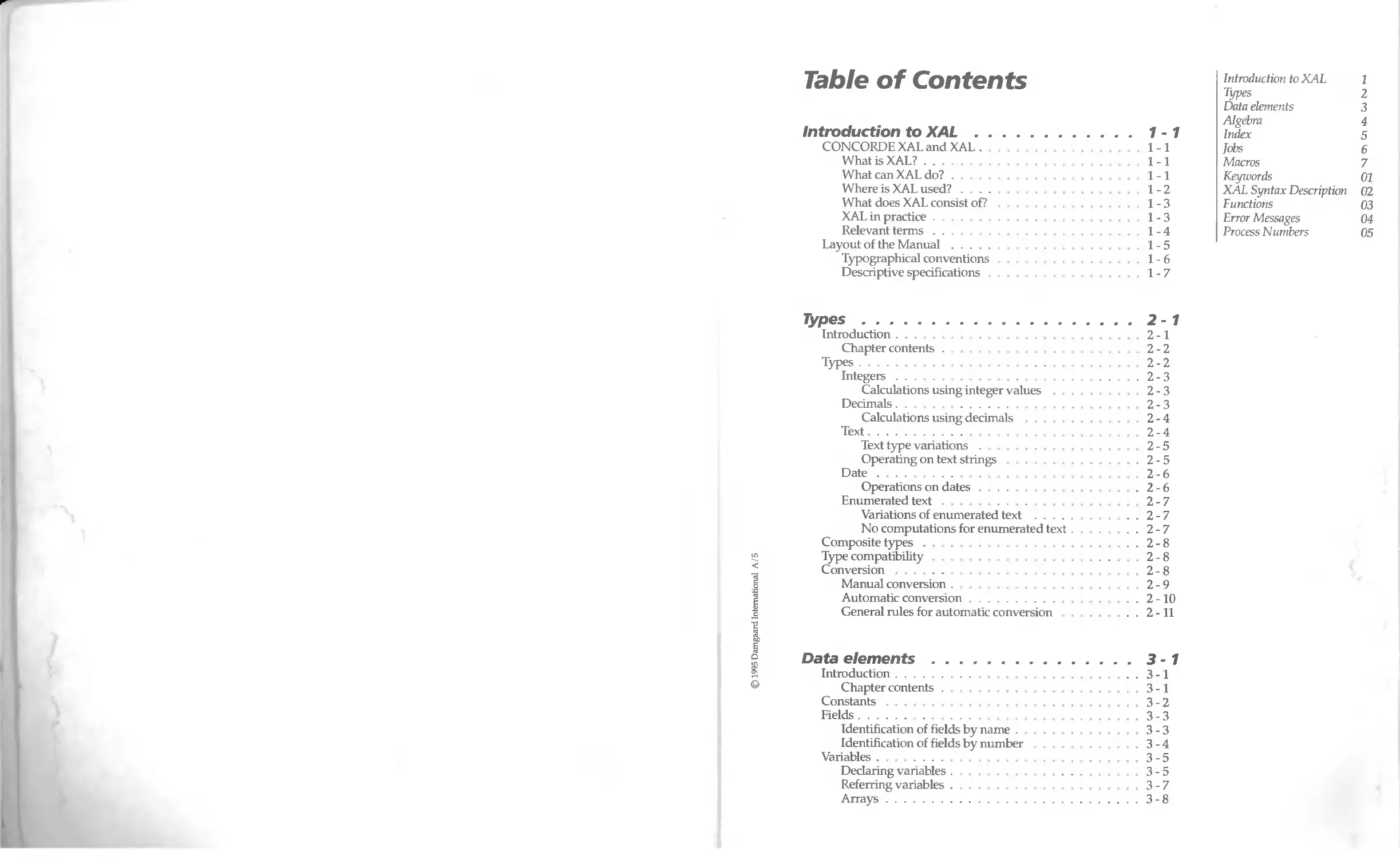
Table of Contents
Introduction to XAL................................
CONCORDE XAL and XAL............................
What is XAL? . . .
What can XAL do? .
Where is XAL used? .............. ...........
What does XAL consist of?....................
XAL in practice .
Relevant terms...............................
Layout of the Manual............................
Typographical conventions	............
Descriptive specifications
© 1995 Damgaard International A/S
	Introduction to XAL	1
	Types	2
	Data elements	3
	Algebra	4
1 -1	Index	5
1-1	Jobs	6
1-1	Macros	7
1-1	Keywords	01
1-2	XAL Syntax Description	02
1-3	Functions	03
1-3	Error Messages	04
1-4	Process Numbers	05
1-5
1-6
1-7
Types.....................................................2-1
Introduction ..	..........................2-1
Chapter contents .	.......... 2-2
Types................................................ 2-2
Integers . .	.	. .	. 2-3
Calculations using integer values .	2-3
Decimals.......................................... 2-3
Calculations using decimals .	  2-4
Text.............................................. 2-4
Text type variations........................... 2-5
Operating on text strings..................... .2-5
Date.............................................. 2-6
Operations on dates.............................2-6
Enumerated text................................... 2-7
Variations of enumerated text .............. ...2-7
No computations for enumerated text.............2-7
Composite types .	 2-8
Type compatibility	. .	2-8
Conversion............................................ 2-8
Manual conversion .	.2-9
Automatic conversion..............................2-10
General rules for automatic conversion ...........2-11
Data elements..............................................3-1
Introduction............................................3-1
Chapter contents....................................3-1
Constants	3-2
Fields................................................ .3-3
Identification of fields by name .	.3-3
Identification of fields by number	.3-4
Variables.............................................  3-5
Declaring variables .	 3-5
Referring variables.................................3-7
Arrays..............................................3-8
Introduction to XAL	1
Types	%
Data elements	3
Algebra	4
Index	$
Jobs	6
Macros	7
Keywords	01
XAL Syntax Description 02
Functions	03
Error Messages	04
Process Numbers	05
Algebra..................................................4-1
Introduction .	- . .	• • 4-1
Chapter contents	• 4-2
Basic algebra.................................... ..4-2
Mathematical operators ..........................4-2
Computation rules for mathematical operators . . . 4 - 3
Addition .	 4-3
Subtraction .	• 4-4
Multiplication .
Division . .
Integer division ....
Modulus derivation
Mathematical negation .
Binary negation .
Binary and ...........................
Binary xor .
Binary or .
Relational algebra ....
Relational operators..............
Computation rules for
relational operators
Examples .
Boolean algebra ...
Boolean operators
Truth tables..........................
Computation rules for Boolean operators
Conditional algebra..........................
Conditional operators...........
Rules for computations .
Examples..........................
Conditional conditional expressions
Converting to truth values..................
Rules for automatic conversion
Functions .
Functional types.........................
Functions as operators
Examples.........	....................
Direct reference.............................
Precedence for operators .............
How to use brackets......................
Precedence..............................
.4-4
.4-4
.4-4
.4-4
.4-4
.4-5
.4-5
.4-5
.4-5
.4-5
.4-5
.4-6
.4-7
.4-7
.4-7
.4-8
.4-9
4-10
.4-10
4-11
.4-11
.4-11
.4-12
.4-12
.4-14
.4-14
.4-15
.4-15
.4-16
.4-16
.4-16
.4-17
Index.....................................................5-1
Introduction........................... -............5-1
Chapter contents..................................5-1
Concept of indexes ................................ .5-2
Index description.................................. .5-3
Using Indexes .......................................5-4
Fixed indexes ...... 5-5
Temporary indexes	.5-5
Direct reference..................... ...	........5-6
Operation with direct reference...................5-7
Directional operators.	5-8
Qualification of fields	5-9
Examples.....................................5-10
Several fields in one direct reference .	5-10
Jobs..............................................6-1
Introduction.................................. 6-1
Chapter Contents .......................... 6-2
Errors .........................................6-2
Compilation errors .	.............6-3
Runtime errors	6-4
Documentation .	6-4
Comments.	6-4
Indenting	..................... 6-6
Variables..................................... 6-6
System variables.......................... 6-8
Global variables................. 6-9
Assignments ...................... ........... 6-11
Computation Rules for Assignments . ......... 6 -12
PRINT AT............................... 6-12
WINDOW................................. 6-14
PAUSE .	6-16
Control structures .............................6-16
Loops................................ .	.... 6-17
SEARCH loops..............................6-18
RENAME . . .	.....6-21
Search criteria ...	..........6-22
Sorting criteria......... ...	.........6-23
WHERE..........	. .....................6-23
An example of the use of ORDER BY.........6-27
END................... ..................6-28
WHILE loops .................................6-28
Conditional structures.......................6-30
Suspending the process ......................6-32
BREAK.....................................6-32
RETURN ...................................6-33
INTRODUCE ......................................6-35
EXTERN ...... 6-37
FIND............................................6-39
Sequential search in
a table .	. . .	....................6-40
Scope......	.................................6-41
Blocks.......................................6-42
Transactions . .................................6-43
OUTPUT ......................................6-44
UPDATE.......................................6-45
INSERT................................... .	. 6-45
DELETE.......................................6-46
DELAYED...................................  .	6-47
PERFORM ..................................6-47
IGNORE ............................... .	. 6-48
Processes.......................................6-49
Introduction to XAL	1
Types	2
Data elements	3
Algebra	4
Index	5
Jobs	6
Macros	7
Keywords	01
XAL Syntax Description 02
Functions	03
Error Messages	04
Process Numbers	05
3
Introduction to XAL	1
Types	2
Data elements	3
Algebra	4
Index	5
Jobs	6
Macros
Keywords	01
XAL Syntax Description 02
Functions	03
Error Messages	04
Process Numbers	05
Other file formats	 6-51
READ loop .	.	. 6-52
GET . .	.	.6-56
WRITE	.	. 6-58
PUT . .	.	. 6-60
CLOSE...................................  6-61
DIALOGUES...................................6-61
FLUSH.......................................6-65
TTS - Transaction Tracking System .......  .	6 - 66
Macros......................................................7-1
Introduction	7-1
Macro definition .	 7-1
Global macros........................................7-1
Local macros ........................................7-2
Macro libraries . . . .	  7-3
Macro variables/constants	7-3
Macro directives.......................................  7-5
Conditional compilation........................... ..7-5
Calling macros............... ...	7-6
Keywords...........................01-1
XAL Syntax Description ........... 02-1
Introduction............................. ........02-1
Syntax description	............... . . 02 - 3
Functions............................................03-1
Introduction ....	  03-1
Type Conversion Functions...................  .03-1
Char2Num....................................03-2
Date2Num .	.03-2
Date2Str	 03-3
Enum2Str....................................03-4
Num2Char....................................03-4
Num2Date .	. 03-4
Num2Str ....................................03-5
Str2Date ....................................03-5
Str2Enum.................................... .03-6
Str2Num . .	  .03-6
Str2Time ...................................03-7
Time2Str............................... .	... 03 - 7
Financial Functions....	.....................03-8
CTerm.	.03-8
Ddb	.03-9
CR............................................03-10
Fv.........................................03-11
ICR........................................03-11
© 1995 Damgaard International A/S
4
© 1995 Damgaard International A/S
Pmt................ ........................
Pt..........................................
Pv .........................................
Rate .................... ..................
Sin ........................................
Syd ...................................... . . .
Term........................................
Decimal Functions..............................
Abs . . . ..................................
DecRound .
LoglO .
LogN........................................
Max.........................................
Min . . .	.............................
Power .
Round ...................
Text Functions.................................
CmpPhon.....................................
Match .	.......... .
MkPhon .................. ..................
StrAlpha.	.........................
StrColSeq........................
StrDel .
StrFind...............................   .
Strins . . .................................
StrKeep
StrLen .	.......... ........................
StrLTrim...............................   .	. .
StrLwr . .............................   .
StrNFind ......................... .	. .	.
StrPoke	. .
StrRem .	.........................
StrRep......................................
StrRTrim ....................... ...........
StrScan.....................................
StrUpr................... ..................
SubStr......................................
Date Calculation Functions.....................
DayName.....................................
DayOfMth...............................  .
DayOfWk.................. ..................
DayOfYr.....................................
EndMth......................................
MkDate......................................
MthName.....................................
MthOfYr.....................................
NextMth.	.......... ..................
NextQtr.....................................
NextYr......................................
PrevMth.....................................
PrevQtr .
PrevYr......................................
PrimoYr.....................................
TLmeNow.....................................
03-12
03-13
03-13
03-13
03-14
03-15
03-16
03-17
03-17
03-17
03-18
03-18
03-18
03-19
03-19
03-19
03-20
03-21
03-21
03-23
03-23
03-23
03-24
03-24
03-25
03-25
03-26
03-26
03-26
03-26
03-27
03-27
03-28
03-28
03-28
03-29
03-29
03-30
03-31
03-31
03-31
03-31
03-32
03-32
03-32
03-33
03-33
03-33
03-34
03-34
03-34
03-35
03-35
03-35
Introduction to XAL	1
Types	2
Data elements	3
Algebra	4
Index	5
Jobs	6
Macros	7
Keywords	01
XAL Syntax Description 02
Functions	03
Error Messages	04
Process Numbers	05
5
Introduction to XAL	1
Types	2
Data elements	3
Algebra	4
Index	$
Jobs	6
Macros	7
Keywords	01
XAL Syntax Description 02
Functions	03
Error Messages	04
Process Numbers	05
Today . .	- 03-36
UltimoYr	.03-36
WkOfYr	• 03-36
Year .	.............. • 03-37
User rights and system functions	.03-38
Beep........	  .03-40
Box...........................................03-40
ChkFld	..............................03-41
ChkRec........................................03-41
CurUserld	.............03-41
Directory.................................. 03 - 42
EnumCnt.......................................03-45-
ExistsGroup	. . - 03-45
ExistsUser.............................. . . 03 - 46
FieldId2Name..................................03-46
FieldName2Id..................................03-46
TableId2Name..................................03-46
TableName2Id .................................03-47
GetHelpWord ..................................03-47
GroupId2Name	 03-47
GroupName2Id	. . 03 - 47
IndexId2Name ...............................  03-48
IndexName2Id ............................ . . 03 - 48
KeyQueue ............. ................. . . 03 - 48
KeyReady............ . . 03 - 49
MaxGroupId..................................  03-49
MaxUserld................................. ...	03 - 49
NumFld	. . 03 - 50
NumRec . .	.03-50
PickField . .	. ... 03 - 50
PickTable . ..............................   .03-50
PickGroup	. 03-51
Pickindex.......	.03-51
PickUser.................................... .03-51
Seesionld . . .	.03-52
SetHelpWord.	. .	.03-52
Syslnfo.......................................03-52
UserId2Name	  .03-53
UserlnGroup .	   03-53
UserName2Id	.03-54
SQL-functions.......................... . .... 03 - 55
SQLClear......................................03-55
SQLError . . .	........ 03-55
SQLExecute ...................................03-56
SQLPrepare	.	.03-56
SQLSelect.....................................03-57
SQLVersion ........................... .......	03 - 57
© 1995 Damgaard International A/S
Error Messages
04-1
Process Numbers
05-1
6
1.	Introduction to XAL
1.1.	CONCORDE XAL and XAL
XAL is a Fourth Generation Language (4GL) used for programming
all kinds of data handling tasks required by a business. It gives
maximum flexibility to the database by providing a means of linking
any number of tables in any number of ways. The language equally
makes possible the output of data in any format required.
4
© 1995 Damgaard International A/S
1.1.1.	What is XAL?
XAL is an integrated part of CONCORDE XAL, allowing all its func-
tional features to be used to maximum effect. It can be used to handle
tables and forms, and to produce reports, three processes which form
the core of CONCORDE XAL. In addition, XAL can be used inde-
pendently.
XAL enables the user to define any number of relationships between
the records in tables. Database programmes normally require the
permanent definition of such relationships, but XAL can formulate
these, making it unnecessary to define them permanently. By defining
relationships within a job, the user can derive values from records in
ways not automatically provided by the system. Since XAL can be
used at all levels of CONCORDE XAL, the language provides users
with many facilities, from linking scripts to fields, to advanced book-
keeping routines used in financial accounting systems. Its range of
functions makes the entire system flexible, allowing the user to adapt
the system to handle even the most specialized requirements.
Introduction
1.1.2.	What can XAL do?
XAL simplifies work with a database, because the language allows
both database enquiries and database updating.
XAL is able to:
•	Browse or search tables
•	Create indexes and sort data accordingly
•	Edit, delete and create records
1
•	Look up records directly
•	Edit the values in individual records
•	Prompt the user for information
•	Write messages to the screen
•	Format data for printing
•	Use functions (financial, date, text, conversion, decimal, user
defined/system, and SQL functions).
Basic, binary, Relational and Boolean Algebras are all implemented.
1.1.3.	Where is XAL used?
As mentioned already, XAL is integrated with the rest of the system.
It follows that it can be used either as part of other processes (the
Report Builder, for example) or for independent jobs such as batch
processes.
XAL is used for the following:
•	Table editing
•	Form building
•	Batch jobs
•	Reports
•	Macro design
XAL ensures consistency in file maintenance. For example, it is
possible to link more general purpose jobs (such as Pre-delete) to a table.
This makes it possible to fill in initial values in a newly created record.
XAL can be used to implement a variety of functional features in the
Form Builder process by using its wide range of facilities. It is also
possible to change values in specific data elements, or to retrieve
values from one table to use them in another.
Batch processes are independent XAL jobs which can include any form
of editing of values in tables.
As far as reports are concerned, XAL can be used to search any given
table to locate items to be printed.
A Macro is a small program segment written in XAL to facilitate the
creation and repetition of a procedure used frequently or in various
parts of the system. A macro must be used as part of a job and cannot
be used independently.
© 1995 Damgaard International A/S
1.1.4.	What does XAL consist of?
XAL is constructed as a typical programming language. Compared
with the more widely used languages, it has most in common with
Pascal and SQL. Users who are familiar with these languages will have
an advantage, but XAL does not assume any previous programming
experience.

© 1995 Damgaard International A/S
XAL consists of the following components:
Data elements	Fields in tables, Constants and Variables are all 'data elements', locations for holding the data with which XAL operates.
Commands	Commands are used to edit the values in these data elements, in a variety of ways.
	For example, DELETE DebtorTrans action is a command which causes a record to be deleted from the Debtor Transaction table.
Control- structures	XAL is a sequential language, which means that commands are executed in the order in which they are entered. The processing can, however, be con- trolled by using conditions (IF-THEN-ELSE) or loop structures.
Algebra	Basic algebra is implemented in XAL.
Bool., bin. and Relat. Algebra	The Boolean, binary and Relational Algebra are also implemented in XAL.
Functions	Many standard functions are available, including mathematical, financial, date, text, decimal and conversion functions.
,0
t
2
1.1.5.	XAL in practice
As already stated, XAL can be used in two ways: as an independent
process, or initiated by another process.
XAL is run as an independent process by using the XAL Report Builder
and Report Executor. When XAL is initiated by another process, the
job is initiated and the results accepted by that process.
Any editing of XAL takes place in an Editor Box. The functions of
Editor Boxes are described in more detail in the Technical Reference
Manual, which also explains what processes can run XAL.
Introduction
See the chapter on
the XAL-editor
in Technical
Reference Manual
See appendix 04,
Error messages
The job to be executed is entered in an Editor Box. When the contents
of the Editor Box have been accepted by F3, Accept, the XAL-compiler
is automatically activated. The compiler checks the syntax, and checks
for the existence of the required tables, fields and indexes, after which
the job is compiled into internal program code.
It is also possible to use a foreign editor and read tables from this into
CONCORDE XAL. Two things are required from a foreign editor: the
files must be pure ASCII-files, and each line must end with a Carriage
Return (CR) as is the case with most editors.
We recommend, however, the use of CONCORDE XAL's editor which
is tailor-made for the purpose and contains all the required facilities.
For example, it is possible to list all existing tables, fields and indexes,
along with keywords, and the names of tables required for the job can
be moved directly from this list to the editor, reducing the risk of
keying-in errors.
Errors may occur occasionally during a job. These may happen during
compilation, in which case an error message will indicate the cause
and the cursor will be positioned precisely where the error is located.
Errors may also occur at runtime, such as "Division by zero". In this
case a box will show the type of error.
1.1.6.	Relevant terms
The following is a description of the elements making up a Database.
The basic terminology needed to understand later chapters is de-
scribed by way of an introduction to these.
Database A database is a set of related tables, for instance all
those related to a company's accounts. It is possible
for the computer's hard disk to contain several data-
bases and thus the accounts of several companies.
Table	A table is a set of related items (records), perhaps by
and Record all the records relating to debtors. Theoretically, a
table can contain any number of records, though the
number may be limited by the capacity of the hard
disk.
Index	A table can be sorted on one or on several criteria: for
instance, one may wish to sort Debtors by Account
Numbers or by Names. Indexes are created for this
purpose.
© 1995 Damgaard International A/S
4
An index is a sorted list of pointers into a specified
table. It is easy to maintain this list and to change the
method of sorting. When searching for a Debtor, one
can specify his Name and the name index will point
to that Debtor record which contains the required
data.
Field	Each Debtor record will contain a great deal of infor-
mation: account number, name, address, balance and
other relevant information. This information is con-
tained in fields.
Data element	A field is that element of a record which holds specific data, and is thus termed a data element. A data ele- ment, then, is a location holding information.
Information and value	A data element contains data, information, a value, terms often used interchangeably.	See chapter 3, Data elements, page 1
Types	Information comes in different formats. A debtor's balance or credit limit is typically a decimal figure, possibly with a prefixed minus sign.
	A debtor's address, on the other hand, is text made up of alphanumeric characters for street names and their numbers. In this context, we are talking about different formats of information, different data types, held in different types of fields.	See chapter 2, Types, page 1
Introduction
© 1995 Damgaard International A/S
7.2. Layout of the Manual
The Manual has a logical structure, beginning with a description of
basic concepts such as data elements, data types and algebra. It then
describes indexes and how to use them. This is followed by an account
of jobs, specifying what kinds of jobs are possible and what compo-
nents are used for them. So, basic terms and concepts are described
first, followed by explanations of more complex matters.
Each chapter starts with a brief introduction to the relevant concepts,
and goes on to describe and substantiate them in more detail.
Commands and control structures are described by explaining the
syntax and providing examples. Syntax description is given in BNF-
notation, refer to Appendix 02, Syntax description, which contains an
introduction to this type of notation, as well as a full specification of
XAL.
The manual's design makes it equally suitable for use as a Tutorial, as
a Reference Manual, and as an Advanced User Guide.
There are five Appendices at the back of the manual:
Introduction
Appendix 01, Key- words	s a list of all keywords used by XAL.
Appendix 02, Syntax de- scription	describes XAL in standard BNF-notation, making it even easier to understand the syntax of the language.
Appendix 03, Functions	is a complete list of available functions, as it is not possible to describe all these within the main sec- tion of the manual. Each function in Appendix 03 comes with a description of the syntax, a brief account of its purpose and an example of how it is used.
Appendix 04, Error mess- ages	is a list of all possible Error Messages and the consequences of the errors involved. This appen- dix is intended as an aid to correcting such errors.
Appendix 05, Process numbers	is a list of all CONCORDE XAL processes and their respective numbers.
1.2.1. "typographical conventions
The typographical conventions used in the manual are as follows:
Palatine	is used for the general body text of the manual.
UPPER CASE	is used for KEYWORDS. This is done to identify the keywords and separate them from the body text, and there is no need for the user to type keywords in upper case.
Functions	A mixture of upper and lower case letters is used for function names. Thus each component part of the function name starts with an initial capital letter, as in Str2Num.
© 1995 Damgaard International A/S
A
Courier
is used for program examples so as to look similar to
text keyed-in by the user and displayed on the com-
puter screen.
© 1995 Damgaard International A/S
1.2.2. Descriptive specifications
To represent values of various types of data during assignments,
operations and conversions, the following symbols are used:
Integer.
•	il and i2 represent operands which are integers.
•	i3 represents an integer which is the result of an operation.
Decimal:
•	dl and d2 represent operands which are decimal values.
•	d3 represents a decimal value which is the result of an operation.
Date:
•	al and a2 represent operands which are dates.
•	a3 represents a date which is the result of an operation.
Text:
•	tl and t2 represent operands which are text strings.
•	t3 represents a text string type which is the result of an operation.
Enumerated Text:
•	el and e2 represent operands which are enumerated text elements.
•	e3 represents an element of enumerated text which is the result of
an operation.
Truth values:
•	bl and b2 represent operands which are truth values (Boolean) and
thus are integers.
•	b3 represents a truth value resulting from an operation, again an
integer.
Dates, enumerated text and text strings are expressed in notation
which makes it easier to determine to which type each belongs:
Introduction
Introduction
See also
appendix 02,
Syntax
description
Dates take the form of two digits each for day, month and year (such
as 31 \12\91) or two digits for day and month and four digits for the
year (31 \12\1991). If the year is shown by two digits only, the system
assumes that it is a year in this century. The backslash must always be
used as the separator.
Elements of enumerated text are enclosed by single inverted commas:
'Current month' for instance. These characters are used only to delimit
the enumerated text, and must not be entered when preparing runs in
the XAL-editor.
Another use of single inverted commas is in syntax descriptions, to
specify elements in XAL which must be written exactly as shown. As
an example, the use of single inverted commas in the following syntax
description: [<filename>'.']<field name> means that if both file name
and field name are used to identify a field, the names must be separ-
ated by a full stop.
Single inverted commas, then, are used only within the manual, either
(1) to delimit enumerated text, or (2) to indicate a language element
which needs to be entered directly. These single inverted commas must
never be entered as part of the code.
Actual text should be enclosed within quotation marks, as in "Peter-
sen". These quotation marks (sometimes called 'double inverted com-
mas') must be entered as part of the code since they are signals to the
system that what is within them is actual text.
© 1995 Damgaard International A/S
О
2. Types
2.1. Introduction
This chapter describes the classification of data used in XAL for the
processing of information, starting with a reiteration of the concepts
needed to understand Data Types and their characteristics.
© 1995 Damgaard International A/S
тУРе	A type is a member of the range of formats to which an item of data (a value) can belong e g. an integer.
Value	A value is the information (item of data) contained within a data element e g. 10.
Data element	A data element is a space reserved for containing information, for holding a value e.g. a field in a data base. Chapter 3 includes a comprehensive description of see chapter з. the concept of Data Elements (see chapter 3, Data Data elements elements, page 1).
Type based language	XAL is a type-based language, which means that operations on various combinations of data must follow very strict rules.
Compatibility	Compatibility is said to exist between two data ele- see the section ments if there are established rules for operations on	compatibility, them. These rules depend on the types of data in- page volved and are described in more detail in the section entitled Type compatibility, page 8.
Type Conversion	It is possible to operate with two types of data which are not compatible provided they are logically re- lated. This is done by converting the type of one or both of the values prior to the operation, so that both are of types for which rules of operation exist. The section entitled Conversion on page 8 describes Refer to section the options and the rules for manual and automatic conversion, r	page 8 conversion.
See chapter 4,
Algebra
2.1.1. Chapter contents
This chapter describes which types can be used in operations by
CONCORDE XAL.
For each type, there is a description of the range of permitted values
for data elements of each specific type, and of the rules governing the
possible operations on each. The rules are those of elementaiy algebra,
as described in the chapter on Algebra, which also includes the rules
for converting values.
2.2. Types
There are five types in CONCORDE XAL:
•	Integer
•	Decimal
•	Text
•	Date
•	Enumerated text
A more detailed description of each of the five types follows, along
with details of which standard operations can be performed on the
type in question.
As mentioned in the section on Descriptive Specifications, Chapter 1,
page 7, the following conventions are used:
Integer	il and i2 represent operands which are integer values,
whereas i3 represents an integer which is the result of
an operation.
Decimal dl and d2 represent operands which are decimal
values, whereas d3 represents a decimal value which
is the result of an operation.
Date	al and a2 represent operands of the date type, where-
as a3 represents a date resulting from an operation.
Text	tl and t2 represent operands which are text strings,
whereas t3 represents a text string which is the result
of an operation.
Enumerated el and e2 represent operands which are enumerated
text	text, whereas e3 represents an enumerated text which
is the result of an operation.
© 1995 Damgaard International A/S
A more detailed description of the operations can be found in the see chapter 4,
section entitled Computation rules for mathematical operators in Algebra
Chapter 4, Algebra, page 3.
2.2.1. Integers
An integer is the simplest type of all: a number without a decimal
point, sometimes termed a natural figure. The permitted values of
integers are all those natural figures within a range specified inside
closed square brackets, the indicated limiting values being included
in the range:
[ - 2.147.483.648; 2.147.483.647 ]
This interval can also be described as [-(231), (231)-1]
2.2.1.1 Calculations using integer values
Refer to the section entitled Descriptive Specifications, Chapter 1, page
7 for a list of the symbols used to represent values of the five types,
both as operands and as the results of operations.
The following common Mathematical calculations can be carried out
on integers:
Types
©1995 Damgaard International A/S
•	il + i2 => i3
•	il - i2 => i3
•	il*i2=>i3
•	ilDIVi2=>i3
•	ilMODi2=>i3
•	- il => i3
The following diagram shows how these apply to actual integer
numbers:
11 + 5	-> 16
11-5	-> 6
11 * 5	-> 55
11 DIV 5 -> 2
11 MOD 5 -> 1
-5	->-5
2.2.2.	Decimals
Another type of value is the Decimal, a number with a decimal point.
The range of decimal values permitted is shown inside open square
3
brackets, indicating that the limiting values are not included in the
range:
] {10)^x4000. (|qjOx4CX)Oj
Precision Decimal figures operate to 16 digit precision. This
means that the floating point number can consist of
up to 16 significant digits regardless of the position of
the floating (decimal) point.
The term significant digit is used to distinguish it
from any leading or trailing zero, and the following
line of figures has only 7 significant digits:
0001230567000
Using the When preparing XAL-programmes, the full stop is
full stop used as a decimal point in decimal numbers. For
printouts, however, decimal numbers can be for-
matted with conventional decimal points.
The convention of using the full stop as a decimal
point is employed throughout this manual.
2.2.2.1 Calculations using decimals
The following common mathematical calculations can be carried out
on decimal figures:
• dl + d2 => d3
• dl-d2=>d3
• dl*d2=>d3
• dlDIVd2=>d3
• -dl=>d3
The following diagram shows how these apply to actual decimal
numbers:
2.3 +
2.3 -
2.3 *
2.3 /
-5.1
3.2
3.2
3.2
3.2
-> 5.5
-> -1.1
-> 7.36
-> 0.71875
-> — 5.1
© 1995 Damgaard International A/S
2.2.3.	Text
The most extensive data type isText. Text is defined as a continuous
set of characters: a line of characters or a character string. All the
4
© 1995 Damgaard International A/S
keyboard characters can be included in text: letters, digits, and sym-
bols. However, text can be only of a specified length. Please refer to
the section entitled Text Type Variations below.
Using	When preparing XAL-programs the symbols"" (quo-
inverted tation marks) are used to signal to CONCORDE XAL
commas that the characters within the quotation marks are
text.
Backslash	Using the sign \ (backslash) in the text signals to XAL
that the next character must be specially treated. It is
needed for instance when the text itself contains quo-
tation marks, as seen in the following example:
"Using \" \" in a text"
The backslash is used also to signify tabulations (\ t) or a new line (\n).
Throughout this manual, quotation marks are used to mark the begin-
ning and end of a text string, and the backslash is used to signal special
treatment inside text.
2.2.3.1 Text type variations
As already mentioned, text consists of a string of characters. When See chapters.
fields are defined or variables declared (see Chapter 3, Data elements,	Datae e^ements
section on Variations, page 5), the user is responsible for declaring the ₽affe
maximum length for character strings. Example lengths for text are 10,
20 or 30 characters. A text of a length decided by the user is known as
a variation of the text type.
A user-defined variation to text lengths must be specified as a range
including the limits:
[0; 255]
2.2.3.2 Operating on text strings
Refer to the section Descriptive Specifications, Chapter 1, page 7 for a
list of the symbols used to represent values of the various types, both
as operands and as the results of operations.
The only operation that can be carried out with text strings is concaten-
ation, the linking together of strings, in the form:
Types
• tl + t2 => t3
Below are examples of how character strings are concatenated.
5
"abc" + " defgh" -> "abcdefgh"
"nice" + " weather" -> "nice weather'
2.2.4.	Date
The fourth data type is Date, composed of day, month and year. Dates
must fall within the range, the limiting values being included:
[01\01\1901; 31\12\2154]
The following conventions must be observed when using dates:
Day consists of either 1 or 2 digits
Month consists of either 1 or 2 digits
Year consists of either 2 or 4 digits.
' V the sign \ (backslash) is used as the separating character.
If this notation is not used, or if the date is outside the permitted range,
then the system will produce an error message.
In this manual, the following forms of dates will be found:
21\07\1990
21\7\1990
1\12\1992
01\l\92
If the year is expressed by only 2 digits, the system assumes that the
date is in this century.
2.2.4.1 Operations on dates
Please refer to the section entitled Descriptive Specifications, chapter
1, page 7 for a list of the symbols used to represent values of the various
types, both as operands and as the results of operations.
The following standard operations are permitted on dates:
•	al + i2 => a3
•	al - i2 => a3
•	al - a2 => i3
The diagram below gives examples of these using actual dates and
integers:
27\02\1988 + 3	->01\03\1988
01\03\1989- 3	->26\02\1989
07\01\1990 - 28\12\1989->10
28\12\1989 - 07\01\1990 -> -10
Note that the first date in the example above is a leap year.
2.2.5. Enumerated text
The fifth and final type is Enumerated Text. This consists of a set of
text strings, each in a fixed position within a specified order. Enum-
erated text is thus a combination of text strings with their individual
positions in a sequence.
NoYes is an example of enumerated text already defined by CON-
CORDE XAL. It consists of the following set of text strings:
'No', 'Yes'
The only values allowed for this enumerated text are the two text
strings included in the set, with the string 'No' having the position 0
and the string 'Yes' the position 1. Note that positions are zero-based
and consecutive.
Types
© 1995 Damgaard International A/S
2.2.5.1 Variations of enumerated text
As explained already, CONCORDE XAL has the one enumerated text
built into it, NoYes. This is known as an enumerated text variation. In
addition to this, new variations can be defined by the user, each linked
to its own set of texts. As an example we can illustrate the variation
Unit by the text strings:
'inch', 'foot', 'yard', 'mile'
The permitted values for the enumerated text-type-variation Unit thus
consist of the above text strings and their individual positions 0,1,2,3.
The user can define any number of variations of enumerated texts.
2.2.5.2 No computations for enumerated text
Unlike the case of the four other types, operations are not possible on
enumerated text.
If, however, there is a need to operate with elements of enumerated
text, the user must determine their positions (as integers) and their
text-values (as ASCII characters), and operate with those values. This
is known as conversion. Further details can be found in the section on
Conversion, page 8.
See section on
Conversion,
page 8
7
	2.3. Composite types
See chapter 3, section Arrays, page 8	In CONCORDE XAL it is not possible to define composite types such as structures and unions. On the other hand it is possible to use arrays. See further Chapter 3, section Arrays, page 8. This implies that the types which can be used in the programming language are the five above-mentioned types and their variants. All data elements used in CONCORDE XAL are thus one of these types. However it should be noted that tables can be created in the database and that the fields in the tables can be regarded as "structures". But these "structures" cannot be defined temporarily in the language and are consequently not very useful in jobs. 2.4. Type compatibility As mentioned already, XAL is a type-based language with strict rules as to how different types of data can be compared or operated upon. Compatibility between values of two different types exists where rules exist for operations between those two types (refer to the sections on possible operations for the various types). The following example illustrates compatible data values, the addition of a date and an integer: SalesOrder.DeliveryDate + 8 The next example illustrates data values which are incompatible because there are no operators which will work with a text value and a decimal value: Debtor.Address Debtor.Balance
See sections pageS and page 10	See also the sections on Manual conversion, page 9 and Automatic Conversion, page 10. 2.5. Conversion Sometimes one is faced with the problem of having two data values which are logically related but incompatible that is, there are no specific rules for calculations between their particular types. This incompatibility means that it is not immediately possible to carry out operations on them, but the problem can be solved because XAL is able to convert value types.
8
Conversion involves reformatting a value to belong to another type.
To carry out an operation between two incompatible values, one of the
values is converted to a type for which there are rules for operations
between it and the type to which the second value belongs.
XAL has two methods of conversion:
•	Manual conversion (using functions)
•	Automatic conversion
These two methods are described in the two subsections which follow.
© 1995 Damgaard International A/S
2.5.1. Manual conversion
XAL has a number of functions to make possible conversion of the
values in data elements to enable operations between values which
are otherwise incompatible.
Take the example of a chief accountant who wants to send out remin-
ders worded as follows:
"Balance in our favour: £ 5,204.75"
The balance is specified as a decimal figure, in this case 5204.75 for a
particular debtor. The following script can be used to generate the text
required:
"Balance in our favour: £" +
Num2Str(Debtor.Balance,10,2,2,1)
The function Num2Str in this example converts the decimal figure
contained in the field Debtor.Balance to the text string:
"5,204.75”
Conversions are often controlled by parameters. Text formatting is
based on arguments relating to a function, in the above example the
figures 10,2,2 and 1.
Argument No. 1 (10) specifies the length of the text string, here 10
characters including leading spaces.
Argument No. 2 (2) determines the number of decimals in the decimal
number, here 2 decimals.
Argument No. 3 (2) specifies the type of decimal character to be used,
in this case a full stop.
Types
See appendix 03,
Functions
Argument No. 4 (1) specifies the type of separating character to be
used for thousands, in this case a comma.
The purpose of the conversion in this example was to combine a text
value with a numeric value. To make this possible, the decimal value
was converted into text, after which the two texts were linked together
(concatenated).
The following conversion functions are available:
Char2Num	Text is converted to a numeric value.
Date2Str	A date is converted into text.
Date2Num	A date is converted into an integer.
Enum2Str	Enumerated text is converted into text.
Num2Char	Numeric values are converted into text characters based on values in the ASCII code.
Num2Str	A number is converted into text.
Num2Date	An integer is converted into a date.
Str2Date	A text string is converted into a date.
Str2Enum	A text string is converted into enumerated text.
Str2Num	A text string is converted into an integer.
Str2Time	A text string is converted into an integer representing the number of seconds which have elapsed since midnight.
Time2Str	An integer value representing the number of seconds since midnight is converted into text.
A detailed description of the conversion functions can be found in
Appendix 03, Functions, page 1.
© 1995 Damgaard International A/S
2.5.2. Automatic conversion
It is often necessary to carry out operations with decimal figures and
integers. Standard calculations provide no guidelines for this kind of
operation, but since they are of practical value and occur frequently,
XAL has a built-in automatic facility for converting integers into
decimal values and decimal values into integers.
© 1995 Damgaard International A/S
Refer to the section Descriptive Specifications, Chapter 1, page 7 for a
list of the symbols used to represent values of the various types, both
as operands and as the results of an operation.
Three sets of operators are also defined:
1	for calculations when both values are integers
D	for calculations when both values are decimals
X	for calculations involving both integer and decimal
values.
Conversion is carried out according to the following guidelines:
dl X il The integer value il is converted automatically into a
decimal value.
dl I il The value of dl, a decimal, is converted automatically
into an integer value.
dl D il The integer value il is converted automatically into a
decimal value.
dl I d2 The decimal values dl and d2 are converted automat-
ically into integer values.
il	D i2 The integer values il and i2 are converted automatically
into decimal values.
2.5.3.	General rules for automatic conversion
Generally speaking, the following rules apply for the conversion of
values of the decimal and integer types:
For the standard computation operators: +, *:
•	if one of the operands is a decimal, then both values are converted
into decimal figures and the operation will result in a decimal
value.
•	if both operands are integers, no conversion takes place, and the
result will be an integer value.
For the standard computation operator/:
•	both operands will be converted into decimal values, and the result
will be a decimal value.
For the standard computation operators DIV and MOD:
Types
•	both operands will be converted into integers, and the result will
be an integer value.
Parameters in functions:
•	If the parameter is specified to be an integer in the functional
description (in Appendix 03, Functions) then the argument to the
function will be converted into an integer.
•	If the parameter is specified to be a decimal value in the functional
description (in Appendix 03, Functions), then the argument to the
function will be converted into a decimal value.
Below are a number of examples of automatic conversion.
To subtract the integer 2 from the decimal value 2.2, the integer 2 is
automatically converted to the decimal value 2.0:
2.2-2-> 2.2-2.0 -> 0.2
To multiply the integer 4 by the decimal 2.2, the integer 4 is automa-
tically converted to the decimal value 4.0:
4 * 2.2-> 4.0 *2.2 -> 8.8
Before two decimal values can be divided, as in 10.4 DIV 2.6, both are
converted to integers:
10.4 DIV 2.6 -> 10 DIV 2 -> 5
Before the remainder can be calculated when dividing integers, as in
13.5 MOD 3.9, both decimal values are converted into integers:
13.5 MOD 3.9 -> 13 MOD 3 -> 1
To obtain a result correctly expressed in decimal form when dividing
decimal figures, the integers 3 and 4 are converted to decimal figures:
3 / 4 -> 3.0 / 4.0 -> 0.75
Whenever a decimal figure is used in a case where XAL automatically
converts it to an integer, the decimal point will be rounded down. This
means that information will be lost by the automatic conversion from
decimal to integer, as shown in the following example:
12.78 -> 12
© 1995 Damgaard International A/S
When converting automatically from integer to decimal, all that will
happen is that the decimal part .0 is added to the integer, and this will
not result in inaccuracies, as demonstrated by the following example:
12 -> 12.0
Note that automatic conversion is carried out only on values of the
integer or decimal types.
©I995DamgaardInternational A/S
Types
© 1995 Damgaard International A/S
3.	Data elements
3.1.	Introduction
This chapter describes the facilities available for storing information
during and after editing As an introduction to the chapter, the con-
cepts needed to understand data elements and their characteristics are
reiterated. An explanation of their formats follows.
© 1995 Damgaard International A/S
Data element The previous chapter explained that a data element
is a location which can contain a value of a specific
type. In the practical work situation, there is a need
to store values for different periods of time. These
periods are:
Always
Long time
Short time
Consequently, there are three types of data elements
to meet these requirements:
Constants A constant is a data element which never changes its
value, but keeps the same value always.
Fields	A field is a data element which forms part of a pre-
cisely defined structure of data elements - a database.
A field normally stores the same value for a long time.
Variables A variable is a data element which can be created and
used temporarily to maintain variable values. A vari-
able normally keeps the same value for a short time
only.
Data elements
3.1.1.	Chapter contents
This chapter describes the three forms of data elements. For each type
of data element is shown, how these are referred.
Data elements
3.2.	Constants
A constant is a data element which cannot retain changing values.
Constants are therefore used only to handle unchanging factors, such
as the VAT rates in use, or the number of accounting periods.
In the following example, an invoice total is calculated by multiplying
the subtotal by a discount rate and dividing it by 100. In this case 100
is a constant:
Invoice.Subtotal * (Debtor.Discount / 100)
A constant never changes its value.
XAL works with constants of the following types:
к
•	Integer
•	Decimal
•	Text
•	Date
There is no need for the programmer to define what type the constant
belongs to, as this is registered automatically by the system. It is
essential for the programmer, however, to be familiar with types in
order to be certain that a specific operation is possible. This means that
those data elements which work as operands in the operation must be
compatible with the operator used, or it must be possible for the values
of the data elements to be converted automatically by the system
before the operation is carried out.
The examples below illustrate a number of type-specific constants:
Integer:
-10-501210
Decimal:
-33.450.250.000.3322.0123.456
© 1995 Damgaard International A/S
Text:
"H.C. Andersen""The Ugly Duckling"
Date:
01\01\199224\12\19884\7\1993
3.3.	Fields
A field is a data element, which is part of a carefully defined structure
of data elements: the database.
A database consists of a set of Tables, each of which in turn is made up
of a set of Records. A record consists of a number of related Fields, and
a field is one type of data element, a location for storing information.
A database is used for long-term data storage, though information can
be added, edited or deleted.
The following example shows how to calculate a debtor's updated
balance after working out an invoice total for that debtor:
Debtor.Balance = DebtorBalance + Invoice.Total
The debtor's balance may change perhaps once a week, but generally
a field maintains its value for a long time, changing only rarely.
XAL operates with fields of all types:
Data elements
•	Integer
•	Decimal
•	Text
•	Date
•	Enumerated text
The user must specify the type when a field is defined that is, using
the process Database configuration.
4
© 1995 Damgaard International A/S
3.3.1.	Identification of fields by name
The syntax for identifying a field by name is:
[<tablename>'.'] <fieldname>
in which:
<tablename>	is the name of the table containing the field
. (full stop)	is a signal to XAL that the next expression is the name of a field within the table specified
<fieldname>
is the fieldname
Scope
The <tablename> and(full stop) can be omitted
when the table is the most recently listed. Refer to
the section on Scope of Operation, chapter 6, page
41.
Data elements
Qualifica-	A field called by <tablename> and is known as
tion	a qualified field. If <table-name> and are
of fields	omitted when the field is referenced, the field is
said to be unqualified. Unqualified fields can be
used only when the table to which they belong is
the most recently listed.
3.3.2. Identification of fields by number
To use a field identified by number the following syntax must be
observed:
<tablename>'(' «expression» ')'
For this syntax description applies:
«table-	The name of the table with the field in question.
name»
(full stop) Signal to the program that the subsequent field
number describes a field in the immediately de-
scribed table.
(«ex-
pression» )
An algebraic expression, which - when computed
- indicates the field number in the table. The ex-
pression must be in brackets.
When a field is identified by a number, the field number must be
qualified by a «tablename» and(full stop). This applies regardless
of whether the table has active scope or not.
The strong point of identifying fields by means of field number is that
it is possible to program access to fields, which have not yet been
created and the names of which consequently are not known.
However, since the expression (in brackets) is not computed until the
time of execution, it cannot define the type of the identified field.
Consequently the current field number is not known when compila-
tion is made.
The compiler is thus not able to verify, if the field is compatible in the
current context, and therefore assumes it to be compatible. This veri-
fication is instead performed by the executor. If the field turns out not
to be compatible, a run error occurs.
©1995 Damgaard International A/S
Identification of fields by number is thus best used in contexts, where
all types are compatible. This is typically the commands READ and
GET, WRITE and PUT, and PRINT. See chapter 6 for a further descrip-
tion of these commands.
3.4.	Variables
A variable is a temporary data element, created and used in jobs to
maintain variable values. When a variable is created, XAL reserves
memory space for it, and also ensures that the space is subsequently
released.
In the following example, to produce a total of all debtor balances and
the company's outstanding credit, the total is arrived at by reading the
value in the appropriate field of each debtor record and adding the
value therein to that accumulating in the variable.
This command is required for each debtor:
SET &Total = &Total + Debtor.Balance
The example assumes that the total is printed at the end of the job and
then discarded. Each time the job is run, the variable is likely to contain
different values both during the job and at the end of each job; that is,
the value is maintained only for a short time, the variable changes its
value frequently.
XAL operates with variables of all types:
© 1995 Damgaard International A/S
•	Integer
•	Decimal
•	Text
•	Date
•	Enumerated text
The user must specify the type when creating or 'declaring' any
variable.
3.4.1. Declaring variables
Before a variable can be used, the user must first create it by' declaring'
it. The syntax for declaring a variable is:
<type> [<variant>] '&'<variable name> ['=' <expression>]
Data elements
where the <type> syntax is
STR | INT | REAL | DATE | ENUM
and the <variant> syntax is
«integer constant> [<alignment> | «enumerated text-type>
and the <alignment> syntax is
LEFT | RIGHT
In the above expressions:
<type>	is the name of the type for which a variable is required.
<variant>	specifies the variant of the type of variable (ap- plies only to text and enumerated text types).
&	is the signal to the programme that the next par- ameter is the name of a variable.
«variable name>	is the name of the variable.
<expression>	allocates a value, if any, to the variable.
< alignment	indicates whether a text variable is left-aligned or right-aligned.
Texts may becompared in one of two ways: when left aligned or when
right aligned. Text alignment is of considerable importance for the
result of the comparison. This can best be illustrated by the following
tabulation:
Left Right
"lOOOabc" "4abc"
"200abc" "30abc"
"30abc" " 200abc"
"4abc" "lOOOabc"
© 1995 Damgaard International A/S
Four texts are listed in the two columns according to two criteria. The
left column shows the texts in ascending order as determined by
comparing the texts left aligned. The right column shows the texts in
ascending order, but as determined by comparing the texts right
aligned. The table shows clearly the differing results from the two
types of alignment.
6
Chapter 4, Algebra, describes how to compare and join two items of
text, one left aligned and the other right aligned.
See also appendix 02,
XAL
Syntax description
In the earlier example which calculated the total balance of debtors,
the variable &Total should have been declared as follows:
REAL&Total
Similarly, variables of the other four types can be declared:
INT &Number
STR 25 LEFT &Name
DATE &DueDate
ENUM No Yes &Reply
When a variable is declared it is also initialised, usually by the alloca-
tion to it of a zero value. Zero values for the five types are:
Integer:	0
Decimal:	0.00
Text:
Date:	xx\xx\1900
Enumerated first text in the series (position 0).
text:
A new value can always be allocated a variable provided the value is
of the same type as that for which the variable has been declared.
Data elements
© 1995DamgaardInternational A/S
3.4.2. Referring variables
Variables may be referred to at any time after the declaration simply
by writing:
'&'<variable name>
As an example, the following shows how to use variables for calculat-
ing the average price of all the items in stock:
SET &Number = &Number + 1
SET &Sum = &Sum + Item.Price
When the two lines are read for each record in stock, &Number will
finally be totalled to the number of records in the table, while &Sum
will contain the total sum of all the goods in the table. The average
price of all the goods can then be established by using the expression:
7
SET &Average = (&Sum I &Number)
Variables can be used in expressions as long as the rules of compati-
bility are observed with respect to types and operators.
Data elements
3.4.3. Arrays
It is possible to use arrays in the XAL-language. The following section
explains briefly how arrays are declared and used in XAL jobs.
When an array is declared, its value type must be specified. The
standard five data types can be used:
•	Integer
•	Decimal
•	Text
•	Date
•	Enumerated text
Note that arrays cannot be declared containing elements which are
records from a table.
Besides declaring the type, the size of array must also be declared; that
is, the number of values it will be capable of storing. It is also possible
to specify the proportion of the array to be held in the working
memory of the computer (RAM) and the proportion to be temporarily
stored on disk. This is particularly important when operating with
large arrays, as it causes unnecessary strain on the system if the entire
array has to be transferred between disk and RAM every time the array
is used.
An array is defined by four statements, with two definition para-
meters, either of which can be omitted if appropriate.
The syntax for array definition is:
<type> [<variant>] '&'<variable name>'['<dimensions>']'
in which the syntax for <type> and <variant> is as previously de-
scribed and the syntax for <dimensions> is
[<expressionl>] <expression2>]
and where
&
©1995 Damgaard International A/S
8
is the signal to XAL that the next parameter is the
name of the variable.
cvariable name> is the name of the variable
<expressionl>
specifies the logical number of elements for this
array
<expression2>
specifies the number of elements which may re-
main in computer memory (RAM) as opposed to
on disk.
It is possible to declare a very large array with only a fraction of the
elements to be held in RAM at any one time; the other elements are
saved on disk and called up as required. The user needs to take no
action concerning this process when using arrays, but it is essential at
the time of declaring the array to decide how large it needs to be and
how many elements should be available in RAM at any time.
Data elements
Examples:
INT &In-
tArr[100]
INT &IntArr[]
INT&In-
tArr[10000,10]
INT &IntArr[,100]
© 1995 Damgaard Intern ah on al A/S
Declares an array with 100 integers
Declares a dynamic integer array, with all ele-
ments in RAM.
Declares an integer array with 10,000 elements,
of which only 10 elements at any one time are
allocated space in RAM.
Declares a dynamic array (up to two billion
elements), of which 100 elements are kept in
RAM at one time.
Arrays of other types can be declared in a similar way. A text array, for
example, could be declared as:
STR 20 &Texts[100,20]
It is also possible to declare an array of an unspecified size. In this case,
XAL itself allocates the necessary space. Such an array is known as a
' dynamic array' because the necessary space is automatically allocated
as required.
A dynamic array is declared by omitting the size of the array. To declare
a dynamic array of the decimal type, for instance, with 10 figures
needed in RAM at one time, the syntax is:
Data elements
REAL &DecimalRow[,10]
Note that the size parameter has been omitted, but the (comma) is
retained.
An mdex can be declared for an array at the time of processing:
INT &i = 100
INT &FigureRow[&i]
SET &i <=0
WHILE &il00
SET &FigureRow[&i]=&i
SET &i = &i + 1
END
As mentioned above, an array may consist of up to two billion ele-
ments. If the array is indexed with a negative figure, or with a number
larger than the declared size of the array, an error message will be
displayed:
Array index is out of bounds
A complete array can be zero-filled by allocating a value to the zero
element, e.g.
SET &DecimalRow[0]=0
© 1995Damgaard International A/S

4. Algebra
4.1. Introduction
This chapter describes those features of basic algebra implemented in
XAL, along with a number of additional features not normally found
in basic algebra.
Algebra is a system that defines relationships between data elements,
and the formal rules for performing operations on them.
The concepts of this algebraic system and the way it is used in XAL
will be explained.
© 1995 Damgaard International A/S
Basic Algebra	Basic algebra uses simple operators: addition, sub- traction, multiplication, division, mathematical nega- tion, integer division and the calculation of modulo values.
Binary Algebra	Binary algebra uses the binary operators: and, or, xor, and not.
Relational Algebra	Relational algebra uses comparative operators: greater than; greater than or equal to; equal to; not equal to; less than; less than or equal to.
Boolean Algebra	Boolean algebra uses logical operators: AND, OR, XOR and NOT (logical negation).
Conditional Algebra	Conditional algebra uses the conditional operators IF - THEN - ELSE to specify conditions and determine consequences.
Functions	A function is a derivation of a value from other spe- cified values known as 'arguments to the function'.
Direct Reference	A direct reference is a value derived by looking up a record in a table. This type of reference requires an index, and a number of parameters describing the key(s) on which to search the index. See also chapter 5, Indexing, page 1.
Precedence Precedence is the term used for the rank ordering of
operators used within algebraic operations.
See chapter 2
Algebra
Expression	An expression is a general term for any derived value.
A value can be derived directly from a data element,
or via an operation or series of operations from a
function, a field or a combination of these.
Expressions used in operations can be classified as
mathematical, relational or logical expressions.
4.7.7.	Chapter contents
In this chapter and others in the manual are examples of operations
on integer and decimal values. Computation rules are not always
defined for such operations (see chapter 2, Types) but they are possible
as the operand values will be automatically converted if necessary.
4.2. Basic algebra
Basic algebra is used in XAL to perform a large range of calculations
through the applications of mathematical operators.
4.2.7.	Mathematical operators
Basic algebra uses seven mathematical operators:
+ Addition. Two values are added together.
Subtraction. One value is subtracted from another.
* Multiplication. Two values are multiplied together.
I Division. One value is divided by another.
DIV Integer division. An integer value is divided by another integer
value, but the remainder from the division is ignored.
MOD The modulo, the remainder after integer division, is calculated.
The minus sign which is prefixed to indicate mathematical
negation.
$! Binary negation. The value is negated bit-wise.
$& Binary and. Two values are and'ed together bit-wise.
© 1995 Damgaard International A/S
7.
$л Binary xor. Two values are xor'ed together bit-wise.
$ | Binary or. To values are or'ed together bit-wise.
4.2.2. Computation rules for mathematical operators
Each of the operators is governed by rules for its application.
Refer to the Section Descriptive specifications, chapter 1, page 7, for a
list of the symbols used for values of the five types, both as operands
and as the result of an operation.
The following rules apply to the operators:
4.2.2.1 Addition
•	il + i2 => i3
•	il + dl => d3
•	dl + il => d3
•	dl + dl => d3
•	tl + t2 => t3
•	al + il => a3
•	al + dl => a3
•	il + al => a3
•	dl + al -> a3
With reference to the following rule of computation:
Algebra
©1995 Damgaard International A/S
• tl + t2 => t3
Note that t3 is always left aligned, regardless of the alignment of tl
and t2.
Text alignment is described in the section Declaration of variables,
chapter 3, page 5, in this manual, and the chapter on Database Con-
figuration in Technical Reference Manual.
See chapter 3, page 5,
and the chapter on
Database
Configuration in
Technical Reference
Manual
Algebra
4.2.2.2 Subtraction
•	il - i2 => i3
•	il-dl=>d3
•	dl-il=>d3
•	dl - d2 => d3
•	al - il => a3
•	al - dl => a3
•	al - a2 => i3
4.2.2.3 Multiplication
•	il*i2=>i3
•	il*dl=>d3
•	dl*il=>d3
•	dl*d2=>d3
4.2.2.4 Division
•	il / i2 => d3
•	il / dl => d3
•	dl / il => d3
•	dl / d2 => d3
4.2.2.S Integer division
•	ilDIVi2=>i3
•	ilDIVdl=>i3
•	dl DIV il => i3
•	dlDIVd2=>i3
4.2.2.6 Modulus derivation
•	il MOD i2 => i3
•	ilMODdl=>i3
•	dl MOD il => i3
•	dlMODd2=>i3
4.2.2.7 Mathematical negation
•	- il => i3
•	-dl=>d3
© 1995 Damgaard International A/S
4
4.2.2.8 Binary negation
• $!il=>i3
4.2.2.Э Binary and
• il $& i2 => i3
4.2.2.10 Binary xor
• il$Ai2=>i3
4.2.2.11 Binary or
• il$| i2=>i3
4.3.	Relational algebra
Relational algebra is an extension of basic algebra.
Relational expression	Relational algebra defines 'relational express- ions' by using 'relational operators' to com- pare two values. A relational expression evaluates to a truth value.
Truth values	A truth value is either True or False.
Algebra
© 1995 Damgaard International A/S
In XAL, the truth value True is represented by the integer 1 whilst the
truth value False is represented by the integer 0. In other words, each
truth value is an integer.
4.3.1.	Relational operators
Boolean algebra uses six relational operators:
>	= greater than or equal to
<	=	less than or equal to
<	less than
>	greater than
==	equal to (the same as)

Algebra
<	> not equal to (not the same as)
4.3.2.	Computation rules for
relational operators
Relational algebra uses rules similar to those of basic algebra to
determine which types of data value can be related.
Refer to the Section on Descriptive specifications, chapter 1, page 7 for
a list of the symbols used for the five types of values, both as operands
and as a result of an operation.
If R is one of the above relational operators, the following relationships
can be tabulated:
il R i2 => b3 compares the values of the integers il and i2; the
result is a truth value.
il R dl => compares the value of the integer il with the decimal
b3	value dl; the result is a truth value.
dl R il => compares the decimal value dl with the integer value
b3	il; the result is a truth value.
dl R d2 => compares the decimal values dl and d2; the result is
b3	a truth value.
tl R t2 => b3	compares the text strings tl and t2; the result is a truth
value.
al R a2 => compares the dates al and a2; the result is a truth
b3	value.
el R e2 => compares the enumerated texts El and E2; the result
b3	is a truth value.
In the case of the computation rule
tl R t2 => b3 the texts are compared when left aligned if both text
strings, tl and t2, are left aligned.
Should either or both texts be right aligned, then the text strings are
compared with each aligned to the right.
Refer to chapter 3, page
5 and the chapter on
Database Configuration
in Technical Reference
Manual
© 1995 Damgaard International A/S
Text alignment is detailed in chapter 3, the section Declaration of
variables, page 5, and in the chapter on Database Configuration in
Technical Reference Manual.
4.3.3.	Examples
Using actual values, the relational operators work like this:
5 >= 3	->1
7.0 <= 7.0 ->1
-3 > 123.4 ->0
01\03\1989 < 15\04\1989 -> 1
"abc" == "ABC"	-> 1
"abc" <> "abed"	-> 1
'Yes' < 'No'	-> 0
The 'Yes' and 'No' texts in the above example belong to the enum-
erated text type variation NoYes. Each expression evaluates to an
integer value, 1 or 0, representing the truth values True or False.
4.4. Boolean algebra
Boolean algebra can also be used, with Boolean operators based on
logical expressions.
Logical
expressions
Boolean algebra evaluates logical expressions by
using Boolean operators to compare the truth values
of two data elements.
Boolean expressions evaluate, like relational ex-
pressions, to truth values.
4.4.1. Boolean operators
There are four Boolean operators.
The use of these operators is indicated by the integers il and i2, where
each integer represents a truth value (1 for True and 0 for False).
The Boolean operators are:
il AND i2 The truth value il AND the truth value i2.
il OR i2 The truth value il OR the truth value i2.
il XOR i2 EITHER the truth value il OR the truth value i2 but not
both.
NOT il
Negates the truth value il.
4.4.2. Truth tables
A Truth Table can be produced for each of the four Boolean operators,
illustrating their functionality:
	TRUE	l FALSE
TRUE	TRUE	FALSE
FALSE	FALSE	FALSE
0 AND 0 = 0
0 AND 1=0
1 AND 0 = 0
1 AND 1 = 1
	TRUE	FALSE
TRUE	TRUE	TRUE
FALSE	TRUE		FALSE	|
0 OR 0 = 0
1 OR 0 = 1
0 OR 1 = 1
1 OR 1 = 1
	TRUE	1 FALSE
TRUE	FALSE	TRUE
FALSE	TRUE	FALSE
© 1995 Damgaard International A/S
0 XOR 0 = 0
0 XOR1 = 1

1XORO=1
1XOR1=0
The NOT operator negates the operand:
NOT TRUE = FALSE
NOT FALSE = TRUE
NOT 0 =1
NOT1=0
4.4.3. Computation rules for Boolean operators
As mentioned earlier, Boolean operators are used to establish logical
expressions which evaluate to truth values. Only truth values can be
used as operands in these logical expressions.
If other types of operands are required, they have to be converted first,
or it is possible to have the system convert them automatically. Refer
to the Section on Rules for conversion, page 12.
It is essential to keep in mind that a truth value is an integer which
assumes the value 1 for True or the value 0 for False.
If bl and b2 are truth values subjected to a Boolean operator В (AND,
OR or XOR), then:
• Ь1ВЬ2=>ЬЗ
See Rules for
conversion, page 12
Algebra
© 1995 Damgaard International A/S
whilst for the NOT operator:
• NOTbl=>b3
Refer also to the Truth tables for the four Boolean operators in the
Section on Truth tables.
See also ITuth
tables
4.5. Conditional algebra
Algebra
Conditional algebra operates with 'conditional expressions'. A condi-
tional expression consists of one condition with two possible conse-
quences. Depending on the condition, one of these consequences is
selected for further calculations.
4.5.1. Conditional operators
Conditional expressions use the two operators:
? and
The syntax for a conditional expression is:
<Boolean expression:*'?' <expressionl> <expression2>
in which
<Boolean	is an expression which evaluates to a truth value,
expression:*
?	signals to XAL that the <Boolean expression:*
must be evaluated, on the basis of which evalu-
ation either <expressionl> or <expression2>
should be selected for further calculations.
ex-
pression! >
is an arbitrary expression used for further calcula-
tions if the < Boolean expression:* evaluates to the
truth value of True (1).
signals the separation between expression!:*
and expression?:*.
<ex-
pression2>
is an arbitrary expression used for further calcula-
tions if the cBoolean expression:* evaluates to the
truth value of False (0).
If the truth value of a <Boolean expression:* is True, the final value of
the conditional expression corresponds to the value of <expressionl >,
otherwise the final value corresponds to that of <expression2>.
Conditional expressions are often operands in higher level expres-
sions, such as addition. In order to keep to the rules for computations
in the higher level expression, the user must ensure that these rules
can be followed regardless of whether <expressionl> or <expres-
sion2> replaces the conditional expression.
© 1995 Damgaard International A/S
4.5.2.	Rules for computations
Make b the operand in a mathematical operation,
a + b
where b is also a conditional expression.
Let bl, b2 and b3 correspond to <Boolean expression:», <expressionl>
and <expression2> in the conditional expression, b. As a result, the
mathematical operation becomes:
a + bl?b2:b3
in which:
•	bl must evaluate to a truth value, otherwise it is automatically
converted to one by the system.
•	both b2 and b3 must be compatible with a.
A more detailed description of expressions is included in Appendix
02, XAL-syntax Description, page 1. A more detailed description of
Truth values is found in the table Truth values of operands, page 1.
Refer to Appendix 01
and
table Truth value of
operands, page n
4.5.3.	Examples
Using actual figures, conditional expressions work as follows:
© 1995 Damgaard International A/S
(&a > 5 ? 1: 2)
-> 1 if &a > 5
-> 2 if &a <= 5
Again using actual figures in a real example, conditional expressions
work as follows:
&Total = &Subtotal >= 5000 ?
&Subtotal * 0.95: &Subtotal
An invoice total needs to be calculated. There is a 5% discount off the
invoice if its subtotal is equal to or more than £5,000. In all other cases,
no discount applies.
4.5.4.	Conditional conditional expressions
Each of the three expressions described on page 10 may in turn consist of
a conditional expression. This is illustrated by the following example:
Algebra
Let the value of the variable &dc (debtor classification) be 1, 2 or 3,
depending on whether debtor's balance is less than 0.0, equals 0.0 or
is more than 0.0.
&C1 = Debtor Balance < 0 ?
1: DebtorBalance == 0 ? 2 : 3
This 'Unking' of conditions within conditional expressions can be as
complex as may be required by the job in question.
4.6.	Converting to truth values
As already mentioned, within Boolean expressions the operands must
evaluate to truth values. Conditional values too must evaluate to truth
values. The system does, however, allow for both Boolean expressions
and conditional expressions which cannot immediately be evaluated
to truth values: if such an operand is used in a position within the
expression where a truth value would normally be required, the
system will automatically convert it to a truth value. Based on this
knowledge it is possible in certain situations to write shorter program
code.
The two examples below illustrate how to use a Boolean expression,
where the operand on the right hand side either does or does not
evaluate directly to a truth value. Both Boolean expressions will,
however, be so evaluated because of automatic conversion to the same
truth value:
(Stock-ItemNo >= "IBMPS2-30") AND
(Stock.Quantity <> 0.0
(StockJtemNo >= "IBMPS2-30") AND
Stock.Quantity
4.6.1.	Rules for automatic conversion
The conversion of arbitrary values to truth values follows the follow-
ing rules:
•	An integer is converted to the truth value False if it evaluates to 0,
otherwise it is converted to the truth value True.
•	A decimal is converted to the truth value False if it evaluates to 0.0,
otherwise it is converted to the truth value True.
•	Text is converted to the truth value True, if it contains a 'significant
character'. Significant characters are all those other than'' (blank).
If the text string is blank (a null) then it is converted to the truth
value False.
© 1995 Damgaard International A/S
•	A date is converted to the truth value False if it is 01\01\1900,
otherwise it is converted to the truth value True. This is because the
value 01\01\1900 is the first in the range of permitted values for
data elements of the date type.
•	Enumerated text is converted to the truth value False if the first text
element is an enumerated text type variation, otherwise it is con-
verted to the truth value True.
These rules are illustrated by the following table:
TYPE	FALSE	TRUE
INTEGER	0	other
DECIMAL	0.0	other
TEXT	urr	other
DATE	01\01\1990	other
ENUM	first text, pos. 0	other
Note also that values of all text strings made up only of blanks within
the inverted commas are False
Alaebra
© 1995 Damgaard International A/S
Algebra
4.7.	Functions
Functions are derivations of values according to specific rules, using
a number of different arguments. A function is said to 'return a value',
and using a function is known as 'calling a function'.
Arguments An argument is a value transferred to the function by the
code calling the function. This value can be derived from
an expression.
Parameters A 'parameter' is a space reserved for an argument
referred to by the internal code of the function. In other
words, when a function is called, the functional para-
meters are filled with arguments.
The syntax for the call to a function is:
<function name>'('')' |
<function name> '(' <expression> {',' <expression>}')'
in which
<function	is the name of the function.
name>
()	are brackets enclosing the function arguments,
which must be included even if there are no par-
ameters in the function.
<ex-	is an expression acting as an argument for the
pression>	function.
(comma) separates the function arguments when-
ever there are two or more arguments.
4.7.1.	Functional types
The following sets of functions are available:
•	Type conversion functions
•	Financial functions
•	Decimal functions
•	Text functions
•	Date functions
•	User defined functions
© 1995 Damgaard International A/S
• System functions.
Appendix 03 contains a complete list and description of all functions.
See also Appendix 02, Syntax description.
See Appendix 03
and Appendix 02
4.7.2. Functions as operators
Whilst all other algebraic operators are known as 'infix-operators'
(that is, positioned between the operands) functions are known as
'prefix-operators' because of their position in front of the operands and
arguments to the function.
© 1995 Damgaard International A/S
4.7.3. Examples
Below are examples of how to use functions with no parameter, one
parameter or several parameters, respectively.
To derive today's date the following function is used, with no par-
ameters:
Today() -> today's date
To convert the evaluated text variable &Reply of the variation type
NoYes to a truth value, the function Enum2Num is used; this has one
parameter:
Enum2Num(&Reply) -> 1, if the answer is 'Yes'
-> 0, if the answer is 'No'
Many functions return values of the text type, always left aligned.
Text alignment is described in chapter 3, page 5, Declaration of Vari-
ables and in the chapter on Database Configuration in Technical
Reference Manual.
The text function StrRem requires two parameters. It is used to com-
pare two text strings and remove all those characters from the first
string which appear in the second string:
See chapter 5. page S
and the chapter on
Database Configuraion
in Technical
Reference Manual
StrRem(ABCDEFGABCDEFG,"ACEG") ->"BDFBDF’
Algebra

Algebra
See chapter 5,
Index, page 1
4.8. Direct reference
Direct reference is used to obtain a value from a named field in a
specific record. This is done by qualifying the field name with the table
name and the direct reference.
The syntax for deriving the value of a field from a record by direct
reference is as follows:
<table name> <direct reference>'.'<field name>
in which
<table	is the name of the table to be accessed
name>
<direct refer- is the direct reference which locates a specific rec-
ence>	ord (see page 7)
(full stop) separates the qualifier and field.
<field	is the name of the field from which a value is
name>	required.
The use of direct reference requires some knowledge of indexes and
related concepts. For a more detailed explanation of direct reference
and the concepts relating to indexes, see chapter 5, Index, page 1.
4.9. Precedence for operators
An 'order of precedence' exists between operators in algebra, so that
it is possible to predict in what sequence an expression will be evalu-
ated. In the case of complex expressions, those parts with operators of
a higher precedence will be evaluated before those with operators of
a lower precedence. In complex expressions whose parts use operators
of the same precedence, evaluation will proceed from left to right.
4.9.1. How to use brackets
The order of precedence can be changed by using the operators () .
Expressions enclosed within brackets will be considered to have a
higher order of precedence and will be evaluated before the main
expression.
© 1995 Damgaard International A/S
Below is a table of all operators in CONCORDE XAL and their order
of precedence.
4.9.2.	Precedence
Operators have precedence according to the following table:
highest ()
functions, direct reference
- (negation), $!
NOT
*, I, MOD, DIV, $&, $л
<, >, <>, =, =>, <=
AND, OR, XOR
lowest ?:
Algebra
© 1995 Damgaard International A/S
17
Algebra
©1995 Damgaard International A/S
5. Index
5.1.	Introduction
Indexes are created to provide fast and structured access to items in
tables. A database index works like the subject index in a book, but
with the important difference that it can be edited.
© 1995 Damgaard International A/S
Table	A table is a set of related items (records). In theory a table may contain any number of records, and it may have several indexes.
Index	An index is a sorted list of keys
Key	A key is a specimen description of a record, and contains pointers to matching records. Keys are sorted into an index according to key components which describe the record.
Key Component	A record description consists of a number of values, each of which can be specified as a key component. A key component will typically match the value (or some derivation of the value) stored in a field.
Relationships	A relationship exists between records in different tables when there is precise matching between the contents of specific fields in those records. An index is used to locate such related items in an efficient manner.
Index
5.1.1.	Chapter contents
This chapter describes the theory behind indexing and in what con-
texts indexes can be used within CONCORDE XAL and XAL.
Index
5.2.	Concept of indexes
The purpose of indexes is to make possible fast access to table records,
to sort records according to several criteria, and to minimize time spent
on table maintenance.
When new records are inserted into tables, they are stored in empty
table space, regardless of their contents and those of other records.
When a record is deleted from a table, there is no need to move other
records to fill the empty space.
Thus, instead of constantly re-sorting records, when they are inserted,
modified, or deleted from tables (a time-consuming activity), only
keys are re-sorted within the indexes. The nature of indexes make
them only little time-consuming when re-sorted. Hence, time is saved
on table maintenance.
To find a specific record, the user enters a description of the record (the
key) and the system searches for that key in the index and is directed
to the required record. Since the keys in an index are sorted into a
logical sequence, the search and subsequent access to the records will
be very fast, and the system can display records according to the same
sorted sequence. This allows browsing through the table in an order
based on specific criteria, in such a way that the records in the tables
appear to be sorted. For each table any number of indexes can be
created, and consequently there can be many ways in which to search
for records, in order to browse through them or perform any required
operations on them.
The editing of a table results in an automatic update of any indexes
linked to that table. In the same way, when a record is either deleted
or created, appropriate keys are added to or deleted from the indexes.
When the contents of a record are changed, those keys describing the
edited record will also be edited and automatically re-sorted within
the index, so that the prescribed sequence is maintained. Note that the
record itself remains in the same place in the table. Indexes, then, are
implemented in such a way that all editing and processing of records
can be carried out with maximum speed, whilst editing records leaves
the sorting sequence of the keys unaltered.
Example
A comparison with the maintenance manual for a new car will illus-
trate the structure and use of XAL indexes.
If the car manual has 255 pages, it can be considered to represent a
table containing 255 records, with each page corresponding to one
record. At the back of the manual may be two subject indexes, one
© 1995 Damgaard International A/S
sorted according to maintenance activity first and auto-components
second, the other according to auto-components first and maintenance
activities second. Part of the first subject index in the car manual might
look something like this:
To find out how to adjust the driver's seating position, the owner can
search the first subject index under Adjustment, Driver seat, or the
second index under Driver seat, Adjustment. Each of these would
produce a reference to the same specific page.
The expressions Adjustment, Driver seat and Driver seat, Adjust-
ment are the keys in two indexes. The key components in each are the
words Adjustment and driver seat, or Driver seat and adjustment
respectively.
The reference to a specific page number corresponds to a record
pointer. As in this example for a car manual, it is possible to have more
than one index for a database table.
Activity	Component	page
Adjustment	Driver seat	56
Adjustment	Head rest	57
Adjustment	Heater	117
Cleaning	Dashboard	22
Cleaning	Floor covering	118
©1995 Damgaard International A/S
5.3.	Index description
In order to use any index, the item to be searched for must be described
clearly. This is done in XAL by putting together an index description.
This is a precise specification of a key made up of a number of
expressions, each of which is known as a key component.
As demonstrated by the entries in the car manual index above, key
components are arranged in a specified sequence, either ascending
(numerically, or from A to Z for character strings) or descending
(numerically, or from Z to A for character strings). In the car manual
example, both the main and subsidiary key components are arranged
ascending alphabetically, but in a list of towns and villages with their
populations it might be desirable to list the places ascending alphabe-
tically, but the populations of places with the same name descending
numerically. Either direction can be specified for any key component,
but if no direction is indicated, the default direction is ascending.
Index
Note that if any key component is a character string, unless its length
is specified (as an integer value) the entire description will be used for
sorting purposes.
An index description can consist of one to eight key components.
When more than one is used, they must be separated by a (comma).
The syntax for an index description is:
<component> {',' <component>}
In other words, an index consists of one component or several, with
the syntax for <component> being:
<expression> [<order>] [<length>]
in which
Index
<compo- nent>	the index description may have one to eight compo- nents.
/	comma used as separator when there is more than one component.
<ex- pression>	an algebraic expression; there are no restrictions on the type of expression which can be used.
<order>	one of the two values: ASCEND or DESCEND.
<length>	the length of the character string, if desired, when the component is a text string.
As a specific example, the index description for the subject index of
the maintenance manual discussed and illustrated earlier would look
like this:
Manual.Activity ASCEND,Manual.Component ASCEND
5.4.	Using Indexes
Indexes define sequences for the accessing of records, and are used
only in conjunction with tables.
An index also enables the user to locate related records in other tables:
The index is used to identify relationships between two types of
information required for a job, such as the standard information
© 1995 Damgaard International A/S
© 1995 Damgaard International A/S
relating to a debtor and that debtor's account transactions. The rela-
tionship is determined by the field AccountNo which exists in both
the Debtor Table and the Transaction Table. An index linked to the
Trans-action Table is used to find the transactions relating to the debtor.
This index sorts the table according to account numbers, and uses the
debtor's account number as a search key.
In short, indexes are used to find within a particular table records
which meet specific criteria, and additionally to find related records
in other tables.
There are two types of index: permanent and temporary.
5.4.1.	Fixed indexes
A fixed index is an index defined when the database is designed, as
part of the table construction process. Although the specification of a
fixed index can be edited or deleted as required, the index is said to be
fixed because it stays in the database for an extended period of time.
Fixed indexes are given their names when the database is designed,
and this name should be used to identify that index when its use is
required.
As an example, to search all Debtor entries in Account Number
sequence, an index is created for the debtor table and identified by the
name AccountNoIndex. This index is described as:
Debtor. AccountNo
The following command can then be used to initiate the search:
SEARCH Debtor USING INDEX AccountNoIndex
See also Chapter 6, section on Loops, page 17.	see chapter 6,
page 17
5.4.2.	Temporary indexes
A temporary index is an index created when specifying a job. Such an
index is said to be temporary because it exists only during that
particular job.
When a temporary index is specified, XAL creates the index, and when
the search of the table has been completed, XAL will delete the index.
A temporary index can thus be used once only and it is not given a
name.
Index
	Take as an example a requirement to search for all Creditors according to Postal Codes, and for areas where there is more than one Creditor, to list them ascending by Name. Such a search could be initiated by the following command; SEARCH Creditor ORDER BY CreditorZipCode, CreditorName
See Chapter 6, page 17	See also Chapter 6, section on Loops, page 17. 5.5. Direct reference Sometimes the user will wish to access only those records in which a particular field contains values within a range of values. However, there are occasions when reference is required to a record in which a particular field has a specific value. This is known as a direct reference. A direct reference uses an index name and a key, to form a specification of the concerned record. As we have seen, an index is a collection of keys and pointers to a table. A record meeting desired criteria can be located by specifying a search key to be compared with the keys in the index. A key consists of a number of expressions, each of which is a key component. A key is located in the index by comparing all the compo- nents contained in it with those in other keys in the index. A key is located when all the components in the search key correspond exactly with a key in the index. However, an exact match will not always be found, and XAL uses the concept of a theoretical position. Position in index
See also Concept of	It is necessary to understand the term 'theoretical position in an index':
indexes, page 1	Regardless of whether a particular key can be found in an index, a theoretical position for it can always be specified. If the key can be located in the index, its theoretical location corre- sponds to the actual location of that key in the index. If there is more than one occurrence of the key in the index, its theoretical position corresponds to the position of the first occurrence of the key. If the key does not appear in the index, its theoretical position is identified by assuming that the key is located in the sorted index. This theoretical position thus corresponds to what would be the actual position following insertion between those keys most closely match-
© 1995 Damgaard International A/S
ing it in one or other direction, which is the next concept we must
consider. See also the section entitled Concept of indexes, page 2
Direction
Direction assigns the search key to a theoretical position in an index
in relation to the existing keys.
The possible directions are: before, same, after or some combinations
of these.
5.5.1.	Operation with direct reference
XAL makes it possible to retrieve a specific record from a table by using
a direct reference.
The syntax for a direct reference is:
T<index name> <directional operator>
<expression> {','<expression>}']'
in which
© 1995 Damgaard International A/S
[]	are square brackets which must enclose the direct reference.
<index name>	is the name of the index needed for the search.
<directional operator>	indicates the position of the key required in the index compared with the position of the key in question.
<expression>	is an expression, which determines the value of the field, which forms a key component. a comma separating the field values of the key components if there are two or more.
Direct reference cannot be applied on its own, but only in connection
with derived values of fields in a record (see the section on Qualifica-
tion of fields, page 9) and in connection with the command INTRO-
DUCE.
See Qualification
of fields page 9
See the section on Several fields in one direct reference, page 10.
See page «1
5.5.2.	Directional operators
Directional operators compare only the positions of keys in an index.
They do not compare values. Positions are assigned by one of the
following six directional operators:
<	assigns the key to a position in front of the theoretical position
of the key in question.
<	=	assigns the key to the same position as, or to the position before,
the theoretical position of the key in question.
== assigns the key to the same position as the theoretical position
of the key in question .The =- has the same meaning asas a
directional operator (see below), but if the key occurs several
times in the index, the first occurrence is selected.
<	> assigns the key to the same position as the theoretical position
of the key in question, but if the key occurs several times in the
index, the last occurrence is selected.
, assigns the key to the same position as the theoretical position
of the relevant key. The has the same meaning as == as a
directional operator (see above) and if the key occurs several
times in the index, the first occurrence is selected
>	= assigns the key to the same position as, or to the position after,
the theoretical position of the key in question.
>	assigns the key to the position following the theoretical position
of the key in question.
It has already been mentioned, but is worth stressing here, that al-
though directional operators are very similar to relation operators,
they give no indication of any relationship to a key value, only a
relationship to a key position.
Direction can designate a position in the index for which there is no
existing key. This may happen in the following circumstances:
•	if the directional operator is = = (or',') and the designated key does
not appear in the index;
•	if the directional operator is < and the theoretical position of the
designated key would be the first key in the index;
•	if the directional operator is > and the theoretical position of the
designated key would be the last key in the index;
© 1995 Damgaard International A/S
R
•	if the directional operator is <= and the designated key does not
appear in the table but its theoretical position would be the first in
the index;
•	if the directional operator is >= and the designated key does not
appear in the table but its theoretical position would be the last in
the index.
If a directional operator has assigned a position with no key in the
index, the direct reference will result in a blank record with all fields
containing zero values.
5.5.3.	Qualification of fields
Direct references are often used to derive the value of a field in a
particular record in a table by using the direct reference as a qualifier
for the relevant field.
When using direct references as field qualifiers, the following syntax
must be used:
<table name> <direct reference><field name>
in which:
© 1995 Damgaard International A / S
cteble name>	is the name of the table containing the required record.
<direct refer-’ ence>	is the definition of a specific record in a table. the fullstop (or period) is a signal to XAL that the next field occurs in the table described immedi- ately before <direct reference:».
<field name>	is the name of the field.
Index
See chapter 6,
page 3S
5.5.4. Examples
The use of direct references is illustrated by the following example.
A discount table has been defined, listing the discount rates for all
items. A section of this table may look like this:
ITEMNO		QUANTITY RATE
BMW	320	0	0
BMW	320	2	5
BMW	320	5	10
BMW	323	0	0
BMW	323	2	6
BMW	323	5	12
BMW	325	0	0
The discount table is sorted according to ItemNo,Quantity in the index
IQIdx and is used to calculate the line discount on an invoice.
The line discount rate is calculated using the following reference:
Discount[IQIdx <=OrderLine.ItemNo,
OrderLine.Quantity] .Rate
Note that the directional operator <= is used. This indicates that an
arbitrary number can be inserted in the invoice line, despite the fact
that the number has not been specified in the Discount Table for the
items in question. It is assumed, however, that the number is 0 (zero)
or above.
In concrete terms, direct reference is used as follows:
Discount[IQIdx <="BMW320",4].Rate -> 5
5.5.5. Several fields in one direct reference
When for programming purposes there is a need to refer several fields
in the same record found by the same direct reference, it is possible to
speed up the process by entering a record from the table required by
use of the INTRODUCE command. This provides the table with scope,
and the table name is then used to qualify the fields.
In this case, direct reference should be used when introducing the
record rather than when referring to the fields.
© 1995 Damgaard International A/S
A more detailed description of the INTRODUCE command can be
found in Chapter 6, in the section INTRODUCE, page 35.
The following example demonstrates how several fields in the same
record of the Discount Table can be updated:
INTRODUCE Discount[IQIdx,"BMW323", 5]
SET Discount.Quantity - 6
SET DiscountRate = 15
UPDATE Discount
See also Chapter 6, sections INTRODUCE, page 35 and UPDATE, page
45.
See also chapter 6,
page 35 and
page 45
Index
© 1995 Damgaard International A/S
Index
© 1995 Damgaard International A /S
6. Jobs
6.7. Introduction
Chapters 2-4 explained the concepts behind the algebra in XAL,
which included a description of data elements, values and types. This
chapter describes the concepts of commands and jobs in XAL. A good
grasp of algebra is required to understand how jobs work.
Commands	A command is a message to CONCORDE XAL to perform a task. This may be something as simple as declaring a variable, or more complex such as search- ing for a specific record in a specific table and displa- ying on the screen the value from a specific field. Commands are used to edit the database: they create, change or delete records, and thus differ from algebra in that they result in changes (visible or invisible) to the system.
Transactions	Commands used to edit the database (create, change or delete records) are called transactions.
Jobs	It is unusual to use a single command on its own: commands have to be linked together to produce a useful result. Such a chain of commands is known as a job and is very similar to a program in SQL or Pascal. A job is thus a sequence of commands carried out in a pre-determined order.
Control Structures	There is sometimes a need to execute a set of com- mands several times in a job, or to be able to execute a set of commands which is dependent on other events. XAL is equipped with control structures for this purpose. A control structure is a type of com- mand that controls the execution of other commands, but does not of itself produce any changes.
Keywords	All words used as commands in XAL are pre-defined and are known as keywords. These are sometimes termed reserved words because they must never be used as names for tables, fields, variables or indexes.
NOTE that XAL does not distinguish between upper
and lower case letters in keywords, or in the names
of tables, fields, variables or indexes.
Editing	A job is always written in an editor, which is used to
Jobs	create, store and subsequently amend the job. Once a
job has been prepared, it can be executed directly
from the editor.
Compiling	One or more tasks may be performed as part of a job.
& Processing
New or edited jobs are compiled into a program. During compilation
the syntax is checked, and the commands are transcribed into the
internal code used to process the job. Existing jobs which have not been
edited can be processed without having to be re-compiled.
During processing, the commands are checked in
sequence and the task specified by each command is
executed in turn.
Jobs
6.1.1. Chapter Contents
The following chapter gives a description of XAL commands. The
chapter has been structured to help the user to begin creating jobs
quickly. For this reason, the PRINT command is dealt with near the
beginning of the chapter, since once this command has been mastered
the user can have values displayed during the job to check that it is
functioning correctly.
It is recommended that each command be tried out as it is described.
In order to do this, it is necessary to have access to a test database with
one or more tables containing a reasonable amount of data, and with
appropriate indexes.
6.2. Errors
Errors can occur at different times for a variety of reasons. Errors may
occur during compilation due to an inappropriate use of XAL. Errors
in processing are possible too, and can have several causes.
It is impossible to avoid errors completely, but to make it easier to
correct them, both compilation and processing errors generate error
messages detailing the causes.
© 1995 Damgaard International A/S
6.2.1. Compilation errors
When a compilation error occurs, the compiling process stops, the job
is displayed in an editor window and the cursor is located where the
error has occurred.
© 1995DamgaardInternational A/S
Compilation errors are of six types:
Syntax Errors	Syntax errors occur when an inappropriate combina- tion of keywords is used, for example, if the keyword THEN is omitted from anIF-THEN-ELSE construction.
Logic Errors	A logic error occurs if the job contains meaningless commands, for instance to compare a text field such as Name with a decimal field such as Balance. The compiler can control the logic of the job only to the extent that a sequence of instructions is meaningful.
Lexical Errors	A lexical error occurs if a character is used which is not part of any of the permitted operators. For example, a lexical error would occur if the sign were to be used as a command, or if a date constant was not within the valid range.
Handling Errors	If a job is beyond the capacity of the compiler, it terminates in a handling error. Such an error can occur if an expression is too complex, as when too many linked brackets are used. It can also occur if a PRINT AT command receives more than the maximum eight expressions.
Premature End	If the job ends prematurely, an error will be signalled. This type of error can occur if the last lines in a job are accidentally deleted, or if an END or ENDIF com- mand is missing.
Insufficient Memory	If the compiler encounters limitations in the memory capacity (RAM) of the computer, the compilation terminates with an error message. If this happens at a point where the compiler is unable to complete the job, CONCORDE XAL aborts without editing the database.
See Appendix 04, Error Messages, for a complete list.
See Appendix 04,
Error Messages
6.2.2. Runtime errors
Jobs
See TTS.
Transaction
Tracking System,
page 66
Runtime errors can occur whether XAL is run independently or as an
integral part of a larger process.
When a runtime error occurs, the process terminates, all transactions
are aborted by the Transaction Tracking System (TTS ABORTED), and
the program returns to the controlling process, if any. See page 66, TTS,
Transaction Tracking System.
There are four types of Runtime errors:
Computa- tion Error	A computation error can occur because of an attempt to divide by 0, or in financial operations if, for in- stance, a functional argument is meaningless (such as a negative transit time).
Insufficient Memory	The job can terminate in an error if the memory capacity (RAM) of the computer is insufficient.
Database Error	A Database Error message will be displayed if the disk is full, or if attempts are made to access a record through a field RecID which does not exist.
Type Error	A type error can occur during operations with fields which are identified by number, when these fields are incompatible with the operator. Such errors will not be caught during compilation but only during run- time, and the process will terminate with an error.
6.3. Documentation
A job needs to be documented in such a way that it is easy to read and
understand. This is done whilst editing it in XALby inserting comments.
Comments are inserted as self-reminders to the designer of the job, or as
messages to others who may subsequently need to maintain it.
Besides comments, indenting is used to create an appearance which
clarifies the structure of the job.
© 1995Damgaard International A/S
6.3.1. Comments
Comment consists of free text inserted anywhere in the job for the
purpose of explaining it. To enable XAL to distinguish between com-
ment and code, comments are placed within curly brackets:'{' and'}'.
© 1995 Damgaard International A/S
Comments so placed are ignored by the program which recognises
that they are simply explanatory text - that the comment is not a
command, but a user aid.
The syntax for a comment is:
'{' <comment>
in which:
{}	signal to XAL that the text within the brackets is a
comment.
<comment> is the explanatory text; any characters may be used
between the brackets in a comment, with the excep-
tion of the sign (right curly bracket), which of
course signals the end of the comment.
Comments are typically used:
•	to introduce the job
•	to explain the purpose of declared variables
•	to explain the purpose of the job
•	to cause XAL to temporarily ignore sections of the job.
Each job specification should begin with a comment which explains
its purpose and structure, and the concepts used in the job. A comment
is used to describe the purpose of each variable (the information it is
intended to contain). Each set of commands should have a comment
describing the purpose of that section of the job, and, where appropri-
ate, the algorithm used.
When preparing a job for CONCORDE XAL it can be useful to cause
a section of the job to be temporarily by-passed, and it can be 'com-
mented out' by placing it within curly brackets. This is often done
when searching for errors or inaccuracies in the program, a process
known as debugging.
If in the following example one wished to disregard the condition that
the debtor's account is balanced, then this section of the job could be
ignored in the following way:
	IF enum2str(Debtor.Status) == "REGULAR CUSTOMER" THEN RETURN 0 { *** out-commenting begins here ELSE SET &Counter = 0 { count number of transactions on debtor's account } SEARCH DebtorTrans USING AccountNoIdx WHERE DebtorTrans. AccountNo == DebtorAccountNo Set &Counter = &Counter + 1 END IF &Counter > 0 THEN RETURN 0 ENDIF *** Out-commenting ends here } ENDIF RETURN 1 As can be seen, indenting can be used to clarify the structure of the job. XAL allows the creation of several levels of comments, i.e. comments within comments. This too is illustrated in the above example. The only condition is that each comment MUST have both an initial and a closing curly bracket.
See Control structures, page 16	A more detailed description of IF-THEN-ELSE can be found in the section on Control Structures, page 16. 6.3.2. Indenting Indenting is used to clarify the control structures used and conse- quently the flow through the job. Indenting has no effect on the way the job is processed, and its use is entirely at the program writer's discretion. However, a useful rule-of-thumb for indenting is that the commands within control structures and conditional statements should be indented in relation to the controls and conditions them- selves.
See Control structures, page 16	It is useful when implementing a control structure to insert first the start and finish, before writing the details of the job, in indented positions, between them. 6.4. Variables
See chapters, page S and 7	The declaration of variables and references to them were described in the sections Declaration of variables and Reference of variables, chap- ter 3, page 5 and page 7. Variables in jobs can be divided into Global variables, System vari- ables, Internal variables and External variables.
© 1995 Damgaard International A/S
System variables are those automatically declared by CONCORDE
XAL. In the Report builder, an example is &PAGE, and in the Form
builder &CMD. The next section on System variables contains a list of
system variables.
An internal variable is one declared within a job, and such a variable
is always specific to the particular job.
An external variable is one which has been declared within a job other
than the current one, but passed to the current job by the system. The
Report builder, for instance, may declare variables internally in the
record selection part, but those would be external to, say, line jobs in
the layout part.
Global variables are variables declared internally in the AUTOEXEC
system trigger (job). These variables are automatically transferred to
all other jobs.
Any number of internal variables may be declared within each job, but
it is essential that each has a unique name. However, an internal
variable may be given the same name as one declared outside the
current job - a global, system or external variable - but in such a case
only the internal variable can be referenced.
Variables must be declared as the start of a job, otherwise syntax errors
will occur. Once a variable has been declared, it can be used throug-
hout the job.
See System variables
радев
© 1995 Damgaard International A IS
6.4.1. System variables
XAL has several groups of system variables.
System Variables in the Form Builder:
•	CURFLD
•	NEWFLD
•	CURBLK
•	CURPGE
•	CURLINE
•	CMD
•	EXTBUF
•	FRMSTAT
•	ERROR
•	FARM
•	TRANSBLK
•	MENULINE
•	MOUSE
•	MOUSEX
•	MOUSEY
•	LOOKUP
•	FORM
•	EVENT
•	RECNO
See the chapter
Form Builder,
Technical Reference
Manual
These are described in the Technical Reference Manual, the section on
System Variables in the chapter Form builder.
System Variables in the Report Builder:
•	PAGE
•	LINE
•	FARM
•	REPORT
•	ASCIIREPORT
•	ASCIIXAL
•	ASCIIQT
•	LINESLEFT
•	CHARSLEFT
© 1995 Damgaard International A/S
© 1995 Damgaard International A/S
•	OUTFID
•	OUTRID
•	JOBID
•	FILENAME
•	LANGUAGE
•	STARTTIME
•	BREAKLEVEL
•	BREAKFIELD
These are described in the Technical Reference Manual, the chapter on
the Report builder.
6.4.1.1 Global variables
XAL also has system variables for reading in and writing to text files.
For jobs involving the reading in of a text file
INFLDDEL	text variable used as a field separator, with the default
value"" (an empty string).
INRECDEL text variable used as a record separator with the
default value "\r\n".
The default value in the UNIX-versions is "\n”.
INRECLEN	integer variable used to specify record length during
the reading in of text files. The default value is 0.
For jobs involving writing to a text file
OUTFLDDEL text variable used as field separator with the default
value "" (an empty string).
OUTRECDEL text variable used as record separator with the default
value "\r\n".
The default value in the UNIX-versions is "\n".
For jobs involving reading in and writing to external files
WRITESTAT	integer variable to be set after the writing to external
files. The following values are used:
0: OK
-	1: Wrong file format
-	2: File terminated prematurely
-	3: Insufficient memoiy
See the chapter
Report builder.
Technical Reference
Manual
See page S1 ft
-	4: File is protected
-	5: Internal error
-	6: Error in writing to file
-	7: Error in SQL syntax
-	8: Error in opening the file
READSTAT integer variable set after the reading in of external
files. The same values as listed above are used.
See also the section on Other file formats and the following subsec-
tions, page 51 ff.
For jobs involving dialogue boxes
PROMPT- integer variable to be set before the PROMPT com-
FLAG	mand. The following values are used:
0: If the user cancels the dialogue box created by the
PROMPT command, he is asked whether he wants to
terminate the job.
1: Continue.
For jobs after transactions
DBSTAT	integer variable to be set after a database transaction.
The following values are used:
0: OK
-	1: An error occurred during the transaction.
For jobs executing processes
PROCNO	integer variable to indicate the number of the current
process.
PROCRET integer variable to indicate how a process is termi-
nated. The following values are used:
-	1: Terminate and save
-	2: Terminate without saving
-	3: Cancel structure
-	4: Cancel execution
-	10: Compiler error
-	11: Insufficient memory
-	12: Execution error
-	13: File error
-	14: No access rights
© 1995 Damgaard International A/S
For jobs involving field editing
INVAL text variable to be set when a field value has been
typed. The variable contains the user defined text.
Note that numbers and dates are also typed in as text
and are then compiled into the appropriate format.
6.5.	Assignments
One function of jobs is the editing of data. This is done by assigning
values to data elements using the SET command, for which the syntax
is:
SET [<data element> <expression>
in which
SET	is a signal to XAL that the data element immediately
following the command must be assigned a value.
<data ele-	is the variable or field to which a value is to be
ment>	assigned (note that in this context, the data element
cannot be a constant).
=	is the signal to XAL that the next expression is the
value to be assigned to the data element.
<expression> this is the value to be assigned to the data element.
The items in the command syntax placed on either side of the assign-
ment signare known as Assignment Elements. The lefthand com-
ponent must always be a field or variable, not a constant, and never
an expression or derivation, whereas the righthand component can be
any algebraic expression.
Note that the following construction is perfectly correct:
SET BOX(3,"Job has terminated",!)
This evaluates the expression without assigning the value to a data	See appendix оз.
element. Such a construction is useful when wishing to use the BOX	Functions
function without having to create a variable to accept the result (for a
description of the BOX function, see Appendix 3, Functions).
SET Stock.Quantity = 0
SET Stock.Unit = Str2Enum(Stock.Unit,"Piece")
The SET command may be used as follows:
11
6	.5.1. Computation Rules for Assignments
Assignments are only relevant when the assignment element types are
compatible, that is, if one of the following computation rules is fol-
lowed:
il	= i2 The integer value i2 is assigned to the integer field or vari-
able il.
il = dl The decimal value dl is assigned to the integer field or
variable il and the assignment process automatically
removes the decimal part of dl.
dl = il The integer value il is assigned to the decimal field or
variable dl and the decimal '.0' is added automatically to
dl.
dl = d2 The decimal value d2 is assigned to the decimal field or
variable dl.
tl = t2 The character string t2 is assigned to the text field or variable
tl and if the text t2 is longer than the designated length of
tl, the value of t2 is truncated appropriately.
al - a2 The date a2 is assigned to the date field or variable al.
el = e2 The enumerated text element e2 is assigned to the enum-
erated text field or variable el but this assignment is per-
mitted only if el and e2 are of the same variants.
Refer to the section on Descriptive Specifications, Chapter 1, page 7
for a list of the symbols used for the five types of data elements.
6.6.	PRINT AT
The PRINT command is used to display the status of a job during
processing. This may be information from the records in the tables
being accessed, or the current values of the variables being used. The
PRINT command is useful, especially during lengthy jobs, to check
that appropriate results are being produced.
The PRINT command prints information to a window on the screen.
To send information to printer or file, the WRITE command is used (or
the OUTPUT command if using the Report Builder).
The syntax for the PRINT command is:
PRINT <expressionl> {','<expressionl> } [AT <position>]
© 1995 Damgaard International A/S
© 1995 Damgaard International A/S
the syntax for <position> being:
<expression2><expression3>
The following explains this syntax.
PRINT is the signal to XAL that the expressions which follow
should be displayed in a window on the screen.
<expressionlis any expression producing a value to be displayed.
,	is a comma separating two or more expressions to be
displayed.
AT	is a signal to XAL that the next two expressions are the
screen co-ordinates for the PRINT output.
<expression2is the x co-ordinate
,	is a comma separating the x and у co-ordinates
<expression3is the у co-ordinate.
Screen co-ordinates are located with reference to the top left comer of
the screen (designated 0,0).
The AT component of the PRINT command is optional. If it is omitted,
the contents of the window will scroll up one line, and output will be
placed on the bottom line.
The PRINT command displays information within a window on the see window,
screen. A window can be opened by using the WINDOW command page 14
(see the section on WINDOW, page 14). If an open window is not
available, XAL will automatically open a standard window and dis-
play output in that.
Any line of output which is wider than the destination window will
be truncated, not wrapped to the next line in the window.
Each PRINT command can output a maximum of eight expressions.
If this is not sufficient, two or more PRINT commands should be used.
In principle, only text can be printed to the window, but there is often
a need to examine other values and so the PRINT command automa-
tically converts integers, decimals, dates and enumerated text to char-
acter strings, which removes any restrictions on the types of value that
PRINT can handle. However, values other than text are displayed in
a standard format, and if a different format is required, it is necessary
to use a conversion function to produce the format required.
13
	Standard formats There are five types of standard formats for the PRINT command. Text	in which the format remains unchanged Integer	which produces a string of digits. Decimals which produces a string of digits, with two decimal places (rounded up if necessary) after the decimal point; the thousands separator (a comma) is also used where appropriate. Date	which displays a sequence of one or two digits indicating the day, a blank, three letters and a full stop for the month, another blank and four digits for the year. Enumerated which displays the enumerated text only and not the Text	position. These standard formats do not include leading or trailing blanks. In the example below, the PRINT command is used to show the accumulating outstanding total for debtors when reading through the Debtor table: { Search debtors and calculate outstanding sum } REAL &Out SET &Out = 0.0 SEARCH Debtor USING INDEX Accountldx SET &Out = &Out + Debtor.Balance PRINT "Accumulated outstanding sum: ", &Out AT 2,2 END PAUSE
See PAUSE, page 16	Note that the PAUSE command has been used above to halt the job temporarily (see the section on PAUSE, page 16). 6.7. WINDOW The WINDOW command is used to open a window on the screen within which information will be displayed by the PRINT command. The window is blank when first opened, and is closed automatically when the job terminates. The syntax for the WINDOW command is: WINDOW <expressionl> <expression2> [AT <position>]
© 1995 Damgaard International A/S
© 1995Damgaard International A/S
with the syntax for <position> being:
<expression3><expression4>
within which
WINDOW is the signal to XAL to open a window.
<expressionlis the width of the window.
,	(comma) is a separator between width and height of
window.
<expression2is the height of the window.
AT	is the signal to XAL that the upper left comer of the
window must be positioned at a given co-ordinate.
<expression3is the x co-ordinate of the window position.
,	(comma) separates the x and у co-ordinates.
<expression4is the у co-ordinate position of the window.
The use of AT to specify window position is optional, and if omitted
the window is automatically positioned in the top left comer of the
screen.
Only one window can be open at any time, so if the WINDOW
command is given several times in succession, the current window is
closed each time before a new one is opened. This function can be used
to clear a window (remove its contents) by specifying a new window
of the same size and in the same position as the original, which will
appear to clear the current window.
If either a width or a height of 0 is specified, a new window will not
be opened, but the current window will be closed. As a result, the
current window can be removed by using the WINDOW command
with the arguments 0,0 .
6.8.	PAUSE
The PAUSE command can be used at any time to halt a job temporarily.
It is is used when a job status is requested via the PRINT command
and the user needs to examine the output before the job is terminated
and the window automatically closes.
The following syntax is used for the PAUSE command:
PAUSE
in which:
PAUSE is the signal to XAL to halt the current job temporarily.
The PAUSE command does not require or accept any arguments. The
job will be resumed when the user presses the Enter key.
6.9.	Control structures
As already mentioned, a job is the continuous execution of a number
of XAL commands. Execution can also be controlled to allow for more
than just continious execution. A 'controlled process' is executed using
a Control Structure.
Control structures are used to control the execution, but unlike com-
mands they are not in themselves capable of performing tasks.
XAL uses two types of control structure: conditional structures and
loop structures.
Conditional structures
Conditional structures provide for two possible consequences of a
specified condition. If the condition is true, one set of commands will
be executed; if the condition is false, another set of commands will be
executed (if available). XAL uses the following conditional structure:
IF - THEN - ELSE
Loop structures
A loop structure specifies that the execution of a set of commands is
to be repeated, whilst setting a condition for such repetition. These are
the three types of loop structure:
•	SEARCH loop
•	WHILE loop
© 1995 Damgaard International A/S
© 1995 Damgaard International A/S
•	READ loop
The SEARCH and WHILE loops are described in the following sec-
tions, and the READ loop is described in the READ section, page 52.
Interruptions
The BREAK command overrides the conditions for a loop structure
and can thus interrupt the continuation of the execution. If there are
embedded loops, the BREAK command will only break the loop
currently executed, and execution will continue in the outer loop.
A more detailed description of this will be found in the section BREAK,
page 32.
The RETURN command terminates a job immediately.
See also the section on RETURN, page 33.
6.9.1.	Loops
As already mentioned, a loop is a control structure which prescribes
the repetition of a set of commands. A loop structure consists of three
sections: a head, a body and a tail.
Execution principle
When a loop structure is executed, the head first investigates if the
condition for a repetition has been met. If it has, the commands in the
body of the loop are executed. Once the body commands have been
executed and the tail is reached, the process returns to the head again
to check whether the condition for another repetition is still true.
When the condition for repetition is no longer met, the process jumps
to the command immediately following the tail and continues the job
from that point.
Loop components
The head specifies the type of loop by the use of one of the keywords
WHILE, SEARCH or READ.
Depending on the type of loop, the head may also contain control
information such as a condition for the continued execution of the
commands in the body, or the specification for a table to be read.
The body can consist of any number of commands and control struc-
tures, and these can be linked at any number of levels. However, the
body may also be left empty. Note that the declaring of variables in
See READ,
page S2
See BREAK,
page 32
See RETURN,
page 33
See WHERE, page23.
Transactions, page 43
and chapter S, Index
the body is not allowed since these must be declared first in any job,
as mentioned previously.
The tail indicates the end of the body and thus of the entire loop
structure.
6.9.1.1 SEARCH loops
SEARCH loops are used to examine records in a table according to
various search criteria. Depending on the search criteria, selective
records are identified and executed upon by the set of commands in
the loop body. Specific commands may insert (a copy of the record),
delete, update or output the selected records (See also sections on
WHERE, page 23, Transactions, page 43 and chapter 5, Index.
The following syntax is used for a SEARCH loop:
SEARCH <table name»
[RENAME <name>]
[<search criteria>]
[<sorting criteria>]
[WHERE <expression>]
[ccommand block»]
END
in which the syntax for <search criteria» is:
SEQUENTIALLY | SEQ |
USING [INDEX] <index name»
and the syntax for <sorting criteria» is:
ORDER [BY] <key description» [SHOW <field name»]
in which:
SEARCH	is a signal to XAL that the next structure is a
SEARCH loop.
<table	is the name of the table to be searched.
name»
©1995 Damgaard International A/S
© 1995 Damgaard International A / S
RENAME	is a signal to XAL that the records selected from the searched table are to be given a temporary new name.
<name>	is the temporary name for the records selected, to be used only whilst the SEARCH loop is active.
WHERE	is a signal to XAL that the next expression decides which records are to be selected.
<expression>	is an appropriate expression for selecting records from the table.
<command block>	is a set of commands to be executed for the se- lected records.
END	is a signal to XAL to terminate the SEARCH loop.
USING	is a signal to XAL that the search sequence is to be determined by reference to a permanent index.
INDEX	is an optional keyword which can be used (only in connection with the keyword USING) to make the program more readable.
cindex name>	is the name of the permanent index to be used for the search sequence.
SEQUEN- TIALLY/ SEQ	is a signal to XAL that there is no specified search sequence, and the table is to be read in the order in which the records are stored.
ORDER	is a signal to XAL that the records must be pro- cessed in a different sequence - another sorting criteria.
BY	is an optional keyword which can be used (only in connection with the keyword ORDER) to make the program more readable.
<index de- scription>	is the description of a temporary index to be used for the search sequence.
SHOW	is a signal that XAL should show the progress of the search by displaying the successive values of a field to be specified; if SHOW is omitted, sorting is carried out without any monitoring of progress.
Jobs
	<field	is the name of the field from which values are to name>	be displayed while the current records are being sorted.
See RENAME page 21	A description of the command RENAME can be found in the section RENAME, page 21. The following example illustrates the use of SEARCH loops: A stock print-out is required which should include the stock item number, a description of the item and the quantity presently in stock. Only those items with an item number above 12500 should be selected. The example assumes that the Stock table contains the fields ItemNo, Description and Quantity, and that an index called ItemNoIdx is available. The following illustrates how this problem can be solved {Print list of items in stock with item numbers greater than 12500.} SEARCH Stock USING INDEX ItemNoIdx WHERE ItemNo > 12500 PRINT Stock.ItemNo," ",Stock.Description,"", Stock-Quantity END Linking tables The information contained in several tables can be linked using inter- connected SEARCH loops. The job described below can be used to print all debtors as well as the dates and the amounts for activities on their accounts. The example assumes that the DebtorTransaction table contains infor- mation regarding movements on all debtor accounts, and that a rela- tionship exists between this table and the Debtor table through the AccountNo field. { Print all debtors and their transactions. This job also prints debtors with no transactions on their accounts } SEARCH Debtor USING INDEX AccountNoIdx PRINT Debtor. AccountNo,"", Debtor.Name SEARCH DebtorTrans USING INDEX AccountNoIdx WHERE Debtor. AccountNo == DebtorTrans. AccountNo PRINT DebtorTrans.Date,"", DebtorTrans. Amount END END
© 1995 Damgaard International A/S
© 1995DamgaardInternational A/S
The OUTPUT command should be used instead of the PRINT com-
mand if a formatted pnnt-out is required. This allows the job to
produce a report, affording a greater variety of formatting options.
The SEARCH component
The SEARCH command consists of several components, of which the	see also scope.
SEARCH component is the first. It specifies how a table should be	page 41
searched and gives scope to selected records.
In the above example, the SEARCH component in the outer loop
specifies the reading of the Debtor table. The SEARCH component in
the inner loop specifies the reading of the DebtorTransaction table. The
DebtorTransaction table is read for each record browsed in the Debtor
table. The commands in the body of the inner loop are then executed
for those records in the DebtorTransaction table which relate to the
record in question in the Debtor table.
The remaining components in the SEARCH loop have a number of
functions which are described in the following sections.
6.9.1.2 RENAME
The SEARCH component creates a relationship between an instance
of execution and the name of the table being searched. Records se-
lected during the search are addressed by this name. The name can be
changed using the RENAME component, so that the selected records
will be addressed by this new name.
If a table is crossed with it self (searching any table inside a search of
that same table), addressing the records searched in the outermost
loop will be imposible. This is due to the correlation between names
given to the records found in both searches. The RENAME keyword
gives a new name to the group of records selected by one of the two
SEARCH loops, and records selected in each SEARCH loop can then
be freely addressed since their names are no longer identical.
The problems experienced when comparing a table with itself can be
illustrated by the following example:
Each record in an Employee table contains not only certain informa-
tion about the employee but also the number of the employee's
immediate superior. The list of the immediate superiors of all em-
ployees in the company can be produced by reading through the
Employee table to print the name of each employee. The superior's
number is then used to read through the Employee table once again
to find the name and number of the superior, and this loop is repeated
until no superiors remain.
Jobs
To address the Employee table at several levels at once (that is, to
address several records at the same time), the groups of selected
records have to be given a new name at all levels except one.
Assuming that only the first two superiors are to be printed for each
employee, the job may be constructed as follows:
Note that the temporary names 'El' and 'E2' in this example can be
used only to address the employee table within the structure of the
respective SEARCH loops.
{ Print all employees and their superiors on two levels.
This job does NOT test whether two superiors are available }
SEARCH Employee USING INDEX Numldx
PRINT Employee.Name," answer to"
SEARCH Employee RENAME El USING
INDEX EmployeeNoIdx
WHERE El.Number == Employee.SuperiorNumber
PRINT El .Name," who answers to "
SEARCH Employee RENAME E2 USING
INDEX EmployeeNoIdx
WHERE E2.Number == El.SuperiorNumber
PRINT E2.Name
END
END
END
6.9.1.3 Search criteria
It is possible to specify search criteria when a table is searched.
Searches can be controlled in two ways:
•	using fixed indexes
•	Consecutively, not using any index
The keywords USING INDEX are used to determine the search criteria
from a fixed index. The name of the fixed index in question is inserted
after the keywords.
The following SEARCH structure is created to examine the Creditor
table in an order which is already described by an existing index
(alphabetically by creditor name):
{ search creditors in alphabetical order }
SEARCH Creditor USING INDEX Nameldx
END
© 1995Damgaard International A/S
The SEQUENTIALLY or SEQ keyword is used if a search criteria is not
needed. The table is then searched in the order in which the records
physically occur.
© 1995DamgaardInternational A/S
If you wish to search the Creditor table in
any order, use the following SEARCH structure:
{ Search creditors sequentially }
SEARCH Creditor SEQ
END
If no search criteria is specified, the default setting is a sequential
search.
6.9.7.4 Sorting criteria
If the records in a table are to be processed in an order which is not
defined by any index belonging to the table, it is possible to sort the
records temporarily by using the ORDER BY command.
The ORDER BY command can also be used with an index which
indicates the required sort order, but where the restrictions on the
records to be processed do not match the sort. Refer to the next section,
particularly the description on Optimised searches. The system then
searches using an index which matches the restriction criteria, and
sorts the records according to a new temporary index.
6.9.7.5 WHERE
The WHERE component is used to restrict the number of records in a
table which are to be subjected to the commands in the SEARCH body.
This is achieved by inserting after the WHERE keyword a Boolean
expression which evaluates to true for those records which are to be
processed and to false for those which are not.
A record is selected and processed only if the expression evaluates to
true. When the expression evaluates to false, the record in question is
not processed by the commands in the SEARCH body, and die system
moves on to examine the next record.
The searching of a Stock table can be limited so as to produce a list of
only those items in stock which need to be re-purchased:
{ print all items to be repurchased }
SEARCH Stock USING INDEX ItemNoIdx
WHERE StockStockLevel <= StockReorderGrp
PRINT StockltemNo," StockLevel:", StockDescr,
" Repurchase", StockRepurchaseQuantity
END
Jobs
T3
Jobs
Optimised searches
The WHERE component can be used when searching a table to select
a subset of the records. XAL's ability to optimise a search depends on
the use of the WHERE component and the index used in the search.
Optimised searching is useful when only a few records in a large table
are to be processed, since the WHERE component prevents irrelevant
records from being considered.
A search is optimised when the WHERE component places limits on
the key components found in the index description being used. When
the key components in an index are limited, XAL knows that the
records in question are located in certain positions in the table and
searches only these sections.
To search a CreditorTransaction table for a specific list of account
numbers, the table must contain an index which sorts by account
number. The Boolean expression which represents the WHERE com-
ponent for the search has to limit the relevant series of account num-
bers.
The key components in the index, and the Boolean expression created
to limit the records in the WHERE component, must correspond.
Optimised searching of tables where the indexes and restrictions are
more complex is also possible, provided that the restriction criteria in
the WHERE component and the sorting criteria in the index corre-
spond.
Optimised searches are illustrated below:
{Print all creditor transactions for accounts
>= 1000 and <= 1100}
SEARCH CreditorTrans USING INDEX AccountNoIdx
WHERE CreditorTrans.AccountNo >= 1000 AND
CreditorTrans.AccountNo <= 1100
PRINT CreditorTrans.AccountNo," ",CreditorTrans.Sum
END
The table is sorted according to an index described as AccountNo
ASCEND. The WHERE component has been used to limit the records
in the search to those required, in this case account numbers between
1000 and 1100.	Only the relevant ac-
count numbers are selected and displayed as the table is read from
account number 1000 to 1100 exclusively.
Account number: 0----------1000===1100----------->
© 1995 Damgaard International A /S
© 1995 Damgaard International A/S
It is important to use an index which corresponds to the restrictions
specified by the WHERE component. Had the above table included
only an index which sorted on creditor name, the restrictions in the
WHERE component would not have been able to optimise the search.
All records in the table would then have had to be read to find the
relevant ones.
Requisites for optimised searches
The following section describes the conditions for optimising the
operation of SEARCH loops. Note that the WHERE command de-
scribed in the previous section can be used for all types of restrictions.
This section is intended for advanced users and may not be intelligible
to all readers.
In order to optimize searches, the following must be true:
Index components must be clean. This means that the expression
which specifies the index component must be a simple field reference.
Index components may be specified as ascending or descending, it has
no impact on optimization.
The Boolean expression specifying the restriction criteria must contain
a relational expression, in which one operand must be the simple field
reference specified in the index component.
The second operand in the expression must be an algebraic expression
consisting of physical and/or logical constants.
A physical constant is a true constant, whereas a logical constant is a
variable or a field from a record selected by a search at a higher level.
If the restriction criteria are particularly complicated, they will be
converted internally by the system to a less complicated form, a
conjunctive normal form. A restriction is derived from this and
becomes the common denominator for the correlations.
Once the restriction criteria have been reduced by the system, they
become a From/To Table. This table is purely internal, and is neither
visible nor accessible to the user.
On the basis of the From/To Table, XAL calculates the point at which
the search should begin and terminate, to ensure that all potentially
relevant records are selected and the others ignored. This scenario is
repeated locally to a number of levels corresponding to the number of
components in the index description.
Elements in the From/To Table may be fully or partly complete; their
completion depends on the extent to which the restriction component
Jobs
was able to comply with the conditions for optimised searching. This
means that searches can be carried out sub-optimally as well.
There may be a restriction on one of the fields forming a component
in the index, while the other components are either not clean fields or
have not been limited as required.
Expressions in the From/To Table which contain logical constants are
calculated immediately before the search of the table. The From/To
Table remains unchanged even though the values of logical constants
may change during a reading.
The example below shows the restrictions on a search and the
From/To Table derived to optimise the search.
This follows on from the example on page 24, but includes a search of
all the creditor records and the display of account number, date and
number of records, for which:
•	the account number is greater than or equal to 1000 and less than
or equal to 1100.
•	records have been entered from 01 \ 05 \ 1990 to 01 \ 06 \ 1990.
{ Print all creditor transactions for:}
{accounts >= 1000 AND Accounts <- 1100 AND }
{date < 01\06\1990 AND date >= 01\05\1990}
SEARCH CreditorTrans USING INDEX AccountDateldx
WHERE CreditorTrans.AccountNo >= 1000 AND
CreditorTrans.Date < 01 \06\1990 AND
CreditorTrans.AccountNo <= 1100 AND
CreditorTrans.Date >= 01\05\1990
PRINT CreditorTrans.AccountNo,"",
CreditorTrans.Date,"",
CreditorTrans.Sum
END
The following From/To Table is derived (note that it is not accessible
to the user):
from	to
AccountNo 1000	1100
Date 01 \ 05 \ 1990	01 \ 06 \ 1990
On the basis of the From/To Table, the system concludes that potential
records in the CreditorTransaction table include records with an ac-
count number between 1000 and 1100 and a transaction date greater
than or equal to 01 \ 05 \ 1990 and less than 01 \06\1990. What follows
© 1995 Damgaard International A/S
now explains the importance of the From/To Table in relation to
optimising a search.
The first index key is the AccountNo, so all records with an AccountNo
between 1000 and 1100 will be located. However, not all these records
comply with the restriction relating to date. When the search begins,
XAL will jump to a record with AccountNo equal to or greater than
1000 before going to the first record with a date equal to or greater than
01\05\1990.
The system continues to search the records until it comes upon one
which has a date equal to or greater than 01 \ 06 \ 1990, when it again
skips to the next record containing an AccountNo equal to or greater
than 1000 before going to the first record with a date equal to or greater
than 01 \05\ 1990.
This pattern is repeated until a record with an AccountNo greater than
1100 is reached. XAL knows that the remaining records cannot comply
with the restriction condition and it terminates the search.
In the following chart, potential records are marked with a double line
and non-potential records with a single line. 1\5 indicates the date
01 \ 05 \ 1990 and 1 \ 6 the date 01 \ 06\ 1990:
_ 1	1	1/5	1/6 1	1 1 __ 1 —  1	1	1/5	1/6 1	1	1/5	1/6 1	1 1	1    1	1	[
“ 1 — I I	|	I KSSSK I	I 1	1		| =: = =: = = | —— | i		1 —— 1 = = = = = 1 -— 1 —— 1 — 1	1	1
1 999	1	1 1000	»	1 1050	1	1	1 1100	1101
© 1995DamgaardInternational A/S
The chart continues to the right for the remaining records in the table.
Conditions for continued processing
SEARCH loops continue processing commands in the body while
records which comply with the restriction criteria remain in the table.
Jobs
6.9.7.6 An example of the use of ORDER BY
The following illustrates how to combine the use of an optimised
search with sorting criteria. To fully appreciate the example, it is
necessary to understand the principles behind optimised searches.
The example demonstrates the way to search a table according to one
criterion, limit the table on the basis of this criterion, optimise the
search, and finally display records according to other sorting criterion.
Debtors with account numbers greater than 1000 and less than 1100
are sorted and displayed in alphabetical order in relation to debtor
name:
{print all debtors in alphabetical order }
SEARCH Debtor
USING AccountNoIdx
ORDER BY Name SHOW AccountNo
WHERE AccountNo > 1000 AND
AccountNo < 1100
PRINT Name,"",AccountNo
END
Note that the account numbers for the current records (1001 to 1099)
are displayed while the table is being sorted, to allow users to monitor
the progress of the sorting.
6.9.1.7 END
The END keyword is inserted at the end of a SEARCH loop. END is a
signal to XAL that the current SEARCH loop is being terminated.
The table which was activated by the SEARCH component will no
longer have scope. See also the section on Scope, page 41.
Note that each SEARCH loop in linked SEARCH loops must conclude
with the END keyword.
The following example illustrates the use of the END keyword:
{ Search all debtor transactions in numerical order by debtor account
number }
SEARCH Debtor USING INDEX AccountNoIdx
SEARCH DebtorTrans USING INDEX AccountNoIdx
END
END
Note that in writing the program, the SEARCH and END keywords
are left aligned in pairs, while the body of each loop is indented, as
described in the section Indenting, page 6.
6.9.2. WHILE loops
Unlike SEARCH loops, WHILE loops do not search through tables.
They do, however, cause iterations which depend on the condition for
continued processing.
© 1995Damgaard International A/S
The following syntax is used for a WHILE loop:
WHILE <expression>
[<command block>]
END
in which:
WHILE	is a signal to XAL that the structure which follows is a WHILE loop.
<expression>	is a Boolean expression which determines the continued processing of commands in the loop.
ccommand	is a set of commands to be carried out for each
bloclo	iteration in the loop.
END	signals the termination of the WHILE loop to
XAL.
©1995 Damgaard International A/S
A WHILE loop is used to carry out a series of commands a specific
number of times. Unlike the case of a SEARCH loop, the number of
iterations is not determined by the number of records in a table.
AWHILE loop can thus be used to create a specific number of records
in an empty table by declaring a count variable which is incremented
for each iteration.
For each iteration, a record is created. A condition is included which
ensures that when the required number of records have been created
the WHILE loop terminates.
The following job would create twelve new records in an empty
Budget table:
Jobs
90
	{ Create twelve new months for 1996 in the budget} INT &Quantity INTRODUCE Budget SET &Quantity = 1 SET Budget.Year = 1996 WHILE &Quantity <= 12 SET Budget.MonthNo = &Quantity INSERT Budget SET &Quantity = &Quantity + 1 END A SEARCH loop could not be used for the above, as the number of times it iterates is specified by the number of records in a table.
See INTRODUCE, page 35	The use of the INTRODUCE keyword is described in the section entitled INTRODUCE, page 35.
See INSERT, page 45	The use of the INSERT keyword is described in the section entitled INSERT, page 45. Condition for continued processing The condition for continued processing is a Boolean expression. The condition is met when the Boolean expression evaluates to true. In the example above, the WHILE loop is processed for as long as the variable is less than or equal to 12. 6.9.3. Conditional structures A conditional structure dictates one or two consequences of a created condition. It has three components: a condition, a conditional conse- quence and an alternative consequence. Processing principle The following process takes place when a conditional structure is used. First, the condition determines whether the conditional consequence, which is a set of commands, is processed. If the condition evaluates to true, the commands in the conditional consequence are processed. If the condition evaluates to false, the commands in the alternative consequence are processed. It may not always be necessary to create an alternative consequence. When no such consequence is created, no commands will be executed if the condition evaluates to false.
© 1995 Damgaard International A/S
The following syntax is used for an IF - THEN - ELSE conditional
structure:
IF <expression>
THEN [<command blockl>]
[ELSE <command block2>]
ENDIF
in which:
© 1995 Damgaard International A/S
IF	is a signal to XAL that the next expression is a conditional structure.
<expression>	is the condition for executing the conditional consequence.
THEN	is a signal to XAL that the subsequent com- mands specify the conditional consequence.
<command blockl>	is a set of commands to be executed when <expression> evaluates to true.
ELSE	is a signal to XAL that the subsequent com- mands specify the alternative consequence.
<command block2>	is a set of commands to be executed when <expression> evaluates to false.
ENDIF	is a signal to XAL of the termination of the conditional structure.
The use of conditional structures is illustrated by the examples which
follow.
The diagram below shows how to search through a Debtor table and
print the name of each debtor along with a group number, 1 or 2, which
shows whether or not there has been any movement on that debtor
account:
Jobs
31
{ Classify debtors according to the existence
of transactions }
SEARCH Debtor USING INDEX AccountNoIdx
IF DebtorTrans[AccountNoIdx,Debtor.AccountNo].
AccountNo <> 0
THEN
PRINT Debtor.Name,", group: ",1
ELSE
PRINT DebtorName,", group: ",2
ENDIF
END
Conditions can be linked either by creating conditional structures
within other conditional structures, or by creating a conditional struc-
ture which contains several conditions linked by AND.
See INTRODUCE,
page 35
The above example can be extended to split the debtors into three
groups, where group 3 is the debtors in group 1 with activity on their
accounts before 01 \ 01 \ 1992. In this case, the job looks as follows:
{ Classify debtors according to the existence of
transactions and the date for any initial
transactions }
SEARCH Debtor USING INDEX AccountNoIdx
INTRODUCE DebtorTrans[ AccountNoIdx,Debtor. AccountNo]
IF DebtorTrans.AccountNo <> 0 THEN
IF DebtorTrans.Date < 01 \ 01 \ 1992 THEN
PRINT Debtor.Name,", group: ",3
ELSE
PRINT DebtorName,'', group: ",1
ELSE
PRINT DebtorName,", group: ",2
ENDIF
END
The use of the INTRODUCE keyword is described in the section
entitled INTRODUCE, page 35.
6.9.4. Suspending the process
It is possible to suspend SEARCH, WHILE and READ loops, or even
a complete job. Suspending is used in combination with conditional
expressions, so that loops and/or jobs are suspended only if certain
conditions prevail.
6.9.4.7 BREAK
The BREAK command suspends all loop structures immediately.
Suspending a loop structure overrides the conditions for repeating
© 1995 Damgaard International A/S
processes, and processing thus continues at the command immedi-
ately after the tail of the loop.
The following syntax is used for a BREAK command:
BREAK
in which:
BREAK is a signal to XAL that the current loop (or job) must be
suspended.
If several loops have been linked and the BREAK command is pro-
cessed in one of the internal loop structures, processing will continue
at one level higher in the loop structure.
If the BREAK command is processed at the outermost level when the
command is not in a loop structure, the entire job will be terminated.
The BREAK command then corresponds to the RETURN command.
See the next section RETURN.
The following again uses the example on page 29, where a job creates
twelve new records in a Budget table. Here, the BREAK command is
used to determine the point at which the WHILE loop should be
suspended:
© 1995DamgaardInternational A/S
{Create twelve new months for 1996 in the budget}
INT &Quantity
INTRODUCE Budget
SET &Quantity = 1
SET Budget.Year = 1996
WHILE 1{ always true }
SET BudgetMonthNo = &Quantity + 1
INSERT Budget
SET &Quantity = &Quantity + 1
IF &Quantity > 12 THEN
BREAK
ENDIF
END
The use of the INTRODUCE keyword is described in the section
entitled INTRODUCE, page 35.
The use of the INSERT keyword is described in the section entitled
INSERT, page 45.
See INTRODUCE,
page 35
See INSERT,
page 45
Jobs
6.9.4.2 RETURN
The RETURN command suspends all jobs immediately at any point
requested except in the middle of another command. The command
is used in conjunction with a signal consisting of a Boolean expression,
and this can be communicated to the process which initiated the job.
Certain processes such as Form Builder and Database Configuration
operate on the basis of this signal.
The following syntax is used for a RETURN command:
RETURN [ <expression> ]
in which:
RETURN is a signal to XAL to suspend the job immediately.
<ex-	is a Boolean expression which evaluates to a True
pression> value.
RETURN is used in jobs when it is inadvisable to continue.
RETURN is also used to signal to the activating process that a specific
operation in the current process should be ignored. This makes it
possible to implement a new operation in the job by overwriting the
current operation and signalling that the original operation should be
ignored.
For instance, a job can be executed before records are deleted in a table.
The database will choose whether or not to delete on the basis of the
signal returned from the job. If the value returned is True, the record
is deleted, otherwise it is not deleted.
A job which limits the deletion of debtors to those who have no records
on their accounts would look as follows:
{ Debtor table has default scope }
IF DebtorTrans[AccNoIdx,Debtor.AccountNo].AccountNo <> 0
THEN
RETURN 0
ELSE
RETURN 1
ENDIF
Note that if this job is to have the desired effect, it must be specified in
the Scripts Pre-Delete menu item when designing the database.
If the RETURN command is given without arguments, jobs automat-
ically return a value of True. If a job ends without the use of the
RETURN command because there are no more commands to be
processed, it will equally return a True value automatically.
© 1995 Damgaard International А/ S
The value False can be returned from a job only if the RETURN
command is explicitly specified with an argument which evaluates to
false.
6.10. INTRODUCE
The INTRODUCE command creates a record for a specific table. The
records in this table - in effect only one record - has scope.
When introducing a record, it is possible to make a direct reference to
the table and hence fill in relevant data from the database into that
record.
The following syntax is used for the INTRODUCE command:
INTRODUCE <table name» [ <direct reference» ]
[ RENAME <name> ]
© 1995 Damgaard International A/S
in which:
INTRODUCE	is a signal to XAL to create a record from a given
table.
<table name»	is the name of the table to which the record is
related.
<direct refer-	see the syntax for <direct reference» in the section
ence>	on Direct reference, chapter 5, page 7.
RENAME	is a signal to XAL to give a new name to the record.
cnarne»	is the name given to the record.
For a more detailed description of the possibilities available using the see Direct reference.
RENAME keyword, refer to the section RENAME, page 21 and to the	rename96 7
end of this section.	page 21
The INTRODUCE command can be used either with or without the
inclusion of a direct reference.
If a record is introduced without referring directly to a specific entiy
in the table at the same time, it is referred to as a fictitious record: it
does NOT originate from the table.
If the record is referred directly to a specific entry in the table and the
entry is located, it is referred to as a factual record: it DOES originate
from the table.
Jobs
	Fictitious Record
See section entitled Transactions, page 43	Fictitious records are used for inserting purposes. They can only be inserted and output, not updated or deleted. When a fictitious record is inserted, it becomes a factual record since it now DOES originate from a table. If using the Debtor table as described immediately above, the com- mand: INTRODUCE Debtor will create a fictitious debtor record. As no di rect reference is indicated in the INTRODUCE command, zero values will be inserted and it will become a fictitious record. The fictitious record can then be used to insert a record into a table. INTRODUCE is used to create a fictitious record of the required type, which can be filled by allocating values and finally inserted into the table. INTRODUCE Debtor SET Debtor.Name	=	"Peter Smith" SET Debtor. AccountNo = "3434-2341343" SET Debtor.Balance	=	0.00 INSERT Debtor Factual Record
See the section on Transactions, page 43	Factual records are used when a single existing record is to be pro- cessed. Factual records can be inserted, deleted, updated and output just like records found in SEARCH loops. A factual record can also be inserted using the above example and the Debtor table. It may be necessary, for instance, to amend the balance in the record containing Peter Smith's data in the Debtor table. This can be done using INTRODUCE which activates the record: INTRODUCE Debtor[NameIdx=="Peter Smith"] IF Debtor.ConsecutiveNo THEN SET Debtor.Balance = Debtor.Balance + &lnterest UPDATE Debtor ENDIF If INTRODUCE is used with a direct reference, values from the database will be inserted in the record and it will become a factual record. A working copy of the record is thus created so the UPDATE
© 1995Damgaard International A/S
© 1995 Damgaard International A/S
command must be used when changes have been made in order to
record these changes in the database.
When attempting to enter a factual record, it may become fictitious
instead. This happens if no record is found when using a direct
reference.
The factual or fictitious status of records can be established by check-
ing the ConsequtiveNo field in the record. If the field is 0, the record
is fictitious, otherwise it is factual.
Using RENAME
When a record is entered, it is given the name of the table from which
it originated. The name of this table is then used when addressing
fields from the record.
If a record is introduced from a given table and the table subsequently
searched, difficulties can arise when addressing the introduced record
because of the identical names. As with SEARCH loops, it is therefore
possible to specify the RENAME component when introducing the
record. It is then addressed by a new name and the conflict between
names is avoided.
6.11. EXTERN
The EXTERN command is used to signal to XAL that a record from a
named table is to be created. The EXTERN command does not itself
create the record: it assumes that the record will be created by the
activating process. The EXTERN command simply intercepts the
record.
When a record is intercepted using the EXTERN command it has scope
and can be addressed.
To understand the EXTERN command it is important to be able to
distinguish between those situations when XAL is called as an inde-
pendent process and those situations when it is called as an integral
part of a superior process.
Certain processes contain integral jobs. In the Database Configuration
process you may specify jobs for table maintainance, such as deleting
detail records when records are deleted, and in the Form Builder
process you may specify jobs for field validation. When records are
deleted or when values are entered in a form, the prescribed XAL jobs
will be processed as an integral part of the superior processes.
See also the section on
RENAME, page 21.
Jobs
47
In other processes, it is necessary to indicate the initiation of the XAL
job because the task to be solved by the job is not built into the process.
In menus, or in those cases when XAL implements other XAL jobs, it
is necessary to specify the XAL process and the entire command line.
The jobs are independent and are not integrated into superior pro-
cesses.
The EXTERN command is employed in independent jobs when using
a record which is transferred from the implementing process. It gives
scope to a record from a specific table, just like the INTRODUCE
command, but the record is created by the calling process and not by
the EXTERN command itself.
The following syntax is used for the EXTERN command:
EXTERN <table name> [ RENAME <name>]
in which:
EXTERN	is a signal to XAL that a record from a given table
will be intercepted.
ctable	is the name of the table where the record is located.
name>
RENAME	is a signal to XAL to give the record a new name.
<name>	is the new name to be given to the record.
For a more detailed description of the possibilities available using the
RENAME keyword, refer to the section RENAME, page21.
The EXTERN command is primarely used to process records trans-
ferred from Form Executor or List Executor through a menu or a
process key.
The EXTERN command can also be used to enable the processing of
records transferred from another XAL job. If an XAL job, say B.XAL,
specifies that a record be created elsewhere (in the implementing XAL
job) and this XAL job, call it A.XAL, processes B.XAL and in doing so
transfers a record, then both jobs can process that same record.
To illustrate the use of the EXTERN command, the example on page
36 can be rewritten.
© 1995 Damgaard International A/S
© 1995Damgaard International A/S
EXTERN Debtor
IF Debtor.ConsecutiveNo
THEN
SET DebtorBalance = Debtor.Balance + &Interest
UPDATE Debtor
ENDIF
Instead of entering details of the record, an indication is given that the
record originates from the calling process. It is assumed that the calling
process locates the relevant record.
If the calling process cannot supply the record in question, a fictitious
record is produced instead.
6.12.	FIND
The FIND command is used to allocate new values to a record using
direct reference. Values can be allocated to searched records, intro-
duced records or intercepted records (brought in by EXTERN).
The effect of the FIND command is similar to that of using the
INTRODUCE command with direct reference. The primary difference
is simply that while INTRODUCE creates a record, FIND simply
inputs data to an existing record.
Note that unlike the INTRODUCE command, FIND does not allow
the use of RENAME to group records in a table under a new name.
Once a record has been INTRODUCE'd, it's fields can be reallocated
at any time in the future using FIND. It is also possible to point to a
record in a table using FIND without searching the entire table first.
The following syntax is used for the FIND command:
FIND <table name>[<direct reference»]
in which:
FIND	is a signal to XAL to locate a record.
< table name»	is the name of the table to be accessed.
<direct refer-	see the syntax for <direct reference> in the section
ence>	Direct reference, chapter 4, page 7.
The FIND command has many uses. Memory is taken up every time	See also introduce,
a record is introduced, but if FIND is used instead, the same memory page 35
space can be reused any number of times.
Jobs
FIND has another very important function. If INTRODUCE is used in
an IF-THEN-ELSE or other block structure, the entered table will not
have scope outside the block, and it may at times be necessary to make
a conditional reference. This can be done by introducing the record in
front of the IF-THEN-ELSE construction and then locating the record
via the IF clause using FIND.
{ Find his business address }
INTRODUCE EmployeeTable[EmployeeIdx==
"John Anderson","Work"]
{If this has not been created
then find his home address }
IF NOT Employee.ConsecutiveNo
THEN
FIND EmployeeTableJEmployeeldx—
"John Anderson","Home"]
ENDIF
In the above example, John Anderson's home address would not be
accessible outside the IF clause. However, as the record is introduced
outside the IF clause and then allocated a value inside it, it becomes
accessible.
FIND therefore has the same function as INTRODUCE, except that it
is not capable of creating the record.
6.13.	Sequential search in
a table
The following four navigation commands are used to search tables
more directly but still sequentially. The commands should not be
confused with the SEARCH command which can be used for more
complex searches.
The four navigation commands are:
FIRST Locate the first record in a table
NEXT Locate the next record following the current one.
PREV Locate the record previous to the current one.
LAST Locate the last record in a table.
The following syntax is used for all four commands:
<navigation> <table name>
© 1995 Damgaard International A/S
© 1995DamgaardInternational A/S
in which:
<navigation> is one of the four commands listed above.
<table name> is the name of the table containing the records.
6.14.	Scope
Scope is the area in the code for a job in which a specific set of records
can be addressed. These sets of records can be found in three ways:
•	through a search of a table (using the SEARCH command).
•	through introducing a record (using the INTRODUCE command).
• through intercepting a record (using the EXTERN command).
Scopes are often hierarchically constructed so it is possible to have
several scopes within other scopes at various levels.
{ a theoretical job }
EXTERN Debtor
{ gives scope to a Debtor record }
SEARCH Creditor USING INDEX AccountNoIdx
{ gives scope to a set of Creditor records }
SEARCH CreditorTrans USING INDEX AccountNoIdx
{	gives scope to a set of CreditorTrans records }
INTRODUCE Stock
{	gives scope to Stock records }
{	here scope for the Stock record ends }
END
{ here scope for the CreditorTrans records ends }
END
{ here scope for the Creditor records ends }
{ here scope for the Debtor record ends }
As mentioned above, it is possible to address only those records with
scope. Fields are addressed by qualifying the field name with the table
name associated with that set of records.
It is not necessary to qualify fields with the record name when address-
ing the latest record to have been allocated a scope. In these cases,
unqualified fields are said to have been given the default qualifier.
The following example creates two SEARCH loops which are func-
tionally similar, but which differ in that the first explicitly qualifies the
fields in the record, while the second uses the default qualifier.
Jobs
{ print items to be reordered twice }
SEARCH Stock USING INDEX ItemNoIdx
WHERE Stock.StockLevel < Stock.MinStocklevel
PRINT Stock-ItemNo
END
SEARCH Stock USING INDEX ItemNoIdx
WHERE StockLevel < MinStockLevel
PRINT ItemNo
END
Tables may in some cases have automatic scope. Scope is automatic
when records are set up in an implementing process of which XAL is
an integral part. Jobs implemented directly using List Executor and
Form Executor will therefore have one or several records with auto-
matic scope. These tables need NOT be intercepted using the EXTERN
command.
6.14.1.	Blocks
A block is a set of commands in a job, enclosed by one of the four
control structures:
•	IF - THEN - ELSE - ENDIF
•	SEARCH-END
•	WHILE-END
•	READ-END
The command or commands executed in a SEARCH loop constitute
a block:
SEARCH Debtor USING Nameldx
{ a block starts here }
PRINT DebtorName
PRINT Debtor. Account
PRINT"-----------"
{ a block ends here }
END
If factual or fictitious records are introduced, or if externally created
records are referenced, these records will have scope until the block is
terminated. This is true even if there are several other blocks (control
structures) within the block in question.
The following example illustrates how introduced records have scope
in the block in which they have been introduced. A row of dots (....) is
used to indicate a set of commands
IF &Balance < .00
THEN
INTRODUCE Debtor[DebtorIndex-=&AccountNumber]
{Start of scope for Debtor}
WHILE
INTRODUCE PostalTable[PostalIndex==Debtor.ZipCode]
{Start of scope for Postal Table}
{End of scope for Postal Table}
END
{End of scope for Debtor}
ELSE
INTRODUCE Debtor[DebtorIndex=-&AccountNumber]
{Start of scope for Debtor}
SEARCH Creditor USING Creditorindex
END
{End of scope for Debtor}
ENDIF
© 1995DamgaardInternational A/S
6.7 5. Transactions
Transactions can be executed with both factual and fictitious records
provided those records have scope. The types of transactions are
Delete, Update, Insert or Output.
As fictitious records do not originate from a table, they cannot be
Deleted or Updated within a table, but only Inserted (into a table) or
Output (to the Report Executor). When a fictious record is inserted into
a table, it is allocated a new status and becomes a factual record as it
does now form part of a table.
	In specifying a transaction, a record is identified by the name con- nected with the record (or set of records) to which it belongs. Transac- tions may be delayed: in this case, information for the transaction is saved in a buffer instead of being executed immediately. Users can later specify whether the delayed transaction is to be performed or ignored, making it possible to change a decision about a transaction. The four types of transaction, and the commands relating to delays, are described in greater detail in the next sections. 6.15.1. OUTPUT The OUTPUT commmand is specific to the Report Executor and enables the passing of selected records to the Report Executor. The following syntax is used for the OUTPUT command: OUTPUT <table name> [DELAYED] in which: OUTPUT	is a signal to XAL that the next record is to be passed to the Report Builder. <table	identifies the record to be passed to the Report name>	Builder. DELAYED	is a signal to XAL to delay the transaction. An XAL job can be included as part of the specification for a report, the purpose being to locate and output the set of records to be included in the report. It may be necessary, for instance, to generate a report of all the clients in the table with a balance less than 0.00. This can be done as follows: { output all debtors with balance < 0.00 } SEARCH Debtor USING INDEX AccountNoIdx WHERE Debtor.Balance < 0.00 OUTPUT Debtor END
See the section on WHERE, page 23	All the records in the example which comply with the WHERE com- ponent will be passed to the Report Executor which can then print the report.
© 1995 Damgaard International A/S
6.15.2. UPDATE
The UPDATE command is used to overwrite a record in a table,
allowing the user to make permanent changes to that record.
The following syntax is used for the UPDATE command:
UPDATE <table name> [DELAYED]
in which:
UPDATE	is a signal to XAL that the next record named is to
be edited.
<table name>
DELAYED
identifies the record to be edited.
is a signal to XAL to delay the transaction.
© 1995DamgaardInternational A/S
The UPDATE command is used as an extension to one or several
assignments to fields in a record. The command writes to the disk any
changes to a record thus making those changes permanent. Unless
UPDATE is used, permanent changes will not be made.
The following example shows how to increase the selling prices of a
subset of items in stock by 5% :
{ raise sales price of certain items by 5% }
SEARCH Stock USING INDEX ItemNoIdx
WHERE StockJtemNo >= "100503" AND
StockltemNo <= "100529"
SET Stock.SalesPrice = Stock.SalesPrice * 1.05
UPDATE Stock
END
The sales prices of those stock items which comply with the WHERE
component will be permanently changed.
6.15.3. INSERT
The INSERT command is used to create new records in a table
The following syntax is used for the INSERT command:
INSERT <table name> [DELAYED]
in which:
INSERT
is a signal to XAL that a record is to be created.
	<table	specifies the table within which an Insert is to take name>	place. DELAYED	is a signal to XAL to delay the transaction. INSERT is used as an extension to introducing a fictitious record and allocating values to fields in that record. In the following example, information about potential debtors is input from a comma delimited file and records are inserted for these debtors: { create records on potential debtors } INTRODUCE Debtor READ "debtor.com" AS COMMA INTO (Debtor.AccountNo,Debtor.Name,Debtor.Address) INSERT Debtor END The example will input data and create records from the comma delimited file debtor.com.
See READ, page 52	For a more detailed description of the facilities afforded by the READ command, refer to the section entitled READ, page 52. 6.15.4. DELETE The DELETE command is used to delete a record from a table. The following syntax is used for the DELETE command: DELETE ctable name> [DELAYED] in which: DELETE	is a signal to XAL to delete the next record. <table	identifies the table from which the record is to be name>	deleted. DELAYED	is a signal to XAL to delay the transaction. DELETE is used for periodic jobs such as table maintenance. The following example shows how to delete all obsolete debtors, those with accounts which are no longer active:
© 1995 Damgaard International A/S
SEARCH Debtor SEQUENTIALLY
IF DebtorTrans
[AccountNoIdx,Debtor. AccountNo].ConsecutiveNo == 0
THEN
DELETE Debtor
ENDIF
END
Each record in the Debtor Table for which there is no corresponding
record in the DebtorTransaction Table will be deleted.
© 1995 Damgaard International A/S
6.15.5. DELAYED
As has already been mentioned, transactions can be delayed so that
they are not executed immediately. This is done by placing the key-
word DELAYED immediately after the transaction command. The
syntax descriptions above for the four transactions explain how to use
this keyword.
When a transaction is delayed, the information waiting to be executed
is saved to a buffer. There is only one buffer for delayed transactions
and it may be cleared at any time.
Transactions should be delayed if they contain commands which
change the information in a table, and if such changes made during
the job could have unwanted consequences - a delay postpones the
actual amendments to a table until the searching of the table has been
completed.
Delays can also be used to accumulate transactions, so that a decision
can be made at a later time as to whether these should actually be
carried out. The PERFORM and IGNORE commands are used to carry
out or abandon delayed transactions.
6.15.5.1 PERFORM
The PERFORM command is used to execute all the transactions saved
in the transaction buffer by the DELAYED command.
The following syntax is used for the PERFORM command:
PERFORM [DELAYS]
in which:
PERFORM is a signal to XAL to execute all transactions saved in the
transaction buffer.
Jobs
DELAYS is an optional keyword used in connection with delays
to make the program easier to understand.
When the PERFORM command is specified, all transactions in the
transaction buffer are executed one by one in the order in which they
were saved. After execution, the contents are removed from the trans-
action buffer.
6.15.5.2 IGNORE
The IGNORE command is used to abandon all delayed transactions
saved in the transaction buffer by the DELAYED command.
The following syntax is used for the IGNORE command:
IGNORE [DELAYS]
in which:
IGNORE is a signal to XAL to abandon all transactions saved in
the transaction buffer.
DELAYS is an optional keyword used in connection with the
IGNORE keyword to make the program easier to under-
stand.
When the IGNORE command is specified, ALL transactions in the
transaction buffer are cleared from the transaction buffer.
The following program section illustrates how to reserve items on
special offer if, and only if, it is possible to reserve all those items:
Jobs
© 1995 Damgaard International A/S
{It is assumed that &PerfDel has been declared and that the Quota-
tion record has scope. Search the Stock table and reserve items.
Delay changes, so that they can be disregarded if necessary }
SET &PerfDel = 1
SEARCH QuotationLines USING INDEX QuoteLineldx
WHERE QuotationLines.QuoteNo == Quotation.QuoteNo
INTRODUCE Stock[ItemNoIdx,QuoteLines.ItemNo]
IF StoclcReserved + QuotationLines.Quantity <=
Stock.StockLevel THEN
SET Stock.Reserved - Stock-Reserved +
QuotationLines.Quantity
UPDATE Stock DELAYED
ELSE
IGNORE DELAYS
SET &PerfDel = 0
BREAK
ENDIF
END
IF &PerfDel THEN
PERFORM DELAYS
ENDIF
The example searches the items included in the special offer. For each
item the relevant record in the Stock Table is selected. However, the
number of items in the list of reserved items will be increased only
after a delay, in case it is found that the items could not all be reserved,
and the amendments should in fact be disregarded.
©1995DamgaardInternational A/S
6.16.	Processes
All CONCORDE XAL processes can be executed in XAL using the
PROCESS command.
The following syntax is used for the PROCESS command:
PROCESS <expressionl> [<expression2>]
[USING < table list>]
in which the syntax for <table list> is:
ctable name> {',' <table name>}
and in which:
PROCESS	is a signal to XAL to execute a process.
49
<ex- pressionl>	is an expression which evaluates to the number (an integer) of the process being executed.
<ex- pression2>	is an expression which evaluates to the argument string (text) which implements the process.
USING	is a signal to XAL that a record is to be transferred to the process.
<table name>	identifies the table from which a record is to be transferred.
If <expressionl> evaluates to a value for which there is an identical
process number, then that process will be executed. If this is not the
case, that is <expressionl> evaluates to a value for which there is no
process number, then no process will be executed.
Below is a list of the processes available and the numbers used to call
these:
•	0 Submenu
•	1 Operating System Shell
•	2 Menu Builder
•	3 Database Configuration
•	4 User Access Rights
•	5 User Configuration
•	6 List Builder
•	7 List Executor
•	8 Recorder
•	9 XAL Script Builder
•	10 Online Help Editor
•	11 Online Help Executor
•	12 General Key Setting
•	13 Process Key Setting
•	14 Report Builder
•	15 Report Executor
•	16 Form Builder
•	17 Form Executor
•	18 Printer Configuration
•	19 Change Datafile
•	20 Search Builder
© 1995 Damgaard International A/S
•	21 Search Executor
•	22 Macro Editor
•	23 System Trigger
•	24 Job Executor
•	25 Database Executor
•	26 User Definitions
•	27 Menu Executor
•	28 Menu Separation Line
The PROCESS command enables one job to initiate another, possibly
even the same job. The global variables can be addressed in both jobs,
and as records can be transferred using the USING clause, it is possible
to mtroduce procedures indirectly into XAL. Note, however, that XAL
is not a procedure-oriented language, and that there is a limit to the
application of such procedures.
When the job returns from the PROCESS command, the system vari-
able &PROCRET has been assigned a new value. See the section on
System variables, page 9.
6.17.	Other file formats
It is possible to read and print files in XAL which are not in CON-
CORDE XAL format. The conversion is restricted to certain formats:
© 1995Damgaard International A/S
•	LOTUS1
•	LOTUS2
•	QUATTRO
•	QUATTROPRO
•	SYMPHONYIO
•	SYMPHONY11
•	COMMA
•	COMMA7
•	TEXT
•	SQL
Jobs
The above is a list of keywords which cover the external formats
supported by CONCORDE XAL. The keywords TEXT, COMMA and
COMMA7 are used to read text files, 8 bit comma delimited files and
7 bit comma delimited files, respectively. LOTUS1 and LOTUS2 are
the keywords used to read Lotus files from Versions 1 and 2, respec-
lively, and SYMPHONYIO and SYMPHONY11 are files from Versions
1.0 and 1.1, respectively, of Symphony. SQL is the keyword used to
access external SQL files. Note that the latter is only possible in the
Oracle version.
The principles of the input and output of data remain the same
regardless of the external file format involved.
A number of restrictions apply to external files.
•	As with CONCORDE XAL's own tables, an external file consists of
a set of records. The records can be searched sequentially using a
READ loop. However, an external file cannot be sorted before being
read and the search cannot be restricted - in other words, all the
records are processed when an external file is read.
•	External files can be created within XAL, and if desired can over-
write existing external files. Unlike CONCORDE XAL tables, ex-
ternal files do not need to be created first using Database Configu-
ration but are automatically created when records are written to
them during jobs by means of the WRITE command. As a result, it
is not possible to define the position of fields in an external file,
since the positioning depends directly on the arguments in the
WRITE command. Note that the WRITE command is not sup-
ported by the SQL keyword.
•	New records cannot be added directly to an existing external file.
If new records need to be added to an external file, all the records
in that file must be read into a corresponding CONCORDE XAL
table, and then the full CONDORDE XAL table is output to over-
write the original external file.
The READ loop and the WRITE command are used respectively to
read from and write to external files. The GET command is used to
obtain values from fields in external files. Refer to the following
sections for further information on how to use these three tasks.
Note that the use of READ and WRITE is not recommended for use
on the same external file in the same job.
6.17.1. READ loop
The READ loop is used to read the records in an external file. The set
of records to be handled cannot be restricted (using a WHERE clause)
and the file may only be read sequentially. The following syntaxis used
for a READ loop:
© 1995 Damgaard international A/S
READ <expression> [ RENAME <name>]
AS <file typo [INTO ctemplato]
[ «command block:»]
END
in which the syntax for <template> is:
'(' { <to field> |	}')'
and the syntax for <file type> is:
COMMA | COMMA7 | TEXT | LOTUS1 | LOTUS2 |
SYMPHONYIO | SYMPHONY11 |
QUATTRO | QUATTROPRO | SQL
and in which:
© 1995DamgaardInternational A/S
READ	is a signal to XAL to read an external file.
<expression>	specifies the external file to be read; for SQL this is NOT an indicaton of file name, but is an SQL command line, whilst for all other file formats the name of the external file is used.
RENAME	is a signal to XAL that the records in the table are identified by the following name.
<name>	identifies the records in the table.
AS	is a signal to XAL that the next keyword specifies the format of the external file.
<file type>	is the format of the external file.
INTO	is a signal to XAL that the fields read-in are to be inserted into a template.
0	are brackets used to enclose the template.
<to field>	the data elements in the template, which must be fields or variables.
Jobs
one or more commas used to separate the ele-
ments in the <template:».
END
< command
block>
is a signal to XAL to terminate the READ loop.
is the set of commands which are to be executed
in relation to the external file.
As mentioned in the syntax description, it is possible to create a
template into which are to be inserted the values from the fields in the
records of the external file. It is possible to input values from only those
fields which are of interest, by omitting the elements in the template
whilst marking their positions with a comma for each position.
In the following theoretical example, an external file is read. The
second, third and fifth fields of each record are allocated to the vari-
ables '&A', '&B' and '&C'. These values are printed after each alloca-
tion:
{It is assumed that the variables A,B, and C have been declared and
that "test.wrq" is a file of Quattro format. }
READ "test.wrq" AS QUATTRO INTO (,&A,&B„&C)
PRINT &A," ",&B," ",&C
END
Conversion using the READ loop
CONCORDE XAL cannot describe the positions of fields in an external
file. It is therefore not possible at the time of specifying a job to ensure
compatibility between data types in the template and those in the
fields whose values are to be read-in. Instead, XAL automatically
converts all values so that they can be held in the respective fields or
variables with the least possible loss of information.
The following takes place at the time of conversion:
•	the values from the fields read are converted to text, which involves
no loss of information;
•	the values are then converted from text to values of the types
specified for the different data elements in the template. This may
involve some loss of information.
If no information is to be lost when reading external files, the types of
data elements in the template must correspond to the types of fields
in the external file, and must occur in the same sequence.
Reading Text Files
The &INFLDDEL variable is used as field separator, the &INRECDEL
variable as record separator, and the &1NRECLEN variable as record-
length indicator, when reading in a text file.
See System Variables,
page 9
The default values of these variables are:
© 1995Damgaard International A ZS
•	For&INFLDDEL ""
•	For&INRECDEL "\r\n"
•	For&INRECLEN 0
These variables can be changed before or during the reading-in pro- see Assignments,
cess using the SET command. See the section on Assignments, page 11 page 11
for a more detailed description of SET.
Assigning the value of &INFLDDEL as " " makes a space the field
separator.
If &INFLDDEL is left as "" (the default value, a null), either a series of
blanks or a TAB will be interpreted as a field separator.
If &INRECLEN is set to any other value than 0, this value will become
the record length, and the record separator will be ignored.
The following illustrates the way in which a text file is read into XAL:
STR20&Strl
STR20&Str2
SET &INFLDDEL = "FFF"
SET &INRECDEL = "RRR”
READ "infile.txt" AS TEXT INTO (&Strl, &Str2)
PRINT &Strl,"", &Str2
END
If the file "infile" contains:
HFFF2RRRaaaFFFbb
the XAL program above will write:
112
aaa bb
Jobs
Note that 11,2 etc. are not enclosed within quotation marks in the infile
file.
Reading from an SQL Database
The <expression> indicating a file name is not a file name when
reading from an SQL database (SQL formatted) but a complete and
correct SQL SELECT command line which must comply with SQL
syntax. Note that names which contain foreign characters (ae, e, A and
so forth - any character above ASCII value 128) MUST be written in
upper case and enclosed within quotation marks. The Danish field
name Baerer would therefore be written as "B7ERER".
The following illustrates the way an SQL file is read into XAL (assum-
ing that we are able to access the EMP file belonging to a user named
SCOTT):
STR 30 &Ename
STR 30 &Job
READ "SELECT ENAMEJOB FROM SCOTT.EMP"
AS SQL INTO (&Ename,&Job)
PRINT &ENAME, "works as ",&Job
END
Inputting values using GET
The field values of records in an external file can be input by allocating
them to data elements in the template specified in the head of the
READ loop. It is, however, possible to create templates at appropriate
positions in the body of the READ loop. Using the GET command (see
the next section) the dataelements can then be allocated through these
templates.
A name must be given to the records in the external file located during
the reading, if the GET command is to be used. This name is allocated
by using the RENAME component. Note here that, contrary to the case
with SEARCH loops, a default name is not linked with the records
read by a READ loop.
6.17.2. GET
The GET command is used to input values from fields in external files,
and the following syntax is used:
GET <table name> <template>
in which the syntax for the <template> is:
'(' { <to field> | ','}')'
and in which:
GET
is a signal to XAL to input values from an external
file.
© 1995 DamgaardInternational A/S
<table name> identifies the file to be accessed.
INTO	is a signal to XAL that the values from the file are
to be inserted into the template about to be speci-
fied.
<to field>	the data elements in <template>, which must be a
variable or field.
The function of the GET command corresponds to the function of the
INTO component in the head of a READ loop, and thus identical rules
apply to converting field values when these are allocated to the data
elements in the template.
For a more detailed description of the possibilities available using
these rules, refer to section on READ, page 52.
The GET command allows users to input records from an external file
using a dynamic interpretation of fields.
An example: The fields in the Transaction Table, which is formatted as
a comma delimited file, are interpreted as follows.
The first field is always an integer which determines the transaction
type: for instance, the value 1 may correspond to a money transfer
from one account to another, and the value 2 to a transcript of a
statement of account.
If the first field has the value 1, then the next three fields in the record
will be a decimal, an integer and an integer. These fields respectively
will hold the total amount (decimal) and the two account numbers
(integers). If the first field has the value 2, then the next field will be
an integer containing an account number.
A section of such a comma delimited table could look something like
this:
1,0002341.75,11231221,22132884,
1,9952000.00,44233317,11231221
2,11231221,
1,0025515.48,65576231,98453121,
2,65576231
The following job section illustrates how best to process records in this
external file using a dynamic interpretation:
See the section on
READ, page 52
Jobs
{It is assumed that the file containing
the Transaction table is named "money.$$$” )
INT &Type| Type of transaction ]
REAL &Sum{ Sum to be transferred |
INT&Accountl
INT&Account2
READ "money.$$$”
RENAME Trans AS COMMA INTO (&Type)
IF &Type == 1 THEN
GET Trans INTO (,&Sum,&Accountl,&Account2)
{ Program transfer here J
ELSE
GET Trans INTO (,&Accountl)
{ Program print of account transfer here )
ENDIF
END
In this example the Transaction Table is read and the value of the first
field obtained. The values of the subsequent fields in the actual record
are derived on the basis of this value and the relevant transaction is
executed.
6.17.3. WRITE
The WRITE command is used to create records in external files, using
the following syntax:
WRITE <expressionl> AS <table typo
FROM '('|<expression2> I
in which:
WRITE is a signal to XAL to export a record to an external file.
<expres-	is the name of the external file to which the record should
sionl> be exported.
AS	is a signal to XAL that the next keyword specifies the
format of the external file.
ctable type> is the format of the external file.
FROM	is a signal to XAL that the subsequent list of expressions
must be evaluated and the values allocated to fields in
the record being created.
© 1995 Damgaard International A/S
© 1995 Damgaard International A/S
()	brackets are used to enclose the list of expressions.
<expression2> is any appropriate expression.
,	one or several commas used to separate the expres-
sions in the list.
Records can be created within a single file or within several files during
a job. The name of the file to contain the records dictates where each
record is created. Anew external file is created for each new file name
in the WRITE commands.
Although the format (or the file type) of the external file in each WRITE
command must be specified, this information is only used the first
time a record is created for each external file. File type information for
that file is thereafter ignored by the system. If a user attempts to write
records to the same table using two different WRITE commands and
specifying different file formats, then the system will default to the file
format specified in the first WRITE command.
Fields in records created with a WRITE command can be dynamically
specified. This means that the fields are not specified in the same way
in all records. Specification of the fields will be dictated by the list of
expressions in the WRITE command which created the record.
If the list of expressions contains empty spaces, then records created
using this command will also contain an empty space. The type
assumed by the field is dictated by the type of the external file Lists
of expressions are said to conta in empty spaces if they include commas
between which there is no actual expression.
In the following example, an Employee Table is read. For each record,
the employee number and name are written to a comma delimited file
named "empl.com":
{Write number and name of employees as record in a comma file )
SEARCH Employee SEQ
WRITE "Empl.com" AS COMMA
FROM (Employee.Number,Employee.Name)
END
The Employee Table is read sequentially. Separate records containing
the number and name of each employee are created in an external file.
Jobs
Writing Text Files
The &OUTFLDDEL variable is used as field separator and the &OUT-
RECDEL variable as record separator when writing a text file.
The default values for these variables are:
•	For &OUTFLDDEL ""
•	For &OUTRECDEL "\r\n"
The following illustrates the reading and writing of a text file:
STR20&Strl
STR20&Str2
SET &INFLDDEL = "FFF"
SET &OUTFLDDEL = "RRR"
SET &OUTFLDDEL =
SET &OUTRECDEL = "\r\n"
READ "infile.txt" AS TEXT INTO (&Strl, &Str2)
WRITE "outfile" AS TEXT FROM (&Strl, &Str2)
SET &OUTFLDDEL = "fff"
END
If the "infile" file contains:
HFFF2RRRaaFFFbb
the XAL job will create an outfile with the following contents:
11,2
aafffbb
Writing to an SQL Database not possible
It is not possible to write to an SQL database.
6.17.4. PUT
The PUT command is similar to the WRITE command, with the
exception that the PUT command does not terminate the record.
PUT is used to build a record which is then created using the WRITE
command.
© 1995 Damgaard International A /S
The following syntax is used for the PUT command:
PUT <expressionl> AS <table type>
FROM'(' ( <expression2> I ',' (')'
The same rules apply to this syntax, and to the command in general,
as described above for the WRITE command.
6.17.5. CLOSE
The CLOSE command is used to close external DOS files, and uses the
following syntax:
CLOSE <expression>
in which:
CLOSE
is a signal to XAL to close external DOS file.
<expression> is the name of the external file to be closed.
Typically files may be written using the WRITE command, closed
using the CLOSE command, and finally reread using the READ
command.
Note that an external file must be closed before it can be read again in
the same job. Note also that DOS files are automatically closed when
a job is terminated.
6.18. DIALOGUES
© 1995 Damgaard International A/5
Jobs may need to be parameter controlled. In other words, the execu-
tion of the job may be specified with a number of parameters to avoid
the need to specify individually a large number of similar jobs. One
job is chosen and specified as the common denominator, and the
differences between the required jobs are then specified through pa-
rameters.
The following program section illustrates the way in which the execu-
tion of a SEARCH loop is controlled using parameters:
SEARCH Stock USING INDEX ItemNoIdx
WHERE StockltemNo >- &FromNo AND
StockJtemNo <= &T0N0
OUTPUT Stock
Jobs
END
The parameters are the variables '&FromNo' and '&T0N0'.
Users must be able to specify the parameters to control a job, and this
is achieved by means of the PROMPT command. The PROMPT com-
mand allows users to create a Dialogue Window dynamically The
dialogue window contains a mixture of text and data elements (vari-
ables or fields) in the form of questions directed at the user. The
relevant information is then keyed in to execute the job.
The following syntax is used for the PROMPT command:
PROMPT <lines> INPUT [AT <position>]
in which the syntax for <lines> is:
{«dialogue text> | «dialogue field > | }
in which the syntax for «dialogue text> is:
<expressionl> [AT <position>]
the syntax for «dialogue field> is:
GET <template>
the syntax for <template> is:
'(' {<to field> |
the syntax for <to field> is:
<data element> [LENGTH <expression2>] [ASENUM <text>] [DECI-
MALS <expression3>] [FORMAT <expression4>] [REF <ref field>]
and the syntax for <ref field> is:
<table name>'.'<field name>
Within the syntax above,
PROMPT	is a signal to XAL to build a dialogue window.
INPUT	is a signal to XAL that the specification of the dialogue window contents is completed.
AT	is a signal to XAL to place the text/dialogue win- dow in a position to be specified.
© 1995 Damgaard International A/S
© 1995 Damgaard International A/S
<position>	specifies the x and у co-ordinates of the window.
f	is a comma used to separate the x and у co-ordi- nates.
<expressionl>	is an expression which produces the value re- quired in the Prompt box.
GET	is a signal to XAL that a template will sub- sequently be created.
0	are brackets surrounding the template.
<data ele- ment	is a data element which must be a variable or a field.
LENGTH	is a signal to XAL that the width of the dialogue field will be specified by the next expression.
<expression2>	is the integer expression that specifies the width of the dialogue field.
ASENUM	is a signal to XAL that the <data element> is an integer value linked to enumerated text, indicated by the subsequent <text>; when keyed in, the integer indicates a value corresponding to the position of the selected text.
<text>	is the enumerated text, each element of which is separated by the sign sequence \n.
DECIMALS	defines the number of decimals registered when entering a decimal figure.
<expression3>	evaluates to an integer which specifies the number of decimal places at input level.
FORMAT	is a signal to change the field format. Each field type has a default format, characterised by a bit pattern. By changing this pattern, the field format is changed.
<expression4>	is the integer expression that is used to change the bit pattern of the specific field type. By XOR'ing the bit pattern with this integer value, some of the bits in the pattern are reversed.
Jobs
REF	is a signal to XAL that the next qualified field refers
to a reference table where the values of the <data
element> can be found; this corresponds to the
reference which can be allocated a field in a data-
base record (see chapters on Database Configura-
tion and List Executor, in Technical Reference Ma-
nual).
<ref field>	is a qualified field which refers to a reference table.
The principle behind build-up and position of a dialogue window is
as follows.
The first <line> in a dialogue window is positioned default at the
location 2,1. Subsequent lines are positioned automatically at position-
s immediately after the end of previous lines.
When lines are separated by a comma, the у co-ordinate is increased
by 1, and the x co-ordinate is set at 2, meaning the new line is
positioned on the line immediately below the first and at the same
starting position. From here, the positioning of lines continue auto-
matically.
The default positioning of lines can be overwritten using the AT
component, but this can be specified only for lines containing text and
not for lines which specify dialogue fields.
If it is necessary to position a dialogue field, it is possible to place
empty text (a character string made up of blanks) in the desired
position. The dialogue field is then specified immediately after the
empty text without using a comma as separator. The dialogue field
then replaces the empty text and is correctly placed as required.
Overwriting the standard position of lines, of course, changes the
positions of subsequent lines which will be located immediately after
the line which was explicitly positioned.
Users cannot exercise explicit control over the size of dialogue win-
dows. These are automatically adapted to the fines specified. The size
can be indirectly adjusted, however, by specifying lines of empty text.
The following example aims to create a dialogue window to execute
a job to display all activity on debtors' accounts for specific account
numbers and within a specific period, so the user must be questioned
regarding the to/from limits for accounts and dates. The dialogue
window is to be placed at position 6,8 on the screen:
© 1995 Damgaard International A/S
{ prompt the user for limits and search debtor
transactions according to limits}
STR &Accountl
STR &Account2
DATE &Datel
DATE &Date2
{ From AccountNo }
{ To AccountNo }
{ From date }
{ To date }
PROMPT	"Debtor transactions are printed according to",
"the following limits",
"From To",
"Account:	" GET(&Accountl LENGTH 8)
"	" GET(&Account2 LENGTH 8),
"Date:	" GET(&Datel LENGTH 8)
"	"GET(&Date2 LENGTH 8)
INPUT AT 6,8
SEARCH DebTrans USING INDEX Accountldx
WHERE DebtorTrans.AccountNo >= &Accountl AND
DebtorTrans. AccountNo <- &Account2 AND
DebtorTrans.Date >= &Datel AND
DebtorTrans.Date <= &Date2
OUTPUT DebtorTrans
END
© 1995Damgaard International A/S
6.19. FLUSH
The CONCORDE XAL database gives users optimal access to tables.
Data which has been input once will be used repeatedly, instead of
being re-input when subsequent enquiries are made to the same table.
This may be a disadvantage in a multi-user environment as the latest
changes to tables may not be accessible.
The FLUSH command is used to ensure access to entries in a table
which have been made by other users.
FLUSH clears from the system all information about a given table.
When inquiries are next made to the table, the information will be
read-in again, thus ensuring access to the very latest entries.
The following syntax is used for the FLUSH command:
FLUSH ctable name>
Jobs
in which:
FLUSH
is a signal to XAL to clear the information relating
to the table next specified.
<table	is the name of the table for which information is
name>	to be cleared.
FLUSH does not require the table to have scope, and in fact the
command is usually given before tables have scope.
6.20.	TTS - Transaction
Tracking System
The CONCORDE XAL database is implemented as a Version Data-
base. This means that there are always two versions available: a
Working Version and a Primary Version. The Primary Version is guar-
anteed to be consistent. If the system breaks down during a transaction
leaving the Working Version inconsistent, subsequent jobs can be
carried out on the intact Primary Version. Transactions generally
consist of updates, insertions or deletions of records.
Meta-transactions are implemented as a further safeguard against
inconsistencies in the database due to system failure in the course of
a series of transactions. A meta-transaction is a series of transactions
enclosed within the commands TTSBEGIN and TTSCOMMIT. Such
transactions are carried out only when the command TTSCOMMIT is
given.
The TTSBEGIN command locks the table in which transactions are to
be carried out. It is only reopened when the TTSCOMMIT command
is given.
If a TTSABORT command is given instead of the TTSCOMMIT com-
mand, the meta-command will be terminated and the table opened,
but the transactions in the meta-transaction will not take place.
Locking a table temporarily disables the CONCORDE XAL multi-user
environment. Other users can gain access, but cannot make entries in
the tables which were locked by the TTSBEGIN command.
Speed is increased when a table is locked, because the database may
buffer reads and writes to the table. Since no other user is allowed to
alter the table when locked, this buffering is safe.
TTS commands have two purposes:
•	to ensure consistency in the database;
•	to optimise the execution of a large volume of transactions.
© 1995 Damgaard International A/S
The following syntax is used for the TTSBEGIN command:
TTSBEGIN<table name>
in which:
TTSBEGIN	is a signal to XAL to implement a meta-transaction for the next table named.
< table name>	is the name of the table for which the meta-trans- action is to be implemented.
The following syntax is used for the TTSCOMMIT command:
TTSCOMMIT <table name>
in which:
TTSCOMMIT	is a signal to XAL that a meta-transaction is to be terminated for the next table named.
<table name>	is the name of the table for which the meta-trans- action is to be terminated.
The following syntax is used for the TTSABORT command:
TTSABORT
in which:
© 1995 Damgaard International A/S
TTSABORT	is a signal to XAL to abort all current meta-trans- actions.
Tables do not need to have scope when using the TTSBEGIN and
TTSCOMMIT commands. TTSBEGIN is used before tables are given
scope and TTSCOMMIT is used when tables no longer have scope.
The commands PROMPT, PAUSE, OUTPUT, PROCESS and CON-
TROL should not be used with TTS-commands. These commands can
interrupt jobs for extended periods of time and other users would be
denied uipdating access to the locked table.
TTS commands should not deny other users access for longer than 10
seconds at most, though this time-span may occasionally be exceeded
if substantial amounts of data (from comma delimited files, for
example) are being read into the system.
When several tables are locked, they should be locked in a predeter-
mined order to avoid dead-locks. Tables should be locked either
alphabetically or in the order they occur in Database Configuration.
7. Macros
7.1.	Introduction
A macro contains source code which can be used in several places but
then only needs to be edited in one place. Macros can also be used to
"expand" XAL with new functions.
There are four types of macros:
Macros
•	Global macros
•	Local macros
•	Macro libraries
•	Macro variables/constants
© 1995 Damgaard International A/S
The standard version of XAL contains several macros of all four types
mentioned above; for example the global macros (Switch/Case, End-
Switch etc.) which add new features to XAL. These macros are called
system macros and are described in the Appendix booklet.
7.2.	Macro definition
A macro may contain any type of text which can be used in the
programming code. The syntax of the macro does not have to be
correct in itself, but when the macro is placed in the code, the complete
syntax should be correct.
Macros may also contain macro parameters which are referred to in
the macro text as a "%" (percentage) followed by a number; for
example, %2 for parameter 2.
7.2.7.	Global macros
Global macros are created and edited by selecting Macro/Create or
Macro/Edit from the Development menu. When the name of the macro
has been specified, the contents can be written or edited in the editor box.
Parameters can be used when calling the macro if these are specified in the
macro code as %1, % 2, %3 etc in the places where they are processed.
Macros
It is important that the macro code can be placed anywhere without
"disrupting" anything. This means that the macro should not expect
any special conditions to be met before it is called, i.e. by using a
variable which has to be defined before the call.
The following example describes the use of one of the existing global
system macros:
SET %1 = (&1) + (%2)
This macro is saved under the name ADD in the standard version. It
is used to add a value to a field/variable.
INT &f = 1
#ADD(&f,l)
A special version of global macros can be kept in memory all the time.
These macros are defined with the macro directives //GLOBAL-
MACRO and #GLOB ALDEFINE and could be used, for example, to
define a macro constant which specifies that TEST-printouts must be
compiled before a complete translation.
7.2.2.	Local macros
A local macro is defined in a specific job by using the macro directive
tfLOCALMACRO. Note that a local macro can ONLY be used in the
job where it is defined.
Local macros can be defined anywhere in the job code, but must be
defined before they are called.
The following is an example of a local macro:
INT&f
INTRODUCE LedTable
#LOCALMACRO.UpdateLedger
SET LedTable.Code = %1
INSERT LedTable
tfENDMACRO
MJpdateLedger(l)
#UpdateLedger(2)
© 1995 Damgaard International A/S
Global and local macros are called in the same way.
7.2.3. Macro libraries
Related macros can be collected in macro libraries which are included
in the jobs where they are to be used. The macros are defined as
#LOC ALM ACROs in the library (see above), and will be local macros
in the jobs where the library is included.
Macro libraries are included by using the directive #MACROLIB and
should always be placed in the beginning of the job, thus making it
possible to define the variables used in the macros in the library itself.
Such variable definitions must be placed at the top of the library code,
whereas the macro definitions can be placed anywhere.
4
The following example defines a macro library called Test:
INT &_test_ff
{ Name is chosen so that }
{ it does not conflict with }
{ variables in the job }
Macros
tfLOCALMACRO.PRINT
PRINT "The value is: ",%1
tfENDMACRO
©1995 Damgaard International A/S
#LOC ALM ACRO. Allocate Values
SET %l.Fieldl = &_test_ff
SET &_test_ff = &_test_ff + 1
tfENDMACRO
which can be included in a job:
tfMACROLIB.Test
INT &u = 1
#Print(&u)
SEARCH LedTable SEQ
#AllocateValues(LedTable)
UPDATE LedTable
END
7.2.4. Macro variableslconstants
Macros do not always include code but may be only a text string or a
value. Such macros may then be used in the code instead of the text or
value itself, thus making it possible to only have to change such
constants in one place.
With some macro directives it is possible to state a specific condition
for the use of a macro constant:
fflF.macrovar(value)
code code
«ENDIF
In the example above, the code will only be used if the macro variable
has the precise value. If no value is specified (and no brackets), the
code will be used if the macro variable has been defined previously.
A variable is defined by using the macro directive «DEHNE:
«DEFINE.Test
«IF.Test
PRINT "The value is now: ",&f
«ENDIF
SEARCH LedTable SEQ
PRINT AccountNumber
END
A previously defined variable may be cancelled by using the directive
«UNDEF.
When a macro variable is defined as an integer, it may be used as a
counter with the macro directives «DEFINC and «DEFDEC (incre-
menting and decrementing, respectively):
tfDEFINE.CHARACTER(l)
«DEFINC(CHARACTER)
PRINT «CHARACTER {prints 2}
«DEFDEC(CHARACTER)
PRINT «CHARACTER { prints 1}
The macros Switch I Case and Endswitch are examples of the practical
use of these directives.
© 1995 Damgaard International A/S
7.3. Macro directives
The following table lists all macro directives and their functions:
© 1995 Damgaard International A/S
Directive	Syntax	Function
MACROLIB	#M ACROLIB. <libname>	Includes the specified macro library and defines all variables and macros in the library.
LOCALMACRO	tfLOCALMACRO. <macro> code #ENDMACRO	Defines a local macro.
GLOBALMACRO	#GLOBALMACRO.<macro> code #ENDMACRO	Defines a macro which can be used in any compilation once it has been defined.
DEFINE	#DEFINE.<var> or i#DEFINE.<var>(<value>)	I Defines a macro constant/variable.
GLOBALDEFINE	#GLOBAUDEFINE.<var> or #GLOBAI_DEFINE.<var>(<value>) 		As DEFINE, but the variable/constant can be used in any compilation once it has been defined.
UNDEF	#UNDEF.cvar> or #UNDEF<macro>	Cancels the definition of a constant or a macro.
DEFINC	#DEFlNC.<var> or #DEFINC.<var>(<int>)	Increments the variable. If a value has been specified in brackets, this value is added to the variable.
DEFDEC	#DEFDEC.<var> or &DEFDEC. <var>(<int>)	As DEFINC, but decrements the variable.	• I
IF 		- #IF.<var> code #ENDIF or #IF.<var>(cvalue>) code #ENDIF	Includes the code between IF and ENDIF, if the macro variable is defined.
IFNOT	#LFNOT<var> code #ENDIF or #IFNOT.<var>(<value>) code #ENDIF	As IF, but the code is included if the conditions are false.
Macros
7.3.1. Conditional compilation
Besides the macro directives for definition of macros and vari-
ables/constants the table contains two macro directives for condi-
tional compilation of code: IF and IFNOT.
The code between IF and ENDIF is similar to code in other macros, in
that it does not have to be syntactically correct in itself but must create
a correct syntax when included in a job.
c;
The system macro EMPTY may be used in connection with IF and
IFNOT. This macro evaluates to True only if the following expression
(in brackets) contains text.
The following example describes the use of EMPTY:
#LOCALMACRO.Num2Str
Num2Str(%l, #IFNC)T.EMPTY(%2)	%2	tfENDIF
#IF.EMPTY(%2)	0	#ENDIF,
#IFNOT.EMPTY(%3)	%3	#ENDIF
#IF.EMPTY(%3)	0	#ENDIF,
MFNOT.EMPTY(%4)	%4	#ENDIF
#IF.EMPTY(%4)	2	#ENDIF,
#IFNOT.EMPTY(%5)	%5	ftENDIF
#IEEMPTY(%5)	1	#ENDIF)
tfENDMACRO
The example above is taken from the macro library FUNCTIONS. It
is a definition of the Num2Str macro which calls the Num2S tr function.
Here, EMPTY is used to check whether each parameter was specified
when the macro was called. If not, the default value is used. This means
that the macro may, for example, be called with:
#MACROL1B.Functions
INT&i
PRINT #Num2Str(&i)
whereas all parameters would have to be specified if the function was
called directly: Num2Str(&i,0,0,2,l).
7.4. Calling macros
A macro MUST be defined before it is called (see the previous sections
on how to define macros). All macros are called in the same way:
#macroname(paraml,param2,param3,....)
The parameters do not have to be included when calling a macro. By
using EMPTY, as described above, the macro can accept that a par-
ameter is not used in the call. Parameters could be a variable or a field
name or even a complete piece of code.
When the job is compiled, the macro call is replaced by the code in the
macro.
© 1995 Damgaard International A/S
01. Keywords
Below is a complete list of the operators, keywords and functions used
within XAL.

Keywords
7
©1995 Damgaard International A/S
Abs	BY
AND	Char2Num
AS	ChkFld
ASCEND	ChkRec
ASENUM	CLOSE
AT	CmpPhon
BEEP	COMMA
BOX	COMMA7
BREAK
CONTROL
Keywords
з
с
3

m
Ел
m
О
О
О
О
п
m
n
H
О
О
tn
Л
П
о
tn
S
tn
о
tn
О
tn
о
ге
СП
8
о
с
з
tn
п
I—(
§
ся
О
3
<
О
5
О
О
о
№
<
о
g
&Э
3
го
U
Й-
го
bJ
СП
СП
О
3
S
bJ
Z
с
3
О
П
п
с
с
гл
го
п
S’
3
О-
I
3
го
3
а
re
х
tn
X
о
Z
О

OQ

о
5
ге
<
2
Z
№
3
ге
m
О
о
С
п
Z
№
3
ге
О

Z
№
3
ге
© 1995 Damgaard International A/S
© 1995 Damgaard International A/S

Z
№
3
ге
m
8
О
m
c
5
i
&>
го
Z
X
а
сл
го
г
Q
з
с
а
[Л
го
Е
з
а
>?
О
3
re
О
ге
5
ге.
о
н
о
2
£
я
СП
ге
Z
№
3
ге
го
го'
о

X
re’
2
№
tn
О
Z
&Э
3
го
Z
&Э
3
п>
2.
&
Z
&Э
3
го
3
tn
ш
х.
ГЛ
гл
с
гл
го
£
гл
о
з
с
3
3

3
e
СП
О
н
с
л
О
н
с
л
О
с
о
OQ
ш
Z
О
н
з:
m
л
re
re
№
Я
О
с
ге
С
ге
z
о
о
с
п
Z
н
О
г
Z
Л
tn
§
С
л
tn
О
§
tn
о
Z
с
3
Z
с
3
re
Z
с
3
bJ
л
Z
с
3
ё
Й-
го
Z
с
3
bJ
П
3*
w
Z
О
z
>?
Z
>?
/б
Z
ге
й.
9
Z
ш
X
Keywords
PrevQTR	SetHelpWord
PrevYr	SHOW
Primo Yr	SLN
PRINT	SQLClear
PROCESS	SQLError
PROMPT	SQLExecute
PT	SQLPrepare
PUT	SQLSelect
PV	SQLVersion
QUATTRO	STR
QUATTROPRO	Str2Date
RATE	Str2Enum
READ	Str2Num
REAL	Str2Time
REF	Str Alpha
RENAME	StrDel
RETURN	StrFind
RIGHT	Strins
ROUND	StrKeep
SEARCH	StrLen
SEQ	StrLTrim
SEQUENTIALLY	StrLwr
Sessionld	StrNFind
SET	StrPoke
© 1995 Damgaard International A/S
©1995Damgaard International A/S
StrRem	TTSBEGIN
StrRep	TTSCOMMIT
StrRTrim	UltimoYr
StrScan	UPDATE
StrUpr	UserId2Name
SubStr	UserlnGroup
Syd	UserName2Id
SYMPHONYIO	USING
SYMPHONY11	WARNINGS
Syslnfo	WHERE
Term	WHILE
TEXT	WINDOW
THEN	WkOfYr
Time2Str	WRITE
TimeNow	XOR
Today	YEAR
TTSABORT
Keywords

02. XAL Syntax Description
© 1995 Damgaard International A/S
02.1. Introduction
This appendix describes X AL-syntax in BNF-notation, a standardised
form of notation widely used to describe the syntax of programming
languages.
It is not always easy to distinguish whether a particular symbol is part
of the XAL syntax or an element in BNF-notation. The basic principles
of BNF-notation are set out below so that users will not confuse XAL
syntax with BNF-notation:
:= A colon with an equal-sign signifies "defined as".
Example: <a> := <bxc> signifies that <a> is defined as <b>
and <c>.
,,	Single inverted commas signify that the special sign(s) enclosed
within them are part of XAL syntax. Signs within single in-
verted commas MUST be included in a job. The inverted
commas should not be included as they merely "denote" par-
ticular elements within the syntax.
Example: <b> := <d>' |' <e> signifies that <b> is defined as <d>
followed by an or-sign, followed by <e>.
[]	Square brackets signify that the elements enclosed within them
are optional. This means that there will never be more than one
occurrence of such elements.
Example: <e> := <f> [<g>] signifies that <e> is defined as <f>
or as <f> followed by <g>.
| A vertical line (an 'or' sign) signifies that the string of elements
it separates are coordinated, and that each element has a valid
function.
Example: <g> := <h> | <i> signifies that <g> is defined as <h>
or as <i>.
{}	Curly brackets signify that the element(s) enclosed within them
may occur more than once.
XAL Syntax Description
Example: <i> := {<j>}, means that <i> is defined as 'nothing' or
as <j>, or as <j> <j>, etc.
<> angle brackets signify that the element enclosed within them is
defined elsewhere.
Example: <a> := <b> <c> signifies that <a> is defined as <b>
followed by <c>, and that <b>, <c> respectively are defined in
the same manner elsewhere in the syntax description.
The elements ctext constants:», cinteger constants:», <decimal con-
stants:», <date constants:» and <...names> are defined using "natural
language". Elements specified in upper case, and special signs en-
closed within'' (single inverted commas), are XAL language elements
and are therefore not defined any further. They should be input exactly
as shown.
There are three entry formats for XAL: Index Descriptions, Ex-
pressions and Batch XAL. Depending on the use to which XAL is
being put, the syntax must comply with the rules corresponding to the
entry format in question.
When the syntax descriptions below are used as a basis for checking
code, the starting point must be that description that corresponds to
the application for which XAL is currently being used. The three entry
formats are highlighted in bold.
BNF-notation is used below to describe the syntax in XAL.
© 1995 Damgaard International A/S
02.2. Syntax description
«index description» := <component> {'/ «component»}
<component> := <expression> [<order>] [<length>]
<order> := ASCEND |
DESCEND
LENGTH := «integer constant»
«expression» := «Boolean expression» ['?'«expression»
«expression»]
«Boolean expression» := «standard expression» {«logical operator»
«standard expression»}
«logical operator» := AND |
OR |
XOR
«standard expression» := «simple expression» [«relational operator»
«simple expression»]
«relational operator» := '»=' |
© 1995 Damgaard International A/S
«simple expression» := «term» {«additional operator» «term»}
«additional operator» := '+' |

XAL Syntax Description
© 1995 Damgaard International A/S
© 1995 Damgaard International A/S
<variant> := <integer constant> [<alignment>] |
<enumerated text type>
XAL Syntax Description
XAL Syntax Description
<alignment> := RIGHT |
LEFT
<command block> := {«command*}
<command> <extem command> |
cintroduce command> |
<search command> |
<find command* |
«Transaction command* |
<while command* |
<ifcommand> |
<setcommand> |
<pause command* |
cbreak command* |
< return command* |
<window command* |
<print command* |
<prompt command* |
<control command* |
<process command* |
<perform command* |
<ignore command* |
<flush command* |
<ttsbegin command* |
cttscommit command* |
© 1995DamgaardInternational A/S
© 1995 Damgaard International A/S
<command> := cttsabort command:» |
ctable-navigation command> |
eread command:» |
<getcommand> |
ewrite command:» |
<putcommand> |
eclose command:»
eextem command> := EXTERN etable name>
[RENAME ename>]
eintroduce command> := INTRODUCE etable name>
[edirect reference:»] [RENAME ename>]
esearch command:» := SEARCH etable name>
[RENAME ename>]
[esearch criteria:»]
[esorting criteria:»]
[WHERE eexpression>]
[ecommand block>]
END
esearch criteria:» := SEQUENTIALLY | SEQ |
USING [INDEX] eindex name>
esorting criteria:»ORDER [BY] ekey description:»
[SHOW efield name>]
efind command:» := FIND etable name> [edirect reference:»]
etransaction command:» := eOUTPUT command:» |
eUPDATE command:» |
elNSERT command:» |
eDELETE command:»
XAI Svntair Dfitrrintinn
eoutput command:» := OUTPUT etable name> [DELAYED]
eupdate command:» := UPDATE etable name> [DELAYED]
XAL Syntax Description
cinsert commands := INSERT «table name> [DELAYED]
<delete commands DELETE ctable name> [DELAYED]
«perform commands := PERFORM [DELAYS]
cignore command> := IGNORE [DELAYS]
<while commands := WHILE <expression>
[<command blocks-]
END
<if commands := IF <expression> THEN [«command blocks]
[ELSE «command blocks]
ENDIF
«set commands := SET [<data elements '='] <expressions
<data elements := <variables |
< fields
<pause commands := PAUSE
cbreak commands := BREAK
cretum commands := RETURN [-«expressions]
«window commands := WINDOW «expressions «expressions
[AT «positions]
«positions := «expressions «expressions
«print commands := PRINT «expressions {'/ «expressions}
[AT «positions]
«prompt commands := PROMPT «liness INPUT [AT «positions]
«liness := {«dialogue texts | «dialogue fields |
«dialogue texts := «expressions [AT «positions ]
«dialogue field s := GET «templates
«templates := '(' {«to fields |
«to fields := «data elements [LENGTH «expressions]
[REF <ref fields] [ASENUM «texts]
© 1995 Damgaard International A/S
© 1995DamgaardInternational A/S
cref field> := ctable name>'.'cfield name>
<control command> := CONTROL <expression>
<process command> := PROCESS <expression> [cexpression>[
[USING ctable list>]
ctable list> := ctable name> ctable name>}
cflush command> := FLUSH ctable name>
cttsbegin command> := TTSBEGIN ctable name>
cttscommit command> TTSCOMMIT ctable name>
cttsabort command> := TTSABORT
cnavigation command> := cnavigation>ctablename>
cnavigation> := FIRST |
NEXT |
PREV |
LAST
cread command> := READ cexpression> [RENAME cname>]
AS cfile type>
[INTO ctemplate>]
[ccommand block>]
END
cfile type> := COMMA |
COMMA7 |
TEXT |
LOTUS1 |
LOTUS2 |
SYMPHONYIO |
SYMPHONY!! |
QUATTRO |
<file typo := QUATTROPRO |
SQL
<get command> := GET <table name> ctemplato
ewrite command» := WRITE <expression> AS <file typo
FROM'(' {<expression> |	')'
<put command» := PUT efile name» AS efile type»
FROM'(' { <expression> | '/ }')'
eclose command» := CLOSE <expression>
XAL Syntax Description
© 1995 Damgaard International A/S
(1) In connection with the descriptions of the READ command;
etemplate» is simply defined as a:
'(' { <data element»] |
Information such as LENGTH, REF and ASENUM are irrelevant in
connection with this command.
03. Functions
03.1. Introduction
This appendix gives a complete overview of all functions in XAL. The
functions fall into the following groups:
•	Type Conversion Functions
•	Financial Functions
•	Decimal Functions
•	Text Functions
•	Date Functions
•	User Rights and System Functions
•	SQL Functions (only with CONCORDE XAL for Oracle)
As has already been mentioned, XAL is not case-sensitive and does
not distinguish between upper-case and lower-case characters. The
function names below are written in a combination of upper and lower
case to emphasise the elements which comprise the functions. This is
not required by the program, but makes it easier to present and
understand an overview of the functions.
unctions
© 1995 Damgaard International A/S
03.2. Type Conversion
Functions
Listed below are the Type Conversion Functions. The terms 'character
string' and 'text' are used synonymously.
Char2Num Text is converted to a numeric value.
Date2Num A date is converted into an integer.
Date2Str A date is converted into text.
Enum2Str Enumerated text is converted into text.
Num2Char Numeric values are converted into text characters based
on values in the ASCII code.
Functions
Num2Date An integer is converted into a date.
Num2Str A number is converted into text.
Str2Date A character string is converted into a date.
Str2Enum A character string is converted into enumerated text.
Str2Num A character string is converted into a decimal.
Str2Time A character string is converted into an integer value
representing the number of seconds which have elapsed
since midnight.
Time2Str An integer value representing the number of seconds
since midnight is converted into text.
03.2.1. Char2Num
Syntax:	Char2Num(sl:STR, il:INT):INT
Return value: INT
Description: The character at position il in text si is returned as the
ASCII-value for the character.
il =0 is the first character in the text.
Example: Char2Num("ABCDEFG",3)-> 67
Char2Num("ABCDEFG",l)-> 65
See also: Num2Char
03.2.2. Date2Num
Syntax:	Date2Num(a:DATE): INT
Return value INT
Description: Date2Num converts a date to an integer, the integer
corresponding to the number of days since 01\01\1901.
Example: Date2Num(01 \01 \1902)->365
© 1995 Damgaard International A/S
See also: Num2Date
03.2.3. Date2Str
© 1995 DamgaardInternational A/S
Syntax:	Date2Str(a:DATE, pl.INT, p2:INT, p3:INT, p4:INT,
p5:INT, p6:INT): STR
Retumvalue: STR
Description: Date2Str converts a date to text.
a is the date to be converted into text. The six other
parameters indicate how the text should be formatted.
XAL allocates valid values if the formatting parameters
are not valid.
pl indicates the sequence of day, month and year. The
day is shown by 1, month by 2 and year by 3.
pl = 123: day, month, year.
pl = 321: year, month, day.
pl = 312: year, day, month.
p2 is the format for day.
p2 = 1: day can be expressed as 1 or 2 digits.
p2 = 2: day is always expressed as 2 digits.
p3 indicates the character to be used as the first separator.
p3 - 1: a ‘' used as separator.
p3 - 2: aused as separator.
p3 = 3: aused as separator.
p3 = 4: a'/' used as separator.
p4 indicates the format for the month.
p4 = 1: month can be expressed as 1 or 2 digits.
p4 = 2: month to be expressed as 2 digits.
p4 = 3: month to be expressed as 3 characters.
p4 = 4: month to be expressed by its entire name.
p5 indicates the character which must be used as the
second separator.
p5 = 1: a " used as separator.
p5 - 2: aused as separator.
p5 = 3: aused as separator.
p5 - 4: a'/' used as separator.
p6 indicates the format for the year.
p6 - 2: year to be expressed as 2 digits.
p6 - 4: year to be expressed as 4 digits.
Example: Date2Str(&date,123,2,2,2,2,2)->"02.02.88'
Date2Str(&date,321,l,4,4,4,4)->"1988/Februaiy/2‘
Date2Str(&date,312,2,l,3,l,4)->"1988 02 Feb."
The variable &date in the example contains the date
02\02\88.
See also:	Str2Date
03.2.4. Enum2Str
Syntax:	Enum2Str(e:ENUM): STR
Return value: STR
Description: Enum2Str converts the enumerated text index figure e to
its character representation.
Example: Enum2Str(&PaymentTerms)-> "Current month"
See also:	Str2Enum
03.2.5. Num2Char
Syntax:	Num2Char(il:INT): STR
Return value STR
Description: Returns the character corresponding to the ASCII value
of il in a text string of only one character.
Example: Num2Char(65)-> "A"
See also:	Char2Num
03.2.6. Num2Date
Syntax:	Num2Date(i:INT): DATE
Return value DATE
Description: Num2Date generates a date, i days after 01 \01 \1901.
Example: Num2Date(366)->02\01\1902
See also: Date2Num
03.2.7. Mu m2 Str
Syntax:	Num2Str(x:REAL, i:INT, d:INT, k:INT, t:INT): STR
Retumvakie STR
Description: Num2Str converts a decimal to text.
x represents the number to be converted and i represents
the minimum number of characters required in the text
created; d represents the required number of decimals; к
represents the decimal separator required; t represents
the required thousands separator.
XAL replaces any invalid parameter with a standard
value.
к indicates the decimal separator required.
к = 1: aused as decimal separator.
к = 2: a used as decimal separator.
t indicates the thousands separator required.
t = 0: no thousands separator.
t = 1: aused as thousands separator.
t = 2: aused as thousands separator.
t = 3: a " used as thousands separator.
Example: Num2Str(12345.6,10,2,2,l) ->" 12,345.60"
Num2Str(12345.6,l,0,0,0)->"12346"
Pimrfinne
© 1995Damgaard International A/S
See also: Str2Num
03.2.8. Str2Date
Syntax:	Str2Date(s:STR, i:INT): DATE
Return value: DATE
Description: Str2Date converts text into a date. The return value is a
zero date if the text does not contain a valid date.
The argument i indicates the desired sequence of day,
month and year, in which 1 represents day, 2 represents
month and 3 represents year. If the desired sequence is
month, year, day, then i is written as 231.
	The ULTIMO or PRIMO flag can be added to the date by writing Pr for PRIMO or U1 for ULTIMO in the text before the date.
Example:	Str2Date("24.12.89",321) -> 89\12\24 Str2Date("the 24.12.89",321) -> zero date.
See also:	Date2Str
03.2.9.	Str2Enum
Syntax:	Str2Enum(e:ENUM, s:Str): ENUM
Return value ENUM
Description: Str2Enum converts text s to enumerated text of the type
e.
	The parameter e, type ENUM, is the enumerated text type which the standard text is to be converted into.
Example:	Str2Enum(&PaymentTerms,"Current month") -> 'Current month'.
See also:	Enum2Str
03.2.10. Str2Num
Syntax:	Str2Num(s: STR): REAL
Return value REAL
Description: Str2Num converts text to a numerical value.
	The return value is 0.0 if the text does not contain a valid figure.
Example:	Str2Num("123.45") ->123.45 Str2Num("al23") ->0.0
© 1995Damgaard International A/S
See also: Num2Str
03.2.11. Str2Time
Syntax:	Str2Time(s:STR): INT
Retumvahie: INT
Description: Str2Time converts text to a time. The value represents the
number of seconds which have elapsed since midnight.
The return value is -1 if the text does not contain a valid
time.
Example:
Str2Time("05 01:37")->18097
Str2Time("7 o'clock")-> -1
See also: Time2Str
03.2.12. Time2Str
Syntax:	Time2Str(t:INT, il.INT, i2:INT): STR
Retumvahie: STR
Description: Time2Str converts a time to text.
t represents the time (number of seconds which have
elapsed since midnight) to be converted to text, dl and
d2 are formatting parameters which indicate the type of
separators to be used between hours, minutes and sec-
onds:
© 1995DamgaardInternational A/S
il and i2 can have the following values:
0: no separator.
1:	a used as separator.
2:	aused as separator.
3:	a '' used as separator.
4:	a 7 used as separator.
5:	a' Г used as separator.
Example:
Time2Str(18098,l,l)->"05:01:38"
Time2Str(18099,0,0)->"050139"
See also: Str2Time
Functions
CTerm
Ddb
CR
Fv
ICR
Pmt
Pt
Pv
Rate
Sin
Syd
Term
03.3. Financial Functions
Listed below are XAL's financial functions.
Number of periods for payment of interest.
Calculation of depreciation.
Calculation of contribution ratio.
Future value of annuity.
Calculation of inverted contribution ratio.
Calculation of periodical loan repayments.
Calculation of percentage increase.
Current value of an annuity.
Calculation of interest on investment.
Constant for calculating depreciation.
Calculation of accelerated depreciation.
Calculation of the number of terms over which the in-
vestment shall run.
NB! The percentage figure must be written in hundredths (14% = 0.14)
for all functions with parameters involving percentages.
The functions are described in detail below.
03.3.1. CTerm
Syntax:	CTerm(Interest:REAL, Future value:REAL, Current
value:REAL): REAL
Retumvalue REAL
Description: Interest represents the fixed interest over a continuous
period. Future value represents the future value which
the investment will achieve. Current value represents
the current value of the investment.
© 1995 Damgaard International A/S
© 1995 Damgaard International A/S
Based on this, CTerm calculates the number of periods
required for the current investment figure, at the given
rate of interest, to yield the target value.
The following additional remarks apply for values used
as arguments in the CTerm function:
Interest must be greater than 0.0.
Current value must not be 0.0.
Current value and Future value must have the same
prefixed sign (plus or minus).
Example: CTerm(0.14,500,100)->12.28(periods)
CTerm(0.12,10000,4000)->8.09(periods)
Formula:	log (FutureValue/CurrentValue)
log (1 + Interest)
03.3.2. Ddb
Syntax:	Ddb(Price:REAL, Scrap:REAL, Life:REAL, PeriodJNT):
REAL
Retumvalue REAL
Description: Price represents the purchase price of an asset. Scrap
represents the residual value of an asset that has been
written off. Life represents the expected lifetime of the
asset. Period represents the period for which deprecia-
tion needs to be calculated.
Ddb computes the accelerated depreciation of an asset
based on the known purchase price, lifetime and residual
value.
The following also applies for the Ddb function:
Book value is equal to PurchasePrice less accumulated
depreciation for previous periods:
Book value for Period 1 = Price
Book value for Period 2 = Book value for Period 1 -
depreciation for Period 1
Book value for Period n = Book value for Period (n-1) -
depreciation for Period (n-1)
Functions
Functions
The calculations for the Ddb function will depend on the
period being computed, and the depreciation to date.
There are three variations of the Ddb calculation:
Variation 1: Depreciation = 0
if Period > Life
Variation 2: Depreciation = (Book value for period n) - Scrap Value
if (Book value for Period n) - ((Book value for Period n)
* 2/Life) < (residual value)
Variation 3: Depreciation = (Book value for period n)* 2 /Life
in all other cases.
The following also applies for the values used as argu-
ments for the Ddb function:
Life must be greater than 0.0.
Period must be greater than 0.
Refer also to the Syd and Sin functions which also calcu-
late the depreciation of an asset. Syd and Ddb permit
higher depreciation for the earlier years whilst Sin calcu-
lates a linear depreciation.
Example: Ddb(12000,2000,10, l)->2400
Ddb(12000,2000,10,2)-> 1920
Ddb(12000,2000,10,3)->1536
Ddb(12000,2000,10,4)->1229
Ddb(12000,2000,10, 5)-> 983
Formula: Book value for period * 2
Life
See also:	Sin, Syd.
03.3.3. CR
Syntax:	CR(Sale: REAL, Purchase: REAL): REAL
Retumvalue: REAL
Description: Calculates the contribution ratio based on the two par-
ameters Sale and Purchase.
© 1995 Damgaard International A/S
If Sale equals 0.0, the calculation cannot be made.
© 1995DamgaardInternational A/S
Example:	CR(1000,300)->0.7 CR(20000,11000)->0.45
Formula:	Sale - Purchase Sale
See also:	ICR
03.3.4.	Fv
Syntax:	Fv(Amount:REAL, Interest:REAL, Life:REAL): REAL
Functions
Return value REAL
Description: Amount represents the fixed amount (annuity) contmu-
	ously paid-in during each period. Interest represents the periodic interest. Life represents the number of periods during which the investment is made. Fv calculates the future value of the investment, if during each period Amount with the interest Interest is added during Life periods. Interest and Life must be expressed in the same time units. If Life is stated in years, Interest also must be stated in years. For instance, if Life is 10 years then Interest is 14 per annum. The following also applies to the value Life used as an argument in Fv: Life must not be 0.0.
Example:	Fv(100,0.14,10)->1933.73 Fv(400, 0.10,5)->2442.04
Formula:	(1+Interest )Ltfe-1 Amount *	T Interest
See also:	Pv
03.3.5.	ICR
Syntax:	lCR(Purchase: REAL, Contribution ratio: REAL): REAL
Retum value REAL
11
Description: Calculates the return on the basis of Purchase and Con-
tribution ratio.
Functions
	If Contribution ratio is equal to 1.0, the calculation can- not be made. ICR is the inverse function of CR.
Example:	ICR(300, 0.7)->1000 ICR(11000,0.45)->20000
Formula:	Purchase 1 - Contributionratio
See also:	CR
03.3.6.	Pmt
Syntax:	Pmt(Principal:REAL, InterestREAL, Life:REAL): REAL
Return value: REAL
Description: Principal represents the amount borrowed. Interest is
	the interest applied each period to the amount borrowed. Life represents the number of periods over which the loan is paid back. Pmt calculates the amount to be paid off every period at the set Interest before the loan Principal is paid back over Life periods, or the annuity. It is assumed that instal- ments are paid at the end of each period. Life and Interest must be expressed in the same time units. If Life is shown in months, Interest must also be shown per month. If Interest is 12% p.a, monthly interest will be: Inter- est/12, or 12/12 -1% per month. The value of Life must be greater than 0.0. If not, the calculation cannot be made.
Example:	Pmt(4000,0.14,4)->1372.82 Pmt(10000,0.10,20)-> 1174.60
Formula:	Principal * Interest 1 - (1 + Interest)- Life
© 1995 Damgaard International A/S
© 1995 Damgaard International A/S
03.3.7. Pt
Syntax:	Pt(Amount: REAL, PerSupp: REAL): REAL
Retumvahie REAL
Description: Pt calculates Amount plus a percentage supplement Per-
Supp.
Example: Pt(lOOO.0,0.5)->1500.0
РЦ2000.0,0.10) ->2200.0
Formula: Amount * (1 + PerSupp)
03.3.8. Pv
Syntax:	Pv(Amount:REAL, InterestREAL, Life:REAL): REAL
Return value REAL
Description: Amount represents the size of the periodic payment.
Interest represents the periodic interest. Life represents
the number of times Amount is paid.
Pv calculates the present value of an annuity, where
Amount is received over Life periods with deduction of
interest rate Interest for each period.
The value of Life used as argument must be greater than
0.0. If not, the calculation cannot be made.
Example: Pv(300,0.14,4)->874.11
Pv(180,0.11,3)->439.87
Formula:	1-(1 + Interest)" Ые
Amount *---------=—--------------
Interest
See also:	Fv
03.3.9. Rate
Syntax:	Rate(Future	value:REAL, Current value:REAL,
Terms:REAL): REAL
Return value: REAL
Functions
Description: Future Value represents the future value of an invest-
ment. Current Value represents the current value of the
investment. Terms is the number of periods over which
the investment runs.
Rate calculates the interest required for the investment
value Current, to attain the value Future Value over
Terms.
In addition, the following applies to the values used as
arguments:
Terms must be greater than 0.0.
Current Value must not be 0.0.
Current Value and Future Value must have the same
prefixed sign (plus or minus).
Example: Rate(10000,1000,20)->0.122 (annually)
Rate(7000,3000, 4*12)->0.018 (monthly)
Formula:	(Future Value/Current Value)1 /Terms l
03.3.10. Sin
Syntax:	Sln(Price:REAL, Scrap:REAL, Life:REAL): REAL
Retumvalue: REAL
I
Description Price represents the purchase price for an asset. Scrap
represents the scrap value of the asset when it is worn
out. Life represents the expected life of the asset.
Sin calculates a constant depreciation amount for each
period, so that assets will be depreciated to their scrap
value at the end of their life. Sin assumes constant depre-
ciation for each period.
The value of Life used as argument must be greater than
0.0. If not, the calculation cannot be made.
Example: Sln(10000,3000,10)->700
Sln(5000,0,4)->1250
Formula: Price - Scrap
Life
© 1995 Damgaard International A/S
See also: Ddb, Syd.
03.3.11. Syd
Syntax:	Syd(Price:REAL, Scrap:REAL, LifeiREAL, Period:INT):
REAL
Retumvalue: REAL
Description: Price represents the purchase price of an asset. Scrap
represents the scrap value of the asset once it is worn out.
Life represents the expected life of the asset. Period
represents the period for which the periodic depreciation
is to be calculated.
Syd calculates the depreciation of the asset over individ-
ual periods. In contrast to Sin, Syd can allow for an
accelerated depreciation of the asset. As with Ddb, this
enables a higher depreciation during the early years of
the life of an asset.
The following also applies to values used as arguments:
Life must be greater than 0.0.
Period must be greater than 0.
For the purpose of comparison, the following illustrates
depreciations calculated by Syd and by Sin for the initial
periods.
Example: Syd(10000,2000,5, l)->2666.67
Syd(10000,2000,5,2)->2133.33
Syd(10000,2000,5,3)->1600.00
Syd(10000,2000,5,4)->1066.67
Syd(10000,2000,5,5)->533.33
In comparison, Sin calculates as follows:
Sln(10000,2000,5)->1600.00 for each period
Formula: ( Price - Scrap) * ( Life - Period* 1)
( Life * ( Life + 1 )/2 )
See also: Ddb, Sin.
03.3.12. Term
Syntax:	Term(Amount:REAL, Interest:REAL, Future
value.REAL): REAL
Return value REAL
Description: Amount represents the amount of the periodic invest-
	ment. Interest represents the interest each period. Future value represents the future value anticipated for the investment. Term calculates the number of periods for which Amounts should be invested at an interest rate of Inter- est to produce Future value. The following also applies to values used as arguments: Amounts must not be 0.0. Amounts and Future Valute must have the same prefixed sign (plus or minus).
Example:	Term(400,0.08, 5000)-> 9.01 Term(100,0.14,3000)-> 12.58
Formula:	log 1 + (Future Value/Current Value) log( 1 + Interest)
© 1995 Damgaard International A/S

03.4. Decimal Functions
Listed below are the Decimal Functions available in XAL:
Abs Calculates the absolute value of a figure.
DecRound Rounds off a figure to the desired number of decimal
places.
LoglO Expresses the 10-digit logarithm of a decimal.
LogN Expresses the natural logarithm of a decimal.
Max Selects the greater of two figures.
Min	Selects the lesser of two figures.
Power	Power function.
Round Rounds off x to nearest multiple of y.
The functions are described in detail below.
Functions
© 1995 Damgaard International A/S
03.4.1. Abs
Syntax:	Abs(x:REAL): REAL
Retumvahie REAL
Description: Returns the absolute value of x.
Example: Abs(-100.0)-> 100.0
Abs(30.56)-> 30.56
03.4.2. DecRound
Syntax:	DecRound(rl:REAL, i:INT): REAL
Retumvalue: REAL
Description: Rounds of the figure rl to i decimals.
Example: DecRound(1234.6574,2)-> 1234.66
i can also be either 0 or negative:
DecRound(1234.6574,0)->1235
Functions
DecRound(l234.6574,-2) ->1200
See also:	Round
03.4.3. LoglO
Syntax:	LoglO(rREAL): REAL
Return value: REAL
Description: The function LoglO expresses the 10-digit logarithm of
the decimal figure r.
Example: Logl0(200) -> 2.30
See also:	LogN
03.4.4. LogN
Syntax:	LogN(r:REAL): REAL
Return value: REAL
Description: The LogN function expresses the natural logarithm of the
decimal figure r.
Example: LogN(45) -> 3.81
See also:	LoglO
03.4.5. Max
Syntax:	Max(x:REAL, y:REAL): REAL
Retumvahie REAL
Description: Max returns the greatest value from x and y.
Example: Max(10.0,20.0)-> 20.0
Max(12.0,12.1)->12.1
© 1995Damgaard International A/S
See also: Min
03.4.6. Min
Syntax:	Min(x:REAL, y:REAL): REAL
Return value REAL
Description: Returns the smallest value from x and y.
Example:	Min(10.0,20.0)->10.0 Min(12.0,12.1)->12.0
See also:	Max
03.4.7.	Power
Syntax:	Power(x:REAL, y:REAL): REAL
Retumvakie REAL
Description: Power raises x to the power of y.
Example:	Power(5.0,2.0)->25.0 Power(4.0,0.5)->2.0
03.4.8.	Round
Syntax:	Round(x:REAL, y:REAL): REAL
©1995DamgaardInternational A/S
Retumvahje REAL
Description: Rounds up or rounds down x to the nearest multiple of
У-
Example:	Round(123.45, 5.00)->125.00 Round(7.45,1.05)->7.35
See also:	DecRound
03.5.	Text Functions
Listed below are the Text Functions in XAL.
Functions
CmpPhon	Checks whether a phonetic code matches a text string.
Match	Compares a fixed expression with a text string.
MkPhon	Calculates the phonetic code of a text string.
StrAlpha	Deletes all non-alphanumeric characters from a text string.
StrColSeq	Displays all the characters in a text string, either as the same characters or as other characters according to spe- cified rules.
StrDel	Deletes a specific part of text string.
StrFind	Searches a text string for occurrences of specified charac- ters.
Strins	Inserts on text string into another.
StrKeep	Deletes those characters in a text string which are not included in a specified list of characters (that is, the list specified which characters to 'keep').
StrLen	Calculates the length of a text string.
StrLTrim	Deletes leading blanks (those on the left of the text string).
StrLwr	Converts all alphabetical characters to lower case.
StrNFind	Searches a character string for the first character which is not included in a list of characters.
StrPoke	Overwrites one text string with another.
StrRem	Removes from a text string all those characters which occur in a specified list.
StrRep	Repeats a string of characters a specified number of times.
StrRTrim	Deletes all trailing blanks (those to the right of the text string).
© 1995 Damgaard International A/S
StrScan Searches a string of characters for a specified sub-string.
StrUpr Converts all alphabetical characters to upper case.
SubStr Removes a specified sub-string from a text string.
The functions are described in detail below.
03.5.1. CmpPhon
Syntax:	CmpPhon(c:STR, s:STR, InitiaEINT): INT
Retumvalue: INT
Description: Examines whether text s "matches" the phonetic code
contained in text c. If Initial = 1 (true), it examines the
first part of the text (from the first alphabetical character
to the first character which is not alphabetical). If Initial
== 0 (false), it examines the latter part of the text.
The phonetic code c may have been created by the
MkPhon function.
Example:
CmpPhon("kris", "Christensen, Alfred",l)-> 1
CmpPhonf'kris", "Kristensen, Alfred",l)-> 1
CmpPhonf'kris", "Petersen, Alfred",l)-> 0
CmpPhonf'kris", "Alfred Christensen" ,0)-> 1
See also: MkPhon
© 1995DamgaardInternational A/S
03.5.2. Match
Syntax:	Match(Pattem:STR, s:STR): INT
Retumvalue: INT
Description: Compares a fixed expression with a text string. If the
fixed expression Pattern matches the text s, 1 is returned
(true). Fixed expressions are described below.
Example:
Matchf'sen", " Andersen" )-> 1
Matchf'sen","Schmidt")-> 0
Match("<A?*sen", " Andersen")-> 1
Match("<H?*sen", " Andersen" )-> 0
Functions
The fixed expression defines the pattern being searched
for. The system does not differentiate between lower and
upper case.
The following applies to fixed expressions used in connection with the
Match function:
x	An ordinary character (not one of those listed below) is
to be matched.
\	A backslash causes a specific character to be matched.
" \$" therefore matches a dollar sign.
< or л A "less than"sign or a circumflex at the start of an ex-
pression is used to match the start of a line.
> or &	A "greater than"sign or an Ampersand at the end of the
expression is used to match the end of a line.
? or . A question mark or a full stop will match any character
(except Return, new line).
:a	A colon specifies a group of characters, indicated by the
character which immediately follows, to be matched.
":a" sets the match to alpha characters, ":d" to numeric
characters, ":n" to alphanumeric characters, ": " to
blanks, tabulations and control characters such as Re-
turn (new line).
*	An expression followed by an asterisk requires a match
for none or several occurrences of the expression, "fo*"
will locate "f", "fo", "foo" etc.
+	An expression followed by a plus sign specifies a match
is to be found for one or several occurrences of the
expression. "fo+" matches "fo" etc.
An expression followed by a minus sign requires a match
for no or one occurrence of the expression.
[]	A string of characters enclosed within square brackets
specifies that a match is required for every character in
this text, but no other characters. If the first character in
the text is a circumflex, the expression matches every
character except for Return, new line and the characters
in the string, "[xyz]" matches "xx" and "zyx", while
"[лхуг]" matches "abc", but not "axb". A string of char-
acters can be specified with two characters separated by
© 1995 Damgaard International A/S
. Note that [a-z] matches characters whereas [z-a] never
matches.
A combination of fixed expressions is itself known as a
fixed expression.
© 1995Damgaard International A/S
03.5.3. MkPhon
Syntax:	MkPhon(s:STR, InitiakINT): STR
Return value STR
Description: Calculates the phonetic code of (part of) text s. If Initial
== 1 (true), the code is calculated on the basis of the initial
part of the text (from the first alphabetical character to
the first character which is not an alphabetical character).
If Initial == 0 (false), the latter part of the text is checked.
Example:	MkPhon(" Christensen, Alfred",l)-> "kris"
MkPhon(" Alfred Christensen",0)-> "kris"
See also:	CmpPhon
03.5.4. StrAlpha
Syntax:	StrAlpha(s:STR): STR
Return value: STR
Description: Deletes all non-alphanumeric characters from text s. All
characters which are not letters or figures will be deleted
from text s.
Example: StrAlpha("2+2=5 is this correct?") ->
"225isthiscorrect"
03.5.5. StrColSeq
Syntax:	StrColSeq (sl:STR): STR
Retumvalue: STR
Description: StrColSeq keeps a character in a text string as the same
character, or replaces it by a different character according
to the following rules:
Functions
Functions
All lower-case characters are reproduced as the corre-
sponding upper-case characters
All characters with accents are reproduced as the corre-
sponding unaccented upper case characters.
Characters such as "аеой" and "7E0A" are reproduced as
the characters positioned immediately after "Z" in the
ASCII table, that is as semi-graphical characters.
A string of special characters is replaced by other special
characters
Other characters are reproduced in their own right.
The function is used to process ASCII text before it is used
as arguments to functions such as StrScan. This is best
illustrated by an example:
Example: StrScan("abcdefg","abc") -> 0
StrScan("abcdefg",StrColSeq("abc")) -> 1
03.5.6. StrDel
Syntax:	StrDel(s:STR, f:INT, LINT): STR
Return value: STR
Description: Removes i characters from string s, beginning at the f'th
character. A minus in front of i indicates that the i-1
characters before the f'th are to be removed along with
the f'th character.
StrDel is complementary to SubStr.
Example: StrDel("ABCDEFGH",2,3)->"AEFGH"
StrDel("ABCDEFGH",4,-3)->"AEFGH"
See also: SubStr, Strins, StrRem, StrLTrim, StrRTrim, StrKeep.
03.5.7. StrFind
Syntax:	StrFind(s:STR, m:STR, n:INT, i:INT): INT
© 1995 Damgaard International A/S
Return value. INT
© 1995 Damgaard International A/S
Description: StrFind searches text s for the first occurrence of one of
the characters in text m. The search is executed from
character number n forwards for i characters. If there is
a minus in front of i, the system searches i characters
backwards.
The return value is the position of the first occurrence.
StrFind is complementary to StrNFind.
Example: StrFind("ABCDEFGHIJ"//KHD",l,10)->4
StrFind("ABCDEFGHIJ","KHD",10,-10)->8
See also:	StrNFind, StrScan.
03.5.8. Strins
Syntax:	StrIns(sl:STR, s2:STR, i:INT): STR
Return value. STR
Description: Strins inserts text s2 in text string si at the i'th position
in the character string.
Strins is complementary to StrDel.
Example: StrIns("ABFGH","CDE",3)->"ABCDEFGH"
See also: SubStr, StrDel, StrRem, StrLTrim, StrRTrim, StrKeep.
03.5.9. StrKeep
Syntax:	StrKeep(sT.STR, s2:STR): STR
Retumvalue: STR
Description: StrKeep deletes all characters in si which DO NOT occur
in text s2.
StrKeep is complementary to StrRem.
Example: StrKeep("ABBCDDEFGHB","BCD")->"BBCDDB"
See also: SubStr, StrDel, Strins, StrRem, StrLTrim, StrRTrim.
03.5.10.	StrLen
Syntax:	StrLen(s:STR): INT
Retumvalue	INT
Functions
Description: StrLen returns the length of text string s.
Example:	StrLen(" ABCDEFGHIJ" )-> 10
03.5.11. StrLTrim
Syntax:	StrLTrim(s:STR): STR
Retumvalue: STR
Description: StrLTrim removes all leading blanks.
Example: StrLTrim(" ABCDEFG")->"ABCDEFG"
See also:	SubStr, StrDel, Strins, StrRem, StrKeep, StrRTrim.
03.5.12. StrLwr
Syntax:	StrLwr(s:STR): STR
Retumvalue STR
Description: StrLwr converts all letters in text string s to lower case.
StrLwr is complementary to StrUpr.
Example: StrLwr("Abcd55EFGHIJ")->/'abcd55efghij"
See also:	StrUpr
03.5.13. StrNFind
Syntax:	StrNFind(s:STR, m:STR, n:INT, i:INT): INT
Retumvalue INT
Description: StrNFind searches text s for the first character NOT
found in text m.
© 1995 Damgaard International A/S
© 1995 Damgaard International A/S
The search is executed from character number n for i
characters forward. If there is a minus in front of i, the
search is executed i characters back.
The return value is the position in which the first charac-
ter not found in m occurs.
StrNFind is complementary to StrFind.
Example: StrNFind("ABCDEFGHIJ","ABCDHIJ",l,10)->5
StrNFind("CDEFGHIJ","CDEFGIJ",10,-10)->6
See also:	StrFind, StrScan.
03.5.14. StrPoke
Syntax:	StrPoke(sl:STR, s2:STR, il:INT): STR
Retumvalue: STR
Description: The function inserts s2 at position il and overwrites the
part of si which overlaps (il = 1 indicates the first char-
acter).
If s2 is longer than si, the resulting return text is longer
than si.
The return value of the function becomes the new text,
si and s2 remain unchanged.
Example StrPoke("12345678","AAA",3)->"12AAA678"
03.5.15. StrRem
Syntax:	StrRem(sl:STR, s2:STR): STR
Retumvalue STR
Description: StrRem deletes from si all those characters which occur
in s2.
StrRem is complementary to StrKeep.
Example: StrRem("ABCDEFGABCDEFG","ACEG")->
"BDFBDF"
See also: SubStr, StrDel, Strins, StrKeep, StrLTrim, StrRTrim.
03.5.16. StrRep
Syntax:	StrRep(sl:STR, s2:STR, il:INT): STR
Return value: STR
Description:	si is a text string, which specifies the length of the result. s2 must be repeated il times, but the resulting text is determined by the length of si.
Example:	Str 40 &Strl StrRep(&Strl,"AB",6)->"ABABABABABAB" Str 4 &Strl StrRep(&Str 1," ABC",6)->" ABC A"
03.5.17.	StrRTrim
Syntax:	StrRTrim(s:STR): STR
Return value:	STR
Description:	StrRTrim deletes all trailing blanks.
Example:	StrRTrim(" ABC DEFG ")->"ABC DEFG"
See also:	SubStr, StrDel, Strins, StrRem, StrKeep, StrLTrim.
03.5.18.	StrScan
Syntax:	StrScan(sl:STR, s2:STR, n:INT, i:INT): INT
Return value:	INT
Description:	StrScan searches text string si for the first position where the entire character string s2 occurs within si. The search is executed from character number n for i characters forward. If there is a minus in front of i, the search is executed i characters back. The return value is the position where s2 occurs.
Example:	StrScan("ABCDEFGHIJ","DEF",l,10)->4 StrScan("ABCDEFGHIJ","CDE",10,-10)->3
See also: StrFind, StrNFind.
03.5.19. StrUpr
Syntax:	StrUpr(s:STR): STR
Retumvahie: STR
Description:	Converts all letters in text string s to upper case. StrUpr is complementary to StrLwr.
Example:	StrUpr("ABcdef55GhiJ")->"ABCDEF55GHIJ"
See also:	StrLwr
03.5.20.	SubStr
Syntax:	SubStr(s:STR, t:INT, i:INT): STR
Retumvahie:	STR
Description:	SubStr removes that sub-string from s which starts with character number t for i characters forward. If there is a minus in front of i, the selection of the sub-string is executed i characters back.
Example:	SubStr("ABCDEFGHIJ",3,5)->"CDEFG"
See also:	StrDel, Strins, StrRem, StrLTrim, StrRTrim, StrKeep.
© 1995 Damgaard International A/S
OQ
03.6.	Date Calculation Functions
Listed below are the Date Calculation functions available in XAL:
DayName	Yields the name of the day of the week.
DayOfMth	Yields the day of the month.
DayOfWk	Yields the numeric day of the week.
DayOfYr	Yields the numeric day in the year.
EndMth	Yields the last day in the month.
MkDate	Creates a constant date.
MthName	Yields the name of the month.
MthOfYr	Yields the numeric month of the year.
NextMth	Calculates the date a month forward.
NextQtr	Calculates the date a quarter forward.
NextYr	Calculates the date a year forward.
PrevMth	Calculates the date a month back.
PrevQtr	Calculates the date a quarter back
Pre v Yr	Calculates the date a year back.
Primo Yr	Checks whether the PRIMODATE flag is set.
TimeNow	Gives the current time on the computer system.
Today	Gives the current date on the computer system.
UltimoYr	Checks whether the ULTIMO DATE flag is set.
WkOfYr	Calculates the week of the year.
Year	Calculates the year for a date.
The functions are described in detail in the following.
03.6.1. Day Name
Syntax:	DayName(i:INT): STR
Retumvalue STR
Description: DayName returns the name of weekday number i.
Example:	DayName(l)-> "Monday" DayName(7)-> “ Sunday"
See also:	MthName
03.6.2.	DayOfMth
Syntax:	DayOfMth(a:DATE): INT
Retumvahie INT
Description: DayOfMth calculates the day of the month.
Example:	DayOfMth(02 \ 02 \ 1989)->2
See also:	DayOfYr, DayOfWk, WkOfYr, MthOfYr, Year.
03.6.3.	DayOfWk
Syntax:	DayOfWk(aDATE): INT
Retumvahie INT
Description: DayOfWk calculates the day of the week. Monday is day 1.
Example:	DayOfWk(02 \ 02 \ 1989)->4
See also:	DayOfYr, DayOfMth, WkOfYr, MthOfYr, Year.
03.6.4.	DayOfYr
Syntax:	DayOfYr(aDATE); INT
Retumvahie INT
Description: DayOfYr calculates the day of the year.
Example: DayOfYr(02\02\1989)->33
See also: DayOfWk, DayOfMth, WkOfYr, MthOfYr, Year.
Functions
03.6.5. EndMth
Syntax:	EndMth(a:DATE): DATE
Retumvalue DATE
Description: EndMth calculates the last date in the specified month
for a given year.
Example: EndMth(02\02\1988)->29\02\1988
EndMth(02\02\1989)->28\02\1989
See also: NextYr, PrevYr, Today, NextQtr, PrevQtr, NextMth,
PrevMth.
03.6.6. MkDate
Syntax:	MkDate(Day:INT, Month:INT, Year:lNT): DATE
Retumvalue DATE
Description: MkDate creates a date based on three integers indicating
Day, Month and Year respectively.
Year is written as 4 figures, such as 1990 (not 90).
XAL creates a zero date if the date is not valid.
Example	MkDate(3,5,1989)->03 \ 05 \ 1989
MkDate(50,l,1990)->zero date
03.6.7. MthName
Syntax:	MthName(i:INT): STR
Retumvalue STR
Description: MthName returns the name of month i.
Example: MthName(6)->"June"
MthName(l)->"January"
See also: DayName
© 1995 Damgaard International A/S
32
©1995DamgaardInternational A/S
03.6.8. MthOfYr
Syntax:	MthOfYr(a:DATE): INT
Retumvalue: INT
Description: MthOfYr calculates in which month the date a appears.
January is month number 1.
Example: MthOfYr(02\02\1989)->2
See also:	DayOfYr, DayOfMth, DayOfWk, WkOfYr, Year.
03.6.9. NextMth
Syntax:	NextMth(a:DATE): DATE
Retumvalue: DATE
Description: NextMth calculates the equivalent date for the following
month.
Example:	NextMth(31 \ 01 \ 1988)->29 \ 02 \ 1988
NextMth(29\02\1988)->29\03\1988
See also: NextYr, PrevYr, Today, NextQtr, PrevQtr, EndMth,
PrevMth.
03.6.10. NextQtr
Syntax:	NextQtr(a:DATE): DATE
Retumvalue: DATE
Description: NextQtr calculates the equivalent date for the next quar-
ter.
Example: NextQtr(31 \01\1988)->30\04\1988
NextQtr(29\02\1988)->29\05\1988
See also: NextYr, PrevYr, Today, NextMth, PrevQtr, EndMth,
PrevMth.
Functions
03.6.11.	NextYr
Syntax:	NextYr(a:DATE): DATE
Return value	DATE
Description: NextYr calculates the equivalent date for the next year.
Example:	NextYr(29 \ 02 \ 1988)->28 \ 02 \ 1989 NextYr(28 \ 02 \ 1989)->28 \ 02 \ 1990
See also:	NextQtr, PrevYr, Today, NextMth, PrevQtr, EndMth, PrevMth.
03.6.12.	PrevMth
Syntax:	PrevMth(a:DATE): DATE
Retumvahie	DATE
Description: PrevMth calculates the equivalent date for the previous
month.
Example:	PrevMth(31\03\1988)->29\02\1988 PrevMth(29\02\1988)->29\01 \1988
See also:	NextQtr, PrevYr, Today, NextMth, PrevQtr, EndMth, NextYr.
03.6.13.	PrevQtr
Syntax:	PrevQtr(a:D ATE): DATE
Retumvahie	DATE
Description:	PrevQtr calculates the equivalent date in the previous quarter.
Example:	PrevQtr(30\04\1988)->30\01\1988 PrevQtr(29\05\ 1988)->29\02\ 1988
See also:	NextYr, PrevYr, Today, NextMth, NextQtr, EndMth, PrevMth.
© 1995 Damgaard International A/S
44
03.6.14. PrevYr
Syntax:	PrevYr(a:DATE): DATE
Retumvalue: DATE
© 1995 Damgaard International A/S
Description:	PrevYr calculates the equivalent date in the previous year.
Example:	PrevYr(29 \ 02 \ 1988)-> 28 \02 \ 1987 PrevYr(28 \ 02 \ 1987)-> 28 \ 02 \ 1986
See also:	NextQtr, NextYr, Today, NextMth, PrevQtr, EndMth, PrevMth.
03.6.15.	PrimoYr
Syntax:	PrimoYr(a:DATE): INT
Retumvahie:	INT
Description:	PrimoYr checks whether the PRIMO DATE flag on the date is set. If the flag is set, the return value is 1 (if not, the return value is 0).
Example:	PrimoYr(Str2Date("Pr 2 1988))->1
See also:	UltimoYr
03.6.16.	TimeNow
Syntax:	TimeNow(): INT
Retumvalue	INT
Description:	TimeNow returns the current time as found in the com- puter's system clock. The time is returned as the number of seconds which have elapsed since midnight.
Example:	TimeNow()->18098
See also:	Time2Str, Str2Time
Functions
03.6.17. Today
Syntax:	Today(): DATE
Retumvahie: DATE
Description: Today returns the day's date as found in the computer's
system clock.
Example: Today()->02\02\1990
See also: NextYr, PrevYr, NextQtr, PrevQtr, NextMth, PrevMth,
EndMth.
03.6.18. UltimoYr
Syntax:	UltimoYr(a;DATE): INT
Retumvahie: INT
Description: UltimoYr checks whether the ULTIMO DATE flag on
the date is set.
If the flag is set, the return value is 1 (if not, the return
value is 0).
Example: UltimoYr(Str2Date("Ul 2 1988))->1
See also:	PrimoYr
03.6.19. WkOfYr
Syntax:	WkOfYr(a:DATE): INT
Retumvahie: INT
Description: WkOfYr calculates in which week of the year a given date
can be found.
Example: WkOfYr(02\02\1989)->5
© 1995 Damgaard International A/S
See also: DayOfYr, DayOfWk, MthOfYr, Year, DayOfMth.
03.6.20. Year
Syntax:	Year(a:DATE): INT
Retumvahie: INT
Description:	Year calculates the year of the given date.
Example:	Year(02\02\1989)->1989
See also:	DayOfYr, DayOfWk, WkOfYr, MthOfYr, DayOfMth.
Functions
03.7. User rights and
system functions
Listed below are the functions available in the User Rights process:
Beep	Activates the computer's loudspeaker to emit a beep.
Box	Creates a dialogue display box and returns a value provided by the user.
ChkFld	Executes the check formulas for a field in a record and returns the truth value.
ChkRec	Executes the check formulas for a record and re- turns the truth value.
CurUserld	Returns the User ID for the current user.
Directory	This function is used for various types of table management and can be tailored using a number of parameters.
EnumCnt	Returns the number of elements in an enumerated text.
ExistsGroup	Checks whether a Group exists.
ExistsUser	Checks whether a User exists.
Fieldld2 Name	Converts a field ID to a field name.
FieldName2	Converts a field name to the relevant ID.
Id
Tableld2 Name	Converts a table ID to a table name.
TableName2	Converts a table name to the relevant ID.
Id
© 1995 Damgaard International A/S
GetHelp Word	Returns the current Helpword.
Groupld2 Name	Converts the group ID to the group name.
© 1995 DamgaardInternational A/S
GroupName2 Id	Converts the group name to the group ID.
Indexld2 Name	Converts an index ID to the index name.
IndexName2 Id	Converts an index name to the relevant ID.
KeyQueue	Transfers a text string to the task buffer.
KeyReady	Checks whether a key is activated.
MaxGroupId	Returns the highest group ID.
MaxUserld	Returns the highest user ID.
NumFld	Returns the number of fields in a record.
NumRec	Returns the number of records in a table.
PickField	Selects a field ID from a picklist of valid field names.
PickTable	Selects a table ID from a picklist of valid tables.
PickGroup	Selects a group from a picklist of existing groups.
Pickindex	Selects an index ID from a picklist of valid indexes.
PickUser	Selects a user from a picklist of existing users.
Sessionld	Returns an integer unique to all users currently on the system.
SetHelpWord	Sets a helpword to activate a specific help page.
UserId2Name	Takes a user ID and converts it to the relevant user name.
UserlnGroup	Checks whether a user can be found in a group.
UserName2Id	Takes a user name and converts it to the relevant user ID.
03.7.1. Beep
Syntax:	Beep():INT
Retumvalue: INT
Description: Beep activates the computer s loudspeaker which emits
a beep. The function returns an integer. The return value
is 1 if the functional call was successful.
Example: Set &i = Beep()
03.7.2. Box
Syntax:	Box(Type:INT, Text:STR, Std:INT): INT
Return value: INT
Description: Box creates one of four types of dialogue display box:
Infobox, Warning box, Yes/No box or Picklist.
This is decided by the Type argument on the basis of one
of the values 1,2,3,4 respectively. The Text argument
describes the text which the dialogue component must
contain. If the text is to run over several lines, the lines
must be separated by' \N'.
Types 1 and 2 can be marked in the text with buttons by
placing"[[' and']]' around the parts of the text which are
to become buttons.
The Std argument symbolizes the standard button for
box types 1,2 and 3 and for the standard line of box type
4. The function returns the button or line chosen by the
user.
Example: IF B0X(2,"The run continues\n"+
"l[No]] [[Yes]]",2) == 1
THEN
RETURN
ENDIF
© 1995DamgaardInternational A/S
03.7.3.	ChkFId
Syntax:	ChkFId(Table name,Field name): INT
Retumvalue INT
Description: Executes the check formulas for a field in a record and
returns the truth value. The table name can be a RE-
	NAMEd one.
Example:	IF NOT ChkFId(Debtor,CreditMax) THEN RETURN ENDIF
See also:	ChkRec
03.7.4.	ChkRec
Syntax:	ChkRec(Table name): INT	J
Retum value INT
Description: Executes the check formulas for a record and returns the
truth value. The table name can be a RENAMEd one.
© 1995 Damgaard International A/S
Example:	IF NOT ChkRec(Debtor) THEN RETURN ENDIF
See also:	ChkFId
03.7.5.	CurUserld
Syntax:	CurUserld (): INT
Retumvalue INT
Description: The function returns the current user's ID.
Example:	CurUserId()-> 11
Functions
03.7.6. Directory
Syntax:	Directory(Guiding text:STR, PrimPath:STR, Sec-
PathrSTR, Mode: [NT, Rights:INT, Waming:INT): STR
Retumvalue: STR
Description: Description of parameters:
The directory function can be used for different tasks,
depending on the parameters used in the call. The Mode
parameter decides the functions.
The Guiding Text parameter represents a guiding text
for verification of the primary table path if required.
The parameters PrimPath and SecPath indicate the pri-
mary and secondary path for the tables on which the
function is working.
The Rights parameter is only used for Mode=0 (Work
mode) and indicates the rights available to users to edit,
delete, etc.
The Warning parameter decides the extent of warnings
given:
Warning=0: No warnings.
Warnings 1: Warnings only.
Warning=2: Warnings, verification of PrimPath.
Warning=3: Warnings, verification of PrimPath, and
verification of SecPath.
Description of modes:
Activate Table Manager: Mode = 0
If the Directory is called using Mode=0, the Table Man-
ager remains in work mode. The tables can be seen but
there are no immediate functions. This may be changed
using the Rights parameter.
The Rights parameter is only applicable if mode=0.
These are the rights that can be given to the user:
Right=0: No functions
Right=l: Edit only
© 1995 Damgaard International A/S
© 1995DamgaardInternational A/S
	Right=2 : Create and edit Right=3: Rename, create and edit Right=4: Delete, rename, create and edit
Example:	Directory("Tables...:","*.txt","",0,l,l) Delete tables directly: Mode = 1 If the Directory is called using mode=l, all tables in PrimPath will be deleted directly. Text in PrimPath can contain paths for tables, including wildcards.
Example:	Directory("","test.old",'"', 1,0,1) Delete chosen tables with Table Manager: Mode = 2 If the Directory is called using mode=2, the Table Man- ager will be activated with the tables shown in PrimPath. To delete a file, position the highlight beam on the file to be deleted and press Return. This deletes the table. PrimPath can contain paths for tables, including wild- cards.
Example:	Directory("","c: \ \junk\ \’old","",2,0,l) Rename tables directly: Mode = 3 If the Directory is called using mode=3, all tables indi- cated in Primpath will be renamed to the table name indicated in SecPath. The PrimPath and SecPath paths can contain paths for tables, including wildcards.
Example:	Directory("","Hello.c","Hello.old"/3,0,l) Rename the chosen tables using the Table Manager: Mode = 4 If the Directory is called using mode=4, the Table Man- ager will be activated with the tables listed in PrimPath. To rename a table, position the highlight beam on the file to be renamed and press Return. This renames the table with the table name shown in SecPath. PrimPath and SecPath can contain paths for tables, including wild- cards.

Example:
Directory("",,,*.c","*.old' ,4,0,1)
Copy tables directly: Mode = 5
If the Directory is called using mode=5, all tables shown
in PrimPath will be copied to the tablename shown in
SecPath. The PrimPath and SecPath texts can contain
paths for tables, including wildcards.
Example: Directory("","*.c","c:\ \backup\ \*.c",5,0,l)
Copy selected tables using Table Manager: Mode = 6
If the Directory is called using mode=6, the Table Man-
ager will be activated with the tables shown in PrimPath.
To copy a table, position the highlight beam on the table
to be copied and press Return. This copies the table to
the tablename shown in SecPath. PrimPath and SecPath
can contain paths for tables, including wildcards.
Example: Directory("","*.c","c:\ \backup\ \*.c",6,0,l)
Check whether tables exist: Mode = 7
If the Directory is called using mode=7, the function will
check whether the table(s) listed in PrimPath actually
exist. If the table(s) do exist, the return value becomes
PrimPath. If not, the return value becomes PrimPath
can contain paths for tables, including wildcards.
Example:
Directory("","data.bak","",7,0,l)
Execute tables directly: Mode = 8
If the Directory is called using mode=8, all tables shown
in PrimPath will be executed. The execution is done by
instigating process 9 (the XAL-process) using the argu-
ments found in the SecPath parameter. The im-
plemented XAL-job can now derive the table being ex-
ecuted by reading the system variable &PARM. Text in
PrimPath can contain paths for tables, including wild-
cards.
Example: Directory("","*.frm","XAL=IMPORTFORMS
MODE=RUN",8,0,1)
© 1995 Damgaard International A/S
Execute selected tables with Table Manager: Mode=9
If Directory is called using mode-9, the Table Manager
will be activated with the tables shown in PrimPath. To
execute a table, position the highlight beam on the table
to be executed and press Return. The execution takes
place as for mode=8. Text in PrimPath can contain paths
for tables, including wildcards.
Example: Directory("","*.rep","XAL=IMPORTREPS
MODE=RUN",9,0,1)
03.7.7. EnumCnt
Syntax:	EnumCnt (e:ENUM): INT
Return value: INT
Description: The EnumCnt function returns the number of text ele-
ments in a specified enumerated text.
Example: Enum YesNo &Reply
EnumCnt(&Reply) -> 2
(There are two texts, namely 'Yes' and 'No').
03.7.8. ExistsGroup
Syntax:	ExistsGroup (il:INT): INT
Retumvalue INT
Description: Checks whether group il exists. If il exists, the return
value is 1 (if not, the return value is 0).
Example: The following function application checks whether the
group name is valid:
IF NOT
(ExistsGroup(GroupName2Id(&GrpName))
THEN PRINT "Group does not exist ")
ELSE PRINT "Group exists")
ENDIF
unctions
03.7.9. ExistsUser
Syntax:	ExistsUser (il:INT): INT
Retumvalue INT
Description: Returns 1 (true) if the user with User ID il has the right
to log into the system.
Returns 0 (false) if the user has been deleted as a user on
the system (and therefore has no right to log into it).
Example: ExistsUser(l) -> 1
(this will always be the case as the Supervisor (with
user-id = 1) cannot be deleted).
See also:	MaxUserld, UserlnGroup.
03.7.10. Fieldld2Name
Syntax:	FieldId2Name (il:INT, i2:INT): STR
Retumvalue: STR
Description: il represents a Table ID, and i2 represents a Field ID.
Converts Field ID i2 to the name of the field.
Example: FieldId2Name(PickField(PickTable())) -> "Item Num-
ber"
03.7.11. FieldName2ld
Syntax:	FieldName2Id (il:INT, sl:STR): INT
Retumvalue INT
Description: Converts fieldname si to the relevant ID. il represents
the ID of a table, and si represents the name of a field.
Example: FieldName2Id(&TableId,"GoodsNumber") -> 6
03.7.12. Tableld2Name
Syntax:	TableId2Name (il:INT): STR
© 1995 Damgaard International A/S
Retumvalue: STR
Description: Converts a Table ID il to the tablename.
Example: TableId2Name(PickTable()) -> "Debtor"
03.7.13. TableName2ld
Syntax:	TableName2Id (sl:STR): INT
Retumvalue: INT
Description: Converts a tablename si to the relevant ID.
Example: TableName2Id("Debtor") -> 4
©1995Damgaard International A/S
03.7.14. GetHelp Word
Syntax:	GetHelpWord(): STR
Retumvalue STR
Description: GetHelpWord returns the current helpword.
Example: SET &HelpWord = GetHelp Wbrd()
See also:	SetHelpWord
03.7.15. Groupld2Name
Syntax:	GroupId2Name (il:INT): STR
Retumvalue SIR
Description: Converts group ID il to the group name.
Example: GroupId2Name(MaxGroupId()) -> "Everybody"
03.7.16. GroupName2ld
Syntax:	GroupName2Id (sl:STR): INT
Retumvalue INT
Description: Converts the group name to the appropriate group ID.
Example: &GrpId=5
GroupName2Id(GroupId2Name(&GrpId))-> 5
Functions
03.7.17. lndexld2Name
Syntax:	IndexId2Name (il:INT, i2:INT): STR
Retumvalue STR
Description: Converts the Index ID i2 to the index name, il represents
a Table ID and i2 represents an Index ID.
Example: FieldId2Name(PickIndex(PickTable())) ->
"Stockldx"
03.7.18. lndexName2ld
Syntax:	IndexName2Id (il:INT, sl:STR): INT
Retumvalue INT
Description: Converts index name si to the relevant ID. il represents
the ID of a table and si represents the index name.
Example:	FieldName2Id(&TableId,"Stockldx") -> 2
03.7.19. KeyQueue
Syntax:	KeyQueue(sl:STR): INT
Retumvalue INT
Description: Transfers text string si to the task buffer (keyboard buff-
er). The function returns 1 (true) if there is space for the
text in the task queue, and 0 (false) if the buffer has
insufficient space.
The following Escape Characters can be used in text
strings:
#(xxxx) indicates that a task with the number xxxx is
inserted in the task queue. The figure xxxx can be decimal
or hexadecimal. If it is hexadecimal, it must be pre-
defined by 'Ox' or 'x'.
% (xxxx) indicates that a key with the scancode figure
xxxx is interpreted as a task which is subsequently in-
© 1995 Damgaard International A/S
© 1995 Damgaard International A/S
	serted in the task queue. The figure xxxx can be decimal or hexadecimal.
Example:	KeyQueue(" Invoice#(0x8106)" )-> 1 This function inserts in the Keyboard queue the text "Invoice" followed by task Return.
03.7.20.	KeyReady
Syntax:	KeyReady(): INT
Retumvalue	INT
Description: Returns 1 (true) if the user has pressed a key which has
not yet been processed by the program.
Example:	IF KeyReadyQ THEN RETURN ENDIF
03.7.21.	MaxGroupId
Syntax:	MaxGroupld(): INT
Retumvalue	INT
Description: Returns the highest group ID on the system.
Example:	Set &MaxId=MaxGroupId()
03.7.22.	MaxUserld
Syntax:	MaxUserId(): INT
Retumvalue	INT
Description:	The function returns the highest User ID allocated on the system. Note that the user with this User ID may have been deleted as a user of the system (by the User Rights process).
Example:	MaxUserId()-> 117
See also: ExistsUser(), UserlnGroupQ
Functions
Functions
03.7.23. NumFId
Syntax:	NumFld(TableName): INT
Return value INT
Description: NumFId returns the number of fields in a record. This is
particularly useful when reading comma delimited files
with a variable number of fields per record. The table
name can be a RENAMEd one.
Example: SET &FieldCnt = NumFld(Debtor)
See also:	NumRec
03.7.24. NumRec
Syntax:	NumRec(TableName): INT
Retumvalue INT
Description: NumRec returns the number of records read from a table.
The table name can be a RENAMEd one.
Example: SET &RecCnt = NumRec(Debtor)
See also:	NumFId
03.7.25. PickField
Syntax:	PickField(il:INT): INT
Retumvalue INT
Description: Returns a Field ID from a picklist, il represents the table.
When the function is called, a picklist containing all valid
fields is activated and the value returned by the function
is the ID of the selected field.
Example: Set &FieldId = PickField(PickTable())
03.7.26. PickTable
Syntax:	PickTable(): INT
Retumvalue INT
© 1995 Damgaard International A/S
©1995 Damgaard International A/S
Description: Returns a Table ID from a picklist. When the function is
called, a picklist containing all valid table names is acti-
vated. The value returned by the function is the ID for
the selected table.
Example: SET &TableId = PickTableQ
03.7.27. PickGroup
Syntax:	PickGroup(): INT
Retumvalue: INT
Description: When the function is called, a picklist containing all
existing Groups is activated. The value returned by the
function is ID for the selected group.
Example: SET &GrpId = PickGroupQ
03.7.28. Pickindex
Syntax:	Picklndex(il: INT): INT
Retumvalue: INT
Description: Returns an Index ID from a picklist, il represents the
table.
When the function is called, a picklist containing all valid
indexes is activated. The value returned by the function
is the ID of the selected index.
Example: SET &lndexld = PickIndex(PickTable())
03.7.29. PickUser
Syntax:	PickUser(il:INT): INT
Retumvalue: INT
Description: When the function is called, a picklist containing all
relevant Users is activated. The value returned by the
function is ID of the selected selected, il represents the
Group ID for the group from which the user is to be
selected.
Functions
Functions
	If the Group ID il=0, the user is chosen irrespective of group.
Example:	PickUser(&GrpId)->7
03.7.30.	Seesionld
Syntax:	Sessionld(): INT
Retumvalue:	INT
Description:	Each session run by CONCORDE XAL has a unique Session ID. The current Session Number can be obtained using this function.
Example:	SET &SesNr = SessionldQ
03.7.31.	SetHelpWord
Syntax:	SetHelpWord(sl:STR): STR
Retumvalue:	STR
Description:	Determines the current Helpword, which determines which Help Page is displayed when the internal Help process is activated. The current Helpword will be one defined in the Help system. The function returns the current Helpword before a new one is set.
Example;	SET &OldHelpWord - SetHelpWord("DebtorTransTable")
See also:	GetHelpWord
03.7.32.	Sy sin fо
Syntax:	SysInfo(Function Number:!NT, Arguments:STR): STR
Retumvalue:	STR
Description:	Syslnfo enables users to obtain information about the programme and its parts. Different parts of the pro- gramme have different Function Numbers:
© 1995 Damgaard International A/S
XAL Kernel/System
Database
Users
Utility Table
Operating System
Oracle
Other
(functions 1000 -1999)
(functions 2000 - 2999)
(functions 3000 - 3999)
(functions 4000 - 4999)
(functions 5000 - 5999)
(functions 6000 - 6999)
(functions 9000 - 9999)
© 1995DamgaardInternational A/S
Arguments to a function are transferred using a character
string to be read by the function. The return value is a
character string to be read by the calling routine itself in
order to derive the relevant information.
If a non-existent Function Number is used to call Sys-
Info, a warning is given to the user and an empty text
string is returned.
See also: Syslnfo functions are compiled in Macros. The majority
of these are detailed in General/Processing/
XAUMacro/SYSTEMINFORMATION. As regards the
remaining Syslnfo functions, SYSTEMINFORMATION
contains references to the macro libraries in which they
are described.
The Syslnfo functions should always be used via the
macro libraries, as the Syslnfo numbers may be changed
in subsequent versions of the software.
03.7.33. Userld2Name
Syntax:	UserId2Name(il:INT): STR
Retumvalue STR
Description: Each user is identified by a unique User ID. The Id2Name
function accepts the User ID and converts it to the appro-
priate User Name.
Example: UserId2Name(l) -> "Supervisor"
See also:	PickUser, UserName2Id
03.7.34. UserlnGroup
Syntax:	UserInGroup(il:INT,i2:INT): INT
Functions
53
Retumvalue INT
Description: Checks whether there is a User il in Group i2. Returns 1
or 0, depending on whether User il is located in Group
i2.
Functions
Example: UserInGroup(&User,&Group) -> 1
03.7.35. UserName2ld
Syntax:	UserName2Id(sl:STR): INT
Retumvalue INT
Description: Each user is identified by a unique User ID. The User-
Name21d function accepts a User Name and converts it
to the appropriate User ID.
Example: UserName2Id("Supervisor") -> 1
See also:
PickUser, UserId2Name
© 1995 Damgaard International A/S
©1995DamgaardInternational A/S
03.8. SQL-functions
Listed below are the SQL-functions available:
SQLClear Deletes any SQL sentence.
SQLError Returns the error message for a known SQL error code.
SQLExecute Executes an SQL Sentence.
SQLPrepare Creates an SQL Sentence.
SQLSelect Executes an SQL SELECT Sentence.
SQLVersion Investigates whether or not the version of CONCORDE
XAL currently in use is an Oracle Version.
All functions pass to the system variable &SQLStat an error code. If
the function is successful, the error code is 0. All functions also work
with non-Oracle versions of CONCORDE XAL, but the values re-
turned are determined by the error situation.
The functions are described in detail below.
03.8.1. SQLClear
Syntax:	SQLClear(): INT
Retumvalue: INT
Description: The function is used to annul (or zero-fill) any SQL
sentence constructed by SQLPrepare. Note, however,
that both SQLExecute and SQLSelect automatically zero-
fill an executed sentence.
See also:	SQLPrepare
03.8.2. SQLError
Syntax:	SQLError(Error code:INT): STR
Retumvalue: STR
Description: The function returns the error message for Error code.
Some SQL-functions return an error code, while all SQL-
functions implicitly set the system variable &SQLStat.
Note that Error Code 0 indicates success.
Functions
03.8.3. SQLExecute
Syntax:	SQLExecute(sql:STR): INT
Retumvalue INT
Description: The function executes sql, which is a non- SELECT SQL
sentence. This is an SQL sentence which does not return
fields or items. If SQLPrepare has been called in advance,
then sql will be added to previous sentences to be ex-
ecuted. SQLExecute returns 0 if successful, and an error
code if not.
Example: INT &SQLCode
SET &SQLCode = SQLPrepare ("DELETE tbl")
IF SQLExecute ("WHERE status-0") == 0 THEN
SET &SQLCode = SQLExecute ("COMMIT")
ENDIF
All records with status "0" will be deleted from table "tbl",
and, if all goes well, the transaction will be completed.
Note that the use of SQLPrepare is included only for
illustration.
See also:	SQLError, SQLPrepare, SQLSelect.
03.8.4. SQLPrepare
Syntax:	SQLPrepare(sqESTR): INT
Retumvalue: INT
Description: sql is all or part of an SQL sentence subsequently to be
executed by SQLExecute or SQLSelect. SQLPrepare may
not be called, or may be called several times before these
functions and can be used to create particularly long SQL
sentences.
Example:	See the example for SQLExecute.
See also: SQLClear, SQLExecute, SQLSelect.
03.8.5. SQLSelect
Syntax:	SQLSelect(sql:STR): STR
Retumvalue STR
Description: The function executes an SQL sentence, sql, and returns
	the selected value. If the execution of sql fails, a blank text string is returned. However, as this can ALSO be a valid return value, the system variable &SQLStat (0 for success) should be checked. If sql is of a type which returns several rows or columns, then the return value is the first column in the first row. To have several rows and/or columns returned, READ sql AS SQL should be used instead. See the section on Reading from SQL Database.
Example:	STR 20 & AveragePrice SET &AveragePrice = SQLSelect ("SELECT AVG(Pnce) FROM Prices") IF &SQLStat == 0 THEN PRINT "Average selling price:",&AveragePrice ENDIF
See also:	SQLExecute, SQLPrepare, SQLError.
03.8.6.	SQLVersion
Syntax:	SQLVersion(): STR
Functions
© 1995 Damgaard International A/S
Retumvalue STR
Description: The function returns a non-blank character string in the
	Oracle Version and a blank character string in non-Oracle versions.
47
© 1995 Damgaard International
04. Error Messages
Below is a list of XAL Error Messages.
(c) iws Damgaard international л/ь
-	11 The macro was terminated prematurely
-	10 The macro is too complex
-	9 Too many arguments have been specified for the macro
-	8 XAL stop
-	7 Semantic error
-	6 Insufficient memory to run XAL
-	5 The script was terminated prematurely
-	4 This symbol cannot be used by XAL
-	3 Lexical error
-	2 An overflow ocurred in the internal parse stack
-	1 Syntax error
0 OK
1	Types of operands are not compatible as regards the operator
2	Table does not exist
3	Table does not contain this index
4	Wrong number of index components has been specified
5	A key component is incompatible with the required type
6	Table is out of scope or does not exist
7	Table does not contain this field
8	The renaming conflicts with the name of another table
9	This variable has not been declared
10	Wrong number of arguments has been specified for function
11	An argument is incompatible with the required type
12	Temporary indexes are not useful
13	Enumeration does not exist
14	A variable with this name has already been declared
15	The internal object code buffer must not exceed 64 К
16	Overflow in an internal compile stack
17	Overflow in an internal register
18	Insufficient memory to run XAL
19	Left side in assignment must be a data element
20	This field must be qualified with a table name
21	Use of variables not allowed here
22	Not allowed to use inserted allocations
23	Too many index components has been specified
24	Too many fields in index
25	Enumeration cannot be used in this way
26	Length can only be specified for components of type text
27	Not allowed to use direct reference in an index
Error Messages
28	WHERE expression always evaluates to TRUE
29	WHERE expression always evaluates to FALSE
30	Internal application error
31	Field must be a data element
32	There must be at least one field in the prompt command
33	Length is not necessary in the field list
34	Function cannot be executed, as table is out of scope
35	Index component-adjustment is only used for texts
36	This data element cannot be used here
37	Selected file cannot be opened
38	Selected file cannot be closed
39	Error in the format of the selected file
40	Selected file has been terminated prematurely
41	Selected file is read or write protected and cannot be accessed
42	Internal error in the XAL-Drivers, file cannot be accessed
43	Error occurred while writing to the selected file
44	Error ocurred while running the XAL job
45	Run has now been aborted
46	One of the upper limits in the WHERE expression cannot be
found
47	One of the lower limits in the WHERE expression cannot be
found
48	Each index component must contain ONE reference to a field
49	Specified file format not known by XAL
50	Reference is not necessary in the field list
51	TTS interrupting command
52	Enumeration is not necessary in the field list
53	Decimal precision is not necessary in the field list
54	AND or OR are used at the same level in an expression
55	Variable is not an array
56	Variable is an array
57	Formats cannot be used here
58	Numbered field references cannot be used in keys
59	No default scope exists
60	Virtual tables cannot be used here
61	No more batch points are allowed
62	Batch point must be outside the table scope
63	Batch file could not be read-in
64	Batch jobs cannot be used here
© 1995 Damgaard International A/S
05. Process Numbers
All CONCORDE XAL Processes can be executed by XAL using the
PROCESS command.
Below is a list of the Processes and the numbers used to call them:
© 1995 Damgaard Intf
•	0 Submenu
•	1 Operating System Shell
•	2 Menu Builder
•	3 Database Configuration
•	4 User Access Rights
•	5	User configuration
•	6 List Builder
•	7 List Executor
•	8 Recorder
•	9 XAL Process
•	10 Online Help Editor
•	11 Online Help Executor
•	12 General Key Setting
•	13 Process Key Setting
•	14 Report Builder
•	15 Report Executor
•	16 Form Builder
•	17 Form Executor
•	18 Printer Configuration
•	19 Select New Database
•	20 Search Executor
•	21 Search Builder
•	22 Macro Editor
•	23 System Trigger
•	24 Job Executor
•	25 Database Executor
•	26 User formulas
•rocess Numbers

•	27 Menu Executor
•	28 Menu Divider
Process
© 1995 Damgaard International A/S
Index
A
ty 1W5 uamgaara international A/5
Abs	3-17
Addition
Computation rules	4-3
Algebra	4-1
Basic	4-2
Boolean	4-7
Conditional	4-10
Relational	4-5
Alignment
Text	3-6
Arguments
Function	4-14
Array
Declare	3-8
ASCEND
Index	5-4
ASENUM
PROMPT	6-62
Assignment	6-11
Computation rules	6-12
Lefthand component	6-11
Righthand component	6-11
UPDATE	6-45
Assignment element
Lefthand component	6-11
AT
PRINT	6-13
WINDOW	6-15
Automatic conversion
Automatic	2-10
Guidelines	2-11
Rules	2-11,4-12
Computation rules	4-5
Binary XOR
Computation rules	4-5
Block Boolean algebra	6-42
Boolean	4-7
Boolean expression
SEARCH	6-19
Boolean operators
Boolean	4-7
Computation rules	4-9
Box Bracket	3-40
Use of	4-16
BREAK
BREAK	6-32
Backslash
Text	2-5
Beep	3-40
Binary AND
Computation rules	4-5
Binary negation
Computation rules	4-5
Binary OR
Change
FLUSH	6-65
Char2Num	3-2
ChkFId	3-41
ChkRec	3-41
CLOSE	6-61
CmpPhon	3-21
COMMA	6-51
Comma file
COMMA	6-51
COMMA7	6-51
COMMA7	6-51
Command	6-1
Commands
BREAK	6-32
CLOSE	6-61
DELETE	6-46
EXTERN	6-37
FIND	6-39
FIRST	6-40
FLUSH	6-65
GET	6-56
IF-THEN-ELSE	6-31
IGNORE	6-48
INSERT	6-45
INTRODUCE	6-35
LAST	6-40	Multiplication	4-4
NEXT	6-40	Relational operators	4-6
OUTPUT	6-44	Subtraction	4-4
PAUSE	6-16	Conditional algebra
PERFORM	6-47	Computation rules	4-11
PREV	6-40	Conditional	4-10
PRINT	6-12	Conditional expressions
PROCESS	6-49	Conditional	4-11
PROMPT	6-62	Conditional expression	4-10
PUT	6-60	Conditional operators	4-10
READ	652	Conditional structure	6-16,6-30
RENAME	6-37	IF-THEN-ELSE	6-16
RETURN	6-33	Principle for processing	6-30
SEARCH	6-18	Consecutively
SET	6-11	Consecutively	6-22
TTSABORT	6-67	Constant	3-2
TTSBEGIN	6-66	Types	3-2
TTSCOMMIT	6-67	Control structure	6-1
UPDATE	6-45	Block	6-42
WHILE	6-28	Conditional structure	6-16
WINDOW	6-14	Controlling	6-16
WRITE	6-58	Loop	6-16
Comments	6-4	Conversion	2-1,2-8
Compatibility	2-1,2-8	Automatic	2-10
Compilation	6-2	Manual	2-9
Compilation error	6-3	READ	6-54
Handling errors	6-3	Truth values	4-12
Lexical errors	6-3	Conversion functions	2-10,4-14
Logic error	6-3	Conversion functions	3-1
Premature end	6-3	CR	3-10
RAM error	6-3	Create
Syntax error	6-3	Record	6-45,6-58
Compiler	1-4	CTerm	3-8
Computation error	6-4	CurUserld	3-41
Computation rules
Addition	4-3
Assignment	6-12	D
Binary AND	4-5	Data element	1-5,2-1, 3-1
Binary negation	4-5	Constant	3-2
Binary OR	4-5	Field	3-3
Binary XOR	4-5	Variable	3-5
Boolean operators	4-9	Database	1-4
Conditional algebra	4-11	Consistency	6-66
Division	4-4	Database error
Integer division	4-4	Database error	6-4
Mathematical negation	4-4	Date	2-6
Mathematical operators	4-3	Interval	2-6
Modulus derivation	4-4	Mathematical operations	2-6
© 1995 Damgaard International A/S
E
E
© 1995DamgaardInternational A/S
Notation	1-8, 2-6	Documentation	6-4
Date calculation function	4-14	Dynamic interpretation
Date calculation function	3-30	Dynamic	6-59
Date2Num	3-2	External	6-57
Date2Str	3-3
DayName	3-31
DayOfMth	3-31	E
DayOfWk	3-31	Editor	1-3
DayOfYr	3-31	Elements
DBSTAT	6-10	XAL	1-3
Ddb	3-9	END	6-19,6-28
Decimal		EndMth	3-32
Decimal	2-3	Enum2Str	3-4
Decimal point	2-4	EnumCnt	3-45
Interval	2-3	Enumerated text
Mathematical operations	2-4	Enumerated text	2-7
Decimal functions	4-14	No mathematical operation	2-7
Decimal functions	3-17	Notation	1-8
Decimal point	2-4	Permitted values	2-7
DECIMALS		Values	2-7
PROMPT	6-62	Variations	2-7
DecRound	3-17	Error	6-2
Delay		Compilation error	6-3
DELAYED	6-47	Computation error	6-4
DELAYED	6-47	Database error	6-4
DELAYS		Handling errors	6-3
PERFORM	6-48	Lexical error	6-3
DELETE	6-46	Logic error	6-3
Record	6-46	Premature end	6-3
DESCEND		RAM error	6-3 - 6-4
Index	5-4	Runtime errors	6-4
Dialog boxes		Syntax error	6-3
System variables	6-10	Type error	6-4
Dialog window	6-62	Error messages	4-1
Position	6-64	Execute	6-2
Dialogs	6-61	Controlling	6-16
Direct reference		Processes	6-49
Direct	4-16,5-6	ExistsGroup	3-45
FIND	6-39	ExistsUser	3-46
INTRODUCE	6-36	Expression
Operation with	5-7	Conditional	4-10
Qualification of field	5-9	Conditional conditional	4-11
Several fields	5-10	Relational	4-5
Syntax description	5-7	EXTERN	6-37
Directional operator	5-7 - 5-8
Directory	3-42
Division
Computation rules	4-4
F		Decimal functions Financial functions	3-17 3-8
Factual record	6-36
		Text functions	3-20
Fictitious record	6-36	User rights functions Fv	3-38
Fictitious record			3-11
INSERT	6-46
Field	1-5,3-3
Identification of	3-3 - 3-4	G
Qualification of Qualified Types Field editing System variables Field value	3-4 3-4 3-3 6-11 5-7	GET Input of value GetHelp Word GroupId2Name GroupName21d	6-56 6-56 3-47 3-47 3-47
FieldId2Name	3-46
FieldName2Id File formats	3-46 6-51	H
		Handling errors	6-3
COMMA	6-51
Comma file	6-51	Head	6-17
COMMA7	6-51	Loop
LOTUS1	6-51
LOTUS2 QUATTRO	6-51 6-51	I
		ICR	3-11
QUATTROPRO	6-51
SQL	6-51	Identification
symphony™	6-51	Field	3-3 - 3-4
SYMPHONY!!	6-51	IF - THEN - ELSE	6-30
TEXT	6-51	FIND	6-40
Text file	6-51	Linking	6-32
FileId2Name	3-46	IGNORE
FileName2Id	3-47	IGNORE	6-48
Financial functions	3-8,4-14	Indenting	6-6
FIND	6-39	Index	1-4,5-1
FIRST	6-40	Fixed	5-5
Fixed index		Position	5-6
Fixed	5-5	Temporary	5-5
Fixed index	6-22	Use	5-4
FLUSH	6-65	Index component	6-25
Form Builder		Index concept	5-2
System variables	6-8	Index description	5-3
From/To Table	6-25	Syntax description	5-4
Function		Index name	5-7
Arguments	4-14	IndexId2Name	3-48
Parameter	4-14	IndexName2Id	3-48
Types Functions	4-14	INFLDDEL	6-9
	4-14	Information	1-5
As operators Conversion functions	4-15 3-1	INPUT PROMPT	6-62
Date calculation function	3-30	Input of value
© 1995Damgaard International A/S
I
M
© 1995Damgaard International A/S
GET
INRECDEL
INRECLEN
INSERT
Insertion
Record
Integer
Integer
Interval
Mathematical operations
Integer division
Computation rules
Interpretation
Dynamic	6-57,
Interrupt	6-17,
BREAK
RETURN
Interval
Date
Decimal
Enumerated text
Integer
Text
INTRODUCE
Direct reference
Factual record
Fictitious record	6-35 -
INTRODUCE
INVAL
Inverted commas
Text
Iteration
WHILE
J_________________________________
Job
Compilation
Execute
Interrupt
Parameter controlled
К_________________________________
Key
Key component
KeyQueue
6-56
6-9
6-9
6-45
6-45
2-3
2-3
2-3
4-4
6-59
6-32
6-32
6-33
2-6
2-3
2-7
2-3
2-5
6-36
6-36
6-36
6-35
6-11
2-5
6-29
6-1
6-2
6-2
6-33
6-61
5-1
5-1
3-48
KeyReady	3-49
Keywords	1-1,6-1
L
LAST	6-40
Leap year	2-7
Left alignment
Text	3-6,4-6
Lefthand component
Righthand component	6-11
LENGTH
PROMPT	6-62
Lexical error
Lexical error	6-3
Linking
IF-THEN-ELSE	6-32
Tables	6-20
LoglO	3-18
Logic error
Logic error	6-3
LogN	3-18
Loop	6-16 - 6-17
Body	6-17
Commands	6-17
Control information	6-17
Elements	6-17
Head	6-17
Interrupt	6-32
Principle	6-17
READ	6-17,6-52
SEARCH	6-16, 6-18
Tail	6-18
WHILE	6-16,6-28
LOTUS1	6-51
LOTUS2	6-51
M
Macro	7-1
Calling	7-6
Conditional compilation	7-5
Definition	7-1
Global	7-1
Local	7-2
Macro directive	7-5
Macro library	7-3
Macro variable/constant	7-3
N
Manual
Contents	1-5
Manual conversion	2-9
Match	3-21
Mathematical negation
Computation rules	4-4
Mathematical operations
Date	2-6
Decimal	2-4
Integer	2-3
Text	2-5
Mathematical operators
Computation rules	4-3
Max	3-18
MaxGroupId	3-49
MaxUserld	3-49
Meta-transaction
Consistency	6-66
Min	3-19
MkDate	3-32
MkPhon	3-23
Modulus derivation
Computation rules	4-4
MthName	3-32
MthOfYr	3-33
Multi-user
FLUSH	6-65
Multiplication
Computation rules	4-4
О
Operators
Boolean
Conditional
Functions
Mathematical
Precedence
Relational
Optimising
Conditions for
Search
Order
Index
ORDERBY
ORDERBY
OUTFLDDEL
OUTPUT
OUTPUT
OUTRECDEL
4-7
4-10
4-15
4-2
4-16
4-5
6-25
6-24
6-18
5-4
6-18,6-27
6-23
6-9
6-44
6-9
N
NEXT	6-40
NextMth	3-33
NextQtr	3-33
NextYr	3-34
Notation
Date	2-6
NoYes
Enumerated text	2-7
Num2Char	3-4
Num2Date	3-4
Num2Str	3-5
NumFId	3-50
NumRec	3-50
Parameter
Function	4-14
Parameter control	6-61
PAUSE	6-16
PERFORM	6-47
PickField	3-50
PickFile	3-50
PickGroup	3-51
Pickindex	3-51
PickUser	3-51
Pmt	3-12
Position
Dialog window	6-64
Enumerated texts	2-7
In index	5-6
Power	3-19
Precedence
Operators	4-16
Precision
Decimal	2-4
PREV	6-40
PrevMth	3-34
PrevQtr	3-34
PrevYr	3-35
PrimoYr	3-35
PRINT
© 1995 Damgaard International A/S
PRINT	6-12	Editing	6-38
Standard formats	6-14	Factual	6-36
Printing		Fictitious	6-36
LOTUS1	6-51	Intercepting	6-37
Printing to screen	6-12	Output	6-44
PROCESS		Overwrite	6-45
Processes	6-49	Reading	6-57
Process execution		Transactions with	6-43
System variables	6-10	Updating	6-45
Process numbers	5-1 6-50	Reference
Processes	6-49	Direct	4-16, 5-6
PROCNO	6-10	Variable	3-7
PROCRET	6-10	Relational expression	4-5
PROMPT	6-62	Relational operators
PROMPTFLAG	6-10	Computation rules	4-6
Pt	3-13	Relational	4-5
PUT	6-60	RENAME	6-21
Pv	3-13	RENAME	6-37
		Repetition
		WHILE	6-29
Q		Report Builder
Qualification	3-4	OUTPUT	6-44
Field	5-9	System variables	6-8
QUATTRO	6-51	Restriction criteria	6-25
QUATTROPRO	6-51	Restrictions
		WHERE	6-23
		RETURN
R		RETURN	6-33
RAM error		Right alignment
RAM error	6-3	Text	3-6,4-6
Runtime errors	6-4	Righthand component
Rate	3-13	Righthand component	6-11
READ	6-52	Round	3-19
Conversion	6-54	Rules
File formats	6-52	Automatic conversion	4-12
Reading	6-51	Runtime errors
Records	6-57	Computation error	6-4
Text file	6-55	Database error	6-4
Reading of text files		RAM error	6-4
System variables	6-9	Runtime errors	6-4
Reading/writing text file		TTS	6-4
System variables	6-9	Type error	6-4
READSTAT	6-10
Record	1-4	c
Change	6-45	о
Create	6-45,6-58	Scope	6-41
Creating	6-35	EXTERN	6-37
Delete	6-46	INTRODUCE	6-35
s
s
SEARCH	6-18	StrNFind	3-26
SEARCH	6-18	StrPoke	3-27
Condition for processing	6-27	StrRem	3-27
END	6-28	StrRep	3-28
FIRST	6-40	StrRTrim	3-28
LAST	6-40	StrScan	3-28
NEXT	6-40	StrUpr	3-29
Optimised	6-24	SubStr	3-29
PREV	6-40	Subtraction
SEARCH component	6-21	Computation rules	4-4
Sequential	6Л0	Syd	3-15
Search criteria	6-18,6-22	SYMPHONY10	6-51
Consecutively	6-22	SYMPHONY!!	6-51
Fixed index	6-22	Syntax description
SEQ	6-23	Assignment	6-11
SEQUENTIALLY	6-19, 6-23	BREAK	6-33
Sessionld	3-52	Comments	6-5
SET		Conditional expression	4-10
SET	6-11	Conditional structure	6-31
SetHelpWord	3-52	Declaration of variable	3-5
SHOW	6-19	DELETE	6-46
Sin	3-14	Direct reference	4-16,5-7
Sorting criteria	6-18,6-23	EXTERN	6-38
ORDERBY	6-23	FIND	6-39
Speed		FIRST	6-40
Increasing	6-66	FLUSH	6-65
SQL	6-51	Function	4-14
SQL functions	4-15	GET	6-56
SQLClear	3-55	IF - THEN - ELSE	6-31
SQLError	3-55	IGNORE	6-48
SQLExecute	3-56	Index description	5-4
SQLPrepare	3-56	INSERT	6-45
SQLSelect	3-57	INTRODUCE	6-35
SQLVersion	3-57	LAST	6-40
Standard formats		NEXT	6-40
PRINT	6-14	OUTPUT	6-44
Str2Date	3-5	PAUSE	6-16
Str2Enum	3-6	PREV	6-40
Str2Num	3-6	PRINT	6-12
Str2Time	3-7	PROCESS	6-49
Str Alpha	3-23	PROMPT	6-62
StrDel	3-24	Qualification of field	5-9
StrFind	3-24	READ	6-52
Strins	3-25	RETURN	6-34
StrKeep	3-25	SEARCH	6-18
StrLen	3-26	Search criteria	6-18
StrLTrim	3-26	SET	6-11
StrLwr	3-26	Sorting criteria	6-18
о
© 1995 Damgaard International A/S
T
и
© 1995DamgaardInternational A/S
Syntax description	2-1	Text file
TTSABORT	6-67	Reading	6-9,6-55
TTSBEGIN	6-66	Reading/ Writing	6-9
TTSCOMMIT	6-67	TEXT	6-51
UPDATE	6-45	Writing	6-9,6-60
WHILE	6-29	Text functions	3-20,4-14
WINDOW	6-14	Text length	2-5
WRITE	6-58	Time2Str	3-7
Syntax error		TimeNow	3-35
Syntax error	6-3	Today	3-36
Syslnfo	3-52	Transaction	6-1,6-43
System functions	3-38, 4-14	Delayed	6-47
System variables		IGNORE	6-48
After transactions	6-10	Transaction buffer	6-47-6-48
Dialog boxes	6-10	Transaction Tracking Syst	6-66
Field editing	6-11	Transactions
Form Builder	6-8	System variables	6-10
Process execution	6-10	Truth value	4-5
Reading of text files	6-9	Conversion to	4-12
Reading/ writing text file	6-9	TTS	6-66
Report Builder	6-8	Runtime errors	6-4
System variables	6-8	TTSABORT
Writing to a text file	6-9	TTSABORT	6-67
		TTSBEGIN
		TTSBEGIN	6-66
1		TTSCOMMIT
Table	1-4	TTSCOMMIT	6-67
External	6-57 - 6-58	Type	1-5
Linking	6-21	Type based language	2-1
Locking	6-66	Type compatibility	2-8
Tables		Type conversion	2-1,2-8
Linking	6-20	Type conversion functions	4-14
Template	6-54	Type error
Temporary index		Runtime errors	6-4
Temporary	5-5	Types	1-7,2-1 -2-2
Term	3-16	Date	2-6
Text	6-51	Decimal	2-3
Alignment	3-6	Enumerated text	2-7
Backslash	2-5	Integer	2-3
Comparison	3-6	Text	2-4
Interval	2-5	Typography	1-6
Inverted commas	2-5
Left alignment	4-6	ж T
Mathematical operation	2-5	U
Notation	1-8	UltimoYr	3-36
Right alignment	4-6	UPDATE
Text	2-4	UPDATE	6-45
Variations	2-5	Updating
V
z
Record	6-45	File formats	6-52
User rights functions	3-38,4-14	WRITESTAT	6-9
UserId2Name	3-53	Writing
UserlnGroup-	3-53	Text file	6-60
UserName2Id	3-54	Writing to a text file
USING	6-19	System variables	6-9
V		X
Value	1-5,2-1	XAL
Values		Elements	1-3
Enumerated text	2-7	Possibilities	1-1
Variable	3-5,6-6	Practice	1-3
Declare	3-5	Syntax description	2-1
Reference of	3-7	Use	1-2
Syntax description	3-5	XAL elements
System variables	6-8	Algebra	1-3
Types	3-5	Boolean algebra	1-3
Zero value	3-7	Commands	1-3
Variations		Control structures	1-3
Enumerated text	2-7	Data elements	1-3
Text	2-5	Functions	1-3
		Relational algebra	1-3
		XAL	1-3
w
WHERE	6-19	xz
SEARCH	6-18	I
WHERE	6-23	Year	3-37
WHILE	6-28
Condition for processing	6-30
WINDOW		z
WINDOW	6-14	Zero value
WkOfYr	3-36	Variable	3-7
WRITE	6-58
1
i
I
c
u
s