/


Tags: programming languages programming computer technology forth programming language
ISBN: 0-330-28960-8
Year: 1985


Text
                    Pan
IB |0 |ffl |© |ffl |0 |© |@
rSfeaatf CmmmMB? ISlM|MK? IMMNMKS ISrbnmkR
|B |O |0 |S |0 |0 |G
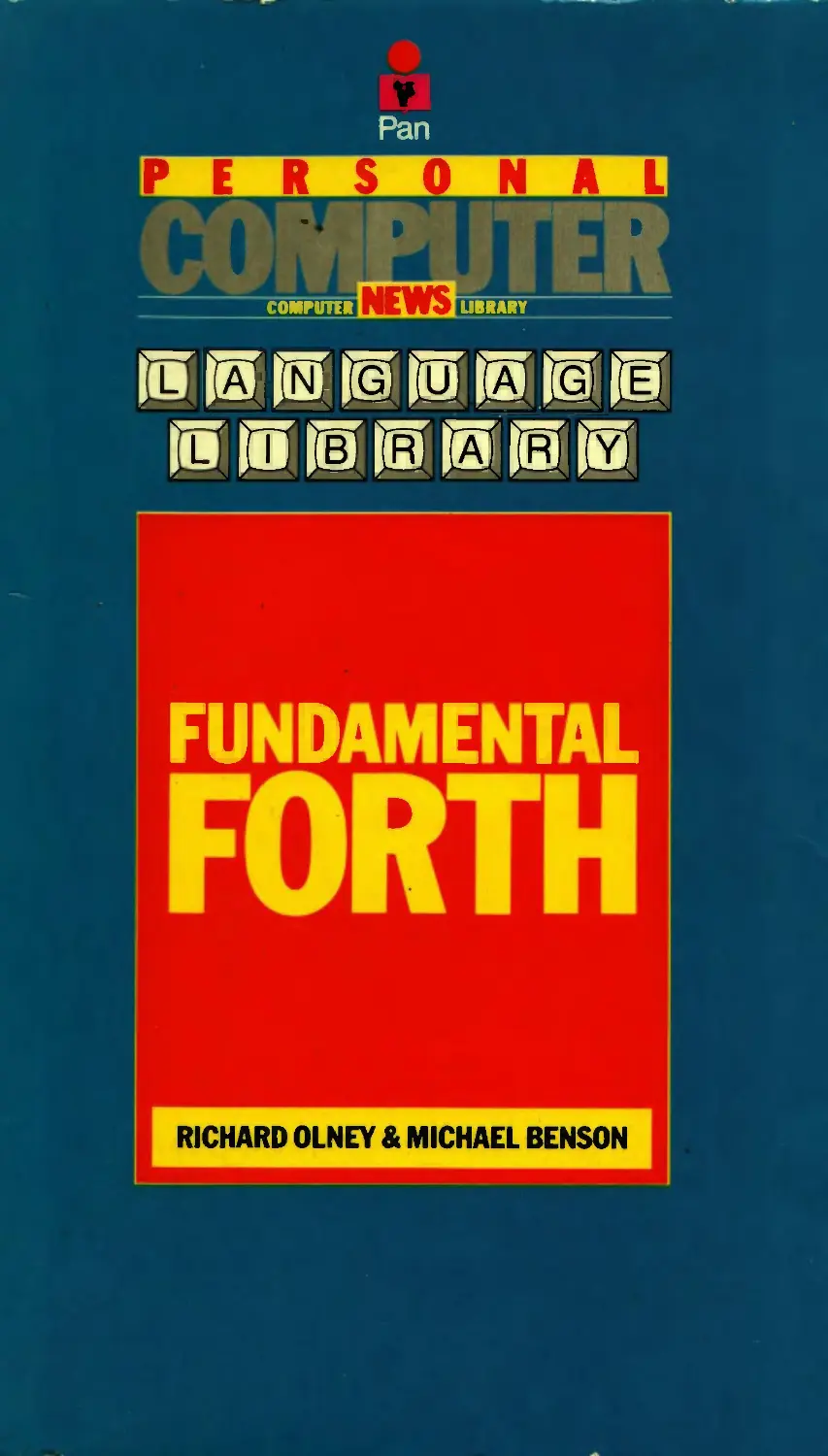
FUNDAMENTAL
FORTH
RICHARD OLNEY & MICHAEL BENSON

Pan/Personal Computer News
Computer Library
Richard Olney and Michael Benson
Fundamental Forth
Pan Books London and Sydney

First published 1985 by Pan Books Ltd,
Cavaye Place, London SW10 9PG
in association with Personal Computer News
987654321
© Richard Olney and Michael Benson 1985
ISBN 0 330 28960 8
Photoset by Parker Typesetting Service, Leicester
Printed and bound in Great Britain by
Richard Clay (The Chaucer Press) Ltd, Bungay, Suffolk
This book is sold subject to the condition that it shall not,
by way of trade or otherwise, be lent, re-sold,
hired out or otherwise circulated without the publisher's prior consent
in any form of binding or cover other than that
in which it is published and without a similar condition including
this condition being imposed on the subsequent purchaser

Contents
Introduction 7
Section One: Background 9
Chapter 1. About computers 11
1.1	A brief history
1.2	Species of computer
1.3	The main elements of a computer
1.4	Communicating with the machine
1.5	The memory
1.6	What can you use computers for?
Chapter 2. About programming 20
2.1	What is a computer program?
2.2	Levels of programming
2.3	Languages
2.4	Compilers and interpreters
2.5	Application design
2.6	Testing and debugging
Chapter 3. About Forth 32
3.1	How is Forth different?
3.2	Drawbacks and limitations
3.3	Forth words
3.4	The stack
3.5	How to choose a system
Section Two: At the keyboard 41
Chapter 4. Mapping your memory 45
4.1	How memory works
4.2	Addresses and data
4.3	The Forth memory map

Chapters. Defining new words 65
5.1	Colon definitions
5.2	Editing program source on disk
5.3	Variables and constants
5.4	Naming conventions
Chapter 6. Making decisions 87
6.1	The if...else...then structure
6.2	Using flags
6.3	Number comparison
6.4	Logical operators
Chapter?. Using the stack 87
7.1	Stack manipulation
7.2	The stack and arithmetic
7.3	Looking at the stack in more depth
7.4	The stack versus variables - a short application
Chapter 8. Numbers and arithmetic 105
8.1	Number bases
8.2	Types of numbers
8.3	Output formatting
8.4	Number input conversion
8.5	Forth arithmetic
Chapter 9. Repeating yourself 133
9.1	Control structures
9.2	Definite repetition - the do. . .loop
9.3	The return stack
9.4	Indefinite repetition
9.5	Application - a handy tax reckoner
Chapter 10. Using disks 156
10.1	Virtual memory
10.2	Writing to disk
10.3	Simple filing

Chapter 11. Exploring the Forth system 167
11.1	The Forth interpreter
11.2	Dictionary structure
11.3	Vocabularies
11.4	Vectored execution
11.5	The forth compiler
Chapter 12. Classes of words 185
12.1	More about variables and constants
12.2	Defining words
12.3	Building data structures
Appendices 195
Forth glossaries 196
Index 235

Introduction
Despite massive support from the old computer establishment the BASIC
programming language has now been widely discredited at every level.
There are various suitable alternatives available for home users, and as the
market matures these are becoming increasingly popular. This book is
about a powerful computer programming language called Forth. Because
of the nature of this language learning about Forth means learning about
the way that computers actually operate. This makes it the ideal choice for
those who want to learn general computer skills through programming.
The book is divided into the two sections. The first contains a general
background to computers and programming languages. It assumes no
previous experience. The second section teaches Forth ‘at the keyboard’
and relies on the reader having access to a standard version of Forth (and
of course a computer to run it on!). Chapter 3 includes advice on how to
choose a good system.
Forth is a ‘living language’, which means that you can endlessly extend
and improve your system. It also means that there is always more to learn.
Even an experienced Forth programmer is constantly experimenting with
new techniques and applications. This book can only describe the facilities
Forth offers and point to some of the ways in which they might be used. It
is only through programming itself that you can really master this unique
language.

Section 1: Background

1	About computers
1.1	A brief history
Computing really began when man first started to count, and in this sense
our fingers were the world’s first computers. These are fairly limited in
their application, however, and particularly inconvenient when it comes to
storing numbers over a period of time! This has encouraged mankind to
develop more efficient methods of dealing with numbers. Some of the
most notable of these (leaving aside computers for the moment) are the use
of an abacus for performing calculations and paper and ink as a means of
long term storage. At the lowest level these are the functions with which a
computer is mainly concerned - the storage, retrieval and processing of
numerical information.
The first attempts to build automatic calculating machines were promp¬
ted by the rise of commerce in the seventeenth century. The most famous
of these attempts was by man called Blaise Pascal. Later, in the eighteenth
century, J. M. Jacquard built an automatic loom which used perforated
cards as a means of storing its instructions. This development laid the
foundations for an aspect of computing which is not merely concerned
with the processing and storage of numbers, but with control over elec¬
tronic and mechanical devices. It also provided a guideline for methods by
which instructions and information could be fed into the computer itself.
The Analytical Engine designed by Charles Babbage in the nineteenth
century is generally accepted as the world’s first digital computer, even
though its construction was never completed. The basic elements of its
design were to correspond almost exactly to those of a modern computer,
despite its mechanical rather than electronic basis. Unfortunately Babbage
was too far ahead of his time, in much the same way as Leonardo Da Vinci
was in designing flying machines, and he lacked the necessary support
technology to make his dream a reality. Thus neither he nor his co-worker
Ada Lovelace were able to convince those funding the operation of the
ultimate merits of their machine, and financial support was withdrawn.
It was not until 75 years after Babbage’s death that the first electronic
computer emerged in 1946. It was called ENIAC, which stands for Elec¬
tronic Numeral Integrator and Calculator. This huge machine occupied
3000 cubic feet of space, contained 18000 vacuum tubes (valves), weighed
30 tons and consumed 200 kilowatts of power.

12 About computers
Since ENIAC, important developments in computers have been marked
by ‘generations’. The table gives a brief description with approximate
dates.
Generation
Dates
Description
First
1945-1954
Valve computers.
Second
1954-1965
Valves replaced by transistors.
Third
1965-today
Integrated circuits replace transistors;
containing a number of transistors on
the same ‘chip’ of semiconductor
material.
Fourth
1972-
Large Scale Integration or LSI. Huge
numbers of electronic components
integrated onto a single chip. This has
led to complete computers on a single
semiconductor device.
You may be wondering by now where Forth fits into all this. Forth is a
programming language designed by Charles Moore using an IBM 1130 - a
third generation computer. Moore was so impressed by the results of his
work that he considered it constituted a fourth generation language, but
the 1130 only allowed five character names, so he settled on ‘Forth’. As it
turned out he could not have chosen a more appropriate name, since the
language is perfectly suited for use with modern day microprocessors.
We are now moving towards what has been hailed as the fifth generation
in computing. This revolves around machines which can perform many
tasks at the same time (parallel processors) and attempts to make com¬
puters behave more like human beings (as in Artificial Intelligence - see
section 2.3). It has been claimed that these developments spell doom for
traditional programming languages, allowing people to communicate with
computers using normal everyday conversation. Whether or not this will
be the case remains to be seen, but there will always be a need for tools to
develop these complex programs and languages - building the interface
between the mechanics of the computer and the workings of the human
mind.
1.2	Species of computer
The first commercially used computers were monsters called mainframes.
These generally have hundreds of users at terminals from which they can
communicate with a huge central resource. Because these machines were
concerned mainly with the processing of large volumes of information the
part of a company responsible for them became known as the data process¬
About computers 13
ing or DP department. Clearly such installations required a very large DP
department, and sometimes this even led to the formation of a new
subsidiary company just to perform this function.
As demands on computers became more sophisticated the traditional
mainframe setup began to prove itself less than satisfactory. Integrating
the activities of large numbers of users and programmmers can be very
complex. General purpose programs designed to fulfil a number of
requirements often end up inadequate for any of them. Despite the
immense power of mainframes, peak time demands from users can still
cause bottlenecks resulting in an unacceptable delay in the computer’s
‘response time’. Apart from all this the cost of such a computer is well
beyond the range of all but the mega-corporations.
The next stage of computer development brought with it smaller, more
manageable computers dubbed ‘minis’. These might have between one
and fifty users, thus catering for the needs of smaller businesses. Large
companies often install minicomputers in each of their subsidiaries, link¬
ing them together in what is called a network. This kind of arrangement is
known as distributed processing. Although the operation of minicom¬
puters tends to follow the pattern of mainframes, the smaller DP depart¬
ments are able to concentrate on the specific requirements of particular
users. Another bonus is that if the machine breaks down far fewer people
are affected!
Although some of the minicomputers available are quite small, their
installation still requires a considerable investment, both in terms of
equipment and staff (not to mention training and consultancy). Com¬
puting therefore remained the exclusive right of business, government and
universities until the advent of microprocessors in the mid-seventies.
Microprocessor technology brought with it small, cheap machines
called microcomputers, which have since found their way into millions of
homes throughout the world. It is this type of computer with which this
book is concerned. At the time of writing the microcomputer industry is
still having growing pains. Early home computers used cassettes to load in
programs. This meant that the computer was unable conveniently to store
and retrieve volumes of information, which has traditionally been the
machine’s main function! In fact the only kinds of program which can be
run effectively without access to stores of information are games and
simulations, which explains the proliferation of such applications.
Now that home users have begun to demand more than just games,
cassette storage is being replaced by a more widespread use of disk drives,
allowing much faster access to information. Although this demands a
rather higher initial investment, it opens the doors to a flood of new
software covering a bewildering variety of subjects. It is also good news for
Forth - which is completely unworkable using cassette storage.
Microcomputers themselves come in a variety of different forms, rang¬
14 About computers
ing from small hand-held devices to powerful multi-user systems. Home
computers tend to fall somewhere between these extremes, but may offer
quite sophisticated facilities. They can generally talk to one another
through networks or be used to control external equipment like robots.
Through Forth the full potential of these exciting machines can be
realized.
13 The main elements of a computer
The main function of a computer is to allow us to store and retrieve large
volumes of information (data) with ease and to manipulate them at high
speed. In order for this to be possible the computer must have a number of
attributes; eyes or ears to allow it to receive the data we send, a memory
(possibly both long term and short term), a brain with which to process
the data, and a voice to tell us the answers. Diagram 1.1 shows the main
elements of a computer, the arrows indicating the directions in which
information or data is allowed to travel.
Input device
Output devices
Diagram 1.1. Main elements of a computer
Communication between man and machine takes place through the
input and output devices collectively known as peripherals. The diagram
shows a system using three peripherals; a keyboard for input and two
output devices, a display unit (or VDU) and a printer. This is a common
enough set-up on small systems, but in practice the processor may be able
to communicate with many peripherals of both types. The memory (where
data is stored) is shown in two parts. The fixed storage is the computer’s
own internal memory, known as ‘core’ on large mainframe computers - a
About computers 15
term rarely applied to smaller machines. The removable storage allows the
computer’s long term memory to be expanded. It usually consists of disk
and/or tape drives through which data may be electronically recorded onto
a magnetic surface, and read back at some later point by the CPU. These
drives are known as mass storage devices and are peripherals capable of
both input and output. By the addition of multiple mass storage devices, a
computer’s immediate memory can be expanded to enormous capacity.
They also give the computer the capacity for an almost limitless archival
memory, since libraries of tapes and disks may be built up and used in the
drive as and when required.
The central processing unit or CPU is the computer’s ‘brain’. Its thought
processes are governed by the programs that drive it. Through these
programs the CPU monitors its input devices for data, transmits data to its
output devices and manages all communication with memory. It also
performs any arithmetic necessary. The CPU carries out these tasks at
enormous speed so it can sometimes create the illusion of doing many
things at the same time, which is not in fact the case. On very large
computers the CPU may consist of racks of printed ciruit boards packed
with electronic components, whereas on a home computer it is normally a
single electronic component called a microprocessor. The principles of
operation are, however, much the same.
The computational power of a processor is often gauged in terms of the
data width. This is the maximum size for one piece of data which can be
manipulated in one go. The width of data is measured in bits and a bit
number is assigned to the processor to indicate its data width. Generally,
the higher the bit number of the processor the greater its computational
power. Microcomputer systems commonly use either 8-bit or 16-bit pro¬
cessors.
1.4	Communicating with the machine
The computer is an electronic device which communicates by sending and
receiving electrical pulses down wires.
Electrical pulses may be used to encode and transmit information over
distances. The early telegraph systems used this technique, employing a
circuit breaker to transmit messages in the form of mixed long and short
pulses called Morse code. In fact computer communications owe a great
deal to telegraphy. Thus when we type the letter ‘A’ at a computer
keyboard it sends electrical pulses to the CPU representing the code for
that letter. When the computer wants to display an ‘A’ the appropriate
code is sent to the screen which then lights up the correct dot pattern.
Internally the computer collects these pulses - storing and manipulating
them as electronic numbers. A number which is eight bits wide has space
to record a total of eight pulses, and can be stored in a quantity of memory
16 About computers
called a byte. Bytes are discussed in the next section, but it is worth noting
that eight bits are all that is required for each of the typographic characters
to have its own unique code.
As mentioned in the previous section a computer may be connected to a
number of peripheral devices capable of input, output or both. Those
mentioned so far are the keyboard, disk drive, printer and VDU, but there
is in fact an infinite variety of possibilities. Examples of other input
devices include bar code readers (used in supermarkets and warehouses to
transmit product information to a computer for stock control), light-pens
and digitizer pads for transmitting pictorial information in computer
graphics; circuit breakers in alarm systems; and traffic censors for a
computer controlled traffic light. Output devices include the traffic lights
themselves; plotters for drawing; sound synthesizers for musical appli¬
cations; and machine tools such as lathes in precision engineering. In fact
today almost any piece of electro-mechanical equipment can be connected
in some way as a peripheral to a computer. Many of these contain proces¬
sors of their own so that the central processor is monitoring and control¬
ling a whole cluster of ‘slave’ processors each of which is performing a
different task. In this way extremely powerful systems may be built up -
providing the necessary programs can be written to drive them.
1.5	The memory
The memory is an essential part of the computer, without which the
processor would be extremely limited in its usefulness. Memory was
briefly described in section 1.3 in terms of its fixed and removable com¬
ponents, and its actual operation is discussed in the context of Forth
programming in Chapter 4. It is, however, worth taking a slightly more
detailed look at some of its general characteristics before proceeding with
the rest of this book in order to clarify some of the terms used.
A processor has access to two types of memory in which it may store
data for later retrieval. Several small memory elements are part of the
processor itself. These are called the processor’s registers and are typically
8 bits wide on an 8-bit processor and 16 bits wide on a 16-bit processor.
They are used as temporary storage for data while the processor is carrying
out computations. In addition to the registers the processor has access to a
much larger quantity of external memory. This forms the bulk of the fixed
memory in diagram 1.1. In order to be able to express exactly how much
memory is available to the processor, a standard unit of memory - the byte
- is used. To give an idea of how much memory a byte is, each character
typed in at a word processor keyboard and stored in the memory occupies
one byte. A page of typewritten A4, therefore, might occupy 1500-2000
bytes.
In order to appreciate better how all this business of bits, bytes and
electrical pulses fits together consider the ‘pinball memory’ element shown
About computers 17
in diagram 1.2. The memory element consists of a row of eight pinball
firing chambers, each of which is loaded with a ball. After the ball in the
left-most chamber has been fired it passes over the flip up barrier, and up
the ball channel containing the trigger. When the ball passes over the
trigger the barrier flips up leaving a record that the ball has passed that
way. Thus if someone else has been playing and we come into the room we
can tell by a glance at the barriers which balls have been fired. The barriers
have ‘remembered’ it. Each of the flip-up barriers and its trigger mechan¬
isms is equivalent to one bit of memory, and the whole unit is equivalent
to one byte. A single bit can record events on one ‘channel’. It tells us one
of two things, either something happened (a ball passed over the trigger)
or nothing happened (no ball passed). All eight channels can be monitored
simultaneously so that if we fire a pattern of balls it will be reflected in the
state of the barriers afterwards - a barrier being ‘high’ if a ball passed and
‘low’ if none passed.
Ball firing mechanisms
Diagram 1.2. Pinball memory

18 About computers
The electronic memory of a computer operates in a similar manner, the
events recorded are electrical signals travelling along wires, one wire for
each bit in the cell. If an event occurs the bit stores up an electric charge, if
none occurs it does not. The bits are said to be in a high or low state
according to whether anything has happened to them. There are a 256
possible bit patterns in a single byte of memory. This allows a byte to be
used as an electronic number in the range 0 (all bits low) to 255 (all bits
high), and explains how it is possible to encode all the typographic
characters including punctuation using only 8 bits.
If a byte holds just one letter of the alphabet then clearly a very large
number of bytes would be needed to remember even one chapter of this
book. Generally when discussing how much memory is available on a
computer system the units Kilobyte and Megabyte are used. A Kilobyte,
or IK , is approximately 1,000 bytes, a megabyte about a million. Why
these are approximate is explained in Chapter 7. Thus a computer system
with 16 Kilobytes of internal memory is referred to as a 16K machine. A
typical home computer might have say 48K or 64K, a large minicomputer
perhaps 2 or 3 Megabytes.
The memory discussed above is called ‘read/write’ memory since it can
be altered by the processor as well as read back. This is commonly called
RAM (random access memory). We have seen how this operates by
storing up electric charge, but what happens to this charge when the
computer is turned off? In short it disappears, and the computer ‘forgets’
everything. It so happens that the programs which drive the computer are
held in memory and in forgetting these the computer reverts to a useless
pile of electronics. On mainframe computers the power is never turned
off, and great precautions are taken to ensure that the power can never go
down accidentally. On smaller machines however this approach is com¬
pletely impractical due to the expense. To get round this problem pro¬
grams and data essential to the basic operation of the computer are stored
on a different kind of memory, which is able to retain its information after
the power has been disconnected. In this type of storage the data is
actually a permanent part of the circuitry and can never be altered. For
this reason it is known as ‘read only memory’ or ROM. Part of the fixed
storage of a computer is always ROM, so when we talk of a 48 K machine it
should be made clear whether this is total storage or RAM since only the
RAM is available for the user’s data and programs.
Frequently a computer application will require that information be
stored over a long period of time, or require more information than can be
held in the computer’s internal memory. To accommodate this the data in
RAM must be moved somewhere else before the power is turned off. In
these cases mass storage devices are used as a long term read/write mem¬
ory, data being transferred to and from RAM by the processor as needed.

About computers 19
1.6	What can you use computers for?
To begin with computers were used to process and store large amounts of
numeric information, perhaps representing financial transactions or legal
contracts. Commercial computing has thus tended to use the technology to
replace existing manual systems. A filing cabinet and attendant clerk
might be replaced by a small database for instance. Although the wide¬
spread use of computers in business has transformed office life, their mode
of operation is still based on traditional administrative systems, it is only
the quantity and type of support personnel required that has changed.
Microprocessors, providing cheap computing power in a convenient
package, are transforming the nature of applications. Remember that they
need not necessarily be attached to screens or printers to communicate
with humans - they can for instance be used to control a robotic arm or a
space satellite. Although more traditional applications like spreadsheets
and word processors are still very popular amongst microcomputer users,
more specialist packages are emerging covering subjects from gardening to
graphic design, not to mention the vast number of games. It is reasonable
to assume that in ten years’ time the variety of software available will equal
that of books, and that as a result microcomputers will be as widespread as
televisions.
Because of the immense potential for microprocessor applications pro¬
gramming has been transformed from a challenging but essentially mono¬
tonous and repetitive task into a highly creative and rewarding pursuit.
This has made it appealing just as a hobby even when the programmer has
no particular application in mind. Whatever your reason might be for
wanting to learn programming, the choice of Forth as a language is one
you will never regret.

2	About programming
2.1	What is a computer program ?
Although the machine described in Chapter 1 has the potential to operate
as a computer, in order for it to do so it must be told exactly what actions
to perform. A computer program is a sequence of such actions and when
the computer is performing them it is said to be ‘executing’ the program.
In practice all computer systems are executing some program all the while
the power is connected. The computer equipment required to execute the
programs is collectively referred to as hardware, whilst the programs
which make the hardware useful are called software.
The part of the computer responsible for executing programs is the
processor, often called the central processing unit or CPU. It has an innate
ability to carry out a limited number of operations, which may be com¬
bined into sequences to build up more complex functions. The memory of
a computer can be viewed as an array of discrete elements which may be
accessed individually by the processor. Each element is assigned a number
for purposes of identification, and this is called a memory address or
simply address. Memory is said to start at address zero. The programs that
a computer executes consist of lists of numbers held in memory in con¬
secutive addresses. These numbers represent codes instructing the proces¬
sor to carry out particular actions. There are a limited number of instruc¬
tions available for any particular processor, collectively knowm as the
processor’s instruction set. The processor begins executing instructions at
the start of memory and continues working towards the end of memory.
The action of finding the next instruction and executing it is called the
instruction cycle, and the efficiency of this process largely determines the
overall speed of execution of the programs. In order to keep track of where
in memory the next instruction is to be found the processor maintains a
counter in an element of internal memory, called the program counter,
which is adjusted at each execution of the instruction cycle. Don’t worry if
all this sounds confusing - it is not necessary to understand the internal
workings of the processor to begin writing computer programs!
A computer program in the form just described is called a machine code
program, since it has been coded into a language which the processor can
understand. All programs executed directly by the processor are machine
About programming 21
code programs. In order to produce machine code programs for the
processor to execute - without the need to think exclusively in terms of
numbers - computer languages are used. These are programs which
translate more-or-less day-to-day language instructions from the pro¬
grammer into the appropriate code for the processor. The use of computer
languages is the main topic of this chapter and is discussed in detail in the
following sections.
In order to be even remotely usable a computer must have a portion of
its memory permanently loaded with a set of machine code programs
which enable communication with the human users, providing the ability
to read keystrokes from a keyboard and display things on the screen for
instance. These programs are collectively called the system software or
operating system. In order to be permanent they must be programmed into
special memory devices called Read Only Memory (ROM). When data is
programmed into ROM it effectively becomes part of the electronic cir¬
cuitry and cannot afterwards be altered or removed. It remains there even
when the computer is turned off. Since these programs are permanently
assembled into the machine as part of a hardware device, the term firmware
has been used to distinguish them from non-permanent pieces of software.
In addition to ROM, the computer has a certain amount of read/write
memory known as RAM (for Random Access Memory) which can be
altered by the processor during program execution. This type of memory
is called ‘volatile memory’ - since all information it contains is lost when
the power is turned off. The system’s RAM may be used to hold programs
for the processor to execute. These must be loaded into the memory either
from the keyboard or more usually from a mass storage device such as a
disk drive or tape machine. The use of such a device allows much larger
programs to be placed in memory without using expensive ROM and also
allows the same general purpose piece of hardware to be used for a wide
variety of specific applications.
Very often on a disk based system the major part of the system software
is held on disk, while firmware contains only those programs required to
establish communication between the processor and all the equipment
connected to it. When power to the machine is turned on the firmware
simply sets up the communications and starts loading up the RAM from
disk. Once this is done the processor executes one of the programs in
RAM. The firmware which gets a computer started in this way is called a
bootstrap program.
Typically, system software loaded from disk contains a number of
general utility programs which may be invoked by the user typing in a
command at the keyboard. These programs allow the user to deal more
easily with the routine tasks of computing such as disk copying, loading
and running programs etc. It is also possible that the user wishes to write
programs, in which case a further set of utility programs must be
22 About programming
employed, which are dedicated to the task of generating the necessary
machine code.
2.2	Levels of programming
The various programs described in the previous section clearly all have to
be written at some point. This means that someone has to decide what the
program should do, find an appropriate sequence of processor instructions
to achieve that end, and finally get the appropriate codes into the correct
place in memory. The initial specification of the program in the pro¬
grammer’s native tongue may have consisted of very few statements. The
processor, however, only performs very simple functions such as adding
two numbers together. It may therefore take a very large number of
processor instructions to perform even a trivial task. The relationship
between a program’s specification and the actual computer activity is a
question of levels. The task is first specified by a few ‘high level’ state¬
ments each of which will correspond to a large number of ‘low level’
processor instructions. Writing the program may be thought of as a
process of successive translations from native language down to processor
instruction codes. Over the years a large number of programming lan¬
guages and utilities have become available to provide short cuts in this
translation process.
The first level of compromise between man and machine came with the
provision of assembly languages. An assembly language program consists of
a sequence of statements in text form, which are to be translated into
machine code. The text itself is referred to as the source code, and may
reside on disk, in RAM, or simply hand written on paper. The statements
consist of short mnemonics designed to reflect in some way the operation
which the processor will perform. There is one mnemonic for each of the
processor’s instructions. These will be mixed with other statements and
numbers which refer to the data on which the instructions are to operate.
The process of translating the source code into a machine code program is
program assembly and the result is called an object code program.
The task of assembly may be performed manually simply by looking up
the appropriate codes in a reference book, but that still leaves the task of
loading the object code into RAM. More usually an assembler program is
used to produce the object code automatically. To load an object code
program into RAM a further program called a loader is used. The initial
assembly language source code is normally produced using a text editing
program and saved onto disk. This is then assembled and the object code
loaded into the correct place in RAM. Any good assembler should perform
all these tasks and a good few more with relative ease.
Assembly language is known as a low level language because it deals
directly with machine instructions. Each different type of processor has its
About programming 23
own specific assembly language, so that source code written for one cannot
be used to generate object code for another without employing a specially
designed ‘cross-assembler’. Another disadvantage of programming in
assembly language is that because large numbers of machine instructions
may be required to perform a task, the source code tends to be very
long-winded. Furthermore since the whole program is described in terms
of machine instructions, rather than in terms of the particular application,
it is easy to lose sight of what a program was supposed to be doing when it
comes to fixing the inevitable faults. This difficulty can be overcome to
some extent by extensive annotation of the program, but this produces
even bulkier source code for the programmer to plough through when
tracing faults. The use of assemblers has, however, allowed other higher
level languages to be written in order to achieve a more concise notation.
Programming in a high level language allows program statements to
specify more complex operations of a computer application in a readable
language, without direct reference to the actual machine instructions that
will eventually be performed. The translation of the high level source code
into object code is done using a compiler. The high level language state¬
ments do not relate directly to particular machine operations, but each will
be translated into a sequence of many instructions. This leads to far fewer
statements in the source code and enables more complex programs to be
written and tested. The high level language may then be used to write
other even higher level languages and program generators, so that ever
more complex tasks may be specified to the computer in a reasonably
concise form.
2.3	Languages
We have seen that different languages are used at various levels of pro¬
gramming. This is not the only reason for differences between pro¬
gramming languages. As computers have developed a vast selection of
languages has come into existence. At the lowest level this is because each
new processor understands a unique set of instructions, but languages
have also been developed to handle certain sorts of application or be
geared towards particular kinds of computer equipment.
The best example of a computer language designed for use in a specific
application area is COBOL, which stands for COmmon Business Orientated
Language. As you might expect this is used almost entirely for commercial
applications. The sort of functions which Cobol provides are particularly
suitable for the storage, retrieval and simple processing of large volumes of
information.
Languages such as COBOL are perfect for large sophisticated computer
installations, where programmers are protected from the actual operation
of the computer so that they can concentrate on churning out volumes of
24 About programming
code. As far as microcomputers are concerned, however, they have two
significant disadvantages. One is that they tend to use a fair bit of memory
- a resource that is still relatively limited on most micros (though this may
soon change!) More importantly, they give very little direct control over
the machine, tending to impose their own features onto applications. Since
a microcomputer is generally entirely under the control of a single user, a
programmer should expect total control over all its facilities.
zXnother way in which programming languages are seen to differ is the
ease with which they can be learnt and used. BASIC, for instance, was
specifically designed for use by a beginner with little or no knowledge of
computers. In this case the general approach is to present the potential
programmer with a small set of simple functions. Each program then
consists of a list of numbered lines containing these functions.
Whether or not BASIC is easy to learn is a matter of opinion, but one
thing is sure - it is very difficult to use. An analogy with natural human
language explains why this should be the case. If, for intance, Russian
consisted of only one hundred words, it would be very easy to learn all of
them by heart. The problem would come when we actually wanted to say
something - being restricted to such a small vocabulary! Another difficulty
with BASIC is that in general only one program can reside in the machine at
a time. This means that for any non-trivial program the list of instructions
becomes very long, and eventually completely unmanageable. The result
of all this is that even though basic is provided on nearly all home
computers it is rarely used for professional software development. Where
it is used much of the work may be done by machine code routines, with
basic providing just the outer level calling sequence (the next section of
this chapter looks at this in more detail).
One feature of a language which is considered particularly important by
software developers is its portability. This simply means how easily it can
be made to run on many different types of computer. The degree of
portability of a programming language depends upon the number of
machines on which it has been implemented, and on the number of
different ‘dialects’ (i.e. variations) of the language which exist, basic, for
instance, is used on a vast range of machines, but its overall portability is
limited because of the many different dialects used.
Typically the choice of language to be used in a large computer installa¬
tion or software house depends almost entirely on the availability of
qualified programmers. For this reason the well established institu¬
tionalized languages, having already attracted considerable investment as
far as training is concerned, tend to be self perpetuating. This highlights
the fact that traditional high level languages often bear little relationship to
the way the computer itself operates. Expert COBOL or basic programmers
may have little or no knowledge of computers per se, and their skills might
consequently be restricted in their application.

About programming 25
For the home user the choice of languages presents quite different
problems. On the one hand the language needs to be relatively easy to
learn, but it must also allow the programmer to achieve serious results
without spending months on development. It also helps if it encourages a
general awareness of the way the computer actually works.
Many of those who have rushed out over the past few years to furnish
thmselves with mirocomputers have assumed that BASIC was the only way
to program these beasts. The result has undoubtedly been many frus¬
trating hours spent poring over huge ungainly program listings, followed
by the eventual acceptance of failure - normally interpreted as personal
incompetence rather than a failing of the language itself. In the next
chapter we shall see why Forth offers an attractive and accessible alterna¬
tive to this situation.
One other area of software which we should mention in this section is
termed Artificial Intelligence (Al). Many different definitions have been
given to this phrase. In general it involves making computers appear to
behave like human beings. This means that they must exhibit qualities
normally associated with thinking or intelligence. Some have described
this field as a sort of meta-computing, suggesting that it covers those
functions computers cannot at present perform, such that once a problem
posed by artificial intelligence has been solved it becomes a part of com¬
puter science.
Artifical intelligence is a synthesis of computer science and psychology
which is still at a very primitive stage. Like any other area of computing,
however, its adherents have a pet language which they consider par¬
ticularly suitable for the problem at hand, in this case Lisp. Lisp is based
on a type of programming called list processing, which is literally the
manipulation of lists of words and numbers. Similar facilities are offered
by the language Logo, which is particularly suitable for children and
beginners.
One of the facets of artificial intelligence which is being increasingly
applied to microcomputer applications is natural language processing,
allowing the user to converse with the computer in normal conversation.
Note that list processing is appropriate here since sentences are literally
lists of words. Many of the more sophisticated Al techniques, however,
make heavy demands on computer resources, and so are still impractical as
far as contemporary microcomputers are concerned.
2.4	Compilers and interpreters
In terms of operation there are two broad categories of high level language.
Those which are compiled and those which are interpreted. A compiled
language is one which uses source code to produce machine object code,
which is later executed directly by the processor. An interpreted language
26 About programming
does not produce object code, but translates statements in the source
directly and executes built in functions to achieve the desired effect. The
interpreter does this translation while the applications program is running,
and thus necessarily executes more slowly than the equivalent compiled
program. Most small microcomputer systems come with a built in lan¬
guage interpreter, normally some dialect of BASIC. The reason that inter¬
preters rather than compilers are used is that they are much easier to
develop and are consequently less expensive.
A compiled program consists of actual machine code to be executed
directly by the processor without the need of further assistance from the
compiler, hence it does not carry the same speed penalty as an interpreted
language. The translation is said to take place at compile-time (while the
program is compiling) rather than at run-time (while the program is execu¬
ting). The object code produced, however, is normally less efficient than
that produced by an assembly language program, and at times this may
become critical. To accommodate this situation most compilers allow for
the incorporation of assembly language subroutines into the object code of
the high level program. A subroutine is a small general purpose piece of
code which may be executed repeatedly by one program, or used by many
different programs. The inclusion of assembler subroutines is frequently
achieved by writing them separately using the assembler and then incor¬
porating them into the high level program by means of a utility program
called a linker. The linker may be either a separate program or an integral
part of the compiler. It is normally invoked by the inclusion of statements
in the high level source code known as compiler directives. These state¬
ments are not compiled into object code but direct the compiler program
to perform some task at compile time, such as invoking the linker.
In addition to the use of linkers, some kind of subroutine library facility
is useful in a compiler. This allows the programmer to accumulate named
subroutines in an organized fashion so that they may be accessed directly
by the compiler. They may be either assembly language or high level, and
the facility should allow the routines to be linked in to any new source
program. This allows later source code to be much more concise since only
the name of the routine need be included with a compiler directive rather
than all the program statements of the routine. The use of this type of
facility can greatly speed the development of applications programs,
especially as more comprehensive programming resources are
accumulated.
If you have found all this a little confusing - don’t panic. Because Forth
is literally just a library of subroutines special libraries are unnecessary.
Similarly since Forth and assembly language programs can be mixed quite
freely there is no need to worry about linkers or separate assemblers. As
we shall explain in the next chapter these are just some of the ways Forth
integrates and simplifies the various elements of a microcomputer system.

About programming 27
2.5	Application design
In traditional computing the development of applications has been given
two distinct phases, with different skills (and hence personnel) required
for each one. The first phase is the analysis of a real life problem (such as a
company’s stock control procedures) to decide where and how the com¬
puter fits in. The problem is described with reference to the computer’s
prospective role. This description is then used by the programmer to
produce actual code. This job of systems analysis is, in fact, generally
considered more prestigious than programming itself.
Smaller computer installations have blurred the distinction between
systems analysis and programming, so that both functions may be per¬
formed by a single individual, called a programmer-analyst. Nevertheless
a great deal of attention is paid to the design stage of an application.
Because the home computer industry has tended to present pro¬
gramming as an isolated activity many amateur programmers give far too
little thought to the pre-programming phase of application development.
It is essential that the specific aims and requirements of an application be
analysed into a general plan of action before coding itself begins. It is
worth giving some thought at this point as to what form such a task might
take, since it must precede even the most elementary programming.
A microprocessor performs a long series of very simple tasks extremely
quickly. This gives the illusion of it performing quite complex tasks at a
satisfactory speed. The actual performance depends upon the processor
itself, the programming language used, and the complexity of the task.
The main point is that in order to describe a complex task to a computer it
must invariably be split into a sequence of much simpler functions.
We shall see later how Forth encourages this process. You should
always be aware, however, of the importance of good application design.
Never begin actually to code a program until you are sure you have a clear
idea of exactly what you want the computer to do. To illustrate how this
might work diagram 2.1 shows how the simple task of making instant
coffee might be analysed, using a device known as a flowchart.

28 About programming
Diagram 2.1. Flowchart to make instant coffee

About programming 29
A technique commonly used by Forth programmers at the design stage
attempts to present the main elements of a task in a form known as
pseudo-code. This is sort of cross between English and Forth program
code. The pseudo-code for our coffee making task might look like this:
HAVE-INGREDIENTS? NOT IF BUY-INGREDIENTS THEN
WATER-IN-KETTLE? NOT IF FILL-KETTLE THEN
TURN-KETTLE-ON
BEGIN BOILED? UNTIL
COFFEE>CUP
WATER>CUP
MILK? IF ADD-MILK THEN
SUGAR? IF ADD-SUGAR THEN
STIR-COFFEE
DRINK-COFFEE
As you will see, one of the beauties of Forth is that the final program of an
application looks almost exactly like the pseudo code shown above. If you
can make any sense of this list of instructions you are already well on the
way to being a Forth programmer
2.6	Testing and debugging
‘Bug’ is a word so commonly used by computer programmers that it is
rapidly becoming a part of everyday conversation. It refers to a pro¬
gramming error which has caused some unexpected (and usually undesir¬
able) result. A simple fact, that you may as well come to terms with right
now, is that hardly any programs work perfectly the first time. Even the
most skilful programmers spend a very significant proportion of their time
testing and ‘debugging’ their programs.
Bugs do, of course, vary in their seriousness. Sometimes they cause the
machine to cease functioning altogether. This is known as a system crash
and can often only be remedied by turning the machine off and on again.
Because Forth allows the programmer total control over the computer it is
easy for a beginner to cause a crash of this kind. Do not be put off, the
seriousness of the condition caused by a programming error in no way
relates to the gravity of the error itself.
Because it is very hard to imagine beforehand exactly how an appli¬
cation might look, programs always need unforeseen modifications during
final testing. This may be to correct bugs, for performance tuning or just
for cosmetic reasons.
If it is vital that an application is bug-free before it is used it will often be
subjected to a process known as ‘destructive testing’. As you might
imagine this means trying every possible way to cause an error. It makes
30 About programming
the (generally correct) assumption that if the program is to be used by a
large number of people then eventually everything that possibly can go
wrong will do so! Unfortunately even the most rigorous testing will often
overlook that million-to-one chance condition, leaving an obscure bug
lurking somewhere in the code. For this reason one of the cardinal rules of
programming is to make all programs as simple as possible - debugging a
complex program a year after it was written can be a daunting task!
Even if you are writing programs solely for your own use considerable
effort needs to be put into initial testing, though some bugs can be
corrected as and when they start causing problems. Diagram 2.2 shows a
complete program development cycle. Note that the actual act of coding is
only one element of the cycle.

About programming 31
Diagram 2.2. Program development cycle

3	About Forth
3.1	How is Forth different?
Forth differs from other microcomputer languages in that it offers a
complete integrated development environment. A good Forth is at once a
compiler, interpreter, operating system, low level language and high level
language, leading to immense flexibility. It is fast, with execution speeds
up to ten times faster than basic, yet the programs can take up less
memory than machine code! The complete control over the machine
which it offers means that no application is beyond its capabilities.
Like more traditional languages Forth begins life as a selection of
named functions. These are known as words, and the original set of them is
called the ‘nucleus’ or ‘kernel’. Using a language like BASIC generally
means that only one program can be resident in memory at a time, and
that each program must be defined entirely in terms of the reserved words
supplied. This results in long program listings which can be impossible to
follow, and whose overall structure is often chaotic. Not so Forth ! The
essence of Forth is short highly structured programs. By structured we
mean here that the organization of the source code is closely related to the
actual task it represents - though as you will see the term has a much
greater significance with respect to programming itself.
Forth allows a virtually unlimited number of programs to co-exist on
the machine. Each of these programs becomes a part of the language just
like the words in the nucleus, and can itself be used in other programs.
Forth programming is thus a process of successively increasing the power
of the language until a complex task can be defined in terms of a small
number of powerful functions. By carefully choosing program names so
that they reflect their function high level Forth programs can be made to
look almost like English (or any other language come to that!). We will be
looking more closely at how this works in section 3.3.
Earlier we said that Forth was a compiler and an interpreter. This
means that as well as being used within other programs, each Forth word
can also be used interactively from the keyboard. The elements of any
program can thus be run one by one, and problems quickly isolated.
Testing, editing and recompiling programs is remarkably quick and easy
on a good Forth system, since extensive applications containing many
different programs can be compiled in only a few minutes.

About Forth 33
Although Forth is very fast it still runs considerably slower than the
equivalent machine code. This is no problem, since, if necessary, routines
can be defined using an assembler exactly as if they were Forth words, and
subsequently they can be used freely in programs. In practice, however,
this is only done occasionally with extremely time-critical routines and will
not be discussed in any depth in this book.
As well as being flexible and extensible, Forth is above all accessible.
This means that every aspect of the language is open to change by the
programmer. A good Forth system can be reconfigured to create com¬
pletely new programming environments. Although it does not provide any
high level application-specific functions, with careful planning any pro¬
grammer can develop a powerful set of his or her own, regardless of the
specific nature of their requirements. All this combines to make Forth the
ideal development tool for any microcomputer application.
3.2	Drawbacks and limitations
Having sung Forth’s praises throughout the previous section it seems only
fair to offer a few words of warning about some of the potential pitfalls.
You may have noticed that the phrase ‘a good Forth’ has cropped up
several times already in this chapter. This implies that there is such a thing
as a bad Forth system, and indeed this is very much the case. Bad Forth
compilers are very easy to write, and there are a great many of them
around, especially for the smaller home computers. To be fair some of
these machines are simply not capable of supporting a very good Forth for
reasons we will discuss shortly. Too frequently, however, it is simply
down to a complete lack of appreciation in both the supplier and the
potential buyer of what a Forth system really should look like. The last
section of this chapter outlines the essential features you should look for
when buying a new system.
The use of cassettes has conspired to give Forth a bad name amongst
home users because it is quite simply not designed for use with such
devices. Your system must include at least one disk drive if you are hoping
to undertake any serious Forth programming. Fortunately the use of
cassettes as removable storage is now dying out, with a consequent rise in
the popularity of Forth. Another factor which has adversely affected Forth
implementations on home machines is the widespread use of the 6502
processor. For various reasons this processor is particularly inappropriate
for running Forth, though reasonable implementations do exist.
The complete control over the machine and lack of error checking
provided by Forth can be alarming to a beginner. Invariably mistakes are
made which result in a complete system crash, and to an inexperienced
user the code responsible can seem impossible to trace. This problem soon
passes as the possible sources of such errors become more familiar.

34 About Forth
Some low level Forth words may seem strange at first, having odd
single-character names. A good example is the word ! - which stores a
value in memory. These can make source code look completely unreadable
at first glance. The trick is to learn to pronounce such words by a more
descriptive name; a Forth programmer will naturally think of the word
‘store’ upon encountering an exclamation mark. As with any language
(computer or otherwise) it is the significance or meaning with which a
word is naturally imbued that counts, not its appearance. Another thing to
remember is that any Forth function can be redefined or renamed, so that
if desired a word called store could easily be added with the function of
I,
Finally, the approach to program development demanded by Forth is
dramatically different from that of languages like BASIC. It demands much
more attention to application design, and a deeper analysis of the problem
at hand. This means that experienced basic programmers might actually
find Forth more difficult to master than a complete computer novice
would, since the former will probably attempt to impose inappropriate
preconceptions. The effort of learning is well worthwhile, however, since
it opens up a whole new world of programmming freedom.
3.3	Forth words
We have already mentioned that Forth is composed of a large selection of
words, and that programming involves progressively combining these to
produce new words of increased functional power. To illustrate this let us
take another look at the coffee making task described in section 2.4. The
first line of our pseudo-code reads:
HAVE-INGREDIENTS? NOT IF BUY-INGREDIENTS THEN
Clearly the various words involved must have some method of communi¬
cating with one another, have-ingredients? decides whether or not the
appropriate ingredients for making coffee are available, and communicates
the results of that decision to NOT. The decision is reversed by not and
transmitted to IF which only allows buy-ingredients to execute if the
answer is yes (as in, yes we have no ingredients!). We will be looking at the
actual way in which Forth words communicate with one another in the
next section. For the present purposes we shall allow words to communi¬
cate the results of decisions only.
The following is an imaginary set of words which make up the language
‘Cofforth’. We shall combine these words into further words to produce
the high level functions in our pseudo-code program. Where a word leaves
the result of a decision for use by another word its name is followed by
(—answer). If a word expects to use the result of a decision left by another
word then its name is followed by (answer—).

About Forth 35
OPEN-CUPBOARD
Opens the cupboard door.
LOOK-INSIDE
Looks inside the cupboard and lists the contents.
AVAILABLE? ( —answer)
Checks the list of cupboard contents for coffee
i ngredi ents.
CLOSE-CUPBOARD
Closes cupboard door.
NOT ( answer	answer)
Reverses the decision received, ie yes becomes
no and vice-versa.
IF ( answei	)
If the decision received is 'yes' then all functions
between IF and THEN are executed, otherwise they are
not.
MAKE-SHOPPING-LIST
List those items not already available.
WALK-TO-SHOPS
Go to local shop.
BUY-ITEMS
Purchase the goods on the list.
GO-HOME
Return home.
The function have-ingredients? can now be defined as follows:
HAVE-INGREDIENTS? : OPEN-CUPBOARD
LOOK-INSIDE
AVAILABLE?
CLOSE-CUPBOARD
Notice that the decision left by available? is not used by close¬
cupboard and so it is still present when have-ingredients? ends. Simi¬
larly the word buy-ingredients could be defined:

36 About Forth
BUY-INGREDIENTS : MAKE-SHOPPING-LIST
WALK-TO-SHOPS
BUY-ITEMS
GO-HOME
We can now give a name to our line of pseudo-code and make the entire
thing a new word called ASSEMBLE which assembles the ingredients neces¬
sary to make the coffee:
ASSEMBLE : HAVE-INGREDIENTS? NOT
IF BUY-INGREDIENTS THEN
We will be looking more closely into how Forth words are actually created
in Chapter 5.
3.4	The stack
In the previous section we saw how Forth words might be combined into
programs. We decided that in order for this to work the words must have
some way of communicating with one another. There are several ways in
which this can be achieved, but by far the most important is the Forth
stack. A stack is like a pile of numbers, arranged so that any numbers
added go onto the top of the pile, and only the very topmost number can
be removed. This arrangement is called ‘last in first out’ (LIFO). The use
of a stack is by no means confined to Forth, but it is a key concept which
must be understood before embarking on any Forth programming.
Whenever a number is used in Forth it is placed on the top of the stack,
to be subsequently retrieved by the word that uses it. This means that in
calculations, for instance, the numbers involved must be placed on the
stack before the relevant operator is executed. Consider the following:
2 + 3
Although this is the way we are used to writing arithmetic expressions, if
you think about the way they are mentally evaluated it becomes apparent
that no actual addition can be performed until both numbers have been
read. If you are not convinced try covering up the 3 with a piece of paper
and see if the remaining expression makes any sense! Because of its use of
the stack Forth notation, although unfamiliar to begin with, is very close
to the way we actually deal with numbers, so that instead of the expression
above we would write:
2 3 +
This would have the following effect on the stack:
2 The number 2 is placed
on top of the stack.

About Forth 37
3 The number 3 is placed
on the top of the stack.
The number 2 thus becomes
the second stack item.
+ Both numbers are taken off
the stack, added together,
and the result (5) is placed
on the stack.
The notation used in Forth is called ‘reverse Polish’, but it should be
stressed that this is entirely the result of the use of a stack - not just an
arbitrary rule of syntax. The key thing to remember is that any numbers
which a word uses must be on the stack before the word is executed. The
arithmetic operators +, -,/ and * (for multiply) are Forth words just like
any other and thus each of them expects two items on the stack, which it
will replace with a result. We will be looking at the stack and Forth
arithmetic in much greater depth later on. For the moment, here are some
examples of expressions in standard (‘infix’) notation translated into
Forth.
INFIX
FORTH
10 * 4
10 4 *
5 + 2 + 8
5 2 + 8 +
or 5 2 8 + +
10 * (2 + 4)
2 4 + 10 *
or 10 2 4 + *
(18 - 2) / 8
18 2 - 8 /
Taking the last of these the effect on the stack would be:
18 The number 18 is placed on
the top of the stack.
2 The number 2 is placed on
the top of the stack. The
number 18 now becomes the
second stack item.
— The numbers 2 and 18 are
taken off the stack, 2 is
subtracted from 18, and the
result (16) is placed on the
top of the stack.

38 About Forth
8 The number 8 is placed on
the top of the stack. The
number 16 left by - becomes
the second stack item.
The numbers 16 and 8 are
taken from the stack, 16 is
divided by 8, and the result
(2) is placed on the top of
the stack.
3.5	How to choose a system
There are four main dialects of Forth currently in use. FIG-Forth is based
on guidelines developed by the Forth Interest Group, whilst Forth-79 and
Forth-83 were prescribed by the Forth Standards Team. Full glossaries
covering each of them are included in the appendices. These three stand¬
ards are in the public domain, that is there is no copyright on producing
such a system. Conformity to one of the standards is thus in no sense an
expression of quality. PolyForth is a propriety product of Forth Inc. in
California. Their systems are generally of an extremely high quality,
though well beyond the price range of most home users. In practice many
Forth systems are a compromise between the various standards, and most
have their own eccentricities. As long as the system is well documented,
however, you should have no problem in coming to terms with these.
As we pointed out in section 3.2, there are a great many poor Forth
implementations for home computers which can easily persuade an inex¬
perienced user that the language itself is unworkable. In addition to this,
Forth is no fun using cassette storage and at least one disk drive is essential
if you are really to come to grips with the language. Indeed good disk
handling is an essential feature of a good Forth system. For this reason you
should check that the Forth word block is implemented before buying
any system (see Chapter 10). This word is fundamental to Forth’s disk
handling. Systems which do not implement it tend to be too bound up
with the machine’s operating system (or worse, have been designed for
cassette!), and have often been developed by someone with little experi¬
ence of Forth programming.
A good Forth should include a source editor and a full mnemonic
assembler. There are no standards as far as editors are concerned, but in
time most of them can be adapted to suit your requirements. It is usual for
a Forth system to include a large selection of extensions and utilities as
source. These serve both as example programs and as general purpose
routines for use in your own applications. They also demonstrate that the
system is usable, since it has actually been used to develop programs,
About Forth 39
which is reassuring! Disk management, debugging aids and printer sup¬
port are amongst the most useful extensions you might look for.
If your computer runs one of the standard operating systems like CP/M
or MS-DOS you may find that some Forths run under the operating
system whilst others are ‘native’. Native systems use their own input/
output routines and thus do not require that the operating system be
loaded in order to run Forth. They tend to be rather simpler to use, if only
because you do not have to come to terms with the operating system as
well as Forth, and they generally run somewhat faster. Because native
systems do not use the operating system, however, they may not keep pace
with changes in hardware.
As with any other language the quality of documentation is important
when choosing a system. It should take the form of some introductory and
general material, a full Forth memory map (see section 4.3) with details of
all the important locations, and a comprehensive glossary much like the
one at the end of this book.
Finally the quality of a Forth system is, of course, bound to be reflected
in its price. To some extent your requirements will depend upon your
intended use of Forth. If you are planning to use it for professional
programming you should try to explain what you want to do in as much
detail as possible to any potential supplier, since there are likely to be
extensions available - possibly at extra cost - which will make things easier
for you.

Section 2:
At the keyboard

Section 2: At the keyboard 43
The rest of this book assumes that you are kitted out with a computer
running some standard version of Forth. References are made to Forth
’79, Forth ’83, FIG-Forth and PolyForth so that it doesn’t matter which
implementation you are using so long as it is not unacceptably non¬
standard.
The manual that came with your Forth should include full instructions
on getting the language up and running, and you must follow these
carefully. You will need to equip yourself with at least one spare floppy
disk (assuming you have a disk drive) to keep your work on.
When you load Forth you will generally be presented with some kind of
title or menu and the text cursor will appear as a flashing underline or box
underneath this. It is at the position of the text cursor that all characters
typed in at the keyboard will appear. Try keying in HELLO and note the
position of the characters. At this point although the word has appeared on
the screen it has not yet been sent to the computer itself. To do this you
must press the key marked <RETURN> or <ENTER>. Remember
that you will always have to press this key at the end of any text you enter
before the computer will respond to it. We will use the symbol
<RETURN> to indicate where this should be used.
If you typed in:
HELLO <RETURN>
Forth will have responded by echoing the word followed by a question
mark, so the line will now look like this:
HELLO HELLO?
This means that Forth does not yet understand the word HELLO. As you
try the examples in this book you will find yourself making inevitable
typing errors, which may sometimes result in odd messages. If this hap¬
pens you should keep trying until the desired result occurs and Forth
responds with ‘ok’ which means it has understood your request and acted
on it. Try keying in:
PAD <RETURN>
and you should find that the ‘ok’ appears immediately the return key is
pressed (don’t worry about what pad means for the moment). Now key in:
10 <RETURN>
Forth again responds with ‘ok’, although nothing appears to have hap¬
pened. What has in fact happened is that the number 10 has been put on
the top of the stack. It can be retrieved by typing:
. <RETURN>
44 Section 2: At the keyboard
Whenever a number is keyed in it is always placed on the top of the stack.
When you key something in, Forth first checks whether it is an executable
word (i.e. whether it is in the ‘dictionary’). If it is not, then Forth tries to
convert it to a number. Any string (delimited by a space) that can neither
be found in the dictionary nor interpreted as a number is echoed on the
screen with a question mark.
Forth is an interactive language, which means that all Forth words can
be tried out simply by keying them in. It is essential to experiment with
new words as you come across them until you are completely happy with
the way they work. Only by using Forth can you ever hope to really
understand it.
Occasionally if you make a particularly fatal error your machine may
cease to accept any input from the keyboard, or it may develop other
chaotic symptoms. This effect is known as a ‘system crash’ and is familiar
to all Forth programmers. It means that you will have to turn off your
computer and reload Forth from the beginning.
Finally bear in mind that this book is designed to complement - not
replace - the documentation that came with your Forth system. As Forth
words and concepts are introduced you should find out what the docu¬
mentation that comes with your system has to say about them. It may be
that certain words have not been implemented or behave in a non-standard
fashion. Until you know otherwise you should assume that words operate
in the way described in your user manual as opposed to this book.

4	Mapping your
memory
4.1	How memory works
The previous chapters have discussed computer memory in general terms
from a number of different angles. The concepts of bytes, bits, and
addresses have also been introduced with little explanation as to how they
all fit together. In this chapter the use of memory is examined more closely
and some simple Forth words are introduced. It is recommended that the
reader experiment with these words at the keyboard of a Forth system,
within the restrictions outlined, for only by doing so will any practical
appreciation of computer use of memory be acquired. Some of this chapter
may seem confusing to those unfamiliar with computers; don’t worry, it
will all become clear as you gain experience in Forth programming.
In Chapter 1 memory was described as consisting of a large number of
discrete elements called bytes, each being 8 bits wide and capable of
storing a number in the range 0-255. It was also stated, in Chapter 2, that
for purposes of identification each byte is assigned a number called an
address. This warrants some clarification. The relationship between the
address of a byte and the value it contains (its data) may be thought of as
being analagous to a bank’s safety deposit box system. Each of the safety
deposit boxes in the bank has its own unique number, which must be
produced if we are to gain access to the box. The box number is equivalent
to the address, the box to the byte element and the valuables inside to the
data contained within the byte. This analogy is limited but fairly useful.
We imagine the memory as being a number of safety deposit boxes
arranged adjacent to one another. The boxes are not actually numbered
but we know that the box at one end is number 0 and that therefore the
one at the opposite end is the last address. If we wish to examine the
contents of box 10, we must open the door of the box which is 10 along
from box 0. In practice the computer plays bank manager and all we need
to do is to specify the box number and whether we wish to make a deposit,
a withdrawal or merely gloat over the contents for a while. Here are two
Forth words which allow the contents of any byte of memory to be
examined from the keyboard. Note that the words enclosed in brackets are
just comments which represent the effect of the word on the stack. Those
to the left of the dashes indicate the state of the stack before execution of
the word and those to the right the state after.

46 Mapping your memoryMapping your memory
c@ ( address—data)
‘C-fetch’. Takes the address given on the stack and returns the contents of
that byte.
. ( data—)
‘Dot’. Takes the byte data from the stack and displays it on the screen.
c@ may be used to retrieve the byte contents of any memory location by
first specifying the address number and then typing c@. The desired
address may be placed on the stack ready for C@ to find simply by typing it
in at the keyboard before keying in c@, e.g. typing:
100 C@ . <RETURN>
will display the contents of address 100. Ensure that a space is left between
each of the words typed, since the Forth interpreter needs spaces to tell
where one word stops and another begins.
The number displayed by c@ . will always lie in the range 0-255, since
as we have said there are only 256 possible high/low bit patterns using byte
width memory. Clearly it would be extremely limiting if we were always
confined to this range, but before we look at how larger numbers may be
accommodated let us take a closer look at how the numbers are construc¬
ted from bit patterns.
One of the simplest and most common computations is counting. A
computer may use a byte of memory as a digital counter just like a mileage
counter in an automobile. Each of the bits in the byte operates as a digit in
the counter but instead of the usual values 0-9 each may only have one of
two values: 0 or 1. A 1 corresponds to a high state of the bit, a 0 to low.
The changes in bit pattern for an incrementing byte counter are shown
opposite.

Mapping your memory 47
Bit pattern
Count value
00000000
00000001
00000010
00000011
00000100
0
1
2
3
4
11111000
248
11111001
249
11111010
250
11111011
251
11111100
252
11111101
253
11111110
254
11111111
255
00000000
0
When referring to the individual bits in a byte it is conventional to use a
numbering system; the bit shown leftmost is bit 7 and the rightmost bit 0.
As with the digital counters we encounter in daily life the leftmost digit is
the most significant and the rightmost the least significant. A number
whose digits may only have two values is called a binary number, and the
word ‘bit’ is an abbreviation for the phrase ‘binary digit’. The counter
shown above is a binary counter which starts at zero and is successively
incremented. Counting continues until all the bits are set to 1, and on the
next count it goes round the clock and the entire byte is reset to zeros.
In order to use memory for counting numbers higher than 255 it is
necessary to employ more bits to represent the number. This may be done
by using two consecutive byte addresses as a single ‘cell’ of memory,
provided that the count can be made to carry over into the next byte. On a
16-bit computer this is automatically provided for within the processor’s
instruction set, but an 8-bit processor may require extra programming.
Forth is a natural 16-bit language that makes the computer behave as if it
were a 16-bit machine even if it only has an 8-bit processor. In fact the vast
majority of memory operations in Forth use 16-bit cells. An extended
16-bit binary counter is shown overleaf.

48 Mapping your memory
Cell bit pattern	Count value
High byte	Low byte
00000000	11111111	255
00000001	00000000	256
00000001	00000001	257
00000001	00000010	258
00000010	00000000	512
00000010	00000001	513
00000011	00000000	768
00000011	00000001	769
11111111	11111100	65532
11111111	11111101	65533
11111111	11111110	65534
11111111	11111111	65535
00000000	00000000	0
As you can see the use of a second byte greatly increases the range of
numbers which may be represented in memory so that any number in the
range 0-65535 may be accommodated. The 16-bit count value is construc¬
ted in memory so that the 8 least significant bits occupy the lower address
and the 8 most significant the next address. The following Forth words
may be used to perform a 16-bit count and display the results.
@ ( addr—number)
‘Fetch’. Returns the contents of the the 16-bit cell starting at the given
address.
u. ( data—)
‘U-dot’. Displays the data item on the top of stack as a value in the range
0-65535.
pad ( —addr)
Returns a safe address for general use.
! ( number,addr—)
‘Store’. Sets the contents of the given address to the number.

Mapping your memory 49
+! ( number,addr—)
‘Plus-store’. Adds number to the contents of the given address.
The unsigned contents of any 16-bit cell of memory may be displayed
using:
@ U. <RETURN>
in the same way as for bytes using c@ . This is a completely harmless
activity. The words! and +! alter the contents of memory and must not be
used indiscriminately since certain parts of memory are vital to the correct
operation of the Forth system. The Forth word pad returns to the stack
the address of the start of an area of memory set aside as general purpose,
normally about 64 bytes long. This address may be used quite freely and
should be used in all initial experiments. The contents of pad may be set
equal to any value in the range 0-65535 using !, the desired value being
placed on the stack prior to executing pad. Thus the phrase:
0 PAD ! <RETURN>
sets the contents to 0 whilst:
20 PAD ! <RETURN>
sets it to 20. The contents of the cell may also be incremented by a given
quantity using +! which expects the same input parameters as ! but adds
the number into the cell rather than merely storing it there. Thus suc¬
cessive:
2 PAD +! <RETURN>
operations will count the value in PAD up by increments of 2. The contents
of PAD may be displayed at any time by typing:
PAD @ U. <RETURN>
An equivalent word to !, present on all Forths, to operate on byte values
only is C! and some systems also employ a C+! for maintaining single byte
counts.
Words introduced in this section:
@ ( addr—n)
‘Fetch’. Returns the contents of the the 16-bit cell starting at the given
address.
C@ ( addr—n)
‘C-fetch’. Takes the address given on the stack and returns the contents of
that byte.

50 Mapping your memory
• ( n—)
‘Dot’. Takes the byte data from the stack and displays it on the screen.
u. ( un—)
‘U-dot’. Displays the data item on the top of the stack as a value in the
range 0-65535.
pad ( —addr)
Returns a safe address for general use.
! ( n,addr—)
‘Store’. Sets the contents of the cell at the given address to the number.
+! ( n,addr—)
‘Plus-store’. Adds number to the contents of the cell at the given address.
ci ( b,addr—)
‘C-Store’. Sets the contents of the given address to the byte value.
C+l ( b,addr—)
‘C-Plus-store’. Adds byte value to the contents of the given address.
4.2	Addresses and data
As we have seen, computer memory stores binary numbers and both 8-bit
and 16-bit values have been used. What else can it store? The answer is
nothing, binary numbers are the limit as far as computers are concerned.
We may use larger numbers; 24-bit; 32-bit; 48-bit and so on by employing
extra bytes and thus greatly extending the numeric range, bur these are
still just numbers. Since many computer applications require the process¬
ing of essentially non-numeric information, text or images for instance, it
must be numerically encoded before the computer can handle it. This
means that whilst we are restricted to the processing of numbers, the only
real limitation on the information we can handle is our imagination in
encoding the data. For example the binary number representing 65 held in
a single byte of memory may in one set of circumstances be treated as
literally the value 65, or in another context as a numerically encoded letter
‘A’. This section looks at some of the many diverse ways of interpreting
data items in memory, and in the process introduces a few simple Forth
words which may be tried from the keyboard so that you can get a feel for
the way in which these words interpret their data prior to to writing any
programs.
The simplest interpretation of the contents of a memory cell is that
employed in the last section, where it is treated as a count value - literally a
number between 0 and 65535. This is the interpretation placed on the
value by U. which displays the value on the top of the stack as an ordinary
number falling in that range. The word . (‘dot’) treats the numbers in a
Mapping your memory 51
slightly different way, although the basic action is very similar.
65535 . <RETURN> -1 ok
-1 U. <RETURN> 65535 ok
In neither instance is the anticipated result given, the word . treats 65535
as if it were — 1, and the word U. does the opposite. The reason for this is
that both -1 and 65535 are represented internally by the computer using
the same 16-bit binary number (1111111111111111). This is tied up with
the way in which computers perform arithmetic, as we will see in chapter
8, but it is important to appreciate that different words will interpret a
value in different ways. When . executes it treats only the least significant
15 bits (bits 0—14) as representing the size of the number. Bit 15 (leftmost)
-	ordinarily the most significant bit of the value - is seen as the sign of the
number, a 1 indicating that the number is negative, a 0 positive. Most of
the Forth arithmetic functions also treat cell values in this way, allowing
us thus to incorporate the processing of minus numbers into our pro¬
grams. The use of bit 15 as a sign bit clearly cuts down the range of
absolute values we can represent in a single cell. The maximum value for
the magnitude of a 16-bit number is +32768, with any values greater than
this being treated as negative. The total range of signed values on which
we can operate is —32768 to +32768. By contrast U. treats the whole of a
16-bit number as representing the value, as do all the memory operations
(@ c@ ! C! +! and C+l so far) wrhich use the top stack value as an unsigned
value representing the memory address. As negative memory addresses
are not allowed the full positive range 0-65535 can be used. Thus Forth
systems naturally address 65535 bytes, or 64K of memory.
In order to investigate further the properties of signed and unsigned
numbers the following Forth arithmetic words may be used in conjunction
with those words already introduced to perform very simple calculations.
1+ ( n—n+1)
Returns the given value incremented by 1.
2+ ( n—n+2)
Returns the given value incremented by 2.
@ ( nl,n2—nl+n2)
Returns the sum of nl and n2.
-	( nl,n2—nl-n2)
Returns the difference between nl and n2.
The words 1+ and 2+ act on a single stack parameter, leaving the value
incremented by 1 and 2 respectively. Some Forth systems (notably
Forth-79) also have a pair of complementary words 1- and 2- for carrying
out the corresponding decrements.

52 Mapping your memory
The words + and - are Forth’s general purpose addition and subtraction
routines. They both require that two values be on the stack which are
effectively removed during execution and replaced with the result. The
order in which these two values are placed on the stack is unimportant for
the addition since 6 + 3 is the same as 3 + 6, but in the case of subtraction
the order is critical. Using - the top stack value is subtracted from the
value immediately below it, and the difference returned. Here are some
examples of the results of Forth arithmetic, others should be tried until
you are happy about the concept of signed and unsigned numbers within
the computer.
0 1+ 1+
1+
. <RETURN>
3 ok
0 2+ 2+
2+
. <RETURN>
6 ok
0 2+ 1 +
-
<RETURN>
3 ok
-1 1+ .
<RETURN>
0 ok
6 10 + .
<RETURN>
16 ok
6 -10 +
•
<RETURN>
-4 ok
-6 10 +
•
<RETURN>
4 ok
-6 -10 +
■
<RETURN>
-16 ok
6 10 - .
<RETURN>
-4 ok
10 6 - .
<RETURN>
4 ok
-10 6 -
-
<RETURN>
-16 ok
10 -6 +
-
<RETURN>
4 ok
-10 -6 -
<RETURN>
-4 ok
Note that when displaying the minus numbers produced by Forth arith¬
metic using u. the higher the value of the signed number the lower the
unsigned number displayed.
-	1 U. <RETURN> 65535 ok
-	2 U. <RETURN> 65534 ok
-	3 U. <RETURN> 65533 ok

Mapping your memory 53
It has already been mentioned that typographic characters can be coded
into 8-bit binary numbers, and it is in this form that text is transmitted
between the computer and its peripherals (such as keyboard, screen or
printer). The complementary Forth words KEY and EMIT deal with the
input and output of single character data between keyboard character data
between keyboard and computer, and between computer and screen,
respectively.
emit ( character value—)
Treats the top stack item as an 8-bit character code and displays the
appropriate character at the screen.
key ( —character value)
Waits for a keystroke and returns the character code associated with that
key.
When trying values with EMIT only numbers greater than 31 should be
used, since the codes 0-31 are used for other purposes and do not yield a
printable character. The following results should be obtained from emit:
65	EMIT <RETURN> Aok
66	EMIT <RETURN> Bok
67	EMIT <RETURN> Cok
These are the character codes for the first three letters of the alphabet, in
upper case. Notice that there is no space between the character displayed
and the ‘ok’ issued by Forth. The character code for a space is 32, and this
is used so frequently that a special word space is defined to perform 32
emit. To assist in the layout of screen displays the word spaces is also
defined to perform space a number of times according to the top value on
the stack.
10 SPACES 65 EMIT SPACE <RETURN>	Aok
8 SPACES 65 EMIT SPACE <RETURN> Aok
The complementary function of collecting input from the keyboard is
performed by KEY which requires no stack parameters. Entering:
KEY <RETURN>
suspends any further operations until a key has been pressed, whereupon
the character code associated with that key is returned to the stack and an
‘ok’ issued. Thus typing:
KEY . <RETURN>
followed by a keystroke allows the character code for any of the keys at
your keyboard to be determined.
In order to simplify the task of textual data transmission between the
54 Mapping your memory
many diverse types of computer and peripheral a number of standard
codings have been adopted. The most notable of these is ASCII which
stands for American Standard Code for Information Interchange. This is
the code system employed by almost all Forth systems, although the
occasional variation is encountered. The character codes used above are
ASCII, i.e. 65 is ASCII for ‘A’, 32 for ‘space’ etc.
So far we have referred to addresses and data as if they were completely
distinct from one another, but with Forth this need not always be the case.
An address can be treated as a piece of data or a data item as an address.
Certain Forth words treat any 16-bit number as a machine address, the
memory operations are examples of this. They require that the topmost
stack value specify the address on which they are to operate but care
nothing of how that address got there. Thus the address may have been
produced as the result of a calculation as in the following phrase:
PAD 80 + @ . <RETURN>
which displays the contents of the cell which begins 80 bytes upwards in
memory from pad. The actions on the stack are as follows:
Operation
Stack
PAD
—addr
80
—addr,80
+
—addr+80
—data
—
Here we have specified the address for @ relative to a known location (pad)
by means of a computation. This technique is called relative addressing and
turns out to be a very valuable tool in programming. The ease with which
Forth is able to process addresses as if they were data is largely responsible
for its great flexibility and examples of computed addresses will appear in
many of the programs in this book.
Another method of manipulating memory addresses, known as indirect
addressing, is also used extensively in Forth. Here instead of directly
specifying the actual address on which we wish to operate we specify an
address where the computer will find the address for the operation. The
address which holds the effective address is know as a pointer, since it
points the computer to the desired location.
Suppose we are to operate on three data items in contiguous memory
cells starting at pad+80. We may set up the location PAD to act as a pointer
to this data with the commmands:

Mapping your memory 55
PAD 80 + PAD ! <RETURN>
which compute the address of the first cell and store that value in pad. To
examine the contents of that cell we can use:
PAD @ @ . <RETURN>
which retrieves the effective address of the data with the first @, and the
data itself with the second. This may seem a round-about method of
retrieving the data but it offers possibilities not allowed for by directly
specifying the effective address. This will not be fully appreciated until it
comes to writing programs, but to get the feel of the technique use the
following sequence of commands to alter the contents of the three memory
cells:
1	PAD a ! <RETURN>
-stores 1 in 1st cell.
2	PAD +! <RETURN>
-points to next cell.
2 PAD a ! <RETURN>
-stores 2 in 2nd cell.
2	PAD +! <RETURN>
-points to next cell.
3	PAD a ! <RETURN>
-stores 3 in 3rd cell.
PAD 3 3 . <RETURN> 3 ok
-contents of 3rd cell.
56 Mapping your memory
-2 PAD +! <RETURN>
-point to previous cell.
PAD 3 □) . <RETURN> 2 ok
-contents of 2nd cell.
-2 PAD +! <RETURN>
-point to previous cell.
PAD 3 3 . <RETURN> 1 ok
-contents of 1st cell.
Forth programs make extensive use of pointers since in many cases it
greatly simplifies the processing.
So far all data have been treated as separate values, a character, an
address or a number. In many instances however we require to process
whole clusters of associated data. For example, if we wish to display the
message ‘Good Morning’ on the screen it is not convenient to perform this
with a whole series of emit operations on the individual characters,
particularly since the letters have meaning only by virtue of their associa¬
tion with the other letters in the message. This message could be held in
memory as a sequence of 12 ASCII codes in consecutive bytes. A region of
memory used to store a string of associated data is referred to as a memory
string and the text message as an ASCII string.
There are a number of Forth words which operate on strings of data,
some of which will be used here to show how a memory string can be
specified. A memory string has two qualities by which it may conveniently
be identified. It has a starting point (a byte in memory containing the first
element of the string) known as its base address, and it extends for a given
number of bytes through memory and thus has a length or character
count. The following words operate on whole strings of memory:
EXPECT ( addr,count—)
Awaits a stream of keystrokes to the maximum number given or until a
carriage return, and stores the ASCII codes in successive bytes of memory
beginning at the given address.

Mapping your memory 57
TYPE ( addr,count—)
Types out the string of‘count’ characters beginning at the given address.
blank ( addr,count—)
Stores ASCII 32 in each of the elements of the specified string.
ERASE ( addr,count—)
Stores zeros in each element of the specified string.
FILL ( addr,count,char—)
Stores the data value given on the top of the stack in each element of the
string specified immediately below.
In each case the memory string to be operated on is specified by placing
first the base address on the stack, and then the string length in bytes. Try
the following:
PAD 20 BLANK <RETURN> ok
PAD 20 TYPE <RETURN>	ok
PAD 20 EXPECT <RETURN> Good Morning <RETURN> ok
PAD 20 TYPE < RETURN > Good Morning ok
First, a string of 20 bytes is ‘blanked’ using blank (on some Forth
systems this word has the name blanks). Typing out the contents of the
20 bytes starting at pad shows that this has been done successfully. The
computer is then instructed to EXPECT a string of up to 20 characters from
the keyboard. Execution is suspended until either 20 characters have been
received or a return is detected (in which case expect ceases operation
immediately). Each of the characters keyed in is stored in the string
starting at pad as shown in diagram 4.1.
Diagram 4.1. A 20 character string at PAD
Many Forth implementations contain the word DUMP, which will display
the contents of each byte of a string. This may be used to examine the
character codes of the string beginning at PAD as follows:

58 Mapping your memory
PAD 20 DUMP <RETURN> 71 111 111 100 32 77 111 114
110 105 110 103 0 0 32 32 32 32 32 32 ok
Using a method somewhat similar to the indirect addressing described
above, it is common practice to allow a string to specify its own length by
using the first byte in the string to hold a character count for the rest of the
string. If stored in this form the message ‘Good Morning’ at PAD would be
constructed as shown in diagram 4.2.
It could be displayed by the sequence:
Operation
Stack
PAD 1 +
—addr
PAD C@
—addr count
TYPE
—
This method of storing strings is particularly convenient for programming
and allows strings to be packed together in memory rather than allocating
space which may just hold blank characters.
ASCII strings are not the only data treated as string data. A string may
be a list of discrete data items which have some other linking factor. For
example, a memory string might be used to hold the number of units of
electricity consumed by a household in each of the months of the year. We
may wish to operate on all the data, e.g. sum it to get a yearly figure, on
groups of data as for quarterly information, or on the individual monthly
figures. It would be convenient if we could specify the data we wish to
access in terms of the month. This may be done by arranging the data in
memory as shown in diagram 4.3, assuming that each month is allocated
one byte only.

Mapping your memory 59
(offset)
Diagram 4.3. Monthly consumption array
The first byte in the string contains the number of elements in the rest
of the string; data for a given month may be addressed by adding the
month number (Jan=l Dec=12) to the base address (PAD). Thus the
month number specifies the ‘byte offset’ into the string. The data for
March could be displayed by:
PAD 3 + C@ . <RETURN>
Strings which are accessed in this way are normally known as data tables
or arrays and the method of generating the address of an element as indexed
addressing. In this case the month number acts as an index into the table.
Since tables are often used to accumulate numeric data the Forth word
ERASE may be used to set all the values in the table to zero. It is used in
exactly the same form as blank(S), requiring a base address and a byte
count. A further word FILL is of more general use allowing strings to be
filled with any byte data. It requires an additional stack parameter as the
top stack value, with the address and count directly beneath. Its operation
is otherwise similar to that of erase and blank.
Computer memory may thus hold a wide variety of data types, as well as
machine instructions for execution by the processor. In order efficiently to
utilize the memory space available, regions of memory are normally dedi¬
cated to particular uses. For instance, data transfers between the computer
and its peripherals generally take place via regions of memory called
buffers, key codes from the keyboard being sent to a keyboard input
buffer, and text for display being transmitted via some output buffer. It is
also customary to have all the programs together in one region of memory
separate from the data, to save the processor having to jump around all
over memory to execute its programs. In most languages the way in which
the memory is organized is transparent to the user, but programming in
Forth allows such direct control over the use of memory that it is impor¬
tant for you to be conscious of how the various regions of memory are
organized at an early stage. We normally describe memory organization in
terms of a memory map - a diagram and/or list of important addresses
showing the functions of different areas of memory.

60 Mapping your memory
Words introduced in this section:
1+ ( n—n+1)
Returns the given value incremented by 1.
2+ ( n—n+2)
Returns the given value incremented by 2.
1-	( n—n-1)
Returns the given value decremented by 1.
2-	( n—n+2)
Returns the given value decremented by 2.
+ ( nl,n2—nl+n2)
Returns the sum of nl and n2.
- ( nl,n2—nl-n2)
Returns the difference between nl and n2.
emit ( char—)
Treats the top stack item as an 8-bit character code and displays the
appropriate character at the screen.
key ( —char)
Waits for a keystroke and returns the character code associated with that
key.
expect ( addr,ct—)
Awaits a stream of keystrokes but to the maximum number given or until
a carriage return, and stores the ASCII codes in successive bytes of
memory beginning at the given address.
TYPE ( addr,ct—)
Types out the string of ‘count’ characters beginning at the given address.
SPACE ( —)
Types out one space at the output device.
spaces ( n-)
Types out n spaces at the output device.
blank ( addr,ct—)
Stores ASCII 32 in each of the elements of the specified string.
erase ( addr,ct—)
Stores zeros in each element of the specified string.
fill ( addr,ct,char—)
Stores the data value given on the top of the stack in each element of the
string specified immediately below.

Mapping your memory 61
dump ( addr,ct—)
Types out the byte content of each element of the string described.
4.3	The Forth memory map
When writing Forth programs, it is possible to utilize any portion of
memory for virtually any purpose, the choice is entirely with the pro¬
grammer. However, Forth itself occupies and uses some of the space
available and it is important that user programs do not interfere with this.
Although the physical addresses vary from one Forth system to the next,
due to differences in the hardware, the basic layout of the memory is fairly
standard. The actual addresses of various important locations can be
investigated from the keyboard.
Diagram 4.4 is a simplified Forth memory map showing most of the
main elements of the system. The regions of memory are shown, starting
with the system variables at the lowest addresses and ending with the disk
block buffers at the highest. To the right of the main diagram three
important locations are indicated along with the operations which will
place that address on the stack. Other important elements of Forth will be
encountered later in this book but for the next few chapters we need only
be aware of those shown.
Diagram 4.4. A simple Forth memory map

62 Mapping your memory
The System Variables are shown occupying the bottom memory
addresses. This is a region of memory used by Forth to hold data critical to
its operation. Arbitrarily tinkering with the contents of these addresses
will inevitably cause a system crash.
Above the system variables two regions are shown, the Forth kernel or
nucleus and the user dictionary. Between them these comprise the dic¬
tionary, where all the Forth words are held. The nucleus comprises those
Forth words already defined in the system, new words written by the user
being compiled into the user dictionary. The two regions are not physi¬
cally distinguishable since new words are compiled into the dictionary in
exactly the same form as those already present. The current top of the
dictionary can be found by typing:
HERE U. <RETURN>
This is the address where the compiler will add new words and is adjusted
automatically as compilation takes place. When the Forth system is first
purchased and loaded the value returned by HERE will be the next free
location above the top of the nucleus. This value will increase as new
Forth commands are added.
Above the top of the user dictionary lies a region of memory used as a
general purpose work region available to the user. The address of the start
of this region is returned by pad which we have already encountered. It
normally extends for at least 64 bytes (32 cells) above pad. The address
returned by PAD is always computed relative to the top of the dictionary,
the exact offset varying from one system to the next. As here increases so
too does pad so that this ‘scratch pad’ region is seen as floating a fixed
distance above the user dictionary. The byte offset between HERE and PAD
may be determined by typing:
PAD HERE - . <RETURN>
and will often be 32 bytes in length. The space between HERE and PAD is
used by the Forth system, but within certain restrictions can also be used
by the programmer.
At an unspecified distance above PAD lie the input message buffer and the
parameter stack. The input message buffer is used by Forth to receive
messages from the keyboard. It is from here that the interpreter interprets
the commands we issue it at the keyboard. The start location of the input
message buffer is held in a pointer. The address of this pointer can be
found by typing:
S0 U. <RETURN>
and the location of the first byte in the buffer by typing:
S0 @ U. < RETURN >

Mapping your memory 63
Note that on some systems the word tib (Terminal Input Buffer) may take
the place of SB. The input message buffer normally extends upwards in
memory for 80 bytes. When the system receives a <RETURN> from the
keyboard, or when 80 characters have been received since the last
<RETURN>, Forth transfers the whole line just typed to a string
pointed to by S0, the overall effect being the same as the sequence S@ 80
EXPECT.
The region immediately below SB is reserved for the parameter stack,
known simply as the stack - the place where Forth words find their
parameters. So far the stack has just been described as a pile of numbers
without any explanation as to what form this ‘pile’ might take. The stack is
a region of memory which is described by two pointers. One pointer (sb)
contains an address related to the bottom or base of the stack, the second
pointer (given various names including SP for stack pointer and ’S) points
to the current top of the stack. Each number in the pile occupies a single
cell of memory. Initially the stack is empty and the contents of the stack
pointer are set to 2 less than the contents of SB, this being the address of
the cell where the first number will be placed. If you have a 79-Standard
Forth the word SP@ may return the address of the top of the stack, and can
be used in conjunction with u. to investigate the operation of the stack.
Placing a number on the stack has the effect of storing that number in
the cell pointed to by SP and decrementing the contents of the pointer by
two, so that it points to the cell immediately below that just used. Thus as
successive values are added to the stack, the top of stack moves down
through memory towards pad and low address numbers. The stack is said
to ‘grow down’ in memory while the dictionary ‘grows up’. The stack
pointer is not allowed to drop below the value in SB and if it does so an
error message is issued by the system to say that the stack is empty. The
act of removing a value from the stack has only one effect. The contents of
the stack pointer are incremented by two so that the next cell up is pointed
to. There is a fixed amount of memory allocated for stack use which varies
from one system to the next, but is always at least 48-bytes. This provides
sufficient room for 24 stack parameters at any one time, which is always
sufficient.
At the top of the memory lie the disk block buffers through which all
data transfers between Forth and the disk take place. Each of these buffers
is normally 1024 bytes (IK) in length and there should be at least two
available for efficient disk handling. The way Forth communicates with a
disk is discussed fully in Chapter 10. The buffers are used to edit pro¬
grams onto the disk as well as for general data processing.

64 Mapping your memory
Words introduced in this section:
S0 ( -addr)
Variable containing the initial value for the stack pointer i.e. the address of
the bottom of the stack. On most systems this also indicates the start
address of the input message buffer.
HERE ( —addr)
Returns the address of the next available dictionary location.
SP@ ( —addr)
Return the address of the top of the stack (before SP@ is executed).

5	Defining new words
5.1	Colon definitions
In section 3.3 we saw how the set of words provided by the language
Cofforth might be combined in more powerful functions to program a
coffee-making task. You may not be suprised to learn that none of these
words are provided by Forth itself! The previous chapter introduced some
real Forth words, and this small set is already enough to start creating
some programs of your own. Remember that all the words you define can
subsequently be treated just as if they were a natural part of Forth -
indeed in a sense they are.
Before we start defining any new words let’s take a look at the set of
words already available. Try typing:
VLIST <RETURN>
You should find that a long list of words scrolls up the screen. If it doesn’t
work it may be that the facility is not available - PolyForth for instance
does not include VLIST - in which case you should ignore the next
paragraph. Similarly the exact result of VLIST will vary, some systems
printing out only the first three characters of each word. Don’t worry
about what any of the words actually means for the moment, just try to
make a note of the very first word that appears when you use vlist.
Now key in the following:
: HELLO .” HI THERE ” ; <RETLTRN>
If you make a typing error (like leaving out a space) keep trying until
Forth responds with ‘ok’, then do a vlist again. This time you should find
that HELLO is the first word typed out. You have added a word to the
Forth dictionary. To execute your new program simply type:
HELLO <RETURN>
Forth will respond by printing out:
HI THERE ok
on the same line. The general format for defining new Forth words
therefore is:

66 Defining new words
: (Name) (Code to execute) ;
The colon at the beginning (which is itself a Forth word) tells Forth to
compile a new colon definition, with the name which follows. Any character
except a space can be used in the name. The semicolon tells Forth that the
definition is complete and that it is to stop compiling. Note that unlike
before, when Forth executed the words you entered immediately, the code
within a colon definition is not executed until the word being created is
used. So instead of typing out Hi THERE when you first entered it, it does so
when the word hello is entered.
In the definition of hello we used a word which you have not yet come
across. It looks like this:
n
and is pronounced ‘dot-quote’. This word will type out everything fol¬
lowing it until it finds a quote (”). We will be using .” together with the
words you met in the previous chapter to create some more simple
programs. Another word we will be using is CR which stands for carriage
return. This has a similar effect to pressing the return key in that it moves
the text cursor down one line. It means that the words typed out by .” can
be positioned on different lines of the screen.
You should already have defined a word called HELLO which simply
types out HI THERE. To show the versatility of Forth we are going to
ignore this and define hello again with a slightly different action. Type in
the following (remember the spaces):
: HELLO CR .” HI THERE ” ; <RETL’RN>
You may find that a message is typed out to the effect that hello is being
redefined but this shouldn’t matter. Now try using HELLO just as before by
simply typing it in followed by <RETURN>. You should find that the
words ‘HI THERE ok’ are typed on the line underneath HELLO. Now
define another similar word, which uses hello, as follows:
: ASK-NAME HELLO .” WHAT	IS	YOUR
NAME?” ; <RETURN>
Executing ask-name will type out:
HI THERE WHAT IS YOUR NAME? ok
on the line underneath. If it doesn’t you have almost certainly made a
typing error. Don’t worry! Even the most experienced programmers make
mistakes all the time. You should think about what actually has happened
and look at what you have done to achieve it, until you discover the
problem. This is the process called ‘debugging’.
Now we will define a word to input a name entered from the keyboard.
Defining new words 67
By input we mean that the name typed in will be transferred to an area of
memory for safekeeping. You may remember that the Forth word PAD
leaves an address on the stack pointing to an area of memory especially set
aside for such use. We will allow up to twenty characters (i.e.letters) for
the name, which will thus occupy twenty bytes of memory. Before the
name is entered we must clear the area of memory we are about to use with
BLANK (BLANKS on some systems). Our word thus looks like this:
: GET-NAME PAD 20 BLANK PAD 20 EXPECT ; <RETURN>
Looking at the definition of this word we can see that the phrase pad 20
appears twice. Its function is to leave the appropriate numbers on the
stack to describe an area of memory to blanks and expect. It makes
sense, therefore, since we are bound to want to access this area of memory
later on, to define a separate word whose code is simply pad 20:
: STASH ( -addr,count) PAD 20 ; <RETURN>
The bit enclosed in brackets is a comment which has no effect on stash
(you can leave it out if you like). In fact the opening bracket is a Forth
word which causes everything up to a closing bracket to be ignored. This
is why it must be followed by a space. The comment between the brackets
represents the effect of the word stash on the stack. It means that stash
will leave an address with a count on the top of it.
We can now redefine GET-NAME using our new word:
: GET-NAME STASH BLANK STASH EXPECT :
The process of identifying duplicate sections of code and defining them as
separate words is called ‘factoring out’, and is one of the most satisfying
aspects of Forth programming.
If you type in get-name (followed by <RETL’RN>) the text cursor
should appear just in front of the word, waiting for you to type in a name.
You will need to press <RETURN> again (or type in twenty characters)
before Forth says ‘ok’. When you are happy that the words ASK-NAME and
GET-NAME are working properly they can be combined in a word to
perform both functions:
: IDENTIFY ASK-NAME GET-NAME ; <RETURN>
This is our main input routine and consists of a prompt (ASK-NAME) and an
opportunity to enter up to twenty characters from the keyboard into the
computer’s memory.
Having input a name into the computer we now need a way of retrieving
it. You have already come across a word which types out the contents of an
area of memory to the screen called type, and as it happens it expects to
find an address and a count on the stack, which is exactly what our word
STASH provides. Our new word looks like this:

68 Defining new words
: SAY-NAME STASH TYPE ; <RETURN>
You can check this works by executing GET-NAME immediately followed
by SAY-NAME:
GET-NAME SAY-NAME <RETURN>
Next we will define a word to preface the name with a greeting:
: BE-NICE CR NICE TO MEET YOU ” ; <RETURN>
The two words above can be combined into an output routine as follows:
: ACKNOWLEDGE BE-NICE SAY-NAME ; <RETURN>
Finally, we can use the input and output routines we have created to
define a word which asks your name and then uses it to reply:
: MEETING IDENTIFY ACKNOWLEDGE ; <RETURN>
Try executing MEETING a few times entering different names to convince
yourself that it works.
Let us now look back at the words we have just defined. This will allow
you to start afresh if you have run into problems, and also to study the way
in which they are built up.
: HELLO CR HI THERE " ;
: ASK-NAME HELLO WHAT IS YOUR NAME ? " ;
: STASH ( —addr,count) PAD 20 ;
: GET-NAME STASH BLANKS STASH EXPECT ;
: IDENTIFY ASK-NAME GET-NAME ;
: SAY-NAME STASH TYPE ;
: BE-NICE CR NICE TO MEET YOU " ;

Defining new words 69
: ACKNOWLEDGE BE-NICE SAY-NAME ;
: MEETING IDENTIFY ACKNOWLEDGE ;
You have seen how words can be added to the dictionary. It follows that
there must be some way of removing these. Consider the order in which
the words in this section were defined. Bearing in mind that the most
recently defined words are added to the top of the dictionary, we can
represent the order of our words as follows - with the last word defined at
the top of the list just as with VLIST:
MEETING
ACKNOWLEDGE
BE-NICE
SAY-NAME
IDENTIFY
GET-NAME
STASH
ASK-NAME
HELLO
Let us suppose that for some reason we had decided to remove be-nice
from our list of words. Because acknowledge uses be-nice it could no
longer operate if the latter were not present. Clearly the word acknow¬
ledge will therefore also have to be removed, acknowledge is in turn a
vital part of MEETING - so this too must go. In this way the removal of
BE-NICE has a snowball effect on the portion of the dictionary above it.
Although the removal of a word may not necessarily affect all the words
above it, because of the way Forth operates it is essential that when one
word is removed all words defined after it (i.e. above it in the dictionary)
are removed as well. Such is the action of the Forth word FORGET. This
expects to be followed by the name of one of the words in the dictionary. It
will then remove this word and every other word defined since its creation.
Thus if you type in:
FORGET BE-NICE < RETURN >
then the three words meeting, acknowledge and be-nice will all dissap-
pear and say-name will become the topmost word in the dictionary. If we
wanted to remove all the words we had just created then FORGET HELLO
would reset the dictionary to its original state (well nearly!).
One final point about FORGET concerns words which have been defined
more than once. In this case FORGET will act on the most recent definition
only (i.e.the one which is highest in the dictionary). This means that if you
70 Defining new words
have followed this section through, the word hello will in fact have to be
forgotten twice to clear the dictionary, since it was defined twice.
You should try creating some other programs of your own and then
using vlist and forget to see the effect on the dictionary. Note that if
you redefine a word only the most recent definition will be accessible, but
that the original version can be ‘uncovered’ by FORGETting the word once.
It is essential that you understand how to create and remove words before
continuing with this chapter.
Words introduced in this section:
VLIST
Lists out all the words in the dictionary. Not available on all systems.
: (NAME)
Colon. Creates a new Forth word with the name (NAME) and compiles
the code which follows until a ; is reached.
>
Semi-colon. Terminates a colon definition and causes Forth to stop com¬
piling.
Dot-quote. Prints out at the terminal the string which follows it up until a
single quote. On some systems this word can only be used within
programs.
CR
Carriage return. Moves the text cursor to the beginning of the next line on
the screen.
FORGET (NAME)
Removes the word (NAME) and all subsequent definitions from the
dictionary.
(
Causes Forth to ignore the text that follows up until a closing bracket.
5.2	Editing program source on disk
When you key in colon definitions the words are compiled and added to
the Forth dictionary, but the source code (i.e.what you actually key in) is
lost as soon as it disappears off the screen. This means that if you make a
mistake the whole word must be typed in again. It also means that the
entire set of words must be re-entered if you turn the computer off, since
new definitions in the dictionary are not normally saved. Clearly this is
Defining new words 71
impractical from a programming point of view, so it is vital that we find
some way of saving the source programs.
As we have said already, Forth programming is impractical using cas¬
sette based storage and this section assumes your system includes at least
one disk drive and has standard Forth disk-handling facilities. It is recom¬
mended that you study the documentation covering the editor for your
particular version of Forth, since they vary enormously in operation and
thus we can only discuss general principles.
In order to start editing programs onto disk you must first prepare an
empty work disk. Most computers require disks to be formatted before
they are used. This simply prepares the disk for the expectations of a
particular machine or operating system. Where appropriate the format
utility should be well documented in the manuals that came with your
system. It may be directly accessible from Forth, or you may have to do it
from the operating system.
For editing purposes Forth views the disk as a number of contiguous
blocks of memory called 'screens’, each of which is normally IK (1024
bytes) long. The exact number of screens available will depend on the
capacity of your disk drive. Each of the screens is assigned a number
starting at zero, much like memory addresses.
When you have prepared a disk and it is positioned in the drive type:
10 LIST <RETURN>
You should find that screen number 10 of the disk is listed out on the
screen as 16 lines of 64 characters each (16 * 64 = 1024), and that each line
begins with a line number (0 to 15). The latter are purely for reference
purposes. At the top of the listing there should be some indication of
which screen number it is. At the moment the screen will be full of the
character generated by formatting - which is not always blank.
To clear the editing screen we must first enter the Forth editor. The
editor commands are usually held in a different vocabulary to other Forth
words. The concept of vocabularies is discussed in Chapter 11 and for the
moment all you need to know is that by typing:
EDITOR <RETURN>
a number of words are made available that would not otherwise be
accessible. Bear in mind that Forth needs very little convincing to reverse
the action of this word, thus denying access to the editor. If you suddenly
find that Forth is not accepting editor commands then type in editor and
try again.
Having listed out screen number 10 it has now become current, which
means that all editing commands will act upon it. The current editing
screen is usually held in an address given by the word SCR. Thus the
phrase:

72 Defining new words
SCR @ . <RETURN>
should now print out 10. On some systems (notably Polyforth) the word
which clears a screen makes use of this fact and does not require the
screeen number to be used again. In this case the following will clear the
screen to blanks (ASCII 32) and list the screen out again:
WIPE <RETURN>
Many Forth systems do not include this word, and in such cases the
following must be used instead:
10 CLEAR <RETURN>
If you tried wipe without success you may have to re-declare the EDITOR
vocabulary before CLEAR can be used, clear does not list out the blanked
screen, and to do this you can simply type:
L <RETURN>
rather than use LIST again. L lists out the current editing screen - but you
must be in the editor vocabulary to use it. Try listing out and clearing
some other screen numbers using the words above.
You will need to read the documentation that came with your system to
find out how source code is actually edited onto the disk screens, since
there are few' standards in this area. Some implementations use a screen
editor which allows use of the cursor keys and means that text is entered
directly onto the screen. Others include a line editor, where single charac¬
ter commands are used to insert and delete strings of text. You should
spend some time acquainting yourself with all the commands available on
your system.
Because of the way Forth handles disks the editing screens are held in
memory whilst they are in use. To write the information back to the disk
itself you must use the word save-buffers, ar alternatively flush. Once
you have done this successfully the source code is safely stored on the disk,
and can be listed out at any time by LiSTing the appropriate screen
number.
When source programs have been edited onto the disk they can be
compiled by typing:
10 LOAD <RETURN>
This literally treats the screen pointed to by the number on the stack as if
it were input from the keyboard, and it thus interprets the screen. Pro¬
grams defined using : and ; are hence compiled into the dictionary.
One final word which may be useful at this stage is INDEX. This is again
not available on all systems. It expects two numbers on the stack, both
representing screen numbers. It will list out the first 64 characters of each
Defining new words 73
screen between (and including) the two numbers given. Thus:
10 20 INDEX <RETURN>
will list out the first 64 characters of screens 10 to 20 inclusive. Because of
the action of index it is customary to use the first 64 characters of each
screen (i.e. the first line) for some description of the code which follows -
enclosed in brackets just like stack comments.
As an exercise try editing the definitions created in the previous section
onto screen 10, then try out the various words in this section.
It is recommended that from now on you edit all programs onto disk
and compile them using load, since this is the way that Forth pro¬
grammers operate. Only short experimental programs should be defined
directly from the keyboard. For this reason the example programs in the
rest of this book will not be terminated with <RETURN>, since it is
assumed they will be put onto disk. Where words or phrases are to be
keyed in directly we will continue to use <RETURN> to indicate that the
carriage return key must be pressed at the end.
Words introduced in this section:
LIST ( n-)
Lists out the disk screen indicated by the number on the stack as 16 lines
of 64 characters. Makes the screeen current.
EDITOR
Allows access to the EDITOR vocabulary.
scr ( -addr)
Leaves the address containing the current editing screen number.
WIPE
PolyForth word. Initializes the current editing screen to blanks and lists it
out.
CLEAR ( H-)
Initializes the screen number indicated by the number on the stack to
blanks.
L
Lists out the current editing screen as in LIST.
INDEX ( low,high-)
Lists out the first 64 characters of the screen numbers between low and
high (inclusive).
load ( n-)
Interprets the screen indicated by the number on the stack as if were
keyboard input.

74 Defining new words
5.3	Variables and constants
Colon definitions are not the only kind of Forth word, but rather represent
the most important class of words. We will be looking more deeply at
classes of words, and how to create your own variations, in Chapter 12.
For present purposes you just need to be aware of two other classes of
words (apart from colon definitions) which are provided with a Forth
system.
You have already met some words which leave addresses on the stack as
pointers to important locations in memory, pad is such a word, leaving an
address which varies depending upon the position of the top of the
dictionary. Sometimes we want to allocate particular addresses for our
own use, generally to hold some variable value.
Imagine you control a fluffy toy factory and want to use a computer to
keep a track of your stock. The first thing you must do is to allocate a
location in memory which will contain the number of toys in stock. This
can be done using the defining word variable (a defining word is simply
one which is used to define another word), variable creates a new Forth
word with the name that follows, just as : does, except that no code is
needed. Instead a cell (i.e. two bytes) of memory is reserved and the new
word is given the function of placing the address of this location on the
stack. We will call the variable which is to hold the total stock of fluffy toys
FLUFFIES and it can be created with the phrase:
VARIABLE FLUFFIES
Note that on some systems (notably FIG Forth) the word variable
expects an initial value on the stack in which case you will have to use:
0 VARIABLE FLUFFIES
Remember that these should be edited onto disk and created using LOAD.
If you now type in:
FLUFFIES . <RETURN>
Forth should print out the address allocated for our stock count. To
retrieve the value held in this address we will need to use the word @
(fetch) described in Chapter 4:
FLUFFIES @ . <RETURN>
We can make a word for this to make life simple. The phrase @ . is used so
much in Forth that a special word is provided with this action - ? - and we
will use this in our definition:
: STOCK? FLUFFIES ? ;
Running STOCK? should reveal that the variable FLUFFIES contains zero -
Defining new words 75
that is to say we currently have none in stock.
Using the word +! (which increments the value held in the address on
the top of the stack by the number underneath) we can define a word
which will increase our stock levels depending on how many have been
made:
: MADE ( n-) FLUFFIES +! ;
Note the comment in brackets which means that the word expects a single
number on the stack, made is used as in:
20 MADE <RETURN>
which would add 20 to the stock level. Try running MADE with different
values using STOCK? to make sure that the stock level has been correctly
adjusted. For convenience the following word can be defined to reset the
stock level to zero:
: NO-FLUFFIES 0 FLUFFIES ! ;
As well as producing fluffy toys it helps your cash flow if you can actually
sell some as well! You thus need a word that subtracts the number sold
from the stock level. The best way to do this involves the use of a new
Forth word - negate. This reverses the sign of the number on the top of
the stack. For example keying in:
10 NEGATE . <RETURN>
will cause Forth to print -10, whilst:
-10 NEGATE . <RETURN>
will print out 10. We will be explaining how this works later on, but you
should play with NEGATE until you are happy with its action. The word
which decrements our stock level according to how many have been sold
looks like this:
: SOLD ( -) NEGATE FLUFFIES
and it is used in exactly the same way as made, expecting the number sold
on the top of the stack. Thus:
20 SOLD <RETURN>
should subtract 20 from our stock level.
Variables like fluffies are used frequently in Forth, and they form the
basis of more complex uses of memory. The ability to access locations in
memory using words instead of addresses is vital to the readability and
portability of your programs. Variables provide a means for long term
storage of values and as such are an alternative to the stack for passing
numbers between programs. If a value needs to be preserved throughout
76 Defining new words
an application or even across a number of quite different words, it should
be assigned as a variable. Just like colon definitions variables are placed in
the dictionary and will thus appear in a vlist and can be used with
FORGET.
Sometimes we want to use in our applications values which we do not
expect to change. Such values are called constants, and Forth provides a
simple way of creating these, just as for variables. There are two differen¬
ces between a variable and a constant. Firstly, the value of a constant is set
up once and for all when it is created and is not changed whilst the
programs are being executed. Secondly, whilst a variable leaves the
address where a value can be found on the stack, a constant yields the
value itself and does not therefore require the use of operators such as @
and!.
Let us suppose that production in our fluffy toy factory had stabilized at
twenty per hour. We could use this information to calculate the total
number of toys manufactured from the hours worked. First we need to
define our hourly production as a constant:
20 CONSTANT FLUFFIES-PER-HOUR
It can then be used to calculate production over a given number of hours
using the arithmetic operator * (multiply). Like + and - this expects two
numbers on the stack, it will replace them with their product.
: HOURS-WORKED ( n- ) FLUFFIES-PER-HOUR * MADE ;
This can then be used just like made, except that it is past the number of
hours that have been worked. Thus typing:
8 HOURS-WORKED <RETURN>
should increment our stock level (as given by stock?) by 160.
Similarly we may want to sell our fluffy toys in boxes. We have decided
that ten fluffy toys fit nicely into a box, and thus the following is defined:
10 CONSTANT FLUFFIES-IN-BOX
Our stock level can now be adjusted given the number of boxes sold using
the following program:
: BOXES-SOLD ( n-) FLUFFIES-IN-BOX * SOLD;
such that the phrase:
15 BOXES-SOLD <RETURN>
would subtract 150 from the value in FLUFFIES.
Our final stock control application, which demonstrates the use of both
variables and constants now looks like this:

Defining new words 77
VARIABLE FLUFFIES
: NO-FLUFFIES 0 FLUFFIES ! ;
: STOCK? FLUFFIES ? ;
: MADE ( n—) FLUFFIES +! ;
: SOLD ( n—) NEGATE FLUFFIES +! ;
20 CONSTANT FLUFFIES-PER-HOUR
: HOURS-WORKED ( n—) FLUFFIES-PER-HOUR * MADE ;
10 CONSTANT FLUFFIES-IN-BOX
: BOXES-SOLD ( n—) FLUFFIES-IN-BOX * SOLD ;
You may be thinking that it would be easier just to include 20 and 10 in
our programs instead of the constants FLUFFIES-PER-HOUR and FLUFFIES-
IN-BOX. There are two main advantages to using constants rather than
their values. The first is concerned purely with readability. Remember
that you may have to correct problems or make changes to programs well
after they were originally created. The word FLUFFIES-IN-BOX tells you
exactly what meaning the value has, whilst just 10 gives you no clue as to
what it represents.
The other great advantage in using constants is that if, for instance, you
started using bigger boxes to pack your fluffy toys you need only change
the value set up as fluffies-in-box (and recompile the programs) to
institute the change throughout the application. This makes the source
code much easier to adapt to different constraints, in this case allowing the
same code to be used for many different fluffy toy factories simply by
changing the values of the constants used. Without the use of constants we
would have to search the entire source code for references to the value in
question to achieve the same result. In extensive applications this can take
considerable time and effort!

78 Defining new words
Words introduced tn this section:
VARIABLE (NAME)
Creates a variable named (NAME) and allocates a cell of memory. When
(NAME) is used the address of the cell is left on the stack.
? ( addr-)
Equivalent to Cd . in that it prints out the contents of the address on the
stack.
n CONSTANT (NAME)
Creates a constant named (NAME) which when used will leave the value n
on the stack.
negate ( n-n)
Reverses the sign of the top stack item.
* ( n,n-n*n)
Takes the top two stack items and multiplies them together leaving the
product.
5.4	Naming conventions
You can see from the names we have chosen for our programs that Forth is
not particular about what you choose to call your words. Clearly, however,
it pays to use names which actually mean something to you, and which to
some extent describe the action of the word. In this way your programs
can be made highly readable and may end up looking almost like English.
When a system stores the entire name of a word in the dictionary long
names will result in more memory being used. Because Forth is so
compact in this respect anyway you shouldn’t find that this is a problem
except in very large applications. Thus the only disadvantage in using long
descriptive names is the time it takes to key the programs in.
Many systems only store the first three characters of a name together
with a count of the actual number of characters. In such cases we say that
only three characters are significant. This would mean, for instance, that
the names FLUFFIES-MADE and fluffiessold would be indistinguishable
to Forth since they both consisting of 13 characters and start with FLU. If
your system does behave like this you should always bear it in mind when
thinking up program names.
Often it is possible to alter the number of significant characters in a
program name. Generally up to a maximum of 31 characters can be made
significant. The number of significant characters is usually held in a
variable called width, though the mechanism by which it is changed
Defining new words 79
varies. Poly Forth treats WIDTH as two byte variables (instead of a single
cell), one containing the significant characters for the very next word to be
created (in WIDTH) and the other the default number of significant charac¬
ters (WIDTH 1+). In this case to set the number of significant characters
permanently to its maximum of 31 the following phrase must be used:
31 WIDTH C! 31 WIDTH 1+ C!
Other systems may include WIDTH as a constant just for reference
purposes. This facet of your system should be well documented in the
programmer’s manual.
There are two ways in which your words can be made more readable.
One is to give them names which relate to their specific function within the
application. The words defined in the previous section are a good example
of this approach. Another technique involves the use of common prefixes
or suffixes (i.e.characters attached to the beginning or end of names) to
indicate the sort of action the word has. The word STOCK?, for instance,
ends with a question mark to indicate that it is expected to retrieve some
information.
Although Forth programmers share some similar conventions in terms
of word names - at least as regards their general type of function - in the
final analysis it is largely a question of personal preference and con¬
venience. It is well worthwhile developing a consistent general approach to
the naming of programs for your own applications.
Throughout this book you will find references to standard naming
conventions for particular types of Forth word. You should try to inte¬
grate these into your own system, since even if nobody else is likely to read
your programs it will help you to understand other people’s source
listings.

6	Making decisions
6.1 The IF...else...then structure
One of the most vital facilities in any programming language is the ability
to make decisions so that appropriate actions can be performed in a variety
of different circumstances. Forth provides a particularly elegant structure
in this respect. Three separate Forth words are involved, IF, ELSE and
then. Each time an if is used it must be matched by a then, whilst the
else is optional. They can thus be used in the following ways:
(condition) IF (code executed only if condition true) THEN
(condition) IF (code executed only if condition true)
else (code executed only if condition false)
THEN
Note that the layout of the second example is for cosmetic purposes only
(Forth never minds how programs are laid out as long as the words are in
the right order). The word if expects a number on the stack which it
interprets as a flag. The flag is deemed true if it is not zero and false
otherwise. To investigate how this works first define the following
programs:
: .TRUE CR .” TRUE CODE EXECUTED” ;
: .FALSE CR .” FALSE CODE EXECUTED” ;
The dot prefix is to indicate that these words print out something to the
screen. Now define the following word to inform you of the decision made
by if:
• FLAG? ( f-) IF .TRUE
ELSE .FALSE
THEN ;
Try passing a selection of values to this word as in the examples below:

Making decisions 81
1 FLAG? <RETURN>
0 FLAG? <RETURN>
3 FLAG? <RETURN>
-1 FLAG? <RETURN>
1000 FLAG? <RETURN>
It should be clear that the only time that flag? prints out ‘FALSE CODE
EXECUTED’ is when it finds a zero on the top of the stack. Under all
other circumstances it prints ‘TRUE CODE EXECUTED’. Note that
only the code between the IF and the THEN is affected by the decision. This
can be illustrated by feeding a similar selection of values to the following
program:
: FLOW ( f —) CR ." BEFORE IF"
IF CR BETWEEN IF AND ELSE"
ELSE CR ." BETWEEN ELSE AND THEN"
THEN CR ." AFTER THEN" ;
It cannot be stressed enough that whenever if is used it must find a
subsequent then in the same definition, else is optional but can only be
used once between each if...then pair. If you try to use any of these
words without regard for these rules the offending program will either fail
to compile or simply not work.
Words introduced in this section:
IF...ELSE...THEN ( f-)
If the flag on the stack is non-zero at if execution proceeds as normal to the
else (or then in the absence of an else) and the code between else and
then is ignored. If the flag on the stack is zero the code between the if and
the ELSE is ignored and execution proceeds from after the ELSE. In both
cases any code after the then is executed as normal.

82 Making decisions
6.2	Using flags
Before we look more closely at how flags are generated the idea warrants
some further discussion. Interpreting numbers on the stack as flags is
commmon to many Forth words. Although any non-zero value will be
treated as true the label is meant to refer to a 1 as opposed to a 0. All the
words which perform comparisons introduced in the next section leave
one of these two values on the stack. Despite this, with a little care any
number can be used as a flag and you will find various examples through¬
out this book of how to take full advantage of Forth decision making.
It is worth pointing out at this stage that the word if does not care how a
flag gets onto the stack, just as long as it is there. In order to make the flow
of your programs easier to follow, however, it is best to include the coding
which produces a flag (i.e. the condition) in the same program as its
consequences. Similarly, if extensive coding is to be used between IF, ELSE
and THEN it should be defined as a separate word, as in FLAG? above.
6.3	Number comparison
We have seen how the word if expects a number on the stack which it
treats as a flag. Clearly this would be very limiting if there were not
convenient ways of making complex decisions. Forth provides a number
of words to help with this under the general heading of ‘comparison’.
Their actions are as follows:
= ( n,n-f)
Expects two numbers on the stack. Leaves a true flag if they are equal,
otherwise leaves a false flag.
< ( nl,n2-f)
Less-than. Expects two numbers on the stack. Leaves a true flag if nl is
less than n2, otherwise leaves a false flag. Note that it leaves a false flag it
the two numbers are equal, also that it treats the numbers as signed
integers.
> ( nl,n2-f)
Greater-than. Expects two numbers on the stack. Leaves a true flag if nl is
greater than n2, otherwise leaves a false flag. Note that it leaves a false flag
if the two numbers are equal, and that it treats the numbers as signed
integers.
U< ( nl,n2--f)
U-less-than. Expects two numbers on the stack. Leaves a true flag if nl is
less than n2, otherwise leaves a false flag. Note that it leaves a false flag if
the two numbers are equal, and that it treats the numbers as unsigned
integers and is hence used mainly for memory addresses.

Making decisions 83
0= ( n-f)	.
Zero-equal. Expects one number on the stack. Leaves a true flag if it is
zero, and a false flag otherwise.
NOT ( f-f)
Expects one number in the stack. Leaves a true flag if it is zero, and a false
flag otherwise. Its action is exactly as 0= i.e. it reverses the truth value of
the item on the stack.
0< ( n-f)
Zero-less-than. Expects one number on the stack. Leaves a true flag if it is
negative, leaves a false flag if it is positive or zero.
0> ( n-f)
Zero-greater-than. Expects one number on the stack. Leaves a true flag if
it is positive, leaves a false flag if it is negative or zero.
The simplest of these is = which leaves a 1 if the two numbers on the
stack are equal and otherwise a zero. Its action can be demonstrated either
by simply typing examples in and printing the flag as in:
13 2=. <RETURN>
5 5 = . <RETURN>
or by using the following simple program:
: EQUAL? ( n,n—) = IF CR NUMBERS ARE EQUAL"
ELSE CR NUMBERS ARE NOT EQUAL"
THEN ;
12 3 EQUAL? <RETURN>
2 2 EQUAL? <RETURN>
The operator = is often used with a constant to determine when some
predefined condition has occurred. Suppose you were organizing a rock
concert and the venue could only hold 500 people. To keep track of the
number of fans arriving the word 1FAN is defined to add one to a variable
used as a count:
VARIABLE (FANS)
: 1FAN 1 (FANS) +! ;
Using a constant for the maximum capacity of the venue, a word can be
created to issue a message when the hall is full:

84 Making decisions
500 CONSTANT MAXFANS
: FULL? (FANS) @ MAXFANS =
IF CR FULL HOUSE !” THEN ;
These definitions can then be combined to produce a word to be keyed in
each time somebody walks through the door:
: FAN 1FAN FULL? ;
To test this word you should initialize the variable (FANS) to about 495
before you start keying in FAN - otherwise you’ll have to do it 500 times!
It would be much more convenient if we could check in more than one
arrival at a time, since people tend to arrive at such events in groups. To
increment the head count in (fans) the following simple program can be
used:
: +FANS ( n-) (FANS) ’+! ;
If this were used the value of (fans) might never be exactly equal to 500,
since a group of 5 might arrive when it was set at 498 giving a total of 503.
In order to avoid overcrowding we must therefore check that the value in
(fans) does not exceed the maximum capacity; and this must be done
before the new arrivals are allowed to enter. We can use @ for this:
: CHECK-SPACE (FANS) @ MAXFANS >
IF .’’NO ROOM” THEN ;
: FANS ( n-) +FANS CHECK-SPACE ;
You should try developing some similar programs of your own to inves¬
tigate the actions of the other comparison words. Remember that all of
them can be entered interactively, and as long as you take care to set up
the appropriate numbers on the stack their activity can very easily be
investigated.
Words introduced in this section:
= ( n,n-f)
Expects two numbers on the stack. Leaves a true flag if they are equal,
otherwise leaves a false flag.
< ( nl,n2-f)
Less-than. Expects two numbers on the stack. Leaves a true flag it nl is
less than n2, otherwise leaves a false flag. Note that it leaves a false flag if
the two numbers are equal, and that it treats the numbers as signed
integers.
> ( nl,n2-f)	.
Greater-than. Expects two numbers on the stack. Leaves a true flag if nl is
Making decisions 85
greater than n2, otherwise leaves a false flag. Note that it leaves a false flag
if the two numbers are equal, and that it treats the numbers as signed
integers.
u< ( nl,n2-f)
U-less-than. Expects two numbers on the stack. Leaves a true flag if nl is
less than n2, otherwise leaves a false flag. Note that it leaves a false flag it
the two numbers are equal, and that it treats the numbers as unsigned
integers and is hence used mainly for memory addresses.
0= ( n-f)
Zero-equal. Expects one number on the stack. Leaves a true flag if it is
zero, and a false flag otherwise.
NOT ( f-f)
Expects one number in the stack. Leaves a true flag if it is zero, and a false
flag otherwise. Its action is exactly as 0= i.e. it reverses the truth value of
the item on the stack.
0< ( n-f)
Zero-less-than. Expects one number on the stack. Leaves a true flag if it is
negative, leaves a false flag if it is positive or zero.
0> ( n—f)
Zero-greater-than. Expects one number on the stack. Leaves a true flag if
it is positive, leaves a false flag if it is negative or zero.
6.4	Logical operators
Forth provides three more words which are frequently used in conjunction
with IF...ELSE...then. These are called logical operators, and they effec¬
tively combine the results of two related comparisons into a single flag.
The relevant words are AND, OR and XOR. All of these expect two flags on
the stack, which they replace with a single flag. Because of the way they
work it is important that they should only be used with genuine flags (i.e.
1 or 0), otherwise they will give unpredictable results. The reason for this
will be discussed further, with examples, in Chapter 8.
The operation of each of these words on the possible combinations of
flags is illustrated by keying in the following phrases:
0 0 AND . <RETURN> 0 ok
0 1 AND . <RETURN> 0 ok
1 0 AND . <RETURN> 0 ok

86 Making decisions
1 1 AND . <RETURN> 1 ok
0 0	OR	.	<RETURN>	0	ok
0 1	OR	.	<RETURN>	1	ok
1 0	OR	.	<RETURN>	1	ok
1 1	OR	.	<RETURN>	1	ok
0 0	XOR	.	<RETL)RN>	0	ok
0 1	XOR	.	<RETURN>	1	ok
1 0	XOR	.	<RETURN>	1	ok
1 1	XOR	.	<RETURN>	0	ok
You will find numerous examples of the use of logical operators through¬
out this book, since and and OR particularly are amongst the most com¬
monly used Forth words.
Words introduced in this section:
AND ( f,f-f)
Expects two numbers on the stack. Returns true if both numbers are true,
and false otherwise.
OR ( f,f-f)
Expects two numbers on the stack. Returns true if either or both of them
are true, and false only if both are false.
XOR ( f,f--f)
Exclusive-or. Expects two numbers on the stack. Returns true if only one
of these is true, and false if both are true or both are false.

7	Using the stack
7.1	Stack manipulation
It has been shown that all Forth words communicate via the stack. All
parameters are found on the stack and all results returned there. It often
happens that we require the same parameters for more than one word
within a single outer program. Consider the following little routine which
accepts a 10 character input from the keyboard and echos it back to the
screen.
: ECHO ( — ) PAD 10 BLANK
PAD 10 EXPECT
SPACE
PAD 10 TYPE ;
The values pad and 10 are used thrice within the confines of a single
program to specify the string address. Now suppose we wish to modify the
behaviour of ECHO so that we may vary the length of the string by leaving
the desired length on the stack. The first problem is that we must
somehow get the value PAD ‘under’ the count value within ECHO. This
could be achieved by using a variable to hold the count value while we are
working.
VARIABLE CHARS ( Character count )
: ECHO ( n — ) CHARS !
PAD CHARS a BLANK
PAD CHARS 3 EXPECT
SPACE
PAD CHARS a TYPE ;
This is a perfectly acceptable method, particularly if the phrase pad chars
C« is factored out into a separate word:

88 Using the stack
: STRING ( addr,ct —) PAD CHARS 3 ;
: ECHO ( n —- ) CHARS !
STRING BLANK
STRING EXPECT
SPACE
STRING TYPE ;
The first action of ECHO is to store its parameter thus removing it from the
stack. Only moments later, however, it it is retrieved by string for blank
to use. This is not particularly efficient. Forth simplifies the use of the
stack by providing a set of routines which allows us to conserve stack
values and generally to juggle with them. These routines collectively
known as the ‘stack operators’ are particularly speedy and efficient.
Mastery of their use is essential to practical Forth programming.
The actual operation of the stack operators is meaningless outside the
context of the programs in which they are used and some will not be
required until later in the book. They are given here along with their
effects on the stack followed by a few short examples of their use, and you
should completely familiarize yourself with their action by experimenting
at the keyboard and studying the examples since no further explanation
will be given. To assist in this you should make use of the word .S if it is
present on your system. This will print all the values on the stack without
removing any of them. If this useful word is not present you can use the
definition in Chapter 9. Edit it onto a block, save it, then load it and check
its correct operation with the following sequence:
. <RETURN>
Do this repeatedly until the system issues a ’’stack empty” message then
key in:
.S <RETURN> Stack empty ok
4321 .S <RETURN> 4 3 2 1 ok
,S <RETURN> 4 3 2 1 ok
. <RETURN> 1 ok
.S <RETURN> 4 3 2 ok
Any departure from this behaviour means that .S is not working correctly
so your source code should be carefully checked against that in the book
and any differences corrected before reloading the block. Remember to
Using the stack 89
clear the stack when you are sure .s is working. Once .s is working
correctly it should be used whenever you wish to know the current state of
the stack, and may be edited into the sample programs so that their
mechanisms may be observed.
All Forth systems include the following stack operators:
Stack before
Name
Stack after
Action
n—
DUP
—n,n
Duplicates the top stack
value.
n—
DROP
—
Discards the top stack
value.
nl,n2—
swap
—n2,nl
Exchanges the top two
values.
nl,n2—
OVER
—nl,n2,nl
Copies the second value to
the top.
nl,n2,n3—
ROT
—n2,n3,nl
Rotates the third value to
the top.
Consider how these could be used in place of the variable chars in the
execution of echo:
: ECHO ( n	) PAD ( n,addr—)
SWAP ( addr,n—)
OVER ( addr,n,addr—)
OVER ( addr,n,addr,n—)
BLANK ( addr,n—)
OVER ( addr,n,addi	)
OVER ( addr,n,addr,n	)
EXPECT ( addr,n—)
SPACE TYPE ;
Having set up the parameters in the correct order with pad swap the
phrase over over is used prior to the first two string operations so as
conserve them for later use. The need to duplicate the top two stack values
occurs so frequently that it is worthwhile defining a new stack operator for
this very purpose. Some systems come already equipped with the word
2DUP, which may be defined:
: 2DUP ( nl,n2-nl,n2,nl,n2) OVER OVER ;
This may now be used to simplify the definition of ECHO as follows.

90 Using the stack
: ECHO ( n—) PAD SWAP
2DUP BLANK
2DUP EXPECT
SPACE TYPE ;
Words introduced in this section:
DUP ( n—n,n)
Duplicates the top stack value.
DROP ( n—)
Discards the top stack value.
swap ( nl,n2—n2,nl)
Exchanges the top two values.
over ( nl,n2—nl,n2,nl)
Copies the second stack item to the top.
ROT ( nl,n2,n3—n2,n3,nl)
Rotates the third stack item to the top.
2DUP ( nl,n2—nl,n2,nl,n2)
Duplicates the top two stack items.
•s (—)
Prints out all numbers on the stack without affecting it.
7.2	The stack and arithmetic
The stack operators described in the previous section are used extensively
in conjunction with the arithmetic operators to perform calculations
according to mathematical formulae. The following routines will illustrate
some of the basic concepts. Among the first examples of stack use given in
many introductory texts is a routine to produce the square of a given
number. The number must be multiplied by itself so it is appropriate to
use DUP to generate the correct parameters for * to produce the square.
Below are three simple examples of using DUP to produce useful arith¬
metic results.
: SQUARED ( n	n*n) DUP * ;
: CUBED ( n	n*n*n) DUP DUP * * ;
: 2* ( n —-2n) DUP + ;
The word 2* is extremely useful in Forth programming particularly when
Using the stack 91
calculating addresses and is often a resident part of the system. If it is not
then the definition above is the simplest, whereby the number is doubled
by adding it to itself.
A simple use of the routines squared and cubed is to calculate the
volume and surface area of a cube given the length of its sides:
VARIABLE SIDE
6 CONSTANT FACES
: INCHES ( n—) SIDE ! ;
: AREA ( n) SIDE 3 SQUARED ;
: VOLUME ( —n) SIDE 3 CUBED ;
: SURFACE ( —-n) AREA FACES * ;
The variable side is used to hold the length of a side. In this case the units
of length are assumed to be in inches, but any other unit will do just as
well. The value of side is set by inches so that:
10 INCHES <RETURN> ok
means we are dealing with a 10 inch cube. The statistics for the cube may
now be obtained by keying in:
VOLUME . SURFACE . <RETURN> 1000 600 ok
The cube has a volume of 1000 cubic inches and a total suface area of 600
square inches. The area of any one face of the cube is produced by area
which is then multiplied by the number of faces in a cube (6) defined as the
constant FACES. Try out these routines for different sizes of cube using
INCHES. They have the following limitations: when SIDE is set to values
greater than 40 the operation of volume breaks down since a 16-bit
number is too small to hold the result of cubing a number greater than
this:
40	INCHES VOLUME U. <RETURN> 64000 ok
41	INCHES VOLUME U. <RETURN> 3385 ok
The result given for a 40 inch side falls just within the range of an
unsigned 16-bit number (max 65535), and adding just one unit to the side
length pushes the CUBED result completely out of range. The operation of
SURFACE breaks down more slowly since we are only squaring and multip¬
lying by 6. The limiting value for side is in this case 104 inches.

92 Using the stack
104	INCHES SURFACE U. <RETURN> 64986 ok
105	INCHES SURFACE U. <RETURN> 614 ok
A further limitation is that a negative value fed to inches will make a
complete nonesense of volume, but then cubes never have negative side
lengths!
One thing these routines demonstrate is the variety of different ways by
which we perform long term and short term storage. The stack is used to
hold values for short periods while they are required for calculations. Thus
cubed keeps the initial value on the stack while the square is produced and
then multiplies these two values to produce the final result. In other
instances a word may hold a value on the stack for even longer periods, but
always within the confines of a single definition. When inches is used to
set up sides, the value is for long term storage, since we may wish to use it
for a number of purposes over an indefinite period. The value is held in
side until we change it again by using inches. The stack is far too busy a
place to be used for long term storage which will carry across the execution
of more than one outer level word.
7.3	Looking at the stack in more depth
In addition to the stack operators mentioned your system may include the
following:
depth ( —n)
Returns to the top of the stack the total number of values on the stack
prior to its own execution.
pick ( n—)
Copies to the top of the stack the nth value down, such that 2 pick is
equivalent to over.
roll ( n—)
Removes the nth stack value from its position in the stack and returns it to
the top. All other values are effectively pushed down so that 3 roll per¬
forms the same action as rot.
The words PICK and ROLL are limited in their uses, since the stack is
normally kept as small as possible. They should operate in the following
manner.
54321 .S <RETURN> 5 4 3 2 1 ok
5 ROLL -S <RETURN> 4 3 2 1 5 ok
5 ROLL .S <RETURN> 3 2 1 5 4 ok

Using the stack 93
3 PICK .S <RETURN> 3 2 1 5 4 1 ok
3 PICK .S <RETURN> 3 2 1 5 4 1 5 ok
The word depth is, however, a very useful debugging tool, giving an
absolute measure of the stack depth. It has been used in the definition of .s
to determine how many items are to be printed. The action of depth may
be observed using the following sequence of commands after first clearing
the stack:
DEPTH
.S <RETURN>
0 ok
DEPTH
.S <RETURN>
0 1 ok
DEPTH
.S <RETURN>
0 1 2 ok
DEPTH
.S <RETURN>
0 1 2 3 ok
DEPTH
.S <RETURN>
0 1 2 3 4 ok
The Forth word drop is used to remove unwanted values from the stack.
Its only function is to increment the stack pointer by two so that the top
item is effectively lost. There are a number of regularly occurring instan¬
ces when this is required. One of the most common being inside the
conditional structure if...else...then encountered in the last chapter. As
a simple example of this the definition of inches from the previous section
may be changed so as to include a check to ensure that a valid result will be
produced by volume:
: INCHES ( n—) DUP 41 <
OVER 0> AND
IF SIDE !
ELSE DROP Side length out of range"
THEN ;
The value given to inches is first tested non-destructively to ensure it falls
in the range 1-40 inclusive, as values outside this range will not yield
meaningful results. The value is only stored in side if it is greater than
zero and less than 41. The conditional flag is generated for the if by the
first two lines of code. The effects on the stack are:

94 Using the stack
Operation
Stack effect
—n
DUP 41 <
—n,f
OVER 0>
-n,f,f
AND
-n,f
The word 0> is a 79-Standard comparison and may be substituted by 0 > if
required. If the resultant flag is false the value is not required for storage
and so a drop is executed in the else ‘clause’ of inches prior to issuing an
error message. Note that it is assumed that the word inches will only be
used from the keyboard, rather than in other programs. More generally,
the else clause would include the word abort following the message
rather than drop since ABORT clears the stack and returns control to the
keyboard immediately.
Checking whether a value falls within some range of values is a very
common operation in computer programming and some Forth imple¬
mentations include an additional conditional test specifically for this pur¬
pose. The word is within which takes three parameters; the value to be
tested as third stack parameter, the lower limit of the range as second, and
the upper limit plus 1 as the top. If you already have a within on your
system it should operate as follows:
20	20	30	WITHIN	.	<RETURN>	1	ok
19	20	30	WITHIN	.	<RETURN>	0	ok
29	20	30	WITHIN	.	<RETURN>	1	ok
30	20	30	WITHIN	.	<RETURN>	0	ok
If you do not have a resident within then the following definition is not
only a useful addition to the Forth vocabulary, but it is also a classic
example of the short term use of the stack in conjunction with com¬
parisons and a logical operation.
: WITHIN ( n,lo,hi+1— -f) ROT SWAP
OVER >
ROT ROT > 0=
AND ;
To fall within range the value must be greater than or equal to the lower
limit or, seen another way, the lower limit of the range must not be greater
than the value. The condition is generated in this form using the word 0=
Using the stack 95
to reverse the truth value of the flag so as to read true if the lower limit is
not greater. Some systems include the word not to do this, its action
being identical to 0=. within may now be used to simplify the code for
INCHES by making the following additions to the source block and
reloading.
: RANGE ( —Lo hi+1) 0 41 ;
: INCHES ( n —-) DUP RANGE WITHIN
IF SIDE !
ELSE DROP Side Length out of range"
THEN ;
The action of INCHES is now much more apparent from reading the
source code, since most of the stack manipulation has been removed to a
lower level program (WITHIN). It is also very easy to adjust the check to
operate on a different valid range simply by altering RANGE. It should be
noted that during the execution of within inside the definition of INCHES
the stack reaches a maximum depth of five items (immediately following
over), but that as far as INCHES is concerned only four items ever appear
at one time - immediately following range. The actions of the lower
level words are transparent to the words which use them; only the before
and after stack conditions are significant.
We frequently require that a word should process a value only if it is
non-zero. This leads to the use of a structure of the general form:
: ACTION ( n—) DUP IF PROCESS ELSE DROP THEN :
To overcome the need to employ an else clause containing only a DROP
many Forth systems include the stack operation ?dup (-DUP in Fig-Forth)
which duplicates the top stack item only if if is non-zero. This simplifies
the code for the imaginary program action:
: ACTION ( n—) ?DUP IF PROCESS THEN ;
Numerous examples of this technique will be encountered in this book,
particularly when dealing with controlled repetition. A simple definition
of ?DUP is:
: ?DUP ( n-n/n,n) DUP IF DUP THEN ;
Words introduced in this section:
DEPTH ( —n)
Returns the total number of values on the stack prior to execution.

96 Using the stack
pick ( n—)
Copies nth value to the top of the stack, such that 2 pick is equivalent to
OVER.
ROLL ( n—)
Removes the nth stack value from its position and returns it to the top. All
other values are effectively pushed down so that 3 roll performs the same
action as ROT.
within ( n,lo,hi+l—f)
Leaves true if the number n falls between lo and hi value inclusive,
otherwise leaves false.
?dup ( n—n/n,n)
Duplicate the top stack item only if it is not zero.
-DUP ( n—n/n,n)
FIG Forth only. Action is same as ?DUP above.
7.4	The stack versus variables - a short application
As a result of Forth’s heavy use of the stack for parameter passing and the
efficiency with which the stack operators execute, it is easy for the begin¬
ner to run away with the idea that the stack operators should be employed
at every opportunity. This is not the case, the key to good Forth pro¬
gramming being structure and simplicity of coding achieved through
correct analysis of the problem. Part of the beauty of Forth programs is
the ease with which they can be maintained and adapted to cope with new
circumstances, due to their extreme modularity. A major factor in pro¬
gram maintenance is the readability of the code and this is certainly not
helped by massive clusters of stack operators. The use of named variables,
whilst consuming more dictionary space and executing more slowly, leads
to far more readable source code and often to a better factored and
ultimately more efficient application. This becomes ever more significant
the larger the application. In general the bulk of the stack juggling is
relegated to a few frequently-used low level words at the heart of the
application, the higher level words reading as near to the programmer’s
native language as possible. The following short application illustrates
how most of the facets of Forth covered so far may be combined.
Application
Our fluffy toy company produces cardboard boxes for packaging by
cutting templates in the pattern shown in diagram 7.1 from a flat sheet,
then folding and glueing up the duplicate faces.

Using the stack 97
Diagram 7.1. Box template
Batches of different sized boxes must be made and suitable sized sheets
ordered as a starting material. In an attempt to optimize production the
proprietor decides to write a cardboard-box modelling program for his
microcomputer. Consider how this might be approached using Forth as a
development medium. The programs will allow experimentation with the
dimensions of boxes and sheets so as to find ways of minimizing wastage
and determine what materials will be required. The application should
also be sufficiently open ended to allow for new functions to be added in
the future if required. It will be driven through a set of English language
commands issued from the keyboard.
Key commands:
HIGH ( n—)
Specify the height of the box.
wide ( n—)
Specify the width of the box.
LONG ( n—)
Specify the length of the box.
SIZE ( long,wide—)
Specify the sheet size.

98 Using the stack
TRY ( —)
Test whether a defined box fits on a sheet. If it does the box statistics are
printed out, otherwise an appropriate message is issued.
MATERIALS ( —)
Print out the number of boxes which can be made from a single sheet, the
amount of cardboard used and the total cardboard wastage.
MAKE ( n—)
Specify the number of boxes in a batch.
REQUIRED ( —)
Print out the number of sheets required to produce a batch.
As far as the calculations are concerned the problems to be solved are
similar to those of the CUBE programs. The total volume enclosed by the
box may be calculated from:
Volume = length * breadth * height
The total surface area of the completed box can be obtained via the areas of
the individual named faces:
Surface = (Top + End + Side) * 2
where:
Top = length * breadth
Side = length * height
End = breadth * height
The total number of box templates obtainable from a single sheet may be
computed using the number which fit across and the number which fit
down the length:
Boxes = no.across * no.down
where:
no.across = sheet width / template width
no.down = sheet length / template length
and:
template width = (breadth + height) * 2
template length = (length * 2) + (height * 3)
We will use the same principle of setting variables to specify the dimen¬
sions of the final box and the starting sheet as was used in the CUBE
programs, where side was set by inches.

Using the stack 99
( Specify box dimensions )
VARIABLE HEIGHT
VARIABLE BREADTH
VARIABLE LENGTH
: HIGH ( n—) HEIGHT ! ;
: WIDE ( n—) BREADTH ! ;
: LONG ( n—) LENGTH ! ;
( Specify sheet size )
VARIABLE SHEET 0 ,
: SIZE ( ten,wide---) SHEET ROT OVER ! 2+ ! ;
: AVAILABLE ( —n) SHEET DUP 2+ 9 SWAP 3 * ;
( Compute Box statistics )
: TOP ( —n) LENGTH 9 BREADTH 9 * ;
: END ( —n) HEIGHT 9 BREADTH 9 * ;
: SIDE ( —n) LENGTH 9 HEIGHT 9 * ;
: VOLUME ( —-n) TOP HEIGHT 9 * ;
: SURFACE ( —n) TOP END SIDE + + 2* ;
: GLUED ( —n) SIDE 2* END + ;

100 Using the stack
: WASTE ( —n) HEIGHT 3 SQUARED FACES * ;
: USED ( 	n) SURFACE WASTE SIDE + + ;
The words used to specify the box dimensions should be self-explanatory.
In order to avoid a collision of names the sheet size has been treated
slightly differently. The variable sheet is used to compile the name and
allocate one cell of storage which is to hold the sheet length. An extra cell
is reserved for the width and initialized to zero by the phrase 0 , immedi¬
ately following the definition of sheet. The Forth word , (‘comma’) takes
one value from the stack, stores it in the next available cell in the dic¬
tionary (as returned by here) and increments the contents of the top of the
dictionary pointer (in H or dp) by 2. Try keying in:
HERE DUP U. 0 , @ U. HERE U. <RETURN>
The overall effect is to create a ‘double length’ variable called sheet. This
is set for different sized sheets by size which requires two stack para¬
meters; the length and width. The word available returns the total area
of cardboard available on a single sheet.
The areas of the named faces are returned by TOP, side, and end and
these are used in the definition of surface to generate the total surface of
the box according to the formula given above. Defining these words prior
to the definition of volume gives us a small bonus, since the word top
does part of the necessary work and must only be multiplied by the
contents of height to give the desired result. This leads to a simpler
definition than:
: VOLUME ( —n) LENGTH @ BREADTH @ HEIGHT @ * * :
which would have been used otherwise. The total cardboard consumed for
each box made is calculated by used, which adds the surface area of the
box, the area of duplicate faces to be glued (two sides and an end), and the
waste cardboard in the form of the square offcuts. The words WASTE and
glued return these latter two values.
( Materials used )
: ACROSS ( 	n) SHEET 2+ 3 BREADTH 3 HEIGHT 32*+/;
: DOWN ( 	n) SHEET 3 LENGTH 3 2* HEIGHT 3 DUP
2* + + / ;

Using the stack 101
: MAKES ( — n) ACROSS DOWN * ;
: SCRAP ( 	n) AVAILABLE MAKES USED * - ;
ACROSS and down return the number of templates which will fit across and
down a sheet, respectively. They perform their calculations according to
the formula given. The width of a template is returned by the phrase:
BREADTH @ HEIGHT @ 2* +
The length of the template (twice the length plus three times the height) is
calculated as:
Template length = height + (height + length) * 2
by the phrase:
HEIGHT @ LENGTH @ OVER 2* +
The word makes returns the total number of boxes per sheet. This enables
the total scrap cardboard per sheet to be determined by multiplying the
number of boxes per sheet by the cardboard used per box and subtracting
from the total cardboard available on a sheet, scrap performs this task.
Although all these results may be output using u. the results can be
presented in a much more polished form by defining a few output words.
( Display box dimensions )
: .DIM ( addr	) a U. ." inches " ;
:	.LENGTH	(	—-)	LENGTH	.DIM ." Long, " ;
:	.HEIGHT	(	—-)	HEIGHT	.DIM ." high " ;
: .WIDTH ( —) BREADTH .DIM wide " ;
:	.VOLUME	(	—)	VOLUME	U. ." cubic inches.	" ;
:	.BOX ( —) CR	The	final box will be	"
.LENGTH .WIDTH ." and " .HEIGHT CR
." The volume contained will be " .VOLUME ;

102 Using the stack
The phrase @ u. inches ” has been factored out into the word .dim since
it occurs in each of the dimension display words. This is largely a space
saving move, preventing the message ‘inches’ being compiled three times
over. The important box statistics are displayed by .BOX in a descriptive
manner.
In order to try boxes for size and give the appropriate output we must
include some conditional tests in the definition of the key command try.
One will be to determine whether such a box can be cut from a given
sheet, and - since if any of the box dimensions are zero the results will be
absurd - a further test to ensure that all three dimensions have been
specified.
( Try box for size )
: FITS ( —f) ACROSS 0= DOWN 0= OR NOT ;
: EXISTS ( —f) LENGTH 3 0= BREADTH 3 0= HEIGHT
3 0= OR OR
NOT ;
: TRY ( — ) EXISTS
IF FITS
IF .BOX
ELSE CR This box will not fit on a sheet "
THEN
ELSE CR All three dimensions must be specified "
THEN ;
The conditional test EXISTS returns true if none of the box dimensions
contains a zero value, fits returns true if at least one box can be cut from a
sheet. TRY first tests to see if the box exists, and if it does not informs the
user that all the box dimensions must be specified for the programs to
work, otherwise the box is tested for a fit. If it fits then the box statistics
are printed out by .box, or else the user is informed that the box will not fit
this sized sheet.
The key command MATERIALS must output cardboard usage; the
number of boxes per sheet, the total cardboard employed and the total
scrap produced.

Using the stack 103
( Display material requirement )
: .SHEET (  ) SHEET DUP 2+ a U. ." by " a U. ;
: .MAKES (  ) MAKES U. ." boxes may be made per "
.SHEET ." inch sheet " ;
: .USED ( 	) Each box consumes " USED U.
." square inches of scrap per sheet. " ;
: .SCRAP ." This leaves " SCRAP U. ." square inches
of scrap per sheet. " ;
: MATERIALS ( —) CR .MAKES CR .USED CR .SCRAP ;
The only word here which requires explanation is .SHEET, which displays
the current sheet size being tested.
Finally, make and required may be defined to specify the number of
boxes in a batch and output the number of sheets required for a batch.
( Batches )
VARIABLE MADE
: MAKE ( n—) MADE ! ;
: SHEETS ( 	n) MADE 3 MAKES / ;
: REQUIRED ( —) CR SHEETS U. .SHEET
." inch sheets are required. " ;
Again a variable, MADE, is used to facilitate experimentation. It holds the
number of boxes in a batch and is set by the key command made. The
number of sheets required is this number divided by the number of boxes
per sheet-MAKES.

104 Using the stack
It should be remembered that the above application is subject to the
same restrictions on the range of values over which it can successfully
operate as were the cube programs. In this case, though, it is more
complex to trap this since the calculations involve many more independent
variables. Simple tests to exclude negative numbers could be included in
each of the words: HIGH, WIDE, long, size and make. This has not been
done here for the sake of clarity. Methods of extending the effective range
of numeric processing are discussed in the next chapter.
Words introduced in this section:
H ( —addr)
Used on some systems as a variable containing the address of the top of the
dictionary i.e.the value given by HERE.
dp ( —addr)
Used on some systems as a variable containing the address of the top of the
dictionary, i.e. the value given by HERE.
, ( n—)
Compiles the number n into the next available cell in the dictionary and
increments the dictionary pointer.

8	Numbersand
arithmetic
8.1	Number bases
Any number is written down as a sequence of digits, the number 100 has
three, 10,000 has five. In everyday life we use a decimal system of
numbering, by which we mean that each of the digits in a number can take
on any one of 10 different values, i.e. 012345678 or 9. A computer
works with a binary numbering system where each digit may take on one
of only two different values, 0 or 1 (low or high, off or on). The number of
values available for a digit in any given numbering system is called the
base of the system. Ordinarily, in decimal we are working to base 10,
whilst the computer is working to base 2. In practice we may work to any
base we choose, although a relatively small selection are in common use.
To observe the effects of changing the number base let us return to
digital counters as used in Chapter 4. The example used was a binary
counter illustrating how numbers are held in binary form. Consider now
digital counters which work to the bases 4, 8 and 10. The results of
successive increments on each of the counters are shown overleaf.

106 Numbers and arithmetic
Base 4
Base 8
Base 10
000
000
000
001
001
001
002
002
002
003
003
003
010
004
004
011
005
005
012
006
006
013
007
007
020
010
008
021
011
009
022
012
010
023
013
011
030
014
012
031
015
013
032
016
014
033
017
015
100
020
016
333
000
in
000
The results show that by the time the decimal counter has reached 16,
the base 8 and base 4 counters have reached 20 and 100 respectively.
These are three radically different digit patterns, but since they were
produced by exactly the same number of increments, the values they
represent must be one and the same. The reason is that in each form of
number a different significance or ‘weight’ is attached to the respective
digits.
The three counters are initially set to zero and for three counts all three
show the same value. On the fourth however the base 4 counter has run
out of room in the first digit, so this is reset to zero and the second digit
incremented giving the number 10. Four counts later the same thing
happens, this time giving 20, then after another four 30. The second digit
of this counter is used to record the number of groups of four counts
which have passed, and the first digit to record the single counts, so that
23 in base 4 means two fours plus three singles which adds up to 11
decimal (the value shown on the base 10 counter). Eventually the base 4
counter reaches 33 and needs to employ a third digit on the next count. At
this point a total of four groups of four counts have passed, so the third
Numbers and arithmetic 107
digit is used to record the number of groups of 16 counts. Since this third
digit can only count up to three, the highest number that the three digit
counter can record is 333, which evaluates to:
(3*16) + (3*4) + 3 = 63
On the 64th count it goes round the clock to give zero. Similar things
happen with the base 8 and base 10 counters. In each case the true value of
the second digit is obtained by multipying the digit by the base. The third
digit must be multiplied by the base twice. Thus on the base 10 counter
the three digits represent ones, tens and hundreds, while on the base 8
version they represent ones, eights, and sixty-fours. In each case the
highest value any digit may attain is one less than the base of the number.
In more general terms the weight attached to the various digits which
compose a number is governed by the base as follows:
Base n:-
Digit

4
3	2
1
0
Weight....
*n<4)
*n(3)
*nl1’
*n
Number..
.. d4
d3	d2
dl
d0
Value =
d4*n(4)
+ d3*nH) + d2*n(2)
+ d 1 *n
+ d0
The rightmost digit of any number is always a record of units. Each
successive digit to the left must be multiplied by the base one more times
than its neighbour in order to obtain its true significance. The value
represented by the whole number is the sum of all the digits each multi¬
plied by its weighting.
You may well wonder why anyone should wish to operate in a base other
than 10 since we deal so naturally with the decimal system. Whilst
computers cannot help but work in binary, it would clearly be unreason¬
able to expect anyone to type in long strings of ones and zeros in order to
communicate. Mostly we would like to be able to specify numbers in
ordinary decimal format, and leave the computer to convert that string of
characters to the equivalent binary number. This is exactly what Forth
does when we type in a numeric string at the keyboard and a number is
placed in binary form on the stack. The reverse conversion process takes
place when we output a number using . or u. Then the top stack value is
converted to an ASCII string representing the equivalent decimal number
and this is typed out at the screen. The mechanisms by which these
string/number conversions take place in input and output are discussed
later.
Although for the bulk of our processing we prefer to think of numbers
in their decimal representations, there are occasions when the actual bit
pattern is of interest. For example the ASCII codes returned by key for
108 Numbers and arithmetic
the alphabetic characters in upper and lower case begin with 65 (A) and 97
(a) and end with 90 (Z) and 122 (z). The binary representations for these
codes are:
A 01000001
a 01100001
Z 01011010
z 01111010
The only difference between the upper and lower case characters is the
state of bit 5, which tells us whether or not the shift key was pressed at the
same time as the character key. Suppose we wish to write a routine which
tests a character to see if it is upper or lower case. It will be used in the
form:
: TEST ( —) KEY CAPITAL
IF Upper case "
ELSE Lower case "
THEN :
There are two problems encountered in the coding of capital, which
should return a true flag if the character left by key is upper case,
otherwise false. First we need a method of testing an individual bit within
a number to see whether it is a one or a zero, and secondly we need a
method of specifying which bit to test. The solution to the first problem is
provided by the logical operators AND, or and xor. So far these have only
been used to operate on values which are either 1 or 0, such as the results
of the conditional tests. In fact the words act simultaneously on each bit of
a 16-bit number so as to give the following results:
1111111111111111 1010101010101010 AND
gives:
1010101010101010
1111111111111111 1010101010101010 OR
gives
1111111111111111
1111111111111111 1010101010101010 XOR
gives:
0101010101010101

Numbers and arithmetic	109
This explains why only values which are either 1 or 0 should be combined
by these operators if they are to be used by a conditional structure.
Conditional structures in Forth treat all non-zero values as true, but only a
zero as false. The difficulty arises when two true values are combined
using and or XOR if the values are other than 1. For example both four and
eight are reasonable true values if used individually. If these true values
are ANDed together however a false condition arises rather than the expec¬
ted true.
8 0000000000001000 true
4 0000000000000100 true
ANDed gives:
0 0000000000000000 false
This is clearly a logical nonsense even though the bit-wise logic is correct.
Similarly XORing the same two values results not in the expected false
condition but in an erroneous true.
8 0000000000001000 true
4 0000000000000100 true
xoRed gives:
0 0000000000001100 true
The logical operators thus provide us with a method of testing for upper
and lower case, since if the ASCII value is ANDed with the binary number
100000 all bits in the result will be set to 0 except bit 5. This will be zero
only if it was zero in the original key code. The result of this operation will
be either 0, if the character is upper case or 100000 binary for lower case.
The desired logic condition for capital could then be generated using »=
to yield 1 for uppercase and 0 for lower case.
All that is now required is a method of specifying the binary number
100000 to the Forth compiler. One method would be to work out the
decimal equivalent and use that in the definition. A better way would be if
we could use the binary representation in the program, since it would be
much clearer what the program was actually doing and would also save the
trouble of performing the binary-to-decimal conversion ourselves. In
Forth we may change the working base of the system by altering the
contents of the variable BASE. The contents of BASE can be set to 10 by
executing the word decimal. This is the default condition for base
adopted on start up. In order to have the Forth interpret binary numeric
strings as numbers the contents of base must be set to two. This is best
done by defining a word:

110 Numbers and arithmetic
: BINARY (—) 2 BASE! ;
If BINARY is executed Forth will no longer make any sense of decimal
numbers, but it will convert strings of ones and zeros to binary numbers
on the stack. It will also output all numbers from the stack in binary
format. Try typing:
DECIMAL 65 BINARY U. DECIMAL <RETURN> 01000001 ok
We now have the tools necessary to construct the word capital and
complete the definition of TEST.
BINARY
: CAPITAL ( char—f) 100000 AND 0= ;
DECIMAL
Note that the system base was returned to decimal as soon as it became
unnecessary to have it work in binary. This is quite normal practice since
leaving Forth in bases other than 10 can be very confusing.
The decimal notation for numbers has the disadvantage that it is very
difficult to envisage the bit pattern associated with that number, par¬
ticularly when 16-bits are involved. On the other hand binary notation is
very long-winded and requires many more digits to express the number,
consequently they are difficult for humans to remember. In order to reach
a compromise between these two systems other number bases are
employed. They are the octal base 8 and hexadecimal base 16 systems of
numbering. These systems allow us to express numbers in a reasonably
concise form without losing sight of the bit pattern which they represent.
This is because unlike 10, both 8 and 16 are even powers of 2, which
allows us to split up a long binary number into a group of smaller binary
numbers and represent each of these with one digit in the octal or ‘hex’
number. As shown using the base 8 digital counter, each octal digit can
represent any value between 0 and 7, and is therefore equivalent to 3 bits
of a binary number. To convert a 16-bit binary number to its octal
equivalent it is first split up into six 3-bit numbers starting from the right,
the least significant. Each of these 3-bit numbers is then converted into
one octal digit. Thus the binary value 1101011100111001 is converted as
follows:
binary	xxl	101	011	100	111	001
converts to
octal	1	5	3	4	7	1
Since the 16-bit number is divided up starting from the right, bit 15 forms
a 3-bit number which may only take on values of 0 or 1. It is very much
easier to relate an octal number to the associated bit pattern since we only
need ever work with 3 bits at a time, the larger binary value being built up
Numbers and arithmetic 111
by combining these. The octal number 146253 converts thus:
octal	1	4	6	2	5	3
converts to
binary	xxl	100	110	010	101	011
Use of octal notation is most common when working with 12 or 24-bit
numbers since these may be split into an exact number of three-bit groups.
For 8, 16 and 32-bit work the hexadecimal system is used. Each digit in a
hex number can assume any one of 16 values and may thus be used to
represent a 4-bit binary number. In order to use hexadecimal digits some
extra symbols are required to represent the values 10 to 15. The alphabetic
characters A-F are used for this purpose so that the values on a hex¬
adecimal counter would read as follows.
Hex
Decimal
001
1
002
2
003
3
009
9
00A
10
00B
11
00F
15
010
16
01F
31
020
32
0FF
255
100
256
Conversion from binary to hex is much the same as for octal except that
the binary value is split into groups of 4 bits, each of these representing
one hex digit.
binary 1001
1010
mi
0011
converts to
hex	9
A
F
3
hex	C
0
7
E
converts to
binary 1100
0000
0111
1110

112 Numbers and arithmetic
The hex system allows for a very concise notation, and 4-bit binary
numbers are almost as easy to deal with as the 3-bit values used in octal.
The Forth system can be set to input and output values in hexadecimal by
setting the contents of BASE to 16 with the word HEX. Try:
65535 HEX U. DECIMAL <RETURN> FFFF ok
The largest possible 16-bit number is FFFF in hexadecimal.
When experimenting with different number bases it is convenient to be
able to display a number in a base other than the current working base. To
do this the contents of BASE must be saved prior to altering it and restored
after the output has been done. The routine .base allows us to specify the
base in which the output will be performed.
: .BASE ( n,base—-) BASE SWAP OVER DUP 3
ROT ROT !
ROT U.
SWAP ! ;
:	.HEX	(	n—-)	16	.BASE	;
:	.DEC	(	n—-)	10	.BASE	;
:	.OCT	(	n—)	8	.BASE	;
:	.BIN	(	n—)	2	.BASE	;
These routines allow numbers to be displayed in all of the common bases
without affecting the current working base. One use is if we wish to
examine the contents of BASE itself to determine what the current base is.
If this is attempted using:
BASE ? <RETURN> 10 ok
the result will be 10 no matter what base is set to, since 10 is 2 in binary,
16 in hexadecimal, 8 in octal and so on. The correct way to display the
contents of BASE is to use:
BASE @ .DEC
Numbers and arithmetic 113
which always displays it in decimal notation. Alternatively the nonsense
word BASE? with its elaborate cascade of nested IF structures may be used.
: BASE? ( —) BASE 3 DUP 10 =
IF DROP decimal "
ELSE DUP 16 =
IF DROP hexadecimal "
ELSE DUP 2 =
IF DROP binary "
ELSE DUP 8 =
IF DROP octal "
ELSE Base " .
THEN
THEN
THEN
THEN ;
Words introduced in this section:
BASE ( —addr)
System variable containing the current number base. If examined with
BASE ? will always print 10.
DECIMAL ( —)
Sets the system number base to decimal.
HEX ( —)
Sets the system number base to sixteen.
8.2	Types of numbers
We have seen how the binary numbers in memory can be interpreted in
different ways by different Forth words. The type of number encountered
so far have included signed and unsigned 16-bit numbers (usually referred
to as single numbers) and 8-bit ASCII values (often called characters). It
should be noted that 8-bit values still occupy 16-bit cells on the stack but
the whole of the high order byte is set to zero. Before going on to discuss
other types of number it is worth examining the operation of signed
numbers more closely.
A pair of binary numbers may be added together in the same way as a
pair of decimal numbers. They are written out one beneath the other and
successive digits are then added together in columns, starting from the
right. If the sum of two digits results in a value that exceeds the capacity of
a single digit then the overflow is carried forward and added into the next
114 Numbers and arithmetic
column. Adding two binary values together is simpler than adding two
decimal numbers since there are only three possible results from the sum
of two bits. If both are 0 then a 0 results. If one is 0 and the other 1 then a 1
results, and if both are 1 then a 0 results and a 1 is carried forward to be
added in the next column. Should this carry mean that three l’s must be
added together in the next column the the result will be 1 with a 1 carried.
e.g.	10	2	10	2	111	7
10	2	111	7	111	7
100	4	1001	9	1110	14
Microprocessors perform binary addition in a very similar manner using a
carry mechanism. The use of a signed representation for a number allows
the processor to use the same addition routines to perform subtraction
since adding a negative number gives the same result as subtracting the
equivalent positive value. We may use the Forth system to see how this is
done with binary values. The definitions UP and DOWN are used to incre¬
ment and decrement a value by one and display the result non-
destructively in binary format.
: DOWN ( n— n-1) 1- DUP .BIN ;
: UP ( n— n+1) 1+ DUP .BIN ;
Execute the sequence:
0 <RETURN>
DOWN <RETURN> 1111111111111111
DOWN <RETURN> 1111111111111110
DOWN <RETURN> 1111111111111101
DOWN <RETURN> 1111111111111100

Numbers and arithmetic 115
UP <RETURN> 1111111111111101
UP <RETURN> 1111111111111110
UP <RETURN> 1111111111111111
UP <RETURN> 0
UP <RETURN> 1
The first three values obtained from using DOWN must clearly be equiva¬
lent to — 1, —2, an —3. If we perform an addition using one of these values
it should give the same result as the equivalent subtraction.
e.g. 3 - 1 is the same as 3 3—1:
0000000000000011
1111111111111111
10000000000000010
The carry produced on adding the first digit pair is passed right though the
number and finally appears in bit 16. Since there is no bit 16 in a single
number this digit is effectively lost and the result is 0000000000000010
(decimal 2) the ‘correct’ result. When a computer needs to perform a
subtraction the first step is to ‘negate’ the number to be subtracted, it then
adds the two values.
A binary number is negated by a process called two’s complement. The
value of each bit is inverted, all zeros becoming ones and all ones becom¬
ing zero. The two’s complement can then be obtained by adding one to the
result. A bit-wise complement can be produced using the Forth word XOR.
HEX
: INVERT ( n—n) FFFF XOR ;
DECIMAL
Two’s complements may be produced and displayed in binary using
show:

116 Numbers and arithmetic
: SHOW ( n 	) INVERT 1+ .BIN ;
-1 SHOW <RETURN> 1111111111111111
-2 SHOW <RETURN> 1111111111111110
1	SHOW <RETURN> 1
2	SHOW <RETURN> 10
The Forth word negate is used to return the two’s complement of the top
stack value.
3	NEGATE . <RETURN> -3 ok
-4 NEGATE . <RETURN> 4 ok
0 NEGATE . <RETURN> 0 ok
All Forth arithmetic is performed using the two’s complement techniques,
although it is completely automatic and therefore transparent to the pro¬
grammer.
In Chapter 7 we encountered the limits of precision of single numbers
when calculating squares and cubes. We were restricted to the cube of
numbers less than 40 for unsigned numbers. More generally the results of
arithmetic operations are treated as signed values, restricting the mag¬
nitude of the result to 32767. This can be a severe restriction in some
circumstances, particularly when trying to deal with decimal fractions,
there being only 4 ‘safe’ digits with which to work. To increase the
number of digits (ie. precision) Forth provides operators which act on
pairs of 16-bit values as if they were a single 32-bit number. These are held
in two contiguous cells in memory, and thus represent two stack items.
Like single numbers, double numbers can be treated as signed or unsig¬
ned values, with bit 31 being used as the sign bit. The range of values
available is dramatically increased by the use of 32-bit numbers. Signed
values in the range +2,147,483,647 to —2,147,483,648 may be repre¬
sented, giving 9 ‘safe’ decimal digits for results. They give an unsigned
maximum of around 4.2 billion!
The Forth interpreter recognizes a double number by the inclusion of a
full-stop embedded somewhere within the numeric string. Double
numbers may be output as signed values with the word D.

Numbers and arithmetic 117
1.00 D. <RETURN> 100 ok
0.20 D. <RETURN> 20 ok
4321. D.<RETURN> 4321 ok
.4321 D.<RETURN> 4321 ok
Note that the inclusion of a point within the number has no significance
other than to signal to the interpreter that a double length number is to be
produced. Most Forth systems allow punctuation other than a decimal
point such as commas, dashes and colons. Since a common use of double
numbers is to represent decimal fractions the position at which the point
occurred in the string is often recorded somewhere in a system variable
called dpl (‘decimal places’) which will always contain the number of
digits to the right of the decimal point in the last numeric input string.
Input of a single number normally leaves dpl set to a negative value. If
your system has the word DPL numeric input should have the following
effects:
1234 DPL ? <RETURN> -1 ok
. <RETURN> 1234 ok
1234. DPL ? <RETURN> 0 ok
D. <RETURN> 1234 ok
123.4 DPL ? <RETURN> 1 ok
D. <RETURN> 1234 ok
1.234 DPL ? <RETURN> 3 ok
D. <RETURN> 1234 ok

118 Numbers and arithmetic
.1234 DPL ? <RETURN> 4 ok
D. <RETURN> 1234 ok
Words introduced in this section:
NEGATE ( n—n)
Reverses the sign of the single number on the top of the stack by returning
its two’s complement.
dpl ( —addr)
A variable containing the number of decimal places used in the most
recent numeric input.
8.3	Output formatting
We have seen that double numbers may be used to represent decimal
fractions in Forth , and that for this purpose the number of digits to the left
of the decimal place in a numeric input string is recorded in a variable
called dpl. In order to do any processing on decimal fractions, however,
we need a method of displaying numbers in a fractional format - since d.
prints out integers only. There is a set of Forth words which allow us to
display numbers in any format we choose, and according to any numeric
base. The overall process of output formatting is the conversion of an
unsigned double number (the top two stack items; to a string of ASCII
characters:
<# (—)
Specify the start of a sequence of number formatting operations.
# ( ud—ud)
Produces one digit from the low order of the double number and inserts
the ASCII value for that digit into the output string. The double number
is left divided through by the current base.
hold ( char—)
Inserts the ASCII value on the stack into the next available position in the
output string.
#> ( d—addr,ct)
Terminates an output formatting sequence. Clears the unwanted double
number from the stack and replaces it with the start address and character
count of the output string. The values returned are suitable arguments for
TYPE.

Numbers and arithmetic	119
Number formatting is always performed using unsigned double length
values. A formatting sequence is always enclosed by the primitives <# and
#> and within these the words # and hold are used to specify the format
of the string produced. Successive digits may be produced from the low
order of the stack value such that using # on the double number 1234 will
insert the ASCII for 4 into the first position in the string and leave the
double number 123 on the stack. The next use of # inserts the ASCII for 3
and leaves 12 on the stack and so on. In order to produce all the remaining
digits from a double number the additional primitive #S is defined. Nor¬
mally #S ignores leading zeros, but it always produces at least one digit so
that if it acts on a double number zero then one zero will be inserted into
the string, hold enables punctuation such as decimal points and commas
to be embedded into the output string. The words #, HOLD and #s must
never be used without being enclosed between <# and #>.
The use of number formatting is best explained with reference to some
examples. For instance to output a double number value representing
pounds and pence the definition .pounds may be used.
: . POUNDS ( ud—)
<# # # 46 HOLD #S 32 HOLD 35 HOLD #>
TYPE SPACE ;
The two digits to the left of the decimal point are produced using # # and
then the decimal point is inserted (46 is ASCII for a full stop). The pounds
portion of the string is produced by #s and then a space (32 hold) and a
pound sign (35 hold) are placed at the beginning. 35 is ASCII for the
character used in this instance as a substitute pound sign. If your
system can display the real thing then the appropriate code may be
substituted. Finally the appropriate arguments for type are left on the
stack by #> which also removes the unwanted double number.
More generally we want to display the results of our double number
calculations to a fixed number of decimal places. In the case of values
representing decimal currencies two places are normally used. We now
have the tools necessary to perform simple ‘fixed point’ calculations.
Suppose we wish to work to two decimal places. A suitable output word
could be defined as follows.
: #DPLS ( ud—-ud ) it # ;
: .FRACTION ( ud—)
<# #DPLS 46 HOLD #S tt>
TYPE SPACE ;
The decimal places are formatted by a separate word #dpls which has
120 Numbers and arithmetic
been named with a # prefix to remind us that it must only be used between
<# and #>. This operation has been factored out so that it may easily be
redefined to cope with a different number of decimal places. We may use
this to display the results of double number calculations. Try the following
operation:
100.00 20.25 D+ .FRACTION <RETURN> 120.25 ok
D+ is a double number arithmetic operator. Its action is the same as that of
+ except that it expects two double numbers as input parameters and
returns a double number result. The results of the addition above are
‘correct’ if all the numbers are viewed as decimal fractions, but only
because care was taken with the numbers input. The following sequence
gives a ‘wrong’ result:
100.0 20.25 D+ .FRACTION <RETURN> 30.25 ok
The error here is not in the addition but in the interpretation we have
placed on the numbers input. To us the number 100.0 is exactly the same
as the number 100.00 whereas to Forth they are not the same. The two
strings will produce a different number on the stack; 100.0 gives the
integer value 1000, whereas 100.00 produces the integer 10000. The
addition performed by D+ as with all Forth arithmetic is performed on two
integers. The actual addition performed was 1000 + 2025 which equals
3025, which was then displayed with two decimal places. In order to
perform fixed point arithmetic successfully using double numbers all
numbers input must be ‘scaled’. In the above example the 100.0 should be
multiplied by 10 to provide for two decimal places. Later on we will be
looking at some definitions that automatically perform this scaling
function.
Apart from D+ one other double number operator is always resident on a
Forth system. It is DNEGATE which returns the two’s complement of a
double number. Its action is in every way similar to NEGATE. By using
DNEGATE a double number subtraction may easily be defined:
: D - ( dl,d2—dl-d2) DNEGATE D+ ;
Before using .fraction with this we need some way of displaying signed
double numbers. If .fraction is used on a negative value it will treat it as
a large positive value, and #S will attempt to display a huge number of
digits. To assist in the display of signed double numbers there is a further
number formatting primitive, SIGN, which conditionally inserts a minus
sign into the string if the third stack item is negative, sign could be
defined in terms of HOLD:
: SIGN ( n,ud—ud) ROT 0< IF 45 HOLD THEN ;
This enables us to format a signed double number given a method of
Numbers and arithmetic 121
producing its absolute value. The word abs returns the absolute mag¬
nitude of the signed value on the stack. A double number equivalent may
be defined using dnegate:
: DABS ( d—ud) DUP 0< IF DNEGATE THEN :
Note that the sign bit of a double number is contained in the high order
cell. This can therefore be tested as a single number by DLP0< giving true
if the sign bit is set. The value is negated only if it is negative. We may
now recode .fraction so it can handle signed double numbers:
: .FRACTION ( d—-)
SWAP OVER DABS
<# #DPLS 46 HOLD #S SIGN tt>
TYPE SPACE ;
The first line of the program saves the sign of the double number as the
third stack item, ready for use by SIGN. DABS is then used to obtain the
absolute value of the number prior to formatting. With care fractional
additions and subtractions may now be performed and the results dis¬
played.
To format single numbers they must be converted to a double number
before using the output formatting primitives. Signed single number
values may be formatted by first saving the sign, then producing the
absolute value of the number using abs, and finally placing a zero on the
stack to act as the high order byte of the double number. The sequence of
words which achieves this is:
DUP ABS 0
and this phrase should prefix any formatting sequence. As a simple
example consider the problem of displaying a single number right aligned
in a specified column width. Some Forths already have a word to do this
called .R which takes two stack parameters; the number to be displayed
and the column width. Here is a possible definition:
: .R ( n,w	 ) SWAP ( save column width)
DUP ABS 0 ( save sign and make double number)
<tt tfS SIGN tt> ( format for signed output)
ROT OVER - SPACES ( print Leading spaces)
TYPE ; ( type output string)

122 Numbers and arithmetic
Words introduced in this section:
<# (---)
Specifies the start of a sequence of number formatting operations.
# ( ud—ud)
Produces one digit from the low order of the double number and insert the
ASCII value for that digit into the output string. The double number is
left divided through by the current base.
HOLD ( char—)
Inserts the ASCII value on the stack into the next available position in the
output string.
#> ( d—addr,ct)
Terminate an output formatting sequence. Clears the unwanted double
number from the stack and replace it with the start address and character
count of the output string. The values returned are suitable arguments for
TYPE.
sign ( n,d—d)
Inserts a minus sign into the next available position in the output string
only if n is negative.
8.4	Number input conversion
Until now all numeric input has taken place via the Forth interpreter.
Often we want to accept numeric input from within a program, perhaps
with a prompt to the user. For this purpose it is useful to have a word
which will convert a string input from EXPECT to a number on the stack.
The Forth interpreter employs a routine which does this, normally called
number, number expects a single stack parameter, an address which
contains a character count, number converts successive characters in the
string working towards high memory. If during this process a valid
punctuation mark is encountered a double number will be produced. If a
character is found which is neither a valid punctuation mark nor a valid
digit then number aborts issuing an error message, number is the word
responsible for the setting of dpl. The following routine might be used to
input a number from the keyboard during execution of another program:
: ENTER ( —-d or n)
PAD DUP 10 2DUP
BLANK EXPECT
1- NUMBER ;

Numbers and arithmetic 123
The value returned by enter will be a double length value if punctuation
is included in the input string, otherwise it will be single length. The
inclusion of a minus sign before the number will produce a negative value.
number is designed to operate in conjunction with another Forth
primitive, word. It requires a single value on the stack representing an
ASCII character, word looks forward from the current position in the
input message buffer until it finds the character. The string in between is
then copied to the top of the dictionary (here) with a character count in
the first byte. On most systems the address of this count is then returned
to the stack. The most common value given to word is 32, causing it to
search for the next space as in:
: ECHO 32 WORD COUNT TYPE ;
ECHO XXXX < RETURN > XXXX ok
ECHO Hello <RETURN> Hello ok
The word COUNT is extremely useful for handling string data. It takes a
count address and returns the address incremented by 1 (that of the first
character) with the count on top ready for TYPE, FILL etc. WORD can thus
very conveniently be used with number. Note that number makes no use
of the character count, it merely skips over it.
ENTER will produce a number on the stack from the string that follows it
on input:
: ENTER 32 WORD NUMBER ;
ENTER 1234 <RETURN>
. <RETURN> 1234 ok
ENTER -12.34
D. <RETURN> -1234 ok
All good Forth systems have another string-to-number conversion routine
called convert. This word is more primitive than NUMBER, and is conse¬
quently more flexible if more difficult to use. NUMBER itself is often
defined in terms of convert, convert is used to convert a portion of a
string into a number. It requires two values on the stack; a double number
with the count address of the string on the top. As convert traverses the
string it produces a succession of digits which are added into the double
number. Unlike number, convert does not abort on encountering a
‘non-digitaP character; instead it stops execution as normal leaving the
124 Numbers and arithmetic
stack with the double number result and the address at which conversion
broke down. The operation of CONVERT is demonstrated in the following
test routines:
: DIGITS ( addr —- ) DUP 0 0 ROT CONVERT
ROT ROT D.
SWAP - 1- . Digits converted" ;
: nn ( addr — n,addr) 0 0 ROT CONVERT SWAP DROP ;
: DATE ( 	n,n,n) 32 WORD nn nn nn DROP ;
digits may be edited into either of the definitions of ENTER in place of
number since it takes the same parameter. It duplicates the address and
places a double number zero on the stack into which the digits can be
accumulated. The address is then rotated into the correct position for
CONVERT. The initial address and that returned by CONVERT are used to
compute the number of digits converted, and this is displayed along with
the value accumulated. DATE converts a string representing a date in the
form dd.mm.yy into three single numbers on the stack, the top number
being the year. The conversion work is done by nn which uses CONVERT to
produce a single number. Note that convert may be used in succession
since its input and output stack values are compatible.
Words introduced in this section:
number ( addr—dorn)
Converts the character string at addrl to a number on the stack. Aborts if
string connot be converted.
convert ( dl,addrl—d2,addr2)
Converts string at addrl to double number. New value is added into dl to
produce d2. Addr2 is the address of the first non-convertible character.
8.5	Forth arithmetic
A selection of Forth arithmetic operators has been used so far, and those
which perform addition and subtraction and multiplication require little
further explanation. All give results which are algebraically correct with
respect to the signs of their input parameters, so long as the results fall into
the signed range of single numbers. Getting satisfactory results from
Numbers and arithmetic 125
calculations using division is rather more tricky. This applies not only to
Forth division but to computer division in general.
To a mathematician the result of dividing a number by zero will be
infinite. Within computer logic the result of a division by zero is undefi¬
ned. The result of such a division may be consistent, but will vary between
systems. Assuming you never deliberately divide by zero, any such occur¬
rence during program execution indicates a programming error. It is
therefore wise to re-define / so that it tests for this condition and aborts
execution with a message if it should arise.
: / ( n1,n2—n1/n2) DUP
IF /
ELSE Division by zero attempted"
ABORT
THEN ;
After a little experimentation with / you should discover a serious limit¬
ation on the results produced:
10	5 / <RETURN> 2 ok
11	5 / <RETURN> 2 ok
12	5 / <RETURN> 2 ok
13	5 / <RETURN> 2 ok
14	5 / <RETURN> 2 ok
15	5 / <RETURN> 3 ok
All the results produced are rounded down so that whilst 2 might be a
perfectly reasonable answer in the first 3 divisions, 131 5 and 14 / 5 will not
give 3 - the nearer answer. The results obtained are the same as when we
perform long division when we would say that 14 divided by 5 equals 2
with a remainder of 1. The difference is that normally we will process the
remainder in some way, perhaps using it to produce a fraction, or round
the result to the nearest integer, whereas in Forth / simply discards
remainders.
To allow us to deal with remainders from division, Forth provides two
additional operators. They are:
MOD ( nl,n2—remainder)
Divides nl by n2 and returns the remainder of the division.

126 Numbers and arithmetic
/MOD ( nl,n2—remainder quotient)
Divides nl by n2 and returns the quotient with the remainder beneath.
A division which will round up or down based on the size of the remainder
may be defined by using /MOD. In this example the routine will round up
only if the ‘fractional’ part of the division is greater than 1/2. This
condition is met when the remainder is greater than half the divisor, i.e.
100/3 = 3 remainder 10, or 30 and 10 hundredths, so since 50 hundredths
is 1/2 the result is rounded down.
: /ROUNDED ( n1,n2—n1/n2)
DUP 2 / ( 	n1,n2,n2/2)
ROT ROT ( —-n2/2,n1,n2)
/MOD ( 	n2/2,rem,quot)
ROT ROT ( 	quot,n2/2,rem)
< (	quot,f)
+ •
14 5 /ROUNDED . <RETURN> 3 ok
Note that some systems provide 2/ and 2* as single words. /ROUNDED first
computes the number which is nominally ‘one half by halving the divisor.
This value is saved for comparison with the remainder produced by /mod
in the phrase:
ROT ROT <
which effectively asks, ‘is the remainder greater than one half and if it is
returns a true flag. The need for a conditional structure is avoided by
simply adding this flag (either 0 or 1) to the quotient produced by /mod.
When a division is embedded in a more complex calculation the problems
associated with getting a reasonable result from the complete calculation
become much more tricky. As an example consider how we might cal¬
culate the circumference of a circle from its radius using the formula:
circumference = 2 * pi * radius
The problem includes the constant pi, which is not an integer. Ordinarily
we might multiply by 3.1428 if the calculation warranted 4 decimal places
but we are stuck with integers only. One of the first approximations used
for pi was the fraction 22/7. This could be used in the calculation so that;
circumference = 2 * radius * (22 / 7)
This involves two multiplications and a division, and the order in which
they occur affects the accuracy of the result. Four possible codings for a
circumference routine using the 22/7 approximation are:

Numbers and arithmetic 127
:	CIRC1	(	rad	circ)	2*227/*;
:	CIRC2	(	rad	circ)	7 / 22 * 2*	;
:	CIRC3	(	rad	circ)	2* 7 / 22 *	;
:	CIRC4	(	rad	circ)	2* 22 * 7 /	;
: SHOW DUP CIRC1
DUP CIRC3
U. DUP CIRC2 U.
U. CIRC4 U. ;
The table shows the performance of these routines for different mag¬
nitudes of the radius, in comparison with the calculator result for exactly
the same computation.
Radius
CIRC1
CIRC2
CIRC3
CIRC4
CALCULATOR
10
10
44
44
62
62
100
600
616
616
628
628
1000
6000
6248
6270
62460
6285
In CIRC1 the approximation is divided out before using it in the calculation.
Since 22 divided by 7 is 3 in integer arithmetic all we ever compute is 6 *
radius. In CIRC2 and CIRC3 we divide by 7 before multiplying by 22, which
means that any truncation errors produced by the division are magnified
by a factor of 22. The best results are produced by CIRC4, which gives
results in accordance with the integer part of the calculator result until it
receives a 4-figure input, when its accuracy breaks down. The reason for
this is that in order to minimize the error produced by division we have
multipled by 22 first. Using 1000 the result is 44000 - a negative number
as far as Forth arithmetic is concerned. The division is thus performed on
the minus number giving a negative result but since it is displayed with u.
the apparently arbitrary value 62460 appears. This can be avoided by
putting the 2* at the end of the calculation:
: CIRC5 ( rad—circ) 22 * 7 / 2* ;
leaving the positive number 22,000 for the division. This leads to reason¬
able results for the full range of radii 0-1000. If we now try to use circs
with 10000 another snag is encountered. The result of the first operation
would be 220,000 - well outside the range of single numbers - giving us no
128 Numbers and arithmetic
chance with the rest of the calculation. Fortunately there is a word which
overcomes this problem, */ (star slash), which allows us to multiply by a
fraction in one step. It requires 3 parameters, a single number, a multi¬
plier, and a divisor.
*/ ( nl,n2,n3—nl*n2/n3)
Multiplies nl by n2 to produce a 32-bit intermediate and divide this by n3
to give a single length result.
What makes this such a useful operation is that the result of the initial
multiplication is a double length number, allowing for intermediate values
of + or — 20 million. We can incorporate */ into a definition which will
compute the circumference of a circle giving good integer results for radii
in the the range 0-10,000 thus:
: CIRC ( —c) 22 7 */ 2* ;
Similar to */ is the word ‘/mod which will return the remainder of the
division underneath the quotient thus allowing for rounding or other
processing. Using */ and ‘/mod is a very convienient way of handling ratios
in Forth programs. One common application for */ is in the calculation of
percentages. The definition % returns n2 percent of nl:
: % ( nl,n2—n) 100 */ ;
This is used in the pricing application at the end of this section to compute
discounts based on the quantity of goods ordered.
In addition to those arithmetic operators which use either double or
single length data Forth-79 specifies a pair of mixed precision routines for
multiplication and division:
u* ( un,un—ud)
Multiplies two unsigned 16-bit values leaving an unsigned 32-bit result.
U/MOD ( ud,un—urem,uquot)
Divides an unsigned 32-bit value by an unsigned 16-bit value, leaving a
single length remainder and quotient - both unsigned.
The main use of these routines is in synthesizing new arithmetic opera¬
tors of greater precision (see Chapter 9). It is useful to have a selection of
mixed length routines to perform signed arithmetic. To assist in this a
method of converting a single number into a double number with the same
sign is required:
: S>D ( n-d) DUP 0<
SWAP ABS 0
ROT IF DNEGATE THEN ;
The sign of the single number is tested and the flag saved. The number is
then converted to its absolute value and a zero placed on the stack as the
Numbers and arithmetic 129
high order cell of the new double number. The sign flag is then retrieved
as a condition for negating the double number. This may now be used to
create mixed addition and subtraction routines:
: M+ ( d,n—d) S>D D+ ;
: M- ( d,n—d) S>D D- ;
In order to produce a signed mixed multiply, the signs of the numbers can
be processed separately and the correct sign applied to the result of an
unsigned multiplication:
: M* ( n,n—d) 2DUP XOR 0<
ROT ABS ROT ABS U*
ROT IF DNEGATE THEN ;
The sign of the result is computed by 2DUP xor which leaves a minus
number if only one of the sign bits is set. The sign flag is generated and
saved as the third stack item and the two numbers are converted to their
absolute values before multiplying with u*. The resulting double number
is then negated if the third stack item is true.
Application:
A supplier of fluffy toys deals with a mixture of wholesale and retail
customers. The toys come boxed in 50s, and various discounts are offered
on orders over 2 boxes based on the total quantity ordered according to the
structure:
Units
Discount
0-99
0
100-250
2
250-499
5
500-750
7
750 +
10
The following programs are used to compute discounts and demonstrate
the use of Forth arithmetic in a variety of circumstances.
( Quantities ordered )
VARIABLE QTY
: ORDERED ( n—) 0 MAX QTY ! ;

130 Numbers and arithmetic
: PACKS ( —n) QTY 3 50 / ;
( Unit price in pence )
200 CONSTANT UNIT
( Discounts )
HERE 2 , 5 , 7 , 10 , CONSTANT RATES
: RATE ( —n) PACKS DUP
IF 1- 3 MIN 2* RATES + 3 THEN ;
: DISCOUNT ( —-n) UNIT RATE / ;
: PRICE ( —n) UNIT DISCOUNT - ;
: TOTAL ( —n) QTY 3 PRICE * ;
( Display results )
: .VALUE ( n—) 100 /MOD . pounds "
. ." pence " ;
: VALUE ( 	 ) ." The total value of the order is
TOTAL .VALUE ;
: DISCOUNTED ( —-) ." The amount discounted is "
DISCOUNT QTY 3 * .VALUE ;

Numbers and arithmetic 131
There are a number of points of interest in this application. ORDERED is
used to set the variable QTY to the total toys ordered. It uses the Forth
operator max which has not yet been introduced, max takes two stack
parameters and treats them as signed values. It leaves on the stack which¬
ever was the largest. In this case it is used to exclude negative numbers
from qty since 0 max always leaves either a positive value or a zero, max
is one of a pair of special comparison words, the other being MIN, which
returns the smaller of two signed single numbers. MIN is used in the
definition of RATE to return the discount rate as a percentage according to
the number of whole boxes. The number of whole boxes is returned by
PACKS. Since we are interested in whole packs and not in any excess it is
appropriate to use straightforward integer division for this purpose, the
truncated answer being the correct one.
The discount rates have been incorporated into the dictionary in the
form of a data table. The appropriate discount rate for a given quantity
ordered is returned by RATE. RATE uses the number of whole PACKS of toys
to compute the address of the correct item in the rates table and return its
contents to the stack. If the order is less than one box there is no discount
so an IF.. .then structure accesses the rates table only if the value returned
by PACKS is non-zero, otherwise zero is returned. The cell offset into the
table is computed by subtracting 1 from the number of boxes, since the
first rate is at offset 0. The phrase 3 MIN restricts the offset to the bounds
of the table. The actual address of the data required is computed by
multiplying the offset by two - two bytes per dictionary cell - and adding
this to the address returned by RATES. It is from this address that the data
is finally fetched.
The computation of prices and discounts is based on a unit price held in
the constant UNIT. This returns the unit value in pence since we have no
way of dealing with decimal fractions yet. All monetary values returned
are also in pence and it is left to the display output words to convert them
into pounds and pence. This is done by .value which takes the number of
pence from the stack and uses 100 mod to return the number of pounds
with the number of additional pence underneath. The output words
value and discounted use .value to display pence values as pounds and
pence, value uses the total value of the order as returned by total, and
discounted uses the unit discount to compute the total discount and
display it.
Words introduced in this section:
/ ( nl,n2—nl/n2)
Divides nl by n2 and leaves quotient rounded toward zero.
mod ( nl,n2—rem)
Divides nl by n2 and leaves remainder only. Remainder has same sign as nl.

132 Numbers and arithmetic
/MOD ( nl,n2—rem,quot)
Divides nl by n2 leaving remainder and quotient.
*/ ( nl,n2,n3—nl*n2/n3)
Multiplies nl by n2 then divides double precision result by n3 giving
single precision quotient.
‘/mod ( nl,n2,n3—rem,nl*n2/n3)
Multiplies nl by n2 then divides double precision result by n3 giving
single precision quotient and remainder.
U* ( un,un—ud)
Multiplies two unsigned 16-bit values leaving an unsigned 32-bit result.
U/MOD ( ud,un—urem,uquot)
Divides an unsigned 32-bit value by an unsigned 16-bit value, leaving a
single length remainder and quotient - both unsigned.

9	Repeating yourself
9.1	Control structures
To execute programs computers work sequentially through a list of
machine instructions. If there were no means of redirecting the flow of
progam execution the processor would be limited to running right through
memory and back round to the beginning again. This would make for very
limited programs. Similarly a Forth program works sequentially through a
list of higher level instructions. In order to make the computer truly useful
we must be able to alter the course of this sequential execution so that
portions of code are only executed under certain circumstances, whilst
other portions might be executed repeatedly. In order to allow easy
specification of the flow paths in a program most languages incorporate
special instructions called ‘control structures’. Forth has a good selection
of control structures covering both conditional and repetitive execution.
The structure which deals with linear conditional execution is IF...EL¬
SE... THEN which acts as a simple software switch selecting one of two
paths for the program to follow according to the results of some test. The
effect of such a structure on program execution is show in diagram 9.1.
IF Code,
ELSE Code
Diagram 9.1. IF . . . ELSE . . . THEN

134 Repeating yourself
Computers derive much of their power from the ability to execute
simple tasks at very high speeds, so that complex tasks may be constructed
by repeating combinations of simple operations.An example of this is the
way many computers perform multiplication, where, in order to multiply
a number by 10, for example, it is added into a total 10 times. In order to
allow the programmer control over repetition a set of iterative structures is
incorporated into Forth.
Repetition may be divided into two main categories; definite repetition,
and indefinite repetition. An example of the former has already been
encountered in SPACES which prints the specified number of spaces on the
screen. It does so by executing the routine space the number of times
indicated by its input parameter. Definite repetition executes a portion of
code a fixed number of times. Indefinite repetition, as the name suggests,
has no fixed limit on the number of repetitions. It may itself be subdivided
into two types; unconditional (which repeats forever), and conditional
(which repeats until some condition is met or while some condition holds
true). No explicit example of indefinite repetition has been encountered
yet, although the actions of the Forth interpreter are an example of the
unconditional type, where the keyboard is continually monitored for input
which is interpreted on receipt of a carriage return. Both conditional and
unconditional repetition are catered for by Forth control structures.
9.2	Definite repetition - the DO...LOOP
In order to execute a sequence of Forth instructions a fixed number of
times the list must be enclosed by the words DO and loop. These words
must always be contained in a colon definition, and will not work if typed
in at the keyboard. DO specifies the start of the instruction sequence and
LOOP marks the end of the structure. Control of the repetition is achieved
through the parameters passed to do.
The do...loop structure keeps track of the number of passes through
the loop by maintaining its own counter. The programmer controls the
repetition by specifying the initial and terminal values for the counter as
parameters to do. Each time through the loop the counter is incremented
by one and compared to the terminal value. If the terminal value has been
reached then repetition ceases, and program execution continues sequen¬
tially with the code following LOOP. When DO executes it takes the top
stack item as being the initial value for the count and the second stack item
as its terminal value. The value of the count can be returned to the stack
from within the structure with the word I which stands for 'index', the
name by which this count is known. This is demonstrated in the next
definition:

Repeating yourself 135
: COUNTS ( st end — ) SWAP DO I . LOOP ;
0 10 COUNTS <RETURN> 01 23456789 ok
20 25 COUNTS <RETURN> 20 21 22 23 24 ok
-10 0 COUNTS <RETURN> -10 -9 -8 -7 -6 -5 -4 -3 -2 -1 ok
Note that the value of the index is only incremented up to one less than the
specified limit. The reason for this is that control over repetition is entirely
managed by loop. The actions of loop are first to increment the index and
then to compare it with the limit. If the index is still less than the limit
then the flow of execution is directed back to the code immediately
following DO. If they are are equal then execution is allowed to pass
beyond loop. Hence the limiting value for the index was never printed
out. The effect of the do...loop structure on the flow of program execu¬
tion is shown in diagram 9.2.
Diagram 9.2. DO . . . LOOP
The initial value to which the index is set is only of interest if the index
value is to be used within the structure. Often we merely wish to specify
the number of sh to specify the number of times a sequence is to be
executed, as in the case of spaces. In such cases the index is normally
initialized to zero, as in the following definition:
: SPACES ( n—) ?DUP IF 0 DO SPACE LOOP THEN ;

136 Repeating yourself
The DO...LOOP has been encased in an if...then structure to avoid
execution if 0 spaces is specified. (Remember the index value is not tested
until the end of the first pass through the loop.) Note that this is one of the
most common uses of the word ?dup (-dup on FIG systems). This simple
form of DO...LOOP can be put to use in recoding the number formatting
word #dpls used to produce the fractional part of a numeric output string:
: //DIGITS ( n— ) ?DUP IF 0 DO # LOOP THEN ;
: #DPLS DPL a //DIGITS ;
: '.' 46 HOLD ;
VARIABLE FIXED
: PLACES ( n	) 0 MAX 6 MIN FIXED ! ;
: .FRACTION ( d—) SWAP OVER DABS
<# #DPLS '.' #S SIGN //>
TYPE SPACE ;
: .FIXED ( d—) SWAP OVER DABS
<// FIXED a //DIGITS ' .' #S SIGN //>
TYPE SPACE ;
: .CODE ( ud,n—) <# //DIGITS #>
TYPE SPACE ;
The primitive #DIGITS is defined to generate the number of digits given on
the stack, and is used by the output words .fraction, .fixed and .code.
The coding of .fraction is the same as that given in Chapter 8 except that
insertion of the decimal point has been factored out into a separate word
also used in .fixed, .fraction now formats the fractional portion of the
number as dictated by the current contents of dpl, so that if used directly
after double number input the display should be in exactly the same form
as on input. In the second example .fixed uses #DIGITS to format a
decimal fraction according to a fixed number of decimal places held in the
Repeating yourself 137
variable fixed. It may be made to print 0-6 decimal places by setting
FIXED with the command PLACES. The final example allows an unsigned
double number to be displayed as an n digit ‘code number’ including
leading zeros. The number of digits to be generated is given as the top
stack value.
The loop index may be used in a number of ways. An extremely simple
but useful example is the definition thru, which will LOAD a range of disk
blocks specified on the stack. The parameters passed are the first and last
blocks to be loaded:
: THRU ( lo,hi—) 1+ SWAP DO I LOAD LOOP ;
The DO.. .LOOP structure is extremely valuable when defining string opera¬
tions. The basic parameters for all string operations are those which
describe the string, i.e. a base address and the number of elements. These
parameters may be fed to a DO...LOOP structure in various ways so that a
sequence of operations may be performed on each element of the string.
For instance a simple byte dump of a portion of memory could be defined
by adding the loop index to the base address each time through the loop,
and fetching from that byte. The following definition outputs in HEX
format:
: DUMP ( addr,ct —)
?DUP IF 0 DO DUP I + Co) .HEX
LOOP
THEN DROP ;
Note that a DROP is required to remove the unwanted address at the end of
the definition. In this definition the base address is held on the stack
throughout and the effective address of the string element is calculated on
each pass by adding the loop index. Alternatively we could feed the start
and limiting address to the DO.. .LOOP, so that the loop index represents an
actual address. In this way only one calculation need be performed:
: DUMP ( addr,ct —)
?DUP IF OVER + SWAP
do i ca .HEX
LOOP
ELSE DROP
THEN ;
This time an else clause must be introduced to clean the stack when the
character count is zero. The display produced by this definition is some¬
what untidy for long strings. We can display the contents of just 16 bytes
on each screen line using two do...loop structures, one nested inside the
138 Repeating yourself
other. The innermost loop prints one full line, whilst the outer loop
controls the number of lines to be displayed:
: DUMP ( addr,ct	)
CR 16 /MOD ROT SWAP
?DUP
IF 0 DO 16 OVER + DUP ROT
DO I
LOOP
LOOP
ca .HEX
CR
THEN
SWAP
?DUP
IF
OVER +
SWAP
DO I C3
.HEX
LOOP CR
ELSE
DROP
THEN
f
The phrase 16 /MOD leaves the number of lines as the top stack value, with
the extra bytes as the remainder from the division. The stack is then
adjusted to leave the base address of the string and the number of lines as
arguments for the outermost loop. Each time through the loop the start
and end addresses of the substring are calculated. These addresses are
then fed to the inner do...loop which displays a line of 16 bytes. On exit
from the outer loop the extra bytes are displayed by using the remainder
from the /MOD and whatever address is on the stack to calculate the
parameters for another similar DO...LOOP structure. Whilst this is a
reasonable method of coding, the use of nested do...loops within a single
word often results in obscure source code. It can be avoided by factoring
out the inner DO.. .LOOP into a separate word:
: (DUMP) ( addr,ct —)
?DUP
IF 0 DO DUP I + Ca .HEX
LOOP
THEN DROP ;
: DUMP ( addt,ct—)
16 /MOD ROT SWAP
?DUP
IF 0 DO 16 2DUP (DUMP) CR +
LOOP
THEN

Repeating yourself 139
SWAP ?DUP
IF (DUMP)
ELSE DROP
THEN ;
There is a variation of the DO...LOOP which allows the loop index to be
incremented in steps other than one. This uses the word +LOOP instead of
LOOP. +LOOP requires the step size as a stack parameter, but otherwise
operates exactly like loop. The value fed to +loop is signed so that the
loop index may be decremented. This is a useful structure as it allows us to
use the loop index to access successive cells in memory working either up
or down, according to whether 2 +loop or -2 +LOOP has been specified.
For example we may define a word .s which displays the entire contents of
the stack non-destructivly:
: .S DEPTH ?DUP
IF 2* S0 3 2-
DUP ROT - SWAP 2-
DO I 3 U.
2 +LOOP
<-Top" CR
ELSE Stack Empty "
THEN ;
It is often useful to include a condition for an early exit inside a DO...LOOP
- a search of a fixed length list for a particular value, for instance, would be
terminated if the value was found. Early exit may be forced by including
the word LEAVE inside a conditional structure. LEAVE causes the loop to
terminate at the end of the current pass (in Forth-83 immediately). In fact
it sets the loop index equal to the loop limit, so that when LOOP or +LOOP
execute a terminal condition is found. Suppose we want to define a string
operator to search a specified string for a particular ASCII character.
Given the same parameters as fill, it will return the address of the
character if found and otherwise a zero. This can be done using the
address as the loop index, and terminating the LOOP if the character found
at the address is the same as the search character:
: MEMBER ( addr,ct,char	f)
ROT ROT OVER +
0 SWAP ROT
DO OVER I ca =
IF DROP I LEAVE
THEN
LOOP SWAP DROP ;

140 Repeating yourself
The first line of code computes the start and terminal addresses of the
string. A false flag is then placed on the stack and the parameters for DO
moved into position. On each pass the search character is copied over the
flag and compared to the value at the loop index. If these are equal the
false flag is replaced by the current value of the index and leave executes.
Execution continues with the code following THEN to the end of the loop
and repetition ceases. Should the two values never be equal then the loop
runs to completion and the false flag remains untouched. The final SWAP
drop removes the unwanted character from the stack.
Some systems, notably PolyForth contain an extremely useful string
comparison word called -text. This compares two equal length strings to
see if they are the same, i.e. each element of the first string equal to the
corresponding element of the other. -TEXT takes three parameters: the
address of the first string, a count of the number of elements to compare,
and the address of the second string. It returns a flag which may be in any
one of three states. If the strings are equal then a zero is returned. If they
are not then the condition of the flag depends on the values of the last pair
of elements tested i.e. the first non-equal pair. If the first string is greater
than the second a 1 is returned, if the opposite is true a -1. A definition of
-TEXT may be created using a DO...LOOP stucture with an early exit on the
first difference in the strings:
: -TEXT ( addrl,ct,addr? 	f)
SWAP 1
DO 2DUP
ca swap
ca -
IF
LEAVE
ELSE
1+ SWAP
1+ SWAP
THEN
LOOP
ca SWAP
ca - ;
On this occasion the addresses of the string elements are carried on the
stack. On each pass of the loop a comparison is made by subtracting the
two string elements giving a true value if they are not equal, in which case
LEAVE will execute. If they are equal then both addresses are incremented
to point to the next element. On termination of the loop the correct flag is
generated by again subtracting the string elements. This also removes the
addresses from the stack. The loop limit is set by the character count with
the index intialized to 1. Had it been initialized to 0 then when the two
strings were equal the string addresses would point to one byte beyond the
last elements on exit from the loop. This would not give the appropriate
flag when final comparison was made.

Repeating yourself 141
Words introduced in this section:
DO...loop do: ( end +1,start—)
Sets up loop given index range.
DO...+LOOP do: ( end+1,start—)
+loop: ( n—)
Like do...loop but adds stack value of +loop to index instead of always
1. The loop terminates when the index is greater than or equal to the limit
if n>0 or when the index is less than the limit if n<0.
I (—n)
Places current do. . .loop index onto the top of the stack.
LEAVE
Force exit from do. . .loop.
9.3	The return stack
So far no mention has been made of how the do...loop keeps track of its
index, only that the current value may be returned using I. Obviously the
stack is not used since DO removes the start and end values of the index. In
fact DO stores these values on a second stack called the return stack, from
whence they are retrieved by LOOP or +LOOP. The return stack operates in
exactly the same way as the parameter stack, and is a vital part of the Forth
system. Its principle function is to hold the address of the routine to which
Forth will return after the current operation is complete. This is explained
more fully in Chapter 11. The action of I is simply to copy the top value
from the return stack onto the parameter stack, and its use is therefore not
confined to returning the index of a do... LOOP (although this is by far the
most common use). The only action of DO during program execution is to
move the top two items from the parameter stack and place them on the
return stack. LOOP retrieves them, increments the index and if it is less
than the limit then the values are replaced, otherwise they are discarded.
Note that a DO...loop has no nett effect on the return stack. In addition to
I there are two other words which operate on the return stack. These allow
DO and LOOP to place values there and subsequently remove them. The
actions of the return stack operators are sumarized below along with their
effects on the stack:
>R ( n—)
Removes the top value from the parameter stack and places it on the top of
the return stack.

142 Repeating yourself
R> (—n)
Removes the top value from the return stack and places it on the top of the
parameter stack.
I ( —n)
Copies the top value on the return stack onto the parameter stack.
Although I may be used safely at any time, placing arbitrary values on the
return stack with >R or removing values with R> in an uncontrolled way will
always cause a system crash. The return stack may, however, be used in a
controlled manner for short term storage of values and this can save a good
deal of stack manipulation. The general rule for use of the return stack is
that any value placed on the return stack must be removed at the same level
of the definition and any value removed must be returned there in the same
way. Similarly values placed on the return stack directly from the keyboard
must be removed before the return key is pressed!
The return stack can be useful when manipulating double number stack
values, as shown in the definitions of 2SWAP and 2OVER below. Note that
these are just as useful for dealing with pairs of single numbers, the address
and length of a string for instance. The stack notation in the definitions
below is thus shown as single number for clarity. The second set of brackets
on each line of code shows the effect on the return stack:
: 2SWAP ( n1zn2zn3,n4	n3zn4zn1zn2)
>R (	n1zn2zn3) (	n4)
ROT ROT (	n3,n1,n2) ( —-n4)
R> (	n3zn1zn2zn4) (	)
ROT ROT ; ( —n3zn4zn1zn2) ( —-)
: 2OVER ( n1zn2zn3zn4	n1zn2zn3,n4zn1zn2)
>R >R ( 	n1zn2) ( 	n4,n3)
2DUP ( 	n1,n2zn1zn2) ( 	n4zn3)
R> (	n1 zn2zn1 zn2zn3) (	n4)
ROT ROT ( —n1,n2zn3zn1zn2) ( —n4)
R> ( 	n1zn2zn3zn1zn2zn4) ( 	)
ROT ROT ; ( 	n1zn2zn3zn4zn1zn2)
The return stack should be used to avoid over-complex and lengthy juggling
with the parameter stack. This can occur when creating new mixed
precision arithmetic operators. For example M/ may be defined to perform
signed mixed length division and complement the mixed operators defined
in Chapter 8. Difficulty with the stack arises when the sign ol the result is
computed and the arguments for the division are to be converted to their
absolute values. The return stack is used to relieve the situation:

Repeating yourself 143
: M/ ( d,n	n) 2DUP XOR ( sign of result)
>R >R DABS ( absolute double number)
R> ABS ( absolute single number)
U/MOD SWAP DROP ( discard remainder)
R> 0< ( result negative?)
IF NEGATE THEN ;
Further examples of return stack use during mixed length arithmetic are
contained in the application at the end of this chapter.
Words introduced in this section:
>R ( n—)
Move the number on the top of the parameter stack onto the top of the
return stack.
R> ( —n)
Move the number on the top of the return stack onto the top of the
parameter stack.
9.4	Indefinite repetition
The start of a section of code to be repeated an indefinite number of times
is always marked by the word BEGIN. The end may be marked in one of
three ways depending on the type of repetition required. Code to be
repeated unconditionally (i.e. forever) is enclosed by a BEGIN....AGAIN
structure. Since no exit from the loop is possible via AGAIN any demonstra¬
tion program must include a conditional ABORT to avoid ‘hanging up’ the
system. The word WAIT below issues a message and then goes into an
unconditional loop waiting for keys to be pressed. The <SPACE> bar
causes the routine to issue a second message and ABORT. Keys other than
than the space bar are ignored and result in another pass through the loop:
: WAIT ( 	) Waiting"
BEGIN KEY 32 =
IF At last" ABORT THEN
AGAIN ;
BEGIN...AGAIN loops are most often used at the outermost level of an
application to prevent the system returning to the Forth interpreter.
Conditional repetition is controlled by means of a BEGIN...UNTIL struc¬
ture. This causes all code within the structure to be executed until some
condition is true. The truth value of this condition must be left on the
144 Repeating yourself
stack and is taken as a parameter by until. If the top stack value is true
the until allows execution to continue. If it is false, program execution is
directed back to the word immediately following begin. The general form
of this structure is:
: PROCESS BEGIN code to be repeated
terminating condition
UNTIL
subsequent code ;
It is often useful to be able to display double number values unsigned, and
sometimes the word u.d is defined for this purpose. A definition may be
coded using the number formatting primitive # inside a repeating struc¬
ture. Each time # executes, one digit is inserted into the output string and
the double number on the stack is left, divided through by the contents of
base. All digits barring leading zeros have been extracted when the double
number value falls to zero. We can specify the procedure to do this in
pseudo code:
BEGIN extracting digits
UNTIL the double number = 0
A definition of U.D may be coded:
: U.D ( ud—) <# BEGIN # 2DUP D0= UNTIL #>
TYPE SPACE :
The double number conditional test D0= can be defined thus if it is not
already present on your system:
: D0= ( d—f) OR 0= ;
Those Forth systems which do not contain again may achieve the same
effect by using the phrase 0 until, thus always forcing the flag to false.
As with the do...loop structure the test for termination is performed
after one pass is complete. This means that the code within the
begin...until is always executed at least once. Although this can be
avoided by appropriate placing of if...else...then a more versatile struc¬
ture is provided to handle conditional repetition. This is the
begin...while...repeat. Here the terminal condition is performed part
way through the loop, while acts in a similar fashion to if. If while finds
a true value on the stack the program execution continues until repeat is
encountered, when it is directed back to the code following begin. If
Repeating yourself 145
while finds a false flag the loop is exited and execution restarts with the
code following repeat. The general form of use is:
: PROCESS BEGIN code always executed
terminal condition
WHILE code to be executed on true
REPEAT
subsequent code ;
Note that the logic value which causes repetition to cease is the opposite
from that used by begin...until. The code following begin is always
executed at least once whereas that following while is conditional. By
performing the conditional test immediately after begin, and placing all
code to be repeated between while and repeat, the loop is effectively
pretested - and thus may not execute at all. An example of the use of this
structure is the routine below which waits for one of the numeric keys to
be pressed and returns the value of the corresponding digit (any other
keystrokes being ignored).
: RANGE ( lo,hi+1) 48 58 ;
: NUMERIC ( ---n) BEGIN KEY
DUP RANGE WITHIN NOT
WHILE DROP
REPEAT 48 - ;
The routine goes straight into the loop and waits for a key.
If the value returned falls in the range of the decimal digits then the loop
is exited, and the digit produced by subtracting 48 (ASCII ‘0’). If the
character is not in range then the loop continues, the character being
discarded, and key executes again.
The usage of the various Forth control structures is best illustrated in
the context of an application and the Value Added Tax reckoner in the
next section uses most of the techniques discussed in this chapter.

146 Repeating yourself
a) BEGIN . . . AGAIN	b) BEGIN . . . UNTIL
Diagram 9.3. Indefinite Repetition
Words introduced in this section:
BEGIN... AGAIN
Loops back to begin unconditionally from again.
BEGIN...until until: (f—)
Loops back to begin until the flag is true at until.

Repeating yourself 147
BEGIN...WHILE...REPEAT while: (f—)
Loop while the flag is true at while, repeat loops unconditionally to
begin. If flag is false at while execution continues after repeat.
9.5	Application - a handy tax reckoner
A common problem for small businesses registered for VAT is calculating
the amount of tax paid on a VAT inclusive invoice. This occurs because
items purchased though retail outlets for cash, such as petrol, include the
VAT in the price and this must then be reclaimed each quarter. Cal¬
culating three months VAT can be a time consuming task, especially if
large numbers of receipts are involved, and is an ideal task for a computer.
Specification:
The programs will allow the user to enter a batch of gross receipt figures,
compute the nett and tax portions for each, and display the results of one
batch entry in columns with the accumulated totals for the batch.
All computations must give results in a suitable form to be accurate
when displayed to two decimal places, and so are best handled using fixed
precision arithmetic on double number values. The input from the user
must therefore be converted to pence before any further processing takes
place. As successive items are entered the values must be stored for display
at the end of a batch and added into batch totals. Suitable storage must
therefore be arranged. One method is to use double length indexed
variables or arrays for this purpose, so that the following phrase provides
the address of the ‘nth’ double number in a batch of gross figures:
n GROSS
This is convenient for the batch display since a DO...LOOP may be used
with the loop index being used to generate the addresses of successive
items.
The program will also have the option of processing more than one
batch. At the end of each batch the user is queried as to whether another
batch is required. The accumulated totals of successive batches will be
held in a set of grand totals and displayed at the end of each batch.
Programs:
a.	Calculations
Throughout this application we need to perform multiplications and divi¬
sions on double numbers and get double number results. So far none of
the Forth arithmetic operators will do this, so others must be constructed.
The mixed length routines u* and u mod may be used as tools for this
purpose:

148 Repeating yourself
( Mixed precision arithmetic )
: T* ( ud,un	ut) DUP >R ( save multiplier )
SWAP >R ( save high order cell)
U* ( multiply low order)
( Leaves carry on top of stack)
R> R> U* ( multiply high order)
ROT M+ ; ( add in carry)
: T/MOD ( ut	unzud) >R I ( keep divisor )
U/MOD ( divide high order)
R> SWAP >R ( retrieve divisor)
( save high result)
U/MOD ( dive Low order)
R> ; ( restore high result)
: M*/M0D ( ud,un,un	un,ud) >R T* R> T/MOD ;
: M*/ ( ud,un,un	ud) M*/MOD ROT DROP ;
The routine M*/ which discards the remainder is used throughout this
application.
b.	Input and output
To control input scaling and output format the idea of using a variable to
contain the position of the fixed decimal point introduced in the previous
chapter is developed. Output is performed according to the value fixed
using the definitions of #DIGITS and given in section 9.1. The routine
D.R prints a signed double number as a fixed point decimal fraction right
aligned in a column whose width is specified by the top stack item. This is
achieved by subtracting the length of the output string from the column
width, and printing that number of spaces before typing the string:
( Fixed Point Output )
VARIABLE FIXED
: PLACES ( n—) 0 MAX 5 MIN FIXED ! ;

Repeating yourself 149
: F.R ( d,n—) >R SWAP OVER DABS
<tt FIXED 3 //DIGITS '.' #S SIGN //>
R> OVER - SPACES TYPE ;
Scaled input is achieved by using the difference between the values in DPL
and FIXED to produce a scaling factor by which the input number will by
multiplied or divided as appropriate. The scaling factors themselves are
held in a table whose start address is returned by factors. This table is
accessed through the word factor which returns a scaling factor gover¬
ned by the top stack item, so that 2 factor produces the factor for a scale
up or down of two decimal digits. Since scaling will be performed on the
results of number, and these may be either double or single in length, the
contents of DPL must be tested before any scaling can be done to determine
whether a double or single number is to be scaled. A single length integer
input may be brought into the correct scale with a mixed multiply by the
contents of fixed. For a double number the ‘direction’ of scaling must be
determined as well as the amount. This is done by subtracting the contents
dpl from the contents of fixed. The absolute difference governs the
scaling factor, and the sign of the difference the direction. If dpl is less
than fixed then a scale up is required and the result of the subtraction is
positive. If it is greater, then a scale down is required and the difference is
negative. The actual scaling operation is performed using M*/ to multiply
by FACTOR/1 for a scale up, or 1/FACTOR for a scale down.
( Scaling Input )
HERE 10 , 100 , 1000 , 10000 , CONSTANT FACTORS
: FACTOR ( n —n) 1- 3 MIN 2* FACTORS + 3 ;
: DOUBLE ( d—-d )
FIXED 3 DPL a - ?DUP
IF DUP 0< ( 1 = scale down)
SWAP ABS FACTOR 1 ( set for scale up)
ROT ( di rection flag)
IF SWAP THEN ( scale down)
M*/ ( scale)
THEN ;
: SINGLE ( n—d) FIXED a FACTOR M* ;

150 Repeating yourself
: SCALE ( n/d—d)
DPL a 0<
IF SINGLE
ELSE DOUBLE
THEN ;
10 CONSTANT COLUMN
: ENTER ( —d) CR Gross Value: "
PAD DUP COLUMN 2DUP BLANK EXPECT
1- NUMBER SCALE ;
ENTER produces consistently scaled numeric input. The constant COLUMN
is used by all the numeric display words in the application as an argument
for D.R and the value may be altered to suit a particular display.
c.	Storage and display
To process batches of ten items at a time we require three 10 element
double number arrays for gross value, nett value and tax. In addition three
32-bit batch totals and three 32-bit grand totals are needed. The word
CELLS is defined to allow us to reserve a number of cells of dictionary space
for storage, initialize them all to zero and attach a name for reference in
programs. It uses its stack parameter as an argument for a DO...LOOP
which compiles in zeros. The maximum number of cells which may be
reserved in this way is 255. CELLS compiles the cell count into the first byte
of the memory string. The first element in each array is therefore at an
address one greater than that returned by the name. To reserve space for
double length numbers, twice as many cells as there are elements in the
array must be specified. The start address of a double length element
within the array is computed by ELEMENT, which takes the address of the
count byte with the element number on top as stack arguments. Two
words are defined for re-initializing the arrays to zero; bgrand, which is
used only once at the start to zero the grand totals, and CLEAR which clears
all variables associated with a batch, and is used prior to processing each
batch of items. The variable added is used to control batch operations,
containing the number of items added to the current batch. It is accessed
through the words +ITEM to increment the contents and ITEMS to return
the number of items added, added is cleared for each new batch by
CLEAR.

Repeating yourself 151
( Storage )
: CELLS ( n—) HERE OVER 0 MAX 255 MIN C, SWAP 0
DO 0 , LOOP CONSTANT ;
: ELEMENT ( addr,n	addr) OVER C3 MOD 2* 2* + 1+ ;
20 CELLS GROSS 20 CELLS NETT 20 CELLS TAX
12 CELLS TOTAL 12 CELLS GRAND
VARIABLE ADDED
:	ITEMS	(	—-n)	ADDED 3	;
:	+ITEM	(		 )	1 ADDED	+! ;
:	CLEAR	(	— )	0 ADDED	! GROSS	COUNT ERASE NETT COUNT
ERASE
TAX COUNT ERASE TOTAL COUNT ERASE ;
: 0GRAND ( — ) GRAND COUNT ERASE ;
The arrays can now be redefined to act as indexed variables, thus sim¬
plifying their use in later programs:
( Array access )
: GROSS ( n—addr) GROSS SWAP ELEMENT ;
: NETT ( n—-addr) NETT SWAP ELEMENT ;
: TAX ( n—-addr) TAX SWAP ELEMENT ;
: TOTAL ( n—addr) TOTAL SWAP ELEMENT ;
: GRAND ( n—addr) GRAND SWAP ELEMENT ;
152 Repeating yourself
More sophisticated methods of producing named ‘data structures’ are
discussed in Chapter 12.
Separate display words are defined for the elements of each array. They
take the element number as a parameter, and display the contents right
aligned, .row displays one row of figures as determined by its stack
parameter, .head displays the column headings. Both these words use the
definition tab which skips over a column width. A whole batch of figures
is displayed by .batch if the contents of added are non-zero. After
printing the column headings a DO...LOOP is set up to print successive
rows of figures. A row is displayed only if the gross figure is non-zero.
( Display )
: .POUNDS ( addr,—) 23 COLUMN F.R ;
: .GROSS ( n—) GROSS .POUNDS ;
: .NETT ( n—) NETT .POUNDS ;
: .TAX ( n—) TAX .POUNDS ;
: .TOTALS ( n—-) ." Batch Totals:" 7 SPACES
3 0 DO I TOTAL .POUNDS LOOP ;
: .GRAND ( n	) ." Grand Totals:" 7 SPACES
3 0 DO I GRAND .POUNDS LOOP ;
: TAB COLUMN SPACES ;
: .HEAD ( —) TAB TAB
." Goods" ."	VAT"	Total"
CR CR ;
: .ROW ( n—) TAB TAB DUP .NETT DUP .TAX .GROSS ;

Repeating yourself 153
: .BATCH ( —) ITEMS ?DUP
IF CR CR .HEAD 0
DO I GROSS 23 D0= NOT
IF I .ROW CR THEN
LOOP CR
.TOTALS CR
ELSE ." No items added to batch"
THEN CR ;
d.	Processing
The basic computation to be performed on each item entered is a simple
one. If VAT is charged on goods at RATE percent of the goods value, then
the gross invoice value is obtained by applying the formulae:
VAT = GOODS * RATE/100
TOTAL = GOODS + VAT
The GOODS and VAT figures may be calculated from the gross figure
from the formulae:
GOODS = TOTAL * 100 / (100 + RATE)
VAT = TOTAL * RATE / (100 + RATE)
These can be implemented using M*/ to multiply the gross figure by the
appropriate ratio. The definitions GOODS and VAT below do this taking the
gross value as a stack input. This is not quite good enough for tax
purposes, however, because of the rounding which takes place. VAT on a
purchase is generally consistently rounded either up or down, usually
down. This means that when calculating back from an inclusive total the
figures for GOODS and VAT may not add back to the original figure. The
results are therefore corrected by adjusting the GOODS value appropri¬
ately. BALANCE takes care of this leaving the correct GOODS and VAT
figures on the stack. The VAT rate is set to 15% with the constant rate.
( Process single item )
15 CONSTANT RATE ( % VAT )
: GOODS ( tot-—gds) 100 DUP RATE + M*/ ;
: VAT ( tot—vat) RATE DUP 100 + M*/ ;

154 Repeating yourself
: BALANCE ( tot—vat,gds) 2DUP >R >R 2DUP
VAT 2SWAP GOODS
2OVER 20VER D+
R> R> D< M+ ;
: PROCESS ( tot	) 2DUP ITEMS GROSS 2!
BALANCE ITEMS NETT 2! ITEMS TAX 2!
Nett Value: " ITEMS .NETT
Taxed: " ITEMS .TAX ;
A batch of items is processed by placing the above routines inside a
begin...while...repeat structure. The exit condition for the loop is when
the batch is full - when 10 items have been added - or when a negative
number is entered as a gross value (allowing premature exit for short
batches):
( Process one batch )
: +T0TAL ( addr,n—) SWAP >R TOTAL DUP 23
R> 23 D+ ROT 2! ;
: +TOTALS ( 	) ITEMS DUP NETT 0 +TOTAL
DUP TAX 1 +TOTAL
GROSS 2 +T0TAL ;
: ROOM ( —f) ITEMS 11 < ;
: BATCH ( —) CLEAR
BEGIN ENTER
DUP 0< NOT ROOM AND
WHILE PROCESS
+T0TALS +ITEM
REPEAT 2DR0P .BATCH ;
The routine +total adds the double number contents of a given address
into the batch total specified by the top stack item. The batch totals are
assigned as follows:

Repeating yourself 155
0 TOTAL -NETT value
1	TOTAL -TAX value
2	TOTAL -GROSS value
Successive batches of figures are processed by the definition reckon,
which first zeros the grand totals and sets the arithmetic to two decimal
places of precision. After each batch is processed the grand totals are
updated and displayed. The batch totals are added into the corresponding
grand totals by +GRAND which uses the index of a do... loop to access the
correct elements in each of the arrays. It should be noted that the address
of the grand total is kept on the return stack while the addition is
performed, and that during this time the loop index cannot be accessed
since it is no longer the top item on the return stack. At the end of each
pass through the loop in reckon the user is queried as to whether to
continue by ENOUGH, which returns a true flag if no further batches are to
be processed. This routines ignores all keys other than Y or N. 1 he flag is
generated on exit from the loop by the test ‘N’ = which generates the truth
condition governing exit from the BEGIN...UNTIL structure:
( Update Grand Totals )
: +GRAND ( —) 3 0 DO I TOTAL 23
I GRAND DUP >R 23 D+ R> 2!
LOOP ;
( Process batches )
89 CONSTANT ' Y’
78 CONSTANT 'N*
: ENOUGH ( 	f) Process another batch? ( Y or N )"
BEGIN KEY DUP ' Y’ =
OVER 'N' = OR NOT
WHILE DROP
REPEAT 'N' = ;
: RECKON ( —) 0GRAND 2 PLACES
BEGIN BATCH
+GRAND .GRAND
CR CR ENOUGH
UNTIL ;

10	Using disks
10.1	Virtual memory
You should already be using floppy disks to store your programs, and may
have noticed that listing out source screens does not always demand a disk
access. This is because information held on the disk is always moved into
memory before you can use it, so that if for instance you type:
10 LIST <RETURN>
10 LIST <RETURN>
screen number 10 of the disk will already be in memory by the second
LIST, and there is thus no need to look at the disk again. In fact Forth
always treats the disk as if it resided in ram. This use of disk storage is
known as virtual memory, and the process of moving sections of memory to
and from the disk is traditionally called paging.
So far we have used the word ‘screen’ when referring to areas of disk
memory. These are each 1024 characters or bytes on nearly all Forth
systems. At a more fundamental level, when we are concerned with
storing other information apart from programs on disk, we talk of
‘blocks’. The size of these varies between Forth implementations, but
usually they are the same size as an editing screen - that is 1024 bytes.
Forth ‘79 systems contain a constant called B buf which should yield the
system buffer length.
The Forth memory map in Chapter 4 showed an area at the top of
memory called the disk buffers. This is especially reserved for holding
information from the disk. Every Forth system has at least two (usually
four) IK buffers each of which can, of course, hold one disk block.
The heart of Forth’s disk handling is the word BLOCK. It expects a disk
block number on the stack and returns the start address of one of the
buffers. In between it takes care of any disk access necessary. The exact
action of BLOCK is shown in flowchart form in diagram 10.1.
Its action can be investigated by using it to call up a selection of blocks
from disk and typing out the resulting address as in:
10	BLOCK U. <RETURN>
11	BLOCK U. <RETURN>
etc.

Using disks 157

158 Using disks
You should find that using block in this way yields a cyclic repetition of a
short sequence of numbers. These are the start addresses of your disk
buffers. You can check that the information from the disk is indeed in
memory by typing out the first line of a block whose contents are known:
10 BLOCK 64 TYPE <RETURN>
As you may have guessed this is the essence of the Forth word index which
could be defined as:
: INDEX ( Low,high —) 1+ SWAP
DO CR I DUP .
BLOCK 64 TYPE
LOOP ;
block not only reads in the required block but also makes it current. On
most Forth systems including Forth ‘79 and FIG Forth implementations
the current block number can be found at the address pointed to by the
contents of the variable PREV. You can investigate this by keying in:
10 BLOCK . <RETURN>
PREV @ . < RETURN >
PREV @ @ . <RETURN>
prev in fact contains an address two bytes before the start of the buffer
containing the current block. Put another way, the number of the block in
any particular disk buffer can be found two bytes before its start address.
Again this can be investigated with the following:
10 BLOCK 2- @ . <RETURN>
Note that PolyForth systems use a rather different system involving an
array of block numbers beginning at prev. In this case the current disk
block can be found with:
PREV DUP @ + 2+ 2+ @ . <RETURN>
The flowchart of block shows that it will write back to disk blocks that are
updated if it is necessary to free a buffer. The current block can be marked
as updated using the word update, which has no effect on the stack.
update acts on the address we were investigating above. On systems other
than PolyForth the block number is simply turned negative using negate:
: UPDATE PREV @ DUP @ ABS NEGATE SWAP ! ;
Note the abs ensures that a block is never un-updated by a second negate!
PolyForth systems have a similar action but in this case the sign bit of the
block number is set. The difference between these actions can be demon¬
strated by running the following definitions of NEGATE and SET:

Using disks 159
HEX
: NEGATE ( n—n) 1- FFFF XOR ;
: SET ( n—n) 8000 OR ;
DECIMAL
The important thing to remember is that any block marked by UPDATE will
be written to disk at some later point by BLOCK. It is not written down
immediately, however, so the new contents will be lost if you turn your
computer off before the relevant disk buffer is next used. To be sure that the
contents of all updated buffers are written back to disk immediately you can
use the word save-buffers (or flush in PolyForth). Alternatively the
word empty-buffers does just what you would expect - clears the disk
buffers regardless of whether they have been updated. In this case any new
information in them will be lost forever.
Part of the action of block, that of allocating a buffer to a disk block, is
performed by the word buffer. This takes care of writing back any
appropriate updated block, but does not actually read the new block from
the disk. It can thus be used to allocate a buffer area for usage not necessarily
concerned with disk I/O.
Words introduced in this section:
B/BUF ( -n)
Forth ‘79 constant. Yields the length in bytes of each disk block.
block ( n-addr)
Expects a block number on the stack. If the block is already in a buffer
leaves the start address of the buffer. If not finds the least recently used
buffer, writes the contents back to disk if updated, reads the new block into
the freed buffer, and leaves the address of the buffer on the stack. Makes the
block number current.
UPDATE
Marks the current disk block as updated.
SAVE-BUFFERS
Immediately writes all updated disk blocks in the buffers down to disk.
FLUSH
PolyForth word for save-buffers.
EMPTY-BUFFERS
Clears all disk buffers without writing any information back to disk even if a
block has been marked as updated.

160 Using disks
buffer ( n-addr)
Used in block. Expects a block number on the stack. Finds the least
recently used buffer, writes the contents back to disk if updated, and leaves
the address of the buffer on the stack. Makes the block number current.
Does not read in any information from the disk.
10.2	Writing to disk
We have discussed the main Forth words concerned with disk access, and in
this section we will be using these alongside words you already know to
organize simple messages on the disk. First you should insert a clean disk
into your drive (or format one if necessary) to ensure that no source is lost.
Edit the programs which follow onto blocks 10 to 20 so that blocks 30 to 40
can safely be used for testing. We want two main words. The first will put a
message onto the disk in the position specified and give it a name. The
second will retrieve the message according to arguments left by the execu¬
tion of that name.
For the moment we will view a disk block in much the same way as the
editor does - as 16 lines of 64 characters each (assuming a IK block size). In
this way each of our messages will take up one line. The position of a
message on the disk can thus be represented as two numbers - a block
number and a line number.
In order for the following programs to work you will need a definition for
the word 2CONSTANT, which operates just like constant but with two
numbers (or a double number) as a value. We will be discussing the
technique used for this in more depth later in the book. For now you should
create and test the folllowing:
: 2CONSTANT ( d-) CREATE , ,
DOES> ( -d) 2(a ■
If your system does not include 2@ (called D® on some systems) a definition
can be found in Chapter 8. The above word will not work on FIG systems,
where the following will achieve the same result:
: 2CONSTANT ( d-) <BUILDS , ,
DOES> ( -d) 2@ ;
If we are accessing areas of disk by block number and line number we will
need a program to read in the appropriate block and calculate the actual
address of the line we want:
: ADDR (blk,line-addr) 64 * SWAP BLOCK + ;
All Forth disk handling involves this kind of technique. To specify any
particular part of the disk we use two numbers, a block number and an
Using disks 161
offset into the block. A routine such as the one above is then created and
used whenever information is transferred to and from the disk to ensure that
the correct block number is in memory.
The program which puts our 64 character messages onto the disk must
perform two functions. It will expect a block number and line number on
the stack. First the message itself must be placed in the desired place on the
disk; and secondly it must create a new word - which we can give an
appropriate name - to retrieve the original block and line number so that the
message can be subsequently located. The latter will be taken care of by
2CONSTANT, which we will include at the end of our word. The definition
looks like this:
: CALL-MSG" ( blk,Line—)
2DUP ADDR ( bLk,Line,destination address)
DUP 64 BLANK ( clear Line in disk buffer)
>R ( save dest address on return stack)
34 WORD ( Look ahead for quote)
COUNT ( count of string moved to HERE)
R> ( retrieve destination address)
SWAP ( source addr, dest addr, count)
CMOVE UPDATE ( —bLk,Line)
2CONSTANT ;
This word can be used as in:
30 0 CALL-MSG” MESSAGE TEXT” TEST <RETURN>
in which case executing the word TEST should leave a zero on the top of the
stack with 30 underneath it. If you then list out block 30 you should find
that the words ‘MESSAGE TEXT’ appear on line 0.
Having already defined the word addr to convert a block number and
line number to a buffer address it is a simple task to retrieve the text pointed
to by the arguments left by test with the following:
: MESSAGE ( blkjine-) ADDR 64 -TRAILING TYPE ;
TEST MESSAGE <RETURN>
This technique is very similar to the way that many Forth systems arrange
their error messages. When you are using it bear in mind that the maximum
block number allowed will depend on the capacity of your disk drive, and
that block 0 is sometimes not available for update.
10.3	Simple filing
The messages we put onto the disk in the last section were all very well, but
there are many more effective ways to store information. The first case we
162 Using disks
shall look at is concerned with saving streams of byte data. It might be used
for simple data acquisition, where the data source would probably be some
peripheral connected to the computer through one of its ports. We will be
using KEY to simulate this, so that we will in fact be saving a stream of ACSII
codes.
For convenience we will define the first block available for data storage as
a constant:
30 CONSTANT START
This allows us to define the following word which gives an address
representing the appropriate position on the disk for any byte offset above
the start of our storage area.
: ADDR ( offset-addr) 1024 /MOD START + BLOCK + ;
Note the use of /MOD in this word. The quotient returned will represent a
block offset above start, whilst the remainder is the byte offset into the
block. A simple DO..LOOP can now be used to put data into our storage
area:
: GET ( n—) 0 DO KEY I ADDR C!
UPDATE
LOOP ;
where GET expects a number on the stack representing how many keys¬
trokes are desired, as in:
20 GET <RETURN>
To test this properly you will need to try numbers greater than 1024 so that
the data stream covers more than one block. This will demand a large
number of keystrokes, and you may prefer to replace the word key with a
constant ASCII value (such as 65 for ‘A’) and just fill the blocks with it.
To retrieve the data two definitions are used, one to look at the contents of
a particular byte offset:
: SEE ( n—) ADDR C@ . ;
and the other to display a section of the data stream given the beginning and
end offsets:
: SHOW ( low,high-) 1+ SWAP
DO I SEE LOOP ;
Generally we need to store information on the disk in a more structured
form than this. Suppose we wanted to keep the names, telephone numbers
and addresses of all our friends on the disk. We can think of the disk file just
as we might an address book, and in it we keep records of a number of
people, each of which includes a number of separate pieces of information.
Using disks 163
We call the entry for each person a record and the pieces of information
contained in them afield (see diagram 10.2).
FILE
RECORD
RECORD
RECORD
RECORD
f I I I ( l'
1	1	1
1	1	1
1	1	1
l ' L 1 L 1 L
D | D | D | D
1	1	1
1	1	1
1	1	1
1	1	1
1	1	1
1	1	1
Diag 10.2. Files, records and fields
In order to simplify matters we will decide beforehand how many records
our file is allowed to contain,the length of each record, and the maximum
byte count of each fiield. We byte count of each field. We will reserve one
block of the disk for a directoiy, a sort of index to all the records on the file.
This consists of a byte array where each byte represents one record, so that
its length depends on the maximum records allowed. Each record is initially
available for information and its directory entry contains a zero. To enable
us to retrieve a record by the first character of the person’s name, we will
store its ASCII value in the directory when the record is used.
The routines to access the directory are thus defined in terms of the
directory block and the maximum available records:
30 CONSTANT DIRECTORY
100 CONSTANT MAX-RECS
: ENTRY ( recno—addr) DIRECTORY BLOCK + ;
: STATUS ( recno—char) ENTRY CB ;
: DELETE ( recno—) ENTRY 0 SWAP C! ;
: NEW-FILE DIRECTORY BLOCK MAX-RECS ERASE UPDATE ;
: ADD ( char—recno) 1 ( default flag)
MAX-RECS 0 DO I STATUS NOT
IF DROP I ENTRY C!
I 0 LEAVE
THEN
LOOP
IF CR Fi le full !" CR ABORT
THEN ;

164 Using disks
The word add above expects on the stack the ASCII code for the first
character of the name to be stored. The word abort will immediately cause
control to be passed back to the keyboard if the file is full. It also has the
effect of clearing the stack and is thus often used to escape from this kind of
error condition. Note that upon returning from an ABORT Forth does not
issue its ‘ok’.
Next we must decide how many bytes each record and its constituent
fields will take up on the disk. For simplicity it is best to choose a record
length which will divide evenly into the block length so that an exact
number of records will fit onto each block.
128 CONSTANT REC-LEN
25 CONSTANT SURNAME
25 CONSTANT GIVEN
14 CONSTANT TEL
64 CONSTANT ADDRESS
The file itself will begin on the block above the directory:
: FILE-START ( -blk) DIRECTORY 1+ ;
so that the start address of each record can be calculated thus:
: ADDR ( recno—addr)
B/BUF REC-LEN / ( records per block)
/MOD ( —recs Left, blks)
FILE-START + BLOCK
SWAP REC-LEN * + ( add byte offset) ;
To add a record we first need the surname of the person to be entered, since
the first character of this is to be placed in the directory. We will thus use 32
WORD, and follow our keyword with the required name. A check is included
to ensure that some name is actually entered. The word get-name takes
care of all of this and also moves the surname into the appropriate record. It
leaves on the stack the address in the disk buffer where the next field is to be
placed:

Using disks 165
: GET-NAME ( —addr)
32 WORD COUNT ?DUP
IF OVER Ca) ADD
ADDR SURNAME
2DUP BLANK
2DUP + >R
DROP SWAP
CMOVE UPDATE
R>
ELSE CR No name !"
CR ABORT
THEN ;
The address left by this word can now be used to enter each field in turn with
the following:
: PUT ( addr,n—addr)
2DUP BLANK ( erase field)
2DUP EXPECT ( enter information)
+ ;	( increment buffer address)
: FILE GET-NAME
CR	Given name ?" CR
GIVEN PUT
CR	Telephone no ?" CR
TEL PUT
CR Address ?" CR
ADDRESS PUT DROP ;
This should now add a record to your file and prompt you for information if
used as in:
FILE OLNEY <RETURN>
A similar technique can be used to display information, first for a single
record number:

166 Using disks
: SHOW ( addrzn—addr)
2DUP -TRAILING TYPE + ;
: DISPLAY ( recno—)
CR Record number: "
DUP . ADDR
CR	Surname: "
SURNAME SHOW
CR	Given name: "
GIVEN SHOW
CR	Telephone no: "
TEL SHOW
CR	Address: "
ADDRESS SHOW DROP ;
This last word expects a record number on the stack, which is not a
particulary convenient way to retrieve our information. Having saved the
first letter of the surname in the directory, however, we can define the
following to display all entries under a given letter:
: ONE-LETTER ( chr—)
MAX-RECS 0 DO I STATUS OVER =
IF I DISPLAY THEN
LOOP DROP ;
: LETTER 32 WORD 1+ C3 ONE-LETTER ;
used as in:
LETTER O <RETURN>
A similar word displays all entries on the file (in no particular order):
: ALL MAX-RECS 0 DO I STATUS
IF I DISPLAY THEN
LOOP ;
Words introduced in this section:
ABORT
Halts execution of the program and passes control to the Forth interpreter.
Clears both parameter stack and return stack. Does not print ‘ok’ on return.

11	Exploring the
Forth system
11.1	The Forth interpreter
The time has come to look more closely at the way the Forth system
operates. On power up Forth immediately enters an interpretive loop,
which monitors the keyboard for input, and on receipt of a carriage return
attempts to interpret it. The name of this routine is QUIT and a definition
of it might be:
: QUIT BEGIN QUERY INTERPRET AGAIN ;
query awaits up to 80 characters of input (or until a carriage return) and
transfers the input string to the input message buffer. As you may have
guessed it uses expect to achieve this, interpret attempts to interpret all
the words in the buffer as valid Forth. When a program executes ABORT
both the return stack and parameter stack are reset and execution begins
again with quit, quit itself may be called from within a program to return
control to the interpreter, but unlike ABORT will not clear the parameter
stack.
INTERPRET acts on each w'ord in the input string in turn, first attempting
to find a matching name in the Forth dictionary, and then if no match is
found trying to convert the string to a number according to the current
base. If a word is encountered which is neither in the dictionary nor a valid
number then it aborts with an error message and quit executes again. The
routine which conducts the dictionary search for INTERPRET is FIND
(79-Standard) which returns a true value if the next word in the input
stream is found in the dictionary, and false if it is not. FIND uses 32 WORD
to look ahead in the input and transfer the string to HERE before starting
the search. Should the string not be found it is conveniently placed for
number to attempt conversion. Should NUMBER fail in the attempt it
executes abort and interpret terminates. It is word which makes the
decision as to whether the input is to be taken from the disk buffers or
from the input message buffer. This decision is based on the contents of a
variable called blk, set to zero while keyboard input is in progress, word
begins scanning for a space (or other delimiting character) at an address
given by adding the contents of a character pointer to the start address of
the input buffer. The character pointer is in a variable called >IN (IN in
168 Exploring the Forth system
FIG Forth). When word terminates it leaves the contents of >in incre¬
mented by the length of the string transferred to here, plus any leading
spaces there may have been. When interpret begins execution the con¬
tents of >in are set to zero. A definition for interpret could thus be
written:
: INTERPRET 0 >IN !
BEGIN FIND ?DUP
IF EXECUTE ?STACK
ELSE HERE NUMBER
THEN
AGAIN ;
The word EXECUTE uses the true value left by FIND to execute the routine
associated with the name just found in the dictionary. ’STACK tests the
stack for underflow after the word has been executed, and aborts with the
stack empty error message if necessary. There are two possible exits from
INTERPRET if erroneous input is encountered, one through the ABORT in
number and the other through ?stack. There is, however, no immedi¬
ately apparent exit from interpret if all input is correct. The usual
method of exit from interpret makes use of the ‘null’ character (ASCII
0), which EXPECT appends to the input string when QUERY executes. The
null represents the name of a routine in the dictionary, and is thus found
by find and executed. This routine activates a word called exit which
abandons one level of execution causing a jump out of interpret and
back to QUIT. EXIT may be called explicitly in a program and its effects can
be seen in the following demonstration:
: TEST Returning " EXIT abandoned" ;
TEST <RETURN> Returning ok
: TEST TEST to outer level" ;
TEST Returning to outer Level ok
Words introduced in this section:
QUERY
Inputs a string of up to 80 characters from the terminal to the input buffer.

Exploring the Forth system 169
INTERPRET
Attempts to interpret the string of characters in the input buffer,
delimited by a null (ASCII 0).
>IN ( —addr)
System variable containing the characters offset into the input buffer
(called IN in FIG Forth).
QUIT
Returns control to the outer interpreter without clearing the parameter
stack or printing any message.
EXIT
Terminates the colon definition currently executing and returns to the
next outermost level of execution.
FIND
Returns the compilation address (cfa) of the next word in the input
stream. If the word is not found leaves a zero.
11.2	Dictionary structure
Since the Forth system is so heavily dependent on dictionary searches for
both interpreting and compiling, the dictionary is structured in a way
which allows it to be searched very efficiently. The Forth dictionary like
other dictionaries consists of a list of named entries. These entries; the
colon definitions, constants and variables, are stored in the order in which
they are defined, the oldest being at the bottom of the dictionary and the
latest at the top. The dictionary entries are of variable length and may be
interspersed with unnamed regions of data and code. The entries are held
in the form of a ‘backward linked list’, each entry containing a pointer to
the previous entry - ending with the first entry in the dictionary. The
pointers which link the routines together are automatically set up by the
compiler.
The dictionary entries are themselves structured for simplicity of use by
the system. Each consists of two main parts; the head which contains
identity information, and the body which contains data relevant to its
execution. The head may be subdivided into three parts; the name field
which holds the name, the link field containing the pointer to the previous
entry, and the code field which specifies the actual routine to be executed.
Dictionary names can be up to 31 characters long, the length being
specified in the lowest 5 bits of a count byte which precedes the name.
This is the start address of the name field and is called the name field
address or nfa. The nfa of the most recent definition can be returned by the
Forth-79 word latest:

170 Exploring the Forth system
: LAST? ( 	) LATEST COUNT 31 AND TYPE ;
LAST? <RETURN> LAST? ok
: XXX ; <RETURN>
LAST? <RETURN> XXX ok
The structure of an entry in a typical Forth dictionary is shown in diagram
11.1	and an overall dictionary structure in diagram 11.2
High
memory
Diagram 11.1. Structure of a dictionary header
I-*- Lowest Entry -*!*- Entry
Entry ■ * |< ■ Latest
Diagram 11.2. Dictionary Chain Structure
As you can see the link field of an entry points to the nfa of the previous
entry. Dictionary searches begin with the latest definition and work back
through the list until an entry whose link field contains zero is encoun¬
tered. This signals that the lowest entry has been reached and terminates
the search. The definition below displays the names of all the definitions in
the Forth vocabulary, begining with the latest.

Exploring the Forth system 171
: VLIST LATEST ( —nfa)
BEGIN COUNT 31 AND
2DUP TYPE
+ (	Ifa) 3 ( Link)
?DUP 0= ( bottom?)
UNTIL ;
The link field address (Ifa) is calculated by adding the length of the name to
the nfa plus one.
The cfa specifies the start of the code field, which points to a machine
code routine which will be executed called the ‘run-time’ code. It is the cfa
that find returns when a word has been found in the dictionary. The
primitive execute used in the defintion of interpret takes the cfa of the
definition to be executed as a stack parameter, and hence the true values
from FIND were conserved using ?DUP. Here is another example:
: PERFORM ( —) FIND ?DUP IF EXECUTE
ELSE .” Can’t ”
THEN ;
If you examine the contents of the code field of a number of colon
definitions using CODE? you will find they all contain the same value.
: CODE? FIND ?DUP IF @ U. THEN ;
The number displayed is the address of the run-time code, and this means
that all colon definitions have the same run-time code or behaviour.
Similarly all names defined using variable have common run-time
behaviour but one that is different from a colon definition. Thus words
defined using variable and : and constant represent three classes of
dictionary entry distinguishable by their run-time behaviour. Chapter 12
shows how new classes of word with distinctive run-time behaviour may
be added to the system. The practice of using run-time routines which are
common to a number of procedures is a major contributor to Forth’s
simplicity and flexiblity. One other class of word will be present in the
Forth kernel. These are code definitions and contain a machine code
routine in the body of the definition. In these defintions the code field
points straight to the pfa of the word, i.e. the cfa + 2. Included among the
code definitions will be most of the stack manipulation and 16-bit arith¬
metic operators, and all the routines which deal with input and output.
The body of a definition consists of a single parameter field. In the case of
colon definitions this is a list of addresses which are used when the word
executes. These are the code field addresses of all the routines called by the
definition. The parameter field of an assembler definition contains
machine instructions and addresses to be executed directly by the proces¬
sor. New assembler definitions can be added to the dictionary using the
172 Exploring the Forth system
defining word code followed by the name. Instructions for doing this
should be contained in your Forth system manual.
The Forth system is designed to spend most of its time executing colon
definitions, and employs a software device called the ‘address interpreter’
or ‘inner interpreter’ to manage this. The task of the address interpreter is
to execute a list of routines. It uses a 16-bit pointer called the ‘interpretive
pointer’ to hold the address of a cell within the parameter field of a colon
definition where the cfa of the next routine to be executed can be found.
On start up, the interpretive pointer is loaded directly with the pfa of QUIT
and the address interpreter is activated. In the definition of quit given
above the first cell in the parameter field would contain the cfa of QUERY
The address interpeter uses a second pointer, usually called the W-
register, to hold an address where the start address of the machine code
routine to be executed will be found. Each time the address interpreter
acts the W-register is loaded with the contents of the address held in the
interpretive pointer. The first value to be loaded when quit executes is
therefore the cfa of query. Before going off to execute query the address
interpreter increments the interpretive pointer by two so that on return
from query it will be pointing to the cell containing the cfa of interpret.
The address interpreter then executes the next routine as indirectly
pointed to by the W-register, and since query is a colon definition the
run-time code for a colon definition is executed. The address interpreter
must now pass along another list of code field addresses, so the colon-code
does three things. It first saves the current contents of the interpretive
pointer on the return stack. It then copies the contents of the W-register
into the interpretive pointer and adds two so that it points to the pfa of the
current colon definition. Lastly it activates the address interpreter and
execution continues. The address interpreter now begins working its way
through the list of code field addresses in query, which may themselves
point to colon definitions. Each time a new colon definition is entered
another value is pushed onto the return stack. Eventually a code routine
will execute which is not colon-code and the address interpreter will be
allowed to run to the end of a definition. All machine code routines must
return to the address interpreter if the system is to operate correctly and
the Forth assembler will contain a word which compiles the necessary
code at the end of a code definition. It is usually called next.
The final cell in the parameter field of a colon definition always points to
exit, whose cfa is often compiled by a semi-colon, exit is a code routine
which removes the top value from the return stack and loads it into the
interpretive pointer before activating the address interpreter. This takes
execution back to the next outer level of definition. Thus on reaching the
end of QUERY, QUIT EXIT restores the interpretive pointer so that it again
points to the cell containing the cfa of INTERPRET. The address interpreter
Exploring the Forth system 173
now loads this into the W-register, and increments the interpretive pointer
so it points to the cfa of again.
As you can see the address interpreter is the engine of the Forth system
and is constantly humming away in the background. You will be glad to
hear, however, that its actions are completely transparent to the pro¬
grammer except when abusing the return stack.
Words introduced in this section:
code (NAME)
Begins compiling an assembler definition with the name that follows.
11.3	Vocabularies
One of the most unusual features of Forth is its use of separate named
vocabularies, each containing a sub-set of the dictionary. The principal
vocabulary is forth, which contains nearly all the definitions introduced
in this book. There are generally two other resident vocabularies, called
EDITOR and ASSEMBLER. The Forth system is concerned with two
vocabularies at any given time. They are the current vocabulary and the
context vocabulary. The current vocabulary is the one into which new
definitions are added, whilst the context vocabulary determines which
words are interpreted. The vocabularies themselves are linked lists within
the dictionary, with the bottom entry linking back to the FORTH vocabu¬
lary (see diagram 11.3).
When a dictionary search is performed it starts with the latest word in
the context vocabulary and works back towards FORTH. If the word is not
found in the context vocabulary the search proceeds back though forth.
No other vocabularies are searched since they do not form part of the same
chain. This can be demonstrated by typing:

174 Exploring the Forth system
FORTH VLIST <RETURN>
ASSEMBLER VLIST <RETURN>
EDITOR VLIST <RETURN>
and observing the different results.
The system uses two variables, CURRENT and CONTEXT as pointers to
the base of the current and context vocabularies. A new vocabulary may be
defined in the following way:
VOCABULARY GERMAN
vocabulary is a ‘defining word’ similar to variable and constant. It
creates a named entry in the current vocabulary (usually forth) whose
parameter field contains the nfa of the latest definition in the defined
vocabulary. Initially this will be the nfa of the vocabulary itself. When the
vocabulary is executed the run-time code places its parameter field address
in CONTEXT. When the dictionary is searched by a word such as FIND the
search does not begin with the address returned by LATEST but with that
returned by
CONTEXT @ @ <RETURN>
New definitions may be added to a vocabulary by making it current. The
word definitions copies the contents of context into current so that
by executing
GERxMAN DEFINITIONS <RETURN>
wre have first made german the context vocabulary and then made it
current. The variable CURRENT now contains the pfa of german. When a
defining word (such as colon) is used to create a dictionary entry, the nfa
returned by CURRENT @@ is used to make up the link. Try the following:
CURRENT 3 3 U. <RETURN>
: GREET Guten Abend" ;
CURRENT 3 a U. <RETURN>
FORTH DEFINITIONS
CURRENT 3 3 U. <RETURN>

Exploring the Forth system 175
: GREET Good Evening" ;
CURRENT a 3 <RETURN>
One definition has been added to each of the GERMAN and FORTH
vocabularies. The desired greeting may now be selected by specifying the
context for interpretation.
GREET <RETURN> Good Evening ok
GERMAN <RETURN>
GREET <RETURN> Guten Abend ok
FORTH <RETURN>
The use of vocabularies gives us a method of attaching different meanings
to a word, according to the context in which it is used. It is not customary
to define a large number of vocabularies within a single application since
this can be very confusing. It is more normal to define most of the words in
FORTH and have only outer level words in the application vocabulary.
Thus the vocabularies may be used to distinguish one application from
another, and to allow application specific languages be constructed.
Words introduced in this section:
VOCABULARY (NAME)
Create a new vocabulary named (NAME) which becomes the context
vocabulary upon execution.
CONTEXT ( —addr)
System variable pointing to the vocabulary to be searched by the inter¬
preter.
current ( —addr)
System variable pointing to the vocabulary where new definitions are to be
placed.
11.4	Vectored execution
Another method of changing the context of a word is known as vectored
176 Exploring the Forth system
execution. This is an extremely useful technique in programming and
particularly easy to implement in Forth. The method uses a variable to
hold the address of a definition to be executed. Execution is performed by
an outer definition which passes the contents of the variable to EXECUTE.
In this way by changing the contents of the variable, the execution
behaviour of the outer calling word can be altered. The address actually
placed in the variable varies between one programming system and
another. Some programmers like to use the cfa of the word to be executed,
whilst others prefer the pfa. The latter method is used here.
Indirect execution is most often used in coding those parts of an
application which may have to be reconfigured. For example if two
versions of a program only differed in the language of the messages to the
user, the prompt routines might be vectored. Vectored execution may be
performed through a word ©execute which is resident on some systems.
It takes as a parameter the address of an execution vector, i.e. a cell
containing the address of the routine to be executed. Execution of the
routine is only attempted if the contents of the vector are non-zero. A
definition of © execute is
: EXECUTE ( addr—) © ?DUP IF 2- EXECUTE THEN ;
The pfa of a routine is returned by the word ’ (‘tick’) which conducts a
dictionary search for the word that follows in the input stream, and aborts
if the word is not found. This may be used to load an execution vector. For
example the routine greet must print the message ‘Good Evening' in
English or German depending on where the software is to be used. The
same coding for GREET can be used in both versions of the program if an
execution vector is used.
VARIABLE ’MSG
: GREET ’MSG ©EXECUTE ;
The routines which actually print the messages can be defined later as
separate w’ords and the pfa of the appropriate routine loaded into the
vector on each version.
( German version)
: .GERMAN ." Guten Abend " ;
1 .GERMAN 'MSG !
GREET <RETURN> Guten Abend ok

Exploring the Forth system 177
( English version)
: .ENGLISH ." Good Evening " ;
' .ENGLISH 'MSG !
GREET <RETURN> Good Evening ok
The advantage of this method is that any programs which use greet are
unaffected by this change and may therefore be coded before the actual
printing routines have been specified. This means that programs can be
written and tested before the details have been worked out and then later
configured to a specific purpose.
As a more complex example consider a program to control menu type
selection of a number of different functions within an application. The
program prints out a title and list of numbered options describing the
main functions in the application. It then enters a selection loop where the
user selects an option by pressing an appropriately numbered key. The
selected function is then executed, and the selection program re-entered
for another choice. The program may be broken down into the following
functions:
DISPLAY ( —)
Displays the menu heading and list of numbered options.
choose ( —n)
Waits for a numeric keystroke and returns an option number in the range
0-9.
ALLOWED ( n—f)
Takes an option number and returns a true flag if it falls in the allowed
range.
SELECT ( n—)
Takes an option number and executes the associated function.
The coding of final control program will look like this:
: SELECTION ( —-) DISPLAY
BEGIN CHOOSE DUP ALLOWED
IF SELECT DISPLAY
ELSE DROP
THEN
AGAIN ;

178 Exploring the Forth system
can begin constructing the components of selection without con-
cerning ourselves with details of the functions and their descriptions by
making use of execution vectors. The word cells defined in Chapter 9 has
been used to create a pair of indexed vectors each containing functions
cells intialised to zero:
( Execution vectors )
VARIABLE HEAD
4 CONSTANT FUNCTIONS
FUNCTIONS CELLS OPTIONS
FUNCTIONS CELLS CHOICES
( Indexed vectors )
: OPTION ( n—addr) OPTIONS 1+ SWAP 1- 2* + ;
: CHOICE ( n—-addr) CHOICES 1+ SWAP 1- 2* + ;
( Display routines )
: .HEAD ( —) HEAD 3EXECUTE ;
: .OPTIONS ( 	) FUNCTIONS 1+ 1
DO I .
I OPTION BEXECUTE CR
LOOP ;

Exploring the Forth system 179
: DISPLAY ( —-) CR CR .HEAD CR CR .OPTIONS ;
( Function execution )
: SELECT ( n	) CHOICE SEXECUTE ;
( Selection )
: ALLOWED 1 FUNCTIONS WITHIN ;
: CHOOSE ( —-n) BEGIN KEY DUP 48 58 WITHIN NOT
WHILE DROP
REPEAT 48 - ;
OPTION returns the address of the vector to the display routine describing
the option, while choice returns the vector to the function. All execution
is performed using @execute. Exit from the closed loop in selection
can be provided by loading one of the CHOICE vectors with the pfa of EXIT:
’ EXIT FUNCTIONS CHOICE !
On executing selection a set of numbers representing the option
numbers will be displayed on the left, and the program will await a
keystroke. Selections 1-3 will cause the menu to display again, selection 4
causes the program to end, and any other keystrokes are ignored. The
other vectors may now be loaded up as required.
: .DUMMY ." Menu Selection Heading" ;
1 .DUMMY HEAD !
: .ONE ." Selects first option " ;
: .TWO ." Selects second option " ;
: .THREE ." Selects third option

180 Exploring the Forth system
: .FOUR ." Exits selection program " ;
' .ONE 1 OPTION !
' .TWO 2 OPTION !
' .THREE 3 OPTION !
: ONE ." First option executed " ;
: TWO ." Second option executed " ;
: THREE ." Third option executed " ;
' ONE 1 CHOICE !
TWO 2 CHOICE !
' THREE 3 CHOICE !
The operation of selection can now be altered at any time simply by
writing new run-time routines and loading the vectors. SELECTION itself
need only be recompiled if the value of functions is to be altered.
The Forth system itself makes use of execution vectors for its I/O
routines and certain other system functions. The routines expect, type,
block and buffer are normally vectored because the coding is specific to
particular peripherals and so they must be recoded each time Forth is
transported to a new machine. Vectoring these routines minimizes the
number of changes which need to be made. Another routine commonly
vectored is the numeric input conversion number. This allows specialized
input routines to replace the standard one in a particular application. The
name of the vector for number (if one exists) should be in your Forth
system manual along with those of other system vectors.

Exploring the Forth system 181
Words introduced in this section:
’ (NAME) ( -addr)
Returns pfa of the word that follows. Aborts if the word cannot be found
in the context dictionary or FORTH.
11.5	The Forth compiler
The distinction between the compiler and the interpreter is not as clear cut
tn Forth as in other programming systems. All input is interpreted by the
interpreter but some Forth words cause compilation to take place when
they execute. These are called ’compiling words’ and are executed by the
compiler rather than compiled. The compiler itself is usually a word called
] which has an indefinite loop structure rather like that of INTERPRET. ]
distinguishes a word to be executed from a word to be compiled by
checking one of the unused bits in the count byte of the name field. This
bit, called the precedence bit, is set if the word is to be executed immedi¬
ately by the compiler. Exactly which bit is the precedence bit varies from
one system to the next, but may be determined as follows.
: SHOW LATEST Ca) .BIN ;
: TEST ; <RETURN>
SHOW <RETURN>
IMMEDIATE <RETURN>
SHOW <RETURN>
immediate marks the last colon definition in the current vocabulary for
immediate execution by the compiler by setting the precedence bit. This
should be reflected in the results produced by show before and after
IMMEDIATE was executed.
Within the loop strucure ] searches the dictionary for the next word in
the input stream, and if found tests the precedence bit. If the precedence
bit is set the word is compiled, otherwise it is executed. If the word is not
found numeric conversion of the string at here is attempted, and if this is
182 Exploring the Forth system
successful the stack value is compiled as a literal value. The code for ] can
be represented thus:
: ] ( —) BEGIN FIND ?DUP ( search)
IF IMMEDIATE? ( test string at HERE)
IF EXECUTE ( immediate word)
?STACK ( error if stack underflowed)
ELSE , ( compile cfa)
THEN
ELSE HERE NUMBER ( convert to number)
LITERAL ( compile number)
THEN
AGAIN ;
The word immediate? will return a true flag if the precedence bit was set,
and you will need to consult your system manual to find out how to
calculate the name field address of a word if you want a definition for it. If
a word is not found then compilation of the number is achieved using the
Forth word literal, literal causes compilation of two cells into the
word being compiled. The second cell contains a value taken from the
stack at compile time, and the first cell contains the cfa of a routine which
will return the value to the stack at run time (and skip the interpretive
pointer over the next cell), literal may be used inside a colon definition
so that the values compiled as literals may be specified as compile time
parameters, or from the results of a compile time calculation. Compile
time calculations may be performed if the compiler is switched off inside a
colon definition. This is done using the immediate word [ to mark the start
of compile time operations and ] to reactivate the compiler at the end.
literal is used to compile the value into the correct position in the
definition and usually follows immediately after ]. This technique could
have been used in the definitions of goods and vat in the application at
the end of Chapter 9:
15 CONSTANT RATE ( % VAT)
: GOODS ( tot—gds) 100 [ RATE 100 + ] LITERAL M* ;
: VAT ( tot—vat) RATE [ RATE 100 + ] LITERAL M*/ ;
The word [ turns the compiler off by causing it to exit the closed loop.
The calculation which follows is then performed by the interpreter leaving
the result on the stack. The compiler is turned on again by ] (which is not
an immediate word) and the stack value taken as a parameter by literal
and compiled as a literal immediately. Using this method the constant
value RATE + 100 is computed only at compile time rather than each time
the program executes.

Exploring the Forth system 183
There are two further words in your Forth system which affect the
action of the compiler. They are called COMPILE and [COMPILE].
[COMPILE] is used in definitions to signal that the next word in the
definition is not to be treated as immediate regardless of whether its
precedence bit has been set. It is often used to delay the action of a core
immediate word until the outer (immediate) definition executes. The
following word, used in a definition, will compile into that definition as a
literal the square of the number on the stack at the time:
: SQR, ( n—) DUP * [COMPILE] LITERAL ;
IMMEDIATE
: TEST [ 4 J SQR, ■ ; <RETURN> ok
TEST <RETURN> 16 ok
COMPILE is also only used in definitions, and affects the word that follows
it. This time the cfa of the word following is compiled into the dictionary
when the outer definition executes, rather than compiled into the definiton
itself. As you might expect COMPILE is generally used in immediate
definitions. A good example of the use of compile is in the Forth control
structures. Although the implementation of these varies between systems
they will always have two phases of activity, at compile time and at
execution. Generally the word DO leaves an address on the stack at compile
time for use by LOOP in constructing a branch. Sometimes it will also leave
an identifier in case it is not appropriately matched. Upon execution of DO
two values must be moved from the parameter stack onto the return stack.
The easiest way to achieve this result is to define DO as an immediate word,
which compiles a seperate execution time routine into any definition in
which it is used:
: (DO) SWAP R> SWAP >R SWAP >R >R ;
: DO ( —addr) COMPILE (DO) HERE ; IMMEDIATE
Words introduced in this section:
IMMEDIATE
Marks the last word defined to be executed when encountered in a
definiton rather than compiled.

184 Exploring the Forth system
compile (NAME)
Compiles the cfa of the next (non-immediate) word into the dictionary
when the current definition executes.
[COMPILE1 (NAME)
Compiles the following word into the current definition even if it is
immediate.

12	Classes of words
12.1	More about variables and constants
In the previous section you saw how Forth words are constructed in the
dictionary. Basically they consist of a header containing the word’s name
(or the significant portion of it); a cell which points to the next definition in
the dictionary (link field); a cell which contains the address of the general
code shared by all definitions of that type (code field); and a number of
cells containing the code specific to the word (parameter field).
In this section we will be looking more closely at the code field and
parameter field (and their contents) with reference to different classes of
words.
One of the great strengths of Forth as a development and learning tool is
the ease with which simple programs can be used to investigate the
workings of the system itself. We will be using the following word to
check the contents of the appropriate cells:
: CHECK CR Code field: "
^COMPILE] ' DUP 2- U.
Contains: "
DUP 2- a U.
Parameter field: "
DUP U.
Contains: "
a U. ;
The [compile] is necessary on some systems to prevent ’ picking up the
address of dup, rather than the address of the word that follows check
when it is executed. It may be redundant in some cases, but it should do
no harm to include it.
Let’s use CHECK to look at some colon definitions. First create the
following words:
: PLUS + ;
: MINUS - ;
: DIVIDE / ;

186 Classes of words
Using these with CHECK as in:
CHECK PLUS <RETURN>
CHECK MINUS <RETURN>
CHECK DIVIDE <RETURN>
should reveal that the contents of the code field address is the same for all
three words. It will in fact be the same for all colon definitions, simply
telling Forth to execute the code which follows in the parameter field. For
each of the words above the contents of the parameter field address should
be the code field address of the operator within the definition. Thus plus
will contain the code field address of +, minus of - and divide of /. You
can verify this using check:
CHECK + <RETURN>
CHECK - <RETURN>
CHECK / <RETURN>
Now try a similar investigation of a selection of variables:
VARIABLE RED
VARIABLE WHITE
VARIABLE BLUE
CHECK RED <RETURN>
CHECK WHITE <RETURN>
CHECK BLUE <RETURN>
Again you should find that the code field contents are the same for all three
variables, though different from that found with colon definitions. The
parameter field will contain a zero for all these variables. The code field of
a variable tells Forth that the action of the word is simply to leave its own
parameter field address on the stack, and the address on the stack, and the
pfa contains the actual value of the variable. Thus if you key in:
20 RED ! <RETURN>
CHECK RED <RETURN>
you will find that the contents of the parameter field have changed to 20,
the new value of the variable RED.
Now do the same for a selection of constants such as:

Classes of words 187
1	CONSTANT ONE
2	CONSTANT TWO
3	CONSTANT THREE
CHECK ONE <RETURN>
CHECK TWO <RETURN>
CHECK THREE <R£TURN>
Yet again the contents of the code field address are common to all con¬
stants, and the parameter field contains the value associated with them.
This time the code field tells Forth that the word is to leave the contents of
its own parameter field on the stack.
Words which share a common code field value are said to belong to the
same class. Thus all variables represent one class of words, and all con¬
stants another.
12.2	Defining words
In Forth, words used to create other words, such as variable and con¬
stant, are called defining words. Each will give a special code field value to
the words it creates, signifying that they belong to a particular class. One
of the most useful facilities Forth offers is the ability to create your own
defining words, with which to build up new classes of words. The key to
this is a pair of complementary words called create and does>. Their
general form is as follows :
: DEF-WORD CREATE
( code
DOES>
( code
to be executed by DEF-WORD)
to be executed by word created) ;
The following illustrates how this format is used:
: CLASS1 CREATE
Compiling new word in Class 1"
DOES>
Action of word in class 1 with PFA " . ;
CREATE looks ahead in the input stream and creates a new header in the
dictionary with the first word it finds. When it is finished the top of the
dictionary, pointed to by HERE, represents the parameter field address of
188 Classes of words
the new word. The word created will leave this address on the stack when
it is executed. FIG systems use the word <builds instead of create,
though its action when used in conjunction with DOES> is exactly the
same.
does> is nearly always used after a create or <builds. It represents
the beginning of the ‘class code’ for the words to be created. This code
generally assumes that the parameter field address of the word currently
executing is available on the stack. If you create a selection of words with
CLASSI and execute them you’ll see how this works:
CLASS1 TOM <RETURN>
TOM <RETURN>
CLASS1 DICK <RETURN>
DICK <RETURN>
CLASS1 HARRY <RETURN>
HARRY <RETURN>
Here is a definition of variable using create and does> (remember to
substitute <builds if create does not exist):
: VARIABLE CREATE 0 , I)OES> ( -addr) ;
In this case there is no code at all between does> and the semi-colon.
Variables - since all they need to do is leave their pfa on the stack - need
no further coding. The action of variable is to first create a header with
the name that follows. Next the word , (comma) compiles a zero into the
dictionary at the address given by here (i.e. the pfa of the new word).
Finally DOES> modifies the code field address of the word created to tell it
what to do with the pfa on the stack when it executes, in this case nothing.
You should create some new variables using this definition and investigate
them as before using CHECK. Note that although this should behave
exactly like the VARIABLE indigenous to your system, the code field value it
generates will be quite different.
Let’s look at another example, this time a definition of constant:
: CONSTANT ( n-) CREATE , DOES> ( -n) @ ;
Here the number on the stack when constant is executed is compiled
into the parameter field address of the word created, and this value is then
fetched onto the stack when the latter executes.
The word , is one of a small selection used frequently in defining words.

Classes of words 189
Il compiles the value on the stack into the next available cell in the
dictionary, and adjusts the dictionary pointers so the cell is subsequently
protected from inadvertent overwriting. It can be used several times in
succession, so that the following words would allow the creation of double
number variables and constants:
: 2VARIABLE CREATE 0,0,
DOES> ( —addr) ;
: 2C0NSTANT ( d—) CREATE , ,
DOES> ( —d) 23 ;
Words introduced in this section:
CREATE
Creates a header in the dictionary with the name that follows. When
executed the new word will leave its parameter field address on the stack.
<BUILDS
FIG Forth only. Creates a header in the dictionary with the name that
follows. Equivalent to CREATE, but can only be used in conjunction with
DOES>.
DOES>
Use only with CREATE or <BUILDS. Begins run time code for class of
words. When executed modifies the code field address of the word just
created to point to this code.
12.3	Building data structures
One of the most common uses of defining words is in building new data
structures. By a data structure we mean any portion of memory reserved for
special use, whose means of access is determined by its significance to the
user. A variable is the simplest sort of data structure in the Forth system.
Looking at the definition of 2VARIABLE in the previous section we can see
that four bytes of memory were reserved, with the idea of using them to
store double numbers. This class of words could, however, be thought of
as containing pairs of single numbers. Their activity remains the same, it
is only the interpretation of the results that differs. Taking this further we
could reserve any number of cells in the dictionary to hold whole lists of
values. Such a structure is traditionally called an array.

190 Classes of words
To create an array we will need to reserve a block of memory in the
dictionary. Forth allows us to do this with the word allot. This expects a
number on the stack representing the number of bytes we want reserved.
You can try it at the keyboard like this:
HERE U. <RETURN>
10 ALLOT <RETURN>
HERE U. <RETURN>
HERE should increase by the number of bytes allotted, in this case 10. Our
definition of array will expect on the stack the number of cells in the
array to be created, and will need to allot twice this number of bytes:
: ARRAY ( n-) CREATE 2* ALLOT
DOES> ( n—addr)
SWAP 2* + ;
Notice that the coding after does> calculates the address of any element,
assuming that the number of the element (starting at zero) is on the stack
with the start address of the memory ALLOTted above it. The following
will now create an array called fred with ten cell elements:
10 ARRAY FRED <RETURN>
The elements are numbered 0 through 9, so that the address of element 2
would be returned by;
2 FRED <RETURN>
This address may then be used just as if it pointed to an ordinary variable.
The problem with fred is that it will accept any element number, even
though only 10 cells have been allotted. This means that:
20 FRED <RETURN>
gives an address outside the array, which might easily cause disastrous
results. The way to avoid this is to include a check in the does> portion of
ARRAY to ensure that the element number is within the allotted memory.
We can do this by saving the original element count:
: ARRAY ( n—)
CREATE DUP , 2* ALLOT
DOES> ( n—addr) 2DUP
3 0 SWAP WITHIN NOT
IF Out of range."
ABORT
THEN
SWAP 2* + 2+ ;

Classes of words 191
A definition of within can be found in Chapter 7 if it does not already
exist on your system. To make the definition above more readable we can
factor out the new coding:
: RANGE-CHECK ( n,addr—)
3 0 SWAP WITHIN NOT
IF Out of range."
ABORT
THEN ;
: ARRAY ( n—)
CREATE DUP , 2* ALLOT
DOES> ( n—addr)
2DUP RANGE-CHECK
SWAP 2* + 2+ ;
This gives a general format for creating arrays of many different types. To
adapt the coding above for double number arrays, for instance, all we need
to do is substitute 4* for 2* in both cases. In order to allow you to create
byte variables and arrays most Forth systems provide the word c, which
compiles one byte into the dictionary. This can be used for variables
whose value will always be less then 256:
: CV ARI ABLE CREATE 0 C,
DOES> ( addr-) ;
A more interesting use of C, is as a defining word which allows you to name
ASCII control codes and have them automatically EMiTted:
: CTRL ( n-) CREATE C,
DOES> C@ EMIT ;
This could then be used as in:
7 CTRL BEL
13 CTRL RET
10	CTRL LF
11	CTRL VT
: CR RET LF ;
We might also use c, to create a class of masks to enable us to investigate
any bit from a given byte value:

192 Classes of words
: MASK CREATE C, D0ES> Co) AND ;
2 BASE !
10000000 MASK BIT7
01000000 MASK BIT6
00100000 MASK BIT5
00010000 MASK BIT4
00001000 MASK BIT3
00000100 MASK BIT2
00000010 MASK BIT1
00000001 MASK BIT0
DECIMAL
Here is an application designed to help you pick sports teams using two
classes of words - players and teams. The defining word for players looks
like this:
: PLAYER CREATE LATEST ,
DOES> ( --addr) @ ;
This creates a header for the name that follows and then compiles the new
word’s name field address into its pfa. The name field address is left on the
stack when this word executes, latest does not exist on some systems, on
PolyForth, for instance, the equivalent coding would be:
LAST @ @
or
LAST @ @ B/H +
Using player names can be added to the list of players as in:
PLAYER DRIBBLE <RETURN>
Executing dribble would leave its own name field address on the stack,
which we can use to type out the name:
DRIBBLE COUNT 31 AND TYPE <RETURN>

Classes of words 193
The 31 and is needed because only the first five bits of the nfa are used for
the count of the name. We now need to create teams in which to put our
players. This means another defining word, which looks very similar to
our original definition of ARRAY:
: TEx'XM ( n—) CREATE DUP,
2* ALLOT
DOES> ( -addr) ;
With this we can create a named team with space for any number of
players:
11 TEAM UNITED
When executed united leaves its own pfa on the stack, representing the
cell containing the count of elements in the array. Each cell will represent
one player, so that the following will calculate a player’s address given the
appropriate team’s pfa and the player number (in this case 1 to 11):
: ’PLAYER ( addr,n-addr) 1- 2* + 2+ ;
This can be used to store the nfa given by the player’s name into an
element of the team array:
: PICKED ( addr,addr,n-) ’PLAYER 1 ;
Used as:
DRIBBLE UNITED 1 PICKED <RETURN>
The address given by ’player also allows us to list out a given member of
any team:
: .PLAYER ( addr,n—)
'PLAYER a
?DUP IF COUNT 31 AND TYPE
THEN ;
or all of the team:
: .PLAYERS ( addr — )
DUP 3 1+ 1
DO CR I
DUP I .PLAYER
LOOP DROP ;
We can thus check that dribble has been picked for united with:
UNITED 1 .PLAYER <RETURN>

194 Classes of words
or simply:
UNITED .PLAYERS <RETURN>
Finally a simple word allows us to drop players from any team:
DROPPED ( addr,n-) ’PLAYER 0 SWAP ! ;
So that to drop dribble from united we would say:
UNITED 1 DROPPED <RETURN>
Words introduced in this section:
c, ( b-)
Compiles a byte value into the top of the dictionary and resets the
dictionary pointer accordingly.

APPENDICES

Forth glossaries
The normal stack effect of each word is given in brackets after its name as
(stack before	stack after)
Numbers on the stack are represented as follows:
n
d
u
rem
quot
addr
f
b
char
16-bit value.
32-bit value.
Prefix meaning ‘unsigned’.
Remainder.
Quotient.
16-bit address.
Flag. Zero means false, non-zero means true.
16-bit value within 8-bit range.
Value representing ASCII character.
Where a word expects to be followed by a name the notation (NAME)
appears after it.
Glossaries are based on information supplied by the Forth Interest Group,
P.O. Box 1105, San Carlos, CA 94070, USA.

Appendix A
Forth-79 Standard
Stack Manipulation
dup	(n	n,n)
Duplicate top item on the stack.
DROP	(n—)
Discard top item on the stack.
swap	(nl,n2—n2,nl)
Reverse the positions of the top two items on the stack.
over	(nl,n2	nl,n2,nl)
Duplicate second item on the stack and place it on the top.
R°T	(nl,n2,n3	n2,n3,nl)
Rotate third item on the stack to the top.
PICK	(nl—n2)
Copy nlth item on the stack to the top (thus 1 pick = dup, 2 pick = over).
ROLL	(n	)
Rotate nth item on the stack to the stop (thus 2 roll = swap, 3 roll =
rot)
?DUP	(n—n,(n))
Duplicate top stack value only if non-zero.
>R	(n—)
Move top parameter stack item to the top of the return stack. Must be
restored with r> at same level to avoid unpredictable results.
R>	(—n)
Move top return stack item to the top of the parameter stack.
R@	(—n)
Make a copy of the top value of the return stack onto the top of the
parameter stack.
depth	(—n)
Leave a count of the number of 16-bit numbers on the stack (before depth
is executed).

198	Appendix A - Forth-79 Standard
Comparison
<	(nl,n2	f)
Leave true if nl is less than n2.
=	(nl,n2	f)
Leave true if nl equals n2.
>	(nl,n2	f)
Leave true if nl is greater than n2.
0<	(n	f)
Leave true if the top item on the stack is less than zero (i.e. negative).
0=	(n	0
Leave true if the top item on the stack is zero (equivalent to not).
0>	(n	f)
Leave true if the top item is greater than zero (i.e. positive).
D<	(dl,d2	f)
Leave true if dl is less than d2.
u<	(unl,un2	f)
Leave true if uni is less than un2. Treats both numbers as unsigned
integers.
NOT	(fl	f2)
Reverse truth value of the top stack item (equivalent to 0=).
Arithmetic And Logical
+	(nl,n2	nl+n2)
Add together top two stack items.
D+	(dl,d2	dl+d2)
Add together the two double precision numbers on the stack.
(nl,n2	nl-n2)
Subtract the value on the top of the stack from the value underneath it.
1+	(n	n+1)
Add one to the top stack item.
1-	(n	n-1)
Subtract one from the stack item.
2+	(n	n+2)
Add two to the top stack item.

Appendix A - Forth-79 Standard	199
2-	(n	n-2)
Subtract two from the top stack item.
*	(nl,n2	nl*n2)
Multiply together the top two stack items.
/	(nl,n2	quot)
Divide the second item on the stack by the value on top. Quotient is
rounded towards zero.
MOD	(nl,n2	rem)
Leave remainder from dividing nl by n2. Remainder has same sign as nl.
/mod	(n 1 ,n2	rem,quot)
Divide nl by n2 and leave remainder and quotient.
‘/mod	(n 1 ,n2 ,n3 rem ,quot)
Multiply nl by n2 and divide the result by n3. Uses double precision
intermediate.
*/	(nl,n2,n3	quot)
Multiply nl by n2 and divide the result by n3. Uses double precision
intermediate. Leaves quotient only rounded towards zero.
u*	(unl,un2	ud)
Multiply together top two stack items as unsigned integers leaving unsig¬
ned double precision result.
U/MOD	(ud ,un urem ,uquot)
Divide double number by single giving single remainder and quotient. All
values are unsigned.
max	(nl,n2	max)
Leave the greater of the top two stack items and discard the other.
MIN	(nl,n2	min)
Leave the smaller of the top two stack items and discard the other.
abs	(n	n)
Remove the sign from the top stack item and leave the absolute value.
NEGATE	(n	-n)
Reverse the sign at the top stack item (two’s complement).
DNEGATE	(d	-d)
Reverse sign of the double precision number on top of the stack.
and	(nl,n2	and)
Perform logical bitwise AND on the top two stack items.

200 Appendix A - Forth-79 Standard
OR	(nl,n2	or)
Perform logical bitwise OR on the top two stack items.
xor	(nl,n2	xor)
Perform logical bitwise exclusive OR on the top two stack items.
Memory
(a	(addr	n)
Replace address by value held at address. Pronounced ‘fetch’.
!	( n,addr	)
Store value h at address.
C(«	( addr	b)
Replace address by byte value held at address. Pronounced ’c-fetch’.
ct	(b.addr	)
Store byte value n at address.
?	( addr	)
Print out the value held at address.
+!	(n,addr	)
Add n to value held at address.
MOVE	( addrl,addr2,n	)
Copy n two byte cells starting at addrl to memory starting at addr2. Has
not effect if n is zero or negative.
cmove	(addr 1 ,addr2 ,n )
Copy n bytes starting at addrl to memory starting at addr2. Has no effect
if n is zero or negative.
FILL	(addr,n,b	)
Fill n bytes of memory beginning at address with byte value.
Control Structures
DO.. .LOOP	do: (end+ 1,start	)
Set up loop given index range
I	(	n)
Place current loop index on the top of the stack.
J	(	n)
Return index of next outer DO.. .LOOP in the same definition.
DO. . , + LOOP
do; (end+ 1,start	)
+ loop: (	)
Appendix A - Forth-79 Standard 201
Like DO.. .LOOP but adds stack value n to index (instead of always adding
one). Loop terminates when index is greater than or equal to limit (n>0),
or when index is less than limit (n<0).
LEAVE	(	)
Terminate loop at next LOOP or +LOOP by setting index equal to limit.
IF. . .(true code). . .then	if: (f	)
If the flag on the top of the stack is true then execute code between the IF
and THEN.
IF.. .(true code). . .ELSE	if: (f	)
. . .(false code). . .THEN
If the flag on the top of the stack is true then execute code between the IF
and else, otherwise execute the code between else and then.
BEGIN.. .until	until: (f	)
Loop back to BEGIN until the flag on the top of the stack at UNTIL is true.
BEGIN. . .WHILE. . .REPEAT	while: ( f )
Loop while flag is true at WHILE; repeat loops unconditionally to BEGIN.
When flag is false continue from REPEAT.
EXIT	(	)
Terminate execution of this colon definition. May not be used within a
DO. . .LOOP.
EXECUTE	(addr	)
Execute dictionary entry at compilation address on the stack. This is the
address returned by FIND.
Terminal input/output
CR	(	)
Do a carriage return and line feed.
EMIT	(char	)
Type ASCII value from stack.
SPACE	(	)
Type one space.
spaces	(n	)
Type n spaces if n>0.
TYPE	(addr.n	)
Type string of n characters from starting address.
count	(addr	addr+l,n)
Change address of string (preceded by length byte) to form suitable for
TYPE.

202 Appendix A - Forth-79 Standard
-trailing	(addr,nl	addr,n2)
Reduce character count of string at address to omit trailing blanks.
key	(	char)
Read single keystroke from the keyboard and leave its ASCII value on the
stack.
expect	(addr,n	)
Read n characters (or until carriage return) from the keyboard and store
them as string starting at address. Append null(s) to end of string.
QUERY	(	)
Read 80 characters (or until carriage return) from the keyboard and store
them in the terminal input buffer. Append null(s) to end of string.
word	(char	addr)
Read the next word from the input stream using char as delimeter, or until
null. Leave address of length byte.
Numeric Conversion
base	(	addr)
System variable containing current numeric base.
DECIMAL	(	)
Set decimal number base.
(n	)
Print number with one trailing blank and sign if negative.
U.	(un	)
Print unsigned number with one trailing blank.
CONVERT	(dl,addrl	d2,addr2)
Convert string at addrl +1 to double number and add value into dl leaving
result d2. Addr2 is address of first non-convertable character.
<# (	)
Begin formatting a number on the stack into a string.
#	(udl	ud2)
Convert next digit of unsigned double number and add it to the beginning
of the output string.
#s	(ud	0 0)
Convert all significant digits of unsigned double number into output
string.
HOLD
(char	)
Appendix A-Forth-79 Standard 203
Insert ASCII character into formatted output string. For instance 46 hold
inserts a decimal point (full stop).
SIGN	( n	)
If signed single number n is less than zero insert minus sign at the
beginning of a formatted output string.
#>	( d	addr.n)
End formatting of formatted output string. Drops double number
remaining on the stack (usually zero) and leaves appropriate arguments for
type. The output string is generally held in memory just below PAD.
Mass Storage Input/Output
LIST	( n	)
List out screen n at the terminal and store the value of n in the variable
SCR.
LOAD	( n	)
Interpret screen n as if it were keyboard input. When finished return
control to keyboard.
scr	(addr	)
System variable containing the screen number most recently LISTed.
block	( n	addr)
Leave buffer address of block n, reading block from mass storage if
necessary.
UPDATE	(	)
Mark block most recently accessed as modified.
buffer	(n	addr)
Allocate the next memory buffer to block n, writing its contents back to
disk if it has been UPDATEd. The contents of the block are not read into
memory.
SAVE-BUFFERS	(	)
Write all UPDATEd blocks in the buffers to mass storage.
EMPTY-BUFFERS	(	)
Mark all buffers as empty without writing any information back to mass
storage.
Defining Words
:(NAME)	(	)
Begin compiling colon definition with name (NAME).

204 Appendix A - Forth-79 Standard
; .. (	)
End compiling colon definition.
VARIABLE (NAME)	(	)
Create a two byte variable named (NAME)
which returns its address when executed.
CONSTANT (NAME)	(n	)
Create a two byte constant named (NAME) which returns value n when
executed.
VOCABULARY (NAME)	(	)
Create a vocabulary named (NAME) which will become the context
vocabulary when it is executed.
create. . .does>	does: (	addr)
Used to create new defining words with an execution time routine written
in high-level forth.
Vocabularies
context	( addr)
System variable pointing to vocabulary where names are first searched for.
CURRENT	(	addr)
System variable pointing to vocabulary where new definitions are put.
FORTH	(	)
Main vocabulary accessible from all other vocabularies. Execution sets
context vocabulary.
DEFINITIONS	(	)
Sets current vocabulary to context.
'(NAME)	(—addr)
Find parameter field address of (NAME) in dictionary. If used in defini¬
tions compile pfa into the dictionary as a literal. If (NAME) cannot be
found an ABORT is executed.
find (NAME)	(	addr)
Find the code field address of (NAME) in dictionary. If (NAME) cannot
be found in forth or the current vocabulary leave a zero.
FORGET (NAME)	(	)
Forget all definitions back to and including (NAME) in the dictionary.
Executes an abort if (NAME) is not in forth or current vocabularies.

Appendix A - Forth-79 Standard 205
Compiler
,	(n	)
Compile the 16-bit number n into the next available cell in the dictionary.
allot	(n—)
Set aside n bytes in the dictionary starting at here and reset dictionary
pointer accordingly. If used in a definition adds n bytes to the parameter
field address.
»»
Print message terminated by ’. If used in definition print when executed.
IMMEDIATE	(	)
Mark the most recently defined word as immediate, thus causing it to be
executed when used in a definition rather than compiled.
LITERAL	(n	)
If compiling save n in the dictionary to be placed on the stack when the
word is executed.
STATE	(	addr)
System variable whose value is non-zero (i.e. true) when compilation is
occurring and zero (false) when interpreting.
[	(	)
Stop compiling input text and begin executing.
]	(	)
Stop executing input text and begin compiling.
compile (NAME)	(	)
Compile the code field address of the (non-immediate) word which follows
into the dictionary upon execution of the current definition.
[compile] (N AME)	(	)
Causes the word that follows to be compiled into the current definition
even if it is immediate.
Miscellaneous
( _ (	)
Begin a comment terminated by a ). Note that this word must be followed
by a space.
here	(	addr)
Leave the address of the next available dictionary location.
pad	(	addr)
Leave address of a scratch pad area of memory of at least 64 bytes. PAD
206 Appendix A - Forth-79 Standard
usually floats a fixed number of bytes above the top of the dictionary.
>IN	(	addr)
System variable containing character offset into input buffer.
BLK	(	addr)
System variable containing the number of the block currently being
interpreted, blk contains zero when interpretation is from the terminal.
ABORT	(	)
Clear parameter and return stacks and return control to the keyboard
without issuing an ‘ok’.
QUIT	(	)
Like ABORT except does not clear the parameter stack or issue any error
message.
79-STANDARD	(	)
Verify that system conforms to the FORTH-79 standard.

Appendix B
Forth-79 double
number extensions
2!	(d,addr	)
Store d in four consecutive bytes starting at addr.
2@	( addr	d)
Fetch onto the stack the contents of the four consecutive bytes starting at
addr.
2CONSTANT (NAME)	( d	)
Create a double precision constant named (NAME) with the value d in its
parameter field. When executed (NAME) will leave the value d on the
stack.
2DROP	(d	)
Drop the top double number on the stack (i.e. the top two stack items).
2D up	(d	d,d)
Duplicate the top double number on the stack.
2OVER	(dl,d2	dl,d2,dl)
Make a copy of the second double number on the stack onto the top of the
stack.
2R0T	(dl,d2,d3	d2,d3,dl)
Rotate the third double number to the top of the stack.
2SWAP	(dl,d2	d2,dl)
Exchange the top two double numbers on the stack.
2VARIABLE (NAME)
Create a variable called (NAME) in the dictionary and assign four bytes
for storage in its parameter field. When executed (NAME) will leave the
start address of its parameter field on the stack.
D+	(dl,d2	dl+d2)
Add together d 1 and d2 leaving their sum	D- (d 1 ,d2 d 1 —d2)
Subtract d2 from dl and leave the difference.
D.	(d—)
Display the double number d according to the current base followed by
one space. Display a leading sign if negative.

208
Appendix B - Forth-79 double number extensions
D.R	(d,n	)
Display the double number d according to the current base right aligned
in a field width n. Display a leading sign if negative.
DO=	(d	f)
Leave a true flag if d is equal to zero else false.
D<
Leave a true flag if dl is less than d2 else false.
(dl,d2—f)
D=
Leave a true flag if dl is equal to d2 else false.
(dl,d2	f)
DABS
Leave the absolute value of the double number d.
(d	d)
DMAX
Leave the larger of two double numbers.
(dl,d2—-d)
DMIN
Leave the smaller of two double numbers.
(dl,d2—-d)
DNEGATE
Reverse the sign of the double number on the stack.
(d	d)
du<	(udl,ud2	f)
Leave a true flag if udl is less than ud2 else false. Treat both numbers as
unsigned.

Appendix C
Fig-Forth words
Stack Manipulation
dup	(n	n,n)
Duplicate top item on the stack.
drop	(n	)
Discard top item on the stack.
swap	(nl,n2	n2,nl)
Reverse the positions of the top two items on the stack.
OVER	(nl,n2	nl,n2,nl)
Copy the second stack item onto the top.
ROT	(nl,n2,n3	n2,n3,nl)
Rotate third item on the stack to the top.
pick	(nl	n2)
Copy nth item (n2) on the stack top (thus 1 PICK = dup, 2 pick = over).
roll	( n	)
Rotate nth item on the stack to the top (thus 2 roll = swap, 3 roll =
ROT.
-dup	(n—n, (n))
Duplicate top stack value only if non-zero.
>R	(n—)
Move top parameter stack item to the top of the return stack. Must be
restored with R> at same level to avoid unpredictable results.
R>	(—n)
Move top return stack item to the top of the parameter stack.
R	(—n)
Make a copy of the top value of the return stack onto the top of the
parameter stack,
so	(	addr)
A user variable which holds the initial value for the stack pointer.

210 Appendix C-Fig-Forth words
SP!	( —)
A routine which initializes the stack pointer from so. User supplied.
SP<&	(	addr)
Returns the address of the top of the stack to the top of the stack.
Comparison
<	(nl,n2	f)
Return true if nl is less than n2.
=	(nl,n2	f)
Return true if nl equals n2.
>	(nl,n2	f)
Return true if nl is greater than n2.
0<	(n	f)
Return true if the top item on the stack is less than zero (i.e. negative).
O=	.	(n	f)
Return true if the top item on the stack is zero. Reverses the truth value.
Arithmetic And Logical
+	(nl,n2	nl+n2)
Add together top two stack items.
d+	(dl,d2	dl+d2)
Add together the two double precision numbers on the stack.
(nl,n2	nl—n2)
Subtract the value on the top of the stack from the value underneath it.
1+	(n	n+1)
Add one to the top stack item.
2+	(n	n+2)
Add two to the top stack item.
*	(nl,n2	nl*n2)
Multiply together the top two stack items.
/	(nl,n2	quot)
Divide the second item on the stack by the value on top. Quotient is
rounded towards zero.
MOD	(nl,n2	rem)
Leave remainder from dividing n 1 by n2. Remainder has same sign as n 1.

Appendix C-Fig-Forth words 211
/MOD	(n 1 ,n2	rem,quot)
Divide nl by n2 and leave remainder and quotient.
‘/MOD	( n 1 ,n2 ,n3 rem ,quot)
Multiply nl by n2 to give a 32-bit intermediate and divide by n3 leaving
16-bit remainder and quotient.
*i	(nl,n2,n3	quot)
Multiply nl by n2 to give a 32-bit intermediate and divide by n3 leaving a
16-bit quotient rounded towards zero.
u»	(unl,un2	ud)
/Multiply together top two stack items as unsigned integers leaving an
unsigned double precision product.
V/	(ud,un	urem,uquot)
Divinde double number by single giving single remainder and quotient.
All values are unsigned. Equivalent to Forth-79 u mod.
max	(nl ,n2	max)
Compare the top two numbers and return the larger value.
min	(nl,n2	min)
Compare the two two numbers and return the smaller value.
abs	( n	n)
Convert signed single number to its absolute value.
DABS	( d	d)
Convert the signed double number to its absolute value.
minus	(n	-n)
Reverse the sign of the top stack item (two’s complement). Equivalent to
Forth-79 negate.
DNEGATE	(d	~n)
Reverse sign of the double precision number on top of the stack. Equiva¬
lent to Forth-79 dnegate.
and	(nl,n2	and)
Perform logical bitwise AND on the top two stack items.
or	(nl,n2	or)
Perform logical bitwise OR on the top two stack items.
xor	(n 1 ,n2	xor)
Perform logical bitwise exclusive or on the top two stack items.

212 Appendix C-Fig-Forth words
Memory
(a	( addr	n)
Return the contents of the cell address on the stack. Pronounced ‘fetch’.
!	(n,addr	)
Store value n at address. Pronounced ‘store’.
CCa	(addr b)
Return the byte contents of the address on the stack. Pronounced ‘c-
fetch’.
C!	( b,addr	)
Store byte value at address.
?	(addr	)
Display the 16-bit contents of the cell address.
+ !	(n,addr	)
Add n to the contents of the address and leave the result in that cell.
move	( addrl,addr2,n	)
Copy n two byte cells starting at addrl to memory starting at addr2.
Executes only for non-zero count values.
cmove	( addr 1,addr2 ,n	)
Copy n bytes starting at addrl to memory starting at addr2. Executes only
for non-zero count values.
FILL	( addr,n,b	)
Fill n bytes of memory beginning at address with byte value.
Control Structures
do...loop	do: (end+1,start	)
Set up loop given index range.
I	(	n)
Place current loop index on the top of the stack.
do. ..+LOOP	do; (end+1,start	)
+ loop: (n )
Like DO.. .loop but adds stack value n to index (instead of always adding
one). Loop terminates when index is greater than or equal to limit (n>0),
or when index is less than limit (n<0).
LEAVE	(	)
Terminate loop at next LOOP or +1OOP by setting index equal to limit.
if. . .(true code). . .endif	if: ( f	)
Appendix C - Fig-Forth words 213
If the flag on the top of the stack is true execute code between the if and
ENDIF. The Forth-79 word THEN may be used interchangably with THEN
in fig-Forth.
if. . .(true code). . .else	if; (f	)
. . .(false code). . .endif
If the flag on the top of the stack is true then execute code between the if
and ELSE, otherwise execute the code between ELSE and ENDIF.
BEGIN.. -UNTIL	until: ( f	)
Loop back to begin until the flag on the top of the stack at until is true.
BEGIN. . WHILE.. .REPEAT	while: ( f )
Loop while flag is true at while; repeat loops unconditionally to begin.
When flag is false continue from REPEAT.
execute	( addr	)
Execute dictionary entry at compilation address on the stack. This is the
address returned by FIND.
Terminal Input/Output
(n	)
Print number with one trailing blank and sign if negative.
R	(n,n	)
Print the second stack value as a signed number, right aligned in a field
width specified by the top value.
d.	(d—)
Print a double number as a signed integer with one trailing blank.
D.R
Print a double number right aligned in specified field width.
(d,n	)
CR
Do a carriage return and line feed.
(	)
EMIT
Type ASCII value from stack.
(char	)
SPACE
Type one space.
(	)
SPACES
Type n spaces if n>0.
(n	)
TYPE
Type string of n characters from starting address.
(addr,n	)

214 Appendix C-Fig-Forth words
count	(addr	addr+l,n)
Change address of string (preceded by length byte) to form suitable for
TYPE.
-TRAILING	( addr,n 1	addr,n2)
Reduce charager count of string at address to omit trailing blanks.
DUMP	(addr,n	)
Print out contents of n bytes starting at address.
KEY	(	char)
Read single keystroke from the keyboard and leave its ASCII value on the
stack.
?TERMINAL	(	f)
Returns true if the terminal break key has been pressed.
expect	(addr,n	)
Read n character (or until carriage return) from the keyboard and store
them as string starting at address. Append null(s) to end of string.
word	( char	addr)
Read the next word from the input stream using char as delimeter, or until
null. Unlike Forth-79 word does not return address of the length byte.
Numeric Conversion
base	(	addr)
System variable containing current numeric base.
DECIMAL	(	)
Set decimal number base.
HEX	(	)
Set hexadecimal number base.
NUMBER	(addr	)
Convert the string at the given address to a double number. Aborts if
conversion is not possible.
<# _ (	)
Begin formatting a number on the stack into a string.
#	(udl	ud2)
Convert next digit of unsigned double number and add it to the beginning
of the output string.
#s	(ud	0 0)
Convert all significant digits of unsigned double number into output
string.

Appendix C-Fig-Forth words 215
hold	(char	)
Insert ASCII character into formatted output string. For instance 46 hold
inserts a decimal point (full stop).
SIGN	(n,ud	ud)
Insert minus sign into formatted output string if the third stack value is
less than zero.
#>	(ud	addr,n)
End formatting of formatted output string. Drops double number
remaining on the stack (usually zero) and leaves appropriate arguments for
TYPE. The output string is generally held in memory just below PAD.
Mass Storage Input Output
LIST	(n	)
List out screen n at the terminal and store the value of n in the variable
SCR.
LOAD	( n	)
Interpret screen n as if it were keyboard input. When finished return
control to keyboard.
scr	(addr	)
System variable containing the screen number most recently LlSTed.
BLK	(	)
System variable containing the number of the block to be interpreted. Set
to zero when interpreting from the keyboard. Affects the operation of
word and all definitions using word.
B/BUF	(	n)
System constant returning the number of bytes in a disk block.
block	(n	addr)
Leave buffer address of block n, reading block from mass storage if
necessary.
UPDATE	(	)
Mark block most recently accessed as modified.
buffer	(n	addr)
Allocate the next memory buffer to block n, writing its contents back to
disk if it has been UPDATEd. The contents of the block are not read into
memory.
FLUSH	(	)
W’rite all UPDATEd blocks in the buffers back to mass storage.

216 Appendix C-Fig-Forth words
EMPTY-BUFFERS	(	)
Mark all buffers as empty without writing any information back to mass
storage.
Defining Words
:(NAME)	(	)
Begin compiling colon definition with name (NAME).
;	( —)
End compiling colon definition.
variable (NAME)	( n	)
Create a two byte variable named (NAME) which returns its address when
executed and initialize the contents with the value on the stack at compile
time.
CONSTANT	( n	)
Create a two byte constant named (NAME) using the compile time stack
value. This value is returned when (NAME) executes.
;CODE	(	)
Used to start definition of run time code written in assembly language
which will be attached to a newly created defining word.
<BUILDS. ,DOES>	does: (	addr)
Used to create new defining words with an execution time routine written
in high-level Forth following DOES>.
Vocabularies
VOCABULARY (NAME)	(	)
Create a vocabulary named (NAME) which will become the CONTEXT
vocabulary when it is executed.
context	(	addr)
System variable pointing to vocabulary where names are first searched for.
current	(	addr)
System variable pointing to vocabulary where new definitions are added.
DEFINITIONS	(	)
Sets current to point to the same vocabulary as context.
FORTH	(	)
Main vocabulary accessible from all other vocabularies. Execution sets
context vocabulary.
EDITOR
(	)

Appendix C-Fig-Forth words 217
Sets context to point to the editor vocabulary.
ASSEMBLER	(	)
Sets context to point to the assembler vocabulary.
'(NAME)	(—addr)
Search the dictionary for (NAME) and return the parameter field address
if found. If used in definitions compile pfa into the dictionary as a literal.
If (NAME) cannot be found an ABORT is executed.
FORGET (NAME)	(	)
Forget all definitions back to and including (NAME) in the dictionary.
Executes an abort if (NAME) is not in forth or current vocabularies.
VLIST	(	)
Print out a list of all names in the CONTEXT vocabulary and below.
Compiler
,	(n )
Compile the 16-bit number n into the next available cell in the dictionary.
c,	(b )
Compile the 8-bit value into the next available byte in the dictionary.
ALLOT	( n—)
Set aside n bytes in the dictionary starting at HERE and reset dictionary
pointer accordingly. If used in a definition adds n bytes to the parameter
field address.
IMMEDIATE	( n	)
Mark the most recently defined word as immediate, thus causing it to be
executed when used in a definition rather than compiled.
LITERAL	( n	)
If compiling save n in the dictionary to be placed on the stack when the
word is executed.
state	(	addr)
System variable whose value is non-zero (i.e. true) when compilation is in
progress and zero (false) when interpreting.
compile (NAME)	(	)
Compile the code field address of the (non-immediate) word which follows
into the dictionary upon execution of the current definition.

218 Appendix C-Fig-Forth words
Miscellaneous
( ( —)
Begin a comment terminated by a ). Note than this word must be followed
by a space.
here	(	addr)
Leave the address of the next available dictionary location.
pad	( addr)
Leave address of a scratch pad area of memory which is a fixed offset from
here, usually 68 bytes. Forth-79 specifies the length of pad but not the
location.
in	(	addr)
System variable containing character offset into input buffer. Equivalent
to Forth-79 >IN.
ABORT	(	)
Clear parameter and return stacks and return control to the keyboard
without issuing an ‘ok’.
QUIT	(	)
Like ABORT except does not clear the parameter stack or issue any error
message.

Appendix D
Forth-83 Standard
The Forth-83 Standard uses a more extensive stack parameter notation
than Forth-79. The abbreviations and their meaning is as follows:
addr
16-bit address in the range 0. . .65535.
b
bit value.
flag
16-bit boolean flag.
8b
8-bit value.
16b
16-bit value.
32b
32-bit value.
char
7-bit value in the range 0. . .127.
d
signed double precision number in the range
-2,147,483,648. . .+2,147,483,647.
+d
positive double precision number in the range
0. . .2,147,483,647.
ud
unsigned double precision number in the range
0. . .4,294,967,295.
wd
signed or unsigned double precision number in the range
-2,147,483,647. . .4,294,967,285.
n
signed single precision number in the range -32,768. . .32,767.
+n
positive single precision number in the range 0. . .32,767.
u
unsigned single precision number in the range 0. . .65,535.
sys
system compilation.
Stack Manipulation
dup	(16b	16b, 16b)
Duplicate top item on the stack.
drop	(16b	)
Discard top item on the stack.
swap	(16bl,16b2	16b2,16bl)
Reverse the positions of the top two items on the stack.
over	(16bl,16b2	16bl,16b2,16bl)
Duplicate second item on the stack and place it on top.
ROT
(16b 1, 16b2,16b3 —- 16b2,16b3,16bl)

220 Appendix D - Forth-83 Standard
Rotate third item on the stack to the top.
pick	(+n	16b)
Leave a copy of the nth stack location, not counting the location con¬
taining the +n operand; the operand is zero based so that DUP is equiva¬
lent to 0 PICK and OVER is equivalent to 1 PICK.
ROLL	(+n	)
Roll the nth (not counting the position occupied by the +n) stack locations
contents to the top of the stack, moving all intervening values down one
location; the +n operand is zero based so that rot is equivalent to 2 roll
and 0 ROLL is a null operation.
?DUP	(16b—16b,16b) or (0	0,0)
Duplicate top stack value only if non-zero.
>R	(16b--)
Move top parameter stack item to the top of the return stack. Must be
restored with R> at same level to avoid unpreditable results.
R>	(—16b)
Move top return stack item to the top of the parameter stack.
R@	(—16b)
Make a copy of the top value of the return stack onto the top of the
parameter stack.
DEPTH	(	+n)
Leave a count of the number of 16-bit numbers on the stack (before depth
is executed).
Comparison
<	(nl,n2	flag)
Leave a true flag (-1) if n 1 is less than n2.
=	(wl,w2	flag)
Leave a true flag (~1) if w 1 equals w2.
>	(nl,n2	flag)
Leave a true flag (~ 1) if nl is greater than n2.
o<	(n	flag)
Leave a true flag (-1) if the top item on the stack is less than zero (i.e.
negative).
0=	(w	flag)
Leave a true flag ( -1) if the top item on the stack is zero.
0>	(n	flag)
222 Appendix D - Forth-83 Standard
Divide nl by n2 leaving the floored quotient n4 rounded towards negative
infinity. Remainder n3 has same sign as n2 if non-zero: forces an error if
n2 equals zero or n4 is out of range.
*/M0D	(nl,n2,n3	n4,n5)
Multiply nl by n2 to form an intermediate 32-bit value and then divide by
n3: result n4 is the remainder with the same sign as n3 if non-zero: result
n5 is the floored quotient rounded toward negative infinity: forces an error
if n3 equals zero or n4 is out of range.
*'	(nl,n2,n3	n4)
Multiply nl by n2 to form an intermediate 32-bit value and then divide by
n3: result n4 is the floored quotient rounded toward negative infinity-
forces an error if n3 equals zero or n4 is out of range.
UM*	(ul,u2	ud)
Leave the unsigned double-protection product of ul and u2.
UM MOD	(ud,ul	u2,u3)
Leave the remainder u2 and floored quotient u3 of ud divided by ul: force
an error if ul equals zero or u3 is out of range.
MAX	(nl,n2	max)
Leave the greater of the top two stack items and discard the other.
min	(nl,n2	min)
Leave the smaller of the top two stack items and discard the other.
abs	(	n	u )
Remove the sign from the top stack item and leave the absolute value.
NEGATE	(n	-n)
Reverse the sign of the top stack item (two’s complement).
DNEGATE	(d	-d)
Reverse sign of the double precision number on top of the stack.
and	(16bl,16b2	16b3)
Perform logical bitwise and on the top two stack items.
or	(16bl,16b2	16b3)
Perform logical bitwise or on the top two stack items.
xor	(16bl,16b2	16b3)
Perform logical bitwise exclusive or on the top two stack items.
Memory
(a	(addr	16b)
Replace address by value at address. Pronounced ‘fetch’.

Appendix D - Forth-83 Standard 223
!	(16b,addr	)
Store value 16b at address.
CCa	(addr	8b)
Replace address by byte value 8b held at address. Pronounced ‘c-fetch’.
ci	(8b,addr	)
Store byte value 8b at address.
+!	(w,addr	)
Add w to value held at address.
cmove	(addr 1 ,addr2 ,u )
Copy n bytes starting at addrl to memory starting at addr2. Has no effect
if n is zero or negative.
CMOVE>	(addr 1 ,addr2 ,u )
Move u bytes, starting with the byte at (addrl + u — 1) to (addr2 + u - 1)
and proceeding toward low memory.
fill	(addr,u,8b	)
Fill u bytes of memory beginning at address with byte value 8b.
Control Structures
do	(wl,w2	)(	sys)
(compiling)
Immediate word to begin an indexed loop, with initial value w2 and limit
value wl; all DO loops are performed at least once; sys is balanced during
compilation by loop or +loop; force and error if space is not available for
at least three levels of testing.
loop	(	) (sys	)
(compiling)
Immediate word to increment the current loop index by 1; terminate the
loop if the index is incremented over the (limit-1) to limit boundary
(otherwise repeat the loop); the error check value sys is left by DO during
compilation.
+LOOP	(n	) (sys	)
(compiling)
Immediate word to increment the current loop index by n; terminate the
loop if the index is incremented over the (limit-1) to limit boundary
(otherwise repeat the loop); the error check value sys is left by do during
compilation.
I	(	w)
Place current loop index on the top of the stack.

224 Appendix D - Forth-83 Standard
j	(	w)
Place index of next outer do. . .loop in the same definition.
LEAVE	(	) (compiling)
Immediate word to transfer execution of program to beyond loop or
+loop. Used as do. . ieave. . .loop or do. . .leave. . .+loop.
if. . .(true code). . .then
if: (flag	) (	sys) (compiling)
then: (sys	) (compiling)
If the flag on the top of the stack is true then execute code between the if
and then.
if. . .(true code). . .else. . .(false code).. .then
if: (flag	) (	sys) (compiling)
else: (sys	sys) (compiling)
then: (sys	) (compiling)
If the flag on the top of the stack is true then execute code between the IF
and else, otherwise execute the code between else and then.
BEGIN.. .UNTIL
begin: (	sys) (compiling)
until: (flag	) (sys	) (compiling)
Loop back to begin until the flag on the top of the stack at until is true.
BEGIN.. .WHILE. . .REPEAT
begin: (	sys) (compiling)
while: ( flag	) (sysl	sys2) (compiling)
repeat: (sys	) (compiling)
Loop while flag is true at while; repeat loops unconditionally to begin.
When flag is false continue from REPEAT.
EXIT	(	)
Terminate execution of this colon definition. May not be used within a
DO.. .LOOP.
execute	(addr	)
Execute dictionary entry at compilation address on the stack. This is the
address returned by FIND.
Terminal Input/Output
CR	(	)
Do a carriage return and line feed.
emit	(16b	)
Display the ASCII character defined by the lowest 7 bits of 16b on the
Appendix D - Forth-83 Standard 225
current output device; if additional bits are available for display in an
environmentally dependant manner, all must be displayed.
SPACE	(	)
Type one space.
SPACES	(+n )
type	(addr,+n	)
Type +n spaces if n>0
Type string of n characters from starting address.
.(	(compiling)
Immediate word to output the string up to the delimiting) character.
count	(addrl	addr2,+n)
Change address of string (preceded by length byte) to form suitable for
TYPE.
trailing	( addr,+nl	addr,+n2)
Reduce character count of string at address to omit trailing blanks.
key	(	16b)
Receive the ASCII character defined by the lowest 7 bits of 16b on the
current input device; all ASCII codes are permitted; characters are not
displayed nor are control characters processed.
expect	(addr,+n	)
Store characters beginning at addr until a return is encountered or +n
characters have been stored; the return is not stored but is displayed
(along with all received characters) as a blank.
span	(	addr)
User variable containing the number of characters received and stored by
the last execution of expect.
word	( char	addr)
Parses the next word delimited by char (ignoring any leading instances) or
the end of the input stream and stores it with its count byte at address; a
blank is appended to the character string but is not included in the count;
the count equals zero if the input stream is already exhausted; the pointer
in >IN is updated to indicate the character after the final delimiter.
£TIB	(	addr)
User variable containing the byte length of the text input buffer.
tib	( addr)
Leave a pointer to the first byte of the terminal input buffer; length of the
buffer must be at least 80 characters.

226 Appendix D - Forth-83 Standard
Numeric Conversion
base	(	addr)
User variable containing current I/O radix, in the range of 2-72.
DECIMAL	(	)
Set decimal number base.	(	)
Print number with one trailing blank and sign if negative.
U.	(u	)
Print unsigned number with one trailing blank.
convert	( + d 1 ,addr 1 +d2 ,addr2)
Convert string at addrl+ 1 to double number and add value into +dl
leaving result +d2. Addr2 is address of first non-convertable character.
<# (	)
Begin formatting a number on the stack into a string.
#	( +dl	+d2)
Convert next digit of unsigned double number and add it to the beginning
of the output string.
#s	(+d	0 0)
Convert all significant digits of unsigned double number into output
string.
HOLD	(char	)
Insert ASCII character into formatted output string. For instance 46 HOLD
inserts a decimal point (full stop).
SIGN	( n	)
If signed single number n is less than zero insert minus sign at the
beginning of a formatted output string.
#>	(32 b addr,+n)
End formatting of formatted output string. Drops double number
remaining on the stack (usually zero) and leaves appropriate arguments for
TYPE. The output string is generally held in memory just below PAD.
Mass Storage Input/Output
LOAD	( U	)
Interpret screen n as if it were keyboard input. When finished return
control to keyboard.
block	(u	addr)
Assign the buffer whose first data byte is at addr to block u and transfer
the data if the block is not already in a buffer; prior contents of the buffer
Appendix D - Forth-83 Standard 227
are saved to disk if the update bit is set; if block u is already in a buffer,
addr points to it and no data is transferred; buffer contents must be
storable (only the data within the last buffer referenced by block or
BUFFER is valid).
UPDATE	(	)
Mark block most recently accessed as modified.
buffer	( u	addr)
Similar to BLOCK except that block u might not be transferred to the buffer
if not already in memory; the contents of the buffer after execution are
unspecified.
SAVE-BUFFERS	(	)
Write all UPDATEd blocks in the buffers back to mass storage.
FLUSH
Unassign all block buffers after executing a sequence equivalent to the
SAVE-BUFFERS operation.
Defining Words
.•(NAME)	(-—sys)
Begin compiling colon definition with name (NAME).
;	(	sys) (compiling)
End compiling colon definition.
VARIABLE (NAME)	(	)
Create a two byte variable named (NAME) which returns its address when
executed.
CONSTANT (NAME)	(16b	)
Create a two byte constant named (NAME) which returns value 16b when
executed.
VOCABULARY (NAME)	(	)
Compile a definition of (NAME) to initiate a new vocabulary; later execu¬
tion of (NAME) makes it the first vocabulary in the search order; the
sequence (NAME) DEFINITIONS makes (NAME) the compilation vocabu¬
lary to which new definitions are linked; (NAME) is not immediate.
create (NAME)	(compiling)
Create a dictionary entry for (NAME) without constructing any parameter
field. When executed (NAME) will leave its pfa on the stack.
does>	(	addr) (compiling)
Used as: (NAME1). . .(CREATE). . .does>. . . ; Immediate word to
define the execution behaviour of any later word (NAME2) defined using
228 Appendix D - Forth-83 Standard
(NAME1); the (create) may be create or any user defined word that
executes create; later execution of (NAME2) places its parameter field on
the stack before executing the sequence of words between does> and ; in
(NAMEl)’s definition.
Vocabularies
FORTH	(	)
Make FORTH the first vocabulary in the search order. Not immediate.
DEFINITIONS	(	)
Make the compilation vocabulary the same as the first vocabulary in the
search order.
’(NAME)	(—addr)
Leave the compilation address addr of (NAME), which must be found
within the current search order. Not immediate.
['] (NAME)	(	addr) (compiling)
Immediate word to compile the compilation address of (NAME) as a
literal within a definition. The address is left on the stack upon execution
of the definition.
FIND (NAME)	(addrl	addr2,n)
For a string with a count byte at addrl search for a matching word name
using the current search order; if found addr2 is the matching word’s
compilation address; n is 1 if the word is immediate ( or -1 otherwise); if
no match is found addr2 is the same as addrl and n equals zero.
>body	(addrl	addr2)
Leave the pfa addr2 of the word whose cfa is addr 1.
FORGET (NAME)	(	)
Delete all definitions back to and including (NAME); force an error if
(NAME) is not within the current search order or if the compilation
vocabulary is removed.
Compiler
( 16b-—)
Compile the 16-bit number 16b into the next available cell in the dic¬
tionary.
ALLOT	( W	)
Set aside n bytes in the dictionary starting at HERE and reset dictionary
pointer accordingly. If used in a definition adds n bytes to the parameter
field address.

Appendix D - Forth-83 Standard 229
(compiling)
Immediate word to output the following character string up to the
delimiting quote character. Can only be used within programs.
IMMEDIATE
Mark the most recently defined word as immediate, thus causing it to be
executed when used in a definition rather than compiled.
literal	(16b	) ( 16b	)
(compiling)
Immediate word to compile a system dependant operation which will
return 16b to the stack upon execution.
state	(	addr)
System variable whose value is non-zero (i.e. true) when compilation is
occurring and zero (false) when interpreting. Contents may not be modi¬
fied by a program.
[	(compiling)
Stop compiling input text and begin executing.
]	(compiling)
Stop executing input text and begin compiling.
compile (NAME)	(	)
Compile the code field address of the (non-immediate) word which follows
into the dictionary upon execution of the current definition.
[compile] (NAME)	(	)
Causes the word that follows to be compiled into the current definition
even if it is immediate.
Miscellaneous
(	(compiling)
Begin a comment terminated by a ). Note that this word must be followed
by a space; the comment characters must be entirely contained within the
remaining input stream.
here	(	addr)
Leave the address of the next available dictionary location.
PAD	( addr)
Leave a pointer to the first byte of a floating scratch pad area; the area
must contain at least 84 bytes.
>IN	(	addr)
System variable containing character offset into input buffer.

230
Appendix D - Forth-83 Standard
blk	(	addr)
System variable containing the number of the block currently being
interpreted, blk contains zero when interpretation is from the terminal.
ABORT	(	)
Clear parameter and return stacks and return control to the keyboard
without issuing an ‘ok’.
ABORT”	(flag	) (compiling)
Immediate word to output the character string following delimited by a
quote character and initiate a system dependant abort if flag is true at
execution; the abort routine must at least include all functions of abort.
QUIT	(	)
Like abort except does not clear the parameter stack or issue any error
message.
83-STANDARD	(	)
Verify that system conforms to the FORTH-83 standard.

Appendix E
Forth-83 double
number extensions
2!	(d,addr	)
Store d in four consecutive bytes starting at addr.
2@	(addr—-d)
Fetch onto the stack the contents of the four consecutive bytes starting at
addr.
2C0NSTANT (NAME)	(32b	)
Create a dictionary definition for (NAME) which executes by leaving 32b
on the stack.
2DROP	( d	)
Drop the top double number on the stack (i.e. the top two stack items).
2DUP	(d—-d,d)
Duplicate the top double number on the stack.
2OVER	(dl,d2	dl,d2,dl)
Make a copy of the second double number on the stack onto the top of the
stack.
2R0T	(dl,d2,d3	d2,d3,dl)
Rotate the third double number to the top of the stack.
2SWAP	(dl,d2	d2,dl)
Exchange the top two double numbers on the stack.
2VARIABLE (NAME)
Create a variable called (NAME) in the dictionary and assign four bytes
for storage in its parameter field. When executed (NAME) will leave the
start address of its parameter field on the stack.
d+	(dl,d2——dl+d2)
Add together dl and d2 leaving their sum.
D-	(dl,d2—dl-d2)
Subtract d2 from dl and leave the difference.
D2/	(dl	d2)
The operand dl is shifted right arithmetically, including the sign bit.

232
Appendix E - Forth-83 double number extensions
D.	( d	)
Display the double number d according to the current base followed by
one space. Display a leading sign if negative.
d.r	(d,+n	)
Display the double number d in the current radix right justified in a field
of +n characters; force an error condition if the field width is insufficient.
D0=	( wd	flag)
Leave a true flag (-1) if wd is equal to zero else false.
D<	(wdl,wd2	flag)
Leave a true flag ( — 1) if wdl is less than wd2 else false.
D=	(wdl,wd2	flag)
Leave a true flag ( — 1) if wdl is equal to wd2 else false.
DABS	(d	ud)
Leave the absolute value of the double number d.
dmax	(dl,d2	d)
Leave the larger of two double numbers.
dmin	(dl,d2	d)
Leave the smaller of two double numbers.
DNEGATE	(d	d)
Reverse the sign of the double number on the stack.
du<	(udl,ud2	flag)
Leave a true flag (-1) if udl is less than ud2 else false. Treat both
numbers as unsigned.

Appendix F
Forth-83 system
extension word set
<MARK	(	addr)
Leave the pointer addr to the destination of a backward branch; the
pointer is primarily for later use by <resolve.
<RESOLVE	(addr	)
Used after ’branch or branch at the source of a backward branch to
compile a branch address using the destination pointer addr.
>mark	(	addr)
Used after ’branch or branch at the source of a forward branch at addr to
compile space for a pointer to the destination; the pointer is primarily for
later use by >resolve.
>resolve	(addr )
Used at the destination of a forward branch to compile a branch offset in
the space left by >mark, using the source pointer addr.
’BRANCH	( flag	)
Used as compile ?branch. Compile a conditional branch operation; a
branch address must immediately follow; it is usually compiled by
<resolve (backwards branch) or >mark (forward branch); later execu¬
tion of definition ignores the branch if flag is true or executes it if the flag is
false.
BRANCH
Used as compile branch. Compile an unconditional branch operation; a
branch address must immediately follow; it is usually compiled by
<resolve (backwards branch) or >mark (forward branch); later execu¬
tion of definition ignores the branch if flag is true or executes it if the flag is
false.
context	(	addr)
User variable specifying the dictionary search order.
current	(	addr)
User variable specifying the vocabulary to receive new definitions.

Index
+ 37
+ ! 48
~ 37,51
/ 37,125
*	37, 76
•	46
; 65
•” 65
j 104
’ 176
(67
= 82
! 48
<# 118
#	118
#> 118
< 82
> 82
0= 83
0< 83
0@ 83
1+ 51
2+ 51
@ 48,51
@U. 48
arithmetic 37,124-132
arithmetic and logical 105-132
arrays 189
artificial intelligence 25
ASCII 107,162, 191
ASSEMBLER 55, 56, 173
assembly languages 22
BASE 109, 113
base address 56
BASIC 24
B/BUFF 156
BEGIN ... AGAIN 143
BEGIN ... UNTIL 144
BEGIN ... WHILE ...
REPEAT 144
binary 47
bits 15,45
BLANK/BLANKS 57, 67
BLOCK 38,156
blocks of memory 71
bootstrap program 21
brackets 67
BUFFER 159
buffers 59
bug 29
ABORT 143, 164
addition 37, 52
address 20, 45, 50, 172
advantages of Forth 32
ALLOT 190
AND 86, 108
applications 19
design 27
discounts 129
building data structures 189-194
<BUILDS 188
byte 16,45
C, 191
C! 49
C+! 49
C@ 46
carriage return (CR) 66, 73

236 Index
cell bit pattern 48
central processing unit (CPU) 15
CHECK 185
choosing a system 38
circumference of circle 126
classes of words 185-194
CLEAR 72
clear editing screen 71
Cobol 23
CODE(NAME) 172,173
code definitions 171
field 169, 185
field address 171
colon definitions 65, 66, 172
comments 67
communicating with computers
15-16
comparison 94
of numbers 82
COMPILE 183
[COMPILE] 183
compiler 25,181-184
compile time 26
computer languages 23, 32
computer programming 20-31
conditional repetition 134
CONSTANT 160
constants 74, 185-187
CONTEXT 174
context vocabulary 173
control structures 133
CONVERT 123
counter 134
CPU (central processing unit) 15,
20
CR 66, 73
CREATE 187
CUBED 91
CURRENT 174
current vocabulary 173
data 50
structures 189
tables 59
width 15
debugging 29, 66,93
DECIMAL 109,113
decimal system 105-107
decision making 80-86
defining new words 65-79
defining words 74,187-189
definite repetition 134
DEFINITIONS 174
DEPTH 92
destructive testing 29
dialects of Forth 38
dictionary 62,169, 173
directory 163
discounts application 129
disk block buffers 63
disk drive 38, 71
division 37,125
DOES> 187
DO ... LOOP 134-141
double numbers 116, 144
DOWN 114
DP 100, 104
DPL 117, 118
drawbacks of Forth 33
DRIBBLE 192
DROP 89,93, 137
DUMP 57
DUP 89
2DUP 89
?DUP 96
-DUP 96
editing program source on disk 69
EDITOR 71,73,173
EMIT 53
EMPTY-BUFFERS 159
ERASE 57
error messages 161
execution, vectored 175-181
EXIT 168
EXPECT 56,67
exploring Forth system 167-184
Index 237
fields 163
Fig-Forth 38
filing 161
FILL 57
FIND 168
firmware 21
flags 85
flowchart example 27
flowchart of BLOCK 157
FLUSH 159
FORGET (NAME) 69
Forth
compiler 181-184
Fig-Forth 38
Forth-79 38
Forth-83 38
general background 32-39
interpreter 167
PolyForth 38
Forth editor see editor
fractions 118
H 100,104
header 185
HERE 62, 64
HEX 113
hexadecimal system 111
high level languages 23
HOLD 118
I 141
IF ... ELSE ... THEN 80, 133
images 50
IMMEDIATE 181
>IN 167
indefinite repetition 134, 143-147
INDEX 73
indexed addressing 59
indirect addressing 55
infix notation 37
inner interpreter 172
input 66
devices 16
message buffer 62
instruction
cycle 20
set 20
INTERPRET 167
interpreter 25, 167-169
interpretive pointer 172
kernel 32, 62
KEY 53
L 72
languages 23
last in first out (LIFO) 36
LEAVE 139
levels of programming 22
LIFO (last in first out) 36
line editor see editor
linker 26
link field 169, 185
address (LFA) 171
Lisp 25
LIST 71
LITERAL 182
loading Forth 43
logical operators 85
Logo 25
machine code 20
main elements of a computer 14
making decisions 80-86
manipulating the stack 87
mass storage input/output 15
memory 16,21,45-64, 156-160,
189
map 61
string 56
memory address see address
menu selection application 177
MOD 125
/MOD 126
*/MOD 128
multiplication 37, 128
name field 169
238 Index
address(nfa) 169
naming conventions 78
NEGATE 75, 116, 118
new assembler definitions 172
new words 65-79
non-numeric information 50
NOT 82
nucleus 32, 62
NUMBER 122
numbers
bases 105-113
comparison 82
conversion 122-124
object code 22, 25
operating system 21
OR 86, 108
output devices 16
output formatting, numbers
118-122
OVER 89
PAD 48
paging 156
parameter field 172, 185
parameter stack see stack
percentages 128
peripherals 14
pi 126
PICK 92
pointers 55, 62, 172
PolyForth 38
precedence bit 181
PREV 158
printing 93
programming 20-31
programs
assembly 22
counter 20
execution & control 133-155
names 78
pseudo code 29
punctuation 117
QUERY 167
QUIT 167
>R 143
R> 143
RAM (random access memory)
18,21
records 163
registers 16
relative addressing 55
repetition 133-155
return stack 141-143
reverse Polish notation 37
ROLL 92
ROM (read only memory) 18, 21
ROT 89
run time 26, 171
.S 88
S0 64
SAVE-BUFFERS 159
saving information 161
SCR 'll
screen editor see editor
screens 71, 156
signed numbers 113
simple filing 161
single numbers 113
source code 22, 25, 69
SP@ 64
space 53, 67
sports team application 192-194
SQUARES 90
stack 36, 63, 87, 141-143
manipulation 87
storing information 161
string data 56
structure of dictionary 169
subtraction 37, 52
SWAP 89
system variables 62
tax reckoner application 147-155
testing 29, 124
Index 239
text processing 50
-TEXT 140
THRU 137
TIB 63
toy sales application 129
two’s complement 115
TYPE 57, 67, 118
types
of computer 12-14
of numbers 113-118
U. 48
U* 128
U< 82
U.D 144
U/MOD 128
unconditional repetition 134
unsigned numbers 113
UP 114
UPDATE 158
user dictionary 62
using disks 87, 156-166
variables 74, 185-187
application 96
VAT calculation application 147
vectored execution 175-181
virtual memory 156-160
VLIST 65
vocabularies 173-175
VOCABULARY 174
WIDTH 79
WIPE 72
WITHIN 94, 191
WORD 123
words 32, 34, 62, 65-79,
173-175,185-194
writing to disk 160-161
XOR 86, 108

Robert Erskine & Humphrey Walwyn with Paul Stanley and Michael Bews
Sixty Programs for the Sinclair ZX Spectrum £5.95
Sixty Programs for the BBC Micro £5.95
Sixty Programs for the Dragon 32 £5.95
Sixty Programs for the Oric 1 £5.95
Sixty Programs for the Atari £5.95
Sixty Programs for the Commodore 64 £5.95
Sixty Programs for the Vic 20 £5.95
Sixty Programs for the Electron £5.95
Ian Adamson
The Companion to the Oric 1 £5.95
Geoff Wheelwright
The Companion to the B B C Micro £4.95
Keith Bowden
The Companion to the Commodore 64 £5.95
Jeremiah Jones and Geoff Wheelwright
The Companion to the Electron £5.95
Jean Frost
Instant Arcade Games for the Sinclair ZX Spectrum £3.95
Instant Arcade Games for the BBC Micro £3.95
Instant Arcade Games for the Dragon 32 £3.95
Instant Arcade Games for the Electron £3.95
J. J. Clessa
Micropuzzles £2.95
Ian Scales
Spectrum Peripherals Guide £4.95
Tony Takoushi
Best Software Guide: Vic 20/Commodore 64 £3.95
Best Software Guide: Spectrum Games £3.95
Jeff Aughton
Invaluable Utilities for your BBC Micro £5.95
All these books are available at your local bookshop or newsagent, or can be ordered
direct from the publisher. Indicate the number of copies required and fill in the form
below.
Name

(Block letters please)
Ad d ress

Send to Pan Books (CS Department), PO Box 40, Basingstoke, Hants. Please enclose
remittance to the value of the cover price plus: 35p for the first book plus 15p per copy
for each additional book ordered to a maximum charge of £1.25 to cover postage and
package. Applicable only in the UK.
While every effort is made to keep prices low, it is sometimes necessary to increase prices
at short notice. Pan Books reserve the right to show on covers and charge new retail
prices which may differ from those advertised in the text or elsewhere.

The PAN/PCN Computer Language Library provides
comprehensive introductions to the most important of the
alternative languages to in-built BASIC, and introduces
the types of programming problem to which they can most
profitably be applied.
The complete guide to learning and
using FORTH on your micro.
If you are frustrated by the restrictions of BASIC then
now is the time to branch out into the extendible world of
FORTH programming. With the aid of this new book you
can get to grips with the fundamental principles of this
powerful programming language.
Fast, flexible and easily transportable between computers,
perhaps FORTH’S greatest advantage is that you can
effortlessly extend and improve the basic system to design
and develop your own personalised programming
language.
FUNDAMENTAL FORTH assumes no previous
experience of microcomputing. The first section contains a
general background to computers and programming
languages. The second section teaches FORTH ‘at the
keyboard’ and relies on you having access to a standard
version of FORTH.
Topics covered include:
Program structures
Adding keywords
Using the Stack
Forth arithmetic
String handling
Using discs
Decision making
U.K. £6.95
ISBN Q-33D-BfltlbO-fl