/





Text
Editorial
Editor Niall Hampton niall.hampton@futurenet.com
Contributing editors Claire Gillo & Marcus Hawkins
Technique editor Wendy Evans wendy.evans@futurenet.com
Art editor Roddy Llewellyn richard.llewellyn@futurenet.com
Production editor Jon Crampin jon.crampin@futurenet.com
Reviews editor Gareth Bevan gareth.bevan@futurenet.com
Imaging labs manager Ben Andrews ben.andrews@futurenet.com
Contributors
James Abbott, James Artaius, Benedict Brain, Will Cheung,
Jon Devo, Andrew James, Sean McCormack,
James Paterson, Matthew Richards, Simon Roy
Cover image Getty
Photography Bath Photo Studio
All copyrights and trademarks are recognised and respected
Advertising
Group commercial director Clare Dove clare.dove@futurenet.com
Head of market, advertising Matthew Johnston
matthew.johnston@futurenet.com
Account director Matt Bailey matt.bailey@futurenet.com
Account manager Chelsea Speakman
chelsea.speakman@futurenet.com
Media packs are available on request
Licensing & Syndication
Digital Camera is available for licensing and syndication.
To find out more, contact us at licensing@futurenet.com
or view our available content at www.futurecontenthub.com
Head of print licensing Rachel Shaw licensing@futurenet.com
Subscriptions
Email queries: help@mymagazine.co.uk
New subscribers: www.magazinesdirect.com
Renewal: www.mymagazine.co.uk
Phone orders: 0330 333 1113
Customer service: 0330 333 4333
Magazines marketing director Sharon Todd
Circulation
Head of newstrade Ben Oakden
Production
Head of production US & UK Mark Constance
Production project manager Clare Scott
Senior advertising production manager Jo Crosby
Digital editions controller Jason Hudson
Production manager Vivienne Calvert
Management
Managing director Stuart Williams
Content director Chris George chris.george@futurenet.com
Group art director Dean Usher
Chief revenue officer Zack Sullivan
Printed by
William Gibbons on behalf of Future
Distributed by
Marketforce UK Ltd, 121-141 Westbourne Terrace, London W2 6JR
www.marketforce.co.uk Email: mfcommunications@futurenet.com
How to order and access back issues: If you are an active
subscriber, you have instant access to back issues through your
iOS or Android device/s. You will only be able to access the digital
back issues as long as you are an active subscriber. To purchase
single back issues (print format only) visit: magazinesdirect.com
(click on ‘Single issues’ tab) or email: help@magazinesdirect.com.
For further help call: +44 (0)330 333 1113. Lines are open Mon-Fri
8.30am-7pm and Sat 10am-3pm (UK time). magazinesdirect.com
is owned and operated by Future Publishing Limited.BAR rate subscription prices:
UK £77.87, Europe €161, USA, $182, Rest of the World £140.
Welcome
onger days mean that we’re
on the cusp of one of the best
times of year to take photos.
So equip yourself with
some hints and tips, courtesy of
a masterclass from leading pro
SUBSCRIBE AND GET
Simon Roy, in our cover feature
A LOWEPRO CAMERA
(p50). More shooting and editing
BAG WORTH £27!
techniques await you in Photo
Have Digital Camera delivered
to your door and save money
Active (p16), Camera Clinic (p72),
on the newsstand price
Page 40
and Practical Photoshop (p83),
while Hotshots (p42) presents the
world’s best landscape photos. A trio of
outdoor photographers is on hand to offer inspiration this
month: Chris Burkard (p8), Jay Clue and Sam Glenn-Smith
(p120). This month’s camera reviews see the Fujifilm
X100VI (p102) and Polaroid I-2 (p106)
come under scrutiny, and new zoom lenses
from Canon and Sony. Plus, subscribers
can now access our digital back issues
archive – find out more on page 63.
Enjoy the issue.
L
Niall Hampton, editor
niall.hampton@futurenet.com
Follow
us or get
in touch…
www.facebook.com/
Digitalcameraworld
Keep up to date
on social media
Instagram:
@digitalcameramag
Another way
to follow us
Email: digitalcamera
@futurenet.com
Please mark the
subject clearly
Scan this to
get our daily
newsletter!
ISSUE 280
SPRING 2024
50
30SHOOT
Getty
SPRING!
Photo skills
8 Pro in Focus
Leading adventure photographer
Chris Burkard discusses The Oceans,
his latest book of photographs
16
50
72
83
92
4
64
Reader Gallery
82
Shot of the Month
Camera Clinic
Coca-Cola by Ruth Orkin, with curator
Anne Morin discussing its context
Our new technique series continues,
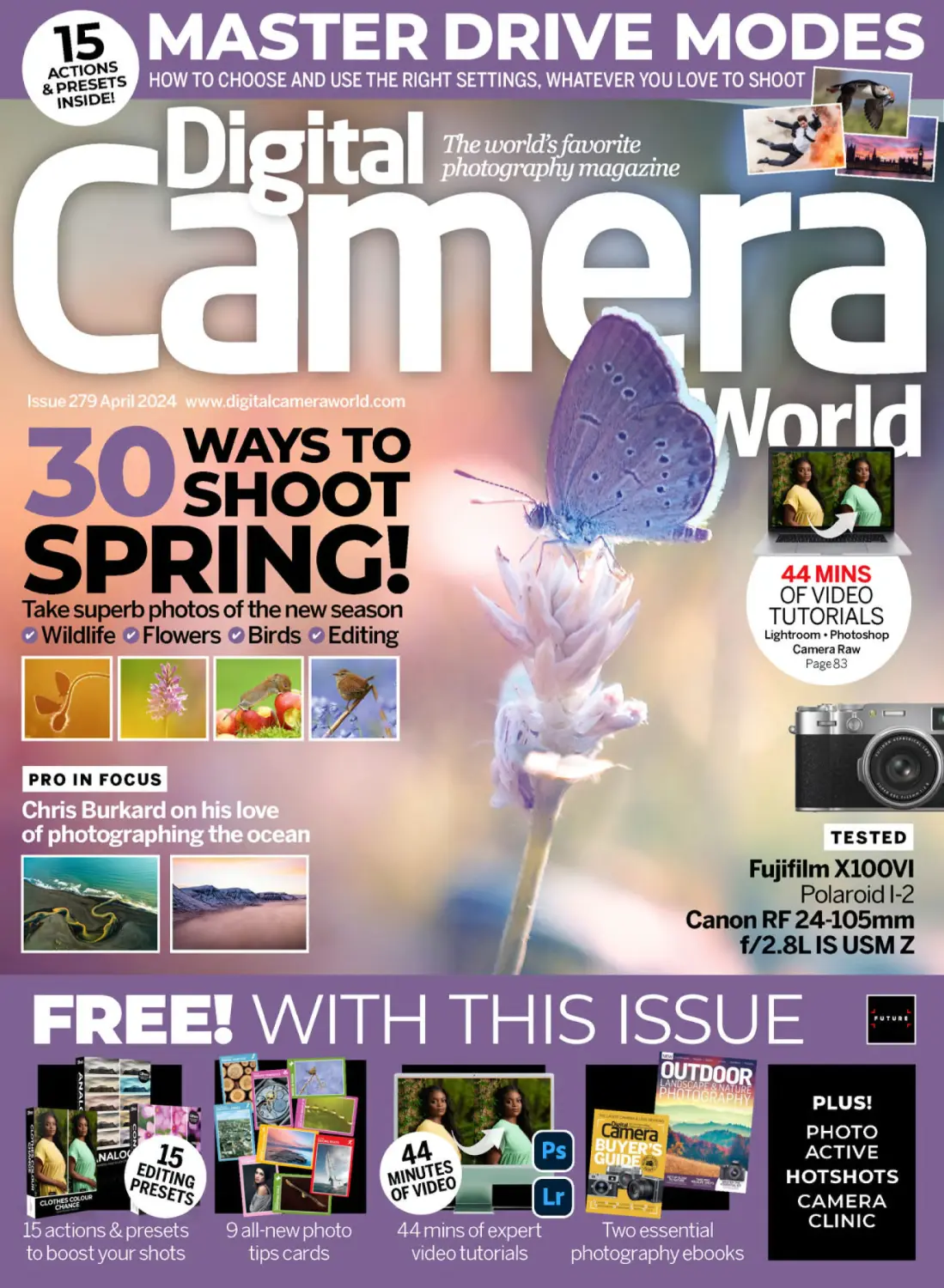
with an in-depth look at drive modes
96
In Focus
100
Scanning ahead
Shoot spring!
30 ways to capture the wonder of
the new season’s wildlife and nature
Practical Photoshop
Lessons covering the latest features
of Photoshop and Lightroom, plus our
latest collection of software extras
Photo Answers
Our expert answers your questions
on a wide range of subjects, plus
Tech Check and Image Rescue
D I G I TA L C A M E R A
Hotshots The results are in…
2023’s International Landscape
Photographer of the Year winners
83
Practical Photoshop Get the
most out of Lightroom and
Photoshop with our tutorials
The latest dispatch by Benedict Brain,
exploring Mexico with his camera
Hotshots
Fresh inspiration on every page –
choose from nine all-new projects
and enter our latest photo challenge
42
Regulars
39 The Art of Seeing
42
Photo Active
ILPOTY/Blake Randall
WAYS TO
The winning entries from International
Landscape Photographer of the Year
Presenting the month’s best images
across a wide range of genres
New APS-C compact that packs some
stealth upgrades over its predecessor
106 Polaroid I-2
Instant camera with full manual control,
sharp glass… and a weighty price tag
The latest camera kit and accessories
from across the photo industry
RF 24-105mm
108 Canon
f/2.8L IS USM Z
The latest dispatch from our
resident tech-spert Jon Devo
120 Interview
SPRING 2024
Gear & tests
102 Fujifilm X100VI
Leading underwater photographers
Jay Clue and Sam Glenn-Smith
A new optic that challenges the way we
think about hybrid stills and video lenses
110
Sony FE 24-50mm F2.8 G
Sacrifices 20mm of focal length from a
standard zoom to save size and weight
www.digitalcameraworld.com
Contents
Page 40 – subscribe today and get a
Lowepro Truckee
SH120 camera bag!
WORTH
£27
This
month’s
contributors
Chris Burkard
Adventure photographer
Will Cheung
Chris Burkard
Photography has taken Burkard all
over the world, with hard-to-reach
and extreme locations a speciality.
We speak to him about his latest
book, The Oceans, from page 8
Will Cheung
Photographer and writer
72
Camera Clinic _ Our new photo technique series
continues, with a drive modes masterclass and how
to choose the one that will meet your shooting needs
A fellow of the Royal Photographic
Society and the former editor of
many photography titles, Cheung
is the man behind Camera Clinic,
which continues on page 72
Simon Roy
Wildlife & nature photographer
With a focus on garden wildlife
and the relationship between
people and nature, Roy has been
highly commended in many photo
awards. Find out why from page 50
Jon Devo
Photographer & writer
Jay Clue
Our resident tech columnist
considers the latest developments
in photography and digital imaging.
Read his latest dispatch, about
Generative AI videos, on page 100
16
Interview _ Images taken by underwater photographers Jay Clue and Sam
Glenn-Smith feature on new certification cards for the leading scuba diver
training organisation PADI – we get the stories behind the images, and more
Photo Active _ 10 things to shoot, edit or create this month – from bagging
beautiful butterflies, nailing perfect wedding confetti shots, strategies for
capturing castles, and how to create depth in landscape photography
Jay Clue
Underwater photographer
Based in Mexico, Clue’s work
is driven by a passion to inspire
people to take action and protect
the natural beauty of the world.
We speak to him on page 120
Shawn Heinrichs
120
Mark Bauer / Rodd Hoddinott
Sam Glenn-Smith
Underwater photographer
Glenn-Smith hails from Victoria in
Australia, where he loves to give
diving instruction, work as a dive
guide and practise his underwater
photography. See it on page 120
SPRING 2024
D I G I TA L C A M E R A
5
Your gifts
BONUS
SOFTWARE
EXTRAS!
Turn to
page 90
Download your gifts via digitalcameraworld.com/dc280
15 ACTIONS & PRESETS
Give your shots a professional look with
this month’s batch of software extras for
Photoshop, Lightroom and Camera Raw
We’ve curated another compelling batch of actions and presets
this month. Turn to page 90 to find out more – 10 analogue-style
profiles for Camera Raw, a colour change preset for Lightroom and
four contrast Actions for Photoshop – and for the instructions
for downloading and installing these powerful software extras
Two photography ebooks
9 PHOTO TIPS
CARDS TO TAKE
ON LOCATION!
Our latest selection of tips
cards gives wallet-sized advice
on how to take better photos
HOW TO GET YOUR DIGITAL GIFTS
STEP 1
www.digitalcamera
world.com/dc280
Enter the URL www.digitalcameraworld.
com/dc280 into the destination bar
of your internet browser – we’re using
Google Chrome, but other browsers work
in a similar way. Please do not enter it
in any search field or search bar. This
will take you to a page on our website.
D I G I TA L C A M E R A
STEP 3
STEP 2
ENTER THIS URL
6
Get this 148-page outdoor
photography book and a
250-plus page camera
Buyer’s Guide – see the
Gifts folder
in your
download.
ACCESS YOUR FILES
JUST CLICK THE
HIGHLIGHTED LINK
Click on the link labelled ‘Download the
files for Digital Camera 280’ and your
download will start, delivered from our
own server. Please override any browser
warnings about downloading from a
non-secure source – our server is safe!
SPRING 2024
Open the .zip
In your Downloads folder, or wherever you
chose to download your files, double-click
the dcm280-files.zip file icon. Then when it
expands, double-click Digital Camera 280
files. The download content will display like
this (above), clearly arranged in sub-folders.
Keep Digital Camera 280 files and delete
dcm280-files.zip. Enjoy your digital gifts!
www.digitalcameraworld.com
Paul Nicklen
Pro
in
focus
Chris Burkard
The adventure photographer has a new book out called
The Oceans. Niall Hampton discovers the stories behind
the images and the author’s relationship with the sea
8
D I G I TA L C A M E R A
SPRING 2024
www.digitalcameraworld.com
Chris Burkard
Chris Burkard
Chris Burkard
Adventure photographer
Chris Burkard
A photographer, adventurer, creative
director, speaker and author, Burkard
has worked with many leading global
corporations and international tourist
boards. His books include California
Surf Project, High Tide, Under An Arctic
Sky and Wayward. Anyone keen to hear
his take on the joy of surfing in ice-cold
water should watch his Ted Talk on
YouTube (www.bit.ly/dc249burkard).
Burkard has completed assignments
and expeditions in Norway, Iceland,
New Zealand, the USA, Canada,
Russia – and many other countries.
www.chrisburkard.com
Instagram: @chrisburkard
ith an appetite for
adventure, a can-do
attitude and a ‘have
camera, will travel’
philosophy, Chris Burkard
is as much a force of
nature as the subjects he documents.
One of the world’s leading adventure
photographers, Burkard has been taking
his viewers into far-flung and inaccessible
parts of the world for a decade and a half,
W
www.digitalcameraworld.com
raising awareness of the state of the
planet and the effects of climate change.
His main focus, though, is his first love
– the sea. Whether on assignment
shooting surfing and extreme outdoor
sports for global brands or capturing
images for his own portfolio, Burkard
has a reputation for going the extra mile
in every sense, braving uncompromising
conditions for periods of time that
would leave others in his wake.
SPRING 2024
Above: Iceland, Atlantic
Ocean, 2016. Sony A7R II.
D I G I TA L C A M E R A
9
Chris Burkard
Pro
in
focus
Above: Iceland, Atlantic Ocean,
2021. DJI Mavic 2 Pro.
Opposite page: Iceland, Atlantic
Ocean, 2021. Sony Xperia.
I grew up by the ocean
– it was a place where
I had a lot of joy and
where I found solace
10
D I G I TA L C A M E R A
With his latest book The Oceans: The
Maritime Photography of Chris Burkard
having been published at the end of last
year, it felt like an appropriate time to ask
the man himself about the story behind
the book, and how it compares to his
previous one, Wayward: Stories and
Photographs, published in 2021, which he
discussed in issue 249 of Digital Camera.
“The biggest difference is that Wayward
was a bit more of a memoir, more of
a story about my specific experience as
a photographer and as a creative,” Burkard
explains over the phone from New York
City. “The Oceans is more of a love letter
to this landscape, to oceans. And as
somebody who grew up by the sea, at the
beach, being by the ocean was more about
circumstance than it was about anything
else. It wasn’t so much that I would always
seek it out, it was always there – at times,
it was a babysitter and it was a friend. It
was a place where I had a lot of joy and
a place where I found a lot of solace
during challenging times of my life.
“And this book was, in many ways, a love
letter to that experience, something that
I aspired to create for a long time. I’m
aware that I don’t have as many images
SPRING 2024
of the ocean as I wish I had – I still don’t
have photographs from every single body
of water. Part of me always feels like I have
to wait until something is perfect, but
I decided to move forward with this project
and wanted something to put out there
to advocate for the ocean. I don’t know
if this translates well, but this was really
the impetus behind the book.”
Twin passions
The introduction to The Oceans anchors
Burkard’s life story in California to the
Pacific Ocean and he explains in moving
terms how photography became a twin
passion; he knew he would have to follow
a career that allowed him to combine
the two. It’s a heartfelt and inspirational
piece of writing and it would be hard
for a reader not to be moved by it.
“That’s the beauty of the ocean,”
Burkard replies when I point this out. “It’s
a canvas about which none of us will be
able to say that we’ve seen it all, we’ve
done it all… it’s a canvas that’s constantly
going to show you different sides, different
ways of seeing it, and this is what makes
it special. To me, that is truly what I love
www.digitalcameraworld.com
Chris Burkard
On board with…
Shooting the ocean
1
What to look for
in a composition
“First and foremost, how can I bring the
viewer into this scene, how can I give them
the ability to feel like they’re with me?
That’s a huge part of it. If I’m so obsessed
with the artistry that I lose sight of giving
the viewer an honest perspective, then
that becomes challenging for me. Over
the years, I have tried to become a little
more aware of the viewer and aware
of their perspective.”
2
Simplify the process
3
Choose the tool
that suits you
“Simplifying the process is really
important. You know the old adage about
the best camera being the one you have
with you? I don’t believe that’s true. I think
the best camera is the one you’re willing
to pull out, the one you’re willing to use.
I’ve been in a beautiful area in a really
remote location, but unwilling to pull
out my camera because it was too cold
or it was at the bottom of my bag.”
Chris Burkard
“Photographers nowadays have so many
tools at their disposal… as well as
mirrorless cameras and DSLRs, camera
drones, camera phones and GoPros are all
great for documenting what you see. The
older I get, though, the less I feel I have
to stick to a certain medium or format.”
4 Make the most
of camera tech…
about the ocean. I could go to my local
beach every single day and see a different
side to the ocean. So I guess in this regard,
I’m not just a user of the ocean nowadays,
but a steward of it.
“Being a steward looks like a lot of
different things: it has looked like making
books about it, it has looked like getting
involved in environmental initiatives
around it. I’m just starting to understand
how I can be somebody who protects
a place that I profess to love.”
The Oceans features more than 220
photographs, one-tenth of which were
taken after Covid-19 travel restrictions
were removed. Does Burkard have any
favourite photos, I wonder?
“Yes and no – I want to make sure
I phrase this correctly because I don’t
want to give anybody the feeling that I’m
a masochist and the only way I can create
beautiful images is if I suffer. I do love the
process of creating meaningful images,
www.digitalcameraworld.com
powerful images, but that doesn’t always
mean that I have to suffer. I have found
that, for me, making a good image is more
about being fully involved in the process
of taking it. You can’t just phone it in –
I’m sure you know that expression –
because if I were to do that, the images
wouldn’t be as powerful, they wouldn’t
be as meaningful and they wouldn’t
really give me any joy.
“So, often I’m looking for work –
‘scarred’ is the wrong way of describing it;
it’s more like ‘gives me a memory’ – that
gives me something powerful to think
about and to play on. I guess I’m just
looking for photographs that give me
the ability to think back and remember
fondly when I took them.
“That said, the images I had to work
a little harder for are often more
memorable. It doesn’t mean that hard
work is always a prerequisite to creating
something good; I guess that’s the thing
“ I would be lying if I said that technology
has not helped play a role in what I feel
I can create now. There was a time when
I felt limited by camera technology, but
the constant improvements in what
cameras can do have made it a little
easier to realise my creative vision.”
5
… but don’t let it
be the main focus
“We have access to so much technology,
it’s overwhelming. In many ways, it doesn’t
do us a service; in fact, having so much
tech might even do us a disservice. I never
like it when people feel in some way that
they need technology to get the image.
Of course, I feel that technology is a part of
it – if it’s for a specific image or a specific
photo and it helps you tell the story you
need, then it’s a great tool to use. But
I don’t think the technology needs to
become the singular focus.”
SPRING 2024
D I G I TA L C A M E R A
11
Chris Burkard
Pro
in
focus
I want to make sure I get across, so I don’t
leave people feeling that it’s crucial to
suffer. Because I think that there’s a lot
of masochism within photography and
I don’t want to be somebody who says
that suffering is the only way of being
able to get good photographs.”
Yet Burkard is well known for going
the extra mile to capture his images,
something that he talks about in his
publications. In Wayward, Burkard
recounts some of the stories from behind
the scenes of his shoots – including
succumbing to hypothermia, destroying
thousands of pounds worth of camera
gear and spending time in a Russian jail,
I’ve become a master
of recognising special
captures rather than
shooting many frames
12
D I G I TA L C A M E R A
all in the pursuit of great photographs.
With his knowledge and experience,
though, does it ever get easier to capture
memorable images when he has to push
himself so hard in terms of endurance
and making sure that he’s in the right
place at the right time?
“Yes and no,” he replies. “While I haven’t
necessarily become more technical as
a photographer, it never gets any easier.
What has happened is at my stage and
level of expertise, I actually shoot less and
what I choose to shoot is a bit more
surprising or unique. What I have become
a master of, if anything, is recognising one
or two special captures rather than having
to shoot a million frames. This is due to
having a tuned eye to what you want to
shoot and what you need to shoot, and
honing your craft.”
Light work
Flipping through The Oceans, there are
plenty of noteworthy new images, which
Burkard is more than happy to discuss.
Starting with the picture of a white house
on the coast of Iceland, the sea heaves
onto the ancient rocks and the whole scene
is illuminated with an incredible light.
SPRING 2024
“That’s the little house in Arnarstapi,
a remote little village on the Snæfellsnes
Peninsula in western Iceland,” he says.
“We were shooting some trekking along
the coast. There’s a beautiful coastal
trail that winds through all of these cave
systems and it’s a unique little area.
I’ve gone back to shoot that perspective
multiple times, and it’s a place that just
draws you in. What keeps me fascinated
with Iceland is the feeling that there is
always more to photograph.”
The light in this picture is very pleasing.
I ask Burkard whether the conditions
were so fleeting that he had to be careful
– and quick – to capture such a wide
range of tones in the image.
“Absolutely. In reality, I feel that any
time the light is worth shooting, it’s
always going to be slightly fleeting
– meaning that the clouds are moving
and the sun comes out for just a few
seconds. In fact, that’s what I seek
out in my work: anytime I’m shooting
something that excites me, it’s when
the weather is inclement, when it’s not
a perfect scenario or ideal situation,
when you usually have rainstorms and
there’s a little bit of chaos. I’m colourblind, so I have always looked to
www.digitalcameraworld.com
Chris Burkard
Chris Burkard
In his own words
An extract from
the introduction
to The Oceans
Chris Burkard
“The ocean has always been a part of my
life. When I was growing up, it was a friend,
a babysitter, a playground, and a source
of deep comfort. There are people who
feel that way about the mountains, others
who love to be surrounded by desert. For
me, it’s where the land ends and there’s
nothing else ahead of you for thousands
of miles but blue water.
Living beside the ocean is a constant
reminder that outside the door, there is
a force that I’ll never be able to control.
No matter how much I train or prepare,
I’ll never be able to impose my will on this
unruly body of water. You can’t force your
way through a massive swell, a breaking
wave or a rip current. In fact, the best thing
you can do is learn to go with the flow. The
ocean requires you to let go and when you
let go of your fears, it can nurture you.
In order to build a life around the water,
I’ve learned to interpret and understand
the language of the ocean over the years.
I’ve also learned to find peace in some
precarious situations – because the
moment you step into the ocean, you are
in an alien world. You might as well be
in outer space. You’re not in charge and
you’re not even at the top of the food
chain. We may think we’ve mastered the
water, but the ocean has the power to
instantly humble us.
This is something I’m profoundly
grateful for because it constantly puts
me back in my place: it breaks down my
ego and my pride and reminds me of who
I am and where I come from.”
This page, top: Iceland, Atlantic Ocean,
2021. DJI Mavic 2 Zoom.
This page, bottom: Iceland, Atlantic Ocean,
2018. Sony A7R III.
Opposite, top: Iceland, Atlantic Ocean,
2019. Sony A7R IV
www.digitalcameraworld.com
SPRING 2024
D I G I TA L C A M E R A
13
Chris Burkard
Pro
in
focus
Above: Iceland, Atlantic Ocean,
2012. Sony NEX-7.
Opposite page: Iceland, Atlantic
Ocean, 2021. DJI Mavic 2 Pro.
Photography, at its
core, is best used
to share the beauty
of our planet
14
D I G I TA L C A M E R A
capture contrast in my images, instead
of complementary colours.”
There’s also an intriguing photo of three
planes flying above what looks like the
tendrils of some ancient and gargantuan
plant that dominates the scene.
“I spent about seven years working on
a personal project about Iceland’s glacial
rivers, advocating for their protection and
trying to create a national park. I used
this body of work as a way to illustrate to
people how beautiful these rivers are and
how much they need them because often
you simply cannot gain a perspective
of their beauty from the ground.
“It took me going up in small planes,
bush planes – that’s my [Piper] Super Cub.
Typically when flying, especially if you’re
flying in a remote area that’s inherently
dangerous, you will have multiple people
with you. And through that process,
I realised that as powerful as my images
of these rivers were, if they didn’t have
a subject, then nobody could really
tell what they were looking at. In fact,
people might even think they were fake.
“So to me, this is the manifestation of
that body of work and trying to create
a perspective that will hopefully make
SPRING 2024
people inhale a little bit, like, ‘Wow, that’s
incredible, I didn’t realise what I was
looking at and now I do.’ And in my work,
I’ve strived over the years to create that
in everything, whether that’s shooting
an athlete, shooting a plane or even
shooting landscapes.
“Ultimately, the glacial floodplain is
like a big flooded riverbed where glacial silt
comes and spills out and that’s what gives
you the colours; you’re looking down at
glacial till, which is ground-up rocks
and separate from the water and
separate from everything else.”
Did it take a long time to get that shot,
I wonder – and was it something that
Burkard really wanted to capture that day?
“Going into it, I was aiming and hoping to
give context and perspective to what I was
shooting and to bring some kind of deeper
understanding of that scenario. So it’s
always a bit of a process. That’s why
I think the biggest challenge for any
photographer is striving to create
a connection point with the people and
the subjects you’re shooting, so that
was what drew me into that image.”
Another new image pictures a sailing
boat on a deep green sea in front of a
www.digitalcameraworld.com
Chris Burkard
rugged coast that’s disappearing into
the clouds, which was captured using
a camera drone. “This was shot in the
western fjords of Iceland, in a remote
national park called Hornstrandir in
the north-west of the country,” Burkard
explains. “The idea behind that image
was to capture the experience of what we
were trying to shoot and, ultimately, the
beauty of the surrounding landscape.
“I was on a boat that belongs to a friend
of mine. He’s a boat captain in Iceland
called Bubi. He’s a really amazing guy,
probably one of the foremost explorers of
that region. The location is incredible and
I’ve been there many times. It is a place
that truly feels significant and special,
one of those locations that the more time
you spend there, the more you realise the
importance of advocacy work and why it’s
so beautiful to be able to protect that area
and preserve it for future generations.”
No turning back
And in terms of having an environmental
legacy to bequeath, does Burkard feel
that the work of the photographers
and conservationists who highlight
the condition of the oceans and the
www.digitalcameraworld.com
effects of climate change, such as
himself, is making a difference?
“Absolutely! From day one, photography
has played a role in that, for sure,” he says.
“I think that photography, at its core, is best
used to share the beauty of our planet.
However, I think that if anything, nobody
should be trying to force-feed someone
to care about a place – it’s more about
creatives showing our perspective and then
letting people make their own decisions.”
In his introduction to The Oceans,
Burkard quotes the saying, ‘Never turn your
back on the ocean’. Given his passion for
the sea, and his dedication to championing
it, turning his back on the ocean feels like
something that he’s unlikely to do in the
foreseeable future. “Of course not,” he
says. “That’s the first lesson you learn and
it’s one that I’ve seen go very wrong as well,
so I advocate for people to take the oceans
seriously. That’s one piece of advice and
wisdom that I can’t urge enough.
“But more important I think is learning to
read the ocean and learning to be a student
of the sea. It is a constantly evolving and
beautiful location that can teach us so
much. I just aspire to be an advocate
for the ocean in everything I do.”
Buy the book
The Oceans:
The Maritime
Photography of
Chris Burkard
Hardcover, 320 pages, published by
Gestalten (ISBN 978-3-96704-126-2),
priced at £55/$80. Find out more at:
https://uk.gestalten.com
SPRING 2024
D I G I TA L C A M E R A
15
10 things you can shoot,
edit and create this month,
from butterflies and castles
to the perfect confetti shot
1 | LANDSCAPES
How to
create depth
PART
4 OF 6
Part 5 in issue
281, on sale
26 April
Mark Bauer and Ross Hoddinott explore
another element of classic scenic shots
ne of the biggest
problems that
landscape
photographers
face can be
summed up quite simply: the
world is three-dimensional but
the medium in which we are
trying to represent it has only
two dimensions. One of the
main reasons why landscape
photographs fail is that they
don’t convey the sense of
depth that we perceive when we
view the scene in reality. Often,
when we see a photograph that
doesn’t quite work and we say
it looks a little flat, we mean
it quite literally.
Fortunately, there are a few
compositional and technical
tricks we can employ to
circumvent this problem and
create the illusion of depth in
a two-dimensional medium.
O
Foreground interest
One effective way to create depth
in a photograph is to include a
strong foreground element, often
in conjunction with the use of
a wide-angle lens. Emphasising
the foreground in this way adds
depth to a picture by creating
an entry point for the eye, pulling
the viewer into the scene and
providing a sense of distance
and scale. This technique works
particularly well with wide-angle
lenses because of the way
they stretch perspective,
exaggerating the size of elements
close to the lens and opening
up the view beyond.
When using this technique,
you will need to pay attention
to what’s going on in the middle
distance, and also to the height of
the camera. Because of the way
in which a wide-angle lens can
open up the planes in the middle
distance, if you shoot from too
great a height, there can be too
much empty space in this area.
The solution is to shoot from
a lower viewpoint, which
compresses the middle
distance. Get too low, however,
and you may find that there’s
not enough separation between
objects in the middle distance,
Pro tip: Go wide
Using a wide-angle lens
exaggerates perspective,
enhancing the feeling of depth
in a photo. It has the additional
benefit of increasing the depth of
field, helping to create front-toback sharpness, which can also
add to a feeling of depth.
16
D I G I TA L C A M E R A
SPRING 2024
Camera settings: Canon EOS-1Ds Mark II, 17–40mm
(at 20mm), 1/5 sec at f/16, ISO 100, polariser, 2-stop ND grad
or between the middle distance
and the background.
It may sound like a
straightforward technique, but
to apply it well takes skill and
attention to detail. Too often,
photographers fall into the
trap of sticking anything and
everything in the foreground,
regardless of whether it suits
the picture or not, and ignoring
the rest of the scene. It’s worth
spending some time finding
foreground elements that
complement the background
and exploring different ways
of relating foreground,
middle distance, and background
to make a cohesive whole.
The right foreground
It’s easy to allow a foreground
element to become too dominant
and small changes in your
position can have a big impact. In
the first picture (above), although
the light is dramatic and reveals
the texture of the foreground
rock, the rock itself is badly
placed in the frame, blocking
the view of the middle distance.
The second picture (opposite)
demonstrates a much more
considered use of the same
www.digitalcameraworld.com
BIG
FOREGROUNDS
The ‘big foreground’ is a wellestablished look in landscape
photography. It is, however, in danger
of becoming a visual cliché and it’s
worth remembering that foreground
interest doesn’t have to be big to be
effective. More subtle elements can
work just as well, such as reflections
in wet sand, the pattern of waves
breaking on the shore, or the
shadows cast by trees.
Image credit
Camera settings: Canon EOS-1Ds
Mark II, 17–40mm (at 20mm), 1/2 sec at
f/16, ISO 100, polariser, 2-stop ND grad
Layering light
For this shot of a hill fort, I set up my composition in anticipation of the
sun breaking through a gap in the heavy cloud. When it arrived, the
ridges and hilltops were lit, highlighting their form by leaving the valley
in shadow and creating a layered light effect. Camera settings: Fujifilm
GFX 50S, 55–110mm, 1/20 sec at f/11, ISO 100, polariser
Using colour to enhance depth
Aerial perspective
Hazy or misty conditions are excellent for exploiting aerial
perspective (see below) and creating a feeling of depth, especially
if there is a degree of backlighting. Camera settings: Nikon Z 7II,
100–400mm (at 320mm), 1/25 sec at f/11, ISO 64
foreground rock – it frames the
picture at the bottom, lines up
with the peak of the hill in the
background, and the lines
pointing inwards at the bottom
of the frame help to draw
the eye into the picture.
Layers and planes
Another useful technique for
adding depth is to create layers
in an image. Layers can be
formed by a series of overlapping
shapes, or by strong side lighting,
creating alternate bands of light
and shade, giving a layered light
effect. A layered look can also be
18
D I G I TA L C A M E R A
enhanced by aerial perspective,
in which receding shapes, such
as a range of hills, appear lighter
the further away they are. This
effect is especially noticeable in
hazy, misty or foggy conditions.
This type of image works
particularly well with longer
lenses, which have the effect of
compressing perspective and
stacking overlapping forms to
exaggerate the layered effect.
If you are using longer lenses,
remember that they have less
depth of field than wide angles,
so you may need to use smaller
apertures, such as f/16.
SPRING 2024
In visual terms, warm colours advance and cool colours recede.
We can use this to enhance the feeling of depth in a composition by
placing warm colours, such as reds and oranges, in the foreground,
and cool colours, such as blues and greens, in the background. The
warm colours of the poppies in the foreground advance compared
with the cooler greens in the background, helping to enhance the
feeling of depth in this shot. Camera settings: Fuji X-Pro2, 10-24mm
(at 10mm), 1/3 sec at f/16, ISO 200, polariser, 2-stop med ND grad
BUY THE BOOK
The Landscape Photography
Workshop by Mark Bauer and
Ross Hoddinott is published
by Ammonite Press, priced
£16.99/$26.95.
www.ammonite
press.com
www.digitalcameraworld.com
2 | OUTDOOR
Whatever
the weather
Are you a fair-weather
photographer? Mike Harris
shows us how to take great
scenic shots in all conditions
hen it’s raining, it’s tempting to stay
at home but if you’re willing to brave
the elements, you’ll be rewarded with
some truly breathtaking landscapes
featuring moody skies, concentrated rays of
sunlight and even the occasional rainbow.
It’s easy to assume that cameras and lenses
featuring weather-seals, or those that are weatherresistant or dust- and drip-resistant (not all are),
mean that your gear is impervious to the elements,
but we can assure you it isn’t. Dedicated rain
covers can be bought online from companies such
as Think Tank and you can get special, filter-cleaning
spray bottles from companies such as Lee Filters
that will tackle more stubborn deposits of rain.
Shooting in rain, fog or mist can create
atmospheric photographs but with much less light
around, shutter speeds can be perilously low when
using narrow apertures. To stick with the aperture
of choice, the only recourse is either to increase the
ISO or, depending on exactly how long the exposure
is and whether you have a mirrorless or DSLR
camera, use a tripod. Also, colours often fall flat so
you may require a Curves adjustment to put more
contrast into the scene and a colour saturation
increase to make them punchier. Another solution
could be to convert your images to black and
white and enhance them by adding noise
for a gritty, retro-looking aesthetic.
Mike Harris
W
1/60
sec
f/8
ISO
200
Protecting your camera
You can improvise a rain cover by cutting
a hole in the corner of a large, plastic
freezer bag and poking your lens through
it. Water droplets can appear as blurry
smudges on images, so carefully wipe the
front element with a microfibre lens cloth.
www.digitalcameraworld.com
3 | NATURE
If you go down
to the woods…
Nigel Forster has some handy tips on how
to frame and shoot trees and woodlands
1/40
sec
f/22
o matter what the weather, rain or shine, there
are always photographic opportunities to be
found in your local woods, whether it’s an
ancient tract of gnarled oaks or a Forestry
Commission plantation of pine trees. Woods
present the photographer with the challenge of having to
carefully manage light and shade, and the need to simplify an
image to avoid potential clutter. One way of simplifying your
woodland images is to look for simple patterns in the trees. Use
the vertical tree trunks as a basic form for the image and look
for a composition that uses the branches in an interesting way.
nigelforsterphotography.co.uk
N
ISO
100
Combining tree shadows, bluebells
and backlighting creates an effective
image in this shot in the Usk Valley.
Shoot against the light
Woodlands can be cluttered and
difficult to photograph well. One
of the ways you can simplify your
image is to shoot against the light
and use the shadows of the tree
structure as lead-in lines to draw
your eye into the image. The
backlighting is also excellent for
contrast and colour saturation.
Create starbursts
Nigel Forster
An additional way to add interest
to your image is to partially obscure
the sun behind a tree branch and
use a narrow aperture to create
a starburst effect from the sun.
Make sure you don’t overexpose
the light from the sun if your meter
is reading off the shadow areas;
it is better to underexpose, if
anything, and bring back the
shadow detail in post-processing.
Looking from outside
Nigel Forster
This image of larch trees in the Brecon
Beacons was taken after snowfall in early
spring, so the red colour of the new growth
was beginning to show. I particularly like the
curved branches that cut across the vertical
trunks. You may need to take this kind of
shot looking into the woodland from the
outside, as in the woodland itself, other
trees close to the camera will likely get
in the way when using a long lens.
22
Larch leaves coming into bud create
a red tinge at Hay-on-Wye in the
Brecon Beacons National Park.
www.digitalcameraworld.com
f/8
ISO
100
4 | WEDDINGS
5 tips for capturing confetti
Capture
confetti
1
Wedding photographer
Ben Davis explains the
timing and techniques
needed to take the
perfect confetti photo
ith the rising emotions
of joy, swirling colours
and a flurry of smiles,
the confetti moment is
the quintessential photo
from any wedding day. However, getting
a good photo of the confetti moment
can be a challenge. With petals tumbling
in every direction, focus know-how,
camera skills and split-second timing
are required to capture the perfect shot.
2
W
24
D I G I TA L C A M E R A
SPRING 2024
Use a zoom
To capture a range of perspectives
as the happy couple walk towards
you, a zoom lens is best. Something
like an 18-55mm
kit lens on a
crop-sensor
or a 24-70mm
on a full-frame
camera will
be ideal.
3
4
Capture a burst
You’ll want to use Continuous
shooting mode, allowing multiple
frames per second to be captured.
With the fluttering confetti at the
whim of the breeze and the fleeting
nature of this moment, it’s best to
shoot as many images as possible.
5
The need for speed
To freeze all the unfurling motion of the
flower petals flying from fingertips, you
will need a fast shutter speed of at least
1/500sec. In bright lighting conditions,
it may need to be even faster for
a balanced exposure.
Fix your focus
It can be challenging to remain accurately
focused on the newlyweds. A continuous
tracking mode with a single point focus
is generally best, but pause the tracking
whenever petals are at their peak to avoid
focusing on foreground details.
Choose your depth
A really shallow depth
of field is often
used with wedding
photography but an
aperture of f/5.6 or
even f/8 is a better
choice for capturing
confetti photos.
www.digitalcameraworld.com
Ben Davis
1/1250
sec
5 | CASTLES
Defender of the crown
Wendy Evans explains how to capture historic castles
– without deploying trebuchets and storming the walls
lthough there have been hillforts
and defensive enclosures in the
UK since around 900BC and
the Romans built Hadrian’s Wall
with small forts placed at regular intervals,
it wasn’t until the Normans arrived in 1066
that the era of stone castle building really
began. Since then, over 1,000 stone castles
have been built to protect towns, secure
strategic locations and project power
to subdue restless natives.
These days, you can find these castles in
various states of repair, from intact buildings
and restored interiors, showing how the rich
and powerful lived and exercised control over
their domains, to crumbling, moss-covered
ruins, now a shadow of their former glory.
Getty
A
For the photographer, that means a wealth
of opportunities are available – from
capturing the castle within the landscape
itself, to ornate interiors, dismal dungeons
and even medieval re-enactment events.
Castles were usually built to defend
a region, a town or an area of strategic
importance, so the best way to approach
the subject is to place the castle within the
context of the landscape it was defending.
When shooting in landscape orientation,
classic composition rules are a good place
to start. The castle is usually located on the
highest land in the area, making it easier to
use the rule of thirds to place the horizon on
the bottom-third horizontal line or, if there
is interesting content in the foreground,
on the top-third horizontal line. Line the castle
up with the left or right vertical third to place
it on a key focal point.
A standard wide-angle lens of 28mm is
a good place to start if you have unfettered
access to the site, but sometimes it’s a case
of having one place to shoot from and then
zooming in to compose the scene effectively
so a 28-70mm short telephoto is a handy
lens to pack. With plenty going on in the
scene, you’ll want as much depth of field as
possible, so set the aperture to f/16 or f/22,
and then focus at the hyperfocal distance
for the lens at that aperture – about
one third of the way into the scene.
If you’re shooting from a distance and have
placed the horizon on the bottom third
Photo Active
13
secs
f/14
ISO
100
A classic dusk shot of Conwy Castle in
Wales, with the bridge leading in and the
town lights glowing in the background.
SEND US
YOUR IMAGES!
Want to feature in our gallery? Please
email a high-res image (at least 2.5MB)
marked ‘Reader Images’ and including a
title and brief description to:
digitalcamera@futurenet.com
or share it on Instagram with the tag:
#digitalcameramag
Shooting the interiors
Inside the castle, a different set of challenges emerge,
usually revolving around the lack of available light.
Using a tripod is often not an option and for the
casual visitor, flash is also generally prohibited, so
you will need to increase the ISO rating. You can set
your camera to Auto ISO but I prefer to tackle each
scene on its own merits and only increase the ISO to
the amount I need to get the photo.
Inside, you will normally shoot with a wide-angle
lens, so there’s more depth of field, and as long as you
don’t include what’s right at your feet, there should
be enough sharpness at most apertures. Any verticals
nearby will be distorted, so try to keep away from
walls, unless you are deliberately emphasising this by
shooting upwards to show the scene bending away
from the camera. The main issue is the shutter speed
and what you can realistically shoot hand-held. The
type of lens and camera will help, but it’s your call.
Where the light really becomes a challenge is if
you head for the dungeons, kitchens or storerooms.
For areas that lack any kind of set decoration, then it
becomes an exercise in looking at shapes, lines and
areas of light and dark. Even with a maximum ISO that
you’re happy with, it’s going to be tough shooting in
low light so it’s worth looking for places to rest the
camera or support your hands. Now focus on the
brightest parts of the scene so they are well exposed,
even if everything else is thrown into shadow.
horizontal, the immediate
foreground is likely to be excluded. In this
case, try an aperture of f/8 or f/11 where
the lens tends to give sharper results.
Where the choice of aperture and focus
distance becomes more crucial is when
shooting a vertical composition with
a lot of foreground detail, leading up to
the castle at the top of the image.
Krak des Chevaliers is a Crusader castle in Syria.
This image combines highlights from incoming
sunlight, corrected verticals and deep shadows.
Sometimes, the castle was built to
defend a settlement, which over the
years has grown so that it now surrounds
the original fortification. In this case,
access can be restricted so try to
compose your image with lines that
lead through the frame, making sure
that you aren’t simply standing right
in front of the castle, looking upwards.
If you’re shooting in Program mode, keep
an eye on the shutter speed. There may
be enough light during the day to shoot
handheld, especially if you are using a
mirrorless camera or with a stabilised
lens, but as it gets later in the day,
towards sunset or dusk, a tripod is
usually required. While early morning or
late afternoon light is often best to shoot
It’s jousting time
Jousting, cooking, crafts, falconry, people in suits of armour – these
are all things you can encounter if the castle owner is putting on
a special event. Although you might be there for a classic landscape
shot, don’t pass up the opportunity for additional captures. Here,
the subject can change to portraits, action shots or macro, so the
techniques and lenses required are quite different.
The key is to plan ahead, so you know what is going to be
happening while you are there and pack your gear for any additional
photos you may want to take. Looking for some portrait shots of
grimy peasants being oppressed by corpulent nobility? Take your
50mm prime lens and open up the aperture. Want to capture
jousting knights or warriors engaged in a fight to the (simulated)
death? Then it’s time for a 200mm telephoto lens (right).
1/2500
sec
28
f/4.5
D I G I TA L C A M E R A
To capture action like
this, you need a fast
shutter speed, so dial
in a wide aperture and
increase ISO if required.
ISO
250
SPRING 2024
www.digitalcameraworld.com
Photo Active
Try these settings
1/13
sec
f/5.6
In Aperture Priority mode, set the aperture to
f/16 or f/22, the ISO to 100, and keep an eye
on the shutter speed to avoid camera shake
ISO
800
Most of the light in this scene is coming
from the two narrow window slits. The
shutter speed was a tricky 1/13sec.
Getty
Try a custom white balance setting to ensure
warm tones on the stonework or to counter
early morning blue tones in the shadows
www.digitalcameraworld.com
Try converting to mono
Note the positioning of the lake shore on the bottom-third
compositional line and the castle itself on the right-hand
vertical third, facing into the expanse of water. Then see
how your daytime images look in mono with a B&W
conversion. In Photoshop, go to Image > Adjustments >
Black & White and select the Red filter preset, then tweak
the Red/Yellow channels so the highlights don’t overexpose.
Wendy Evans
stonework, as you head towards sunset,
balancing the exposure becomes more
problematic, with much more light in
the sky than there is in the ground areas.
One solution is to use the exposure
bracketing method, where you expose
for the sky, then for the ground and
combine the images later in postprocessing. Another option is to use your
camera’s HDR mode to capture a greater
tonal range than usual. The traditional
method is to use a graduated ND filter
and line it up with the horizon to reduce
the strength of the light in the sky.
Something else to keep an eye on is
the white balance. Late afternoon sun
on stonework can give great results with
warm hues, but the camera’s Auto WB
may cancel this out. Shooting in raw
format gives leeway to tweak this, but a
manual white balance of 4,000-4,500K
should preserve those golden tones.
With many castles being open to
visitors, they often have artificial lighting
to make them stand out once the sun
goes down. Where this really pays
dividends is if the castle is situated next
to water. Here, you will have the lovely
blue tones in the sky and water being
offset by the yellow-orange glow of
the artificial lighting on the castle.
SPRING 2024
D I G I TA L C A M E R A
29
Before
Getty
After
6 | PHOTOSHOP
Keep it in perspective
Wendy Evans explains how to use Photoshop’s Vanishing
Point tool to accurately add signs to an angled flat surface
he standard method of adding
text or any kind of graphics,
to an angled surface in Adobe
Photoshop is to paste and
use the transform tools to
try to scale it properly. This has an element
of hit and miss and if you find the text needs
resizing, then the chance of being accurate
diminishes with each adjustment.
The good thing about using the Vanishing
Point tool is that it works equally as well for
text as it does for any graphic element, such
as graffiti. In this example, we’re adding a sign
to an outside wall, but you could equally add
graffiti to a street wall. With Photoshop’s
Generative Fill, you don’t even have to draw
the graffiti either, it can create it for you.
T
3
D I G I TA L C A M E R A
Create the text
Load the background image and
create a new blank layer. Select the
Type tool and select the font and colour you
want. Write out your text and set the spacing
accordingly if it’s over more than one line.
Create the grid
Delete this text layer and add a
new blank layer. Press Cmd-D to
remove the selection outline. Now go to Filter >
Vanishing Point. Click to add the four corners of
the selection area, following the angled shape of
the wall. You can make any adjustments to the
grid, move it around and so on. The selection
area turns blue when the perspective is correct.
30
1
4
Scale and fit
Press Cmd-V to paste your text into
the grid. It will appear at the top left
of the window but if you click and drag it over
the perspective grid it will now scale accurately.
As you move it along the way, it will get smaller
the further away it moves. If the text doesn’t fit,
select the Transform tool on the left and resize
accordingly. Click OK when it’s done.
SPRING 2024
2
Rasterize the text
Right-click on the text layer and select
Rasterize. Any graphic element has
to be rasterized before it can be used on the
Vanishing Point layer. Select the actual text
and press Cmd-C to copy to the Clipboard.
5
Finishing off
Add finishing touches like embossing
to make the sign stand off the wall
(select the Layer Style icon in the Layers
Palette), add a drop shadow to match the
shadows in the scene and use a Stroke outline
for added emphasis. Alternatively, change the
layer blend mode to Darken to make the text
look as though it has been painted onto the wall.
www.digitalcameraworld.com
7 | NATURE
It’s butterfly season
Wendy Evans puts aside her net and jam
jar in favour of capturing butterflies the
ecologically friendly way – in photographs
hotographing wildlife
successfully can be a tricky
business, requiring plenty of
high-end equipment, but
there is one type of fauna that is much
easier on the wallet and that comes in
the form of butterflies. From March
onwards, the 58 species of UK native
butterflies begin to emerge for the
warmer weather and they stick around
until October and November when it
starts to get frosty again. Attract them to
your garden by planting flowers that they
like to feed on, while you lay in wait with
P
your camera. Some of the best flowers
to plant include Buddleia, with its upright
foliage offering purple and lilac colours;
Echinops, which feature spiky, blue balls;
Cornflowers with compact, bushy plants
that host large, deep blue flowers; and
not forgetting the orange hues of
Helenium for later on in the season.
1/400
sec
Get set up
1
Unless your aim is to capture a group of
butterflies in the flowery environment,
you will need a macro lens, A longer macro
lens, such as 70-105mm, will enable shooting
from further away and won’t disturb the
butterflies. Even longer, non-macro, lenses
can be used from greater distances, but
you may need to crop the final image.
2
The best times of day
Any sunny part of your garden will attract
butterflies, but late afternoon sunshine
is ideal as it provides golden hues for the
background. Aim to get set up at ground
level where the flowers are. Shooting in
mid-to-late afternoon means any dew on
the ground will have evaporated by then.
SEND US
YOUR IMAGES!
Want to feature in our gallery? Please
email a high-res image (at least 2.5MB)
marked ‘Reader Images’ and including a
title and brief description to:
digitalcamera@futurenet.com
or share it on Instagram with the tag:
#digitalcameramag
f/4
ISO
100
A 70mm lens was used to capture
this butterfly feeding from a distance
without disturbing it. The f/4 aperture
meant that the flowery background
was rendered as a blur of colours.
4
5
Focus on a flower
Compose the image with a particular
flower in mind and wait for a butterfly to
arrive. In this case, you can pre-focus on
the flower and switch to manual focusing
for minor adjustments – and you can also
use a tripod. Alternatively, you could wait
until you see the butterfly and then use
a single focus point to lock on to it.
Try these settings
A wider aperture will render the ground
as a swathe of colour and enable a faster
shutter speed. With plenty of light about,
there should be no need to increase
the ISO significantly. Centre-weighted
metering tied to the focus point should
balance the exposure for the insect,
as a bright background will otherwise
underexpose the butterfly.
Use a telephoto lens
An alternative to using a macro lens is to
use a telephoto lens of 200mm or longer
because this compresses the perspective
and has a shallow depth of field. You will
need to switch the autofocusing to a single
point and direct it at the plant or butterfly
– or use manual focusing to ensure that
this is in focus and not some random
element in the background.
Getty
3
PART
1 OF 4
Part 2 in issue
281, on sale
26 April
8 | PHOTOSHOP
Expand your
horizons with AI
Wendy Evans explores some of the
possibilities afforded by Photoshop
2024’s new Generative Fill tool
Before
extension directly from elements in the image
itself. It couldn’t create new content and the
larger the canvas extension, the higher the
possibility of generating repeating patterns.
Generative Fill differs in two ways: firstly, in
that it can fill much larger areas; and secondly,
the new content it creates is derived from
AI calculations and not the original image.
We’ll take a closer look at the possibilities in
the next part of this tutorial but, meanwhile,
we have this image of a tree in a lake taken
in portrait orientation. What would it look
like as a landscape image? Let’s find out.
ave you ever taken a scenic
photo in portrait orientation but
later thought it might have been
better in landscape format?
Sometimes, it’s just interesting
to see what new versions of old images you
can create. That’s where Photoshop 2024’s
new Generative Fill tool can come in handy,
adding realistic content to enhance an
image or give it a different perspective.
Previously, Content Aware Fill could be used
to expand the canvas of a photo but it was
limited because it was generating the image
H
How to add extra content with Generative Fill in Photoshop 2024
1
Expand the canvas
Firstly, increase the canvas size to
the new format by going to Image >
Canvas Size. The original was 4000 x 6000px,
so enter the new values of 9000 x 6000px to
create two blank panels on either side of the
image. Select the Magic Wand tool and click
on the white area at the left select it all.
34
D I G I TA L C A M E R A
2
Feather the selection
Go to Select > Modify > Feather
and enter a value of 100 pixels.
A feathered edge helps blend the new
content with the old. Ensure that the box
to apply the feathering along the outside
boundary is not selected, so only the right
side of the selection is being feathered.
SPRING 2024
3
Create new content
At this point, the Contextual Task
Bar should appear. You can also go
to Edit > Generative Fill. Now, like ContentAware Fill, you can just hit the Generate
button and it will create new content based
on what’s in the image. However, you usually
get better results by spelling it out.
www.digitalcameraworld.com
Getty
Photoshop’s AI-driven Generative
Fill allows portrait-orientation
photos to be extended into
landscape orientation in six steps.
After
4
Look at the variations
In the Contextual Task Bar, you can
click on the arrows to scroll through
three versions of the new content to see
which one works best. If you don’t like these
versions, hit Generate to create another set
of three. Also, look to the panel on the right
where there are thumbnails of all the versions.
www.digitalcameraworld.com
5
Select and blend
Find one you particularly like,
checking for any errors and
matching brightness. Select the new layer
and use Image > Adjustments > Curves to
match the exposure more closely. Use the
Clone Stamp tool to remove any errors (you’ll
be prompted to rasterize the layer first).
6
Finishing up
Select the original layer and repeat
the process for the right side. If
you need to clone over the boundary edge
between the new content and the original
image, select the new content layer, the
Clone Stamp tool and tick the box for Sample:
Current and Below. Merge the layers and save.
SPRING 2024
D I G I TA L C A M E R A
35
9 | ACTION
Out with the paw patrol
Ross McLaren explains how to capture
the expressive nature and character
of your pet dogs on their daily walk
aving fallen in love with
photography through my
underwater work, I had
been looking for another
outlet that we could
enjoy together as a family and one that
was a little less wet. I’m not sure that
dog photography quite fits the bill of
being drier, especially when I find
myself lying on the beach or in a muddy
Be card sharp
If I’m heading out to take shots
of dogs, I like to start with an empty
memory card. It’s amazing how quickly
they start to fill up when you’re shooting
in burst mode and there’s nothing worse
than running out of space just as
I’m starting to hit my stride.
For best-buy memory cards,
go to: www.bit.ly/dcm280
bestsdcards
Ross McLaren
H
field trying to get the shot, but it’s
certainly something we’ve been able to
enjoy together during our family days
out. There are some incredible pet
photographers out there for inspiration,
but you don’t have to be a professional
to be able to shoot photos that really
capture the unique individual character
of man’s best friend.
Instagram: @r.s.mclarenphotography
1
3
36
Candid shots
I like to capture the raw, candid
moments when I’m shooting.
Those facial expressions the
dogs pull in a split-second as
they are running or enjoying
the open air really highlight
their personalities. This isn’t
easy, though, and takes a lot
of trial and error because their
expressions can quickly change.
2
Try these settings
Getting to know your camera is important
so that you can make adjustments on the
fly. I always shoot in Manual exposure mode
but, in practice, I really only alter my shutter
speed. Starting off at 1/2000 sec with the
aperture set to around f/4 and Auto ISO
(with a maximum limit of ISO 3200), it’s
only a quick turn of a dial to change the
shutter speed or aperture, if required,
while the camera takes care of the ISO.
D I G I TA L C A M E R A
SPRING 2024
Get on the level
Don’t be afraid to get down
and dirty! Descending to dog
level will really enhance your
shots and help to convey the
speed of the dog’s movements.
It also means you can clearly
see when a dog is airborne in
mid-stride as there’s an obvious
gap between their galloping
feet and the ground.
4
Burst mode
Being able to shoot up to 10fps
(mechanical shutter) and 18fps
(electronic shutter) on my
Olympus OM-D E-M1 Mark III
comes in handy for photographing
dogs. It does feel a bit ‘spray and
pray’ at times, but it certainly
helps capture the split-second
moments that you would miss
when shooting single images.
www.digitalcameraworld.com
Photo Active
1/60
sec
ISO
500
Shoot fast
With dogs running around at high speed,
you really do need a fast shutter speed to
freeze the movement. If the area has water,
like on this beach, the fast shutter speed
also means that any splashes will be frozen
in place as well. If you’re struggling with the
focus point, make the aperture narrower,
to more like f/5.6 or f/8, and see whether
Auto ISO has enough leeway to keep
the image properly exposed.
Ross McLaren
Ross McLaren
5
f/6.3
The winner of the
‘Shapes’ challenge is…
WIN
‘Symmetry’
photo challenge
T
Submit your best ‘Symmetry’
photo by midnight on
25 April 2024
Enter via email or Facebook
Email your entry to digitalcamera@futurenet.com with
‘Symmetry’ as the subject, including a brief description
of the image. Or look for the ‘Symmetry’ post at www.
facebook.com/digitalcameraworld and upload your entry
into the feed. Enter by 25 April (only one image per reader,
please). The winner will be announced in issue 282 (June),
on sale 24 May (Please note that this competition is
only open to readers based in the UK).
Future
he latest theme of our
monthly photo challenge
is ‘Symmetry’ – so
whether you enjoy taking
photographs of people,
architecture, water features or urban
scenes, we want to see an element of
symmetry. How you interpret the brief
is up to you, but send us your best shot!
A £50 CEWE
WALL ART
VOUCHER!
Getty
10 | COMPETITION
Email your entry to: digitalcamera@futurenet.com
or enter at: www.facebook.com/digitalcameraworld
ABOUT CEWE
CEWE is Europe’s number-one photo printing
company. Using photographer-approved print
processes and materials, CEWE has a wide
range of photo products for you
to explore, including the awardwinning CEWE PHOTOBOOK
and expertly crafted Wall Art
to help you get professional
results with your photos.
Find out more at:
www.cewe.co.uk
38
D I G I TA L C A M E R A
Penny Simpson
Penny Simpson
In Digital Camera 278, we challenged our
readers to submit an image that best
encompassed ‘shapes’. The winning
image was this colourful spirograph,
which was created by hanging a coloured
torch from a conservatory ceiling on
a dark night. It was taken on an Olympus
OM-D E-M1 Mark II using Live Composite
mode, which allows the image to be
viewed as created. The blue image was
created first, then the camera was
covered, the torch colour changed and
re-swung to draw the red image. Finally,
the process was repeated for the green
image. Excellent shot, Penny!
Settings: 1 sec at f/10, ISO 64
SPRING 2024
www.digitalcameraworld.com
The art of seeing
The art
of seeing
How do you approach capturing
the essence of a place within a
limited amount of time? It’s an
interesting question to ponder…
Seeking a sense of place, Benedict Brain
captures the vibe of Mexico in a diptych
ow do you capture a sense
of place in a still photograph?
I constantly ponder this
question as I travel the world.
Generally, I am left with more
questions than answers, but
that’s good. I often find that the most
interesting photographs also ask more
questions of the viewer than they
present answers, so it seems apt.
Most of the time, I experience new
locations in fleeting moments. Due to
the nature of the way I travel, I don’t
have time to make deep connections
or get to know a place. Typically, I will
wander aimlessly with my camera,
a lens (35mm equivalent) and
a flashgun, wandering down streets
H
www.digitalcameraworld.com
that look interesting or sticking in
my nose (and lens) into this and that.
The limited time in which I have to
work forces me to operate quickly and
intuitively. I’ve grown to like working
this way, although it’s not without its
frustrations. The fleeting impression
I get builds into my sense of place;
I have taken to honing in on small
details, little corners and vignettes of
life, drawn to the mundane and turning
my back on the epic tourist vistas.
This image is from Mexico and, to
me, there’s something unquestionably
Mexican about it. I’ve spent some time
in Mexico over the years, and this pair
of images, presented as a diptych,
captures the vibe. The colour palette of
reds, pinks and yellows, the bright,
intense and harsh light, and the
splattering of dust on the old car all
express my impressions and feelings
about the place. The subject matter is
almost, but not entirely, irrelevant but
that also plays into the sense of the
place, even through close observations.
These images will be part of a big
project I’ve mentioned in this column
before; the working title is ‘In Between’.
I already have too many images, yet
I am compelled to make more, so much
so that I’m starting a Master’s degree
in photography shortly to help me
make sense of it all – and (hopefully)
many other exciting things. You’re
never too old for school!
Benedict Brain
www.benedictbrain.com
Camera: Fujifilm GFX 50R and GF45mm F2.8 R WR
Exposure: 1/125 sec at f/11, ISO 100
SPRING 2024
D I G I TA L C A M E R A
39
UK subscription offer
GREAT REASONS
TO SUBSCRIBE…
FREE Lowepro Truckee
SH120 Bag WORTH £27*
NEW! Digital access to
140+ issues when you
subscribe to print!**
SAVE over 30% when
you subscribe
NEVER MISS AN ISSUE Get
Digital Camera delivered
direct to your door or
device every month
NEW TIPS & INSPIRATION
A Digital Camera subscription
will inspire you to take truly
phenomenal photos every
month and help you get the
best results from your kit
Get a Digital Camera magazine subscription today
YOUR SUBSCRIPTION OPTIONS
PRINT & DIGITAL
£55.99
13 issues of Digital Camera
delivered to your door and device
FREE Lowepro Truckee SH120 Bag*
DIGITAL ONLY
£42.99
13 issues of Digital Camera digital
edition for your tablet or device
Take your Digital Camera issues wherever you go
SUBSCRIBE NOW
ONLINE magazinesdirect.com/DCM/C98N
PHONE 0330 333 1113 and quote code ‘C98N’
SCAN QR CODE TO SUBSCRIBE
ǔǔƺȸƬǼȒɀƺɀהאȵȸǣǼ ِגאאǔǔƺȸȒȵƺȇɎȒȇƺɯÈkɀɖƫɀƬȸǣƫƺȸɀȒȇǼɵِçȒɖȸǕǣǔɎɯǣǼǼƫƺƳƺǼǣɮƺȸƺƳɀƺȵƏȸƏɎƺǼɵɯǣɎǝǣȇהƳƏɵɀƏǔɎƺȸɵȒɖȸˡȸɀɎȵƏɵȅƺȇɎǝƏɀƬǼƺƏȸƺƳِJǣǔɎɀȒȇǼɵƏɮƏǣǼƏƫǼƺɎȒ
subscribers on the UK mainland with the purchase of a Digital Camera print subscription. *Gifts not available with a digital subscription. Gifts subject to availability. In the unlikely
event that we run out of this gift, we promise to offer you an alternative gift of the same or greater value. **Access to the digital library will end with your subscription. Please allow up to
6 weeks for delivery. Payment is non-refundable after the 14-day cancellation period. For full terms and conditions, visit www.magazinesdirect.com/terms. For enquiries and overseas
rates please call: +44 (0) 330 333 1113. Lines are open Monday-Friday 8:30am-7pm, Saturday 10am-3pm UK Time (excluding Bank Holidays) or email: help@magazinesdirect.com.
Calls to 0330 numbers will be charged at no more than a national landline call, and may be included in your phone provider’s call bundle.
40
D I G I TA L C A M E R A
SPRING 2024
www.digitalcameraworld.com
UK subscription offer
SUBSCRIBE TODAY
AND GET YOUR LOWEPRO
TRUCKEE SH120 BAG!*
HURRY
WHILE !
STOCK
S
LAST
FREE
“Subscribe to
Digital Camera
and get the
world’s favourite
photo magazine
delivered to your
door or device
each month”
CAMERA
BAG WORTH
£27!
Niall Hampton
Editor, Digital Camera
FIVE GREAT
FEATURES OF
YOUR LOWEPRO
CAMERA BAG
Camera shoulder bag
with everyday style for
travel and adventure
Grab. Go. Create. Top
grab handle. Removable
shoulder strap
Dual mesh side pockets
Webbing bumper adds
stability and protection
Belt loop on back
www.digitalcameraworld.com
DIMENSIONS
Internal dimensions
12.5 x 10 x 17.5cm
External dimensions
15 x 13.5 x 19.5cm
SPRING 2024
D I G I TA L C A M E R A
41
Hotshots
Winning images from the International Landscape
Photographer of the Year competition 2023
WINNER:
Photograph
of the Year
‘Fire and Water’
Blake Randall,
Canada
“A stunning lake
in the Canadian
Rockies.”
Location: Abraham
Lake, Alberta,
Canada.
42
D I G I TA L C A M E R A
SPRING 2024
www.digitalcameraworld.com
Hotshots
Blake Randall/ILPOTY
www.digitalcameraworld.com
SPRING 2024
D I G I TA L C A M E R A
43
Hotshots
Tony Hewitt/ILPOTY
44
D I G I TA L C A M E R A
SPRING 2024
www.digitalcameraworld.com
Jim Guerard/ILPOTY
WINNER: Black and White Award
‘Morning Light’
Jim Guerard, United States
Taken on a Sony A1, 2 sec exposure
at f/8 and ISO 100. Location: George L
Smith State Park, Metter, Georgia, USA.
WINNER: Photographer of the Year
‘A Land Within’
Tony Hewitt, Australia
“Red soil left behind from a larger tide forms a red
ring around a dryer patch of sand.” Location: King
River Tidal Plain, Wyndham, Western Australia.
www.digitalcameraworld.com
SPRING 2024
D I G I TA L C A M E R A
45
Hotshots
46
D I G I TA L C A M E R A
SPRING 2024
www.digitalcameraworld.com
Hotshots
WINNER: Seascape Award
‘Turned To Stone’
Ciaran Willmore, Ireland
“A long-exposure shot while
keeping the detail in a stream
that leads the eye towards the
petrified Witch and the Giant.”
Location: Tjornuvik, Streymoy
Island, Faroe Islands.
Ciaran Willmore/ILPOTY
www.digitalcameraworld.com
SPRING 2024
D I G I TA L C A M E R A
47
Hotshots
WINNER: Snow and Ice Award
‘Austfonna Ice Cap’
Thomas Vijayan, Canada
“This image is a composite of 26
frames, artfully stitched together
to immortalise the transient beauty
of this natural wonder.”
Location: Svalbard, Norway.
Thomas Vijayan/ILPOTY
John Seager/ILPOTY
WINNER: Desert Award
‘Arita’
John Seager, United Kingdom
“This is ‘El Cono de Arita’, a
spectacular geological formation
shaped by erosion that sits
alone in a vast salt desert.”
Location: Salar de Arizaro,
Salta Province, Argentina.
Carey McCallister/ILPOTY
WINNER: Aerial Award
‘Arc’
Casey McCallister,
United States
“Birds on the shoreline
of a local lake.”
Location: Boulder,
Colorado, USA
About the competition
Now in its tenth year, a total of 4,035 entries were submitted to ILPOTY 2023.
Photograph of the Year (a single shot) and Photographer of the Year (a portfolio
of four images) each win $10,000 in cash prizes. Winners of the five special
subject awards receive a one-metre print from high-end photo lab and framer,
Created For Life. The Top 101 entries will be included in the ILPOTY 2023 book.
www.internationallandscapephotographer.com
www.digitalcameraworld.com
SPRING 2024
D I G I TA L C A M E R A
49
TIPS FOR SHOOTING
SUPER SHOTS THIS
Pro photographer Simon Roy reveals his key techniques
pring is a time of new
beginnings as nature
slowly awakens. As the
temperature rises, seeds
and bulbs that have been
buried for months now appear as flecks
of green shoots and buds. With courtship
underway, old partnerships and rivalries are
resumed – love and war in mother nature.
For me, this is the best time of year to be
out with a camera; a chance to reflect and
S
refresh, to rekindle old projects or begin new
ones, and to remedy mistakes or build upon
successes. It can be demanding, too, as the
days and foliage get longer; walking, stalking,
or waiting for hours, calling on old instincts
and fieldcraft skills.
Spring has all the ingredients needed to
capture dramatic, commercial and even
award-winning images. Courtship displays,
territorial disputes, sibling rivalries, nest
building, parenting, predation, tenderness,
aggression, birth and death. With forethought
and persistence, this can be the most
rewarding season for a wildlife photographer.
Rising early is essential to witness the
best of a spring day, to glimpse a barn owl
as it ghosts over a meadow or to watch the
sunrise through cobwebs laced with dew. To
walk by a river where only a dipper has been
or stand alone in woodland with the sound
of a dawn chorus and the fresh scent of a
new day – this is the essence of spring.
CONTENTS
Start early
50
D I G I TA L C A M E R A
page 52
Plan your shots
SPRING 2024
page 54
How to use fieldcraft
page 56
www.digitalcameraworld.com
USE YOUR
FREE TIPS CARDS
This project features in this
month’s bonus tips cards. For
a handy guide to capturing
creative photos like this,
keep your tips cards in
your camera bag.
1/3200
sec
ISO
1000
f/4.5
PRO SHOT Swooping owl
Action and behaviour
www.digitalcameraworld.com
page 58
Creative photography
page 60
How to edit your shots
SPRING 2024
Simon Roy
This stunning barn owl hunting in a
meadow after sunrise was captured
with a super-telephoto 500mm lens
and a fast shutter speed. Shot from a
distance, the sunlight shining on the
owl’s wings against the dark
backdrop creates a strong image.
page 62
D I G I TA L C A M E R A
51
A roe doe walking through
spring bluebells. Taken with
a Canon EOS 7D Mark II and
Canon EF 500mm f/4L IS II USM.
PART 1
START
EARLY
Plan ahead and get up before sunrise
to make the most of nature’s calendar
any of my spring projects are conceived over the
winter when I find myself looking forward to warmer
days. By planning ahead, I hope to take advantage of
the conditions and maximise opportunities. As part
of the process, I make a detailed list of shots,
with the subject, location, light, backgrounds, time of day,
composition, aperture, shutter speed and white balance.
I also consider safety, ethics, access and consent.
M
1
KIT TIP
³È¨0«ٳÁ0n0¨R Á
Follow nature’s calendar
Many of spring’s highlights are spread throughout
This image was captured with a Canon EF
the season, allowing me to create a timeline and
500mm f/4L IS II, a pro-grade lens that allows
work through it systematically. During early spring,
the photographer to work from a distance
I often walk along small rivers, hoping to see a
that won’t disturb their subjects. To see
white-throated dipper, an aquatic songbird with a
our best-buy super-telephotos from across
preference for clean, fast-flowing upland streams.
the camera market, which are available
These beautiful wooded valleys are best visited
at a range of price points, visit:
before deciduous trees put on their summer coats.
www.bit.ly/dcm280telephotos
Mid-spring is all about bluebell habitats and the
wildlife they sustain. These flowers thrive in ancient
woodland and appear in April and May, but they are only
in peak condition for a few weeks, so there’s a small
window of opportunity. The later part of spring sees
wildflower meadows brimming with insects and blooming
flowers. Butterflies are cold-blooded and rely on thermal
energy to heat their flight muscles, so the best times to
photograph them are at the beginning and end of the day.
Mornings are more productive as you can arrive early and
find the best specimens before the temperature rises.
TUTORIAL
³¨«XzJ¨« h0!ÁX(0³
Simon Roy
Here are three examples of projects that can be planned
over the course of the spring season. This is a great way
to build a varied portfolio of different species, colours and
techniques. I like to focus on one subject at a time and be
patient until I get the desired light and weather conditions
2
In April… Shoot birds in blossom
A handsome male greenfinch amongst blackthorn blossom.
I tempted the bird into position by placing a feeder of sunflower
hearts nearby but just out of shot. I had pre-composed the scene using a
single AF point; thankfully the greenfinch landed in exactly the right place.
It was purposely framed to include the foreground foliage with a relatively
wide aperture to isolate the main subject.
Camera: Canon EOS 5D Mark III and Canon EF 500mm f/4L IS II USM.
Exposure: 1/250 sec at f/5.6, ISO 100.
www.digitalcameraworld.com
30 SPRING SHOOTING TIPS
A white-throated dipper on a rock in a
fast flowing upland stream. Canon EOS
R6 and Canon EF 500mm f/4L IS II USM,
1/640 sec at f/4 and ISO 1000.
WHAT TO
LOOK FOR
ÁR0«0ټ³náç³
³ x0ÁRXzJÁ
SEE IN SPRING
Walk by a river to enjoy the sound
of running water and the sight of a
white-throated dipper bobbing up
and down on a rock or plunging
into the flow. Explore farmland
to see boxing brown hares and
roadside meadows for bunnies
and butterflies. Or visit a
woodland from April to late May
and witness the magic of bluebells
in bloom up and down the country.
3
In May… Focus on bluebells in bloom
A single bluebell flower photographed just after sunrise in the
long grass at the edge of a woodland path. I composed this
scene using the rule of thirds and shot from a low perspective to include
the drops of backlit dew. This was taken using a 300mm lens and a wide
aperture to make the flower pop and enhance the background bokeh.
Camera: Canon EOS 5D Mark III and Canon EF 300mm f/4L IS USM.
Exposure: 1/250 sec at f/4.5, ISO 160.
www.digitalcameraworld.com
Simon Roy
Simon Roy
ژ
Simon Roy
Simon Roy
5
4
In June… Butterflies at dawn
A pair of common blue butterflies resting in a roadside meadow,
backlit by the rising sun. This was shot using a telephoto lens
so that I could isolate the main subject and blur out the surrounding
foliage. I also used a lens hood to help reduce glare and a manual
white balance of 6000K to boost the warm tones.
Camera: Canon EOS 5D Mark III and Canon EF 300mm f/4L IS USM.
Exposure: 1/1000 sec at f/4.5, ISO 200.
SPRING 2024
D I G I TA L C A M E R A
53
1/320
sec
f/5.6
ISO
500
PRO SHOT Kingfisher fishing
I only had the top section of this lovely split
cane fishing rod so I fixed it to a pole to get
it in the right position. I carefully set this
shot up but the female kingfisher hadn’t
read the script (left). Eventually, it all came
together resulting in one of my favourite
kingfisher images… oh, the best-laid plans!
PART 2
MAKE
A PLAN
A behind-the-scenes look at some
of my most successful spring
images and why they work
any of the wildlife pictures featured
in magazines or the final stages of
photography competitions are the
result of a well-executed plan. Even
seemingly spontaneous moments
are likely to have been achieved through patience
and perseverance rather than simply being in
the right place at the right time.
For me, this planning stage is a fun and
fundamental part of the picture-making process.
It allows me to be more productive when I’m
not behind the camera, and more effective
when I am. Here, I showcase a few of my most
successful spring images and explain the stories
behind them and the equipment I used.
Simon Roy
M
BEHIND THE LENS
³Xx zټ³³È!!0³³IÈn³R Á³
Simon picks three of his favourite spring images, explaining
his approach to capturing great shots and why these images
work. Spring is the time to capture bright colours and brilliant
behaviour, so add some pleasing depth of field and framing
for highly commercial and potentially award-winning images
6
Make the most of lighter evenings:
Spring bunnies
The lighter evenings of late April are a great time to explore
areas of grassland in search of juvenile rabbits. A few years ago, I discovered
a site next to a small country lane. On my first few visits, I spent some time
watching the rabbits and clearing the area of dead leaves and litter. This
allowed me to capture the image I wanted of a pair of wild bunnies together.
Camera: Canon EOS 7D Mark II and Canon EF 500mm f/4L IS II USM.
Exposure: 1/160 sec at f/5, ISO 400. Gitzo Series 3 tripod, scrim net
www.digitalcameraworld.com
13
10
9
12
11
PRO KIT
דÁRXzJ³ç Èz00(
I «³¨«XzJ³R
Á
The essential camera gear for successful
seasonal wildlife photography
9
10
11
12
A super-telephoto lens – I use a
500mm f/4 – is a highly effective tool
for all types of wildlife photography.
My Vanguard Spirit ED 8x42
binoculars are useful when tracking
animals such as roe deer.
I support my Canon EOS R6 and
lens with a Gitzo GT3542LS
Series 3 tripod, or a bean bag.
Spare batteries and
memory cards are
important accessories
when out in the field.
Simon Roy
13
Camouflage covers and clothing
are essential for photographing
wary subjects in their habitats.
7
Consider background colour:
Singing the blues
I regularly visited this glade of bluebells in search of roe deer and
often had a wren for company. It used a stem of dead bracken to perform a
territorial display. Set against the sea of blue flowers, I knew it would make
a decent image so I constructed a makeshift hide and returned the following
day. The wren appeared, landing on its perch and bursting into song.
Camera: Canon EOS 7D Mark II and Canon EF 500mm f/4L IS II USM.
Exposure: 1/160 sec at f/5.6, ISO 320. Gitzo Series 3 tripod, scrim net
www.digitalcameraworld.com
8
Set up a scene: No fishing
I wanted this image to look as authentic as possible so I decided
to build the sign myself from old bits of wood and made a paper
stencil to create the text; I even brushed some tea over the white paint to
give the letters a more weathered appearance. I then spent all day in a
hide waiting for the perfect moment: the kingfisher with her prize,
facing into the frame and everything on the same focal plane.
Camera: Canon EOS 5D Mark III and Canon EF 500mm f/4L IS II USM
Exposure: 1/640 sec at f/6.3, ISO 400. Gitzo Series 3 tripod, wooden hide
SPRING 2024
D I G I TA L C A M E R A
55
30 SPRING SHOOTING TIPS
PART 3
HOW TO USE
FIELDCRAFT
How to track wary subjects or capture more natural behaviour
ieldcraft, the skills needed to find,
approach and photograph subjects,
is one the most important tools in
wildlife photography. It includes the
ability to track animals in their natural
habitat without them being aware of your presence.
With mammals that have a superb sense of smell,
such as red foxes, badgers and roe deer, I shower
without shampoo and wear clothes that are clean
but not freshly washed. I camouflage myself and my
gear, using trees and foliage to blend in. A few years
ago, I discovered a fox earth in a local woodland. I
F
then spotted a dog fox with a large prey in its jaws
and followed him cautiously, staying downwind
as he dropped the kill at the den. I saw some
movement and was amazed to see five little
cubs above ground in broad daylight.
This area gave me the best chance of a good shot
whilst maintaining a respectful distance. I returned
a few days later and moved as silently as possible to
my chosen position. I waited for hours behind some
dead bracken, then glimpsed a cub in front of me.
I lined up a single focal point over the right eye
and captured one of my favourite images.
PRO ADVICE IX0n(!«IÁ ³X!³
A little fieldcraft can make a big difference in spring
Having a basic knowledge of fieldcraft will get
you more opportunities and better images.
Always try to wear clothing that matches the
environment you are working in; this includes gloves,
a hat, and a cover for your face. Keep noise to a
minimum and, as most mammals have a powerful
sense of smell, avoid anything with a strong scent.
14
TUTORIAL (X³JÈX³XzJÁR0RÈxzI «x
15
Stay low
Stay low so you don’t stand out
against the skyline – animals regularly
scan the horizon for signs of danger. This also
ensures you are at eye level with your subject,
leading to more intimate pictures.
56
D I G I TA L C A M E R A
16
Blend in
Try to use
camouflage such as lens covers and
scrim nets to help you and your gear blend in
with the surroundings. Covering your hands
and face is also advisable for wary subjects.
SPRING 2024
Simon Roy
Many wild animals have an instinctive fear of humans and even the very best camera and
super-telephoto lens will be insufficient if the species you are trying to photograph feels
threatened by you. Try to wear muted colours, move slowly, and be as quiet as possible.
I also use a scrim net to fade my form, even in the garden where the birds are less wary
17
Be quiet
Animals such as hares, rabbits and
deer have superb hearing. Try to be
as quiet as possible and tread carefully, using
other sounds such as bird song, running water
or even vehicle noise to mask your footfall.
www.digitalcameraworld.com
1/400
sec
f/5.6
ISO
500
PRO SHOT Fox cub
This wild red fox cub among
the bluebells of a woodland was
captured with a Canon EF100400mm f/4.5-5.6L IS II USM lens. The
encounter was the result of days of
observation, planning and fieldcraft.
18
Use a hide
A hide allows you to capture images
showing natural behaviour, with
minimal disturbance to your subject. The main
function of a hide is to disguise the human form,
with shelter and comfort being secondary needs.
www.digitalcameraworld.com
19
Be creative
Often the best solution, especially
in urban settings, is to conceal
yourself in a building and shoot through an
open door or window. You can also use a vehicle,
which often makes an effective mobile hide.
20
Paid hides
There are now many well-established
hides available for hire and these can
be a great way to work with elusive species or
fill gaps in your portfolio. Many RSPB centres
and wetland centres also provide hides.
SPRING 2024
D I G I TA L C A M E R A
57
30 SPRING SHOOTING TIPS
PART 4
ACTION AND
BEHAVIOUR
Capture action and behaviour to give your images the wow factor
f you want to have your shots
published in magazines like Digital
Camera or for them to succed in
competitions, then try to capture
moments rather than just pictures.
Dramatic images of common subjects will often
surpass simple portraits of more exotic species.
Animal behaviour may be organic, such as
sleeping, grooming or fighting, or it might be
contrived by the photographer, for example,
a squirrel jumping to reach inaccessible food.
Investing time in a subject will increase your
understanding of it, and the more at ease an
animal is, the more likely it is to behave naturally.
One of my favourite behavioural images shows
a pair of adult little owls greeting each other on
an old wooden gate. The shot was taken from a
hide where I’d been feeding the owls and although
both birds visited regularly, they rarely perched
together. I spent many days in the hide waiting
for this moment. Occasionally, you get lucky and
happen to be in the right place at the right time;
but an opportunity means nothing unless it is
taken. Last spring I was photographing a pair
I
of juvenile rabbits just outside their burrow. One
of the kits became restless and dropped into an
entrance hole then almost immediately jumped
back out, landing on its sibling before running
away. Suddenly a stoat emerged from the same
hole, glanced at me and then chased after
the poor rabbits. I had a split second
to focus and frame the shot.
Action photography often
requires greater technical
skill but produces more
dynamic images. A barn
owl diving, for example,
will typically be
Keep up with the latest sightings of spring
chosen over a shot
wildlife by joining online photographic
of the same bird
communities. You will be able to meet likeperched. Many
minded photographers in your local area and
commercially
beyond, which will give you the opportunity
successful wildlife
to develop your skills. Plus, you can follow
pictures show animals
wildlife, wetland and woodland centres
interacting with
on social media to get up-to-date
man-made objects or
information about what you can
exhibiting anthropomorphic
photograph and where.
behaviour, with human traits.
21
Á ¨ÁX¨
0z0Áá «k0«ٍ
TUTORIAL R áÁ !¨ÁÈ«0zXxn 0RàX È«
Capturing action and behaviour often requires greater technical skill and subject understanding. A mirrorless camera with
its silent shutter, super-fast drive modes and autofocus capabilities is a huge advantage. For flight or other action shots,
I tend to shoot wide open and aim for a shutter speed of around 1/3200, adjusting my ISO to achieve the desired exposure
22
Shooting action photography
A stunning barn owl diving for its breakfast at sunrise. Using
a fast shutter speed and frame rate to freeze the action, I also
underexposed to darken the tones and composed with active space in front
of the bird. The owl hovered a moment, allowing me to anticipate the dive.
58
D I G I TA L C A M E R A
SPRING 2024
23
Understand behaviour
A handsome stoat emerging from a rabbit burrow. I was
fortunate to witness this behaviour and only had a moment
to react. The silent shutter and subject AF capabilities of my mirrorless
camera really helped capture a moment I might otherwise have missed.
www.digitalcameraworld.com
1/200
sec
f/6.3
ISO
800
Think about...
subject interaction
Simon Roy
A pair of adult little owls greeting
each other on an old wooden gate.
This image was all about patience and
perseverance; waiting for the moment
when these two owls came together.
PLANT BEHAVIOUR R áÁ !¨ÁÈ«0XÁ!«0ÁXà0nç
Spring is a fabulous season for capturing plants. With the warmer weather and more sunlight, many plants are coming into
bloom, adding some colour after the dreary winter months. You can check online, and search locally to see what areas have
an abundance of plants, such as bluebells in April. If it’s breezy, check you have an appropriate shutter speed for sharp shots
24
Capture the surroundings
Don’t always zoom in to take pictures of plants – sometimes
it can be good to step back and try to capture these plants
in their surroundings, too. This capture of these bluebells in the morning
light, actually shot with a 300mm lens, really captures the mood.
www.digitalcameraworld.com
25
Creative depth of field effects
You don’t always need a macro lens to take ‘close-ups’ of flowers.
This wild orchid, captured with a telephoto lens and a wider
aperture, gives a narrow depth of focus, resulting in this fantastic depth
of field effect that makes the orchid stand out against its surroundings.
SPRING 2024
D I G I TA L C A M E R A
59
30 SPRING SHOOTING TIPS
PART 5
CREATIVE
PHOTOGRAPHY
How to add some creativity to your spring wildlife portfolio
aving a good understanding
of your camera and the basic
elements of photography is
fundamental for shooting
more creative images.
Controlling the aperture is a great way to
create drama and I will often use props
to enforce the narrative in my pictures.
H
At my old house, a family of bank voles
was living in a flower bed beneath the bird
feeders. By understanding the voles’
routines, I was able to predict when they
would come to feed and this led to some
great photographic opportunities. As is
often the case with wildlife photography,
the challenge became how to capture my
subject in an interesting way; I did this by
using different props and backgrounds.
I found that the voles liked chopped
hazelnuts and these were a vital ingredient
in many of my successful images. Even
in the shot of a vole feeding on discarded
apples, the animal has been tempted
into position using hidden treats.
TUTORIAL ȳ0¨« ¨³Á Xx¨« à0ç È«XxJ0³
Simon Roy
The creative use of props is a great way to strengthen the story in a photograph or even
alter it completely. Here are some ideas for shots that can be achieved in spring
26
Think about storytelling
In this shot, called ‘Blue’, a blue tit lands on a clothes peg.
Captured during lockdown, it took a week to get the shot. I
wanted all the elements to be sharp so they occupy the same focal plane.
60
D I G I TA L C A M E R A
SPRING 2024
27
Try to create a habitat
A wild bank vole looks out from a pile of chopped larch. It took
several hours to construct this habitat at a local woodland
and I shot it in portrait format, as I felt it added to the sense of scale.
www.digitalcameraworld.com
1/160
sec
f/5.6
ISO
400
PRO SHOT Apple vole
A tiny wild bank vole feeding on
discarded apples. Canon EOS 5D
Mark III and Canon EF 300mm f/4L
IS USM. 1/160 sec at f/5, ISO 400.
TUTORIAL Èz(0«³Áz(XzJ! n È«z(nXJRÁ
A good understanding of colour and light will lead to more harmonious images
Simon Roy
The two photos below were captured in my garden and show a goldfinch amongst spring blossom. They illustrate how light and contrast can influence
the balance and harmony of an image. Many of my favourite photographs have quite neutral colours and tones, allowing the main subject to stand out
28
Hard light and contrast
For me, this image lacks subtlety, because the light is too harsh
and there is too much contrast between the pink flowers and the
green background. It means the frame is too busy and the bird is a bit lost.
www.digitalcameraworld.com
29
Soft light and harmony
For this image, I created my own background by painting an old
fence panel that was positioned behind the flowers. It was taken
on a cloudy day and the soft light complements the pink pastel colours.
SPRING 2024
D I G I TA L C A M E R A
61
30 SPRING SHOOTING TIPS
Original image
Final image
PART 6
HOW TO EDIT YOUR SHOTS
Boost your spring captures with some quick editing tips in Photoshop
I
am a big fan of Photoshop and feel it is an important
tool for the digital photographer. Having said that, I
believe you should always try to make the best image
possible in-camera and only use editing software to
enhance good shots and not to fix bad ones.
Using this strongly composed image of a wren sitting amongst
bluebells, I had achieved most of what I wanted in-camera but felt
the image could be improved with a quick edit. After some tweaks
in Photoshop, the edited image is lighter, sharper, and more
vibrant. Here, I’ll show you how I achieved the look…
TUTORIAL nXJRÁ0z³R( á³z(((àX «z!0
Six quick and easy steps using Photoshop to make your wildlife image stand out from the crowd
30
Adjust the white balance
Convert to TIFF
Make a small crop
First, I opened the raw file in Canon DPP.
The colour temperature was a little warm,
so I adjusted the white balance to 4500K.
The next step was to convert the raw file to
a TIFF format ready for Photoshop. I always
keep both raw and TIFF versions of my images.
Next, I opened the TIFF file in Photoshop and
checked the framing. I only made small crops
to maintain the original 3x2 aspect ratio.
Exposure adjustment
Dodge tool
Sharpen up
I was happy with the composition but felt that
the image was a little darker than intended so
I adjusted the Exposure to lighten the scene.
One of my favourite tools for making exposure
adjustments to specific areas is the Dodge tool.
Here, I used it to brighten around the bird’s eye.
Although the image was already quite crisp,
I wanted to add a bit more definition. I did this
using the Unsharp Mask filter in Photoshop.
62
D I G I TA L C A M E R A
SPRING 2024
www.digitalcameraworld.com
Subscriptions
Subscribe today and get digital
access to our back issues!
Subscribers now get instant access to back issues of Digital Camera dating from
2009 (iOS) or 2012 (Android), which you can enjoy on your phone, tablet or computer
ENJOY
DIGITAL BACK
ISSUES DATING
FROM 2009!*
Read issues 90-279 of
Digital Camera on your
computer or mobile device
when you subscribe!
Page 40
*2012 when using
Pocketmags
iOS users can access our back issues archive dating from 2009 by downloading
the Digital Camera app from the Apple App Store (www.bit.ly/app_DCM).
Android and desktop computer users can access our back issues archive dating from
2012 by using the Pocketmags app (www.pocketmags.com) or the Pocketmags website.
Find out more at:
www.magazinesdirect.com/
digital-instructions/
www.digitalcameraworld.com
SPRING 2024
D I G I TA L C A M E R A
63
Reader gallery
Digital Camera readers show how they’ve been getting
creative, submitting images across a range of genres
1
‘The Wheel of Light’ by Geoff Chalmers
“I took this four-second exposure of the Wheel of Light in
Leeds using a Sony A7R IV with a Sony FE 24mm F/1.4 GM lens on
a tripod. I like the mix of colours in the wheel and the sense of
movement from the light trails of the traffic; I was trying to balance
the light from the wheel with the light trails from the moving traffic.
It was a challenge to expose correctly as the wheel was changing
speed, and so was the traffic. It was fun to explore the range of
colours and light trails by experimenting with long exposures.”
Instagram: @geoff.photos
Digital Camera says:
Choosing to shoot this image with a long exposure has given it great
clarity. The lights from the wheel, the light trails and the starbursts
on the streetlights, produced by using an aperture of f/11, have
all combined to make this shot an explosion of colour.
Reader gallery
READER SHOT
OF THE MONTH
Geoff Chalmers wins a year’s
subscription to Digital
Camera for this image.
Well done, Geoff!
Reader gallery
2
‘Volo Bog’ by Scott Daniels
“This image was shot at the Volo Bog
State Natural Area, the only open water
quaking bog in the state of Illinois, USA, on an
OM System OM-1 with an Olympus 9-18mm
f/4-5.6 lens at 9mm (18mm equivalent in
full-frame terms), set at f/5 in Aperture Priority,
and ISO 200. The image is a composite of four
overlapping raw frames taken over a 180° arc
and stitched together in Lightroom; the shutter
speeds range from 1/500 sec to 1/640 sec.
The reflection of the sun surrounded by floating
leaves guides the eye to the surrounding golden
tamarack trees, framed by the brilliant blue
water and the cloud-filled sky.”
Digital Camera says:
Scott has blended four shots together to
produce a stunning panorama. The circular bog
with the reflection of the clouds and contrasting
trees, as well as some foreground interest,
make this a fine example of photo stitching.
3
‘Cheetah’ by Grant McElhinney
“On a recent trip to the UK, I visited
Longleat Safari Park. I had booked the Big
Cat Photo Tour, which is an amazing way to
get up close to lions, tigers, cheetahs and
wolves. We toured the various enclosures
of these animals in a Land Rover with the
windows open and had free rein to
photograph them. This female cheetah
was relaxing inside a large hollow log and
caught my eye. One of her cubs was just a
few metres away lying in the grass near the
log. Taken with my Pentax K3 III at 463mm;
exposure 1/320 sec at F6.3, ISO 3200.”
Digital Camera says:
We love the direct eye contact and the
superb range of tones in this portrait. The
contrast of the cheetah against the softer
background really focuses the attention
on the Cheetah’s markings. A stunning
capture from the window of a Land Rover!
4
‘Thirty Years!’
by Pauline Graham
“I took this photo in my little home studio
using a Rococo backdrop I bought from
clubbackdrops.com, two strobe lights with
large softboxes to keep the shadows soft
and my Lensbaby Sweet 50 lens. I chose
an aperture of f/2.8 to achieve the overall
softness and glow – I love the dreamy blur
www.digitalcameraworld.com
this created. My upcoming 30th wedding
anniversary was the inspiration for this
image so I placed the soft pink around the
gold wedding rings in the foreground to
convey the dreamy ‘in-love’ emotions that
brought us to the occasion. The simplicity
of the image with the focus on the rings
conveys the reality of the commitment.”
Instagram: @paulinegrahamimages
Digital Camera says: We love to see
readers inspired by the techniques in our
Photo Active section, such as issue 278’s
Valentine’s Day project. This is a beautiful
shot with a gorgeous focus and
combination of colours. The creative
decision to make a heart out of the
book’s pages makes this one of the best
Valentine’s Day images we received.
SPRING 2024
D I G I TA L C A M E R A
67
Reader gallery
68
D I G I TA L C A M E R A
SPRING 2024
www.digitalcameraworld.com
Reader gallery
‘Beuzec Cap Sizun
at Sunset’ by
Jerome Columbo
5
“Beuzec-Cap-Sizun is a French
commune in the Finistère
department of the Brittany region,
but it is also a nature reserve
overlooking the bay of Douarnenez.
The wild coastline of this region
makes it especially interesting for
landscape photographers. Another
attraction of the region is that the
weather conditions regularly change,
making the landscape completely
different depending on the seasons
and tides. Even if you plan everything
in advance, including waiting for the
weather forecast to predict a superb
sunset, by the time you leave the sky
will probably be completely clouded
over. But it’s worth trying anyway!
“This photo was taken at the end
of October, after a gloomy day that
did not allow us to imagine there
would be such a beautiful sunset.
Knowing the region well, I went there
anyway and I didn’t regret it. The
wind chased away the clouds and
the sunset featured some superb
colours. Even after sunset, as in
this photo, you can play with contrast
and lots of natural foregrounds,
and accentuate the drama with
a long exposure, such as the
eight-minute one used here.
Instagram: @jerome
colombophotography
Digital Camera says:
This fantastic seascape from France
has contains all the elements of a
perfect scenic shot. The detail of the
coastline from the foreground to the
background is superb, drawing your
eye along to the beautiful capture
of the sunset in the distance. Using
the long exposure has created a
wonderful ambience of the sea and
sky against this fabulous coastline.
www.digitalcameraworld.com
SPRING 2024
D I G I TA L C A M E R A
69
Reader gallery
6
‘Did someone say food?’
by Nikki Rowley Todd
“I captured this otter at the
Zoological Society of East Anglia
at Banham Zoo in Norfolk. The otter
was standing on his back legs – I’m
not sure I’d seen that before, it
was like he was impersonating
a Meerkat! I was trying to capture
the moment but I also love the
lighting and the almost one-tone
image. I like to get images of
animals that are slightly different.”
Instagram: @nikki_rowley_
todd_photography
Digital Camera says:
This is a beautiful capture of an otter
in a rather unusual pose. Well done
on catching one as they tend to
move pretty quickly. The expression
in the facial details and whiskers
give this image a lot of character.
7
‘A Cold Winter’s Jay’
by Colin Abrams
“This image was shot in Rushmere
Country Park, near Leighton Buzzard,
UK. It was a grey day so it can often be
tough to get the shot. However, the
limited light made the colours pop
on the Jay and the frosty cobweb also
seems to naturally enhance it. What
I tried to achieve with this shot was to
inspire young new photographers and
show that, even on cold, grey days, there
are beautiful images wherever you look.
The subject may not always be beautiful
but how you see it can make it so.”
Instagram: @Colinabramsphotography
Digital Camera says:
We loved this image, especially
how Colin has made great use of the
surroundings within the composition
of the shot. The out-of-focus yellow
leaves and bright colours of the jay
contrast greatly against the pale
background. A great capture, Colin.
70
D I G I TA L C A M E R A
SPRING 2024
www.digitalcameraworld.com
Reader gallery
8
‘Girl in Black’ by
Natalia Persoglio
“This shot was taken indoors at my home in
Cheshire, UK, with controlled lighting to achieve
the silhouette effect. I reeled in my daughter to
help bring the idea to life, as I often do! She was
very patient as the final shot took quite a long
time to achieve. I like the dramatic contrast
between light and shadow, and the delicate,
almost golden outline of her hair strands adds a
level of detail and softness to the image. I was
trying to capture Mia’s profile in a minimalistic
www.digitalcameraworld.com
style, focusing on the form and outline rather
than facial expressions or intense colour.
I wanted to leave as much as possible
to the imagination of the viewer.”
Instagram: @natpersogliophotos
Digital Camera says:
We loved the strong contrasting silhouette,
with the backlight bringing out the details of
the head and hair. It’s a simple and minimal
silhouette, but it’s strong and made this image
jump out from the other entries this month.
SPRING 2024
SEND US YOUR
IMAGES!
Want to feature in our gallery? Please
email a high-res image (at least 2.5MB)
marked ‘Reader Images’ and including a
title and brief description to:
digitalcamera@futurenet.com
or share it on Instagram with the tag:
#digitalcameramag
D I G I TA L C A M E R A
71
NEW
SERIES!
Master the art of modern photography
This month: Drive modes
With all manner of drive functions to try out, your camera has untold potential
Will Cheung
Check your camera menu for drive
modes such as self-timer, multiple
exposure and bracketing, including
exposure, focus and white balance.
Will
Cheung
An imaging journalist and
freelance photographer
based in London, Cheung
has a wealth of experience
over several decades.
www.williamcheung.co.uk
72
D I G I TA L C A M E R A
Traditionally, a camera’s drive function only had one
job – to set shooting speed. Usually, there were two
options: single frame (S) or continuous shooting (C), with
some pro models having two continuous options, low and
high. With film cameras, continuous shooting could be two
or three frames per second (fps). That sounds pedestrian
but with only 36 shots available, it was sufficient. Of course,
this all changed with digital and even modest DSLRs could
rattle along at 6fps and sustain that speed for a few images.
Doing away with the reflex mirror mechanism has
meant that mirrorless cameras are even faster and, with
electronic shutters and stacked sensors, shooting rates
have accelerated hugely. The Nikon Z 9, OM System OM-1
and Sony A9 III are capable of 120fps, the last two models
giving full raw files at that speed. Whether you need that
sort of high-speed talent is obviously another question.
SPRING 2024
But speed is not the only change. Drive modes now
embrace far more than fast shooting. What features
are on offer varies from model to model but options can
include self-timer, interval timer (intervalometer), multiple
exposures and bracketing, which often includes several
options, including exposure, focus and white balance.
There’s no industry standard when it comes to what
facilities are included in a camera’s drive mode, how they
are accessed or how individual settings are fine-tuned.
Generally, drive modes are accessed via a dial or through
the menu, sometimes both, and these settings can be
adjusted with command dials and buttons.
If you haven’t delved too deeply into your camera’s drive
features, now is a good time to check out what tools you
already have at your fingertips. You might be surprised
at the creative potential just waiting to be unleashed.
www.digitalcameraworld.com
The first thing to make clear
is that every camera will have
different modes and options available.
If you own an older mirrorless camera
or a DSLR, some of the features we
discuss here might not be available.
Equally, such is the rate of progress
in the world of digital imaging, we
might not have covered some of
the very latest options here.
Get the
knowledge
Get familiar with your
camera’s drive options
CAMERA
A typical modern camera’s drive
CLINIC
settings take in more than how
many pictures a camera can shoot
in one second and its features are
designed to help you achieve specific
tasks. Thanks to innovations seen in
mirrorless cameras, powerful tools
such as high-res shot mode, focus
bracketing and super-fast frame
rates have now been made possible.
Three drive settings
Will Cheung
Advice for tailoring your camera’s settings to match the situation
DRIVE MODES
SHUTTER CHOICE
SELF-TIMER
This sets how many frames your camera takes
when you press the shutter button – the default
is S for a single shot. C stands for continuous
shooting and there are often two options here –
CL for continuous low and CH for continuous high.
In C mode, depending on the chosen file format,
the camera shoots for as long as the shutter
button is held down, until the buffer or memory
card are full or until the battery expires.
In mirrorless models, the fastest frame rates
come with the electronic shutter. This shutter
type is silent and vibration-free but can
suffer from rolling shutter distortion where the
wheels of a car come out looking elliptical or
the sides of a building appear slanted. Images
suffering from rolling shutter are very difficult
to correct in editing, so use the mechanical
shutter to avoid it in the first place.
This is a delay action tool to allow for hands-free
shooting or when you want to include yourself in
the picture. There’s often a choice of delay time,
usually either two or 10 seconds, and sometimes
a handy option to shoot several frames, On many
Nikon cameras, for example, up to nine shots is
possible. On DSLR cameras, the self-timer often
also flips up the reflex mirror and this keeps
vibration levels down when the exposure is made.
Three types of bracketing explained
Cover all your colour, exposure and focusing options by bracketing
f/32
Will Cheung
f/8
FINE-TUNING COLOUR
EXPOSURE BRACKETING
FOCUS BRACKETING
A camera in auto white balance (AWB) will
do a great job most of the time. Shoot in raw
format and you can fiddle with white balance
all you like in editing but if you're shooting in
jpeg format, it’s best to get the colour correct
in-camera. Mixed or artificial lighting can be
troublesome so white-balance bracketing
can help you out. Other white-balance
tools can help, too, including manual
Kelvin setting or custom WB.
Autoexposure bracketing (AEB) is a useful
feature. If you are uncertain which exposure is
best or you want to shoot different exposures
to merge for the HDR technique, AEB is the
mode to use. There is usually the option to
set the number of frames in the bracket and by
how much exposure is adjusted. Engage AEB
together with continuous shooting to speed
the process up and remember to cancel
the feature once you’ve used it.
Focus bracketing can give maximum depth
of field or control it within a specific range. The
camera takes a series of shots at different focus
points and these are merged in editing to give a
photo with a deeper depth of field than a single
shot. You can set how many shots and the focus
differential between each frame. A few cameras,
notably Olympus/OM System, have in-body
focus stacking and the original files are
retained for merging in processing.
www.digitalcameraworld.com
SPRING 2024
D I G I TA L C A M E R A
73
Perfect examples of when burst shooting can help
You might not need the camera’s rapid shooting skills often but when you do, they can be really useful
1/350
sec
f/4.5
STRIKE A POSE
1/6400
sec
Will Cheung
The art of portrait and people photography is catching
a fleeting gesture, look or pose and shooting quickly can help
catch the instant when a scene comes together. The model was
moving slowly and changing pose, using the breeze to catch
the material of her dress, and as the sun was setting, the scene
was constantly evolving. In this instance, a prolonged burst
of frames wasn’t necessary and I took short bursts of two
or three frames as the scene changed. Also, as I was using
a 50MP medium-format camera, shooting sparingly in this
manner helped to keep the camera buffer clear. The image was
taken on a Fujifilm GFX 50S with a 120mm telephoto lens.
f/2.8
IN THE FRAME
1/250
sec
Will Cheung
I was photographing a couple of guys practising their
parkour skills. This chap leapt off an outbuilding with his
arms outstretched and managed to get into position for
a controlled landing about 5m below his launch point.
I was using a Canon EOS 5D Mark II DSLR fitted with a
24-70mm f/2.8 lens. The camera’s fastest shooting speed
was 7fps so I set that and got six frames from take-off to
him dropping out of the frame. In this instance, I didn’t
pan because I wanted to keep the modern architecture
background constant as he dropped down. To freeze
the action, I went for a fast 1/6400 sec shutter speed.
f/8
IDEAL COMPOSITION
74
D I G I TA L C A M E R A
SPRING 2024
Will Cheung
Having the camera in continuous shooting mode can help
you capture the ideal composition with moving subjects.
For this shot of the Canary Wharf skyline, I found a position
where I could have a DLR train as the foreground interest. In
readiness, I set the Fujifilm X-T2 to shoot at 8fps and waited
for a train, which was coming from my left and moving away
from me. I took a few photos as the train appeared in the
shot, took another burst as the train filled the foreground
and then a further few frames as the train moved away.
That gave me three different looks to choose from and
the image I preferred came from the final set.
www.digitalcameraworld.com
DISCOVER THE UNIVERSE
w w w.spaceanswers .com
Available
from all good
newsagents and
supermarkets
New issue on sale now!
EXPLORATION
SOLAR SYSTEM
DEEP SPACE
FUTURE TECH
Print and digital subscriptions available at
ASTRONOMY
www.magazinesdirect.com/know3for3
/AllAboutSpaceMagazine
@spaceanswers
space@spaceanswers.com
Drive modes
They offer much more than
shooting photos very quickly
Being able to shoot a sequence of
photos very quickly is one of your
camera’s most potent superpowers and
is frequently used by action and nature
photographers. However, as discussed in
this article, continuous shooting can be
handy for scenic, street and portrait
shooters, too. Fast shooting setup
in conjunction with autofocus and
autoexposure means the camera will
fine-tune settings as the subject moves
from bright to shaded areas, for example.
Shooting speed and the self-timer are
commonly found in camera drive menus
In sequence 1/1100 sec at f/8
BURST SHOOTING
The frame rate and how many shots you get in a burst varies but
even modestly-specified cameras can race along at four or five
frames per second (fps) with exposure and focusing tracking.
High-end mirrorless models can achieve 12fps with their mechanical
shutter and 20fps and beyond with their electronic shutters.
In sequence
AUTO-EXPOSURE BRACKETING
Auto-exposure bracketing takes one shot at the presumed ‘correct’
exposure and also some over- and underexposed shots – the
number of shots and the exposure difference is up to you. This
feature works with mechanical and electronic shutters and if the
results are destined for merging in editing, keep the camera still.
1/80 sec at f/11 and ISO 200, +2EV
In sequence
PRE-CAPTURE MODE
This mode (also called pre-shot, pre-release or pro capture) lets
you take pictures by holding the shutter release halfway down but
these are only recorded to the card when the shutter button is fully
pressed down. In practice, it lets you take shots of subjects that are
difficult to time, such as a dragonfly or a bird taking off. Camera:
OM System OM-1, 40-150mm f/2.8 with 1.4x teleconverter
1/3200 sec at f/4 and ISO 800, -1EV
In sequence
FOCUS BRACKETING
Focus bracketing can be done manually but many
mirrorless cameras have a dedicated automatic
feature. The number of frames and distance difference
between each shot can be set. Camera: OM System
OM-1, 60mm f/2.8 macro lens. Aperture-priority AE.
76
D I G I TA L C A M E R A
SPRING 2024
1/1600 sec at f/4 at ISO 320, -0.3EV
www.digitalcameraworld.com
CAMERA
CLINIC
Will Cheung
Will Cheung
and control dials, and you might have to
dig a little further into the menu to find
other ways of releasing the shutter or
to achieve certain effects.
Here, we take a look at four drive options:
continuous shooting, exposure bracketing,
pre-capture and focus bracketing.
1/1250 sec at f/11 and ISO 200, -2EV
1/3200 sec at f/4 and ISO 800, -1EV
1/3200 sec at f/4 and ISO 800, -1EV
1/1600 sec at f/4 at ISO 320, -0.3EV
1/1600 sec at f/4 at ISO 320, -0.3EV
Will Cheung
Will Cheung
1/320 sec at f/11 and ISO 200, 0EV
www.digitalcameraworld.com
SPRING 2024
D I G I TA L C A M E R A
77
Short bursts
Pros and cons
Continuous shooting
Shooting in short bursts can
be more effective than long,
sustained bursts and will
avoid issues with buffering.
«ɖȇȇǣȇǕȒǔǔǼȒɎɀȒǔɀǝȒɎɀǣɀƏǝɖǕƺƫƺȇƺˡɎ
Being able to shoot sustained
bursts of pictures comes in useful
for a broad range of subjects, including
sporting action, wildlife and even when
photographing children running about in
the garden. It can mean catching the peak
of the action, the decisive moment or the
perfect wing position of a bird in flight.
But while fast shooting has many benefits,
there are times when it can be a problem,
so it needs to be treated with respect.
Perfect composition
Shooting lots of frames rapidly can mean
you get the shot you want. With a subject such as
birds in flight, where the wing position changes
quickly, it can mean the difference between getting
the perfect composition or just missing out.
Remember memory cards
Set a fast continuous shooting speed and
you can rack up a lot of photos in super-quick time.
If you are shooting raw images, that also means
you’ll consume a great deal of memory, so make
sure you have sufficient cards on your days out.
Finding the keepers
Rattling off lots of frames means you have
to trawl through them to find the ‘keepers’. Scrolling
through images in-camera consumes battery
and, on the computer, Lightroom can be slow
with high-res files so try the free FastStone Image
Viewer (Windows only) or Phoenix Slides (Mac and
Windows). Photo Mechanic (Mac and Windows) is
better, but it’s $169 or $329 for the Plus version.
Rolling shutter
For the fastest shooting speed on
a mirrorless, use the electronic shutter. In many
cases, the sensor’s relatively slow readout speed
means images suffer from rolling shutter, where
the subject displays strange warping or distortion.
For the clicks
Setting fast continuous
shooting for action is useful,
but timing when to press
the shutter release is still
important, so don’t just
expect to get great pictures
by clicking away.
Buffering
Shooting lots of frames could mean
buffering and the camera slowing up or even
stopping until pictures have been cleared from
the internal memory. This can mean missing out
on a great picture so learn to manage the buffer
by timing your shots and shooting shorter bursts.
Viewfinder blackout
Sharpshooter
Handholding when the shutter speed is
slow and shooting a burst in continuous mode can
help get a sharp result. The first one or two shots
might be blurred but because you’ve got the camera
up to the eye, the third one could be spot on.
Tracking a fast-moving subject during
continuous shooting can be difficult if the camera
suffers from viewfinder blackout. This happens on
DSLRs and mirrorless cameras although many new
high-end models don’t have the problem. If you have
to pan with the subject, keep the subject in the shot.
Camera know-how
Electronic shutters
Mechanical shutters have two blinds that travel quickly
in front of the sensor: the first to open the shutter for the
exposure to take place and the second to end the shot. In DSLRs,
there’s also a reflex mirror that has to swing out of the light path
and return afterwards to create the viewing image.
Electronic shutters make an exposure by
recording the image row by row across the sensor.
This ‘scanning’ exposure happens quickly but not
always quickly enough for fast-moving subjects
and that is when rolling shutter distortion occurs.
In this shot, the building has come out strangely.
Mirrorless cameras have both shutter types (with
the odd exception) and when you want to shoot
at a camera’s fastest frame rate, the electronic
option is needed. This type is also vibration-free
and silent, but a ‘click’ can often be added.
78
D I G I TA L C A M E R A
SPRING 2024
Recording the image row by
row across the sensor has
caused the background of
this photo to be distorted.
www.digitalcameraworld.com
CAMERA
CLINIC
Continuous AF
Will Cheung
When burst shooting action,
remember to set servo or
continuous AF so the
camera will attempt to
track with the subject.
Camera tech Card speed
To get the ultimate speed, load up with fast cards
Maximum card speed
The video class rating tells you the card’s minimum sustained
speed, while this one is the maximum and isn't necessarily
sustained. It’s quoted in megabytes per second (MBps)
and, with Lexar cards, also as an ‘X’ rating.
Invest in fast memory cards for the best
shooting experience. Your options are limited
by what card type your camera accepts and, as always
in imaging, faster performance costs more.
SD type cards are the most widely used in cameras
and UHS-II compatible models have a maximum
theoretical performance of 312MB/s. There are SD
cards on sale that have a read speed of 300MB/s,
which is often expressed as 2000x (this rating is
based on the original 150KB/s data transfer speeds
of CD-ROMs). Write speeds are slower.
With super-fast continuous shooting, high
megapixel counts and up to 8K video, faster cards
were required. Many top-end cameras use CFexpress
cards: Type A has a maximum performance of
1000MB/s and Type B (right) works up to 2000MB/s.
www.digitalcameraworld.com
SPRING 2024
D I G I TA L C A M E R A
79
Shoot photos
like a pro
electronic shutter performance. Indeed, we
have already seen the first camera with a
global electronic shutter in the Sony A9 III.
Focus bracketing, high-res modes and
pre-capture shooting are especially
exciting, giving us fresh photo
opportunities to explore. If you own
a mirrorless camera with such features,
now is a good time to try them out.
Will Cheung
Using the drive menu to
help improve your shots
We have seen that there's more
to a camera’s drive mode than
simply allowing you to shoot a prodigious
number of photographs quickly. Camera
manufacturers pride themselves on
pushing the boundaries so while shooting
speeds might not get too much faster, what
will improve is shooting capacity, even
more accurate AF/AE tracking and better
The right step
1/320 sec at f/13
1/320 sec at f/13
1/950 sec at f/4.2
1/950 sec at f/4.2
1/1100 sec at f/9
1/1100 sec at f/9
Will Cheung
I like including figures in pictures but they
have to look right to fit the composition. The
combination of dark clouds and a glistening
North Sea provided a marvellous backdrop
and all I needed was human interest. I spotted
a man coming along the promenade studying
his phone. I framed up and pressed the shutter
button when he entered the frame, got a
handful of shots, including the one with his
foot just about to hit the ground. Perfect.
Sweat the detail
Will Cheung
In this Venetian scene, the sun-lit buildings
were reflecting pleasingly in the canal and the
gondola’s prow decoration (the fero) looked
great silhouetted against the colourful water.
The gondola was bobbing in the water so the
scene was constantly changing. Using a Fujifilm
X-T2 and 55-200mm zoom, I set continuous
shooting and took a few shots to choose
from later. The shot I picked had a lighter
patch of colour so the fero stood out well.
Aces high
In action photography, you’re often in the
hands of the photo gods so it pays to shoot
plenty of shots to maximise the chance of
success. In this instance, the best shot came at
the start of the sequence when the two fighter
planes were in tight formation but still with
some separation between them. That wasn’t
the case with the following frame and the
overlapping meant it was a failure.
Camera skills Manage the buffer
Control your right forefinger to avoid filling the buffer
Take one or two pictures and they are written
to a memory card almost instantly. Shoot
a sustained burst and the greater amount of data
means images are held in the camera’s internal
memory, or the buffer, as they wait to be written to
a card. Once the buffer is full, more shots can only be
taken as the space becomes available, so shooting
shorter bursts gives the buffer more time to write
images to the card and free up space for more.
80
D I G I TA L C A M E R A
SPRING 2024
The size of the buffer varies
and you won't find it quoted in
a camera’s specification, so you only really get
an idea of capacity with a practical test. However,
generally, top-end models have bigger buffers,
giving them greater continuous shooting capacity.
When you need the quickest shooting
performance and have two cards in the camera,
take one out or record to the fastest card only.
www.digitalcameraworld.com
Will Cheung
It’s brutal out there
1/100 sec at f/6.3
1/100 sec at f/6.3
CAMERA
CLINIC
If you enjoy street photography,
using burst mode will pay dividends.
When you spot a potential picture, frame up and
take a few shots. Here, the patch of light, framing
provided by the brutalist architecture and human
interest came together at the same time and
lasted a few seconds. I took three shots, the first
two are shown here, but decided that the second
shot worked better. Taken on an Olympus OM-D
E-M5 Mark II with a 14-150mm lens at 90mm.
Moon rising
1/125 sec at f/8
1/90 sec at f/8
The camera’s intervalometer and multiple
exposure features were used for these shots.
For my first attempt, I set the interval between
shots at 3 mins and the camera to take a total
of six shots. It wasn't far off, but the final moon
was cropped and the interval was too long.
So I placed the moon much lower in the
bottom-left corner, set eight shots and changed
the interval to two minutes. I also changed
the mode from average to additive.
Shooting on the fly
1/400 sec f/6.3
1/400 sec f/6.3
Swallowtail butterflies are often in a state of
perpetual motion, which means that taking
pictures of them can be tricky. They occasionally
land for a few moments’ rest and that can be long
enough to focus and squeeze off a series of images.
I was lucky with this one as I suddenly saw it and
didn’t have time to adjust my shutter speed.
However, I got a sharp shot at 1/250 sec before
it headed off. This was taken on an OM System
OM-1 set to shoot at 20fps with a 40-150mm
f/2.8 lens and 1.4x teleconverter.
Second chance
1/1100 sec at f/5.6
1/680 sec at f/5.6
Timing is often the difference between success
and failure and having the camera set to
continuous drive can help you catch the perfect
moment. Although these two shots aren’t hugely
different, the better image of the two is the second
shot – the market stallholder’s face is receiving
more light and his outstretched hand looks
more active. The time difference between the
two shots is literally fractions of a second,
but shooting with a short burst of frames
meant that I caught the best moment.
Pro tip Choose wisely
Save memory and choose the best format for the job
If you’re a keen photographer and want the best image quality, you
will shoot in raw format. However, raw formats are memory-hungry
and you may not always need their editing flexibility. The jpeg format is
a lossy format so you need to get the exposure and white balance accurate
in-camera, but this type of file is much smaller than raw so if you want to
shoot serious amounts of pictures in long bursts, this is a viable option.
Indeed, it is often used by pro sports, news and wedding photographers.
If you prefer to have the security blanket of raw, your camera might have the option of shooting 12-bit, lossy
or compact raw. The smaller file size means longer bursts are possible with minimal quality loss.
www.digitalcameraworld.com
SPRING 2024
SEND
US YOUR
PHOTOS!
Now you know how
to use drive modes like
a pro, show us what you’ve
learned and you could
feature in our Reader
Gallery:
digitalcamera@
futurenet.com
D I G I TA L C A M E R A
81
© Actes Sud, 2023 Photographs by Ruth Orkin © Ruth Orkin Photo Archive
Shot of the month
Shot of
the month
A new book about Ruth Orkin explores
the work of a photographer inspired
by the visual language of cinema
he work of American
photographer, journalist and
filmmaker Ruth Orkin appears in
a new retrospective published
by Thames & Hudson. Born to
a silent-film actress, Orkin grew
up in the shadow of Hollywood in the 1920s and
1930s and harboured ambitions of becoming a
filmmaker. She realised this ambition later in life,
collaborating with American photographer and
director Morris Engel on Little Fugitive, a classic
independent American film (1953). By this time
she was settled in New York, where she had
become recognised as a photojournalist, shooting
for leading magazines. For Orkin, New York was
a fascinating canvas to capture, with its relentless
O
Ruth Orkin
Photographer
Title: ‘Coca-Cola’
Location: New York City, USA
Date: 1950
Camera: 35mm
82
D I G I TA L C A M E R A
SPRING 2024
Orkin’s use of colour in this photograph could
have been an experiment or a detour, says Anne
Morin, as it wasn’t “at the centre of her work”.
energy and endless photographic opportunities.
Captured in 1950, Orkin’s photo of people standing
at a food counter shows her interest in the minutiae
of New York life, what photography curator Anne
Morin describes as “a sort of fluid lyricism” in
her introduction to Ruth Orkin (Photofile).
Morin notes that time was ‘plural’ in many
of Orkin’s photos, as she included more than
one figure doing more or less the same thing –
a ‘doubling’ of the subject. But in ‘Coca-Cola’,
the viewer can explore up to 10 sub-narratives.
“Indeed, in this image, we find the idea of the
declension of a photogram, of its multiplication,
as if in the end it were a single character moving
through the scene,” says Morin. “This idea of
continuity is interesting in Orkin’s work, as it
establishes a language at the crossroads between
photography and cinema, and induces this
dimension of time into
the still image.”
Ruth Orkin (Photofile)
by Anne Morin is
published by Thames
& Hudson (ISBN
978-0-500411-24-7)
priced £15/$18
thamesand
hudson.com
www.digitalcameraworld.com
FILE & VIDEO
www.digital
cameraworld
.com/dc280
44 S
TE
MINUIDEO
OF V
84
This month…
Tool School: The power of Path Blur
Set off without your ND filters or unable to use long exposure?
Use the Path Blur tool to mimic the effect, then transform your
landscape scenes with a strong black-and-white treatment
Fundamentals: Change
clothes with Masking
Take advantage of this
hidden Lightroom feature
to change the colours of
clothes after your shoot
86
Get the Look:
Take greater
control of contrast
There are many ways
to alter the contrast in
your images, so take
greater control and use
contrast as a creative tool
88
15
SOFTWARE
EXTRAS
Ac
VIDEO TRAINING
tions, presets an
d
profiles for Photo
shop
and Lightroom
Page 90
The issue 280 download includes video lessons that
build on our tutorials, plus bonus videos with extra tips
www.digitalcameraworld.com/dc280
PHOTOSHOP
LIGHTROOM
PHOTOSHOP
CAMERA RAW & LIGHTROOM
The power of the Path Blur tool
Change clothes after your photoshoot
Get creative with contrast
Simplify backgrounds using Masking
CAMERA RAW
CAMERA RAW & LIGHTROOM
PHOTOSHOP
Add mist using the Dehaze tool
16 free monochrome profiles to use
Frequency separation actions
Download
44 minutes
of video
training
for Photoshop
and Lightroom
FILE & VIDEO
www.digital
cameraworld
.com/dc280
www.digitalcameraworld.com
SPRING 2024
D I G I TA L C A M E R A
83
TOOL SCHOOL
Before
After
The power of Path
Blur in Photoshop
WATCH THE
VIDEO!
Use this handy filter to mimic long-exposure scenes and
transform them with a bold black and white treatment
lurred motion can be a game-changer
for landscape photos, even if you add it
in Photoshop afterwards. The original
image here is a case in point. The
straight-out-of-camera colour version
is rather drab and the choppy seas are a distraction.
By contrast, the blurred black-and-white version is
much stronger. The motion blur draws attention to
the jagged shapes and contrasts with the textures
on the island. But a long exposure isn’t just a clever
effect or a visual trick, it’s also a way to convey the
passing of time or emphasise a sense of isolation,
which is why it works for our shot here.
Of course, it’s always best to capture the motion
blur we’re mimicking here at the time of shooting by
using a long exposure (to capture motion in clouds
you’re likely to need a strong neutral density filter
to stretch your shutter speed out to a minute or
more). Sometimes, a long exposure isn’t achievable.
At times, you might be caught short without an
ND filter or a tripod and there are times when it’s
impossible – here, for instance, the shot was taken
from a moving boat. Thankfully, it’s fairly simple to
add motion blur effects in Photoshop, especially if
you can get to grips with the excellent Path Blur tool.
B
FILE & VIDEO
www.digital
cameraworld
.com/dc280
James
Paterson
With over a decade as a
writer and photographer,
James Paterson knows
exactly which Photoshop
and Lightroom tools and
techniques matter most.
84
D I G I TA L C A M E R A
SPRING 2024
Use our
10 free
analoguestyle profiles
A long-exposure effect such as this goes
hand in hand with a moody monochrome
treatment. We’ve supplied 10 profiles
that mimic analogue treatments,
including Sepia, Selenium and Platinum,
for you to experiment with. These are
based on the Photographic Toning set
of Gradient Maps in Photoshop. Open
Lightroom or Photoshop’s Camera Raw,
go to the Preset panel and click the
menu and ‘Import Presets and Profiles’
to load them. Go to the Profile Browser
in the Basic Panel and experiment with
the treatments, using the Amount slider
to control the strength of the effect.
Here, we used Cobalt-Iron.
www.digitalcameraworld.com
TOOL SCHOOL
1
Make a selection
First, we need to isolate
the area. Go to Select
> Sky then hit Cmd/
Ctrl+J to copy the sky to a new
layer. Highlight the bottom layer
and use the Object Selection tool
to select the sea, then copy to a
new layer with Cmd/Ctrl+J. Rightclick the new layers and ‘Convert
to Smart Object’. This keeps any
filter effects non-destructive, so
after applying our filters we have
the option to tweak things later.
2
Isolate the layer
3
Before we start blurring
parts of the image, hold
Cmd/Ctrl and click on
the layer thumbnail of the part
we want to blur. This loads the
shape of the layer as a selection.
Now when we apply our Path Blur
filter, we’ll also create a mask that
confines the blur to the shape of
the selection, so it doesn’t creep
into other parts of the image.
Once that’s done, go to Filter >
Blur Gallery > Path Blur.
Make a Path
Drag a line in the image
to create a path for the
blur then add points
along the line to create curves to
the blur shape. Drag more lines
to add to the effect, but too many
will make the blur look unnatural.
A couple of horizontal lines leading
in from the edges with a slight
curve were all that we required to
blur the clouds here. Check Edit
Blur Shapes to alter the direction
of blur at either end of the line.
1
6
5
4
3
2
3
4
Set a speed
The Speed slider
controls the strength
of the blur effect –
fast-moving clouds will blur more.
As well as the overall speed, you
can also click on either end of the
line and set the speed to create
different strengths along the path
or hover over points for a circular
on-image control. This lets us
create weaker motion blur in the
distance, so the motion will be less
apparent, while in close areas, the
motion will be more exaggerated.
www.digitalcameraworld.com
5
Customise
the blur
Set the blur type to
Basic or Rear Sync
Flash. In Basic, the blur expands
outwards in either direction along
the line. In Rear Sync Flash mode,
the blur extends in one direction
leaving a sharper side to objects,
like shooting a long exposure
with rear sync flash. The Taper
slider affects the strength in an
unpredictable way, so experiment
with it. Centred Blur shifts the
entire effect, so leave it checked.
6
Use Field Blur
The Blur Gallery offers
several types of blur.
Field Blur lets us create
transitional blur, which is useful
here. We can use it with our Path
Blur to make the effect stronger
in the foreground sea so that the
waves are less defined. Turn Field
Blur on, drag the circular point to
the shoreline and reduce the blur
to 0. Make a point at the bottom
of the frame and increase the blur
strength to create a transitional
fall-off between the two points.
SPRING 2024
D I G I TA L C A M E R A
85
FUNDAMENTALS
FILE & VIDEO
www.digital
cameraworld
.com/dc280
BONUS
COLOUR CHANGE
PRESET
Turn to page 90 to
find out more!
Before
After
Changing clothes
after the photoshoot
Had a creative change of mind when editing?
Let’s explore Lightroom tools that can help
Expert tip:
The great thing about
clothing being in the
People masking section is
that you can alter the
clothing on anyone in the
photo. Each set of clothes
can be selected
separately.
pring has sprung and it’s a great time for
combining nature and portraits. You booked
the model or your client booked you. Off you go
into nature and shoot some portraits you love.
Styling was discussed in advance and you had
the perfect colours for the scene – or maybe you didn’t. Either
way, you’re back at the computer and decide that different
coloured clothing would work better creatively. Disaster!
Well, maybe not. Lightroom Classic’s masking has
become so sophisticated that you can even select clothes
now. If you look at the Masking panel, that statement may
confuse you as you clearly can’t see an option for a clothing
mask. It’s still there, just a little hidden. You see, it’s actually
part of the People Mask, visible at the bottom of the panel.
By clicking on the mask for a person, you get a huge range of
masking options, including facial skin, body skin and clothes.
Choosing this will select that person’s clothes. Clearly, it
won’t differentiate jumpers and jeans, but this technique
works well on dresses or matched clothing. From there,
it’s just a matter of refining the mask and the colour…
S
Sean
McCormack
Sean McCormack is
a photographer and
writer, based in Galway.
He’s the author of The
Indispensable Guide
to Lightroom CC.
86
D I G I TA L C A M E R A
SPRING 2024
www.digitalcameraworld.com
FUNDAMENTALS
WATCH THE
VIDEO!
1
3
Masking tools
Go to Masking in the tool
strip and click it. Allow
‘Detecting People’ to run
and select the person you
want to edit. From the list,
choose ‘Clothes’. The mask
will preview in the window
showing the selection,
then click Create Mask.
Edit the colours
To refine the colour further,
set Temperature to 60
and Tint to -70. This warms
the tone and increases
the green. It looks too
saturated now, so set
Saturation to -66, giving
a more pastel version.
www.digitalcameraworld.com
2
Change colour
4
Refine the mask
Open the ‘Color’ section in
the Masking panel. We’re
going to make the dress look
green by moving the Hue
slider about. To get a green
colour, move the arrow
towards the green section
of the top bar. Here, a value
of around 65 looks good.
Some of the edges of the
mask may need some work.
Click Add, then Brush and
paint in any missing areas
with Auto Mask on for ease.
Finally, click Subtract and
then the Brush, again with
Auto Mask on, and remove
any areas where the mask
spills over the edges.
SPRING 2024
D I G I TA L C A M E R A
87
GET THE LOOK
FILE & VIDEO
www.digital
cameraworld
.com/dc280
GET YOUR
CONTRAST ACTIONS
Turn to page 90 to
find out more!
Before
Take control of
contrast in Photoshop
There’s more to contrast than black and
white points – increasing or decreasing
contrast can be a powerful creative tool
ontrast, or even a lack of it, can
be a much more important
element in the overall look and
feel of a photo, whether you’re
working in colour or black and
white. At its most basic level, an increase in
contrast is simply increasing the black and
white points – the level where pure black and
pure white are displayed. Of course, in many
situations, you wouldn’t want to push these
points that far because you’d lose detail, but it’s
the easiest explanation of what’s happening.
Controlling contrast is often seen as a basic
part of image processing and it is to some
degree because it’s often applied and then
forgotten about. But there are multiple ways
of adding and subtracting contrast alongside
other effects for a more creative approach.
What’s more, you can also use different
Blending modes to change the way Layers
behave visually, which adds a degree of
additional creativity and, ultimately, control.
C
James Abbott
An advanced Photoshop
user who has created
hundreds of tutorials,
James Abbott is also the
author of The Digital
Darkroom: The Definitive
Guide to Photo Editing,
88
D I G I TA L C A M E R A
SPRING 2024
1
Natural colour
Click on the Create new fill or
adjustment layer icon at the
bottom of the Layers panel and
select Curves. When the dialog opens,
left-click around three-quarters of the way
up the curve and drag the point up and to
the left, then place a point a quarter of the
way up the curve and drag it down and to
the right to create an S-Curve. Close the
dialog and change the Blending mode
from Normal to Multiply so only contrast
is increased and not saturation. Now you
can adjust Opacity to control the strength.
www.digitalcameraworld.com
GET THE LOOK
WATCH THE
VIDEO!
2
Add haze
Create a Levels Adjustment
Layer and when the dialog
opens, drag the black Output
slider to 35 and the white Output slider to
235. This will add haze and reduce contrast.
Next, lighten the image slightly by dragging
the Midtone slider to 1.15, then close the
dialog. The reduction in contrast and
the increased haze will wash out the
colours, which is fine if you like the effect.
However, if you’d prefer more natural
colours, change the Blending mode of
the Layer from Normal to Luminosity.
www.digitalcameraworld.com
3
Warm contrast
Create a Photo Filter
Adjustment Layer and, when
the dialog opens, click on the
Filter drop-down menu that’s set to
Warming Filter (85) by default and select
Sepia from the list of options. Set the
Density to 100 per cent and close the
dialog. Next, change the Blending mode
from Normal to Soft Light to add contrast
and, if you need to reduce the strength,
simply set the Layer to a lower Opacity.
If you would like a stronger contrast,
set the Blending mode to Overlay.
4
Deep contrast
Press D on the keyboard to
set the default palette colours
of black and white. Make sure
black is in the foreground and, if not, press
X to switch from white. Next, create a
Gradient Map Adjustment Layer and
immediately close the dialog because it will
create a high-contrast mono conversion.
Set the Blending mode to Multiply, then
create a Levels Adjustment Layer. Set the
Black point below the histogram to 10,
the White point to 245 and the Midtone
point to 1.20 to lighten the image slightly.
SPRING 2024
D I G I TA L C A M E R A
89
ACTIONS & PRESETS
THIS MONTH’S BONUS SOFTWARE EXTRAS
FILES & PDFs
www.digital
cameraworld
.com/dc280
15 actions, presets and
profiles to boost your shots
As seen in this month’s tutorials, you can give your photos a new
look in just a few clicks with these actions, presets and profiles
his month, we have
curated another
collection of software
extras to help
transform your images. Once
installed in Adobe Photoshop,
Lightroom or Camera Raw, these
actions, presets and profiles can
have a huge impact on your
photos in a matter of seconds,
saving you lots of time at the
editing stage. Rather than having
T
to manually adjust a photo to
give it a certain look, these
actions, presets and profiles will
get you there in a few clicks.
This month, we’re giving away
two different sets of presets
for Lightroom and Photoshop,
plus 10 analogue profiles for
Camera Raw and Lightroom.
Why not give them a try and
see how they can elevate your
images to the next level?
10 ANALOGUE
STYLE PROFILES
Software: Camera Raw
& Lightroom
We’ve supplied 10 profiles that mimic
analogue treatments, including Sepia,
Selenium and Platinum, for you to
experiment with and transform your
images. These profiles are based on the
Photographic Toning set of Gradient
Maps in Photoshop. Open Lightroom
or Camera Raw, go to the Preset panel,
click the menu and ‘Import Presets
and Profiles’ to load them.
How to use your
software extras
Once you have downloaded
the ‘dcm280-files.zip’ file to
your computer, extract it and
put the Actions and Presets
folders where you can easily
access them. These folders
contain the files, PDFs and
installation instructions.
CLOTHES COLOUR
CHANGE PRESET
Instruction PDFs
can be found in
the Gifts folder
of the issue’s
download file
FOUR CONTRAST
ACTIONS
Software: Lightroom
Software: Photoshop
This preset can change the colour
of clothes, using the Mask tool on any
image imported into Lightroom. This wellhidden feature is located in the Masking
panel in a menu that appears when the
People mask is activated. Read our
tutorial on page 86 and you will be able
to change the colour of your model’s
clothing using a slider – perfect for any
portraits where you have a change of
creative direction after the shoot.
These four contrast actions can alter
your images by adding different types of
contrast. Choose from the four actions in
Photoshop to see which works best with
your images. In conjunction with our
tutorial on page 88, we’ll show you how
to create your own blends of contrast
styles to extend your library of actions
in Photoshop. The four actions included
are Natural Colour, Add Haze, Warm
Contrast and Deep Contrast.
Download all three packs from: www.digitalcameraworld.com/dc280
90
D I G I TA L C A M E R A
SPRING 2024
www.digitalcameraworld.com
Photo Answers
Andrew is a highly
experienced writer
and photographer –
if you have a problem,
he is here to help.
Andrew James
Bamboozled by bracketing? Maddened by macro
ǼƺȇɀȅɵɀɎƺȸǣƺɀّ³ƺȇƳژɵȒɖȸɎƺƬǝȇǣȷɖƺƏȇƳƬƏȅƺȸƏ
ȷɖƺɀɎǣȒȇɀɎȒژdigitalcamera@futurenet.com
Andrew
James
Making a good impression
I’ve seen images
Q that almost look
like impressionist
paintings. Can you tell
me how this is done?
Jeff Reece
There are two options here,
Jeff. Either the image has been
created by using intentional
camera movement (ICM) or
a conventional image has been brought into
Photoshop and then given a treatment using
A
92
D I G I TA L C A M E R A
a filter. To do this in Photoshop, you’d go to
Filter > Filter Gallery and choose one of the
main Artistic options available, such as Paint
Daubs, Dry Brush, Watercolour and Rough
pastels. You can play around with the strength
of each filter to see if there is anything you like
that works with the photo you have chosen.
I’m not a great fan of these filters but
I acknowledge they can be fun. The ICM
route is more satisfying and takes a bit of skill
to get right. You need a slow shutter speed,
something like 1/8 sec and a lot of trial and
error. You need to deliberately jiggle the
camera about as you shoot your images,
which makes composition slightly harder, so
I always think it’s worth shooting a wider than
SPRING 2024
There are two ways you can create an image
that looks like an impressionist painting.
One involves Photoshop filters but a more
satisfying option is to use the technique
of intentional camera movement (ICM).
you need and cropping afterwards. The
danger with this technique is the image can
sometimes look a little ‘muddy’ if the scene
isn’t colourful. You might need to add some
extra clarity afterwards in post-processing
because even an impressionist-style photo
needs good contrast, just as a real painting
does. However, get it right and you have
a unique image of a scene, as no two ICM
images ever look exactly the same.
www.digitalcameraworld.com
Tech Check Bracketing
Vary exposures then choose which is best
What is bracketing?
Bracketing is a camera technique
where you shoot a series of images
(typically three) of the same subject
but at varying exposures.
Why would you do it?
Having a series of three or more
shots at varying exposures gives
you a better chance of getting one
exposure exactly as you want it. You
will also bracket a scene if you intend
to merge the images together into
a High Dynamic Range (HDR) image.
This works best with scenes where
there is extreme contrast.
whole series of images. It’s often
best to have the camera on a tripod
for this, but you can handhold and
take bracket exposures, too.
How do I do it?
You can manually change the shutter
speed from one shot to the next or
you can set up the Auto Exposure
Bracketing (AEB) function on your
camera so one press of the shutter
button will allow you to take the
What exposure range
would you recommend?
This depends on the lighting
conditions at the time of shooting,
but often exposures of -1, 0 and +1
will be enough, but in high contrast
scenes, you could try -1, 0 and +2
Bracketing +1
Should I bracket all the time?
There’s no need to, especially with
the excellent metering systems
on modern cameras and your ability
to judge exposure through the
histogram. However, in tricky lighting
conditions, or just because you want
to create HDR images, then this
bracketing technique is useful.
Bracketing -1
Andrew James
Bracketing 0
You can merge frames captured
with different exposure values.
Which macro should I get?
I recently bought
Q a Canon mirrorless
and am looking
at buying an RF mount
macro lens, either the
100mm or 85mm. There’s
a big price difference,
so which would you get?
Sue Percival
If money was no object, I’d
opt for the 100mm because
it is an L series – L stands
for Luxury, so the build
quality and weather-sealing are better.
I am using the EF-version of this lens
on my DSLR (or mirrorless cameras
via an adaptor) and it’s a superb optic.
I also like the focusing distance with
this lens. On my version, it’s 0.30m
and on the RF version, it’s 0.26cm.
Remember, this is the distance between
the subject and the sensor, so the
distance between the front of the lens
and the subject is a lot closer. The 85mm
has a similar working distance at 0.35m
so that’s all good, except the 85mm
is not a true 1:1 macro; it’s only half
lifesize, which is 0.5 magnification.
A
www.digitalcameraworld.com
Does this matter? It depends on
what you want from the lens. If I’m
choosing a macro lens, I want one
that’s a specialist at close-ups and
gives me 1:1 magnification. But of
course, a lens like the 85mm, which
is a great length for portraiture and
gives a 0.5 magnification, will suit
your needs better. After all, you
can always crop your image to make
the subject bigger in the frame.
Ultimately, you will need to make
your final decision based on budget
and what you want from the lens,
but you have two good options here.
Firstly, the out-and-out ‘true’ macro
lens with excellent focusing and
higher build quality but a big price
tag. Alternatively, the 85mm, which is
cheaper and allows half-magnification.
There’s a choice between a ‘true’ macro
and a lens that best suits your needs.
SPRING 2024
D I G I TA L C A M E R A
93
Andrew James
Ask yourself what’s interesting
about the tree you are shooting.
The answer should help you make
some compositional decisions.
Apertures for landscapes
I’ve just booked a
Q landscape holiday
to Scandinavia but
I’m inexperienced and don’t
even know about aperture.
Someone told me to always
shoot at f/11 and not worry
about it, is that right?
Larry Cresswell
To an extent, the principle
in your question stands up.
Shooting at f/11 means you
are going to have a reasonable
depth of field in your image, although in
part, this depends on the lens used. With
landscapes, you will typically be shooting
After
with a wide-angle lens and you want
everything from the immediate foreground
to what’s in the distance to be pin-sharp.
If you focus at a point roughly one-third
into your composition, you will maximise
this sharpness and f/11 will certainly give
you excellent detail. That may well be
enough for your image to work, but so
might f/8 or f/16. One good way to work
out whether you have enough or too little
depth of field is to shoot in Aperture
Priority mode, and with Live View displayed
on your LCD screen simply scroll through
each aperture and look carefully at the
difference between each frame. Avoid
using the smallest aperture, though – in
theory, this gives you maximum sharpness,
but can also reduce image quality.
Shooting at f/11 or f/16 means that less
light reaches the sensor, so it’s inevitable
shutter speeds will be low. I’d suggest you
invest in a sturdy tripod for your trip.
Andrew James
A
Tree top tips
Q
Can you give me
some tips for getting
good shots of trees?
Laura Hooper
I could write a whole magazine
on this subject because it’s so
varied, but trees are certainly
among the best subjects you
can find to photograph. Whether it’s a lone
tree in a landscape or a close-up detail of
bark, you have to look at your subject and
how the light is giving it form and interest.
The first thing I always look for when
shooting the whole tree, or even part of
A
94
D I G I TA L C A M E R A
it, is its shape and how it relates to the
background. Ask yourself the question,
‘What is it about the tree that interests
me?’ The answer to this will help you
to make some compositional decisions
around what’s important to keep in
the frame and what isn’t.
For example, have a look at my shot
(above). I wasn’t interested in the whole
tree, just the base and part of the trunk
because the way the light was falling on it
made it look a bit (to my eyes anyway) like
a dinosaur’s foot and leg! The side lighting
was strong but directional so, by spot
metering off the highlight area, I was
able to throw the background to dark
shadow. This further accentuated the
trunk shape of the tree and its textures.
SPRING 2024
www.digitalcameraworld.com
1
Image Rescue
2
Let’s fix this flat and lifeless image in Lightroom and Photoshop
4
This image of a famous Venice view was
snapped on a murky day, so the starting
raw file is flat and lifeless. Let’s begin with
a slight tweak to the composition. It’s only
a question of a minor rotation to straighten
things up, so we can use the Crop Tool for
that 1 . In the Basics Tab, we also need to
make a few changes to improve the look
of the scene 2 . We can brighten it by
pushing the Whites slider to +50 3 . Next,
we’ll push the Clarity Slider to +30, just
to give the shot a slightly crisper feel,
before pushing the Vibrance slider up
to 28 to bring in a little bit of colour 4 .
Now, we’ll take it from Lightroom to
Photoshop, copy the image into a separate
layer, Ctl+J, and then change the blending
mode to Soft Light. The Opacity slider can
control the intensity of the effect. In this
case, 70 per cent was about right.
Andrew James
3
Backups when travelling
Andrew James
What’s the best way
Q of ensuring that my
images are backed
up while I’m travelling?
Is there a way that
Q I can keep different
selections of images
grouped together in
Lightroom Classic?
Rory Stafford
In the Library module, the third
left-hand panel is called
Collections. By clicking on the
+ (plus) symbol you reveal a
dropdown menu where you select Create
Collection and open a dialogue box. Tick
the ‘Include selected photos’ option and
name the collection whatever you want.
If you prefer to edit these images in the
collection separately from the source file,
also click Create Virtual Copy. The image
or images you have highlighted when you
create the collection will be automatically
placed in it, and then you can search
multiple folders, dragging any other images
you want into the collection. Remember,
the photo doesn’t actually move from one
place to the other, it sits in both the source
folder and collection. Every grouping you
make will be visible in the Collections panel.
A
www.digitalcameraworld.com
A
The RGB histogram displays information about
the red, green and blue channels within a photo
and whether one colour is over- or under-exposing.
RGB or brightness histogram?
I understand the
Q point of a standard
histogram but how
do I use the RGB histogram?
Terry Hindle
You simply use it to gauge
greater exposure details
about an image, as it reveals
information about each channel
making up the colour within your photo – red,
green and blue. The brightness histogram
is the most useful but the RGB display can
show you whether one particular colour is
over or underexposing, so you can adjust
the settings accordingly.
I use it occasionally if I’m photographing
a colourful subject like a red or yellow flower,
but I am more likely to rely on the Brightness
Histogram in most shooting situations.
A
Andrew James
Classic collections
I carry two separate portable
hard drives and back up my
images to both of these each
evening using my laptop.
These are then kept in two different places
while I travel. One is usually zipped securely
in a bag and the other remains on me
– zipped in a waistcoat pocket.
I don’t stop there either. Once a memory
card is full, I don’t reuse it, so I always try
to have enough cards to last the whole trip.
This way, I should return home with three
different backups of every image I’ve shot.
It might be overkill, but so far this system
hasn’t let me down.
Andrew James
Joy Lancing
Carrying two portable drives and backing
up images every evening may be overkill, but
Andrew says this system works well for him.
SPRING 2024
D I G I TA L C A M E R A
95
The latest photography news from around the globe
AFFINITY V2 BUNDLE
The suite comprises of
three apps: Designer,
Photo and Publisher.
1
1
2 CROSS-PLATFORM
Affinity works on Windows
and Mac computers, plus
Apple iPad tablets.
2
2
1
5
4
3 DRAW IN TONE CURVES
For precise photo editing, a graphics
tablet and a stylus takes some beating.
4 MAKE COMPOUND MASKS
Combine multiple mask layers
non-destructively with fine control.
5 HARNESS THE POWER OF RAW
Enjoy the tactile control of a stylus
when processing raw files on a tablet.
Affinity Photo 2.4
Subscription-free editing software and Photoshop alternative gets even more versatile with this update
erif has added support for 50 new cameras to its photo
editing software package, Affinity Photo. The latest
version, 2.4, now supports camera models including the
Nikon Z 8, Z f and Z 30, along with the Sony A7R V, A9 III and A7C
II. Newer Panasonic cameras such as the Lumix G9 II and GH6 are
also now compatible with Affinity Photo. As cameras such as the
Nikon Z 30 and Sony A7R V are now over a year old, Serif took
time in adding some of these newer models to its supported
camera list, but the expanded camera support is welcome.
S
96
D I G I TA L C A M E R A
SPRING 2024
Yet Affinity Photo version 2.4 doesn’t just add extra supported
cameras. Serif claims it is now the first photo editor to offer
32-bit HDR support, thanks to the addition of 32-bit HDR PNG
3rd Edition. This is in addition to the current True HDR support
for both Mac and Windows and means Affinity Photos meets all
key requirements for high dynamic range on-screen graphics.
The software is also able to export HDR images to display in
Google Chrome, with other web browsers expected to follow.
affinity.serif.com; free (upgrade). £68/$70 (standalone)
www.digitalcameraworld.com
In Focus
Go to www.digitalcameraworld.com for the latest news, reviews & techniques
1
Focal point
DJI
Rounding up
what’s new
and exciting
2
1 SIGMA
500MM
F5.6 DG DN
OS SPORTS
2
SIGMA
15MM
F1.4 DG
DN ART
Two new Sigma L- & E-mount lenses
500mm F5.6 DG DN OS Sports and 15mm F1.4 DG DN Diagonal Fisheye Art
nly for mirrorless cameras, the Sigma
500mm F5.6 DG DN OS Sports comes
in L-Mount and Sony E-Mount versions
and is designed to be small, light and affordable.
A high-speed HLA linear motor for ‘fast, accurate
and near-silent’ autofocus is one of the leading
features, as is five stops of optical compensation.
Sigma claims that its 15mm F1.4 DG DN Diagonal
Fisheye Art is the world’s first f/1.4 diagonal
fisheye. Although it can be used for landscapes,
portraits, architecture and more – this optic will
be perfectly suited to astrophotography.
sigmauk.com; £2,779/$2,999 (500mm F5.6).
sigmauk.com; £1,869/$1,999 (15mm F1.4)
SIGMA 500MM F5.6 DG DN OS SPORTS
This new lens is a mirrorless alternative to Sigma’s
older 500mm F4 DG OS HSM Sports for DSLRs
SIGMA 15MM F1.4 DG DN ART
With diagonal fisheye lenses, the image fills the frame; a
circular fisheye gives a circular image with black borders
Magda Stolte
Tenba launches Skyline
v2 series of bags
With a sleek and modern
design, water-repellent
fabrics and tough and
reliable YKK zips, this new
collection of pouches, top
loaders and shoulder
bags offers affordable
maximum protection.
uk.tenba.com; from £14
(Skyline v2 Pouch 3)
Tony Noel
Gerry Van Der Walt
O
Radiant Photo updated to version 1.3
New portrait and colour tools added
Lensbaby releases
Sweet 22 lens
The ‘Sweet’ range is
designed to create a
pin-sharp area of focus
vignetted by a smooth
blur effect. The Sweet
22 offers the brand’s
smallest sweet spot yet,
and it fits a variety of
mirrorless mounts.
lensbaby.com;
£179/$180
he latest update to this
standalone or plug-in image
editing application introduces
powerful new subject-aware tools for
portraits, which focus on natural skin
tones and Color Style tools. The portrait
tools feature 10-level skin tone detection,
plus depth and colour cast corrections.
radiantimaginglabs.com; free.
£129/$129 (standalone or plugin)
T
www.digitalcameraworld.com
SPRING 2024
D I G I TA L C A M E R A
97
In Focus
Rounding up
what’s new
and exciting
Lumix S 28-200mm
F/4-7.1 Macro O.I.S.
Introducing the world’s
smallest and lightest 7x
zoom lens for full-frame
cameras… this compact
superzoom’s optical path
features 17 elements in
13 groups and Dual I.S. 2
image stabilisation.
www.panasonic.com;
£899/$898
Camera Bag Companion
by Benedict Brain
Our regular columnist
has been busy penning
a new book! It aims to put
him in your camera bag
– literally – where he will
be on hand with his clear
and friendly expert
photography advice.
www.ilexinstant.com;
£22/$27
Vanguard Alta Pro 3VRL
303 for stills and video
Aiming to make it easy to
get horizons bang on for
multiple camera setups,
this new aluminium or
carbon fibre tripod has
three-section 30mm legs
for stability and a load
capacity of up to 25kg.
www.vanguardworld.
co.uk; from £300/$460
DxO PureRAW 4
Better edge sharpening and a new preview option lead the upgrades
The improved edge softness correction in PureRAW 4 derives from DxO’s own detailed lens testing procedures.
he latest version of this raw processor,
which can be used standalone or as a
Lightroom Classic plugin, brings a new
and improved version of DxO’s DeepPRIME XD
raw denoising process (‘XD’ stands for ‘eXtra
Detail’). DxO says DeepPRIME XD2 offers crisper
and cleaner fine detail for ‘unprecedented’ clarity
and detail, and includes improved edge softness
correction and advanced noise reduction. Other
improvements to PureRAW4 focus on noise
reduction and upgrades to the workflow.
www.dxo.com; from £69/$79 (upgrade)
T
Before
After – Deep Prime XD
©Neil Villard
Focal point
Go to www.digitalcameraworld.com for the latest news, reviews & techniques
Increased control over noise reduction in PureRAW 4
comes via optional ‘Luminance’ and ‘Force Details’ sliders.
Leica launches SL3
Full-frame mirrorless with a 60MP sensor, phase detect AF and 8K 30p video
hile the Leica SL2 was a beautiful
camera, it had much in common
with the Panasonic Lumix S1R
– not least the sluggish contrast-based
autofocus system. The new SL3 remedies
this by being technologically unique and
introducing hybrid phase detect autofocus,
giving it substance to match its style. In
specifications terms, the SL3 is a monster:
its triple-resolution sensor offers 60.3MP,
36.4MP or 18.5MP shooting, to match the
workflow and output needs of its user,
and Dual Basis ISO covers ISO50100,000. That sensor resolution
is also good for 8K and C8K video
(uncropped) up to 30p, and video
shooters will be happy with a
full-size HDMI port.
leica-camera.com;
£5,920/$6,995 (body only)
W
Fully weather-sealed and with
IP54 certification, the Leica SL3
can work in extreme conditions and
temperatures from -10C to 40C.
www.digitalcameraworld.com
In Focus
Go to www.digitalcameraworld.com for the latest news, reviews & techniques
1
BILLINGHAM 225 MKII
Shown here in the Khaki Canvas/
Tan Leather finish, the 225 MKII can
hold an 11-inch tablet in addition to
a camera, lenses and accessories.
3 BILLINGHAM 445 MKII
Pictured in the Sage FibreNyte/
Chocolate Leather finish, the 445 MKII
can hold a 16-inch laptop in addition
to a camera, lenses and accessories.
2 BILLINGHAM 335 MKII
Unique to this bag is this Navy Canvas/
Chocolate Leather finish. The 335 MKII
can hold a 14-inch laptop in addition
to a camera, lenses and accessories.
4 BILLINGHAM 555 MKII
This version of the 555 MKII, here in the
Black FibreNyte/Black Leather finish,
can hold a 16-inch laptop in addition
to a camera, lenses and accessories.
Billingham updates its 5-Series bags
225, 335, 445 and 555 get MKII designations and detail and design improvements
he iconic British camera bag maker celebrated its
half-century last year, and its 5-Series bags have
become bona fide classics. The MKII iterations, which
are all large enough to carry the latest full-frame and mediumformat cameras, feature luggage trolley straps on the back for
convenience while travelling, and ‘V-Bridge 15’ padded dividers
to support lenses that are attached to cameras. For increased
comfort when carrying them for extended periods, the 225
T
www.digitalcameraworld.com
MKII and 335 MKII now feature the same wider shoulder
slings and shoulder pads as the 445 MKII and 555 MKII
variants. All bags are handcrafted from premium three-layer
waterproof fabric with a core ‘StormBlock’ butyl rubber layer.
The top-grain, vegetable-tanned leather and solid brass
fixings come as standard across all 5-Series MkII bags.
www.billingham.co.uk; £425/$478 (225 MKII); £451/$507
(335 MKII); £474/$533 (445 MKII); £542/$610 (555MKII)
SPRING 2024
D I G I TA L C A M E R A
99
OpenAI
Scanning
ahead…
ɵƺƏȸȒȇǔȸȒȅɎǝƺˡȸɀɎJƺȇƺȸƏɎǣɮƺXɮǣƳƺȒɀً
Jon DevoǼȒȒǸɀƏɎǝȒɯǔƏȸɎǝƺɎƺƬǝǝƏɀƬȒȅƺ
f you witnessed the
first attempts at
Generative AI video
a year ago, including
‘Will Smith Eating
Spaghetti’, I share
your horror. If you haven’t, trust me,
don’t google it. As with all things AI,
the technology has experienced
a generational leap in fidelity in the
year since those early demonstrations.
People who are part of the Hugging
Face AI community will have had a
heads up about what was coming, but
many members of the general public
lost their minds when OpenAI took to X
(formerly Twitter) in February to share
SORA, its text-to-video Generative AI
Model (www.bit.ly/dcm280sora). The
set of videos, created by text prompts,
showed a selection of scenes, actions
and art styles, between nine seconds
and a minute long. Of course, these
demonstrations were cherry-picked,
but they were simply astonishing.
Using the prompt: ‘A movie trailer
featuring the adventures of
I
a 30-year-old spaceman wearing a red
wool knitted motorcycle helmet, blue
sky, salt desert, cinematic style, shot
on 35mm film, vivid colors’, SORA was
able to generate a video with multiple
scenes, as well as realistic cinematic
lighting and camera movements,
including human-like characters moving
within each scene. In another video,
SORA created a night scene in Tokyo,
with a lady in a red dress, leather jacket
and sunglasses walking down the street
as the camera tracks backwards
capturing her movements. The wet
floor reflects the neon street signs and
shadows of passers-by. The main
character’s movement is a little off, but
it’s an impressive demonstration of
something generated from text without
any editing or corrections. It’s difficult to
communicate exactly how compelling
each of these videos are, so check
them out on the OpenAI account on
X (Twitter) if you have the time.
Since the worldwide reveal of SORA,
other leaders and innovators in the
space of generative AI have begun
ٹáƺټȸƺȸƏȵǣƳǼɵȅȒɮǣȇǕǣȇɎȒƏɯȒȸǼƳ
ɯǝƺȸƺƏȇɵǣȅƏǕƺȒǔƏȵƺȸɀȒȇًɯǝƺɎǝƺȸ
ɀɎǣǼǼȒȸǣȇȅȒɎǣȒȇًɯǣǼǼƫƺƺƏɀǣǼɵȸƺȅǣɴƺƳ
ɎȒȵȸȒƳɖƬƺȇƺɯًƬȒȅȵƺǼǼǣȇǕƬȒȇɎƺȇɎٺ
100
D I G I TA L C A M E R A
SPRING 2024
Examples of OpenAI’s latest SORA
text-to-video model include a
spaceman wearing a knitted helmet
(left) and Tokyo street scene at night.
Jon Devo
instagram.com/gadgetsjon
Jon is a professional photographer,
videographer and technology journalist.
sharing demonstrations of Generative
video that go further than OpenAI’s
impressive model. The EMO: Emote
Portrait Alive audio-to-video diffusion
model, created by the Institute for
Intelligent Computing, Alibaba Group is
one of the most mind-blowing models
I’ve seen (www.bit.ly/dcm280emo).
EMO can take a still image and animate
it based on an audio source. This would
be impressive enough if the model
simply moved the subject’s mouth to
portray a realistic lip sync, but EMO
goes further. Through a two-stage
process that trains the model to
faithfully map motion to the face of the
subject, EMO understands the context
of the subject’s facial expression,
maintaining the emotion and contextual
tone while animating the face to deliver
the source audio.
We’re rapidly moving into a world
where any image of a person, whether
still or in motion, will be easily remixed
to produce new, compelling content.
The optimist in me wonders what
opportunities we may have to revisit old
content and animate them with audioto-video and text-to-video AI models.
There will, of course, be concerns
around authenticity and deception, as
content produced using these models
and their offspring will soon become
indistinguishable from reality.
Are you inspired or terrified? I’m
a little bit of both.
www.digitalcameraworld.com
Fujifilm X100VI _ Update to a
much-in-demand modern classic
106
108
Canon RF 24-105mm f/2.8L IS
USM Z _ A standard zoom reborn
110
ujifilm’s X100VI is probably
the nearest thing we have
to a viral camera at the
moment, thanks to its
predecessor’s halo effect.
Exposure on social media and a scarcity
of supply has made the Fujifilm X100V,
which launched in 2020, highly desirable
for many users of TikTok, with reports of
potential buyers having to wait months to
land one. Fujifilm will no doubt be hoping
that a newer version of the same camera,
which retains the form factor and upgrades
what’s inside, will cause similar demand. So
F
Polaroid I-2 _ Premium instant
camera with a premium price
Sony FE 24-50mm F2.8 G _ Fresh
thinking for a ‘trinity’ fast zoom
turn the page to see what our reviews editor
made of the new compact at its launch
event in Japan. Another storied brand being
reviewed this month is Polaroid, with a new
instant camera featuring high-tech LiDAR at
its heart, albeit available for a high price.
A pair of interesting optics also passes
through our lab. Canon recently launched
an RF 24-105mm standard zoom, but with
a wider maximum aperture than the EF
mount version, while Sony has reduced
the long-end reach of a standard 24-70mm
to save on size and weight. But how will
all this fresh thinking fare? Niall Hampton
The awards bestowed by the Digital Camera lab…
Given to the
top product in
a group test
www.digitalcameraworld.com
For products
that receive five
stars overall
New gear, buying tips and the world’s toughest tests
102
Plus: Buyer’s Guide
DSLR & mirrorless
models, plus
best-buy products
See page 112
Ratings explained
Best in class
Excellent
Good
So-so
Poor
Given to products
that offer superb
value for money
SPRING 2024
All products reviewed
in KitZone are tested
independently by
photographers with years
of experience, using lab
and real-world testing
D I G I TA L C A M E R A
101
KitZone
CompactIɖǴǣˡǼȅæàX
The body (in a silver
or black finish) and
the 23mm lens are
identical to the X100V.
2
3
The lens has a control
ring, which by default
controls the camera’s
digital zoom.
2
3
One minor quibble is
with the grip, as there
isn’t really a huge
amount to cling onto.
IɖǴǣˡǼȅæàX
£1,599/$1,599
Looks like its predecessor but packs in some stealth upgrades
ɯ ɯ ɯِǔɖǴǣǔ ǣǼȅ ِƬȒȅ
Specifications
Sensor: 40.2MP X-Trans CMOS 5 HR Sensor
Processor: X-Processor 5
Lens: Fixed Fujinon 23mm F/2.0 II (35mm equivalent)
Viewfinder: 3.69m-dot OLED EVF / OVF Hybrid
Screen: 3.0-in 1.62M-dot 2-way tilt touch LCD
Max burst: 11fps (manual shutter),
20fps (electronic shutter)
Image stabilisation: In-body only, 6.0 stops
Video: 6.2K 30p, 4K 60p, HD240p,
4:2:2 10-bit, F-Log, F-Log2
Memory: 1 x SD/SDHC/SDXC, UHS-I
Size (L x H x D): 128 x 75 x 55mm
Weight: 521g (including battery and memory card)
he overnight success of
the X100V took everyone
by surprise, but none
more so than Fujifilm.
Launched in 2020 as
the fifth iteration of Fujifilm’s premium
compact camera, its sudden popularity
among TikTok influencers caused a
six-month waiting list to purchase one.
Fujifilm is back with the Fujifilm
X100VI, a compact camera with a fixed
lens design. The premium vintage
aesthetic is made for street and travel
photographers who want a pocketfriendly camera. The X100 range is also
one of the few true rangefinder designs
still being made, with the pricier manual
focus only Leica M11 the only other
option with an optical viewfinder.
T
Key features
Externally, little has changed from the
previous model, but when you have a
viral success on your hands, you don’t
want to rock the boat. The body and
23mm lens are identical to the X100V,
with all the major improvements hidden
102
D I G I TA L C A M E R A
SPRING 2024
inside the camera. The X100VI sees a
bump in resolution from the X-Trans 5
sensor from 24MP to 40MP, with video
now topping out at 6K. The new
X-Processor 5 also powers better
autofocus with subject recognition and
tracking for faces, eyes, animals, birds
and vehicles. For those who own the
Fujifilm X100V, the question is whether
the Fujifilm X100VI is worth the upgrade.
Build and handling
The design is near-identical to the X100V
but that repetition is no bad thing. The
X100 series harks back to rangefinder
film cameras from the film era and the
X100VI is built to a premium standard
that feels amazing in the hand.
Fujifilm remains committed to dials
on its cameras and there are two on top,
one handling exposure compensation
and the other shutter speed. This shutter
speed dial also has a clever trick where
you can lift and twist it to change the
camera ISO. The aperture is handled by
the ring on the lens, which has two raised
textured handles and is easy enough to
www.digitalcameraworld.com
IɖǴǣˡǼȅæàXCompact
4
7
4
One of the X100VI’s
highlights is the hybrid
optical viewfinder: in use,
it’s a great experience.
5
5
8
If you prefer an electronic
viewfinder, a flick of a
switch turns the screen
to a 3.69m dot OLED EVF.
6
There are two dials on the
top, one handles exposure
compensation, and the
other shutter speed.
6
The shutter speed dial
has a clever trick where
you just lift and twist
to set the ISO value.
9
Aperture is changed via
a ring with two raised
handles, which is easy
to turn with one finger.
Gareth Bevan
The screen only has a 90º
horizontal tilt, limiting its
usefulness for filming as
you can’t flip the screen.
9
8
turn with one finger. The lens clicks at
each aperture stop are audible if you
don’t want to take your eye off the
viewfinder. But if you just want to
point and shoot, you don’t have to worry
about these – all the dials have an auto
setting or you can mix manual with auto
to shoot in aperture priority or shutter
priority modes. And like other Fujifilm
cameras, if you’d prefer some manual
control, you can delve into the menu
and set the camera up to cycle through
aperture and shutter speed using
the thumb and finger wheels.
The lens is unchanged from the X100V
– although that was an outstanding
revision with incredible sharpness.
The 23mm focal length is spot on for a
compact camera, as it works for travel,
street and environmental portraiture,
I would have liked a wider aperture to
expand low-light performance and
creativity with shallow focus. There
is also a control ring on the lens – while
you can set this to several different
functions in the settings, by default
it controls the camera’s digital zoom.
That’s digital zoom, not optical, so the
camera will crop the image for a smaller
pixel count. Where the X100V’s 24.1MP
sensor limited the digital cropping’s
effectiveness, the 40MP sensor in the
X100VI seems made for this feature
– with 50mm (20MP) and 70mm (10MP)
crops still holding a lot of resolution.
The lens is compatible with the
existing wide and tele lens converters
released alongside the X100V. One
frustration for anyone who wants to
put a filter on the front of their lens is
the additional purchase of a filter adapter
ring (AR-X100) – it’s also the only way
to make the lens water-resistant.
One of the highlights of the X100
series is the hybrid optical viewfinder
– one of the last remaining
“Externally, little has changed from the
previous model, but when you have a
viral success, you don’t rock the boat”
www.digitalcameraworld.com
Gareth Bevan
7
Although our lab tests showed increased noise from
the X100VI, many of our test shots were taken at night,
and even at ISO 6400 or 12,800, the images were usable.
The lens is compatible with wide and tele lens converters
released with the X100V – however, if you want to use
filters, you need to purchase a filter adapter ring.
SPRING 2024
D I G I TA L C A M E R A
103
Gareth Bevan
KitZone
CompactIɖǴǣˡǼȅæàX
optical viewfinders in a world full of
EVFs. Due to the rangefinder design,
the viewfinder doesn’t perfectly line up
with the sensor, but there is a digital box
projected in the optical viewfinder that
shifts depending on shooting distance
so you know what is in your shot. It takes
some getting used to initially, but after
a while becomes second nature. If you
prefer to use an electronic viewfinder,
a flick of the front level switches it
to a 3.69-million-dot OLED EVF.
The screen is a 1.62 million dot LCD
panel. Vloggers might be disappointed
to hear that the screen still doesn’t flip
around so that you can see yourself
while you record. However, it does tilt
by 90 degrees and still sits beautifully
flush with the camera body.
One minor quibble with the build is the
grip. Though it’s more substantial than
the X-E4, there isn’t a huge amount to
cling onto, and your little finger will
be lost with what to do with itself.
Rival cameras
Fujifilm X100V
£1,199/$1,399
A new, sharper lens does
justice to the latest sensor,
and the tilting touchscreen
on the rear makes the
X100V much easier to use.
Reviewed: issue 229
104
Nikon Z fc
£899/$957
A pleasure to operate and
it captures quality images
to boot. Matching ‘SE’
lenses complement
its good looks.
Reviewed: issue 247
D I G I TA L C A M E R A
SPRING 2024
Ricoh GR III
£799/$899
The fixed-lens GR III scores
top marks for neatness
and small size, but loses
out for value, performance
and handling.
Reviewed: issue 216
Performance
The X100V set some lofty expectations
with its outstanding image quality, but
the X100VI exceeds them. Edge to edge,
images are sharp and detailed, with
excellent contrast. Fujifilm’s colour
science is among my favourites and
in the standard Provia simulation,
colours are pleasing with a good balance
of natural colour and saturation. If
you don’t like that, there are always
another 20 simulations to try.
In our lab tests, noise at higher ISOs
takes a hit over the X100V due to smaller
photosites on this higher megapixel
sensor – in reality, this is far less of a
noticeable effect. I shot the neon lights
of Tokyo at night with this camera and,
even at ISO 6400 or 12,800, images
from the newer model were usable and
didn’t look any noisier to the naked eye
than from the X100V. Peeping in the
corners, there doesn’t seem to be any
obvious softness or vignetting in jpegs,
even when stopped down to f/2.
Autofocus is improved and makes the
older model feel significantly slower. On
the X100VI, AF is quick and silent and
in continuous focus, the camera had
no issue holding a focal point as my
subject wandered about the frame.
www.digitalcameraworld.com
IɖǴǣˡǼȅæàXCompact
Lab tests
Gareth Bevan
Resolution
Fujifilm’s switch from a 26.1MP to 40.2MP sensor
pays dividends when it comes to resolving fine detail.
The X100VI leads the pack at all sensitivities and
captures noticeably more detail than the X100V.
Video footage is good and at 6K, there was a sharpness to the footage. The IBIS held shots
steady, but some jerky movements managed to slip in so you may want to invest in a gimbal.
Dynamic range
At higher sensitivities, the X100VI falls short of the
X100V, capturing around 1EV less dynamic range
between ISO 3200 and 12,800. Pixel-packed sensors
benefit resolution but impact the dynamic range.
Gareth Bevan
Signal to noise ratio (decibels)
Images from the X100VI are sharp and detailed, with excellent contrast. Fujifilm’s colour
science is renowned and the standard Provia simulation colours are pleasing, with a good
balance of natural colour and saturation – and there are a further 20 simulations to try.
As well as human faces and eyes, the
X100VI’s autofocus also now recognises
subjects including animals, birds, cars
and vehicles. Some of these feel less
essential on a 23mm fixed lens camera,
but they are good to have. Vehicle
tracking worked well in testing.
Battery life continues to be a weak
point for the X100 series. It was my main
gripe about the X100V, and although the
processor is meant to improve efficiency,
it hasn’t moved the needle that much. In
a few intensive days of shooting, I was
easily burning through a battery or two,
so it’s advisable to invest in a few spares.
Film simulations are one of the top
selling points for Fuji cameras and
Fujifilm has taken the number of film
simulations up to 20 – adding the Reala
Ace simulation to an X-Series camera
for the first time. Film simulations are
lots of fun on their own but also a quick
and easy way to stylise a photo right out
of the camera. For the more creative,
they’re also a great building block
for film recipes to make even more
complex and accurate film looks.
www.digitalcameraworld.com
Video performance gets a boost from
the new sensor and processor. The
X100VI tops out at 6K 30p footage,
although this has a 1.23x crop, which
makes the 23mm lens a 28mm lens
(or a 42mm full frame equivalent). The
X100VI is also capable of 4K 60p footage
without a crop, or 1080p footage up to
240p. Video recording is good – filming
at 6K, there is a real sharpness to the
footage. The IBIS also managed to hold
my static shots steady, and panning
was definitely improved, but if video is
your priority, there are more suitable
cameras. Overall, the X100VI is a great
photography camera that also shoots
good video when needed. Gareth Bevan
The X100VI can’t match the X100V for image noise
levels. Cramming extra pixels onto the same-sized
APS-C sensor means each photosite (pixel) is
smaller, making it more likely to generate noise.
Digital Camera verdict
4.5
“The X100V set some
lofty expectations for
its image quality; the
X100VI exceeds them”
Outstanding
5.0
5.0
5.0
4.0
Features
Build &
handling
Performance
Value
Fujifilm’s uber-popular compact returns and while not
much has changed externally, inside it’s a different
story. The new sensor takes the renowned quality
of the previous model and pushes it further. Image
quality is excellent, autofocus is faster and video has
been greatly improved. One sore point is the battery
life, which hasn’t really improved from the previous
model. It’s also more expensive than the X100V, and
might be more than some are willing to pay for a
fixed-lens compact – you’d have to value this design
over cheaper but similarly specced cameras.
SPRING 2024
D I G I TA L C A M E R A
105
KitZone
Instant camera Polaroid I-2
camera boasts a flash sync port that enables
you to get creative with supplemental
lighting. There’s also a tripod thread on the
bottom to facilitate the various slow shutter
options as well as precise composition.
The 38mm equivalent lens is a glass affair,
with a trio of elements, resulting in sharper
images than other instant cameras with
plastic lenses. It even has a filter thread
(49mm) so you can unlock even more
versatility in your shots. In addition, while
modern Polaroid cameras can accept both
i-Type and traditional 600 film, the I-2 can
also shoot with SX-70 film – the Polaroid’s
premium stock, which at ASA160, is slower
than the others (both ASA640) and offers
richer contrast and tones with finer grain.
2
1
Build and handling
Polaroid I-2
£599/$599
With full manual controls and a huge price tag,
is this instant camera worth the big bucks?
w w w. p olaroid .com
hen I first heard about the Polaroid I-2, I was thrilled.
As a lifelong fan, the idea of a Polaroid camera with
full manual control, a high-quality glass lens and
a fast aperture was exciting. Could this be a step back
towards the quality and performance of the SX-70
and Spectra? The answer is a resounding yes. Not only does the
Polaroid I-2 officially feature ‘the sharpest-ever Polaroid lens’ but
its f/8 aperture matches that of the SX-70 – it can even shoot on
SX-70 film. And while that iconic camera was limited to exposure
compensation, here we have full manual control over the aperture
and shutter speed. Throw in a LiDAR autofocus system (albeit at the
expense of manual focus) and this is the company’s best and most
advanced camera ever. The Polaroid I-2 is easily the best instant
camera for creative capacity but is it much better than the Polaroid
Now+ or even the crosstown rival Instax Square SQ40?
W
1
The I-2 is an instant
camera with built-in
manual controls.
2
The lens features a
filter thread (49mm)
for more versatility.
3
The LCD panel displays
info, such as aperture,
mode and battery level.
Key features
Polaroid claims this is “the first analog instant camera with built-in
manual controls” – the I-2 in a nutshell. This is an almost fully manual
camera, enabling you to adjust the shutter speed and aperture.
However, what comes as a huge surprise is that (unlike the
Spectra and SX-70), there’s no option for manual focus.
Instead, the I-2 features LiDAR – the 3D laser-based autofocus
system that has found its way into drones and camera phones.
The I-2 has five shooting modes: Auto, Shutter Priority,
Aperture Priority, Manual and Multi-exposure. These can be
accessed and operated via the camera body, using the new
LCD screen and the physical controls (including an aperture
ring on the lens) or using the great Polaroid app. Exposure
isn’t just limited to the modes and exposure controls; the
106
D I G I TA L C A M E R A
SPRING 2024
3
Ergonomically the Polaroid I-2 has a lot in
common with the Now family, being broadly
the same shape and size. It has a similar
build quality – a satisfyingly chunky hunk
of plastic that feels pretty bomb-proof.
However, the addition of manual controls
means that the I-2 sees some notable
additions. Most prominent are the exposure
control dials on the lens, set off in a striking
silver and grey finish. The rear of the camera
on the right side is home to the new LCD
panel, which displays your aperture, shutter
speed, shooting mode, film count, light
meter and battery level. A new input button
is set into the panel, enabling you to interact
with the different modes and settings.
Below it are the traditional circular power
button and the flash override button, with
the red shutter button taking its familiar
place on the front of the camera. Here is
the only real ergonomic difference from
the Polaroid Nows, which have a ‘pinch grip’
on the right side where you can place your
thumb when taking a shot. On the I-2,
however, the rear right side mirrors the left,
with a sloping body that accommodates the
electronics of the LCD screen and additional
internals. This means your thumb cannot
sit directly behind the shutter button,
potentially offering less purchase
while holding the camera.
The viewfinder is large and clear, though
obviously as a non-SLR it does not truly
represent what the camera lens actually
sees. So, to help offset this, the finder has a
target area set to the top-right of the scene
to indicate what will be within the lens’s
field of view, to help better compensate
for the parallax and aid composition.
Helpfully, the viewfinder also displays
the same information as the LCD panel
– shooting mode, exposure, metering
and so on – enabling you to stay
aware of what your settings are
without having to constantly
look away and check the screen.
www.digitalcameraworld.com
Instant camera
Specifications
Film type: Polaroid i-Type,
Polaroid 600, Polaroid SX-70
Lens: 98mm f/8 (38mm full-frame
equivalent), 49mm filter thread
Shutter speed: 1/250-30 sec
(Bulb mode: 99 hours)
Flash: Automatic (with override) 2.5m at f/8
Tripod mount: Yes
Connectivity: USB-C (charging),
Bluetooth, 2.5mm flash sync port
Power: USB-rechargeable lithium-ion battery
Dimensions: 149.9 x 119.3 x 91.2mm
Weight: 1,260g
The I-2’s lens gives some super-sharp results and its manual options are a revelation. If you want to shoot
creative images or the best possible quality from your instant photography, this is the best tool for the job.
Performance
To test the Polaroid I-2, I shot a bunch of
packs of film side by side with the Polaroid
Now+ Gen 2 for comparison. I wanted to see
the differences between the £600/$600 I-2
and the £140/$150 Now+ to see whether
this really is Polaroid’s best-ever camera.
First, that lens: it is indeed very sharp. With
regular packs of 600 and i-Type, it gave me
some super-sharp results – which I know is
in equal parts due to the glass lens elements
and the accuracy of the LiDAR autofocus.
I would have liked the option for manual
focus, however, given that this is a viewfinder
camera (and not an SLR, like the SX-70), that
would mean we’d need a distance-based
manual focus system like the Spectra. And
since that was a lot more estimation than
actual focusing, I’m happy to live without it.
The manual options here, however, are an
absolute revelation. It’s the equivalent of
taking your mirrorless camera off Auto mode
and getting rid of the pop-up flash. Being
able to shoot wide open, even at f/8, means
that depth of field is now a thing. Being able
to adjust the shutter speed means that you
can drag the shutter, shoot streaky car
headlights and even light paint. Being able to
change the film (from 600/i-Type to SX-70)
means you can change the film speed (from
ASA640 to ASA160) to change the quality
and accommodate the light. You can even
shoot with off-camera flash or strobes.
More than just depth of field, the I-2’s f/8
aperture has another huge advantage over
the maximum f/11 of the Polaroid Now+:
basic light transmission. When shooting
outdoors, the I-2’s images came out fine
while the Now+ images were almost
completely black. I should also mention the
brilliant Polaroid app, which automatically
pairs with the camera the moment you turn
on the I-2. It gives you full control over the
modes and exposure settings and also
gives you a countdown when shooting
on the self-timer (unlike the Now+, if you
don’t want to use the app, you can still
access all the camera’s features).
www.digitalcameraworld.com
The Polaroid app automatically pairs with the I-2
when you turn it on, giving control over modes and
exposure settings, plus a self-timer countdown.
For all its home runs, the I-2 does whiff
a few pitches. First of all, there’s no macro
mode; secondly, the close focusing isn’t
that great and there isn’t much space
between the bottom of the lens and the
part of the body that houses the film, which
limits the kinds of filters you can attach
to the 49mm thread. Not that many will
want to, but you won’t have quite the
flexibility you might have imagined.
On the subject of confined space,
depending on the kind of tripod plate you
have, you might not be able to open the film
door. Two of my plates are fine but the third
is slightly too big, meaning I needed to
unscrew the camera to change the film
cartridge. And finally, the camera sometimes
exposes towards green. I would have thought
this was a characteristic of the film; it’s not
like you can adjust the white balance or hue
on a film camera. Nonetheless, on two
different packs of film, images had a green
hue – both with and without flash. Very
strange! James Artaius
Verdict
5.0
The I-2’s manual options are a revelation – the
equivalent of taking your mirrorless camera off
Auto mode and getting rid of the pop-up flash.
A best-in-class product
5.0
4.0
5.0
4.0
Features
Build &
handling
Performance
Value
The I-2 is the best camera Polaroid has ever
made. It’s also the best instant camera for anyone
who wants to create with as much freedom as
a mirrorless camera. The £600/$600 price tag is
high for an instant camera – but the I-2 isn’t meant
to be compared to an Instax Square or even to a
Polaroid Now, because they do completely different
things. If all you want to do is take simple snaps with
your friends at the beach or with your family on
a day out, this camera is total overkill. However,
if you want to shoot creative images, if you’re a
professional user or want the best possible quality
from your instant photography, this is the best tool
for the job. In fact, it’s the only tool for the job.
SPRING 2024
D I G I TA L C A M E R A
107
KitZone
Zoom lens Canon RF 24-105mm f/2.8L IS USM Z
1
2
This is the first in a new line of Canon hybrid lenses,
straddling the worlds of stills and cine, but some
photographers may find its size rather restrictive.
Canon RF 24-105mm
f/2.8L IS USM Z
The 24-105mm range covers most photographers’
needs, from wide landscapes at the 24mm end to
a mid-telephoto length that’s perfect for portraits.
£3,440/$2,999
A standard lens is reborn
w w w.c anon .co.uk
s there a more unexciting lens than a standard zoom?
For years, the choice has been limited to a 24-105mm
f/4 or 24-70mm f/2.8, but with only marginal
improvements to each new generation, it’s hard
to get too excited. Canon promised much when it
launched the RF mount, its RF 28-70mm f/2L USM being one of
the few revolutionary standard zooms. Things then went quiet,
but now we have the Canon RF 24-105mm f/2.8 IS USM Z…
I
Key features
This is a 24-105mm lens with a constant f/2.8 aperture, which
has been the dream of many photographers. This one comes with
a twist; instead of being a photography lens that is also good for
video, Canon has made a true hybrid lens. The company says it
is intended as the first in a new line of hybrid lenses, but that they
shouldn’t be referred to as Z-line or Z lenses. The Z in the name
stands for ‘zoom’, or rather ‘power zoom’, but isn’t to be confused
with other PZ or PTZ cameras. The lens doesn’t have power zoom
built in, instead requiring a Power Zoom Adapter for any assisted
zooming functions. Canon has you covered, also announcing the
PZ-E2 (with USB-C input) and the PZ-E2B, with an extra 20-pin
connector for additional accessories. It seems this lens is trying
to offer a lot – but is it a jack of all trades and master of none?
There is no getting around that the Canon RF 24-105mm f/2.8 IS
USM Z is a big lens, making the Canon RF 24-105mm f/4L IS USM
look almost compact in comparison. Designed as a hybrid lens
to straddle the world of stills lenses and cine lenses, stills-only
photographers might find the length surprising. Shooting out
and about with this lens, I couldn’t help feeling a little awkward
D I G I TA L C A M E R A
The focus ring has
been moved up front,
with a wider texture.
2
There’s a switch to
select static, panning
or general OIS.
3
The Z stands for
‘zoom’ but there’s no
built-in power zoom.
3
Build & handling
108
1
SPRING 2024
when taking 24mm landscape shots – it
may even be too big for photographers.
The 24-105mm f/2.8 goes long but
doesn’t have much more girth to it than
Canon’s other lenses. Due to its extended
length and intended hybrid use, the RF
24-105mm f/2.8 comes with a tripod foot
as standard, which was perfectly balanced
with the Canon EOS R5 in testing. The extra
size is not only to accommodate the wider
aperture but also to fit in the new focus
and aperture rings. The focus ring on the
24-105mm f/2.8 has been moved up front,
with a wider texture that is slightly different
from Canon’s other RF L-series lenses.
The lens also packs in optical image
stabilisation of up to five stops, going
up to a combined eight stops when used
with a compatible camera with in-body
image stabilisation. The lens offers some
additional control over the optical image
stabilisation in the same way as Canon’s
telephoto lenses, with a switch to select
static, panning or general-purpose OIS.
The new aperture ring currently only
works in video. It is silent and there is no
switch to turn the clicks on and off. The
aperture ring turns smoothly, although
a touch too easily. However, in stills mode,
no matter what position the ring is in, the
aperture is controlled by the camera dials.
Performance
The 24-105mm range is the standard for
many a kit lens, covering everything most
photographers need from wide landscapes
at 24mm, through to a mid-telephoto
length for portraits. Usually, this focal
length is perfect for travel or reportage
www.digitalcameraworld.com
Zoom lens
Specifications
24mm
35mm
50mm
70mm
Mount: Canon RF
Full-frame: Yes
Lens construction: 23 elements in 18 groups
Autofocus: Dual Nano USM
Image stabilisation: 5.5 stops (OIS),
8 stops (OIS + IBIS)
Max aperture: f/2.8
Min aperture: f/22
Diaphragm blades: 11
Min focus distance: 45cm
Max magnification: 0.8x (24mm); 0.29x (105mm)
Filter size: 82mm
Size (L x D): 199 x 88.5mm
Weight: 1,350g
Sharpness
85mm
105mm
Sharpness is outstanding throughout the zoom range, only displaying corner softness at the 105mm end.
However, barrel distortion is huge, showing that like many modern lenses, it relies on in-camera correction.
Sharpness in the centre of the frame is superb for
any lens, let alone a zoom, but corner sharpness is a
mixed bag. It’s good at shorter focal lengths, providing
you stop down to f/5.6, but corner sharpness never
gets above average at longer focal lengths.
Fringing
photographers who need to capture a
range of subjects without carrying multiple
lenses, although the size of this lens means
I’m not sure it fulfils that purpose.
Sharpness is outstanding throughout
the zoom range, with near-perfect results
in the centre of the frame at every
aperture. In the corners, the lens is
excellent at apertures of around f/4 and
above and, even at f/2.8, it produces
impressive results – only the 105mm end
shows some softness in the corners. There
is some minor vignetting at the wide end,
although this doesn’t affect the telephoto
end – and is nothing that a few simple
tweaks in Lightroom won’t remove.
For photographers, the big selling point
is the f/2.8 aperture in this focal length.
This aperture is less prominent at wide
angles for background separation but
makes for a more effective lens in low-light
situations, allowing two more stops than
the equivalent Canon RF 24-105mm f/4
lens. Zoom through the focal range and this
extra aperture begins to make a difference
to the look of your images, with subject
isolation that will make any portrait pop.
Canon’s Nano USM autofocus system
has proved itself many times, but it’s worth
www.digitalcameraworld.com
repeating how silent and fast it is. With
a Canon EOS R5, focusing was speedy,
snapping onto focus points quickly. Testing
the camera and lens subject recognition
on birds and animals, the lens autofocus
keeps up. Image stabilisation was also rock
steady: when shooting static subjects in
low light, I was able to drop the shutter
speed at least five or six stops lower
than anything I’d attempt without IS
and still get a lot of usable shots.
As the first lens in Canon’s new hybrid Z
range, there are high expectations for video
performance and, for anyone serious about
video production, this is a fantastic lens.
Image quality is as good as it is for stills,
with the 4K footage I sampled using the
Canon EOS R5 looking clear and detailed.
In my videos, panning and static shots
handheld are smooth with few jitters.
Focus breathing is also well-controlled.
Holding the lens steady handheld is more
of a challenge due to its size and weight
– after a minute or two, your arms will feel
the strain and you’ll need to prop this lens
on a sturdy video tripod. Luckily, the tripod
foot is perfectly balanced with an EOS R5
attached for smooth tilting and
movements. Gareth Bevan
Short 1.76 Long 1.03
Colour fringing is visible at all tested focal lengths and
apertures but most noticeable at 24mm and 85mm.
These results were obtained with in-camera
correction disabled, so are a ‘worst-case’ scenario.
Distortion
Short -9.12 Long 2.73
With corrections disabled, barrel distortion is huge
at 24mm, becoming slight pincushion at 50mm and
more pronounced as the focal length increases. Like
many modern mirrorless lenses, the RF 24-105mm
f/2.8 IS USM Z relies on in-camera corrections.
Verdict
4.5
Outstanding
5.0
4.0
5.0
4.0
Features
Build &
handling
Performance
Value
The Canon RF 24-105mm f/2.8 IS USM Z is a hybrid
lens designed to cater to the needs of both still and
video photography and does a decent job at both.
The lens is much larger than the 24-105mm f/4 and
24-70mm f/2.8 models and stills photographers
might be taken aback by its size. However, it delivers
exceptional quality, producing sharp results
throughout the zoom range with only minimal
softness at the long end. But that price tag will be
a major hurdle for all but dedicated professionals.
SPRING 2024
D I G I TA L C A M E R A
109
KitZone
Zoom lens Sony FE 24-50mm F2.8 G
2
Autofocus is super-fast for stills and smooth and
silent for video. In real-world tests and during
our lab testing, AF proved consistently accurate.
1
3
Sony FE 24-50mm F2.8 G
£1,149/$1,098
Design & handling
Compact standard zoom has compromises
w w w. s o ny. c o . u k
ony has been going about its full-frame mirrorless
business for over 10 years, racking up 73 E-mount
lenses along the way. New for 2024, the FE 24-50mm
F2.8 G standard zoom and simultaneously released
FE 16-25mm F2.8 G wide-angle zoom aim to be the
most compact and lightweight options in the class of full-frame
compatible constant-aperture f/2.8 zooms.
So-called ‘trinity’ wide-angle, standard and telephoto zooms
with a constant f/2.8 aperture are highly popular the world
over, but they’re often bulky, heavy lenses that can feel a bit
cumbersome. I often prefer zoom lenses with a slower f/4 aperture,
especially for shooting with slinky mirrorless cameras rather than
chunky DSLRs, as they’re generally more compact and lightweight,
as well as being cheaper to buy. The downside is that they’re less
ideal for freezing motion under dull lighting conditions and
can’t deliver such a tight depth of field.
The FE 24-50mm F2.8 G is refreshingly lightweight but comes
with a compromise in outright zoom range. It has plenty of wideangle potential, matching the more usual 24-70mm f/2.8 zooms,
but can’t stretch to anything beyond a standard focal length,
which makes it less versatile. I find the maximum focal length
can feel limiting, not just for portraiture and still-life photography,
but also in plenty of other more general shooting scenarios.
S
Key features
The FE 24-50mm F2.8 G isn’t the first standard zoom to sacrifice
zoom range in pursuit of a compact, lightweight design. There’s
the Canon RF 24-50mm F4.5-6.3 IS STM and the Sony FE
28-60mm F4-5.6 to name but two. But both of these lenses have
a narrower, variable aperture rating. While the new lens weighs
440g, the full-size Sony FE 24-70mm F2.8 GM II weighs in at
695g and costs around twice as much to purchase. The Sigma
24-70mm f/2.8 AF DG DN Art is even heavier at 835g but
costs around the same as the lightweight FE 24-50mm.
110
D I G I TA L C A M E R A
SPRING 2024
Other constant-aperture f/2.8 choices
include the Tamron 28-75mm f/2.8 Di III
RXD G2 which has a modest weight of 540g
and the Tamron 20-40mm F2.8 Di III VXD,
which is even lighter at just 365g. The latter
is more wide-angle oriented but both of
these lenses undercut the FE 24-50mm
on price. For further comparison, the
simultaneously released Sony FE 16-25mm
F2.8 G is also a little lighter, at 409g.
1
There is a keep-clean
fluorine coating on
the front elements.
2
Compact at 50mm, the
inner barrel extends as
you zoom out towards
the widest setting.
3
The AF-hold button
can be customised
for other functions.
The big thing about this lens’s design is its
compact form. It’s not just the relatively
limited zoom range that helps squeeze
the dimensions to 75 x 92mm, along with
a relatively small filter thread of 67mm.
The lens also has an extending inner barrel,
so while it’s compact at the 50mm mark,
there’s a noticeable physical extension
as you zoom out towards the 24mm
wide-angle setting. Another factor that
contributes to the downsizing is the
inclusion of four aspherical elements,
which helps reduce optical aberrations.
There are also two ED (Extra-low
Dispersion) elements to enhance clarity
and minimise chromatic aberration.
Everybody likes sharp lenses but, for
f/2.8 zooms and faster primes, I feel that
the quality of bokeh is also an important
factor. This lens delivers a fairly tight depth
of field, especially for close-ups, and the
minimum focus distance becomes even
shorter if you’re willing to switch from
autofocus to manual focus mode. The
quality of bokeh when stopping down
a little is helped by a very well-rounded
11-blade aperture diaphragm.
For a small lens, I’m impressed that the
Sony FE 24-50mm goes large in terms of
handling prowess. Useful features include
an aperture control ring, complete with
a click/de-click switch, which makes it
eminently suitable for both stills and video.
I like the AF-hold button, which can be
customised for other functions via camera
menus. I’m also pleased to see an extensive
set of weather-seals, so rain needn’t stop
play, and there’s a keep-clean fluorine
coating on the front element. The overall
build quality feels tough and solid, despite
the lightweight construction.
www.digitalcameraworld.com
Zoom lens
Specifications
With
Mount: Sony E (FE)
Full-frame: Yes
Lens construction: 4 aspherical,
2 ED elements
Angle of view: 84-47º
Max aperture: f/2.8
Minimum aperture: f/22
Diaphragm blades: 11
Min focus distance: 0.19-0.3m
(0.18-0.29m MF)
Max magnification: 0.3x (0.33x MF)
Filter size: 67mm
Dimensions (L x D): 92 x 75mm
Weight: 440g
Without
Optically, this Sony lens produces so much barrel distortion in the 24-35mm sector of the zoom range
that the images are all but unusable without using the automatic in-camera correction or editing software.
Sharpness
The lens delivers a tight depth of field, especially for close-ups – the minimum focus distance is shorter if
you switch to manual focus. The quality of bokeh is helped by a well-rounded 11-blade aperture diaphragm.
www.digitalcameraworld.com
Fringing
Short 0.18 Long 0.67
There’s minimal lateral chromatic aberration in the
24-28mm range, even at the edges and corners of the
frame, although it creeps up towards the long end.
Automatic in-camera correction is available.
Performance
Autofocus is super-fast for stills and
delivers smooth, virtually silent transitions
for video. That’s nothing less than I’d
expect from a focus system based on
a linear stepping motor. In real-world
tests and during our lab testing, autofocus
proved consistently accurate. Only the
middle group of elements moves during
focusing, so the mechanics are fully
internal and there’s no rotation nor
extension of the front element. In terms of
outright sharpness, the lens is impressive
throughout its entire zoom range, even
shooting wide-open at f/2.8. Indeed,
our lab test results revealed similar levels
of sharpness to those of the much pricier
Sony FE 24-70mm F2.8 GM II lens.
The quality of bokeh is good and smooth
and comes to the fore when shooting
wide-open towards the long end of the
zoom range. Axial chromatic aberration
or ‘bokeh fringing’ is also well controlled.
Lateral chromatic aberration is quite
minimal at the short end of the zoom range
but can be a little noticeable towards the
long end, at least with automatic in-camera
correction disabled. Distortion is a different
story. Optically, the lens produces so much
Throughout the modest zoom range, sharpness is
excellent across most of the image frame, even when
shooting wide-open at f/2.8, and holds up well at the
extreme edges and corners. There’s the typical
drop-off at narrow apertures due to diffraction.
Distortion Short -8.28 Long -1.88
It is all but unusable without automatic in-camera
correction. Although our lab tests reveal the extreme
extent of barrel distortion when uncorrected, with an
in-camera fix applied, there’s virtually no distortion
in the images once in-camera correction does its job.
It is impressively sharp throughout its zoom range,
even at f/2.8. Our tests revealed similar sharpness
to the pricier Sony FE 24-70mm F2.8 GM II lens.
barrel distortion in the 24-35mm sector
of the zoom range that it’s all but unusable
without automatic correction. Indeed, the
in-camera correction for distortion can’t be
switched off in the menu, nor when editing
raw files in Sony’s supporting Imaging Edge
Desktop software. If you use a third-party
app such as Adobe Lightroom or
Photoshop, a lens profile update should be
along soon after the lens’s launch date. The
pair of wide-angle shots (above) show the
difference between automatic correction
being applied, and processing raw images
with no correction. Matthew Richards
Verdict
4.5
Outstanding
4.5
4.5
4.5
4.0
Features
Build &
handling
Performance
Value
The Sony FE 24-50mm F2.8 G is small and weighs a
mere 440g, making it easy to live with for an f/2.8
constant-aperture standard zoom. The handling is
great, with its click/de-click aperture ring and
customisable AF-hold button, and the lens is
well-built with a comprehensive set of weather-seals
and a fluorine coating on the front element. It is
missing a stretch beyond a 50mm focal length but,
if you’re into standard and wide-angle photography,
this comparatively small lens is a smart buy.
SPRING 2024
D I G I TA L C A M E R A
111
Buyer’s guide
Use our real-world testing scores from across the market
to purchase your next camera with confidence
DSLR & MIRRORLESS CAMERAS
PLUS: Our best-buy accessories
Sensor sizes
at a glance
DSLRs
PRODUCT
Three formats
dominate DSLR and
mirrorless cameras…
Canon EOS 4000D
PRICE WHEN TESTED
SENSOR SIZE/RESOLUTION
CONTACT
REVIEWED
£370/$n/a
APS-C, 18MP
www.canon.co.uk
Issue 205
A great but basic beginner DSLR. At just £370 (body only), it’s the cheapest EOS DSLR. Sadly,
it’s let down by a cheap kit lens that’s tough to tolerate, so we suggest buying the better IS lens.
Canon EOS 2000D
£349/$479
APS-C, 24.1MP
www.canon.co.uk
Issue 206
A better-spec camera than the 4000D but with a modest price bump. Arguably, it’s worth the
extra outlay but, for an extra £200, the EOS 250D is a far better DSLR camera (Rebel T7 in USA).
Canon EOS 250D
£549/$649
APS-C, 24.1MP
www.canon.co.uk
Issue 217
Sold as the Rebel SL3 in the USA, we think it’s the best budget/beginner DSLR with the perfect
blend of power and value. Move beyond snapping with smartphones to taking proper photos.
Full-frame
(36 x 24mm)
Canon EOS 850D
These imaging sensors
have similar proportions
to a frame of 35mm film.
£919/$749
APS-C, 24.1MP
www.canon.co.uk
Issue 236
Lightweight & powerful, the EOS 850D/Rebel T8i captures detailed, colourful and sharp images,
plus 4K movies. Features iTR Face and Eye Detection AF, and Auto AF via optical viewfinder.
Canon EOS 77D
£710/$550
APS-C, 24.1MP
www.canon.co.uk
Issue 193
Key specs are identical to the 800D but extra controls (a top-plate LCD and a rear control
wheel) make dialling in exposure settings quicker. Super image quality – even at high ISOs.
Canon EOS 90D
£1,299/$1,199
APS-C, 32.5MP
www.canon.co.uk
Issue 221
This impressive crop-camera comes with a 32.5MP sensor, rapid 10fps continuous shooting
and 4K video, plus improved handling and decent AF. An ideal APS-C upgrade for enthusiasts.
APS-C
(≈ 25.1 x 16.7mm)
Canon EOS 7D Mark II
Based on the Advanced
Photo System film
format from the 1990s.
£1,050/$725
APS-C, 20.2MP
www.canon.co.uk
Issue 159
Action-packed APS-C format EOS camera has 65-point AF with advanced tracking, 10fps
continuous shooting, dual DIGIC 6 processors and GPS in a tough, magnesium alloy bodyshell.
Canon EOS 6D Mark II
£1,399/$1,399
Full-frame, 26MP
www.canon.co.uk
Issue 194
World’s smallest full-frame DSLR gets a major upgrade over the original 6D with improved speed
and performance. It’s a great all-rounder now, thanks to an improved AF system and burst rate.
Canon EOS 5D Mark IV
£2,869/$2,699
Full-frame, 30MP
www.canon.co.uk
Issue 183
The pro-level, weather-sealed, full-frame EOS 5D Mk IV has a hi-res 30MP sensor and 7fps
frame rate. Specs include 4K video, touchscreen LCD, Wi-Fi and NFC connectivity, and GPS.
Micro Four Thirds
(17.3 x 13mm)
The 4:3 aspect ratio
allows smaller and
lighter lenses to be used.
112
Canon EOS 5DS (DS R)
£2,999/$3,699
Full-frame, 50.6MP
www.canon.co.uk
Issue 167
A 50MP DSLR which delivers huge and amazingly detailed hi-res images. The more expensive
5DS R (£3,199/$3,899) adds a low-pass cancellation filter for marginally sharper shots.
Seen something that doesn’t look right? Email us at digitalcamera@futurenet.com with ‘Camera Guide’ in the subject line
D I G I TA L C A M E R A
SPRING 2024
www.digitalcameraworld.com
Camera buyer’s guide
DSLRs (CONTINUED)
PRODUCT
PRICE WHEN TESTED
SENSOR SIZE/RESOLUTION
CONTACT
REVIEWED
Canon EOS-1D X Mk III
£6,999/$6,499
Full-frame, 20.2MP
www.canon.co.uk
Issue 227
Good, better and
best… three optics
for shooting scenics
The ultimate hybrid DSLR/mirrorless. Superb low-light performance up to ISO 102,400,
plus Deep Learning AF and 5.5K Raw video. It can also capture up to 20fps in Live View mode.
Nikon D7500
£1,049/$997
APS-C, 20MP
www.nikon.co.uk
Wise buys
Landscape
lenses
Issue 193
Steals most of the best bits from the now-discontinued pro-grade D500 and squeezes them
into a smaller, lighter body at a much more affordable price. Superb image quality, great value.
Nikon D780
£2,299/$2,297
Full-frame, 24.5MP
www.nikon.co.uk
Issue 227
Highly capable and entirely natural-feeling DSLR for shooting stills in viewfinder mode with
good Live View, too. Despite its strong credentials, it looks overpriced compared with the Z 6II.
Nikon D850
£2,799/$2,997
Full-frame, 45.7MP
www.nikon.co.uk
Issue 196
Can turn its hand to pretty much anything; capable of stunning images with immense detail. For
Live View and video capture, however, the contrast-detection AF system is inferior to Nikon Z’s.
Nikon D6
£6,799/$6,497
Full-frame, 20.8MP
www.nikon.co.uk
Issue 231
Geared mostly towards action, sports and wildlife photography, the D6 is a high-performance
20.8MP DSLR. Stills performance is superb with a fast continuous drive rate and AF system.
Pentax K-70
£829/$647
APS-C, 24MP
https://pentax.eu
Issue 186
Very much a camera of two halves – the K-70’s weighty body and design quirks won’t be
to everyone’s taste, but plenty of top features and great results make it worth considering.
Pentax KF
£849/$847
APS-C, 24MP
https://pentax.eu
Sigma 14-24mm
f/2.8 DG HSM
Price: £1,269/$1,299
Verdict: Well-made and
optically excellent, this
lens for Canon and
Nikon DSLRs is a real
bargain. Sharpness is
Issue 268
Well-made DSLR but essentially a relaunch of the K-70. The merits of this camera’s autofocus
system will be lost unless you are using a newer Pentax lens with an SDM, DC or PLM AF motor.
Pentax K-3 Mark III
£1,899/$1,999
APS-C, 26MP
https://pentax.eu
Issue 247
Fast, powerful and packed with clever features, but also oddly dated, as if Pentax has stepped
back from modern innovations like on-sensor phase detect autofocus and vari-angle screens.
Pentax K-3 III Monochrome
£2,249/$2,199
APS-C, 25.7MP
https://pentax.eu
Not reviewed
Based on the flagship K-3 Mark III and sporting a brand-new redesigned and optimised sensor,
the K-3 III Monochrome lacks a colour filter and offers three dedicated B&W shooting modes.
Pentax K-1 Mark II
£1,799/$1,997
Full-frame, 36.4MP
https://pentax.eu
Issue 204
Initially looks and feels like a throwback to an earlier time but its blunt, weighty handling and
solid, intelligent controls provide relief from today’s touchscreens and digital miniaturisation.
Pentax 645Z
£6,800/$8,500
Medium-format, 51MP
https://pentax.eu
Issue 164
Extraordinarily well-built with excellent ergonomics for its size and supported by a lens
system that boasts 16 different optical options. Pricey when compared to Fujifilm’s GFX 50S II.
Canon RF
15-35mm f/2.8L
IS USM
Price: £2,389/$2,399
Verdict: Its 35mm reach
offers extra flexibility for
shooting landscapes,
and it features an optical
image stabiliser worth
up to five stops.
What to look for in a… DSLR
Lens release To remove the lens, press the
button and twist the lens anti-clockwise.
Use the protective body cap, so you
don’t leave the sensor exposed to dust.
Shutter release To shoot, press the shutter
release button. To focus and meter the
scene, half press the shutter release.
Lens A DSLR is far more versatile than a
camera with a fixed lens because you can
change lenses and alter the angle of view.
Hotshoe To attach a flashgun, slot it into
place and tighten the catch on the device.
Command dial The command dial is used
to alter camera settings and adjust features.
LCD screen This displays images while
composing and shooting information.
Some DSLRs have a vari-angle LCD screen.
Back panel controls A handy feature used
to alter settings and navigate menus. Some
cameras have a joystick multi-controller.
Sensor This is where your images are
recorded before being processed and
stored on your memory card.
Viewfinder To compose an image, look
through the viewfinder on the back panel.
Mode dial The mode dial is where you
access the camera’s shooting modes.
For first-time users, the fully Auto mode
selects all the camera settings for you.
Menu button
Access shooting, reviewing and other menu
options, and use the multi-controller and
the OK button to navigate and select.
www.digitalcameraworld.com
Connection points To connect your
camera to another device, insert the
cable into the correct port. You can also
connect to a remote shutter release here.
Flash Beginner models and some enthusiast
DSLRs include a built-in pop-up flash unit.
Memory card slot Some DSLRs include
a memory card slot on the bottom of the
camera in the battery compartment.
SPRING 2024
Nikkor Z
14-24mm f/2.8 S
Price: £2,385/$2,397
Verdict: Comes with all
the bells and whistles:
phenomenal sharpness,
a customisable control
ring, an assignable
function button and a
multi-function display.
D I G I TA L C A M E R A
113
KitZone
Camera buyer’s guide
Wise buys
Tripod heads
MIRRORLESS
Good, better and
best… three heads
for stable shooting
PRODUCT
PRICE WHEN TESTED
SENSOR SIZE/RESOLUTION
CONTACT
REVIEWED
Canon EOS M50 Mark II
£589/$599
APS-C, 24.1MP
www.canon.co.uk
Issue 242
A compact and capable camera that takes great stills and 1080p video. Ideal for travel, everyday
imaging, plus vlogging and content creation. But if you need to record 4K, it’s not for you.
Canon EOS M5
£780/$n/a
APS-C, 24.2MP
www.canon.co.uk
Issue 188
Flagship M mirrorless for enthusiasts. Shares much of the tech as the 80D but swaps the optical
viewfinder for an electronic version, making this compact system camera a pocket rocket.
Canon EOS R100
£670/$600
APS-C, 24.1MP
www.canon.co.uk
Issue 271
Capable mirrorless that’s great for beginners, with simple controls and useful features including
Dual Pixel AF. Aimed at anyone who wants to take better pictures than they can on a smartphone.
Canon EOS R50
Vanguard Veo 2
BH-50 ball head
Price: £69/$70
Verdict: An inexpensive
and compact ball head.
The Veo 2 BH-50 has
a separate panning
axis and a ‘universal’
Arca-Swiss style,
quick-release plate.
£789/$679
APS-C, 24.2MP
www.canon.co.uk
Issue 267
With a 24.2MP APS-C sensor, 4K video, intelligent AF modes, and 15/12fps continuous
shooting, the R50 uses the small and compact size of the M50 and is a great beginner camera.
Canon EOS R10
£899/$979
APS-C, 24.2MP
www.canon.co.uk
Issue 259
This budget, beginner EOS R10 with pro-level autofocus and 15fps speed, 4K 60p imaging
and 120p slow motion at 1080p offers performance that punches well above its weight.
Canon EOS RP
£1,049/$999
Full-frame, 26.2MP
www.canon.co.uk
Issue 214
Ideal for crop-sensor M CSC or EOS DSLR users looking for an affordable full-frame upgrade.
The EOS RP has strong specs and is notably smaller, lighter and cheaper than most rivals.
Canon EOS R7
£1,349/$1,499
APS-C, 32.5MP
www.canon.co.uk
Issue 258
A worthy successor to the 90D and 7D DSLRs, this is the first mirrorless to reach for if you want
the advantages of APS-C with pro-level 15fps speed, intelligent AF, IBIS and image resolution.
Canon EOS R8
£1,649/$1,499
Full-frame, 24.2MP
www.canon.co.uk
Issue 266
The lightest full-frame EOS R camera can shoot it all. Same sensor and processor as the
R6 Mk II, latest AF subject recognition, 24.2MP images and rapid 40fps shooting, but no IBIS.
Canon EOS R6 Mark II
Manfrotto XPro
3-Way Head
Price: £94/$116
Verdict: Precision
and control – and more
bulk – the XPro’s stubby
handles keep the size
down but can be
extended when needed.
£2,779/$3,599
Full-frame, 24.2MP
www.canon.co.uk
Issue 264
A hybrid camera that packs an obscene amount of firepower, with 24.2MP stills at a startling
40fps and up to 6K video, plus updated AF detection for tracking trains, planes and horses.
Canon EOS R5
£4,299/$3,899
Full-frame, 45MP
www.canon.co.uk
Issue 233
The perfect amalgamation of the EOS R’s full-frame form, the 5D’s function, the pro-grade
autofocus of the flagship EOS-1D X Mark III DSLR: 20fps bursts, IBIS and intelligent Animal AF.
Canon EOS R3
£5,659/$5,999
Full-frame, 24.1MP
www.canon.co.uk
Issue 248
A top-tier tool of choice for working professionals that offers blackout-free 30fps stills and 6K
raw video – plus improved autofocus performance, coupled with ghostly good Eye Control AF.
What to look for in a… Mirrorless CSC
Interchangeable lenses
Like a DSLR, a compact system camera
(CSC) doesn’t feature a fixed lens. Instead,
you can swap between lenses depending on
the subject you are shooting or the effect
you want to achieve. The lens mounts on
CSCs are different to those on DSLRs,
which means you can’t use DSLR lenses
on a CSC without purchasing an adapter
to ‘bridge’ the two mounts.
Arca Swiss D4
tripod head
Price: £960/$1,142
Verdict: Combines a ball
mechanism with geared
axis movements when
required, plus a second
pan axis below the
camera plate for level
panorama shoots.
114
D I G I TA L C A M E R A
Look, no mirror!
The most significant difference between
a DSLR and a compact system camera is
the lack of a mirror. Not only does this allow
CSCs to be much smaller and lighter, but
it also means they’re much quieter in
operation. As there is no mirror to reflect
the sensor view in a CSC, you will have to
use the Live View monitor or an electronic
viewfinder instead while composing shots.
SPRING 2024
Pocketability
Compact system cameras are smaller than
the majority of DSLRs. Rangefinder-style
CSCs are more pocketable than those
styled like compact DSLRs but the grip and
handling of the latter can be an advantage.
Viewfinder – or not
The lack of a mirror means CSCs don’t have
an optical TTL (through the lens) viewfinder
but many DSLRs boast a built-in electronic
viewfinder (EVF), a small screen showing
the Live View. Others can be fitted with a
small viewfinder accessory on the hotshoe.
Flange Focal Distance
The FFD in a CSC is significantly shorter
than in a DSLR. For example, Canon’s EF
and EF-S DSLR mounts have an FFD of
44mm, whereas the Q mount used in
Pentax’s CSC range uses a distance
of just 9.2mm.
Light path
In a DSLR, some light passes through the
mirror to the AF sensor, but the majority is
reflected up to the pentaprism, exposure
meter and viewfinder assembly. This
system takes up a lot of space, though.
Electronic display
In a CSC, the light strikes the sensor, and
an image is generated on the rear screen
and electronic viewfinder, if present.
This means that the body can be much
slimmer and shorter in height.
www.digitalcameraworld.com
Camera buyer’s guide
MIRRORLESS (CONTINUED)
PRODUCT
PRICE WHEN TESTED
SENSOR SIZE/RESOLUTION
CONTACT
REVIEWED
Fujifilm X-E4
£799/$849
APS-C, 26.1MP
www.fujifilm.com
Issue 243
While its small size and design doesn’t make it quite as versatile as the Fujifilm X-T4,
the X-E4 is capable of producing the same quality images and is easy to carry everywhere.
Fujifilm X-H2
£1,899/$1,999
APS-C, 40.2MP
www.fujifilm.com
Issue 261
Wise buys
Neutral
ƳƺȇɀǣɎɵˡǼɎƺȸɀ
Good, better and
best… three options
for long exposures
An extremely compelling camera at an equally compelling price. With its 40MP
resolution and 8K video, the X-H2 takes on some full-frame big guns at half the price.
Fujifilm X-H2S
£2,499/$2,499
APS-C, 26.1MP
www.fujifilm.com
Issue 258
With double the processing power of its predecessor, it offers a class-leading 40fps continuous
shooting with full autofocus functions. A terrifically powerful companion for sports and wildlife.
Fujifilm X-Pro3
£1,699/$1,999
APS-C, 26.1MP
www.fujifilm.com
Issue 225
With its rangefinder design, the Fujifilm X-Pro3 recaptures the purity and joy of taking
photographs. However, this can sometimes impede your ability to shoot in a modern way.
Fujifilm X-S10
£949/$999
APS-C, 26.1MP
www.fujifilm.com
Issue 238
The excellent finish, build quality and handling, plus the inclusion of IBIS, give the X-S10 perhaps
the best combination of performance, quality and value in the APS-C mirrorless camera market.
Fujifilm X-S20
£1,249/$1,299
APS-C, 26.1MP
www.fujifilm.com
Issue 271
The perfect camera for most people, with its straightforward controls, excellent fully
automatic modes and its small and compact size, the X-S20 is the hybrid camera to beat.
Fujifilm X-T30 II
£769/$899
APS-C, 26.1MP
www.fujifilm.com
Issue 251
Fujifilm’s pint-sized retro camera doesn’t just look cool but works well, too, with old-school
shutter speed and aperture dials. However, the lack of in-body stabilisation is a shame.
Fujifilm X-T4
£1,549/$1,699
APS-C, 26.1MP
www.fujifilm.com
SRB ND 1000
Price: £32/$44 (67mm)
Verdict: If you don’t
want the fuss of a full
square filter system, this
10-stop circular ND filter
is perfect. In our tests,
we saw a slightly warm
colour cast but that
can be corrected.
Issue 231
The X-T4 gains the in-body image stabilisation that the X-T3 lacks and also brings a vari-angle
screen and a faster, quieter shutter mechanism. The improvements to this camera are welcome.
Fujifilm X-T5
£1,699/$1,699
APS-C, 40.2MP
www.fujifilm.com
Issue 263
Takes the much-loved Fujifilm X-T4 further in terms of resolution but is still ideal for shooters
who want a lightweight camera with traditional controls and an excellent 40.2MP resolution.
Fujifilm GFX 50S II
£3,499/$3,999
Medium-format, 51MP
www.fujifilm.com
Issue 248
The lack of 4K video won’t endear it to all, but if speed and video aren’t important then the
advantages of a medium-format sensor can be had for a far more affordable price than before.
Fujifilm GFX 100S
£5,499/$5,999
Medium-format, 102MP
www.fujifilm.com
Issue 241
Far more accessible and more ready for broader use cases than traditional medium-format
cameras. Any compromises made to produce the GFX 100S have not affected its performance.
Camera tech: Crop factors explained
Formatt Hitech
Firecrest Ultra
Circular 3.0
(10-stop)
Price: £146/$158
Verdict: Offers a step
up in construction and
quality, with excellent
colour fidelity in
photographs.
www.digitalcameraworld.com
APS-C
Four Thirds
While the majority of interchangeable lenses
are designed to fill the proportions of a fullframe sensor, plenty of digital cameras use sensors
that are smaller than full-frame (see page 107). As
they are exposed to a smaller part of the picture
projected by a lens, smaller sensors produce a
magnification effect, with the ‘cropped’ image
looking as though it has been taken with a longer lens.
The focal length of the lens hasn’t increased – a
50mm lens is a 50mm lens, regardless of the camera
it’s attached to – but the ‘crop factor’ of the sensor
makes it appear that it has. Other differences that the
sensor size makes include the larger pixels gathering
light more efficiently so you’ll get cleaner, betterquality images at high ISO settings. Plus, it’s easier
to exploit shallow depth-of-field effects, so that
images have more blur and less sharpness.
Full-frame
Full-frame sensors provide the standard by which all other sensors can be compared
Lee ProGlass
IRND 100mm
10-stop filter
Full Frame
No adjustment is
necessary with a fullframe sensor – the
focal length on the
lens is what you get.
Crop factor: 1
APS-C
Most APS-C sensors
have a crop factor
of 1.5, although
with Canon APS-C
cameras, it’s 1.6.
Crop factor: 1.5 or 1.6
Micro Four Thirds
To get a 20mm
equivalent view,
you need a lens
that has a focal
length of 10mm
Crop factor: 2
SPRING 2024
Price: £179/$237
Verdict: Designed for
the ultimate in neutrality
and colour accuracy by
a renowned brand with
a legendary reputation.
D I G I TA L C A M E R A
115
KitZone
Camera buyer’s guide
Wise buys
Travel tripods
MIRRORLESS (CONTINUED)
Good, better and
best… three options
you can depend on
PRODUCT
PRICE WHEN TESTED
SENSOR SIZE/RESOLUTION
CONTACT
REVIEWED
Fujifilm GFX 100 II
£6,999/$7,499
Medium-format, 102MP
www.fujifilm.com
Issue 277
A revelation – should be the catalyst for every full-frame professional portrait, fashion, product
and landscape photographer who might be wavering over jumping to a medium-format setup.
Leica SL2
£5,300/$5,995
Full-frame, 47MP
leica-camera.com
Issue 224
Likely to be sold in small numbers to connoisseurs and certain discerning pros, this
is no overpriced toy. It incorporates a level of design and thought that is rather inspiring.
Leica SL2-S
£3,975/$4,895
Full-frame, 24MP
leica-camera.com
Issue 240
Costs much less than the higher-resolution SL2 but even with such a drastic difference in
price, the compromises are minimal, and the drop in resolution is the only major downside.
Nikon Z 30
£699/$707
APS-C, 20.2MP
www.nikon.co.uk
Issue 260
Aimed at vloggers, for which the vari-angle touchscreen works much better than the tilting
screen of the Z 50. The lack of an EVF isn’t such good news if you primarily shoot stills.
Benro Slim Travel
Price: £69/$114
Verdict: Folding down
to just 32cm and with
a maximum height of
130cm, the aluminium
edition is great value,
and the carbon version
is not too pricey at
£125/$150.
Nikon Z 50
£899/$857
APS-C, 20.9MP
www.nikon.co.uk
Issue 225
Small and simple but power-packed, the Z 50 is capable of fabulous results. The slimline build
brings the benefits of mirrorless; firmware updates have added Eye-Detection AF capabilities.
Nikon Z fc
£899/$957
APS-C, 20.9MP
www.nikon.co.uk
Issue 247
Far from a case of style over substance, this DX-format Z camera is a pleasure to operate
and captures quality images to boot. Matching ‘SE’ lenses complement its good looks.
Nikon Z 5
£1,349/$1,397
Full-frame, 24.3MP
www.nikon.co.uk
Issue 234
Nikon’s most affordable FX Z camera still boasts plenty of top-notch features including IBIS, the
EXPEED 6 processor and dual card slots. Great image quality and 273-point hybrid autofocus.
Nikon Z 6II
£2,079/$1,997
Full-frame, 24.5MP
www.nikon.co.uk
Issue 237
Delivers superb quality for stills and 4K video, and is a brilliant all-rounder, too. With fewer
megapixels to process, the Z 6II beats the Z 7II with a 14fps rather than 10fps drive mode.
Nikon Z 7II
£3,099/$2,997
Full-frame, 45.7MP
www.nikon.co.uk
Issue 239
Matches Nikon’s similarly priced D850 for megapixels but especially when shooting handheld
and for capturing movies, the Z 7II can yield even better results, thanks to features like IBIS.
Manfrotto
Befree 2N1
Price: £139/$219
Verdict: Like the Benro,
the 2N1 also converts
into a monopod. It’s
taller at 150cm (41cm
when folded), but is only
available in aluminium.
Nikon Z 8
£3,999/$3,999
Full-frame, 45.7MP
www.nikon.co.uk
Issue 270
The ‘baby Z 9’ inherits the vast majority of its sibling’s specs, including its blisteringly fast
electronic shutter and EXPEED 7 processor, in a more compact and manageable body.
Nikon Z 9
£5,299/$5,497
Full-frame, 45.7MP
www.nikon.co.uk
Issue 250
The flagship Z series camera uses an electronic shutter to blow the D6 DSLR out of the water
for resolution, speed and all-round performance. The Z 9 also boasts Nikon’s best video specs.
Camera tech: AF points explained
The amount of autofocus points varies between cameras – but in short, the more you pay, the more you get
3 Legged Thing
Punks Brian
Price: £269/$300
Verdict: With a beefy
14kg load rating, the
carbon-fibre Brian
stretches to a towering
187cm, yet still folds
down to 41cm.
116
D I G I TA L C A M E R A
Entry-level DSLRs have
around seven to nine AF
points, whereas a high-end
mirrorless, such as the Canon
EOS R3, has 4,779. Cameras
that offer a densely populated
array of AF points across the
viewfinder make it easier to
focus on subjects that aren’t
in the centre of the picture.
A large number of AF points
also makes for smoother
focus tracking, as the camera
can ‘hand off’ autofocus from
one point to the next and more
accurately follow a subject
moving across the picture.
SPRING 2024
AF point array
AF points are clustered towards the centre
of a DSLR viewfinder. An AF point array
typically contains standard AF sensors that
measure sharpness in one plane and ‘crosstype’ AF sensors that are more precise.
Types of AF point
Beginner cameras may have one
cross-type point, whereas high-end
models have many. Dual cross
points are the most powerful.
Standard
How they work
The AF sensor detects a line of contrast that
‘breaks’ the line of the sensor – such as the
horizon here. The AF system pushes the
lens’s focusing back and forth until the active
sensor is able to find this high-contrast point.
Cross-type
Dual cross
www.digitalcameraworld.com
Camera buyer’s guide
MIRRORLESS (CONTINUED)
PRODUCT
PRICE WHEN TESTED
SENSOR SIZE/RESOLUTION
CONTACT
REVIEWED
Olympus PEN E-P7
£749/$799
Micro Four Thirds, 20MP
explore.omsystem.com
Issue 245
A fantastic return to form for the PEN series – so stylish that you can take it anywhere, so
simple that beginners can use it and so capable that experts can get sensational results from it.
Olympus OM-D E-M10 IV
£799/$799
Micro Four Thirds, 20MP
explore.omsystem.com
Wise buys
Macro lenses
Good, better and
best… three options
for life-size captures
Issue 235
With a 20MP sensor, improved IBIS and a flip-down and tiltable screen, the E-M10 Mark IV
offers plenty of new features, while retaining the Mark III’s 4K video and attractive styling.
OM System OM-1
£1,999/$2,199
Micro Four Thirds, 20.4MP
explore.omsystem.com
Issue 254
Packed with bleeding-edge computational photography tech, image stabilisation that blows the
competition out of the water and ISO performance that promises parity with full-frame sensors.
OM System OM-5
£1,199/$1,199
Micro Four Thirds, 20.4MP
explore.omsystem.com
Issue 263
Turns clever computational technology into easy-to-use tools, liberating you from tripods
and filters. It’s an all-in-one tool that will enable you to make the most of your outdoor pursuits.
Panasonic Lumix G9 II
£1,699/$1,899
Micro Four Thirds, 25.2MP
www.panasonic.com
Issue 275
Delivers a true hybrid camera experience, with comprehensive specs that cater to both
photographers and videographers. Video performance in particular is outstanding.
Panasonic Lumix G100
£599/$748
Micro Four Thirds, 20.3MP
www.panasonic.com
bit.ly/dc843
Vloggers and creatives more broadly will enjoy the simplicity of the Lumix G100. With a decent
viewfinder and ‘proper camera’ ergonomics, the G100 has an edge in a competitive market.
Panasonic Lumix GX9
£879/$998
Micro Four Thirds, 20.3MP
www.panasonic.com
Nikkor 40mm
f/2.8 G AF-S
DX Micro
Price: £269/$277
Verdict: Typical of
compact, low-cost,
APS-C format macro
lenses. The short focal
length means having
to shoot close to your
subject and the lens is
not particularly refined.
Issue 202
On point for specs, size and price but it relies heavily on its menus and touch-screen interface
and can feel fiddly to set up. However, its features and image quality can hardly be criticised.
Panasonic Lumix GH5S
£2,199/$2,498
Micro Four Thirds, 10.2MP
www.panasonic.com
Issue 203
Pros will love its 10-bit 4:2:2 recording and high bit rates. There’s no in-body-stabilisation,
though, and the 10MP resolution is just too low for the GH5S to be a convincing stills camera.
Panasonic Lumix GH6
£1,999/$2,198
Micro Four Thirds, 25.2MP
www.panasonic.com
Issue 254
Some may feel that having an MFT sensor and contrast autofocus is outdated, but the GH6
holds its own with cameras almost twice its price in terms of functionality and image quality.
Panasonic Lumix S1
£2,199/$2,498
Full-frame, 24.2MP
www.panasonic.com
Issue 218
The Lumix S1 is a hefty camera that offers excellent performance. It matches both
the Nikon Z 6 and Sony A7 III for image quality, but costs more than either of them.
Camera tech: ISO and image quality
Setting sensor sensitivity can be a compromise: increase the risk of blurred photos, or increase noise?
When you push the ISO higher on
a camera, colours become muddier,
and dynamic range (the amount of detail
captured from shadows to highlights)
drops off. But the most obvious side
effect is an increase in the ‘noise’ – this
is the digital equivalent of film grain but
even less palatable, with the image
covered in ugly coloured speckles.
ISOs in the region of 100 to 400 produce
cleaner, richer and more detailed images;
however, they require more light to make
an exposure. This can be achieved by
shooting with either a larger aperture or
a slower shutter speed – or both. You can
take a picture at low ISOs without making
these adjustments, but it will take longer
to make the exposure and that could
result in a blurred picture if the subject
or the camera move during this time.
www.digitalcameraworld.com
102,400
25,600
6,400
1,600
400
Sigma 105mm
f/2.8 Macro EX
DG OS HSM
Price: £359/$569
Verdict: This optic offers
terrific image quality
and value for money
for more discerning
close-up shooters.
It’s quite big and heavy,
but its 105mm focal
length gives you a better
shooting distance.
Noise
Expanded ISO
settings give
noisier results.
Mid-range
ISO sensitivities
from 400 to 1,600
offer the best
compromise of
sensitivity and
noise.
Blurred
Low ISOs give
cleaner results, but
shutter speeds will
be lower, risking
blur in low light.
SPRING 2024
Tamron SP
90mm f/2.8 Di
VC USD Macro
Price: £649/$649
Verdict: The latest
version of a legendary
Tamron macro lens is
more expensive but
you get superb image
quality, design and
construction, plus it has
built-in stabilisation.
D I G I TA L C A M E R A
117
Wise buys
Photo
backpacks
MIRRORLESS (CONTINUED)
Good, better and
best… three bags
for use in the field
PRODUCT
PRICE WHEN TESTED
SENSOR SIZE/RESOLUTION
CONTACT
REVIEWED
Panasonic Lumix S1H
£3,599/$3,999
Full-frame, 24.2MP
www.panasonic.com
Issue 232
An interesting ‘bridge’ between system cameras and higher-end cine gear, but while it has the
power for pro video productions, vloggers won’t embrace its size, weight and patchy video AF.
Panasonic Lumix S1R
£3,399/$4,199
Full-frame, 47.3MP
www.panasonic.com
Issue 216
The Lumix S1R is big, hefty and solid and feels like it means business. It handles
well and produces truly excellent image quality – and offers 60p 4K video, too.
Panasonic Lumix S5
£1,799/$1,999
Full-frame, 24.2MP
www.panasonic.com
Issue 235
Shares the impressive 24MP CMOS sensor housed in the S1, but with improved AF. It also
delivers up to 6.5 stops of stabilisation with compatible lenses. As a result, it’s tough to beat.
Panasonic Lumix S5 II
£1,999/$1,997
Full-frame, 24.2MP
www.panasonic.com
Issue 267
Can capture rich stills at up to 30fps in E-Shutter mode and offers unbeatable stabilisation. The
S5 II’s phase hybrid AF system matches or in some cases beats cameras above its price range.
Manfrotto Pro
Light 3N1-36 PL
Price: £119/$223
Verdict: A clever design
makes this backpack
equally adept at storing
camera kit, video gear
or a drone. It can also
take a 15-inch laptop.
Panasonic Lumix S5 IIX
£2,299/$2,198
Full-frame, 24.2MP
www.panasonic.com
Issue 272
Extra features over the S5 II, such as SSD recording, HDMI RAW output, ALL-I compression,
Apple ProRes, and Streaming functionality, make the S5 IIX an enticing proposition.
Sigma fp
£1,999/$1,899
Full-frame, 24.6MP
sigmauk.com
Issue 226
The Sigma fp is a fascinating video camera that takes a genuinely fresh approach
but, unfortunately, it feels no more than an interesting alternative in the stills market.
Sigma fp L
£1,999/$2,499
Full-frame, 61MP
sigmauk.com
Issue 244
The tiny body brings some handling issues and while the new phase-detect AF system is great
for stills, the video AF remains slow and unreliable. Remarkable performance for the price.
Sony Alpha 6100
£679/$748
APS-C, 24MP
bit.ly/dc249
www.sony.co.uk
Brings a host of improvements over the A6000 but they don’t come cheap. The A6100 is
nearly twice the price of the A6000, somewhat limiting its appeal as an entry-level camera.
Sony Alpha 6400
£949/$899
APS-C, 24MP
www.sony.co.uk
Issue 215
For bloggers and vloggers, the Sony A6400 is a dream. But for stills photographers, its high-tech
image capture is poor consolation for its five-year-old design and limited external controls.
Lowepro
ProTactic
BP 350 AW II
Price: £149/$162
Verdict: Fairly slimline,
it’s nevertheless supertough and can squeeze
a lot in. The waist strap
doubles as a utility belt.
Sony Alpha 6600
£1,399/$1,399
APS-C, 24MP
www.sony.co.uk
The A6600’s stunning AF and image stabilisation make it suitable for demanding
stills work, but its still image quality is good rather than class-leading.
Sony Alpha 7 II
£1,499/$1,698
Full-frame, 24.3MP
www.sony.co.uk
Price: £199/$229
Verdict: The range’s
mid-sized option, the
Axis 24L can stow one
or two cameras with as
many as eight lenses,
plus a 17-inch laptop
and accessories.
118
D I G I TA L C A M E R A
Issue 162
Offering all the benefits of a full-frame sensor without the bulk, the A7 II has superb
image stabilisation and produces high-quality images. It’s well worth your attention.
Camera tech: Video resolution
3,840 pixels
You get more pixels to play with when you record in 4K
Tenba Axis 24L
Issue 226
SPRING 2024
4K UHD
4K has four times the resolution of Full HD.
The image is made up of more pixels, so
details are rendered with more clarity.
2,160 pixels
Before starting to record video, the
fundamental decision to make is which
movie-recording size to use. This is largely
determined by three functions: the image size or
resolution, the frame rate (how many images are
recorded each second) and the level of compression.
The choice of resolution is key, as this determines
how much detail can be recorded, with 4K being
offered by the majority of current cameras. There
are, in fact, two 4K standards: TV-friendly 4K UHD
(3,840 x 2,160 pixels) and a wider, more cinematic 4K
‘DCI’ (4,096 x 2,160). If you have space available on
your memory card or external recorder, it pays to
shoot at the highest resolution your camera allows,
as you can always reduce this later. That said,
shooting at a lower resolution usually allows you to
shoot at a faster frame rate for slow-motion playback.
Full HD
1,080 pixels
KitZone
Camera buyer’s guide
Full HD
4K UHD
1,920 pixels
www.digitalcameraworld.com
Camera buyer’s guide
MIRRORLESS (CONTINUED)
PRODUCT
PRICE WHEN TESTED
SENSOR SIZE/RESOLUTION
CONTACT
REVIEWED
Sony Alpha 7 III
£1,999/$1,999
Full-frame, 24.2MP
www.sony.co.uk
Issue 203
A terrific all-rounder – its handling and control layout aren’t perfect, but that’s soon forgotten in
the face of its AF and continuous shooting performance, not to mention its 4K video capabilities.
Sony Alpha 7 IV
£2,399/$2,499
Full-frame, 33MP
www.sony.co.uk
Issue 249
Wise buys
Graduated
z(ˡǼɎƺȸɀ
Good, better and
best… three options
to balance exposures
Not an ‘entry level’ full-frame mirrorless – it’s too powerful, too complex and, yes, too expensive
for that. It’s more like a mini-A1 that’s extremely good at everything but less than half the price.
Sony Alpha 7C
£1,899/$1,799
Full-frame, 24.2MP
www.sony.co.uk
Issue 237
Unambitious specifications, particularly in terms of its video capabilities, but its practical
performance, including a handy vari-angle screen and excellent AF, make it an effective camera.
Sony Alpha 7R III
£3,199/$3,198
Full-frame, 42.4MP
www.sony.co.uk
Issue 199
Powerful and versatile but its battery performance is poor next to that of a professional
DSLR. The A7R III’s speed makes it supremely versatile but puts it up against tough rivals.
Sony Alpha 7R IV
£3,499/$3,499
Full-frame, 61MP
www.sony.co.uk
Issue 223
The Sony A7R IV raises the resolution bar for full-frame sensors, but it’s a subtle, incremental
improvement rather than a giant leap forward and this model faces some serious competition.
Sony Alpha 7R V
£3,999/$3,898
Full-frame, 61MP
www.sony.co.uk
Issue 264
While Sony pitches the A7R V as the resolution specialist, it also blurs all the video and sports
boundaries. It’s an amazing technological achievement but is it heading in the right direction?
Sony Alpha 7S III
£3,800/$3,498
Full-frame, 12.1MP
www.sony.co.uk
bit.ly/dc503
Apart from a big and expensive cinema camera, this is the only body that can shoot 4K at 60p
full-frame with no crop, recorded internally in 10-bit 4:2:2 with no limitations on recording time.
Sony Alpha 9 II
£4,699/$4,499
Full-frame, 24.2MP
www.sony.co.uk
Cokin Gradual
ND Kit incl holder
Price: £62/$69
Verdict: An inexpensive
entry to graduated
filters and designed for
smaller lenses, with filter
rings up to 82mm. Uses
filters 84mm wide, not
standard 100mm ones.
Issue 232
Blistering burst speed and AF performance are matched by its superb connectivity, which will be
a game-changer for pros. The A9 II is a powerhouse performer for professional sports shooters.
Sony Alpha 1
£6,499/$6,499
Full-frame, 50.1MP
www.sony.co.uk
Issue 242
A technological triumph, the A1 really can do everything. Previously, cameras might offer speed,
resolution or video capability – the A1 offers all three. Its price is a major obstacle, however.
Sony ZV-E1
£2,350/$2,199
Full-frame, 12.1MP
www.sony.co.uk
Issue 270
An excellent vlogging camera – small, compact and lightweight while packing in features
such as an image-stabilised full-frame sensor, subject recognition and auto-tracking.
Sony ZV-E10
£679/$699
APS-C, 24.2MP
www.sony.co.uk
Issue 246
A good camera for novice vloggers. It has 4K video, Sony’s excellent autofocus system,
a vari-angle screen and a clip-on muffler to cut wind noise. Plus, it’s rather good value, too.
Read all the latest camera
and accessory reviews at:
www.digitalcamera
world.com
Missed a camera review?
Buy a print or digital back issue:
www.magazinesdirect.com/
single-issue
Benro Master
100x150mm
Glass filters
Price: £129/$99 each
Verdict: Made of glass
to high standard and
delivers minimum image
degradation. Can be
fitted to Benro’s unique
‘geared’ holder.
Lee 100mm
ND Grad Hard
Resin filter set
Price: £185/$283
Verdict: A set of three
graduated filters from
one of the best-known
names in quality
photographic filters.
www.digitalcameraworld.com
SPRING 2024
D I G I TA L C A M E R A
119
Sam Glenn-Smith
INTERVIEW
Jay Clue
& Sam
Glenn-Smith
Images by these underwater photographers
are featured on PADI’s latest diver certification
cards. Niall Hampton finds out more...
s regular readers will recall
in our underwater photo
project with Mike Coots
from issue 246, PADI is
the world’s leading scuba
diver training organisation,
running courses all over
the world. A PADI certification card is given
to anyone who has successfully completed its
training courses, which also verifies a diver’s
training levels. A badge of honour in the diving
community, the cards are graced with images
from some of the world’s leading underwater
photographers. As a new batch of certification
A
120
D I G I TA L C A M E R A
SPRING 2024
cards has just been released, we caught up
with two of the photographers that feature
on them, Jay Clue and Sam Glenn-Smith.
How did you get into marine photography?
Jay: I purchased my first camera just before
I moved to Baja California in Mexico six years
ago. It was a small compact camera with
plastic housing. Back then, I knew almost
nothing about photography. I’d just run around
mashing buttons in Auto mode, hoping I would
get some epic shots. Eventually, a close friend
sat me down and said, ‘OK, you need to
learn how to shoot photos or I’m
WIN!
A PADI Digital Underwater
Photographer eLearning
course worth £138/$146 –
exclusive to Digital Camera.
Enter today at:
Shawn Heinrichs
www.digitalcamera
world.com/dc280
Jay Clue
Photographer and
cinemaphotographer
Clue’s creative practice
comprises wildlife, adventure
travel, astrophotography and
conservation photography. His
work is driven by a passion to
inspire people across the globe
to take action and protect the
natural beauty of the world.
As well as working as a
commercial photographer,
Clue also dedicates time to
teaching photography
workshops and leading unique
ocean wildlife trips worldwide.
Clue is a PADI Master Instructor
and a Tec Trimix Instructor, as
well as a cave diver and Closed
Circuit Rebreather Diver.
Instagram: @JayClue
Sam Glenn-Smith
Underwater photographer
This page:
A couple holds hands in awe as
a curious Oceanic Manta Ray
glides in for a closer look in
the Revillagigedo Archipelago.
Jay Clue
Hailing from the Mornington
Peninsula in Victoria, Australia,
Glenn-Smith is fascinated by
our marine world and loves to
dive as much as he can.
A PADI instructor and dive guide,
Glenn-Smith’s career at The Scuba
Doctor Dive Shop in Rye allows
him to spend time in the water
doing what he loves, giving
instruction, guiding and
underwater photography – a
passion he shares with visitors
from Australia and further afield.
Instagram: @sammyglenn_dives
Jay Clue
INTERVIEW
Above: A mischievous
California Sea Lion pup
investigates its reflection
on the glass dome of
Jay’s camera.
Above right: Using natural
light to capture hidden
beauty within the coral
caverns of the Red Sea.
taking the camera away’. She’s an incredible
photographer and I’ll forever be grateful that she took
the time to teach me the basics of shooting in Manual
mode. Being a big nerd at heart, I began going down
rabbit holes online, reading guides and watching
tutorials, then going out and practising what I’d
learned. I was still horrible at it but I really wanted
to be able to capture photos that showed the
same beauty I felt when I was in the ocean, so
I kept pushing on and practising more and more.
Fast forward a year or so and I decided to save up
my pennies to upgrade from my compact to a cropsensor mirrorless camera. To my surprise, around six
months or so later, I won my first photography award.
Not long after that, I placed fourth in the world for the
best up-and-coming photographer, as well as picking
up a few other placements and awards that year.
But then, I had a change of heart and stopped
entering competitions. I realised something incredibly
important: beautiful images and stories can do a lot
more than just be pretty. They have this incredible
power to make humans who have never been to
“Images have this incredible power
to make humans fall in love with
the ocean and want to protect it
122
D I G I TA L C A M E R A
SPRING 2024
the ocean before fall in love with it and maybe even
want to protect it. This realisation became ingrained
in my work as I continued learning and growing as a
photographer. For me, it really changed the quality of
my shots. I no longer only wanted to just capture the
beauty I saw in the ocean but instead use my photos
to inspire others to hopefully feel that same passion
I have for our oceans. Bringing a purpose to my
photography helped me take it to new levels.
Sam: I was influenced by two incredible men who
continue to inspire me to this day. Alan Wiggs, who
was my high school teacher and taught me to dive,
and Daniel Geary (also known as Doctor Frogfish),
who first put a camera in my hand and inspired the
creative side in me to start shooting underwater.
Where is your favourite place to dive?
Jay: There are so many mind-blowing places to
explore and beautiful encounters to have, I’m not
sure I can pick just one. Cabo San Lucas always
holds a special place in my heart, because it’s where
I started as a photographer. There’s just so much
opportunity in Baja California, whether it’s the mobula
rays, sea lion pups, whales, marlin or sharks. It’s
almost endless. I also love Dominica’s sperm whales,
the Revillagigedo Islands’ mantas, Bimini’s Great
Hammerheads and the Philippines’ coral or macro
life... I could go on. Polar bears and penguins are
www.digitalcameraworld.com
Jay Clue
Jay Clue & Sam Glenn-Smith
currently at the top of my underwater photography
bucket list, though. Fingers crossed, I’ll get to
experience one of them soon.
Sam: I love diving, both domestically and abroad, so
it’s hard to narrow it down to just one specific place.
Domestically, I love diving in my own backyard on the
Mornington Peninsula [Victoria, Australia], due to the
incredible biodiversity accessible by pier and shore
dives – Portsea Pier, in particular, is incredible on the
right day. The Philippines will always hold a special
place in my heart as it’s where so many of my diving
adventures have started. It’s an especially incredible
part of the world for macro diving, of which I’m a
huge fan, and I can’t wait to get back there.
Where was the photo on your certification card
taken (top right), and what is the story behind it?
Jay: In October 2023, I was working on a brand shoot
for PADI at the gorgeous Wakaya Island Resort in Fiji.
One of the coolest things about this project was that
we had Luke Gordon, the leader of Manta Project Fiji,
along with us. Learning about the incredible manta
research and conservation work that his team have
been conducting in the area, while also getting to
photograph these beautiful creatures, was amazing.
For someone like myself, coming from a background
of designing platforms to bridge marine science
and conservation with tourism, it was special.
www.digitalcameraworld.com
The manta in the photo is Bula Blue (M467). She
has only been spotted four times and only at Wakaya.
Her first sighting was in June 2023, only a few months
before she came to visit us. Even more special, our
team got to name her. She’s a juvenile and curious
– spending almost the entire dive interacting with
us. The diver in the background is Julie Andersen,
founder of Shark Angels and global director of brand
and PR at PADI. Julie’s work in shark conservation is
inspiring, to say the least. So being able to capture
this shot of a curious young manta with a passionate
conservationist alongside a talented marine scientist
at a photoshoot for PADI is everything you could
ever want in one package. If there was ever a
perfect moment that summed up PADI’s ‘Seek
Adventure, Save The Ocean’ tagline, this was it.
Top: Jay’s photo of a manta
Bula Blue (M467) appears
on the PADI certification card.
Taken at Wakaya Island in Fiji.
Above: Split shot taken as
an Oceanic White Tip Shark
patrols the surface waters
off the coast of the Bahamas.
Above left: Underwater
strobes illuminating the
foreground with a backlit scene
to silhouette the divers has
created an ethereal reefscape.
Sam: The photo on my card was taken at Flinders
Pier, in Victoria, Australia. Flinders is one of two dive
sites where we regularly see the incredible Weedy
Seadragons, and is an incredibly popular dive site.
Over the summer months, the male seadragons hold
clutches of bright pink eggs until they hatch. It is not
unusual to see males with eggs hanging out together,
but trying to capture an image of that proved difficult.
This photo was a combination of patience and luck
– finally managing to capture something so incredible
as two dragons swimming in unison carrying eggs.
To this day, it is one of my favourite photos.
SPRING 2024
D I G I TA L C A M E R A
123
Sam Glenn-Smith
INTERVIEW
Above: A male Weedy
Seadragon with a fresh batch
of eggs rises above the kelp
beds to meet the morning
sun. Photographed at Portsea
Pier, Victoria, Australia. An
image of a pair of Weedy
Seadragons appeared on
Jay’s certification card.
What are your proudest achievements to date?
Jay: The first that comes to mind is finding my true
passion and somehow turning it into a career. I love
that I can use my skill set to work with brands and
magazines, not only to inspire more people to fall
in love with the ocean but also to push companies
to think more sustainably and bring research and
conservation groups to the table. It has allowed
me to merge my love of nature with my passion
for conservation and photography.
Sam: I love the fact that I can share so much of our
incredible marine world with individuals who cannot
or have not ever dived. To see the reactions of people
who never knew such incredible creatures existed
always puts a smile on my face because, ultimately,
it gives them a reason to care and think about the
ocean. It’s incredibly hard to be passionate about
something you don’t know or don’t understand, so
being able to share images with non-divers is always a
thrill. Photographically, any recognition of my images
from large, well-known bodies such as PADI also fills
me with pride. It’s a tangible way for me to know my
images are well received by divers and photographers
and motivates me to get that next great shot.
“We live in such exciting times in
camera tech that almost anyone can
get in the water and start shooting
124
D I G I TA L C A M E R A
SPRING 2024
What camera setup would you recommend for
anyone looking to start underwater photography?
Jay: I love Sony Alpha full-frame mirrorless cameras.
I shoot a Sony A1 in a Nauticam housing for my
underwater work. For wide-angle, I like Nauticam’s
WACP-1 (wide-angle conversion port) with Sony’s FE
28-60mm F4-5.6 lens. The optics on the WACP are
incredibly sharp underwater and convert the Sony
lens to a 130º-degree field of view. When I’m not
shooting with the WACP, I’ll use a Sony FE 16-35mm
F2.8 G Master or Sigma’s 15mm f/2.8 Fisheye.
Sam: With the huge amount of cameras on
the market and the incredible innovations and
technologies these days, having the biggest or most
expensive underwater camera setup doesn’t always
equate to producing the best photos. We live in such
exciting times that so many different cameras exist
from compact to mirrorless to full-frame that almost
everyone can get into the water and start shooting.
I’d recommend people start their underwater journey
with a compact. Most underwater photo competitions
these days have a compact category and the shots
winning these competitions are absolutely incredible.
The key to getting the best shots on any camera
system is knowing and understanding what it can
and can’t do. A lot of users of the OM System Tough
series, for example, buy a new camera and set it up
according to guides they find online. These help you
get the most out of your camera but a lot of users will
blindly follow the guide without understanding what’s
going on. Setting a compact camera to Aperture
Priority mode, but not understanding how aperture
www.digitalcameraworld.com
Sam Glenn-Smith
Jay Clue & Sam Glenn-Smith
Can beginners start off by using built-in flash
underwater, or is special lighting required?
Jay: You don’t want to use a built-in flash underwater
because the light illuminates the water between you
and the subject, which can create a lot of backscatter.
Essentially, the light bounces off particles in the water
and reflects back to the camera as white dots, making
your shots look like they were taken in a snowstorm.
Internal strobes aren’t powerful enough to cut
through water and properly illuminate the subject.
Instead, it’s better to use external strobes, such as
Sea & Sea Imaging’s YS-D3 Mk II Lightning strobes, or
video lights, such as Keldan’s 8XR lights. By mounting
the lights on arms attached to the camera housing,
we can space them out so the outer edge of the beam
is just touching the subject and doesn’t illuminate
the water between your subject and the camera.
www.digitalcameraworld.com
Sam Glenn-Smith
and ISO affect the amount of light coming into
the camera, makes for some frustrating dives,
particularly when using it with an underwater flash.
If you are going to follow a guide to set up your
underwater camera for the first time, make sure you
take the time to learn and understand how these
changes affect the images being produced – it will
save a lot of frustration and, ultimately, allow you
to get some incredible shots with your camera.
I love shooting with mirrorless cameras for their
incredible range of lenses and quality of images, but
for a newcomer getting into underwater photography,
compact cameras are a great introduction. Do your
research and work out which camera suits the style
of photography you’re interested in before buying one.
The other benefit of external strobes is that you
can control the shadows and highlights they create
by moving them to different spots. For example, to
create hard shadows, I move both strobes to one side
of the housing to cast harder shadows on the subject.
Sam: A lot of people think that buying the best
camera and housing for their budget will produce
the best photos when artificial lighting is just
as important – if not more so – than the
SPRING 2024
Top: A Harlequin Shrimp
(Hymenocera picta) sits
atop an orange sea star
in Tulamben, Bali.
Above: A Southern Blue
Ringed Octopus under Rye
Pier, Victoria, Australia.
D I G I TA L C A M E R A
125
INTERVIEW
Sam Glenn-Smith
Left: A stunning Austraeolis
ornata dances upon an orange
sponge near Rye Pier, Australia.
camera itself. Having a video light or strobes will
improve your images, enhancing colours and contrast
and making your subject stand out from backgrounds.
Investing in a good set of strobes is as important
as choosing the right camera. In fact, buying a more
cost-effective camera, such as a compact, and two
good quality underwater strobes will produce better
photos than a more expensive camera with no
artificial light. Most strobes on the market are
cross-compatible with almost any camera and can
be used across various camera ranges – for instance,
starting on a compact camera and upgrading to a
mirrorless camera and housing most strobes will have
cross-compatibility. Research the market and pick the
best strobes you can that will be a good tool to learn
with, but will also be future-proofed if you decide to
upgrade to a more advanced camera system.
Which settings are best to use underwater,
the semi-automatic modes or full manual?
Jay: Full manual is the way to go in most situations,
as it gives you control over your shots. Light works
differently underwater than on land and cameras tend
to try to overcompensate when running in Auto. You’ll
want to dial in custom white balance underwater,
as water absorbs the visible spectrum of
WIN A PADI
Digital Underwater
Photographer
eLearning course!
PRIZE
WORTH
£138/$146!
D I G I TA L C A M E R A
Sam: For underwater photography, more control
is better – especially when working with artificial
lighting. I recommend learning full manual control
(or as close to full manual that your camera allows
– Aperture Priority on a compact, for instance). While
there is a near-infinite combination of settings to
produce a variety of images, with underwater
photography, the ISO typically remains low (100-400)
and shutter speed remains fast (1/125 to 1/250 sec).
Shutter speed is one of the least varied settings used
in underwater photography: if it is too slow, you will
get motion blur, but most strobes (artificial flash)
will sync at 1/250 or 1/320 sec if you are using
sync cables. Underwater photographers are heavily
reliant on aperture to control both the amount of
light coming through the lens, as well as the depth
of field – both are vital in underwater photography.
Auto exposure modes, including underwater mode,
can be used if all else fails, but you will always get
better results shooting in a variation of manual.
Find out more about Manta Project Fiji at:
www.mantaprojectfiji.com
About PADI
The Professional
Association of Diving
Instructors is the
world’s leading
scuba diver training
organisation and
runs courses all
over the world.
www.padi.com
Worth £138/$150 and
exclusive to Digital Camera.
Enter today at:
www.digitalcamera
world.com/dc280
126
light quickly. For example, at six metres, you’ve
already lost the entire red spectrum of visible light.
SPRING 2024
www.digitalcameraworld.com
Next month
PHOTO-EDITING
MASTERCLASS
The 10 best Photoshop tools and features: Generative Fill Spot healing
Brush Tool Clone Stamp Tool Pen Tool and much more…
SUBSCRIBE
AND GET A
LOWEPRO TRUCKEE
SH120 CAMERA BAG
WORTH £27!
Have Digital Camera
delivered to your door and
save money on the
newsstand price
Page 40
O N TE S T
Perspective
Crop tool
Leica SL3
Lumix S 28-200mm
f/4-7.1 Macro O.I.S.
DxO PureRAW 4
Generative
Fill
REGU L ARS
10 all-new photo projects
Camera Clinic: Colour
Expert editing tutorials
One to One pro masterclass
Dan Mold
Subject
removal
ON SALE Friday 26 April
Contents subject to change
www.digitalcameraworld.com
SPRING 2024
D I G I TA L C A M E R A
127
Back issues
Download our digital editions, or buy in print while stocks last
Available on
The digital advantage
Digital magazines can travel with you – even if you delete them,
they are free to download again later. Subscribe today by visiting:
www.magazinesdirect.com/categories/photography-and-design
Available on the following:
Apple iOS devices
Android, PC or Mac
Other options
Get the free Digital Camera app for
your iPad, iPhone or iPod Touch at:
www.bit.ly/app_DCM (UK) or
www.bit.ly/app_DCW (outside UK)
Then browse through our back
issues or buy a subscription (see
page 40 for offers) using the app.
Zinio
www.bit.ly/DCW_Zinio
Pocket Mags
www.pocketmags.com
Digital Camera is available for Kobo,
Kindle, Nook and more (see above).
It can also be found on the all-youcan-read Readly magazine app:
https://gb.readly.com/
Printed back issues
Print issue binders
Prefer print? We also
sell a limited selection
of recent back issues
– issues 272-279 are
currently available. Each
issue costs £5.99, plus postage. Overseas
dispatch costs $14/€12.38, plus postage.
To browse the contents of each issue,
please see the listings on the opposite page.
Keep your magazines together with our binder,
which neatly holds one year’s worth of issues.
www.bit.ly/dcmback
or visit magazinesdirect.com and
click Single Issues in the top toolbar
130
D I G I TA L C A M E R A
SPRING 2024
www.magazines direct.com/merchandise/
categories/binders
Back issues
Print & Digital
Issue 279
BUY
April 2024
The art of landscapes: Top
tips for taking your best-ever
scenic shots / 45 mins of
video tutorials / Hasselblad
907X & CFV 100C review /
Close-up PotY 2023 /
Jess McGovern and Sam
Davis interviews
Print & Digital
Issue 274
BUY
Nov 2023
Seven steps to stunning
landscapes: Capture your
best-ever scenic shots / 33
mins of video tutorials / Sony
ZV-1 II review / Eight-page
Buyer’s Guide / The Cewe
Photo Awards 2023 / James
and Karla Murray interview
Print & Digital
Issue 278
BUY
March 2024
Budget photos special: Get
the most from your camera
kit / 45 mins of video tutorials
/ Eight-page Buyer’s Guide /
Leica M11-P review / DJI Mini
4 Pro review / Astronomy
Photographer of the Year
2023 / Sean Tucker interview
Print & Digital
Issue 273
BUY
October 2023
Go for gold: Capture autumn
like a pro / 47 mins of video
tutorials / Sony A6700
review / Eight-page Buyer’s
Guide / The International
Portrait Photographer of
the Year Awards 2023 /
Andy Summers interview
Issue 277
BUY
Feb 2024
After dark: How to shoot the
Northern Lights / 42 mins
of video tutorials / Portraits
shoot with Rankin / Fujifilm
GFX 100 II review / Flash
modifiers mini-test / HIPA
Diversity 2023 competition /
Dr Denise Maxwell interview
Print & Digital
Issue 272
BUY
June 2023
Travel photo tips: Top
techniques for home and
away / 45 minutes of video
tutorials / ND filters group
test / Concrete in Life
2022 awards / Leica M11
Monochrom review / Andrea
Gjestvang interview
www.digitalcameraworld.com
Issue 268
BUY
May 2023
Master Lightroom: How
to get the most from your
captures / 44 minutes
of video tutorials / Travel
tripods group test / Sony
World Photography Awards
2023 / Pentax KF review /
Graeme Green interview
BUY
Sept 2023
Super stars: Capture the
night sky with basic kit /
66 minutes of expert video
tutorials / Travel PotY awards
/ Leica Q3 hands-on preview
/ Panasonic Lumix S5 IIX
hands-on preview / Dani
Connor interview
Issue 267
Issue 276
Print & Digital
BUY
Jan 2024
24 photo ideas for the new
year / 68 mins of video
tutorials / Nikon Z f review
/ OM System TG-7 review /
Eight-page Buyer’s Guide /
Wildlife Photographer
of the Year awards /
Christophe Jacrot interview
Print & Digital
Digital only
Digital only
Issue 269
Print & Digital
Print & Digital
Issue 271
BUY
BUY
August 2023
Shoot the coast: How to
capture superb seascapes /
45 minutes of expert video
tutorials / The Canarian
Photo Awards 2023 / Canon
EOS R100 review / Fujifilm
X-S20 hands-on preview /
David Hurn interview
Issue 266
BUY
Dec 2023
Urban scenes: How to find
beauty in buildings / 50 mins
of video tutorials / Panasonic
Lumix G9 II review / Apple
iPhone 15 Pro Max review /
Eight-page Buyer’s Guide /
Landscape PotY Awards
2023 / Greg Oakley interview
Dig
Digital only
Digital only
Spring 2023
Shoot the spring: Capture
spring like a pro with our
in-depth guide / 45 mins of
video tutorials / Filter holders
group test / International
Garden PotY awards 2023 /
Panasonic Lumix S5 II review
/ Benedict Brain interview
Issue 275
Issue 270
BUY
July 2023
Wildlife special: Capture
creatures and critters like
a pro / 39 minutes of video
tutorials / Portable SSDs
group test / Pink Lady Food
Photographer of the Year
2023 / Nikon Z 8 review /
Mike Will interview
Digital only
BUY
April 2023
Fix your framing: Expert tips
for composing pictures like
a pro / 40 minutes of video
tutorials / Photo backpacks
group test / Close-up PotY
04 showcase / Canon EOS
R8 hands-on review /
Luc Kordas interview
SPRING 2024
Issue 265
BUY
March 2023
Filters special: Take creative
control of outdoor exposures
/ Image editors group test /
Google Pixel 7 Pro and GoPro
Hero 11 Black reviews /
Paul Nicklen on the power
of visual storytelling /
Kaylee Greer interview
D I G I TA L C A M E R A
131
Trivia quiz
What the f-stop?
7
Which cinema camera company
has Nikon just bought?
A Arri
B Blackmagic
C RED
D Z Cam
8
ISO1600 is how many stops
more sensitive than ISO200?
A 3
B 8
C 14
D 1400
9
What is the saying attributed
to legendary American
photojournalist Weegee?
A f/5.6 and be there
B f/8 and be there
C f/11 and be there
D f/16 and be there
Getty
with Chris George
How much do you really know about
photography? Test yourself to the max
every issue with our tricky trivia quiz!
Lomography has just introduced
Who is the Spider-Man actor
in this promotional photo?
A Tom Holland
B Tobey Maguire
C Andrew Garfield
D Nicholas Hammond
2
Who wrote the short story
The Little Photographer?
A Virginia Woolfe
B Daphne du Maurier
C George Elliot
D Harper Lee
3
132
What is the size of the sensor
on the newly-released Fujifilm
X100VI compact camera that is
currently selling like hotcakes?
A Full-frame
B MFT
C APS-C
D 1-inch (Type 1)
D I G I TA L C A M E R A
4
What is two stops faster than f/4?
A f/2
B f/6
C f/8
D f/16
5
NASA’s Handheld Universal Lunar
Camera (or HULC) will be the next
camera on the moon. But what
terrestrial camera is this based on?
A Hasselblad 907X 100C
B Nikon Z 9
C Hasselblad X2D
D Nikon D6
6
SPRING 2024
Which David Bailey book
exclusively features photographs
of his then-wife, Marie Helvin?
A Apples and Pears
B Raspberry Tart
C Dog and Bone
D Trouble and Strife
Lomographische GmbH
1
many exposures do you get
from a 110 film cartridge?
A 12
B 15
C 24
D 36
How did you do?
10 points You’re a photo mastermind!
8-9 points Fantastic, you’re a brainiac
6-7 points Really good score
4-5 points Respectable, but no cigar
2-3 points We’ll keep your score secret
0-1 points Epic fail
ANSWERS 1 D, 2 B, 3 C, 4 A, 5 B, 6 D, 7 C, 8 A, 9 B, 10 C
CBS Photo Archive/Getty
10 a brand new 110 camera. How
www.digitalcameraworld.com
9000
9001