/




Author: Farrier J.
Tags: programming languages programming computer technology c++ programming language
ISBN: 978-1-83546-855-5
Year: 2024
Similar


Text
本书版权归Packt Publishing所有
Data Structures and Algorithms
with the C++ STL
A guide for modern C++ practitioners
John Farrier
Data Structures and Algorithms with the C++ STL
Copyright © 2024 Packt Publishing
All rights reserved. No part of this book may be reproduced, stored in a retrieval system, or transmitted
in any form or by any means, without the prior written permission of the publisher, except in the case
of brief quotations embedded in critical articles or reviews.
Every effort has been made in the preparation of this book to ensure the accuracy of the information
presented. However, the information contained in this book is sold without warranty, either express
or implied. Neither the author, nor Packt Publishing or its dealers and distributors, will be held liable
for any damages caused or alleged to have been caused directly or indirectly by this book.
Packt Publishing has endeavored to provide trademark information about all of the companies and
products mentioned in this book by the appropriate use of capitals. However, Packt Publishing cannot
guarantee the accuracy of this information.
Group Product Manager: Kunal Sawant
Publishing Product Manager: Samriddhi Murarka
Book Project Manager: Manisha Singh
Senior Editor: Aditi Chatterjee
Technical Editor: Jubit Pincy
Copy Editor: Safis Editing
Indexer: Hemanigini Bari
Production Designer: Gokul Raj S.T
DevRel Marketing Coordinator: Shrinidhi Manoharan
First published: February 2024
Production reference: 1160224
Published by
Packt Publishing Ltd.
Grosvenor House
11 St Paul’s Square
Birmingham
B3 1RB, UK.
ISBN 978-1-83546-855-5
www.packtpub.com
To my parents, John and Sharon, who ignited the spark of curiosity within me by introducing me
to the world of computers and not being too upset when I broke them—thank you for setting me on
this path. To my wife, Lisa, whose unwavering support has been my cornerstone throughout this
journey. And to my children, Corbin and Regan, who give every day a purpose and every challenge
a reward—this book is for you. Your love and belief in me make every endeavor worthwhile.
Contributors
About the author
John Farrier has over 25 years of experience as a successful founder and software engineering leader,
particularly noted for delivering high-value projects to the U.S. Air Force clients.
Under his leadership as Co-Founder and CEO, his first company, Hellebore, saw remarkable growth
and was pivotal in the defense sector, particularly in designing advanced mission systems architectures
for next-generation aircraft.
In his expansive technical repertoire, John commands expertise in Design Patterns, C++, Python,
DevOps, AI, Game Engine Design, Large-Scale Agile Project Management, and Modeling & Simulation.
Leveraging Agile principles and stream-aligned teams, he constantly explores the outer reaches of
software engineering possibilities. John’s credentials are reinforced by numerous publications in the
realm of Modeling and Simulation.
John’s commitment extends beyond mere technical excellence. He’s an unwavering advocate for
fostering strong software cultures, emphasizing collaboration and career evolution. He operates with
a strong ethos of principle-based decision-making and hyper-transparency, fostering both trust and
clarity in professional relationships.
At present, John leads Polyrhythm Software, one of a new generation of software companies focused
on delivering high-value software to the Department of Defense and commercial clients.
About the reviewer
Kevin Carpenter, an experienced Software Engineer, excels in crafting high-availability C++ solutions
for Linux and Windows, with expertise in transaction software, financial modeling, and system
integration. As a Lead Project Engineer, he ensures secure, high-speed credit card transactions. In his
prior position, he played a lead role in developing an interest rate risk model for large credit unions,
enhancing legacy code, and optimizing ERP data integration.
Kevin actively engages in the C++ community, volunteering at conferences such as CppCon, C++
on Sea, and C++Now, where he holds key positions of Speaker Liaison and Volunteer Coordinator/
Chair. His diverse contributions to the C++ community showcase his commitment to excellence and
drive for collaborative growth, leaving a lasting impact on the tech world.
Table of Contents
Preface
xxiii
Part 1: Mastering std::vector
1
The Basics of std::vector
Technical requirements
The significance of std::vector
A basic comparison of C-style arrays and
std::vector
Comparison of C-style arrays and std::vector
for memory management
3
3
3
Random access
Accessing the first and last elements
Vector size
13
15
15
4
Adding and removing elements
17
17
19
21
22
22
24
Declaring a vector
Initializing a vector
9
10
Adding elements
Removing elements
Capacity
Prefer using empty() when possible
Clearing all elements
Accessing elements
13
Summary
Declaring and initializing std::vector
7
9
2
Mastering Iterators with std::vector
Technical requirements
Types of iterators in the STL
27
27
Input iterators
Output iterators
Forward iterators
Reverse iterators
Bidirectional iterators
28
28
29
30
30
27
Random access iterators
31
Basic iteration techniques with
std::vector
33
Iterating over std::vector
Basic iteration using iterators
Using constant iterators
Benefits of iteration
33
33
34
34
viii
Table of Contents
Using std::begin and std::end
35
Understanding iterator requirements 37
Range-based for loops
38
Overview of range-based for loops
When to use range-based for loops
Modifying elements during iteration
38
39
39
Creating a custom iterator
40
The appeal of custom iterators
Core requirements
Iterator categories and their specialties
A custom iterator example
Custom iterator challenges and use cases
Illustrative use cases of custom iterators
40
40
41
43
45
45
Summary
49
3
Mastering Memory and Allocators with std::vector
51
Technical requirements
Understanding capacity versus size
51
51
65
Revisiting the basics
What exactly is capacity?
Why this distinction matters
Looking under the hood
52
52
52
53
Resizing and reserving memory
55
The power of resize()
Enter reserve()
Optimizing with shrink_to_fit()
Real-world relevance
55
57
58
60
Custom allocator basics
60
The role and responsibility of an allocator
Under the hood – the allocator interface
Trade-offs and the need for custom allocators
Choosing std::allocator over new, delete, and
managed pointers
60
61
63
Creating a custom allocator
Custom allocators – the heart of
memory flexibility
Understanding the motivation behind
custom allocators
Memory pools – a popular custom
allocator strategy
Unlocking the potential of custom allocators
65
66
66
66
Allocators and container performance 67
Why allocators matter in performance
The performance characteristics of
std::allocator
When to consider alternative allocators
Profiling – the key to making
informed decisions
67
67
68
Summary
68
68
64
4
Mastering Algorithms with std::vector
Technical requirements
Sorting a vector
71
71
Getting started with std::sort
72
The engine under the hood – introsort
Efficiency unparalleled – O(n log n)
Sorting in descending order
71
72
72
72
Table of Contents
Sorting custom data types
Pitfalls and precautions
73
74
Considerations in manipulation
84
Searching elements
77
Custom comparators and predicates
85
Linear search with std::find
Binary search techniques
Using std::lower_bound and std::upper_bound
Binary search versus linear search – efficiency
and versatility
77
77
78
Understanding comparators
The power of predicates
Crafting effective comparators and predicates
User-defined structs and classes
85
85
86
86
Manipulating vectors
80
Understanding container invariants
and iterator invalidation
87
Transforming with std::copy
Reversing elements with std::reverse
Rotating vectors with std::rotate
Filling a vector with std::fill
Putting manipulation to use
81
81
81
82
82
79
Understanding iterator invalidation
Strategies to counteract invalidation
Dealing with invalidation in
multi-threaded scenarios
87
89
Summary
93
91
5
Making a Case for std::vector
95
Performance considerations
95
Comparison with other containers
The memory advantage
The takeaway
96
96
96
Practical use cases
97
A resizable dynamic array at heart
Data processing and analytics
97
97
Graphics and game development
Beyond just containers
97
97
Versatility and efficiency
98
A testament to versatility
Efficiency isn’t just about speed
A safe default, but not the only option
98
98
98
Summary
99
Part 2: Understanding STL Data Structures
6
Advanced Sequence Container Usage
Technical requirements
std::array
Purpose and suitability
Ideal use cases
104
104
104
104
Performance
Memory management
Thread safety
Extensions and variants
103
105
106
106
106
ix
x
Table of Contents
Sorting and searching complexity
Interface and member functions
Comparisons
Interactions with algorithms
Exceptions
Customization
Example
Best practices
std::vector
Purpose and suitability
Ideal use cases
Performance
Memory management
Thread safety
Extensions and variants
Sorting and searching complexity
Special interface and member functions
Comparisons
Interactions with algorithms
Exceptions
Customization
Example
Best practices
std::deque
Purpose and suitability
Ideal use cases
Performance
Memory management
Thread safety
Extensions and variants
Sorting and searching complexity
Interface and member functions
Comparisons
Interactions with algorithms
Exceptions
Customization
Example
Best practices
std::list
106
106
106
106
106
107
107
109
109
110
110
111
111
111
111
112
112
112
112
112
112
112
116
117
117
117
118
118
118
119
119
119
119
119
119
119
120
122
122
Purpose and suitability
Ideal use cases
Performance
Memory management
Thread safety
Extensions and variants
Sorting and searching complexity
Interface and member functions
Comparisons
Interactions with algorithms
Exceptions
Customization
Example
Best practices
std::forward_list
Purpose and suitability
Ideal use cases
Performance
Memory management
Thread safety
Extensions and variants
Sorting and searching complexity
Special interface and member functions
Comparisons
Interactions with algorithms
Exceptions
Customization
Example
Best practices
std::string
Purpose and suitability
Ideal use cases
Performance
Memory management
Thread safety
Extensions and variants
Sorting and searching complexity
Special interface and member functions
Comparisons
123
123
124
124
124
125
125
125
125
125
125
125
126
127
128
128
129
129
130
130
130
130
130
130
131
131
131
131
133
134
134
135
135
135
135
135
135
136
136
Table of Contents
Interactions with algorithms
Exceptions
Customization
136
136
136
Example
Best practices
136
138
7
Advanced Ordered Associative Container Usage
Technical requirements
std::set
Purpose and suitability
Ideal use cases
Performance
Memory management
Thread safety
Extensions and variants
Sorting and searching complexity
Special interface and member functions
Comparisons
Interactions with algorithms
Exceptions
Customization
Example
Best practices
std::map
Purpose and suitability
Ideal use cases
Performance
Memory management
Thread safety
Extensions and variants
Sorting and searching complexity
Special interface and member functions
Comparisons
Interactions with algorithms
Exceptions
Customization
Example
Best practices
141
142
142
142
143
143
143
143
143
144
144
144
144
144
144
146
147
147
148
148
149
149
149
149
149
149
150
150
150
150
152
std::multiset
Purpose and suitability
Ideal use cases
Performance
Memory management
Thread safety
Extensions and variants
Sorting and searching complexity
Special interface and member functions
Comparisons
Interactions with algorithms
Exceptions
Customization
Example
Best practices
std::multimap
Purpose and suitability
Ideal use cases
Performance
Memory management
Thread safety
Extensions and variants
Sorting and searching complexity
Special interface and member functions
Comparisons
Interactions with algorithms
Exceptions
Customization
Example
Best practices
141
153
153
153
154
154
155
155
155
155
155
155
155
156
156
158
158
158
159
160
160
160
160
160
160
161
161
161
161
161
163
xi
xii
Table of Contents
8
Advanced Unordered Associative Container Usage
Technical requirements
std::unordered_set
Purpose and suitability
Ideal use cases
Performance
Memory management
Thread safety
Extensions and variants
Sorting and searching complexity
Special interface and member functions
Comparisons
Interactions with algorithms
Exceptions
Customization
Example
Best practices
std::unordered_map
Purpose and suitability
Ideal use cases
Performance
Memory management
Thread safety
Extensions and variants
Sorting and searching complexity
Special interface and member functions
Comparisons
Interactions with algorithms
Exceptions
Customization
Example
Best practices
165
166
166
166
167
167
167
167
167
167
168
168
168
168
168
170
171
171
172
173
173
173
173
173
173
174
174
174
174
174
176
std::unordered_multiset
Purpose and suitability
Ideal use cases
Performance
Memory management
Thread safety
Extensions and variants
Sorting and searching complexity
Special interface and member functions
Comparisons
Interactions with algorithms
Exceptions
Customization
Example
Best practices
std::unordered_multimap
Purpose and suitability
Ideal use cases
Performance
Memory management
Thread safety
Extensions and variants
Sorting and searching complexity
Special interface and member functions
Comparisons
Interactions with algorithms
Exceptions
Customization
Example
Best practices
165
177
177
177
178
178
178
179
179
179
179
179
179
179
180
182
183
183
183
184
184
185
185
185
185
185
185
185
186
186
188
Table of Contents
9
Advanced Container Adaptor Usage
Technical requirements
std::stack
Purpose and suitability
Ideal use cases
Performance
Memory management
Thread safety
Extensions and variants
Sorting and searching complexity
Special interface and member functions
Comparisons
Interactions with algorithms
Exceptions
Customization
Example
Best practices
std::queue
Purpose and suitability
Ideal use cases
Performance
Memory management
Thread safety
Extensions and variants
Sorting and searching complexity
Special interface and member functions
Comparisons
Interactions with algorithms
Exceptions
Customization
Example
Best practices
191
191
192
192
192
193
193
193
193
193
193
193
193
194
194
196
197
197
197
198
198
198
198
198
198
198
199
199
199
199
201
std::priority_queue
202
Purpose and suitability
Ideal use cases
202
202
191
Performance
Memory management
Thread safety
Extensions and variants
Sorting and searching complexity
Special interface and member functions
Comparisons
Interactions with algorithms
Exceptions
Customization
Example
Best practices
std::flat_set
Purpose and suitability
Ideal use cases
Performance
Memory management
Thread safety
Extensions and variants
Sorting and searching complexity
Special interface and member functions
Comparisons
Interactions with algorithms
Exceptions
Customization
Best practices
std::flat_map
Purpose and suitability
Ideal use cases
Performance
Memory management
Thread safety
Extensions and variants
Sorting and searching complexity
202
203
203
203
203
203
203
204
204
204
204
206
207
208
208
208
209
209
209
209
209
209
209
210
210
210
211
211
212
212
212
212
212
213
xiii
xiv
Table of Contents
Interface and member functions
Comparisons
Interactions with algorithms
Exceptions
Customization
Best practices
std::flat_multiset
Purpose and suitability
Ideal use cases
Performance
Memory management
Thread safety
Extensions and variants
Sorting and searching complexity
Special interface and member functions
Comparisons
Interactions with algorithms
213
213
213
213
213
213
214
214
215
215
215
216
216
216
216
216
216
Exceptions
Customization
Best practices
std::flat_multimap
Purpose and suitability
Ideal use cases
Performance
Memory management
Thread safety
Extensions and variants
Sorting and searching complexity
Interface and member functions
Comparisons
Interactions with algorithms
Exceptions
Customization
Best practices
216
217
217
218
218
218
219
219
219
219
219
219
220
220
220
220
220
10
Advanced Container View Usage
Technical requirements
std::span
Purpose and suitability
Ideal use cases
Performance
Memory management
Thread safety
Extensions and variants
Sorting and searching complexity
Interface and member functions
Comparisons
Interactions with algorithms
Exceptions
Customization
Example
223
223
224
224
224
224
225
225
225
225
225
225
225
225
226
223
Best practices
228
std::mdspan
228
Purpose and suitability
Ideal use cases
Performance
Memory management
Thread safety
Extensions and variants
Sorting and searching complexity
Special interface and member functions
Comparisons
Interactions with algorithms
Exceptions
Customization
Best practices
229
229
229
229
230
230
230
230
230
230
230
230
231
Table of Contents
Part 3: Mastering STL Algorithms
11
Fundamental Algorithms and Searching
Technical requirements
Sorting
Checking conditions
Counting and finding
235
235
237
240
Searching and comparison
Best practices
Summary
235
246
250
252
12
Manipulation and Transformation
Technical requirements
Copying and moving in
STL containers
Copying semantics in the STL
Moving semantics in the STL
Copying versus moving – a deliberate choice
253
containers
253
The essence of removal
Replacement
A balancing act
254
254
254
Exploring return value optimization 256
Filling and generating in
STL containers
257
Populating with static assignment
Dynamic generation with the STL
Ensuring relevance and efficiency
253
257
257
258
Swapping and reversing in
STL containers
Swapping – the art of interchanging
Reversing – a glimpse from the end
Deduplication – singling out the unique
Sampling – a slice of the whole
Best practices
Summary
258
259
259
260
261
261
261
261
261
262
263
Removing and replacing in STL
13
Numeric and Range-Based Operations
Technical requirements
Basic numeric operations
Generating sequences with std::iota
Summing elements with std::accumulate
265
265
266
267
265
Adjacent elements and their interactions with
std::adjacent_difference
268
Inner products with std::inner_product
270
Advanced numeric operations
271
xv
xvi
Table of Contents
Operations on sorted ranges
Best practices
273
276
Summary
277
14
Permutations, Partitions, and Heaps
Technical requirements
Partitioning
std::partition and its power
Checking partitions with std::is_partitioned
The utility of std::partition_point
Partitioning beyond basic sequences
Permutations
279
279
280
280
280
280
281
Generating permutations with std::next_
permutation
282
Predecessor permutations with std::prev_
permutation
282
Shuffling elements randomly with std::shuffle 282
279
Rotating sequences with std::rotate
283
Heap operations
284
Constructing heaps with std::make_heap
Adding and removing elements – std::push_
heap and std::pop_heap
Heap-based sorting – the power of std::sort_
heap
Checking heap validity with std::is_heap
The significance of heaps in today’s computing
Best practices
Summary
285
285
285
286
286
287
288
15
STL with Ranges
Technical requirements
Introduction to ranges
Understanding the essence of ranges
Why the shift to ranges?
A glimpse into range operations
Looking ahead – the power of modern STL
Ranges for sorting algorithms
Traditional STL sorting – a recap
Range-based sorting – the basics
Embracing composability in sorting
Advantages beyond syntax – why ranges shine
in sorting
The revolution of ranges in sorting
289
289
289
290
290
290
291
291
292
292
292
293
294
Ranges for searching algorithms
Finding elegance – range-based searching
Chaining and filtering – the beauty of
composability
Understanding views in searches
The extended toolkit – more than just find
Best practices
Embracing the power of chaining
Guarding against range pitfalls – lifetime
awareness
Performance considerations – laziness and
evaluation
Readability over brevity – striking the balance
Adhering to range idioms – keep it standard
Summary
294
295
295
296
296
297
297
297
298
298
298
299
Table of Contents
Part 4: Creating STL-Compatible Types
and Algorithms
16
Creating STL-Types Containers
Technical requirements
The advantages of
STL-compatible types
303
303
303
One language, one approach
Reusability – the gift that keeps giving
Efficiency in the familiar
Paving the way forward
304
304
304
305
Interacting with STL algorithms
305
The centrality of iterators
Adapting to algorithmic expectations
Error handling and feedback mechanisms
Algorithmic efficiency and your type
Laying a solid foundation
Essential requirements
for compatibility
305
306
306
308
308
308
The cornerstones of compatibility
The vitality of iterators
Embracing value semantics
Operational guarantees
Size and capacity queries
Element access and manipulation
Consistency in exception safety
Looking forward to enhanced integration
309
309
309
309
309
310
310
312
Crafting iterators for custom types
312
Choosing the right iterator type
312
Crafting the basic components
Addressing iterator categories with type traits
End iterators – signifying the finish line
Considerations for const iterators
Performance optimizations and
advanced techniques
Embracing the iterative spirit
Effective operator overloading
313
313
313
313
315
315
316
Operator overloading in C++
Considerations in overloading
Implementing arithmetic operators for
custom types
Overloading relational operators for
clear comparisons
Simplifying tasks with assignment and
compound assignment
Stream operators for efficient I/O
Operator precedence and associativity
in overloading
The role of operator overloading in C++
316
316
Creating custom hash functions
319
Interoperability with STL containers
Custom type semantics
The characteristics of a good hash function
Example for the creation of a custom
hash function
Summary
316
317
319
319
319
319
319
320
320
321
323
xvii
xviii
Table of Contents
17
Creating STL-Compatible Algorithms
Technical requirements
Template functions
A primer on function templates
Variadic templates – multiplicity in templates
SFINAE – fine-tuning template substitution
Harnessing SFINAE with std::enable_if
Overloading
325
325
326
326
326
326
329
Crafting multiple algorithm versions for
STL containers
329
Function resolution – navigating the intricacies329
Overloading with care – clarity and consistency330
Creating generic algorithms
Toward a type-independent approach
Embracing iterators – the bridge to generics
Predicates – customizing algorithm behavior
The magic of functors – enhancing flexibility
Customizing existing algorithms
Looking at the decorator pattern in action
Harnessing the power of lambda functions
Mixing patterns with lambdas for
ultimate customization
Summary
325
330
331
331
331
332
332
333
335
335
338
18
Type Traits and Policies
339
Technical requirements
339
Understanding and using type traits 339
Enhancing code adaptability with type traits
Empowering metaprogramming with
type traits
Toward more informed and adaptable code
Utilizing type traits with the STL
Working with data types
Working with algorithms
Understanding and using policies in
340
340
340
341
341
342
C++
Benefits with respect to the STL
Building modular components using policies
Potential challenges
The role of policies in modern C++
Using policies with the STL
Memory allocation policies
Sorting policies for versatile algorithms
Fine-tuning data structures with policies
Summary
345
345
347
347
347
348
348
348
349
350
Table of Contents
Part 5: STL Data Structures and Algorithms:
Under the Hood
19
Exception Safety
Technical requirements
Basic exception safety
355
355
355
The pivotal role of program invariants in
the STL
356
Resource integrity – the guardian of
robust software
357
Harnessing the STL for basic exception safety 357
Strong exception safety
Navigating STL containers with
strong guarantees
Crafting custom STL containers with strong
358
358
guarantees
Infusing exception safety into custom
STL algorithms
Exception safety is the path to
robust applications
358
362
362
The effect of noexcept on
STL operations
363
An introduction to noexcept
Application to STL data types
Application to STL algorithms
363
363
363
Summary
364
Thread Safety and Concurrency with the STL
365
20
Technical requirements
Concurrency versus thread safety
366
366
Race conditions
Thread safety – a pillar for stable concurrency 366
The interplay of concurrency and thread safety 366
Challenges and rewards
367
Concurrency without thread safety – a recipe
for chaos
367
Steering clear of a silent peril – race
conditions in the STL
The anatomy of a race condition in the STL
More than meets the eye
Anticipating race conditions
Safeguarding your code – a proactive stance
Understanding thread safety
Mutexes and locks
Thread safety in STL containers – laying the
groundwork
Grasping the thread-safe nature of STL
algorithms
Race conditions – the ghosts in the machine
Safeguarding concurrency – the way forward
367
367
368
368
369
370
370
370
370
371
371
371
From manual to automatic – lock guards and
unique locks
372
Avoiding the stalemate – deadlock prevention 372
Incorporating mutexes with STL containers
372
STL containers and thread safety
When safety needs reinforcements –
concurrent modifications
373
373
xix
xx
Table of Contents
Container iterators – the fragile bridge
Containers with a built-in
shield – concurrent containers
Specific container concerns
Behaviors of std::vector in multi-threading
Characteristics of std::list in concurrency
Considerations with associative containers
Concurrency aspects of unordered containers
Insights into container adaptors
373
373
374
374
374
375
375
375
Concurrency support within the STL 375
Introduction to threads
The advent of asynchronous tasks
Atomic operations
Potential concurrent challenges
Using the STL’s concurrency features
376
376
376
377
377
Using std::thread, std::async,
std::future, and thread-local storage 380
Initiating threads using std::thread
Managing asynchronous operations with
std::async and std::future
Preserving data consistency using threadlocal storage
Integrating tools for proficient concurrency
380
380
381
381
Concurrent data structures in the STL383
The STL’s concurrency-optimized containers
Striving for maximum efficiency in
concurrent environments
Best practices in action
383
384
384
Summary
387
21
STL Interaction with Concepts and Coroutines
Technical requirements
Concepts
A brief introduction to concepts
Refined constraints in STL algorithms
Effectively constraining templates
Enhanced data structures with
explicit requirements
Custom concepts and STL interactions
389
390
390
390
390
393
393
389
Potential challenges and caveats
394
Coroutines
395
Understanding coroutines – a refresher
STL algorithms and coroutine integration
Coroutines and STL data structures
Potential synergies with ranges and views
Looking ahead – a paradigm shift
395
396
396
396
399
Summary
400
22
Parallel Algorithms with the STL
Technical requirements
Introduction to execution policies
The <execution> header– enabling
parallelism in STL algorithms
Implementing parallel execution
401
401
402
402
401
Reflecting on the transition to parallel STL
Incorporating execution policies
Integrating policies with standard algorithms
Understanding parallel execution policies
Selecting the appropriate execution policy
402
403
403
404
404
Table of Contents
The impact of constexpr on
algorithms and containers
Evolution of constexpr
Algorithms and the role of constexpr
Containers and constexpr integration
Performance considerations
405
405
405
406
407
Parallelism overhead
Determining optimal data size
Data access and synchronization challenges
False sharing – a subtle performance issue
Load balancing
The importance of profiling
Summary
407
407
407
408
408
408
409
Index
411
Other Books You May Enjoy
426
xxi
Preface
Welcome to Data Structures and Algorithms with the C++ STL, a resource that aims to deepen your
understanding of data structures and algorithms using the robust tools provided by the C++ Standard
Template Library (STL). Within these pages, you will explore std::vector, advanced usage of
sequence and associative containers, in-depth discussions on STL algorithms and their enhancements
with modern C++ features, and a penetrating look at creating STL-compatible types and algorithms.
The book is structured into five parts, each focusing on a different aspect of STL. Part 1, Mastering
std::vector, details the fundamental usage of vectors and their manipulation with STL algorithms.
Part 2, Understanding STL Data Structures, expands your repertoire with sequence, ordered and
unordered associative containers, and container adaptors. Part 3, Mastering STL Algorithms, provides
comprehensive coverage of fundamental, numeric, and range-based algorithms, focusing on best
practices. Part 4, Creating STL-Compatible Types & Algorithms, guides you through developing your
own types and algorithms that integrate seamlessly with STL. Lastly, Part 5, STL Data Structures and
Algorithms: Under the Hood, offers advanced insights into exception safety, thread safety, concurrency,
and the interactions of STL with the latest C++ features such as concepts and coroutines.
Each chapter is structured to build on previously introduced concepts, ensuring a cohesive learning
experience. By the end of this book, you should be proficient in the practical application of the STL,
equipped to tackle modern software challenges with confidence and expertise. Let us embark on this
journey not only to understand the mechanics of the STL but also to appreciate its elegance and power
in crafting exceptional C++ software.
Who this book is for
This book is crafted for intermediate-level C++ developers who wish to refine their skills and knowledge
in applying STL components to solve complex problems efficiently.
What this book covers
Chapter 1, The Basics of std::vector, introduces std::vector, comparing it with C-style arrays, and
demonstrates its declaration, initialization, and element manipulation.
Chapter 2, Mastering Iterators with std::vector, explores the different types of iterators in the STL and
their application within std::vector contexts, including custom iterator creation.
Chapter 3, Mastering Memory and Allocators with std::vector, discusses vector capacity versus size,
memory optimization techniques, and the design of custom allocators for enhanced performance.
xxiv
Preface
Chapter 4, Mastering Algorithms with std::vector, delves into algorithmic operations on vectors, such
as sorting and searching, and the importance of understanding iterator invalidation.
Chapter 5, Making the Case for std::vector, examines the performance aspects, practical applications,
and versatility of std::vector as a go-to STL container.
Chapter 6, Advanced Sequence Container Usage, analyzes advanced usage scenarios and best practices
for sequence containers like std::array, std::deque, and others.
Chapter 7, Advanced Ordered Associative Container Usage, explores the intricacies of ordered associative
containers such as std::set and std::map and their unique performance considerations.
Chapter 8, Advanced Unordered Associative Container Usage, investigates unordered associative
containers, highlighting their internal workings and use cases.
Chapter 9, Advanced Container Adaptor Usage, focuses on container adaptors like std::stack and
std::queue, discussing their implementation and when to use them effectively.
Chapter 10, Advanced Container View Usage, introduces container views such as std::span and
std::mdspan, providing insights into their utility and performance benefits.
Chapter 11, Fundamental Algorithms and Searching, Covers the foundational algorithms for sorting
and searching within STL and their practical applications.
Chapter 12, Manipulation and Transformation, Details the techniques for transforming data within
STL containers, including the nuances of copying, moving, and removing elements.
Chapter 13, Numeric and Range-Based Operations, Explores numeric operations and their applications
on ranges, demonstrating how they can optimize algorithmic complexity.
Chapter 14, Permutations, Partitions, and Heaps, Provides an in-depth look at data organization
algorithms, such as partitioning and heap operations, within the STL.
Chapter 15, Modern STL with Ranges, Discusses the modern approach to STL with ranges, enhancing
the composability and efficiency of algorithms.
Chapter 16, Creating STL-Types Containers, Guides through the creation of custom containers that are
compatible with STL algorithms and the essential components required for full integration.
Chapter 17, Creating STL-Compatible Algorithms, Details the development of custom algorithms that
work seamlessly with STL containers and adhere to STL principles.
Chapter 18, Type Traits and Policies, Delves into the advanced topics of type traits and policies, key
in crafting adaptable and efficient template code.
Chapter 19, Exception Safety, Examines the levels of exception safety guaranteed by STL and how to
write robust STL-compatible code with noexcept.
Preface
Chapter 20, Thread Safety and Concurrency with the STL, Discusses the concurrency and thread
safety features of STL containers, the prevention of race conditions, and best practices for
multithreaded programming.
Chapter 21, STL Interaction with Concepts and Coroutines, Explores the interaction between STL and
the latest C++ features like concepts and coroutines, showcasing their synergy.
Chapter 22, Parallel Algorithms with the STL, Introduces execution policies for parallel algorithms in
STL, the role of constexpr, and the considerations for performance and efficiency.
To get the most out of this book
Before embarking on this book, readers should have a firm grasp of fundamental C++ programming
concepts, such as syntax, control structures, and basic object-oriented principles. An understanding
of pointers, memory management, and template basics is also assumed, as these are foundational to
effectively utilizing the STL. The book presumes familiarity with C++11 standard features, as many
examples and explanations rely on this version of the language or newer. Moreover, a basic knowledge
of data structures such as arrays and linked lists, as well as classic algorithms, will be beneficial for
following the advanced topics discussed within.
Software/hardware covered in the book
Operating system requirements
C++
Windows, macOS, or Linux
C++ STL
If you are using the digital version of this book, we advise you to type the code yourself or access
the code from the book’s GitHub repository (a link is available in the next section). Doing so will
help you avoid any potential errors related to the copying and pasting of code.
Download the example code files
You can download the example code files for this book from GitHub at https://github.com/
PacktPublishing/Data-Structures-and-Algorithms-with-the-CPP-STL. If
there’s an update to the code, it will be updated in the GitHub repository.
We also have other code bundles from our rich catalog of books and videos available at https://
github.com/PacktPublishing/. Check them out!
Conventions used
There are a number of text conventions used throughout this book.
Code in text: Indicates code words in text, database table names, folder names, filenames, file
extensions, pathnames, dummy URLs, user input, and Twitter handles. Here is an example: “This is
xxv
xxvi
Preface
where the genius of std::vector shines; over-allocating reduces the need for frequent and, potentially,
computationally costly reallocations.”
A block of code is set as follows:
template <typename T,
typename AllocatorPolicy = std::allocator<T>>
class CustomVector {
// Implementation using AllocatorPolicy for memory
// allocation
};
Any command-line input or output is written as follows:
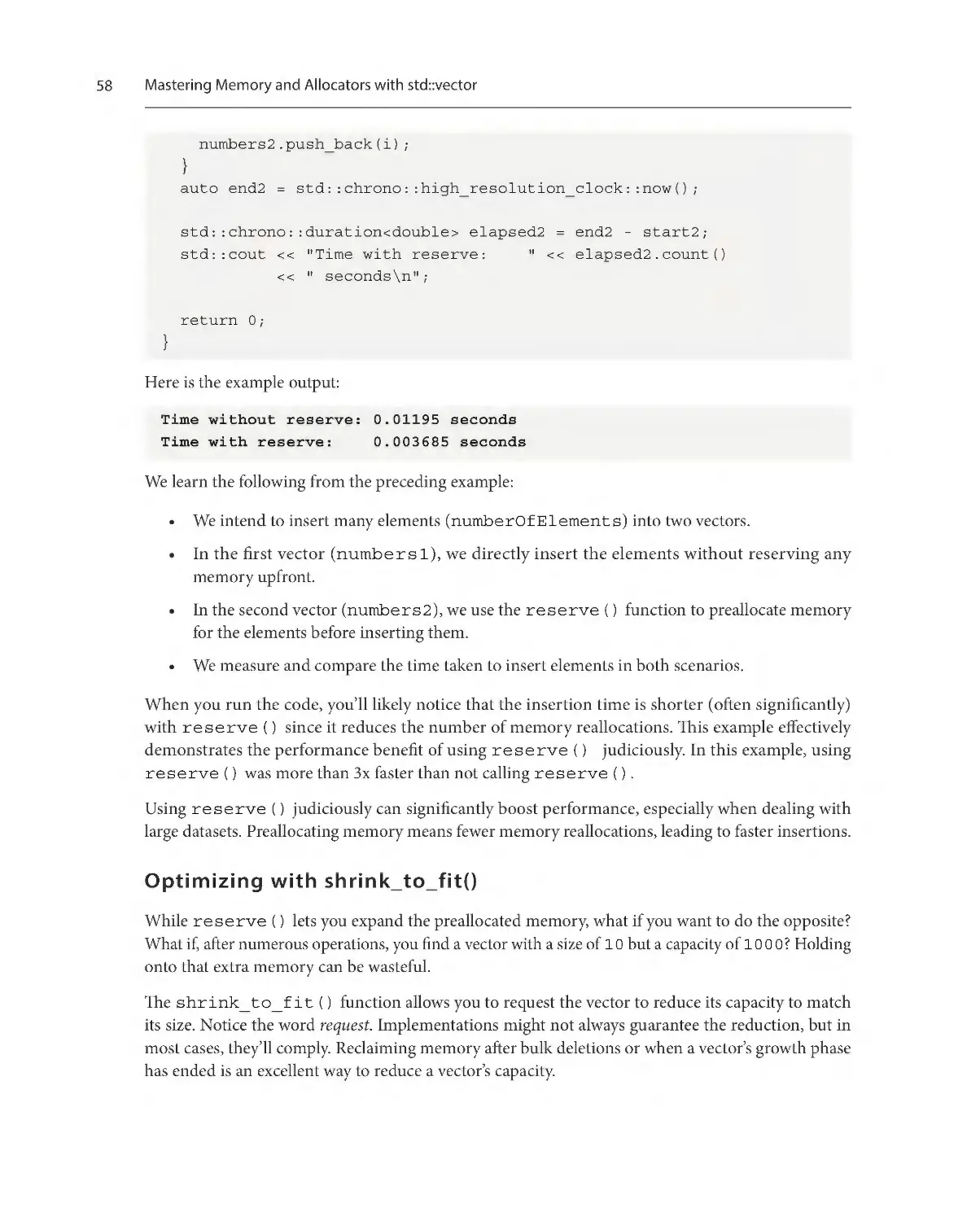
Time without reserve: 0.01195 seconds
Time with reserve: 0.003685 seconds
Tips or important notes
Appear like this.
Get in touch
Feedback from our readers is always welcome.
General feedback: If you have questions about any aspect of this book, email us at customercare@
packtpub.com and mention the book title in the subject of your message.
Errata: Although we have taken every care to ensure the accuracy of our content, mistakes do happen.
If you have found a mistake in this book, we would be grateful if you would report this to us. Please
visit www.packtpub.com/support/errata and fill in the form.
Piracy: If you come across any illegal copies of our works in any form on the internet, we would
be grateful if you would provide us with the location address or website name. Please contact us at
copyright@packt.com with a link to the material.
If you are interested in becoming an author: If there is a topic that you have expertise in and you
are interested in either writing or contributing to a book, please visit authors.packtpub.com
Preface
Share Your Thoughts
Once you’ve read Data Structures and Algorithms with the C++ STL, we’d love to hear your thoughts!
Please click here to go straight to the Amazon review page for this book
and share your feedback.
Your review is important to us and the tech community and will help us make sure we’re delivering
excellent quality content.
xxvii
xxviii
Preface
Download a free PDF copy of this book
Thanks for purchasing this book!
Do you like to read on the go but are unable to carry your print books everywhere?
Is your eBook purchase not compatible with the device of your choice?
Don’t worry, now with every Packt book you get a DRM-free PDF version of that book at no cost.
Read anywhere, any place, on any device. Search, copy, and paste code from your favorite technical
books directly into your application.
The perks don’t stop there, you can get exclusive access to discounts, newsletters, and great free content
in your inbox daily
Follow these simple steps to get the benefits:
1.
Scan the QR code or visit the link below
https://packt.link/free-ebook/978-1-83546-855-5
2.
Submit your proof of purchase
3.
That’s it! We’ll send your free PDF and other benefits to your email directly
Part 1:
Mastering std::vector
In this Part, we will build our knowledge of C++ Standard Template (STL) Library containers and
algorithms on a foundation of a comprehensive examination of std::vector. We will start with
introducing std::vector, contrasting it with traditional C-style arrays, and covering essential
operations such as initializing, accessing, and modifying elements. We then advance to the intricacies
of iterators, revealing their types and uses in std::vector operations and the elegance of rangebased for loops. Memory management is demystified by constructing an understanding of optimizing
the allocation and deallocation of resources, including an introduction to creating custom allocators.
The section then builds into applying algorithms to sort, search, and manipulate vector contents
efficiently, emphasizing the role of custom comparators and the importance of understanding iterator
invalidation. The final chapter encapsulates the performance considerations and practical applications
of std::vector, cementing its status as the default container choice for C++ developers.
This part has the following chapters:
• Chapter 1: The Basics of std::vector
• Chapter 2: Mastering Iterators with std::vector
• Chapter 3: Mastering Memory and Allocators with std::vector
• Chapter 4: Mastering Algorithms with std::vector
• Chapter 5: Making a Case for std::vector
1
The Basics of std::vector
std::vector is a fundamental component of C++ programming. This chapter will explore
std::vector as a dynamic array, discussing its utility in various programming contexts. By the
end of the chapter, you should be adept at declaring, initializing, and manipulating vectors. These
skills will enable you to utilize std::vector effectively in diverse applications. It will provide a
solid foundation for understanding the broader set of data structures and algorithms of the Standard
Template Library (STL).
In this chapter, we’re going to cover the following main topics:
• The significance of std::vector
• Declaring and initializing std::vector
• Accessing elements
• Adding and removing elements
Technical requirements
The code in this chapter can be found on GitHub:
https://github.com/PacktPublishing/Data-Structures-and-Algorithmswith-the-CPP-STL
The significance of std::vector
In C++, std::vector is a frequently chosen data structure. While beginners might initially see
parallels between it and the basic arrays in C, the advantages of std::vector become evident with
deeper exploration. Additionally, a solid grasp of std::vector facilitates a smoother transition to
understanding other components of STL.
Both vectors and arrays function as containers for collections of elements. The critical distinction
between them lies in their flexibility and capabilities. Arrays are static in size, set at declaration time,
and cannot be altered afterward.
4
The Basics of std::vector
In contrast, vectors are dynamic. They can expand or contract based on the operations performed on
them. Unlike arrays, which commit to a fixed memory block upon declaration, vectors dynamically
manage memory. They frequently allocate extra memory to anticipate future growth, optimizing
efficiency and flexibility. While arrays offer simple index-based element access and modification, vectors
provide a broader set of functions, including methods for inserting, deleting, and locating elements.
The primary advantage of std::vector is its combination of dynamic resizing and optimized
performance. Traditional C++ arrays have their size set at compile time. If an array is declared to hold
10 elements, it’s constrained to that capacity. However, in many real-world scenarios, the volume of
data isn’t determined until runtime. This is where std::vector shines.
A basic comparison of C-style arrays and std::vector
Acting as a dynamic array, std::vector can adjust its size during program execution. It efficiently
manages its memory, reallocating not for each new addition, but in larger chunks to maintain a balance
between performance and adaptability. Thus, rather than pre-committing to a specific size and risking
either memory waste or a shortage, std::vector dynamically responds to varying data demands.
Here are two code examples that demonstrate the contrast between using a C-style array
and std::vector.
The following code demonstrates the use of a C-style array:
#include <iostream>
int main() {
int *cArray = new int[5];
for (int i = 0; i < 5; ++i) { cArray[i] = i + 1; }
for (int i = 0; i < 5; ++i) {
std::cout << cArray[i] << " ";
}
std::cout << "\n";
const int newSize = 7;
int *newCArray = new int[newSize];
for (int i = 0; i < 5; ++i) { newCArray[i] = cArray[i]; }
delete[] cArray;
cArray = newCArray;
The significance of std::vector
for (int i = 0; i < newSize; ++i) {
std::cout << cArray[i] << " ";
}
std::cout << "\n";
int arraySize = newSize;
std::cout << "Size of cArray: " << arraySize << "\n";
delete[] cArray;
return 0;
}
Here is the example output:
1 2 3 4 5
1 2 3 4 5 0 0
Size of cArray: 7
In this example, we do the following:
1.
Declare a C-style dynamic array with a size of 5.
2.
Initialize the dynamic array.
3.
Print the contents of the array.
4.
Resize the array to a new size (e.g., 7).
5.
Copy the elements from the old array to the new one.
6.
Deallocate the old array.
7.
Update the pointer to the new array.
8.
Print the contents of the resized array.
9.
Get the size of the resized array.
10. Deallocate the resized array when done.
In contrast, the following code demonstrates the use of std::vector:
#include <iostream>
#include <vector>
int main() {
std::vector<int> stlVector = {1, 2, 3, 4, 5};
for (const int val : stlVector) {
5
6
The Basics of std::vector
std::cout << val << " ";
}
std::cout << "\n";
stlVector.resize(7);
for (const int val : stlVector) {
std::cout << val << " ";
}
std::cout << "\n";
std::cout << "Size of stlVector: " << stlVector.size()
<< "\n";
return 0;
}
Here is the example output:
1 2 3 4 5
1 2 3 4 5 0 0
Size of stlVector: 7
By way of contrast with the C-style version, in this example, we do the following:
1.
Declare std::vector with initial values.
2.
Print the contents of the vector.
3.
Resize. This operation is easy with std::vector.
4.
Print again to see the change.
5.
Get the size. This operation is simple with the size() member function.
In the initial example, the C-style array is constrained by its fixed size. Modifying its size typically
requires a non-trivial procedure. Conversely, std::vector can adjust its size effortlessly and
provides a size() method to determine the number of elements it holds.
Beyond its dynamic resizing capability, std::vector further simplifies memory management
compared to traditional arrays. With std::vector, there’s no need for explicit memory allocations
or deallocations as it internally handles these tasks. This approach minimizes the risk of memory
leaks and streamlines the development process. As a result, many C++ developers, regardless of their
experience level, prefer using std::vector over raw arrays for convenience and safety.
Let’s look at an example that contrasts how a legacy C-style array manages memory and how
std::vector makes this easier and safer.
The significance of std::vector
Comparison of C-style arrays and std::vector for memory
management
First, let us consider an example of a C-style array with manual memory management.
In this example, we’ll use dynamic memory allocation (new and delete) to simulate some of the
resizing capabilities of std::vector:
#include <iostream>
int main() {
int *cArray = new int[5];
for (int i = 0; i < 5; ++i) { cArray[i] = i + 1; }
int *temp = new int[10];
for (int i = 0; i < 5; ++i) { temp[i] = cArray[i]; }
delete[] cArray; // Important: free the old memory
cArray = temp;
for (int i = 5; i < 10; ++i) { cArray[i] = i + 1; }
for (int i = 0; i < 10; ++i) {
std::cout << cArray[i] << " ";
}
std::cout << "\n";
delete[] cArray;
return 0;
}
Here is the example output:
1 2 3 4 5 6 7 8 9 10
In this example, we do the following:
1.
Dynamically allocate a C-style array with a size of 5.
2.
Populate the array.
3.
Simulate a resize: allocate a larger array and copy the data.
4.
Populate the rest of the new array.
7
8
The Basics of std::vector
5.
Print the array’s content.
6.
Clean up the allocated memory.
Now, let us consider an example of std::vector with built-in memory management.
Using std::vector, you don’t have to allocate or deallocate memory manually; it is managed internally:
#include <iostream>
#include <vector>
int main() {
std::vector<int> myVector(5);
for (int i = 0; i < 5; ++i) { myVector[i] = i + 1; }
for (int i = 5; i < 10; ++i) {
myVector.push_back(i + 1);
}
for (int val : myVector) { std::cout << val << " "; }
std::cout << "\n";
return 0;
}
Here is the example output:
1 2 3 4 5 6 7 8 9 10
The steps in this example include the following:
1.
Create std::vector with a size of 5.
2.
Populate the vector.
3.
Resizing is straightforward with push_back() or resize().
4.
Print the vector’s contents.
There’s no need for explicit memory deallocation.
In the first example, the challenges of manual memory management are evident. Failing to use delete
appropriately can result in memory leaks. On the other hand, the second example highlights the
efficiency of std::vector, which internally manages memory, eliminating the need for manual
resizing and memory operations and enhancing the development process.
Declaring and initializing std::vector
Traditional arrays come with a basic set of operations. In contrast, std::vector offers various
member functions that provide advanced data manipulation and retrieval capabilities. These functions
will be explored in subsequent sections.
In C++ development, std::vector is a fundamental tool. Its flexibility makes it a go-to choice
for various applications, from game development to complex software projects. The built-in safety
mechanisms against common memory issues underscore its value. As an STL component, std::vector
encourages consistent and optimal coding practices by integrating well with other STL elements.
This section explored the fundamental differences between C-style arrays and std::vector. Unlike
static C-style arrays, we learned that std::vector offers dynamic resizing and robust memory
management, which are critical for developing flexible and efficient applications. The comparison
detailed how std::vector abstracts away low-level memory handling, thus minimizing common
errors associated with manual memory management.
Understanding std::vector is beneficial because it is one of the most widely used sequence
containers in C++ programming. std::vector supports dynamic growth in contiguously allocated
memory and random access iteration and is compatible with a range of algorithms in the STL. We
also discussed how std::vector provides a safer and more intuitive interface for managing
collections of objects.
The following section will build upon this foundational knowledge. We will learn the syntax for
declaring std::vector and the various methods available for initializing it. This will include an
examination of default, copy, and move semantics as they pertain to vectors.
Declaring and initializing std::vector
Having established the foundational knowledge of std::vector in C++ development, it’s time to
delve into its practical applications—expressly, how to declare and initialize vectors.
The essence of std::vector lies in its dynamic nature. Unlike traditional arrays with fixed sizes,
vectors can grow or shrink as necessary, making them a versatile tool for developers.
Declaring a vector
The performance of std::vector stems from its design, which combines the benefits of a contiguous
memory layout (such as arrays) with the flexibility of dynamic resizing. It reserves memory to hold
that many elements when initialized with a specified size. But if the vector fills up and more capacity
is needed, it allocates a larger memory block, transfers the existing elements, and deallocates the
old memory. This dynamic resizing process is optimized to reduce overhead, ensuring that vectors
remain efficient. The fusion of contiguous storage and automated memory management distinguishes
std::vector as an essential component in the C++ ecosystem.
9
10
The Basics of std::vector
To declare a basic std::vector, use the following:
std::vector<int> vec;
This line of code initializes an empty std::vector named vec specifically designed to hold values of
type int. (int is the template parameter inside the <> for std::vector's type.) std::vector
is a dynamic array, which means that even though vec begins with a size of 0, its capacity can grow
as needed. As you insert integers into vec, the container will automatically allocate memory to
accommodate the increasing number of elements. This dynamic resizing makes std::vector a
versatile and widely used container in C++ for situations where the number of elements isn’t known
in advance or might change over time.
When creating std::vector, it’s possible to specify its initial size. This can be beneficial if you
have prior knowledge about the number of elements you’ll need to store:
std::vector<int> vec(10);
In the preceding code, std::vector named vec is initialized with space for 10 integers. By default,
these integers will be value-initialized, which means they will be set to 0 for fundamental data types
such as int.
If you wish to initialize the elements with a specific value, you can provide a second argument during
the vector’s construction:
std::vector<int> vec(10, 5);
Here, std::vector is declared with 10 integers, and each of those 10 integers is initialized to the
value of 5. This approach ensures efficient memory allocation and desired value initialization in a
single step.
Initializing a vector
In C++11 and later versions, std::vector initialization became more straightforward with the
introduction of initializer lists. This allows developers to specify the initial values of the vector directly
within curly braces:
std::vector<int> vec = {1, 2, 3, 4, 5};
The preceding statement creates an instance of std::vector named vec and initializes it with
five integers. This method provides a concise way to declare and populate a vector simultaneously.
This is just one way to initialize std::vector. Depending on your needs, there are many ways
this can be done:
// Method 1: Declare a vector and then add elements using
// push_back (Add integers from 0 to 4)
std::vector<int> vec1;
Declaring and initializing std::vector
for (int i = 0; i < 5; ++i) { vec1.push_back(i); }
// Method 2: Initialize a vector with a specific size and
// default value (5 elements with the value 10)
std::vector<int> vec2(5, 10);
// Method 3: List initialization with braced initializers
// Initialize with a list of integers
std::vector<int> vec3 = {1, 2, 3, 4, 5};
// Method 4: Initialize a vector using the fill
// constructor Default-initializes the five elements (with
// zeros)
std::vector<int> vec4(5);
// Method 5: Using std::generate with a lambda function
std::vector<int> vec5(5);
int value = 0;
std::generate(vec5.begin(), vec5.end(),
[&value]() { return value++; });
std::vector is a versatile templated container capable of storing various data types, not just
primitives such as int. You can store objects of custom classes, other standard library types, and
pointers. This adaptability makes std::vector suitable for a wide range of applications and scenarios.
Furthermore, vectors provide a straightforward mechanism for copying the contents of one vector to
another. This is known as copy initialization. The following code demonstrates this:
std::vector<int> vec1 = {1, 2, 3, 4, 5};
std::vector<int> vec2(vec1);
In this example, vec2 is initialized as an exact copy of vec1, meaning vec2 will contain the same
elements as vec1. This copy initialization ensures that the original vector (vec1) remains unchanged
and that the new vector (vec2) is provided with a separate copy of the data.
One of the true strengths of STL containers is their ability to handle user-defined types seamlessly,
extending beyond primitive data types such as int or double. This flexibility is a testament to its
templated design, which allows it to adapt to various data types while maintaining type safety. In the
upcoming example, we illustrate this versatility by utilizing std::vector with a custom class:
#include <iostream>
#include <string>
#include <vector>
class Person {
11
12
The Basics of std::vector
public:
Person() = default;
Person(std::string_view n, int a) : name(n), age(a) {}
void display() const {
std::cout << "Name: " << name << ", Age: " << age
<< "\n";
}
private:
std::string name;
int age{0};
};
int main() {
std::vector<Person> people;
people.push_back(Person("Lisa", 30));
people.push_back(Person("Corbin", 25));
people.resize(3);
people[2] = Person("Aaron", 28);
for (const auto &person : people) { person.display(); }
return 0;
}
Here is the example output:
Name: Lisa, Age: 30
Name: Corbin, Age: 25
Name: Aaron, Age: 28
In this example, std::vector is first used to manage objects of the custom Person class. It
demonstrates the ease with which std::vector accommodates and manages memory for built-in
and user-defined types.
In C++, while static arrays have their utility, they come with fixed sizes that can sometimes be limiting.
On the other hand, std::vector provides a dynamic and flexible alternative.
Understanding the declaration and initialization of vectors is essential for effective C++ programming.
std::vector is a versatile tool suitable for various tasks, from implementing complex algorithms to
developing large-scale applications. Incorporating std::vector into your programming practices
can enhance the efficiency and maintainability of your code.
Accessing elements
In this section, we covered the syntactical aspects of working with std::vector. Specifically, we
delved into the proper techniques for declaring std::vector of various types and the diverse
strategies for initializing these vectors to suit different programming scenarios.
We learned that declaring std::vector involves specifying the type of elements it will contain
and, optionally, the initial size and default value for the elements. We discovered multiple methods
regarding initialization, including direct-list initialization and initializing with a specific range of
values. This section underscored the flexibility of std::vector, showing how it can be tailored to
start with a predefined set of elements or be constructed from existing collections.
This information is crucial for practical C++ development as it provides a foundation for using
std::vector effectively. Proper initialization can lead to performance optimizations and ensure
the vector is in a valid state appropriate for its intended use. The ability to declare and initialize vectors
succinctly and correctly is a foundational skill for leveraging the power of the STL in real-world
C++ applications.
In the next section, Accessing elements, we will focus on the operations that allow us to retrieve and
modify the contents of a std::vector. We will learn about random access, which allows for the
efficient retrieval and modification of elements at any position within the vector. Additionally, we will
explore how to access the first and last elements, and the importance of understanding and managing
vector size to ensure robust and error-free code.
Accessing elements
Having discussed the declaration and initialization of std::vector, our focus now shifts to
accessing and manipulating the contained data. Multiple methods in C++ allow you to access vector
elements with both speed and safety.
Random access
The subscript [] operator allows direct element access via indices, similar to arrays. In the following
example, given a vector, the expression numbers[1] returns the value 20. However, using this
operator doesn’t involve boundary checks. An index that is out of range, such as numbers[10],
results in undefined behavior, leading to unpredictable outcomes.
This is shown in the following example:
#include <iostream>
#include <vector>
int main() {
std::vector<int> numbers = {10, 20, 30, 40, 50};
const auto secondElement = numbers[1];
std::cout << "The second element is: " << secondElement
13
14
The Basics of std::vector
<< "\n";
// Beware: The following line can cause undefined
// behavior!
const auto outOfBoundsElement = numbers[10];
std::cout << "Accessing an out-of-bounds index: "
<< outOfBoundsElement << "\n";
return 0;
}
Here is the example output:
The second element is: 20
Accessing an out-of-bounds index: 0
For safer index-based access, std::vector offers the at() member function. It performs an index
boundary check and throws an out_of_range exception for invalid indices.
Here is an example of this:
#include <iostream>
#include <vector>
int main() {
std::vector<int> numbers = {10, 20, 30, 40, 50};
try {
const auto secondElement = numbers.at(1);
std::cout << "The second element is: " << secondElement
<< "\n";
} catch (const std::out_of_range &e) {
std::cerr << "Error: " << e.what() << "\n";
}
try {
const auto outOfBoundsElement = numbers.at(10);
std::cout << "Accessing an out-of-bounds index: "
<< outOfBoundsElement << "\n";
} catch (const std::out_of_range &e) {
std::cerr << "Error: " << e.what() << "\n";
}
return 0;
}
Accessing elements
Caution is paramount when accessing vector elements. While C++ favors performance, it often
sidesteps safety checks, as evident with the subscript operator. Hence, developers must ensure valid
access through careful index management or by employing safer methods such as at().
Accessing the first and last elements
The first and last elements can be accessed with front() and back(), respectively.
This is shown in the following example:
#include <iostream>
#include <vector>
int main() {
std::vector<int> numbers = {10, 20, 30, 40, 50};
const auto firstElement = numbers.front();
std::cout << "The first element is: " << firstElement
<< "\n";
const auto lastElement = numbers.back();
std::cout << "The last element is: " << lastElement
<< "\n";
return 0;
}
The example output is as follows:
The first element is: 10
The last element is: 50
Vector size
With std::vector, understanding the structure and the amount of data it contains is essential. The
size() member function provides the current count of elements stored within the vector. Invoking
this function on an instance of std::vector will return the number of elements it holds. This
count represents the active elements and can be used to determine the range for valid indexing. The
returned value is of type size_t, an unsigned integer type suitable for representing sizes and counts.
It’s beneficial when iterating through a vector, performing size comparisons, or allocating space based
on the number of vector elements.
15
16
The Basics of std::vector
Let us look at the following code:
#include <iostream>
#include <vector>
int main() {
std::vector<int> data = {1, 2, 3, 4, 5};
const auto elementCount = data.size();
std::cout << "Vector contains " << elementCount
<< " elements.\n";
return 0;
}
In the preceding code, the size() function is called on the data vector to retrieve and display the
number of elements it contains. The result, as expected, indicates that there are five elements in the vector.
In summary, std::vector offers a suite of tools, ranging from the efficient subscript operator to
the safer at() method, and the convenient front() and back() methods. Understanding these
tools is vital to efficiently and safely access and manipulate data within a vector.
In this section, we concentrated on the methodologies for retrieving and inspecting the contents of
std::vector. We learned about the capabilities of std::vector to provide random access to
its elements, enabling direct access to any element using its index with constant time complexity. This
section also detailed the methods to access a vector’s first and last elements through the front()
and back() member functions, respectively.
Moreover, we discussed the importance of understanding and utilizing the size() member function
to determine the number of elements currently stored in std::vector. This understanding is
instrumental in ensuring that our access patterns remain within the bounds of the vector, thereby
preventing out-of-range errors and undefined behavior.
The skills acquired from this section are essential, as they form the basis of interacting with
std::vector’s contents. These access patterns are core to using vectors effectively in C++ applications,
whether for reading or modifying elements. The ability to directly access elements in a vector leads to
efficient algorithms and supports a wide range of everyday programming tasks.
The following section will advance our knowledge further by addressing how to modify the size and
contents of std::vector. We will explore how to add elements to a vector and the various methods
available to remove them. This will include understanding how vectors manage their capacity and its
implications on performance. We will learn why and how to use .empty() as a more performant
alternative to checking whether the size is 0, and we will delve into clearing all elements from a vector.
Adding and removing elements
Adding and removing elements
One of the advantages of std::vector over traditional arrays is its ability to resize dynamically.
As applications evolve, so do data requirements; static data structures do not cut it. In this section,
we will explore dynamic data management with std::vector, learning to seamlessly add to and
remove from vectors while making sure we are staying safe.
Adding elements
Let’s start with adding elements. The push_back() member function is possibly the most straightforward
way to add an element to the end of a vector. Suppose you have std::vector<int> scores;
and wish to append a new score, say 95. You would simply invoke scores.push_back(95);,
and voilà, your score is added.
Here’s a simple illustrative code example:
#include <iostream>
#include <vector>
int main() {
std::vector<int> scores;
std::cout << "Initial size of scores: " << scores.size()
<< "\n";
scores.push_back(95);
std::cout <<
<<
std::cout <<
<<
"Size after adding one score:"
scores.size() << "\n";
"Recently added score: " << scores[0]
"\n";
return 0;
}
When run, this program will display the vector’s size before and after adding a score and the score
itself, demonstrating the push_back() function in action.
What if you need to insert a score at a specific position, not just at the end? The insert() function
becomes your best ally. If you wanted to insert a score of 85 at the third position, you’d use an iterator
to specify the location:
scores.insert(scores.begin() + 2, 85);
Remember that vector indexing starts at 0; the + 2 is for the third position.
17
18
The Basics of std::vector
Let’s expand on the previous example by incorporating the use of the insert() function in
the following:
#include <iostream>
#include <vector>
int main() {
std::vector<int> scores = {90, 92, 97};
std::cout << "Initial scores: ";
for (int score : scores) { std::cout << " " << score; }
std::cout << "\n";
scores.push_back(95);
std::cout << "Scores after adding 95 to the end: ";
for (int score : scores) { std::cout << " " << score; }
std::cout << "\n";
scores.insert(scores.begin() + 2, 85);
std::cout << "Scores after inserting 85 at the third "
"position:";
for (int score : scores) { std::cout << " " << score; }
std::cout << "\n";
return 0;
}
This program will showcase the original scores, display the scores after appending one to the end, and
inserting one in the third position. It illustrates the push_back() and insert() functions in action.
And vectors don’t stop there. The emplace_back() and emplace() functions allow for
constructing elements directly inside the vector. This means fewer temporary objects and a potential
boost in performance, especially with complex data types.
Let’s consider a Person class that has a few data members. To create a new Person object, a string
concatenation operation is performed. Using emplace_back() and emplace() will avoid extra
temporary objects and copy/move operations that push_back() might cause, offering a performance
boost. The following code demonstrates this:
#include <iostream>
#include <string>
#include <vector>
Adding and removing elements
class Person {
public:
Person(const std::string &firstName,
const std::string &lastName)
: fullName(firstName + " " + lastName) {}
const std::string &getName() const { return fullName; }
private:
std::string fullName;
};
int main() {
std::vector<Person> people;
people.emplace_back("John", "Doe");
people.emplace(people.begin(), "Jane", "Doe");
for (const auto &person : people) {
std::cout << person.getName() << "\n";
}
return 0;
}
This example clarifies how emplace_back() and emplace() allow for the direct construction
of objects inside the vector. Using push_back() might create temporary Person objects. Using
emplace_back() directly constructs the object in place, potentially avoiding temporary object
creation. Using insert() might create temporary Person objects. Using emplace() directly
constructs the object in place at the specified location. This is particularly beneficial with types such
as Person, where the constructor might involve resource-intensive operations (such as string
concatenation). In such scenarios, the performance advantage of emplace methods over their push
counterparts becomes evident.
Removing elements
But life isn’t just about adding. Sometimes, we need to remove data. The pop_back() function
removes the last element of a vector, reducing its size by one. If, however, you’re looking to remove
from a specific position or even a range of positions, the erase() function will be your go-to.
The erase-remove idiom
In C++ and its STL, there are established coding patterns that experienced developers often use. One
notable pattern is the erase-remove idiom, which facilitates the removal of specific elements from a
19
20
The Basics of std::vector
container based on defined criteria. This section will detail the functionality of this idiom and discuss
newer alternatives introduced in C++20.
STL containers, especially std::vector, do not provide a straightforward method to remove
elements based on a predicate. Instead, they provide separate methods: one to rearrange elements
(using std::remove and std::remove_if) and another to erase them.
Here’s how the erase-remove idiom works:
1.
std::remove or std::remove_if is used to reorder elements of the container. Elements
that need to be removed are moved to the end.
2.
These algorithms return an iterator pointing to the start of the removed elements.
3.
The container’s erase method is then used to remove the elements from the container physically.
A classic example removes all instances of 0 from std::vector<int>:
std::vector<int> numbers = {1, 0, 3, 0, 5};
auto end = std::remove(numbers.begin(), numbers.end(), 0);
numbers.erase(end, numbers.end());
Modernizing with std::erase and std::erase_if
Recognizing the ubiquity and somewhat counterintuitive nature of the erase-remove idiom, C++20
introduced direct utility functions to simplify this operation: std::erase and std::erase_if. These
functions merge the two-step process into one, offering a more intuitive and less error-prone approach.
Using the previous example, removing all instances of 0 with C++20 becomes:
std::vector<int> numbers = {1, 0, 3, 0, 5};
std::erase(numbers, 0);
No longer does one have to invoke separate algorithms and remember to handle both stages of the
process. Similarly, to remove elements based on a predicate, you would do the following:
std::vector<int> numbers = {1, 2, 3, 4, 5};
std::erase_if(numbers, [](int x){ return x % 2 == 0; });
While the erase-remove idiom has been a cornerstone of STL-based C++ programming for years, modern
C++ continues to evolve and simplify common patterns. With std::erase and std::erase_if,
developers now have more straightforward tools to remove container elements, leading to cleaner and
more readable code. It’s a testament to the ongoing commitment of the C++ community to enhance
the language’s user-friendliness while retaining its power and expressiveness.
Note that std::vector has been ingeniously designed to optimize memory operations. While one
might intuitively expect the underlying array to resize every time an element is added or removed,
that isn’t the case. Instead, when a vector grows, it often allocates more memory than immediately
Adding and removing elements
necessary, anticipating future additions. This strategy minimizes the frequent memory reallocations,
which could be computationally expensive. Conversely, when elements are removed, the vector doesn’t
always shrink its allocated memory immediately. This behavior provides a balance between memory
usage and performance. However, it is worth noting that the specifics of these memory management
decisions can vary by the C++ library implementation. As such, while the behavior is consistent across
implementations in terms of the interface, the internal memory management nuances might differ.
Capacity
You can use the capacity() member function to know how much memory has been allocated.
The std::vector::capacity() member function returns the amount of memory allocated for
the vector, which may be greater than its actual size. This value represents the maximum number of
elements the vector can hold before reallocating memory, ensuring efficient growth patterns without
frequent memory operations.
This can be seen in the following:
#include <iostream>
#include <vector>
int main() {
std::vector<int> numbers;
std::cout << "Initial size: " << numbers.size() << "\n";
std::cout << "Initial capacity: " << numbers.capacity()
<< "\n";
for (auto i = 1; i <= 10; ++i) { numbers.push_back(i); }
std::cout <<
<<
std::cout <<
<<
"Size after adding 10 elements: "
numbers.size() << "\n";
"Capacity after adding 10 elements: "
numbers.capacity() << "\n";
for (auto i = 11; i <= 20; ++i) { numbers.push_back(i); }
std::cout <<
<<
std::cout <<
<<
"Size after adding 20 elements: "
numbers.size() << "\n";
"Capacity after adding 20 elements: "
numbers.capacity() << "\n";
for (auto i = 0; i < 5; ++i) { numbers.pop_back(); }
std::cout << "Size after removing 5 elements: "
21
22
The Basics of std::vector
<< numbers.size() << "\n";
std::cout << "Capacity after removing 5 elements: "
<< numbers.capacity() << "\n";
return 0;
}
The exact output may be different for your compiler, but here is an example output:
Initial size: 0
Initial capacity: 0
Size after adding 10 elements: 10
Capacity after adding 10 elements: 16
Size after adding 20 elements: 20
Capacity after adding 20 elements: 32
Size after removing 5 elements: 15
Capacity after removing 5 elements: 32
This example illustrates how the size and capacity of a std::vector instance change as elements
are added and removed. Examining the outputs shows that the capacity often doesn’t correspond
directly with the size, highlighting the memory optimization techniques.
Prefer using empty() when possible
In C++, when the primary intention is to check whether a container is devoid of elements, it’s recommended
to use the .empty() member function instead of comparing .size() or .capacity() with
0. The .empty() function provides a direct way to ascertain whether a container has any elements,
and in many implementations, it can offer a performance advantage. Specifically, .empty()
typically has a constant time complexity of O(1), whereas .size() might have a linear time
complexity of O(n) for some container types, making .empty() a more efficient choice for mere
emptiness checks. Using .empty() can lead to more concise and potentially faster code, especially
in performance-critical sections.
Clearing all elements
The clear() function of std::vector is a powerful utility that swiftly erases all elements within
the container. After invoking this function, the size() of the vector will return 0, indicating its
now-empty state. However, a crucial aspect to be aware of is that any references, pointers, or iterators
that previously pointed to the elements within the vector are invalidated by this operation. This also
holds for any past-the-end iterators. Interestingly, while clear() purges all the elements, it doesn’t
alter the capacity of the vector. This means that the memory allocated for the vector remains unchanged,
allowing for efficient subsequent insertions without immediate reallocation.
Adding and removing elements
The clear() member function of std::vector removes all elements from the vector, effectively
reducing its size to 0. Here’s a simple example to demonstrate its usage:
#include <iostream>
#include <vector>
int main() {
std::vector<int> numbers = {1, 2, 3, 4, 5};
std::cout << "Original numbers: ";
for (const auto num : numbers) {
std::cout << num << " ";
}
std::cout << "\n";
numbers.clear();
std::cout << "After using clear(): ";
// This loop will produce no output.
for (const auto num : numbers) {
std::cout << num << " ";
}
std::cout << "\n";
std::cout << "Size of vector after clear(): "
<< numbers.size() << "\n";
return 0;
}
Here is the example output:
Original numbers: 1 2 3 4 5
After using clear():
Size of vector after clear(): 0
This example underscores the efficiency of std::vector in handling bulk deletions with a single
function call, making data management even more straightforward.
Dynamic resizing is a prominent feature of std::vector, but it requires careful management to
maintain efficiency. When a vector’s contents exceed its capacity, it necessitates memory reallocation,
which involves allocating a new memory block, copying the existing elements, and deallocating
the old memory. This process can introduce performance overheads, mainly if the vector grows by
23
24
The Basics of std::vector
small amounts repeatedly. If you can anticipate the maximum size, use the reserve() function to
pre-allocate memory to mitigate such inefficiencies.
For example, invoking scores.reserve(100); allocates memory for 100 elements, reducing
the need for frequent reallocations up to that limit.
std::vector offers a comprehensive set of functions tailored for dynamic data management.
It facilitates quickly adding elements, inserting them in between, or removing them from various
positions. Coupled with its efficient memory management, std::vector stands out as both a flexible
and performance-oriented container. As you delve deeper into C++, the utility of std::vector
will become increasingly apparent, as it addresses a wide range of programming scenarios effectively.
In this section, we explored the dynamic nature of std::vector, which allows us to modify its
content and size. We learned how to add elements to a vector using methods such as push_back,
emplace_back, and insertion at a specific position using iterators. We also examined the process
of removing elements, whether a single element at a particular position, a range of elements, or
removing elements by value.
We discussed the concept of capacity, the amount of pre-allocated space for elements in a vector, and
how it differs from size, which is the actual number of elements currently in the vector. Understanding
this distinction is critical for writing memory- and performance-efficient programs.
The use of empty() as a preferred method for checking whether a vector contains any elements was
also highlighted. We discussed the advantages of empty() over checking whether size() returns
0, particularly regarding clarity and potential performance benefits.
Additionally, we covered the importance of the clear() function, which removes all elements from
a vector, effectively resetting its size to 0 without necessarily changing its capacity.
This section’s information is handy because it allows us to manage std::vector’s contents actively
and efficiently. Knowledge of adding and removing elements is vital for implementing algorithms that
require dynamic data manipulation, which is a common scenario in software development.
Summary
In this chapter, you have learned the foundational aspects of std::vector in C++ STL. The chapter
began by explaining the significance of std::vector, highlighting its advantages over C-style arrays,
particularly regarding memory management and ease of use. The chapter thoroughly compared C-style
arrays and std::vector, demonstrating how std::vector facilitates dynamic size adjustment
and safer memory operations.
Next, you were guided through the processes of declaring and initializing vectors. You learned how
to declare std::vector and initialize these instances using different methods. The chapter then
explored the myriad ways of accessing elements within std::vector, from random access to
accessing the first and last elements, and underscored the importance of understanding vector size.
Summary
Further, the chapter delved into the intricacies of adding and removing elements. This section illuminated
the best practices for modifying the contents of a vector, including when to use empty() instead of
checking for a size of 0 and the significance of understanding a vector’s capacity.
The information presented in this chapter is invaluable as it builds the foundational knowledge required
to effectively utilize std::vector (and many other STL data types) in various programming scenarios.
Mastery of std::vector allows for writing more efficient and maintainable code, enabling C++
developers to leverage STL’s full potential for dynamic array manipulation.
In the next chapter, you will elevate your understanding of std::vector by learning about iterators,
central to navigating through elements in STL containers.
25
2
Mastering Iterators with
std::vector
In this chapter, we will gain a deeper exploration of std::vector, focusing on the intricacies of
iteration. This chapter equips us with the knowledge to handle the ins and outs of vector traversal.
Mastering these core areas bolsters the efficiency and reliability of one’s C++ code and provides insights
into the underpinnings of dynamic array behavior, which is critical for effective C++.
In this chapter, we’re going to cover the following main topics:
• Types of iterators in the STL
• Basic iteration techniques with std::vector
• Using std::begin and std::end
• Understanding iterator requirements
• Range-based for loops
• Creating a custom iterator
Technical requirements
The code in this chapter can be found on GitHub:
https://github.com/PacktPublishing/Data-Structures-and-Algorithmswith-the-CPP-STL
Types of iterators in the STL
In the Standard Template Library (STL), iterators play a pivotal role by connecting algorithms
to containers. They provide a means for developers to traverse, access, and potentially modify the
elements of a container. Iterators are essential tools for efficient data manipulation in the STL. However,
28
Mastering Iterators with std::vector
they aren’t uniform in their functionalities. The STL delineates iterators into five primary types, each
offering varying access and control over the elements. This section will get into these iterator types,
elaborating on their distinct capabilities and uses.
Input iterators
Input iterators (LegacyInputIterator) are the starting point in exploring iterator types. They represent
the foundational category of iterators. As their name implies, input iterators focus on reading and
progressing through elements. They enable developers to advance to the subsequent element in the
container and retrieve its value. It’s crucial to note that revisiting the prior element is impossible after
moving an input iterator forward, and modifying the present element is not permitted. This iterator
category is often employed in algorithms that require data processing without modification.
The following is a simple example using std::vector and its input iterator:
#include <iostream>
#include <vector>
int main() {
std::vector<int> numbers = {10, 20, 30, 40, 50};
for (auto it = numbers.begin(); it != numbers.end();
++it) {
std::cout << *it << " ";
}
std::cout << "\n";
return 0;
}
In this example, we use std::vector<int>::const_iterator as the input iterator to
traverse the vector and print its elements. We’re following the principles of the input iterator by not
modifying the elements or moving the iterator backward. It is important to note that we cannot change
the element or go back to the previous element with the input iterator.
Output iterators
Next, we will look into output iterators (LegacyOutputIterator). Although they bear similarities to
input iterators, they serve a different primary function: writing to elements. Output iterators facilitate
assignment to the elements they reference. However, directly reading these elements through the
iterator is not supported. They are commonly utilized in algorithms designed to produce and populate
a sequence of values within a container.
Types of iterators in the STL
Here’s an example demonstrating the use of output iterators with std::vector:
#include
#include
#include
#include
<algorithm>
<iostream>
<iterator>
<vector>
int main() {
std::vector<int> numbers;
std::generate_n(std::back_inserter(numbers), 10,
[n = 0]() mutable { return ++n; });
for (auto num : numbers) { std::cout << num << " "; }
std::cout << "\n";
return 0;
}
In the preceding code, std::back_inserter is an output iterator adapter designed to work with
containers like std::vector. It allows you to write or push new values to the back of the vector. We
use the std::generate_n algorithm to generate and insert the numbers. This pattern perfectly
encapsulates the write-only characteristic of output iterators. We don’t use the output iterator to read.
For reading, we use a regular iterator.
Forward iterators
With the basics behind us, let’s move on to the forward iterators (LegacyForwardIterator). Forward
iterators combine the capabilities of both input iterators and output iterators. Thus, they support
reading, writing, and—as the name implies—always moving forward. Forward iterators never reverse
their direction. Their versatility makes them well-suited for many algorithms that operate on singly
linked lists (i.e., std::forward_list).
std::forward_list is explicitly designed for singly linked lists, making it the ideal candidate
for illustrating forward iterators.
Here’s a simple code example to illustrate their use:
#include <forward_list>
#include <iostream>
int main() {
std::forward_list<int> flist = {10, 20, 30, 40, 50};
std::cout << "Original list: ";
29
30
Mastering Iterators with std::vector
for (auto it = flist.begin(); it != flist.end(); ++it) {
std::cout << *it << " ";
}
std::cout << "\n";
for (auto it = flist.begin(); it != flist.end(); ++it) {
(*it)++;
}
std::cout << "Modified list: ";
for (auto it = flist.begin(); it != flist.end(); ++it) {
std::cout << *it << " ";
}
std::cout << "\n";
return 0;
}
Here is the example output:
Original list: 10 20 30 40 50
Modified list: 11 21 31 41 51
This code initializes a std::forward_list, uses a forward iterator to traverse and display its
elements, and then increments each element by 1, demonstrating the reading and writing capabilities
of the forward iterator.
Reverse iterators
Sometimes, you might find the need to traverse the vector in reverse. Enter rbegin() and rend().
These functions return reverse iterators that start at the end of the vector and conclude at the beginning.
Such backward traversal can be handy in specific algorithms and data-processing tasks.
Note the reverse iterator is technically an iterator adaptor. std::reverse_iterator is classified
as an iterator adaptor. It takes a given iterator, which should either be a LegacyBidirectionalIterator,
or comply with the bidirectional_iterator criteria introduced from C++20 onwards, and
reverses its direction. When given a bidirectional iterator, std::reverse_iterator yields a
new iterator that traverses the sequence in the opposite direction—from the end to the beginning.
Bidirectional iterators
Continuing, we address bidirectional iterators (LegacyBidirectionalIterator). These iterators permit
traversal in both forward and backward directions within a container. Inheriting all functionalities
of forward iterators, they introduce the ability to move in the reverse direction. Their design is
Types of iterators in the STL
particularly beneficial for data structures such as doubly linked lists, where bidirectional traversal is
frequently required.
Here’s an example using std::list and its bidirectional iterators:
#include <iostream>
#include <list>
int main() {
std::list<int> numbers = {1, 2, 3, 4, 5};
std::cout << "Traversing the list forwards:\n";
for (std::list<int>::iterator it = numbers.begin();
it != numbers.end(); ++it) {
std::cout << *it << " ";
}
std::cout << "\n";
std::cout << "Traversing the list backwards:\n";
for (std::list<int>::reverse_iterator rit =
numbers.rbegin();
rit != numbers.rend(); ++rit) {
std::cout << *rit << " ";
}
std::cout << "\n";
return 0;
}
Here is the example output:
Traversing the list forwards:
1 2 3 4 5
Traversing the list backward:
5 4 3 2 1
In this example, we create a std::list of integers. We then demonstrate bidirectional iteration
by first traversing the list in a forward direction using a regular iterator and then in reverse using a
reverse iterator.
Random access iterators
Concluding our iterator categorization, we introduce the random access iterators
(LegacyRandomAccessIterator and LegacyContiguousIterator). These iterators represent the highest
31
32
Mastering Iterators with std::vector
versatility, enabling more than just sequential access. With random access iterators, developers can
move forward by multiple steps, retreat backward, or access elements directly without sequential
traversal. Such capabilities make them highly suitable for data structures such as arrays or vectors,
which allow direct element access.
Here’s an example showcasing the flexibility and capabilities of random access iterators
with std::vector:
#include
#include
#include
#include
#include
<chrono>
<iostream>
<mutex>
<thread>
<vector>
std::mutex vecMutex;
void add_to_vector(std::vector<int> &numbers, int value) {
std::lock_guard<std::mutex> guard(vecMutex);
numbers.push_back(value);
}
void print_vector(const std::vector<int> &numbers) {
std::lock_guard<std::mutex> guard(vecMutex);
for (int num : numbers) { std::cout << num << " "; }
std::cout << "\n";
}
int main() {
std::vector<int> numbers;
std::thread t1(add_to_vector, std::ref(numbers), 1);
std::thread t2(add_to_vector, std::ref(numbers), 2);
t1.join();
t2.join();
std::thread t3(print_vector, std::ref(numbers));
t3.join();
return 0;
}
This example demonstrates the various capabilities of random access iterators. We start with direct access,
then jump positions, leap back, calculate distances, and even access elements in a non-linear manner.
It is vital to understand that the choice of iterator type is not arbitrary. Each one is designed with specific
use cases in mind, and choosing the right one can significantly enhance the efficiency and elegance
of your C++ code. When working with STL algorithms and containers, having a solid grasp of the
Basic iteration techniques with std::vector
different iterator types and their functionalities is paramount. This knowledge not only streamlines
the coding process but also aids in debugging and optimizing the performance of your applications.
In exploring the STL’s iterators, we’ve learned the six core types: input, output, forward, reverse,
bidirectional, and random access. Recognizing each type’s unique functions is vital for efficient C++
programming, as it affects how we traverse and interact with STL containers. Grasping these differences
is not just academic; it’s practical. It enables us to choose the right iterator for tasks, such as using
random access iterators with std::vector for their rapid element access capability.
In the next section, we’ll apply this knowledge, where we’ll see iteration in action, emphasize the use
of constant iterators for read-only purposes, and underscore the adaptability of iterators across various
containers, setting the stage for robust and versatile code development.
Basic iteration techniques with std::vector
Now that we understand the different types of iterators available, let’s explore the essential concept
of iterating over data structures. Iteration is a fundamental technique in programming that allows
developers to access and manipulate each element in a data structure efficiently. Specifically for
std::vector, iteration is crucial due to its dynamic nature and widespread use in C++ applications.
By mastering iteration, you can harness the full potential of std::vector, enabling operations
such as searching, sorting, and modifying elements with precision and ease. This section aims to
deepen your understanding of why iteration is a crucial skill in managing and utilizing data structures
effectively, setting the stage for more advanced applications in your programs.
Iterating over std::vector
One of the powerful features of std::vector is its ability to allow seamless traversal of its elements.
Whether you’re accessing individual elements or looping through each one, understanding the
iterative capabilities of std::vector is crucial. Iteration is fundamental to numerous operations
in programming, from data processing to algorithmic transformations. As you journey through this
section, you’ll become well acquainted with how to traverse vectors in C++ efficiently and effectively.
At the heart of iteration in the C++ STL is the concept of iterators. Think of iterators as sophisticated
pointers, guiding you through each element in a container, such as our beloved std::vector.
Armed with iterators, one can move forward, backward, jump to the start or the end, and access the
content they point to, making them indispensable tools in your C++ toolkit.
Basic iteration using iterators
Every std::vector provides a set of member functions that return iterators. The two primary
ones are begin() and end(). While we’ll dive deeper into these functions in the next section,
understand that begin() returns an iterator pointing to the first element, and end() returns an
iterator pointing just past the last element.
33
34
Mastering Iterators with std::vector
For instance, to traverse a vector named values, you would typically use a loop, as shown in the
following code:
for(auto it = values.begin(); it != values.end(); ++it) {
std::cout << *it << "\n";
}
In this code example, it is an iterator that moves through each element in values. The loop continues
until it reaches the position indicated by values.end().
Using constant iterators
When you’re sure you won’t modify the elements during iteration, it is good practice to use constant
iterators. They ensure that the elements remain immutable during traversal.
Imagine you’re a museum guide showing visitors the precious artifacts. You want them to appreciate
and understand the history, but you wouldn’t want them to touch or modify these delicate items.
Similarly, in programming, there are scenarios where you’d like to traverse a collection, showcasing
(or reading) its contents but not altering them. This is where constant iterators come into play.
To employ a constant iterator, std::vector provides the cbegin() and cend() member functions:
for(auto cit = values.cbegin(); cit != values.cend(); ++cit) {
std::cout << *cit << "\n";
}
Benefits of iteration
Why is iteration so pivotal? By effectively iterating over vectors, you can do the following:
• Process data: Whether normalizing data, filtering it, or performing any transformation, iteration
is at the core of these operations.
• Search operations: Looking for a particular element? Iteration allows you to comb through
each item, checking against a condition or a value.
• Algorithm application: Many algorithms in the C++ STL, such as sort, find, and transform,
require iterators to specify the range they operate on.
The versatility and efficiency of std::vector iteration make it a prime choice for developers. While
arrays also allow for traversal, vectors offer dynamic size, robustness against overflows, and integration
with the rest of the C++ STL, making them a preferred choice in many scenarios.
In conclusion, mastering iteration with std::vector is foundational to becoming proficient in
C++. By understanding how to traverse this dynamic array, you unlock a wide range of capabilities,
enabling you to harness the power of algorithms, efficiently process data, and craft robust, performant
Using std::begin and std::end
software. You’ll build a deeper understanding of other vector utilities as we progress, solidifying your
knowledge and skills in this vibrant language.
In this section, we’ve navigated std::vector traversal with iterators, learning to access elements
sequentially and utilize constant iterators for read-only operations. Understanding these techniques
is critical for crafting flexible and optimized C++ code compatible with various container types.
Iteration is a cornerstone of data manipulation in the STL; mastering it is essential for harnessing the
library’s full potential.
Next, we turn to the Using std::begin and std::end section to further our iterator knowledge. We’ll
uncover how these functions standardize the initiation and conclusion of iterations across different
containers, paving the way for more versatile and decoupled code.
Using std::begin and std::end
As you discover more use cases for std::vector, you’ll encounter situations where it is advantageous,
or even necessary, to venture beyond member functions. Here’s where non-member functions,
specifically std::begin and std::end, step into the spotlight. These two functions are handy
and offer a more generic way to access the beginning and end of a container, including but not limited
to std::vector.
Why the distinction, you might ask? Aren’t there member functions such as vector::begin()
and vector::end()? Indeed, there are. However, the beauty of the non-member std::begin
and std::end is their broader applicability across different container types, making your code
more flexible and adaptable.
Vectors in C++ offer a potent blend of dynamic memory and continuous storage, making them
indispensable in many coding scenarios. But to truly leverage their potential, understanding their
interaction with iterators is crucial. While the spotlight often shines on the begin() and end()
member functions, there are two versatile actors behind the curtains: std::begin and std::end.
When working with C++ containers, the std::begin function might seem like another way to start
iterating through a container. However, it comes with its own set of marvels. While it primarily fetches
an iterator pointing to the first element of a container, its application isn’t limited to vectors alone.
When you pass std::vector to std::begin, it is like having a backstage pass. Behind the scenes,
the function smoothly delegates the task by calling the vector’s begin() member function. This intuitive
behavior ensures that the transition remains seamless even as you venture into generic programming.
Mirroring its counterpart, std::end is more than just a function that returns an iterator pointing
past the last element. It’s a testament to C++’s commitment to consistency. Just as std::begin relies
on begin(), when you engage with std::end, it subtly and efficiently calls upon the container’s
end() member function.
35
36
Mastering Iterators with std::vector
And here’s the true magic: while these non-member functions shine with std::vector, they are not
constrained by it. Their generic nature means they play well with various containers, from traditional
arrays to lists, making them indispensable tools for those seeking adaptability in their code.
Let’s look at an example that demonstrates the utility of the std::begin and std::end non-member
functions in contrast to their member counterparts:
#include
#include
#include
#include
<array>
<iostream>
<list>
<vector>
template <typename Container>
void displayElements(const Container &c) {
for (auto it = std::begin(c); it != std::end(c); ++it) {
std::cout << *it << " ";
}
std::cout << "\n";
}
int main() {
std::vector<int> vec = {1, 2, 3, 4, 5};
std::list<int> lst = {6, 7, 8, 9, 10};
std::array<int, 5> arr = {11, 12, 13, 14, 15};
std::cout << "Elements in vector: ";
displayElements(vec);
std::cout << "Elements in list: ";
displayElements(lst);
std::cout << "Elements in array: ";
displayElements(arr);
return 0;
}
In this preceding example, we notice the following:
• We have a displayElements generic function that takes any container and uses the
std::begin and std::end non-member functions to iterate over its elements.
• We then create three containers: a std::vector, a std::list, and a std::array.
• We call displayElements for each container to display its elements.
Understanding iterator requirements
Using std::begin and std::end, our displayElements function is versatile and works
across different container types. This would not have been as straightforward if we relied solely on
member functions such as vector::begin() and vector::end(), emphasizing the power
and flexibility of non-member functions.
Imagine being handed a toolkit that promises not just efficiency but also adaptability. That’s what
std::vector offers, complemented beautifully by functions such as std::begin and std::end.
They’re not just functions but gateways to more type-agnostic memory management and iteration.
We’ve seen how std::begin and std::end elevate our code by extending iteration capabilities
to all STL containers, not just std::vector. Embracing these non-member functions is key to
crafting container-independent, reusable code—a pillar for versatile algorithm implementation in
C++. Understanding this distinction is fundamental for employing iterators effectively across the STL.
Looking ahead, the next section will guide us through the nuances of iterator categories and their
essentials. This insight is pivotal for aligning algorithms with appropriate iterator capabilities, reflecting
the depth of C++’s type system and its close ties with pointer semantics.
Understanding iterator requirements
Iterators in C++ serve as a consistent interface to various data structures, such as containers and, since
C++20, ranges. The iterator library supplies definitions for iterators and associated traits, adaptors,
and utility functions.
Given that iterators extend the idea of pointers, they inherently adopt many pointer semantics in C++.
Consequently, any function template accepting iterators can also seamlessly work with regular pointers.
Iterators are categorized into six types: LegacyInputIterator, LegacyOutputIterator, LegacyForwardIterator,
LegacyBidirectionalIterator, LegacyRandomAccessIterator, and LegacyContiguousIterator. Instead of being
determined by their intrinsic types, these categories are distinguished by the operations they support.
As an illustration, pointers accommodate all the operations defined for LegacyRandomAccessIterator,
allowing them to be utilized wherever a LegacyRandomAccessIterator is required.
These iterator categories, except for LegacyOutputIterator, can be arranged hierarchically. More
versatile iterator categories, such as LegacyRandomAccessIterator, encompass the capabilities of the
less powerful ones, such as LegacyInputIterator. If an iterator conforms to any of these categories and
also meets the criteria for LegacyOutputIterator, it’s termed a mutable iterator, capable of input and
output functions. Iterators that aren’t mutable are referred to as constant iterators.
In this section, we discovered the critical role of iterators as the unifying interface for C++ data
structures, including containers and ranges. We examined how the iterator library in C++ defines
iterator types, associated traits, adaptors, and utility functions, providing a standardized way to
traverse these structures.
37
38
Mastering Iterators with std::vector
We learned that iterators extend pointer semantics, allowing any function template that accepts
iterators to work seamlessly with pointers. We further explored the hierarchy of iterator categories—
LegacyInputIterator, LegacyOutputIterator, LegacyForwardIterator, LegacyBidirectionalIterator,
LegacyRandomAccessIterator, and LegacyContiguousIterator. These categories are defined not by their
types but by the operations they support, with more advanced iterators inheriting the capabilities of
the simpler ones.
This knowledge is crucial for us as it informs our choice of iterator based on the operations we need
to perform. Understanding the requirements and capabilities of each iterator category enables us to
write more efficient and robust code, as we can choose the least powerful iterator that satisfies our
needs, thereby avoiding unnecessary performance overhead.
In the next section, titled Range-based for loops in C++, we will transition from the theoretical
underpinnings of iterators to practical application by learning how to use range-based for loops
to iterate over std::vector. We will understand how these loops utilize std::begin and
std::end under the hood, providing a more intuitive and error-resistant method for element
access and modification.
Range-based for loops
In C++, range-based for loops provide a concise and practical mechanism for iterating over
containers such as std::vector. Armed with knowledge about std::vector operations
and the std::begin and std::end functions, it’s evident that range-based for loops offer a
streamlined traversal technique.
Traditional iteration over a vector necessitates declaring an iterator, initializing it to the container’s start,
and updating it to progress to the end. Although this method works, it requires careful management
and is prone to errors. Range-based for loops present a more efficient solution.
Overview of range-based for loops
The following code demonstrates the basic structure of a range-based for loop:
std::vector<int> numbers = {1, 2, 3, 4, 5};
for (int num : numbers) {
std::cout << num << " ";
}
In this example, every integer within the numbers vector is printed. This approach eliminates the
need for explicit iterators and manual loop boundary definitions.
Range-based for loops
Underlying mechanism
Internally, the range-based for loop leverages the begin() and end() functions to navigate
the container. The loop successively retrieves each item from the container, assigning it to the loop
variable (num in this case).
This approach simplifies the iteration process, allowing developers to concentrate on operations to
perform on each element rather than the retrieval process.
When to use range-based for loops
Range-based for loops are particularly beneficial in the following situations:
• Accessing every element is required: Range-based for loops are optimal for complete
vector traversal.
• Direct iterator access isn’t necessary: These loops are excellent for displaying or altering
elements. However, traditional loops are more appropriate if access to the iterator itself is
required (e.g., for mid-traversal element insertion or deletion).
• Code clarity is paramount: For enhancing code legibility, range-based for loops succinctly
express the intention to operate on every container element.
Modifying elements during iteration
For scenarios where vector element modification is needed during iteration, it’s essential to use a
reference as the loop variable, which is shown in the following code:
for (auto &num : numbers) {
num *= 2;
}
In this case, each integer within the numbers vector is multiplied by two. Without the reference (&),
the loop would alter a copied element, leaving the original vector untouched.
Range-based for loops are a testament to C++’s ongoing development, striking a balance between
performance and readability. They grant developers a direct way to navigate containers, enhancing
code clarity and minimizing potential mistakes. As you progress in C++, it’s crucial to understand the
available tools and select the most fitting ones for your tasks. A thorough grasp of std::vector
functions and capabilities ensures effective utilization in diverse situations.
This section highlighted range-based for loops’ advantages in iterating through STL containers,
emphasizing their readability and minimized error potential compared to traditional for loops.
Utilizing std::begin and std::end, these loops streamline the iteration process, letting us
concentrate on the element-level logic. They are optimal when direct iterator control isn’t needed,
exemplifying modern C++’s emphasis on high-level abstractions for efficiency and clarity.
39
40
Mastering Iterators with std::vector
Moving forward, the Creating a custom iterator section will utilize our iterators for advanced abstraction,
data transformation, or filtered data views. We’ll explore the technical requirements and how to align
our custom iterators with the STL’s categorization.
Creating a custom iterator
One of the beauties of C++ is its flexibility, empowering developers to mold the language to suit
their needs. This flexibility doesn’t stop with built-in functionality for container iteration. While
std::vector comes with its set of built-in iterators, nothing is stopping us from creating our own.
But why might we want to?
The appeal of custom iterators
Let’s examine the reasons you’d want to implement a custom iterator:
• Enhanced abstraction: Consider a vector storing a matrix in a flat format. Wouldn’t it be more
intuitive to iterate through rows or columns rather than individual elements? Custom iterators
can facilitate this.
• Data transformation: Perhaps you wish to iterate through the vector but retrieve transformed
data, like the squared values of each element. Instead of changing the data before or during
retrieval, a custom iterator can abstract this.
• Filtered views: Imagine skipping over certain elements based on a condition, presenting a
filtered view of your std::vector.
Creating a custom STL iterator might seem like an arduous task, but with the proper guidance, it is
a breeze! At its core, an iterator is a fancy pointer—a guide that escorts you through the elements of
a container. To make your iterator play well with the STL, there are certain member functions you’ll
need to implement.
Core requirements
The exact set of these functions varies based on the type of iterator you’re creating, but some are
common across the board.
1.
Type aliases:
value_type: Denotes the type of the element the iterator points to.
difference_type: Represents the distance between two iterators.
Creating a custom iterator
pointer and reference: Define the iterator’s pointer and reference types.
iterator_category: Classifies the iterator into categories such as input, output, forward,
bidirectional, or random access. Each category has its unique characteristics, making iterators
versatile and fun!
2.
Operators:
operator*: The dereference operator, granting access to the element your iterator points to.
operator++: The increment operators! These move your iterator forward (either in
pre-increment or post-increment style).
operator== and operator!=: Equipped with these, your iterators can be compared,
letting algorithms know if they’ve reached the end or need to keep going.
Iterator categories and their specialties
Iterators come in different flavors; each flavor (or category) has unique requirements:
• Input iterators: These iterators are read-only. They can move forward and read elements.
Essential: operator*, operator++, operator==, and operator!=
• Output iterators: These iterators are write-only. They can move forward and write elements.
Essential: operator* and operator++
• Forward iterators: They combine input and output iterators—reading, writing, and always
moving forward.
Essential: All the core requirements
• Bidirectional iterators: They can move both forwards and backward, reading and writing.
Additional: operator-- to step back
• Random access iterators: As the name implies, they can leap to any position. They can read
from and write to any position, making them perfect for random access data structures such
as std::vector.
Additional: operator+, operator-, operator+=, operator-=, operator[], and
relational operators such as operator<, operator<=, operator>, and operator>=
A random access iterator in C++ is one of the most potent iterator categories and requires
several functions and operators to be fully compatible with STL algorithms and containers.
41
42
Mastering Iterators with std::vector
Here’s a list of functions and operators you’d typically implement for a random access iterator:
• Type aliases:
iterator_category (should be set to std::random_access_iterator_tag)
value_type
difference_type
pointer
reference
• Dereference:
operator*() (dereference operator)
operator->() (arrow operator)
• Increment and decrement:
operator++() (prefix increment)
operator++(int) (postfix increment)
operator--() (prefix decrement)
operator--(int) (postfix decrement)
• Arithmetic operations (with a difference type, often ptrdiff_t):
operator+(difference_type) (move iterator forward by some amount)
operator-(difference_type) (move iterator backward by some amount)
operator+=(difference_type) (increment iterator by some amount)
operator-=(difference_type) (decrement iterator by some amount)
• Difference between two iterators:
operator-(const RandomAccessIteratorType&)
• Subscript operator:
operator[](difference_type)
• Relational operators:
operator== (equality)
operator!= (inequality)
Creating a custom iterator
operator< (less than)
operator<= (less than or equal to)
operator> (greater than)
operator>= (greater than or equal to)
• Swap (sometimes useful, though not strictly required for the iterator itself):
A swap function to swap two iterators
Not all of these will always be applicable, especially if the underlying data structure has limitations or
the iterator’s specific usage case doesn’t require all these operations. However, for full compatibility
with STL’s random access iterators, this is the complete set of functions and operators you’d want to
consider implementing.
A custom iterator example
Let’s create a custom iterator for std::vector<int> that, when dereferenced, returns the square
of the value in the vector:
#include <iostream>
#include <iterator>
#include <vector>
class SquareIterator {
public:
using iterator_category =
std::random_access_iterator_tag;
using value_type = int;
using difference_type = std::ptrdiff_t;
using pointer = int *;
using reference = int &;
explicit SquareIterator(pointer ptr) : ptr(ptr) {}
value_type operator*() const { return (*ptr) * (*ptr); }
pointer operator->() { return ptr; }
SquareIterator &operator++() {
++ptr;
return *this;
}
SquareIterator operator++(int) {
43
44
Mastering Iterators with std::vector
SquareIterator tmp = *this;
++ptr;
return tmp;
}
SquareIterator &operator+=(difference_type diff) {
ptr += diff;
return *this;
}
SquareIterator operator+(difference_type diff) const {
return SquareIterator(ptr + diff);
}
value_type operator[](difference_type diff) const {
return *(ptr + diff) * *(ptr + diff);
}
bool operator!=(const SquareIterator &other) const {
return ptr != other.ptr;
}
private:
pointer ptr;
};
int main() {
std::vector<int> vec = {1, 2, 3, 4, 5};
SquareIterator begin(vec.data());
SquareIterator end(vec.data() + vec.size());
for (auto it = begin; it != end; ++it) {
std::cout << *it << ' ';
}
SquareIterator it = begin + 2;
std::cout << "\nValue at position 2: " << *it;
std::cout
<< "\nValue at position 3 using subscript operator: "
<< it[1];
return 0;
}
Creating a custom iterator
When run, this code will output the following:
1 4 9 16 25
Value at position 2: 9
Value at position 3 using subscript operator: 16
The iterators in the code can be used very similarly to a built-in array or std::vector iterators
but with the unique functionality of squaring values when dereferenced.
Custom iterator challenges and use cases
Creating a custom iterator isn’t just about understanding your data or use case; it is also about grappling
with some challenges:
• Complexity: Crafting an iterator requires adherence to certain iterator concepts. Different
requirements must be met whether it is an input, forward, bidirectional, or random access iterator.
• Maintaining validity: Iterators can be invalidated with operations such as push_back or
erase. Ensuring the custom iterator remains valid is essential for safe and predictable behavior.
• Performance overhead: With added functionality can come extra computation. Ensuring that
the iterator’s overhead doesn’t negate its benefits is crucial.
Illustrative use cases of custom iterators
To wrap our minds around the idea, let’s briefly look at a couple of scenarios where custom iterators shine:
• Image data processing: A std::vector might store pixel data linearly for an image. A
custom iterator could facilitate iteration by rows, channels, or even regions of interest.
• Text parsing: For text stored in a std::vector<char>, an iterator could be designed to
jump from word to word or sentence to sentence, ignoring whitespace and punctuation.
• Statistical sampling: An iterator might sample every nth element for large datasets stored in
vectors, providing a quick overview without traversing each element.
Creating a custom iterator involves adhering to specific conventions and defining a set of required
operators to give it the behavior of an iterator.
45
46
Mastering Iterators with std::vector
The following code shows us how to create a custom iterator for extracting the alpha channel from a
bitmap stored in std::vector:
#include <iostream>
#include <iterator>
#include <vector>
struct RGBA {
uint8_t r, g, b, a;
};
class AlphaIterator {
public:
using iterator_category = std::input_iterator_tag;
using value_type = uint8_t;
using difference_type = std::ptrdiff_t;
using pointer = uint8_t *;
using reference = uint8_t &;
explicit AlphaIterator(std::vector<RGBA>::iterator itr)
: itr_(itr) {}
reference operator*() { return itr_->a; }
AlphaIterator &operator++() {
++itr_;
return *this;
}
AlphaIterator operator++(int) {
AlphaIterator tmp(*this);
++itr_;
return tmp;
}
bool operator==(const AlphaIterator &other) const {
return itr_ == other.itr_;
}
bool operator!=(const AlphaIterator &other) const {
return itr_ != other.itr_;
}
private:
Creating a custom iterator
std::vector<RGBA>::iterator itr_;
};
int main() {
std::vector<RGBA> bitmap = {
{255, 0, 0, 128}, {0, 255, 0, 200}, {0, 0, 255, 255},
// ... add more colors
};
std::cout << "Alpha values:\n";
for (AlphaIterator it = AlphaIterator(bitmap.begin());
it != AlphaIterator(bitmap.end()); ++it) {
std::cout << static_cast<int>(*it) << " ";
}
std::cout << "\n";
return 0;
}
We’ve defined an RGBA struct in this example to represent the color. We then create a custom
AlphaIterator iterator to navigate the alpha channel. Next, the iterator uses the underlying
std::vector<RGBA>::iterator, but exposes only the alpha channel when dereferenced.
Finally, the main function demonstrates using this iterator to print alpha values.
This custom iterator adheres to the conventions of a C++ input iterator, making it usable with various
algorithms and range-based for loops. The AlphaIterator class in the example demonstrates a
custom input iterator’s basic structure and behavior in C++. Here’s a breakdown of the key member
functions and their significance for STL compatibility:
• Type aliases:
iterator_category: Defines the type/category of the iterator. It helps algorithms
determine the operations supported by the iterator. Here, it is defined as std::input_
iterator_tag, indicating it is an input iterator.
value_type: The data type that can be read from the underlying container. Here, it is
uint8_t representing the alpha channel.
difference_type: Used to represent the result of subtracting two iterators. Commonly
used in random access iterators.
pointer and reference: The pointer and reference types to value_type. They give
direct access to the value.
47
48
Mastering Iterators with std::vector
• Constructor:
explicit AlphaIterator(std::vector<RGBA>::iterator itr):
This constructor is essential to initialize the iterator with an instance of the underlying
std::vector iterator.
• Dereference operator ( operator*):
reference operator*(): The dereference operator returns a reference to the current
item in the sequence. For this iterator, it returns a reference to the alpha channel of the
RGBA value.
• Increment operators:
AlphaIterator& operator++(): The pre-increment operator advances the iterator
to the next element.
AlphaIterator operator++(int): The post-increment operator advances the iterator
to the next element but returns an iterator to the current element before the increment. This
behavior is needed for constructs such as it++.
• Equality and inequality operators:
bool operator==(const AlphaIterator& other) const: Checks whether
two iterators point to the same position. This is crucial for comparison and to determine
the end of a sequence.
bool operator!=(const AlphaIterator& other) const: The opposite of
the previous one: this checks whether two iterators are not equal.
These member functions and type aliases are essential to make the iterator compatible with the STL
and enable its seamless use with various STL algorithms and constructs. They define the fundamental
interface and semantics required for a functioning input iterator.
Additional operations would be required for iterators with more capabilities (such as bidirectional
or random access). But for the input iterator demonstrated in the AlphaIterator, the preceding
are the core components.
This section covered custom iterators and understanding their creation for specific needs such as data
abstraction, transformation, and filtering. Learning to define essential type aliases and implement
key operators is crucial in extending the functionality of std::vector. This knowledge lets us
customize data interaction, ensuring our code meets the unique domain requirements with precision.
Summary
Summary
In this chapter, we have comprehensively explored the role and usage of iterators as they apply to one
of the most versatile containers in the C++ STL. We started by discussing the various types of iterators
available in the STL—input, output, forward, reverse, bidirectional, and random access—and their
specific applications and support operations.
We then moved on to practical iteration techniques, detailing how to traverse std::vector effectively
using standard and constant iterators. We underscored the importance of choosing the correct type
of iterator for the task at hand to write clean, efficient, and error-resistant code.
The section on using std::begin and std::end expanded our toolkit, showing how these
non-member functions can make our code more flexible by not being tightly bound to container
types. We also covered the requirements and categorization of iterators, essential knowledge for
understanding the STL’s inner workings, and implementing custom iterators.
Range-based for loops were introduced as a modern C++ feature that simplifies iteration by abstracting
the details of iterator management. We learned when and how to use these loops to their fullest potential,
particularly noting the ease with which they allow the modification of elements during iteration.
Finally, we tackled the advanced topic of creating custom iterators. We discovered the motivations
behind this, such as providing more intuitive navigation or presenting a filtered data view. We examined
the core requirements, challenges, and use cases for custom iterators, rounding out our understanding
of how they can be tailored to fit specialized needs.
While the standard iterators provided with std::vector cover many use cases, they’re not the end
of the story. Custom iterators offer an avenue to stretch the boundaries of what’s possible with iteration,
tailor-fitting traversal logic to specific needs. The complexity of crafting reliable custom iterators is
not to be underestimated. As we close this chapter, remember that custom iterators can be powerful
tools in the right hands. You can make informed decisions about when and how to wield them with
a solid understanding of their workings.
The knowledge gained in this chapter is beneficial as it enables the creation of more sophisticated,
robust, and performant C++ applications. Understanding and utilizing iterators effectively allows us to
harness the full power of std::vector and write container-agnostic and highly optimized algorithms.
The upcoming chapter, Mastering Memory and Allocators with std::vector, builds upon our existing
knowledge and directs our focus toward memory efficiency, a critical aspect of high-performance C++
programming. We will continue to emphasize the practical, real-world applications of these concepts,
ensuring that the content remains valuable and directly applicable to our work as intermediate-level
C++ developers.
49
3
Mastering Memory and
Allocators with std::vector
This chapter dives into the critical memory management concepts in modern C++ programming.
We begin by distinguishing between the capacity and size of std::vector, which is fundamental
to writing efficient code. As we progress, we’ll understand the mechanics of memory reservation and
optimization, and why these actions matter in real-world applications. The chapter culminates with
thoroughly exploring custom allocators, including when to use them and their impact on container
performance. It equips us with the expertise to fine-tune memory usage for their programs.
In this chapter, we are going to cover the following main topics:
• Understanding capacity versus size
• Resizing and reserving memory
• Custom allocator basics
• Creating a custom allocator
• Allocators and container performance
Technical requirements
The code in this chapter can be found on GitHub:
https://github.com/PacktPublishing/Data-Structures-and-Algorithmswith-the-CPP-STL
Understanding capacity versus size
As you venture deeper into the art of C++ programming with std::vector, it becomes crucial
to grasp the distinctions between a vector’s size and capacity. While closely related, these terms serve
52
Mastering Memory and Allocators with std::vector
different roles in managing and optimizing dynamic arrays, and understanding them will dramatically
enhance both the efficiency and clarity of your code.
Revisiting the basics
Recall from the previous chapter that the size of a vector denotes the number of elements it currently
holds. When you add or remove elements, this size adjusts accordingly. So, if you have a vector
containing five integers, its size is 5. Remove an integer, and the size becomes 4.
But herein lies a compelling facet of std::vector: while its size changes based on its elements, the
memory it allocates doesn’t always follow suit immediately. To understand this thoroughly, we need
to explore the concept of capacity. Let us do that in the next section.
What exactly is capacity?
Capacity, in the context of std::vector, pertains to the amount of memory the vector has reserved
for itself – the number of elements it can hold before reallocating memory. This doesn’t always equal
the number of elements it currently holds (its size). std::vector often allocates more memory
than is required, a preemptive strategy to accommodate future elements. This is where the genius of
std::vector shines; over-allocating reduces the need for frequent and, potentially, computationally
costly reallocations.
Let’s use an analogy to make this more straightforward. Think of a vector as a train with compartments
(memory blocks). When the train (vector) starts its journey, it might only have a few passengers
(elements). However, anticipating more passengers at upcoming stations, the train starts with some
empty compartments. The train’s capacity is the total number of compartments, while its size is the
number of compartments with passengers.
Why this distinction matters
You might wonder why we don’t just expand the memory each time a new element is added. The
answer lies in computational efficiency. Memory operations, especially reallocations, can be timeconsuming. The vector minimizes these operations by allocating more memory than is immediately
needed, ensuring that adding elements remains a fast operation in most scenarios. This optimization
is one reason why std::vector has become a staple in C++ programming.
However, there’s a flip side. Over-allocation means that some memory might go unused, at least
temporarily. Understanding and managing capacity becomes paramount if memory usage is a critical
concern. In some extreme cases, a vector might have a size of 10 but a capacity of 1000!
Understanding capacity versus size
Looking under the hood
One must occasionally peek under the hood to appreciate the nuances of size and capacity. Consider
a newly initiated std::vector<int> numbers;. If you push 10 integers into it one by one and
periodically check its capacity, you might notice something interesting: the capacity doesn’t increase
by one for each integer! Instead, it might jump from 1 to 2, then to 4, then to 8, and so on. This
exponential growth strategy is a typical implementation approach, ensuring that the vector’s capacity
doubles whenever it runs out of space.
Let’s look at a code example that showcases the difference between size and capacity in std::vector:
#include <iostream>
#include <vector>
int main() {
std::vector<int> myVec;
std::cout << "Initial size: " << myVec.size()
<< ", capacity: " << myVec.capacity() << "\n";
for (auto i = 0; i < 10; ++i) {
myVec.push_back(i);
std::cout <<
<<
<<
<<
}
"After adding " << i + 1
" integers, size: " << myVec.size()
", capacity: " << myVec.capacity()
"\n";
myVec.resize(5);
std::cout << "After resizing to 5 elements, size: "
<< myVec.size()
<< ", capacity: " << myVec.capacity() << "\n";
myVec.shrink_to_fit();
std::cout << "After shrinking to fit, size: "
<< myVec.size()
<< ", capacity: " << myVec.capacity() << "\n";
myVec.push_back(5);
std::cout << "After adding one more integer, size: "
<< myVec.size()
<< ", capacity: " << myVec.capacity() << "\n";
53
54
Mastering Memory and Allocators with std::vector
return 0;
}
Here is the example output:
Initial size: 0, capacity: 0
After adding 1 integers, size: 1, capacity: 1
After adding 2 integers, size: 2, capacity: 2
After adding 3 integers, size: 3, capacity: 3
After adding 4 integers, size: 4, capacity: 4
After adding 5 integers, size: 5, capacity: 6
After adding 6 integers, size: 6, capacity: 6
After adding 7 integers, size: 7, capacity: 9
After adding 8 integers, size: 8, capacity: 9
After adding 9 integers, size: 9, capacity: 9
After adding 10 integers, size: 10, capacity: 13
After resizing to 5 elements, size: 5, capacity: 13
After shrinking to fit, size: 5, capacity: 5
After adding one more integer, size: 6, capacity: 7
Here is the explanation of this code block:
• We start by creating an empty std::vector<int> named myVec.
• We then print out the initial size and capacity. Since it is empty, the size value will be
0. The initial capacity value might vary depending on the C++ Standard Template Library
(STL) implementation, but it is often 0 as well.
• We can see how size and capacity change as we push integers into the vector individually. The
size value will always increase by one for each added element. However, the capacity
value might remain unchanged or increase, often doubling, depending on when the underlying
memory needs reallocation.
• Resizing the vector down to five elements demonstrates that while size decreases, capacity
remains unchanged. This ensures that previously allocated memory remains reserved for
potential future elements.
• shrink_to_fit() reduces the vector’s capacity to match its size, thus releasing
unused memory.
• We can observe how the capacity behaves again by adding one more element after the shrink.
When you run this example, you’ll see firsthand the differences between size and capacity and how
std::vector manages memory in the background.
By understanding the relationship between size and capacity, you optimize memory usage and preempt
potential performance pitfalls. It lays the foundation for the upcoming sections, where we’ll discuss
manual memory management with vectors and understand how to iterate over them efficiently.
Resizing and reserving memory
This section deepened our understanding of std::vector’s size and capacity. We compared these
concepts to a train’s compartments, emphasizing how capacity planning can prevent frequent, costly
reallocations and lead to more memory-efficient programs. Grasping this is crucial for performancesensitive and memory-constrained environments.
Building on this, we’ll next look at resize(), reserve(), and shrink_to_fit(), learning to
manage std::vector’s memory footprint proactively for optimal performance and memory usage.
Resizing and reserving memory
In our exploration of std::vector, understanding how to manage its memory effectively is
essential. A vector’s beauty is in its dynamism; it can grow and shrink, adapting to the ever-changing
requirements of our applications. Yet, with this flexibility comes the responsibility to ensure efficient
memory utilization. This section digs into the operations that let us manipulate vector sizes and their
preallocated memory: resize, reserve, and shrink_to_fit.
When working with vectors, we’ve seen how their capacity (preallocated memory) might differ from
their actual size (number of elements). The methods to manage these aspects can significantly affect
your programs’ performance and memory footprint.
The power of resize()
Imagine you have std::vector holding five elements. If you suddenly need it to keep eight elements,
or perhaps only three, how would you make this adjustment? The resize() function is your answer.
resize() is used to change the size of a vector. If you increase its size, the new elements will be
default-initialized. For instance, for std::vector<int>, the new elements will have a value of
0. Conversely, the extra elements will be discarded if you reduce its size.
But remember, resizing doesn’t always influence the capacity. If you expand a vector beyond its current
capacity, the capacity will grow (often more than the size to accommodate future growth). However,
shrinking a vector’s size doesn’t reduce its capacity.
Let’s look at an example that demonstrates manually resizing the capacity of a std::vector instance:
#include <iostream>
#include <vector>
int main() {
std::vector<int> numbers = {1, 2, 3, 4, 5};
auto printVectorDetails = [&]() {
std::cout << "Vector elements: ";
for (auto num : numbers) { std::cout << num << " "; }
std::cout << "\nSize: " << numbers.size() << "\n";
55
56
Mastering Memory and Allocators with std::vector
std::cout << "Capacity: " << numbers.capacity()
<< "\n";
};
std::cout << "Initial vector:\n";
printVectorDetails();
numbers.resize(8);
std::cout << "After resizing to 8 elements:\n";
printVectorDetails();
numbers.resize(3);
std::cout << "After resizing to 3 elements:\n";
printVectorDetails();
std::cout << "Reducing size doesn't affect capacity:\n";
std::cout << "Capacity after resize: "
<< numbers.capacity() << "\n";
return 0;
}
Here is the example output:
Initial vector:
Vector elements: 1 2 3 4 5
Size: 5
Capacity: 5
After resizing to 8 elements:
Vector elements: 1 2 3 4 5 0 0 0
Size: 8
Capacity: 10
After resizing to 3 elements:
Vector elements: 1 2 3
Size: 3
Capacity: 10
Reducing size doesn't affect capacity:
Capacity after resize: 10
In this example, we saw the following:
• We start with std::vector<int> containing five elements.
• A print utility printVectorDetails lambda function displays the vector’s elements, size,
and capacity.
Resizing and reserving memory
• We resize the vector to hold eight elements and observe the changes.
• We then resize the vector to hold only three elements and see how the size decreases, but the
capacity remains unchanged.
This demonstrates the power of the resize() function and how it affects the size but not always
the capacity of std::vector.
Enter reserve()
Sometimes, we have foreknowledge about the data. Say you know you’ll insert 100 elements into a
vector. Letting the vector adjust its capacity incrementally as elements are added would be inefficient.
Here’s where reserve() comes into play.
By calling reserve(), you can set aside a specific amount of memory for the vector upfront. It’s
like booking seats in advance. The size remains unchanged, but the capacity is adjusted to at least the
specified value. If you reserve less memory than the current capacity, the call has no effect; you cannot
decrease capacity with reserve().
Let’s look at an example that demonstrates the utility of the reserve() function:
#include <chrono>
#include <iostream>
#include <vector>
int main() {
constexpr size_t numberOfElements = 100'000;
std::vector<int> numbers1;
auto start1 = std::chrono::high_resolution_clock::now();
for (auto i = 0; i < numberOfElements; ++i) {
numbers1.push_back(i);
}
auto end1 = std::chrono::high_resolution_clock::now();
std::chrono::duration<double> elapsed1 = end1 - start1;
std::cout << "Time without reserve: " << elapsed1.count()
<< " seconds\n";
std::vector<int> numbers2;
numbers2.reserve(
numberOfElements); // Reserve memory upfront.
auto start2 = std::chrono::high_resolution_clock::now();
for (auto i = 0; i < numberOfElements; ++i) {
57
58
Mastering Memory and Allocators with std::vector
numbers2.push_back(i);
}
auto end2 = std::chrono::high_resolution_clock::now();
std::chrono::duration<double> elapsed2 = end2 - start2;
std::cout << "Time with reserve: " << elapsed2.count()
<< " seconds\n";
return 0;
}
Here is the example output:
Time without reserve: 0.01195 seconds
Time with reserve: 0.003685 seconds
We learn the following from the preceding example:
• We intend to insert many elements (numberOfElements) into two vectors.
• In the first vector (numbers1), we directly insert the elements without reserving any
memory upfront.
• In the second vector (numbers2), we use the reserve() function to preallocate memory
for the elements before inserting them.
• We measure and compare the time taken to insert elements in both scenarios.
When you run the code, you’ll likely notice that the insertion time is shorter (often significantly)
with reserve() since it reduces the number of memory reallocations. This example effectively
demonstrates the performance benefit of using reserve() judiciously. In this example, using
reserve() was more than 3x faster than not calling reserve().
Using reserve() judiciously can significantly boost performance, especially when dealing with
large datasets. Preallocating memory means fewer memory reallocations, leading to faster insertions.
Optimizing with shrink_to_fit()
While reserve() lets you expand the preallocated memory, what if you want to do the opposite?
What if, after numerous operations, you find a vector with a size of 10 but a capacity of 1000? Holding
onto that extra memory can be wasteful.
The shrink_to_fit() function allows you to request the vector to reduce its capacity to match
its size. Notice the word request. Implementations might not always guarantee the reduction, but in
most cases, they’ll comply. Reclaiming memory after bulk deletions or when a vector’s growth phase
has ended is an excellent way to reduce a vector’s capacity.
Resizing and reserving memory
Let’s illustrate the usage of shrink_to_fit() with the following simple code example:
#include <iostream>
#include <vector>
int main() {
std::vector<int> numbers;
numbers.reserve(1000);
std::cout << "Initial capacity: " << numbers.capacity()
<< "\n";
for (auto i = 0; i < 10; ++i) { numbers.push_back(i); }
std::cout <<
<<
std::cout <<
<<
"Size after adding 10 elements: "
numbers.size() << "\n";
"Capacity after adding 10 elements: "
numbers.capacity() << "\n";
numbers.shrink_to_fit();
std::cout <<
<<
std::cout <<
<<
"Size after shrink_to_fit: "
numbers.size() << "\n";
"Capacity after shrink_to_fit: "
numbers.capacity() << "\n";
return 0;
}
Here is the example output:
Initial capacity: 1000
Size after adding 10 elements: 10
Capacity after adding 10 elements: 1000
Size after shrink_to_fit: 10
Capacity after shrink_to_fit: 10
The following are the key takeaways from the preceding example:
• We start with std::vector<int> and reserve memory for 1000 elements.
• We only add 10 elements to the vector.
• At this point, the size of the vector is 10, but its capacity is 1000.
• We then call shrink_to_fit() to reduce the vector’s capacity to match its size perfectly.
• We display the size and capacity after calling shrink_to_fit().
59
60
Mastering Memory and Allocators with std::vector
Upon running the code, you should observe that the vector’s capacity has been reduced closer to its
size, illustrating the function’s utility in reclaiming memory.
Real-world relevance
Understanding the distinction between size and capacity and knowing how to manipulate them has
profound implications. Managing memory effectively is critical for applications where performance
is paramount, such as real-time systems or high-frequency trading platforms. Similarly, ensuring
that every byte is efficiently used in embedded systems or devices with limited memory is crucial.
While std::vector provides a dynamic and efficient approach to handling arrays, wielding it
with mastery requires a deep understanding of its memory behavior. By effectively using resize,
reserve, and shrink_to_fit, developers can tailor memory usage to the exact requirements
of their applications, achieving an optimal balance between performance and resource consumption.
To master the art of C++, one must be more than just a coder; one must think like an architect,
understanding the materials at hand and building structures that stand the test of time and load.
As we move forward, we will dive deeper into iteration methods, bringing us closer to mastery
of std::vector.
This section has honed our understanding of std::vector’s memory allocation techniques. We
learned how reserve() strategically allocates memory to optimize performance, while shrink_
to_fit() can minimize memory footprint by releasing unneeded space. These strategies are pivotal
for developers to enhance application efficiency and manage resources wisely.
Next, we’ll examine allocators’ integral role in memory management. We’ll dissect the allocator interface
and the scenarios that may necessitate custom allocators, evaluating their impact on performance and
memory usage compared to standard practices.
Custom allocator basics
The magic behind dynamic memory management in std::vector (and many other STL containers)
lies in a component that might not immediately catch your attention: the allocator. At its core, an
allocator serves as an interface, abstracting the memory source for the container. This abstraction
ensures that the container, like our trusty std::vector, can function without being tethered to a
specific memory source or allocation strategy.
The role and responsibility of an allocator
Allocators are the unsung heroes of memory management. They handle allocating and deallocating
memory chunks, thus ensuring that our data structures grow and shrink gracefully. Beyond these
tasks, allocators can also construct and destroy objects. They bridge the gap between raw memory
operations and higher-level object management.
Custom allocator basics
But why do we need such an abstraction? Why not simply use the new and delete operations? The
answer lies in flexibility. The STL empowers developers to implement custom memory strategies by
decoupling the container from specific memory operations. For performance-critical applications,
this flexibility is a godsend.
Under the hood – the allocator interface
A default std::allocator provides member functions that align closely with its responsibilities.
Let us take a brief look at the member functions:
• allocate(): Allocates a memory block suitable for holding a specified number of objects
• deallocate(): Returns a block of memory previously allocated by the allocator to the system
• construct(): Constructs an object in a given memory location
• destroy(): Calls the destructor on an object at a given memory location
Remember, while std::allocator uses the heap for memory operations by default, the true
power of the allocator interface shines when custom allocators are in play.
To demonstrate the benefits of std::allocator, let’s first illustrate how a simple custom allocator
might look. This custom allocator will track and print its operations, allowing us to visualize its interactions.
We’ll then use this custom allocator with std::vector in the following code block:
#include <iostream>
#include <memory>
#include <vector>
template <typename T> class CustomAllocator {
public:
using value_type = T;
CustomAllocator() noexcept {}
template <typename U>
CustomAllocator(const CustomAllocator<U> &) noexcept {}
T *allocate(std::size_t n) {
std::cout << "Allocating " << n << " objects of size "
<< sizeof(T) << " bytes.\n";
return static_cast<T *>(::operator new(n * sizeof(T)));
}
void deallocate(T *p, std::size_t) noexcept {
61
62
Mastering Memory and Allocators with std::vector
std::cout << "Deallocating memory.\n";
::operator delete(p);
}
template <typename U, typename... Args>
void construct(U *p, Args &&...args) {
std::cout << "Constructing object.\n";
new (p) U(std::forward<Args>(args)...);
}
template <typename U> void destroy(U *p) {
std::cout << "Destroying object.\n";
p->~U();
}
};
int main() {
std::vector<int, CustomAllocator<int>> numbers;
std::cout << "Pushing back numbers 1 to 5:\n";
for (int i = 1; i <= 5; ++i) { numbers.push_back(i); }
std::cout << "\nClearing the vector:\n";
numbers.clear();
return 0;
}
Here is the example output:
Pushing back numbers
Allocating 1 objects
Constructing object.
Allocating 2 objects
Constructing object.
Constructing object.
Destroying object.
Deallocating memory.
Allocating 4 objects
Constructing object.
Constructing object.
Constructing object.
Destroying object.
Destroying object.
1 to 5:
of size 4 bytes.
of size 4 bytes.
of size 4 bytes.
Custom allocator basics
Deallocating memory.
Constructing object.
Allocating 8 objects of size 4 bytes.
Constructing object.
Constructing object.
Constructing object.
Constructing object.
Constructing object.
Destroying object.
Destroying object.
Destroying object.
Destroying object.
Deallocating memory.
Clearing the vector:
Destroying object.
Destroying object.
Destroying object.
Destroying object.
Destroying object.
Deallocating memory.
The following are the key takeaways from the preceding example:
• We’ve created a simple CustomAllocator that prints messages when it performs specific
operations such as allocation, deallocation, construction, and destruction. It uses global new
and delete operators for memory operations.
• std::vector in the main() function uses our CustomAllocator.
• When we push elements into the vector, you’ll notice the messages indicating memory allocation
and object construction.
• Clearing the vector will trigger object destruction and memory deallocation messages.
Using our custom allocator, we’ve added custom behavior (printing in this case) to the memory
management operations of std::vector. This showcases the flexibility allocators provide in STL
and how they can be tailored for specific needs.
Trade-offs and the need for custom allocators
You might be wondering, if std::allocator works out of the box, why bother with custom
allocators? As with many things in software development, the answer boils down to trade-offs.
The general-purpose nature of the default allocator ensures broad applicability. However, this jackof-all-trades approach might not be optimal for specific scenarios. For instance, applications that
63
64
Mastering Memory and Allocators with std::vector
frequently allocate and deallocate small chunks of memory might suffer from fragmentation if the
default allocator is used.
Additionally, some contexts might have unique memory constraints, such as embedded systems with
limited memory or real-time systems with stringent performance requirements. In these situations,
the control and optimization offered by custom allocators become invaluable.
Choosing std::allocator over new, delete, and managed pointers
Regarding memory management in C++, several mechanisms are at a developer’s disposal. While
using raw pointers with new and delete or even smart pointers such as std::shared_ptr and
std::unique_ptr might seem intuitive, there’s a compelling case for relying on std::allocator
when working with STL containers. Let’s explore these advantages.
Consistency with STL containers
Containers in the STL have been designed with allocators in mind. Using std::allocator
ensures a level of compatibility and consistency across the library. It ensures that your customization
or optimization can be applied uniformly across various containers.
Memory abstraction and customization
Raw memory operations and even managed pointers do not provide an immediate path to customizing
memory allocation strategies. On the other hand, std::allocator (and its customizable
brethren) offers an abstraction layer, paving the way for tailored memory management approaches.
This means you can implement strategies that combat fragmentation, use memory pools, or tap into
specialized hardware.
Centralized memory operations
With raw pointers and manual memory management, allocation and deallocation operations are scattered
throughout the code. This decentralization can lead to errors and inconsistencies. std::allocator
encapsulates these operations, ensuring that memory management remains consistent and traceable.
Safety against common pitfalls
Manual memory management with new and delete is prone to issues such as memory leaks,
double deletions, and undefined behaviors. Even with smart pointers, cyclic references can become
a headache. When used with containers, allocators mitigate many of these concerns by automating
the underlying memory processes.
Creating a custom allocator
Better synergy with advanced STL features
Certain advanced features and optimizations in the STL, such as allocator-aware containers, directly
leverage the capabilities of allocators. Using std::allocator (or a custom allocator) ensures
you’re better positioned to harness these enhancements.
While new, delete, and managed pointers have their places in C++ programming, when it comes
to container-based memory management, std::allocator stands out as a clear choice. It offers
a blend of customization, safety, and efficiency that’s hard to achieve with manual or semi-manual
memory management techniques. As you navigate the rich landscape of C++ development, let the
allocator be your steadfast companion in dynamic memory.
This section examined allocators and their role in managing memory for std::vector. We uncovered
how allocators provide an abstraction for memory operations in STL containers and examined the
allocator interface’s workings. This understanding is essential for crafting memory management
strategies that enhance application performance in various environments.
Next, we will explore implementing custom allocators, investigating memory pools, and guiding you
through creating a custom allocator for std::vector, showcasing the benefits of personalized
memory management.
Creating a custom allocator
Creating a custom allocator is a strategic decision to enhance memory management. This approach
becomes particularly valuable when the default memory allocation strategies do not align with a
specific application’s unique performance requirements or memory usage patterns. By designing a
custom allocator, developers can fine-tune memory allocation and deallocation processes, potentially
improving efficiency, reducing overhead, and ensuring better control over how resources are managed
within their applications. This level of customization is crucial for applications where standard allocation
schemes may fall short in addressing specialized needs or optimizing performance.
Custom allocators – the heart of memory flexibility
When you think about how STL containers handle memory, there’s a hidden power beneath the
surface. Containers such as std::vector have memory needs that are met through allocators. By
default, they use std::allocator, a general-purpose allocator suitable for most tasks. However,
in some scenarios, you might need more control over memory allocation and deallocation strategies.
That’s where custom allocators come into play.
65
66
Mastering Memory and Allocators with std::vector
Understanding the motivation behind custom allocators
At first glance, one might wonder why there’s a need for anything beyond the default allocator. After
all, isn’t that sufficient? While std::allocator is versatile, it is designed to cater to a broad range
of use cases. Specific situations call for particular memory strategies. Here are a few motivators:
• Performance optimizations: Different applications have different memory access patterns.
For instance, a graphics application might frequently allocate and deallocate small chunks of
memory. A custom allocator can be optimized for such patterns.
• Memory fragmentation mitigation: Fragmentation can lead to inefficient memory usage,
especially in long-running applications. Custom allocators can employ strategies to reduce or
even prevent fragmentation.
• Specialized hardware or memory regions: Sometimes, applications might need to allocate
memory from specific regions or even specialized hardware, such as graphics processing unit
(GPU) memory. Custom allocators grant this flexibility.
Memory pools – a popular custom allocator strategy
One widely appreciated strategy in custom memory allocation is the concept of memory pools.
Memory pools preallocate a chunk of memory and then distribute it in smaller blocks as needed
by the application. The brilliance of memory pools lies in their simplicity and efficiency. Here’s why
they’re beneficial:
• Faster allocations and deallocation: Handing out smaller blocks is quick since a large chunk
is already preallocated.
• Reduced fragmentation: Memory pools naturally reduce fragmentation by controlling the
memory layout and ensuring continuous blocks.
• Predictable behavior: Memory pools can offer a level of predictability, especially beneficial in
real-time systems where consistent performance is paramount.
Unlocking the potential of custom allocators
While diving into custom allocators can seem daunting, their benefits are tangible. Whether for
performance enhancements, memory optimization, or specific application needs, understanding
the potential of custom allocators is a valuable asset in a C++ developer’s toolkit. As you continue
your journey with std::vector, remember that an allocator works diligently to manage memory
efficiently beneath every element. With custom allocators, you can tailor this management to suit
your application’s needs.
This section introduced the design and use of custom allocators in std::vector, emphasizing how
they allow for specialized memory management, which is crucial for optimizing applications with
Allocators and container performance
unique memory usage patterns. With this insight, developers can surpass STL’s default mechanisms,
enhancing performance through tailored allocation strategies such as memory pools.
We’ll next examine allocators’ effects on STL container performance, scrutinize std::allocator’s
traits, identify scenarios for custom alternatives, and underline the role of profiling in informed
allocator selection.
Allocators and container performance
At the heart of every container’s efficiency lies its memory management strategy, and for std::vector,
allocators play a crucial role. While memory allocation might seem straightforward, the nuances in
allocator design can bring various performance implications.
Why allocators matter in performance
Before we can harness the potential of allocators, we need to understand why they matter. Memory
allocation isn’t a one-size-fits-all operation. Depending on the application’s specific needs, the frequency
of allocations, the size of memory blocks, and the lifetime of these allocations can vary drastically.
• Speed of allocation and deallocation: The time it takes to allocate and deallocate memory
can be a significant factor. Some allocators might optimize for speed at the expense of memory
overhead, while others might do the opposite.
• Memory overhead: The overhead involves the allocator’s extra memory for bookkeeping
or fragmentation. A low overhead might mean a faster allocator but could lead to higher
fragmentation. Conversely, a higher overhead allocator might be slower but could result in
lower fragmentation.
• Memory access patterns: How memory is accessed can influence cache performance. Allocators
that ensure contiguous memory allocations can lead to better cache locality, boosting performance.
The performance characteristics of std::allocator
The default std::allocator aims to provide a balanced performance for the general case. It’s a jack
of all trades, but it might not always be the master for specific use cases. Here’s what you can expect:
• General purpose efficiency: It performs decently across various scenarios, making it a reliable
choice for many applications
• Low overhead: While the overhead is minimal, memory fragmentation is risky, especially in
scenarios with frequent allocations and deallocations of varying sizes
• Consistent behavior: Since it is part of the standard library, its behavior and performance are
consistent across different platforms and compilers
67
68
Mastering Memory and Allocators with std::vector
When to consider alternative allocators
Given that std::allocator is a solid general-purpose choice, when should one consider
alternatives? A few scenarios stand out:
• Specialized workloads: If you know your application predominantly allocates small chunks
of memory frequently, a memory-pool-based allocator might be more efficient
• Real-time systems: For systems with predictable performance, custom allocators tailored to
the application’s needs can make a difference
• Hardware constraints: Custom allocators can be designed to fit those constraints if you’re
working in an environment with limited or specialized memory
Profiling – the key to making informed decisions
While understanding the theoretical aspects of allocator performance is beneficial, there’s no substitute
for actual profiling. Measuring the performance of your application using different allocators is the
most reliable way to determine the best fit. Tools such as Valgrind or platform-specific profilers can
offer insights into memory usage patterns, allocation times, and fragmentation.
Though often behind the scenes, memory management is a cornerstone of efficient C++ programming.
Allocators, serving as the unsung heroes, offer a means to tune this aspect finely. While std::vector
provides incredible versatility and performance out of the box, understanding the role and potential
of allocators allows developers to push their applications to new performance heights. As we wrap up
this chapter, remember that while theory provides direction, profiling delivers clarity.
In this section, we examined how allocators influence std::vector’s performance. We discovered
the significant impact of allocator choice on container efficiency and learned about the default
std::allocator in the C++ STL, including scenarios where an alternative might be preferable.
This knowledge equips us to customize our container’s memory management to specific performance
needs, ensuring our applications run more efficiently.
Summary
In this chapter, we have thoroughly examined the relationship between memory management and
the use of std::vector. We began by revisiting the fundamental concepts of capacity versus size,
emphasizing their distinct roles and the importance of this distinction for efficient memory use.
The mechanics underlying the std::vector container’s memory allocation were then explored,
clarifying what happens internally when vectors grow or shrink.
We discussed the nuances of resizing and reserving memory, where functions such as reserve()
and shrink_to_fit() were introduced as tools for optimizing memory usage. The real-world
relevance of these methods was underscored, highlighting their utility in high-performance applications.
Summary
The chapter introduced the basics of custom allocators, elaborating on their role and delving into
the allocator interface. We addressed the trade-offs and illustrated why custom allocators can be
preferable to directly using new, delete, and managed pointers. Creating and implementing a
custom memory pool allocator for std::vector demonstrated how custom allocators unlock the
potential for greater memory flexibility.
Finally, we analyzed the impact of allocators on container performance, detailing why allocators are
a significant consideration for performance tuning. We covered the performance characteristics of
std::allocator and discussed when alternative allocators should be considered. Profiling was
presented as the key to making informed decisions about allocator use.
The insights from this chapter are invaluable, equipping us with sophisticated techniques for mastering
memory management with std::vector. This knowledge enables us to write high-performance C++
applications as it allows for granular control over memory allocation, which is especially important in
environments with tight memory constraints or those requiring quick allocation and deallocation cycles.
Next, we will focus on the algorithms operating on vectors. We will explore sorting techniques, search
operations, and the manipulation of vector contents, emphasizing the importance of understanding
the efficiency and versatility of these algorithms. We will discuss using custom comparators and
predicates and how they can be leveraged to perform complex operations on user-defined data types.
The next chapter will also provide guidance on maintaining container invariants and managing iterator
invalidation, which is essential for ensuring robustness and correctness in multi-threaded scenarios.
69
4
Mastering Algorithms with
std::vector
In this chapter, we will explore the interaction of std::vector with C++ Standard Template
Library (STL) algorithms to unlock the potential of the C++ STL. This chapter delineates the process
of efficiently sorting, searching, and manipulating vectors, leveraging the algorithms provided in the
header. Moreover, focusing on lambda expressions, custom comparators, and predicates establishes
a clear path to customizable, concise, and efficient vector operations.
In this chapter, we will cover the following topics:
• Sorting a vector
• Searching elements
• Manipulating vectors
• Custom comparators and predicates
• Understanding container invariants and iterator invalidation
Technical requirements
The code in this chapter can be found on GitHub:
https://github.com/PacktPublishing/Data-Structures-and-Algorithmswith-the-CPP-STL
Sorting a vector
It’s a common requirement in software: organizing data. In C++, std::vector is frequently
the container of choice for many, and quite naturally, one would want to sort its elements. Enter
the std::sort algorithm, a versatile tool from the <algorithm> header that elevates your
std::vector game to the next level.
72
Mastering Algorithms with std::vector
Getting started with std::sort
std::sort isn’t just for vectors; it can sort any sequential container. However, its symbiotic
relationship with std::vector is particularly noteworthy. At its simplest, using std::sort to
sort a vector is a straightforward task, as shown in the following code:
std::vector<int> numbers = {5, 1, 2, 4, 3};
std::sort(std::begin(numbers), std::end(numbers));
After execution, numbers would store {1, 2, 3, 4, 5}. The beauty lies in simplicity: pass the
start and end iterators of the vector to std::sort, and it takes care of the rest.
The engine under the hood – introsort
In the vast array of algorithms offered by the C++ STL, one that consistently stands out for its efficacy
is std::sort. When paired with the dynamic nature of std::vector, it becomes an unstoppable
force, propelling your code’s efficiency to new heights. But what makes it tick?
To appreciate the genius behind std::sort, one must first get acquainted with the introsort
algorithm. Introsort isn’t just any ordinary sorting algorithm. It’s a magnificent hybrid, artfully
melding the strengths of three celebrated sorting algorithms: quicksort, heapsort, and insertion sort.
This combination ensures that std::sort can adapt and perform optimally in myriad scenarios.
While we could plunge deep into algorithmic intricacies, what truly matters for everyday use is this:
introsort ensures that std::sort remains blazingly fast. The underlying mechanics have been
refined and optimized to suit various data patterns.
Efficiency unparalleled – O(n log n)
For those not deep into computer science jargon, time complexities might sound like arcane chants.
However, there’s a simple beauty to them. When we say that std::sort has an average time
complexity of O(n log n), we express its commitment to speed.
Think of O(n log n) as a promise. Even as your vector grows, scaling to vast sizes, std::sort ensures
that the number of operations doesn’t explode uncontrollably. It strikes a balance, ensuring that the
time taken to sort grows at a manageable rate, making it a reliable choice for even the largest vectors.
Sorting in descending order
While ascending order is the default behavior, there are scenarios where you’d want the largest values at
the front. C++ has got you covered. With the aid of std::greater<>(), a predefined comparator
from the <functional> header, you can sort your vector in descending order as shown in the
following code:
std::sort(numbers.begin(), numbers.end(), std::greater<>());
Sorting a vector
After execution, if numbers originally had {1, 2, 3, 4, 5}, it would now store {5, 4, 3,
2, 1}.
Sorting custom data types
Vectors aren’t limited to primitive types. You might have vectors of custom objects. To demonstrate
this, we will use an example. We will use a Person class and a vector of Person objects. The goal is
to sort the vector first by name (using an inline comparator) and then by age (using a lambda function
object as a comparator).
Let’s look at an example of a custom sort:
#include
#include
#include
#include
<algorithm>
<iostream>
<string>
<vector>
struct Person {
std::string name;
int age{0};
Person(std::string n, int a) : name(n), age(a) {}
friend std::ostream &operator<<(std::ostream &os,
const Person &p) {
os << p.name << " (" << p.age << ")";
return os;
}
};
int main() {
std::vector<Person> people = {Person("Regan", 30),
Person("Lisa", 40),
Person("Corbin", 45)};
auto compareByName = [](const Person &a,
const Person &b) {
return a.name < b.name;
};
std::sort(people.begin(), people.end(), compareByName);
std::cout << "Sorted by name:\n";
for (const auto &p : people) { std::cout << p << "\n"; }
73
74
Mastering Algorithms with std::vector
std::sort(people.begin(), people.end(),
[](const Person &a, const Person &b) {
return a.age < b.age;
});
std::cout << "\nSorted by age:\n";
for (const auto &p : people) { std::cout << p << "\n"; }
return 0;
}
Here is the example output:
Sorted by name:
Corbin (45)
Lisa (40)
Regan (30)
Sorted by age:
Regan (30)
Lisa (40)
Corbin (45)
In this example, we do the following:
• We define a Person class with a name and age as attributes.
• We also provide an inline comparator function (compareByName) to sort Person objects
by name.
• We then sort the people vector using the inline comparator.
• Afterward, we sort the people vector by age using a lambda function as a comparator.
• The results are displayed to verify that the sorting operations work as expected.
Pitfalls and precautions
There’s a temptation to view std::sort as a magic wand, but remember that while it is powerful,
it is not omniscient. The algorithm assumes that the range (begin, end) is valid; passing invalid
iterators can lead to undefined behavior. Additionally, the comparator provided must establish a strict
weak ordering; failing to do so might produce unexpected results.
Sorting a vector
Strict weak ordering
The term strict weak ordering is a critical concept, especially when dealing with sorting algorithms
such as std::sort. This concept pertains to the comparison function that is used to order the
elements in a collection. Let’s break it down for clarity:
• Strictness: This means that for any two distinct elements a and b, the comparison function comp
must not report both comp(a, b) and comp(b, a) as true. In simpler terms, if a is considered less
than b, then b cannot be less than a. This ensures a consistent ordering.
• Weakness: The term weak in this context refers to the allowance of equivalence classes. In a
strict ordering (such as a strict total ordering), two different elements cannot be equivalent.
However, in a strict weak ordering, different elements can be considered equivalent. For
example, if you have a list of people sorted by age, two people of the same age are in the same
equivalence class even if they are different individuals.
• Transitivity of comparison: If comp(a, b) is true and comp(b, c) is true, then comp(a, c) must
also be true. This ensures that the ordering is consistent across the entire set of elements.
• Transitivity of equivalence: If a is not less than b and b is not less than a (meaning they are
equivalent in terms of the sorting criteria), and similarly b and c are equivalent, then a and c
must also be considered equivalent.
A comparator providing a strict weak ordering allows std::sort to correctly and efficiently sort
elements. It ensures that the order is consistent, allows for the grouping of equivalent elements, and
respects the logical transitivity both in terms of comparison and equivalence. Failing to adhere to
these rules can lead to unpredictable behavior in sorting algorithms.
Let’s illustrate the concepts mentioned in the text with a code example. We will show what happens
when an invalid range is provided to std::sort, and what can occur if the comparator doesn’t
establish a strict weak ordering:
#include <algorithm>
#include <iostream>
#include <vector>
int main() {
std::vector<int> numbers = {3, 1, 4, 1, 5, 9};
// Let's mistakenly provide an end iterator beyond the
// actual end of the vector.
std::vector<int>::iterator invalid = numbers.end() + 1;
// Uncommenting the following line can lead to undefined
// behavior due to the invalid range.
// std::sort(numbers.begin(), invalidEnd);
75
76
Mastering Algorithms with std::vector
// This comparator will return true even when both
// elements are equal. This violates the strict weak
// ordering.
auto badComparator = [](int a, int b) { return a <= b; };
// Using such a comparator can lead to unexpected
// results.
std::sort(numbers.begin(), numbers.end(), badComparator);
// Displaying the sorted array (might be unexpectedly
// sorted or cause other issues)
for (int num : numbers) { std::cout << num << " "; }
std::cout << "\n";
return 0;
}
In this example, we do the following:
• We see how mistakenly providing an end iterator beyond the vector’s end can lead to undefined
behavior. (This portion is commented out for safety reasons.)
• We provide a comparator that does not maintain a strict weak ordering because it returns true
even when two numbers are equal. Using such a comparator with std::sort can lead to
unexpected results or other undefined behaviors.
With std::sort at your disposal, you have an efficient and adaptable tool. You can handle a broad
spectrum of sorting tasks with confidence and finesse by understanding its default behaviors, harnessing
the power of standard comparators, and crafting custom comparators for unique scenarios. As we
proceed in this chapter, remember this foundational skill as we delve deeper into the vast landscape
of STL algorithms and std::vector.
In this section, we optimized element sorting in std::vector with the std::sort algorithm,
unpacking its introsort mechanism—a hybrid of quicksort, heapsort, and insertion sort—to ensure
top performance, usually with O(n log n) complexity. This understanding is pivotal for data processing
efficiency in algorithmic design and high-performance application development.
Next, we’ll shift our focus from sorting to searching, contrasting the linear and binary search techniques
to effectively find elements in std::vector, dissecting their efficiency in various use cases.
Searching elements
Searching elements
Finding elements in a collection is as crucial as storing them. In the C++ STL, there’s a buffet of
algorithms tailored for searching. Whether std::vector is sorted or unsorted, the STL provides
an array of functions that’ll lead you straight to your target using the classic linear or faster binary
search. With std::vector, these techniques become indispensable in many scenarios.
Linear search with std::find
The most basic and intuitive searching algorithm is the linear search. If you’re not sure about the
order of your vector or it is simply unsorted, this method comes to the rescue.
Consider std::vector<int> numbers = {21, 12, 46, 2};. To find the position of
the element 46, we will use the following code:
auto it = std::find(numbers.begin(), numbers.end(), 46);
If the element exists, it will point to its location; otherwise, it’ll point to numbers.end(). It’s a
direct, no-frills approach, checking each element from the beginning to the end. However, the time
it takes grows linearly with the size of the vector, making it less ideal for massive datasets.
Binary search techniques
Few algorithmic searching strategies stand out for their sheer elegance and efficiency, quite like the
binary search. When integrated with the dynamic capabilities of std::vector, binary search offers
a masterclass in how strategic thinking can transform how we tackle problems. Let’s delve deeper into
the world of halves to unearth the brilliance behind binary search.
Binary search operates on a beautifully simple principle: divide and conquer. Instead of tediously
scanning each element one by one, binary search makes a beeline to the center of the dataset. A quick
assessment determines whether the desired element lies in the dataset’s first or second half. This insight
allows it to dismiss half of the remaining elements, continually narrowing down the search field until
the desired element emerges.
For the binary search to work its magic, there’s one non-negotiable requirement: the dataset, or
std::vector, must be sorted in our context. This precondition is vital because the efficiency
of binary search hinges on predictability. Each decision to halve the search space is made with the
confidence that elements are organized in a specific order. This structured arrangement allows the
algorithm to confidently exclude large data portions, making the search incredibly efficient.
77
78
Mastering Algorithms with std::vector
Using std::lower_bound and std::upper_bound
But what if you want more than just existence? Sometimes, the questions we seek to answer are more
nuanced: If this element isn’t in the vector, where would it fit best based on the current ordering? Or,
given multiple occurrences of an element, where do they commence or conclude? The C++ STL offers
two powerful tools to address these queries: std::lower_bound and std::upper_bound.
The std::lower_bound function plays a pivotal role in the realm of sorted vectors. When presented
with a specific element, this function ventures to find the position where this element either first
appears in the vector or where it would be rightly placed, ensuring the vector’s order remains intact.
It effectively returns an iterator pointing to the first element that is not less than (i.e., greater than or
equal to) the specified value.
For instance, if our vector contains {1, 3, 3, 5, 7} and we’re seeking 3 using std::lower_
bound, the function would point to the first occurrence of 3. However, if we were searching for 4,
the function would indicate the position right before 5, highlighting where 4 would fit best while
preserving the vector’s sorted nature.
On the other hand, std::upper_bound provides insight into the ending of a sequence. When
given an element, it identifies the first position where an element greater than the specified value
resides. Effectively, if you have multiple occurrences of an element, std::upper_bound will point
just past the last occurrence.
Referring back to our vector {1, 3, 3, 5, 7}, if we employ std::upper_bound in search
of 3, it would direct us to the position right before 5, showcasing the end of the 3 sequence.
Let’s look at a complete example of using std::upper_bound and std::lower_bound with
std::vector of integers.
#include <algorithm>
#include <iostream>
#include <vector>
int main() {
std::vector<int> numbers = {1, 3, 3, 5, 7};
int val1 = 3;
auto low1 = std::lower_bound(numbers.begin(),
numbers.end(), val1);
std::cout << "std::lower_bound for value " << val1
<< ": " << (low1 - numbers.begin()) << "\n";
int val2 = 4;
auto low2 = std::lower_bound(numbers.begin(),
numbers.end(), val2);
Searching elements
std::cout << "std::lower_bound for value " << val2
<< ": " << (low2 - numbers.begin()) << "\n";
int val3 = 3;
auto up1 = std::upper_bound(numbers.begin(),
numbers.end(), val3);
std::cout << "std::upper_bound for value " << val3
<< ": " << (up1 - numbers.begin()) << "\n";
return 0;
}
When you run the preceding code, the following output will be generated for the specified values:
std::lower_bound for value 3: 1
std::lower_bound for value 4: 3
std::upper_bound for value 3: 3
The explanation of the code example is as follows:
• For std::lower_bound with 3, it returns an iterator pointing to the first occurrence of
3, which is at index 1.
• For std::lower_bound with 4, it indicates where 4 would fit best, right before 5 (i.e., at
index 3).
• For std::upper_bound with 3, it points just past the last occurrence of 3, right before 5
(i.e., at index 3).
While confirming the existence of an element is undoubtedly essential, the actual depth of algorithmic
exploration with std::vector comes when we pose more detailed questions. With the combined
capabilities of std::lower_bound and std::upper_bound, we begin to appreciate the data
analysis capabilities supported by the STL.
Binary search versus linear search – efficiency and versatility
Within the realm of algorithmic searching techniques, both binary and linear search emerge as
fundamental strategies. Each has unique strengths and ideal use cases, mainly applied to the versatile
std::vector. Let’s delve deeper into understanding the nuances of these two approaches.
79
80
Mastering Algorithms with std::vector
Binary search – the speedster with a condition
Binary search is a highly efficient method renowned for its logarithmic time complexity. This efficiency
translates into significant speed, especially when dealing with large vectors. However, this swiftness has
a caveat: std::vector must be sorted. The essence of binary search is its ability to eliminate half of
the remaining elements with each step, making educated guesses based on the order of the elements.
But what happens if this order isn’t maintained? Simply put, the results become unpredictable. If a
vector isn’t sorted, binary search might fail to locate an element even if it exists or return inconsistent
results. Thus, it is imperative to ensure a sorted landscape before venturing into a binary search
on std::vector.
Linear search – the reliable workhorse
Linear search, on the other hand, is characterized by its straightforward approach. It methodically
checks each element in the vector until it finds the desired item or concludes it isn’t present. This
simplicity is its strength; the method doesn’t require any prior conditions on the arrangement of
elements, making it versatile and applicable to sorted and unsorted vectors.
However, this step-by-step examination comes at a cost: linear search has a linear time complexity.
While it might be efficient for smaller vectors, its performance can be noticeably slower as the size of
the vector increases, especially when compared to the swift binary search in sorted vectors.
Searching is fundamental, and mastering linear and binary techniques amplifies your proficiency with
std::vector. Whether you’re hunting down a single element, gauging the position of an item in
a sorted sequence, or finding the range of an element’s occurrences, the STL grants you robust and
efficient tools to accomplish these tasks. As you venture further into std::vector and the STL,
understanding these searching methods is a bedrock, ensuring that no element remains elusive in
your C++ journey.
This section honed our skills in element discovery within std::vector, starting with std::find
for linear searches and advancing to binary searches with std::lower_bound and std::upper_
bound for sorted data. Unlike linear search, we recognized binary search’s speed advantage, though
it requires a pre-sorted vector. Choosing the correct search technique is crucial for performance
optimization in various applications.
We’ll next explore altering vector contents with methods such as std::copy, focusing on
practical manipulation techniques and the key considerations for preserving data structure integrity
and performance.
Manipulating vectors
Vectors in C++ are dynamic arrays that not only store data but offer a suite of operations to manipulate
that data, especially when paired with the algorithms provided by the STL. These algorithms allow
Manipulating vectors
developers to optimize data movement and transformation tasks with elegance. Let’s delve into the
art of manipulating std::vector with some powerful algorithms.
Transforming with std::copy
Imagine you’ve got one vector and wish to copy its elements to another. Simple looping might come
to mind, but there’s a more efficient and expressive way: std::copy.
Consider two vectors as shown in the following code:
std::vector<int> source = {1, 2, 3, 4, 5};
std::vector<int> destination(5);
Copying the elements is as straightforward as shown in the following:
std::copy(source.begin(), source.end(), destination.begin());
destination holds {1, 2, 3, 4, 5}. It’s worth noting that the destination vector should
have enough space to accommodate the copied elements.
Reversing elements with std::reverse
Often, you might need to reverse the elements of a vector. Instead of manually swapping elements,
std::reverse comes to the rescue, as shown in the following code:
std::vector<int> x = {1, 2, 3, 4, 5};
std::reverse(x.begin(), x.end());
The vector numbers now read {5, 4, 3, 2, 1}.
Rotating vectors with std::rotate
Another handy algorithm for manipulating vectors is std::rotate, which allows you to rotate
elements. Let’s say you have a vector as follows:
std::vector<int> values = {1, 2, 3, 4, 5};
If you want to rotate it so that 3 becomes the first element, you will do the following:
std::rotate(values.begin(), values.begin() + 2, values.end());
Your vector values now hold {3, 4, 5, 1, 2}. This shifts the elements, wrapping them
around the vector.
81
82
Mastering Algorithms with std::vector
Filling a vector with std::fill
There might be scenarios where you wish to reset or initialize all vector elements to a specific value.
std::fill is the perfect tool for this:
std::vector<int> data(5);
std::fill(data.begin(), data.end(), 42);
Every element in the data is now 42.
Putting manipulation to use
A music streaming service wants to allow users to manage their playlists in the following ways:
• At the end of the year, they have a unique feature: users can take their top 10 songs and move
them to the beginning of the playlist as a Year in Review.
• Users can reverse their playlist to rediscover old songs they haven’t listened to in a while for
a specific promotion.
• Occasionally, when a user buys a new album, they like to insert its tracks in the middle of their
current playlist and rotate the old favorites to the end to have a mix of new and old songs.
• For a fresh start in spring, users can fill their playlist with calm and refreshing spring-themed music.
The following code shows how users can manage their playlists:
#include <algorithm>
#include <iostream>
#include <vector>
int main() {
std::vector<std::string> playlist
"Song A", "Song B", "Song C",
"Song E", "Song F", "Song G",
"Song I", "Song J", "Song K",
= {
"Song D",
"Song H",
"Song L"};
std::rotate(playlist.rbegin(), playlist.rbegin() + 10,
playlist.rend());
std::cout << "Year in Review playlist: ";
for (const auto &song : playlist) {
std::cout << song << ", ";
}
std::cout << "\n";
Manipulating vectors
std::reverse(playlist.begin(), playlist.end());
std::cout << "Rediscovery playlist: ";
for (const auto &song : playlist) {
std::cout << song << ", ";
}
std::cout << "\n";
std::vector<std::string> newAlbum = {
"New Song 1", "New Song 2", "New Song 3"};
playlist.insert(playlist.begin() + playlist.size() / 2,
newAlbum.begin(), newAlbum.end());
std::rotate(playlist.begin() + playlist.size() / 2,
playlist.end() - newAlbum.size(),
playlist.end());
std::cout << "After new album purchase: ";
for (const auto &song : playlist) {
std::cout << song << ", ";
}
std::cout << "\n";
std::vector<std::string> springSongs = {
"Spring 1", "Spring 2", "Spring 3", "Spring 4"};
if (playlist.size() < springSongs.size()) {
playlist.resize(springSongs.size());
}
std::fill(playlist.begin(),
playlist.begin() + springSongs.size(),
"Spring Song");
std::cout << "Spring Refresh: ";
for (const auto &song : playlist) {
std::cout << song << ", ";
}
std::cout << "\n";
83
84
Mastering Algorithms with std::vector
return 0;
}
Here is the example output (truncated):
Year in Review playlist: Song C, Song D, Song E, Song F, Song G, Song
H, [...]
Rediscovery playlist: Song B, Song A, Song L, Song K, Song J, Song I,
[...]
After new album purchase: Song B, Song A, Song L, Song K, Song J, Song
I, [...]
Spring Refresh: Spring Song, Spring Song, Spring Song, Spring Song,
Song J, [...]
In this example, we do the following:
• The std::rotate function brings the user’s top 10 songs to the beginning.
• The std::reverse function helps rediscover old songs.
• The user’s new album purchase demonstrates a more practical use of std::rotate.
• The std::fill function fills the playlist with spring-themed songs for a fresh start.
Considerations in manipulation
While these functions provide a robust and efficient way to transform vectors, there are a few things
to keep in mind:
• Ensure that the destination vectors, especially with functions such as std::copy have
adequate space to accommodate the data. Using std::back_inserter can be helpful if
you’re unsure about the size.
• Algorithms such as std::rotate are highly efficient. They minimize the number of element
moves. However, the order in which elements are shifted might not be apparent initially.
Practicing with different scenarios will instill a more precise understanding.
• Functions such as std::fill and std::reverse work in place, transforming the
original vector. Always ensure you won’t need the original order or values before applying
these functions or backing up.
Vectors paired with STL algorithms empower developers to create efficient, expressive, and concise
manipulations. Whether you’re copying, rotating, reversing, or filling, there’s an algorithm tailored
to the task. As you continue your journey with std::vector, embracing these tools ensures you
handle data with finesse and speed, crafting efficient code that is a pleasure to read and write.
Custom comparators and predicates
In this section, we’ve mastered modifying the contents of std::vector with STL algorithms,
particularly std::copy, central to performing secure and efficient data operations. We’ve also
covered critical considerations such as avoiding iterator invalidation to maintain data integrity and
performance. This expertise is invaluable for C++ developers, as streamlining the execution of complex
data manipulations is critical in practical applications.
Moving forward, we’ll delve into customizing STL algorithm behavior using comparators and predicates,
enabling the definition of bespoke sorting and searching criteria for user-defined data types.
Custom comparators and predicates
When working with std::vector and STL algorithms, you’ll often encounter scenarios where the
default behavior doesn’t fit the bill. Sometimes, the way two elements are compared or the criteria
for selecting elements must deviate from the norm. Here’s where custom comparators and predicates
come into play. They are a testament to the power and flexibility of the C++ STL, allowing you to
inject your logic seamlessly into established algorithms.
Understanding comparators
A comparator is essentially a callable object that returns a bool. It’s used to dictate the order of
elements, especially in sorting or searching operations. By default, operations such as std::sort
use the (<) operator to compare elements, but with a custom comparator, you can redefine this.
Imagine a std::vector of integers, and you want to sort them in descending order. Instead of
writing another algorithm, you can use std::sort with a comparator:
std::vector<int> numbers = {1, 3, 2, 5, 4};
std::sort(numbers.begin(), numbers.end(), [](int a, int b){
return a > b;
});
In this example, the lambda expression acts as a comparator, reversing the usual less-than behavior.
The power of predicates
While comparators define ordering, predicates help in making decisions. A predicate is a callable
object that returns a bool like a comparator. Predicates are commonly used with algorithms that
need to make a selection or decision based on some criteria.
For instance, if you wanted to count how many numbers in a vector are even, you could employ
std::count_if with a predicate as shown in the following code:
std::vector<int> x = {1, 2, 3, 4, 5};
int evens = std::count_if(x.begin(), x.end(), [](int n){
85
86
Mastering Algorithms with std::vector
return n % 2 == 0;
});
Here, the lambda predicate checks whether a number is even, allowing std::count_if to
tally accordingly.
Crafting effective comparators and predicates
The following are the best practices to be kept in mind to craft effective comparators and predicates:
• Clarity: Ensure that the logic within is clear. The purpose of a comparator or predicate should
be evident upon reading.
• Statelessness: A comparator or predicate should be stateless, meaning it should not have any
side effects or change behavior between calls.
• Efficiency: Since comparators and predicates might be called repeatedly in algorithms, they
should be efficient. Avoid unnecessary computations or calls within them.
User-defined structs and classes
While lambdas are concise and convenient, defining a struct or class allows us to define behavior that
is more complex or better lends itself to reusability.
Consider a vector of students with names and grades. If you want to sort by grade and then by name,
use the following code:
struct Student {
std::string name;
int grade;
};
std::vector<Student> students = { ... };
std::sort(students.begin(), students.end(), [](const Student& a, const
Student& b) {
if(a.grade == b.grade){ return (a.name < b.name); }
return (a.grade > b.grade);
});
While the lambda approach works, using a struct might be clearer for complex logic:
struct SortByGradeThenName {
bool operator()(const Student &first,
const Student &second) const {
if (first.grade == second.grade) {
Understanding container invariants and iterator invalidation
return (first.name < second.name);
}
return (first.grade > second.grade);
}
};
std::sort(students.begin(), students.end(), SortByGradeThenName());
Custom comparators and predicates are like giving you the keys to the STL’s engine room. They allow
you to harness the raw power of the library but tailor it precisely to your needs. This fine-tuned control
makes C++ a standout language for algorithmic tasks and data processing.
This section introduced us to custom comparators and predicates, enhancing our ability to sort and
filter elements in std::vector. We learned how to define sorting criteria with comparators and set
conditions with predicates, particularly for user-defined types, allowing for intricate data organization
within algorithms. Understanding and utilizing these tools is crucial for developers to customize and
optimize data operations in C++.
Next, we’ll explore container invariants and iterator invalidation, learning to manage container stability
and avoid the common issue of invalidation, which is essential for ensuring robustness, especially in
multi-threaded contexts.
Understanding container invariants and iterator
invalidation
Within the C++ STL, there lies a crucial consideration often overlooked by many: container invariants.
These invariants are, essentially, a set of conditions that always hold for a container during its lifecycle.
For example, in the case of std::vector, one such invariant might be that the elements are stored
in contiguous memory locations. However, certain operations can disrupt these invariants, leading to
potential pitfalls such as iterator invalidation. Armed with this knowledge, we can craft more resilient
and efficient code.
Understanding iterator invalidation
A study of std::vector is incomplete without a grasp of iterator invalidation. Iterator invalidation
is akin to trying to use a bookmark after someone’s reshuffled the pages in your book. You think you’re
pointing to one location, but the data there might have changed or ceased to exist.
For instance, when we push an element to a vector (push_back), the element is added without any
hitches if there’s enough reserved memory (capacity). But, if the vector needs to allocate new memory
due to space constraints, it may relocate all its elements to this new memory block. As a result, any
iterator, pointer, or reference pointing to an element in the old memory block will now be invalidated.
87
88
Mastering Algorithms with std::vector
Similarly, other operations, such as insert, erase, or resize, can also invalidate an iterator.
The crux is to recognize when these operations might disrupt the vector’s layout and be prepared to
deal with the consequences.
The following is a code example that demonstrates iterator invalidation with std::vector and
how certain operations might disrupt the container’s layout:
#include <iostream>
#include <vector>
int main() {
std::vector<int> numbers = {1, 2, 3, 4, 5};
std::vector<int>::iterator it = numbers.begin() + 2;
std::cout << "The element at the iterator before"
"push_back: "
<< *it << "\n";
for (int i = 6; i <= 1000; i++) { numbers.push_back(i); }
std::cout << "The element at the iterator after"
"push_back: "
<< *it << "\n";
it = numbers.begin() + 2;
numbers.insert(it, 99);
it = numbers.begin() + 3;
numbers.erase(it);
return 0;
}
In the example, we do the following:
• We first set an iterator to point to the third element of the numbers vector.
• After pushing many elements to the vector, the original memory block might be reallocated
to a new one, causing the iterator to become invalidated.
• We further demonstrate how the insert and erase operations can invalidate an iterator.
• It’s emphasized that using an invalidated iterator can lead to undefined behavior, and therefore,
one should always re-acquire iterators after modifying a vector.
Understanding container invariants and iterator invalidation
Always be cautious after modifying operations on a vector, as they might invalidate your iterators.
Re-acquire your iterators after such operations to ensure they’re valid.
Strategies to counteract invalidation
Now that we have a clue about when our iterators might become invalidated, it is time to uncover
ways to circumvent or handle these scenarios gracefully.
• Reserve memory in advance: If you have an estimate of the maximum number of elements
your vector might hold, consider using the reserve method. This pre-allocates memory,
reducing the need for reallocation and subsequent iterator invalidation during additions.
• Prefer positions over iterators: Consider storing positions (e.g., index values) instead of storing
iterators. After an operation that may lead to iterator invalidation, you can easily recreate a
valid iterator using the position.
• Refresh iterators post-operation: After any disruptive operation, avoid using any old iterators,
pointers, or references. Instead, obtain fresh iterators to ensure they point to the correct elements.
• Use algorithms that respect invariants: The <algorithm> header offers many algorithms
optimized for containers such as std::vector. These often handle potential invalidations
internally, safeguarding your code against such pitfalls.
• Caution with custom comparators and predicates: When using algorithms that require
comparators or predicates, ensure they don’t internally modify the vector in a way that could
cause invalidation. Maintain the principle of separation of concerns.
Let’s look at an example that integrates key strategies to avoid iterator invalidation:
#include <algorithm>
#include <iostream>
#include <vector>
int main() {
std::vector<int> numbers;
numbers.reserve(1000);
for (int i = 1; i <= 10; ++i) { numbers.push_back(i); }
// 0-based index for number 5 in our vector
size_t positionOfFive = 4;
std::cout << "Fifth element: " << numbers[positionOfFive]
<< "\n";
numbers.insert(numbers.begin() + 5, 99);
89
90
Mastering Algorithms with std::vector
std::vector<int>::iterator it =
numbers.begin() + positionOfFive;
std::cout << "Element at the earlier fifth position "
"after insertion: "
<< *it << "\n";
// After inserting, refresh the iterator
it = numbers.begin() + 6;
std::sort(numbers.begin(), numbers.end());
// Caution with Custom Comparators and Predicates:
auto isOdd = [](int num) { return num % 2 != 0; };
auto countOdd =
std::count_if(numbers.begin(), numbers.end(), isOdd);
std::cout << "Number of odd values: " << countOdd
<< "\n";
// Note: The lambda function 'isOdd' is just a read-only
// operation and doesn't modify the vector, ensuring we
// don't have to worry about invalidation.
return 0;
}
Here is the example output:
Fifth element: 5
Element at the earlier fifth position after insertion: 5
Number of odd values: 6
This example does the following:
• Demonstrates how to use reserve to pre-allocate memory, anticipating the size.
• Shows positions (index values) instead of iterators to handle potential invalidations.
• Refreshes iterators after a disruptive operation (insert).
• Uses the <algorithm> header (i.e., std::sort and std::count_if) that is optimized
for containers and respect invariants.
• Emphasizes the importance of read-only operations (through the isOdd lambda) to avoid
possible invalidations. (The isOdd lambda function is just a read-only operation and doesn’t
modify the vector, ensuring we don’t have to worry about invalidation.)
Understanding container invariants and iterator invalidation
Dealing with invalidation in multi-threaded scenarios
While iterator invalidation in a single-threaded application is easier to manage, things can get trickier
in multi-threaded contexts. Imagine one thread modifying a vector while another attempts to read
from it using an iterator. The chaos! The catastrophe! The following are the ways to tackle invalidation
in multi-threaded scenarios:
• Use mutexes and locks: Safeguard sections of your code that modify the vector with mutexes.
This ensures that only one thread can change the vector at a given time, preventing concurrent
operations that might lead to unpredictable invalidations.
• Use atomic operations: Some operations might be made atomic, ensuring they’re completed
fully without interruption, reducing the chances of unsynchronized access and modification.
• Consider thread-safe containers: If multi-threading is central to your application, consider
using thread-safe containers designed to handle concurrent accesses and modifications without
compromising on invariants.
Mutex
A mutex, short for mutual exclusion, is a synchronization primitive used in concurrent
programming to protect shared resources or critical sections of code from being accessed by multiple
threads simultaneously. By locking a mutex before accessing a shared resource and unlocking
it afterward, a thread ensures that no other thread can access the resource while it’s being used,
thus preventing race conditions and ensuring data consistency in multi-threaded applications.
Thread-safe containers
A thread-safe container refers to a data structure that allows multiple threads to access and
modify its contents concurrently without causing data corruption or inconsistencies. This
is achieved through internal mechanisms such as locking or atomic operations that ensure
synchronization and mutual exclusion, thereby maintaining the integrity of the container’s data
even in a multi-threaded environment. Such containers are crucial in concurrent programming
for safe and efficient data sharing between threads.
Let’s look at a practical example of multi-threaded access to std::vector. This example will
demonstrate the use of mutexes to prevent concurrent modifications, ensuring thread safety:
#include
#include
#include
#include
#include
<chrono>
<iostream>
<mutex>
<thread>
<vector>
std::mutex vecMutex;
91
92
Mastering Algorithms with std::vector
void add_to_vector(std::vector<int> &numbers, int value) {
std::lock_guard<std::mutex> guard(vecMutex);
numbers.push_back(value);
}
void print_vector(const std::vector<int> &numbers) {
std::lock_guard<std::mutex> guard(vecMutex);
for (int num : numbers) { std::cout << num << " "; }
std::cout << "\n";
}
int main() {
std::vector<int> numbers;
std::thread t1(add_to_vector, std::ref(numbers), 1);
std::thread t2(add_to_vector, std::ref(numbers), 2);
t1.join();
t2.join();
std::thread t3(print_vector, std::ref(numbers));
t3.join();
return 0;
}
Here is the example output:
2 1
This example illustrates the following concepts:
• We use a mutex (vecMutex) to protect the shared std::vector from concurrent access
and modification.
• The add_to_vector and print_vector functions lock the mutex using std::lock_
guard, ensuring exclusive access to the vector during their scope.
• We use std::thread to run functions that concurrently modify or read from the vector.
The use of mutexes ensures that these operations are thread-safe.
Summary
Remember, while mutexes safeguard against concurrent modifications, they can also introduce potential
deadlocks and reduce parallelism. If multi-threading is deeply integrated into your application, you
might consider other thread-safe containers or advanced synchronization techniques.
Understanding and respecting container invariants is paramount in harnessing the full power of STL
containers and the <algorithm> header. Knowing when and why certain invariants might be
disrupted allows for the creation of robust, efficient, and reliable code. As we continue our exploration
of algorithms beyond std::vector, always keep these principles in mind.
In this section, we addressed the importance of preserving std::vector stability and the risks of
iterator invalidation during container modification. We identified actions that cause invalidation and
their potential to disrupt program integrity.
Understanding iterator behavior is vital for bug prevention and ensuring the robustness of our
applications. We’ve also learned methods to mitigate invalidation risks, maintaining vector consistency
throughout operations that might jeopardize it.
Summary
Throughout this chapter, we have deepened our understanding of the STL through the lens of
std::vector and its interaction with various algorithms. We commenced with sorting vectors,
where we explored the std::sort algorithm and its underlying engine, introsort, appreciating
its O(n log n) efficiency. We progressed to searching within vectors, contrasting the conditions and
efficiencies of linear and binary search techniques.
The chapter then guided us through effective vector manipulation, including transformation with
std::copy and the considerations necessary to prevent performance degradation or logical
errors. We learned to use custom comparators and predicates to extend the functionality of standard
algorithms when working with user-defined structs and classes. Finally, we explored container
invariants and iterator invalidation, acquiring strategies to maintain data integrity even in complex,
multi-threaded environments.
Critically, this information provides us with practical and detailed insights into how to leverage
std::vector effectively. Mastery of these algorithms allows developers to write efficient, robust,
and adaptable code to various programming challenges.
Next, we will shift our focus from the technical intricacies of algorithms to a broader discussion on
why std::vector should be our default container of choice. We will compare std::vector
with other containers, dive into its memory advantages, and reflect on practical use cases, from data
processing to game development. This will underscore the versatility and efficiency of std::vector,
solidifying its status as a safe and powerful default choice, yet one among many tools available to the
adept C++ programmer.
93
5
Making a Case for std::vector
This chapter discusses the reasons behind std::vector’s popularity by examining the performance
metrics and real-world applications that make it a go-to container for many developers. By comparing
std::vector against other containers, you will clearly understand its strengths and recognize
scenarios where alternatives might be more suitable. Such insights will empower C++ developers to
make informed container choices, leading to more efficient and effective code.
In this chapter, we will cover the following topics as they relate to std::vector:
• Performance considerations
• Practical use cases
• Versatility and efficiency
Performance considerations
When choosing a data container in C++, performance often ranks at the top of considerations. Naturally,
the allure of std::vector doesn’t solely rest on its ease of use, but mainly on its efficiency. In this
section, we’ll delve deep into the performance mechanics of std::vector, comparing it with other
C++ containers and shedding light on where it truly shines.
At its core, std::vector is a dynamic array. This means that its elements are stored in contiguous
memory locations. This adjacent nature gives std::vector a performance edge in many scenarios,
such as the following:
• Random access: Accessing any element via its index, whether reading or writing, is an O(1)
operation. This makes std::vector as fast as a raw array regarding direct element access.
• Cache locality: Modern CPUs have caches that temporarily store frequently accessed memory
data. The contiguous memory storage of std::vector often results in better cache locality,
making data access faster due to fewer cache misses.
96
Making a Case for std::vector
• Insertions at the end: Appending an element to the end of a std::vector container is
typically an O(1) operation. While occasional resizing may turn this into an O(n) operation,
the amortized time remains constant.
However, no container is universally the best, and std::vector has its limitations, too,
which are as follows:
• Insertions not at the end: Inserting an element anywhere other than the end is an O(n)
operation because it may require shifting the subsequent elements. However, this shift may still
outperform purpose-built containers such as std::list because of the cache-friendliness
of std::vector.
• Deletions: Similar to insertions, deleting an element from anywhere other than the end
necessitates shifting, making it an O(n) operation.
Comparison with other containers
• std::list: This is a doubly linked list, which means that insertions and deletions at any
position are O(1). However, it lacks the cache locality of std::vector, making element
access slower. Random access in a list is an O(n) operation, whereas it is O(1) in a vector.
• std::deque: A double-ended queue that supports efficient insertions and deletions at both
ends. While it provides a similar random access time as std::vector, its non-contiguous
nature might lead to more cache misses during certain operations.
• std::array: A static array with a fixed size. It offers similar performance characteristics as
std::vector for direct access but lacks dynamic resizing.
So, when should you choose std::vector over these? If your primary operations are random
access and insertion/removal at the end, std::vector is often the best choice due to its O(1)
complexities and excellent cache performance. However, if you frequently insert into or delete from
the middle, other containers such as std::list might be more efficient for large data. As always,
measure performance in your specific use case to guide your decision.
The memory advantage
std::vector manages its memory efficiently. As you add elements, it intelligently resizes, often
doubling its capacity to minimize the number of allocations. This dynamic resizing ensures that while
the memory is used optimally, there’s minimal overhead in allocations, leading to faster operations.
The takeaway
Performance isn’t just about raw speed; it is about choosing the right tool for the right job. While
std::vector offers outstanding performance in many scenarios, understanding its strengths and
weaknesses is vital. When you match your problem’s requirements with the intrinsic strengths of
Practical use cases
std::vector, you don’t just write code—you craft optimized solutions ready to meet the demands
of modern computing.
In the forthcoming sections, we’ll explore the practicality of std::vector in real-world applications
and dive deeper into its versatility, equipping you with the knowledge needed to harness its full power.
Practical use cases
While understanding the theoretical and performance advantages of std::vector is essential, it is
often in real-world applications that the strength of a tool becomes evident. As we dive into practical
use cases, you’ll see why std::vector is frequently the container of choice for many developers
and why, sometimes, other options might be more fitting.
A resizable dynamic array at heart
Imagine developing a simulation program that models the behavior of particles in a chamber. The
number of particles can vary drastically as they split or merge. Here, using std::vector would be
ideal due to its dynamic nature. The program would benefit from the constant-time direct access for
particle updates, and its resizing capability would easily handle varying particle numbers.
Data processing and analytics
Data analytics often involves reading large datasets, processing them, and extracting information.
Consider a scenario where you’re tasked with reading sensor temperatures for an entire year. The
data is vast, but once read, it is processed sequentially—calculating averages, detecting peaks, and so
on. std::vector, with its contiguous memory and excellent cache locality, becomes a top pick,
allowing for faster sequential processing of such vast datasets.
Graphics and game development
In game development, objects such as bullets, enemies, and items can be represented using std::vector.
For instance, bullets fired in a shooter game can be stored in std::vector. As the bullets move
or are destroyed, the vector resizes. The direct access capability of std::vector allows efficient
updates to each bullet’s position.
Beyond just containers
The choice of container also depends on the broader architecture of the application. For instance, in
distributed systems, data might be better represented in structures optimized for serialization and
deserialization, even if within a single node, std::vector might seem the best choice.
97
98
Making a Case for std::vector
In conclusion, the utility of std::vector in real-world applications cannot be overstated. Its dynamic
nature and the advantages of direct access and cache-friendly design make it a powerhouse. However,
as with all tools, its effectiveness is best realized when matched with the right task. Knowing when to
use std::vector and when to consider alternatives is a testament to a developer’s understanding
and adaptability. As we move on to explore the versatility and efficiency of std::vector, you’ll
gain even deeper insights into the world of this remarkable container.
Versatility and efficiency
The C++ Standard Template Library (STL) is a treasure trove of utilities, functions, and data
structures. But amid this wealth of options, std::vector stands out, often serving as the default
choice for many C++ developers. Its wide acceptance isn’t a mere chance but a consequence of its
versatility and efficiency.
A testament to versatility
The fundamental design of std::vector allows it to serve many programming needs. It’s a dynamic
array that can grow or shrink, offering the best of both worlds: the direct access of arrays and the
flexibility of linked lists. This means that whether you’re storing data temporarily, manipulating large
datasets, or simply using it as a buffer, std::vector lends itself gracefully.
For many applications, especially those not bound by specific complexities, the first container that
developers reach for is std::vector. It’s not just because of tradition or familiarity; it is because,
in a vast majority of cases, std::vector does the job, and it does it well.
Efficiency isn’t just about speed
While we have delved into the performance aspects, it’s worth noting that efficiency is not solely about
raw speed. std::vector’s continuous memory layout offers cache-friendliness and simplifies
memory management, reducing fragmentation. Its predictable behavior in terms of growth ensures
minimal surprise overheads.
Moreover, its simple interface, mirrored by many other STL containers, reduces the learning curve.
Developers can effortlessly switch to std::vector from other containers or even from arrays. The ease
of use and its powerful capabilities make std::vector a tool that amplifies developer productivity.
A safe default, but not the only option
One of the hallmarks of a mature developer is knowing the tools at their disposal and choosing the
right one for the job. std::vector is an incredible tool and it is versatile enough to be a safe
default for many scenarios. Its direct access, dynamic sizing, and cache locality strengths make it a
general-purpose powerhouse.
Summary
However, this does not mean it’s always the right choice. There are situations where std::deque,
std::list, or perhaps std::set might be more fitting. But what sets std::vector apart is that
when you’re unsure which container to start with, it is often a safe bet to begin with std::vector. As
development progresses and needs become more apparent, transitioning to another, more specialized
container, if required, becomes a strategic decision rather than a necessity.
Summary
std::vector embodies the spirit of C++ in many ways. It represents a balance of performance
and flexibility, serving as a testament to the language’s ethos of not sacrificing efficiency for
high-level abstraction.
As we conclude this chapter, it’s clear that std::vector is more than just another container in the
STL. It’s a cornerstone. By now, you should appreciate its significance in C++ and feel confident in
harnessing its capabilities. As you venture further into C++ development, let the lessons of this part
of the book guide your container choices, leaning on the strengths of std::vector when apt and
branching out to other STL offerings when the situation demands it.
Part II of this book will look at all STL data structures. Armed with the knowledge you have gained
in Part I, you can compare and contrast std::vector to its many alternatives.
99
Part 2:
Understanding STL
Data Structures
This part of the book is a detailed reference to the versatile world of STL data structures. We commence
with the sequential containers—std::array, std::vector, std::deque, std::list,
std::forward_list, and std::string—providing you with a granular understanding of their
design, usage, and performance nuances. Each container’s purpose and suitability are assessed, alongside
discussions on their ideal use cases and performance characteristics. You will learn about the finer
points of memory management and thread safety and how to interact with STL algorithms effectively.
We then focus on the ordered and unordered associative containers—std::set, std::map,
std::multiset, std::multimap, and their unordered counterparts. The exploration continues with
container adaptors such as std::stack, std::queue, and std::priority_queue, detailing
their use cases and performance insights. We also introduce newer additions like std::flat_set
and std::flat_map, which offer a balance between sequence and associative containers.
Concluding with container views like std::span and std::mdspan, this part equips you with the
knowledge to select and manipulate the most fitting STL container for your data structure challenges
while employing best practices and understanding exceptions and customization.
As the chapters in this part are a series of reference chapters, they are structured in a slightly different
manner with no Summary section at the end.
By the end of this part, you will comprehend the full capabilities of STL containers and be proficient
in applying them to create efficient and effective C++ applications.
This part has the following chapters:
• Chapter 6: Advanced Sequence Container Usage
• Chapter 7: Advanced Ordered Associative Container Usage
• Chapter 8: Advanced Unordered Associative Container Usage
• Chapter 9: Container Adaptors
• Chapter 10: Container Views
6
Advanced Sequence
Container Usage
Sequence containers are at the core of C++ data handling, providing structures to hold data linearly.
For intermediate developers, making the right choice from an array of sequence containers including
vectors, arrays, deques, and lists can be pivotal. This chapter breaks down each container type,
emphasizing their distinct advantages and ideal use cases. Furthermore, diving into best practices—
from efficient resizing to iterator management—will ensure developers choose the right container and
utilize it effectively. Grasping these nuances elevates code efficiency, readability, and maintainability
in real-world applications.
In the sprawling expanse of the C++ Standard Template Library (STL), sequence containers hold a
position of prominence. Not just because they’re often the first choice of data structures for developers
but also because of the unique and versatile solutions each offers. These containers, as their name
implies, maintain elements sequentially. But as we dive deeper, you’ll find that the similarities often
end there. Each sequence container brings its strengths and is tailored for particular scenarios.
In this chapter, we’re going to cover the following main topics:
• std::array
• std::vector
• std::deque
• std::list
• std::forward_list
• std::string
104
Advanced Sequence Container Usage
Technical requirements
The code in this chapter can be found on GitHub:
https://github.com/PacktPublishing/Data-Structures-and-Algorithmswith-the-CPP-STL
std::array
std::array is a fixed-size container that wraps around a traditional C-style array. If you’re coming
from a C background or even early C++, you’ll be familiar with the headaches of raw arrays—the lack
of bounds-checking, the cumbersome syntax, and more. With std::array, you get all the benefits
of a traditional array, such as static memory allocation and constant-time access, while enjoying
modern C++ amenities including range-based for-loops and member functions for size checking. Use
std::array when you know the size of your dataset in advance, and it will not change. It’s perfect
for scenarios where performance is paramount and your memory needs are static.
Note
For more information on CPP core guidelines, please refer to C++ Core Guidelines https://
isocpp.github.io/CppCoreGuidelines/CppCoreGuidelines
Purpose and suitability
std::array is a container that encapsulates fixed-size arrays. Its strengths are as follows:
• Predictable, fixed size
• Stack allocation, offering swift access and minimal overhead
It’s best to choose std::array in the following situations:
• The array size is known at compile-time.
• Overhead minimization and performance predictability are crucial.
For dynamic sizing needs, consider std::vector instead.
Ideal use cases
The following are some of the ideal use cases of std::array:
• Fixed size collections: If you have a scenario where the size of your collection is known at
compile-time and does not change, std::array is the go-to choice. This makes it apt for
situations where dimension sizes are predefined, such as in certain mathematical operations
or game board representations.
std::array
• Performance-critical applications: Due to its fixed-size nature, std::array does not involve
dynamic memory allocations, which can benefit real-time or performance-critical applications.
• Safe array manipulations: std::array offers bounds-checking (with the at() member
function), providing a safer alternative to C-style arrays, especially when dealing with potential
out-of-bounds access.
• Passing arrays to functions: With C-style arrays, information about the size of the array is
often lost when passed to a function. With std::array, size information is retained, making
writing safer and more intuitive functions easier.
• Interoperability with C and FORTRAN code: std::array can seamlessly be used with
C-style arrays, making it a great choice for projects with C and C++ integrations.
• Stack-allocated data: In situations where you prefer stack-allocated data over heap-allocated
data for its deterministic allocation and deallocation, std::array is the best choice.
• Cache-friendly iteration: Like std::vector, std::array offers contiguous memory
storage, making it cache-friendly for iterations.
• Predictable memory patterns: For applications where predictable memory patterns are essential,
such as embedded systems or real-time simulations, the static nature of std::array ensures
no surprise memory allocations.
• Uniform data initialization: If you need to initialize a fixed set of values in a structured
manner, as in lookup tables or certain configuration values, std::array provides convenient
initialization semantics.
However, while std::array offers several advantages over traditional arrays, it is essential to
note that it doesn’t fit situations where dynamic resizing is necessary. For those use cases, one might
consider std::vector or other dynamic containers.
Performance
The algorithmic performance of std::array is characterized as follows:
• Insertion: Not applicable since the size is fixed
• Deletion: Not applicable
• Access: A constant O(1) for any position
• Memory overhead: Minimal, given stack allocation
• Trade-off: Fixed-size efficiency is at the cost of static sizing
105
106
Advanced Sequence Container Usage
Memory management
Unlike std::vector, std::array doesn’t dynamically allocate memory. It is stack allocated,
so there are no unexpected allocation behaviors or surprises.
Thread safety
Are you reading from multiple threads? Perfectly fine. However, writing concurrently to the same
element demands synchronization.
Extensions and variants
For dynamic needs, std::vector serves as the STL’s prime alternative. Other fixed-size array
options include the plain old C-style arrays.
Sorting and searching complexity
• Sorting: O(n log n) using std::sort()
• Searching: O(log n) with a sorted array through std::binary_search()
Interface and member functions
Standard functions such as begin(), end(), and size() are present. Noteworthy member
functions are as follows:
• fill: Sets all elements to a value
• swap: Swaps contents with another array of the same type and size
Comparisons
Compared to std::vector, std::array does not resize but offers predictable performance.
When choosing, weigh the need for dynamic sizing against performance consistency.
Interactions with algorithms
STL algorithms play nicely with std::array due to random-access capabilities. However, those
expecting dynamic sizing won’t work with std::array.
Exceptions
With std::array, out-of-bounds access (such as using at()) can throw exceptions,
primarily std::out_of_range.
std::array
Customization
While you cannot resize, you can integrate custom types. Given the container’s stack-allocation nature,
ensure they’re efficiently movable/copyable.
Example
In this example, we will show the following best practices and use of std::array:
• Using std::array with a fixed size
• Using C++ structured bindings with std::array to destructure elements
• Implementing compile-time calculations with std::array (thanks to its constexpr nature)
• Using algorithms such as std::sort and std::find with std::array
Structured bindings
Structured bindings, introduced in C++17, allow for the convenient and readable unpacking
of elements from tuples, pairs, or struct-like objects into separate named variables. This syntax
simplifies accessing multiple elements returned from a function or decomposing the contents
of complex data structures, enhancing code clarity and reducing verbosity.
Here is the code example discussing the above points:
#include <algorithm>
#include <array>
#include <iostream>
struct Point {
int x{0}, y{0};
};
constexpr int sumArray(const std::array<int, 5> &arr) {
int sum = 0;
for (const auto &val : arr) { sum += val; }
return sum;
}
int main() {
std::array<int, 5> numbers = {5, 3, 8, 1, 4};
std::array<Point, 3> points = {{{1, 2}, {3, 4}, {5, 6}}};
// Demonstrating structured bindings with &[x, y]
for (const auto &[x, y] : points) {
107
108
Advanced Sequence Container Usage
std::cout << "(" << x << ", " << y << ")\n";
}
constexpr std::array<int, 5> constNumbers = {1, 2, 3, 4,
5};
constexpr int totalSum = sumArray(constNumbers);
std::cout << "\nCompile-time sum of array elements: "
<< totalSum << "\n";
std::sort(numbers.begin(), numbers.end());
std::cout << "\nSorted numbers: ";
for (const auto &num : numbers) {
std::cout << num << " ";
}
std::cout << "\n";
int searchFor = 3;
if (std::find(numbers.begin(), numbers.end(),
searchFor) != numbers.end()) {
std::cout << "\nFound " << searchFor
<< " in the array.\n";
} else {
std::cout << "\nDidn't find " << searchFor
<< " in the array.\n";
}
return 0;
}
This example highlights the features and advantages of std::array, including its fixed-size nature,
compatibility with modern C++ features like structured bindings, and its utility in compile-time
computations. The preceding example also illustrates how STL algorithms can be seamlessly applied
to std::array.
std::vector
Best practices
Let us explore the best practices of using std::array:
• Fixed-size with enhanced functionality: std::array encapsulates the predictability of
C-style arrays, enriching them with added utility. Its fixed size is particularly useful for situations
with predetermined data sizes, making it a prime choice for such applications.
• Modern array with usability: C-style arrays have been a mainstay for years. However,
std::array comes with a suite of member functions, elevating its capabilities. This makes
it a compelling choice in contemporary C++ development over its traditional counterpart.
• Access elements safely: Square bracket notation is a quick means of accessing array elements,
but it lacks boundary checks. To bolster safety, especially in unpredictable scenarios, the .at()
member function is invaluable. It guards against out-of-bound accesses by throwing exceptions
when boundaries are crossed.
• Clarity on size is crucial: The immutable size of std::array is both its strength and limitation.
It promises constant time access but lacks flexibility in resizing. Therefore, it is essential to be
precise about the desired size during its declaration to prevent potential issues.
• Leverage range-based for-loops: With the advent of C++11, range-based for-loops emerged
as an efficient and readable means to iterate over arrays. When working with std::array,
adopting this loop structure minimizes the chances of boundary errors, promoting code stability.
• Efficient type containment: While std::array can house diverse types, considering efficiency
is pivotal. If the type, be it primitive or user-defined, is particularly large or intricate, ensure
its move or copy operations are optimized to preserve performance during array operations.
• Choosing the right container: std::array excels in scenarios that demand a fixed-size
container. However, for applications where dynamic resizing or extensive data is anticipated,
alternatives such as std::vector may offer a more adaptive solution.
std::vector
std::vector is a dynamic array. It grows and shrinks as needed, offering an excellent balance
between direct access performance and flexibility in size. std::vector has a cache-friendly
contiguous memory layout and amortized constant-time insertions at the end, making it an excellent
general-purpose container. It performs best when your primary operations are indexing and require
dynamic resizing but without frequent insertions or deletions in the middle.
109
110
Advanced Sequence Container Usage
Purpose and suitability
std::vector is essentially a dynamic array within the STL. Its primary strength lies in the following:
• Offering constant-time random access
• Dynamically resizing as elements are inserted or removed
It’s particularly suitable when the following is required:
• Random access is paramount.
• Insertions or deletions are primarily at the end of the sequence.
• Cache locality is essential.
Opt for std::vector when constant-time access, performance, or cache friendliness trump
other concerns.
Ideal use cases
The following are some of the ideal use cases of std::vector:
• Dynamic array replacement: If you need an array that can grow or shrink in size, std::vector
is your best choice. Unlike standard arrays, vectors automatically manage their size and handle
memory allocation/deallocation seamlessly.
• Random access: std::vector offers constant-time access to any elements, making it suitable
for frequently accessing or modifying data at specific indices.
• Sequential data storage: If the data to be stored has a natural sequence or order (such as time
series data or a list of items), then std::vector provides a contiguous block of memory
that’s appropriate for this.
• Frequent back insertions: Since std::vector is optimized for insertions at its end, it is a
good choice for applications such as log systems, where new entries are continuously added.
• Low overhead data storage: std::vector provides one of the most memory-efficient ways
to store data because of its continuous memory block and lack of structural overhead, unlike
linked-list-based containers.
• Cache-friendly iteration: Due to its contiguous memory storage, iterating over std::vector
is cache-friendly, leading to faster performance in many scenarios compared to non-contiguous
data structures.
• Compactness and portability: When serializing data for network transmission or file storage,
the continuous memory block of std::vector can be easily streamed or written.
std::vector
• Implementing stacks: Though there’s std::stack for this purpose, std::vector can
effectively implement a stack data structure where elements are added or removed only from
the back.
• Polymorphic data storage: If storing pointers (such as raw pointers or smart pointers) to objects
of polymorphic classes, std::vector provides an efficient and dynamic container for this.
However, there are a few caveats when using std::vector. If frequent insertions or deletions are
needed in the middle, std::vector might not be the most efficient choice due to the need to shift
elements. Also, if you’re pushing elements frequently, using reserve() to preallocate memory and
avoid frequent reallocations is a good practice.
Performance
The algorithmic performance of std::vector is characterized as follows:
• Insertion: O(1) average-case for the end, O(n) for elsewhere
• Deletion: O(1) at the end, O(n) for the middle
• Access: A swift O(1) for any position
• Memory overhead: Typically low, but can inflate if reserved capacity isn’t managed
• Trade-offs: The convenience of O(1) access is counterbalanced by potential O(n) costs for
insertion at the start or middle.
Memory management
std::vector automatically manages its memory. If its capacity is exhausted, it typically doubles
its size, though this isn’t strictly mandated. Allocators can influence this behavior, permitting
fine-grained control.
Thread safety
Concurrent reads? No problem. But writes, or a mix of reads and writes, demand external synchronization.
Consider mutexes or other concurrency tools.
Extensions and variants
While std::vector is a dynamic array, the STL offers other sequence containers such as std::deque
that provide an API for fast insertions at both ends or std::list, possibly optimizing middle
insertions and deletions.
111
112
Advanced Sequence Container Usage
Sorting and searching complexity
The sorting and search complexity is characterized as follows:
• Sorting: Typically O(n log n) with std::sort()
• Searching: O(log n) with a sorted vector using std::binary_search()
Special interface and member functions
Beyond the regulars (push_back, pop_back, begin, and end), acquaint yourself with the following:
• emplace_back: Constructs elements directly
• resize: Changes the number of elements
• shrink_to_fit: Reduces memory usage
Comparisons
Against std::list and std::deque, std::vector excels at random access, but may falter
with frequent middle modifications of very large data types.
Interactions with algorithms
Many STL algorithms harmonize beautifully with std::vector due to its random-access nature.
Algorithms requiring frequent reordering, however, might be better paired with other containers.
Exceptions
Pushing beyond capacity or accessing out-of-bounds indices can throw exceptions. Notably, operations
are exception-safe, preserving vector states even if operations (like insertions) throw exceptions.
Customization
With custom allocators, tweak memory allocation strategies. However, std::vector does not
naturally support custom comparators or hash functions.
Example
In this example, we will show the following best-practices and use of std::vector:
• Preallocating memory with reserve
• Using emplace_back for efficient insertion
std::vector
• Using iterators for traversal and modification
• Employing std::vector with custom objects
• Using algorithms such as std::remove with std::vector
Here is the code example:
#include <algorithm>
#include <iostream>
#include <vector>
class Employee {
public:
Employee(int _id, const std::string &_name)
: id(_id), name(_name) {}
int getId() const { return id; }
const std::string &getName() const { return name; }
void setName(const std::string &newName) {
name = newName;
}
private:
int id{0};
std::string name;
};
int main() {
std::vector<Employee> employees;
employees.reserve(5);
employees.emplace_back(1,
employees.emplace_back(2,
employees.emplace_back(3,
employees.emplace_back(4,
employees.emplace_back(5,
"Lisa");
"Corbin");
"Aaron");
"Amanda");
"Regan");
for (const auto &emp : employees) {
std::cout << "ID: " << emp.getId()
<< ", Name: " << emp.getName() << "\n";
}
auto it = std::find_if(
113
114
Advanced Sequence Container Usage
employees.begin(), employees.end(),
[](const Employee &e) { return e.getId() == 3; });
if (it != employees.end()) { it->setName("Chuck"); }
std::cout << "\nAfter Modification:\n";
for (const auto &emp : employees) {
std::cout << "ID: " << emp.getId()
<< ", Name: " << emp.getName() << "\n";
}
employees.erase(std::remove_if(employees.begin(),
employees.end(),
[](const Employee &e) {
return e.getId() == 2;
}),
employees.end());
std::cout << "\nAfter Removal:\n";
for (const auto &emp : employees) {
std::cout << "ID: " << emp.getId()
<< ", Name: " << emp.getName() << "\n";
}
return 0;
}
The preceding example demonstrates the efficiency and flexibility of std::vector combined
with C++ STL algorithms. It showcases managing and manipulating a list of Employee objects in
various ways.
Now, let us look at a std::vector<bool> example.
std::vector<bool> is a somewhat controversial specialization in the C++ Standard Library. It was
designed to use only one bit per boolean value, thereby saving space. However, this space optimization
has led to several unexpected behaviors and quirks, especially compared to std::vector for
other types.
For those reasons, many experts advise caution when using std::vector<bool>. Nevertheless,
if one still wishes to utilize it, here’s a canonical example illustrating its use and some of its quirks:
#include <iostream>
#include <vector>
std::vector
int main() {
std::vector<bool> boolVec = {true, false, true, true,
false};
boolVec[1] = true;
std::cout << "Second element: " << boolVec[1] << '\n';
auto ref = boolVec[1];
ref = false;
std::cout << "Second element after modifying copy: "
<< boolVec[1] << '\n';
// Iterating over the vector
for (bool val : boolVec) { std::cout << val << ' '; }
std::cout << '\n';
// Pushing values
boolVec.push_back(false);
// Resizing
boolVec.resize(10, true);
// Capacity and size
std::cout << "Size: " << boolVec.size()
<< ", Capacity: " << boolVec.capacity()
<< '\n';
// Clearing the vector
boolVec.clear();
return 0;
}
The key takeaways from the preceding code are as follows:
• std::vector<bool> offers memory savings by storing booleans as individual bits.
• When accessing an element from std::vector<bool>, you don’t get a normal reference
as you do with other vector types. Instead, you get a proxy object. This is why modifying ref
in the example doesn’t change the actual value in the vector.
• Other operations, such as iteration, resizing, and capacity checks, work similarly to other
std::vector types.
115
116
Advanced Sequence Container Usage
For many applications, the peculiarities of std::vector<bool> might outweigh its memorysaving benefits. If the memory optimization isn’t crucial and the behavior quirks can be problematic,
consider using alternative containers such as std::deque<bool>, std::bitset, or a thirdparty bitset/vector library.
Best practices
Let us explore the best practices of using std::vector:
• Space-efficient specialization: It’s essential to recognize that std::vector<bool> isn’t just
a simple vector of boolean values. It’s specialized to save space, and this space efficiency comes
at a cost: elements aren’t real bools but bitfield proxies. This specialization can lead to unique
behavior in certain operations, making it vital to understand its intricacies fully.
• Dynamic resizing: A key feature of std::vector is its ability to resize dynamically. While this
is powerful, predicting and guiding this resizing with the reserve function can be beneficial.
Preallocating memory helps in minimizing reallocations and ensures efficient performance.
• The power of emplace_back: Although push_back is a frequently used method to add elements,
emplace_back provides a more efficient way to construct objects directly in the vector.
Constructing objects in place can often enhance performance, especially with complex objects.
• Random access: std::vector provides excellent random access performance. However,
operations in the middle, such as insertions or deletions, can be more time-consuming due to
the need to move subsequent elements. For tasks that require frequent middle operations, it is
worthwhile to consider alternative STL containers.
• Bounds checking: Always ensure that vector element access is within bounds. While direct index
access is fast, it doesn’t offer safety against out-of-bounds errors. The .at() member function,
on the other hand, provides bounds-checked access and will throw a std::out_of_range
exception if an invalid index is used.
• Synchronization in multithreading: Synchronization is crucial if you’re working with multiple
threads that access a std::vector. While std::vector isn’t inherently thread-safe, you
can achieve thread safety with appropriate synchronization tools such as mutexes.
• (Maybe) Avoid list-like use: std::vector isn’t optimized for frequent middle insertions
or deletions. That said, its cache-friendliness and ability to quickly search may still mean it is
the best data type to use. Using it as a linked list can be suboptimal, but only for specific use
cases (perhaps very large data types or very large datasets.) For such patterns, containers like
std::list may be better suited. Never assume, however, that a std::list will perform
better just because you require frequent insertions and deletions.
• Don’t assume automatic updates: In the context of other containers, such as std::map, where
vectors might be values, don’t fall into the trap of assuming automatic updates. It’s essential to
manage and update these nested containers explicitly.
std::deque
std::deque
std::deque is a double-ended queue. On the surface, it looks like std::vector with better
insertions and deletions at both the beginning and the end. While that’s true, remember that this
flexibility comes at the cost of a slightly more complex internal structure. If your application requires
rapid insertions and deletions at both ends but does not need the tight memory layout of std::vector,
std::deque is your container of choice.
Purpose and suitability
std::deque is a container that provides rapid insertions and deletions at both its beginning and
end. Its primary strengths are as follows:
• Efficient O(1) insertions and deletions at both ends
• Dynamic size with no need for manual memory management
• Fairly good cache performance for front and back operations
std::deque shines in the following contexts:
• You require random-access capabilities but expect frequent modifications at both ends.
• You need a dynamically sized container but do not want the memory overhead of a std::list.
If only end modifications are necessary, std::vector could be a better choice.
Ideal use cases
The following are some of the ideal use cases of std::deque:
• Fast insertion at both ends: The name deque is short for double-ended queue. Unlike
std::vector, which primarily allows for fast insertion at the back, std::deque supports
quick insertion and deletion at both the front and the back, making it ideal for scenarios
requiring operations on both ends.
• General purpose queue and stack: Due to its double-ended nature, std::deque can serve
as a queue (FIFO data structure) and a stack (LIFO data structure). It’s versatile in this regard,
unlike other containers specializing in one or the other.
• Random access: Just like arrays and std::vector, std::deque offers constant-time random
access to elements, making it suitable for applications that need to access elements by index.
• Dynamic growth: While std::vector grows in one direction, std::deque can grow in
both directions. This makes it especially useful for situations where the dataset might expand
unpredictably on both ends.
117
118
Advanced Sequence Container Usage
• Buffered data streams: When building applications such as media players that buffer data,
std::deque can be helpful. As data is consumed from the front (played), new data can be
buffered at the back without reshuffling the entire dataset.
• Sliding window algorithms: In algorithms that require a sliding window approach, where
elements are continuously added and removed from both ends of a data structure, std::deque
offers an efficient solution.
• Adaptable to other data structures: With its flexibility, std::deque can easily be adapted
into other custom data structures. For example, a balanced tree or a specific kind of priority
queue might leverage the capabilities of std::deque.
• Undo/redo mechanisms with a limit: For software applications that provide undo and redo
functionality but want to limit the number of stored actions, a std::deque can efficiently
handle adding new actions and automatically removing the oldest ones.
When considering std::deque, it is essential to weigh the benefits of its double-ended and randomaccess nature against its slightly higher per-element overhead compared to std::vector. Other
data structures might be more space-efficient in scenarios with only one-sided growth.
Performance
The algorithmic performance of std::deque is characterized as follows:
• Insertion: O(1) for both front and back; O(n) in the middle
• Deletion: O(1) for both front and back; O(n) for the middle
• Access: Consistent O(1) for random access
• Memory overhead: Slightly higher than std::vector due to segmented memory
Memory management
std::deque uses segmented allocation, which means it allocates chunks of memory as needed.
Unlike std::vector, it doesn’t double its size; thus, there is no excessive memory overhead. Custom
allocators can affect memory allocation strategies.
Thread safety
Concurrent reads are safe. But like most STL containers, simultaneous writes or a mix of reads and
writes require external synchronization mechanisms, such as mutexes.
std::deque
Extensions and variants
std::deque stands between std::vector and std::list in terms of performance and
memory characteristics. However, it uniquely offers fast operations at both ends.
Sorting and searching complexity
The sorting and search complexity is characterized as follows:
• Sorting: As with most random-access containers, O(n log n) with std::sort()
• Searching: O(n) for unsorted; O(log n) for sorted data with std::binary_search()
Interface and member functions
Apart from the familiar (push_back, push_front, pop_back, pop_front, begin, and
end), get familiar with the following:
• emplace_front and emplace_back: In-place construction at respective ends
• resize: Adjust the container size, extending or truncating it as needed
Comparisons
Compared to std::vector, std::deque provides better front operations. Against std::list, it
gives better random access but may suffer in terms of middle insertions/deletions. The non-contiguous
storage of std::deque can be a disadvantage when it comes to iterating over elements compared
to std::vector due to poorer cache performance.
Interactions with algorithms
std::deque can leverage most STL algorithms effectively due to its random-access nature. Algorithms
requiring swift end modifications are particularly suited for std::deque.
Exceptions
Going beyond size or accessing out-of-range indices can lead to exceptions. If operations such as
insertions throw exceptions, the container remains intact, ensuring exception safety.
Customization
std::deque can be used with custom allocators to tailor memory allocation behavior, but it does
not support custom comparators or hash functions.
119
120
Advanced Sequence Container Usage
Example
In this example, we will show the following best practices and use of std::deque:
• Using std::deque to maintain a list of elements, taking advantage of its dynamic size
• Inserting elements at both the front and back
• Efficient removal of elements from both the front and back
• Using std::deque as a sliding window to process elements in chunks
• Applying STL algorithms such as std::transform
Here is the code example:
#include <algorithm>
#include <deque>
#include <iostream>
// A function to demonstrate using a deque as a sliding
// window over data.
void processInSlidingWindow(const std::deque<int> &data,
size_t windowSize) {
for (size_t i = 0; i <= data.size() - windowSize; ++i) {
int sum = 0;
for (size_t j = i; j < i + windowSize; ++j) {
sum += data[j];
}
std::cout <<
<<
<<
<<
}
}
"Average of window starting at index "
i << ": "
static_cast<double>(sum) / windowSize
"\n";
int main() {
std::deque<int> numbers;
for (int i = 1; i <= 5; ++i) {
numbers.push_back(i * 10); // 10, 20, ..., 50
numbers.push_front(-i * 10); // -10, -20, ..., -50
}
std::deque
std::cout << "Numbers in deque: ";
for (const auto &num : numbers) {
std::cout << num << " ";
}
std::cout << "\n";
numbers.pop_front();
numbers.pop_back();
std::cout << "After removing front and back: ";
for (const auto &num : numbers) {
std::cout << num << " ";
}
std::cout << "\n";
processInSlidingWindow(numbers, 3);
std::transform(numbers.begin(), numbers.end(),
numbers.begin(),
[](int n) { return n * 2; });
std::cout << "After doubling each element: ";
for (const auto &num : numbers) {
std::cout << num << " ";
}
std::cout << "\n";
return 0;
}
In the preceding example, we do the following:
• We demonstrate the dynamic nature of std::deque by adding elements to both the beginning
and end of the container.
• We showcase the efficient operations of pop_front() and pop_back().
• A sliding window function processes the elements in chunks, taking advantage of the random
access nature of std::deque.
• Finally, we use the std::transform algorithm to manipulate the data.
121
122
Advanced Sequence Container Usage
Best practices
Let us explore the best practices of using std::deque:
• Segmented memory: One of the characteristics of std::deque is its segmented memory.
This can sometimes lead to performance nuances that are less predictable compared to the
contiguous memory layout of std::vector.
• Not a vector: It’s essential not to equate std::deque with std::vector when it comes
to memory behavior. The two have different architectures, leading to varied performances in
specific scenarios.
• Middle operations: std::deque provides quick insertions and deletions at both ends but not
in the middle. If middle operations are measured to be a bottleneck, consider other containers
such as std::vector and std::list.
• Both ends advantage: Utilize std::deque for its core strength: constant-time operations
at both ends. Should you predominantly use only one end, std::vector could offer better
performance. Even with this advantage, do not assume that std::deque will perform better
than std::vector. You may find that std::vector’s contiguous storage and cachefriendliness allow it to outperform std::deque even with front insertions.
• Non-contiguous nature: Since std::deque doesn’t guarantee contiguous memory, it can
pose challenges when dealing with APIs or libraries that demand raw arrays. Always be aware
of this distinction.
• In-place creation: Harness the power of emplace_front and emplace_back when
adding elements. These functions construct elements directly within the deque, optimizing
memory usage and performance.
• Consistent front and back operations: Consider std::deque when the front and back
operations are frequent and the measured performance loss is acceptable. Its architecture is
optimized for these operations, providing consistent performance.
• Size assurance: Before attempting random access on std::deque, always ensure you’re
within its size boundaries to prevent undefined behavior.
• Synchronization: If multiple threads are accessing or modifying std::deque, make sure to
use appropriate synchronization mechanisms, such as mutexes or locks, to ensure data integrity
and prevent race conditions.
std::list
std::list is a doubly linked list. Unlike the previous containers, it does not store its elements
contiguously. This means you lose out on the cache-friendliness but gain immense flexibility. Insertions
and deletions, regardless of position, are a constant-time operation as long as you have an iterator to
the position. However, access time is linear, making it less suited for tasks where random access is
std::list
frequent. std::list is best suited for scenarios where the dataset experiences frequent insertions
and deletions from both the middle and the ends, and direct access isn’t a priority.
Purpose and suitability
std::list is a doubly-linked list provided by the STL. Its strengths include the following:
• Facilitating constant-time insertions and deletions at any position (while sacrificing cache
friendliness and fast searching)
• Preserving iterator validity during modifications (except when the element referred to by the
iterator is removed)
It’s best chosen in the following situations:
• Frequent insertions and deletions from both the container’s front and middle are expected.
• Random access isn’t a primary requirement.
• Iterator validity preservation is vital.
• You have inherently cache-unfriendly (large) data stored in each node.
When considering between different containers, lean towards std::list for its linked-list benefits.
If random access is vital, std::vector or std::deque may be better choices.
Ideal use cases
The following are some of the ideal use cases of std::list:
• Bidirectional traversal: Unlike std::forward_list, std::list provides bidirectional
traversal capabilities, allowing you to iterate through the elements both forward and backward,
which is beneficial for certain algorithms.
• Fast insertions and deletions: std::list offers constant time insertions and deletions at any
position, provided you have an iterator to the position. This makes it suitable for applications
where such operations are frequent. Note, however, that the cost of searching for the position
to perform the insertion may outweigh the benefits of the insertion operation itself. Often,
std::vector will outperform std::list even for frequent insertions and deletions.
• Maintaining order without continuous resizing: When you want to maintain the order
of elements without the overhead of continuous resizing or the need for random access,
std::list can be a good choice.
• Complex data movement: When applications require operations such as moving chunks of
data within the list or transferring elements between lists without data copying, std::list
proves efficient due to its splicing capabilities.
123
124
Advanced Sequence Container Usage
• Queue implementations: While std::queue is the standard choice, std::list can
be employed to implement double-ended queues (deque) because of its bidirectional nature.
• Undo/Redo functionality in applications: The ability to traverse both forwards and backward
makes std::list apt for maintaining an undo and redo history in software applications.
• Cache implementations: When a Least Recently Used (LRU) cache is to be implemented,
std::list is often a good choice due to its efficiency in moving elements around.
• Circular lists: Given its doubly-linked nature, std::list can be adapted to create circular
lists where the last element links back to the first.
• Graph representations: For representing graphs using adjacency lists where bidirectional
traversal of edges may be required, std::list can be used.
While std::list is versatile, one should be cautious of its limitations. It doesn’t support direct
access or indexing, unlike arrays or std::vector. Therefore, it is crucial to choose std::list
when its specific strengths align well with the application’s requirements. It is also cache-unfriendly
and expensive to perform a linear search on.
Performance
The algorithmic performance of std::list is characterized as follows:
• Insertion: O(1) anywhere in the list.
• Deletion: O(1) for a known position.
• Access: O(n) due to its linked nature.
• Memory overhead: Generally higher than vector due to storage of next and previous pointers.
• Trade-offs: This structure allows for swift insertions and deletions but at the cost of slower
access times, cache misses, and increased memory overhead. Generally, std::vector will
outperform std::list for most use cases.
Memory management
Unlike std::vector, std::list does not reallocate en masse. Each element’s allocation
is independent. Allocators can still influence individual node allocation, granting more specific
memory management.
Thread safety
Concurrent reads are safe. However, modifications, or simultaneous reads and writes, require external
synchronization. Mutexes or similar constructs can be employed.
std::list
Extensions and variants
std::forward_list is a singly-linked variant, optimizing for space but losing the ability to
traverse backward.
Sorting and searching complexity
The sorting and search complexity is characterized as follows:
• Sorting: Utilize std::list::sort(), typically O(n log n)
• Searching: Linear O(n) with std::find() due to lack of random access
Interface and member functions
Noteworthy functions are as follows:
• emplace_front/emplace_back: Direct in-place construction
• splice: Transfers elements from one list to another
• merge: Combines two sorted lists
• unique: Removes duplicate elements
Comparisons
When juxtaposed with std::vector or std::deque, std::list seems like it would be
superior for frequent insertions and deletions in the middle. However, it does not offer the speedy
random access the former containers do. This means that the cost of finding where to perform an
insertion or deletion outweighs the benefits of the insertion or deletion itself.
Interactions with algorithms
While std::list can work with many STL algorithms, those requiring random access (e.g.,
std::random_shuffle) aren’t ideal.
Exceptions
Out-of-bounds or illegal operations might throw exceptions. However, many of std::list’s
operations offer strong exception safety, ensuring the list remains consistent.
Customization
Custom allocators can be employed to influence the node memory allocation. Unlike containers such
as std::set or std::map, custom comparators aren’t typical with std::list.
125
126
Advanced Sequence Container Usage
Example
In this example, we will show the following best practices and use of std::list:
• Exploiting the bidirectional nature of std::list to traverse and modify elements in both
forward and reverse directions
• Efficiently inserting and removing elements from anywhere in the list
• Using std::list’s member functions such as sort(), merge(), splice(), and remove_
if()
• Applying external STL algorithms like std::find
Here is the code example:
#include <algorithm>
#include <iostream>
#include <list>
void display(const std::list<int> &lst) {
for (const auto &val : lst) { std::cout << val << " "; }
std::cout << "\n";
}
int main() {
std::list<int> numbers = {5, 1, 8, 3, 7};
std::cout << "Numbers in reverse: ";
for (auto it = numbers.rbegin(); it != numbers.rend();
++it) {
std::cout << *it << " ";
}
std::cout << "\n";
auto pos = std::find(numbers.begin(), numbers.end(), 8);
numbers.insert(pos, 2112);
std::cout << "After insertion: ";
display(numbers);
numbers.sort();
std::list<int> more_numbers = {2, 6, 4};
more_numbers.sort();
numbers.merge(more_numbers);
std::cout << "After sorting and merging: ";
display(numbers);
std::list
std::list<int> additional_numbers = {99, 100, 101};
numbers.splice(numbers.end(), additional_numbers);
std::cout << "After splicing: ";
display(numbers);
numbers.remove_if([](int n) { return n % 2 == 0; });
std::cout << "After removing all even numbers: ";
display(numbers);
return 0;
}
In this example, we do the following:
• We traverse the std::list in reverse using reverse iterators.
• We showcase the ability to efficiently insert elements at a desired position.
• We demonstrate the use of std::list-specific operations such as sort(), merge(),
and splice().
• Finally, we use a lambda with remove_if() to conditionally remove elements from the list.
This example illustrates various capabilities of std::list, including operations that are especially
efficient with this container and ones that use its bidirectional nature.
Best practices
Let us explore some best practices for using std::list:
• Prefer std::vector: Generally, do not use std::list unless you have profiled your code
against a data type such as std::vector and found a measurable performance improvement.
• Sorting with std::list: Using the sort() member function provided by std::list itself
is essential rather than resorting to std::sort. This is due to c requiring random access
iterators, which std::list doesn’t support.
• Limitations in random access: std::list doesn’t offer O(1) random access due to its
doubly-linked structure. For frequent random access, containers such as std::vector or
std::deque may be more suitable.
• Bidirectional overhead: The bidirectional nature of std::list means it maintains two pointers
per element. This enables backward and forward traversal but does come at a memory cost. If
memory usage is critical and bidirectional traversal isn’t required, std::forward_list
offers a cleaner alternative.
127
128
Advanced Sequence Container Usage
• Optimizing insertions and deletions: An iterator pointing to a specific location in the
std::list can transform operations from O(n) to O(1). Harness the power of iterators for
more efficient insertions and deletions.
• The power of splicing: std::list offers the unique ability to transfer elements between
lists in constant time using the splice function. This operation is both efficient and can
simplify list manipulations.
• Direct construction: Using emplace_front and emplace_back, you can construct
elements in place, eliminating the need for temporary objects and potentially speeding up
your code.
• Reiterating memory overhead: While it has been mentioned, it is vital to always factor in
the memory implications of the two pointers per element in std::list. Especially in
memory-sensitive scenarios, being aware of this overhead can be critical in making informed
container choices.
std::forward_list
std::forward_list is a singly linked list. It’s similar to std::list, but each element points only
to the next element and not the previous. This reduces memory overhead compared to std::list
but at the cost of bidirectional iteration. Choose std::forward_list when you require a list
structure but don’t need to traverse backward and wish to save on memory overhead.
Purpose and suitability
The std::forward_list is a singly linked list container in the STL. Its primary appeal lies in
the following:
• Efficient insertions and deletions at any location in the list
• Consuming less memory than std::list since it doesn’t store previous pointers
It’s especially fitting in the following contexts:
• You require constant-time insertions or deletions irrespective of the position.
• Memory overhead is a concern.
• Bidirectional iteration is not needed.
While std::vector excels in random access, turn to std::forward_list if you value insertion
and deletion efficiency above all.
std::forward_list
Ideal use cases
The following are some of the ideal use cases of std::forward_list:
• Memory efficiency: std::forward_list uses a singly-linked list, which has less overhead
than doubly-linked lists since it only has to maintain a link in one direction. This makes it
suitable for scenarios where space conservation is a priority.
• Fast insertions at the front: When the primary operation inserts elements at the list’s beginning,
std::forward_list offers optimal efficiency.
• Sequence with unpredictable growth: In applications where the growth of the sequence is
not known in advance, and dynamic resizing is essential, std::forward_list can be a
fitting choice.
• Avoiding reverse iteration: In scenarios where reverse traversal of the list is unnecessary or
should be avoided, using std::forward_list ensures one-directional movement.
• Stack implementations: As a data structure that supports efficient front insertion and removal,
std::forward_list can be employed to design stack-like behavior.
• Graph representations: When representing graphs where the nodes have several outgoing
connections but don’t need backtracking, std::forward_list can store these edges.
• Event queues: For applications that process events in a first-in-first-out manner without the
need for backward traversal, std::forward_list provides the necessary structure.
• Garbage collection algorithms: In some custom garbage collection scenarios, a list of items
to be examined in a forward-only fashion might use std::forward_list.
It’s essential to understand that while std::forward_list offers advantages in specific use
cases, it lacks some functionalities other containers offer, such as the bidirectional traversal seen in
std::list. Choosing std::forward_list is appropriate when its benefits align with the
application’s needs.
Performance
The algorithmic performance of std::forward_list is characterized as follows:
• Insertion: O(1) irrespective of the position.
• Deletion: O(1) for any spot.
• Access: O(n) since sequential access is the only option.
• Memory overhead: Minimal, as only the next pointers are stored.
• Trade-offs: The sacrifice of quick access times is balanced by efficient insertions and deletions.
This efficiency, as in std::list, is usually outweighed by its cache unfriendliness and slow
129
130
Advanced Sequence Container Usage
search performance compared to std::vector. Generally, std::vector will outperform
std::forward_list for most use cases.
Memory management
Memory is allocated as and when an element is inserted. Each node stores the element and a pointer
to the next node. Custom allocators can adjust this allocation strategy.
Thread safety
Concurrent reads are safe. However, writes or a combination of reads and writes require
external synchronization.
Extensions and variants
For those desiring bidirectional iteration capabilities, std::list (a doubly-linked list) is a
viable alternative.
Sorting and searching complexity
The sorting and search complexity is characterized as follows:
• Sorting: Typically O(n log n) with std::sort()
• Searching: O(n) since there’s no random access
Special interface and member functions
Noteworthy member functions are as follows:
• emplace_front: For direct element construction
• remove: To get rid of elements by value
• splice_after: For transferring elements from another std::forward_list
Remember, there’s no size() or push_back() function in std::forward_list.
Comparisons
Against std::list, std::forward_list uses less memory but doesn’t support bidirectional
iteration. Compared to std::vector, it doesn’t allow random access but ensures consistent insertion
and deletion times.
std::forward_list
Interactions with algorithms
Given its forward-only nature, std::forward_list might not gel with algorithms needing
bidirectional or random access iterators.
Exceptions
Exceptions can arise during memory allocation failures. Most operations on std::forward_list
offer strong exception safety guarantees.
Customization
You can adjust the memory allocation strategy using custom allocators. std::forward_list
doesn’t inherently support custom comparators or hash functions.
Example
std::forward_list is a singly-linked list, which is particularly efficient at insertions/deletions
from the front. It consumes less memory than std::list because it doesn’t store backward pointers
for each element.
One common use case for a std::forward_list is implementing a hash table with chaining
to resolve collisions. Here’s a basic version of a chained hash table using std::forward_list:
#include <forward_list>
#include <iostream>
#include <vector>
template <typename KeyType, typename ValueType>
class ChainedHashTable {
public:
ChainedHashTable(size_t capacity) : capacity(capacity) {
table.resize(capacity);
}
bool get(const KeyType &key, ValueType &value) const {
const auto &list = table[hash(key)];
for (const auto &bucket : list) {
if (bucket.key == key) {
value = bucket.value;
return true;
}
}
return false;
131
132
Advanced Sequence Container Usage
}
void put(const KeyType &key, const ValueType &value) {
auto &list = table[hash(key)];
for (auto &bucket : list) {
if (bucket.key == key) {
bucket.value = value;
return;
}
}
list.emplace_front(key, value);
}
bool remove(const KeyType &key) {
auto &list = table[hash(key)];
return list.remove_if([&](const Bucket &bucket) {
return bucket.key == key;
});
}
private:
struct Bucket {
KeyType key;
ValueType value;
Bucket(KeyType k, ValueType v) : key(k), value(v) {}
};
std::vector<std::forward_list<Bucket>> table;
size_t capacity;
size_t hash(const KeyType &key) const {
return std::hash<KeyType>{}(key) % capacity;
}
};
int main() {
ChainedHashTable<std::string, int> hashTable(10);
hashTable.put("apple", 10);
hashTable.put("banana", 20);
hashTable.put("cherry", 30);
int value;
if (hashTable.get("apple", value)) {
std::forward_list
std::cout << "apple: " << value << "\n";
}
if (hashTable.get("banana", value)) {
std::cout << "banana: " << value << "\n";
}
hashTable.remove("banana");
if (!hashTable.get("banana", value)) {
std::cout << "banana not found!\n";
}
return 0;
}
In this example, we do the following:
• The hash table consists of a std::vector of std::forward_list called table. Each slot
in the vector corresponds to a hash value and potentially holds multiple keys (in a forward_
list) that collide with that hash value.
• The emplace_front function of forward_list is particularly useful in this context
because we can add new key-value pairs to the front of the list in constant time.
• We use forward_list::remove_if for removing a key-value pair, which scans through
the list and removes the first matching key.
Best practices
Let us explore the best practices of using std::forward_list:
• Prefer std::vector: Generally, do not use std::forward_list unless you have profiled your
code against a data type such as std::vector and found a measurable performance improvement.
• Utilizing std::forward_list effectively: The std::forward_list is a specialized container
optimized for certain scenarios in the world of singly linked lists. Understanding its strengths
and limitations is crucial to use it effectively.
• Space and operational considerations: If memory conservation is crucial and the primary
operations are insertions or deletions without needing bidirectional traversal, std::forward_
list is a solid choice. However, it lacks fast direct access to elements, requiring an O(n) operation.
• Forward iteration only: The std::forward_list supports only forward iteration. If
bidirectional traversal is necessary, consider other containers such as std::list.
133
134
Advanced Sequence Container Usage
• No random access: This container is unsuitable for scenarios where quick random access to
elements is required.
• Size calculation: The absence of a size() member function means that determining the
list’s size requires an O(n) operation. For a quick check on whether the list is empty, utilize the
empty() function, which is efficient.
• Efficient additions: std::forward_list offers efficient insertions and deletions. Specifically,
emplace_front is useful for in-place element construction, reducing overhead.
• Sorting and removing duplicates: Utilize the sort() function to maintain element order.
To remove consecutive duplicate elements, apply the unique() function.
• Cautions with iterators: It’s imperative to recheck iterator validity after modifications, especially
post insertions or deletions, as they may become invalidated.
• Concurrency considerations: Ensure synchronized access to std::forward_list in
multi-threaded applications to prevent data races or inconsistencies.
• Memory considerations: Compared to std::list, the std::forward_list often uses
less memory because it maintains only one pointer per element (forward pointer), making it
a more memory-efficient choice when bidirectional iteration is not required.
std::string
Within the STL, std::string is a class designed to manage sequences of characters. std::string
simplifies text handling by providing a range of string manipulation and analysis features. std::string
is not classified under the sequence containers category in the formal C++ Standard Library documentation,
though it behaves very much like one. Instead, it is categorized under a separate Strings category,
recognizing its general container-like behavior and its specialized nature for text handling.
Purpose and suitability
std::string represents a dynamic sequence of characters and is essentially a specialization of
std::vector<char>. It is designed for the following:
• Manipulating textual data
• Interacting with functions that expect string input or produce string output
It’s particularly suitable in the following contexts:
• Dynamic text modification is frequent.
• Efficient access to individual characters is desired.
Choose std::string for most string manipulation tasks. If you require string views without
ownership, consider std::string_view.
std::string
Ideal use cases
The following are some of the ideal use cases of std::string:
• Text processing: Parsing files, processing logs, or any other task requiring dynamic
text manipulation
• User input/output: Accepting user inputs; producing human-readable output
• Data serialization: Encoding data as a string for transport/storage
Performance
The algorithmic performance of std::string is characterized as follows:
• Insertion: O(1) average for the end, O(n) for elsewhere
• Deletion: O(n) since elements might need shifting
• Access: A rapid O(1) for any position
• Memory overhead: Generally low but can grow if reserved capacity isn’t used
Memory management
std::string dynamically allocates memory. When the buffer is filled, it reallocates, often doubling
its size. Custom allocators can modify this behavior.
Thread safety
Concurrent reading is safe, but simultaneous modifications require synchronization, typically
using mutexes.
Extensions and variants
std::wstring is a wide-character version useful for certain localization tasks. std::string_view
offers a non-owning view into a string, enhancing performance in specific scenarios. Also consider
std::u8string, std::u16string, and std::u32string.
Sorting and searching complexity
The algorithmic performance of std::string is characterized as follows:
• Searching: O(n) for linear search
• Sorting: O(log n) using std::binary_search() is possible for sorted sequences
135
136
Advanced Sequence Container Usage
Special interface and member functions
Apart from the well-known ones (substr, find, and append), get familiar with the following:
• c_str(): Returns a C-style string (provides functionalities for interacting with
null-terminated C-strings)
• data(): Direct access to underlying character data
• resize(): Adjusts string length
• shrink_to_fit(): Reduces memory usage
Comparisons
While std::string manages text, std::vector<char> might seem similar but lacks string
semantics, such as automatic null termination.
Interactions with algorithms
STL algorithms work seamlessly with std::string, though some, such as sorting, might seldom
apply to textual content.
Exceptions
Bad accesses (e.g., at()) can throw. Operations are generally exception-safe, meaning a string remains
valid even if an operation throws.
Customization
std::string supports custom allocators, but custom comparators or hash functions aren’t applicable.
Example
The std::string in C++ is a versatile container that provides a series of member functions for
different purposes, from text manipulation to searching and comparison. Here’s an advanced example
illustrating best practices when using std::string:
#include <algorithm>
#include <iostream>
#include <string>
int main() {
std::string s = "Hello, C++ World!";
std::string
std::cout << "Size: " << s.size() << "\n";
std::cout << "First char: " << s[0] << "\n";
std::string greet = "Hello";
std::string target = "World";
std::string combined = greet + ", " + target + "!";
std::cout << "Combined: " << combined << "\n";
if (s.find("C++") != std::string::npos) {
std::cout << "String contains 'C++'\n";
}
std::transform(
s.begin(), s.end(), s.begin(),
[](unsigned char c) { return std::toupper(c); });
std::cout << "Uppercase: " << s << "\n";
std::transform(
s.begin(), s.end(), s.begin(),
[](unsigned char c) { return std::tolower(c); });
std::cout << "Lowercase: " << s << "\n";
s.erase(std::remove(s.begin(), s.end(), ' '), s.end());
std::cout << "Without spaces: " << s << "\n";
std::string first = "apple";
std::string second = "banana";
if (first < second) {
std::cout << first << " comes before " << second
<< "\n";
}
int number = 2112;
std::string numStr = std::to_string(number);
std::cout << "Number as string: " << numStr << "\n";
int convertedBack = std::stoi(numStr);
std::cout << "String back to number: " << convertedBack
<< "\n";
return 0;
}
137
138
Advanced Sequence Container Usage
In the preceding example, we did the following:
• We demonstrated basic string operations, including construction, accessing characters,
and concatenation.
• We used the find function to check for substrings.
• We used std::transform with std::toupper and std::tolower to convert the
entire string to uppercase and lowercase, respectively.
• We removed characters from the string using erase combined with std::remove.
• We compared two strings using the natural ordering provided by the overloaded comparison
operators of std::string.
• We converted numbers to strings and vice versa using the std::to_string and
std::stoi functions.
These operations showcase various std::string best practices and its seamless integration with
other STL components.
Best practices
Let us explore the best practices of using std::string:
• Efficiency in concatenation: Looping with the + operator for string concatenation might
hit performance, given the probable reallocations and copies. Switch to += within loops to
boost efficiency.
• Preallocate memory wisely: When you foresee multiple string appends, utilize reserve()
to preallocate adequate memory, curtailing reallocations and bolstering performance.
• Iterative modulation prudence: Altering a string during iteration can serve you surprises.
Exercise caution and avoid concurrent modifications while iterating.
• Harness built-in string operations: Instead of handcrafting loops, lean on std::string
member functions such as find(), replace(), and substr(). They simplify the code,
enhance readability, and may boost performance.
• Guarded element access: Before diving into string elements, verify your indices. Out-of-bounds
access is a one-way ticket to undefined behavior.
• Embracing string views: Tap into std::string_view for a lightweight reference to part
or whole of a string. When modifications aren’t on your agenda, it is an efficient alternative to
traditional string slicing.
• Go beyond std::string: The landscape doesn’t end with std::string. It’s a derivative of the
std::basic_string template, which can cater to custom character types and specialized
character behaviors.
std::string
• Encodings: Tread with Awareness. Lean on std::string for ASCII and UTF-8 needs. Are
you venturing into UTF-16 or UTF-32 territories? Look towards std::wstring and its
wide character comrades. Always stay vigilant with encodings to avert potential data mishaps.
• Capitalizing on internal optimizations: The Small String Optimization (SSO) is an ace up
many standard libraries’ sleeves. It allows the storage of small strings directly within the string
object, evading dynamic allocation. It’s a boon for performance with diminutive strings.
Just how small is a small string?
The exact length of a small string varies by implementation. However, a typical size of the small
string buffer is usually between 15 and 23 characters.
• Comparison caveats: When comparing strings, remember that the compare() function of
std::string offers more granularity than the == operator. It can give insights into lexical
ordering, which might be vital for sorting operations.
• Stream operations and strings: While std::stringstream provides a flexible way to
concatenate and convert strings, it might come with overheads. When performance is pivotal,
prefer direct string operations.
• String-to-number conversions: For converting strings to numbers and vice-versa, the STL
provides utilities such as std::stoi and std::to_string, among others. These are safer
and often more efficient than manual parsing.
139
7
Advanced Ordered Associative
Container Usage
Associative containers in C++ allow developers to manage data in ways that align more naturally
with real-world scenarios, such as using keys to retrieve values. This chapter gets into both ordered
and unordered associative containers, their unique attributes, and ideal application environments.
For the intermediate C++ developer, understanding when to use a map over an unordered map or
the nuances between a set and a multiset can be pivotal in optimizing performance, memory usage,
and data retrieval speed. Furthermore, mastering best practices will empower developers to write
efficient, maintainable, and bug-free code, ensuring containers serve their purpose effectively in
diverse application contexts.
In essence, ordered associative containers, with their strict order and unique (or, sometimes, not so
unique) elements, provide powerful tools in the C++ developer’s arsenal. They are tailor-made for
scenarios that involve relationships, ordering, and uniqueness. Understanding their characteristics
and use cases is the first step in leveraging their full potential.
This chapter provides a reference for the following containers:
• std::set
• std::map
• std::multiset
• std::multimap
Technical requirements
The code in this chapter can be found on GitHub:
https://github.com/PacktPublishing/Data-Structures-and-Algorithmswith-the-CPP-STL
142
Advanced Ordered Associative Container Usage
std::set
At its heart, a std::set container is a collection of unique elements where each element follows a
strict order. You can think of it as a club where each member is distinct and all have a particular rank.
The container ensures that no two elements are the same, making it exceptionally useful in situations
where duplicates are not desired.
Purpose and suitability
std::set is an associative container designed to store a sorted set of unique objects of type Key.
Its strengths are as follows:
• Ensuring all elements are unique
• Automatically sorting elements as they are inserted
It is particularly suitable in the following scenarios:
• When duplicate elements are not desired
• When the ordering of elements matters
• When frequent lookups and insertions are anticipated
Ideal use cases
The following are some ideal use cases of std::set:
• Unique collection: If you need to maintain a collection of items where duplicates are not
allowed, std::set naturally enforces this. For instance, it will be useful when collecting a
list of unique student IDs or product codes.
• Ordered data: std::set keeps its elements in a sorted order as per the comparison criteria.
It’s beneficial when you require data to be inherently sorted, such as when maintaining a
leaderboard where scores are continuously inserted but should always be in order.
• Membership checks: Due to its tree-based nature, std::set offers logarithmic time complexity
for lookups. This makes it apt for scenarios where frequent membership checks are necessary
– for instance, checking if a particular user is part of a VIP list.
• Set operations: When working with mathematical set operations such as union, intersection,
or difference, std::set can be invaluable. It’s particularly useful in situations where you
might want to find common elements between two collections or determine which elements
are exclusive to one set.
• Event scheduling: For applications that deal with events scheduled at different times, a
std::set container can be used to keep track of these times. Given its ordered nature, you
can swiftly determine the next event or if a particular time slot is already booked.
std::set
It’s worth noting that while std::set is adept at these tasks, it is crucial to evaluate the specific
requirements of the problem at hand. If ordering is not essential and you primarily need quick
insertions, deletions, and lookups without regard for order, std::unordered_set might be a
more suitable choice.
Performance
The algorithmic performance of std::set is characterized as follows:
• Insertion: Typically O(log n) due to the balanced binary search tree structure
• Deletion: O(log n) for individual elements
• Access (finding elements): O(log n)
• Memory overhead: Generally higher than std::vector due to the tree structure
Memory management
Internally, std::set uses a tree structure, typically a balanced binary search tree. Memory allocation
can be influenced using custom allocators.
Thread safety
Similar to std::vector, concurrent reads are safe, but modifications or a combination of reads
and modifications necessitate external synchronization.
Extensions and variants
The C++ Standard Template Library (STL) also offers std::multiset (which allows repeated
elements) and std::unordered_set (a hash table, providing average O(1) insert/find at the
cost of no ordering).
Sorting and searching complexity
The sorting and search complexity is characterized as follows:
• Sorting: Elements are automatically sorted upon insertion
• Searching: O(log n) with the find member function
143
144
Advanced Ordered Associative Container Usage
Special interface and member functions
Some handy member functions to note are as follows:
• emplace: Insert elements in place
• count: Return the number of elements (always 0 or 1 in a set)
• lower_bound and upper_bound: Provide bounds for a specific key
Comparisons
In contrast to std::vector, std::set excels in ensuring uniqueness and maintaining order but
may not be optimal for frequent random access or if order isn’t a concern.
Interactions with algorithms
Given its bidirectional iterators, many STL algorithms are compatible with std::set. However,
algorithms requiring random access might not be ideal.
Exceptions
No exceptions are thrown due to capacity issues since std::set does not have a fixed capacity.
Exceptions can arise from allocators during memory allocation.
Customization
std::set allows custom allocators for memory management. You can also provide a custom
comparator to define how a set’s elements are ordered.
Example
std::set is a sorted associative container that contains unique elements. It is typically used to
represent a collection where the existence of an element is more important than the number of times
it appears. The following code is an example illustrating best practices when using std::set:
#include
#include
#include
#include
<algorithm>
<iostream>
<set>
<vector>
int main() {
std::set<int> numbers = {5, 3, 8, 1, 4};
auto [position, wasInserted] = numbers.insert(6);
std::set
if (wasInserted) {
std::cout << "6 was inserted into the set.\n";
}
auto result = numbers.insert(5);
if (!result.second) {
std::cout << "5 is already in the set.\n";
}
if (numbers.find(3) != numbers.end()) {
std::cout << "3 is in the set.\n";
}
numbers.erase(1);
std::cout << "Elements in the set:";
for (int num : numbers) { std::cout << ' ' << num; }
std::cout << '\n';
std::set<int> moreNumbers = {9, 7, 2};
numbers.merge(moreNumbers);
std::cout << "After merging:";
for (int num : numbers) { std::cout << ' ' << num; }
std::cout << '\n';
if (numbers.count(2)) {
std::cout << "2 exists in the set.\n";
}
std::set<std::string, bool (*)(const std::string &,
const std::string &)>
caseInsensitiveSet{[](const std::string &lhs,
const std::string &rhs) {
return std::lexicographical_compare(
lhs.begin(), lhs.end(), rhs.begin(), rhs.end(),
[](char a, char b) {
return std::tolower(a) < std::tolower(b);
});
}};
caseInsensitiveSet.insert("Hello");
if (!caseInsensitiveSet.insert("hello").second) {
145
146
Advanced Ordered Associative Container Usage
std::cout << "Duplicate insertion (case-insensitive) "
"detected.\n";
}
return 0;
}
Here is the example output:
6 was inserted into the set.
5 is already in the set.
3 is in the set.
Elements in the set: 3 4 5 6 8
After merging: 2 3 4 5 6 7 8 9
2 exists in the set.
Duplicate insertion (case-insensitive) detected.
In this example, we did the following:
• We demonstrated basic std::set operations such as insertion, finding an element, and erasing.
• We showcased how a set inherently sorts its elements and how to iterate over them.
• The use of the merge function was illustrated to merge another set into our primary set.
• The count method was used to check for the existence of an element in a set, which can only
be 0 or 1 due to the uniqueness constraint.
• Lastly, we used a custom comparator to create a case-insensitive set of strings.
Best practices
Let us explore the best practices of using std::set:
• Understand access patterns: In std::set, access time is not constant as in std::vector
or std::array. Due to its tree-based structure, element retrieval typically takes logarithmic
time. When designing algorithms, factor this in.
• Understand its immutable nature: Once an element enters a std::set container, it is
immutable. Altering it directly via an iterator could breach the set’s internal ordering. If
modification is imperative, erase the old element and insert its updated version.
• Set selection criteria: If order significance doesn’t resonate with your use case, especially with
voluminous data, lean toward std::unordered_set. Thanks to its hash-based design, it
frequently trumps std::set in performance metrics, barring worst-case scenarios.
• Leverage in-place construction: Minimize overheads by using emplace to create elements
right within a set. This technique forestalls unnecessary object copying or movement.
std::map
• Navigate element alterations: Direct tinkering of set elements is a no-go. The best approach
when you need a modification is a two-step process: remove the original and introduce its
altered counterpart.
• Check presence efficiently: The find method is your go-to for determining if an element
resides in a set. It’s more succinct and expressive than count in the context of std::set,
given a set’s unique element nature.
• Beware of comparator pitfalls: When supplying custom comparators, ensure they impose a
strict weak ordering. A faulty comparator can disrupt a set’s internal balance, leading to erratic
behavior. Always validate custom comparators against the standard library’s requirements using
tools such as std::is_sorted.
• Address multithreading concerns: std::set is not intrinsically thread-safe. If concurrent
access by multiple threads is anticipated, guard the set with synchronization primitives such
as std::mutex or consider using concurrent containers provided by certain C++ libraries.
• Iteration insights: When iterating over a std::set container, remember that the elements
are sorted. This can often obviate the need for additional sorting operations that you might
apply on other containers.
• Size and capacity: Unlike std::vector, std::set doesn’t support reserve or capacity
operations. The tree grows as elements are added. For efficiency, when removing elements,
consider occasional shrink_to_fit operations available in some implementations.
std::map
A sibling to the std::set container, std::map is about relationships. It connects unique keys to
specific values, forming a pair. In layman’s terms, imagine a dictionary where each word (key) has a
unique definition (value).
Purpose and suitability
std::map is an ordered associative container that stores key-value pairs, ensuring unique keys. Its
underlying data structure is typically a balanced binary tree (such as a red-black tree (RBT)). The
main advantages include the following:
• Logarithmic access, insertion, and deletion times
• Maintaining key-value pairs in sorted order by keys
Use std::map in the following scenarios:
• When you need to associate values with unique keys
• When maintaining the order of keys is important
• When frequent access, insertion, or deletion operations are required, and they need to be efficient
147
148
Advanced Ordered Associative Container Usage
Ideal use cases
The following are some ideal use cases of std::map:
• Dictionary or phonebook: As with traditional dictionaries or phonebooks, std::map shines
when associating unique keys with specific values. For example, it is useful when mapping a
person’s name (unique key) to their contact details or a word to its definition.
• Configuration settings: When building software with configurable options, a std::map
container can associate different configuration keys with their respective values, ensuring easy
retrieval and modification of settings.
• Student record system: Educational institutions might maintain a record system where student
IDs (ensured to be unique) act as keys, mapping to comprehensive student profiles comprising
names, courses, grades, and other details.
• Frequency counter: When analyzing data, particularly in fields such as text processing or
data analytics, it is common to determine the frequency of unique items. In such scenarios,
std::map can associate distinct items with their occurrence counts, ensuring efficient updates
and retrievals.
• Inverted index: An inverted index maps terms or keywords to a list of documents or locations
in which they appear. It is commonly used in search engines and databases. Using a std::map
container for this purpose ensures that terms are sorted and can be efficiently accessed or updated.
• Caching mechanisms: In systems where expensive computations are done repeatedly, caching
the results for specific inputs can save time. std::map can serve as a cache, mapping input
values to their computed results.
• Order-based operations: Since std::map inherently maintains its elements in sorted order
based on its keys, it is apt for scenarios where operations dependent on this order are frequent
– for example, fetching the top 10 or lowest 5 based on some criteria.
Always consider the specific needs of your problem. While std::map offers ordering and unique
key-value association, if ordering isn’t required, std::unordered_map might be a more
performance-efficient alternative due to its average constant-time complexity for most operations.
Performance
The algorithmic performance of std::map is characterized as follows:
• Insertion: O(log n)
• Deletion: O(log n)
• Access: O(log n) to locate a key
• Memory overhead: Generally higher than hash-based counterparts due to tree-based structure
std::map
The primary trade-off is balancing memory overhead with the efficiency of ordered operations and
the flexibility of key-value pair manipulation.
Memory management
std::map efficiently manages its memory internally, ensuring balanced trees. However, specific
behavior can be influenced by custom allocators, allowing for more control.
Thread safety
Concurrent reads are safe. However, concurrent writes or mixed read-writes require external
synchronization, such as utilizing mutexes.
Extensions and variants
std::multimap allows multiple values per key, whereas std::unordered_map offers a hashtable-based alternative without ordering but with potential O(1) average access times.
Sorting and searching complexity
The sorting and search complexity is characterized as follows:
• Sorting: Being ordered, std::map inherently maintains sorting
• Searching: O(log n)
Special interface and member functions
Some handy member functions to note are as follows:
• emplace: Directly constructs a key-value pair in place
• at: Throws an exception if the key doesn’t exist
• operator[]: Accesses or creates a value for a given key
• lower_bound and upper_bound: Provide iterators pointing to positions relative to a key
Comparisons
Compared to std::unordered_map, std::map excels in scenarios where key order matters or
when the dataset might grow and shrink frequently. For situations demanding raw performance and
where the order is insignificant, std::unordered_map might be preferable.
149
150
Advanced Ordered Associative Container Usage
Interactions with algorithms
While many STL algorithms can work with std::map, its bidirectional iterators limit its compatibility
with algorithms requiring random access.
Exceptions
Operations such as at() can throw out-of-range exceptions. Most operations on std::map provide
strong exception safety, ensuring the map remains unchanged if an exception is thrown.
Customization
You can provide custom comparators to dictate the order of keys or use custom allocators to influence
memory management.
Example
In std::map, keys are sorted and unique, making it easy to find specific entries. The following code
is an example illustrating best practices when using std::map:
#include
#include
#include
#include
<algorithm>
<iostream>
<map>
<string>
int main() {
std::map<std::string, int> ageMap = {
{"Lisa", 25}, {"Corbin", 30}, {"Aaron", 22}};
ageMap["Kristan"] = 28;
ageMap.insert_or_assign("Lisa", 26);
if (ageMap.find("Corbin") != ageMap.end()) {
std::cout << "Corbin exists in the map.\n";
}
ageMap["Aaron"] += 1;
std::cout << "Age records:\n";
for (const auto &[name, age] : ageMap) {
std::cout << name << ": " << age << '\n';
}
ageMap.erase("Corbin");
std::map
if (ageMap.count("Regan") == 0) {
std::cout << "Regan does not exist in the map.\n";
}
std::map<std::string, int,
bool (*)(const std::string &,
const std::string &)>
customOrderMap{[](const std::string &lhs,
const std::string &rhs) {
return lhs > rhs; // reverse lexicographic order
}};
customOrderMap["Lisa"] = 25;
customOrderMap["Corbin"] = 30;
customOrderMap["Aaron"] = 22;
std::cout << "Custom ordered map:\n";
for (const auto &[name, age] : customOrderMap) {
std::cout << name << ": " << age << '\n';
}
return 0;
}
Here is the example output:
Corbin exists in the map.
Age records:
Aaron: 23
Corbin: 30
Kristan: 28
Lisa: 26
Regan does not exist in the map.
Custom ordered map:
Lisa: 25
Corbin: 30
Aaron: 22
In this example, we did the following:
• We demonstrated the basic operations of std::map, such as insertion, modification, checking
for the existence of a key, and iterating over its elements.
• We used structured bindings (C++17) to restructure the key-value pairs when iterating.
151
152
Advanced Ordered Associative Container Usage
• We illustrated the use of count to check if a key exists in the map.
• We created a custom-ordered map by providing a custom comparator that sorts the keys in
reverse lexicographical order.
Best practices
Let us explore the best practices of using std::map:
• Immutable key principle: Once a key-value pair is inserted into std::map, the key remains
constant for the lifetime of that element. Modifying it directly is not allowed. Should you need
to update the key, the correct approach is to remove the old key-value pair and insert a new
one with the desired key.
• Select appropriate containers: If maintaining the order of the key-value pairs is not a requirement,
consider leveraging std::unordered_map. Its hash table-based implementation may offer
faster average-time complexities for many operations compared to the RBT of std::map,
reducing potential overhead.
• Efficient insertions with emplace: Utilize the emplace method, which constructs the
element in place within the map, avoiding temporary object creation and unnecessary copies.
When paired with tools such as std::make_pair or std::piecewise_construct,
it optimizes performance for insertions.
• Safe key access: The operator[] method, though convenient, can be a double-edged sword.
If the specified key does not exist, it inserts the key with a default-initialized value into the map.
When you wish to only query, without potential insertions, use the find method instead. The
find method returns an iterator to the element if found and to the end() method if not.
• Custom sorting with comparators: The default sorting of std::map might not always fit
the use case. You can customize the order by providing a comparator when defining the map.
Ensure this comparator enforces a strict weak ordering to maintain the integrity of the map’s
internal structures.
• Concurrency and synchronization: In environments where multiple threads access a std::map
container, synchronization becomes imperative. Consider using std::mutex or other STL
synchronization primitives to lock access during write operations, preserving data consistency.
• Efficient membership checks: When validating whether a key exists, use the count method
for a direct count result. For a map, this will always return 0 or 1, making it a fast way to
check membership.
• Iterators and erasure: When erasing elements using iterators, remember that the erase operation
invalidates the iterator. Use the returned iterator from erase to continue operations safely.
std::multiset
• Range operations: For bulk operations, std::map offers range methods such as equal_
range, which can return the bounds of a subrange of elements with keys equivalent to a given
key. Utilize them for efficient subrange manipulations.
• Memory management with allocators: If specific memory management behaviors are required,
remember that std::map supports custom allocators. This allows for better control over
allocation and deallocation processes.
std::multiset
While a std::set container prides itself on its exclusivity, std::multiset is a bit more
accommodating. It still maintains order, but it allows multiple elements to have the same value. This
container is like a club where members have ranks, but there’s room for more than one member at
each rank.
Purpose and suitability
std::multiset is an associative container that stores sorted elements and allows multiple
occurrences of an element. Its key strengths are as follows:
• Maintaining a sorted order of elements
• Allowing duplicates
• Offering logarithmic time complexity for insertion, deletion, and search
It’s particularly suitable in the following scenarios:
• When duplicate values need to be retained
• When you require elements to always remain sorted
• When random access is not a necessity
Ideal use cases
The following are some ideal use cases for std::multiset:
• Ranking systems: In scenarios such as gaming leaderboards or student grade systems where
multiple entities might have identical scores or grades, a std::multiset container is
beneficial. It allows for the storage of duplicate values while maintaining them in a sorted order.
• Statistics calculations: When working with a set of numerical data and needing to compute
the median, mode, or other statistics, a std::multiset container is invaluable due to its
inherent sorted nature and its ability to accommodate repeated numbers.
153
154
Advanced Ordered Associative Container Usage
• Event management: In events where attendees can select multiple time slots or sessions they’re
interested in, a std::multiset container can help in efficiently managing and tracking
these selections, especially when a popular session is chosen multiple times.
• Inventory management: In businesses, certain items can be more popular and purchased more
frequently. A std::multiset container can represent such items, allowing easy tracking
and replenishment based on demand.
• Document term frequency: In text processing or search engine scenarios, while an inverted
index (such as with std::map) maps terms to documents, a std::multiset container
can be used to keep track of how frequently terms appear across multiple documents, even if
some terms are common and appear repeatedly.
• Spatial data structures: In computational geometry or graphics, structures such as sweep
line algorithms use std::multiset to manage events or points efficiently, especially when
multiple events share the same position.
• Handling collisions: In scenarios where collisions (identical values from different sources) are
expected and need to be retained for further processing, std::multiset shines.
Remember, while std::multiset is designed to handle multiple instances of the same value in
a sorted manner, if the sorted property isn’t essential and you want to keep track of multiple items,
structures such as std::unordered_multiset can be more performance-efficient in some
cases due to hash-based implementations.
Performance
The algorithmic performance of std::multiset is characterized as follows:
• Insertion: O(log n)
• Deletion: O(log n)
• Access: Elements are accessed in O(log n) time
• Memory overhead: Overhead is present due to internal balancing (typically implemented as
a balanced binary search tree)
Memory management
std::multiset does not dynamically resize like std::vector. Instead, it uses dynamic memory
allocation for nodes as elements are inserted. Allocators can influence node memory management.
std::multiset
Thread safety
Concurrent reads are safe. However, modifications (insertions or deletions) require external
synchronization. Utilizing mutexes or other synchronization primitives is recommended for
concurrent writes.
Extensions and variants
std::set is a direct variant that disallows duplicates. There’s also std::unordered_multiset,
which offers average constant-time complexity for operations but does not maintain order.
Sorting and searching complexity
The sorting and search complexity is characterized as follows:
• Sorting: Elements are always sorted; thus, no sort operation is required
• Searching: O(log n) due to its tree-based nature
Special interface and member functions
While it provides regular functions (insert, erase, find), some handy ones include the following:
• count: Returns the total number of elements matching a specified key
• equal_range: Provides range (iterators) of all instances of an element
Comparisons
Against std::set, std::multiset allows duplicates but at the cost of slightly increased memory.
Against sequence containers such as std::vector, it maintains sorted order but doesn’t offer
constant-time access.
Interactions with algorithms
Algorithms that benefit from sorted data (such as binary searches or set operations) work well with
std::multiset. Those requiring random access or frequent reordering might not be suitable.
Exceptions
Memory allocation failures can throw exceptions. Most std::multiset operations provide strong
exception-safety guarantees.
155
156
Advanced Ordered Associative Container Usage
Customization
In std::multiset, customization entails the following:
• Custom allocators can be used to control memory allocation.
• Custom comparators can be provided to dictate the order of element storage.
Example
std::multiset is a container that can store multiple keys, including duplicate keys. The keys are
always sorted from the lowest key to the highest. std::multiset is typically used in situations
where you need to maintain a sorted set of elements, and duplicates are allowed.
The following code is an example of using std::multiset, demonstrating some of its unique
features and best practices:
#include
#include
#include
#include
<iostream>
<iterator>
<set>
<string>
int main() {
std::multiset<int> numbers = {5, 3, 8, 5, 3, 9, 4};
numbers.insert(6);
numbers.insert(5); // Inserting another duplicate
for (int num : numbers) { std::cout << num << ' '; }
std::cout << '\n';
std::cout << "Number of 5s: " << numbers.count(5)
<< '\n';
auto [begin, end] = numbers.equal_range(5);
for (auto it = begin; it != end; ++it) {
std::cout << *it << ' ';
}
std::cout << '\n';
numbers.erase(5);
std::multiset<std::string, std::greater<>> words = {
"apple", "banana", "cherry", "apple"};
std::multiset
for (const auto &word : words) {
std::cout << word << ' ';
}
std::cout << '\n';
std::multiset<int> dataset = {1, 2, 3, 4, 5,
6, 7, 8, 9, 10};
const auto start = dataset.lower_bound(4);
const auto stop = dataset.upper_bound(7);
std::copy(start, stop,
std::ostream_iterator<int>(std::cout, " "));
std::cout << '\n';
return 0;
}
Here is the example output:
3 3 4 5 5 5 6 8 9
Number of 5s: 3
5 5 5
cherry banana apple apple
4 5 6 7
Key takeaways from the preceding example are as follows:
• std::multiset automatically sorts keys.
• It can store duplicate keys, and this property can be utilized for certain algorithms or storage
patterns where duplicates are meaningful.
• Using equal_range is a best practice to find all instances of a key. This method returns both
the beginning and the end iterators, covering all instances of the key.
• Custom comparators, such as std::greater<>, can be used to reverse the default ordering.
• lower_bound and upper_bound can be used for efficient range queries.
Remember, if you don’t need to store duplicates, then std::set is a more appropriate choice.
157
158
Advanced Ordered Associative Container Usage
Best practices
Let us explore the best practices of using std::multiset:
• Select the appropriate set type: If the dataset doesn’t necessitate duplicate values, avoid using
std::multiset to prevent undue overhead. Instead, favor std::set, which inherently
manages unique elements and can be more efficient.
• Understand access characteristics: Remember that std::multiset doesn’t offer the same
constant-time access that std::vector provides. Accessing elements is logarithmic in
complexity due to the underlying tree-based data structure.
• Account for memory consumption: The ability of std::multiset to hold duplicate elements
can lead to elevated memory usage, especially when those duplicates are numerous. It’s crucial
to analyze memory requirements and ensure the container’s suitability for the application.
• Custom comparator considerations: When employing a custom comparator for sorting elements
within std::multiset, ensure that it imposes a strict weak ordering. Any inconsistency in
ordering can lead to undefined behavior. Test the comparator rigorously to confirm its reliability.
• Leverage member functions for element queries: Instead of manually iterating over the
multiset to check for an element’s existence, take advantage of the find and count member
functions. They offer a more efficient and direct way to perform such checks.
• Be decisive about duplicates: Before opting for std::multiset, clearly outline the reasons
for needing duplicate entries. If the rationale isn’t strong, or duplicates don’t benefit your
application logic significantly, consider using std::set.
std::multimap
Extending the principles of std::map, the std::multimap container allows for one key to be
associated with multiple values. It’s like a dictionary where a word might have several related definitions.
Purpose and suitability
std::multimap is an associative container within the STL. Its distinguishing features are as follows:
• Storing key-value pairs
• Allowing multiple values with the same key
• Storing elements in a sorted manner, as determined by the key
std::multimap
It’s particularly suitable in the following scenarios:
• When you need to maintain a collection with non-unique keys
• When you want sorted access based on keys
• When key-value mapping is paramount
Choose std::multimap when you expect multiple values under the same key. If unique keys are
necessary, you might want to look into std::map.
Ideal use cases
The following are some ideal use cases of std::multimap:
• Multiple entries per key: Consider a business directory where a single business name (key)
might have multiple branches or phone numbers (values). Using std::multimap, you can
associate one key with several values.
• Multi-language dictionary: In a language translation application, a single word in one language
might have multiple translations in another. A std::multimap container can effectively
map these multiple meanings.
• Airport flight schedules: Airports can have multiple flights departing to the same destination
at different times. A std::multimap container can associate a destination (key) with various
flight details or times (values).
• Event scheduling: For event managers, a particular date (key) might have several events or
tasks. Using std::multimap, one can easily keep track of all events for a specific date.
• Graph representations: In computational structures, a node in a graph might be connected to
multiple other nodes. Representing such relationships using std::multimap can be handy,
especially when weights or other data associated with the edges are required.
• Course enrollment systems: In educational institutions, a single course (key) can have multiple
enrolled students or multiple instructors (values). This system can be easily managed using a
std::multimap container.
• Patient record systems: In healthcare, a specific doctor (key) might see multiple patients or
have several appointments (values) on a particular day. A std::multimap container is apt
for such use cases.
• Media tagging systems: In media libraries, a particular tag or category (key) can be associated
with multiple songs, videos, or photos (values). Using std::multimap helps in organizing
and retrieving media based on tags efficiently.
159
160
Advanced Ordered Associative Container Usage
Remember that std::multimap is a go-to when one-to-many relationships are prevalent. However,
if order and sorting aren’t crucial and efficient retrieval is more important, considering structures such
as std::unordered_multimap can be beneficial due to their hash-based nature.
Performance
The algorithmic performance of std::multimap is characterized as follows:
• Insertion: Logarithmic O(log n) in most cases
• Deletion: Logarithmic O(log n) generally
• Access: O(log n) for specific keys
• Memory overhead: It is a bit higher due to maintaining the tree-based structure and
potential balancing
Memory management
std::multimap internally employs a tree structure, typically an RBT. Thus, memory allocation
and balancing operations can occur. Allocators can influence its memory handling.
Thread safety
Multiple reads are safe. However, writes or combinations of reads and writes require external
synchronization. Using tools such as mutexes is advisable.
Extensions and variants
For hash-table-based key-value mapping, consider std::unordered_multimap. For unique
key-value mapping, std::map is more appropriate.
Sorting and searching complexity
The sorting and search complexity is characterized as follows:
• Sorting: Sorting is inherent, as elements are maintained in key order
• Searching: O(log n) to locate a specific key
Special interface and member functions
Standard functions such as insert, erase, and find are available. The following are also available:
• count: Returns the number of elements with a particular key
• equal_range: Retrieves the range of elements with a specific key
std::multimap
Comparisons
Against std::unordered_multimap, std::multimap offers ordered access but might have
a slightly higher overhead due to its tree-based nature.
Interactions with algorithms
Since std::multimap maintains ordered access, algorithms that benefit from sorted data (such as
std::set_intersection) can be useful. However, remember that data is key-ordered.
Exceptions
Trying to access non-existent keys or out-of-bound scenarios can throw exceptions. Most operations
are strongly exception-safe, ensuring the container remains valid even if an exception is thrown.
Customization
Custom allocators can refine memory management. std::multimap also allows custom comparators
to dictate the ordering of keys.
Example
std::multimap is a container that maintains a collection of key-value pairs, where multiple pairs
can have the same key. The keys in std::multimap are always sorted.
The following code is an example of using std::multimap, demonstrating some of its unique
features and best practices:
#include <iostream>
#include <map>
#include <string>
int main() {
std::multimap<std::string, int> grades;
grades.insert({"John", 85});
grades.insert({"Corbin", 78});
grades.insert({"Regan", 92});
grades.insert({"John", 90}); // John has another grade
for (const auto &[name, score] : grades) {
std::cout << name << " scored " << score << '\n';
}
std::cout << '\n';
161
162
Advanced Ordered Associative Container Usage
std::cout << "John's grade count:"
<< grades.count("John") << '\n';
auto [begin, end] = grades.equal_range("John");
for (auto it = begin; it != end; ++it) {
std::cout << it->first << " scored " << it->second
<< '\n';
}
std::cout << '\n';
grades.erase("John");
std::multimap<std::string, int, std::greater<>>
reverseGrades = {{"Mandy", 82},
{"Mandy", 87},
{"Aaron", 90},
{"Dan", 76}};
for (const auto &[name, score] : reverseGrades) {
std::cout << name << " scored " << score << '\n';
}
return 0;
}
Here is the example output:
Corbin scored 78
John scored 85
John scored 90
Regan scored 92
John's grade count:2
John scored 85
John scored 90
Mandy scored 82
Mandy scored 87
Dan scored 76
Aaron scored 90
std::multimap
Key takeaways from the preceding code are as follows:
• std::multimap automatically sorts keys.
• It can store multiple key-value pairs with the same key.
• Using equal_range is a best practice to find all instances of a key. This method returns both
the beginning and the end iterators, covering all instances of the key.
• grades.count("John") efficiently counts the number of key-value pairs with the
specified key.
• Custom comparators, such as std::greater<>, can change the ordering from the default
ascending order to descending.
A std::multimap container is useful when you need a dictionary-like data structure that supports
duplicate keys. If duplicates aren’t needed, std::map would be a more appropriate choice.
Best practices
Let us explore the best practices of using std::multimap:
• Understand access time: Do not expect constant-time access from std::multimap. The
access complexity is logarithmic, attributed to its tree-based underpinning.
• Recognize it is distinctly different from std::map: It’s essential not to mistakenly assume that
keys in std::multimap are unique, as in std::map. A std::multimap container permits
multiple entries for a single key. If your application demands unique keys, then std::map
is the appropriate choice.
• Harness its sorted property: One of the strengths of std::multimap is the inherent
sorted nature of its elements based on the keys. Exploit this characteristic to your advantage,
especially when performing operations that benefit from ordered data, such as range searches
or ordered merges.
• Contemplate on order significance: If maintaining the order of elements is not a paramount
requirement, and you prioritize average-case performance, std::unordered_multimap
might be a more fitting alternative due to its hashing mechanism. However, it is worth noting
that worst-case performance and memory overheads can differ.
• Verify key existence prior to access: Before retrieving values associated with a key, ensure the
key’s presence in the multimap. This can be accomplished using member functions such as
find or count. It helps prevent potential pitfalls and ensure robust code.
• Use custom comparators for tailored sorting: Should you have a specific ordering requirement
that deviates from the default, use custom comparators. Ensure that your comparator enforces
a strict weak ordering to guarantee consistent and defined behavior of the multimap.
163
164
Advanced Ordered Associative Container Usage
• Efficiently handle multiple values for a key: When dealing with a key with multiple associated
values, use the equal_range member function. It provides a range (beginning and end iterators)
of all elements with a particular key, enabling efficient iteration over those specific elements.
• Beware of large datasets: As with any tree-based structure, std::multimap can
become inefficient with large datasets, especially if frequent insertions and deletions are
commonplace. In such scenarios, evaluate the structure’s performance and consider alternatives
or optimization strategies.
8
Advanced Unordered
Associative Container Usage
While our journey with ordered associative containers has provided us with the prowess of relationship
mapping and the power of ordering, it is time to venture into a domain that prioritizes speed over
sorted behavior: unordered associative containers. As their name suggests, these containers do not
guarantee any specific order of their elements, but they make up for it with potentially faster access times.
In the world of computing, there are always trade-offs. Unordered associative containers might
relinquish the beauty of order, but in many scenarios, they make up for it with speed, especially when
hashing operates at its best. Whether you’re developing a high-frequency trading system, a caching
mechanism, or a real-time multiplayer game backend, understanding when to harness the power of
unordered associated containers can make a difference.
This chapter provides references for the following containers:
• std::unordered_set
• std::unordered_map
• std::unordered_multiset
• std::unordered_multimap
Technical requirements
The code in this chapter can be found on GitHub:
https://github.com/PacktPublishing/Data-Structures-and-Algorithmswith-the-CPP-STL
166
Advanced Unordered Associative Container Usage
std::unordered_set
This container is akin to std::set but with a twist: it does not maintain the elements in any particular
order. Instead, it employs a hashing mechanism to access its elements quickly. This hash-based approach
can offer constant time average complexity for most operations, given a good hash function.
Purpose and suitability
std::unordered_set is a hash-based container in the C++ Standard Template Library (STL)
that stores unique elements in no particular order. Its core strengths include the following:
• Providing average constant-time operations for insertions, deletions, and searches
• Handling non-trivial data types effectively
You should choose std::unordered_set in the following scenarios:
• When you need rapid checks for the existence of elements
• When the order of elements is not a concern
• When frequent insertions and deletions are expected
However, if the ordering of elements is crucial, std::set might be a better alternative.
Ideal use cases
The following are some of the ideal use cases for std::unordered_set:
• Fast membership checks: If the primary goal is determining whether a particular item exists
in a collection, std::unordered_set is your candidate.
• Eliminating duplicates: You can use std::unordered_set to create a collection of
unique items from an existing dataset.
• High-volume data storage: You can use std::unordered_set where quick insertions
and deletions are more critical than maintaining order.
• When the order doesn’t matter: Prefer std::unordered_set over std::set when
the order of elements doesn’t matter since std::unordered_set provides faster lookup,
insertion, and removal operations. However, std::unordered_set may use more memory
than std::set.
std::unordered_set
Performance
The algorithmic performance of std::unordered_set is characterized as follows:
• Insertion: Average-case O(1), worst-case O(n) due to potential hash collisions
• Deletion: Average-case O(1), worst-case O(n) due to potential hash collisions
• Access: O(1)
• Memory overhead: Generally higher than ordered containers due to hashing mechanisms
The key trade-off here revolves around average versus worst-case scenarios, especially concerning
hash collisions.
Memory management
std::unordered_set manages its memory using a series of buckets to store elements. The
number of buckets can grow, usually when the load factor exceeds a certain threshold. Using custom
allocators can help tailor this behavior.
Thread safety
Concurrent reading is safe. However, operations that modify the set (such as insertions or deletions)
require external synchronization mechanisms, such as mutexes.
Extensions and variants
std::unordered_multiset is a close relative, allowing multiple instances of an element to be
used. If ordered storage is vital, std::set and std::multiset come into play.
Sorting and searching complexity
Its sorting and search complexity is characterized as follows:
• Sorting: This is not inherently supported as std::unordered_set is not ordered.
• Searching: It has an average O(1) time due to hashing, but its worst-case scenario can be O(n)
with poor hashing.
Special interface and member functions
Some handy member functions to note are as follows:
• emplace: This allows elements to be constructed directly.
167
168
Advanced Unordered Associative Container Usage
• bucket: This can retrieve the bucket number for a given element.
• l o a d _ f a c t o r and m a x _ l o a d _ f a c t o r : These are required for managing
performance characteristics.
Comparisons
Compared to std::set, std::unordered_set generally offers faster operations but loses the
inherent order and might have a higher memory overhead.
Interactions with algorithms
Due to its unordered nature, std::unordered_set might not be the best candidate for STL
algorithms that require ordered data. However, algorithms revolving around unique elements can fit well.
Exceptions
Operations can throw exceptions if allocations fail or if hash functions throw. Ensure your hash
functions are exception-free to guarantee the container’s exception safety.
Customization
Custom hash functions and equality predicates can be applied to fine-tune the container’s behavior
for specific data types. Moreover, custom allocators can also be beneficial in some scenarios.
Example
std::unordered_set stores unique elements in no particular order. The primary operations it
supports are insertion, deletion, and member checking. Unlike std::set, which uses a balanced
binary tree internally, std::unordered_set uses a hash table, making the average insertion,
deletion, and search complexities O(1), albeit with higher constants and worse worst-case performance.
The following code shows an example demonstrating best practices when using std::unordered_set:
#include <iostream>
#include <unordered_set>
#include <vector>
void displaySet(const std::unordered_set<int> &set) {
for (const int &num : set) { std::cout << num << " "; }
std::cout << '\n';
}
int main() {
std::unordered_set
std::unordered_set<int> numbers;
for (int i = 0; i < 10; ++i) { numbers.insert(i); }
displaySet(numbers);
int searchValue = 5;
if (numbers.find(searchValue) != numbers.end()) {
std::cout << searchValue << " found in the set."
<< '\n';
} else {
std::cout << searchValue << " not found in the set."
<< '\n';
}
numbers.erase(5);
displaySet(numbers);
std::cout << "Size: " << numbers.size() << '\n';
std::cout << "Load factor: " << numbers.load_factor()
<< '\n';
numbers.rehash(50);
std::cout << "Number of buckets after rehash: "
<< numbers.bucket_count() << '\n';
std::vector<int> moreNumbers = {100, 101, 102, 103};
numbers.insert(moreNumbers.begin(), moreNumbers.end());
displaySet(numbers);
return 0;
}
Here’s the example output:
9 8 7 6 5 4 3 2 1 0
5 found in the set.
9 8 7 6 4 3 2 1 0
Size: 9
Load factor: 0.818182
Number of buckets after rehash: 53
103 102 101 100 9 8 7 6 4 3 2 1 0
169
170
Advanced Unordered Associative Container Usage
Here are some key takeaways from the preceding code:
• std::unordered_set allows rapid insertions, deletions, and lookups.
• find can be used to check for the existence of an element.
• The rehash method can change the number of buckets in the underlying hash table, which
might help when you know the number of elements in advance and wish to reduce the overhead
of rehashing.
• Always be cautious about the load factor (covered in the following Best practices section) and
consider rehashing when necessary to maintain efficient performance.
• Remember that the order of elements in std::unordered_set is not guaranteed. The
order can change over time as elements are inserted or deleted.
Using std::unordered_set is appropriate when you need rapid lookups and are not worried about
the order of elements. If ordering is essential, you might want to consider using std::set instead.
Best practices
Let’s explore the best practices of using std::unordered_set:
• Order assumptions: std::unordered_set is designed without the need to maintain any
specific order of its elements. Never rely on any sequential consistency within this container.
• Hash collision awareness: Hash collisions can detrimentally affect performance, transforming
average-case constant-time operations into worst-case linear-time operations. Always be aware
of this, especially when designing hash functions or handling large datasets.
• Bucket count and load factor management: The performance of std::unordered_set
can be intimately tied to its bucket count and load factor. Consider the load factor and rehashing
policies of std::unordered_set for performance tuning. The load factor is the ratio of
the number of elements in the container to the size of the bucket array. If the load factor is
too high, too many elements are in each bucket, which can slow down lookup and insertion
operations. On the other hand, if the load factor is too low, the bucket array is too large, which
can waste memory. Ensure you understand and monitor the following:
bucket_count(): The current number of buckets
load_factor(): The current number of elements divided by the bucket count
max_load_factor(): The load factor threshold, which, when surpassed, triggers a rehash
• Hash function customization: The default hash function might not always provide optimal
performance, especially for user-defined types. Consider implementing custom hash functions
using the C++11 std::hash standard template specialization. This allows hashing behavior
to be fine-tuned.
std::unordered_map
• Rehashing: Monitor the load factor and proactively invoke rehash() or reserve() when
necessary. This can help prevent unexpected performance drops, especially when inserting
new elements.
• Uniform hash distribution: A good hash function will distribute values uniformly across
buckets, minimizing the chance of collisions. Ensure your hash function achieves this by testing
its distribution with sample data before deploying it in performance-critical applications. Use
a well-designed hash function that distributes elements evenly across the buckets to avoid
performance degradation.
• Ordered container alternatives: If element ordering becomes necessary for your application,
std::unordered_set is not the ideal choice. Consider migrating to std::set or
leveraging other ordered containers within the STL.
• Concurrency concerns: When using std::unordered_set in multi-threaded applications,
ensure proper synchronization mechanisms are in place. Concurrent reads are safe, but writes
or simultaneous reads and writes demand external synchronization.
• Size and capacity management: Although std::unordered_set dynamically manages
its size, it is beneficial to use functions such as reserve() if you have an estimate of the
number of elements to be stored. This can help in reducing the number of rehashes and
improve performance.
• Erase elements efficiently: Utilize the erase member function judiciously. Remember that
erasing by the iterator is faster (O(1)) than erasing by the key value (O(n) in the worst case.
• Memory footprint: Be aware that std::unordered_set, due to its hashing mechanism,
might have a higher memory overhead than other containers. Consider this aspect, especially
in memory-sensitive applications.
std::unordered_map
Think of this container as an unsorted version of std::map. It associates keys with values but without
imposing any order. Instead, it banks on hashing for swift operations.
Purpose and suitability
std::unordered_map is a hash table-based key-value container in the STL. Its core strengths
are as follows:
• Fast average-case key-based access, insertion, and removal
• Ability to maintain a key-value association
171
172
Advanced Unordered Associative Container Usage
This container is the go-to in the following circumstances:
• When insertions, deletions, and lookups must be swift on average
• When the order of elements isn’t a concern
Ideal use cases
The following are some of the ideal use cases for std::unordered_map:
• Fast associative lookups: When you need quick access to values based on unique keys,
std::unordered_map provides average constant-time complexity for search, insert,
and delete operations
• Cache systems: When implementing cache mechanisms where the priority is rapid key-based
access over the order of items, std::unordered_map is ideal
• Frequency analysis: For tasks such as counting the occurrence of words in a document or the
number of visits to a website from unique IP addresses, std::unordered_map allows you
to map items to their occurrence counts efficiently
• Grouping or bucketing: In scenarios such as classifying objects or grouping records based on
certain attributes, std::unordered_map can map the attribute to a list or set of objects
• Dynamic configuration: In applications that require dynamic settings that can be modified
at runtime, std::unordered_map can associate setting keys with their current values for
quick lookups and modifications
• Database indexing: While traditional databases have indexing mechanisms, for simpler or
in-memory databases, std::unordered_map can serve as an efficient index for quick
record access based on unique identifiers
• Real-time analytics: In real-time systems that analyze and categorize streaming data,
std::unordered_map offers an efficient way to update and access data categories or
counters based on unique keys
• Networking applications: For tasks such as tracking the number of packets sent from different
network nodes or routing tables in networking applications, std::unordered_map provides
an efficient structure to handle key-value pairs
• Game scoreboards: In gaming, where scores or the attributes of players need to be constantly
updated and retrieved based on player IDs or names, std::unordered_map proves invaluable
• Resource management: In systems or applications that need to manage resources, such as
thread pools or connection pools, std::unordered_map can associate resource keys with
their status or attributes
std::unordered_map
To summarize, std::unordered_map is optimal for scenarios that demand quick associative
lookups, insertions, and deletions without needing the keys to maintain any specific order. If a key’s
sequence or sorted nature is a priority, structures such as std::map would be more suitable.
Performance
The algorithmic performance of std::unordered_map is characterized as follows:
• Insertion: O(1) average-case, O(n) worst-case
• Deletion: O(1) average-case, O(n) worst-case
• Access: O(1) average-case, O(n) worst-case due to potential hash collisions
• Memory overhead: Generally higher than ordered map counterparts due to the
hashing infrastructure
Memory management
std::unordered_map manages its memory automatically, resizing when load factors exceed
certain thresholds. Allocators can offer finer control over this process.
Thread safety
Concurrent reading is safe. However, modifications or mixed read-writes necessitate external
synchronization, such as using mutexes.
Extensions and variants
std::map is the ordered counterpart, providing log(n) guarantees at the cost of maintaining order.
Based on your requirements, decide whether you need order or average-case speed.
Sorting and searching complexity
Its sorting and search complexity is characterized as follows:
• Sorting: Not applicable as std::unordered_map is inherently unordered
• Searching: Fast O(1) average-case key-based lookups
Special interface and member functions
Apart from the standard functions (insert, erase, find), become familiar with the following:
• emplace: Constructs key-value pairs in place
173
174
Advanced Unordered Associative Container Usage
• bucket_count: Returns the number of buckets
• load_factor: Provides the current load factor
Comparisons
Compared to std::map, std::unordered_map trades order for faster average-case operations.
The unordered variant often outperforms in scenarios where constant order isn’t vital.
Interactions with algorithms
Most STL algorithms that work with sequences aren’t directly applicable to key-value map structures.
Still, the container provides methods that are optimized for its use case.
Exceptions
Failures in memory allocation or the hash function can throw exceptions. Some operations, such as
at(), can throw std::out_of_range. It’s crucial to ensure exception safety, especially during
insertions or emplacements.
Customization
You can supply custom hash functions and key equality functions to optimize further or adapt behavior.
Additionally, custom allocators are available for memory management tweaks.
Example
std::unordered_map is a container that associates keys with values. It is similar to std::map,
but while std::map maintains its elements in a sorted manner (based on keys), std::unordered_
map does not maintain any order. Internally, it uses a hash table, which gives it an O(1) complexity
for insertions, deletions, and lookups.
The following code shows an example demonstrating best practices when using std::unordered_map:
#include <iostream>
#include <unordered_map>
void displayMap(
const std::unordered_map<std::string, int> &map) {
for (const auto &[key, value] : map) {
std::cout << key << ": " << value << '\n';
}
}
std::unordered_map
int main() {
std::unordered_map<std::string, int> ageMap;
ageMap[„Lisa"] = 28;
ageMap[„Corbin"] = 25;
ageMap[„Aaron"] = 30;
std::cout << "Corbin's age: " << ageMap["Corbin"]
<< '\n';
if (ageMap.find("Daisy") == ageMap.end()) {
std::cout << "Daisy not found in the map." << '\n';
} else {
std::cout << "Daisy's age: " << ageMap["Daisy"]
<< '\n';
}
ageMap["Lisa"] = 29;
std::cout << "Lisa's updated age: " << ageMap["Lisa"]
<< '\n';
displayMap(ageMap);
std::cout <<
<<
std::cout <<
<<
"Load factor: " << ageMap.load_factor()
'\n';
"Bucket count: " << ageMap.bucket_count()
'\n';
ageMap.rehash(50);
std::cout << "Bucket count after rehash:"
<< ageMap.bucket_count() << '\n';
// Remove an entry
ageMap.erase("Aaron");
displayMap(ageMap);
return 0;
}
Here’s the example output:
Corbin's age: 25
Daisy not found in the map.
Lisa's updated age: 29
175
176
Advanced Unordered Associative Container Usage
Aaron: 30
Corbin: 25
Lisa: 29
Load factor: 0.6
Bucket count: 5
Bucket count after rehash:53
Corbin: 25
Lisa: 29
Here are some key takeaways from the preceding code:
• Use the operator[] or the insert method to add elements to the map. Note that using
an index operator on a non-existent key will create it with a default value.
• The find method checks for the existence of a key. It’s more efficient than using the index
operator when you want to check a key’s existence without potential insertion.
• Always be aware of the map’s load factor and consider rehashing if necessary to maintain
efficient performance.
• As with std::unordered_set, the order of elements in std::unordered_map is not
guaranteed. It can change as elements are inserted or removed.
std::unordered_map is suitable when you need quick key-based access and don’t care about
the order of elements. If ordering is essential, then std::map would be a more appropriate choice.
Best practices
Let’s explore the best practices of using std::unordered_map:
• Element order is not guaranteed: Do not assume the map maintains element order.
• Beware of hash collisions: Ensure you account for potential worst-case performance in
hash-collision scenarios.
• Monitor bucket count and load factors: Be mindful of the bucket count and load factors in
std::unordered_map to maintain optimal performance. Regularly check the load factor
and consider rehashing if necessary.
• Use custom hash functions: Employ suitable hash functions for your key type. The performance
of std::unordered_map is highly dependent on the effectiveness of the hash function
used. A poorly designed hash function can lead to poor performance due to cache misses and
collision resolution overhead.
• Use custom allocators: Use custom allocators for std::unordered_map to improve
memory efficiency, particularly in scenarios with high insertions and deletions.
• Check for an existing key: Always check for an existing key before insertion to avoid overwriting.
std::unordered_multiset
• Use emplace: Use emplace to construct entries in place, reducing overhead.
• Avoid default initialization: Using the default initialization in std::unordered_map is
expensive when using operator[] for accessing elements, which can be a performance pitfall.
std::unordered_multiset
This container is a flexible counterpart to std::unordered_set, allowing multiple occurrences
of an element. It amalgamates the speed of hashing with the liberty of non-unique elements.
Purpose and suitability
std::unordered_multiset is a hash table-based container that allows you to store multiple
equivalent items in an unordered manner. Its primary attractions are as follows:
• Quick average-case insertion and lookup times
• The ability to store multiple items with the same value
It’s particularly suitable in the following scenarios:
• When the order of elements doesn’t matter
• When you anticipate having multiple elements with the same value
• When you want average-case constant time complexity for insertions and lookups
When searching for a container where duplicates are permissible and order isn’t crucial,
std::unordered_multiset is a compelling choice.
Ideal use cases
The following are some of the ideal use cases for std::unordered_multiset:
• Non-unique element storage: When storing elements where duplicates are allowed and the
order is not important, std::unordered_multiset is suitable. It permits the storage of
multiple identical elements.
• Frequency distribution analysis: For tasks such as identifying the distribution of values,
std::unordered_multiset can be an efficient structure where each unique value is
stored alongside its duplicates.
• Collisions in hashing mechanisms: In applications that utilize hashing, std::unordered_
multiset can be useful for managing hash collisions by storing collided items together.
• Networking: When analyzing packets with duplicate signatures or patterns, std::unordered_
multiset can store these repeating patterns for further analysis.
177
178
Advanced Unordered Associative Container Usage
• Real-time data duplication analysis: In scenarios where you want to analyze and identify
repeated data in real-time, std::unordered_multiset is efficient as it allows constant
time average complexity for inserts.
• Tag systems: For applications that allow users to tag items, where a tag can be associated with
multiple items and vice versa, std::unordered_multiset can efficiently manage these
tag occurrences.
• Multi-criteria grouping: In applications that need to group items based on more than one
attribute, and duplicates for each attribute are allowed, std::unordered_multiset
provides a way to manage these grouped items.
• Database record redundancy: In some database tasks, where the redundancy of certain records
or attributes is necessary, std::unordered_multiset can be an efficient in-memory
tool to manage these redundant data points.
std::unordered_multiset is best suited for scenarios where quick insertions and lookups
are needed, duplicates are allowed, and the order of elements is not significant. When unique keys or
ordered data structures are a requirement, other containers, such as std::unordered_set or
std::map, may be more appropriate.
Performance
The algorithmic performance of std::unordered_multiset is characterized as follows:
• Insertion: O(1) average-case though worst-case can be O(n)
• Deletion: O(1) average-case
• Access: No direct access like an array, but finding an element is O(1) average-case
• Memory overhead: Typically, this is higher than ordered containers due to hashing mechanisms
One trade-off is that while std::unordered_multiset offers average-case O(1) insertion,
lookup, and deletion, worst-case performance can degrade to O(n).
Memory management
std::unordered_multiset dynamically manages its bucket list. The container can be resized,
which might happen automatically when elements are inserted and the size exceeds max_load_
factor. Allocators can be used to influence memory allocation.
Thread safety
Reading from the container is thread-safe, but modifications (for example, insertions or deletions)
require external synchronization. Multiple threads writing to std::unordered_multiset
simultaneously can lead to race conditions.
std::unordered_multiset
Extensions and variants
std::unordered_set functions similarly but doesn’t allow duplicate elements. It contrasts with
std::multiset, which keeps its elements ordered but permits duplicates.
Sorting and searching complexity
Its sorting and search complexity is characterized as follows:
• Sorting: Not inherently sorted, but you can copy elements to a vector and sort them
• Searching: O(1) average-case complexity for lookups due to hashing
Special interface and member functions
While it offers standard functions (insert, erase, find), you can also explore the following:
• count: Returns the number of elements that match a specific value
• bucket: Returns the bucket number for a given value
• max_load_factor: Manages when the container decides to resize
Comparisons
Compared to std::multiset, this container offers faster average-case performance but at the
expense of order and potentially higher memory usage.
Interactions with algorithms
Hash-based containers such as std::unordered_multiset don’t always benefit as much
from STL algorithms that have been optimized for ordered containers. Algorithms that don’t rely
on element order are preferable (that is, std::for_each, std::count, std::all_of,
std::transform, and others).
Exceptions
Standard exceptions can be thrown for bad allocations. It’s critical to know that operations on
std::unordered_multiset offer strong exception safety.
Customization
The container supports custom allocators and hash functions, allowing for refined control over memory
allocation and hashing behavior.
179
180
Advanced Unordered Associative Container Usage
Example
std::unordered_multiset is similar to std::unordered_set but allows multiple
occurrences of the same element. Like other unordered containers, it uses a hash table internally, so
it doesn’t maintain any order of elements. The key characteristic of unordered_multiset is its
ability to store duplicates, which can be useful in certain applications, such as counting or categorizing
items based on some criterion.
The following example demonstrates some best practices when using std::unordered_multiset:
#include
#include
#include
#include
<algorithm>
<iostream>
<string>
<unordered_set>
int main() {
std::unordered_multiset<std::string> fruits;
fruits.insert("apple");
fruits.insert("banana");
fruits.insert("apple");
fruits.insert("orange");
fruits.insert("apple");
fruits.insert("mango");
fruits.insert("banana");
const auto appleCount = fruits.count("apple");
std::cout << "Number of apples: " << appleCount << '\n';
auto found = fruits.find("orange");
if (found != fruits.end()) {
std::cout << "Found: " << *found << '\n';
} else {
std::cout << "Orange not found!" << '\n';
}
auto range = fruits.equal_range("banana");
for (auto itr = range.first; itr != range.second;
++itr) {
std::cout << *itr << " ";
}
std::cout << '\n';
fruits.erase("apple");
std::unordered_multiset
std::cout <<
<<
std::cout <<
<<
std::cout <<
<<
"Number of apples after erase:"
fruits.count("apple") << '\n';
"Load factor: " << fruits.load_factor()
'\n';
"Bucket count: " << fruits.bucket_count()
'\n';
fruits.rehash(50);
std::cout << "Bucket count after rehashing: "
<< fruits.bucket_count() << '\n';
for (const auto &fruit : fruits) {
std::cout << fruit << " ";
}
std::cout << '\n';
return 0;
}
Here’s the example output:
Number of apples: 3
Found: orange
banana banana
Number of apples after erase:0
Load factor: 0.363636
Bucket count: 11
Bucket count after rehashing: 53
mango banana banana orange
Here are some key takeaways from the preceding code:
• std::unordered_multiset can store duplicate values. Use the count method to check
how many occurrences of a given element exist in the container.
• The equal_range function provides a range of iterators pointing to all instances of a
specific element.
• As with other unordered containers, be conscious of the load factor and consider rehashing
when necessary.
• Remember that the elements in unordered_multiset are unordered. If you need ordered
data with duplicate values, you should use std::multiset.
181
182
Advanced Unordered Associative Container Usage
• You’d need to iterate through the set and use the iterator-based erase() method to erase
specific occurrences of a duplicate value. In the preceding example, we removed all occurrences
of apple for simplicity.
Use std::unordered_multiset to keep track of elements where the order doesn’t matter, and
duplicates are allowed. It offers efficient constant-time average complexity for insertions, deletions,
and lookups.
Best practices
Let’s explore the best practices of using std::unordered_multiset:
• Distinguish from std::unordered_set: It’s crucial to recognize the key differences between
std::unordered_multiset and std::unordered_set. Unlike std::unordered_
set, std::unordered_multiset allows duplicates. Choose std::unordered_
multiset if your application must store multiple equivalent keys.
• Handle duplicates: One of the primary features of std::unordered_multiset is its
ability to handle duplicate elements. This is particularly useful in scenarios where you need
to track multiple instances of an element. However, this also means that operations such as
find() will return an iterator to the first instance of the element, and iterating through all
duplicates might be necessary for certain operations.
• Load factor and performance: Similar to std::unordered_set, the performance of
std::unordered_multiset is affected by the load factor. A higher load factor can cause
more hash collisions, impacting performance. Conversely, a lower load factor, while reducing
collisions, can lead to memory inefficiency. Use load_factor() to monitor and rehash()
or max_load_factor() to manage the load factor effectively.
• Custom hash function: Customizing the hash function is especially important in
std::unordered_multiset for efficient element distribution, especially when dealing
with custom or complex data types. Implement a specialized hash function using std::hash
template specialization to ensure uniform distribution and minimize collision.
• Unordered nature and alternatives: If your application logic requires ordered data,
std::unordered_multiset may not be the right choice due to its unordered nature. In
such cases, consider using std::multiset, which maintains order but still allows duplicates.
• Efficient element erasure: Use the erase() function to remove elements. Removing an
element by an iterator is an O(1) operation, whereas removing by value can take up to O(n)
in the worst case. Be mindful of this when designing your erasure strategy, especially in
performance-critical applications.
• Memory usage considerations: Like std::unordered_set, std::unordered_
multiset can have higher memory overhead due to its hashing mechanism. This should be
a consideration in environments where memory is a constraint.
std::unordered_multimap
• Concurrency and synchronization: Similar to other unordered containers, std::unordered_
multiset supports concurrent reads but requires external synchronization mechanisms for
writes or concurrent reads and writes. This is crucial in multi-threaded environments to avoid
data races and maintain data integrity.
• Interactions with STL algorithms: While most STL algorithms are compatible with
std::unordered_multiset, be aware of algorithms that expect a sorted range since
they are not suitable for an unordered container. Always ensure that the chosen algorithm
aligns with the characteristics of std::unordered_multiset.
std::unordered_multimap
By blending the principles of std::unordered_map and the flexibility of multiplicity, this container
allows a single key to be associated with multiple values without the need to maintain a specific order.
Purpose and suitability
std::unordered_multimap is a hash-based container that permits multiple values to be
associated with a single key. Unlike std::unordered_map, it doesn’t enforce unique keys. It’s
especially apt in the following scenarios:
• When quick average-case lookup times are desired
• When you anticipate multiple values for the same key
• When key order doesn’t matter, as elements aren’t stored in any particular order
Choose std::unordered_multimap for situations that require non-unique keys and swift
lookups. If order or unique keys matter, consider other options.
Ideal use cases
The following are some of the ideal use cases for std::unordered_multimap:
• One-to-many relationships: When one key can be associated with multiple values,
std::unordered_multimap is a suitable container. For example, one author (key) can
have numerous books in a database of authors and their books (values).
• Reverse lookup tables: If you need a fast way to associate several items with one key, such as in
applications that find all items linked to a particular attribute, std::unordered_multimap
is beneficial.
• Collisions in hashing systems: In scenarios that use hashing mechanisms, std::unordered_
multimap can manage hash collisions by linking collided keys to their respective values.
183
184
Advanced Unordered Associative Container Usage
• Tagging systems: In systems where multiple tags can be associated with a single item or a single
tag can be associated with multiple items, std::unordered_multimap can organize these
tag-to-item or item-to-tag relationships.
• Database joins: When simulating inner joins in databases where multiple records from one
table match with multiple records from another table, std::unordered_multimap can
be an efficient in-memory tool.
• Grouping by attributes: If you need to group items based on an attribute that isn’t unique,
std::unordered_multimap can serve as a storage system. As an example, this can be
useful if you’re grouping people by their birth year, where one year (key) can correspond to
many people (values).
• Lookup systems with variations: For lookup systems where one key might correspond to
multiple slight variations in values, std::unordered_multimap is useful. An example
would be color-naming systems, where one color can have several associated names.
• Spatial indexing: In applications such as game development, you might need to find objects in a
particular location quickly. Using spatial keys (such as grid coordinates), std::unordered_
multimap can associate one coordinate with multiple objects in that space.
std::unordered_multimap is a highly versatile tool that’s apt for applications where fast
insertions and lookups are crucial, and one key should be linked to multiple values. When unique
keys or ordered data structures are required, other containers, such as std::unordered_map or
std::set, might be more fitting.
Performance
The algorithmic performance of std::unordered_multimap is characterized as follows:
• Insertion: Average-case O(1), worst-case O(n)
• Deletion: Average-case O(1), worst-case O(n)
• Access: Average-case O(1), worst-case O(n)
• Memory overhead: Moderate due to hashing infrastructure, potentially increasing with
hash collisions
Its trade-offs include speedy average-case operations but potential slowdowns if hash collisions
become prevalent.
Memory management
std::unordered_multimap resizes when the load factor exceeds its maximum value. Allocators
can be used to customize memory behavior, including allocation and deallocation strategies.
std::unordered_multimap
Thread safety
Reading from different instances is thread-safe. However, concurrent reading and writing to the same
instance necessitates external synchronization.
Extensions and variants
std::unordered_map is a variant that holds unique keys. If you need ordered key behavior,
std::multimap and std::map are tree-based alternatives.
Sorting and searching complexity
Its sorting and search complexity is characterized as follows:
• Sorting: Not inherently sortable as it is unordered; must be copied to a sortable container
• Searching: Average-case O(1) due to hashing, but can degrade in the presence of many
hash collisions
Special interface and member functions
Beyond common functions (insert, find, erase), dive into the following:
• emplace: Directly constructs the element in the container
• bucket: Fetches the bucket number for a given key
• load_factor: Provides the ratio of elements to buckets
Comparisons
Compared to std::unordered_map, this container allows non-unique keys. If key order matters,
std::multimap is a tree-based alternative.
Interactions with algorithms
Being unordered, many STL algorithms designed for ordered sequences might not be directly applicable
or would necessitate a different approach.
Exceptions
Failures in memory allocation or hash function complications can throw exceptions. Container
operations offer basic exception safety, ensuring the container remains valid.
185
186
Advanced Unordered Associative Container Usage
Customization
You can use custom allocators for memory adjustments. Custom hash functions or key equality
predicates can also optimize behavior for specific use cases.
Example
std::unordered_multimap is similar to std::unordered_map but allows for multiple
key-value pairs with equivalent keys. It is an associative container, meaning its value type is formed
by combining its key and mapped types.
The following code example demonstrates some best practices when using std::unordered_
multimap:
#include <iostream>
#include <string>
#include <unordered_map>
int main() {
std::unordered_multimap<std::string, int> grades;
grades.insert({"Lisa", 85});
grades.insert({"Corbin", 92});
grades.insert({"Lisa", 89});
grades.insert({"Aaron", 76});
grades.insert({"Corbin", 88});
grades.insert({"Regan", 91});
size_t lisaCount = grades.count("Lisa");
std::cout << "Number of grade entries for Lisa: "
<< lisaCount << '\n';
auto range = grades.equal_range("Lisa");
for (auto it = range.first; it != range.second; ++it) {
std::cout << it->first << " has grade: " << it->second
<< '\n';
}
auto lisaGrade = grades.find("Lisa");
if (lisaGrade != grades.end()) {
lisaGrade->second = 90; // Updating the grade
}
grades.erase("Corbin"); // This will erase all grade
std::unordered_multimap
// entries for Corbin
std::cout
<< "Number of grade entries for Corbin after erase: "
<< grades.count("Corbin") << '\n';
std::cout <<
<<
std::cout <<
<<
"Load factor: " << grades.load_factor()
'\n';
"Bucket count: " << grades.bucket_count()
'\n';
grades.rehash(50);
std::cout << "Bucket count after rehashing: "
<< grades.bucket_count() << '\n';
for (const auto &entry : grades) {
std::cout << entry.first
<< " received grade: " << entry.second
<< '\n';
}
return 0;
}
Here’s the example output:
Number of grade entries for Lisa: 2
Lisa has grade: 85
Lisa has grade: 89
Number of grade entries for Corbin after erase: 0
Load factor: 0.363636
Bucket count: 11
Bucket count after rehashing: 53
Regan received grade: 91
Aaron received grade: 76
Lisa received grade: 90
Lisa received grade: 89
Here are some key takeaways from the preceding code:
• With std::unordered_multimap, it is possible to insert multiple key-value pairs with
the same key.
• You can use equal_range to get a range of iterators to all the key-value pairs with a specific key.
• The count method helps you determine the number of key-value pairs with a specific key.
187
188
Advanced Unordered Associative Container Usage
• Like other unordered containers, you should be aware of the load factor and might want to
rehash it if necessary to achieve optimal performance.
• Using the erase() method with a key will remove all the key-value pairs associated with
that key.
• Since it is an unordered container, the order of the elements is not guaranteed.
• Use std::unordered_multimap when you need to keep track of multiple values associated
with the same key and don’t need the key-value pairs to be sorted. It provides average constanttime complexity for most operations.
Best practices
Let’s explore the best practices of using std::unordered_multimap:
• Avoid assuming order: The unordered part of std::unordered_multimap signifies that
the container maintains no specific order for its key-value pairs. Iterating through the container
does not guarantee any particular sequence.
• Handle non-unique keys: One of the distinguishing features of std::unordered_multimap
is its ability to store multiple entries for a single key. Remember this when inserting, erasing,
or searching to avoid unintended logic errors.
• Load factor management: The load factor (calculated as the ratio of the number of elements to
the number of buckets) impacts performance. A higher load factor increases the likelihood of
hash collisions, potentially degrading access/insertion performance. Use the load_factor()
function to monitor the current load factor. If it gets too high, consider rehashing the container
using the rehash() function. It’s also possible to set a desired upper limit on the load factor
with the max_load_factor() function.
• Efficient hash function design: The default hash function might not be ideal for all data types.
Inefficient hash functions can degrade performance significantly. Crafting a specialized hash
function ensures a more uniform distribution across buckets, thus reducing the chances of
collisions. Utilize the std::hash template specialization for custom data types to ensure
efficient and consistent hashing.
• Handle hash collisions: Even with an efficient hash function, collisions might occur. The
container handles these internally, but awareness of them helps with making better design
decisions. Collisions can lead to a performance drop in insertion and search operations, so
balancing the load factor and the number of buckets is essential.
• Mindful iteration: When iterating, one key might appear multiple times with different associated
values due to the possibility of multiple values for a single key. Use equal_range() when
iterating through all values associated with a specific key.
std::unordered_multimap
• Iterator invalidation: Iterator invalidation can be a concern, especially after operations such
as rehashing. Always ensure that iterators, pointers, or references to the elements are not used
after they might have been invalidated.
• In-place construction: To efficiently insert elements without the overhead of temporary object
creation, use the emplace or emplace_hint methods. These allow the key-value pair to
be constructed directly within the container.
• Concurrency considerations: Concurrent reads are thread-safe, but you’ll need external
synchronization for any modifications or concurrent reads and writes. Use synchronization
primitives such as mutexes in multi-threaded scenarios.
• Interactions with STL algorithms: Many STL algorithms can be employed with
std::unordered_multimap. However, ensure the selected algorithm doesn’t expect
ordering or unique keys, since those assumptions would contradict the container’s properties.
189
9
Advanced Container
Adaptor Usage
Container adaptors, as their name suggests, adapt underlying containers to provide specific interfaces
and functionalities. Think of them as a way to enhance or modify an existing container so that it
serves a different purpose without having to reinvent the wheel. They wrap around base containers
and provide a distinct set of member functions, imbuing them with behavior that can be useful in
various programming scenarios.
This chapter provides references for the following containers:
• std::stack
• std::queue
• std::priority_queue
• std::flat_set
• std::flat_map
• std::flat_multiset
• std::flat_multimap
Technical requirements
The code in this chapter can be found on GitHub:
https://github.com/PacktPublishing/Data-Structures-and-Algorithmswith-the-CPP-STL
std::stack
std::stack is a data structure that represents a stack, a last-in, first-out (LIFO) data structure.
It is implemented as an adapter class, which means it is built on top of other containers, such as
192
Advanced Container Adaptor Usage
std::deque, std::vector, and std::list, providing a simple and easy-to-use interface for
working with stacks. You can push elements onto the top of the stack, pop elements from the top, and
access the top element without accessing elements at other positions. std::stack is commonly
used for tasks that require a stack-like behavior, such as tracking function call sequences, parsing
expressions, and managing temporary data. It provides a convenient way to manage data to ensure
the most recently added element is the first to be removed.
Purpose and suitability
std::stack is a container adapter that’s designed to provide a LIFO data structure. It operates on
top of another container, such as std::vector, std::deque, or std::list.
It’s particularly suitable in the following scenarios:
• When a LIFO behavior is needed
• When you only need to access the most recently added element
• When insertions and deletions happen solely at one end
Choose std::stack when you require a simple interface to manage data in a LIFO manner. For
more flexible operations, consider its underlying container.
Ideal use cases
The following are some of the ideal use cases for std::stack:
• Expression evaluations and parsing: An example of this is evaluating postfix expressions
• Backtracking algorithms: An example of this is performing depth-first search in graphs
• Undo operations in software: Maintaining a history of user actions to revert them
Performance
Since std::stack is a container adaptor, its algorithmic performance is dependent on the underlying
container implementation:
• Insertion (push): O(1)
• Deletion (pop): O(1)
• Access (top): O(1)
• Memory overhead: Directly tied to the underlying container
std::stack
Memory management
std::stack behaves like its underlying container does. For instance, if std::vector is the base,
resizing might involve reallocation, doubling its memory.
Thread safety
Like most STL containers, std::stack isn’t thread-safe for write operations. External synchronization
is necessary for concurrent writes or a combination of reads and writes.
Extensions and variants
std::queue and std::priority_queue are other adapters in the STL, serving first-in, firstout (FIFO) behaviors and priority-driven access, respectively.
Sorting and searching complexity
Sorting and searching are not inherently suited for std::stack. You might have to transfer elements
to a different container to sort or search.
Special interface and member functions
std::stack is designed to offer three special member functions:
• push: Pushes an element onto the top of the stack
• pop: Removes (pops) an element from the top of the stack
• top: Gets the value of the top element in the stack without removing it
Comparisons
Compared to the raw underlying containers, std::stack offers a restricted interface tailored for
LIFO operations.
Interactions with algorithms
Direct interactions with STL algorithms are limited due to the lack of iterator support. For algorithmic
operations, consider the underlying container directly.
Exceptions
Attempting operations on an empty stack, such as pop or top, doesn’t throw but leads to undefined
behavior. Ensure the stack isn’t empty before such operations.
193
194
Advanced Container Adaptor Usage
Customization
While the behavior of std::stack can’t be altered much, using custom allocators or selecting a
specific underlying container can influence performance and storage characteristics.
Example
The following code shows an example demonstrating the use of std::stack. This example implements
a function to evaluate Reverse Polish Notation (RPN) expressions, a postfix mathematical notation.
Using a stack is a natural fit for this type of problem:
#include
#include
#include
#include
<iostream>
<sstream>
<stack>
<string>
double evaluateRPN(const std::string &expression) {
std::stack<double> s;
std::istringstream iss(expression);
std::string token;
while (iss >> token) {
if (token == "+" || token == "-" || token == "*" ||
token == "/") {
if (s.size() < 2) {
throw std::runtime_error("Invalid RPN expression");
}
double b = s.top();
s.pop();
double a = s.top();
s.pop();
if (token == "+") {
s.push(a + b);
} else if (token == "-") {
s.push(a - b);
} else if (token == "*") {
s.push(a * b);
} else if (token == "/") {
if (b == 0.0) {
throw std::runtime_error("Division by zero");
}
s.push(a / b);
std::stack
}
} else {
s.push(std::stod(token));
}
}
if (s.size() != 1) {
throw std::runtime_error("Invalid RPN expression");
}
return s.top();
}
int main() {
try {
// Evaluate RPN expressions
std::cout << "46 2 + = " << evaluateRPN("46 2 +")
<< "\n"; // 48
std::cout << "5 1 2 + 4 * + 3 - = "
<< evaluateRPN("5 1 2 + 4 * + 3 -")
<< "\n"; // 14
std::cout << "3 4 5 * - = " << evaluateRPN("3 4 5 * -")
<< "\n"; // -17
} catch (const std::exception &e) {
std::cerr << "Error: " << e.what() << "\n";
}
return 0;
}
Here’s the example output:
46 2 + = 48
5 1 2 + 4 * + 3 - = 14
3 4 5 * - = -17
In the preceding example, the following occurs:
• We use std::stack to manage operands and evaluate the RPN expression.
• Operands are pushed onto the stack. When an operator is encountered, the necessary number
of operands (usually two) are popped from the stack. Next, the operation is performed. Finally,
the result is pushed back onto the stack.
195
196
Advanced Container Adaptor Usage
• If the expression is valid at the end of the evaluation, there should be precisely one number
on the stack: the result.
• The function handles possible errors, such as an invalid RPN expression or division by zero.
This is a typical use of std::stack as it showcases the LIFO nature of the data structure and its
principle operations (push, pop, and top).
Best practices
Let’s explore the best practices of using std::stack:
• Maintain a LIFO discipline: A stack is designed for LIFO operations. Avoid manipulating
the underlying container directly to access anything other than the top element. Bypassing the
LIFO logic compromises the purpose and integrity of using a stack.
• Perform safety checks with empty(): Before invoking top() or pop(), always validate if
the stack is empty using the empty() function. Accessing or popping from an empty stack
leads to undefined behavior and potential runtime errors.
• Choose an underlying container: By default, std::stack uses std::deque as its container,
which typically provides efficient push and pop operations. While you can customize this with
containers such as std::vector or std::list, be aware of their respective performance
and memory characteristics. For instance, while std::vector might have occasional resizing
overheads, std::list has per-element overheads.
• Concurrency requires external synchronization: std::stack itself does not guarantee thread
safety. If you’re accessing or modifying a stack from multiple threads, employ proper synchronization
mechanisms, such as std::mutex, to prevent data races and maintain consistency.
• Be wary of direct container access: While the std::stack interface restricts you to the
top element, the underlying container might not. Directly using the underlying container can
provide broader access and introduce errors if you’re not cautious.
• Efficient element construction with emplace: Instead of pushing an already constructed
element, use emplace to construct the element directly within the stack. This can reduce
the need for temporary objects and potential copy/move operations, leading to more efficient
and concise code.
• Exception safety: Certain operations might provide basic or strong exception safety, depending
on the underlying container. Awareness of these guarantees is essential, especially if your
application requires a certain level of exception safety.
• Mind the stack’s capacity: While std::stack doesn’t expose capacity or reservation
mechanisms directly, the underlying container, especially if it’s std::vector, might have such
behaviors. If you’re confident about the stack’s growth patterns, consider using an appropriate
underlying container and managing its capacity for optimization.
std::queue
• Beware of aliases and auto: When employing type aliases or automatic type deduction using
auto, be explicitly aware of your stack’s type. This includes the type of elements it holds and the
underlying container. This clarity ensures you remain informed about the stack’s performance
characteristics and limitations.
• Avoid std::stack<bool> pitfalls: Just as with s t d : : v e c t o r < b o o l > , using
std::stack<bool> with certain underlying containers can have unexpected behaviors
or inefficiencies due to container specializations. If you need a stack of Boolean values, consider
alternatives or be well-informed about the specific container’s behavior with Boolean types.
std::queue
std::queue represents a FIFO data structure. It is implemented as an adapter class and is typically
based on other underlying containers, such as std::deque or std::list. std::queue provides
a straightforward interface for working with queues, allowing you to enqueue (push) elements at the
back and dequeue (pop) elements from the front. It is commonly used in C++ for situations where
data needs to be processed in the order it was added, such as task scheduling, breadth-first traversal
of graphs or trees, and managing work items in multi-threaded programs. std::queue ensures
that the element in the queue that is the longest is the first to be dequeued, making it a useful tool for
managing ordered data processing.
Purpose and suitability
std::queue is a container adapter that’s built on top of another container such as std::deque,
std::list, or std::vector. Its primary purpose is to provide FIFO data access.
It’s especially suitable in the following scenarios:
• When sequential access is needed
• When elements are to be processed in their insertion order
If searching, sorting, or random access is a primary concern, std::queue might not be the
optimal choice.
Ideal use cases
The following are some of the ideal use cases for std::queue:
• Task scheduling: Manage tasks in the order they arrive
• Data serialization: Ensure data is processed in the order it’s received
• Tree Traversal: Breadth-first traversal of graphs or trees
197
198
Advanced Container Adaptor Usage
Performance
Since std::queue is a container adaptor, its algorithmic performance depends on the underlying
container implementation:
• Insertion (push): O(1)
• Deletion (pop): O(1)
• Access (front and back): O(1)
• Memory overhead: Depends on the underlying container
The performance characteristics derive mainly from the base container, which is typically std::deque.
Memory management
Its memory behavior depends on the underlying container. For instance, if you’re using std::deque,
it manages blocks of memory and can grow both ends.
Thread safety
Reads and writes aren’t inherently thread-safe. External synchronization, such as mutexes, is necessary
if concurrent access is required.
Extensions and variants
std::priority_queue is another adapter that provides access to the top-most element based
on a priority, not insertion order.
Sorting and searching complexity
Sorting and searching does not apply to std::queue. std::queue is designed for FIFO access.
Sorting or random searching would require manual iteration through the underlying container, which
is suboptimal and defies the purpose of a queue.
Special interface and member functions
Its primary operations include push(), pop(), front(), and back(). size() and empty()
are used for size checks and emptiness.
Comparisons
Compared to std::stack, which offers LIFO access, std::queue ensures FIFO behavior. If
random access is required, then std::vector might be more appropriate.
std::queue
Interactions with algorithms
Direct interaction with most STL algorithms is limited due to the lack of iterators. If algorithmic
operations are needed, you’d typically work on the underlying container directly.
Exceptions
The exceptions that are thrown depend on the operations of the underlying container. However,
accessing elements from an empty queue (using front() or back()) can lead to undefined behavior.
Customization
Memory management can be customized by choosing an appropriate underlying container and
possibly using custom allocators.
Example
One everyday use case for std::queue is implementing a breadth-first search (BFS) algorithm on
a graph. Let’s create an example that showcases a BFS traversal using std::queue. Here is a basic
BFS implementation on an undirected graph that uses an adjacency list representation:
#include <iostream>
#include <queue>
#include <vector>
class Graph {
public:
Graph(int vertices) : numVertices(vertices) {
adjList.resize(vertices);
}
void addEdge(int v, int w) {
adjList[v].push_back(w);
adjList[w].push_back(v);
}
void BFS(int startVertex) {
std::vector<bool> visited(numVertices, false);
std::queue<int> q;
visited[startVertex] = true;
q.push(startVertex);
while (!q.empty()) {
199
200
Advanced Container Adaptor Usage
int currentVertex = q.front();
std::cout << currentVertex << " ";
q.pop();
for (int neighbor : adjList[currentVertex]) {
if (!visited[neighbor]) {
visited[neighbor] = true;
q.push(neighbor);
}
}
}
}
private:
int numVertices{0};
std::vector<std::vector<int>> adjList;
};
int main() {
Graph g(6);
g.addEdge(0,
g.addEdge(0,
g.addEdge(1,
g.addEdge(1,
g.addEdge(2,
g.addEdge(3,
g.addEdge(3,
1);
2);
3);
4);
4);
4);
5);
std::cout << "BFS starting from vertex 0: ";
g.BFS(0); // Output: 0 1 2 3 4 5
return 0;
}
Here’s the example output:
BFS starting from vertex 0: 0 1 2 3 4 5
The following points explain the code:
• The Graph class uses an adjacency list (adjList) to represent the graph.
• The BFS traversal starts from a given vertex, marks it as visited, and then explores its neighbors.
Neighbors are added to the queue and processed in the order they are encountered (FIFO
order), ensuring a breadth-first traversal.
std::queue
• As vertices are visited, they are marked in the visited vector to ensure they’re not processed
multiple times.
• The BFS function uses the primary operations of std::queue: push to add vertices to the
queue, front to inspect the next vertex to be processed, and pop to remove it.
Best practices
Let’s explore the best practices of using std::queue:
• Maintain a FIFO discipline: A queue is inherently designed for FIFO operations. Attempting
to use it for other purposes, such as random access or stack operations with LIFO order, can
lead to suboptimal designs and complexities.
• Avoid direct iterator usage: std::queue does not expose direct iterators. If you need to
iterate over the elements, consider if a queue is the proper data structure for your needs or if
the underlying container should be accessed directly.
• Ensure safety with empty(): Before accessing elements with front() or back(), always
check if the queue is empty using the empty() function. This prevents undefined behavior
that could arise from trying to access elements in an empty queue.
• Be mindful of the underlying container: The default container for std::queue is std::deque,
but you can use others, such as std::list. Each container has its characteristics, trade-offs,
and memory overhead. For example, while std::list offers efficient insertions and deletions,
its memory overhead per element is higher than std::deque.
• External synchronization is necessary for concurrency: If multiple threads access the queue,
ensure you provide proper synchronization mechanisms, such as std::mutex, to avoid data
races and inconsistencies. The operations on std::queue itself are not inherently thread-safe.
• Push and pop considerations: When pushing or popping elements, be aware that the operations
might involve memory allocations or deallocations, especially if the underlying container is a
std::vector container (though this is rare for a queue). This can be a performance concern
in real-time or performance-critical applications.
• Use emplace for in-place construction: Instead of pushing an already constructed element,
consider using emplace to construct the element directly within the queue. This can lead to
more efficient code as it avoids temporary object creation.
• Avoid capacity-related assumptions: Unlike std::vector, std::queue doesn’t have
capacity-related member functions. Without explicit knowledge or control, do not make
assumptions about the underlying container’s size or capacity.
• Choose containers with appropriate exception guarantees: If exception safety is a concern,
ensure the underlying container provides the necessary exception guarantees. For example,
std::deque provides strong exception safety for its operations, ensuring data isn’t corrupted
during exceptions.
201
202
Advanced Container Adaptor Usage
• Be cautious with type aliases: If you’re using type aliases or auto-typing, be sure you know
the exact type of your queue, especially if you’re working with queues of different underlying
containers in the same code base. This ensures you don’t mistakenly assume a different container
type’s characteristics or performance trade-offs.
std::priority_queue
Purpose and suitability
std::priority_queue is an adapter container built on top of a random-access container type,
primarily std::vector. Its core strength revolves around the following:
• Always having the highest priority element at the top
• Ensuring efficient insertion and retrieval of the top element
It shines in the following scenarios:
• When priority-based access is required
• When insertions are random but access always targets the element of the highest importance
In scenarios where order is not a concern or insertion order matters more than access priority,
std::priority_queue might not be the ideal choice.
Ideal use cases
The following are some of the ideal use cases for std::priority_queue:
• Job scheduling: Assigning jobs based on their urgency or priority
• Pathfinding algorithms: An example of such an algorithm is Dijkstra’s algorithm, where nodes
with the shortest tentative distance are processed first
• Simulation systems: For events that should be processed based on priority rather than sequence
Performance
Since std::priority_queue is a container adaptor, its algorithmic performance depends on
the underlying container implementation:
• Insertion: O(log n), as the element is placed in its suitable position based on its priority
• Deletion: O(log n) for the top element as the queue restructures itself
std::priority_queue
• Access: O(1) to the top element
• Memory overhead: Moderate, contingent on the underlying container
Note that when using std::vector as the underlying container, additional memory overheads
might appear when it resizes.
Memory management
This is inherently dependent on the underlying container. With std::vector, memory reallocation
might happen upon reaching capacity. Allocators can be utilized for customization.
Thread safety
Concurrent access requires caution. Multiple reads are safe, but simultaneous reads or writes demand
external synchronization mechanisms, such as mutexes.
Extensions and variants
If you want a container that ensures sequence preservation, you might consider std::queue. If an
associative container with key-value pairs and inherent ordering is needed, std::map or std::set
might be more apt.
Sorting and searching complexity
Sorting does not apply to std::priority_queue. Direct access to the top priority element for
searching is O(1). However, searching for other elements is not straightforward and isn’t the primary
intent of this container.
Special interface and member functions
Beyond the basics (push, pop, top), explore the following:
• emplace: Directly constructs an element within the priority queue
• size: Retrieves the number of elements
• swap: Exchanges the contents of two priority queues
Comparisons
In contrast to std::queue, which respects FIFO ordering, std::priority_queue always
ensures the highest priority element is accessible. Compared with std::set, the latter allows ordered
access to all elements, while the former focuses on priority.
203
204
Advanced Container Adaptor Usage
Interactions with algorithms
Given the lack of iterators, most STL algorithms can’t interact directly with std::priority_queue.
However, it naturally aligns with user-defined algorithms that focus on the highest-priority elements,
such as those that use push() and pop().
Exceptions
Throwing can occur during underlying container operations, such as memory allocation. Exception
safety often aligns with that of the underlying container.
Customization
Here are some customization options:
• Allocators: Customize memory allocation using custom allocators
• Comparators: Modify the priority logic using custom comparator functions, allowing for a
custom definition of priority
Example
std::priority_queue is often used in scenarios where elements need to be processed based
on their priorities. One of the most common examples of using std::priority_queue is
implementing Dijkstra’s shortest path algorithm for weighted graphs.
The following code shows an example of implementing Dijkstra’s algorithm with std::priority_
queue:
#include
#include
#include
#include
#include
<climits>
<iostream>
<list>
<queue>
<vector>
class WeightedGraph {
public:
WeightedGraph(int vertices) : numVertices(vertices) {
adjList.resize(vertices);
}
void addEdge(int u, int v, int weight) {
adjList[u].push_back({v, weight});
adjList[v].push_back({u, weight});
}
std::priority_queue
void dijkstra(int startVertex) {
std::priority_queue<std::pair<int, int>,
std::vector<std::pair<int, int>>,
std::greater<std::pair<int, int>>>
pq;
std::vector<int> distances(numVertices, INT_MAX);
pq.push({0, startVertex});
distances[startVertex] = 0;
while (!pq.empty()) {
int currentVertex = pq.top().second;
pq.pop();
for (auto &neighbor : adjList[currentVertex]) {
int vertex = neighbor.first;
int weight = neighbor.second;
if (distances[vertex] >
distances[currentVertex] + weight) {
distances[vertex] =
distances[currentVertex] + weight;
pq.push({distances[vertex], vertex});
}
}
}
std::cout << "Distances from vertex " << startVertex
<< ":\n";
for (int i = 0; i < numVertices; ++i) {
std::cout << i << " -> " << distances[i] << '\n';
}
}
private:
int numVertices{0};
std::vector<std::list<std::pair<int, int>>> adjList;
};
int main() {
WeightedGraph g(5);
205
206
Advanced Container Adaptor Usage
g.addEdge(0,
g.addEdge(0,
g.addEdge(0,
g.addEdge(1,
g.addEdge(2,
g.addEdge(3,
1,
2,
3,
3,
4,
4,
9);
6);
5);
2);
1);
2);
g.dijkstra(0);
return 0;
}
Here’s the example output:
Distances from vertex 0:
0 -> 0
1 -> 7
2 -> 6
3 -> 5
4 -> 7
The following happens in this implementation:
• The WeightedGraph class uses an adjacency list to represent the graph, where each list
element is a pair representing the neighboring vertex and the weight of the edge.
• The dijkstra function calculates the shortest distance from a given vertex to all other
vertices in the graph.
• std::priority_queue is used to select the next vertex with the shortest known distance
to process.
• Distances to vertices are updated based on the currently processed vertex and its neighbors.
• As the algorithm progresses, priority_queue ensures that vertices are processed in
increasing order of their known shortest distances.
Using std::priority_queue provides an efficient way to always process the vertex with the
smallest known distance in Dijkstra’s algorithm.
Best practices
Let’s explore the best practices of using std::priority_queue:
• Top-element access: The primary purpose of std::priority_queue is to efficiently access
the highest-priority element, not to provide ordered access to all its elements. Do not assume
you can access the elements in a fully sorted order.
std::flat_set
• Custom priority rules: If the default comparison logic doesn’t meet your needs, always provide
a custom comparator. This ensures that the queue maintains elements according to your specific
priority rules.
• Underlying container choices: By default, std::priority_queue uses std::vector
as its underlying container. While this is often suitable, switching to containers such as
std::deque or std::list can influence performance. Choose the container that aligns
with your specific requirements.
• Check for emptiness: Before trying to access the top element or perform a pop operation,
always verify that the queue isn’t empty. This prevents undefined behavior.
• Avoid underlying container manipulation: Directly manipulating the underlying container
can disrupt the integrity of the priority queue. Avoid this to ensure that the priority order
remains consistent.
• Efficient element construction: To construct elements directly within the priority queue, prefer
the emplace method over push. This provides more efficient in-place construction and can
save on unnecessary copies or moves.
• Thread safety: Like other STL containers, std::priority_queue is not inherently threadsafe. If you need to access or modify it across multiple threads, ensure you use appropriate
synchronization mechanisms.
• Awareness of internal sorting: While it’s tempting to think of the priority queue as always
holding a sorted list of elements, remember that it only ensures that the top-most element is
the highest priority. The internal order of other elements is not guaranteed to be sorted.
• No iterators: Unlike many other STL containers, std::priority_queue does not provide
iterators to its elements. This design intentionally keeps users from inadvertently breaking the
queue’s priority invariants.
• Size considerations: Be mindful of the size and capacity of the underlying container, especially
if you’re dealing with large datasets. Periodically checking and managing capacity can help in
optimizing memory usage.
By following these best practices, you can ensure that you use std::priority_queue in a manner
that is efficient and consistent with its design intentions.
std::flat_set
std::flat_set is a sorted associative container that’s designed to store a collection of unique
elements in a sorted order. What sets std::flat_set apart from other associative containers, such
as std::set, is that it is implemented as a flat container, often based on a sorted std::vector
container. This means that elements are stored contiguously in memory, leading to optimal memory
usage and faster iteration times compared to traditional tree-based associative containers.
207
208
Advanced Container Adaptor Usage
std::flat_set maintains its elements in a sorted order, allowing for efficient searching, insertion,
and deletion operations, while also providing similar functionality and interface to other set-like
containers in the C++ STL. It is especially useful when you need the advantages of both sorted storage
and efficient memory management.
Purpose and suitability
std::flat_set is a container that represents an associative set stored in a sorted flat array. It merges
the benefits of a std::vector container (such as cache-friendliness) with those of a std::set
container (such as ordered storage).
Use std::flat_set in the following scenarios:
• When you need ordered data with set properties
• When memory allocation overhead is a concern
• When you want to leverage cache locality advantages similar to those of std::vector
If you need to perform many insertions and deletions, other set types, such as std::set, may be
more suitable due to their tree-based implementation.
Ideal use cases
The following are some of the ideal use cases for std::flat_set:
• Large data initialization: Given its contiguous memory storage, bulk loading data into a
std::flat_set container and sorting it can be efficient
• Fast lookups: Benefiting from cache locality, searches within a std::flat_set container
can be notably faster than tree-based sets for smaller sizes
• Intersecting/Synthesizing sets: If you’re performing operations to combine or intersect sets,
the linear nature of std::flat_set can be advantageous
Performance
Since std::flat_set is a container adaptor, its algorithmic performance depends on the underlying
container implementation:
• Insertion: O(n) since shifting may be required
• Deletion: O(n) for the same reasons
• Access: O(log n) for lookup using binary search
• Memory overhead: Less than tree-based structures due to fewer memory allocations
std::flat_set
The trade-off is the speed of lookups versus the cost of insertion and deletion, especially as the set grows.
Memory management
std::flat_set uses a contiguous block of memory (similar to std::vector). Reallocations
occur when this block is exhausted. You can influence the allocation strategy using custom allocators.
Thread safety
As with most STL containers, concurrent reads are safe, but writes or mixed operations necessitate
external synchronization.
Extensions and variants
std::flat_map is a cousin of std::flat_set that stores key-value pairs in a flat structure. It
offers similar performance characteristics and uses.
Sorting and searching complexity
Its sorting and search complexity is characterized as follows:
• Sorting: Inherent to the container and usually O(n log n)
• Searching: O(log n) due to binary search on sorted data
Special interface and member functions
Apart from the typical set functions (insert, erase, find), consider the following:
• reserve: Allocates memory in anticipation of insertions
• capacity: Returns the current allocation size
Comparisons
In contrast to std::set, std::flat_set offers better cache locality but can become inefficient
with frequent insertions/deletions in large datasets.
Interactions with algorithms
STL algorithms that require random-access iterators, such as std::sort(), can be applied directly.
However, remember that std::flat_set maintains its sorted order, so sorting manually is redundant.
209
210
Advanced Container Adaptor Usage
Exceptions
Misusing iterators or exceeding capacity can cause exceptions. Many operations provide strong
exception safety, ensuring container consistency.
Customization
std::flat_set permits custom allocators, allowing for refined memory control. You can also
supply custom comparators for specialized sorting.
Best practices
Let’s explore the best practices of using std::flat_set:
• Optimal usage scenarios: std::flat_set is best suited for use cases where the set is built
once and queried multiple times. If your application demands frequent insertions and deletions,
a traditional tree-based std::set container might be more appropriate.
• Cache locality: One of the primary advantages of std::flat_set over other set
implementations is its continuous memory layout, making it cache-friendly. This can lead to
significant performance improvements for smaller datasets or when the data can fit into the cache.
• Efficient merging: If you have multiple std::flat_set containers and need to merge them,
consider inserting all elements into a single container first, then sort and make the entire collection
unique. This approach is often more efficient than merging sorted sets element by element.
• Memory management: Using the reserve method is advisable if you have a reasonable
estimate of the number of elements you’ll be inserting. This can minimize memory reallocations
and enhance performance.
• Alternative set implementations: For datasets that are constantly changing in size or require
frequent element modifications, consider switching to a std::set container, which is treebased and can handle such modifications more gracefully.
• Maintaining element order: Since std::flat_set maintains its elements in a sorted order,
it’s crucial to avoid manually sorting the container. Adding elements to a std::flat_set
container will keep them in order based on the provided comparator.
• Element access and search: While std::flat_set offers member functions such as
find for efficient searching, they are optimized for its internal structure. Using these member
functions is generally more efficient than applying generic algorithms. If you ever need to use
algorithms, ensure they are designed for sorted sequences, such as std::lower_bound
or std::upper_bound.
std::flat_map
• Custom comparators: The default comparator for std::flat_set is std::less.
However, if your data requires custom sorting logic, ensure you provide a custom comparator
during the set’s construction. Remember, this comparator should give a strict weak ordering
to maintain the set’s properties.
• Avoid frequent reallocations: Continuously adding elements without reserving memory or
deleting elements can lead to frequent memory reallocations. This can negate some of the
performance benefits std::flat_set provides. If your use case has such patterns, evaluate
if other containers might be more suitable.
• Iterators and modifications: Unlike std::set, modifying elements (for example, through
iterators) in a std::flat_set container without ensuring the order can lead to undefined
behavior. Always confirm that the sorted order is maintained post modifications.
• Interactions with algorithms: Due to its contiguous memory layout, std::flat_set
works well with algorithms that have been optimized for random-access iterators. However, be
cautious with algorithms that modify the order or content as they can violate the set’s properties.
std::flat_map
std::flat_map is a sorted associative container that combines the features of a map and a flat
container. Similar to std::map, it allows you to store key-value pairs, and the keys are unique and
ordered. However, unlike std::map, which is typically implemented as a balanced binary search
tree, std::flat_map is implemented as a flat container, often based on a sorted std::vector
container. This means that std::flat_map offers efficient memory usage and faster iteration times
than traditional tree-based associative containers such as std::map. Elements in a std::flat_map
container are stored contiguously in memory, which can lead to better cache locality and improved
performance for certain use cases.
std::flat_map provides functionality and interface similar to std::map, allowing you to perform
operations such as insertion, deletion, and searching while maintaining the elements in a sorted order.
It’s beneficial when you need both the advantages of sorted storage and the benefits of a flat container.
Purpose and suitability
std::flat_map is a container that pairs together keys and values, functioning as an associative
array. The following reasons set it apart from other map containers:
• It uses a vector-like structure, granting advantages in cache locality.
• This contiguous memory layout fosters improved lookup times in some scenarios.
Its niche lies in the following scenarios:
• When the map is mainly built once and then often queried
211
212
Advanced Container Adaptor Usage
• When iteration speed and cache locality take precedence over insertion/deletion speed
• When a sorted map representation is essential
If you foresee frequent modifications post-initialization, consider using std::map.
Ideal use cases
The following are some of the ideal use cases for std::flat_map:
• Configuration data: Storing configuration key-value pairs loaded once at startup but queried
frequently during application runtime
• Spatial indexing: In graphics or game development, quick iteration and retrieval are more
critical than frequent modifications
• Data serialization: For datasets that require sorting and occasional lookups but aren’t
modified regularly
Performance
• Insertion: O(n) due to the underlying vector structure
• Deletion: O(n) because elements may need to be shifted
• Access: O(log n) due to binary search on the sorted array
• Memory overhead: Generally, this is low, but it can escalate if the reserved capacity isn’t
utilized efficiently
Memory management
std::flat_map, like std::vector, may reallocate when its capacity is surpassed. It’s wise to
employ reserve if you can predict the eventual size. Allocators can provide control over memory
management behaviors.
Thread safety
While concurrent reads are safe, writes or a mixture of both necessitate external synchronization – for
example, using mutexes.
Extensions and variants
For unordered associative containers, the STL offers std::unordered_map. If a balanced tree
structure with ordered keys is preferred, then std::map is your go-to.
std::flat_map
Sorting and searching complexity
Its sorting and search complexity is characterized as follows:
• Sorting: Inherent to its structure, it always maintains order
• Searching: O(log n) due to binary search
Interface and member functions
Common members such as insert, find, and erase are present. However, you should also
explore the following gems:
• emplace: Directly constructs elements in place
• lower_bound and upper_bound: These provide efficient range searches
• at: Provides direct access to values by key with bounds-checking
Comparisons
std::flat_map excels in iteration and lookup performance, especially for smaller datasets. However,
if frequent modifications dominate your use case, you might lean toward std::map.
Interactions with algorithms
Due to its random-access nature, std::flat_map pairs well with STL algorithms that thrive on
such iterators. However, any algorithm that disrupts the key order should be approached cautiously.
Exceptions
Exceeding capacity or accessing out-of-bounds keys might trigger exceptions. Many operations offer
strong exception safety, preserving map states if exceptions arise.
Customization
std::flat_map allows for custom allocators, and you can specify a custom comparator during
construction to dictate the key order.
Best practices
Let’s explore the best practices of using std::flat_map:
• Insertion and deletion: Avoid using std::flat_map for frequent insertions and deletions
due to the high cost. For such cases, consider alternatives, such as std::map.
213
214
Advanced Container Adaptor Usage
• Key modifications: Do not alter keys directly using iterators. This disrupts the sorted order of
the map. If keys need to be modified, consider erasing the old key-value pair and inserting a
new one to ensure order maintenance.
• Memory management: If you can predict the map’s eventual size, employ reserve() to
reduce the frequency of memory reallocations, enhancing performance.
• Element construction: Utilize emplace to construct key-value pairs in place efficiently,
maximizing performance and avoiding unnecessary temporary object creation.
• Container choice: Consider alternatives for use cases dominated by constant modifications,
especially insertions and deletions. Containers such as std::map may offer better performance
profiles in such scenarios.
• Concurrency: Ensure thread safety during multi-threaded access. Concurrent reads are
generally safe, but writing or mixed read-write operations require external synchronization,
such as mutexes.
• Lookup and iteration: Capitalize on the strengths of std::flat_map. It offers superior cache
locality and efficient lookups, especially when the map is mainly queried post-initialization.
• Order maintenance: Given the sorted nature of std::flat_map, be cautious of operations
that may disrupt this order. Always validate the order after any modifications to ensure the
container’s integrity.
• Interface usage: Familiarize yourself with and employ member functions such as lower_
bound and upper_bound for efficient range-based queries, leveraging the container’s
sorted characteristics.
• Custom comparators: While the default comparator (std::less) works for many scenarios,
std::flat_map allows you to specify custom comparators during instantiation, tailoring
the key order to specific needs.
std::flat_multiset
std::flat_multiset is a container that was introduced in the C++ STL that’s designed to store
elements in a sorted order. Unlike std::multiset, which is typically implemented as a red-black
tree, std::flat_multiset stores its elements in a contiguous memory block, similar to a
std::vector container. This design choice offers improved cache performance due to data locality,
making it efficient for scenarios where the container is not frequently modified after being filled.
Purpose and suitability
Std::flat_multiset is a container that stores elements in a sorted array, similar to std::flat_
set, but allows for multiple occurrences of equivalent elements.
std::flat_multiset
This container offers the following:
• Efficient lookup times thanks to its sorted nature
• Improved cache locality and predictability in memory usage
It’s especially suitable in the following scenarios:
• When duplicates are permissible and you need sorted access
• When cache locality is prioritized
• When the dataset’s size is relatively stable post-initialization
However, other containers might be more appropriate when frequent insertions or deletions become
the norm.
Ideal use cases
The following are some of the ideal use cases for std::flat_multiset:
• Historical records: Storing repeated events in chronological order, such as transaction logs
• Frequency counter: Counting occurrences of elements when order and access speed are vital
• Sorted buffers: Temporary storage during processing, where the order is crucial, and duplicates
are expected
Performance
Since std::flat_multiset is a container adaptor, its algorithmic performance depends on the
underlying container implementation:
• Insertion: O(n) since maintaining order may necessitate element shifting
• Deletion: O(n) due to the possibility of shifting to fill gaps
• Access: O(log n) for lookups owing to binary search
• Memory overhead: It uses continuous memory, such as std::vector, but the lack of tree
structures minimizes memory overhead
Memory management
std::flat_multiset manages memory in chunks. Pre-allocating memory using reserve()
can prevent frequent reallocations. Custom allocators can further modify allocation behavior.
215
216
Advanced Container Adaptor Usage
Thread safety
Simultaneous reads are safe. However, concurrent modifications or simultaneous reads and writes
need external synchronization mechanisms.
Extensions and variants
While std::flat_multiset stores multiple instances of an element, std::flat_set is its
unique element counterpart. For hash-based approaches, you might want to look at std::unordered_
multiset.
Sorting and searching complexity
Its sorting and search complexity is characterized as follows:
• Sorting: This is inherent since std::flat_multiset maintains order
• Searching: Efficient O(log n) due to binary searching
Special interface and member functions
std::flat_multiset offers much the same interface as its underlying type. Here are some
especially useful functions:
• equal_range: Returns range of equivalent elements
• count: Efficiently counts the occurrences of an element
• emplace: Constructs elements directly in place
Comparisons
Compared to std::multiset, std::flat_multiset offers a better cache locality but may
suffer from frequent modifications. It excels in read-heavy scenarios post-initialization.
Interactions with algorithms
Being sorted, std::flat_multiset resonates well with binary search-based algorithms. However,
those that shuffle or reorder might not be ideal.
Exceptions
Attempting to access out-of-bounds or mismanaging memory can lead to exceptions. Generally,
operations are exception-safe, ensuring the container remains consistent.
std::flat_multiset
Customization
std::flat_multiset supports custom allocators, allowing for memory allocation fine-tuning.
Moreover, custom comparators can adjust the sorting behavior.
Best practices
Let’s explore the best practices of using std::flat_multiset:
• Insertion and deletion efficiency: Opt for std::flat_multiset primarily in scenarios
where the set size stabilizes post-initialization. Frequent insertions or deletions will lead to
inefficiencies due to the need to maintain a sorted order, often leading to element shifting.
• Iterator validity: Unlike some tree-based counterparts, such as std::multiset, the iterators
for std::flat_multiset can become invalidated post-modification, especially those
that change the container’s size. Always reassess iterator validity after altering the container.
• Memory management with reserve(): If you have a rough estimate of the eventual size of
your std::flat_multiset container, employ reserve() to allocate sufficient memory
upfront. This prevents recurrent and costly reallocations. While reserving space for anticipated
growth is important, over-reservation can lead to unnecessary memory consumption. Aim for
a balance between the two.
• Choosing between std::flat_multiset and std::flat_set: In scenarios where duplicate elements are
expected, and sorting is essential, std::flat_multiset is more suitable than std::flat_
set. It retains all instances of an element, whereas the latter only keeps unique entries.
• Container alternatives for dynamic data: If your use case requires regular insertions and deletions,
reconsider your container choice. Containers such as std::list or std::multiset
might offer more efficiency for such operations.
• Efficient element construction: Instead of inserting pre-constructed elements, utilize emplace()
to construct elements directly within the set. This can eliminate unnecessary temporary
constructions and copies, particularly for complex data types.
• Concurrency concerns: Concurrent reading from std::flat_multiset is safe. Writing
operations, whether they’re insertions, deletions, or modifications, require synchronization in
a multi-threaded environment to ensure data integrity and prevent data races.
• Interaction with STL algorithms: Due to its sorted nature, std::flat_multiset pairs
well with STL algorithms that benefit from sorted datasets, such as std::lower_bound or
std::upper_bound. However, remember that algorithms that alter the order or introduce
elements might invalidate this inherent sorting.
217
218
Advanced Container Adaptor Usage
• Customization: While the default comparators work for basic types, for custom data types or
specific sorting needs, provide a custom comparator to std::flat_multiset to control
its ordering behavior.
• Exception safety: Be aware of operations that can throw exceptions, such as memory allocation
failures. Ensuring exception-safe code will prevent data inconsistencies and potential memory leaks.
std::flat_multimap
std::flat_multimap is a container adapter that combines the characteristics of associative and
sequence containers. It stores key-value pairs, similar to std::multimap, but with a significant
distinction: the elements are stored in a flat, contiguous memory space, akin to a std::vector
container. This storage approach enhances cache performance due to improved data locality, which
is especially beneficial for read-intensive operations.
Purpose and suitability
Std::flat_multimap is a container within the STL that’s optimized for fast associative lookups.
Its distinguishing features include the following:
• Storage in a sorted contiguous block of memory, akin to std::vector
• Allows multiple key-value pairs with identical keys
It is most suitable in the following scenarios:
• When cache locality and associative lookups are both desired
• When the dataset stabilizes post-initialization since it’s not optimized for frequent insertions
or deletions
Pick std::flat_multimap over other containers when the advantages of flat storage and allowance
for key duplicity align with your use case.
Ideal use cases
The following are some of the ideal use cases for std::flat_multimap:
• Web browser history: Storing URLs with timestamps. Multiple entries (timestamps) can exist
for the same URL (key).
• Word frequency counter: When words in a piece of text can have multiple meanings and you
want to store each meaning alongside its count.
• Event scheduler: To maintain events (values) that occur at specific times (keys), where multiple
events might happen at the same timestamp.
std::flat_multimap
Performance
Since std::flat_multimap is a container adaptor, its algorithmic performance depends on the
underlying container implementation:
• Insertion: O(n) due to potential element shifting
• Deletion: O(n) due to maintaining order
• Access: O(log n) due to binary search on a sorted array
• Memory overhead: Relatively low with advantages in cache locality
The trade-off lies in enjoying faster lookups at the cost of slower insertions and deletions.
Memory management
std::flat_multimap manages memory akin to std::vector. The reserve() function can
anticipate and allocate memory for growth. Custom allocators can further tailor memory behaviors.
Thread safety
Concurrent reads are safe. However, writes or mixed read-writes require synchronization mechanisms
such as mutexes.
Extensions and variants
For a container without duplicate key allowance, there’s std::flat_map. For unsorted and bucketed
storage, you might want to consider std::unordered_multimap.
Sorting and searching complexity
Its sorting and search complexity is characterized as follows:
• Sorting: Inherent to the container and managed internally
• Searching: O(log n) due to binary search
Interface and member functions
Apart from the standard functions (insert, erase, find), explore the following:
• equal_range: Returns bounds of all entries matching a key
• emplace: Directly constructs key-value pairs inside the map
219
220
Advanced Container Adaptor Usage
Comparisons
Compared to std::multimap, std::flat_multimap offers better cache locality but slower
modifications. When juxtaposed with std::unordered_multimap, it trades faster lookups for
inherent sorting.
Interactions with algorithms
std::flat_multimap is beneficial with algorithms such as std::lower_bound and
std::upper_bound due to its sorted nature. However, be cautious with algorithms that modify
order or introduce elements.
Exceptions
Key insertions or lookups won’t throw, but be wary of memory allocation failures, especially during
insertions, which can cause exceptions. Exception safety is prioritized, with many operations offering
strong guarantees.
Customization
While custom allocators are permitted, std::flat_multimap relies on its internal sorting
mechanism. Thus, custom comparators are essential to define key order.
Best practices
Let’s explore the best practices of using std::flat_multimap:
• Insertion and deletion frequency: Refrain from using std::flat_multimap when the
use case involves continuous or frequent insertions and deletions. Due to the container’s linear
nature, such operations can be costly.
• Iterator expectations: Be aware that std::flat_multimap only supports input, output,
forward, and bidirectional iterators. It does not provide random-access iterators.
• Key data type considerations: Prefer concise and lightweight data types for keys. Using large
custom data types can exacerbate the costs of element shifting during insertions and deletions.
• Memory allocation management: If you have an estimate of the eventual size of std::flat_
multimap, leverage the reserve() function. Pre-allocating memory can mitigate expensive
reallocations and copying.
• Entry construction: Utilize the emplace method for in-situ construction of key-value pairs.
This can be more efficient than creating and inserting an entry separately.
std::flat_multimap
• Container suitability: Should the dataset be dynamic with frequent changes, consider the
merits of alternative associative containers such as std::multimap or std::unordered_
multimap. These containers might offer better performance for such scenarios.
• Concurrency: In multi-threaded environments, ensure that proper synchronization mechanisms,
such as mutexes, are in place for write operations to std::flat_multimap. Concurrent reads
are typically safe but write operations can lead to race conditions without proper synchronization.
• Key ordering: Implement and utilize custom comparators when the default key comparison
doesn’t suffice. This ensures that std::flat_multimap retains its internal ordering based
on your specific requirements.
• Search efficiency: Due to the sorted nature of std::flat_multimap, binary search
algorithms, such as std::lower_bound and std::upper_bound, can be used
efficiently for operations such as range queries or finding specific keys.
• Exception safety: Avoid potential memory allocation failures, especially during insertions.
Many operations on std::flat_multimap offer strong exception guarantees, ensuring
that the container remains consistent, even if an operation throws an exception.
• Value handling: Given the allowance for key duplicity in std::flat_multimap, use
member functions such as equal_range to handle and process all entries associated with
a specific key.
• Capacity management: Regularly monitor the capacity and size of std::flat_multimap
using member functions such as capacity() and size(). If excess reserved space isn’t
being utilized, consider using shrink_to_fit() to release this memory.
221
10
Advanced Container
View Usage
At their core, views are non-owning ranges, meaning they provide a view (hence the name) of other data
structures without taking ownership of the underlying data. This makes them incredibly lightweight
and versatile. With views, you can perform various operations on data without copying it, ensuring
efficient code that maximizes performance and minimizes overhead.
This chapter focuses on the following containers:
• std::span
• std::mdspan
Technical requirements
The code in this chapter can be found on GitHub:
https://github.com/PacktPublishing/Data-Structures-and-Algorithmswith-the-CPP-STL
std::span
std::span is a template class introduced in C++20 that provides a view of a contiguous sequence of
elements, similar to a lightweight, non-owning reference. It represents a range over some contiguous
storage, such as an array or a portion of a vector, without owning the underlying data.
The primary purpose of std::span is to safely and efficiently pass arrays of data to functions without
needing to pass the size explicitly, as the size information is encapsulated within the std::span
object. It can be considered a safer, more flexible alternative to raw pointer-and-size or pointer-andlength parameter passing.
224
Advanced Container View Usage
Purpose and suitability
std::span is a non-owning view of a contiguous sequence, often an array or a segment of
another container. It is a lightweight, flexible, and safe way to refer to such sequences, ensuring no
extraneous copies.
std::span is best suited in the following scenarios:
• When a temporary view of data is needed
• When the underlying data’s ownership is managed elsewhere
• When you want to avoid unnecessary data copying but still need random access
Consider using std::span to provide functions with access to parts of data without granting ownership.
Ideal use cases
The following are some of the ideal use cases of std::span:
• Processing data segments: Parsing a subsegment of a large data block, such as processing
headers in a networking buffer
• Function interfaces: Granting functions a view of data without transferring ownership or
risking resource leaks
• Data views: Quickly and safely offering multiple views on a data source without duplicating
the source
Performance
The algorithmic performance of std::span is characterized as follows:
• Insertion: Not applicable, as std::span doesn’t own its data
• Deletion: Not applicable
• Access: O(1), just like direct array access
• Memory overhead: Minimal, as it essentially holds a pointer and a size
Remember, the performance of std::span mainly derives from its non-owning characteristic.
Memory management
No allocations are done by std::span. It simply references memory owned elsewhere. Thus, concerns
about memory behavior primarily relate to the underlying data, not the span itself.
std::span
Thread safety
Multiple concurrent reads through a span are safe. However, as with any data structure, concurrent
writes or write-read combinations require synchronization.
Extensions and variants
std::span is unique in the Standard Template Library (STL) and designed for its purpose. While
containers such as std::string_view offer a similar view concept, they cater to specific data types.
Sorting and searching complexity
Sorting isn’t directly applicable to std::span, since it doesn’t own its data. Searching, however, is
O(n) for an unsorted sequence and O(log n) for sorted data using appropriate STL algorithms.
Interface and member functions
Key functions in this category include the following:
• size(): Returns the number of elements
• data(): Provides access to the underlying data
• subspan(): Generates another span from the current one
Comparisons
Compared to std::vector or std::array, std::span doesn’t manage or own data. It offers
a way to safely view sections of these containers (or others) without copying.
Interactions with algorithms
STL algorithms requiring access (and not structure modification) can interact with std::span
seamlessly. Those requiring insertions or deletions should be avoided.
Exceptions
Operating beyond the bounds of the span can trigger exceptions. Always ensure the underlying data’s
validity during the span’s entire lifetime.
Customization
std::span isn’t typically customized with allocators, comparators, or hash functions due to its
non-owning nature.
225
226
Advanced Container View Usage
Example
Let’s look at an example demonstrating the use of std::span to process the headers of a User
Datagram Protocol (UDP) packet.
UDP headers typically consist of the following:
• Source port: 2 bytes
• Destination port: 2 bytes
• Length: 2 bytes
• Checksum: 2 bytes
We’ll create a simple structure representing the header, and then we’ll use std::span to handle a
buffer containing the header and data of a UDP packet. Let’s explore the following code:
#include <cstdint>
#include <iostream>
#include <span>
struct UDPHeader {
uint16_t srcPort{0};
uint16_t destPort{0};
uint16_t length{0};
uint16_t checksum{0};
void display()
std::cout <<
<<
<<
<<
}
};
const {
"Source Port: " << srcPort << "\n"
"Destination Port: " << destPort << "\n"
"Length: " << length << "\n"
"Checksum: " << checksum << "\n";
void processUDPPacket(std::span<const uint8_t> packet) {
if (packet.size() < sizeof(UDPHeader)) {
std::cerr << "Invalid packet size!\n";
return;
}
auto headerSpan = packet.subspan(0, sizeof(UDPHeader));
const UDPHeader &header =
*reinterpret_cast<const UDPHeader *>(
std::span
headerSpan.data());
header.display();
auto dataSpan = packet.subspan(sizeof(UDPHeader));
std::cout << "Data size: " << dataSpan.size()
<< " bytes\n";
}
int main() {
uint8_t udpPacket[] = {0x08, 0x15, // Source port
0x09, 0x16, // Destination port
0x00, 0x10, // Length
0x12, 0x34, // Checksum
// Some data
0x01, 0x02, 0x03, 0x04, 0x05,
0x06};
processUDPPacket(udpPacket);
return 0;
}
Here is the example output:
Source Port: 5384
Destination Port: 5641
Length: 4096
Checksum: 13330
Data size: 6 bytes
The key points from the preceding code are as follows:
• We define a UDPHeader structure to represent the header fields.
• In the processUDPPacket function, we use std::span to handle the buffer.
• We then create a subspan for the header and reinterpret it as the UDPHeader structure.
• The remaining part of the buffer is the data, which we handle using another subspan.
std::span offers a view of a contiguous sequence of objects, making it suitable for safely accessing
memory regions, such as networking buffers, without owning the underlying data.
227
228
Advanced Container View Usage
Best practices
Let us explore the best practices of using std::span:
• Dangling references: Ensure that the underlying data of std::span outlives the span itself.
This is critical to avoid dangling references.
• Non-owning nature: Understand that std::span is not a data-owning container. It only
provides a view of the data, unlike containers such as std::vector that manage their data.
• Mutual reflection: Be aware that any modifications to the underlying data will immediately
reflect in the std::span view. This joint reflection means data integrity must be maintained
throughout the span’s life cycle.
• Data lifetime: Use std::span judiciously. Always ensure the span’s duration is shorter than
or equal to the lifetime of the underlying data.
• Copy management: Favor std::span in function interfaces to prevent unnecessary data
copying. This can optimize performance, especially when working with large data blocks.
• Bounds checking: As with any data access, always validate bounds before accessing elements
through std::span. Utilize functions such as size() for bounds verification.
• Safety over raw pointers: Opt for std::span over raw pointer and length pairs. It offers a
type-safe, more readable alternative, reducing the risk of common pointer errors.
• Data abstraction: Leverage std::span for abstracting data segments. It’s especially beneficial
when different components or functions of a program need access to varying data sections
without full ownership.
• Interactions with STL algorithms: Since std::span offers random access iterators, it’s
compatible with most STL algorithms. However, be cautious when using algorithms that might
expect data ownership or mutation capabilities beyond the scope of std::span.
• Data synchronization: In multithreaded scenarios, ensure proper synchronization when accessing
or modifying the underlying data through std::span, given its direct reflection properties.
std::mdspan
std::mdspan, introduced in the C++23 standard, is a multidimensional span template class that
extends the concept of std::span to multiple dimensions. It provides a view of a multidimensional
contiguous sequence of elements without owning the underlying data. This class is handy for numerical
computations and algorithms that operate on multidimensional data structures, such as matrices
and tensors.
std::mdspan
Purpose and suitability
std::mdspan is a multidimensional span in the C++ STL. It is a non-owning view of a multidimensional
array, offering efficient access and manipulation.
Its strengths are as follows:
• Representing and accessing multidimensional data without owning it
• Facilitating interoperability with other languages and libraries that work with
multidimensional arrays
std::mdspan is particularly suitable in the following scenarios:
• When you must work with multidimensional data from other libraries or APIs without copying
• When you require flexibility in indexing and slicing through multidimensional datasets.
Ideal use cases
The following are some of the ideal use cases of std::mdspan:
• Image processing: Accessing pixels in a 2D image or frames in a 3D video stream
• Scientific computing: Manipulating data in matrix formats for mathematical computations
• Data wrangling: Efficiently re-indexing, slicing, or reshaping multidimensional datasets
• Interoperability: Interfacing with other languages or libraries that manage multidimensional
data structures
Performance
The algorithmic performance of std::mdspan is characterized as follows:
• Access: Typically O(1) for any position.
• Memory overhead: Minimal, as std::mdspan only provides a view of existing data.
• Trade-offs: The primary trade-off is the lack of ownership. Ensure underlying data outlives
the std::mdspan itself.
Memory management
Since std::mdspan doesn’t own its data, it does not control memory allocation or deallocation.
Ensure the underlying data remains valid during the mdspan lifespan.
229
230
Advanced Container View Usage
Thread safety
Like std::span, multiple concurrent reads are safe, but writes or mixed reads and writes necessitate
external synchronization.
Extensions and variants
std::span can be seen as a 1D variant. While std::span provides a view of linear data,
std::mdspan extends this concept to multidimensional data.
Sorting and searching complexity
Sorting and searching are not inherently properties of std::mdspan, given its nature. External
algorithms would need to be adapted to their multidimensional characteristics.
Special interface and member functions
std::mdspan offers the following special interface and member functions:
• extent: Returns the size in a given dimension
• strides: Provides the number of elements between successive items in each dimension
• rank: Gives the number of dimensions
Comparisons
Against raw multidimensional arrays or pointers, std::mdspan offers a safer and more flexible
interface, albeit without data ownership.
Interactions with algorithms
While many STL algorithms are designed for linear data structures, specific algorithms, especially
custom ones for multidimensional data, can be adapted to work with std::mdspan.
Exceptions
Given its non-owning nature, accessing data through an invalidated std::mdspan (if the underlying
data is destroyed) is an undefined behavior and won’t throw standard exceptions. Always ensure
data validity.
Customization
std::mdspan can be customized using layout policies to define data storage patterns.
std::mdspan
Best practices
Let us explore the best practices of using std::mdspan:
• Ownership awareness: std::mdspan is a non-owning view. Ensure that you never mistakenly
treat it as a data-owning container. This oversight can introduce dangling references and
undefined behavior.
• Efficient data access: Pay attention to the layout and stride when using std::mdspan.
Understanding and adjusting these aspects can optimize your data access patterns, making
them more cache-friendly.
• Inter-language interoperability: If you’re interfacing with libraries from other programming
languages, be particularly vigilant about data layouts. Languages have their conventions, such
as row-major or column-major storage. Aligning std::mdspan’s layout with the expected
convention can prevent subtle bugs and inefficiencies.
• Lifetime management: It’s paramount that the data to which std::mdspan points remain
valid for the span’s entire lifetime. Avoid situations where the underlying data could be destroyed
or go out of scope while an active std::mdspan references it.
• Explicit layout specification: When working alongside different libraries, especially those
external to the C++ STL, be overt about the expected data layouts. Such clarity prevents
ambiguities and ensures consistent data interpretation.
• API design: When designing APIs that manipulate multidimensional data, prefer using
std::mdspan as a parameter. This choice offers safety from dangling references (compared
to raw pointers) and greater expressiveness regarding multidimensional data operations.
• Bound checks: Test the dimensions and bounds before accessing data through std::mdspan.
While std::mdspan offers some level of type safety, out-of-bounds access still leads to
undefined behavior. Consider using functions such as extents to ascertain dimensions.
• Custom layouts: You can customize how std::mdspan interprets the underlying data using
layout policies for advanced use cases. This flexibility can be particularly valuable when needing
non-standard data arrangements or optimizing for specific hardware architectures.
• Thread safety: Like its sibling std::span, std::mdspan itself doesn’t guarantee thread
safety for the underlying data. If multithreaded access is anticipated, ensure the underlying
data structure or its operations are thread-safe.
• Leverage STL algorithms: While std::mdspan doesn’t naturally fit all STL algorithms due to
its multidimensional nature, you can still use many algorithms on a flattened view or individual
slices of the data. Being familiar with STL algorithms can help you avoid reinventing the wheel.
231
Part 3:
Mastering STL Algorithms
In this Part, you will acquire a robust understanding of the algorithmic backbone of the C++ STL.
We establish a foundation with fundamental algorithms, emphasizing sorting, searching, and
element comparison, essential to efficient data manipulation. We then dive into the transformative
power of STL through copying, moving, filling, and generating operations, revealing techniques for
optimal data manipulation while underpinning the importance of modern idioms like Return Value
Optimization (RVO).
Continuing, we explore numeric operations, from simple summations to complex inner products,
and extend our focus to range-based operations, underscoring their significance in modern C++.
The subsequent chapter transitions to the structured manipulation of data sets through partitioning,
heap operations, and permutations, illustrating their pivotal roles in data organization and analysis.
Finally, we conclude by introducing the concept of ranges, an evolution in STL that brings a more
expressive and efficient approach to algorithmic operations. We dissect the advantages and best practices
of range-based algorithms for sorting and searching, advocating for their adoption in contemporary
C++ development. Best practices are highlighted throughout, providing you with a clear pathway to
writing clean, efficient, and maintainable code with STL algorithms.
This part has the following chapters:
• Chapter 11: Fundamental Algorithms and Searching
• Chapter 12: Manipulation and Transformation
• Chapter 13: Numeric and Range-Based Operations
• Chapter 14: Permutations, Partitions, and Heaps
• Chapter 15: Modern STL with Ranges
11
Fundamental Algorithms
and Searching
This chapter covers some of the most crucial and commonly used C++ Standard Template Library
(STL) algorithms. The chapter equips readers with the knowledge and skills to manipulate and
analyze data effectively by focusing on sorting, conditional checks, finding, and searching techniques.
Understanding these fundamental algorithms is paramount for developers keen on ensuring efficient and
robust applications. The chapter also emphasizes best practices, ensuring code is correct and optimized.
This chapter covers the following main topics:
• Sorting
• Checking conditions
• Counting and finding
• Searching and comparison
• Best practices
Technical requirements
The code in this chapter can be found on GitHub:
https://github.com/PacktPublishing/Data-Structures-and-Algorithmswith-the-CPP-STL
Sorting
Sorting is a fundamental concept every programmer encounters, yet it is not just about ordering
elements. It’s about optimization, understanding the nature of your data, and selecting the right
approach to arrange that data meaningfully. The vast toolkit of the C++ STL has a rich array of sorting
236
Fundamental Algorithms and Searching
algorithms tailored to various scenarios and datasets. But how do you choose? How do you effectively
wield these tools for optimal results? Let’s embark on this enlightening journey together.
To begin with, why do we sort? Sorting makes data aesthetically appealing and paves the way for
efficient searching, data analysis, and optimized data structures. Whether it is sorting names in an
address book or products by price in an online store, the act of sorting is deeply woven into the fabric
of computing.
The STL provides a primary sorting function: std::sort. This function is versatile and can sort
almost any sequence of elements, from arrays to vectors. Under the hood, std::sort is typically
implemented using an introsort, a hybrid sorting algorithm that combines quicksort, heapsort, and
insertion sort, ensuring speed and adaptability. Here’s a simple example of std::sort:
std::vector<int> numbers = {5, 3, 8, 1, 4};
std::sort(numbers.begin(), numbers.end());
But sorting isn’t always about ascending order or numbers. With std::sort, custom comparators
allow you to define the order. Imagine you have a list of products and want to sort them by their names
in descending order. You can do it in the following manner:
std::sort(products.begin(), products.end(), [](const Product& a, const
Product& b) {
return a.name > b.name;
});
It’s not just about regular sorting. When you have almost sorted data, std::partial_sort comes
to the rescue. This function sorts a range so that a particular subrange is sorted. Say you want to find
the top three students by their score; std::partial_sort can make this task efficient.
However, knowing the algorithm is only half the battle; understanding when to use which function
is critical. If you aim to sort a list of a million numbers, std::sort is your best friend. But if
you’re dealing with a smaller dataset where you must maintain the original order of equal elements,
std::stable_sort is a more suitable option.
There are also niche sorting functions tailored for specific scenarios. For instance, when dealing with
large datasets where you’re interested in a subset of sorted data, std::nth_element is a fantastic
tool. It rearranges elements such that the element at the nth position is the one that would be in that
position in a sorted sequence.
Selecting the suitable algorithm also involves understanding the nature of your data. If you have a
smaller dataset or a nearly sorted list, insertion sort might be your best bet. On the other hand, for
larger datasets, more advanced algorithms such as mergesort or quicksort are more fitting. Knowing the
underlying mechanics of these algorithms and their performance metrics helps make informed decisions.
Sorting in the STL is not just about arranging data but choosing the optimal way. It’s a dance of
understanding your data, the nature of your application, and the tools at your disposal. Next, we will
learn how to check various conditions on our sorted data.
Checking conditions
Checking conditions
The elegance of the C++ STL doesn’t just lie in its vast assortment of containers and algorithms. It also
resides in its fine-tuned ability to let developers efficiently check and validate data using conditionbased operations. With the might of predicate functions, these operations empower programmers
to answer questions such as Does this dataset hold a particular property? and Are all elements in this
range positive?
One of the most intuitive and fundamental operations is std::all_of. With this algorithm, you
can check if all elements in a range satisfy a given predicate. If you had a list of students’ grades, you
could use std::all_of to see if all grades were positive (and they should be!).
By contrast, its counterpart std::none_of checks if none of the elements in a range satisfy a given
predicate. Let’s say you’re working with a list of student grades and want to ensure that no one has
scored below passing marks. In this case, std::none_of becomes an invaluable asset.
Rounding up the trio is std::any_of, which checks if at least one element in a sequence meets a
specific condition. This becomes particularly handy in scenarios where you’re looking for the existence
of a condition, such as finding if any grades are As (>= 90).
Let’s look at a code example illustrating the usage of std::all_of, std::none_of, and std::any_
of:
#include <algorithm>
#include <iostream>
#include <vector>
int main() {
std::vector<int> grades = {85, 90, 78, 92,
88, 76, 95, 89};
if (std::all_of(grades.begin(), grades.end(),
[](int grade) { return grade > 0; })) {
std::cout << "All students have positive grades.\n";
} else {
std::cout << "Not all grades are positive.\n";
}
if (std::none_of(grades.begin(), grades.end(),
[](int grade) { return grade < 80; })) {
std::cout
<< "No student has scored below passing marks.\n";
} else {
std::cout << "There are students who scored below "
"passing marks.\n";
237
238
Fundamental Algorithms and Searching
}
if (std::any_of(grades.begin(), grades.end(),
[](int grade) { return grade >= 95; })) {
std::cout << "There's at least one student with an "
"'exceptional' grade.\n";
} else {
std::cout
<< "No student has an 'exceptional' grade.\n";
}
return 0;
}
Here’s the example output:
All students have positive grades.
There are students who scored below passing marks.
There's at least one student with an 'exceptional' grade.
In this example, we’ve used a set of student grades as our dataset. We use the described algorithms to
check if all grades are positive, if no student scored below passing marks (considered 80 in this case),
and if there’s at least one student who achieved an exceptional grade (90 or above).
Moving beyond these fundamental checks, there are more specialized algorithms such as std::is_
sorted, which, as the name suggests, verifies if a range is sorted. For instance, with a dataset of
product prices, this function quickly checks if the sequence is in ascending order, ensuring integrity
before performing other operations.
Another intriguing algorithm is std::is_partitioned. Imagine you have a mixed data
collection, and you’ve used some criteria to partition it, such as dividing numbers into even and odd.
This algorithm checks if such a partitioning exists in a sequence based on a predicate.
While these functions offer direct ways to validate data, sometimes the need is more nuanced. Consider
the situation where you want to compare two sequences to check if they’re permutations of each other.
The STL offers std::is_permutation for this very purpose. Whether it is strings, numbers, or
custom objects, this function can ascertain if one sequence is a reordering of another.
Let’s use a dataset of product prices to demonstrate the use of std::is_permutation:
#include <algorithm>
#include <iostream>
#include <vector>
int main() {
Checking conditions
std::vector<double> prices = {5.99, 10.49, 20.89, 25.55,
30.10};
if (std::is_sorted(prices.begin(), prices.end())) {
std::cout << "The product prices are sorted in"
"ascending order.\n";
} else {
std::cout << "The product prices are not sorted.\n";
}
auto partitionPoint = std::partition(
prices.begin(), prices.end(),
[](double price) { return price < 20.0; });
if (std::is_partitioned(
prices.begin(), prices.end(),
[](double price) { return price < 20.0; })) {
std::cout << "Prices are partitioned with prices less "
"than $20 first.\n";
} else {
std::cout << "Prices are not partitioned based on the "
"given criteria.\n";
}
std::vector<double> shuffledPrices = {25.55, 5.99, 30.10,
10.49, 20.89};
// Using std::is_permutation to ascertain if
// shuffledPrices is a reordering of prices
if (std::is_permutation(prices.begin(), prices.end(),
shuffledPrices.begin())) {
std::cout
<< "Sequences are permutations of each other.\n";
} else {
std::cout << "Sequences are not permutations of each "
"other.\n";
}
return 0;
}
239
240
Fundamental Algorithms and Searching
Here’s the example output:
The product prices are sorted in ascending order.
Prices are partitioned with prices less than $20 first.
Sequences are permutations of each other.
In this example, we’ve used the described algorithms on a dataset of product prices. The prices are
first checked to see if they’re sorted. Then, they’re partitioned based on a price criterion. Finally, we
verify if two sequences of prices are permutations of each other.
Utilizing these condition-checking functions isn’t just about invoking them on datasets. True power
comes from crafting meaningful predicates. By harnessing the capabilities of lambdas or functor
objects, you can design intricate conditions that precisely capture your requirements. Whether checking
the validity of user inputs, validating data before processing, or ensuring the sanctity of results postprocessing, predicate-based functions are your trusty tools.
But like any powerful toolkit, these functions must be used judiciously. Over-relying on checks can
lead to performance overhead, especially on large datasets. Striking a balance between validation and
performance is crucial. Often, understanding the nature of your data and the broader context of the
application can guide you in efficiently using these algorithms.
In wrapping up this exploration of condition-checking algorithms, it is evident that they form an
essential part of the STL’s algorithmic suite. They provide a robust foundation upon which more
advanced operations can be built. As we journey ahead, you’ll see how these foundational checks
intertwine with other algorithms, such as counting and finding, painting a holistic picture of data
processing in the captivating world of C++.
Counting and finding
In the data we deal with daily, managing or validating the data and actively searching, locating, and
quantifying specific elements or patterns within it often becomes essential. The STL equips developers
with a treasure trove of precise algorithms for counting and finding.
Let’s start with the simple yet powerful std::count and its twin std::count_if. While
std::count can swiftly tell you how many times a specific value appears in a range, std::count_if
takes it up a notch, letting you count occurrences based on a predicate. Imagine you have a collection
of student marks and wish to find out how many scored above 90. With std::count_if, it’s a
cakewalk, as shown here:
#include <algorithm>
#include <iostream>
#include <vector>
int main() {
std::vector<int> grades = {85, 90, 78, 92,
Counting and finding
88, 76, 95, 89};
const auto exact_count =
std::count(grades.begin(), grades.end(), 90);
std::cout << "Number of students who scored exactly 90:"
<< exact_count << "\n";
const auto above_count =
std::count_if(grades.begin(), grades.end(),
[](int grade) { return grade > 90; });
std::cout << "Number of students who scored above 90:"
<< above_count << "\n";
return 0;
}
Here’s the example output:
Number of students who scored exactly 90: 1
Number of students who scored above 90: 2
Here, we have utilized std::count to check the number of students who scored precisely 90 and
then employed std::count_if to count the students scoring above 90.
Beyond just counting, sometimes the goal is to locate a specific element. This is where std::find
and std::find_if come into play. In comparison, std::find looks for an exact match, and
std::find_if searches based on a predicate. For those times when you’re eager to know the
position of the first element that meets a condition, these functions are your go-to.
Yet, life isn’t always about the first match. Occasionally, it is the last match that matters. In such
scenarios, std::find_end proves invaluable. Especially useful in situations such as locating the
last occurrence of a subsequence within a larger sequence, this function ensures you don’t miss out
on the nuances in your data.
Let’s look at a code example using std::list containing a structure of student names and grades.
We’ll then use std::find_if and std::find_end to locate students based on their grades,
as demonstrated here:
#include <algorithm>
#include <iostream>
#include <list>
struct Student {
241
242
Fundamental Algorithms and Searching
std::string name;
int grade{0};
Student(std::string n, int g) : name(n), grade(g) {}
};
int main() {
std::list<Student> students = {
{"Lisa", 85}, {"Corbin", 92}, {"Aaron", 87},
{"Daniel", 92}, {"Mandy", 78}, {"Regan", 92},
};
auto first_92 = std::find_if(
students.begin(), students.end(),
[](const Student &s) { return s.grade == 92; });
if (first_92 != students.end()) {
std::cout << first_92->name
<< "was the first to score 92.\n";
}
std::list<Student> searchFor = {{"", 92}};
auto last_92 = std::find_end(
students.begin(), students.end(), searchFor.begin(),
searchFor.end(),
[](const Student &s, const Student &value) {
return s.grade == value.grade;
});
if (last_92 != students.end()) {
std::cout << last_92->name
<< "was the last to score 92.\n";
}
return 0;
}
Here’s the example output:
Corbin was the first to score 92.
Regan was the last to score 92.
In this example, we use std::find_if to find the first student who scored 92. Then, we use
std::find_end to find the last student who scored 92. The std::find_end function is a bit
Counting and finding
tricky in this case because it is meant for finding subsequences, but by providing it with a single-element
list (which acts as our subsequence), we can still use it to find the last occurrence of a particular grade.
For those who work with sorted data, STL doesn’t disappoint. With std::lower_bound and
std::upper_bound, you can efficiently find the beginning and end of a range of values equal to a
given value in a sorted sequence. Furthermore, std::binary_search lets you quickly ascertain
if an element exists in the sorted range. Remember, these functions capitalize on the sorted nature of
the data, making them considerably faster than their generic counterparts.
Let’s define a Student structure and use a std::set of Student objects. We’ll modify the
comparison operators to sort based on grades as follows:
#include
#include
#include
#include
<algorithm>
<iostream>
<set>
<string>
struct Student {
std::string name;
int grade{0};
bool operator<(const Student &other) const {
return grade < other.grade; // Sorting based on grade
}
};
int main() {
std::set<Student> students = {
{"Amanda", 68}, {"Claire", 72}, {"Aaron", 85},
{"William", 85}, {"April", 92}, {"Bryan", 96},
{"Chelsea", 98}};
Student searchStudent{"", 85};
const auto lb = std::lower_bound(
students.begin(), students.end(), searchStudent);
if (lb != students.end() && lb->grade == 85) {
std::cout
<< lb->name
<< " is the first student with a grade of 85.\n";
}
const auto ub = std::upper_bound(
243
244
Fundamental Algorithms and Searching
students.begin(), students.end(), searchStudent);
if (ub != students.end()) {
std::cout << ub->name
<< " is the next student after the last one "
"with a grade of 85, with a grade of "
<< ub->grade << ".\n";
}
if (std::binary_search(students.begin(), students.end(),
searchStudent)) {
std::cout << "There's at least one student with a "
"grade of 85.\n";
} else {
std::cout << "No student has scored an 85.\n";
}
return 0;
}
Here’s the example output:
Aaron is the first student with a grade of 85.
April is the next student after the last one with a grade of 85, with
a grade of 92.
There's at least one student with a grade of 85.
In this example, Student structures are sorted in std::set based on their grades. The names
are then used in the output.
Speaking of speed, the adjacency algorithms – std::adjacent_find being a prime example –
allow for the rapid location of consecutive duplicates in a sequence. Imagine a sensor sending data,
and you wish to identify if there are back-to-back duplicate readings quickly. This function is your
go-to solution.
Let’s look at an example of a std::list of structures where each entry has a sensor reading (a
temperature) and the time it was taken:
#include
#include
#include
#include
#include
<algorithm>
<chrono>
<iomanip>
<iostream>
<list>
struct SensorData {
Counting and finding
int temperature{0};
std::chrono::system_clock::time_point timestamp;
};
int main() {
const auto now = std::chrono::system_clock::now();
std::list<SensorData> sensorReadings = {
{72, now - std::chrono::hours(10)},
{73, now - std::chrono::hours(9)},
{75, now - std::chrono::hours(8)},
{75, now - std::chrono::hours(7)},
{76, now - std::chrono::hours(6)},
{78, now - std::chrono::hours(5)},
{78, now - std::chrono::hours(4)},
{79, now - std::chrono::hours(3)},
{80, now - std::chrono::hours(2)},
{81, now - std::chrono::hours(1)}};
auto it = sensorReadings.begin();
while (it != sensorReadings.end()) {
it = std::adjacent_find(
it, sensorReadings.end(),
[](const SensorData &a, const SensorData &b) {
return a.temperature == b.temperature;
});
if (it != sensorReadings.end()) {
int duplicateValue = it->temperature;
std::cout << "Found consecutive duplicate readings "
"of value: "
<< duplicateValue
<< " taken at the following times:\n";
while (it != sensorReadings.end() &&
it->temperature == duplicateValue) {
const auto time =
std::chrono::system_clock::to_time_t(
it->timestamp);
std::cout << "\t"
<< std::put_time(std::localtime(&time),
245
246
Fundamental Algorithms and Searching
"%Y-%m-%d %H:%M:%S\n");
++it;
}
}
}
return 0;
}
In this example, each SensorData structure contains a temperature and its recorded timestamp.
We’re using std::adjacent_find with a custom comparator to check for back-to-back duplicate
temperature readings. When we find such a reading, we display the time the reading was taken and
the temperature value.
Here’s the example output:
Found consecutive duplicate readings of value: 75 taken at the
following times:
2099-10-01 03:14:51
2099-10-01 04:14:51
Found consecutive duplicate readings of value: 78 taken at the
following times:
2099-10-01 06:14:51
2099-10-01 07:14:51
As with all tools, understanding when and how to use these algorithms is pivotal. While it might be
tempting to employ binary searches frequently due to their speed, they’re only applicable to sorted
data. Otherwise, using them might lead to incorrect results. Similarly, while counting occurrences
might seem straightforward, using the correct counting function, depending on whether you have a
specific value or a condition, can significantly affect your program’s clarity and efficiency.
Given all of the options for data handling in C++, counting and finding are foundational and complex.
They pave the way for more advanced operations, and a mastery over them ensures you’re well on
your way to becoming adept at handling even the most complex data scenarios. Given our sorted data,
we can expand our toolset further by examining efficient searching and comparison with the STL.
Searching and comparison
Searching through data is a common yet crucial operation that most software requires. Whether
you’re trying to retrieve specific user details from a database or find a book’s position in a sorted list, a
robust search technique is paramount. With its plethora of algorithms, the STL offers several methods
to search through sequences efficiently. Moreover, the library provides intuitive ways to compare
sequences and retrieve extreme values, making data analysis more streamlined.
Searching and comparison
When working with sorted data, std::binary_search is a power player. It’s a testament to the
importance of keeping data sorted wherever feasible. By repeatedly dividing the dataset in half, it locates
the desired element, making it an exceptionally speedy tool. However, this is merely a boolean operation;
it informs if the element exists, but not where it exists. For that, we lean on std::lower_bound
and std::upper_bound. These functions retrieve iterators pointing to the first occurrence and
just past the last occurrence of an element. Combining these two can give a range representing all
instances of a value in a sorted sequence.
Yet, not all data is sorted, and not all searches are for exact matches. The STL doesn’t leave you in the
lurch. Functions such as std::find and std::find_if shine in these situations, providing
flexibility to search based on actual values or predicates.
After searching, a natural progression is comparing elements. Often, we need to determine if one sequence
is lexicographically less than, greater than, or equal to another. This is where std::lexicographical_
compare steps in, allowing you to compare two sequences like dictionary ordering. It’s a must-have
when working with strings or custom data types, ensuring you can quickly sort and rank data as required.
Here’s an example to demonstrate the use of std::lexicographical_compare:
#include
#include
#include
#include
<algorithm>
<iostream>
<string>
<vector>
int main() {
std::vector<char> seq1 = {'a', 'b', 'c'};
std::vector<char> seq2 = {'a', 'b', 'd'};
std::vector<char> seq3 = {'a', 'b', 'c', 'd'};
if (std::lexicographical_compare(
seq1.begin(), seq1.end(), seq2.begin(),
seq2.end())) {
std::cout << "Sequence 1 is lexicographically less"
"than Sequence 2"
<< "\n";
} else {
std::cout
<< "Sequence 1 is not lexicographically less"
"than Sequence 2"
<< "\n";
}
if (std::lexicographical_compare(
seq1.begin(), seq1.end(), seq3.begin(),
247
248
Fundamental Algorithms and Searching
seq3.end())) {
std::cout << "Sequence 1 is lexicographically less"
"than Sequence 3"
<< "\n";
} else {
std::cout
<< "Sequence 1 is not lexicographically less"
"than Sequence 3"
<< "\n";
}
// For strings
std::string str1 = "apple";
std::string str2 = "banana";
if (std::lexicographical_compare(
str1.begin(), str1.end(), str2.begin(),
str2.end())) {
std::cout << "String 1 (apple) is lexicographically "
"less than String 2 (banana)"
<< "\n";
} else {
std::cout << "String 1 (apple) is not "
"lexicographically less "
"than String 2 (banana)"
<< "\n";
}
return 0;
}
Here is the example output:
Sequence 1 is lexicographically less than Sequence 2
Sequence 1 is lexicographically less than Sequence 3
String 1 (apple) is lexicographically less than String 2 (banana)
This demonstrates how std::lexicographical_compare can be used to determine the
relative ordering of two sequences.
But what if you’re only interested in the extremes? Perhaps you want to find the highest score in an exam
or the lowest price in a list of products. Here, std::max_element and std::min_element are
your stalwarts. They return iterators pointing to the maximum and minimum elements, respectively.
Searching and comparison
If you’re looking for both, std::minmax_element does the trick, giving you a pair of iterators
in one go:
#include <algorithm>
#include <iostream>
#include <vector>
int main() {
std::vector<int> scores = {85, 93, 78, 90, 96, 82};
const auto max_it =
std::max_element(scores.begin(), scores.end());
if (max_it != scores.end()) {
std::cout << "The highest score is: "<< *max_it
<< "\n";
}
const auto min_it =
std::min_element(scores.begin(), scores.end());
if (min_it != scores.end()) {
std::cout << "The lowest score is: "<< *min_it
<< "\n";
}
const auto minmax =
std::minmax_element(scores.begin(), scores.end());
if (minmax.first != scores.end() &&
minmax.second != scores.end()) {
std::cout << "The lowest and highest scores are: "
<< *minmax.first << " and " << *minmax.second
<< ", respectively.\n";
}
std::vector<double> productPrices = {99.99, 79.99, 49.99,
59.99, 89.99};
// Find the minimum and maximum prices
auto minmaxPrices = std::minmax_element(
productPrices.begin(), productPrices.end());
if (minmaxPrices.first != productPrices.end() &&
249
250
Fundamental Algorithms and Searching
minmaxPrices.second != productPrices.end()) {
std::cout
<< "The cheapest and priciest products cost: $"
<< *minmaxPrices.first << " and $"
<< *minmaxPrices.second << ", respectively.\n";
}
return 0;
}
Here is the example output:
The highest score is: 96
The lowest score is: 78
The lowest and highest scores are: 78 and 96, respectively.
The cheapest and priciest products cost: $49.99 and $99.99,
respectively.
This demonstrates using std::max_element, std::min_element, and std::minmax_
element to find the extreme values in sequences.
To wrap up, the power of searching and comparison in STL isn’t just in the breadth of its functions but
in its adaptability. With iterators and predicates, these algorithms are remarkably versatile, ensuring
you can adapt them to various scenarios. As developers, these tools become extensions of our thinking,
guiding us toward efficient and elegant solutions. As we progress further, remember these operations
form the foundation for more advanced techniques and best practices, fortifying our capabilities in
data handling and algorithmic problem-solving in C++.
Best practices
The elegance of the C++ STL lies in its vast array of utilities and its potential for optimization. However,
merely knowing the algorithms isn’t the endgame. How you use them, combine them, and make subtle
decisions can spell the difference between an efficient program and a sluggish one. So, let’s delve into
the best practices, ensuring that your forays into STL are correct and performed at peak efficiency:
• Know your data: Before choosing any algorithm, you need to assess the nature of your data. Is
it mostly sorted or completely random? Is it sparse or densely populated? The answers to these
questions can dictate the choice of algorithm. For instance, using std::binary_search
on a mostly sorted array may be counterproductive when std::find can serve the purpose
with less overhead.
• Leverage the sorted nature of your data structures: On the topic of sorted data, always leverage
the sorted nature of your data structures wherever possible. Sorted data structures, such as
std::set and std::map, have inherent advantages in searching and inserting elements.
Best practices
However, they can also lead to pitfalls. Continuously adding elements to such containers may not
be efficient, and sometimes, batch insertions followed by a sort operation can be more optimal.
• Avoid needless reallocations: Memory reallocation is one of the most expensive operations
regarding time performance. When working with containers such as std::vector, using
the reserve method, it is crucial to have a fair estimate of the size and reserve the memory
upfront. This way, as you call push_back to add elements, the vector does not have to reallocate
memory frequently, offering a significant performance boost.
• Prefer algorithms with predicate versions: Algorithms such as std::count_if and
std::find_if allow custom conditions to be set, making them flexible and adaptable to a
broader range of scenarios than their non-predicate counterparts. Moreover, lambdas in C++11
and beyond have made using these algorithms even more concise and expressive.
• Be wary of algorithmic complexity: While the STL provides tools, it does not change the
fundamental nature of algorithms. A linear search will always be linear, and a binary search
will be logarithmic. Recognize the complexity of your algorithm and question whether that’s
the best for your application’s requirements.
• Opt for stack over heap allocation: Opt for stack over heap allocation when feasible in terms
of memory performance. Containers such as std::array, which are stack-allocated, can be
faster to access than their heap-allocated counterparts due to cache locality. However, this comes
with the trade-off of fixed sizes. Hence, understanding the memory requirements beforehand
can help strike the right balance.
• Iterators are your friends: Iterators are your friends, but they can also be your downfall if not
used carefully. Always ensure that the iterators you use are valid. Operations such as insertion
and deletion, especially in containers such as std::vector, can invalidate iterators, leading
to undefined behavior.
• Benchmark and profile: Assumptions and best practices are starting points, but real performance
metrics come from profiling your application. Tools such as gprof, Valgrind, and Celero can
be invaluable in highlighting bottlenecks and guiding you toward the right optimizations.
These best practices outline how to optimize C++ STL usage, emphasizing the importance
of understanding the nature of data, leveraging sorted data structures, avoiding unnecessary
memory reallocations, preferring algorithms with predicate versions, being aware of algorithmic
complexity, choosing stack over heap allocation when appropriate, using iterators judiciously,
and the significance of benchmarking and profiling to identify performance bottlenecks. They
underscore that while STL offers powerful utilities, efficient programming depends on how
these tools are employed and combined.
251
252
Fundamental Algorithms and Searching
Summary
In this chapter, we have thoroughly examined the core algorithms that operate on STL containers and
their role in efficient C++ programming. We began by exploring the essentials of sorting algorithms
and understanding how they organize data for better accessibility and performance. We then delved
into various methods for checking container conditions and techniques for counting and finding
elements, which are vital for data analysis and manipulation.
This chapter has armed you with strategies for effectively searching and comparing elements. We
also focused on best practices that ensure these operations are performed with optimal efficiency
and minimal error.
This knowledge has provided a foundation for implementing complex algorithms and performing
data manipulations and everyday tasks in intermediate to advanced C++ development.
In the next chapter, we will extend our understanding of algorithms further. We will learn about copying
and moving semantics within STL containers, Return Value Optimization (RVO), and techniques
for filling, generating, removing, and replacing elements. Additionally, we will explore the nuances
of swapping and reversing elements and conclude with deduplication and sampling strategies. These
topics will contribute to a holistic understanding of data manipulation and transformation.
12
Manipulation and
Transformation
This chapter discusses data manipulation techniques provided by the C++ Standard Template Library
(STL). These techniques of manipulating data structures, whether copying, generating new data,
removing outdated entries, or performing advanced operations such as swapping or reversing, form
a significant part of most applications. This chapter will expose you to many methods and nuances,
allowing you to choose the right tool for your tasks. Accompanied by best practices, this chapter
ensures you understand and apply these techniques efficiently.
This chapter will cover the following main topics:
• Copying and moving in STL containers
• Exploring return value optimization
• Filling and generating in STL containers
• Removing and replacing in STL containers
• Swapping and reversing in STL containers
• Best practices
Technical requirements
The code in this chapter can be found on GitHub:
https://github.com/PacktPublishing/Data-Structures-and-Algorithmswith-the-CPP-STL
Copying and moving in STL containers
The STL in C++ is known for its robust data structures and algorithms. Among its most fundamental
aspects are the operations of copying and moving containers. These operations are not only crucial for
254
Manipulation and Transformation
data manipulation but also play a significant role in the efficiency and performance of C++ applications.
This section explores the nuances of copying and moving within the STL, exploring their semantics,
implications on performance, and the strategic decision-making involved in choosing one over the other.
Copying semantics in the STL
Copying, in the most rudimentary sense, refers to creating a replica of an object. In the STL, when
you copy a container, you duplicate its contents into a new one. One way to visualize this is to imagine
photocopying a document. The original remains unchanged, and you have a new document with the
same content.
For instance, consider the following:
std::vector<int> original{1, 2, 3};
std::vector<int> duplicate(original); // Copy constructor
The duplicate vector is now a replica of the original vector. Both containers are entirely independent;
modifying one won’t affect the other. While this sounds straightforward, the devil is often in the
detail. Copying can be an expensive operation, especially for large containers. Each element of the
original container is duplicated, which might lead to performance pitfalls in applications where time
efficiency is paramount.
Moving semantics in the STL
Introduced in C++11, move semantics ushered a paradigm shift in managing resources. Instead of
duplicating the content, moving transfers the ownership of resources from one object (the source) to
another (the destination).
Imagine you have a box of toys (std::vector). Instead of creating a new box and transferring
toys one by one (copying), you simply hand over the box to someone else (moving). The original box
is empty, and the other person owns all the toys.
Here’s how it looks in the code:
std::vector<int> original{1, 2, 3};
std::vector<int> destination(std::move(original)); // Move constructor
Post this operation, destination owns the data, while original is in a valid but unspecified
state (often empty). This mechanism offers significant performance benefits, especially with large
datasets, as it eliminates the overhead of duplicating data.
Copying versus moving – a deliberate choice
Now, equipped with an understanding of both mechanics, the onus is on the developer to make an
informed choice. Copying ensures data integrity as the original remains untouched. This is useful when
the original data still plays a role in subsequent operations. However, if the original container’s data is
Copying and moving in STL containers
disposable or you’re sure it won’t be needed afterward, opting for a move operation can dramatically
enhance performance.
Yet, caution is advised. The careless use of move semantics might lead to surprises, especially if one
assumes data still resides in the source container. Always be conscious of the state of your objects
after any operation.
Here’s an example demonstrating the potential pitfalls of the careless use of move semantics:
#include <iostream>
#include <vector>
void printVector(const std::vector<int> &vec,
const std::string &name) {
std::cout << name << ": ";
for (int val : vec) { std::cout << val << " "; }
std::cout << "\n";
}
int main() {
std::vector<int> source = {10, 20, 30, 40, 50};
std::vector<int> destination = std::move(source);
std::cout
<< "Trying to access the 'source' vector after "
"moving its data:\n";
printVector(source, "Source");
printVector(destination, "Destination");
source.push_back(60);
std::cout << "After trying to add data to 'source' "
"post-move:\n";
printVector(source, "Source");
return 0;
}
The following is the output of the preceding code:
Trying to access the 'source' vector after moving its data:
Source:
Destination: 10 20 30 40 50
After trying to add data to 'source' post-move:
Source: 60
255
256
Manipulation and Transformation
As shown, the source vector is in a valid but unspecified state after moving data from source
to destination. It’s empty, but operations such as push_back can still be performed. The key
takeaway is that one should be aware of such states and not assume that the source container’s data
is intact after a move.
In essence, the power of the STL is magnified when the developer understands the nuances of its
operations. Copying and moving are foundational pillars, determining how data is managed and how
efficiently an application runs. As we venture deeper into manipulation and transformation techniques
in subsequent sections, always keep these mechanics in mind. They often form the bedrock upon
which advanced techniques are built.
Exploring return value optimization
Return value optimization (RVO) deserves special mention. Modern compilers optimize returning
objects from functions, effectively transforming what looks like a copy into a move, making the
operation highly efficient. This is a testament to the evolving nature of C++ and its inclination towards
performance optimization.
Here’s a code example to demonstrate the concept of RVO:
#include <iostream>
#include <vector>
class Sample {
public:
Sample() { std::cout << "Constructor called!\n"; }
Sample(const Sample &) {
std::cout << "Copy Constructor called!\n";
}
Sample(Sample &&) noexcept {
std::cout << "Move Constructor called!\n";
}
~Sample() { std::cout << "Destructor called!\n"; }
};
Sample createSample() { return Sample(); }
int main() {
std::cout << "Creating object via function return:\n";
Sample obj = createSample();
return 0;
}
Filling and generating in STL containers
In this code, when the function createSample is called, it returns a Sample object. Without
RVO, we might expect a sequence of calls: Constructor -> Copy Constructor (or Move
Constructor) -> Destructor. However, because of RVO, many modern compilers will optimize
the creation so that only the constructor is called. The output typically would be as follows:
Creating object via function return:
Constructor called!
Destructor called!
The absence of a call to the Copy Constructor (Sample(const Sample&)) or Move Constructor
(Sample(Sample&&) noexcept) indicates that RVO took place. The object was constructed
directly in the memory location of obj without the need for additional copying or moving.
Next, let’s explore efficient ways of automatically populating STL containers using the concepts of
filling and generating elements.
Filling and generating in STL containers
Populating containers and generating data within them is akin to molding clay into a sculpture.
The data structure is your foundation, and the techniques to fill and generate data give life to your
programs. As we continue to unearth the vast capabilities of the STL, this segment is dedicated to the
pivotal techniques of filling and generating in STL containers. Let’s roll up our sleeves and dive into
the art and science of crafting data structures with precision!
Populating with static assignment
Imagine a scenario where you need a container filled with a specific value, be it zeroes, a particular character,
or any other repeating pattern. The STL simplifies this with methods tailored for static assignments.
For instance, the std::vector offers an overload of its constructor that allows you to specify a
size and a default value:
std::vector<int> v(5, 2112);
Such a method ensures uniformity of data, which is essential for operations that rely on homogeneous
collections. This isn’t exclusive to vectors. Many STL containers provide similar functionalities, ensuring
developers have the necessary tools for various contexts.
Dynamic generation with the STL
While static assignment has its charm, more often, there’s a need for dynamic data generation. Whether
it is for creating test cases, simulating scenarios, or any situation demanding a specific pattern, the
STL doesn’t disappoint.
257
258
Manipulation and Transformation
The STL provides the std::generate and std::generate_n algorithms for these needs.
These functions assign values to a container based on a generator function.
Consider the following example:
std::vector<int> v(5);
std::generate(v.begin(), v.end(), [n = 0]() mutable { return n++; });
Here, we’ve leveraged a lambda function to generate consecutive integers dynamically. This method
offers unparalleled flexibility, allowing developers to generate data as simple as incrementing numbers
or as complex as values based on intricate formulas or computations.
Ensuring relevance and efficiency
Now, having the tools is only half the battle. Employing them effectively is where mastery shines.
When filling and generating data, do the following:
• Choose appropriately: Consider the data’s lifecycle. If the dataset remains static post-creation,
static assignments are straightforward and efficient. However, for ever-evolving data, dynamic
generation methods provide flexibility and adaptability.
• Mind the size: Overpopulating can lead to memory inefficiencies, while underpopulating
might result in incomplete operations or unexpected behaviors. Always be keenly aware of
the size requirements.
• Harness the power of lambdas: With C++11 and onward, lambdas concisely define quick
functions. They are invaluable in dynamic generation, allowing for tailored functions without
the verbosity of traditional function definitions.
• Consider real-world contexts: Always relate to the problem at hand. If you’re populating a
container to simulate real-world data, ensure that your filling and generating techniques mirror
realistic scenarios. It’s not just about filling containers but filling them with purpose.
To summarize, the ability to effectively fill and generate data in STL containers is a testament to the
library’s robustness. Whether you’re aiming for uniformity with static assignments or seeking the dynamic
flair of generated patterns, the STL is well-equipped to handle your needs. As we progress toward
more intricate manipulations in the coming sections, always remember that data is the heart of your
application. How you shape and nurture it often determines the rhythm and pulse of your programs.
Removing and replacing in STL containers
In data manipulation using the C++ STL, we often find ourselves adding or viewing elements and
engaging in curating them. As we peel the layers of this chapter, the art of removing and replacing
emerges as an essential skill, striking the perfect balance between retaining the valuable and discarding
Removing and replacing in STL containers
the redundant. By mastering these operations, you can elevate your proficiency in handling STL
containers, enhancing data relevance and overall efficiency.
The essence of removal
When we dive into the rich waters of data storage in the STL, there’s an undeniable need for refining.
Whether it is the removal of outdated records, anomalies, or any redundancies, the STL has powerful
tools to assist you. One can pinpoint specific values or conditions for purging using functions such
as erase and remove. For instance, with std::remove, it’s possible to relocate particular elements
to the end of a sequence container, while erase can permanently eliminate them. It’s this tandem
of operations that ensures a seamless cleanup.
Yet, while removal operations are efficient, caution is essential. Mindlessly erasing elements can disturb
container continuity and even impact performance. The key is to employ these operations judiciously
and be constantly aware of iterator validity and potential reallocations, especially in dynamic containers
such as std::vector.
Replacement
Imagine having a collection of dated values or placeholder elements, and the need arises to update them.
The STL doesn’t leave you stranded. Functions such as std::replace and std::replace_if
are your allies in this endeavor. With std::replace, you can seamlessly swap old values with new
ones throughout your collection. For more complex scenarios, where the replacement criteria aren’t
just a simple value match, std::replace_if steps into the spotlight. std::replace_if
allows conditions often expressed through lambdas or function objects to dictate the replacement.
For a hands-on example, consider a collection where negative values are deemed errors and need
updating. With std::replace_if, you can hunt down every negative value and replace it with
a default or corrected value, all in a single, elegant line of code.
Let’s look at an example of using std::replace and std::replace_if:
#include <algorithm>
#include <iostream>
#include <vector>
int main() {
std::vector<int> values = {10, -1, 20, -2, 30};
// Using std::replace to update a specific value
std::replace(values.begin(), values.end(), -1,
0); // Replace -1 with 0
// Using std::replace_if to update based on a condition
259
260
Manipulation and Transformation
std::replace_if(
values.begin(), values.end(),
[](int value) {
return value < 0;
}, // Lambda function for condition
0); // Replace negative values with 0
// Printing the updated collection
for (int value : values) { std::cout << value << " "; }
std::cout << std::endl;
return 0;
}
Here is the example output:
10 0 20 0 30
In this example, we use std::replace to find and replace a specific value (-1) with 0. We then
use std::replace_if with a lambda function to identify negative values and replace them
with 0. This example demonstrates the use of std::replace for simple, direct replacements and
std::replace_if for more complex scenarios where a condition (such as identifying negative
values) dictates the replacement.
A balancing act
Balancing removal and replacement requires a sense of rhythm and balance. While it is tempting to
curate aggressively, sometimes retaining specific data, even if outdated or redundant, can serve as a
historical record or a point of reference. Therefore, always approach removal and replacement with a
clear objective, ensuring data integrity, relevance, and efficiency aren’t compromised.
In this section, we’ve honed the skill of curating and modifying collections, focusing on removing and
replacing them. This process is pivotal, as it balances the retention of valuable data with the elimination
of redundancy, enhancing both data relevance and container efficiency. We’ve explored the strategic
use of functions such as erase and remove for precision in data refinement and the importance of
cautious removal to maintain container integrity and performance. We learned about the replacement
techniques using std::replace and std::replace_if, which are instrumental in updating
collections, especially when dealing with complex conditions. These tools not only ensure the freshness
and accuracy of data but also highlight the flexibility and power of the STL in data manipulation.
Next, we approach swapping and reversing, demonstrating how to efficiently alter the order and
positioning of elements within containers, a vital aspect of managing and manipulating data structures
in C++.
Swapping and reversing in STL containers
Swapping and reversing in STL containers
While we have traversed through adding, initializing, and refining our STL containers, there lies an
equally intriguing domain where we maneuver and shuffle elements to align with our requirements. This
section promises to take you on an expedition, showcasing the capabilities of the STL in repositioning
and reshuffling elements while also touching upon intricate manipulations including deduplication
and sampling.
Swapping – the art of interchanging
In many real-world scenarios, the need arises to interchange content between containers. Whether for
load balancing, data synchronization, or other computational tasks, the STL offers the swap function,
an efficient and streamlined mechanism.
For instance, the std::swap can be used with almost all STL containers. If you’ve two std::vectors
and wish to exchange their contents, std::swap does the magic in constant time without any
overhead of copying or moving individual elements. This efficiency is derived from the fact that
underlying data pointers are swapped, not the actual content.
Reversing – a glimpse from the end
Sometimes, looking at things from a different perspective brings clarity, and the same holds true for
data. The STL provides the std::reverse algorithm, which inverts the order of elements within
a container, offering a fresh view or aiding specific computational needs. Whether analyzing data
trends or catering to a reverse chronological requirement, std::reverse ensures your containers
can flip their sequence in linear time.
Deduplication – singling out the unique
As our data grows, so does the likelihood of redundancies. However, the STL is well prepared to tackle
such situations. The std::unique algorithm helps remove consecutive duplicates in a sorted sequence.
While it does not delete the duplicates directly, it repositions them to the end of the container, making
it convenient to erase them if needed. When paired with std::sort, std::unique becomes a
potent tool in ensuring that your container retains only singular instances of every element.
Sampling – a slice of the whole
On occasions, there’s a need to sample a subset from a more extensive collection. While the STL does
not provide a direct sample function, one can derive a sample with a combination of other tools, like
random shuffle algorithms. By randomly shuffling and then selecting the first n elements, you get a
representative sample that can be used for testing, analysis, or any other purpose.
261
262
Manipulation and Transformation
Swapping, reversing, deduplication, and sampling are just glimpses into the expansive capabilities of
the STL. They represent the dynamic nature of data and the myriad ways we might need to interact
with it. As you continue your journey, remember that the STL is more than just tools and functions;
it’s a suite designed to move, mold, and manage your data efficiently.
Best practices
Let’s review optimal ways of implementing STL algorithms to ensure efficiency, maintain data integrity,
and recognize the most apt methods suitable for diverse use cases.
• Choose the right algorithm: One size does not fit all. A quintessential practice is to ascertain
the selection of the correct algorithm for the right task. Study the properties, strengths,
and weaknesses of each algorithm before deciding. For instance, std::sort is versatile
but may not be optimal for partially sorted sequences, where std::partial_sort or
std::stable_sort may prevail.
• Prefer algorithms over hand-written loops: When confronted with tasks like searching
or sorting, favor STL algorithms over hand-written loops as they are optimized and tested
extensively, rendering them more reliable and often faster.
• Use const correctness: Ensure you use const wherever possible. It maintains data integrity
and provides better interface insights, avoiding accidental modifications.
• Leverage safe algorithms: Many STL algorithms have safer counterparts that prevent unexpected
behaviors. For example, std::copy_n ensures no out-of-bound accesses compared
to std::copy.
• Discern between algorithm types: The STL provides diverse algorithms catering to different
needs—mutating, non-mutating, and removing. Recognize the type needed for your task. For
instance, if the intention is not to modify the container, opt for non-mutating algorithms such
as std::count.
• Identify specific needs: Evaluate your requirements meticulously. If you need to traverse a list
and make modifications based on some conditions, algorithms such as std::transform
would be more suited than std::for_each.
• Utilize reserve for vectors: When using vectors, and the size is known beforehand, use
std::vector::reserve to preallocate memory. This practice avoids unnecessary
reallocations, enhancing performance.
• Use appropriate data structures: Each data structure has its pros and cons. Selecting the right
one, such as std::set for frequent lookups, can significantly optimize performance.
• Embrace move semantics: In situations involving heavy objects, opt for move semantics to avoid
deep copies and enhance performance. Algorithms such as std::move help in achieving this.
Summary
Summary
This chapter covered the essential techniques for altering and shaping data within STL containers. We
began by understanding the nuances of copying and moving semantics in the STL, learning to make
deliberate choices between copying versus moving elements depending on the context to optimize
performance and resource management. We then explored RVO, a technique for optimizing compilers
that removes redundant object copying.
We then examined the methods for filling and generating container contents, which are vital to efficiently
initializing and modifying large datasets. We covered the mechanisms for removing and replacing
elements within containers, balancing the need for data integrity with performance. The chapter also
introduced the operations of swapping and reversing elements, deduplication to eliminate duplicates,
and sampling to create representative subsets of data. Throughout, we focused on best practices to
ensure that these operations are executed with precision and efficiency.
As we build more complex programs, we frequently encounter the need to manipulate large data sets.
Proficiency in these operations enables the creation of more sophisticated and performant applications,
making the information valuable and vital for modern C++ programming.
In the next chapter, we will focus on basic and advanced numeric operations such as generating
sequences, summing elements, and working with adjacent differences and inner products. We will also
look at operations on sorted ranges, consolidating our understanding of how to apply STL algorithms
to numerical data, thereby enhancing our toolkit for algorithmic problem-solving in C++. This next
chapter will continue to build on the foundation laid by previous chapters, ensuring a cohesive and
comprehensive understanding of the STL’s capabilities.
263
13
Numeric and Range
-Based Operations
In this chapter, you will uncover the potential of the powerful numeric and sorting operations of the
C++ Standard Template Library (STL). These functions breathe life into sequences, making tasks
such as accumulation, transformation, and querying using sorted ranges a breeze. Readers will gain
insights into elementary and advanced numeric operations and discover the utility of working with
sorted collections. When paired with best practices, this chapter ensures developers have a robust
toolset to optimize, parallelize, and handle numeric data with finesse.
This chapter will cover the following main topics:
• Basic numeric operations
• Advanced numeric operations
• Operations on sorted ranges
• Best practices
Technical requirements
The code in this chapter can be found on GitHub:
https://github.com/PacktPublishing/Data-Structures-and-Algorithmswith-the-CPP-STL
Basic numeric operations
Unearthing the power of the C++ STL’s numeric functions is a refreshing experience. In this section,
we’ll dive deep into the foundational numeric operations. By mastering these, you’ll unlock the capability
to generate sequences, compute comprehensive summaries, and efficiently execute sophisticated
operations on contiguous elements. So, buckle up, and let’s get started!
266
Numeric and Range-Based Operations
Generating sequences with std::iota
The first treasure we’re going to unearth is std::iota. It’s a simple yet powerful tool in the numeric
operations chest. std::iota fills a range with a sequence of consecutive values. Starting from an
initial value, it assigns increasing values to subsequent elements in the range. Here, you can see that
std::itoa fills a vector with five consecutive integers, starting with 1:
std::vector<int> vec(5);
std::iota(vec.begin(), vec.end(), 1);
// vec now holds: {1, 2, 3, 4, 5}
This function is a boon when you want a container to hold many contiguous sequences of numbers
without manually inputting each one. Consider a scenario where you want a std::vector to hold
timesteps for a constructive simulation:
#include <iostream>
#include <numeric>
#include <vector>
int main() {
const int numTimeSteps = 100;
std::vector<double> timeSteps(numTimeSteps);
// Generate a sequence of time steps using std::iota
double timeStep = 0.01; // Time step size
std::iota(timeSteps.begin(), timeSteps.end(), 0);
// Scale the time steps to represent actual time
for (double &t : timeSteps) { t *= timeStep; }
// Now, timeSteps contains a sequence of time points for
// simulation
// Simulate a simple system over time (e.g., particle
// movement)
for (const double t : timeSteps) {
// Simulate the system's behavior at time t
// ...
std::cout << "Time: " << t << std::endl;
}
return 0;
}
Basic numeric operations
Here is the example output:
Time:0
Time: 0.01
Time: 0.02
Time: 0.03
Time: 0.04
Time: 0.05
...
In this example, std::iota is used to generate a sequence of time steps, which can be used to model
the behavior of a system over time. While this is a simplified example, in real-world applications, you
can use std::iota as a foundation for more complex simulations and modeling scenarios, such
as physics simulations, financial modeling, or scientific research.
std::iota helps create a time series or discrete event timeline, which can be a fundamental
component in various computational simulations and modeling tasks. Its value becomes more apparent
when integrated into larger, more complex systems where time sequencing or indexing is crucial.
Summing elements with std::accumulate
Say you have a sequence of numbers and wish to find their sum (or maybe a product). Enter
std::accumulate. This algorithm is primarily used to compute the sum over a range of elements.
Let’s look at the following simple example in action:
std::vector<int> vec = {1, 2, 3, 4, 5};
int sum = std::accumulate(vec.begin(), vec.end(), 0);
// sum will be 15
It is primarily used to compute the sum of a range of elements, but its power doesn’t stop there. With
its flexible design, std::accumulate can also be employed for other operations, such as finding
products or concatenating strings. By providing a custom binary operation, its applications are broadened
significantly. Here is a simple example of how std::accumulate can be used with strings:
#include
#include
#include
#include
<iostream>
<numeric>
<string>
<vector>
int main() {
std::vector<std::string> words = {"Hello", ", ", "world",
"!"};
std::string concatenated = std::accumulate(
267
268
Numeric and Range-Based Operations
words.begin(), words.end(), std::string(""),
[](const std::string &x, const std::string &y) {
return x + y;
});
std::cout << "Concatenated string: " << concatenated
<< std::endl;
return 0;
}
Here is the example output:
Concatenated string: Hello, world!
With some creativity, std::accumulate can become a versatile tool in your algorithmic toolbox.
Adjacent elements and their interactions with std::adjacent_
difference
Sometimes, we’re interested in individual elements and pairs of adjacent elements. The STL has got
your back here with std::adjacent_difference.
std::adjacent_difference calculates the difference between an element and its predecessor and
stores it in another sequence. This operation is beneficial in tasks such as computing discrete derivatives.
The following code demonstrates the usage of std::adjacent_difference:
std::vector<int> vec = {2, 4, 6, 8, 10};
std::vector<int> result(5);
std::adjacent_difference(vec.begin(), vec.end(), result.begin());
// result holds: {2, 2, 2, 2, 2}
Not just for differences, you can pass custom binary operations to std::adjacent_difference
to achieve varied results, such as ratios. Let’s look at the following example:
#include <iostream>
#include <numeric>
#include <vector>
int main() {
std::vector<double> values = {8.0, 16.0, 64.0, 256.0,
4096.0};
// Create a vector to store the calculated ratios
Basic numeric operations
std::vector<double> ratios(values.size());
// Write a lambda to use in adjacent_difference
auto lambda = [](double x, double y) {
if (x == 0.0) {
// Handle division by zero for the first element
return 0.0;
} else {
// Calculate the ratio between y and x
return y / x;
}
};
// Calculate the ratios between consecutive elements
std::adjacent_difference(values.begin(), values.end(),
ratios.begin(), lambda);
// The first element in the ratios vector is 0.0 because
//there's no previous element
// Print the calculated ratios for the remaining elements
std::cout << "Ratios between consecutive elements:\n";
for (size_t i = 1; i < ratios.size(); ++i) {
std::cout << "Ratio " << i << ": " << ratios[i]
<< "\n";
}
return 0;
}
Here is the example output:
Ratios between consecutive elements:
Ratio 1: 0.5
Ratio 2: 0.25
Ratio 3: 0.25
Ratio 4: 0.0625
269
270
Numeric and Range-Based Operations
Inner products with std::inner_product
This function is a marvel for those who’ve dabbled in linear algebra. std::inner_product calculates
the dot product of two ranges. As you might recall, the dot product is the sum of the products of
corresponding pairs from two sequences. Let’s look at how to compute the dot product of two vectors:
std::vector<int> vec1 = {1, 2, 3};
std::vector<int> vec2 = {4, 5, 6};
int product = std::inner_product(vec1.begin(), vec1.end(),
vec2.begin(), 0);
// product will be 32 (because 1*4 + 2*5 + 3*6 = 32)
std::inner_product isn’t just limited to integers or plain multiplication. Custom binary
operations can be tailored to work on different types and operations.
Here are some real-world examples to demonstrate that std::inner_product can work
with custom binary operations tailored to different types and operations beyond just integers and
plain multiplication:
• Calculating weighted average: You can use std::inner_product to calculate the weighted
average of elements in two containers, where one container holds values, and the other container
holds the corresponding weights. The custom binary operation would perform the element-wise
multiplication of the values and weights and then sum them up to find the weighted average.
• Financial portfolio valuation: Suppose you have a financial portfolio with different assets,
each having a price and quantity. You can use std::inner_product with a custom binary
operation to calculate the portfolio’s total value by multiplying the asset prices by their respective
quantities and summing them up.
• Vector dot product: In a 3D graphics application, you might need to calculate the dot product of
two 3D vectors, which involves multiplying their corresponding components and summing the
results. std::inner_product can be used with a custom binary operation for this purpose.
• Matrix multiplication: In linear algebra, matrix multiplication involves multiplying
the rows and columns of two matrices and summing the results to obtain a new matrix.
std::inner_product can be adapted with a custom binary operation to perform matrix
multiplication efficiently.
• Complex number operations: You can use std::inner_product to perform complex
number operations, such as calculating the inner product of two complex vectors or finding
the sum of the squares of complex numbers. The custom binary operation would be tailored
to complex number arithmetic.
• String concatenation: If you have a vector of strings and want to concatenate them into a single
string, you can use std::inner_product with a custom binary operation that concatenates
strings. This allows you to join a collection of strings efficiently.
Advanced numeric operations
• Color blending in image processing: In image processing, color blending operations involve
combining pixel values from two images using a specific blending formula. std::inner_
product can be adapted with a custom binary operation to perform color blending based
on the desired algorithm.
These examples illustrate that std::inner_product is a versatile algorithm that can be customized
for various types and operations. This makes it useful in many real-world applications beyond simple
integer multiplication.
In this section, we have seen that the basic numeric operations provided by the C++ STL pave the
way for the efficient computation, generation, and manipulation of sequences. They transform how
developers approach problems, allowing for swift and effective solutions. As we’ve seen, these algorithms
are versatile and, with a pinch of creativity, can be adapted to a myriad of tasks.
With these tools in your utility belt, you’re now equipped to generate sequences, compute quick
summaries, and perform intricate operations on consecutive elements.
Advanced numeric operations
In order to take our journey with the numeric operations of the C++ STL a step further, let’s look at
the advanced numerical procedures that elevate data handling and make parallelism and concurrency
allies in the pursuit of performance.
Remember our discussion about generating sequences and computing summaries? Well, imagine
supercharging these operations to process enormous volumes of data efficiently by harnessing the
power of multiple processors. This is precisely where advanced numeric operations shine. Parallel
algorithms, introduced in C++17, provide the means to achieve this, ensuring our computations are
both swift and efficient, even in concurrent environments.
When dealing with vast datasets, sequential processing often doesn’t cut it. Take the example of
summing up a large vector of numbers. Doing it in a straight line gets the job done but might not be
the quickest. However, the operation can be sped up significantly by splitting the data and working on
chunks concurrently. This is the essence of parallel algorithms, and functions such as std::reduce
exemplify this. Instead of sequentially accumulating values, std::reduce can accumulate subtotals
in parallel and then combine them, offering a significant boost in performance for large datasets.
To see this in action, let’s calculate the sum of all numbers in a large vector in parallel:
#include
#include
#include
#include
<execution>
<iostream>
<numeric>
<vector>
int main() {
// Create a large vector of numbers
271
272
Numeric and Range-Based Operations
const int dataSize = 1000000;
std::vector<int> numbers(dataSize);
// Initialize the vector with some values (e.g., 1 to
// dataSize)
std::iota(numbers.begin(), numbers.end(), 1);
// Calculate the sum of the numbers in parallel
int parallelSum = std::reduce(
std::execution::par, numbers.begin(), numbers.end());
std::cout << "Parallel Sum: " << parallelSum
<< std::endl;
return 0;
}
Here is the example output:
Parallel Sum: 1784293664
Diving into parallel operations requires a nuanced approach. While the promise of speed is tempting,
one must be cautious. Parallelism introduces challenges such as ensuring thread safety and managing
data races. Thankfully, the STL offers a remedy through execution policies. By specifying an execution
policy, such as std::execution::par, when invoking an algorithm, we can direct it to run
in parallel. Additionally, there’s std::execution::par_unseq for parallel and vectorized
execution, ensuring even greater throughput.
Speaking of transformation, let’s look into std::transform_reduce. This is a fusion of
std::transform and std::reduce. It applies a transformation function to each range element
and reduces the results into a single value, which can be parallelized. For instance, if we had a vector of
numbers and wanted to square each element and then sum up the squared values, std::transform_
reduce would be our go-to, especially when dealing with a substantial amount of data.
Let’s see how we can use std::transform_reduce to square each element of a vector and then
sum up the squared values:
#include
#include
#include
#include
#include
<algorithm>
<execution>
<iostream>
<numeric>
<vector>
int main() {
const long int dataSize = 1000;
std::vector<long int> numbers(dataSize);
Operations on sorted ranges
std::iota(numbers.begin(), numbers.end(), 1);
// Use std::transform_reduce to square each element and
// sum them up in parallel
long int parallelSumOfSquares = std::transform_reduce(
std::execution::par, numbers.begin(), numbers.end(),
0, // Initial value for the accumulation
std::plus<long int>(),
[](long int x) { return x * x; });
std::cout << "Parallel Sum of Squares:"
<< parallelSumOfSquares << "\n";
return 0;
}
Here is the example output:
Parallel Sum of Squares: 333833500
Another feather in the cap of advanced operations is the std::inclusive_scan and
std::exclusive_scan duo. These are powerful tools for generating prefix sums.
std::inclusive_scan includes the ith input element in the ith sum, whereas std::exclusive_
scan doesn’t. Like their fellow advanced numeric operations, they, too, can be supercharged with
parallel execution for heightened performance.
Important note
A prefix sum, also known as a scan operation, is a computational operation that generates an
output array or sequence from an input array or sequence by calculating the cumulative sum
of elements up to a specific position. In other words, for each element at index i in the input
sequence, the corresponding element in the output sequence contains the sum of all elements
from index 0 to i in the input sequence.
Parallel operations can be resource-intensive. It’s essential to ensure that the hardware can handle
the parallelism and that the amount of data is large enough to justify the overhead of concurrent
execution. Additionally, always be vigilant about potential pitfalls such as data races or deadlocks.
The key is constantly weighing the pros and cons, analyzing the specific requirements, and choosing
the most suitable approach.
Operations on sorted ranges
The allure of sorting isn’t just about placing elements for the sake of neatness. Instead, it is about the
power it grants us in subsequent operations—streamlined navigation, efficient querying, and enhanced
273
274
Numeric and Range-Based Operations
manipulation capabilities. For C++ developers, understanding operations on sorted ranges is like
acquiring a new set of superpowers. Armed with the C++ STL’s tools for these sorted sequences, the
world of efficient algorithmic operations becomes an open field, ready for exploration.
So, what’s the big deal about having sorted ranges? Consider the difference between looking for a
book in a disordered pile versus finding it on a neatly organized shelf. When the data are sorted,
algorithms can take shortcuts, such as dividing and conquering, leading to logarithmic rather than
linear-time complexities.
A primary technique leveraged for sorted ranges is binary search. In C++, std::lower_bound and
std::upper_bound are your go-to functions for this purpose. The former finds the first position
where a value should be inserted to maintain the order, while the latter identifies the last suitable spot.
Together, they can determine the range of entries equivalent to a given value. If you’ve ever marveled
at the rapidity with which some applications return search results, binary search techniques such as
these are often to thank.
Continuing on the topic of queries, std::equal_range steps in as a combination of the
aforementioned functions, returning both the lower and upper bounds of a value in a sorted range;
if you just need a straightforward check, std::binary_search tells you if an element exists in
the sorted range. These tools simplify querying, making it both swift and precise.
However, operations on sorted ranges aren’t confined to searches. Set operations, reminiscent of our
elementary math lessons, come alive with sorted data. If you’ve two sorted sequences and wish to
determine their common elements, std::set_intersection is the tool for the job. For those
elements that belong to one sequence but not to the other, turn to std::set_difference. If
you’re in the mood to combine the elements of two sequences while maintaining the sort order,
std::set_union stands ready. Last but not least, for finding elements unique to each sequence,
std::set_symmetric_difference serves the purpose.
Imagine the power that these operations grant. Comparing two large datasets to find commonalities
or differences is a frequent requirement in many applications, from databases to data analytics. By
working on sorted ranges, these operations become feasible and efficient.
Sorted operations presume, quite reasonably, that the data is sorted. If this invariant isn’t maintained,
the results can be unpredictable. So, ensuring the sort order is paramount before diving into these
operations. Thankfully, with functions such as std::is_sorted, one can verify the sorted nature
of a range before venturing further.
Let’s pull all of these concepts together into a quick example of how they can be used:
#include <algorithm>
#include <iostream>
#include <vector>
int main() {
std::vector<int> d = {10, 20, 30, 40, 50,
Operations on sorted ranges
60, 70, 80, 90};
int tgt = 40;
auto lb = std::lower_bound(d.begin(), d.end(), tgt);
auto ub = std::upper_bound(d.begin(), d.end(), tgt);
bool exists =
std::binary_search(d.begin(), d.end(), tgt);
std::vector<int> set1 = {10, 20, 30, 40, 50};
std::vector<int> set2 = {30, 40, 50, 60, 70};
std::vector<int> intersection(
std::min(set1.size(), set2.size()));
auto it = std::set_intersection(set1.begin(), set1.end(),
set2.begin(), set2.end(),
intersection.begin());
std::vector<int> difference(
std::max(set1.size(), set2.size()));
auto diffEnd = std::set_difference(
set1.begin(), set1.end(), set2.begin(), set2.end(),
difference.begin());
bool isSorted = std::is_sorted(d.begin(), d.end());
std::cout <<
<<
std::cout <<
<<
std::cout <<
"Lower Bound:"
std::distance(d.begin(), lb) << "\n";
"Upper Bound:"
std::distance(d.begin(), ub) << "\n";
"Exists: " << exists << "\n";
std::cout << "Intersection: ";
for (auto i = intersection.begin(); i != it; ++i)
std::cout << *i << " ";
std::cout << "\n";
std::cout << "Difference: ";
for (auto i = difference.begin(); i != diffEnd; ++i)
std::cout << *i << " ";
std::cout << "\n";
std::cout << "Is Sorted: " << isSorted << "\n";
return 0;
}
275
276
Numeric and Range-Based Operations
Here is the example output:
Lower Bound: 3
Upper Bound: 4
Exists: 1
Intersection: 30 40 50
Difference: 10 20
Is Sorted: 1
It is evident from these examples that operations on sorted ranges unlock a realm of possibilities. They
exemplify the blend of mathematical theory and practical coding, creating a robust framework for
developers to navigate, query, and manipulate data with unparalleled efficiency. As we move forward,
we’ll explore the best practices associated with numeric and range-based operations, ensuring that
as we harness their power, we do so with precision, efficiency, and finesse. The journey of discovery
and mastery continues!
Best practices
The following best practices are associated with numeric and range-based operations:
• Selecting the most suitable algorithm based on data attributes: Effectively using the numeric and
range-based operations from the C++ STL requires more than just knowing their functionalities;
it’s crucial to discern when and where to employ them to ensure optimal performance and
data preservation. Different datasets exhibit varying properties such as size, distribution, and
repetition frequency. These properties can influence the performance of certain operations.
For example, std::stable_sort may prove more efficient than other sorting methods
for a nearly sorted dataset. Thus, understanding your dataset’s characteristics is pivotal when
deciding appropriate operations.
• Maintaining data integrity in sorted operations: Preserving data integrity is paramount,
especially in processes that rely on sorted datasets. Many range-based operations, such as binary
searches and set operations, presuppose the data range is already sorted. Implementing these
operations without this assurance might lead to unreliable outcomes or errors. It’s a misconception
to assume that once data is sorted, it remains sorted indefinitely. Simple modifications can alter
the dataset’s order. Hence, verifying the order with std::is_sorted before proceeding
with sorted operations is recommended.
• Using parallel algorithms judiciously: With the growing emphasis on concurrency, parallel
algorithms present an attractive option to boost performance. The C++ STL provides parallel
versions of many standard algorithms. While these algorithms capitalize on multiple CPU cores
to deliver faster results, they can also introduce challenges, especially regarding thread safety.
A primary concern in concurrent programming is a shared mutable state. Issues arise when
multiple threads attempt to simultaneously modify the same data. To use parallel algorithms
safely, it’s critical that threads either work on distinct data sections or employ synchronization
tools, such as mutexes, to manage simultaneous data modifications.
Summary
Furthermore, parallelism isn’t always the answer. The overhead from managing multiple
threads can sometimes negate the benefits of parallel execution, especially for small datasets
or straightforward tasks. To determine the effectiveness of parallelism in a given scenario, it’s
beneficial to profile your code in both sequential and parallel configurations. This assessment
aids in choosing the most efficient method.
In this section, we’ve explored how to choose the right algorithms in the C++ STL based on data
properties, emphasizing the importance of dataset characteristics such as size and distribution. Selecting
an appropriate algorithm, such as std::stable_sort, for nearly sorted data is crucial for optimal
performance. We also highlighted the necessity of maintaining data order for sorted operations,
using tools such as std::is_sorted to ensure data integrity. Parallel algorithms were discussed,
focusing on their benefits and complexities, such as thread safety. The key takeaway is that parallelism,
while powerful, requires careful consideration, especially regarding dataset size and task complexity.
Summary
In this chapter, we have immersed ourselves in the versatile world of algorithms provided by the C++
STL that handle numeric sequences and operate on sorted ranges. We started with basic numeric
operations, such as generating sequences with std::iota, summing elements with accumulate, and
exploring the interactions of adjacent elements with std::adjacent_difference. The chapter
explored more complex tasks, such as computing inner products with std::inner_product.
These operations are essential in data handling and analysis within STL containers, facilitating tasks
from simple accumulations to complex transformations. The information presented is crucial for
developers, as it enhances efficiency and efficacy when performing numerical computations and
prepares them for high-performance scenarios, especially when dealing with large datasets.
The chapter also covered advanced numeric operations, which are particularly beneficial in parallel
computing environments. We learned how to employ parallel algorithms for data transformation
and summarization, ensuring high performance in concurrent environments. Operations on sorted
ranges were explored, illustrating the efficiency of binary search techniques and the functionality of
set operations, which are significantly optimized by the data’s sorted nature.
In the next chapter, we will venture into ranges, representing a more contemporary approach to sequences
in C++. We will explore why there has been a shift toward range-based operations, understand the
essence and power of these modern STL components, and explore their composability for sorting and
searching algorithms. This upcoming chapter will empower readers with the knowledge to embrace
the full potential of the modern STL, making informed decisions on when and how to apply these
new tools in their C++ programming endeavors.
277
14
Permutations, Partitions,
and Heaps
This chapter explores some of the most essential yet often overlooked aspects of the algorithmic library
of the C++ Standard Template Library (STL). The chapter sheds light on sequence organization
through partitioning, sequence variation via permutations, and the fascinating world of heap-based
operations. These operations are the backbone of many advanced algorithms and data structures.
By understanding and mastering them, developers can enhance the efficiency of their applications,
optimize data handling, and ensure the integrity of their datasets.
In this chapter, we will cover the following topics related to STL:
• Partitioning
• Permutations
• Heap operations
• Best practices
Technical requirements
The code in this chapter can be found on GitHub:
https://github.com/PacktPublishing/Data-Structures-and-Algorithmswith-the-CPP-STL
Partitioning
Partitioning, in its simplest form, is about organizing sequences based on specific criteria, ensuring
that all elements for which the requirements hold true precede those for which it does not. It is
about segregating data efficiently, optimizing its organization for rapid access, and enhancing
computational efficiency.
280
Permutations, Partitions, and Heaps
The C++ STL offers a rich set of algorithms for partitioning tasks. While one might be tempted to
use simple loops and conditionals to achieve such tasks, these STL functions are optimized, tested,
and designed to offer the best performance. These algorithms are implemented by experts who have
a deep understanding of the underlying system, handle the edge cases, and typically take advantage
of compiler optimizations and even (potentially) parallelization.
std::partition and its power
One of the most foundational functions in this category is std::partition. This function reorganizes
elements in a range based on a predicate. It ensures that all elements satisfying the predicate come
before those that don’t. But here’s a vital thing to remember: the order of the elements is not guaranteed
to be preserved. If order matters to you, then std::stable_partition is your friend. While it
may have a slightly higher overhead, it retains the relative order of the elements.
Let’s look at an example. Consider a sequence of integers, and suppose you’d like to separate even
numbers from odd ones. A call to std::partition with an appropriate lambda can swiftly
complete the job, as shown in the following code:
std::vector<int> numbers = {7, 1471414, 3, 18, 9, 518955};
auto it = std::partition(numbers.begin(), numbers.end(), [](int n) {
return n % 2 == 0; });
After this operation, the iterator will iterate over the range of odd numbers.
Checking partitions with std::is_partitioned
Once a range is partitioned, it might be beneficial to ensure that the partitioning holds true, especially
in larger systems or when integrating multiple algorithms. Enter std::is_partitioned, a handy
function that checks whether a range is partitioned based on a given predicate. This can be particularly
useful when building upon multiple operations, ensuring that assumptions about data layout hold firm.
The utility of std::partition_point
After partitioning, one might ask, Where’s the dividing line? That’s where std::partition_point
comes into play. This function returns an iterator pointing to the first element in the newly partitioned
range, which does not satisfy the predicate. It assumes the range is partitioned and leverages binary
search, ensuring a swift response.
Partitioning beyond basic sequences
While the preceding examples primarily use vectors, partitioning isn’t limited to them. One can
employ these techniques on arrays, lists, and even more advanced containers. However, it is crucial
to remember that the underlying container characteristics, such as random access capability, can
influence the efficiency of these operations.
Permutations
Combining these partitioning functions, one can build efficient, flexible, and highly organized systems
that cater to diverse computational needs. Consider the following real-world applications:
• Sorting algorithms: std::is_partitioned and std::partition can be used in
various sorting algorithms such as Quicksort and Hoare partitioning. They help in efficiently
partitioning elements based on a condition.
• Searching algorithms: std::partition_point can be used in binary search algorithms.
It helps find the first element in a partitioned range that doesn’t satisfy a given condition. This
can be useful for searching in sorted datasets.
• Filtering data: In real-world applications, you often need to filter data based on specific criteria.
std::partition can efficiently separate elements that meet a condition from those that
do not; for example, filtering even and odd numbers from a list.
• Grouping data: When working with datasets, you might want to group elements based on
specific criteria. std::partition can help separate elements into different partitions
based on these criteria.
• Parallel processing: In parallel programming, you may need to split a dataset into two partitions
for parallel processing. std::partition can be used to efficiently divide the data based
on certain conditions, improving parallelization.
• Data analysis: When analyzing data, you may need to separate outliers or anomalies from the
primary dataset. std::partition can be used to partition the data and then analyze the
outliers separately.
• Game development: In game development, you might use partitioning to separate visible
objects from hidden ones for rendering optimization.
• Database queries: When querying a database, you can use partitioning to separate the data
that matches specific filter conditions from the rest of the dataset.
• Resource management: In resource management scenarios, such as memory allocation, you
can use partitioning to efficiently segregate used and unused memory blocks efficiently. As
developers, we constantly grapple with diverse data and its efficient handling. Partitioning
offers a structured way to handle this, enabling optimized organization and rapid data access.
While seemingly simple, it forms the backbone of many advanced algorithms.
By mastering partitioning with the STL, one not only enhances individual operations but elevates the
overall efficiency and structure of applications. As we progress to permutations and heap operations
in subsequent sections, remember the foundational importance of efficient data organization.
Permutations
A journey into permutations is a journey into how the elements of a sequence can be arranged.
With the vastness of the sequences and datasets handled by developers today, the ability to organize,
281
282
Permutations, Partitions, and Heaps
shuffle, rotate, and switch elements around becomes a fascinating exercise and a critical requirement
for many applications. The C++ STL, with its power-packed permutation algorithms, offers a path to
unlock this potential effortlessly. In this section, we will learn how to generate, manipulate, and rotate
permutations, along with practical examples.
Generating permutations with std::next_permutation
Imagine listing all possible permutations of a dataset, analyzing them, and perhaps using them for
a brute-force solution to a problem. The STL provides std::next_permutation for this exact
purpose. Given a range, this function rearranges its elements to the next lexicographically greater
permutation. When all permutations have been exhausted, the function returns false, offering a
clear signal to the developer.
Consider a simple sequence: {1, 2, 3}. With successive calls to std::next_permutation,
one can generate {1, 3, 2}, {2, 1, 3}, and so forth until the sequence loops back, as illustrated
by the following code:
std::vector<int> data = {1, 2, 3};
do {
for (int num : data) { std::cout << num << " "; }
std::cout << "\n";
} while (std::next_permutation(data.begin(), data.end()));
Predecessor permutations with std::prev_permutation
Sometimes, looking backward is essential, exploring permutations that precede the current arrangement.
The twin to our previously discussed function, std::prev_permutation, does just that. It
transforms the sequence into its immediate lexicographically smaller permutation.
Shuffling elements randomly with std::shuffle
While structured permutations have their place, there are times when randomness is the order of the day.
Enter std::shuffle, an algorithm that rearranges elements in a completely random order.
Paired with a robust random number generator, it ensures true randomness, which is crucial for
many applications.
Real-world uses for std::shuffle include the following:
• Card games and board games: In card games such as poker or board games such as chess,
you often need to shuffle a deck of cards or randomize the starting positions of pieces.
std::shuffle can be used to achieve this randomness.
Permutations
• Quiz or test questions: When presenting multiple-choice questions in a quiz or test, it’s
essential to randomize the order of answer choices to avoid bias. std::shuffle can be
used to shuffle the answer choices.
• Random sampling: When selecting, if you need to select a random subset of elements from
a larger dataset, you can shuffle the dataset using std::shuffle, and then pick the first
N elements.
• Game development: In video game development, you might want to randomize the spawning
locations of enemies or the order of power-ups. std::shuffle can help introduce randomness
into the game.
• Music playlists: When creating a playlist of songs or videos, you can use std::shuffle to
randomize the order of tracks, providing variety to the listeners.
• Testing and debugging: In testing and debugging scenarios, you might want to introduce
randomness to simulate different conditions. std::shuffle can be used to shuffle inputs
or events to test different code paths.
• Machine learning and data science: When training machine learning models or conducting
experiments in data science, you may need to shuffle the dataset to ensure that the model
doesn’t learn any order-related biases.
• Randomized algorithms: In computer science, some algorithms are randomized for various
purposes, such as Quicksort’s pivot selection. std::shuffle can be used to generate the
randomization needed for such algorithms.
• Lottery and gambling simulations: In simulations or applications related to lotteries or gambling,
you can use std::shuffle to simulate random outcomes or the shuffling of cards or dice.
• Cryptographic applications: While std::shuffle is unsuitable for cryptographic purposes,
the concept of shuffling is crucial in cryptographic algorithms for purposes such as card-shuffling
functionality for secure card games.
Rotating sequences with std::rotate
Not all permutations involve intricate rearrangements. Sometimes, it is about simple rotations.
std::rotate moves elements so that the chosen element becomes the new first element. It’s like
turning a dial where the numbers rotate around a central point.
The following is a simple example demonstrating the use of std::rotate:
std::vector<int> nums = {1, 2, 3, 4, 5};
std::rotate(nums.begin(), nums.begin() + 2, nums.end());
// nums now holds {3, 4, 5, 1, 2}
283
284
Permutations, Partitions, and Heaps
Let us now look at the wide range of real-world applications of std::rotate:
• Text editors and word processors: When users perform text editing operations such as moving a
block of text or shifting paragraphs, std::rotate can be used to reposition the text efficiently.
• Game development: In game development, you might need to cycle through textures or images
used for animation. std::rotate can be used to swap or cycle image resources.
• Scheduling and time management: In scheduling applications, you might want to shift a
schedule by rotating the appointments or tasks for a day or a week to accommodate changes.
• Circular buffers: Circular buffers, often used in embedded systems and data streaming applications,
employ std::rotate to efficiently manage the movement of data in and out of the buffer.
• Data encryption: In some encryption algorithms, data bits are shifted or rotated as part of the
encryption process. std::rotate can be used for such bit manipulation.
• Sorting algorithms: Some sorting algorithms, such as Timsort, use std::rotate as part
of the sorting process to handle partially ordered data efficiently.
• Image processing: In image processing, you might need to rotate pixel values to perform image
transformations or manipulations.
• Numerical analysis: In numerical analysis and scientific computing, std::rotate can be used
to shift elements in vectors or arrays when solving equations or performing iterative calculations.
• Memory management: In memory management scenarios, you might need to shift memory
blocks to optimize memory allocation and defragmentation.
• Algorithm optimization: In algorithm design, rotating elements can help improve the efficiency
of certain operations by reducing the number of swaps or data movements.
• Game puzzles: In puzzle games such as the Rubik’s Cube, std::rotate can be used to
simulate the rotation of puzzle pieces.
• Data visualization: In data visualization tools, std::rotate can be employed to create
animated effects by rotating or shifting data points.
Permutations with the STL bring forth an exciting blend of mathematical theory and practical
computing. They embody the spirit of reorganization, viewing data from different perspectives and
ensuring no stone (or sequence!) is left unturned. As we delve deeper into heaps and their operations
in the following sections, remember this power of permutation, which can transform and re-envision
sequences in countless ways.
Heap operations
The journey into algorithmic wonders would be incomplete without exploring heaps. Heaps are
unique structures prioritizing data in a specific order, ascending or descending. At the heart of a heap
Heap operations
lies its promise: the element with the highest (or lowest) priority will always be at the top. With the
C++ STL, managing heaps becomes intuitive, lending efficiency and power to applications requiring
priority-based operations.
Constructing heaps with std::make_heap
Creating a heap from a random data collection is the first step in the process. With std::make_heap,
one can swiftly transform any sequence into a max heap, where the largest element is at the beginning.
The following code demonstrates the use of std::make_heap:
std::vector<int> v = {3, 7, 2, 5, 1, 7, 4, 9};
std::make_heap(v.begin(), v.end());
With the simple call above, our v vector now holds a valid max heap. Based on the given comparator
or default comparison, the most significant element will always be at the front.
Adding and removing elements – std::push_heap and std::pop_
heap
With heaps, the operations aren’t just about looking at the top element. Adding and removing data from
the heap is fundamental. When a new element is added to the underlying sequence, std::push_heap
ensures it is placed appropriately in the heap, as shown in the following code:
v.push_back(8); // Add element to vector
std::push_heap(v.begin(), v.end()); // Re-adjust the heap
Conversely, to remove the top element, std::pop_heap is used. This function doesn’t erase the
element but moves it to the end of the sequence, making it convenient for removal, as illustrated in
the following code:
std::pop_heap(v.begin(), v.end());
v.pop_back(); // Remove the former top element
Adding and removing elements from a heap is the core of heap-based operations. Now, let’s move on
to something a bit more advanced: heap-based sorting.
Heap-based sorting – the power of std::sort_heap
Heaps are more than just priority management. Their structure allows for an efficient sorting
mechanism. std::sort_heap turns the heap into a sorted range in ascending order, as shown
in the following code:
std::sort_heap(v.begin(), v.end());
285
286
Permutations, Partitions, and Heaps
It’s worth noting that heap-based sorting can be especially effective when dealing with datasets where
insertion and extraction operations are frequent, making it a valuable tool in a developer’s toolkit.
Checking heap validity with std::is_heap
Ensuring that a sequence maintains its heap properties is crucial. std::is_heap offers a quick
validity check, returning true if the given range forms a heap and false otherwise, as shown in
the following code:
bool isHeap = std::is_heap(v.begin(), v.end());
This function is especially valuable when working with complex sequences, ensuring data operations
haven’t disrupted the heap structure.
The significance of heaps in today’s computing
Heaps are integral in modern-day computing, from task scheduling to network packet management.
Their structure facilitates efficient priority management, making them indispensable in scenarios
including simulations, event-driven programming, and more.
These heap-based operations can be used in many real-world scenarios:
• Priority queues: Heaps are frequently employed to create priority queues, where elements of higher
priority are processed ahead of those with lower priority. In C++ STL, the std::priority_
queue container employs a heap internally to effectively manage the highest-priority element
at the fore.
• Job scheduling: In job scheduling algorithms, tasks or jobs often have associated priorities or
deadlines. A min-heap can be used to prioritize and schedule tasks efficiently.
• Dijkstra’s shortest path algorithm: Dijkstra’s algorithm for finding the shortest path in a weighted
graph uses a priority queue implemented with a min-heap to select the next vertex to explore.
• Huffman coding: A popular data compression technique, Huffman coding builds a binary tree
with characters’ frequencies as weights. A min-heap can be used to efficiently merge nodes
during tree construction.
• Heap sort: Heap sort is a comparison-based sorting algorithm that uses a binary heap data
structure to repeatedly extract the maximum (for a max-heap) or minimum (for a min-heap)
element from an unsorted array, resulting in a sorted array. It is an in-place sorting algorithm
with a time complexity of O(n log n).
• Event scheduling: In discrete event simulation or real-time systems, events often have associated
timestamps. A min-heap can be used to schedule and process events in chronological order.
• Memory management: Dynamic memory allocation and deallocation in some memory
management systems use heaps to efficiently allocate and free memory blocks.
Best practices
• Load balancing: Tasks or processes are distributed among available resources in load balancing
algorithms. A min-heap can help manage resource availability and task assignment.
• Online median calculation: When processing a continuous stream of data, you can maintain
two heaps (a max-heap and a min-heap) to calculate the median of the data efficiently.
• Merge sorted files: When merging multiple sorted files or streams, a min-heap can be used to
select the smallest element among all available elements, facilitating the merge process.
• Disk space management: In file systems, managing free disk space efficiently often involves
maintaining a heap of available disk blocks.
• Job prioritization in print queues: Print job queues can prioritize print jobs based on various
factors such as user priority or document size, which can be efficiently managed using a priority
queue implemented with a heap.
The heap operations provided by the C++ STL equip developers with the means to handle prioritydriven tasks efficiently. They merge the theoretical elegance of data structures with practical utility.
As we transition to best practices in the next section, it is essential to internalize the role heaps play
in shaping efficient, responsive, and reliable applications.
Best practices
Navigating permutations, partitions, and heaps offers valuable insights into the capabilities of the
C++ STL. These foundational elements can significantly boost application performance and reliability
when used effectively. Following best practices is critical to maximizing these benefits and ensuring
consistent, optimized data operations. These best practices include the following:
• Simplify permutation tasks: Though permutations provide a broad range of sequence variations,
it’s important not to overcomplicate the process. Choose permutation operations that directly
serve the task at hand. For intricate operations, breaking them down can help maintain clarity
and focus.
• Utilize STL permutation functions: The STL offers convenient functions such as std::next_
permutation and std::prev_permutation to traverse permutations. Utilizing these
functions eliminates the need to generate permutations manually and promotes efficient and
error-free operations.
• Optimal partitioning: A precise and unambiguous predicate is essential when dividing data.
Unclear criteria can yield unpredictable partitions and potentially decrease application efficiency.
Being familiar with your data’s characteristics can aid in effective partitioning. If the data has
inherent order or structure, it’s advantageous to factor that into the partitioning algorithms to
enhance performance and reduce resource use.
287
288
Permutations, Partitions, and Heaps
• Maintain comparator consistency: For heap operations, using comparators consistently is
crucial. Any inconsistency in their use can disturb the heap structure and lead to unexpected
results. For example, suppose you use one comparator to build a max-heap and switch to a
different comparator for extracting elements. In that case, the heap’s structure might be disturbed,
and you might not get the expected maximum element.
• Prioritize heap access: Heaps are optimized for priority-based access. Directly accessing or
altering elements can destabilize the heap’s structure. Instead, utilize STL functions such as
std::push_heap and std::pop_heap to preserve heap integrity.
• Choose sorting methods wisely: Heap-based sorting benefits datasets undergoing regular
changes. However, conventional sorting methods such as std::sort may be more efficient
for more static datasets.
These partitioning, permutation, and heap concepts can significantly improve application performance
and reliability. Simplifying permutation tasks to avoid complexity, utilizing STL permutation functions
for efficiency, ensuring clear criteria for data partitioning, maintaining comparator consistency for
heap operations, prioritizing heap access with appropriate functions, and choosing sorting methods
based on the dataset’s characteristics and update frequency are all helpful. Following best practices
in these areas is essential for maximizing the benefits of the C++ STL and ensuring consistent and
optimized data operations in programming.
Summary
Throughout this chapter, we have covered the manipulation of sequences. We explored partitioning
techniques, which organize data based on specific predicates, and examined various permutation
algorithms that enable reordering elements within a range. We also investigated the heap operations
provided by STL, which facilitate priority queue implementations and efficient sorting.
Understanding these operations is essential for developers because they underpin many higher-level
algorithms and are foundational to efficient data processing. Mastery of partitioning allows for quick
segregation of data, permutations enable the exploration of all possible orderings of a dataset, and
heaps provide a means to maintain a collection always sorted by priority. These tools are fundamental
for tasks requiring optimized data retrieval, manipulation, and organization.
In the next chapter, we will explore the range concept, which offers a more expressive approach to
handling sequences of elements. The chapter will discuss the advantages of range-based operations
for sorting and searching algorithms, highlighting their enhanced composability and readability. As
we progress into this chapter, we will gain insights into the practical application of these modern
techniques, ensuring our continued growth as adept and contemporary C++ developers.
15
STL with Ranges
This chapter discusses the transformative adoption of ranges in C++, marking a paradigm shift from
traditional iterators. As an integral facet of modern C++, ranges champion expressive and ergonomic
code. Through this chapter, you will grasp the mechanics of utilizing ranges with standard algorithms,
achieving cleaner code that’s simultaneously intuitive and powerful. By mastering ranges, C++
developers can harness a more compositional and streamlined approach to algorithm application,
setting the stage for more maintainable and efficient code bases.
This chapter will cover the following topics:
• Introduction to ranges
• Ranges for sorting algorithms
• Ranges for searching algorithms
• Best practices
Technical requirements
The code in this chapter can be found on GitHub:
https://github.com/PacktPublishing/Data-Structures-and-Algorithmswith-the-CPP-STL
Introduction to ranges
Programming paradigms evolve, and C++ is no exception. As the journey through the vast landscape
of the C++ Standard Template Library (STL) unfolds, it is evident that adaptability and growth have
been at their core. One such evolutionary step, which stands out for its expressiveness and efficiency,
is the advent of ranges in modern C++. But what exactly are ranges?
290
STL with Ranges
Understanding the essence of ranges
Ranges, in the simplest of terms, are an abstraction over sequences of values. Unlike traditional
iterators, which typically require pairs of begin and end to define a sequence, ranges encapsulate this
information within a unified entity. This seemingly subtle shift has profound implications, reshaping
how we approach algorithms and data manipulations.
At a glance, the following shows the verbose legacy way to sort a vector:
std::sort(v.begin(), v.end());
However, with ranges, we could express it as follows:
std::ranges::sort(v);
The beauty lies in the clarity and conciseness. No longer must we juggle multiple iterators; the range
elegantly conveys the intent.
Why the shift to ranges?
The evolution from iterators to ranges wasn’t just a whimsical design choice; it addressed pressing
needs in the C++ community, such as the following:
• Expressiveness: The preceding example shows that the code becomes more readable. Expressing
algorithms over entire sequences without explicitly mentioning boundary iterators facilitates
a more natural, declarative style of coding.
• Composability: Ranges enable a more functional approach to programming in C++. This means
algorithms can be seamlessly composed, leading to modular and easily understandable code.
• Error minimization: By reducing the need to manage individual iterators, there’s a lower
chance of errors related to mismatched or incorrectly used iterators. This leads to safer and
more maintainable code.
A glimpse into range operations
Ranges aren’t just about cleaner syntax; they offer a plethora of operations that can transform sequences
in expressive ways. Some operations include the following:
• Filtering: Easily refine sequences based on certain conditions
• Transformations: Modify sequences by applying functions to their elements
• Concatenation: Seamlessly join multiple sequences
With ranges, these operations can be chained, leading to code that’s both intuitive and powerful. For
instance, transforming and filtering a sequence becomes a straightforward task with ranges.
Ranges for sorting algorithms
Looking ahead – the power of modern STL
The introduction of ranges in the STL represents a significant stride toward a more expressive and
ergonomic C++. As developers embark on this new chapter, they’ll find that the familiar operations they
have come to rely on have been enhanced and primed for the modern challenges of the software industry.
Ranges in C++ significantly enhance code quality and developer productivity. Ranges offer a more
declarative approach to data manipulation, promoting cleaner and more readable code. They enable
operations on collections of data without the explicit need to handle iterators or create temporary
containers. This abstraction not only reduces boilerplate but also minimizes the likelihood of errors
associated with manual iterator management. Furthermore, ranges facilitate lazy evaluation, where
computations are deferred until values are actually needed. This can lead to performance improvements,
especially in scenarios involving large datasets or complex filtering criteria. Looking ahead, ranges have
the potential to revolutionize C++ coding practices by simplifying algorithm applications, enhancing
composability, and potentially introducing more opportunities for compiler optimizations. As the
C++ language evolves, ranges will likely become integral in writing more efficient, maintainable, and
intuitive code.
In this section, we explored the concept of ranges in modern C++, a significant advancement in the C++
STL. Ranges represent an abstraction over sequences, offering a unified way to handle data sequences as
opposed to the traditional pair of iterators. This shift to ranges improves code expressiveness, readability,
and maintainability. Ranges reduce the need for verbose iterator management, minimizing errors and
enhancing code clarity. They support a variety of operations such as filtering, transformations, and
concatenation, which can be seamlessly chained for more intuitive and powerful coding. The advent
of ranges in C++ marks a step toward more declarative data manipulation, promising improvements
in developer productivity and code quality. As C++ continues to evolve, ranges are poised to play a
crucial role in shaping more efficient and ergonomic coding practices.
In the following sections, we’ll delve deeper into the nuances of ranges, exploring their applications
with classic STL algorithms, and uncovering best practices to ensure that they’re leveraged to their
utmost potential.
Ranges for sorting algorithms
Sorting is a fundamental operation, a bedrock in the vast universe of algorithms. Over the years, the
STL has empowered us with robust sorting capabilities. With the introduction of ranges, this power
has been augmented by simplifying the syntax and infusing a heightened sense of expressiveness
into the mix.
In this section, we will explore how ranges simplify the implementation of sorting algorithms in
C++. We will examine how range-based sorting reduces the syntactical overhead and potential errors
associated with traditional iterator-based methods. Furthermore, we will discuss how ranges enhance
the readability and maintainability of sorting code, making it easier to understand and modify.
291
292
STL with Ranges
Traditional STL sorting – a recap
Before diving into the enhancements brought by ranges, let’s quickly recall the conventional STL sorting
approach. Traditionally, the std::sort function is employed, requiring two iterators marking the
beginning and the end of the sequence:
std::vector<int> nums = {4, 1, 3, 2};
std::sort(nums.begin(), nums.end());
While effective, this approach leaves room for enhancement in readability and user-friendliness. To
address this, enter the STL’s range-based sorting.
Range-based sorting – the basics
Redefining elegance, the range-based std::ranges::sort function allows us to pass the sequence
to be sorted directly. No fussing with iterators. Given our earlier example, with ranges, the sorting
becomes the following:
std::vector<int> nums = {4, 1, 3, 2};
std::ranges::sort(nums);
The concise nature of range-based sorting makes it a joy to use, reducing potential error avenues and
enhancing readability.
Embracing composability in sorting
One of the crown jewels of ranges is their ability to facilitate composability, which shines exceptionally
bright in sorting scenarios. Consider the need to sort only a subset of a sequence or the necessity to
chain multiple operations before sorting. Ranges cater to such needs seamlessly.
For example, imagine the requirement to sort only the even numbers from a sequence in reverse
order. With ranges, this can be expressed in a few lines, harnessing the power of filtering combined
with sorting:
#include
#include
#include
#include
<algorithm>
<iostream>
<ranges>
<vector>
int main() {
std::vector<int> data = {5, 2, 9, 1, 5, 6, 8, 7, 3, 4};
// Create a view of the data that filters even numbers
// and then sorts them
auto even_sorted =
Ranges for sorting algorithms
data | std::views::filter([](int x) {
return x % 2 == 0;
}) |
std::views::transform([](int x) { return -x; }) |
std::ranges::to<std::vector<int>>();
std::sort(even_sorted.begin(), even_sorted.end());
// Display the sorted even numbers
std::cout << "Sorted even numbers: ";
for (int num : even_sorted) { std::cout << num << " "; }
std::cout << "\n";
return 0;
}
Here is the example output1:
Sorted even numbers: -8 -6 -4 -2
In this example, vector data contains a sequence of integers. We use a range pipeline to create
a view that first filters out the even numbers using std::views::filter. Then, we use
std::views::transform to negate the numbers, allowing them to be sorted in reverse order.
Finally, std::ranges::to is used to convert the view into a vector. The sorted even numbers
are then displayed. This showcases the composability of ranges, allowing for concise and expressive
manipulation of data sequences.
The ability to chain operations, leading from filtering to sorting fluidly, exemplifies the compositional
strength of ranges.
Advantages beyond syntax – why ranges shine in sorting
Beyond the evident syntactical elegance, using ranges with STL sorting algorithms offers a buffet of
benefits, such as the following:
• Safety: The encapsulation of begin and end in a single entity diminishes the risk of mismatched
iterators, elevating code safety.
• Flexibility: Ranges, coupled with views, provide a dynamic toolkit. Whether sorting with
custom comparators or adapting to different data structures, the range-based approach remains
consistent and straightforward.
1 This example has been tested to work with Visual Studio v17.8.6 but does not yet compile with
GCC v13.2 or Clang v17.0.1.
293
294
STL with Ranges
• Expressive power: Ranges foster a declarative coding style, wherein the intent of the code
stands out. This expressiveness proves invaluable when sorting complex data types or applying
multifaceted logic.
The revolution of ranges in sorting
Sorting, an operation as old as programming itself, witnesses a rejuvenation with the introduction of
ranges. Combining traditional STL sorting prowess with the modern elegance of ranges can revolutionize
our implementations with more intuitive, maintainable, and efficient code.
Ranges have transformed sorting algorithms in modern C++. We have seen the traditional iteratorbased approach of STL sorting with the more streamlined and readable range-based approach. The
traditional method, using std::sort with iterators, is effective but can be improved in terms of
readability and user-friendliness. Range-based sorting, using std::ranges::sort, simplifies
this by allowing direct passing of the sequence, reducing syntactical complexity and potential errors.
A key highlight is the composability of ranges, particularly beneficial in sorting scenarios.
The advantages of using ranges in sorting extend beyond syntax. They provide safety by encapsulating
the beginning and end of sequences into a single entity, reducing the risk of mismatched iterators. They
offer flexibility with dynamic tools for sorting using custom comparators or different data structures.
Moreover, ranges enable a declarative coding style, making the code’s intent more apparent, especially
beneficial for sorting complex data types or applying intricate logic.
The introduction of ranges in C++ has married the traditional strength of STL sorting algorithms
with the modern finesse of ranges. This revolution leads to more intuitive, maintainable, and efficient
code implementations. The exploration continues in subsequent sections, delving deeper into the
interaction of ranges with other STL algorithms for searching and uncovering best practices for their
effective utilization.
Ranges for searching algorithms
When delving into the domain of algorithmic searching within the STL, it’s evident that the advent
of ranges heralds an era of simplified and expressive code. To appreciate this evolution, looking back
at the traditional search methods in the STL is essential.
The classic way of searching within a container involved using functions such as std::find or
std::find_if, wherein you’d provide iterators marking the search range:
std::vector<int> nums = {1, 2, 3, 4, 5};
auto it = std::find(nums.begin(), nums.end(), 3);
Effective? Yes. Optimal in terms of expressiveness and adaptability? Perhaps not.
Ranges for searching algorithms
Finding elegance – range-based searching
The transition to more readable and concise code is evident using the range-based approach. With
ranges, searching operations become inherently more declarative, as shown in the following code:
std::vector<int> nums = {1, 2, 3, 4, 5};
auto it = std::ranges::find(nums, 3);
Beyond mere simplicity, the real power of range-based searching emerges when combined with other
range adaptors, opening a gateway to more adaptive and modular code.
Chaining and filtering – the beauty of composability
The elegance of code often lies in its ability to express complex operations in a simple, readable manner.
Ranges, with their composability, play a pivotal role in achieving such elegance. Let’s consider a nuanced
example to understand this better: finding the first three numbers in a sequence that are both prime
and greater than a specified value. This task, when approached with traditional STL methods, might
involve cumbersome loops and condition checks. However, ranges transform it into an efficient and
easily understandable series of operations.
Let’s look at an interesting example to illustrate this concept:
#include <iostream>
#include <ranges>
#include <vector>
bool is_prime(int number) {
if (number <= 1) return false;
for (int i = 2; i * i <= number; i++) {
if (number % i == 0) return false;
}
return true;
}
int main() {
std::vector<int> nums = {4, 6, 8, 9, 10, 11,
13, 15, 17, 19, 23, 25};
auto prime_greater_than_10 =
nums |
std::views::filter([](int n) { return n > 10; }) |
std::views::filter(is_prime) | std::views::take(3);
295
296
STL with Ranges
std::cout
<< "First three prime numbers greater than 10: ";
for (int num : prime_greater_than_10) {
std::cout << num << " ";
}
std::cout << "\n";
return 0;
}
Here is the example output:
First three prime numbers greater than 10: 11 13 17
In this example, we start with a nums vector containing a sequence of integers. Using ranges, we
chain together three operations:
1.
Filtering for numbers greater than 10: std::views::filter([](int n) { return
n > 10; }) selects numbers greater than.
2.
Filtering for prime numbers: std::views::filter(is_prime) uses the is_prime
function to keep only prime numbers
Taking the first three elements: std::views::take(3) limits the results to the first three elements
that meet the previous criteria.
The result is a seamless integration of conditions in a single, readable line of code. This example not only
demonstrates the power of chaining and filtering but also highlights how ranges can significantly enhance
the expressiveness and adaptability of C++ code. The combination of simplicity and expressiveness is
what makes ranges an invaluable feature in modern C++ development.
Understanding views in searches
Views are pivotal in the range-based landscape, especially in searching scenarios. Unlike containers,
views don’t own their elements. They present a transformed view of their source data, which can be
another range (such as a container). When incorporated into searches, views don’t modify the original
data but provide a new perspective, which can be particularly useful in modular and reusable code.
The extended toolkit – more than just find
While std::ranges::find is a cornerstone, the modern range-based approach offers a broad
spectrum of searching algorithms. Functions such as std::ranges::search, which locates
a subsequence, or std::ranges::find_end, which finds the last occurrence of a sequence,
Best practices
encapsulate the richness of range-based searching. Their true power is unlocked with other range
adaptors, offering a palette of possibilities for efficient and expressive searching tasks.
Transitioning from traditional methods, range-based searching in the STL stands as a testament to
the evolution of C++ toward more readable, modular, and expressive code. As we advance further
into the world of ranges, harnessing these tools and techniques will be paramount for those eager to
craft efficient and maintainable code.
Best practices
The transition to range-based STL is undoubtedly exhilarating. With this newfound expressiveness
and clarity, we have powerful tools at our fingertips. However, understanding a set of best practices
is essential to maximize the potential of ranges and ensure the maintainability of your code base. Let
us look at some of the best practices that we can implement.
Embracing the power of chaining
One of the standout features of ranges is their natural ability to chain operations. Chaining not only
enhances readability but also improves efficiency by avoiding intermediary storage:
std::vector<int> nums = {5, 8, 10, 14, 18};
auto result = nums | std::views::filter([](int n) { return n % 2 == 0;
})
| std::views::transform([](int n) { return n * 2;
});
This elegant one-liner filters out odd numbers and then doubles the even ones. By promoting such
chaining, you can foster cleaner, more concise code.
Guarding against range pitfalls – lifetime awareness
Going all out with ranges is tempting, especially with their composability. Yet, caution is advised. One
of the most common pitfalls is the unintentional dangling of views, as shown in the following code:
auto doubledEvens() {
std::vector<int> nums = {1, 2, 3, 4, 5};
return nums | std::views::filter([](int n) { return n % 2 == 0; })
| std::views::transform([](int n) { return n * 2; });
}
The preceding code returns a view on a local variable. As this function exits, the local variable will be
destroyed. Since a view of this destroyed variable is being returned, it will lead to undefined behavior.
Always be aware of the lifetime of the underlying data when working with views.
297
298
STL with Ranges
Performance considerations – laziness and evaluation
Ranges, especially views, operate lazily. This means that they evaluate their elements only when accessed.
While this can be a boon for efficiency, it might also lead to pitfalls, especially when combined with
stateful operations or side effects, as illustrated in the following example:
int x = 0;
auto range = std::views::iota(1) | std::views::transform([&x](int n) {
return x += n; });
If range is evaluated multiple times, the side effect in the lambda accumulates, leading to unexpected
results. It is advisable to force an eager evaluation for such scenarios, perhaps by converting the range
to a container.
Readability over brevity – striking the balance
While ranges enable concise code, remember the cardinal rule: code is read more often than written.
Overly compacted chains of range operations can be challenging to understand, especially for those
new to the code base. Strike a balance between brevity and clarity.
Adhering to range idioms – keep it standard
As with other parts of the C++ language, certain idioms and patterns have emerged for using ranges.
When possible, prefer the standard idioms. (For example, use std::ranges::sort for sorting
and std::ranges::find for finding. Both of these are better than writing your own loops to do
essentially the same thing.) This makes your code more understandable to other C++ developers and
ensures that you benefit from community-tested patterns.
This section highlights key best practices for effectively using range-based STL in C++. It emphasizes
the importance of embracing the power of chaining, which enhances code readability and efficiency by
avoiding intermediary storage. However, it also cautions against common pitfalls, such as dangling views,
and advises awareness of the lifetime of underlying data. The section notes the lazy evaluation nature
of ranges, recommending eager evaluation in scenarios involving stateful operations or side effects to
avoid unexpected results. Additionally, it advises maintaining a balance between code conciseness and
readability, ensuring that code remains accessible and understandable. Finally, it suggests adhering to
established range idioms, leveraging standard patterns for better clarity and community alignment.
These practices aim to maximize the potential of ranges while ensuring maintainable and robust code.
Summary
Summary
In this chapter, we explored the concept of ranges in the C++ STL and how they enhance how we work
with sequences of elements. We began with an introduction to ranges, understanding their essence
and the motivations behind the shift to this new paradigm. We saw how range operations facilitate
more expressive and readable code, and we delved into the composability that ranges introduce to
sorting algorithms.
The chapter then focused on range-based sorting, discussing the basic concepts and the advantages
ranges bring to the table, such as cleaner syntax and improved composability. We also examined the
application of ranges in searching algorithms, appreciating the elegant and powerful ways ranges
enable us to chain operations and apply filters.
Ranges help us write cleaner code in a way that better expresses our intent. The shift to ranges represents
a significant evolution in the STL, offering enhanced clarity and efficiency in code. It allows us to
compose complex operations in a more readable and maintainable way, which is beneficial for both
the development process and the longevity of the code base.
Now that we have a strong understanding of STL data types, algorithms, and other core concepts, we
will use this knowledge in the next chapter to create our own container types that integrate seamlessly
with the existing STL algorithms and iterators. We will cover the essential requirements for STL
compatibility, such as iterator implementation and value semantics. We will guide you through the
effective use of operator overloading and the creation of custom hash functions. By learning to create
STL-compatible containers, we can extend the STL to suit their specific needs, ensuring that their
custom types can benefit from the power and flexibility of the STL algorithms and practices.
299
Part 4:
Creating STL-Compatible
Types and Algorithms
This part of our book is dedicated to the creation and integration of custom types and algorithms within
the C++ Standard Template Library ecosystem. We start by exploring the construction of STL-compatible
containers, detailing the essential requirements for seamless interoperability with STL algorithms. We
discuss the importance of crafting robust iterators and the nuances of operator overloading to provide
intuitive and consistent behavior for custom types. Special attention is given to creating custom hash
functions to facilitate the use of user-defined types with unordered associative containers.
Next, we get into the intricacies of developing STL-compatible algorithms. This includes mastering
template functions, understanding the subtleties of overloading, and leveraging inline functions for
performance. We will emphasize the use of predicates and functors for enhanced flexibility.
Finally, we are introduced to type traits and policies, powerful tools that allow developers to craft
more adaptable and modular code. We gain insights into implementing these concepts effectively,
ensuring that your custom types and algorithms not only integrate well with the STL but also adhere
to best practices in modern C++ programming.
By the end of this part, you will have gained the knowledge to extend the STL to fit your unique
requirements, fostering a deeper understanding of template metaprogramming and the powerful
abstractions provided by C++.
This part has the following chapters:
• Chapter 16: Creating STL-Types Containers
• Chapter 17: Creating STL-Compatible Algorithms
• Chapter 18: Type Traits and Policies
16
Creating STL-Types Containers
Developers can harness unparalleled interoperability, consistency, and efficiency by integrating custom
types with the C++ Standard Template Library (STL). This chapter focuses on the essential aspects of
creating custom types that effortlessly interoperate with STL algorithms, emphasize proper operator
overloading, and implement robust iterators. By the end of this chapter, you will be proficient in
designing and implementing custom types, ensuring they fully utilize the strengths of the STL and
elevate the overall effectiveness of your applications.
In this section, we will cover the following topics:
• The advantages of STL-compatible types
• Interacting with STL algorithms
• Essential requirements for compatibility
• Crafting iterators for custom types
• Effective operator overloading
• Creating custom hash functions
Technical requirements
The code in this chapter can be found on GitHub:
https://github.com/PacktPublishing/Data-Structures-and-Algorithmswith-the-CPP-STL
The advantages of STL-compatible types
Building STL-compatible types in C++ offers many advantages for developers seeking to elevate
their programming prowess. One of the foremost reasons is the ability to tailor containers to specific
needs and performance requirements. While the STL provides a rich set of generic containers, custom
containers allow us to finely tune data structures when standard ones fall short in catering to intricate
304
Creating STL-Types Containers
application demands or optimization goals. Moreover, crafting our own containers grants us enhanced
control over critical aspects, such as memory layout, allocation strategies, and container behaviors. This
granular control empowers us to optimize memory usage and boost application efficiency. Beyond the
tangible benefits, embarking on the journey of building custom containers is an invaluable opportunity
to deepen our understanding of C++ internals and intricacies. It’s a path that leads to a higher level
of expertise in a language known for its depth and precision.
One language, one approach
First and foremost, making custom types STL-friendly offers an undeniable benefit – uniformity.
Consider the vast plethora of algorithms and containers within the STL. From sorting routines to
complex data structures, the STL is the bedrock of C++ development. By aligning your types with the
STL, you ensure they can seamlessly interoperate with this expansive library.
Picture this – a developer new to your code base, already familiar with STL, finds themselves at home
when they see that your custom types follow the same patterns. This consistent approach significantly
reduces the learning curve, offering a familiar and intuitive experience. Imagine the convenience of
using the std::for_each algorithm on your custom type, just as one would with std::vector
or std::list. This unity in design boosts productivity and fosters code readability.
Reusability – the gift that keeps giving
Building upon the notion of uniformity, there’s another equally compelling argument for STL
compatibility – reusability. Adhering to STL conventions makes your custom types reusable across
diverse scenarios. Think of the vast collection of algorithms provided by the STL. Once your type is
STL-compatible, it can immediately benefit from all these algorithms without reinventing the wheel.
Moreover, reusability isn’t just limited to algorithms. The chances are that if your type is STL-compatible,
other developers can adopt it in their projects with ease. Over time, this encourages collaborative
development and fosters an ecosystem where code is written, shared, reviewed, and improved upon
by a broader community.
Efficiency in the familiar
At the heart of the STL lies a commitment to performance. The library is meticulously optimized
to ensure efficiency. By making your types STL-compatible, you position them to leverage these
optimizations. Whether it is a sorting routine or a complex associative container, you can be confident
that your type will benefit from all of the performance optimizations within the STL.
Furthermore, an STL-friendly design often guides developers away from common pitfalls. Given that
the STL has been tried and tested over the years, aligning with its conventions inherently encourages
best practices in type design.
Interacting with STL algorithms
Paving the way forward
With an evident appreciation of the merits of STL-compatible types, the journey ahead becomes even
more interesting. The stage is set as we recognize the value of uniformity, reusability, and efficiency that
comes with STL compatibility. The subsequent sections will uncover the intricacies of ensuring your
custom types align with STL and shine in their uniqueness. From interacting with STL algorithms to
the nuances of crafting custom iterators, the roadmap is clear – creating types that stand tall in their
compatibility and versatility.
In this section, we explored the advantages of making custom types STL-compatible. This journey
has equipped you with the understanding of why STL-friendly design is not merely a choice but
also a significant stride in C++ development. We looked at the virtues of uniformity, reusability, and
efficiency, highlighting how these qualities elevate your custom types within the C++ landscape.
As we move on to the next section, Interacting with STL algorithms, we’ll transition from the why to the
how of STL compatibility. This upcoming section will guide you through the crucial role of iterators
in interfacing with STL algorithms, adapting your custom types to meet algorithmic expectations,
and handling errors effectively.
Interacting with STL algorithms
This section will focus on equipping you with the skills necessary to seamlessly integrate custom types
with STL algorithms, a critical aspect of advanced C++ programming. This integration is not just
about conforming to standards but also about creating a symbiotic relationship, where custom types
and STL algorithms enhance each other’s capabilities. You will learn how to design and implement
robust iterators for your custom types, which is crucial for enabling smooth interaction with STL
algorithms. Understanding the specific requirements of different STL algorithms and tailoring your
custom types to meet these needs is also a key focus. This includes supporting various operations,
such as copying, comparison, and arithmetic, which are essential for algorithms to function correctly.
We will also cover the nuances of error handling and feedback mechanisms, teaching you how to make
your custom types not only facilitate the operations of STL algorithms but also respond appropriately
to unexpected scenarios. Emphasizing algorithmic efficiency, we will guide you through best practices
to ensure that your custom types do not become performance bottlenecks. By the end of this section,
you will have gained invaluable insights into creating custom types that are not only compatible with
STL algorithms but also optimized for performance, making your C++ programming more effective
and your applications more efficient and maintainable.
The centrality of iterators
Iterators serve as the bridge between custom types and STL algorithms. At their core, STL algorithms
predominantly rely on iterators to navigate and manipulate data within containers. Hence, any custom
type aiming for flawless integration must prioritize a robust iterator design. While we’ll touch upon
305
306
Creating STL-Types Containers
crafting iterators in a dedicated section, it is essential to understand their pivotal role. Providing a suite
of iterators – ranging from forward iterators to bidirectional and even random-access ones – enhances
the spectrum of STL algorithms that your custom type can interact with.
Adapting to algorithmic expectations
Each STL algorithm has a set of requirements or expectations from the containers it interacts with.
For instance, the std::sort algorithm operates optimally with random-access iterators. As
such, to ensure that a custom type meshes well with this sorting routine, it should ideally support
random-access iterators.
But the relationship goes deeper. Some algorithms expect the ability to copy elements, some require
comparison operations, while others might need arithmetic operations. Therefore, understanding the
prerequisites of the algorithms you aim to support is crucial. The more you fine-tune your custom
type based on these expectations, the better the synergy.
Error handling and feedback mechanisms
A robust custom type does not merely facilitate an algorithm’s operations but also offers feedback
mechanisms. Suppose an STL algorithm encounters an unexpected scenario while operating on
your custom type. In such a case, how does your type respond? Implementing mechanisms to handle
potential issues and provide meaningful feedback is integral. This could be in the form of exceptions
or other error-handling paradigms that C++ supports.
Let’s look at the following example:
#include
#include
#include
#include
<algorithm>
<iostream>
<stdexcept>
<vector>
class CustomType {
public:
CustomType(int value = 0) : value_(value) {}
// Comparison operation
bool operator<(const CustomType &other) const {
return value_ < other.value_;
}
// Arithmetic operation
CustomType operator+(const CustomType &other) const {
return CustomType(value_ + other.value_);
}
Interacting with STL algorithms
// Copy operation
CustomType(const CustomType &other)
: value_(other.value_) {}
private:
int value_{0};
};
class CustomContainer {
public:
using iterator = std::vector<CustomType>::iterator;
using const_iterator =
std::vector<CustomType>::const_iterator;
iterator begin() { return data_.begin(); }
const_iterator begin() const { return data_.begin(); }
iterator end() { return data_.end(); }
const_iterator end() const { return data_.end(); }
void push_back(const CustomType &value) {
data_.push_back(value);
}
private:
std::vector<CustomType> data_;
};
int main() {
CustomContainer container;
container.push_back(CustomType(3));
container.push_back(CustomType(1));
container.push_back(CustomType(2));
try {
std::sort(container.begin(), container.end());
} catch (const std::exception &e) {
// Handle potential issues and provide meaningful
// feedback
std::cerr << "An error occurred: " << e.what() << "\n";
return 1;
}
307
308
Creating STL-Types Containers
return 0;
}
The preceding example has a CustomType that supports comparison, arithmetic, and copy operations.
We also have a CustomContainer that provides random-access iterators (through the underlying
std::vector). The std::sort algorithm is used to sort the elements in the container. If an error
occurs during the sorting process, it is caught and handled in the catch block.
Algorithmic efficiency and your type
STL algorithms are known for their performance, often crafted with intricate optimizations. However,
the custom type can bottleneck the algorithm’s efficiency if it is not designed with performance in
mind. Consider scenarios where the algorithm might need to access elements or frequently iterate
over the custom container. Any latency in these fundamental operations can amplify during the
algorithm’s execution.
As a best practice, continually benchmark your custom type’s performance when subjected to STL
algorithms. Profiling tools can offer insights into potential bottlenecks and guiding optimizations.
Laying a solid foundation
In essence, the journey to making custom types STL algorithm-friendly is multifaceted. Starting
from the foundational element of iterators, venturing into understanding algorithmic expectations,
emphasizing error handling, and prioritizing efficiency form the crux of this endeavor.
In this section, we have immersed ourselves in the process of integrating custom types with STL
algorithms. This helps our code form a symbiotic relationship with the STL, where custom types and
STL algorithms mutually enhance each other’s functionality. We explored the critical role of iterators
as the vital link between custom types and STL algorithms, understanding their necessity for smooth
data navigation and manipulation. Additionally, we learned about adapting custom types to meet the
specific requirements of various STL algorithms, ensuring optimal performance and effective integration.
As we move forward to the next section, Essential requirements for compatibility, our focus will shift
from the broad interactions with STL algorithms to the specific requirements and standards for
achieving true STL compatibility.
Essential requirements for compatibility
In this section, we focus on the foundational aspects that make a custom type truly compatible with
the STL. Understanding and implementing the key elements we will outline is crucial for leveraging
the full potential of STL’s robust and versatile toolkit. We will cover the essentials, such as the design
of iterators, adherence to value semantics, operational guarantees, and the provision of size and
capacity information, each playing a vital role in ensuring seamless integration with STL algorithms.
Essential requirements for compatibility
The goal here is to equip your custom types with the capability to not only interact with but also
enhance the efficiency and functionality of STL algorithms. This requires an understanding of the
STL’s expectations in terms of performance, behavior under operations, and exception safety. By
meeting these requirements, you will be able to create custom types that are not just functional but
also optimized for performance and reliability within the STL framework.
The cornerstones of compatibility
Venturing into the world of STL compatibility is akin to joining an exclusive club. The key to entry
is understanding and adhering to foundational requirements. Once you’ve got these down pat, the
immense benefits of the STL are yours for the taking. Let’s embark on this transformative journey
and unravel the essential components for seamless integration.
The vitality of iterators
An STL-compatible type is synonymous with iterators. They’re the veins that channel data to and
from the STL’s algorithms. However, it is not enough to merely provide an iterator. The nature and
capabilities of your iterators define which algorithms can interact with your custom type. A forward
iterator might grant basic functionalities, but you’d need bidirectional or even random-access iterators
if you wish to leverage more advanced algorithms. Ensuring your custom type exposes the appropriate
iterator opens the doors to a broader range of algorithmic interactions.
Embracing value semantics
C++ and its STL thrive on value semantics. This means that objects clearly understand copy,
assignment, and destruction. When constructing an STL-compatible type, it is imperative to define
clear and efficient copy constructors, copy assignment operators, move operations, and destructors.
A well-defined semantic behavior ensures that algorithms can seamlessly create, modify, or destroy
instances of your custom type without unforeseen consequences.
Operational guarantees
Algorithms rely on certain operations being performed in predictable time frames. For instance,
std::vector guarantees constant-time access to its elements. If your custom type promises similar
access, it should consistently deliver on that promise. Providing accurate operational guarantees
ensures that the algorithm performs optimally and as expected.
Size and capacity queries
STL algorithms often require information about the size of a container or, in some cases, its capacity.
Your custom type needs to furnish these details promptly. Functions such as size(), empty(),
and potentially, capacity() should be integral components of your design.
309
310
Creating STL-Types Containers
Element access and manipulation
Beyond understanding the structure, STL algorithms need to access and manipulate the elements within.
This calls for member functions or operators to facilitate direct access, insertion, and removal. The
more versatile these operations, the broader the range of algorithms your custom type can befriend.
Consistency in exception safety
Exception safety is the assurance that your code won’t leak resources or end up undefined when
exceptions occur. The STL adopts a nuanced approach to exception safety, often categorized into levels
such as “basic” and “strong.” Aligning your custom type’s exception safety guarantees with those of
the STL ensures smoother interactions and fortifies your type’s reliability.
Let’s look at an example:
#include <algorithm>
#include <iostream>
#include <vector>
// Custom type that is STL-compatible
class CustomType {
public:
using iterator = std::vector<int>::iterator;
using const_iterator = std::vector<int>::const_iterator;
// Constructors
CustomType() = default;
CustomType(const CustomType &other) : data(other.data) {}
CustomType(CustomType &&other) noexcept
: data(std::move(other.data)) {}
// Assignment operators
CustomType &operator=(const CustomType &other) {
if (this != &other) { data = other.data; }
return *this;
}
CustomType &operator=(CustomType &&other) noexcept {
if (this != &other) { data = std::move(other.data); }
return *this;
}
~CustomType() = default;
Essential requirements for compatibility
// Size and capacity queries
size_t size() const { return data.size(); }
bool empty() const { return data.empty(); }
// Element access and manipulation
int &operator[](size_t index) { return data[index]; }
const int &operator[](size_t index) const {
return data[index];
}
void push_back(int value) { data.push_back(value); }
void pop_back() { data.pop_back(); }
// Iterators
iterator begin() { return data.begin(); }
const_iterator begin() const { return data.begin(); }
iterator end() { return data.end(); }
const_iterator end() const { return data.end(); }
private:
std::vector<int> data;
};
int main() {
CustomType custom;
// Fill with some data
for (int i = 0; i < 10; ++i) { custom.push_back(i); }
// Use STL algorithm with our custom type
std::for_each(
custom.begin(), custom.end(),
[](int &value) { std::cout << value << ' '; });
return 0;
}
Here is the example output:
0 1 2 3 4 5 6 7 8 9
This code defines a CustomType class that is compatible with the STL. It provides iterators and
defines copy and move constructors, assignment operators, and a destructor. It also provides functions
311
312
Creating STL-Types Containers
to query size and capacity and to access and manipulate elements. The main function demonstrates
how to use an STL algorithm (std::for_each) with an instance of CustomType.
Looking forward to enhanced integration
With a grasp of these foundational requirements, you’re well on your way to crafting types that resonate
harmoniously with the STL. Remember, it is a partnership. While the STL offers algorithms and
utilities of unparalleled power, your custom types bring unique functionalities and nuances. When
these worlds collide in compatibility, the result is coding magic.
As we progress to the subsequent sections, we’ll deepen our understanding, touching upon the intricate
art of crafting iterators and the subtleties of operator overloading. Each step you take solidifies your
position in the elite club of STL integration, unlocking greater programming prowess.
Crafting iterators for custom types
Iterators are, without a doubt, the heartbeat of data access in the world of the STL. They act as bridges,
connecting custom data structures with the vast array of STL algorithms. A well-crafted iterator
ensures seamless data access and modification, making your custom types feel like they’ve been part
of the STL family all along.
Creating STL iterators for custom types is pivotal in C++ programming, as they act as essential
bridges, enabling seamless integration and interaction between custom types and the myriad of STL
algorithms. They facilitate the traversal and manipulation of data within custom containers, ensuring
that these types can fully leverage the power and efficiency of STL’s algorithms. Without properly
designed iterators, custom types would be isolated, unable to tap into the extensive and optimized
functionalities that the STL offers.
Choosing the right iterator type
There is a myriad of iterator types to pick from, each bringing its own capabilities to the table. A forward
iterator enables one-way movement through a sequence, while a bidirectional iterator offers you the
ability to traverse in reverse. Stepping it up, random-access iterators allow swift jumps to any position
in a data structure. When crafting iterators for your custom types, it is crucial to identify which type
aligns with the nature of your data and the operations you wish to support. The chosen type sets the
stage for the algorithms that can be utilized and the efficiency of those operations.
The selection of an iterator type should be guided by the inherent characteristics of your data structure
and the efficiency requirements of the operations you intend to perform. Forward iterators are the
simplest, supporting only one-directional traversal. They are suitable for data structures requiring only
sequential access, such as singly linked lists. This simplicity can lead to more optimized performance
for such tasks.
Crafting iterators for custom types
Bidirectional iterators, which allow traversal in both directions, are apt for structures such as doubly
linked lists, where reverse iteration is as fundamental as forward iteration. The added flexibility of
moving backward comes with a slight increase in complexity, but if your data structure and algorithms
benefit from bidirectional traversal, this is a justified choice.
Random access iterators offer the most flexibility, enabling direct access to any element in constant time,
akin to array indexing. They are indispensable for data structures such as vectors and arrays, where
such capabilities are essential. However, this level of functionality is not necessary for all data types and
can add unnecessary overhead if the data structure does not inherently support fast random access.
In essence, while you can design a data structure to use a more advanced iterator type such as random
access, doing so without a need for its capabilities can lead to inefficiencies. The iterator choice should
align with the natural behavior and requirements of your data structure to ensure optimal performance
and resource utilization. It is about finding the right balance between the functionality provided by
the iterator and the nature of the data structure it is intended for.
Crafting the basic components
At its core, an iterator must support a set of basic operations that define its behavior. This includes
dereferencing to access the underlying data, incrementing and potentially decrementing to navigate
through the data, and comparison to determine the relative positions of two iterators. Implementing
these operations effectively ensures that your custom type’s iterators play nicely with STL algorithms.
Addressing iterator categories with type traits
STL algorithms, being the discerning entities they are, often look for clues about the nature of an
iterator. They use these hints to optimize their behavior. This is where type traits come into play. By
specializing std::iterator_traits for your custom iterator, you’re effectively whispering in the
algorithm’s ear, telling it what to expect. This knowledge equips algorithms to make the best choices
in their operations, ensuring peak performance.
End iterators – signifying the finish line
Every journey needs a clear destination, and iterators are no exception. Beyond the iterators that
allow access to data, it is paramount to provide an end iterator. This special iterator doesn’t point to
valid data but signifies the boundary – the point past the last valid element. STL algorithms rely on
this sentinel to know when to stop their operations, making it an essential part of any iterator suite.
Considerations for const iterators
Just as a library provides regular books and reference-only texts, data structures often need to cater
to modification and mere viewing. Const iterators cater to the latter scenario, allowing data to be
313
314
Creating STL-Types Containers
accessed without the risk of modification. Crafting const iterators ensures that your custom type can
be safely used in scenarios where data integrity is paramount.
Let’s look at an illustrative C++ code example that demonstrates the creation of a custom iterator for
a custom data structure:
#include <iostream>
#include <iterator>
#include <vector>
// Define a custom data structure for custom iterators.
class MyContainer {
public:
MyContainer(std::initializer_list<int> values)
: data(values) {}
// Custom iterator for MyContainer.
class iterator {
private:
std::vector<int>::iterator it;
public:
iterator(std::vector<int>::iterator iter) : it(iter) {}
// Dereferencing operator to access the underlying
// data.
int &operator*() { return *it; }
// Increment operator to navigate through the data.
iterator &operator++() {
++it;
return *this;
}
// Comparison operator to determine the relative
// positions of two iterators.
bool operator==(const iterator &other) const {
return it == other.it;
}
bool operator!=(const iterator &other) const {
return it != other.it;
}
Crafting iterators for custom types
};
// Begin and end functions to provide iterators.
iterator begin() { return iterator(data.begin()); }
iterator end() { return iterator(data.end()); }
// Additional member functions for MyContainer as needed.
private:
std::vector<int> data;
};
int main() {
MyContainer container = {1, 2, 3, 4, 5};
// Using custom iterators to iterate through the data.
for (MyContainer::iterator it = container.begin();
it != container.end(); ++it) {
std::cout << *it << " ";
}
std::cout << "\n";
return 0;
}
Here is the example output:
1 2 3 4 5
Performance optimizations and advanced techniques
Crafting an iterator isn’t just about functionality but also finesse. Consider memory caching techniques,
prefetching, and other optimizations to enhance performance. Remember, an iterator is a frequently
used component, and any efficiency improvements can have a significant ripple effect on overall
application performance.
Embracing the iterative spirit
With a deep dive into the world of iterators behind us, it is clear that they are more than just tools
– they are a testament to the versatility and power of the STL. By meticulously crafting iterators for
your custom types, you enhance interoperability with STL algorithms and elevate the user experience,
making data access intuitive and efficient. Throughout this section, we learned why it is important to
choose the right iterator types, how to write basic iterators, and the things to consider when building
315
316
Creating STL-Types Containers
const iterators. In the next section, we’ll explore the nuances of operator overloading, ensuring that
our custom types genuinely feel at home in the world of C++ and STL.
Effective operator overloading
Next, let’s work to understand the strategic implementation of operator overloading in C++, a feature
that significantly enhances the functionality and integration of custom types. Operator overloading
allows custom types to emulate the behavior of built-in types, providing a seamless interface for STL
algorithms to work with these types as efficiently as they do with native C++ types. This feature is
instrumental in ensuring that custom types are not just compatible with STL algorithms but also
optimized for their efficient execution.
The focus here is on designing operator overloads that facilitate the integration of custom types
into the STL framework. For example, overloading arithmetic operators such as +, -, and * allows
custom types to directly participate in STL algorithms that perform mathematical operations, such
as std::transform or std::accumulate. Similarly, overloading relational operators such
as ==, <, and > enables custom types to be effectively used with STL algorithms that require element
comparisons, such as std::sort or std::binary_search. The key is to ensure that these
overloaded operators mimic the behavior of their counterparts for built-in types, maintaining the
intuitive nature of operations and enhancing the predictability of algorithm outcomes. By carefully
implementing operator overloading, we can ensure that custom types not only interact flawlessly
with STL algorithms but also contribute to the overall efficiency and readability of C++ programs.
Operator overloading in C++
Operator overloading allows custom types in C++ to have specialized behaviors for standard operators.
By leveraging this feature, developers can implement operations on custom types as straightforwardly
as with built-in types, enhancing code readability and consistency.
Considerations in overloading
Although operator overloading can make expressions more expressive, it’s crucial to use it judiciously.
The primary objective should be to enhance clarity, not introduce confusion. A fundamental guideline
is that an overloaded operator should behave similarly to its counterpart for built-in types. Deviating
from this standard can produce code that is difficult to understand and maintain.
Implementing arithmetic operators for custom types
For a custom mathematical vector type, it’s reasonable to implement operations such as addition (+),
subtraction (-), and multiplication (*). Overloading these operators ensures that developers can
operate on your custom type just as with primitive data types.
Effective operator overloading
Overloading relational operators for clear comparisons
Relational operators (==, !=, <, <=, >, >=) are not limited to primitive types. By overloading these
operators for custom types, you provide a direct method to compare instances. This capability simplifies
tasks such as sorting a list of custom objects.
Consider a custom Product class with an overload of the +, <, =, and += operators. The implementation
is straightforward and provides a very intuitive way to interact with the class:
#include <iostream>
#include <string>
class Product {
public:
std::string name;
double price;
Product(const std::string &n, double p)
: name(n), price(p) {}
// Overloading the addition operator (+) to combine
// prices
Product operator+(const Product &other) const {
return Product(name + " and " + other.name,
price + other.price);
}
// Overloading the less than operator (<) to compare
// prices
bool operator<(const Product &other) const {
return price < other.price;
}
// Overloading the assignment operator (=) to copy
// products
Product &operator=(const Product &other) {
if (this == &other) { return *this; }
name = other.name;
price = other.price;
return *this;
}
// Overloading the compound assignment operator (+=) to
317
318
Creating STL-Types Containers
// add prices
Product &operator+=(const Product &other) {
price += other.price;
return *this;
}
};
int main() {
Product widget("Widget", 25.99);
Product gadget("Gadget", 19.95);
// Using the overloaded operators
Product combinedProduct = widget + gadget;
// Using the compound assignment operator
widget += gadget;
bool widgetIsCheaper = widget < gadget;
bool gadgetIsCheaper = gadget < widget;
std::cout << "Combined Product: " << combinedProduct.name
<< " ($" << combinedProduct.price << ")"
<< "\n";
std::cout << "Is Widget cheaper than Gadget? "
<< (widgetIsCheaper ? "Yes": "No") << "\n";
std::cout << "Is Gadget cheaper than Widget? "
<< (gadgetIsCheaper ? "Yes": "No") << "\n";
std::cout << "Updated widget: " << widget.name << " ($"
<< widget.price << ")"
<< "\n";
return 0;
}
Here is the example output:
Combined Product: Widget and Gadget ($45.94)
Is Widget cheaper than Gadget? No
Is Gadget cheaper than Widget? Yes
Updated widget: Widget ($45.94)
Creating custom hash functions
This example demonstrates how to leverage operator overloads on custom types. These overloads
(especially comparisons) are required for types to be compatible with various STL algorithms.
Simplifying tasks with assignment and compound assignment
Overloading assignment (=) and compound assignment operators (+=, -=, |=, >>=, and many
more) offer a straightforward method to modify instances of your custom type, eliminating the need
for lengthier function calls.
Stream operators for efficient I/O
I/O operations are central to most applications. Overloading the stream insertion (<<) and extraction
(>>) operators enables custom types to work effortlessly with C++ streams, ensuring a uniform
I/O interface.
Operator precedence and associativity in overloading
When defining operator overloads, keeping the established precedence and associativity rules in C++ in
mind is essential. This ensures that expressions involving your custom type are processed as expected.
The role of operator overloading in C++
Operator overloading enhances the integration of custom types in C++. It facilitates concise and
intuitive operations, enabling custom types to work well with STL algorithms and containers. By using
this feature thoughtfully, developers can create custom types that offer functionality and ease of use.
In subsequent sections, we’ll look at the tools and practices that can optimize your C++ development
experience, aiming to make application development effective and straightforward.
Creating custom hash functions
As we have seen, the STL offers a vast array of container classes such as std::unordered_map,
std::unordered_set, and std::unordered_multiset, which rely heavily on hash functions
for their efficient operation. When working with custom types, creating custom hash functions tailored
to your data structures is imperative. In this section, we will learn about the significance of implementing
custom hash functions, explore the characteristics of a good hash function, and provide an illustrative
example of how to integrate a custom type with an STL container, using a custom hash function.
Interoperability with STL containers
STL containers such as std::unordered_map or std::unordered_set use hash tables to
store and retrieve elements efficiently. To make your custom types compatible with these containers,
you need to provide a way for them to compute a hash value, which is used to determine the storage
319
320
Creating STL-Types Containers
location of an element within the container. Without a custom hash function, the STL containers
would not know how to hash your custom objects correctly.
By implementing custom hash functions, you ensure that your custom types can seamlessly interoperate
with STL containers, providing the following benefits:
• Efficiency: Custom hash functions can be optimized for your specific data structure, leading
to faster access and retrieval times within STL containers. This optimization can significantly
boost the overall performance of your application.
• Consistency: Custom hash functions enable hashing consistency for your custom types.
Without them, different instances of the same custom type may yield different hash values,
causing problems retrieving elements from containers.
• Correctness: A well-designed custom hash function ensures that your custom types are correctly
hashed, preventing collisions and maintaining the integrity of your data within the container.
Custom type semantics
Custom types often have unique semantics and internal structures that require special handling when
hashing. STL containers, by default, use the std::hash function provided by the standard library.
This function may not adequately handle the intricacies of your custom type.
By crafting your custom hash function, you can tailor the hashing process to the specific requirements
of your data structure. For instance, you might want to consider the internal state of your custom type,
selectively hash some members while excluding others, or even apply additional transformations to
ensure an optimal distribution of elements in the container.
The characteristics of a good hash function
Adhering to specific characteristics that define a good hash function is essential when creating a
custom hash function. A good hash function should possess the following properties:
• Deterministic: A hash function should always produce the same value for the input. This property
ensures that the elements are consistently placed in the same location within the container.
• Uniform distribution: Ideally, a hash function should distribute values uniformly across the
entire range of possible hash values. Uneven distribution can lead to performance issues, as
some buckets may become overloaded while others remain underutilized.
• Minimal collisions: Collisions occur when two different elements produce the same hash
value. A good hash function minimizes collisions by ensuring that distinct inputs generate
distinct hash values. This reduces the likelihood of performance degradation in STL containers.
Creating custom hash functions
• High efficiency: Efficiency is crucial for hash functions, especially when dealing with large
datasets. A good hash function should be computationally efficient, ensuring minimal overhead
when computing hash values.
• Mixes well: A hash function should produce hash values that are well-mixed, meaning small
changes in the input should result in significantly different hash values. This property helps
maintain a balanced distribution of elements within the container.
Example for the creation of a custom hash function
Let’s illustrate the creation of a custom hash function with an example. Suppose we have a custom
Person class with a name and age. We want to use std::unordered_map to store Person
objects, and we need a custom hash function to achieve this. The following code is an implementation
of such a hash function:
#include <iostream>
#include <string>
#include <unordered_map>
class Person {
public:
Person(const std::string &n, int a) : name(n), age(a) {}
std::string getName() const { return name; }
int getAge() const { return age; }
bool operator==(const Person &other) const {
return name == other.name && age == other.age;
}
private:
std::string name;
int age{0};
};
struct PersonHash {
std::size_t operator()(const Person &person) const {
// Combine the hash values of name and age using XOR
std::size_t nameHash =
std::hash<std::string>()(person.getName());
std::size_t ageHash =
std::hash<int>()(person.getAge());
321
322
Creating STL-Types Containers
return nameHash ^ ageHash;
}
};
int main() {
std::unordered_map<Person, std::string, PersonHash>
personMap;
// Insert Person objects into the map
Person person1("Alice", 30);
Person person2("Bob", 25);
personMap[person1] = "Engineer";
personMap[person2] = "Designer";
// Access values using custom Person objects
std::cout << "Alice's profession: " << personMap[person1]
<< "\n";
return 0;
}
In this example, we define the Person class with custom equality operators and a custom hash
function, PersonHash. The PersonHash hash function combines the hash values of the name
and age members, using XOR to ensure a well-mixed hash result. This custom hash function allows
us to use Person objects as keys in std::unordered_map.
By implementing a custom hash function tailored to the specific needs of our custom type, we enable
smooth integration with STL containers and ensure efficient, consistent, and correct operations.
In conclusion, custom hash functions are essential when working with custom types in STL containers.
They facilitate efficient, consistent, and correct storage and retrieval of elements within these containers.
Adhering to the characteristics of a good hash function and crafting one that suits your custom type’s
semantics is crucial. The example we provided demonstrates how to create a custom hash function
for a custom type and use it effectively with an STL container. This knowledge enables you to make
the most of the C++ STL when dealing with your custom data structures.
Summary
Summary
In this chapter, we explored the fundamental aspects of creating STL-type containers in C++. We started
by exploring the advantages of using STL-compatible types, emphasizing the benefits of consistency,
reusability, and efficiency. These advantages lay the groundwork for a smoother and more efficient
development process.
Then, we discussed how to interact with STL algorithms, emphasizing the centrality of iterators in
navigating and manipulating container elements. We highlighted the importance of adapting your custom
types to algorithmic expectations, handling errors gracefully, and optimizing for algorithmic efficiency.
We also covered the essential requirements for compatibility, including the importance of iterators, value
semantics, operational guarantees, size and capacity queries, and element access and manipulation.
Understanding these concepts ensures your custom types seamlessly integrate with the STL.
Furthermore, we explored the process of crafting iterators for custom types and operator overloading.
Finally, we touched upon creating custom hash functions, which is essential when your custom types
are used in associative containers such as std::unordered_map.
The information presented in this chapter equips you with the foundational knowledge needed to
create STL-compatible custom containers effectively. It allows you to harness the full power of the
C++ STL in your projects, resulting in more efficient and maintainable code.
In the following chapter, we will explore the world of template functions, overloading, inline functions,
and creating generic algorithms. You will better understand how to develop algorithmic solutions that
seamlessly work with various custom container types. We will venture into the intricacies of function
templates, SFINAE, overloading algorithms, and customization using predicates and functors. By
the end of the chapter, you will be well-equipped to build your own STL-compatible algorithms and
further enhance your C++ programming skills.
323
17
Creating STL
-Compatible Algorithms
This chapter discusses creating versatile and efficient algorithms in C++. Developers will learn typegeneric programming, understand the function overloading, and learn to tailor existing algorithms to
specific needs. The chapter will include theory, best practices, and hands-on techniques. By the end,
we will be equipped to develop powerful and adaptable algorithms for various scenarios.
In this chapter, we will cover the following main topics:
• Template functions
• Overloading
• Creating generic algorithms
• Customizing existing algorithms
Technical requirements
The code in this chapter can be found on GitHub:
https://github.com/PacktPublishing/Data-Structures-and-Algorithmswith-the-CPP-STL
Template functions
One of the hallmarks of the C++ Standard Template Library (STL) is its commitment to type-generic
programming. This allows algorithms to be written to operate on multiple data types, effectively
sidestepping the restrictions of traditional type-specific functions. C++ achieves this remarkable feat
using template functions. Let us explore these template functions.
326
Creating STL-Compatible Algorithms
A primer on function templates
At the heart of type-generic programming lies the function template, an incredible tool that allows
developers to write functions without specifying the exact data types they will operate on. Instead
of committing to a single type, templates let you define a blueprint, making the function adaptable
to various types. Here’s a simple example: imagine writing a function that swaps the values of two
variables. With function templates, this swap function can cater to integers, floats, strings, and even
custom types!
Variadic templates – multiplicity in templates
Variadic templates elevate the power of function templates by allowing you to write functions that
accept a variable number of template arguments. This is especially handy when crafting algorithms
that need to operate on different numbers of inputs. They become indispensable when you think of
functions that combine, transform, or process multiple containers or elements simultaneously. As you
explore the STL, you’ll see many instances where this flexibility becomes crucial.
SFINAE – fine-tuning template substitution
Substitution failure is not an error (SFINAE) sounds like a cryptic concept, but it is a cornerstone
for creating resilient template functions in C++. It’s a mechanism that allows the compiler to discard
specific template overloads based on whether the type substitution leads to a valid result. In essence,
it is like giving the compiler a set of rules on which template to pick based on the specifics of the
provided types.
Imagine you’re writing a function template that operates on STL containers. With SFINAE, you
can direct the compiler to pick a particular overload when the container is a sequence container
and another when it is an associative container. The magic here lies in ensuring that the template
substitution remains valid.
Harnessing SFINAE with std::enable_if
The std::enable_if utility is a boon when working with SFINAE. It’s a type trait that can
conditionally remove or add a particular function overload from the set of overloads considered
during template substitution. Coupling std::enable_if with type traits allows you to fine-tune
your algorithms to cater to specific STL container characteristics.
Let’s look at an example that demonstrates the concepts of function templates, variadic templates,
and SFINAE:
#include
#include
#include
#include
<iostream>
<map>
<type_traits>
<vector>
Template functions
// Function Template
template <typename T> void swap(T &a, T &b) {
T temp = a;
a = b;
b = temp;
}
// Variadic Template
template <typename... Args> void print(Args... args) {
(std::cout << ... << args) << '\n';
}
// SFINAE with std::enable_if
template <typename T, typename std::enable_if<
std::is_integral<T>::value>::type
* = nullptr>
void process(T t) {
std::cout << "Processing integral: " << t << '\n';
}
template <typename T,
typename std::enable_if<std::is_floating_point<
T>::value>::type * = nullptr>
void process(T t) {
std::cout << "Processing floating point: " << t << '\n';
}
// SFINAE for STL containers
template <
typename T,
typename std::enable_if<std::is_same<
T, std::vector<int>>::value>::type * = nullptr>
void processContainer(T &t) {
std::cout << "Processing vector: ";
for (const auto &i : t) { std::cout << i << ' '; }
std::cout << '\n';
}
template <
typename T,
327
328
Creating STL-Compatible Algorithms
typename std::enable_if<std::is_same<
T, std::map<int, int>>::value>::type * = nullptr>
void processContainer(T &t) {
std::cout << "Processing map: ";
for (const auto &[key, value] : t) {
std::cout << "{" << key << ": " << value << "} ";
}
std::cout << '\n';
}
int main() {
// Function Template
int a = 5, b = 10;
swap(a, b);
std::cout << "Swapped values: " << a << ", " << b
<< '\n';
// Variadic Template
print("Hello", " ", "World", "!");
// SFINAE with std::enable_if
process(10);
process(3.14);
// SFINAE for STL containers
std::vector<int> vec = {1, 2, 3, 4, 5};
processContainer(vec);
std::map<int, int> map = {{1, 2}, {3, 4}, {5, 6}};
processContainer(map);
return 0;
}
Here is the example output:
Swapped values: 10, 5
Hello World!
Processing integral: 10
Processing floating point: 3.14
Processing vector: 1 2 3 4 5
Processing map: {1: 2} {3: 4} {5: 6}
Overloading
This code demonstrates the concepts of function templates, variadic templates, and SFINAE. The swap
function is a simple function template that swaps two variables of any type. The print function is a
variadic template that prints any number of arguments. The process functions demonstrate SFINAE
with std::enable_if, where different overloads are chosen based on the type of argument.
Finally, the processContainer functions show how SFINAE can be used to differentiate between
different STL containers.
Understanding and mastering function templates will be pivotal as you venture deeper into creating
STL-compatible algorithms. They ensure that your algorithms are versatile, adapting to various types
and scenarios. But more than just flexibility, templates bolster efficiency. By working closely with
the type system, your algorithms can be optimized for specific types, yielding performance benefits.
Function templates, variadic templates, and SFINAE are more than just tools; they are the bedrock
upon which the STL’s type-generic paradigm stands. By leveraging these, you are aligning with the
STL’s philosophy and elevating your algorithms’ adaptability and power.
As we progress further into the chapter, we’ll review overloading techniques, understand the nuances
of creating truly generic algorithms, and learn the art of customizing existing ones for specific needs.
Each step brings us closer to mastering the art of crafting exceptional STL-compatible algorithms.
Overloading
Function overloading is a cornerstone of C++ programming, enabling developers to define multiple
versions of a function with the same name but different parameters. This ability is especially crucial
when crafting algorithms that interact with the diverse palette of STL containers, each with its unique
characteristics and requirements. With overloading, you can tailor your algorithms to specific containers
or situations, ensuring optimal performance and flexibility.
Crafting multiple algorithm versions for STL containers
A need to treat specific containers differently based on their inherent properties might arise when
designing algorithms compatible with STL containers. For instance, an algorithm interacting with
std::vector might have different requirements than when dealing with std::map. By utilizing
function overloading, you can design separate versions of the algorithm optimized for each container
type, ensuring that each interaction is as efficient as possible.
Function resolution – navigating the intricacies
Function overloading comes with challenges, and understanding function resolution is pivotal.
When multiple overloaded functions are potential candidates for a call, the compiler follows a strict
set of rules to determine the best match. It considers the number of arguments, their types, and their
potential type conversions. As you overload functions for STL-compatible algorithms, being aware of
329
330
Creating STL-Compatible Algorithms
these rules is paramount. It ensures that the correct version of your function gets invoked and prevents
any unexpected behaviors or ambiguities.
Overloading with care – clarity and consistency
The power to overload functions can be both a boon and a pitfall. While it allows for greater flexibility,
it also introduces the risk of cluttering your code base with too many function variations, potentially
leading to confusion. A golden rule when overloading is to maintain clarity and consistency.
Ask yourself whether the overloaded version offers a different or optimized approach for a particular
STL container or scenario. If it doesn’t, perhaps relying on a generic version that can cater to multiple
scenarios is more prudent. A well-designed function signature, combined with meaningful parameter
names, can often convey the function’s purpose, reducing the need for excessive overloading.
Furthermore, ensure that your documentation is precise. Mention the purpose of each overloaded
version, the scenarios in which it should be used, and how it differs from other versions. This not
only aids other developers who might use or maintain your algorithms but also serves as a valuable
reference for your future self.
With a firm grasp on overloading, you are now poised to dive further into the world of STL-compatible
algorithms. The techniques you’ve acquired here lay the foundation for creating generic algorithms
and customizing existing ones to cater to specific needs. The journey ahead is exciting, filled with
opportunities to design robust, versatile algorithms that seamlessly integrate with the vast expanse of
STL containers, genuinely exemplifying the essence of C++ programming.
Creating generic algorithms
In this section, we will learn about constructing algorithms that transcend type-specific boundaries,
a fundamental aspect of advanced C++ programming. This approach is crucial for developing robust
Creating generic algorithms
Toward a type-independent approach
As you create generic algorithms, one guiding principle is the type-independent approach. The strength
of C++ and the STL is their ability to craft algorithms that, at their core, do not care about the type
they operate on. They focus on logic, and the underlying machinery handles the type-specific details,
primarily templates and iterators.
Embracing iterators – the bridge to generics
In many ways, iterators are the secret sauce behind the generic nature of STL algorithms. Think of
iterators as bridging the gap between type-specific containers and type-agnostic algorithms. When
crafting a generic algorithm, you typically wouldn’t accept a container as a parameter. Instead, you’d
accept iterators, and these iterators abstract away the underlying container and its type.
For example, instead of designing an algorithm specifically for std::vector<int>, accept iterators
as parameters. This makes your algorithm applicable to std::vector<int> and potentially to
any container that provides the required iterator type.
// This function only takes a specific kind of vector
void printElements(const std::vector<int> &vec) {
std::for_each(vec.begin(), vec.end(),
[](int x) { std::cout << x << " "; });
std::cout << "\n";
}
// Template function that operates on iterators, making it
// applicable to any container type
template <typename Iterator>
void printElements(Iterator begin, Iterator end) {
while (begin != end) {
std::cout << *begin << " ";
++begin;
}
std::cout << "\n";
}
These examples show how a function that takes iterators as parameters can be more versatile than
one that takes a reference to a container.
Predicates – customizing algorithm behavior
But what if you wish to introduce a hint of customization? What if you want your generic algorithm
to have a configurable behavior? Enter predicates.
331
332
Creating STL-Compatible Algorithms
Predicates are Boolean-valued unary or binary functions (or function objects). When passed to an
algorithm, they can influence its behavior. For instance, when sorting a collection, you can provide a
predicate to determine the ordering of elements. By harnessing predicates, your algorithms can remain
generic but still be tailored to specific scenarios without hardcoding any behavior.
The magic of functors – enhancing flexibility
While predicates allow customization, functors (or function objects) take this to another level. A functor
is an object that can be called as if it were a function. The essential advantage here is statefulness.
Unlike simple function pointers or lambdas, functors can maintain state, providing a more significant
degree of flexibility.
Imagine designing a generic algorithm that applies a transformation to each element in an STL
container. By accepting a functor as a parameter, users of your algorithm can not only specify the
transformation logic but also carry some state with it, making for robust and adaptable solutions.
With iterators, predicates, and functors in your toolkit, you’re well-equipped to craft generic algorithms
that are versatile yet type-agnostic. Always focus on the logic, keep the type specifics abstracted away,
and provide avenues (such as predicates and functors) for users to inject custom behavior.
As you move ahead, remember that the essence of generic programming is adaptability. Algorithms
should be built to cater to a wide range of scenarios and types. The upcoming section will guide you
through adapting and extending the already robust set of STL algorithms, amplifying the power of
your C++ code base.
Customizing existing algorithms
The STL provides for adapting and enhancing its already robust set of algorithms. This skill is crucial
for any proficient C++ programmer, as it allows for the fine-tuning of algorithms to meet specific
needs without starting from scratch. In this section, you will learn how to use design patterns, such
as the decorator pattern, and lambda functions to modify existing algorithms, making them more
suitable for your unique requirements.
In practical programming scenarios, you often encounter situations where an existing STL algorithm
almost meets your needs but requires some adjustments. Knowing how to customize these algorithms,
as opposed to creating entirely new ones, can save significant time and effort. This section will teach
you to leverage existing solutions and adapt them creatively, ensuring efficiency and maintainability.
You will discover how to integrate design patterns to add new behaviors or modify existing ones and
how to use lambda functions for concise and effective customizations.
Customizing existing algorithms
Looking at the decorator pattern in action
When confronted with an STL algorithm that almost fits the bill but not entirely, resisting the urge to
reinvent the wheel is crucial. Instead, adapting these algorithms using tried and true design patterns
can often lead to a more elegant, efficient, and maintainable solution.
One of the most potent design patterns in this context is the decorator pattern. It allows you to take
an existing algorithm and add or modify behaviors without altering its structure. Consider a scenario
where you have a sorting algorithm and want to add logging capabilities. Instead of rewriting or
overloading the function, use the decorator pattern to create a new algorithm that calls the original
sorting function and adds logging on top. The beauty here is in the separation of concerns and the
ability to chain decorators for multiple additional behaviors.
Let’s look at the decorator pattern in action. We will use it to add logging to an STL comparison function:
#include
#include
#include
#include
<algorithm>
<functional>
<iostream>
<vector>
// Decorator for adding logging to the compare function
template <typename Compare> class LoggingCompareDecorator {
public:
LoggingCompareDecorator(Compare comp) : comp(comp) {}
template <typename T>
bool operator()(const T &lhs, const T &rhs) {
bool result = comp(lhs, rhs);
std::cout << "Comparing " << lhs << " and " << rhs
<< ": "
<< (result ? "lhs < rhs" : "lhs >= rhs")
<< "\n";
return result;
}
private:
Compare comp;
};
int main() {
std::vector<int> numbers = {4, 2, 5, 1, 3};
// Original comparison function
auto comp = std::less<int>();
333
334
Creating STL-Compatible Algorithms
// Decorating the comparison function with logging
LoggingCompareDecorator<decltype(comp)> decoratedComp(
comp);
// Using the decorated comparison in sort algorithm
std::sort(numbers.begin(), numbers.end(), decoratedComp);
// Output the sorted numbers
std::cout << "Sorted numbers: ";
for (int num : numbers) { std::cout << num << " "; }
std::cout << "\n";
return 0;
}
Here is the example output:
Comparing 2 and
Comparing 4 and
Comparing 5 and
Comparing 5 and
Comparing 1 and
Comparing 2 and
Comparing 3 and
Comparing 3 and
Comparing 5 and
Comparing 3 and
Comparing 4 and
Comparing 3 and
Sorted numbers:
4: lhs < rhs
2: lhs >= rhs
2: lhs >= rhs
4: lhs >= rhs
2: lhs < rhs
1: lhs >= rhs
1: lhs >= rhs
5: lhs < rhs
3: lhs >= rhs
4: lhs < rhs
3: lhs >= rhs
2: lhs >= rhs
1 2 3 4 5
In this example, LoggingCompareDecorator is a template class that takes a comparison function
object (comp) and adds logging around it. operator() is overridden to add logging before calling
the original comparison function. The original sorting algorithm (std::sort) is used with the
decorated comparison function, thereby adding logging to each comparison operation without
altering the sorting algorithm itself. This demonstrates the decorator pattern by allowing additional
behavior (logging) to be added to an existing function (std::less) in a manner that is clean and
maintainable and adheres to the separation of concerns principle.
Customizing existing algorithms
Harnessing the power of lambda functions
Lambda functions are magnificent tools in the C++ arsenal. They enable developers to define anonymous
functions in place, making code concise and, in many cases, more readable. When customizing existing
STL algorithms, lambdas can be a game-changer.
Imagine you’re using the std::transform algorithm, which applies a function to every element
in a container. The beauty of std::transform is its flexibility in accepting any callable object,
including lambdas. So, instead of defining a whole new function or functor, you can pass a lambda
function directly to tailor its behavior to your needs.
Let’s take an example. Suppose you want to square each element in a vector. Instead of creating a
separate function named square, you can pass a lambda, as shown in the following code:
std::transform(vec.begin(), vec.end(), vec.begin(),
[](int x) { return x * x; });
Lambdas can also capture variables from their surrounding scope, giving you the power to use external
data in your custom logic. For instance, if you want to multiply each element in a vector by a dynamic
factor, you can capture that factor in a lambda and use it inside:
void vectorTransform(std::vector<int> &vec, int factor) {
std::transform(vec.begin(), vec.end(), vec.begin(),
[factor](int x) { return x * factor; });
}
Lambda functions in C++ offer a succinct and flexible way to define anonymous, inline functions,
greatly simplifying the code, especially for short, one-time-use functions. They enhance readability
and maintainability, and when used in conjunction with STL algorithms, they allow for concise and
powerful custom behaviors without the need for verbose function or functor definitions.
Mixing patterns with lambdas for ultimate customization
When you combine the power of design patterns with the flexibility of lambda functions, you get a
toolset that allows for profound customization of existing algorithms. For instance, you could use the
strategy pattern to define a family of algorithms and then employ lambda functions to fine-tune the
behavior of each strategy. This synergy can lead to highly modular and adaptable code, maximizing
code reuse and minimizing redundancy.
Let’s look at an example of using lambdas with the strategy pattern:
#include <algorithm>
#include <iostream>
#include <vector>
335
336
Creating STL-Compatible Algorithms
// Define a Strategy interface
class Strategy {
public:
virtual void
execute(const std::vector<int> &data) const = 0;
};
// Define a Concrete Strategy that uses std::for_each and a
// lambda function
class ForEachStrategy : public Strategy {
public:
void
execute(const std::vector<int> &data) const override {
std::for_each(data.begin(), data.end(), [](int value) {
std::cout << "ForEachStrategy: " << value << "\n";
});
}
};
// Define a Concrete Strategy that uses std::transform and
// a lambda function
class TransformStrategy : public Strategy {
public:
void
execute(const std::vector<int> &data) const override {
std::vector<int> transformedData(data.size());
std::transform(data.begin(), data.end(),
transformedData.begin(),
[](int value) { return value * 2; });
for (const auto &value : transformedData) {
std::cout << "TransformStrategy: " << value << "\n";
}
}
};
// Define a Context that uses a Strategy
class Context {
public:
Context(Strategy *strategy) : strategy(strategy) {}
void setStrategy(Strategy *newStrategy) {
strategy = newStrategy;
Customizing existing algorithms
}
void executeStrategy(const std::vector<int> &data) {
strategy->execute(data);
}
private:
Strategy *strategy;
};
int main() {
std::vector<int> data = {1, 2, 3, 4, 5};
ForEachStrategy forEachStrategy;
TransformStrategy transformStrategy;
Context context(&forEachStrategy);
context.executeStrategy(data);
context.setStrategy(&transformStrategy);
context.executeStrategy(data);
return 0;
}
Here is the example output:
ForEachStrategy: 1
ForEachStrategy: 2
ForEachStrategy: 3
ForEachStrategy: 4
ForEachStrategy: 5
TransformStrategy:
TransformStrategy:
TransformStrategy:
TransformStrategy:
TransformStrategy:
2
4
6
8
10
In this example, Strategy is an abstract base class that defines a family of algorithms.
ForEachStrategy and TransformStrategy are concrete strategies that implement these
algorithms using std::for_each and std::transform, respectively. Both algorithms use lambda
functions to define their behavior. The Context class uses Strategy to execute an algorithm, and
Strategy can be changed at runtime. This demonstrates the power of combining design patterns
with lambda functions to create highly modular and adaptable code.
337
338
Creating STL-Compatible Algorithms
Customizing existing algorithms is an art and a science. It requires a deep understanding of the existing
STL tools, a dash of creativity, and the discipline to maintain clarity and efficiency. As you venture
forward, always prioritize understanding the problem and choosing the right tool for the job. Customize
thoughtfully, and the STL will reward you with elegant solutions to even the most intricate problems.
Summary
As we conclude this chapter on creating STL-compatible algorithms, we have learned the essential
techniques and concepts for crafting versatile and efficient algorithms in C++. Starting with the
fundamentals of type-generic programming, you have learned the art of using function templates,
variadic templates, and the subtle yet powerful SFINAE principle. These tools enable you to write
algorithms that are adaptable to a multitude of data types, a hallmark of the STL’s flexibility and power.
This chapter has also guided you through the intricacies of function overloading, a critical skill for
tailoring algorithms to different STL containers and scenarios. You’ve learned how to navigate the
complexities of function resolution and the importance of maintaining clarity and consistency when
overloading functions. This knowledge ensures that your algorithms are not only versatile but also
intuitive and efficient in their interaction with various STL components.
Looking ahead, the next chapter will uncover the world of type traits and policies, exploring how these
tools enhance code adaptability and empower metaprogramming. You’ll learn about the benefits of
using policies in relation to the STL, how to build modular components, and the potential challenges
you may encounter. This chapter will not only deepen your understanding of advanced C++ features
but also equip you with practical skills for implementing type traits and policies in your code, ensuring
compatibility and flexibility in your programming.
18
Type Traits and Policies
This chapter covers compile-time type information (type traits) and modular, policy-based design in
C++. It will showcase how they empower metaprogramming and foster versatile code design when
working with the C++ Standard Template Library (STL) data types and algorithms. It also discusses
policies, presenting a strategy to customize the behavior in templated code without altering core logic.
Through real-world examples, hands-on implementation techniques, and best practices, you will
harness the potential of these powerful C++ tools with the STL, creating adaptable and optimized
software components.
This chapter will cover the following:
• Understanding and using type traits
• Utilizing type traits with the STL
• Understanding and using policies in C++
• Using policies with the STL
Technical requirements
The code in this chapter can be found on GitHub:
https://github.com/PacktPublishing/Data-Structures-and-Algorithmswith-the-CPP-STL
Understanding and using type traits
When writing generic code in C++, there’s often a need to gather information about types without
knowing the specifics of those types in advance. Enter type traits—a toolkit for querying and manipulating
type information at compile time. Think of them as inspectors that report on the characteristics of
types, allowing you to make informed decisions in your code based on those reports.
340
Type Traits and Policies
C++’s STL provides a rich collection of type traits in the <type_traits> header. These traits
can answer questions such as: Is a particular type a pointer? An integer? Is it arithmetic? Can it be
default-constructed? For instance, std::is_integral<T>::value will return true if T is
an integral type or false otherwise.
Enhancing code adaptability with type traits
Type traits aren’t just a means of introspection; they’re enablers of adaptability. By understanding the
properties of types, you can design algorithms and data structures that adjust their behavior accordingly.
Consider a generic function that must operate differently for pointers and non-pointer types. With
the help of std::is_pointer<T>::value, you can conditionally execute code paths using
if constexpr statements, tailoring the behavior at compile time. This creates cleaner and more
intuitive code and results in optimal performance, as the unnecessary code paths are pruned away
during compilation.
Another everyday use case is optimizing storage in generic containers. For instance, if a type is trivially
destructible (without custom destruction logic), you can safely skip calling its destructor, leading
to performance gains. Here, std::is_trivially_destructible<T>::value comes to
the rescue.
Empowering metaprogramming with type traits
Metaprogramming, the act of writing code that generates or manipulates other code, is a hallmark of
advanced C++ programming. Type traits are invaluable tools in this area, enabling richer and more
expressive compile-time computations.
A classic metaprogramming problem is factorial calculation at compile time. While this can be achieved
through template recursion, the real challenge is to halt the recursion for non-integer types. This is
where std::is_integral<T>::value proves its worth, ensuring that the computation only
progresses for valid types.
Another powerful facet is using type traits with static_assert to enforce constraints. If you’re
writing a template function that should only accept arithmetic types, a simple static assertion with
std::is_arithmetic<T>::value can ensure the code won’t compile for unsuitable types,
providing clear and immediate feedback to the developer.
Toward more informed and adaptable code
As you master type traits, remember these tools are not just about querying type properties. They
leverage that knowledge to craft more robust, adaptable, and efficient code. Whether you aim for
ultimate performance, cleaner interfaces, or just the satisfaction of metaprogramming mastery, type
traits are ready to assist.
Utilizing type traits with the STL
In the following sections, we’ll further explore how type traits synergize with policies and, more
importantly, how to craft your own type traits and policies, tailoring them to fit the unique demands
of your projects.
Utilizing type traits with the STL
Utilizing type traits with STL data types and algorithms is a powerful technique that enhances the
efficiency and correctness of C++ programming. When applied to STL data types, type traits enable
a deeper understanding of the characteristics of these types, such as their size, alignment, or whether
they are fundamental types. This insight can significantly optimize data storage and access patterns,
leading to better memory management and performance.
In the context of STL algorithms, type traits are instrumental in selecting the most appropriate
algorithm or optimizing its behavior based on the properties of the types involved. For example,
knowing whether a type supports certain operations can allow algorithms to bypass unnecessary
checks or use more efficient techniques. This boosts performance and ensures that algorithms with
various types behave as expected.
Applying type traits in STL data types and algorithms is essential to advanced C++ programming,
enabling developers to write more efficient, robust, and adaptable code. Let’s begin to discover the
full potential of type traits in the context of the STL’s data types and algorithms.
Working with data types
Understanding and utilizing type traits is important for writing robust and adaptable code. Type traits,
a part of the STL, allow programmers to query and interact with types at compile time, fostering type
safety and efficiency.
Type traits offer the compile-time introspection of types, enabling programmers to write generic and
type-safe code. They are particularly useful in template metaprogramming, where operations depend
on type properties. By leveraging type traits, developers can ascertain type properties, such as whether
a type is an integer, floating-point, or whether it supports certain operations. We can also tailor code
behavior based on type characteristics without incurring runtime costs or use them to write more
straightforward, more maintainable code that automatically adapts to different types.
Consider a scenario where we need a function template to process numerical data, but the processing
differs for integer and floating-point types. Using type traits, we can create a specialized behavior for
each type:
#include <iostream>
#include <type_traits>
template <typename T> void processNumericalData(T data) {
if constexpr (std::is_integral_v<T>) {
341
342
Type Traits and Policies
std::cout << "Processing integer: " << data << "\n";
} else if constexpr (std::is_floating_point_v<T>) {
std::cout << "Processing float: " << data << "\n";
} else {
static_assert(false, "Unsupported type.");
}
}
int main() {
processNumericalData(10);
processNumericalData(10.5f);
// Error: static_assert failed: 'Unsupported type.':
// processNumericalData(10.5);
}
Here is the example output:
Processing integer: 10
Processing float: 10.5
In this example, std::is_integral_v and std::is_floating_point_v are type traits
that assess whether T is an integer or floating-point type, respectively. The if constexpr construct
enables compile-time decision-making, ensuring that only the relevant code block for the type T is
compiled. This approach makes the code type safe and optimizes performance by avoiding unnecessary
checks at runtime.
Utilizing type traits with STL data types enhances code reliability, efficiency, and maintainability. Next,
let’s explore more advanced uses of type traits, such as how they can be combined with other template
techniques to build sophisticated, type-aware algorithms and data structures.
Working with algorithms
In addition to their indispensable role in crafting adaptable code and enabling metaprogramming,
type traits also play a crucial role in conjunction with STL algorithms. This synergy between type
traits and algorithms empowers us to write highly versatile and type-aware code.
Type traits for algorithm customization
STL algorithms often operate on generic data structures, ranging from sorting to searching. The ability
to customize the behavior of these algorithms based on the properties of the elements they process is
essential for writing efficient and flexible code.
Consider the std::sort algorithm, which can sort elements in a container. By employing type
traits, we can make it more versatile. For instance, you may want to sort elements in descending
Utilizing type traits with the STL
order for types that support it (e.g., integers) while leaving the order unchanged for others. Using
std::is_integral<T>::value, you can conditionally pass a custom comparison function to
std::sort, tailoring the sorting behavior to the type being sorted as the following code illustrates:
template <typename T>
void customSort(std::vector<T> &data) {
if constexpr (std::is_integral<T>::value) {
std::sort(data.begin(), data.end(), std::greater<T>());
} else {
std::sort(data.begin(), data.end());
}
}
This approach demonstrates how type traits can lead to more efficient code by eliminating unnecessary
conditionals at runtime.
Ensuring algorithm compatibility
Consider an algorithm that processes a collection of objects to demonstrate the power of type traits with
user-defined types. This algorithm requires that the objects provide a specific interface, for instance,
a serialize method for converting the object state to a string. By employing type traits, we can
ensure that the algorithm is only used with types that conform to this requirement at compile time:
#include
#include
#include
#include
<iostream>
<string>
<type_traits>
<vector>
// Define a type trait to check for serialize method
template <typename, typename T>
struct has_serialize : std::false_type {};
template <typename T>
struct has_serialize<
std::void_t<decltype(std::declval<T>().serialize())>,
T> : std::true_type {};
template <typename T>
inline constexpr bool has_serialize_v =
has_serialize<void, T>::value;
class Person {
public:
std::string name;
343
344
Type Traits and Policies
int age{0};
std::string serialize() const {
return "Person{name: " + name +
", age: " + std::to_string(age) + "}";
}
};
class Dog {
public:
std::string name;
std::string breed;
// Note: Dog does not have a serialize method
};
template <typename T>
void processCollection(const std::vector<T> &collection) {
static_assert(has_serialize_v<T>,
"T must have a serialize() method.");
for (const auto &item : collection) {
std::cout << item.serialize() << std::endl;
}
}
int main() {
// Valid use, Person has a serialize method
std::vector<Person> people = {{"Alice", 30},
{"Bob", 35}};
processCollection(people);
// Compile-time error:
// std::vector<Dog> dogs = {{"Buddy", "Beagle"}};
// processCollection(dogs);
}
Here is the example output:
Person{name: Alice, age: 30}
Person{name: Bob, age: 35}
In this example, has_serialize is a custom type trait that checks for the existence of a serialize
method. The processCollection function template uses this trait to enforce that it is only used
with types that provide this method. The static_assert generates a clear compile-time error
message if an incompatible type is used.
Understanding and using policies in C++
Developers can create more robust and self-documenting code by enforcing algorithm compatibility with
custom types using type traits. This approach ensures that constraints are clearly defined and checked
at compile time, preventing runtime errors and leading to more predictable and reliable software.
Optimizing algorithms for specific types
Efficiency is a critical concern in algorithm design. Type traits can help optimize algorithms for specific
types by choosing the most efficient implementation based on type properties.
For example, consider an algorithm that calculates the sum of elements in a container. If the element
type is integral, you can use a more efficient integer-based accumulator, while for floating-point types,
you may prefer a floating-point accumulator. Type traits such as std::is_integral<T>::value
can guide your choice of accumulator type, resulting in more efficient calculations.
Type traits combined with STL algorithms enable you to create type-aware and efficient code. You
can take full advantage of the STL while crafting robust and high-performance C++ applications by
customizing algorithm behavior, ensuring compatibility, and optimizing for specific types.
Understanding and using policies in C++
Policy-based design is a design paradigm in C++ that emphasizes modularity and flexibility without
sacrificing performance. It revolves around decomposing a software component’s behavior into
interchangeable policies. These policies dictate how specific actions are executed. By choosing different
policies, the behavior of a component can be modified without changing its fundamental logic.
Benefits with respect to the STL
In the context of the STL, a policy-based design is particularly relevant. The STL is inherently generic
and designed to meet a broad spectrum of programming needs. Implementing policies can significantly
enhance its versatility, allowing for precise customization to specific use cases. For example, the
container memory allocation strategy can be defined as a policy. Whether employing the standard
allocator, a pool allocator, or a custom stack-based allocator, you can simply insert the desired policy,
and the container adjusts without modifying its primary logic.
Moreover, policies can be tailored for performance in particular contexts. A sorting algorithm could
utilize varied comparison strategies depending on the data type. Rather than drafting multiple iterations
of the algorithm, one can design a single version and replace the comparison policy as required.
Here’s a C++ code example demonstrating this concept:
#include <algorithm>
#include <iostream>
#include <vector>
// Define a generic comparison policy for numeric types
345
346
Type Traits and Policies
template <typename T> struct NumericComparison {
bool operator()(const T &a, const T &b) const {
return (a < b);
}
};
// Define a specific comparison policy for strings
struct StringComparison {
bool operator()(const std::string &a,
const std::string &b) const {
return (a.length() < b.length());
}
};
// Generic sort function using a policy
template <typename Iterator, typename ComparePolicy>
void sortWithPolicy(Iterator begin, Iterator end,
ComparePolicy comp) {
std::sort(begin, end, comp);
}
int main() {
// Example with numeric data
std::vector<int> numbers = {3, 1, 4, 1, 5, 9,
2, 6, 5, 3, 5};
sortWithPolicy(numbers.begin(), numbers.end(),
NumericComparison<int>());
for (auto n : numbers) { std::cout << n << " "; }
std::cout << "\n";
// Example with string data
std::vector<std::string> strings = {
"starfruit", "pear", "banana", "kumquat", "grape"};
sortWithPolicy(strings.begin(), strings.end(),
StringComparison());
for (auto &s : strings) { std::cout << s << " "; }
std::cout << "\n";
return 0;
}
Understanding and using policies in C++
Here is the example output:
1 1 2 3 3 4 5 5 5 6 9
pear grape banana kumquat starfruit
In this example, we have two comparison policies: NumericComparison for numeric types and
StringComparison for strings. The sortWithPolicy function is a template that takes a
comparison policy as an argument, allowing the same sorting function to be used with different data
types and comparison strategies. The numeric data is sorted in ascending order, while the strings are
sorted based on their length, demonstrating the flexibility of using policies to tailor sorting behavior.
Building modular components using policies
Consider designing a templated data structure, such as a hash table. Policies can dictate multiple
elements of this hash table: the hashing technique, the collision resolution method, or the memory
allocation approach. By segregating these as individual, switchable policies, the hash table can be
fine-tuned to specific requirements without altering its core functionality.
This modularity also encourages code reusability. A well-crafted policy can be applied across various
components, ensuring code consistency and easier maintenance.
Potential challenges
While policy-based design offers numerous advantages, it presents particular challenges. One of the
primary concerns is guaranteeing policy compatibility with the main component logic. Although a
component might be structured to accommodate diverse policies, each must conform to a predetermined
interface or standard.
Documentation also emerges as a challenge. Given the increased flexibility that policies provide, it’s
essential to meticulously document the expected behaviors, interfaces, and each policy’s implications,
enabling users to make knowledgeable choices.
The role of policies in modern C++
As C++ progresses, the shift toward more generic and adaptable components becomes evident.
Policy-based design is pivotal in this evolution, enabling developers to devise components prioritizing
modularity and performance. Gaining proficiency in this design approach will empower you to produce
software that not only endures but also efficiently adapts to changing needs.
In the upcoming sections, we’ll examine the practical aspects of implementing type traits and policies,
laying a robust groundwork for their practical application in your projects.
347
348
Type Traits and Policies
Using policies with the STL
In exploring policy-based design, we’ve established how this design paradigm fosters modularity
and flexibility in C++ software components. Now, let’s get into the specifics of how policies can be
effectively employed to enhance the functionality and adaptability of STL data types, contributing to
more efficient and customized solutions.
Memory allocation policies
One of the most pertinent applications of policies in the context of STL data types is the management
of memory allocation. Consider a scenario where you must optimize memory allocation for a specific
container, such as a std::vector instance. By introducing memory allocation policies, you can
tailor the container’s memory management strategy to your requirements.
For instance, you may have a specialized memory allocator optimized for your application’s specific
use case. Instead of modifying the container’s internal logic, you can seamlessly integrate this custom
allocator as a policy. This way, the std::vector instance can efficiently use your custom allocator
without requiring fundamental code changes, as illustrated here:
template <typename T,
typename AllocatorPolicy = std::allocator<T>>
class CustomVector {
// Implementation using AllocatorPolicy for memory
// allocation
};
This template class accepts a type T and an allocator policy, defaulted to std::allocator<T>.
The critical point is that such a design allows for seamless integration of custom memory allocation
strategies without altering the fundamental code structure of the container.
Sorting policies for versatile algorithms
STL algorithms, including sorting algorithms, often work with various data types. Policies offer an
elegant solution when different comparison strategies are needed for sorting. Rather than creating
multiple sorting algorithm versions, you can design a single algorithm and introduce a comparison
policy as required.
Let’s take the example of a sorting algorithm. Using a comparison policy, you can sort elements differently
based on the data type. This approach streamlines your code base and avoids code duplication:
template <typename T,
typename ComparisonPolicy = std::less<T>>
void customSort(std::vector<T> &data) {
// Sorting implementation using ComparisonPolicy for
Using policies with the STL
// comparisons
}
This example showcases a templated customSort function, demonstrating how a default comparison
policy can be overridden to tailor the sorting behavior for different data types. This approach exemplifies
a powerful strategy for creating versatile, maintainable, and efficient sorting algorithms within the
STL framework, showcasing the benefits of policy-based design in C++ programming.
Fine-tuning data structures with policies
When designing custom data structures that mimic STL containers, you can leverage policies to finetune their behavior. Imagine building a hash table. Policies can govern critical aspects such as the
hashing technique, collision resolution method, or memory allocation approach.
By isolating these functionalities as individual, interchangeable policies, you create a hash table that
can be adapted to specific use cases without altering its core logic. This modular approach simplifies
maintenance, as you can adjust individual policies as needed, keeping the rest of the structure intact.
Let’s look at an example of how custom hash tables can be tailored for enhanced interaction with STL
types and algorithms through policy-based design. This approach allows the behavior of the hash table
(such as the hashing mechanism, collision resolution strategy, or memory management) to be defined
by policies, making the data structure flexible and adaptable to different use cases:
#include
#include
#include
#include
#include
<functional>
<list>
<string>
<type_traits>
<vector>
// Hashing Policy
template <typename Key> struct DefaultHashPolicy {
std::size_t operator()(const Key &key) const {
return std::hash<Key>()(key);
}
};
// Collision Resolution Policy
template <typename Key, typename Value>
struct SeparateChainingPolicy {
using BucketType = std::list<std::pair<Key, Value>>;
};
// Custom Hash Table
template <typename Key, typename Value,
349
350
Type Traits and Policies
typename HashPolicy = DefaultHashPolicy<Key>,
typename CollisionPolicy =
SeparateChainingPolicy<Key, Value>>
class CustomHashTable {
private:
std::vector<typename CollisionPolicy::BucketType> table;
HashPolicy hashPolicy;
// ...
public:
CustomHashTable(size_t size) : table(size) {}
// ... Implement methods like insert, find, erase
};
int main() {
// Instantiate custom hash table with default policies
CustomHashTable<int, std::string> hashTable(10);
// ... Usage of hashTable
}
DefaultHashPolicy and SeparateChainingPolicy are default policies for hashing and
collision resolution in this example. The CustomHashTable template class can be instantiated with
different policies as required, making it highly versatile and compatible with various STL types and
algorithms. This policy-based design enables fine-grained control over the behavior and characteristics
of the hash table.
Policies in C++ offer a powerful toolset to enhance the adaptability and performance of STL data types.
Whether it’s optimizing memory allocation, customizing sorting strategies, or tailoring data structures
to specific needs, policies enable us to modularly extend the capabilities of the STL components while
maintaining code consistency and reusability.
Summary
In this chapter, we have covered the intricacies of type traits and policies within the context of the C++
STL. We began by examining type traits, which serve as a toolkit for compile-time type inspection,
allowing us to make decisions in our code based on type characteristics. Through exploring various
type traits provided in the <type_traits> header, we learned how to determine whether a type
is a pointer, an integer, arithmetic, default-constructible, and more.
Summary
Next, we investigated how type traits enhance code adaptability, enabling us to tailor the behavior of
our algorithms and data structures. We saw firsthand how traits such as std::is_pointer and
std::is_trivially_destructible can optimize performance by informing our code to
behave differently based on type properties.
We then transitioned to policies, exploring their role in enabling modularity and flexibility in design
without compromising performance. We recognized the benefits of policy-based design in STL
applications, such as customizing memory allocation and sorting strategies. The modularity of policybased components was highlighted as a means for fine-tuning behavior and encouraging code reusability.
The utility of this chapter lies in its potential to enhance our coding practices. We can write more
robust, adaptable, and efficient code using type traits. At the same time, policies allow us to construct
flexible, modular components tailored to various requirements without fundamental changes.
In the next chapter, Chapter 19, Exception Safety, we will build upon the knowledge acquired here by
learning about the guarantees provided by the STL regarding exceptions. We will start by understanding
the basics of exception safety, focusing on the pivotal role of program invariants and resource integrity
in robust software design. We will examine strong exception safety, exploring how to build STL
containers that offer unwavering guarantees. Finally, we’ll discuss the impact of noexcept on STL
operations, further preparing us to write reliable and efficient C++ code that stands resilient in the
face of exceptions.
351
Part 5:
STL Data Structures and
Algorithms: Under the Hood
We conclude our exploration of STL data structures and algorithms by getting into some of its more
advanced usage patterns. We will venture beyond the surface into the mechanics and guarantees that
enable robust, concurrent C++ applications. We will start by discovering exception safety, detailing
the levels of guarantees provided by STL components and strategies for writing exception-safe code
with an emphasis on the impact of noexcept.
We then venture into areas of thread safety and concurrency, dissecting the delicate balance between
concurrent execution and the thread safety of STL containers and algorithms. We will gain actionable
insights on race conditions, the prudent use of mutexes and locks, and the thread-safe application
of STL containers, highlighting specific concerns and detailed insights into their behaviors in
multithreaded environments.
Next, we will introduce the interaction of STL with modern C++ features like concepts and coroutines,
showcasing how these features refine template usage and enable asynchronous programming with STL.
Finally, we will dive into parallel algorithms, discussing the incorporation of execution policies, the
impact of constexpr, and performance considerations when employing parallelism in STL. This part
of the book equips readers with the advanced knowledge to exploit the full potential of the STL in
concurrent and parallel environments, ensuring their code is efficient, safe, and modern.
This part has the following chapters:
• Chapter 19: Exception Safety
• Chapter 20: Thread Safety and Concurrency with the STL
• Chapter 21: STL Interaction with Concepts and Coroutines
• Chapter 22: Parallel Algorithms with the STL
19
Exception Safety
This chapter will guide you through the complexities of exception safety. It demystifies the levels of
exception safety, distinguishing between basic and strong guarantees, underscoring their significance,
and offering proven strategies to achieve them. Mastering these advanced topics allows you to create
more resilient, efficient, and adaptable C++ applications and data structures.
In this chapter, we will cover the following topics:
• Basic exception safety
• Strong exception safety
• The effect of noexcept on STL containers
Technical requirements
The code in this chapter can be found on GitHub:
https://github.com/PacktPublishing/Data-Structures-and-Algorithmswith-the-CPP-STL
Basic exception safety
Basic exception safety, colloquially termed the guarantee, pledges that your program won’t leak
resources when an exception occurs and its invariants are preserved. Simply put, the software won’t
devolve into chaos. When unforeseen exceptions occur, the operation might fail, but your application
continues functioning, and no data gets mangled.
Two real-world examples of unforeseen exceptions that can be effectively managed without causing
resource leaks or data corruption include the following:
• File operation failure during data processing: Consider an application that processes large
data files. During this process, the application might encounter an unexpected exception, such
as a failure to read a portion of the file due to disk I/O errors. In this case, basic exception safety
356
Exception Safety
ensures the application does not leak resources (such as file handles or memory allocated for
data processing). It maintains the integrity of any data structures involved. The application
might not complete the intended file processing. Still, it will handle the exception gracefully,
freeing up any resources and leaving the application in a stable state to continue functioning.
• Network communication interruption in a client-server application: In a client-server
application, an unforeseen exception might occur if the network connection is suddenly
lost during a critical data exchange. Basic exception safety in this scenario ensures that the
application does not end up with partial or corrupted data states. The system might fail to
complete the current operation (such as updating a record or retrieving data), but it will
effectively manage resources such as network sockets and memory buffers. The application
will catch the exception, clean up resources, and ensure its core functionality remains intact
and ready for subsequent operations.
The pivotal role of program invariants in the STL
Imagine you’re crafting a sophisticated application, and at its heart lies the C++ Standard Template
Library (STL) containers. Each container, be it std::vector, std::map, or any other, operates
under specific invariants. A std::vector container, for instance, guarantees contiguous memory.
If any operation disrupts these invariants, the results can range from performance penalties to
insidious bugs.
To ensure basic exception safety with the STL, you need to ascertain that operations on these containers
either succeed or, if they throw an exception, leave the container in its original state without violating
its invariants. For instance, if a push_back operation on std::vector throws an exception, the
vector should remain untouched.
Let’s look at an example of how we could use basic exception safety when pushing data into std::vector:
// Adds an element to the vector, ensuring basic exception
// safety
void safePushBack(std::vector<int> &vec, int value) {
try {
// Attempt to add value to the vector
vec.push_back(value);
} catch (const std::exception &e) {
// Handle any exception thrown by push_back
std::cerr << "Exception caught: " << e.what() << "\n";
// No additional action needed, vec is already in its
// original state
}
}
Basic exception safety
In this example, if an exception occurs (i.e., due to bad_alloc if the system runs out of memory),
the catch block handles it. Importantly, if push_back throws an exception, it guarantees that the
state of the vector (vec) remains unchanged, thus preserving the container’s invariants.
Resource integrity – the guardian of robust software
An exception thrown during a memory allocation or other resource-intensive tasks can spell disaster
if not managed correctly. The STL, however, offers tools that, when used aptly, ensure that resources
remain intact, even when exceptions loom.
STL containers such as std::vector and std::string handle their memory. If an exception
arises during an operation, the container ensures no memory leaks occur. Moreover, the idiom Resource
Acquisition Is Initialization (RAII), a hallmark of C++ design, assures that resources are acquired
upon object creation and released when they go out of scope. The RAII principle is a sentinel against
resource leaks, particularly during exceptions.
Note
RAII, is a programming idiom used in C++ to manage resource allocation and deallocation.
In RAII, resources (such as memory, file handles, and network connections) are acquired and
released by objects. When an object is created (initialized), it acquires a resource, and when
the object is destroyed (its lifetime ends), it releases the resource. This ensures automatic and
exception-safe resource management, preventing resource leaks and ensuring clean resource
release even in the face of exceptions. RAII is a fundamental concept in C++ for effective
resource management.
Harnessing the STL for basic exception safety
With the STL at your disposal and knowledge of its intricacies, achieving basic exception safety
becomes less daunting. Consider the following best practices:
• Leveraging the copy-and-swap idiom: When modifying STL containers, a common technique
to ensure exception safety is to create a copy of the container, perform the operations on
the copy, and then swap the contents with the original. If an exception arises, the original
remains unaffected.
• Resource management with RAII: Make extensive use of smart pointers and member variable
initialization. For instance, both std::shared_ptr and std::unique_ptr not only
manage memory but also guarantee no leaks during exceptions.
• Guarded operations: Before any irreversible operation on an STL container, always ensure
that any operation that can throw an exception has already been executed.
357
358
Exception Safety
• Staying informed with STL documentation: Familiarize yourself with the exception guarantees
of STL functions and methods. Awareness of what exceptions a particular STL function might
throw aids in crafting resilient software.
Embracing basic exception safety with the STL sets the stage for more resilient, reliable, and robust
software. With this foundational understanding, you’re equipped to tackle the intricacies of STL,
ensuring that even when the unexpected occurs, your software stands unyielding. But this is just the
beginning, as the next level, strong exception safety, beckons, offering even more robust guarantees
and strategies to wield the STL with finesse.
Strong exception safety
As you immerse yourself further into the intricate world of C++ and the STL, you’ll encounter the term
strong exception safety. This is not just fancy jargon but also the gold standard in the STL’s exception
handling. It guarantees developers an assurance like no other – operations will either complete
successfully or revert to their previous state without any side effects. It’s like having a safety net that
ensures, come what may, your application’s integrity remains unscathed.
Navigating STL containers with strong guarantees
Remember those dynamic days spent with std::vector, std::map, and other STL containers?
Now, think of adding elements, resizing, or even modifying them. When these operations succeed, it
is business as usual. But if they falter and throw an exception, strong exception safety guarantees that
the container remains as it was, untouched and unaltered.
Achieving this with STL containers, fortunately, doesn’t demand Herculean efforts. Many STL container
operations naturally provide strong exception safety. But when they don’t, techniques such as the copyand-swap idiom rescue them. By operating on a copy and swapping the contents with the original only
when sure of success, you can guarantee no changes to the original container if an exception is thrown.
Crafting custom STL containers with strong guarantees
When venturing into the territory of creating custom STL containers, the responsibility to ensure
strong exception safety rests squarely on your shoulders. Key strategies to achieve this include the
following practices:
• Localized commit points: By delaying any changes that affect the container’s state until the
very last moment and ensuring that these changes are exception-free once started, you solidify
a strong guarantee.
• RAII to the forefront: Harnessing the might of RAII, especially with resource management,
is pivotal. This ensures that resources are appropriately managed and cleaned up if there are
exceptions, leaving the container unchanged.
Strong exception safety
• Immutable operations: Whenever possible, design operations that don’t modify the container
until they’re sure of success.
To illustrate the concept of creating custom STL containers with strong guarantees, let’s consider the
example of a custom container that manages a dynamic array. The code will demonstrate localized
commit points, the RAII idiom, and immutable operations to provide strong exception safety.
First, we are going to create the CustomArray class. The CustomArray class is a template class
designed to manage dynamic arrays of a specified data type, T. It provides essential functionalities
for creating, copying, moving, and managing dynamic arrays with a strong exception guarantee. The
class uses RAII principles and leverages std::unique_ptr for resource management, ensuring
efficient and safe memory handling. It supports both copy and move semantics, making it suitable
for use in various scenarios, such as dynamic array manipulation and container reallocation. Let’s
walk through this in sections.
We will break this example up into several sections to discuss here. For the full code example, please
refer to the GitHub repository. First, we will look at the constructors:
template <typename T> class CustomArray {
public:
explicit CustomArray(size_t size)
: size(size), data(std::make_unique<T[]>(size)) {
// Initialize with default values, assuming T can be
// default constructed safely std::fill provides strong
// guarantee
std::fill(data.get(), data.get() + size, T());
}
// Copy constructor
CustomArray(const CustomArray &other)
: size(other.size),
data(std::make_unique<T[]>(other.size)) {
safeCopy(data.get(), other.data.get(), size);
}
// Move constructor - noexcept for strong guarantee
// during container reallocation
CustomArray(CustomArray &&other) noexcept
: size(other.size), data(std::move(other.data)) {
other.size = 0;
}
void safeCopy(T *destination, T *source, size_t size) {
// std::copy provides strong guarantee
359
360
Exception Safety
std::copy(source, source + size, destination);
}
We provided three constructors for our class:
• explicit CustomArray(size_t size): This is the primary constructor of the
CustomArray class. It allows you to create an instance of the class by specifying the desired
size for the dynamic array. It initializes the size member variable with the provided size and
allocates memory for the dynamic array, using std::make_unique. It also initializes the
elements of the array with default values (assuming that type T can be safely default-constructed),
using std::fill. This constructor is marked as explicit, meaning it cannot be used for
implicit type conversions.
• CustomArray(const CustomArray &other): This is the copy constructor of the
CustomArray class. It allows you to create a new CustomArray object that is a copy of
an existing CustomArray object, other. It initializes the size member with the size of
other, allocates memory for the dynamic array, and then uses the safeCopy function to
perform a deep copy of the data from other to the new object. This constructor is used when
you want to create a new copy of an existing object.
• CustomArray(CustomArray &&other)noexcept: This is the move constructor
of the CustomArray class. It enables you to efficiently transfer ownership of the data from
one CustomArray object (typically rvalue) to another. It transfers the ownership of the
dynamically allocated array from other to the current object using std::move, updates
the size member, and sets size of other to zero to indicate that it no longer owns the
data. This constructor is marked noexcept to ensure a strong guarantee during container
reallocation, meaning it won’t throw exceptions. It’s used when you want to move the contents
of one object into another, typically for optimization purposes.
Next, let’s look at the assignment operator overloads:
// Copy assignment operator
CustomArray &operator=(const CustomArray &other) {
if (this != &other) {
std::unique_ptr<T[]> newData(
std::make_unique<T[]>(other.size));
safeCopy(newData.get(), other.data.get(),
other.size);
size = other.size;
data = std::move(
newData); // Commit point, only change state here
}
return *this;
}
Strong exception safety
// Move assignment operator - noexcept for strong
// guarantee during container reallocation
CustomArray &operator=(CustomArray &&other) noexcept {
if (this != &other) {
data = std::move(other.data);
size = other.size;
other.size = 0;
}
return *this;
}
Here, we provided two overloads of the assignment operator. These two member functions are
assignment operators for the CustomArray class:
• CustomArray &operator=(const CustomArray &other): This is the copy
assignment operator. It allows you to assign the contents of one CustomArray object to
another of the same type. It performs a deep copy of the data from other to the current
object, ensuring that both objects have independent copies of the data. It also updates the size
member and transfers ownership of the new data using std::move. The operator returns a
reference to the current object, allowing for chaining assignments.
• CustomArray &operator=(CustomArray &&other) noexcept: This is the
move assignment operator. It allows you to efficiently transfer ownership of the data from
one CustomArray object (typically rvalue) to another. It moves std::unique_ptr
containing the data from other to the current object, updates the size member, and sets
size of other to zero to indicate that it no longer owns the data. This operator is marked
noexcept to ensure a strong guarantee during container reallocation, meaning it won’t throw
exceptions. Like the copy assignment operator, it returns a reference to the current object:
int main() {
try {
// CustomArray managing an array of 5 integers
CustomArray<int> arr(5);
// ... Use the array
} catch (const std::exception &e) {
std::cerr << "An exception occurred: " << e.what()
<< '\n';
// CustomArray destructor will clean up resources if an
// exception occurs
}
return 0;
}
361
362
Exception Safety
To summarize this example, the CustomArray class demonstrates the following principles:
• Localized commit points: The state of the container (the internal array, data) is only changed
at commit points, such as at the end of the copy assignment operator, after the success of all
operations that could potentially throw an exception.
• RAII to the forefront: std::unique_ptr manages the dynamic array, ensuring that
memory is automatically deallocated when the CustomArray object goes out of scope or
an exception occurs.
• Immutable operations: Operations that could throw exceptions, such as memory allocation
and copying, are performed on temporary objects. The container’s state is modified only when
these operations are guaranteed to have succeeded.
This example follows C++ and STL best practices and uses modern C++ features, ensuring a custom
container that respects strong exception safety guarantees.
Infusing exception safety into custom STL algorithms
Algorithms dance in harmony with data. In the STL, ensuring that custom algorithms provide strong
exception safety guarantees can be the difference between an efficient application and one riddled
with unpredictable behaviors.
To ensure this, you should keep the following in mind:
• Operate on copies: Wherever feasible, operate on a copy of the data, ensuring the original
remains unmodified if exceptions are thrown.
• Atomic operations: Design algorithms where operations, once started, are completed successfully
or can be rolled back without side effects.
Exception safety is the path to robust applications
Strong exception safety is more than just a tenet – it is a commitment to the reliability and robustness of
your application. When wielding the STL, its containers, and its algorithms or venturing into creating
your own, this guarantee stands as a bulwark against unforeseen exceptions and unpredictable behaviors.
By ensuring that operations either see through to their successful completion or restore the original
state, strong exception safety not only elevates the reliability of applications but also imbues developers
with confidence that their software can weather the storms of exceptions, leaving the integrity of their
data and resources intact.
With this, we wrap up our exploration of exception safety in the STL. As we explored basic and strong
guarantees, the hope is that you’re now equipped with the knowledge and tools to craft resilient and
dependable C++ applications. And remember that in the dynamic world of software development,
The effect of noexcept on STL operations
it is not just about preventing exceptions but also ensuring we’re prepared when they arise. Next, we
will examine the use of noexcept on STL operations.
The effect of noexcept on STL operations
The C++ STL gives a rich assortment of data structures and algorithms that greatly simplify programming
in C++. Exception safety is a critical aspect of robust C++ programming, and the noexcept specifier
plays a pivotal role in achieving it. This section elucidates the impact of noexcept on STL operations
and how its correct application can enhance the reliability and performance of STL-based code.
An introduction to noexcept
Introduced in C++11, noexcept is a specifier that can be added to function declarations to
indicate that the function is not expected to throw exceptions. When a function is declared with
noexcept, it enables specific optimizations and guarantees that make exception handling more
predictable. For instance, when an exception is thrown from a noexcept function, the program
calls std::terminate, as the function violated its contract of not throwing exceptions. Hence,
noexcept is a commitment that a function promises to uphold.
Application to STL data types
Using noexcept with STL data types primarily affects the move operations – move constructors and
move assignment operators. These operations are fundamental to the performance of STL containers,
since they allow the transfer of resources from one object to another without costly deep copies. When
these operations are noexcept, STL containers can safely perform optimizations, such as reallocating
buffers more efficiently during resizing operations.
Consider a scenario with std::vector, an STL container that dynamically resizes itself as elements
are added. Suppose the vector holds objects of a type whose move constructor is noexcept. In that
case, the vector can reallocate its internal array by moving the objects to the new array without the
overhead of handling potential exceptions. If the move constructor is not noexcept, the vector
must use the copy constructor instead, which is less efficient and might throw exceptions, leading to
a potential partial state and loss of strong exception safety.
Application to STL algorithms
The impact of noexcept extends beyond data types to algorithms. STL algorithms can offer stronger
guarantees and perform better when working with functions that are noexcept. For example,
std::sort can execute more efficiently if its comparison function does not throw exceptions.
The algorithm can optimize its implementation, knowing that it does not need to account for the
complications that arise from exception handling.
363
364
Exception Safety
Let’s take the std::for_each algorithm, which applies a function to a range of elements. If the
used function is marked as noexcept, std::for_each can operate with the understanding that
exceptions will not interrupt the iteration. This can lead to better inlining and reduced overhead, as
the compiler does not need to generate additional code to handle exceptions.
Consider the following example:
std::vector<int> data{1, 2, 3, 4, 5};
std::for_each(data.begin(), data.end(), [](int& value) noexcept {
value *= 2;
});
In this example, the lambda function passed to std::for_each is declared noexcept. This
informs the compiler and the algorithm that the function is guaranteed not to throw any exceptions,
allowing potential performance optimizations.
The noexcept specifier is a powerful tool for C++ developers, providing performance optimizations
and semantic guarantees about exception safety. When applied judiciously to STL operations, noexcept
enables STL containers and algorithms to operate more efficiently and reliably. Understanding and
using noexcept appropriately is essential for intermediate-level C++ developers looking to write
high-quality, exception-safe code with STL.
Summary
In this chapter, we looked to understand the crucial concept of exception safety with the STL. We
explored the different levels of exception safety, namely basic and strong guarantees, and outlined
strategies to ensure that your programs are resilient to exceptions. We learned how to maintain program
invariants and resource integrity through detailed discussions, mainly focusing on RAII principles
and guarded operations to prevent resource leaks and maintain container states during exceptions.
Understanding exception safety is indispensable for writing robust C++ applications. It ensures that,
even in the face of errors, your software’s integrity remains intact, preventing resource leaks and
preserving the validity of data structures. This knowledge is the backbone of reliable and maintainable
code, as it allows us to uphold strong guarantees that our applications will behave predictably under
exceptional conditions.
In the next chapter, titled Thread Safety and Concurrency with the STL, we will build upon the foundation
of exception safety to tackle the intricacies of concurrent programming in C++.
20
Thread Safety and Concurrency
with the STL
This chapter explores concurrency within the C++ Standard Template Library (STL). The chapter
begins by building a solid foundational understanding of thread safety, race conditions, and their
inherent risks. We then shift to the STL, decoding its thread safety guarantees and spotlighting
its potential pitfalls. As we proceed, readers will gain insights into the array of synchronization
tools available in C++, mastering their application to safeguard STL containers in multi-threaded
environments. Upon concluding this chapter, readers can ensure data consistency and stability in
concurrent C++ applications.
We will cover the following topics in this chapter:
• Concurrency versus thread safety
• Understanding thread safety
• Race conditions
• Mutexes and locks
• STL containers and thread safety
• Specific container concerns
• Concurrency support within the STL
• Using std::thread, std::async, std::future, and thread-local storage
• Concurrent data structures in the STL
366
Thread Safety and Concurrency with the STL
Technical requirements
The code in this chapter can be found on GitHub:
https://github.com/PacktPublishing/Data-Structures-and-Algorithmswith-the-CPP-STL
Concurrency versus thread safety
Concurrency is the concept of multiple tasks executing in overlapping periods. These tasks can either
run at the same time on different processing units or might interleave on a single processing unit. The
main goal of concurrency is to increase the system’s responsiveness and throughput. Concurrency is
beneficial in various scenarios, such as when designing servers that handle multiple simultaneous client
requests or in user interfaces that must remain responsive while processing tasks in the background.
In C++, concurrency can manifest in multiple forms: multi-threading, where separate threads of
execution run (potentially) in parallel, or asynchronous programming, in which specific tasks are
offloaded to be executed later.
In C++, it’s crucial to understand that concurrency and thread safety are related but distinct concepts.
Concurrency refers to the program’s ability to execute multiple sequences of operations simultaneously,
which can be achieved through multi-threading or other parallel execution techniques. However, being
concurrent does not inherently guarantee thread safety. Thread safety is the property that ensures code
functions correctly when accessed by multiple threads concurrently. This involves carefully managing
shared resources, synchronizing data access, and avoiding race conditions. Achieving thread safety in
a concurrent environment is a challenging aspect of C++ programming. It requires deliberate design
choices and the use of specific mechanisms, such as mutexes, locks, and atomic operations, to prevent
data corruption and ensure consistent behavior across all threads.
Thread safety – a pillar for stable concurrency
Thread safety refers to the capability of a piece of code to function correctly when accessed by
multiple threads concurrently. It ensures that shared data maintain their integrity and that the results
remain consistent. Thread safety doesn’t inherently mean a function or method is lock-free or lacks
performance bottlenecks; instead, it signifies that concurrent access won’t lead to unpredictable results
or compromise data.
Consider an analogy: If concurrency were akin to a busy city intersection, then thread safety would
be the traffic signals ensuring that cars (threads) don’t crash into each other.
The interplay of concurrency and thread safety
While both concepts are intertwined, they serve different purposes. Concurrency focuses on designing
systems to perform multiple tasks in overlapping time frames, aiming for improved performance and
Understanding thread safety
responsiveness. Thread safety, on the other hand, is all about correctness. It’s about ensuring they don’t
step on each other’s toes when these concurrent tasks interact with shared resources.
Let’s consider a simple example: a counter class in C++. Concurrency might involve incrementing the
counter’s value from multiple threads. However, if the counter’s increment operation isn’t thread-safe,
two threads might read the same value simultaneously, increment it, and then write back the same
incremented value. In such a case, despite trying to be faster using concurrency, the counter would
end up missing counts, leading to incorrect results.
Challenges and rewards
Introducing concurrency can undoubtedly make applications faster and more responsive. However,
it also introduces complexities. Managing multiple threads with issues such as deadlocks and race
conditions can be challenging.
But, when done right, the rewards are substantial. Programs become more efficient, potentially
utilizing all available processing units fully. Applications can be more responsive, leading to improved
user experiences. Concurrent programming is no longer a choice but is necessary for many modern
high-performance applications.
Concurrency without thread safety – a recipe for chaos
Imagine a world where every task tries to execute itself as fast as possible without coordination. In
such a world, tasks might collide, disrupt each other, and produce nonsensical outcomes. That’s what
concurrent programming without thread safety looks like. It’s a realm where speed is prioritized over
correctness, often leading to chaos.
As a C++ developer, the key is to find the right balance. While striving for high concurrency to make
applications fast, investing in thread safety mechanisms is equally crucial to ensure correctness.
Understanding the difference between concurrency and thread safety sets the stage for the following
sections. We’ll be looking at the tools and constructs provided by the STL to achieve high concurrency
and ensure thread safety.
Understanding thread safety
Executing multiple simultaneous tasks can lead to boosted performance and responsiveness. Ensuring
thread safety, especially when using the STL, becomes paramount. If overlooked, the dream of seamless
concurrency can quickly morph into the nightmare of data inconsistency and unpredictable behavior.
Thread safety in STL containers – laying the groundwork
The allure of the STL lies in its rich ensemble of containers, which offer a smooth experience for
storing and managing data. But the moment we introduce multiple threads, potential dangers loom.
367
368
Thread Safety and Concurrency with the STL
Thread safety is primarily about ensuring that your code behaves predictably and correctly when
accessed by multiple threads, even when those threads overlap. For STL containers, the basic guarantee
is simple: simultaneous read-only access to containers is safe. However, once you introduce writes
(modifications), things get intricate.
It’s critical to understand that while STL containers have thread-safe read operations, write operations
don’t. If one thread is updating a container, no other thread should be reading or writing to it. Otherwise,
we’re courting disaster or, in technical jargon, undefined behavior.
Grasping the thread-safe nature of STL algorithms
If STL containers are the soul of the library, algorithms are undoubtedly its beating heart. They’re
responsible for the STL’s rich functionality, from searching and sorting to transforming data.
Here’s the catch: STL algorithms are functions, and their thread safety isn’t determined by the algorithm
itself but by the data they operate on. If an algorithm operates on shared data across threads without
adequate synchronization, you’re setting the stage for race conditions, even if that algorithm only
reads data.
Consider the scenario where you’re using std::find across multiple threads. While the algorithm is
inherently safe for concurrent read operations, the results could be skewed if another thread modifies
the data during the search.
Race conditions – the ghosts in the machine
Race conditions keep concurrent programmers up at night. A race condition occurs when the behavior
of your software depends on the relative timing of events, such as the order in which threads are
scheduled. The consequences range from benign (slightly incorrect data) to catastrophic (complete
data corruption or application crashes).
Using the STL in a multi-threaded environment without the proper precautions can introduce race
conditions. For instance, imagine two threads simultaneously pushing elements onto a std::vector.
Without synchronization, the internal memory of the vector could become corrupted, leading to a
host of problems.
Let’s look at a simple race condition. In this example, we will use two threads to increment a counter:
#include <iostream>
#include <thread>
// Shared variable
int counter = 0;
// Function that increments the counter
void incrementCounter() {
Understanding thread safety
for (int i = 0; i < 100000; ++i) {
++counter; // Race condition occurs here
}
}
int main() {
// Creating two threads that run incrementCounter()
std::thread thread1(incrementCounter);
std::thread thread2(incrementCounter);
// Wait for both threads to finish
thread1.join();
thread2.join();
// Print the final value of counter
std::cout << "Final value of counter is: " << counter
<< std::endl;
return 0;
}
Here is a possible example output:
Final value of counter is: 130750
A race condition occurs because both threads access and modify the shared variable counter
simultaneously without any synchronization mechanism (such as mutexes or locks). Due to the lack
of synchronization, the two threads may read, increment, and write back the value of the counter in
an unpredictable order. This leads to the final value of the counter being unpredictable and usually
less than the expected 200,000, as some increments are lost. Running this program multiple times
will likely yield different results for the final value of the counter due to the race condition. To resolve
this issue, proper synchronization mechanisms, such as mutexes, should be used to ensure that only
one thread modifies the shared variable at a time.
Safeguarding concurrency – the way forward
It’s evident that merely understanding thread safety is half the battle. As we progress through this
chapter, we’ll arm you with the tools and techniques to tackle race conditions head-on, master the
synchronization mechanisms at your disposal, and ensure that your STL-powered multi-threaded
applications stand as bastions of stability and consistency.
369
370
Thread Safety and Concurrency with the STL
Race conditions
A race condition in programming occurs when the behavior of a system depends on the relative timing
of multiple threads or processes. In such scenarios, the system’s outcome becomes unpredictable because
different threads may access and modify shared data concurrently without proper synchronization.
This can lead to inconsistent or erroneous results, as the final state of the data depends on the order in
which the threads execute, which cannot be determined in advance. Race conditions are a common
issue in concurrent programming. They can be particularly challenging to detect and resolve, requiring
careful design and synchronization mechanisms to ensure correct and predictable program behavior.
Steering clear of a silent peril – race conditions in the STL
As you journey into concurrent programming, race conditions represent one of the most subtle yet
treacherous pitfalls. Though silent in their manifestation, they can cause unexpected and, at times,
bewildering results. Recognizing and sidestepping these race conditions, especially within the realm
of the STL, is crucial to crafting robust multi-threaded applications.
The anatomy of a race condition in the STL
At its core, a race condition materializes when the behavior of your application hinges on the sequence
or timing of uncontrollable events. In the STL context, this typically arises when multiple threads
access shared data in an uncoordinated fashion.
Imagine a scenario where two threads, in an unfortunate coincidence, try to insert elements into the
same position of std::vector concurrently or consider another instance where one thread reads
from std::unordered_map while another erases an element. What is the outcome? Undefined
behavior, which in the world of C++, is the equivalent of opening Pandora’s box.
More than meets the eye
Race conditions are especially treacherous due to their unpredictable nature. While a concurrent
application may seem to work flawlessly in one run, slight changes in thread execution timings can
lead to entirely different results in the next.
Beyond erratic behavior, race conditions with STL containers and algorithms can lead to more sinister
problems. Data corruption, memory leaks, and crashes are just the tip of the iceberg. Given their
elusive and intermittent appearance, these issues can be challenging to debug.
Mutexes and locks
Anticipating race conditions
Forewarned is forearmed. By familiarizing yourself with common scenarios where race conditions
manifest in the STL, you position yourself to tackle them preemptively:
• Container resizing: Containers, such as std::vector and std::string, automatically
resize when their capacity is exceeded. If two threads simultaneously trigger a resize, the internal
state could be left in turmoil.
• Iterator invalidation: Modifying containers often invalidates existing iterators. If one thread
traverses using an iterator while another modifies the container, the first thread’s iterator can
end up in no-man’s-land.
• Algorithm assumptions: STL algorithms make certain assumptions about the data they
operate upon. Concurrent modifications can violate these assumptions, leading to incorrect
results or infinite loops.
Safeguarding your code – a proactive stance
Having acquainted ourselves with the potential hotspots, the natural progression is to fortify our code
against these hazards. The essence lies in synchronization. We can effectively thwart race conditions
by ensuring that only one thread can access shared data or perform certain operations simultaneously.
However, indiscriminate synchronization can lead to performance bottlenecks, rendering the benefits
of concurrency moot. The key is to strike a balance, applying synchronization judiciously.
We’ll introduce a robust arsenal of tools and techniques as we move further into this chapter. From
mutexes to locks, you’ll acquire the means to detect and effectively neutralize race conditions, ensuring
your STL-driven applications are swift and steadfast.
Are you ready to conquer the challenges of concurrent programming with the STL? Let’s navigate
this landscape together, ensuring your software remains consistent, reliable, and race condition-free.
Mutexes and locks
A mutex, short for mutual exclusion, is akin to a digital gatekeeper. It regulates access, ensuring
that at any given moment, only a single thread can enter its protected domain, eliminating the chaos
of concurrent access. Imagine a high-stakes auction room where only one person can place a bid at
any instant, thereby preventing overlap and conflict. That’s the function of a mutex in the world of
multi-threaded applications.
Within the C++ Standard Library, the header <mutex> bestows several types of mutexes upon us.
The most commonly used among them is std::mutex. This basic mutex is a versatile tool suitable
for many synchronization needs. A pair of operations—lock() and unlock()—provides a
straightforward means to guard shared resources.
371
372
Thread Safety and Concurrency with the STL
From manual to automatic – lock guards and unique locks
Manually locking and unlocking mutexes can be error-prone. There’s always the lurking danger of
forgetting to unlock a mutex, leading to a deadlock. Enter lock guards and unique locks; these simplify
mutex management by embracing the resource acquisition is initialization (RAII) principle.
std::lock_guard is a lightweight wrapper that automatically manages the mutex’s state. Once a
lock guard acquires a mutex, it guarantees its release when the lock guard’s scope ends. This eliminates
the risk of forgetting to release the mutex.
On the other hand, std::unique_lock is a bit more flexible. Besides the automatic lock
management that lock_guard offers, unique_lock provides manual control, deferred locking,
and even the ability to transfer ownership of a mutex. This makes it suitable for more complex
synchronization scenarios.
Avoiding the stalemate – deadlock prevention
Imagine a scenario where two threads are in a standoff, each expecting the other to relinquish a
resource. As a result, both are stuck in a perpetual waiting, leading to a classic deadlock. This situation
isn’t merely hypothetical, especially when mutexes are involved, as they can inadvertently create such
a deadlock if not managed carefully. When multiple mutexes are involved, it is essential to adopt
strategies to avoid deadlocks. One common approach is always to acquire the mutexes in the same
order, regardless of which thread you are in. But when this isn’t feasible, std::lock comes to the
rescue. It’s designed to lock multiple mutexes simultaneously without the risk of causing a deadlock.
Incorporating mutexes with STL containers
With the knowledge of mutexes, lock guards, unique locks, and deadlock prevention techniques,
integrating these synchronization tools with STL containers becomes an intuitive exercise.
For instance, protecting std::vector from concurrent access might involve placing std::lock_
guard at every function that modifies or accesses the vector. Similarly, if multiple operations on
std::unordered_map must be executed atomically, std::unique_lock can offer protection
and the flexibility to manually control the lock’s state when needed.
With the tools of mutexes and locks in hand, threading in the STL no longer feels like treading on thin
ice. By ensuring the reasonable and consistent application of these synchronization primitives, you can
harness the full power of concurrency while keeping the pitfalls of race conditions and deadlocks at bay.
In the following sections, we’ll continue our exploration, specifically focusing on the unique challenges
and considerations when threading with specific STL containers.
STL containers and thread safety
STL containers and thread safety
When discussing STL containers, assuming a blanket level of thread safety across all of them is tempting.
However, such assumptions can be misleading. By default, STL containers are not thread-safe for
modifications, meaning if one thread modifies a container, other threads simultaneously accessing it
might lead to undefined behavior.
However, some inherent guarantees exist. For instance, it is safe for multiple threads to simultaneously
read from an STL container, as long as no thread is modifying it. This is often referred to as read
concurrency. Yet, the moment even a single thread tries to change the container while others read,
we’re back in the dangerous territory of race conditions.
When safety needs reinforcements – concurrent modifications
While reading concurrently is safe, modifications bring a different set of challenges. Suppose two or
more threads attempt to modify an STL container simultaneously. In that case, the behavior becomes
undefined unless synchronization mechanisms (such as those we explored with mutexes and locks)
are used.
Take the case of std::vector. A race condition emerges if one thread appends an element using
push_back while another tries to remove one with pop_back without a mutex guarding these
operations. The vector’s size could change mid-operation, or memory could be reallocated, leading
to crashes or data inconsistencies.
Container iterators – the fragile bridge
Iterators are fundamental to STL containers, providing a means to traverse and manipulate container
elements. However, iterators are fragile when it comes to concurrency. If a thread modifies the container
in a way that causes reallocation or restructuring, other threads’ iterators might become invalidated.
Using invalidated iterators is, yet again, undefined behavior.
For example, in containers such as std::list or std::map, adding an element won’t invalidate
the existing iterators. However, with std::vector, a reallocation triggered when the vector exceeds
its current capacity can invalidate all existing iterators. Being aware of these nuances is crucial when
orchestrating multi-threaded operations.
Containers with a built-in shield – concurrent containers
In recognizing the challenges developers face when synchronizing standard STL containers, the
library introduced concurrent containers. These containers, such as std::atomic and those in
the concurrency namespace (for some compilers), come with built-in synchronization, offering
thread-safe operations at the potential cost of performance.
373
374
Thread Safety and Concurrency with the STL
It’s important to note that these containers might not provide the same interface or performance
characteristics as their standard STL counterparts. They are specialized tools that are ideal for scenarios
where the overhead of manual synchronization might be too significant.
While STL containers bring a world of convenience and efficiency to C++ programming, they come
with the responsibility of understanding their threading characteristics. By discerning when and where
explicit synchronization is required and leveraging the tools and techniques at our disposal, we can ensure
that our multi-threaded applications remain robust, efficient, and free of concurrency-induced bugs.
Specific container concerns
Different STL container types present unique challenges and considerations in a multi-threaded
environment. The thread safety of operations on these containers is not inherently guaranteed,
making their use in concurrent scenarios a matter of careful planning. For instance, containers such
as std::vector or std::map might behave unpredictably when simultaneously accessed or
modified from multiple threads, leading to data corruption or race conditions. In contrast, containers
such as std::atomic are designed for safe concurrent operations on individual elements, but they
don’t safeguard the container’s structure as a whole. Therefore, understanding the specific threading
implications of each STL container type is essential. Developers must implement appropriate locking
mechanisms or use thread-safe variants where necessary to ensure data integrity and correct program
behavior in a multi-threaded environment.
Behaviors of std::vector in multi-threading
std::vector is a widely-used STL container that acts as a dynamic array, adjusting its size as
needed. Its contiguous memory allocation provides advantages such as cache locality. However, in
multi-threaded scenarios, challenges arise.
For example, when a vector’s capacity is surpassed and reallocates memory, all associated iterators,
pointers, and references can be invalidated. If one thread iterates the vector while another prompts
a reallocation (adding elements beyond its limit), this can lead to issues. To prevent such scenarios,
synchronization mechanisms should be implemented during operations that trigger reallocations
when multiple threads access the vector.
Characteristics of std::list in concurrency
std::list, which is a doubly-linked list, has behaviors that are beneficial in multi-threaded
situations but also require caution. A key advantage is that insertions or deletions do not invalidate
iterators unless they target the specific removed element, making some operations naturally thread-safe.
However, there’s a need for caution. While iterators may remain intact, concurrent modifications can
alter the sequence of elements, resulting in inconsistent outcomes.
Concurrency support within the STL
Considerations with associative containers
Containers such as std::set, std::map, std::multiset, and std::multimap order
elements based on their keys. This ensures organized data retrieval.
In multi-threaded situations, this trait presents challenges. Concurrent element insertions might result
in an unpredictable final sequence. Additionally, concurrent removals can give rise to race conditions.
Concurrency aspects of unordered containers
The unordered versions of associative containers, such as std::unordered_set and
std::unordered_map, do not keep elements in a defined order. However, they are not exempt
from multi-threading issues. These containers leverage hashing, and element additions might trigger
rehashing to optimize performance.
Rehashing can lead to iterator invalidation. Hence, despite their unordered nature, careful handling
is necessary during concurrent operations.
Insights into container adaptors
The STL provides container adaptors such as std::stack, std::queue, and std::priority_
queue. These don’t possess their storage and instead encapsulate other containers. Their thread safety
properties depend on the containers they are based on. For example, an instance of std::stack
that utilizes std::vector would have the same reallocation and iterator invalidation issues.
Being informed about the specific behaviors of each STL container is vital for developing threadsafe C++ programs. While the STL delivers numerous tools with distinct advantages, they also have
challenges in multi-threaded contexts.
Concurrency support within the STL
The STL has evolved significantly, transforming from a collection of data structures and algorithms
into a comprehensive library incorporating advanced constructs for concurrent programming. This
expansion responds to the increasing demand for efficient and robust multi-threaded applications,
especially in the era of multi-core processors. Modern software development frequently requires
leveraging the power of concurrency to enhance performance and responsiveness. As such, a deep
understanding of the STL’s concurrency support is beneficial and essential for developers looking to
optimize their applications in this multi-threaded landscape.
This section will examine the concurrency features integrated within the STL. This includes a detailed
examination of thread management, asynchronous tasks, atomic operations, and challenges with
utilizing concurrency.
The STL’s offerings in the area of concurrency are not just about facilitating multi-threading but
are also about doing it in an effective and manageable way. This section is designed to provide a
375
376
Thread Safety and Concurrency with the STL
comprehensive understanding of these tools, enabling you to write high-performance, scalable, and
reliable C++ applications in today’s computationally demanding world.
Introduction to threads
At the heart of concurrent programming lies the concept of threads. Within the STL, this is represented
by std::thread. This class offers a straightforward interface for creating and overseeing threads.
Initiating a new thread is essentially about defining a function or a callable entity and passing it to the
thread constructor. After executing your task, you can join (await its conclusion) or detach (permit
its independent execution) the thread. However, here’s a word of caution: manually handling threads
requires careful attention. It’s imperative to ensure all threads are correctly joined or detached to avoid
potential issues, including lingering threads.
The advent of asynchronous tasks
Direct thread management provides considerable control, but the STL introduces std::async
and std::future for tasks that don’t require such meticulous oversight. These constructs enable
developers to delegate tasks for potential parallel execution without the intricacies of direct thread
oversight. The function std::async initiates a task, and its resultant std::future offers a
method to fetch the result when it’s ready. This fosters more organized code, mainly when the focus
is on task-centric parallelism.
Atomic operations
The STL provides a robust solution through atomic operations for inefficient, low-overhead operations,
where the locking mechanisms may appear disproportionate. The atomic operations, encapsulated within
the std::atomic class template, play a pivotal role in concurrent programming by guaranteeing
the atomicity of operations in fundamental data types.
std::atomic is designed to ensure that operations on basic types, such as integers and pointers, are
executed as indivisible units. This atomicity is crucial in multi-threaded environments, as it prevents
the potential hazards of interrupted operations, which can lead to inconsistent or corrupt data states.
By ensuring that these operations are completed without interruption, std::atomic obviates the
need for traditional locking mechanisms, such as mutexes, thereby enhancing performance by reducing
the overhead associated with lock contention and context switching.
However, it is essential to note that using atomic operations requires careful consideration and an
understanding of their characteristics and limitations. While they provide a mechanism for lock-free
programming, atomic operations are not a panacea for all concurrency problems. Developers must
know the memory order constraints and the potential performance implications on different hardware
architectures. In particular, the choice between memory orderings (such as memory_order_
relaxed, memory_order_acquire, memory_order_release, etc.) demands a thorough
understanding of the synchronization requirements and the trade-offs involved.
Concurrency support within the STL
Memory orderings, such as memory_order_relaxed, memory_order_acquire, and
memory_order_release, dictate how operations on atomic variables are ordered with respect
to other memory operations.
Choosing the correct memory ordering is crucial for ensuring the desired level of synchronization while
balancing performance. For instance, memory_order_relaxed offers minimal synchronization
and imposes no ordering constraints on memory operations, leading to higher performance but at
the risk of allowing other threads to see operations in a different order. On the other hand, memory_
order_acquire and memory_order_release provide stronger guarantees about the ordering
of reads and writes, which is essential for correctly implementing lock-free data structures and
algorithms but can come with a performance cost, especially in systems with weak memory models.
The trade-offs involved in these decisions are significant. A more relaxed memory ordering can lead
to performance gains but also introduce subtle bugs if the program’s correctness relies on certain
memory ordering guarantees. Conversely, opting for stronger memory orderings can simplify the
reasoning about the correctness of concurrent code but may lead to decreased performance due to
additional memory synchronization barriers.
Therefore, developers must be aware of the synchronization requirements of their specific application
and understand how their choice of memory ordering will interact with the underlying hardware
architecture. This knowledge is critical for writing efficient and correct concurrent programs in C++.
Potential concurrent challenges
Concurrency, though powerful, isn’t devoid of challenges. Developers might confront deadlocks,
race conditions, and resource contention. Deadlocks transpire when multiple threads indefinitely
wait for each other to release resources. Race conditions can give rise to erratic bugs stemming from
unforeseen overlaps in thread operations.
False sharing is another notable challenge. It happens when different threads modify data situated
in the same cache line. This can hamper performance because even if threads modify distinct data,
their memory closeness can trigger redundant cache invalidations. Awareness and prudence can aid
in sidestepping these challenges.
Using the STL’s concurrency features
The STL provides a range of tools for concurrent programming, spanning from the initiation of
threads to the assurance of atomic tasks. These tools cater to a variety of requirements. Nevertheless,
it’s vital to employ them judiciously.
Concurrency promises enhanced performance and nimble applications but comes with complexities
and potential bugs. In concurrency, knowing what tools are available is a necessary starting point,
but effectively using them requires ongoing trial and learning.
377
378
Thread Safety and Concurrency with the STL
The following C++ code example illustrates the STL’s various concurrency features. This example
encompasses thread creation, asynchronous task execution, and atomic operations while highlighting
the importance of proper thread management and the potential pitfalls of concurrency:
#include
#include
#include
#include
#include
<atomic>
<future>
<iostream>
<thread>
<vector>
// A simple function that we will run in a separate thread.
void threadTask(int n) {
std::this_thread::sleep_for(std::chrono::seconds(n));
std::cout << "Thread " << std::this_thread::get_id()
<< " completed after " << n << " seconds.\n";
}
// A function that performs a task and returns a result.
int performComputation(int value) {
std::this_thread::sleep_for(std::chrono::seconds(1));
return (value * value);
}
int main() {
// Start a thread that runs threadTask with n=2
std::thread t(threadTask, 2);
// task management with std::async and std::future
std::future<int> futureResult = std::async(
std::launch::async, performComputation, 5);
// Atomic operation with std::atomic
std::atomic<int> atomicCounter(0);
// Demonstrate atomicity in concurrent operations
std::vector<std::thread> threads;
for (int i = 0; i < 10; ++i) {
threads.emplace_back([&atomicCounter]() {
for (int j = 0; j < 100; ++j) {
atomicCounter += 1; // Atomic increment
}
});
}
Concurrency support within the STL
// Joining the initial thread to ensure it has finished
// before main exits
if (t.joinable()) { t.join(); }
// Retrieving the result from the future
int computationResult = futureResult.get();
std::cout << "The result of the computation is "
<< computationResult << ".\n";
// Joining all threads to ensure complete execution
for (auto &th : threads) {
if (th.joinable()) { th.join(); }
}
std::cout << "The final value of the atomic counter is "
<< atomicCounter << ".\n";
return 0;
}
Here is the example output:
Thread 32280 completed after 2 seconds.
The result of the computation is 25.
The final value of the atomic counter is 1000.
In this example, we did the following:
• Created a thread using std::thread that sleeps for a given number of seconds and then
prints a message.
• Used std::async to perform a computation in a potentially parallel manner, and we used
std::future to obtain the result once it was ready.
• Demonstrated using std::atomic to perform an atomic increment operation within
multiple threads.
•
Ensured that all threads are correctly joined to avoid dangling threads.
This code is a simple demonstration and serves as a starting point for understanding concurrency in
C++. Developers must further explore and handle more complex scenarios, including synchronization,
preventing deadlocks, and avoiding race conditions and false sharing for robust concurrent applications.
379
380
Thread Safety and Concurrency with the STL
Using std::thread, std::async, std::future, and thread
-local storage
Let’s look at four core components of C++’s concurrency toolkit: std::thread, std::async,
std::future, and thread-local storage. Each of these elements is vital for facilitating multi-threaded
programming in C++. std::thread is the foundation, allowing for the creation and management
of threads. std::async and std::future work in tandem to asynchronously execute tasks and
retrieve their results in a controlled manner, offering a higher level of abstraction over raw threads.
Thread-local storage, on the other hand, provides a unique data instance for each thread. This is
crucial for avoiding data conflicts in a concurrent environment. This section aims to comprehensively
understand these tools, demonstrating how they can be used effectively to write robust, efficient, and
thread-safe C++ applications.
Initiating threads using std::thread
A primary tool in the realm of concurrency within C++ is std::thread. This class allows developers
to concurrently run procedures by starting distinct threads for execution. To launch a new thread, pass
a callable entity (such as a function or a lambda) to the std::thread constructor. For instance, to
print “Hello, Concurrent World!” from an independent thread, see the following:
std::thread my_thread([]{
std::cout << "Hello, Concurrent World!" << "\n";
});
my_thread.join();
Utilizing the join() function ensures that the main thread waits until my_thread completes.
There’s also detach(), which lets the primary thread progress without delay. However, the careful
management of detached threads is crucial to avoid unexpected behavior.
Managing asynchronous operations with std::async and
std::future
Though std::thread offers significant capabilities, direct thread management can be intricate.
The STL presents an elevated abstraction for administering potential parallel operations through
std::async and std::future.
The approach is clear-cut: assign a task to std::async and retrieve a std::future object that
will eventually contain that task’s result. This division allows the primary thread to either continue or
optionally await the outcome using the get() method of std::future, as shown in the following
code example:
auto future_result = std::async([]{
return "Response from async!";
Using std::thread, std::async, std::future, and thread-local storage
});
std::cout << future_result.get() << "\n";
As you can see, std::async and std::future are designed to work well together to help manage
asynchronous operations.
Preserving data consistency using thread-local storage
Ensuring distinct data storage for each thread to avoid overlap and maintain data consistency in
concurrent programming can be challenging. This is addressed by thread-local storage (TLS).
Using the thread_local keyword when declaring a variable ensures a unique instance of that
variable for each thread. This is instrumental in sustaining data consistency and circumventing the
issues associated with shared data access:
thread_local int thread_counter = 0;
Here, thread_counter is instantiated for each thread, shielding it from inter-thread interference.
Integrating tools for proficient concurrency
With std::thread, std::async, std::future, and TLS, you are prepared to navigate various
concurrent programming situations in C++. The STL offers the requisite tools for delegating tasks for
parallel execution or adeptly managing thread-specific data.
It’s pivotal to note that while initiating threads or tasks is straightforward, ensuring synchronized
operations devoid of contention, deadlocks, or data races demands attentiveness and continual refinement.
Retaining the foundational insights from this segment is paramount as we transition to the subsequent
sections that review the STL’s concurrent data structures. Concurrent programming is an evolving
landscape, and mastering each tool and concept augments your capacity to develop efficient and
stable concurrent applications.
Let’s walk through a code example that illustrates the use of std::thread, std::async,
std::future, and TLS to concurrently execute tasks and manage per-thread data:
#include
#include
#include
#include
<future>
<iostream>
<thread>
<vector>
// Function to demonstrate the use of Thread Local Storage
void incrementThreadCounter() {
// Unique to each thread
thread_local int thread_counter = 0;
381
382
Thread Safety and Concurrency with the STL
thread_counter++;
std::cout << "Thread " << std::this_thread::get_id()
<< " counter: " << thread_counter << "\n";
}
int main() {
// Initiating a new thread using std::thread
std::thread my_thread([] {
std::cout << "Hello, Concurrent World!"
<< "\n";
});
// Ensure the main thread waits for my_thread to complete
if (my_thread.joinable()) { my_thread.join(); }
// Asynchronous operations w/std::async and std::future
auto future_result =
std::async([] { return "Response from async!"; });
// Retrieve the result with std::future::get when ready
std::cout << future_result.get() << "\n";
// Demonstrating the use of Thread Local Storage (TLS)
std::vector<std::thread> threads;
for (int i = 0; i < 5; ++i) {
threads.emplace_back(incrementThreadCounter);
}
// Join all threads to the main thread
for (auto &thread : threads) {
if (thread.joinable()) { thread.join(); }
}
return 0;
}
Here is the example output:
Hello, Concurrent World!
Response from async!
Thread 11672 counter: Thread 1
32816 counter: 1
Thread 7124 counter: 1
Thread 43792 counter: 1
Thread 23932 counter: 1
Concurrent data structures in the STL
In this code, we did the following:
• Created a thread to print a message to the console using std::thread.
• Used std::async to perform an asynchronous operation that returns a string. The result is
accessed via a std::future object.
• Demonstrated the use of TLS with the thread_local keyword to maintain a separate
counter for each thread.
• Started multiple threads, each incrementing its local counter, to show how TLS variables are
instantiated for each thread.
This example encapsulates the essentials of concurrent programming with the STL, from thread creation
and synchronization to data isolation with TLS. While these mechanisms simplify parallel execution,
we must exercise careful judgment to prevent concurrency-related issues, such as deadlocks and race
conditions. The upcoming sections will explore STL’s concurrent data structures, which build upon
these foundational concepts to enable the creation of robust concurrent programs.
Concurrent data structures in the STL
The STL provides a variety of data structures, but not all are inherently suited for concurrent access.
Understanding how to effectively utilize and adapt these data structures for safe and efficient use in
a multi-threaded context is crucial. We will examine the thread safety aspects of common STL data
structures, discuss the appropriate use cases for each in a concurrent environment, and explore the
strategies to ensure safe and effective concurrent access. This section is designed to equip developers
with the knowledge to leverage STL data structures to maximize performance while maintaining data
integrity in a multi-threaded landscape.
The STL’s concurrency-optimized containers
While the STL provides many containers, not all are optimized for concurrent access. However, with
the increasing demand for concurrent programming, specific concurrency-friendly containers have
made their way into the repertoire of many C++ programmers.
One notable example is std::shared_timed_mutex and its sibling std::shared_mutex
(from C++17 onwards). These synchronization primitives allow multiple threads to read shared data
simultaneously while ensuring exclusive access for writing. This is particularly handy when read
operations are more frequent than writes, such as in caching scenarios.
Consider a situation where you have std::map storing configuration data:
std::map<std::string, std::string> config_data;
std::shared_timed_mutex config_mutex;
383
384
Thread Safety and Concurrency with the STL
To read from this map, multiple threads can acquire a shared lock:
std::shared_lock lock(config_mutex);
auto val = config_data["some_key"];
However, for writing, a unique lock ensures exclusive access:
std::unique_lock lock(config_mutex);
config_data["some_key"] = "new_value";
While not a container, std::shared_timed_mutex can protect any STL container, ensuring
concurrent read access while serializing writes.
Striving for maximum efficiency in concurrent environments
Concurrency isn’t just about making operations thread-safe but is also about achieving better
performance. As you’ve seen, atomic types and concurrency-optimized containers help ensure safety,
but there’s more to it than that. Fine-tuning performance may involve considering lock contention,
avoiding false sharing, and minimizing synchronization overhead.
A few tips for maximizing efficiency include the following:
• Limit the scope of locks: While locks are essential for ensuring data consistency, holding
them for extended durations can impede performance. Ensure you’re only holding locks for
the necessary duration.
• Choose the right data structure: Containers optimized for concurrency might offer
better performance for multi-threaded applications, even if they might be slower in
single-threaded scenarios.
• Consider granularity: Think about the granularity of your locks. Sometimes, a finer-grained lock
(protecting just a part of your data) can perform better than a coarser-grained one (protecting
the entire data structure).
Best practices in action
Let’s look at a code example demonstrating best practices in using STL containers in a concurrent
environment, focusing on performance optimization techniques such as minimizing lock scope,
selecting appropriate data structures, and considering lock granularity.
Concurrent data structures in the STL
First, we will write a concurrency-optimized container, specifically ConcurrentVector, designed
to handle multi-threaded environments effectively. This custom container class, which is templated
to hold elements of any type (T), encapsulates a standard std::vector for data storage while
employing std::shared_mutex to manage concurrent access (we will break this example up
into a few sections. For the complete code, please refer to the book's GitHub repository):
// A hypothetical concurrency-optimized container that uses
// fine-grained locking
template <typename T> class ConcurrentVector {
private:
std::vector<T> data;
mutable std::shared_mutex mutex;
public:
// Inserts an element into the container with minimal
// lock duration
void insert(const T &value) {
std::unique_lock<std::shared_mutex> lock(mutex);
data.push_back(value);
}
// Finds an element with read access, demonstrating
// shared locking
bool find(const T &value) const {
std::shared_lock<std::shared_mutex> lock(mutex);
return std::find(data.begin(), data.end(), value) !=
data.end();
}
// Size accessor that uses shared locking
size_t size() const {
std::shared_lock<std::shared_mutex> lock(mutex);
return data.size();
}
};
Next, we will write the function performConcurrentOperations, which will demonstrate the
practical application of our ConcurrentVector class in a multi-threaded context. This function
accepts a reference to ConcurrentVector<int> and initiates two parallel operations using C++
standard threads:
void performConcurrentOperations(
ConcurrentVector<int> &concurrentContainer) {
// Multiple threads perform operations on the container
385
386
Thread Safety and Concurrency with the STL
std::thread writer([&concurrentContainer]() {
for (int i = 0; i < 100; ++i) {
concurrentContainer.insert(i);
}
});
std::thread reader([&concurrentContainer]() {
for (int i = 0; i < 100; ++i) {
if (concurrentContainer.find(i)) {
std::cerr << "Value " << i
<< " found in the container\n";
}
}
});
// Join threads to ensure complete execution
writer.join();
reader.join();
// Output the final size of the container
std::cout << "Final size of the container:"
<< concurrentContainer.size() << "\n";
}
Finally, we write main() to drive the program:
int main() {
ConcurrentVector<int> concurrentContainer;
performConcurrentOperations(concurrentContainer);
return 0;
}
Here is the example output:
...
Value 98 found in the container.
Value 99 found in the container.
Final size of the container: 100
Summary
In total, in the preceding code example, we did the following:
• We have defined a ConcurrentVector template class that mimics a concurrency-optimized
container, which internally uses std::shared_mutex to enable fine-grained control over
read and write operations.
• The insert method uses a unique lock to ensure exclusive access during write operations,
but the lock is held only for the insert duration, minimizing the lock scope.
• The find and size methods use shared locks, allowing for concurrent reads, demonstrating
the use of shared locking to enable higher read throughput.
• A writer thread and a reader thread were created to perform concurrent insertions and
searches on the ConcurrentVector instance, showcasing the container’s ability to handle
concurrent operations.
This example illustrates critical considerations for optimizing concurrent performance, such as limiting
the duration of locks, choosing appropriate concurrency-friendly data structures, and using fine-grained
locking to protect smaller sections of the data. These practices are crucial for intermediate-level C++
developers looking to enhance the performance of multi-threaded applications.
Summary
This chapter discussed the intricacies of thread safety and concurrency within the STL. We started
by distinguishing between concurrency and thread safety, underscoring that while related, each
serves a distinct purpose. Our journey began with a foundational understanding of thread safety as
a pillar for stable concurrency and how the lack thereof can lead to unpredictable software behavior.
We examined the interplay between these concepts, addressing the challenges and highlighting the
rewards of concurrent programming when thread safety is maintained.
We looked into the thread-safe nature of STL containers and algorithms, dissecting race conditions
and the techniques to anticipate and guard against them. The chapter provided detailed insights into
the behaviors of various STL containers under multi-threaded scenarios, from std::vector to
std::list and associative to unordered containers. We also uncovered the concurrency aspects
of container adaptors, asserting that knowledge is power when writing concurrent applications.
We’ve been equipped with the core tools: std::thread, std::async, std::future, and TLS.
With these, we initiated threads, managed asynchronous operations, and preserved data consistency across
threads. These capabilities have prepared us for proficient concurrency about safety and performance.
The chapter examined the STL’s atomic types and concurrency-optimized containers, providing tips
for maximizing efficiency in concurrent environments. These insights are pivotal for developing highperformance, thread-safe applications using the STL.
387
388
Thread Safety and Concurrency with the STL
The knowledge imparted in this chapter is essential because thread safety and efficient concurrency
are critical for modern C++ developers. As multi-core and multi-threaded applications become the
norm, it is crucial to understand these principles to be able to leverage the full power of the STL.
In the next chapter, we will dig further into advanced STL usage. We will introduce concepts and robust
template features, allowing for more precise type checks at compile-time. We will learn how to refine
the constraints in STL algorithms and effectively use these constraints to enhance data structures with
explicit requirements. Moreover, we will explore the integration of the STL with coroutines, assessing
the potential synergies with ranges and views and preparing for the paradigm shift that awaits in
contemporary C++ programming.
21
STL Interaction with Concepts
and Coroutines
This chapter will explore the interplay between the STL and two of C++’s advanced features: concepts
and coroutines. This chapter is designed to deepen your understanding of how these modern C++
features enhance and interact with the STL.
We begin by learning about concepts, starting with an introduction and progressively exploring
their role in refining STL algorithm constraints, enhancing data structures, and developing custom
concepts. This section is crucial for grasping how explicit type constraints can lead to more robust
and readable code.
Following this, we focus on coroutines, providing a refresher before examining their integration with
STL algorithms and data structures. This includes exploring potential synergies with ranges and views,
culminating in discussing how coroutines might herald a paradigm shift in C++ programming.
This chapter will provide a comprehensive understanding and practical insights into using these features
effectively, highlighting their importance in modern C++ development and their potential challenges.
In this chapter, we will cover the following topics:
• Concepts
• Coroutines
Technical requirements
The code in this chapter can be found on GitHub:
https://github.com/PacktPublishing/Data-Structures-and-Algorithmswith-the-CPP-STL
390
STL Interaction with Concepts and Coroutines
Concepts
The introduction of concepts in C++20 marked a pivotal step towards safer and more expressive
templated programming. With their inherent ability to specify constraints on template arguments,
concepts promise to reshape how we interact with and utilize the Standard Template Library (STL).
Let’s discover how concepts intertwine with the rich tapestry of STL algorithms and data structures
to create a more robust and declarative C++ programming paradigm.
A brief introduction to concepts
Concepts provide a mechanism to specify and check constraints on template arguments. Essentially,
they allow developers to assert requirements about the types passed to a template. Concepts aim to
make template errors more readable, help avoid common pitfalls, and promote the creation of more
generic and reusable code.
Consider the following concept for an arithmetic type:
template<typename T>
concept Arithmetic = std::is_arithmetic_v<T>;
Using this concept, one can constrain a function only to accept arithmetic types:
template<Arithmetic T>
T add(T a, T b) { return (a + b); }
Refined constraints in STL algorithms
STL algorithms, historically, have relied on complex, sometimes nebulous requirements for their
template parameters. With concepts, these requirements become explicit and understandable. For
instance, the std::sort algorithm requires random access iterators, which can now be asserted
using concepts. This leads to more precise error messages if one mistakenly uses a list (which only
provides bidirectional iterators).
Effectively constraining templates
When working with C++ template programming, ensuring that a given type satisfies a specific set of
requirements has historically been challenging. Before the introduction of concepts, developers would
rely on complex techniques involving substitution failure is not an error (SFINAE) or specialized
trait classes to impose type constraints. These methods were verbose and error-prone, often resulting
in convoluted error messages that were difficult to decipher.
Concepts allow developers to define a set of predicates that a type must satisfy, offering a more
structured and readable way to constrain templates. Using concepts, you can specify the requirements
that template arguments must meet. When a type does not match the constraints defined by a
Concepts
concept, the compiler will reject the template instantiation, producing a more straightforward and
more meaningful error message. This enhances the template code’s readability, maintainability, and
robustness. With concepts, the compiler can quickly ascertain the suitability of a type for a given
template, ensuring that only appropriate types are utilized, thereby minimizing the potential for
runtime errors or undefined behavior.
Here’s a code example that demonstrates the use of concepts and how the same task had to be carried
out before the introduction of concepts:
#include <iostream>
#include <type_traits>
// Create a class that is not inherently printable.
struct NotPrintable
{
int foo{0};
int bar{0};
};
// Concept definition using the 'requires' clause
template <typename T>
concept Printable = requires(T t) {
// Requires that t can be printed to std::cout
std::cout << t;
};
// Before C++20:
// A Function template that uses SFINAE to implement a
// "Printable concept"
template <typename T,
typename = typename std::enable_if<std::is_same<
decltype(std::cout << std::declval<T>()),
std::ostream &>::value>::type>
void printValueSFINAE(const T &value) {
std::cout << "Value: " << value << "\n";
}
// After C++20:
// A Function template that uses the Printable concept
template <Printable T> void printValue(const T &value) {
std::cout << "Value: " << value << "\n";
}
int main() {
391
392
STL Interaction with Concepts and Coroutines
const int num = 42;
const NotPrintable np;
const std::string str = "Hello, Concepts!";
// Using the function template with SFINAE
printValueSFINAE(num);
// This line would fail to compile:
// printValueSFINAE(np);
printValueSFINAE(str);
// Using the function template with concepts
printValue(num);
// This line would fail to compile
// printValue(np);
printValue(str);
return 0;
}
Here is the example output:
Value:
Value:
Value:
Value:
42
Hello, Concepts!
42
Hello, Concepts!
In this example, we define a concept called Printable using the required clause. The Printable
concept checks if a type can be printed to std::cout. We then have two function templates,
printValue, and printValueSFINAE, that print a value if it satisfies the concept or the SFINAE
condition, respectively.
When using the printValue function template with the Printable concept, the compiler will
ensure that the type passed to it can be printed, and if not, it will produce a clear error message. This
makes the code more readable and provides meaningful error messages.
On the other hand, when using the printValueSFINAE function template, we rely on SFINAE
to achieve the same task. This approach is more verbose and error-prone, as it involves complex
std::enable_if constructs and may lead to cryptic error messages when the constraints are unmet.
By comparing these two approaches, you can see how concepts improve the readability, maintainability,
and robustness of C++ template code, making it easier to specify and enforce type requirements.
Concepts
Enhanced data structures with explicit requirements
STL containers, such as std::vector or std::map, often have their requirements for stored
types, such as being copy-constructible or assignable. Concepts can articulate these requirements
with great clarity.
Imagine a custom container that necessitates its elements to be default constructible. This requirement
can be eloquently expressed with concepts, ensuring safer and more predictable container behavior.
Custom concepts and STL interactions
One of the strengths of concepts is that they’re not limited to the ones provided by the standard library.
Developers can create custom concepts tailored to specific needs, ensuring that STL structures and
algorithms can be adapted to unique and complex scenarios without sacrificing type safety.
For instance, if a particular algorithm demands types with a specific interface (such as having a
draw() member function), one can design a concept to enforce this, leading to more intuitive and
self-documenting code. Let's look at a code example:
#include <concepts>
#include <iostream>
#include <vector>
template <typename T>
concept Drawable = requires(T obj) {
{ obj.draw() } -> std::convertible_to<void>;
};
class Circle {
public:
void draw() const { std::cout << "Drawing a circle.\n"; }
};
class Square {
public:
// No draw() member function
};
template <Drawable T> void drawShape(const T &shape) {
shape.draw();
}
int main() {
Circle circle;
393
394
STL Interaction with Concepts and Coroutines
Square square;
drawShape(circle);
// Uncommenting the line below would result in
// 'drawShape': no matching overloaded function found:
// drawShape(square);
return 0;
}
Here is the example output:
Drawing a circle.
In the preceding code example, we do the following:
• We define a custom concept called Drawable, which requires a type with a draw() member
function returning void.
• We create two example classes: Circle, which satisfies the Drawable concept by having a
draw() member function, and Square, which does not satisfy the concept because it lacks
the draw() member function.
• We define a generic function called drawShape, which takes a Drawable type as a parameter
and calls its draw() member function.
• In the main function, we create instances of Circle and Square and demonstrate that
drawShape can be called with a Drawable type (e.g., Circle) but not with a type that
does not satisfy the Drawable concept (e.g., Square).
This example illustrates how custom concepts can enforce specific interface requirements, ensuring
type safety and making the code more intuitive and self-documenting when working with complex
scenarios and algorithms in C++.
Potential challenges and caveats
While concepts are undeniably powerful, there are a few considerations to be made:
• Complexity: Designing intricate custom concepts can be challenging and may steepen the
learning curve for newcomers
• Compile times: As with most template-based features, over-reliance or misuse can increase
compilation times
• Backward compatibility: Older codebases may require refactoring to leverage or comply fully
with new concept-driven constraints
Coroutines
This section provided a window into a powerful feature in C++ that allows us to specify constraints
on template parameters. We began with a brief introduction to concepts, understanding their role
in enhancing the expressiveness and safety of our code. We then explored how refined constraints
can be applied in STL algorithms, leading to more robust and readable code. We also learned how to
constrain templates effectively, which is crucial for preventing the misuse of our code and ensuring
that it behaves as expected.
However, we also acknowledged the potential challenges and caveats associated with concepts. While
they offer many benefits, using them judiciously is important to avoid unnecessary complexity and
potential pitfalls.
The knowledge gained from this section is invaluable as it equips us with the tools to write safer, more
expressive, and more efficient code using the STL. It also prepares us for the next section, where we
will explore another exciting feature of C++: coroutines.
The next section will refresh our understanding of coroutines and discuss their integration with STL
algorithms and data structures. We will also explore potential synergies with ranges and views, which
can lead to even more efficient and elegant code. Finally, we will look at how coroutines represent a
paradigm shift in how we write asynchronous code.
Coroutines
The integration of coroutines into C++20 ushers in a new paradigm for asynchronous programming
that’s more readable and intuitive. By allowing functions to be suspended and resumed, coroutines offer
an alternative to the callback-heavy style often seen in asynchronous C++ code. While transformative
in its own right, this evolution also provides fresh, innovative ways to interact with the venerable STL.
Examining the interaction of coroutines with STL algorithms and data structures reveals how they
simplify asynchronous operations.
Understanding coroutines – a refresher
A coroutine is a generalization of a function. While a traditional function runs to completion and
then returns, a coroutine can be paused at specific points, returning control to the caller and then
later resuming from where it left off. Three primary keywords are vital to understanding coroutines
in C++: co_await, co_return, and co_yield:
• co_await: Suspends the current coroutine until the awaited expression is ready, at which
point the coroutine resumes
• co_return: This is used to finish the coroutine, potentially returning a value
• co_yield: Produces a value in a generator-like fashion, allowing iteration over a coroutine
395
396
STL Interaction with Concepts and Coroutines
STL algorithms and coroutine integration
With coroutines, STL algorithms that previously demanded a more convoluted asynchronous approach
can now be elegantly written with direct, linear logic. Consider algorithms that operate on sequences
or ranges; they can be combined with coroutines to asynchronously generate values.
For instance, a coroutine could asynchronously produce values and then process them using
std::transform or std::for_each, weaving asynchronous code seamlessly with synchronous
STL algorithms.
Coroutines and STL data structures
The magic of coroutines also touches the realm of STL data structures. Coroutines present an intriguing
potential for containers such as std::vector or std::list: populating (asynchronously).
Imagine a scenario where data must be fetched from a network source and stored in std::vector.
A coroutine can be used to fetch the data asynchronously, yielding values as they arrive, and then
these values can be directly inserted into the vector. This blend of asynchronicity with the directness
of STL data structures simplifies code and reduces cognitive overhead.
Potential synergies with ranges and views
As the C++ language evolves, other features, such as ranges and views, combined with coroutines,
can offer a more expressive way to handle data manipulation and transformation. Coroutines can
generate ranges, which can be lazily evaluated, filtered, and transformed using views, resulting in a
robust and composable asynchronous programming model.
Let’s look at the following code example that involves the following steps:
• STL data structure: We will use std::vector<int> to store a sequence of numbers.
• Coroutine: A generator that asynchronously generates numbers to populate our vector.
• STL algorithms and ranges: We will filter the numbers in the vector to keep only even numbers
using std::ranges::copy_if.
• Views: By using std::views::transform, we’ll multiply each number by two. First, we
must create our generator class with a special promise_type structure that our coroutine
will use. The generator class template and its nested promise_type structure in this code
are key components in implementing a coroutine for generating a sequence of values in C++.
A generator is a class template designed to produce a sequence of values of type T, one at a time,
upon request. It encapsulates the coroutine’s state and provides an interface to control its execution
and access the yielded values.
Coroutines
The promise_type nested within the generator is the coroutine’s lifecycle and state management
backbone. It holds the current value to be yielded (value) and defines several key functions:
• get_return_object: Returns the generator object associated with this coroutine
• initial_suspend and final_suspend: Control the coroutine’s execution, suspending
it initially and after completion
• unhandled_exception: Defines behavior for unhandled exceptions, terminating the program
• return_void: A placeholder for when the coroutine reaches its end
• yield_value: This is called when a value is yielded (co_yield), suspending the coroutine
and storing the yielded value
The code example below is broken into several sections (the complete example can be found in the
book's GitHub repository):
template <typename T> class generator {
public:
struct promise_type {
T value;
auto get_return_object() {
return generator{handle_type::from_promise(*this)};
}
auto initial_suspend() {
return std::suspend_always{};
}
auto final_suspend() noexcept {
return std::suspend_always{};
}
void unhandled_exception() { std::terminate(); }
void return_void() {}
auto yield_value(T x) {
value = x;
return std::suspend_always{};
}
};
using handle_type = std::coroutine_handle<promise_type>;
generator(handle_type h) : m_handle(h) {}
397
398
STL Interaction with Concepts and Coroutines
generator(const generator &) = delete;
generator(generator &&o) noexcept
: m_handle(std::exchange(o.m_handle, {})) {}
~generator() {
if (m_handle) m_handle.destroy();
}
bool next() {
m_handle.resume();
return !m_handle.done();
}
T value() const { return m_handle.promise().value; }
private:
handle_type m_handle;
};
The preceding code defines a generic template class called generator. This class is instantiated as
the return type of the generate_numbers function, which creates a sequence of integers from
start to end. When called, it initiates a coroutine that iteratively yields integers within the specified
range. Each iteration suspends the coroutine, making the current value available to the caller. The
generator class provides mechanisms to resume the coroutine (next()) and retrieve the current value
(value()). The generator’s constructor, move constructor, destructor, and deleted copy constructor
manage the coroutine’s lifecycle and ensure proper resource management.
That was the hard part. Now, we can get to work building and using our coroutine:
generator<int> generate_numbers(int start, int end) {
for (int i = start; i <= end; ++i) { co_yield i; }
}
int main() {
std::vector<int> numbers;
auto gen = generate_numbers(1, 10);
while (gen.next()) { numbers.push_back(gen.value()); }
std::vector<int> evenNumbers;
std::ranges::copy_if(numbers,
std::back_inserter(evenNumbers),
[](int n) { return n % 2 == 0; });
Coroutines
const auto transformed =
evenNumbers |
std::views::transform([](int n) { return n * 2; });
for (int n : transformed) { std::cout << n << " "; }
return 0;
}
Here is the example output:
4 8 12 16 20
In this example, we did the following:
• We created a generator class to represent asynchronous generators.
• We used the coroutine generate_numbers to asynchronously generate numbers from 1 to 10.
• With ranges, we filtered only even numbers and stored them in another vector.
• Using views, we transformed these even numbers by multiplying them by two.
• Lastly, we output the transformed sequence.
Looking ahead – a paradigm shift
Coroutines in C++ represent a significant advancement in the domain of asynchronous programming.
By introducing a standardized way to handle asynchronous tasks, coroutines facilitate writing
nonblocking, efficient, and maintainable code. When used in conjunction with the STL, coroutines
have the potential to streamline complex operations, transforming the landscape of C++ programming.
The STL provides a robust framework for data manipulation and algorithm implementation. The
introduction of coroutines enhances this framework by offering a concurrency model that is less errorprone and more intuitive than traditional threading mechanisms. This synergy allows for developing
sophisticated asynchronous programs to leverage the full power of the STL’s containers, iterators, and
algorithms without compromising performance.
As coroutines become more integrated within the STL, we anticipate a paradigm shift where highperformance code will not only be characterized by its speed but also by its clarity and modular
structure. The adoption of coroutines is poised to expand, driven by their ability to produce scalable
and responsive software.
The future iterations of the C++ standard will likely introduce more features that complement the
coroutine–STL interface, providing developers with a richer toolkit. This evolution will solidify
C++’s role as a premier language for developing high-performance, asynchronous applications. The
399
400
STL Interaction with Concepts and Coroutines
commitment to continual improvement within the C++ community maintains the language’s relevance
and efficacy in solving modern programming challenges.
Summary
This chapter uncovered the integration of C++20’s concepts and coroutines with the STL. We began
by exploring the role of concepts in templated programming. Concepts strengthen code robustness
by enforcing type constraints and enhancing the expressivity and safety of template use. They replace
error-prone SFINAE techniques with a more readable and declarative syntax. We saw how concepts
improve the clarity of algorithms’ requirements, leading to more maintainable code.
Next, we examined how coroutines introduce a new level of sophistication to asynchronous programming
in C++. We discussed the mechanics of coroutines, emphasizing the use of co_await, co_return,
and co_yield for creating nonblocking operations. We looked at how coroutines can interact with
STL data structures and algorithms, allowing asynchronous and synchronous code to blend seamlessly.
Understanding the interplay between concepts, coroutines, and the STL is crucial. It enables us to
write code that is not just performant but also clear and reliable. This knowledge equips us to tackle
complex programming scenarios with confidence and foresight.
Next, we will focus on applying execution policies that enable parallelism in STL algorithms. The
chapter will guide us through the nuances of parallel execution policies, the role of constexpr in
enhancing compile-time optimizations, and the best practices for achieving optimal performance in
concurrent environments.
22
Parallel Algorithms with
the STL
This chapter covers the topic of C++ parallelism, particularly with the tools and techniques introduced
in C++17. Starting with the foundations, the chapter unfolds the power of execution policies that allow
developers to harness parallel processing in their C++ Standard Template Library (STL) algorithms.
We will cover the following topics in this chapter:
• Introduction to execution policies
• Incorporating execution policies
• The impact of constexpr on algorithms and containers
• Performance considerations
Technical requirements
The code in this chapter can be found on GitHub:
https://github.com/PacktPublishing/Data-Structures-and-Algorithmswith-the-CPP-STL
Introduction to execution policies
Processors have transitioned from focusing on increasing the speed of individual cores to incorporating
multiple cores for enhanced performance. For developers, this means the potential to execute multiple
instructions concurrently across these cores, improving application efficiency and responsiveness.
This move to multi-core configurations highlights the importance of integrating parallel programming
techniques. With the advent of C++17, C++ made notable progress in this domain by introducing
the <execution> header.
402
Parallel Algorithms with the STL
The <execution> header– enabling parallelism in STL algorithms
Before C++17, although the STL provided a comprehensive suite of algorithms, they were executed
sequentially. This sequential operation meant that STL algorithms did not fully utilize the capabilities
of multi-core processors.
The <execution> header addresses this limitation. Instead of adding new algorithms, it enhances
existing ones by incorporating parallelism by introducing execution policies.
Execution policies serve as directives, indicating to the STL algorithms the desired mode of
operation: sequential, parallel, or vectorized. With the <execution> header, developers can
specify these preferences.
The primary execution policies include the following:
• std::execution::seq: Dictates a sequential execution of the algorithm
• std::execution::par: Facilitates parallel execution where feasible
• std::execution::par_unseq: Supports both parallel and vectorized execution
Implementing parallel execution
Integrating parallelism into STL algorithms is straightforward. Consider the std::sort algorithm.
Typically, it’s used in the following manner:
std::sort(begin(vec), end(vec));
To employ parallel sorting with the <execution> header, the syntax is as follows:
std::sort(std::execution::par, begin(vec), end(vec));
This modification equips the sort algorithm to leverage multiple cores, potentially enhancing the
speed of the sorting process.
Reflecting on the transition to parallel STL
While introducing the <execution> header and its associated execution policies is a notable
advancement, it’s essential to approach their usage with discernment. Parallelism does introduce
overheads, such as thread context-switching and data coordination. These overheads can sometimes
negate the benefits of parallelism, especially for tasks with smaller datasets.
However, when used judiciously, the <execution> header can significantly enhance application
performance. Subsequent sections will provide a more detailed exploration of execution policies,
enabling developers to utilize them effectively.
Introduction to execution policies
In summary, C++17’s <execution> header is a pivotal enhancement. Offering a mechanism to
imbue existing STL algorithms with parallel capabilities equips developers with the tools to develop
applications optimized for multi-core generation.
Incorporating execution policies
The <execution> header, introduced in the C++17 standard, adds a significant layer of depth
to C++ programming by furnishing a suite of tools designed for parallel computation. This header,
when used in conjunction with the STL algorithms, allows developers to leverage the capabilities of
concurrent computing effectively.
Execution policies, a key feature of the <execution> header, are instrumental in controlling the
manner in which STL algorithms execute. By specifying an execution policy when invoking an STL
algorithm, developers can dictate whether the algorithm should run sequentially, in parallel, or in
parallel with vectorization. This level of control can lead to substantial performance improvements,
particularly in applications that are computationally intensive or that operate on large datasets.
In essence, the <execution> header and its associated execution policies represent a powerful toolset
for C++ developers. They provide a means to tap into the potential of modern multi-core processors
and distributed computing environments, thereby enabling more efficient and faster code execution.
Integrating policies with standard algorithms
Execution policies serve as directives for STL algorithms, indicating the preferred mode of operation.
For those familiar with STL algorithms, integrating these policies requires minimal modification to
existing code.
Consider std::for_each, an algorithm that acts on each element in a collection. By default, it
operates sequentially:
std::for_each(std::begin(vec), std::end(vec), [](int val) { /*...*/
});
For large datasets or computationally demanding operations within the lambda function, parallel
execution can be beneficial. This can be achieved by simply introducing an execution policy:
std::for_each(std::execution::par, std::begin(vec), std::end(vec), []
(int val) { /*...*/ });
With the inclusion of std::execution::par, the algorithm is now prepared for parallel execution.
403
404
Parallel Algorithms with the STL
Understanding parallel execution policies
There are two primary parallel execution policies:
• std::execution::par: This indicates that an algorithm may be executed in parallel. It
allows the implementation to decide on parallelism based on the specific context.
• std::execution::par_unseq: This goes further by suggesting parallelism and allowing
for vectorization. This means that multiple loop iterations might execute concurrently on a
single processor core when supported by the hardware.
For instance, the std::transform algorithm, which applies a function to each collection element,
can utilize these policies:
std::transform(std::execution::par_unseq, std::begin(vec),
std::end(vec), std::begin(output), [](int val) { return val * val; });
Each vec element is squared, and the result populates the output. The std::execution::par_
unseq policy indicates the potential parallelization and vectorization of this operation.
Selecting the appropriate execution policy
While execution policies enhance parallel computation capabilities, they must be applied thoughtfully.
Not every dataset or algorithm will gain from parallel execution, and sometimes, the overhead might
negate the advantages for smaller datasets.
The std::execution::seq policy explicitly opts for sequential execution, ensuring the algorithm
operates in a single-threaded mode. This is beneficial when parallelism introduces undue overhead
or in contexts where parallel execution is not recommended.
It’s also vital to be wary of potential issues when utilizing parallel policies with algorithms that possess
side effects or necessitate synchronization.
C++17’s execution policies facilitate straightforward access to parallelism. Pairing these with
traditional STL algorithms allows developers to use multi-core processors optimally. Whether utilizing
std::transform on a vast dataset, sorting large collections with std::sort, or filtering items
using std::remove_if, execution policies provide an added performance dimension.
However, always validate that parallel execution genuinely augments your application without ushering
in unforeseen challenges or bottlenecks. It’s imperative to evaluate and test your code continually.
With this foundation, we’re poised to consider performance considerations in the upcoming section.
Through discerning the application of parallelism, we can develop efficient C++ applications tailored
to contemporary computational demands.
The impact of constexpr on algorithms and containers
The impact of constexpr on algorithms and containers
With the introduction of the constexpr specifier in C++11 and its enhancements in subsequent
versions, compile-time computation in C++ has taken a significant leap. The ability for functions
and constructors to operate at compile time via constexpr enables optimization and assurance of
specific attributes before the code runs. This section examines the integration of constexpr within
the STL, particularly concerning algorithms and containers.
Evolution of constexpr
In its infancy during C++11, constexpr was primarily for straightforward computations. The
C++14 extension broadened its scope, embracing loops and conditional structures. By C++20, there
was further augmentation allowing for constexpr allocations via std::allocator. This made
containers such as std::vector and std::string usable with constexpr, though with
certain restrictions.
Algorithms and the role of constexpr
Originally, constexpr wasn’t widely applicable to STL algorithms due to their generic design
and multifaceted requirements. However, with the C++20 standard, more STL algorithms became
constexpr-compatible. This means that provided all inputs are constant expressions, it is possible
to compute algorithmic outcomes at compile time.
Take, for example, the std::find or std::count functions. When used on static data structures
such as arrays or std::array, they can operate during the compilation phase. However, as of C++20,
dynamic allocation remains mainly outside the domain of constexpr.
The following code snippet uses std::array to highlight the use of std::find and std::count
with constexpr:
#include <algorithm>
#include <array>
#include <iostream>
constexpr std::array<int, 6> data = {1, 2, 3, 4, 3, 5};
constexpr bool contains(int value) {
return std::find(data.begin(), data.end(), value) !=
data.end();
}
constexpr size_t countOccurrences(int value) {
return std::count(data.begin(), data.end(), value);
}
405
406
Parallel Algorithms with the STL
int main() {
static_assert(contains(3));
static_assert(countOccurrences(3) == 2);
std::cout << "Array contains 3: " << contains(3) << "\n";
std::cout << "Occurrences of 3: " << countOccurrences(3)
<< "\n";
return 0;
}
Here is the example output:
Array contains 3: 1
Occurrences of 3: 2
The contains and countOccurrences functions in the preceding code are evaluated at compile
time because they operate on a constexpr-compatible std::array, and all their inputs are
constant expressions.
It’s worth noting that parallel algorithms using execution policies such as std::execution::par
are not suitable for constexpr contexts due to their inherent reliance on runtime resources.
Containers and constexpr integration
C++20’s capability for compile-time allocations enabled specific STL containers to function within
a constexpr environment. While std::array was always compatible, even some operations
on std::vector and std::string became feasible. Nonetheless, any operation requiring
dynamic memory or leading to undefined behavior will result in a compile-time error within a
constexpr context.
The trajectory of constexpr indicates an evolving C++ environment where the lines between
compile-time and runtime evaluation become increasingly indistinct. We might soon see more advanced
algorithms and containers being evaluated entirely during compilation, optimizing performance and
code safety.
However, the convergence of constexpr and parallel algorithms remains an uncertain prospect
due to the fundamental runtime nature of parallelism.
In summary, constexpr has undeniably reshaped C++ development. As it integrates more deeply
into the STL, developers have more avenues to refine and solidify their applications.
Performance considerations
Performance considerations
Parallel algorithms are a cornerstone in exploiting the capabilities of multi-core processors, aiming to
enhance computational efficiency and performance. However, the journey from sequential to parallel
programming is not straightforward. It requires a deep understanding of the inherent complexities
and trade-offs. In this section, we will explore the various facets of parallel algorithms, including their
potential for performance improvement, the challenges of parallel execution, optimal data sizing
for parallelism, synchronization issues, and the subtleties of balancing workloads across threads.
This comprehensive overview will provide a deeper insight into the effective utilization of parallel
algorithms, underlining the importance of informed decision-making and profiling in achieving
optimal performance in a parallel computing environment.
Parallel algorithms present both opportunities and challenges for performance enhancement. While
they offer the potential for faster computations in multi-core processing environments, their practical
use requires careful consideration and decision-making.
Parallelism overhead
As developers experiment with parallel solutions, it’s essential to understand that parallel execution
doesn’t uniformly benefit all algorithms or scenarios. There can be overheads, such as those associated
with initiating multiple threads and data synchronization. For example, for small datasets, the overhead
of thread management can surpass the computation time, making parallelism less efficient.
Determining optimal data size
Parallel execution reveals its benefits beyond a specific data size threshold. This threshold is influenced
by factors such as the algorithm employed, the computation’s nature, and the hardware specifications.
A resource-intensive task with a large dataset is typically well-suited for parallelism, whereas smaller
datasets might be more efficiently processed sequentially.
Understanding the data and computation type is critical to optimize performance. Profiling
becomes invaluable, helping developers evaluate their code’s runtime behavior and decide when to
employ parallelism.
Data access and synchronization challenges
Concurrency leads to scenarios where multiple threads access the same resources concurrently. Data
contention can arise, especially with frequent shared data access. Implementing proper synchronization
is vital to prevent data inconsistencies. However, synchronization has its associated overheads.
407
408
Parallel Algorithms with the STL
False sharing – a subtle performance issue
Even if threads access distinct data, false sharing can still occur. This happens when threads on
different cores modify variables on the same cache line, leading to cache invalidations and potential
performance degradation. It’s crucial to be mindful of data layout and aim for cache-optimized code.
Load balancing
Different computational tasks may require varying processing times. If threads finish their tasks at
different rates, it can result in resource underutilization. Practical parallel algorithms ensure that
workloads are distributed uniformly across threads. Some advanced parallel techniques, such as work
stealing, can dynamically reallocate tasks to maintain consistent thread engagement.
The importance of profiling
A consistent theme in performance optimization is the essential role of profiling. Relying solely on
assumptions is not advisable. Profiling tools such as perf and gprof and advanced tools such as
Intel® VTune™ can identify performance bottlenecks, thread behaviors, and contention areas. These
tools provide concrete data to fine-tune parallel strategies.
Throughout this section, we reviewed the performance considerations when working with parallel
algorithms. We learned that while parallel algorithms can significantly enhance computational efficiency,
their effective use requires a nuanced understanding of various factors. We discussed the potential
overheads associated with parallel execution, such as thread initiation and data synchronization. We
also highlighted the importance of determining the optimal data size for parallel execution, emphasizing
that parallelism may not be beneficial for all scenarios, particularly those involving small datasets.
We further explored the challenges of data access and synchronization in a concurrent environment,
including the issue of false sharing. We also touched upon the concept of load balancing, explaining
how uneven distribution of computational tasks can lead to resource underutilization. We discussed
advanced techniques such as work stealing that can help maintain consistent thread engagement by
dynamically reallocating tasks.
The insights gained from this section are invaluable as they equip us with the knowledge to make
informed decisions when implementing parallel algorithms. Understanding these performance
considerations allows us to exploit the full potential of multi-core processors while avoiding common
pitfalls. This knowledge is crucial in today’s multi-core processing environment, enabling us to
write more efficient and performant code. It also sets the stage for our continued exploration of data
structures and algorithms with the C++ STL, as we strive to deepen our understanding and enhance
our programming skills.
Summary
Summary
This chapter introduced parallel algorithms within the STL. We began by acquainting ourselves with the
<execution> header introduced in C++17, which has been pivotal in enabling parallelism in STL
algorithms. This addition allows us to specify execution policies such as std::execution::seq,
std::execution::par, and std::execution::par_unseq, thereby dictating the execution
mode of STL algorithms.
We progressed to implementing these execution policies in standard algorithms, demonstrating the
simplicity of transitioning from sequential to parallel execution. This was exemplified by adapting
algorithms such as std::sort and std::for_each to run in parallel, thus harnessing the
computational power of multiple cores.
The chapter then focused on the constexpr specifier and its profound impact on STL algorithms
and containers. We explored the evolution of constexpr from C++11 through C++20 and its role
in enabling compile-time computations for algorithms such as std::find and std::count.
Performance considerations formed the crux of our final discussion, underscoring the benefits and
potential pitfalls of employing parallel algorithms. We addressed the overheads associated with
parallelism, the importance of determining optimal data size, and strategies for effective data access
and synchronization to avoid issues such as false sharing and load imbalance.
The information imparted in this chapter is invaluable for leveraging the STL’s capabilities in a multicore processing environment. We can write more efficient and responsive code by understanding
when and how to apply parallel algorithms. This deepened comprehension of parallel execution
policies and the ability to optimize code with constexpr equips us to maximize performance and
resource utilization.
409
Index
A
advanced numeric operations 271-273
best practices 276, 277
algorithms
for counting and finding 240-246
allocator 60
for container performance 67
B
basic exception safety 355, 356
program invariants 356, 357
resource integrity 357
STL, harnessing 357, 358
basic numeric operations 265
adjacent elements, interacting with
std::adjacent_difference 268, 269
best practices 276, 277
elements, summing with
std::accumulate 267, 268
inner products, with
std::inner_product 270, 271
sequences, generating with std::iota 266, 267
bidirectional iterators 30, 31
binary search 77, 274
versus linear search 79, 80
C
comparators 85
effective comparators, crafting 86
comparison 246-250
compatibility
essential requirements 308-312
concepts 390
challenges 394
constraining templates 390-392
custom concepts 393, 394
enhanced data structures with
explicit requirements 393
refined constraints, in STL algorithms 390
concurrency 366
interplay with thread safety 366
versus thread safety 366
without thread safety 367
concurrency-optimized containers 383
concurrency support, within STL 375
atomic operations 376, 377
potential concurrent challenges 377
threads 376
using 377-379
concurrent data structures 383
concurrent environments
best practices 384-387
efficiency, maximizing 384
412
Index
condition-checking 237-240
constexpr 405
evolution 405
impact, on algorithms 405, 406
integrating, with containers 406
container invariants 87
copying 254
versus moving 254-256
copy initialization 11
coroutines 395
integrating, with STL algorithms 396
ranges and views 396-399
STL data structures 396
counteract invalidation
strategies 89, 90
C-style arrays
versus std::vector 4-6
versus std::vector, for memory
management 7, 8
custom allocator, std::vector
basics 60
creating 65
interface 61-63
memory flexibility 65
memory fragmentation mitigation 66
memory pools 66
need for 63, 64
performance optimizations 66
potential, unlocking 66
role and responsibility 60
specialized hardware or memory regions 66
trade-offs 63, 64
CustomArray class 359, 360
custom data types
sorting 73, 74
custom hash functions
creating 319
custom type semantics 320
example 321, 322
good hash function, characteristics 320
interoperability, with STL
containers 319, 320
custom iterator
benefits 40
challenges 45
core requirements 40
creating 40
example 43, 45
illustrative use cases 45-48
iterator categories 41, 43
operators 41
type aliases 40
use cases 45
D
decorator pattern 332
implementing 333, 334
deduplication 261
design patterns
mixing with lambdas, for
customization 335-338
E
elements, searching 77
binary search 77
binary search, versus linear search 79, 80
linear search, with std::find 77
std::lower_bound, using 78, 79
std::upper_bound, using 78, 79
erase-remove idiom 19
working 20
execution policies 401
<execution> header 402
incorporating 403
Index
integrating, with standard algorithms 403
parallel execution, implementing 402
parallel execution policies 404
selecting 404
transition, reflecting on to parallel STL 402
existing algorithms
customizing 332
F
first-in, first-out (FIFO) 193
forward iterators 29, 30
function overloading 329
clarity and consistency 330
function resolution 329
multiple algorithm versions, crafting
for STL containers 329
function templates
function templates 326
SFINAE 326
variadic templates 326
functor 332
G
generator 396
generic algorithms
behavior, customizing 331
creating 330
flexibility, enhancing 332
functors 332
iterators 331
predicates 332
type-independent approach 331
good hash function 320
properties 320
graphics processing unit (GPU) 66
H
heaps
constructing, with std::make_heap 285
elements, adding with std::push_heap 285
elements, removing with std::pop_heap 285
heap-based sorting, with std::sort_heap 285
operations 284
real-world scenarios 286
significance 286
validity, checking with std::is_heap 286
I
input iterators 28
introsort algorithm 72
iteration techniques, with std::vector 33
basic iteration, with iterators 33
benefits 34
constant iterators, using 34
iterator invalidation 87-89
dealing with, in multi-threaded
scenarios 91-93
iterators 27
bidirectional iterators 30, 31
forward iterators 29, 30
input iterators 28
output iterators 28, 29
random access iterators 31, 32
requirements 37
reverse iterators 30
iterators, for custom types
basic components, crafting 313
categories, addressing with type trait 313
considerations, for const iterators 313-315
crafting 312
end iterators 313
iterative spirit 315
413
414
Index
iterator type, selecting 312
performance optimizations and
advanced techniques 315
L
lambda functions 335
design patterns, mixing with 335-337
harnessing 335
last-in, first-out (LIFO) 191
linear search
versus, binary search 80
M
memory allocation policies 348
memory pools 64-66
benefits 66
metaprogramming 340
moving 254
versus copying 254-256
mutexes 91, 371
deadlock prevention 372
incorporating, with STL containers 372
lock guards 372
unique locks 372
mutual exclusion 91
N
noexcept 363
application, to STL algorithms 363, 364
application, to STL data types 363
effect, on STL operations 363
O
O (n log n) 72
operations
on sorted ranges 273-276
operator overloading 316
arithmetic operators, implementing
for custom types 316
considerations 316
in C++ 316
operator precedence and associativity 319
relational operators, overloading 317, 318
role, in C++ 319
stream operators, for efficient I/O 319
tasks, simplifying with assignment
and compound assignment 319
output iterators 28, 29
P
parallel execution policies 404
partitioning 279, 280
beyond basic sequences 280
real-world applications 281
partitions
checking, with std::is_partitioned 280
performance considerations 407
data access and synchronization
challenges 407
false sharing 408
load balancing 408
optimal data size determination 407
parallelism 407
profiling 408
performance considerations, std::vector 95
comparison, with other containers 96
memory advantage 96
Index
permutations 281, 282
elements, shuffling with std::shuffle 282, 283
generating, with std::next_permutation 282
predecessor permutations, with
std::prev_permutation 282
sequences, rotating with std::rotate 283, 284
policies, in C++ 345
benefits, in context of STL 345-347
challenges 347
modular components, building with 347
policies, with STL 348
data structures, fine-tuning with 349, 350
memory allocation policies 348
sorting policies, for versatile algorithms 348
practical use cases, std::vector 97
data processing and analytics 97
game development 97
graphics development 97
resizable dynamic array 97
predicates 85, 332
effective predicates, crafting 86
prefix sum 273
R
race conditions 368-370
anatomy 370
code safegaurding 371
in STL 370
scenarios 371
random access iterators 31, 32
range-based for loops 38
elements, modifying during iteration 39
mechanism 39
overview 38
usage conditions 39
ranges 289, 290
best practices 297, 298
in C++ 291
in STL 291
operations 290
shift 290
ranges, for searching algorithms 294
chaining 295
composability 295, 296
extended toolkit 296
filtering 295
range-based searching 295
views 296
ranges, for sorting algorithms 291
benefits 293
composability 292, 293
range-based sorting 292
revolution 294
traditional STL sorting 292
read concurrency 373
removal 259
replacement 259
Resource Acquisition Is
Initialization (RAII) 357
return value optimization (RVO)
exploring 256, 257
reverse iterators 30
Reverse Polish Notation (RPN)
expressions 194
reversing 261
S
sampling 261
scan operation 273
searching 246-250
semantics
copying 254
moving 254
sorted ranges
operations, performing 274-276
sorting 235, 236, 291
415
416
Index
specific container concerns 374
associative containers considerations 375
concurrency aspects, of unordered
containers 375
insights, into container adaptors 375
std::list, in concurrency 374
std::vector, in multi-threading 374
Standard Template Library (STL) 279
best practices 287, 288
iterators 27
std::accumulate
elements, summing with 267, 268
std::adjacent_difference
adjacent elements, interacting with 268
std::allocator
alternative allocators 68
centralized memory operations 64
consistency, with STL containers 64
memory abstraction and customization 64
performance characteristics 67
profiling 68
safety, against common pitfalls 64
selecting 64
synergy, with advanced STL features 65
std::array 104
best practices 109
comparisons 106
customization 107
example 107, 108
exceptions 106
extensions 106
interactions, with algorithms 106
interface functions 106
member functions 106
memory management 106
performance 105
purpose 104
searching 106
sorting 106
suitability 104
thread safety 106
use cases 104, 105
variants 106
std::async
asynchronous operations,
managing with 380
using 380
std::begin
using 35-37
std::copy
vectors, transforming with 81
std::deque
best practices 117, 122
comparisons 119
customization 119
example 120, 121
exceptions 119
extensions 119
interactions, with algorithms 119
interface functions 119
member functions 119
memory management 118
performance 118
purpose 117
searching 119
sorting 119
suitability 117
thread safety 118
use cases 117
variants 119
std::enable_if
SFINAE, harnessing 326-329
std::end
using 35-37
std::erase
modernizing 20
Index
std::erase_if
modernizing 20
std::fill
vector, filling 82
std::find
linear search, performing with 77
std::flat_map 211
advantages 211
best practices 213, 214
comparisons 213
customization 213
exceptions 213
extensions and variants 212
interactions with algorithms 213
interface functions 213
member functions 213
memory management 212
performance 212
scenarios 211, 212
sorting and search complexity 213
thread safety 212
use cases 212
std::flat_multimap 218
advantages 218
algorithmic performance 219
best practices 220, 221
comparisons 220
customization 220
exceptions 220
extensions and variants 219
interactions with algorithms 220
interface functions 219
member functions 219
memory management 219
scenarios 218
sorting and search complexity 219
thread safety 219
use cases 218
std::flat_multiset 214
advantages 214
best practices 217
comparisons 216
customization 217
exceptions 216
extensions and variants 216
interactions with algorithms 216
interface functions 216
member functions 216
memory management 215
performance 215
scenarios 215
sorting and searching complexity 216
thread safety 216
use cases 215
std::flat_set 207, 208
algorithmic performance 208
best practices 210, 211
comparisons 209
customization 210
exceptions 210
extensions and variants 209
interactions with algorithms 209
interface functions 209
member functions 209
memory management 209
scenarios 208
sorting and search complexity 209
thread safety 209
use cases 208
std::forward_list 128
best practices 133, 134
comparisons 130
customization 131
example 131, 133
exceptions 131
extensions 130
417
418
Index
interactions, with algorithms 131
interface functions 130
member functions 130
memory management 130
performance 129
purpose 128
searching 130
sorting 130
suitability 128
thread safety 130
use cases 129
variants 130
std::future
asynchronous operations,
managing with 380
using 380
std::inner_product
inner products, calculating with 270, 271
std::is_heap
heap validity, checking 286
std::is_partitioned
partitions, checking with 280
std::itoa
sequences, generating with 266, 267
std::list 122
best practices 127
comparisons 125
customization 125
example 126, 127
exceptions 125
extensions 125
interactions, with algorithms 125
memory management 124
performance 124
purpose 123
searching 125
sorting 125
suitability 123
thread safety 124
use cases 123
variants 125
std::lower_bound
using 78, 79
std::make_heap
heaps, constructing with 285
std::map 147
advantages 147
best practices 152
comparisons 149
customization 150
example 150, 151
exceptions 150
extensions and variants 149
interactions, with algorithms 150
interface functions 149
member functions 149
memory management 149
performance 148
sorting and search complexity 149
suitable scenarios 147
thread safety 149
use cases 148
std::mdspan 228
advantages 229
algorithmic performance 229
best practices 231
comparisons 230
customization 230
exceptions 230
extensions and variants 230
interactions with algorithms 230
interface functions 230
member functions 230
memory management 229
scenarios 229
sorting and searching complexity 230
Index
thread safety 230
use cases 229
std::multimap 158
advantages 158
algorithmic performance 160
best practices 163, 164
comparisons 161
customization 161
example 161-163
exceptions 161
extensions and variants 160
interactions, with algorithms 161
interface functions 160
member functions 160
memory management 160
sorting and search complexity 160
suitable scenarios 159
thread safety 160
use cases 159
std::multiset 153
advantages 153
algorithmic performance 154
best practices 158
comparisons 155
customization 156
example 156, 157
exceptions 155
extensions and variants 155
interactions, with algorithms 155
interface functions 155
member functions 155
memory management 154
sorting and search complexity 155
suitable scenarios 153
thread safety 155
use cases 153, 154
std::next_permutation
permutations, generating with 282
std::partition 280
example 280
std::partition_point
utility 280
std::pop_heap
elements, removing from heap 285
std::prev_permutation
predecessor permutations with 282
std::priority_queue
best practices 206, 207
comparisons 203
customization 204
example 204, 206
exceptions 204
extensions and variants 203
interactions, with algorithms 204
interface functions 203
member functions 203
memory management 203
performance 202
scenarios 202
sorting and searching complexity 203
thread safety 203
use cases 202
std::push_heap
elements, adding to heap 285
std::queue 197
best practices 201
comparisons 198
customization 199
example 199, 200
exceptions 199
extensions and variants 198
interactions, with algorithms 199
interface functions 198
member functions 198
memory management 198
performance 198
419
420
Index
sorting and searching complexity 198
suitable scenarios 197
thread safety 198
use cases 197
std::ranges::find 296
std::ranges::find_end 296
std::ranges::search 296
std::reverse
elements, reversing with 81
std::rotate
real-world applications 284
sequences, rotating with 283
vectors, rotating with 81
std::set 142
advantages 142
best practices 146, 147
comparisons 144
customization 144
example 144, 146
exceptions 144
extensions and variants 143
interactions, with algorithms 144
interface functions 144
member functions 144
memory management 143
performance 143
sorting and search complexity 143
suitable scenarios 142
thread safety 143
use cases 142
std::shuffle
elements, shuffling with 282
real-world uses 282, 283
std::sort 72
pitfalls 74
strict weak ordering 75
std::sort_heap
heap-based sorting 285
std::span 223
algorithmic performance 224
best practices 228
comparisons 225
customization 225
example 226, 227
exceptions 225
extensions and variants 225
interactions with algorithms 225
interface functions 225
member functions 225
memory management 224
scenarios 224
sorting and searching complexity 225
thread safety 225
use cases 224
std::stack 191
advantages 192
best practices 196
comparisons 193
customization 194
example 194-196
exceptions 193
extensions and variants 193
interactions, with algorithms 193
interface functions 193
member functions 193
memory management 193
performance 192
sorting and searching complexity 193
suitable scenarios 192
thread safety 193
use cases 192
std::string 134
best practices 138, 139
comparisons 136
customization 136
example 136, 138
exceptions 136
Index
extensions 135
interactions, with algorithms 136
interface functions 136
member functions 136
memory management 135
performance 135
purpose 134
searching 135
sorting 135
suitability 134
thread safety 135
use cases 135
variants 135
std::thread
used, for initiating threads 380
using 380
std::unordered_map 171
advantages 171
algorithmic performance 173
best practices 176
comparisons 174
customization 174
example 174-176
exceptions 174
extensions and variants 173
interactions, with algorithms 174
interface functions 173
member functions 173
memory management 173
sorting and search complexity 173
thread safety 173
use cases 172
std::unordered_multimap 183
advantages 183
algorithmic performance 184
best practices 188
comparisons 185
customization 186
example 186, 187
exceptions 185
extensions and variants 185
interactions, with algorithms 185
interface functions 185
member functions 185
memory management 184
sorting and search complexity 185
suitable scenarios 183
thread safety 185
use cases 183, 184
std::unordered_multiset 177
advantages 177
algorithmic performance 178
best practices 182, 183
comparisons 179
customization 179
example 180, 181
exceptions 179
extensions and variants 179
interactions, with algorithms 179
interface functions 179
member functions 179
memory management 178
sorting and search complexity 179
suitable scenarios 177
thread safety 178
use cases 177, 178
std::unordered_set 166
advantages 166
algorithmic performance 167
best practices 170, 171
comparisons 168
customization 168
example 168-170
exceptions 168
extensions and variants 167
interactions, with algorithms 168
interface functions 167
member functions 167
421
422
Index
memory management 167
sorting and search complexity 167
suitable scenarios 166
thread safety 167
use cases 166
std::upper_bound
using 78, 79
std::vector 109
basics 52
best practices 116
capacity 52
capacity, versus size 51-54
comparisons 112
custom allocator 60
customization 112
efficiency 98
example 112-115
exceptions 112
extensions 111
interactions, with algorithms 112
interface functions 112
iterating over 33
iteration techniques 33
member functions 112
memory management 111
memory, reserving 55
memory resizing 55
performance 111
performance considerations 95, 96
practical use cases 97
purpose 110
real-world relevance 60
reserve() function 57, 58
resize() function 55, 56
searching 112
shrink_to_fit() function, optimizing 58, 59
significance 3, 4
sorting 112
suitability 110
thread safety 111
use cases 110, 111
variants 111
vector, declaring 9, 10
vector, initializing 10-13
versatility 98
versus C-style arrays 4-6
versus C-style arrays, for memory
management 7, 8
STL algorithms
best practices 262
centrality of iterators 305
efficiency 308
error handling and feedback
mechanisms 306-308
expectations, adapting to 306
foundational element 308
interacting with 305
STL-compatible types
advantages 303, 304
STL containers
concurrent containers 373
concurrent modifications 373
copying 253
deduplication 261
dynamic generation, with STL 257, 258
filling 257
generating 257
iterators 373
moving 254
relevance and efficiency 258
removal and replacement, balancing 260
removing 259
replacing 258-260
reversing 261
sampling 261
static assignment, populating with 257
Index
swapping 261
thread safety 373
strategy pattern
using 335-337
strict weak ordering 75, 76
strong exception safety 358
custom STL containers, crafting 358-362
infusing, with custom STL algorithms 362
path to robust applications 362
STL containers, navigating 358
substitution failure is not an
error (SFINAE) 326
harnessing, with std::enable_if 326-329
swapping 261
T
template functions 325
SFINAE, harnessing with
std::enable_if 326-329
thread-local storage (TLS)
used, for preserving data consistency 381
thread-safe containers 91
thread safety 366, 367
concurrency, safeguarding 369
in STL containers 367
race conditions 368, 369
STL algorithms, thread-safe nature 368
tools
integrating, for proficient
concurrency 381-383
type traits 339, 340
code adaptability, enhancing with 340
metaprogramming, empowering with 340
type traits, for algorithm
customization 342, 343
algorithms, optimizing for specific types 345
compatibility, ensuring 343-345
type traits, with STL 341
algorithms, working with 342
data types, working with 341, 342
U
User Datagram Protocol (UDP) packet 226
user-defined classes 86, 87
user-defined structs 86, 87
V
variadic templates 326
vector
considerations, in manipulation 84
custom data types, sorting 73, 74
elements, reversing with std::reverse 81
filling, with std::fill 82
manipulating 80
manipulation, using 82-84
rotating, with std::rotate 81
sorting 71
sorting, in descending order 72
sorting, with std::sort 72
transforming, with std::copy 81
vector elements
accessing 13
adding 17-19
capacity() member function, using 21, 22
clearing, with clear() function 22-24
empty() member function, using 22
first and last elements, accessing 15
random access 13-15
removing 19
vector size 15, 16
423
www.packtpub.com
Subscribe to our online digital library for full access to over 7,000 books and videos, as well as
industry leading tools to help you plan your personal development and advance your career. For more
information, please visit our website.
Why subscribe?
• Spend less time learning and more time coding with practical eBooks and Videos from over
4,000 industry professionals
• Improve your learning with Skill Plans built especially for you
• Get a free eBook or video every month
• Fully searchable for easy access to vital information
• Copy and paste, print, and bookmark content
Did you know that Packt offers eBook versions of every book published, with PDF and ePub files
available? You can upgrade to the eBook version at www.packtpub.com and as a print book
customer, you are entitled to a discount on the eBook copy. Get in touch with us at customercare@
packtpub.com for more details.
At www.packtpub.com, you can also read a collection of free technical articles, sign up for a range
of free newsletters, and receive exclusive discounts and offers on Packt books and eBooks.
Other Books You May Enjoy
If you enjoyed this book, you may be interested in these other books by Packt:
Hands-On Design Patterns with C++ Second Edition
Fedor G. Pikus
ISBN: 978-1-80461-155-5
• Recognize the most common design patterns used in C++
• Understand how to use C++ generic programming to solve common design problems
• Explore the most powerful C++ idioms, their strengths, and their drawbacks
• Rediscover how to use popular C++ idioms with generic programming
• Discover new patterns and idioms made possible by language features of C++17 and C++20
• Understand the impact of design patterns on the program’s performance
Other Books You May Enjoy
C++20 STL Cookbook
Bill Weinman
ISBN: 978-1-80324-871-4
• Understand the new language features and the problems they can solve
• Implement generic features of the STL with practical examples
• Understand standard support classes for concurrency and synchronization
• Perform efficient memory management using the STL
• Implement seamless formatting using std::format
• Work with strings the STL way instead of handcrafting C-style code
427
428
Packt is searching for authors like you
If you’re interested in becoming an author for Packt, please visit authors.packtpub.com and
apply today. We have worked with thousands of developers and tech professionals, just like you, to
help them share their insight with the global tech community. You can make a general application,
apply for a specific hot topic that we are recruiting an author for, or submit your own idea.
Share Your Thoughts
Now you’ve finished Data Structures and Algorithms with the C++ STL, we’d love to hear your thoughts!
If you purchased the book from Amazon, please click here to go straight to the
Amazon review page for this book and share your feedback or leave a review on the site that
you purchased it from.
Your review is important to us and the tech community and will help us make sure we’re delivering
excellent quality content.
429
Download a free PDF copy of this book
Thanks for purchasing this book!
Do you like to read on the go but are unable to carry your print books everywhere?
Is your eBook purchase not compatible with the device of your choice?
Don’t worry, now with every Packt book you get a DRM-free PDF version of that book at no cost.
Read anywhere, any place, on any device. Search, copy, and paste code from your favorite technical
books directly into your application.
The perks don’t stop there, you can get exclusive access to discounts, newsletters, and great free content
in your inbox daily
Follow these simple steps to get the benefits:
1.
Scan the QR code or visit the link below
https://packt.link/free-ebook/978-1-83546-855-5
2.
Submit your proof of purchase
3.
That’s it! We’ll send your free PDF and other benefits to your email directly