/


Tags: service manual


Text
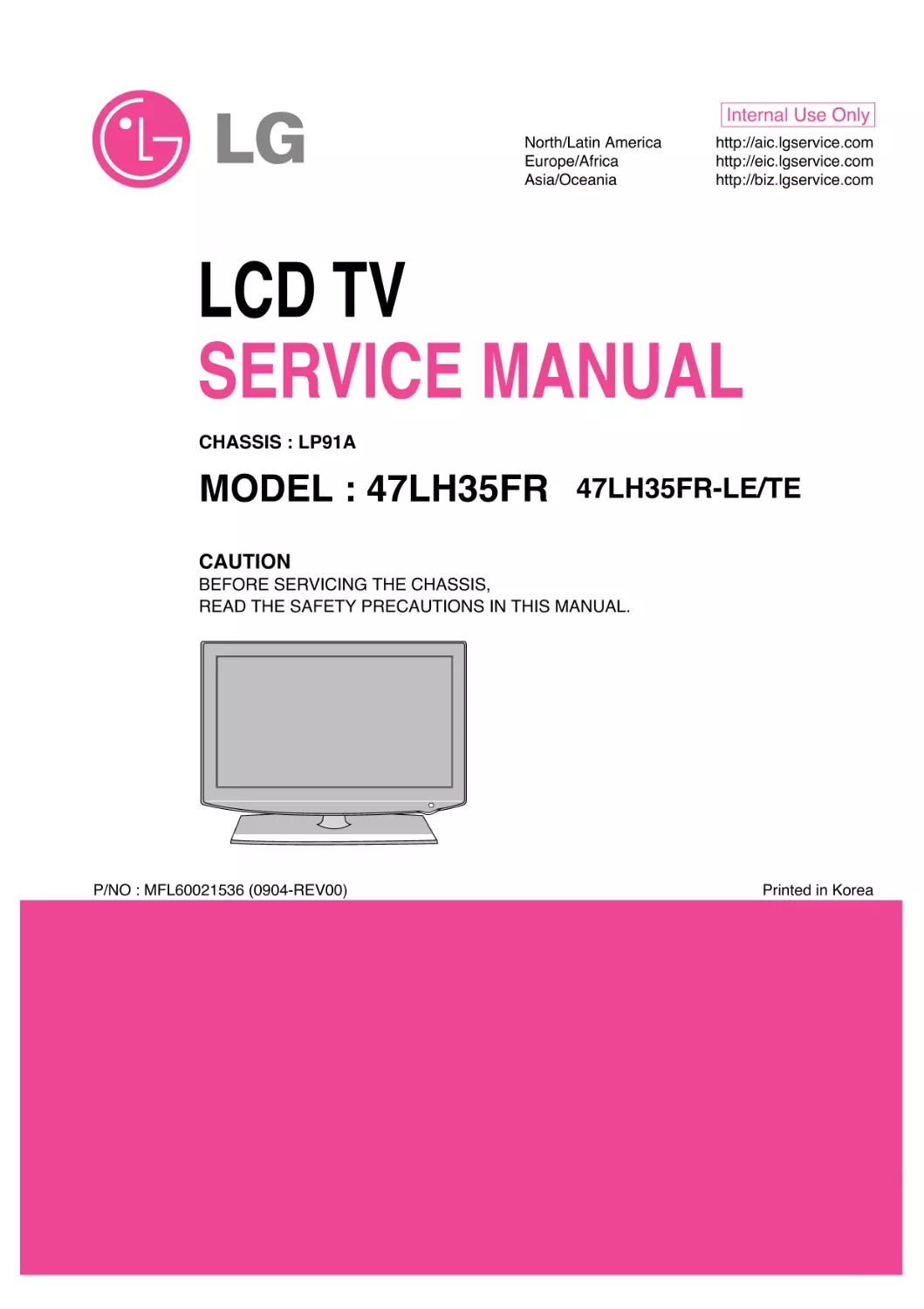
                    LCD TV
SERVICE MANUAL
CAUTION
BEFORE SERVICING THE CHASSIS,
READ THE SAFETY PRECAUTIONS IN THIS MANUAL.
CHASSIS : LP91A
MODEL : 47LH35FR
47LH35FR-LE/TE
North/Latin America
http://aic.lgservice.com
Europe/Africa
http://eic.lgservice.com
Asia/Oceania
http://biz.lgservice.com
Internal Use Only
Printed in Korea
P/NO : MFL60021536 (0904-REV00)

LGE Internal Use Only
Copyright © 2009 LG Electronics. Inc. All right reserved.
Only for training and service purposes
-2-
CONTENTS
CONTENTS .............................................................................................. 2
PRODUCT SAFETY ..................................................................................3
SPECIFICATION ........................................................................................6
ADJUSTMENT INSTRUCTION .................................................................9
TROUBLE SHOOTING ............................................................................14
BLOCK DIAGRAM...................................................................................17
EXPLODED VIEW .................................................................................. 18
SVC. SHEET ...............................................................................................

LGE Internal Use Only
Copyright © 2009 LG Electronics. Inc. All right reserved.
Only for training and service purposes
-3-
SAFETY PRECAUTIONS
Many electrical and mechanical parts in this chassis have special safety-related characteristics. These parts are identified by in the
Schematic Diagram and Exploded View.
It is essential that these special safety parts should be replaced with the same components as recommended in this manual to prevent
Shock, Fire, or other Hazards.
Do not modify the original design without permission of manufacturer.
General Guidance
An isolation Transformer should always be used during the
servicing of a receiver whose chassis is not isolated from the AC
power line. Use a transformer of adequate power rating as this
protects the technician from accidents resulting in personal injury
from electrical shocks.
It will also protect the receiver and it's components from being
damaged by accidental shorts of the circuitry that may be
inadvertently introduced during the service operation.
If any fuse (or Fusible Resistor) in this TV receiver is blown,
replace it with the specified.
When replacing a high wattage resistor (Oxide Metal Film Resistor,
over 1W), keep the resistor 10mm away from PCB.
Keep wires away from high voltage or high temperature parts.
Before returning the receiver to the customer,
always perform an AC leakage current check on the exposed
metallic parts of the cabinet, such as antennas, terminals, etc., to
be sure the set is safe to operate without damage of electrical
shock.
Leakage Current Cold Check(Antenna Cold Check)
With the instrument AC plug removed from AC source, connect an
electrical jumper across the two AC plug prongs. Place the AC
switch in the on position, connect one lead of ohm-meter to the AC
plug prongs tied together and touch other ohm-meter lead in turn to
each exposed metallic parts such as antenna terminals, phone
jacks, etc.
If the exposed metallic part has a return path to the chassis, the
measured resistance should be between 1MΩ and 5.2MΩ.
When the exposed metal has no return path to the chassis the
reading must be infinite.
An other abnormality exists that must be corrected before the
receiver is returned to the customer.
Leakage Current Hot Check (See below Figure)
Plug the AC cord directly into the AC outlet.
Do not use a line Isolation Transformer during this check.
Connect 1.5K/10watt resistor in parallel with a 0.15uF capacitor
between a known good earth ground (Water Pipe, Conduit, etc.)
and the exposed metallic parts.
Measure the AC voltage across the resistor using AC voltmeter
with 1000 ohms/volt or more sensitivity.
Reverse plug the AC cord into the AC outlet and repeat AC voltage
measurements for each exposed metallic part. Any voltage
measured must not exceed 0.75 volt RMS which is corresponds to
0.5mA.
In case any measurement is out of the limits specified, there is
possibility of shock hazard and the set must be checked and
repaired before it is returned to the customer.
Leakage Current Hot Check circuit
1.5 Kohm/10W
To Instrument's
exposed
METALLIC PARTS
Good Earth Ground
such as WATER PIPE,
CONDUIT etc.
AC Volt-meter
When 25A is impressed between Earth and 2nd Ground
for 1 second, Resistance must be less than 0.1
*Base on Adjustment standard
IMPORTANT SAFETY NOTICE
0.15uF
Ω

LGE Internal Use Only
Copyright © 2009 LG Electronics. Inc. All right reserved.
Only for training and service purposes
-4-
CAUTION: Before servicing receivers covered by this service
manual and its supplements and addenda, read and follow the
SAFETY PRECAUTIONS on page 3 of this publication.
NOTE: If unforeseen circumstances create conflict between the
following servicing precautions and any of the safety precautions on
page 3 of this publication, always follow the safety precautions.
Remember: Safety First.
General Servicing Precautions
1. Always unplug the receiver AC power cord from the AC power
source before;
a. Removing or reinstalling any component, circuit board
module or any other receiver assembly.
b. Disconnecting or reconnecting any receiver electrical plug or
other electrical connection.
c. Connecting a test substitute in parallel with an electrolytic
capacitor in the receiver.
CAUTION: A wrong part substitution or incorrect polarity
installation of electrolytic capacitors may result in an
explosion hazard.
2. Test high voltage only by measuring it with an appropriate high
voltage meter or other voltage measuring device (DVM,
FETVOM, etc) equipped with a suitable high voltage probe.
Do not test high voltage by "drawing an arc".
3. Do not spray chemicals on or near this receiver or any of its
assemblies.
4. Unless specified otherwise in this service manual, clean
electrical contacts only by applying the following mixture to the
contacts with a pipe cleaner, cotton-tipped stick or comparable
non-abrasive applicator; 10% (by volume) Acetone and 90% (by
volume) isopropyl alcohol (90%-99% strength)
CAUTION: This is a flammable mixture.
Unless specified otherwise in this service manual, lubrication of
contacts in not required.
5. Do not defeat any plug/socket B+ voltage interlocks with which
receivers covered by this service manual might be equipped.
6. Do not apply AC power to this instrument and/or any of its
electrical assemblies unless all solid-state device heat sinks are
correctly installed.
7. Always connect the test receiver ground lead to the receiver
chassis ground before connecting the test receiver positive
lead.
Always remove the test receiver ground lead last.
8. Use with this receiver only the test fixtures specified in this
service manual.
CAUTION: Do not connect the test fixture ground strap to any
heat sink in this receiver.
Electrostatically Sensitive (ES) Devices
Some semiconductor (solid-state) devices can be damaged easily
by static electricity. Such components commonly are called
Electrostatically Sensitive (ES) Devices. Examples of typical ES
devices are integrated circuits and some field-effect transistors and
semiconductor "chip" components. The following techniques
should be used to help reduce the incidence of component
damage caused by static by static electricity.
1. Immediately before handling any semiconductor component or
semiconductor-equipped assembly, drain off any electrostatic
charge on your body by touching a known earth ground.
Alternatively, obtain and wear a commercially available
discharging wrist strap device, which should be removed to
prevent potential shock reasons prior to applying power to the
unit under test.
2. After removing an electrical assembly equipped with ES
devices, place the assembly on a conductive surface such as
aluminum foil, to prevent electrostatic charge buildup or
exposure of the assembly.
3. Use only a grounded-tip soldering iron to solder or unsolder ES
devices.
4. Use only an anti-static type solder removal device. Some solder
removal devices not classified as "anti-static" can generate
electrical charges sufficient to damage ES devices.
5. Do not use freon-propelled chemicals. These can generate
electrical charges sufficient to damage ES devices.
6. Do not remove a replacement ES device from its protective
package until immediately before you are ready to install it.
(Most replacement ES devices are packaged with leads
electrically shorted together by conductive foam, aluminum foil
or comparable conductive material).
7. Immediately before removing the protective material from the
leads of a replacement ES device, touch the protective material
to the chassis or circuit assembly into which the device will be
installed.
CAUTION: Be sure no power is applied to the chassis or circuit,
and observe all other safety precautions.
8. Minimize bodily motions when handling unpackaged
replacement ES devices. (Otherwise harmless motion such as
the brushing together of your clothes fabric or the lifting of your
foot from a carpeted floor can generate static electricity
sufficient to damage an ES device.)
General Soldering Guidelines
1. Use a grounded-tip, low-wattage soldering iron and appropriate
tip size and shape that will maintain tip temperature within the
range or 500
 F to 600 F.
2. Use an appropriate gauge of RMA resin-core solder composed
of 60 parts tin/40 parts lead.
3. Keep the soldering iron tip clean and well tinned.
4. Thoroughly clean the surfaces to be soldered. Use a mall wire-
bristle (0.5 inch, or 1.25cm) brush with a metal handle.
Do not use freon-propelled spray-on cleaners.
5. Use the following unsoldering technique
a. Allow the soldering iron tip to reach normal temperature.
(500 F to 600 F)
b. Heat the component lead until the solder melts.
c. Quickly draw the melted solder with an anti-static, suction-
type solder removal device or with solder braid.
CAUTION: Work quickly to avoid overheating the circuit
board printed foil.
6. Use the following soldering technique.
a. Allow the soldering iron tip to reach a normal temperature
(500 F to 600 F)
b. First, hold the soldering iron tip and solder the strand against
the component lead until the solder melts.
c. Quickly move the soldering iron tip to the junction of the
component lead and the printed circuit foil, and hold it there
only until the solder flows onto and around both the
component lead and the foil.
CAUTION: Work quickly to avoid overheating the circuit
board printed foil.
d. Closely inspect the solder area and remove any excess or
splashed solder with a small wire-bristle brush.
SERVICING PRECAUTIONS

LGE Internal Use Only
Copyright © 2009 LG Electronics. Inc. All right reserved.
Only for training and service purposes
-5-
IC Remove/Replacement
Some chassis circuit boards have slotted holes (oblong) through
which the IC leads are inserted and then bent flat against the
circuit foil. When holes are the slotted type, the following technique
should be used to remove and replace the IC. When working with
boards using the familiar round hole, use the standard technique
as outlined in paragraphs 5 and 6 above.
Removal
1. Desolder and straighten each IC lead in one operation by gently
prying up on the lead with the soldering iron tip as the solder
melts.
2. Draw away the melted solder with an anti-static suction-type
solder removal device (or with solder braid) before removing the
IC.
Replacement
1. Carefully insert the replacement IC in the circuit board.
2. Carefully bend each IC lead against the circuit foil pad and
solder it.
3. Clean the soldered areas with a small wire-bristle brush.
(It is not necessary to reapply acrylic coating to the areas).
"Small-Signal" Discrete Transistor
Removal/Replacement
1. Remove the defective transistor by clipping its leads as close as
possible to the component body.
2. Bend into a "U" shape the end of each of three leads remaining
on the circuit board.
3. Bend into a "U" shape the replacement transistor leads.
4. Connect the replacement transistor leads to the corresponding
leads extending from the circuit board and crimp the "U" with
long nose pliers to insure metal to metal contact then solder
each connection.
Power Output, Transistor Device
Removal/Replacement
1. Heat and remove all solder from around the transistor leads.
2. Remove the heat sink mounting screw (if so equipped).
3. Carefully remove the transistor from the heat sink of the circuit
board.
4. Insert new transistor in the circuit board.
5. Solder each transistor lead, and clip off excess lead.
6. Replace heat sink.
Diode Removal/Replacement
1. Remove defective diode by clipping its leads as close as
possible to diode body.
2. Bend the two remaining leads perpendicular y to the circuit
board.
3. Observing diode polarity, wrap each lead of the new diode
around the corresponding lead on the circuit board.
4. Securely crimp each connection and solder it.
5. Inspect (on the circuit board copper side) the solder joints of
the two "original" leads. If they are not shiny, reheat them and if
necessary, apply additional solder.
Fuse and Conventional Resistor
Removal/Replacement
1. Clip each fuse or resistor lead at top of the circuit board hollow
stake.
2. Securely crimp the leads of replacement component around
notch at stake top.
3. Solder the connections.
CAUTION: Maintain original spacing between the replaced
component and adjacent components and the circuit board to
prevent excessive component temperatures.
Circuit Board Foil Repair
Excessive heat applied to the copper foil of any printed circuit
board will weaken the adhesive that bonds the foil to the circuit
board causing the foil to separate from or "lift-off" the board. The
following guidelines and procedures should be followed whenever
this condition is encountered.
At IC Connections
To repair a defective copper pattern at IC connections use the
following procedure to install a jumper wire on the copper pattern
side of the circuit board. (Use this technique only on IC
connections).
1. Carefully remove the damaged copper pattern with a sharp
knife. (Remove only as much copper as absolutely necessary).
2. carefully scratch away the solder resist and acrylic coating (if
used) from the end of the remaining copper pattern.
3. Bend a small "U" in one end of a small gauge jumper wire and
carefully crimp it around the IC pin. Solder the IC connection.
4. Route the jumper wire along the path of the out-away copper
pattern and let it overlap the previously scraped end of the good
copper pattern. Solder the overlapped area and clip off any
excess jumper wire.
At Other Connections
Use the following technique to repair the defective copper pattern
at connections other than IC Pins. This technique involves the
installation of a jumper wire on the component side of the circuit
board.
1. Remove the defective copper pattern with a sharp knife.
Remove at least 1/4 inch of copper, to ensure that a hazardous
condition will not exist if the jumper wire opens.
2. Trace along the copper pattern from both sides of the pattern
break and locate the nearest component that is directly
connected to the affected copper pattern.
3. Connect insulated 20-gauge jumper wire from the lead of the
nearest component on one side of the pattern break to the lead
of the nearest component on the other side.
Carefully crimp and solder the connections.
CAUTION: Be sure the insulated jumper wire is dressed so the
it does not touch components or sharp edges.

LGE Internal Use Only
Copyright © 2009 LG Electronics. Inc. All right reserved.
Only for training and service purposes
-6-
SPECIFICATION
NOTE : Specifications and others are subject to change without notice for improvement.
4. Electrical specification
- General Specification
1. Application range
This spec sheet is applied to LCD TV used LP91A chassis.
2. Specification
Each part is tested as below without special appointment.
1) Temperature : 25±5ºC (77±9ºF), CST : 40±5ºC
2) Relative Humidity : 65±10%
3) Power Voltage : Standard input voltage(100~240V@50/60Hz)
* Standard Voltage of each products is marked by models.
4) Specification and performance of each parts are followed
each drawing and specification by part number in
accordance with BOM.
5) The receiver must be operated for about 5 minutes prior to
the adjustment.
3. Test method
1) Performance: LGE TV test method followed
2) Demanded other specification
- Safety: CE, IEC specification
-EMC:CE,IEC
No
Item
Specification
Measurement
Remark
1 Screen Size
47" wide Color Display Module
Resolution : 1920*1080
2 Aspect Ratio
16:9
3 LCD Module
47" TFT WUXGA LCD
4 Operating Environment Temp.: 0 ~ 40 deg
Humidity:0~85%
5 Storage Environment Temp.: -20 ~ 60 deg
Humidity : 0~ 85 %
6 Input Voltage
AC100-240V~, 50/60Hz
≤270W 47"FHD
7 LDC Module
FHD 1096(H) x 640(V) x 50(51)(D)
[w/o inverter]/(with inverter)
(Maker : LGD)
0.5415 x 0.5415
Unit : mm
Coating
3H

-7-
LGE Internal Use Only
Copyright © 2009 LG Electronics. Inc. All right reserved.
Only for training and service purposes
No.
Item
Min. Typ. Max. Unit
Maker
Remark
1. Luminance
400
500
cd/m
2
(W/O PC mode)
2. VIew angle (R/L, U/D)
178/178
degree
LGD
3. Color Coordinates White X
Typ 0.279 Typ
LGD 47"(FHD)
Y -0.03 0.292 +0.03
RED X
0.638
Y
0.334
Green X
0.291
Y
0.607
Blue X
0.145
0.062
4. Contrast ratio
900:1 1300:1
5. Luminance Variation
1.3
5. Chroma& Brightness (Optical)
(1) LCD Module
The Color Coordinates check condition
- 50cm from the surface, Full White Pattern
- Picture mode Vivid
6. Component Video Input (Y, PB, PR)
No
Specification
Remark
Resolution
H-freq(kHz)
V-freq(Hz)
Pixel Clock(MHz)
1 720* 480
15.73
59.94
13.500
SDTV, DVD 480I( 525I)
2 720* 480
15.75
60.00
13.514
SDTV, DVD 480I( 525I)
3 720* 576
15.625
50.00
13.500
SDTV, DVD 576I( 625I) 50Hz
4 720* 480
31.47
59.94
27.000
SDTV 480P
5 720* 480
31.50
60.00
27.027
SDTV 480P
6 720* 576
31.25
50.00
27.000
SDTV 576P 50Hz
7 1280* 720
44.96
59.94
74.176
HDTV 720P
8 1280* 720
45.00
60.00
74.250
HDTV 720P
9 1280* 720
37.50
50.00
74.25
HDTV 720P 50Hz
10 1920* 1080
28.125
50.00
74.250
HDTV 1080I 50Hz,
11 1920* 1080
33.72
59.94
74.176
HDTV 1080I
12 1920* 1080
33.75
60.00
74.25
HDTV 1080I
13 1920* 1080
56.25
50
148.5
HDTV 1080P
14 1920* 1080
67.432
59.94
148.350
HDTV 1080P
15 1920* 1080
67.5
60.00
148.5
HDTV 1080P

-8-
LGE Internal Use Only
Copyright © 2009 LG Electronics. Inc. All right reserved.
Only for training and service purposes
No
Specification
Proposed
Remark
Resolution
H-freq(kHz) V-freq(Hz) Pixel Clock(MHz)
1
640* 350
31.468
70.09
25.17
EGA
2
720* 400
31.469
70.09
28.32
DOS
3
640* 480
31.469
59.94
25.17
VESA( VGA)
4
800* 600
37.879
60.317
40
VESA( SVGA)
5
1024* 768
48.363
60.004
65
VESA( XGA)
6
1280* 768
47.776
59.87
79.5
VESA( WXGA)
7
1360* 768
47.72
59.799
84.75
VESA( WXGA)
8 1280* 1024
63.668
59.895
109.00
XGA
Only FHD Model
9 1920* 1080
66.587
59.934
138.50
WUXGA(Reduced Blanking) Only FHD Model
7. RGB
- Analog PC, RGB- DTV --NOT SUPPORT
8. HDMI Input
(1) PC - Spec. out but it can be shown the picture at only HDMI/ DVI IN 1 via DVI to HDMI Cable)
No
Resolution
H-freq(kHz) V-freq.(Hz) Pixel clock(MHz) Proposed
Remark
1
640 x 480
31.469
59.94
25.17
VESA( VGA)
2
800 x 600
37.879
60.317
40.00
VESA( SVGA)
3
1024 x 768
48.363
60.004
65.00
VESA( XGA)
4
1280 x 768
47.776
59.87
79.5
VESA( WXGA)
5
1360 x 768
47.72
59.799
84.62
VESA( WXGA)
6
1366 x 768
47.7
60.00
84.62
WXGA
7
1280 x 1024
63.595
60.00
108.875
SXGA
8
1920 x 1080
66.647
59.988
138.625
WUXGA
(2) DTV Mode
No
Specification
Remark
Resolution
H-freq(kHz)
V-freq(Hz) Pixel Clock(MHz)
1
720 x 480
15.73
59.94
13.500
SDTV, DVD 480I(525I)
Spec. out
2
720 x 480
15.75
60.00
13.514
SDTV, DVD 480I(525I)
but display.
3
720 x 576
15.625
50.00
13.500
SDTV, DVD 576I(625I) 50Hz
4
720 x 480
31.47
59.94
27
SDTV 480P
5
720 x 480
31.5
60.00
27.027
SDTV 480P
6
720 x 576
31.25
50.00
27
SDTV 576P
7
1280 x 720
44.96
59.94
74.176
HDTV 720P
8 1280x720
45
60.00
74.25
HDTV 720P
9
1280 x 720
37.5
50.00
74.25
HDTV 720P
10 1920 x 1080
28.125
50.00
74.25
HDTV 1080I
11 1920 x 1080
33.72
59.94
74.176
HDTV 1080I
12 1920 x 1080
33.75
60.00
74.25
HDTV 1080I
13 1920 x 1080
56.25
50.00
148.5
HDTV 1080P
14 1920 x 1080
67.432
59.94
148.350
HDTV 1080P
15 1920 x 1080
67.5
60.00
148.5
HDTV 1080P
16 1920 x 1080
27
24.00
74.25
HDTV 1080P
17 1920 x 1080
33.75
30.00
74.25
HDTV 1080P

LGE Internal Use Only
Copyright © 2009 LG Electronics. Inc. All right reserved.
Only for training and service purposes
-9-
ADJUSTMENT INSTRUCTION
1. Application Range
This specification sheet is applied to all of the LCD TV,
LP91A/B/C/D chassis.
2. Specification
(1) Because this is not a hot chassis, it is not necessary to use
an isolation transformer. However, the use of isolation
transformer will help protect test instrument.
(2) Adjustment must be done in the correct order.
(3) The adjustment must be performed in the circumstance of
25 ±5  C of temperature and 65±10% of relative humidity if
there is no specific designation.
(4) The input voltage of the receiver must keep 100~220V,
50/60Hz.
(5) Before adjustment, execute Heat-Run for 5 minutes at RF
no signal.
3. Adjustment items
3.1. PCB assembly adjustment items
(1) Download the MSTAR main software (IC800, Mstar ISP
Utility)
1) Using D/L Jig
2) Using USB Memory Stick.
(2) Input Tool-Option/Area option.
(3) Download the EDID
- EDID datas are automatically download when adjusting
the Tool Option2
(4) ADC Calibration -- RGB / Component
(4) Check SW Version.
3.2. SET assembly adjustment items
(1) Input Area option
(2) Adjustment of White Balance : Auto & Manual
(3) Input Tool-Option/Area option
(4) Intelligent Sensor Inspection Guide
(5) Preset CH information
(6) Factoring Option Data input
4. PCB assembly adjustment method
4.1. Mstar Main S/W program download
4.1.1. Using D/L Jig
(1) Preliminary steps
1) Connect the download jig to D-sub(RGB) jack
(2) Download steps
1) Execute 'ISP Tool' program, the main window(Mstar ISP
utility Vx.x.x) will be opened
2) Click the "Connect" button and confirm "Dialog Box"
3) Click the "Config." button and Change speed I2C Speed
setting : 350Khz~400Khz
4) Read and write bin file.
Click "(1)Read" tab, and then load download
file(XXXX.bin) by clicking "Read".
- LH20/ LH30

5) Click "(2)Auto" tab and set as below
6) Click "(3)Run".
7) After downloading, you can see the "(4)Pass" message.
4.1.2. Using the Memory Stick
* USB download : Service Mode
1) Insert the USB memory stick to the ISB port.
2) Automatically detect the SW Version.
-> S/W download process is executed automatically.
3) Show the message "Copy the file from the Memory"
4) After Finished the Download, Automatically DC Off -> On
5) Check The update SW Version.
4.2. Input tool option.
Adjust tool option refer to the BOM.
- Tool Option Input : PCBA Check Process
- Area Option Input : Set Assembly Process
After Input Tool Option and AC off
Before PCBA check, you have to change the Tool option and
have to AC off/on (Plug out and in)
(If missing this process, set can operate abnormally)
(1) Profile : Must be changed the option value because being
different with some setting value depend on
module maker, inch and market
(2) Equipment : adjustment remote control.
(3) Adjustment method
- The input methods are same as other chassis.(Use IN-
START Key on the Adjust Remocon.)
(If not changed the option, the input menu can differ the
model spec.)
Refer to Job Expression of each main chassis ass'y
(EBTxxxxxxxx) for Option value
Caution : Don't Press "IN-STOP" key after completing the
function inspection.
4.3. EDID D/L method
Recommend that don't connect HDMI and RGB(D-SUB) cable
when downloading the EDID.
If not possible, recommend that connect the MSPG equipment.
There are two methods of downloading the edid data
4.3.1. 1st Method
EDID datas are automatically downloaded when adjusting the
Tool Option2.
Automatically downloaded when pushing the enter key after
adjusting the tool option2.
It takes about 2seconds.
4.3.2. 2nd Method
* Caution :
Must be checked that the tool option is right or not.
If tool option is wrong, hdmi edid data could not be
downloaded well.
1) Press the ADJ key
2) Move to the EDID D/L and Press the right direction key(G)
3) Press the right direction key(G) at Start.
4) After about a few seconds, appear "OK", then compele.
4.3.3. RS-232C command Method
(1) Command : AE 00 10
* Caution
Don't connect HDMI and RGB(D-SUB) cable when
downloading the EDID.
If the cables are connected, Downloading of edid could be
failed.
-10-
LGE Internal Use Only
Copyright © 2009 LG Electronics. Inc. All right reserved.
Only for training and service purposes

-11-
LGE Internal Use Only
Copyright © 2009 LG Electronics. Inc. All right reserved.
Only for training and service purposes
4.3.4. EDID data
(1) Analog(RGB): 128bytes>
(2) HDMI 1 : 256Bytes
(3) HDMI 2 : 256Bytes
(4) HDMI 3 : 256Bytes
4.4. ADC Calibration
4.4.1. ADC Calibration - Component (Using External pattern)
(1) Required Equipments
- Remote controller for adjustment
- MSPG-925F/MSPG-1025/MSPG-3233 Pattern Generator
(2) Process
1) Change the Input to Component1 or 2 mode.
2) Input the Component 480i@60Hz 100% Color Bar
YPbPr signal into Component1 or 2.
(MSPG-925F Model: 209 / Pattern: 65 )
3) Press ADJ key on R/C for adjustment.
4) Enter Password number. Password is "0 0 0 0".
5) Select "0. ADC calibration : Component" by using D/E
(CH +/-) and press ENTER(A).
6) ADC adjustment is executed automatically .
7) When ADC adjustment is finished, this OSD appear
4.4.2. ADC Calibration - RGB (Using External pattern)
(1) Required Equipments
- Remote controller for adjustment
- MSPG-925F/MSPG-1025/MSPG-3233 Pattern Generator
(2) Process
1) Change the Input to RGB mode..
2) Input the PC 1024x768@60Hz Horizontal Color Bar
signal into RGB.
(MSPG-925F Model: 60 / Pattern: 65 )
3) Press ADJ key on R/C for adjustment.
4) Enter Password number. Password is "0 0 0 0".
5) Select "0. ADC calibration : RGB" by using D/E(CH +/-)
and press ENTER(A).
6) ADC adjustment is executed automatically .
7) When ADC adjustment is finished, this OSD appear
OK
OK

-12-
LGE Internal Use Only
Copyright © 2009 LG Electronics. Inc. All right reserved.
Only for training and service purposes
4.5. Check SW Version
(1) Method
1) Push In-star key on Adjust remote-controller.
2) SW Version check
Check "SW VER : V3.xx" -- LH30
5. PCB assembly adjustment method
5.1. Input Area-Option
(1) Profile : Must be changed the Area option value because
being different of each Country's Language and
signal Condition.
(2) Equipment : adjustment remote control.
(3) Adjustment method
- The input methods are same as other chassis.(Use IN-
START Key on the Adjust Remocon.)
Refer to Job Expression of each main chassis ass'y
(EBTxxxxxxxx) for Option value.
* White Balance Adjustment
- Purpose : Adjust the color temperature to reduce the
deviation of the module color temperature.
- Principle : To adjust the white balance without the saturation,
Fix the one of R/G/B gain to 192 (default data)
and decrease the others.
- Adjustment mode : Three modes -- Cool / Medium / Warm
- Required Equipment
1) Remote controller for adjustment
2) Color Analyzer : CA100+ or CA-210 or same product -
LCDTV(ch:9),
(should be used in the calibrated ch by CS-1000)
3) Auto W/B adjustment instrument(only for auto adjustment)
5.2. Adjustment of White Balance
: (For automatic adjustment)
* LP91A~D Support RS-232C & I2C DDC Communication-
White Balance Mode.
(1) Enter the adjustment mode of DDC
- Set command delay time : 50ms
- Enter the DDC adjustment mode at the same time heat-
run mode when pushing the power on by power only key
- Maintain the DDC adjustment mode with same condition
of Heat-run => Maintain after AC off/on in status of Heat-
run pattern display)
(2) Release the DDC adjustment mode
- Release the adjust mode after AC off/on or std-by off/on
in status of finishing the Hear-run mode
- Release the Adjust mode when receiving the aging off
command(F3 00 00) from adjustment equipment.
- Need to transmit the aging off command to TV set after
finishing the adjustment.
- Check DDC adjust mode release by exit key and release
DDC adjust mode)
(3) Enter the adjust mode of white balance)
- Enter the white balance adjustment mode with aging
command (F3, 00, FF)
* Luminance min value is 150cd in the Cool/Medium/Warm
mode(For LCD)
5.3. Adjustment of White Balance
(for Manual adjustment)
(1) Color analyzer(CA100+, CA210) should be used in the
calibrated ch by CS-1000
(2) Operate the zero-calibration of the CA100+ or CA-210,
then stick sensor to the module when adjusting.
(3) For manual adjustment, it is also possible by the following
sequence.
1) Select white pattern of heat-run by pressing "POWER
ON" key on remote control for adjustment then operate
heat run longer than 15 minutes. (If not executed this
step, the condition for W/B may be different.)
2) Push "Exit" key.
3) Change to the AV mode by remote control.
4) Input external pattern (85% white pattern)
5) Push the ADJ key -> Enter "0000" (Password)
6) Select "3. W/B ADJUST"
7) Enter the W/B ADJUST Mode
8) Stick the sensor to the center of the screen and select
each items (Red/Green/Blue Gain and Offset) using
D/E(CH +/-) key on R/C..
9) Adjust R/ G/ B Gain using F/G(VOL +/-) key on R/C.
10) Adjust three modes all (Cool / Medium / Warm) : Fix
the one of R/G/B gain and change the others
11) When adjustment is completed, Enter "COPY ALL".
12) Exit adjustment mode using EXIT key on R/C.

* CASE
First adjust the coordinate far away from the target value(x, y).
1.x,y>target
i) Decrease the R, G.
2.x,y<target
i) First decrease the B gain,
ii) Decrease the one of the others.
3. x > target, y < target
i) First decrease B, so make y a little more than the target.
ii) Adjust x value by decreasing the R
4. x < target, y > target
i) First decrease B, so make x a little more than the target.
ii) Adjust x value by decreasing the G
(4) Standard color coordinate and temperature when using the
CA100+ or CA210 equipment
To check the Coordinates of White Balance, you have to
measure at the below conditions.
Picture Mode : User 1
Dynamic Contrast : Off
Dynamic Colour : Off
(If you miss the upper condition, the coordinates of W/B
can be lower than the spec.)
-13-
LGE Internal Use Only
Copyright © 2009 LG Electronics. Inc. All right reserved.
Only for training and service purposes
Coordinate
Mode
x
y
Temp
uvΔ
Cool 0.276±0.002 0.283±0.002 11,000K 0.000
Medium 0.285±0.002 0.293±0.002 9,300K 0.000
Warm 0.313±0.002 0.329±0.002 6,500K 0.003

LGE Internal Use Only
Copyright © 2009 LG Electronics. Inc. All right reserved.
Only for training and service purposes
-14-
TROUBLESHOOTING
No power
(LED indicator off)
Check 24V, 12V, 5,2V
of Power B/D
Check short of Main B/D
or Change Power B/D
Pass
Check Output of
IC1001, IC1003, IC1007
Check P307 Connector
Change LEDAssy
: [A] PROCESS
Fail
Fail
Pass
Pass
Check LEDAssy
Change IC1002,, Q1003
Pass
Check short of IC1001,
IC1003, IC1007
Fail
Re-soldering or Change defect
part of IC1001, IC1003, IC1007
Fail
No Raster
[B]: Process
Check LED status
On Display Unit
Repeat A PROCESS
Pass
Fail
Check Output of IC802
Change IC802
Fail
Change Inverter Connector
Or Inverter
Fail
Pass
Fail
Pass
Change Module
Fail
Check LVDS Cable
Pass
Check Panel Link Cable
Or Module
Change Panel Link Cable
Or Module
Check Inverter Connector
Or Inverter
Pass

LGE Internal Use Only
Copyright © 2009 LG Electronics. Inc. All right reserved.
Only for training and service purposes
-15-
No Raster on PC Signal
Check Input source Cable
and Jack
Pass
Re-soldering or
Change the defect part
Pass
Check the Input/Output
Of IC100
Fail
Re-soldering or
Change the defect part,
Check RGB EDID Data
Repeat [A], & [B] Process
Pass
Check the Input/Output
Of J104
Fail
Pass
Check the Input/Output
Of IC800
Fail
Re-soldering or
Change the defect part
Pass
No Raster on COMMPONENT Signal
Check Input source
Cable And Jack
Pass
Re-soldering or
Change the defect part
Pass
Check the Input/Output
Of IC800
Fail
Re-soldering or
Change the defect part
Repeat [A], & [B] Process
Check The Input/Output
Of JK101
Fail
Pass
No Raster on HDMI Signal
Check Input source
Cable And Jack
Pass
Check the Input/Output
Of JK301, JK302, JK303
Fail
Re-soldering or
Change the defect part
Pass
Pass
Check the Input/Output
Of IC300, IC301, JK302
Fail
Re-soldering or
Change the defect part
Check HDMI EDID Data
Re-download HDCP
Pass
Pass
Check the Input/Output
Of IC800
Fail
Re-soldering or
Change the defect part
Repeat [A], & [B] Process

LGE Internal Use Only
Copyright © 2009 LG Electronics. Inc. All right reserved.
Only for training and service purposes
-16-
No Sound
Check The Input Sourse.
Check The Input/Output
Of IC600.
Re-soldering or
Change the defect part.
Fail
Pass
Pass
Check The Speaker.
Change Speaker.
Fail
Check The Speaker Wire.
Pass
Change The Source Input.
Fail
No Raster On AV (Video, S-Video)Signal
No Signal On TV(RF) Signal
Check Input source
Cable And Jack
Pass
Check Input source
Cable And Jack
Pass
Check The Input/Output
Of JK101, JK201
Pass
Re-soldering or
Change the defect part
Pass
Fail
Pass
Repeat [A], & [B] Process
Check the Input/Output
Of IC800
Fail
Re-soldering or
Change the defect part
Pass
Check The Input/Output
Of TU500
Pass
Re-soldering or
Change the defect part
Pass
Fail
Check the Input/Output
Of IC800
Fail
Re-soldering or
Change the defect part
Repeat [A], & [B] Process

LGE Internal Use Only
Copyright © 2009 LG Electronics. Inc. All right reserved.
Only for training and service purposes
-17-
BLOCK DIAGRAM
Tx/ Rx : 15Vpp
L_SPK_OUT
R_SPK_OUT
IR
HDMI1 SCL/ SDA
E
D
r
SUB_SC
L
SDA
:
LK
HDM 2_SCL/ SDA
RGB_PC
PC_Audio
TV
(RF)
COMP1
HDMI1
HDMI2
RS232
TX
232C Driver
ST3232C
±
PC_R/G/B/HS/VS
PC_Audio _L/ R :700mVrms
MNT_OUT: 1Vpp
SIDE V :1Vpp
SIDE_L/ SIDE_R :500mVrms
DDR2(512MB)
EEPROM
24C02
Comp1_L/ R :500mVrms
TUNER
AV1_VIN: 1Vpp
AV11_LIN/ RIN :500mVrms
PWM
NTP3100L
MNT_OUT
MNT_LOUT/ ROUT: 500mVrms
AV2
(Side AV)
MAIN SCALER
TXD / RXD :5V Digital
COMP1_Y/ Pb/ Pr
: 1/ 0.7Vpp
COMP2_Y/ Pb/ Pr
: 1/0.7Vpp
HDMI_DATA_1
HDMI_DATA_2
_
OUT_E_TX_CLK±
OUT_E_TX_ ±
OUT_E_TX_ ±
OUT_E_TX_C±
OUT_E_TX_B±
OUT_E_TX_A±
TU_MAIN
SIF
COMP1_Y/ Pb/ P : 1/ 0.7Vpp
AV1_VIN
PC_Audio_L/ R
COMP1_LIN/ RIN
L_CH
R_CH
L VDS connector
TU_MAIN
/
EEPROM
24C02
EEPROM
24C02
SIF
AV1_LIN/ RIN
MNT_L/ R OUT
AV1
MNT_OUT
Comp2_L/ R :500mVrms
COMP2_Y/ Pb/Pr 1/ 0.7Vpp
COMP2_LIN/ RIN
COMP2
OUT_O_TX_C ±
OUT_O_TX_E±
OUT_O_TX_D±
OUT_O_TX_C±
OUT_O_TX_B±
OUT_O_TX_A±
PC_R/G/B/HS/VS
PC_SCL/ SDA
MNT_VOUT
AV2_VIN
AV2_LIN/ RIN
IIS_OUT
USB
USB_DN/ PN
AUDIO
AMP
HDMI3_SCL/ SDA
EEPROM
24C02
HDMI_DATA_3
TMDS
TMDS
TMDS
HDMI3
USB
ForD/L
EEPROM(256K)
Serial Flash
(8MByte)

-18-
LGE Internal Use Only
Copyright
LG Electronics. Inc. All right reserved.
Only for training and service purposes
804
803
802
801
805
520
400
200
200T
300
120
540
530
550
900
A10
A2
LV1
510
EXPLODED VIEW
Many electrical and mechanical parts in this chassis have special safety-related characteristics. These
parts are identified by in the Schematic Diagram and EXPLODED VIEW.
It is essential that these special safety parts should be replaced with the same components as
recommended in this manual to prevent X-RADIATION, Shock, Fire, or other Hazards.
Do not modify the original design without permission of manufacturer.
IMPORTANT SAFETY NOTICE

THE SYMBOL MARK OF THIS SCHEMETIC DIAGRAM INCORPORATES
SPECIAL FEATURES IMPORTANT FOR PROTECTION FROM X-RADIATION.
FILRE AND ELECTRICAL SHOCK HAZARDS, WHEN SERVICING IF IS
ESSENTIAL THAT ONLY MANUFATURES SPECFIED PARTS BE USED FOR
THE CRITICAL COMPONENTS IN THE SYMBOL MARK OF THE SCHEMETIC.
CVBS_LIN
MUTE_LINE
AUDIO_R
SD05
ZD100
100uF
16V
C102
SD05
ZD103
SD05
ZD105
MNT_ROUT
CVBS_VIN
SPK_R+_HOTEL
RT1C3904-T112
Q100
E
B
C
SPK_R-_HOTEL
CVBS_RIN
SD05
ZD104
10uF
16V
C101
MUTE_LINE
SD05
ZD101
SD05
ZD102
MNT_LOUT
RT1C3904-T112
Q101
E
B
C
MNT_VOUT
10uF
16V
C100
30V
NON_HOTEL_OPT
D102
30V
NON_HOTEL_OPT
D103
30V
D101
30V
ADUC30S03010L_AMODIODE
D100
30V
D104
30V
D105
COMP2_Y
COMP2_PB
COMP2_PR
COMP2_L
COMP2_R
S_VIDEO_DET
SIDE_Y
SIDE_C
+3.3V_MULTI_MST
OPT
READY
C104
30V
D106
30V
D107
SD05
ZD106
SD05
ZD107
PSJ014-01
JK101
S-VIDEO
GND
6
1
C-LUG1
2
C-LUG2
3
0-SPRING
4
C-LUG3
5
C-LUG4
SHIELD
7
75
R102
0
HOTEL_OPT
R103
0
HOTEL_OPT
R105
0
NON_HOTEL_OPT
R106
0
HOTEL_OPT
R101
75
R109
75
R108
75
R107
220K
R104
12K
R118
12K
R117
12K
R119
12K
R120
10K
R113
10K
R115
10K
R116
220K
R100
220K
R111
220K
R112
75
R110
75
R122
S-VIDEO
75
R121
S-VIDEO
10K
R123
100pF
READY
C103
10K
R114
PPJ226-01
JK100
9A [GN]1P_CAN
4A [GN]O-SPRING_A
3A [GN]CONTACT_A
9B [BL]1P_CAN
8B [BL]C-LUG_A
9C [RD]1P_CAN_1
8C [RD]C-LUG_A
9D [WH]1P_CAN
8D [WH]C-LUG_A_1
9E [RD]1P_CAN_2
4E [RD]O-SPRING_A_1
3E [RD]CONTACT_A_1
9F [YL]2P_CAN
4F [YL]O-SPRING_A
3F [YL]CONTACT_A
9G [WH]2P_CAN
8G [WH]C-LUG_A_2
9H [RD]2P_CAN
4H [RD]O-SPRING_A_2
3H [RD]CONTACT_A_2
5J
[YL]O-SPRING_B
6J
[YL]CONTACT_B
7K
[WH]C-LUG_B
5L
[RD]O-SPRING_B
6L
[RD]CONTACT_B
19
2008/12/16
INPUT1
MSTAR N-EU
EAX56856904
H6 LCD MERCURY
POP NOISE
MNT_OUT
COMPONENT1
POP NOISE
AV1
COMPONENT1, AV1, MNT_OUT[JACK PACK TYPE D] : JK100
S-VIDEO(China Model)
INPUT1 : COMPONENT1, S-VIDEO
Copyright © 2009 LG Electronics. Inc. All right reserved.
Only for training and service purposes
LGE Internal Use Only

USB_DN
USB_DP
THE SYMBOL MARK OF THIS SCHEMETIC DIAGRAM INCORPORATES
SPECIAL FEATURES IMPORTANT FOR PROTECTION FROM X-RADIATION.
FILRE AND ELECTRICAL SHOCK HAZARDS, WHEN SERVICING IF IS
ESSENTIAL THAT ONLY MANUFATURES SPECFIED PARTS BE USED FOR
THE CRITICAL COMPONENTS IN THE SYMBOL MARK OF THE SCHEMETIC.
SIDE_LIN
SIDE_RIN
5.6B
ZD203
SIDE_V
PPJ218-01
JK201
5C [RD]CONTACT
2C [RD]U_CAN
4C[RD]O_SPRING
2B [WH]U_CAN
3B [WH]C_LUG
2A[YL]U_CAN
5A [YL]CONTACT
4A[YL]O_SPRING
5.6B
ZD202
USB DOWN STREAM
KJA-UB-4-0004
SIDE_USB
JK204
1
2
3
4
5
IR_OUT
+3.3V_MST
TXD
4.7K
R204
ST3232CDR
IC200
3
C1-
2
V+
4
C2+
1
C1+
6
V-
5
C2-
7
T2OUT
8
R2IN
9
R2OUT
10
T2IN
11
T1IN
12
R1OUT
13
R1IN
14
T1OUT
15
GND
16
VCC
4.7K
R205
RXD
KCN-DS-1-0088
JK200
1
2
3
4
5
6
7
8
9
10
+3.3V_MST
+5VST_MST
6630TGA004K
KCN-DS-1-0089
JK202
1
RED
2
GREEN
3
BLUE
4
GND_1
5
DDC_GND
6
RED_GND
7
GREEN_GND
8
BLUE_GND
9
NC
10
SYNC_GND
11
GND_2
12
DDC_DATA
13
H_SYNC
14
V_SYNC
15
DDC_CLOCK
16 SHILED
SD05
ZD200
DSUB_SDA
PC_VS
SD05
ZD201
ENKMC2837-T112
D211
A
AC
C
PC_B
ENKMC2837-T112
D210
A
AC
C
PEJ024-01
JK203
6B
T_TERMINAL2
8
SHIELD_PLATE
7B
B_TERMINAL2
5
T_SPRING
4
R_SPRING
7A
B_TERMINAL1
6A
T_TERMINAL1
3
E_SPRING
DSUB_SDA
PC_AUD_R
PC_G
DSUB_SCL
CAT24C02WI-GT3
IC201
3
A2
2
A1
4
VSS
1
A0
5
SDA
6
SCL
7
WP
8
VCC
ENKMC2837-T112
D212
A
AC
C
DDC_WP
PC_HS
PC_AUD_L
+5V_MULTI
DSUB_SCL
PC_R
CDS3C30GTH
30V
D202
CDS3C30GTH
30V
D203
ADUC30S03010L_AMODIODE
30V
D200
ADUC30S03010L_AMODIODE
30V
D201
30V
D206
30V
D205
ADUC30S03010L_AMODIODE
30V
D204
ADUC30S03010L_AMODIODE
30V
D209
30V
D208
READY
30V
D207
READY
USB_DL_N
USB_DL_P
0
REAR_USB
R229
0
REAR_USB
R230
USB DOWN STREAM
UB01123-4HHS-4F
JK205
REAR_USB
1
2
3
4
5
0.1uF
C203
0.1uF
C200
0.1uF
C201
0.1uF
C202
0.01uF
C205
0.1uF
C204
0.1uF
C206
0.1uF
C207
100
R202
100
R203
75
R227
220K
R223
READY
220K
R222
READY
12K
R226
12K
R228
75
R211
75
R212
75
R213
4.7K
R214
4.7K
R215
220K
R231
220K
R232
10K
R233
10K
R234
12K
R235
12K
R236
4.7K
R220
4.7K
R221
100
R216
100
R217
100
R218
0.1uF
OCP_READY
C208
MIC2009YM6-TR
OCP_READY
IC202
3
ENABLE
2
GND
4 FAULT/
1
VIN
6 VOUT
5ILIMIT
10uF
OCP_READY
C209
120OHM
OCP_READY
L200
+5V_USB
1K
OCP_READY
R209
4.7K
OCP_READY
R210
0
Non_OCP
R237
10uF 6.3V
C210
USB_DL_N
USB_DL_P
68
R207
68
R208
68pF
C213
68pF
C211
4.7K
R219
READY
0
R200
0
R201
500
L201
220uF
16V
C212
100uF
16V
C214
KDS226
D213
OCP_READY
A
AC
C
510
OCP_READY
R238
160
OCP_READY
R206
10K
R224
10K
R225
IR_OUT
29
INPUT2
MSTAR N-EU
2008/12/16
INPUT2 : PC,RS-232C,SIDE AV,USB
USB
EAX56856904
H6 LCD MERCURY
It s possibel to 27~47ohm
** 1A Design
SIDE AV
RS-232C (CI ITEM)
PC EDID
PC
PC SOUND
Pin to Pin with
EAN43439401
Close to SIDE_USB
Copyright © 2009 LG Electronics. Inc. All right reserved.
Only for training and service purposes
LGE Internal Use Only

TMDS3_RX2-
+5V_HDMI_2
TMDS3_RXC-
HPD_MST_2
TMDS3_RX0+
TMDS2_RX2-
CEC
TMDS2_RXC-
TMDS2_RXC+
TMDS1_RXC-
TMDS2_RX0+
TMDS3_RX0-
TMDS3_RX1+
TMDS3_RXC+
+5V_HDMI_2
HPD_MST_1
CEC
TMDS1_RX2+
TMDS2_RX1+
+5V_MULTI
+5V_HDMI_1
TMDS3_RX2+
TMDS2_RX0-
TMDS1_RX1-
TMDS2_RX1-
TMDS1_RX2-
+5V_HDMI_3
TMDS3_RX1-
+5V_MULTI
+5V_HDMI_3
+5V_MULTI
+5V_HDMI_1
TMDS1_RX0-
TMDS1_RX1+
CEC
TMDS1_RX0+
TMDS2_RX2+
TMDS1_RXC+
HPD_MST_3
DDC_SDA2
DDC_SCL2
DDC_SDA1
DDC_SCL1
DDC_SDA3
DDC_SCL3
JP304
JP305
JP301
JP300
JP302
JP303
2SC3875S
RT1C3904-T112
Q301
E
B
C
2SC3875S
RT1C3904-T112
Q300
E
B
C
2SC3875S
RT1C3904-T112
Q302
E
B
C
KJA-ET-0-0032
JK303
14 NC
13 CEC
5 DATA1_SHIELD
20
JACK_GND
12 CLK-
11 CLK_SHIELD
2 DATA2_SHIELD
19 HPD
1 8 +5V_POWER
10 CLK+
4 DATA1+
1 DATA2+
17DDC/CEC_GND
9 DATA0-
8 DATA0_SHIELD
3 DATA2-
16 SDA
7 DATA0+
6 DATA1-
15 SCL
KDS184S
D300
A1
C
A2
KDS184S
D301
A1
C
A2
KDS184S
D302
A1
C
A2
CAT24C02WI-GT3
IC301
3
A2
2
A1
4
VSS
1
A0
5
SDA
6
SCL
7
WP
8
VCC
CAT24C02WI-GT3
IC302
3
A2
2
A1
4
VSS
1
A0
5
SDA
6
SCL
7
WP
8
VCC
CAT24C02WI-GT3
IC300
3
A2
2
A1
4
VSS
1
A0
5
SDA
6
SCL
7
WP
8
VCC
DDC_WP
DDC_WP
DDC_WP
THE SYMBOL MARK OF THIS SCHEMETIC DIAGRAM INCORPORATES
SPECIAL FEATURES IMPORTANT FOR PROTECTION FROM X-RADIATION.
FILRE AND ELECTRICAL SHOCK HAZARDS, WHEN SERVICING IF IS
ESSENTIAL THAT ONLY MANUFATURES SPECFIED PARTS BE USED FOR
THE CRITICAL COMPONENTS IN THE SYMBOL MARK OF THE SCHEMETIC.
BSS83
CEC_READY
Q303
S
B
D
G
CEC
+3.3V_MST
CEC_C
CDS3C30GTH
30 V CEC_READY
D304
MMBD301LT1G
30V
CEC_READY
D303
10K
R301
1K
R303
0.01uF
C300
10K
R300
1K
R302
100
R329
1K
R314
10K
R312
68K
CEC_READY
R315
0
R313
100
R317
100
R318
100
R305
100
R304
0.01uF
C301
100
R331
100
R306
100
R307
0.01uF
C302
100
R327
10K
R308
10K
R310
10K
R309
10K
R311
10K
R319
10K
R320
QJ41193-CFEE1-7F
JK301
1
DATA2+
2
DATA2_SHIELD
3 DATA2-
4
DATA1+
5
DATA1_SHIELD
6
DATA1-
7
DATA0+
8
DATA0_SHIELD
9
DATA0-
10
CLK+
11
12
13
14
15
16
17
18
19
20
JACK_GND
21
.
22
QJ41193-CFEE1-7F
JK302
1
DATA2+
2
DATA2_SHIELD
3 DATA2-
4
DATA1+
5
DATA1_SHIELD
6
DATA1-
7
DATA0+
8
DATA0_SHIELD
9
DATA0-
10
CLK+
11
12
13
14
15
16
17
18
19
20
JACK_GND
21
.
22
56K
CEC_READY
R316
HDMI
39
MSTAR N-EU
2008/12/16
OPTION
SW_HPD : USE SW HPD (Default)
MST_HPD : USE MST HPD
H6 LCD MERCURY
EAX56856904
Copyright © 2009 LG Electronics. Inc. All right reserved.
Only for training and service purposes
LGE Internal Use Only

TXCE0+,TXCE0-,TXCE1+,TXCE1-,TXCE2+,TXCE2-,TXCE3+,TXCE3-,TXCE4+,TXCE4-,TXCLKE+,TXCLKE-,TXCLKO+,TXCLKO-,TXCO0+,TXCO0-,TXCO1+,TXCO1-,TXCO2+,TXCO2-,TXCO3+,TXCO3-,TXCO4+,TXCO4-
47pF
C403
22
IR-OUT
R430
470pF
C404
NON_19_22_26"
KEY1
ZD401
120ohm
L406
NON_19_22_26"
ZD402
+5VST_MST
ZD400
500-ohm
L410
NON_19_22_26"
IR_OUT
+3.3V_MULTI_MST
10K
IR-OUT
R429
2SC3052
Q405
IR-OUT
E
B
C
500-ohm
L411
NON_19_22_26"
SUB_SCL
120ohm
L402
KEY2
2SC3052
Q404
IR-OUT
E
B
C
+5VST_MST
IR
SUB_SDA
0.1uF
C408
NON_19_22_26"
+3.3V_MST
+5VST_MST
0.1uF
C411
NON_19_22_26"
470pF
C412
NON_19_22_26"
120ohm
L403
NON_19_22_26"
+3.3V_MULTI_MST
+3.3V_MULTI_MST
+5V_+12V_LCD
0.1uF
C407
READY
THE SYMBOL MARK OF THIS SCHEMETIC DIAGRAM INCORPORATES
SPECIAL FEATURES IMPORTANT FOR PROTECTION FROM X-RADIATION.
FILRE AND ELECTRICAL SHOCK HAZARDS, WHEN SERVICING IF IS
ESSENTIAL THAT ONLY MANUFATURES SPECFIED PARTS BE USED FOR
THE CRITICAL COMPONENTS IN THE SYMBOL MARK OF THE SCHEMETIC.
47uF
16V
C406
0.1uF
16V
C414
NON_19_22_26"
+3.3V_MST
KEY2
100pF
50V
C401
19_22 26"
KEY1
100pF
50V
C400
19_22_26"
+5V_+12V_LCD
TXCE0+,TXCE0-,TXCE1+,TXCE1-,TXCE2+,TXCE2-,TXCE3+,TXCE3-,TXCE4+,TXCE4-,TXCLKE+,TXCLKE-,TXCLKO+,TXCLKO-,TXCO0+,TXCO0-,TXCO1+,TXCO1-,TXCO2+,TXCO2-,TXCO3+,TXCO3-,TXCO4+,TXCO4-
+5V_+12V_LCD
+3.3V_MULTI_MST
OPC_EN
E-DIM
OPC_OUT
100pF
50V
C405
19_22_26"
SUB_SCL
100pF
50V
C402
19_22_26"
12507WS-12L
P400
NON_19_22_26"
1
SCL
2
SDA
3
GND
4
KEY1
5
KEY2
6
5V_ST
7
GND
8
WARM_ST(LED_R_BIG)
9
IR
10
GND
11
ST_3.3V(LED_B)
12
POWER_ON(LED_R_SMALL)
13
.
P405
19_22_26"
1
KEY1
2
KEY2
3
GND
4
5V_ST
5
GND
6
IR
7
LED_B
8
LED_R
9
.
BG1608B121F
L400
19_22_26"
BG1608B121F
L401
19_22_26"
BG1608B121F
L408
19_22_26"
BG1608B121F
L405
19_22_26"
4.7K
R420
4.7K
R421
10K
IR-OUT
R427
10K
IR-OUT
R428
47K
IR-OUT
R426
0
R417
NON_19_22_26"
0
R400
READY
0
R403
NON_19_22_26"
0
R413
READY
0
R402
8BIT or 52 sharp
4.7K
10BIT
R401
4.7K
JEIDA
R407
0
R424
VESA
100
R409
READY
0
READY
R405
0
OPC_ENABLE
R412
470
R435
OPC_ENABLE
SMAW200-03
P404
19_22_26"
1
KEY1
2
KEY2
3
GND
120-ohm
L404
120-ohm
L407
NON_19_22_26"
TF05-51S
P401
1
2
3
4
5
6
7
8
9
10
11
12
13
14
15
16
17
18
19
20
21
22
23
24
25
26
27
28
29
30
31
32
33
34
35
36
37
38
39
40
41
42
43
44
45
46
47
48
49
50
51
52
FF10001-30
P402
1
2
3
4
5
6
7
8
9
10
11
12
13
14
15
16
17
18
19
20
21
22
23
24
25
26
27
28
29
30
31
SMW200-28C
P403
1
2
3
4
5
6
7
8
9
10
11
12
13
14
15
16
17
18
19
20
21
22
23
24
25
26
27
28
LED_R
+3.3V_MST
RT1C3904-T112
Q400
OPC_ENABLE
E
B
C
1K
R411
OPC_ENABLE
10K
R404
19_22_26"
2SC3052
Q401
19_22_26"
E
B
C
+3.3V_MULTI_MST
10K
R410
19_22_26"
10K
R414
19_22_26"
2SC3052
Q402
19_22_26"
E
B
C
+3.3V_MST
10K
R415
19_22_26"
4.7K
R406
19_22_26"
0
READY
R416
0
READY
R418
0
NON 22/27" FHD
R419
0
NON 22/27" FHD
R422
0
NON 22/27" FHD
R423
0
NON 22/27" FHD
R431
0
NON 22/27" FHD
R425
TXCO3+
TXCE1+
TXCO1+
TXCE1-
TXCLKO+
TXCO2-
TXCO2+
TXCO1-
TXCE2+
TXCE2-
TXCLKE+
TXCLKE-
TXCE3+
TXCE3-
TXCE4+
TXCE4-
TXCO3-
TXCO4+
TXCO4-
TXCLKO-
TXCE2-
TXCE2+
TXCE1-
TXCE1+
TXCE0-
TXCE0+
TXCLKE+
TXCLKE-
TXCE3+
TXCE3-
TXCE3-
TXCE3+
TXCLKE-
TXCLKE+
TXCE2-
TXCE2+
TXCE1-
TXCE1+
TXCE0-
TXCE0+
TXCE0-
TXCE0+
TXCO0+
TXCO0-
EAX56856904
H6 LCD MERCURY
LVDS,CTR KEY
49
MSTAR
2008/12/16
FHD
X
R402
4.7K
10BIT(FHD) X
8BIT(HD)
X
X
0
X
32 sharp
R401
0
0
X
52 sharp
8BIT(FHD)
CONTROL KEY
OPC_EABLE
OPC_OUTPUT
External VBR
PANEL WAFER
IR(19/22/26")
(19/22/26")
HD(19/22")
IR(Non 19/22/26)
CONTROL KEY(Non 19/22/26)
*8BIT(FHD):22/27"
HD(26/32/37/42/47")
Copyright © 2009 LG Electronics. Inc. All right reserved.
Only for training and service purposes
LGE Internal Use Only

MAIN_SIF
0.01uF
C501
M_SDA
27pF
C500
+5V_TUNER
TV_MAIN
M_SCL
+5V_TUNER
C504
READY
27pF
C502
10uH
L502
READY
82pF
C507
READY
THE SYMBOL MARK OF THIS SCHEMETIC DIAGRAM INCORPORATES
SPECIAL FEATURES IMPORTANT FOR PROTECTION FROM X-RADIATION.
FILRE AND ELECTRICAL SHOCK HAZARDS, WHEN SERVICING IF IS
ESSENTIAL THAT ONLY MANUFATURES SPECFIED PARTS BE USED FOR
THE CRITICAL COMPONENTS IN THE SYMBOL MARK OF THE SCHEMETIC.
10uF
16V
C508
120-ohm
L500
READY
ISA1530AC1
Q502
E
B
C
TAFT-H203F
TU500-*1
NTSC_TUNER
14
NC_5
13
V-OUT
5
RF_AGC
12
NC_4
11
MOPLL_AS
2
GND_1
19
NC_8
18
NC_7
10
SCL
4
NC_2
1
NC_1
17
NC_6
9
SDA
8
GND_2
3
+B[5V]
16
SIF-OUT
7
NC_3
6
TP[3.3V_OPT]
15
A-OUT
21
SHIELD
20
NC_9
TAFT-Z203D
TU500
PAL_TUNER
14 NC_5
1 3 V-OUT
5 RF_AGC
12 NC_4
1 1 MOPLL_AS
2 GND_1
19 NC_8
18 NC_7
10 SCL
4NC_2
1NC_1
17 NC_6
9 SDA
8 GND_2
3 +B[5V]
16 SIF-OUT
7NC_3
6 TP[3.3V_OPT]
1 5 A-OUT
21
SHIELD
20 NC_9
4.7K
R502
220
R506
220
R507
100uF 16V
C505
100uF 16V
C509
100uF 16V
C506
120-ohm
L501
47
R504
47
R505
0.1uF
50V
C503
0
L501-*1
0 Ohm
TUNER
59
MSTAR
2008/12/16
H6 LCD MERCURY
EAX56856904
Near the pin
Copyright © 2009 LG Electronics. Inc. All right reserved.
Only for training and service purposes
LGE Internal Use Only

0.1uF
C644
0.1uF
C637
M_SDA
1000pF
C606
22000pF
C616
22000pF
C623
+1.8V_DVDD
1000pF
50V
C651
0.47uF
C632
MULTI_PW_SW
0.1uF
C605
+1.8V_DVDD
0.1uF
C615
0.1uF
C629
AMP_MUTE_HOTEL
+3.3V_MULTI_MST
0.1uF
C643
DA-8580
EAP38319001
L607
2S
1S
1F
2F
0.1uF
C617
0.1uF
C602
0.01uF
C647
SPK_R+
M_SCL
0.1uF
C610
DA-8580
EAP38319001
L603
2S
1S
1F
2F
22000pF
C611
SPK_L+
+1.8V_AVDD
SPK_L-
0.1uF
C669
+16V_NTP
+16V_NTP
SPK_R-
100pF
C601
22000pF
C625
+1.8V_AVDD
0.01uF
C672
0.01uF
C648
1000pF
C603
SW_RESET
0.47uF
C673
0.01uF
C671
0.1uF
C626
0.01uF
C613
330uF 35V
C612
THE SYMBOL MARK OF THIS SCHEMETIC DIAGRAM INCORPORATES
SPECIAL FEATURES IMPORTANT FOR PROTECTION FROM X-RADIATION.
FILRE AND ELECTRICAL SHOCK HAZARDS, WHEN SERVICING IF IS
ESSENTIAL THAT ONLY MANUFATURES SPECFIED PARTS BE USED FOR
THE CRITICAL COMPONENTS IN THE SYMBOL MARK OF THE SCHEMETIC.
SPK_L-
SPK_R+
+1.8V_DVDD
SPK_R-
SMAW250-04
P600
1
2
3
4
SPK_L+
+1.8V_AVDD
+1.8V
I2S_MCLK
I2S_SDO
I2S_WS
I2S_SCK
390pF
C619
390pF
C621
390pF
C630
390pF
C634
1uF
C608
1uF
C618
1uF
C624
1uF
C614
0.1uF
50V
C607
10uF
35V
C642
READY
+12V_AUDIO
MNT_R_AMP
+12V_AUDIO
RT1C3904-T112
Q600
E
B
C
RT1C3904-T112
Q601
E
B
C
MNT_L_AMP
0.01uF
C635
MNT_ROUT
+12V_AUDIO
LM324D
IC601
3 INPUT1+
2 INPUT1-
4 VCC
1 OUT1
6 INPUT2-
5 INPUT2+
7 OUT2
8
OUT3
9
INPUT3-
10
INPUT3+
11
GND
12
INPUT4+
13
INPUT4-
14
OUT4
6800pF
C628
6800pF
C627
MNT_LOUT
AUDIO_R
SPK_R-_HOTEL
SPK_R+_HOTEL
12505WR-09A00
HOTEL_OPT
P601
1
2
3
4
5
6
7
8
9
10
0.1uF
HOTEL_OPT
C636
+16V_NTP
RT1C3904-T112
HOTEL_OPT
Q602
E
B
C
AMP_MUTE_HOTEL
+3.3V_MULTI_MST
SW_RESET
10uF
16V
C600
10uF
16V
C604
10uF 16V
C609
3.3
R604
12
R608
12
R611
12
R610
12
R638
4.7K
R663
4.7K
R623
3.3
R626
3.3
R625
100
R601
3.3K
R600
100
R676
100
R677
100
R678
100
R602
100
R603
0
R656
HOTEL_OPT
0
R673
12
R658
12
R653
12
R621
12
R654
4.7K
R628
4.7K
R667
3.3
R671
3.3
R635
1K
R607
10K
NON_HOTEL_OPT
R613
12K
HOTEL_OPT
R613-*
5.6K
R614
5.6K
R615
10K
NON_HOTEL_OPT
R616
12K
HOTEL_OPT
R616-*
1K
R609
4.7K
R606
200
HOTEL_OPT
R612
10K
HOTEL_OPT
R617
0
HOTEL_OPT
R620
0
HOTEL_OPT
R619
4.7K
R605
33pF
C631
33pF
C633
0.1uF
C620
0.1uF
C622
6.8K
R618
6.8K
R622
NTP-3100L
IC600
1
BST1A
2
VDR1A
3
RESET
4
AD
5
DVSS_1
6
VSS_IO
7
CLK_I
8
VDD_IO
9
DGND_PLL
10
AGND_PLL
11
LFM
12
AVDD_PLL
13
DVDD_PLL
14
TEST0
15
DVSS_2
16
DVDD
17
SDATA
18
WCK
19
BCK
20
SDA
21
SCL
22
MONITOR_0
23
MONITOR_1
24
MONITOR_2
25
FAULT
26
VDR2B
27
BST2B
28
PGND2B_1
29
PGND2B_2
30
OUT2B_1
31
OUT2B_2
32
PVDD2B_1
33
PVDD2B_2
34
PVDD2A_1
35
PVDD2A_2
36
OUT2A_1
37
OUT2A_2
38
PGND2A_1
39
PGND2A_2
40
BST2A
41
VDR2A
42
NC
43
VDR1B
44
BST1B
45
PGND1B_1
46
PGND1B_2
47
OUT1B_1
48
OUT1B_2
49
PVDD1B_1
50
PVDD1B_2
51
PVDD1A_1
52
PVDD1A_2
53
OUT1A_1
54
OUT1A_2
55
PGND1A_1
56
PGND1A_2
MLB-201209-0120P-N2
0LCML00003B
120-ohm
L605
MLB-201209-0120P-N2
0LCML00003B
120-ohm
L606
33pF
50V
C638
READY
33pF
50V
C639
READY
+3.3V_MST
10K
R630
RT1C3904-T112
Q603
E
B
C
10K
R629
MULTI_PW_SW
0
R627
READY
0
R624
READY
22K
R631
READY
SPK_L-
H6 LCD MERCURY
EAX56856904
AUDIO
MSTAR N-EU
2008/12/16
69
Main AMP
AMP :GAIN X 4
Chinese Hotel Option
Copyright © 2009 LG Electronics. Inc. All right reserved.
Only for training and service purposes
LGE Internal Use Only

THE SYMBOL MARK OF THIS SCHEMETIC DIAGRAM INCORPORATES
SPECIAL FEATURES IMPORTANT FOR PROTECTION FROM X-RADIATION.
FILRE AND ELECTRICAL SHOCK HAZARDS, WHEN SERVICING IF IS
ESSENTIAL THAT ONLY MANUFATURES SPECFIED PARTS BE USED FOR
THE CRITICAL COMPONENTS IN THE SYMBOL MARK OF THE SCHEMETIC.
MULTI_PW_SW
10
R859
56
AR812
SUB_SDA
HPD_MST_3
+1.8V_DDR
COMP2_PB
RT1C3904-T112
Q802
E
B
C
DDR2_DQM0
100
R825
0.047uF
C828
KEY1
RL_ON
MX25L6405DMI-12G
IC802
3N
C
_
1
2 VCC
4N
C
_
2
1 HOLD
6N
C
_
4
5N
C
_
3
7CS
8 SO/SIO1
9
WP/ACC
10
GND
11
NC_5
12
NC_6
13
NC_7
14
NC_8
15
SI.SIO0
16
SCLK
0.01uF
C864
0.1uF
C882
I2S_SCK
TMDS2_RX2-
0.1uF
C833
I2S_MCLK
USB_DN
100
R882
MAIN_SIF
PC_G
100
R8024
33
R844
10
R801
HDMI3_SIDE
0.047uF
C830
PANEL_STATUS
TMDS2_RX0+
MNT_VOUT_T
TMDS3_RX0+
0.1uF
C842
SW_RESET
RXD
0.01uF
C858
TMDS2_RX2+
+3.3V_MULTI_MST
0.1uF
C813
12MHz
X801
10
R874
1M
R839
4.7uF
C812
RL_ON
M_SDA
DDC_SDA3
+3.3V_MULTI_MST
+3.3V_MST
MUTE_LINE
EEP_SCL
E-DIM
SIDE_RIN
10
R862
56
AR805
DDR2_DQM1
10
R848
HDMI3_SIDE
EEP_SCL
CEC_C
10uF
C866
0.01uF
C860
47
R834
56
AR813
TMDS3_RX1+
SYS_RESET
SPI_CZ
I2S_SDO
0.1uF
C815
22K
R842
TMDS2_RXC+
DDC_SCL1
0.047uF
C837
POWER_SW
47
R832
TMDS2_RXC-
+5VST_MST
0.1uF
C848
56
AR810
10
R841
HDMI3_SIDE
0.1uF
C838
+1.2V_VDDC_MST
+3.3V_MULTI_MST
JTP-1127WEM
SW800
1
2
4
3
MNT_L_AMP
0.1uF
C811
MNT_VOUT
DDR2_CASZ
PANEL_ON
1000pF
C835
0.1uF
C849
PC_B
TMDS3_RX2+
+3.3V_MULTI_MST
0.047uF
C829
DDC_SCL3
DDR2_BA1
DISP_EN/VAVS_ON
DDR2_RASZ
DDR2_D[0-15]
TMDS3_RX0-
10
R854
COMP2_Y
33
AR818
0.047uF
C832
PC_AUD_L
PC_VS
CVBS_LIN
SPI_DI
402
R807
READY
0.1uF
C883
DDR2_BA0
EEP_SCL
10
R820
HDMI3_SIDE
0.01uF
C859
+3.3V_MULTI_MST
DDR2_DQS0M
SIDE_LIN
SIDE_V
0.047uF
C831
0.01uF
C803
TMDS2_RX1+
+1.8V_DDR
DDC_SDA1
SUB_SCL
DSUB_SDA
10
R890
100
R881
CAT24WC08W-T
IC803
3
A2
2
A1
4
VSS
1
A0
5
SDA
6
SCL
7
WP
8
VCC
DDR2_CKE
+12V_AUDIO
SPI_CLK
+3.3V_MULTI_MST
DDR2_DQS1M
0.01uF
C807
KDS181
D803
USB_DP
+3.3V_MST
100
R8025
+3.3V_MULTI_MST
56
AR809
I-DIM
SPI_CZ
0.1uF
C808
0.1uF
C804
56
R852
IR
0.01uF
C841
EEP_SDA
DDR2_A[0-12]
+3.3V_MULTI_MST
10
R822
HDMI3_SIDE
CVBS_VIN
10
R851
DDR2_DQS1P
10
R823
HDMI3_SIDE
TMDS3_RXC-
MNT_VOUT_T
TMDS2_RX0-
+3.3V_MULTI_MST
DDR2_DQS0P
10
R821
HDMI3_SIDE
10
R869
47
R837
DDR2_MCLKZ
DDR2_WEZ
TXD
56
AR806
0.047uF
C834
EEP_SDA
TMDS1_RXC+
24LC256-I/SM
IC801
3
A2
2
A1
4
VSS
1
A0
5
SDA
6
SCL
7
WP
8
VCC
COMP2_R
M_SCL
+3.3V_MULTI_MST
PC_HS
TMDS1_RX2-
0.01uF
C850
+3.3V_MULTI_MST
TMDS3_RXC+
47uF 25V
C870
+3.3V_MULTI_MST
470
R835
10
R891
KDS181
D802
TV_MAIN
1000pF
C818
COMP2_PR
RT1C3904-T112
Q804
NON 19_22"
E
B
C
0.1uF
C867
22K
R845
100
R8026
TMDS3_RX1-
P_24V_SMALL_15V
0.01uF
C840
2.2uF
C861
HPD_MST_1
10
R873
10
R880
SPI_DO
PC_AUD_R
0.01uF
C810
56
AR814
+1.2V_VDDC_MST
100
R8023
TMDS2_RX1-
DDC_SCL2
10
R858
10
R892
TMDS1_RX1+
10
R871
TMDS1_RX2+
EEP_SDA
56
AR800
10
R805
HDMI3_SIDE
KDS181
D801
DDR2_ODT
TMDS1_RXC-
SPI_DI
I2S_WS
DDR2_MCLK
0.047uF
C826
TMDS1_RX0-
10
R872
MNT_R_AMP
10
R879
HPD_MST_2
0.1uF
C853
0.01uF
C839
DSUB_SCL
0.01uF
C865
COMP2_L
10uF 16V
C809
+1.8V_DDR
0.01uF
C862
+1.2V_VDDC_MST
TMDS1_RX1-
4.7uF
C820
100
R824
100
R829
KEY2
56
AR815
TMDS1_RX0+
0.01uF
C857
CVBS_RIN
2.2uF
C856
0.1uF
C869
+5VST_MST
0.1uF
C814
PC_R
SPI_CLK
33
R843
0.1uF
C844
10
R856
TMDS3_RX2-
0.01uF
C876
DDC_SDA2
SPI_DO
P_12V_SMALL_15V
+5VST_MST
POWER_DET
POWER_DET
RT1C3904-T112
Q803
E
B
C
+5VST_MST
SYS_RESET
100
R8012
0.01uF
C877
0.01uF
C878
0.01uF
C879
TXD
RXD
0.1uF
C863
ISA1530AC1
Q800
E
B
C
ISA1530AC1
Q801
E
B
C
2.2uF
16V
C8000
READY
+3.3V_MULTI_MST
0
R806
0
R870
S_VIDEO_DET
SIDE_Y
SIDE_C
DDC_WP
OPC_EN
4.7K
R877
4.7K
R8004
4.7K
R817
470
R809
47
R8041
220
R808
68
R810
0
R800
READY
0
R8001
390
R840
47
R814
47
R816
47
R818
47
R838
47
R833
47
R836
470
R803
47
R804
47
R815
47
R897
47
R802
47
R831
47
R857
47
R830
47
R875
47
R876
100
R846
100
R847
100
R8039
HDMI3_SIDE
100
R8040
HDMI3_SIDE
4.7K R863
4.7K R864
100
R8042
1K
R8038
1K
R8018
4.7K
R865
4.7K
R866
1K
R867
1K
R868
100 R8021
100 R8022
100
R850
100
R849
100
R895
0
READY
R8017
0
READY
R8016
0
R8033
READY
0
R8034
0
R8035
10K
R8020
10K
R8003
0.047uF
C800
0.047uF
C801
0.047uF
C827
0.047uF
C825
0.047uF
C847
0.047uF
C845
0.047uF
C843
0.047uF
C836
0.1uF
C868
1000pF
C846
1K
R884
READY
1K
R889
1K
R811
READY
1K
R883
4.7K
R8028
4.7K
R8027
22
R812
22
R813
0.1uF
C819
0.1uF
C806
0.1uF
C805
4.7K
Non_Small_FHD
R8010-*2
4.7K
Small_FHD
R8010-*1
4.7K
Small_HD
R896
4.7K
Apollo
R8010-*3
4.7K
Small_FHD
R896-*1
4.7K
Non_Small_HD
R8011-*1
4.7K
Non_Small_HD
R896-*2
4.7K
Apollo
R8011-*2
4.7K
Apollo
R898-*1
4.7K
Non_Small_FHD
R898
4.7K
100Hz
R8011-*3
4.7K
100Hz
R898-*2
4.7K R8011
Small_FHD
4.7K R8010
Small_HD
22
R8005
22
R8006
0
R826
0
R827
4.7uF
10V
C871
READY
120-ohm
L800
120-ohm
L801
120-ohm
L802
2.2uF
C823
2.2uF
C824
2.2uF
C821
2.2uF
C873
2.2uF
C822
2.2uF
C874
2.2uF
C802
2.2uF
C875
MST99A88ML(MATRIX BASIC)
IC800
1 RXBCKN
2 RXBCKP
3 RXB0N
4 RXB0P
5 HOTPLUGB
6 RXB1N
7 RXB1P
8 AVDD_33_1
9 RXB2N
1 0 RXB2P
1 1 RXACKN
1 2 RXACKP
1 3 RXA0N
1 4 RXA0P
15 AVDD_33_2
1 6 RXA1N
1 7 RXA1P
1 8 GND_1
1 9 RXA2N
2 0 RXA2P
2 1 HOTPLUGA
22 REXT
2 3 VCLAMP
24 REFP
25 REFM
26 BIN1P
27 SOGIN1
28 GIN1P
29 RIN1P
30 BINM
31 BIN0P
32 GINM
33 GIN0P
34 SOGIN0
35 RINM
36 RIN0P
37 AVDD_33_3
3 8 GND_2
39 BIN2P
40 GIN2P
41 SOGIN2
42 RIN2P
4 3 CVBS6
4 4 CVBS5
4 5 CVBS4
4 6 CVBS3
4 7 CVBS2
4 8 CVBS1
4 9 VCOM1
5 0 CVBS0
5 1 VCOM0
52 AVDD_33_4
5 3 CVBSOUT
5 4 GND_3
55 SIF0P
56 SIF0M
5 7 VDDC_1
58 AUL5
59 AUR5
6 0 AUVRM
6 1 AUOUTL2
6 2 AUOUTR2
6 3 AUOUTL1
6 4 AUOUTR1
65 AUL0
66 AUR0
67 AUL1
68 AUR1
69 AUL2
70 AUR2
71 AUL3
72 AUR3
7 3 AUCOM
74 AUL4
75 AUR4
7 6 GND_4
7 7 AUVRP
7 8 AUVAG
7 9 AVDD_AU
8 0 GND_5
8 1 VDDC_2
8 2 DDCA_CK
8 3 DDCA_DA
8 4 DDCDA_CK
8 5 DDCDA_DA
8 6 DDCDB_CK
8 7 DDCDB_DA
88 GPIO20
89 VDDP_1
9 0 VDDC_3
9 1 UART2_RX
9 2 UART2_TX
9 3 DDCDC_CK
9 4 RXCCKN
9 5 RXCCKP
9 6 DDCDC_DA
9 7 RXC0N
98 RXC0P
9 9 GND_6
100 RXC1N
101 RXC1P
1 0 2 AVDD_DM
103 RXC2N
104 RXC2P
1 0 5 HOTPLUGC
1 0 6 USB1_DM
107 USB1_DP
108 SCK
109 SDI
110 SDO
111 SCZ
112 PWM0
113 PWM1
114 PWM2
115 PWM3
116 LVA4P
117 LVA4M
118 LVA3P
119 LVA3M
120 LVACKP
121 LVACKM
122 LVA2P
123 LVA2M
124 LVA1P
125 LVA1M
126 LVA0P
127 LVA0M
128 VDDP_2
129
LVB4P
130
LVB4M
131
LVB3P
132
LVB3M
133
LVBCKP
134
LVBCKM
135
LVB2P
136
LVB2M
137
LVB1P
138
LVB1M
139
LVB0P
140
LVB0M
141
AVDD_LPLL
142
GND_7
143
VDDC_4
144
GPIO150/I2C_OUT_MUTE
145
GPIO151/I2C_OUT_SD2
146
GPIO152/I2C_OUT_SD3
147
GND_8
148
GPIO51
149
GPIO52
150
GPIO53
151
GPIO54
152
GPIO55
153
GPIO56
154
GPIO57
155
GPIO58
156
VDDP_3
157
VDDC_5
158
B_MDATA[4]
159
B_MDATA[3]
160
GND_9
161
B_MDATA[1]
162
B_MDATA[6]
163
AVDD_DDR_1
164
B_MDATA[11]
165
B_MDATA[12]
166
GND_10
167
B_MDATA[9]
168
B_MDATA[14]
169
AVDD_DDR_2
170
B_DDR2_DQM[1]
171
B_DDR2_DQM[0]
172
GND_11
173
B_DDR2_DQS[0]
174
B_DDR2_DQSB[0]
175
AVDD_DDR_3
176
VDDP_4
177
GND_12
178
B_DDR2_DQS[1]
179
B_DDR2_DQSB[1]
180
AVDD_DDR_4
181
B_MDATA[15]
182
B_MDATA[8]
183
GND_13
184
B_MDATA[10]
185
B_MDATA[13]
186
AVDD_DDR_5
187
B_MDATA[7]
188
B_MDATA[0]
189
B_MDATA[2]
190
B_MDATA[5]
191
B_MCLK
192
B_MCLKZ
193
GND_14
194
AVDD_MEMPLL
195
MVREF
196
A_ODT
197
A_RASZ
198
A_CASZ
199
A_MADR[0]
200
A_MADR[2]
201
A_MADR[4]
202
GND_15
203
A_MADR[6]
204
A_MADR[8]
205
A_MADR[11]
206
A_WEZ
207
A_BADR[1]
208
A_BADR[0]
209
A_MADR[1]
210
A_MADR[10]
211
AVDD_DDR_6
212
A_MADR[5]
213
A_MADR[9]
214
A_MADR[12]
215
A_MADR[7]
216
A_MADR[3]
217
A_MCLKE
218
VDDC_6
219
I2S_IN_WS/GPIO67
220
I2S_IN_BCK/GPIO68
221
I2S_IN_SD
222
I2S_OUT_MCK
223
I2S_OUT_WS
224
VDDP_5
225
GND_16
226
VDDC_7
227
I2S_OUT_BCK
228
I2S_OUT_SD
229
SPDIFO
230
UART2_RX/I2CM_SDA
231
UART2_TX/I2CM_SCK
232
UART1_RX/GPIO86
233
UART1_TX/GPIO87
234
GND_17
235
GND_18
236
USB0_DM
237
USB0_DP
238
SAR0
239
SAR1
240
SAR2
241
SAR3
242
AVDD_MPLL
243
XOUT
244
XIN
245
GPIO134
246
GPIO135
247
GPIO138
248
GPIO139
249
GPIO140
250
IRIN
251
HSYNC0
252
VSYNC0
253
HSYNC1
254
VSYNC1
255
CEC
256
HWRESET
LGE3767A [MST99A88ML(MATRIX ONLY SD DIVX_ NON RM) ]
IC800-*1
1
RXBCKN
2
RXBCKP
3
RXB0N
4
RXB0P
5
HOTPLUGB
6
RXB1N
7
RXB1P
8
AVDD_33_1
9
RXB2N
10
RXB2P
11
RXACKN
12
RXACKP
13
RXA0N
14
RXA0P
15
AVDD_33_2
16
RXA1N
17
RXA1P
18
GND_1
19
RXA2N
20
RXA2P
21
HOTPLUGA
22
REXT
23
VCLAMP
24
REFP
25
REFM
26
BIN1P
27
SOGIN1
28
GIN1P
29
RIN1P
30
BINM
31
BIN0P
32
GINM
33
GIN0P
34
SOGIN0
35
RINM
36
RIN0P
37
AVDD_33_3
38
GND_2
39
BIN2P
40
GIN2P
41
SOGIN2
42
RIN2P
43
CVBS6
44
CVBS5
45
CVBS4
46
CVBS3
47
CVBS2
48
CVBS1
49
VCOM1
50
CVBS0
51
VCOM0
52
AVDD_33_4
53
CVBSOUT
54
GND_3
55
SIF0P
56
SIF0M
57
VDDC_1
58
AUL5
59
AUR5
60
AUVRM
61
AUOUTL2
62
AUOUTR2
63
AUOUTL1
64
AUOUTR1
65
AUL0
66
AUR0
67
AUL1
68
AUR1
69
AUL2
70
AUR2
71
AUL3
72
AUR3
73
AUCOM
74
AUL4
75
AUR4
76
GND_4
77
AUVRP
78
AUVAG
79
AVDD_AU
80
GND_5
81
VDDC_2
82
DDCA_CK
83
DDCA_DA
84
DDCDA_CK
85
DDCDA_DA
86
DDCDB_CK
87
DDCDB_DA
88
GPIO20
89
VDDP_1
90
VDDC_3
91
UART2_RX
92
UART2_TX
93
DDCDC_CK
94
RXCCKN
95
RXCCKP
96
DDCDC_DA
97
RXC0N
98
RXC0P
99
GND_6
100
RXC1N
101
RXC1P
102
AVDD_DM
103
RXC2N
104
RXC2P
105
HOTPLUGC
106
USB1_DM
107
USB1_DP
108
SCK
109
SDI
110
SDO
111
SCZ
112
PWM0
113
PWM1
114
PWM2
115
PWM3
116
LVA4P
117
LVA4M
118
LVA3P
119
LVA3M
120
LVACKP
121
LVACKM
122
LVA2P
123
LVA2M
124
LVA1P
125
LVA1M
126
LVA0P
127
LVA0M
128
VDDP_2
129
LVB4P
130
LVB4M
131
LVB3P
132
LVB3M
133
LVBCKP
134
LVBCKM
135
LVB2P
136
LVB2M
137
LVB1P
138
LVB1M
139
LVB0P
140
LVB0M
141
AVDD_LPLL
142
GND_7
143
VDDC_4
144
GPIO150/I2C_OUT_MUTE
145
GPIO151/I2C_OUT_SD2
146
GPIO152/I2C_OUT_SD3
147
GND_8
148
GPIO51
149
GPIO52
150
GPIO53
151
GPIO54
152
GPIO55
153
GPIO56
154
GPIO57
155
GPIO58
156
VDDP_3
157
VDDC_5
158
B_MDATA[4]
159
B_MDATA[3]
160
GND_9
161
B_MDATA[1]
162
B_MDATA[6]
163
AVDD_DDR_1
164
B_MDATA[11]
165
B_MDATA[12]
166
GND_10
167
B_MDATA[9]
168
B_MDATA[14]
169
AVDD_DDR_2
170
B_DDR2_DQM[1]
171
B_DDR2_DQM[0]
172
GND_11
173
B_DDR2_DQS[0]
174
B_DDR2_DQSB[0]
175
AVDD_DDR_3
176
VDDP_4
177
GND_12
178
B_DDR2_DQS[1]
179
B_DDR2_DQSB[1]
180
AVDD_DDR_4
181
B_MDATA[15]
182
B_MDATA[8]
183
GND_13
184
B_MDATA[10]
185 B_MDATA[13]
186
AVDD_DDR_5
187
B_MDATA[7]
188
B_MDATA[0]
189
B_MDATA[2]
190
B_MDATA[5]
191
B_MCLK
192
B_MCLKZ
193
GND_14
194
AVDD_MEMPLL
195
MVREF
196
A_ODT
197
A_RASZ
198
A_CASZ
199
A_MADR[0]
200
A_MADR[2]
201
A_MADR[4]
202
GND_15
203
A_MADR[6]
204
A_MADR[8]
205
A_MADR[11]
206
A_WEZ
207
A_BADR[1]
208
A_BADR[0]
209
A_MADR[1]
210
A_MADR[10]
211
AVDD_DDR_6
212
A_MADR[5]
213
A_MADR[9]
214
A_MADR[12]
215
A_MADR[7]
216
A_MADR[3]
217
A_MCLKE
218
VDDC_6
219
I2S_IN_WS/GPIO67
220
I2S_IN_BCK/GPIO68
221
I2S_IN_SD
222
I2S_OUT_MCK
223
I2S_OUT_WS
224
VDDP_5
225
GND_16
226
VDDC_7
227
I2S_OUT_BCK
228
I2S_OUT_SD
229
SPDIFO
230
UART2_RX/I2CM_SDA
231
UART2_TX/I2CM_SCK
232
UART1_RX/GPIO86
233
UART1_TX/GPIO87
234
GND_17
235
GND_18
236
USB0_DM
237
USB0_DP
238
SAR0
239
SAR1
240
SAR2
241
SAR3
242
AVDD_MPLL
243
XOUT
244
XIN
245
GPIO134
246
GPIO135
247
GPIO138
248
GPIO139
249
GPIO140
250
IRIN
251
HSYNC0
252
VSYNC0
253
HSYNC1
254
VSYNC1
255
CEC
256
HWRESET
3.3K
R819
DSUB_SDA
LED_R
RT1C3904-T112
Q805
READY
E
B
C
DDC_WP
10K
R828
READY
4.7K
R878
4.7K
R893
1K
R861
0
R8037
NON 19_22"
0
R894
0
R899
2K
R886
150
R885
1K
R860
10K
R8000
33K
R8007
NON 19_22"
10K
R855
1K
R853
100
R888
33K
R887
20K
R8036
19_22_26"
20pF
C817
20pF
C816
DDR2_A[2]
DDR2_D[1]
DDR2_A[6]
GND
DDR2_D[5]
DDR2_A[10]
DDR2_D[0]
DDR2_D[10]
DDR2_A[12]
DDR2_D[14]
DDR2_A[0]
DDR2_D[6]
DDR2_A[5]
DDR2_D[3]
DDR2_A[4]
DDR2_D[4]
DDR2_D[12]
DDR2_A[9]
DDR2_D[11]
DDR2_A[8]
DDR2_D[8]
DDR2_D[7]
DDR2_D[15]
DDR2_D[9]
DDR2_A[3]
DDR2_D[13]
DDR2_A[11]
DDR2_D[2]
DDR2_A[1]
DDR2_A[7]
TXCE4-
TXCE4+
TXCE3-
TXCE3+
TXCLKE-
TXCLKE+
TXCE2-
TXCE2+
TXCE1-
TXCE1+
TXCE0-
TXCE0+
TXCO4-
TXCO4+
TXCO3-
TXCO3+
TXCLKO-
TXCLKO+
TXCO2-
TXCO2+
TXCO1-
TXCO1+
TXCO0-
TXCO0+
2008/12/16
79
MSTAR N-EU
MSTAR
H6 LCD MERCURY
EAX56856904
I2S_OUT
HDMI_3
EEPROM
HDMI_1
[MODE SELECTION]
HDMI_2
C804/C805/C806:Close to IC
as close as possible
GAINX4
RESET
Close to IC
with width trace
Close to IC as close as possible
HDCP EEPROM
USB PART
SERIAL FLASH 64M
S-VIDEO
4.7K
X
4.7K
4.7K
X
4.7K
R8010
X
R898
Non Small FHD
4.7K
X4
.
7
K
Small HD
*H/W OPTION
4.7K
4.7K
4.7K
100HZ
4.7K
4.7K
4.7K
Apollo
Non Small HD
R8011
X
X
X
4.7K
X
R896
X
Small FHD (27)
4.7K
X
** Small HD : 19/22/26 Inch
** Non Small FHD : Normal(non 100Hz) FHD Model
Copyright © 2009 LG Electronics. Inc. All right reserved.
Only for training and service purposes
LGE Internal Use Only

Copyright © 2009 LG Electronics. Inc. All right reserved.
Only for training and service purposes
LGE Internal Use Only
+1.8V_DDR
DDR2_A[0-12]
DDR2_BA0
DDR2_BA1
DDR2_MCLK
DDR2_MCLKZ
DDR2_CKE
DDR2_ODT
DDR2_RASZ
DDR2_CASZ
DDR2_WEZ
DDR2_DQS0P
DDR2_DQS1P
DDR2_DQM0
DDR2_DQM1
DDR2_DQS0M
DDR2_DQS1M
+1.8V_DDR
+1.8V_DDR
DDR2_D[0-15]
1000pF
C905
V_REF
56
R900
56
R901
56
R902
56
R903
56
R904
56
R905
0.01uF
C904
0.01uF
50V
C900
0.01uF
C901
0.01uF
C902
0.01uF
C903
0.01uF
C906
0.01uF
C907
0.01uF
C908
0.01uF
C909
0.01uF
C910
0.01uF
C911
0.01uF
C912
0.01uF
C913
0.01uF
C914
0.01uF
C915
0.01uF
C916
0.01uF
C917
+1.8V_DDR
150
R906
READY
THE SYMBOL MARK OF THIS SCHEMETIC DIAGRAM INCORPORATES
SPECIAL FEATURES IMPORTANT FOR PROTECTION FROM X-RADIATION.
FILRE AND ELECTRICAL SHOCK HAZARDS, WHEN SERVICING IF IS
ESSENTIAL THAT ONLY MANUFATURES SPECFIED PARTS BE USED FOR
THE CRITICAL COMPONENTS IN THE SYMBOL MARK OF THE SCHEMETIC.
V_REF
0.1uF
50V
C918
HYB18TC512160B2F-2.5
IC900
J2
VREF
J8
CK
H2
VSSQ2
B7
UDQS
N8
A4
P8
A8
L1
NC4
L2
BA0
R8
NC3
K7
RAS
F8
VSSQ3
F3
LDM
P3
A9
M3
A1
N3
A5
K8
CK
R3
NC5
L3
BA1
J7
VSSDL
L7
CAS
F2
VSSQ4
B3
UDM
M2
A10/AP
K2
CKE
R7
NC6
M7
A2
N7
A6
M8
A0
J1
VDDL
K3
WE
E8
LDQS
P7
A11
K9
ODT
A2
NC1
N2
A3
P2
A7
H8
VSSQ1
F7
LDQS
A8
UDQS
R2
A12
L8
CS
E2
NC2
E7
VSSQ5
D8
VSSQ6
D2
VSSQ7
A7
VSSQ8
B8
VSSQ9
B2
VSSQ10
P9
VSS1
N1
VSS2
J3
VSS3
E3
VSS4
A3
VSS5
G9
VDDQ1
G7
VDDQ2
G3
VDDQ3
G1
VDDQ4
E9
VDDQ5
C9
VDDQ6
C7
VDDQ7
C3
VDDQ8
C1
VDDQ9
A9
VDDQ10
R1
VDD1
M9
VDD2
J9
VDD3
E1
VDD4
A1
VDD5
B9
DQ15
B1
DQ14
D9
DQ13
D1
DQ12
D3
DQ11
D7
DQ10
C2
DQ9
C8
DQ8
F9
DQ7
F1
DQ6
H9
DQ5
H1
DQ4
H3
DQ3
H7
DQ2
G2
DQ1
G8
DQ0
10uF
10V
C919
1K
R907
1K
R908
DDR2_A[0]
DDR2_A[12]
DDR2_A[11]
DDR2_A[1]
DDR2_A[2]
DDR2_A[3]
DDR2_A[4]
DDR2_A[5]
DDR2_A[6]
DDR2_A[7]
DDR2_A[8]
DDR2_A[9]
DDR2_A[10]
DDR2_D[0-15]
DDR2_D[0]
DDR2_D[1]
DDR2_D[2]
DDR2_D[3]
DDR2_D[4]
DDR2_D[5]
DDR2_D[6]
DDR2_D[7]
DDR2_D[8]
DDR2_D[9]
DDR2_D[10]
DDR2_D[11]
DDR2_D[12]
DDR2_D[13]
DDR2_D[14]
DDR2_D[15]
DDR2
MSTAR
DDR2
89
2008/12/16
H6 LCD MERCURY
EAX56856904
DDR2 MEMORY
Close to DDR2 IC
Close to DDR2 IC

Copyright © 2009 LG Electronics. Inc. All right reserved.
Only for training and service purposes
LGE Internal Use Only
47uF 25V
C1002
10K
R1003
NON 19_22"
0.01uF
C1007
DISP_EN/VAVS_ON
0.01uF
C1046
RL_ON
SAM2333
D1002
0.01uF
C1008
2SC3875S
Q1000
NON 19_22"
1
2
3
0.01uF
C1011
0.01uF
C1021
2SC3875S
Q1002
1
2
3
100
R1044-*1
PWM_DIM
10K
R1047
E-DIM
I-DIM
4.7K
R1054
NON SHARP 32&52",AUO
PANEL_STATUS
33K
R1065
NON 19_22"
1uF 25V
C1056
33K
R1049
10K
R1048
RT1C3904-T112
Q1001
E
B
C
0.01uF
C1010
0.1uF
C1005
100uF16V
C1009
POWER_SW
10K
R1002
SI4925BDY
EBK32753101
Q1003
3
S2
2
G1
4
G2
1
S1
5
D2_1
6
D2_2
7
D1_1
8
D1_2
RT1C3904-T112
Q1004
E
B
C
10K
R1068
1.6K
R1069
22K
R1070
1uF
C1048
0.01uF
C1053
0
CMO 32,42,47,57
R1045
0
CMO 32,42,47
R1039
0
CMO 57"
R1040
0
NON CMO 32,42,47,57
R1043
0
CMO 57"
R1041
0
R1064
0
NON (CMO 32,42,47,57, SHARP 32")
R1023
0
SHARP 52",AUO
R1053
0
NON CMO 57"
R1001
0
CMO 32,42,47,57
R1014
0
R1042
1.2K
R1005
THE SYMBOL MARK OF THIS SCHEMETIC DIAGRAM INCORPORATES
SPECIAL FEATURES IMPORTANT FOR PROTECTION FROM X-RADIATION.
FILRE AND ELECTRICAL SHOCK HAZARDS, WHEN SERVICING IF IS
ESSENTIAL THAT ONLY MANUFATURES SPECFIED PARTS BE USED FOR
THE CRITICAL COMPONENTS IN THE SYMBOL MARK OF THE SCHEMETIC.
P_12V_SMALL_15V
P_5V
P_5V
P_12V_SMALL_15V
+16V_NTP
+12V_AUDIO
+5VST_MST
P_12V_SMALL_15V
+5VST_MST
+3.3V_MST
+5V_USB
+5V_TUNER
+5V_+12V_LCD
+5V_MULTI
P_5V
+5V_MULTI
P_5V
P_12V_SMALL_15V
P_5V
+5VST_MST
+5V_MULTI
PANEL_ON
0.1uF
50V
C1001
10uF 16V
C1052
10uF 16V
C1019
10uF
16V
C1003
1/4W
0
5%
R1074
19_22"
SMAW200-11
P1002
19_22"
1
15V
2
15V
3
GND
4
GND
5
5V
6
5V
7
NC
8
NC
9
Inverter_ON
10
PWM_Dim
11
A.Dim
P_5V
P_24V_SMALL_15V
P_12V_SMALL_15V
P_24V_SMALL_15V
P_24V_SMALL_15V
OPC_OUT
0
READY
R1077
10K
19_22"
R1065-*1
MP2212DN
IC1006
3
IN
2
GND
4
BS
1
FB
5 VCC
6SW_1
7SW_2
8 EN/SYNC
+5V_MULTI
10
R1056
READY
0.1uF
50V
C1024
READY
10K
R1059
NON 19_22"
100uF
16V
C1026
5.6K
R1058
30K
R1057
S2A 50V
19_22"
D1001
10uF
25V
C1030
10uF
25V
C1031
10uF
16V
C1000
10uF
16V
C1020
+1.2V_VDDC_MST
0
R1073
0.1uF
C1054
+3.3V_MULTI_MST
100uF 16V
C1028
+1.8V_DDR
+1.8V
+5V_MULTI
AP2121N-3.3TRE1
IC1007
1
GND
2
VOUT
3
VIN
0.1uF
16V
C1014
BD9130EFJ-E2
IC1001
3
ITH
2
VCC
4
GND
1
ADJ
5
PGND
6
SW
7
PVCC
8
EN
10K
R1006
1/10W
2K
1%
R1009
1/10W
3.3K
1%
R1010
10uF
10V
C1016
10uF
6.3V
C1022
0.1uF
50V
C1015
0.1uF
50V
C1023
12K
R1008
560pF
50V
C1012
2200pF
50V
C1055
READY
3.3
R1078
READY
10uF
16V
C1004
10uF
16V
C1013
10K
R1079
AZ1085S-3.3TR/E1
IC1003
1
ADJ/GND
2
OUTPUT
3
INPUT
10uF
16V
C1017
10uF
16V
C1018
AP1117EG-13
IC1002
1
ADJ/GND
2
OUT
3
IN
1K
R1044
DC_DIM
1K
R1076
OPC_DISABLE
1K
R1075
OPC_ENABLE
0
R1013
2.2K
R1050
2.2K
R1051
2.2K
R1052
68uF
35V
C1006
0
R1012
NON 19_22"
3.6uH
L1009
CIC21J501NE
EAM58113401
L1000
CIC21J501NE
L1008
FW20020-24S
P1000
NON_19_22_26"
19
NC
14
12V
9
5.2V
4
GND
18
24V
13
12V
8
5.2V
3
GND
17
24V
12
GND
7
5.2V
2
Power ON
16
GND
11
GND
6
GND
1
NC
20
Inverter ON
15
GND
10
5.2V
5
GND
21
A.Dim
22
Error Out
23
NC
24
PWM Dim
120
5%
R1004
56
1%
R1007
10K
R1017
19_22"
2SC3875S
Q1005
19_22"
1
2
3
RL_ON
+5V_MULTI
10
R1015
19_22"
4.7K
R1016
19_22"
120-ohm
L1001
120-ohm
19/22"(HD)/22"(FHD)/32"(Sharp)
L1005
120-ohm
26/27/32(LPL)/37/42/47/52"
L1006
0LCML00003B
MLB-201209-0120P-N2
L1007
MLB-201209-0120P-N2
L1010
MLB-201209-0120P-N2
120-ohm
L1012
MLB-201209-0120P-N2
120-ohm
L1013
1uF 25V
C1035
0.1uF
16V
C1025
0.47uF
25V
C1043
NON SHARP 52",AUO
2.2uF 16V
C1045
DC_DIM
2.2uF 16V
C1044
3K
R1046
FM20020-24
P1001
26"
19
NC
14
12V
9
5.2V
4
GND
18
24V
13
12V
8
5.2V
3
GND
17
24V
12
GND
7
5.2V
2
Power ON
16
GND
11
GND
6
GND
1
NC
20
Inverter ON
15
GND
10
5.2V
5
GND
21
A.Dim
22
Error Out
23
NC
24
PWM Dim
25
.
2.2uH
L1002
10K
R1020
2K
R1018
NON 19_22"
1K
OPC_DISABLE
R1021
1K
OPC_ENABLE
R1022
68uF
35V
C1027
READY
10
R1024
0.1uF
50V
C1029
+5V_MULTI
0
R1011
560pF
50V
C1032
2.2K
R1000
NON 19_22"
1uF 25V
READY
C1034
1uF 25V
READY
C1036
1uF 25V
READY
C1037
1uF 25V
READY
C1038
0.1uF
50V
C1033
99
POWER
MSTAR
2008/12/16
LED Block
**5V_MULTI->3.3V->1.2V
**Switch 12V:P12V
**Switch 5V:5V_MULTI -> 1.8V
H6 LCD MERCURY
EAX56856904
*SHARP32":DC DIMMING
**DC-DC CONVERTER
12V->5V_TUNER/USB
OUT:5V
*ST 5V->3.3V
**OPC_ENABLE : USE LGD Module
MAX 300mA
MAX 3A
OUT:1.27V
NTP,AUDIO DSP
DDR2, Vref
V0 = 0.8*(1+(R2/R1))
MAX 2A
MAX 3A
R1
R2
MAX 1A
OUT:3.3V
R1
R2
V0 = 0.8*(1+(R1/R2))
V0 = 1.25*(1+(R2/R1))
R1
R2
OUT:1.85V
Small(19_22")
Close to Q1003