/


Text
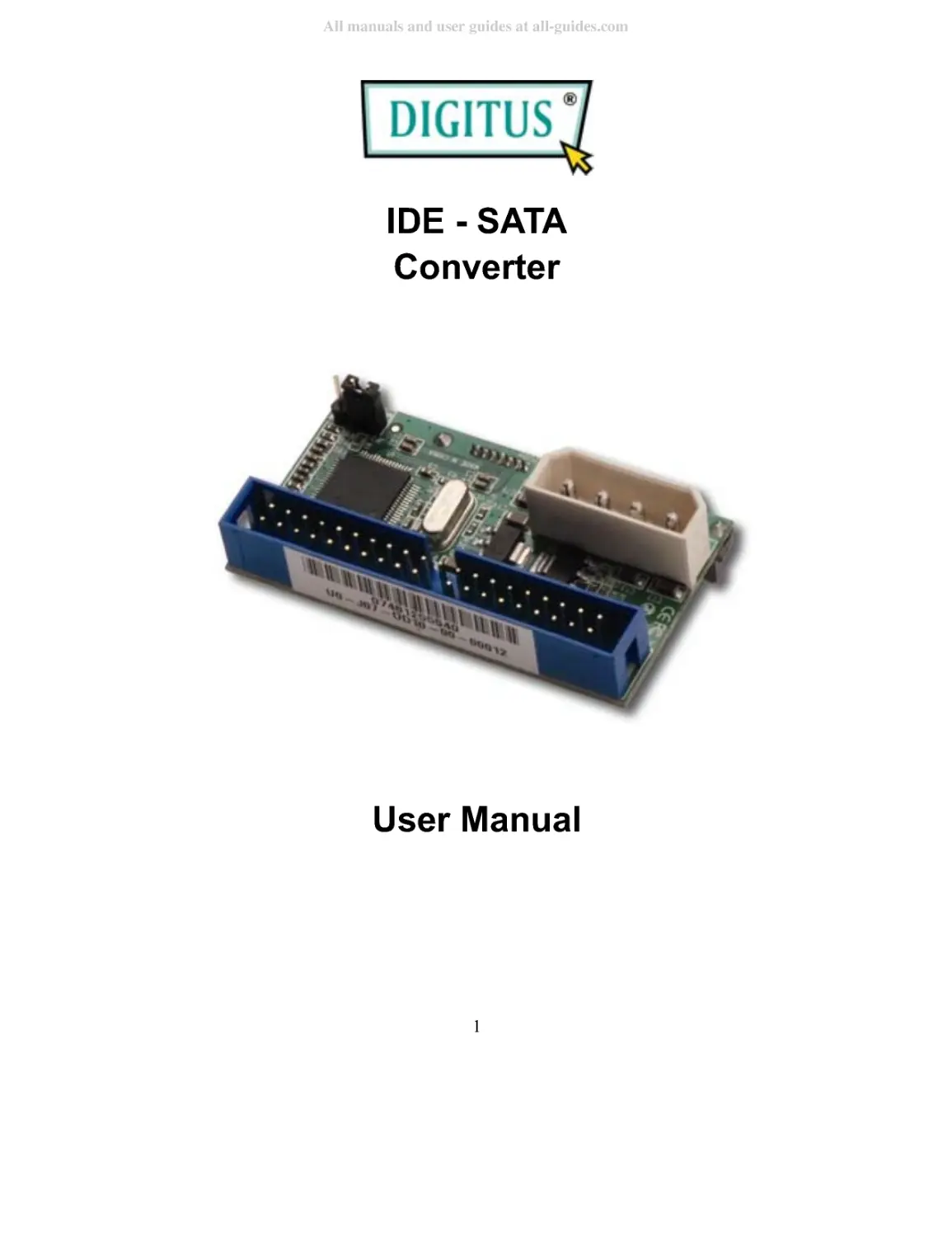
                    IDE - SATA
Converter
User Manual
1
All manuals and user guides at all-guides.com

2
Introduction
This Bridge Board is a converter solution for the Serial ATA Device. It
has a standard 22 pin SATA port which can interface to a Serial ATA
device (hard disk, CDROM, DVD, CD-RW, etc). It accepts Parallel
ATA (IDE) commands through the 40 pin IDE connector form the host,
decodes the commands and converts them to Serial ATA commands to
the device. Response from the device through the SATA bus are
deciphered, processed and converted to parallel ATA protocol and sent
to the host.
The SATA 150 to PATA Converter supports the Serial ATA Generation
1 transfer rate of 1.5GB/s (150MB/s) on the Serial ATA side and is
compatible with Ultra ATA-133 on the parallel ATA side.
Features
Overall Features
Compatible with Ultra ATA 133 / 100 / 66 / 33 specifications
Supports all types of SATA storage devices (DVD, DVD-RAM,
MO, CD-ROM, CD-RW, Hard Disk, ...)
100% hardware bridge converter to support PC and MAC
environment
All manuals and user guides at all-guides.com

Serial ATA Features
Compliant with Serial ATA 1.0 specifications
Supports Serial ATA Generation 1 transfer rate 1.5Gb/s
Hardware Installation
1. Decide the master or
slave of this future IDE
device choose the right
choice by jumper.
2. Connect the SATA 150 to
3
All manuals and user guides at all-guides.com

PATA Converter to your
SATA device.
3. Plug the IDE cable to
SATA 150 to PATA
Converter and please
remind the direction of
IDE PIN.
4. Plug the 4 PIN power
cable to SATA 150 to
PATA Converter.
4
All manuals and user guides at all-guides.com

Note: Please make sure that your PC is shut down during
your hardware installation. This SATA 150 to PATA
Converter with your SATA device is not hot swap device
and please shut down your computer before your want to
connect this device.
5
All manuals and user guides at all-guides.com