/


Tags: user manual microcalculator owner’s handbook
Year: 1982



Text
                    HEWLETT-PACKARD
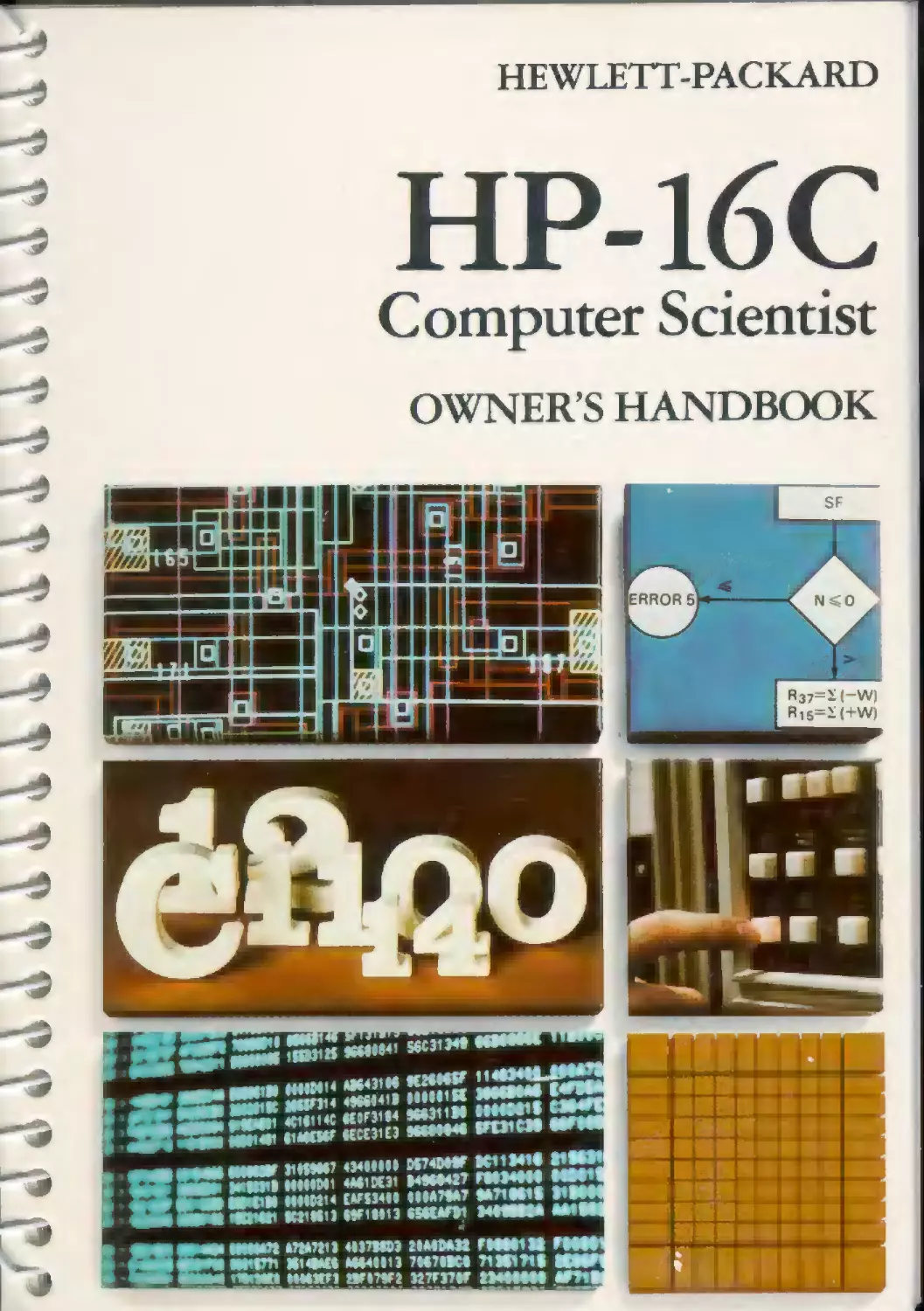
HP-16C
Computer Scientist
OWNER’S HANDBOOK
NOTICE
Hewlett Packard Company makes no express or implied
warranty with regard to the keystroke procedures and
program material offered or their merchantability or their
fitness tor any particular purpose. The keystroke procedures
and piogram material are mace available solely on <?n as is"
oasis, and th» entire risk as to their quality and pe rf O'mance is
with the user Should the keystroke procedures or program
material prove defective the user (and not Hewlett- Packard
Company nor any other party) shall bear the entire cost of all
necessary correction and all incidental or consequential
damages. Hewlett Packaid Company shall not be liable for
any incidental or consequential damages in ccnnection with
or arising out of the furnishing, use, or perrormance of the
keystroke procedures or piogram materia!
fhpl HEWLETT
PACKARD
HP-16C
Computer Scientist
Owner’s Handbook
April 1982
00016-90001
Printed in U.S A
© Hewlett-Packard Company 1982
Introduction
Welcome to the world of the Hewlett-Packard Computer Scientist!
You’re in good company with HP—the calculator of choice for
astronauts in the space shuttle, climbers on Mt. Everest,
yachtsmen in the America’s Cup, and engineers, scientists, and
students the world over.
The HP-16C is a versatile and unique calculator, especially
designed for the many professionals and students who work with
computers and microprocessors—whether as programmers or
designers. The HP-16C specialized design provides:
•	Integer arithmetic, in four number bases (hexadecimal,
decimal, octal, and binary), operating in 1 s or 2’s Complement
or Unsigned mode.
•	A variable word size, selected by the user, up to a maximum of
64 bits.
•	Logical operators and bit manipulations.
•	203 bytes of user memory, providing up to 203 program lines.
•	Floating-point decimal arithmetic.
•	Continuous Memory, retaining data and program instructions
indefinitely.
•	Extremely low power consumption and long battery life.
This handbook is written with the professional in mind—someone
already familiar with the principles of computer organization and
binary operations. The handbook accommodates a wide range of
expertise, however. For a quick overview of and reference to the
calculator’s operations, use the Function Summary and Index—the
blue-edged pages just in front of the Subject Index.
Part I of the handbook, HP-16C Fundamentals, covers the specific
operations of the HP 16C, as well as its RPN (Reverse Polish
Notation) logic system. Part II, HP-16C Programming, is dedicated
to keystroke programming methods and capabilities. Each pro-
gramming section is structured to give first a general explanation
2
, Л Л Л А Л <1 <1 <1 11 11 1 ,1 V. Л Л ,\ Л Л А Л .1.1.
Introduction 3
of operations, then examples, then a more detailed look at certain
features. This makes it easy for you to get a quick picture of how
the system operates, if this is all you need.
The functions discussed in sections I and 2 of part I and in part II
tHP 16C Programming) are similar to those used in certain other
HP calculators, while the features unique to the HP-16C are
concentrated in sections 3 through 6.
Before starting these sections, you can get a brief introduction to
the capabilities of the HP-16C by working through the HP16C: A
Quick Look, starting on page 10.
Finally, the appendices include details on error and flag
conditions, lists of operations with special characteristics, and
warranty and service information. The Function Summary and
Index at the back of the handbook provides short descriptions of
every key’s function, with page references to more comprehensive
material within the handbook. It makes it easy to get the most from
your HP-16C!
Contents
The HP-16C: A Quick Look............................... 10
Keyboard Operation.................................. 10
Integer Calculations	11
Floating Point Calculations	11
Programmed Solutions	....	12
Parti: HP-16C Fundamentals ............................ 15
Section 1:	Getting Started ........................... 16
Power On and Off.................... .	16
Keyboard Operation . ............................... 16
Primary and Alternate Functions .................. 16
Clearing Prefix Keys.............. .	...	17
The'CLEAR keys......... ... . ....	17
Display Clearing cl x, and BSP|...	17
One-Number Functions .	18
Two-Number Functions and | ENTER] ................ 18
Continuous Memory	19
What is Retained ...... . .......................  19
Resetting Continuous Memory........... ...	20
Section 2:	The Automatic Memory Stack ................ 21
The Memory Stack and Stack Manipulation .	21
Stack Manipulation Functions......	. . 22
Tne LAST X Register .............................. 23
Numeric Functions andthe Stack	...	24
Stack Movement.................................... 24
Nested Calculations............	25
Calculations With Constants .	........ 26
Section 3:	Number and Display Control ................ 28
integer Mode	......... 28
Number Base Modes .	........... 28
Temporary Display ("SHOW )..	28
4

Contents
5
Complement Modes and Unsigned Mode .................... 29
I s Complement Mode ................................. 30
2's Complement Mode ................................. 30
Unsigned Mode......................................   30
Word Size and Window Display ....................... ..	31
Word Size.......................................    .	32
Windows ............................................. 33
Scrolling..........................................   33
The Display and Internal Representation . . ........... 35
Flags ...............................................   36
Machine Status (TstatusI) ............................. 37
Special Displays....................................... 38
Annunciators ...................................... .	38
Error Display ....................................... 38
Low-Power Indication ................................ 38
Section 4: Arithmetic and Bit Manipulation
Functions................................................. 39
Carry and Out-of-Range Conditions...................... 39
Flag 4: Carry (C).................................... 39
Flag 5: Out of-Range (G) ............................ 40
Arithmetic Functions................................... 41
Addition, Subtraction. Multiplication, and Divison..... 41
Remainder After Division and | RMD | ................ 43
Square Root.......................................... 44
Negative Numbers and Complementing .................  44
Logical Operations..................................... 44
NOT.................................................  45
AND.................................................. 45
OR .................................................. 45
EXCLUSIVE OR ........................................ 46
Shifting and Rotating Bits....................... .	. . . 46
Shifting Bits........................................ 46
Rotating Bits ....................................... 48
Setting, Clearing, and Testing Bits ................... 50
Masking ..............................................  51
Bit Summation ......................................... 52
"Double" Functions...................................   52
Double Multiply ..................................... 52
Double Divide ................................... ...	53
Double Remainder....................................  54
Example: Applying Double Divide ..................... 54
6
Contents
Section5: Floating-Point Numbers ........................... 56
Converting to Floating Point Decimal Mode . .	....56
Conversion n the Stack	.................. 56
Other Effects of Converting to Floating Point Mode	57
Digit Entry and Other Display Formats................. 58
Returning to Integer Mode ............................... 59
Conversion in the Stack............................... 59
Other Effects of Converting to Integer Mode	6<
Floating-Point Arithmetic ....	61
Functions............................................ .61
The Out of Range Flag	61
Functions Not Active in Floating Point Mode	61
Digit Separators .	..... ...	61
Section 6: Memory and Storage............................... 62
Memory Allocation	62
Converting Storage Registers to Program Memory	62
Converting Program Memory to Storage Registers .	63
Storage Register Size ................................ 63
Viewing the Status of Memory Allocation ( MEM I)...	65
Storage Register Operations ............................. 66
Storing and Recailirg Numbers Directly.....	66
Alteration of Heg ster Contents ...	.67
Clearing Data Storage Registers	68
The Index Register ...................................... 68
Abbreviated Key Sequences ..	....... .......... 68
Storing and Recalling Numbers in the Index Register	68
Storing and Recalling Numbers Indirectly ....	69
Part II: HP-16C Programming ................................ 71
Section 7: Programming Basics .............................. 72
The Mechanics.............  .	72
Creating a Program ................................... 72
Loading a Program . .	...	72
Running a Program ...	... 75
Intermeoiate Piogram Stops ...	.	75
Data Input ..	........ 76
Program Memory . .................................     77
Program Instructions and Keycodes .	77
Example	......	78
Contents
7
Further Information..................................... 80
Program Labels....................................... 80
Unprogrammed Program Stops........................... 81
Nonprogrammable Functions ........................... 81
Section 8: Program Editing................................. 82
The Mechanics .......................................... 82
Moving to a Line in Program Memory .................. 82
Deleting Program Lines .............................. 83
Inserting Program Lines ............................. 83
Example ................................................ 83
Further Information .................................... 85
Line Position ....................................... 85
Initializing Calculator Status ...................... 85
Section 9: Program Branching and Controls.................. 87
The Mechanics .......................................... 87
Branching ........................................... 87
Indirect Branching Using the Index Register ......... 88
Conditional Tests ................................... 88
Testing for Set Flags and Set Bits .......... ....... 89
Loop Control with Counters: | DSZ | and | ISZ | ..... 90
Example ...........................................  ...	90
Further Information .................................... 94
Subroutines.......................................... 94
Program Versus Keyboard Use of |GSB |................ 95
Appendix A:	Errors and Flags ........................... 96
Error Conditions ....................................... 96
Functions That Affect Flags ............................ 98
Appendix B:	Classes of Operations ...................... 99
Operations Terminating Digit Entry...................... 99
Operations Affecting Stack Lift......................... 99
Disabling Operations................................. 99
Neutral Operations .................................. 99
Enabling Operations ................................ 100
Operations Affecting the LAST X Register .............. 100
Operations Affecting Scrolling ........................ 100
Prefix Keys............................................ 101
Operations Not Active in Floating-Point Decimal Mode.... 101
8 Contents
Appendix C:	Battery, Warranty, and
Service Information ......................................... 102
Batteries .. ............................................. 102
Low-Power Indication .................................. 103
Installing New Batteries .............................. 104
Verifying Proper Operation (Self-Tests)................... 106
Limited One-Year Warranty................................. 108
What We Will Do ...................................... 108
What Is Not Covered .................................. 108
Warranty for Consumer Transactions in the
United Kingdom ....................................... 108
Obligation to Make Changes ............................ 109
Warranty Information .................................. 109
Service . .	. .	.......	110
Obtaining Repair Service in the
United States.........................  ...........   11°
Obtaining Repair Service in Europe .................... 110
International Service Information...................... 111
Service Repair Charge.................................. 111
Service Warranty ...................................... 112
Shipping Instructions .	      112
Further Information....... ............................ 113
Programming and Applications Assistance .................. 113
Dealer and Product Information ........................... 113
Temperature Specifications................................ 113
Potential for Radio and Television Interference
(for U S A. Only) ....................................... 113
Appendix D:	Programs for Format Conversion............... 115
Function Summary and Index .................................. 120
[qnI ..................................................... 120
Clearing .	. .	.	.......................... 120
Digit Entry .............................................. 120
Stack Rearrangement ...................................... 121
Number and Display Control ............................... 121
Mathematics ............................................   121
Bit Manipulation.......................................... 122
Memory and Storage........................................ 123
Index Register Control.................................... 123

Cements 9
Programming	..	..	....	123
Conditionals ...	124
Subject Index ....................................... 125
The HP-16C Keyboard and Memory ...........Inside Back Cover
TheHP-16C:
A Quick Look
The HP 16C Computer Scientist is a powerful problem solver,
operating in either Integer mode or Floating-Point Decimal mode.
In Integer mode you can perform integer binary arithmetic,
number base conversion, bit manipulations, and logical opera-
tions. In Floating Point Decimal mode you can work out extensive
floating point calculations Programming can be done in both
modes. The HP-16C Continuous Memory retains data and program
instructions indefinitely until you choose to reset it.
An important feature of the HP 16C is its extremely low power
consumption. This efficiency eliminates the need for a recharger
and provides a lightweight, compact design. Power consumption in
the HP-16C is so low that the average battery life in normal use is 6
to 12 months. In addition, the low-power indicator gives you plenty
of warning before the calculator stops functioning.
The HP-16C also conserves power by automatically shutting its
display off if it is left inactive for a few minutes.
Keyboard Operation
Your Hewlett-Packard calculator uses Reverse Polish Notation
(RPN). an operating logic that involves the use of the I FMFR key.
The use of | ENTER | eliminates the need for parentheses in
calculations; instead calculations are performed using a memory
stack. For example, let’s look at the arithmetic functions.
With the calculator on (press |_ONj if necessary), select a number
base (hexadecimal, decimal, octal, or binaryl in Integer mode by
pressing the key marked fHEX|, ,DEC |. PCI , or BiN This
establishes the number base mode for the display, and is indicated
by the presence of an h o. d , or b at the right of the display. The
default mode (at initial turn-on or Continuous Memory reset) is
Hexadecimal (Integer). You can clear the display to zero by
pressing[ir[CLx]ia blue-printed function).*
* If you have not used an HP calculator before, notice that most keys have three labels. To
use the main function—the one printed in white on top of the key—just press that key.
For those printed in gold or blue, press the gold |7| key or the blue f~9~l key first.
10
The HP-1 6C: A Quick Look
11
To perform arithmetic, key in the two operands—separated by
I ENTER |—and then the operator. The function is executed when its
key is pressed, and the result immediately appears. If you enter a
digit incorrectly, press | BSP| to undo the mistake, then key in the
correct digit.
Integer Calculations
When you set one of the number base modes, the calculator
operates in Integer mode.
To Compute*	Press	Display
(in base 2)	mi CLxIFbiN .	0 b
1111-1	1111| ENTER 11 l-l	1110 b
1111 X11	1111 |ENTER11 1 0	101101 b
You can also calculate using a value already in the display:
To Compute
101101 4-10
10110 AND 1111
Press
100
1111 |Tl| AND I
Display
10110 b
110 b
(The 0 operation results in the display of a C annunciator,
signifying that the carry flag has been set. Flags are explained on
page 36. Press CF|4 to clear the flag and the annunciator.)
Notice that in the four examples:
•	Both numbers are keyed in before you press the operator key.
•	| ENTER | is used only to separate two numbers that are keyed in
one after the other.
•	Pressing a function key—in this case 0, [0, 0, or [AND| —
executes the function immediately and displays the results.
Floating-Point Calculations
The HP-16C can perform floating-point decimal arithmetic when it
is in Floating-Point Decimal mode. The | FLOAT | function will
convert the calculator from Integer mode into Floating Point mode
and display the specified number of decimal places.
*The calculator should display 2-16-0000 when |7] | STATUS | is pressed. If it does not,
refer to page 37.
12 TheHP-16C AQuickLook
To Compute
(floating pomt decimal)
4 9^6
x/60
Keystrokes	Display
ffll FLOAT 4 [bspI	0 0000
4 9|CHS]|ENTER|6F] -0.8167
60 ШЕ	7 7460
Programmed Solutions
Writing a Program. The UP-16C is keystroke-programmable:
you can program it simply by recording the same keystrokes you
use to evaluate a problem manually
Example: Write an iterative pro-
gram that adds 1 continually to a
given number.
Keystrokes	Display*
tit/r!	ooo-
[flCLEAR | PRGM |
Гд~1ГЁвС| A
1
□
| fl SHOW [BIN I
[GTO]A
000-
C01-43.22, A
 02-	1
003-	40
004-	42 26
05-	22 A
Sets calculator to
Program mode (PRGM
annunciator on). Line
000.
Clears program memory.
Assigns this program
label ‘A
Line 002:1.
Line 003: adds 1 to
whatever is in display
when program is run.
Momentarily pauses and
displays binary result.
Continues execution in a
loop
Th** display includes line numbers and keycodes. Keycodes are two-digit numbers that
indicate the row and column position of the key(s) pressed.
The HP 1 6С: A Qu.ck Look 13/14
Keystrokes
lTTZS
Display
Returns calculator to
Run mode; no PRGM
annunciator. Display
will show the result of
the last calculation
performed.
Running the Program. Key the starting number (for example,
zero) into the display. You do not need to use | ENTER | since starting
the program will separate the two numbers to be added. The
program above adds 1 to whatever number you key in.
Keystrokes
|DEC|
Display
1 6 | f~|| WSIZF|
0
fGSTA
0
1
10
11
100
d
b
b
b
b
Converts to Integer
mode, base 10. (You can
start in any number
base; the program will
display the numbers in
binary.)
Sets word size to 16.
Initial number; 0.
Addresses and starts a
program with label "A”.
The momentary displays
are binary.
[R/S
22 d
Since this is an endless
loop, stop program
execution with | R/S |
(run/stupi. The display
shows the decimal
equivalent of the binary
value at the particular
moment you press [R/S].
This introduction to the HP-16C should give you a feel for its
operation. It is only a glimpse, however; for a look at the dozens of
other powerful HP-16C functions, turn the page and explore Part I,
HP 16C Fundamentals.
ivvvvvvvyyy 1» I l> II» 1» V V V b V b V V >
Parti
HP-16C
Fundamentals
Section 1
Getting Start ed
This section provides a detailed orientation to general use of the
HP 16C digit entry, display clearing, the use of1 ENTER] and RPN
(Reverse Polish Notation), and Continuous Memory. Although the
examples use Integer mode, all features operate identically in
Integer and Floating-Point Decimal modes unless otherwise
indicated. This material has been written primarily for those
unfamiliar with these features of current Hewlett-Packard
calculators
Power On and Off
The | ON | key turns the HP-16C on and off.* To conserve power, the
calculator automatically turns itself off after a few minutes of
inactivity.
Keyboard Operation
Primary and Alternate Functions
Most keys on your HP 16C perform one primary and two alternate
(“shifted”) functions? To select the primary function printed on the
face of a key, press only that key. For example: ГП. To select the
alternate function printed in gold above the key or in blue below
the key, press the like-colored prefix key (Ш or [T]) followed by the
function key. For example: [~f]| XOR | and i~fl~|[DBL^|.
* Note the | ON | key is lower than the other keys to prevent its being inadvertently pressed.
^Throughout this handbook, we will observe certain conventions in referring to
functions. References to the function itself will appear as just the function name in a
box, such as “the | MEM | function.” References to using the key will include the prefix
key, such as “press f~0~l I MEM I?’ References to the functions printed in gold under the
brackets labeled “CLEAR,” “SET COMPL,” or “SHOW” will be preceded by the word
“CLEAR,” “SET COMPL,” or “SHOW,” such as “the CLEAR [REG] function” or “press 7)
SHOWfDEC].”
When a prefix key can be followed by any of several keys, the reference will specify the
possible keys in braces. For example, “press |T|| WINDOW] {0 to 7)”.
16
Section 1 Getting Started
17
Notice that when you press the (7) or	p h
|~S~| prefix key, an f or g annunciator	t
appears and remains >n the display
until another key is pressed.
Clearing Prefix Keys
A prefix key is any key that must be followed by one or more
additional keys to complete the key sequence for a function. There
is a list of all prefix keys in appendix B.
When any prefix key (such as | STO | or □ ) has been pressed,
pressing [7] CLEAR | PREFIX | will clear that prefix key, leaving the
calculator ready for a new keystroke. If you have mistakenly
pressed [7] instead of |~9? or vice-versa, you can correct it merely by
pressing the other key.
The "CLEAR" Keys
The "CLEAR ’ operations are listed below Clearing a register
means to replace its contents with zero.
Clearing Sequence	Effect
[7] CL EAR PRGM In Run mode In Program mode □	clear [reg1, □	CLEAR 1 PREFIX;	Repositions program memory to line ООО Clears entire program memory. Clears all data storage registers Cancels any prefix from a partially enterea key sequence
Display Clearing: | CLx^and [ BSP|
The HP-16C has two types of display clearing operations. |~CLx|
(clear X) and lBSP|(b«cfe space).
In Run mode:
•	[CLjcJ clears the display to zero.
•	BSP deletes only the last digit in the display if digit entry has
not been terminated (n.NIEP and must other functions
terminate digit entry so that the next digit keyed in becomes
part of a new number.) You can then key in (a) new digit(s) to
replace the one(s) deleted. If digit entry has been terminated,
then [BSP]acts like | CLx|.
18 Section! Getting Started
Keystrokes	Display
ГЙЁХ1	Hex mode. Display
	shows last result.*
1234	1234 h Digit entry not
	terminated.
.BSP |	123 h Clears only the last digit.
1	1231 h
|ENTER	1231 h Terminates digit entry.
[BSP]	0 h Clears all digits to zero.
12	12 h
I 9 IICLxl	0 h Clears display whether
or not digit entry has
been terminated.
In Program mode:
•	| ci~x] is programmable: it is stored as a programmed
instruction, and will not delete the currently displayed
instruction.
•	| BSP | is not programmable. It is used instead to delete program
instructions.
One-Number Functions
A one-number function performs an operation using only the
number in the display (X register). To use any one-number
function, press the function key after the number has been placed
in the display.
Keystrokes
0 ____
ИГйбт]
Display
О h
FFFF h
Two Number Functions and | ENTER |
A two-number function must have two numbers present in the
calculator before executing the function. _+], [3, ГЯ, and E are
ex amples of two-number functions.
•The calculator should display 2- 16-0000 when ff]1 STATUS I is pressed. If it does not,
refer to page 37.
Section 1: Getting Started
19
Terminating Digit Entry. When keying in two numbers to
perform an operation, the calculator needs a signal that digit entry
has been terminated for the first number. This is done by pressing
I ENTER I to separate the two numbers. If, however, one of the
numbers is already in the calculator as the result of a previous
operation, you do not need to use the | ENTER | key. All functions
except the digit entry keys themselves have the effect of
terminating digit entry*
Chain Calculations. Long calculations do not require the use of
parentheses. | ENTER | is used to separate two numbers sequentially
keyed into the stack.
Example: Calculate (6 + 7) X (9 — 3) in base 10.
Keystrokes	Display
1 DEC |	Decimal mode. Display
	shows last result.
6|ENTER|	6 d Digit entry terminated.
70	13d The number 13 is stored
	as an intermediate
	result.
9|ENTER I	9 d
30	6 d Six is also stored as an
	intermediate result.
В	78 d (13X6) = 78.
Continuous Memory
What Is Retained
The Continuous Memory feature of the HP-16C retains the
following information, even while the calculator is off:
•	Number base or operating mode (Hexadecimal, Decimal,
Octal, Binary, or Floating-Point Decimal).
•	Arithmetic mode (1’s Complement, 2’s Complement,
Unsigned).
•	Word size.
•The digit entry keys are the digit keys and I BSP I. Also—in Floating-Point Decimal mode
only—p],| EEX |, and | CHS |.
2( Sect.on 1 Getting Started
•	ЛИ stored numbers.
•	All stored programs.
•	Position of the calculator in program memory.
•	Any pending subroutine returns.
•	Flag settings.
•	Scrolling of the display
•	Type of digit separators.
When the calculator is turned on, it always “wakes up” in Run (not
Program) mode.
Continuous Memory can be preserved for a short period while the
batteries arc removed. (The calculator must be off.) Refer to
appendix C for instructions on changing batteries.
Resetting Continuous Memory
To reset (entirely clear) Continuous Memory:*
1.	Turn the calculator off.
2.	Press and hold [ON], then press and hold £].
3.	Release Гои], then FJ- (Steps 2 and 3 are represented in this
manual as [~6n~FFI-)
Error Display. When Continuous Memory is reset, Pr Error
(power error) is displayed. Press any one key to clear the display.
Appendix A contains a list of error messages and the conditions
that cause them.
Default Conditions. When the calculator is initially turned on or
Continuous Memory' is reset, the following conditions arc set by
default:
•	Number base. Hexadecimal (Integer mode).
•	2’s Complement mode
•	Word size: 16 bits.
•	All flags cleared.
•	Program memory and all registers cleared.
*Tf the calculator is dropped or otherwise mishandled. Continuous Memory may be
reset.
Section 2
The Automatic Memory Stack
The Memory Stack and Stack Manipulation
The HP-16C uses Reverse Polish Notation (RPN) to solve
complicated calculations without parentheses and with a mini
mum of keystrokes. Using the memory stack and the [ENTER | key,
the calculator automatically retains and returns intermediate
results. This section discusses the operation of the calculator stack,
which is fundamental to the use of the HP-16C in all modes,
including programming.
The Automatic Stack Registers
Always oisolaved
The number that appears in the display is the number in the X-
register—unless the calculator is in Program mode (PROM
annunciator displayed).
Numbers in the stack are stored on a last-in, first-out basis. The
three stacks drawn below illustrate the three types of stack
movement. Assume that x, y, z, and t represent any numbers which
may be in the stack, and that the calculator is in Binary mode
21
22 Section 2 Tne Automatic Memory Stack
Stack Lift	No Stack Lift or Drop
Typically, one-number functions (as defined in the previous
section) result in no stack movement, while two-number functions
usually result in a stack drop.
Notice the number in the T-register is regenerated when the stack
drops, allowing this number to be used repetitively as an automatic
constant.
Stack Manipulation Functions
Pressing |~ENTER | separates two numbers keyed in one after the
other. It does so by lifting the stack and copying the number in the
display (X-register) into the Y register. The number entered next
then writes over the value in the X-register; there is no stack lift.
The example below shows what happens as the stack is filled with
the hexadecimal numbers 1, 2, 3, 4. (The shading indicates that the
contents of that register will be written over when the next number
is keyed in or recalled.)
Section 2. The Automatic Memory Stack
23
In addition to , ENTER i, there are three other functions that
rearrange the stack:
•	! Rf Kroll down) rolls the contents of the stack registers down
one register. The number in the X-register rolls around into the
T-register.
•	'R♦ I (roll up) rolls the stack contents up one register. The
T-register contents roll around into the X-register.
•	I x 8 у I (X exchange Y) exchanges the numbers in the X- and
Y-registers.
The LAST X Register
The LAST X register, another memory register, preserves the
number that was last in the display before execution of a numeric
operation.* Pressing [~s~| | LSTx | (LASTX) places a copy of the
contents of the LAST X register into the display (X-register).
*For a complete list of operations which save x in the LASTX register, refer to
appendix B.
24 Sect on 2 The Automatic Memory Stack
The [LSTx| feature allows you to reuse a constant value without
re-entering it (as shown under Calculations with Constants, page
26). It can also assist you in error correction by recovering the
number that was in the calculator before the last numeric
operation.
For example, suppose you mistakenly entered the wrong addend
(10 instead of 11) in a chain calculation
Keystrokes
[bin]
1010|ENTER I
103
ГдПГьзтЯ
□
113
Display		Binary mode. Display shows the last result.
10 V'	b
1100	b	Oops! The wrong number was keyed in.
10	b	Retrieves from LAST X the last entry to the X-register (the incorrect addend) before 3 was executed.
1010	b	Reverses the function that produced the wrong
		answer.
1101	b	The correct answer.
Numeric Functions and the Stack
Stack Movement
When you want to key in two numbers, one after the other, you
must press | ENTER | between entri es of the n umbers However, when
you want to key in a number immediately following any function
(including stack manipulations such as |_R_t J), you do n°t need to
use | ENTER |. Executing most HP-16C functions has this additional
effect:
•	The automatic memory stack is lift-enaMed; that is, the stack
will lift automatically when the next number is keyed in or
recalled from storage into the display.
•	Digit entry is terminated, so the next number starts a new
entry
Section 2: The Automatic Memory Stack 25
There are two functions, | ENTER | and |CLx|, that disable stack lift—
that is, they do not provide for the lifting of the stack when the next
number is keyed in or recalled.* Following the execution of either of
these functions, a new number will simply write over the currently
displayed number instead of causing the stack to lift. lAlthough
the stack lifts when | ENTER | is pressed, it will not lift when the next
number is keyed in or recalled.)
As you can see, when an arithmetic operation is performed with
operands (A6 and 316) in the X- and Y-registers, the stack drops and
the result (D16) is left in the X-register.
For a complete listing of how functions affect stack lift (enabling,
disabling, and neutral) and digit entry, refer to appendix В
Nested Calculations
The automatic stack lift and drop make it possible to do nested
calculations without using parentheses. Intermediate results are
automatically saved in the stack and used as needed. A nested
calculation is solved simply as a series of one- and two-number
operations. If you begin your calculation at the innermost number
or pair of parentheses and work outward (as you would when
working with pencil and paper), you will rarely need to store
intermediate results in a storage register
* | BSP | will also disable stack lift and clear the display (just as |CLx| does) if digit entry has
been terminated. Otherwise, it is neutral to stack lift—that is, it neither enables nor
disables stack lift.
26 Section 2: The Automatic Memory Stack
For example, consider the (integer decimal) calculation
3[4 + 5(6 + 7)].
Keystrokes	Display
(DEC]	Display shows last
	result.
6 LENTERJ 7 l + l	13d Intermediate result.
50	65 d Intermediate result.
40	69 d Intermediate result.
30	207 d Final result.
This example shows that the stack automatically drops after each
two-number calculation and lifts when a new number is
subsequently keyed in.
Calculations With Constants
There are two ways (without using a storage register) to perform
repeated calculations with a constant:
•	Use the LAST X register.
•	Load the stack with the constant prior to doing the
computations.
Example: Remove the upper four bits and preserve the lower four
bits from the following 8-bit binary numbers: 10001001, 10101111,
and 11110101. The constant value 1111 will be used as a mask.
Using the LAST X Register. Make sure to calculate with the
constant in the X-register (rather than the Y-register) so that it will
always be saved in the LAST X register. Retrieve the constant by
pressing |~9~]|LSTx|.
Keystrokes
I BIN I
1 0U01 001 I ENTER |
1111
fflfANDl
Display
	Binary mode. Display shows previous rsult.
10001001 b	First number.
1111 b	The mask (the constant).
1001 b	Lower four bits.
Section2 The Automatic Memory Stack 27
Keystrokes	Display
10101111	10101111	b
ITHTstTI	nil	ь
[T]|and|	пи	ь
11110101 Г9~1ГЬ8Т7]	1111	b
[< [AND'	101	b
Second number.
Retrieves the constant.
Lower four bits
Lower four bits.
LTsing the Stack. Load the stack with a constant by keying it in
and pressing ENTER-] three times. After each operation (here: [AND]),
the stack drops (making the constant available in the Y-register)
and the constant value is regenerated in the T-register. By using
3SP or | CL.x | to disable the stack, the new, variable numbers
entered wili “write over” the previous result, thus preserving only
the constant in the stack
Keystrokes
1111 [enter]
[enter]! enter |
10001001 ft] and.
I BSP]
10101111 [t~[rAND[
[BSP[
11110Ю1 И [and]
Display 1111	b	The mask (the constant).
1111	b	Fills the stack wit h 1111.
Ю01	b	Lower four bits of first number.
c	b	Stack lift disabled.
1111	b	Lower four bits of second number.
0	b	Stack lift disabled
101	b	Low er four bits of third number
Section 3
Number and Display Control
Number representation in the HP-16C is much more versatile than
in other calculators. This section will discuss the different aspects
of integer number use and display: number bases, word size,
complements, number ranges, and the resulting displays.
(Floating-point format is described in section 5, Floating-Point
Numbers.) The formats you specify are preserved by Continuous
Memory.
Integer Mode
The number base modes (| HEX|, | DEC |, | OCT I, and | BIN I) operate
strictly in Integer mode (that is, using integers only). Fractional
decimal numbers can be used in Floating-Point Decimal mode,
described in section 5. Pressing any of the four number base keys
establishes Integer mode.
Number Base Modes
There are four number base modes used by the HP-16C in Integer
mode for purposes of display and digit entry: Hexadecimal (base
16), Decimal (base 10), Octal (base 8), and Binary (base 2). An h, d,
o, or b to the right of the eight-digit display indicates the present
number base mode. The calculator defaults to Hexadecimal mode
when first turned on or when Continuous Memory is reset.
Pressing |HEX|, | DEC I, | OCT |, or | BIN | converts the display to that
number base in a right-justified, integer format. Digit keys pressed
are interpreted accordingly: the calculator will not respond if
you attempt to enter an inappropriate digit (such as a “3” in
Binary mode). In addition to the digit keys Го] to [9]. Hexadecimal
mode uses the keys |~a] to [f] , appearing in the display as A, b, C, d,
E, and F.

28
Section? Number and D,splay Control
29
Not. Regardless of the current number base mode, the
internal representation of numbers is always binary.
Switching between number modes changes the display only
not the calculator's internal repr esentation of the value *
Temporary Display ("SHOW")
To temporarily view the displayed value tn another base, press [fj
SHOW । (HEX |, [DECj, [OCT |,| BIN |} The converted form of the number
will be shown as long as you hold down the number base key.
Keystrokes
|hex;f
[bin]
|7] SHOW Гост] (hold)
(release)
Display
F h
1111 b
17 о
1111 b
Complement Modes and Unsigned Mode
The HP 16C provides three conventions for representing numbers:
1 's Complement mode, 2’s Complement mode, and Unsigned mode.
The 2’s Complement mode is the default mode when the calculator
is first turned on or after Continuous Memory is reset. Once a mode
is set, it remains in effect until you change it or until Continuous
Memory is reset. (All examples in this handbook use 2’s
Complement unless otherwise indicated.)
In the binary representation of a signed number, the leftmost or
most significant bit with respect to word size serves as the sign bit:
0 for plus and 1 for minus. In Decimal mode, a negative number is
displayed with a minus sign
*The keystroke sequence on page 35 shows how number base mode, word size, and
complement mode affect the display without affecting the calculator’s internal binary
representation of a number in Integer mode.
30
Section 3 Number and Display Control
1	's Complement Mode
Pressing [fj SET COMPL 11'«I will set l’s Complement mode When
you press | CHS ’ (change sign) in l’s Complement mode, the l’s
complement of the number in the X-register is formed by
complementing all bits.
One’s Complement accommodates an equal number of positive and
negative numbers, but has two representations for zero. 0 and -0.
2	s Complement Mode
Pressing U SET COMPL 12 sl will set 2’s Complement mode. The
| CHS | function will take the 2’s complement of the number in the
display ^hat is, it complements all the bits in the X-register and
adds 1)
In 2’s Complement there is just one representation for zero, but
there is always one more negative number than positive number
represented.
Unsigned Mode
Pressing [Г SET COMPL |UNSGN’ will set Unsigned mode, which
uses no sign bit. The most significant bit adds magnitude, not sign,
so the largest value respresented by an 8-bit word is 25510 instead
of 12710.
Changing signs in Unsigned mode has no meaning If you press
| CHS |in Unsigned mode, the result will be the 2’s complement of the
number in the X-register. Flag 5 (signified by the G annunciator) is
set as a reminder that the true result is a negative number, which is
outside the range of Unsigned mode.
The following table summarizes how the complement modes affect
the decimal interpretation of all possible 4-bit patterns (word
size 4).
Section j Number and Display Control 31
Decimal Interpretation of 4 Bit Binary
Binary	1 ’s Complement Mode	2's C?mp ement Mode	Unsigned Maae
0111	7	7	7
0110	6	6	6
0101	5	5	5
0100	4	4	4
0011	3	3	3
0010	2	2	2
0001	1	1	1
0000	0	0	0
1111	-°	-1	15
11 10	-1	-2	14
1101	-2	-3	13
1100	-3	-4	12
1011	-4	-5	11
1010	-5	-6	10
1001	-6	-7	9
Ю00	-7	-8	8
Word Size and Window Display
The HP-16C will work with words (data units) up to 64 bits long.
The default word size when you first turn on the calculator or reset
Continuous Memory is 16 bits. The display window shows eight
digits at a time: leading zeros are not displayed.* A period is placed
on the left and/or right side of the h. d o. or b to indicate the
presence of more, un displayed digits to the left or right of the
currently displayed portion of a number
* Setting flag 3, as explained later in this section (page 36), will cause all leading zeros to
be included in the display.
32 Section3 Number and Display Control
Woid Size
To specify a word size, first place the desired word size (Im to 6410)
in the X register. then press |T||WSIZE‘ The absolute value of the
number is used; a zero is interpreted as 64. After [wSlZE~|is executed
the stack drops.
A current word size smaller than 8 will limit the size of the number
you can enter to stipulate a new word size; but you can always
enter О И1 WSIZE~ to set a word size of 64. (You can then set any word
size.) Error 2 results if you attempt to specify a word size larger
than 64.*
Keystrokes	Display
1 bee 11 6u|| WS1ZEI fflSETCOMPLim 32767|ENTER.	Base 10; word size 16, Sets 2’s Compl. mode. 32767 d Largest positive 2’s
8 3lWSIZEj	complement number with a word size of 16. -1 d Number changes from
1 6 [fJI WSIZE |	01111111111111112(16 bits) to 111111112 (eight bits). 255 d Number changes from
111111112 to
00000000 111111112.
Nov A change in word size might not preserve numerically
equivalent values stored in the memory stack. Going to a
smaller word size will truncate a word, leaving the least
significant brs Going to a larger word size will not preserve
tne Sign bit of a negative number. If the original woid size is
restoied, the original stack contents are not restored (The
effect on storage registers is different and is discussed on
page 67.)
*It is possible (in l’s or 2’s Complement mode) to obtain a negative number if you try
entering a number larger than the largest positive number that can be represented
within the current word size. This occurs when the most significant bit (the sign bit)
becomes 1 (negative), as shown at the end of the keystroke sequence on page 36.
If the word size is 3 or less, attempting to initially enter a digit that is legal in the current
number base mode but is too large for the given word size will result in the entry of a
zero.
Section 3 Number ana Display Control
33
Windows
The display can be considered a window showing up to eight digits
of the number in the X-register. The X-register—like all registers—
can hold up to 64 binary digits, depending on the word size. What
you normally see is window 0, the eight least significant digits of
the number in the X-register. As you key in more than eight digits,
the most significant digits move off the left end of the display and
into window 1.
Pressing [7 |~windcw । {0 to 7) will display different eight-digit
portions of the word in the X-register. The display returns to
window 0, the eight least significant digits of the word, with each
new entry into the X-regioter. The highest window number is 7
since the maximum word size is 64 (With smaller word sizes or
smaller numbers, the higher windows will be blank.) Error 1 results
if you specify a window number greater than 7.
Example: The 16-digit hexadecimal value FF00 FF00 FFOO FF00
has a 64-digit binary representation (eight l’s alternating with
eight 0’s). In Binary mode, you can view the entire number by
executing 1П. WINDOW 10 through Ff], WINDOW' 7.
X 11111111 OOOOO’JOO . \11111111 ’ooo<  oo]
Window* 7
Idetau It)
0
most significant
-*> least significant
Scrolling
Scrolling with the <1 and |>] keys allows you to move different
parts of a number into the display, one digit at a time. This does not
change the number itself, only what part of the number you see
The location of the period tells you where to look for the rest of the
number in the X-register. For instance, if the period is on the left of
the base indicator (. b), then there are more digits to the left of the
current display Pressing |~g~] [3 will scroll the number to the right,
34
Section 3 Number and Display Control
bringing these "hidden” digits into view. A period can appear both
on the left and right sides of the base indicator if the current
window is not at one end of the number.
Window *10	10	10
Keys*	tilS	E<j
Example: The following scrolling and | WINDOW] functions can be
used to view the entire X-register contents. The word size used is 16
bits.
Keystrokes
[BIN |
11111111 | ENTER |
ft]'WINDOW! 1
FT'WINDOW] 0
Display
11111111 b
OOCOOOOC b
10000000 b
1 b
ouuouuoo ь
Sets Binary mode.
Display filled (eight
digits).
Period on left side, so
number continues to the,
left.
Scrolls number one digit
to right (period shows
number now continues to
the right;.
The contents of window
1: the most significant
digit.
Window 0: the least
significant digits.
Scrolling is “reset”—that is, the display is reset to window 0—when
a bit manipulation or mathematical function is executed. A
complete list of functions that do not reset the display to window 0
is included in appendix B.
Section 3 Number and Display Control 35
The Display and Internal Representation
The following keystrokes illustrate how various functions (number
base, word size, complement mode) alter the calculator’s display in
relation to the internal binary representation
Keystrokes	Display	Internal Binary Representation
1 HEX I 8[fJ(W/SIZE IbsT	 h	00000000
62	62 h	01100010
I OCT]	142 о	01100010
I bin]	1100010 b	01100010
[dec]	98 d	01100010
62	62 d	00111110
Гост]	76 о	00111110
62	62 о	00110010
| HEX |	32 h	00110010
□ set COMPL [Ts]	32 h	ooiiooio
[CHS]	CE h	11001110 Negative
1 OCT |	316 о	number in 2’s Compl., word size 8. 11001110
| BIN |	11001110 b	11001110
Грёс1	-50 d	11001110
□ SETCOMPLlTs]	-49 d	11001110 Internal
□set compl [unsgn	206 d	representation does not change. 11001110
□ SET COMPL |Tsl	-49 d	11001110 Ini's Compl.
1 CHS I	49 d	this is interpreted as a negative number. 00110001
36 Section3 Number and Display Control
Interna) Binary-
Keystrokes	Display			Representation
2	2	d	00000010
b	25	d	00011001
4	-001	d	11111110 (Corresponds to -Ijo in 1's Compl. Zeros are placeholders for purposes of digit entry correction.)
[t]SET COMPL [UNSGN	254	d	11111110
Flags
The HP-16C has three user flags (0, 1, and 2), which can be used to
control program execution, and three system flags (3, 4, and 5),
which are used to indicate system status.
The use of flags in programming is discussed in section 9, Program
Branching and Controls.
Flags 3. 4. and 5 are simply status indicators and have no effect on
calculator operation (unless you choose to use them to control
program execution).
•	Flag 3 controls the display of leading zeros When it is set,
zeros to the left of the highest nonzero digit are displayed.
When it is clear (the default condition), the display of leading
zeros is suppressed. (Note that leading zeros are always
suppressed in Decimal and Floating-Point Decimal modes.)
•	Flag 4 is set (and the C annunciator appears) when a carry
has occurred.
•	Flag 5 is set (and the G annunciator appears) when the
returned value is out-of-range (Greater than the largest
representabie number or not representable in the current
mode).
Section 4 includes a discussion of how the carry condition and
out-of-range condition are generated.
Section 3 Number and Display Ccntrol
37
All flags can be set, cleared, and tested as follows:*
•	i~9~ll SF |n will set flag number n (0 to 5):
•	Г~9~'.' CF | r? will clear flag number n\ and
•	ПГГЁГп will check if flag n is set.
A flag’s status and associated annunciator, if any, are retained
until changed by:
•	Resetting Continuous Memory.
•	Executing a function which affects that flag (flags 4 and 5
only).
•	Clearing the flag with or setting it with FsfI .
In programming flags are generally used to record the result of a
test for future use. Section 9 describes the use of flags in conditional
branching.
Machine Status (1 STATUS])
Pressing |T| |STAiUS] will temporarily show (1) the current
complement mode, (2) the current word size, and (3) which flags are
set other than flags 4 and 5 twhich display annunciators C ana G
when set) The display remains as long as you hold down the
 status'1 key. To alter machine status, refer to page 30 (complement
modes), page 32 (word size), or page 36 (flags).
Initial | STATUS I Display t
2-16 - COilO
Complement Mode	Flag Indicators (3 2 1,0)
Word S.ze (base 10)
♦Press the decimal representation for the flag number. Note that the flag number does
not enter the stack.
t When the calculator is first turned on or after Continuous Memory is reset.
38 Section 3 Number and Dispiay Control
Complement Status. The Complement mode is 0 (Unsigned), 1
(l’s), or 2 (2’s).
Flag Status. The display portion for flag status shows four places
held by zeros or ones. The flags are numbered from the right from
zero to three: a place occupied by 1 represents a set flag. For
example, consider the following flag portions of PstAT js] displays:
«3210	«3210
-01 Ой Flag 2 set.	-1101 Flags 0, 2, and 3 set.
Special Displays
Annunciators
The HP 16C display contains six annunciators that indicate the
status of the calculator for various operations The meaning and
use of these annunciators are discussed on the following pages:
*	Low power indication, page 38.
1 and g Prefixes for alternate functions, page 17.
C	Flag 4 (carry; set. page J9.
G	Flag 5 (out-of-range) set page 40.
PRGM Program mode, page 72.
Error Display
If you attempt an improper operation—such as specifying a word
size larger than 64—an error message will appear. For a complete
listing of error messages and their causes, refer to appendix A
To clear the Error display and restore the calculator to its prior
condition, press any key. You can then resume normal operation.
L ow-Pbwer Indication
A flashing asterisk in the lower left-hand corner of the display
indicates low battery power. At this point, however, you still have
operating time remaining: at least 15 minutes if you run a program
continuously, or at least an hour if you do calculations manually.
(Certain batteries provide more time.) Refer io appendix C (page
102) for information on replacing the batteries.
Vtt Л О b <1 <1 <1 <1 Mil П M П Л Л
Section 4
Arithmetic and Bit
Manipulation Functions
Integer arithmetic operations and bit manipulation functions can
only be performed in Integer mode Since these functions are
subject to carry and out-of-range conditions, an explanation of
these conditions precedes the discussion of the functions
themselves.*
Floating-point decimal arithmetic and other capabilities of
Floating-Point Decimal mode are discussed in section 5. Floating
Point Numbers.
Carry and Out-of-Range Conditions
The execution of certain arithmetic and bit manipulation
operations can result in a carry and/or an out of range condition.
These conditions set flags (that may be tested) and display
annunciators (for visual indication). The definitions for “carry’’
and “out-of-range' depend on the particular function executed.
Section 3, under Flags (page 36), explains how to manually set and
clear these (and other) flags.
Flag 4 Carry (C)
The shifting, rotating, and arithmetic operations listed below will
set or clear flag 4 and the C annunciator whenever they are
performed in Integer mode. Flag 4, the carry flag, is set if the carry
bit is 1, and cleared if the carry bit is 0.
Lsl	!rl]	| RLn |
SR	[RLC]	1 RLCnJ
rASR|	|RR|	[RRnj
	[ RRC |	RRCn|
S (carry)
□ (borrow)
□ (remainder # 0)
iDBLtI (remainder # 0)
| Д !(remainder # 0)
(These functions are described later in this section.)
* Appendix A includes a table of the relevant functions and how they affect the carry and
out-of-range flags.
39
40 Section 4 Arithmet,c and Bit Manipulation Functions
Example: The following simple additions set and then clear the
carry flag (4).
Keystrokes
|~НЁ5Г| FFFF [ ENTER '
ira
ira
Display (| STATUS 1:2-16-00001*
CFFF	h	Hex mode.
0	h	C annunciator: carry occurred and flag 4 set.
1	h	Carry flag cleared because no carry occurred.
Flag 5. Out oi Range (G)
Flag 5 and the G annunciator are set if the correct result of an
operation cannot be represented in the current word size and
complement mode. For the B] and В operations, this corresponds
to the “overflow" condition on most computers.
The functions below either set or clear flag 5 and the G annunciator
whenever they are performed in Integer mode:
□ BEE
iDBLXl’ ;DBLe|t
|ABS;
[CHS]
In addition, the arithmetic operators Ы, E > И, and El will affect
flag 5 in Floating-Point Decimal mode. The | FLOAT | function also
affects flag 5. Refer to section 5 for details.
When a result is out-of-range, the lower bits (as many as fit in the
given word size) of the full answer wi 11 be retu rned. If the operation
was E or В in l’s or 2’s Complement mode, the most significant bit
(sign bit) returned w ill match the sign bit of the full answer.
* Throughout this manual, this status display is used to indicate what the machine status
(as explained on page 37) must be for the examples to work as shown.
t Always clears flag 5.
Section 4: Arithmetic and Bit Manipulation Functions
41
Keystrokes	Display I DEC 1327671 ENTER |	32767 d 20	32766 d	(PSTATUS : 2-16-0000) G annunciator displayed and flag 5 set; overflow. Leading binary digit is zero; number is positive.
□0005	32766 d	Clears flag 5.
Flag 5 can also be set in the course of a running program; this will
not halt program execution.
Arithmetic Functions
Addition, Subtraction, Multiplication, and Division
The arithmetic operations 0, 0. 0. and 0 can be performed
using integers in any of the four number bases. The operands,
which can be entered in different bases, must be in the Y- and
X-registers. After the operation is performed, the stack drops and
the result is placed in the X-register.
In Integer mode, 0 performs an integer division. The fractional
part of the quotient is truncated.
All the arithmetic operators except [x~| will set or clear flag 4 and
flag 5 whenever executed. [x~| affects flag 5 only.
Example: Find (5A016) -F (177764g).
Keystrokes	Display I HEX 15A01 ENTER I	5A0 h fOCT| 177764	177764 о	(| STATUS 1: 2-1 6-0000) Enters first number. Changes to Octal; keys in second number.
0	177610 о	Result in base 8. Since a carry was not generated, the result is exact.
I HEX|	FF88 h	Converts to base 16.
Addition and Subtraction in l’s Complement Mode. In 2’s
Complement and Unsigned modes, the result of an addition or
subtraction is simply the sum or difference of the two bit patterns
in the X- and Y-registers. In l’s Complement mode, however, the
42
Section 4 Arithmetic and Bit Manipulation Functions
result of an addition is affected by the occurrence of a carry, and
the result of a subtraction is affected by the occurrence of a borrow.
If a carry out of the most significant bit occurs, 1 is added to the
result. If a borrow into the most significant bit occurs, 1 is
subtracted from the result. Both cases set flag 4.
(| STATUS | 1 - 04- 1000)
Carry tt
-I	1110
+(-!)	+1110
1100
+1
11 01 2
Borrow
з	jOt>11
-4	-0100
1111
-_ 1
11102
No Carry
-3	1100
+ 3	+0011
-0,0	""a
No Borrow
<&	0116
-5	2121
! io	00012
The Carry Flag During Addition. The carry flag (flag 4, C
annunciator) will be set whenever a binary addition results in a
carry “out of’ the most significant bit. If an addition does not
result in such a carry, the carry flag is cleared This is the same for
all complement modes.
(jstatus!: 2 04-1ООО)
Carry Set	C irry Cleared
-fe	' 1010	<2	0110
+(-4)	-1100	+ 1	+0001
^/o	0110?	7,0	01 1 1 2
(incorrect so out-ot-range
flag sei also)
Section 4: Arithmetic and Bit Manipulation Functions 43
The Carry Flag During Subtraction. The carry flag (flag 4, C
annunciator) will be set whenever a binary subtraction results in a
borrow into the most significant bit. Otherwise, the carry flag is
cleared. This is the same for all complement modes. (Note that
subtraction in the HP-16C is not computed as the addition of a
negative number; this affects how carry generation occurs.)
(ISTATUS|: 2-04-1000)
Carry Set
0,
-<S	/010
-1100
~2IO	11102
Carry Cleared
O,
01/0
- /	-0001
S/о	01012
The Out-of-Range Flag. Arithmetic results that cannot be
shown in the current word size and complement mode set the out-
of-range flag. For 0, this occurs only in 2’s Complement mode
when the largest possible negative number is divided by —1.
Example: With a word size of 4 bits, calculate (7 + 6) in base 2 and
observe the effect on flags 4 and 5.
Keystrokes
| BIN |
111|ENTER|
110
□
Display (|STATUS|: 2-04-0000)
Binary mode.
111b	7.
110b	6.
1101 b -3. Flag5(out-of-range)
set; flag 4 (carry) cleared.
Remainder After Division and | RMD|
In division, only the integer portion of the result is returned to the
X-register. If the remainder is not zero, flag 4 (carry) and the C
annunciator are set. If the remainder is zero, flag 4 is cleared.
To obtain the remainder instead of the quotient, press [f] |rmd|
instead of 0. This calculates |y| MOD |x|. The sign of the result
matches the sign of the dividend (that is, the sign of y).
44
Section 4 Arithmetic ana Bit Manipulation Functions
Keystrokes
[HEX]66 [fnter]
70
20
4 [f]l HMD |
Display	((STATUS : 2-16-0- 001
66 h	Hexadecimal mode.
E h	C annunciator; flag 4 set. 66/7 leaves a remainder
7 h	No annunciator; flag 4 cleared. E/2 leaves no remainder.
3 h	Remainder of 7/4.
Square Root
The | jx | function calculates the square root of the number in the
X register. The fractional part of the square root is truncated. If
this fraction is not zero, flag 4 (carry) is set, otherwise, flag 4 is
cleared.
Negative Numbers and Complementing
Changing Signs. The |CHS | function (change sign) will change
the sign, forming the complement (l’s or 2’s> of the number in the
X register. If the X-register holds the largest possible negative
number in 2’s Complement mode, the only effect of pressing I CHS I
will be to set fiag 5 (out-of-range).
In Unsigned mode. [CHS [forms a 2’s complement and sets flag 5 (G
annunciator) as a reminder that a negative number is outside the
range of Unsigned mode.
To key in a negative number, press |~CHS] after its digits have been
keyed in. [ CHSJ terminates digit entry in Integer mode.
Absolute Value. Pressing 7g~| | ABS | converts the number in the
X-register to its absolute value, forming the l’s or 2’s complement
of a negative number There is no change if the calculator is in
Unsigned mode or if the number is positive.
If the X-register holds the largest possible negative number in 2’s
Complement mode, the only effect of | ABS | will be to set flag 5
(out-of range).
Logical Operations
The logical (Boolean) operations NOT. OR, AND, and EXCLU-
SIVE OR return the results of a bit-by-bit analysis of a binary
number. The functions | OR |, | ANDl, and |XOR | operate on the bits in
Section 4: Arithmetic and Bit Manipulation Functions 45
corresponding positions of the words in the X- and Y-registers; the
stack then drops and the result is placed in the X-register. The
operator | NOT| acts only upon the word in the X-register; the stack
does not drop.
NOT
The | NOT| function inverts the values of all bits in the binary
number in the X-register. It is equivalent to forming the 1’s
complement, that is, using !~CHS~| in Ts Complement mode. Only the
X-register is affected.
Keystrokes
[BIN~|1 1111111
fill WINDOW 11
Display (| STATUS |: 2-1 6-1 OOP)
11111111 b Binary mode.
00000000.b	1 ’s complement of
11111111b. 00000000 111111112 is
11111111 000000002.
AND
The |AND | function
(the logical product) compares each corre-
sponding bit in two words. Each resulting bit is 1 only if both
corresponding operand bits are 1; otherwise, it is 0.
The use of | AND |is illustrated under Masking, page 51.
OR
The |ORl function (the logical sum) compares each corresponding
bit in two words. Each resulting bit is 0 only if both operand bits
are 0’s.
Example: Perform a logical OR to determine which bits are zero
in both 101012 and 100112.
Keystrokes
10101 | ENTER|
1001 1
ГЛ For]
Display (|STATUS|: 2-1 6-0000)
10101 b
10011 b
10111 b Bit 3 (represented by the
zero) and all bits to the
left of bit 4 are zero in
both of the given words.
46
Section 4. Arithmetic and Bit Manipulation Functions
EXCLUSIVE OR
The | XOR | function (the logical difference) compares the corre-
sponding bits in two words and yields a 1 only if two corresponding
bits are different.
Example: Use the |XOR| function to determine if two binary
quantities (010101012 and 010111012) are the same. A 1 in the result
signifies that the two quantities are different at those bit
position(s).
Keystrokes
1010101 | ENTER I
101 1101
fflfXORl
Display (|STATUS|: 2-16-0000)
1010101 b
1011101 b
1000 b
The two numbers differ
in the fourth bit from the
right.
Shifting and Rotating Bits
Shifting and rotating operations cause the bits of a word to be
moved left or right. The fate of the bit moved off the end of ihe
word, and the value of the bit entering the vacated position, depend
upon the type of shift or rotate performed.
Flag 4 (carry) is set or cleared by any shift or rotate function,
except | L J |(/e/~f /u.sfi/'v). as shown in the diagrams below.
Shifting Bits
The HP-16C can perform two types of shifts on the contents of the
X-register: a logical shift or an arithmetic shift. The latter
preserves the sign bit. The HP-16C can also left-justify the contents
of the X-register.
Logical Shifts. Pressing [7] |SL| (shift left) or [f] | SR | (shift right)
moves all the bits of the word in the X-register one bit to the left or
right. Bits shifted out of the word are shifted into the carry bit, and
the previous state of the carry bit is lost. The new bits generated at
the opposite end of the word are always zeros.
Carry	X-Register
Section 4, Arithmetic and Bit Manipulation Functions
47
Left-Justify. To left-justify a bit pattern within its word size,
press |~g~|| L J|. The stack will lift, placing the left-justified word in
the Y-register and the count (number of bit-shifts necessary to left-
justify the word) in the X-register. The carry flag is not affected by
rm.
Example: Left-justify the binary value 1111 in a word size of
eight.
Keystrokes 1111	Display 1111	b	(| STATUS I: 2-08-0000)
	100	b	The count: four bit-shifts to left-justify the word.
Fr+1	11110000	b	Left-justified word.
Arithmetic Shift Right. Pressing [~g~] |ASRI (arithmetic shift
right) will move the contents of the word in the X-register one bit to
the right, as does | SR |. However, instead of placing a zero into the
new place at the left of the word, the sign bit is regenerated. (In
Unsigned mode, which has no sign bit, | ASR | operates like | SR |.)
The carry bit is set if a 1 is shifted out of the X-register and cleared
if 0 is shifted out.
| ASR |
Sign Bit Unchanged
C
Example: Shifting a positive binary number to the right n places
is equivalent to dividing it by 2n. Since it regenerates the sign bit,
an arithmetic shift also can be used to divide an even negative
integer by 2.* Divide 01111111 (word size 8) by 23, then divide
10000000 by 23.
Keystrokes
Г9~1Г§Пз
шип
Display ([STATUS]: 2-08-0000)
Allows display of
leading zeros.
01111111 b
* For odd negative integers in 2's Complement mode, | ASR | gives a result one less than
division by 2.
48 Section 4: Arithmetic and Bit Manipulation Functions
Keystrokes	Display	('STATUS |: 2-08-0000)
□ show [dec]	127 d	I1 ENTER | is not needed because this function terminates digit entry.)
□[SR] □fSR] [f][SR]	00001111 b	Each shift performs an integer divide by 2 and sets flag 4 because a 1 is shifted into the carry bit.
□ SHOW [DEC] (hold)	15 d
(release)	00001111 b
10000000	10000000 b
□ SHOW [DEC]	-128 d
| 9 || ASR I | 9 ||ASR|	11100000 b
(T)[ASR|	11110000 b	Sign bit is regenerated and carry flag is cleared with each shift.
□ SHOW [DEC]	-16 d
(release)	11110000 b
Rotating Bits
There are three general types of rotate functions on the HP-16C,
encompassing eight different functions.
•	Rotate left and right ([rl], IRR I).
•	Rotate left and right “through the carry bit" (| RLC], | RRC|).
•	Rotate n places (| RLn |, |RRn|, |RLCn |, |RRCn|).
Rotation. Pressing □ [~RL~| (rotate left) or □ IRRI (rotate right)
causes the contents of the X-register to rotate (or “circularly shift”)
one bit to the left or right. Bits shifted out of the word re-enter it at
the other end. The carry flag is set if a 1 bit is rotated around the
end, and is cleared if a zero is rotated around the end.
Section 4 Arithmetic and Bit Manipulation Functions 49
Rotation Through the Carry Bit. The | RLC| and |RRCI (rotate
left through carry and rotate right through carry) functions
respectively load the leftmost or rightmost bit of a word into the
carry bit, and move the carry bit into the other end of the word.
Rotating More Than One Bit at a Time. Given a bit pattern in
the Y-register and n in the X-register, pressing [7]l RLn |, |7|| RRn |. |~S~I
. RLCn |, or [~9~]I RRCn | will rotate the pattern | n | bits. The stack drops,
placing the result in the X-register.
The status of the carry flag (flag 4) is the same as if|RL[, [ RR I. |RLC|.
or | RRC | were performed |n| times. For instance, executing | RRn | with
n = 3 will set the carry flag only if the third bit from the right (bit 2)
is 1.
Example: Develop a keystroke sequence that will serve to rotate
left as one word a 16-bit word divided into two separate 8-bit words
held in two separate registers. For instance, with a word size of
eight bits, rotate the word 00011100 11100111.
Keystrokes	Display	(ISTATUS,: 2-08-1000)
11100	00011100 b	High order portion of 16-bit word.
E)[sl)	00111000 b	Moves most significant bit into carry bit
mnsTxi	00011100 b	Recovers high-order portion.
11100111	11100111 b	Low-order portion of
16-bit word.
5(i Section 4 Ar-thmetic and Bi'Manipulation Functions
Keystrokes	Display	(IS1ATUS.: 2-08-1‘ i00)
] 9][RLC|	11001110 b	Carry bit (most significant bit of high order portion) moves into least significant bit position of low-order portion.
1 x $ у |	00011100 b	Switches X- and Y-registers.
9 l~HLC|	 111001 b	C cleared: carry bit moved into first part of word and zero moved into carry bit.
| X $ у |	11001110 b	New word is 00111001 11001110.
|T|[CF]3	11001110 b	Suppresses leading zeros.
Setting, Clearing, and Testing Bits
Individual bits in a word can be set to 1 or cleared to 0 using the|SB,
(set hit) and (CB (clear bit) functions. In a manner analogous to
flag testing, you can also test for the presence of a set bit with |B?|.
If executed in a program, the result affects program execution.
To set, clear, or test a specific bit in a word:
•	The word containing the specific bit must be in the Y-register.
•	The magnitude of the number in the X-register specifies the
number of the bit to be set, cleared, or tested.
When the key ([SB |or fCB ।) is pressed, the stack drops and the word
affected returns to the X-register.
Bits are numbered from zero to one less than the word size, with the
least significant bit as bit number 0.
Keystrokes	Display	(I STATUS]: 2-16- CCDOi
11111111 I ENTER I	11111111 b	Enters quantity and copies it into the Y register.
11	11 b	Bit number 3.
HSU	11110111 b	Stack drops, resulting word is in X-register.
Section 4 Arithmetic and Bit Manipulation Functions 51
Testing for the presence of a given bit (ГПГвГ) is a conditional test
useful in programming: a decision for program execution can be
based on the bit pattern of a number. (The X and Y-registers must
contain the proper parameters, as noted above.) Section 9 describes
conditional branching
Masking
The masKl](mask left) and |MASKR;(mask right} functions create
left or right-justified strings of 1 bits The magnitude of the
number in the X-register is used to determine how many 1’s will
comprise the mask. Upon execution, the mask pattern is placed in
the X register (the stack does not move).
You can create a mask as large as the word size. To place a mask in
the middle of the field of a number, use a shift function in
conjunction with iMASKLi or | MASKR |.
Example: The ASCII representation of a two-digit number
occupies 16 bits—eight bits per digit. Given an ASCII “65” (0011
0110 0011 0101), extract the nigh-order digit (6), thereby converting
half of this ASCII code to binary coded decimal.
ООП ОНО ООП 0101 ASCII “65” (“3”, “6”, “3”, “5”).
[and] 0000 1111 0000 0000 Mask.
0000 0110 0000 0000 The extracted, high-order digit (“6”).
You can save keystrokes in this example by shifting the digits into
position before masking.
Keystrokes	Display I HEX 13635 ENTER.	3635	h 8 [711 RRn 1	3536	h 4|7]|MAskr]	F	h rnrANP]	6	h	( STATUS]: 2-16 CO.'O) Rotates word eight bits to the right to right- justify the desired hex digit (6). Right-justifies a mask of four 1 bits (1111) in the 16-bit word. Extracts the rightmost four bits (6).
52 Section 4 Arithmetic and Bit Manipulation Functions
Bit Summation
Pressing	(number of bits) sums the bits in the X-register
and returns that value to the X-register. The bit pattern is saved in
the LAST X register No stack lift occurs. (In word sizes 1 and 2,
the result must be interpreted in Unsigned mode.)
"Double" Functions
The HP-16C provides several “double” functions ,DBLXi (double
multiply), |DBLt' (double divide), and |DBLR] 'double remainder).
These functions allow the exact calculation of a product double the
given word size and the exact calculation of a quotient and
remainder from a dividend of double word size.
To obtain meaningful double numbers as results in Hexadecimal
and Octal modes, the word boundary (which is based on the
numbers of bits) must not ’ split” a digit. Therefore you should
specify a compatible word size: a multiple of four in Hex mode and
a multiple of three in Octal mode.*
Double Multiply
The . DBLX; function multiplies two single-word quantities in the
X-and Y-registers to yield a double-word result in the X and Y
registers. (The stack does not drop.) The result is right-justified,
with the least significant bits returned in the Y- register and the
most significant bits returned in the X-register.
The stack contents during this operation are shown below. The
stack is filled with the values t, z, y, and x, each register holding
one word.
T	t	t
z	“V
Y	у	multiplicand	xy
X	x multiplier	xy
Keys*	'~9~||DBLX|
product
(high order bits in X)
Section 7 (Programming Basics) includes a program for using | DBLX| with Decimal
mode. Refer to page 78.
Sections Aritnmetic ano bit Manipulation Functions 53
Example: To illustrate double multiplication, the calculation of
(7 X 6) in binary with word size 5 and 2’s Complement is shown
below.
7
IO
00111
X 00110
00001 010102
X Y
Five bits in Y
Five bits inX.
Ten bit representation of 42I0
split between X- and Y-registers.
Keystrokes
[ BTn~i 1 1 1 | ENTER |
1 ? 0 Г~д~|| dblx |
Display (|STATUS|: 2-05-1000)
70111 b	Binary mode
00001 b	Most significant bits are
put in X.
Э1010 b	Least signifi ca nt bits
are put in Y. Result is
therefore 00001 010102.
Double Divide
The | DBL-e | function computes the quotient of a dividend of double
word size in the Y- and Z-registers—the most significant bits of
which are in the Y register—divided by a single-word divisor in the
X-register. The stack drops twice, placing the single-word result in
the X-register.
Erroi 0 occurs if the answer cannot be represented in a single word
size. Flag 4 (carry) is set if the remainder is not equal to zero. The
stack contents during this operation are:
dividend
(n.gh order bits in Y)
divisor
ГяПГрвЕЯ
t
t
t
(y...z)/x
quotient
54
Section 4 Arithmetic and Bit Manipulation Functions
Example: The calculation of (-88 -11) in binary with word size 5
and 2’s Complement mode is shown below.
X
'	X	11000;.
z/| '8e	oToi 1П11101	oiooo
Y	Z
Five-bit result in X.
Ten-bit representation of
-8810 split between Y- and
Z-registers.
Keystrokes	Display	(|STATUS!: 2-05-1000)
10001 ENTER |	O1O )0 b	Least significant bits of Ю-bit dividend go into Z- register.
1 1101 [ENTER)	11101 b	Most significant bits of 10-bit dividend go into V- register.
1011 ImIFobL-I	11000 b	Quotient.
jT|[cf]3	11000 b	Restores suppression of
leading zeros.
Double Remainder
The, DBLR i t unction operates like | DBL+' except that the remainder is
returned instead of the quotient. If the quotient exceeds 64 bits,
Error 0 results.
The remainder is determined as for the |RMD| function (page 43),
with the sign of the result matching the sign of the dividend.
Example: Applying Double Divide
„	,	5714AF2IK
Compute the quotient of	—- to 16 hexadecimal places.
7rsl4684]g
Although the result is a fraction, this problem can be solved in
Integer mode by first finding the integer quotient of
16 zeros
•5714AF2000...016
7E14684] 6
and then placing a decimal point to the left of the result (thereby
dividing the result by 264). Use | DBL^ to accommodate a numerator
this large.
Section 4 Arithmetic and Ba Manipulation Functions
5Б
Keystrokes
iHEXl
□ SET COMPL [UNSGN1
Display
и enter!
5714AF2jENTER1
7E14684 Ш[рвь3
[til WINDOW-, 1
0 h I
5714AF2 h J
7ES85d8C h
□Oo06F6A h
(| STATUS | 2-64-0C00)
Hex mode.
Unsigned mode allows a
larger result, thereby pre-
venting an out-of-range
result.
Double-sized dividend is
5714AF2 X 2s4.
Carry bit set.
Result is B0D06F6A
7E985D8C)t>, so answer
to original problem is
0.B0D06F6A 7E985D8C16.
Section 5
Floating-Point Numbers
To cover other aspects of computing, the HP-16C was designed to
perform floating-point decimal arithmetic also. In Floating-Point
Decimal mode, numbers are left-justified and the word size is
automatically set to 56 bits.
Note Numbers in Floating Point mode ano Integer mooe are
represented in two different, incomoatible formats * There-
fore. any values stored in the storage registers in one format
are not meaningfully converted when the calculator sw tches
to the other format Their integrity is letamed. however,
when the calculator is restored to the original mcde
Converting to Floating Pornt Decimal Mode
The [FLOAT] (floating point) function establishes Floating-Point
Decimal mode and converts the contents of the X and Y-registers
(as explained below) to a floating-point decimal number.
Pressing |T| FLOAT] (0 to 9. Q) will set Floating-Point Decimal mode.
The number you specify determines how many decimal places will
be displayed; specifying Д will set scientific notation. (If the
calculator is already in Floating Point mode, no further conversion
of the stack takes place.)
Conversion in the Stack
When you make the conversion to Floating Point mode, you might
want to be able to retain a certain number for further use The
HP-16C provides a conversion routine that allows you to retain and
reuse a value from Integer mode when the calculator switches to
Floating Point mode. Upon executing j FLOAT1 in Integer mode, the
numbers in the Y- and X registers are converted to the floating-
point decimal equivalent of (y)(2x). which is then placed into the
X register. The Y-, Z-, and T registers are cleared.*
* Floating Point mode in BCD (Binary Coded Decimal) form and Integer mode in binary
form.
t Appendix D provides a program for a conversion between the proposed IEEE floating
point binary format and HP-16C floating-point decimal format.
56
Section 5: Floating-Point Numbers
57
If у • 2х is greater than 9.999999999 X 10", flag 5 (out-of-range) is
set and the overflow display (all 9’s) results. If there is no overflow,
flag 5 is cleared.
Example: Convert 25E4716 to a decimal, floating-point format.
Keystrokes
I HEX I
25E471ENTER |
0
|7|| FLOAT 12
Display (ISTATUSl: 2-64-0000)
25E47 h
0 h
155,207.00
Hex mode.
Mantissa.
Exponent of 2.
Sets Floating-Point
Decimal mode and a
display of two decimal
places. The number is
equivalent to
(25E4716) • 2°.
Other Effects of Converting to Floating Point Mode
Switching from Integer mode (Hexadecimal, Decimal, Octal, or
Binary mode) into Floating-Point Decimal mode also sets the
following conditions:
•	The word size is set to 56.
•	The stack (except the X-register) and the LAST X register are
cleared. Stack lift is enabled.
•	The storage registers are not cleared. However, an attempt to
recall register contents (including the Index register) that were
not stored in Floating Point mode usually will result in an
Error 6.*
* Refer to page 68 for details.
58 Section 5: Floating-Point Numbers
• The complement mode functions remain active, but will not
affect the arithmetic functions or number representations. The
complement mode will affect the conversion of the X-register
when the calculator returns to Integer mode.
Digit Entry and Other Display Formats
Changing Signs. Pressing |CHS| (change sign) will reverse the
sign of the displayed number. To key in a negative number, press
| CHS ] after its digits have been keyed in. This does not terminate
digit entry in Floating Point mode.
Scientific Notation. Pressing [7] | FLOAT | Q sets Floating Point
mode and sets scientific notation display format. Numbers will be
displayed with six decimal places.
Exponents. Numbers with exponents are entered using [EEX J
(enter exponent). First key in the mantissa, then press [71, EEX and
key in the exponent. (For a negative mantissa, press I CHS, before
pressing | EEX |.) For a negative exponent, press | CHS | after keying in
the exponent.
Digits from the mantissa that spill into the exponent field will
disappear from the display when | EEX | is pressed but will be
retained internally.*
Mantissa Display. Regardless of the display format in Floating-
Point Decimal mode, the calculator internally represents each
number as a 10-digit mantissa with a two-digit exponent of 10. If
you want to view the full 10-digit mantissa of a number in the
X-register, press [7] CLEAR | PREFIX |. The full mantissa will be
displayed as long as the | PREFIX | key is held down.
Keystrokes
[Til FLOAT ;з
45(7®
[7] CLEAR [ PREFIX |
(hold)
(release)
Display
6.708
6708203932
6.708
([STATUS |: 2-56-00001
* To prevent a misleading display, [ EEX] will not operate with a number having more than
seven digits to the left of the decimal point, nor with a mantissa smaller than 0.000001.
To key in such a number, use a form having a greater exponent value (whether positive
or negative).

Section 5 Floating-Point Numbers 59
Overflow and Underflow. When the result of a floating-point
calculation tn the X-register is a number with a magnitude greater
than 9.999999999 X 10", ±9.999999999 X 10" is placed in the
affected register (the last three digits of the mantissa are not
displayed). Flag 5 (out-of-range) is set and the G annunciator
displayed.
If the result of a floating-point calculation in the X-register is a
number with a magnitude less than 1.000000000 X 10“", that
number will be replaced by zero. Overflow and underflow do not
halt program execution.
Returning to Integer Mode
Integer mode is restored (and Floating Point mode exited) when
you set one of the number base modes.
Conversion in the Stack
When exiting Floating Point mode, the X- and Y-registers undergo
the reverse of the conversion when Floating Point mode is set.
Considering the number in the X-register to be in the form (y)(2x),
an integer у is placed in the Y-register and a power x of 2 is placed
in the X-register. The value for у is defined such that 231 ^|y| < 232
unless у = 0. That is, y, the mantissa, is rounded to a 32-bit integer.
The value for x, the exponent, is determined by у such that (y)(2x)
equals the value in the X-register before mode conversion.
The new x- and у-values will be expressed in the number base mode
specified. (In Unsigned mode, the absolute values of x and у are
placed in X and Y.)
The conversion of an integer pair y, x from Integer mode into
Floating-Point Decimal mode and back to Integer mode generally
will not restore the original pair y, x, but an equivalent one.
Example: Convert 1.284 X 10'17 to a decimal integer multiplied by
a power of 2.
Keystrokes	Display (|STATUS|: 2-56-0000)
1.284	1.284
тгЁЁх)
17[CHS]
1.284
1.284
00
-17
60 Sections Floating-Point Numbers
Keystrokes
[dec]
Display
-88 d
73787526 d
39 d
Converts to Integer
mode X-register
contains exponent of 2.
Mantissa.
Answer is (3973787526 X
9-88\
* ho-
Example: The following key sequence shows that the conversion
of 1 in Integer mode (1 • 2° = 1) to Floating Point mode and back to
Integer mode (8000000016 X 2‘31) yields equivalent but different
representations of 1.
Keystrokes
| HEX |
1 [ENTER]
Display (|STATUS]: 2-56-0000)
0
|T|| FLOAT |4
। HEX ।
□ SHOW [DEC]
| X $ у |
1 h
0 h
1.000
FFFFFFE1 h
-31 d
OOOOOOU h
y = l. |y| is not an
integer such that
231K|y|<232.
x = 0.
(y)-(2x) = (l)-(2”)=l.
Converts back to Integer
mode.
x = — 3110.
у = 8000000016 = 2J1.
у is now an integer such
that 231 =5|y| < 232 and
у  2-31= 1
Other Effects of Converting to Integer Mode
When you switch out of Floating-Point Decimal mode into Integer
mode, the following conditions will exist:
•	Word size remains 56 bits.
•	The stack and storage registers are not cleared, although any
storage register values which were not entered in Integer mode
will be altered from their original meanings.*
•	The complement mode does not change.
* Such values are retrievable in their original form when the calculator converts back to
Floating Point mode, assuming you have not changed the register contents.
Section 5 Floating-Point Numbers
61
Floating-Point Arithmetic
Functions
All of the arithmetic functions which operate in Integer mode (F~|,
0, И. 0, I) also operate in Floating Point Decimal mode. The
0and | functions are not limited to integer answers in Floating
Point mode.
The 11/x| (reciprocal} function, which is active only in Floating-
Point Decimal mode, calculates the reciprocal of the number in the
X-register.
The Out-of-Range Flag
The arithmetic functions 0,0, F~l. and 0 are the only functions
in Floating-Point Decimal mode that affect flag 5 (out-of range).
Flag 5 is set or cleared whenever these functions are executed.
Executing | FLOAT] |0 to 9, QI likewise affects flag 5.
The carry flag (flag 4) is not affected in Floating-Point Decimal
mode.
Functions Not Active in Floating Point Mode
Generally speaking, the display and number control functions and
bit manipulation operations are not active in Floating-Point
Decimal mode. Appendix В contains a complete list of all
operations that are not active in Floating Point mode.
Digit Separators
The HP-160 is set to use a period as a radix mark (separating
integer and fractional parts of a number) and a comma between
groups of three integer digits. You can reverse this setting to
conform to the numerical convention in many countries. This
procedure (I ON I / Fl) will reverse the current setting:
1.	Turn off the calculator.
2.	Press and hold | ON |.
3.	Press and hold Ej.
4.	Release | ON |, then release Fl
Section 6
Memory and Storage
Memory Allocation
Data storage, in the form of registers, and program memory, in the
form of program lines, share a common memory space in the
HP-16C. This memory space consists of 203 bytes (eight bits to one
byte), all of which are initially* allocated to data storage. However,
as you enter program instructions (as explained in section 7,
Programming Basics) memory space is automatically allocated to
program memory.
203 Bytes
Program Memory | Data Storage Registers . R2 R, Ro
Movable Partition
Converting Storage Registers to Program Memory
The automatic partitioning of memory space from data storage
into programming takes place in segments of seven bytes, each
segment worth seven program lines. Starting with the first line you
store in a program and continuing with each succeeding seventh
line, seven bytes (lines) of memory are converted from data storage
into program memory
Automatic Memory Allocation (Bytes)
Program Lines* Recorded	Program Memory Allocated	Storage Memory Allocated
0 bytes	0 bytes	203 bytes
1 to 7	7	196
8 to 14	I4	189
15to 21	21	132
190 to 196	196	7
197 to 203	203	0
* One line equals one byte
* “Initially" means the condition of the calculator when it leaves the factory or when
Continuous Memory is reset.
62
Section 6 Memory and Storage 63
Therefore, the number of bytes dedicated to storage registers and
the number of bytes dedicated to programming are always
multiples of seven
Note The calculator converts data storage registers to
prcgiam memory -n reverse numerical order from tne
highest numbered to the lowest numbered Furthermore,
any data contained in a storage register will be lost when
that register is converted to lines of progiam memory.
Converting Program Memory to Storage Registers
Once you have stored program instructions they are well protected.
The allocation of program memory space back to data storage
registers is accomplished only by your intentionally deleting
program instructions—either singly or all at once (by CLEAR
| PRGM? <>r Continuous Memory reset). What is deleted from program
memory is reallocated to data storage memory in increments of
seven bytes.
Note that this means you cannot unintentionally lose program
instructions. If you try to address a storage register whose space is
occupied by program lines, an Error 3 (nonexistent storage
register] will result.
Storage Register Size
Each register represents a word, and so its size depends on the
current word size.* The size of a storage register is always the
smallest multiple of four bits (half-bytes) equal to or greater than
the current word size For example, a current word size of either 13,
14, 15, or 16 will produce a storage register length of 16 bits (two
bytes).
In Floating-Point Decimal mode, the word size and therefore the
storage register size are automatically set to 56 bits (7 bytes).
The total possible number of data storage registers equals the
number of available bytes (203 minus the bytes of program
memory) divided by the number of 8-bit bytes per register. For
example, if the current word size is 16 bits, then each register
comprises 2 bytes (16 bits). If program memory is cleared (203 bytes
* Except the Index register (discussed later in this section), which is of constant size (68
bits) and not convertible to program memory.
64 Section 6: Memory and Storage
available for storage), then 101 storage registers(R0 to R10010) are
available, since 203/2 = 101.5 and half registers are not available
for data storage.
Given a word size of 16, the configuration of memory allocation
would look like this with the first recorded program line:
Storage Registers (1 6 bits each)
Program Memory
001 -instruction
002-
003-
004-
005-
006-
007-
Lines 002 to 007
are available but
unoccupied.
These З’/г registers
(seven bytes) are
converted to seven
lines of program
memory when the first
program instruction is
recorded.
When the eighth program instruction is recorded, another З'/г
registers (seven bytes) will be converted to program memory. This
Section 6 Memory and Storage 65
will leave 9472 registers, only the whole 94 (Ro to R931n or Rsr)](.) of
which remain available for actual use as data storage registers.
(The remaining half register will be used in the next conversion to
program memory.)
Viewing the Status of Memory Allocation (| MEM |)
A temporary display of the current allocation of memory results
when you press |7|| MEM |. (Hold | MEM | to prolong the display.) The
information in the display will be
P-B
r — RRR
В is the number of bytes (program lines) which may be added
to program memory before another seven bytes are allocated
(diminishing available storage register space by seven
bytes). 0 < В C 6.
RRR is the total number of storage registers currently available
for data storage. 0< RRR ^406, with RRR always given in
base 10. (Note the smallest possible register size is four bits,
yielding a maximum number of 406 registers.)
In the situation diagrammed on the preceding page—initial
memory configuration, word size 16—the | MEM | function would
show the following information:
Keystrokes
(onI/П I BSP I
Display
|~f~|| MEM |(hold)
(release)
MIpTr]
1
0 h
P-0	r-101
0 h
000-
001-	1
Continuous Memory
reset; word size defaults
to 16 and program
memory is cleared.
Zero lines to go before
seven bytes will be
converted to program
memory. 101 storage
registers available.
Sets calculator to Pro-
gram mode; line 000.
Records one program
line.
66 Section 6'Memory and Storage
Keystrokes
j~f~|| MEM~|
Display
P-6 r-09d
001-	1
j~F|CLE AR | PRGM |
HEEZS
000-
0 h
Six lines (bytes) to go
before another seven
bytes are converted to
program memory.
98 storage registers
available.
Clears program memory
Exits Program mode.
Storage Register Operations
When numbers are stored or recalled, they are copied between the
display (X-register) and a data storage register. The total number
of available storage registers will depend on the current word size
and the amount of available memory, as explained above.
Of those registers available up to 32 can be addressed directly by
name (0 to 9 and A to F. .0 to .9 and .A to .F); the remainder (up to 69
in word size 16) can only be accessed indirectly, using the Index
register (described later in this section). Since the highest-
numbered registers are the first to be converted to program
memory, it is wisest to store data in the lowest-numbered registers
available. (See also the diagram on the inside back cover.)
Storing and Recalling Numbers Directly
To store or recall numbers between one of the directly accessible
data storage registers and the X register, press (STO~| 10 to F 0 to F
[T]) or [ RCL| ,0 to F, .0 to F, [TJ} The | STOI operation replaces the
contents of the addressed register with a copy of the X-register
contents; the | RCl | operation lifts the stack (if it is enabled) and
then places a copy of the addressed register contents into the
X-register.
If you attempt to address a nonexistent register (including one that
cannot exist because the memory space is occupied by program
lines), the display will show Error 3. Remember also that you can
lose stored data values when data storage registers are
automatically converted to program memory, and that the highest-
numbered registers are converted first.
Section 6: Memory and Storage 67
Example: Store 108 in Ro, recall it, and multiply by 2.
Keystrokes
[Tjl FLOAT |0
ТГЁЁХ18
|STO|0
| BSP I
IRCL 10
20
Display
1	08
100,000,000.
0.
100,000,000.
200.000,000.
Display depends on last
contents of X and Y.
Alteration of Register Contents
Whenever you change the current word size, the contents of the
stack are affected (as explained under Word Size in section 3), while
those of the storage registers are not. However, a change in word
size does change the size and boundaries (and total number) of the
storage registers. This can make a specific set of stored bits
inaccessible in its original form—until you restore the original
word size. Therefore, you can temporarily change the word size (for
instance, for a calculation), and still recover your stored data when
you return to the original word size.
Example: The following sequence illustrates what happens to
data stored in Ro and R, when the word size is doubled (from 16 to
32) and then restored to its original size
Keystrokes
I HEX 110 [til WSIZE |
Display
|7| CLEAR [reg]
1234[STOlO
5678|STO|1
20 [f]| WSIZE |
1234 h
5678 h
5678 h
56781234 h
|RCL|1
10[f]| WSIZE]
0 h
0 h
1234 h )
5678 h I
Hex (Integer) mode;
word size 16.
Clears storage registers.
Stores in Ro.
Stores in R|.
Doubles word size.
Current R(, is now a
concatenation of the old
R|> and Rp
Current Rj is cleared.
Restores original word
size.
Original contents of Ro
and Rj unchanged.
68 Secfon 6 Memory and Swage
When the calculator converts between Integer and Floating-Point
Decimal modes, the register contents are not changed. However,
due to differences in the internal representation of the two modes,
contents stored in Integer mode will not have the same value in
Floating Point mode, and vice-versa. The integrity of the contents
is preserved, however, when the calculator converts back to the
original mode and word size.
Clearing Data Storage Registers
Pressing [P CLEAR |~REG] [clear registers) clears the contents of all
data storage registers to zero. (It does not affect the stack or the
LAST X register.) To clear a single data storage register, store zero
in that register. Resetting Continuous Memory clears all storage
registers and the stack
The Index Register
The Index register <Rj) is a permanent storage register that can be
used to indirectly address other storage registers, indirectly branch
to program labels, and hold loop counters for program loop control.
(The latter two uses are discussed in section 9.) Unlike other
storage registers, the Index register is always 68 bits, regardless of
current word size, and it is never converted to lines of program
memory.
Abbreviated Key Sequences
Whenever the [I or ГоЯ key is used following another function key
(such as [STO|, | RCL|, | GTO I, or | GSB |), the 7] prefix key before the [Г
or ГоЯ can be omitted since the sequence is unambiguous. This is
called an abbreviated key sequence. For example, | STO |T] is shorter
than | STO |fT]71 but has the same effect.
Storing and Recalling Numbers in the Index Register
The contents of the Index register itself are accessed using the (Tj
function: | STO 117~|, |~RCL1 fl1, or I x s 11  A number stored in R| will be
represented in a 68-bit format, numerically equivalent to the
number in the X-register. A number copied from Rj into X will be
truncated to fit the word size, preserving the least significant bits.*
*If the contents of Rj are recalled in a word size smaller than that used to store the
contents, the recalled value may not be numerically equivalent to the value in Rj.
Section 6: Memory and Storage 69
Store and Recall. Numbers are copied into and out of the Index
register using, STO ||~i~|and | RCL |[T], operating the same as the other
registers.
X Exchange I. Analogous to the |x8y| function, | x s 11 will
exchange the contents of the X-register and the Index register.
Storing and Recalling Numbers Indirectly
Storage registers can be accessed indirectly using the ГоГ function:
ISTO ||7i)l, I RCL |[7T], or | x i (i)|. The absolute value of the number in R,
determines the storage register address.* (In Floating-Point
Decimal mode, only the integer part is used.) The table below
shows the correspondence between Rj and storage register
addresses.
Indirect Addressing
If R	Contains:	Ri)] Will Address:
0	(0;6)	Ro
9	(9,e)	r9
10	(A,e)	Ra
15	(F,6>	Rf
16	(10l6)	R.o
31	(IF,6)	R.F
32	(2016)	R32 (= R20,6)
33	(21,6)	R33 (=R2,16>
The | STO I RCL|rp)1. and |xj(i|| functions are the only means to
access a storage register beyond the first 32 (beyond 0 through .F),
but they can be used for any register, as the table illustrates.
*The absolute value is computed using a 68-bit word size and the current complement
mode.
70 Section 6 Memory and Stoi age
Example: Store 3 in R32e. In order to have a storage register as
high as К32р available for data storage, the word size must be at
most four bits long (203 bytes,'0.5 byte = 406 registers.) To be able
to store a number as large as 326 in the Index register, however, the
word size must be larger. (The Index register must be used to
address any register higher than R31. which is R F.) To store 3 in
R326 will therefore require two manipulations of word size. Assume
that the calculator is set to word size 4.
Keystrokes
[decIo |~f] [WSIZE I
326
[STOlfl
4[fl.WSIZE~l
31TO [hi]
| BSP |
(RCL] [Ki
Display	(1 STATUS |: 2-04-0000)
	Sets a large word size
	(64).
326 d
326 d	Stores 326(e in R(.
6 d	406 registers of 4 bits
	each are now available
3 d	Stores 3 in Rj26-
0 d	Clears display
3 d	Recalls contents of R326-
Part II
HP-16C
Programming
Section 7
Programming Basics
The next three sections are dedicated to explaining aspects of
programming the HP-16C. These programming sections will first
discuss basic techniques (The Mechanics), then give example(s) for
the implementation of these techniques, and lastly discuss any
details of operation (Further Information). This allows you to read
only as far as you need to support your use of the HP-16C.
The Mechanics
Creating a Program
Programming the HP-16C is an easy matter, based Simply on
recording the keystroke sequence used when calculating manually.
(This is called “keystroke programming.") To create a program out
of a senes of calculation steps requires two extra manipulations:
deciding where and how to enter your data; and loading and
storing the program. In addition, programs can be designed to
make decisions and perform iterations through conditional and
unconditional branching
Stepping through the fundamentals of programming, we’ll work
through a program designed to concatenate two 16-bit words in the
X- and Y-registers into one 32-bit word in the X-register
Loading a Program
Program Mode. Press |~9~| | P/R | (progrum/run) to set the
calculator to Program mode (PRGM annunciator on). Most
functions are stored and not executed
when keys are pressed in
Program mode.
Keystrokes
EFEZr]
Display
DOO-
Switches to Program
mode: PRGM
annunciator and line
number displayed.
72
Section 7: Programming Basics 73
Keystrokes in Program mode become program instructions
occupying program lines. These numbered lines indicate the
calculator’s position in program memory. Line 000 marks the
beginning of program memory and cannot be used to store an
instruction; the first line that contains an instruction is line 001.
No program lines except 000 exist until instructions are stored in
them.
Programs are usually started at line 001, though you can start a
program at any existent line. As you enter instructions, any
existing programs will be preserved and “bumped” down in
program memory, thereby incrementing their line numbers.
Beginning a Program. Clearing program memory will erase all
programs in memory and position the calculator to line 000. To do
so, press [f] CLEAR | PRGM | in Program mode.
If the calculator is not at line 000 and you do not want to clear
program memory, you can position the calculator to line 000 by
pressing [_fj CLEAR |PRGM) or |GTO| И ООО in Run mode, or by
pressing | GTO | 3 000 in Program mode. (The |GTO| 0 instruction
cannot be recorded.)
A | LBL| (label) instruction—Гg ] | LBL| followed by a digit or letter
label |0 to 9, A to F|—is used to define the beginning of a program
or routine. The use of labels allows you to quickly select and run a
particular program or routine.
Keystrokes
□ CLEAR I PRGM I
ШЦвСа
Display
000-
uOI-43,22, A
Clears program memory
and sets calculator to
line 000 (start of
program memory).
Keycode for label “A”.
Recording a Program. A program consists of the same
keystrokes you would use to solve a problem manually. Keys
pressed in Program mode are recorded in memory as programmed
instructions.* The display contains a line number and keycode(s).
Keycodes are one- or two-digit numbers indicating the position of
keys on the keyboard (described in more detail later).
’ Except for the nonprogrammable functions, which are listed on page 81.
74 Section 7. Programming Basics
Example: The body of the concatenation program is listed below
Assuming that two separate numbers are given in the X- and Y-
registers, program lines 002 to 008 below will concatenate those
two 16-bit words into one 32-bit word. The word initially in the
X-register will become the most significant bits of the result.
Keystrokes	Display
ГнЁХ]	002-		23
2	003-		2 ]
0	•( 4-		0 1
|_f WSzt	005-	42 44 J
Гд~ЦТбТ71	006-	43	36
EErI	107-	42	b
T1rRLH1	008-	42	E
EES	)09-	42 40
Doubles the word size
from 16 to 32, providing
16 extra hits to the left of
the numbers in X and Y.
Brings hack word size
(32).
Computes one-half of
word size (16).
Shifts number left 16
bits.
OR operation here
concatenates the
contents of X and Y.
Ending a Program.
•	The instruction Гд~|ГйТЦ~1(return) will end a program, return to
line 000, and halt* This instruction can be omitted if the
program is the last one in memory, since the end of the
program memory contains an automatic | RTN |.
•	The instruction R/S| (run/stop) will stop a program without
moving the line position to line 000.
Keystrokes
ГдПГнтКЛ
Display
>10	43 21
Optional if this is the
last program in memory.
Except when a subroutine return is pending, as discussed in section 9, page 94.
Section 7: Programming Basics 75
Running a Program
Run Mode. Switch back to Run mode (no PRGM annunciator
displayed) when you are done programming by pressing Г~д~~|| P/R |.
Program execution can take place only in Run mode.
Keystrokes
EEpZS
Display
Run mode; no PRGM
annunciator displayed.
Display will show
previous result.
The position in program memory does not change when the
calculator transfers between Run mode and Program mode.
Whenever the calculator has been off, it “wakes up” in Run mode.
Executing a Program. In Run mode, press | GSB | label. This
addresses a particular program and starts its execution. The
display will flash running. (The | GSB j key is the same one used-
under different circumstances—to “go to subroutine”.)
Keystrokes	Display
fHEX]FFFE|ENTER|	FFFE	h
DDDC	dddC	h
;GSB~IA	dddCFFFE	h
Г7|| STATUS!	2-32-0000
(| STATUS I: 2-16-0000)
Enter the first number
into the X- and Y-
registers.
Key the second number
into the X-register. These
digits will become the
most significant ones.
The concatenated hex
number.
The word size is now 32.
Alternatively, you can position the calculator to a particular line
using | GTO | F|non (three-digit line number) or IGTOI Zabe/ and then
start execution by pressing |R/S|.
Intermediate Program Stops
Use [7|| PSE |(pause) as a program instruction to momentarily stop a
program and display an intermediate result. Use more than one
I PSE | for a longer pause.
76 Section 7: Programming Basics
Л rR/S~| instruction will stop the program indefinitely at the line
after the [R/S i. You can resume program execution (from that line)
by pressing Гр/Si in Kun mode—that is. from the keyboard.
Data Input
Every program must take into account how and when data will be
supplied Data input can occur before executing the program or
during planned interruptions in the program
Prior Entry.
1. You can store the values (with | STO |) into a storage register,
from which they will be recalled (with a programmed |~RCL])
within the program
For example, the concatenation program could recall a value
for the word size instead of writing it into the program:
Keystrokes
!Ij[LBL]A
[hex]
IRCL11
mi WSIZE |
Recalls the word size from R,_
2. If data will be used in the first line(s) of a program, you can
enter it into the stack before starting the program. Don’t
start the program with fENTER |—the [lbl], fGSB |. and |GTO|
functions terminate digit entry and enable stack lift.* This
method was used in the proceeding example
The presence of the stack makes it possible to load more than
one variable prior to running a program. Keeping in mind
how the stack moves with subsequent operations and how
the stack can he manipulated (as with and |R> |). it is
possible for you to write a program to use variables which
have been keyed into all four registers.
This is the method used on page 75, where the two numbers
were placed into the X and Y-registers before running the
program. In fact, you could store the lower and higher order
* Note, however, that | R/S| is neutral with respect to stack lift. There is a complete list of
neutral and lift-disabling functions in appendix B.
Section 7: Programming Basics
77
words (numbers) in the Z- and Y registers, and the word size
in the X-register Given these values in the stack, the first
part of the program could then be:
Keystrokes
ГэТ LBL;A	Word size in X-register.
Гнёт
ILwSIZE]	Stack drops. The higher order word
:	(from Y) is now in the X-register; the
lower order word (from Z) is in the
Y-register.
Direct Entry. Enter the data as needed as the program runs.
Write a [r7s (run/stop) instruction into the program where data
values are needed so the program will stop execution there. Enter
your data, then press I R/S | to restart the program.
Program Memory
The HP 16C has 203 bytes available for data storage and program
lines. Program memory is automatically allocated from data
storage, seven bytes (for seven lines) at a time. Space for data
storage registers is decremented accordingly. Refer to the
explanation of memory allocation in section 6.
Program Instructions and Keycodes
Each digit, decimal point, and function key is considered an
instruction and is stored in one line (occupying one byte) of
program memory. Instructions that include prefixes (such as [f],
ISTO , 370]. and । LBL I) still occupy only one line.
Each key on the HP-16C keyboard is identified in Program mode
by a one- or two-digit “keycode”.
The first digit of a two-digit keycode refers to the row (1 to 4 from
top to bottom), and the second digit refers to the column (1,2,..., 9, 0
from left to right). The keycode for a digit key (including A to F) is
simply that digit. For example:
Instruction	Code
1 9 ][TBL~; 1 □ SET COMPL lUNSGN	001-43,22. 1 002-	42 3 SET COMPL LUNSGN is 3"
78
Section 7 Programming Basics
42 Fourth Row, Second Column
Example
The following program utilizes the “double” functions (explained
or. pages 52-55) to multiply large numbers of any base and obtain
an exact decimal answer at least 3B digits long (that is, up to and
not including 1019 X 264). The double-sized result is placed into
registers X (the most significant digits) and Y.
Since the “double” functions operate internally in binary, it is
necessary to perform the extra manipulations below (dividing by
1019, the largest exponent of 10 that can be held in one register) to
obtain a meaningful decimal answer.
Keystrokes
Display
[fj CLEAR PRGM1
ooo-
Sets program memory to
line 000 but does not
clear it. (This function
only clears in Program
mode.)
Program mode (PRGM
annunciator displayed).

ШЕвё]1
001-43,22. 1
Section 7 Programming Basics 79
Keystrokes	Display
LLiSET COMPL| UNSGN |	002-	42 3
ГаЦрвЕЯ	003-	43 20
|STO|1	004-	44 1
IxOl	005-	34
|STQ12	006-	44 2
| X 5 > ]	007-	34
|RCL|0	008-	45 0
I 9 || DBLR |	009-	43 9
IRCL|2	010-	45 2
,RCL|1	011-	45 1
[RCL 10	012-	45 0
L9JIDBL-H	013-	43 10
| DEC I	014-	24
1 9 l|RTN|	015-	43 21
Allows a larger possible
answer since there is no
sign bit.
Double-multiplies the
contents of the X- and Y-
registers.
Stores the most
significant digits of the
result into Rj.
Stores the least
significant digits of the
result into R2.
Recalls (for the divisor)
the largest possible
power of 10.
Least significant digits
of product.
Most significant digits.
Divisor.
Ensures that the result is
expressed in base 10.
To run the program, set the word size to 64 and store 1019 (the
largest possible power of 10 in Unsigned mode) into Ro. Then enter
the numbers 12345678987654 and 987654321234567 into the X- and
Y-registers.
80 Section 7 Programming Basics
Keystrokes	Display
1 9 IIP/R1	Returns to Run mode (no PR GM annunciator). Display shows last result.
0 0 WSIZE || DEC |	Sets word size 64, the largest possible word size.
[f]SET COMPl, UNSGN|
10000000 00000000	00000000 d
0000[STOl 0	QD000000 d Stores 1019 in Rn.
1234b678987654
enter]	78987654 .d Enters the two numbers to be multiplied.
987654321234567	21234567 ,d
[GSB] 1	1932632C d | Executes program
T [window] 1	12 d. I labeled “1": resulting product is in X- and Y- registers. Most significant word is 1,219,326,320.
I x 5 у 1	311)35818 d 1 Least significant
|7|| WINDOW 11	12676360 d > word is
[f]| WINDOW | 2	73 d J 731.267,636,031,035,818. Exact answer is 1,219, 326,320,731,267,636,031, 035,81810.
To repeat the program with different values for the multiplicands,
just place those numbers in the X- and Y-registers and press |GSBj 1.
(Flag 4 is set during execution of this program because the I PBL*I
operation leaves a remainder not equal to zero. However, this is of
no significance because the program calculates the remainder in
line 009.)
Further Information
Program Labels
Labels in a program (or subroutine) are markers telling the
calculator where to begin execution. There are 16 possible labels
Section 7: Programming Basics 81
(the digits 0 through 9 and A through F) for program and
subroutine use.
Following a search instruction like | GSB | label, the calculator will
search downward in program memory for the corresponding label.
If need be, the search will wrap around at the end of program
memory and continue at line 001. When it encounters an
appropriate label, the search stops and execution begins.
Since the calculator searches in only one direction from its present
position, it is possible (though not advisable) to use duplicate
program labels. Execution will begin at the first appropriately
labeled line encountered.
Unprogrammed Program Stops
Pressing Any Key. Pressing any key will halt program
execution. It will not halt in the middle of an operation, however.
Error Stops. Program execution is immediately halted when the
calculator attempts an improper operation that results in an Error
display.
To see the line number and key code of the error-causing instruction
(the line at which the program stopped), press any one key to
remove the Error message, then switch to Program mode.
If an out-of-range condition (including overflow) occurs during a
program, flag 5 and the G annunciator are set. Program execution
will not stop.
Nonprogrammable Functions
When the calculator is in Program mode, almost every function on
the keyboard can be recorded as an instruction in program
memory. The following functions cannot be stored as instructions
in program memory.
[f] CLEAR | PREFIX |	1 в IIP/R 1	ISST’
□ CLEAR [ PRGM |	□ [MEMl	1 9 IlBSTI
Ion|/0	[7] 1 status 1	[bsp]
[ON |/p]		iGTOlHnnn
Section 8
Program Editing
The HP-16C is equipped with several editing features to help you
alter an instruction or program already stored in the calculator.
The Mechanics
Making a program modification of any kind involves two steps:
moving to the proper line (the location of the needed change) and
making the deletion(s) and/or insertion(s).
Moving to a Line in Program Memory
The Go To (| GTO I) Instruction. The sequence | GTO | Q nnn will
move program memory to line number nnn. whether pressed in
Run mode or Program mode (PRGM displayed.) This key sequence
is not programmable; it is for manually finding a specific position
in program memory. The number nnn must be a three-digit number
corresponding to an existing program line in the range
000 < nnn =5 203.
The Single Step (| SST |> Instruction. To step through program
memory one line at a time, press | SST| (single step). This
(nonprogrammable) function can be used to trace a program with
or without executing it.
In Program mode, | SST | will move the memory position forward one
line and display that instruction. The instruction is not executed. If
you hold the key down, the calculator will continuously scroll
through the lines in program memory.
In Run mode. | SST| will display the current program line while the
key is held down. When the key is released, the current instruction
is executed, the result displayed, and the calculator steps to the
next program line to be executed. This function is very useful for
tracing the execution of your program, one line at a time.
The Back Step (| BST|) Instruction. To move one line backwards
in program memory, press |~9~|I BST| (back step > in Program or Run
mode. This function is not programmable. | BST | will scroll (with the
|BST | key held down) in Program mode. Program instructions are
not executed.
82
Section 8: Program Editing 83
Deleting Program Lines
Deletions of program instructions are made with | BSP|(feac/r space)
in Program mode Move to the line you want to delete, then press
I BSP|. All subsequent program lines will be renumbered to stay in
sequence.
Pressing | BSP] in Run mode does not affect program memory, but is
used for display clearing. (Refer to page 17.)
Inserting Program Lines
Additions to a program are made by moving to the line preceding
the point of insertion. Any instruction you key in will be added
following the line currently in the display. To alter or replace an
instruction, first delete it, then add the new version.
If all memory space is occupied, the calculator will not accept any
program instruction insertions, and Error 4 will be displayed.
Example
The description below uses the concatenation program (from page
74, section 7) to illustrate the editing features of the HP-16C. First
we’ll change the given word size from 32 (2016) to 8 (816), then
single-step through the revised program to monitor its execution.
The editing process is diagrammed below. The given line numbers
assume that this program occupies lines 001 to 010 in memory.
Original Version	Edited Version
001-1 g IILBLIA		001-1 9 l[ LBL | A
002-1 HEX)		002-[hex]
003-2	— replace —►	003-8
004-0	— delete^^^-	004-fill WSIZE I
005- 111| WSIZE 1		005-19 ||LSTx|
006-19 ||LSTx|		006-rnfSRl
007- [firSRl		007-FtlfALn]
008- R][RLn1		008-(f]f08l
009-[f] [OR]		009- | 9 || RTN |
010-|9 || RIN |
84 Section 8 Program Editing
Making a deletion or additon of a program line alters the line
numbers of those program lines following By editing the program
from the end backwards you can preserve the original line
numbers of parts of the program not yet edited. This allows you to
access remaining lines by their original numbers. The editing steps
below assume the concatenation program occupies line 001 to 010.
Keystrokes
Display
1 fl ||P/R 1	Program mode. (Line position depends on where calculator position was last.)
(GTO] 0004 (or use |_S_S_T_,)	004-	0	Moves position to line 004 (instruction is digit 0).
[BSP | BSP |	002-	23	Deletes lines 004 and 003.
8	003-	8	Adds a new line 003: 8. Effect of last three steps is to change 20 to 8.
To trace the operation of the revised program, return to Run mode,
set word size 4, and place 716 in the Y-register and 616 in the X
register. Then execute the program one step at a time with [ssi
The concatenated result with twice the word size should be 67ltj.
Keystrokes
Ш[р7Е
I HEX
71 ENTER I
6
[GTO11 Al
[SST] (hold)
(releasei
Display
7 h
6 h
6 h
001-43 22 A
6 h
([STATUS]: 2-04-0CC0)
Run mode.
Four-bit, least
significant word
Four-bit. most
significant word.
Positions program
memory to label "A”.
Program fine 001: iabel
“A”.
X-register contents.
Section 8: Program Editing
85
Keystrokes IsstI	Display
	002-	23 6 h
|SST|	003-	8 8 h
[SST]	004-	42 44 6 h
[SST]	005-	43 36 8 h
[SST]	006-	42 b 4 h
[SST]	007-	42 E 60 h
| SST|	008-	42 40 67 h
[SST]	009-	43 21 67 h
Line 002: Hexadecimal
mode set.
Line 003:8.
Line 004: |~f]| WSIZE |.
Word size is now 8.
Line 005: |~g~|[ LSTxl.
Brings back word size.
Line 006: [f~|| SR |.
Calculates one-half of
word size.
Line 007: |7|l RLn|.
Number shifted left four
bits.
Line 008: [fl [OR~|.
Eight-bit concatenated
word.
Final instruction
(return).
Further Information
Line Position
The calculator's position in program memory does not change
when it is shut off or when Program/Run modes are changed.
Therefore, if the calculator shuts itself off, you need only turn it on
and switch to Program mode (the calculator always “wakes up” in
Run mode) to be back where you were.
The calculator cannot move to a program line that does not contain
an instruction (is not yet “created”). When you use | SST|, the
calculator will "wrap around” to line 000 after encountering the
end of current program memory.
Initializing Calculator Status
The contents of storage registers and the status of calculator
settings will affect a program if the program uses those registers or
depends on a certain status setting. If the current status is
86 Section 8: Program Editing
incorrect for the program being run, you will get incorrect results.
Therefore, it is wise to initialize the calculator—such as clear
registers and set relevant modes—either just prior to running a
program or within the program itself. Note that any status
condition set by a program will also affect any subsequent
programs.
Functions used to initialize conditions in the calculator are: the
"CLEAR functions, the "SET COMPL" functions, the number base
modes, Floating-Point Decimal mode, | WSIZE |, | SF land | CF|.
Section 9
Program Branching and Controls
The branching capabilities of the HP-16C include simple and
conditional branching—in which program execution depends on a
certain condition—and subroutines. The use of the Index register,
which can hold a counter value, greatly enhances the calculator’s
branching and looping control.
The Mechanics
В ranching
The Go To (| GTO I) Instruction. Simple branching—that is,
unconditional branching—is carried out with the instruction |GTO|
label. In a running program, | GTO 110 to 9, A to F, Щ) will transfer
execution to the designated program or routine.* (It is not possible
to branch to a line number.) The calculator searches forward in
memory for the indicated label, wrapping around to line 001 and
beyond if necessary.
I GTO | label can also be used in Run mode (that is, from the
keyboard) to move to a labeled position in program memory. No
execution occurs.
Go To Subroutine (| GSB |). Transfer to a labeled subroutine is
executed by the sequence | GSB | label. Program execution auto-
matically transfers back to the main program when a | RTN |
instruction is encountered.* Subroutine execution is described later
in this section (page 94).
* I GTO | ГТ1 and | GSB | ГГ1 are abbreviated key sequences (no Щ keystroke necessary), as
explained on page 68.
it no subroutine return is pending, a | RTN1 instruction halts execution and returns the
calculator to the top of program memory.
87
88 Section 9: Program Branching and Controls
Indirect Branching Using the Index Register
By placing an index value in Rj (the Index register), you can
indirectly branch to a location (| GTO | |T|) and indirectly call a
subroutine (| GSB |[T]).
These functions will transfer execution to the label that
corresponds to the absolute value of the number in the Index
register according to the table below * (In Floating Point mode,
only the integer portion of the number in Rj is used.) There are 16
possible labels: 0 to 9 and A to F.
For instance, if the Index register contains -14l0 (| STATUS I: 2-08-
0000), then a | GTO | Q] instruction would transfer program
execution to|LBL|E (|—1410| = Ejg).
Indirect Branching
It R,	Contains:	| GTO И1 |or | GSB || 11 will transfer execution to:
0	(0j6)	|LBL|0
9	(916)	[ТвГ|9
10	(A16)	|LBL|A
15	(F16>	|LBL|F
Conditional Tests
Another way to alter the sequence of program execution is by a
conditional test, a true/false test which compares the number in
the X-register either to zero or to the number in the Y-register. (In
1’s Complement mode, these tests consider -0 equal to 0.)
The НР-16С provides eight different tests (all ПЛ-shifted
functions):
|x<0| |~x>7| |x>0| |x#y| Ix#0| |x = y| |x-0|
Following a conditional test, program execution follows the “Do if
True” rule: it proceeds sequentially if the condition is true, and it
skips one instruction if the condition is false. A|GTO| instruction is
The absolute value is computed using a word size of 68 and the current complement
mode.
Section 9 Progi am Branching a^d Controls 89
often placed right after a conditional teat, making it a conditional
branch' that is. the ;GTO~1 branch is executed only if the test
condition is met.
Program Execution After Test
Testing for Set Flags and Set Bits
Additional tests for conditional branching are provided by the fF7]
(flag set?) and |B?| (bit set?) functions Following these
instructions—as with the other conditional tests—program execu-
tion follows the “Do if True” rule (illustrated above): it proceeds
sequentially if the flag (or bit) is set, and skips one line if the flag
(or bit) is clear.
As discussed in section 3, the flag numbers and their meanings are:
0
1	User flags (used to control programming).
2	1
3	Controls display of leading zeros.
4	Carry or borrow condition.
5	Out-of-range condition.
Although flags 4 and 5 are set automatically by the calculator, the
user can also set them. If you set flag 4, the carry bit is set to 1
Refer to section 3 (page 36) for a full discussion of setting flags, and
section 4 (page 50) for a full discussion of setting bits.
9U Section 9. Program Branching and Controls
Loop Control with Counters [DSZ]and |_LSZ]
The [~DSZ | (decrement and skip next line if counter equals zero) and
i$z] (increment and skip if zero) functions can control loop
execution by referencing and adjusting (incrementing/decre-
menting) a counter value in the Index register. Then, when that
counter value reaches zero, program execution skips one line.
Each time one of these functions is encountered in a running
program, the given counter value in the Index register is either
decremented (I DSZ |) or incremented (| ISZ|) by one. If the resulting
value equals zero, the next instruction is skipped This allows exit
from a loop if the skipped hne was a branch into a loop.
Conditional Branch with; DSZ| or iSZ |
The value in R| is interpreted according to the current complement
mode It can be positive or negative, in integer or floating-point
format. The instructions foszl and [ISZ] do not affect the status of
the carry and out-of-range flags.
Example
A “checksum” routine can be used to test the integrity of stored
data values. Using | #B' you can determine the sum of a bit pattern
and then compare that sum to the sum of the same bit pattern at a
later time.
Section 9 Program Branching ana Controls 91
The following program sums all the bits in the bit pattern in a
given storage register, yielding a checksum. The contents of
storage registers Ид through Hi are sequentially checksummed As
the bits are summed, they are added to the updated, double-sized
checksum being held in registers Y and Z. This is what the stack
contains just before line 012:
T
z		Current checksum, most significant word.
У		Current checksum least significant word.
X		Number whose bits will be summed and added to
the current double-word contents in Y and Z.
The resulting checksum will be placed in registers X and Y.
This program uses | DSZJ to decrement a register pointer in the
Index register and to control conditional loop branching.
Keystrokes	Display
SJlfZRj ECLEAR,HRGM LaJlLBLj c iTJSETCOMPLruNSGN	000- 000 • 001-43,22, d 002-	42 3 Unsigned mode for
4 [~f|. WSIZE]	adding bits 003-	4 004-	42 44 Word size four bits
'HEX' A 1 STO ||I |	005-	23 006-	A 007- 44 32	Stores number of top
0	 ENTER	register (Ид) in RT. 008-	0 009-	36	Initializes checksum
L9JLlBl!0	to 0. 010-43 22, 0	Start of summing loop.
LRCLjlUU	(Enables stack lift.) 011-	4531 Recalls contents of
current register whose
number is stored in Rj.
92 Section 9 P'ogra-n Branching and Control?
Keystrokes	Display
ESI	012-	43 7 Sums the bits in the X-register.
□	013 -	40 Adds this sum to least significant part of current checksum. Might set carry flag.
| X % |	|>14-	34 Brings most significant part of current checksum into X.
0	015-	0 Places 0 in X.
[SlRLC]	j16-	43 C Places a 1 into X if a carry was generated in the preceding addition.
□	>17-	4 Г Adds carry bit to most significant part of checksum.
| X $ > |	01 8-	34 Returns least significant part of checksum to X.
L9JLDSZJ	019-	43 23 Decrements the current register number stored in K(
fGTOlO	020-	22 0 If register number in R[ is nut yet zero, then continues with loop.
	021-	43 21
Now, calculate an updated checksum (bit summation) given the
following 4-bit hexadecimal values in Rj through RA.
R, A R2 7	R3 В R4 1	Rb. 3 Rg. d	Л 33 co N) > Л JJ > CD O) c
Keystrokes LsG(p/b | HEX |		Display	( STATUS0- 04- COOP) Returns to Run mode.
AfsToll		A h	Store the above values in
6ISTO1A		6 h	Rj through Ra.
Section 9: Program Branching and Controls 93
Keystrokes
[GSB]D
Display
6 h
1 h
Least significant bits of
double-word checksum.
Most significant bits:
sum of bits in above
pattern is 1616 or 22]0.
When writing or analyzing a program, it is often helpful to use a
diagram showing the contents of the stack before and after each
instruction. The stack diagrams below show the movement of the
stack contents in the loop portion (| LBL|0: lines 010 through 019) of
the above program
On the eighth iteration of this loop, the carry is set in step 013 when
the checksum for the contents of R3 is added to the prior checksum
(equalling EI(i), thereby exceeding a single word size. This iteration
is shown here. (The A in the T- and Z-registers is a remnant from
lines 006 and 007.)
Line 012 does a checksum of the contents of the register currently
addressed by Rj, and line 013 adds this checksum to the least
significant part of the checksum Lines 014 to 017 add in the carry
bit from the previous add to the most significant word of the
checksum.
94 Section 9’ Piogram Branching and Controls
*	015	016	017	018	019
Rj 3	3	3	3	2

T A	A	A	A	A
Z 1	1	A	A	A
Y 0		1	1	1
X о	1	1	1	1
0	Гч Frlc		□	I x s у I LLLQbL
Line 019 decrements the storage register address in Rj so the next
loop will sum hits from a new register.
Further Information
Subroutines
Execution. The go to subroutine instruction, [GSB| label, is a
simple branch with a special trait: it establishes a pending return
condition. Program execution once transferred to the line
containing the designated label, continues until the first
subsequent RTN | instruction is encountered—at which point
execution transfers back to the instruction immediately following
the corresponding | GSB | instruction.
Subroutine Execution
and nalts.
Execution
returns to
original
routine.
Sections Program Branching and Controls 95
Nesting. Subroutine ‘ nesting”—the execution of a subroutine
within a subroutine—is limited to a nest of subroutine returns four
levels deep (not counting the main program level).
If you attempt to call a subroutine nested more than four levels
deep, the calculator will halt and display Error 5 when it
encounters the GSB1 at the fifth level. Note that there is no
limitation (other than memory size) to the number of nonnested
subroutines or sets of nested subroutines that you may use.
Program Versus Keyboard Use of |GSB|.
The । GSB | key is used for two different functions: 1) to execute
programs from the keyboard, and 2) to call subroutines within a
running program Note that when (~GSB~|is used from the keyboard
to execute a program, it does not establish pending subroutine
returns. When a LR_JNj is subsequently encountered, program
execution halts and returns to line 000—unless there were
intervening programmed | GSB~| instructions (subroutine calls).
Appendix A
Errors and Flags
Error Conditions
If you attempt an operation containing an improper parameter—
such as referencing a nonexistent flag number—the display shows
Erroi and a number. To clear an error display, press any one key
This also restores the display that existed prior to the error
message Below is a list of error conditions by number.
Eiror 0: Improper Mathematical '.Iperation
0, where x = 0.
ГЙМР i, where x = 0.
| DBlt|, where:
•	x = 0.
•	the quotient exceeds a single word size.
| DBLR~|, where:
•	x = 0.
•	the quotient exceeds 64 bits.
I, wherex < 0.
11/x|, where x = 0 t Floating-Point Decimal mode only).
Error 1 Improper Flag. Window, | FLOAT ', or | GTO |H
Number
Attempted flag number greater than 5.
Attempted window number greater than 7.
Attempted | FLOAT. number greater than 9.
Attempted | GTO 0 digit greater than 9.
96
Appendix A: Errors and Flags 97
Error 2: Improper Bit Number
|MASKL| or | MASKR |, where | x | > current word size.
|RLn |or| RRnI, where |x|> current word size.
| RLCn |or | RRCn I, where|x| > (current word size + 1).
I SB |, | CB |. or | B? |, where | x | S' current word size.
|WSIZE|,where|x|> 64.
Error 3: Improper Register Number
Storage register named is nonexistent.
Error 4: Improper Label or Line Number Call
Label or line number called is nonexistent. Attempted to load more
than 203 program lines.
Error 5: Subroutine Level Too Deep
Subroutine nested more than four deep.
Error 6: Invalid Register Contents
In Floating-Point Decimal mode, an attempt was made to recall the
contents of a storage register (including Rj) whose contents are not
in floating-point decimal format.
In Floating-Point Decimal mode, | DSZ | or | ISZ | was used when the
contents of R, were not in floating-point format.
Error 9: Service
Self-test discovered circuitry problem, or wrong key pressed during
key test. Refer to appendix C.
Pr Error (Power Error}
Continuous Memory interrupted and reset because of power failure.
98 Appendix A: Errors and Flags
Functions That Affect Flags
Two important flags, the carry flag (4) and the out-of-range flag (5),
are affected (set or cleared) by certain arithmetic and shifting
functions in Integer mode. These functions are listed below.
X = sets or clears 0 = always clears — = no effect
Function	Effect On		Registers Used
	Carry (4)	Out-Of-Range (5)	Operand(s)	Result
□	X	X*	X, Y	X
□	X	X*	X, Y	X
И	—	X*	X, Y	X
□	X	X*	X, Y	X
GZJ	X	—	X	X
|DBLx|	—	0	X, Y	X,Y
|DBLt|	X	0	X, Y,Z	X
|ABSj	—	X	X	X
| CHS |	—	X	X	x
[SL]	X	—	X	X
[~SR~|	X	—	X	X
[asr!	X	—	X	X
	X	—	X	X
[rr]	X	—	X	X
1 RLC 1	X	—	X	X
[RRC]	X	—	X	X
I RLn |	X	—	X,Y	X
| RRn l	X	—	X,Y	X
IRLCn|	X	—	X, Y	X
|RRCn|	X	—	X, Y	X
* Also in Floating-Point Decimal mode.
vm n n n n 1 n 1 u 111 ч n ч л n л л ч 1
Appendix В
Classes of Operations
Operations Terminating Digit Entry
Most operations on the calculator, whether executed as instruc-
tions in a program or pressed from the keyboard, terminate digit
entry. This means that the calculator knows that any digits you
key in after any of these operations are part of a new number.
The digit entry operations do not terminate digit entry. They are:
Го] through (П
[a] through |~F|
□
I EEXI
I CHS I in Floating Point mode
I BSP I
Operations Affecting Stack Lift
There are three types of operations on the calculator based on how
they affect stack lift. These are stack-disabling operations, stack-
enabling operations, and neutral operations.
Disabling Operations
There are two stack lift-disabling functions on the HP-16C. These
operations disable stack lift so that a number keyed in after one of
these operations writes over the current number in the X-register
and the stack does not lift. These operations are:
I ENTER I |CLx|*
• AndlBSPlif digit entry has been terminated.
99
TOO Appendix В Classes of Operations
Neutral Operations
Many operations are neutral—they do not alter the previous status
of the stack lift, whether enabled or disabled.
The following operations are neutral with regard to stack lift.*
[НЁХ1	| WINDOW'	, MEM |	PSE.
I DEC |	E.E	status!	[~h7s~
[OCT,	[GTOlFInnn	CLEAR 1 PR EFIX 1	SST
| BIN ]	| P/R |	CLEAR [REG”	[в st
SHOW I 'HEX], I DEC|, |OCT|, [BIN~||
SET COMPL | [Ts], [Fs],, UNSGN |]
| FLOAfI (when in Floating Point mode)
Enabling Operations
Most calculator operations are stack lift-enabling. A number keyed
in after one of these operations will lift the stack (because the stack
has been “enabled” to lift).
All operations not listed above as disabling or neutral are
enabling
Operations Affecting the LAST X Register
The following operations save x in the LAST X register:
♦лм и 1 1 11111 11 1111 ‘И 1 1 *111
□ [rmd|	|xor|	[abs)	[lj]
|T1 !DBL~x|	[NOL	Ш	,‘ASrI
I £ |DBL-(-'	I OR I	11 /х I	I RL|
□ | DBLR|	'AND |	[WSIZE	|~RR~|
| RLCn |	[RLCj	[SB I	| RRn |
|~RRCr~|	| RRC |	ГСВ]	[#B]
[sl|	[maskl]	|~B?1	[CHS11
|~SR~|	| MASKR;	|~RLn~|
Executing the | FLOAT | function
LAST X register.
from Integer mode clears the
* Also: the digit entry operations are neutral before termination of digit entry,
tin Integer mode.
Appendix В. Classes of Operations
101
Operations Affecting Scrolling
l he following operations do not reset scrolling, that is, they do not
restore window 0 to the display. All other operations do reset
scrolling.
S.2	|p/r~1 fONl	1 LBL | [STO1	iRTN1 >	MEM	fSFl.rCFl.l~F?] —Д	[STATUS	: pse |	[sst] fR/S'	[BST] |GSB|	|DSZ [GTO]	JSZ]
SHOW ((current base)}	CLEAR I [PRGM~I, rREG], [prefix']|
I * <zl. I*<ol. |x>y|, |x>0|, |x#y|, >To][7?7, |77q]
Prefix Keys
The prefix keys on the H P-16C are:
3	,STO|	[sf] E	[RCL]	[CF] [float	.windcm1	Гр]	1 LBL|	[GTO]0 [gsb] [GTO]
Operations Wot Active
in Floating-Point Decimal Mode
[SL|	[RR,	MASKL] |LJ]	[RRC]	[MASKR] [SR]	[rlK]	[rmd] ]ASR1	|RLCn|	0 BLfil *	[RL1	I RRn 1	DBLjJ ГЭ	[RLc|	IRRCn]	DBLx' SHOW {| HEX 1,1 DEC 1, | OCT] [BIN] |	[sb]	[not] [cb]	,or] 		e 1 WSIZE]	[>] FXORI	[Ajto0 [and]
The only operations not active in Integer mode are 2 ] EEX I and
>	[177].
Appendix С
Battery, Warranty,
and Service Information
Batteries
The HP-16C is powered by three batteries. In “typical” use, the
HP-16C has been designed to operate six months or more on a set of
alkaline batteries. The batteries supplied with the calculator are
alkaline, but silver-oxide batteries (which should last twice as long)
can also be used.
A set of three fresh alkaline batteries will provide at least 80 hours
of continuous program running (the most power-consuming kind of
calculator use*). A set of three fresh silver-oxide batteries will
provide at least 180 hours of continuous program running. If the
calculator is being used to perform operations other than running
programs, it uses much less power. When only the display is on—
that is, if you are not pressing keys or running programs—very
little power is consumed.
If the calculator remains turned off, a set of fresh batteries will
preserve the contents of Continuous Memory for as long as the
batteries would last outside of the calculator—at least l‘/z years for
alkaline batteries or at least 2 years for silver-oxide batteries.
The actual lifetime of the batteries depends on how often you use
the calculator, whether you use it more for running programs or
more for manual calculations, and which functions you use.*
The batteries supplied with the calculator, as well as the batteries
listed below for replacement, are not rechargeable.
* Power consumption in the HP-16C depends on the mode of calculator use: off (with
Continuous Memory preserved); idle (with only the display on); or “operating” (running
a program, performing a calculation, or having a key pressed). While the calculator is
turned on, typical calculator use is a mixture of idle time and “operating” time.
Therefore, the actual lifetime of the batteries depends on how much time the calculator
spends in each of the three modes.
♦ИМ'ШМИШШРИ'И'Ии
102
Appendix C: Battery, Warranty and Service Information 103
WARNING
Do not attempt to recharge the batteries; do not store
batteries near a source of high heat; do not dispose of
batteries in fire. Doing so may cause the batteries to leak or
explode.
The following batteries are recommended for replacement in your
HP-16C. Not all batteries are available in all countries.
Alkaline	Silver Oxide
Eveready A76 *	Eveready 357 *
UCARA76
RAY-O-VAC RW82
National or Panasonic LR44
Varta 4276
UCAR 357
RAY O-VAC RS76 or RW42
Duracell MS76 or 10L14
Varta 541
Low-Power Indication
An asterisk (*) flashing in the lower left corner of the display when
the calculator is on signifies that the available battery power is
running low.
With alkaline batteries installed:
•	The calculator can be used for at least 2 hours of continuous
program running after the asterisk first appears, t
•	If the calculator remains turned off, the contents of its
Continuous Memory will be preserved for at least 1 month
after the asterisk first appears.
With silver-oxide batteries installed:
•	The calculator can be used for at least 15 minutes of
continuous program running after the asterisk first appears, t
•	If the calculator remains turned off, the contents of its
Continuous Memory will be preserved for at least 1 week after
the asterisk first appears.
* Not available in the United Kingdom or Republic of Ireland.
* Note that this time is the minimum available for continuous program running—that is,
while continuously “operating” (as described in the footnote on the preceding page). If
you are using the calculator for manual calculations—a mixture of the idle and
“operating” modes—the calculator can be used for a much longer time after the asterisk
first appears.
1 04 Appendix C: Battery, Warranty, and Service Information
Installing New Batteries
The contents of the calculator’s Continuous Memory are preserved
for a short time while the batteries are out of the calculator
(provided that you turn off the calculator before removing the
batteries). This allows you ample time to replace the batteries
without losing data or programs. If the batteries are left out of the
calculator for an extended period, the contents of Continuous
Memory may be lost.
To install new batteries, use the following procedure:
1.	Be sure the calculator is off.
2.	Holding the calculator as
shown, press outward on the
battery compartment door
until it opens slightly.
3.	Grasp the outer edge of the
battery compartment door,
then tilt it up and out of the
calculator.
Note: In the next two steps, be careful
not to press any keys while batteries
are not in the calculator. If you do so,
the contents of Continuous Memory
may be lost and keyboard control may
be lost (that is, it will not respond to
keystrokes).
4.	Turn the calculator over and
gently shake, allowing the
batteries to fall into the palm
of your hand.
*И<И<И<И<И(ИИ11‘И,И<И‘И<И
AppendixC Battery Warranty, and Service Information 105
CAUTION
In the next step, replace an three batteries with fresh ones If
you leave an old battery inside it may leak Furthermore be
careful not to insert the batter-rs backwards If you do so the
contents of Continuous Memory may be lost and the
batteries mav be damaged
5.	Holding open the two plastic
flaps shielding the battery
compartment, insert three new
batteries. The batteries should
be positioned with their flat
sides (the sides marked +)
facing toward the nearby rub-
ber foot, as shown in the
illustration on the calculator
case.
6.	Insert the tab of the cattery
compartment door into the slot
in the calculator case
7.	Lower the battery compart-
ment door until it is flush with
the ease, then push the door
inward until it is tightly shut.
8.	Turn the calculator on. If for
any reason Continuous Mem
ory has been reset (that is, its
contents have been lost), the
display will show Pr Error
Pressing any key will clear
this message from the display.
106 Appendix C: Battery Warranty, and Service Information
Verifying Proper Operation (Self-Tests)
If it appears that the calculator will not turn on or otherwise is not
operating properly, review the following steps.
For a calculator that does not respond to keystrokes:
1.	Press the |~D; and |ON| keys simultaneously, then release
them. This will alter the contents of the X-register, so clear
the X-register afterward.
2.	If the calculator still does not respond to keystrokes, remove
and reinsert the batteries. Make sure the batteries are
properly positioned in the compartment.
3.	If the calculator still does not respond to keystrokes, leave
the batteries in the compartment and short both battery
terminals together. (Fold back the plastic flaps to expose the
terminals, which are the metal strips on either side of the
battery compartment.) Only momentary contact is required.
After you do this, the contents of Continuous Memory will be
lost, and you may need to press the 'ON]key more than once
to turn the calculator back on
4.	If the calculator still does not turn on, install fresh batteries.
If there is still no response, the calculator requires service
For a calculator that does respond to keystrokes
1. With the calculator off, hold down the | ON I key and press fx]
2. Release the fON] key, then release the [x~| key. This initiates a
complete test of the calculator’s electronic circuitry. If
everything is working correctly, within about 15 seconds
(during which the word running flashes) the display should
show -8,8,8,8,8,8 8 8,8,8, and all of the status indicators
(except the * low-power indicator) should turn on.* If the
display shows Error 9 goes blank, or otherwise does not
show the proper result, the calculator requires service/
* The slates indicators turned on at the end of this test include some that normally are not
displayed on the HP-16C.
t If the calculator displays Error 9 as a result of the |~0^| [~x~| test or the [ONl- [T] test. but
you wish to continue using your calculator, you should reset Continuous Memory as
described on page 20.
Appendix С: Battery, Warranty and Service Informat.on 10 7
A A ’ У’лА,'
Note Tests of the calculator’s electronics are also oer
formed if the [+~; key o, the ГЕН key is heid down when | ON j is
re'easea *t Tnese tests aie included m the calculator to be
used in verifying that it is operating properly during
manufacture and service
If you had suspected that the calculator was not working properly
hut the proper display was obtained in step 2, it is likely that you
made an error in operating the calculator. We suggest you reread
the section in this handbook applicable to your calculation. If you
still experience difficulty, write or telephone Hewlett-Packard at an
address or phone number listed under Service I page 110).
* If the calculator displays Error 9 as a result of the | ON |/|~x] test or the | ON | [+| test, but
you wish to continue using your calculator, you should reset Continuous Memory as
described on page 20
^The |ON ]/[*] combination initiates a test that is similar to that described above, but
continues indefinitely. The test can be terminated by pressing any key, which will halt
the test within 15 seconds. The | ON |/рЯ combination initiates a test of the keyboard and
the display. When the | ON | key is released, certain segments in the display will be lit. To
run the test, the keys are pressed in order from left to right along each row, from the top
row to the bottom row. As each key is pressed, different segments in the display are lit. If
the calculator is operating properly and all the keys are pressed in the proper order, the
calculator will display 16 after the last key is pressed. (The |ENTER] key should be
pressed both with the third-row keys and with the fourth-row keys.) If the calculator is
not working properly, or if a key is pressed out of order, the calculator will display
Error 9 Note that if this error display results from an incorrect key being pressed, this
does not indicate that your calculator requires service. This test can be terminated by
pressing any key out of order (which will, of course, result in the Error 9 display). Both
the Error 9 display and the 16 display can be cleared by pressing any key.
108 Appendix C. Battery Warranty, and Service Information
Limited One-Year Warranty
What We Will Do
The HP16C is warranted by Hewlett-Packard against defects in
material and workmanship for one year from the date of original
purchase. If you sell your unit or give it as a gift, the warranty is
automatically transferred to the new owner and remains in effect
for the original une-year period. During the warranty period we
will repair or, at our option, replace at no charge a product that
proves to be defective, provided you return the product, shipping
prepaid, to a Hewlett-Packard service center.
What Is Not Ccvered
This warranty does not apply if the product has been damaged by
accident or misuse or as the result of service or modification by
other than an authorized Hewlett-Packard service center.
No other express warranty is given. The repair or replacement of a
product is your exclusive remedy. ANY OTHER IMPLIED
WARRANTY OF MERCHANTABILITY OR FITNESS IS
LIMITED TO THE ONE-YEAR DURATION OF THIS
WRITTEN WARRANTY. Some states, provinces, or countries do
not allow limitations on how long ar. implied warranty lasts, so the
above limitation may not apply to you IN NO EVENT SHALL
HEWLETT-PACKARD COMPANY BE LIABLE FOR CON-
SEQUENTIAL DAMAGES. Some states, provinces, or countries
do not allow the exclusion or limitation of incidental or
consequential damages, so the above limitation or exclusion may
not apply to you.
This warranty gives you specific legal rights, and you may also
have other rights which vary from state to state, province to
province, or country to country.
Warranty for Consumer Transactions in the United Kingdom
This warranty shall not apply to consumer transactions and shall
not affect the statutory rights of a consumer. In relation to such
transactions, the rights and obligations of Seller and Buyer shall
be determined by statute.
Appendix C: Battery, Warranty, and Service Information 109
Obligation to Make Changes
Products are sold on the basis of specifications applicable at the
time of manufacture. Hewlett-Packard shall have no obligation to
modify or update products once sold.
Warranty Information
If you have any questions concerning this warranty, please
contact:
• In the United States:
Hewlett-Packard
Corvallis Division
1000 N .E Circle Blvd.
Corvallis, OR 97330
Telephone: (503)758-1010
Toll-Free Number: (800) 547-3400 (except in
Oregon, Hawaii, and Alaska)
In Europe:
Hewlett-Packard S.A.
7, rue du Bois-du-Lan
P O. Box
CH-121 7 Meyrin 2
Geneva
Switzerland
Telephone: (022) 83 81 11
Not Do not send calculators to this address for repair
• In other countries:
Hewlett-Packard Intercontinental
3495 Deer Creek Rd.
Palo Alto, California 94304
USA
Telephone: (41 5) 857-1 501
Note Do not send calculators to this address for repair.
ПО Appendix C. Battery Warranty and Service Information
Service
Hewlett-Packard maintains service centers in most major coun-
tries throughout the world You may have your unit repaired at a
Hewlett-Packard service center any time it needs service, whether
the unit is under warranty or not. There is a charge for repairs after
the one-year warranty period,
Hewlett Packard calculator products normally are repaired and
reshipped within five (5) working days of receipt at any service
center. This is an average time and could vary depending upon the
time of year and work load at the service center. The total time you
are without your unit will depend largely on the shipping time.
Obtaining Repair Service in the United States
The Hewlett-Packard United States Service Center for handheld
and portable calculator products is located in Corvallis, Oregon:
Hewlett Packard Company
Corvallis D.vision Service Department
P.O Box 999/10C0 N.E Circle Blvd
Corvallis Oregon 9733C U.S.A
Telephone. (503) 757-2000
Obtaining Repair Service in Europe
Service centers are maintained at the following locations. For
countries not listed, contact the dealer where you purchased your
calculator.
AUSTRIA
HEWLETT-PACKARD GmbH
Wagramerstr -Lieblgasse
A 1220 VIENNA
Telephone. (222) 23 65 11
BELGIUM
HEWLETT-PACKARD BELGIUM SA/NV
Boulevard de la Woluwe 100
Woluwelaan
В 1200 BRUSSELS
Telephone (2) 762 32 00
DENMARK
HEWLETT-PACKARD A/S
Datavej 52
DK 3460 BIRKEROD (Copenhagen)
Telephone (02) 81 66 40
EASTERN EUROPE
Refer to the address listed under Austria
FINLAND
HEWLETT-PACKARD OY
Revontulentie 7
SF 02100 ESPOO 10 (Helsinki)
Telephone (90)455 02 11
FRANCE
HEWLETT-PACKARD FRANCE
S A V. Calculateurs de Poche
Division Informatique Personnelle
F 91 947 LESULIXCEDEX
Telephone (6)907 78 25
Appendix C: Battery, Warranty, and Service Information
111
GERMANY
HEWLETT-PACKARD GmbH
Vertriebszentrale
Berner Strasse 117
Postfach 560 140
D 6000 FRANKFURT 56
Telephone (611)50041
ITALY
HEWLETT-PACKARD ITALIANA SPA
Casella postale 3645 (Milano)
Via G. Di Vittorio, 9
I 20063 CERNUSCO SUL NAVIGLIO (Milan)
Telephone. (2) 90 36 91
NETHERLANDS
HEWLETT-PACKARD NEDERLAND В V
Van Heuven Goedhartlaan 121
NL 1181 KK AMSTELVEEN (Amsterdam)
P.O Box 667
Telephone (020)472021
NORWAY
HEWLETT-PACKARD NORGE A/S
P.O Box 34
Oesterndalen 18
N 1345 OESTERAAS (Oslo)
Telephone. (2)1711 80
SPAIN
HEWLETT-PACKARD ESPANOLA S A
Calle Jerez 3
E MADRID 16
Telephone (1)458 2600
SWEDEN
HEWLETT-PACKARD SVERIGE AB
Emghetsvagen 3
Box 205 02
S 161 BROMMA 20 (Stockholm)
Telephone (8) 730 05 50
SWITZERLAND
HEWLETT-PACKARD (SCHWEIZ) AG
Allmend 2
CH 8967 WIDEN
Telephone (057)50111
UNITED KINGDOM
HEWLETT-PACKARD Ltd
King Street Lane
Winnersh, Wokmgham
GB BERKSHIRE RG11 5AR
Telephone: (734) 784774
International Service Information
Not all Hewlett-Packard service centers offer service for all models
of HP calculator products. However, if you bought your product
from an authorized Hewlett-Packard dealer, you can be sure that
service is available in the country where you bought it.
If you happen to be outside of the country where you bought your
unit, you can contact the local Hewlett-Packard service center to
see if service is available for it. If service is unavailable, please ship
the unit to the address listed above under Obtaining Repair Service
in the United States. A list of service centers for other countries can
be obtained by writing to that address.
All shipping, reimportation arrangements, and customs costs are
your responsibility.
Service Repair Charge
There is a standard repair charge for out-of-warranty repairs. The
repair charges include all labor and materials. In the United
States, the full charge is subject to the customer's local sales tax. In
112 Appendix C. Battery Warranty, and Service Information
European countries, the full charge is subject to Value Added Tax
(VAT) and similar taxes wherever applicable. All such taxes will
appear as separate items on invoiced amounts.
Calculator products damaged by accident or misuse are not
covered by the fixed repair charges. In these situations, repair
charges will be individually determined based on time and
material
Service Warranty
Any out-of warranty repairs are warranted against defects in
materials and workmanship for a period of 90 days from date of
service.
Shipping Instructions
Should your unit require service, return it with the following items:
•	A completed Service Card, including a description of the
problem.
•	A sales receipt or other proof of purchase date if the one-year
warranty has not expired.
The product, the Service Card, a brief description of the problem,
and (if required) the proof of purchase should be packaged in the
original shipping case or other adequate protective packaging to
prevent in-transit damage. Such damage is not covered by the one-
year limited warranty; Hewlett-Packard suggests that you insure
the shipment to the service center. The packaged unit should be
shipped to the nearest Hewlett-Packard designated collection point
or service center. Coni act your dealer for assistance. (If you are not
in the country where you originally purchased the unit, refer to
International Service Information, above.)
Whether the unit is under warranty or not, it is your responsibility
to pay shipping charges for delivery to the Hewlett-Packard service
center.
After warranty repairs are completed, the service center returns the
unit with postage prepaid. On out-of-warranty repairs in the
United States and some other countries, the unit is returned C.O.D.
(covering shipping costs and the service charge).
Appendix C Battery.Warranty, and Service Informanon 113
Further Information
Service contracts are not available. Calculator product circuitry
and design are proprietary to Hewlett-Packard, and service
manuals are not available to customers.
Should other problems or questions arise regarding repairs, please
call your nearest Hewlett-Packard service center.
Programming and Applications Assistance
Should you need technical assistance concerning programming,
applications, etc , call Hewlett-Packard Customer Support at
(503) 757-2000. This is not a toll-free number, and we regret that we
cannot accept collect calls. As an alternative, you may write to
Hewlett- Packard
Corvallis Division Customer Support
1000 IM E Circle Blvd
Corvallis. OR 97330
Dealer and Product Information
For dealer locations, product information, and prices, please call
(800) 547-3400. In Oregon. Alaska, or Hawaii, call (503) 758-1010.
Temperature Specifications
•	Operating: 0е to 55°C (32° to 131 °F)
•	Storage: -40° to 65°C (-40° to 149°F)
Potential for Radio and Television
Interference (for U S.A Only)
The HP 16C generates and uses radio frequency energy and if not
installed and used properly, that is, in strict accordance with the
manufacturer’s instructions, may cause interference to radio and
television reception. It has been type tested and found to comply
with the limits for a Class В computing device in accordance with
the specifications in Subpart J of Part 15 of FCC Rules, which are
designed to provide reasonable protection against such inter-
ference in a residential ins1 allation. However, there is no guarantee
that interference will not occur in a particular installation. If your
HP-16C does cause interference to radio or television reception, you
114 Appendix C Battery Warranty and Service Information
are encouraged to try to correct the interference by one or more of
the following measures:
•	Reorient the receiving antenna.
•	Relocate the calculator with respect to the receiver.
•	Move the calculator away from the receiver.
If necessary, you should consult your dealer or an experienced
radio/television technician for additional suggestions You may
find the following booklet prepared by the Federal Communica-
tions Commission helpful: How to Identify and Resolve Radio-TV
Interference Problems. This booklet is available from the U S.
Government Printing Office, Washington D.C. 20402, Stock No.
004-000-00345-4.
Appendix D
Programs for Formal Conversion
Different computing machines use various formats for repre-
senting numbers. Consequently, it is often necessary to convert
numbers from one format to another. This appendix provides two
programs to convert numbers between the proposed IEEE
standard floating-point binary format and the floating point
decimal format used in the HP-16C. *
Formats
The proposed IEEE single-precision, floating-point binary format
is:
s	e	f
0
31 30
23 22
in a 32-bit format with 1-bit signs,
8-bit biased exponent c, and
23-bit fraction f.
The value и of a number x (the contents of the X register) is
interpreted as follows:
(a)	If e = 255 aodf^ 0, then v = NaN (not a number).
(b)	If e = 255 andf — 0, then v = (-11s °°.
(c)	If 0 < e< 255, then v = (-1)’ 2'e’127) (I/)-
(d)	If e = 0 and/#0, then и = <-l)s 2,-126) (O.f).
(e)	If e = 0 and/"= 0, then о = (-1)’0
In Floating-Point Decimal mode on the HP 16C, the following
conventions are used:
*The standard for the floating-point binary format is a proposal of the IEEE Computer
Society’s Floating-Point Committee, Task 754. It has been set forth in Computer, March
1981, pages 51-62.
115
116 Appendix D: Programs for Format Conversion
IEEE Number	X-Register	Carry (Flag 4)	Out-of-Range (Flag 5)
0	0	0	0
-0	0	1	0
±°=	±9.999999999X10"	1	1
Other Numbers	As defined above under	0	0
	(c) and (d)
Not a Number	(-1 )s (O f) 223	1	0
Program: Conversion from IEEE Format to HP-16C Format
The following program converts a number from IEEE single-
precision, floating-point binary format to floating-point decimal
format.
KEYSTROKES	DISPLAY		KEYSTROKES	DISPLAY
I 8 IILBLIB	001-	43.22. b	I X у I	018-	34
[HEX]	002-	23	8	019-	8
□ SET COMPLfPsj	003-	42 2	□ |MASKL|	020-	42 7
2	004-	2	|9||x=~71	021-	43 49
0	005-	0	[GT0|4	022-	22 4
|f || WSIZE |	006-	42 44	[rTI	023-	33
□[S3	007-	42 A	LULxiOj	024-	43 40
I ENTER|	008-	36	1GTO13	025-	22 3
|ENTER|	009-	36	[7V71	026-	34
I 9 || ж = 0 I	010-	43 40	1	027-	1
IGTO12	011-	22 2	8	028-	8
1	012-	1	□IsbI	029-	42 4
8	013-	8	1 9 ||LBL| 1	030-43	,22. 1
| f || MASKR |	014-	42 8	[Z)(f?]4	031-43	6. 4
□|ANP|	015-	42 20	[CHS]	032-	49
□|X0R|	016-	42 10	|xy|	033-	34
l9j|LSTx|	017-	43 36	8	034-	8
Appendix D Programs for Format Conversion
117
KEYSTROKES	DISPLAY		KEYSTROKES	DISPLAY
тгкйтп	035-	42 E	I g iiclxI	051-	43 35
9	036-	9	LaJLxlzJ	052-	43	0
7	037-	7	[GTO|5	053-	22	5
□	038-	30	1	054-	1
l~9~l[CF]4	039-43, 5, 4		4	055-	4
1 g IILBLI2	040-43.22, 2		5	056-	5
[f] 1 FLOAT 11-~]	041-42,45,48		I ENTER|	057-	36
i g iirtn |	042-	43 21	L9JILBLJ5	058-43,22	5
1 9 !iLBL|3	043-43,22 3		|x$y|	059-	34
1	044-	1	E(f7]4	060-43, 6	4
8	045-	8	[CHS I	061-	49
[flfSB]	046-	42 4	|g IIASRI	062-	43	b
|x$y|	047-	34	I X $ y|	063-	34
[GTO]1	048-	22 1	[g~1[sF14	□64-43, 4	4
1 g IILBLI4	049-43,22 4		[GTO]2	065-	22	2
ГЙТ1	050-	33
Examples:
Keystrokes
[HEX]80000000
|GSB]B
[HEX] 7F800000
|GSB|В
[hex] 00800000
[GSB]B
[HEX]3F800001
IGSBIВ
[f] CLEAR I PREFIX |
Display
80000000 h
0 000000 00
9.999999 99
1.175494-38
1 000000 00
1000000119
(| STATUS|: 2-32-0000)
-0.
C set.
+».
C and G set.
2"126 X (1.00 ... 00).
2°X (1.00... 01) = 1 + 2‘23.
118 Appendix D Progiains for Format Conversion
Pr.-gram; Conversion from HP-1 6C Format to IEEE Format
The following program converts a number from Decimal Floating-
Point mode to IEEE single-precision floating-point binary format.
Flag 5 (out of-range) is set if ±°° is the result. (The labels used in
this program are different from those in program 1 so that both
programs may be in memory at the same time.)
KEYSTROKES	DISPLAY		KEYSTROKES	niSPLAY
la lkBL|A	001-43.22, A		0	025-	0
ff|SET COMPL Г2Т1	- 12-	42 2	|T|' WSIZE I	026-	42 44
| HEX j	103-	23	8	127-	8
ПТЦсрМ	004-43, 5 4		0	028-	0
FTl CF~| 5	006-43, 5 5		□	029-	40
Гч l|x = y|	16-	43 49	1	030-	1
Га II	007-	43 21	8	031-	8
9	008-	9	[f]LMASKLj	032-	42 7
c	( 19—	d	□ (AND	033-	42 29
	J10-	40	И[Й]4	034-43 6 4
|хЫ	Oil-	34	LUlszj	135-	43 24
ГэИсТ с	012-43 5 ।		(TlfSLl	036-	42 A
L9jlx<OJ	013-	43 2	ГвсГ|1	037-	45 32
ITlfSFlJ	014-43, 4. 0		F	038-	F
(VJlABSj	015-	43 8	F	039-	F
| X 5 у 1	016-	34	1 a l|x>y|	('40-	43 3
МГ?<о1	017-	43 2		041-	22 7
'GTO|9	018-	22 9	[x$yj	042-	34
1	119-	1	lr£	043-	33
□	020-	40	ГЙТ1	044-	33
MfLBL|6	121-43,22, 6		ffltCex]	045-	43 35
STOII	022-	44 32	LsJLRfJ	046-	43 33
[R±J	023-	33	1 a HR-» 1	047-	43 33
2	024-	2	MfSFlS	048 43. 4, 5
Appendix D Programs for Format Conversion 119
KEYSTROKES	DISPLAY	KEYSTROKES	DISPLAY
la IILBLI7	049-43,22, 7	Га~|| lbl|9	062-43,22, 9
EE	050-	33	I g IIabsi	063-	43 8
MfORl	051-	42 40	3	064-	3
ИЕЗо	052-43, 6, 0	0	065-	0
[GSB18	053-	21 8	LEEczJ	066-	43 1
9	054-	9	ГхТЯ	067-	34
ГПЕвК!	055-	42 F	EE	068-	33
Га~1Гср14	056—43, 5, 4	0	069-	0
LaJLRTNj	057-	43 21	| X 5 у I	070-	34
1 g HLBLI8	058-43,22, 8	RlfSBl	071-	42 4
8	059-	8	□	072-	10
rnrsBl	060-	42 4	0	073-	0
Гя~|Етй]	061-	43 21	IGTO|6	074-	22 6
Examples:
Keystrokes	Display	(|STATUS,: 2-32-0000)
|f||FLOATl|-| 8[Ц[ЁЁх]72	8	72
[gsb|a	7F800000 h	G set. Overflows to +°°.
If II float ||-| 1.404ГПГЁЁХ]	1.404	00
45[CH~S	1.404	-45
PgsbIa	1 h
l~f]| FLOAT |[ • | 3.141592654	3.141592654	IT.
|GSB|A	40490Fdb h
Function Summary and Index
This section presents a summary of the various calculator
functions with page references The functions are presented in the
following groups:
| ON |................................... Page	120
Clearing .	Page	120
Digit Entry .	Page	120
Stack Rearrangement...................... Page	121
Number and Display Control ...............Page	121
Mathematics ..............................Page	121
Bit Manipulation	Page	122
Memory and Storage	Page	123
Index Register Control.....	Page	123
Programming . .	Page	123
Conditionals............................. Page	124
I ON Turns the
calculator’s display
on and off (page T 6)
Also used with to
reset Continuous
Memory (page 20)
with io change the
digit separator (page
61), and with otner
keys to lest the cal
cularor s operation
(page 106)
Clearing
IВ St Backspace. In
Run mode: clears
last digit, clea's
wnolt display if dig t
entry was terminated
(page 17) In
Program mode
deletes the current
nstruction (page
63).
|CLx |Clear X. Clears
contents of X-iegister
to zero (page 17).
CLEAR | PRGM [Clear
program memory In
Run mode reposi-
tions program
memory to line 000
without deletmg
lines In Progiam
moae deletes all
program memory
(page 73)
CLEAR [REG [Clear
registers. Clears all
data storage
registers (page 68).
CLEAR [PREFIX]
Cancel prefix entry.
Cancels any prefix
keystroke from a
partially entered key
sequence (page 17)
Also temporarily
displays the full 10-
digit mantissa of the
number in the X-
register (Floating
Point Decimal mode
only) (page 68)
Digit Entry
Elthrough Гэ]. И
through ± digit keys
Can be used only in
the proper number
base mode (page
28)
Decimal point
Used in Floating
pomt Decimal mode
only (page 58)
I ENTER Copies the
number in the X
registei into the Y
12C
Function Summary and Index 121
register, terminates
digit entry and
disables the stack.
Used to separate
multiple number
entries (page 22).
| CHS IChange sign.
Returns the appropri-
ate complement or
negative of the
number in the X-
register (pages 30
and 58).
|EEX| Enter exponent.
Used only in
Floating-Point
Decimal mode, digits
keyed in following
| EEX |are considered
exponents of 10
(page 58).
Stack
Rearrangement
|xt> XexchangeY.
Exchanges contents
of X- and Y-stack
registers (page 23).
I R+ I, |Rf |Roll down,
roll up. Rolls
contents of stack up
or down one register
(page 23).
Number and
Display Control
I HEX I, | DEC 1.1 OCT |,
I BIN | Number base
modes. Convert
display to the
specified base in
Integer mode (page
28).
SHOW(|HEX|, | DEC I,
I OCT I, | BIN I) Tempo-
rarily display the
contents of the X-
register in the spec!
fled base (page 29).
SET COMPL (|TT|,
|2’s|, |UNSGN|] Set
Complement mode.
Establish 1 s Compl.,
2’s Compl., or
Unsigned mode for
calculator operation
(page 30).
[WSIZE Word size.
Uses the absolute
value of the number
in the X-register (0 to
64) to specify word
size (1 to 64); the
stack then drops
(page 32).
IWINDOWlfOto 7( Dis-
plays the specified
eight-digit segment
of the number in the
X-register (page 33).
[<1, E>2Scroll left,
scroll right. Scrolls
the numoer in the
display one digit to
the left or right to
view obscured digits
(page 33)
FsFl.fCFlSet flag,
clear flag. Sets or
clears the flag
specified (Oto 5)
(page 36).
| STATUS Temporarily
displays the current
complement mode
word size, and flag
status (page 37).
|FLOAT|)0 to 9,0)
Establishes Floating
Point Decimal mode,
displaying the given
number of decimal
places or (with 0)
scientific notation.
When going into
Floating Point mode
from Integer mode
the contents of the
X and Y-registers
are converted to the
floating-point
decimal equivalent of
(у)(2х) in the X-
register (the rest of
the stack is cleared
(page 56).
Mathematics
Ed. □ . И. 0Arith-
metic operators;
cause tne stack to
drop In Integer
mode, 0 does not
display the fractional
part (page 41).
122
Function Summary and Inaex
| RM[ Remainder.
Calculates [yj MOO |x|
(sign matches y) ana
drops the stack (page
43)
[Д~].|1/х| Square
root and reciprocal
Use the value in the
X-register no stack
movement. 1 /«I
works only in
Floating Point mode
In Integer mope, Гя~|
does not display the
fract'onal part
(pages 44 and 61).
| DBLx |, [~DBL?]. | DBLR |
Double multiplica-
tion division, and
'emamder. DBLx |
returns a double
word sized product in
XandY, dbi> and
| DBLR take a double-
word sized div dend
in Y and Z (divisor in
X) and telurn the
result in X (page 52).
ABt Absolute value
Acts on number in X
register (page 44)
Bit Manipulation
SL , Shift left,
shift right Shifts the
bits in the X-register
one place to the left
or right. A bit shifted
out goes into the
carry, a new bit is
always zero (ради
46)
[ASF Arithmetic shift
right Shifts all bits in
X one place to the
right and replicates
the sign on on the
left (in 1 's and 2's
Complement modes
only) (page 47)
[RL1 , । RRj Rotate left,
rotate right Rotates
the bits in the X-
register one place to
the left or right a bit
shifted out at one
end of the word re-
enters at the other
end and also goes
into the carry (pas e
48).
\ [ RRC Rotate
left through carry
rotate right through
carry. Rotates bits as
above except that tne
bits shifted out "pass
through" the carry
bit before rotating
back into the word
(page 48).
, •i>.n,,|RLCn|,
Multiple
rotation Rotates
(left/nght, through
the carry or not) the
bit pattern in tno Y
register and the
number of places
specified m tne X
register then drops
the stack, placing the
new pattern in X
(page 49)
IL JI L eft justify Left
justifies the word in
theX registe'and
places it in the Y-
register Tne number
of bit snifts
necessary tor the
ijstification is placed
in the X-regrster
(page 47).
IMASKLI, I MASKR |
Mask left or right.
Creates a left- or
right justified mask
of set bits The
number of bits is
specified by the
absolute value of the
number in the X
register (page 50).
I SB 1.1CB Set bit,
clear bit Sets (to 1)
or clears (to 0) a bit—
specified by the
magnitude of the
value in X—in a bit
pattern in Y (The
stack drops ) Bits are
numbered from zero
to jworo size - 1),
where zero is the
least significant bit
(ради 50).
Function Summary and Index 123
ГяВ Number of Bits.
Sums the bits in the
X-register and
returns that sum to
X. The stack does not
move (page 52).
|~NOT|, | OR I, |AND|,
IXOR i Logical
(Boolean) operators.
I OR I. I AND', and
IXOR | operate on the
binary values in the
X- and Y-registers
and return the
Boolean result in the
X-register. (The stack
drops.) uses
only the X-register
(page 44).
Memory and
Storage
i STO 'Store. Places a
copy of the number
in the X-register into
the storage register
specified (Oto F,
((pages 66, 69)
I RCL Recall. Places a
copy of the number
in the specified
storage register (Oto
F, ,	) into the X-
register (pages 66,
69).
x ?1 , |x S fi) Direct
and indirect Index
register exchanges.
Refer to Index
Register Control
FLSTx LAST X
register. Recalls into
the X-register the
number that was in X
before the last
operation (page 23).
|MEM IMemory
status Temporarily
displays 1) the
number of instruc-
tions which may be
added to program
memory before
another seven lines
are allocated; and 2)
the number of
storage registers
currently available
for data storage
(page 65).
*R[REG I, CLEAR
Clear storage
registers, clear
program memory.
Refer to Clearing,
above.
Index Register
Control
Index register (Rj).
Storage register that
also can be used for
indirect program
execution (with GTO]
and В )and
program loop control
(with and )
(page 68).
Indirect
operations. Used to
indirectly address
any storage register,
and is the only
means to address
those registers above
R F. The Index
register contains the
number of the
storage register
(page 69).
1 x t X exchange Rj.
Exchanges the value
in the X-register with
the value in the Index
register (page 69).
xT ’ Exchanges the
value in the X-
register with that in
the storage register
indirectly addressed
by Rj (page 69).
Fdsz I, IISZI Loop
counting and control
using Rj. Refer to
Conditionals (page
124).
Programming
Program/Run
mode. Sets the
calculator to Pro-
gram mode, for
entering program
lines, or Run mode,
for running programs
and performing other
operations (page
72).
124 Function Summary and Index
ILBL (Oto F| Label
Used to access
programs (page 73).
I RTN I Return Halts
execution of a
runn ng progiarr ana
returns position in
program memory to
line 000 If a
subroutine is
running, I RTN
merely returns
execution to the line
after the
corresponding | GSB |
instruction (page
74)
(R/S | Run/Stop
Begins or stops
execution at the
current line in
program memory
(page 76)
IPSEI Pause Halts
program execution
briefly to display the
X-register contents
(page75|
|GTO райе/ Transfers
program execution to
the given label P'O-
gi ammabie (page
87).
jGTOlHnnn
Positions the
calculator to the
existing line number
specified by nnn. Not
piogrammable (page
82)
[GSB laoel Go to
subioutine Within a
program, this
transfers execution
to the given
subroutine, whicn
returns execution to
the oody of the
program when a
| RTN | instruction is
encountered. From
the keybeard, GSB |
is used to start
execution of a
labeied program
(page 87)
ISST .S.ngle step Pro-
gram mode moves
calculator forward
one or more lines in
program memory,
scrolls if key is neld
Run mode a splays
and executes the
current program line,
then steps to the
next line to be
executed (page 82)
I BST Back step
Moves calculator
oack one line in
program memory
(will also scroll in
Program mode)
Displays line number
and contents of pre
vious program line
(page 82).
Conditionals
|~F?], [ B? Flag set? B't
set? Tests for the flag
or bit specified If set
program execution
continues: if cleared
ptogram execution
skips one line before
continuing (page
89)
| xCy I, |x<0|, |x>y|,
x>0|, | x#y|, |x#0|,
|x = y|, x-OlCondi-
tionai tests Each test
com.pares the value
in the X register
against zero or tne
value in the Y
register. If the
comparison is true
program execution
continues, if false
program execut on
skips one fine oefore
continuing (page
48)
[dsz], |~isz|
Decrement and skip
if zero increment
and skip if zero
Decrements or
increments value m
Index register and
skips execution of
the next program line
//tne new index
value equals zero
(page 90)
Subject Index
Page numbers in bold type indicate primary references: page
numbers in regular type indicate secondary references.
A____________________________
Abbreviated key sequences, 68
Absolute valuet iABS|). 44
Addition (£1,41-42, 61
Addressing, indirect, 88
Altering program lines, 83-84
Alternate functions, 16
AND, 45,51
Annunciators, 38
low power, 38
C,36, 39
G,36, 40,81
base, 28, 31
prefix. 17
PRGM 21
Arithmetic shift, 46
[ASR',47
Arithmetic, 10-12,18, 25, 39-44
floating-point 61
Assistance, technical. 113
В________________________________________
£b~i , 52
,B?].50
Back space (FbsT|). 17-18, 83
Back step (ГВ5Тр. 82
Base conversions, 28
Base indicators, 28, 31, 33
Batteries, installing, 104-105
Battery life, 102
28-29
Binary representation, internal, 29, 35-36
Bit numbering, 50
125
126
Subject index
Bit summation (| #B I), 52
example, 90-94
Bit testing, 89
Boolean operators. See Logical operators.
Borrow condition. 42
Branching, conditional, 88-90
indirect, 88
loop, 90
simple (unconditional), 87
Bytes, number in registers. 62-65, 77
C____
C annunciator 36,39
Calculations, arithmetic, 10-12,18,25, 41-44
chain, 19
nested, 25-26
one-number, 18,25
two-number, 18,25
Calculator operation, testing. 106-107
Carry bit, 46-48, 49
Carry condition, 36, 39-40, 42-43
floating-point, 61
Гсв1,50
[~CF~|, 37
Chain calculations. 19. 25-26
Changing signs (| CHS~|), 30, 44
in Floating-Point Decimal mode, 58
Checksum example, 90-94
Circular shift. See Rotating operations.
CLEAR keys, 17
Clear X(rcLxl), 17-18
Clearing
bits. 50
display, 17-18
prefix keys, 17
program memory, 63, 73
programs, 73
storage registers, 68
Complement modes, 29-30
in Floating-Point Decimal mode, 58,60
Complement status, 37-38
Concatenation example, 72-75,83-85
Subject Index 127
Conditional tests, 88-89
for bits, 50-51
Constants in calculations, 26-27
Continuous Memory, 19-20
resetting, 20
I) __________________ ___________________________
Data input (programming), 76-77
Data storage. See also Storage registers.
alteration of, 67-68
[DEC], 28-29
Default conditions, 20
Deleting program lines, 63, 83,84
Digit entry, 17-18, 19, 24, 25
operations, 99
Digit separators (display), 61
Disabling operations, 99
Display, 21,28, 56. See also X-register.
clearing, 17-18
format, in Floating-Point Decimal mode, 58,61
format, in Integer mode, 28-34
leading zero, 36
window, 31, 33
Division (И), 41,61
double ([DBL* |), 53-54
Do if True rule, 88-89
Double functions, 52-55
Double multiplication example, 78-80
[DSZ1.90
E_______________________
Enabling operations, 100
I ENTER 1,18-19,22,24
Error
conditions. 96-97
display, 20,38
in a program. 81
ExclusiveOR(|XQR|), 46
Exponents (|EEXI), 58
120 Subject 'ndex
F
El, 16-17
EE,37
Flag 3, 36
Flag 4. 36. 39-40. 42-43, 46, 48, 49
Flag 5, 30.36. 40-41 43, 44. 59. 61
Flags
numbers, 89
status, 37-38
testing, 89
functions affected by, 98
setting, 37
system, 36. 89
user. 36.89
Floating-Point Decimal mode,
converting to, 56.57
display, 56, 58, 61
I FLOAT', 11, 40, 56
non-operative functions, 61,101
operations not active in, 101
stack conversion 56-57. 59
Format conversion programs, 115-119
Format, handbook, 2-3
Functions
arithmetic, 39-44
one-number, 18, 24
stack movement, 24-25
two-number, 18, 24
Q. . _
E, 16-17
G annunciator, 36, 40, 81
[GSB], 75, 81,87, 94, 95
[GTO], 75,87
[GTO] Fl, 73,75,82
H__________________________
| HEX], 28-29
El, EE - See 1 n dex register.
Subject Index 129
I________________________________________________________________
IEEE floating-point binary format conversion. 115
Index register, 68-70
branching with, 88
incrementing/decrementmg, 90
storage and recall, 68-70
Indirect addressing 69
Initializing functions, 85-86
Inserting program lines. 83, 84
Integer mode, 11.28, 39
from Floating-Point Decimal mode, 59-60
Interference, radio frequency, 113-114
Internal number storage, 32
[lSZ],90
К
Keycodcs, 77
Keystroke programming, 72
I._________________________________________________________________
Labels, 73
search for 80-81
LAST X register
LSD.I 23-24,26
operations saved in. 100
ILBLI, 73
Left-justify shift, 46,47
FTj]. 47
Logical operators, 44-46
Logical shift, 46-47
Loop counters, 90
Looping example. 90-9 4
Low-power indication. 38. 103
M_____________________________
MUD, 43
Mantissa display, 58
Masking ([MASKLj and lMASKrJ), 51
130 Subject Index
Memory
allocation, 62-66
configuration, example, 64
space, 62
status (| MEM |), 65-66
Memory, Continuous, 19-20
Mult iplicat ion ([x~i). 41,61
double (I DBlx I). 52-53
N________
Negative numbers. 30, 44
floating-point, 58
Nesting subroutines, 95
Neutral operations, 100
Nonprogrammable functions, 81
NOT. 44-45
Number base modes. 10, 28
Number of bits (|#B|), 52
example, 90-94
[OCT], 28-29
[ON]. 16, 20,61, 106-107
One’s Complement (| 1 si 1,29-30, 41, 44, 45
OR, 45
Out-of-range condition, 36, 40-41,81
floating-point, 59, 61
in a program- 81
Overflow conditions, 40
floal ing-point, 59
P
Pause t Ipse J, 75
Position in memory 73,85
moving, 73, 75, 82
Power, 16
Prefix keys, 17, 101
Program
data entry 76-77
memory, 62-64, 77
mode, 72
Subject Index
131
clearing, 73
ending a, 74
executing a, 75 95
loading a. 72-73
recording a, 73-74
Program instructions (lines), 62, 63, 65, 73, 77
deleting, 83, 84
inserting, 83. 84
moving to, 75, 82
Program labels, 73
search for, 80-81
Program stops, 74 75-76
unprogrammed, 81
R
Recalling numbers ( [rcl|)
directly, 66-67
in a program, 76
indirectly, 69
Reciprocal (11/x| 1.61
Registers, 33,62-65
operations with, 66-68
Remainder (| RMD]), 43-44
double (ТэвСч]), 54
Repair service, 110-111
Return instruction (| RTN |), 74
in subroutine, 87,95
pending, 94,95
Reverse Polish Notation (KPN), 10 21
[RL], l~RR~l, |RLn|, |RRn|, |RLC|, [RRC], |~RLCn~|, | RRCn |, 48-49
Roll up and roll down (j R f I, IR4 I). 23
Rotating operations, 46,48-50
effect on flag 4, 39
Run mode, 75
Run/Stop (|R/SI), 74, 77
running display, 75
S _	___
[SB], 50
Scientific notation, 58
132 Subject Index
Scrolling(|>1. [<]). 33-34
operations affecting, 101
reset, 34
Self tests, 106-107
SET COMPL. .See Complement modes.
Setting bits, 50
,'SF],37
Shifting operations, 46-48
effect on flag 4.39
SHOW, 29
Sign bit, 29,32
in shifts, 46-47
Significant digits, 33
Signs. 29, 30 32
Single step ([SST |), 82
Skip if True rule, 90
|~SL~]. fSR~|, 46
Square root (I g I). 44, 61
Stack
loading, 26-27
manipulation. 22-23
movement, 21-22
Stack lift, 99-100
and drop 24-26
disabling, 25, 27, 99
enabling. 24.100
Status
display (| STATUS |), 37-38
indication with flags, 36
initializing. 85-86
Storage registers, 66-70
contents, alteration of. 67-68
Floating Point mode, 57, 60
addressing, 69
converting from program memory, 63
converting to program memory, 62-63
direct vs. indirect addressing, 66
size of, 62-63
Storing numbers (| STO I)
directly. 66-67
fora program, 76
indirectly 69
Subject Index
133
Subroutine
execution, 87,91,95
nesting, 95
Subtraction tQ), 41, 43,61
Summary of functions, 120-124
T__________________________________________________________
Temperature specifications, 113
Terminating digit entry, 17-18,19,24, 99
Tracing program execution. 82, 84
Two’s Complement (12 's|). 29-30, 4 4
U_______________________________________________________________
Underflow, floating-point, 59
Unsigned mode (IUNSGN |), 30
W_______________________________ _____
Warranty, 108-109
'WINDOW], 33_
Word size ([WS]ZE ), 31-32
Floating-Point Decimal mode, 57 60
and storage registers, 63. 67
double, 52
X_______________________________________________
X exchange Rj (I x < 11,1 x t (i)|), 69
X exchange Y (|xiy|), 23
X-register. 21 -23.33
|'xS,y|, | x< O]. |x>0|, | Х>я. |x#y I, | X# о]. I x = y I, [xZQ]-
See Conditional tests.
m <Н М М Ш 1 И Ш И141Ш
The HP-16C Keyboard and
Continuous Memory
AUTOMATIC
MEMORYSTACK
LASTX
Displayed
PROGRAM MEMORY
Made available in blocks of
seven lines
STORAGE REGISTERS
Maximum number depends
on word size. Only R0to R f
are directly accessible.
000-
001-
002-
003-
004-
005-
006-
007-
203-
There are 203 bytes (lines) of
total memory for program-
ming and storage. All
memory is initially in storage
registers and is automatically
allocated to program memory
as necessary
When each seventh line
{001,008,015, ,197) is
keyed into a program, seven
more bytes of memory are
converted from data storage
into program memory. The
number of registers required
to supply seven bytes
depends on the current word
size
Index Register
(not convertible)
ILl HEWLETT
L/ifl PACKARC
Corvallis Division
1000 N.E. Circle Blvd., Corvallis, OR 97330, U.S.A.
00016-90001
Printed in U.S.A. 4/82
ГМ11 1 1 1 111111 ч 4 114 n *11 11 1